#technology
1 messages · Page 446 of 1
 midnight crypt
 small kelp
high refresh rate dont matter if fps dont reach it
they better, im not gonna play this forever with 80 fps on medium settings on a 3080ti
 storm rune
im getting 90-140 on 3070
storm rune
whats your cpu
small kelp
what cpu u got?
storm rune
r5 5600x
storm rune
new drivers?
small kelp
yeah
storm rune
lul
small kelp
like
storm rune
damn
 small kelp
is it drivers that fucks us or is it ea
storm rune
drivers
midnight crypt
blame dice and nvidia
storm rune
lmao
 midnight crypt
you quite literally did pay 90 quid for a beta build
small kelp
and im pissed
 delicate reef
small kelp
my friends 3090 i9 runs 30-50 fps xD
delicate reef
small kelp
my friends 3090 i9 runs 30-50 fps xD
Same setup as mine and I'm fine, and still didn't get the new drivers. Sad. Dunno.
I paid 400 for star citizen BETA tho, so comparably, 2042 is fine xD
delicate reef
I'm always at 90, but the issue is when I record with Medal, Shadowplay, Windows, I LOSE 30 frames. A whopping 30 fps just to record. THATS my issue. But yah without, always at 90fps with no dlss and 4K
small kelp
i feel like 4k gets more stable than 1440p
delicate reef
I think because it like..forces the gpu to work more..for the resolution. I thinkkkk? I'm not that smart with PCs, I just read a lot lol. But yah, this clip was 90fps. And just to record, went down to 60ish. I hope the new drivers fix it, but too scared to download them. I play fine now. Lol
 lunar dawn
small kelp
my friends 3090 i9 runs 30-50 fps xD
lunar dawn
small kelp
my friends 3090 i9 runs 30-50 fps xD
how i get 180 fpd on my 3090
delicate reef
I'm tempted to do a clean reformat and put Win 11 and see what happens
small kelp
lunar dawn
how i get 180 fpd on my 3090
u tell me i'd like to know
loll
so i could run this mess of a game xD
delicate reef
180 nah I won't believe it until I see it in a clip like I just posted
lunar dawn
small kelp
u tell me i'd like to know
tell him to use ddu in the drivers (in safe mode) and instsll latest from nvidia website (version 496.76 dch)
lunar dawn
delicate reef
180 nah I won't believe it until I see it in a clip like I just posted
i play all low
delicate reef
Then that's why
lunar dawn
cant send ings anyway
delicate reef


lunar dawn
so i play all low and tweaked the config file
delicate reef

small kelp
could u send a vid of that 180?
lunar dawn
small kelp
could u send a vid of that 180?
not home rn and cant send imgs here but i can tell you how to get higher fps
 rustic kindle
Is there a way to uncap fps?
small kelp
rustic kindle
Is there a way to uncap fps?
vsync off
rustic kindle
small kelp
vsync off

lunar dawn
small kelp
i've done ddu but not in safe mode
you def need to do in safe mode, anyway just boot your pc normally then do win+r key and type msconfig go to the 2nd tab and find safe boot and check the minimal box
apply and reboot, now when tou boot in safe mode do msconfig again and uncheck that boc, run ddu "restart+clean" and you re done
small kelp
so windows R now?
 hearty roost
lunar dawn
tell him to use ddu in the drivers (in safe mode) and instsll latest from nvidia...
hearty roost
lunar dawn
tell him to use ddu in the drivers (in safe mode) and instsll latest from nvidia...
Does not work for all, done it last night by myself
lunar dawn
hearty roost
Does not work for all, done it last night by myself
did you use ddu in safe mode?
also after that you need to tweak config file a little bit
hearty roost
Yes and I am a do it always twice guy
small kelp
so just click in safe boot then restart and first thing i open is ddu when pc is on again?
lunar dawn
and perhaps deleted documents/bf2042/cache
hearty roost
yep even this
lunar dawn
so the game can generate new cache
hearty roost
deleted actually the entire folder
lunar dawn
small kelp
so just click in safe boot then restart and first thing i open is ddu when pc is...
yes but ehen you boot your pc again uncheck the safe boot option then do ddu
small kelp
lunar dawn
yes but ehen you boot your pc again uncheck the safe boot option then do ddu
ah ok so now i just press appply then ok then turn off and turn on pc?
lunar dawn
hearty roost
deleted actually the entire folder
have you tried putting dx12enable to 1 enlighten to 0 and shadowquality to 0 in config file
lunar dawn
small kelp
ah ok so now i just press appply then ok then turn off and turn on pc?
just press apply and restart then temove the safe boot option, use ddu and ddu will automatically restart the pc
then install latest nvidia driver (without geforce experience if you dont need it)
 latent light
https://wccftech.com/amd-rumored-to-become-samsungs-first-3nm-customer-along-with-65-revenue-growth/

Chip designer Advanced Micro Devices, Inc (AMD) is set for strong 2021 revenue growth and reportedly looking at a new chip supplier.
hearty roost
lunar dawn
have you tried putting dx12enable to 1 enlighten to 0 and shadowquality to 0 in ...
yep
latent light
AMD could be Samsung's first customer for their 3nm node
hearty roost
I guess they are. MCM for GPUs and some leaks talk about 49% improvement already on tech sample CPUs
lunar dawn
small kelp
ah ok so now i just press appply then ok then turn off and turn on pc?
also after that if you want to get a good config file search fr33thy on yt, copy his config file then set the config file to read only
hearty roost
My current guess with the next Gen of Hardware we could get 2x performance as the current Top End stuff.
small kelp
lunar dawn
also after that if you want to get a good config file search fr33thy on yt, copy...
Oof thats alot of information
Installing drivers now
latent light
@hearty roost you hear about Zen 3D increasing core counts for the Ryzen 3/5/7 SKUs to fight Intel ADL? Could see 6800X with 12c/24t and the 6600X with 8c/16t
While there will be only 1 Ryzen 9 SKU instead of 2 like there have been with Zen 2 and Zen 3
hearty roost
Could be possible
latent light
Might not need it, judging by the way Milan-X is 50% faster than Milan while having same core counts
Appears that a large L3 cache improves multithreading significantly
lunar dawn
small kelp
Installing drivers now
make sure you download 496.76 version
it should be in the driver file name
small kelp
yeah i got it^^
ill see if this works and if it dont i do the fiule thingy
i've done dx12 and shadows
suttuters like crazy
 coral dust
Does the DX12 trick help?
The new drivers gave me at most 5FPS
coral dust
Im almost to the point where I might only play Pubg for the next few weeks until they sort this mess out
 prime jasper
@424644158309924867
hearty roost
I ve liturally noticed I have Battlefield 2042 twice installed wtf
 coarse snow
once beta twice shy baby
 raw turtle
yeah did you not uninstall beta?
 south ravine
Im currently playing battlefield 2042 with a rtx 3080 and intel i7 11700kf at 1920x1080 on all max settings and every distant object from parachutes, helicopter blades, bullet tracers, to helicopter flares look awful. My FPS never drops below 70 and everything within a 50 meter radius looks amazing but everything beyond that is this undetailed, pixelated mess. Ive tried everything from adjusting all the in game settings multiple times, reinstalling, to changing the program settings in the nvidia control panel and still no luck. Any solutions? thanks
hearty roost
raw turtle
yeah did you not uninstall beta?
I did. Thats why I am wondering. I have in Windows Battlefield 2042 and Battlefield (TM) 2042 created today. tf
Hmm I see right now in Windows I am not even able to unistall the battlefield 2042 lul
 sterile oxide
anybody else get 100% cpu usage during some loading screens?
its constantly happening
no idea how to fix
 oblique field
@pale quartz are u here
 pale quartz
?
oblique field
or anyone that can help with 100% cpu usage and 20 gpu
sterile oxide
lol same issue here bro
pale quartz
I'm off discord for the night
oblique field
what pc do you have
sterile oxide
ryzen 5 3600x and a rtx2070S
oblique field
pale quartz
I'm off discord for the night
ok😩
oblique field
sterile oxide
ryzen 5 3600x and a rtx2070S
ive got an r5 5600x and 3060
what is your problem? For me my pc freezes if i want to join a game and then after some minutes its says "direct x ....."
sterile oxide
i basically am running the game at ~85% cpu usage at times and sub 10% gpu usage and whenever im sitting in a loading screen for a map my usage goes to 100% for maybe 5-8 seconds
oblique field
got any solution?
sterile oxide
nah sadly
oblique field
but whats the Problem? i think that the gpu doesnt do what it could do so the cpu tries to help out
 polar willow
anyone else crashing while loading into a game?
doubt it is my pc as i have a 2080 super and ryzen 7 3700x
 lunar dawn
 vapid estuary
https://cdn.discordapp.com/attachments/772907333646024751/910664900475514980/202...
vapid estuary
https://cdn.discordapp.com/attachments/772907333646024751/910664900475514980/202...
never use razer stuff, probably worst build quality in everything
vapid estuary
yes i used deathadder before and it was terrible but viper mini is surprisingly good
except for the shitty left and right clicks
 storm osprey
viper mini without a doubt the best budget mouse out there
 last spoke
Anyone else getting screen tearing at 4K 60
 left musk
Omg deathadder is best mouse ever
 graceful bloom
Anyone know what's going on? happened ever since I updated drivers, even downgraded and uninstalled all drivers cuse I thought it was an issue with the new ones but its still happening? https://imgur.com/a/86Av3Rw
 sharp spruce
last spoke
Anyone else getting screen tearing at 4K 60
sharp spruce
last spoke
Anyone else getting screen tearing at 4K 60
DLSS -> ON
 austere basin
has anyone had trouble on startup with a direct x function pipeline error im stuck on trying to fix it
last spoke
sharp spruce
DLSS -> ON
Just to confirm your saying I need to put dlss on?
sharp spruce
last spoke
Just to confirm your saying I need to put dlss on?
Yes
last spoke
sharp spruce
Yes
Thanks I’ll give it a go
sharp spruce
Wel fundamentally it was created for that
sharp spruce
small kelp
thing is dlss dont work atm so dont really change much
That's true
Barely anything works in the game
Lol
 hearty wave
Genuine question
small kelp
Yes
small kelp
cuz optimization is shit
hearty wave
So im not the only one?
small kelp
What no xD
sharp spruce
2080 + i9 = 80-90
sharp spruce
That's what I get
hearty wave
prob my CPU honestly
small kelp
3080ti 90 fps medium
hearty wave
but idk
sharp spruce
Ultra btw
last spoke
It’s terribly optimized
hearty wave
@sharp spruce yeah. how.
small kelp
What no
sharp spruce
My resolution is 1920x1080 though
small kelp
turn iff dlss
sharp spruce
Maybe that's why
small kelp
mine is 1440
hearty wave
yes i have 1920x1080
last spoke
Same ultra no rtx at 1440p with rtx 3080 i910900k can’t barely hit 80-95 FPS
sharp spruce
But it's stupid lol
small kelp
nah just shitty game
sharp spruce
Excatly
last spoke
My cpu is only 40 percent while GPU hits 75-98%
small kelp
cant believe i bought a 90 quid beta
hearty wave
i run 250 fps on halo infinite on all ultra
i can barely fucking run this game
what the fuc
last spoke
hearty wave
i run 250 fps on halo infinite on all ultra
What resolution for halo
hearty wave
1920 1080
sharp spruce
It's halo omg
last spoke
hearty wave
1920 1080
Gotcha
sharp spruce
4v4
hearty wave
no
sharp spruce
Game
last spoke
Halo looks beautiful
hearty wave
sharp spruce
4v4
either way, same thing with tarkov
250+ FPS
best settings
its a huge fucking map
but this game i get 30-40
small kelp
vanguard ultra 200 fps xD
last spoke
I used jack frags settings and was hitting 120-130 FPS and game looked good but I can’t not max these new titles out for the eye candy
sharp spruce
hearty wave
either way, same thing with tarkov
Tarkov has bigger maps
hearty wave
sharp spruce
Tarkov has bigger maps
yes...
hearty wave
small kelp
vanguard ultra 200 fps xD
but vanguard is like a mobile game
sharp spruce
Except for factory lol
small kelp
hearty wave
but vanguard is like a mobile game
Not really pretty good graphics
 gusty prairie
anyone else get the directorx error when launching gamre
 mortal mural
The game is so CPU heavy that you would probably get the same fps with a 3080 and a 2080
mortal mural
All out warfare is the worst since 128 players on 60 ticks kills the CPU, if you want better performance albiet still not as good as it needs to be play portal or play a gamemode with less than 128 players
0 QA devs didnt even play the game
 atomic latch
They should really have an option for 64 player matches for PC rather than just limiting it to last gen consoles tbh.
mortal mural
Reviewers with 3090s and r9 5950xs still only get at most 50-60 fps on 1440p ultra
I wouldnt trust pure benchmark videos or results since some of them are in controlled environments which isnt indicative of gameplay
prime jasper
I’m on last gen
small kelp
looking at a guy now with 3090 i9 12900k i have higher fps witha 3080ti i7 11700k
mortal mural
and to add all that on top, the game is having server issues which drops the framerate to 8
Just played a "slow mo" game at 8 fps
because the server was struggling
and since its really CPU bound, DLSS wont help much but make things worse
small kelp
3090 i9 12900k can run the game at 140 fps low 1440p.....
mortal mural
on my system, from ultra to medium settings i gain 20 fps
small kelp
i gain nothing
mortal mural
if theres 0 difference then its either the game not recognising you changed the settings or your gpu is bottlenecked by the cpu
small kelp
but fun thing is
running on the ground 90 fps
sitrting in a tank full explosion middle of battle 140+fps
idk wtf is going on
mortal mural
small kelp
sitrting in a tank full explosion middle of battle 140+fps
FPS in this game is tied to CPU and for some reason the game calculates all 128 player positions across the map, even if they arent being rendered
small kelp
that makews sense why it lags tghen
mortal mural
so thats why the fps is so inconsistent
midnight crypt
Isnt that server side?
mortal mural
and why it doesnt make sense when it should
mortal mural
midnight crypt
Isnt that server side?
both server and client side
client side doesnt matter if the server dies
because what will happen is like what happens to apex, everyones fps drops to unplayable levels if the server is struggling
had a lot of people complaining in game chat of lag and I kept getting server internet icons
loving this "lets half bake a game at release, polish and worry about it later mentality" because by the time it is somewhat playable the price wouldve dropped.
Feel genuinely sorry for people who payed ultimate edition just to not be able to play the game
mortal mural
Probably havent but are aware of it. I would just genuinely forget this game exists and come back in a year and see whats changed, just how I did with cyberpunk.
small kelp
i want my money back...
but i already played too much
cuz i believed in the latest driver
1 week and not even 1 update to the game, vanguard had 3 updates first week to fix issues
mortal mural
small kelp
cuz i believed in the latest driver
never believe in nvidia latest drivers
that is the first mistake a lot of people make
nvidia latest drivers fix some issues on the big main game title but somehow break some other game
and the cycle continues
small kelp
im thinking about gewtting halo
mortal mural
id wait if I were you
small kelp
apperantly halo inifnite is a shitty state as wsell
mortal mural
yeah so thats why I would wait till it gets better, if it does
mortal mural
Seems like every major game release is following the no mans sky model
mortal mural
small kelp
why ever rush a game -.-
see how much they can get away with before their profit margins drop
small kelp
sadly too much cuz idiotrs like me keep pre ordering the expenisve editions...
mortal mural
Why make a super polished game if you can do half the effort and still get the same profit. Its why most of the content activision, EA and xbox have been pushing out is mid.
small kelp
ye
i cant believe even cod pulled it off better this year
first cod i enjoy since bo2
mortal mural
I never played cod, or had the privilege to play it. But from the few moments I did play it properly it seemed very very good, everything now is mid.
small kelp
Yep
mortal mural
The best games right now are honestly singleplayer ones imo
and playstation exclusives
they are the best
small kelp
What blows my mind is that they havent even adressed it yet
mortal mural
I would say "this is why you dont make an early access" but then again if they didnt, they wouldnt of improved anything in the week that was called "early access"
 gray karma
can someone tell me what the 3 little orange boxes mean on the top left of my game? isnt it latency or somthing how do i fix it?
mortal mural
gray karma
can someone tell me what the 3 little orange boxes mean on the top left of my ga...
server dying
gray karma
ive had them since the game came out every server i play on
hearty wave
@small kelp DMS
small kelp
heh?
mortal mural
gray karma
ive had them since the game came out every server i play on
Yeah there really isnt a fix for that, most basic troubleshooting is to do the basic internet checks like router and that bs but its EA servers we are talking about.
gray karma
im just trying to figure out if its my computer just not being able to run the game or what cuz like i just cant play i get ab 30 fps witch is normal for me in just about any game i play and my settings are lowest as possible but just seems like everything is slow and cant do nothing
mortal mural
gray karma
im just trying to figure out if its my computer just not being able to run the g...
its not your computer
its the game and their servers
gray karma
ill ss my specs to show you just to make sure cuz im annoyed and dont got the money to build a new PC
midnight crypt
The three boxes is packet loss
gray karma
Nividia Geforce GTX 970-----AMD FX 8320 Eight core processor___16 gb ram
basic specs so yeah like ik my shit old and not the best but like 😫
midnight crypt
That cpu isnt good enough
gray karma
ahhhh there it is
midnight crypt
And gpu is kinda on the edge of passable i guess
mortal mural
The minimun requirements for the cpu is a ryzen 5 1600 or i5 6600k
but even if you had the money to buy a new pc, i doubt it would run better
gray karma
Welp id like to start a go fund me for me to build a new PC to play battlefeild lol pm me for my venmo hahaha thanks guys i appriciate it maybe i can find some deal for black friday
small kelp
gray karma
Welp id like to start a go fund me for me to build a new PC to play battlefeild ...
go steal one from nasa
mortal mural
i have a r7 5800x and 3080 and my game runs at a whopping 50 fps on 1440p ultra
small kelp
Maybe then u can hit 60 fps steady
mortal mural
small kelp
Maybe then u can hit 60 fps steady
aint nobody hitting 60 lmfaooo
gray karma
idc ab FPS as much im fine with 30 lol more def better but
small kelp
xD
mortal mural
60 in bf 2042 is like 140 fps in any over game
small kelp
gray karma
idc ab FPS as much im fine with 30 lol more def better but
just buy ps5 and plug m k
kb*
gray karma
shit you cant even find a PS5 rn
mortal mural
getting a new pc just to run bf 2042 is a horrible idea, wait till they fix this broken mess of a game
game was broken in beta, game is broken on early access, game is probably gonna still be broken after release
 rancid haven
Yo.. has anyone sent something into asus for rma?
small kelp
rma?
gray karma
well i play more then battlefeild so it would help all over
mortal mural
small kelp
rma?
send something faulty back for a replacement
small kelp
mortal mural
send something faulty back for a replacement
oh
about 50% of the player base
rancid haven
@small kelp I don't remember what it stands for.. but it's repair stuff
small kelp
Sure know how u feel mate!
mortal mural
its cyberpunk all over again
small kelp
Battlefield all out warfare? more like Battlefield all out of fps
mortal mural
😂
when you think of fps you think gpu
but bf 2042 when you think fps you think what damn cpu you got which determines the fps
small kelp
sadly yes… stupid ss hell
prime jasper
any fixes for my direct x function error PLease help me ive tried alot of things.
midnight crypt
There is no fix
 verbal cliff
patience
small kelp
verbal cliff
patience
Shouldnt need patience when u pay 90quid for a non sorking game
verbal cliff
If it’s that bad for you just refund and buy it whenever dice decides to optimize the game
 finite briar
mortal mural
but bf 2042 when you think fps you think what damn cpu you got which determines ...
finite briar
mortal mural
but bf 2042 when you think fps you think what damn cpu you got which determines ...
laptop sales rn 📈
prime jasper
mortal mural
aint nobody hitting 60 lmfaooo
Im getting like stable 80 fps wym
 honest bison
mortal mural
aint nobody hitting 60 lmfaooo
honest bison
mortal mural
aint nobody hitting 60 lmfaooo
i get 100+ fps lol
 long ridge
Technical question:
my MyDocs folder is located on a drive separate from Windows install drive
but that drive recently became inaccessible
the settings for BF2042 are on that drive
do i have to uninstall/reinstall to get them back?
hmmm, i'll try starting game to see if they are recreated on loca drive
nope 😕
for note, since it can't find mydocs, it always puts me in the tutorial map first
new optimized nvidia drivers for 2042 on the 16th
 molten torrent
i got a 3070 laptop runs the game at 60fps from low to high settings. now i question myself why would i spent extra 30 bucks to just to have the early access
 marsh gull
you dont
it fully realeases tomorrow theres no point
even a week ago theres no point spending twice the money so that you can play a game earlier than everyone
i dont see the point of early acess
 spark folio
when I was just playing I was getting almost 100% cpu usage and stuttering in the game and at times it would just stop the game like then rubberband as if i am catching up to everything.
i upgraded to the latest gpu drivers
I have 1ms gig fiber
Is it memory leak?
 mental verge
marsh gull
spark folio
when I was just playing I was getting almost 100% cpu usage and stuttering in th...
mental verge
marsh gull
spark folio
when I was just playing I was getting almost 100% cpu usage and stuttering in th...
what cpu
what ram
spark folio
marsh gull
what cpu
Intel(R) Core(TM) i7-8700K CPU @ 3.70GHz 3.70 GHz Ram G.Skill Trident Z RGB 16 GB (2 x 8 GB) DDR4-3200 CL16 Memory 16gb
marsh gull
spark folio
Intel(R) Core(TM) i7-8700K CPU @ 3.70GHz 3.70 GHz Ram G.Skill Trident Z RGB 16...
ok so its not a bottleneck
it might just be software relared
and most likely linked to the game
so you cant much about it
i mean if you this problem in other games it might be because of a faulty windows installation
spark folio
Ok. Maybe it is EA servers in general then. Cus I was playing Apex and it was rubber banding and getting 60 latency when I usually only get like 20-30. Myabe they are prepping them for launch.
I literally just updated my windows 10 to play Battlefield cus it kept saying I needed a newer version.
marsh gull
yeah maybe
spark folio
Dunno why my cpu would of been at 90% though if it was serverside.
marsh gull
it may be because of the EA servers rn
marsh gull
spark folio
Dunno why my cpu would of been at 90% though if it was serverside.
it normal for a cpu to have high usage during gaming
spark folio
yeah, but most games i see around 70 so it was weird for me to see it at 90
marsh gull
spark folio
yeah, but most games i see around 70 so it was weird for me to see it at 90
i mean theres a first time for everything
spark folio
alright i will just chalk it up to servers then
marsh gull
fair enouph yeah
 molten coral
Beyerdynamic DT 990

NBC New York
Apple is letting some iPhone users fix their own phones, a sharp turnaround for a company that has long prohibited anyone except Apple-approved technicians from fiddling with its proprietary parts and software
 toxic zealot
now lets see how apple dodges it again
they will weld the entire devices together
just wait

m1 macbooks are good example
everything on 1 chip
he 400i
 lofty light
toxic zealot
they will weld the entire devices together
lofty light
toxic zealot
they will weld the entire devices together
Latest 12 and 13 you use a mini oven to melt the glued screen off in an official apple store
Main thing this will possibly help is 3rd party screen and touch ID/face ID replacement if they give the tools to let them work properly
Batteries still give a "non legit" warning too
 quick locust

 prisma anvil
quick locust
prisma anvil
quick locust
Perfect for liquid metal lol
 livid wagon
giant heat sink
atomic latch
How do I connect to specific servers? I heard that DICE added an HK server but I still get terrible lag and rubberbanding
midnight crypt
Server browser is only for portal
 wraith cosmos
Hi all! I have an audio config question (sorry for my bad English). My computer is 20meters away from my desktop. I Want to buy headphones to play BF. Which headphone an other cables or config do you think i need to buy ? In advance, thanks a lot
midnight crypt
Buy wireless
wraith cosmos
midnight crypt
Buy wireless
wich one seems to be the best for you?
 drowsy anchor
anyone loading in to a black screen after the update?
small kelp
midnight crypt
Buy wireless
Aint no wireless gone reach 20 meters withiut distuption unless its a clear 20 meter, a single paper can fuck it up
hearty roost
Yep, place your PC closer or youre fooked
small kelp
Could work with a 20 meter long wire… but why the fuck am you 20 meter away????
wraith cosmos
20meter because i worked on AI with a 3090... and usage at 100% is very noisy.... So actually i have a usb 3.0 and 8k hdmi cable from my computer to my desktop. So maybe i can plug the headphones on this USB (with my mouse and keyboard) or i can add an other cable (optical or other, dedicated to the audio)
 rancid sequoia
New NVIDIA driver out for BF raytracing
prime jasper
wtf is wrong with battlefield 4 ping kicks dude.. how tf do i fix that
raw turtle
that’s an issue on your side
 oblique zephyr
Can anybody help me? im running a pc with rtx 2070, 16gb of ram and a ryzen 5 3600 and get around 30-50 fps on lowest settings. Is the game just badly optimized or do i need to upgrade my pc.
 lunar bridge

 cinder pasture
Bruh. I'm getting blackscreen after the 1.4 update on EA desktop
raw turtle
oblique zephyr
Can anybody help me? im running a pc with rtx 2070, 16gb of ram and a ryzen 5 36...
i have the same setup and get 60-75 (depending on map). what’s your ram speed?
oblique zephyr
raw turtle
i have the same setup and get 60-75 (depending on map). what’s your ram speed?
i dont know much about these things but it says 2133 mhz
oblique zephyr
umm ram kit?
raw turtle
assuming it’s a good kit you should be able to get it to 3000 mhz + but if not you will just have to get a better kit
cinder pasture
oblique zephyr
i dont know much about these things but it says 2133 mhz
Did you enable XMB in the bios?
oblique zephyr
cinder pasture
Did you enable XMB in the bios?
no i havent done that
cinder pasture
if not, look up your motherboard and how to enable XMP on youtube
plenty of videos
oblique zephyr
raw turtle
what motherboard?
asus prime x470 pro
oblique zephyr
cinder pasture
if not, look up your motherboard and how to enable XMP on youtube
aight, ill do that
raw turtle
raw turtle
cinder pasture
https://www.youtube.com/watch?v=xvX6Rk4eNz8&t=90s
i wouldn’t recommend this, as it is just an overclock guide
better for him to just use XMP
cinder pasture
Idk I thought that was xmp in asus bios
every company has to make it different somehow
small kelp
rancid sequoia
New NVIDIA driver out for BF raytracing
today?
cinder pasture
@oblique zephyr follow @raw turtle's video
oblique zephyr
alrighty
raw turtle
cinder pasture
Idk I thought that was xmp in asus bios
yeah asus weir d
cinder pasture
bruhhhh why the blackscreen after the update
 hidden zephyr
I try to create my own server at portal, but everytime the servers is hosted in a different area with almost 200ms of ping, how can I fix this?
midnight crypt
you cant
hidden zephyr
so it's based on luck?
midnight crypt
yes
 still quartz
anyone knows how to fix this visual glitch? https://imgur.com/a/nRmZGtS
 tacit warren
So still cannot launch the game, I guess there is no fix yet
tacit warren
cinder pasture
bruhhhh why the blackscreen after the update
you also cant launch the game?
midnight crypt
Have lower ping
cinder pasture
tacit warren
same
Verify the game using origin
cinder pasture
It fixed it for me
midnight crypt
There's more to it than just your speed
 tawdry python
Guys, I don't see any 'display' option in Nvidia Control Center where I can change the resolution. I am using Asus Tuf F15 laptop with 1650ti
midnight crypt
Laptops usually dont have that option
tawdry python
Okk
So I'm having 144Hz on laptop
But in-game it doesn't go above 50
How to change that?
 near rune
tawdry python
Guys, I don't see any 'display' option in Nvidia Control Center where I can chan...
near rune
tawdry python
Guys, I don't see any 'display' option in Nvidia Control Center where I can chan...
mobile gpus dont have that option
midnight crypt
Get better specs
 tawdry python
near rune
this is all i have
tawdry python
near rune
this is all i have
Same
near rune
rtx 3060 mobile
near rune
you will get the display options then
midnight crypt
Your monitor doesnt affect how many fps you get
tawdry python
Okkk got it
tawdry python
midnight crypt
Your monitor doesnt affect how many fps you get
Oh didn't knew that
I have i5 10th gen... I guess that's the problem
What if I upgrade my ram? @midnight crypt
vapid estuary
near rune
this is all i have
Counters-trike
lunar dawn
near rune
mobile gpus dont have that option
you can
mobile gpus can, probably not max-q gpus ... or idk how to on those
anyway there s the custom resolution utility to do it manually
lunar dawn
tawdry python
So I'm having 144Hz on laptop
check windows settings> system>display> advaned display seytings (here you can check the hz) to change it click display adapter 1 properties or whatever the number of the adapter is the check the monitor tab and you can change it from there
if thats your problem, thats how you can hz on your screen
btw it can vary depending on fps ONLY if you use gsync tho
last spoke
anyone having weird mouse input delay in this
small kelp
last spoke
anyone having weird mouse input delay in this
All my actions stop randomly like once every match
last spoke
yeah just movement feels sluggish or something
 thin swallow
@chilly yew
small kelp
Does the new update help performance?
tawdry python
lunar dawn
if thats your problem, thats how you can hz on your screen
I did it already to 144 Hz
lunar dawn
tawdry python
I did it already to 144 Hz
then whats your problem
your screen is at 144hz
wich is very good
tawdry python
I don't get more than 50 Hz in game @lunar dawn
midnight crypt
you mean fps
near rune
tawdry python
I don't get more than 50 Hz in game <@499656949491564554>
which game
hearty roost
tawdry python
I don't get more than 50 Hz in game <@499656949491564554>
Hz =/= FPS. Your FPS are not able to go up to 144 with an 1650Ti
So long you speak about Battlefield 2042
tawdry python
near rune
which game
Bf 5
near rune
are you on dx11
tawdry python
hearty roost
Hz =/= FPS. Your FPS are not able to go up to 144 with an 1650Ti
🤔I didn't knew that
near rune
put all settings to low
tawdry python
near rune
are you on dx11
Yes
near rune
there are many bf5 settings videos
hearty roost
dx12 could help but if your game Settings are on High go down to medium or low.
tawdry python
@near rune The thing that happens is that when the screen is loading the fps counter shows 100+ fps but in game its below 50
I have game settings all low
near rune
have you looked at settings videos
hearty roost
In loading screen the GPU dont really needs to load any Graphics
tawdry python
Ohh
near rune
the loading screen doesnt matter
in bf4 i get 250 fps at the loading screen because capped
but ingame maybe 180
hearty roost
FOV on 55 with everything low on 1080p in Singleplayer is the 1650Ti on ~80FPS
after what I have seen multi player between 45 to 80 depending on where you looking and how many happens
small kelp
Theyre not gonna fix the optimization are they?
last spoke
it plays like slow burning trash rn
storm osprey
what exactly do you think is bad about it?
what resolution are you using it at too?
 full rose
just stay with the old driver for nvidia, the performance is better
 abstract wigeon
im playing on 1440p, when i have it off im getting 75-95 fps and when i have dlss on it just feels bad
tru
storm osprey
well there are levels of dlss which basically translate to which resolution are you are going to sample from
abstract wigeon
which one would i wanna use for 1440?
storm osprey
if youre using performance ultra i think that means you are rendering at 720p and trying to upscale that image... which will obviously look bad
for 1440p i think performance is the recommended
abstract wigeon
okay ill give that another try, i think i was using balanced before
last spoke
ok so just tried dlss performance at 1440p and game feels smoother with no loss in image quality imo
storm osprey
yea i normally just try to go as far down the dlss settings until i notice it get blurry and then i go back 1 and leave it there
honest bison
But dlss doesnt even work for me lol
That being said, I haven’t updates my drivers
since my fps are decent now
i dont want to fuck it up
lunar dawn
hearty roost
Hz =/= FPS. Your FPS are not able to go up to 144 with an 1650Ti
depends on the game tbh
on light games yes
hearty roost
lunar dawn
depends on the game tbh
still quartz
anyone knows how to fix this visual glitch? https://imgur.com/a/nRmZGtS
lunar dawn
tawdry python
I don't get more than 50 Hz in game <@499656949491564554>
hz= times the screen refreshes per second, for example 144hz is the screen refreshing 144 times a second
fps= frames per second, aka amount of picture your graphics card creates per second
lunar dawn
hearty roost
https://discord.com/channels/140933721929940992/422598689928773632/9109437314972...
oh... makes sense then
hearty roost
still quartz
anyone knows how to fix this visual glitch? https://imgur.com/a/nRmZGtS
Only in 2042?
last spoke
also i think the dlss fixed my weird mouse input lag a bit
still quartz
hearty roost
Only in 2042?
Yes
Have all drivers updated
Messed around some in game settings
hearty roost
uncommen that such issues happen only in one game
still quartz
I did not have such problem on beta :(
lunar dawn
still quartz
anyone knows how to fix this visual glitch? https://imgur.com/a/nRmZGtS
did you change gpu recently?
still quartz
Nop
hearty roost
In first view it looks like a dead GPU chip
lunar dawn
what gpu
lunar dawn
hearty roost
In first view it looks like a dead GPU chip
no if its only 2042
hearty roost
Yeah could be a power or load issue
still quartz
All other games i play run smoothly
hearty roost
But if halo runs fine ok
lunar dawn
if its ONLY 2042, then download ddu and go into windows safe mode and uninstall the amd driver (you can find guides and google/youtube on how to if you dont know how to)
lunar dawn
lunar dawn
if its ONLY 2042, then download ddu and go into windows safe mode and uninstall ...
then download the newest driver from amd's website
hearty roost
or download instead the driver already before you remove the driver xD
lunar dawn
still quartz
Got it
https://youtu.be/xn8z39tiEL0 here s a guide on how to use ddu
lunar dawn
hearty roost
or download instead the driver already before you remove the driver xD
either way works
anyway your idea is probably better
 worthy crypt
i have a problem that don't now how to fix ^^ i played fine until i install the newest nvidia driver then this happend, anyone know what to do?
lunar dawn
worthy crypt
i have a problem that don't now how to fix ^^ i played fine until i install the ...
does this happen in any other game?
worthy crypt
nope, only bf2042
lunar dawn
worthy crypt
nope, only bf2042
uninstall gpus driver (check my lat 6 msgs) with ddu and install latest driver wich is 496.76 from nvidia website
worthy crypt
lunar dawn
uninstall gpus driver (check my lat 6 msgs) with ddu and install latest driver w...
allredy been done :/
hearty roost
2042 the next GPU killer after New World  just kidding, guess right now its an issue happening through the new update
lunar dawn
worthy crypt
allredy been done :/
what driver do you have rn
also try to play with no overlays (like discord, steam or riva tuner one) and see if it happens again
if that doesnt work then verify game files i guess
worthy crypt
lunar dawn
also try to play with no overlays (like discord, steam or riva tuner one) and se...
okey i will try that! 🙌
 valid locust
Tried to max my 5900x, but I can't sustain 5ghz, only 4.975ghz
worthy crypt
lunar dawn
if that doesnt work then verify game files i guess
nothing of that you suggested worked :/
worthy crypt
 humble rampart
Pozterman SAME THINH HAPPENED TO ME
humble rampart
Pozterman SAME THINH HAPPENED TO ME
okey! it sucks!! xD can't play anymore...
humble rampart
Yup, tries reinstalling rolling back drivers but no change
worthy crypt
humble rampart
Yup, tries reinstalling rolling back drivers but no change
i made a topic on the answers.ea.com on this problem, will see if they have a fix!
humble rampart
Thank, please keep me updated if you find any fixes and ill do the same
worthy crypt
humble rampart
Thank, please keep me updated if you find any fixes and ill do the same
yes sir!
still quartz
@lunar dawn @hearty roost it worked ^^
 solemn herald
Anybody else getting a black screen when opening the game now after the update?
 fiery yarrow
solemn herald
Anybody else getting a black screen when opening the game now after the update?
fiery yarrow
solemn herald
Anybody else getting a black screen when opening the game now after the update?
Same here
Even repairing isn't helping
Is there a fix for blackscreen xD?
solemn herald
fiery yarrow
Is there a fix for blackscreen xD?
I reinstalled my game through origin instead of the EA desktop app.
fiery yarrow
solemn herald
I reinstalled my game through origin instead of the EA desktop app.
oh
Reinstall
RIP
solemn herald
fiery yarrow
RIP
Yup, it's a feelsbad but I think it has to be done.
fiery yarrow
solemn herald
Yup, it's a feelsbad but I think it has to be done.
Let me try 😄
raw turtle
hearty roost
2042 the next GPU killer after New World <a:aPES_Hmmm:505715252462092289> just k...
actually battlefield is the opposite, while new world used too much power battlefield barely uses any power
 thorny halo
so hit reg and spawns are still utter shit?
thorny halo
last match i died 6 times cuz i spawned right in front of an enemy tank and got obliterated in a heartbeat
fiery yarrow
thorny halo
last match i died 6 times cuz i spawned right in front of an enemy tank and got ...
I had 2 times a spawn in the tornado xD
thorny halo
😄
fiery yarrow
And 1 time spawning between 12 enemies ;l
Was really ripped
Was most fast killed spawn ever xD
thorny halo
so yeah i guess it's safe to say: they are that bad
thorny halo
yeah a loooot of ppl seem to be using that gun
midnight crypt
pp-29 is the only gun that works as it should beside the snipers
fiery yarrow
Lets move to General or BF2042 channel 😄
prime jasper
How is the day 1 patch? Just got back home
cinder pasture
Ok so everyone should know, to avoid the getting stuck at downed state with 0 seconds bug. If you can't stand up from a crouch position or teammates are shooting at you, it means if you die you will get stuck. To avoid that, simply redeploy before someone kills you
 frosty basin
how come my game progress reset? is it because i moved up to windows 11?
fiery yarrow
frosty basin
how come my game progress reset? is it because i moved up to windows 11?
That is weird, because the game progress is stored on the cloud
frosty basin
idk im redoing the tutorial after just playing for the first time after getting windows 11
when i played previously on windows 10
cinder pasture
Watching the tutorial doesn't mean your progress has been affected
it just plays on any new device that battlefield has been opened on for the first time
I think
frosty basin
cinder pasture
it just plays on any new device that battlefield has been opened on for the firs...
ok i hope that is the case thank you
cinder pasture
np m8
 stable spruce
why does the game look so weird on RTX 3070 on DX12 ULTRA settings ? did you guys tried new dedicated drivers ? any difference ?
midnight crypt
very descriptive
pale quartz
frosty basin
how come my game progress reset? is it because i moved up to windows 11?
no the config file detects the OS the user is using as it's method of determining if a new player is playing the game for the tutorial, your progress will still be there once you get past it
 quick sinew
has anyone else got the blackscreen when starting since the patch?
thorny halo
is it me or do explosions, tracer and smoke look low res? kinda lacking? incomplete?
thorny halo
for me all those effects look blurry
raw turtle
DLSS maybe?
thorny halo
i think you're right. didnt even think about it. so dlss on quality looks pretty bad it seems 😄
i turned it off and the effects do look a bit better
latent light
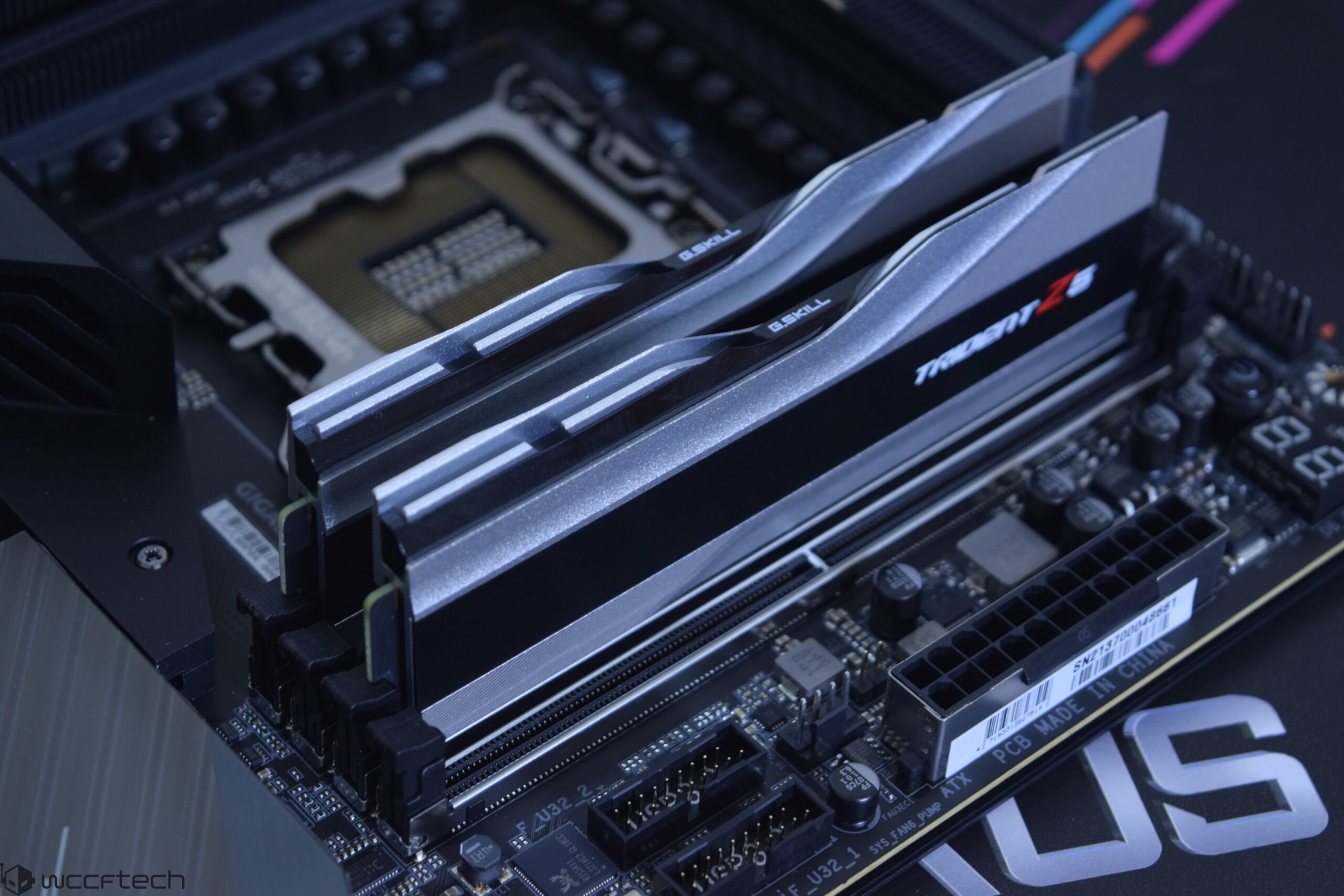
Wccftech
The latest hardware component to be affected by component shortage is DDR5 memory which is virtually out of stock across all major retailers.
stable spruce
why does the game look so weird on RTX 3070 on DX12 ULTRA settings ? did you guys tried new dedicated drivers ? any difference ?
what i actually meant is that textures are not fully loading, everything is blurred
 wanton summit
so was that today the day 1 patch ?
wanton summit
i dont know to 😄
prime jasper
can anyone fix my direct x functi error? or did i just waste 110$
stable spruce
stable spruce
why does the game look so weird on RTX 3070 on DX12 ULTRA settings ? did you guy...
found the cause....it's damn DLSS..turned that off and graphics are nice and crisp !
cinder pasture
lol
 indigo sail
@prime jasper I'll did it
 crisp heron
Buddy of mine has been trying to get the game running, he is on version 19091 and is still getting this. Any fixes?
 prime jasper
indigo sail
<@456226577798135808> I'll did it
prime jasper
indigo sail
<@456226577798135808> I'll did it
can u help me?
indigo sail
Good deal ngl
I have no experience with computers lol
Can't sadly
:/
Just search it up on yt
You'll find something helpful there
prime jasper
i just purchased bf 2024 and i wonder if my specs are good enough i have a rtx 2060 and a 17 9700 is that good enough or is it meh
prime jasper
nice
wanton summit
prime jasper
i just purchased bf 2024 and i wonder if my specs are good enough i have a rtx 2...
i have and gtx 1080 and have 50fps urs should be finde
indigo sail
^
prime jasper
i was a bit worried cuz on beta i had a lot of framedrops
wanton summit
mostly its the game not ur pc , i hope there are performance patches soon
molten coral
prime jasper
can anyone fix my direct x functi error? or did i just waste 110$
Stupid question but have you tried reinstalling the game?
prime jasper
molten coral
Stupid question but have you tried reinstalling the game?
yea even moved to a diffrnet disk
yea i hope so to
wanton summit
prime jasper
yea even moved to a diffrnet disk
have you tried to set direkt x 12 from 0 to 1 in the profsave ?
prime jasper
wanton summit
have you tried to set direkt x 12 from 0 to 1 in the profsave ?
i cant even load up the game, i dont see that folder jus the crash and screenshots
molten coral
Tried out DDU? Basically reinstall GPU drivers?
wanton summit
go to documents > bf2042 > settings and there is a data called profsave_profile open that and scroll all the way down to GstRender.Dx12Enabled 0 and put a 1 in it
molten coral
Also what GPU do you have? @prime jasper
prime jasper
molten coral
Also what GPU do you have? <@456226577798135808>
1660 super
wanton summit
y i think thats works
prime jasper
wierd az error code
molten coral
which code do you get
prime jasper
molten coral
which code do you get
lemme load up the game, can i dm u it?
wanton summit
icey just try what a posted maybe it help
molten coral
suure
prime jasper
nvm ill post it in here if i can so some "giga braiins" can help me
nvm
cant post
can u post that in here?
molten coral
 prime jasper
help me
 near star
hey guys, I am getting this error, Matchamaking failed Error code : 3:9001:-6534260950:2200221060739U
is it a problem from my end or server ?
molten coral
near star
is it a problem from my end or server ?
just the server probably
 hybrid hawk
crisp heron
Buddy of mine has been trying to get the game running, he is on version 19091 an...
hybrid hawk
crisp heron
Buddy of mine has been trying to get the game running, he is on version 19091 an...
where you got the game from?
prime jasper
im so sad :(( i cant even refund thiis game 😦
molten coral
you cant?
hybrid hawk
I get an error message while starting 2042:
The EA Account currently logged in does not have access to the installed language. Please reinstall the game in an allowed language or log in with a different EA Account and restart your game session.
wanton summit
prime jasper
im so sad :(( i cant even refund thiis game 😦
the only thing i found was re - install Visual C++ and maybe install an older nvidia driver
prime jasper
imma try somthin
 thorny bridge
I have pc gaming gtx 1660 super gigabyte amd ryzen 5 3600 16 gb ram shutter fps
coral dust
crisp heron
Buddy of mine has been trying to get the game running, he is on version 19091 an...
Try older drivers
 sweet terrace
Anyone else not able to play the game? It wont connect to online services all of a sudden
 keen forge
it wont update for me and idk why
 quaint minnow
Works for me, but I don't understand why it won't link to discord?
It's not showing up correctly in "now playing"
honest bison
quaint minnow
It's not showing up correctly in "now playing"
does that really matter
out of all things xD
quaint minnow
It was an expensive game lol. You'd think it would be picked up right?
quaint minnow
honest bison
does that really matter
Doesn't affect the performance, but I'm just saying.
honest bison
so like
you actually care for people to see on your discord status that you are playing a game
its just a bug or something xD not a big issue at all
tawdry python
lunar dawn
hz= times the screen refreshes per second, for example 144hz is the screen refre...
Got it @lunar dawn Thanks so much👌👌
 tropic estuary
Why does my EAC interface automatically close after loading without any prompt? Do you have this problem? I can't get into the game now. I can play before today. I don't have a ban
 silver cobalt
im getting 50ish fps can someone help me (dm me)
 tacit maple
Anyone not able to connect rn on PC?
 zenith tusk
crisp heron
Buddy of mine has been trying to get the game running, he is on version 19091 an...
zenith tusk
crisp heron
Buddy of mine has been trying to get the game running, he is on version 19091 an...
Update windows to 20h2
 tawny dawn
does anyone have ghosting issues with dlss enabled?
atomic latch
It's a known issue/feature of DLSS. Nothing you can do but suck it up for now and wait for NVIDIA to fix it.
prime jasper
https://www.youtube.com/watch?v=-esZ1BYpGdc been happy with 5700xt, beating 2070 super, 3060 and matching 2070 super, 2080

Support us on Patreon: https://www.patreon.com/hardwareunboxed
Join us on Floatplane: https://www.floatplane.com/channel/HardwareUnboxed
Buy relevant products from Amazon, Newegg and others below:
Intel Core i9-12900K: https://geni.us/xEZFptS
Intel Core i9-12900KF: https://geni.us/hCMbu
Intel Core i7-12700K: https://geni.us/8KvA
Intel Core i7-1...
impressive performance for 370€ card bought last year before the market went nuts
4gb cards struggling at 1080p ultra

medium they can run tho
prime jasper
https://www.amd.com/en/support/kb/release-notes/rn-rad-win-21-11-3 there is new drivers for amd cards btw fixing: Driver timeouts or game crashes on bf 2042
latent light
prime jasper
4gb cards struggling at 1080p ultra
Weird because they all have 4GB but 5500XT still gets 3x more performance than 1650S lol
1650 Super is usually like 10-15% faster than 5500XT in other games
prime jasper
yeah strong performance for amd 5000 series cards overall, im waiting for the cpu benchmark tho as im slightly limited by my cpu in the game...
they used ryzen 9 5950x
https://www.techspot.com/article/2364-battlefield-2042-benchmarks/ here is also written article

TechSpot
Battlefield 2042 recently debuted with very impressive visuals, so we'll take the opportunity to measure graphics card performance, so you can get an idea of what you'll...
 lunar tide
prime jasper
yeah strong performance for amd 5000 series cards overall, im waiting for the cp...
lunar tide
prime jasper
yeah strong performance for amd 5000 series cards overall, im waiting for the cp...
Same lmao my cpu kinda chokes in some 128 players maps
it's a 6 core 8700 and it never struggles this badly running a game before, but the 64 players modes run noticeably better
I guess 8c/16t is recommended for the 64v64 modes
prisma anvil
I think 6c/12t can handle it
 arctic dragon
Jesus Christ my game is taking forever to patch
 heavy crow
tech
prime jasper
hi, got an eror at launching game, ea tell me i m not online, so i cant launch the game... someone got an idea?
 stray forum
Restart the launcher. if you own it on steam make sure you have origin up and logged into as well
prime jasper
anyone else having heavy stutterings during gameplay ?
im using i7 9700k + rtx 2070 + 32gb ram and the game is installed in a m2 ssd
stray forum
prime jasper
im using i7 9700k + rtx 2070 + 32gb ram and the game is installed in a m2 ssd
Same problems running a ryzen9 5900, rtx 3070 with 32 ram as well as an SSD
small kelp
rtx 3080ti i711700k ssd n 32 gig ram and stutter like a mf
prisma anvil
small kelp
rtx 3080ti i711700k ssd n 32 gig ram and stutter like a mf
u still stutter?
small kelp
prisma anvil
u still stutter?
Yeah new patch fixed most of it
but still there sadly
imma just wait for them to fix this game
or go back to vanguard and grind that for a year then return to bf
prisma anvil
good call haha
small kelp
cuz i aint got time to play this shit ”battlefield all out warfare”? more like ”Battlefield all out of fps”
prisma anvil
yeah I kinda get u it shouldnt take an overclocker going for 3dmark records to enjoy this game
small kelp
nope
stray forum
 tacit nest
unable to load persistence data
tacit nest
unable to load persistence data
servers are heavily active.
Just keep trying. it isnt a problem on your end.
wraith cosmos
Zotac RTX3090
Ryzen 9 5900X
Gigabyte x570 AORUS Ultra
Samsung 970 EVO Plus
Ballistix 64 Go DDR4 3600 CL16
Asus XG43V 120Hz
Same here, lot of bugs and other lags or stutter...... Even if i set the perf to high instead of ultra
stray forum
wraith cosmos
Zotac RTX3090
Ryzen 9 5900X
Gigabyte x570 AORUS Ultra
Samsung 970 EVO Plus
Balli...
Try medium. Works amazingly for me
wraith cosmos
It's a pain in the a** to have to put these settings down with this king of computer .... 😦 but i will try. Thanks
stray forum
wraith cosmos
It's a pain in the a** to have to put these settings down with this king of comp...
I am a 3070 and 32 gb less than you. It is depressing
 heady sail
Can anyone give me some advice. Currently running low settings with i7-9700K and 1080ti. Main menu the gpu hits 80 temp with fans at 2000rpm but in game I can switch to high settings and hit 70 temp with fans at 1500...
arctic dragon
YO Guys what is Dynamic Resolution Scale Refresh Rate Target? Same thing as Resolution scale?
atomic latch
It's the FPS target. Basically, if you set it to 100% it tells the game "hey i am not reaching 60/75/120/165 fps or whatever the refresh rate of this user, lower the resolution."
arctic dragon
I can't see a difference between 100% and 25% what
 eternal forge
I'm getting 130% VRAM usage on all low settings, is it normal?
atomic latch
How much VRAM do you have?
eternal forge
4GB
My first game run well, it stutters awfully on the second game, then it threw me back to the main menu, and the FPS is smooth on the menu somehow
hearty roost
heady sail
Can anyone give me some advice. Currently running low settings with i7-9700K and...
Ignore the temp and fan speed just normal. The main issue is Nvidia failed with drivers. In main menu high usage of GPU power while its fail to get it while playing. We can only wait for an Nvidia fix
atomic latch
eternal forge
My first game run well, it stutters awfully on the second game, then it threw me...
What resolution do you run the game at?
eternal forge
1600 x 900
hearty roost
eternal forge
My first game run well, it stutters awfully on the second game, then it threw me...
Guess its an Nvidia GPU? Currently the game sucks on Nvidia cards. To lower your vram set texture low as possible. try DLSS if you can for stuttering wait for a fix
eternal forge
I use Radeon RX 570 card, already used the latest driver update too
eternal forge
Yea just did yesterday using DDU
heady sail
hearty roost
Ignore the temp and fan speed just normal. The main issue is Nvidia failed with ...
thanks i assume so this is the only game that caused me to hit that high temp, on the verge of doing a steam refund.
hearty roost
„high temps“ gpus are fine with high temps
hearty roost
eternal forge
Yea just did yesterday using DDU
ok well ~4 gb vram is used on 1080p after what I have seen.
eternal forge
Does playing on a lower res could be the reason for the stuttering?
eternal forge
Hmmm I guess I'll try and see how it goes when I play later, hopefully its just a one time thing
hearty roost
if you had the 8gb rx570 there should be no issues
eternal forge
hearty roost
if you had the 8gb rx570 there should be no issues
Sadly I dont 🥲
prisma anvil
heady sail
Can anyone give me some advice. Currently running low settings with i7-9700K and...
cpu bottleneck
hearty roost
i7 9700k bottlenecks an 1080ti? You sure about it
prisma anvil
whats the setting?
eternal forge
My first game was lagging like crazy, and my second game stuttered 😂
heady sail
I don't think it's bottlenecking, it's running on low settings most of the time. Any other games I'll run 100% fine, I just read a lot of issues now on PC optimization turns out it's just the game itself it seems
but thanks guys for the help
prisma anvil
heady sail
I don't think it's bottlenecking, it's running on low settings most of the time....
low settings is harder on cpu so thats even more cpu bottleneck
heady sail
my pc default setting is on high for the first hour, setting it to low did the same result so I just decided to run low for a bit
hearty roost
prisma anvil
whats the setting?
Dont know what settings he use but a i7 9700k clearly does not bottleneck a 1080ti.
Is more a 1080ti bottlenecks an i7 9700k 
prisma anvil
depends on settings at low i think 9700k still bottlenecks
if running ur setting low and high have the same fps then its cpu bottleneck lol
 merry wyvern
A320M-A PRO MAX (MS-7C52) Motherboard and i want a 2070 but ATM i have a 1650
prisma anvil
merry wyvern
A320M-A PRO MAX (MS-7C52) Motherboard and i want a 2070 but ATM i have a 1650
almost any mobo can fit a gpu
its the same pcie slot
prisma anvil
u can shove a 3090 in that
 zenith sigil
idk his case limitations tho
merry wyvern
really?
zenith sigil
do you know what case you got viper?
merry wyvern
i mean
i can unscrew 2 screws with my fingers and open the side panel that has a window on the side
zenith sigil
maybe you can find it on website you bought from?
merry wyvern
if only i can send a picture in
zenith sigil
can dm one
merry wyvern
sure
zenith sigil
another thing to consider is your PSU hope it can handle the card will find card specs sec
is just a normal 2070 right not super
atomic latch
I suggest getting the super. Way faster than the non-super variant. It's gonna be a bit more expensive but if you can find one at a good price, take it.
hearty roost
Most cases can fit a 2070 until we speak about a 3fan card. High chance of beeing to long. Questions on GPU upgrades: How good is your PSU and CPU? Guess its an 1gen Ryzen or some Ryzen Pro/G. Cause if its a Ryzen 5 1600 it works fine, if it is below it can cause a huge bottleneck CPU sided
@merry wyvern btw.
merry wyvern
hearty roost
Most cases can fit a 2070 until we speak about a 3fan card. High chance of beein...
i have a Ryzen 7 1700x
im speaking with nick rn
hearty roost
ok good
 lost schooner
Preloaded the game a week ago or so/ Stuck downloading at 95% with 42.46 of 44.43 gb. Any ideas on how to fix this?
atomic latch
Restart Origin/EA Desktop
lost schooner
Thanks
 pulsar shadow
Hey I'm new to PC gaming here... anyone know why I'm only getting 60-80 fps and not the 140ish that my setting is on?
livid wagon
pulsar shadow
Hey I'm new to PC gaming here... anyone know why I'm only getting 60-80 fps and ...
refresh rate is essentially the maximum FPS that the screen can show you. but it doesn't mean it will give you 144 fps, as how many FPS the game has is dictated by PC rig, primarily the GPU and CPU, a better GPU and CPU means more FPS.
midnight crypt
ram is also very important
livid wagon
that too yeah
hybrid hawk
got an error, any help?
The EA Account currently logged in does not have access to the installed language. Please reinstall the game in an allowed language or log in with a different EA Account and restart your game session.
midnight crypt
do as it says?
midnight crypt
ask ea support then
pulsar shadow
livid wagon
refresh rate is essentially the maximum FPS that the screen can show you. but it...
Thanks, I really appreciate the reply! I've got an i9 processor and 64GB of RAM... so thinking maybe my 2080ti GPU isn't cutting it?
livid wagon
pulsar shadow
Thanks, I really appreciate the reply! I've got an i9 processor and 64GB of RAM....
yeah no 80 fps is fine if you're on absolute max settings
if not its the GPU utilization issue and the current optimization for PC being hot garbage
hearty roost
or more Nvidia messed so hard up that the most people who play with an Nvidia card having bad fps
pale quartz
pulsar shadow
Hey I'm new to PC gaming here... anyone know why I'm only getting 60-80 fps and ...
you are entirely GPU bound
a 2080ti is not going to hit 144 frames in this game
last spoke
Was there a launch day patch? Any improvements on FPS? At work until Sunday
hearty roost
Nope
last spoke
Guess I’m still stuck at 70 FPS ultra with weird mouse input lag feeling lol
Deco fix this game for us bro lol
marsh gull
last spoke
Guess I’m still stuck at 70 FPS ultra with weird mouse input lag feeling lol
dont play in ultra?
midnight crypt
lower your settings a bit
prime jasper
i stiill have this error 😦 and its global launch.
last spoke
marsh gull
dont play in ultra?
If I’m not in ultra at high resolution why am I on pc? I’m here for high fidelity pc gaming. My ps5 sits lonely for a reason lmaooo
marsh gull
last spoke
If I’m not in ultra at high resolution why am I on pc? I’m here for high fidelit...
still dont complain you have bad fps when you put an unoptimised game in ultra
raw turtle
@pulsar shadow This game is horribly optimized, so your pc is barely being used. but if it’s at 1080p then you’re way below expectations for performance.
have you updated drivers for nvidia?
raw turtle
marsh gull
still dont complain you have bad fps when you put an unoptimised game in ultra
game runs better at ultra lol
marsh gull
raw turtle
game runs better at ultra lol
lmao
hidden zephyr
For the love of god, add an option to increase the red dot size like BF4, I'm tired of losing gun fights because I can't see that tiny sight(Yeah, I know, there's another sights and apparently nobody's bothered by this, but this is the best one available, for me it would be a insane QoL improvement and I bet is not that hard to do it)
quick locust
Lul
 hollow mountain
Hey i still got this bug that the repair system on the ru atack heli wont unlock it says 20/20 but is still locked i have 143 kills with it.
atomic latch
Restart your game
atomic latch
RTX 3060, Intel 11600/12600 CPU or Ryzen 5 3600/5600 CPUs, 16GB RAM, and an SSD
coral dust
RTX3080,Intel 10900 CPU,32GB RAM,Super fast SSD
Runs like shit in any setting
Anybody know what DLSS setting you should use in 1440 P
hearty roost
yeah its an Nvidia issue and btw. DLSS does not work for the most folks
As an Nvidia user its like a 50/50 gamble if you have luck, you have really good performance. But like 75% of Nvidia folks rip.
small kelp
hearty roost
As an Nvidia user its like a 50/50 gamble if you have luck, you have really good...
mine removes fps, lol
 dark mist
Same for me....Ultra Settings without DLSS ~110 fps....with DLSS < 70 fps (Ryzen 5800x, 32GB 3200MHz RAM, RTX 3080 Ti)
hearty roost
Still would like to play but so long Nvidia does not fix this mess...
thorny bridge
Hey
hollow mountain
atomic latch
Restart your game
Dude thx for dat advise i didnt restarte my game since a week . Sure
atomic latch
hollow mountain
Dude thx for dat advise i didnt restarte my game since a week . Sure
Oh sorry, I didn't know you've been having it for a week. Restarting the game usually worked for me whenever i had the unlocking bug.
hollow mountain
atomic latch
Oh sorry, I didn't know you've been having it for a week. Restarting the game us...
NP could have said that its a problem for longer
 young crow
Can someone please advise me how to get rid of stutter which is presumably caused by building shader cache? https://streamable.com/aplfee. This is on a 8700k, 32gb ddr4 3200 cl 16 ram, 6800xt (and also happened on a 3070). You can see in the top right that it's caused by cpu spikes but if you look on the left, my CPU isn't thermal throttling or anything
thorny bridge
I have pc gaming gtx 1660 super gigabyte amd ryzen 5 3600 16 gb ram I have drops fps do u have solution 😀
atomic latch
young crow
Can someone please advise me how to get rid of stutter which is presumably cause...
Have you tried the DX12 fix?
 teal fjord
what is up with the game's graininess in the visual, film grain disabled
young crow
atomic latch
Have you tried the DX12 fix?
If you mean setting dx12 to 1 in the config file yes, it did nothing
pale quartz
young crow
Can someone please advise me how to get rid of stutter which is presumably cause...
exit vanguard if you have it open
thorny bridge
I have pc gaming gtx 1660 super gigabyte amd ryzen 5 3600 16 gb ram I have drops fps do u have solution grinning
midnight crypt
Set everything to low
worthy crypt
humble rampart
Thank, please keep me updated if you find any fixes and ill do the same
i found a fix for our problem i think, i just reset my display settings and turn on dlss to ultra performence and now it work!
 zinc sand
is anyone else constantly having driver/dx12 crashes?
humble rampart
@worthy crypt Im not sure exactly what that means
worthy crypt
humble rampart
<@223850770246664192> Im not sure exactly what that means
i can send you a print screen in pm off my settings!
worthy crypt
humble rampart
<@223850770246664192> Im not sure exactly what that means
i have sent a pm to you now 🙂
 inner violet
I pre-ordered Battlefield 2042 Gold Edition on Steam and I have been wanting to play the game since 12th Nov but every time I start it my entire PC freezes as soon as I see the title screen. Can someone help me?
atomic latch
What's your specs?
lunar dawn
inner violet
I pre-ordered Battlefield 2042 Gold Edition on Steam and I have been wanting to ...
verify your game files, then download ddu and uninstall your gpu drivers (guide on how to use ddu https://youtu.be/xn8z39tiEL0 if you dont know how to use it) then downlosd the latest nvidia or amd gpu driver... depending on what gpu you have
humble rampart
@worthy crypt Thanks, im out right now but will check it out later
lunar dawn
@inner violet also what are your specs
lunar dawn
inner violet
Can I dm you a screen shot?
yes
thorny bridge
I have shutter fps battlefield 2042 gtx 1660 super gigabyte
atomic latch
thorny bridge
I have shutter fps battlefield 2042 gtx 1660 super gigabyte
Have you tried the DX12 fix?
lunar dawn
thorny bridge
I have shutter fps battlefield 2042 gtx 1660 super gigabyte
do you have latest nvidia drivers?
you can check in nvidia control panel>system info and the driver version is the first thing
 dapper flower
hi
my binding Key mouse is bug...
in game, its not possible to bind
GstKeyBinding.infantry.ConceptMeleeAttack.0.axis 27
GstKeyBinding.infantry.ConceptMeleeAttack.0.button 11
GstKeyBinding.infantry.ConceptMeleeAttack.0.negate 0
GstKeyBinding.infantry.ConceptMeleeAttack.0.type 1
GstKeyBinding.infantry.ConceptMeleeAttack.1.axis 0
GstKeyBinding.infantry.ConceptMeleeAttack.1.button 255
GstKeyBinding.infantry.ConceptMeleeAttack.1.negate 0
GstKeyBinding.infantry.ConceptMeleeAttack.1.type 2
GstKeyBinding.infantry.ConceptMeleeAttack.2.axis 27
GstKeyBinding.infantry.ConceptMeleeAttack.2.button 6
GstKeyBinding.infantry.ConceptMeleeAttack.2.negate 0
GstKeyBinding.infantry.ConceptMeleeAttack.2.type 0
need to mouse 4, i change ?
thorny bridge
I have New version
 somber granite
I have a GTX 750 ti and an equivalent of an i3, what should I upgrade to that's cost efficient?
atomic latch
1660 super/ti for the GPU. Unfortunately you have to upgrade your entire motherboard and CPU but you can get a B550M motherboard and an Intel Core I5-10400 as a bundle for a discount. These make great upgrades
hearty roost
somber granite
I have a GTX 750 ti and an equivalent of an i3, what should I upgrade to that's ...
Upgrade everything
Overall it is to old
somber granite
atomic latch
1660 super/ti for the GPU. Unfortunately you have to upgrade your entire motherb...
Thanks
somber granite
hearty roost
Overall it is to old
Yeah, I built it like 5 years ago lol
hearty roost
For my personal experience a good budget is around Ryzen 5 3600, 16gb ram GPU depending of your preferences but I would recommend mostly a GPU at around RTX2060
 sly lance
My game doesn’t want to use my gtx1080 any thoughts on why this is ?
hearty roost
Let me guess you have terrible FPS?
sly lance
Nah it doesn’t even want to use the card in settings
atomic latch
Laptop?
sly lance
Nah tower pc
atomic latch
Intel CPU?
 supple bane

 hearty roost
If your Intel core has an integrated GPU you can go into the Nvidia controll panel under 3D- Settings ->programm search for 2042 you should be able to choose on 2. your GPU
thorny bridge
What
hearty roost
If not you have just the same issue as everyone else. Nvidia messed up with the performance
thorny bridge
 hearty roost
And whats the issue?
thorny bridge
Drop fps run 50 fps
atomic latch
Apparently, he has low FPS. Only 50fps on low settings. been conversing with him a while but yeah unforunately I can't help.
thorny bridge
Do u have solution run 70 or 80 fps
hearty roost
Yeah thats a known Nvidia issue
thorny bridge
New version
atomic latch
1660ti with Ryzen 5 3600? Seems pretty decent enough to me to run the game imo.
hearty roost
Yeah and I still have mostly 50 to 60 fps with an 3080
 opaque saddle
turn your settings up?
thorny bridge
Used gtx 1660 super gigabyte
thorny bridge
Help me
hearty roost
So long Nvidia does not publish an 100% fix, many people still suffering from this FPS issues
opaque saddle
and at this stage your GPU is running at 75% and not fully utilised
 full bay
open console with -> ^ <- (button under escape)
thorny bridge
Do u have solution fixed
thorny bridge
Not working