#technology
1 messages · Page 445 of 1
 vague brook
 grave silo
i figure this out from beta
 last spoke
grave silo
i figure this out from beta
last spoke
grave silo
i figure this out from beta
Beta was far worse
grave silo
last spoke
Beta was far worse
i agree
last spoke
 prime jasper
Just got home
prime jasper
Just got home
Yes from my experience game stutters less and lags less. Still no FPS increase. Overall feels smoother imo
 rotund crescent
last spoke
Yes from my experience game stutters less and lags less. Still no FPS increase. ...
rotund crescent
last spoke
Yes from my experience game stutters less and lags less. Still no FPS increase. ...
Nice.
prime jasper
last spoke
Yes from my experience game stutters less and lags less. Still no FPS increase. ...
GPU and cpu?
last spoke
Rtx3080 FE paired with i910900k 32gb ram everything stock settings at 1440p
 honest bison
prime jasper
Are the new drivers worth downloading?
honest bison
prime jasper
Are the new drivers worth downloading?
Some says its better, some say they get worse fps now
So if your fps are ok now, dont update
prime jasper
Yea I'll just wait
honest bison
Make sure to disable dlss
honest bison
Thats pretty good for those specs
prime jasper
Yea I'm about to hop on battlefield rn
Just taking a break cuz just got back from school
 left musk
Im getting 70 and dipping down to 20 fps non stop
The stutters is killing me, ryzen 5 3600 and 5700xt
Playing 1440p everything on low
last spoke
left musk
Im getting 70 and dipping down to 20 fps non stop
that dont seem right mmmmhmhmhmhm
last spoke
left musk
Its constantly fluctuating
interesting.....it should find a somewhat stable range based on temps?
mine for example is like 1960 when around 63c
 wintry saddle
So my specs are in my bio but im just wondering if its usual for a 3090 to only get 60-70 fps even at 1080p in 2042
last spoke
wintry saddle
So my specs are in my bio but im just wondering if its usual for a 3090 to only ...
the 3080 and 3090 need room to stretch the legs. try 4k or 1440p
your cramping an olympic champion so to speak
 brave bough
you guys know why i keep getting like this bug where my screen flashes when zooming in with a scope
wintry saddle
I have a 1080p monitor cause my 1440 burnt out so you think its fine to run 4 k at 60 hz?
last spoke
the card might be more balanced at a higher resolution
 rustic kindle
I got a bug right now, where I try to change a keybind to a mouse button, and instead of clicking on the keybind and being able to then choose a different keybind, it instantly binds "mouse 7" -and won't let me change it, unless I restore default on that entire section.
wintry saddle
will try it now
 delicate reef
wintry saddle
So my specs are in my bio but im just wondering if its usual for a 3090 to only ...
delicate reef
wintry saddle
So my specs are in my bio but im just wondering if its usual for a 3090 to only ...
Yah you need 1440p or 4K. That res is doing a 3090 nothing
left musk
i really am about to refund just because i think my gpu cant take it
 pale quartz
left musk
Its constantly fluctuating
pale quartz
left musk
Its constantly fluctuating
pretty simple fix lol up your minimum clock speed inside AMDs software to 1800
wintry saddle
now getting 80fps 4k
last spoke
Nasdi u need to push the 3090 with higher rezzzzz
delicate reef
wintry saddle
now getting 80fps 4k
Yeah cause utilizing more
last spoke
wintry saddle
now getting 80fps 4k
see thats better
wintry saddle
looks sick aswell thanks
rustic kindle
rustic kindle
I got a bug right now, where I try to change a keybind to a mouse button, and in...
can anyone help?
last spoke
left musk
wrong person <@!273506720200916993>
my B
pale quartz
left musk
<@!162568099839606784> i tried, didnt work
it will work, you cannot apply it whilst the game is running, close the game before applying any changes
wintry saddle
one more thing now all my curser / nvidia control panel and even in game console are microscopic after setting monitor to 4k
last spoke
anyone know how to fix msi overlay not showing up in game
delicate reef
wintry saddle
one more thing now all my curser / nvidia control panel and even in game console...
Right click desktop and go to display settings
Change the scale %
Just play with it
pale quartz
left musk
<@!162568099839606784> i did but its still stuttering
though it isn't going to solve your frame drop issues
delicate reef
@left musk make sure you got RT and future frame rendering off?
pale quartz
nah RT would never be on by default
if it was that card would never be achieving 10 frames nevermind 70
you are GPU bound, not much you can do really, 5700xt is showing its age
well Navi 1.5 aka
left musk
gl finding a gpu now
pale quartz
yup
delicate reef

last spoke
just to make sure......future frame rendering should be on correct?
left musk
ok why the eff is it smooth when i put it on ulta, i get 50 fps but its constant
i guess gpu is working at its max ? cant stutter ?
pale quartz
last spoke
just to make sure......future frame rendering should be on correct?
hit or miss setting, turning it off will tank your performance however it can be the cause of massive input delay
your mileage will vary test it for yourself
last spoke
pale quartz
hit or miss setting, turning it off will tank your performance however it can be...
thanks
left musk
would what i said make any sense deco ?
wintry saddle
ik os builds have some issues with fps does anyone know if build 2004 is bad
and is it worth going to 21h2
im hitching fps is low I have tried eveything im just getting pissed
 sweet terrace
Just bought Thrustmaster H.O.T.A.S . plugged it in, and when i got into a helo it ran straight into the ground
the game recognized the joystick, but the joystick movement itself not working
wintry saddle
lmao I use my logitech 3d pro and still cant fly
sweet terrace
does the joystick actually move the aircraft around tho ?
wintry saddle
its really low sense
 long ridge
anyone know why list of sata drives doesn't show boot drive, but pressing F8 during boot does?
boot is samsung evo 500gb ssd
 regal bobcat
how do you turn off sharpening ?
 candid sand
long ridge
candid sand
long ridge
Marvel hdd controller doesn't see it, either
 deep sorrel
even with new, updated drivers, the game won't go above 100fps. it doesn't matter if it's on low or ultra, it's still capping 100fps no matter the settings.
 graceful bloom
Is it just me or ever since the "new" drivers for Nvida 496.76 its been dropping and causing overall worse fps then before?
now I cant seem to get above 60 where as before I was getting well above that
left musk
Lmao this makes no fkin sense, i set my gfx to ultra and im getting a constant 45-50
Ill take that over constant stuttering
 prisma anvil
New driver improved my fps in ultra settings by 5-10 fps I think when I am gpu bound.
prime jasper
quick question, will my 1080TI and I7-8700k run the game aight?
prisma anvil
Holding 130-160+ in most maps full ultra.
graceful bloom
prime jasper
quick question, will my 1080TI and I7-8700k run the game aight?
honestly idk I got a 2080 and It is pretty much not enjoyable with everything on low, everytime I fire a gun I get like 15 fps
left musk
Hmm thats not normal @graceful bloom
prisma anvil
All yall cpu/ram bottlenecked
I helped I think 3 people here already and got them to 100+
graceful bloom
my cpu is sitting at like 58-68% peak usage
prisma anvil
Game uses 8 threads. If u have 5950x ur usage will prob be below 30%
left musk
@prisma anvil can you help me ?
prisma anvil
I might be helping someone else rn
left musk
Ok
prisma anvil
whats ur cpu and ram? just curious
left musk
32gb ram, ryzen 5 3600
graceful bloom
prisma anvil
Game uses 8 threads. If u have 5950x ur usage will prob be below 30%
huh that might be the issue then, I got only a i7-8700
prisma anvil
8700 can still do ok. 6 cores 12 threads
sweet terrace
Anyone using a joystick/throttle to fly helos ?
regal bobcat
so im just getting 60fps with dips to 37 , mu build is ryzen 5 3600 , rtx 3070 and 32gb of ram on a mil.2 ssd any ideas ?
graceful bloom
regal bobcat
so im just getting 60fps with dips to 37 , mu build is ryzen 5 3600 , rtx 3070 a...
sounds like me minus my dips are much more severe, and I heard ppl with similar cards and specs running much smoother
regal bobcat
graceful bloom
sounds like me minus my dips are much more severe, and I heard ppl with similar ...
im so dumbfounded
honest bison
prisma anvil
I helped I think 3 people here already and got them to 100+
what is it that you tell them to do?
I got a 3080 and im getting 90-110 fps without dlss
high texture, medium shadows and rest in low
3440x1440p
prisma anvil
2 has their ram in the wrong slot. I also enabled power limit on non k sku cpu. So it stays at turbo boost all core.
One was a manual cpu OC.
honest bison
ah then It wont help me xD
prisma anvil
One was amd so pbo2 with curve optimizer 1:1:1 infinity fabric clock
prisma anvil
Cpu?
prisma anvil
Even no oc at least remove all power limit. Like enable Asus muti enhancement core.
I'm on 10850k as well and from the 6 10850k I tuned usually it bottoms out at 4.8-5.1ghz depending on cilicone lottery.
honest bison
prisma anvil
Even no oc at least remove all power limit. Like enable Asus muti enhancement co...
my temps are quite high as they are
I dont want them higher
prisma anvil
Oh dang how high?
prisma anvil
I think at 80C intel short package pl2 kicked in
Then after it expired it goes down
Not quiet sure haha
prisma anvil
OC doesn't mean raising voltage haha
prisma anvil
If I run my 5ghz oc I draw less power and less temp than intel stock pl2
It's called undervolting kinda
Highly recommended for 3060ti card and up for Nvidia
prisma anvil
? Amd card is fine
left musk
Ill show you my settings later
Everything is by default
I do have xmp dual channel 32gb
But didnt mess with gpu / cpu at all
honest bison
and what happened
 marble knoll
Just wondering if we have any i7-10700K owners here ? If we do, what motherboards have u paired it with, thanks 🙂
prisma anvil
marble knoll
Just wondering if we have any i7-10700K owners here ? If we do, what motherboard...
Most z490 or z590 is fine
I am an Asus fan so a cheap option would be the Asus prime series
marble knoll
Ive been on asus with my current pc for a long time, wanna try something else and MSI seems very appealing
prisma anvil
Sure msi is fine as well a cheap option would be Meg gaming line.
I've tuned some 10th gen on that board. No problem.
marble knoll
exactly what im aiming for just doing my research before black friday
marble knoll
prisma anvil
I've tuned some 10th gen on that board. No problem.
nice
marble knoll
understandable but once i set it up i wont be coming back there hopefully lol
prisma anvil
oh yeah dont use dragon center
marble knoll
just what i needed to hear haha
 red trench
honest bison
high texture, medium shadows and rest in low
red trench
honest bison
high texture, medium shadows and rest in low
really? i feel like that should definitely be better
honest bison
nah, the mobo killed it
left musk
i here if you're free mazda
prisma anvil
dragon center bios update bricked my friend's board
red trench
then again i have a 3080 and i can’t even open the game for longer than 15 seconds without my pc crashing lmao
marble knoll
red trench
then again i have a 3080 and i can’t even open the game for longer than 15 secon...
have u tried stodeth's settings ?
 drifting wolf
When I unlocked the prox sensor it disappeared from the gears .. this game is full of problems
marble knoll
honest bison
nah, the mobo killed it
which model was it ?
red trench
marble knoll
have u tried stodeth's settings ?
what’s that, in game settings? i cant even fully open the game lol
marble knoll
red trench
what’s that, in game settings? i cant even fully open the game lol
yea ingame (stodeth is BF youtuber) oh damn thats fked up
 small kelp
they havent even adressed they issues yet have they?
 faint hull
Question: Can flight controllers be used to fly the planes and helicopters?
sweet terrace
faint hull
Question: Can flight controllers be used to fly the planes and helicopters?
I am struggling to get to work. I have a Thrustmaster Flight Hotas one, and it doesnt work at all
faint hull
sweet terrace
I am struggling to get to work. I have a Thrustmaster Flight Hotas one, and it d...
Can you send me a screen shot of the interface for the settings? Are things mapable to controllers?
sweet terrace
faint hull
Can you send me a screen shot of the interface for the settings? Are things mapa...
I dont think its in the game yet. There is suppose to be a row of key bind options labled "Stick "
but i dont see it
I have heard people say they can use logitech stuff, but I cant confirm
faint hull
Hmm
Thank you @sweet terrace
I'm holding off on purchasing until this can be confirmed
I'll ask again on Friday/Saturday. lol
sweet terrace
Yeah i should have waited. I can return the Thrustmaster. I dont think any stores carry Logitech around here. I might have to order that off Amazon and try it out
faint hull
I have a controller I use for Drone flying that I want to see if I can program that for flying heli's
sweet terrace
that would be freaking dope
For now, if you use kb/m just throw your sensitivity really high so you can turn faster. it is how all the decent helos are doing it
faint hull
Yea, can't fly a heli or plan with a keyboard and mouse...feels like cheating. Pressing keys on a keyboard in 2021 to fly...come on EA. I barely did that in BF2
 boreal jetty
!pbkick @wild adder
 wild adder
lol
pale quartz
faint hull
Question: Can flight controllers be used to fly the planes and helicopters?
difficult to say for certain
compatibility seems to differ vastly from model to model, they seem to broadly work
 harsh lantern
 midnight crypt
That's inteded
 exotic granite
could also be the driver update from nivida that broke it as well so if you havent yet i would update that and check
long ridge
long ridge
anyone know why list of sata drives doesn't show boot drive, but pressing F8 dur...
Marvell sata ports are supposed to be for data and looks like one (or cable) is bad; switched cables around and now cable that went to boot drive is hooked to a 4tb drive and it doesn't show in drive list. had to adjust boot drive order in bios and it boots like a champ now
 sterile oxide
so the driver update didnt do shit right? im having significantly worse performance than ever before
and ridiculous cpu usage
with little to no gpu usage
 hardy nimbus
does anyone know why this line reads 60 HZ?
GstRender.ResolutionHertz 60.000000
on our PROFILEOPTIONS_profile settings?
sterile oxide
hardy nimbus
does anyone know why this line reads 60 HZ?
GstRender.ResolutionHertz 60.00000...
whats the max hz on ur monitor
 hearty roost
My is on 60 too. But upper is GstRender.FullscreenRefreshRate 144.001007
Might be Vsync or so
sterile oxide
^ same here
am i losing it tho or is game performance noticeably worse after the driver update]
hearty roost
Mine is worse aswell
hardy nimbus
yes, but I get the same FPS even when borderless, but saw 60hz and
by nature it just screams WRONG
small kelp
sterile oxide
am i losing it tho or is game performance noticeably worse after the driver upda...
My fps got steadier but lower and i get crazy stutters
 verbal cliff
seems like the game runs fine on amd gpus
small kelp
ye
hearty roost
Right now just for battlefield I want to return my 3080 and buy with this money instead an 6900xt... just to finally play with 120fps+ without issues
verbal cliff
80-100 fps for me
small kelp
dlss still dont work
sterile oxide
same i sit like 40 fps lower than what i was at before and now im getting ridiculouse stuttering issues
small kelp
hearty roost
Right now just for battlefield I want to return my 3080 and buy with this money ...
Just wait for proper drivers and we should be good
sterile oxide
hearty roost
Right now just for battlefield I want to return my 3080 and buy with this money ...
fax lmfao
prime jasper
my 1080ti and i7-8700k can run 2042 perfectly fine 
pale quartz
hardy nimbus
does anyone know why this line reads 60 HZ?
GstRender.ResolutionHertz 60.00000...
this line doesn't do anything
hearty roost
small kelp
Just wait for proper drivers and we should be good
But I want to play so badly 2042
sterile oxide
fr
pale quartz
this config file argument is leftover from older battlefield titles which use the frostbite engine
small kelp
prime jasper
my 1080ti and i7-8700k can run 2042 perfectly fine <:Kappa:562440529028055040>
Its worse on 30 series
pale quartz
it has no effect in 2042
prime jasper
small kelp
Its worse on 30 series
i can run the game o k
small kelp
yes but u have a 10 series
prime jasper
true
sterile oxide
prime jasper
i can run the game o k
must be nice 
small kelp
The bigger problems are on newer gpus
hearty roost
ok yeah on low I get stable 70 fps as well, but this is still disgusting with 46% GPU usage
small kelp
hearty roost
ok yeah on low I get stable 70 fps as well, but this is still disgusting with 46...
I get same fps no matter what settings
small kelp
ultra n low make no diffrence at all
hardy nimbus
pale quartz
this config file argument is leftover from older battlefield titles which use th...
interesting. AMD user friends looked at theirs just now and theirs is set to their monitor value
hearty roost
small kelp
I get same fps no matter what settings
After the new driver it works but on ultra 51% usage max on low 36% and at least 70 fps.
pale quartz
hardy nimbus
interesting. AMD user friends looked at theirs just now and theirs is set to t...
I run AMD on the CPU and GPU, it was defaulted to 60
small kelp
hearty roost
After the new driver it works but on ultra 51% usage max on low 36% and at least...
Some maps i get 70- 90 but that 90 go away real fast lmao
hardy nimbus
even more interesting. TY for your response
pale quartz
the line doesn't do anything in regards to 2042 anyways, it's akin to changing a number on a text file
np
hearty roost
Still funny that for some people dx12 does some. Its so annoying. Jez
pale quartz
hearty roost
Still funny that for some people dx12 does some. Its so annoying. Jez
placebo is one hell of a drug lmao
hardy nimbus
BFV i had to run on DX12 - DX11 crashed for me lol
pale quartz
you change one line and run one game and boom get decent framerate for a highly variable game with thousands of different variables and go that's it the line which actually does nothing fixed the game
verbal cliff
hardy nimbus
BFV i had to run on DX12 - DX11 crashed for me lol
for me bfv ran at 144+ fps on dx12 but it stuttered alot
hearty roost
Still annoying changed DX12 to 1 +5 FPS changed Shadow to 0 -5 FPS  ...
...
verbal cliff
while dx11 was like 120ish fps but smooth
 atomic latch
Dynamic Resolution Scaling works great in BF2042 so I recommend it for weaker systems. My gpu rarely drops below 60fps now though I still have the CPU bottleneck.
pale quartz
the big key difference between dx11 and DX12 in terms of API level changes is the integration of MCC communication with the GPU which doesn't exist with DX11
which is why there is a massive difference in terms of framerate for battlefield 5 the higher core count you possess
 dusty ravine
Hey guys, I was having a good round on 2042 but at the end of the round it crashed and give me
"DirectX Error "GetDeviceRemovedReason" failed with DXG_ERROR_DEVICE_HUNG"
 unreal scroll
anybody figure out how to get some higher fps? I am not on current gen components but a 1080ti and I7-7700k should still be getting better than 38fps on low settings
prime jasper
unreal scroll
anybody figure out how to get some higher fps? I am not on current gen component...
I have a 1080ti and i7-8700k
i run in the 80s-90s on low
unreal scroll
It hurts man, should I uninstall it and reinstall somewhere else? Like maybe its a disk issue?
Also, how much ram do you have? @prime jasper
prime jasper
32 gigs
pale quartz
unreal scroll
It hurts man, should I uninstall it and reinstall somewhere else? Like maybe its...
what is this a hard drive?
unreal scroll
pale quartz
what is this a hard drive?
Nah, I have it on an ssd
but i have 16 gigs of ram, that could be the issue or at least part of it
pale quartz
who knows all I can tell you is the game consumes 10-11GB of memory, so take that for what you will
unreal scroll
pale quartz
who knows all I can tell you is the game consumes 10-11GB of memory, so take tha...
Yeah, I was looking at my usage while playing it, I was usings a good 9 gigs consistently
pale quartz
sounds like you're hitting paging
prime jasper
pray that on full release the games atleast a bit optimized 
pale quartz
that memory usage is totally normal
unreal scroll
Idk though, I just hope that its poor optimization that they can fix lol
pale quartz
nothing wrong with it
hearty roost
Well I removed my documents folder and this exploit stuff, checking game files I hit now 61% usage of my GPU. Still drops from 72 fps to 50...
pale quartz
1080ti is a Pascal card, over half a decade old 90 frames on that architecture is great hardware level optimisation
unreal scroll
Oh yeah, I only get 6% usage on my GPU but 100% usage on my CPU
Which seems like it cannot be good
hearty roost
In borderless btw right now sometimes 70% usage but less fps 62 but more steady...
Just for the lulz I try ddu and a clean install of 496.76... I only want to play this game
prime jasper
hearty roost
Just for the lulz I try ddu and a clean install of 496.76... I only want to play...
fr
unreal scroll
hearty roost
Just for the lulz I try ddu and a clean install of 496.76... I only want to play...
I did the same thing, it made it worse for me lol
hearty roost
At my current state I just hope
 dry swallow
Played battlefield n got this error ''DXGI_ERROR_DEVICE_HUNG'' apparently something to do with DirectX. I just installed the new drivers too... 😴
hearty roost
new record 82% usage, but in the menu
oh set the game to high, ingame 67% usage between 65 to 75 fps
medium settings 49 to 55% usage but still 77 fps
unreal scroll
I honestly dont even want to launch the game until they fix/finish this. I get 38fps, and whenever I shoot, or an enemy looks at me the game just freezes/stutters, then I'm dead
hearty roost
at least It got better after a clean install of the new driver
 plucky scaffold
why cant i rebind my mouse on bf2042 cuz it shows up a xbox button
hearty roost
but until someone shots at me stutter of doom to less than 10 fps
yeah ok it got worse. More FPS but less stability
 blazing turtle
plucky scaffold
why cant i rebind my mouse on bf2042 cuz it shows up a xbox button
blazing turtle
plucky scaffold
why cant i rebind my mouse on bf2042 cuz it shows up a xbox button
It's bugged
verbal cliff
Was playing breakthrough on manifest earlier today
As soon as the tornado came
Fps dropped to 60-50
 dire sandal
i uhh
installed the latest drivers
my fps is worse xd
just one of those things i guess aha
graceful bloom
Yeh I’m having the same issue with 58-68% CPU usage and only 5% GPU
and every time I shoot i get like 10 FPS and just running I’m at 40
dire sandal
ive got the opposite
graceful bloom
Beta seemed so much smoother I was getting like 70 FPS
dire sandal
for some reason is using 100% of my gpu and like 50% of the cpu
graceful bloom
Oh wtf
dire sandal
ive got a 3060 12gb
prime jasper
can anyone help me with this Direct x function error code? ive tried like 6 vids nothin has worked, please tell me if you have a fix or do i just to wait
long ridge
Fixed my slow framerates on my pc.
The SSD i use for Origin and 2042 was left on a 2.0 USB -> SATA cable adapter... Switched it to a 6 GB/s port and game runs smooth and fine now - on my 2500K.
also put my boot ssd on a 6GB/sec port; boots a little faster now...
left musk
I use nvme so thats not my issue obv
prisma anvil
dire sandal
for some reason is using 100% of my gpu and like 50% of the cpu
cpu?
dire sandal
i7 9700kf
prisma anvil
hmm prob high settings
dire sandal
i was running it all on medium/low
 raw turtle
@pale quartz no performance gain with the new driver update as i expected
prime jasper
can anyone help me with this Direct x function error code? ive tried like 6 vids nothin has worked, please tell me if you have a fix or do i just to wait
dusty ravine
prime jasper
can anyone help me with this Direct x function error code? ive tried like 6 vids...
I have the same shit
I played a round and it went fine but when the round ended I got the same error
prime jasper
dog i cant even load up the game
dusty ravine
The game is kinda broken
prime jasper
fr
 stuck folio
when an update releases for improving fps ?
 slate ivy
as soon as DICE finishes it
 short pawn
is i59400f and rx5600xt good?
saying cause cant afford amd motherboard
and can only use coffee lake 1151 socket
 silent plaza
short pawn
is i59400f and rx5600xt good?
silent plaza
short pawn
is i59400f and rx5600xt good?
i'm using 9400f look it this
short pawn
?
silent plaza
ok i can't upload a picture
slate ivy
that is completely normal as the game is super CPU intensive
even my i7 9700k was at full load in BFV already
honest bison
Well its not “normal”
slate ivy
of course not, i mean normal for this specific game
 edgy jungle
Can someone please help me make online games playable on my PC? It seems utterly impossible for me to get a ping below 70 in any single game I play, and ping spikes constantly into the thousands. I have no idea what it is, and it's really ruining games for me.
 livid wagon
i have an i7-10700f and it uses 50-60% of it
40-50% with my rtx 3060 12gb
game feels like it was optimized more for consoles and then rushed to a PC port
livid wagon
edgy jungle
Can someone please help me make online games playable on my PC? It seems utterly...
this is more so your ISP
edgy jungle
livid wagon
this is more so your ISP
So other then swap to another ISP I'm kinda fucked?
livid wagon
possibly
slate ivy
edgy jungle
Can someone please help me make online games playable on my PC? It seems utterly...
There is a lot of questions: Are you on Wifi or Ethernet? Are you located in a country far away from the game servers? What type of internet do you have? FTTH, Coax, DSL or 4G/5G? Are you using your ISP default Modem or a 3rd Party one? Are you using a custom DNS or the default one? Loads of internet intensive stuff running while you play?
livid wagon
i never really get below 60~ ping anyway lmao
edgy jungle
slate ivy
There is a lot of questions: Are you on Wifi or Ethernet? Are you located in a c...
1: Ethernet
2: Canada
3: I have no clue unfortunately regarding the type of internet.
4: Default ISP Provided Modem, but could upgrade. Default DNS
5: Whilst running BF2042, my network usage is 0%.
slate ivy
edgy jungle
1: Ethernet
2: Canada
3: I have no clue unfortunately regarding the type of inte...
https://help.ea.com/en/help/faq/connection-troubleshooting-basic/ Try a UOTrace, if there are a lot of "unknown hosts" or high ping during the jumps, its your ISP
dusty ravine
I got a i5 12600k cpu and it goes over 70 degrees when playing battlefield 2042, is that normal? Although I just have a basic stock cooler so I assume it would be better if I bought a new and better cooler
edgy jungle
I'm literally 1.5 meters away from my router, on Ethernet. Gonna download the SpeedTest app
slate ivy
edgy jungle
1: Ethernet
2: Canada
3: I have no clue unfortunately regarding the type of inte...
also, change your DNS to Cloudflares, my old ISP had a super shitty DNS Servers and my ping got reduced by 20 after doing that
edgy jungle
I will look up a UOTrace.
edgy jungle
slate ivy
also, change your DNS to Cloudflares, my old ISP had a super shitty DNS Servers ...
And I'll give this a shot
No idea how to do it, but I'll figure it out
slate ivy
if you google "cloudflare dns setup" they have a guide on their website
slate ivy
alright, okay, than it might actually be a problem with your isp, cause ethernet, cloudflaredns is really the best setup you could run, outside of extra hardware like a 3rd party modem/router
edgy jungle
Hold up:
slate ivy
i usuall have a ping of 30ish when doing that
edgy jungle
I went into my CMD and ran nslookup to try and ensure I'm using Cloudflare
And got something different then they said I should
Instead of 1dot1dot1dot1.cloudflare-dns.com I got one.one.one.one
For my Default Server
slate ivy
thats okay
try the uotrace thingy i sent u above cause maybe bad routing from your isp is the only thing i could still think of that could be the issue here
edgy jungle
I'm taking a look at the article you sent me, and I'm not seeing it
slate ivy
hmmm, okay, weird, google "uotrace ea help"
 storm rune
Any recording software that won't take a lot of fps?
edgy jungle
slate ivy
hmmm, okay, weird, google "uotrace ea help"
Running UOTrace RN. Give me a mo and I'll post results
slate ivy
okidoki
slate ivy
storm rune
Any recording software that won't take a lot of fps?
Gforce Experience, Radeon Relive
storm rune
Wasnt geforce experience actually taking a lot of fps?
slate ivy
not the exact opposite
i have shadowplay running which is basically recording and i have litteraly 0 performance difference
 edgy jungle
slate ivy
okidoki
edgy jungle
slate ivy
okidoki
Can I PM you the results?
slate ivy
dont need to really, just check if it says "unknown host" anywhere or from one line to the next, your ping suddenly increases dramatically
slate ivy
correct
contact them with the results and ask them if they can do something about your routing
edgy jungle
I certainly will
 whole mantle
hey i need some help so when i play bf my cpu is running at like 100% and my gpu is at like 20% does anyone know how to fix this? im playing high graphics and its kinda helping but not by much?
slate ivy
what cpu u have?
 lofty light
i3 3100 bet
whole mantle
slate ivy
what cpu u have?
Core i5-10400 , sorry was away from the pc
slate ivy
hmmm, havent used intel for a while in battlefield but i remeber having the same issue in bfv with my 9700k
atomic latch
whole mantle
Core i5-10400 , sorry was away from the pc
In the game, press ~
then enter this command render.resolutionscale 1
For some reason this helps other people with that issue.
whole mantle
cause the driver seemed to help with about 20 fps was getting like 50 or 60 then when i put my graphics higher i was getting like 70 or 80
whole mantle
atomic latch
In the game, press ~
then enter this command render.resolutionscale 1
For some...
i tried this in game and in a lobby but it changed nothing:(
atomic latch
Ah that's unfortunate. You'll just have to wait for an official path from DICE.
whole mantle
yeah cause i have a friend with a 3080 and he is doing worst fps related than me?
but iver heard im not the only one struggling
atomic latch
Yeah, many people are having this issue as well so I'm sure DICE is working on a patch for it right now
whole mantle
yeah gonna wait for the day 1 patch or smt but so far the gameplay and mechanics are really fun! I love how new the game feels i heard some people dont like it cause it does not feel like bf4 but i mean its so much fun still
 hollow bloom
whole mantle
cause the driver seemed to help with about 20 fps was getting like 50 or 60 then...
hollow bloom
whole mantle
cause the driver seemed to help with about 20 fps was getting like 50 or 60 then...
i find steam guid and its help me
0 freez now and got +30 fps
idk mb its help u guys
 storm whale
Hey guys didn't gtx users just got dlss today
Lmfao
I am a gtx user myself that's why
atomic latch
DLSS is just for RTX
storm whale
atomic latch
DLSS is just for RTX
Or I meant image scaling
Kinda works like dlss
Gave me like 30 fps difference
atomic latch
Oh? How do you use it?
storm whale
Look wait
U have to update driveer to latest
An turn on geforce expiremental mode
And from control panel u can turn on image scaling
I have gtx 1650
Ti
Gave me a whole Lotta frames
On gtx 1050ti ppl used to get like 45 fps and now they are getting 75 fps
atomic latch
Damn really? That's awesome to hear, I'll test it out later. Thanks for the heads up!
storm whale
atomic latch
Damn really? That's awesome to hear, I'll test it out later. Thanks for the head...
Aight np also check out yt for that too
grave silo
did they fix this issues with fps drop `or not yet?
 coral dust
whole mantle
yeah cause i have a friend with a 3080 and he is doing worst fps related than m...
coral dust
whole mantle
yeah cause i have a friend with a 3080 and he is doing worst fps related than m...
3080
10900k
32 gb 3600 cl14
2tb samsung 980 pro
70-80 FPS ultra 1440p
Unacceptable
prime jasper
not entirely
grave silo
coral dust
3080
10900k
32 gb 3600 cl14
2tb samsung 980 pro
70-80 FPS ultra 1440p
Unaccepta...
i know man its sad that u have so good specs and cant play like over 100fps
coral dust
Something is waaay off
grave silo
coral dust
3080
10900k
32 gb 3600 cl14
2tb samsung 980 pro
70-80 FPS ultra 1440p
Unaccepta...
how many hz monitor u have ?
coral dust
Samsung Odyssey 240hz
My buddy with a 1080ti and old I7 gets more FPS than me?
We set setting exactly the same, he is also on 1440p
Yesterday's drivers gave me almost 5 FPS
prime jasper
game is not optimized very well
grave silo
coral dust
Samsung Odyssey 240hz
bro i have i7 8700 and 1080 8gb and 16 gb ram and im running same like u and lower 60fps and droping to 40 sometimes sometimes goes 70 fps
coral dust
Understatement
grave silo
and the game feels laggy even when u move
coral dust
I'm gonna find out which drivers my friend uses, they are very old ones he uses for Pubg
prime jasper
grave silo
bro i have i7 8700 and 1080 8gb and 16 gb ram and im running same like u and l...
try to turn on image scaling
it will help you
coral dust
I'll try
prime jasper
prime jasper
https://www.youtube.com/watch?v=UwVwClXWMmA
check that video for a comparison
on and off
coral dust
Funny thing is, my game does run very smooth, no hitching or studdering
grave silo
coral dust
Funny thing is, my game does run very smooth, no hitching or studdering
u did the last update from nvidia ?
grave silo
prime jasper
check that video for a comparison
on video he has motion blur on and couple things more
whole mantle
how do i do the image scaling thingy i need more than 70 fps
coral dust
Another thing is, running all ultra and all low has minimal FPS impact
whole mantle
grave silo
https://www.youtube.com/watch?v=UwVwClXWMmA
it does not show how?
prime jasper
whole mantle
it does not show how?
nvidia control panel > manage 3d settings > image scaling
whole mantle
prime jasper
nvidia control panel > manage 3d settings > image scaling
thanks!
grave silo
he set the video settings and showing how it runs with default and how it runs with image scaling
grave silo
prime jasper
nvidia control panel > manage 3d settings > image scaling
and should i turn this on ?
cause mine is off
prime jasper
grave silo
and should i turn this on ?
yea turn it on and test the game
if you see increase in fps then keep it if not you can turn it off again or whatever
grave silo
prime jasper
yea turn it on and test the game
okay thanks
prime jasper
grave silo
okay thanks
i didn't have the chance to test this yet but will soon
grave silo
nah i have the same fps as before
raw turtle
lowering the settings won’t do much of anything unless your gpu is legitimately trash
grave silo
u saying that to who?
raw turtle
the game will just decide not to work the gpu any harder and keep it at the same fps basically
just in general tbh
grave silo
brop the other guy has 3080 what are u saying
raw turtle
lowering the settings won’t do much of anything unless your gpu is legitimately trash
raw turtle
that’s why i said, lowering the settings won’t do much of anything unless your gpu is legitimately trash
 mortal mural
2042 just dont run well on my 3080
gpu is stuck at 70% util
same old issues from the beta
long ridge
I have mine set to auto and have that dynamic res/fps? option on
mortal mural
thats good, but for my case I wont turn it on
long ridge
3080 is so powerful, 70% is probably fine
mortal mural
long ridge
3080 is so powerful, 70% is probably fine
I get 40 fps
🥲
going from ultra to medium or low only gets me 20 more fps
long ridge
What kind of drive it on?
mortal mural
ssd
trust me I have given this game the best case scenario and it just wont work at a playable framerate for an fps game
long ridge
what speed port is the ssd on?
mortal mural
m.2 nvme pcie gen 4
its not the drive speed at all
its just that the game doesnt even use the gpu
and its not like my cpu is bad either its a r7 5800x
so if thats bottlenecked at 1440p then jesus
games got bigger problems
long ridge
other games on same drive get same gpu%?
long ridge
have anothervgpu you can try?
mortal mural
haha very funny
no i dont have another gpu
I had a 2070 but I sold it with my old system
that system would probably work the same if not better because battlefield
long ridge
seriously; it would prove there's a prob with 2042 and 3080 if it runs better
mortal mural
it probably does
none of my issues seems to have been fixed from the beta
its almost like they did absolutely nothing for optimisation
long ridge
This is the beta
mortal mural
the full launch game is just a massive beta
pale quartz
mortal mural
its almost like they did absolutely nothing for optimisation
lol gotta be more conspiracy theories
mortal mural
imagine preordering a half baked game that doesnt run
mortal mural
pale quartz
lol gotta be more conspiracy theories
im probably the 1000th person to say that
long ridge
Exactly. First one was basically a server test, which leaves this as the open beta
mortal mural
pale quartz
yeah 1000th Nvidia user crying about a driver level issue
rubbish drivers not suprised too
mortal mural
yeah since it dont happen on other games?
pale quartz
wonder why?
because the drivers for those games released by Nvidia are stable?
curious thought isn't it? almost as if reviewers have already shown how 2042 is highly optimised
mortal mural
pale quartz
curious thought isn't it? almost as if reviewers have already shown how 2042 is ...
send me some articles highlighting that im curious now
long ridge
i have the latest nvidia drivers; smooth as butter from grass-fed cows
pale quartz
mortal mural
send me some articles highlighting that im curious now

Support us on Patreon: https://www.patreon.com/hardwareunboxed
Join us on Floatplane: https://www.floatplane.com/channel/HardwareUnboxed
Buy relevant products from Amazon, Newegg and others below:
Intel Core i9-12900K: https://geni.us/xEZFptS
Intel Core i9-12900KF: https://geni.us/hCMbu
Intel Core i7-12700K: https://geni.us/8KvA
Intel Core i7-1...
delicate reef
Deco 
pale quartz
ello
mortal mural
pale quartz
https://youtu.be/-esZ1BYpGdc
I watched this video, he benchmarked it in a controlled environment in portal. Im playing conquest on orbital. Those benchmarks dont really show real world usage.
pale quartz
LOL did you actually just say that?
mortal mural
Is real world usage that absurd to you?
pale quartz
the entire point is showing 128 player scaling and you're saying it isn't real world usage?
long ridge
What's your internet speed?
pale quartz
get your warped definition of "real world usage" out of here
mortal mural
its good its not the internet
pale quartz
your experience is not representative of the game itself
mortal mural
it doesnt and it doesnt need to be. My experience is all that matters to myself no doubt about that.
pale quartz
ah yes the world revolves around you an that's all you care about
long ridge
those benchmarks include ryzens?
pale quartz
it is a GPU benchmark, not a CPU benchmark
mortal mural
pale quartz
ah yes the world revolves around you an that's all you care about
and you didnt read my message properly it seems
pale quartz
mortal mural
it doesnt and it doesnt need to be. My experience is all that matters to myself ...
almost as if thousands of other players are enjoying the game absolutely fine with no performance issues and you're totally disregarding that because "my experience is bad"
odd thought isn't it
mortal mural
pale quartz
almost as if thousands of other players are enjoying the game absolutely fine wi...
When did I say that? Im saying the game runs bad on my system, you are jumping to conclusions wayy to quickly.
long ridge
Alex is using Ryzen, so that's a difference
pale quartz
there's no "difference", I run ryzen have no issues whatsoever lol
it's a GPU benchmark stop trying to assassinate differences which have no corroboration
pale quartz
mortal mural
When did I say that? Im saying the game runs bad on my system, you are jumping t...
you said that when you came in here claiming the game was an unoptimised hellhole
when that's just not the case
mortal mural
pale quartz
you said that when you came in here claiming the game was an unoptimised hellhol...
for my use case
not for everyone
pale quartz
mortal mural
its almost like they did absolutely nothing for optimisation
remember this?
mortal mural
so damn defensive and for what
mortal mural
pale quartz
remember this?
for my use case
pale quartz
yes so stop generalising your use case to the entire game itself
not only is it foolish it's stupid
long ridge
so you are saying that because it runs fine for you that there is no problem for Alex...right.
pale quartz
no I'm saying that because the supposed quantified subjective opinion does not reflect reality
my experience doesn't matter
infact nowhere at all have I bothered to mention it in quantifying what others have experienced with it
long ridge
ah, so Alex does not have a problem the. It's all in his head.
pale quartz
why does it matter if he does or doesn't?
him and every other person come in here complaining about the supposed state of the game without taking into consideration anything outside their own experience
you're doing that right now
long ridge
exactly. It doesn't matter to you.
pale quartz
yes because I'm not obtuse enough to just use my own experience of a game to judge a game by it
lol
long ridge
Alex, this is all just a bad dream you are having
mortal mural
Honestly
long ridge
wake uuuup, Alexxxxx
mortal mural
😂
If my opinion and experience doesnt matter to the overall experience of the game why are you so angered by it.
Give it a rest, get off the internet for a while.
pale quartz
I'm not angered by it, it's just laughable that you're the thousandth person to come in here trying to critique a game based on nothing but your own experience
mortal mural
I really hope to dont do this to everybody that comes in here with the same experience thats so tiring.
pale quartz
I mean not really actually it's quite funny taking cheap shots at bad opinions
worth the time investment
mortal mural
Then watch the show and dont get involved, do something more productive.
long ridge
So, a sadist, then; lovely
delicate reef
❤️
mortal mural
It is the internet after all
mortal mural
long ridge
So, a sadist, then; lovely
I gtg. I got work to do at least you were helpful. Thanks for that
pale quartz
mortal mural
Then watch the show and dont get involved, do something more productive.
ah yes because it's productive to sit here and complain
long ridge
My pleasure, Alex, sir; cheers
well, we were trying to solve the problem until a sadistic troll showed up...

 long ridge
But does it run 2042.... 😁
 quick locust
Theoretically yes, but you need a workaround as it doesn't have video out
long ridge
Heh
quick locust
:P
raw turtle
pale quartz
__your experience is not representative of the game itself__
“your experience is irrelevant and only reviewers opinions matter. you are irrelevant and having an opinion based on personal experience of the game is not allowed”
also this ain’t a nvidia issue
it’s the shitass game optimization
nvidia runs better than AMD even, which is highly unusual
livid wagon
the game runs like hot garbage that in of itself can't be denied by the absurd amount of PC users that have experienced GPU utilization issues on the game
along with how weird and janky mouse controls work and its strange connection to the controller settings, i will say that it feels like the game was polished for consoles and then rushed for a PC port
 fallow pewter
why are gaming laptops cheaper than gaming pc with the same specs
only cus screen size is smaller?? gaming pc dont even come with a screen i dont get it
 merry saffron
not the same performace
livid wagon
this is truer with the current epidemic
and yeah the performance will be actually different
a notebook gpu will be different than a normal PC one
merry saffron
3080 mobile is about the same as a good 3060ti
raw turtle
fallow pewter
why are gaming laptops cheaper than gaming pc with the same specs
they aren’t using the same components, all of them are soldered into a single board. plus most of them are getting manufacture discounts because of wholesale
 grand tulip
i reached level 16 but i didnt get the insertion beacon
verbal cliff
restart your game
coral dust
Another thing about this game that blows my mind, no joystick support?
 arctic dragon
Guys does the new NVIDIA Driver 496.76 improve performance in BF2042?
Or will we only see the difference on Day 1?
livid wagon
arctic dragon
Guys does the new NVIDIA Driver 496.76 improve performance in BF2042?
depends
and difference on day 1 patch im not quite sure yet
if what Tom said then i guess PC performance isn't likely to be addressed
blazing turtle
coral dust
Another thing about this game that blows my mind, no joystick support?
Has that been a thing in previous games? I would love to try that out
blazing turtle
arctic dragon
Guys does the new NVIDIA Driver 496.76 improve performance in BF2042?
For me I noticed more stability in my frame rates
It really varies though
 near rune
coral dust
Another thing about this game that blows my mind, no joystick support?
near rune
coral dust
Another thing about this game that blows my mind, no joystick support?
It does support joysticks on the controller
quick locust

At its Ignite conference, Microsoft today announced an update to Excel that brings a new JavaScript API to the venerable spreadsheet app. With this new API, developers will be able to create custom data types and functions based on them. Over the course of the last few years, Excel started adding a…
 flint panther
Do you know if the bug where you can't have more then one display adapter enabled will be addressed?
coral dust
near rune
It does support joysticks on the controller
No HOTAS
Can't fly planes without it
near rune
Why would you use a hotas on a game thats flight physics are messed up
And a hotas was never good in battlefield games
Mouse and keyboard is way better and more accurate
 fringe edge
midnight crypt
fringe edge
midnight crypt
thats the biggest waste of money ive ever seen
 storm osprey
yea thats basically exactly what i think of when i think of a corsair/rgb/meme build
 chrome skiff
fringe edge
https://pcpartpicker.com/list/tHVj3Z
chrome skiff
fringe edge
https://pcpartpicker.com/list/tHVj3Z
sick rig, dunno why you'd spend all that money then go with msi monitors though
you can pump the price up higher
fringe edge
@chrome skiff Its for @sharp badge . He wanted a pc with no compromise
I have these monitors and have 0 complaints
midnight crypt
that build would compromise his wallet
prime jasper
any new fps boost packs?
prime jasper
fringe edge
https://pcpartpicker.com/list/tHVj3Z
thats sick
silent plaza
prime jasper
any new fps boost packs?
patch 🥲
coral dust
near rune
Why would you use a hotas on a game thats flight physics are messed up
My 1000 hours of flying planes in BF2 says otherwise
If you have a 6foot x 6foot mouse pad and 10 foot arms maybe
coral dust
It waaay easier to fly planes with a joystick. Period
sterile oxide
any new updates on fixes for high cpu usage and low gpu usage yet?
coral dust
sterile oxide
any new updates on fixes for high cpu usage and low gpu usage yet?
Nope
Yesterday's new drivers actually gave me DX errors
sterile oxide
damn. i just wanna play the game at decent frames, after the last driver update i get less frames and more cpu usage than before
coral dust
Yea, I didn't really get any improvement either
coral dust
Yea it's broken
sterile oxide
game is a clusterfuck rn man lmfao
long ridge
You could try reverting the drivers to the previous version
sterile oxide
at this point im just waiting for the day one patch
halo will give me something to do in the meantime
blazing turtle
Hardware unboxed tried to benchmark pretty much all modern GPU's on 2042
He is using a 5950x though so your mileage may vary
near rune
coral dust
The top pilots that use k/b would be much better if they use joysticks
No because some have tried a hotas on bf4 and its not good
They would prefer a controller than hotas
@coral dust
Can you tell the advantages on using a hotas
I would like to know
coral dust
Well personally, I've never been able to fly with K/M, I don't understand why ther is no option
coral dust
I can aim much more accurately and I can maneuver much more accurately
Throttle on the stick,you can bind on the stick buttons
Then again I've been using Hotas for 20 years
near rune
See the throttle on stick is weird
Since bf4 you cant mantain the same speed without clicking buttons
coral dust
Well I fly with it on max , when I slow down in turns ill tap S
coral dust
Cheating?
near rune
In bf4 your speed controls are braking
No buttons
Throttle up
Afterburner
If you can maintain a speed in the middle of those
And if you tap s
What do you need the throttle stick for
 dark verge
running everything medium and got 70 /75 fps with my RTX2070 Super on 1440
dark verge
yup
 ebon scaffold
damn :/
dark verge
yee feels bad 😭
ebon scaffold
hope day one patch will be good
dark verge
i hope for better optimisations in the long run
i mean i dont get how my 1 and a half year old rig cant run this on higher then med settings with descent fps xD
dark verge
ye
ebon scaffold
oh wow
dark verge
95% utilisation
ebon scaffold
hmmm no idea then mate 😦
dark verge
I7 9700K 4GHz , 32GB Ram M2 1TB evo SSD and RTX2070 Super
i dont get how its this bad xD
ebon scaffold
Compares to my RTX3070 i think
So should be able to do easily run same as me
I9-9900k, 32 gb ram, 1 tb ssd and RTX3070
ebon scaffold
@honest bison for me the latest nvidia drivers made it much better
fringe edge
^^^
ebon scaffold
Now at aceptable rate i would say
fringe edge
9900kf and 3070 here. Drivers helped a bunch, aswell as going to a 9900k
ebon scaffold
@fringe edge i'm running same. In 1440p whats ur fps?
blazing turtle
Yeah Drivers definitely help
blazing turtle
dark verge
running everything medium and got 70 /75 fps with my RTX2070 Super on 1440
What settings?
blazing turtle
ebon scaffold
1440p with 3070
What are your settings at ?
dark verge
blazing turtle
What settings?
Medium all Medium
fringe edge
Dual monitors at ultra
blazing turtle
dark verge
Medium all Medium
hmm
ebon scaffold
Ima make picture
blazing turtle
ebon scaffold
Ima make picture
Awesome I'd love to see
fringe edge
https://prnt.sc/1zxiqn9 RTX on
A guy in here said he wanted to ball out with a new like 5-7 grand machine so i gave him a list of what might just be the greatest gaming pc of all time
blazing turtle
I think I saw that earlier
fringe edge
I re did it and build a custom loop
chrome skiff
https://www.microcenter.com/product/623048/intel-core-i7-10700k-comet-lake-38ghz-eight-core-lga-1200-boxed-processor-heatsink-not-included?storeid=101 and got 20 bucks off buying a mobo too.
best value around atm
 latent light
12400 will be better value imo
fringe edge
would not recommend 12400
latent light
12400 supposed to be around the $180-200 range
fringe edge
But that will not run 2042
latent light
Just as fast as a 5600X or even faster
fringe edge
That chip will die
latent light
2042 kinda a dumpster fire atm
fringe edge
I dont see it getting much less demanding tho
latent light
It'll probably end up like BFV in terms of optimization, losing performance with every new patch lol
Back when BFV came out I would get over 100 fps on ultra settings but that slowly dwindled down to around 70-80 fps with updates over time
honest bison
damn im scared of updating gpu drivers
im already getting decent fps
90+
with a 3080
blazing turtle
If you’re happy don’t change
fringe edge
New drivers worked wonders
blazing turtle
I will say on my 3080 new drivers stabilized things a lot
honest bison
blazing turtle
I will say on my 3080 new drivers stabilized things a lot
how many fps?
and what resolution
blazing turtle
honest bison
how many fps?
I was playing 1440p ultra settings hitting 100-110 average with 90 being my lows
honest bison
blazing turtle
I was playing 1440p ultra settings hitting 100-110 average with 90 being my lows
Yeah im getting something like that at 3440x1440p, but with low/high settings
dlss off
with old drivers
so if i update and get worse fps
I will be sad xD
fringe edge
New drivers took the 3070 from 30 fps to 75
honest bison
maybe you had the previous drivers
which were bugged
I have the beta bf2042 bios
I think i will wait for next driver update
as for now im good fps wise, I wont want to fuck it up
hearty roost
honest bison
I will be sad xD
Don`t worry enough people are sad. Like me Performance got worse.
honest bison
hearty roost
Don`t worry enough people are sad. Like me Performance got worse.
Damn, so the drivers made it worse?
thats what I mean
I dont want that happening to me when im already fine
hearty roost
For some people. Seems like for 10% worked it for the other 90 nope
hearty roost
Microstutter got way more worse, even if I force 1440p or on any settings. last night my highest possible was 900p with 70% usage of my GPU but 85 FPS on ultra low+dlss. But sometimes weird drops to 40. And right now I am sure its not my ram, not my mainboard, not my cpu also not my psu. Seems like my 3080 can`t get enough grip, like an car with to many horse power, wheel spin over and over again.
honest bison
hearty roost
Microstutter got way more worse, even if I force 1440p or on any settings. last ...
ok, do this
disable dlss
hearty roost
I know
honest bison
put everything to low except for textures
hearty roost
I tried like every single option.
honest bison
I also have a 3080 and i noticed that dlss was causing low gpu usage
hearty roost
Asus Crosshair VII Hero, with 16 GB CL16 3200mhz with an Ryzen 7 2700x.
honest bison
your cpu is really holding you back
fringe edge
Thats your issue
fringe edge
I guarantee it is
honest bison
hearty roost
Actually its not
it is
hearty roost
Non of my cores is close to bottleneck
honest bison
from a 3600 to a i9 10850k with my 3080 i noticed a 50% fps boost
the ryzen 5 3600 is close to the 2700x performance wise
hearty roost
Yesterday after the driver update even people with 5900x having issues
honest bison
hearty roost
Yesterday after the driver update even people with 5900x having issues
yeah but you would still get much better fps with a 5800x
on every game
the IPC improvement would be a great match for your gpu
you are kind of wasting the 3080 potenetial
fringe edge
Paired with a 3080 that cpu is begging to die
hearty roost
honest bison
yeah but you would still get much better fps with a 5800x
Yeah of course I would get better FPS but not in Bf2042 until this stupid driver is fixed
honest bison
hearty roost
Yeah of course I would get better FPS but not in Bf2042 until this stupid driver...
Yeah, tho I would still recommend getting a 5800x
You already have everything you need
great mobo
compatible
fringe edge
^^^
hearty roost
honest bison
Yeah, tho I would still recommend getting a 5800x
Is already on my watch list, need for wait for christmas money lol
honest bison
hearty roost
Is already on my watch list, need for wait for christmas money lol
im sure you will love it
hearty roost
honest bison
compatible
Yeah but I still upgrade overall I want to use 2 m.2 this isnt possible with the x470
fringe edge
In all honestly it cost me 2 grand to play 2042
honest bison
hearty roost
Yeah but I still upgrade overall I want to use 2 m.2 this isnt possible with the...
buy an expansion pcie slot!
fringe edge
honest bison
buy an expansion pcie slot!
Not with a 3080, would be better to just run on a 870 QVO
hearty roost
Btw. for my self is it funny cause my old Asus Strix Vega 64 runs with 80 FPS fine and my cpu goes up to 70% usage while it is hard stuck with 3080 on mostly 40% xD
honest bison
fringe edge
Not with a 3080, would be better to just run on a 870 QVO
mobo has 2 pcie slots
one for gpu
one for expansion slot
pcie gen 3 is fine for a 3080
fringe edge
But i bet you when slot 1 is filled slot 2 wont run as fast as it should
latent light
I'm curious if PCIe 3 will bottleneck next-gen GPUs
hearty roost
Yeah but on x470 you dont get additonal lanes. Its x570 pci 4.0 bonus to unlock all 24
fringe edge
Well we are on Pcie gen 5 now so i expect it should
latent light
No PCIe 5 SSDs yet
hearty roost
Pci 5.0 is mostly an 4.0 just with an extra 100€ charge lol
fringe edge
Nah. Gen 5 doubles the transfer rate
latent light
PCIe 5 SSDs could very likely cost double of a PCIe 4
fringe edge
128 GB/s
hearty roost
Even if AMD comes this year or Q1 next year with MCM GPUs they can`t pull enough to reach 4.0 limit
fringe edge
Does anyone even use AMD gpus?
hearty roost
and SSD speed. Mostly not noticable between m.2 gen 3 or gen 4
fringe edge
isnt that like a 7 deadly gaming sin
hearty roost
fringe edge
Does anyone even use AMD gpus?
yes and many people should go for it.
hearty roost
fringe edge
isnt that like a 7 deadly gaming sin
Nope
fringe edge
I personally wont ever get one. I have too much faith in Nvidia
hearty roost
6900xt has some games where its completely stops a 3090
latent light
6900xt stomps 3090 in 1080p and pretty much matched it in 1440p but in 4K the 3090 is undisputed winner
hearty roost
overall there break even. Nvidia has only some better Driver Options like DLSS 2.0 and higher Ray Tracing
latent light
AMD is only on their first iteration of ray-tracing
fringe edge
If you are gaming in 2021 at 1080 there's something wrong
latent light
1080p is still fine
hearty roost
latent light
6900xt stomps 3090 in 1080p and pretty much matched it in 1440p but in 4K the 30...
1-5 FPS mostly difference in 4k. Sometimes 1080p and 2k like 30+ for AMD
latent light
Framerates over resolution
fringe edge
Ill tell you what i wouldnt be playing bf2042 rn if it wasnt in 1440
rustic kindle
Who am I allowd to ping for technical support. I have a bug that won't go away 😦
hearty roost
Btw. AMD currently works fine for Battlefield 2042 
fringe edge
Servers are down @rustic kindle
rustic kindle
fringe edge
Servers are down <@!293095172726587403>
nah nah. It's not about that, but damn dude that sucks
fringe edge
whats your bug
rustic kindle
It's an issue with keybinds, and not being able to bind to my mouse buttons
storm osprey
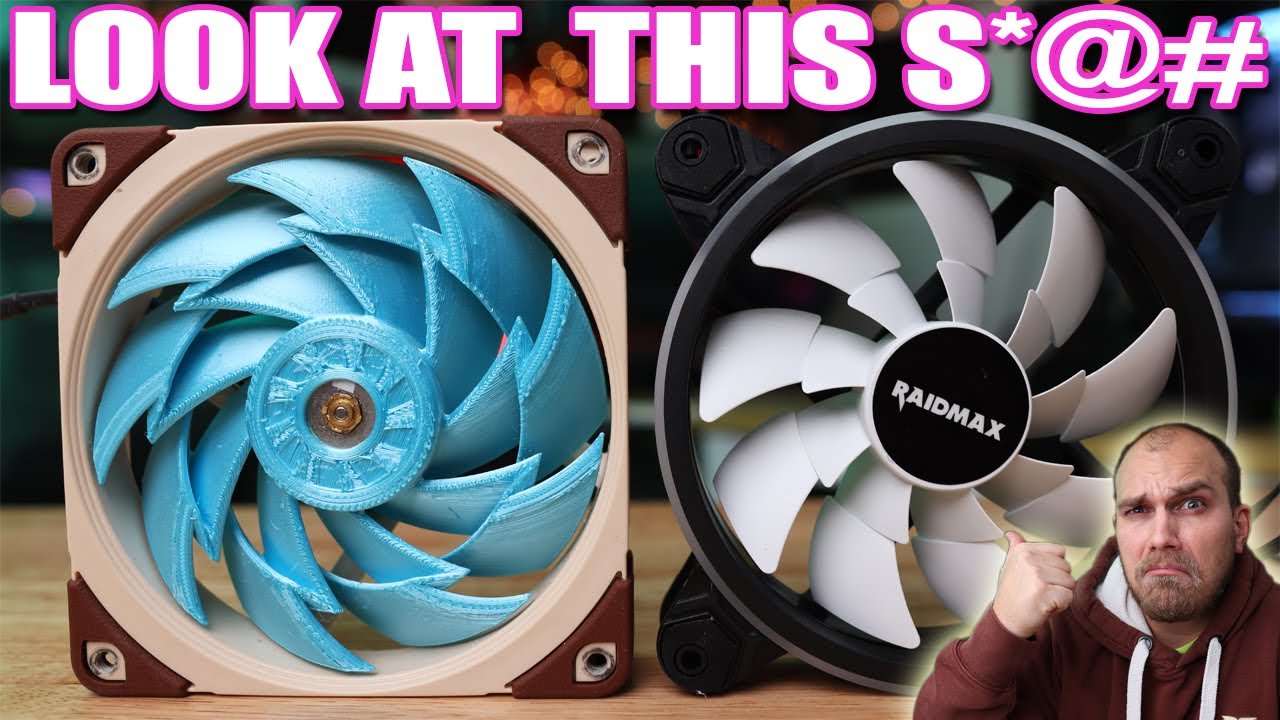
Not too long ago I was sent a tweet of a fan that someone said look very similar to one we saw on the fan showdown in season 1. I have to agree, the Raidmax fan looks like it has taking some design ideas from the Acceleron from the fan showdown season 1 episode 5. After seeing this I bought one and today we look at this fan and try to figure out...
fringe edge
In BF?
storm osprey
p12 master race
rustic kindle
fringe edge
In BF?
look at DMs. I sent gif on issue
fringe edge
I dunno whats going on. You are on controller and PC?
hearty roost
Noctua and Be Quiet master race!
fringe edge
Corsair master race
storm osprey
both of you are heretics
hearty roost
Corsair is disgusting
rustic kindle
fringe edge
Corsair master race
There. That's my actual recording of me trying to bind a mouse button
hearty roost
Look at there ram. No single ram is the same
fringe edge
Im happy with my corsair ram
the only thing i hate is ICUE that shit dont work right
hearty roost
storm osprey
both of you are heretics
I like my fans silence, like my GF. Oh wait there is the problem I dont have one
rustic kindle
wtf
midnight crypt
icue is a waste of system resources
rustic kindle
hearty roost
I like my fans silence, like my GF. Oh wait there is the problem I dont have one
sussy
midnight crypt
basically a virus tbh
fringe edge
midnight crypt
icue is a waste of system resources
exactly
storm osprey
hearty roost
I like my fans silence, like my GF. Oh wait there is the problem I dont have one
you know p12 are only beat by phanteks t30 and noctua f12?
and barely... but p12 can be had for under 10 bucks
fringe edge
Look if my machine doesnt look like a gay pride parade i dont want it. RGB master race
storm osprey
 latent light
Arctic is so good, they used to not be tho
hearty roost
1800 rpm like a Jet starting next to someone
storm osprey
liquid freezer ii and p12 are just BAE
 hearty roost
storm osprey
liquid freezer ii and p12 are just BAE
hearty roost
storm osprey
liquid freezer ii and p12 are just BAE
But why when you can have instead a EK basic 240/360
rustic kindle
storm rune
this gun is literally a sniper <:LUL:562440529980293128>
 maining the PP
rustic kindle
No, like, I'ma start maining it lol
rustic kindle
other clips of it?
rustic kindle
file is corrupted
storm rune
you don't see the video?
 rustic kindle
Anyone know how to fix this? I'm unable to bind a mouse button.
rustic kindle
storm rune
you don't see the video?
I see it, but it says the video is 0:00m long
and won't play
honest bison
It seems that they did ingame server optimization
hearty roost
50 Hz 
honest bison
honest bison
Im getting 120-130 fps now
Without updating drivers
rustic kindle
storm rune
here one more
if u have nitro, it will work lol
 storm osprey
hearty roost
But why when you can have instead a EK basic 240/360
storm osprey
hearty roost
But why when you can have instead a EK basic 240/360
honestly havent heard of it, but id be surprised if it beats the liquid freezer ii
rustic kindle
Damn son. Mean!
rustic kindle
It's making me download it 
 rustic kindle
nvm it played
rustic kindle
storm rune
you on phone or pc
I'm on ur mom
storm rune
neat
hearty roost
storm osprey
honestly havent heard of it, but id be surprised if it beats the liquid freezer ...
Actually there a lot AiOs who can, also a damn huge range of air cooler
rustic kindle

storm osprey
hearty roost
Actually there a lot AiOs who can, also a damn huge range of air cooler <a:aPES_...
when i say beat i mean price to performance
 storm rune
@rustic kindle here another example
rustic kindle
?
 wanton summit
Intel(R) Core(TM) i7-8700 CPU @ 3.20GHz Nvidia GTX 1080 . just getting 40 fps +- 10 , i set everything to low. PROFSAVE_profile GstRender.ShadowQuality 2 set to 0 GstRender.Dx12Enabled 1 , anything else i can do to get more fps ? 🙂
rustic kindle

midnight crypt
did they forget to add recoil to the PP or what
storm rune
wanton summit
Intel(R) Core(TM) i7-8700 CPU @ 3.20GHz Nvidia GTX 1080 . just getting 40 f...
new nvidia drivers?
wanton summit
yes
storm rune
it looks like there is none
rustic kindle
wanton summit
Intel(R) Core(TM) i7-8700 CPU @ 3.20GHz Nvidia GTX 1080 . just getting 40 f...
what type of monitor do you have?
storm rune
and im pretty good at controlling it
rustic kindle
Is it a high refresh rate?
storm rune
after playing 15h or more with this weapon
wanton summit
144 hz
rustic kindle
And you set max refresh rate to 144 in the settings?
wanton summit
yes 🙂 i checked it many times
hearty roost
storm osprey
when i say beat i mean price to performance
Oh you want price to performance deepcool gammax, just 65€ and is better
storm rune
what the hell is happening
 rustic kindle
anyone know what this error is?
 hearty roost
ignore it
hearty roost
Guess its some pre release errors, should be gone after release I guess
wanton summit
i hope we get more fps
 left geode
how to get alot of XP?