#technology
1 messages · Page 418 of 1
 twilit quiver
 plain stag
So you paid 60 bucks for that?
twilit quiver
I just jammed it in with the other 8gb stock ram
plain stag
You got scammed bro
plain stag
Oh okay okay
twilit quiver
Mixed
plain stag
Still, a bit scammed xD
twilit quiver
It was a Kingston ram with like cl16 3200mhz ddr4
twilit quiver
plain stag
Still, a bit scammed xD
I mean it was the cheapest ram on Amazon that was 8gb
plain stag
Thats like the most common kit atm
Cl 16 3200
I wouldn't buy beyond cl 16 unless its like 4000mhz
plain stag
Well, 3200 cl 22 has 13.75 nanoseconds memory access time
twilit quiver
How bad is that
plain stag
2666 cl 16 has 12ns
twilit quiver
Well I mean a lot of people bought the crucial 3200mhz cl22 ram
There’s like 60000
Reviews
8gb
Single
plain stag
3200 cl 16 is 10ns
twilit quiver
plain stag
3200 cl 16 is 10ns
So will I get a lot less fps
twilit quiver
So in what case will the cl22 ram harm my performance
plain stag
But you will get a few fps less
twilit quiver
plain stag
But you will get a few fps less
How much
Like
5
10
will it stutter more
I have like an amd cpu
So will it
Be bad
It’s zen 2 4600h
plain stag
Well, amd likes fast ram
But maybe like 5 fps?
Shouldn't be more thab that
Even 5 fps is a lot
It will depend of the game tho
Some games are more memory sensitive
twilit quiver
Oh wait there’s was a ram stick that was 2666 cl19
Also by team group
For like the same price
8gb single
Should I have bought that instead
 rocky lantern
Get 3200 CL14 g.skill
Nothing can really beat that until it's 3600 CL16
Even the corsair dominator don't get that fast in terms of latency since they're CL18
You can overclock the g.skill to like 3600 as CL14 but the ram may reach 50 Celaius under load
rocky lantern
But honestly if it's under 20 fps difference
Just go with whatever is in ur budget
rocky lantern
Well even then you'll probably be bottlenecked somewhere elsec
twilit quiver
Where
rocky lantern
Some people put ram in and never bother to get the true advertised speed and latency by setting it up properly in bios
 wraith sky
You've been bated . .
twilit quiver
rocky lantern
Some people put ram in and never bother to get the true advertised speed and lat...
I got the advertised speeds though alright and my stock ram down clocked to the 30$ ram
rocky lantern
Most likely will be bottlenecks at cpu of gpu
rocky lantern
Like my 3080ti is bottlenecked by my 5800x if I'm out to play the newest titles in ultra
Yeah ram is the last bottleneck I'd worry about
twilit quiver
Then get a 5950x
rocky lantern
My aio isn't big enough to preform that max under load
And I'd want to push as overclockdd
twilit quiver
rocky lantern
Like my 3080ti is bottlenecked by my 5800x if I'm out to play the newest titles...
But doesn’t like high and ultra look the same
rocky lantern
Also I'll probably wait for another drop if I have to
Yeah but I usually play lowest settings in bf4
So bottleneck doesn't really affect me since I'm pushing over 300 fps in f4 anyways
twilit quiver
I play lowest too and lock it to 120
rocky lantern
I keep mine unlocked but I really should lock it
rocky lantern
No 240hz
rocky lantern
It can push 280hz but it can reduce its lifespan
twilit quiver
rocky lantern
It can push 280hz but it can reduce its lifespan
By how much
rocky lantern
Don't want to find out
But asus has it under overclock settings when u go through the monitor menu
To enable 280hz
I should have gotten the zowie it has the lowest blur due to DyAC
But it's $200 more for a smaller screen
plain stag
twilit quiver
Then get a 5950x
5950x wouldn't make a difference either, whole ryzen 5000 lineup has largely the same gaming performance, theres only a few fps of difference between 5600x and a 5950x
twilit quiver
plain stag
5950x wouldn't make a difference either, whole ryzen 5000 lineup has largely the...
Neat
rocky lantern
twilit quiver
So do u wanan enable
Not really. I should though if it reduces the blur
plain stag
Having 10 extra cores isnt important
rocky lantern
plain stag
5950x wouldn't make a difference either, whole ryzen 5000 lineup has largely the...
Yeah and the 5800 is at lease $200 cheaper in Canadian dollars
Should I play star citizen
plain stag
All zen 3 chips have the same amount of cache, which affects fps more than having extra cores
rocky lantern
Is it less grindier than elite dangerous
plain stag
Theres very very very few games where they can take advantage of those extra cores
plain stag
Star citizen
rocky lantern
plain stag
Theres very very very few games where they can take advantage of those extra cor...
This is what turned me off the total war games
rocky lantern
Elite is also eh lol
plain stag
Its definitely not finished
rocky lantern
Yeah still alpha
rocky lantern
And fps depends on server load lool
rocky lantern
Total war has horrible optimization
plain stag
But other than a handful of games, it's pointless buying 5800x and beyond for gaming only
Even a 5800x is kinda pointless to have foe gaming
If you want a strictly gaming pc, then 5600x is the way
For intel, going for i5's is fine, but they are leaving performance on the table, because they reduce the cache size on lower class chips
So they are kinda "forcing" you to buy higher class chips if you want the best gaming performance
 leaden tusk
Quick question: I got a 3080 and DLSS is greyed out in the settings. Why is that? Is there a solution?
BFV*
 wintry prairie
Turn on DX12, RTX, then DLSS. If still greyed out, it is common issue with higher end gpu.
leaden tusk
yeah, did the first two points, still greyed out. weird
wintry prairie
Common issue.
 quaint lichen
IM AT A MARKET AND THEYRE SELLING an Anne pro 2 60% for £25
It’s fully working
I can’t see any RGB tho
Is it worth it
wintry prairie
¯_(ツ)_/¯
wraith sky
I want a 5900X
wintry prairie
Then get it.
twilit quiver
wintry prairie
Then get it.
From u
HK
Buy all of us a 5900x
It’s our birthdays
wraith sky
Thanks @wintry prairie
wintry prairie
👍
plain stag
leaden tusk
yeah, did the first two points, still greyed out. weird
I think its only enabled of you run the game at 4k, and all of the above
But you wouldn't want dlss in bf anyways
Dlss 1.0 is horrid
 quick locust
Cleaning and repasting seem to have done decent
 craggy vine
Does anyone know if upgrading my ram from 2400 mhz to 3600 will increase performance?
I have core i7 9700 3 Ghz and a 2060 super
 plucky token
3200mhz would do as well
plain stag
craggy vine
Does anyone know if upgrading my ram from 2400 mhz to 3600 will increase perform...
Yes, but it depends of cas latency as well, how big is it on that 3600 or 3200 kit
plain stag
leaden tusk
fun thing is I run BFV on 70fps avg. 5800x + 3080, DXR off now
Try running in dx12, i got a massive fps boost just by running in dx12, about 30 fps increase with a 3070ti
 latent light
1650 Super is much faster than a 1650
leaden tusk
dx12 actually makes it worse
I see youtube videos where people with my setup have 155fps average. I got the half, which is strange
plain stag
Yeah, dx12 is very weird in bf5, it's not a native dx12 title so it makes sense i guess
I didn't expect anything from it when i tried, but was pleasantly surprised that i got a 30 fps boost
Running a 5600x and a 70ti
latent light

NVIDIA is preparing a new version of its GeForce RTX 2060 12 GB graphics card to tackle the current gaming graphics card availability issue.
plain stag
leaden tusk
I see youtube videos where people with my setup have 155fps average. I got the h...
Whats your ram, please tell me you are running 2 sticks of ram, cuz bf 5 hates one stick of ram
You gain almost double the fps by running with 2 sticks of ram
plain stag
Hmm
Very weird
Whats your gpu utilization?
In dx11 it was about 60% for me, dx12 increased it to 100% pretty much
leaden tusk
below 70% with dx12
plain stag
Right now I'm running all ultra with ray tracing on, 1080p but 135% render res and i have about 110 fps average
+-10 fps depending of the map
And youre running 70 fps with ray tracing disabled
Weird ass behavior
 solid maple
anyone installed windows 11 from developer mode?
craggy vine
plain stag
Yes, but it depends of cas latency as well, how big is it on that 3600 or 3200 k...
how do I find the cas latency/
this is the ram I will be getting
vs what I currently have
plain stag
It's that cl16 number


 turbid verge
good set to start 

 supple bane

 proud trellis

proud trellis
 storm osprey
does that also have a good bang for buck price ?
 primal pier

supple bane
i wonder if it has rgb
proud trellis
what is the performance like ?
storm osprey
Great bang for buck performance. No rgb, what do you take me for, a zoomer?
solid maple
solid maple
anyone installed windows 11 from developer mode?
anyone know?
 molten coral
solid maple
anyone know?
molten coral
solid maple
anyone know?
Yes?
Not worth running the dev version though
Just join the beta program
solid maple
how do i join that
molten coral
uhh
solid maple
from windows insider program?
molten coral
Windows update> Insider program
solid maple
did you install it?
molten coral
I've been on W11 since almost the first week
solid maple
it dosent remove all of my hard right? only c drive?
molten coral
I was able to upgrade without losing anything but it's always good to make a backup
solid maple
how much gb it took to download for install
leaden tusk
@plain stag I uninstalled weird programs I didn't know, repaired gamefiles and now I have avg 150fps with drops never below 100fps. Weird, but fixed. Somehow.
solid maple
@molten coral it says my pc does not meet the minimum hardware
and i cant use the health care check app and in website it says im not registered to insider program even tho im registered
supple bane
you need to enable tpm 2.0 and secure boot @solid maple
if you have a cpu that is older than intel 7th gen or ryzen 2000 you are bang out of luck im afraid
no windows 11 for you, at least not for now.
plain stag
leaden tusk
<@!217288648679227392> I uninstalled weird programs I didn't know, repaired game...
Good shit
plain stag
supple bane
Very nice, I'm looking to buy G923 very soon
solid maple
supple bane
you need to enable tpm 2.0 and secure boot <@!810138545028988928>
my gen is 10th
supple bane
well you just need to enable tpm and secure boot then.
supple bane
in bios.
it depends what motherboard you have, either dig around a bit to find them. look at the manual or google it
solid maple
idk anything about tpm
solid maple
enabling wont do anything bad right?
supple bane
of course not
you can google what it does, something to do with giving your hardware a unique code to increase security
plain stag
Its random, some get better performance in dx12, some in dx11
But since bf5 doesn't have a native dx12 implementation it will always perform randomly
solid maple
i really need help on this guys
i cant access to bios since my keybored does not work until windows is loaded , so i cant access bios
if anyone knows how to fix this would be big help
 midnight crypt
Are you sure it doesnt work
twilit quiver
ye u prob didnt smash ur keys enough
midnight crypt
Or the wrong keys
solid maple
i did
i had the same problem on dif pc few years ago , somehow a guy managed to get in to bios or boot idk and enabled keybored in there settings
solid maple
i was just watching and i had no idea about pc that time and it was years ago
twilit quiver
then call him again
midnight crypt
Try different usb port i guess
solid maple
midnight crypt
Try different usb port i guess
also tried that
midnight crypt
Incase some are disabled on boot for some reason
solid maple
midnight crypt
Incase some are disabled on boot for some reason
anyway to enable them,
twilit quiver
did u try usin a different keyboard
midnight crypt
Ive never heard of this issue so i have no idea how to fix it
solid maple
midnight crypt
Ive never heard of this issue so i have no idea how to fix it
i think its with usb ports ,thanks for help
but not sure 
twilit quiver
solid maple
but not sure <:Kermitcry:585546445684342786>
go on reddit
pretty sure someone there can help
solid maple
the setting on bios is usb legacy device , but how do i enable it without keybored
a guy fixed it by taking out CMOS battery to reset the BIOS
midnight crypt
Maybe try changing the power management in windows
solid maple
how does that work?
midnight crypt
You could also try just reinstalling the usb port drivers
solid maple
ah i see, might take  and then start to work on the problem
supple bane
i spent my entire sunday afternoon doing cable management. and id say it was a good way to spend my time 
not only does my setup look so much cleaner. but it was pretty chill. 10/10, would recommend
 proud trellis
tbh im happy with my cable management, it was pretty much my first attempt and i cant see any cables so im happy 
supple bane
The thing is my setup is so big. It makes things more complicated
And its basically 3 setups, so there are so many cables
 molten bramble
supple bane
not only does my setup look so much cleaner. but it was pretty chill. 10/10, wou...
molten bramble
supple bane
not only does my setup look so much cleaner. but it was pretty chill. 10/10, wou...
It's like a zen experience when you get into finding the perfect pathways.
I want to get some metal racetrack for beneath the desk and screw it in.
supple bane
molten bramble
It's like a zen experience when you get into finding the perfect pathways.
Yeah
I sent this image earlier but

My wired pedals that looks wireless now
molten bramble
Wow, that looks really seamless.
supple bane
I spent a solid minute just admiring my work 😁
molten bramble
lol
supple bane
The wire comes out the back, goes down under the carpet, then up the back of the cupboard
molten bramble
supple bane
The wire comes out the back, goes down under the carpet, then up the back of the...
I'm probably going to get some of this: https://www.amazon.com/Plastic-Carrier-Connectors-Electrical-Machines/dp/B07KJGXXRK/ref=sr_1_95?dchild=1&keywords=Drag+Chain+Cable+Carrier&qid=1631484618&refinements=p_85%3A2470955011&rnid=2470954011&rps=1&sr=8-95

Plastic Drag Chain Cable Carrier Open Type with End Connectors R175 25 x 103mm L1000mm for Electrical CNC Router Machines
Mount it to the bottom of the tabletop, then run some loom around complimentary sets from that.
 grizzled tulip
Does anyone have a Caselabs case?
wintry prairie
I do, I have a Mercury S8 that I use for my main rig.
grizzled tulip
Oh nice! I've been looking all over for one, but they are really hard to find and pricy now that they are so limited.
 prime jasper
wintry prairie
I do, I have a Mercury S8 that I use for my main rig.
prime jasper
wintry prairie
I do, I have a Mercury S8 that I use for my main rig.
Pics?
wintry prairie
I was pretty lucky as I ordered mine a bit before the whole ordeal went down. They are treasured items now, for sure.
grizzled tulip
Treasured and sooooooo expensive now.
wintry prairie
Yeah, they shot up in price a whole lot. Its great for those that have them, but not so much for those that want one.
grizzled tulip
Is your the one with the horizontal tray?
wintry prairie
Yes, that's the one I have. 🙂
grizzled tulip
I'm so jealous right now. If you see one for sale, ping me please. I'm still looking.
wintry prairie
If I remember, sure.
prime jasper
wintry prairie
Yes, that's the one I have. 🙂
Pics?
wintry prairie
I'm good. 😉
prime jasper
wintry prairie
I'm good. 😉
It must be a disaster build then. People that have an amazing PC want to show it off. Especially a Caselabs case.
midnight crypt
No
 zenith sigil
@prime jasper "tl;dr: The human eye can physiologically detect up to 1000 frames per second. The average human, tasked with detecting what framerate he/she is looking at, can accurately guess up to around 150 fps. That is, they can see the difference in framerates all the way to 150 fps."
prime jasper
nah I disagree lol
zenith sigil
how can you could 1000 frames truly and know you saw it? This is saying most at max can only see approximately 150 at best
plain stag
because there have been studies shown that people can see beyond 150 fps
 near rune
Stop this fps of eyes nonsense
plain stag
and that 1000 is just a theoretical number
zenith sigil
1000 is bases on nerve speeds i think
plain stag
the speed which our eyes and brain can process information
zenith sigil
"Myelinated nerves can fire between 300 to 1000 times per second in the human body and transmit information at 200 miles per hour. What matters here is how frequently these nerves can fire (or "send messages").
The nerves in your eye are not exempt from this limit. Your eyes can physiologically transmit data that quickly and your eyes/brain working together can interpret up to 1000 frames per second."
plain stag
but either way, our eyes dont see in frames per second
near rune
Quora
plain stag
you cant put a number of our max "framerate" because it just doesnt work that way
zenith sigil
is many articles to looks thru just one that kind of had more info on the 1000 deez mentioned
we just discussing what the average fps limit a eye might see
google said 60-75 at first
plain stag
even non gamer people can see a difference
and google says that because a vast majority of people only have 60-75hz screens
it doesnt matter if a game draws 3000 fps on a 60hz monitor
plain stag
the higher you go, the difference will be smaller
near rune
Buy a 240hz monitor, play at over 240fps for an hour then up your settings and see it dip below 240 you will notice the difference
zenith sigil
I just feel like those crazy high FPS limit monitors more about having a large buffer to never get to the 120 range
plain stag
theres plenty of games where you can play at beyond 240
zenith sigil
yeah but if over your monitors refresh limits is wasted cpu power
near rune
Wasted?
zenith sigil
I always cap at the monitors limits
plain stag
its beneficial to have 200 fps
because you reduce input lag
you might not see more than 60 frames, but your pc will reduce the input processing time
zenith sigil
just basically anything over your monitors frame limit is then just using your cpu power to achieve those higher limits which sometimes can even cause games to stutter from the sudden increase in frames, Depends on settings i guess but I never see the point to let it go past it
plain stag
playing cs at 60 fps and 360 makes a lot of difference, even on a 60hz screen
lol no
stutters happen because of a sudden drop in performance
zenith sigil
like your cpu is still processing the extra frames you can't even visually enjoyt
plain stag
but they happen so fast, that you dont see an fps counter drop
near rune
So what if it is
plain stag
because they refresh at 1 second intervals for the most part
near rune
What are you going to use your cpu while playing a game
plain stag
maybe you dont visually enjoy, but the game becomes more responsive
zenith sigil
for powering the other game needs?
plain stag
way more responisive
near rune
What game needs
plain stag
and its not like youre wasting so much processing time that your pc cant handle it lol
we dont live in the 90's
zenith sigil
Yeah still old habits die hard i guess lol
zenith sigil
minecraft i could run on anything almost
plain stag
its almost pointless to limit your game to your monitors refresh rate
near rune
Vsync off always
plain stag
especially something like vsync
zenith sigil
G-sync 😉
plain stag
the only ONLY reason to ever limit your frame rate to your refresh rate is to completely nullify screen tearing
but even when games run at super high fps, screen tearing is almost a non issue at this point
zenith sigil
yeah over 90 rare to see
plain stag
i think i can count on my one hand how many times i saw screen tearing when i played cs at like 300 fps
and i still got a 75hz screen
zenith sigil
like major light explosion maybe but so rare
near rune
Ive got a 144hz
plain stag
just dont limit your fps anymore
zenith sigil
I have a 32 " 144hz g-sync LG (is a tad sh--y tho feature wise ngl)
near rune
Ive capped bf4 to 250fps
plain stag
actually, there is one more reason to cap fps
near rune
It tends to crash at really high fps
zenith sigil
I want brighter colors and darks but that gets ecpensive wityh gaming quickly
 opaque saddle
I only cap my in game fps coz of high CPU or GPU usage
near rune
Well i pretty much get 150-200 in games
plain stag
the game was rendering at like 1000+ fps, and the gpu was going full blast
but thats so rare to happen
zenith sigil
yeah if i load older games upcapped sometimes it hits 3000fps and my fans sound like jets lol
plain stag
and usually the gpus dont even run full blast in menus even when they draw 2000 fps
 alpine haven
So according to studies, the human eye caps out at absorbing somewhere between 60-75FPS, with possible exceptions. However, the brain itself can process visual stimuli much faster than the eye can absorb (e.g. 13ms), so the increased FPS offered saturates the sensor with an ample amount of input. This study from 2014 out of MIT examined how the brain receives and processes the visual stimuli: https://mollylab-1.mit.edu/sites/default/files/documents/FastDetect2014withFigures.pdf
alpine haven
It would seem likely, based on that, that people are not taking in 240Hz, but rather are being saturated enough to where the brain can pick up on detail in a complex way.
zenith sigil
that's what i would think also above 120 I think most is just blurred out and you miss tons
alpine haven
The science would seem to agree.
plain stag
and also, the reason why the higher you go in refresh rate, the smaller the difference is because at 60 fps, it translates to 16.67 ms, 120 fps is 8.3 ms, 240 fps is 4.1ms, 360 is 2.7ms and so on
alpine haven
This would also make sense regarding the results from the semi-professional test that LTT did with gamers and FPS variant monitors.
zenith sigil
CRT did have great visuals wish they made new ones
plain stag
480 fps is just 2.08
zenith sigil
updatd tho somehow
wintry prairie
alpine haven
This would also make sense regarding the results from the semi-professional test...
That's why I went with a 360hz monitor.
zenith sigil
still have a old GXTV from funcoland XD
13" with giant door speakers covering the screen and a sub in back
plain stag
zenith sigil
that's what i would think also above 120 I think most is just blurred out and yo...
thats actually wrong, because you have more information at your disposal therefore it will be less blurry
zenith sigil
by blurry i mean i think at some point your brain gives up trying to keep up and skips some without you seeing it
plain stag
the picture becomes clearer, because theres more information displayed on the screen
there probably is a limit where the amount of information is just too much
but we havent reached that point
360hz screens exist, soon 480hz screens will come on the market
zenith sigil
we need robot eyes already
plain stag
but because we process movement differently than how a camera does it, its not as simple as "240hz is the limit"
or whatever the number you want to put
we will see 1000hz displays in the future
its only a mater of time for the tech to catch up to that
zenith sigil
It might also wildly varie person to person based on brain IQ or other factors who knows
zenith sigil
you know how that one guy could count the sticks that fell from the box instantly? 
plain stag
also, its not all just about what the refresh rate says on the box
pixel response time is also a factor
two monitors can have 240hz written on the box
one costs 300$, the other 800$
zenith sigil
some peoples memory might just run at different clock speeds affecting it somehow
plain stag
the one thats 300$ might not have fast enough pixels to display 240hz
pixels also need to switch at 4.16ms in order to display 240hz properly
zenith sigil
but yeah mine is 120-144hz oc
plain stag
but its the response time thats also very important
technically it can do 144hz
but the pixels cant
and then you get smearing and blurriness
zenith sigil
yeah
plain stag
or you go to the other spectrum, and increase response time too much
zenith sigil
cables and port you use can affect it as well
plain stag
and you get chroma subsampling
thats less of an issue
because thats just a hardware limitation
zenith sigil
mine might probably needs to be color tuned bad
plain stag
cuz the port might not have enough bandwidth
but response times are also very VERY important when it comes to monitors
and those that say they have 1 ms of response time
thats a big fat lie
the only display on the market right now that can come even close to 1ms response times is oled tv's
in particular lg cx/c1
so its prob gonna be oled tech that will deliver like 1000hz monitors
oleds have almost near instantaneous response times
1-2ms
zenith sigil
here's my specs had to look it up
KEY FEATURES
31.5” QHD (2560x1440) Display 3-side Ultra-Slim Bezel Sphere Lighting144Hz Refresh rate Nvidia G-Sync Technology Height, Pivot and Swivel Adjustable
plain stag
the thing is, they wont place actual response times on the product page
zenith sigil
PICTURE QUALITY
Refresh Rate Resolution 2560x1440
Panel Type VAAspect Ratio 16:9
Brightness 350nits (typ) / 280nits (Min)Response Time 5ms (Faster)
Contrast Ratio (DFC) MegaViewing Angle 178 / 178
Surface Treatment Anti glare ,3H
plain stag
nobody does that, because no lcd display can reach the advertised 1ms response time
alpine haven
It should probably be noted that FPS and Hz are different things.
plain stag
it is, its called overdrive
but even with fastest overdrive settings, youre looking at at least 5ms for the very best lcd displays atm
the top of the line, the most expensive asus' that cost 1500$
zenith sigil
only thing that sucks is 1440p, but helps the rtx 2080 FE I have run most well
plain stag
and the lower the product stack you go, the worse response times you gety
decent monitors that cost up to 500$ usually have about 6-10 ms of response time
zenith sigil
this was like 3-400 if i recall might have been a sale
plain stag
like i said, the only tech that can reach near 1ms response times it lg's cx oled tv
plain stag
so when you see 1ms advertised on the box, you can immediately dismiss that number
zenith sigil
yeah
plain stag
and look up a review to see actual response times
i suggest hardware unboxed, they do great in depth monitor reviews
if you want in video format
someone like rtings do in depth written reviews
zenith sigil
my biggest gripe with this monitor is to access the OSD you must press in a joytick on the bottom middle of the monitor you can't see. Who came up with that idea is a real a-hole
plain stag
yeah
 bronze cipher
zenith sigil
my biggest gripe with this monitor is to access the OSD you must press in a joyt...
bronze cipher
zenith sigil
my biggest gripe with this monitor is to access the OSD you must press in a joyt...
Same
And it's actually BS
zenith sigil
another odd thing it does is sometimes when on a dark screen the OSD flashes thinking the display went to sleep... quality LG product for sure
 lofty light
zenith sigil
my biggest gripe with this monitor is to access the OSD you must press in a joyt...
lofty light
zenith sigil
my biggest gripe with this monitor is to access the OSD you must press in a joyt...
I used to have a monitor like this, was better imo as the arrow key directions made a lot more sense
Having the 5 or so separate buttons makes it a pain to go through
zenith sigil
I also have a small compression mic setup under the middle of my monitor so must move it each time to access it
lofty light
Ah yeah that'll do it then
zenith sigil
the worst thing also that kind of blew my mind with this monitor is with one of its key features
lofty light
My current monitor has one of those nubs but on the back, it's impossible to get to without moving my side monitor
zenith sigil
it has a good backlight color selection thing
issues is must use that nubby joystick to control and it does not go to sleep with the monitor
hope you like a bright ass night light i turned it off
zenith sigil
Is hard to find a decent cheap one now most that look decent 500+
if you want 4k, high fps, good colors
lofty light
Well yeah that's not cheap
If you want a cheap 4k full stop then you're killing the other two
zenith sigil
I thought with them making literal paper thin monitors now stuff would be cheap... 
lofty light
Lol nope
zenith sigil
also had dreams of doing a 3 monitor ultra wide wrap around setup, but the cost is ooof
lofty light
Hehe, I'd prefer one insane ultrawide and a couple 1080p side monitors
rocky lantern
Anyone gonna to build a twitch community for bf2042 or should I just give up and not bother getting audio and game capturing gear
prime jasper
rocky lantern
Anyone gonna to build a twitch community for bf2042 or should I just give up and...
You can't give up if you have not started...
 lament flare
Can I get some? :)))
https://www.youtube.com/watch?v=smM-Wdk2RLQ
solid maple
I changed keybords, changed all use ports still i could not get my keyboard works in the boot to access bios
does it have to do something with this?
 zenith sigil
solid maple
I changed keybords, changed all use ports still i could not get my keyboard work...
zenith sigil
solid maple
I changed keybords, changed all use ports still i could not get my keyboard work...
check in the Device Manager, maybe it needs some drivers if gaming keyboard with macro buttons
solid maple
zenith sigil
check in the Device Manager, maybe it needs some drivers if gaming keyboard with...
how?
it isnt a gaming keybored
zenith sigil
hit the windows Key and type Device Manager
solid maple
which one should i choose on that usb?
zenith sigil
just look for any with a ? in while it's plugged in
normally keyboard drivers are in the Human Interface Devices section
can also goto a website like this and test if it's sending the signals on every button
https://keyboardchecker.com/
solid maple
i think its something with the usb ports
zenith sigil
try ports in the rear if using front ones
solid maple
did everything
zenith sigil
hmmm
zenith sigil
might have fried your usb controller if nothing will boot on them, or is just the keyboard?
solid maple
the problem is my keybored dosent work when booting , like first few seconds of starting the pc ,
it works just right after windows loaded
zenith sigil
what motherboard is it?
zenith sigil
need the model number to find the methods
solid maple
MSI H310M PRO M2 PLUS MOTHERBOARD
quick locust
Try a PS/2 keyboard
zenith sigil
manual says this
Entering BIOS Setup
Please refer the following methods to enter BIOS setup.
y Press Delete key, when the Press DEL key to enter Setup Menu, F11 to enter Boot
Menu message appears on the screen during the boot process.
y Use MSI FAST BOOT application. Click on GO2BIOS button and choose OK. The
system will reboot and enter BIOS setup directly.
Click on GO2BIO
solid maple
i did smashed del a lot
zenith sigil
try their app to enter within the os or make it reboot into it
solid maple
quick locust
Try a PS/2 keyboard
dont have one
zenith sigil
maybe time for a bios upgrade if older
solid maple
zenith sigil
try their app to enter within the os or make it reboot into it
how do i do that?
zenith sigil
click the tabs for drivers and bios stuff and see what you might need
is also utility downloads for it
but way to reach the bios i think might be this based on instructions without keyboard
goto the Utility tab and download the Fast Boot
then via those manual instructions "Use MSI FAST BOOT application. Click on GO2BIOS button and choose OK. The
system will reboot and enter BIOS setup directly."
solid maple

zenith sigil
@solid maple any luck?
solid maple
zenith sigil
<@!810138545028988928> any luck?
YEA
Works
Im in bios now
Umm
I remember having this problem long time ago on dif computer amd the guy was fixing it fixed it with enabling keybored on bios setting
Do you know anything about yhat?
zenith sigil
not exactly unless you somehow disabled legacy support for it or something
zenith sigil
might try disabling fastboot also gives you more time to enter the setup
solid maple
Oh
zenith sigil
your MB has a connector for one, but probably didn't include it
via manual again "JTPM1: TPM Module Connector
This connector is for TPM (Trusted Platform Module). Please refer to the TPM
security platform manual for more details and usages."
solid maple
So no tpm in my mb?
zenith sigil
some don't include it you get your own to install
is a way to tell thru windows also i think
solid maple
I can get it ?
zenith sigil
Can read this for more information on it lots of steps
https://www.windowscentral.com/how-check-if-your-pc-has-trusted-platform-module-tpm
solid maple
So if i don have it, can i get it ?
zenith sigil
hmm is ways to find one if your motherboard has the slot supporting it, but can be tricky since each one might have a different configuration depending on the MB
one article says this
How to Install TPM 2.0 Module
If your PC has a TPM header, you can easily get a TPM 2.0 module for your motherboard. This will make your PC Windows 11 compatible if you fulfill other requirements.
However, finding the right TPM 2.0 module is the hard part. You need to get the exact pin number and pin layout of your motherboard’s TPM header. For instance, let’s take the above-mentioned B450F motherboard again. The manual says it has a 14-1 PIN header with the following PIN layout. Hence, I have to buy a 14-1 PIN TPM 2.0 module.
You have to ensure that the TPM module you buy has the same PIN layout as your TPM header. More importantly, it has the same PIN lockout.
but follow that and you can add one
looked at the manual again a sec looks like yours is a 14 pin idk about othere layout factors buying them tho
solid maple
@zenith sigil
 zenith sigil
yep sounds like one is not installed
should do some research and find one that matches the connection layout in the manual
also lockout pin order, but no idea on that one
solid maple
so tpm is a physical thing?
zenith sigil
yeah a physical chip
solid maple
zenith sigil
think it's a requirement
solid maple
Gosh
zenith sigil
my MB uses this one https://www.gigabyte.com/us/Motherboard/GC-TPM20_S#ov
prime jasper
@solid maple what's the name of your motherboard and what model?
solid maple
MSI H310M PRO M2 PLUS MOTHERBOARD @prime jasper
prime jasper
solid maple
MSI H310M PRO M2 PLUS MOTHERBOARD <@456226577798135808>
I went on the official MSI website, it says H310 motherboards are ready for Windows 11
You might have to check the BIOS settings
 prime jasper
solid maple
should i enable it?
prime jasper
solid maple
should i enable it?
Yes
 slate ivy
lets say i found a 2160p144 monitor for in a local shop 580€ compared to 780€ everywhere else. would you say its worth getting it if im running a 3080TI and a 5950X
AOC U28G2XU, MSRP ist 790USD from what ive seen
zenith sigil
for any wondering about the win 11 tpm issue found this comment
Have you tried checking your bios for a setting called PTT? Its basically a TPM built into relatively modern intel CPUs that you can turn on just by switching it on in the bios. My B550 board doesn't have a TPM but my Ryzen 5 5600x has AMD's version of PTT called fTPM. After enabling it I passed the Windows 11 capability check.
solid maple
I enabled it we shall see now
solid maple
Mine says dtpm
zenith sigil
is AMD?
zenith sigil
hmm mine i just enabled PTT

 zenith sigil
hmm does not look enabled right in those pics did you check the method i DM'd you?
solid maple
Really thank full for @zenith sigil for helping me out on this problem even tho i given myself upon this. also thank you @prime jasper big thanks 
zenith sigil
NP learned a thing myself about intels and amds built in tpms 😉
solid maple
prime jasper
solid maple
Really thank full for <@!257333742845034506> for helping me out on this problem ...
Your welcome bro
zenith sigil
now to figure out secure boot 👢
 zenith sigil
gratz
lament flare
Is RAM CL22 and CL20 really huge different?
wintry prairie
No
lament flare
wintry prairie
No
I investigate the spec and the product (with review) that you share to me yesterday. From review they said clock speed will stuck at 2666 MHZ unless enable xmp feature to boost ram speed to 3200mhz. Sadness my laptop not support xmp.
By the way thank you for sharing the info yesterday.
wintry prairie
lament flare
By the way thank you for sharing the info yesterday.
Glad to help.


 modern gull

 marsh gull
latent light
1650 Super is much faster than a 1650
marsh gull
latent light
1650 Super is much faster than a 1650
yeah it has gddr6 instead of gddr5 but still its not that big of a gap
opaque saddle
$4999 workstation graphics card, not sure how powerful will be against Quadro
 pale quartz
marsh gull
yeah it has gddr6 instead of gddr5 but still its not that big of a gap
pale quartz
marsh gull
yeah it has gddr6 instead of gddr5 but still its not that big of a gap
it is
the 1650 super has a lot more CUDA cores than the base card
it can be magnitudes of around 15% in performance from both cards alone, not their either are particularly good cards, that is
marsh gull
pale quartz
it is
oh ok
like how much
i thought it was about 20 fps in triple-a games like bf
marsh gull
pale quartz
it can be magnitudes of around 15% in performance from both cards alone, not the...
well that's good to know
molten coral
3080ti for 1200 
 turbid verge
msrp price? 
opaque saddle

turbid verge
I thought msrp prices were a myth
opaque saddle
for their reference model... not a myth
but 3rd party cooler and premium parts makes it quite expensive to obtain
it is like +$200 to +$400 here for a 3070ti
not sure about 3080ti
pale quartz
marsh gull
i thought it was about 20 fps in triple-a games like bf
the 1650 and 1650 super don't perform that great to begin with so the difference is marginal in frame terms, the percentage seems higher because the numbers are lower
prime jasper
quick locust
Big
But can it play minecraft?
marsh gull
pale quartz
the 1650 and 1650 super don't perform that great to begin with so the difference...
i have pretty good preformance and didn't pay that much, the 1650 super is good value
quick locust
prime jasper
But can it play minecraft?
Yes if MC is still on mac
Lol
Dunno if it is
pale quartz
marsh gull
i have pretty good preformance and didn't pay that much, the 1650 super is good ...
it's good value, but good value doesn't mean a good card
opaque saddle
i think it will not be worth if i paid for lower end cards and use it for a few years time
quick locust
I used a GT 750M ddr3 for 5 years
opaque saddle
if it runs 5 years and the pc would still be able to get a good fps, that would be worth for me
quick locust
Don't want to stick at low end again
opaque saddle
i rememeber those cards on macbook 
quick locust
Before that I only had intel graphics
opaque saddle
even a GT 630M being sold as mid end card

i remember i was using those Nvidia GF 320M on older macbook
quick locust
Yeah
I think 750M was the last one on mac?
Of Nvidia gpus
I forgot
Maybe it was earlier that they stopped cooperation
opaque saddle
think about this...
the 320M is the high end mobile GPU at that that...
it was a long time ago
quick locust
At least they have decent GPUs now except for the M1 ones
solid maple
so in windows 11 if i download a apk, i dont need emulators to install it right?
quick locust
Don't know if that is ready yet
marsh gull
pale quartz
it's good value, but good value doesn't mean a good card
fair enouph
 zenith tusk
solid maple
so in windows 11 if i download a apk, i dont need emulators to install it right?
zenith tusk
solid maple
so in windows 11 if i download a apk, i dont need emulators to install it right?
that feature is not out yet
midnight crypt
They changed the look of the folders and thats a byproduct
 river plume
LG 27GL850 UltraGear™ - 27" Nano IPS / QHD 144Hz / 1ms / G-Sync® - Freesync / VESA / HDR 10
374€
should i do it?
right now i have 1080p 144hz
midnight crypt
You can do whatever you want
solid maple
midnight crypt
They changed the look of the folders and thats a byproduct
wdym?
 cunning garden
hey, having issues with battlefield V when i start to sprint everything is fine but the second an enemy comes on screen it makes me stop sprinting and this is really annoying. i don't know if its a rendering issue but i did find a clue that its my keyboard i have a corsair k55. i do not have any issues on other games, with the exception of battlefield V i have a decently high end system so its not load that is causing it i have a ryzen 9 3900x oc to 4.00 ghz undervolted by .500mv,with 32 gb of ram in dual channel, and an RX 6700xt i do not see anything wrong with my specs i can crank all the setting to ultra
setttings
midnight crypt
No
cunning garden
i have disabled a whole ccx
i have tried changing the game to real time priority and i tried high nothing fixes it
nothing
i cant tell if im at a uber rare hardware fault or the game is at fault
this is battlefield V that i have been referring to
midnight crypt
This aint tech support
midnight crypt
Then why are you here
cunning garden
im just reaching out to the community in hopes of a solution to see if anybody else has had and resolved this issue
midnight crypt
Youre better off googling the issue
 kind kiln
Yo, what impact does enabling DX12 has on your game?
It changes mine from stable locked 60fps to stable (somehow) 17 fps 
kind kiln
Dx 12 feels unfinished
kind kiln
i7 4770 + GTX 970 with DX12 doesn't work well. Vulkan doesn't too
Yeah, it's all in the implementation
and most games boasting DX 12 don't implement it well
wintry prairie
Here's to hoping it is much better implemented in 2042.
 weak girder
@modern gull new pfp fall racc
wintry prairie
Doubt
 cunning garden
doubt
 raw turtle
cunning garden
hey, having issues with battlefield V when i start to sprint everything is fine ...
raw turtle
cunning garden
hey, having issues with battlefield V when i start to sprint everything is fine ...
Not sure how your specs have anything to do with your issue
That’s a bug
quick locust
Removing dust and redoing thermal paste on my gpu made it go from 3000 to 1450 rpm
my ears are in a better peace now
wintry prairie
^^This
I redid the thermal paste and pads on one of my gpu recently. IT helped a nice amount.
quick locust
Yeah mine had a spot without paste
So it hit 107C hot spot
That's one annoying thing about big dies
wintry prairie
I try to keep my GPU and VRAM as cool as possible.
cunning garden
raw turtle
Not sure how your specs have anything to do with your issue
its a bug that has never been fixed
wintry prairie
OK
cunning garden
if anyone has a noisy fan with bearing noise go to your local hardware store and buy 3 in 1 oil drill a hole in the centere of the fan dead center just be carefull and only penetrate the plastic
then fill it up till you get to the top of the hole wipe excess off and duct tape it
or just peel the sticker off
and put it back on i choose duct tape because im lazy
pc fans are getting expensive so i thought i would share a small trick i use
wraith sky
I bought some nice Noctua fans.
cunning garden
nice
quick locust
I use Silverstone fans
cunning garden
i also have 4 noctua static fans on my aio
quick locust
Works well
cunning garden
silverstone is nice i like the pricing on silverstone fans however they got berring noise after 2 years of heavy use
wintry prairie
Same, I just added six Noctua fans to my rig.
quick locust
Noctua doesn't make the size I would need
cunning garden
not complaining just giving you a heads up that the silverstone fans can get noisy
quick locust
Though I do use them on my D15
cunning garden
never had an issue with noctua though
wintry prairie
I have around 70 gentle typhoons I need to do something with.
cunning garden
quick locust
Though I do use them on my D15
nice
quick locust
Currently all my fans work fine
cunning garden
oh they will go for sometime
quick locust
When not in game my fans runs at less than 100 rpm
wintry prairie
The Noctua's are helping keep my CPU/GPU nice and cool. 🙂
cunning garden
right i use extremely spicy components so i ned to run my stuff at idle around 150 to 200 rpm at idle
*need
quick locust
That's still very quiet
supple bane
wintry prairie
I try to keep my GPU and VRAM as cool as possible.
what software do you use to see hotspot and vram temps?
i assumed hwinfo would have it but it seems not
wintry prairie
Yes, HWINFO. What GPU do you have?
supple bane
2070
quick locust
 wintry prairie
I belive only 3000 series started showing that, so it won't tell you on a 2070 unless you have a thermal sensor that you put there.
quick locust
hm
supple bane
 quick locust
wonder if rx 6000 has
quick locust
yeah still turing though
wintry prairie
Look for Memory Juncture Temperature for VRAM temps
quick locust
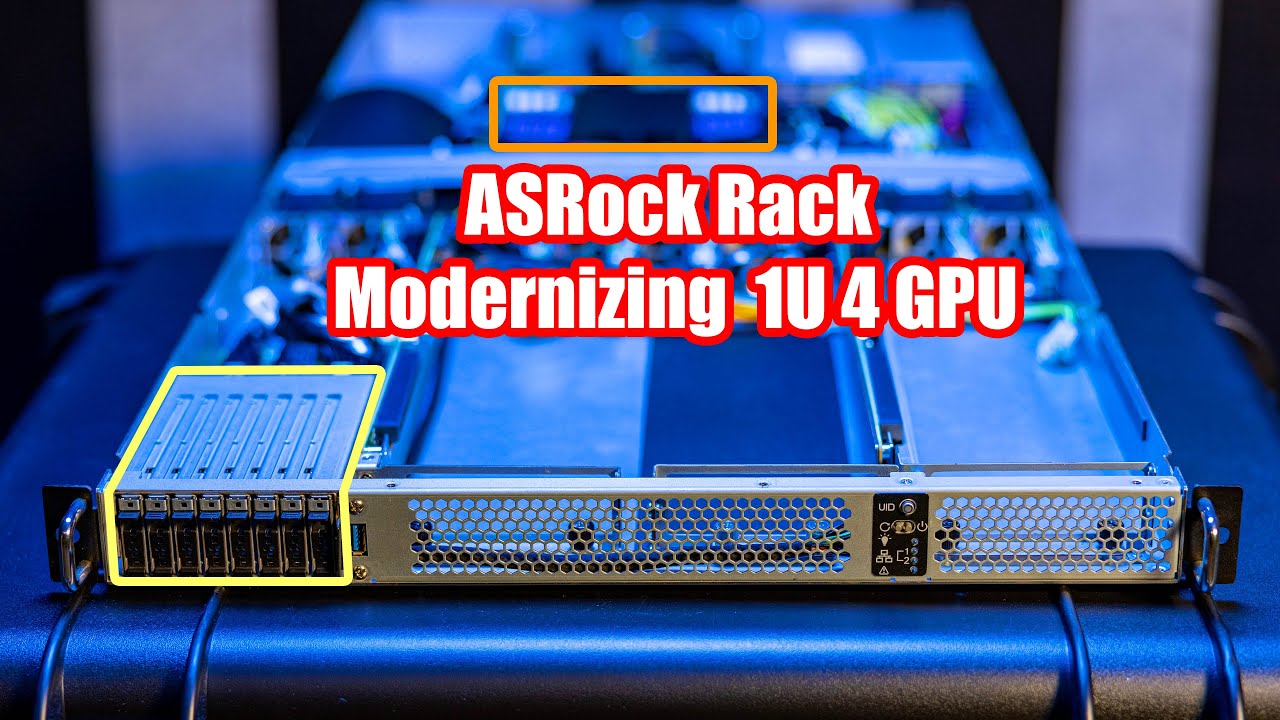
Main site article: Will be updated as this goes live shortly.
STH Merch on Spring: https://the-sth-merch-shop.myteespring.co/
STH Top 5 Weekly Newsletter: https://eepurl.com/dryM09
STH Forums: https://forums.servethehome.com/
In this video, we check out the ASRock Rack 1U4G-ROME server that packs four GPUs, an AMD EPYC Milan/ Rome CPU, and even...
wintry prairie
 supple bane
guess my gpu just doesnt have sensors there then
wintry prairie
I don't think so.
quick locust
I wonder if 6000 series does
wintry prairie
I'm not sure
supple bane
its not really a big deal tbh. if it does or doesnt.
wintry prairie
I think its more of an issue with the newer cards with DDR6X
supple bane
90% of users dont even know what their core temperature is, and couldnt give a fuck if it was at 60c or 80c.
and memory temps are even more niche than that
wintry prairie
I have this displayed in my system tray so I can have the info available at a quick glance.

CPU/GPU/VRAM temps
supple bane
ultra nerd
molten coral
nerd
wintry prairie
lol, yes
supple bane
i just use an osd like a regular person
molten coral
I just touch the hardware to see if they are hot
quick locust
Mangohud on Linux and rtss with hwinfo on windows
wintry prairie
I got an small LCD screen so I can display it there. 🙂
supple bane
nacho whips out the thermal camera
wintry prairie
molten coral
I just touch the hardware to see if they are hot
😂
molten coral
Tbh, I know my CPU/GPU are hot when my room is boiling
 proud trellis
same and i cant even open my windows most the time because of spiders coming in
supple bane
awwwww is poor little icy wicy scared of spiders?
proud trellis
i hate them
molten coral
Also hate them
supple bane

proud trellis
i slept in the spare bedroom once before because of a spider being under my bed
molten coral
Arachnophobia 
quick locust
I don't have AC
wintry prairie
I have pest control come out ever 3 months
quick locust
I just open window
supple bane
you live in the arctic circle tho so ac isnt really a concern for you lmao
storm osprey
i shoot spiders in my backyard with my bb gun
 proud trellis
come to my house and you can shoot them in my room
proud trellis
molten coral
how big are your spiders that you have to use a BB gun
^ lol
quick locust
My spiders shoot back
supple bane
lmao
storm osprey
not big, im mostly shooting black widows
molten coral
I just call my little sister to remove spiders from my room 
quick locust
4 guns at once
supple bane
i hope your little sister isnt like 10
molten coral
nah 21
supple bane
oh ok thats not that bad then
supple bane
storm osprey
not big, im mostly shooting black widows
living in a country with deadly animals
molten coral
I hate all kinds of insects though
supple bane
the deadliest animal here is cows
proud trellis
eh
supple bane
and deer
proud trellis
geese 
supple bane
i mean, not exactly deadly are they?
molten coral
Most dangerous animal are ticks in the Netherlands
supple bane
have you ever been chased by a bull or cow?
you think getting chased by some duck is scary
molten coral
Dude, I live in the Netherlands where there is a cow every few km's
yes I have been chased by a cow before
supple bane
i was talking to ice
proud trellis
i have never been chased by a cow and i go down the field like every few days
molten coral
cows are just big dogs
supple bane
 molten coral
cows are cute
supple bane
its a lot of peoples job to go near them tho
thats what makes them deadly
farming is also the deadliest work industry
iirc
storm osprey
supple bane
>living in a country with deadly animals
every country has humans in it taps head
supple bane
or maybe it was fishing
near rune
in farming you get injuries all the time
i lived in a farm for a few years when i was younger
proud trellis
i would of thought fishing is more deadlier then farming
like especially in rough seas ig
quick locust
midnight crypt
Thats a small blip for them
raw turtle
cunning garden
its a bug that has never been fixed
Then why list specs lol
wintry prairie
!!specs
 silent oasisBOT
Currently there are no official PC specifications released by DICE for the full release of Battlefield 2042.
wraith sky
No thanks
raw turtle
They aren’t very accurate because optimization is non existent
grizzled tulip
OK
cunning garden
raw turtle
Then why list specs lol
to keep the dumb comments away from the troglodites that think they know it all and blame the system
grizzled tulip
OK
raw turtle
cunning garden
to keep the dumb comments away from the troglodites that think they know it all ...
lol
 topaz aurora
i am not immune to nitrocellulose fueled - lead acceleration devices committing high energy rapid disassembly
wintry prairie
!!support
silent oasisBOT
ℹ️ Have an issue with Battlefield or your EA/Origin account? Contact EA Help:
If you need to contact the EA Help team for questions you might have regarding game or account issues, head over to https://help.ea.com
ℹ️ Have thoughts to share regarding Battlefield? Submit your feedback:
If you want to help the Battlefield team with constructive feedback to make the title/franchise even better, head over to https://answers.ea.com/t5/Battlefield/ct-p/battlefield
ℹ️ Have you encountered a bug? Report it:
If you have previously unknown technical issues you'd like to highlight, head over to https://answers.ea.com/t5/Bug-Reports/i/m-p/7141703
ℹ️ Have an issue related to the Official Battlefield Discord server? Let us know:
If you need help related to this Discord server you can send a Direct Message (DM) to our ModMail bot! Please know that we can not help you with any game or account issues!
plain stag
kind kiln
Yo, what impact does enabling DX12 has on your game?
+30 fps for me on a 3070ti
 opal cliff
Just curious but would you guys have any recommendations for good quality 1080p 144hz monitors?
plain stag
kind kiln
and most games boasting DX 12 don't implement it well
Only those that aren't native dx12 titles
storm osprey
opal cliff
Just curious but would you guys have any recommendations for good quality 1080p ...

those would be my picks
opal cliff
Thanks! I’ll look into those. Out of the those 5 which one do you like the best?
storm osprey
im not sure the difference between the same brands with different model #s honestly
o wait, except the 27" msi, personally i would never get a 27" 1080p monitor
opal cliff
Oh okay that makes sense. isn’t like the best size for 1080p 23/25 inches
storm osprey
24" is the designation, though actual measurement varies
opal cliff
Also sorry one more dumb question but do monitors usually come with display port cables or do I need to get that separately
Oh okay
opaque saddle
1440p on 27” is a good res
storm osprey
i THINK they come with a displayport cable, but im not really sure on that, all i know is my last monitor came with one, but i got a 1440p, 144hz, gsync monitor like 4 years ago, which i imagine thats might be a rare scenario
(you need displayport for gsync)
opaque saddle
Not all monitors comes with display port cables
But it should come with at least HDMI cable,
opaque saddle
If there is no HDMI cable there, there should be a display port cable provided with the box
Not necessarily
But some features required display port cable and connections with display port to run
opal cliff
Okay that makes sense. Just didn’t know which one was the best to use lol
opaque saddle
HDMI is great for versatility
opal cliff
Yeah that is true
storm osprey
displayport is technically better, but it might not matter
storm osprey
afail the only perk hdmi has over displayport is carrying audio?
quick locust
uh
opaque saddle
I think some features require HDMI to run… for AMD?
opal cliff
Well thanks for the advice guys
alpine haven
storm osprey
afail the only perk hdmi has over displayport is carrying audio?
Pretty sure and DP has higher throughput as I recall.
wintry prairie
If you have the option, go DisplayPort.
Displayport also carries Audio.
For faster Hz you want Displayport.
For Gsync, you want Displayport.
opaque saddle
Usually your monitor have either one or two display ports and your gpu may have a few DP slots
It is possible a monitor has only one HDMI. But that is very old tech and only appears on older monitors
But not as old as DVI or VGA monitors
opaque saddle
The newer one, yes
I have set up a monitor next to my bed
It has one DP and two HDMI
latent light

HotHardware
DDR5 is hitching its wagon to Alder Lake, and a new benchmark leak gives us an early look at what to expect.
opaque saddle
I think one HDMI is 1.4 and another one is 2.0
grizzled tulip
wintry prairie
If you have the option, go DisplayPort.
Displayport also carries Audio.
For fa...
This
opal cliff
wintry prairie
If you have the option, go DisplayPort.
Displayport also carries Audio.
For fa...
For sure going with display port then
wintry prairie
Awesome!
opal cliff
wintry prairie
Awesome!
Yeah thanks!
wintry prairie
Anytime, glad to help!
storm osprey
id just use what comes in the box
its unlikely youll be using your monitor speakers (if they even have any), or will get gsync unless you want to spend 100 bucks over a similar freesync monitor
wintry prairie
I have to use DP.
storm osprey
and 144hz at 1080p is definitely covered by hdmi
storm osprey
wintry prairie
I have to use DP.
because you have gsync im betting, i do as well
opal cliff
storm osprey
and 144hz at 1080p is definitely covered by hdmi
Oh so prob whatever comes with monitor would do just fine
storm osprey
very likely
storm osprey
what hz do you have?
wintry prairie
360
storm osprey
ok well, this dude wants 144hz
molten bramble
Gonna need DP.
opal cliff
Yeah just wasn’t sure if i need dp or hdmi for 144hz so that’s why I asked
storm osprey
no point in spending money for dp if what he has is perfectly fine
molten bramble
I think HDMI 2.1 was able to do 144Hz though
I go with DP myself.
All three 27" curves on DP and the TV is on HDMI.
grizzled tulip
DP without any hesitation.
storm osprey
yall like to spend money for no reason it seems
wintry prairie
I spend money the way I want and don't pretend to be better than others and how they should spend it.
molten bramble
storm osprey
yall like to spend money for no reason it seems
? It's the configuration next gen cards come in anyways. What are you saying?
storm osprey
dude doesnt need dp, if it comes with hdmi in the box its likely perfectly fine
grizzled tulip
storm osprey
yall like to spend money for no reason it seems
Theat's VERY judgemental
storm osprey
welcome to the internet
grizzled tulip
So that's your excuse . ..
molten bramble
What is that logic? lol "Be happy with mediocre performance."
storm osprey
its not mediocre performance at all
opal cliff
storm osprey
dude doesnt need dp, if it comes with hdmi in the box its likely perfectly fine
Okay thanks for letting me know
storm osprey
if he gets a 1080p 144hz amd/gsync compatible monitor theres likely literally no difference in performance at all
which we already know hes getting a 1080p 144hz monitor, and unless he wants to spend 100 bucks more for gsync, he will likely get freesync
alpine haven
gsync != freesync
storm osprey
no one said they were did they?
wraith sky
DP all the way.
 grizzled tulip
wraith sky
DP all the way.
grizzled tulip
wraith sky
DP all the way.
For sure, and for Gsync!
quick locust
ah yes, 1560Hz
wraith sky
grizzled tulip
For sure, and for Gsync!
Yes!
alpine haven
quick locust
ah yes, 1560Hz
Ah yes, theoretical high-Hz 720p for that smooth motion blurring imagery. 😄
wintry prairie
😂
storm osprey

Buy Gamekeys at CDKeys ►https://www.cdkeys.com/?mw_aref=JansnBenchmarks
Please hit the thumbs up button and subscribe if you like what you see.
Recorded with my dedicated RECORDING/STREAMING PC via Capture Card.
This video was directly Captured from my ULTRAWIDE GAMING Monitor OR my OLED 4K HDR GAMING TV.
Support me by becoming a Member on thi...
i wonder when csgo will be hitting 1k fps
midnight crypt
It can already
storm osprey
is there some configs to do that? i cant imagine a better scenario than a 6900xt/5800x at 720p
 midnight crypt
You put all the game settings to low
Reduce res to something you can barely see
And then do some extra stuff in the nvidia control panel
And boom 1k fps
pale quartz
the whole DP/HDMI discussion is pretty much pointless, as the bandwidth specs aren't being pushed both will work as intended, though something like 10 bit is mandatory for DP with that being said
wintry prairie
Ah, ok. So DP then.
 willow schooner
HDMI is becoming less and less common on monitors and newer graphics cards.
latent light
DP 2.0 has like double the bandwidth over HDMI 2.1 iirc
willow schooner
Though I cant see it being fully removed any time soon
pale quartz
well yeah as much as it should be DP by default the main qualifier here is the GPU rather than the cable of choice, which has entirely been omitted from the beginning
latent light
HDMI will remain present in GPUs as long as TVs keep it going
pale quartz
there's a more than probable chance the person can't even run HDMI 2.1