#technology
1 messages · Page 416 of 1
 rocky lantern
 sour nest
is the 6600xt enough for livestreaming battlefield games?
 wintry prairie
!!specs
 silent oasisBOT
Currently there are no official PC specifications released by DICE for the full release of Battlefield 2042.
 prime jasper
sour nest
is the 6600xt enough for livestreaming battlefield games?
prime jasper
sour nest
is the 6600xt enough for livestreaming battlefield games?
There is so much more to streaming that just a GPU. CPU matters, RAM Matters, Internet Speed Matters...
 fallen harbor
cpu matters more than gpu afaik
 midnight crypt
Depends on what kind of encoding you do
prime jasper
sour nest
is the 6600xt enough for livestreaming battlefield games?
I would also like to add that it depends on your output resolution. If I were you, I would search YT for some videos on streaming with a 6600xt. I have never used an AMD GPU, but I can tell you from what I have read/seen on YT, the Nvidia NVENC encoder is far superior. There is much much more to streaming than just hitting the "go live" button. Especially in 2021. If you want to make a hobby out of it, that is awesome..however don't expect to be the next Dr. Disrespect / Ninja / XQC, as the days of growing quickly are OVER.
 quick locust
Will be interesting when Intel comes out with their GPUs and their encoder
prime jasper
quick locust
Will be interesting when Intel comes out with their GPUs and their encoder
It won't be able to compete with Nvidia. Nvidia will still be the best choice. Nvidia, Intel, AMD...that order.
midnight crypt
amd has good cpu encoding
quick locust
prime jasper
It won't be able to compete with Nvidia. Nvidia will still be the best choice. N...
Why do you think intel will be in mid?
Though noone knows yet
quick locust
Noone knows
 weak girder
 lilac berry
can i play bf42 60fps ?
lilac berry
can i play bf42 60fps ?
probably
quick locust

 ebon hawk
covad , gpu shortage , and in my town a new virus just came out
@lilac berry thats the gpu im going to buy when gpu shortage ends (never)
lilac berry
hahah
 long badger

quick locust
it was about their GPUs @shrewd current
which i dunno where will be place compared to the other 3
 supple bane
 shrewd current
Intel a expensive overrated turd
shrewd current
Intel a expensive overrated turd
sigh
i am an amd fan boy too. but this isnt true im afraid.
they still have plenty of cpus that are a better option compared to amd
 proud trellis
dont click de link
 blazing axle

shrewd current
I’m talking about gpus, intel isn’t my second choice….. and for cpus they have really good ones for the price
 near rune
anyone know good obs settings
im trying to use the buffer feature
but i get bad performance on games
midnight crypt
Unlikely anyone here knows
prime jasper
midnight crypt
amd has good cpu encoding
No one uses CPU encoding...if you do you are wasting resources.
prime jasper
near rune
anyone know good obs settings
Settings are different for everyone...
near rune
i got help from another guy
i have to test more stuff tomorrow
i had terrible performance ingames
prime jasper
Is a GTX 550 / 4GB RAM / Intel 2600 good enough for BF 2042 @ 4k 165hz?
wintry prairie

prime jasper
midnight crypt
Maybe
Native 8k?
midnight crypt
Ye
wintry prairie
👀
 latent light
Intel 13th gen Raptor-Lake will have Thunderbolt 5 support, 80 Gbps bandwidth for Type-C

wintry prairie
cool
latent light
One disappointing thing about 13th gen, the Xe integrated graphics seem to have the same EU count as 12th gen
By around that time, AMD Zen 4 will be out and every CPU by default will have RDNA2 iGPU
wintry prairie
Hmmmmm
prime jasper
What is a good keyboard to buy? Price doesn't matter.
 plucky token
Corsair K series is pretty decent
supple bane
The best keyboard on the market is probably the corsair k95 platinum? Or k100
Idk i would never spend that much on a keyboard so i dont know which are good at that range
prime jasper
plucky token
Corsair K series is pretty decent
How about a custom keyboard? Are those any good? Like the ones that are $ 600 USD or more?
quick locust
yes but it's a rabbit hole
plucky token
prime jasper
How about a custom keyboard? Are those any good? Like the ones that are $ 600 US...
no idea. sry. i can only say that i am personally owning a Razer Blackwidow and a Corsair K100 OPX and i like the corsair one way more.
prime jasper
quick locust
yes but it's a rabbit hole
Ok. Perfect!
 royal crescent
roccat isku is pretty pog
 opaque saddle
I wouldn’t spend too much on mechanical keyboard. I would rather spending more on a good mouse instead.
 violet plank
roccat vulcan 120 aimo,only keyboard to ever last 4 years for me 
every other,including k95 failed after 2 years max
sour nest
for streaming games should I go for a higher clock cpu or more cores/ threads?
wintry prairie
the more thins you are doing, the more cores/threads you'll want.
 wintry prairie
Nice!
 latent pebble
@wintry prairie XPG Battlecruiser is the best looking case ive ever bought tbh, underrated af
Aesthetically pleasing
wintry prairie
It looks great!
 normal thicket
I heard that there were some programs that the community was running in order to make Battlefield 1942, Battlefield 2, and Battlefield 2142 playable again.
midnight crypt
Okay
normal thicket
Perhaps one of you could give me more information regarding those programs
prime jasper
sour nest
for streaming games should I go for a higher clock cpu or more cores/ threads?
You can have an I3 CPU, and a Nvidia GPU. If you use NVENC for streaming you won't need a high core CPU.
prime jasper
latent pebble
<@174616787424378880> XPG Battlecruiser is the best looking case ive ever bought...
The best case I ever bought was the InWin 915. I paid $700 USD. The case was epic!
midnight crypt
normal thicket
Perhaps one of you could give me more information regarding those programs
Just use Google like anyone else
weak girder
^
latent light
iPhone 13 will be banned in many countries because of satellite connectivity
midnight crypt
Nice
opaque saddle
i think what happened will be like releasing two models with two capabilities
 arctic crag
latent pebble
arctic crag
latent pebble
Looks good,but doesn’t it hurt your eyes?
latent pebble
@arctic crag
Nope, its nit that bright, it feels bright because of the lighting conditions in the picture
 pallid silo
Hi when ever I play a game and load onto the menu screen my pc just turns off without a BSOD how can I get round this? I just applied new thermal paste too my CPU and same thing happens...
3900x
3070
I'm streaming on YT if you need me to show you again?
supple bane
pallid silo
Hi when ever I play a game and load onto the menu screen my pc just turns off wi...
temperatures? are you running an OC? what psu do you have?
also holy crap its been like a year since ive seen you
supple bane
that sounds like a psu issue to me.
pallid silo
Hmmm it was fine last Thursday :/
supple bane
have you got another psu to try?
pallid silo
No ://
Come into my stream I'll show you what I mean
Booting pc up now haha @supple bane
supple bane
yeh im watching
my presence can fix computers..
im 95% sure its your psu. in cod your gpu never reached above 60%. the moment B3 loaded your gpu went straight to 100% and your pc shut off.
try a gpu stress test
FurMark - GPU stress test and graphics card benchmark
arctic crag
What psu does he have?
quick locust

Receive a $25 credit for Ting Mobile today when you sign up at https://linus.ting.com/
Personalize your PC with Cablemod at https://lmg.gg/FWai3
The host of the infamous Verge PC build guide joins Linus to give an update on the correct way to build a PC.
Buy Corsair Crystal 280X Case
On Amazon (PAID LINK): https://geni.us/vQWKWB
On Newegg (P...
latent light
 quick locust
256
 storm osprey
quick locust
https://www.youtube.com/watch?v=QKzmYsySGFQ
storm osprey
quick locust
https://www.youtube.com/watch?v=QKzmYsySGFQ
gold
 ebon yarrow
 latent light

pcgamer
Intel is reportedly taking aim at two impressive Nvidia and AMD graphics cards with its first Arc-branded gaming GPU.
arctic crag
I’m happy ,more competition = companies moving their asses
 eager whale
More competition = companies will try undercut one another
quick locust

 misty magnet
latent pebble
misty magnet
latent pebble
Love a white theme with an alternate colour, tried it myself!
storm osprey
i did a color coordinated build last time, never again, i spend so much more trying to get things in certain colors
plucky token
storm osprey
i did a color coordinated build last time, never again, i spend so much more try...
i bet that. i choose the black theme. kinda easy to get these colors 
storm osprey
lol yea, im going all black from now on
 marsh shore
sup
 wanton badger
Sup
marsh shore
k
arctic crag
I have a black build but am working on switching it to white
wintry prairie
Whatever you want. I'd go with the 3070.
latent light
@prime jasper 2080Ti since it has more memory
 wraith sky
3070 hands down, in every way.
wraith sky
Both cards are about the same performance. the 3070's MSRP is is 700 less.
No question 3070
Newer tech too
arctic crag
Mate you didn’t read what he said did you
wintry prairie
If you can get it for $400, get it.
wraith sky
I didn't see how much you were going to pay (my bad, I didn't notice it), now that I know I gave you my answer.
😉
OK
wintry prairie
Nice! I have two 3080ti
arctic crag
wintry prairie
Nice! I have two 3080ti
How many kidneys
wintry prairie
I got them for MSRP, so not too shabby. 🙂
arctic crag
Is your build done?
wintry prairie
My main one, yeah
wintry prairie
arctic crag
Share a picture
Maybe I'll send one later 😉
wraith sky
I wanna see it too
sour nest
can you guys give me sometips about aRGB stuff. I have argb corsair fans, argb lian li fans, strimmer cables, argb strips but my mobo only have one argb header 😦 and im not sure if an argb hub will work with devices from different brands
rocky lantern
Omg omg omg https://youtu.be/QKzmYsySGFQ
wintry prairie
Lol
latent light

TechPowerUp
AMD's "Zen 3" CCD, or compute complex die, the physical building-block of both its client- and enterprise processors, possibly has a core count limitation owing to the way the various on-die bandwidth-heavy components are interconnected, says an AnandTech report. This cites what is possibly the firs...
 signal locust
Any tips to boost fps on battlefield 5?
arctic crag
Enable future frame rendering
 pale quartz
sour nest
can you guys give me sometips about aRGB stuff. I have argb corsair fans, argb l...
pale quartz
sour nest
can you guys give me sometips about aRGB stuff. I have argb corsair fans, argb l...
they will not, Corsair have proprietary aRGB technology that do not work with other brands
plucky token
sour nest
can you guys give me sometips about aRGB stuff. I have argb corsair fans, argb l...
corsair fans have a different connection for it's rgb. you need an rgb hub to be able to control it
sour nest
thanks for the info guys
plucky token
if you got the 3x pack fans, there is a controller included
otherwise you have to buy it separate which is way to overpriced
sour nest
I'm getting that corsair white 360mm cooler, and a 3x pack lian li fans cuz corsair fans are just too expensive
 sour nest
im also getting the n7 b550 from nzxt because it's so sexy but i realized that it has only 1 argb header 😐 luckily corsair rgb products use usb instead of argb
pale quartz
plucky token
otherwise you have to buy it separate which is way to overpriced
(slight additional note on this) Corsair fans have different requirements depending on if it's LL/HD etc, be very careful to make sure you don't require the commander pro
tldr they are great at grabbing money
plucky token
mhm, lighting node pro and an rgb hub do the job
there is no need for the commander pro
pale quartz
there is one note where that's required, with the HD series specifically you will be unable to use specific RGB patterns without the commander pro
plucky token
weird
pale quartz
although RGB will work
plucky token
 pale quartz
yeah Corsair limitations for you pretty much
plucky token
the case symbol is a commander pro
exact same options
thats why i am wondering where that comes from with different options
there aren't any
pale quartz
it isn't a software limitation, it's an internal hardware one
plucky token
well, who buys HD series anyways
in my country, they cost more then the LL version
prime jasper
do y'all think a r5 2600 non-x 1660 ti 2x8 ddr4 3200mhz could play bf2042 on medium stable 60+fps 1080p?
wintry prairie
Maybe
prime jasper
hopefully 
wintry prairie
¯_(ツ)_/¯
 wintry prairie
Hmm, I got my gpus at MSRP direct from manufacturer. It took about a month, but it was worth it.
prime jasper
well worth the wait
wintry prairie
Oh yes
quick locust
Noone know yet
prime jasper
do I get an ASUS B450 or an ASUS X570 mobo? Idm the bios update for the 5600x and extra money for the X570
wintry prairie
I went with X570
prime jasper
what PC u got
wintry prairie
my specs?
prime jasper
mhm
arctic crag
prime jasper
do I get an ASUS B450 or an ASUS X570 mobo? Idm the bios update for the 5600x an...
What about b550
prime jasper
arctic crag
What about b550
or that, yeah
arctic crag
B550 in general is a good deal you get the most features of the x570
prime jasper
danggg I have an r5 2600 non-x 1660 ti ab350 asrock and I want an 5600x, 3060 Ti and some good ASUS mobo
quick locust
arctic crag
B550 in general is a good deal you get the most features of the x570
Yeah it's decent
wintry prairie
prime jasper
danggg I have an r5 2600 non-x 1660 ti ab350 asrock and I want an 5600x, 3060 Ti...
Do it!
prime jasper
wintry prairie
Do it!
I'm telling ya, I legit could of upgraded by now if the GPU wasn't overpriced, it's even in stock SOMEHOW
well I could I could stay for now without a GPU like some people which is okay
arctic crag
prime jasper
danggg I have an r5 2600 non-x 1660 ti ab350 asrock and I want an 5600x, 3060 Ti...
Well you can start by the cpu and mobo
prime jasper
yeah, exactly
wintry prairie
He's in EU
prime jasper
okay so ASUS B550 Asus ROG STRIX B550-F GAMING (WI-FI) PCIe 4.0 or Asus TUF GAMING X570-PLUS (Wi-Fi) PCIe 4.0
oh man I WISH we had Micro Center, holy skadoodle
arctic crag
Same price?
arctic crag
I personally would go for the b550
prime jasper
B550 206 euros ' 244 usd ; X570 307usd ' 260 euros
hmm the B550 is ROG Strix hahah and cheaper
ah fk it dudeeee I'm going with the b550 hahah
arctic crag
Yeah better choice
prime jasper
thank you guys
arctic crag
Anytime mate
 lament flare
My ram property is DDR4-3200 and CL = 22 I guess...
If I buy other ram for making dual channel rams with same Bandwidth (3200) but different CL, is it a big different?
arctic crag
You will see a deference for sure
Depends on the game ofc
But overall you will see a deference
Like going from cl22 to cl14
lament flare
If my first ram has CL22 but my second one has CL14, it's will depend on CL22 for sure right?
lament flare
Ok thank you
arctic crag
But you gotta tweak it
wintry prairie
You will be performing to the speed of the slower RAM and your motherboard will automatically underclock the faster one
arctic crag
I am not sure if the mobo will slower the faster cl ram automatically
Maybe you gotta tweak it manually
wintry prairie
It won't be faster than the slower one.
arctic crag
Like if he was comparing speeds it’s easy mobo will under clock the faster ram
We’re talking about cl
Latency
wintry prairie
nvm
arctic crag
Maybe it won’t even work till he tweak the faster cl to match the slower one
wintry prairie
OK
pale quartz
plucky token
in my country, they cost more then the LL version
I actually got them for cheaper than the LL version, was a no brainer for me
pale quartz
prime jasper
do I get an ASUS B450 or an ASUS X570 mobo? Idm the bios update for the 5600x an...
x570 runs PCIe 4.0 which the 2600 doesn't support, so unless you plan on upgrading it won't make a difference
pale quartz
lament flare
If my first ram has CL22 but my second one has CL14, it's will depend on CL22 fo...
this is not possible
wintry prairie
Sure it is
pale quartz
mixing 2 different CAS latencies requires a 1:1 FLCK clock which will lock the CL14 stick to a rate of CL22
pale quartz
the question is if the memory will be ran in dual channel, it won't be :)
they will be in single channel
wintry prairie
It will still run in Dual Channel
pale quartz
dual channel requires that both sticks are in DD which isn't confirmed, which won't occur as previously stated if one is single rank, which considering its CL 22, is highly likely, you do not get double data rate sticks at CL22
wintry prairie
Put the two of one CL in the appropriate slots, and the other two in corresponding slots.
pale quartz
^^
@lament flare your best choice is to sell your current CL22 stick and get a second CL14 stick those variations of ICs within the stick and dies will inevitably give you memory errors later on
wraith sky
Yes, it will work as @wintry prairie has stated.
pale quartz
it will not be stable
prime jasper
pale quartz
x570 runs PCIe 4.0 which the 2600 doesn't support, so unless you plan on upgradi...
yeah, I know I want a 5600x and a 3060 Ti for the B550 mobo
pale quartz
oh in that case sticks with b550
wintry prairie
Scroll up a bit
prime jasper
okay
I'll only get the cpu and mobo for now, then when the prices drop for the GPU
hopefully
pale quartz
@prime jasper x570 only offers additional 4.0 support for the entire chipset, so if you're not planning on getting additional storage other than NVMe keep with b550
prime jasper
pale quartz
<@456226577798135808> x570 only offers additional 4.0 support for the entire chi...
hmm  I'm planning on getting an m.2 nvme samsung
pale quartz
(other than), meaning more than 1 NVMe drive
pale quartz
b550 offers 20 PCIe 4.0 lanes which will be saturated by the GPU and x4 NVMe, so if you're just planning on those 2 you won't get any benefit from x570
prime jasper
so which one is the best for the 5600x, 3060 Ti and an m.2 nvme samsung PCIe 4.0 then
I'm really sorry, I'm really slow
pale quartz
prime jasper
so which one is the best for the 5600x, 3060 Ti and an m.2 nvme samsung PCIe 4.0...
keep with the b550
 pale quartz

 molten coral
Finally got a new chair 


 next beacon
Wow. Is it comfy?
prime jasper
congratulations, to your back 
molten coral
next beacon
Wow. Is it comfy?
Just got it unpacked, time to do some “testing”
wintry prairie
Nice!
next beacon
Extensive!
arctic crag
molten coral
Finally got a new chair <:VeryCursedSadCat:853927249115742248>
Looks nice
Did it improve your fps by 80%?
molten coral
1200%
arctic crag
Damn
wraith sky
If I want to watercool my cpu, is there any waterblock you'd recommend? AM4
wintry prairie
For AM4, I went with a HEATKILLER Pro IV - Raw Copper
And an OPTIMUS, raw copper
quick locust
pale quartz
<@366274724097163264> your best choice is to sell your current CL22 stick and ge...
Mixing ram will still run dual channel and no you won't get memory errors from it
Though it'll run at the slowest speed and latency
molten coral
wraith sky
If I want to watercool my cpu, is there any waterblock you'd recommend? AM4
This is a great cooler
wraith sky
Thank you, but I was asking about a block. Its for an open custom loop.
Thank you @wintry prairie , I'll check those out.
molten coral
Oh sorry, I did misread.
wraith sky
No worries, we all do sometimes. I appreciate you trying to help. 😃
molten coral

quick locust
480 USD used laptop with a dual core
wintry prairie
Torp IT
wraith sky
@wintry prairie Which ones are those?

 arctic crag
Neat
wraith sky
Oh thank you!
pale quartz
quick locust
Mixing ram will still run dual channel and no you won't get memory errors from i...
memory errors are silent, they won't cause a system to crash, but they will cause system instability
quick locust
And this will not cause that
wraith sky
pale quartz
memory errors are silent, they won't cause a system to crash, but they will caus...
Let it go
quick locust
Since it will just run at the lower speed and higher latency
It won't overclock any of them
wintry prairie
Correct!
quick locust
For that reason
wraith sky
He does not get it
quick locust
It'll only possibly make instability if you set all the sticks to run at the fastest stick
Since you are overclocking at that point
pale quartz
I do, it's just that mixing memory is not recommended for a reason, memory have different subtimings within their XMP profiles
especially in different CAS latency variations
quick locust
Yes I know, and it'll run at the worst speed and timings of them
So you'll lose performance but not stability
It also has nothing to do with dual channel
You can view Intel's documentation if you want
pale quartz
a motherboard will lock down primary timings, however subtimings will default to the motherboard spec rather than the xmp spec
wraith sky
🤦♀️
quick locust
Which will not cause instability
Just worse performance than having all 2 or 4 be the same stick
pale quartz
it primarily depends on the processor, however when dealing with cas latencies of 20, the performance degradation can be considered unstable, game wise anyways
the system will be fine, performance, not so much
quick locust
Yes, but not stability
Which you were talking about
You'll have worse performance but not system stability and not memory errors
That's why there is this system instead of running all the sticks at same cas and speed at the fastest one
Stability over performance
pale quartz
memory errors are silent, you can't actually view them unless you use a process such as event viewer, it's the cocktail risk you run I suppose with mixing memory sticks, though it can be fatal
quick locust
It will not cause it
The entire system above is designed to prevent errors by sacrificing performance
You'll only be at risk if you mix memory then OC all of them
Since you'd run at least one stick above what it is validated and tested for
Hence it's better to get memory from one kit since they are tested and validated together at same cas and frequency instead of having to go down in frequency and higher cas because one stick is limiting it
wraith sky
2 hours later . . . I guess @wintry prairie was right all along.
quick locust
Yes HK is right from beginning
wintry prairie
I get that a lot.
quick locust

 quick locust
I just swooped in later
wintry prairie
And did a great job!!! 👍
latent light
Microsoft Xbox Series S refresh in 2022, Xbox Series X refresh In 2023 – could utilize new 6nm AMD APUs with faster clocks, more cores for GPU
quick locust
Still wish they didn't do first XSS
But oh well
Sets the floor for this gen lower
latent light
XSS refresh will have 24 CU for the graphics, current one has 20 CU
quick locust
Yeah but the current sets the bottom spec
Will be decent with the new ones though
It's the same node as intel GPUs
@latent light
Which might also turn out fine
They are both tsmc N6
latent light
XSX refresh will get fully unlocked chip with 56CU
quick locust
Which is cost reduced 7nm
I hope they will make less boring looking xsx
But oh well
latent light
PS5 Slim on 6nm is coming too
quick locust
Hope they don't make it a jet engine
If they reduce the heatsink even more in the slim
midnight crypt
Cooling isnt Sonys strong point
quick locust
Eh, they both had bad steps at that
Xbox had 360 which overheated to death giving the 3 red rings
And PS4 pro is a jet engine to some
eager whale
XSX and Xbox One are quiet
 obsidian thicket
I just bought a gaming computer, i7 10700k & Rtx 3070ti, the first game I downloaded is BF V.. Unfortunately, both the CPU & GPU usage won't exceed 65-70%+
Thus, my fps isn't stable 😦
I think I updated all necessary drivers.. and future frame rendering is on.. what could be the issue?
wintry prairie
You posted this a few hours ago. I doubt there has been any change in support since then.
proud trellis
i mean someone might be able to help him
wraith sky
Its the SAME question that's been asked at nauseum in the past week.
storm osprey
@obsidian thicket just look up benchmarks at same settings and see if you are close to what those numbers are, if you are dont worry about %
if your performance is in line with other computers with the same specs and it says 60% usage, you dont have some special configuration that can unlock 40% more performance if you do something
wintry prairie
Pretty much. I get 230+fps but no issues and nowhere near 100% usage.
obsidian thicket
I posted in battlefield section and a user asked me to post here
Thing is, I had better performance with my old gtx 1080 i7 9700k
Even in low settings, i'm barely getting a hundred fps 😦
storm osprey
well thats helpful info
unfortunately theres a ton of helpful info you could give us and a bunch of problems it could be
obsidian thicket
Well, if i'm not bothering, I can give any info required
Right now, I'm installing another game to check out if the problem only occurs in BF V or it's a general problem
latent light
As long as your RAM is running in dual channel mode, your i7-10700K shouldn't be limiting the 3070Ti
 plain stag
obsidian thicket
I just bought a gaming computer, i7 10700k & Rtx 3070ti, the first game I downlo...
plain stag
obsidian thicket
I just bought a gaming computer, i7 10700k & Rtx 3070ti, the first game I downlo...
Try running the game in dx12 mode, i got like a 30+ fps boost
Also running a 3070ti
In dx11 gpu usage was the same like yours, around 50-60%
plain stag
obsidian thicket
Even in low settings, i'm barely getting a hundred fps 😦
Exactly the same, i had like 100 fps on fjell when I was testing, afterwards i got like 130-140 fps once i enabled dx12
latent light
For most people DX11 runs better than DX12
plain stag
Seems like 30 series like dx12 mode in bf5 much more
latent light
BFV optimization is a dumpster fire
plain stag
I know, when i had a 1070, dx12 ran horrid
But with a 3070ti, i got a massive fps boost
Honestly I didn't expect that much of a gain
obsidian thicket
They both run poorly 😄
obsidian thicket
latent light
As long as your RAM is running in dual channel mode, your i7-10700K shouldn't be...
It's not
1 x16
plain stag
Also, im running a 5600x, not that it matters much
obsidian thicket
You think that should be a problem?
latent light
Yes huge problem
obsidian thicket
Oh... that much?
plain stag
1 stick of ram is almost always a no no
obsidian thicket
Does it have to be the exact same ram?
latent light
Doesn't have to be exact same kit but it has to be similar
plain stag
But to avoid compatibility issues, its preferred
latent light
@obsidian thicket I'll go find a video showing the difference between single and dual channel RAM in BFV
 subtle hinge
22 september is so far away
quick locust
i wish intel's guide on dual channel was pinned
subtle hinge
Imagine pre ordering vanguard
quick locust
Intel
Guidelines for configuring your system memory to provide the best possible performance.
obsidian thicket
@latent light So, another x16 would just fix the issue? 😄
plain stag
Running 2 sticks of ram is basic knowledge tbh
obsidian thicket
well, i was tight on budget
wintry prairie
Place them in the correct dual channel slots
obsidian thicket
I thought i'd pick a single x16 then upgrade soon to x32
latent light
https://youtu.be/mP8udDXeJPc @obsidian thicket

Battlefield V Beta, 1x8GB vs. 2x4GB RAM performance comparison.
G.Skill Trident Z RGB DDR4 8GB (1x8GB) 3000MHz CL16.
ADATA XPG Z1 DDR4 8GB (2X4GB) 3000MHz CL16.
Graphics preset: Medium 00:00 | Resolution: 1920x1080.
Benchmark rig specs...
● CPU: Intel Core i5-8600K 4.5GHz, Hexa Core / Coffee Lake
● Cooler: Corsair Hydro Series H55
● GPU: MSI Ge...
Only 8GB in this test but yeah makes a huge difference
50% fps difference
obsidian thicket
Fair, thanks a lot 😄
plain stag
A couple of years ago, it didn't matter too much
obsidian thicket
You saved me a full day of painful research
latent light
Battlefield 5 is the most sensitive game I know to memory bandwidth tho
plain stag
But in the last 5 years, you ought to be running 2 sticks
quick locust
that or 4
or 3, since you can run dual channel with 3 as well
it's just a bit odd config
plain stag
Yes, but even with 4 sticks, you're still running in dual channel mode
quick locust
i know
obsidian thicket
fair!
quick locust
i wish this was pinned
Intel
Guidelines for configuring your system memory to provide the best possible performance.
plain stag
Only intel HEDT and threadripper linup has quad channel support
obsidian thicket
should've just gone x2 8 ram rather than a single 16
quick locust
TR has up to 8 channels
latent light
2 sticks will be able to reach higher clocks and lower latencies than 4 sticks
plain stag
Yep
quick locust
yes, but not really what most users will be limited by
plain stag
Cuz its not putting extra strain on the memory controller
quick locust
since most just run xmp anyway
plain stag
And in most cases having 4 sticks over 2 yields a negligible performance impact
While 1 vs 2 sticks, it's quite big
quick locust
I know
plain stag
Xmp doesn't guarantee that you will be able to run at those speeds
latent light
Mini-ITX motherboards with only 2 RAM slots are usually better at overclocking than full ATX motherboards with 4 slots
plain stag
Beyond like 4000mhz
plain stag
Highly depends on the memory controller
 dry pike
latent light
Mini-ITX motherboards with only 2 RAM slots are usually better at overclocking t...
dry pike
latent light
Mini-ITX motherboards with only 2 RAM slots are usually better at overclocking t...
There has been full ATX boards with 2 memory slots for that exact reason
latent light
Yep
quick locust
yeah, the only reason to do that though is if you want to OC pretty hard for records.
dry pike
Most people wont OC their memory enough for it to matter much that is true.
quick locust
yeah
quick locust
plain stag
Xmp doesn't guarantee that you will be able to run at those speeds
it guarantees the kit can run at the speeds, not that the IMC can handle it
latent light
CPU overclocking doesn't go far anymore so RAM overclocking is the new meta
plain stag
Memory oc is like the least impactful way to increase your performance
Too much hassle
plain stag
quick locust
it guarantees the kit can run at the speeds, not that the IMC can handle it
I know, but having like 5000 mhz kit wont guarantee you that your cpu can handle those speeds
dry pike
With all the new high end components spewing out huge amounts of watts of heat, undervolting is king 😄
plain stag
But going that high end ram isnt that beneficial
quick locust
nah, just reduce frequency rather than voltage
plain stag
Too much money spent on super high speed ram with minimal gains
When it comes to gaming ofc
quick locust
undervolting can introduce instabillity, lowering clocks does not
latent light
Over 20 years ago, you'd see a CPU being overclocked to more than double its stock speed
Nowadays you only see very marginal increases
dry pike
You might however easily be able to run your hardware at the same speed but reduce the heat produced/power used by 10% by undervolting.
latent light
CPU overclocking just isn't fun anymore because stock boosts are just so good now
plain stag
But the whole point of undervolting is to have the same speeds
quick locust
if i doubled stock frequency i'd be at fx 8350 record i think
quick locust
yeah I know, it's overclocking essentially, just other way
lowering frequency is better for stabillity though
depends if you value performance or stabillity the most i guess
latent light
If I had a 320W GPU like the RTX 3080, I'd be running an underclock and undervolt to get it under 200W
quick locust
eh depends if it actually gets too hot or not
latent light
320W GPU would heat up my room so quickly
quick locust
if it doesn't, it doesn't matter much to me
latent light
Back when I had a Fx-8350 and GTX 780, my PC heated up the whole house in just a short game session

I had that 8350 overclocked pretty high
quick locust
they did OC pretty well
though still kinda bad
lol
they still hold frequency record iirc
gtx 780 though, it's power is not that high compared to the newer cards
latent light
FX CPUs had a very low temp limit, they would throttle at around 65C lmao
quick locust
yeah
latent light
32nm node + large die made that feasible tho
quick locust
gtx 780 is around 6700xt in power consumption i think
which is midrange now
well upper mid
and 3070
latent light
Sad to hear that next-gen flagships could exceed a 400W TDP
plain stag
Well, going from like 32nm to 24nm or 16nm is much different and easier than going from 7 or 8nm to smaller nodes
The tech just isnt there yet
latent light
1000+W PSU is gonna be the go-to option for next gen high-end PCs
12th gen Intel CPUs hitting 300 watts, RTX 4090 with 400-500 watts
DDR5 always draws more watts than DDR4
plain stag
And then you have amd cpus hitting 100w
latent light
The gaming future looks very toasty
plain stag
65w if you dont oc
plain stag
Memory power usage will be negligible
latent light
1 DDR5 module consumes more power than 2 DDR4 modules
plain stag
It's still not that significant when you look at overall power usage
latent light
Afaik DDR5 is capable of running in dual channel mode with just a single DIMM
plain stag
Ddr5 won't use like 50w
So the difference between dd4 and 5 is insignificant when you look at the big picture
latent light
AMD should just make APUs with GDDR6 built-in like the 4700S
 plain stag
I also highly doubt the usage between ddr4 and ddr5 is that big, since its gonna run at a lower voltage
latent light
Lower voltage doesn't mean lower power
plain stag
Pretty much every article that i skimped now suggest that power consumption will be lower
Even from official micron documentation
Power consumption will be about 20% lower
latent light
DDR5 uses higher power and creates more heat than DDR4 because they are moving the voltage regulation from the motherboard to the DDR5 modules themself
plain stag
Not according to micron documentation
latent light
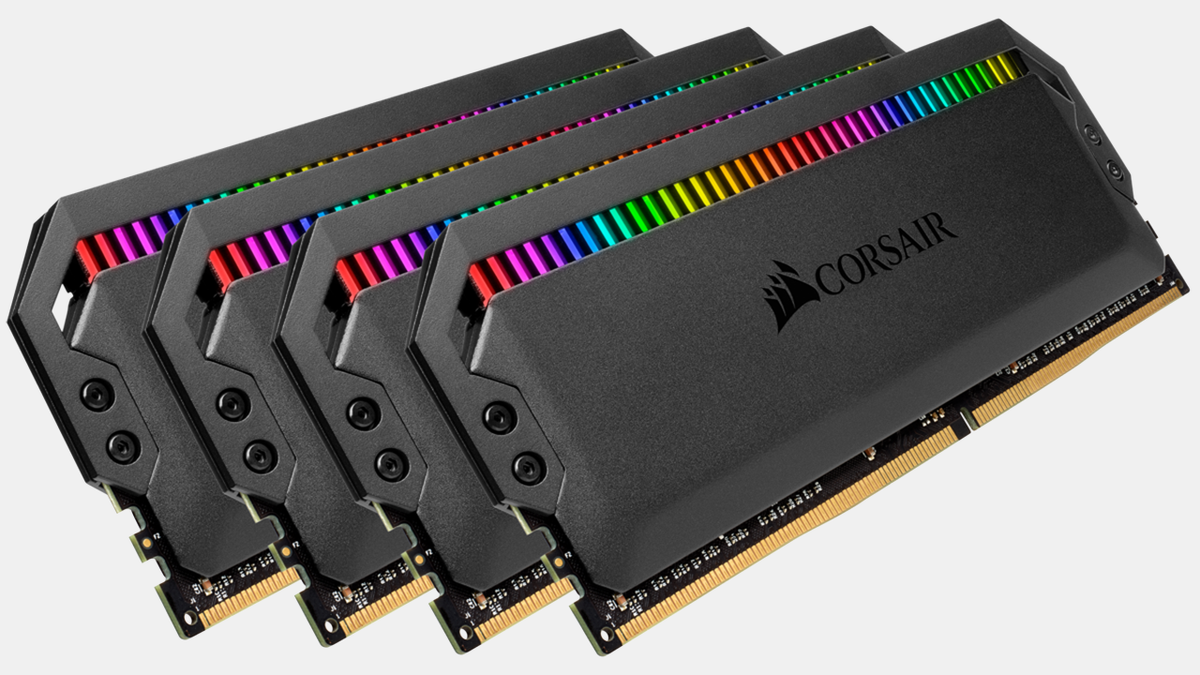 plain stag
The modules itself will run at 1.1v
Thats literally how power works, lower voltage, means lower consumption
I saw that article before
The higher heat comes from having the vrm on the module as well
Instead of it being on the motherboard
That's not higher power consumption, that's just higher heat output because ram components are closer together
latent light
Yes, thus meaning DDR5 modules consume more power and create more heat since they put the VRM on the actual modules themself
plain stag
But the module itself runs at a lower voltage, hence reducing the power consumption
The vrm components are just moved to the module instead of the motherboard
latent light
DDR5 chip consumes less than a DDR4 chip but all the new hardware present on DDR5 modules is what makes them use more power and run hotter
plain stag
You need to count the memory vrm for ddr4 in that power equation as well
Just cuz they arent on the module itself, doesn't mean you just forget about them when you compare overall power consumption
Yes, they will output more heat, but thats cuz the vrm will be on the module itself, more heat because the output area is more concentrated
Dddr4 vrm modules also produce heat
But that heat is produced elsewhere
Its the same overall heat production, but instead of it being made in 2 different areas, it's on one area
plain stag
Why would micron put in their official documentation that ddr5 will use less power then
Doesn't make sense tbh
latent light
We will truly know when Alder-Lake launches
Alder-Lake will be able to use both DDR4 and DDR5, that's the most exciting part
plain stag
Beefier cooling will be required because the entire heat output is only in one area
latent light
Yeah but there's way more new things on DDR5 than just having the VRM integrated on it
plain stag
It's like having 10 phases vs 6 phases on the cpu vrm
All that consumption and heat is spread out on 10 inductors and chokes
Instead of 6
But the power consumption is the same
latent light
I'm glad DDR5 will have a better launch than DDR4
Cuz when DDR4 came out, it was awful
You only could find 2133 MHz CL17 kits
latent light
Very expensive
plain stag
Ddr5 is still in its infancy
And they will be a terrible value at first
Just like ddr4 was
latent light
There was a 32GB DDR5 4800 MHz CL40 that was being sold on Amazon for like $400
That's for the slowest 32GB kit
Nearly 3x more expensive than a decent 3200MHz DDR4 kit
plain stag
And i got a 4000 cl 18 kit for 100e
Ddr5 won't have significant speeds at first
But in like 2 years
We will get super fast low latency modules
latent light
DDR5 starts at 4800 MHz but at launch it's been confirmed there will be 6400-7200 MHz kits
plain stag
Super fast low latency relatively cheap modules*
I'm definitely not gonna spend as much money on ddr5 as a cpu costs
latent light
Also, Alder-Lake performance has already been leaked showing the difference between DDR4 and DDR5
plain stag
Eh, i dont usually belive in leaks
Until the real deal comes
That information holds no weight to me
latent light
Using old DDR4 hardly affects single-core performance on Intel 12th gen, it has a fairly large impact on multi-core performance tho
Doesn't mean that DDR4 will be very close to DDR5 in gaming
We are just a couple weeks away from Intel 12th gen announcement
quick locust
Requiring better cooling than ddr4 doesn't say too much
Since ddr4 barely needs any
latent light
Just depends on frequency
I've seen some basic OEM DDR5-4800 kits that don't have heatspreaders at all
supple bane
quick locust
Since ddr4 barely needs any
this is what i had in my head but didnt know how to word it,
latent light
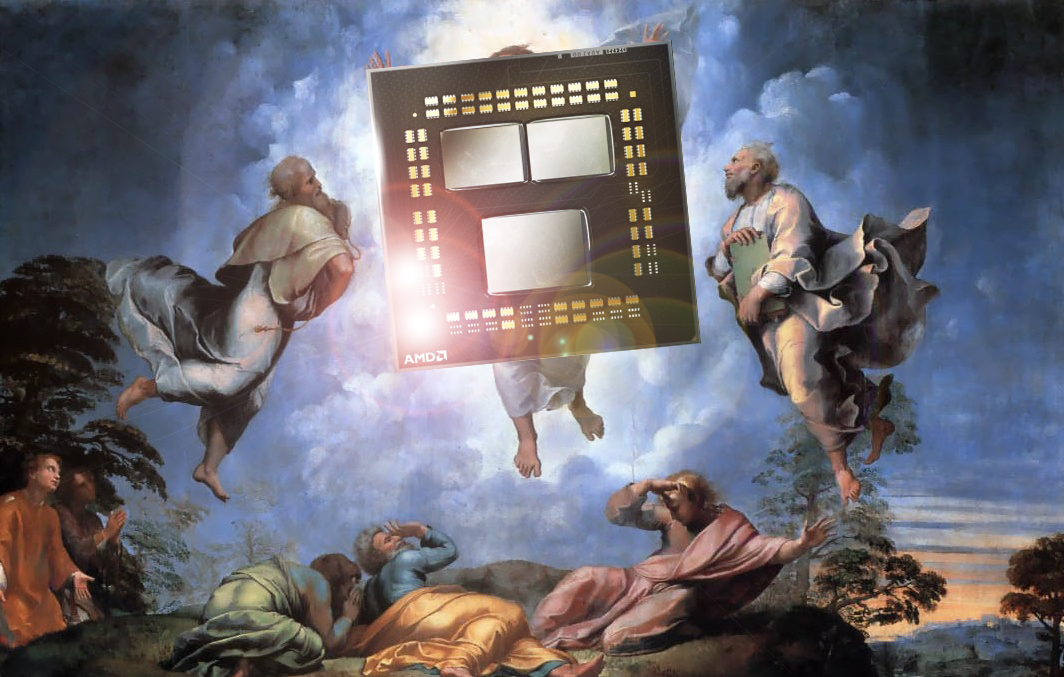
igor´sLAB
Disclaimer: The following article is machine translated from the original German, and has not been edited or checked for errors. Thank you for understanding!
Power limits being increased for Zen 4
Very likely to go beyond 105W rated TDP
quick locust
that picture lol
 toxic zealot
alder lake uses both ddr 4 and 5?
latent light
Yes

 supple bane
a dev actually doing recommended specs right
quick locust
It'll run flex mode
dry pike
latent light
12GB RAM is odd
It's just the actual amount of RAM that is recommended for the game, not your system
it's up to you to not pick something stupid 😄
latent light
Xbox Series X|S refresh could use newer 6nm node, CPU with higher clockspeed, fully enabled GPU chip with higher clockspeed, and faster GDDR6 memory
prime jasper
What are all you nerd talking about today?🥸
storm osprey
most 2 sticks of ram
prime jasper
molten coral
Finally got a new chair <:VeryCursedSadCat:853927249115742248>
I had a herman miller and I always thought it was not that comfortable. (My spine is fused in two places)It was nothing amazing for the price. I ended up just throwing it away because I could not return it. I now sit in a ¥50,000 chair and it is more comfortable.
storm osprey
no idea what that translates to
prime jasper
latent light
https://www.tomshardware.com/news/corsair-says-ddr5-modules-to-run-hotter-than-d...
Looks like it will be time to liquid cool my ram🤓
prime jasper
storm osprey
no idea what that translates to
$500 USD. Sorry. I forget to change currency in my mind. lol
 tardy lintel
What are some good budget mechanical keyboards?
I was looking at the Ducky Mecha SF
but don't know if I can justify the $200 CDN price tag
I would like a 65% or TKL due limited table space
storm osprey
red dragon
supple bane
Ducky keyboards arent budget keyboards lol
But my advise is dont spend a tiny amount of money. Get a semi decent one
Because i have experience with one budget keyboard that was just 50 bucks and it lured me in with its good looks
The key stabalisation was awful, the w and shift key died after just a year or two and i had a key completley disintegrate
Literally fell apart
I have a g513 carbon now, its amazing
 prisma shoal
quick locust
Old midrange now 1080p 30 lol
prisma shoal
quick locust
Old midrange now 1080p 30 lol
You just know when someone call 60FPS recommended in 2021, the game is gonna be dogshit
prisma shoal
supple bane
Ducky keyboards arent budget keyboards lol
Not true, can get them for 100-150
prisma shoal
supple bane
That is not a budget keyboard lmao
I dunno, mine is like a medium budget custom
And that was 500
supple bane
We arent talking about custom tho
prisma shoal
But yes, you can get budget for 50 too
My point is, I don't think it's wrong calling 150 a budget board either 🤷
supple bane
<50 cheap - 50 to 100 is budget - 100 to 150 midrange - 150 to 250 high end - above 250 is too much for a keyboard imo
storm osprey
150 buckeroonis is definitely not a budget keeb, the only way its not is if you are specifically talking about customs
prisma shoal
I see thanks. I know nothing about keyboards
Well
Production keyboards
Thanks for informing me
storm osprey
id say 100 is mid tier for stock keyboards
supple bane
Ive never really understood custom keyboards.
They have always just seemed like pay more for less to me
storm osprey
granted thats a bit of a weird statement because if you get a gaming keyboard you can spend 100 bucks and get objectionably poor physical quality but get more software/lights/brand reputation vs going with something like a boutique option and get a keyboard thats build like a tank
prisma shoal
storm osprey
id say 100 is mid tier for stock keyboards
I guess I can see this. I used to have a Leopold FC660C stock and ye it felt pretty high end when I bought that, but that was years ago.
storm osprey
thats the thing though, leopold is damn good quality for the price, but if you get a gaming keyboard you can spend 100 bucks and still get ABS laser etched keycaps
prisma shoal
Speaking of tanks, I never was able to break the Leopold FC660C
Just ended up storing it away and building a new one
Eww ABS 🤮
I just build cause it's fun, I also just love the feeling of a keyboard that weights a ton. No ratteling with lubed stabalizers, nice coiled cable with an aviation plug
I kinda want
With this cable
But I dunno, I've spent too much lately 🤷
Just bought a new PC
I also am looking into 3D printing a wireless mouse.
Would be a fun experiment.
They get them pretty lightweight in the shape you want.
But I'm pretty happy with my current mouse
storm osprey
althhough i borderline love my friends custom keyboards, i can never justify spending over 100 bucks on a keeb
prisma shoal
There are worse things to spend 100 bucks on imo.
Like people spend 100 bucks on BF
When you can get it for 14.99 🤷
Either way, I'm gonna hit the bed.
storm osprey
alrighty, gooodnight
prime jasper
supple bane
Ive never really understood custom keyboards.
Have you used a $600 custom keyboard? I thought the same way until I built my KBD Fans KBD67 MK II. The number of options out there is just amazing. What do you do if you have a Corsair KB amd it stops working? You have to send in the entire unit. Then there is me who can take my Keebs (I have 7) apart replace any individual part and be back to gaming without skipping a beat. The software (VIA) is the best by far compared to any other software.
prime jasper
tardy lintel
What are some good budget mechanical keyboards?
You want me to search some diy kits for you? It is VERY easy!
wraith sky
No
prime jasper
For all you noobs. (people who are new to life, so don't be offended by the word)..The word "BUDGET" is in the users eyes. You might call a $300 keyboard expensive, but in my eyes it is a budget board, or vise versa.
storm osprey
i think there is a generally agreed upon definition of budget
wraith sky
prime jasper
For all you noobs. (people who are new to life, so don't be offended by the word...
Please be respectful to others.
latent light
I spent $50 for my mechanical keyboard 
prime jasper
wraith sky
Please be respectful to others.
Are you offended, SJW?
midnight crypt
Let the man flex his huge waste of $
wraith sky
prime jasper
Are you offended, SJW?
Please stop
prime jasper
midnight crypt
Let the man flex his huge waste of $
I was just using it as an example.
latent light

prime jasper
wraith sky
Please stop
Profile, Block. Use it.
wraith sky
prime jasper
Profile, Block. Use it.
Please follow the rules
storm osprey
there are rules in this server and its close that you are breaking them
at the very least you will be warned to tone it down if a mod notices
prime jasper
midnight crypt
Let the man flex his huge waste of $
It is no different than someone building a Budget PC. A budget PC to me is something around 1.5k. To others it might be $850? Budget definition depends on the person.
prime jasper
storm osprey
there are rules in this server and its close that you are breaking them
I didn't break any rule😂
storm osprey
do you even know the rules?
midnight crypt
There is individual budgets yes
Then there are those that many people agree on
Like we are here
prime jasper
storm osprey
do you even know the rules?
Yes. Block you is rule #1😂
storm osprey
calling peoples noobs is an insult, and then your "are you offended sjw" comment is definitely aggressive/edgy, which is 3 rules
prime jasper
midnight crypt
There is individual budgets yes
That doesn't make me wrong though?
storm osprey
you blocking me isnt going to let you bypass rules if you keep breaking them...
yes it does...
midnight crypt
It doesnt make us wrong either
prime jasper
I never said it did😂
storm osprey
your personal budget is not the same definition of what a budget product is
midnight crypt
I didnt say you were wrong either 🤷
prime jasper
Yeah anyways. Build a custom KB that is by far better than any logitech/razer/corsair/etc. you can build a board that is better than any of those with the stabs/switches/color/etc of your choice...for cheaper.
I do have a logitech G915 wireless but I only use it for specific games.
 alpine haven
prime jasper
For all you noobs. (people who are new to life, so don't be offended by the word...
alpine haven
prime jasper
For all you noobs. (people who are new to life, so don't be offended by the word...
That might be, but the word 'noobs' could be taken differently depending on where you stand.
You might mean it as in 'newbies', others might take it as derogatory.
wraith sky
After his comments from yesterday, it is derogatory.
storm osprey
alpine haven
You might mean it as in 'newbies', others might take it as derogatory.
considering he got all aggro and called that person a SJW its easy to tell that he meant it in a rude way
prime jasper
alpine haven
That might be, but the word 'noobs' could be taken differently depending on wher...
Noobs/newbies/etc. means NEW PEOPLE. Is this what this world has came to? Nothing but sensative suzies who are "offended" by a word? Cuz words HURT right?
alpine haven
storm osprey
considering he got all aggro and called that person a SJW its easy to tell that ...
Perhaps. Perhaps not.
storm osprey
ehh, considering his last response...
wraith sky
HE said it to me, it was aggressive.
storm osprey
how anyone can read his messages and suggest hes not being rude is beyond me
wraith sky
And if you read his comments from yesterday . . .
alpine haven
Seems like it's something worth ignoring and/or reporting.
Getting worked up over it won't fix anything, ya know? 🙂
wraith sky
Yeah, not sure why he get's so worked up.
storm osprey
i took the appropriate steps
alpine haven
Then probably best to let it go at that. 👍
wraith sky
Perfect
prime jasper
alpine haven
Seems like it's something worth ignoring and/or reporting.
Yeah. It should be reported...
wraith sky
Let it go please
prime jasper
Just build a custom keyboard and don't be offended by the smoothness and quietness of the keys👍🏼
midnight crypt
Or just buy an already assembled one
prime jasper
midnight crypt
Or just buy an already assembled one
That is always an option..However anyone in the keeb world knows better 🙂
alpine haven
Very cool, thanks for that.
prime jasper
tardy lintel
What are some good budget mechanical keyboards?
I do recommend the Drop Shift. It is a 1800 Layout, has all the keys and is a little bigger than a TKL...https://drop.com/buy/drop-shift-mechanical-keyboard
Make sure you pick up a nice desk pad from https://novelkeys.com/collections/deskpads By far better than a SuckyOneTwoMini https://novelkeys.com/collections/keyboards/products/nk65-entry-edition
plain stag
quick question, does anyone have a G923 steering wheel?
prime jasper
plain stag
quick question, does anyone have a G923 steering wheel?
Whats up?
prime jasper
plain stag
you got it?
I had one. I loved it! It is one of the best wheels you can buy!
prime jasper
I just didn't race anymore so I had no need for it. Check YT..tons of reviews.
plain stag
yeah, i know
but i wanna hear from someone "normal" xD
just a regular guy
and not like half scripted review
nothing against that, just wanna have multiple sources
prime jasper
plain stag
yeah, i know
It feels very premium. I see alot of people wearing gloves when they use their wheel. I never felt the need as you can grip the wheel really well. Shifting was smooth, and the pedals are very heavy. The bottom of the pedals have these ridges on them so they can grip the surface. If you have a wood floor, I would just get a small piece of carpet to put the pedals on, unless you having a racing sim setup.
plain stag
no racing sim xd
but yeah, a wooden floor
but good to hear
i mean, i do have all logitech gear xD
so i would expect it to be premium
im mainly looking to play f1 with it
prime jasper
plain stag
no racing sim xd
I only have a logitech (G915, G703,Wireless Pro X, Webcam)
plain stag
i got back into f1 again
prime jasper
It is great for F1.
plain stag
last time i watched f1 was pshhhh, when schumacher was THE driver
xD
i got now g910, g903 hero, powerplay, pro x headset
previously had, g633, g933, g502, g402...
yeah... i'd say im a logitech fan xDD
im also looking to try g733 headset
over the pro x
prime jasper
I like having a wireless setup when I am gaming..there wireless tech is the best.
plain stag
yep
i honestly thought that the difference between g502 and g903 wouldnt be that big
but holy shit
what a mouse
prime jasper
I still laugh at the people that think wireless "lags". lol
plain stag
dummies
prime jasper
lol
prime jasper
I have thought about getting it..
plain stag
but i dont like super light mice either
so the weight of g903 is pretty much perfect for me
alpine haven
prime jasper
I still laugh at the people that think wireless "lags". lol
It can if there is a source of interference, but otherwise is virtually imperceptible.
prime jasper
Have you seen the ultra light?
plain stag
ye, but i dont think i'd like that light mouse xd
plain stag
alpine haven
It can if there is a source of interference, but otherwise is virtually impercep...
its gonna be hard to find that source
at least in a normal setup
prime jasper
plain stag
ye, but i dont think i'd like that light mouse xd
Same. I bought a Model O wireless, and it felt like holding a piece of grass in my hand. HAHA
plain stag
i highly doubt you can have something that will interfere that much
 molten bramble
It's plausible.
prime jasper
Logitech had an issue a while back with interference, but they fixed the issue with a firmware update.
plain stag
the only reason why i still didnt try the g733 is cuz of the drivers
they are 40mm drivers for some reason
while a pro x has 50mm
and ive heard that those 40mm feel a bit thin
molten bramble
Anyways, I love my Logitech Pro. It's been a great keyboard, though the travel is sslllliiigggghhttlly too short before I hit the deck and I wish it came with a tenkey.
prime jasper
plain stag
the only reason why i still didnt try the g733 is cuz of the drivers
10mm makes a difference, I really feel.
plain stag
g633/933 had 40mm drivers as well
but these 40mm are newer
altho it took me a long time to get used to pro x headset
prime jasper
plain stag
altho it took me a long time to get used to pro x headset
Really? Why?
plain stag
it made too much pressure
on my head
switching from g933 to pro x was a pain xD
even tho g933 was huge, it fit my head much better
also, the shape of the driver
prime jasper
plain stag
on my head
Funny you say that! I had the same issue..the clamping force was to much. Don't laugh, but I bought a glass head to put them on. I kept them on the head for a week, and then they were fine.
plain stag
yea
molten bramble
plain stag
altho it took me a long time to get used to pro x headset
I have been considering swapping to this from the HyperX Cloud II wireless. That Cloud Flight S though is looking good.
plain stag
the driver shape on g933 were angled so my ears werent touching it
while on pro x i felt them for a long time
prime jasper
molten bramble
I have been considering swapping to this from the HyperX Cloud II wireless. That...
The mic on the headset is not that good. The blue voice is for sure a gimmick.
plain stag
coupled with extra pressure, it wasnt a great experience for like 2 months
molten bramble
prime jasper
The mic on the headset is not that good. The blue voice is for sure a gimmick.
I don't ever user headset mics. I have a rig here.
plain stag
pro x mic is good enough
for teamspeak
i did tweak the mic a lot
to make me sound right xD
prime jasper
molten bramble
I don't ever user headset mics. I have a rig here.
I use the Rode Podmic and just use the pro x headphones, cuz..wireless.
plain stag
i would have switched to pro x wireless, but i just dont want to go through the stretching period again xD
it was really annoying
so thats why i was excited when i saw g733, but then i saw 40mm drivers and i was like uhhhh, im not sure
molten bramble
I've got the HyperX I noted above, which was a replacement for my wired Sennheisers (and I haven't looked back to be honest), and an AKG into a Behringer 18-channel.
prime jasper
plain stag
i would have switched to pro x wireless, but i just dont want to go through the ...
The pro x is by far my favorite wireless headset I have used. I have the astro a50's gen 4 as well.
prime jasper
molten bramble
I've got the HyperX I noted above, which was a replacement for my wired Sennheis...
Nice setup. I use the GoXlr as my mixer. Wanting something smaller though.
plain stag
but i hated the plastic on g933
it was driving me crazy
it creaked way too much
i move my head just a little bit, and its destroying my ears
prime jasper
molten bramble
I've got the HyperX I noted above, which was a replacement for my wired Sennheis...
I also have the Beyerdynamic MMX300. that headset is AWESOME! Plugged into the GoXlr, I can really tweak that mic and make it sound good. I don't like having a mic in my face when gaming.
plain stag
but whatever my next logitech headset is gonna be, its definitely gonna be wireless
prime jasper
plain stag
but whatever my next logitech headset is gonna be, its definitely gonna be wirel...
Wireless is life! I love how the desk looks with litterally no wires!
plain stag
the only "pointless" wireless peripheral is the keyboard imo
its static 99% of the time
at least for me
prime jasper
plain stag
the only "pointless" wireless peripheral is the keyboard imo
Same here..but I have a problem...when I sit at my desk I dont want to see any wires. lol
plain stag
and also they dont have an upgrade to g910 style keyboard
molten bramble
That's why I dig this other HyperX I am thinking about--it can be charged on a Qi pad and that'd be ideal.
plain stag
cool
molten bramble
Heard they fixed some of the plasticy sound.
Drivers aren't too bad in all fairness. It's been a decent headset.
prime jasper
plain stag
i like the g910
I didn't know they still sell it!
molten bramble
With a USB adapter plugged into your PC or PS4, you can enjoy the comfort of the Cloud Flight S completely free of a cord. Equipped with Qi charging capability.
plain stag
the newer one is orion spectrum
and people have reported issues on the orion spark model
of keys double clicking or not engaging
plain stag
molten bramble
https://www.hyperxgaming.com/unitedstates/us/headsets/cloud-flight-s-wireless-ga...
flight s looking clean
2 weeks ago my ctrl button didnt want to engage
or when it did, it engaged like 3 or 4 times
couldnt slide in games xD
couldnt ctrl backspace to delete words either
couldnt select text, copy, paste...
it was very annoyingh
and then somehow i fixed it xDD
molten bramble
So long as my hoodie doesn't change the volume on it, I'll probably grab them.
That's a drawback to my Cloud II
plain stag
this issue cropped up before but on different keys
it was happening on shift before, and backspace
now its happening on ctrl and 1
so far its fixed, but i dont know for how long xD
the issue comes and goes every once in a while
plain stag
prime jasper
I didn't know they still sell it!
theres only like 3 stores in my area that sell them, prob leftovers, cuz i dont think that g910 is being produced anymore
edit: apparently you can still buy the g910 orion spectrum on logitech's site, its 100$ now
but i dont think ill be changing the keyboard until they make a g910 replacement
yeah the g915(815) look nice, but im not sure if im gonna like low profile keys
wraith sky
wintry prairie
HEATKILLER
Are you using both?
wintry prairie
Just the HK for now. 🙂
prime jasper
plain stag
theres only like 3 stores in my area that sell them, prob leftovers, cuz i dont ...
The low profile keys are not for everyone. I have a custom keyboard with SA profile key caps (super tall keycaps)and switched to the G915 no problem and go back and forth.
wraith sky
wintry prairie
Just the HK for now. 🙂
Oh nice! Send me some pics when you can.
plain stag
prime jasper
The low profile keys are not for everyone. I have a custom keyboard with SA prof...
yeah, i can always try that keyboard at my local store, and see how it feels
wraith sky
That block looks 🔥
rocky lantern
What’s a good quiet mechanical keyboard that’s good out of the box. Or at least quiet on the space bar because I want to put silent bobagums

 uneven tulip
molten bramble
uneven tulip
molten bramble
damnnn that looks amazing
molten bramble
uneven tulip
damnnn that looks amazing
Not mine, someone posted it.
prime jasper
rocky lantern
What’s a good quiet mechanical keyboard that’s good out of the box. Or at least ...
If you want a quiet spacebar the only way you will get that is to build a custom keyboard, lube/clip/Hol-e mod the stabs.
https://imgur.com/a/ICAUFO5 Just finished working on my setup. I removed my Rode Podmic/GoXlr to have a cleaner setup. I am able to use my stream deck to control all the volumes just like my GoXlr did. I even have a dedicated button on the stream deck to restart the PC, and turn it off. The small screen on the wall is connected to my mac mini that is my home server (18TB Drive) / security camera DVR/display. The Mac Mini will be repurposed once we have our private security start next month.
prime jasper
molten bramble
How did u embed that?
molten bramble
I'm a staff member.
Anyone with a staff, developer, booster, or regular role can embed.
prime jasper
uneven tulip
damnnn that looks amazing
That is my setup😀
 keen shore
Should I enable XMP?
Currently running on 2133mhz
Ryzen 5 5600x and rtx 3070
Maximum ram speed is 3200mhz
keen shore
Any downsides after enabling?
prime jasper
Nope. Just remember Frames win Games.
prime jasper
Nope😜
keen shore
Alrighty thank you
plucky token
prime jasper
That is my setup😀
Fancy
prime jasper
Thought I would share this with you all. If you want to control your PC Audio...meet the PC Panel!https://www.getpcpanel.com
prime jasper
plucky token
Fancy
Just getting started😀 Thank you!
plucky token
Mine is not that fancy yet. After moving, i probably will give it a dedicated spot
 prime jasper
plucky token
Mine is not that fancy yet. After moving, i probably will give it a dedicated sp...
prime jasper
plucky token
Mine is not that fancy yet. After moving, i probably will give it a dedicated sp...
My house was built last year and have not had the time to work on my setup and get it where I want. Now that I am retired I got time and the money. lol. Next is studio monitors, a 49" UW on bottom and (2) 32" 1440p 165hz up top😀
plucky token
Money is always the problem. Like, just the water cooler was around 800€
prime jasper
plucky token
Money is always the problem. Like, just the water cooler was around 800€
Yeah. I think my loop was about that. Now I am good though...Was able to pay cash for the house, and retire. Best two moves ever! lol
 prime jasper
plucky token
You got an block for the gpu. I dont <:kekw:701794658354987018>
prime jasper
plucky token
You got an block for the gpu. I dont <:kekw:701794658354987018>
Time to get one! This pc is actually for my 6 yr old. I am ordering a new pc soon. She is one lucky girl. lol
plucky token
I wait for the evga block, but they take time for no reason
prime jasper
That is why I went with Alphacool..the wait for EK is always crazy. Alphacool is just as good but a little cheaper. I do like the ek torque fittings though!
plucky token
EK blocks are there, but i don't like the looks of them for my gpu
prime jasper
plucky token
Mine is not that fancy yet. After moving, i probably will give it a dedicated sp...
Clean up those wires😜it is killing me! lol. When I sit at my desk I can't see any wires. I lose my mind if I can😂
plucky token
those are related to my mice, mic and keyboard
prime jasper
plucky token
those are related to my mice, mic and keyboard
I know😀ya got to make them straight! When I am not wireless I use double sided tape and then cut the tape on both sides of the wire so u dont see the tape. I used a ruler to make sure the wires are straight. Crazy I know😶🌫️


 prime jasper
quick locust
Lul
prime jasper
quick locust
Lul
Pretty much anyone can now..but yeah no reason to! 2010 though..there was a reason. Frames Win Games.
prime jasper
quick locust
Yeah
This was the RV03
quick locust
Nice
I like most Silverstone cases
The RVZ ones are a bit too small for me though
Here's mine
 prime jasper
quick locust
I like most Silverstone cases
prime jasper
quick locust
I like most Silverstone cases
Not much of a fan anymore. I moved on to 2020 . haha. They were some good cases though!
holy dust!
quick locust
They still do some decent ones, just mostly SFF
Yeah I know, took the picture as I had opened it to clean
Well was still running but yeah
prime jasper
Just a few I did last year for clients.


The last pic is of direct die cooling preps. Took off the cpu lid and put the block right on the cpu die.
quick locust
That's cool
Water-cooling in RV02 is a bit awkward but
Might do it eventually if I change case
prime jasper
quick locust
That's cool
Right now I use direct die cooling on a 9900k. Temps are awesome. 5.2Ghz max temp 60c under load for hours.
prime jasper
I won the silicon lottery on the 9900k for sure. Only 1.25v
 prime jasper
If you ever want a golden CPU check out Silicon Lottery.com
prime jasper
Yeah...little dangerous getting up there.
quick locust
I don't really need to change anything about my setup
Only thing I've changed for a while was headsets
But that's cause I keep getting issues with them after a while lol
Might change from TN to VA eventually but current is decent enough
TN but still 1440 165Hz with gsync module
prime jasper
quick locust
I don't really need to change anything about my setup
I got ALOT more to do. Need to drop about another 15k and I will be good.
quick locust
Always never ending project