#technology
1 messages · Page 400 of 1
 plain stag
 atomic jackal
but i still cannot understand why the card doesn't use all of its potential even in demanding games
plain stag
bf1 is hardly a demanding game nowadays
try playing rdr 2 and you will see your gpu crying
atomic jackal
plain stag
try playing rdr 2 and you will see your gpu crying
i dont have it
plain stag
well, anything thats made in the last year or two
is more demanding than bf1 that was made in 2016
5 years ago
i had like 60% gpu usage in bf1 with a 1070
in bf5, that usage was like 85%
but a 6600k was my bottleneck, even though it was overclocked, it was still a bottleneck
 prime jasper
plain stag
which aio do you have, did you oc your cpu?
prime jasper
plain stag
which aio do you have, did you oc your cpu?
deepcool castle 240mm and yes overclocked at 4.7
plain stag
prime jasper
deepcool castle 240mm and yes overclocked at 4.7
nice, whats your voltage
and is it on all 6 cores?
prime jasper
yes all 6 cores
prime jasper
plain stag
nice, whats your voltage
idk i put it on auto i think
plain stag
okay
im at 1.256V
i got a rather average sample, so 4.6 is my limit
without going with unreasonable amount of voltage
prime jasper
its at peak cores voltage at 1.35
plain stag
i got like 4.65ghz but i had to put like 1.41v
when i get a gpu, ill see to fine tune it more
or maybe do per core overclocking
prime jasper
isnt more than like 1.37v not good for ryzen cpus?
plain stag
eh, not really
i mean, its with whatever you feel comfortable with
with older ryzens that was more the case
but with 5000, even 1.4 is fine
but im just adding more voltage and increasing power usage and temps for very minimal return
ill see to oc my two best cores more, and decrease the rest, i might get better fps in games
atomic jackal
plain stag
im at 1.256V
mine is like 1.280 and i dont know why
sometimes its even higher
plain stag
its goes up and down on its own
cuz you have it set to auto
i set my voltage on my own which is 1.256v, but when its under load, im at 1.244v
atomic jackal
is it better for it to be lower or higher
plain stag
well, lower voltage means less power usage and lower temperature
but it also means less potential stability
im actually not sure if my voltage is stable when playing games
i cant play anything demanding right no, but from the games that i played, it seems stable enough
 pulsar smelt
gpu usage should be ok at +90% when using ultra graphics?
 dull solstice
atomic jackal
but i still cannot understand why the card doesn't use all of its potential even...
dull solstice
atomic jackal
but i still cannot understand why the card doesn't use all of its potential even...
Do you really believe that a GPU needs to be at max usage at all times for it to be leveraged well?
 bright crow
downloaded bf1 and i was suprised how good they made the game my gtx 970 handle it well
playing ultra settings feels good
plain stag
970 was really good so
 wintry prairie
bright crow
downloaded bf1 and i was suprised how good they made the game my gtx 970 handle ...
wintry prairie
bright crow
downloaded bf1 and i was suprised how good they made the game my gtx 970 handle ...
Pretty much. My other system with a 980ti runs smooth, even with triple monitor setup. 🙂
 proud trellis
ok
wintry prairie
 solemn rampart
rtx 9030
solemn rampart
rtx 9030
This man has come to us from the future.
 odd current
anyone running pfsense?
 molten coral
odd current
anyone running pfsense?
molten coral
odd current
anyone running pfsense?
I used to use it 
prime jasper
anyone have a new AMD GPU and BF4 is crahing on them?
 alpine haven
odd current
anyone running pfsense?
alpine haven
odd current
anyone running pfsense?
Not currently. It's been a number of years.
 south sierra
https://www.amazon.com/ASUS-VG279Q-Monitor-FreeSync-Adaptive/dp/B07KXHTRT5 is this good monitor?
 supple bane
the 165hz variant is cheaper 
 marsh gull
lmao yes
dull solstice
Maybe it is because of the factory-overclocked panel, rather than a spec-conforming one?

 supple bane
did you fix your temperature issue?
atomic jackal
but i said "hey lets buy a double tower fan, it would be a good investment"
atomic jackal
supple bane
did you apply the cooler or did it come with the prebuilt?
pre
supple bane
is the fan spinning on the cooler?
because even a hunk of metal will be able to keep a cpu cooler than 70c at idle
atomic jackal
atomic jackal
but i said "hey lets buy a double tower fan, it would be a good investment"
he started shouting at me why didnt you buy it with the pc, i said i wanted to test first he said it was too complex for him
man living with illiterates is too hard
atomic jackal
supple bane
because even a hunk of metal will be able to keep a cpu cooler than 70c at idle
yeah it is at 55 at idle
supple bane
after you lowered the core clock?
btw put that back. thats just like trying to put out a small house fire by bulldozing the house and throwing it into the ocean. sure it works but you are sacrificing so much
dm me a picture of the cooler
the cpu cooler
atomic jackal
supple bane
after you lowered the core clock?
i put it at 3.8
supple bane
just reset bios to factory default

its a stock amd cooler
those are perfectly adequate
its something wrong with the mount, im sure of it
id suggest you order some thermal paste on amazon (its like 5 bucks for a tube) remove the cooler which is just held on by some twisty plastic things. wipe off the thermal paste with some tissue, squeeze out some new thermal paste onto the cpu, put cooler back on. fixed.
hopefully
either the cooler isnt held down correctly, the thermal paste wasnt squished properly when the cooler was applied, the cooler isnt applied correctly or there isnt any thermal paste at all
but the problem is, all of those problems require you to remove the cooler to fix/check, and you need to re-apply the thermal paste when you do that.
atomic jackal
my dad is screaming at me for that
supple bane
for what?
atomic jackal
and he won't let me open it because ill "break something"
atomic jackal
supple bane
for what?
just because i said a new cooler would be a better option
supple bane
you shouldnt need a new cooler
atomic jackal
hm
dull solstice
atomic jackal
and he won't let me open it because ill "break something"
Was the computer liquid-cooled?
atomic jackal
dull solstice
Was the computer liquid-cooled?
nope stock
dull solstice
Have you ever attempted to take apart your own PC before to no success?
supple bane
i have done some stupid things/harmful things and parts walk off like nothing happened to them. you would be amazed at how durable pc parts really are.
they also have designs that stop people that dont know what they are doing from damaging them.
atomic jackal
dull solstice
Have you ever attempted to take apart your own PC before to no success?
no
supple bane
i mean, ive put power plugs in upside down, ive stabbed PCB's with screwdrivers, ive dropped stuff ive broken things off, ive connecting things wrong, ive pulled on stuff too hard and the pcb has started to bend
atomic jackal
do i have the chance to harm the pc by taking the fan out?
supple bane
the only way i could think is you drop the cooler whilst taking it out and it breaks something
no.
dull solstice
atomic jackal
do i have the chance to harm the pc by taking the fan out?
You have the chance of dropping a screw or otherwise affixing it improperly, or what your father is likely most afraid of, getting too curious about other components without knowing what you are doing, or misplacing case screws and crying to him about it.
 lofty light
I've not killed stuff but things have died on me, like my poor FTW 1080
supple bane
infact last time i built a pc, i had to hold the motherboard, a 240mm rad, hold a pair of plyers on one end of a screw and undo the other end with a screwdriver
you can imagine how much scratchy scratchy jabby jabby was happening there
and everything was perfectly fine
if you are wondering a motherboard standoff was stuck onto the screw.
atomic jackal
i think ill open it up at evening
so far i ruled out the possibility of it being used
because hd sentinel says the hdds are 2 days old
so its not old
yeah the only possibility is cooler
%100 sure
plain stag
supple bane
those are perfectly adequate
We talked about his temps and cooler in the last few days
Amd wraith is good enough for stock operations, and its a r5 3600
But its a poor mount, cuz he is getting high idle temps
supple bane
Which is what i said 
plain stag
Yep
Also, his voltage seems to go quite high
It's on auto
But who knows what the SI put in bios
Wouldn't be surprised if they modified some shit, which can also be a contributing factor for increased temps
1.28v for r5 3600, I'm not too familiar with stock voltages for zen 2 cpus
And it goes higher as he says
atomic jackal
its currently 1.275
plain stag
While im at 1.256v while being overclocked, but its a 5600x so it is more efficient than zen 2
They incrementally kept decreasing voltage requirements
First gen ryzens were running at like 1.4v i believe
supple bane
no
the same
look you temperatures SHOULD be fine.
its just who ever put your pc together fucked it up likely
pulsar smelt
Guys, I was playing bfv on 98% gpu usage at 70c(max) on ultra and using future frame
is that normal, right?
atomic jackal
its just that ive seen a lot of people that have problems with 3600 on the internet
all of them say it heats up too much
supple bane
the 3600 is a low power cpu lol
its a draws 65w under full load.
amds top of the line chips will triple that, intels will probably quadruple
pulsar smelt
supple bane
what wouldnt be normal about that ?
im afraid about lifespan
mine is 1660
supple bane
70c is pretty cool
with gpus 90c is the tipping point for damage
my gpu sits at 82c under load
plain stag
atomic jackal
would temperatures be lower
Possibly, cuz 5600x is more efficient and it works under lower voltages, but the difference is negligible, unless you hunt for a few degrees lower for whatever reason
Even 90c isnt damaging
100c is, cuz silicon starts a molecular change when it goes above 100c
Thats why pc's shut down if cpu/gpu reach 105c
Components aren't stupid
They have built in features to run within spec and if it goes beyond that, they shut down
That's why its really really hard to kill a cpu/gpu with overclocking
They have limits that you can't change, you would need special bios to bypass those safety features
For example, allowing a 3090 to ask for 700w of power, bypassing a power limit, or unlocking voltage controls
But those bios settings aren't usually publicly available, they are shared between extreme overclockers or you need to go to specific overclocking websites
They don't hand them out willy nilly, cuz people would be actually bricking their cards and cpus left, right and center
And those kinds of settings aren't for daily use, they are just for hunting record scores
atomic jackal
guys
i turned off CPB
around 12 degrees difference
now i get 71 degrees
on bf 1
plain stag
Why would you turn that off
atomic jackal
because it makes my cpu so freaking hot?
atomic jackal
yeah
atomic jackal
i get 68-73 degrees now
atomic jackal
plain stag
Because you're turning off single core boost
not really
plain stag
Which is very useful
plain stag
Cpb is single core boost
atomic jackal
im willing to trade a few fps for temperature
plain stag
It will depend from game to game
But why make that trade when you're nowhere near dangerous temps
Its a tradeoff that doesn't make sense really
atomic jackal
plain stag
But why make that trade when you're nowhere near dangerous temps
idk man 85 seems really hot
at %30 use even
plain stag
We've stated several times by now that 85c isn't that high
When gpus easily reach 80c
 plain stag
Especially a tri axial fan design
atomic jackal
yeah mine is asus tuf gaming
plain stag
Blower style gpus will easily reach 82c
My 1070 could easily reach 92c
When i increased temp limit
plain stag
Cuz it was a founders edition
Blower style fan
But i gained like 10 fps more in certain games
Cuz i could sustain higher boost clocks
And it pretty much gives even more evidence that its a bad mount when you disabled cpb
The core that's boosting higher is generating more heat
And theres not enough pressure on that side where that core is to transfer the heat more efficiently
plain stag
I'm not worrying
Cuz 85c isnt terrible
It's not about pushing
It's about making equal pressure
atomic jackal
it gets to 95 degrees while stress testing
atomic jackal
plain stag
It's about making equal pressure
yeah ill make sure to do that
plain stag
Yeah, cuz its a synthetic load on the cpu
Designed to behave like that
When i run cinebench r20 my temp goes to 65c
But while gaming, i dont go beyond 45, albeit i cant play high demand games right now
atomic jackal
plain stag
When i run cinebench r20 my temp goes to 65c
forgot to mention
the test i did was actually cinebench
so
95 degrees at cinebench doesnt sound normal
 cloud solar
did you buy a prebuilt or build the pc yourself
cloud solar
whos they
atomic jackal
well a computer company here,they are only in my country i guess
cloud solar
hm ok then
atomic jackal
they are a pretty big brand though
 marble meadow
case air flow is very important. make sure to have a fan in all available slots
atomic jackal
marble meadow
case air flow is very important. make sure to have a fan in all available slots
i have 4 fans in my case
so i think its pretty good
 fallen harbor
i have 7, and it was a mistake
because i already need to lubricate some of them
maybe i just got a shitty brand
but they look cool
cloud solar
what do you guys think the price of a 4080 will be when it launches
im thinking 800$
fallen harbor
i think that it wont matter
because stock prices stopped being a thing two generations ago
fallen harbor
well i dont think its possible to reasonably answer to your question, i dont think i can give an informed guess since theres no info
cloud solar
there was some info
its supposed to be another huge leap in performance like the 3000 series was
supple bane
you can take a guess based on past price increases
980-1080 was +50, 1080-2080 was +100, 2080-3080 was the same
so id guess somewhere between 550-800 bucks
cloud solar
hopefully they dont screw up and release the 4080 with 8 gigs of vram
needs to have 16
supple bane
16 is a push
cloud solar
amd cards have 16
supple bane
and its mostly useless
cloud solar
nvidia can easily do it
supple bane
more ram doesnt mean more performance
cloud solar
never said it did
 next beacon
There are few games that suck up a lot of vram
supple bane
so whats the point in 16gb vram for gaming 
next beacon
Key term:few
cloud solar
but how the hell are you going to push for 8k gaming on 10 gigs
supple bane
yes, 8k does require 16gb vram
but 1% is a massive overstatement
id guess closer to 0.1%
supple bane
yanno 1440p is only 8%
fallen harbor
supple bane
id guess closer to 0.1%
lol
supple bane
 cloud solar
the thing is, theyre trying to make 8k a viable option but they cheap out on the vram
i think amd went in the right direction and i think nvidia will follow
supple bane
i guess we will see in a year or so
cloud solar
maybe not for games rn but in a few years or so
supple bane
msfs2020 is the most vram intensive game that i know of. and it uses 20gb at 8k ultra
proud trellis
is 3440x1440 basically ultrawide ?
supple bane
yes
 toxic zealot
Doom eternal uses 11gb vram in 4k
why are you talking about 8k
8k is not relevant to anything
You cant afford it, can barely see it cant have over 60hz
they arent going to put 32 gb vram on consumer graphics
Unless you like paying double the price for a gpu
supple bane
cloud solar
the thing is, theyre trying to make 8k a viable option but they cheap out on the...
actually. they are also probably doing that to push a market to the titan/xx90 cards
id put money on that actually
cloud solar
probably
supple bane
because they always have more vram. so if someone needs lots of vram then they are forced to spent more money
cloud solar
idk if ill jump on the 4000 series wagon right when it releases
i might wait to see what amd does
supple bane
they already have surpassed them in traditional rendering
cloud solar
id like to see amd work on their raytracing with the rx7000 cards
supple bane
well if they went from their top dog being the 5700xt which was on level with the 2070 super, to the 6900xt which was on level with the 3090....
you are probably onto something with nvidia really needing to tread lightly
cloud solar
if they could at least match the 3080 with the 7800xt in raytracing performance, while out performing the 4080 in rasterized rendering
toxic zealot
i dont care about raytracing
Raytracing wont be a proper thing untill gpus get like 5-10 times better at doing if
cloud solar
cloud solar
if they could at least match the 3080 with the 7800xt in raytracing performance,...
theyd have a real competition with nvidia finally
raytracing wont be a proper thing until the next console generation
for now it will be optional and just there if you want it
toxic zealot
Why do consoles.matter in that case
cloud solar
games are made with consoles in mind
cloud solar
series x, s, and ps5 all have raytracing
toxic zealot
Well duh ofc they do
cloud solar
but it significantly hampers performance sometimes
cloud solar
so it wont become the norm until next gen consoles can do it with no issues
it might become standard on pc
but not throughout the industry
toxic zealot
to raytrace light you need immense amount of power
raytracing isnt so hard to implement that you need console makers force industry to change
cloud solar
you do bc the consoles arent powerful enough to make it standard yet
so wed need new ones that do it better
toxic zealot
huh
plain stag
Turning on ray tracing in games at 1080p is already good enough in terms of performance, with nvidia gpus that is
toxic zealot
Nothing is powerful enough to raytrace properly rn
toxic zealot
maybe check out what real raytracing looks like and how many hours it takes to render a scene with it
supple bane
yeah, i agree with laaven actually
cloud solar
metro enhanced and minecraft both utilize real time path tracing
supple bane
PROPER raytracing, takes at least a few minutes to render 1 frame
toxic zealot
Minecraft is the only game that has actual effect with it because it has very simple geometry
plain stag
Ray tracing in games is very simplified
Look at movie industry
It takes a day to render a few frames
toxic zealot
Metro enchanced raytracing doesnt do much
plain stag
To create photo realistic scenes
cloud solar
its not going to be the norm until the consoles can do it better
thats my point
thats all ive been saying
bc its true
toxic zealot
what is going to be norm
plain stag
And they are using server racks pretty much to render
toxic zealot
it cant be norm if nothing can do it properly yet
toxic zealot
Well ye
plain stag
It's not, but the technique that they use in games is very simplified
But as i said before, 1080p ray tracing performance is adequate on a 3080 (in most games)
toxic zealot
But rasterized shading uses 3 decades worth of tricks
cloud solar
i said that we most likely wont see raytracing become a standard until the next generation of consoles because they dictate how games are going to be designed
rn they are just not good enough at it
cloud solar
cloud solar
i said that we most likely wont see raytracing become a standard until the next ...
and pc hardware dictates how ms and sony will design their new consoles
plain stag
But we will see a lot more games supporting a form of ray tracing because consoles can do it
cloud solar
so if nvidia and amd keep doing research and pushing rt performance, itll be standard by next gen
cloud solar
plain stag
But we will see a lot more games supporting a form of ray tracing because consol...
yes
but i dont think many people will use it
since it hits performance pretty hard
plain stag
They will for sightseeing games
Not mp games thats for sure
Plus, techniques like fsr will help the consoles a lot
And i reckon devs will implement it more and more
toxic zealot
fsr should be mandatory implemented in all games
plain stag
Cuz ray tracing is a huge marketing asset right now
toxic zealot
Unless its false that it can be. Implemented in half a day by average dev
cloud solar
i think it (games in the future) should have it but it should be optional
plain stag
Well yes
 cloud solar
i dont like dlss
plain stag
Machine learning is just a better tool
toxic zealot
Dlss will always be hard to implement
plain stag
Well, apparently implementing dlss is becoming easier and easier
cloud solar
fsr just looks better to me
toxic zealot
unless they go open source that could change things
plain stag
Devs can easily download an sdk now
But ot needs a lot of work
To provide high res pictures
So that the network can learn what to do
toxic zealot
fsr cant look better than well trained dlss
plain stag
Dlss 2.0 is getting bettet with each update
toxic zealot
its literally improved sharpening when you think about it
cloud solar
maybe its bc im on a stupid 2000 card
toxic zealot
objectively dlss looks better
cloud solar
well idc about "objectively"
plain stag
Cuz its dlss 1.0
toxic zealot
fsr can be very efficient in certain games tho
toxic zealot
idc about opinions for that subject
plain stag
But compared to 2.0, fsr needs A LOT of work
cloud solar
dlss looks overly sharp
toxic zealot
what does it mean overly sharp
plain stag
And the latest 2.3? Update just improved performance
cloud solar
i prefer the softer look of fsr with a little bit of sharpening added
thats just my opinion
ppl are allowed to like different things
toxic zealot
That sounds the same as saying i prefer 1080p over 1440p
toxic zealot
unless you mean that dlss changes something in pixels that its not supposed to
toxic zealot
It may depending on the game
And settings
dont remember it being that much of a issue for the most part
i noticed more of people saying its good on mid settings when it was actually getting blurry asf
for me for both dlss and fsr only ultra setting is worth
cloud solar
maybe ive just seen bad examples of dlss
idk
i just hope that some day we can have hardware thats powerful enough to do this stuff without dlss and all that
toxic zealot
well ofc
You cant fake missing data
i mean rtx 3090 can run games at 4k 120 fps
So idk how far are you thinking
cloud solar
i dont think we will go past 4k in resolution any time soon either
unless they really want to push 8k
toxic zealot
do people need past 4k res
cloud solar
i dont think we need 8k
toxic zealot
4k on 30 inch and less has insane pixel density
cloud solar
1440p even is really good
i think 8k tvs will become standard
since tvs are usually huge
but thats really it
toxic zealot
phones with 1440p look analog for me
in terms of seeing any jagged anything
getting 4k to 240hz could be interesting
toxic zealot
But whenever gpus catch up there are always harder to run games go make
With new game engines
cloud solar
right, this is why i havent seen any
 toxic zealot
wonder whats the panel quality
Havent heard of it actually
Last o checked. There were 48 inch oleds
cloud solar
they need to just make hdr monitors already
quantum dot oled whatever
just make it happen
tvs are dumb
toxic zealot
Oh right
Qled is the inferior oled
you need oled for actual hdr
or something similar
Not that simple
toxic zealot
and?
cloud solar
flat is awful
cloud solar
toxic zealot
i have never seen curved qled/oled

LG USA
Shop LG OLED65R1PUA on the official LG.com website for the most up to date information. Buy online for delivery or in-store pick-up.
its possible
more than possible
flat just looks gross to me
after being on curved for so long
prime jasper
cloud solar
calling that a monitor is really pushing it
Agreed, personally i have 2 27 inch monitors, had to get a mount for my 2nd one since it was so f***ing big on my desk and so long when it extends to the side that i have to move my head so much
prime jasper
32 inches is too big for a gaming monitor imo, 43 is just no
cloud solar
i like 32 inch monitors
prime jasper
I hope they start making more 1440p monitors at 24 inches and more 4k monitors at 27 inches
 feral summit
Hi guys my pc specs are gtx 750 ti and intel xeon X5450 6gb ram i know this doesn't meet minimum requirements but can I run battlefield 1 with these parts?
plain stag
cloud solar
do we even have screens that do 4k 120 yet
LG CX/C1 tvs do 4k120
cloud solar
i already found one
plain stag
Yeah, but oled has real 1-2ms response times
Ips panels cant reach that
Without heavy overclocking, but then you get major ghosting
Or chromatic aberration
feral summit
feral summit
Hi guys my pc specs are gtx 750 ti and intel xeon X5450 6gb ram i know this does...
Can anyone help me with this please?
plain stag
And a 750ti is well, ancient
feral summit
plain stag
Xeons arent good for gaming cuz of their low clock speeds
İ think it isn't overclocked
plain stag
cloud solar
i really need a new monitor
Get a M27Q
cloud solar
no
plain stag
Best 1440p monitor right now
feral summit
plain stag
The clock speeds of xeons are low
I'm not good with computers what exactly does overclock mean does it mean it will work better or something?
cloud solar
actually
plain stag
feral summit
I'm not good with computers what exactly does overclock mean does it mean it wil...
Yes, overclocking increases performance, because you increase cpu clock speed beyond advertised speeds
cloud solar
ill look into it
plain stag
Server cpus need more cores rather than clock speeds
plain stag
cloud solar
1000:1 contrast ratio
It's an ips panel, what do you expect
cloud solar
why are you buying a monitor for 300$ with terrible contrast lmao
plain stag
It actually has one of the better contrast ratios than most with over 1000 on average
feral summit
plain stag
Server cpus need more cores rather than clock speeds
Ok thanks for the help!
plain stag
Because hardly any ips panel can go beyond 1000:1
Unless i go for super expensive asus monitors
cloud solar
why would you buy ips
plain stag
If you want 2-3k contrast ratio then buy a VA
Cuz ips has better color accuracy, and they are usually brighter
And they improved enough to have high refresh rates and low response times with zero overshoot with this particular monitor
plain stag
170hz with about 9ms average response time
Um
No, not really
That 1ms "advertised" response time that everyone puts is just a marketing gimmick, achieved by overclocking it
With a nice side dish of ghosting applied
Actual response times for ips panels on average are between 8-12ms
For budget monitors
The difference of them being, this msi is curved and its 144hz vs 170hz
It most likely uses a panel from AU Optronics
With very similar response times
dull solstice
feral summit
I'm not good with computers what exactly does overclock mean does it mean it wil...
Overclocking involves increasing the clock speed, measured in MHz or GHz, of a processor in the name of achieving higher performance in games and other software.
CPU, GPU, RAM, and monitor display overclocking are examples of this.
cloud solar
if i wanted shitty colors id buy a cheap 100$ monitor
i cant justify 300$ for a monitor that has some of the worst contrast ratios ever
plain stag
Even if that msi has like 6 or 7ms of response times, the gigabyte one is the only one that ive seen that has no overshoot or ghosting
But that's literally every other ips panel out therr lol
Even that msi one you linked me
Thats literally the norm for ips panels
VA panels have better contrast ratios of 2k:1
And oled being the best obviously
1000:1 isnt as bad as it sounds, ive got an older dell thats ips
And it looks infinitely better than my even older TN dell thats right next to it
And colors have nothing to do with contrast ratio
cloud solar
why are they advertising it as hdr
cloud solar
and itll look worse than it already does
plain stag
The gigabyte monitor is a wide color gamut display with over 90% dci 3p color space and 117% srgb i think
Contrast ratio has nothing to do with how it represents color
cloud solar
it has to do with the contrast ik this
but when black is like light grey, its just not ok
plain stag
Yes, the difference between bright white and deepest black
But you won't find any budget ips panel with beyond 1000:1 contrast
plain stag
cloud solar
https://www.newegg.com/p/N82E16824475024?nm_mc=otc-hatch&cm_mmc=otc-hatch-_-gami...
i stand corrected, its not the same contrast ratio because its a VA panel
cloud solar
you really think i should go with ips?
plain stag
tbh, its mostly preference
if you game in a pitch black room, then VA is better
if you game with any light, then hardly any difference really
here's the review of a similar msi model that you sent
i think this is a 2020 model
basically, it has meh response times for 165hz, but as you turn on faster overdrive settings, the response times improve, but so does the overshoot, and you start getting smearing and ghosting, the faster the setting is
and they only get worse if you lower the refresh rate i.e. when adaptive sync is in play
but if you turn off overdrive, then the response time isnt fast enough
cloud solar
so is gigabyte any good for monitors?
they look nice but that doesnt mean theyre good
plain stag
the particular model that i mentioned is really good
with good response times, and keeping those response time even during adaptive sync gaming
however, i cant find the in-depth review of the msi model that you linked, but i'd say that theres a reason why they went from 165hz from that 2020 model, to 144hz with 2021 model, cuz the VA panel that they use cant keep up with 165hz
cloud solar
i literally cant get the type of monitor i want in ips
not even talking about contrast
plain stag
there is an M32Q from gigabyte, same panel as the M27Q
and i believe they have a curved version as well
cloud solar
why does it have worse response times
plain stag
which one?
cloud solar
the bigger version
plain stag
also, i was incorrect with M27Q response time as well, its not 9ms, its 5ms
but im not sure why the 32 inch has worse response times, it shouldnt, cuz i think they use the same panel from Sharp
cloud solar
all of the curved ones are va
cloud solar
maybe i should get a flat one
cloud solar
curved looks better to me
plain stag
im very impressed with M27Q because it keeps the same response times throughout the refresh range from 170 to 60hz, and doing that while having no overshoot or ghosting
cloud solar
idk everyone seems to think i have a bad opinion so maybe im wrong on that one
plain stag
well curved vs flat is nothing more than preference
i can only tell you from my viewing experience, that i dont feel any more or less immersed when i watched tv on a curved or flat panel
cloud solar
is the fi32q any good
plain stag
aorus models are not worth
as they literally use the same panel
they cost too much for negligible performance increase
plain stag
i will go for 27
its enough for me
btw, if you are interested to see an in depth review of 27q
cloud solar
im gonna do 32
plain stag
and you pretty much set the monitor once and thats it
while the rest, you have to fiddle with settings to get the best possible experience for every scenario
cloud solar
i still dont get how they can say its hdr ready
how does hdr look on it
does it look bad
plain stag
yes
cloud solar
overly dark probably
plain stag
only the very highest end monitors are hdr capable
its "hdr ready" because it knows when it receives an hdr signal, and thats it
firstly, its doesnt have high enough brightness to display hdr content
and there are no local dimming zones either
atomic jackal
is the corsair h100x worth it?
its relatively cheap but i dont know if its effective
 kindred vessel
plain stag
atomic jackal
is the corsair h100x worth it?
kindred vessel
plain stag
atomic jackal
is the corsair h100x worth it?
arctic liquid freezer II is also a great option
also quite cheap for the performance
one of the highest if not the highest price to performance ratios on the market atm
 storm osprey
arctic liquid freezer ii gang gratata
plain stag
storm osprey
arctic liquid freezer ii gang gratata
yep yep!
atomic jackal
has only 2 fans tho?
plain stag
they have a 240mm, 280mm, 360mm, and a 420mm option
plain stag
well, it cant have 3 fans
unless they use 3 80mm fans
which im sure they dont
the standard fan size is 120mm
so you cant fit 3 120mm fans on a 240mm rad
plain stag
you can look up some reviews
review of that corsair
and review of arctic
i am very happy with my 360mm arctic
my idle is 40c
atomic jackal
so will i have to remove the front fans on my case for those coolers
since most have it facing towards the front
plain stag
well, according to specs on asus website, you cant mount radiators on top, only fans
possibly due to clearance issues
but you probably dont need to remove front fans either
you can make a push pull configuration
atomic jackal
plain stag
well, according to specs on asus website, you cant mount radiators on top, only ...
hmm
push pull?
plain stag
one side of the rad is pushing air from the front, other side of the rad fans are pulling air in
radiator support (front, back) there is no top
so officially you cant put a rad on top
holes most likely exist to mount the rad, but its quite possible that clearance isnt high enough
so thats why they dont list official rad support on top
atomic jackal
yeah its listed as 2x 120mm
atomic jackal
plain stag
one side of the rad is pushing air from the front, other side of the rad fans ar...
so will it be effective?
and will it cause more heat or something
plain stag
2x120mm is for fans only
on top
well, its liquid cooling, so you have a lot more thermal capacity
in side of the case will be slightly warmer
cuz you will have to put it on top
plain stag
or you can do the other way
and exhaust on the front
and make only positive presure
 quick locust

Valve president and co-founder Gabe Newell talks to us about the Steam Deck, including its origins, the other name Valve considered for it, its goals, and how Valve sees it as a whole new product category.
The Steam Deck, is a handheld gaming PC with a form-factor similar to that of a Nintendo Switch. No hard release date has been given, but the...
atomic jackal
why would the fan need an intake to begin with?
plain stag
well you need fresh air coming in the system
atomic jackal
isnt it supposed to pull the air out
plain stag
to have cool air inside
atomic jackal
plain stag
to have cool air inside
welp, i forgot that
so will i have any benefits from a push and pull config?
plain stag
you will move more air that way
and dissipate heat faster
its good to have a balanced setup
i have 3 fans on the front pulling in fresh air
liquid cooler on top, exhausting heat
and one 120mm fan in the back exhausting heat
but an all positive setup isnt that bad either
its better than full negative setup, where you have every fan pulling air in the case
atomic jackal
well yeah the 3 fans on the front of my case seem to be pulling air as well
because theyre not exhausting
atomic jackal
yeah
plain stag
well, so far, you chose a meh case
and you stayed on a stock cooler
you should have asked your friends for help maybe
if they know more about pcs
atomic jackal
i mean it was the best case i could find on the site others didnt have vents on the top or back
so
atomic jackal
plain stag
you should have asked your friends for help maybe
that is true
i feel like i rushed buying it
atomic jackal
but my dad kept refusing buying one and when he finally accepted i wanted to get one asap before he changed his mind again
as this happened last year as well
plain stag
i knew what i wanted, and i had a budget in mind
so i researched the parts that i wanted initially, and then i found better alternatives
atomic jackal
so is my case bad, or is it usable
plain stag
its not bad
its just okay
at least you have decent airflow
unlike most budget cases, where they have a closed front panel, and they put useless rgb fans
that pull air from nowhere
atomic jackal
i wonder if i removed the tempered glass will it have better airflow
or will it not matter at all
plain stag
well yeah
but you will have a lot more dust getting in the system
so i dont recommend
plain stag
look at some reviews of that case
see if someone put a rad on top maybe
see how other people put AIO's in it
and what are their temps
atomic jackal
most people say dont put it on top
a guy managed to get it on top with some thin fans
but i doubt it will fit for me
plain stag
not surprising when they dont officially list it either way
atomic jackal
the fact that my gpu is quite thick wont help me putting it on the front as well
will my gpu obscure the liquid cooler fan?
sent you a pic of the front by the way
well seeing these, i think i cant really mount a 240mm liquid cooling on this case
plain stag
you will have to measure it
you have specs on arctic website
showing you rad thickness and fan thickness
but also, arctic uses thicker rads than standard, thats why their performance is better
you can probably fit it, but not in a push pull configuration
so you can probably remove the top and middle fan, and leave the bottom fan, that might fit
while putting top and middle fan on top of the case
 slow tulip
normal to be getting 70fps with a 3080 at 1440p? playing rt on
 near rune
Rt on?
dull solstice
slow tulip
normal to be getting 70fps with a 3080 at 1440p? playing rt on
Potentially. Not sure.
atomic jackal
guys
my gpu has a performance and quiet mode switch on it
but do i have to turn the pc off
in order to switch it to performance
atomic jackal
atomic jackal
my gpu has a performance and quiet mode switch on it
like literally on the card
toxic zealot
slow tulip
normal to be getting 70fps with a 3080 at 1440p? playing rt on
What game
dull solstice
If I had to guess, BFV given RTX is in use and this server.
slow tulip
Yes BFV sorry
marsh gull
guys is the ryzen 5 3600x or 5 5600 better for an rtx 3060/3060ti?
dull solstice
The 5600 is part of the newer, improved architecture. Notably better single and multi-core perf.
marsh gull
dull solstice
The 5600 is part of the newer, improved architecture. Notably better single and ...
so 5600?
dull solstice
Are you able to find better within your budget?
marsh gull
dull solstice
Are you able to find better within your budget?
If I take the ryzen 5 5600 it will be tight
dull solstice
Hmm...What all else are you attempting to buy for this machine?
marsh gull
wdym?
dull solstice
Compnent-wise, what else are you trying to buy to include in the final PC?
System RAM, SSD, any spare HDDs, a power supply, or otherwise would be among that.
marsh gull
dull solstice
Compnent-wise, what else are you trying to buy to include in the final PC?
i've already got 32gb of ram and a 1tb m.2 ssd in my old pc, gonna buy a 500w evga psu, an MSI B550M PRO-VDH WIFI Micro ATX mobo and the phanteks p360a case
dull solstice
Okay, good. However, I would aim for a better PSU. Never skimp on those like Dell prebuilds can.
What GPU did your prior system have? The 3060?
marsh gull
dull solstice
Okay, good. However, I would aim for a better PSU. Never skimp on those like Del...
oh actually lmao on pcpartpicker the 600w evga psu is cheaper than the 500w one
marsh gull
dull solstice
What GPU did your prior system have? The 3060?
gtx 1650 super
i dont have my new system but im planning and researching carefully to make sure I get the right components
dull solstice
I see. Hm.
Look into getting one with at least 600W if not more, as well as a decent 80+ rating if aiming for the 3060.
marsh gull
im more aiming for the rtx 3060 ti
marsh gull
dull solstice
I see. Hm.
Look into getting one with at least 600W if not more, as well as a d...
i don't understand the system wattage is rated for 300 w
dull solstice
Yes, but NVIDIA recommends a minimum PSU wattage of 600W for the 3060 Ti. The CPU may be fine with just 300W, but manufacturers recommend so much more for the GPUs so that the card has some room for if it spikes in wattage use under load.
marsh gull
dull solstice
Yes, but NVIDIA recommends a minimum PSU wattage of 600W for the 3060 Ti. The CP...
ok got that thx
I changed to a 600w
plain stag
dull solstice
Okay, good. However, I would aim for a better PSU. Never skimp on those like Del...
Actually, power supply on dell prebuilts are one of the best components that they put lol
Which is surprising tbh
 dry pike
plain stag
Actually, power supply on dell prebuilts are one of the best components that the...
dry pike
plain stag
Actually, power supply on dell prebuilts are one of the best components that the...
Still proprietary and thus crappy investments though
For regular users at least.
plain stag
Oh no doubt
 fair grail
hey guys does anyone know an actual fix for connection problems udp 3965 thing? ive tried ones on the ea site and none of them works
 molten bramble
Nope.
If those solutions don't work, then it's either likely unresolved or something specific to your configuration.
 latent light
Get Battlefield 2042 for free when you buy a WD Black SN850 1TB SSD (PCIe 4.0)
Looks like it works for the SN750 too
quick locust
so few ports
 latent light

PS4 is basically freeBSD with Sony's own distro on it, so you can run hack it pretty easy
"pC hAs MoRe HaCkErS" 
plain stag
quick locust
so few ports
What a super low end motherboard
Or its some proprietary crap from dell lol
latent light

Western Digital Store
Prepare for all-out warfare with the limited edition WD_BLACK SN750 SE NVMe™ SSD Battlefield™ 2042 PC Game Code Bundle, with full PC game code included.2 Step up to PCIe® Gen4 technology3 with an internal SSD that delivers sequential read speeds up to 3,600MB/s4 to help maximize your gaming rig’s performance as you engage the enemy across dynami...
latent light
Wait that's PCIe4
storm osprey
its a good deal for the savings on the ssd, but for most its gonna go to waste
 midnight crypt
latent light
PS4 is basically freeBSD with Sony's own distro on it, so you can run hack it pr...
midnight crypt
latent light
PS4 is basically freeBSD with Sony's own distro on it, so you can run hack it pr...
Theyre just manipulating the comp lobby scoring not really cheating
quick locust
plain stag
What a super low end motherboard
its a hp omen board
molten coral
midnight crypt
Theyre just manipulating the comp lobby scoring not really cheating
How is that not ''cheating''?
storm osprey
not cheating like making other peoples gameplay miserable, but just changing the data to have good stats?
https://www.youtube.com/watch?v=owz_qyqsRKw @molten coral @supple bane
 molten coral
Based
supple bane
So tru
 quaint topaz
proud trellis
quaint topaz
proud trellis
are cooler master AIO'S good ?
 sharp flicker
proud trellis
are cooler master AIO'S good ?
sharp flicker
proud trellis
are cooler master AIO'S good ?
yeah, mostly
what size aio are you looking at?
proud trellis
its for a friend who wants to get one but he doesnt really know if they are good and i dont know either, he wants a 240mm AIO
quick locust
Most AIOs just use same asetek pump and very similar design
sharp flicker
Arctic aio's usually have the best bang for your buck, there isn't much difference in the internals, pretty much comes down to fans and stuff, you can switch out the fans though
proud trellis
see i said arctic do good AIO's but im not sure if they do white ones ?
i have only found black ones
dry pike
proud trellis
are cooler master AIO'S good ?
I had one, the 3 fans began rattling rather quick, got 3 replacement fans and they did the same. The hub it cam with had trash firmware and barely worked. In short, I didn't like my CM AIO and now I no longer have it.
proud trellis
they do white stock coolers which i said why dont u just get a stock cooler but he wants to get an AIO
proud trellis
dry pike
I had one, the 3 fans began rattling rather quick, got 3 replacement fans and th...
ahhhh
storm osprey
proud trellis
are cooler master AIO'S good ?
95% of aios are actually from asetek btw
sharp flicker
yeah
storm osprey
then who?!
storm osprey
you need new friends
proud trellis
i was just wondering if cooler master AIO's are worth getting or is there better AIO'S out there
sharp flicker
lol
proud trellis
storm osprey
you need new friends

storm osprey
Linus Tech Tips
Last edited 2021.07.28 Cooler performance varies depending on the system. This list ranks coolers using generalized cooling performance from available benchmark results. Quality, aesthetics, acoustics, and ease of installation arent accounted for. This is not a list of recommendations. A low tier...
just cross reference prices with tier
proud trellis
basically he is getting an i7-10700f and he was told that that cpu gets really hot apprently....idek if its true so he wants to get a AIO and not a stock cooler so he can get the coolest temps
storm osprey
well 10700f doesnt come with a stock cooler
proud trellis
i said to get a stock cooler but he wants a AIO
supple bane
i would say not to bother with a 10700f since you cant overclock it
id say go for a hyper 212 or something similar
proud trellis
its just a big cluster fuck tbh
supple bane
maybe dark rock 4. idk how expensive they are tbh
storm osprey
while i will agree that an aio isnt a necessity, i wouldnt get a 212 for a 10700f
dry pike
storm osprey
https://linustechtips.com/topic/891730-cpu-cooler-performance-tier-list/
"Quality, aesthetics, acoustics, and ease of installation arent accounted for."
Kinda useless in my book, I don't want an AIO that's the best while sounding like an air-horn. Noise normalized performance charts plz.
proud trellis
idek why he is getting a i7 tbh lol
storm osprey
my 10700kf isnt OC right now and with a 240 arctic liquid freezer ii my in games temps are about 65c
it is a warm chip
supple bane
yes
because the 10700kf has a higher tdp than the regular f
10700kf is 125, thats about double the 10700f
proud trellis
nyphon your an arctic lover
do they do white AIO'S ?
or is it only black coolers they do
supple bane
what gpu does your friend have ?
proud trellis
well he is building a new pc because his current one just died last night and its old, he wants to get the 10700f with a 3060ti
supple bane
decent pairing
storm osprey
im pretty sure ive seen a white arctic aio but i think it was a limited deal
supple bane
id still say just get a white tower cooler 🤷♂️
plenty of those around
a 240mm rad is really overkill on a 65w non overclockable chip
proud trellis
i said this, but he is determined to get an AIO for some reason
storm osprey
probably for the looks
supple bane
well, let him waste his money then i guess 🤷♂️
for looks yeah i guess
but arctic coolers dont look good
storm osprey
id say aios in general look better than air coolers
proud trellis
this
supple bane
i kinda like how big beefy aircoolers look tbh
storm osprey
gross
proud trellis
would you guys even recommend him getting a i7, he doesnt really play games that are that demanding i dont think
storm osprey
dry pike
"Quality, aesthetics, acoustics, and ease of installation arent accounted for."
...
id only say acoustics are a real concern in that scenario, well of course quality is as well but thats kind of a hard thing to account for in this scenario.
supple bane
an i5 10400f is still more than enough for a 3060ti
storm osprey
proud trellis
would you guys even recommend him getting a i7, he doesnt really play games that...
depends on resolution mostly
proud trellis
he plays 1080p
storm osprey
1080p, no get a 5600x
proud trellis
i said why dont u get a 5600x but i dont think he replied on it
storm osprey
idk price differences there, but normally the mb is cheaper here for amd so it equals out if a 10700 was cheaper
storm osprey
proud trellis
i said why dont u get a 5600x but i dont think he replied on it
well tell him random people on the internet that definitely know more than he does says he should get a 5600x for 1080p gaming
proud trellis
lol
storm osprey
i mean, there are caveats like streaming or production
but we need to know all that stuff to give a full answer
proud trellis
a 5600x will be able to handle streaming though surely ?
storm osprey
10700 would be worse at 1080p by a decent margin, but "more future proof" because of core count
but then amd has a better upgrade path
but who upgrades a cpu often?
so yea.. just depends
proud trellis
i mean his other pc he has had for like 4 years now i think he said
he is only upgrading because his GPU died or something
i dont know the full story tbh
storm osprey
for all we know hes buying prebuilt
proud trellis
no he said he is building it himself
this is what i said would be alright. would you say so ?
he already has storage and ram from his old pc
storm osprey
canada?
proud trellis
yh
storm osprey
for canada 10700f is 340 and 5600x is 330...
for 1080p 5600s is the clear choice between those 2
10400 for 209 would be the budget choice
proud trellis
whats the age difference between the 2 cpus ?
proud trellis
wha
storm osprey
 proud trellis
shit
storm osprey
you gave me the /list link which just takes me to my last list i made
storm osprey
proud trellis
https://ca.pcpartpicker.com/list/kx3PCz
save 100 bucks, forgo cpu cooler since its good enough for 5600x, afaik the only concern would be acoustics, if he doesnt like it then easily swap it later
micro atx is cheaper and unless someone REALLY wants extra pcie (hardly anyone) it will cover needs
cheapest good case you can get with fans
cheaper, same quality psu
fallen harbor
proud trellis
whats the age difference between the 2 cpus ?
one year and a half i think
good enough for what settings?
1080p and 60fps? 1080p and 120fps? 4k and 60fps? 4k and 120fps? etc
plain stag
Well a 5600x will certainly be enough
fallen harbor
more than enough if he wants 1080 and 60fps, thus a waste
plain stag
It's only a matter of time before they release specs for 2042 and we see where the 3060ti falls
Maybe he has a high refresh rate 1080p monitor
plain stag
3060ti will prob be enough for 1080p120
fallen harbor
whats your point
fallen harbor
plain stag
Why would it be a waste
because if he has a 60hz and 1080p monitor and doesnt plan on investing into a better one, he wont make full use of those specs
it's enough, probably a bit more than enough. If the 5600x is too expensive you could go for a 3600 and still will most likely reach 120fps I pressume. Although ofc it's impossible to tell since the game hasn't been out yet
I'd personally get a 5600x only if I planned to get a 3080, not a 3060ti
np
quick locust
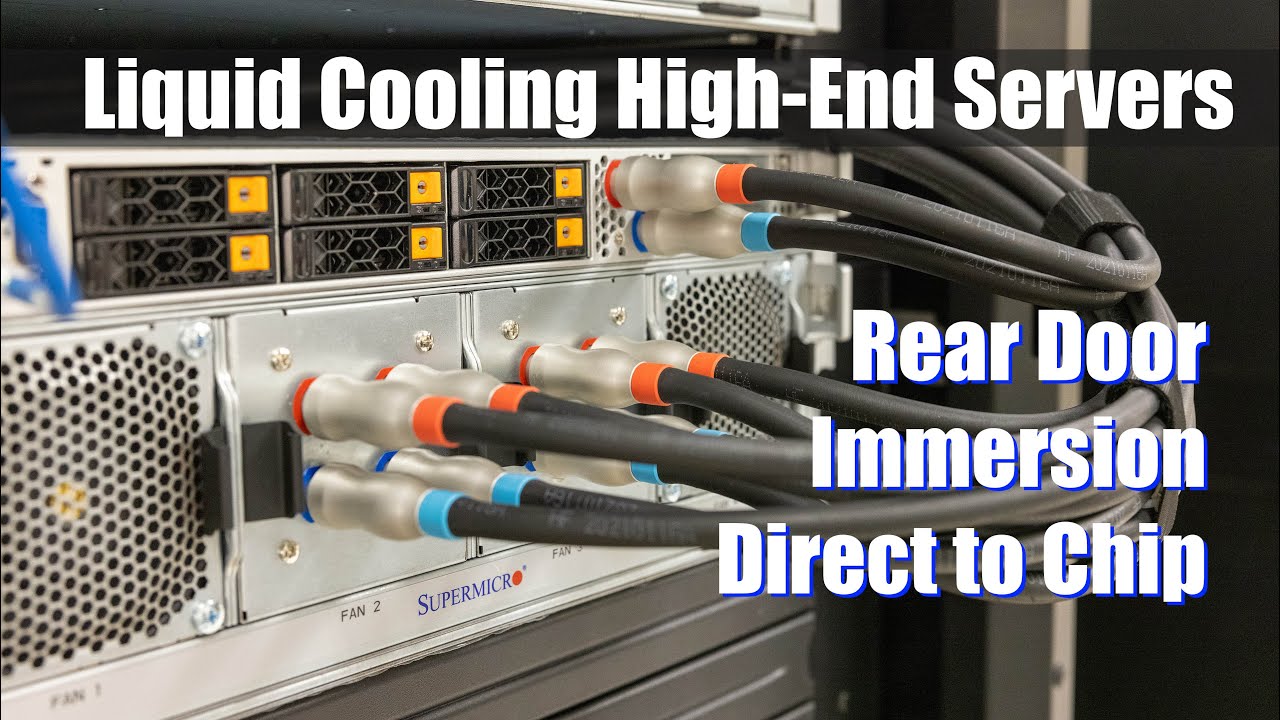
Main site article: https://www.servethehome.com/liquid-cooling-next-gen-servers-getting-hands-on-3-options-supermicro/
STH Merch on Spring: https://the-sth-merch-shop.myteespring.co/
STH Top 5 Weekly Newsletter: https://eepurl.com/dryM09
STH Forums: https://forums.servethehome.com/
We get into cooling next-gen servers. Specifically, with the he...
I need a NAS but never decided on one..
supple bane
could just build one for ultimate nerd 🤷♂️
quick locust
could
supple bane
cheap motherboard and cpu with onboard graphics, 8gb ram, 128gb boot drive and how much hdd space you want
quick locust
better than the synology spam that is here i guess