#technology
1 messages · Page 330 of 1
 opaque saddle
 wintry wadi
It’s sorta like the iPhoke 7 home button right
opaque saddle
But it had a haptic feedback that feels like a click
wintry wadi
I tried it in person
opaque saddle
Yeah
wintry wadi
Yeah it’s like the iPhone 7
It feels insane
I kinda want it just cuz of that tbh 🥵
opaque saddle
And the MacBook Pro that I have, the trackpad is still larger than my iPhone
wintry wadi
Haha
opaque saddle
And I didn’t plug in the mouse for general tasks, or even in creative works
wintry wadi
Ohhhhh wait
 modern gull
You guys still want mac's even tough there is so little software choises?
wintry wadi
That’s one thing
 quick locust
the 1400 usd macbook air beats my sisters 1500 huawei matebook so much its not even close lol
wintry wadi
What do you do with mice @opaque saddle
opaque saddle
For light gaming
opaque saddle
USB
opaque saddle
Nah I do have a decent desktop, I use a USB C to A adapter
wintry wadi
opaque saddle
Nah I do have a decent desktop, I use a USB C to A adapter
Ahhhhhhh ok
So I’d just need a female usb a to usb c adapter?
To use a mouse
opaque saddle
Apart from the power supply cable, I don’t plug in anything for the most of the time
You can choose a Bluetooth one
quick locust
I plug in ethernet most of time
wintry wadi
Eck
quick locust
and power
wintry wadi
Bluetooth doesn’t feel right for me when it comes to mice
opaque saddle
Or USB C MALE to USB A FEMALE
opaque saddle
Nah the mouse feels weird in macOS
wintry wadi
What’s weird
opaque saddle
Even the trackpad can do the job, as good as a mouse
 plucky dove
☠️BF4
quick locust
I pretty much only use trackpad on laptops, but i dont do any gaming or the like on them anyway
wintry wadi
I’d only use a mouse for gaming
modern gull
plucky dove
☠️BF4

quick locust
Desktop I got all wired periphials
opaque saddle
I have never seen people using a MacBook with a mouse for general tasks tbh
wintry wadi
Yeah
quick locust
I had wireless before but i dont want anymore
wintry wadi
My Logitech mouse has 3 year battery
I’ve used it since 9th grade
No batteries changed
plucky dove
My PC it windows 10 and GEFORCE 750 but as ll my Games lagg 100,000 ping and I try to fix it and also my INTERNET 5G

 latent light
Nvidia roadmap:
LoveLace on Samsung's 5nm node in 2H 2022, Hopper on TSMC's 5nm node in 2024.
 mild siren
5Ghz or 5G?
Because 5G is 5th Gen mobile internet
And 5Ghz is usually a local network that is better than 2.4Ghz ones
mild siren
plucky dove
My PC it windows 10 and GEFORCE 750 but as ll my Games lagg 100,000 ping and I t...
^
 tender horizon
 glossy plinth
modern gull
glossy plinth
modern gull
@wintry wadi Found this macbook on reddit. Maybe you should get one of these?  https://i.redd.it/id946ddi56761.png
wintry wadi
Hehe
 misty sapphire
mild siren
Because 5G is 5th Gen mobile internet
misty sapphire
mild siren
Because 5G is 5th Gen mobile internet
Try out wich is better
mild siren
misty sapphire
Try out wich is better
What?
 molten coral
Got the new 6800 and also upgraded my RAM
 proud trellis
very clean
proud trellis
hopefully get my ram tomorrow , is this right way to install it ...
unplug everything from my pc
then put my hand on my psu and turn on the psu switch at the back to remove static
then install ram and turn pc back on
 storm osprey
I usually just turn off pc, unplug psu, and touch metal and then work on pc
proud trellis
would it be fine to touch my psu then ?
like just put my hand on it for a few seconds and then change the ram
molten coral
I never really do anything special I just open my case and do stuff
Never had any issues
 coarse nimbus
can also unplug/turn off psu and then hold the power button down to discharge what power is left over
proud trellis
might do that yeah
just dont want to either break my pc or kill myself on christmas day
storm osprey
per jayztwocentz its stupid hard to mess up a computer
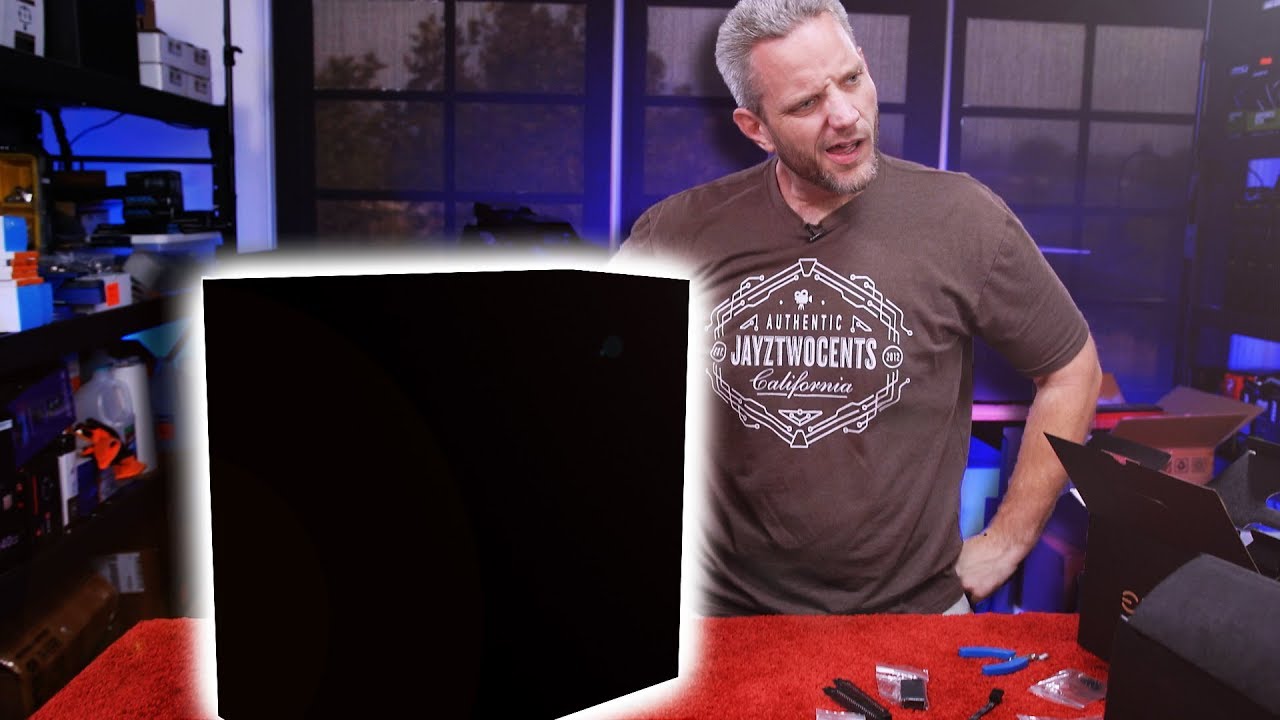
We built a computer wrong ON PURPOSE!
Learn more about NZXT BLD https://www.nzxt.com/bldnow
Get your JayzTwoCents T-Shirts and Hoodies Here! - https://crowdmade.com/collections/jayztwocents
○○○○○○ Items featured in this video available at Amazon ○○○○○○
► Amazon US - http://bit.ly/1meybOF
► Amazon UK - http://amzn.to/Zx813L
► Amazon Canada - ...
 fallen harbor
molten coral
Got the new 6800 and also upgraded my RAM
fallen harbor
molten coral
Got the new 6800 and also upgraded my RAM
lol
modern gull
Nacho havent seen those gpu's in ages. I remmeber having this https://www.techpowerup.com/gpu-specs/images/b/907-front.small.jpg
 weak girder
guys my external 1080p monitor feels blurry even though I set it up a my main monitor
however 144hz feels noticeably smoother
modern gull
proud trellis
hmm that ram in dual chanell?
or do you have like 4x sticks or only 2 ram slots?
proud trellis
only 2
modern gull
ah i see
proud trellis
hope a goes well when I turn it on tho lol
modern gull
Probably will
weak girder
I cant go back to 60hz now
modern gull
i mean you cant really fit wrong ram into those slots i am sure
weak girder
now I understand
proud trellis
60hz is trash
modern gull
weak girder
I cant go back to 60hz now
exactly why i dont buy 144 hz screen. i'd need all my games running at that lol
proud trellis
I remember when I changed to 144 I was like holy shit
modern gull
got 75 hz now tho. better motion compared 60 hz
weak girder
I still run rdr2 at 40 fps and it still feels ok
modern gull
They are staling for tension 
proud trellis
 supple bane
did it work? <@!779429414328074250>
supple bane
did it work? <@!779429414328074250>
Just turned it on right now
modern gull
proud trellis
Just turned it on right now
its alive!
proud trellis
it’s glowing so ig its working ?
proud trellis
nope
proud trellis
yeah
modern gull
nice
modern gull
the headset is new or the sound?
proud trellis
the headset
modern gull
hmm
modern gull
modern gull
also are you using onboard audio?
this
modern gull
that is if you plug audio plug into mother board. or case connector
modern gull
try different port
proud trellis
ok
modern gull
btw these sounds is the reason why i never really use onboard sound card
many times you get sounds like this from the mother board
last time i used onboard i remmeber i could hear the framerate of my gpu lol
 lofty light
So dodgy cables or ports on the front I guess
proud trellis
yeah
modern gull
probably
lofty light
Could also be interference from other cables if they're tied around each other internally
modern gull
porly isolated
lofty light
Oof, I'll have to send pics of my brother's but his would be way worse I'm sure 😛
proud trellis
lol
lofty light
He bought a mini PC Case and a water cooler, so crowded that the tubes are at a very dangerous angle
proud trellis
woah
modern gull
like bent tubes?
lofty light
Like bent water cooling tubes
modern gull
sounds risky
I recently upgraded my pc/case while waiting for my new gpu, i would like to share photo but i am not worthy. Does any of you who are worthy volunteer to assist?
lofty light
Dm me
modern gull
thanks alot!
 modern gull
new psu and new ram for now
lofty light
Noice as!
proud trellis
wont he get bubbles inside the AIO as the tubes arent at thew top ?
lofty light
Yeah we don't have any 3080s here but a bunch of 3070s so I get that
proud trellis
lofty light
As long as the radiator is above the CPU block that's what you want
modern gull
ya dont have to wait too long and its only 10-20 % increace in perfformance at 1080p so this will probably last a few years
lofty light
Otherwise you get the bubbles in the block
modern gull
proud trellis
Looks clean compared to mine
lofty light
Oh defs yeah will last
proud trellis
yeah
its better to have the tubes coming from the top because it stops trapped air i was told
lofty light
It's more you want the rad above the block is all
The bad thing is if you get air in the pump it'll be VERY loud and rattly and can burn out the pump
modern gull
oooooouuuu
lofty light
But it's very obvious so as long as you're aware it's easy to get around
 i will fix that asap
lofty light
i will fix that asap
lofty light
👍
modern gull
hmm i think the reason why i put it this way was cause the tubes got bent to much for my taste.
as you see on the photo the block inst even the correct way lol.
lofty light
Yeah the rad is the right way up
modern gull
so i just need to rotate the block you mean then?
lofty light
You want the tubes at the bottom, but I think the block having the tubes on the side at least should be preferable
Ye
modern gull
ah i see i'll just rotate the block later then.
btw what specs you guys got? Mine is
CPU: I7-8700k
RAM: 32gb "2x 16gb" 2666mhz ddr4
GPU: Soon to be 3070
Storage: 1x 1TB M.2 1x 2TB HDD 7200 rpm
proud trellis
i have a prebuilt lol
modern gull
proud trellis
i have a prebuilt lol
Ah i see, but still what specs you got?
proud trellis
its in
i5-9400f
1660super
and now my 16gb ram 
weak girder
its ok
proud trellis
its my first ever proper gaming pc
modern gull
gz
weak girder
but prebuilts often have thermal throttling
and they overcharge
always better tp build it yourself
modern gull
btw you should make your own next, its alot of fun
proud trellis
i did get an AIO for the cpu as it had a stock intel cooler
modern gull
weak girder
but prebuilts often have thermal throttling
really?
modern gull
doubt ice's is throttled
proud trellis
well
modern gull
proud trellis
im defo making my own one
Highly reccomended
weak girder
modern gull
really?
yeah, one was even rated 4.3 stars on amazon and it had fake reviews and horrible thermal throttling
modern gull
weak girder
yeah, one was even rated 4.3 stars on amazon and it had fake reviews and horribl...
lol
proud trellis
i keep my side pannel off as when idle my temps can reach 40 degrees
modern gull
proud trellis
ice's pc
doubt they throttle that
btw ICE your gpu looks like a beast lol
proud trellis
do u think
modern gull
mhm
weak girder
I'm still waiting for the 3050 ti
modern gull
Seb this is more like custom made pre built pc if that makes sense
weak girder
they can actually build it for you at a comp centre
you just tell them what you want in it
modern gull
meh i am waiting too for the 3070, i originaly ordered 3080 but i saw 3070 avalible. i got comfirmed date and all now they removed comfirmed date for some sad reason
proud trellis
tbh i would do that if i ever felt that worried
i wouldnt mind paying the labour
costs
proud trellis
jeez
modern gull
you should still build your own pc. look at it like building a car from nothing, but much easier if you into that. or feel like pc entusiast.
weak girder
yeah cause my friend got 1x16gb ram because he knows nothing of pc's and I actually told him what to get with his budget
modern gull
maybe they bake price into components
modern gull
proud trellis
1x16 is bad ?
in some games as i have learned, gpu might not be used 100%
i mean single chanell and not dual channel
weak girder
I was kinda mad with the pc centre since they got tons of rgb fans and ram and got him 1x16gb ram
*they put rgb ram and fans in his pc
priorities are upside down
modern gull
But everything with rgb or called gamer its best
modern gull
funny thing is i avoid buying stuff that is branded as gamer. its sus for me
ah i see
proud trellis
i mean in all fairness
i wouldnt mind paying like an extra 50 pound on RGB things
because it looks nice
weak girder
yeah but...
1x16...
modern gull
lol
weak girder
my 144hz monitor had gaming in it
but it was an acer
I trust acer
and it has really nice colors
weak girder
really
modern gull
yep
weak girder
every gaming headphone has gaming in it lol
modern gull
all the ones i tried have really low quality
modern gull
i dont buy gaming head phones too low quality in my experience
modern gull
i am pretty sure razer is one of them i tried. But if you are happy thats the most important thing isnt it?
weak girder
me too
modern gull
got steel series mouse/kb
proud trellis
might change my mouse next year tho
weak girder
their shop is really accessible where I live
proud trellis
i want to get the G502 next christmas
modern gull
didnt like the fact you had to make account to adjust your stuff
its a damn joke lol
weak girder
Im happy they havesoftware to adjust stuff
proud trellis
ikr
weak girder
synapse is the bomb
weak girder
its really easy to configure stuff
modern gull
steel series does too, you dont need to make account. why would you force people to make account lol
damn tracking stuff
proud trellis
it took me about 10 seconds to make an account
weak girder
yeah
modern gull
proud trellis
i want to get the G502 next christmas
wireless is sus, wont there be delay?
proud trellis
there is one that isnt wireless
modern gull
ah
proud trellis
i dont like wireless products
proud trellis
the charging bit would piss me off
proud trellis
ur there running round on BF and then it stops because it needs charging
modern gull
rip 😭
proud trellis
i would be throwing it off the wall more then i use it for gaming
weak girder
all my stuff is wired as well
modern gull
i dont thing most gamers use wireless stuff, i mean at what point dont they sitt and game infront of their desk?
weak girder
but razers rgb looks really good whereas some other companies lookd really chea0
modern gull
this would be only wireless thing i'd buy for a pc
proud trellis
the one place i dont like for peripherals is corsair
i only get tech and their mouse mats from corsair
modern gull
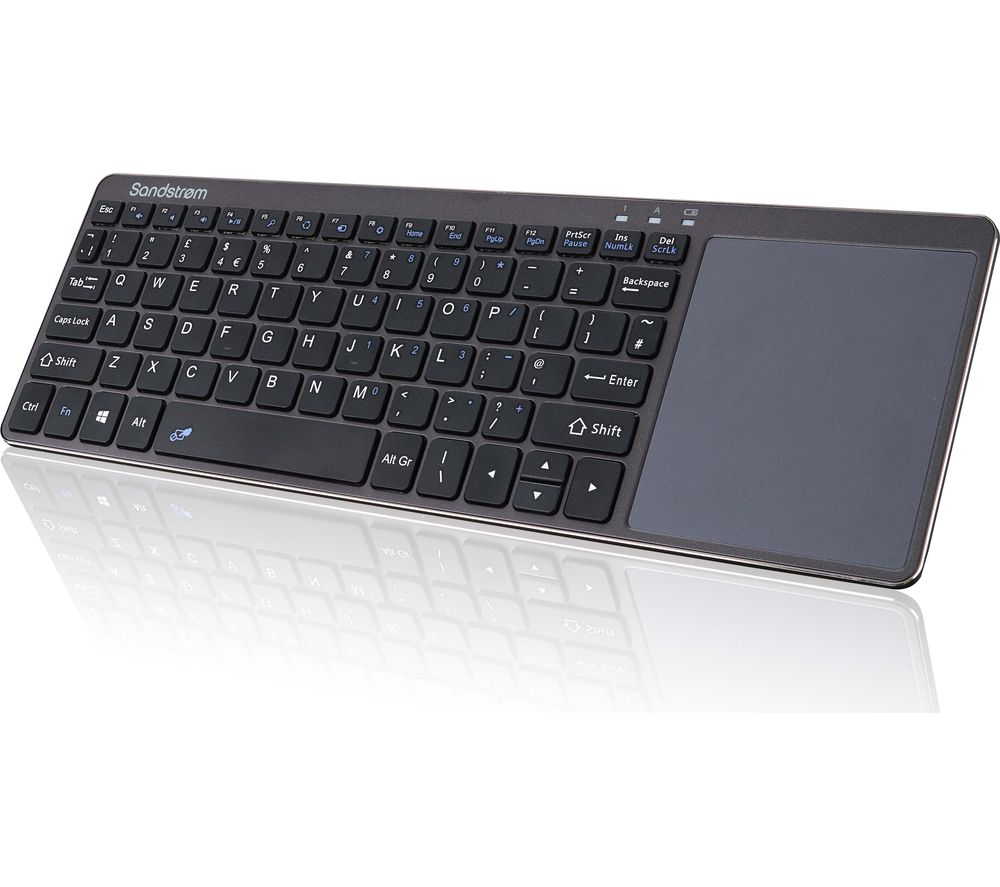
did you guys see that keyboard?
weak girder
one of my friends has a laptop with a really stylish setup
no wires in sight and very thin bezels
proud trellis
which one klik ?
modern gull
the link i sent
proud trellis
ohh
weak girder
modern gull
did you guys see that keyboard?
it looks like an office keyboard imo
modern gull
but i mean the only point i would use wireless is if i example hooked pc up to tv or something and was in the couch. this would be perfect
modern gull
proud trellis
there u go klik
thanks!
weak girder
they put some wierd shit where the num pads supposed to go
weak girder
modern gull
but i mean the only point i would use wireless is if i example hooked pc up to t...
or a really transportable keyboard
a wireless mouse is always good to have as well for traveling
modern gull
weak girder
or a really transportable keyboard
but depends on distance from pc to couch tho in that case
ya its convinient i guess
but i dont mind getting up and changing movie/episode on my pc so dont really need this kb
weak girder
@modern gull get a 144hz monitor when you get that 3070
modern gull
never
lol
i would be addicted to 144 fps no joke
you know how smooth and sexy 144 hz is
weak girder
most noticeably game is mc
modern gull
man just tried it on my friends pc on desktop lol
modern gull
this is my limit or i might need to use ALOT of money on gpu
weak girder
144 is just smooch
modern gull
but i need to goo now sorry 😭 nice chatting. maybe we can countinue later?
modern gull
weak girder
144 is just smooch
MHM
weak girder
👌
modern gull
see you later man merry christmas
weak girder
merry christmas to you
fallen harbor
did you try removing the drive youve been using and trying one of the others?
proud trellis
yeah ik
fallen harbor
only the one you have the game or windows in could be faulty
fallen harbor
id try completely removing the one you have windows in and install windows in one ofthe others and see how that goes
proud trellis
but then it will be on a hardrive my windows
fallen harbor
yes but if the problem persists then it would prove that the problem isnt in the drives
itd be a test
proud trellis
i cba with this pc anymore
i just want to send it back for refund but the little shits wont let me
modern gull
proud trellis
my BFV runs just as shit
How is it running shit? fps or lag spikes etc...?
modern gull
hmm
fallen harbor
as if he was running it on a shitty pc from 2010
despite having a well capable i5 9400f and 1660s
modern gull
i had some issue myself like this but i changed settings in menu
like alot of stutter
hmm but i dont remmeber the setting i changed
maybe it could be future frame rendering or vsync/limiter. like i said tho i dont remmeber what caused the stuttering for me.
fallen harbor
those two cant cause that much
he literally cant play it
i dont think its a settings problem for him
modern gull
future frame rendering can cause stuttering, i do think that might have been the setting i adjusted to fix
fallen harbor
future frame rendering adds input lag, not unplayable visual stuttering
modern gull
i wanted less input lag i turn that of, then visual stuttering
fallen harbor
what
modern gull
i7-8700k 1070
i am 100% sure that was the setting i adjusted
and it was unplayable yes with it off
fallen harbor
id say the setting you adjusted was scale resolution which was probably highly above 100%
modern gull
but it was not
fallen harbor
smh
 modern gull
tf is this lag lol
tought it was small stuttering this is like more than stuttering lol
fallen harbor
as ive been saying since months ago it must be a drive issue
modern gull
could be in this case
fallen harbor
he showed how it reaches 100% of usage when it shouldnt at all
modern gull
100% usage on what?
fallen harbor
on other applications or maybe because it came faulty
he did have a lot of running applications in the background though
weird apps
modern gull
modern gull
100% usage on what?
component
fallen harbor
but yeah everyone in this server told him its because he needed dual channel despite what ive been saying and they made him lose money
fallen harbor
modern gull
component
the drive
modern gull
this is not ram issue it seems
opaque saddle
looks like bottlenecking
modern gull
fallen harbor
the drive
woah that makes sense then
fallen harbor
see how they still ignore what i say lmao
modern gull
he could set graphics to low and test if it helps
opaque saddle
then show the usage on screen
fallen harbor
i got into his pc and his drive hit 100% usage while playing and that always causes this type of stutter
modern gull
but if his hdd 100% usage thats highly likley the issue
fallen harbor
he also has sent screenshots of it
his drive either came faulty or he fucked somethig up
modern gull
he got hdd from the 70's or something lol?
opaque saddle
what he needs, is to show us the gameplay and the stats at the same time
fallen harbor
he showed that to me months ago
modern gull
opaque saddle
what he needs, is to show us the gameplay and the stats at the same time
High chance HDD in this case
modern gull
its at 100% usage that is the first thing to eliminate in the first place anyways. he got decent cpu/gpu now new ram
proud trellis
i did want to get ram anyway tho
opaque saddle
actually if he tuned the graphics to too high then something will cap at 100%, can be the hdd is too slow for the in game settings
proud trellis
because i had to close pretty much everything and even leave DC calls because i had 8gb
opaque saddle
it happened to me when i play Forza Horizon 4
modern gull
maybe he could try low settings
opaque saddle
unless your ram usage is over 8gb
modern gull
he has 16gb
modern gull
@proud trellis check if your HDD usage is still 100% while playing now
As ando said you had 100% HDD usage, and this is then the most likley cause i'd say.
modern gull
hmm strange. i am sure you should notice hdd issues there pretty easy. best thing you could do is figure usage of all components i suppose.
you have all 16 gb ram avalible right?
if it hits max ram it needs to use HDD as ram and then that stuff in the video probably would happend
proud trellis
i have 16gb in the computer
modern gull
But does it show 16gb in windows?
proud trellis
yes
proud trellis
i will in like 10 mins if u can ?
modern gull
sure just tell me when you avalible
proud trellis
ok
modern gull
i'll be in general 1
proud trellis
i will join in a min
modern gull
@proud trellis from what i saw its your cpu. stop unwanted programs etc.. try and reduce cpu usage as much as possible
latent light
Honestly gotta figure out where I can put some 50-60mm fans
coarse nimbus
How many DBs do you want this case to be?
Yes


 surreal arch
Can’t post pics but just got a series X
 near flame
I need some external space for rdr2 any suggestions on hood external hard drives for Xbox?
 covert gull
Is there any support guy here? Im facing infinite loading screen before " Fraternité Ou La Mort " in HARDCORE mode .
covert gull
that's crazy
surreal arch
near flame
I need some external space for rdr2 any suggestions on hood external hard drives...
Any do, just 1 terabyte
near flame
@surreal arch is 500g better? I don’t need more than 1TB
surreal arch
near flame
<@!701095431320502293> is 500g better? I don’t need more than 1TB
I find myself running out with 500
near flame
surreal arch
I find myself running out with 500
Oh good point .... any good brands ?
surreal arch
near flame
Oh good point .... any good brands ?
None really. Just type in “Xbox 1 terabyte hard drive”
near flame
Ok thanks
surreal arch
Yep
 stoic delta
Why does my mic pick up all the pc sounds and my friends can hear Its really annoying
surreal arch
Turn down your mic @stoic delta
stoic delta
The problem is even at 10% they can hear themselfs and everything i do
molten coral
@stoic delta Download Nvidia broadcast
It has a option to remove all background noise etc
weak girder
proud trellis
anything that can cause a CPU to go to 100%
yeah... sorry, we tried yesterday, I think only finding this specific issue on google or asking a professional can help you
and try to detect any malfare if you didnt do it already
weak girder
and dont forget to uograde your psu and motherboard
 digital condor
How big is battlefield 1 on steam?
 iron fable
81gb
weak girder
60
weak girder
probably
 floral cedar
what is bottlenecking
I have a 9th gen i5 and an rtx 2060 in my laptop. The laptop gets quite hot while playing games as all laptops do but the cpu on average is a little bit warmer than the gpu. Should I be worried about bottlenecking?
 stuck elbow
what graphic settings to disable for best gameplay(not performance),i already have performance
but gameplay,like spotting enemies easier
floral cedar
there’s settings for that?
weak girder
you are confusing bottlenecking and overheating
a bottleneck is when a cpu is limited by the gpu or the gpu is limited by the cpu
because one component is a lot weaker than the other
opaque saddle
can be apply to storage and ram as well
weak girder
a rtx 2060 and 9th gen i5 wont bottleneck
actually, maybe a laptop cpu can bottleneck
since theyre a lot weaker tham their dekstop counterparts
opaque saddle
in this case, unless it overheated and the system limited the components speed to reduce the heat generated
then it can cause bottlenecking
opaque saddle
it works for a bit
not quite
for my laptop, i tends to shut down Turbo Boost to reduce the heat generated from cpu
so it increases 3-5 hours of battery life in general tasks
weak girder
I dont know much about gaming laptops
arent they a bit heavy?
opaque saddle
can be, they can be slim
weak girder
my friend has a razer blade 15 and it sucks when its not charging apparently
and its an rtx 2060 i7 10th gen laptop
opaque saddle
if the gaming laptop is slightly thicker than macbook pro, i will be curious what is under the hood
if it uses more than the power supply can provided (for example, like USB-C brick + cable can do 100w, but the laptop uses 110w,)
then the battery wont be charging
instead, the computer will use 110w from both battery and the USB-C power supply)
gaming laptop is meant for portability but to compensate the performance, which comes with a more expensive price tag
 cunning zephyr
Yo I got a cool bt speaker for Christmas
opaque saddle
Congrats
cunning zephyr
It lights up and has good sound quality
weak girder
good for you
My speakers have good sound quality too, so I like using them instead of wearing headphones
cunning zephyr
I use it on my phone since its not a computer one, and sadly I don't have a computer
modern gull
proud trellis
anything that can cause a CPU to go to 100%
did you try switching between fullscreen, windowed or borderless? might not make sense but might work who knows. Try future frame rendering on/off and enable DX12 see if that could help. Anyways the best thing you could do is find the settings that cause the least stuttering, many people with really good pc's have this same issue.
modern gull
weak girder
and dont forget to uograde your psu and motherboard
His cpu/psu should be well enough i am sure. no signs his psu was to weak i'd say
weak girder
uhhhhhhhhh, a 450 watt psu is not related to cpu usage but its too weak for his system
he has a 1660super and i5 9400f
so his psu is barely enough
modern gull
But the 1660 super has 450 as reccomended psu tho?
I am pretty sure this watt recomendation is including cpu
and i5 9400f max power draw is 65 watts.
should be more than enough i'd say, he dont really have any sypthoms of to weak psu also.
weak girder
no
but it's always good to get a psu that has more power than your system needs if you ever want to upgrade
and he should upgrade his gpu if he has the money because of his 1440p monitor
and like @vapid vale said, his cpu is a bit strong for his gpu
proud trellis
I think discord is a bit of the issue
because it’s taking up about 5-10% when I’m playing COD with friends
I’m gonna scan for malware too when I get on
modern gull
weak girder
but it's always good to get a psu that has more power than your system needs if ...
Very true, but its recomendation. I havent had any issues psu wise following nvidia's psu recomendation. even if i did some overclocking. Its not like its minimum required PSU they stating.
weak girder
no, I just recommended him to upgrade his psu if that wasnt clear
it has nothing to do with cpu usage
proud trellis
if the psu isn’t ever enough and the system starts shutting off then I can contact the company for them to either get a higher watt psu in the system or they give me another 450 non falty psu
modern gull
proud trellis
if the psu isn’t ever enough and the system starts shutting off then I can conta...
if system shuts of during load its probably too weak
weak girder
yeah
proud trellis
my pc has never shut off
weak girder
but if your cpu usage still is always at 100% just do a clean reinstall of windows
modern gull
that could work. but i think its issue with the game tho to be honest
modern gull
i didnt have any issues myself. and there was ppl with my same cpu that had this exact issue
weak girder
and his cpu is well above the recommended
modern gull
ya he shouldnt realy have this issue
weak girder
could be malware eating up his cpu
proud trellis
I’m gonna search for malware
modern gull
who knows maybe
modern gull
hmm perhaps
proud trellis
Reinstalling windows is the last thing I’m doing
weak girder
yeah
modern gull
malaware these days probably bit coin miners anyways
weak girder
I understand
modern gull
ya that a hassle but try as much stuff you can.
modern gull
weak girder
really
virus and stuff. and only probably not stating facts, know little about what viruses does, but that would be beneficial to those who made the virues
so probably that idk
weak girder
oh wait @proud trellis try testing each of your componants in benchmarks
especially your cpu
weak girder
no he said bf1 too
weak girder
but then except cod he doesnt have really demanding games
modern gull
i didnt have hyper threading at one point in bf1 it was high but not constant 100%
ya so i'd assume myself
proud trellis
modern gull
but ice isnt it only bf5 that is the issue?
CW runs fine tho and that’s on 100% cpu usage
modern gull
thats good atleast
weak girder
ok so that not just a bf issue
modern gull
apparently not
but ice did you try the different fullscreen modes?
i know it makes no sense, but you never know before you tried 😛
proud trellis
when I used task manager I was in windowed and it was still high usage
I’m gonna try a virus/malware scan
modern gull
ok
weak girder
but where could the virus come from if you didnt download anything?
does someone use your pc?
modern gull
@weak girder @proud trellis Are you guys avalible for vc? maybe we could go there.
 stone ermine
Is it normal for my battlefield V games to close after 10sec?
weak girder
uhm no
modern gull
modern gull
stone ermine
I could play before but not anymore
Did you do any changes recently to your system?
stone ermine
no
modern gull

stone ermine
Thursday I was playing
modern gull
hmm strange. i dont know what it could be tho 😦
stone ermine
but when I close the window the game starts and when I click on it it closes
Sorry if i write badly i am french
modern gull
Really strange. Its fine your english is good.
stone ermine
horse of three?
virus
but I don't think I saw that I did an analysis
@modern gull ?
Did you see me streaming to show you?
modern gull
Probably not virus i'd say. I dont really what could cause this issue tho sorry 😦 maybe someone else would know.
modern gull
can you hear us?
stone ermine
maybe it is the origin server?
weak girder
can you hear us?
modern gull
lol. Do you get any messages when the game closes?
stone ermine
no
modern gull
hmmm
weak girder
one sec, my friend had a fix for this let me just speak to him
stone ermine
loading freezes and games close
weak girder
it used to work for you before?
stone ermine
okay
weak girder
right
stone ermine
can we talk about depriving it so that I can stream?
weak girder
I dont understand
stone ermine
discord stream
modern gull
@stone ermine Try to start after the game after is fully downloaded.
stone ermine
When we reduce the window its walking and after its crash
why yesterday morning i could play
modern gull
It might work after the game is fully downloaded
weak girder
Im coming back in 1 sec
modern gull
no worries take your time man
better if you help him since you speak french anyways 😛
stone ermine
okay
latent light

The new variant of Acer's Nitro 5 has an AMD Ryzen 7 5800H CPU and Nvidia GeForce RTX 3080 mobile GPU. However, neither of those parts officially exist yet. Oops.
 chrome skiff
The Asus bios update just came out for x470. Full fledge 5000 series cpu support pcie gen 4 and bar/sam
Update 4007
 strong breach
Oh right here do be my pc now
Cant cable manage the cables going to the rtx
Literally cant hide them
coarse nimbus
How much cooler do you want? "Yes"
strong breach
Lul
Look at that clearance on the gpu and cpu cooler though
Couldnt fit it to the PCI-E below because of the junk HDD
so that was the only option
Removing the RTX 3080 from the PCI-E slot will be hard if i ever need to do that
fallen harbor
strong breach
Oh right here do be my pc now
i thought those fans were duct tapes for a second
 zenith turret
on bfv is it better to use dx11 or 12?
with 12 I get 272.1fps on average which is solid, but my 0.1% lows are 41.7 and 1% lows at 99.3
storm osprey
One is smoother one gets more FPS, generally speaking. 12 getting more FPS
zenith turret
storm osprey
One is smoother one gets more FPS, generally speaking. 12 getting more FPS
what should I expect with dx11?
weak girder
you should go with dx 11 cause its a lot more stable
your framerate will be much more consistent than dx12
depending on your system, dx12 can give you more fps but also a lot more suttering
modern gull
Ya most of the time dx11 should give you more fps. Only time i have seen benefit from dx12 is in certain games when there ALOT of objects/stuff on the screen. From what i have understood dx12 is supposed to provide better performance, but maybe this is true in certain scenarios.
weak girder
bf has a lot of troubles with dx12
it really depends on the games
but I think vulkan should have been better for battlefield V :/
modern gull
I suppose, but dx11 had better performance for me compared to dx12 in most games.
Dont really know much about vulkan to be honest. Wasnt this made to give mobiles better performance in games?
weak girder
no not for mobile...
it reduces a lot the need for ram usage and its really good for rendering lighting
and thats why rdr2 uses vulkan
it also limits a lot the amount of errors
it increases gpu usage and reduces cpu usage
weak girder
yeah
they should make it an option
but not a lot of game have vulkan except rdr2 which is litteraly perfect for that api
modern gull
I am pretty sure rainbow six siege uses vulkan i am not 100% sure tho.
storm osprey
idk any system that doesnt get more fps with dx 12 on bfv, but everyone also says its stuttery
 twilit silo
ight boys
twilit silo
intel vs ryzen
 prime jasper
14nm is reaching its limit
 hollow fulcrum
yea in my opinion ryzen is way to go
bun if you are rich then just bought intel lol
but*
twilit silo
what about like video editing
hollow fulcrum
man video editing?ryzen man
prime jasper
amd cpu+nvidia card
prime jasper
dont ever listen to quicksync bs
twilit silo
OH what about the ryzen 9?
hollow fulcrum
man just buy 5600x you will be happy
prime jasper
nah its not worth it right now
hollow fulcrum
twilit silo
OH what about the ryzen 9?
it is not worth it just for gaming only
prime jasper
actually 5900x is only suitable for rendering
twilit silo
like i wanna do both
hollow fulcrum
yea
twilit silo
like when does the cpu become a bottle neck
hollow fulcrum
actually the cost is depends on your country
prime jasper
rarely, since the new ryzen cpu's ipc is so high
it only bottleneck if there is more thresehold in single core, happening in badly optimized app
prime jasper
just wait for rtx 3060, it worth the shot
hollow fulcrum
if you have more budget i rec you to 3060 much worth it
prime jasper
2060 is kinda old at this point, and it still 400 dollars
hollow fulcrum
yea
hollow fulcrum
with a 16 gb or 32 gb of ram
hollow fulcrum
talk to my rx580 hahah
hollow fulcrum
mobo is too much
hollow fulcrum
depends on the price tag and feutures
prime jasper
gpu mostly
twilit silo
oh
prime jasper
you want to get to that sweet 4k 90hz
hollow fulcrum
what is the best mobo rn?
hollow fulcrum
yea b550
twilit silo
ok i should write prices down
hollow fulcrum
what macnufacturer is the best one?
twilit silo
give me a sec
prime jasper
asrock and msi
hollow fulcrum
heard rec from yt that msi is good one
prime jasper
asus boards are good but they have the worst warranty policy
hollow fulcrum
hermm what do you think homing?
prime jasper
5600x+b550 ax
prime jasper
10700 could be an option if it doesn't require a fricking z490
twilit silo
a what
hollow fulcrum
nono 5600x is ryzen 7 right?
twilit silo
lemme look it up
storm osprey
dont buy by brands
twilit silo
y
storm osprey
i will go against that train of thought and say that ive noticed more bad asrock boards than good
you buy by model and price at the time
hollow fulcrum
yea I rec msi actually
storm osprey
theres few brands that i would generally say to buy
twilit silo
so what mother board should we agree on
prime jasper
b550 tomahawk pro
hollow fulcrum
that the beast
prime jasper
no just tomahawk
storm osprey
also, 10700k is only 20 bucks more than a 5600x
prime jasper
yes but it require a fking fan, and a decent z490 board
prime jasper
and also it ran ways hotter
twilit silo
unless i can splurge water cooling
storm osprey
5800x requires a fan too
twilit silo
get like those basic kits
storm osprey
a decent z490 board is the same price as a decent b550 mb
prime jasper
5600x
twilit silo
but will it affect gaming?
prime jasper
you can use a bios updated b450 for 5600x
storm osprey
you dont need a water cooler, there are 80 dollar AIO coolers that work just fine (im using a 10700k)
storm osprey
5600x is generally better for gaming
prime jasper
b450 tomahawk max is about 160 aud
storm osprey
especially for esport titles like csgo/valorant, but just a little ahead in other titles (at 1080p)
twilit silo
im not gonna be editing 24/7 its only for school
prime jasper
which is a killer deal since how much it performs
storm osprey
oh in that case yea try for 5600x
twilit silo
so no intel
prime jasper
so i think b450 tomahawk max and 5600x maybe
hollow fulcrum
aight you guys help him gonna play bf1
twilit silo
ight see then have fun
storm osprey
well depending on budget a 10400 is probably a good place to start
 silent oasisBOT
- What's your budget/currency and country of purchase? Any preferred physical/online shops?
- Gaming? Streaming? What's your resolution/FPS targets? What games are you playing?
- Not gaming or professional/hobby use cases? What are the applications you will use and workload involved? Kindly elaborate as much as possible.
- What else do you need to buy? (monitor, keyboard, mouse, headset, speakers, Windows, WiFi)
- Anything else you want to tell us? RGB, Small Form Factor, already have a part list? Tell us!
- If you have a build list and are looking for a second opinion or are upgrading an existing system, please have a PCPartPicker permalink for it (https://pcpartpicker.com/list)
twilit silo
uh
hollow fulcrum
storm osprey
well depending on budget a 10400 is probably a good place to start
and sorry if i am assuming your gender...no offence
prime jasper
oh yea forgot about the 10400f
twilit silo
me?
hollow fulcrum
yea
storm osprey
10400/f is normally around 160 now
storm osprey
but 1500k budget is reaally healthy
twilit silo
bet
prime jasper
but do note that you can pull a 5800x+3070 with that amount
storm osprey
5800x not worth
twilit silo
oh yeah lemme look that 3070
storm osprey
5800x comparable to 10700k but 130 bucks more
only real benefit to 5800x is less power consumption
prime jasper
but 10700k have lower ipc
storm osprey
which.. wow you save 10 bucks a year
storm osprey
5800x is like 5% faster than 10700k at 1080p... thats not worth an extra 130 bucks
twilit silo
i gotta write somethingdown
twilit silo
ok so i bump up to a ryzen 5 5800x
prime jasper
since my 8600 is showing its age right now
storm osprey
if the only use for more cores is rendering for school i wouldnt spend an extra 150 on top of a 5600x
or an extra 130 on top of a 10700k
storm osprey
gaming performance difference between 5600x and 5800x is going to be extremely marginal
prime jasper
welp i just ordered 5800x
twilit silo
so 5800
storm osprey
the only pro to 5800x is that it has 2 more cores which helps to render faster
generally speaking since idk what youre rendering
storm osprey
i dont think its worth another 150 bucks but you do have a healthy budget
prime jasper
yea the thing is amd have margin their high end processors perf really bad
twilit silo
with what board too
prime jasper
what country you are living at
twilit silo
us of a
storm osprey

Our benchmark and review of the AMD R7 5800X CPU looks at its performance versus the AMD R5 5600X, R9 5900X, R9 5950X, and Intel competition. This one is the shortest of the new reviews.
Sponsor: Arctic's Liquid Freezer II 280 on Amazon (https://geni.us/RJBy) or the P12 fans on Amazon (https://geni.us/CRzG8)
Our Wireframe Desk-Sized Mouse Mats ...
i have it timestamped
storm osprey
basically, 5600x covers needs and is cheaper
storm osprey
5800x will save some time when you decide to render, but if its only for school i wouldnt bother
storm osprey
theres some "future proofing" in getting a 5800x, but amd supports their boards for a few gens so theres that
prime jasper
remember that the board should be b450 tomahawk max, not the overpriced b550 tomahawk
storm osprey
plus 5600x comes with cooler, youd probably drop another 50 bucks into a cpu cooler with a 5800x
so 5600x vs 5800x is really a 200 dollar price difference
prime jasper
b550 tomahawk is 200 usd rn, not worth it
twilit silo
whats the diffrence
storm osprey
do you need extra pcie slots?
prime jasper
they have the same vrm performance, but b550 is ways more expensive
with kinda cherry on the top
twilit silo
not really i dont see me using more than one gpu
storm osprey
well you can go micro atx and save money there too
twilit silo
does it have any cons
prime jasper
you can pretty much fit it any where
storm osprey
mico boards only real cons are less pcie slots
twilit silo
i forgot
any like case that is good
ima stick to the msi b450
and go micro if it goes above the 1500 mark
twilit silo
wym
prime jasper
welp lemme use the pcpart rea quick
storm osprey
16 is enough unless youre rendering programs really need more
twilit silo
any specific type of ram
storm osprey
wait.. when do you plan on building?
twilit silo
about 2 months
ima save my pay checks
since i get payed 900 every 2 weeks
so in 2 moths i can have more than enough
storm osprey
well, tbh making a list now is really just a ballpark guide
prices change so often and theres sales too
prime jasper
student>
twilit silo
3070
storm osprey
400 msrp
twilit silo
ok round up to 450
twilit silo
hmm
storm osprey
yea i lied
twilit silo
oh ye
storm osprey
3070 is 500, 3060 ti is 400
twilit silo
so 550
storm osprey
what resolution and hz you gaming at?
unless youre doing 1080p240hz or 1440p 144hz i would get a 3060 ti
granted, in 2 months i can almost guarantee the gpu market will have changed
twilit silo
ima stick to my old monitor and then get a new one
like a good one
so ima stick to the 3070
storm osprey
prime jasper
 west radish
Help my phone isnt producing any sound unless i wear airpods
prime jasper
well thats the best of every parts
west radish
The volume is full
twilit silo
so i meet the budget
i dont even need an ssd since my current pc has some samsung one
storm osprey
told you it would be easy
storm osprey
its your build
twilit silo
like does the case matter?
storm osprey
you can ignore everything that went on here and do what you want
prime jasper
cases with best airflow
twilit silo
pretty good base line
storm osprey
main point is physical clearances and thermals
prime jasper
and no annoying sharp edges
storm osprey
meh, most people are in their pcs once a year at best
even budget options avoid that problem too
twilit silo
ye i saw
storm osprey
lian li 215 is just a killer stock budget case
prime jasper
welp i just dont care about airflow that much
twilit silo
so with the budget of 1300
prime jasper
i just go straight for nzxt case since they look clean
prime jasper
water cooling is kinda useless
twilit silo
its quiet
prime jasper
for cheap budget you can only get aio
twilit silo
so the case you put is good for temp
prime jasper
ehh didnt know h510 is that bad in airflow
storm osprey
h510 has a solid front
prime jasper
but it looks clean, i would trade it off for 2-3 celcius
storm osprey
thats like 10 celcius on cpu though
twilit silo
oh fr
zenith turret
@weak girder thanks for the advice, this is what I was getting with DX12 I'll try DX11 out. Thanks! https://cdn.discordapp.com/attachments/607916635612905472/792678969585041439/unknown.png
