#technology
1 messages · Page 2 of 1
 lofty light
lofty light
lofty light
Oh fair enough, didn't recognise that interface from steam desktop
 modern gull

 short pawn
Hello your computer has virus
 tame mural
microsoft tech support moment
 frozen fractal
what cpu you have?
 silk linden
anyone think upgrading cpu and mobo for alder lake cpu is worth it if i currently have an i7 10th (https://pcpartpicker.com/user/Echology/saved/GXKRVn)
Or, should I wait till new CPUs come out, and then upgrade mobo and cpu once i have a better idea of what is available
Current PC - Intel Core i7-10700F, GeForce RTX 3070, Asus TUF Gaming GT301 ATX Mid Tower
 toxic wigeon
Do you intend on upgrading to DDR5? @silk linden
Or would you rather not.
If you transfer DDR4 and use an i7 13700, You will be bottlenecked. At that point you may as well get DDR5.
silk linden
i mean right now i dont see the benefit to ddr5, it just seems expensive, but i am open to new ideas on that front as I haven't really researched it myself
so, i would be open to upgrading to it, especially if im gonna be getting a new mobo eventually, to get a new cpu, so i would be interested in upgrading
toxic wigeon
Yeah that's fair.
silk linden
if its gonna be a bottleneck, i should upgrade
silk linden
@toxic wigeon do you think, when I do upgrade, that I should upgrade my ram to ddr5, as well as upgrade my cpu?
if so, what cpu would you think would be appropriate? Should I go for 13k, or wait till new cpus come out, like the Ryzen 7000x or 13th gen
toxic wigeon
The 13700 is the 13th gen.
toxic wigeon
What I think you should do is indeed get Raptor lake with DDR5. It'll be a big bump up in power yeah.
silk linden
ok
toxic wigeon
Wait for more opinions on the matter too.
silk linden
indeed, I will judge more clearly when they are more tested and more information is known
thank you
toxic wigeon
No worries.
When its out. There'll be official reviews on it too.
So you can use that as well for a basis.
silk linden
sounds good
 dusky nest
technology
short pawn
how do i get Stereo mix back
it dissapeared after uninstall and reinstalling razer 7.1 surround sound software
 dry pike
Having problems with your Razer peripherals? Contact Razer Support or learn more about support topics that will help you with your Razer products.
short pawn
dry pike
https://support.razer.com
Got nothin
 pale quartz
silk linden
anyone think upgrading cpu and mobo for alder lake cpu is worth it if i currentl...
pale quartz
silk linden
anyone think upgrading cpu and mobo for alder lake cpu is worth it if i currentl...
ADL isnt worth the cost upgrade
even then RPL will be a hard sell from 10th gen, advice is wait for Zen 4
silk linden
would it be more worth waiting till 7000x comes out
silk linden
pale quartz
even then RPL will be a hard sell from 10th gen, advice is wait for Zen 4
what’s Zen 4
pale quartz
ryzen 7000
silk linden
so… what should i do
pale quartz
wait for the 7800x-900x3d, or get the 5800x3d if you're wanting something immediate
nothing else is worth the cost
silk linden
yeah i can wait, i’ll make sure to note that
pale quartz
RPL will be mopped by x3d Zen 4 so dont even bother considering buying it you'll end up burned
silk linden
noted
i think that’s what nyphon told me as well
that RPL wouldn’t be worth it
so yeah i’ll just continue to wait for Zen 4, and then i’ll deal with what i get later
pale quartz
it'll be more or less a bloodbath in the second revision of Zen 4, RPL and base Zen 4 will compete with one another
but the platform support isn't even close x670e also wipes the floor with RPLs chipset
both will be around October~ vcache next year
silk linden
unsure what x670e is but i get the memo
silk linden
gotcha
are x670e chipset boards out, or is that also something i should wait to get later… unsure on that front, i know i’m gonna need to plan to upgrade basically everything besides my gpu, i just haven’t gotten down to the actual stuff yet
silk linden
cool
dry pike
pale quartz
RPL will be mopped by x3d Zen 4 so dont even bother considering buying it you'll...
We expect x3d Zen 4 to perform significantly better in gaming?
pale quartz
dry pike
We expect x3d Zen 4 to perform significantly better in gaming?
won't even be close
and by close it'll be a 15% margin minimum
dry pike
and it will be better than Zen 3 in gaming why?
pale quartz
because that's how big cache chunks work lol
Zen 4 is focused on single core boost clocks and vcache dishes on a monolithic die reducing calls to main DRAM, which is why the 5800x3d mops everything that currently exists
dry pike
didnt work like that for Zen 3 in gaming, not that many games took advantage of the big cache
pale quartz
put simply there's 0 reason to buy raptor lake 13th gen next generation other than if you're finding it for some 20% base reduction in price, it will lose heavily a few months after it launches and it's inferior in platform choice, just a showboat for AMD entirely
pale quartz
dry pike
didnt work like that for Zen 3 in gaming, not that many games took advantage of ...
have you seen half of benchmarks?
the x3d has a 20%+ performance gain over half of Zen 3 based products where cache dies matter, battlefield being one of the biggest examples
nevermind mentioning the 1% low increases which in some cases exceeds 40%
dry pike
Guess I will take another look.
5800x3d reviews did seem rather inconsistent last time I looked.
pale quartz
it was never close

this pattern will be repeated again next generation, just to an even greater segregation in performance difference
dry pike
I have been looking at this at 1440p which is my resolution, 9% increase on average and 5% for 2042.
It doesn't seem like solid advice to tell people to wait buying a 7800x for a 7800x3d for a 9% performance improvement as that is typical when new CPUs arrive - and if 5800x3d is any indication it will be at least 9% more expensive.
 pale quartz
bad resolution
not how you test CPU benchmarks, 1440p is GPU limited
and it is solid advice, because if you upgrade your GPU this bottleneck is reduced, increasing the gains from the cache
also, the 5800x3d has a base 600mhz reduction in clock speed, Zen 4's vcache will exceed 1GHz over the 5800x3d, not only is it solid advice, it's exactly what gamers should do
dry pike
Practial real world application matters.
Yes you can add a GPU upgrade conditional variable, but you can also add a conditional 4k monitor upgrade variable to make the argument the other way around.
pale quartz
no, it's literally, the same lol
4k is GPU limited
you upgrade your GPU, the cache gains increase
cache scales with resolution
dry pike
3% in the case of 5800x3d
 pale quartz
on a, 90% bottlenecked resolution?
you realise you're showing exactly what I'm saying?
next generation is a base 80% increase over this generation in performance, you are just showing what I have been saying for the last 10 minutes
dry pike
You are ignoring what I am saying. I'm talking cost/benefit + time consideration for waiting. I'm saying the reasons for waiting becomes less relevant as we go up in resolution.
pale quartz
there is no cost/benefit
it's a cost increase
you are paying more in the long term to get the same level of performance, you're regressing
pale quartz
keep with it, but it'll be showing its age by next year
Zen 2 IPC's hasn't aged well at all
 terse glade
Until now I can play every game at high to extreme on 3440 x 1440 on minimum 60fps
Dunno what games requirements are coming next
GTA 6 probably will set new Benchmarks
But man as long I can play on medium... Whatever 
dry pike
pale quartz
there is no cost/benefit
It is always better to wait for more performance in the long term. But at some point you just have to upgrade. I've still not seen valid argumentation for waiting for x3d, a 3-15% increase in performance seems to be what you can expect. If the increased price of x3d is still there the price:performance ratio seems about the same to me.
But you've probably looked into Zen4 more than I have so maybe you are right, I'm just not seeing the price to performance benefit from waiting for x3d you are seeing I guess.
terse glade
Zen 4 and shit sounds so "advanced" and shit
But
They don't see one big issue
The power consumption
My r7 3800x max power draw is like 75w on normal stock settings
pale quartz
dry pike
It is always better to wait for more performance in the long term. But at some p...
to be absolutely clear, this is only if the buyer has any "semi recent" processor, 10th gen+
terse glade
I would say the real advancement is done when you raise performance but on lower power draw
Which might happen later
pale quartz
if the user is a zen 2/9th gen user or lower then this is not applicable, the original build has a 10th gen processor
terse glade
But until then I wait and drink tea
dry pike
pale quartz
to be absolutely clear, this is __only__ if the buyer has any "semi recent" proc...
ah, fair enough
pale quartz
terse glade
I would say the real advancement is done when you raise performance but on lower...
power draw? toss that out the window except for 6 core Zen 4
pale quartz
terse glade
Zen 4 and shit sounds so "advanced" and shit
5GHz all core sustained will be possible, compare it to even 5 years ago Zen 4 would be considered a 3 generation increase in performance, over today's Zen 3
dry pike
I wonder what the IPC increase of Zen4 will be
pale quartz
base IPC around 10%
single core increases can't be measured with that, combine it and it's closer to 16%
actually higher than that for most applications as increases scale linearly clock for clock
dry pike
huh?
terse glade
pale quartz
power draw? toss that out the window except for 6 core Zen 4
I have just compared the Intel Core i5-12400F 12. Generation with my r7 3800x and damn.
The 6 core consumes half the Watt than mine but performance is much much better!
So I gonna get an 6 core for my next upgrade
For sure
pale quartz
applications take advantage of clock scaling differently depending on what they're doing, multicore will be around 25-30% over Zen 3 and single core around 16%~
put another way under sustained all core a 5900x will clock to around 4.4 on all CCDs with PBO, that'll increase to 4.9/5, which is a 3GHz increase
terse glade
Intel 12. Generation is equal to zen3 right?
terse glade
Seems like Intel has the better performance - price - efficiency package (for my untrained eyes)

Especially their 6 core CPUs
pale quartz
ADL has a performance/price advantage assuming it's not a i9, though it depends on what the buyer is wanting specifically
dry pike
pale quartz
applications take advantage of clock scaling differently depending on what they'...
Sounds like you are saying the IPC scaling is not linear but exponential.
Contrary to what you wrote above 🤔
pale quartz
no it's linear for single core
exponential for multi, which is why I highlighted the difference
terse glade
pale quartz
ADL has a performance/price advantage assuming it's not a i9, though it depends ...
I just want to squeeze my rtx 2080 super every fps out for the next 6 years
:)
pale quartz
Turing? good luck with that
entirely bound by it right now will be even worse next gen
terse glade
Don't say my 2080 super is already outdated.... ? 
pale quartz
correct
terse glade
pale quartz
will be considered a beginner card when RDNA3 and rtx 40 comes around
which sounds insane, but is what it is
dry pike
pale quartz
exponential for multi, which is why I highlighted the difference
Why would each individual core do more instructions per cycle/clock just because more cores are doing work, compared to if only 1 core is going work?
 pale quartz
dry pike
Why would each individual core do more instructions per cycle/clock just because...
pale quartz
dry pike
Why would each individual core do more instructions per cycle/clock just because...
long explanation involving how multicore workloads scale across threads, but in short IPC is a baseline measure of a single clock, so say, one core can do 50 instructions on 100MHz (hypothetical, today's is of a order of magnitude of unreadable numbers), and let's say the next generation has a baseline IPC increase of 10%, 10% of 50 = 5, meaning one core can now execute 55 instructions compared to the prior generation on the same clock speed, now for multi core loads this scales exponentially as they will divide their execution according to the clock, instruction and core count, tldr something that has 1000 instructions to be executed on say one core that executes 50 instructions per cycle, then a dual core comes along bringing a 10% baseline increase in IPC (55) IS/C, which is also a dual core, this means the total cycles that have to be executed has been halved by the core increase, and also further reduced by the IPC increase (20 cycles for the single core, 9.2~ for the second generation)
and hypothetically let's say the next generation also has a 10% increase in base clock, this will reduce the required cycle execution again, you get the idea
(trying to boil down a complicated topic as best as possible)
 dry pike
pale quartz
long explanation involving how multicore workloads scale across threads, but in ...
dry pike
pale quartz
long explanation involving how multicore workloads scale across threads, but in ...
", tldr something that has 1000 instructions to be executed on say one core that executes 50 instructions per cycle, then a dual core comes along bringing a 10% baseline increase in IPC (55) IS/C, w"
Why did the dual core have an additional IPC increase?
Logically it would be:
1 core doing 1000 instructions at 50/IPC = 20 cycles time
2 cores doing 1000 instructions at 50/IPC = 10 cycles time
then the next generation is 10% faster IPC
1 core doing 1000 instructions at 55/IPC = 18,18 cycles time
2 cores doing 1000 instructions at 55/IPC = 9,09 cycles time
pale quartz
dry pike
*", tldr something that has 1000 instructions to be executed on say one core tha...
IPC is per core, of a processor, unless it is something anomalous (e.g. alder lake involving multiple different generations of an architecture), the gains scale across every core
in reality its a lot more complicated involving processor core binning with voltage regulation to achieve the sustained increase in IPC, but thats how it works
terse glade
https://youtu.be/qUv7dACV8rQ better performance at almost half of the watts. I'm pretty much amazed
pale quartz
(in other words, the baseline increases come from the architecture that the processor is designed from), better way of explaining it
dry pike
pale quartz
IPC is __per__ core, of a processor, unless it is something anomalous (e.g. alde...
IPC stands for instructions per cycle/clock: https://en.wikipedia.org/wiki/Instructions_per_cycle
https://www.tomshardware.com/reviews/ipc-cpu-definition,5777.html
In computer architecture, instructions per cycle (IPC), commonly called instructions per clock is one aspect of a processor's performance: the average number of instructions executed for each clock cycle. It is the multiplicative inverse of cycles per instruction.

Tom's Hardware
What is the meaning of a CPU's IPC? Instruction per cycle/clock explained.
pale quartz
dry pike
IPC stands for instructions per cycle/clock: https://en.wikipedia.org/wiki/Instr...
yes, per cycle/clock, of a core
dry pike
I get that newer architectures, faster speed, more voltage etc. etc. give increased IPCs.
That is not what I initially asked though.
I asked why the IPC of an individual core would go up the more cores there are.
pale quartz
the IPC does not, the number of cycles it takes to execute something does
you are confusing baseline IPC per clock with total cycles
and the answer to the latter is down to technologies that multicore scaling uses involving SMT2/4/8
which im deliberately avoiding trying to mention as thats a wormhole of a 40 paragraph topic
dry pike
pale quartz
the IPC does not, the number of cycles it takes to execute something does
Ok, lets boil it down to a simplified version of my initial question.
I understood you saying that:
if
Core A1 doing work B1 takes C1 time
then
2 x Core A1's doing work B1 will roughly take time C1 / 2 time
I then increase the amount of IPCs Core A can do by 10% and name it A2
Core A2 doing work B1 takes C2 time (0,9 x C1 time)
then
2 x Core A2's doing work B1 takes < C2 / 2 (0,9 x C1/2)
thus somehow the 10% increase in IPC becomes larger when more cores are involved?
I would personally expect some kind of overhead due to the work spreading the workload across several cores.
pale quartz
dry pike
Ok, lets boil it down to a simplified version of my initial question.
**I unders...
you would be correct, there is a latency penalty when you spread out workloads across multiple cores, however this isnt an issue for multicore scaling as it isnt important (for MC), whereas latency weighs heavily on single core loads
SMT is the technology involved with spreading out work across multiple threads, which ive tried to skirt over but essentially it allows for simultaneously executing more than one instruction (2/4/8 etc) per core through virtualising the workload (so 1 becomes 2, 2 becomes 4 etc), and thats as far as ill discuss SMT as its a minefield
dry pike
pale quartz
you would be correct, there is a latency penalty when you spread out workloads a...
I think I get you and I think I might know where we got our lines crossed.
Let me try again.
If we live in a perfect world and the code being executed already is threaded perfectly, scales perfectly and every cycle is perfectly utilized without anything being idle (rendering SMT pointless). Then, and only then do more cores not increase the IPC of each individual core right? The exponential nature you were talking about stems from less idle states due to being able to break out the work.
This SMT performance increase for gaming does seem to take things a bit far and I think the initial 10% IPC increase AMD reported for Zen4 is probably the better number to go by.
pale quartz
dry pike
I think I get you and I think I might know where we got our lines crossed.
Let m...
bingo, unfortunately we dont live in that hypothetical world, if we did however we would be in skynet territory of essentially infinite scaling of computing power, but such is life unfortunately
 molten flame
terse glade
So rtx 4060 and Intel 13 generation 6 core for 2023 for me
molten flame
terse glade
So rtx 4060 and Intel 13 generation 6 core for 2023 for me
If you're looking into getting a mid-range GPU then not much reason to upgrade CPU
Afaik RTX 4060 will be faster than the 3070Ti
But likely fall short of the 3080, especially in higher resolutions
 prime jasper

A couple weeks ago, I revived an old budget gaming PC build from 2013, using an Intel Celeron 1037U paired with a GeForce GTX 650 Ti Boost. Variant Kale wanted to find out what would happen if you had put in an RTX 3080 instead though...
Featuring the Gecko ITX S. Check out my video of the case:
https://www.youtube.com/watch?v=QlhLeNy41E4
Chec...
Celeron 
 coarse nimbus
but what are the chances of them making enough 4060s to last the first 2 hrs of it being on sale?
 tropic field
Are syber mice any good
 naive cargo
need help
silk linden
coarse nimbus
but what are the chances of them making enough 4060s to last the first 2 hrs of ...
0%
coarse nimbus
silk linden
0%
That high huh? 
toxic wigeon
You'd be lucky to get onto the site to order it in the first place cause of the traffic.

 toxic wigeon
How fucking blatant can this dude be jeez.
 midnight crypt
its totally accurate
 cosmic cave
Can someone give me a hand my games having issues
toxic wigeon
I misread it as a 12600k which made sense but nah.
 prime jasper
 quick locust
that’s large bruh I didn’t know steam deck was that big
I smashed my PSP by destroying it with a scissor 😭 worst things I regret to this day
 mild bough
Does anyone know any good 1440p 144hz monitors? I'd like to not spend like 600$ aswell
quick locust
prime jasper
that’s large bruh I didn’t know steam deck was that big
Slightly bigger than Switch
Switch size would be better comparison as psp is tiny compared to modern devices
quick locust
Yup
Its tiny compared to modern devices
Even switch
Also mine still works perfectly, even the battery
After 17 years or so
 storm osprey
we didnt deserve the psp
molten flame
Price of Ryzen 7 5800X3D will be reduced significantly ($100 or more) before Ryzen 7000 launches
dry pike
I expect everything DDR 4 based to get cheaper
Excellent time to buy pc if you don't update often probably.
molten flame
By end of year DDR5 will leap frog DDR4
8000 MT/s kits coming soon
You can expect 13900K to be up to 20% faster in gaming with a high-end DDR5 kit vs high-end DDR4
prime jasper
does anyone here have an i5-12400f?
just curious on how this chip performs in battlefield 2042
i've got an i5-9400f currently and drop down to 60fps w/ light stutters sometimes on the 128player mode T_T
so?
we all do
im on a 3060 with something good too
i play 144hz
but I get less than 80 most of the time
its 124 what do you expect
I got a curved MSI 144 youre not special
its not like warzone where everything just disintegrates past 300m
what the fuck is your commentary here providing
i'm asking for people with i5 12400fs
to see if it performs better than my 9400f
you are providing 0 input
I got an AMD ryzen 5 3600
idk if thats the same or worse
but its good and I get like 70 most of the time
its what you get with this game and most BFS to be honest
FPS cant go higher than like, 90 at low everything
storm osprey
prime jasper
does anyone here have an i5-12400f?
could just google your setup and and 2042 benchmark and see what comes up
prime jasper
yeah i've tried to find some youtube benchmark comparisons but I haven't been able to spot out many good ones, it seems like the 9400f/12400f comparison isn't too common rn /;
there are a few but results vary wildly
like one dude with the same chip was getting 150fps and another getting 80fps
storm osprey
just look up your hardware but replace cpu and compare to your fps
you know what youre currently getting
molten flame
prime jasper
yeah i've tried to find some youtube benchmark comparisons but I haven't been ab...
Hyperthreading + 30-40% single-core increase going from 9400F to 12400F
Preferable to have an 8-core CPU for BF2042
Like the 5700X or 12700F
prime jasper
@molten flame i went ahead and got the 12400F~ hopefully my framerates are smoother and more consistent now (': i'll report back with updates tomorrow as i have one day shipping
30-40% single core increase in speed sounds like a definitive worth it to me
molten flame
Did you get motherboard?
prime jasper
i got a gigabyte b660m ds3h to pair it with
with a mid range aftermarket cooler as well
dry pike
molten flame
8000 MT/s kits coming soon
Hmm, just read that the Ryzen 7 infinity fabric sweet spot might be 3000mhz, meaning the memory for it would make 6000mhz the sweet spot.
 brave path
Is the nvidia 40 series mobile version release next year
While the gpu release late 2022 for desktop only?
 cosmic warren
anyone elses battlefield V crash upon first cold boot?
quick locust
dry pike
Hmm, just read that the Ryzen 7 infinity fabric sweet spot might be 3000mhz, mea...
They'd both run at 3000 MHz
dry pike
yes 3000mhz memory runs at 6000 due to it being dual data rate, thought that would be obvious from what I said
pale quartz
prime jasper
<@937881903158153246> i went ahead and got the 12400F~ hopefully my framerates a...
tldr you have 2x the available threads, so it'll make a significant improvement over what you have right now
pale quartz
brave path
Is the nvidia 40 series mobile version release next year
Q2 2023, desktop Q4 2022
pale quartz
dry pike
Hmm, just read that the Ryzen 7 infinity fabric sweet spot might be 3000mhz, mea...
these are just numbers for what the median bin can take in terms of stable IF for 1:1:1 with the UCLK, 1:1 above 3GHz will be possible with higher binned SKUs
dry pike
oh sure, we just don't really know how possible it will be until we get it out in the wild
dusky nest
2143
terse glade
I have underclocked and undervolted my r7 3800x to 3400mhz on 1,05 volt. Max heat is 66c and max watt consumption around 40-50 with no performance issues whatsoever
I play on 3440 x1440 btw
Always get my stable 75fps (my monitor refresh rate)

midnight crypt
embeds are only for special people
pale quartz

 misty cedar
pale quartz
misty cedar
pale quartz
I'm sorry, I have never known the rules of the channel, and my English is not very good. I found the original words of the pictures you sent just now. After translation, I learned that this channel is not a technical channel.
I want to ask which channel I go to ask questions
pale quartz
misty cedar
I'm sorry, I have never known the rules of the channel, and my English is not ve...
there isnt a support channel here
misty cedar

 proud trellis
 brave path
pale quartz
Q2 2023, desktop Q4 2022
brave path
pale quartz
Q2 2023, desktop Q4 2022
What? How is it possible that desktop graphic card release late then mobile version ???
Shouldn’t that be around September
2022
pale quartz
brave path
What? How is it possible that desktop graphic card release late then mobile vers...
you read it wrong lol
brave path
pale quartz
you read it wrong lol
Oh shoot nvm
 tame wharf
Guys bad fps on i5 10400f and rtx 2060 (24 ram) can fix ? Dolls work ? And reflex?
prime jasper
@pale quartz dude my fps went from 55-80 in 128 player mode with an I5-9400F RX6600 to 110-144fps, this shit is fire as fuck. 12th gen is huge in terms of performance leap. frame stutters eliminated and smooth af.
so to anyone with a 9th gen CPU or older wondering if they should upgrade to 12th gen Intel for this game, YES it's worth it and the 12400F (what I have) is $178 on Amazon 🥳
can't believe how much smoother it is in terms of frame time and lag spikes / stutter. same equipment otherwise, same ram just new mobo and cpu
toxic wigeon
Holy that's a big boost.
Yeah you got something that should last you a small while.
 silent geyser
pale quartz
prime jasper
<@162568099839606784> dude my fps went from 55-80 in 128 player mode with an I5-...
silent geyser
pale quartz
prime jasper
<@162568099839606784> dude my fps went from 55-80 in 128 player mode with an I5-...
not particularly, there's much bigger gains
you're just doubling your thread count, it isn't to do with the architecture
molten flame
From 6 to 12 threads is a game changer literally
 storm token
I went from 8 to 32 😮
storm osprey
austin didnt even mention architecture though 
molten flame
pale quartz
you're just doubling your thread count, it isn't to do with the architecture
I remember when Ryzen 5 2600 and i5-8400/9400 came out and people were choosing the i5 because of like 2-5% higher single-core performance and neglecting the fact that Ryzen had multi-threading

prime jasper
i've just always heard that hyperthreading negatively affects performance when gaming because it lowers the single-core speed
so i didn't expect the difference in framerate/frametime to be this drastic, it's worlds smoother. i don't dip below 100, before I was going down to 55 sometimes 💀.
and even when i was getting higher fps on my 9400f, like 80-100 fps in empty portions of the map, the frametime was considerably more stutter intensive with lagspikes galore. all on the same hardware otherwise
pale quartz
prime jasper
i've just always heard that hyperthreading negatively affects performance when g...
it does not
molten flame
BF2042 and BFV need at least 8 cores/threads for smooth gameplay
Though a quad-core with SMT is still gonna struggle a bit
pale quartz
nobody should be buying a quad core under any circumstances nowadays, 6 is the minimum, 8 preferred
molten flame
Navi 31 graphics core die is only 308mm^2
Each memory/cache die is only 37mm^2
Total die area for all 7 chiplets is 533mm^2 (308mm^2 of 5nm, 225mm^2 of 6nm)
quick locust
Consoles use 7 cores for games
molten flame
High-end RX 7900 XT has 96MB of Infinity Cache, 25% less than current RX 6900 XT, same amount as the 6700 XT
Supposedly 2nd gen Infinity Cache has insanely higher bandwidth/transfers so it doesn't need as much capacity
Also having a big 384-bit memory interface might also mean less dependency on cache
molten flame
Navi 33 is a 203mm^2 monolithic 6nm die and its supposed to be as fast as Navi 21 lol
I don't get it tbh
That small area on 5nm might be plausible but 6nm nah
pale quartz
molten flame
I don't get it tbh
IF penalties don't exist on monolithic for communication, only MCM
molten flame
based on rumored die sizes of Navi 3, I don't think RX 7000 series will be that more expensive to manufacture than RX 6000, might even be the same
guess that's the point of MCM tho
5nm silicon costs over 50% more than 6nm
7nm costs about the same as it did 3 years ago lol
 prisma anvil
brought 2 kits of samsung ic DDR5 5600 CL36 2x16 dominator plat
gonna experience DDR5 OC and stabilizing 4X16 DDR5
 proven iris
.
short pawn
how it feels using amd
oh look new driver update
updates driver
game DX ERROR
ok im gonna revert to older driver
reinstalls old stable one
DX ERROR
why
prime jasper
short pawn
how it feels using amd
oh look new driver update
**updates driver**
game DX ERR...
Reinstall directx 
prime jasper
i mean
i haven't ever noticed a driver issue with any amd gpu i've ever installed even years ago so i'm not too sure what to say
if you use ddu to wipe the drivers and reinstall with the same issues it's surely not amd drivers
prime jasper
oh yes that is entirely true
i've heard about linux users running into driver issues with AMD GPUs, but shit, don't linux users run into driver issues with everything 💀
i feel like over the years i've seen so many gpu driver issue posts on linux from both sides of the market
pale quartz
short pawn
how it feels using amd
oh look new driver update
**updates driver**
game DX ERR...
reinstalls
you mean overwrite lol
if you want to reinstall a driver, actually uninstall the one you have first
rookie error
pale quartz
quick locust
Eh AMDs are pretty good there
no no remember bad AMD black screen graphics card company
 cloud lake
terse glade
The driver issues I mean
cloud lake
terse glade
The driver issues I mean
Hardie u know nothing I use Linux and no driver issues, BF42 works BETTET on Linux than M$
terse glade
cloud lake
Hardie u know nothing I use Linux and no driver issues, BF42 works BETTET on Lin...
no one plays BF42 tho
terse glade
what about modern games
you always crying that your games arent running on linux
and that your headset goes into donald duck mode
cloud lake
Nothing to do with that and that was down to ciken (your partner in crime) telling me wrong settings
Once I fixed that setting all good
I do use it time to time for modern games Hardie
terse glade
cloud lake
Nothing to do with that and that was down to ciken (your partner in crime) telli...

terse glade
cloud lake
I do use it time to time for modern games Hardie
on windows 11?
cloud lake
Linux Manjaro I do play some modern games on I played F1 2021 on there
cloud lake
I wish Celestine was still about, she would of knocked 1 hell of a lot of sense into you, like celestine did with Cena
cloud lake
She was 1 of the BF gang, sadly passed away she was here
terse glade
terse glade
cloud lake
She was 1 of the BF gang, sadly passed away she was here
damn you didnt told me about it earlier
cloud lake
Ask most of the old staff here they know of CB (my nickname for em) and man back in BF42 days we used to have TK wars lol
terse glade
with geeky?
cloud lake
terse glade
damn you didnt told me about it earlier
Swear I did and naa not with sheep, sheep used to exploits that CB never liked
cloud lake
Bf42
cloud lake
nope
pale quartz
terse glade
or i throw deco on you to knock some sense into you
actually it's not what you'd think
he's probably right, DX9C has been abandoned for development on windows for nearly a decade, there are Linux developers who focus on maintaining these.. call it arcane protocols
linux's main issue isnt with game performance the translation calls have a negligible impact on performance, rather it's that anti cheat layers have to be rebuilt to accommodate shell interfaces
you definitely aren't going to get game support for protocols like DS however on Linux, which will come around next year, so the Linux is good for gaming is shaky at best
terse glade
Linux just would be too much hassle for me to fiddle around
Yes it has certain benefits
pale quartz
it isn't for everyone, infact anyone using it for gaming is more or less stepping into no man's land
terse glade
But for an casual like me ... Nah
pale quartz
there isn't any real reason to use Linux with WSL around for regular folk at this point, other than if you're wanting to totally get rid of windows
terse glade
@cloud lake you see it?
cloud lake
terse glade
<@228625402665369611> you see it?
Ye but for BF42 and BFV as they both use same engine (both retro games) and AMD having a few issue's with those older games Linux works better that is why I dual boot Hardie, I argue with ya on other server
terse glade
cloud lake
Ye but for BF42 and BFV as they both use same engine (both retro games) and AMD ...
BFV isn't retro lol
It's 2018 game
cloud lake
BFV 2004
terse glade
And did you saw dub has wiped windows and install Linux?
terse glade
I don't know that game
cloud lake
terse glade
I don't know that game
https://youtu.be/pws5TPcxJiY not best quality RIP of the original trailer
terse glade
cloud lake
https://youtu.be/pws5TPcxJiY not best quality RIP of the original trailer
lol
cloud lake
i pmd ya a better one
terse glade
Why they deleted the original one
cloud lake
they ripped it off the BF42 discs, it had a option to BFV trailer
they basically converted a .BIK Hardie badly
terse glade
molten flame
AMD pushing back Ryzen 7000 launch so Intel wont have any Zen 4 processors to compare to when they announce Raptor-Lake
pale quartz
it's actually due to intel innovation
 short pawn
pale quartz
if you want to reinstall a driver, actually uninstall the one you have first
short pawn
pale quartz
if you want to reinstall a driver, actually uninstall the one you have first
Behold
Using ddu even though it does not help
pale quartz
..?
short pawn
Should of been more clear on that instead of saying reinstall
 sour goblet
My balls are technology
quick locust

 vapid latch
anyone here use the steel series 3 on battlefield 2042?
tropic field
me still having a ryzen 7 2700x:
 random wadi
Hey guys
storm osprey
howdy
random wadi
So I was trying to do the peacekeeper unlock, but I can’t upload clips from the PS4 to youtube
Its only a 1 minute 30 second video, and it just immediately says “cannot upload”, without giving me any information as to why
 tight tapir
Any idea how to configure game tools to work like how the portal command is setup on this server?
pale quartz
tight tapir
Any idea how to configure game tools to work like how the portal command is setu...
https://portal.battlefield.com/ this is what you're looking for
pale quartz
random wadi
Its only a 1 minute 30 second video, and it just immediately says “cannot upload...
the PS4 cannot upload a video if it's in 1080p resolution, it can only be done on the ps4 pro
random wadi
So I have to reduce thr resolution?
pale quartz
yes
pale quartz
no lol
tight tapir
pale quartz
https://portal.battlefield.com/ this is what you're looking for
No, it is not. Im using the BFstats bot on my discord, I can do the same commands, except its not as easy as typing /portal POST to post it, I have to use the default /bf2042 experience "CODE", but it does not create a thread or post. Our servers have stayed full for 4 days, so its not the server settings or experience im worried about. I just want to type /portal post (exp code) in my discord how @granite kestrel set up the bot.
I didn't realize he custom designed this bot for this server specifically until after I started digging into the API
I am basically wanting to use the @sly grotto on my server as it is used here. /portal POST then fill out a form. So it makes a new thread, and posts the info.
This is a technology question. Not how to use a portal server. Thanks for trying to help though bro
 ivory creek
we are going to get fibre dragged into the bottom of the apartment building tomorrow but apparently they are going to keep the old coax wiring that already runs through the building to then transfer the internet from the bottom into our apartments , will that increase latency and reduce speeds alot compared to if we had the fibre wiring running all the way into our apartments?
they try to make it sound like something postitive that they wont have to go into our apartments and install new equipment this way, but i would have prefered them taking some time doing that and get a better connection
quick locust
Cheaper for them
Latency probably, bandwidth probably not, you can get more than 1 gbps with coax
pale quartz
ivory creek
we are going to get fibre dragged into the bottom of the apartment building tomo...
this is a cost saving measure that most companies do, it's because the copper wiring is already pre-planned so it's just a case of wiring up the external fibre, the answer is potentially yes however in practical terms no, you can ask them to rewire it to full fibre, just beware it will cost you an arm and a leg as they have to rewire the entire apartment
ivory creek
i was hoping to get the same low pings i got at my parents place which was around 1-5ping to most servers located in the same country when i heard that they are finally going to install fibre here
i guess ill have to wait and see what i get
pale quartz
your latency will be materially not impacted
the copper wiring is short enough that distance for ping scaling is more or less a non factor, you should get fibre installed if you want to future proof the apartment, otherwise just allow them to run it into coaxial
ivory creek
alright, thanks
molten flame
Intel 13th gen CPUs will have 350W power limit option but only on upcoming Z790 motherboards
terse glade
Meanwhile I underclocked and undervolted my r7 3800x to a 40 watt tdp one and get same fps on all games
0,98 V and 3400mhz I set it
Stable af
On Ryzen master not on bios tho
My bios not really allow to undervolt my CPU for some reason
Otherwise I would
terse glade
molten flame
Intel 13th gen CPUs will have 350W power limit option but only on upcoming Z790 ...
What do they think with that consumption....
God damn my rtx 2080 super draws 125watt under full load
pale quartz
intel has never cared about consumption
neither do most desktop SKU buyers
performance trumps all, even if that causes a 80% incline in single core draws
AMD will follow the same route with Zen 4 AM4 has always been artificially hamstrung unnecessarily
 fair coyote
Anyone still suffering low fps in 2042? 5600x 3090 getting only 70 80 fps, 2k medium, thought they fix it
 midnight crypt
your poor 3090 is paired up with a shit cpu
quick locust
He should get more though I get the same with worse specs
 pearl imp
quick locust
2K is 1080p
pearl imp
quick locust
2K is 1080p
Isn't 2k 1440p?
pearl imp
Pretty sure it's 1440p cuz I looked it up and multiple sources said it's 1440
quick locust
They're wrong, been talking about it some times here
pearl imp
Well idk who to believe then
quick locust
 pearl imp
Ok well I guess I was lied to then
quick locust
 pearl imp
Why would they even make that a resolution lmao
It's so close to 1920x1080 is there even a noticeable difference?
quick locust
Yeah its used erroneously
quick locust
Enable it in settings in supported games
It renders at lower resolution then upscales it using the tensor cores in the card
The performance to quality presets for it just sets the render resolution
It's to help you get more fps by rendering at lower resolution while trying to minimise visual impact
storm osprey
at 1080p dlss is almost useless, its mainly for 4k but there are benefits for 1440p
molten flame
DLSS/FSR is useful for 1080p ray-tracing
storm osprey
isnt the only resolution available to upscale from 720p? at that point youre getting a fairly shoddy image from that upscaling
pale quartz
that's intended
unless you are running an ultra powerful processor DLSS will actually cause a regression in your framerate
pale quartz
quick locust
2K is 1080p

pale quartz
fair coyote
Anyone still suffering low fps in 2042? 5600x 3090 getting only 70 80 fps, 2k me...
upgrade to the x3d if you want to solve your problems
storm osprey
pale quartz
unless you are running an ultra powerful processor DLSS will actually cause a re...
wouldnt it more accurately be "unless you are running a horrible cpu the difference are negligible"? also REALLY depends on resolution.
pale quartz
best to keep it off then
pale quartz
storm osprey
wouldnt it more accurately be "unless you are running a horrible cpu the differe...
not exactly, DLSS assists with GPU bound situations, but they are cache bound with 2042
it's extra step in the render pipeline as it isn't actually helping has a drop to the actual runtime of the game
is it perceivable? probably not, but it is a penalty nonetheless
molten flame
pale quartz
unless you are running an ultra powerful processor DLSS will actually cause a re...
It's funny because every youtuber will have a 12900K or 5800X3D for DLSS/FSR benchmarks and they don't really ever consider mid-range CPUs for these tests
quick locust
My ultra powerful 8700K
molten flame

toxic wigeon
It's crazy to see what the I9 12k can do.
It's not surprising but God damn.
Even on ddr4.
molten flame
Using DDR4 with LGA1700 socket is a major dead-end
You'd be better off using AM4 imo
DDR5 is a must for 13th gen especially the unlocked SKUs
quick locust
Am5 is ddr5 too so no way around it soon
molten flame
DDR4 will be fine for the budget CPUs like i5-13400 or lower
But 13600K and up gonna need DDR5
pale quartz
the 12900k is already a DDR5 machine
molten flame
Yeah lol
pale quartz
uplift is around 7% over DDR4 (already) no brainer
quick locust
12900KS lul
toxic wigeon
I do wonder if they'll still support ddr4 in 14k.
Or properly move on.
Most likely move on because you need a decent frequency anyways.
pale quartz
toxic wigeon
I do wonder if they'll still support ddr4 in 14k.
MTL is DDR5 only no support for ddr4
DDR4 for all intensive purposes technologically is pretty shit
molten flame
DDR5 is technically dual-channel per DIMM
pale quartz
it isnt
that whole thing was never true
it splits the data but it doesn't mean it's doubling the data rate
the IMC will never recognise it as such either
molten flame
DDR5 prices go up again when AM5 lands because adoption
quick locust
pale quartz
the IMC will never recognise it as such either
Ya otherwise you'd have a problem lol
pale quartz
quad channel 
quick locust
Quad channel but cpu is dual only so thanks for buying ddr5 but with half bandwidth
pale quartz
whole lotta people saying they've got 4x the data rate then oh no my OS corrupted what happened grr bad windows
molten flame
Quad-channel memory for iGPU 
pale quartz
terrible idea
quick locust
Just put HBM2 on die like 8809G
pale quartz
what people don't get about different channel rate is, it's actually worse for consumer processors
they see higher number = better even when the penalty they're giving up is 500+ MHz on the clock rate
"BUT ITS HIGHER" = 
molten flame
eDRAM or V-cache for iGPUs then
quick locust
GDDR5 higher bandwidth clearly better
molten flame
Ryzen 4700S with GDDR6
quick locust
Yup
molten flame
Memory latency is more of a problem for performance than the low clockspeeds lol
pale quartz
molten flame
Memory latency is more of a problem for performance than the low clockspeeds lol
which increases with a lower clock rate
molten flame
i5-13400/13500/13600 will have E-cores, unlike the current 12400/12500/12600
13400 has 6P+4E cores while 13500/13600 have 6P+8E
storm osprey
performance and efficiency
toxic wigeon
Ahhh.
 errant path
Why is Battlefield V Stuck on installing 56% (Ingame screen) when launched from Origin?
 digital hill
Man I got a lot of stuff to try to sell from my cousin for 50/50 split but the issue is, almost all of it is junk
rc car and its remote(so much corrosion I'm surprised it still works after some alcohol cleaning), the rc car itself is working but uhh it is a bit broken, some wheel parts are broken and it might have been superglued together before
Then a flight remote, nothing on the internet so I'm calling it junk
I do got a 4tb external drive, though I dunno if it got malware
3 busniess extenders, might work and are worth 20 each and I got 3
but at the same time hard to sell
molten flame
e-waste
 sour goblet
I have LED balls, real tech there
prime jasper
Hello, Battlefield 5 randomly closes itself, no crash, no error message, has anyone experienced this? if so how did you solve it?
prime jasper
What would be best tool to stress gpu to see if its dying
terse glade
playing any intense GPU heavy game would be my guess
or just play apex on everything to maximum and disable vsync
something like that
idk
dry pike
Depends on what you stress test. Furmark should be fine for a 100% regular gpu usage and heat load
prime jasper
That's the thing. Im not sure what is causing problems with the gpu. It ran fine 10 minutes of AMD build in stress test
So it's likely related to 3d stuff
Maybe VRAM
It's not crashing on desktop usage
molten flame
depends on AMD GPU too, RDNA1 architecture seems to have more bugs than RDNA2/Polaris/Vega, especially when you go on reddit or LTT forums, you see so many users with an RX 5000 series GPU with driver problems, whereas RX 6000 series issues are much less common
prime jasper
Yes but it's unlikely it's a driver issue as i have gone trough 3 drivers now and it was fine before all this time (2 years) it's 5700XT
But i wanna make sure before sending it for RMA as it still has year of warranty
So i need it to crash on something
molten flame
some people purposely kill their hardware and send it in for RMA
most of the time a company can't figure out that you kill something by overclocking it
prime jasper
yeah but i won't even get much from warranty
kill your gpu on purpose and send it RMA is only losing these days
molten flame
warranty should grant you another 5700XT, or even a successor like 6700XT
prime jasper
thats not how it works
molten flame
my friend had a GTX 980Ti die on him and he got a 1080Ti for replacement
but that's because the 980Ti was out of production
prime jasper
cant get 5700xt anymore and they wont give something that costs double
so i probably get discount for the store
molten flame
6700XT here is about $410-440
prime jasper
600-800€
molten flame
lmfao 5700Xt is more expensive than 6700XT atm
molten flame
who is the third party manufacturer of your 5700XT?
prime jasper
the anti consumer gigabyte
prime jasper
but the RMA goes to pc store where i bought it
molten flame
ah good deal
prime jasper
it's almost exactly 2 years old now. almost everything breaks after 2 years now
prime jasper
They rarely do
prime jasper
Is precision-guided firearm a real life self-aiming weapon akin to the smart pistol from Titanfall?
pale quartz
prime jasper
Is precision-guided firearm a real life self-aiming weapon akin to the smart pis...
no lol
prime jasper
Ah ok thanks for telling me
 limber blade
molten flame
GPU should really work for a decade tbh
limber blade
molten flame
GPU should really work for a decade tbh
Mine got 8y before death it was an gtx690 (first attempt for 2 gpu on same card) commonly know to crash between 1 or 2 year… I have downclocked cuz I was aware of the bad concept… still was worth the price with around 17k hours of use in it
cosmic warren
Everytime I launch BFV Cold boot. It always freezes and crashes. But then I can just continue playing lol?
pale quartz
cosmic warren
Everytime I launch BFV Cold boot. It always freezes and crashes. But then I can ...
read the channel description
dry pike
Got new keyboard for productivity. I like it so gonna be modding this keyboard a bit which I have not done before. Should be interesting.
 dry pike
First thing is tapemodding the backside of the PBC, band-aid modding the stabilizers and adding some sound dampening foam to the bottom. So all the relatively easy stuff.
If I still feel like more I will go for phase 2 which will be lubing + and o rings
storm osprey
depending on your switches films could help a lot too
dry pike
Oh, seems good too, might be a phase 2 thing too
storm osprey
yea if youre taking apart your switches for lubing in phase 2 i would add films then
personally i dont like o rings either, they only reduce sound when bottoming out, not topping out, and they make your switches a bit squishy
if youre after silence ideally you would get silen switches

rubber top and bottom on switch stems
dry pike
Have browns on here atm.
But its a hotswap PCB so if I get into this keyboard thing I can look into new switches for phase 3 😄
storm osprey
i use silent browns for my work keyboard, fairly cheap
you can bypass some work and extra costs by getting nice switches
 molten coral
Silent alpaca switches 
storm osprey
if youre after a bump and silence the best out are gazzew boba u4 switches
boba u4 basically dont need to be lubed and/or filmed
so just make phase 4 "buy boba u4 switches" xD
dry pike
Don't think I need complete silence, but a more deep pleasant sound is the immediate goal
What do they call it, thocc?
molten coral
Yes thocc
dry pike
storm osprey
personally i dont like o rings either, they only reduce sound when bottoming out...
Never really tried it, so I figure I might as well give it a go. If I don't like it I can always remove them fairly easy
And then I know.
storm osprey
unfortunately thats the gist of keyboards in general, you can go deep into a rabbit hole
dry pike
Hence the phases 😄
Dunno if I want to go past the first phase.
storm osprey
its uh.. an internal dilemma
personally i cant fathom spending more than 150 on a single keyboard, and even THAT is a big entry for most people
like... it literally does the intended function that a 10 dollar membrane keyboard does
dry pike
storm osprey
like... it literally does the intended function that a 10 dollar membrane keyboa...
And that is fine if you don't spend much time behind a computer. If it is what you do all day I think it is more than justified spending a bit.
storm osprey
yea thats where the internal dilemma comes in, theres no logical reason behind how much you should spend on a board is what im saying
short pawn
why when installing DX at the end it says "install is now complete try again" but then on the DX download screen it says that DX is ready to use
quick locust
2TB deck
 coarse nimbus
Smh that's clearly a 1.8tb drive
toxic wigeon
False advertising.
molten flame
Nice deck pic
 jagged ether
where do i ask for technical help?
toxic wigeon
For what specifically?
If it's in reference for the games with in game issues, The EA forums might be your best bet.
If it's in reference to how your hardware handles with the game ask away here.
dry pike
jagged ether
where do i ask for technical help?
!!support
 silent oasisBOT
ℹ️ Have an issue with Battlefield or your EA/Origin account? Contact EA Help:
If you need to contact the EA Help team for questions you might have regarding game or account issues, head over to https://help.ea.com
ℹ️ Have thoughts to share regarding Battlefield? Submit your feedback:
If you want to help the Battlefield team with constructive feedback to make the title/franchise even better, head over to https://answers.ea.com/t5/Battlefield/ct-p/battlefield
ℹ️ Have you encountered a bug? Report it:
If you have previously unknown technical issues you'd like to highlight, head over to https://answers.ea.com/t5/Bug-Reports/INFO-How-to-Bug-Report/td-p/10940830
ℹ️ Have an issue related to the Official Battlefield Discord server? Let us know:
If you need help related to this Discord server you can send a Direct Message (DM) to our ModMail bot! Please know that we can not help you with any game or account issues!
 wispy panther
bro can anyone on the planet help me with my 2042 crashes
i have tried literally everything and nothing has made nany progress whatsoever
after about 10 minutes of playtime every time i get a 100% gpu spike and the game crashes
storm osprey
this isnt tech support, but we can try to help anyway
wispy panther
a lot of the time i dont even get error messages, but when i do i get directx get device removed
i know it isnt but ea will 100% not help me
storm osprey
go to: try different driver
wispy panther
all i wanna do is play the game
storm osprey
verify file
storm osprey
yea go back, forward, something
wispy panther
i tried didnt work
i tried clean gpu, clean windows, clean game download, fucking with settings, disabling overlays, verify files, windows file checker, nothing
i fixed it for a while by running the game as admin but the errors came back
storm osprey
specs?
storm osprey
psu model?
wispy panther
lemme check i dont know tbh
storm osprey
nvm ignore that, that doesnt make sense
i was wondering if you were tripping your OCP but that wouldnt give you a directx warning
wispy panther
i think 2042 is just unplayable for me bruh i've been trying to fix this for weeks
none of my other games have this issue
storm osprey
might be a bit literal and cheesy but reseat the gpu xD
wispy panther
i mean ig
every other problem with this game is just turn off and on maybe that'll work lmao
 glacial moss
quick locust
2TB deck
glacial moss
quick locust
2TB deck
Wait so should I get the 64GB version and just upgrade my SSD later?
A couple days ago I put a deposit down for the 256GB model but I can always cancel lol
storm osprey
there are upgrades outside just the storage
iirc the 256 is nvme and the highest tier even comes with a better screen
molten flame
64GB model has eMMC, a small soldered chip for storage, kinda like a smartphone
lofty light
Emmc is still replaceable and not soldered on
lofty light
quick locust
2TB deck
Damn GG on getting one of those 2TB SSDs
Those things are rarer than hens teeth
lofty light
Just had my 1TB drive delivered yesterday in prep for my deck
quick locust
Not mine but pretty cool with people changing it
Iirc this is a pre production WD one
lofty light
Oh damn
Only 2TB drive I've seen in the wild is the micron one, and those are suuuuuuper scalped
 steep steppe
Can i play 2042 on my ps2?
lofty light

 thin lintel
steep steppe
Can i play 2042 on my ps2?
thin lintel
steep steppe
Can i play 2042 on my ps2?

quick locust
lofty light
Only 2TB drive I've seen in the wild is the micron one, and those are suuuuuuper...
Yeah and around 400 usd msrp i think
The WD will be 300 but might get scalped too
quick locust
steep steppe
Can i play 2042 on my ps2?
If you can get it running on an ancient console with 32MB ram I'd be impressed
2042 but in ascii graphics
tropic field
I remember seeing a video of a guy installing Linux on a PS2
What's stopping you from installing windows then getting 2042
quick locust
Linux install for it was an official one
 sweet cloak
guys looking to upgrade my pc just a little form my 1060 looking at a rx6600 and then 32GB ddd4 any one running this if so any good
molten flame
sweet cloak
guys looking to upgrade my pc just a little form my 1060 looking at a rx6600 and...
not really a 'little' upgrade. RX 6600 should have double the performance of GTX 1060 and similar power consumption
sweet cloak
molten flame
not really a 'little' upgrade. RX 6600 should have double the performance of GTX...
that what i like to hear, most of my mates want witht he 260 but the not over price one wont fit in my case and the 6600 seem about the same
molten flame
sweet cloak
that what i like to hear, most of my mates want witht he 260 but the not over pr...
you will need to use an app called Display Driver Uninstaller since you are going from Nvidia to AMD
but only when you get ready to install new GPU
sweet cloak
molten flame
you will need to use an app called Display Driver Uninstaller since you are goin...
yeah had to do it when i change form intel to nivda in a old pc
prime jasper
Is there a PC exepert here in the group, I would like to ask for your help.
sweet cloak
prime jasper
Is there a PC exepert here in the group, I would like to ask for your help.
may not be a pc expert but may be offer advice what up
prime jasper
I need help with BIOS.
sweet cloak
prime jasper
I need help with BIOS.
what up
prime jasper
Can I DM you?
sweet cloak
prime jasper
Can I DM you?
sure
storm osprey
could just post your problem here and hope someone sees it and can help
but i suggest buying new hardware
prime jasper
storm osprey
could just post your problem here and hope someone sees it and can help
The freeze is not hardware related.
storm osprey
thats the joke
prime jasper
The guy has 3070ti and i7 11th and he has the same problem
and he has 3x better pc than mine.
molten flame
prime jasper
The guy has 3070ti and i7 11th and he has the same problem
11th gen i7 will have pretty bad performance in BF2042, especially compared to 12th gen and Ryzen 5000
11th gen is worse than 10th gen
prime jasper
molten flame
11th gen i7 will have pretty bad performance in BF2042, especially compared to 1...
The I7 11700k still better than mine...
 fickle mantle
Does anyone know how to fix this directx error?
https://gyazo.com/5159ccc1220c40bab5a81edd76640c1e
prime jasper
fickle mantle
Does anyone know how to fix this directx error?
https://gyazo.com/5159ccc1220c40...
You have old DirectX installed on your PC.
But don't expect too much from Battlefield, the game is full of bugs and errors.
pale quartz
fickle mantle
Does anyone know how to fix this directx error?
https://gyazo.com/5159ccc1220c40...
this isn't a directX error, you are trying to load an old shader cache from the game, wipe it from the game's directory to fix the issue
proud trellis
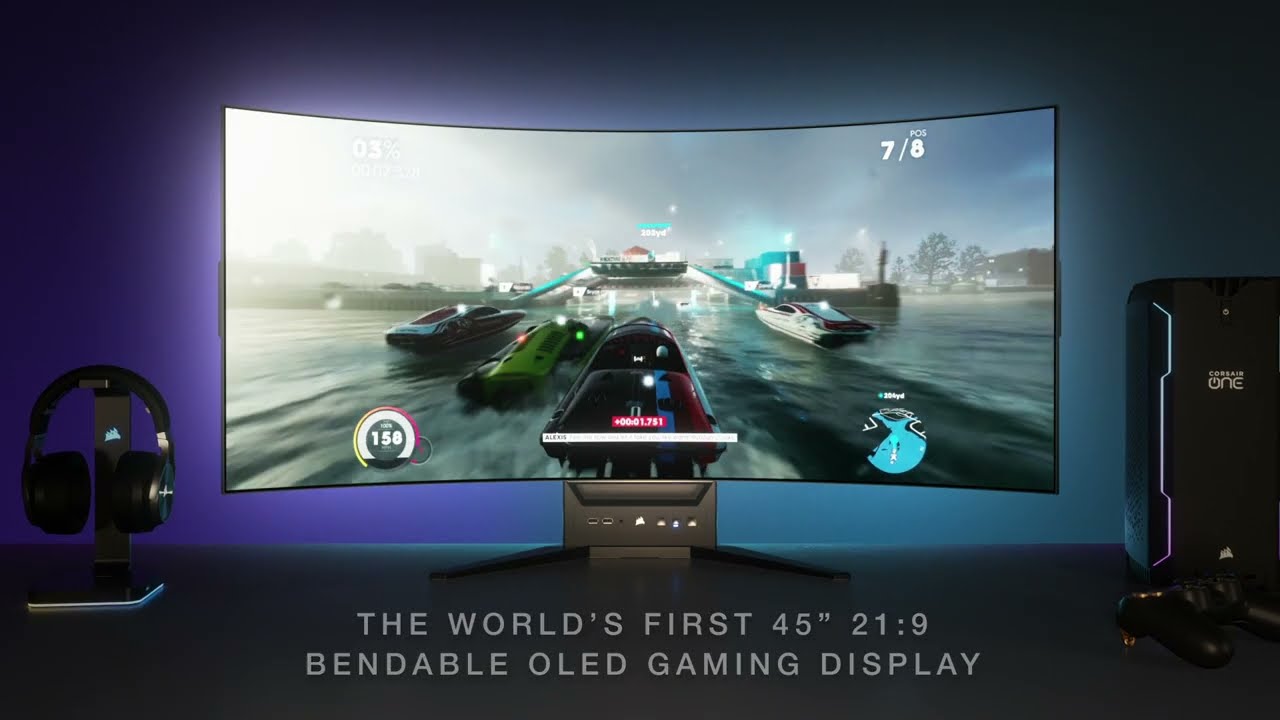
To learn more about the XENEON FLEX 45WQHD240 OLED Gaming Monitor and sign up for
future updates, please visit. https://corsair.com/us/en/xeneon-flex-bendable-ultra-wide-gaming-display
B-R-U-H
quick locust

In our Netgate 4100 review, we see what this pfSense Plus-based router, firewall, VPN box, and more offers. We discuss OpenVPN performance, IPsec performance (using Intel QuickAssist), and do basic iperf3 testing across the 1GbE and 2.5GbE ports. Let us see what this Intel Atom C3338R processor-based system can handle.
STH Main Site Article: ht...
molten flame
Overkill?
brave path
molten flame
September 20th for RTX 4000 announcement
I though it October now im confused
molten flame
October for launch
brave path
so it September 20th any idea for the mobile version
molten flame
January is likely
brave path
im looking forward to replace my gaming laptop for rtx 40 series and also what about 13th gen intel
more likely to get the i7 13700h
molten flame
13th gen is really just increased clocks and more E-cores
brave path
any idea it releasing I saw a new on Microsoft edge
molten flame
September 27th for 13th gen announcement
brave path
or does rtx 40 series laptop only come with new gpu while the cpu is latest 12th gen
pale quartz
rtx 40 is an inefficient mess on laptops
molten flame
no doubt lol
brave path
the highest spec game I ever seen was bf2042 I don’t think there other game requires 30 series graphic
pale quartz
if you're on laptop keep your battery life and get Rembrandt/RDNA3
there's 0 reason to get rtx 40 you're wasting your time money and power
pale quartz
eco mode doesn't disable the GPU it just keeps it in standby
MUX switches have been around for a while now
brave path
it turn of the mux switch so I put eco mode
on the software which use igpu
dgpu when I restart my system for gaming
pale quartz
you shouldn't need to switch off the graphics card lol
brave path
gaming is mostly last around 1-2 hours
for amd it pretty close to 2 hours I think for intel maybe a hour but looking forward to get intel cuz I just game that all I don’t do anything much just gaming most of the time
pale quartz
I can assure you it definitely isn't 2 hours
multiply that by 2-3x
Rembrandt is leagues ahead of any other GPU product for efficiency
molten flame
wonder if there will be 4nm RDNA3 for mobile
brave path
So the amd Radeon graphic
brave path
molten flame
wonder if there will be 4nm RDNA3 for mobile
Rdna3 is that amd Radeon graphic
pale quartz
yes
molten flame
next gen
brave path
Im am gonna replace my laptop for the Aorus since Gigabyte, Alienware , MSI mostly use intel for their gaming laptop most of their model product
molten flame
there's a new rumor going around that RTX 4000 will be able to accelerate DLSS with the ray-tracing cores
pale quartz
it's false
short pawn
Help I uninstalled my driver now my screen randomly flashes on specific windows and it won't show on the monitor
 marsh gull
its always the most basic of problems that you forget to check while troubleshooting
prime jasper
Hello!
If anyone has a Black Screen or Freeze issue with Battlefield 2042, then read my post below, I fixed it with these steps.
⚠️ These are Potential Fix, it may not work for everyone!
 sharp mirage
can i play battlefield v with a intel core i5-4670 cpu?
 willow lion
Has someone else also problems with "random" shutdowns when playing battlefield? I have an AMD Ryzen 7 3700X and AMD Radeon RX 5700 XT.
prime jasper
sharp mirage
can i play battlefield v with a intel core i5-4670 cpu?
GPU? RAM?
sharp mirage
prime jasper
GPU? RAM?
8 GB ram DDR4 and gtx 775?
prime jasper
That's nearly impossible.
prime jasper
How many VRAM?
prime jasper
sharp mirage
8 GB ram DDR4 and gtx 775?
If you have good Internet then you can play via GeFroce Now.
sharp mirage
prime jasper
How many VRAM?
I already tried battlefield 1 before it works fine
sharp mirage
prime jasper
If you have good Internet then you can play via GeFroce Now.
yeah true
prime jasper
sharp mirage
8 GB ram DDR4 and gtx 775?
I have I7 7700k 16 GB RAM and RX 580 8 GB OC and the game stutters.
sharp mirage
prime jasper
I have I7 7700k 16 GB RAM and RX 580 8 GB OC and the game stutters.
Battlefield 1?
prime jasper
No BF 2042.
sharp mirage
why are you playing that
prime jasper
Because I bought and I can't refund the game.
prime jasper
I don't buy from grey market.
sharp mirage
What's grey market
prime jasper
what you wrote.
sharp mirage
I know but why not
 sly laurel
prime jasper
I have I7 7700k 16 GB RAM and RX 580 8 GB OC and the game stutters.
sly laurel
prime jasper
I have I7 7700k 16 GB RAM and RX 580 8 GB OC and the game stutters.
old pc ?
sly laurel
prime jasper
That's nearly impossible.
not impossible
gonna take alot of low spec modding
ive seen alot of people run it on alot worse hardware
marsh gull
willow lion
Has someone else also problems with "random" shutdowns when playing battlefield?...
ye bf1 just crashes for no reason pretty regularily
and i also have a full amd system same as you
prime jasper
The GPU is perfect.
prime jasper
sly laurel
old pc ?
No, new.
sly laurel
prime jasper
No, new.
you got scammed
prime jasper
sly laurel
you got scammed
No, BF 2042 runs fine it only stutters when dc is opened
quick locust

LattePanda 3 Delta single board computer review, including full specifications, demos running Windows 10 and Linux Mint 21, and some speed tests. You can learn more about this new x86-64 SBC on the DFRobot website at:
https://www.dfrobot.com/product-2594.html?tracking=62e9dd816e163
Please note that the LattePanda 3 Delta featured in this video...
pale quartz
@hollow plover just so we are clear, and I will tell you this once, ping is a one way latency measurement, now, you can stop googling stuff because you clearly don't know how networking operates, and listen to what I'm saying
 hollow plover
pale quartz
<@754997178778386504> just so we are clear, and I will tell you this once, ping ...
hollow plover
pale quartz
<@754997178778386504> just so we are clear, and I will tell you this once, ping ...
You can have one-way latency measurement and round-trip latency (i.e both directions). That’s what the ping utility does - both direction. Otherwise, if icmp is not allowed on a host why do you have a packet loss?
pale quartz
hollow plover
You can have one-way latency measurement and round-trip latency (i.e both direct...
no, it doesn't, allow me to spell it out, consoles perform a server only ping request, they do not measure the round trip from the server
hollow plover
Oh my god, you really don't know what you are talking about. The ICMP protocol relies on the host's reply to which the Echo Request (literally in the protocol name) is addressed. If you don't believe me open the ICMP protocol specification RFC 792 and be done with the bias.
pale quartz
lol you realise the consoles don't use the ICMP protocol?
the only implementation they have for ICMP is with measuring bandwidth, they do not use it for ping tests
please listen for once
hollow plover
I don't care, the discussion initially began because I said I can get latency of 1ms over WIFI. Doesn't change the fact that If I connect a console, instead of my PC i'll still have the same latency.
hollow plover
pale quartz
the only implementation they have for ICMP is with measuring bandwidth, they do ...
No, ping tells you nothing about the bandwidth, it just measures latency. Measuring bandwidth is best done by a dedicated test, i.e. transferring a bunch of bits and measuring how long time it takes.
pale quartz
yeah.. how do you think.. the host is able to measure the bandwidth.. to begin with
come on man this is basic networking
hollow plover
Doesn't change the fact that ping i.e ICMP is used to measure latency.
pale quartz
the consoles perform a ICMP request to find the host and ensure its reachable before transferring traffic
this is common knowledge
Google cant help you when you deviate off a cliff from what people are talking about, remember that for next time
hollow plover
pale quartz
the consoles perform a ICMP request to find the host and ensure its reachable be...
How would it find a host is reachable (if it is one way) unless the host replies back to the ping?
Not sure who's deviating off a cliff
pale quartz
because the response is server side lol
it's not client side
not everything is about you, and this topic didn't begin with you either
hollow plover
so it interferes on a quantum level. got it. lmfao
hollow plover
pale quartz
because the response is server side lol
icmp (ping as per RFC) literally relies on a echo request and a reply. Consoles either are using something else instead of ping or you don't know what you are talking about.
pale quartz
thank fuck you finally read from what I said from the beginning! the consoles don't use ICMP for its ping!
hollow plover
So how does it change the initial discussion where you said ping cannot be used for latency measurement?
pale quartz
they are custom!
hollow plover
I said i get 1ms on my PC and you said ping cannot be used to measure latency. You get where i'm coming from with this right?
pale quartz
because ping requests can't be used for measuring latency to an end server on the consoles, and yes, but this was never about pc
for PC it's perfectly fine, on the consoles it isnt
the user in question was on console
hollow plover
if i get 1ms latency on pc with the 5ghz ac (i.e. 802.11ac). I can get it with a console (on the same network) since consoles support that standard. Now shut up and go lick your wounds
pale quartz
pc? you mean comparing 2 non comparable things?
for one your NIC is far better than the consoles lol
and second, don't go in a hissy fit because you forgot about why the topic started
hollow plover
I gotta go for a while. no hard feelings man, if you got something to say go ahead and i'll get back to you later.
pale quartz
I don't have anything else to say, just take it on board
hollow plover
pale quartz
for one your NIC is far better than the consoles lol
You can literally check how much mbps console nics support. Which brings us back to our initial discussion. Wifi can have sufficient enough latency and bandwidth for competitive gaming on consoles
pale quartz
..
 grim abyss
Is my network card fucked? Lag spikes galore.
 hollow plover
grim abyss
Is my network card fucked? Lag spikes galore.
hollow plover
grim abyss
Is my network card fucked? Lag spikes galore.
To identify if the issues with your internal network (which may include Network Adapter) or external for instance your ISP. Try pinging your router.
hollow plover
grim abyss
Is my network card fucked? Lag spikes galore.
To test:
- open start menu
- search for CMD (command prompt) and open it
- type the following command inside the terminal: ipconfig
- Note the field: "Default Gateway . . . . . . . . . :" it should contain an IP Address, copy it or memorize it. Further notes: you may have multiple network adapters in there, identify which one is used for your internet connection.
- Write ping x.x.x.x -l 1472 (note x.x.x.x should be replaced with your default gateway IP address)
grim abyss
hollow plover
To test:
1) open start menu
2) search for CMD (command prompt) and open it
3) t...
Got it, I’ll give this a look later. Thanks!
molten flame
Manufacturing of a singular CCD Zen 4 CPU such as 7600X/7700X costs more to make than a dual-CCD Zen 3 CPU like the 5900X/5950X
5nm+6nm vs 7nm+12nm
pale quartz
molten flame
Manufacturing of a singular CCD Zen 4 CPU such as 7600X/7700X costs more to make...
yup thats normal half CCDs have split cache aswell instead of a unified cache entry = cheaper
pale quartz
grim abyss
Is my network card fucked? Lag spikes galore.
NIC and driver revision?
grim abyss
grim abyss
Is my network card fucked? Lag spikes galore.
Update on the above....upon further investigation, appears to just be shitty university wifi being unstable. I've connected to another network outside my dorm and the lag spikes are gone after performing a similar test to the above. Further investigation needed on my end, thanks for the help @hollow plover and @pale quartz
 merry wagon
prime jasper
I have I7 7700k 16 GB RAM and RX 580 8 GB OC and the game stutters.
merry wagon
prime jasper
I have I7 7700k 16 GB RAM and RX 580 8 GB OC and the game stutters.
Get 32GB of ram
prime jasper
Can someone help me why my resolution keep resetting?
sly laurel
prime jasper
No, BF 2042 runs fine it only stutters when dc is opened
7th gen intel with an old gpu
most likely used
if you paid anything more then 500 for it you got scammed
prime jasper
sly laurel
7th gen intel with an old gpu
It's old, but it can still run the games, I have a stable 75 fps on Medium Low settings (FPS limited)
prime jasper
sly laurel
if you paid anything more then 500 for it you got scammed
I payed 150$ for my whole pc. (New Components)
Obviously, Battlefield 2042 is not that well optimized yet, but I hope that optimizations and fixes will come soon.
This is also how Battlefield V started when it was released.
sly laurel
prime jasper
I payed 150$ for my whole pc. (New Components)
upgraded old pc ?
prime jasper
sly laurel
upgraded old pc ?
No.
The GPU is not that old, like the GTX 1060, 1070, 1080
sly laurel
why did you go for 7th gen intel
prime jasper
sly laurel
why did you go for 7th gen intel
I wanted I7 10th gen or 11th gen, but unfortunately I didn't have the money for that anymore, you know it also depends on the country because the prices are not the same. Also, the opportunity to earn money.
sly laurel
yeah i gotchu
im from indonesia
10th and 11th gen ryzen tho
intel 10th and 11th shit
prime jasper
Why?
sly laurel
intel 10th gen performed alot worse then ryzen especially in mid range
with the ryzen 3600
11th gen was just 10th but worse
with only very minor changes that just made it hotter
intel got their shit together in 12th gen tho
storm osprey
sly laurel
intel 10th gen performed alot worse then ryzen especially in mid range
There was like a 10% increase for 5600x over 10600k. Not really “a lot worse”
No I wouldn’t suggest 10600k at any point over the 5600x either for various reasons but the performance difference isn’t drastic
sly laurel
storm osprey
There was like a 10% increase for 5600x over 10600k. Not really “a lot worse”
5600 released in 2022 for 200$ lol
and is latest ryzen gen
10600k released in 2020 for 260$
something comparable to the 10600k would be the ryzen 3700x
and i would still put ryzen over intel then
the performance different between the two is pretty considerable
for 12th gen intel on top for me tho
but 10th and 11th ryzen i would still put higher
 wide swan
So when I try to move my mouse in any battlefield game and only in battlefield games, it is like very sluggish and lags behind a lot but then randomly speeds up making it very difficult to control
prime jasper
wide swan
So when I try to move my mouse in any battlefield game and only in battlefield g...
wide swan
Thanks
storm osprey
sly laurel
5600 released in 2022 for 200$ lol
What does this have to do with 10600k at launch vs 5600x at launch?
sly laurel
because why tf would you go for 10th gen intel in 2022
unless you can pick it up for a cheap price
storm osprey
… no one so why even bring it up?
sly laurel
i just asked why the guy went for the i7 7700k for a new build
and then he said he wanted to go for 10th and 11th gen
storm osprey
Ok? Still don’t see how that turns into saying 10th gen and 11th gen we’re a lot worse in performance when they weren’t.
sly laurel
why would you compare ryzen 5600 to 10600k anyways
prime jasper
I already said.
sly laurel
compared to ryzen in low to mid range they were still pretty bad
storm osprey
sly laurel
why would you compare ryzen 5600 to 10600k anyways
No one did…
prime jasper
No money for I7 10th.
Too expensive New & Used.
But BF 2042 very CPU Intensive
But I don't know why I can run BF V on Ultra settings with 100 fps
storm osprey
If you say old cpu was shit compared to the alternative brand you would reasonably go to the cpu that released around the same time around the same price. Which is exactly what I did.
prime jasper
Who said that old CPU was shit?
storm osprey
No clue why you’re jumping on the 5600 like anyone else brought that up
sly laurel
storm osprey
No one did…
tf
sly laurel
storm osprey
There was like a 10% increase for 5600x over 10600k. Not really “a lot worse”
.
storm osprey
Literally says 5600x and not 5600…
sly laurel
reddit moment
storm osprey
You do know the 5600x and 10600k launched right next to each other at roughly the same price right?
prime jasper
I5 10600k?
storm osprey
Yes. Which was intel’s 10th mid range cpu…
Which spoon said performed a lot worse than amds mid range, which would be the 5600x. Which the 5600x was 10% better. Far from “a lot worse”
prime jasper
Ryzen 5600x is only slightly better than the i5 10600k
sly laurel
yeah but those two arent even comparable
storm osprey
Exactly. Why I called out that statement.
sly laurel
storm osprey
Which spoon said performed a lot worse than amds mid range, which would be the 5...
yes but the 5600x and the 10600k are from different gens
storm osprey
sly laurel
yeah but those two arent even comparable
Wtf are you talking about? They are directly comparable.
storm osprey
….
sly laurel
from 2 different generations
storm osprey
No they did not
prime jasper
sly laurel
storm osprey
No they did not
10600k released in 2020, 5600x released in 2022
they arent even from the same generation anymore
prime jasper
sly laurel
10600k released in 2020, 5600x released in 2022
2020*
storm osprey
sly laurel
10600k released in 2020, 5600x released in 2022
My god no it didn’t….
5600 NON x is a different cpu
Dude talks about performance and he doesn’t even know the difference between 5600x and 5600
sly laurel
yeah even then both have a 50$ price difference
there is almost no performance difference between the two tf
storm osprey
No there isn’t. But there is a year and a half difference between launches. Which again puts 5600x squarely against the 10600k
sly laurel
yes but both have a 50$ price difference
if there is little performance difference between the two
prime jasper
sly laurel
50$ is huge
storm osprey
5600x was more expensive than 10600k Msrp
storm osprey
You have no clue what you’re talking about.
5600x launch was 300 wtf
You literally have no clue what you’re talking about, I suggest stopping now
toxic wigeon
The 5000x series came out at 2020, Correct?
 prime jasper
Nothing
storm osprey
Dude has me looking up launch videos on YouTube and taking pictures on my phone.
prime jasper
😂
storm osprey
Almost everything he has said has been absolutely wrong it’s insane.
lofty light
prime jasper
https://cpu.userbenchmark.com/Compare/AMD-Ryzen-5-5600X-vs-AMD-Ryzen-5-5600/4084...
Also I wouldn't look at user benchmark ever, and ESPECIALLY for AMD vs Intel
They have a known bias for Intel
Instead look at a gamers Nexus review and worship tech Jesus with us 
storm osprey
Gamers nexus and hardware unboxed based.
toxic wigeon
Didn't the dude for user bench mark have a mental breakdown over the 5800x3d?
prime jasper
Can someone help me with BF 2042?
thin lintel
I had bf4 freeze on me then since I haven’t been able to boot windows. Can someone help I want to be on when season 2 starts
quick locust
Those are two different games
quick locust
toxic wigeon
Didn't the dude for user bench mark have a mental breakdown over the 5800x3d?
Yeah iirc
pale quartz
toxic wigeon
Didn't the dude for user bench mark have a mental breakdown over the 5800x3d?
that intel fanboy wouldn't have had it any other way
 halcyon venture
pale quartz
that intel fanboy wouldn't have had it any other way
halcyon venture
pale quartz
that intel fanboy wouldn't have had it any other way
🤓
pale quartz
?
halcyon venture
🤓
pale quartz
uh.. k
mild bough
what cpu should i get, need a new one
quick locust
Depends on budget and usage
 crystal haven
I am in need for a new pc as of recently my laptop died so I am willing to know what hardware is good for the resolution
storm osprey
we would need to know the resolution and budget.. and use case
 remote dirge
why is there no invert x axis option? for some reason my x axis is inverted and its been unplayable for months. in battlefield 1
molten flame
Ryzen 9 7950X just 8% slower than i9-13900K in multithreading in CPU-Z test
16 cores vs 24 cores
toxic wigeon
@crystal haven We need a resolution and a budget.
quick locust
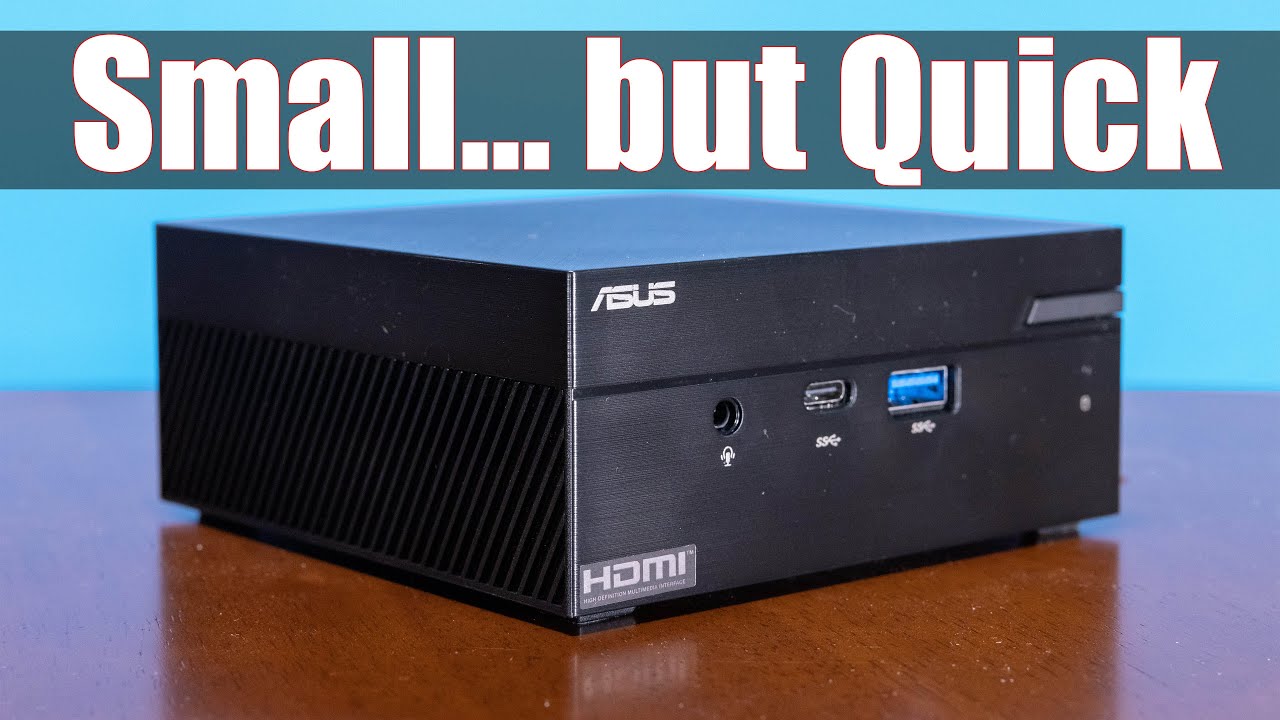
In our ASUS PN51-S1 mini PC review, we see how this AMD Ryzen 7 5700U system performs and fill it with an 8TB NVMe SSD and lots of RAM. This is a system that many of our readers asked us to look at as an Intel NUC alternative based on AMD Ryzen processors. With 8 cores and 16 threads, we went an extra step and kitted out the system with a Sabren...
molten flame
Need one with 6800U


