#007 First Light
1 messages · Page 7 of 1
 inner seal
 cedar crane
I don't doubt it, just can't see it yet
inner seal
cleans up the tiniest amount of noise
cedar crane
Is it mostly depending on input res ?
inner seal
and makes reflections a bit less pronounced
cedar crane

inner seal

 cedar crane
Reminds me of how denoiser behaves vs off in The Ascent
Minus the impact on highlights ofc
 spice pecan
Are they going to fix resolution scaling thing with dlss?
I didnt get the chance to play this weekend 🙁
inner seal
I guess technically everything is broken except for DLSS below 1080
spice pecan
technically i can play with 49% custom res
since i have 4k tv
but judging by the info, it can run comfortably at dlss quality
with 4090
maybe wait and see what PT does to the game
and if its playable without framegen with dlss performance
 livid hinge
49% for 4k DlAA as well?
 mighty wind
Man, outside of M's office it's just an absolute mess
The glass patterned doors/windows
Holy aliasing and artifacts
Made worse by 49%
The game is great but the graphic pipeline seems shambolic
Did DF glaze all over it on their video?
The bond performance is awesome though
Really like him
livid hinge
Yes, game is freaking amazing.
 slim swallow
gonna run like ass with PT
 verbal crater
Theres infinite facets to the visuals you could see PT improving
Shame it didnt make launch
 quaint oriole
slim swallow
gonna run like ass with PT
quaint oriole
slim swallow
gonna run like ass with PT
I dont think it will be too bad as the performance right now is pretty solid
its just cpu limited but theres still gpu power to use
verbal crater
The amount of falling back cubemaps for reflections feels very ps4 era
Really looking forward to a indiana jones with pt level of glow up
 zinc fossil
honestly, I don't mind if games look like this as long as they perform as good as this
indiana jones PT performance was really bad in the jungle
 charred grove
i have the beta renox hdr file from here from couple of days ago .. i see new pins here now what should i use?
 frozen nebula
So, either deal with that AO, or deal with smudgy textures?
Got any comparison pic of 4K native and 49% by any chance?
 rustic ether
charred grove
i have the beta renox hdr file from here from couple of days ago .. i see new pi...
rustic ether
charred grove
i have the beta renox hdr file from here from couple of days ago .. i see new pi...
the one that's pinned right now
inner seal
frozen nebula
So, either deal with that AO, or deal with smudgy textures?
Got any comparison...
a lot more breaks than just AO
basically missing an entire lighting pass
 proper robin
5K2k 49% is not so bad
frozen nebula
inner seal
basically missing an entire lighting pass
Ooooff
I'll check comparison on PC but shame.
Uh, what we using to reduce the rendering target then, NVPI?
inner seal
nvpi works
frozen nebula
RIP DLAA.
inner seal
yeah, I think not having much texture detail in the first place helps here lol
 buoyant gorge
display command can avoid tearing in most game under vrr without vsync; this one clearly can’t, idk why ...
basically have to cap the frame rate at 60 FPS to completely eliminate screen tearing on a VRR TV with a 120 Hz limit
 remote idol
frozen nebula
Uh, what we using to reduce the rendering target then, NVPI?
remote idol
frozen nebula
Uh, what we using to reduce the rendering target then, NVPI?
or latest RHI beta 🙈
quaint oriole
buoyant gorge
display command can avoid tearing in most game under vrr without vsync; this one...
couldnt see any tearing with relimiter vrr cap no vsync. 120hz tv use FG for 115fps cap
frozen nebula
remote idol
or latest RHI beta 🙈

lmao
Didn't know that was added, nice.
Already used NVPI, though 😛
Albeit ..
Did NVPI ever added an option to enable debug mode?
So, I can do quick fact-check with the reporting?
Be nice if I don't have to use Gloom for that.
remote idol
the streamline debugging mode? i dont think that's in nvpi as far as i know
remote idol
oh the dlss hud things like top/bottom left?
 remote idol
i know another program that added that in the settings 
 frozen nebula
Nice
Albeit, doesn't seem like NVPI is working for me?

@inner seal you had trouble as well, right? Just had to add the game's exe there?
remote idol
so nvidia forgot to add the 007 exe to the profile
RHI will add it automatically when you change a setting 
frozen nebula
aye, I added that but I didn't remove the quotes after I did copy as path.
remote idol
we've all been there 😄
frozen nebula
We good now.
 frozen nebula
remote idol
we've all been there 😄
frozen nebula
remote idol
we've all been there 😄

remote idol
i feel like they just took random levels from the uncharted games ad added bond
frozen nebula
heh
I'm about to resume and I think I'm about to get in that SUV that RayRay posted earlier.
I guess I don't need FG anymore. 
 quaint oriole
frozen nebula
I guess I don't need FG anymore. <:Prayge:1063755964374843402>
quaint oriole
frozen nebula
I guess I don't need FG anymore. <:Prayge:1063755964374843402>
we found a workaround for the Fg bug, you can use optiscaler and convert dllsfg to xefg. it kills the ghosting
frozen nebula
I don't need FG, I enabled it for lolz and never ran into any issue.
But with 49% rendering now, I don't need it at all.
5090 maxes out my screen's capability easily.
Appreciate the heads up, though.
quaint oriole
frozen nebula
But with 49% rendering now, I don't need it at all.
its more about being cpu limited in crowds, but if you have a fat cpu maybe thats no problem
frozen nebula
Yeah 9950X3D.
quaint oriole
check it its very demanding in big crowds
frozen nebula
Appreciate the heads up nonetheless, didn't mean to sound ungrateful 😛
quaint oriole
all good
zinc fossil
yea someone with a 9800x3d had dips into 100's
not that bad obviously but still annoying if you want to go for a 120 lock
should be fine with VRR anyway
frozen nebula
zinc fossil
49% still looks surprisingly good
Indeed, it does.

Preset M.
M for Magick.
CC: @wise narwhal
I know you said you'd be buying/playing it in couple of days, so a quick heads up. Read the chat above if needed.
tl;dr game fucks up AO and essentially misses a whole lighting pass if you play at any vertical res at 1080p or higher, so fix is to reduce your render res under that.
Using NVPI (screenshot below), you can set it to 49% if playing on 4K, and select the preset of your choice, and add the game's exe manually as it's missing, and you're good to go.
Game looks solid even after that. Comparison pics here: #1499664181170012181 message
Edit: you may also need to ensure the in-game setting isn’t set to DLAA for it to work properly.

For comparison of how different they look, here's there screenshots comparing them.
 weary tusk
buoyant gorge
display command can avoid tearing in most game under vrr without vsync; this one...
weary tusk
buoyant gorge
display command can avoid tearing in most game under vrr without vsync; this one...
? Why would you need display command for tearing even? That's the whole purpose of vrr to have no tearing?
remote idol
weary tusk
? Why would you need display command for tearing even? That's the whole purpose ...
if the fps drops out of the vrr range
weary tusk
remote idol
if the fps drops out of the vrr range
That's why you cap fps?
frozen nebula
Yes
weary tusk
Huh I'm a little confused, he is telling he's seeing screen tearing with vrr enabled that's why he have to cap to 60 fps
Why not cap to 100 fps then or 120 to stay under the 120 hz
frozen nebula
I'm assuming DC has an option akin to SK where the cap happens before FG.
On native frames.
And he means that one.
weary tusk
To be honest I can even cap 120 fps (for 120hz) or 144 fps (for 144hz) and I never seen any screen tearing while streaming to my moonlight client. I never use the -4
frozen nebula
But normally speaking, to stay within VRR range, yes.
inner seal
also generally speaking pretty much any external limiter/pacer is going to improve smoothness and/or latency
weary tusk
frozen nebula
I'm assuming DC has an option akin to SK where the cap happens before FG.
Ah okay
frozen nebula
If you have a 120Hz panel, you'd cap it at 117.
The formula math will increase the higher refresh rate you go, or you can just choose to fly closer to the sun and only cap it 3-5fps below w/e your panel's refresh rate is.
weary tusk
frozen nebula
If you have a 120Hz panel, you'd cap it at 117.
Yeah I know, but Im playing for 6 months now streaming to my tv, and even capping to 120 fps for 120h, doesn't make my games tear. Or 144fps for 144hz.
Dont know why 😂
frozen nebula
It won't always tera.
remote idol
my 360hz cap is 323hz
frozen nebula
You do it to avoid risking that territory, I don't feel any tearing either.
VRR does its job as well.
weary tusk
I always use rtss reflex cap for framegen titles.
frozen nebula
But locking frames can have smoother pacing, and better frame times, too.
Basically if you lock to a frame that you are constantly hitting, overall experience is generally better.
Than very volatile FPS even within VRR range.
Yeah, RTSS is fine.
I always cap it on driver level myself cause I'm lazy.
weary tusk
frozen nebula
You do it to *avoid* risking that territory, I don't feel any tearing either.
Yeah my old monitor needed it, but for some reason this oled 810 ( lg c5 panel) doesn't tear at all if I capp at the hz.
Only when I make a custom hz for 100hz then capping at 100hz makes my tv tear.
Otherwise 120 or 144hz I can cap it exactly there I think I'm lucky 😂
remote idol
weary tusk
I always use rtss reflex cap for framegen titles.
should try ReLimiter with adaptive smoothing
weary tusk
remote idol
should try ReLimiter with adaptive smoothing
Tried relimiter or display commander with reflex cap same effect for me as rtss reflex cap.
frozen nebula
Not lucky, that's just expected behaviour. As I said, it's not always going to tear, just depends on the game and the scene is all.
weary tusk
The thing is if you cap a game with framegen with something different then reflex cap, pcl latency will double.
Only for dlss 4+ tho framegen
Dlss 3.8 doesn't have that you can even cap with async or front edge sync and it won't double
weary tusk
frozen nebula
Not lucky, that's just expected behaviour. As I said, it's not always going to t...
Ah okay,
I did notice it when I made a custom refresh rate of 100 then capping at 100fps would be tearing.
weary tusk
remote idol
should try ReLimiter with adaptive smoothing
Can you use adaptive smoothing with reflex cap together on relimiter?
inner seal
well, adaptive smoothing wont do anything if you stay at your target, but I rarely ever stay at my cap, is nice to improve smoothness with varying fps
weary tusk
inner seal
well, adaptive smoothing wont do anything if you stay at your target, but I rare...
If I'm 100% sure my gpu stays always at a locked 120 fps or 144 fps. I don't even enable vrr I disable it on my moonlight client tbh.
inner seal
it just moves your fps cap around dynamically based on previous frames more or less
 wind pumice
Someone can ping me the updated version of renodx hdr?
weary tusk
inner seal
it just moves your fps cap around dynamically based on previous frames more or l...
But with what capping method, if it isn't using reflex pcl latency will double when framegen is enabled?
inner seal
its using a predictive limiter integrated with reflex
 drifting bluff
wind pumice
Someone can ping me the updated version of renodx hdr?
drifting bluff
wind pumice
Someone can ping me the updated version of renodx hdr?
It's in pins section
weary tusk
inner seal
its using a predictive limiter integrated with reflex
You recommend that above rtss reflex capping?
frozen nebula
@wicked wasp am I taking crazy pills or there's more detail in the painting with broken grain, than fixed? Perceptual is also akin to fixed.

 weary tusk
Only problem with virtual display (moonlight streaming is) games are running in composed flip instead of independent flip, but tbh I think it's not a problem for sp games afaik, the only difference is composed flip doesbhave 6ms more latency or something, you won't notice that on sp games.
And maybe the vrr is a little better on independent flip.
 slender arch
Hello. I've installed the mod but the game now looks a little bit washed in Full RGB range. Should I change it to Limited?
weary tusk
inner seal
I use it, but I also worked on it
Ah okay will give it a try again
inner seal
slender arch
Hello. I've installed the mod but the game now looks a little bit washed in Full...
washed?
drifting bluff
slender arch
Hello. I've installed the mod but the game now looks a little bit washed in Full...
Make sure you're turning on hdr in game settings every time you load the game. There's a bug where it turns off, every time
weary tusk
Tested the latency difference with composed flip vs independent, and I depended it's around 20ms in presentmon and composed flip it's 26ms so not a big deal for sp games to worry 🙂
Feels great streaming these games to my moonlight client from my game pc to my tv in the living room 🙂
slender arch
inner seal
washed?
Yes, it's lacking a little bit of contrast, the blacks seem raised quite a bit
slender arch
drifting bluff
Make sure you're turning on hdr in game settings every time you load the game. T...
already checked, but thanks, I've noticed it does that
inner seal
post a screenshot
vanilla game can be washed in various conditions
fog, their LUT in places
slender arch
maybe it's game design
 wicked wasp
frozen nebula
<@251818887526612992> am I taking crazy pills or there's more detail in the pain...
wicked wasp
frozen nebula
<@251818887526612992> am I taking crazy pills or there's more detail in the pain...
it basically just applies an inverse tonemap
so stuff in upper midtones/lower highlights that was more blown out and hue shifted is less so
slender arch
inner seal
need to take HDR screenshots
oops, sorry, any quick guide? otherwise i'll find it
wicked wasp
but brightest highlights are now clipped
raising your peak to like 10k might give a similar effect
inner seal
slender arch
oops, sorry, any quick guide? otherwise i'll find it
reshade is print screen by default, saves next to exe
slender arch
 spice pecan
frozen nebula
Preset M.
spice pecan
frozen nebula
Preset M.
What about preset L?
frozen nebula
spice pecan
What about preset L?
Didn’t test.
spice pecan
I cant play right now 🙁
charred grove
anyone else experiencing short stutter in ingame cutscenes ? does that have to do with FG? IK do think FPS jumps a few as well for that second or so ...
 wise narwhal
frozen nebula
CC: <@262398316032163851>
I know you said you'd be buying/playing it in couple...
wise narwhal
frozen nebula
CC: <@262398316032163851>
I know you said you'd be buying/playing it in couple...
Wow thanks for the heads up. That's pretty crazy. How'd you guys figure that out?
spice pecan
feeling sick and procrastinating hard
remote idol
wise narwhal
Wow thanks for the heads up. That's pretty crazy. How'd you guys figure that out...
ultra performance looked better than DLAA so something was afoot
slender arch
frozen nebula
CC: <@262398316032163851>
I know you said you'd be buying/playing it in couple...
wait what, AO is completely broken if you're rendering above 1080? i've been playing at dlaa 4k and it's been looking great but now im curious on how it's supposed to look
charred grove
yeah 4k dlaa looks great for me tooo
frozen nebula
spice pecan
feeling sick and procrastinating hard
RIP
 kindred mantle
Most of the time it's not a crazy difference I would say. It's most noticeable on foliage where it's completely broken
frozen nebula
I notice a bit of shimmering with the current setup, not sure if L will help there.
Happening on some reflections or well, distant objects.
DLAA didn’t have that issue.
kindred mantle
Big improvement
frozen nebula
wise narwhal
Wow thanks for the heads up. That's pretty crazy. How'd you guys figure that out...
Cause nerds.
inner seal
frozen nebula
Installed, let's see how it looks now. Thanks.
yeah reflection fix is night and day
frozen nebula
frozen nebula
I notice a bit of shimmering with the current setup, not sure if L will help the...
Based.
Fixed now, thanks.
Yeah, it really is lol.
I left it at ‘sharp’, as it was default.
inner seal
kindred mantle
Most of the time it's not a crazy difference I would say. It's most noticeable o...
well, all of the characters have a significant outline at 1080 or above too
 kindred mantle
It's still a slider lol
frozen nebula
I mean there was no intensity slider before
inner seal
theres always been one 🤔
charred grove
and grain should be at 49%?
inner seal
resolution must be below 1080 internal
frozen nebula
inner seal
theres always been one 🤔
kindred mantle
inner seal
well, all of the characters have a significant outline at 1080 or above too
Didn't realize it was that cooked, spent 99% of the game at 1440p dlss quality so I didn't notice
frozen nebula
Could’ve sworn I didn’t have that before from Nexus build and beta builds.
frozen nebula
charred grove
and grain should be at 49%?
Grain you can do whatever.
49% is for resolution if playing at 4K
Just needs to be below 1080p vertical that’s all.
inner seal
kindred mantle
Didn't realize it was that cooked, spent 99% of the game at 1440p dlss quality s...
it looks very similar to when I was disabling various deferred shading shaders
charred grove
49% resolution at 4k where can i change it to that and why should it be at 49%?
inner seal
game bugged, rendering broken at 1080 or above vertical
remote idol
slender arch
wait what, AO is completely broken if you're rendering above 1080? i've been pla...
remember hdr turns off every time you start the game too for folk who dont know
inner seal
charred grove
49% resolution at 4k where can i change it to that and why should it be at 49%?
NVPI custom scale
frozen nebula
inner seal
game bugged, rendering broken at 1080 or above vertical
Need a write up pinned lol
inner seal
indeed
frozen nebula
frozen nebula
CC: <@262398316032163851>
I know you said you'd be buying/playing it in couple...
@wicked wasp probs just pin this.
wicked wasp
frozen nebula
CC: <@262398316032163851>
I know you said you'd be buying/playing it in couple...
 untold tapir
is AO only broken with frame gen on + vertical res > 1080? i.e. not broken for 4k dlss quality w/o FG?
inner seal
rendering always broken unless you use specifically DLSS below 1080
untold tapir
ah shite, ta!
 brisk needle
frozen nebula
CC: <@262398316032163851>
I know you said you'd be buying/playing it in couple...
brisk needle
frozen nebula
CC: <@262398316032163851>
I know you said you'd be buying/playing it in couple...
Does this work thru nvidia app too, or do I gotta do this through nvpi?
untold tapir
anyone running into issues with reshade + renodx installed through RHI with optiscaler? i've tried installing optiscaler through RHI & manually (automated install) but in both cases the game doesn't launch properly
frozen nebula
Is the black bar toggle working for you when you try to hide then during a cutscene?
Other mod worked for it, this one doesn't. HUD is much better here, though.
brisk needle
Or also if I have 1440p, and use DLSS at Performance Preset L do I gotta do this? Not sure what the internal res is at that setting, but it should be below 1080p if I understand correctly?
frozen nebula
brisk needle
Does this work thru nvidia app too, or do I gotta do this through nvpi?
You could try, I didn't check. You can use your choice of tool and fact-check it after.
remote idol
untold tapir
anyone running into issues with reshade + renodx installed through RHI with opti...
it worked fine for me but other folk have had issues
there is a beta of opti on their discord with 007 fixes
frozen nebula
RHI also works, and that might be seamless.
remote idol
i dont even think
frozen nebula
brisk needle
frozen nebula
You could try, I didn't check. You can use your choice of tool and fact-check it...
Alr ty, def gonna try it
remote idol
brisk needle
Alr ty, def gonna try it
this one is needed as it's only in beta atm #1474481327691665553 message
kindred mantle
Okay yeah it's more cooked than I thought

 brisk needle
remote idol
this one is needed as it's only in beta atm https://discord.com/channels/1408098...
brisk needle
remote idol
this one is needed as it's only in beta atm https://discord.com/channels/1408098...
Ahh ok ty
Or wait I'm slow here but what do I have to do inside RHI, the msg u linked is about UE extended
frozen nebula
Ooofff
Is this a known issue, @inner seal?
wise narwhal
Reflections are pixelated without this fix?
 frozen nebula
Based. <:Prayge:1063755964374843402>
frozen nebula
frozen nebula
Based. <:Prayge:1063755964374843402>
@wise narwhal watch this.
And the video it replies to.
kindred mantle
Yeah they look terrible
frozen nebula
Before/after.
kindred mantle
frozen nebula
Ooofff
Is this a known issue, <@162283147277369344>?
Your res is definitely above 1080p here
wise narwhal
frozen nebula
Before/after.
Yea, great video. Night and day
frozen nebula
kindred mantle
Your res is definitely above 1080p here
I'll launch again with Glom and se.
inner seal
frozen nebula
Ooofff
Is this a known issue, <@162283147277369344>?
yeah that happens at 1080 or above
remote idol
brisk needle
Or wait I'm slow here but what do I have to do inside RHI, the msg u linked is a...
set this in the dlss override bit for the game
 frozen nebula
inner seal
yeah that happens at 1080 or above
frozen nebula
inner seal
yeah that happens at 1080 or above
Shouldn't be doing that, since I checked earlier. But let me check again, I guess.

I don't have to change anything in-game, right?
It can stay at DLAA and shit in-game menu?
remote idol
frozen nebula
It can stay at DLAA and shit in-game menu?
yeah
 kindred mantle
you still see the flicker?
frozen nebula
Yes
inner seal
maybe try not selecting DLAA
brisk needle
remote idol
set this in the dlss override bit for the game
Ahh ok ty, I planned to use RHI but I just always downloaded mods manually, now I finally have a reason haha
RHI will automatically detect all RenoDX mods I already have installed right?
frozen nebula
inner seal
maybe try not selecting DLAA
aye, that did the trick. Set it to auto.
remote idol
brisk needle
Ahh ok ty, I planned to use RHI but I just always downloaded mods manually, now ...
it should do man
frozen nebula
And override remains the same, so we good.

 brisk needle
remote idol
it should do man
brisk needle
remote idol
it should do man
Sweet thanks!
frozen nebula
inner seal
<:thonk:1029320059782430810>
Auto, quality, performance, ultra perf. All fixed it, DLAA was just broken despite the override working.

inner seal
fuckin game
frozen nebula
Restarted the game after changing it to Auto as well to rule it out and yeah, all good.
Btw, is this shit broken like this native in the game as well, or with Reno + 49% res shit?
Like will someone playing the game all vanilla will run into that issue all the same?
kindred mantle
Yes, it's broken out of the box
kindred mantle
It's broken at all resolutions with FSR
wise narwhal
reviewers probably did too
kindred mantle
Did they do a PC video yet?
Might not be broken on console
DLSS 1080p / FSR 960p / DLSS 960p


 inner seal
kindred mantle
It's only fixed below 1080p with DLSS
inner seal
kindred mantle
It's only fixed below 1080p with DLSS
nvidia sponsored be like
lol
how do they just not notice that the rendering is broken
 maiden lake
so if im playing at 1440p do i need to set a custom resolution or just set it it quality and be done with it? (been playing with DLAA)
kindred mantle
yeah just do quality
 peak oracle
just starting the game now at 4K.. do i need to do anything other than the reno hdr fix on nexus?
inner seal
set custom scale to 49%
peak oracle
inner seal
set custom scale to 49%
as in dlss?
 small umbra
Guys, an off-topic question:
Why doesn’t LEGO Batman have a RenoDX mod?
kindred mantle
peak oracle
as in dlss?
yeah. use the latest pinned build too, reflection fix
 cerulean bramble
small umbra
Guys, an off-topic question:
Why doesn’t LEGO Batman have a RenoDX mod?
cerulean bramble
small umbra
Guys, an off-topic question:
Why doesn’t LEGO Batman have a RenoDX mod?

Nexus Mods :: LEGO Batman: Legacy of the Dark Knight
Rewrite of the grading pipeline to fix HDR and controls for tonemapping, paper white, UI brightness, and color grading.
peak oracle
does 49% not look terrible? lol
small umbra
cerulean bramble
https://www.nexusmods.com/legobatmanlegacyofthedarkknight/mods/19?tab=files
thanks
 tepid mortar
peak oracle
does 49% not look terrible? lol
tepid mortar
peak oracle
does 49% not look terrible? lol
if you use preset M it will be ok
frozen nebula
peak oracle
does 49% not look terrible? lol
#1499664181170012181 message
small umbra
I finished 007 yesterday. What a great game
peak oracle
frozen nebula
https://discord.com/channels/1408098019194310818/1499664181170012181/15107556140...
is the AO lighting difference that big with it off and on?
kindred mantle
peak oracle
is the AO lighting difference that big with it off and on?
#1499664181170012181 message
 clever tapir
frozen nebula
Check pinned comment
clever tapir
frozen nebula
Check pinned comment
Thanks. I'll try this later. On my 2nd run now and been using DLAA since
wicked wasp
need good comparison images for the SSR Pixelation Fix
peak oracle
ok changed to M and 49%. what is the best reno settings for this? or is it auto applied
and whatever dlss its set to ingame doesnt matter is that right?
wise narwhal
kindred mantle
Did they do a PC video yet?
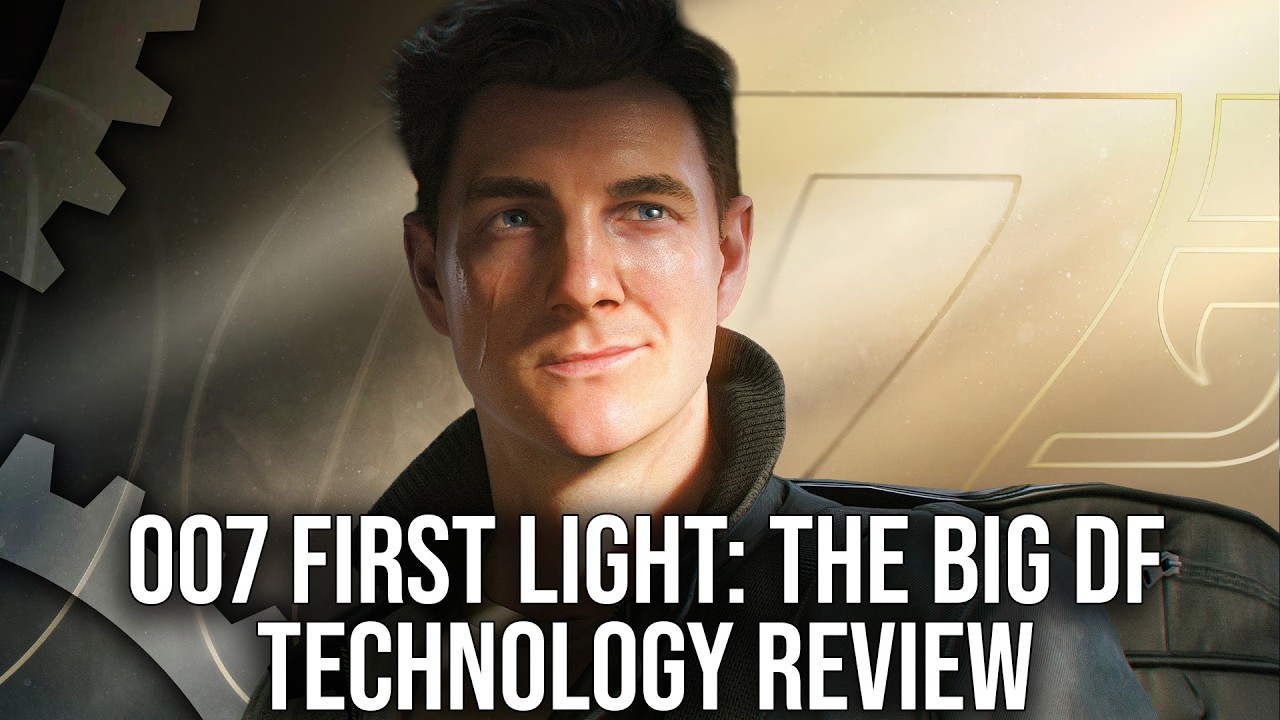
Thanks to CyberPower UK for sponsoring this video. Check out its Gaming PC/PlayStation 5 combo deals right here: https://www.cyberpowersystem.co.uk/page/pc-deals/?utm_source=youtube&utm_medium=influencer&utm_campaign=corsairps5_df
007 First Light is IO Interactive's first big release since Hitman 3/Hitman: World of Assassination, blending a new...
i think so
i didn't watch it
it could be consoles only i'll have to watch it later
frozen nebula
wicked wasp
need good comparison images for the SSR Pixelation Fix
Idk how you can have images for that.
But here’s before/after.
Gonna have to capture video in-game for cleaner comparison.
 subtle laurel
the ssr pixelation thingy should be set to sharp or filtered?
 uneven star
frozen nebula
CC: <@262398316032163851>
I know you said you'd be buying/playing it in couple...
uneven star
frozen nebula
CC: <@262398316032163851>
I know you said you'd be buying/playing it in couple...
Sorry just to understand this better, you are saying any native resolution breaks AO and setting 49% resolution render fixes that🤔 at any resolution output like 4k or 1440p ?
If yes people with 1440p could utilise dldsr that will give better image quality while fixing AO
kindred mantle
subtle laurel
the ssr pixelation thingy should be set to sharp or filtered?
preference, I like sharp better
uneven star
People should report that to IO INTERACTIVE, we dont need luma for every new game its insane
peak oracle
does it matter if ingame dlss is set to quality etc? if nvpi is at 49 custom
wise narwhal
peak oracle
does it matter if ingame dlss is set to quality etc? if nvpi is at 49 custom
looks like you just have to not set it to dlaa
from what i read above
dlaa is buggy apparently
frozen nebula
peak oracle
does it matter if ingame dlss is set to quality etc? if nvpi is at 49 custom
Mine was set to DLAA and was broken.
quality or auto or others fixed it.
 loud notch
@inner seal What’s your Reno settings look like? If you don’t mind sharing
frozen nebula
It won’t matter what you select in game, so set it to anything but DLAA.
quaint oriole
ah man now I fixed it up and the games already over. was pretty short

 rough parcel
I just purchased the game through the Xbox PC App, it was cheapest there. Is installing this mod a no brainer or is it introducing issues currently not in the base game?
inner seal
no brainer
inner seal
loud notch
<@162283147277369344> What’s your Reno settings look like? If you don’t mind sha...
50 bloom, 60 dechroma, 60 lut strength, 25 perceptual film grain
everything else the same
rough parcel
inner seal
no brainer
rodger that. Hopefully works alright with the XBox App version.
inner seal
should work as long as you can install reshade
@wicked wasp here are a couple #1499664181170012181 message #1499664181170012181 message
just isolated captures
pretty easy to get comparisons in the lab
 finite dune
How do you fix the pixelated SSR?
inner seal
reno setting
finite dune
I'm not seeing anything in the menu
I have the setting for the shadow fix, but nothing for ssr or am i missing something?
inner seal
the newest version has it
finite dune
i downloaded it from nexus, is that not the newest verion i take it?
inner seal
idk if its on nexus yet
finite dune
ah ok
inner seal
see pins
finite dune
Sorry, I'm not used to discord, where are these pins?
inner seal
top right, pin icon
finite dune
Found it, thanks.
peak oracle
its been a while, how do i tell if nvpi is active ingame? nvidia overlay just says N/A for model
loud notch
inner seal
50 bloom, 60 dechroma, 60 lut strength, 25 perceptual film grain
Thanks and thank you for the shadow and reflection fixes!! You’re the man
inner seal
peak oracle
its been a while, how do i tell if nvpi is active ingame? nvidia overlay just sa...
dlss hud/overlay
clever tapir
@inner seal the Reflections slider values are different compered to the helper text (mouse-over). Actual values are Sharp and Filtered but test helper has Point Load and Strong Blur
inner seal
not a huge deal but thanks for the heads up
peak oracle
got it now, i had to create a new game shortcut for it to register
does the game always have blur around the edges of the image?
clever tapir
What a delight. I dont see any image degradation between preset M at 49% scaling vs preset K at DLAA. I am using lilium rcas for both at 0.100 sharpness
finite dune
Anyone else getting some minor stutters? I didn't notice them before.
Gonna try a framerate cap and see if that helps.
clever tapir
finite dune
Anyone else getting some minor stutters? I didn't notice them before.
First time in Vietnam i had minor stutters. Now in my 2nd run, all smooth. So probably that was related to shader compilation idk
 frosty mortar
If setting scaling from nvidia app, what does changing dlss quality, performance etc do in game?
 rigid salmon
frosty mortar
If setting scaling from nvidia app, what does changing dlss quality, performance...
rigid salmon
frosty mortar
If setting scaling from nvidia app, what does changing dlss quality, performance...
nothing
 opal pebble
yep, atmos is working great. i didnt really do anything specific/special. in windows sound settings, output format for my GPU's hdmi port is set to dolby atmos for home theater, and the spatial sound setting is set to dolby atmos for home theater also. then in the game's in-game audio settings, mix is set to full range, and importantly the (sorry i cant remember the exact name of the setting, would have to go in-game to check, but it's fairly obvious which one it is) setting for channels/output type/wtv its called needs to be set to system/auto - afaik that's the only setting that allows spatial audio to work
🫰 just bc i didnt comment or leave any feedback earlier - your shadow fixes plus the setting DLSS render scale to 49% tip are 🧑🍳 😗 - genuinely transformative in that they basically eliminate the biggest and by far most annoying image quality issues 🙏 ❤️🔥
super common windows defender false positive - the !ML at the end indicates it hasnt actually matched it to a known or specific threat, just its machine learning algorithm has decided that it shares whatever random characteristics with some malware (which is the case for a ton of legitimate tools/code). if you want to be sure and give yourself some piece of mind, upload the file to https://virustotal.com and see whether it actually gets flagged as a legitimate threat or not (it wont in this case)
VirusTotal
(with the caveat that peeps will have subjective preferences based on what kinds of artefacts bother them most) M is still far and away the best option - the volumetrics and HDR highlight issues with K are too fked to look past
 languid moat
clever tapir
What a delight. I dont see any image degradation between preset M at 49% scaling...
languid moat
clever tapir
What a delight. I dont see any image degradation between preset M at 49% scaling...
Trying Lilium RCAS... what a difference! Shame I'm in the Vietnam part already. Wish I had used this from the beginning. Using 49% at 4K on preset M, amazing visuals.
opal pebble
its a false positive - ill just leave the virustotal link for everyone else who is worried: https://www.virustotal.com/gui/file/03373722cfbb35e94b8ae125ee899e34f4b3ad956305ec1a2ac3a1648f220697
VirusTotal
i had that issue too - saw on reddit a few other peeps did as well - for games where this happens, ive just been using SK's one click to add NVPI profile functionality (well, two clicks technically i guess xD)
opal pebble
mighty wind
The bond performance is awesome though
dude this soooo much. i wasnt sold on the actor initially/dont know him from anything else but both the writing and vocal performance for Bond in this game are fucking impeccable 👌
opal pebble
wise narwhal
it could be consoles only i'll have to watch it later
yeah twas console only
apologies for the reply spam 🙏 🙇♂️
cant defeat my self control issues lmao
Virustotal link for the latest version of the addon in case Windows Defender is still spooking anyone with the standard Wacatac!ML false positive: https://www.virustotal.com/gui/file/83816dfc6922d3dba88d058455c0a3e41836c2fc374d86a803e9ad0f26717457?nocache=1
VirusTotal
 unkempt shard
so the idea to fix AO is to use set an internal res a few % below what preset you want to use
or above it I guess?
frozen nebula
No, below 1080 vertical. Read pinned.
unkempt shard
ohh ok only from 1080
that's what I wasn't sure of
wait no this says 1080p or higher
rigid salmon
At 4k dlss performance, resolution used will be 1920x1080.
You need less than 1080
unkempt shard
so If I'm using 4k quality which is 1440p I'm good?
wicked wasp

Desmos
they just set whiteclip to peak/diffuse white
which doesn't do much
the game has some additional exposure adjustment after tonemap and then clip to peak before lut
uneven star
clever tapir
First time in Vietnam i had minor stutters. Now in my 2nd run, all smooth. So pr...
Am not expert at this but is it possible to add shader compilation indicator through reshade?
Maybe @prime moon tools he could add that, I dont know if its difficult to do🤔 , but it will be awesome if I could tell stutters happens because of compilation or something else
Some emulators have this feature too which is great
 timber tendon
untold tapir
anyone running into issues with reshade + renodx installed through RHI with opti...
timber tendon
untold tapir
anyone running into issues with reshade + renodx installed through RHI with opti...
same, can't find any fix
timber tendon
untold tapir
anyone running into issues with reshade + renodx installed through RHI with opti...
ust now i set my scaling facdtor to 49% in the NVApp, i guess the people recommending optiscaler are on AMD?
rough parcel
Has this issue regarding rendering above 1080p been in since launch? Does it effect everyone or just those using the mod?
And is the fix which I applied effectively render a tiny bit below 1080p and then upscaling to 4K?
 last knot
Regardless of mod since launch
Your internal resolution must be below 1080p
So %49 if you are setting through NVPI and playing at 4K
rough parcel
last knot
So %49 if you are setting through NVPI and playing at 4K
What's upscaling it back to 4K? DLSS?
last knot
If you are playing at 4K yeah
 limpid lantern
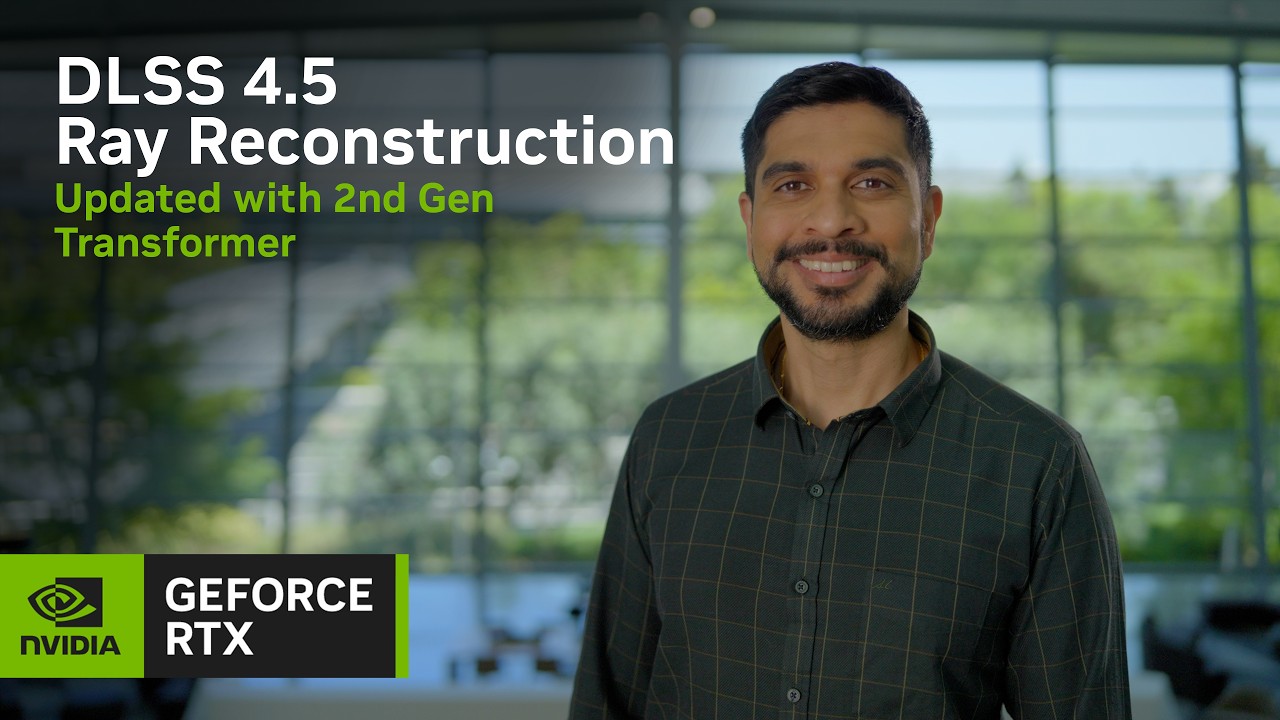
Learn more: https://www.nvidia.com/en-us/geforce/news/dlss-4-5-ray-reconstruction-1000-rtx-games-apps-out-now
Introducing DLSS 4.5 Ray Reconstruction, coming August 2026 for all GeForce RTX gamers to enhance image quality in ray-traced and path-traced games.
Powered by a second-generation transformer model, DLSS 4.5 Ray Reconstruction can mor...
zinc fossil
limpid lantern
https://www.youtube.com/watch?v=NvSYk0PjLrU
oh damn it's actually happening??
finally
mighty wind
frozen nebula
Yeah 9950X3D.
You'll still be CPU limited when there are many npcs
limpid lantern
Yes it's a bug
frosty mortar
limpid lantern
https://www.youtube.com/watch?v=NvSYk0PjLrU
Hopefully it’ll line up with 007 path tracing update
 grizzled flicker
Likely, we'll have PT upgrade in August
 daring timber
guys does this also contain all the work musa did if you know what i mean
zinc fossil
daring timber
guys does this also contain all the work musa did if you know what i mean
yes
 grave bluff
frozen nebula
CC: <@262398316032163851>
I know you said you'd be buying/playing it in couple...
grave bluff
frozen nebula
CC: <@262398316032163851>
I know you said you'd be buying/playing it in couple...
Saw the pinned post. I don't buy this. The comparison pics actually depicts the opposite of what you're saying.
daring timber
mighty wind
Made worse by 49%
49% makes it worse?
daring timber
zinc fossil
yes
is something wrong with dlss qualtiy?
whats the discussion about 49% ? someone please explain
wicked wasp
you need to set dlss to render at less than 1080p
wicked wasp
frozen nebula
CC: <@262398316032163851>
I know you said you'd be buying/playing it in couple...
so on a 4k display you have to do this
daring timber
wicked wasp
you need to set dlss to render at less than 1080p
can i do it in nvidia app by setting DLSS super resolution scaling to custom and 49% musa ?
wicked wasp
yes
daring timber
is it better to do it with NVPI musa or nvidia app just works fine?
last knot
Its the same
daring timber
ok thanks
 wooden tinsel
frozen nebula
Is the black bar toggle working for you when you try to hide then during a cutsc...
wooden tinsel
frozen nebula
Is the black bar toggle working for you when you try to hide then during a cutsc...
yes, you need to press the number pad's /, not the normal one

 frozen nebula
wooden tinsel
yes, you need to press the number pad's /, not the normal one
frozen nebula
wooden tinsel
yes, you need to press the number pad's /, not the normal one
Yeah, I know the keybind. I was having some other issue in that scene it seems, it started to work after.
Thank you 🙂
rough parcel
Is everyone getting broken transition between cutscenes and levels where you often fade to black and see inside the level or a character standing in the dark and other strange things? Is it mod related?
last knot
I get the same thing idk if its mod related or not
frozen nebula
No, haven’t had that happen to me.
rough parcel
frozen nebula
No, haven’t had that happen to me.
I get it after every cutscene and mission transition. Its really immersion breaking. Especially during the training montage at the start. Also got lots of traversal stutter during car chase early into the game.
wooden tinsel
rough parcel
I get it after every cutscene and mission transition. Its really immersion break...
I had the traversal stutter issue, it means your game files are corrupt. verity the integrity of the game files or redownload the game
also it might be worth rebuilding your shaders by removing all files from here:
%localappdata%\NVIDIA\DXCache
 carmine sundial
 desert badge
prob a shadertoggler mod
desert badge
prob a shadertoggler mod
hopefully not the stealth lines toggle 🙁
clever tapir
Just 100% the achievements, 40 hrs and 2 playthroughs. Time to touch grass
rough parcel
wooden tinsel
I had the traversal stutter issue, it means your game files are corrupt. verity ...
will in need to reinstall reshade and the mod after that?
wooden tinsel
rough parcel
will in need to reinstall reshade and the mod after that?
if you reinstall the game, then yes
that takes like a minute though so it's fine
inner seal
I get same issue with cutscenes or missions, very odd
doesnt really matter at least, idk if its related to capping fps
remote idol
I just get some weirdness with pre rendered videos but that's due to the uw fix i have in place, other than that nothing odd to report
inner seal
almost every single transition I get a character standing in some scene lol
wooden tinsel
inner seal
almost every single transition I get a character standing in some scene lol
do you have the ShaderToggler addon? it might be that
wooden tinsel
ah, that's probably it yeah
remote idol
inner seal
maybe can try a different ultrawide fix i guess
You can just use the standard SUWSF file named as winmm.dll
Had no issues using that

GitHub
Changes
Added option to the SUWSF.ini to block game thread while applying patches (prevents issues with SUWSF running too late in certain instances)
Added option to the SUWSF.ini to delay patches ...
cedar crane
All UW mods but shader toggler based one do the same (hex editing/patching) anyway


 cedar crane
 tough granite
https://fixupx.com/thegameverse/status/2061330875401601413?s=46
tough granite
https://fixupx.com/thegameverse/status/2061330875401601413?s=46
Bruh, that's shameful
 vernal harbor
I haven't had the issue but my friend is having windows defender block and then delete your HDR mod, any ideas?
tough granite
Gotta go to windows defender and allow it
rigid salmon
vernal harbor
I haven't had the issue but my friend is having windows defender block and then ...
Make a folder, add to exclusion in windows defender, download inside that folder
wise narwhal
grave bluff
Saw the pinned post. I don't buy this. The comparison pics actually depicts the ...
Huh?
kindred mantle
idk what hes talking about
kindred mantle
grave bluff
Saw the pinned post. I don't buy this. The comparison pics actually depicts the ...
#1499664181170012181 message
tough granite
I ran at 2160p DLSS quality 2x frame gen and I didn’t have this issue
Not blurry to me
I guess doing that would help? I dunno
Vegetation only? Or the entire image?
inner seal
a decent bit of lighting stuff breaks
haloing around characters
foliage of course gets tiling artifacts and flickers like crazy
and has broken AO
inner seal
there is like, a large solid line around characters in some scenes at 1080 or above
cedar crane
Yeah at any res for me
inner seal
nah its way worse higher
cedar crane
Oof 😭
tough granite
inner seal
there is like, a large solid line around characters in some scenes at 1080 or ab...
I did notice this
So you need to run at 1080p? lol
mighty wind
Man the FPS plumits in the busy market area in ||Egypt||
tough granite
Wait 1080p or HIGHER
 mighty wind
Im getting 70fps in spots on a 9800x3d
 ocean stone
I'm cursed but broke so I'm never going to the 90 tier with these prices. Thankfully FG hard carries the 5080 even at 4k and over 100 fps
mighty wind
inner seal
sometimes dips into 60s
Phew, thought my CPU was fried as I seemed to be the only one saying it
 vital dune
Hello, sorry if it's been answered already but i can't find a solution, is this kind of warping fixable ? Happens only when i use HDR + Framegen
 rustic ether
vital dune
Hello, sorry if it's been answered already but i can't find a solution, is this ...
rustic ether
vital dune
Hello, sorry if it's been answered already but i can't find a solution, is this ...
me neither
kindred mantle
vital dune
Hello, sorry if it's been answered already but i can't find a solution, is this ...
You can use optiscaler to replace DLSS FG with XeSS FG to fix that, but otherwise no
last knot
Use XeFG
vital dune
I just did it but its locked frame gen x2 no ?
kindred mantle
yes
rigid salmon
inner seal
there is like, a large solid line around characters in some scenes at 1080 or ab...
Did they port the game from console ?🤔
vital dune
too bad 🙁 thanks for the answers
cerulean bramble
kindred mantle
You can use optiscaler to replace DLSS FG with XeSS FG to fix that, but otherwis...
Is the latency any worse doing that or same?
kindred mantle
Same I think
vital dune
cerulean bramble
Is the latency any worse doing that or same?
no i had 10ms at 120fps
kindred mantle
Didn't feel bad to me
 clear oasis
So I was told setting dlss to 49% on the Nvidia is the same as profile inspector, but you can set preset M on the nvidia app as well?
kindred mantle
XeFG looks really good too
 signal wigeon
dayum
 kindred mantle
I think it's best not to use the fakenvapi.dll from optiscaler, had worse frame pacing when I tried it in other games
kindred mantle
clear oasis
So I was told setting dlss to 49% on the Nvidia is the same as profile inspector...
yes but the game should use M by default at 49%
vital dune
mighty wind
Im getting 70fps in spots on a 9800x3d
Are you in balanced power mode in windows ? There is know stuterring from performance on x3d, also update your chipset drivers
wise narwhal
kindred mantle
idk what hes talking about
Who the fuck knows lol
 frank violet
So, for my understanding, I got a 1440p monitor, I usually play single player games with dldsr to 4k using DLSS quality (or sometimes lower, it depends, I got a 5080)
On this game, 1440p DLSS quality ou 4k DLSS performance (forcing 49% it seems)?
inner seal
frank violet
So, for my understanding, I got a 1440p monitor, I usually play single player ga...
1440p dlss quality is fine, or 4k at 49%
Just need vertical res below 1080
frank violet
inner seal
Just need vertical res below 1080
Thanks, since 4k 49% might have better image quality, I'll go with that
peak oracle
inner seal
1440p dlss quality is fine, or 4k at 49%
do you think going to 49% is worth the trade off for slightly improved AO?
inner seal
not sure what you mean by "slightly improved AO"
peak oracle
ive only seen one side by side so far to be honest
inner seal
missing lighting pass, severe tile artifacts and flickering on foliage, and severe haloing around characters
inner seal
also its not like the game really looks much better at higher resolution
its a pretty low detail/res game
peak oracle
shame. i still havent tried anything to really strain the 5090 lol had it months now. but havent played cyberpunk yet
inner seal
and M at 49% is surprisingly good
peak oracle
hogwarts dont count
inner seal
every game I play strains my GPU, could use double a 5090 lol
inner seal
and I max things well beyond vanilla usually
granted most games with PT or good RT are gonna run 50-60 fps anyways on my setup
inner seal
or be CD and get 40 fps for shit graphics
wise narwhal
inner seal
and M at 49% is surprisingly good
Isn't 50% "balanced" dlss?
 hollow yoke
nah, 50% is performance
peak oracle
wonder if they even know about this issue
wise narwhal
I have a 4080 super so i typically am always using performance
hollow yoke
balanced is 58% and quality is 67%
peak oracle
this is all i need right? dont need to use nvpi
 wise narwhal
What's the verdict on M/L for this game? L is better but just heavier?
loud notch
I’ve submitted a ticket yesterday for this issue. Possibly others did as well before me.
wise narwhal
loud notch
I’ve submitted a ticket yesterday for this issue. Possibly others did as well be...
hopefully decent chance they see it then
 wise narwhal
peak oracle
did this literally just drop?
wise narwhal
peak oracle
did this literally just drop?
Same drivers still listed on the nvidia website
peak oracle
yeah it was a nvidia app update it seems
anybody using Fg with the 49% still?
or is game pretty solid

 grizzled flicker
But this issue with FG not working with HDR really baffles me, especially since you've been advertising for months that the game would launch with FG and other Nvidia features (I'll gloss over the delay with the PT)
 vast mulch
Great work guys
Playing on preset 1 with contrast at 60 and saturation at 75
Great stuff
inner seal
inner seal
so folks are using opti to swap to XeFG
but you have to use a beta build of opti, and also turn on HDR before getting into gameplay
and probably delete fakenvapi
wise narwhal
inner seal
DLSSG is fairly broken with HDR
Wait what? FG doesnt' work with HDR?
What is the issue?
 wise narwhal
What about 2x?
vital dune
x2 is light but still there
remote idol
wise narwhal
What about 2x?
2x looks fine to me
getting around 160-180 with 2x
even 3x seemed ok
inner seal
lemme find an image
grizzled flicker
2x is widely enought
wise narwhal
grizzled flicker
2x is widely enought
widely enough? What does that mean?
remote idol
yeah i'm definintely not seeing whats in that picture
grizzled flicker
Does anyone actually use x6 in a game like this?
inner seal
here is 2x #1499664181170012181 message
inner seal
everyone does but it can kind of be hidden with motion blur i guess
wise narwhal
hmm
vital dune
i actually use 5 to get 240fps and its marvelous, little input lag tbh
wise narwhal
Hopefully I won't need FG at 4K on a 4080 super then, but I probably do
rip
Guess i'll hold off on playing this for a while until patches come out
inner seal
game is pretty cpu limited where fps drops
wise narwhal
5800x3d over here
inner seal
I drop into base 60s sometimes
wise narwhal
not too bad
inner seal
pretty bad
inner seal
for these graphics and 49%
wise narwhal
Yea, I mean the game is clearly a buggy fucking mess
i'd expect nothing less from AAA
it'll probably be patched, at least the FG thing
also, for those of you guys getting FG issues, are you on latest drivers?
that could be a factor
inner seal
no
grizzled flicker
wise narwhal
widely enough? What does that mean?
You need a monitor that supports 6x, and I don't think that's very common. Besides, once you're getting over 100 fps, do you really need it? It's not a competitive FPS game.
inner seal
they also need to fix the whole thing where every possible setup has broken rendering except for dlss below 1080 lol
wise narwhal
inner seal
they also need to fix the whole thing where every possible setup has broken rend...
Yea absolutely
wise narwhal
grizzled flicker
You need a monitor that supports 6x, and I don't think that's very common. Besid...
Ok, yea, I just didn't know what you mean by that
grizzled flicker
inner seal
they also need to fix the whole thing where every possible setup has broken rend...
Sure I need more this than FG 6x
remote idol
if i wiggle the mouse around super quickly it looks like the first picture but if i'm just rotating the camera with the thumbstick like i'm playing normally it looks like the 2nd picture

 wise narwhal
inner seal
for these graphics and 49%
wise narwhal
inner seal
for these graphics and 49%
Kinda shameful for performance like that without RT/PT though
agreed
wise narwhal
remote idol
if i wiggle the mouse around super quickly it looks like the first picture but i...
looks like an acid trip
inner seal
there is gpu headroom at least I suppose
grizzled flicker
remote idol
if i wiggle the mouse around super quickly it looks like the first picture but i...
Are you using FG? 2x?
inner seal
remote idol
if i wiggle the mouse around super quickly it looks like the first picture but i...
driving though


 grizzled flicker
A patch is needed
remote idol
grizzled flicker
Are you using FG? 2x?
yeah
inner seal
also the two major issues fixed via reno are kind of a big deal
wise narwhal
inner seal
also the two major issues fixed via reno are kind of a big deal
Which two? Assume one is film grain messing with peak
inner seal
the lines covering everything in vanilla are horrid
and the pixelated flickering reflections
wise narwhal
ah duh, yes
but that's not part of the reno mod is it?
thought there's a separate file
inner seal
nah I built it into musas addon
wise narwhal
oh it's also a reno mod
gotchya
oh ok so you don't need the separate addon anymore?
inner seal
there is only one addon
wise narwhal
Oh I assumed that was a separate file
it's just the newest version of the mod with the fix
grizzled flicker
PT will fix flickering in light sources, shadows, etc.
 wise narwhal
 inner seal
it should fix reflections
will have to see what their overall shadow implementation is like
presumably they are going to blend with raster shadows for some things
mighty wind
vital dune
Are you in balanced power mode in windows ? There is know stuterring from perfor...
Are you not seeing the same CPU bottlenecking as me and Lazorr are then?
inner seal
quite a few people have mentioned it
vital dune
mighty wind
Are you not seeing the same CPU bottlenecking as me and Lazorr are then?
No i'm okay it's more of a gpu bottlneck, 7800x3d with 5070ti
I just learned today about the powerplans giving x3d issues and stutters
grizzled flicker
I use "process Lasso" for core monitoring process and other
But we are OT for speaking there
inner seal
I think people have mentioned its mostly NPC dense scenes cpu bottlenecking
grizzled flicker
How a PS5 can manage it?
mighty wind
vital dune
Are you in balanced power mode in windows ? There is know stuterring from perfor...
Im on Balanced. Always have been.
kindred mantle
Getting 90-100 fps in the black market, 5080 and 7800x3d. 1440p DLSS quality but with output scaling so 960p->2880p
GPU usage around 95%
kindred mantle
I don't think I've dropped below 80, maybe during action sequences with lots of explosions
mighty wind
Max settings outside of resolution?
kindred mantle
Yes
mighty wind
I'm getting 78-85fps here
 grizzled flicker
mighty wind
I'm getting 78-85fps here
grizzled flicker
mighty wind
I'm getting 78-85fps here
What's your PC specs? GPU and CPU
kindred mantle
About 100 fps exactly here

 primal stirrup
Mine went all over the place in Aleph, as well. From like 59-110 fps. This was at DLAA, though. I... unfortunately did not know about the AO scaling issue until last night 💀
inner seal
In the lab, one direction I get like 120-130 base and the other I get around 70
remote idol
mighty wind
I'm getting 78-85fps here
what's with all the faces, did james forget his trousers?
primal stirrup
inner seal
In the lab, one direction I get like 120-130 base and the other I get around 70
Yeah this was my experience, as well. The lab is a hitching fest.
kindred mantle
Hmm not having that issue. I had crazy stutter in one level only and updating drivers solved that
Doing DLDSR 4k 49% res now and walking around the lab is consistently around 85-95 fps, no stutter and no wild fluctuations
primal stirrup
After doing the custom scaling, I was getting basically 100+ at all times. But this was at DLAA 1440p
vital dune
mighty wind
I'm getting 78-85fps here
crazy, my cpu at this place is used at 25%
mighty wind
grizzled flicker
What's your PC specs? GPU and CPU
5090, 9800x3d
Something's fucked for me then?
inner seal
we need to make sure we are talking about the same FPS
mighty wind
As in, the same stress test/scenario?
inner seal
FG, base, which FG
mighty wind
Oh, no FG for me
inner seal
yeah, then that sounds right
mighty wind
Will be funny if the people who say "oh I got 100fps there" are quoting FG numbers
inner seal
they must be, your numbers align with what I see roughly as well
finite dune
4080S 9800x3d here, only time I've seen it dip into the high 60s was that scene in the traffic jam with the Range Rover. Most of the time I'm hitting 80's+. 4k, DLSS performance, everything on maximum.
No FG
kindred mantle
mighty wind
5090, 9800x3d
4k 49% res? I used DLDSR to get to 4k with 49% res for a better comparison and I'm getting around 75-85 in the market. But this is with a 5080 and 7800x3d
No FG
inner seal
yeah so game is just bottlenecked
kindred mantle
Well I'm completely GPU bound and I can get over 100 fps there at 1440p
inner seal
Ill have to look again later, but pretty sure in the lab if you look out into the lab from elevator, base drops fo 60-70
I can get like 100-120 normally though
 astral crow
I think the lack of pathtracing hurt their PC numbers I am waiting and especially will probalby wait now since transformer RR is coming in august
frozen nebula
wise narwhal
Did you run into this?
I did 2x and wasn’t a huge deal breaker, haven’t been using it with 49%
Someone shared some fix for it in here.
frozen nebula
quaint oriole
we found a workaround for the Fg bug, you can use optiscaler and convert dllsfg ...
This here.
astral crow
it will definitely peak again when pathtracing drops why would anyone play without it with a high end PC
probably won't top top concurrent playercount but will get a bump
 empty bear
mighty wind
Will be funny if the people who say "oh I got 100fps there" are quoting FG numbe...
empty bear
mighty wind
Will be funny if the people who say "oh I got 100fps there" are quoting FG numbe...
That's the current trend on EmulationOnAndroid sub the last few weeks lol
wise narwhal
frozen nebula
This here.
Ugh. I rather just wait for them to patch it at this point
lol
Never used optiscaler
but thx
loud notch
Has anyone have issues with cutscenes? I got knocked out on a ship and instead Bond just standing there 3 seconds before the cutscene starts. Ever since all cutscenes are the same :/ 2nd play through never had it before
primal stirrup
astral crow
it will definitely peak again when pathtracing drops why would anyone play witho...
because they want to play the game on PC, not on console? I'm not gonna wait until Pathtracing to play the game lol.
Especially when pathtracing is probably going to tank the FPS even on 5090's if you don't play on Performance DLSS with FG.
(at 4K)
 thorn wigeon
So where is the summer game update?
primal stirrup
It's not summer.
buoyant gorge
frozen nebula
CC: <@262398316032163851>
I know you said you'd be buying/playing it in couple...
even disabled dlss ?
primal stirrup
Then you'd be using TAA
Which would be native, so.... you'd then have to resolution scale without the upscaling.
buoyant gorge
primal stirrup
Which would be native, so.... you'd then have to resolution scale without the up...
so that means this issue is unrelated to dlss ?
primal stirrup
It means the AO scales with resolution.
 queen quail
astral crow
I think the lack of pathtracing hurt their PC numbers I am waiting and especiall...
queen quail
astral crow
I think the lack of pathtracing hurt their PC numbers I am waiting and especiall...
You think maybe this will be the first game to implement the new RR and that's why they waited?
I am hoping for their sake that it is
frozen nebula
buoyant gorge
so that means this issue is unrelated to dlss ?
Yes, happens without DLSS, too.
mighty wind
I think the game looks pretty bad overall. It's very messy
primal stirrup
There are times when it looks really good and then the fidelity deteriorates in the next scene. It's so weird.
mighty wind
49% cause of a bug, no FG cause of a bug, HDR resets each game restart cause of a bug
Crazy aliasing at times
primal stirrup
And not a patch in sight.
The HDR one at the very least should have been patched already. It's ridiculous it even shipped with that bug.
astral crow
queen quail
You think maybe this will be the first game to implement the new RR and that's w...
For the 1000th time waiting for games is just superior to playing day one especially singelplayer
if you wait long enough you get it dirt cheap too with updated patches, mature modding it's just far better
mighty wind
There's no denying that, but the discord buzz of being here as the guys mod it is pretty fun
primal stirrup
If you're waiting for discounts on new games nowadays, you're usually waiting at least a full year.
mighty wind
Also, I prefer to only use 49% of my 5090
astral crow
yeah, I mean there is a happy medium waiting at least 3-6 months though is good rule of thumb
wise narwhal
I'm gonna let this game cook for a bit
astral crow
but yeah i realistically have a backlog of high quality games so large that i could wait a year plus for every game
inner seal
loud notch
Has anyone have issues with cutscenes? I got knocked out on a ship and instead B...
Yep, just kind of awkwardly loading into a different scene and then cutscene starts or something
wise narwhal
mighty wind
DF glazing
They missed a hell of a lot
inner seal
mighty wind
DF glazing
have people not learned that DF has absolutely no idea what they are talking about most of the time
wise narwhal
inner seal
have people not learned that DF has absolutely no idea what they are talking abo...
I typically only care what Alex says. I kind of just ignore the other members, especially Oliver
mighty wind
It's ok, the Devs gave Alex and his treadmill an interview
astral crow
lmao, I feel like alex kinda does but he's the only one
mighty wind
So 10/10 no faults
primal stirrup
mighty wind
It's weird because I thought this one was going to be polished at launch
Every hitman game has launched pretty near perfectly, tbf. It was assumed.
I've never had any issue with the Hitman games.
inner seal
Alex can be alright, but they make so many meh claims and glaze games that deserve to be criticized
overgeneralization galore too
astral crow
primal stirrup
Every hitman game has launched pretty near perfectly, tbf. It was assumed.
I'v...
hitman 3 like looks better than last light from what i've seen. Hitman 3 looks phenomenal
just has such stiff shooting and animations imo
last light shooting actually looks good
first light*
mighty wind
Yeah it's fun, animations are great too
empty bear
I found it funny how far we had to get in to actually appreciate the gunplay.
astral crow
it seems like they prioritized console and I am not sure why considering hitman 3 is biggest and best selling on PC
not launching with PT was a huge mistake imo
astral crow
I think most PC gamers in the west are mid-high end and launching without PT in 2026 is a built-in reason to skip the game until it's patched with it. It was for me
inner seal
I have a lot of trouble imagining fitting PT into this 2016 era engine/game with the current state
loud notch
inner seal
Yep, just kind of awkwardly loading into a different scene and then cutscene sta...
Yup exactly. Finished the game and never seen it before now it’s all the time lol I’ll verify the files and see if that helps
inner seal
I have seen it constantly
astral crow
inner seal
I have a lot of trouble imagining fitting PT into this 2016 era engine/game with...
I mean it's kinda absurd that dlss upscaling is just flat out not working
that's like easiest piece of the PC puzzle
inner seal
if by DLSS you mean no upscaler/TAA
DLSS is the only one that works and only below 1080
zinc fossil
game is good and the art is amazing, they need to fix the lighting issues though
astral crow
yeah i don't understand how they messed up dlss, never seen that before
grizzled flicker
inner seal
no
@1440p ? I need to set at 49% ?
inner seal
FSR and TAA are broken across the board
inner seal
grizzled flicker
@1440p ? I need to set at 49% ?
nah, quality is fine
zinc fossil
grizzled flicker
@1440p ? I need to set at 49% ?
quality preset should be fine
primal stirrup
astral crow
yeah i don't understand how they messed up dlss, never seen that before
They didn't mess up dlss, they messed up the AO.
inner seal
some of their deferred lighting passes stop working more or less
unless its specifically dlss below 1080
astral crow
but yeah, why buy this game on PC now? Wait 3 months with patches and PT and you don't "waste" your experience
 serene yoke
DF is mostly Alex for me
He's also the only one who tries to actually read the research papers
astral crow
I personally almost always just play a game once
inner seal
I just play games about half 
inner seal
Have like 24 hours in this one, 18 hours fixing shadow/gi artifacts, 4 on reflections, and then 2 playing
astral crow
you doing U+ on it?
serene yoke
How many seconds does it usually take before you're like,
I can fix this
serene yoke
Because it does feel like it goes that quickly
Crimson dessert was the biggest surprise that you and the others kept trying
inner seal
reflections seemed simple to fix it was just finding what shader and what the problem was
primal stirrup
astral crow
but yeah, why buy this game on PC now? Wait 3 months with patches and PT and you...
I don't quite understand the obsession with PT. Even on the highest level cards, it completely obliterates performance and produces grainy artifacting without fixes.
Base Cyberpunk PT is unplayable without the Ultra+ fixes.
inner seal
I mean, this game looks like a 2016-2020 game
bad shadows, reflections are a joke, lighting is... yeah
I want to play modern looking games with modern tech
doesnt have to be full on PT
serene yoke
Here's one of your favourite people then
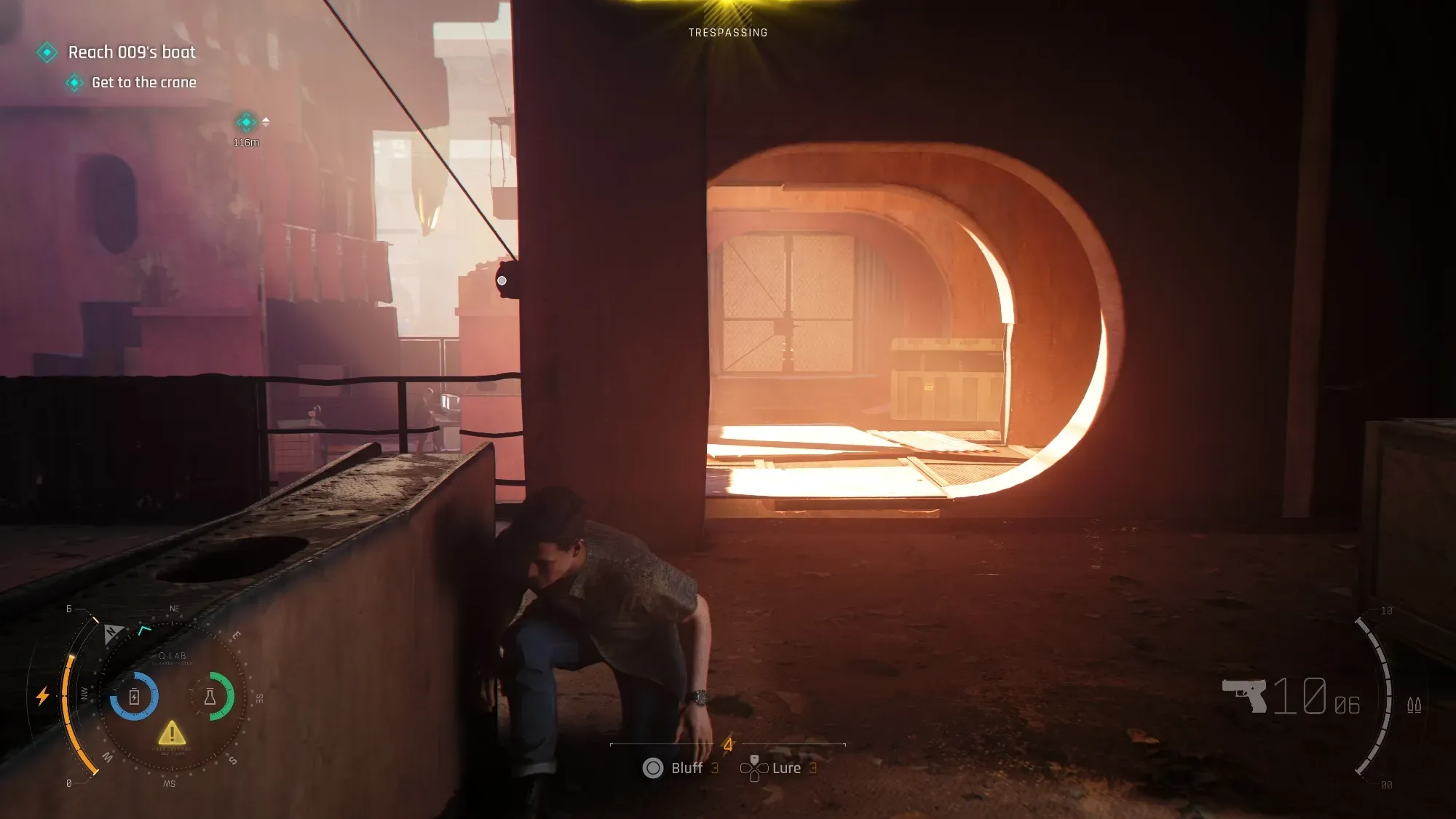
https://bsky.app/profile/dark1x.bsky.social/post/3mmtxkpqdas2j

Man, I love the lighting in 007 sometimes. Just gorgeous results.
Likes
166
 Bluesky
·
inner seal
Bluesky
·
inner seal
plus, they are the ones that advertised it
 smoky lava
that's almost all bloom
inner seal
and nvidia showcased it
primal stirrup
inner seal
doesnt have to be full on PT
I think it would do well with RTGI and RT Shadows but I don't trust IOI with PT lol
I mean they somehow broke RT reflections and Sun Shadows in World of Assassination at some point
primal stirrup
You're telling me Nvidia lied to us? 😱
primal stirrup
(not actually surprised, but sarcasm is hard to convey via text)
astral crow
inner seal
and not qualify for PT
I hope not, I think performance will be super heavy though need to get upscaling working haha
inner seal
August 1st they are gonna drop both perfect PT and new RR and it will be the best looking game ever
astral crow
haha could be, I personally think Re requiem is probably all around the best looking right now and first light doesn't have the facial animations/character models to match it
first light character models are superisingly good though too
inner seal
ye that and pragmata are solid
but RE9 suffers hard from noise/ghosting in places
excited to see it with 4.5 RR
astral crow
I think cutscene grace is one of the best video game models i've ever seen
inner seal
Industria 2 low key one of best looking games out rn in terms of lighting etc
and nobody knows really
astral crow
i've never heard of that one, I think we are finally heading towards true next gen soon
when the ps6 is finally out it will be a huge leap
inner seal
Cthulhu TCA with tuned HW lumen also rather nice
astral crow
this generation took this long to actually be a leap imo
inner seal
starting to see some games leveraging new/current UE tech and it definitely shows
astral crow
yeah i think it's mainly the ps5 pro plus the growth of the pc market in the last two years
re4 remake could have totally had PT at launch but there would be no point since consoles couldn't run anything close to it yet
inner seal
I was feeling meh about all the PT because RR, but finally announced RR 4.5
astral crow
yeah and dlss 5 if you ignore how heavy-handed the preview was that is probably the future of rendering. ps6 rumored to have neural rendering piece as well. Increase fidelity of minor pieces of the scene that usually had to be culled (distant shadows and npcs, asset etc.)

 astral crow
yeah i mean you look at the controversial grace, and it did improve some things about her if you ignore her face haha
clothing detail, asset detail in the back, I actually was less of a fan of lighting changes it made
than the asset glowup
inner seal
the lighting changes were bad
 modern osprey
my main response to dlss 5 is, do we really need this
we live in an age of path tracers, physically based renderers... we already know scientifically how lights and stuff works
how good is an AI predicting that over just rendering it with the same hardware
astral crow
I think it's more about the cumulative effect of creating high fidelity assets and npcs that are normally made potato to help with perf
would have a large impression of the look of the entire scene with less things like pop-in mesh issues
also shadows too
modern osprey
on that though I do wonder how "stable" this model will be. Like is it deterministic, when I move the camera back and forth will I see the same result
astral crow
yeah that's what we will see
think of a game like space marine 2 how many enemies are on screen
they are kinda just like a blob until they are right in your face
modern osprey
again a solveable issue with raw performance. and it's not like this filter will be cheaper, I highly doubt it
mighty wind
How can I take a Reshade HDR screenshot but keep the DC OSD visible?
astral crow
I think we are quickly reaching the peak of raw raster but I am not sure
modern osprey
I mean RT
I think something like Blender Cycles in real time is approaching
imo putting in AI into this now will hinder progress
astral crow
yeah we will see
modern osprey
imagine this, you're a game dev and made your game according to DLSS NR 1.0. an update comes out and now your lighting is completely different
the players' drivers automatically update the DLL so you're stuck without control over how your game looks. AMD users use FSR NR instead and play a completely different game in terms of visuals
purely hypothetical
mighty wind
kindred mantle
Well I'm completely GPU bound and I can get over 100 fps there at 1440p
Please can I ask you to double check your results here
If you're definitely getting a consistent 100+ FPS I'll start testing a lot of shit to see if something is causing a CPU bottleneck
Vsync on/off etc
loud notch
Well that was quick lol
zinc fossil
loud notch
Well that was quick lol
lmao you were actually right damn
kindred mantle
mighty wind
Please can I ask you to double check your results here
Yeah I'm definitely getting 100, I can get higher if I use lower input res
is 85 your max even with more aggressive upscaling?
kindred mantle
What's your GPU usage?
mighty wind
55%
mighty wind
Several of us are seeing this in crowd heavy spots
When not using FG
FPS tanks as I pan camera too
kindred mantle
Which driver?
mighty wind
Latest
kindred mantle
Same
kindred mantle
Ingame off, driver vsync on. No limiter
Max I can do in the market is like 115ish if I use Ultra Performance
mighty wind
And it doesn't dip below 100 when walking around through the crowds?
kindred mantle
It does, 90-100 is the usual
mighty wind
Please, for my sanity, could I kindly ask for a s/s of your in-game graphics settings?
kindred mantle
High 80s is rare
mighty wind
Oh ok. What CPU again?
hollow yoke
I'm in the 90 - 100FPS region at that spot you were sharing screenshots of, 5160x2160 @49% DLSS, max settings on a 5090/9850X3D
 frozen nebula
mighty wind
FPS tanks as I pan camera too
frozen nebula
mighty wind
FPS tanks as I pan camera too
Doesn't tank for me, if by that you mean that it's very noticeable/crawls the game.
I didn't have any counter on as I don't like overlays, but I didn't notice for any moment that my game isn't running 'normally' as it does.
I'm past that area now, too. But can check with counter when I get in another crowd heavy one.
mighty wind
hollow yoke
I'm in the 90 - 100FPS region at that spot you were sharing screenshots of, 5160...
Interesting, thanks. lazorr and I both hitting 70s/80s with a 9800x3d
frozen nebula
From? 120?
mighty wind
frozen nebula
I didn't have any counter on as I don't like overlays, but I didn't notice for a...
Ah it's not a jarring drop when panning, just visible via counter
mighty wind
frozen nebula
From? 120?
Yeah, well 138
frozen nebula
Ah, okay. Nevermind then, I thought it was bad enough that it was coming to a crawl or something.
Between VRR and the game being third-person slow walking in those environments, and couch gaming on top of it from far away.
Errrrrrythang was smooth.
mighty wind
When I go into heavy crowds the frame pacing noticeable goes shitty. Typical CPU bound feel
But a 138 to 75 drop will do that
mighty wind
What the flip is going on then
kindred mantle
mighty wind
Thanks man. And the render options above it?
Doing DLDSR 4k 49% res now to see if there are any issues when actual output res is set to 4k
What's the lowest it dips to in the market for you? 75ish seems to be the minimum with these settings, but no stutter and no frame pacing issues
mighty wind
Thanks for this. Think I saw 69
Will check again shortly
I'm gonna try without Reshade, or DC etc
It doesn't stutter to be fair
slender arch
I did a little comparison of DLAA Preset K and 49% Preset L at 4K, if anyone wants to compare

 primal stirrup
mighty wind
Several of us are seeing this in crowd heavy spots
primal stirrup
mighty wind
Several of us are seeing this in crowd heavy spots
Yeah this is my experience, as well. 5070Ti R7 5700X3D.
 random sonnet
I don't understand why but my game looks terrible with the mod
blacks are crushed and washed out, never had that before with renodx
 fallen whale
i joined specifically to say this mod is really great i love playing in hdr and the normal implementation was super bad
so thank you musa
zinc fossil
where exactly do people have dips in Lab area?
primal stirrup
https://youtu.be/UBb1bv3TZs0?si=DdzvbW-mjAXOV_mh&t=665 this section of this video truly illustrates the performance in huge crowds issue

Follow James Bond as a young, resourceful and sometimes reckless recruit in MI6's training program, and discover an origin story of the world’s most famous spy.
Test Platform :
CPU►AMD Ryzen 7 5700X3D @ 4.1 Ghz
Cooler►Deepcool AG620
Motherboard►Asrock B550 Steel Legend
RAM►2x16 GB G Skill Ripjaws V 3200 Mhz
GPU►Zotac SOLID SFF GeFor...
100+ in one part of the hallway, then walk slightly forward and suddenly you're in the 80s
walking into the chess tournament, it drops into the 60s
GPU utilization below 60%
kindred mantle
random sonnet
blacks are crushed and washed out, never had that before with renodx
The mod looks similar overall to the native HDR with better highlights. Do you have HDR turned on? It turns off everytime you launch the game
primal stirrup
random sonnet
blacks are crushed and washed out, never had that before with renodx
Did you remember to re-enable HDR? because the game disables it every time you exit.
random sonnet
primal stirrup
Did you remember to re-enable HDR? because the game disables it every time you e...
Holy shite
I forgot
That's it
zinc fossil
how can you not notice though lmao
smoky lava
lmao
random sonnet
zinc fossil
how can you not notice though lmao
I didn't expect the game to turn it off
 tough terrace
Does DLDSR work for anyone ?
I can't chose a resolution higher than my native monitor resolution 2560 x 1440 ingame, while in other games i can choose 3840 x 2160.
Anyone know a workaround ?
zinc fossil
fair enough but I can usually immediately see clamped highlights
primal stirrup
tough terrace
Does DLDSR work for anyone ?
I can't chose a resolution higher than my native m...
NVPI, but you don't want to have it native 4K, or parts of the lighting pipeline will completely break. Including ambient occlusion. See the pinned comment for what to do.
kindred mantle
tough terrace
Does DLDSR work for anyone ?
I can't chose a resolution higher than my native m...
You have to set your desktop res to the dldsr res. Better to do that anyways
tough terrace
kindred mantle
You have to set your desktop res to the dldsr res. Better to do that anyways
right, thanks!
smoky lava
slender arch
I did a little comparison of DLAA Preset K and 49% Preset L at 4K, if anyone wan...
preset K ewww
tough terrace
primal stirrup
NVPI, but you don't want to have it native 4K, or parts of the lighting pipeline...
bummer 🙁
smoky lava
yikes
people unironically use K
nvidia default is K for balanced/quality
that's crazy to me
 hot hawk
why is M better?
smoky lava
look at the shadow ghosting
zinc fossil
walking around the chess tournament right now and am completely locked at 116fps at all times with dlss 49% internal res
at 4k
tough terrace
primal stirrup
NVPI, but you don't want to have it native 4K, or parts of the lighting pipeline...
Where can I see if the lighting pipeline is broken ? I can't see any difference between 4K Quality DLSS and 4K costum @ 49% (as described in the pinned message) regarding lightning, aside it is obviously more blurry @49%
primal stirrup
The AO is completely broken
timber tendon
slender arch
I did a little comparison of DLAA Preset K and 49% Preset L at 4K, if anyone wan...
Everyone is using M intead of L b/c HDR highlights are supposedly better
timber tendon
kindred mantle
You have to set your desktop res to the dldsr res. Better to do that anyways
why is it better to set desktop to that? Antialisaing? I think it's slightly softer
 blissful ledge
whats up with the whole AO thing? if i play at 1440p with dlss quality, am i affected?
blissful ledge
right, so even tho the output res is 1440p, it doenst matter cuz the input res for dlss quality at 1440p is only 960p?
last knot
Yeah input vertical res needs to be under 1080p
timber tendon
blissful ledge
right, so even tho the output res is 1440p, it doenst matter cuz the input res f...
correct
inner seal
I swear to god whoever put all the blue and yellow markers AT EVERY POSSIBLE POINT OF INTEREST deserves to be slapped
blissful ledge
u forget the average intelligence of people
kindred mantle
timber tendon
why is it better to set desktop to that? Antialisaing? I think it's slightly sof...
I just meant to change your desktop res before you launch a game, you can use borderless and avoid issues with alt tabbing. I didn't mean to always have your desktop set like that
blissful ledge
they prolly only added it after 70% of playtesters failed to find the objective/way forward
inner seal
I cant even drive a car without what feels like the whole damn road being blue
smoky lava
just wait for the arrows and xs
smoky lava
absurd
inner seal
use q watch for even more markers
hey were you looking to climb up
how about this bright blue pipe conveniently placed on a ship wreck
timber tendon
kindred mantle
I just meant to change your desktop res before you launch a game, you can use bo...
Thanks, i'm alwasy trying to improve my config so that's why
mighty wind
@inner seal it's reflex gimping our fps
primal stirrup
inner seal
how about this bright blue pipe conveniently placed on a ship wreck
Don't forget about the YELLOW MOSS
mighty wind
I uninstalled DC and fps and same scene went from 78fps low to 114fps low