#PRAGMATA
1 messages · Page 4 of 1
 shut dome
next gen consoles will do PT at 30fps lol
meanwhile we at 120+ today hahaha
at max setttings hahaha
 cyan swift
Framegen is going to becom a standard on consoles
 ivory stirrup
Another one of 380 game brightness full ACES posts 
Ok look, you clearly have a different opinion how HDR should look. Musa tries to match baseline SDR, which is what HDR is (it's SDR+) it shouldn't be "different" and "contrasty". That's just you liking that look and that's ok, tweak to your liking it's why the options are there
 urban creek
shut dome
meanwhile we at 120+ today hahaha
urban creek
shut dome
meanwhile we at 120+ today hahaha
Only because the game doesn't utilize the full potential of pc power on purpose. They can't make it that much better looking compared to their precious console. Would cause people to buy less ps5's and hurt their sales. I am certain that when cranked up we would be all sweating with our rigs just like back in Crysis times ...
cyan swift
ivory stirrup
Another one of 380 game brightness full ACES posts <:AcesBunny:14265655272325776...
I have 380 because Im playing from 77 inch tv from 3 meters away on enviroment with windows
shut dome
the entire console system holds thingns back lol
 pearl raptor
Hmm.. Does this mod allow to remove chromatic aberration ?
ivory stirrup
Pro doesn't have any boiling tho - and doesn't need RR or preset E for that, which is interesting
And texture reconstruction is pixel perfect, including the hairs
 arctic glen
it doesnt use PT does it, RR isnt used for RT
 steep trench
pearl raptor
Hmm.. Does this mod allow to remove chromatic aberration ?
steep trench
pearl raptor
Hmm.. Does this mod allow to remove chromatic aberration ?
it is already in game setting
ivory stirrup
arctic glen
it doesnt use PT does it, RR isnt used for RT
That's the thing if you don't turn on PT/RT on pc it boils like ass
pearl raptor
steep trench
it is already in game setting
Thx, it wasnt in demo previously 
arctic glen
does the pro use RT
ivory stirrup
But PS5Pro somehow with it's PISSR SHITR fixed it
Yes all consoles come with RT (except S?)
But they all boil badly of course
urban creek
PISSR SHITR 
 civic juniper
PS5/XSX in their framerate mode don't use RT
ivory stirrup
Only pro actually looks... Clean?
civic juniper
Pro boils too
arctic glen
so I dont understand your last statement about needing to turn on RT/PT
civic juniper
and massive denoising issues on reflections
urban creek
civic juniper
and massive denoising issues on reflections
same on pc
ivory stirrup
civic juniper
and massive denoising issues on reflections
Yeah there was some around character moving a little bit but it's mostly clean on stable surfaces
And reflections are bad compared to pc indeed
ivory stirrup
arctic glen
so I dont understand your last statement about needing to turn on RT/PT
I meant RR with PT. Without it everything is boiling
 tame jewel
Man nvidia really needs to update Ray Reconstruction, it looks like ass compared to trasformer model
arctic glen
ivory stirrup
I meant RR with PT. Without it everything is boiling
PT only runs with RR
civic juniper
RR is already transformer
arctic glen
its the only denoiser
ivory stirrup
That's why without it is so bad.. why can't we use RR without PT?
shut dome
for the love of god turn off bloom and lens flare
tame jewel
civic juniper
RR is already transformer
it is? Why does it look so blurry compared to dlss then?
shut dome
that will make the game so much clearer
civic juniper
tame jewel
it is? Why does it look so blurry compared to dlss then?
D and E are, yes
ivory stirrup
tame jewel
it is? Why does it look so blurry compared to dlss then?
Because that's what RR does. It's another TAA 2.0 
tame jewel
civic juniper
D and E are, yes
So E is less blurry?
arctic glen
RR is inferring almost 30 samples of information per sample of RT/PT information
ivory stirrup
tame jewel
So E is less blurry?
E is less boily to me, which matters more than anything else
Image stability for me is 100x more important nothing else matters
 dusk oyster
tame jewel
So E is less blurry?
dusk oyster
tame jewel
So E is less blurry?
I took side by sides and D was sharper to me, using ICAT to compare. I haven't tested in motion, but I hear E has less boiling
tame jewel
Isn't E the default preset?
ivory stirrup
No
arctic glen
D is
dusk oyster
D is the default .
tame jewel
Oh ok
ivory stirrup
Game looks incredible with E I have no complaints
arctic glen
RR upscaling is still based on DLSS 4.0 and it still remains the only PT capable denoiser used by any game
so, until games can render more samples in real time, and potentially we get higher quality upscaling in RR
🤷
urban creek
just force it in nvpi-r
 ivory stirrup
How did you get nvpi in dark mode? 
 shut dome

Nexus Mods :: Pragmata
For those who love a real challenge like Dark Souls or Sekiro style...
@bronze ether
dusk oyster
Left is D, Right is E
D is quite a bit sharper, but yea... E has way less boiling in motion.

1920x1080 -> 3840x2160
shut dome
have you compared crimson desert with D and E
dusk oyster
Don't have the game.
shut dome
kk
urban creek
shut dome
have you compared crimson desert with D and E
go for e aswell
which is default afaik
shut dome
yeah I have, just curious others opinions haha
dusk oyster
Also, dunno what FG mode this game uses by default... but forcing Preset B completely eliminates all UI ghosting in every game I've tested... assuming it provides UI inputs.
urban creek
that is what preset b was built for
dusk oyster
Yea, I heard someone mention UI ghosting the other day though... so just wanted to point that out.
I think older games were updated to provide UI inputs, through Streamline maybe? FF7R and Stellar Blade went from UIR Off to UIR On a few days after Preset B officially launched

 dusk oyster
Perf is going to be a lot more stable, especially in motion
ivory stirrup
the only spot i could tell was the hair, sorry for not matching it but can you see it?

 dusk oyster
It's more difficult to notice in a still image, but in motion it has less time to accumulate
urban creek
hair is a tiny bit more sharp on the right side
dusk oyster
Ultra Perf is pretty unusable imo
ivory stirrup
true except the hair the textures at least look exactly the same to me
ivory stirrup
ivory stirrup
after pixel peeping i can see it now, but honestly? i would take the ultra performance over perf with FG
its such a small difference
shut dome

Nexus Mods :: Pragmata
PRAGMATA has support of DirectStorage which provides better using of NVMe SSDs. However, the version of DStorage DLLs is lower than current DStorage version, like in RE9. This mod updates them.
dusk oyster
Methinks that mod would likely be placebo
 feral kindle
Hmm
 shut dome
yeah thats where the dlls are
i did it a few days ago, was fine, didnt notice anythign crazy
but whatever, nice to be on the latest
 cinder oyster
ivory stirrup
can someone actually tell a differnce between 4K ultra and perf?
cinder oyster
ivory stirrup
can someone actually tell a differnce between 4K ultra and perf?
Yes, internal res matters a lot for PT/RR. There's a pretty massive difference between 720p and 1080p in motion
ivory stirrup
dusk oyster
Methinks that mod would likely be placebo
quite a few good comments on it


and a few that keep saying its poopoo 😅
 prime meteor
while I agree PT looks stunning, RT looks extremely subpar and it's not even close, compared even to fully rasterized titles like Horizon forbidden west for one
 spiral palm
Is the latest LUA script pinned anywhere?
 vernal orbit
Anybody notice that the PT is missing a great many objects in the BVH, at the very least for the direct illumination pass? Is there any fix for this atm?

 pallid imp
vernal orbit
Anybody notice that the PT is missing a great many objects in the BVH, at the ve...
pallid imp
vernal orbit
Anybody notice that the PT is missing a great many objects in the BVH, at the ve...
Yup
tame jewel
feral kindle
Hmm
I mean loading is absolutely fine as is, even if this does anything what could it possibily do? Make loading screens 1.8 seconds instead of 2?
tame jewel
vernal orbit
Anybody notice that the PT is missing a great many objects in the BVH, at the ve...
Yeah it's not perfect, but it's also the most performant PT implementation I've seen, and that is probably why
urban creek
vernal orbit
Anybody notice that the PT is missing a great many objects in the BVH, at the ve...
yes, sadly #1475553827255222486 message
 south owl
tweaked rt even wins in some cases vs pt


 frosty gust
Seems fine if you’re playing in a bright room
I play in a darker room
Anywhere above 150 game brightness is where it starts to get painful to look at
vernal orbit
urban creek
yes, sadly https://discord.com/channels/1408098019194310818/1475553827255222486/...
Yikes
I wonder if this can be fixed
 prisma quest
south owl
tweaked rt even wins in some cases vs pt
prisma quest
south owl
tweaked rt even wins in some cases vs pt
what changes to RT you make?
south owl
prisma quest
what changes to RT you make?
 prisma quest
damn, performance impact roughly what?
the radiance cache alone loses me about 10-15 fps i think. and crashing in some places
south owl
kinda scene dependent, but only the 2 RT ratio settings should affect the framerate. ~20% hit tops
dusk oyster
prisma quest
the radiance cache alone loses me about 10-15 fps i think. and crashing in some ...
That's about how much I gain from enabling it
prisma quest
dusk oyster
That's about how much I gain from enabling it
oh it's not an fps gain for me, it costs fps when i enable
 heady karma
prisma quest
oh it's not an fps gain for me, it costs fps when i enable
heady karma
prisma quest
oh it's not an fps gain for me, it costs fps when i enable
you have scene scale/tile size messed up badly if so, it should be a significant gain
prisma quest
didnt touch any other settings besides trying to enable it before. havent tried it again
have tile and scene scale unchecked at defaults from screenshot above, checking use radiance case just in shelter drops me from 159 down to 146fps
heady karma
not using PT?
prisma quest
no matter where im standing, it drops. no, no PT
sorry no PT, on a 9070 XT
so i only get RT
heady karma
makes sense then, most people are using it for a gain in PT
prisma quest
so without PT it's a loss but with it's a gain?
heady karma
yeah seems so, running the RC would have a fixed cost that I guess outweighs the performance benefit of the cache if you aren't using PT
it's a >10% gain for me with PT, I think that's about the average
prisma quest
idk why i didnt think of it that way, makes more sense now
cyan swift
frosty gust
Seems fine if you’re playing in a bright room
Yes I'm also playing 3 meters away from the TV, its just that I noticed that the Aces lower nits and the pre tone map curve options makes the game a little bit washed out in my tv during the brighter scene of the game like the shelter but helps with crushed blacks in darker scenes of the game.
frosty gust
Ya you just have to decide how much the tradeoff in contrast / visibility is worth
frosty gust
does anyone know what artifacts this guy is talking about

 north spade
i'm using 2xFG and i haven't seen anything
urban creek
fg 3x and i have no clue
 little frigate
where can i get pragmata tweaks?
heady karma
little frigate
where can i get pragmata tweaks?
#1475553827255222486 message
 stoic mountain
Love this game
little frigate
heady karma
https://discord.com/channels/1408098019194310818/1475553827255222486/14950792115...
do i put it in the re framework folder?
heady karma
little frigate
do i put it in the re framework folder?
reframework\autorun
stoic mountain
In my region price is $40 its absolutely worth it. Awesome game, awesome graphics and optimization
Much better than re9..
little frigate
guessing you have to turn PT off to use the script?
 heady karma
it's under Script Generated UI
 little frigate
I dont see some of the settings like Enable Specular Res
cinder oyster
little frigate
I dont see some of the settings like Enable Specular Res
#1475553827255222486 message
You don't have to turn PT off to use it, but the settings in those screenshot are for regular RT
If you want to use PT then you can just use pragmata tweaks lite
little frigate
cinder oyster
If you want to use PT then you can just use pragmata tweaks lite
so the radiance cache is the main thing to enable right
i want to use PT
cinder oyster
RT culling angle to 0 as well seems like a free upgrade
heady karma
cinder oyster
RT culling angle to 0 as well seems like a free upgrade
yeah, it can be dead obvious in some scenes, 2.5 vs 0:

 heady karma
no clue, it typically would only have a CPU impact and I don't think anyone will be struggling with that in this game
no one using PT at least
little frigate
What hdr settings do you guys use in reno? i just hit match hdr and call it a day but it's a ltitle dark.
 round flame
urban creek
yes, sadly https://discord.com/channels/1408098019194310818/1475553827255222486/...
round flame
urban creek
yes, sadly https://discord.com/channels/1408098019194310818/1475553827255222486/...
that specific example is because the wall is a tv screen, its intentionally lower res
dusk oyster
little frigate
What hdr settings do you guys use in reno? i just hit match hdr and call it a da...
Match SDR is likely the intended look, Default is probably the most "accurate"
 loud hatch
little frigate
What hdr settings do you guys use in reno? i just hit match hdr and call it a da...
loud hatch
little frigate
What hdr settings do you guys use in reno? i just hit match hdr and call it a da...
Default settings (reset all), and then setting my appropriate peak and game brightness. Also disabled film grain and noise
loud hatch
dusk oyster
Match SDR is likely the intended look, Default is probably the most "accurate"
Match SDR is IMO the best looking but you will lose some shadow details. Compare shadowy scenes to match sdr and defaults
dusk oyster
A bit yea, but it's probably closest to what the devs saw when designing
cyan swift
frosty gust
does anyone know what artifacts this guy is talking about
He probably means the UI artifacts that FG causes with all games that have nothing to do with Renodx
urban creek
round flame
that specific example is because the wall is a tv screen, its intentionally lowe...
I found some other place with the same low res jpg background but besides that tv screen of yours, how come the rest of this stuff has no shadows ? Atleast it is not path traced .
round flame
There are other TV walls if that's what you're looking at, but yeah some objects lack shadows
If you walk right up to it you can see the checkerboard pixel pattern
frosty gust
cyan swift
He probably means the UI artifacts that FG causes with all games that have nothi...
ya maybe
not sure
urban creek
it's sad, looks like an oversight
urban creek
round flame
There are other TV walls if that's what you're looking at, but yeah some objects...
Go to the start of area 2 and go right through the tunnel towards NY , standing at the edge look at the right side building and zoom in on the windows . It looks just like the background in the saferoom.
loud hatch
Default vs Match SDR
loud hatch


 autumn echo
Stupid question where do i put this? thank you!
urban creek
autumn echo
Stupid question where do i put this? thank you!
reframework autorun folder
autumn echo
urban creek
reframework autorun folder
thank you kind soul!
autumn echo
loud hatch
what are these thanks
round flame
urban creek
Go to the start of area 2 and go right through the tunnel towards NY , standing ...
That's a mapping shader like what the insomniac spiderman games do, using some textures to give the illusion of 3d
autumn echo
urban creek
reframework autorun folder
If I press "X" in Reframework it doens't close the tweaks does it? Thanks
urban creek
round flame
That's a mapping shader like what the insomniac spiderman games do, using some ...
thx for clearing that out, still a bummer though
round flame
yeah its in the realm of "youre not really supposed to look at it"
urban creek
round flame
yeah its in the realm of "youre not really supposed to look at it"
unlike inside the saferoom but i guess i'M nitpicking here
round flame
unfortunately they pull a bridge right next to it
urban creek
it's not a big deal but i nthe end it looks completely off like ripped out of another game so to speak when you look at it .
cinder oyster
Latest optiscaler commit fixes output scaling in Pragmata if anyone wants to use it
Preset D still has too much boiling even with output scaling, I still prefer E
I don't think I've noticed any downsides at all with E
round flame
urban creek
it's not a big deal but i nthe end it looks completely off like ripped out of an...
other backgrounds make it more obvious
 round flame
and theyre just replacing the sky screens which you can get closer to

i dont think its sad at all, its just doing what its supposed to be doing. It's a video of something playing on a screen in game
urban creek
i get that but missing lightning/shadows is not because of a pixelated background screen
you saw my screenshot
the whole scene is looking super flat
round flame
oh we were just talking about the backgrounds, i thought you meant the shadow in the video
 stray oxide
cinder oyster
Latest optiscaler commit fixes output scaling in Pragmata if anyone wants to use...
stray oxide
cinder oyster
Latest optiscaler commit fixes output scaling in Pragmata if anyone wants to use...
fixes it how
cinder oyster
stray oxide
fixes it how
The output scaling feature in optiscaler wasn't working in Pragmata
stray oxide
ahh i see
steep trench
cant tell the difference at all when using that output scaling lol
 bronze ether
shut dome
<@981311228783771729>
bronze ether
shut dome
<@981311228783771729>
thanks, but A) you wasn't the first to share end-game save on nexus and B) SteamID is a 17-digits number, not the one you have posted in the description. To find your 17-digit SteamID64, in the Steam client, click your username in the top-right, select "Account details," and your ID will appear under your username.
 clever ore
arctic glen
RR is inferring almost 30 samples of information per sample of RT/PT information
clever ore
arctic glen
RR is inferring almost 30 samples of information per sample of RT/PT information
^ 💯 i too would like RR to look better than it does, but given the scale of the task being asked of it, i can live with the fact that literal magic isnt flawless yet
 midnight stag
clever ore
^ 💯 i too would like RR to look better than it does, but given the scale of th...
midnight stag
clever ore
^ 💯 i too would like RR to look better than it does, but given the scale of th...
looking at how RR constructs images out of barely any info at times it does feel like magic. But yeah, wish there was more effort put into R&D for this than DLSS 5 lol
civic juniper
Nvidia has multiple teams you know
clever ore
midnight stag
looking at how RR constructs images out of barely any info at times it does feel...
dont care if its just hopium at this point - DLSS4.5 came outta nowhere, FG preset B came outta nowhere, i'm not ready to give up hope on improved RR yet
civic juniper
DLSS5 research is different from RR/DLSS SR research
clever ore
it seems obvious they are still 💯 in on RT/PT
and while perhaps misnamed, DLSS5 isnt the only thing they're headed towards
i think we'll continue to see other improvements - i just hope RR is among them sooner rather than later
it could use the next gen transformer glow up 🙏
cinder oyster
New RR may come with DLSS5 late this year, but I wouldn't expect it before then
I feel like they would've announced it with 4.5 if it were coming
civic juniper
new RR will probably be FP4, current RR is already FP8
and FP4 will destroy old cards
clever ore
given the amount of compute used to train DLSS4.5 i genuinely wonder whether training RR after SR is a legitimate consideration vs doing it simultaneously, i wouldnt be surprised if they get out of sync releases
esp given the current hardware sitch - they seem to want to keep delivering software improvements to give peeps reasons to buy current gen hardware when next gen seems increasingly outta reach both in terms of timeline and price
bronze ether
they should just improve standard Ray Tracing, without PT and without RR.
RT doesn't add excessive blur and noise all over the screen, works with Transformer DLSS presets K-L and is way better in terms of performance on high-end GPUs (that still cannot handle PT properly).
civic juniper
nah PT is the way
RR too
neural denoisers are the only way to currently get good PT quality
clever ore
why not both.jpg - it seems clear (imho) theyve had a view for quite a while that PT is where its at, everything else has pretty much been a stop gap
or a necessary stepping stone
midnight stag
bronze ether
they should just improve standard Ray Tracing, without PT and without RR.
RT do...
RT should be improved irregardless. Instead of being a slapped on feature. PT is the way always, but RT should be better than waht they're offering
clever ore
software lumen has rly fked RT tbh
civic juniper
software lumen fucked a whole generation of games
even on next-gen consoles they'll still look like shit
clever ore
its kinda depressing that this many years later, CP2077 is probs still the best RT/PT implementation, and its basically all bc its like, a reference-ish implementation of nvidia tech
all the individual RT effects have toggles and work well individually and in combination
the additive performance cost plummets
the PT is great but totes not necessary - chuck RTGI on in that game and youre good to go
would be great to see more devs using the nvidia branch of UE5
witcher 4 will be interesting - sounds like CDPR and nvidia are working real closely together again, not just CDPR and epic
 clever ore
iirc (sorry if i paraphrase it wrong) alex on the latest DF Direct was talking about an nvidia presentation on PT from GDC where they were looking at ray tracing performance per GPU gen to explain why devs were still primarily using raster for the primary view, outside of what are basically nv tech demos like quake 2 rtx, and the overall takeaway was that with blackwell, its actually almost a wash from a perf perspective whether to trace rays for the primary view, which was not the case in previous gens, and with rubin they expect ray traced primary view to be more performant than raster in most circumstances
on the one hand you wonder how long itll take for that to be relevant given where consoles are at in comparison
but otoh the console market is shrinking, PC is growing, and nvidia is literally the entire PC market
so who knows
maybe we get the full fat paradigm shift and software lumen etc can get fked sooner than expected
🤞
civic juniper
hardware lumen should be fast enough for console 60fps now iirc
or maybe next update
 coral swift
clever ore
iirc (sorry if i paraphrase it wrong) alex on the latest DF Direct was talking a...
coral swift
clever ore
iirc (sorry if i paraphrase it wrong) alex on the latest DF Direct was talking a...
cant wait for 6090 tbh
gotta lay my 4090 to rest
civic juniper
i'll probably wait for 70 series to upgrade, my 5070ti will survive until then
clever ore
in many cases (GPU dependent i guess) hardware lumen should/is already more performant bc you are using specialised hardware to do the acceleration for you
i honestly have no idea why hardware lumen has such horrific take up by devs
civic juniper
consoles weren't able to hold 60 with hwlumen most of the time
that's why sw is default and hw is opt-in
clever ore
coral swift
cant wait for 6090 tbh
same - sounds like a major step towards a more performant PT future - kinda meh/to be expected generation to generation gains for raster but like, a doubling in RT performance? and who knows what other ML craziness they have in store. i think itll be a big step up
clever ore
civic juniper
i'll probably wait for 70 series to upgrade, my 5070ti will survive until then
ill be curious how big the jump vs 50 series ends up being - with hardware costs going the way they are, it feels like we might see new GPU generations less frequently but with more meaningful advancements
clever ore
civic juniper
that's why sw is default and hw is opt-in
but why opt-in 😭 major preface of im not a dev and have no idea wtf im talking about, but based on what ive heard from peeps who do know what theyre talking about, it does not sound that implementing hardware lumen is much of an effort if youre using lumen anyway
civic juniper
it's just a checkbox
clever ore
(relatively speaking)
civic juniper
devs could tick it and cook the build without exposing hw lumen in the settings menu if they didn't QA it
clever ore
id be much more forgiving if the qual difference wasnt literally "this makes me vomit" vs "oh wow this looks photorealistic"
civic juniper
but they don't
clever ore
just do that
you dont have to put it in the menu
it wont be your support team's problem
just... leave it in there
ivory stirrup
Saw a youtuber trying out the game on ps5, goes to settings... "HDR... Auto/off? I don't know what that is. Let's leave it at auto... I guess?"
That's your typical gamer
urban creek
ivory stirrup
Saw a youtuber trying out the game on ps5, goes to settings... *"HDR... Auto/off...
That sounds like DSP GAMING 
 meager walrus
Tbh it's really weird how they just make the game look like shit without PT
If you're making PT necessary for the game to look good just make it mandatory like Indiana Jones does.
SDR/HDR and Baked/Realtime lighting has this annoying issue where most of the time only one looks good natively, the other one requires community fixes
stray oxide
meager walrus
If you're making PT necessary for the game to look good just make it mandatory l...
if it would be mandatory it would prob sell less
 frail glen
why they dont enable RR for normal RT I dont understand. Wasnt that possible in Cyberpunk
ivory stirrup
I was thinking the same but you know, I'm not sure anymore if it was
loud hatch
Alan Wake 2 and CB2077 - you can enable RR with RT
 heady fern
Has anyone posted recommended settings for the tweaks script and the RDX for this game?
arctic glen
-
Use lite script just for simple few settings - radiance cache is 10% performance improvement, sometimes negative visually, sometimes positive - causes one known crash after big roof fight in second zone
-
PT bounces can go up to 5 for a minor difference
-
Shadow resolution ultra improves distance shadows but costs a lot of VRAM
-
CullingAngle 2.5 -> 1 or 0 is a significant improvement
-
Use full script if you want to mess around with a lot of settings or try to use it for RT
 near mantle
Might be worth pinning
prime meteor
arctic glen
- Use lite script just for simple few settings - radiance cache is 10% performan...
why try to use it for RT, are these not RT tweaks?
near mantle
prime meteor
why try to use it for RT, are these not RT tweaks?
Primarily for path tracing
arctic glen
prime meteor
why try to use it for RT, are these not RT tweaks?
you would just have to figure out the RT tweaks yourself
tame jewel
arctic glen
- Use lite script just for simple few settings - radiance cache is 10% performan...
How do you install these?
arctic glen
drag and drop into reframework autorun
prime meteor
aight, the only borked settings for me with RT is RT AO
it's like displaced
idk
everything else works pretty well, Transparent RT is good
cinder oyster
prime meteor
aight, the only borked settings for me with RT is RT AO
Increase global RT res ratio
something like that
to 2.0 i think
fixes the AO
cinder oyster
I didn't spend a lot of time testing RT, but someone else posted their settings: #1475553827255222486 message
prime meteor
do you know if FSR4 int8 works just by swapping dlls?
cinder oyster
No idea
 slow sparrow
anyone that beat the game with radiance cache active? Is there only the 1 area that crashes the game?
 tight hinge
Did the defaults change in the latest RenoDX?
 timid granite
PT looks quite blurry to me with reflections at 4k dlss perf mode but that's to be expected I suppose
 ashen shale
timid granite
PT looks quite blurry to me with reflections at 4k dlss perf mode but that's to ...
ashen shale
timid granite
PT looks quite blurry to me with reflections at 4k dlss perf mode but that's to ...
Try Balanced - I went from Performance to Quality, but had too little VRAM 5080
timid granite
ehh, that might be a bit too much
ashen shale
what do you use?
timid granite
5070ti
ashen shale
FG x3 I presume?
timid granite
no FG at all, I'm sticking to 60
there were 2 areas so far that were really demanding
ashen shale
understandable. But might be worth a try, set to 120 fps.
timid granite
nah I don't like FG at all
I'll never use it
I've seen someone mention that RR preset E is better in this game?
 robust siren
There's less boiling with preset E yes
timid granite
interesting, I tried it and I noticed 0 difference
I tried older RR CNN presets and noticed those were noticeably worse tho
ngl I might go back to 4k dlaa with regular RT and mess with the denoiser
tight hinge
E has significantly less boiling. It's quite clear when you find a bad spot.
prime meteor
are we supposed to use Radiance Caching with PT only>? cause it fucks with the lighting a bit with RT
 native orbit
arctic glen
RR is inferring almost 30 samples of information per sample of RT/PT information
native orbit
arctic glen
RR is inferring almost 30 samples of information per sample of RT/PT information
interesting. is there an nvidia paper or something which claims this?
ashen shale
prime meteor
are we supposed to use Radiance Caching with PT only>? cause it fucks with the l...
As I understood it, yes and what it does is give you 10% more performance. But apparently there is one area in the game, 5h in approx, where it crashes.
native orbit
I would assume RT does not fire enough rays for a cache to be useful in any way
prime meteor
native orbit
I would assume RT does not fire enough rays for a cache to be useful in any way
you can increase the amount of rays cast when you enable it though I believe
or was it bounces. Maybe they're the same thing, wouldn't know
timid granite
afaik you can only tweak bounces
native orbit
anyone tried messing with radiance cache tile size or scene scale? I guess you could get more cache hits, probably at the cost of something
 obsidian axle
arctic glen
- Use lite script just for simple few settings - radiance cache is 10% performan...
obsidian axle
arctic glen
- Use lite script just for simple few settings - radiance cache is 10% performan...
What is culling angle exactly doing?
steep trench
obsidian axle
What is culling angle exactly doing?
#1475553827255222486 message
reflection
finally finished all 30 training sim
and i still haven’t finished the main story last night can’t sleep well because i almost get to the end of the story and left it
round flame
Those training sims are real good
steep trench
round flame
Those training sims are real good
start getting complex after 20
stoic mountain
timid granite
PT looks quite blurry to me with reflections at 4k dlss perf mode but that's to ...
PT give blurry image in all games
 molten mauve
does the 2nd zone for radiance cache crash mean new york or terra?
spiral palm
Anyone have a link to the latest LUA script?
 tranquil copper
is it me or path tracing make the distance suffer? like a small burr or something ?
while the game in DLAA RT doss look quite sharp
round flame
Vs the game not in DLAA?
tranquil copper
ah i mean i could try to get PT in DLAA but the FPS will be dirt
my 5070 TI is not ready for PT in DLAA
prime meteor
tbh upscaling looks blurry in general to me
FSR4 int8 quality could probably look better, they also didnt add Native AA
tranquil copper
prime meteor
tbh upscaling looks blurry in general to me
i mean, with DLSS quality or balance by it’s self it is not issue, together with PT it starts doing stuff for some reason
cyan swift
timid granite
no FG at all, I'm sticking to 60
You are getting 60 with Path tracing everything max out on Performance?
tranquil copper
i can run DLAA + FG 2 and it does look sharper
timid granite
cyan swift
You are getting 60 with Path tracing everything max out on Performance?
shadows high instead of max to save vram and some post process stuff disabled like dof, motion blur and chromatic aberration or w/e it is
cyan swift
timid granite
shadows high instead of max to save vram and some post process stuff disabled li...
I see, I have everything MAX out with PT and DLSS Performance with Motion blur and lens distorsion disabled and I get 45-50 on my 5070 ti I only get over 50 with radiance Cache
timid granite
I have radiance cache enabled too
cyan swift
timid granite
I have radiance cache enabled too
I guess shadows are very demanding on this game
round flame
Radiance cache does seem to give a nice 10% framerate improvement but I hit some reproducible crashes while using it
timid granite
there were 2 areas where I had heavy fps drops but it's been otherwise good so far
arctic glen
make sure you use RCAS with PT too
slow sparrow
stoic mountain
PT give blurry image in all games
wrong
doesnt radiance cache only crash in 1 certain area?
 rustic sail
I'm at the end of the game and haven't had a crash, but I didn't turn on radiance until post New York.
arctic glen
yeah afaik it is just in zone 2 specifically around the office space
steep trench
yea, finished the game. no crash after passing that specific area too.
30/35 achievements
arctic glen
I need to do the last area
steep trench
full achievements require complete in hard mode i already keep dying late game and barely finish the last boss dang
ashen shale
arctic glen
yeah afaik it is just in zone 2 specifically around the office space
Yep was on that brigde and while entering the door it closes the game. Now I know it is Zone 2 xD
Lost some progress there, not too bad.
ashen shale
Ehm, why did it crash there, but I did not have Radiance cash enabled?
 blissful merlin
Is RCAS liliums CAS or something else you have to download?
dusk oyster
cyan swift
I see, I have everything MAX out with PT and DLSS Performance with Motion blur a...
With everything maxed in PT @ 4K DLSS Perf, I can lock 60 fps in most areas. That's on a 5070 Ti
Radiance Cache on of course
Without I hover around 50-60
Didn't notice any performance difference with shadow settings, just VRAM cost.
tight hinge
The big boss fight at the end of the second zone is pure gaming bliss
 fathom thorn
PT + RR Preset E looks so damn good wth. All boiling gone too. Damn demanding though. Have to use FG to remain a solid 60 on max settings in demanding areas. 4080S OCed, 7800x3d PBO 24, 32GB 6000mhz ddr5
shut dome

Nexus Mods :: Pragmata
Adds a head light toggle with keyboard and controller support, plus light tuning so you can adjust how it looks in game.
 bitter blade
dusk oyster
Without I hover around 50-60
bitter blade
dusk oyster
Without I hover around 50-60
I have dropped to 45 fps on stock Path Tracing on 1080p DLAA (4k DLSS Performance gets same perf, maybe 1 or 2 frames less) in second area with a RTX 4080

 modest stirrup
Can someone explain how I can install Lilium RCAS? I'm kinda lost here
fathom thorn
modest stirrup
Can someone explain how I can install Lilium RCAS? I'm kinda lost here
Reshade. It’s in the list of shaders during install.
modest stirrup
But I don't see RCAS in the list though, or I have bad sight
fathom thorn
modest stirrup
But I don't see RCAS in the list though, or I have bad sight
Should be under lilum’s HDR shaders. Sorry not at my computer so can’t screenshot it right now.
 tame quail
Vanilla / RenoDX at 400 nits peak
I actually prefer the Vanilla here
Highlights saturation is causing ""segmentation"" errors


 queen totem
Yeah, Vanilla do be looking nice here.
tame quail
Highlights sat 55
 fathom thorn
modest stirrup
Is there a recommended setting at 4K balanced?
fathom thorn
modest stirrup
Is there a recommended setting at 4K balanced?
For RCAS? Not really just personal preference with strength, rest I leave at default.
tame quail
queen totem
Yeah, Vanilla do be looking nice here.
I just want Vanilla with working brightness sliders and G2.2 UI 
queen totem
Haven't played the game, yet. But I did launch it and the initial setup for brightness looked off, gave me a feeling peak brightness might be wonky there.
Is that the case? Is it capped to some stupid limit or some shit?
tame quail
It's the same as RE9, but worse
     -9 - 120 nits
     -8 - 140 nits
     -7 - 180 nits
     -6 - 250 nits
     -5 - 350 nits
     -4 - 420 nits
     -3 - 420 nits
     -2 - 700 nits
     -1 - 700 nits
     0 - 875 nits
     +1 - 925 nits
     +2 - 950 nits
     +3 - 950 nits
     +4 - 975 nits
     +5 - 975 nits
     +6 - 975 nits
     +7 - 975 nits
     +8 - 975 nits
     +9 - 975 nits
     +10 - 975 nits```
 twin echo
arctic glen
- Use lite script just for simple few settings - radiance cache is 10% performan...
twin echo
arctic glen
- Use lite script just for simple few settings - radiance cache is 10% performan...
PT bounces can go up to 5 for a minor difference
which setting is this in the config? radiance_cache_ray_bounce or ray_bounce?
steep trench
fathom thorn
PT + RR Preset E looks so damn good wth. All boiling gone too. Damn demanding th...
almost same config, i ended up using dlss enabler fg 4x to finish the game, the fg artifacts are insane tho
fathom thorn
steep trench
almost same config, i ended up using dlss enabler fg 4x to finish the game, the ...
2x is game default right? I’m not noticing any artifacts really forcing newest fg and sl dlls and preset B. Guessing it’s worse with 4x? Why did you end up going to 4x did you still get drops below 60 with 2x?
 fierce crow
Anyone else get ui elements juddering when panning or moving past them when fg is turned on? It gets worse at x3 and 4x fg. Game runs well with PT on besides that.
fathom thorn
fierce crow
Anyone else get ui elements juddering when panning or moving past them when fg i...
Yeah I do get that at least.
ivory stirrup
I just realised this game has a HORIBLE deadzone that needs an anti-deadzone adjustment of around ~10.000 in steam input
It is so bad I'm actually going back to my other games to see if it's this bad elsewhere
fathom thorn
ivory stirrup
I just realised this game has a HORIBLE deadzone that needs an anti-deadzone adj...
Yeah it’s a pretty big deadzone by default
ivory stirrup
You literally cannot do any fine aiming until you move your stick to around 30%
And there still seems to be some kind of weird cross shaped deadzone/response present
frail glen
ivory stirrup
You literally cannot do any fine aiming until you move your stick to around 30%
use gyro aiming its very good in this game
ivory stirrup
Ah hell nah
civic juniper
gyro is based
 lime dirge
frail glen
use gyro aiming its very good in this game
lime dirge
frail glen
use gyro aiming its very good in this game
what controller do you use?
ivory stirrup
It's not that I had any issue hitting targets, but once you actually sit down and look at something try to fine aim, you realise
fathom thorn
I use Dualsense and gyro is good
frail glen
lime dirge
what controller do you use?
dualsense
lime dirge
i'm playing from my bed is it hard to gyro aim from that position?
frail glen
lime dirge
i'm playing from my bed is it hard to gyro aim from that position?
nah thats fine
ivory stirrup
lime dirge
what controller do you use?
I've got multiples, DS5, SMX20 (hall effect) and Raiju. They all needed the same adjustment, DS5 a little less because it gets stuck in 3% idle
frail glen
lime dirge
i'm playing from my bed is it hard to gyro aim from that position?
you really only need very small movements to aim in this game
lime dirge
i have dualsense with tmr (forgot which one)
ivory stirrup
frail glen
you really only need very small movements to aim in this game
That's the thing. Movement under 30% of stock movement DOES NOTHING
Try just holding L2 and look around
frail glen
ivory stirrup
That's the thing. Movement under 30% of stock movement DOES NOTHING
I meant with gyro
fathom thorn
It’s a tad annoying to aim without gyro if you don’t change the deadzone yeah
ivory stirrup
Ugh gyro
steep trench
fathom thorn
2x is game default right? I’m not noticing any artifacts really forcing newest f...
it is worse mostly because third party fg. probably np with nvidia true mfg ig. 60fps is too laggy for me at least on oled so i cant bear it lol
lime dirge
have you guys tried using anti-deadzone for faster reaction time?
ivory stirrup
Yeah after fixing deadzones it's ok so just as a PSA
tight hinge
tame quail
Vanilla / RenoDX at 400 nits peak
I actually prefer the Vanilla here
Highlights ...
Please can I ask what you mean by segmentation errors?
ivory stirrup
lime dirge
have you guys tried using anti-deadzone for faster reaction time?
As I said 10k anti fixes it
tight hinge
I'm not 💯 I'm happy with default RenoDX
lime dirge
ivory stirrup
As I said 10k anti fixes it
what does that mean
tight hinge
Think I want a bit more punch. 1360 peak
 ivory stirrup
lime dirge
what does that mean
ivory stirrup
lime dirge
what does that mean
Set anti-deadzone to 10.000 on your aim stick and a little less for other one maybe
steep trench
i finished the whole game using gyro aiming without aim assist, didn’t find deadzone is a probably at all lol
ivory stirrup
I played this far "just fine" too until I actually sat down and tested it properly
lime dirge
ivory stirrup
Set anti-deadzone to 10.000 on your aim stick and a little less for other one ma...
thanks
tight hinge
Controls feel great to me on DS Edge
fathom thorn
steep trench
it is worse mostly because third party fg. probably np with nvidia true mfg ig. ...
Ah yeah oled do have super low response times. I’m on mini led IPS.
steep trench
i feel the low base fps input lag is more bothering me most of the time lol
frail glen
steep trench
i finished the whole game using gyro aiming without aim assist, didn’t find dead...
same I didnt even notice anything
ivory stirrup
Until you actually test it out. Go try it
I started paying attention only after I swapped controllers and I thought - wait, is this controller being weird?
But it was just the deadzone
tight hinge
Dude is in a ginormous space suit to be fair!
fathom thorn
steep trench
i feel the low base fps input lag is more bothering me most of the time lol
Ah little but man is it better than it used to be.
modest stirrup
Ok I thought I was crazy but I think the sliders don't do anything anymore in RenoDX. I pushed contrast all the way up and absolutely no difference in game. Is there something preventing it to work?
steep trench
3 stars all 30 sim training and never considered it was deadzone problem when i have to retry lol i feel the landing drift is the most painful thing to me lol
steep trench
fathom thorn
Ah little but man is it better than it used to be.
yea it is much better than before. i don’t feel that bother me too much either. just saying it when compared to deadzone
i found i never played a game that is stutter free with pc direct storage
tight hinge
steep trench
3 stars all 30 sim training and never considered it was deadzone problem when i ...
When he has to land from slightly too high and kinda stumbles FUUUUUUU
steep trench
no matter u upgrade the dll or not it will still stutter in somewhere tho it is not that frequent, still much better than UE classic stutters
steep trench
tight hinge
When he has to land from slightly too high and kinda stumbles FUUUUUUU
yes lol so painful when doing those training. still i like how they implement this low gravity control, not too difficult to play but still having the space immersion
tight hinge
Honestly the game is basically perfect
modest stirrup
Something's wrong, sliders don't work anymore. The picture should look like ass with such settings
 steep trench
tight hinge
Honestly the game is basically perfect
steep trench
tight hinge
Honestly the game is basically perfect
true. but this word is before my full achievement trying. idk how much passion i would left on this game after that
fierce crow
fathom thorn
Yeah I do get that at least.
Damn. I've tried to find a resolution but come up short so far.
tight hinge
fierce crow
Damn. I've tried to find a resolution but come up short so far.
I assume you've tried forcing preset B?
I don't see many FG artifacts tbh
fierce crow
Indeed. No luck.
steep trench
fierce crow
Indeed. No luck.
it mostly just because it is still using ur base refresh rate on hud ig
modest stirrup
I swear to god, RenoDX don't work anymore on my side. I tried completely uninstalling Reshade, tried previous version of RenoDX but it seems it has no effect on picture quality and sliders don't work. What's going on guys? Can someone help me?
steep trench
and if u enable x3 or x4 ur base fps getting even lower so it getting worse? just pure guessing lol
fierce crow
steep trench
and if u enable x3 or x4 ur base fps getting even lower so it getting worse? jus...
It does make sense. Where my head is too.
steep trench
modest stirrup
I swear to god, RenoDX don't work anymore on my side. I tried completely uninsta...
try install both reframework and reshade using rhi?
modest stirrup
rhi?
steep trench
modest stirrup
rhi?
modest stirrup
steep trench
https://github.com/RankFTW/RHI
Thanks I'll give it a try, but it's so weird. It just stopped working all of a sudden today
steep trench
maybe antivirus idk
modest stirrup
I have none, just good ol' windows defender
fierce crow
tight hinge
I assume you've tried forcing preset B?
Thanks for the suggestion!
fathom thorn
fierce crow
Thanks for the suggestion!
Did it help? I still get some hud element judder with B
modest stirrup
Oh FFS I know what happened! I played a little on my ROG Ally yesterday and I turned HDR off on it. Never thought the settings would transfer from the cloud. Fucking bullshit...
fierce crow
fathom thorn
Did it help? I still get some hud element judder with B
No unfortunately
fathom thorn
Ye just how it be I guess
lime dirge
 queen totem
tame quail
I just want Vanilla with working brightness sliders and G2.2 UI <:doomerWojak:13...
queen totem
tame quail
I just want Vanilla with working brightness sliders and G2.2 UI <:doomerWojak:13...
LMK if you land on okay-ish settings to achieve that.
frosty gust
tame quail
I just want Vanilla with working brightness sliders and G2.2 UI <:doomerWojak:13...
That’s what mid gray 15.0 is
And pre tonemap curve off
And EOTF emulation off
And per channel scaling
Vanilla does aces 1000 then some tonemapping on top of that
The re requiem stuff was just stretching it by max channel
Currently I have the saturation sliders running before tonemap
I can move them after
prime meteor
enabling specular secondary bounces gives a little performance hit but it looks good
it is a bit noisy though
setting roughness threshold to 0.2 does the trick though
ivory stirrup
Does this game support DS triggers when plugged in, or only haptics?
I think haptics are working but triggers no?
civic juniper
pcgw says no dualsense haptics but triggers are in
tame quail
frosty gust
And EOTF emulation off
And per channel scaling
Literally have all of those settings
frosty gust
Ye I didn’t see the earlier message
tame quail
This was vanilla vs match HDR
frosty gust
Changing the saturation sliders now
tame quail
tight hinge
Please can I ask what you mean by segmentation errors?
Nobody knows
Some people say they do
But they are lying
ivory stirrup
civic juniper
pcgw says no dualsense haptics but triggers are in
Am I dumb why does it feel the opposite. Trigger no worky but haptics feel right?
cinder oyster
Triggers are definitely working
Should be a setting for adaptive triggers if you have a dualsense plugged in
ivory stirrup
Oh must be steam input
cinder oyster
Not sure if there are haptics, never really stood out to me
ivory stirrup
Oh no that means the dreaded dead zones are back 😭
cinder oyster
Deadzones? I feel like the left stick at least has literally no deadzone
Is it just the right stick?
ivory stirrup
Right stick is awful yeah
Needs anti-deadzone adjustment
Literally zero response the first 20% of movement
It's not like it makes the game hard but it feels really bad to aim
Once you realise how bad it is you cannot "unfeel it" until you add the anti-deadzone
north spade
first thing i did when starting the game was set up a big anti deadzone on the right stick lol
felt real bad
 midnight stream
north spade
first thing i did when starting the game was set up a big anti deadzone on the r...
midnight stream
north spade
first thing i did when starting the game was set up a big anti deadzone on the r...
could you advise please - whats the easiest, laziest way of doing that? i do use dualsense natively idk if it would work with your method
north spade
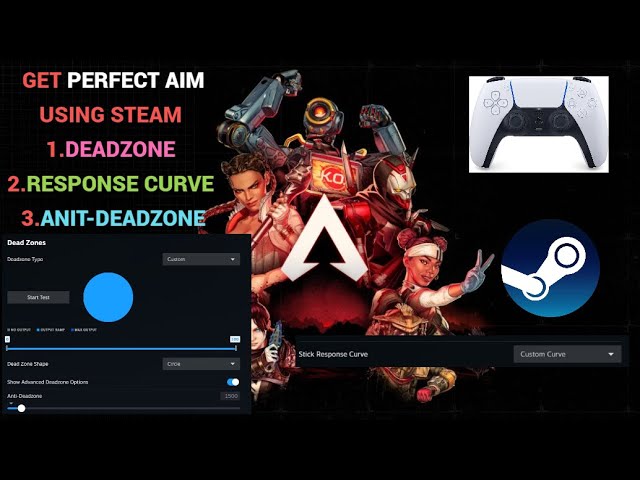
00:00 intro
0:53 my in game sensitivity settings
1:15 steam response curve
2:53 steam deadzone & steam stick size
4:04 steam deadzone shape
4:36 steam anti-deadzone
watch here : overclock your deadzone https://www.youtube.com/watch?v=mPqgGKysLdI
important note: always experiment with different settings, don't just copy my exact settings. exper...
this video seems to cover it well
frosty gust
tame quail
This was vanilla vs match HDR
- adjusted how saturation, highlight saturation, dechroma work
 unreal slate
frosty gust
- adjusted how saturation, highlight saturation, dechroma work
unreal slate
frosty gust
- adjusted how saturation, highlight saturation, dechroma work
just booted up the game xD
do you have to delete shader cache between addon updates
fathom thorn
Well if you do want to recompile shaders, just deleting graphics card shader cache isn't enough. You need to also delete shader.cache2 in game files to trigger recompile
 fallow igloo
north spade
https://www.youtube.com/watch?v=NuNtlEGM7gU
fallow igloo
north spade
https://www.youtube.com/watch?v=NuNtlEGM7gU
You lose Dualsense features using steam input unfortunately. Really wish steam would add the option to emulate a Dualsense with steam input rather than everything being Xinput. (Apparently you can do this with the steam input API but every game I’ve tried that uses that API has had issues with Dualsense anyway lol)
fathom thorn
fallow igloo
You lose Dualsense features using steam input unfortunately. Really wish steam w...
Yeah... I think only option besides that would be DSX.
fallow igloo
fathom thorn
Yeah... I think only option besides that would be DSX.
DSX also doesn’t work properly in a few games (Breaks haptics and adaptive triggers) although newer updates may have fixed it. Using the Dualsense can be a massive pain on PC but I do it to myself anyway haha
fathom thorn
fallow igloo
DSX also doesn’t work properly in a few games (Breaks haptics and adaptive trigg...
Haptics should work on newest version wired at least.
I haven't tested myself though yet.
fallow igloo
fathom thorn
Haptics should work on newest version wired at least.
Yeah it’s fine in most games. Some games don’t use the normal API for haptics so their driver emulation doesn’t work, like ZZZ. Adaptive triggers can also be funky where they technically work but the output isn’t as good as native. I stopped using DSX because I got sick of trying to figure out if it was causing issues when I started a new game
 silent zephyr
unreal slate
do you have to delete shader cache between addon updates
silent zephyr
unreal slate
do you have to delete shader cache between addon updates
I had to delete the cache file to boot the game after updating
fathom thorn
fallow igloo
Yeah it’s fine in most games. Some games don’t use the normal API for haptics so...
I really wish the native playstation accessories app just allowed for this type of customization.
fallow igloo
fathom thorn
I really wish the native playstation accessories app just allowed for this type ...
Yes please! The hoops I go through just to map the share button to my screenshot key is a nightmare and doesn’t work in games with EAC. Sony pls
unreal slate
silent zephyr
I had to delete the cache file to boot the game after updating
both the file and the shader cache in appdata?
ivory stirrup
Where's the part that crashes the radiance? Is it in new york when doing the 6 gates or is it further cause I just crashed hard near the end of it
silent zephyr
unreal slate
both the file and the shader cache in appdata?
Just the cache file in the same directory as the exe
unreal slate
ivory stirrup
Where's the part that crashes the radiance? Is it in new york when doing the 6 g...
its on a bridge
i dont remember which gate hack
4th?
heady karma
ivory stirrup
Where's the part that crashes the radiance? Is it in new york when doing the 6 g...
right after you activate the 4th gate and get near the checkpoint
unreal slate
silent zephyr
Just the cache file in the same directory as the exe
kk
ivory stirrup
heady karma
right after you activate the 4th gate and get near the checkpoint
Ah yeah that was exactly it
unreal slate
I spent 3 hours on that area probably until I knew that radiance cache was causing it
ivory stirrup
Does it crash every time you're there or only a script causes it to crash?
unreal slate
When I disabled radiance caching it stopped
heady karma
ivory stirrup
Does it crash every time you're there or only a script causes it to crash?
it'll crash every time but you can just disable RC there and keep the script
unreal slate
still have script on for ray bounces
ivory stirrup
I meant like a scripted event
heady karma
doesn't crash anywhere else in the game it seems
ivory stirrup
So it always needs to be disabled for the bridge area?
unreal slate
yes
heady karma
yes
slow sparrow
Its only the one area
slow sparrow
Several people that beat the game said no other crashes
unreal slate
off the bridge
theres a chest
and a bottom entrance
crashes there too
right side of the bridge the gate is broken
if u go for the chest and proceed it crashes
if youre 100%ing every zone as you go i suggest just keeping it off, you lose too much progress
heady karma
there are 0 other confirmed crashes
ivory stirrup
unreal slate
if youre 100%ing every zone as you go i suggest just keeping it off, you lose to...
My assumption was there's bunch of metroid style upgrades that lets you get stuff later like that glowing ore stuff
So I don't spend too much time I'll get back to it later, but I did find a couple of secret rooms
unreal slate
ye im about to go into the 4th sector but still have 96% on 2nd or sth
so runbacks are needed
urban creek
slow sparrow
Several people that beat the game said no other crashes
Do they have 100% the game ? If not, not a reliable fact.
tight hinge
fallow igloo
You lose Dualsense features using steam input unfortunately. Really wish steam w...
Do I need to do anything more than simply disable steam input and load the game through steam? Doesn't that solve this? Or is the implication that I won't get any controller input at all if I do that, and so need DSX?
tame jewel
tight hinge
Do I need to do anything more than simply disable steam input and load the game ...
Most games these days have native Dualsense support, if you disable steam input that is what you're getting, full Dualsense support with all of its features like haptics and gyro, if you use steam input on the other hand you overwrite this and the Dualsense becomes basically an xbox controller, you can tweak deadzones etc now but you lose the dualsense features.
 nova dagger
So I really like the tweaks one of yall posted for this game. Are there similar tweaks that do the same thing for RE9?
like radiance cache giving +10% fps or whatever or more ray bounces
north spade
fallow igloo
You lose Dualsense features using steam input unfortunately. Really wish steam w...
true. fortunately i could not care less about dualsense features.
 finite walrus
nova dagger
So I really like the tweaks one of yall posted for this game. Are there similar ...
finite walrus
nova dagger
So I really like the tweaks one of yall posted for this game. Are there similar ...
#1477506311553028167 message
 stone locust
finite walrus
https://discord.com/channels/1296187754979528747/1477506311553028167/14803957297...
stone locust
finite walrus
https://discord.com/channels/1296187754979528747/1477506311553028167/14803957297...
Just started using U+ with Returnal actually 👍
urban creek
@shut dome This game is something else. Graphics feeling next gen to me ...
 finite walrus
urban creek
<@314921862180241414> This game is something else. Graphics feeling next gen to...
finite walrus
urban creek
<@314921862180241414> This game is something else. Graphics feeling next gen to...
i got s screenshot in the same place
 frigid panther
urban creek
<@314921862180241414> This game is something else. Graphics feeling next gen to...
frigid panther
urban creek
<@314921862180241414> This game is something else. Graphics feeling next gen to...
so many areas with pt look like very close to like realistic style cgi movies its pretty impressive
shut dome
urban creek
<@314921862180241414> This game is something else. Graphics feeling next gen to...
That part was so good! Yeah Capcom really pushed things here
round flame
pretty
 slow sparrow
urban creek
Do they have 100% the game ? If not, not a reliable fact.
slow sparrow
urban creek
Do they have 100% the game ? If not, not a reliable fact.
Yep, I 100% the game
Am I lying? Maybe
I still didn't finish stage 3 D:
 manic jacinth
ivory stirrup
Literally zero response the first 20% of movement
manic jacinth
ivory stirrup
Literally zero response the first 20% of movement
For me it moves as soon as I touch the stick

 shut dome
Hahaha
frail glen
Someone said not to use vsync when using FG. I always thought enabling vsync in control panel was the right move but apparently it messes with frame times when using FG. Can anyone confirm?
ivory stirrup
frail glen
Someone said not to use vsync when using FG. I always thought enabling vsync in ...
FG turns vsync off
It's so jarring to me when FG turns off during certain situations like menu screens down to 40 fps, I really really don't like FG at all 😅
tame jewel
ivory stirrup
It's so jarring to me when FG turns off during certain situations like menu scre...
unfortunately FG is the only way to experience the game with PT and reasonable smoothness
ivory stirrup
Its ok for me without fg at ultra perf 4K but this sometimes makes Diana's face a little squished at a distance which I really don't like, I just don't have the heart to do that to her so I opt for performance+fg
tame jewel
ultra perf RR is basically vaseline to me, can't go lower than quality
ivory stirrup
Sounds like 1440p life. On 4K you really have to pixel peep to find any issues in ultra
tame jewel
3440x1440 so not quite 1440
ivory stirrup
Must be distance to ppi then?
Shouldn't this resolution on balanced be roughly as 4k perf?
Which to me is like where I stop seeing any improvement
frail glen
ivory stirrup
FG turns vsync off
I mean if you have vsync enabled globally in nvcp. It was always recommended to do this but seems like it causes problems with fg.
ivory stirrup
But it still turns it off doesn't it?
frail glen
ivory stirrup
But it still turns it off doesn't it?
No it doesn't that's why fg+vsync caps your fps but without vsync it does not cap fps
ivory stirrup
Wait really? Is there any way I can check that? That would explain why fg feels so bad to me then...
Sigh. Might just turn global vsync off then I have global framecap anyway
tame jewel
ivory stirrup
Must be distance to ppi then?
in screenshots it's hard to tell the difference but in motion the difference is extremely obvious
frail glen
It's news to me too, I haven't tried it yet. Seems vsync and FG is trouble especially in RE games
 strange sage
I'm only using 2x FG cause I'm 40 series but I've had no issues with vsync on in NVCP, played through a couple of other games recently too and no issues either
frail glen
ivory stirrup
Sigh. Might just turn global vsync off then I have global framecap anyway
Also you should not cap your fps at all when using FG as that's what causes issues
strange sage
What issues does capping cause?
Cause again I've been using RTSS with the Reflex fps limit and had zero issues with the few games I've run recently, unless you mean MFG forcing itself to 6x?
ivory stirrup
frail glen
Also you should not cap your fps at all when using FG as that's what causes issu...
Yeah but fg can't come close to cap anyway so no worries? Except loading screen
frail glen
strange sage
What issues does capping cause?
Seems to cause frametime issues
tame jewel
You can kind of see it here even in screenshots while I move forward how much blurrier ultra perf is compared to quality

 strange sage
frail glen
Seems to cause frametime issues
strange sage
frail glen
Seems to cause frametime issues
I've heard and seen that using other methods vs the NVIDIA Reflex limiter, have you specifically seen mention of it happening in that case?
frail glen
strange sage
I've heard and seen that using other methods vs the NVIDIA Reflex limiter, have ...
Yes they were saying it causes issues with reflex capping in games with RE engine. Apparently reflex only caps frames when vsync is enabled in the first place.
strange sage
Weird, I'm gonna test with a frametime graph up cause that sort of thing usually bothers the heck outta me and I hadn't noticed it yet. I'll update if anything is weird or w/e
Okay immediately I can see why they would say that, it goes from being a line graph when you tab out with FG on to basically the same graph but with the whole bottom of the line filled in, so it looks like your frame times are going INSANE. If you were actually having that frametime issue, you'd feel it though, that sort of graph wouldn't be subtle.
Ignore my min and max cause I was tabbing in and out to catch both sides of the FT graph

that just looks like weird reporting of normal then basically 0 frametime because of how FG frames are presented? Not 100% sure though, but I'm sure that wouldn't feel even remotely smooth haha
arctic glen
use relimiter or DC
strange sage
arctic glen
use relimiter or DC
I'm saying this feels perfect already and seems to be just a visual error with how FT is displayed/reported/measured, at least for someone only capable of 2x frame gen.
That graph wouldn't feel smooth if it were real 😛
arctic glen
right, if you want a nice graph of native frames then would want to use another tool
strange sage
Ahhhh gotcha, my bad I misunderstood
arctic glen
and generally regardless something else will provide better pacing and latency
arctic glen
in pretty much any game using reflex
frail glen
arctic glen
in pretty much any game using reflex
Do you use driver vsync with fg?
arctic glen
I generally dont turn on vsync unless there is a need to or it provides a tangible improvement in a game
frail glen
arctic glen
I generally dont turn on vsync unless there is a need to or it provides a tangib...
I always thought it was kinda a must use together with gsync.
 gilded acorn
frail glen
I always thought it was kinda a must use together with gsync.
gilded acorn
frail glen
I always thought it was kinda a must use together with gsync.
It is, but only on driver level
arctic glen
I feel like I just kind of often have random behavior when forcing on vsync
sometimes its good, sometimes much worse
strange sage
gilded acorn
It is, but only on driver level
Yep, on in driver, off in game, buttery for gsync in the overwhelming majority of games. Some do behave weird though, IDTech notably caps to half refresh rate if stuff is set at driver level
though they cap at half of whatever limit you set anywhere anyways, at least for Doom Eternal lol
 lethal flame
Anyone got the link to the UltraPlus Mod? I am installing Pragmata on my living room 5090 to play with my gf
arctic glen
search for messages from me
gilded acorn
strange sage
though they cap at half of whatever limit you set anywhere anyways, at least for...
Yea thats because they are crap at optimizing for FG and Reflex what I heard. Indy TGC is a great example of this lol
arctic glen
a lot of games have problems with native reflex implementation
doom is definitely one of them
CD I get like 10-20 less FPS without using external pacing
ivory stirrup
tame jewel
You can kind of see it here even in screenshots while I move forward how much bl...
I guess my eyes are just bad at this point
ivory stirrup
gilded acorn
Yea thats because they are crap at optimizing for FG and Reflex what I heard. In...
I'm so confused now. So should we even use reflex or no? Asking for doom as well
strange sage
arctic glen
CD I get like 10-20 less FPS without using external pacing
Yep, same thing with Escape From Tarkov. Reflex eats like 10% of my frames, though that's Unity and just a whole shitshow LMAO
arctic glen
so TLDR I would just use external frame pacing/limiting in every game that you can
ivory stirrup
But... Reflex is supposed to eliminate almost all of the lag from the FG? It's supposed to be used both at once even if you get a slight fps loss?? Input response > visual fluidity
frail glen
arctic glen
I feel like I just kind of often have random behavior when forcing on vsync
So what's your opinion on using vsync with fg. Or is there no general option it's all dependent on game?
arctic glen
imo its dependent on game and I typically dont see much benefit doing it, I always use external frame pacing
arctic glen
ivory stirrup
But... Reflex is supposed to eliminate almost all of the lag from the FG? It's s...
the other tools use reflex, just better
strange sage
^^^
That said, CD I find reflex still worth the few frames as my input latency feels substantially better, which also reflects the diference of 10ms to like 1.5ms of CPU processing
rustic sail
I never use vsync modernly, displaycommander everywhere. Difference is pretty noticable especially with FG.
strange sage
and it is specific to being on in game vs in external tools
ivory stirrup
arctic glen
the other tools use reflex, just better
I give up, gonna play solitaire instead
frail glen
arctic glen
imo its dependent on game and I typically dont see much benefit doing it, I alwa...
Okay so use relimiter, no vsync. But gsync you do use?
arctic glen
I run adaptive pacing in relimiter and is very nice for FG (disclaimer I wrote a large portion of it)
and yeah I run gsync
frail glen
arctic glen
I run adaptive pacing in relimiter and is very nice for FG (disclaimer I wrote a...
Perfect I was always using vsync on top of relimiter cap. Guess that was wrong
rustic sail
Just adding latency pretty much.
arctic glen
the adaptive pacing mode is pretty cool cause it changes your fps limit dynamically to cover fully pacing all frames, which is useful if you are not at your fps cap all the time
strange sage
arctic glen
the adaptive pacing mode is pretty cool cause it changes your fps limit dynamica...
Oh that's kinda cool. Where do I grab it to try?
 wicked jasper
arctic glen
I run adaptive pacing in relimiter and is very nice for FG (disclaimer I wrote a...
wicked jasper
arctic glen
I run adaptive pacing in relimiter and is very nice for FG (disclaimer I wrote a...
if I understand correctly, it will only work with series 50xx? I have a 4070 ti and I haven't turn it on
rustic sail
strange sage
Oh that's kinda cool. Where do I grab it to try?
https://github.com/RankFTW/ReLimiter/releases or through RHI
GitHub
Framerate limiter + more. Contribute to RankFTW/ReLimiter development by creating an account on GitHub.
arctic glen
wicked jasper
if I understand correctly, it will only work with series 50xx? I have a 4070 ti ...
it just needs DX12 and reflex rn
but either way, DC will work well too, just use something other than native game
rustic sail
I find DC pace generated or native frames working very well for Pragmata. I forget which I settled on but usually it's native.
arctic glen
yeah, it helps that the game itself is quite stable
strange sage
arctic glen
yeah, it helps that the game itself is quite stable
so in RELimiter, Reflex should say native? Or am I missing something?
frail glen
We could use a little guide how to use it right lol
Or maybe it exists and idk where
Sorry I'm stupid it's all explained on the GitHub page. https://github.com/RankFTW/ReLimiter?tab=readme-ov-file
GitHub
Framerate limiter + more. Contribute to RankFTW/ReLimiter development by creating an account on GitHub.
loud hatch
Im crushing on the cutscene after I beat the final boss

 sudden raven
steep trench
lethal flame
Anyone got the link to the UltraPlus Mod? I am installing Pragmata on my living ...
sudden raven
steep trench
lethal flame
Anyone got the link to the UltraPlus Mod? I am installing Pragmata on my living ...
i don’t think there is ultra+ mod for this game?
 meager lodge
i dont know why but renodx doesnt work for me in this game
like i tried resetting my shader cache and its still the same
tame jewel
Have you followed the instructions on Nexus? This mod requires a dll from REFramework to work
meager lodge
i know and what i mean is even if i adjust the settings in renodx, nothing changes
loud hatch
fixed it by recompiling the shaders again
meager lodge
loud hatch
fixed it by recompiling the shaders again
yeah i alr did that
tame jewel
meager lodge
i know and what i mean is even if i adjust the settings in renodx, nothing chang...
Have you tried unistalling reshade and installing it again? Also this may sounds stupid but are you sure HDR is enabled?
meager lodge
tame jewel
Have you tried unistalling reshade and installing it again? Also this may sounds...
yep
tried reinstalling, recompile shaders, and yea made sure HDR is on
tame jewel
Do you have the lasted version or reshade?
steep trench
arctic glen
I generally dont turn on vsync unless there is a need to or it provides a tangib...
u don’t have tearing without vsync?
meager lodge
i dont know why it doesnt work since reno works on my crimson desert
tame jewel
steep trench
u don’t have tearing without vsync?<:Stronge:1442285847951970557>
VRR baby
steep trench
tame jewel
3440x1440 so not quite 1440
it is still 1440 tho. most of the time only vertical pixels matter to clarity
arctic glen
ultra performance is definitely blurry as hell
steep trench
tame jewel
VRR baby
afaik vrr does have tearing if frames don’t sync properly?
rustic sail
VRRs one big purpose being to sync frames properly.
tame jewel
steep trench
afaik vrr does have tearing if frames don’t sync properly?
vrr has tearing if fps go over your monitor refresh rate
rustic sail
Well, outside your VRR range.
steep trench
i always having tearing even within vrr range when not using any vsync
either in game vsync or driver vsync has to be on to get rid of tearing
in all the games i played
tame jewel
Are you sure VRR is enabled?
steep trench
def
steep trench
monitor does adjust its refresh rate to frame rate
tame jewel
either it's not enabled or your fps go over your refresh rate, there's no other explaination really
what monitor do you have?
steep trench
491cqp for now but it also always happen on the previous monitor i used before
tame jewel
Do you have nvidia or amd?
steep trench
tame jewel
Do you have nvidia or amd?
nvidia
tame jewel
Does this section look like this?
 steep trench
fullscreen mode not windowed. ticked below. afaik dx12 games are all true fullscreen if not setting to windowed with boarders in game
tame jewel
Under variable refresh rate does it say supported and the range?
 tame jewel
steep trench
fullscreen mode not windowed. ticked below. afaik dx12 games are all true fullsc...
tame jewel
steep trench
fullscreen mode not windowed. ticked below. afaik dx12 games are all true fullsc...
try windowed and full screen
steep trench
tame jewel
Under variable refresh rate does it say supported and the range?
yes
windowed and fullscreen causing vrr flicker when outside of game so dont use it
tame jewel
Is monitor technology set to gsync in global setting in the nvidia app?
 tame jewel
steep trench
windowed and fullscreen causing vrr flicker when outside of game so dont use it
tame jewel
steep trench
windowed and fullscreen causing vrr flicker when outside of game so dont use it
I mean I would just try it to see if it fixes the tearing if you haven't already tried
steep trench
ys it is default to gsync when turning on gsync
steep trench
tame jewel
I mean I would just try it to see if it fixes the tearing if you haven't already...
yea i might try it next time
tame jewel
Honestly I don't know then. If you can take a video even with your phone to show the tearing, ideally with the fps counter visible, otherwise I ran out of things to check lol
 toxic badge
steep trench
yea i might try it next time
toxic badge
steep trench
yea i might try it next time
Use relimiter it’s anyways better than everything else from NVIDIA or other 3rd party
steep trench
toxic badge
Use relimiter it’s anyways better than everything else from NVIDIA or other 3rd ...
i use display commander
toxic badge
steep trench
i use display commander
Did you check if Gsync markers are active ?
Maybe something in that regard isn’t active for whatever reason
steep trench


DCPaceLock q=1 gsync fullscreen only>
DCPaceLock q=1 gsync fullscreen only with prevent tearing>
nvidia reflex gsync fullscreen only>
DCPaceLock q=1 gsync windowed+fullscreen with prevent tearing>
nvidia reflex gsync windowed+fullscreen with prevent tearing>
DCPaceLock q=1 vsync on
only no tearing in the last one
all with fg x2
frail glen
Maybe try reliniter adaptive smoothing? Not sure if DC has something like that
rustic sail
I've been pacing native frames in FG so.
 eternal nacelle
So general question.
I've got the 39GX950B, which has 1500 nits of peak brightness and says 600 nits at 10% or whatever. Windows is detecting Peak Brightness as 604 nits, and with NVIDIA Default settings it clips in HDR Calibration at 2100, but when swapping to NVIDIA settings as 10 Bit, Full RGB then HDR Calibration reflects 600 nits properly.
However.. should it not be showing 1500 as the peak nits, in Windows?
If it should show 600 nits, would I use 600 or 1500 in RenoDX?
steep trench
steep trench
DCPaceLock q=1 gsync fullscreen only>
DCPaceLock q=1 gsync fullscreen only with ...
@arctic glen would u mind sharing ur config to eliminate tearing without vsync on plz? tysm
arctic glen
I use relimiter myself but ima be honest I have never had tearing with gsync
eternal nacelle
I had an issue a few months back where G-Sync wasn't active despite being enabled. Had to DDU to resolve the problem. Randomly decided to shit itself one day and I could immediately tell.
arctic glen
eternal nacelle
So general question.
I've got the 39GX950B, which has 1500 nits of peak brightn...
I have the 45 inch ultragear and its edid profile is just wrong so maybe similar issue
eternal nacelle
DDU, use a community preferred driver from m_w_h from the NVIDIA subreddit is always my suggestion, anyway, and then use the G-Sync pendulum test to make sure it's properly running
arctic glen
I also cap at 600 by default
eternal nacelle
Ah so you just follow the 600 instead of chasing whatever the peak brightness is supposed to be?
As far as I can tell, anything above 600 still functions, anyway
arctic glen
I edited the edid profile with cru
eternal nacelle
Oh weird, so you used CRU and set it to what.. like 1300 I think, for the 45"? But you still use 600 in RenoDX and 1300 with the Windows Calibration?
arctic glen
I set it to 1300 in the profile and I get about 1000 in the windows calibration
and use 1000 in reno
eternal nacelle
 Maybe I'll give that a shot then. I don't understand why Windows has to be such dogshit with this stuff. How is it an EDID can be borked, Windows HDR Calibration can be so bad. It's a main selling point for premium displays.
arctic glen
the 39 is available now?
 eternal nacelle
Love the swap from the AW3423DWF  perfect size upgrade, doesn't feel too big at all
arctic glen
yeah thats the monitor I had before this one
and I do enjoy the size and angle but
I think 39 more of the sweet spot
eternal nacelle
I think the debate over glossy vs matte is overblown, at least when you come from a gen 1 QD OLED like the DWF 
If you dry hump the screen you'll see the matte, but in most cases I can't even really tell. Feels more uniform with matte though
steep trench
arctic glen
I use relimiter myself but ima be honest I have never had tearing with gsync
dang 💀 why is this happening to me for all these time
this pragmata looks middle ages
urban creek
steep trench
dang 💀 why is this happening to me for all these time
like mentioned, if not already, you have to set gsync to windowed+fullscreen in nvcp to work properly
urban creek
steep trench
this pragmata looks middle ages
damn, sry ^^
steep trench
urban creek
like mentioned, if not already, you have to set gsync to windowed+fullscreen in ...
tested, same 💀 #1475553827255222486 message
steep trench
dp 1.4
urban creek
have you tested with another cable ?
rustic sail
I would, all of my issues in that area ended up being fixed by new cable/different port years ago.
steep trench
urban creek
have you tested with another cable ?
i might try it again on my c2 later :/
cyan swift
rustic sail
I've been pacing native frames in FG so.
what pacing frames do? I only use FG avaible in game
urban creek
steep trench
i might try it again on my c2 later :/
just a thought if you already have double checked all other options. sometimes it's the little things.
steep trench
urban creek
just a thought if you already have double checked all other options. sometimes i...
they are mostly default with gsync, no vsync global and default to 3d applications
steep trench
exactly the same on my c2 with either DC or relimiter hdmi 2.1
nvm i might just keep using vsync on
DC pace native frame get a less distracting tearing but still
 short furnace
What's the downside for vsync on?
shut dome
Bit lower fps
steep trench
i personally didn’t find any downside tbh 😂 just curious how can people getting no tearing without it on
manic jacinth
ivory stirrup
what controler you using?
Dualsense
manic jacinth
steep trench
i always having tearing even within vrr range when not using any vsync<:kekpepeh...
Me too
 normal birch
manic jacinth
Dualsense
normal birch
manic jacinth
Dualsense
Are you getting PS icons?
Idk why im still getting Xbox icons
 glass shard
steep trench
i personally didn’t find any downside tbh 😂 just curious how can people getting...
glass shard
steep trench
i personally didn’t find any downside tbh 😂 just curious how can people getting...
Impossible to get no tearing if you 're at the fps cap without vsync.
manic jacinth
normal birch
Are you getting PS icons?
There’s an option in the menu to choose the ones u want
I just usually run vsync and uncapped VRR. Works perfectly 9 out of 10 times for me
normal birch
manic jacinth
There’s an option in the menu to choose the ones u want
Oh damn thanks i'm blind for some reason
midnight stag
steep trench
DCPaceLock q=1 gsync fullscreen only>
DCPaceLock q=1 gsync fullscreen only with ...
this is really confusing, how can it shoot past 120 fps like that? oO
midnight stag
urban creek
like mentioned, if not already, you have to set gsync to windowed+fullscreen in ...
I literally only have it for fullscreen and never had tearing oO
steep trench
midnight stag
this is really confusing, how can it shoot past 120 fps like that? oO
idk either
urban creek
midnight stag
I literally only have it for fullscreen and never had tearing oO
i had the opposite, tearing when set to fullscreen only, no tearing when set to windowed/fullscreen ¯_(ツ)_/¯
shut dome
Just have one more training mission to do for the achievement
shut dome
Oh man the pacing had me hooked
tight hinge
Yeah I think if I didn't have a family, I could one shot it
 pliant hemlock
steep trench
pliant hemlock
steep trench
what's that app again? I'm unfamiliar with it. DC?
steep trench
pliant hemlock
what's that app again? I'm unfamiliar with it. DC?
display commander
 cursive minnow
eternal nacelle
So general question.
I've got the 39GX950B, which has 1500 nits of peak brightn...
cursive minnow
eternal nacelle
So general question.
I've got the 39GX950B, which has 1500 nits of peak brightn...
Lg oleds have 3 peak brightness modes in the OSD under picture settings and use a dynamic tonemapper ( i think newer 4th gens can be made static? im not 100% sure how the setting works on the new panels ) . OFF (uniform on 4th gen), Low, and High. For my LG 27gs93qe-b, Off behaves like sdr. Low is 604 peak ( this is what the EDID reports and is the most "accurate" for my monitor). High is the full 1300 nits in the spec sheets. Windows calibration doesnt play nice with the dynamic tonemapping ( try calibrating with it turned off and see if it clips before 2100) and AFAIK will actually make your hdr worse if you use it the way it tells you to with it turned on. My monitor even clips at the exact 2100 mark as yours but it doesnt even have the same peak values. im not 100% familiar with the new 4th gen panels ability the turn off dynamic tonemapping but i assume they should follow the same behavior more or less with regards to the EDID and the peak brightness settings.

 steep trench
such a weird decision on monitor. they did good on tv with hgig
 clever chasm
tame jewel
3440x1440 so not quite 1440
clever chasm
tame jewel
3440x1440 so not quite 1440
Except it is 😅 ... it's literally in it. 3440×1440p. 21/9 ratio that's all.
urban creek
clever chasm
Except it is 😅 ... it's literally in it. 3440×1440p. 21/9 ratio that's all.
i think what he means is that 3440x1440 is a bit more demanding than 1440p alone
clever chasm
urban creek
i think what he means is that 3440x1440 is a bit more demanding than 1440p alone
My mistake.
urban creek
clever chasm
My mistake.
i am just guessing here, might be wrong
 frigid anvil
Should i install reshade before or after reframework?
clever chasm
Just tried to explain basic propulsion in YouTube comments. So I'm a bit on edge😂
stray oxide
frigid anvil
Should i install reshade before or after reframework?
doesnt matter. Just do reshade then reframework, they dont overlap in any way
tame jewel
clever chasm
Except it is 😅 ... it's literally in it. 3440×1440p. 21/9 ratio that's all.
when people say 1440p they usually mean 2560x1440, 3440x1440 is 1.5 million pixels more, not exacly the same
clever chasm
Maybe, but they would be wrong. In the end you get the same amount of pixel in the same space. You just got more space. Doesn't change how much details are in you're picture. Just got more picture.
This a ratio diference.
And though it does change resolution, it doesn't change definition.
urban creek
clever chasm
And though it does change resolution, it doesn't change definition.
1440p is not the same as uwqhd , just saying ...
clever chasm
In performance ? No. But from a visual stand point, the difference is not in definition.
tame jewel
clever chasm
And though it does change resolution, it doesn't change definition.
Names are just weird, 4k for example isn't even right because the horizontal, which is what it's supposed to refer to, is technically 3840, it's all just arbitrary, when people say 1440p they mean 16:9 99% of the time
slow sparrow
The earth is flat and path tracing is a must
clever chasm
tame jewel
Names are just weird, 4k for example isn't even right because the horizontal, wh...
I'll agree it's definitely confusing🥲 . Especially since marketing and techies get mixed up. It's pretty annoying... from what I understand though 4k was originally a cinematic format with 4048 horizontal pixels. But then again why the hell horizontal. It's a mess alright .
bronze ether
What is Reno council opinion on Shadow Cache? Should we keep it on or off (if VRAM is not an issue)?
tame quail
Off tanks the framerate
tame quail
frosty gust
- adjusted how saturation, highlight saturation, dechroma work
Vanilla brightness -7 / renoDX (400 nits peak)


Needs a hue shift
rustic sail
tame jewel
Names are just weird, 4k for example isn't even right because the horizontal, wh...
-Sippy cups in 5120x1440.- 👀
tame quail
Not a problem with 1k nits peak

 bronze ether
tame quail
Off tanks the framerate
bronze ether
tame quail
Off tanks the framerate
can Shadow Cache ON make game look worse? looks not as good as with it OFF.
frigid anvil
just checking, is there anything i can do to improve the ray tracing? path tracing is too much but i got some performance to spare
tame quail
bronze ether
can Shadow Cache ON make game look worse? looks not as good as with it OFF.

⏰Timestamps:
00:00 Intro
00:19 RE Engine shines once again
00:46 A frustrating user interface experience
01:38 Ray Tracing
02:59 Path Tracing
05:06 Global Illumination Quality
05:42 Anti-Aliasing and Upscaling (DLSS,FSR3,FSR1 and TAA+FXAA)
06:20 Hair Quality
07:10 Texture Quality and Texture Filtering
08:12 Mesh Quality
08:41 Shadow Quality ...
tame quail
frigid anvil
just checking, is there anything i can do to improve the ray tracing? path traci...
You need to wait for JoHien's mod
frigid anvil
any idea on what it will do?
tame quail
frigid anvil
thanks
frosty gust
tame quail
Vanilla brightness -7 / renoDX (400 nits peak)
I can add hue correction
frigid anvil
that is a big improvement
arctic glen
theres a few easy settings if you play around with the tweaks script I think
same with RE9 RT
they just kind of gimped it for some reason
manic jacinth
Man the second level is demanding AF. I drop 20fps there vs the rest of the areas
manic jacinth
arctic glen
they just kind of gimped it for some reason
Consoles
arctic glen
perhaps cause their PT runs well, RT is secondary
arctic glen
it seems like there are so many simple settings that dont cost much and are a big improvement
🤷
blissful merlin
@manic jacinth And Radeon
manic jacinth
blissful merlin
<@306848037290901506> And Radeon
Huh?
manic jacinth
arctic glen
it seems like there are so many simple settings that dont cost much and are a bi...
If they cost even a bit I guess they just can’t fit it in the console budget, dunno. Or maybe they are just incompetent
slow sparrow
There hasn't been one good RE engine game with good RT implementation
At least PT exists tbh
But thats also nvidia capped
blissful merlin
@slow sparrow The RT in Capcom games is designed for Radeon graphics tech as that's what powers the Playstation and Xbox consoles, and that's why their RT sucks
slow sparrow
slow sparrow
But thats also nvidia capped
Yeah I figured, sadly a big downgrade ):
Because RT itself can look really good imo
blissful merlin
Go look at the RT in that game Blackstate, the devs designed the game with a 3080 as the base instead of w/e Radeon APU the consoles use

 blissful merlin

BLACK STATE - 14 Minutes of Gameplay (4K60FPS)
BLACK STATE is a Pirate RPG Game Developed by Joker Studio
If you guys like the gameplay don't forget to like and leave a comment
Your Support means the world!
Enjoy the Gameplay
Subscribe : / @gamersadventurehd
An action-packed third-person shooter with stunning visuals and high performance....
cinder oyster
steep trench
Sorry if you already answered, but you have vsync off? You will get tearing if you're that close to your monitor's max refresh rate if you don't have vsync on, you have to use it
steep trench
cinder oyster
Sorry if you already answered, but you have vsync off? You will get tearing if y...
that is literally why im talking and testing about. they said they get no tearing when vsync off when under maximum refresh rate and within vrr range.
midnight stag
steep trench
DCPaceLock q=1 gsync fullscreen only>
DCPaceLock q=1 gsync fullscreen only with ...
just got the game and tested this. I think there's something wrong with DC (maybe latest versions?) It's not capping at all, just cap it to 60 and you'll see. Only the option for "pace generated frames" works, and it caps well, super smooth , good frame pacing
steep trench
midnight stag
just got the game and tested this. I think there's something wrong with DC (mayb...
weird. tho i also tried relimiter it is still the same.
midnight stag
bronze ether
can Shadow Cache ON make game look worse? looks not as good as with it OFF.
looks the same to me oO
midnight stag
steep trench
weird. tho i also tried relimiter it is still the same.
hmm maybe something in this game? first time I'm seeing this issue, but yeah, try what I said, works perfectly and great frame pacing. But any other option (default low latency, dcpacelocks etc) just don't cap at all
cinder oyster
steep trench
that is literally why im talking and testing about. they said they get no tearin...
ah okay yeah they're mistaken. depends how close you are to your refresh rate. you probably won't notice any tearing at 90 fps without vsync, but 110-120 you definitely will
arctic glen
I have never had to actively try to fix tearing because it just never happens  ... I think there may have been a couple cases/configurations where I got tearing but its so rare
granted I don't usually operate near VRR cap in most games
steep trench
midnight stag
hmm maybe something in this game? first time I'm seeing this issue, but yeah, tr...
yea i tried pace native frame too, it doesn look less distracting but still some barely noticeable tearing
steep trench
cinder oyster
ah okay yeah they're mistaken. depends how close you are to your refresh rate. y...
ahh maybe thats why. ig thats how they wont get tearing if they use 240hz monitor or so
steep trench
arctic glen
granted I don't usually operate near VRR cap in most games
iirc ur monitor should be 165hz, so u mostly running at about 100fps?
arctic glen
usually 100-140 depending
midnight stag
steep trench
yea i tried pace native frame too, it doesn look less distracting but still some...
why dont you have vsync on btw? I didn't see any tearing btw, only saw the framerate go over 120 unless I used that option
arctic glen
driver vsync often seems to grief alt tabbing IIRC
steep trench
midnight stag
why dont you have vsync on btw? I didn't see any tearing btw, only saw the frame...
just curious people can play without tearing when vsync off so probably something wrong on my end. i indeed didnt find any noticeable difference when vsync on with vrr tho. no way u cant see the tearing in those recording lol there are all tearing except the last one with vsync on lol
midnight stag
@steep trench are you using the latest streamline 2.11.1 and 310.6 dlls? I wonder if FG is breaking reflex or vsync? Cause this is the first time I've seen this happen in a game and I've updated all dlls. Haven't tested other games
midnight stag
arctic glen
driver vsync often seems to grief alt tabbing IIRC
hmm haven't had any issue personally, at least on the games I've alt tabbed
arctic glen
I usually alt tab about 1000 times in most games
midnight stag
steep trench
just curious people can play without tearing when vsync off so probably somethin...
I said I dont see any tearing on my end, not on your vids
steep trench
midnight stag
<@745555411498827786> are you using the latest streamline 2.11.1 and 310.6 dlls?...
i forgot are they replaced or not when i testing lol but im now using 310.6 and 2.11.1
midnight stag
just wondering cause I read something about vsync in the changelogs. I've never seen this happen, basically DC essentially broke reflex and stops frame capping unless you use those 2 options, I didnt test with vanilla dlls though. Could be game specific also, more inclined to that but it's interesting
steep trench
midnight stag
I said I dont see any tearing on my end, not on your vids
ahh, it is really slightly tearing using pace native frame but i can def tell the difference between vsync on and off, the screen looks like jelly when it tearing
steep trench
arctic glen
I usually alt tab about 1000 times in most games
i only getting alt tabbing black screen when setting global vsync on and per game off
tight hinge
Personally I set it on globally at driver level and off in game....and always have a good time
Never any problem alt tabbing, never problems with vrr
Just sharing my experience
arctic glen
idk for me I only use it if it noticeably improves input latency in a specific game, otherwise it tends to cause more problems and has no noticeable benefit, and I end up with issues in some of my IDEs on alt tab
shut dome
This game is so beautiful
midnight stag
manic jacinth
For vsync best practice is global off and per game on
I've always used global on with no issues 
meager walrus
eternal nacelle
So general question.
I've got the 39GX950B, which has 1500 nits of peak brightn...
IIRC Windows Calibration isn't used by RenoDX
just put the peak at 1200 and that's it.
I do that with my LG 27" that has the same EDID metadata and issues
manic jacinth
midnight stag
I've always used global on with no issues <:joeshrug:1472097202196316323>
It also works. It’s what I used to do. But Kalaiden had said per game is better. Wouldn’t know the exact details lol
steep trench
i used to global vsync on too but found there are probably some bug between mpv video sync makes it doing some weird stuffs so i put it back to 3d application on global now and per game vsync
midnight stag
steep trench
ahh, it is really slightly tearing using pace native frame but i can def tell th...
But does framerate go above 120 like your vids with pace native frames?
steep trench
midnight stag
But does framerate go above 120 like your vids with pace native frames?
forgot to check lol might give it a look tmr
tame jewel
rustic sail
-Sippy cups in 5120x1440.- 👀
This motherfucker must have eyes at the side of his head like a horse
urban creek
shut dome
fucking nightmare fuel lol
 shut dome
Hehe
I am disgusted. I honestly thought better of Capcom as a company. I can't believe they would put AI art in Pragmata.

 X
·
X
·
Hahahaha
midnight stag
does FG Preset B even do anything in this game? Looks exactly the same to me oO
Running RR Preset E on Quality + 5 PT Bounces + CullingAngle 0 + Shadows Res on Ultra
Did see a bit of boiling at the beginning but then not much anymore. I do see quite a lot of artifacts on hologram displays, Preset A or B or Default (not sure if default is just A?) don't seem to change that at all
Performance is excellent but there are a couple of tiny stutters here and there though, kinda like RE9
south owl
midnight stag
does FG Preset B even do anything in this game? Looks exactly the same to me oO ...
As of March 31st, 2026, some Enhanced Frame Generation supported games include Borderlands 4, Dragon Age: The Veilguard, EA SPORTS F1® 25, God of War Ragnarök, Hogwarts Legacy, Indiana Jones and the Great Circle™, Marvel’s Spider-Man 2, Monster Hunter Wilds, Star Wars Outlaws™, The Elder Scrolls IV: Oblivion Remastered, and The Outer Worlds 2.
preset B supports another capcom game so maybe it does something in pragmata as wellhttps://www.nvidia.com/en-us/geforce/news/nvidia-app-dlss-4-5-dynamic-multi-frame-generation-available-now/
midnight stag
south owl
> As of March 31st, 2026, some Enhanced Frame Generation supported games include...
hmm I literally saw 0 difference oO I was mainly looking at the holographic displays in the shelter turning around when looking at them and artifacts galore all the same
midnight stag
Only using FG 2x
just look at the upgradable stations in the shelter (holographic displays) one orange and one blue and just turn the camera around and look at them, it's not a mega deal breaker, I see no breakage anywhere else, but those types of materials (holographic) do glitch a bit
https://youtu.be/WVA9qFrKOBE?si=K5jFN6uy4zxOpAKO&t=3728
or this one that comes out of your suit for e.g.
south owl
midnight stag
Only using FG 2x
you could downgrade to Dlssfg CNN then
it generally does look better
if you have dlss swapper just select v3.8.1
 midnight stag
south owl
you could downgrade to Dlssfg CNN then
midnight stag
south owl
you could downgrade to Dlssfg CNN then
True, was just mostly asking if others do see that
dusk oyster
The only thing Preset B for FG does is eliminate UI ghosting.
dusk oyster
You can tell if it's working because the DLSS overlay will show UIR: ON
So yea, it does work in PRAGMATA
 eternal nacelle
How do you disable radiance cache with the latest RenoDX version? The setting is gone now?
dusk oyster
It's not a RenoDX feature
eternal nacelle
Went back to the one zone and it's crashing like it did in the past
I mean it was toggled within Reno previously, no?
dusk oyster
It's a plugin for REFramework, has nothing to do with RenoDX
 brains dead
urban creek
shut dome
fucking nightmare fuel lol
brains dead
urban creek
shut dome
fucking nightmare fuel lol

 pallid imp
GitHub
With Frame Generation enabled, REFramework introduces consistent micro-stutter caused by three interacting issues in the D3D12 Present path:
RTTI-based FG swapchain detection can silently fail (s...
dusk oyster
pallid imp
https://github.com/praydog/REFramework/pull/1724
Yea, that update is immediately noticeable.
eternal nacelle
Oh nice, should probably update that then too
Did that update also resolve the radiance cache with it, that you know of?
frosty gust
pallid imp
https://github.com/praydog/REFramework/pull/1724
closed without being merged
 frosty gust
 dull tusk
pallid imp
https://github.com/praydog/REFramework/commit/0a74333ac76774884724bbac2ad7fefba7...
dull tusk
pallid imp
https://github.com/praydog/REFramework/commit/0a74333ac76774884724bbac2ad7fefba7...
This fixes the stutter with mfg?
shut dome
urban creek
<a:PepePaper:755957334198714470>
Hahahaha
fierce crow
midnight stag
True, was just mostly asking if others do see that
I got this. It's driving me nuts.
south owl
 worldly flint
How do you use this? Is it in REF?
worldly flint
How do you use this? Is it in REF?
ref with either or both of the following scripts dropped into the autorun folder #1475553827255222486 message
worldly flint
south owl
ref with either or both of the following scripts dropped into the autorun folder...
Many thanks
gilded acorn
pallid imp
https://github.com/praydog/REFramework/commit/0a74333ac76774884724bbac2ad7fefba7...
Does this mean it the stutters and vrr flickers are fixed without using DC or Relimiter?
midnight stag
dusk oyster
You can tell if it's working because the DLSS overlay will show UIR: ON
interesting, I didn't notice that flag! Cause all the other ones are the same between both presets! Yeah it might be working but I see 0 difference 😄
midnight stag
pallid imp
https://github.com/praydog/REFramework/pull/1724
oh! NICE
midnight stag
pallid imp
https://github.com/praydog/REFramework/commit/0a74333ac76774884724bbac2ad7fefba7...
hmm so only for MFG? : [
frail glen
do you actually run lowest shadows with PT? benchmarking says it makes no difference then should give a few more fps maybe
civic juniper
.
midnight stag
civic juniper
.
😂
 midnight stag
I asked this in U+ but maybe someone here knows? Any idea why nvngx_dlss dlls are smaller from latest streamline sdk 2.11.1 compared to what Swapper grabs which I believe is from techpowerup or nvidias server? This includes RR dll also, almost 20MB difference each. Both 310.6.0, both dvs production tags etc
Not sure which one should really be using?

 charred crypt
The driver/OTA DLL has the old CNN models still, which are deprecated otherwise
midnight stag
charred crypt
The driver/OTA DLL has the old CNN models still, which are deprecated otherwise
aaah makes sense
arctic glen
midnight stag
I asked this in U+ but maybe someone here knows? Any idea why nvngx_dlss dlls ar...
I answered you pretty sure
and yeah thats why
 steel coral
@arctic glen since youre mostly familiar with ReLimiter - does it increase latency due to limiting DMFG to VRR? It would make sense if it did, because it limits your base fps?
Also, a question specifically for Pragmata, DMFG doesn’t hit my VRR so it runs 6x constantly - would you recommend to change it to fixed 6x to let ReLimiter manage frame pacing or leave it DMFG on and only tick DMFG support on in the settings?
arctic glen
frail glen
do you actually run lowest shadows with PT? benchmarking says it makes no differ...
no, I run max cause it improves the fallback shadow maps
arctic glen
steel coral
<@162283147277369344> since youre mostly familiar with ReLimiter - does it incre...
I didnt do the DMFG stuff, but you can ask rank in #1474481327691665553
the intended DMFG path is to tick the box
and turn on DMFG
 slate marsh
frail glen
Someone said not to use vsync when using FG. I always thought enabling vsync in ...
slate marsh
frail glen
Someone said not to use vsync when using FG. I always thought enabling vsync in ...
Always use driver V-Sync with DLSS Frame Generation, yes
The only exception is DYNAMIC Multi Frame Generation but that's only because it's incompatible and Nvidia said they're working on compatibility
frail glen
slate marsh
Always use driver V-Sync with DLSS Frame Generation, yes
The only exception is ...
That's what I always did but I was told here that it's better to use vsync off and use a limiter like relimiter or dc, so that's what I use now
midnight stag
frail glen
That's what I always did but I was told here that it's better to use vsync off a...
in theory the rule of thumb has been to have driver level vsync on because there can always be overshoots. AFAIK framelimiting isn't like an audio brickwall limiter
I might be wrong tho
slate marsh
frail glen
That's what I always did but I was told here that it's better to use vsync off a...
Framerate limiting doesn't catch all frametime variances which is what driver level V-Sync helps with when G-Sync is active
Right now it's just Dynamic Frame Generation that simply won't work with it
arctic glen
I just tend to get more problems in more games if you force it on globally, so I would do it per game if it doesnt cause a problem
frail glen
arctic glen
I just tend to get more problems in more games if you force it on globally, so I...
Do you then use relimiter on top of vsync?
arctic glen
I dont really use vsync
unless a game significantly benefits from it for some reason
forcing it on globally I get latency issues or fps loss in some games, and issues with hardware accelerated windows locking up when I alt tab
I think the latter is a windows problem that can be fixed with a regedit though...
I will turn on in game vsync for some UE games though cause sometimes it significantly decreases latency when you do that, like in Stalker 2
I am probably an outlier cause I swap between tons of games constantly and alt tab 1000 times a day 🤷
rustic sail
Nope, that's 1:1 my experience with vsync modernly.
 granite blaze
arctic glen
I am probably an outlier cause I swap between tons of games constantly and alt t...
granite blaze
arctic glen
I am probably an outlier cause I swap between tons of games constantly and alt t...
Nah I’m with you
frail glen
Well shit I still don't know what to use for this game specifically. I use FG so do I turn on vsync in driver and limit with relimiter or only one or the other. Why is this so complicated lol
 left bison
fg on, driver vsync on per-profile, let reflex do its job
frail glen
left bison
fg on, driver vsync on per-profile, let reflex do its job
Thanks will try that
Btw why does it matter if it's globally or per profile, I thought it does the same
left bison
forcing just about anything globally is a bad idea, it's no wonder people were discussing issues regarding it above
causes vrr to trigger on apps that weren't designed for it
also ingame vsync is fine the vast majority of the time, just not in this case because fg forces it off
exceptions are like, some older unity games that force on a frame limiter when ingame vsync is off
tame jewel
pallid imp
https://github.com/praydog/REFramework/commit/0a74333ac76774884724bbac2ad7fefba7...
how do you install this fix?
left bison
you install the latest nightly ref build
timid granite
I like how you can see rgb subpixel layout in the shelter on the large screens
they didn't have to make it that detailed 💀
frail glen
left bison
also ingame vsync is fine the vast majority of the time, just not in this case b...
I just thought these limiter apps where good to use but idk if they're only viable without using FG or vsync.
left bison
assuming the game doesnt have any framerate-related stability issues i cant ever really tell the difference
i will never pass an a/b test of just regular fg vs pace native frames
 sharp mortar
I have random periodic stutter, it feels like some sort of traversal stutter. I’m on 13600k and 4090. Did any of you encounter something similar?
manic jacinth
midnight stag
does FG Preset B even do anything in this game? Looks exactly the same to me oO ...
Does it cost performance? The preset B
manic jacinth
south owl
it generally does look better
It does?
manic jacinth
gilded acorn
Does this mean it the stutters and vrr flickers are fixed without using DC or Re...
I barely have any stutters and 0 flicker without any limiter
manic jacinth
timid granite
I like how you can see rgb subpixel layout in the shelter on the large screens
That effect is INSANE. It’s in every screen in the game. Depends on the angle of view too, it’s so good I would love to know how they did that material
tame jewel
timid granite
I like how you can see rgb subpixel layout in the shelter on the large screens
They can 3d print an entire city but still have screens with 5ppi
left bison
manic jacinth
Does it cost performance? The preset B
6.6 ENABLING USER INTERFACE RECOMPOSITION
When both Hudless and a UI buffer are tagged, User Interface Recomposition can
be enabled by setting DLSSGOptions::enableUserInterfaceRecomposition = eTrue.When enabled, the HUD and scene are interpolated separately and composited
later, providing significantly-improved UI interpolation quality.Using user interface recomposition has a slight performance and memory cost.
this is preset b, it is not a new ml model
there is no point in trying it unless you notice garbled ui in games