#Crimson Desert - CHECK PINS FOR ADDON
1 messages · Page 35 of 1
 dapper lake
 fresh field
yeah RR forces a bunch of settigns to go beyond what 'max' is
dapper lake
when i turned on RR
fresh field
thats why its so intensive
dapper lake
there were 6
 lucid thorn
I swear I'm not losing it 😭
 upper sun
You definitely could do max on thje first patch without RR
fresh field
yeah, they didnt change any graphics stuff officially
dapper lake
god knows then
upper sun
The only thing that changed is that turning lighting down from max when RR is on turns RR off now instead of the setting just not doing anything
fresh field
i know because in my initial game set up i had it on max lighting without RR and was like damn it doesnt look as good as RR lol
so i left RR on
dapper lake
i 100% remember being confused at a whole ass extra tier of lighting showing up
when i turned on rr
 sleek veldt
Medium is huge
lucid thorn
dapper lake
god knows then
This was from early review access https://youtu.be/9ig5PT5yDDk?t=1349&si=dxjYGOI8I34UmVmJ
See the Insta360 Link2 Here: https://bit.ly/MonitorsBFLink2store
Discount Code: INRWNIX
🎉 The first 10 orders will get up to 20% off, plus a 1-month free membership for Insight Pro on the Insta360 Official Store — exclusive Spring Sale!
Amazon Link: https://bit.ly/HardwareAMZL2
Amazon Code: HARDWCAM
🎉 To get a free tripod, search for [B...
Max has been there just expensive haha
dapper lake
yeah - i assumed those were with RR on because the option didnt exist otherwise for me lmao
 dire pilot
sleek veldt
Almost an 80% positive on steam for all languages
dire pilot
sleek veldt
Almost an 80% positive on steam for all languages
Once you suplex an archer through a sniper nest, you can't hate the game anymore
lucid thorn
dire pilot
Once you suplex an archer through a sniper nest, you can't hate the game anymore
Or raise your sword and light the nest on fire
dapper lake
ive always ran rr anyway after first going into settings lmao
dire pilot
lucid thorn
Or raise your sword and light the nest on fire
What the fuck!!!
I gotta do that when I get home
lucid thorn
I'm not 100% sure that's what burned it down but I don't think I hit a barrel haha
And you can burn the vines and stuff
dire pilot
Strictly for science, I tied a pirate up and threw him in the ocean
sleek veldt
dire pilot
Once you suplex an archer through a sniper nest, you can't hate the game anymore
Honestly I know it's like 30 hours in but chapter 6 is just too fun
dire pilot
Also if you just throw someone in the water, they'll swim back to land
The tied up pirate drowned tho 🥴
fresh field
dire pilot
The tied up pirate drowned tho 🥴
imagine, without use of legs/arms in water, you drown. realism is out the window
dire pilot
Only his arms were tied up - he could have used his legs!
fresh field
you can also grab an animal and hold it, walk into water and drown it as well
just FYI
lucid thorn
dire pilot
Only his arms were tied up - he could have used his legs!
Spin in circles
fresh field
did it to a raccoon cause he looked at my garbage can funny
dire pilot
I got an abyss artifact challenge that was fence 3 goats lol
 kindred shoal
fresh field
you can also grab an animal and hold it, walk into water and drown it as well
kindred shoal
fresh field
you can also grab an animal and hold it, walk into water and drown it as well
 faint bobcat
Vanilla burley / EON


what the hell is going on here
looks like someone forgor to clamp
fresh field
AI slop house
 blazing ledge
 dire pilot
Missing the qte when you're being mauled by a bear is very funny - the animation is 🤌
 rough granite
brightness difference issue just turning camera away from sun source


meh jxl not liking
faint bobcat
faint bobcat
Vanilla burley / EON
@wheat elk
rough granite
what do you use for hdr screenshots?
fresh field
just by hiting print screen button, right?
dapper lake
lucid thorn
This was from early review access https://youtu.be/9ig5PT5yDDk?t=1349&si=dxjYGOI...
bro im not crazy right??
 dusty loom
hi guys where can i download the file?
dapper lake
check the pins up top
 quaint gorge
Hi, I have two questions, this beeing the first time using the Renodx magic 😄
- Do I need HDR Monitor for this mod to work ?
- Do I need HDR set to ON in-game settings?
rough granite

 dapper lake
bro im not crazy right??
dapper lake
dapper lake
bro im not crazy right??
Yeah visual bug thats resetting but i knew it let me lmao
 lament nymph
... so when will they fix some ppl not being able to summon balloons
rough granite
rough granite
well not sure it ouputs HDR, but problem is well visible
any idea @faint bobcat ?
lucid thorn
dapper lake
Yeah visual bug thats resetting but i knew it let me lmao
Does it flip back if you go back into settings
lament nymph
also dlss fix
lucid thorn
Like exit settings and go back
dapper lake
lucid thorn
Does it flip back if you go back into settings
aye thats what i mean its resetting - but only in main menu not in game. Thats whats thrown me lmao
faint bobcat
rough granite
any idea <@377729668448780288> ?
what am I looking at?
dapper lake
any setting change in game it immediately is reflected on the other
rough granite
faint bobcat
what am I looking at?
quite big brightness difference for same location, just turning camera away from sun (left) and more towards it (right)
lucid thorn
dapper lake
aye thats what i mean its resetting - but only in main menu not in game. Thats w...
Might just be a ui thing since RR wouldn't respect the lighting setting
rough granite
nearly like there is barely any sun on the left
dapper lake
oh well back to chugging along at max
rough granite
auto exposure changing
 hardy owl
Something cool. If you double tap the weapon seathe button, John Kliff does a very cool animation after finishing a combat
dapper lake
lucid thorn
Might just be a ui thing since RR wouldn't respect the lighting setting
yeah it is 100%, the UI doesnt seem to check the other on settings being applied when in the main menu but does the check when in game
lucid thorn
dapper lake
yeah it is 100%, the UI doesnt seem to check the other on settings being applied...
Very weird :p
lucid thorn
hardy owl
Something cool. If you double tap the weapon seathe button, John Kliff does a ve...
I love the small things like that. Like how if you open the equipment wheel and hoover a helmet that you can open and close it then it flips the helmet
faint bobcat
rough granite
quite big brightness difference for same location, just turning camera away from...
this with alt exposure?
rough granite
yeah
lucid thorn
dapper lake
was acc a bit concerned
We good now aha
faint bobcat
we are working on a new exposure setup
rough granite
faint bobcat
this with alt exposure?

tried latest reno or the one before same behavior
 frozen shale
rough granite
frozen shale
rough granite
Nice! Will this fix the noise with the blue light?
rough granite
frozen shale
Nice! Will this fix the noise with the blue light?
? i'm just posting my settings
frozen shale
This is the GitHub versiuon of Reno?
 warm scroll
 rough granite
no it was from here
dapper lake
could someone donate a new set of eyes to me please doesnt look as bad in the clip but im blind
 burnt dew
warm scroll
burnt dew
warm scroll
Lol dafuq, use this https://www.nexusmods.com/crimsondesert/mods/1 it now include the noise effect

Nexus Mods :: Crimson Desert
Utilizes ShaderToggler to make the HUD & Effects togglable.
 rustic storm
same!
dusty loom
I can't find the download link guys in the pinned message. Can someone copy it for me here please?
warm scroll
do we tune to the values suggested in the post or does RENO "fix" this handshake issue regardless?
 lament nymph
once I got 75/75 bosses in this game it's time to quit
kindred shoal
you will probably habe played like 150 hours by then so yea
seems like a good time
 mortal wolf
warm scroll
do we tune to the values suggested in the post or does RENO "fix" this handshake...
mortal wolf
warm scroll
do we tune to the values suggested in the post or does RENO "fix" this handshake...
no, he's mocking the nonsense in the post
there is no "handshake issue"
maybe if you use HDR10+ which you shouldn't
 manic valve
can't wait for the LOD/popin fix mod
lament nymph
I have issue handshaking ppl, I don't know which hand to use
manic valve
Feels like a Playstation 2 game lol
manic valve
lament nymph
I have issue handshaking ppl, I don't know which hand to use
I use my third leg usually
 karmic quest
Havent got an answer, can I have 2 seperate addon64 files in the game files?
manic valve
karmic quest
Havent got an answer, can I have 2 seperate addon64 files in the game files?
I think it only uses the one with the default name
So you could have a bunch in there as (1), (2) variants etc
 karmic void
@faint bobcat how do I fuckin fix the pixeleted smoke coming out of the chimneys? I'm getting mad
karmic quest
manic valve
I think it only uses the one with the default name
Wdym by default name? Renodx shouldnt work then either
faint bobcat
karmic void
<@377729668448780288> how do I fuckin fix the pixeleted smoke coming out of the ...

I havent checked
manic valve
I think it only uses the one that's named renodx-crimsondesert. Could be wrong.
karmic void
faint bobcat
<:shrug:1045128075530227732>
It is horrible
 karmic quest
manic valve
I think it only uses the one that's named renodx-crimsondesert. Could be wrong.
karmic quest
manic valve
I think it only uses the one that's named renodx-crimsondesert. Could be wrong.
Yeah, I have another mod that is also addon64, similar to renos, but I was wondering if I can run both
Dont want to break them game if I put them 2 there lol
manic valve
Well, there is one easy way to find out 
 stone comet
faint bobcat
<:tired_wojak:1361921485245124710>
stone comet
faint bobcat
<:tired_wojak:1361921485245124710>
last man standing at this point take a break 😭
karmic void
why does it look better in screenshot?
 karmic quest
Its not even funny how disgustingly bad the graphics are by default..
 cursive stream
dapper lake
could someone donate a new set of eyes to me please doesnt look as bad in the c...
cursive stream
dapper lake
could someone donate a new set of eyes to me please doesnt look as bad in the c...
you blessed my eyes
rough granite
faint bobcat
we are working on a new exposure setup
just to confirm, disabling the auto exposure on same spot / similar scenario and it does not happens with the native one
dapper lake
cursive stream
you blessed my eyes
i will admit i think loss of sight was worth it
kindred shoal
man is auto follow on horseback also scuffed for anyone else?
faint bobcat
karmic void
why does it look better in screenshot?
not in motion so you dont see the flickering
kindred shoal
Killf just decides he never wants to go any faster than a slow gallop
 golden scaffold
faint bobcat
The "recommendations" in that post are insane
golden scaffold
faint bobcat
The "recommendations" in that post are insane
Which post what did I miss 
dire pilot
karmic void
<@377729668448780288> how do I fuckin fix the pixeleted smoke coming out of the ...
Using rcas sharpening cleaned that up for me but ymmv
karmic void
dire pilot
Using rcas sharpening cleaned that up for me but ymmv
I'm using it too but it didn't, it starts at a certain distance
dire pilot
Crimson Desert is an enigma 🤷♂️
lament nymph
did you guys know in chapter ... 6 or 7 ... there's this one guy that calls kliff by his name in a cutscene
other than that ...
everyone else besides his friends call him greymane
dire pilot
Most people don't call Geralt by his name
Medieval folks know you by profession, not name
 jagged charm
kindred shoal
man is auto follow on horseback also scuffed for anyone else?
jagged charm
kindred shoal
man is auto follow on horseback also scuffed for anyone else?
auto follow?
stone comet
dire pilot
Medieval folks know you by profession, not name
I mean its kinda different when its your own camp, when they're referring eachother with names but you're not
lament nymph
most folks don't, but the important figures do know geralt by name
 naive jackal
Better than being called they (even to the characters face lol) all the time like Hogwarts
lament nymph
in this game, you are dealing with every important figures and they refuse to call you by name
stone comet
(the story was barely salvaged as admitted by the ceo anyways)
something went really wrong and they decided to salvage what they can and focus on game mechancis instead
dire pilot
lament nymph
in this game, you are dealing with every important figures and they refuse to ca...
They're all just very rude (idk it's very sloppy lol)
naive jackal
Is it true that the crimson desert itself isn't even mentioned in the story dialogue?
dire pilot
I assume it's because most side quests can be done by any character so it cuts down on having to record multiple lines
 stark arch
karmic void
why does it look better in screenshot?
stark arch
karmic void
why does it look better in screenshot?
that looks clean
kindred shoal
jagged charm
auto follow?
you can hold A, o whatever your run button is, in segments where you hav eto follow someone and Kliff will just follow them automatically
It works on foot fine but on horseback he only ever goes like the 2nd slowest speed
jagged charm
I had no idea, i've been painstakingly following them manually
dapper lake
yeah it can be quite scuffed
karmic void
stark arch
that looks clean
ya pictures completely different than game
dapper lake
i think the issue is more the npcs you follow
they cant decide whether to full sprint or stay still or just dawdle
kindred shoal
its weird cause like the first 2 times on horseback it worked
dire pilot
stone comet
something went really wrong and they decided to salvage what they can and focus ...
I imagine it was more intimately tied to BDO at one point and they made the decision to pivot because it can be hard to sell a game that relies on knowledge from another game, especially an MMO
dapper lake
one of the guard npcs you follow in pailune would sprint then walk pm and off until he finished dialogue lmao
lament nymph
naive jackal
Is it true that the crimson desert itself isn't even mentioned in the story dial...
not true, u go there in chapter 9
kindred shoal
maybe some weird interaction got bugged with the change sthey made in the patch or something
naive jackal
@lament nymph Nice to know, saw the claim being made either on reddit or the team forums
stone comet
dire pilot
I imagine it was more intimately tied to BDO at one point and they made the deci...
Idk I think it was supposed to be standalone from the start, just sharing certain aspects of the world like abyss stuff, races etc thats about it
 carmine stump
Somebody know why it has been removed?
naive jackal
I bounced off BDO pretty quick when it came out, what is the CD relation, is it a prequel, sequel, or side plot?
dire pilot
stone comet
Idk I think it was supposed to be standalone from the start, just sharing certai...
Or if you believe the anonymous reports, they scrapped everything from the ousted director out of pettiness or necessity
kindred shoal
naive jackal
I bounced off BDO pretty quick when it came out, what is the CD relation, is it ...
as far as i have seen its not related at all
stone comet
dire pilot
Or if you believe the anonymous reports, they scrapped everything from the ouste...
based on what just the ceo said I think thats legit very probable
dire pilot
naive jackal
I bounced off BDO pretty quick when it came out, what is the CD relation, is it ...
It started as a prequel but quickly became its own thing
Think like FF11 and 14 or Tactics and 12 - same races and themes but different worlds
naive jackal
Ah gotcha
golden scaffold
Fleekazoid review is out and it's absolutely goated
hardy owl
naive jackal
Is it true that the crimson desert itself isn't even mentioned in the story dial...
John Desert is the main character though
golden scaffold
You want a story? READ A BOOK! 
 vital bay
carmine stump
Somebody know why it has been removed?
vital bay
carmine stump
Somebody know why it has been removed?
It's in the no hud mod now too
Also on nexus mods
 deft pulsar
with the latest build should we still use lazor's more light?
karmic quest
Y
 hollow hamlet
this might be dumb but I can't find the download link

 upbeat magnet
@steel wolf ok so I did some testing
P1 🚫 - tons of artifacting in motion, lowest latency
P4+ ✅ - P4 was best latency/quality ratio with little noticeable compression
SpatialAQ 🚫 - at our bitrates it actually costs us quality
VBV 300+ ✅ - huge increase for me in fidelity, allows host to request more bits per frame up to 500% based on this factor if necessary.
QP <10 ✅ - this has a massive effect on compression, make sure this is below 10 so long as your network is stable. You’ll find this under advanced.
HEVC > AV1 ✅ - slightly more compression than AV1, but supports 4:4:4 chroma subsampling and HDR.
With the above I pushed up to P6 and maintain 12ms of latency overall on average. Near native. I also lowered my bitrate overall for this test.
 hoary vector
Spent an hour trying to figure out a vault puzzle and didnt realize auto exposure was hiding a color difference on something 😢
 quiet copper
looks like increased lights intensity mod and latest reno combined causes lanter to become darker now when shining. without Lazorr's mod brightness of the lantern when shining it is birghter than when not shining normally
 vivid iris
I don't see this since implementing the fix
edit: oh it's the engine absolutely fucking cranking the exposure when the lantern is picked up.
karmic quest
What also is causing my Brown dog being Black Dog now and my White Horse being a Black Horse, usually happens at night
During rain it goes from White to Grey or has some weird issue where one half was in grey once and other one in white lol
lucid thorn
quiet copper
looks like increased lights intensity mod and latest reno combined causes lanter...
I've noticed this and I'm not using RR
using the lantern legit turns it into a horror game in some spots
Because the lantern on the hip lights up everything but aiming is it like a flashlight
karmic void
vivid iris
I don't see this since implementing the fix
edit: oh it's the engine absolutely ...
Ooooh now I get it ffs
so the lamp changes exposure too
vivid iris
both auto exposure implementations are limiting that behavior
golden scaffold
lucid thorn
using the lantern legit turns it into a horror game in some spots
It was actually really cool when I was just exploring a dark forest the other day and out of nowhere had my first encounter with a pack of wolves. Also playing with Gabriele at the time I was caught completely unprepared as I'm not familiar with her kit yet. It was super cool
Fighting wolves in pitch black with nothing but the lantern was something else
Didn't even know game had them, what a memorable experience
karmic quest
My auto exposure ceiling is set to 85
Its perfect ngl
Not running into trees anymore at night
lucid thorn
golden scaffold
Didn't even know game had them, what a memorable experience
That's awesome!
I found a legendary horse except he's all black and I kept losing him because it was night time
Bro was a ghost
 karmic quest
Can I have that horse
lucid thorn
karmic quest
Can I have that horse
Sure he's legendary and cool haha
karmic quest
I'll trade you my Chamaleon White Horse
lucid thorn
Sure! Haha
karmic quest
Where did you find it? I've tried to tame a couple to no avail, the only legendary horse I tamed is my first one...
 flint moss
lucid thorn
I found a legendary horse except he's all black and I kept losing him because it...
flint moss
lucid thorn
I found a legendary horse except he's all black and I kept losing him because it...
Is it possible to see if a horse is legendary? Like shiny pokemon?
lucid thorn
flint moss
Is it possible to see if a horse is legendary? Like shiny pokemon?
You get notified that they're legendary yeah
stone comet
theyre in few very specific spots
lucid thorn
But also trying to tame a horse, you'll know if they're legendary
He was not easy haha
stone comet
easiest way is following the tail with your camera and just holding S
lucid thorn
It also updates your codex
 hybrid geyser
legendaries have thier own tab in knowledge
 karmic quest
lucid thorn
But also trying to tame a horse, you'll know if they're legendary
karmic quest
lucid thorn
But also trying to tame a horse, you'll know if they're legendary
I was fuming when I couldnt even tame a horse that was for the greymane quest
rough granite
a friend of mine in ultrawide, with reshade / this addon (unsure its the addon), he gets side blackbars and cannot select 3440x1440, any clue?
lucid thorn
stone comet
easiest way is following the tail with your camera and just holding S
Yeah this is true but I'm on controller and he moved faster than the camera haha I should switch back and forth
flint moss
You dont know if they're legendary unless u tried taming? 🫡
stone comet
lucid thorn
Yeah this is true but I'm on controller and he moved faster than the camera haha...
ahh yeah thatd make it more annoying LOL
lucid thorn
stone comet
ahh yeah thatd make it more annoying LOL
I'll have to try m&k for horses
I played half the game on m&k I like the controls
I've just been leaning back and playing recently
stone comet
its deffo easier, got it on my 2nd try while cold debuffed and like lvl 3 in stamina
flint moss
hybrid geyser
legendaries have thier own tab in knowledge
Ooh didnt know this
lucid thorn
stone comet
its deffo easier, got it on my 2nd try while cold debuffed and like lvl 3 in sta...
Oh nice
I'll make a note
So far archery is also way easier for me on m&k cause I'm a first person shooter guy
stone comet
i think they nerfed archery too
lucid thorn
They did indeed
stone comet
as in its easier to do
lucid thorn
I've not tried it since
lament nymph
the horseraces in this game are garbage, they slow down if you are behind them so you can catch up, but stick to you like glue at a certain distance regardless of how fast you are doing, which makes the race pointless so you just conserve stamina and sprint once near the end
flint moss
Archery is damn hard on controller, no way ill get 3/3
quiet copper
cg supe from ILM here. If you modifying foliage translucency and subsurface parameters perhaps worth doing additional screenshots with the back lit angle not only front lit (just to make sure leaves shader work as expected when light is behind)
lucid thorn
They also nerfed arm wrestling
lament nymph
not to mention one of the horse race quest in demeniss is bugged and can't be completed
flint moss
Oh good they nerfed
lucid thorn
lament nymph
the horseraces in this game are garbage, they slow down if you are behind them s...
Rubberband baby
dapper lake
this game keeps deciding it can be fucked in a way i hadnt seen yet each time i play. right bumper + Y input on oongka lmao
 lament nymph
see DF is gonna make a graphics of the year list and somehow crimson desert will win, I guarantee
that channel is fked up
lucid thorn
dapper lake
this game keeps deciding it can be fucked in a way i hadnt seen yet each time i ...
Damn he has the light of the gods
 dense raft
flint moss
Archery is damn hard on controller, no way ill get 3/3
dense raft
flint moss
Archery is damn hard on controller, no way ill get 3/3
Skill issue. I did it before they nerfed it. The AI was shooting before the target was up 😂
kindred shoal
the winners each year generally pretty spot on
lucid thorn
lament nymph
see DF is gonna make a graphics of the year list and somehow crimson desert will...
Game has its moments tho
kindred shoal
but there is no shot that GTA 6 doesnt win this year lol
lucid thorn
dense raft
Skill issue. I did it before they nerfed it. The AI was shooting before the targ...
Same!
dapper lake
dense raft
Skill issue. I did it before they nerfed it. The AI was shooting before the targ...
ngl i found it easier on controller than with my mouse bc of the horrible feeling of the mouse in this
lucid thorn
I returned my aim center mass and flicked the targets and still beat the cheating ai
dapper lake
and i hate aiming on controller
lucid thorn
dapper lake
ngl i found it easier on controller than with my mouse bc of the horrible feelin...
Wdym
faint bobcat
quiet copper
cg supe from ILM here. If you modifying foliage translucency and subsurface para...
I am reworking some of the contact shadowing. They have per stencil ID and I dont like how blocky and pure dark some of the shadows are for grass and bushes. I will adjust per ID
I will capture some more pics
lucid thorn
What's wrong with mouse
dire pilot
kindred shoal
but there is no shot that GTA 6 doesnt win this year lol
Yeah GTA6 will mop the floor with everyone despite being console only
lucid thorn
dire pilot
Yeah GTA6 will mop the floor with everyone despite being console only
All while being 30 fps
🙏
kindred shoal
for sure gonna be 30fps lol
flint moss
dense raft
Skill issue. I did it before they nerfed it. The AI was shooting before the targ...
Yeah you literally need to see into the future lol
dense raft
dapper lake
and i hate aiming on controller
Get yourself a TMR controller 😏
dapper lake
lucid thorn
Wdym
mouse input felt super floaty on launch for me
i think mine is? could be wrong
lucid thorn
dapper lake
mouse input felt super floaty on launch for me
That's a setting you can change
lucid thorn
dapper lake
i think mine is? could be wrong
Controller does the same thing
Set acceleration to 100 and it feels normal
flint moss
dense raft
Get yourself a TMR controller 😏
Have one, didn't help 😅
lucid thorn
dapper lake
too far in to switch atp
I recommend doing it on controller too haha *
dapper lake
aye ive done that for controller already lma o
lucid thorn
Oh good yeah mouse that's all it is
dapper lake
because i havent been a huge controller user for years now i dont notice input lag etc as much on one
lucid thorn
I'm primarily mouse and keyboard guy I get that
 steady orbit
Anyone got best last renodx settings fir crimson desert? Everything defoult or no? Thank you
fresh field
enjoying the new auto exposure update for reno, very nice
vivid iris
lament nymph
see DF is gonna make a graphics of the year list and somehow crimson desert will...
game looks good and has a lot of cool tech, idk what else this year is gonna compete off the top of my head. Like sure it has a lot of oddities that are annoying but so does every game 🤷
dapper lake
re9?
lament nymph
not when almost all the indoor has broken lighting
vivid iris
oh duh, yeah re9 should win lmao
dapper lake
lmao
kindred shoal
RE9 and GTA6 gonna be in the running
faint bobcat
faint bobcat
I am reworking some of the contact shadowing. They have per stencil ID and I don...
Example, you can see how I fixed the random ass transition line deleting contact shadows but I dont like how the hardening for the leaves and grass looks like
vivid iris
re9 with PT is borderline flawless
dapper lake
tho ngl looking at pt vs rt vs raster comparisons - theyve cucked raster users far more than necessary
vivid iris
nah that's just how raster always is out of cutscenes
people just fixate on it now that it can be solved
dapper lake
i had to drop to 1080 in racoon city to keep DLAA as the boiling was horrible otherwise
kindred shoal
raster vs PT is blowout every time
dapper lake
i mean volumetric lighting existed long before RT and PT
kindred shoal
the path tracing mod for dark souls 2 that ragevitamins made is absolutely insane
dapper lake
and its just missing in some scenes
stone comet
i dont remember having much boiling in RE9 honestly
kindred shoal
makes a horrible looking game look crazy good
 lucid shoal
They can use the excuse it's called graphics of the year and not graphics tech of the year
 plush parcel
faint bobcat
Example, you can see how I fixed the random ass transition line deleting contact...
plush parcel
faint bobcat
Example, you can see how I fixed the random ass transition line deleting contact...
this was making me crazy
stone comet
but i was like completely maxed out
dapper lake
i was maxed too,still any DLSS setting below DLAA would have boiling issues at certain points
kindred shoal
faint bobcat
Example, you can see how I fixed the random ass transition line deleting contact...
oh my god
stark arch
i see everyone says you basically need to play with RR for this game to look good, but with RR on rain looks absolutely abymyssal, is that just how it is now? gotta turn RR off when its raining 
kindred shoal
faint bobcat
Example, you can see how I fixed the random ass transition line deleting contact...
is this in the newest released build?
 sly vigil
any decent mods on nexus or still all reshades
faint bobcat
plush parcel
this was making me crazy
I saw this in their gameplay vids, DF vid and in the intro
I died
golden scaffold
sly vigil
any decent mods on nexus or still all reshades
Remove annoying songbird is my top mod
stone comet
Nexus Mods :: Crimson Desert
Utilizes ShaderToggler to make the HUD & Effects togglable.
oh wtf its gone
 viscid wedge
stark arch
i see everyone says you basically need to play with RR for this game to look goo...
viscid wedge
stark arch
i see everyone says you basically need to play with RR for this game to look goo...
I don't bother turning it off. Previous build (from yesterday) with AE settings off then on. RR enabled.

 stone comet
well that one has it
golden scaffold
Am I the only one that was annoyed to hell with the obnoxious songbird? It's the best mod! I'm not being sarcastic
stone comet
i tune em out 😭
plush parcel
faint bobcat
I died
How cooked is the game compared to other games you worked on ?
stark arch
viscid wedge
I don't bother turning it off. Previous build (from yesterday) with AE settings ...
well its dark u cant see shit  the difference for the rain in daylight was pretty insane
i can live with it but it definitely brought down the visuals quite a bit depending how often its gonna rain
stone comet
plush parcel
How cooked is the game compared to other games you worked on ?
its mega obfuscated + denuvo makes it worse so it's deffo not making their lives easier LOL
viscid wedge
my god these are bad https://www.nexusmods.com/crimsondesert/mods/240

Nexus Mods :: Crimson Desert
Better antialiasing, better shadows, better lighting, everything you'd want to see in this game.
stone comet
the first image 💀
 stone comet
its actually just pitch black bro
 tawny ravine
viscid wedge
my god these are bad https://www.nexusmods.com/crimsondesert/mods/240
tawny ravine
viscid wedge
my god these are bad https://www.nexusmods.com/crimsondesert/mods/240
"Everything you'd want to see in this game"

dire pilot
I imagine most reshades are made by people with TN monitors trying to claw any kind of color out of it
kindred shoal
yea
viscid wedge
That first image is what people think getting their first OLED will make everything look like, in my experience
golden scaffold
Why is nexus still allowing this it is ridiculous
plush parcel
stone comet
its mega obfuscated + denuvo makes it worse so it's deffo not making their lives...
I hate denuvo
golden scaffold
It has nothing to do with modding
viscid wedge
thankfully..
 golden scaffold
They added it finally? Oh you just type that in search bar?
dire pilot
golden scaffold
It has nothing to do with modding
It's technically modifying the image 🙃
fresh field
viscid wedge
thankfully..
yeah but the modder has to use that tag lol
faint bobcat
plush parcel
How cooked is the game compared to other games you worked on ?
Endfield had some shenanigans but that was more soo the game being built around mobile support
BG3 is flat af with light leak everywhere, missing shadows (they just didnt apply the shadow gbuffer for some reason), lack of contact shadows
dire pilot
Reshade presets is what most games on Nexus exclusively have
faint bobcat
stone comet
viscid wedge
thankfully..
can you just do that but applied every single time?
viscid wedge
golden scaffold
They added it finally? Oh you just type that in search bar?
there is a Tag's section on the left in the mods page. just add ReShade to Excludes in the drop down
 manic finch
was anybody able to fix the issue with the nature's echo skill and noise/grain. There was a mod that got removed from nexus that apparently fixed it
faint bobcat
faint bobcat
BG3 has some disgusting shadow saturation boost
viscid wedge
stone comet
can you just do that but applied every single time?
that i'm not sure about. it seems to reset for me if I reload the page
stone comet
manic finch
was anybody able to fix the issue with the nature's echo skill and noise/grain. ...
its included in nohud now
golden scaffold
dire pilot
Reshade presets is what most games on Nexus exclusively have
So annoyed when I check for an obscure game see like 15 mods and all of them are reshade 😭
stone comet
#1469072401450012774 message
manic finch
oh beautiful thanks
stone comet
viscid wedge
that i'm not sure about. it seems to reset for me if I reload the page
ahhh maybe theres something in profile settings idk i figured it would
manic finch
it started driving me crazy once i got the skill
stone comet
yeah i was legit confused when i first got it my screen would get fucked LOL
golden scaffold
stone comet
its included in nohud now
Has anyone figured out why hide (only) minimap in nohud mod doesn't work?
vivid iris
reshade presets can be decent, the problem is that it's a lot of peoples intro to modding/graphics
manic finch
yeah it's so awful, gonna install this now
vivid iris
it's an accessible tool which is a double edge sword
plush parcel
faint bobcat
BG3 has some disgusting shadow saturation boost
I need to fire up BG3 again sometime with Reno
stone comet
ff14 has some really cool reshade stuff
faint bobcat
plush parcel
How cooked is the game compared to other games you worked on ?
BG3 applied a constant fresnel fx to all characters

 fresh field
i have a copy of the OG noise fix without all the other stuff if you want that as well. i downloaded it before it got removed @manic finch
faint bobcat
Diddy party
stone comet
they make special graphics that lets you layer the ingame character with them depending on depth with extra effects etc
stark arch
kindred shoal
most reshades are very awful
hey, i think crimson desert actually is the first game where most reshades are better than vanilla
faint bobcat
Act 2 Haven shield has a harsh alpha clip

 kindred shoal
Skyrim would like to have a word
plush parcel
faint bobcat
Diddy party
all oiled up xD
faint bobcat
Grymforge lacks any sort of shadowing


 gritty steppe
Not schizophrenia, I'm you heavy attack with RR on the whole screen becomes grainy.
stone comet
faint bobcat
Grymforge lacks any sort of shadowing
even regardless of that i dont think it even looks bad tbh
golden scaffold
faint bobcat
Grymforge lacks any sort of shadowing
Damn that's so much better. That place always looked off
stone comet
realistically youre always playing top down so it's not as important
golden scaffold
Always looked kinda flat to me
plush parcel
faint bobcat
Grymforge lacks any sort of shadowing
So good
lament nymph
I have 20k silvers now where to spend all this wealth
dense raft
Has anyone found a solution to minimize noise and shimmering when not using RR? Not talking eliminating but just reducing the damn ugliness
golden scaffold
lament nymph
I have 20k silvers now where to spend all this wealth
Donate to camp
kindred shoal
thats one thing that is always annoying in open world games or RPGs
at a certain point money just becomes useless cause you have so much lol
stone comet
dense raft
Has anyone found a solution to minimize noise and shimmering when not using RR? ...
not as far as im aware
 fleet jacinth
in some of them yeah
golden scaffold
kindred shoal
at a certain point money just becomes useless cause you have so much lol
Nothing a mod can't fix
 kindred shoal
its why i install crippling economy mods in games that have them
stone comet
kojima clip that
lament nymph

 sly prism
my performance is so hit or miss, I really dont get it, HDR feel like the setting is on but doesnt actually like activate sometimes. Sometimes I tab out, desktop is bright and colorful, other times dark/dull
Sometimes I load in FPS 130, sometimes 60......like cannot get any consistancy
viscid wedge
I can't say i've experienced any of that sorta thing
plush parcel
faint bobcat
Hey it's dnd maybe it's lore accurate cause she has no soul or something
 tame vault
The new auto exposure is great.
fresh field
sly prism
my performance is so hit or miss, I really dont get it, HDR feel like the setti...
ive had the FPS issues a few times, usually quitting and starting the game again fixes it. its like FG is on but not enabled but ihavent had it in a few days now
tame vault
The old one was too, but this one just makes it a bit more usable with the games fucky lighting
fresh field
tame vault
The old one was too, but this one just makes it a bit more usable with the games...
old one was nearly perfect, the slider is chefs kiss
golden scaffold
No GPU driver issues discovered for this game? Like the RE9 has been having, performance all over the place?
tame vault
fresh field
old one was nearly perfect, the slider is chefs kiss
What value you rocking?
gritty steppe
manic finch
was anybody able to fix the issue with the nature's echo skill and noise/grain. ...
Nexus Mods :: Crimson Desert
Utilizes ShaderToggler to make the HUD & Effects togglable.
fresh field
tame vault
What value you rocking?
i havent messed around with it much, i have it set to 100 now for testing purposes but i'll dial it in along side contrast and other settings soon enough
gritty steppe
What happened to the other mod, why did it get removed from Nexus? Should I uninstall it?
viscid wedge
golden scaffold
No GPU driver issues discovered for this game? Like the RE9 has been having, per...
i'm still on 581.57 from October and right in line with others running the latest, from what i've seen
dense raft
golden scaffold
No GPU driver issues discovered for this game? Like the RE9 has been having, per...
Didn't have the balls to update my drivers to the recent one 😂
tame vault
fresh field
i havent messed around with it much, i have it set to 100 now for testing purpos...
Default 50 seems nice, though I've bumped paper white to 240
 fallen knoll

Nexus Mods :: Crimson Desert
Color correction, saturation limiter and shader toggler for a cleaner, more realistic and more detailed look. Decreases performance only by 2-3%.
fresh field
tame vault
Default 50 seems nice, though I've bumped paper white to 240
mine is 220 but i had contrast settings dialed differently with the last auto exposure. with this slider i can probably revert those changes
sly prism
So if my monitor is HDR 10+ how should that be handled, Just left off in favor of RenoDX?
viscid wedge
yes
stone comet
fallen knoll
https://www.nexusmods.com/crimsondesert/mods/256?tab=images
does same thing as nohud parallax disabler
has the same shader hash
faint bobcat
sly prism
So if my monitor is HDR 10+ how should that be handled, Just left off in favo...
Top comment on RenoDX menu mentions it
HDR10+ is irrelevant
addon fixes whatever issues there are , HDR10+ just sets peak brightness based on metadata
also HDR10+ is Samsung
so Pearl probably added it because
 thin kelp
gritty steppe
https://www.nexusmods.com/crimsondesert/mods/1?tab=description
thin kelp
gritty steppe
https://www.nexusmods.com/crimsondesert/mods/1?tab=description
wonder why my game refuse to load with it
 mossy gust
weird, i don't see the blue fast travel markers anymore when i hold l1+r1
viscid wedge
Get some elevation
mossy gust
nah, i mean i'm right up next to it and nothing
viscid wedge
and with the latern?
mossy gust
same, not showing anymore
mossy gust
no, i just found one i hadn't found before to test, i'm not sure when it started, i'm on the newest update.
Anyone else have that issue?
fallen knoll
send screen shot?
dapper lake
i had that the other day but it stopped after restart
mossy gust
could be game issue, i'll try restarting
fallen knoll
yeah try reloading the savefile
dude i tried to go back to sdr its completely ruined for me now
golden scaffold
This mod is this person's only contribution and it seemed odd (also not following any of the typical installations were using) but what is really freaky to me is the tone of their writing, wtf is going on with all these AI posts? Are these even real people 

 worthy belfry
golden scaffold
This mod is this person's only contribution and it seemed odd (also not followin...
worthy belfry
golden scaffold
This mod is this person's only contribution and it seemed odd (also not followin...
reddit is full of these
 glad vessel
The vanilla auto exposure is very wild in the reed fields  I thought my panel dimming got activated
worthy belfry
i dont know why they wont even bother to change the writing style lol
golden scaffold
And the em dash...
worthy belfry
and so many people reply sincerely like guys u are not talking to a human being rn!!
golden scaffold
Is this the bot itself posting in wondering
If you look at the archive, it's 1 file
How the fuck do you even install this?
worthy belfry
what mod is it
 worthy belfry
.cdmod
mossy gust
looks like my issue is resolved after a restart, that's good
golden scaffold
It's not like crimson browser mods
tawny ravine
golden scaffold
This mod is this person's only contribution and it seemed odd (also not followin...
Jesus in a few years nexus mods will be 90% AI created mods and AI bots replying in comments

worthy belfry
.cdmod is a filetype for this
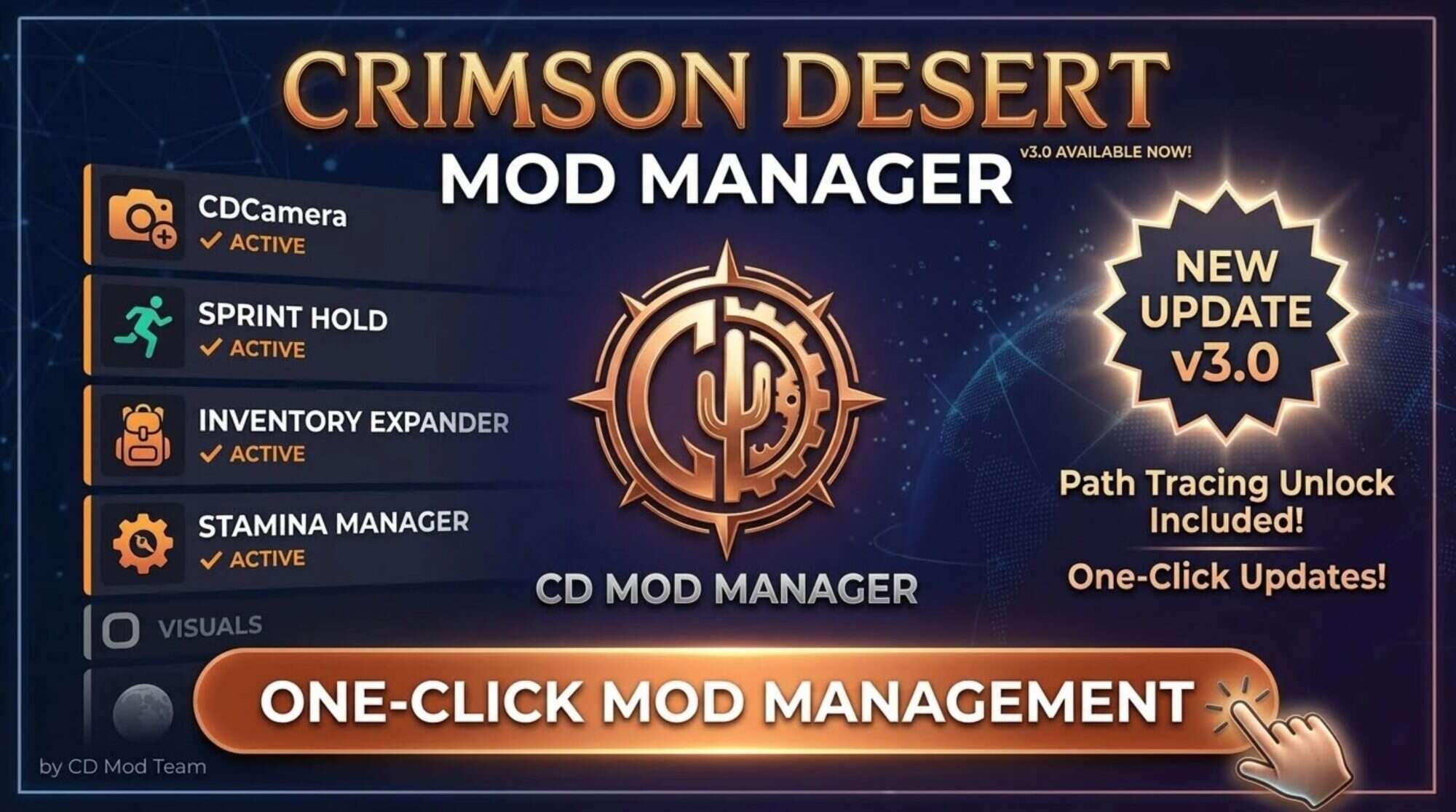
Crimson Desert Mods
The first universal mod manager for Crimson Desert. Comes pre-loaded with the most requested QoL mods, all configurable with step-by-step preset dialogs. CDCamera – Camera & FoV Overhaul v1.60 Configurable camera with step-by-step presets:...
which also looks like slop
ai generated thumbnail lol
 acoustic crescent
Path tracing unlock!
worthy belfry
i need the manager
tawny ravine
worthy belfry
https://crimsondesertmods.com/cd-mod-manager-v1-1/
Ya this mod manager is vibe coded by AI too
Got claude as its contributor on github
worthy belfry
man
 ruby tusk
Even more sad is I had someone try to tell me they were using Path Tracing in this game last night

golden scaffold
worthy belfry
.cdmod is a filetype for this
Oh that's why, I never bothered with this one. First time seeing something actually use a cdmod
dapper lake
ruby tusk
Even more sad is I had someone try to tell me they were using Path Tracing in th...
before release i saw a lot of articles claiming that cinematic was PT
or well, right at release
kindred shoal
golden scaffold
This mod is this person's only contribution and it seemed odd (also not followin...
to play devils advocate it is possible that they dont know english very well
worthy belfry
ur right but also its using the slop filetype
stone comet
theres no reason to not just use standardised json instead of its own filetype
makes 0 sense
worthy belfry
claude said its own filetype would b cool
tawny ravine
it makes all the sense to Claude
stone comet
true
 maiden forum
jo were do i get renodx for crimson desert?
kindred shoal
pins
 jade flame
Is it better to increase Exposure or Game Brightness if I want the game to be brighter?
kindred shoal
5000 peak brightness is the sweet spot
stone comet
game brightness for psychov/this game at least
worthy belfry
i used claude agent to write a readme for my dissertation project and there were a million em dashes and the install instructions were wrong. AI is taking over this is peak development
stone comet
also increasing auto exposure should help
jade flame
stone comet
also increasing auto exposure should help
I don't use the modified AEL. The effect is too extreme for me.
ruby tusk
jade flame
Is it better to increase Exposure or Game Brightness if I want the game to be br...
Game Brightness
sly prism
The Samsung 49" Odyssey OLED G9 (G95SC/G93SD) has a maximum HDR peak brightness of approximately 400–1000 nits, depending on the window size and settings, with sustained brightness in SDR being lower (around 250 nits). While it can hit high peaks in HDR, its typical brightness is lower than Mini-LED alternatives to protect against OLED burn-in.
Reddit
Reddit
+5
HDR Peak Brightness: Advertised up to 1000 nits, though many users and reviewers note actual peak output is often around 400–700 nits depending on content.
......wtf should I set this monitor to?
jade flame
ruby tusk
Game Brightness
Ok. That's what I was already doing. ty
stone comet
sly prism
The Samsung 49" Odyssey OLED G9 (G95SC/G93SD) has a maximum HDR peak brightness ...
your 10% is 1000 so just that
 obsidian widget
i get a log error when i open the game and cant change the hdr settings, what should i do?
viscid wedge
G9 OLED
 ruby tusk
its certified for trueblack400, so it's 10% is likely around that, it probably has a boost mode for peak brightness to 1000 but then you have to deal with ABL
as expected
 stone comet
oh i meant the boost mode
manic finch
fresh field
i have a copy of the OG noise fix without all the other stuff if you want that a...
actually could you? that would be great
dapper lake
ruby tusk
its certified for trueblack400, so it's 10% is likely around that, it probably h...
ABL is when a bright aspect dims the entire screen (simplifying it a bit ik) right? NGL ive only encountered that in one game for some reason
ruby tusk
yeah rest of the scene gets dimmed
dapper lake
Weird, my monitor has a lot of complaints for that in Peak 1000 but only noticed it in The Isle
fresh field
manic finch
actually could you? that would be great
yeah let me upload it to my google drive and i'll dm you the link
dapper lake
sorry, i tell a lie - star citizen too
stone comet
manic finch
actually could you? that would be great
you can just steal the shader toggle code from the .ini and rename it to group 0 and in general set groups to 1
 crude marsh
obsidian widget
i get a log error when i open the game and cant change the hdr settings, what sh...
crude marsh
obsidian widget
i get a log error when i open the game and cant change the hdr settings, what sh...
antivirus
 errant wolf
so idk if title screen crash is amd or epic games related ? crash happens when epic overlay is supposed to show up on the screen
golden scaffold
kindred shoal
to play devils advocate it is possible that they dont know english very well
My best case scenario too
But how do you figure out "this was code that PA left behind and didn't activate it" without knowing English
mortal wolf
obsidian widget
i get a log error when i open the game and cant change the hdr settings, what sh...
what does it say
vivid iris
sly prism
The Samsung 49" Odyssey OLED G9 (G95SC/G93SD) has a maximum HDR peak brightness ...
don't worry about that, just set it to whatever your clip point is for a 10% window test. Just use the hdr calibration app
the point is to calibrate the content, not the actual output of your screen
if people had to set peak based on the actual measured 10% window size, all the 1000 nit modes on oled monitors would be set to 450 nits, which is nonsense lol
ruby tusk
exactly lol
sly prism
the calibration tool peaks at 400
golden scaffold
I also like to undercalibrate slightly to reduce potential ABL. Call me paranoid. But this game can certainly push it
ruby tusk
his monitor will clip at 400 unless he enables peak brightness mode for 1000
ruby tusk
sly prism
the calibration tool peaks at 400
yeah so set it at that
golden scaffold
Although every guide will tell you set it to "until the symbol is gone"
 solar bone

 sour sigil
hello guys just joined where can i download the reshade file ?
kindred shoal
sour sigil
hello guys just joined where can i download the reshade file ?
if you mean reshde itself jsut et it from the site
sly prism
 kindred shoal
the reshade site
 mental dune
guys, whats the point of two handed when u can have 2 swords?
warm scroll
stone comet
oh wtf its gone
still there for me
kindred shoal
mental dune
guys, whats the point of two handed when u can have 2 swords?
they have different movesets
dapper lake
mental dune
guys, whats the point of two handed when u can have 2 swords?
different movesets, i highly recommend getting the basic combat skill maxed for the ability to switch between them with an attack
spear vs longsword movesets are different too just like sword and shield vs two swords
mental dune
so i can specialise dual wield for effects that benefit from attack speed
while two handed for big hits
 stray grove
why use sword when you can go full on MMA
dapper lake
yep
golden scaffold
dapper lake
different movesets, i highly recommend getting the basic combat skill maxed for ...
It's BDO all over again hell yeah awakened and pre-aw! 
dapper lake
and also yeah you can have unarmed as your secondary weapon, still works with the weapon switch attack too
some really cool things they dont tell you you unlock as well, 2 taps of y then x does a grapple move thats not mentioned ( i think its linked to level 4 unarmed)
kindred shoal
for the love of jehova someone needs to make mod or PA needs to patch the option to CHOOSE if you want to use a key or not
dapper lake
golden scaffold
It's BDO all over again hell yeah awakened and pre-aw! <:Stronge:144228584795197...
never played BDO ngl
golden scaffold
Would feel right at home after this game
faint bobcat
Crimson Desert - CHECK PINS FOR ADDON
warm scroll

Nexus Mods :: Crimson Desert
Removes letterbox (black fillers on top and bottom) in cutscenes.
so good
kindred shoal
on 21:9 monitors it never comes up at all lol
 final widget
Yeah I was surprised to hear
hoary vector
was gonna say I dont remember it being letterboxed
viscid wedge
vivid iris
if people had to set peak based on the actual measured 10% window size, all the ...
Maybe i'm not understanding then. For the past 3 years I've run the calibration tool on my C2 and the point at which the pattern disappears is roughly around 800. What should I be doing differently for checking for clipping instead?
vivid iris
that's correct, it's just that not all screens clip at the 10% window value that is measured out of the screen
most monitors don't unless using the trueblack modes
viscid wedge
oh brother. i'm sticking to TV's.. so much easier 🤣
C6 is looking nicer and nicer as a step up
ruby tusk
yeah mine was measured at 456 on RTINGS but clips at 400 in Windows Cal
vivid iris
the 1000 nit modes clip when the content asks for 1000 nits on a 10% window, but the actual output is like 450 nits
ABL on monitors is crazy
ruby tusk
yeah
vivid iris
ruby tusk
yeah mine was measured at 456 on RTINGS but clips at 400 in Windows Cal
then the EOTF probably overshoots
ruby tusk
Yeah it does
vivid iris
it's counterintuitive but without a calibration test most people should probably set to clip point to the measured 2% window
but every platform has a calibration screen so there's no reason people can't find out
ruby tusk
vivid iris
then the EOTF probably overshoots
for my display
 mental dune
nothing better in a single player game than upgrade chance
 stone comet
mental dune
nothing better in a single player game than upgrade chance
stone comet
mental dune
nothing better in a single player game than upgrade chance
wouldnt be korean devs if no rng 😭
mental dune
well, it has it s own charm lol
stone comet
it doesnt matter that much honestly since you can complete the game without em
hardy owl
warm scroll
https://www.nexusmods.com/crimsondesert/mods/208?tab=description
Cutscenes look much better without it
lament nymph
mental dune
nothing better in a single player game than upgrade chance
those 4% gears are good, but they break in 15 mins
... bad game design
the normal gears don't
very rare to get but they break
 hoary vector
about time those 16:9 people got a taste of that medicine
kindred shoal
it probably just letterboxes to 21:9
crude marsh
based
ruby tusk
That seems backwards
crude marsh
ultrawide wins again
 viscid wedge
I did the 34" 21:9 thing for 6 years before going to 42" 16:9. I do miss it. Felt like I had horse blinders on in games for a week before I adjusted.
hoary vector
man all these mod managers for crimson desert not being open source is skeevy. Feels very sus downloading and using random exes off nexus hub
 hoary vector
man im like 50 hours into the game and have barely done anything
i need to focus up. I cant even open a bank account yet
kindred shoal
good lord lol
thin kelp
hoary vector
i need to focus up. I cant even open a bank account yet
same, but now i know where that gold bar everyone mumble about is
 forest elk
is moving the file and replace it enough to update renodx or I have to update shaders on reshade app?
crude marsh
hey I am like 35 hours in and all I have done is carry a sheep and fight one boss
crude marsh
forest elk
is moving the file and replace it enough to update renodx or I have to update sh...
reshade shaders are irrelevant
hoary vector
wasnt even the right sheep too, smh
viscid wedge
forest elk
is moving the file and replace it enough to update renodx or I have to update sh...
just overwrite the renodx file
vivid iris
vivid iris
don't worry about that, just set it to whatever your clip point is for a 10% win...
I should clarify that this is assuming HGIG/static tonemapping.
golden scaffold
Is it just me or does the autoexposure fix in new version not do anything anymore?
viscid wedge
i do use HGiG, cool
forest elk
crude marsh
hey I am like 35 hours in and all I have done is carry a sheep and fight one bos...
I'm 20 hours in, I randomly walked around the map, climbed the mountains and towers before taking the memory helmet, I have some regrets
 alpine bear
Snow area is a bit too dark on this build
 vivid iris
Does moving the auto exposure ceiling slider change it?
hoary vector
have to disable windows defender to get the addon64 file to stop being deleted automatically still
warm scroll
hardy owl
Cutscenes look much better without it
without the mod or without the letterboxing?
alpine bear
vivid iris
Does moving the auto exposure ceiling slider change it?
Nope, in fact, improved auto exposure does nothing. It's an issue with default auto exposure that the previous build fixed, but with new one there is no changes to snow area
vivid iris
Next build we post will offer both options
hardy owl
warm scroll
without the mod or without the letterboxing?
Without black bars
golden scaffold
Where's the mod version with dark power option? I skipped that one. Would like to test. Current version autoexposure fix seems not working?
viscid wedge
golden scaffold
Where's the mod version with dark power option? I skipped that one. Would like t...
yesterdays had it and it appears to still be pinned
from the 26th

 potent spear
Lmao the new thread title
steady orbit
I use renodx. What about in game HDR settings must be on and HDR nits same like renodx or no?
viscid wedge
steady orbit
I use renodx. What about in game HDR settings must be on and HDR nits same like ...
there are install and setup instructions in the pinned posts
stray grove
potent spear
Lmao the new thread title
about time 😂
viscid wedge
I'm waiting for someone to still ask
stone comet
this is so nice actually
 faint bobcat
Example, you can see how I fixed the random ass transition line deleting contact...
faint bobcat
faint bobcat
Example, you can see how I fixed the random ass transition line deleting contact...
ID 12 = Controls tree leaves and larger bushes but only close / medium range from the player camera
ID 13 = Controls small scale foliage close / medium range from the player camera
ID 14 = Controls small scale foliage close / medium range from the player camera
ID 15 = Controls distant tree lods and larger bushes from medium to long range
ID 16 = Controls the same larger bushes + smaller bushes from close to medium range but doesnt handle trees
ID 17 = Controls grass, flowers and other small foliage from close to medium range
ID 18 = Controls very small bushes and grass not already handled by any of the other ID's or ID17 for grass from close to medium range
So this was fun, if we have a large bush thats defined under ID16, well the medium to long range of it will count as ID15. I cant reduce ID 16 becasue then ID15 will missmatch but if I adjust ID 15 then distant tree contact shadows will look jank
I did find their occluders
so for grass whats causing those deepfried abysses near the base
is the occluder for ID17
is giga maxxed
but the reciever barely has any shadowing
so I will reduce occluder but increase reciever
kindred shoal
that is a huge fix because that is one of the mostdistracting things about he visuals
any peformance hit?
 karmic quest
lament nymph
money stronk
karmic quest
lament nymph
money stronk
What you gonna do with allat money
 quartz tendon
viscid wedge
oh brother. i'm sticking to TV's.. so much easier 🤣
C6 is looking nicer and n...
quartz tendon
viscid wedge
oh brother. i'm sticking to TV's.. so much easier 🤣
C6 is looking nicer and n...
Don't forget to get the 77 inch C6 at least to get the same panel as the G5 had (Tandem OLED). But at that price, it might be worth it waiting for a deal for a G6 65 or 55 inch.
golden scaffold
Do cats want something else than raw meat? Don't tell me it has to be cooked?
karmic quest
crude marsh
hey I am like 35 hours in and all I have done is carry a sheep and fight one bos...
I bet the sheep ypu carried was not the real one
viscid wedge
quartz tendon
Don't forget to get the 77 inch C6 at least to get the same panel as the G5 had ...
77" isn't fitting on my desk 🤣
viscid wedge
golden scaffold
Do cats want something else than raw meat? Don't tell me it has to be cooked?
i would assume cats would want fish? I've not tried
karmic quest
stone comet
this is so nice actually
What does it mean by resources?
faint bobcat
kindred shoal
any peformance hit?
contact shadows cost barely anything, I am only modifiying their existing implementation not doing a custom one so theres maybe 1FPS cost
karmic quest
Stamina?
quartz tendon
viscid wedge
77" isn't fitting on my desk 🤣
Ye max 65 for me too, I got a 55 G2 now, perfect display, except that the newer model G6 delivers considerably an upgrade in almost all areas compared to it.
 daring orbit
My cat only eats cooked meat
stone comet
karmic quest
What does it mean by resources?
health from what i noticed its pretty chill
crude marsh
karmic quest
I bet the sheep ypu carried was not the real one
no.... it wasnt?
viscid wedge
you can cook meat ez with the sword light thingy. just put it on the ground and burn it
ruby tusk
viscid wedge
77" isn't fitting on my desk 🤣
My desk only 63”
karmic quest
crude marsh
no.... it wasnt?
 golden scaffold
viscid wedge
you can cook meat ez with the sword light thingy. just put it on the ground and ...
golden scaffold
viscid wedge
you can cook meat ez with the sword light thingy. just put it on the ground and ...
I can try but I'm just surprised. Or do cats not accept food for friendship?
viscid wedge
I dunno, i just repeatedly pet a dog lol
 dapper slate
golden scaffold
I can try but I'm just surprised. Or do cats not accept food for friendship?
dapper slate
golden scaffold
I can try but I'm just surprised. Or do cats not accept food for friendship?
I fed mine with dried fish
golden scaffold
daring orbit
My cat only eats cooked meat
Try raw liver, they can't resist
crude marsh
can you get a permanent shoulder cat
karmic quest
viscid wedge
I dunno, i just repeatedly pet a dog lol
So you burned a dog and ate it?
dapper slate
pet until 25 friendship, give fish until 50 or so, wait until, midnight and repeat
golden scaffold
dapper slate
I fed mine with dried fish
So they are picky?
dapper slate
karmic quest
Does anyone know how to get that armored cat pet
any cat, buy the armor?
obsidian widget
mortal wolf
what does it say
20:38:48:439 [22396] | ERROR | Failed to load add-on from 'C:\Program Files (x86)\Steam\steamapps\common\Crimson Desert\bin64\renodx-crimsondesert.addon64' with error code 4556!
karmic quest
dapper slate
any cat, buy the armor?
Oh really?
dapper slate
golden scaffold
So they are picky?
🤷♂️ Can't say I tried any other food than dried fish
viscid wedge
karmic quest
Does anyone know how to get that armored cat pet
I found it for my dog at a shop in ||Pororin Village||
Not sure if it only shows availability for the type of pet you have?
karmic quest
Didnt know, where can I find the fat orange cat then.@dapper slate pls
dapper slate
viscid wedge
I found it for my dog at a shop in ||Pororin Village||
Not sure if it only show...
yeah, there
 crude thunder
any mods that remove vignette?
 wheat elk
faint bobcat
Vanilla burley / EON
wheat elk
faint bobcat
Vanilla burley / EON
eon looks better
mortal wolf
obsidian widget
20:38:48:439 [22396] | ERROR | Failed to load add-on from 'C:\Program Files (x86...
where did you get the addon? what's the date on it
karmic quest
Fuse the new addons no longer flag for virus?
obsidian widget
mortal wolf
where did you get the addon? what's the date on it
From the newest pinned message from today 27.03
warm scroll
windows still flags it as virus for me
dapper slate
karmic quest
Didnt know, where can I find the fat orange cat then.<@212903724220284928> pls
Fat cat can spawn in Nas River Fishing Doc, but it doesn't always spawn. The cat you get is random too, but it will always be a fat cat. I got a black one
mortal wolf
it's back to being a virus again, even the old one that passed
karmic quest
dapper slate
Fat cat can spawn in Nas River Fishing Doc, but it doesn't always spawn. The cat...
Okay, do cats also pick up loot or just the doggo
mortal wolf
4556 means local antivirus is blocking
obsidian widget
mortal wolf
it's back to being a virus again, even the old one that passed
so just turn off antivirus?
mortal wolf
obsidian widget
so just turn off antivirus?
yes
dapper slate
karmic quest
Okay, do cats also pick up loot or just the doggo
They pick up loot yes
stone comet
karmic quest
Okay, do cats also pick up loot or just the doggo
every animal
karmic quest
Omg
obsidian widget
amazing thanks!
viscid wedge
Exclude the game folder. I've not had a single problem since that first day.
 lucid shoal
You can also just do the file itself or the exact folder where it is placed
Personally I don't like to do general exclusions like complete folders
 fresh smelt
 lament nymph
karmic quest
What you gonna do with allat money
lament nymph
karmic quest
What you gonna do with allat money
... no use for them
I can go to a gambling den, win 900 every time and realized there's nothing in this game that uses that much money
 robust badge
Could someone tell me how to download this mod?
 karmic quest
lament nymph
I can go to a gambling den, win 900 every time and realized there's nothing in t...
karmic quest
lament nymph
I can go to a gambling den, win 900 every time and realized there's nothing in t...
Yeah, need more places to spend that much money on lol
ruby tusk
robust badge
Could someone tell me how to download this mod?

Pinned Messages contain everything you need
faint bobcat
wheat elk
eon looks better
Look at vanilla

its cooked
I've seen this happen when I forget to clamp BRDF values
ruby tusk

 ruby tusk
I know
wheat elk
faint bobcat
I've seen this happen when I forget to clamp BRDF values
what kind of clamp?
just a sat?
ruby tusk
I'm just enjoying them
karmic quest
Damn I wish we could increase the draw distance and avoid the pop in objects and shadows 😭
Why did devs not make a slider
ruby tusk
karmic quest
Damn I wish we could increase the draw distance and avoid the pop in objects and...
you can reduce the popin clutter (rocks n small plants) with the No HUD mod
karmic quest
ruby tusk
you can reduce the popin clutter (rocks n small plants) with the No HUD mod
It just disables them
lament nymph
this game needs more horror themed sidequest, so far it's not very horror esque
ruby tusk
karmic quest
It just disables them
I know
they're procedurally generated anyway
and look like shit
 grim elk
damn, i need to get the no hud now. that kmicroclutter pop in was driving me crazy
ruby tusk
grim elk
damn, i need to get the no hud now. that kmicroclutter pop in was driving me cra...
its a good mod tbh
karmic quest
I'll try the no hud mod tomorrow if it works with renodx without issue
ruby tusk
yeah works fine
karmic quest
Also no hud fixed the heavy attack problem?
grim elk
should work without issues, im using shader toggler right now
robust badge
ruby tusk
Sorry I couldn’t find any pinned messages, but I used the search. It was hard to find, thanks!
grim elk
just for other stuff than no hud has
karmic quest
Or did it just remove the effects
ruby tusk
robust badge
Sorry I couldn’t find any pinned messages, but I used the search. It was hard to...
glad you found it , np
ruby tusk
robust badge
Sorry I couldn’t find any pinned messages, but I used the search. It was hard to...
#1469072401450012774 message can also add this
ruby tusk
karmic quest
Or did it just remove the effects
there's 2 options, 1 removes swing trails and like smoke fx, and the other fixes the noise
I just use the noise one
 smoky brook
enjoying the new auto-exposure
karmic quest
ruby tusk
I just use the noise one
Ty
With the spirit that copies your swing it becomes a mess
quartz tendon
robust badge
Sorry I couldn’t find any pinned messages, but I used the search. It was hard to...
 stray grove
@ruby tusk i didn't check all the toggle is there one that remove that effect when you block an enemie? the green ghost of yourself i guesss 😅
ruby tusk
stray grove
<@521988247593811968> i didn't check all the toggle is there one that remove th...
I think that's the Afterimage fx toggle
 eternal osprey
smoky brook
enjoying the new auto-exposure
eternal osprey
smoky brook
enjoying the new auto-exposure
Mhmm

 naive jackal
@ruby tusk lol that reminds me of Dying Light 2 with distant trees and buildings
manic valve
the difference between vanilla and RenoDX on an OLED is staggering.
Vanilla is like playing on an LCD again
karmic quest
quartz tendon
Took your time to even draw around it too 
karmic quest
manic valve
the difference between vanilla and RenoDX on an OLED is staggering.
Yeah cannot go back now
Its like they put us on drugs
smoky brook
smoky brook
enjoying the new auto-exposure
does auto darken annoyingly in daytime but im nit-picking
lament nymph
you guys can call me greymane now I have no name anymore
smoky brook
@claude do a linear interpolation of the two auto-exposure solutions
manic valve
lament nymph
you guys can call me greymane now I have no name anymore
Pretty sure this is one of those guys with 100+ hours already in the game lol
@lament nymph
 naive jackal
55 hours so far and the only bosses i've fought are Matthias and Hornsplitter 😆
 eager epoch
eternal osprey
Mhmm
eager epoch
eternal osprey
Mhmm
Well I’m not sure if vanilla necessarily worse here, cuz in the alternative character details are absent. How a loss of information can be considered a better result
 meager cipher
https://www.youtube.com/watch?v=tFytccq5hrs maybe this solves the rain issue with RR via nvinspector by switching to E

Detailed PC Specs
GeForce RTX 5060 Ti 16GB Asus TUF - Core +300 Memory +3000, power 110%, PCIE 5.0
AMD Ryzen 7600 (Asus Enhanced PBO On) (Deepcool AG620 Air Cooler)
32GB Ram DDR5 6,000Mhz CL30 (16x2 Dual Channel)
Gen4 NVME SSD (Read/Write 7,300/6,700 MBps)
Asus Rog Strix B650E-F PCIE 5.0 Motherboard
Resizable Bar - On
Windows 11 Pro
Recording ...
crude marsh
E causes issues in some interiors/cutscenes
eager epoch
crude marsh
E causes issues in some interiors/cutscenes
And when u close up to character face there are artifacts
meager cipher
got it
eternal osprey
eager epoch
Well I’m not sure if vanilla necessarily worse here, cuz in the alternative char...
shrugs in real life if it's dark, and the only light is from some candles, weak lights, I wouldn't see a lot of details either.
ruby tusk
crude marsh
E causes issues in some interiors/cutscenes
apparently disabling DoF in-game fixes that
crude marsh
I have had dof off forever and same thing
ruby tusk
oh okay
mossy gust
is it helpful to force anything in nvpi for this game?
ruby tusk
doesn't seem like it
mossy gust
yeah, i know some games do but not this one i guess
eager epoch
eternal osprey
*shrugs* in real life if it's dark, and the only light is from some candles, wea...
Well following that logic in real life we dont see dragons, it depends whats the goal, its studio intensions or modders intention. Ofc its subjective I would rather fix HDR in a way that preserves studio intended details
crude marsh
studios intention to produce a fucked image 
ruby tusk
 crude marsh
I wish they intended for us to look at the game past 10 meters
ruby tusk
eternal osprey
besides, it's variable. I set the auto-exposure ceiling down from 50 to 20. Raising it makes the difference less dramatic
crude marsh
or maybe had flame colored flame and not pink everywhere
ruby tusk
I was about to bring that up tbh, if we wanted intended art direction then we should all use ACESv2 tonemap
eager epoch
crude marsh
studios intention to produce a fucked image <a:HYPERNODDERS:1079695547054694440>
there are textures on character armor already seen in vanilla and I make it unseen by darkening it than how am I unfucking the presentation in a whole?
crude marsh
uh well
I legitimately couldn't tell when night time was happening in vanilla sometimes
 cold tree
test build is brighter with alt exposure? or same
crude marsh

mossy gust
you can make nights brighter in new one
crude marsh
usually I like to be illuminated by light
hoary vector
its weird that the digital foundry preview videos were raving about the actually dark nights
crude marsh
and not magic
eternal osprey
eager epoch
there are textures on character armor already seen in vanilla and I make it unse...
because it's darkening during night time. Not day time.
kindred shoal
crude marsh
I legitimately couldn't tell when night time was happening in vanilla sometimes
yea this was a real prolem
nighttime was bright as hell
and ye there were tiemes i could not even tell it was night time
eternal osprey
crude marsh
or maybe had flame colored flame and not pink everywhere
yesss

 crude marsh
ideally we would have high quality directional light from the moon and enough of it as well
but
meager cipher
1 question since I saw this discussed before, specifically if I'm thinking about it the right way: RR is supposed to work alongside DLSS SR and uses the same Performance/Quality modes (RR sits on top of the DLSS SR mode you chose) so the break down would roughly mean this?
4.0 / K + RR = lighter / lower-overhead option (less FPS hit)
4.5 / M + RR = better fit for Performance-mode image quality, but heavier
4.5 / L + RR = more of an Ultra Performance-type case
Main reason I’m asking is because on RTX 20/30 my understanding is that M/L are heavier than K since those GPUs don’t have native FP8 support so the tradeoff is lower overhead vs better IQ alongside RR, rather than DLSS somehow ruining RR
eager epoch
eternal osprey
yesss
Here in this presentation the details are all preserved no loss of information in that regard I can say yes the correction is properly applied.
ruby tusk

 heavy mulch
When will the renodx settings file be relased?
crude marsh
 heavy mulch
crude marsh
heavy mulch
crude marsh
not sure where to find that - can you advise please?
cursive stream
#1469072401450012774 message
meager cipher
 ruby tusk
heavy mulch
not sure where to find that - can you advise please?
ruby tusk
heavy mulch
not sure where to find that - can you advise please?
there should be a pin/thumb tack icon at the top of the chat
click on it
 wintry sparrow
If I put brightness on 500
It ruining the hdr?
ruby tusk
wintry sparrow
If I put brightness on 500
It ruining the hdr?
what is your peak brightness?
wintry sparrow
1080
kindred shoal
i would assume paek brightness hosuld match your monitor and what the game setting is calibrated to
wintry sparrow
I’m using fo32u2p
ruby tusk
wintry sparrow
1080
Did you calibrate with Windows HDR Calibration?
wintry sparrow
With default it’s to dim
I did the icc profile that came with the monitor
Should I use win instead?
ruby tusk
wintry sparrow
With default it’s to dim
go to windows settings > system > display > advanced display and what's peak brightness say in nits?
ruby tusk
wintry sparrow
Should I use win instead?
and yes, you should set it to what it clips at in hdr calibration app
 eager epoch
eternal osprey
because it's darkening during night time. Not day time.
eager epoch
eternal osprey
because it's darkening during night time. Not day time.
Its subjective thats why there are controls, I dont like to use cheat mods, some do, some like ultra reflective surfaces and some don’t… Usually when I edit levels in photoshop I correct them by closing the margins between the absolutes (black/white) its a common practice in image enhancement, one of the main tools. Another example if I reduce HIGHLIGHTS in RENO to correct over-brightness (clipping or whatever its called) in clouds till they are resolved fully, again I restore the information cuz the cloud must not look like a bright spot or part of it, it must resolve and show itself without compromise to details in a way that make sense
meager cipher
@crude marsh @ruby tusk
hmm so super-resolution and ray denoising are handled together as a unified task inside the RR model but also seeing NVIDIA developer docs say ray reconstruction is an addition to DLSS - the integration doc says RR is added through the DLSS pipeline, and NVIDIA Indiana Jones example talks about DLSS-RR in Performance mode
https://developer.nvidia.com/blog/how-to-integrate-nvidia-dlss-4-into-your-game-with-nvidia-streamline / https://developer.nvidia.com/blog/path-tracing-optimization-in-indiana-jones-shader-execution-reordering-and-live-state-reductions / https://developer.nvidia.com/rtx/dlss
ruby tusk

wintry sparrow
Can’t understand which one is better
Non of them is dull or washed out
But with 500 I see the gamepretty good

 meager cipher
removed the embeds, apologies
crude marsh
meager cipher
<@162283147277369344> <@521988247593811968>
hmm so super-resolution and ray den...
RR does everything itself.
wintry sparrow
But in in other way.. I don’t want to ruin the hdr
ruby tusk
wintry sparrow
Can’t understand which one is better
Non of them is dull or washed out
But with...
If you're at 1000 nits, I'd say around 203-250 but it's really up to you
wintry sparrow
Thank you all for the help
wintry sparrow
ruby tusk
If you're at 1000 nits, I'd say around 203-250 but it's really up to you
And if I set it on tb400
500 would be good?
eternal osprey
eager epoch
Its subjective thats why there are controls, I dont like to use cheat mods, some...
Here's the day time Off and On. More subtle.

 ruby tusk
wintry sparrow
And if I set it on tb400
500 would be good?
ruby tusk
wintry sparrow
And if I set it on tb400
500 would be good?
if you set it on TrueBlack400, test in Windows HDR Calibration again, it should clip around 400, just set it to whatever it clips it aka when the image is no longer visible
 foggy cove
wintry sparrow
And if I set it on tb400
500 would be good?
foggy cove
wintry sparrow
And if I set it on tb400
500 would be good?
tb400 means the highest your monitor will go is 400 nits. Setting the game brightness to 500 makes no since
sleek veldt
Allowing me to drown chickens to not waste arrows is peak
heavy mulch
the renodx file for this says its a virus , anyone getting this ?
foggy cove
when your peak nits is lower i'd suggest lowering game brightness to increase the contrast for highlights
meager cipher
crude marsh
RR does everything itself.
Thank you, so would you say that even though RR itself is doing the reconstruction, by running dlss I'm ruining RR because it would then be running at the lower internal render scale
ruby tusk
heavy mulch
the renodx file for this says its a virus , anyone getting this ?
yes, just set windows av to ignore it and set the game directory folder to exclusions
eager epoch
eternal osprey
Here's the day time Off and On. More subtle.
That looks good imo as long as there is no loss of details
heavy mulch
cool will do , is there any recormeded sliders to use , our just leave at default?
ruby tusk
heavy mulch
cool will do , is there any recormeded sliders to use , our just leave at defaul...
start with defaults and adjust game brightness and auto exposure according to taste
can mess with contrast and saturation as well
but start with defaults
eager epoch
eternal osprey
Here's the day time Off and On. More subtle.
Also I cant clearly decipher what was intended here like is it suppose to be a very bright sunny day or kinda afternoon near sunset time
sleek veldt
meager cipher
1 question since I saw this discussed before, specifically if I'm thinking about...
4.0 / K + RR = lighter / lower-overhead option (less FPS hit)
4.5 / M + RR = better fit for Performance-mode image quality, but heavier
4.5 / L + RR = more of an Ultra Performance-type case
RR = It's own independent DLSS4 + Denoiser in one on the Transformer Model ✅
crude marsh
meager cipher
Thank you, so would you say that even though RR itself is doing the reconstructi...
no I just mean it all happens via RR, all of DLSS including SR and denoising
eternal osprey
eager epoch
Also I cant clearly decipher what was intended here like is it suppose to be a v...
9am, few clouds, but sun clear in sky. So far nothing overexposed, so seems fine. Main thing I prefer is the reduction in the sharpening. Seemed so sharp without reno it became noisy/pixelated on some things.
wintry sparrow
foggy cove
tb400 means the highest your monitor will go is 400 nits. Setting the game brigh...
I speak about this in the menu of shader , not about the peak
 crude marsh
yeah game brightness you definitely don't want to go too high
generally speaking only increase it if you are in a very bright room
 rugged sequoia
@crude marsh Would you consider making a version of "LetThereBeMoreLight" with values raised by something like 30 or 50%?
crude marsh
I could
manic valve
That would be awesome
foggy cove
wintry sparrow
I speak about this in the menu of shader , not about the peak
yes you said you're using tb400 which means your peak will be 400 nits. game brightness should always be below this regardless of preferences
crude marsh
the problem is I need to find the specific things to increase
meaning I need to test like 40 light sources individually and I don't know what they map to
eager epoch
eternal osprey
9am, few clouds, but sun clear in sky. So far nothing overexposed, so seems fine...
Yeah gane suffer from alot of noise and artifacts, I believe some core mechanics (especially rendering stuff) can only be addresses by the devs (unless code become opensource)
wintry sparrow
foggy cove
yes you said you're using tb400 which means your peak will be 400 nits. game bri...
Make sense haha
Thanks
 plain fractal
Damn, the auto exposure can get really bad in this game. I wish it would be possible to only clamp the daytime autoexposure range

 wintry sparrow
So there is no problems setting 500 brightness with p1000
grim elk
with peak 1000 you want to set peak at 1000 or at exacltry when it clips in hdr calibration tool
foggy cove
other than bad taste no not really
grim elk
with tb400/500 same, peak as it clips (at around 400/500)
 restive roost
grim elk
with tb400/500 same, peak as it clips (at around 400/500)
restive roost
grim elk
with tb400/500 same, peak as it clips (at around 400/500)
he is talking about game brightness not peak btw
grim elk
ahhh, then my bad
wintry sparrow
No worries 😉
foggy cove
the lower your game brightness is the more of an impact highlights will have
crude marsh
I could try just increasing fire, candlelight, and turn up the lantern a bit
rugged sequoia
crude marsh
the problem is I need to find the specific things to increase
That sounds exhausting. Right now the game is still a bit too dark when I try to balance outdoors and indoors. Also the raised lantern is not bright enough. There is so much to fix in this game...
crude marsh
and not touch anything else
rugged sequoia
crude marsh
I could try just increasing fire, candlelight, and turn up the lantern a bit
Could work. These seem to be the most important. Right now the raised lantern seems almost darker than at the belt.
kindred shoal
yea when i walk in cabins and such with no doors or windows open it is very dark
have to use the lantern, candles dont do shit lol
grim elk
Martin, seeing you here now I have to say Im really enjoying your shader toggle, great work man!
rugged sequoia
grim elk
Martin, seeing you here now I have to say Im really enjoying your shader toggle,...
thx
lucid thorn
Anybody able to test this? Aha https://x.com/i/status/2037631481653190707

@BonafideXP @CrimsonDesert_ And when you load up your game, if you last played as Kliff, you'll see an animation of him getting up and walking. If you played as Damiane or Oongka, you just spawn after the light-and-cubes animation, much faster.
I feel like nobody informed PA that loadscreens are obsolete.
 X
·
crude marsh
X
·
crude marsh
I have wasted like 2 hours of my life watching kliff walk on cubes
kindred shoal
probably has something to do with the game state involving kliff, since he can do so much more than the other 2
lucid thorn
:p someone ping me the results I guess I'm taking my dog out for a bit
meager cipher
thanks for the explanations @sleek veldt @crude marsh
crude marsh
alright ill boost candles and pointed lantern and fire a tad, gimme a few
rugged sequoia
When you teleport from fast travel to fast travel it only loads as long as it needs. If initiate it from any other point it always plays the full animation.
eternal osprey
kindred shoal
have to use the lantern, candles dont do shit lol
It's like this for me (midnight). Lantern off and on. I kinda like it.

 manic valve
rugged sequoia
When you teleport from fast travel to fast travel it only loads as long as it ne...
manic valve
rugged sequoia
When you teleport from fast travel to fast travel it only loads as long as it ne...
It needs to be like this always
crude marsh
meager cipher
thanks for the explanations <@238734961501274124> <@162283147277369344>
np, it was very confusing for a lot when dlss 4.5 dropped and everyone realized RR was the same
plain fractal
@crude marsh Will there be a new version of your fixed auto exposure?
kindred shoal
eternal osprey
It's like this for me (midnight). Lantern off and on. I kinda like it.
I dont hate it, I just think the candles nad such should give off a bit more light
rugged sequoia
manic valve
It needs to be like this always
There is so much jank and clunky shit in this game. Its unreal. It's part genius, part madness.
crude marsh
you mean the lights? I am gonna bump up candles and pointed lantern
plain fractal
crude marsh
you mean the lights? I am gonna bump up candles and pointed lantern
Oh sorry, I think forge did the first version of the fixed auto exposure lol
ruby tusk
meager cipher
thanks for the explanations <@238734961501274124> <@162283147277369344>
yeah nvidia didn't make it very intuitive, not your fault
crude marsh
Forge Jon and shortfuse do reno stuf
kindred shoal
60ish hours into the game and just got a pop up about digging
eternal osprey
kindred shoal
I dont hate it, I just think the candles nad such should give off a bit more lig...
Some seem to. That's just 1 single candle. It's pitch black when the candle is off. Assuming you're looking at this image with HDR on.
 kindred shoal
didnt even know it was a thing lol
ruby tusk
kindred shoal
60ish hours into the game and just got a pop up about digging
I knew it was a thing but yeah same
took forever to finally get some digging quest/tutorial
vivid iris
plain fractal
Damn, the auto exposure can get really bad in this game. I wish it would be poss...
are these vanilla auto exposure?
ruby tusk
I wonder if that's latest build as well, cause for me the daytime auto exposure seems to be the same whether on or off
warm scroll
Crimson Desert Detail:
If you drop your loot in Crimson Desert, nearby NPCs will pick it up and start taking everything 😭
 X
·
X
·
this is funny
vivid iris
ruby tusk
I wonder if that's latest build as well, cause for me the daytime auto exposure ...
that's on purpose
ruby tusk
I know
vivid iris
okay
ruby tusk
That's why I'm wondering if his screenshot is the latest build of reno
cause it's not the same
 vale scarab
hi, Generic dept and effect runtime can be disable ?
ruby tusk
yes
manic valve
rugged sequoia
There is so much jank and clunky shit in this game. Its unreal. It's part genius...
Some might disagree but this is the spiritual successor of Morrowind/Oblivion and Gothic
So much CRPG and EuroRPG jank
I love it
kindred shoal
it is now KRPG jank
crude marsh
rugged sequoia
Could work. These seem to be the most important. Right now the raised lantern se...
can try this, I don't have nighttime atm
lament nymph
there's more jank later
there will be a part where you need to do platforming with a time limit for no reason
 toxic jungle
updated to windows 11. i cannot find renodx in reshade since
mossy gust
I wonder if anyone has found out a way to get rid of crouch vignette, i hate it
manic valve
lament nymph
there will be a part where you need to do platforming with a time limit for no r...
Kliff, is that you?
viscid wedge
toxic jungle
updated to windows 11. i cannot find renodx in reshade since
its in the pins. and assuming your AV isn't killing it
manic valve
AV is killing it for sure
lament nymph
kliff wouldn't complain, he will fk a chicken if someone tells him to do it
vale scarab
For true hdr 400 better stay at 203 slider game brightness or less ? TY
ruby tusk
vale scarab
For true hdr 400 better stay at 203 slider game brightness or less ? TY
101-150 imo
eternal osprey
If I put the auto-exposure limiter off/on, or move the multiplier up or down in the middle of the day, nothing seemingly happens. And that's as intended, right? I assume it's when it's supposed to be dimming in the day, the autoexposure kicks in to keep it brighter? And you get that weird change in brightness if you look at the sky vs somewhere else?
lament nymph
I'm starting to think greymanes are just glorified title for handyman in this world
vale scarab
203 is for peak 1000 and 101 150 true 400 ? For every game ?
lament nymph
needing construction? greymane. need to kill someone? greymane. lost a chicken? greymane
need farmhands? also greymane
ruby tusk
vale scarab
203 is for peak 1000 and 101 150 true 400 ? For every game ?
pretty much
lament nymph
greymane also have engineers
 zenith belfry
is there anything I have to tweak in the latest reno? Because I feel like the default presentation after reseting sliders looks a little off. Especially faces
golden scaffold
eternal osprey
If I put the auto-exposure limiter off/on, or move the multiplier up or down in ...
It seems to me like something underlying changed with exposure on global scale with this version. Before I could clearly see autoexposure dimming my daylight when I looked away from the sun towards the ground. Now it stays consistent. So maybe it's already built in, and the slider is only for nights. My best guess
manic valve
lament nymph
greymane also have engineers
I kept thinking of Greymanes as the bootleg Witchers
Temu Witchers
golden scaffold
Grey Wardens?
lament nymph
witchers deal with stuffs by killing, greymane is more powerful
they do everything
need someone to clean ur toilet? greymane
call greymane for everything
manic valve
Did you know if you hold animals and then crouch so they're underwater you can drown them?
Greymane Pest Control
golden scaffold
Are you saying I can save bullets?
ruby tusk
I will say I ain't never seen a witcher clean a chimney with a broom
manic valve
You must not have played Witcher 1
Geralt was cleaning toilets
That was a great Eurojank RPG
golden scaffold
ruby tusk
I will say I ain't never seen a witcher clean a chimney with a broom
They might and they will tell you it was a curse inside your chimney
Witchers gotta make a living too
lament nymph
no wonder ppl refuse to call kliff by his name, greymanes are a detergatory term used for low class ppl
eternal osprey
golden scaffold
It seems to me like something underlying changed with exposure on global scale w...
Ye I couldn't tell if I was going mad. Since I've had this, whether profile off/on, I can't see that exposure change in day time.
plain fractal
vivid iris
are these vanilla auto exposure?
No with auto exposure limiter
 golden scaffold
eternal osprey
Ye I couldn't tell if I was going mad. Since I've had this, whether profile off/...
golden scaffold
eternal osprey
Ye I couldn't tell if I was going mad. Since I've had this, whether profile off/...
I'm almost sure it's always enabled now for daytime because before that the dimming was pretty drastical at times
vivid iris
plain fractal
No with auto exposure limiter
does anything change with it disabled?
I don't think it will
plain fractal
@vivid iris It can also kind of nuke the highlights at daytime
 plain fractal
vivid iris
does anything change with it disabled?
plain fractal
vivid iris
does anything change with it disabled?
No, in those scenes it looked almost exactly the same when setting it to off
vivid iris
the vanilla auto exposure is just pretty flawed yeah 🙁
it's just something that will need a lot of testing to replace
plain fractal
vivid iris
the vanilla auto exposure is just pretty flawed yeah 🙁
Yes 😔
golden scaffold
eternal osprey
Ye I couldn't tell if I was going mad. Since I've had this, whether profile off/...
#1469072401450012774 message
Does this look normal to you? This is what it did when you could toggle it. It doesn't dim like that anymore, now it's just always bright
vivid iris
simple clamp for nights is safe
quartz tendon
How do you guys take screenshots, so that it is not either without colours or blown out? Edit, thanks it works perfectly!

 ruby tusk
^
golden scaffold
vivid iris
simple clamp for nights is safe
So you're saying we're assuming right? Daylight exposure fix is always on? It doesn't do this anymore? #1469072401450012774 message
 leaden isle
helo
 lime bridge
This was taken from the build yesterday, but the Sun/Moon improvements can cause issues at ceratin times of day/lighting conditions
 vivid iris
golden scaffold
So you're saying we're assuming right? Daylight exposure fix is always on? It do...
vivid iris
golden scaffold
So you're saying we're assuming right? Daylight exposure fix is always on? It do...
it shouldn't have any impact outside of dimly lit spaces and night time, will be vanilla otherwise
leaden isle
oh so nighttime being completely dark as hell is a common issue?
(installed renodx 2 days ago by grabbing the file from the website)
vivid iris
use the latest one here
 nova cargo
vale scarab
203 is for peak 1000 and 101 150 true 400 ? For every game ?
nova cargo
vale scarab
203 is for peak 1000 and 101 150 true 400 ? For every game ?
that stuff has no good mathematical basis, should be ignored
vivid iris
the autoexposure adjustments before were flawed
leaden isle
will do, thanks
eternal osprey
golden scaffold
https://discord.com/channels/1408098019194310818/1469072401450012774/14865006700...
Yeah I had that. And now no more, whether I have auto-exposure limiter On or Off. In day time, it just doesn't happen.
golden scaffold
So my understanding is it's always enabled now and the new function is night/indoor toggle only
vivid iris
auto exposure has always and will always be on, it's an inevitability of HDR rendering
ruby tusk
nova cargo
that stuff has no good mathematical basis, should be ignored
oh, my apologies
cold tree
test build is really good
golden scaffold
vivid iris
auto exposure has always and will always be on, it's an inevitability of HDR ren...
I mean the anti-dimming fix. It actually feels consistent now
plain fractal
vivid iris
the autoexposure adjustments before were flawed
Yeah, there are some weathers that looked really bad with the previous auto exposure fix (first is previous auto exposure fix, second is vanilla)

 quartz tendon
vivid iris
takes hdr pngs
quartz tendon
vivid iris
takes hdr pngs
Thanks, it works super well 😄
 leaden isle
woah looks crazy
which settings have u got in crimson desert itself? everything cinematic or wut?
plain fractal
vivid iris
it shouldn't have any impact outside of dimly lit spaces and night time, will be...
Do you think it would help to add a second slider to also limit the max exposure amount in general? Maybe this could fix the overbright highlights from my screenshot.
vivid iris
the issue is I have to anchor it somewhere. With the floor there's an obvious point to pick.
leaden isle
is there a way to check the renodx addon version in-game?