
#Monster Hunter Wilds
1943 messages · Page 2 of 2 (latest)
 past hound
Fixed it, fresh install and then re-downloading the latest Re-Framework update from Fluffy Mod was the fix.
Did all that prior to the uninstall and reinstall and was no joy, fired from the hip here on this.
Thanks everyone!
 loud oasis
past hound
Fixed it, fresh install and then re-downloading the latest Re-Framework update f...
loud oasis
past hound
Fixed it, fresh install and then re-downloading the latest Re-Framework update f...
Yeah, that might have been because you were using an old version of reframework. Good to see it is working now.
01228 should be the latest and updated about 2 hours ago. It is usually best to get the nightly version rather than what is on nexus. https://github.com/praydog/REFramework-nightly/releases/tag/nightly-01228-d294aa723f89bcf72625fb8497e548efd7cf95a8

GitHub
Ignore the date shown for this release. These are the latest builds.
Extract the zip file into your game folder.
If you're NOT USING VR, do NOT extract any file other than dinput8.dll into your...
 slow cosmos
the app's effect doesn't even show up on recordings so i don't think it's that
 swift ledge
loud oasis
01228 should be the latest and updated about 2 hours ago. It is usually best to ...
swift ledge
loud oasis
01228 should be the latest and updated about 2 hours ago. It is usually best to ...
nightly 1228 isn't working for me

loud oasis
I haven't played with this version yet but the previous one was working fine
 median notch
The flickering happens on every tetrad shot activation and on every discerning dodge too
Newest Reshade, Reno and reframework
Disabling blurred lunimance in the post processing effect mod apparently fixes it
swift ledge
loud oasis
I haven't played with this version yet but the previous one was working fine
same textures and paks don't work though
swift ledge
Is it just me or do the blue rocks in the grand hub look a lot better
like almost more 3d
maybe they changed the high res pack rocks?
 pine sonnet
I tried it. Sharpness is really good but much more artifacts than ingame old dlss 🙁
Maybe ditch RT and just go with 150% res
 oak field
I'd be surprised, when they touched the high res texture pack last patch they only made things worst. Waiting for the new revised mod.
 celest totem

GitHub
Ignore the date shown for this release. These are the latest builds.
Extract the zip file into your game folder.
If you're NOT USING VR, do NOT extract any file other than dinput8.dll into your...
 gusty lantern
I did not play the game after the TU, I just run and test the waters to see potential collateral damage in mods. As well as check if performance got any better.
But did not do actual hunts so maybe indeed some weapon/monster effects could trigger that flicker-like brightness delta... I just tested the seikret gliding action
swift ledge
still never noticed it
I did notice during the at uth duna fight it would sometimes look like sdr
gusty lantern
I shared my preset settings.. you can experiment if it does it with mine settings....
I tested it on windward plains plenty during daytime/morning
From the cliff directly from base camp, while descending in the air use seikret gliding and pay attention to the brightness changes
it is not a real flicker in my case but some settings are definetly being enabled/disabled when glide shaders are in place
pine sonnet
maybe something wrong with me. but i like vanilla better hahaha
 worn pawn
If you like the vanilla grading then it’s fine yeah. The vanilla params option in this mod is more faithful however.
pine sonnet
worn pawn
If you like the vanilla grading then it’s fine yeah. The vanilla params option i...
Nah i'm just fool. I setup renodx incorrectly. Now its miles better than original...
 midnight scaffold
Is it possible to get a framerate higher than 80 in this game on mid-range CPUs? I've been trying to configure this game to get over 80 and regardless of my settings, I can't for the life of me break around 70FPS. Both ultra preset and medium provide similar framerate.
5900x + 5070Ti at 4K
 unique aspen
not really, would really recommend just targeting 60 and doubling it with frame gen
pine sonnet
Btw i found best settings for me
DLAA at 120% with framegen. Its very heavy and my 4080 just barely enough but its super crisp.
DLSS must be default version (3.10.2)
pine sonnet
This is the first game I can remember that runs so terribly with such poor graphics.
The latest update is just a joke, all the textures are straight from the PSP era.
And this is WITH high texture pack! It's scary to imagine what it's like without him
Today I’m going to try HRTP mod and I'll see if that fixes the problem
gusty lantern
midnight scaffold
Is it possible to get a framerate higher than 80 in this game on mid-range CPUs?...
if you have vsync enabled in nvcp and and you have 165hz monitor that might be your problem.
I was getting hard locked at 82 fps no matter what
midnight scaffold
nah I have a 4k120 C3
gusty lantern
Then O I don't know, cpu is not cutting it probably
midnight scaffold
but no matter what I do I can't get over 80
since using framegen on this display kinda reeks I'd rather try to lower settings instead
gusty lantern
Yeah but also frame pacing is kinda ass in this game without FG.
I don't like FG in general but this game kinda forces me
Not sure if it is even frame pacing, even if my frame time is flat at native 75 fps lets say, it doesn't feel like it. Some other game at 75 fps feels better even with worse frame time graph
celest totem
I haven't noticed any uneven pacing in Wilds lately
gusty lantern
It is like of the effect of vrr is not engaged
But it is engaged, when I check it with Display Commander
celest totem
So LFC toggling?
gusty lantern
I don't know, if frame gen is enabled even from 35 fps to 70 fps feels smoother on the monitor
Only this game tho..
celest totem
Do you have reflex on all the time?
celest totem
Idk, worth a shot. I was just gonna say it is forced on for frame gen so if it's not on normally that could be the culprit
gusty lantern
Yeah maybe I can fiddle a bit more after the work today.
I had accepted this game was ass on native frames but since I heard otherwise now, I will try to find the culprit..
midnight scaffold
it only really feels shitty when <50 to me
which is only when I have DLAA on for taking screenshots
gusty lantern
Nobody said so, lol
That is why I am trying to figure out why it feels less smooth compared to other games at similar native frame rates..
I don't like the fuzzyness which FG causes..
But on this f.king game it doesn't feel smooth for me otherwise.
But it seems like my setup has a problem around this game..
 grim ravine
I know this is a reach but does anyone by any chance have any idea why this is happening? Everything is wavy/shimmering and constantly shifting. The eyebrows float up and down the hair too the clothes too. This is on a fresh install I just added reshade and renodx and REFramework. I tried messing with DLSS and framegen to no avail.
loud oasis
grim ravine
I know this is a reach but does anyone by any chance have any idea why this is h...
I don't know if I am blind or what but the video looks perfectly fine. I think you were seeing something the video was not recording.
grim ravine
loud oasis
I don't know if I am blind or what but the video looks perfectly fine. I think y...
I will try to get a more close up video give me a sec
loud oasis
Did your issue happen without any reframework or reno.
grim ravine
loud oasis
Did your issue happen without any reframework or reno.
Happened both with and without. Sorry for the wait but on relaunch the game shat itself so give me a bit to fix it 
 gusty lantern
grim ravine
Happened both with and without. Sorry for the wait but on relaunch the game shat...
gusty lantern
grim ravine
Happened both with and without. Sorry for the wait but on relaunch the game shat...
are you trying to use SpecialK with Reno?
if so, don't do it
grim ravine
gusty lantern
are you trying to use SpecialK with Reno?
Nope learned that lesson in the past xD
grim ravine
loud oasis
I don't know if I am blind or what but the video looks perfectly fine. I think y...
While I reinstall the game I recorded via my phone the video so quality is shit but you can see what's going on with his eyebrows. That applies to the hair and clothes too
gusty lantern
If it makes you comfortable, I am also noticing temporal stability with the newest patch
obviously did not try character creator, but in game objects there are annoying LOD texture quality changes happening back and forth making them kind of unstable
they somehow manage to f.k up something else every time they fix something
loud oasis
Video makes it more noticeable and yeah I think the newest patch introduced this issue.
I see it vaguely on my end but not as noticeable. It may have been something that got changed with the performance fixes.
As for that error idk. I have gotten 2 crashes so far this patch. I am unsure if it is the latest reframework that is causing the crashes.
grim ravine
loud oasis
As for that error idk. I have gotten 2 crashes so far this patch. I am unsure if...
Turns out just deleting the D3D folder and verifying the game files did the trick
But glad im not the only one
I thought maybe it could be DLSS or framegen being wonky but that was taken with DLAA and no framegen
gusty lantern
grim ravine
Turns out just deleting the D3D folder and verifying the game files did the tric...
this overrides the dlss files to their original ones
if you had replaced dlss stuff with newer versions
maybe new dlss was causing it
just an idea
grim ravine
Ya will give it a try with various DLSS versions
Tho I had that happen with one other game and never again until now. Here it was much more noticable. Quality is shit but you can still see her choker melting
loud oasis
I'm on 4.5 ultra performance L. I thought it was just normal at this point.
I haven't had it that bad like you are experiencing.
gusty lantern
grim ravine
Ya will give it a try with various DLSS versions
good luck. I just refrain actually playing the game until the dust settles, mods are updated. I just do some tests here and there.
that is my new way of dealing with this games's technical mess -.-
loud oasis
All my mods work except the gooner skins usually almost every update 😛
grim ravine
loud oasis
I'm on 4.5 ultra performance L. I thought it was just normal at this point.
Its not even due to DLSS in my case. Turning it off and using FXAA or TAA or both still produces the same result
I will just wait for an update I suppose 
gusty lantern
grim ravine
Its not even due to DLSS in my case. Turning it off and using FXAA or TAA or bot...
have you tried enable/disable high res textures?
But you said it was already a problem in a different game
grim ravine
I havent but I will give it a try
and yeah stellar blade was much worse as you can see
Whole character was melting down
Asked a million people and no one ever figured it out
loud oasis
I didn't delete my shader.cache2 for this update. I wonder if the update compiliation had an issue.
gusty lantern
celest totem
Do you have reflex on all the time?
Btw, I tried disabling frame generation and also disabled reflex and it instantly feels significantly smoother with reflex disabled...
I don't know why but enabling reflex without frame generation makes it less smooth
now my capped 75 native fps feels like 75...
celest totem
gusty lantern
Btw, I tried disabling frame generation and also disabled reflex and it instantl...
Hell yeah glad that was the key
gusty lantern
grim ravine
Asked a million people and no one ever figured it out
btw, does it also appear when you record it with a software instead of shooting with your phone?
What I am getting at is: is it display (monitor) problem or an actual rendering one?
nvm. stellar blade footage seems digital...
grim ravine
gusty lantern
btw, does it also appear when you record it with a software instead of shooting ...
Ya stellar blade was recorded with game bar im pretty sure. I would like to think its not the monitors fault xD Tho it happened in 2 games out of like 30-50 I played on my new pc
So who knows why these two games decide to give up 
gusty lantern
you would typically notice it also in windows and stuff otherwise but if it is only happening in hdr content or under certain brightness levels etc its easy to miss
probably a rendering problem indeed
grim ravine
Hm yeah I didnt notice it anywhere else but might try playing with hdr and brightness levels
Hoping an update will fix it tho
I played stellar blade over half a year ago and in the meantime basically all of my drivers for everything got updates
gusty lantern
yeah I hope so, the new LOD instability pretty annoying to me
grim ravine
I have never played Wilds before but that does sound pretty annoying
But it does seem to be in a better state than 3 months ago at least technically speaking from what I saw
gusty lantern
It is one of the kind of things once you see it, you cannot unsee it
like what you have shown
most people will say they have nothing wrong with their game to dismiss my observation probably
grim ravine

I doubt many people really notice much or mind graphical issues unless they are really shoved into their faces
gusty lantern
grim ravine
But it does seem to be in a better state than 3 months ago at least technically ...
it is definitely better, performance wise, but previous update was the best for me.
With this new LOD "adjustments" they made, is a bit aggressive in my opinion. Changing draw distance does not help as much
other than that honestly it is in much better state
gusty lantern
grim ravine
So it is worse than the last update?
it will depend on your gpu budget
it will be much better experience I assume with lower memory gpu
but this new LOD is not scaling well with the draw distance settings in game
gusty lantern
but with 24gb 4090 it is a downgrade 😄
grim ravine
gusty lantern
but with 24gb 4090 it is a downgrade 😄
Yeah tell me about it

I tried the benchmark once some time ago and with this setup I couldnt hit stable 60 fps without framegen
that was when I gave up on the game for some time xD
gusty lantern
depends on your graphics settings, but you should hit 65-70 fps consistently with that cpu
native frames..
loud oasis
gusty lantern
Btw, I tried disabling frame generation and also disabled reflex and it instantl...
Prior to any performance fix Wilds had terrible frametime and lag while reflex was on. I am not sure if it has been fixed since frame gen enables it by default.
 sweet siren
Hopefully we get a mod to adjust the LOD behavior and also one to turn off the in-game denoiser (for DLSS 4.5)
gusty lantern
sweet siren
Hopefully we get a mod to adjust the LOD behavior and also one to turn off the i...
yeah it would be really nice indeed
sweet siren
Vegetation popping in when you walk within 1ft of it is ridiculous
grim ravine
gusty lantern
depends on your graphics settings, but you should hit 65-70 fps consistently wit...
Well it was maxed out with ray tracing. I just assumed since in cyberpunk I could pull off 60 fps with raytracing without framegen that I could pull it off in Wilds too. But yeah no I couldnt really xD
gusty lantern
sweet siren
Vegetation popping in when you walk within 1ft of it is ridiculous
also there is less annoying but absolutely present geometry polygon number changes happens more than necessary in my opinion
sweet siren
Yeah its bizarre
grim ravine
sweet siren
Vegetation popping in when you walk within 1ft of it is ridiculous
jesus that sounds bad
 sweet siren
its very noticable in the grandhub
gusty lantern
I wonder if they do something 😄
sweet siren
gusty lantern
theres a number of LOD lines in the ini so surely something there must make it better...right??? 🥲
gusty lantern
sweet siren
theres a number of LOD lines in the ini so surely something there must make it b...
I mean we are talking about Capcom here
we saw numerious ineffective settings in the past
 bitter quail
grim ravine
I know this is a reach but does anyone by any chance have any idea why this is h...
bitter quail
grim ravine
I know this is a reach but does anyone by any chance have any idea why this is h...
they don't run anti aliasing on the UI, happens in a lot of places
where they overlay 3d models on ui
like the armor previews
it should look fine in game
bitter quail
gusty lantern
I treid setting them to 0 but had bugs, things will not load until I got really close
gusty lantern
bitter quail
I treid setting them to 0 but had bugs, things will not load until I got really ...
can't say unexpected 😄
try to increase 😄
with these devs it might work opposite
grim ravine
bitter quail
it should look fine in game
Oh could be so. Will check it out. Once the game allows me to play. Which it really doesnt want to

I thought the game was supposed to be in a playable state now thats why I bought it 😭
gusty lantern
grim ravine
Oh could be so. Will check it out. Once the game allows me to play. Which it rea...
restart steam
might be denuvo shenanigans
gusty lantern
bitter quail
I treid setting them to 0 but had bugs, things will not load until I got really ...
btw, you are experienced in reframework... Did you spot any exposed global variables that might help with LOD stuff in reframework?
there is a mod:
https://www.nexusmods.com/monsterhunterwilds/mods/816

Nexus Mods :: Monster Hunter Wilds
An REFramework script that allows you to adjust a variety of graphics options, including environmental detail.Made to increase performance! (or make the game look like a potato if you want)
which allows you to configure LOD, I plan to take a look into the script to see if there is a useful method to fiddle in reframework
you need v1.0 though, developer made it into a .dll plugin with v2
bitter quail
gusty lantern
btw, you are experienced in reframework... Did you spot any exposed global varia...
the texture mod has some recommendation on engine variables you can set in config.ini but ymmv
gusty lantern
gusty lantern
there is a mod:
https://www.nexusmods.com/monsterhunterwilds/mods/816
bro just adjusted bunch of different game engine parameter on each individual asset(like trees, grass, particles etc)...
loud oasis
grim ravine
Oh could be so. Will check it out. Once the game allows me to play. Which it rea...
I think Steam is having a stroke right now with servers. However, MHW tends to lose connection a lot on lobbies when an update happens.
celest totem
Yeah it's just steam https://cdn.discordapp.com/attachments/1472482558506963127/1474482185162461419/image.png?ex=699a020b&is=6998b08b&hm=befbe2818f8c9f5ab7f0e28fd608faa5b90d7308bc93fad6ee6aea67bdfb10b2&
 midnight scaffold
grim ravine
I thought the game was supposed to be in a playable state now thats why I bought...
midnight scaffold
grim ravine
I thought the game was supposed to be in a playable state now thats why I bought...
you got got
(it's a lot more playable, but imo it still runs way too badly for the visuals presented)
grim ravine
Yeah I was expecting mindblowing visuals considering how hard it is to run the game
but seems like its mostly just sloppy optimisation 
grim ravine
I was fortunate enough to be stuck with the Xbox one S port of World
It was one of the worst ports I ever played
Holy hell the game ran and looked awful
midnight scaffold
probably ran better than launch wilds
i need to test this game on my A770 again though, I played like 80hr using 720p FSR ultra performance with framegen to get 40FPS because both intels awful drivers and the game's awful optimization
grim ravine
midnight scaffold
probably ran better than launch wilds
You can see for yourself xD https://www.youtube.com/watch?v=LDPjcJ50MX0

There's a lot to get through on this one! Here's our complete breakdown of Monster Hunter World on base and enhanced consoles. Eight game variations tested in all across four consoles - everything you need to know in choosing the best MHW console experience.
Subscribe for more Digital Foundry: http://bit.ly/DFSubscribe
DF Patreon supporters ca...
Xbox one s was just too weak for the game
midnight scaffold
midnight scaffold
i need to test this game on my A770 again though, I played like 80hr using 720p ...
to be fair i was chucking a 1080/1440p card into 4k but still, the game was an absolute blob of pixels
 grim ravine
It didnt even run at 1080p on the xbone 😭
 worn pawn
That was standard for Xbox one really. 900p was a good turn out, 1080p was usually light games or first party stuff. 720p was common.
midnight scaffold
yeah was about to say
grim ravine
Didnt realise it was that much weaker than the base ps4
Im pretty sure the ps4 ran most games if not all at 1080p
worn pawn
Base Xbox one fucking sucked
grim ravine
Cant deny that
worn pawn
Genuinely just bad hardware imo
midnight scaffold
and I still stand by what I said, world on a last gen console still looks better than wilds on current gen
worn pawn
I'm officially back home, I'll hopefully get some time to look into the issues tonight
may have to wait until tomorrow though
 shadow spear
speaking of resolutions, does anyone here play ultrawide?
can you fix the black bar issue by just playing in windowed mode?

(and if you have a 32:9, please share the experience lol)
sweet siren
shadow spear
speaking of resolutions, does anyone here play ultrawide?
can you fix the black...
I play in 21:9, ReFramework has a fix for the black bars in its settings
The fix works for 32:9 as well
shadow spear
sweet siren
I play in 21:9, ReFramework has a fix for the black bars in its settings
cool! i guess it'd work in windowed mode where you can put other things on the sides
32:9 i mean
bitter quail
midnight scaffold
probably ran better than launch wilds
30fps locked, constant disconnects awful TAA
game was rough at launch specially
the load times too, but that was more on the HDDs
worn pawn
I played World at launch on a ps4 pro, didnt even run well there.
Uncapped framerate (I think all MH games were before Rise?)
 honest field
@worn pawn Hello sir, I am writing this comment in order to get some guidance about the settings, I tried a lot ways and search practically the whole internet but I cant find any answers, I tried to use rehydrated hdr mod even paid for martys regrade but after trying for almost a week I decided to just use reno hdr, but it seems off always because it always came with the settings off and the more I tweaked the worse it looks, I have a quite powerfull pc and also calibrated oled monitor but I am almost giving up because the game looks horrible no matter what I do, If have to pay to join any chat I will do it, please anyone give some light and thanks in advance
worn pawn
- fix flashing issue with local exposure adjustments
- add missing fog shader with RT (still no fog shaders when RT off, sorry)
worn pawn
honest field
<@82555599505588224> Hello sir, I am writing this comment in order to get some g...
my recommended settings would just be the presets in the mod tbh
no added reshade presets or anything else
honest field
@worn pawn Thanks for your reply sir, so just to summarize it is supposed to look as intended just as it comes? And no I never used any reshade presets nor i have any other mod conflicting anyway I will share a picture and show you, also one of my biggest doubts is: should I choose beetwen the regrade preset or vainilla+ in the reno settings?
loud oasis
honest field
<@82555599505588224> Thanks for your reply sir, so just to summarize it is suppo...
You should use which ever looks best for you. The vanilla+ is pretty and regrade if you just want a click and done setting. You can always adjust the sliders to your liking messing with the lut and all the other stuff.
Try posting an HDR photo of your game to get an idea what it looks like.
loud oasis
shadow spear
cool! i guess it'd work in windowed mode where you can put other things on the s...
Reframework ultrawide fix option removes the tiny bars. I think it does it for 32:9 as well since I am on a 21:9. Doesn't Wilds only have fullscreen and borderless windowed.
honest field
@loud oasis Thanks for the reply, how do share an hdr picture without messing with the color data? Should i make an in game photo or just screenshot?
I think with the release from Jon fixed it I will try to share some in game pictures
loud oasis
Reshade has an HDR screenshot feature by clicking the print screen button. You can just post it in here. The photo should end up in your main directory where reshade is at.
You can do the overlay of the game. There is an option to do both with overlay and without.
honest field
@loud oasis This is the latest reno hdr update just an hour ago with lens distorsion and filmic grain disabled and the settings just as it comes, would you say is a good starting point? I have been seen so much screenshots and tweking so much thins that I dont trust my own eyes anymore
 loud oasis
Well the basic preset is already good and this looks fine to me.
It all comes downto your preference on how you want the game to look.
Myself I am a more highlights and saturation type of guy so each of us have our own preference.
Nice cat name btw 
honest field
This time I think I got it because everything got updated, thank so much for your help, now I can finally play after almost a week searching for solutions, I am really happy and mad at the same time, I waited almost a whole year just find out capcom dont give any shit about their game
worn pawn
yeah that screenshot looks correct to me
there's no "right" choice. The defaults are the best vanilla friendly settings, just follows the SDR tonemapper but forcing it to make use of the full range
honest field
Great! Thank so much for you work
I send some support throu ko-fi I dont if you receive it because this is my first time using the platform, appreciate your work man
worn pawn
I appreciate it 🙏
loud oasis
You can always see other people's screenshots that include the reshade overlay and try their settings. It does come down to your preference at the end.
shadow spear
loud oasis
Reframework ultrawide fix option removes the tiny bars. I think it does it for 3...
thanks, i'm heavily considering buying a 49" samsung oled whenever they update them like the 34"s, and maybe or maybe not selling my 4k 27" after that while it still has a decent price
turns out Windows scaling kills off some of the benefits of the massive resolution and ppi, i cant see properly below 150% scale
i think the benefits are mostly inside games where clarity is much better + you can see tiny details
midnight scaffold
4K at low scale is pretty usable with larger displays for me, it might be due to the small monitor
shadow spear
yeah altho it might not be crazy different for 32" which is the other option
i will not consider a 42" TV xdd
i'll try to go see a 32" 4k closely to see if it's a good compromise
 sacred oriole
hello this is the first time im trying out this mod and i cant get it to work for the life of me

these are all the mods i have, no pak mods
i tried deleting the games shader cache and nvidia glcache and still the same 4 errors show up for me im lost
worn pawn
sacred oriole
Is it the latest version posted above?
sacred oriole
worn pawn
Is it the latest version posted above?
its the latest from nexus
sacred oriole
worn pawn
* fix flashing issue with local exposure adjustments
* add missing fog shader wi...
i tried out this one still same issue
sweet siren
Have you tried without any reframework mods?
sacred oriole
sweet siren
Have you tried without any reframework mods?

i turned off loose files as well
loud oasis
sacred oriole
I am pretty sure most mods require you to have loose file load enabled. There may be some conflicting issue on reframework side. Try deleting the re2_fw_config.txt file in your main directory and have loose file loader enabled.
If you are running the post processing mod, make sure you followed the sticky of what options to have enabled as well.
sacred oriole
loud oasis
I am pretty sure most mods require you to have loose file load enabled. There ma...
i only disabled the loose file loader along with the rest of the mods to debug the problem for renodx
when i make it work i will enable it again
worn pawn
sacred oriole
i only disabled the loose file loader along with the rest of the mods to debug t...
Literally any mods that change anything about the visuals at an engine level could be at fault. You’ve got a lot of mods so it may be easier to add things one by one and figure out what’s causing problems.
sacred oriole
sacred oriole
here i removed everything @worn pawn
all the mods and also the loose file loader
i only have reframework, should i remove it as well?
worn pawn
Reframework config itself can break it too yeah
sacred oriole
i dont have any camera settings
worn pawn
Try backing yours up and starting fresh
Not sure what else the issue could be unless you’re somehow on an older version of the game
I guess to be safe, try max settings if you aren’t?
Update could have caused issues with lower settings that we may not have seen
sacred oriole
i moved the re2_fw_config.txt, set settings to ultra, deleted shader cache, no difference

i give up
ty all for trying to help
grim ravine
What is this 😭 Everything maxed out and the dinosaur thingy start turning into a blob from like 4 meters away
loud oasis
sacred oriole
i moved the re2_fw_config.txt, set settings to ultra, deleted shader cache, no d...
What version of Reshade are you using? Make sure it is the full addon. What version of reframework? I can see the version on top but I don't know off my head which build.
Just to be sure remove everything in your reframework folder, delete all the stuff related to reframework, and try revalidating your game files again.
There could also have been a mod in the natives folder that is bugging it out.
gusty lantern
grim ravine
What is this 😭 Everything maxed out and the dinosaur thingy start turning into ...
sometimes it is much worse, the rock textures/geometry/polygons(whatever it is) just under your feet changes LOD back and forth without even moving its damn annoying, it was not like this last week before 18th February update 
grim ravine
I love how game optimization has turned just into lowering the fidelity and game detail in general to make it run better
Either that or just relying on DLSS/framegen doing the heavy lifting
gusty lantern
they are preparing for nintendo switch 2, bar is already too low, they might continue butchering fidelity as we go forward. Performance improvements are nice but now they are now officially going too far with fidelity sacrifices...
grim ravine
How is the game supposed to run on the switch 2?
I mean the switch 2 hardware is much better compared to the OG but its still pretty bad overall
celest totem
30fps is perfectly doable on switch 2
honest field
@grim ravine I think it has nothing to do with the mod, that is on capcoms end.....
grim ravine
honest field
<@137652720914923520> I think it has nothing to do with the mod, that is on capc...
Yeah I wasnt blaming the mod this is definitely on a small indie studio capcom
honest field
@sacred oriole You have to many things installed, i am pretty sure is because of that, also unistall everything (the game also) and get the lastest updates of reframework on github, the first time you open the game let the shaders compile first, close the game, then put the reframework dll on the game exe location, boot the game then close it, and lastly install lastest reshade with addon and the lastest reno, i am pretty certain it should work. And are using any upscaling? try first without upscaling, is safe to use taa or dlaa, and lastly try disable windows auto hdr and color managment (this last thing only fuck with your colors)
sacred oriole
honest field
<@1466893523344298065> You have to many things installed, i am pretty sure is be...
in my latest messages i say that i removed everything
i also mentioned that I deleted the reframework config the natives folder, reframework folder, disabled loose files, theres also no uncompressed pak files, or additional mod pak files
this is just the the vanilla game with reshade 6.7.2 with addon support and default config REFramework-93-Nightly01208-1766904549 as far as I can tell
i must be doing something wrong but i cant tell what it is i just gave up
if someday i try to redownload the game i will start by adding renodx first thing on the fresh game
but right now i dont feel like downloading all that
midnight scaffold
Verify your files and delete reframework temporarily. I had an issue with crashing, and verifying + re-modding the game once Reno was setup fixed it.
loud oasis
sacred oriole
this is just the the vanilla game with reshade 6.7.2 with addon support and defa...
Nightly 01208 O_O? We are already at 01230. Try getting the latest one here https://github.com/praydog/REFramework-nightly/releases/tag/nightly-01230-b74c47648cb0042d8c353a494837ef78e77baf1b

GitHub
Ignore the date shown for this release. These are the latest builds.
Extract the zip file into your game folder.
If you're NOT USING VR, do NOT extract any file other than dinput8.dll into your...
That might be the issue with you using a very outdated version if it is 01208.
There has been probably 14-15 updated nightly since that version.
sacred oriole
loud oasis
There has been probably 14-15 updated nightly since that version.
its because i generally only update ref when new updates hit nexus or when i get a problem
i think thats the latest ver in nexus for now
i did update to latest from github after i replied here and still no luck
loud oasis
Hmm ok. The nexus one usualyl doens't get updated as often. The nightly is the one that is updated pretty often through github. I really have no idea at this point if you have done a clean install of everything.
sacred oriole
i havent reinstalled the game bc my internet is slow it would take a while
if i ever have the time i will try to set up renodx on the clean game install
loud oasis
Doing a game verify should be more than enough as it checks for any changes on the game files. If any are missing it simply will redownload the files. If some have been modified it should overwrite with the original file I think.
I doubt the GPU driver would be causing this.
pine sonnet
grim ravine
I know this is a reach but does anyone by any chance have any idea why this is h...
Its heat effect
like in desert
its totally fine and intended
pine sonnet
Is there a way to fix this banding?
 celest totem
try the dithering or film grain options, but no not really
grim ravine
pine sonnet
its totally fine and intended
Yes yes heat effect in character creation menu before you even start the game totally intended 🤭
pine sonnet
And?
grim ravine
Wym obviously its not
grim ravine
I fail to see why they would apply that effect in the character creator. Its like applying rain or wind or something else in the character creator

pine sonnet
pine sonnet
It was always like this even on release when I played
Its not new patch
In character creation menu it was even on release 100%
grim ravine
pine sonnet
In character creation menu it was even on release 100%
Yeah I went to watch a youtube video and it really is like that on a 11 month old video wtf
I thought it was my PC causing that heat effect crap

bitter quail
Was like that in rise too
When they draw 3d objects on top of ui it always happens
Look at armor preview while crafting and you'll notice it.
worn pawn
oh, I'm a dummy, never did the SDR shaders
@sacred oriole any chance you're an SDR user?
sacred oriole
worn pawn
<@1466893523344298065> any chance you're an SDR user?
yes i am
i fixed the issue
thanks for all the brainstorming
worn pawn
sacred oriole
i fixed the issue
actually my fault, I never did the SDR shaders
partially anyway, it was only the post processing shaders missing
sacred oriole
worn pawn
actually my fault, I never did the SDR shaders
but i just got working now i didnt update anything
 sacred oriole
worn pawn
partially anyway, it was only the post processing shaders missing
sacred oriole
worn pawn
partially anyway, it was only the post processing shaders missing
all the sliders change stuff for me maybe im still missing some options?
worn pawn
it would be the tonemap parameters and local exposure sliders
- add missing SDR post processing shaders
loud oasis
I was thinking it was the SDR but in the photo the debug overlay showed HDR. I guess I should have asked
Unless I misread it
 bitter quail
loud oasis
Unless I misread it
bitter quail
loud oasis
Unless I misread it
hdr for dlss means a different thing
just mean the image is in uncapped linear space
loud oasis
My mistake then. Not that I could have figured anything out. At least Jon got the missing shaders. I wonder how many others are experiencing this from Nexus.
sacred oriole
no no my issue was completely unrelated
loud oasis
sacred oriole
no no my issue was completely unrelated
So what was the issue and the solution?
honest field
worn pawn
* add missing SDR post processing shaders
Does this affect hdr users?
worn pawn
Shouldn’t
pine sonnet
Does anyone else also notice these stripes sometimes?

Sometimes they are very visible
 pine sonnet
hmmm. it fixed by preset m...
celest totem
Try forcing L too
pine sonnet
celest totem
Try forcing L too
Is l better than m?
unique aspen
Looks worse in some places like scarlet forest water
If you were using preset k before then try j instead also
I go back and forth between that and m
celest totem
pine sonnet
Is l better than m?
Generally yeah. There's less of the GI sizzling and it lacks the over sharpened look, and it does slightly better with particles. Comes with a light performance hit though.
https://youtu.be/2ZyEhAGeBf4

See Gigabyte’s AMD Radeon RX 9000 Series GPUs Here: https://www.scorptec.com.au/gigabyteradeonrx9000
https://www.aorus.com/en-au/explore/events/review-program
Support us on Patreon: https://www.patreon.com/hardwareunboxed
YT Membership: https://www.youtube.com/channel/UCI8iQa1hv7oV_Z8D35vVuSg/join
Buy relevant products from Amazon, Newegg an...
I'm not sure what J offers over K but DLSS 4 just lacks a lot of clarity provided with DLSS 4.5, so I can't really imagine going back
swift ledge
there's hardly a difference
main thing is it fixes a lot of the issues the k and j models had
but also adds rt boiling in a lot of games
which imo is a lot worse
it's hard to tell the better clarity without a side by side and it has worse performance
unusable in wilds because of the taa noise issues imo I don't have a problem with the ghosting though
still don't know why it's worse on dlss 4.5
swift ledge
swift ledge
unusable in wilds because of the taa noise issues imo I don't have a problem wit...
For reference: #1347155473266114580 message
unique aspen
celest totem
I'm not sure what J offers over K but DLSS 4 just lacks a lot of clarity provide...
J fixes pretty much all of the issues that K has with volumetrics in this game and others
still going to be worse than the newer models for stuff like small particles
if i had say a 5090 i would just use one of the newer models at a higher scale and forget about it but uhhh i don't
celest totem
Yeah particle clarity and small highlights are the other big improvement
I'm using L at 4K DLSS performance
worn pawn
preset J was pretty much unuseable to me in everything I tested
everybody has different things they want to prioritize though
unique aspen
the telltale flickering that preset j has just doesnt happen in this game
celest totem
Motion clarity in 4.5 is a lot better too
unique aspen
but yeah my usual process up until the new stuff was to just default to k and try j if the game had pretty nasty volumetrics, it's nice here and in doom the dark ages
it's a shame the newer models aren't quite free
hell a couple of rare games like death stranding and forza horizon 5 still look best with preset f dlaa though i havent gone back and tried the new models on ds
celest totem
swift ledge
main thing is it fixes a lot of the issues the k and j models had
And yeah once you fix DLSS 4 issues there isnt much left to want, so long as you're on a RTX 4000 or 5000 series card
Besides figuring out how to disable the denoiser, but L seems to handle that interaction better to begin with
swift ledge
what does 4000 and 5000 cards have to do with anything
unique aspen
the new models are faster on them
swift ledge
yeah he was comparing to dlss 4 though
unique aspen
if you have like a strict performance target or if you're using high scales it can still be an issue though
trying preset m is funny at dlaa sometimes because in say forza it'll just nuke 40fps from my system (on a 4070ti at that)
swift ledge
man i wish this afi armor was brighter

mainly around 400 nits
looks clipped
man this new version is so unstable
i keep crashing
loud oasis
swift ledge
man i wish this afi armor was brighter
Where is the blinding highlight
That looks very dull on the white. For a sec I thought I had my HDR off.
celest totem
swift ledge
what does 4000 and 5000 cards have to do with anything
because its an obvious factor if youre comparing models
confused why youd even ask that
i was comparing dlss4 to dlss4.5 quite obviously
 errant sphinx
swift ledge
what does 4000 and 5000 cards have to do with anything
errant sphinx
swift ledge
what does 4000 and 5000 cards have to do with anything
DLSS 4 uses hardware that only the 40 series and up has. 30 series and below can emulate that but it is much less efficient. DLSS 4.5 is a larger model and uses more of this hardware, making it even more taxing on 30 series and below.
swift ledge
dlss 4 shouldn't even be used if you don't have a 4000 or up it's a huge peformance hit
like comparing human shit to dog shit
still shit
plus we weren't talking about performance at the time so I thought you were trying to say there was a visual difference for 3000 models
celest totem
swift ledge
it's hard to tell the better clarity without a side by side and it has worse per...
You literally mentioned performance, figure out what you're talking about before you start nitpicking what I'm saying. Idk what your deal is but each interaction with you in here has been like this.
I'm saying the benefits for DLSS 4.5 over 4 are pretty clear (minus denoiser/rt interaction) but the performance hit would be too severe if you're not on the latest RTX generations
swift ledge
why are you getting so mad bro my bad twin i thought we were having a conversation
celest totem
swift ledge
dlss 4 shouldn't even be used if you don't have a 4000 or up it's a huge peforma...
DLSS 4.5*
swift ledge
this dlss shit serious
sweet siren
Even on a 5090, M, and especially L, are really heavy
celest totem
sweet siren
Even on a 5090, M, and especially L, are really heavy
Yeah there's a reason why they're recommended at perf or lower
sweet siren
Still gonna use M in addition to DLAA at 3440x1440 😈
celest totem
Now that's heavy
sweet siren
I gotta get every last drop of power from this absurdly priced card
celest totem
What's your performance like?
swift ledge
@worn pawn im curious do you even playing wilds anymore? lol
or just run around looking for shaders and stuff lol
worn pawn
actually played it after the rework for a bit lol
I'm still not terribly far in the game though
swift ledge
Haven't seen you talk about game stuff before lol
worn pawn
I just haven't been playing games nearly as much lately
swift ledge
worn pawn
I'm still not terribly far in the game though
you finish the main story?
worn pawn
yeah
one sec lemme pull up my HR
my HR with my hours played is straight up hilarious
swift ledge
yeah i can't imagine
i think even mine is like >1/3rd running around testing graphics, hdr, and other mods
worn pawn
 swift ledge
lmao
loud oasis
116+
 swift ledge
crazy
loud oasis
Still more rich than me at this point after upgrading the new armor 💀
worn pawn
steam seems like too much though
swift ledge
worn pawn
actually not sure why the time on my character is that low
maybe it only counts missions?
or just not afk time
worn pawn
not sure. Steam is probably inflated by the game not fully closngi sometime or something
loud oasis
Depends also if you close the game without saving.

 loud oasis
A lot of games do that with autosave. My steam playtime is larger than a save. Sometimes on games dying and respawning only counts towards time after the next save.
swift ledge
yeah i've got like 1.6k hours in warframe but like 800 or something in game
sweet siren
celest totem
What's your performance like?
Can’t hop in game atm to give exacts, but I don’t think I’ve seen it drop below 60 outside of some rare moments in the Scarlet Forest pre performance patches. Usually hovers at my 75 fps cap (then I use 2x frameslop)
loud oasis
As someone on a 30 series DLSS 4.0 K on performance was the new 3.5 Quality but better. The hit wasn't noticeable if not better with performance. On 4.5 M/L are the new choices for perf/ultra perf while K is the standard still. If you have a 40/50 then you can sneak away with M/L on any choice. Ultra performance L on a 30 series for me has better quality than performance K with more frame rate.
In older games that I can maintain my max frames, I tend to stick to Performance M. otherwise, M on modern games is quite a hit depending on the game.
For Wilds if I do performance M I lose about 10-13 frames opposed to performance K. Meanwhile Ultra perf L gives me about 10 more frames.
celest totem
Yeah I'd have to go back and jump through each different preset at this point, since I've more or less balanced the games performance improvements by increasing the rendering load (adding renodx and moving from dlss 3 -> 4 -> 4.5)
loud oasis
Performance M and Quality K have the same performance I think for me. I don't run quality on wilds but that is what I saw. I mainly run performance K on most games unless I can reach my max with quality K.
Some day I will get a 40/50 or 60  For now my 3080 on 3440x1440 is still holding strong. So long as DLSS keeps helping us with upscaling. I don't care what people think about "fake frames."
celest totem
yeah thats about right
only thing that matters is the image quality, its all smoke and mirrors to begin with
pine sonnet
Dlss 4.5 preset M with DLAA 120% looks not that bad
But its heavy my 4080 can’t run it fine without framegen. With frame gen it’s playable. This game so blurry this pisses me off
worn pawn
- adjust how min nits is calculated, which should help a bit with it looking just a little too dark
- replace blowout code and update default value and regrade preset (castlecsf naka rushton etc etc)
celest totem
pine sonnet
But its heavy my 4080 can’t run it fine without framegen. With frame gen it’s pl...
Seems odd the game is that blurry for you
honest field
I have stupid questions i think.... Is it recommended to always update to the lastest release or is it just for people who have problems with their version?
Just to know if i have to keep checking updates
celest totem
You don't need to if you're happy with where it's at
worn pawn
honest field
I have stupid questions i think.... Is it recommended to always update to the la...
You only need to when a game update comes out that changes the shaders. Otherwise it’s just improvements/changes you may not care about.
Though I’m mostly done with updating the mod in substantial ways at this point. Maybe when the stuff shortfuse has been cooking gets finished I’ll rework things again.
celest totem
whats he cooking?
worn pawn
tonemapping and grading system that might let me replace the per channel tonemap in the game entirely
though I don't think it's terribly necessary here, the game's visual issues aren't super related to it at this point
celest totem
thats fun
loud oasis
celest totem
whats he cooking?

 hot dock
Do you smell what The Fuse is cooking 🤨
bitter quail
worn pawn
on steam
Title screen time
worn pawn
entirely possible I'm underestimating how much time I've spent there lol
honest field
Anyone know what does the "LUT EXPOSURE REVERSE" do exactly? choosing beetwen pregrade and vainilla i get a feeling that pregade feel better but its a bit blurry and need manual tweaking
Also the HDR analisis overlay i seen in this chat are some external tool or is included in reshade?
worn pawn
honest field
Anyone know what does the "LUT EXPOSURE REVERSE" do exactly? choosing beetwen pr...
it basically "undoes" the brightness adjustments from the color grading and only uses the color changes.
it's a bit more complicated than that but that's all you really need to know
honest field
Yeah i thought it was complicated but with what you told i have enough
My only and last issue is with the "default" brightness, my game looks awesome as i am tweaking things for my taste but some cutscenes are like too "bright" anyway i am going link a picture as is easier to understand


The first picture is with 203 in game brightness and second is "default" to 138 I dont know what default is that but that fixes the cutscenes a lot since i dont want to mess a lot of things, because if I reset the peak brightness it goes to 600 bacuse that is the windows hdr calibration mi display is supposed to have 1300 nits so any thoughts?
Also the picture is way brighter in my screen
Adjusting the peak brightness also fixes the brightness, so i dont know wich one should i adjust
celest totem
Just manually adjust the peak brightness
You can play around in presets 2 and 3 to adjust your settings
Preset 1 is the one it will default to on startup
Are you saying the windows 11 hdr calibration puts your monitor at 600 or 1300 nits?
honest field
windows hdr calibration puts mi display at 600.....
worn pawn
that's extremely bright yeah
honest field
I have lg oled that is supposed to have 1300 nbits
worn pawn
what other settings are you using?
honest field
okey i think i should tone down the brightness then
worn pawn
well, 203 brightness shouldn't be anywhere close to that bright I don't think
I'd have to check the cutscene I guess
honest field
I am 100 sure there is nothing wrong with your update
This is me fighting with windows and hdr mess
celest totem
What LG model?
honest field
Choosing preset 2 fixes it as it "defaults" the brightness settings
worn pawn
windows won't be much of a factor here, windows HDR is actually good as much as people like to say it isn't
let me see if that cutscene is just cooked real quick
honest field
celest totem
What LG model?
LG ultragear 27GX704A-B
worn pawn
it's just that scene, just bright af
honest field
Actually using 600 brightness fixes it, as is what windows calibration says i have, but lg says is 1300 nits in peak brightness so... either is lg lying or i just dont understand how hdr nits works....
honest field
worn pawn
it's just that scene, just bright af
So with everything in mind shoud I use the 600 nits or 1000 nits? Because the rest of the gameplay looks fine but I dont want lose "nits" per say
celest totem
Rtings says it's more in the 1300 range yeah
 honest field
That is not the same model
worn pawn
windows hdr calibration should give you the right value
worn pawn
I mean if you had it professionally calibrated, that could definitely change brightness in the real world
honest field
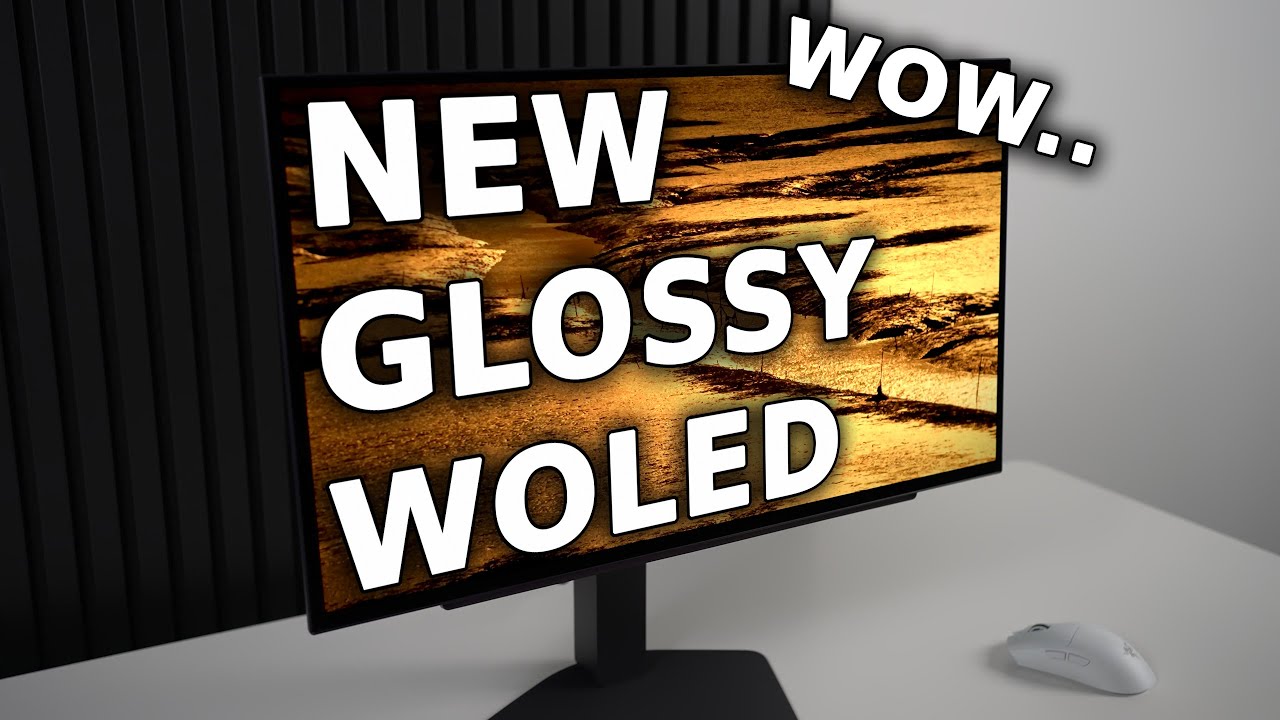
Buy the LG 27GX704A-B Glossy 240Hz OLED Monitor
Amazon Affiliate Link: https://amzn.to/4paVo9I
Best Buy Affiliate Link: https://bestbuycreators.7tiv.net/VxqVdR
This monitor was purchased by me for this review.
I earn commission from sales.
Patreon Monitor Settings Here (Guides & Discord): https://patreon.com/TheDisplayGuy
Big OLED Upgrade - LG...
celest totem
honest field
That is not the same model
Oh you're right, that damn one number difference
honest field
worn pawn
I mean if you had it professionally calibrated, that could definitely change bri...
I think i got it, thank you so much again, this is just me tweaking things based on what mi display was supposed to do vs what it does in real life....
honest field
celest totem
Oh you're right, that damn one number difference
At first i thought it was the same one but no
everything solved now guys
I just trusted too much on the advertised specs.....
honest field
worn pawn
I mean if you had it professionally calibrated, that could definitely change bri...
No no, I just paid a patreon to view his settings as it only tweaks very minor things
What are the hdr10 analisys tool guys use
loud oasis
honest field
Also the HDR analisis overlay i seen in this chat are some external tool or is i...
The overlay can be installed through Reshade by looking for Lilium on the list. There is an HDR analysis filter there. I forget the exact name. lilium_hdrand_sdr_analysis.fx
 honest field
Thanks!! A
Is there any guide somewhere that explains what I am supposed to look at?
Or you guys are all color enginers and i am the only dumb one here?
loud oasis
I believe there is a guide but I do not have the link.
Nah, I am pretty dumb when it comes to all the technical understanding behind HDR.
pine sonnet
celest totem
Seems odd the game is that blurry for you
It’s blurry then oversharped
And ghosting
So messy game
celest totem
the oversharpening should be more of a preset M issue
ghosting idk, i dont see any with 4.5
swift ledge
swift ledge
man i wish this afi armor was brighter
@worn pawn is it possible that there's a shader for something like this? im assuming no
how would you even find out if there is?
worn pawn
Maybe. I’d just load up the devkit and toggle draws until it disappears. It’s possible it’s just clamped for some reason.
swift ledge
found most of em couldn't find the flame particle at the top
works for the other version of the set too
worn pawn
I’ll take a look at em tomorrow and see if there’s anything obvious
swift ledge
oh cool ty
if anything clipped it's probably just the main fire plumes
the particles seem brighter
swift ledge
odd i can try to get it again
it woulda decompiled them before i sent them but idk how to decompile these ones
worn pawn
not your fault, nothing you can do about it
technically didn't even try to decompile the one you sent, just searched my full shader dump folder for the hash and it apparently didn't decompile for me
swift ledge
oh not the decomp.exe?
swift ledge
oh huh
i was trying that before but it wassn't working
ig i was just testing on a bad shader
worn pawn
There’s a script in the tools channel
But yeah there’s probably an unsupported instruction
Could probably spirvcross it
honest field
How is this looking? Opinions?
 loud oasis
honest field
How is this looking? Opinions?
loud oasis
honest field
How is this looking? Opinions?
Too red and too dark I think. I don't know the correct vocab
That area in general is wonky spot for show casing. I think adap did a few there and the area usually looked too dark.
 rancid hamlet
honest field
How is this looking? Opinions?
rancid hamlet
honest field
How is this looking? Opinions?
🤣
honest field

rancid hamlet
love the palico
honest field
You didnt seen the sekiret name
rancid hamlet
i havent played MHW in like 2 months i legit forgot what mine were named
did they add anything cool over the last few months?
loud oasis
A think 2 new skins for them. There was a minor QoL to them with how they run I believe.
swift ledge
loud oasis
That area in general is wonky spot for show casing. I think adap did a few there...
main issue used to be the clipping on the forge i believe
jon fixed that since then though
yeah still did look pretty dark though
god i forgot how bad the cliffs used to look
loud oasis
Oh right I forgot it was when a lot of stuff were being too dark on that version of reno.
swift ledge
our lord and savior jon
loud oasis
Either way Yu's picture looks too red to me. I think too much saturation is being used.
swift ledge
yeahh i mean ultimately it's up to what you like but personally i'd just stick to regrade or vanilla
honest field
loud oasis
Either way Yu's picture looks too red to me. I think too much saturation is bein...
Yes, I didnt notice the saturation until the photo so i wanted some opinions, whenever i play i just crank up the saturation until i regret it now is set to 60 i think is good before it was 70
honest field
swift ledge
These pictures are just fogged and unfogged right?
swift ledge
honest field
These pictures are just fogged and unfogged right?
yeah
game doesn't look like that anymore though
rancid hamlet
for me i tried the fog remover mod before but didnt like it. pushing it back slightly looked better to me
honest field
Now is like this, first one is mine, second is saturation default at 50, and third one is the second unfogged


 loud oasis
I do not even know where that furnace is to take a screenshot. I assume the fire isn't always active
honest field
swift ledge
game doesn't look like that anymore though
It was an issue in previous releases?
swift ledge
honest field
It was an issue in previous releases?
yeah jon cooked
honest field
loud oasis
I do not even know where that furnace is to take a screenshot. I assume the fire...
I started this game couple days ago so i dont know how is this going to look endgame
honest field
swift ledge
yeah jon cooked
In very specific scenes the unfogged is just so much better
They could tweaked the fogged beetwen scenes more.... guess selling skins is more important to them
loud oasis
It might be, I am in that location and tried night as well. I do remember the quest of it.
I also forget that our own windows HDR calibration has an effect how we see other's screenshots. I run the highest saturation on mine 
I guess this is a nice spot but these are my settings.
 honest field
loud oasis
I also forget that our own windows HDR calibration has an effect how we see othe...
honest field
loud oasis
I also forget that our own windows HDR calibration has an effect how we see othe...
Interesting settings, how did make the reshade ui appear in the screenshot?
loud oasis
In the settings there is an option to enable the overlay to be taken separately with screenshots. It basically does it with and one without it.
Should be in the screenshot section of Reshade settings
honest field
got it
 worn pawn
here's an experimental build in case anybody feels like playing around with something new
a third tonemapping option (try 0 blowout if you use it and adjust from there)
also added an option to skip blurred luminance like the old versions worked
swift ledge

interesting
i don't think i even have a mod that uses this tbh lol
idk the point of it
 crisp zealot
for a long time i`ve noticed that the volumetrics are blurry... and blocky(?) when they appear and disappear. This only happens with dlss but not with Taa+fxaa. The image overall is sharper with dlss but with taa+fxaa the image is more stable. Is there a way renodx or anyone outside of capcom/nvidia could fix the dlss implementation?
worn pawn
crisp zealot
for a long time i`ve noticed that the volumetrics are blurry... and blocky(?) wh...
It’s the transformer model preset K doing that. Just force a different preset
crisp zealot
worn pawn
It’s the transformer model preset K doing that. Just force a different preset
do you recommend one specifically? i dont really want to use old cnn model and im not sure the newest one is good for dlss quality
ill try the newest one though
worn pawn
I use M but everybody has different preferences
crisp zealot
alright thank you. preset m fixes that particular issue but has other problems. Ill play around with some more settings👍
crisp zealot
I think I'll stick with preset L. Seems to have slightly worse performance but looks great
celest totem
crisp zealot
I think I'll stick with preset L. Seems to have slightly worse performance but l...
This holds up for Wilds too
https://youtu.be/2ZyEhAGeBf4
See Gigabyte’s AMD Radeon RX 9000 Series GPUs Here: https://www.scorptec.com.au/gigabyteradeonrx9000
https://www.aorus.com/en-au/explore/events/review-program
Support us on Patreon: https://www.patreon.com/hardwareunboxed
YT Membership: https://www.youtube.com/channel/UCI8iQa1hv7oV_Z8D35vVuSg/join
Buy relevant products from Amazon, Newegg an...
worn pawn
here's some MH Wilds concept art. RenoDX is objectively correct
 hot dock
I actually thought it was a RenoDX screenshot at first 😅
honest field
worn pawn
here's some MH Wilds concept art. RenoDX is objectively correct
What does it mean? Is this a in game screenshot or something else?...sorry if the question sounds dumb, gorgeous picture btw
worn pawn
official concept art for the game posted by capcom on twitter. It's a drawing or some other sort of render of some kind
not in-game
gusty lantern
heh, it means Capcom is incompetent technically to reflect their own artistic vision(scene in the concept art) in actual game properly..
worn pawn
it's a shame the region didn't end up with that kind of alien looking foliage
I still love how the area looks but this concept is that little bit better
gusty lantern
I was mostly talking about lightening, colors, tone mapping etc..
But yeah I wish we had some sort of Coral highlands style a bit more divorced from reality local
Scarlet Forest still hands down the best looking area in the game
Seriously, thinking again, only saving grace in terms of local is Scarlet Forest in this game.
Desert-> too yellow/brown..
Vaseline basin -> ugly smeary (probably intentional) textures, too orange during lava time..
Milky wyveria -> 50 shades of gray, only gray..
Ice# cliff -> only white...
sweet siren
I wonder what the area in the expansion will be
errant sphinx
would be cool if they added new weather to existing areas as well
sweet siren
Was easy to guess it’d be a snow map in World considering we didn’t have hot drinks until expac
slow cosmos
this is probably copium but i'm convinced that the DLC's map will be focused on underwater areas (and that the gimmick of the DLC will be the return of underwater combat + the clutch claw)
this is for a few reasons
-Implementing that entire underwater movement system purely for a small part of the Lagiacrus fight would be crazy, so I think it's pretty likely that they'll reuse it or expand upon it in some way later
-Wilds seemingly has unique clutch claw models for each armor set to match the slingers, which is pretty crazy considering clutch claw is only used in that one fight (i could be wrong on this, clutch claw may just be an animation applied to the existing slinger models?)
-Scarlet Forest's icon location on the world map was moved downwards in a title update, which left a pretty sizagble empty space. It's likely that'll be where the DLC area's icon goes, and the north boundary of the scarlet forest is a big lake (and presumably the DLC map will be physically connected to the main game's maps somehow)
celest totem
Yeah that's pure copium and would be a really awful choice
It just doesn't make sense as a gameplay mechanic because it splinters the roster
My theory is a floating city of some kind, utilizing their experimentation in each region to create it
worn pawn
Having shit in the sky would be pretty rad. Especially in an open world monster hunter. Would be cool to “go” there
hot dock
4U (best game) had a map that consisted mostly of floating rocks in the sky
And it was the best. Sky areas are the best 😁
celest totem
Yeah that's my thought. They've got the anti-gravity tech in iceshard, generating water from scarlet forest, growing food in Wyveria, an internal engine from oilwell, and tech from Windward to mitigate lightning. The gog update showed there is still wyverian tech they have yet to uncover.
Otherwise there's the obvious big dust cloud you can see from the hub
hot dock
There is?
sweet siren
Oh you know what, it probably is some sky biome, considering Wilds is a 4U sequel
swift ledge
Yeah the lore for previous civilization they’re learning about is like super advanced so it’d be a waste if we don’t see anything more than a big laser and zohshia
celest totem
hot dock
There is?
Looking back towards suja and the hub entrance

its perpetually there, people were investigating it earlier on with freecam but you cant see anything
 gray crow
could anyone help me with those errors?
i did a fresh install of Wilds and installed only reframework + reshade + reno
 honest field
Did you eneable loose files in reframe?
gray crow
honest field
Did you eneable loose files in reframe?
yeah, tried it with both on and off, same errors
 hollow pine
the only one i know is the fog shader error which needs raytracing on to function.
gray crow
hollow pine
the only one i know is the fog shader error which needs raytracing on to functio...
ouch... i cant afford to run raytracing cause of my low tier gpu
to add a bit more info, none of the sliders work for me
im running it on windows 11. My pc monitor dont support HDR, but i heard this could work with SDR as well
honest field
ray tracing is needed to properly function.... what gpu do you have?
maybe with some tweaking and frame generation you should get at least 60fps to play
even downscale
gray crow
honest field
ray tracing is needed to properly function.... what gpu do you have?
is it necessary? it dont say anything about that in the mod page
i have a gtx 1660 💀
worn pawn
gray crow
ouch... i cant afford to run raytracing cause of my low tier gpu
The fog shader isn’t a big issue, just can’t use the fog slider. The rest of those errors are caused by other mods or reframework settings
Unless the game got an update today or something
hollow pine
I just tested in SDR and it is working fine for me. I am using that preview build of Renodx though. Not sure if that makes a difference. Probably not
gray crow
worn pawn
The fog shader isn’t a big issue, just can’t use the fog slider. The rest of tho...
there was no other mods T..T
i tried everything, seems like my pc refuses to let me run reno 🫠
worn pawn
there has to be something that's causing the shaders to be different from the unmodified game, it's not just random
gray crow
No clue what it could be. I did a fresh install of the game.
worn pawn
Uninstalling in steam will keep mod files in the directory usually
Try deleting your reframework config
 unique ermine
Having the same issue on a 1660ti. I removed all mods, wiped and reinstalled reframework from Github, and deleted shader cache and it still shows all those errors
also updated reshade and verified files in steam
honestly wouldn't be surprised if it's just the 16 series being awful
unique ermine
Yeah Windows 10
worn pawn
Not sure then, sorry
unique ermine
All good, not exactly running the game at the highest fidelity on this card anyways
loud oasis
That one person had the same issues the other week. They never explained what the issue and solution was 🤷🏻♂️
swift ledge
@worn pawn is this psychotm implemented in the last build you sent?
the sliders not doing anything that i can notice
worn pawn
Yeah, though the grading stuff isn’t.


 honest field
Is it there any shortcut to toggle beetwen presets? I find the cutscenes and the start menu background doesnt work like the actual gameplay so i made 2 presets wondering if there is a quickswicth like normal reshade presets
worn pawn
unfortunately no
worn pawn
swift ledge
does look pretty much identical here, which is weird. Is mod status showing good?
swift ledge
worn pawn
does look pretty much identical here, which is weird. Is mod status showing good...
yeah
lemme re-download in case im on the wrong one
swift ledge
worn pawn
does look pretty much identical here, which is weird. Is mod status showing good...
yeah still nothing
worn pawn
check the fruit on the table where you eat, I can't remember what kind of difference there is in the sky
swift ledge
worn pawn
check the fruit on the table where you eat, I can't remember what kind of differ...


might've not had the file saved when creating the build?
worn pawn
uhhhh weird
swift ledge
shows good both tm's
worn pawn
I'll have to check that build I guess
worn pawn
yeah that build works fine for me 🤷
swift ledge
yeah idk i did like every bug fixing thing i could think of. Delete shader cache, turned off all mods besides REF, redownloaded the addon here (again) #1451965513671508110 message, changed to the default regrade preset, waited a while after switching tonemappers even switching to vanilla before to make sure it's initializing and the tonemapper slider is working, and still I don't see a visual difference.


I did notice when switching this time i saw a small bump in brightness throughout on the analysis graph but I don't see anything different visually. you tell me tho maybe it's just me that can't see it.
worn pawn
@swift ledge try lowering peak to see how if looks. It’s possible it’s just a large enough dynamic range that the impact of it doesn’t really matter much.
swift ledge
You ever solve this?
Saw this on a driver update thread for nvidia it may have been a driver issue
 slow cosmos
swift ledge
You ever solve this?
slow cosmos
swift ledge
You ever solve this?
i think it was fixed by the addon update
loud oasis
swift ledge
You ever solve this?
I think it was fixed when Jon released this one #1451965513671508110 message
I never saw anymore flickers.
swift ledge
oh okay weird i never saw it
loud oasis
Latest one is here #1451965513671508110 message
swift ledge
there's a newer one on the 25th
worn pawn
yeah no reason not to use the experimental one really
worn pawn
worn pawn
<@439675916822511616> try lowering peak to see how if looks. It’s possible it’s ...
also adap did you try this?
worn pawn
swift ledge
yeah idk i did like every bug fixing thing i could think of. Delete shader cache...
oh wait I'm a dummy, yes the difference looks right in your screenshots
couldn't tell shit on my phone
the differences will be most apparent the more it needs to tonemap down
swift ledge
worn pawn
also adap did you try this?
oh i forgot
swift ledge
worn pawn
oh wait I'm a dummy, yes the difference looks right in your screenshots
really? i don't see anything lol
worn pawn
it's not a game changing thing
saturated colors should be perceptually more sensible
and it has the necessary amount of blowout baked into it
but I'd already tuned the max channel + blowout tonemap manually and...it came out kinda similarly
swift ledge
worn pawn
it's not a game changing thing
yeah i mean i thought so but i can usually tell a difference between other tonemappers tho
worn pawn
it's still based around neutwo
swift ledge
ill do some more testing to see and do what you were talking about earlier
swift ledge
worn pawn
it's still based around neutwo
wdym isn't it it's own tonemapper?
worn pawn
it should be super obvious in SDR
worn pawn
swift ledge
wdym isn't it it's own tonemapper?
it's complicated I guess
swift ledge
idk what neutwo even is tbh it kinda just appeared outta no where
worn pawn
a tone mapper shortfuse cooked up
the psycho option is part of a whole visual system shortfuse is working on, though this is just the display mapper portion of it, and it uses neutwo as a component
I can't go into more detail because I don't understand it fully 😅
I will certainly mess up the explanation
swift ledge
aight ill check it out in sdr in a bit then. i mainly care about what it does in practice anyway rather than the "theory" behind it
been lurking in the lab chat seeing what shortfuse been cooking with psycho and it looked really good which is why im so confused that i'm not seeing a difference
worn pawn
hard to explain the benefits without explaining the theory I guess.
basically the goal is to blowout colors in a way that matches what our eyes do/want to see and merging that with the limits of drawing something onto a screen
it's kinda sorta what me and musa have been doing with our mods just more systemically correct. The main benefit over it should be that saturated colors display brighter before blowing out (and the blowout might be more aggressive, it definitely is in SDR).
on a technical level it's not similar to what me and musa are doing at all really lol
swift ledge


yeah def more noticeable here can even tell slightly with normal peak nits
neutwo looking way better ngl
makes since the " small bump" in the graph i mentioned earlier was psycho game brightness just moving up slightly
worn pawn
psycho needs to be checked with blowout at 0


 swift ledge
Did you ever test it Jon did urs look like mine?
worn pawn
I think so. It has more blowout than the neutwo option. In theory it’s a more detailed representation of the luminance but this game is so goofy bright randomly that idk if it’s ideal.
swift ledge
worn pawn
I think so. It has more blowout than the neutwo option. In theory it’s a more de...
ig blowout is kinda built into it or something similar maybe?
worn pawn
Yeah
swift ledge
 vernal smelt
is the regrade a better preset than vanilla+ or how do they differ?
worn pawn
vernal smelt
is the regrade a better preset than vanilla+ or how do they differ?
the key difference is it undoes the luminance adjustments from the game's color grading, but keeps the color changes. In most cases it's a more natural look, but whether it's preferred or not will hinge on how you feel about the game's color grading choices. I had to adjust the image with our grading tools to create a pleasing image (without any adjustments it looks really bad, there are some adjustments that aren't exposed in the settings to get a good baseline).
the setting that undoes the luminance adustments in their grading is lut exposure reverse
vernal smelt
Thanks for explaining
I'll probably stick to vanilla+ since i always like some kind of dev artistic intention
 thorn crow
@worn pawn how cooked are volumetrics in Wilds?
Me and Toru experimented with IS-FAST noise + Tricubic B-Spline filtering that I added to rendering.hlsl
Makes Low setting volumetrics look as good as Ultra settings in games
Or if a game has extra cooked volumetrics even at the highest settings, fixes all issues with pixelation and/or noise
The other thing I remember with Wilds and RE engine titles in general was disgusting usage of dither which cooked foliage.
I have a technique from AC Shadows for using Stochastic alpha which we combine with IS-FAST noise to solve meme dither issues
Memes like these would be solved
 worn pawn
Volumetrics look fine. The main visual blemish is the banding in the sky. There’s also dithered alpha but it’s a proximity to the camera thing to save bandwidth
Never could find the shader responsible for the banding, need to find it and add dithering
I should pay more attention to the volumetrics though
But also as often as this game gets engine upgrades I just don’t think I care enough to maintain something that extensive.
swift ledge
worn pawn
Never could find the shader responsible for the banding, need to find it and add...
how dare you change the artistic intent smh these mod devs think they know better than the pros (this was a joke btw if you're seeing this later lol)
thorn crow
worn pawn
But also as often as this game gets engine upgrades I just don’t think I care en...
suspected as much, if its still getting updated and shaders change then rip
IS-FAST is a goated method though
instantly makes anything stochastic better
DOF
volumetrics
SSR
AO
doesnt matter
worn pawn
I’ll definitely keep it in mind. Dishonored needs help with its screen space crepuscular rays so doing it there would be good.
Would also like to add GTAO to it
bitter quail
thorn crow
The other thing I remember with Wilds and RE engine titles in general was disgus...
yeah adding randomization really helps, otherwise upscalers reconstruct the dither noise as patterns
but not a huge problem in wilds
the terrible denoiser is the main issue, if there is some open source denoising algo out there maybe the sahder can be replaced
thorn crow
I've been reading papers, can't say I saw any denoisers
Everyone is using Nbidia
Or there's AMD FX denoiser
swift ledge
I think wilds was using Nvidias Temporally Dense RT looking at the variable names in the shader files
Saw a paper for it from 2019 so you’d think it’d be pretty good
Being so new
Honestly the RT wasn’t completely useless it was blurry but I’ve def seen worse.
It was mainly the GI that was a an abomination
Or the resulting noise from it was atleast
vernal smelt
bitter quail
the terrible denoiser is the main issue, if there is some open source denoising ...
with dlss 4.5 the upscaler comes with a sort of denoiser on it's own which is better than most
if there was a way to disable the in game denoiser that would probably look way better
but i haven't found a way yet
bitter quail
vernal smelt
with dlss 4.5 the upscaler comes with a sort of denoiser on it's own which is be...
Jon tried, didn't work
Looks much worse
thorn crow
highly depends per game
I tried removing denoiser in Endfield
just had fireflies everywhere
probably becasue SSR was 720p
but 4.5 alone couldnt denoise the mess
bitter quail
This game also runs at like 1/8th resolution for gi or something like that
worn pawn
bitter quail
Jon tried, didn't work
I didn't disable it all apparently. Someone in hdr den posted some results with disabling it in reframework that looked really good
they haven't finished the mod though
bitter quail
Oh interesting
bitter quail
worn pawn
they haven't finished the mod though
In Reno?
worn pawn
was possible in DD2
tbh my biggest issue with it is the massive gaps in geometry that exist
genuinely mind boggling to me that they still haven't addressed the rt issues in scarlet forest, but maybe it's just cause it wouldn't help performance and that's all people care about right now
swift ledge
the gi noise is by far the worst
wish they'd add rt gi that'd be kinda cool now that the game runs like "normal"
especially in addition to a denoise mod
or ya know just fix the gi
🥀
worn pawn
@hollow jasper to answer your question though, idk what would be causing that unless you aren't on the latest build.
vernal smelt
@bitter quail btw, the denoiser mod dropped today on nexusmods, so if u want to check it out, it's available
bitter quail
oh nice, how does it fare?
crisp zealot
i used it and rt reflections are much nicer
swift ledge
honest field
swift ledge
What does the mod do exactly? I having hard time noticing it
vernal smelt
it disables the rt denoiser
which means that there is much less noise or boiling in rt reflections and sometimes gi
honest field
nevermind i figure it out
honest field
vernal smelt
which means that there is much less noise or boiling in rt reflections and somet...
thanks
vernal smelt
i don't really notice a difference in gi tho, it's still horrible even with the mod
but in reflections it's really noticable
honest field
The amount of filters that fuck ups the whole game and also hits a performance a little bit keeps amazing me
I dont really understand why there is so much unnecesary filters and effects that doesnt help cutscenes or gameplay
vernal smelt
i would enable at least one of the two 2022 versions tho, because i noticed while testing that disabling all seems to disable some gi, making things look way darker
vernal smelt
honest field
I dont really understand why there is so much unnecesary filters and effects tha...
yes
it's insane
idk what the devs where thinking ngl
honest field
It really does nothing aside from making their game look bad..
vernal smelt
and it seems to be only in this game, not in other games using the same engine...
honest field
well thank god we have a big mod community
vernal smelt
yeah
the creator of this mod also said that he is working on a graphics enhancement mod for wilds also
idk what that means but maybe it will make the game look nicer
honest field
i bet he found more unnecesary filters
vernal smelt
maybe
i checked he's previous mods and he has a graphics enhancement for re4 remake
and it seems that he enabled many more rt effects and other stuff
honest field
interesting please keep us updated hahaha
swift ledge
vernal smelt
the creator of this mod also said that he is working on a graphics enhancement m...
he was talking about another game
vernal smelt
swift ledge
he was talking about another game
i asked him on the mod's comments and he told me that he will do one for wilds soon
swift ledge
@worn pawn you get rid of the blurred luminance slider?
or did you just never add it to the main release
worn pawn
Uhhhh I don’t remember
swift ledge
i updated using rhi and it was fucked said it had old settings
worn pawn
I think it’s only in the test build, I don’t think I ever did a release
Wait no I think I pushed the code in my repo
Didn’t do nexus that’s for sure
swift ledge
yeah no psycho either
 void quiver
 swift ledge
void quiver
swift ledge
void quiver
what model is this talking about
since when is there a new model
why would a model improve the ui they don't even touch them
void quiver
swift ledge
what model is this talking about
At the bottom of the picture
“Preset B” is a new model of frame gen.
Only natively confirmed to be implemented in these 13 games
swift ledge
thought that was a old model
void quiver
This a new frame gen preset
Not super resolution
DLSS 4.5 SR latest is preset M/L
Frame gen preset B
void quiver
void quiver
Frame gen preset B
Natively supported in like 13 titles
With overwriting
 slender mortar
Hi,
oddly enough, since installing ReShade addon 6.7.3 with RenoDX, I'm getting an error message and the game crashes. How can I fix this? I didn't have this problem until now; I was using the older version of RenoDX... Thanks for your help.
I should point out that I currently have no mods installed on the game.
Edit: This seems to be related to ReShade itself because I removed the renoDx file and the game crashed (before ReShade fully loaded). Then, when I uninstall ReShade, I have no problems; the game launches correctly. Any solutions, please?
worn pawn
slender mortar
Edit: This seems to be related to ReShade itself because I removed the renoDx fi...
you have reframework?
slender mortar
worn pawn
you have reframework?
No, I haven't installed any mods yet, so that's the problem?
worn pawn
yeah, reframework is required
slender mortar
Okay, I'll test it later then, thanks. Are there any instructions somewhere to follow?
worn pawn
just install the latest nightly reframework, which is just downloading and copy pasting the dinput8.dll to the game folder
reshade will just work at that point
swift ledge
worn pawn
just install the latest nightly reframework, which is just downloading and copy ...
reframework is also able to be installed via RHI fyi
oops forgot to uncheck mention mb
worn pawn
all good
slender mortar
worn pawn
just install the latest nightly reframework, which is just downloading and copy ...
Thank you, it's working properly now 🙏
worn pawn
- rename preset 1-3 to profiles
- save last selected profile
need someone to report back if this works or not
works in crimson desert
swift ledge
worn pawn
need someone to report back if this works or not
yeah they seem to be named Profile #1, #2, #3
ngl i don't remember what it was before lol
i selected #2 before exiting and #2 was still selected when I launched back into the game
worn pawn
was preset before, which was confusing cause they don't have unique preset values
worn pawn
swift ledge
no rhi update huh
technically this is an update to all of my mods
will (hopefully) eventually get merged into renodx itself
swift ledge
ig it's not in ur github yet tho?
worn pawn
it is, and even though RHI says it's not updated, it is
just doesn't show because of how the update date is determined
nothing in the game folder changed, so the snapshot "date" will still show as the old one. But it still recompiled with the latest framework changes
swift ledge
weird
worn pawn
if it didn't work that way, every mod would show as updated every time shortfuse does anything
swift ledge
you'd think it would automatically choose the latest build
swift ledge
you saying the last build had the profiles thing already?
cause otherwise it would've been changed
worn pawn
if you download the last snapshot through RHI, it should still have profiles and profile selection saving
it's just the logic that determines whether it presents as "updated" or not for the sake of user friendliness. In this case, it'll simply say it wasn't updated even though there's a meaningful change.
 versed flint
worn pawn
* rename preset 1-3 to profiles
* save last selected profile
versed flint
worn pawn
* rename preset 1-3 to profiles
* save last selected profile
I've added saving the last selected profile
https://github.com/clshortfuse/renodx/pull/530
GitHub
This PR adds support for storing and loading SelectedProfile in the [renodx] section of reshade.ini.
Updated settings.hpp to read/write SelectedProfile
Ensures the selected profile persists betwee...
worn pawn
versed flint
I've added saving the last selected profile
https://github.com/clshortfuse/reno...
Ah yeah, I didn’t realize someone already made that PR.
loud oasis
Dumb question but is there a way to give saturation to UI. I have started to try using a windows hdr profile that has the default saturation rather than highest like I had before. The UI stuff looks washed out to me now without saturation
I already adjusted my saturation slider in reno to look similar to my old .icc profile. Sadly we have no UI slider for saturation other than brighness.
swift ledge

worn pawn
loud oasis
Dumb question but is there a way to give saturation to UI. I have started to try...
I mean I could but tbh I don’t see the point. You could always do saturation with reshade fx.
loud oasis
I'll have to look into that. I'm almost tempted to go back to the same profile. My windows stuff doesn't feel the same either 😅

Later today I'll have to check. My HH note icons do not look pretty as well at the map/quest selections lol.
loud oasis
I added a bit more digital vibrance to balance out my desktop stuff too. 65% -> 75% seems ok now. I am not sure which filter you meant by reshade fx. I saw a Reshade.fxh and ReshadeUI.fxh but I think that is just the default stuff for reshade to work.
worn pawn
maxg2d has an hdr saturation shader
loud oasis
worn pawn
maxg2d has an hdr saturation shader
Seems to have worked well. I think for now I'll keep my desktop digital vibrance at my new amount. I'm not used to my desktop looking more washed out than it already does with HDR on.
You all who like neutral saturation need to be checked out
unique aspen
No
celest totem
most things arent meant to be super saturated
worn pawn
- implement PsychoV-17 as total tonemap replacement
- improve/fix post-tonemap LUT sampling
- UI adjustments
swift ledge
Recommended (psychov) / Vanilla+ / Regrade


looking a bit cooked
everything got a red tint
worn pawn
yeah I feel like there could be something in the LUTs I have to have
swift ledge
game brightness also even more raised than it already was
worn pawn
I roughly matched it, but highlights are stronger with psycho
but yeah, feels like a wrong color space issue but logistically that just doesn't seem to be the case so 🤷
game is just weird as hell
swift ledge

worn pawn
gonna try with the LUTs I guess
worn pawn
- rework psycho application
swift ledge
Reccomended / Vanilla+ / Regrade


interesting how if you choose vanilla+ then select psychov tonemapper everything looks desaturated
or not over saturated
i kinda prefer it ngl
Vanilla+ / Vanilla+ with PsychoV


def looks more natural
Regrade / Regrade with PsychoV


look at the red on the palico original looks goofy in comparison
Vanilla+ / Vanilla with PsychoV


Regrade / Regrade with PsychoV


 high ledge
https://www.nexusmods.com/monsterhunterwilds/mods/4269?tab=files Updated the mods.

Nexus Mods :: Monster Hunter Wilds
Monster Hunter Wilds graphics mod that unlocks RTGI, RTAO, and advanced graphics settings beyond what the base game offers. Includes shadow quality, texture streaming, RT Control, SSR, SSAO, LOD contr