#Resident Evil 7, 2 Remake, 3 Remake, and Village
1322 messages · Page 2 of 2 (latest)
 foggy widget
 whole obsidian
Fxaa + taa
 paper vale
Just curious but what's the difference between non rt and rt version? Everyone keep asking for non-rt but I thought RT verison you can disable raytracing if you want
foggy widget
honestly looks really good to me. I did play it the same and didn't feel like dlss was mandatory
 stiff sundial
paper vale
Just curious but what's the difference between non rt and rt version? Everyone k...
stiff sundial
paper vale
Just curious but what's the difference between non rt and rt version? Everyone k...
I think performance is better on dx11 version and dx12 broke some non-rt effects? Not sure if they fixed it since launch
paper vale
Hmm, like SSR? I took a quick look earlier and I found a way to improve SSR quality
whole obsidian
Ssr can only be fixed by enabling rt
paper vale
True, but some people don't want to use RT features
 sacred shuttle
paper vale
Just curious but what's the difference between non rt and rt version? Everyone k...
sacred shuttle
paper vale
Just curious but what's the difference between non rt and rt version? Everyone k...
If you aren’t using RT, it’s better to play the non-RT version as performance is better and some effects are better
 tidal solstice
I think OptiScaler allows you to use DLSS and RenoDX with Reshade menu support but I've only tried it in RE4. RE2 worked with DLSS and reno but the menu never worked like RE4R til I tried OptiScaler
whole obsidian

A series of strange disappearances have been occurring in the American Midwest within a place called Racoon City. A specialist squad of the police force known as S.T.A.R.S. has been investigating the case, and have determined that the pharmaceutical company Umbrella and their biological weapon, the T-Virus, are behind the incidents—though they...
 deft steppe
paper vale
True, but some people don't want to use RT features
deft steppe
paper vale
True, but some people don't want to use RT features
Ooo, welcome 🙂 It's nice to see such an exceptional, technically savvy person! The person who really improved the visual component of the Re series 🙂 Probably some players expect you to do well with RE 9 🙂
 night ibex
ok chatgpt
paper vale
deft steppe
Ooo, welcome 🙂 It's nice to see such an exceptional, technically savvy person! ...
tyty, working on it alongside with Pragmata.
paper vale
 drowsy brook
Your mods + Reno are what keep bringing me back to RE
drowsy brook
Your mods + Reno are what keep bringing me back to RE
That's awesome. Thank you for the kind words
sacred shuttle
paper vale
That's awesome. Thank you for the kind words
Hi JoHien. I love your mods. I posted a bunch of questions on nexus mods regarding your RE4 mod… would love to get your answers when you have a chance
paper vale
Okay, will take a look
sacred shuttle
paper vale
Okay, will take a look
Thank you!
paper vale
You're welcome
 spark nacelle
For those using renodx 64 addon file + reshade dll +SK, do you tick reshade under "third party -> plugin" in SK?
sacred shuttle
Any way to disable sharpening in RE4 when using FSR2?
stiff sundial
sacred shuttle
Any way to disable sharpening in RE4 when using FSR2?
I don't think RE4 uses sharpening for FSR. Renodx defaults to 75 RCAS sharpening though which you can turn down
whole obsidian
sacred shuttle
Any way to disable sharpening in RE4 when using FSR2?
Renodx disable ingame sharpening by default, and replaces it with rcas from renodx menu,
Sharpening can also be disabled from reframework
 eternal pebble
FSR2 has its own sharpening but I haven’t touched that
FSR2 just uses RCAS anyway I think
 grizzled falcon
eternal pebble
FSR2 just uses RCAS anyway I think
grizzled falcon
eternal pebble
FSR2 just uses RCAS anyway I think
through Reno??
obviously can't be by the game, but i also assumed that the sharpenning slide was null for FSR
i actually use FSR2 and apply RCAS with the shader, a bit too blurry without it
stiff sundial

TechPowerUp
Resident Evil 4 Remake is out now, with support for AMD's FidelityFX Super Resolution 1.0 (FSR 1.0) and AMD's FidelityFX Super Resolution 2.1 (FSR 2.1). In this mini-review we take a look, comparing the image quality and performance gains offered by these technologies.
No sharpening with FSR unless they've changed it since launch
eternal pebble
grizzled falcon
through Reno??
Was thinking of re4
Re4 has some sharpening code in it
paper vale
I think you're right Musa. If I remember correctly, need hex editor to remove the sharpening
grizzled falcon
eternal pebble
Was thinking of re4
yeah, i was asking about re4 actually
sacred shuttle
stiff sundial
I don't think RE4 uses sharpening for FSR. Renodx defaults to 75 RCAS sharpening...
It looks oversharpened to me
sacred shuttle
whole obsidian
Renodx disable ingame sharpening by default, and replaces it with rcas from reno...
The RenoDX menu specifically says it doesn’t affect FSR2 sharpening
sacred shuttle
eternal pebble
FSR2 has its own sharpening but I haven’t touched that
Any way for me to disable it? I hate all forms of sharpening.
sacred shuttle
eternal pebble
https://www.pcgamingwiki.com/wiki/Resident_Evil_4_(2023)#Sharpening
Thanks I’ll try this out later
sacred shuttle
Noticing a weird posterization/comic book effect when aiming down a scope in RE4R… it’s worse on every preset besides “Purist” although still present even on that one. Any idea what’s up with that?
sacred shuttle


 sacred shuttle
eternal pebble
https://www.pcgamingwiki.com/wiki/Resident_Evil_4_(2023)#Sharpening
sacred shuttle
eternal pebble
https://www.pcgamingwiki.com/wiki/Resident_Evil_4_(2023)#Sharpening
Also it doesn’t look like this works, there’s still really ugly sharpening induced specular aliasing with FSR2 on
eternal pebble
sacred shuttle
Noticing a weird posterization/comic book effect when aiming down a scope in RE4...
I think I know what it is
its from the rgba16 upgrades
I just need to clamp some stuff
sacred shuttle
eternal pebble
I just need to clamp some stuff
Any way to fix it with the settings menu or do we just need to wait for an update
eternal pebble
likely needs an update
sacred shuttle
eternal pebble
likely needs an update
Dang. it’s pretty damn ugly
stiff sundial
sacred shuttle
Just checked, it only happens with FSR enabled
stiff sundial
FSR On / Off


doesn't happen with rgba16 upgrades disabled
As for sharpening with FSR, I'm positive there is none. The game just has bad aliasing
sacred shuttle
stiff sundial
Just checked, it only happens with FSR enabled
Damn, FSR causing so many god damn issues in this game
Might need to switch to interlacing instead
sacred shuttle
stiff sundial
As for sharpening with FSR, I'm positive there is none. The game just has bad al...
Maybe… try using your flashlight in a really dark area, there’s this weird shimmering specular effect that looks god awful
I thought it was sharpening induced but yeah maybe it’s just FSR2 being shit
sacred shuttle
The only way to get good image quality in RE Engine games (before they finally added DLSS) is just brute forcing super sampling and it sucks.
eternal pebble
can you test if it still happens with rgba16 upgrade turned off
requires restart to take effect
sacred shuttle
eternal pebble
can you test if it still happens with rgba16 upgrade turned off
I believe @stiff sundial already confirmed above that it doesn’t
sacred shuttle
stiff sundial
doesn't happen with rgba16 upgrades disabled
.
eternal pebble
Then I probably know which shaders to edit
eternal pebble
just clamped the inputs and output of the fsr2 sharpening shader
sacred shuttle
I’ll have to try it out tomorrow going to bed now
eternal pebble
check with this one actually

Nexus Mods :: Resident Evil 4 (2023)
Rewrite of the graphics pipeline to fix errors in handling of HDR gamma, saturation and tonemapping, restoring the original artistic vision.
grizzled falcon
any plans on adding psycho to this?
eternal pebble
grizzled falcon
any plans on adding psycho to this?
Maybe in May
sacred shuttle
eternal pebble
check with this one actually
Looks all fixed now, thanks!
drowsy brook
Which one is Reno? Can you take screenshots instead of using a phone
 spring onyx
sacred shuttle
spring onyx
sacred shuttle

Nexus Mods :: Resident Evil 2 (2019)
REFramework script to tweak Temporal Anti-Aliasing (TAA) and Sharpness in Resident Evil games (RE7 non-rt support is more limited)
Anyone tried this mod to fix the shitty TAA in RE4?
Or in any RE game really
stiff sundial
sacred shuttle
https://www.nexusmods.com/residentevil22019/mods/2197
This is great, didn't know this existed
Interlacing might be useable now in RE4 and RE8
sacred shuttle
stiff sundial
Interlacing might be useable now in RE4 and RE8
That’s what I’m hoping for
Gonna try it out tonight
stiff sundial
StandardV2 for TAA algorithm seems like the best option
RE4 was set to "sharp" by default which makes sense
sacred shuttle
stiff sundial
RE4 was set to "sharp" by default which makes sense
RE4 looks extremely raw so yeah makes sense
Especially with interlacing on
stiff sundial
There's also Standard, but it just looks like a blurrier version of StandardV2
They have similar aliasing
 fleet lark
Why is everyone suddenly fixing RE Engine games lol
sacred shuttle
fleet lark
Why is everyone suddenly fixing RE Engine games lol
Requiem getting everyone on an RE kick I guess
Did for me at least
Going back and replaying the rest of the series now
fleet lark
stiff sundial
StandardV2 for TAA algorithm seems like the best option
It throws a bunch of errors for me in re4
sacred shuttle
fleet lark
It throws a bunch of errors for me in re4
I haven’t tried yet but saw the dev say you need to have the reframework utilities installed for it to work
The files in reframework/autorun/utility
fleet lark
Ye didn't read the installation instructions like the doofus that I am
stiff sundial
Yeah just need the utility folder
stiff sundial
I might've lied though about the TAA algorithm that RE4 uses. The mod does default to it on "Sharp", but after testing the mod disabled vs enabled I think RE4 is actually using StandardV2 by default.
But you can increase the TAA strength higher than what the game uses by default
Which does decrease aliasing pretty noticeably I'd say
But the difference isn't as massive as I initially thought lol
fleet lark
Standard Strong has the best AA (at least on the foliage in the menu) but it's probably the most blurry
stiff sundial
Yeah Standard is pretty blurry
The game default seems to match the Mild setting for strength
Standard murders motion clarity for me, I think V2 + Strong is the best balance
drowsy brook
Do you guys run in to issues with RE4 film grain from Reno?
My film grain looks like waves of grain
fleet lark
Yeah, V2 + Strong + no sharpening looks like a winner
paper vale
stiff sundial
I might've lied though about the TAA algorithm that RE4 uses. The mod does defau...
Correct, RE4 default is StandardV2
 shadow walrus
Hello, i'm new here and i need help.
I don't know why, but fire on Village are now "nuclear red", someone can tell me how to fix this?

lol. i dont know why the capture in here is displayeb on a very low quality
paper vale
Did anyone download disable sharpness dll? I think I was using that so I didnt notice the sharpness. I believe I saw it on pcgamingwiki
stiff sundial
I think reno already replaces the sharpening with the RCAS slider
sacred shuttle
paper vale
Correct, RE4 default is StandardV2
Any chance you can add the TAA tweaks to your mods? :p
sacred shuttle
paper vale
Did anyone download disable sharpness dll? I think I was using that so I didnt n...
I did but I’m not sure if it does anything.
The RenoDX RCAS slider also doesn’t look like it does anything but I’m not sure if that’s because I’m using interlacing or because I have that disable sharpening DLL
eternal pebble
drowsy brook
My film grain looks like waves of grain
do you have any color grading stuff disabled or changed through mods
the game has some alternate post processing shaders like if you use the scope that doesn't have access to the variable screenInverseSize which is needed for film grain
so when using the scope the grain would draw as waves
drowsy brook
eternal pebble
do you have any color grading stuff disabled or changed through mods
The only other thing that I can think of is JoHien's Graphic's Enhancement mod, but I have his image post-processing section turned off. Could that it?
Let me take another look at if I have anything enabled/disabled
eternal pebble
I have the graphics enhancement mod
well I haven't updated it in a bit
but I just have the rt stuff
no idea what's changed in the past few weeks
drowsy brook
It's so hard to see on a still image but here's what the film grain looks like for me

As for mods, this is with only these mods working right now

Gonna verify game files right now just incase
Yeah, everything good to go. Not sure what the cause would be
eternal pebble
can you try with no mods and see if the issue is still there
drowsy brook
Will do
It's fixed. Will add each mod individually and see what's causing it
It's JoHien's Mod, but not sure which setting would be causing it
drowsy brook
eternal pebble
can you try with no mods and see if the issue is still there
It's the Image Post Processing option with the graphic's mod.
With it enabled, the film grain is fixed. Would having it enabled overlap with Reno though?
eternal pebble
drowsy brook
It's the Image Post Processing option with the graphic's mod.
With it enabled, t...
what does the image post processing setting do
 eternal pebble
so unchecking it turns off all the color grading and stuff?
drowsy brook
I believe so, I'll take some screenshots right now
Or maybe it's the opposite? I'm lost at this point.
SS 1: Checked ON
SS 2: Checked OFF


 eternal pebble
drowsy brook
eternal pebble
drowsy brook
the super strong blues are from the color grading being on here
drowsy brook
So i played the whole game without Reno LOL
Time for another replay
So with JoHien's Mod, we need to have Image PP checked on
eternal pebble
that's the game's whole look
the color grading
reno is working regardless if you have it on
it's just the grain that can have issues
drowsy brook
Ty
paper vale
I left it on by default lol
eternal pebble
though idk if the grain issue is related to the mod
paper vale
I think the title screen are just grainy.
sacred shuttle
drowsy brook
It's the Image Post Processing option with the graphic's mod.
With it enabled, t...
Post processing ON in JoHien’s mod is just the game default
With it set to OFF you’re turning off all the game’s standard default post processing
whole obsidian
eternal pebble
but I just have the rt stuff
Do you use rtgi, I have tried it but looks darker at some places, meanwhile reflection and contact shadows looks good
eternal pebble
whole obsidian
Do you use rtgi, I have tried it but looks darker at some places, meanwhile refl...
just reflections and contact shadows
whole obsidian
fleet lark
Yeah, V2 + Strong + no sharpening looks like a winner
I tried to use this mod, but I don't see any changes
shadow walrus
Nobody can helpme? 🙁
By the way, i dont see any changes when i touch the sliders 🙁

What the... why i can't share my captures with good quality!?
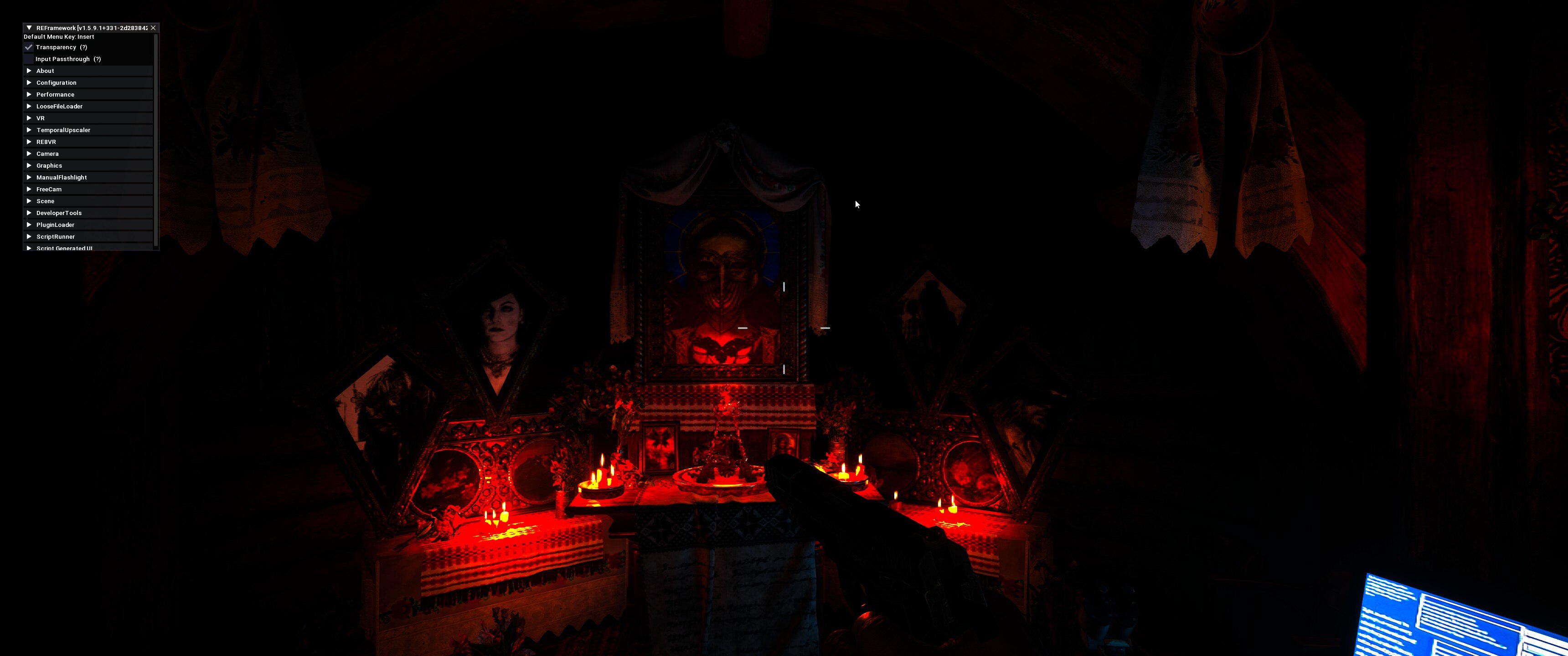
OH COME ON! The last image was sended with link to steam but still charging bad
fleet lark
whole obsidian
I tried to use this mod, but I don't see any changes
You're running native 4K?
whole obsidian
fleet lark
You're running native 4K?
8k
fleet lark
shadow walrus
OH COME ON! The last image was sended with link to steam but still charging bad
Just use reshade screenshot function
fleet lark
whole obsidian
8k
lol
yeah, you won't see much of a difference
This is mostly to make interlacing option usable
stiff sundial
I tested RE3 and it seems like it's already using V2 + Strong
fleet lark
Yeah, I think they fixed the TAA for the 2 and 3 at some point
stiff sundial
I wonder if the mild vs strong strength is the only difference between RE4/8 and 2/3
fleet lark
Possibly
sacred shuttle
stiff sundial
I tested RE3 and it seems like it's already using V2 + Strong
2 and 3 look better at default than 7, 8, and 4 to my eye
whole obsidian
Updated with contact shadows and no camera light
https://www.youtube.com/watch?v=KcCoSsWPH3Y

A series of strange disappearances have been occurring in the American Midwest within a place called Racoon City. A specialist squad of the police force known as S.T.A.R.S. has been investigating the case, and have determined that the pharmaceutical company Umbrella and their biological weapon, the T-Virus, are behind the incidents—though they...
sacred shuttle
whole obsidian
Updated with contact shadows and no camera light
https://www.youtube.com/watch?v...
No camera light is a game changer
Along with RenoDX, makes dark scenes look so good
night ibex
whole obsidian
Updated with contact shadows and no camera light
https://www.youtube.com/watch?v...
why the cancerous thumbnail
youtube doesn't support surround sound
whole obsidian
night ibex
youtube doesn't support surround sound
PC don't, but some devices support
night ibex
who's gonna be opening the video on their TV lol
whole obsidian
night ibex
who's gonna be opening the video on their TV lol
Maybe pc support in future😅
night ibex
seems like it won't recognize it if you don't have the right encoding settings too
whole obsidian
night ibex
seems like it won't recognize it if you don't have the right encoding settings t...
video need to be popular, I think, for showing 5.1 in other devices

 iron harness
Does RenoDX in RE2 Remake pair nicely with the green tint remover mod? I know it works. But it does look a bit dark like this. Is it accurate to SDR with the green tint remover mod?
fleet lark
The tint remover probably just disables the LUTs, which you can do with reno by itself
iron harness
fleet lark
The tint remover probably just disables the LUTs, which you can do with reno by ...
Oh. I see. Thanks!
iron harness
fleet lark
The tint remover probably just disables the LUTs, which you can do with reno by ...
Deleting that mod and setting LUT Strength to zero fixed the game being way too dark. Nice, thanks.
sacred shuttle
Not exactly on topic but does anyone know how to make resident evil 1 remake and resident evil 0 look good? They have washed out, raised blacks even in SDR, and both Auto HDR and RTX HDR don’t work for some reason
Is there a way to force RTX HDR in unsupported games?
iron harness
sacred shuttle
Not exactly on topic but does anyone know how to make resident evil 1 remake and...
Have you tried SpecialK HDR?
It worked for RE6 for me and that is a DX9 game like RE1HD and 0HD. I used it alongside DXVK-HDR
Also, AutoHDR only works on newer games such as DX11 and DX12.
 undone wigeon
sacred shuttle
Is there a way to force RTX HDR in unsupported games?
undone wigeon
sacred shuttle
Is there a way to force RTX HDR in unsupported games?
for RTX HDR, add exe as a game in Nvidia app and enable it there, that is usually the fix.
You can also try borderless windowed. You need fusion fix for 0 and 1 for that.
sacred shuttle
iron harness
Have you tried SpecialK HDR?
I have not. Guess I should
sacred shuttle
undone wigeon
for RTX HDR, add exe as a game in Nvidia app and enable it there, that is usuall...
I tried all of this and none of it worked unfortunately
iron harness
sacred shuttle
I tried all of this and none of it worked unfortunately
RTX HDR is a bit random NGL, sometimes it works, sometimes it doesn't.
sacred shuttle
iron harness
RTX HDR is a bit random NGL, sometimes it works, sometimes it doesn't.
Yep,,, it’s quite annoying.
iron harness
sacred shuttle
Yep,,, it’s quite annoying.
BTW, I don't know if HDR is the main culprit. The PC/HD Port of RE1 Remake has badly upscaled backgrounds and crushed blacks. Its mostly a problem with the port itself. Try fusionfix and disable color correction
And use REScale to have better upscaled backgrounds than the ones capcom did for the remaster (upscales are based on the GameCube release)
I'm not sure if it'll fix it by 100%, but it'll for sure make it better. The game looked fine for me. But washed out is subjective, so maybe you won't see it that way. Remember to send screenshots so the more knowledgeable people here can help you.
sacred shuttle
iron harness
BTW, I don't know if HDR is the main culprit. The PC/HD Port of RE1 Remake has b...
I’m playing 0 right now and the blacks are lifted, not crushed. I thought I remembered REmake being the same but it’s been a little since I played it.
iron harness
sacred shuttle
I’m playing 0 right now and the blacks are lifted, not crushed. I thought I reme...
Oh 0? Then forget about what I said since Capcom actually did a good job with the HD port of 0.
then an HDR fix is probably all you'd need.
sacred shuttle
iron harness
Oh 0? Then forget about what I said since Capcom actually did a good job with th...
Yeah it looks great aside from the lifted blacks, and being unable to raise the render resolution
Stunning for a 2002 game
iron harness
Check out SpecialK HDR first, and see if that solves your problem.
sacred shuttle
iron harness
Check out SpecialK HDR first, and see if that solves your problem.
I will, thanks! I’ve never used it before so didn’t think to try.
iron harness
iron harness
Check out SpecialK HDR first, and see if that solves your problem.
Deleted my previous replies because, I don't think I should speak without 100% knowledge.
sacred shuttle
Although I’m reading that SpecialK doesn’t work with DirectX9 games so that might be an issue as I believe 0 is DX9
I’ll see later today when I try it
iron harness
sacred shuttle
Although I’m reading that SpecialK doesn’t work with DirectX9 games so that migh...
RE6 is a dx9 game and it worked for me. I did use DXVK-HDR though.
Anyways, check this video out, this was the one I followed: https://www.youtube.com/watch?v=_hGwMAnrp4o
Version Française : https://www.youtube.com/watch?v=Yb56f2AWY0U
Nvidia Profile Inspector : https://github.com/Orbmu2k/nvidiaProfileInspector/releases
VULKAN OPENGL PRESENT METHOD - FLAGS VALUE : 0x00008a25
DXVK : https://github.com/EndlesslyFlowering/dxvk
Special K : https://www.special-k.info/
Reshade download : https://reshade.me/#download...
iron harness
sacred shuttle
Although I’m reading that SpecialK doesn’t work with DirectX9 games so that migh...
I think DXVK-HDR and SpecialK have to be used alongside each other, sorry that I forgot about that. Anyways, the video should have all the info. Its obviously not going to be as good as RenoDX or Luma, but I think its good enough.
 sterile epoch
iron harness
I think DXVK-HDR and SpecialK have to be used alongside each other, sorry that I...
sterile epoch
iron harness
I think DXVK-HDR and SpecialK have to be used alongside each other, sorry that I...
Wait can't you use just dxvk HDR along with reshade?
Using Lilium shaders and pumbo auto hdr I think
iron harness
sterile epoch
Wait can't you use just dxvk HDR along with reshade?
The guy in the video installs reshade during the tutorial, so I assume you can.
sterile epoch
iron harness
The guy in the video installs reshade during the tutorial, so I assume you can.
I followed this video and managed to use HDR in some older games
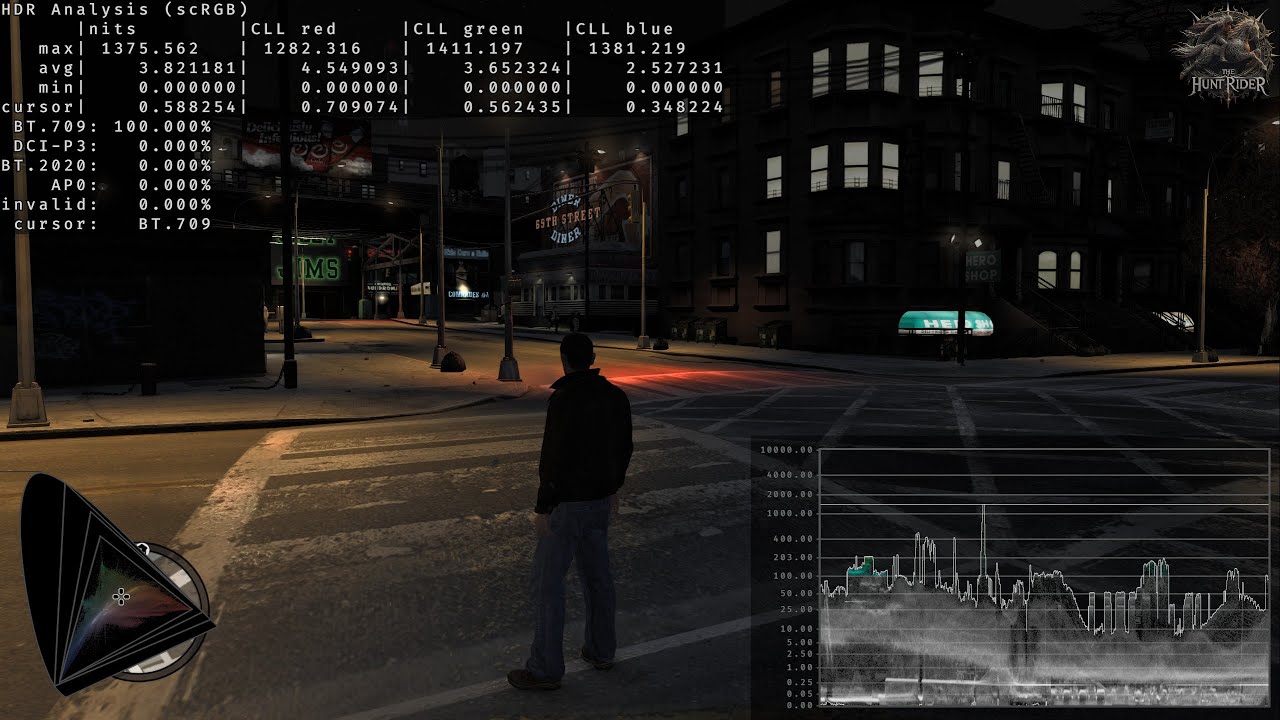
Caution: Online gaming is not recommended.
DXVK - A Vulkan-based translation layer for Direct3D 8/9/10/11 which allows running 3D applications on Linux using Wine.
DXVK (HDR-mod) - This independent modification allows for upgrading the internal render targets' formats to higher bit depth variants and changing the swapchain format and color spa...
iron harness
sterile epoch
https://youtu.be/Cf77HHcKMb4
I followed this video and managed to use HDR in so...
This method requires an older version of nVidia Profile Inspector though
sterile epoch
iron harness
This method requires an older version of nVidia Profile Inspector though
Wait it does? I remember using the newest version of profile inspector revamped
And it worked normally on my side. The game was a little unstable tho
But it's a hella underground game, Obscure 2
iron harness
sterile epoch
Wait it does? I remember using the newest version of profile inspector revamped
The settings shown in the video are missing in the new version 3.x. It works on 2.x
Not that it matters anyways
sterile epoch
Now that I remember, yeah you're right
I did download the older version
Just checked my downloads folder
iron harness
sacred shuttle
I’ll see later today when I try it
It also isn't permanent, so you need to launch the game using SpecialK each time. I tried using a command-line argument on Steam, but it didn't work, so yeah.
whole obsidian
sterile epoch
I did download the older version
settings are in the newer version, although i never use this version
 iron harness
whole obsidian
settings are in the newer version, although i never use this version
iron harness
whole obsidian
settings are in the newer version, although i never use this version
Oh its you! Haha!
iron harness
whole obsidian
settings are in the newer version, although i never use this version
Weird, it was missing for me.
iron harness
whole obsidian
settings are in the newer version, although i never use this version
Also sorry, I deleted that comment, I thought it was another video. I mistook yours for it.
whole obsidian
i tried all 4,5,6 resident evil with dxvk, only 4 works great. 5 require removal of post processing through helix 3d mod.
and 6 has lot of issues
 sacred shuttle
whole obsidian
i tried all 4,5,6 resident evil with dxvk, only 4 works great. 5 require removal...
sacred shuttle
whole obsidian
i tried all 4,5,6 resident evil with dxvk, only 4 works great. 5 require removal...
Did you try 0 or 1 Remake
whole obsidian
sacred shuttle
Did you try 0 or 1 Remake
both are remaster and dx9, dxvk could work, not tried yet
undone wigeon
any ideas what they fixed here exactly?
 iron harness
undone wigeon
any ideas what they fixed here exactly?
iron harness
undone wigeon
any ideas what they fixed here exactly?
No clue, but they didn't seem to break anything either. So RenoDX still works perfectly.
fleet lark
undone wigeon
any ideas what they fixed here exactly?
Did the quick check, it still requires FSE and NVAPI bug is still there
sacred shuttle
fleet lark
Did the quick check, it still requires FSE and NVAPI bug is still there
What is the NVAPI bug
eternal pebble
sacred shuttle
What is the NVAPI bug
game fails to set the color space so the entire image becomes super washed out
sacred shuttle
@paper vale I am begging you to fix your RE7 mod so it saves settings on relaunch

paper vale
My bad, been busy. I'll see if I can get it done tomorrow
sacred shuttle
paper vale
My bad, been busy. I'll see if I can get it done tomorrow
You’re the goat man I love you
 turbid hollow
not working for me - re2 remake
paper vale
sacred shuttle
<@114708185704693766> I am begging you to fix your RE7 mod so it saves settings ...
Can you tell me which setting isn't applying after you reboot the game? I tested and it seems to be working properly
sacred shuttle
paper vale
Can you tell me which setting isn't applying after you reboot the game? I tested...
I’ll have to test later to confirm, was using several different settings and resetting them each time
sacred shuttle
paper vale
Can you tell me which setting isn't applying after you reboot the game? I tested...
The specular roughness setting resets even when you just open the in game settings menu
Think ray tracing quality might as well but not sure
paper vale
Okay, I'll check it out
paper vale
Oh okay, I think I see it. Any changes in the option menu will override the mods setting right?
paper vale
@sacred shuttle alright, I fixed the issue. https://www.nexusmods.com/residentevil7/mods/236?tab=files

Nexus Mods :: Resident Evil 7
Resident Evil 7 mod that unlocks advanced graphics settings. Exposes shadow resolution, RT options, denoiser control, disable image post processing, LOD, and culling tweaks — all tweakable in real-t
sacred shuttle
paper vale
Oh okay, I think I see it. Any changes in the option menu will override the mods...
I think all I did was open the settings menu, didn’t even touch any graphics setting and it reset the roughness setting
sacred shuttle
paper vale
<@746620756666089472> alright, I fixed the issue. https://www.nexusmods.com/resi...
Thanks! I’ll try it out soon
iron harness
Oops. Didn't read the context or mod, sorry.
paper vale
iron harness
Oops. Didn't read the context or mod, sorry.
All good lol
 neat lotus
Any recommended settings or mods for Village other than Reno? Also, I think there was an older RE people were saying the RT was so bad it was better to just turn it off. That the case here?
whole obsidian
neat lotus
Any recommended settings or mods for Village other than Reno? Also, I think ther...
Just test reno yourself, it's recommended for HDR
 gaunt sluice
neat lotus
Any recommended settings or mods for Village other than Reno? Also, I think ther...
gaunt sluice
neat lotus
Any recommended settings or mods for Village other than Reno? Also, I think ther...
Enable RT for sure, especially for the GI
Low res and short distance RT reflections has always been a problem, but as long as it's not about a large body of whatever, it's mostly not a problem the vast majority of the time
And it can always be modded
sacred shuttle
neat lotus
Any recommended settings or mods for Village other than Reno? Also, I think ther...
Check out JoHien’s RE Village graphic enhancement mod
He has one for every RE Engine game
sacred shuttle
Also for village, high res characters and enemies, and HD texture pack on nexusmods
And I recommend using the TAA Tweaker (it’s under RE2 on nexusmods) to fix the terrible TAA in village
neat lotus
Awesome, thanks for the recs!
sacred shuttle
neat lotus
Awesome, thanks for the recs!
No prob, I’ve been replaying all the RE games and toying around with graphics mods in all of em
So I know it all pretty well
whole obsidian
RE2 RENODX + RE2R Graphics Enhancement + No Camera Light
https://www.youtube.com/playlist?list=PL_jJ_bdtDhdjSmBb16ChO_d_AE3mYtiMX

YouTube
iron harness
whole obsidian
RE2 RENODX + RE2R Graphics Enhancement + No Camera Light
https://www.youtube.com...
Will disabling the camera light make the game too dark or will it look just right?
whole obsidian
Camera light affect player light
iron harness
whole obsidian
Camera light affect player light
I know that.
I just wanna know if its still good enough to play with it off
Or do I have to compensate with a manual flashlight mod
whole obsidian
Rarely, some scenes are too dark.
iron harness
whole obsidian
Rarely, some scenes are too dark.
Oh, so do you think its better for me to not install this mod?
whole obsidian
iron harness
Oh, so do you think its better for me to not install this mod?
Try with it first.
iron harness
whole obsidian
Try with it first.
Oh. Okay. I guess it comes down to prefs then. Thanks!
I don't think I'll use it though, I think the devs made the game with the intention of using the camera light. Well, I respect their artistic vision.
night ibex
respect the trash HDR as well
iron harness
night ibex
respect the trash HDR as well
That was probably unintentional though (apart from the increased shadow details), so I wouldn't count that as a part of their vision lol.
Its hard to make HDR from what I've heard, so I get it.
night ibex
it's not
just a reminder that it's a very dumb cope and justification for questionable design decisions
devs absolutely routinely decide to deepfry HDR for example
iron harness
night ibex
just a reminder that it's a very dumb cope and justification for questionable de...
Are you talking about the first part of my message or the second one
night ibex
the artificial light is absolute ass and probably made so people can play in a bright room or something
iron harness
night ibex
devs absolutely routinely decide to deepfry HDR for example
Oh yeah, by the way, can't the devs incorporate RenoDX into their games as long as they credit it?
night ibex
I guess
iron harness
night ibex
the artificial light is absolute ass and probably made so people can play in a b...
I don't think its that bad. Had to compensate somehow, even through cheaper techniques like that. Although I definitely get you bro.
night ibex
or they can just follow the same documentation and principles that Reno recommends
iron harness
night ibex
or they can just follow the same documentation and principles that Reno recommen...
Agree
night ibex
renodx intercepts and rewrites stuff in the render pipeline that could have just been done correctly from the start, or patched
iron harness
night ibex
renodx intercepts and rewrites stuff in the render pipeline that could have just...
Yeah, that's why I said that the Devs should do that.
night ibex
most just dont care
iron harness
Although let's be real, 95% of players don't care
Both of us were thinking the same thing lol
night ibex
I mean devs not caring and making busted HDR makes players hate it and not care further
iron harness
If enough cared, they would do it.
iron harness
night ibex
but doing it poorly
Yeah, the RE engine games (especially 2R and 3R) have horrible HDR.
I mean but even I didn't notice these things until I actually started using these mods and then realized how much better they look.
So more players just need to be taught about these things.
iron harness
iron harness
If enough cared, they would do it.
I think most people don't notice it is because their gameplay looks similar to what they see on YouTube, so they think their image looks "correct". This is why I think YouTube should have Waaay more HDR uploads
night ibex
iron harness
So more players just need to be taught about these things.
that's not going to happen, and the players shouldnt be expected to know anything
it should work properly, and there is no reason why it doesn't
it's been a decade of hdr in games now
iron harness
night ibex
that's not going to happen, and the players shouldnt be expected to know anythin...
I know that. They shouldn't have to. But it isn't like companies are going to do anything about it unless they do.
iron harness
night ibex
it's been a decade of hdr in games now
And still most games have broken HDR, sad.
iron harness
whole obsidian
RE2 RENODX + RE2R Graphics Enhancement + No Camera Light
https://www.youtube.com...
By the way, looks good, I liked the video.
iron harness
iron harness
By the way, looks good, I liked the video.
Didn't work the first time. Liked it now.