#Total War: WARHAMMER III
558 messages · Page 1 of 1 (latest)
 bleak bronze
 tepid imp
SDR / Tweaked


Mods work so far
havent ran into incompatibilities or shader permutations


 slate ingot
1 is SDR and 2 Reno Tweaked or
tepid imp
SDR / Reno Tweaked
slate ingot
I see
tepid imp

 tepid imp
slate ingot
I see
tepid imp
slate ingot
I see
12/10 tier feedback
 slate ingot
I’ll give better feedback when I can look at it in good conditions on my faking TV
Not on my phone at work
It does look better now tho
tepid imp

There's a few HDR enjoyers over at WH3 server
Most are just SDR plebs
why does this embed look washed out
slate ingot

 slate ingot
tepid imp
**why does this embed look washed out**
slate ingot
tepid imp
**why does this embed look washed out**
-#  This user is suspected to play in SDR • Learn More
NOOO
why does it embed
cringe
tepid imp
A few hated HDR because of suprise suprise ITM but I showed off the batman screenshots
slate ingot

slate ingot
that batman one is really good showcase yeah cuz its so crazy blown out
 drifting wave
F YEAH
 fickle topaz
tepid imp
A few hated HDR because of suprise suprise ITM but I showed off the batman scree...
fickle topaz
tepid imp
A few hated HDR because of suprise suprise ITM but I showed off the batman scree...
which
can i see 👀
tepid imp
Helf cities look berry nice now


 tepid imp
fickle topaz
which
tepid imp
fickle topaz
which
batman pics?
fickle topaz
ya
tepid imp
SDR / ITM / Reno HDR


 fickle topaz
jesus christ
tepid imp
ITM is donkey
fickle topaz
thats so bad in sdr and the itm is dog shit
tepid imp
so when movies are shipping out with ITM 'HDR' or people are just telling you to use RTX HDR
you get the above
and no wonder people dont like HDR
slate ingot
if something is giga clipped in SDR already then ITM will only make it 10x worse
slate ingot
tepid imp
so when movies are shipping out with ITM 'HDR' or people are just telling you to...
RTX HDR GOATED BRO SHIT MAKES MY GAME LOOK SO BRIGHT! MANY HDR MHM YES
fickle topaz
this is why i rarely use any itm
good example of some truly egregious slop is mario kart world on my miniled
anyway the mod looks rlly good tyvm @bleak bronze
tepid imp
Made a reshade preset with a bit of colour grading + bloom, I desaturated shadows (dont have that option in Reno and shader is scRGB compatible)
Reno Tweaked / Tweaked + preset


Want to make the game a bit more 'Grim Dark'
@bleak bronze all my screenshots here so far have been using this preset, what do you think? Want to make this the HDR Look preset?

Also for anyone else who wants to input the settings
I tested both vanilla and modded lighting
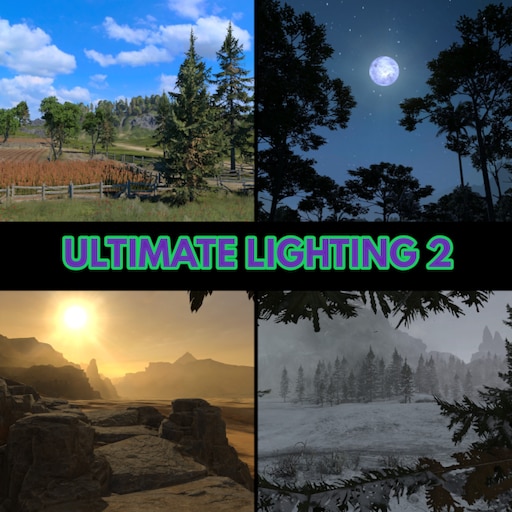
This is the mod I am using in the pics
 tepid imp
<@437033745686724617> all my screenshots here so far have been using this preset...
tepid imp
tepid imp
<@437033745686724617> all my screenshots here so far have been using this preset...
after some more testing 80 - highlights is a bit too much for vanilla lighting
65-70 is a nicer spot
tepid imp
tepid imp
https://steamcommunity.com/sharedfiles/filedetails/?id=2922534576&searchtext=lig...
for this though, 80
tepid imp


 slate ingot
tepid imp
Want to make the game a bit more 'Grim Dark'
slate ingot
tepid imp
Want to make the game a bit more 'Grim Dark'
honestl thats pretty fitting for this type of game, i like both tho
tepid imp
slate ingot
honestl thats pretty fitting for this type of game, i like both tho
I've also managed to replaced the games dodo SSAO with Marty's MXAO whilst using REST to render before UI and volumetrics (temporary for now until we can get xeGTAO natively implemented)


This is what vanilla SSAO looks like


Heres vanilla in motion 💀
tepid imp
tepid imp
I've also managed to replaced the games dodo SSAO with Marty's MXAO whilst using...
I should do a 1:1 comparison since these pics have the rest of the grading/bloom as well
one moment
grass has a bit too much AO, let me adjust that as well
slate ingot
tepid imp
Heres vanilla in motion 💀
eww wtf
tepid imp
Nope, MXAO is ded
Since not HDR compatible
And Soops convertor doesn't work when Reshade FX are rendered before game ones with REST. Noticed artefacts all over the place

There's no HDR compatible AO shaders
And even if I converted ones, wouldn't be allowed to share it
slate ingot
i think thats one of the "worst" parts about hdr
theres like almost no hdr compatible shaders out there
tepid imp
To be fair, Reno gives so much control that 90% of the time I don't need any other Reshade shaders
Especially when Reno can target in-game ones
I have only felt the need for additional ones with FF14 and WH3
tepid imp
@bleak bronze wanted to ask what are you using to generate for HLSL?
I saw the mention of Michealsoft's HLSL compilier
Someone over at the WH3 server asked me how we're extracting HLSL code for the game
since what they tried didnt work for them
They were wanting to take a look at TW : 3 Kingdoms
and whatever they were doing wasnt working
Right, nothing else that's special?
cool
ty
tepid imp
Native SSAO has dither, stripping, noise, GIGA power, radius AND crushes black levels
Glamarye costs the same about the same as native SSAO
Mxao is about twice as expensive with bitmask
tepid imp
It's alright, works with scRGB and I can use REST to render before UI
It's not the 'best' as it stated on the github
But it is fast
Anything is better than native SSAO at this point
Yh, try it out and let me know what you think
For vanilla lighting 80 highlights will be too much I think
Decrease it to 65
For the modded lighting mods I am using, the changes made, really limit highlights so I run 75
 granite rampart
probably better to build a specific addon that tells renodx what to do (skip/bypass, etc)
if you have an implementation/strategy you want i can look into porting that concept
tepid imp
I also asked and tried to see if anyone from various WH3 community modding servers would be interested in improving various graphical elements of the game, DLSS implementation that sort of thing
No one stepped up
But everyone is wanting to see the project
I'll share Reno soon
Will start taking a look at Luma for DLSS
granite rampart
you can set reshade effect to run whenever, it's not that complicated
you can do on_drawn and tell reshade to run with the current rtv and that's free on all device apis
if you want to do by shader hash
making a list of what effects is where it gets semi-complicated
though i guess you can just have like a json: ```json
"0x1234567c": [
"shader1.fx",
"shader2.fx",
]
you can modify the callbacks on every present, and it would be thread safe
yeah, i think most of it is there already
let me see if it's local or in devicedata
but i can resync via flag on device data on every present (if device_data->custom_shaders_dirty ...)
yeah, if you want renodx to not tonemap, that's easy as well
or just not replace the shader
depends of course
you might want to modify the untonemapped image with an external and then let renodx tonemap
so you want on_draw which is before the custom renodx shader runs, and not on_drawn which is after
dx11, easy. dx12, i'm not sure on reshade's state tracking to revert when a set of fx are done
tepid imp
so so
granite rampart
not too well
tepid imp
it isnt officially supported
granite rampart
you might want to modify the untonemapped image with an external and then let renodx tonemap
depending on context, you may want to run it before renodx tonemap, after renodx tonemap, or instead of renodx tonemap (since renodx tonemap is usually neutral). on_draw and on_drawn are all you need for the three case (return false on_draw to bypass draw)
None already does that
Tonemapper None
0 = vanilla, 1 = none, 2 = aces, 3 = renodrt
You have what you need already if you're going to hardcode. I meant to support user defined json like rest has inis
bool OnCustomGammaDrawn(reshade::api::command_list* cmd_list) {
  if (!UsingSwapchainUtil()) return true;
  if (current_render_reshade_before_ui == 0.f) return true;

  auto* cmd_list_data = renodx::utils::data::Get<renodx::utils::swapchain::CommandListData>(cmd_list);
  if (cmd_list_data == nullptr) return true;
  if (cmd_list_data->current_render_targets.empty()) return true;

  auto rtv0 = cmd_list_data->current_render_targets[0];
  if (rtv0.handle == 0) return true;
  if (UsingSwapchainUpgrade()) {
    auto* info = renodx::utils::resource::GetResourceViewInfo(rtv0);
    if (info->clone.handle != 0u) {
      rtv0 = info->clone;
    }
  }

  auto* data = renodx::utils::data::Get<renodx::utils::swapchain::DeviceData>(cmd_list->get_device());
  if (data == nullptr) return true;
  const std::shared_lock lock(data->mutex);
  for (auto* runtime : data->effect_runtimes) {
    runtime->render_effects(cmd_list, rtv0, rtv0);
  }

  return true;
}
this is what oblivion does, which is callback based on shader hash
for (auto* runtime : data->effect_runtimes) {
    runtime->render_effects(cmd_list, rtv0, rtv0);
  }
you'd have to
- save the current state of what effects are activated
- disable them
- activate the ones you want (with possible options)
- call render_effects on all runtimes with the rtv0
- revert fx state
// Custom Gamma
{
    0x70EB957B,
    {
        .crc32 = 0x70EB957B,
        .code = __0x70EB957B,
        .on_drawn = &OnCustomGammaDrawn,
    },
},
.code is optional
that should be just a macro, but yeah
there are some examples that crosire made about effects but it looks overly complex
idk if you can "GetCurrentTechniques()" or have to track their toggling on and off and store state
it's probably more optimal to not have to iterate a list every frame and instead keep a list of reshade::addon_event::reshade_set_technique_state changes
i think you can almost completely copy https://github.com/crosire/reshade/blob/main/examples/03-history_window/history_window_addon.cpp
yeah, you can begin testing with that
reshade will not run at end of swapchain if you ever call render_effects once per frame (there might be a reset somewhere)
that's why i wrote it for oblivion, so people can run their custom reshades behind the UI
should probably be more standard practice to be honest
it's kinda free
rtvs are always tracked by renodx
i originally built None so people can bring their own tonemapping, though that ended up to some confusion on users
oblivion has that so i can know if a lut builder has been run and the game needs a pause/lut-rebuild

{
  new renodx::utils::settings::Setting{
      .value_type = renodx::utils::settings::SettingValueType::TEXT,
      .label = "Pause and unpause the game to apply changes.",
      .tint = 0xFF0000,
      .is_visible = []() {
        return lut_invalidation_level == 2
               || (shader_injection.custom_lut_optimization == 1.f && lut_invalidation_level != 0);
      },
      .is_sticky = true,
  },
},
and ```cpp
bool OnLutBuilderReplace(reshade::api::command_list* cmd_list) {
lut_invalidation_level = 0;
return true;
}
so when lutbuilder runs, clears invalidation level
could be a macro CustomShaderReplaceAndEffects({crc32})
CustomShaderReplaceAndEffects({crc32}, rtv_slot_number)
as a single value, as a list or just default empty to be 0
though it's almost always 0
you can mix with __ALL_CUSTOM_SHADERS
c++ is just backwards compared to other languages
renodx::mods::shader::CustomShaders custom_shaders = {
    CustomShaderEntryCallback(0x4A0DBF57, &OnLutBuilderReplace),
    CustomShaderEntryCallback(0x50F22BD6, &OnLutBuilderReplace),
    CustomShaderEntryCallback(0x0649A5D1, &OnLutBuilderReplace),
    CustomShaderEntryCallback(0x773A9497, &OnLutBuilderReplace),
    CustomShaderEntryCallback(0xF9332C83, &OnLutBuilderReplace),
    __ALL_CUSTOM_SHADERS};
it's a map, so no
c++ will honor the first entry
most languages honor the last
yeah, you want in ascending priority ```cpp
renodx::mods::shader::CustomShaders custom_shaders = {
{
PAUSE_MENU_PIXEL_SHADER,
{
.crc32 = PAUSE_MENU_PIXEL_SHADER,
.on_draw = [](auto* cmd_list) { return g_draw_pause_menu; },
},
},
CustomSwapchainShader(0x20133A8B),
__ALL_CUSTOM_SHADERS,
};
this is hollowknight0x20133A8B is part of __ALL_CUSTOM_SHADERS already
very very confusing since javascript/json isn't like that
yeah, i had planned to do __ALL_OTHER_CUSTOM_SHADERS based on folder name
it's in the cmake
basically make another rule based on folder
if(ANY_VERSION_SHADERS_LENGTH GREATER 0 OR DX11_DX12_INTERSECT_LENGTH GREATER 0)
  string(APPEND SHADERS_H_OUTPUT "#define __ALL_CUSTOM_SHADERS \\\n")
  if(ANY_VERSION_SHADERS_LENGTH GREATER 0 AND DX11_DX12_INTERSECT_LENGTH GREATER 0)
    string(APPEND SHADERS_H_OUTPUT "  __CUSTOM_SHADER_ENTRIES, \\\n  __CUSTOM_DIRECTX_SHADERS\n")
  elseif(ANY_VERSION_SHADERS_LENGTH GREATER 0)
    string(APPEND SHADERS_H_OUTPUT "  __CUSTOM_SHADER_ENTRIES\n")
  elseif(DX11_DX12_INTERSECT_LENGTH GREATER 0)
    string(APPEND SHADERS_H_OUTPUT "  __CUSTOM_DIRECTX_SHADERS\n")
  endif()
endif()
the macro definition is via cmake
cmake is built for that, really, though cmake syntax takes a bit to get used to. unless you just throw AI at it
it does already
except for folders that start with "."
just can't do it right now, but adding per folder macros for shaders is probably a 10 minute AI job
can you modify
SHADERS_H_OUTPUTto add a macro for each subfolder of shaders, for example, ifsrc/games/tunic/lut/lut_shader1.0x11111111.ps_6_0.hlslandsrc/games/tunic/lut/lut_shader2.0x22222222.ps_6_0.hlslexists, then you should make a macro called__CUSTOM_SHADER_FOLDER_LUTthat contains both of them. look at how they're built now and also cross reference withbuild\tunic.include\embed\shaders.hto see how it works.
let's see what it does
time to take a walk

i guess i didn't consider you may want some secondary macro for them
granite rampart
i didn't test sub-subfolders, but this would be enough for oblivionremastered
 granite rampart
DX11 or DX 12? DX12 is expensive. If it's DX11 then Batman AK does UAV0. I think it may have srv0 (t0). I basically copy pasted how DevKit works with tracking srvs
devkit will tell you what slot SRVs are in
the log
bool OnToneMapDraw(reshade::api::command_list* cmd_list) {
  reshade::api::resource_view current_uav0 = {g_current_uav0};
  auto* resource_view_info = renodx::utils::resource::GetResourceViewInfo(current_uav0);
  if (resource_view_info->resource_info == nullptr) return true;
  if (resource_view_info->resource_info->clone_enabled) return true;
  resource_view_info->resource_info->clone_enabled = true;
  renodx::mods::swapchain::FlushDescriptors(cmd_list);  // Not implemented yet, will fix next draw
  return true;
}
the link i sent shows how it stores g_current_uav0 , then the callback uses it
read 437
but you want to change 433 to not filter by uav, but by srv (t0)
batman uses u0
layout_param is not 3 though, i need to look it up
reshade sends an event when a game tries to write the UAV/SRV and an update to a (virtual in dx11) descriptor table
so when a SRV is written in slot 0 to the virtual descriptor table, that's the current SRV0
you need a secondary event to track when SRVs (and SRV0) is slotted
batman is an example of UAV0, but not SRV0, though the concept is mostly the same
hence, batman has reshade::register_event<reshade::addon_event::push_descriptors>(OnPushDescriptors); to track when descriptor changes (SRV/UAV/Cbuffer) occur
you don't read back what's on the current descriptor table, you rely on a previous capture/hook to tell you how it was updated
tepid imp
Going to have to deboog this
Happens at random
but seems to proc more often when a battle has started and you zoom in close to character models
wondering if some shader is borking up, blood maybe?
Will remove REST and disable the rest of the reshade shaders to see if theyre at fault
tepid imp
Caused by 'Camera Blood Splatter' - video settings option
I also started work on TW : Three Kingdoms addon
Output shader is very close to the one in WH3 just some slight differences here and there


What's strange is they're doing some sort of post output shader bloom
which is why the 'SDR' pic on the left is already showing HDR brightness (after resource upgrades)
tepid imp
Also is this the latest output shader and the one used in the addon atm?https://github.com/pmnoxx/renodx/blob/main/src/games/_univ/games/total_warhammer3/uber_cand1_0x1EDCBE3A.ps_5_0.hlsl?
GitHub
Renovation Engine for DirectX Games. Contribute to pmnoxx/renodx development by creating an account on GitHub.
I noticed with Three Kingdoms that If I placed float3 untonemapped in a similar place as what you did for WH3, a lot of areas where being clamped to 203nits
If I moved it here, the game unclamps more

but I dont know if theres shenanigans involved which you picked up on
tepid imp
OK
I moved the float3 untonemapped for WH3 to the same position as what I did for 3K
it unclamps way more
to the point I no longer have to do 70 highlights in reno menu
let me post a comparison
Also stopped some weird ass LUT shadow colouring from going on
SDR / Previous / Moved untonemapped code


Taken with reno default settings
@bleak bronze when you have time
Previous / Moved untonemapped


 tepid imp
sweet
tepid imp
Game is looking really nice now
I turned off the blood screen stains
stopped that giga fried texture from appearing
i think its some alpha shenanigans
 atomic latch
New Nvidia driver (581.57):
FIXED Total War: Warhammer III: Graphics corruption [5363634]
tepid imp


I've been taking a look at wtf is going on with this game's shadowing
Luma isnt loading for some reason but Pumbo mentioned he'll have a look
granite rampart
shadows: yes
tepid imp
for the moment I suspect
- The lighting pass samples the wrong texel for the shadow mask
- The material flag that enables per-pixel shadowing may be getting cleared
- Geometry that should cast near-camera shadows can be discarded outright
tepid imp
tepid imp
How da fuk do we have more shadows further away compared to being closer to the camera
tepid imp
tepid imp
Also luv the ground mesh for the mountain being elevated on the left
so you can see the seem gaps

I am going to also set up luma (assuming we can figure out why it is currently hanging on launch)
for future DLSS
I think i've captured all the relevant shader for their shadow processing
tepid imp
@granite rampart Can decompiler mess up the code? I ask since I've had a few times were loading a shader (unmodified fresh from decompilier via devkit) would result in an error reported
Otherwise if that isnt the case
granite rampart
tepid imp
for future DLSS
DLSS is like 30 lines of code, the problem is getting the motion vectors and matrixes
tepid imp
tepid imp
Otherwise if that isnt the case
I found a them doing divide by zero in their code just now (3 times)

granite rampart
tepid imp
<@115289688037785602> Can decompiler mess up the code? I ask since I've had a fe...
what code?
tepid imp
shader decompilation
tepid imp
granite rampart
DLSS is like 30 lines of code, the problem is getting the motion vectors and mat...
They have all of those, alongside already trying to implement DLSS
but they gave up or whatever
maybe ran into some major bug
I just saw the overly negative reviews
granite rampart
dlss needs:
- resource in
- resource out
- motion vector resource
- depth resource
- jitter offsets
dlssg needs
- everything from dlss
- matrix and camera position
tepid imp
Dunno what happened
granite rampart
if you have a TAA shader, then you probably already have resource in and resource out. depth is easy to find, reshade does that for you, motion vector isn't if it doesn't exist, jitter is from cbuffers maybe
tepid imp
so a typical CA / player relationship 
I desperately need another studio to make Total war style RTS games
WH40K?  maybe?
did mention one historical and one fantasy
Good, so they'll finally stop updating
and we can mod
the updates + the way steam workshop works always messes up my modlist
Only way around it is to recopy all downloaded mods into the games data directory
and then reroll the update
and pray it all works
tepid imp
I dunno, maybe I am getting somewhere... CSM related? Is the game just determining the split distances really badly?
The shader threw a decompilier induced error
r5.x = g_split_distances[r0.y + 2] + -g_split_distances[r0.y];
r5.y = g_fFadeRange.x * r5.x;
r0.y = -r5.x * g_fFadeRange.x + g_split_distances[r0.y + 2];
r0.y = r0.x + -r0.y;
r0.y = saturate(r0.y / r5.y);
r2.w = r2.w + -r1.z;
r1.z = r0.y * r2.w + r1.z;```

This section had g_split_distances[r0.y + 36] instead because the constant buffer was using 36 (caused an out of array error)

@bleak bronze
 tepid imp
I haven't finished debugging it
I slightly improved it but it still has a ton of shadow pop-in
tepid imp
Hmm just remembered that I haven't adjusted the 0x0921 shadow_draw shader you sent me
tepid imp
I fixed the shadows

by removing them entirely
I cant quite figure out what type of mess they've made here
tepid imp
Maybe? I still suspect that their CSM's are borked somehow.
Let me send you the vid
So in the beginning this area has shadows for the mountains
I can move the camera around, up/down and the shadows stay
Once I moved a far distance away from that initial area and then return back
Now the CSM is all borked
tepid imp
tepid imp
I dunno, maybe I am getting somewhere... CSM related? Is the game just determini...
Anything other than 2 or 3 for g_split distance ends up with borked CSMs
In Luma the CS shader you sent me and 0x9797 ps I sent here control the CSMs
Undrawing them removes shadows entirely
Yes 
Been a bug since release
So at least it is consistent
That's the otherthing
I had a look at their other shaders
But I think it was just decompiler shenanigans
I had issues with regular ps
Got hit with 3 instances of divide by zero
This is after I decompiled the game's lighting shader
🤷♂️
I am going to say decompiler
Since otherwise in-game shader wouldn't load with divide by zero?
And lighting would be missing / borked
tepid imp
Coming back to this, I patched MXAO to work with HDR and wanted to go down the 'I just provide instructions on how to do a patch).
However CreepySasquatch pointed out that he did the same with Marty's RTGI shader for his 'HDR guide'
Marty and some other reshade shader devs were not happy
So legally I can but then I'd sour relations
Is Reno's REST like feature setup to work for WH3 already?
granite rampart
There are other AOs
tepid imp
I personally think it's bizarre 🤷♂️ but Marty has had his code stolen a trillion times
tepid imp
Marty implemented his own version of xeGTAO with bitmask support
Yh I think making a Reshade port of xeGTAO would be good with HDR support
But then Luma also has GTAO
That or I just patch another AO shader to support HDR and said author will not mind
granite rampart
I'd start with making a reshade shader. Copilot will probably build for you in an hour or less. I have a test pattern in my repo. So it can keep trying until it compiles
XeGTAO is one file. Not that long. You just need access to the textures
tepid imp
What if we just packaged the AO shader with Reno? To replace games AO
granite rampart
This looks way cleaner than the CAS nonsense
If the game has an AO pass, just replace it.
tepid imp
Because in-game AO is diabolical
granite rampart
I've just never done it. No reason why you can't.
granite rampart
I remember sleeping dogs have the AO shader. Could have replaced it but don't know jack about rendering order.
Not sure how AO works, but I'd imagine it's a hot swap
tepid imp
NOOOOO
I found 4 shaders associated with SSAO
3 are Compute
last one is a pixel shader
The thing is pure wtf
 tepid imp
Some legit SSAO


I have no idea why it isnt showing the full g-buffer
2/3 only
🤷♂️
tepid imp

fullscreen under reno devkit 🤷♂️
I found their ssao-ray-marcher CS, ofc its messed up by decompiler
dunno how we'll replace AO considering CS is being a PITA
back to just doing xegtao via reshade, disabling in-game SSAO then letting it draw before volumetrics with reno
 barren patio
Sorry I'm being an absolute tool, but how do I actually install this? I've only ever used the regular renodx install method.
tepid imp
barren patio
Sorry I'm being an absolute tool, but how do I actually install this? I've only ...
#1421110516914327643 message grab this
plop it into the WH3 directory
I can edit the page right now
unless you want to add the snapshot as well?
I will link to discord in the meanwhile
Added
barren patio
tepid imp
plop it into the WH3 directory
Thank you 🙏
barren patio
tepid imp
https://discord.com/channels/1408098019194310818/1421110516914327643/14263634111...
And I don’t need to install reshade? Just place the add on file into the WH3 directory?
tepid imp
RenoDX add-ons work by utilising reshade's .addon feature
Reshade is a requirement for every mod
You have to have the reshade .dll that supports addons
barren patio
tepid imp
RenoDX add-ons work by utilising reshade's .addon feature
I see, I’ve installed Reno correctly for The Witcher 3 in the past but wasn’t sure if this was different. I tried it last night and the game was just black, all I could see was the Warhammer cursor, and I could hear the main menu music. That’s why I thought there might be an additional step for this mod
I’ll try again in a bit
tepid imp
Resource upgrades should be handled automatically
In-game sharpening shouldn't be used
So turn that off
tepid imp
@bleak bronze
I asked around and was told that Alexander has given MIT license for his ported xeGTAO (with bitmask visibility) https://github.com/4lex4nder/ReshadeEffectShaderToggler-FFXIV?tab=readme-ov-file
Just need to adapt it for other games
GitHub
FFXIV specific ReshadeEffectShaderToggler configuration - 4lex4nder/ReshadeEffectShaderToggler-FFXIV
Also
WH3 has the same 4 suns lens flares as in three kingdoms
One of them you already marked for RTV
Problem is that all 4 run after tonemapping / output
So they clip and overshoot peak brightness
Voosh mentioned they're using blend plus but I haven't yet figured out how to solve this problem
Only relevant when looking at the sun but I thought I'd ask in case you have any solution? I could then implement it into 3K as well (since the code is similar)
tepid imp
Yh I am fine with just disabling in-game AO and injecting it after using Reno.
Their SSAO is built up via multiple compute shaders and #skillissue on my part atm so I don't know how to do a full engine based replacement
I already tested and have the shader hashes at which external AO via Reshade should be applied to render before fog, FX and such
The messages with ShortFuse in this thread is all I need to follow to have Reno do REST's functionality?
granite rampart
Everything you need for a custom draw is easily possible with Reshade. You don't need custom stuff (DX commands)
Swapchain proxy draw is an example of injecting a pass somewhere and reverting the state back. So you can do it anywhere
For sure, but doing in RenoDX is not anything too difficult
I'm more worried state tracking has performance repercussions, but no other way to really do it.
- Save current state (cbuffers, samplers, srvs, render targets, cbuffers,
- Make your bindings
- Draw
- Repeat bindings and draws as needed
- Revert state
And you have it
Swapchain proxy pass
Click the link first
I'm talking about slipping in a pass in a general sense.
tepid imp
Yh, I've finished up on Three Kingdoms add-on (outside of any reported bugs)
I can take a look at this whole thing now
granite rampart
Swapchain proxy needs:
- Sampler (built in first call)
- SRV (swapchain clone)
- RTV (real swapchain)
- Pixel shader (addon.cpp sets this)
- Vertex shader (addon.cpp sets this)
- Cbuffer slot and space (addon.cpp sets this)
- Cbuffer values (addon.cpp sets this)
- Viewport (built every draw)
- Scissors (built every draw)
- The command list to run on (uses present queue's)
The annoying part is building the descriptor table, but that is built once
yeah, those are srvs. You can catch srvs by when a pixel runs with on_draw. The most annoying is reading cbuffer values.
There's a reshade fx way of doing things and a reshade addon way of doing things. Reshade FX have samplers and others built into the .fx. because ReShade fx is a custom shader language that also includes setting up srvs and cbuffers inside the shader file itself.
Can also interact with addons that tag resources for you (eg: depth)
That's not really just a "shader"
What I mean is the shader portion is just one part:
texture2D g_srcNDCDepth : DEPTH;
sampler2D g_sSrcNDCDepth { Texture = g_srcNDCDepth; MagFilter = POINT; MinFilter = POINT; MipFilter = POINT; };

texture2D g_srcWorkingDepth
{
    Width = BUFFER_WIDTH;
    Height = BUFFER_HEIGHT;
    MipLevels = XE_GTAO_DEPTH_MIP_LEVELS;
    Format = R32F;
};

storage2D g_outWorkingDepthMIP0 { Texture = g_srcWorkingDepth; MipLevel = 0; };
storage2D g_outWorkingDepthMIP1 { Texture = g_srcWorkingDepth; MipLevel = 1; };
storage2D g_outWorkingDepthMIP2 { Texture = g_srcWorkingDepth; MipLevel = 2; };
storage2D g_outWorkingDepthMIP3 { Texture = g_srcWorkingDepth; MipLevel = 3; };
storage2D g_outWorkingDepthMIP4 { Texture = g_srcWorkingDepth; MipLevel = 4; };
sampler2D g_sSrcWorkingDepth
{
    Texture = g_srcWorkingDepth;

#if XE_GTAO_RESOLUTION_SCALE <= 0
    MagFilter = POINT;
    MinFilter = POINT;
    MipFilter = POINT;
#endif
};

texture2D g_srcWorkingAOTerm
{
    Width = XE_GTAO_SCALED_BUFFER_WIDTH;
    Height = XE_GTAO_SCALED_BUFFER_HEIGHT;
    Format = R8;
};

storage2D g_outWorkingAOTerm { Texture = g_srcWorkingAOTerm; };
sampler2D g_sSrcWorkinAOTerm
{
    Texture = g_srcWorkingAOTerm;

#if XE_GTAO_RESOLUTION_SCALE <= 0
    MagFilter = POINT;
    MinFilter = POINT;
    MipFilter = POINT;
#endif
};

texture2D g_srcFilteredOutput0
{
    Width = BUFFER_WIDTH;
    Height = BUFFER_HEIGHT;
    Format = R8;
};

sampler2D g_sSrcFilteredOutput0 {
    Texture = g_srcFilteredOutput0;

    MagFilter = POINT;
    MinFilter = POINT;
    MipFilter = POINT;
};

texture2D g_srcFilteredOutput1
{
    Width = BUFFER_WIDTH;
    Height = BUFFER_HEIGHT;
    Format = R8;
};

sampler2D g_sSrcFilteredOutput1
{
    Texture = g_srcFilteredOutput1;

    MagFilter = POINT;
    MinFilter = POINT;
    MipFilter = POINT;
};

texture2D g_srcCurNomals
{
    Width = BUFFER_WIDTH;
    Height = BUFFER_HEIGHT;
    Format = RGBA8;
};

sampler2D g_sSrcCurNomals
{
    Texture = g_srcCurNomals;

    MagFilter = POINT;
    MinFilter = POINT;
    MipFilter = POINT;
};
All of that is dynamically generated by ReShade
As an RTV it's not hard. But when you want to mix other aspects like cbuffers it gets complicated. Swapchain proxy started as a reshade fx
Then got complicating syncing states and ended up being "native" pass
Setting a simple RTV is easy. Oblivion remastered does it
 plush niche
great timing for this mod now that its in the humble bundle

 boreal reef
@bleak bronze @tepid imp what version is now considered latest? can you please provide a link to full package of WH3 addon with all the tweaks mentioned in this thread?
tepid imp
^
I havent added my AO code
nor have I yet fixed other game issues like the wrong CSM rendering on the main map
Been playing other games and such
boreal reef
tepid imp
^
I'm using version 0.30 and it just shows black screen instead of main menu. Reshade UI works and addon enabled, but the game is black screen. any fix for this?
btw WH3 was updated today to v7.0 with new DLC released as well - Tides of Torment
tepid imp
🤷♂️ update might have borked the addon
@bleak bronze
I could check when I finish up with POE addon
boreal reef
tepid imp
<@437033745686724617>
please please fix it! the auto HDR is unbearable. colors are washed out and all over the place. Win 11 (updated) btw.
 boreal reef
tepid imp
hhmm
boreal reef
tepid imp
hhmm
please share your ini's, or better the whole Reshade installation from your WH3 folder including all files and addons. will try your settings.
tepid imp
boreal reef
tepid imp
with your default settings it's still black screen, but changing SwapChainEncoding=5 to SwapChainEncoding=4 under [renodx] fixed it. any idea why it matters? thank you anyway.
tepid imp
5 is scRGB whilst 4 is HDR10 for the swapchain
AMD GPU?
There are some issues where AMD cant into some resource upgrades
boreal reef
tepid imp
AMD GPU?
Nvidia 50 series, latest drivers
boreal reef
tepid imp
ummm
I also get this strange effect where character model is too dark and transparent (background can be seen through model). is it a known issue?
 tepid imp
yh, seems the 3D models for UI elements are borked
Probably a resource upgrade that messed them up
boreal reef
hope it will be fixed some day...
boreal reef
tepid imp
when I get around to adding DLSS
doesn't it require TAA for antialiasing? while RenoDX mod needs TAA to be disabled?
plush niche
Why would hdr need taa off
boreal reef
plush niche
Game needs dlss so bad
please don't fall into all that nVidia marketing nonsense. DLSS is a simple resolution downsampling with sharpening filter added on top of it. when you switch from 4k to 2k resolution normally it basically acts as DLSS. there is resolution scaling slider in WH3 graphics settings that does the same and there is sharpening checkbox as well. never used DLSS anyway as it looks blurry at any setting, even with the new transformer model. having proper HDR in game adds much more value.
boreal reef
plush niche
Why would hdr need taa off
why would you keep it on anyway? TAA turns any game into a blurry mess.
 placid beacon
boreal reef
I also get this strange effect where character model is too dark and transparent...
placid beacon
boreal reef
I also get this strange effect where character model is too dark and transparent...
ive noticed this issue too esp on portholes
tepid imp
boreal reef
doesn't it require TAA for antialiasing? while RenoDX mod needs TAA to be disabl...
That was just a mishap by Pmnox, the addon works with all AA
just dont run AA off
that'll break the mod
tepid imp
placid beacon
ive noticed this issue too esp on portholes
I didnt notice it since I ran 2D port
boreal reef
tepid imp
just dont run AA off
I run it with AA off. the only issue is the character porthole being dark/transparent, but other users report it as well. there is no good AA since they removed 2x-8x MSAA in WH3. FXAA/TAA are blurry AF.
games are literally unplayable with TAA. there is whole community dedicated to disabling TAA with any possible means via mods/config edits/custom DLSS libraries even if game doesn't support it natively. such communities exist for a reason: https://reddit.com/r/FuckTAA/

Reddit
Subreddit focused on the over-reliance of blurry temporally-based algorithms that are plaguing modern video game graphics. Such as TAA, TAAU, TSR, DLSS, FSR, XeSS and more.
tepid imp
Modified MXAO to work with HDR


yes vanilla SSAO is garbage

I dont know if 7.0 has changed shader hashes though
so the .ini might or might not work
placid beacon
tepid imp
yes vanilla SSAO is garbage
im ngl, it auto turns off everytime i relaunch it so i dont even notice its gone lol
placid beacon
tepid imp
Modified MXAO to work with HDR
btw is that immerse MXAO?
tepid imp
yes
I cant shared it though
MXAO by default doesnt support HDR, you'll get all sorts of artefacts on the screen
placid beacon
how do i actually fix the artifacts?
tepid imp
You'll have to modify the shader
Use AIslop to help you in VS code if you dont know how to code
placid beacon
oh ok, do i just need to change the color formats mainly?
tepid imp
If I remember correctly
the shader did some SDR shaping towards the end, you just need to modify it to output linear e.g remove the shaping and just output as is
placid beacon
tepid imp
the shader did some SDR shaping towards the end, you just need to modify it to o...
thanks, got it working now (chatgpt narrowed that down immediately) when i specified exactly that
placid beacon
found something kinda interesting, https://steamcommunity.com/sharedfiles/filedetails/?id=3039004186&searchtext=portholes this mod actually fixes some of the porthole bugs but theres still a few where it looks like the backgrounds are being rendered over the characters with some transparency but its certainly interesting
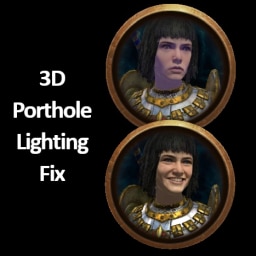
instead of the 3d porthole just being all black on the character

 leaden harness
Hi everyone
I am new here
Planning to install RenoDX for making screenshot art in TW3
I’ve read up there that you guys could make it work even with immerse MXAO?
That’s awesome 👍
Hope to learn a lot from you all
tepid imp
tepid imp
the shader did some SDR shaping towards the end, you just need to modify it to o...
@leaden harness
leaden harness
tepid imp
<@1028247681811894343>
Thank you 🙏
I’m not yet at this step
First gonna install and discover RenoDX in WH3 and play with the settings with reshade
Then I’ll try what you guys wrote
Will write here if I’m lost in something or asking advice
leaden harness

 leaden harness
tepid imp
leaden harness
tepid imp
I installed these ones but it doesn’t seem to change something wether on and off like in the pictures I posted
And I turned windows hdr off on the pictures
I tested with before same I don’t see changes
leaden harness
Nevermind for these weird black boxes it was blood splitting on camera, I disabled it

 vagrant marsh
My game just hits a black screen at start up then crashes to desktop. Could be a me using proton issue but other renodx mods work fine. Reshade works fine it only crashes when using the mod. I noticed the reshade log shows this as the last log
13:31:17:218 [ 604] | INFO | [RenoDX] mods::swapchain::OnCreateSwapchain(swap: r8g8b8a8_unorm => r10g10b10a2_unorm, present mode:0x4 => 0x4, present flag:0x800 => 0x800, buffers:2 => 2, width: 2560, height: 1440)
is TAA on or off?
ive noticed for my game atleast that depth buffer reversed is incorrect but im not sure why tbh
vagrant marsh
placid beacon
is TAA on or off?
I do not think it was a reply to me haha, but I have it off
placid beacon
ive had issues with it off, personally
vagrant marsh
I tried with both - same issue
placid beacon
vagrant marsh
I tried with both - same issue
im not using linux with proton so im not 100% sure but are you using the weyland desktop or another one? its been a while since ive used linux so im not sure if HDR support was ever implemented fully, but IIRC the weyland desktop was the only one that had an implementation for it but IIRC it can be a bit funky
might also be a driver side issue but i think weyland uses its own nvidia driver that has its own set of issues
if you have a second GPU i would personally recommend using a kernel virtual machine to run windows natively alongside linux at the same time, it has a relatively small performance impact but it eliminates compatibility issues entirely
leaden harness
placid beacon
thanks, got it working now (chatgpt narrowed that down immediately) when i speci...
Hi 👋🏻
Could you send me a screenshot on how you managed to get it to work with immerse mxao pls?
plush niche
someone add dlss to this game please
vagrant marsh
placid beacon
im not using linux with proton so im not 100% sure but are you using the weyland...
Yep - I am. RenoDX is working fine in most if not all other games that support it for me.
 opal cloak
Hello, sorry if I'm not in the right spot to ask a basic question, but Im tyring to get started with renoDX for warhammer 3. Do I need to implement any particular reshade tweaks, or do I just place the file in with the exe? can anyone point me in the direction of specific setup directions for warhammer 3?
tepid imp
opal cloak
Hello, sorry if I'm not in the right spot to ask a basic question, but Im tyring...
You need the latest Reshade .dll that has addon support and the pinned reno addon here
both are placed near the .exe
opal cloak
Got it, didmt realize it was that simple thanks
opal cloak
Just wanted to say thanks for working on this. I've been using RTX HDR and your mod does a significantly better job.
 haughty lagoon
Are you guys just using the default preset?
 next current
hello, is this works on warhammer spacemarine 2?
plush niche
next current
hello, is this works on warhammer spacemarine 2?
no, completely different games and engines
next current
plush niche
no, completely different games and engines
i see.. i tried this renodx https://www.nexusmods.com/warhammer40000spacemarine2/mods/207?tab=description but it wont works on gamepass version

Nexus Mods :: Warhammer 40,000: Space Marine 2
Rewrite of the grading pipeline to add HDR and controls for tonemapping, paper white, UI brightness, and color grading.
any idea to get this run on gamepass?
plush niche
@next currentlooks like the thread for that one is over here https://discord.com/channels/1161035767917850784/1357350835851366616
next current
okay thank you
tepid imp
Reworking addon for TW:WH3
They added saturate()s to the menus / UI of all things. Abysmally clips details that didnt even need to be clipped

 tepid imp
Working on fixing Worldmap shadows
pure slop, I cant

Static shadows / Next cascade


But then the main shadows g-buffer doesnt show Next Cascade

Cascade Index just harsh transitions

Vanilla / Modified


Ok we are getting there
so vanilla is doing lerp(current_cascade, next_cascade, fade_weight) which only blends forward
This causes previous shadow to disappear

I did min(current, next) to solve this
leaden harness
You are our hero
tepid imp
Going to fix this sloppa then move on to xegtao
since vanilla SSAO is complete ASS
This shadow bug has been a thing since launch
ts pmo 🥀
leaden harness
Can’t wait to try it


 leaden harness
 leaden harness
This game is beauty


 leaden harness
@tepid imp do you think you will release the updated file this week?
tepid imp
So my shadow fix didnt fix
Game uses some ass cheeks fustrum culling for camera
You can move your camera and notice shadows appearing then disappearing
zoom in and out, come back to the original spot and shadows work
theres no rythmn to what causes the shadows to display properly or not
leaden harness
tepid imp
zoom in and out, come back to the original spot and shadows work
Yep that’s true I noticed when taking screenshots, usually get better shadows when I just zoom in
If I don’t I found it to be less immersive
tepid imp
I rage quit after spending hours trying to debug
I am working on updating POE 2 now
I will return to WH3 later
leaden harness
Np
Still it’s beautiful
Not such a big deal although I’m always happy to try screenshots with the new improvements
Good luck when you come back at it 👍
 verbal crane
leaden harness
This game is beauty
verbal crane
leaden harness
This game is beauty
What's your settings and slider?
leaden harness
verbal crane
What's your settings and slider?

All in game settings to max
4k resolution
And a bunch of mods also that changed map and visual quality of the game
leaden harness
tepid imp
<@437033745686724617> all my screenshots here so far have been using this preset...
I was wondering you’re still using those settings with the actual addon ? Especially the 80 highlights with ultimate lighting mod
I was just tweaking settings again to try getting a sweet spot
 little fern
Hmm...

I installed through RHI and didn't change anything besides, not sure what might be wrong
 wide ridge
i have the same issue
little fern
sadge
 pliant shadow
I'm having the same problem. I installed ReShade using ReShade_Setup_6.7.3_Addon.exe and then added the RenoDX file downloaded from GitHub via Snapshot to the game folder. I didn't change anything else, and the campaign and battle maps are completely black except for a few icons. Did I do something wrong, or is there something wrong with the RenoDX file?
 golden pond
some update must have borked it, getting the same blackscreen
golden pond
To get rid of the black screen, turn off sharpening in the settings. HDR doesnt work however as a update capped it to sdr
little fern
Figured it was an update.
 kindred pivot
Ahh will there be an update? Was so ready to play with Reno and damn it, just SDR it seems after few game updates
drifting wave
kindred pivot
Ahh will there be an update? Was so ready to play with Reno and damn it, just SD...
Special-K HDR is tons better than SDR for this game
kindred pivot
drifting wave
Special-K HDR is tons better than SDR for this game
need to check it out. do you know if it's better than RTX HDR?
drifting wave
General rule is to prioritize HDR in this order:
- Renodx / Luma or Native HDR if its good.
- Special-K
- Reshade Inverse
- RTX HDR & AutoHDR
But honestly SK HDR looks amazing in this game
kindred pivot
Just tested, really great picture, many thanks
 young ravine
Is there any great reshade/reno for ttw3 ?