#Unreal Engine
1 messages · Page 8 of 1
 dusty girder
 bold hawk
yeah
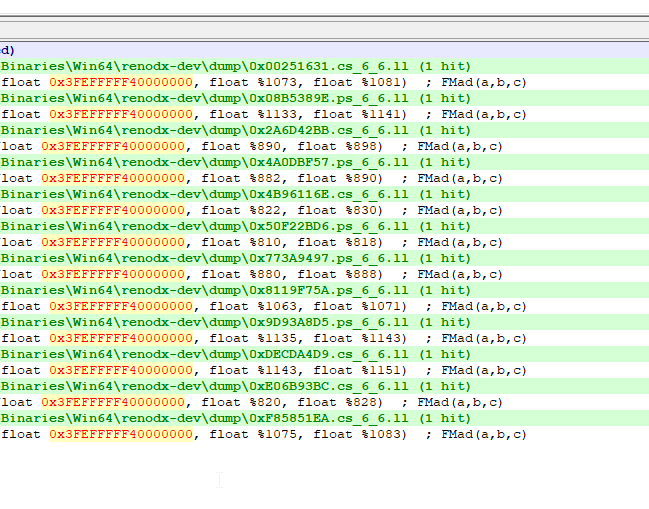 bold hawk
Mb, should've done from the start, but thought renodx-dev dumps were worse somehow
dusty girder
bold hawk
Mb, should've done from the start, but thought renodx-dev dumps were worse someh...
you gotta do a whole song and dance
to dump lutbuilders with the devkit
and it sometimes doesnt work
not all games give you the right ltubuilders during pre-comp
these might all be trash
bold hawk
Got it
dusty girder
the plugin dumps lutbuilders that are actually drawn
aka the game is using them rn
what I'm doing is going through what shader pre-comp gave me
which could be straight up fake news
happens pretty often sadly
this is a big W though
pre-comp dumped a lot of premutations
used in like 500 games
your game actually helped contribute shaders for dozens of games
bold hawk
Yay, did something remotly useful
Well, you did
ofc
Btw, where can I read about different tonemappers? I've tried googling about psycho and others, but got nothing. Is there a site or resource I can check?
dusty girder
almost done
dusty girder
bold hawk
Btw, where can I read about different tonemappers? I've tried googling about psy...
well thats only in #🧪lab
psycho is a made up name
the only difference here is how it tonemaps
newtwo by max ch (default)
newtwo by luminosity (psycho v4)
"different number gets squished"
bold hawk
Thanks, ill read through lab then
dusty girder
ok compiling and prayging
bold hawk
Prayge
bold hawk
Ue+ is really cool. Thank you for it
dusty girder
Still Wakes The Deep
bold hawk
Fixes a lot of stuff
dusty girder
gonna make it default to
native hdr for that game
for the most part whenever a game has a native hdr option, we want to use it
free performance
bold hawk
And working fg, which is even better
dusty girder
it works, i think
sdr -- ue-extended


sdr -- ue-extended
oh yea its working for sure
(game's native hdr on)
the game has grain meming, you can crank up flare a bit


oh no thank god the game has a grain off setting
bold hawk
Ok, np
dusty girder
off to github, that has all the shaders the game has
btw you want the ini tweak for real-time-sliders -- it works now that the shaders are in the mod 
bold hawk
Gotcha, gonna test now
dusty girder
@sullen spoke I added still wakes the deep's native hdr; so that works with UE Extended now too (atleast an hour from this message when it finishes compiling on github)
bold hawk
Yeah, works like a charm. Thank you very much, can finally fully enjoy the game. Also, if I understood correctly, some hue shift and blowout can still be needed for Psycho? Like 10-15?
dusty girder
yea for psycho you can reduce hueshift and blowout to 0
and then slowly bring it up
to what feels right
since psycho blows out naturally
while max-channel doesnt, and needs all that stuff
time to go get breakfast at 7pm 
even with grain off, the black floor is slightly raised due to their colorgrading
you can leave it as is or use a bit of flare (not a lot)
bold hawk
Ok, thanks for the mod and help!
dusty girder
np, enjoy
idk what that game is; but it prolly helped add 50 other UE 5.4 games
bold hawk
It's actually good. I haven't gone far, but so far it's awesome
dusty girder
should just work for the rest of the game, unless the pre-comp was fake news
bold hawk
Well, I'll come back if anything breaks
dusty girder

bold hawk
Also, does Psycho need Per Channel Peak at 5?
dusty girder
leave that alone
bold hawk
Okay
 brave gull
@dusty girder you gonna add extended additions you do to the mods reno wiki?
could add like a seperate checkbox/column for games that work with it on the unreal table
dusty girder
brave gull
<@664732951724032001> you gonna add extended additions you do to the mods reno w...
idk how to go about that yet
maybe I'll make a seperate wiki page for ue-extended, so its not on the mods page
brave gull
it'd be annoying to have to go to two different places for the same thing ngl
why don't you just add another column next to status that has a checkmark if it's verified to work with extended
dusty girder
I'll figure something out
 regal kayak
Oh are you just doing a a straight up 0-100 linear slider there?
dusty girder
regal kayak
Oh are you just doing a a straight up 0-100 linear slider there?
1-11
5 = 500 nits
sec
regal kayak
I did some silly stuff with pow to make the slider feel better to use in the Witcher and some other games
dusty girder
it just controls the hue_reference_color's peak for HueAndChrominanceOKLab()
ReinhardPiecewise(tonemapped_prebluecorrect_ap1, RENODX_TONE_MAP_PER_CH_PEAK, 0.18f));
regal kayak
It’s also inverted so bigger number more blowout
dusty girder
and then that color goes into HueAndChrominanceOKLab()
500 nit ch is more than enough for 99.999% of games for hue/chroma
its just stellar blade is so focused on sdr clip, that it needs 1
dusty girder
regal kayak
I did some silly stuff with pow to make the slider feel better to use in the Wit...
I played around with non linear sliders for hue shift/blowout -- but considering the defaults are 100 its not a big deal imo
the only time you dont want them at 100 is with psycho; and thats still a WIP so I'm not stressed
dusty girder
brave gull
could add like a seperate checkbox/column for games that work with it on the unr...
its up to @placid siren
if it can be a seperate column, or a seperate page; his call
dusty girder
Added tonemapping under UI when using the HDR path (defaults to on)
should blend the UI better when its ontop of something very bright
 rustic lichen
Windrose demo with HDR Engine.ini tweak and UE Extended 
 dusty girder
rustic lichen
Windrose demo with HDR Engine.ini tweak and UE Extended <:chefs_kiss:86452855308...
dusty girder
rustic lichen
Windrose demo with HDR Engine.ini tweak and UE Extended <:chefs_kiss:86452855308...
sliders work?
if its ue5 remmeber you need to add this to engine.ini (make one and set it to read only if it doesnt exist) for real time sliders
[/Script/Engine.RendererSettings]
r.LUT.UpdateEveryFrame=1
the sliders work with that 🙂
dusty girder
ohh ok you already applied it nice
why ini tweaks and not the sdr path? do you want framegen and stuff?
rustic lichen
it has a native HDR option...but the toggle doesn't work in game, just stays on off 
dusty girder
not that theres anything inherintly wrong with ini tweaks
dusty girder
rustic lichen
it has a native HDR option...but the toggle doesn't work in game, just stays on ...
what do you mean
 dusty girder
some unreal games are memes, and only expose it if the game is set to fullscreen
no idea
demo memes
send a pic of vanilla vs. extended
rustic lichen
I tried both the SDR and HDR options, the HDR option with the ini tweak is the only one that worked correctly
dusty girder
just set the tonemap slider to the sdr tonemapper in the mod
dusty girder
rustic lichen
"lense dirt effect" lmao did they just expose every single UE paramater
thats the internal name
older ue addon? generic?
dusty girder
probably because blowout was at 100
blowout does something completelyt different here
but they might use the same setting, I dont think so
rustic lichen
@sullen spoke was saying Styx did the same thing
dusty girder
either way game works, we're all happy
dusty girder
waiting on shortfuse to let me know how to handle documenting all the games with ue extended
rustic lichen
almost wonder if just adding an extra column in the wiki would work
to say it works with UE extended
but I guess if you're adding notes too 
dusty girder
rustic lichen
almost wonder if just adding an extra column in the wiki would work
thats a good idea
but I'm not going to touch anything until shortfuse says its ok
sometimes extended needs notes; so idk
thing is if a game works with extended, you dont really need generic
generic can be a fallback mod for the odd game that extended cant support due to weird issue XYZ
 dusty girder
 sullen spoke
me thinking about the wiki format being changed:
sullen spoke
me thinking about the wiki format being changed:
yea idk, I dont want to break anything
sullen spoke
couldnt get extended to work in crisol, tried with upgrades, tried native hdr
just a black screen
dusty girder
sullen spoke
couldnt get extended to work in crisol, tried with upgrades, tried native hdr
ju...
@sullen spoke disable processing path
if you have a black screen
the processing path is sdr
processing path off = native hdr or ini hdr -- processing path on = sdr path
if you're taking the sdr path, you need to upgrade RGB10A2 output size (at a minimum)
same as generic, cammon guys
you've been using generic for a long time now, that part didnt change
 dusty girder
just do ini hdr
pause menu is busted, but
the gameplay works just fine
path off, and put the ini tweaks in the pins in
if upgrading rgb10a2 does nothing in the sdr path, you might also need to enable upgrade all destinations or w/e that sliders called
sullen spoke
dusty girder
just do ini hdr
we're good man

i should go to bed, im up in 15 minutes 🫡
dusty girder
you set path to off correct
sullen spoke
yeah man
dusty girder
lmk if the game is good
a friend is really enjoying it
we both bought it because
we saw a cool pic of a shotgun with a face on it
sullen spoke
that's high on life 2 isnt it 
 quasi garden
is there a wip page or anything for what settings for what games so far?
rustic lichen
For the regular UE Addon yes.
GitHub
Renovation Engine for DirectX Games. Contribute to clshortfuse/renodx development by creating an account on GitHub.
 pastel sand
rustic lichen
https://github.com/clshortfuse/renodx/wiki/Mods
pastel sand
rustic lichen
https://github.com/clshortfuse/renodx/wiki/Mods
I remember some games here requiring upgrading some of those Output Size things. But now the same game says nothing about it. So probably the modder changed anything and it's not required anymore?
rustic lichen
Sometimes those change with game updates. Or the person who originally entered the wiki settings missed an upgrade slider.
pastel sand
Sorry for the ping @digital raptor, but out of curiosity. I remember Tales of Arise needed some upgrades, but now I just see this: "The bloom occasionally freaks out. SMAA and SMAA + TAA are not supported. Use TAA or disable AA."
 digital raptor
I meant this here
Probably not an issue you'll run into often
I only wrote the bloom part btw, smaa + taa worked for me I think
 polar crest
dusty girder
polar crest
dusty girder
only for stellar blade?
or in general
in general no
stellar blade, for now yes
im eventually going to ship it with stellar blade's defaults built in so
they dont have to do anything
pastel sand
digital raptor
I only wrote the bloom part btw, smaa + taa worked for me I think
Using UE4TAA = true for LUMA. Working great. Maybe I'm confused because when it was not working properly before you fixed it we tried with some RGBA8 combinations. Thanks a lot :))
 eager lynx
Anyone tried Squirrel with a Gun with UE Extended ? 🙂
dusty girder
digital raptor
@digital raptor remnant 2 in native res (no upscaling or dlaa) ahs that same issue with RGB10 upgrades
enable dlss -- no problem
still an issue with generic, since the sdr path is the sdr path
sadly ini tweaks are ass in Remnant2, they dont read them because of co-op anticheat I guess; so you have to use UE4SS
 deep wedge
I get this error and I am unable to download the addon from the pinned link
 dusty girder
github is prolly compiling/launching
since I just merged updates
wait no works for me, strange

try a different browser, idk
deep wedge
I tried all the browsers I had earlier and it wasn't working on any of them but just tried again and it worked
So whatever you did, it worked, thanks
deep wedge
lol. not sure why I wasn't able to download earlier though. Btw is it true that you can dump lutbuilders if you are playing in HDR in game or using ini HDR updrage?
I'm going to try it on reanimal
dusty girder
deep wedge
lol. not sure why I wasn't able to download earlier though. Btw is it true that ...
yes*
so for dump lutbuilders to work, with how things are tooled up for now atleast
you need to have processing path set to the sdr path
so you enable both of those sliders and then run around to dump lutbuilders, get the lutbuilders, and then turn sdr path off
that should be the next thing on my to-do list
dump lutbuilders without needing the sdr processing path code to run; shouldnt be too hard
deep wedge
Can't you miss any lutbuilders this way if they are in the later part or different section of the game?
dusty girder
so
heres the thing
you never want to play with dump lutbuilders on
it straight up destroys performance
dump lutbuilders basically makes the mod into a dev tool
you only want to turn it on if it you feel like something is wrong, get the lutbuilders, and turn it off
never play with it on the entire time
deep wedge
I've heard that before and it makes sense but for the sake of providing you with lutbuilders in case they are missing, I think its ok. I have played with lutbuilders on the regular ue addon before and didn't notice a performance hit though
dusty girder
the dump lutbuilder code is the same
between both addons
a lot of stuff is the same, upgrading resource sliders are the same
the big difference is how the game gets tonemapped
being able to support native hdr or ini hdr is just an added bonus
deep wedge
Oh thats nice so it works in games with native hdr? like returnal and silent hill?
deep wedge
although silent has its own mod as well
dusty girder
and silent hill 2 you're better off using the standalone mod
dusty girder
deep wedge
although silent has its own mod as well
this does all that does
the deep lore why I made this is because the standalone UE mods like clair obscure, silent hill f, wu chang
they're all the codebase more or less
just differnet lutbuilders
I just found a way to re-tool the codebae to make it modular
so now theres no reason to use some of the older standalone mods; unless they have specific fixs like Silent Hill 2
deep wedge
I have silent hill f installed. I can get you those lutbuilders if you want
deep wedge
got it
dusty girder
the silent hill F mod wont be too different, I guess the way it handles sdr luts is older
but it should still be fine
deep wedge
Are you making a standalone addon for silent hill f or is it going to be added to the extended addon?
dusty girder
silent hill f is going to be added to extended
but you can use the current addon for now if you want, its not that big of a difference
silent hill f (standalone mod) uses the extended tonemapper
its actually what this codebase is based on
I took silent hill f, and started to refactor it and move stuff around
fix stuff up
update stuff where its needed
and ofc add support for 1000 more games
deep wedge
I tried the silent hill f standalone but had issues with it. I was playing with u plus as well so it kinda exacerbated those black blotches when I had that mod installed
so had to play without it
deep wedge
its the issue with the game. Foliage is freaking weird in that game
dusty girder
I never played it so I cant comment
for example you still want to use the borderlands 3 mod because that has per-game fixs
deep wedge
This addon has all the lutbuilders for reanimal though? right?
dusty girder
but you want to use this instead of wuchang or avowed
dusty girder
deep wedge
This addon has all the lutbuilders for reanimal though? right?
people sent me some
idk if thats all of them
just try it out
idk what to tell you
deep wedge
and what do you recommend i use for it engine ini hdr or just sdr updagrade?
dusty girder
do you want to use framegen?
deep wedge
no. I doubt I'd need it
dusty girder
you can try the sdr upgrade path then
you might need to upgrade rgb10a2 and stuff
like the generic ue mod
 fallen drum
deep wedge
I tried the silent hill f standalone but had issues with it. I was playing with ...
fallen drum
deep wedge
I tried the silent hill f standalone but had issues with it. I was playing with ...
Problem with SHf is just that the lumen representation of foliage is broken, look at the debug view and lumen basically things that bush is a giant rock
 deep wedge
fallen drum
Problem with SHf is just that the lumen representation of foliage is broken, loo...
deep wedge
fallen drum
Problem with SHf is just that the lumen representation of foliage is broken, loo...
I think it was a rather small team who worked on this game. Maybe thats why they messed up such simple things. I've never encountered such an issue before
deep wedge
All the sliders don't work in reanimal. The only one that works is the UI brightness one and even that controls game paper white instead
This is for ue extended addon. Am I supposed to do something else to get them to work?
Even opening and closing the menu doesn't work
dusty girder
deep wedge
All the sliders don't work in reanimal. The only one that works is the UI bright...
did you paply
the ini tweak for real time sliderrs
ue5 games only apply sliders when the scene changes
or if you add this to engine.ini
[/Script/Engine.RendererSettings]
r.LUT.UpdateEveryFrame=1
the reason the ui slider works is because its not part of the lutbuilder, but somteting else -- which updates every frame by default
changing scenes isnt a big deal in a lot of games
you can load a save, open the equips menu
but that ini tweak is the best way to go about it imo
quasi garden
rustic lichen
https://github.com/clshortfuse/renodx/wiki/Mods
i mean for extended. some work better with ini method, some work better if they have native hdr, etc
rustic lichen
I knew what you meant 🙃
For now though the wiki itself just lists the UE addon, not extended. Have to figure out how to keep track of that info as well
dusty girder
ima make a temporary wiki page sometime soon ™
but the end goal is ue-extended will replace ue-generic when its done
rustic lichen
dusty girder
ima make a temporary wiki page sometime soon ™
if you need help let me know
always happy to help if I can 🙂
dusty girder
it'll be a mini version of the mods page
rustic lichen
gotcha
dusty girder
you guys can add the games thw rok and upgrades if needed for sdr path I guess
quasi garden
extended, ini method, upgrade path off
 dusty girder
what ue version is it
ini "doesnt work" with ue4 and early ue5 iirc (5.2+)
(well it can work with ue4ss)
wait ik that game, its ue4.26
quasi garden
ahh thats probaly it then, 4.2
dusty girder
do you need ini tweaks in it?
if you do I can give you my ue4ss
and it will work (maybe)
outside of that use the sdr path
quasi garden
nah im just testing out the various ue games i have
dusty girder
the ini path is only there if you need DLSS FG or the sdr path's upgrades cause issues for whatever reason
its for powerusers
its not meant to be the go-to default
quasi garden
yeah thats what triggered me to go down the ini path method, FG
quasi garden
thanks ill give it a shot
fatalerror soon as it triggers the exec in the lua it looks like. (with or without reno). ah well, sdr path it is!
dusty girder
rip
also you can still use FG as long as its not transformer FG
like berserker khazan's fg is 3.7.something which works with the sdr path
(wont work with ue-extended, you need the game's standalone mod; game is custom)
deep wedge
dusty girder
the ini tweak for real time sliderrs
This worked. Thank you. I think you should pin it as well so others can find it easily because its kind of an important thing for the mod to function
dusty girder
 deep wedge
oh didnt see that. Great!\
deep wedge
dusty girder
np, I need to make a wiki page
A bunch of lutbuilders for reanimal. Please let me know when the addon is updated. I'll wait till then to play again
Also is it a bit complicated to add lutbuilders to the addon?
deep wedge
I was just wondering if players could upload the lutbuilders to help out and github could assemble and update them to help out
Awesome. Thank you. I'll download the updated one
dusty girder
I need to write up a guide sometime, but @indigo plank was able to figure it out
also AI can do it for you
renanimal was free because it had "named cbuffers" which means I just copy and paste 1 block of code
@deep wedge lmk
deep wedge
I think demo might have different ones because these are all from the first hour of the game
dusty girder
dont play with dump lutbuilders on, it kills pef
deep wedge
It does a bit but its not not too terrible in this game. Thats the only way I can get these for you though

 dusty girder
are you using ini or sdr path
deep wedge
sdr path
dusty girder
deep wedge
try turning off lut scaling? [shouldnt be an issue]
but are you upgrading resources
tbh I'd try the ini path
set path to off, and apply ini tweaks in png
you cant dump lutbuilders, but still
deep wedge
these are my resources. anything I need to change here?
 dusty girder
no idea, its a per-game thing
deep wedge
I'll stick with sdr untill I have all the lutbuilders for now
deep wedge
But I can definitely try the engine ini hdr
deep wedge
I can go there. I'll reload the save. Btw what is causing this?
dusty girder
idk
tell me if the lut strength slider does anything there
also dont upgrade rgba8, thats not usually needed
deep wedge
dusty girder
right now?
Its not supposed to dump lutbuilders if they are already added to the addon. right?
deep wedge
oh i see. I thought the opposite
deep wedge
But i'll make those changes and make a new save and go there again
dusty girder
and if the "lut strength" slider does anything
does it take long?
and was it in the demo?
deep wedge
Yes, it was
dusty girder
was it broken in the demo?
deep wedge
never tried the addon with the demo so can't say but demo was different from the final game
deep wedge
yes and I have it on as well
dusty girder
if it takes long d.w about it
dusty girder
alright
what I want you to do is go to that area
tell me if the lut strength slider does something
deep wedge
I'm happy to check it though
deep wedge
yes
deep wedge
yes, i added that. other sliders work now
dusty girder
[/Script/Engine.RendererSettings]
r.LUT.UpdateEveryFrame=1
alright lmk when you're in tha tarea
dusty girder
deep wedge
also I assume this was on an older version?
deep wedge
yes
dusty girder
that might be the issue, but we'll see when you get there
deep wedge
scene grading sliders also don't work btw but color grading and tonemapping sliders do
deep wedge
got it. I'll check them later when I'm near bright highlights
dusty girder
dont worry about those
dusty girder
deep wedge
@deep wedge do you remember, when you where here; did other sliders work like contrast
and where you using unreal-extended or unreal-generic
deep wedge
dusty girder
<@1162288626785341513> do you remember, when you where here; did other sliders w...
Yes, other sliders was working here before and I was using extended not the generic one
deep wedge
Btw just reached the area again and it looks great. No issues so probably those lutbuilders were messed up
dusty girder
you sure?
btw do me a favor
move the lut slider
lut strength
and luts caling
do they do anything?

 deep wedge
like in other games, I do notice a different by changing lut scaling but here nothing at all
deep wedge
dusty girder
I assume you also disabled r8g8b8a8 upgrades?
yes, I did
dusty girder
deep wedge
like in other games, I do notice a different by changing lut scaling but here no...
not all games have luts (its fine if those sliders dont work)
dusty girder
deep wedge
yes, I did
that might've been what broke it
either way keep playing. lmk if you find an issue
and if you do
deep wedge
could be. let me try again by turning it on. that could also be it
dusty girder
if you want to try sure
dusty girder
deep wedge
these are my resources. anything I need to change here?
these where your old settings
if you find another broken area, make sure to save the game there and ping me
btw what are your peak nits?
are you on a high end tv?
the game is doing like 2000 nits
 atomic oak
I finished Reanimal with the generic unreal reno, no extended, looked all good. Some fog did raise black levels shortly after the end of the demo but that settled.
deep wedge
I didn't check that though but highlights do look really good
dusty girder
deep wedge
I didn't check that though but highlights do look really good
what is it in settings
in the reno settings
deep wedge
I set it my peak which is 1600 nits
dusty girder
atomic oak
I finished Reanimal with the generic unreal reno, no extended, looked all good. ...
extended has those fixed (a lot of the time)
dusty girder
deep wedge
I set it my peak which is 1600 nits
ok yea that makes sense
was it the r8g8b8a8_unorm upgrades that broke that scene?
deep wedge
 dusty girder
huh its 4000 nits strange
atomic oak
ahhhh good. Okay I will apply that for the next playthrough when the DLC gets released, Yes that highlight was peak 😄
dusty girder
maybe its skiv reading the peak wrong
deep wedge
No, I think it was some issue with the lutbuilders because I turned it back on and it still looks great
 deep wedge
I also noticed at the start of the game, things that looks a bit off before looked much better
nope, nothing else besides this
deep wedge
Thank you. At least we figured out the issue.
I'll dump more lutbuilders so you can update them when I notice an issue
dusty girder
are you using other mods?
deep wedge
No, I'm not using any other mods besides the ue extended addon
dusty girder
alright
quasi garden
36 new luts - ive noticed with a lot (all?) of these, the peak nits is limited by both the peak nits slide, AND the ui brightness slider
 left ferry
I just tried to look at the lutbuilders of this game, ini tweak made the game oversaturated?
(stellar blade)
dusty girder
left ferry
I just tried to look at the lutbuilders of this game, ini tweak made the game ov...
stellar blade dont work with ini tweaks
game does something griefed
when its in ini tweaks or native hdr
needs sdr path
or a custom mod
dusty girder
I've done a bit of cleanup on the tonemap selection for now
I've removed NRG since that was pretty meh for this mod
right now whats left is N2 Max Ch (default, didnt change), and N2 LMS (just psycho v4 renamed)
eventually only one will be left, probably N2 LMS
left ferry
dusty girder
or a custom mod
I fixed that crap by bypassing the subsequent shaders that mess with brightness
5000 nits peak is now back to correctly controlled peak slider
so the main benefit of Engine ini is Frame Generation, correct?
I can send you the files if you want
dusty girder
left ferry
so the main benefit of Engine ini is Frame Generation, correct?
not just that
performance, sometimes resource upgrades also grief the game visually
dusty girder
left ferry
I fixed that crap by bypassing the subsequent shaders that mess with brightness
there should only be a compute shader for
sharpening
but send me whatever, I'll take a look later
left ferry
dusty girder
but send me whatever, I'll take a look later
GPT tells me its sharpening too, I find the cs shader a bit difficult to read, but looks like sharpening on top of PQ inputs is the treason here
dusty girder
also
another reason ini hdr might not work
unlike most games that are already hdr rendered
stellar blade is 8 bit
so ini hdr might still be ass
dusty girder
left ferry
GPT tells me its sharpening too, I find the cs shader a bit difficult to read, b...
those are postfx shaders, but you have to respect what they're doing
sometimes its nothing
sometimes its an effect
code vein 2 has one of them, and I just do PQ -> srgb, run the code, and then back to PQ
since code vein 2 is ini hdr, it expects an srgb color
that shader controls the shadows for example
left ferry
okay
 eternal shell
Is this the right place to put new lutbuilders?
Older game, but it doesn't seem to work right. Figured I'd dump these.
ini tweak is SUPER washed out, so I'm guessing that's not gonna work here either.
left ferry
dusty girder
code vein 2 has one of them, and I just do PQ -> srgb, run the code, and then ba...
thanks, I think this does the job in StellarBlade
dusty girder
left ferry
thanks, I think this does the job in StellarBlade
I have the includes for those function in the /games/ folder
just wrap them in "if path == 0"
so they only run in the hdr path, and not sdr path
also remove the max(0
 ornate saddle
So it was a bit hard to follow since so many games kept coming up, but where did UE-Extended land with Tales of Arise support? Is it all good now?
 west canopy
the new tonemappers look incredible. you going to keep all of them? I like having options
dusty girder
@west canopy there has only ever been 1 tonemapper! UE Filmic Extended!
the N2 Max Channel/N2 LMS isnt really a tonemapper, its called a displaymapper; a "simple tonemapper" that has the mod output to your peak nits
the only difference between them is how they blowout really
I've originalyl had 3 to test, cut down to 2 because one of them was useless for what we do
and I might just default to N2 LMS tbh (was wrongly named psycho4 before)
even with 0 hue/0 blowout it has a real nice ammount of blowout; and then you can crank up hue shift/blowout a bit if you want well blowout
sdr reference
1 = N2 Max Ch, 5 per-ch peak, 100 hue shift, 100 blowout (current defaults)
2 = N2 LMS, 0 hue, 0 blowout
3 = N2 LMS, 0 hue, 50 blowout
I've personally been playing games with N2 LMS, 0 hueshift, ~30 blowout
west canopy
dusty girder
sdr reference
1 = N2 Max Ch, 5 per-ch peak, 100 hue shift, 100 blowout (current...
so basicaly I can achieve the same results on N2 adjusting the per channel peak?
dusty girder
N2 what
max ch or lms
n2 lms is the same thing as the psycho beta4 slider
in slightly older versions
same exact thing, just renamed the slider
west canopy
I was comparing (using defaults per channel peak 5)
1=sdr
2=N2 max ch (looks most saturated but a little "flat")
3=NRG (looks slightly more "detailed" with some of the blue going whiter and brighter, similiar to if I adjust N2 per channel peak to 3)
4=psychobeta4 (looks like in between and I like this one the most, it's saturated and punchier at the same time)


 dusty girder
west canopy
I was comparing (using defaults per channel peak 5)
1=sdr
2=N2 max ch (looks ...
dusty girder
west canopy
I was comparing (using defaults per channel peak 5)
1=sdr
2=N2 max ch (looks ...
nrg is depricated
well first off
download the new version
so we can talk about the same things
the new version will only have 2 options
-> N2 Max Ch
-> N2 LMS (formely known as Psycho)
NRG is dead because its kind of useless for what we're doing
west canopy
colors are different on psycho too
dusty girder
but yea LMS/PSycho is usually the best
but you gotta drop hue shift and blowout to 0
and then slowly raise it abit
west canopy
oh
dusty girder
west canopy
colors are different on psycho too
the defaults (N2 Max CH, 100 hue shift 100 blowout) are there to match sdr very closely
west canopy
actually in this example I just like psycho with 100/100 the most
dusty girder
west canopy
actually in this example I just like psycho with 100/100 the most
thats why the sliders are there, if you like blowout thats fine
I also like blowout
but yea asperigous works fine out of the box? nice
west canopy
just needs one of the ussual upgrades
oh you meanw ith this addon?
are there some games that just dont work?
west canopy
old psycho vs new LMS both at 100/100, woldn't change anything

 west canopy
 dusty girder
I just removed NRG
dusty girder
west canopy
old psycho vs new LMS both at 100/100, woldn't change anything
try 0 hue shift 50 blowout
you'll get more color
and it should still look good
with N2 LMS
west canopy
oh i see now
this is kinda intertwined, adjusting just one of them doesn't do as much

well it's nice but overly saturated for my personal taste, specially on qdoled
i love my blowout
dusty girder
use whatever you like then
west canopy
west canopy
west canopy
yeah its on S95F
dusty girder
nice
west canopy
but it looked just as good on the C2 just less bright
is it normal to get so much DCI P3 out of it?
i've never seen it this high
and a solid 1% BT2020
dusty girder
west canopy
is it normal to get so much DCI P3 out of it?
the % doesnt matter
look at the graph
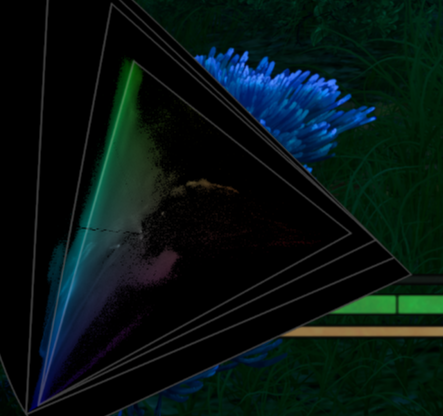
its almost all inside of bt709
its just a few colors on the side going out
dusty girder
the graph might read something on the edge as p3 when its lets say bt709
and even if its 1 pixel
it will go "100% p3"
looks good though, enjoy
west canopy
dusty girder
the graph might read something on the edge as p3 when its lets say bt709
does this tell more?
 west canopy
pretty based. looking "good" can be very subjective tho 
funnily enough, my initial reaction on the C2 was (as ussual) this needs to be a little brighter, where's my Liliums HLG booster? but on S95F it's "this is too bright, neeed to reduce game brightness to 150 (as ussual) it just shows how quickly low nit oleds are ABLing you don't even want to know i think it's much worse than most think
west canopy
dusty girder
looks good though, enjoy
thanks for your work 🙏
btw someone was asking does it work all good in tales of arise now? was there an issue?
I asked this before but I'm still amazed at what kind of trickery Lilium's HLG is doing; even when compared to a technically higher peak native setting (hitting 2200), the 1800 peaks with HLG the overall highlights just look brighter? Lilium said it's "stretching the image" which I think it means it's making more of the highlights brighter around them or something doing some tricks with the contrast? no clue but it always adds that extra pop if the image looks dull


 west canopy
dusty girder
but yea asperigous works fine out of the box? nice
west canopy
dusty girder
but yea asperigous works fine out of the box? nice
actually I noticed, some temporary shader effects makes the game break into SDR, might need to try a few more upgrades

it happened when activating the bonfire and whem that mob started casting a spell
dusty girder
if something becomes sdr, its an upgrade issue
try upgrading r10g10b10a2_unorm output size
dusty girder
west canopy
I asked this before but I'm still amazed at what kind of trickery Lilium's HLG i...
these mods are not made for use with reshade fx
you can get better results cranking up the highlights slider, but "real hdr" isnt supposed to be bright for the sake of being bright
but at the end of the day play however you want
west canopy
I agree. I do like how the HLG changes the contrast, it's not just for the highlight increase. What I was pointing out tho was why it feels brighter when the analyzer is reporting less nits? (maybe looking at the heatmap could tell more)
west canopy

 ebon dome
oh right, sorry, my bad, I forgot I'm not allowed to have cheeky fun
west canopy
ebon dome
oh right, sorry, my bad, I forgot I'm not allowed to have cheeky fun
Nooo, I didn't mean this in a bad way at all 
ebon dome
my bad, I'm just too used to getting dragged for my weird and whiplash taste in games
a goofy platformer is exactly what I need after RE9
west canopy
I like my vibrant goofy platformers too
It's why I posted the meme 😅 just makes me smile every time, no matter the context good or bad
dusty girder
idc what ya'll use, if you like your game fried; god bless enjoy the game
only thing is if you ask for support, please make sure all the "extra stuff" is off
regal kayak
ue extended works great in ninja gaiden 2 black
dusty girder
regal kayak
ue extended works great in ninja gaiden 2 black
@regal kayak dose native hdr on work?
it should, I got all the generic shaders for ue 5.1-5.4
and composite
if native hdr works, please send me reshade.log so I can enable auto-hdr path in addon.cpp
or you can do a PR if you want
all native hdr games are on the bottom of the default list
regal kayak
yeah
regal kayak
[RenoDX] No default settings for NINJAGAIDEN2BLACK-Win64-Shipping.exe ()
dusty girder
I thought @untold wadi made a NG2 mod, but guess not
dusty girder
regal kayak
```[RenoDX] No default settings for NINJAGAIDEN2BLACK-Win64-Shipping.exe ()```
exe name it is
regal kayak
that was ng4
regal kayak
I think game pass has a different exe name
dusty girder
mortal kombat 1 has a ™ in its product name
regal kayak
lol
dusty girder
regal kayak
that was ng4
I know NG4 has a mod
dusty girder
regal kayak
```[RenoDX] No default settings for NINJAGAIDEN2BLACK-Win64-Shipping.exe ()```
I'll PR this later then, nice find
regal kayak
there might be one for ng2 sigma, idk
dusty girder
the sigma ones are @digital raptor
those arnt UE
I thought he made a wu chang type mod
using ue-extended (older version)
regal kayak
regal kayak
I think game pass has a different exe name
but yeah iirc game pass will be NINJAGAIDEN2BLACK-WinGDK-Shipping.exe
though if it's case sensitive, I wouldn't bet that that's right lol
dusty girder
regal kayak
but yeah iirc game pass will be NINJAGAIDEN2BLACK-WinGDK-Shipping.exe
good call
yea its prolly case sensitive
thats why I like product name
regal kayak
though could always do the check with tolower
dusty girder
not a rush
what mods are on the modlist
that are more or less the older ue-extended
just lutbuilders
like Wu Chang is an example
I'm not talking about stuff like borderlands or even Clair33; where the game needed fixs
regal kayak
like which mods had dedicated mods?
dusty girder
yea
that is more or less just lutbuilders only
not trying to step on anybody's feet; but this is something that will get maintained
regal kayak
hmmm I think Wukong might have been somewhat custom
dusty girder
so something like avowed is going to point to UE-extended, no reason for a tonemappass only mod to stay up (I already talked to ritsu)
regal kayak
when this is fully polished up I plan on just directing people on my nexus page to this for Wuchang
dusty girder
regal kayak
hmmm I think Wukong might have been somewhat custom
idk whats the deal with wu kong, @digital raptor tried to explain it long ago
didnt get it
regal kayak
I simply can't remember
though it would have been explained to me when I wouldn't have really gotten it
dusty girder
ritsu said clair can be replaced with this too
but idk that game has a few output shaders, but if they're just for grain thats not a big deal
its effects I'm worried about
maybe if I ever go kill the last boss I'll look into it
worst case scenerio I throw the effects into /games/clair33/
@regal kayak is NG2 fun
I heard its peak ninja gaiden
I played ng1 sigma some time ago; I had a lot of fun
got to chapter 7-8
regal kayak
ng2 is great imo
dusty girder
and idk why but something new came out
and stopped
I heard 2 is like 1 on steroids
regal kayak
well...parts of it are
combat design is peak
boss fights suck ass
level design is a mixed bag
it's an uneven game, but if you like the combat it's well worth playing
a lot of people will tell you to play the original though. I haven't played through the original since I played it back in the day on 360, so I can't really remember. In a vacuum, I like ng2black enough.
dusty girder
yea I had a ton of fun in 1 sigma
whats 4 like btw
is it a good addition
or like most sequals nowadays, mid
regal kayak
I didn't finish my run but it's good. It's definitely a platinum game though.
if ng4 were a game that came out right after ng2, I think it would be a disappointment, but considering that ng3 happened and then we didn't get any ninja gaiden games for ages, it's a good entry
dusty girder
I heard 3 was a bit disapointment
1 good, 2 better, 3 rip
btw the current per channel peak which controls the hue/chroma input color was tuned around code vein 2; which looks good at 5 (500 nits) or 0 hue/0 chroma with LMS
since LMS looks good at 0/0 I decieded to keep it at 5
5 is still HDR hues, but closer to "looking the same as SDR" if that makes sense
tl;dr you can increase it for more colors with Max Ch
regal kayak
sick, ue extended seems to work with dbz kakarot
dusty girder
regal kayak
sick, ue extended seems to work with dbz kakarot
unless the game does something crazy like shaders after the lutbuilder
should just work
I assume thats not the DBZ game
that had the crazy custom code
and super bad native hdr
regal kayak
nah, but it didn't work with the old mod
dusty girder
I dont have all the lutbuilders generic has yet
maybe most of the important sm6 ones, not a lot of sm5
dusty girder
regal kayak
nah, but it didn't work with the old mod
really?
move the lutslider back and forth
does that do anything
regal kayak
wait, idk if I ever tested it with the "remaster" that came out
dusty girder
unless its a wu chang lut meme, generic should still work
unless per-ch correction griefs something with the default settings
also I only added this for now, gamepass can wait
        {
            "NINJAGAIDEN2BLACK-Win64-Shipping.exe",
            {
                {"Set_Path", 0.f},
            },
        },
yeah idk, there was a weird sun glare shader that comes after tonemapping that's still here in this remastered path. This shader griefed things
for some reason it's just not now 🤷

 dusty girder
if it works it works
hdr vs sdr?
I get autistic about like the rocks in the background
should they be white
or should they be the color they are
either way looks good, try out LMS too (turn off hue/chroma)
regal kayak
that was LMS, though with some per channel blowout to not have blue clouds
game needs some hue too, pink flames
dusty girder
regal kayak
that was LMS, though with some per channel blowout to not have blue clouds
what I like doing is
lms + 30-50 blowout
hue depends on if it needs it
dusty girder
regal kayak
game needs some hue too, pink flames
does max ch 5/100/100 "just work" ?
regal kayak
if you wanted to add it, name is DRAGONBALLZKAKAROT
dusty girder
it has native hdr?!
regal kayak
dusty girder
does max ch 5/100/100 "just work" ?
yeah, though it can target a higher number
regal kayak
dusty girder
it has native hdr?!
no, needs an upgrade
dusty girder
regal kayak
yeah, though it can target a higher number
5 is a safe number
dusty girder
but yea the idea is 5/100/100 (5 is a conservative number) max ch should work out of the box
most games can go above 5
no pink flames, etc.
lms might need some tuning depending on the game; but its usually the nicer option
regal kayak
hm, guess the pause menu breaks a bit (not in an unuseable way)
dusty girder
regal kayak
hm, guess the pause menu breaks a bit (not in an unuseable way)
is it ue5?
regal kayak
no
regal kayak
it seems like it takes a screenshot of the game and displays it in the UI when you pause, and that's just a black screen with renodx
dusty girder
what does it do?
regal kayak
but it could be just an overlay that doesn't work right
dusty girder
regal kayak
it seems like it takes a screenshot of the game and displays it in the UI when y...
I ran into something like that in antoher game
not ue
it was because I was upgrading the little window the screenshots are displayed through
but in UE, all UI elements get drawn to the swapchain
aka auto upgraded
dusty girder
I mean no reason it wouldnt
are there any shaders after the lutbuilder
well the lutbuilder sample shader
you can try ini tweaks
regal kayak
dusty girder
I mean no reason it wouldnt
yeah that's why I was confused lol
dusty girder
is the game 11 or 12
dusty girder
regal kayak
but yeah I'll just have to add the post tone mapping shaders
unless its grading
sometiems the issue is just removing a max 0
or saturate
if its grading thats a whole bad of worms
but gn
digital raptor
@dusty girder @regal kayak wukong was the only game to keep its sdr grading with forced ini hdr, but that also capped it to sdr essentially. and it's the only UE5.1 nvidia branch game so it didn't make sense to include the lutbuilders in the UE mod, nothing else uses them
digital raptor
regal kayak
when this is fully polished up I plan on just directing people on my nexus page ...
@dusty girder I can send you the CSOs if you want to include them in extended, then I'll do that as well
 thick belfry
regal kayak
ue extended works great in ninja gaiden 2 black
thick belfry
regal kayak
ue extended works great in ninja gaiden 2 black

Maybe I will finally finish the game now
dusty girder
digital raptor
<@664732951724032001> I can send you the CSOs if you want to include them in ext...
@digital raptor sure
also 0xA6EBE600 (composite shader) if you have it
BMW would really benefit from
ue-extended
its on the old upgradetonemap code
it has sdr luts, so handling those properly would be nice
digital raptor
dusty girder
<@208960001807613952> sure
digital raptor
dusty girder
it has sdr luts, so handling those properly would be nice
yeah for sure, will be a big upgrade
dusty girder
wonder if this will work in the sdr path
even though you dont want the sdr path because of FG and all that, heavy game
// Correct gamma in final shader causes issues with FSR3 FG thats a first
I try to do as little as possible in the composite shader because it runs every pixel, while lutbuilder code is "free" (32x32x32 lut)
digital raptor
dusty girder
` // Correct gamma in final shader causes issues with FSR3 FG` thats a first
I just copied that from Ritsu I think 😅 from his stalker mod
dusty girder
I mean nobody with fsr fg complained
color = renodx::color::bt709::clamp::BT2020(color); this bad now
gamut compress
digital raptor
yea true
dusty girder
I gamut compress to bt2020 (only in the sdr path)
sec
  color.rgb = renodx::color::bt709::clamp::AP1(color.rgb);  // clamp to AP1

  // Gamut Compress to BT2020
#if 1
  color.rgb = renodx::color::bt2020::from::BT709(color.rgb);
  const float MID_GRAY_GAMMA = log(1 / (pow(10, 0.75))) / log(0.5f);  // ~2.49f

  float3 encoded = renodx::color::gamma::EncodeSafe(color.rgb, MID_GRAY_GAMMA);
  float encoded_gray = renodx::color::gamma::EncodeSafe(renodx::color::y::from::BT2020(color.rgb), MID_GRAY_GAMMA);

  float gamut_compression_scale = renodx::color::correct::ComputeGamutCompressionScale(encoded, encoded_gray);

  float3 compressed = renodx::color::correct::GamutCompress(encoded, encoded_gray, gamut_compression_scale);

  color.rgb = renodx::color::gamma::DecodeSafe(compressed, MID_GRAY_GAMMA);
  color.rgb = renodx::color::bt709::from::BT2020(color.rgb);
#endif
the ap1 clamp is just to catch any stray nans
lots of pows
the colorspace you run gamut compress in
is the colorspace it compresses to
replace bt2020 with 709, it will gamut compress to 709
digital raptor
makes sense
dusty girder
or ap1 (pls no)
dusty girder
 autumn musk
oh I guess its a version that works with native hdr
autumn musk
oh I guess its a version that works with native hdr
thats just a minor feature 
 covert python
been struggling to find a way to explain what extending a tonemapper means in this context to normies
dusty girder
covert python
been struggling to find a way to explain what extending a tonemapper means in th...
"its better"
dusty girder
@digital raptor do you still have wu kong installed and mind testing?
or anybody tbh
this is when my shitty AI is smart, and doesnt just guess based on packet offset
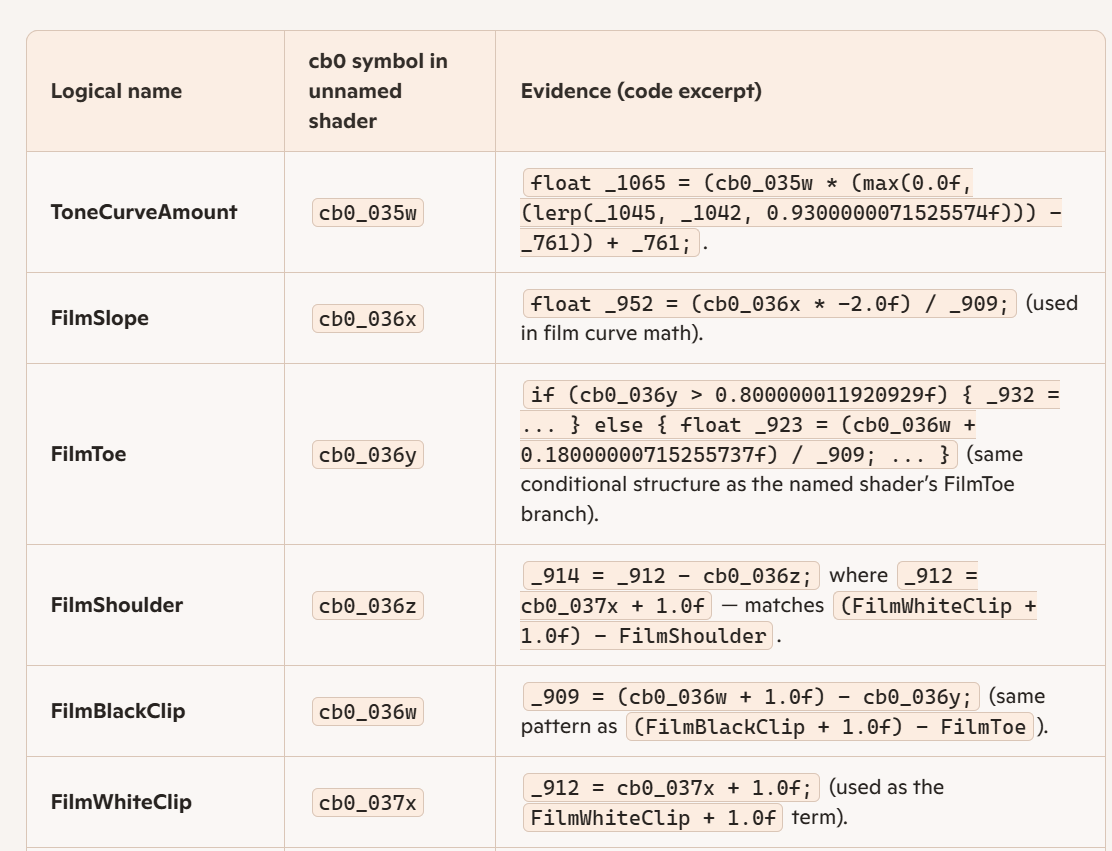 dusty girder
BMW works with Unreal Engine, all SDR luts seem to not be griefed either
waiting on @mild hazel to share some good sdr vs. hdr
@digital raptor
sdr vs. hdr
regal kayak
I can test this some now if you want @dusty girder
depending on how it works, lut scaling might be a big deal with this
regal kayak
I see that the shaders were pushed, gonna test now
oh btw marat, the native HDR path should probably include a check for if HDR is detected or not and to use the vanilla code if not, just to make it a bit more polished
the lut scaling in this is peak for wukong


looks super natural
looks better not maxed out though
imo at least
left ferry
regal kayak
the lut scaling in this is peak for wukong
can you help me explain about lut scaling?
it seems to correct some raised black level
dusty girder
regal kayak
I can test this some now if you want <@664732951724032001>
@regal kayak sorry I was napping
dusty girder
regal kayak
the lut scaling in this is peak for wukong
lets go
when akuru sent me the lutbuilders and I saw 2 sdr luts, I was like "no way UTM handles this"
dusty girder
regal kayak
oh btw marat, the native HDR path should probably include a check for if HDR is ...
unreal is super ass about that, esp with ini tweaks
sometimes it will only be a hdr swapchain multiple frames into the game
regal kayak
that should be fine, it's a continuous check
dusty girder
problem is
so the path slider does 2 things
- shader code for intermediate encoding
- sets swapchain::Use() or not
frame 0 swapchain::Use() gets set, and if its on or off, its a rip
if its on and later gets turned off, all resources are already upgraded
still needs a restart
regal kayak
I don't mean to set it dynamically, I mean just if you manually set to use native hdr you can make it so it doesn't break SDR
every once in a while we get people that want/need HDR and SDR to work at the same time with reno mods, and that would be a good way to support that
you just check on init swapchain
dusty girder
if you dont need the resource upgrade stuff, the shader code updates in reral time
moving the slider
ohh nvm
I missed somethng
you want sdr support
sorry
regal kayak
not even like, mod functionality or anything, just not fucking up the colors and shit
dusty girder
I thought you wanted sdr upgrade path or ini/native hdr path
the actual sdr output never even came to mind
regal kayak
gotcha lol
regal kayak
left ferry
can you help me explain about lut scaling?
basically if a black raise is baked into a LUT, we can see that in the texture so we can scale it however much it needs to reach 0 nits.
so it's a "correct" fix for it. As correct as doing what we want with the color grading can be anyway
dusty girder
its built into renodx's lut sampling
regal kayak
god this game throws around a lot of brightness, kinda forgot
dusty girder
regal kayak
god this game throws around a lot of brightness, kinda forgot
yea the white snow will be straight up peak nits
regal kayak
dusty girder
I guess it could go on the to-do list
I could add it in if you want
dusty girder
sure, but later on
I still have addon.cpp stuff to do; and I might move stuff around
but when I'm done messing with it, that would be really nice
regal kayak
regal kayak
god this game throws around a lot of brightness, kinda forgot
100 game brightness, 10k peak
 dusty girder
I got a better one
this is like 1.3 peak (the 10k peak is the meme dlss overlay)
those pics are still sub-100 average
and have range
anime games can easily do 100 average nits, and have no range
 dusty girder
regal kayak
203/980
dusty girder
regal kayak
203/980
still sub 100 average
anime games could easily go to 100 average nits
 dusty girder
regal kayak
they saw this and said "we cooked, ship it"
dusty girder
regal kayak
they saw this and said "we cooked, ship it"
they probably saw a whole lot of clip
regal kayak
this area is so deep fried that you can visibly watch the steps in the auto exposure adjustment
dusty girder
btw this is the only ue game that works with only 1 ini tweak (enable hdr) -- might be nvidia branch related stuff idk
dusty girder
regal kayak
203/980
@regal kayak for memes see if its this fried with ue-generic
I got a bit of post-tonemap colorscaling stuff that I yoinked from ue 5.4
but use it accross all UE versions
regal kayak
ue generic doesn't work
regal kayak
it is
dusty girder
oh ok
regal kayak
I remember this area
dusty girder
  float3 scaled = cb_config.ue_colorscale.xyz * (((cb_config.ue_mappingpolynomial.y + (cb_config.ue_mappingpolynomial.x * bt709_tonemapped)) * bt709_tonemapped) + cb_config.ue_mappingpolynomial.z);

  float3 output = ((cb_config.ue_overlaycolor.xyz - scaled) * cb_config.ue_overlaycolor.w) + scaled;
this stuff slightly changes between UE version, and this is the UE 5.4.4 code from code vein 2; but the results are identical
I think all the versions do the same math, it just decompiles differently
also there is a world where apparently that code isnt even needed, because all thsoe cbuffers at 1 look the same
it might just be ingame brightness related memes
digital raptor
tested UE extended in wukong, looks awesome, really benefits from lut scaling
thanks for adding them
@dusty girder only thing I noticed was that UI is way dimmer and washed out (50 nits at 203 UI)
oh and if you lower blowout with n2 max ch there are artifacts
dusty girder
digital raptor
<@664732951724032001> only thing I noticed was that UI is way dimmer and washed ...
yea idk what to do about it yet
I have tonemapping behind UI setup; but that blends
a lot of UE likes an opaque ui
but apparently opaque ui griefs framegen
like if you look at the vanilla composite shader, it outputs 1.f for alpha
extended outputs the actual alpha
idk whats the best way of dealing with it ngl
sometimes blend is nice, sometimes opaque/vanilla is nice
dusty girder
digital raptor
oh and if you lower blowout with n2 max ch there are artifacts
thats a wierd one
@digital raptor what colors artifact?
I'm testing n2 max ch on blues, its fine
digital raptor
just highlights
dusty girder
playing with blowout and hue


 digital raptor
wait let me test
dusty girder
I cant think of what would cause it to grief ngl
it runs right after extended tm, and all the games I've tested (with and without lut) where fine
what about saturation and stuff, does that grief
did you restart the game after disabling upgrade path?
dusty girder
no
but you have to turn the sdr path off manually
and then restart the game
in advanced -> upgrade path
set to off and restart
its not set as a default off for wu kong
dusty girder
nah its my fault
still beta, not communicated
for native hdr games I default it off
idk what to default it to with wu kong
makes sense why ui might've been extra griefed
double ui processing
digital raptor
yea I just noticed that there were NaNs everywhere in the game scene if you lowered UI brightness xD
but that was just due to upgrade path on ig
dusty girder
on = sdr path
off = native hdr/ini
I set known native hdr games to turn it off by default
in addon.cpp defaults
dusty girder
almost shit my pants
dusty girder
to be fair
it is still dimmer than staic
this is what I mean by default is opaque sec
the poopoo green in native hdr no mods is from gamut expansion/exposure memes
digital raptor
you mean how the logo for example is less legible here?
dusty girder
yea
vanilla is an opaque ui, mod is blending
also the lower brightness prolly helps
digital raptor
ah ok, yea
dusty girder
I'm surprised the game even worked for you on the sdr path
and you didnt get the good ole ue black screen
digital raptor
same xD
dusty girder
until you upgrade rgb10a2
digital raptor
dusty girder
and you didnt get the good ole ue black screen
I did, and upgraded
dusty girder
digital raptor
but then the game scene at defaults looked normal
even though I had upgrade path on
dusty girder
and ini tweaks
so the composite shader was drawing
I have no idea what cursed setup was going on
digital raptor
regal kayak
this area is so deep fried that you can visibly watch the steps in the auto expo...
yea I should've modded and toned down auto exposure
potential candidates for it don't seem to decomp properly though
Function name: @dx.op.waveActiveBallot
"0x1B1214D0.cs_6_6.cso": Unknown assign function name```even with bin2hlsl
shortfuse's decomp runs into issues with a handful of CS
like sharpening and stuff
@kindred cedar knows where UE does stuff
he helped me find bloom once
and how they calculated it
maybe he knows where autoexposure is
even though I have a feeling that might be lutbuilder stuff, pre untonemapped ap1
digital raptor
dusty girder
even with bin2hlsl
I think that might have worked, let me check
digital raptor
dusty girder
maybe he knows where autoexposure is
ShortFuse added eye adaptation for oblivion, and my 2 shaders definitely don't look like it
but if I disable them via devkit, auto exposure is gone
dusty girder
digital raptor
ShortFuse added eye adaptation for oblivion, and my 2 shaders definitely don't l...
I think oblivion was an fx shader that came after the lutbuilder
dusty girder
digital raptor
but if I disable them via devkit, auto exposure is gone
if its a game specific shader, you can throw it in /games/bmw/[etc]
if its too custom, maybe copy the codebase
and make a better bmw mod
problem is if you need a slider to control it, idk if its a good idea to add per-game sliders to the ue-generic addon
digital raptor
idk they built the entire game around auto expo
you can't really do much
if you try to limit it a tiny bit, dark scenes are too dark etc
dusty girder
digital raptor
idk they built the entire game around auto expo
and you have people that prolly like
dusty girder
regal kayak
203/980
this
techinacly nothing is wrong
the sun is peak nits, and shining through
just unpleasant for normal people
sullen spoke
@dusty girder Of Ash and Steel looks to work out the box with ue-extended
 dusty girder