#[SEE NEW THREAD]
1 messages · Page 21 of 1
 frozen saffron
 coral thorn
I hate unreal engine so much, it's unreal

 frozen token
Update I think my monitors default contrast setting for the hdr 1000 mode was borked some how
 rigid yoke
is it normal now
rigid yoke
 frozen token
Like no joke it was I think 53 and I have it at 85 now
Na shits cursed never look at peak 1000 mode again
rigid yoke
frozen token
Update I think my monitors default contrast setting for the hdr 1000 mode was bo...
wait your oled has configurable settings at hdr 1000 mode?
or maybe you're mistaking contrast in 1000 mode as ABL or somethign?
is it about gamma?
frozen token
Abl stabilize it the only thing locked down in this mode strangely
rigid yoke
frozen token
Update I think my monitors default contrast setting for the hdr 1000 mode was bo...
like 1000 is washed out vs tb400?
frozen token
rigid yoke
like 1000 is washed out vs tb400?
yes
rigid yoke
i don't research much about oled but
nvm imma leave it to OLED gamma/eotf experts here
that shouldn't happen though is what i mean
 rigid yoke
we roll the luck dice if he will be gud or bad mood 
 rustic oriole
frozen saffron
do you want my gameplay footage? honestly I can't seem to replicate it again lol...
rustic oriole
frozen saffron
do you want my gameplay footage? honestly I can't seem to replicate it again lol...
yes bro gib
 dusty tiger
coral thorn
I hate unreal engine so much, it's unreal
dusty tiger
coral thorn
I hate unreal engine so much, it's unreal
I get either Error 690 or UE4 crash error.
Yesterday I crashed I think 5 times...
frozen token
 dusty tiger
I was going to grab a screenshot from yesterday's stream when it crashed one of the 5 times. But I remembered that the error msg doesn't show up on stream. RIP
 tepid pendant
dusty tiger
I was going to grab a screenshot from yesterday's stream when it crashed one of ...
tepid pendant
dusty tiger
I was going to grab a screenshot from yesterday's stream when it crashed one of ...
Pretty sure it automatically goes into your clipboard when it crashes.
Not like its any useful, but it does.
dusty tiger
tepid pendant
Pretty sure it automatically goes into your clipboard when it crashes.
It does
 tawny geyser
Y'all running with DLSSFix? My game's not even getting past the boot stage.
dusty tiger
But I don't think it's super helpful unless someone were to try and figure it out. I'm not a code guy so it's all klingon to me.
dusty tiger
tawny geyser
Y'all running with DLSSFix? My game's not even getting past the boot stage.
DLSSFix is kind of jank. If you can't boot it's either because you don't have a 40/50 series gpu or you don't have the .ini configured right.
tepid pendant
What is dlssfix even supposed to do, again?
tawny geyser
Got a 50 series GPU and have configured the ini file according to a pinned message 
I think it has something to do with the Reshade version I'm using. Gonna try downgrading to Reshade 6.6 and test.
dusty tiger
tepid pendant
What is dlssfix even supposed to do, again?
Allows you to use DLSS4 /w FG & Reno
tawny geyser
tepid pendant
What is dlssfix even supposed to do, again?
Stops the Godawful flickering that happens when you enable Frame generation + DLSS with the RenoDX mod.
tepid pendant
dusty tiger
Allows you to use DLSS4 /w FG & Reno
Theoretically it already works with Reno, but it only works in SDR
dusty tiger
tawny geyser
Got a 50 series GPU and have configured the ini file according to a pinned messa...
That could also be it. You have to use Fuse's specific version of Reshade.
tepid pendant

tawny geyser
dusty tiger
That could also be it. You have to use Fuse's specific version of Reshade.
Just tried that from the welcome message pins. Still not booting.
tepid pendant
The game at least on my end doesn't flicker or is weird with Reno with XeFG on SDR
tawny geyser
I always wrestle with WuWa HDR.. when will they have their own HDR solution? All these updates and no native HDR?!
It's either pick this or pick that. You have to live with some flaw.
tepid pendant
There was supposedly a HDR toggle coming in 3.1
dusty tiger
tawny geyser
I always wrestle with WuWa HDR.. when will they have their own HDR solution? All...
Even if it gets HDR. The odds are low that it will be any good.
tawny geyser
RenoDX works? Cool, DLSSFix won't.
DLSSFix works? Cool, game will randomly crash unexpectedly.
tepid pendant
But the kuro spy here saw spiwar's bingo card on HDR and they postponed it.
dusty tiger
tawny geyser
RenoDX works? Cool, DLSSFix won't.
You changed the "interposer" location for WuWa in the Reshade.ini code?
tawny geyser
dusty tiger
You changed the "interposer" location for WuWa in the Reshade.ini code?
Yea, followed this guide to the tee --> #1413548071987576862 message
Put the nvgnx and interposer dll configs under the DLSSFix banner in the .ini file (which is placed under the first RenoDX listing like in the video)
dusty tiger
tawny geyser
Yea, followed this guide to the tee --> https://discord.com/channels/14080980191...
You might be best served posting about your issue in the DLSS Fix channel.
Give them all the info that you can.
- You're using the Reno build of ReShade
- screenshot of your ReShade.ini code for DLSS Fix
tawny geyser
Yup, I did actually just earlier. And one person responded suggesting I install the special RenoDX Reshade version.
So I followed everything they said and the issue still remains unresolved unfortunately.
Trying now from scratch for Reshade 6.6 since technically the latest DLSS fix version is only compatible with Reshade 6.6
dusty tiger
Ah. I haven't played with DLSS Fix since it came out. I don't like how FG looks in WuWa so I don't use it.
tepid pendant
I don't like how FG looks after 3.1, but with native performance, I'll take the weird FG.
dusty tiger
Some people say that they prefer how LFG looks with WuWa better than actual FG. Plus it "just works" with Reno. May be worth a try too.
 burnt oyster
anyone have tips to consistently get hdr proccessed on yt ?
sometimes it does and sometimes never
tepid pendant
Forgot which settings I had here, if RT was on or off, but XeFG now does wonky glitching out like this
Was never a thing before 3.1 and it worked just fine.
Kindly fuck Kuro and whatever they did to make XeFG look like this
From what I'm noticing, it only happens when you're moving the camera around as well
I have never seen this when playing and being in actual motion.
dusty tiger
I mean, XeFG is a shoehorned feature. Kuro isn't responsible for making sure it works. lol
tepid pendant
They aren't, this was done through optiscaler, but XeFG just worked and didn't do this before 3.1
Anything else I tried, it has actual ghosting.
But again, this is weird because from what I noticed, it only happens when move my camera around while being still
I never noticed it when playing in motion which is even weirder.
Or my eyes just subconsciously ignore that
dusty tiger
Harder to notice in motion more likely.
When they updated their FG profile for 3.1 they might have broken the compatability with Opti's motion vector hooking. idk
Chance that it will be fixed when Opti updates their FG hooking.
tepid pendant
Who knows
tawny geyser
Fina-friggin-ly... I fixed it.
After downgrading to Reshade 6.6.0 and then following the usual rigmarole of RenoDX + DLSSFix installation -- game's finally booting up with no flicker visible.
So the Reshade version was to blame all along.
Going to stick with Reshade 6.6 until the devs there release a compatible.
Now I just gotta stay on my toes and wait for the proverbial random crash.
tepid pendant
SSR + RT my beloved.
dusty tiger
tawny geyser
Going to stick with Reshade 6.6 until the devs there release a compatible.
Nice. Glad you got it fixed.
So I guess it is no longer dependant on Fuse's custom build. They probably just haven't upkept it to work with new builds.
tawny geyser
Yes, the custom builds are not compatible with DLSSFix.
I downloaded Reshade 6.6 from the website directly and installed it onto the game using the .exe file itself.
Reshade.me website
 west plank
I read that Wuwa supports HDR natively as of 3.1? I haven't seen it in the options
dusty tiger
The feature got removed before release.
 wet crane
dusty tiger
The feature got removed before release.
wet crane
dusty tiger
The feature got removed before release.
delayed*
dusty tiger
Forever delayed...
 echo ridge
tawny geyser
So the Reshade version was to blame all along.
echo ridge
tawny geyser
So the Reshade version was to blame all along.
If you use recent versions if reshade you need to manually set dlssfix name in loadondllmain list
6.7.1 or 6.7.2 works fine
dusty tiger
So it works, you just have to add the lines to the .ini. That's cool. Maybe one day DLSS Fix will get rolled into ReShade proper. They probably have to figure out how to hook the streamline without user intervention though for that to happen.
tawny geyser
echo ridge
If you use recent versions if reshade you need to manually set dlssfix name in l...
Thanks, I will try this and pop back if I have doubts.
Though getting DLSSFix to finally work means I have to deal with crashes. Everytime I start the game up, there's like a timer (not defined) at the end of which the game will crash no matter what.
dusty tiger
That's fucked up
echo ridge
If you want to speedrun your crash open the wheel dial repeatedly
tawny geyser
echo ridge
Crash is caused by summoning UI
Makes sense I guess, my crashes tend to happen most of the time during/at the end of teleports or after I unpause my game from the map.
What other things consist of "summoning UI" besides opening the gadget/shortcut wheel?
west plank
this renodx mod isnt intended for dx11 correct?
 quiet thorn
Just wanted to ask in case I'm doing something wrong, have all the reno settings on default (Besides my nits), but there seems to be a certain "Bloom" around the characters. Is this expected due to how the game works?
Ah nvmd, seems its from the game itself, people irradiate light like they are made of lava lol
frozen token
Yep the light level of the character is independent of where they are in the game world. I think certain areas change it.
Verry noticeable if you have auto exposure off
 burnt oyster
most anime game styled character do this and add light/shadow with their stylized texture instead
no surprise
the difference a couple of echo substats make in this game is criminal
 grave tiger
quiet thorn
Ah nvmd, seems its from the game itself, people irradiate light like they are ma...
grave tiger
quiet thorn
Ah nvmd, seems its from the game itself, people irradiate light like they are ma...
its normal for games, its called rim lighting
frozen token
Am really liking the real time stuff


Was not quite fast enough to turn off the hud here 


Back of the game box ah ah screenshot

This fucking room


 rigid yoke
frozen token
Back of the game box ah ah screenshot
rigid yoke
frozen token
Back of the game box ah ah screenshot
i think this is inspired by FFXVI
 lean moon
the grind never stop

 ember fiber
First time playing this game, got RenoDX working, but I'm getting this with the main menu UI, does anyone know how to fix?

The game is also jsut kinda blurry in general, UI elements as well, is that normal for this game?
burnt oyster
yes
i literally need 4k to make it looks sharp
1440p + dlss is too blurry
even with dlaa
had to use dldsr before but now i have a 4k tv so
think its game issue
endfield using unity looks clean and sharper with the same settings
ember fiber
Yah I'm running at 4K, thought it was a DPI scaling issue at first but that turned out to not be the case
dusty tiger
1440p + DLAA Preset K looks fine to me.
I just add a touch of RCAS sharpening after.
lean moon
dusty tiger
1440p + DLAA Preset K looks fine to me.
I just add a touch of RCAS sharpening af...
That good but i think dlss perf with dldsr (from 4k) at 1440p is better and also better performance
dusty tiger
lean moon
That good but i think dlss perf with dldsr (from 4k) at 1440p is better and also...
That could be. I haven't tried it since I upgraded to 50 series.
Wasn't able to do it on my 3080 Ti because DLDSR doesn't play well with G-Sync because of the version of DSC it used.
echo ridge
Use preset M
dusty tiger
Who?
rigid yoke
dusty tiger
1440p + DLAA Preset K looks fine to me.
I just add a touch of RCAS sharpening af...
prolly u
dusty tiger
That would be Nebiont then.
They may have just been using DLSS 3 since they didn't mention using an override of any sort, which would kind of explain the blur issue.
dusty tiger
ember fiber
First time playing this game, got RenoDX working, but I'm getting this with the ...
The cutoff is from how the Reno plugin tries to remove the UID while playing the game. The cutoff in menu is an unfortunate side effect of how the hiding method works.
dusty tiger
echo ridge
Wuwa comes with dlss 4 dlls by default
That must have changed with 3.0 release then because it used to be Preset F I think by default when I checked it before.
ember fiber
I turned of AA and am using preset M, much better! UI is still a bit blurry looking, but that could just be what it is. Does anyone know what the deal is with the UI getting cut off at the bottom left on certain menus? That only happens when I have the RenoDX addon enabled.
dusty tiger
ember fiber
I turned of AA and am using preset M, much better! UI is still a bit blurry look...
#1411110125732892807 message
ember fiber
Ohh yeesh, sorry I missed that. Thanks for the info!
dusty tiger
If you turn off the Hide UID setting it will fix the issue
ember fiber
Yah super happy with everything now. Time to play the game. Thanks all!
dusty tiger
Just a random question.
For those who use DLSS / DLAA
What Preset do you use?
C, F, J, K, L, M, Other
What Resolution?
1080, 1440, 4k, Other
What Quality Level?
Quality, Balanced, Performance, Other
lean moon
dusty tiger
Just a random question.
For those who use DLSS / DLAA
What Preset do you use?
C...
preset L perf from 4k to 1440p
rigid yoke
rtx 2060 super
M
1440p
Balanced/Performance
for fps games that has dlss just use the shittiest but lightest preset depending in your tastes
 vital moss
Using 1440p performance here
It is what it is (mobile gpu)
But doesn't look half bad with preset M
rigid yoke
yup, years ago with CNN performance was unusable, and now preset M is daMn
 dark scroll
dusty tiger
Just a random question.
For those who use DLSS / DLAA
What Preset do you use?
C...
dark scroll
dusty tiger
Just a random question.
For those who use DLSS / DLAA
What Preset do you use?
C...
What'd be the best perf/image quality/least smearing option for 1440p screen here?
rigid yoke
you'd have to test/search in YT yourself, but generally preset M must be better i don't look at smearing in my games
some games may exacribate smearing
 midnight tide
even with dlss 4.5, I'm not a huge fan of dlss P at 1440p
720p internal res is rough
dlss B is the max I would go
on 4k dlss P
most of the time except in cpu bottleneck case whichs sadly happens a lot in wuwa
rigid yoke
dlss p i would use it only as a crutch, balanced is pretty good with RCAS
 sturdy cloak
Ok : does anyone know why the hell I get a ginormous stutter every time I close utility wheel ? Did kuro mess up fg deactivation transition even further with menus or something ? This is atrocious.
dusty tiger
sturdy cloak
Ok : does anyone know why the hell I get a ginormous stutter every time I close ...
Try adding this to Engine.ini.
r.Streamline.DLSSG.RetainResourcesWhenOff=1
sturdy cloak
dusty tiger
Try adding this to Engine.ini.
r.Streamline.DLSSG.RetainResourcesWhenOff=1
Wasn't that rendered ineffective 1 or 2 patches ago ?
Well if thats what it is, I might have nuked my .ini without even realizing. The shit I get up to when I'm not paying attention...🫠
 verbal schooner
you need to put that line in deviceprofiles.ini as of the current patch, it gets deleted from engine.ini now
GitHub
Engine Tweaks to Improve Visuals or Performance. Contribute to AlteriaX/WuWa-Configs development by creating an account on GitHub.
sturdy cloak
verbal schooner
you need to put that line in deviceprofiles.ini as of the current patch, it gets...
Thanks for the heads up.
quiet thorn
Are all the RT options worth it visually? I see RT shadows are very demanding it seems
Have 5060TI at the moment
dusty tiger
I only use RTGI. Reflections and shadows I leave off.
burnt oyster
dusty tiger
Just a random question.
For those who use DLSS / DLAA
What Preset do you use?
C...
4k M Perf for now
was using Quality K before
you can use L Performance if you prefer more stable image
but i need every fps i can get in this damn game
quiet thorn
It sure is heavy
By 4k performance you guys mean output res at 4k in game, and dlss perform also in game?
 limber dune
I was trying to figure out why reno looked so bad and I forgot I was playing around with ue extended and had the ini cvars still active lol
limber dune
of course it crashes during the big climactic boss fight lol
 crystal thistle
burnt oyster
you can use L Performance if you prefer more stable image
crystal thistle
burnt oyster
you can use L Performance if you prefer more stable image
Wrong, M for quality and dlaa, tested it personally during character trial, and preset L motion is too shimmery
If you check the ground
Go to mortefy trial and look at the ground, go back and forth with the character
You see preset L motion shimmering compared to M
midnight tide
crystal thistle
You see preset L motion shimmering compared to M
preset L is widely considered better looking than M in most cases
just rarely worth it because of the performance cost
crystal thistle
Maybe in perf and ultra perf, but in my experience M is just better for dlaa and quity
midnight tide
have you seen hardware unboxed video ?
crystal thistle
I have
crystal thistle
But he did not compare dlss quality M vs L or Dlaa M vs L
midnight tide
indeed dlaa test is lacking
but dlss Q is pretty much all the same according to me
midnight tide
too expensive
frozen token
I play on M Per 4k with max raytracing costom ini max. alway 40+ I use framegen to get good fps
midnight tide
fair enough
on wuwa I get aroud 90 fps with quality preset L on 4K
im too lazy to swap the FG model so I stick with native frames
also the delay when you use the utility wheel triggers me
frozen token
did you try the ini edit?
frozen token

dusty tiger
midnight tide
on wuwa I get aroud 90 fps with quality preset L on 4K
That is a very expensive 4k. Especially when using preset L. Surely you can go to Balanced with minimal to no quality loss.
midnight tide
tbh I've tried dlss Balanced but I'm getting some serious bottleneck in some areas
that's precisely why I'm still on Quality
gpu was chilling at 80% usage
dusty tiger
midnight tide
tbh I've tried dlss Balanced but I'm getting some serious bottleneck in some are...
Just in cities I would suspect
midnight tide
true but it does happens in some areas with decent ray traced lights
(it's obviously RT causing charge on the cpu)
dusty tiger
midnight tide
true but it does happens in some areas with decent ray traced lights
Yeah, I suppose if you have RT cranked that would do it too. Mine is just on Low. Can't see a quality gain going any higher.
midnight tide
I have a slightly custom one, which allows me to see some difference compared to the default preset
is it worth the fps lost ? Hell no
but I have a 5090 so

midnight tide
frozen token
<:THONK:585557147073511447>
I'm guessing you dont have that issue with frame gen ?
frozen token
midnight tide
I'm guessing you dont have that issue with frame gen ?
I don't but sometimes closing a menu crashes my game
because the menus turn off frame gen
echo ridge
midnight tide
just rarely worth it because of the performance cost
not better in this game
water reflection denoise will actually be worse than M
at the same resolution
lean moon
midnight tide
on wuwa I get aroud 90 fps with quality preset L on 4K
damm that crazy i get similar fps but at dlss performance with 5080 but im more cpu bottlenecked because of 13600kf:(
wet crane
echo ridge
water reflection denoise will actually be worse than M
it’s not bad if you turn off the in-game denoiser
burnt oyster
foliage on M aliasing lots of time
especially on lower settings
from my tests it's more acceptable at quality and above
but anything below is not that good
K quality seems having the most stable at 4k but it has ghosting when we move camera
so it's really preference which trade offs you want to make
 trim granite
hi all, i'm quite lost .... i use renod dx but what you're settings in game with "visual confort" in game ? I use a 1000 nits ultrawide, i also put the config 1 from github above anything more to do with that ?
burnt oyster
make sure to delete ur post processing lines in the config
spawn new shader and doesn't work with the patched shaders
happened to me
can't say for monitor setting since i play hdr on a s90f samsung tv sadly
wet crane
burnt oyster
foliage on M aliasing lots of time
performance preset L is the best of both worlds imo
wet crane
the 5090 is not good enough for DLAA 
trim granite
can anyone explain me this ? https://github.com/AlteriaX/WuWa-Configs?tab=readme-ov-file I use an RTX 4090 so if i get it good i just put config 1 in my file of WuwA right ? no need to change something ?
GitHub
Engine Tweaks to Improve Visuals or Performance. Contribute to AlteriaX/WuWa-Configs development by creating an account on GitHub.
tepid pendant
trim granite
can anyone explain me this ? https://github.com/AlteriaX/WuWa-Configs?tab=readme...
Pretty much
Also set both files to read only.
grave tiger
trim granite
can anyone explain me this ? https://github.com/AlteriaX/WuWa-Configs?tab=readme...
remember to remove in engine.ini the tonemapper and scene fringe quality lines, they conflict with reno
trim granite
grave tiger
remember to remove in engine.ini the tonemapper and scene fringe quality lines, ...
oh okay thanks i will do that
and any idea why when i got the caméra close to some bush i loss a lot of fps ?
limber dune
grave tiger
remember to remove in engine.ini the tonemapper and scene fringe quality lines, ...
Ask me how I found this out the hard way lol
grave tiger
I too was a victim of the config
 grave tiger
 midnight tide
wet crane
performance preset L is the best of both worlds imo
midnight tide
wet crane
performance preset L is the best of both worlds imo
I have serious bottleneck issues with Dlss P on sadly
the RT is just too demanding for my cpu
echo ridge

Ode to the Nameless Martyr, reimagined. With NO AI.
Featuring @MarkSchmidtTheRecoverySystem
With @GyatoGuitar
Stream on Spotify: https://open.spotify.com/album/2vEUPU3rvkFOFl5LUtchU8
This song is special to me. Ever since the song released, I have been listening to it nonstop and wanted to make a cover of it. The message of the song connects...
echo ridge

Provided to YouTube by KURO GAMES
A Long, Long Winter · Wuthering Waves · jixwang · Koimoon
Fly Toward Spring(Original Game Soundtrack)
℗ 2026 KURO GAMES
Released on: 2026-02-07
Composer: 王谢波
Arranger: jixwang
Vocal Solo: Wuthering Waves
Vocal Solo: jixwang
Vocal Solo: Koimoon
Producer: Wuthering Waves
Mixing Engineer: jixwang
Ma...
 wet crane
echo ridge
https://youtu.be/kzAZ7T_MMSI
wet crane
echo ridge
https://youtu.be/kzAZ7T_MMSI

Provided to YouTube by KURO GAMES
Savior · Wuthering Waves · win7mus · markmilian
Fly Toward Spring(Original Game Soundtrack)
℗ 2026 KURO GAMES
Released on: 2026-02-07
Composer: 王稳淇
Arranger: win7mus
Arranger: markmilian
Vocal Solo: Wuthering Waves
Vocal Solo: win7mus
Vocal Solo: markmilian
Producer: Wuthering Waves
Mastering Eng...
there are a lot of great songs in 3.1
dusty tiger
grave tiger
remember to remove in engine.ini the tonemapper and scene fringe quality lines, ...
Wonder if this conflict is what was causing my random crashes while using Reno... 🤔
grave tiger
Nah
burnt oyster
dusty tiger
Wonder if this conflict is what was causing my random crashes while using Reno.....
its just different shaders id or smth
so the patch doesnt work on some location
tepid pendant
the more I continue the Septimont story
the more one thing bothers me
the supposed armors are moving like rubber and aren't behaving like actual armors

same thing that I noticed with Assassin's Creed Odyssey
Like why is Augusta's chest even moving when its being supported by a massive plate that shouldn't even work the way it does in this game
 glad mauve
@echo ridge I've made a custom rendering.hlsl common file
that has Hammon BRDF, Callisto BRDF and Callisto + Proxima BRDF
want to test in Wuwa

echo ridge
glad mauve
<:heihachiPlasma:1413691312984559698>
Im taking a break
How do you even use the file anyways
glad mauve
I've added #include "./rendering.hlsl" into renodx.hlsl
so you can just use renodx: function calls
Also has cubemap / probe skylight luminance + roughness + AO modulation
and Pumbo's OKLab fog code
echo ridge
glad mauve
I am experimenting rn with using Callisto + Hammon + Proxima

Going to create Ultimate BRDF

Insane how much higher contrast it provides to the scene
the scene just has more depth to it
Lambert slop is ruining gamingTM
 tepid pendant
Am I crazy for not seeing the difference
Though, it could be just discord
Everything afar that I zoomed in looks pixelated regardless
glad mauve
Check on PC
tepid pendant
still not seeing any differences
glad mauve
bruh
tepid pendant

tepid pendant
as long as its noticeable in game, that's all that matters
glad mauve
Vanilla slop / Ultimate BRDF

 tepid pendant
Yeah, might just be my poor eyesight
I'm not seeing any differences
Though, I'm not surprised
When DLSS 4.5 launched and people were testing it on WuWa, I barely saw any differences between DLSS 4 K and DLSS 4.5 M/L
Besides maybe the sharpening, but it didn't exactly bother me as much as it bothered others.
lean moon
https://imgsli.com/NDM5Mjc2/0/1 look at the trees and foliage pretty big difference
 tepid pendant
yeah

again, I don't doubt thd difference is there in game
but
I can't see the difference through discord images
and your image is even worse thanks to discord
oh, I didn't even notice the imgsli link
I don't really see much of a difference
M is just slightly less blurry
 echo ridge
tepid pendant
whatever is causing these things to get cut off
echo ridge
tepid pendant
whatever is causing these things to get cut off
nice
wet crane
tepid pendant
Besides maybe the sharpening, but it didn't exactly bother me as much as it both...
small particles/highlights look a lot better on M/L
compared to K
tepid pendant
I did notice that on SK
M looked better at keeping particles on her hood or whatever and stuff
but realistically, using M on my current rig is not worth it.
might give it another go when I upgrade my CPU though
should give me more FPS on WuWa, that's for sure.
dusty tiger
DLSS 4.5 is better at preserving particles and it is better at HDR lighting due to when it samples the image in the pipeline.
I'd use L/M if they weren't so heavy with DLAA.
wet crane
don't use DLAA, problem solved
echo ridge
dusty tiger
DLSS 4.5 is better at preserving particles and it is better at HDR lighting due ...
???
the place where it samples is the same
wet crane
it was just trained without temporal aa or something
dusty tiger
echo ridge
the place where it samples is the same

Better description;

In this demo you can see the improved luminance with 4.5. (timestamped)
https://youtu.be/9rnjawJ_QDc?si=hK01Sm8XvTe3kU_R&t=153

Get 20% off DeleteMe US consumer plans when you go to http://joindeleteme.com/LTT20 and use promo code LTT20 at checkout.
DeleteMe International Plans: https://international.joindeleteme.com/
NVIDIA is here at CES 2026 and is showing off the all new DLSS 4.5, 6x Frame Gen, Dynamic Frame Gen, and more. What does all this mean? Well, you’ll jus...
echo ridge
dusty tiger
why are you grabbing that shit from AI
dusty tiger
echo ridge
why are you grabbing that shit from AI
Second one isn't AI
echo ridge
LOL
echo ridge
dusty tiger
Better description;
this is just typical jouirnalist
inferring from nvidia's marketing

trains and infers in linear space
the only thign that's changed
echo ridge
wet crane
it was just trained without temporal aa or something
^
is the training
DLSS was always before tonemapping
how do you think things work before
?
dusty tiger
Well, regardless. It does seem to interact with luminence better. Whatever the reason.
echo ridge
do you think game engines would suddenly move their pipeline for dlss
from after tonemapping
to before tonemapping
just by a simple dll update?
 dusty tiger
I don't make games. I fix military aircrafts. What the fuck do I know.
I just know what I am told.
dusty tiger
For all I know there could have been a setting in the .dll that changes when it samples in the pipeline or something. The DLSS function is ultimately built into the driver. So it could be tunable by the .dll. idk
echo ridge
when it runs is determined by the game engine
and how the devs decided
but circling back
where it runs hasn't changed
the training data changed
dusty tiger
I don't know the reason then. But for w/e reason it seems to handle lighting MUCH better than other DLSS presets.
Just wish L and M weren't so heavy.
echo ridge
dusty tiger
I don't know the reason then. But for w/e reason it seems to handle lighting MUC...
i just told u the reason 😭
the training is in linear
- more compute
versus dlss 4
the place where it runs in the pipeline is the same
dusty tiger
I just want Peset K with better luminence. RIP
dusty tiger
"Just make your game look worse. Problem solved" XP
 dusty tiger
I compared K DLAA vs L Quality.
K DLAA looks better still.
Though I do like that the mist crosshatch artifact is gone in DLSS 4.5 presets
dusty tiger
M is over sharpened I find.
It's also just a lighter variant of L.
If L can't compete with DLAA, M doesn't really stand a better chance.
echo ridge
dusty tiger
M is over sharpened I find.
real details
but yea if u want to use dlaa k its fine
still a good option these days
might as well go down to DLAA CNN
and slap sharpening on it
since you're just using dlss for anti aliasing
dusty tiger
I already sharpen over Preset K. I don't really like the image quality of CNN models.
Especially not in high motion games.
echo ridge
If u do sharp over K then do M/L with no sharpen
grave tiger
i cant use the new presets
too much sharpening
and its not better than k in most scenarios
while also being heavier
echo ridge
grave tiger
and its not better than k in most scenarios
Better than k in most scenarios
The particles are immaculate
Most issue people have with M/L are from games that have crap sharpening on top
Or ur already using sharpening with K
Then M/L with the same sharpen amount is gonna look oversharpened
I try K with sharpen vs M/L without sharpening
You cant replicate M/L details
grave tiger
yeah but its not perfect and I wouldnt call it better honestly
it does some things worse and its heavier to run, you should compare preset m perf to k quality
also rt is broken
echo ridge
Just disable denoising and let dlss handle it
its also not a plug and play as the move from cnn to trashformer 1 was
Cause u have to work more for it
Disable all sharpening
Disable denoising
grave tiger
yeah thats why I hate it
icba to setup for every game
Im waiting for a preset k replacement
grave tiger
 tepid pendant
grave tiger
it does some things worse and its heavier to run, you should compare preset m pe...
tepid pendant
grave tiger
it does some things worse and its heavier to run, you should compare preset m pe...
Isn't the reason why its heavier to run because its literally made for 40 and 50 series due to whatever whatever those cards are using?
dusty tiger
tepid pendant
Isn't the reason why its heavier to run because its literally made for 40 and 50...
It runs heavier on all cards. The older your card the harder to run.
echo ridge
Older gen cards dont support fp8
dusty tiger
echo ridge
Older gen cards dont support fp8
^ This is why it is harder for them to run.
They have to do a conversion or w/e in order to make it work.
tepid pendant
dusty tiger
It runs heavier on all cards. The older your card the harder to run.
But, 40 and 50 series cards are much better at handling them.
grave tiger
tepid pendant
But, 40 and 50 series cards are much better at handling them.
yeah but its still very costly
I lose like 50 fps in arc raiders at quality preset
on a 4080
 grave tiger
yeah but it looks worse to me
dusty tiger
L (DLAA) looks better to me but it's not worth the cost.
limber dune
I've found that I like the sharpening L provides even at higher base resolutions
definitely in the K is no longer my best friend gang
and its denoising in games where you can turn off the engine denoising is shockingly exceptional as we've all found out
grave tiger
if I was using 4k I would probably use it since id mostly use perf mode, but at 1440 i dont think its worth it
dusty tiger
grave tiger
if I was using 4k I would probably use it since id mostly use perf mode, but at ...
This is the same boat I am in.
burnt oyster
what are the amount you guys using on the shadow sliders rn ?
echo ridge
100
dusty tiger
2000
quiet thorn
Have some flickering highlights at some specific hours of the daytime cycle, any possible cause?
Ah seems to be fg, nvmd
limber dune
I am the horror that uses preset L at 1440p
echo ridge
i use preset E at 720p
 dusty tiger
echo ridge
i use preset E at 720p
dusty tiger
echo ridge
i use preset E at 720p
Preset Ew
rigid yoke
i don't know how i stomached playing cp with, dlss 2.0/2.5 at 1080p, though it was with ray tracing
with 2060 super
echo ridge
rigid yoke
i don't know how i stomached playing cp with, dlss 2.0/2.5 at 1080p, though it w...
 grave tiger
cp with dlss is wild
rigid yoke
yes, cp77 natively was already blurry in 1080p, what more with earlier dlss version 💀
grave tiger
i was joking on what spiwar sent
rigid yoke
 frozen token
New bug the daily login pass menue bugged out and was strobing the lower half of the creen
 burnt oyster
Never encountered
frozen token
Yah I think it was because some other ui element loaded at the same time
midnight tide
y'all also have some cliping on Iuno's ult or just me ?
frozen token
midnight tide
y'all also have some cliping on Iuno's ult or just me ?
I think this a well known problem I think the effects for that have some real high brightness values
midnight tide
frozen token
I think this a well known problem I think the effects for that have some real hi...
maybe...I do have those with SK's ult as well but not as frequently
maybe because of the 4k nits peak idk
burnt oyster
 raven parrot
Anyone know if DLSs swap works on enterprise drivers?
rigid yoke
raven parrot
Anyone know if DLSs swap works on enterprise drivers?
idk about enterprise but you haven't tried it? from GitHub DLSS Swapper?
should be easy to setup
wet crane
6000? You got one for AI work?
rigid yoke

raven parrot
Honestly hope they release a full gb202 gaming chip with lightning bios
1000W scales way better with more cuda
This close to pulling trigger
😭
wet crane
just wait for the 5090 ti or w/e, it's going to be cheaper and better for gaming
only get the 6000 if you really need 96GB vram
imo
tepid pendant
5090ti with melting connectors sounds fun
raven parrot
wet crane
just wait for the 5090 ti or w/e, it's going to be cheaper and better for gaming
i dont think so.. MLID leaked its only 5% more cuda, which is still less then the rtx 6000 pro
and also its a rumour, imagine waiting until EOY and nothing comes out and gpu prices went up 2k again

wet crane
well the 6000 is like what 10-15% faster at max and not in all games
raven parrot
yeah im playing at 4k so average is 10% ish
thats why i was asking if i could use DLSS switch on enterprise drivers, cause dlss 4.5 looks good in hdr
wet crane
I mean if price is a concern then the rtx 6000 is a terrible value card for gaming 😄
wet crane
tepid pendant
5090ti with melting connectors sounds fun
Yea, I'm waiting for the next gen cards, I don't want a 600W+ GPU
tepid pendant
I mean
what are the chances that next cards won't suffer from this and be even worse
nvidia knew about the problem since 4090 and still reused the shitty connector
wet crane
if they are not adding load balancing circuit to the new cards then they are stupid tbh
tepid pendant
iirc 3090 was the only card that used that connector and didn't fail because of how its made internally.
raven parrot
wet crane
I mean if price is a concern then the rtx 6000 is a terrible value card for gami...
i've gone poast the point where im an idiot and want to dump 15
tepid pendant
15 grand for 6000?
raven parrot
wet crane
if they are not adding load balancing circuit to the new cards then they are stu...
https://shop.aquacomputer.de/Monitoring-and-Controlling/AMPINEL/AMPINEL-12V-2x6-graphics-card-power-management-type-A::4269.html?language=en third party fix kekw
Aqua Computer Shop
AMPINEL 12V-2x6 graphics card power management, type A: AMPINEL is a power supply balancer for graphics cards with 12V-2x6 power connector, explicitly developed and released for NVIDIA RTX 4000 and RTX 5000 series cards. Release for AMD cards is currently being worked on and will communicated after successful ...


 raven parrot
tepid pendant
15 grand for 6000?
raven parrot
tepid pendant
15 grand for 6000?
im in australia cheapest retail is 14,999
wet crane
well it's your money 😄
tepid pendant
raven parrot
im in australia cheapest retail is 14,999
 raven parrot
I read somewhere that there was a github auto renodx install for every single game, saving hassle, but i lost the link, does anyone know what it is?
wet crane
raven parrot
https://shop.aquacomputer.de/Monitoring-and-Controlling/AMPINEL/AMPINEL-12V-2x6-...
so stupid
tepid pendant
though the warranty would be the issue
raven parrot
tepid pendant
if you can somehow get them to ship the card to you
thats in euros bro
wet crane
it would cost like 5$ to add the circuit to the cards
tepid pendant
is it?
raven parrot
yeah
wet crane
tepid pendant
would it matter if you're gaming with headphones
I don't like gaming with headphones
 ancient crescent
tepid pendant
would it matter if you're gaming with headphones
ancient crescent
tepid pendant
would it matter if you're gaming with headphones
Yes if you're using open back headphones
ancient crescent
I got 2 open backs, a closed back, a pair of IEMs, and a pair of studio monitors
So yeah the bulk of them let sound in
tepid pendant
my buds 2 pro seem to do a good job at blocking outside sounds with ANC, so no issues in that regard personally
ancient crescent
bluetooth earbuds for gaming LOL
rigid yoke
raven parrot
I read somewhere that there was a github auto renodx install for every single ga...
raven parrot
rigid yoke
https://discord.com/channels/1408098019194310818/1474481327691665553
this it?
yes ty
tepid pendant
ancient crescent
bluetooth earbuds for gaming LOL
I mean, I don't play competitive FPS games, so not an issue for me.
ancient crescent
tepid pendant
I mean, I don't play competitive FPS games, so not an issue for me.
Neither do I but the Bluetooth audio stack is piss on Windows
midnight tide
tepid pendant
5090ti with melting connectors sounds fun
it will have 2 hpwr connector like the MSI lightning Z
it can still melt but the odds are very low
tepid pendant
Wouldn't risk even with low odds.
midnight tide
cant blame you, I just swapped my cable after just one year because my rog astral reported insuffisance power for some pins
If I didn't pay attention to the asus software, I would have been gpuless
tepid pendant
midnight tide
cant blame you, I just swapped my cable after just one year because my rog astra...
Sounds like the average lifetime of the cable.
The cables themselves are also quite shit
midnight tide
1 year is pretty low considering I havent touched it once after my initial installation
30 € corsair cable
tepid pendant
It seems like anything will reduce the lifetime of the cable
midnight tide
yeah...In my case my lateral glass might be the culprit
it was kinda pressuring the cable a bit
tepid pendant
The only solution I can realistically think of is vertically mounting the GPU
And the connector should ideally be on the bottom
And not the top
midnight tide
yes that's what I've done but I have worse airflow now
tepid pendant
So the stress of literal any bending would be reduced drastically
The cable would be mostly straight that way
But the cable is instead at top and still bends.
midnight tide
cable is actually more straight for me at the top cauz it comes from there
(psu is at the top in my case)
midnight tide
yes but this one is different ig
no more bending on the calbe tho
but I still notice some difference between the pins
tepid pendant
Also the cable ideally probably should be something like this then to reduce even more stress.

These cables just seem really fragile tbf.
Or well the connector at least.
midnight tide
90° angle cables have been known to cause more issue
tepid pendant
I'd expect them to cause less issues due to them being angled like that if vertically mounting
midnight tide
I guess it depends on the brand but there're a lot of case of 90 degres cables which melted
tepid pendant
Its what I honestly would use if vertically mounting.
Otherwise the wires would bend

midnight tide
Yeah not much more to add, the adapter melted along the whole bottom row of pins. Killed my 4090. I was super careful to make…
 Reddit
just one case among others
but yeah vertical mounting is by far the safest
I would argue having a software like gpu tweak from asus also helps
it litteraly saved my gpu
tepid pendant
Thermal Grizzly stuff or however its called would also be a good choice
midnight tide
yes
tepid pendant
Though I wonder
Theoretically couldn't you add 2 more of these connectors to the GPU
And split the power between all 3 connectors then
I'm not an expert regarding that topic, and how it exactly works, but it seems like a good option if you're prepared to mod the GPU and void the warranty.
frozen token
Finished 3.1 story. Everyone spoiled ||that it was a real sad one.|| I wasn't spoiled much besides that. Because of that I knew how it would generally go because I watch a lot of anime  || (Also lots of foreshadowing)||. Verry good. I like Phrolova's about the same. ...Probably its been a long time since then.

 wet crane
midnight tide
I guess it depends on the brand but there're a lot of case of 90 degres cables w...
wet crane
midnight tide
I guess it depends on the brand but there're a lot of case of 90 degres cables w...
you mean the cablemod adapters those were recalled
normal 90° cables should be fine
especially the 16awg cables
midnight tide
wet crane
normal 90° cables should be fine
I've been told to always use a cable made by your psu manufacturer
in my case : corsair
they dont make 90° cables
wet crane
midnight tide
I've been told to always use a cable made by your psu manufacturer
as long as you are not mixing two metals, you can use w/e cable
wet crane
midnight tide
they dont make 90° cables

CORSAIR
Connect your latest NVIDIA® GeForce RTX™ Series graphics cards safely and securely with the CORSAIR 12V-2x6 90 Degree Angled GPU Power Cable, with ultra-flexible embossed sleeving to make cable management easy.
I use this cable with my older corsair SF750 PSU:
https://www.corsair.com/us/en/p/pc-components-accessories/cp-8920350/corsair-type-5-psu-90-12v-2x6-style-b-cable-cp-8920350

CORSAIR
Connect your latest NVIDIA® GeForce RTX™ Series graphics cards safely and securely with the CORSAIR 12V-2x6 90 Degree Angled GPU Power Cable, with ultra-flexible embossed sleeving to make cable management easy.
tepid pendant
midnight tide
I've been told to always use a cable made by your psu manufacturer
Kind of, but no.
Some cables are made to work for specific GPU's
PSU's*
The cables should list all PSU's they work with.
wet crane
yea it's just the pinout that's different
tepid pendant
Generally, you shouldn't mix the PSU cables themselves
Going from A PSU to B PSU
So if you're not gonna use A PSU anymore
You don't use the A PSU cables
wet crane
it depends
tepid pendant
Sure, but better be safe by not mix matching them.
wet crane
if the pinout is the same and the cables are good quality then there is no difference
there is no magical incompatibility
it's just cable
and the cable did not change with the newer 12v2x6 spec
midnight tide
wet crane
https://www.corsair.com/us/en/p/pc-components-accessories/cp-8920351/corsair-psu...
I forgot to say I dont have an atx 3.1 psu

Also do they ship to europe from this store ?
wet crane
midnight tide
I forgot to say I dont have an atx 3.1 psu
#1411110125732892807 message this should work then
wet crane
midnight tide
Also do they ship to europe from this store ?
No idea tbh, I bought it from a local store

CORSAIR
Connect your latest NVIDIA® GeForce RTX™ Series graphics cards safely and securely with the CORSAIR 12V-2x6 90 Degree Angled GPU Power Cable, with ultra-flexible embossed sleeving to make cable management easy.
this is the EU store
they ship everywhere
lean moon
requiem looks insane
dusty tiger
midnight tide
I've been told to always use a cable made by your psu manufacturer
They say that for 2 reasons.
-
The PSU company will NOT cover damages if you use 3rd party cables.
-
3rd party cables if not from a reputable brand have a reputation for cheaping out and using thinner wires than they should.
midnight tide
lean moon
requiem looks insane
sadly RR cannot be turned off once you enable path tracing
whichs means we'll be stuck with dlss 4 preset E
which is not bad by any means, but I'd rather play with preset M/L tbh
lean moon
midnight tide
which is not bad by any means, but I'd rather play with preset M/L tbh
yeah it is shame but it looks awesome still hopefully nvidia will update RR soon
midnight tide
I dont get why it takes that long tbh
but yeah game still looks phenomenal even without dlss 4.5
lean moon
midnight tide
I dont get why it takes that long tbh
as far as im aware it has something to do with transformer RR being already fp8 ( which is what the new models L and M use) nvidia might need to use fp4 (which is only on the 50 series supported)
but im not 100% sure
midnight tide
lean moon
as far as im aware it has something to do with transformer RR being already fp8 ...
why they would need to use fp4 just for RR while preset M/L works fine with fp8 ?
lean moon
midnight tide
why they would need to use fp4 just for RR while preset M/L works fine with fp8 ...
Cause The current one use it already
wet crane
lean moon
Cause The current one use it already
I highly doubt that nvidia is moving to fp4
they are going to keep 4.5 fp8
grave tiger

Not sponsored, just sayin.
Just wanna remember what it was like playing this patch for the first time.
dusty tiger
The current "Party Area" event has a LOT of objects that hate RenoDX's Saturation slider. They just end up looking all fucky
Namely the fruit platter and the pumpkin

 echo ridge
i dont know buddy what does reference sdr look like


 shy gyro
Can dlss FG fix compatible with dlss 4.5 ?
Since i cannot make changes in nvidia app cuz it will crash the game, can i manually replace dlss 4.5?
 sour sorrel
I’ve put my highlights way down and don’t use this scrashing fest fix bullshit
Still flickers but oh well, trying not to pay attention. Worth it to make the game look way better better
grave tiger
dusty tiger
The piece behind the pumpkin is wack in the 1st screenshot
am i crazy or i dont see anything weird
dusty tiger
grave tiger
am i crazy or i dont see anything weird
You have to open the images in Chrome or something that supports HDR. Discord converts the images to SDR if you view them via Discord.
limber dune
Am I the only one who gets consistent crashing with Reno?
wet crane
limber dune
Am I the only one who gets consistent crashing with Reno?
zero crashes so far
limber dune
The only unifying factor between all my crashes is Reno being installed or not. It does seem to be a very me problem.
wet crane
this game is also very sensitive to unstable GPU OC especially if you have RT enabled
the new 3.1 part 2 story is nice, I like Luuk, but he is not meta and I need to save so I'm skipping him
he is the most F2P friendly character so far
limber dune
tepid pendant
this game just loves to crash
Oh for sure, never forget the constant crashing in Septimont when it first launched lol
tepid pendant
wet crane
he is the most F2P friendly character so far
Saving everything for my girl Lucy.

limber dune
I've just been stable for hours every time I play without Reno and whenever I try it again, crash after about 5 minutes
tepid pendant
Can't say I crash with Reno that often
Usually my crashes occur mostly during cutscenes
Rarely mid cutscene
And usually when cutscene stars
Or ends
limber dune
Mine always happen during battles lol
My last major crash was every time Sigillum did one specific attack with Reno, uninstalled and was perfectly stable
tepid pendant
I suspect that my crashes during cutscenes might be related to my CPU
the only other game I had issues with cutscenes was Ghost of Tsushima
I suspect also CPU issue
they took some time to load, but also during the cutscene, everything was loading in one by one while zooming in
and then conversations happen, but no subtitles
which was quite literally every conversation between uhhh
between Khan and Shimura
every time a cutscene was happening between those 2 in the castle, the castle just loaded in everything 1 by 1.
tepid pendant
started 3.0 story
and man am I tired of Fractsidus
feels like a washed out concept or however the saying goes
used too much
I'd prefer if they would at least try to do some kind of natural disaster setting unaffected by Fractsidus
wet crane
tepid pendant
and man am I tired of Fractsidus
well they are a world organisation with limitless money
tepid pendant
but still, they're just boring at this point
tepid pendant
since I finally don't need to rush through content and I can save till 3.4 to my hearts content
I can finally go through the story at a normal pace
well besides 3.3 if they rerun Carte
I need her sig weapon
if 3.3 is the anniversary patch
tepid pendant
isn't 3.4 collab
that would overlap
not the best business idea
especially if they pull out the all reruns thing again
wet crane
yea maybe
tepid pendant
doing it in 3.3 is a smarter business idea
people blow their asterites
and whoever doesn't follow leaks which is majority
wet crane
last anniversary was a disaster
wet crane
exactly
tepid pendant
I'm just hoping they do all reruns so I can grab Carte's weapon and dip
wet crane
we got more pulls in 3.1 than during the last anniversary lol
tepid pendant
and my team 1 will be done
ARover, Carte and Chisa
then whatever I can get off collab
and maybe a tad bit of whaling if I land the job that I went to interview today.
wet crane
I’m sitting on ~300 pulls atm
tepid pendant

wet crane
I want too see the new 3.3 chars
rigid yoke
that's what i like about WuWa, F2P friendly
tepid pendant
 wet crane
rigid yoke
that's what i like about WuWa, F2P friendly <:gigachad:1409720491492507749>
wet crane
rigid yoke
that's what i like about WuWa, F2P friendly <:gigachad:1409720491492507749>
it is 😄
tepid pendant
I just noticed
M looks so much better than K in Lahai Roi
K looks like shit due to every surface in academy literally being like a mirror
wet crane
if you turn off the in-game denoiser then M looks very good
tepid pendant
didn't work for me
at least without RT
and even with RT, the results were terrible
the life of ancient CPU's
I can try again, but last time I tried iirc, my performance tanked a lot
@wet crane what were the commands again?
I'll try after this bit of story
was banned from Brandy's server, so can't check the commands.
wet crane
tepid pendant
<@504732204887179275> what were the commands again?
[/Script/Engine.RendererSettings]
r.AmbientOcclusion.Denoiser=0
r.Reflections.Denoiser=0
r.Water.SingleLayer.SSRTAA=0
r.Lumen.Reflections.BilateralFilter=0
r.Lumen.Reflections.Temporal=0
r.Lumen.Reflections.ScreenSpaceReconstruction=0
or was it [SystemSettings]?
not sure, both should work
tepid pendant
thanks
will update in a bit
The fight with Voidworm was quite something
Wait, is this the whole 3.0?

tepid pendant
Story wise
tepid pendant
Oh
wet crane
3.0 was kinda weak story wise ngl
 wet crane
tepid pendant
wet crane
tepid pendant
it looks fineish
 wet crane
xDD
tepid pendant
Alright opening up the game
Will check the same spot at the same angle

Don't think there's any difference
I'm convinced that its mostly just a RT thing.
wet crane
leme check
tepid pendant
Or I don't know any good spots where denoising is needed
Besides SSR reflections
But it doesn't seem to do anything to SSR
wet crane
tepid pendant
Or I don't know any good spots where denoising is needed

it depends on the location I guess
the reflections can look quite good at places
tepid pendant
None of the SSR reflections look good
wet crane
SSR looks bad ofc
tepid pendant
M denoising
wet crane
turning off the denoiser is not going to fix SSR
tepid pendant
So where exactly could I check where DLSS 4.5 denoiser is working
wet crane
the new event area is a really good place to test
this location: #1411110125732892807 message
Wheer Stars Cascade Down event
tepid pendant
wet crane
the game just renders SSR on top of RT reflections here and there
SSR + RT go brrr
tepid pendant
Ignore the obvious weird ghosting glitches?
tepid pendant
wet crane
where is that?
Septimont, but you can do this at any reflective ground surface.
It works especially well near water at that upwards angle
tepid pendant
tepid pendant
Ignore the obvious weird ghosting glitches?
Kuro did something in 3.1 that broke XeFG
wet crane
but where in septimont
tepid pendant
Waiting for Optiscaler to release a new version to maybe see if the issue gets resolved.
tepid pendant
wet crane
but where in septimont
Anywhere near water works
Doesn't even have to be Septimont
wet crane
ok
tepid pendant
You just need to be near water
Bonus points if the sand is reflective like that place.
Lmao
That's how I managed to get that result
I forgot where exactly that was in Septimont
But most places near water in Septimont should have wet reflective sand.

 tepid pendant
Brandy's config?
wet crane
just this: [/Script/Engine.RendererSettings]
r.AmbientOcclusion.Denoiser=0
r.Reflections.Denoiser=0
r.Water.SingleLayer.SSRTAA=0
r.Lumen.Reflections.BilateralFilter=0
r.Lumen.Reflections.Temporal=0
r.Lumen.Reflections.ScreenSpaceReconstruction=0
tepid pendant
Send the whole Engine.ini lmao
Wait yeah
Your SSR is disabled
Save that config somewhere
try mine
wet crane
but why, if mine works XD
wet crane
but why don't you disable ssr?
tepid pendant
poor mans RT
tepid pendant
But, I did consider it.
Its not that I don't want to
My CPU just can't handle it in newer areas
wet crane
yea the denoiser thing is not going to help then
wet crane
that poor thing is fighting for its life lol
wet crane
yes ofc
tepid pendant
There are people suffering with worse hardware playing AAA titles in 720p
Or even lower
wet crane
yeah
tepid pendant
Will be upgrading my system a tad bit when my yearly taxes raincheck comes in
5800x, AIO, new PSU and some new fans.
And if I land the job, 5070ti.
tepid pendant
They literally don't exist
Unless you want to uh
Spend like 600 euros on it
And at that price, I would just rather move to AM5
Found used one

360 eur
Lmao
Used one for the same price I can get one at Amazon.de for a brand new one.
 wet crane
did they stop manufacturing AM4 CPUs?
tepid pendant
Would just need like extra 700 euros for RAM and motherboard
tepid pendant
wet crane
did they stop manufacturing AM4 CPUs?
Yup
No idea why they don't just start up producing them again amongst the massive price spikes.
wet crane
this is with SSR "disabled"
 tepid pendant
and more people being actually interesting in building AM4 systems now.
wet crane
2.0 areas are still bugged
tepid pendant
Its a lot better than with SSR enabled
wet crane
I guess haha
tepid pendant
Chinese devs
I'm still more baffled that gacha games have pop in issues more than anything
Why does a NPC that's 10 meters away go invisible
hold on

SSR does look better here
 wet crane
3.1 areas are surprisingly better than 3.0 areas
tepid pendant
Its still far off from being good
But it looks better
Now I'm wondering how does this exactly work that it behaves differently in different areas
wet crane
they are probably testing stuff all the time
this event area looks really good in HDR too
tepid pendant
It looks good even in SDR with Reno
The whole game in fact looks better in SDR with Reno
wet crane
yea it looks great in SDR with gamma correction
tepid pendant
no Reno


Spiwar's HDR thingy
and vanilla+ which is yours if I'm not wrong

Alright time to get off this game and continue the story tomorrow
Maybe I'll finish the rest of 3.0 and most of 3.1 story
wet crane
tepid pendant
and vanilla+ which is yours if I'm not wrong
vanilla+ should look like normal SDR with gamma correction in SDR haha
but yea it's mine
tepid pendant
From what I noticed
Yours is a tad bit brighter in general than spiwar's under SDR
wet crane
it is, or well the contrast is different
tepid pendant
I'm still not quite sure which of the tonemappers to use
So I was sticking with Kuro one.
wet crane
Kuro is the most accurate
tepid pendant
Yeah
Probably just better to not touch it
Last time I touched stuff, I ended up constantly adjusting it until I ended up with pink skin.
But I was also using my monitor in HDR mode as well.
When I tried to convert the images of Changli attacks from HDR to SDR
In SDR they ended up being bright yellow and orange
While what I was seeing in HDR was bright red.

wet crane
tepid pendant
When I tried to convert the images of Changli attacks from HDR to SDR
how did you convert HDR to SDR?
tepid pendant
One of those sketchy images converter sites

Lmao
Wait is it even SDR
Nvm it is
Its darkened on my phone before viewing the image like its HDR
tepid pendant
Not playing in HDR anymore due to learning that my monitor is not capable of good HDR, so no need for it.
wet crane
ahh okay
tepid pendant
Eventually when I upgrade to 1440p monitor, I will.
4k is more of a luxury for me, not gonna look for 4k oled that's capable of good HDR with more than 60 HZ
Shit is way too expensive
Though, I'm not sure if a fragile OLED is best for my use case
I vape in front of my monitor, vapour likes to stick to such surfaces.
Even if I'm trying to not blow it directly in the monitor, usually away from it or above it.
tepid pendant
But it doesn't magically disappear.
vital moss
Sometimes I get a random crash but not consistent
wet crane
tepid pendant
I vape in front of my monitor, vapour likes to stick to such surfaces.
don't vape in front of your monitor
wet crane
tepid pendant
Its either that or growing a new habit of alcoholism
try building the habit of drinking more water instead
tepid pendant
I am drinking water
but its either nicotine or alcohol
As weird as it sounds, those 2 are the only things that can keep me awake throughout the day.
My sleep balance is so fucked that from staying up so late that even if I do sleep like a normal person at night, I still wake up way too tired.
wet crane
I try to sleep at least 6-8 hours/day
I used to drink a lot of coffee tho, but I quit ~2 years go
tepid pendant
wet crane
I try to sleep at least 6-8 hours/day
That's what I do
but its not enough
I end up dozing off throughout the day
wet crane
sounds like vitamin deficiency tbh
tepid pendant
could be
 alpine orchid
wet crane
last anniversary was a disaster
alpine orchid
wet crane
last anniversary was a disaster
I really hope they learned their lesson but also I don't expect anything from them lol
rigid yoke
tepid pendant
My sleep balance is so fucked that from staying up so late that even if I do sle...
sleep debt is waving
well at this age you can't not prevent that, i salute soldiers because they can't have good sleep
vital moss
I remember getting hated on when I told people to keep their expectations low
Pre anniversary kuro glaze was something else
midnight tide
I'm not expecting anything lol, it will be garbage like the last one
echo ridge
 lean moon


 mortal burrow
 grave tiger
what the
wet crane
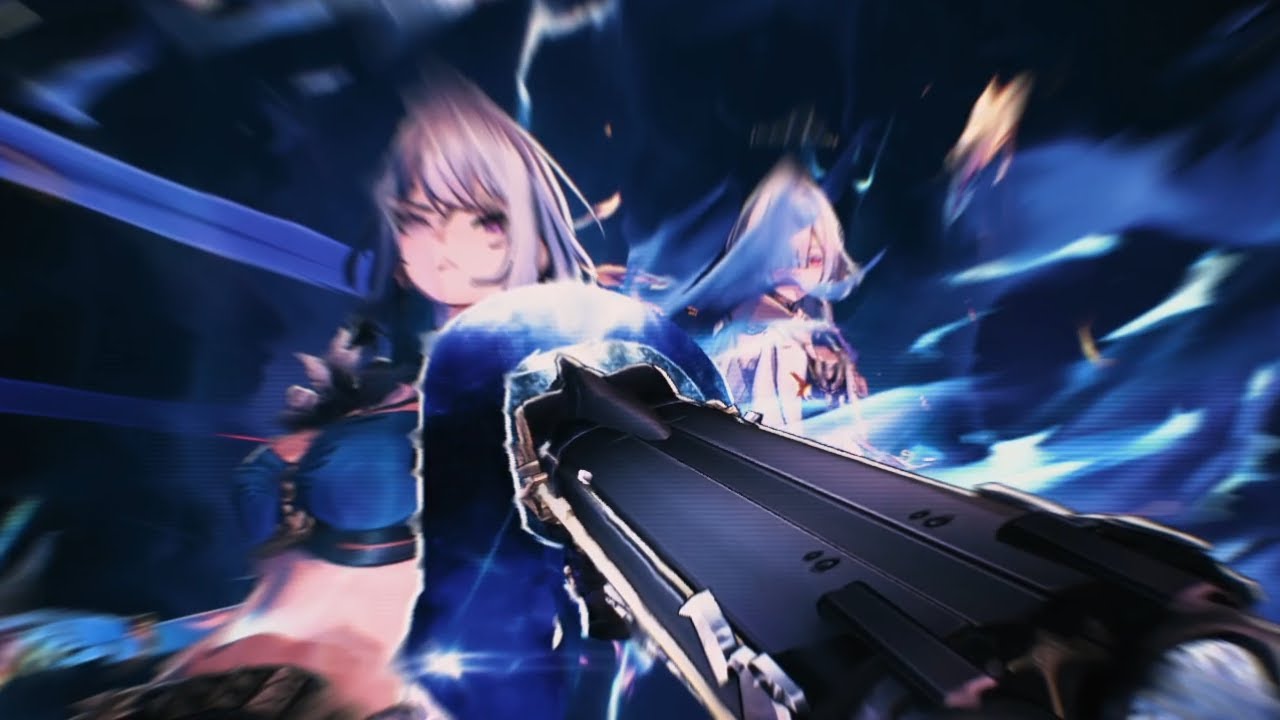
A looping rotation for the cutest professor I know. This is only useful for s0 Mornye enjoyers, and for teams that have no tune break mechanic.
Song - Maisie Instrumental by Cö shu Nie
https://www.youtube.com/watch?v=0jY6wYecZRg
Intro
gal skill - mornye ba, lib, skill + echo, ba2 - lupa lib, forebreaker - mornye ba3 - gal ba23 - lupa aerial1...
not baaad
@midnight tide I'm trying to use this very same team
midnight tide
wet crane
<@283969753004113921> I'm trying to use this very same team
I didn't know you had Lupa ?
wet crane
midnight tide
I didn't know you had Lupa ?
We were never talking about lupa I guess
lol
midnight tide
true
midnight tide
yeah quickswap with tune break is kinda tbh
I feel like doing the animation is killing the flow
midnight tide
I see him doing it in the video ?

I wish I could play the changli variant of this team, sadly I dont have her nor galbrena
wet crane
you only have to tune break once
wet crane
or well it depends on how fast you can kill the target
wet crane
midnight tide
once per rotation or once overall ?
once / mornye buff duration
midnight tide
Isnt it 8s or something ?
wet crane
well yea at S0
midnight tide
wet crane
well yea at S0
dont tell me you have her S1
midnight tide
so yeah 8s is hella short
wet crane
tune break -> liberation