#[SEE NEW THREAD]
1 messages · Page 1 of 1 (latest)
 vernal mist
 echo ridge
 glad mauve
#💬lounge message
FG fix reshade
Read through the 'Allat wall text' messages to figure out what you need to do for wuwa build
echo ridge
Kk
glad mauve
The layout for this is better
echo ridge
@halcyon meteor probably can add the dlssfix in
@vernal mist how do we integrate the dlss fix into the mod
vernal mist
the code isnt in the codebase yet
wait for shortfuse to commit it
wont be hard it seems
echo ridge
@glad mauve 
vernal mist
glad mauve
I am gaming with POE2 anyways, wont touch the game until RTGI is solved
echo ridge
glad mauve
I am gaming with POE2 anyways, wont touch the game until RTGI is solved
Bro is waiting for another patch
Will never play atp
 vernal mist
it will be that + custom reshade dxgi
and thats it
unless shortfuse finds a smarter way to handle the .dlls
echo ridge
Nvidia mfg wen
 wet crane
glad mauve
That other one should be deleted
wet crane
glad mauve
That other one should be deleted
we don't delete channels... it's going to be archived
oh
my bad then 😄
yea
 wet crane
nah, ShortFuse committed the discord link changes already, new people will probably find this server first
 coral thorn
Pretty sure this #1410855640112566375 is for screenshots, while #1408262092137566398 is for the mods themselves
Should've named them differently tbh 😅
Look at the icon
Hmm normaly there's no diff lol
Just add an image and remove embeds and it will look fine
Here it's missing the filters too

wuchang and death stranding have a good thumbnail in #1408262092137566398
Well whatever, should check with shortfuse to make this better, otherwise some mods will be buried...
echo ridge
coral thorn
Look at the icon
You should look at the
Other posts
Before saying things
Gallery is the one for pictures
And there are albums there.
coral thorn
echo ridge
You should look at the
no
 smoky wind
echo ridge
https://tenor.com/view/spinning-spining-cat-cat-cat-meme-cute-gif-34873301368083...
smoky wind
echo ridge
https://tenor.com/view/spinning-spining-cat-cat-cat-meme-cute-gif-34873301368083...
GIFs you can hear.
smoky wind
coral thorn
Hmm normaly there's no diff lol
Just add an image and remove embeds and it will ...
Image forums allow 4 images to showcase in thumbnails instead of 1.
But that’s about it.
Oh, and image forums are gallery grid exclusive
And the tags are here, just not assigned, yet. Authors need to do it.
 vagrant yew
What’s the difference between the other HDR channel?
 crystal thistle
When is the reno fg coming out? @halcyon meteor
 foggy mica
vagrant yew
What’s the difference between the other HDR channel?
foggy mica
vagrant yew
What’s the difference between the other HDR channel?
from the name, this is for renodx mod specifically
 clear holly
The game already has dlss-fg, so what will it add ?
Fsr-fg and xess-fg ?
foggy mica
clear holly
The game already has dlss-fg, so what will it add ?
Fsr-fg and xess-fg ?
DLSS FG has issues with RenoDX in wuwa
clear holly
Ah ok
Well fg makes me go from 90fps to 130fps, doesn't feel that much better
Probably exacerbate the game unstable frametime too
wet crane
Look who it is! Askeladd!
 short needle
foggy mica
what’s the concept behind lut builders?
short needle
foggy mica
what’s the concept behind lut builders?
There’s a texture that represents the spectrum of color/luminance. Tonemapping and color grading manipulates the colors on this texture, and bakes it into the texture. As a result, when you actually apply this grading per-frame, it’s a simple lookup to see what this color value maps to, instead of running the full grading/tonemapping code every frame. It’s an optimization basically.
 drowsy wolf
is the dx11 one patch cause when i tried it a lot of thing are still broken
foggy mica
I'm gonna try to get some now, unfortunately i coudn't borrow that acc again and my account only has like 3 limited 5 stars, and ofc i still have the other characters like the 4 stars and some standar 5, is this gonna be enough ?
besides the lack of characters, what other shaders should i try to get?
spiwar only show me a small list of the characters that i do not have and kinda that is it XD
ok locations is easy
do thous clamp like all the time? like a shader that is constantly used ?
drowsy wolf
i mean i can let u borrow mine if u promise not to delete anything
foggy mica
Ok, good to know, that means there is only like a handful for the open world
foggy mica
drowsy wolf
i mean i can let u borrow mine if u promise not to delete anything
I won’t, if you wanna i can stream
What i do
drowsy wolf
nah is fine ill dm u
foggy mica
@echo ridge sup, can you help me get the same location you did your DX12 shader dump? Hear you got 20 shaders ?
echo ridge
foggy mica
What does Jinzhou loging screen?
????
Jinzhou, login screen
Means it happens in jinzhou
Or
Login screen
 vital moss
Hi
Yeah idk what happened
Suddenly i started seeing these red things
First with shorekeeprs veil but now at other character pull animations as well
Dx12 RTX off
august 29th
Unless there was a new one released today 🤔
And about interference I don't have a clue I can share my reshade log if that helps
clear holly
wet crane
Look who it is! Askeladd!
? 👋
wet crane
clear holly
? 👋
nothing, I just realized that you were/are akacucktsuki and solarie, etc
vital moss
Yes directly and no other shaders
Lemme try installing that just in case it wasn't the latest already
Okay it seems to be gone for now
I'll let you know if it ever returns
foggy mica
echo ridge
yes
Sanhua, ultimate, when it clamps exactly?
echo ridge
foggy mica
Sanhua, ultimate, when it clamps exactly?
yes
you already have a reference
just captures whatever when it clamps
or if you can't see it then go next
foggy mica
The game did got a patch
One were it said restart the game kinda patch?
On DX 11 or 12?
foggy mica
@halcyon meteor I'm so sorry this is soo little shaders that i could "get" while i did saw some of them, i had a hard time getting the right ones to dump, either i did something wrong or I just need spiwar to show me how to get that list so that i can follow exactly what and how he does it
clear holly
wet crane
nothing, I just realized that you were/are akacucktsuki and solarie, etc
How do you even know that lol
drowsy wolf
what is the point of kuro using different shaders on dx11 compared to dx12 are they missing some feature that they need ?
echo ridge
no
 quick pawn
drowsy wolf
what is the point of kuro using different shaders on dx11 compared to dx12 are t...
quick pawn
drowsy wolf
what is the point of kuro using different shaders on dx11 compared to dx12 are t...
it uses a different shader model version
drowsy wolf
😩
 dusty tiger
Soooo... I'll be that guy.
What's the status of the Reno FG fix? lol
clear holly
it's not even in RenoDX itself ?
Why would you ask here lol
foggy mica
clear holly
it's not even in RenoDX itself ?
Why would you ask here lol
did you forgot? RenoDX can be fixed to work with FG, it just takes some time shortfuse if I’m not mistake is trying to fix it
clear holly
Yes, and Shortfuse need to fix it, nothing to do with Wuwa mod specifically ?
foggy mica
clear holly
Yes, and Shortfuse need to fix it, nothing to do with Wuwa mod specifically ?
yes? it has ?
clear holly
Once shortfuse make the complex work, wuwa mod just need to be updated basically?
Ask for this core ground work in #general first, it's not even in core renodx so it's useless to ask here
foggy mica
yeah, so asking in a mod post that is not working with FG, when will FG work, is the right place to bloody ask
tho i can guess it can get annoying to constantly ask
clear holly
the problem is with all mods, wuwano won't fix it until shortfuse does it's part
Check renodx github commits and once it lands, ask here yeah
anyway
foggy mica
clear holly
the problem is with all mods, wuwano won't fix it until shortfuse does it's part...
Ok, so? if i only have this issue with wuwa reno were in christ should i ask?
foggy mica
clear holly
the problem is with all mods, wuwano won't fix it until shortfuse does it's part...
ok, so you found your way of asking for stuff, not every one is spending time on github and since it’s faster on discord people are gonna ask here
 wet crane
clear holly
How do you even know that lol
wet crane
clear holly
How do you even know that lol
You are one of the few people that need to be monitored
vagrant yew
For highlights 1, just use the vanilla+?
clear holly
wet crane
You are one of the few people that need to be monitored
Do you use a bot or you are that obsessed with me
vital moss
echo ridge
for highlights 2 if anyone is interested in using
Will try thanks
Also kuro thought it's funny to take away dx12
Have 12_2
dusty tiger
clear holly
it's not even in RenoDX itself ?
Why would you ask here lol
Wasn't trying to cause a ruckus.
I know it has to be in the base repo first.
I am already acquainted with people here so I was more comfortable asking here than the main discussion area.
vital moss
echo ridge
Only a just for fun thing
Any reason why?
echo ridge
clear holly
Do you use a bot or you are that obsessed with me
There's a reason you're banned on other servers
vital moss
Is the bloom slider broken?
vital moss
Weird
clear holly
echo ridge
There's a reason you're banned on other servers
Getting banned instantly for using "he" when talking about someone that has a penis, without any agressivity or attack
Totally sane mods 💯 🤣
vital moss
Fixed it
Also found out my reno dx wasn't even working properly
And i never noticed
Game repair (revert d3d12 version to stock)
Okay I need help with a config because the one I'm using rn is overexposed
Augustas skin is pure white
and the ui elements too
False alarm
HDR was off
Brain not braining today
coral thorn
dx12 is not supported rn?
 sour cloud
crystal thistle
echo ridge
sour cloud
crystal thistle
echo ridge
Your preset with highlights v2 is so beautiful, just modified shadow at 40 and highlights at 60
Highlights pop more without the loss of detail
 alpine orchid
is highlights v2 just a wuwa thing or is that a new unreal feature?
it looks amazingly good
gotcha. I'll have to check for updates
I really like the effect
I didn't try it yet
I was using my own settings for it
looking at characters for example


imo the skin looks a lot more natural with v2
and helps the metal reflections and glowy parts etc stand out more
alpine orchid
aaaand I pulled calcharo 
drowsy wolf
is there any update for dx11?
vagrant yew
alpine orchid
looking at characters for example
It looks good, can you share your settings?
alpine orchid
vagrant yew
It looks good, can you share your settings?
 vagrant yew
alpine orchid
vagrant yew
alpine orchid
Thank you!
 it's pretty subtle but still pretty
drowsy wolf
it's pretty subtle but still pretty
drowsy wolf
ok ok
echo ridge
alpine orchid
imo the skin looks a lot more natural with v2
yes but it's a bit too harsh
I ultimately went back to v1
especially in cutscenes
alpine orchid
echo ridge
yes but it's a bit too harsh
It feels harsher for you?
Interesting, the V2 effect felt a lot more subtle to me
Or I guess focused would be the word
Although I did only have the slider at 60
crystal thistle
You're right, the skin looks right without the need to reduce highlights, the highlights in v2 itself are already bright and does not mess up the skin
V1 looks okay, but I feel like v2 is more accurate
And highlights can be really bright without any detail loss
echo ridge
alpine orchid
Although I did only have the slider at 60
yeah the effect is really minimal in that case
at which point why bother playing with hdr but I digress
alpine orchid
echo ridge
at which point why bother playing with hdr but I digress
The game still spews bright rainbows everywhere on skill effects 
echo ridge
yeah but that's the only thing
a lot of things that should be brighter doesn't feel bright
so it feels incorrect
it's too selective
things that should be brighter is now not touched by highlights2

 dusty tiger
I am guessing the first one is V1?
dusty tiger
idk. The 2nd one looks more accurate.
The far right of the screen is brighter in the 2nd picture. First one is duller.
V2 kind of seems better in the dark spots of the image and V1 seems brighter in the parts lit by the sun.
dusty tiger
echo ridge
you're getting things mixed up
Well... shit
echo ridge
but yes, the 2nd one is v1
it gets more ridiculous once you start watching cutscenes

she is lit by the sun yet only the ornaments in her shoulders are lit
drowsy wolf
😢 ok ok
 hidden nebula
This works great in the normal launcher, how do you manage to make it work with the wwmi?
crystal thistle
@wet crane it's the white clipping at 3330 actually
@mossy rock lol you calling me a meme? I ain't the one getting heated over a simple convo
 mossy rock
we are talking about the plasma guy
crystal thistle
And who's that? Lmao
Anyways I did some testing and seems the white clipping is at 3330
dusty tiger
crystal thistle
And who's that? Lmao
Guy has been doing HDR gaming videos for years.
https://www.youtube.com/@plasmatvforgaming9648

YouTube
I was not happy at all with my new LG OLED coming from a used $25 Plasma TV. Instead of returning the TV, I decided to learn how to get the best out of it and share that with everyone. I'm particularly interested in motion clarity and display technologies for gaming waiting for 8k 1000Hz 10000 nits
Not sure which thread mod devs are watching more atm.
But I figured I'd post it at least here.
Game keeps crashing with Reno when I do Augusta's Ult in the story "boss fight" with the Dino.
 echo ridge
crystal thistle
Anyways I did some testing and seems the white clipping is at 3330
echo ridge
crystal thistle
Anyways I did some testing and seems the white clipping is at 3330
you can try re-adjust the clipping point in firmware
to make it align more with your display characteristics
@lilac crescent is modding instructions generally universal across all samsung tv models
echo ridge
did he miss out on an option if his s90c is now clipping at 3330 which should be physically impossible
well, not physically impossible, but that panel would die in 5 minutes if it was actually 3.3k
crystal thistle
@lilac crescent do I need to check my service menu?


 crystal thistle
 lilac crescent
how are your sm settings then
lilac crescent
how are your sm settings then
All I did was the s95c mod + ana peak 1023 and wbmovie
lilac crescent
🤔
something else but be borking the patterns
because my modded s95d calibrated with 47 contrast
it clips at 3080 nits
and it pushes 3080 nits
tested with a colorimeter
but your panel can't push that high
crystal thistle
Did you just change the ana peak?
lilac crescent
Ya followed the avsforum thing :
Enter to SM go to EPA and change Ana Peak 1 & 2 from 566 & 682 to 1023.
Then go to WB/Movie toggle ON and in an HDR Signal modify these values:
For a good PQ EOTF Tracking reduce in your TIZEN UI Menu Contrast to 47.
Peak w. 100 (245)
HM Pat Peak w. 255
HM Con Peak w. 245
HM Pat Peak w. PLUS 255
crystal thistle
I did the exact same thing
Peak w. I left it too 100 if I'm not wrong
Yea I did left it 100
lilac crescent
did you try special K calibration tool ?
crystal thistle
I left it defaut
 crystal thistle
Oh
lilac crescent
you'll see a checkerboard pattern like windows calibration tool
since it blocks metadata might be more conclusive
crystal thistle
Yea it says 3330
lilac crescent
if you go at 3000 you see the squares back ?
crystal thistle
lilac crescent
if you go at 3000 you see the squares back ?
Yes I see the squares
Could it be the additional s95c mod adding mode nits? Lol
Idk
lilac crescent
nah it should be 2000 at best best iirc
something is rolling off highlights
but I know hgig is kinda wonky before the D series
it can get stuck in a rolloff mode
@sinful anvil knows better
crystal thistle
Mmh okay
lilac crescent
but yeah to not lose highlight brightness yo uhave to use peak brightess 3300 on every game
(except sk stick to low brightness ofc since 3000 nits itm is terrible)
crystal thistle
Could it be that s90c had a software update?
That raised the nits?
I hear happens a lot with samsung
lilac crescent
i doubt it can push higher than the panel peak
crystal thistle
lilac crescent
but I know hgig is kinda wonky before the D series
If calibrated right like those settings above It should be good, just putting the basic mode i think it won't look really good, I had to put more calibration from the yt experts
crystal thistle
Yes I'm in game mode basic
lilac crescent
crystal thistle
Yes I'm in game mode basic
gotcha, well idk where the issue could come from, either drivers or the tv breaks hgig
crystal thistle
lilac crescent
gotcha, well idk where the issue could come from, either drivers or the tv break...

https://www.buymeacoffee.com/ClassyTech
Consider clicking the "join" link to become a member.
Haven't had a lot of time lately, so had to record this on Streamyard just to get it out to you.
If you are interested in supporting the channel, here are some affiliate links to media streaming devices, TVs, and related products that I recommend. A p...
This is where i took the calibrated game mode settings from
crystal thistle
Oh yea I did dsc is disabled
crystal thistle
Yea
crystal thistle
lilac crescent
game mode 9 or smthin ?
I'm going to revert back
lilac crescent
then you don't need to disable dsc to get all the benefits
crystal thistle
It gets dsr with with dsc enabled?
 crystal thistle
Oh wait, I put it to 9 then I reverted back a while ago and wondered why dsr was still there XD
And thought I had still 9
I have it at 12
crystal thistle
I guess the only way to find out is to buy a tool
But the fact that I see the squares at 3000 should mean that maybe it's the actual brightness no?
lilac crescent
nah it just means it's the clipping point
crystal thistle
Ah
lilac crescent
you would need to be 100% sure the clipping point match the output brightness
and that requires a colorimeter
the clipping point can be scuffed off because of software issues
crystal thistle
lilac crescent
@crystal thistle I found out dldsr gives aliased edges more than 4k dlaa, even at 100% smoothness ultimately went back to 4k
Could be the pixel mismatch or sum
crystal thistle
lilac crescent
i mostly use 8k dsr since the pixel scaling is 1:4
I found 8k dsr to be blurrier than the dldsr resolutions, I thought dsr/dldsr would give me better antialiasing and been disappointed lol
dusty tiger
Ill test it a couple more times and see what I get. I've gotten both that error and 681 error. It's just random which one I get. But they are both triggered by Augusta's Ult at that one location.
crystal thistle
lilac crescent
the clipping point can be scuffed off because of software issues
Guess I will head to reddit XD
dusty tiger
@halcyon meteor It didn't happen again so idk now.
Just put a pin in it in case there are more reports in the future.
drowsy wolf
btw it is normal none of the slider works ?
 grave tiger
drowsy wolf
btw it is normal none of the slider works ?
grave tiger
drowsy wolf
btw it is normal none of the slider works ?
iirc you now need to change scene to make the sliders apply
drowsy wolf
Is like everywhere none of the sliders work
nvm
i was being a brain dead i forgot to set my monitor at peak 1000 so is now limit to 400 nits thats why it didnt work
mb
foggy mica
i will try again if there is any more obvious ones T^T i just need some one to point where
foggy mica
only the ones i gave you, meaning there are still some on the doc that i have a hard time snapshotting them and finding the shader that clamps T^T
the skills and ults
ok, I’m gonna try again :3 
I’m gonna get the hang of it at some point, or the DX11 shaders are something else?
@halcyon meteor is the cursor supposed to be this gray? 0.0
foggy mica
yeah, let me take a ss
way is my cursor not appearing in the reshade SS? 0.0
it is the ingame cursor
I’m trying and i can’t find it any mention of cursor
@halcyon meteor ok, so i got confused last time with shaders clamping, cuz for me it looked like the screen was for a moment gray like when it clamped, BUT NOW! that i try to follow again spiwar list of skills and ults to get the shaders that clamp, i notice that it’s not gray, but actually makes the screen a blue tint for that shader duration
is this what i was missing? i was chasing the damn gray like clamping as a visual indicater instead of the blue tint 0.0
nah he didn’t say gray, he said dull like you said, but i took the visual indicator when he showed me the clamping
it might be because on my monitor it shows not gray like
echo ridge
foggy mica
<@1178534432915869807> ok, so i got confused last time with shaders clamping, cu...
Blue tint but is it clamping
What moves
Are you talking about
foggy mica
i figure out when it clamps >.> i was looking for a visual indicator
like SK basic it looks like a blue tint when it clamps
thank :3 I’m on it
i can see when the waveform reacts when it clamps, i looked inside the settings, do you have any suggestions on how to set the waveform to be even more reactive to clamping?
Ooo a good idea
Were 
Ok gonna look right now
mossy rock
lilac crescent
nah it should be 2000 at best best iirc
hgig itself on s90c is borked afaik
dusty tiger
Sometimes different inputs and/or color profiles can affect the curve.
i.e. My monitor has to be on Console HDR in order for it to follow the curve properly. Otherwise it won't clip unless I set Windows Cal to like 1500, even though this monitor only goes to 920.
lilac crescent
mossy rock
hgig itself on s90c is borked afaik
YEAH Olek said something similar
foggy mica
@halcyon meteor done :3 finaly go all the shaders on that list :3
Also next time is gonna be easyer now that i figure out what to look out for
Especialy if the list is the same
dusty tiger
mossy rock
hgig itself on s90c is borked afaik
Apparently Filmmaker Mode tracks the PQ curve the best.
 lilac crescent
daym what is it with samsung tvs where you can enable fmm with gaming devices
crystal thistle
mossy rock
hgig itself on s90c is borked afaik
It has been fixed with a firmware update already
Been long ago
vital moss
Hello
vital moss
I'm curious, is patching shaders difficult?
 sturdy cloak
beating up a dead horse here, I know, but I Hope they unbreak lighting/occlusion soon. This really starting to annoy me... Especially since I want to avoid continuing the story while it's broken, and get a worse experience when discovering new locations/ levels. Anyone as thoughts on whether or not Kuro is going to tackle that fairly quickly ? Or is my hope rather misplaced...?
glad mauve
🤷♂️ wait for next patch
dusty tiger
What's broken?
vagrant yew
Is this channel the only one? I can’t find the other one.
foggy mica
vagrant yew
Is this channel the only one? I can’t find the other one.
yeah for wuwa renodx
sturdy cloak
dusty tiger
What's broken?
Ambient occlusion. In some places, you got boiling everywhere, and haloing around characters/objects. The characters also ghost pretty hard when running in shadows. You also got a zone of pure darkness moving with you around your character when in shadow. Especially in grass. Although, all those problems might only be visible if you have ray tracing on.
dusty tiger
sturdy cloak
Ambient occlusion. In some places, you got boiling everywhere, and haloing aroun...
Think the shadow thing is a RT GI issue.
Pretty sure Brandy's .ini update solved that one.
drowsy wolf
sturdy cloak
Ambient occlusion. In some places, you got boiling everywhere, and haloing aroun...
it is also like that in dx11 without ray tracing
sturdy cloak
dusty tiger
Think the shadow thing is a RT GI issue.
Pretty sure Brandy's .ini update solved...
You think ? I'm not familiar with that one. Would you be so kind as to post a link to it ?
dusty tiger
sturdy cloak
You think ? I'm not familiar with that one. Would you be so kind as to post a li...
Select the config based on your GPU.
https://github.com/AlteriaX/WuWa-Configs

GitHub
Engine Tweaks to Improve Visuals/Performance. Contribute to AlteriaX/WuWa-Configs development by creating an account on GitHub.
sturdy cloak
drowsy wolf
it is also like that in dx11 without ray tracing
My condolences. It is quite distracting once you notice it. I thought people without raytracing would be spared.
sturdy cloak
dusty tiger
Select the config based on your GPU.
https://github.com/AlteriaX/WuWa-Configs
OK so I actually already have this running. Unfortunately, I don't see improvements on this particular issue...
sturdy cloak
drowsy wolf
kuro need to fix it
I would like that very much indeed !
dusty tiger
sturdy cloak
OK so I actually already have this running. Unfortunately, I don't see improveme...
Have you updated it since the 2nd?
sturdy cloak
dusty tiger
Have you updated it since the 2nd?
Yes. I'm actually checking it several times a day just in case !
dusty tiger
Pretty sure I don't have the issue anymore. Let me check.
Just finished the story update. Haven't noticed it.
sturdy cloak
didn't know the person was called Brandy !
sturdy cloak
dusty tiger
Just finished the story update. Haven't noticed it.
seriously ?😅
It's all I can see right now ! There actually tends to be no problems in directly lit conditions, so it's not always noticeable. Especialy during the day outside.
dusty tiger
sturdy cloak
seriously ?😅
Nm, it's still there.
Just new story area was pretty well lit so it didn't really come up.
sturdy cloak
Hoo... Ok. To be honnest, I did feel like the intensity of the problem varies region to region. So It would be logical for the last area to be the least affected, since it's the one they where actively working on, they probably would have noticed it sooner I guess.
dusty tiger
Someone unlocked the WuWa Mod thread in HDR den
wet crane
I relocked it..
dusty tiger
Think the mods there refuse to let it close. GG
wet crane
I'm the only mod that care about the Wuwa thread lol
vital moss
vagrant yew
Is this channel the only one? I can’t find the other one.
It's the main one
drowsy wolf
I left hdr den since I only need wuwa renodx
wet crane
drowsy wolf
I left hdr den since I only need wuwa renodx
not a true HDR lover 🙁
echo ridge
he just wants that reno dix
dusty tiger
wet crane
I'm the only mod that care about the Wuwa thread lol
Yeah, idk who keeps unlocking it.
Ah well. gg
dusty tiger
Looks like.
drowsy wolf
wet crane
not a true HDR lover 🙁
i only play wuwa lmfao
dusty tiger
Is the mod going to be updated on the Github?
 crystal thistle
@fallen roost no pressure just wanna know if the fg fix will be released soon
crystal thistle
Can somebody explain to me what does the blowout slider needed for?
 fallen roost
crystal thistle
<@115289688037785602> no pressure just wanna know if the fg fix will be released...
fallen roost
crystal thistle
<@115289688037785602> no pressure just wanna know if the fg fix will be released...
#1413548071987576862
sturdy cloak
fallen roost
<#1413548071987576862>
Harigato ShortFuse Sensei !
crystal thistle
Oh ok
crystal thistle
fallen roost
<#1413548071987576862>
Thank you🙏🏿
dusty tiger
I have no idea how to set these values in Reshade.ini
I don't have those values he mentions. Nor do I know what to set them to
Oh, it needs HIS build of ReShade. That's crazy
DLSS Fix and Optiscaler aren't playing nice together. RIP

Maybe it is because I don't have the values set right? idk
 fallen roost
it's universal
foggy mica
fallen roost
it's universal
damn amazing work
dusty tiger
If any of you get it working with WuWa let the rest of us know. So far none of us who have been trying have had any luck.
vital moss
dusty tiger
Maybe it is because I don't have the values set right? idk
What's dlss fix?
Does renodx break it?
dusty tiger
vital moss
Does renodx break it?
No. FG breaks when using DLSS 4 with Reno
The fix at #1413548071987576862 is supposed to fix that flicker that happens.
But I don't think anyone has gotten it working yet.
 bleak light
dusty tiger
No. FG breaks when using DLSS 4 with Reno
The fix at <#1413548071987576862> is s...
bleak light
dusty tiger
No. FG breaks when using DLSS 4 with Reno
The fix at <#1413548071987576862> is s...
does it breaks fsrfg too ?
dusty tiger
bleak light
does it breaks fsrfg too ?
Yes. If using Reno + DLSS4 with FSR it flashes like a rave party.
bleak light
dusty tiger
Yes. If using Reno + DLSS4 with FSR it flashes like a rave party.
i guess it breaks any form of in-game FG then
echo ridge
dusty tiger
Yes. If using Reno + DLSS4 with FSR it flashes like a rave party.
nah
nukems dlss to fsr3 fg works
no flashing
have you tried that
dusty tiger
Doesn't work for me since I installed 0.9
echo ridge
Still works for me
Fsr3fg is just so dogshit that i dont bother
Also
Not sure what i broke in my game
But dlssG isnt activating for me
dusty tiger
I can't use Nvidia FG so I can only use all the shitty ones
@echo ridge What version of Opti you using?
dusty tiger
You spoofing?
dusty tiger
What gpu you have?
echo ridge
nope
dusty tiger
Try running the game vanilla?
echo ridge
already did
 trail quest
Hi all, I've installed renodx, it launches fine, but for some reason none of the sliders work except UI brightness, which behaves like game brightness (changing it changes the entire game's brightness). Any idea what I'm doing wrong?
dusty tiger
Make sure in windowed mode and that you have the pinned version of the plugin.
Oh, it's not pinned here
trail quest
Ok thx, will try that and get back at you
still the same, UI brightness works but changes everything on the screen, others don't
dusty tiger
You using ReShade 6.5.1?
trail quest
yes, latest version on the website
clear holly
Pretty sure they changed something in 2.6 and now ui brightness impact everything for a few seconds and then it fixes itself
Or opening a menu etc
trail quest
At least in my case it doesn't fix itself, and the other sliders don't do anything. If I go into intermediate settings, same no slider works (except color space and gamma correction)
Also I've just noticed that peak brightness doesn't quite do nothing, if I lower it below ~200 it starts affecting the image, but anything from 200 to 4000 changes nothing
echo ridge
@dusty tiger well looks like they changed something
FG isn't working on my iGPU spoof rig either
dusty tiger
Thought you have a 40 series. Why do you need to spoof?
dusty tiger
Ah. Ok.
echo ridge
yeah
i figured if it was something related to my main rig
then the laptop with the iGPU
with xess opti via streamline
would just work
dusty tiger
Spoof still works for me.
Just Nukem's in build 0.9 doesn't.
dusty tiger
You might not have the spoof set right.
There are 2 lines you have to set to =true. If you only set the streamline it will show spoof active but you won't have FG option.
echo ridge
i have it set right
because it was activating
the last time I used it
on this laptop
dusty tiger
Each time you change the FG type it resets the spoof values for some reason.
dusty tiger
I'm not sure then.
FG works for me while spoofing. So it should be working.
echo ridge
 dusty tiger
That 0.9?
 dusty tiger
Yeah. Nukes just doesn't work in 0.9
echo ridge
streamline doesnt work either
 echo ridge
nvm
something clicked
its working now
well
on the iGPU
which is useless
but at least i canverify it works
dusty tiger
Nukem's working?
dusty tiger
echo ridge
streamline -> FSR3fg
Seizure time
dusty tiger
echo ridge
are you not using reno
Yes
dusty tiger
Flicker isn't near as bad on XeFG. But it does lowkey flicker still in bright scenes.
LSFG is the only one that doesn't flicker with Reno for obvious reasons.
dusty tiger
XeFG?
dusty tiger
Does it flicker for you in night scene?
echo ridge
no
but in daylight
as in i havent tested night
but daylight is bad enough i dont want to bother
dusty tiger
echo ridge
but daylight is bad enough i dont want to bother
I could play. But if I look at the sky it is bad, yeah.
However with FSR the whole screen is a strobe effect. It is WAY worse.
echo ridge
reinstall works
dusty tiger
Fucking weird
dusty tiger
Welcome to the club. XD
You did it on your 40 series system?
dusty tiger
I hadn't heard back from anyone who was using legit FG yet. So wasn't sure if it was a conflict with spoofing or something. Guess not.
sturdy cloak
Hello ladies and gentlemen ! Just to be certain, the fg fix doesn't work in wuthering waves from what I read earlier ? Is that right ?
crystal thistle
What's the con of having game brightness at 500? Should I keep it 203?
sturdy cloak
crystal thistle
What's the con of having game brightness at 500? Should I keep it 203?
Most likely, your going to loose contrast, since your highlights won't get much brighter, but the rest of the game will.
wet crane
crystal thistle
What's the con of having game brightness at 500? Should I keep it 203?
It depends, if your peak is bright enough then 500 can be fine. You are basically lowering highlight contrast by increasing game brightness aka paper white
glad mauve
sturdy cloak
Hello ladies and gentlemen ! Just to be certain, the fg fix doesn't work in wuth...
No, CTDs on start-up
Needs more ironing out
 nimble seal
dusty tiger
Does for me. 1 sec, I'll get a screen cap.
nimble seal
dusty tiger
Does for me. 1 sec, I'll get a screen cap.
How did you inject OptiScaler? I have anti-cheat that directly pops up
sturdy cloak
glad mauve
No, CTDs on start-up
Thanks !
clear holly
nimble seal
How did you inject OptiScaler? I have anti-cheat that directly pops up
Could use SpecialK plugin feature (probably set loading "early")
Works fine with this renodx mod (just untick compat mode for reshade, also loading as plugin in SK, but keep lazy order)
vagrant yew
How to use this DLSS fix? Should it be like this?
 glad mauve
vagrant yew
How to use this DLSS fix? Should it be like this?
glad mauve
vagrant yew
How to use this DLSS fix? Should it be like this?
Doesnt work yet for Wuwa
vagrant yew
glad mauve
Doesnt work yet for Wuwa
Okay, thanks
trail quest
Hi all, I've installed renodx, it launches fine, but for some reason none of the sliders work except UI brightness, which behaves like game brightness (changing it changes the entire game's brightness). Using latest version of both the plugin and reshade. Any idea what I'm doing wrong?
EDIT: the addon file was not in the right folder, it was in the wuthering waves.exe folder instead of the client shipping.exe one
nimble seal
Why isn’t it showing up?I didn’t enable the DLSS overlay UI.
 trail quest
Yea it works just fine now (and looks awesome), thanks for trying to help though!
dusty tiger
nimble seal
How did you inject OptiScaler? I have anti-cheat that directly pops up
You might have figured it out by now.
But you have to rename Optiscaler.dll to winmm.dll
wet crane
dusty tiger
You might have figured it out by now.
But you have to rename Optiscaler.dll to ...
or run the Optiscaler installer.bat
drowsy wolf
I just woke up ill try it after I eat
Oh the old one yea is pretty good I didnt see any clamp
nimble seal
dusty tiger
You might have figured it out by now.
But you have to rename Optiscaler.dll to ...
Huh, what do you mean? Did you skip the anti-cheat?
wet crane
nimble seal
Huh, what do you mean? Did you skip the anti-cheat?
you don't have to "skip" the anti-cheat it
you need to rename the optiscaler.dll to something else that the game actually loads like winmm.dll, just don't rename it to dxgi.dll that triggers the anti-cheat message
nimble seal
wet crane
you need to rename the optiscaler.dll to something else that the game actually l...
I directly selected winmm.dll for installation, and it will still trigger anti-cheat.
like this
 wet crane
nimble seal
I directly selected winmm.dll for installation, and it will still trigger anti-c...
wet crane
nimble seal
I directly selected winmm.dll for installation, and it will still trigger anti-c...
are you sure that it's not ReShade that is triggering the anti-cheat?
if there is a dxgi.dll in the folder where the executable is, then rename it to d3d12.dll
nimble seal
wet crane
are you sure that it's not ReShade that is triggering the anti-cheat?
I specifically didn't install Reshade, it's newly downloaded now
Absolutely no dxgi.dll

This is my file
 dusty tiger
Can you run the game from Shipping.exe?
nimble seal
dusty tiger
Can you run the game from Shipping.exe?
Also not okay
Perhaps because of the Chinese server?
dusty tiger
Maybe?
You might have to check Chinese WuWa modding community and see if they say anything about it.
crystal thistle
Yea I heard chinese servers are more strict
dusty tiger
CCP telling what you can and can't do with your own PC...
drowsy wolf
@halcyon meteor i think yinlin ult is still clamp
alpine orchid
this event feels very cinematic with hdr  sit back and watch the flashy carnage
 drowsy wolf
ok let me try
it can only go down to 48
yea it does look diff
like the lightling is much brighter
ok ok ty
where do i get the devkit
ok
il added it 🙂
yes
what do i do after

this ?
if i click draw it disable it?
oh ok i see ill do that once i get back home i gotta leave outside in like 5m
doesnt seem to hard
is there like a list so ik which one is from who?
 halcyon meteor
- Patched additional DX11 shaders
- Added game gamma correction slider
Be aware that the new gamma correction slider uses the same key as one that was previously removed. This new slider defaults to off, but if you were using the old slider when I removed it, it will be set to its old value. This would manifest as undesired additional contrast, so just turn it off if you don't want to use it anymore.
drowsy wolf
ok ok
foggy mica
@drowsy wolf https://app.capacities.io/home/7c977812-cc3d-4148-9676-0e99b045c1cf
this is the list that i got, a lot of shaders are shared so we thought we cover most of them, guess that is not the case
drowsy wolf
I only saw yinlin one that's clamp haven't seen the rest
echo ridge
@halcyon meteor btw, dont know what you or they changed
But fleur's ulf
With the impact frames
Looks correct now
Yeah with my usual settings
Maybe has to do something with that brightness/lut regeneration that happens when u change game/ui
echo ridge
drowsy wolf
I only saw yinlin one that's clamp haven't seen the rest
if it's easy to capture then I can probably do it like
5s
drowsy wolf
yea ill try to do the yinlin one tmr i just got my 5090 messing around with it rn
 sharp quail


 echo ridge
drowsy wolf
<@1178534432915869807> i think light inside thecastle is clamp
echo ridge
drowsy wolf
<@1178534432915869807> i think light inside thecastle is clamp
no
your lights look correct
if it's clamping
it should clamp the entire scene via output shader
not just one light/texture
drowsy wolf
like the main light kinda washed all the other color

 crystal thistle
echo ridge
crystal thistle
echo ridge
How do you enable that "highlights check" ?
echo ridge
lilium hdr analysis
crystal thistle
 crystal thistle
echo ridge
lilium hdr analysis
crystal thistle
echo ridge
lilium hdr analysis
Ik but I mean this
wet crane
drowsy wolf
this kinda looks cursed ngl
drowsy wolf
Fr
clear holly
Could it be possible to hide the UID and the location coordinates (bottom-left) with RenoDX shaders shenanigans ?
I don't want to use mods (use D3D11)
Ah it's 0x68282E68 but besides the UID and location coordinates, it also do the quest text summary (top-left), the ping number (top-right), and the character level (bottom)
Well Removing them would be nice too lol (also the eye when in immersive mode ALT+C)
clear holly
I used decomp.exe but doesn't work 😔
 clear holly
I used ShaderToggler but yeah it's disabling other stuff so it's not that great
fallen roost
clear holly
I used decomp.exe but doesn't work 😔
you need dxcompiler.dll in path
clear holly
Oh, thanks 😅
In the meantime I made a "better" immersive UI with ShaderToggler
Hide everything plus the UID and the eye button, but keep the forte bar and available special attacks (but not the outro gauge 😔 )
(No glint when you spam attacks, but glint when the cooldown is over is still there)
 clear holly
fallen roost
you need `dxcompiler.dll` in path
clear holly
fallen roost
you need `dxcompiler.dll` in path
You mean alongside decomp.exe ? Because I have it
The .hlsl gets created but when loaded it's red
Or you mean in my PATH env variable ?
fallen roost
clear holly
You mean alongside decomp.exe ? Because I have it
The .hlsl gets created but whe...
next to the addon64 is enough
would technically work if in path, but a rare setup
d3dcompiler47.dll is also needed for SM4/5 shaders, but it's already in path because it ships with Windows. dxcompiler.dll doesn't ship with Windows (yet)
clear holly
Hmm I am using SpecialK, ShaderToggler doesn't respect the ini being alongside the .addon64 in SKIF profile, but alongside the exe
Well, will try both
I added decomp.exe and that dll in dump folder directly 😅
clear holly
fallen roost
next to the addon64 is enough
Is it needed to load it or to generate the .hlsl ?
Because I can make the hlsl but not load it
I added dxcompiler.dll in SKIF profile alongside devkit addon, and even added that folder in my path lol
Restarted the game, did a snapshot, and still saying "Custom" in red 😔
fallen roost
clear holly
Is it needed to load it or to generate the .hlsl ?
Because I can make the hlsl b...
.hlsl aren't compiled so, uh, dxcompiler.dll will compile them... for directx
clear holly
😆

@halcyon meteor You use SK too right ?
anything special you do to load the .hlsl ? with SKIF profile shenanigans, where is your dxcompiler.dll ? 🤔
crystal thistle
clear holly
In the meantime I made a "better" immersive UI with ShaderToggler
Hide everythin...
Do we drop this on game folder ?
clear holly
crystal thistle
Do we drop this on game folder ?
You need ShaderToggler addon, and yeah you drop this .ini alongside the game exe (shipping one)
Then F12 disable UID, locations coordinates (and some other UI texts as side effects sadly)
And F11 hide most of the UI
I use F12 when I went to play with UI, and I use F11+F12 when I want a clean "immersive UI" but still some infos (like shown in the screenshot)
You can make one of these two be enabled at startup if you want, in the addons tab
clear holly
How can reshade be loaded with the game anti-cheat 🤔
Oh d3d12 works but not dxgi ? Lol
Any idea if we could edit the pixel shaders used for the some texts to not show the UID, but keep the texts in other menus ?
Could be a nice feature, to hide the uid and the eye button when in immersive ui mode
Disabling it cause side effects 😔
That would be amazing, thanks
Actually, UID + locations coordinates (+ eye if possible) 🙏
It's bothering me but also not great for burn-in 😅
And only the location coordinates is hidden in the game own immersive UI :/
dusty tiger
Hiding UID and Location would be peak.
clear holly
The eye in immersive UI mode is so stupid too lol, just use ALT-C or go into the settings
It's there just to have a way to disable it with mouse (with alt pressed) ...
Hiding the UI attack buttons would be nice too, but then hard to know when special attacks/cooldowns/ult is available...
They should add audio cues for these
 verbal schooner
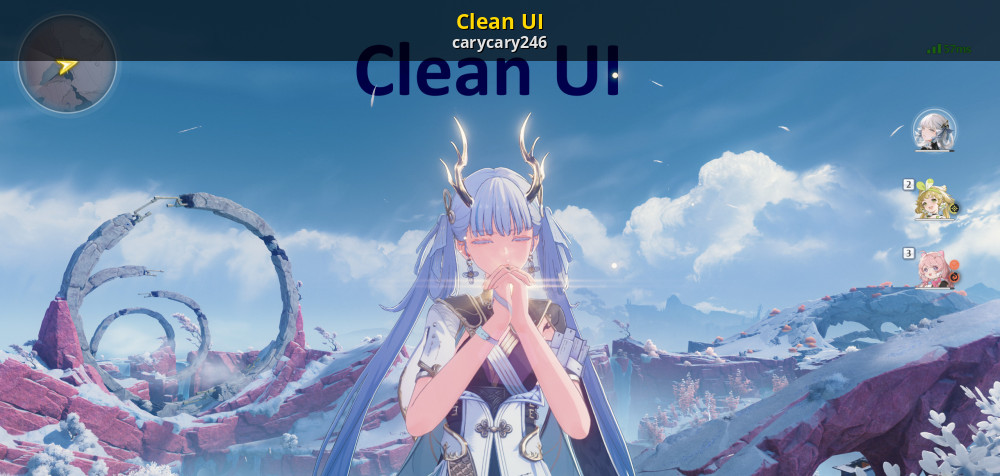
if its not too difficult, something like this would be great too as a toggle. Oled does not appreciate white icons on screen all the time. https://gamebanana.com/mods/525176
GameBanana
A Wuthering Waves (WUWA) Mod in the UI category, submitted by carycary246
crystal thistle
clear holly
Oh d3d12 works but not dxgi ? Lol
Both work but dxgi is detectable
clear holly
clear holly
In the meantime I made a "better" immersive UI with ShaderToggler
Hide everythin...
Remove UI for ZZZ, in overworld and fights
As there's no thread for this game mod here, if someone wants to share over HDR Den lol
 alpine orchid
You are a legend
 faint monolith
The effects of the tonemapper seem to differ between DX11 and DX12. Has anyone noticed this?
The visual results of Death Stranding on DX12 are closer to those of Genshin on DX11
DX11


DX12


 faint monolith
I noticed this through the accessories
 sturdy cloak
Chronical ? Please take the time you need to manage it. A friend of mine has problems with migraines, and it is absolutely brutal... I sincerely hope it remains an occasional occurrence in your case !
clear holly
Yes take your time
Apparently it's painful, I am one of the few that basically never has migraines/headaches 😅
 echo ridge
iuno gacha 60fps hudless
clear holly
Nice EN voice
alpine orchid
I had to double pity Augusta so we'll see how iuno goes lol
I already got a jianxin in like 15 pulls so there's that at least
dusty tiger
Got Iuno in first 10-pull.
0 pity.
My luck is now depleted. Life will be hard from this point on...
clear holly
alpine orchid
I had to double pity Augusta so we'll see how iuno goes lol
That's just standard for me 💀
26% winrate on "50/50"... 
And I think 22% in ZZZ....
 alpine orchid
heh
 clear holly
That's just standard for me 💀
**26% winrate** on "50/50"... <:despairge:14096...
clear holly
clear holly
That's just standard for me 💀
**26% winrate** on "50/50"... <:despairge:14096...
 alpine orchid

clear holly
I should slowly go back to 50% winrate, right? 😅
verbal schooner
new story area is clamped
alpine orchid
I think this is brighter than the moon irl

 twin fractal
a ui toggle is definitely something i'd appreciate heavily
my oled too
i already know what my characters do, don't really need that info permanently on the screen
clear holly
twin fractal
a ui toggle is definitely something i'd appreciate heavily
The game alresdy has one, do ALT+C
If you want to remove the remaining eye, you can use ShaderToggler (Insent one preset above)
But having something more modular would be cool, yes
foggy mica
verbal schooner
new story area is clamped
no way T^T
clear holly
Though fixing the new area with Iuno should be fixed first, hopefuly 🙏 @halcyon meteor
Hmm I am late on story as usual lol, probably will do it in 2 days or so :/
twin fractal
clear holly
The game alresdy has one, do ALT+C
If you want to remove the remaining eye, you ...
yeah more modular would be nice


 midnight tide
The game would be so much better if they removed 50/50
DNA is gonna get so many market share with his model
twin fractal
Dna is no longer a gacha game so I don't think it'll take anything
Anime fans might like it though
midnight tide
poeple dont like gacha anymore that's the thing
twin fractal
Idk about that
midnight tide
well maybe not to the extent it used to be back to genshin debut
midnight tide
it's hard to say because the whales are mosty located in Asia
twin fractal
Live service do dailies and pull characters
Cycle
DNA just kind of got rid of that
It's now just a game

twin fractal
It's not meant to
midnight tide
well Kuro whole point compared to genshin was to respect player's time and getting rid of anoying gacha mechanics
a lot of ppl dont remember, but daily gatekeep used to be a thing in every gacha
midnight tide
nah Kuro is better with the weapon banner
but with the 50/50 Genshin is actually better
because you have a 50/50 pity
I just lost my 4th 50/50 in a row, it will never happen in gehsin
twin fractal
Well to be honest, I think 50/50 is most likely a necessary evil
Would you rather they remove that but halve the rewards you get?
That would mean less characters in general and the game feeling very stingy
And if you want the same currency but no 50/50, then kuros bottom line takes a big hit
midnight tide
if you ask me I'd rather them increasing the pity cap at like 100 instead of 80, and getting rid of 50/50 completly. That or they just do like PGR and put à 100% guarantee only on character release
twin fractal
50/50 allows the game to feel "generous" but relying on rng to save you
midnight tide
it's only RNG tho, and for unlucky player it's even worse than anything. Like I litteraly cannot get a new character since carlotta because I keep losing 50/50
twin fractal
Yeah for an unlucky player it definitely sucks
But also that just be a you problem, no offence
You're prob just pulling on everything
Try to save up to guarantee a character
midnight tide
Just one character in 6 months is not enough for a low spender bro
I buy welkin and BP
and tbh I feel like I'm not the only one
increasing the cap to 100 seems fair. It's only 20 pulls more and most poeple can achieve that by grinding a little more during the banner
twin fractal
Every patch gives you like 140? Pulls
With bp and welkin
No?
If you aren't getting at least one character you want then you're doing smth funky with your currency
You're guaranteed at max 160 pull, soft pity being 70 so 140 pulls and its yours
midnight tide
I mean playing this game is not my full time job. I think I can get like 70 pulls max per patch
midnight tide
I mean I'm not grinding every event when they come out
midnight tide
twin fractal
You probably mean exploration?
also that but I made some decent progress there
twin fractal
Are you actually playing the game..
midnight tide
like 20 min every day
where did you hear about the 140 pulls per patch ? Seems absurdly high
 verbal schooner
not sure if I did this right but probably these shaders for the main story
twin fractal
153 completely f2p
midnight tide
twin fractal
153 completely f2p
only this patch pretty sure
there was like a 20 pulls event at the start
twin fractal
2.5 seems to have had 117 total pulls with welkin and bp
so ig it's not stable patch to patch
but im sure it might average out to some kind of number like that
midnight tide
yeah idk I guess i dont play enough then
twin fractal
possibly, 20 minutes doesnt really seem like much playtime
midnight tide
also im not clearing TOA and Wiwa because i dont have the characters to do so
twin fractal
feels like it's a login and do dailies type of game with that kind of playtime
midnight tide
yeah probably, but that's what gacha used to be back then
twin fractal
midnight tide
also im not clearing TOA and Wiwa because i dont have the characters to do so
i mean, if you're not actively playing the game then makes sense you can't clear the endgame content
midnight tide
What I meant by saying this, is my pull count will be necessarely lower
which is fine
I feel like 20 to 30 minutes a day to only get one brand new character after 4 months is not really good
but then again, I'm just unlucky so that's on me ig
twin fractal
ill be honest chieft, you're barely playing the game
seemingly not even doing the events that give out the currency you need to pull on things and you can't clear the endgame content that also gives out the currency needed
your problem isnt 50/50
you're just not actually playing the game
but you sort of expect them to hand the new chars to you
midnight tide
This is not actually what I said
I even gave alternatives
I played 4 gachas before this and some were even more generous than wuwa is
twin fractal
there's usually a catch regardless, they give you everything yo uneed to get the chars but then you need a dozen copies of that character type of deal 💀
but how generous do you want wuwa to be
just give you the currency without you doing the events?
midnight tide
how can you exagerate that much what I'm saying ?
that's kinda crazy
I will be fine saving for 100 pulls like I said
which is still a fuck ton
so no i'm not waiting for them to give me a new character
in case you forgot, it's 140 pulls roughly to guarantee a 5 stars
even more if you're unlucky
and that's when you've done everything in the patch + bp and welkin
twin fractal
I'm not trying to argue with you or twists your wards
I apologise if it seems that way
I just feel that your complaint is strange
considering you don't actively play the game - your words
midnight tide
30 minutes a day seems like a lot to me, but maybe it's not the playtime intended
midnight tide
do you feel like there're more poeple like me or you playtime wise ?
twin fractal
it's more so what you're doing in those 30 minutes actually
events last for like a month
if you're doing the events 30 minutes a day you'd have done all of them already
i dont actually play as much as you might think
rn im only doing dailies and logging off
midnight tide
I empty my stamina, do daylies and explore the map a bit, if I have time I do event
there're time I have to finish some story quest
thinking about it maybe 30 minutes is not enough
twin fractal
we've lowkey derailed the hell out of this thread
midnight tide
fair enough
twin fractal

midnight tide
gl to you you still have more than 2 weeks
clear holly
drowsy wolf
no one is worst than me lmfao
damn
Well yes 20% is hella low, but I pulled more than you, idk if that makes me more unlucky or not
technically older pulls don't influence newer ones, if we look at random statistics or whatever
1200 pulls at 26% winrate
how many pulls would I have saved if I had 50% winrate
clear holly

IDK what they did, but in this state she is awfully pixelated...
Only in her special state when you press space, otherwise she's fine
drowsy wolf
I don't think I won a single 50 pre candarella
So i think the rate would be like 10
If older ones are count
clear holly
🤤
 wet crane
I got Iuno + weapon in 124 pulls, not bad but not great either
Galbrena is very dissapointing based on the leaks so far, but we will see, I want to use her with Lupa
the Samurai guy is even more disappointing
Kuro have to buff him, they are the weakest 2.x team by far atm
twin fractal
clear holly
IDK what they did, but in this state she is awfully pixelated...
Only in her spe...
the sub complained about the same
fleur's adult form as well
pixelated in comparison to other characters
clear holly
twin fractal
the sub complained about the same
Maybe a shader ontop of her ? I don't see much effect...
Even the "underwater waves" shader in some areas is not that bad...
twin fractal
could be something related to the character floating?
idk why both her and fleur would ahve the same issue
echo ridge
midnight tide
DNA is gonna get so many market share with his model
warframe with tits
no thanks
echo ridge
verbal schooner
not sure if I did this right but probably these shaders for the main story
I'll double check later today
when I run through this
What part of the UI shader are we patching specifically
echo ridge
clear holly
IDK what they did, but in this state she is awfully pixelated...
Only in her spe...
dlss?
could also probably happen without dlss because some thing lacks motion vectors and get some disocclusion issue
i.e cartethyia's ult form
clear holly
echo ridge
dlss?
yeah, and dlss 4 (which is worse with things without motion vectors, like volumetric fog)
Like a shader ontop that "hide" the motion vectors beneath it ? It's not like there's a clear effect ontop, basically looks the same way in default state...
tbh I don't really see disocclusion like what DLSS 4 does, it's just pixelated, not ghosty
Maybe a shader that runs at a lower resolution, idk...
clear holly
wet crane
Galbrena is very dissapointing based on the leaks so far, but we will see, I wan...
I love her design, but her animations look so goofy, like the full scorpio bruh
I'll keep my Carlotta
echo ridge
clear holly
tbh I don't really see disocclusion like what DLSS 4 does, it's just pixelated, ...
disocclusion is pixelation
ghosting is a different thing
dlss 4 pixelates in a lot of cases in this game
if you want better disocclusion and less artifacts switch back to 3
clear holly
disocclusion is not pixelation
The only area that really looks bad is the volumetric fog storm in Avinoleum. Ghosting, disocclusion, ...
Otherwise, DLSS 4 is way sharper and better. perf preset looks decent on 4K display, and I still get decent framerate with RTGI on a RTX4080 (as in 90FPS lock in most areas, except the new ones...)
I don't use FG for religious reasons 
Would be cool if we could toggle UI stuff like
- UID + location coordinates + character level
- attack buttons (bottom-right) (maybe with a way to keep the cooldowns and special attacks (the colored perimeter))
- minimap
- the three characters (right)
- the other buttons (chat, quests, inventory, convene, latency ms, ...)
- Forte and outro gauge
- buffs
So we can each toggle what we don't want
Though that might be a ton of work 😅
echo ridge
clear holly
disocclusion is not pixelation
it is
reveals the lower res original pixel underneath
volumetric in avi is the most obvious example
but once you start noticing it
its everywhere
ala almost everything aero rover does
wet crane
I switched back to preset E with optiscaler sharpening, I can't unsee the issues with preset K unfortunately, it even causes weird shimmering now with Iuno's model, which does not happen with preset e
halcyon meteor
- Patched new area shader
- Added UI opacity sliders
The UI opacity sliders are far more broad than I would like, but that is because the game only uses four shaders total for UI elements (two for text and two for HUD). If I add more granular sliders in the future, I'll need to look into logic that would allow me to define unique behavior for specific combinations of textures and shaders (such as those requested [here](#1411110125732892807 message).
fallen roost
is it an rtv, srv, or uav?
alpine orchid
drowsy wolf
no one is worst than me lmfao
Okay mister 3 zanis in a row
fallen roost
you can check out p5r, which has on_draw. so when that shader tries to write to the texture you can change a cbuffer, draw manually, then change it back
UAV and SRV are more complicated in dx12, but rtv is fine for dx11/dx12
atlas texture are rough, you'll need to inspect the vertex shader for position and ends up being super expensive
are targetting just one of the sprites?
yeah, that's going to be rougher because what sprite is being picked is based on some vertex shader stuff and then you'd have to make some conditional range
silksong has a related issue. you're better off replacing the texture
clear holly
Couldn't you then make UI text invisible in regular gameplay but make it opaque when any menu (or dialogue) is opened ?
If you have a reliable way to know this...
btw the HUD opacity slider doesn't affect the minimap
It also doesn't affect the special attacks (with a color on the perimeter of the button), but that's more of a feature for me lol (makes 0% button opacity more usable in gameplay, with some characters)
clear holly
I guess so, for me at least
I don't want to see the buttons UI, but seeing when the special E of Iuno is available is useful, as it's not visible from the forte gauge like augusta special heavy attack
Well technically you know what attack chain "unlock" these special attacks if you know the character precisely...
you lose the cooldown number from the UI text opacity iirc, sadly
Well having a minimap slider, a text slider, and a hud slider is great already
verbal schooner
thanks, looks like its no longer clamping. There is a slight contrast difference which I'm assuming is just the effect of the shader
verbal schooner
hmm encountered another clamping part further into the story but didn't manage to get it in time. its a scripted gliding sequence @echo ridge if you get around to it
echo ridge
verbal schooner
hmm encountered another clamping part further into the story but didn't manage t...
Might have to leave it up to you since looks like you already got the other one. I've been too busy so only have time to log in and do dailies xDD
@halcyon meteor if u can fix into the next patch, can u set the HDR Look preset to have bloom 75
this new bloom is a bit excessive
clear holly
I was using like 75% bloom in 2.4 or so, now I an using 30% lol
verbal schooner
echo ridge
Might have to leave it up to you since looks like you already got the other one....
i need a story replay mode to get those
Don't think so, but I did record it while I was there. Finished with story now and there was only that one other instance of clamping so overall not too bad.
wet crane
thanks for the shader fixes ❤️

 halcyon meteor
- Removed chromatic aberration slider
verbal schooner
what was the issue with the chromatic aberration slider
hdr in the wep gacha screen UI cooking up the colors

 verbal schooner
seems like its a bunch of separate shaders for each part
this is for the orange moon
the rest of the stuff in that screen
halcyon meteor
- Fixed Iuno weapon preview texture discoloration
halcyon meteor
- Updated "HDR Look" preset
- Updated Discord link
- Reorganized UI settings
- Game and UI nits are now calculated upon reset to be the equivalent of 203 nits @ 1000 peak (their defaults will be higher or lower depending on much your peak differs from 1000)
- Changed gamma correction defaults to 2.2 (presets untouched)
 latent wigeon
wet crane
thanks for the shader fixes ❤️
latent wigeon
wet crane
thanks for the shader fixes ❤️
That’s gorg
foggy mica
halcyon meteor
- Updated "HDR Look" preset
- Updated Discord link
- Reorganized UI settings
- G...
DAMN XD and i just downloaded the other version 1 hour ago XD Thanks for the amazing work
twin fractal
King
wet crane
@halcyon meteor Slightly adjusted Vanilla+ preset for a future version haha

 alpine orchid
I am so happy I had hdr for this moment

||I think if you jump on the turtle you could actually get a seizure here||
alpine orchid
If only, that would be awesome
this new paper white setting is bright 

1566 peak and 285 paper
I got a new monitor recently and it is briiiight 
yeah I'll play it by eye and see how it looks lol
pg32uqx miniled
I probably shouldn't be using this in the dark 45 minutes before bed time but you know
alpine orchid
glorious flashbangs

yessss the ray tracing plus the hdr work so well together in that room
sturdy cloak
twin fractal
if only ray tracing wouldnt crash on amd gpus
Rest assured, it crashes regularly with an Nvidia GPU too !
twin fractal
It only crashes when getting close to a tacet field in rinascita for some weird reason
That I've noticed
I'll need to test again
sturdy cloak
unfortunately, in my case it is a random, but regular occurrence. Except in Tethys Deep. Some spots there really don't like me using ray tracing. Mercifully, it only tends to happen something like once every two hours on average. Definitely very annoying, but not to the point of being unusable.
alpine orchid
I haven't had any crashes for a while luckily but 2-3 months ago it was crashing every 15 minutes
lilac crescent
alpine orchid
glorious flashbangs
THIS IS MILDY BRIGHT
 latent wigeon
alpine orchid
I haven't had any crashes for a while luckily but 2-3 months ago it was crashing...
latent wigeon
alpine orchid
I haven't had any crashes for a while luckily but 2-3 months ago it was crashing...
This has been my experience too on an nvidia gpu. I rarely ever crash anymore
midnight tide
latent wigeon
This has been my experience too on an nvidia gpu. I rarely ever crash anymore
RT still run like dogwater tho. I can get roughly 50 fps at some places with a 60% gpu usage
not to mention the horrible 1% lows
dipping as low as 10 fps in some instance
wet crane
alpine orchid
glorious flashbangs
RTGI is still broken 😩
alpine orchid
wet crane
RTGI is still broken 😩
Broken like it doesn't work at all? Or what's wrong with it?
alpine orchid
midnight tide
RT still run like dogwater tho. I can get roughly 50 fps at some places with a 6...
It's very CPU bound I notice
Although frequently it does murder your GPU too
sturdy cloak
wet crane
RTGI is still broken 😩
Yes it is... High had high hopes for a potential second phase update...I am disappointment😭
wet crane
alpine orchid
Broken like it doesn't work at all? Or what's wrong with it?
It “works”, but the ghosting is hilariously bad
sturdy cloak
alpine orchid
Broken like it doesn't work at all? Or what's wrong with it?
Visual artifacts. Some areas are exempt ( especially a lot of quest specific areas), but you get a lot of ghosting in shadowed places, boiling on grass in some locations, and a "zone of darkness" following you around in certain lighting conditions (when in grass), especially at night.
I find the last one particularly irritating. Although you probably won't encounter it much if you're not actively exploring I think.
sturdy cloak
wet crane
It “works”, but the ghosting is hilariously bad
Agreed, but it's personally not the only thing bothering me. It is quite a shame considering how enchanting some vistas get to be at times !
And that ray tracing otherwise ads to the enchantment in that regard. At least when it works properly !
sturdy cloak
I sincerely hope 2.7 will see it resolved !
sturdy cloak
glad mauve
RTGI hasn't been fixed yet?
No. Although it might have been partially alleviated in some areas. Not certain though. It could be placebo on my end.
sturdy cloak
glad mauve
So I might just cope with the RTGI ghosting
If your referring to CLShortFuse's FG fix, unfortunately, I don't think it worked in wuwa. Might have changed since last I checked though.
alpine orchid
wet crane
It “works”, but the ghosting is hilariously bad
OH so that's why some areas have lots of black smearing on the characters as they move
sturdy cloak
alpine orchid
OH so that's why some areas have lots of black smearing on the characters as the...
Yes !
wet crane
alpine orchid
OH so that's why some areas have lots of black smearing on the characters as the...
yup
alpine orchid
I noticed that on the TOA stairs
glad mauve
sturdy cloak
If your referring to CLShortFuse's FG fix, unfortunately, I don't think it worke...
Using the latest version, that one works
Previous one didn't
Just hard crashed
sturdy cloak
glad mauve
Using the latest version, that one works
Ho yes ?
alpine orchid
Oh shit I'll have to try that
alpine orchid
I've been using the transformer upscaling with the CNN frame gen dll
alpine orchid
I didn't know wuwa had rr
sturdy cloak
glad mauve
Because it works
Great news ! I'm gonna try that right away ! Just have to drop the adon in the binaries folder right ?
glad mauve
sturdy cloak
Great news ! I'm gonna try that right away ! Just have to drop the adon in the b...
Rename add-on to include '_' Infront (so it loads as the first add-on)
And add DLSS path and streamline path to Reshade.ini
All instructions are included in the thread
sturdy cloak
glad mauve
All instructions are included in the thread
Thanks ! Going to check that out right away.
alpine orchid
glad mauve
RR can be forced
Is there an ini line for it? I might try that either without frame gen or in other games
Oh here we go,
Put rr .dll next to other dlss .dlls
[ConsoleVariables]
r.NGX.DLSS.DenoiserMode 1
yes
though you also need the command that disables the default denoiser
r.NGX.DLSS.BuiltInDenoiserOverride=0
r.NGX.DLSS.DenoiserMode=1
both go under the Engine.ini
under [/Script/Engine.RendererSettings]
vital moss
What is hdr look?
twin fractal
A more contrasty preset
twin fractal
Subjective really
Just swap to another preset #
And try it
So you don't lose your own
vital moss
Hud opacity is neat
vital moss
twin fractal
Just swap to another preset #
Where can I find it?