#archived-modded-support
1 messages · Page 684 of 1
 lone dragon
 tired brook
Hmm, yeah so it happens for both Content Patcher packs and SMAPI mods. It seems to be an issue in the way unpacked textures are loaded.
lone dragon
seems to be an old issue too

reddit
3 votes and 1 comment so far on Reddit
someone on reddit had the same issue
 uneven hazel
Huh, I don't know how I missed that
lone dragon
its from 4 years
its the only time someone else has talked about it from what i can tell
my guess is its an OS issue not being able to render custom images properly
uneven hazel
Well I imagine most people are on more modern OSs. I did find someone with a similar issue on Reddit when I flagged it there, and they shared the same OS
lone dragon
you could try to see if it would appear normally on linux
usually running modern linux on old hardware doesnt have to much of a drawback
 torpid kettle
@shy orbit i was able to get to step 2, and im in terminal, but step 3 is confsuing me
tired brook
@uneven hazel Can you install this SMAPI build and post a new screenshot of the tractor?
uneven hazel
Sure, BRB
 shy orbit
@torpid kettle so you created the SMAPI_multiplayer.command file on your desktop? my idea was to do it fully through command line but we can proceed from there as well
torpid kettle
yeah i figured out how to do it
shy orbit
okay, so either you need to edit the file with a text editor or we can use command line to modify it
lone dragon
mac mod group?
torpid kettle
yeah im using the command line
i just dont understand what exactly im supposed to put in
shy orbit
what folder name are you planning to use for the alternative Mods folder?
lone dragon
copy and paste this '/Applications/Steam.app/Contents/MacOS/steam_osx -applaunch 413150 --mods-path "Mods(multiplayer)"'
uh formating broke
/Applications/Steam.app/Contents/MacOS/steam_osx -applaunch 413150 --mods-path "Mods(multiplayer)"
there
lone dragon
the quoted part should be whatever you named the group
step 3 is the general jist, step 4 is the example for step 3
torpid kettle
oh okay
shy orbit
step 3 is messed though
torpid kettle
thanks
lone dragon
earlier this week someone had issues with steam and mod groups on mac, this is the general result of that
shy orbit
it's just that the example uses steam_osx while the text before it uses the smapi executable
and refers to the game folder
lone dragon
linux/mac use a different method of launching the game when smapi is installed
shy orbit
just read the step 3
lone dragon
yea, Lenne missed a few words
i think they were tired or something at the time
but yea, just need to direct the console to the steam path, then the app id, then mod path
also i reeaaaallllllyyyy dont like the linux instructions
shy orbit
why?
lone dragon
because its a script file and not a script desktop file
desktop files on linux can have scripts in them
 lapis void
that first line needs changed too for mac, i just noticed it still has the space in Mods (multiplayer)
shy orbit
meh, i think bash script is just fine
lone dragon
so just make a desktop file, then direct the exec to either a script elsewhere or just the thing itself
uneven hazel
@tired brook
lapis void
!log @rustic moth
 native dragonBOT
@rustic moth Can you upload your SMAPI log to https://smapi.io/log (see instructions on that page) and share the link here?
lapis void
screenshotting errors isn't really helpful, we need to see a full log to figure out what's wrong
lone dragon
i think iNigels issue is just how outdated everything is
smapi 3.6 with 34 mods to be updated
lapis void
yeah sorry! (also ingame screenshots are fine, it's just that a log is better than screenshots of console errors)
uneven hazel
So, since it's an OS issue, I suppose I'm stuck @tired brook ?
Unless I do linux, which sounds complicated
lone dragon
linux isnt that hard
tired brook
(I've tried Linux before and given up; for me it was just an endless struggle with incompatible hardware, broken drivers, crashes due to obscure package versions/configuration, etc. Windows has its faults, but I like being able to just install it and not worry about the OS anymore past that point.)
There's another couple of tests we can run, preparing another test build now.
uneven hazel
Aye aye Captain
tired brook
The last time was a few years ago I think.
lone dragon
most of the time you just install linux, set up your pc like normal, update and maybe grab a few things
uneven hazel
I actually tried Linux myself a few months ago, but for some reason every time I booted into it it gave me the trial version. Not to mention it took like 30 minutes to boot up
tired brook
@uneven hazel Can you try with this version?
uneven hazel
Yep, brb
lone dragon
distros also matter, Arch is more work than Ubuntu etc
tired brook
Maybe I'm just unlucky with my hardware; I remember there were obscure compatibility issues with my motherboard.
Ubuntu and ZorinOS are the two I tried most recently.
uneven hazel
I did ubuntu 20.04 I think, it was the weirdest experience
lone dragon
That was the live session Masqueerade, all linux distros (usually) have that as a test run before you install
something i doubt windows and mac has
it also lets you see if you can use the distro without too much work
also, ubuntu is horribly outdated
uneven hazel
huh, odd. I was just lost and I got scared so I left lol
lone dragon
it updates like twice a year, ppas arent reliable either
arch based, like Manjaro, update like every few days or couple of weeks depending on the branch
uneven hazel
So would manjaro be your recommendation? Who knows, I might muster up the courage to do that sometime
lone dragon
I will always recommend Manjaro :p
it does have a 32bit version, though its support is slowly dropping due to the kernels dropping 32 systems recently
it uses XFCE as the desktop enviroment, whereas ubuntu uses GNOME
uneven hazel
@tired brook it looks the same
lone dragon
i use KDE, which looks somewhat close to windows 10 in a way
tired brook
So it seems like .NET Framework is loading unpacked transparent images with an actual white background. 🤔
lone dragon
so .NET is being dumb
tired brook
Might not be an issue with .NET itself, might be the underlying Windows code it calls.
tired brook
That's fine; mods use .NET 4.5.2, and 4.6 is an in-place update (i.e. you can run 4.5.2 code on 4.6).
Looks like 4.6 is the latest version that supports Vista.
I'm not sure there's any way for SMAPI to fix that, since it seems to be a framework/OS issue. The only option I can see would be to pack images into .xnb files, but (a) that would only work for Content Patcher packs and (b) it would be extremely tedious to do since you'd need to convert each individual image file and update their content.json.
uneven hazel
I think Linux might be my best go for this all things considered
tired brook
Good luck! Let us know how it goes if you try it.
uneven hazel
I will, thanks for all your help!
lone dragon
if you need help i dont mind helping if your going for something like manjaro
uneven hazel
Yeah, I'm on the manjaro page rn
I think I still have unetbootin lying around in my computer somewhere lol
 upper condor
i tried putting Linux on a chromebook once....
Never.
Again.
age of empires wasnt as important as a working computer lol
 rustic moth
i'm trying to install the new updated version of smapi
using vortex but i'm having problems
rustic moth
my version was outdated
rustic moth
thats the problem
 naive drum
And for mods, just put them in your mods folder
naive drum
Vortex is really made for Bethesda's games
rustic moth
and that i should try restarting my pc
naive drum
You took the installer out of the zip and put it somewhere that wasn't the game folder, right?
And have restarted your PC at some point in the last two weeks or so? Sometimes computers start acting up if you dont restart then
rustic moth
i put it inside the game folder
naive drum
That's the problem then
upper condor
oop i dont think you do that--
rustic moth
isnt a pc is a laptop
naive drum
That's a pc
upper condor
yeah
naive drum
But yeah put the installer literally anywhere else
upper condor
its simiar for me on andriod: unzip file and take it out and put it on desktop
rustic moth
so i need to unzip it and put it on where?
upper condor
your desktop
rustic moth
ok
upper condor
i put mine on my home screen
naive drum
Desktop is popular but it can go basically anywhere except the game folder; eg I sometimes put it in Downloads and that works
upper condor
anywhere you see fit tbh
except the zip you take it from lol
and if i remember correctly, from there you double click on the installer, and follow the prompts to install smapi to your pc
rustic moth
upper condor
i wonder if theres a problem for it like for android... are you still using vortex?
rustic moth
no
upper condor
hmm...
lemme do a quick search. but ask the actual modders too. im from a computer tech family so I know some stuff but not all
upper condor
ok so
are you an admin on that computer? aka administrator
ao Pathoschild (god bless them for what they do) actually commented on this and its for the same error you have
@rustic moth
i hope this helps 
@tired brook Apologies for the ping! But would you reccomend the solution the poster used regarding Antivirus? I think they need to allow the access for SMAPI to do whats needed to install. I did that with a game once and thats all I had to do lol
upper condor
doesnt matter. it still needs permissions to install
upper condor
might just be a blip with the newest version if thats the case. BUT
in your error message, in spanish that says something about admin?
correct me if im wrong
tired brook
Yep, if that keeps happening after a reboot it might be the antivirus blocking the installer files for a scan.
You can try temporarily disabling the antivirus to see if it still happens.
upper condor
if it stops, then you know lol. usually you can self scan them when youre on the antivirus program and click scan or whatever
rustic moth
not it doesnt says anything about it it says that theres an >document or something that was rejected
rustic moth
my antivirus is temporarily down lol
upper condor
oof
hmmmm
lemme brainstorm a sec xD
its saying a file is being rejected? does it say which one?
*file/document
it might just be a case of redownloading the installer from the internet.
and trying again
or there could be a blip somewhere thats making it not wanna behave lol
rustic moth
i removed form my pc
so now it could be installled but i'm gonna restart my pc ok
brb
upper condor
okie!
https://stardewvalleywiki.com/Modding:Installing_SMAPI_on_Windows
Here's something that is like a step by step on how to install on windows using linux
This page explains how to install SMAPI (the tool which lets you use mods) on Windows. See also:
as well as steam, etc
my knowledge is limited because i do better if im the one working on it in person but ill help as best i can xD
@rustic moth keep the antivirus off when you redownload smapi from the internet. i just read that sometimes antivirus will delete files so that might be the problem
i pray im actually helping and not making it worse 
rustic moth
@upper condor you can actually do TeamViewer with me if that's not enough
rustic moth
Well its restarting with a f update
:( I had to remove smapi and now should be able to install it ,the last time I used Vortex to localized smapi to run the game
upper condor
fingers crossed 
rustic moth
So idk why now is giving too much headaches
Idk of the new version is more bugged lol
If*
upper condor
it was probably because vortex couldnt handle it, and you just needed to download it normally without it
computers/programs are picky like that lmao
naive drum
Vortex's stardew support was added relatively recently and has been full of problems
It has less problems now and can even sometimes install smapi, but vortex is still primarily a Bethesda game mod manager
upper condor
^^^
eyy if you get it working then we know what the problem was LMAO
i legit think of everything EXCEPT what needs to be tried rip
oh well learning experience x3
anywho i need sleep. I hope I was able to help! Good luck!
rustic moth
@upper condor I see
upper condor
i do hope its working now ;w;
rustic moth
Not it's just restarted :v again idk why
rustic moth
Oh I see
rustic moth
Ok
upper condor
lemme know what happens
rustic moth
this happened
my antivirus is down
and it says something about access denied to the path road or something
idk why
this pc has no other antivirus than windows defender
upper condor
hmmmmmm
is this your computer? or do others use it? its looking like only an administrator can access it.
rustic moth
is from my mother but she doesnt uses it like alot she doesnt knows how to use it
upper condor
then she is the admin. lemme look something up
rustic moth
yea
upper condor
ok!
lone dragon
try a manual install?
upper condor
i believe thats what they are doing. just needs admin permission i believe
its whats flagged me as what it is
so i hope this gets resolved uwu
upper condor
i wish i could be of more help..
upper condor
i honestly dont know at this point :(
i do hope someone with more experience can help. i need sleeeeep
i wish you luck and hope you can get it installed :) good night!
naive drum
Why are you using vortex atill
rustic moth
thought it could be helpfull
naive drum
Also check to see it your stardew folder is read only
And if the read only box is checked uncheck it
rustic moth
i could play it but it goes so slow also t says it has remover invalid content
to prevent the game crashing
but i can't see sophia < no more and also the better artisan icons
arre off
shy orbit
means your mods aren't loading
rustic moth
yes but why its going so damn slow
lone dragon
wait your using vortex?
shy orbit
something is likely error-spamming
rustic moth
followed*
shy orbit
and that slows the game down
lone dragon
rustic moth
yeah but i stopped using it
rustic moth
i used the smapi installer
lone dragon
if vortex manages your stardew folder it will prevent you from deleting/removing stuff, mess with mods etc
including smapi
rustic moth
it showed up the green lyrics saying > smapi is installed
que no coño
i said no
I STOPPED USING VORTEX
lone dragon
did you completely remove vortex from your stardew folder
lone dragon
go to your stardew folder and see if there is a file called "Managed_by_vortex"
it will likely be a hidden file
lone dragon
is "show hidden files" on
rustic moth
idk how to do that sorry
rustic moth
its not showing up
cause theres no file
cause i didnt use vortex
vortex was causing me so many troubles so i shut down
the hell app
:V
so stop saying it was vortex cause that was a while ago when i had to restart my pc
i just simple followed a damn it guide in spanish
caue windows 10 in spanish isnt as in english also the >shortcuts
are different
:v also i still think its the expanded mode causing troubles cause since i installed it the errors started
i updated my smapi to the very last version
and since a friend said to me that the expanded mode had this updated i tried to installit but then that happenend i recurred to using modrop
lone dragon
did you update all the other mods
 bitter summit
My game is bugged, the community center is complete, but the stars did not light up and the plaques are missing. So the community center never gets finished. Can anyone suggest anything to fix this?
bitter summit
sent command to game, but there was no output
is what smapi said from console commands
Oh oh wait wait
i went in the cc nothing but when i left i got a cutscene of baloons
😄
Thanks so much it worked !!
Lillie is a genious 😄
lone dragon
no no, who ever made the debug commands is (probably Pathoschild)
lone dragon
having the foresight for issues like this
bitter summit
I really wish "Always On Server" mod worked 😭
I tried the updated version thats "suposed to work" according to smapi mods list , but it spams errors so fast , it creates a large error text file in minutes
lapis void
!log iNigel#5982
native dragonBOT
@rustic moth Can you upload your SMAPI log to https://smapi.io/log (see instructions on that page) and share the link here?
bitter summit
So uhh the community center looks like this now .. hmm
lapis void
i asked you for this earlier when SMAPI wasn't loading, but now that it is, could you please go to https://smapi.io/log, follow the instructions there, and send a link here so we can see what your errors are? @rustic moth
lone dragon

lapis void
bitter summit
So uhh the community center looks like this now .. hmm
sleep a day and reload the game, that may fix it
bitter summit
Server always on error spam until i hit F9 to take over
community center still messed up after reloading the game and sleeping
lol
and verifying files
i fixed it with resetting the bundles then completeling them with debug commands
whatever works 😄
looks normal now ;D
lapis void
that would have been my next suggestion :P i think completecc is a bit wonky but individual bundle commands work ok
debug commands are "vanilla" btw! CA and Mr. Podunkian make them, that's why there are more added every update, presumably they use them to test features as they go
hence why my lazy ass's favorite debug commands, debug dyepants and debug dyeshirt, probably exist :P
 outer turret
I'm wondering if the tilesheets have got muddled between the SVE one and the vanilla one.
lone dragon
Ooooooh
i thought the debug commands were something added in with smapi to test with it
 azure seal
Can someone point me to the mod that lets me see whats in all my chests from one menu?
and quick stack to the,
them
 pastel arch
Chests Anywhere?
azure seal
Yep
Just needed the mod name
Playing multiplayer and people might be hiding chests with stuff. want to know what they are hiding.
Thanks for the help Cat.
Tosses Fish to cat.
 livid magnet
Anyone use SDVE & Flower Valley? (but apparently Flower Valley uses a different recolor map?
Oh this fun 'not' responding'
azure seal
I mean
the person im playing with does apparently
I am not sure, because I dont use flower valley while he does
 sharp belfry
I do
SVE doesn't use any recolor map by itself, its buildings simply match the vanilla aesthetic so they won't look the same as the flower valley ones
you can look up medieval sve for a semi-matching look for the sve buildings
livid magnet
I also currently the Elle's Seasonable buildings
sharp belfry
but that's for farm buildings, flower valley is mainly for town buildings (it has a farm buldings option but it can be turned off in the config)
 mortal bloom
anyone else has Dusty hiding under the doghouse after the latest SVE update? 😄
 limpid stag
SVE updated? On nexus it hasn't
I've been having issues with TMXL map kit, anyone else?
 woeful spear
i downloaded a custom NBC and uhh
the portraits are zoomed in
i'm using portraitur btw
the same thing happened with the other one i downloded (Belos)
mortal bloom
nah, it's just 1.11.6 version
 ashen elbow
!log
native dragonBOT
Can you upload your SMAPI log to https://smapi.io/log (see instructions on that page) and share the link here?
 keen moss
You're missing FTM https://www.nexusmods.com/stardewvalley/mods/3231
 sage willow
Oh, okay i'll try it
sage willow
Thx so much it worked :]
 olive cipher
Hello everyone! I get errors with TMXLoader, need your help to resolve this issue. Thank you :3
 rain lava
seems like Solastia farm doesn't work properly. ppl are having the problem :c https://www.nexusmods.com/stardewvalley/mods/6034?tab=posts
try writing to the creator on nexus
olive cipher
Ok, I'll try that, thanks<3
I hope the creator is still around cos they haven't replied to someone in the summer even...
 pearl stream
has the artisan mod been updated yet?
torpid kettle
When steam breaks and you lose your mods and therefor your year 4 save
 frigid compass

naive drum
Artisan mod?
upper condor
me desperately waiting for the smapi android fix
keen moss
You have a lot of mods that need updating. I recommend updating those first to see if it solves the problem. If not feel free to post another updated log 🙂
woeful spear
alright thank you
keen moss
You also have a lot of errors because you're missing a significant number of mods and have a large portion of mods that are no longer supported. That's what all the red at the top part of the log is.
Installing SpaceCore should help with some of the JA errors. You're also missing Custom Chores. Edit: Looks like Stardust Core, Lunna - Astray in StardewValley, and Automate are also missing according to the missing mods.
keen moss
It's ok! Always read through the mod page before downloading to see what all it needs 🙂
 glacial mist
so i got a question with once of the custom npc mod OpenFire, where basically i ran into an error when i tried to see his 0 heart event anyone know how i can fix that?
 dire fractal
i've been trying to update the Seasonal Outfits - Slightly Cuter Aesthetic mod by deleting it through vortex, and redownloading it through the nexus site, but smapi still says i need to update it??
can anyone help
shy orbit
that can be just a mistake by the mod author, forgetting to update the manifest to the newest version
dire fractal
oh i see, so should i play the game as usual?
dire fractal
i'll just run the game as usual, hopefully that is just the case. thank u for the help!
dire fractal
https://smapi.io/log/51bb415a89144afea8b773c547d7e3f1 what am I messing up o.x
rain lava
You have multiple copies of some mods. Read the first red section. You'll find what mods are duplicated and delete the older ones
and you're missing few mods as well. there are links provided in the same red section of the log
dire fractal
I dont understand this part: - Artisan Valley Machine Goods because you have multiple copies of this mod installed. To fix this, delete these folders and reinstall the mod: Mods[JA] Artisan Valley Machine Goods, Mods[PPJA] Artisan Valley[JA] Artisan Valley Machine Goods.
what do I delete?
can you mark on here what i remove?
rain lava
remove the ones listed and then reinstall ( don't overwrite the old ones )
dire fractal
I'll have to look at this later, I blame sinus infection for not understanding so maybe I should just nap lol
rain lava
It's a good habit to delete the old files when updating mod instead of overwritting
outer turret
@dire fractal it's in the main folder and also in a subfolder.
dire fractal
oh okay i think I fixed that part, now for the resat
SVE always breaks no matter what I do :/
yeah ima take a nap numbers and letters are all blending together. Thanks though ❤️
rain lava
same. delete and reinstall. It already looks waaay better. GJ
outer turret
Well you uninstalled East Scarpe for a start. That broke Deep Dark.
(East Scarpe has an unupdated manifest for which i apologize)
dire fractal
I shall return to this when I've rested ❤️ thanks all for the help. You guys are great
outer turret
Sometimes leaving things in their main folders makes it easier to update then cleanly.
shy orbit
for SVE it's especially important to delete both installs because there are leftovers from the old version
outer turret
Okay it looks to me like confusion has reigned over taking some out of their folders and leaving others in. I would recommend taking a nap then maybe removing all traces of SVE, East Scarpe and whatever else you have multuple copies of then reinstalling. Be aware with East Scarpe that the Deep Dark folder is part of it too. Once you've deleted the duplicates and reinstalled everything the flow on effect should clean up the others.
 lapis void
!log
native dragonBOT
Can you upload your SMAPI log to https://smapi.io/log (see instructions on that page) and share the link here?
lapis void
can you post another log yuki?
woeful spear
i did do that
lapis void
you're also missing a ton of other required mods, like TMXL map toolkit
spacecore isn't appearing on your log, are you sure you installed it?
you have StardustCore but not spacecore
woeful spear
i'll install it again
lapis void
that will fix a lot of your errors and then it'll be easier to see what else needs to be fixed
woeful spear
most of my mods need TMXL Map Toolkit to work but when i put the mod in the mods folder and run the game it stops responding
lapis void
i doubt it's because of that mod specifically, you have a lot of errors and conflicts you need to sort out
woeful spear
okay thank !
lapis void
you also seem to have some super outdated mods, like get dressed and kisekae which haven't worked for years
i would try this as well, since it looks like you tried to install some XNB mods
!reset
native dragonBOT
See https://stardewvalleywiki.com/Modding:Player_Guide/Troubleshooting#Reset_your_content_files for instructions on resetting your game files! (This doesn't affect your save files.) You may also want to check this list of XNB > Content Patcher conversions (https://stardewvalleywiki.com/Modding:Using_XNB_mods#Alternatives_using_Content_Patcher) to see if there are already replacements for any XNB mods you may have been using :)
 onyx nebula
How do I fix this? https://smapi.io/log/592ea32a20534d91acf4eb0d2488fec1
lapis void
something's wrong with Kyte NPC. you could try bringing the folder up a couple of folder levels, the path is very long
'B:\Steam\steamapps\common\Stardew Valley\Mods\NPCs\SVE NPCs\Kyte SVE-7126-E-g-1-12-1-1605503785\Kyte\[TMX]Kyte's House\assets\AnimalShop.tbin'
grab that Kyte folder and put it inside SVE NPCs instead of in that folder with a bunch of spaces and numbers
 rough fog
how do you download a mod
onyx nebula
Okay I'll try that
rough fog
i wanna download this mod https://www.nexusmods.com/stardewvalley/mods/4745

Nexus Mods :: Stardew Valley
High-resolution portrait mod created by DCBurger
onyx nebula
@lapis void still giving that error
lapis void
!pins
native dragonBOT
Check the pinned messages for useful info and links!
lapis void
@rough fog ^ check there for info, feel free to ask if anything is confusing!
lapis void
onyx nebula
<@!251553013355905024> still giving that error
it sounds like there's something wrong with the map then. you should report the error to the NPC's creator and stop using the mod for now, SMAPI will automatically remove the NPC for you so your save will be okay
onyx nebula
lapis void
it sounds like there's something wrong with the map then. you should report the ...
It feels kind of ridiculous that all I did was change the name and now it refuses to function right. But I'll take it out
lapis void
ah, what did you change the name of? the NPC?
onyx nebula
Yeah, went through ALL the files in the mod and replaced the NPC name.
lapis void
there's your problem then, you must have missed something in the map file or saved it incorrectly
onyx nebula
lapis void
there's your problem then, you must have missed something in the map file or sav...
I'm hoping it's something that simple and not something like changing the name breaks everything. Which would be ridiculous but that's also programming for you
lone dragon
Just put the folder into the first mods folder with everything else
Nesting mods is bad
keen moss
Nesting mod folders isn't bad. SMAPI handles them just fine.
 royal arrow
Yea the only issue is with user error, making sure you remember how you organize the folders so you don't have the same mod inside a nested folder as well as outside, and then end up with 2 copies
lone dragon
but does TMXloader load nested mods
royal arrow
And also that you don't have super long folder names, because there is a character limit to the whole file/folder path
lone dragon
Oh Lenne, you missed a few lines when you edited the wiki
Edit the file and set the text to this (change the folder name as needed, and replace /path/to/StardewValley/StardewModdingAPI.bin.osx with the full path to the StardewModdingAPI.bin.osx file in your game folder):
should be Edit the file and set the text to this (change the folder name as needed, and replace /path/to/Steam/steam_osx with the full path to the steam_osx file in your game folder):
royal arrow
People didn't specify in their comment, and I'm a Windows only user, so I didn't know what to change it to 😅
Is steam_osx in the game folder? From brief conversation, it seems like it isn't
lone dragon
well if your redirecting to steam_osx and not the stardew osx should all instances of Stardew osx be steam_osx?
royal arrow
I'm referring to the with the full path to the steam_osx in your game folder part.
lone dragon
ooh
Edit the file and set the text to this (change the folder name as needed, and replace /path/to/StardewValley/StardewModdingAPI.bin.osx with the full path to the steam_osx file):
that i guess
royal arrow
Where is it located though? The wiki is written to guide people as much as possible, so I think the section should provide some guidance to how to find the steam_osx file
lone dragon
I dont know if mac lets you change application install paths
shy orbit
what was the reason in the first place to change it to use steam_osx?
lone dragon
to launch stardew with steam
shy orbit
ah right
lone dragon
mac is weird
royal arrow
Yea I figured there was a general, usual file/folder path for steam_osx, is there not o.o?
lone dragon
there is probably a find command on mac
 cloud compass
launching it via steam this way is the mac equivalent of the "Windows (Steam)" instructions, if that helps.
lone dragon
oh since your here Magpieohmy
cloud compass
yeah! :)
shy orbit
but yeah, how about gog version for mac? it should have separate instructions then
lone dragon
type find -name steam_osx path / into the terminal
cloud compass
and the steam command line application, for me, is located at /Applications/Steam.app/Contents/MacOS/steam_osx
dire fractal
what am i doing wrong I've fixed it https://smapi.io/log/94232b43ef984c74a29f6870b21f3cce

all I wanna do is play
lapis void
18:24:15 ERROR SMAPI - Garden Village NPCs 1.4.4 because it requires mods which aren't installed (Esca.CustomNPCExclusions).```I've done that
lapis void
delete the [TMX] DeepDark folder
dire fractal
i dont know how it keeps breaking x.x
lone dragon
missing a mod, have multiples
lapis void
and install custom npc exclusions
cloud compass
in the forever story of mac osx being bsd, unfortunately, find -name steam_osx path / doesn't work for me. but i'm assuming the path i posted above is what you were looking for.
lone dragon
yea, im trying to see if mac has a find command
lapis void
it should work now
shy orbit
use find / -name steam_osx
cloud compass
aha!
cloud compass
i had to sudo but it's thinking, so that seemed to work.
okay i got a lot of weird output that i've never seen before that says "Operation not permitted" (even after i sudo'd), not sure what that's about. but it looks like there are at least two locations for me:
/System/Volumes/Data/Users/rachel/Library/Application Support/Steam/Steam.AppBundle/Steam/Contents/MacOS/steam_osx
/System/Volumes/Data/Applications/Steam.app/Contents/MacOS/steam_osx
oh, you think one is a directory and not a path to the command-line steam app?
lone dragon
/System/Volumes/Data should be ignored if you only used if the person has multiple drives
and im not sure
but seeing Users is usually a data path
basically the mac version of the linux home path
cloud compass
also, y'all may know this already but you can relative path off of a user's homedir on mac as you would on linux. so:
~ 👑  cd ~/
~ 👑  pwd
/Users/rachel
heh
royal arrow
Ok  revising to this
Edit the file and set the text to this (change the folder name as needed, and replace /path/to/StardewValley/StardewModdingAPI.bin.osx with the full path to the steam_osx file):
And saying that you can find the path for steam_osx by using find / -name steam_osx?
royal arrow
Oh woops, autocorrect adding spaces
lone dragon
but yea, thats generally it
linux is more or less the same, but with an added -type
because specifics
cloud compass
so as far as i know we shouldn't be mentioning StardewModdingAPI.bin.osx in these instructions at all, unless you're creating separate instructions for using mod groups with just SMAPI and using mod groups with steam like this page does for windows.
i think what you want is more like "and replace /path/to/steam_osx with the full path to the steam_osx file, which you can find on your own computer by doing find / -name steam_osx"
shy orbit
the path you have is probably quite common if not the only one though, so it's good to have it as an example at least
and yeah, there should be two sections because these instructions only work for steam
mind testing what happens with find / -name steam_osx -a -type f?
royal arrow
excellent, thank you all! I'll make these changes as a separate section for Mac (Steam) similar to the Windows rows
cloud compass
ooh also it might have to be a sudo command 😬
i did that the first time because otherwise you get even more output yelling about perms
cloud compass
yeah, i'm saying for the instructions in the wiki.
royal arrow
friends, I am a Windows only person. So unless you can explain it to me like I'm 5, I'm not going to be able to put it in the wiki lol
However~! nudge nudge you are all welcome to create a wiki account and make these edits yourselves! 
by the people for the people, and all that~
cloud compass
oof sorry @royal arrow i'm sorry
royal arrow
lol all good!
cloud compass
same exact wording as above, just change the command to this: "sudo find / -name steam_osx"
royal arrow
I will hold my ground and encourage you to go ahead and make that wiki account 😂 because who knows, this may be the start of a beautiful adventure for you 🌈
royal arrow
I did go ahead and make the edits from earlier though, so the Mac (Steam) instructions are in their own row
cloud compass
@lone dragon do you want to do it then? i just made an account, am happy to leave you to it or do it myself, whatever you prefer.
lone dragon
i have no clue how long itll be till i can log in
cloud compass
oh no!
i'll just do it
done :)
kudos to @royal arrow you got it like 90% of the way there
torpid kettle
So I had to redownload all of my mods, and suddenly when I put vanilla into an alembic it makes vanilla essential oil instead of vanilla extract. Anyone know how to fix this?
outer turret
It might be that the name has been changed to avoid confusion with using it in recipes?
torpid kettle
But it’s supposed to make vanilla extract for artisan soda
lone dragon
do you have Artisanal soda makers
lone dragon
do you have the addon pack for more fruits and veggies
its an optional file under the soda maker
torpid kettle
I believe so
naive drum
vanilla extract thing is added in one of the optional files for soda maker
lone dragon
that is needed for the extract
torpid kettle
Yeah I have the more fruit file
native dragonBOT
Can you upload your SMAPI log to https://smapi.io/log (see instructions on that page) and share the link here?
torpid kettle
lone dragon
your missing a mod
you have the JA one
but not the pfm one
also you need multi yeild crops for one your mods
naive drum
Yeah, you have only half of the PPJA For Sodamaker pack
torpid kettle
Oh I have the PMF inside of the JA for some reason
naive drum
yeah it won't work there
torpid kettle
Thanks! My steam got corrupted or something and I lost my entire mods folder, and I must have accidentally messed that up when I was remaking it.
naive drum
the manifest.json of the JA half was hiding the PFM half
torpid kettle
It’s working now. Thanks!
torpid kettle
sorry to be such a pain, but does anyone know how to get the distiller profession in sauvignon in Stardew to show up? i leveled up to level 10, but it wasnt an option
glacial mist
good news i fix my custom npc to finaly get it to work! bad news : https://i.imgur.com/4ytOvQW.png
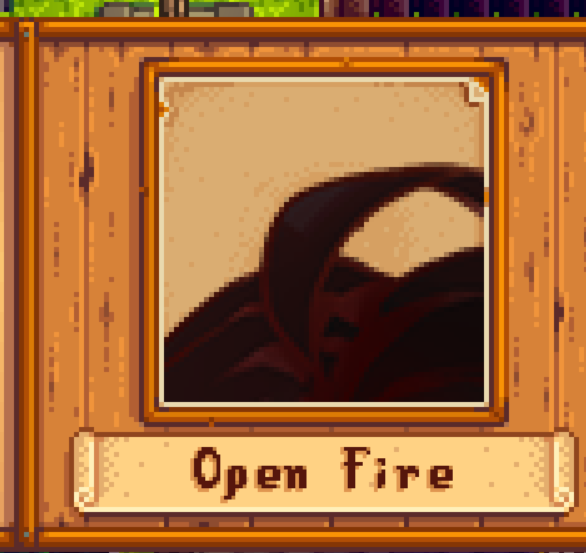 outer turret
That's a portraiture image being shown as a normal 64x64
 robust bison
you need to copy the portrait to the portraiture folder
glacial mist
i did it and and put it in the portrait folder but still same thing
glacial mist
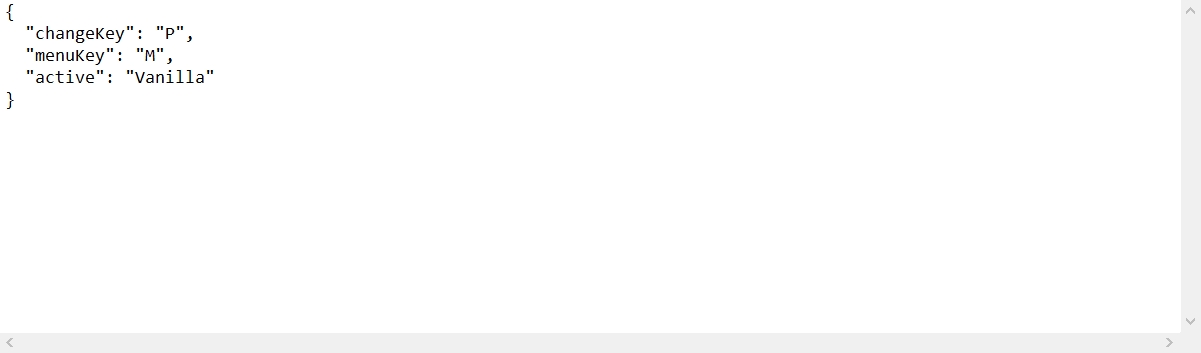
wait since im using SDVE do i need to change the active? https://i.imgur.com/DpqeIH4.png
 bright zealot
I'm looking for a mod that works with smapi for changing the color of debris
 royal tundra
what sort of debris?
 prime grove
!log
native dragonBOT
Can you upload your SMAPI log to https://smapi.io/log (see instructions on that page) and share the link here?
lone dragon
remove the smapi folder and the (Stardew Valley Expanded) folder
 carmine oar
can anyone give me advice on what to do with this error: https://smapi.io/log/b42adec89c10492e8886b7f1de1a357a
outer turret
I'm not familiar with it myself but it might be linked to farmhands not having the same mods as you?
glacial mist
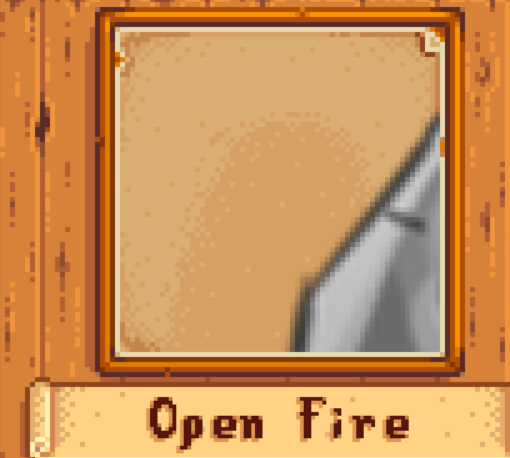
its still doing the same thing id cop and paste the png to the portrait mod https://i.imgur.com/oUUa80R.png
 naive drum
did you press P to switch it from "portrait provided by the mod" to "portrait in portraiture"?
also, you should include a 64x64 version of your portrait
carmine oar
even running solo i still get those damn alerts
i tried deleting like 10 mods
gonna see what i get
glacial mist
how to do that?
bitter summit
Paying someone $15 usd to fix "always on server" mod. https://smapi.io/log/fb92abb9a0454b04a09b275c8ad5bba1 the most recent version is on the forums, the nexus version is 2 years old. Smapi Mod info. I can link you.
glacial mist
i did press p and nothing happen and here is the portrait
ashen elbow
oh-
naive drum
thats uh
not a valid portrait format from the looks of it
 cloud fog
So is there a way to download mods on andriod i cant seem too
glacial mist
like when i looked at what wahere the steps i need yo do, it told me to take that png and put in in the portrait mod folder
naive drum
your png is very, very much the wrong size
here's Abigail's portrait file as an example one
naive drum
that's very large and has a lot of blank space
glacial mist
thats the original one that came when i downloaded it
naive drum
hmm
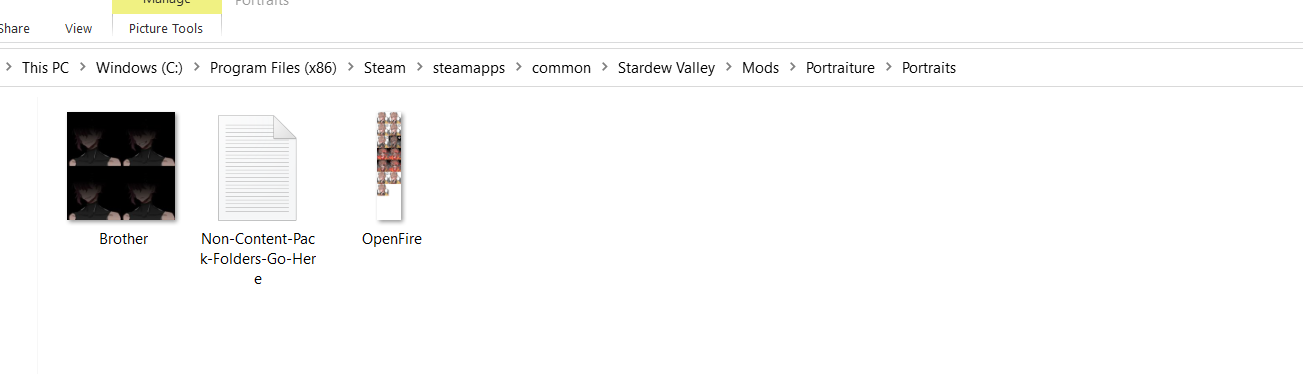
yeah that'll work but it needs to go in the Portraiture folder and you need to activate portraiture by talking to the character and pressing P while the dialogue box is open
glacial mist
yeah i did that https://i.imgur.com/cB9wUYY.png but even then its syll the same even when i press m i cant click on his portrait an dits faded
 wary sapphire
Is there anyone that can help me figure out what is causing our 3 person game to keep on crashing?
native dragonBOT
Can you upload your SMAPI log to https://smapi.io/log (see instructions on that page) and share the link here?
wary sapphire
naive drum
did one of the farmhands try to marry a custom NPC?
naive drum
that is known to fail in mp; i think the workaround is to have the host play that day alone, with no farmhands present at all, and then when the farmhand logs in the next day they're past the glitchy-in-MP cutscene
however
have the host back up the save before trying this!
wary sapphire
Ok we will give it a try really quick then. If worse comes to worse we can just make a new save
naive drum
i think there's some save-editing you can do to make the farmhand not set as marrying sophia
also for future reference unless pathoschild or the stardew dev team manage to fix this - don't marry custom NPCs as farmhand
wary sapphire
Alrighty, wasn't aware when we started with the custom npcs. Assuming we make it by the cutscene, will everything else probably be fine afterwards?
naive drum
probably!
 fleet marsh
....I still can't believe seasonal outfits gets rid of Leah's entire aesthetic and just puts her in little house on the prairie dresses.
:c
sharp belfry
yeah I'm really not a fan
fleet marsh
I keep thinking "It's fine, I'll just edit the thing and swap out her outfits with ones that are definitely more her"
...but then that's wooooork so I just never end up installing it.
sharp belfry
you can borrow the ones from the "slightly cuter aesthetics" seasonal outfits mod, it has different outfits that imo fit her way more
 woeful cargo
is there a mod which allows you to see the use of items
woeful cargo
like i once needed a rainbow shell
and i didn't have it till summer
i was in winter
it would've been better if I knew that i needed it in winter and didn't sell it
royal tundra
I think Look Up Anything will show you what an item is used for and if you still need it for a bundle or achievement
woeful cargo
Ok thanks
fleet marsh
Yeah that's what I was thinking.
Can just shop around for Leah mods I like and just sub em in
It's easy, thankfully
woeful cargo
oh it isn't compatible with Android :(
sharp belfry
the two mods I think you should check out @fleet marsh are https://www.nexusmods.com/stardewvalley/mods/5450 and https://www.nexusmods.com/stardewvalley/mods/4079, both use different outfits and even tho the second changes everyone's looks it has a vanilla face option too

Nexus Mods :: Stardew Valley
Overhauls all character sprites and portraits for a slightly cuter aesthetic
fleet marsh
Hm, I think I will. Thanks!
sharp belfry
I actually use a whole other non-seasonal Leah mod cause I just like the look that much lol
the piercings, slight smirk, and flannel won me over https://www.nexusmods.com/stardewvalley/mods/6306

Nexus Mods :: Stardew Valley
Leah reimagined, what can I say. I guess hipster Leah in flanell is my choice
lapis void
i really like this leah https://www.nexusmods.com/stardewvalley/mods/7116 the author is working on seasonalizing too!

Nexus Mods :: Stardew Valley
A facelift for the portraits while still keeping their vanilla vibes in-tact! Pillowshading, dithering, and artstyle inconsistencies begone.
fleet marsh
That is literally the exact mod I was gonna sub in
Love that one
Always looking for any excuse to find a place for that one
lapis void
yeah, jessie's working on seasonals and shared some screenshots in creative channels, it's looking really good 👀
sharp belfry
oh yeah that one's pretty but it has a slightly different artstyle from vanilla and I don't like style inconsistencies between characters xd
and as I have a lot of custom npcs, that means keeping to vanilla-styled portrait mods
one day I'll get around to frankenportraiting the pinzol Leah with some nice seasonal outfits...
 uneven spade
Are there any mods that let you move the farmhouse?
 ruby leaf
Does anyone know of any turkey mods? (brown chicken replacement)
The one I was sent a link to isn't there anymore due to the creator shutting down.
native dragonBOT
Can you upload your SMAPI log to https://smapi.io/log (see instructions on that page) and share the link here?
wary sapphire
Is there anyone that is able to help me edit a saved game, someone married a custom npc and the game will crash if they are in it. Would like to attempt to just reset their relation with Sophia or something similar
outer turret
Could you restore a back up save from the smapi back up files?
wary sapphire
I will see
@outer turret Thanks for the help btw. Sorry it is taking a while, having a friend do it since it is her save, it is looking like we will be able to go back before it happened, just trying to find the right backup
outer turret
Thankfully smapi saves a weeks worth. So hopefully you wont lose too much progress.
wary sapphire
Yeah, thanks again for the help
dire fractal
Hippity hoppity u guys think the update 1.5 will be incompatible with mods?
naive drum
pathoschild will most likely release updates for SMAPI and the mods he maintains on the day
some mods will work without updates; some will require a recompile but will otherwise be fine; some will be broken and need fixing; and some will be waiting on updates to dependencies
dire fractal
Yay im about to play with sve and i dont know if i should wait for the update or start now
sharp belfry
you don't know when the update will come so i say start now
I've resigned myself to waiting a long while after the update to play again, I don't want to give up my mods
outer turret
I figure I'll just keep a copy of 1.4 on my harddrive.
royal tundra
I just got Mr Ginger's 8 heart event and it is adorable.
royal tundra
message from the dev:
"Hidden at 07 Nov 2020, 1:01AM by WatchfulTigerlily for the following reason:
Hello everyone! Herbert will currently be down because I will be unable to update him for a while. I am working on him, but for now he will not be downloadable until I am finished with an overhaul. This goes for my second custom NPC mod too. This is due to being extremely busy and unable to keep updating him for the moment, but don't worry! He'll be back up soon and bug-fixed!"
sharp belfry
mod idea: someone recreate this house. especially the interior  https://www.zillow.com/homedetails/1-Rivers-Edge-Dr-Colts-Neck-NJ-07722/39230937_zpid/?
royal tundra
...was the owner colourblind?
outer turret
Oh man. One of my friends loves sharing these on Facebook. Imagine a massive confusing house map!
sharp belfry
perfect for the incoming christmas mod challenge!
royal tundra
the exterior and the pool are awesome but some of the checker patterns inside really remind me of what my colourblind friend does XD
sharp belfry
I love them when they're fictional but for irl ones I can't stop thinking about all the waste xd
outer turret
Yeh there is that
I do kinda want to create a house with secret portals and stuff. But I need a. To finish other projects first and b. To learn how to use switch layers in pytk (preferably permanently). Actually SvEs new shed quest might give me ideas for the code there
naive drum
https://gallusrostromegalus.tumblr.com/post/635220801813151744/astrailhads-beyond-obsessed-with-this-house-in#notes speaking of bizarre houses look at this one

BEYOND obsessed with this house in fort worth, texas i mean
okay pretty normal, let’s look at the interior photos—
WHAT THE FUCK
here we see the first example of a pattern that will recur throughout...
outer turret
Heh maybe we should have a bizarre house design contest in SDV. But alas we all have the same fairly limited assets.
Plus no chandeliers
sharp belfry
as a bathtub i’d give it a 1/10 because those angles look incredibly uncomfortable, but as a place to shoot my lover through the heart while wearing a gauzy fur-trimmed bathrobe before fleeing with our ill-gotten fortune i’d give it a solid 11/10
But alas we all have the same fairly limited assets.
not with custom assets
naive drum
also, back in medieval times those huge houses made sense
they weren't just one-family houses; they were for a noble family and their servants, and hosting foreign noble families and their servants because there weren't fancy hotels back then and so nobles' mansions were used when diplomacy was happening
sharp belfry
yeah, in some of them there was a village's worth of people living inside
shy orbit
System.OutOfMemoryException: Insufficient memory to continue the execution of the program.
basically too many mods it seems, or at least memory-intensive mods
woeful spear
so i should remove some mods ?
shy orbit
i suppose so
sharp belfry
another solution is to turn off other programs while playing, like browsers
shy orbit
the custom music pack you have could be rough on memory usage for example
sharp belfry
also in my experience custom music mods are the most memory intensive so removing the one you have that replaces all BG music should be a quick fix
chill, can't you see we're in the middle of helping someone else?? rude.
also
!log
native dragonBOT
Can you upload your SMAPI log to https://smapi.io/log (see instructions on that page) and share the link here?
woeful spear
i removed some mods and it works now ! thank you so much !
ashen elbow
...there are so many aesthetic mods
royal tundra
okay, to start narrowing it down: do you like bright vivid colours? Or is default SDV a little bright and you'd like it a little more subdued?
 runic dew
ashen elbow
...there are so many aesthetic mods
runic dew
ashen elbow
...there are so many aesthetic mods
I know there’s a lot of aesthetic mods
runic dew
royal tundra
okay, to start narrowing it down: do you like bright vivid colours? Or is defaul...
I do enjoy the bright vivid colours but when I’m playing at late night it’s a bit overwhelming
sharp belfry
@dire fractal first of all don't spam, someone will get around to helping you eventually. second, I don't see anything wrong with your mods so my best idea is this is just a bug with SVO. report it to the author in the bugs section of the SVO nexus page.
royal tundra
Starblue Valley or Eemie recolors are the two big ones that tone down the vivid colours while still meshing well with the game and with other mods, those will make the biggest (but arguably the most subtle) aesthetic impact
ashen elbow
Im honestly just testing recolours at this point
i like stardew foliage redone + reshade
dire fractal
in sve, i'm trying to give martin a gift at the movie theatre where he works, but it doesn't let me, it just shows dialogue. it's his birthday, do i have to wait for him to get off from work?
dire fractal
oh i see
yeah maybe
i like eemie recolors :)
i use starblue valley recolor though
ashen elbow
im not a fan of how bright starblue's summer is
foliage redone is a bit bright, but in a more natural way, rather than the sdv colours
runic dew
I can’t find eemie recolours
ashen elbow
moddrop
runic dew
pardon?
royal tundra
they're on the Moddrop website, not the Nexus website

ModDrop | Stardew Valley
Eemie's lovely palette changes converted to Content Patcher
keen moss
@dire fractal A screenshot of the issue would help as well as none of Harvey's outfits are a dress so I don't know where it's pulling the dress from. It could be another NPC on top of Harvey that's clipping through or your player character could be clipping through if you're standing on top of him.
Can I still have a screenshot?
Ideally where the dress is visible so I can see who it belongs to
 mighty bane
Hey guys so is it possible to have more then one hair mod installed? I have three i want to use but i'm not sure if they will work
dire fractal
yeah
but he just wouldn't accept it at the movie theatre
like the gift icon didn't show up
i waited until like 10:30 pm lmfao
i'm gonna follow him home cus i dont even know where he lives
ashen elbow
lol
ashen elbow
yeah
dire fractal
wdf
ashen elbow
i was going to say that maybe he doesnt have a home and just goes on the bus
dire fractal
omg...
ashen elbow
since i think claire used to do that?
dire fractal
where does claire live?
mighty bane
I don't mean to be a pain by asking this again but is it possible to have more then one hair mod installed? I have three i want to use but no sure if they'll work
keen moss
You'll need GetGlam if you want multiple hair packs.
Alternatively you can manually merge the tilesheets together.
royal arrow
Yea I merged 3 of them together, let me see if I can find the alignment sheets
Here's one https://m.imgur.com/FbRX2OY
mighty bane
keen moss
You'll need GetGlam if you want multiple hair packs.
Alternatively you can manu...
Ooohh ok, i see
mighty bane
royal arrow
Yea I merged 3 of them together, let me see if I can find the alignment sheets
Ok!
royal arrow
There's a longer alignment sheet somewhere but I'm having difficulties finding it
mighty bane
That's ok! You don't need to look if you don't want to!
royal arrow
Woop found the longer hair alignment sheet! https://i.imgur.com/hy4MfMy.png
mighty bane
Thank you guys for the help!
keen moss
(It's part of Hope's templates)
royal arrow
If you're looking to create or merge mods that add hats, hair, or shirts, take a look at Hope's Farmer Customization Mods on nexus! https://www.nexusmods.com/stardewvalley/mods/1008
 devout pumiceBOT
New quote added by LenneDalben as #5255
royal arrow
(it's been added to the quote of quotes~)
torpid kettle
When I add the fresh meat 3.0.2 update to the ppja mega pack it gives me a huge amount of errors
keen moss
!log
native dragonBOT
Can you upload your SMAPI log to https://smapi.io/log (see instructions on that page) and share the link here?
keen moss
You probably have the EMR - Meat pack which was merged into Fresh Meat 3.0
torpid kettle
idk. I updated a few mods (chests anywhere, lookup anything, ppja fresh meat, and seasonal outfits for sve) and then its giving me this
and its saying i dont have ppja fruits and veggies but i do have it
keen moss
You have multiple copies of Fresh Meat installed
Mods/My Mods/Fresh Meat 3.0.2-1721-3-0-2-1602856490/[JA] Fresh Meat & Mods/My Mods/PPJA Mega Pack/[PPJA] Fresh Meat/[JA] Fresh Meat you'll need to remove the older one.
Fruits and Veggies is failing because it looks like the manifest got removed. Can you screenshot the inside of My Mods/PPJA Mega Pack/[PPJA] Fruits and Veggies. Alternatively you can just redownload the mega pack. Sometimes Nexus messes up.
torpid kettle
ill redownload the mega pack. it looks like somehow something from fresh meat got into fruits and veggies
That seems to have worked
okay uh my game isnt launching
there apparently isnt anything wrong with it, but at the end of the command line this showed up
[UI Info Suite] starting.
/Users/buildbot/buildslave/steam_rel_client_osx/build/src/common/pipes.cpp (839) : Assertion Failed: fatal stalled cross-thread pipe
/Users/buildbot/buildslave/steam_rel_client_osx/build/src/common/pipes.cpp (839) : Assertion Failed: fatal stalled cross-thread pipe
/Users/buildbot/buildslave/steam_rel_client_osx/build/src/common/pipes.cpp (839) : Fatal assert failed: /Users/buildbot/buildslave/steam_rel_client_osx/build/src/common/pipes.cpp, line 839. Application exiting.
/Users/buildbot/buildslave/steam_rel_client_osx/build/src/common/pipes.cpp (839) : Fatal assert failed: /Users/buildbot/buildslave/steam_rel_client_osx/build/src/common/pipes.cpp, line 839. Application exiting.
_ExitOnFatalAssert
logout
Saving session...
...copying shared history...
...saving history...truncating history files...
...completed.``` river patio
can someone walk me through downloading stardew valley extended
I already installed everything but
it's not there lol
so I'm guessing I put it in the folders wrong
royal arrow
!sve
native dragonBOT
Stardew Valley Expanded (https://www.nexusmods.com/stardewvalley/mods/3753) is a mod which adds a lot of new content and areas to the game. It has many dependencies, so be sure to follow the install guide which is on the github wiki along with FAQs and troubleshooting steps for common issues: https://github.com/FlashShifter/StardewValleyExpanded/wiki
royal arrow
can you check the install instructions, go through the steps, and let us know if you completed all of them?
also, could you share your log per the link below?
!log
native dragonBOT
Can you upload your SMAPI log to https://smapi.io/log (see instructions on that page) and share the link here?
royal arrow
the log will give us more information than just errors
royal arrow
for example, whether the mods were correctly installed
you can load up the game, load a save or start a new one, and then quit
river patio
I did that
let me try it again
it won't launch the game now
I created a mods folder
to host my mods
because there wasn't one, and now I cant launch the game lol
so i removed everything from my mods folder now and I'll launch without it being in the flder
royal arrow
it doesn't look like you uploaded the log correctly
have you installed any XNB mods? They would have gone into your Stardew Valley > Content folder rather than the Mods folder
royal arrow
!xnb
native dragonBOT
XNB mods often break the game and are not recommended. See https://stardewvalleywiki.com/Modding:Using_XNB_mods for more info (and a list of Content Patcher alternatives), and https://stardewvalleywiki.com/Modding:Player_Guide/Troubleshooting#Reset_your_content_files to fix problems caused by XNB mods. For mod creators, see https://stardewvalleywiki.com/Modding:Editing_XNB_files for help unpacking & editing them (including for use with Content Patcher).
river patio
I just installed what was needed for stardew expanded
 viscid pond
did you install Smapi first?
river patio
i have smapi installed yes
viscid pond
it should have created the Mods folder for you
river patio
it did not
viscid pond
did you change your launch options?
river patio
omg i'm an idiot lol
royal arrow
perhaps SMAPI wasn't installed correctly?
river patio
i put the smapi INSTALLER
royal arrow
!gettingstarted
native dragonBOT
If you would like a guide to setting up mods for Stardew Valley, check out the getting started guide! https://stardewvalleywiki.com/Modding:Player_Guide
 cunning agate
D:\Program Files (x86)\Steam\steamapps\common\Stardew Valley
Here's mine if that helps you
likely int he same place either on the C or D drive
cunning agate
Would anyone know why Vortex is telling me it's unable to deploy mods. I've tried closing everything down, reinstalling all of my mods, Steam, my Steam games, and Vortex. This is on top of recently installing a fresh Windows
royal arrow
what's the log say, per the error message?
native dragonBOT
Can you upload your SMAPI log to https://smapi.io/log (see instructions on that page) and share the link here?
cunning agate
Yes, and ye. Thank you for the help
 hexed fractal
I keep getting a content patcher error, idk what is wrong. All I've done is update content patcher this morning and now my dialogue mods aren't reading. https://smapi.io/log/91e91a280bd2492f8ebe7b53319c85fe
cunning agate
 check out the link below


 devout pumiceBOT
[#5031] "If you're looking to learn more about how to read your error log, there's an annotated one here https://m.imgur.com/SRfOvKB" - LenneDalben (30 Aug 2020 @ 11:43:35 PM UTC)
royal arrow
@ jierishi, it looks like there was a mod that wasn't properly installed, per the Skipped mods section, Pencilstab's Completed Portraits & Sheetcakeghost Sprites\variants (replace the PNGs with the ones you want). I recommend checking the mod install instructions for that. That seems to be contributing to the conflict later in the other Content Patcher errors
cunning agate
I deleted the Pencilstab mod, but the SMAPI log window hasn't changed nor updated despite it.
The game loads with all of the mods if I manually install them. I just can't figure out what other program it says it loading the mods
I only have one instance of Vortex open, and no other mod programs. I made to to make sure the folders weren't read-only
river patio
i'm dragging the file and it just keeps copying the text instead of uploading it
ugh
royal arrow
hexed fractal
I keep getting a content patcher error, idk what is wrong. All I've done is upda...
I recommend uninstalling Canon-Friendly Dialog Expansion and reinstalling. Per the Skipped mods section, it also looks like you tried to install some XNB mods
!xnb
native dragonBOT
XNB mods often break the game and are not recommended. See https://stardewvalleywiki.com/Modding:Using_XNB_mods for more info (and a list of Content Patcher alternatives), and https://stardewvalleywiki.com/Modding:Player_Guide/Troubleshooting#Reset_your_content_files to fix problems caused by XNB mods. For mod creators, see https://stardewvalleywiki.com/Modding:Editing_XNB_files for help unpacking & editing them (including for use with Content Patcher).
cunning agate
I'm an idiot. I found it. MalwareBytes.
royal arrow
cunning agate
I only have one instance of Vortex open, and no other mod programs. I made to to...
I use manual install, which is the most recommended method. You can use ModDrop over Vortex if you absolutely want a mod manager. Otherwise, I'm not sure what's up, Vortex is quirky 🤷🏽
hexed fractal
Will do, thanks. I'll update if it works.
royal arrow
river patio
i'm dragging the file and it just keeps copying the text instead of uploading it
The site should mention other ways to upload the text if the default method isn't working correctly
sharp belfry
I use vortex! I had that error once, it was due to a too long path name, I shortened the name of the folder for the mod that caused it (it was lunna) and deployed again, and then it worked
river patio
bless
sharp belfry
river patio
i'm dragging the file and it just keeps copying the text instead of uploading it
yeah, first it copies the text and then you have to press the button below to parse it :P
river patio
when i hit parse it says it was done wrong and that i just copied the text D:
this error
Oops, couldn't parse that log. (Make sure you upload the log file, not the console text.)
Share this URL when asking for help: https://smapi.io/log/9004ae1d2c84496184dfb683e1f1207a
royal arrow
you aren't copying it from the black window, the console, right?
you're going to the log file itself per the instructions?
river patio
no i'm copying it from the file it opens
yes
it pulls up like nullplayer_ a bunch of numbers
as text files
that I drag from the folder to the error log site and it says can't parse
sharp belfry
weird. it looks like you're uploading just one error, not a whole log
river patio
okay i think i know what the log was saying is wrong let me try running it now
i dragged the font folder out of content into mods by accident
so that was the error
not sure why the error page wasn't working
hexed fractal
uninstalled both dialogue mods and reinstalled them, took out the xnb files. still the same error from content patcher
river patio
what are ya'lls favorite map recolours
royal arrow
I have a couple listed in my mod list, there's a table of contents to make it easier to navigate https://docs.google.com/document/d/1_qmtiO74ENg99aDL97xhLjVawV5pQLQtmHCidLTnbRc/edit?usp=drivesdk
@ Nash, can you share a new log? It's odd because no one else seems to be reporting a similar issue on the mod page
river patio
if I'm adding a set of building overlays, how do I add that to the mods
royal arrow
I'm not sure what you're asking. Do you mean how to install it? You install it like any other mod, provided it's not an XNB mod
hexed fractal
I also find it weird, the first thing I checked was the mod pages, and this was my next option. Figured you guys are smarter than me lol. https://smapi.io/log/a2440572196c4e0ea6d099374294f978
royal arrow
Idk about smarter lol @keen moss hi!  do you know how to address the warning Nash has above? ⬆️
keen moss
It's not just my mods. Looks like a bug with CP 1.18.5
Something broke with Include patches Edit: Or that's what I'd assume
royal arrow
yea I just realized Immersive Characters Shane is listed on there. #blamepathos (I tease, Pathos, everyone knows you're an 👼🏽)
keen moss
@tired brook See above fam
tired brook
CP 1.18.5 has some changes to content pack validation. Looks like one place wasn't updated for the new logic; I'll do another pass to make sure nothing else was missed, and post another update today.
keen moss
Thanks!
hexed fractal
Thanks! I figured it was something I did, Stardew mods very different than all my other games and I have been modding a lot the past few days.
river patio
does anyone have a link to Eemie's map recolor that's the new one
hexed fractal
SO it is nice to know I know how to read lol
@river patio https://www.moddrop.com/stardew-valley/mods/580620-eemies-just-a-new-map-recolour-content-patcher-edition
ModDrop | Stardew Valley
Eemie's lovely palette changes converted to Content Patcher
That is the one I used at least
river patio
blesssss
I'm trying to download hair replacements but it isn't working, what did i do wrong LOL
royal arrow
we're going to need more detail 😄 can you link the mod you tried to use, and provide more specifics as to what you've done, and what "not working" means?
river patio

I dragged it to the mods folder
it did not appear in game
do i need to find and replace the actual files
royal arrow
nope, this is a CP mod, so it should go in the Mods folder
royal arrow
What are you using to try to change your hair? Get Glam, Customize Anywhere? Or are you creating a new save?
river patio
its a new save
royal arrow
to clarify: you cycled through all the possible hairs, and none of these showed up?
river patio
yes
royal arrow
Can you share your log?
river patio
I can try looking one more time just to be safe
royal arrow
!log
native dragonBOT
Can you upload your SMAPI log to https://smapi.io/log (see instructions on that page) and share the link here?
river patio
yes
just a second let me try one more time just to make sure
i double checked, they aren't showing up in game
i'm still getting the parse log error (':
royal arrow
iirc you said dragging and dropping the file didn't work. You also tried opening the log file, copying all of the contents, pasting those, and then clicking the button?
river patio
the log isn't updated with a new file since the crash earlier, so I don't think it would show any errors with the mod I just downloaded. The last update to it was about 30 minutes ago and I just added the hair mod
royal arrow
the log is generated new every time you load the game o.o
royal arrow
I mean, maybe? Do you have it nested in folders? The issue would be if the file/folder path name is too long, but then you'd see for sure in the error log 
torpid kettle
Does anyone have any ideas why my game isn’t starting
river patio
i tried changing the folders around, that didn't work either
rip
let me try making a save file first
because i don't have an existing one, and the log is not updating
royal arrow
@torpid kettle Can you try the steps here? https://stardewvalleywiki.com/Modding:Player_Guide/Troubleshooting#Game_doesn.27t_launch
river patio
none of my mods are working
the overlays are also not working
but its also not updating the logs
so idk how to find out what's wrong
royal arrow
I don't either, I hope someone else will be able to chime in
river patio
do mods have to be enabled at all?
or is it automatic
because this is an entirely new download of stardew
royal arrow
If you're doing manual install, as long as they're in the Mods folder, you're set
tired brook
@royal arrow @hexed fractal @keen moss Can you confirm this build fixes the CP 1.18.5 issues with your mods?
river patio
or do i leave them in their respective folders
royal arrow
you don't move the .json files
river patio
so that's weird then