#archived-modded-support
1 messages · Page 605 of 1
 mellow karma
 royal arrow
Echo Ranger, then you'd have to toggle off mods one by one until the error stops, or to the reverse, remove all the mods, and add them little by little until the error happens
royal arrow
been there, I feel for you 
mellow karma
why can't it ever be easy lol
royal arrow
Because that would be simple and save you time 😆 modding usually involves some tedious testing (for me and my 306 mods, a lot of tedious testing 😅)
mellow karma
modding fist bump
 supple echo
back in the day there used to be Mac extension managers that would automate the cycle of enabling/disabling system extensions and rebooting, to help you find the one making your computer crash. that would be handy for game mods. 🙂
royal arrow
Depends on the game.
I know Stardew Valley does work with Vortex and ModDrop, but I don't use those, I just suffer with manual install 😆
supple echo
(unrelated, but I just got to what must be the Lewis/Marnie relationship cutscene from the Life Cycle mod and YES, FINALLY WE GET TO TALK SENSE INTO LEWIS)
Yeah, I've been manually installing everything too. Vortex is the Nexus mod manager, right?
royal arrow
I want to say yes lol haven't used it in a while
I use Mod Organizer for all the other games I play xD
But also that's good to know about Life Cycle, that's been on my list to try out, I'll have to go for it
supple echo
I got the vanilla cutscene already, so I think it must be the mod. I do have a ton of mods installed but that seems like the most likely culprit 🙂
royal arrow
There's no other mod I know of that lets you do that o:
supple echo
That is why I installed it 😄
I already got the vanilla cutscene on this save, actually, so I was confused until I realized my dialogue choices were different and then it clicked 😄
yaaaaay
He comes around astonishingly quickly, but it's gratifying nonetheless. 
I hope all the townsfolk are happy for them tomorrow 🙂
 shell dagger
Is that why his purple shorts are locked in that house?
royal arrow
oop, guess that's technically a spoiler for people new to the game o.o
supple echo
oh. oops, sorry
 outer turret
Its life cycle. Are you running my Ranch Expansion too? I'd be interested to know how my compat edits work with it.
(I disabled my 10 heart event and changed a bunch of dialogue)
supple echo
Right now I'm not because I have a different dialogue expansion for Marnie installed, but I could swap it in and see if anything untoward happens 🙂
outer turret
Nah it's fine. I'm sure itll work (unless I left any negative towards Lewis dialogue in there). Thanks though.
supple echo
Maybe I'll give it a whirl on my next save. 🙂
outer turret
I just cant test it myself. (Or dont want to as I'd rather ||break them up and send her towards Marlon||
outer turret
Kinda hints at it.
Now ive figured I can add dialogue to him I might take it further but it's a bit awkward cos SVE.
supple echo
SVE does Marlon rather nicely
I do have East Scarpe installed, incidentally! I've only gotten over there once, but it seems to work with SVE just fine
outer turret
Flash isnt necessarily adverse to me setting them up it would just take some organizing and I'm not sure how he would feel about me hijacking his customised char.
supple echo
ah I see
outer turret
Might ask him at some point.
Yeh ES and SVE dont make geographic sense but shrugs
They work
mellow karma
@royal arrow found it >< it was a corrupt pair of boots hiding in a chest, spawning them causes the same error. I deleted the corrupt items and reinstalled the mod (dino boots) and it seems to be behaving again
royal arrow
That's great news, I'm glad you worked it out!
mellow karma
thank you for helping me 😄
royal arrow
you're welcome!
outer turret
I should tell the Life Cylcle creator about asdConversationTopic if they dont know it already.
supple echo
what's that
 fair vessel
A way to make various villagers have dialogue specific to a recent event for a set time period after the event happens
 gloomy bear
@fair vessel Sorry if it's a bother, but I wasn't able to uninstall and reinstall Microsoft .NET but I did uninstall and reinstall .XNA and the red error text still eventually popped up in the SMAPI log even though I didn't put in any debug commands
I've tried to uninstall and reinstall .NET 4.5.2 but it's not letting me
fair vessel
 oh boy, I dunno then. I've kinda reached the bottom of my troubleshooting bag with this one :c
Maybe someone else who knows more will be able to help
gloomy bear
The log doesn't seem to present any issues with .NET
It's XNA that seems to be having issues according to the error text
But I've already uninstalled and reinstalled XNA several times
Another thing worth noting is that when playing the game, the screen tends to glitch and flicker out a little before it finally freezes
The music is still playing and I can hear the inventory pop up, but the screen's just stuck
royal arrow
out of curiosity, does your computer meet the minimum specs for the game? https://store.steampowered.com/app/413150/Stardew_Valley/

Stardew Valley is an open-ended country-life RPG! You've inherited your grandfather's old farm plot in Stardew Valley. Armed with hand-me-down tools and a few coins, you set out to begin your new life. Can you learn to live off the land and turn these overgrown fields into a ...
Price
$14.99
Recommendations
215199
Metacritic
89
 devout pumiceBOT
Stardew Valley | Price: ¥ 48 | Metascore: 89 | Release: 26 Feb, 2016 | Genre: Indie, RPG, Simulation | Developer: ConcernedApe
gloomy bear
Here are my computer's specs if this helps
And this is my storage
So it seems like my computer meets the minimum specs for SDV
shell dagger
.
gloomy bear
I've deleted startup_preferences
Freed up some stuff from my computer
Uninstalled and reinstalled SMAPI
And I've uninstalled and reinstalled .XNA (tried to do the same for .NET but wasn't able to)
I have .NET Framework 4.8 installed if that helps
fair vessel
That... might actually be a problem yes. Doesn't SDV use .NET 4.5.2?
royal arrow
I've tried to uninstall and reinstall .NET 4.5.2 but it's not letting me
What specifically did it do o.o like did it give you an error?
gloomy bear
So, from what I understand, Windows 10 doesn't display "Microsoft .NET" as an installed program in it's Programs and Features
The instructions to remove it is to look in "View installed updates"
I do that, and this is what I have
I don't really understand what I'm supposed to do, but I've tried uninstalling some of these and it's just not happening
royal arrow
does it mean the View Installed Updates part in the Settings rather than the Control Panel o.o?
gloomy bear
Because attempting to install Microsoft .NET 4.5.2 yields this for me
It means from the Control Panel
royal arrow
unfortunately I'm stumped, I hope someone else in the chat is able to assist
gloomy bear
According to my update history in Settings, I have Microsoft .NET Framework 3.5 and 4.8
But NOT 4.5.2
But it won't let me install 4.5.2
royal arrow
I assume you've rebooted in between attempts?
gloomy bear
Yes
I have restarted my computer several times
Restarting it again now after uninstalling and reinstalling XNA again
Though I still don’t know what to do for .NET 4.5.2
Does it specifically have to use .NET 4.5.2 for it to work?
Because with my computer’s current updates, it automatically installs the latest version of the .NET framework so I don’t know if that’s going to be an issue or not
Okay so after restarting
The game isn’t glitching anymore or freezing up so far
I’m gonna try to type in debug commands now
And... the red error text came back and it crashed the game
Interestingly, it says "insufficient memory" but if my computer specs are any indication, my memory should be fine
royal arrow
Do you have other programs running or just the game?
gloomy bear
Just the game.
I mean, I have Microsoft Edge open with seven tabs currently
But that's about it
I mean, the glitching and screen flickering seemed to be gone after restarting it with a newly-reinstalled XNA
But just trying to type into the SMAPI log made the error text come back and immediately crashed the game
I tried starting the game up again and it crashed
Could it possibly be a memory leak that I'm not aware of?
 hushed trellis
are there any mods out there that could make your existing farm bigger?
 candid loom
Any mods for locating prehistoric floors? I want dino eggs
 tight tusk
public access tv
candid loom
Oh, I thought that one only told you the monster floors in the regular mines.
tight tusk
it also includes prehistoric floors once you gain access to sc
candid loom
Okay. I'll check it out. Thanks!
 distant plover
question, regarding CJB Spawner, does it not work with custome furniture?
 torn mason
Nope, because CF adds furniture into a game in a way that doesn't match any existing vanilla item types
fair vessel
🤔 would debug fin commands work for custom furniture?
 formal vine
was wondering if anybody could give a quick hand?
fair vessel
!ask
 native dragonBOT
Feel free to ask your question or describe your issue here, and someone will help if they can :)
formal vine
ok so I'm using immersive farms 2 remastered and me and my buddy were playing online but we keep having issues
i cant leave my house and when we do separate houses they don't spawn
don't know if it just doesn't work online or i messed up
fair vessel
Ok, a few questions:
- which one of you is the host?
- Do you both have IF2R installed?
- Do you both have SVE installed as well (and all its required mods)
formal vine
ok whats IF2R and SVE, assuming immersive and expanded
weve both tried hosting but same issues
we both have the exact same mods
fair vessel
yes, Immersive Farm 2 Remastered is IF2R, and Stardew Valley Expanded is SVE
Allright, next step then
!log
native dragonBOT
Can you upload your SMAPI log to https://smapi.io/log (see instructions on that page) and share the link here?
fair vessel
A log from either of you (from a play session where you had the issue) will help
Ideally a log from both of you will be best, but even just one of the logs might help find the problem
fair vessel
Doesn't matter
Close is fine
The most recent log is always saved on your computer (instructions at the link for where to find it)
It's important to upload the log file (and not just copy paste what's on the smapi console) because the full log file holds more information
formal vine
i also took pics but seeing how much is sent i don't think you guys would even need it
fair vessel
Ok, so the only error on (your?) log is a false alarm because SpaceCore mod doesn't check before erroring on farmhand games lol
And the mods themselves seem to be updated and loading in properly. I think I'll need to see the host's log to learn more.
 bleak dew
question about mods that I wasn't ever really able to get an answer for, but can you have mods within folders? or do they need to be in a very specific path?
such as, this mod has 2 folders in it, a [CP] and a [TMX]. do those CP,TMX folders need to always be in the root of mods?
or can those two be within a folder for the mod in mods?
 minor mason
Hi is anyone able to run SVE on android?
bleak dew
this other mod has a [pack] tag, then within that is 6 mod folders with [CP], [JA], [MFM], [PFM], [STF], [TMX] all within the [pack] tagged folder
tight tusk
@minor mason yes. but your phone needs to have 3gb ram at the minimum
fair vessel
@formal vine ok I took a look through the log, I can't find anything all that strange. However the host is missing 3 mods that the farmhand log has:
- Console Commands
- Save Backup
- Waterproof Items
I don't know if any of those should affect things, but the waterproof items one might, in theory. Also the first two come bundled with SMAPI, so I'm really not sure why they would go missing.
formal vine
Oh I don’t have em eithwr
fair vessel
You do, they show up in the log.
fair vessel
Also wondering - does this problem only happen on existing saves, or have you tried a fresh save and seen the same thing happen?
formal vine
Both mess up
torn mason
@bleak dew you can nest mod folders yes. I keep all my mods organized in different folders and subfolders within subfolders for related mods
formal vine
Fresh and existing
 junior ibex
does anyone know a good experience mod? I've tried out Experience Bars on Nexus Mods, however the way it's constantly on screen for every single skill kind of cramped my screen...
 cedar kite
So I downloaded the anthro characters continued but instead of xnb they are showing up as png files, any idea how to fix?
 lapis void
!xnb @cedar kite
native dragonBOT
@cedar kite XNB mods often break the game and are not recommended. See https://stardewvalleywiki.com/Modding:Using_XNB_mods for more info (and a list of Content Patcher alternatives), and https://stardewvalleywiki.com/Modding:Player_Guide/Troubleshooting#Reset_your_content_files to fix problems caused by XNB mods. For mod creators, see https://stardewvalleywiki.com/Modding:Editing_XNB_files for help unpacking & editing them (including for use with Content Patcher).
lapis void
@junior ibex if you lookup your farmer using lookup anything, you can see the remaining xp before leveling up--is that the kind of thing you're looking for?
junior ibex
That would be nice. A few weeks ago I was scrolling and maybe my eyes were playing tricks on me but I saw one that popped up a small bar on the corner of your screen whenever you gained xp in a certain skill, and it had a little number indicating how much xp you just gained. That would be ideal, but a remaining xp mod would also be great
lapis void
that may have just been experience bars-- you can toggle the bars off with X though! make sure to get the latest update from spacechase0's site: https://spacechase0.com/mods/stardew-valley/experience-bars/
junior ibex
awesome, thank you!
 static lava
Is there a mid that allows you to May be make a shop or stand to sell things
tight tusk
shop tile framework
 silk plinth
 formal kestrel
Anyone have some time to help me with 2 mods that aren't working?
One Mod that isnt working apparently
native dragonBOT
Can you upload your SMAPI log to https://smapi.io/log (see instructions on that page) and share the link here?
formal kestrel
Theres no error or crash log - it just doesn't work (delux auto grabber) but one moment, I'm going to see if maybe I just broke the dumb config file. Do you need to re-place the grabbers after you instal the mod?
But the coal re-gen is outdated, even the one that was updated is now outdated so lol
 rain lava
Yeah, most likely it's just outdated. There are a lot of ppl with problems/errors in comments xc
formal kestrel
I just want something to harvest my trees and truffles but not the crops lol.
It is working now that I've replaced it, so maybe I broke the config. Hmmm.
Right so I edited the config to harvest trees and truffles but not crops - anyone know if theres a limit on distance?
Because it was working when it was default range, but I uppped it to 100 and now its not
Dropped it to 50 - but I can't see any issue in the config if it is not a distance limit
Welp if anyone knows how to fix it, that'd be amazing but at the moment it works until you change anything in the config and then breaks.
 slate sparrow
Not sure if this is the right channel to ask in, but does anybody know of any mods that expand on bee keeping? I rather like bees and it would be nice to have more to do with them than there is in vanilla. 
Ping me if you respond so I don't miss it. I'm not super active.
gloomy bear
Out of curiosity
It says that XNA is supported by Windows 7, Windows XP, and Windows XP
I have Windows 10
Would that cause problems
Because it didn't before
royal arrow
@slate sparrow this is the right channel! I think the only one I've seen is to allow beehouses in the greenhouse though  https://www.nexusmods.com/stardewvalley/mods/4115?tab=description

Nexus Mods :: Stardew Valley
Adds a beehouse that you can use indoors or even outside in winter, as well as a keg to make special meads out of them! Supports modded flowers!
 zealous wadi
I just got married in my version of SVE. Now when my character goes to sleep for the night he'll get the "zzz" above his head but then wake up and I have to leave the house to skip to the next day. Anyone familiar with this bug/know a fix?
royal arrow
!log can you provide a log?
native dragonBOT
Can you upload your SMAPI log to https://smapi.io/log (see instructions on that page) and share the link here?
royal arrow
Yup! My device is being slow
zealous wadi
Don't worry, it took a few seconds to just open the log file lol
royal arrow
Ok so in the block of red text, Skipped mods, you have these messages.
Karmylla's Immersive Maps - SVE EDITION because it's not a SMAPI mod (see https://smapi.io/xnb for info).
AutomaticGates because it's not a SMAPI mod (see https://smapi.io/xnb for info).
SVE compatibility because it contains files, but none of them are manifest.json
- Per the SVE troubleshooting page, Karmylla's Immersive Maps is just not compatible with SVE anymore, so that compatibility version is likely outdated. Do you know when it was last updated? If it wasn't recent, you should probably remove it and see if that helps
Here's the SVE troubleshooting page for reference https://github.com/FlashShifter/StardewValleyExpanded/wiki/Troubleshooting#incompatible-mods - You should check out the link provided in the error to get the AutomaticGates version that is compatible, I think it's an unofficial update, but I have it and it works.
- I'm not sure what SVECompatibility is, but that may also be outdated, so you should try removing it to see if that helps.

GitHub
The Stardew Valley Expanded mod for Stardew Valley. - FlashShifter/StardewValleyExpanded
zealous wadi
Gotcha. I'll remove/update those mods and relaunch and see if it helps.
Nope. No dice. :\
royal arrow
Can you provide a new log?
zealous wadi
royal arrow
I should have asked earlier, is that log from after loading the save and seeing the issue?
zealous wadi
I believe so? I run the game, play the day, encounter the bug, then exit the game and posted the log file.
royal arrow
Ok that sounds right. I'm not sure what's going on then since there are no errors. Hopefully someone else will be able to assist
zealous wadi
Gotcha. I posted in the SVE subreddit too.
Didn't start happening until my character married one of the NPCs for the mod itself. So I'm curious if it's related to that
Going to probably just make a second save and marry a vanilla character to see if the bug continues and just figure it out by trial of elimination. Lol
Regardless, thank you for your help. ❤️
royal arrow
You're welcome! Sorry I wasn't able to actually fix it though 
bleak dew
@torn mason thank you!
gloomy bear
So I'm going with a last resort
I've tried everything and the game's still having problems
I'm gonna try just resetting my PC altogether
slate sparrow
@slate sparrow this is the right channel! I think the only one I've seen is to allow beehouses in the greenhouse though :rooThink1: https://www.nexusmods.com/stardewvalley/mods/4115?tab=description
@royal arrow I saw that one, but it doesn't change much, regrettably. Ah well. ¯_(ツ)_/¯
Nexus Mods :: Stardew Valley
Adds a beehouse that you can use indoors or even outside in winter, as well as a keg to make special meads out of them! Supports modded flowers!
 hidden bronze
Is there a way to fix the lag this room is causing my game? I started experiencing the lag after this was implemented. (The design was from Penny's 14th heart event)
Lag only takes place inside the house
royal arrow
@slate sparrow if you have a specific request/idea, you can leave it in the mod ideas GitHub list!
https://github.com/StardewModders/mod-ideas
And if you're brave, you can try your hand at "being the change you want to see in the world" and all that, and make a mod of your own! See more details here https://stardewvalleywiki.com/Modding:Modder_Guide/Get_Started

GitHub
Submit ideas for mods to create, or find your next mod project! - StardewModders/mod-ideas
Creating SMAPI mods
gloomy bear
Okay
So I reset my entire PC
Then I reinstalled Steam and SDV
And then I redone loaded SMAPI and all the mods I had before
Now everything’s back to normal : D
 gaunt inlet
Could anybody recommend a mod that adds more crops without overwhelming the vanilla game?
 daring wagon
!log @hidden bronze I'm not sure, but maybe there's something that gives us a clue in your smapi log!
native dragonBOT
@hidden bronze Can you upload your SMAPI log to https://smapi.io/log (see instructions on that page) and share the link here?
hidden bronze
Okay, will do 👌
gaunt inlet
For example, the vanilla game has ~40 different crops. The most popular crop mod "Fruits and Veggies" adds about 80 more.
royal arrow
@gaunt inlet there are other PPJA mods that add fewer, you can check those. Also Bonster has a crop mod but idk how many that adds
daring wagon
@gaunt inlet Careful, that is a slippery slope XD Here's a reference for a bunch of different ones: https://mouseypounds.github.io/ppja-ref/index.html
Reference docs for PPJA (and other) mods for Stardew Valley.
Revenant's Crops, Stephan's Lots of Wild Crops, and Fantasy Crops are all relatively smaller than Fruits and Veggies
hidden bronze
@hidden bronze Can you upload your SMAPI log to https://smapi.io/log (see instructions on that page) and share the link here?
@native dragon https://smapi.io/log/814e62e55d3b4627a4e2c587ae851355
daring wagon
@hidden bronze Hmm, there's not much info there. Probably unrelated, but did you already check that you have an updated version of the one it wants you to update (OhoDavi's)?
hidden bronze
I updated it once but I didn't like what it did to some of the portraits so I placed the prev version back. I'll try launching on vanilla
gaunt inlet
In addition to size, I care about balance and the theme of the mod. Adding "onions, celery, and watermelon" is totally cool. Adding 7 different types of melons just feels really weird. As does adding Maguey, Wasabi, and Paddy Taro Root.
I'll look at that list again
daring wagon
Stephan's mod seems right up your alley then. Hope you find something fun!
slate sparrow
@slate sparrow if you have a specific request/idea, you can leave it in the mod ideas GitHub list!
https://github.com/StardewModders/mod-ideas
And if you're brave, you can try your hand at "being the change you want to see in the world" and all that, and make a mod of your own! See more details here https://stardewvalleywiki.com/Modding:Modder_Guide/Get_Started
@royal arrow I got the coding skills, I guess, I'm a game dev student after all; but I lack the imagination for creating mods. 😅
GitHub
Submit ideas for mods to create, or find your next mod project! - StardewModders/mod-ideas
Creating SMAPI mods
 coral seal
anyone have any suggestions for mods to use? I have several already, but yeah, if anyone has any cool fun ones,,
royal arrow
!modrecs ianna, check out this
native dragonBOT
Check out https://gist.github.com/Pathoschild/b608892d3e60bd25d0eea71ca7584649 for a list of mods recommended by Pathoschild! They're all compatible with the latest versions of SMAPI and Stardew Valley on Linux/Mac/Windows.
royal arrow
I also have my mod list (which is considerably longer than Pathos' list lol but it has a table of contents with hyperlinks so you can quickly get to the section you're interested in!) https://docs.google.com/document/d/1_qmtiO74ENg99aDL97xhLjVawV5pQLQtmHCidLTnbRc/edit?usp=drivesdk

Google Docs
LenneDalben’s Stardew Valley Mod List These are all the mods I use, so you can take a look for recommendations! I’ll update this list periodically, to add new mods, or revise some notes, or potentially remove mods if they break. I tried to use a Dropbox paper like Gender Drag...
coral seal
Tysm! I'll take a look right now
 chrome scroll
Hey, I hope this is the right place to ask this question and it's not too stupid but I'm trying to mix parts of 'A Toned Down Valley' and 'Eemie's Just A New Map Recolor' and was wondering what to do when they use the same png but edit different parts of it. Do I have to merge them or can I leave them and they'll both work? Hope that makes sense
fair vessel
One will overwrite (or at least overlay) the other. If you want certain edits from each to apply, you'll either need to merge them yourself, or else erase on each the parts with edits you don't want, and make sure that they are both using EditImage with Overlay mode in the content.json.
 restive zodiac
(You shouldn't need to do anything to use those together.)
fair vessel
disregard what I said then, seems I may not know these mods as well 😅
chrome scroll
@fair vessel in general how would you know which mod overwrites which? the order they're in in the mods folder?
fair vessel
mouse says they should work fine together - what problem are you having with them?
It's in load order, so by default alphabetical in the mod folder yes. Unless one of them has a dependency on the other or something.
chrome scroll
@restive zodiac Oh, I had just noticed some slight differences between some pngs (like the bushes for example, one has snow during winter, while the other doesn't) But I could be reading them wrong...
Not having any problems atm, that was just a general question I was wondering about
@restive zodiac though that's probably why there's a config for bushes, right? okay, ignore my stupidity, thanks for your help! 😅
restive zodiac
No stupidity, there were also multiple versions of the mods floating around at some point too (the original Toned Down mod repackaged the entirety of eemie's recolor)
 wise thistle
is there any simple quality of life mods like walk through scarecrows or something
fair vessel
There are many quality of life mods out there! I don't know about walk through scarecrows, but Walk Through Trellis is a thing
I've got more suggestions if you like
wise thistle
i mostly want to be able to walk past things that should really be able to be walked over
a sprinkler shouldnt be so big that you cant just step over it
fair vessel
Hmm. There's NoClip mod, but that allows you to walk through everything
There's Passable Ladders, but I don't know if it's been updated recently enough. Apart from that and Walk Through Trellis I don't know of any mods that do this sort of thing
You could add a request on the mod ideas board if you like
 shell jackal
And it's a bit jerk-y in movement
fair vessel
shell jackal
But I'd also like a walk-through sprinklers mods.
wise thistle
walk through and plant on would be good
one of the main reasons i spam rain totems instead of sprinklers is because i buy a set amount of plants and dont want like 1 extra sticking out becasue sprinkler
chrome scroll
the walk through trellis mod author said that it's difficult to make walk through mods that aren't for crops unfortunately
 runic summit
any discord server for stardew valley expanded?
fair vessel
I don't think there's a discord server(?) but there's a subreddit and a wiki
runic summit
i deleted my reddit account a good while ago :/
 strange river
You can discuss SVE in this channel though :)
supple echo
I'm playing SVE! 😄
gaunt inlet
@daring wagon thanks for the suggestion. Aside from the turnips which are exactly like parsnips but better, stephen's mod's crops seem pretty balanced and all seem like the type of crops you might find in the base game.
 keen moss
There used to be a discord but it might only be through Patreon.
shell jackal
Anyone have a page that tells what all the stuff in a crop json file means?
 spark badge
i’m having a bit of an issue with the shrine of illusion in the wizard’s tower. (as a precursor, i have the expanded mod which changes his tower a bit.)
i have four hearts with the wizard, but when i went down to his basement to change my farmer’s appearance, right-clicking the shrine gives me the text, “I was told to stay away from this.” i should be able to use it with my current friendship with the wizard and i’m not quite sure what’s wrong.
edit: before asked, all of my mods are up-to-date. let me know if this should be moved to #vanilla-tech-support
torn mason
@shell jackal https://stardewvalleywiki.com/Modding:Crop_data
← Index
shell jackal
Thanks Cherry
fair vessel
@spark badge i think SVE adds more requirements to use the shrine. There's another cutscene you have to see first, I think.
spark badge
thank you; i’ll look into that
shell jackal
Hm.. It doesn't mention purchase requirements.
fair vessel
Aha. You have to get a letter from the Wizard. (If you only just reached 4 hearts with him, it might arrive the next day)
 wind heron
I'm new here (and fairly unfamiliar with discord as well) so I hope I don't need to lurk or anything before asking for help, but can anyone help me getting some cosmetic mods to work? I mostly use Diverse Stardew with Seasonal Outfits for my villagers but have a few specific custom characters. I'm trying to use https://www.nexusmods.com/stardewvalley/mods/5036 but after installing through Vortex when I load the game Sam in unchanged. I made sure in DSVO I had him set for vanilla. Can anyone give me any tips?

Nexus Mods :: Stardew Valley
Content Patcher version of Apolline's (Apogirl02)
I can see that technically that mod asks for https://www.nexusmods.com/stardewvalley/mods/2449, not https://www.nexusmods.com/stardewvalley/mods/4079, but doesn't the latter include the former?
fair vessel
!log might help?
native dragonBOT
Can you upload your SMAPI log to https://smapi.io/log (see instructions on that page) and share the link here?
wind heron
Absolutely, if a - somebody can explain to me how to do that, and b - nobody judges me for my mod choices, haha
fair vessel
SVO and DVSO share some artwork, but are maintained completely separately and their implementations differ. No guarantee that what works for one will work for another
Haha, deal. Instructions are at the link.
fair vessel
(We don't judge here for mod choices - e.g. though asking for help with NSFW mods is against server rules, if someone happens to have such a mod loaded in a log where they're asking for help with a different mod, we generally just ignore the existence of said mod. It's no big)
wind heron
Good to know, thank you. And I don't think it's NSFW, just maybe questionably tacky.
But anyway
fair vessel
Oh I see. So the Badass Sam mod is created to be dependent on SVO specifically. Without knowing the details of how the mod works, I'm not sure if that's a hard or soft requirement though.
Depending on how it's set up, you could try just removing the dependency in the manifest (it might work on its own) or changing the dependency to say DSVTeam.DiverseSeasonalOutfits instead.
I suggest trying the change first
wind heron
Can you explain how to do that? Eventually I'd like to learn to create my own mods or at least packages of mods, so I've tried reading the wiki on it but it doesn't make a lot of sense to me.
I understand it's not your job to handhold me though, so I understand if you can't.
fair vessel
Nah sure! So in the mod folder for badass sam, there should be a manifest.json file. Open that in any text editor.
wind heron
Opened
fair vessel
There should be a section that says this, I think:
"Dependencies": [
   {
      "UniqueID": "Tanpoponoko.SeasonalOutfits",
   }
]```(maybe with more or less line breaks or spaces)I don't know how to quote code but it's similar
"Dependencies": [
{
"UniqueID": "Tanpoponoko.SeasonalOutfits",
"IsRequired": true
}]
fair vessel
This is the part of the manifest that tells smapi which other mods are required for the badass sam mod to load. Smapi will then make sure it loads them in order (loads this mod before loading badass sam) and smapi will also refuse to load badass sam at all if this mod isn't present.
wind heron
So do I change true to false or delete the section I pasted?
 woeful beacon
So I've only played on Mac up until now, but their expensive so its PC time. And I have all my mods, Smapi is on the machine, but its not actually running & my game keeps exploding when I try to load any save.
fair vessel
So we're gonna switch the uniqueID, to tell smapi that badass sam should be dependent on a different mod instead. Don't delete anything, just change the part that says Tanpoponoko.SeasonalOutfits and replace it with DSVTeam.DiverseSeasonalOutfits
wind heron
Got it
woeful beacon
Like the folder is there, it has everything I used to have in there, but the cute little window I loaded Smapi with isn't showing up when I run the game.
fair vessel
Then save, boot up the game again, and see what happens. Post a new log if it still isn't working so we can see what's up. 🙂
gaunt inlet
the catch being that if "badass sam" really does require the exact mod, then this obviously won't work
wind heron
Working! Thank you so much!
fair vessel
Hmm. @woeful beacon, are you launching the game through Steam? If so, Steam on PC requires an extra configuration step in order to launch the game with smapi. (Not required on Mac, so you might not be familiar with the process before now)
wind heron
Am I correct to assume that I will likely need to repeat this step anytime I update the mod?
Awwwww not working...... Portraits don't work, just characters.
fair vessel
🤔 hmm. Ok, log then? It might help us figure out if the badass portraits are not loading at all, or if they are just getting overwritten by other portraits
fair vessel
https://stardewvalleywiki.com/Modding:Installing_SMAPI_on_Windows#Install @woeful beacon the extra steps are here, under "configure steam".
(If you need to, you can just run the SMAPI installer again to get the output it gives to paste into steam settings)
woeful beacon
ah
wind heron
I see a bunch of red at the bottom of my log so I know something didn't work
fair vessel
Yep, I see it.
Here's what I think is happening. Content Patcher has two ways of loading image assets. There's "EditImage", which replaces or changes an image asset that already exists. Or there's "Load" which adds a new asset that doesn't exist yet. You can't have multiple mods add the same image with a "Load", because smapi won't know which one to use.
So if I had to guess, I think some of these portrait names (like Sam_Fall_Sun) don't exist in the vanilla game. I think SVO probably adds them with a "Load", thus creating the asset with that name, and then Badass Sam edits them with an "EditImage" so he has the pink hair and all.
It might work to do some more diy changes, and go into the badass sam content.json file and change a bunch of the "EditImage" to "Load". But it will really depend on the internals of the rest of the content pack whether they get applied correctly or not.
(And it will also depend on the DVSO whether it overwrites the portraits or not. Load always applies before EditImage, even if the Load mod is dependent on the EditImage mod and loads first)
So really, this whole situation is unfortunately a lot more complex than it looks on the surface :/
wind heron
Hmmmm......So I've looked at the files and the names that DSVO and SVO seem to use are slightly different. I've already made a few edits to the sprite sheets in DSVO for Emily to customize her a bit, so theoretically I guess I could just replace the files in the DSVO folder likewise... but my concern and assumption is that then those will get overwritten whenever I update DSVO, is that fair to assume?
runic summit
i downloaded some mods on a save file that wasnt originally modded (installed mods on day 7). all the mods worked exept for automation chest mod. any help with that?
woeful beacon
@fair vessel Nope didn't do it
fair vessel
It might almost be easier, for personal use, not to try to use badass sam mod separately at all, but just to borrow the sprite and portrait images and replace one of DVSO's sets of sam portraits with them, making sure they are named the same way as DVSO's assets.
@woeful beacon can you share what you pasted into your steam settings?
wind heron
Sorry if I'm taking up too much of your time; I know others need help - we especially have to get Hanna's game playable!
fair vessel
And yeah, personal edits will get overwritten with mod updates - it adds extra fuss
@runic summit do you mean Automate mod?
fair vessel
Hm. What is not working, what did you try to do?
runic summit
i put copper and coal in a chest to the left of a furnace, and nothing happened
it also doesnt collect the copper bar once smelted
wind heron
Hmm. I know DSVO uses customization options.... maybe I'll poke around the json files and see if I can figure out how to make a separate customization for Sam and Emily so when they update I can just drop the custom-named folders back in and edit the json. Just showing me where to find that stuff was a huge huge help, thank you Jonqora!
fair vessel
!log @runic summit ok, let's take a look
native dragonBOT
@runic summit Can you upload your SMAPI log to https://smapi.io/log (see instructions on that page) and share the link here?
runic summit
k hold on
fair vessel
(and just checking, but you made sure you had 5+ copper ore?)
woeful beacon
@fair vessel C:\Program Files (x86)\Steam\steamapps\common\Stardew Valley\StardewModdingAPI.exe
it was what was in the file
after i redownloaded
fair vessel
Ok, you need to copy the whole part, not just that. It needs " before and after, plus %command% at the end
"C:\Program Files (x86)\Steam\steamapps\common\Stardew Valley\StardewModdingAPI.exe" %command%
runic summit
i had 17 ore and 4 coal
woeful beacon
oh
runic summit
fair vessel
Hmm, looks like Automate is not loading in your game @runic summit. Unless you're talking about a different mod than the one I'm thinking of.
Did you make sure to download and unzip the folder before moving the contents into Mods folder?
Or are you using a mod manager maybe?
woeful beacon
@fair vessel Woohoo THANK YOU THANK YOU THANK YOU THANK YOU!
woeful beacon
I got million config files to look over now, seriously you are my favorite person
fair vessel
Hmm okay. I'm not too familiar with moddrop. Make sure Automate is installed and also enabled, if that's something moddrop has
supple echo
Hey, does anyone know a good mod manager for Mac? It looks like the Vortex and ModDrop ones are both Windows-only
runic summit
it is
supple echo
I'm getting to where I have a whole lot of folders to wrangle 🙂
runic summit
oh shit i never moved the file into mod drop
it isnt even there
holy shit im dumb
royal arrow
No worries, it happens! 
runic summit
i know
fair vessel
I don't think I'll ever live down the day I spent hours trying to debug a mod only to find out I wrote StringsFromCSLocations and not StringsFromCSFiles 
royal arrow
For me it's the times I have tried to test a mod, over and over and over before finally realizing that the file I was editing was not the one in the mod files, so of course it wasn't loading with the changes 🤦
wind heron
Okay so I think I'm making sense of this, now my question becomes..... if I have questions with editing the code of a mod and/or adding to a mod, is that a question for this room or for #making-mods-general?
static lava
Is there a way to have a shop like perries to sell things if so how does that work
fair vessel
@wind heron it probably starts being more a question for #making-mods-general yes! You can ask for help there even if the mod is for personal use, just know of course that you can't share your finished edits with others unless the original mod's permissions allow it.
@static lava there are several mods that adds new shops (Like Garden Village) or change the contents of a vanilla shop. If you're looking to create a new mod that adds a shop to the game, that would probably also be a topic for #making-mods-general (and you would likely use Shop Tile Framework mod to do it)
static lava
@fair vessel Thx
wind heron
@fair vessel Understood. You're a rockstar - a million thank yous. In just a couple quick answers you led me to a point of understanding all of this way more than reading pages worth of wikis had.
fair vessel
Wheeeee! Thank you 
royal arrow
 if y'all are trying to make mods using STF, I can help out in #making-mods-general
supple echo
general note, Simple Crop Label and UI Info Suite together makes silly-looking hover-label conflicts 😄
(surprising no one, really)
royal arrow
Yea I got rid of Simple Crop Label when I added UI Info Suite 😆
supple echo
That's what I'm doing for now 😄
Served me well for many weeks, though. 🙂
so much easier either way than trying to mark all my plots with signs
fair vessel
😮 that would be so quaint though! Just like a real garden 🤣
royal arrow
Except in game the signs are usually bigger than the plant >.> lol
royal arrow
oh goodness yes, I had signs set up with a mushroom and the chicken statue on my way out of the farm, so that I'd remember to check if the mushrooms were ready (in the days before UI Info Suite, Stardew Notification, and Automate) and to remember to pet the chickens before I left for the day (pfft now I have Animal Sitter and I can let the hubby get them lol), I'd occasionally accidentally change the signs
supple echo
I wish it was a liiiiiitle more difficult to change the signs. Maybe it could be a mod like the one that locks the crab pots.
royal arrow
yea even a little Windows-style "are you sure you want to do that?" pop up message would be helpful. You can suggest in the mod ideas GitHub! https://github.com/StardewModders/mod-ideas
GitHub
Submit ideas for mods to create, or find your next mod project! - StardewModders/mod-ideas
supple echo
ah! neat!
I have several mod ideas that I remember and forget at various moments :p have thought about trying to learn to make them, or make CP packs
royal arrow
the cool thing about the mod ideas list is, you can suggest stuff and someone might work on it, but if someone doesn't pick it up, you can still work on it yourself, and just add a comment to let people know you're working on it. I've seen people to do that 😆
supple echo
cool 🙂
runic summit
why cant i enter the adventure's guild in SVE?
as in i cannot get to the door due to a bush
royal arrow
GitHub
The Stardew Valley Expanded mod for Stardew Valley. - FlashShifter/StardewValleyExpanded
runic summit
thx
 dire fractal
so Ches's Sam portraits have an SVO version now and i downloaded it. it seems like the folder has both blue and green clothes in it but i don't know how to change it to green. anyone know how? i cant find anything in either of the config files
keen moss
You have to launch the game with the mod installed at least once to generate the config.json. You'll be able to change it in there. It also only affects his eyes not his clothes.
dire fractal
ohhh i see, so the blue and green were eyes not clothes. of course oops
keen moss
Yep! The original has a green jacket but Airyn chose to not include it in the conversion. I understand it can be confusing.
dire fractal
oh yeah and if it's made with SVO then the clothes don't really even matter 🤦♀️
brains not workin, too early lol
 shrewd flicker
I'm using Automate/PFM Automate, if I set custom connectors in the regular Automate config, will they work for PFM machines as well?
royal arrow
Yes 
supple echo
query, I tried installing the Child to NPC framework (to use some of the mods that go with it), but it's crashing on game load. Here's the log:
https://smapi.io/log/4740183437ce400aac92a9415e402171
royal arrow
I vaguely remember reading that Child to NPC was using an experimental token that would break on the next update to Content Patcher (CP) or SMAPI, but I don't remember which it was  has Child to NPC been updated in the last 2 months? CP and SMAPI have both been updated in the last 2 months
supple echo
It didn't work the first time I tried it either, tbh, which was in probably May. The latest update on Nexus says May 1
daring wagon
There are some uninspiring comments in the posts section of child to npc 😦
royal arrow
Yea that might be it then, since SMAPI was updated in June, and CP was updated this month
supple echo
I can always reinstall my cute-non-NPC toddler mod if it's just not gonna work. 🙂
too bad! It would be fun to have kids who can run around town, befriend Vincent and Jas, etc.
tight tusk
i think child to npc has an updated version in the modder's github which still works
supple echo
I'll look through the Github again, I saw a bunch of folders of code and stuff but not a compiled version I can run
tight tusk
search the sve child mod, iirc that one has a direct link to the updated version in the posts section
supple echo
thanks!
aha! found it. Will install for in-game tomorrow and see what happens
I don't have kids yet on this save, just wanna be prepped 😄
supple echo
aha! It loaded! I did get the message about "experimental token API that will break in the next Content Patcher update," so I guess I better experiment with NPC kids while I can 😄
 primal oak
is there a way to see android mods only on nexusmods?
royal arrow
I think you can search by the tag, but unfortunately those aren't widely used, so there may be mods that work with Android that don't have that tag, so they wouldn't come up
royal arrow
The default search looks in the title (and from what you found, no mod includes android in the title), you have to click "Refine results" to search by specific tags
fair vessel
Ugh, yeah. There's only 41 results that actually use the Android tag >.>
ᵃⁿᵈ ² ᵒᶠ ᵗʰᵉᵐ ᵃʳᵉ ᵐᶦⁿᵉ
What's probably better is to just assume any mod works on Android until tried or told otherwise
(and you can always ask here to see if anyone happens to know the answer for a mod you're considering)
royal arrow
yea, and the longer route of course is checking the mod description and comments to see if someone specifically mentions Android compatibility. sadly it's tough to keep a centralized list, since it could change with a game update or mod update I:
 unreal urchin
HOW MANY EGGS DO I HAVE TO GET
primal oak
 Thank you guys
unreal urchin
ABIGAIL IS CHEATING
SHE IS HIDING THEM SOMEWHERE
I GOT 8 AND SHE STILL WON
SVE by the way
Oh shoot I've been playing too much multiplayer
I need nine?!?!?!
supple echo
man, here I thought it was only 6
I wish we could randomize the winner if it's not the player 😄
 fading notch
Help I cannot use mods
I already installed a ton of necessary stuff but it still doesn't work
Like smapi Json assets content patcher
Cant even get the cjb item spawner to work :((
 tepid blade
Whats a really good mod
restive zodiac
!log Arrow ray#2079
native dragonBOT
@fading notch Can you upload your SMAPI log to https://smapi.io/log (see instructions on that page) and share the link here?
fading notch
Nvm I wont use mods this is too complicated for my pea brain
restive zodiac
No worries, feel free to ask for help if you want to try again. Modding is pretty much just installing SMAPI (see https://stardewvalleywiki.com/Modding:Installing_SMAPI_on_Windows#Option_A:_use_SMAPI.27s_installer for doing that on Windows if you haven't already - there are links at the top to Mac/Linux/Android if applicable) and dropping mods in a folder. The log just tells us if the mods are in the folder, that SMAPI is installed, your operating system, all kinds of useful stuff really.
The most common reason for mods to not work on first try for new modders (besides forgetting to install SMAPI in the first place) is trying to start the game from Steam without also setting the launch options. Mods only work when the game is launched by SMAPI. You can test that out by running StardewModdingAPI.exe directly from the game folder to see if that's the problem. The other is forgetting to unzip mods, so they don't get loaded. (The log would show that.)
 lone leaf
Hi i wanna ask, i have a tons of mods on my SV right now and running on SMAPI. If i want to play vanilla with my friend do i just start the game without SMAPI will it work?
restive zodiac
You can start the game without SMAPI yes, or rename your Mods folder to anything but Mods temporarily, or set up different mod folder shortcuts https://stardewvalleywiki.com/Modding:Player_Guide/Getting_Started#Can_I_have_different_mod_groups.3F which may be overkill for just "modded and vanilla" :)
lone leaf
Thank you so much!
 delicate garden
https://smapi.io/log/b0e05ef8fa334e4ba6925840085fbd86 just updated some mods for my partner and she got ths, not sure which machine causes it?
found the issue
hushed trellis
woa what item is that? It's so expensive
delicate garden
Middlemist Red (Flower from Garden Village) Honey
dire fractal
Hi anyone having issue with the tmx loader?
 oak solar
What is a good big farm mod to play with a friend?
formal kestrel
Stardew Valley Expanded
Also hi all - I somehow have a minimap and I dunno what caused it or how to turn it off, anyone have any ideas before I remove everything I added yesterday
rain lava
!log
native dragonBOT
Can you upload your SMAPI log to https://smapi.io/log (see instructions on that page) and share the link here?
oak solar
yea @formal kestrel its backwards slash on windows I believe
bottom left of your keyboard
where would you put a second cabin in sve?
formal kestrel
@oak solar thank you! and I'd say by the river, that small section there is great for 2 cabins. Or the field leading down to the cave but the far right, under the Shed
Also I've installed soem furniture mods, but I don't think they work? No error but the images arent coming in it's XNB files which I read somewhere don't work? any help would be amazing.
oak solar
Not sure about them sorry but does sve add a different farm or is that only if you also install immersive farm remastered 2 or whatever its called
formal kestrel
I think its Immersive farm 2? But Ive never looked at it. but SVE has some amazing additional content in terms of NPCs and areas to explore. Only downside is Teh.Pers fishing doesn't work in the 2 new areas + on your farm
supple echo
Immersive Farm 2 Remastered is recommended for SVE but not required, I think. It's on the SVE download page. AFAIK you can use SVE with other farms too, I just haven't tried it yet.
formal kestrel
Yeah once I get bored of this playthrough I'll take a break for a few months and find another map
 forest field
Hello! I am trying to learn how to use mods in SV and I was curious if anyone could help me get started. Aswell as recommendations for some neat-o cosmetic mods :)
forest field
No.... I'm sorry lol
oak solar
thats fine. You first need to install SMAPI which is the mod loader
then you need to decide on what mods you want to install. start with something small to understand how to download and install them
also always create a new save when testing stuff
and backup your saves
also are you on windows or mac
forest field
Thank you! I'm working on getting smapi now, I didnt realize it was a zip oops. But I am on windows
oak solar
open the zip and I cant quite remember what is there but there should be an installer
forest field
Yeah I got it!
Where do I go to look at mods?
Also do you have any suggestions for one I should try first to get the hang of things?
oak solar
C:\Program Files(x86)\Steam\steamapps\common\Stardew Valley
if its on steam
and just try cjb cheats or item spawner as they dont change the game they just add something
 robust bison
nexus mods
oak solar
yea
robust bison
depends what kind of mods you want to use
oak solar
Nexus Mods :: Stardew Valley
Browse 4999 mods for Stardew Valley at Nexus Mods
what I do I have another folder in my stardew valley folder which I called unused mods but can be anything so long as its not going to be referred to by the game/smapi
There I put all my mods which im not currently using
forest field
Yeah I'm on steam
How do I go about putting a mod in? Do I just put it into the mods folder? Or into the smapi thing?
oak solar
You put it into the mods folder and then load up smapi
oak solar
that will then open a cmd type of screen which loads the stuff and will automatically open stardew I have played on smapi so long I cant remember if that always happens or not
formal kestrel
Always happens.
oak solar
kk
formal kestrel
Basically once you have SMAPI you need to download a mod, extract the folder and then within the stardew save you make a "mods" folder and drop the downloaded extracted mod in there. Make sure if it says "You need!" when you hit download you have the required mods. But SMAPI is good at telling you what you've messed up.
oak solar
yea
formal kestrel
Asthetics wise I'd say the best place to get started once you know what you're doing is go to "Most endorsed mods of all time" and just go through. But be aware that since the latest update, some are very outdated.
oak solar
also I think all mods say that smapi is needed but ignore that as you have already downloaded it
robust bison
and try to avoid xnb mods
forest field
Okay! Thank you guys so much! Y'all are very help full and I very much appreciate y'alls patience with my dumbass 😅
Oh okay, thank you. Any reason for that?
Out of curiosity
robust bison
!xnb
native dragonBOT
XNB mods often break the game and are not recommended. See https://stardewvalleywiki.com/Modding:Using_XNB_mods for more info (and a list of Content Patcher alternatives), and https://stardewvalleywiki.com/Modding:Player_Guide/Troubleshooting#Reset_your_content_files to fix problems caused by XNB mods. For mod creators, see https://stardewvalleywiki.com/Modding:Editing_XNB_files for help unpacking & editing them (including for use with Content Patcher).
oak solar
your welcome just ask in here if you need any other help
 sharp belfry
let's fucking go
robust bison
nice
 pallid kindle
Jesus! I was amazed to have 160 mods on...
sharp belfry
guaranteed Minerva still has more
forest field
You start the save first then Add to it right?
oak solar
I feel sorry for you when a time will come and you will have to update them all
@forest field No generally start the save with them on but it doesnt usually make much difference unless it changes the map itself
forest field
Okay! Thank yew! 
oak solar
and yea tagging me or someone in here helps I dont mind being tagged not sure about anyone else
I have the server on mute so only see the questions if I actually go to this chat which I think is the same for most people
oak solar
thats another mod you need to download

Nexus Mods :: Stardew Valley
Loads content packs that change the game's images and data without replacing XNB files.
it helps other mods without changing anything itself I believe
robust bison
it loads content without directly replacing files
oak solar
^
forest field
@oak solar are their videos of how to work stardew mods on YouTube? I just wanna make sure I'm not screwing up lol also do you have to do anything other than drop in into the mods folder after I've unzipped and all that?
oak solar
Yes there will be
nope nothing else
just unzip and drop the unzipped folder into the mods fder
forest field
Word! Thank you again haha
tight tusk
yeah woman in a painting got english translation at last, yiee!!
 civic trail
Which mods can you advise me ?
royal arrow
!modrecs
native dragonBOT
Check out https://gist.github.com/Pathoschild/b608892d3e60bd25d0eea71ca7584649 for a list of mods recommended by Pathoschild! They're all compatible with the latest versions of SMAPI and Stardew Valley on Linux/Mac/Windows.
royal arrow
I also made my mod list a google doc (it's much longer than Pathos' list lol but it has a table of contents with hyperlinks) https://docs.google.com/document/d/1_qmtiO74ENg99aDL97xhLjVawV5pQLQtmHCidLTnbRc/edit?usp=drivesdk
Google Docs
LenneDalben’s Stardew Valley Mod List These are all the mods I use, so you can take a look for recommendations! I’ll update this list periodically, to add new mods, or revise some notes, or potentially remove mods if they break. I tried to use a Dropbox paper like Gender Drag...
forest field
After I get mods. All I have to do is start a save? I dont have to do anything so special right?
Oops so wasnt supposed to be there heh
royal arrow
If you're new to modding, I recommend checking out the getting started guide to see what steps are required to use the mods (installing SMAPI, optionally setting up steam, etc.)
https://stardewvalleywiki.com/Modding:Player_Guide
Do you want to play Stardew Valley with mods? This guide is for you!
If you've done all of those steps ⬆️, and installed the mods properly, then yes, you can start a new save
forest field
I have the one I want to try all unzipped and put into the mods folder inside my stardew game files...
Maybe I used the wrong folder? I put them into the one labeled mods... was I supposed to put them straight into the stardew one?
royal arrow
No they go in the Mods folder, you got that right
Are you saying you started a save and didn't have the mods loaded?
Did you set up SMAPI per the guide I linked? That's the mod loader
forest field
Yeah I have SMAPI downloaded I have the guide up rn I am trying my best to understand it. I'm really sorry..
native dragonBOT
Can you upload your SMAPI log to https://smapi.io/log (see instructions on that page) and share the link here?
forest field
Uh hold on I'll figure this out. I'm on discord on my phone and all the other stuff is on my laptop so I gotta figure how to send one
forest field
when i look for either of thoes folders its not there
royal arrow
You mentioned you had SMAPI downloaded. Did you install it per this guide? https://stardewvalleywiki.com/Modding:Player_Guide
Do you want to play Stardew Valley with mods? This guide is for you!
forest field
Yeah! I finally got it to work 
Thank you SO SO MUCH for your help I appreciate you immensely!!
oak solar
Great!
 lusty wigeon
hi! if any of you guys know where to find the car on the bottom right, can you link me please? or do you guys think its a personal texture? thank u! (kiyoka farm on youtube)
dire fractal
um i need help with mods....its kinda my first time modding stardew and i already installed SMAPI
im just really confused on the mods and how to activate them since it keeps on giving me red text for one mod
nvermidn fixed the one thing
 viscid pond
@lusty wigeon it's probably an edit of the truck that's by JoJa or Mayor Lewis's - probably a personal edit, though
dire fractal
im now trying to get a farmer character changer mod done but it keeps on saying it is not a SMAPI mod evne though the download link was indeed saying it is a SMAPI mod
daring wagon
@dire fractal which one was it?
dire fractal

Nexus Mods :: Stardew Valley
Become an animal! Now you can fit in with the other villagers from Anthro Characters Continued!Now with more options and easy access thanks to Get Dressd / KiseKae mod.
this one
daring wagon
That one is maybe going to be complicated to use for a first timer-it's old and hasn't been updated. Just reading the comments on Nexus makes me kinda wary of trying it. Sorry, I probably can't help much on that one
Maybe someone else here has used it?
dire fractal
i was able to find out hwo to get it now and fixed the problem
but now it kinda mkes the avatar hard to see
well theres a big clored pixel infornt of the character, but ill tyr to see if anyone used this mod at all.
daring wagon
Looks like a lot of people loved it, the author just hasn't updated it 😦 Stardew Valley 1.4 came out in November of last year and a lot of old mods broke because they were for earlier versions of the game
dire fractal
dang
daring wagon
If you want something that works straight out of the box, it's usually easiest to find things that have been updated this year
dire fractal
dang well idk if there is another mod like that but ill try to look around for it
daring wagon
Or make a fix for it yourself!
dire fractal
and it looked like someone found a way to fix it
well a unfocical veriosn for some reason

it on there if im allowed ot pst reddit links
also i hope mods dosen't mess up my main game files
omg it works
plus idk if there is a way to play the mod and get achivements with it
daring wagon
you should get achievements as normal if you set up smapi to work through steam: https://stardewvalleywiki.com/Modding:Installing_SMAPI_on_Windows
This page explains how to install SMAPI (the tool which lets you use mods) on Windows. See also:
dire fractal
oh so i gott aog through the install process again?
also thank you very muhc for your help halla!
daring wagon
You shouldn't have to do the whole install process again. Just check the steps on that wiki page and you're good to go
dire fractal
oh
well i kinda alreayd install smapi before the steam step and so....i kinda messed up
daring wagon
No you're still good! Like it says, you don't need to uninstall and reinstall, just run the installer again so you can get the text in the installer window to copy into steam. It's a really quick process. I had to run it again too cause I closed that window before opening steam, but it's no big deal.
daring wagon
the start menu of steam?
dire fractal
no whne you start the game wiht the mod mode
like the smapi version of stardew and it show that pop up and the mods
daring wagon
I'm not quite sure what you're asking, but if you start it through steam after going through that process on the wiki, yes it will start smapi and run the game through smapi
If it doesn't, something went wrong 😉
dire fractal
hmmm now im confused, and im porbally confusing you
so pretty much activate the installer again, and then copy and paste it
but then? what will i do if i want it to open the normal version of stardew
daring wagon
Ah! That's down there at the bottom of the wiki page under uninstall. You can either uninstall smapi or run the game by launching it directly from stardew valley.exe instead
dire fractal
ok
daring wagon
Or you can always run the game through smapi with no other mods by renaming your mods folder to something else.
dire fractal
but also do i need to keep the " whne copy and pasting it?
daring wagon
yes, that's an important part
daring wagon
np!! good luck
dire fractal
i will need it ;p
 exotic jungle
I need help finding a certain mod, english isn't my first language so I've been struggling searching for it.
So you guys know how sprinkles and scarecrows have a specific number of tiles they affect? It was a mod that showed those tiles before you place them. Does anyone know it's name?
daring wagon
There are many mods that do that-I will go find some of them and link them here
royal arrow
(Range Display o.o)
exotic jungle
Yeah that's it! I literally forgot the word range lol
daring wagon
Also UI Info Suite-that one has a lot of translations
exotic jungle
Yeah I think this is the one I used before, thanks everyone!
 proper python
am i allowed to ask for mods to be made in this channel
daring wagon
You could certainly ask! But that's not really the purpose of this channel. Here's a better place to do that: https://github.com/StardewModders/mod-ideas
GitHub
Submit ideas for mods to create, or find your next mod project! - StardewModders/mod-ideas
proper python
thx
gaunt inlet
@proper python nobody is going to spend a hundred hours making a whole new game worth of content for you
 covert verge
Has anybody here had issues with mods messing with crab pots for farmhands?
keen moss
You don’t need to be so harsh about it. Often we get ideas from the community and depending on the extent of the mod it might only take a few hours to do.
gaunt inlet
"my hero academia overhaul mod"
 junior musk
Can somebody that's using Expanded check Joja Mart (preferably in Summer, but maybe it doesn't matter)? Corn is showing up twice for me. One is 187, one 140. There's also two Wheat, but they're both the same price (9).
keen moss
There’s still no reason to be rude about it. Somebody might agree and want to pick it up as a long-term project. It never hurts to ask! Worse case is nobody picks it up and they’re still at square one.
@junior musk I’m dipping out but posting a log will help! There’s a few mods that add items to Joja so it sounds like you have one of those installed as well.
!log
native dragonBOT
Can you upload your SMAPI log to https://smapi.io/log (see instructions on that page) and share the link here?
junior musk
Some of it may be in Japanese / special characters
I don't think I got any (serious) error
At least not regarding this issue
Could the two Corn (one cheaper) have to do with the fact that corn is usually the only thing in vanilla that's cheaper at Joja?
(unless I'm remembering it wrong)
I don't think I'm using any mod that's adding items (OTHER than Expanded), so I'm thinking it might be an issue with SVE
Game is running perfectly fine otherwise
junior musk
(okay it happens in Fall as well, so season doesn't matter)
No duplicates at Pierre's
tepid blade
Hey did stardew valley expanded get castle village or grampleton yet
gaunt inlet
no
 rare quest
@tepid blade Still working on 1.11 
tepid blade
K
gaunt inlet
Obviously Flash knows better than I, but I wouldn't expect those huge additions to be completed for quite some time
dire fractal
hey anyway that i can make steam play the normal version of the game?
gaunt inlet
clear your command line arguments
dire fractal
.what?
gaunt inlet
or just run it by clicking the exe in the folder not through steam
dire fractal
ok
gaunt inlet
steam calls them "launch options" i guess
keen moss
You can create mod groups https://stardewvalleywiki.com/Modding:Player_Guide/Getting_Started#Can_I_have_different_mod_groups.3F and have no mods loaded in the second group, or as Qazerowl suggested you can directly run the StardewValley.exe
dire fractal
thanks
 jade socket
Where can I find older versions of smapi
fair vessel
GitHub, if you really need them. Why?
jade socket
because im modding an older version of the game
restive zodiac
Take care with the mods you install - a lot of people don't leave old versions up, so at minimum you should compare version date https://stardewvalleywiki.com/Version_History with last file update on the mod you're looking at. Just using latest version simplifies that in a lot of ways.
gaunt inlet
It's probably worthwhile to consider why you're modding an earlier version of the game
daring wagon
!log @tribal spear which mods do you have? and can you upload a smapi log?
native dragonBOT
@tribal spear Can you upload your SMAPI log to https://smapi.io/log (see instructions on that page) and share the link here?
 tribal spear
https://smapi.io/log/8398d1d990d04e33aa0de2a48876394f here you go! Im actually seeing that hitting any key does nothing
daring wagon
I definitely get that running thing sometimes on my game, but I can't narrow it down and it doesn't bug me too much so I generally end up ignoring it lol
tribal spear
See I normally could get it to stop by key smashing so I been ignoring it, but this is the first time I cant even stop it lol
daring wagon
annoying!! sorry, that is no fun. Hope someone more knowledgeable comes along-as I said, I have that bug and I'm just ignoring it. It doesn't happen for me very often, but when it does I usually regain control after a bit
tribal spear
At least Im not the only one lol I dont know why this time it was really unresponsive since normally it would be like that too
and usually if I esc from the game or leave it in a menu and reopen the window
fair vessel
@junior musk that just happens because corn and wheat are dual season items. And because Joja has year-round stock in SVE, they get added twice: once from the summer list and once from the fall list.
junior musk
I see
tribal spear
And making myself pass out didnt stop it it seems?? I couldnt hit any keys
fair vessel
:( yikes. It could possibly be a keyboard input issue though?
tribal spear
It was fine before I escaped though unless it happened because I minimized it??
junior musk
Wheat is still different prices though. I guess that's just how it's "supposed" to be? Just wanting to make sure nothing's wrong at my end.
daring wagon
Mods I have that @tribal spear has that I also have in case it helps another troubleshooter:
SVE
Antisocial NPCs
Bus Locations
Garden Village
SVO
Custom NPC Fixes
Cherry Blossom Cafe
All of SSaturn's stuff
FTM
JSON Assets
Custom Music
Farmer to Florist
MFM
PFM
PYTK
Spacecore
STF
TMXL Map Toolkit
Winter Grass
And of course Save Backup, Console Commands and SMAPI
fair vessel
Hm, different prices is odd, but I haven't paid too much attention to it before
tribal spear
Hmm I mean it could be the new SVE update perhaps?? smallish bug cause thats the biggest update change I did, but I also cant even say cause I have too many mods lol
daring wagon
Sometimes I think it might be tabbing out that does it, but I really have no basis for thinking that 😛
tribal spear
I mean thats fair enough though lol cause If it occurs then for you too that way. And I havent played vanilla in so long I cant even say if it happens then
unreal urchin
In the forest clearing south of the farm cave in sve how often do the big crops spawn?
daring wagon
Once per season
 stray star
https://smapi.io/log/525cf318bbc749d5a9e019aa4db42262 from what I can tell nothing is going wrong however, whats happening is every time I try and hit Skull Cavern Lvl 10 the screen goes black, I can still hear mobs around me but time doesn't seem to be passing as I left it going overnight and I was still on that screen rather than passed out at home. I was thinking maybe Skull Cavern Elevator or maybe Custom Ores loading weirdly or something but I'd like a more knowledgeable opinions
fair vessel
@stray star do you have better skull cavern falling mod?
(sorry, I'm on mobile or I would open your log to check lol)
stray star
Yes
fair vessel
That one's the problem then. It's got a bug where this happens if you go down a hole and then try going down a ladder after
royal arrow
Out of curiosity, does that happen every time? I haven't spent too much time in the skull cavern, especially recently, but it seemed like this was a newer issue o.o
unreal urchin
Does Marlon ever actually invite you to a meeting with himself and rasmodius or does he just talk about it in SVE
daring wagon
You can find them in the back room of the saloon on Friday nights, I think, but I was kinda mad that I didn't get a formal invite after all that buildup!
Ofc, I may've missed it... SVE has so much content!!
unreal urchin
Yeah I want to go all monster hunting together
Like magnus shooting spells, Marlon and me covering him
It'd be great
rare quest
@unreal urchin I might implement that event in 1.11
(I have over 30 events I need to code still though)
unreal urchin
Yaay
 crystal bramble
I am at work so i can't post my smapi log right now. But, is it normal for all my mods to to be working properly even thought there are some errors according to the log? At least i think they are errors, the text is red.
royal arrow
Yea it depends on the errors, sometimes things will work anyway we'll be able to help more once we see your log
crystal bramble
K. I get off in about 2.5 hours, I'll post it when i get home.
supple echo
silly question, does Tailor Mouse appear the day after you get the letter from them? I just installed and got my letter (so cute!) but I can't find them and it does say "come tomorrow." I might have to see if I can load a backed up save from yesterday cuz my wedding is tomorrow 😉
royal arrow
yea he shows up the day after
supple echo
curses! thanks for confirming. 😄
royal arrow
I had this problem for the flower dance lol if you don't mind "cheating" 👀 I went over there by using CJB Cheats Menu to warp to the hat mouse and then walked to the tailor mouse lol (then warped back to the farm)
supple echo
but the wedding is always at 6 AM 😄
royal arrow
oh apologies, it's been a while since I got married in-game, I wasn't sure if you had to exist the house first 😆
supple echo
I've only done it once but I think it just sort of happened when the day arrived.
…uh, aren't there supposed to be backups in here? (there's one in my saves folder, gonna try using that, but)
royal arrow
no, they aren't stored there (that's just the mod 😉)
On Windows, the SMAPI save backups are in the Stardew Valley > save-backups folder
but yea the one in your Saves folder would be the day before, so if you only need to go back 1 day, you can use that one
supple echo
aha! it's in Macbook HD ▸ Users ▸ Glowbug ▸ Library ▸ Application Support ▸ Steam ▸ steamapps ▸ common ▸ Stardew Valley ▸ Contents ▸ MacOS ▸ save-backups
but yeah one day is all I need 😄
Steam sure buries its stuff deep 😄
royal arrow
lol especially on Macs for some reason
dire fractal
so i’ve just downloaded Starblue and i absolutely love it except the trees. i changed all of them to “green” but the color of the trunk seems to stay a white color which looks kinda funky to me. anyone know if there’s a way of changing that?
supple echo
Apple's gotten more and more into hiding stuff away under the hood over the years… it's terribly annoying sometimes.
hey, you've got aspens now! 😉 (sorry, I've never used a recolor so I'm not much help)
dire fractal
no worries hehe
royal arrow
mothlamps, I think green is only for the leaves, not the color of the trunk
Did the mod description say there's a way to change the color of the tree trunk?
dire fractal
yeah i’m thinking the same thing, doesn’t look like there’s a way to change the trunk
maaaybe if i just remove the tree colorings or something from the files?
royal arrow
did the mod page include pictures of the trees and what the corresponding name was in the config? Sometimes this is also included as pictures in the mod folder itself
there may also be other options for whichever tree that is, that have a differently-colored trunk
dire fractal
https://www.nexusmods.com/stardewvalley/mods/1869 here's the page, it really only looks like they have pictures of what it all looks like. there's a readme file that explains the config but doesn't seem like theres anything about the trunks (specifically in spring)
supple echo
so cute
dire fractal
gosh i love the mr hat mouse
royal arrow
There was a separate file for SVE I think?
dire fractal
i always say okay poke?? to my friends and they never get it lmao
supple echo
oh oh. maybe I better go back and look
I am never sure whether to read "poke" as one syllable or two (i.e. to rhyme with "okay")
gaunt inlet
I always read it like po-key.
dire fractal
omg yeah i never thought of that, i always read it as poke lol
royal arrow
I always pronounce it "po-keh" in my head, but kdau informed me it's probably supposed to be pronounced "poke" as in the verb "to poke someone" because it might be short for "slowpoke," which in olden times was a common thing to call other people
supple echo
huh!
gaunt inlet
I know we're not supposed to ping ape, but I'm really curious now to know what the right way is
supple echo
Andy (in SVE) is grouchy that Hat Mouse took over the abandoned house of somebody he once knew. It's hard to stay mad at him but c'mon, Andy, don't knock Hat Mouse 😄
dire fractal
aww
supple echo
Fixing up Hat Mouse's house was one of the first mods I ever installed actually 😄
daring wagon
I might officially have too many crop mods. Trying to get all the seeds to show up in Garden Village as opposed to hunting through Pierre's is 🤕
supple echo
aha!
actually, I think I'll just keep the non-SVE version installed, she's not in an inconvenient spot now that I know where and this version gets updates 😄
rare quest
I made that little area empty specifically for that mod 😛
keen moss
He's a good mouse 
need tailormouse emote
lusty wigeon
@lusty wigeon it's probably an edit of the truck that's by JoJa or Mayor Lewis's - probably a personal edit, though
@viscid pond thank you!!
 thin oasis
Is there a mod to allow players to start a game without host or for host to leave and they can still play?
torn mason
There's an unofficial update for Always On Server
There's still a host though, but it automates the host so that no one has to be at the computer hosting
crystal bramble
https://smapi.io/log/4f0b687e88b1443b8af9b0fe907ceeb8 Here's my Smapi log. can anyone tell me what these errors mean? i haven't seen any issues in game yet, but i wanted to get it figured out before i play to far in.
fair vessel
^ Something is up with the game when it tries to read your Lilith_244861968 save SaveGameInfo file.
Might be a corrupted save, I'm not sure. Does that save game show up as an option and open OK, or no?
Have you made any manual edits to that save file?
crystal bramble
just tried to open the game, the save is there and loaded fine. no manual edits either. i don't even know how to do that. lol
could a clean reinstall of the game and mods possibly fix it?
fair vessel
It's the same numbers as the one I mentioned? Because I see there are at least two saves, one that is throwing the error and one that you are loading to play on
 round path
heyo! I have a bit of a silly question. I've been using the Rolling Hills farm map mod, but there's some fences that are just sorta in the way of things (plus I can't put gates in the gaps that actually work). I tried using Tiled to get rid of them but uh I have no idea what I'm doing and sorta broke it ;w;
does anyone know an easier way?
crystal bramble
there was an old save i deleted, it's not there anymore. just the one im currently using.
fair vessel
Ah okay. Looks like it might be the old save then, some of the files are still lingering. It shouldn't cause any problems, but you can delete the files that are causing the error if you want.
crystal bramble
i wouldn't even know where to look for them.
fair vessel
@round path does the rolling hills farm mod have any config settings to remove certain fences? Some map mods have options like that.
Otherwise though, editing it yourself in Tiled is the only way, and as you've seen it's easy to break things by accident doing that :/
round path
nah, unfortunately not. The creator said to use Tiled lol but it's just beyond my ability ;w;
it's an awesome map, with tons of space and it's totally gorgeous but those fences just aren't working for me orz
fair vessel
If you want help with those edits, you can ask in #making-mods-general. The biggest error made by new would-be-map-editing people is how you organize your map and all necessary tilesheets before opening the file to edit it. I've never done it myself, but plenty of other people in #making-mods-general have experience.
round path
oh! awesome!
crystal bramble
sweet, the errors are gone! thank you!
 woeful tendon
can anyone help me? i’m trying to download SMAPI on my mac and it’s not working. either that or i’m confused on how to do it.
fair vessel
What have you tried so far?
woeful tendon
i downloaded mono and then tried downloading smapi and it brings me to these folders
fair vessel
After you download smapi, you need to unzip/extract the downloaded folder somewhere on your computer that is not the game folder (Desktop is fine).
And then you need to go inside the folder and run the smapi installer for your OS
supple echo
it won't look like a typical Mac installer, jsyk; here's a screenshot from my SMAPI install folder
that will open up Terminal and guide you through the install there.
 signal pollen
do i ask for help here? I'm so sorry if i just jumped out of the blue but I'm already at my wits end what to do...
tight tusk
yup, you can ask for help here with mods.
signal pollen
i keep getting this problem when i downloaded the new sdve update.
 heavy sail
signal pollen
heavy sail
signal pollen
oh! yeah, i've forgotten to do that.
i will try that right now ^^)
restive zodiac
(Also instead of posting a screenshot of an error, it's helpful to upload your SMAPI log to https://smapi.io/log and share the link. It's easier to read for you, too.)
signal pollen
it worked! thank you so much. i can be quite foolish at times...
i will keep that in mind next time i encounter such problems ^_^
crystal bramble
If a mod says it has an update, Do i need to remove the old one and add the updated version?
round path
does anyone know how to get seasonal farmhouse v2 to work with SVE?
it sorta works, but I can't actually change the flooring in areas
and apparently that's a compatibility issue with SVE
 zinc canopy
My world frozes every end of the first year
torn mason
@crystal bramble depends, most of the time just replacing the files works, but always read the mod pages because some updates do need a fresh install
@round path you can't normally change flooring and walls outside the vanilla defined areas as they're hard-coded. If you want to enable that feature you need Farmhouse Redone
round path
I have Farmhouse Redone, but I guess it must be on the fritz
for SVE anyways
at least I know why it's not working now! thank u!
torn mason
SVE is mostly just a content mod, it shouldn't have anything to do with FHR
tight tusk
yeah it's listed as one of the incompatible mods in sve's github page. afaik if you use them both, it glitches your farmhouse exterior for some reason
round path
yeah, I was wondering if anyone had figured out a fix for that ;w;
restive zodiac
I'm not sure how it could glitch the farmhouse exterior (but haven't looked into that one), b ut having for example both MTN and FHR installed will definitely do that. SVE will probably have problems with an FHR house because of its custom spouse rooms (via TMXL). You could try commenting them out in the TMX pack if you're not planning on marrying any of them, but it's one of those voiding warranty things where you can try getting them to work together yourself but don't take any problems resulting from that to any of the authors involved 😅
round path
oof
gaunt inlet
generally, if a mod's page specifically says there are compatibility problems, it means nobody has a fix yet
zinc canopy
anyone knows what could be the problem?
torn mason
!log
native dragonBOT
Can you upload your SMAPI log to https://smapi.io/log (see instructions on that page) and share the link here?
zinc canopy
the log is for me?
restive zodiac
Yep.
round path
I'm only asking since I've found fixes in weird places before lol
restive zodiac
We need you to describe the problem and get a SMAPI log.
torn mason
Logs are saved from the last play session
torn mason
And this is the last day of the year?
zinc canopy
yes
torn mason
I remember a similar issue related to the appearance of Kent. There's no errors or crashes though, so I'm wondering if it's just struggling to process all of the new years stuff and is taking a long time
gaunt inlet
ooh, good point
the very last line of the log is about loading content patcher images for kent
I'd expect some kind of error if this was the problem, but try temporarily removing "Seasonal Cute Characters"
 proper lark
is is safe to load a save when mod shas been removed from that file? so far it seems like it
 tired brook
Generally yes, with only a few exceptions.
tribal spear
I somehow messed up my one save where items that are supposed to be redesigned look normal now. I deleted a npc file and I didnt think it would impact though. I also tried going back a save(didnt work) and not sure if there is anything else I can do?
robust bison
The only ones I can remember are Sophia, Susan, Victor and his mom
 left hollow
Susan isn't I don't think
 uneven spade
Cool I can marry Sophia. May have fallen for her on sight 😛
outer turret
Everyone seems to love Sophia. I dont see the appeal. She seems a little like a weepy female Shane to me. Then again, I fell for Shane so I cannot exactly judge!
 fallen orbit
i find sophia a bit relatable personally, but i also fine shane relatable lol.
i actually felt sophia reminded me a bit too much of penny, personally. my only dislike of her is that i don't think she adds anything new to the lineup... i do like victor's mother though. she's something new to the game, i think. victor reminds me a bit too much of sebastian.
... not that i should be judging or anything, i'm not great at character writing myself, so i'd probably have the same problem if i tried to add a larger cast of npcs to the game.
it's hard to tread new ground when the npcs in the base game are already so varied.
tight tusk
i'm not a big fan of sophia myself but i understand why she's a relatable character esp to younger players due to her interests like cosplay, anime and manga. she's mentioned to be younger than the farmer and it shows. and she's also suffering from ||anxiety, which is probably related to her tragic backstory|| which makes her a lot relatable for most people.
dire fractal
um i am sorry ot interupt but i have a question about mods. can i save on the modded file and then go on the normal game and load that file will the file get corrupted?
tight tusk
hey ishu, no worries for interrupting. if you install any mods, they will be able to affect any saves that you load. so if you load a save that's not modded, any mods you've currently installed will also affect that save file.
as long as you don't save your progress, it's fine, you can check out any mods you like
but if you want to play with an unmodded save, don't run the game through smapi so mods won't affect that save
dire fractal
....ok
well i did run a normla save through smapi, and i did not save will that not affect it at all?
tight tusk
nope, as long as you don't save your progress
 astral dome
petting animals get's boring very fast, is there a mod that would help me with that? or is there anything end game that would do the trick?
oak solar
void chickens dont need to be petted as it makes no difference and there are mods that pet all your animals when you pet one
https://www.nexusmods.com/stardewvalley/mods/5039 @astral dome

Nexus Mods :: Stardew Valley
Allows to pet all animals on the farm by pressing an configurable button.
royal arrow
There's also Animal Sitter (you need the unofficial update) and Huggable Scarecrows
outer turret
As am older person I find most of the marriage candidates a little too young for me (which is why I've been creating older chars). Maybe if SVE made Marlon marriagable.... but for now I'll stick with my scruffy professor .
Would be nice if you could enter an animal in a livestock competition..
tight tusk
oh there's animal husbandy for that. but it only takes place like twice a year
royal arrow
But... Is it only like... The meat of the animals? 😐
tight tusk
ah there is an option for animal husbandry to turn off the meat cleaver (which i did, coz there's no way i'm parting off with my cute ass cows and pigs). for the competition, it's based on heart level i think
royal arrow
Yea it's strange for me because IRL I do eat meat, but I can't imagine doing that to my Stardew Valley animals  which confused my SO greatly when they passed the cows at Marnie's and they were like "I'm hungry let's make a steak" or something and I was like "
 you leave those cows alone!
  "
"
tight tusk
me too, ik it's unrealistic to expect no animal meat consumption but in a game with magical forest spirits, monsters and wizards, anything goes. oh also in animal husbandry lmao the story there is that aliens exchange your animals for meat because they can't raise animals in their world. so you're not really butchering them. that's how the mod makes it more acceptable. i still turned off that option though haha
royal arrow
I read the mod description for animal husbandry and I didn't notice it was aliens 😂 I thought it was some magical creatures or something. 🤷 either way, I'm glad the option is there, strange as it is, for people who want it 😊
And not to be pedantic, but  they eat fish in SDV, soooo that's technically one 1 type of meat
royal arrow
!log can you provide your log?
native dragonBOT
Can you upload your SMAPI log to https://smapi.io/log (see instructions on that page) and share the link here?
royal arrow
Hmm, it looks like the game is having trouble reading your save
!saves can you check if it's in the folder?
native dragonBOT
Use this guide to find your save files: https://stardewvalleywiki.com/Saves.
torn mason
That log did load the save properly though, it's getting stuck on day end
royal arrow
Right, I just saw that bit that it couldn't access it o.o do you know what causes this? I've seen other people get that error but idk how you fix it
 grim swift
hello, i want to ask. does anyone know what happen to the fetk and tool-delivery service here? https://smapi.io/log/4cc0d1a00b58420b9af843cc7f1bc5d6
is it ok if i just reinstall the mod?
torn mason
I think the save error is a common harmless one, something with deleted saves that has leftover files behind? As for why its actually getting stuck with no errors, idk
im guessing you're using the unofficial update for tool delivery and fetk?
grim swift
i dont remember, but maybe that's the case
so, is it ok if i reinstall the mod in the middle of the game?
royal arrow
Yes it should be fine to update the mod in an ongoing save
grim swift
thank youu
zinc canopy
So there is no way to fix it?
gaunt inlet
try removing every mod except pyTK and TMXL
Alternatively, load a backup save from the 27th and play through the 28th again to see if its just a one-off thing, if you haven't done that already
grim swift
@royal arrow i see you have the same problem with me. the tool delivery service mod is working perfectly until i upgraded the copper trash can. So, did you manage to fix it?
royal arrow
@grim swift I haven't upgraded my trash can in my latest playthroughs, and I stopped playing on that save I: lol so I don't know if I continued to have that issue
zinc canopy
I think I found the source, but is the mod that makes the four expanded mod works
dire fractal
Hey so my current world is in the middle of summer in the 1st year, i wanted to ask if it will mess anything up if i were to download the SVE mod and use it in that world?

daring wagon
Congrats, Alen!
 daring wagon
@dire fractal here are instructions for using SVE on an old save: https://github.com/FlashShifter/StardewValleyExpanded/wiki/Install-guide
GitHub
The Stardew Valley Expanded mod for Stardew Valley. - FlashShifter/StardewValleyExpanded
fair vessel
@dire fractal you can do it, you just need to follow a couple extra steps to install SVE on an existing same. Installing Reset Terrain Features mod to reset the bushes and stuff is important so that you don't get blocked from certain locations or stuck during heart events

 pallid lance
Is there any way for me to use the SVE Warp version of CJB Cheat Menu?
rare quest
Yes. Just overwrite the file!
 rose robin
How do you use the Smoker machine? It says it makes smoked fish but it doesn't let me put any fish in it
dire fractal
hi y’all quick question! if i delete a mod, will it corrupt my save file? i want to remove the flower valley mod but i don’t want my file messed up 😖
fair vessel
That one should be fine. Mods that only recolor or change how things look don't touch the save data
There are some complex mods that are fussy about uninstalling, but the most common issue is just when uninstalling any mod that adds new custom items of any type - you should be sure to trash or destroy all new items, crops, clothing, etc. that were added by that mod before removing it.
dire fractal
good to know, thank you! :D
shrewd flicker
SMAPI console has a warning on launch that will tell you if certain mods will corrupt your save if you remove them as well
unreal urchin
Does weapon defense work in SVE? It is broken in vanilla 1.4 and I'm hesitant to use the tempered galaxy hammer when its main bonus is seemingly irrelevant
chrome scroll
i'm trying to use eemie's cute long hairstyles for get glam but they're not showing up in the character creation when i start a new game. smapi isn't noting any errors however. anybody know why it's doing this or what i'm doing wrong/how to fix it?
 plush moat
Would anyone happen to know of a mod that can allow Junimos to pet animals or a mod to pet my animals?
keen moss
https://www.nexusmods.com/stardewvalley/mods/581 Animal Sitter
royal arrow
Animal Sitter is on Nexus, but there's an unofficial update on the Chucklefish forums yea
fair vessel
Huggable Scarecrows is one, you put a scarecrow in the coop/barn and all animals get auto-petted
Joys of Efficiency has something to help with petting animals too
daring wagon
Also Help for Hire 🙂
tight tusk
@unreal urchin i don't use weapon defense in sve, but tempered galaxy dagger is op enough in my experience even in crimson badlands. also hammer was downgraded
unreal urchin
do you think dagger is better than sword?
tight tusk
yep it's the strongest in sve
tight tusk
@rose robin add wood in your inventory when you put in the fish in the smoker
plush moat
And here I am like a knob trying to get Help for Hire to work and yet it doesn't recognize my keypress, and the command in smapi does nothing, doesn't even throw an error
And yes I have it's pre-req of CustomChores
royal arrow
Hi Ian, did you make sure you wrote the keybind correctly in the config.json? I know people have issues with some of the funky ones (like brackets). See here for specifics
https://stardewvalleywiki.com/Modding:Player_Guide/Key_Bindings
Some mods let you edit key bindings, which are controller/keyboard/mouse buttons which do something in-game. This page explains how to configure them. (This works for any mod using SMAPI's standard APIs.)
plush moat
Yep, I bound it to P, O, the F8
The fact stands that the command should have opened it
royal arrow
Can you try what the 2nd sticky post by whackful says on this page, and see if it applies to your case? https://www.nexusmods.com/stardewvalley/mods/5316?tab=posts

Nexus Mods :: Stardew Valley
Subscribe to chores for a daily cost so that they'll automatically be done every morning. Complete with a Shop UI and built on the Custom Chores Framework.
 onyx nebula
How do I get the Roof Top garden in the Seasonal Gardenhouse V2? I got the second house upgrade with the nursery but still not able to access it
tight tusk
did you download the additional TMXL file for the rooftop?
onyx nebula
Yes
Might not have extracted something right, I'll check
I have both folders; the one for the main farmhouse and the TMXL folder for the rooftop garden in my mods folder
And I have PYTK and TMXL Map Toolkit downloaded as well
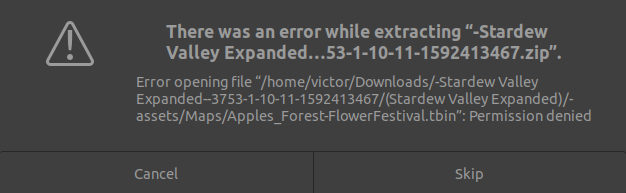
 heavy willow
Just a guess, but are you an administrator or just a general user on your system?
 jolly pawn
i'm root
heavy willow
Ah okay, are we talking linux then?
jolly pawn
yea
heavy willow
If your permissions are all there, then you may want to re-download. It's possible the download was corrupted or a packet dropped or something along its way to you, maybe try unzipping from the command line too?
jolly pawn
just unzipped from the command line using sudo
think it worked
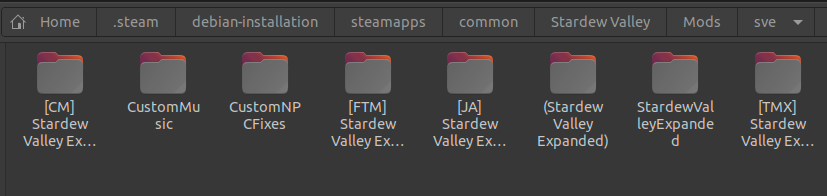
this is my extracted folder
i just put all those in the mods directory now?
heavy willow
Oh good! Yeah I don't have a ton of Linux experience but when I use it for work I find that the command line is a heck of a lot more reliable for unzips for some reason.
royal arrow
yep, Ex_Nihilo, those go in your Mods folder
jolly pawn
is it okay if they're inside the sve folder
royal arrow
yup
jolly pawn
and the sve folder is in the mods folder
royal arrow
you can have sub folders
jolly pawn
gonna try running the game now, wish me luck
royal arrow
the only thing to be careful of in that case, is to make sure you don't have duplicate copies outside that subfolder
 royal arrow
is the folder in fact empty then?


 royal arrow
hmmm... I don't think it should matter, but try taking the (Stardew Valley Expanded) folder out of the SVE subfolder, and instead drop it inside your Mods folder
jolly pawn
i think it's because the maps folder is owned by root and not by my user
let me try changing permissions
plush moat
I found the issue, the latest version that one of the required mods was merely just the hotfix for the mod, had to download the current version and it's previous version.
royal arrow
That's weird, but glad you solved it! 
jolly pawn
launching the game again
FUCK
same message
it says /assests is empty
but its not
royal arrow
jolly pawn
didn't work
i'm stupid
the old, corrupted sve file was still in the mods folder
the right one loaded fine
can i use mods such as the lookup anything with SVE?
royal arrow
yes you can, the only incompatible mods are listed here (more types than specific mods, but still helpful) https://github.com/FlashShifter/StardewValleyExpanded/wiki/Troubleshooting#incompatible-mods
GitHub
The Stardew Valley Expanded mod for Stardew Valley. - FlashShifter/StardewValleyExpanded
jolly pawn
Quickest way to check if it actually worked? xD
onyx nebula
So I've checked and I have the mods needed + the correct folders for the Roof Top Garden but it's still not showing up.