#archived-modded-support
1 messages · Page 42 of 1
 main ingot
 cobalt yew
same
main ingot
unless pathos or liz wrote a script for it 
 lament prairie
 strange scroll
How do I do it manually?
lament prairie
I wrote the tutorial above before the script
cobalt yew
it's pain if you're trying to convert a lot of stuff tho
strange scroll
aaa
lament prairie
Honestly though, the script is much easier
strange scroll
Is anaconda easier?
 dapper gazelle
everytime I think about Alternative Textures I'm just like I cannot believe PeacefulEnd blessed us with this gift
main ingot
just see if someone made a dga pack of what u want to convert tho
cobalt yew
my anaconda don't
cobalt yew
dapper gazelle
everytime I think about Alternative Textures I'm just like I cannot believe Peac...
fr
lament prairie
https://github.com/elizabethcd/FurnitureConverter/blob/main/docs/Windows_guide.md#step-2-miniconda-version miniconda is self-contained
which makes it so that weird-ass paths issues shouldn't be popping up
cobalt yew
wait... is alternative textures compatible with grass....
 dusky canyon
yes
lament prairie
yes
cobalt yew
oh my go
lament prairie
lumi has one iirc?
dapper gazelle
(you can actually do that with More Grass as well just fyi! lol you can add multiple MG packs. but yes, AT will give you more control over specific patches of grass and stuff for decorating purposes!)
main ingot
then you are legally no longer allowed to complain 
cobalt yew
dapper gazelle
(you can actually do that with More Grass as well just fyi! lol you can add mult...
yes exactly. being able to manually choose each patch of grass is 😩👌
 lilac tusk
For some weird reason I can not pick up this machine I am facing. I don't know why. I have not removed any mods that add recipes/crops/machines. I did add some new ones last night though. I am not sure which machine it is either as I am using a mod that changes the looks of them. I also had an extremely weird thing happen when I tried to take that pic that actually scared me for a sec. I use Snipping Tool and when I hit new when it froze the screen instead of being where I am in the pic I was back in front of my house. When I hit cancel on the tool I was still in the area in the pic. Nothing to do with the bug, just really weirded me out.

The building is the IF2 shed and the machines are combined with Combine Machines.
All of the other machines in the pic pick up just fine though. I'm just really confused as to why I can't pick it up. I can work around it for now though.
lament prairie
Try installing smart building and pick it up maybe?
I think DH mentioned sometimes that can help
lilac tusk
It's the soap press.. I went through my crafting catalouge. I can try that and see.
 livid hamlet
I can't code... Plus, I have A LOT of mods. Not sure how many of those need TMXL or PYTK.
dusky canyon
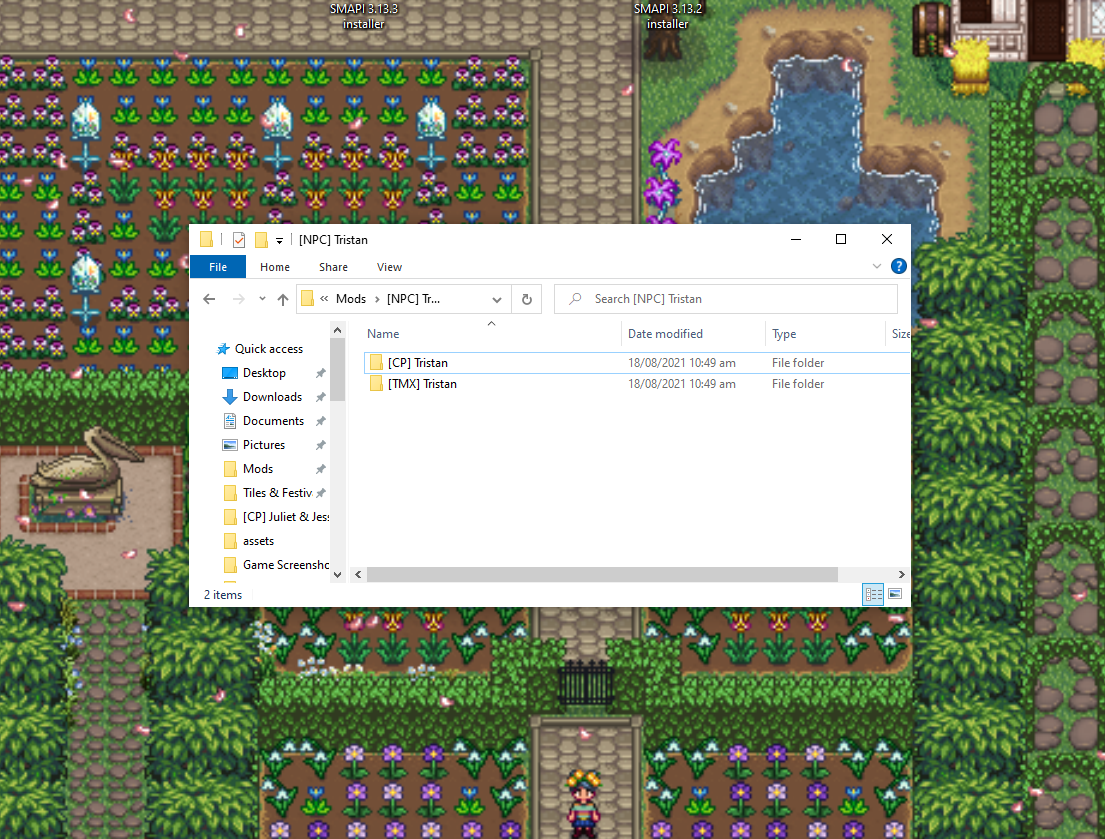
every folder in your Mods folder that has a [TMX] or [TMXL] in it's name
livid hamlet
dusky canyon
every folder in your Mods folder that has a [TMX] or [TMXL] in it's name
What about expansion mods?
dusky canyon
yep, if it contains an [TMX] folder, that part uses TMXL
main ingot
livid hamlet
I can't code... Plus, I have A LOT of mods. Not sure how many of those need TMXL...
nobody could until they tried
 undone barn
still having issues with the bus stop after going over mods and having the same mods , here is my friends log after she had to leave after getting stuck at the bus stop
livid hamlet
dusky canyon
yep, if it contains an [TMX] folder, _that part_ uses TMXL
If PYTK is being abandoned why are newer/still updated mods still using it?
dusky canyon
I've got multiple that are converted and some alphas that are CP
But mainly performance issues I believe?
or PYTK not being nice to SpaceCore
livid hamlet
How many PYTK mods have been officially converted to CP?
dusky canyon
uh.. I'm not sure
livid hamlet
At least major mods. Like big expansions.
dusky canyon
SMAPI has a lot of performance fixes that get disabled when PYTK is installed, so that's also why xp
Ridgeside and SVE
Lunna
East Scarp
Is what I can say at the top of my head
livid hamlet
That saves me SOME trouble. Although I have more expansions. Like additional areas, flooded caves, ginger Island areas, garden village which I know is converted, walk to the desert, downtown zuzu. That's all I can remember. I'm not on my computer right now.
dusky canyon
WTTDR is converted I believe
undone barn
the smapi log site told my friend her log was to large what do we do
lament prairie
!logtoobig
 native dragonBOT
If the log is too big, see here for how to fix that https://stardewmodding.miraheze.org/wiki/Debugging#If_the_log_is_too_big_/_parser_site_won't_load_it
lilac tusk
Okay I have downloaded Smart Buildings(had to eat dinner first) so we will see if it helps. It may also help me with my crab pot placing issue I've had since I got If it fits I sits in that when I try to place in the river I end up sitting on the edge of the river instead, lol. I am also seeing some mods that look amazing but I am afraid to try as they look kind of tecnical(the Furniture Display Framework and the ones that use it, particularly the Table Settings and StarAmy's Functional Wall Shelves. I'm just nervous about having to make the coding stuff to make it work on items. I am going to download the example that comes with FDF and see what it looks like, if maybe I can copy/past and replace the name in it with the name of what I want to use. But I'm still not sure about the numbers parts though, I'm not good with numbers and things with them always make me nervous.
Sorry for the wall of text there, didn't realize how much I had typed.
What is PPJA?
 scarlet quail
!ppja
native dragonBOT
Project Populate Json Assets (https://www.nexusmods.com/stardewvalley/mods/1935) is a collection of content packs for Json Assets that add new crops, flowers, trees, and recipes. (Also see https://mouseypounds.github.io/ppja-ref/ for a collection of references for PPJA and associated packs.)
native dragonBOT
The latest released version of PPJA (Project Populate Json Assets, a popular mod) is a conversion from JA to DGA, but it has some bugs in it, and the mod author has retired. Sticking with the older JA version is probably your best option.
You can download the JA version from the Old Files section on Nexus, or by downloading the latest versions of the standalone components instead of the megapack (except for Farmer to Florist, where you would need to look under Old Files in the standalone version).
lilac tusk
Ah, okay thanks.
 plush oak
Is it possible to remove fences and paths from the Immersive Farm 2 Remastered from an existing save?
Do I just edit config and content json files from the mod?
lilac tusk
Oh boy...that was a really bad JA shuffle...I think almost everything got shuffled. And all I did was try to put in that new bread mod. Also am getting a lot of red JA errors(probably related to the shuffle) too. Plus my animal skins mod got messed up again and it was fine. I guess that mod will have to go. It looked so nice too.
Does the shuffle only affect existing versions of items or will it affect any newly crafted ones too?
Could this explain the 3 chests from EF(MS) not working: 21:49:24 WARN Entoarox Framework Another mod has requested ownership of the serializer, serializer functionality in EF is disabled.? I just saw it in my log while looking for the other stuff and this time it stuck out at me. I saw it before but didn't realize it might be the issue with that.
Here's the rest of the log for the JA stuff: https://smapi.io/log/f3400151375d45509b3a093b391669f3 If needed.
native dragonBOT
Log Info: SMAPI 3.16.2 with SDV 1.5.6 (build 22018) on Microsoft Windows 8.1, with 54 C# mods and 149 content packs.
 hoary musk
I was working through some troubleshooting earlier today and sending logs left and right and sending them off to be looked at for specific mods. One of the comments was not from a mod author, and I was told I had a lot of clashing mods. Does anybody have any ideas on what mods I have that could be clashing with others?
Here is my log: https://smapi.io/log/5132a36b27584750a5552c1bc86fa1f9
native dragonBOT
Log Info: SMAPI 3.16.2 with SDV 1.5.6 (build 22018) on Windows 11, with 113 C# mods and 346 content packs.
plush oak
plush oak
Do I just edit config and content json files from the mod?
Okay I did it it worked nvm now
 gaunt gust
lilac tusk
Here's the rest of the log for the JA stuff: https://smapi.io/log/f3400151375d45...
gaunt gust
lilac tusk
Here's the rest of the log for the JA stuff: https://smapi.io/log/f3400151375d45...
....I'll look into that
lilac tusk
Whew, at least I was able to undo that mega shuffle. I closed without saving, removed the new bread mod(a shame too, it looked so good), then reloaded and everything is back to normal now.
And thanks.
 quiet umbra
hoary musk
I was working through some troubleshooting earlier today and sending logs left a...
quiet umbra
hoary musk
I was working through some troubleshooting earlier today and sending logs left a...
I wouldn't say there was a lot of crashing mods, but you do have duplicate items there. That's not good but usually smapi just kicks out the offending one
lilac tusk
Yes! Smart Building allowed me to pick up that machine that I couldn't pick up! Thank you for that!
hoary musk
quiet umbra
I wouldn't say there was a lot of crashing mods, but you do have duplicate items...
I know about the duplicate items
quiet umbra
probably Durin's Rest & Raffadax?
lilac tusk
Weird, I can't place it normally either. I decided to delete)trash) that one and try making a new one to see if that helps.
hoary musk
quiet umbra
probably Durin's Rest & Raffadax?
Raffadax for sure
quiet umbra
I've never played Durins Rest, but I do have the brewing system from that mod... Raffadax has lots of pfm going on & thete's a good chance they step on each others toes
hoary musk
I think I tried Durins Rest and I ran into lag and freezing on occassion
quiet umbra
Well disable one or the other and see if that fixes the probs
or change to Raffadax lite
hoary musk
As far as the duplicates, its Raffadax, Yoseiri's Crops, and Baker's Life
hoary musk
Yoseirei's is an interesting one... Amanita Mushroom, should I delete from Raffadax or Yoseirei's?
quiet umbra
I don't know zip in re Yoseirei's ... I'd say it would'nt matter much to Raffadax, but you need to be thorough about it or "bad" things will happen. that means not just the amanita mushroom, but the processing of it and whatever goods come of that
or you machine will start bleating about errors
hoary musk
Fair enough
 shy orbit
i don't think deleting a crop from a JA pack would cause that kind of problems since crops and their products are pretty much separate in JA as far as i know. so i think the question is mostly whether you'll lose a way to produce something in case the crops have unique products (they could also just produce the vanilla red mushroom)
hoary musk
It might be better to pick one mod or the other. I may look into Raffadax Lite and see what happens
Interesting.... got rid of 2 but added 1 more duplicate item... so I still have 2 duplicate items
shy orbit
apparently duplicate objects aren't a problem
hoary musk
Well one of them is canceled out for the other to work
shy orbit
yeah, but in the sense that they don't break anything
hoary musk
I waiting for a response about the comment I made on Nexus. If they say the same thing as the convo here then I'll ignore it. It originally stemmed from the fact that I was running into errors with Fish Nets, which I removed temporarily.
 random gorge
smapi isn't working with the mods that I have
 long brook
random gorge
smapi isn't working with the mods that I have
long brook
random gorge
smapi isn't working with the mods that I have
!log
native dragonBOT
@random gorge Can you upload your SMAPI log to https://smapi.io/log (see instructions on that page) and share the link here?
random gorge
!smapi
native dragonBOT
SMAPI (https://smapi.io/) is the mod loader for Stardew Valley. It loads mods into the game, provides APIs for mods to use, intercepts errors, and backs up your save files automatically.
lament prairie
if you need to test bot commands, do it in #governors-mansion
 sweet sandal

 south socket
okay hi so im getting a new computer and i was wondering if i could just transfer my whole mods folder over or if i would have to redownload everything
lament prairie
!saves
native dragonBOT
Use this guide to find your save files: https://stardewvalleywiki.com/Saves.
 robust bison
you can
lament prairie
you can move everything
south socket
okay, thank you!
 languid yarrow
Redoing my whole save folder
I'm planning to have the essential (smapi, expanded and its whole required mod) but I'd like to know if there are others I forgot or that are required for the mods i mentionned
for example: ContentPatcher, PyTK, ResponseCore, SAAT
 lapis comet
I am hoping that someone will be able to help me figure out what is happening with my game. I play co-op with my best friend; we have all the same mods, but she doesn't get the same warnings/errors that I do with the exception of a rare occasion. I uninstalled stardew valley, uninstalled steam, reformatted my laptop with a clean install last night, spent all day today redownloading our mods hoping that I would have fixed the problem, but no. If this isn't the place to ask, can someone point me in the right direction? Thanks in advance! Oh, also, with the exception of Shane mod (that cannot be updated no matter how many times I try to update it to the next one - it's not the right info in the folder, I think) - I just updated the mods that the log shows needed to be updated. Again, thank you!! https://smapi.io/log/d9403062e34a4ba7a16b6bc2e299f9bf
native dragonBOT
Log Info: SMAPI 3.16.2 with SDV 1.5.6 (build 22018) on Windows 11, with 57 C# mods and 118 content packs.
languid yarrow
lapis comet
I am hoping that someone will be able to help me figure out what is happening wi...
I'm not tech support but I skimmed your text. I found out this https://smapi.io/mods will tell you if a mod has an unofficial update
lament prairie
lapis comet
I am hoping that someone will be able to help me figure out what is happening wi...
Are you sure that you have Always Raining in the Valley installed correctly? It's looking for Characters/Sterling but not finding it
I think I've seen the error before but I don't remember the fix
long brook
languid yarrow
Redoing my whole save folder
I'm planning to have the essential (smapi, expanded...
Always check the mods requirement before you install em
lament prairie
It could just be that other players had similiar issyes
languid yarrow
long brook
Always check the mods requirement before you install em
is there another way to check mod req except go on the mod page and click on download, hoping to have a "additional file required" window? pop up?
 long brook
If you use stardrop mod manager, it will show what mising requirement
lament prairie
knew i had seen this before
dapper gazelle
(Also in general before you get to the download page, on the description page there is a pull down menu for requirements)
lament prairie
^^sterling issue seen before
languid yarrow
dapper gazelle
(Also in general before you get to the download page, on the description page th...
in general, yes
Either this is an exception or I'm blind
 dapper gazelle
Is it SVE you’re trying to re-install? The requirements are on the description page….
lilac tusk
I am very scared...I am worried that I may have lost several hours of gameplay. The game froze(I think due to my old laptop) and I had to force it closed. I tried to put her in bed before the full freeze, while it was just lagging and off and on freezing, and the process of saving started but I don't know if it was able to get far enough to save or not.
I won't know for sure until I load my save again.
lapis comet
lament prairie
Are you sure that you have Always Raining in the Valley installed correctly? It'...
I think I was downloading the wrong file...I just deleted the one I had (which was a hot fix) and saved a different file. I'm going to try playing on my personal save and see what happens.
lilac tusk
Oh thank God...it did save before the complete freeze!
I am so glad I was able to get her in bed in time.
That emote is exactly what I did, lol.
 dull garden
I’m trying to install SMAPI on my steam deck so I can mod my game. I have the game installed in my micro sd card and its having a tough time recognizing the game path. Whenever I try copying and pasting the game path to the konsole it gives me an error reading "That directory doesn't seem to exist". However, when I moved my game files to the internal storage, smapi was able to locate the game path and continue with the installation process. I was wondering if anyone had a solution to have smapi read the game path on my micro sd card so I can have my mods there, or if i'll be forced to have stardew valley on my internal storage, if that is the case, guess it's time I upgrade the storage. I also attached images regarding the errors and what im talking about. First image is when I had Stardew Valley installed on my MicroSD card, second image is when I had it installed in my internal storage. I appreciate any help on what to do because no videos online talk about this error when having stardew valley on a microsd card.


@shy orbit Here is the error message also 🙂
 dawn bobcat
Hello, I'm having an issue with not being able to save once I go to bed. I'm stuck on the same day because my game won't save and load the next day. I don't know what the problem is. I updated my mods to see if that was the issue, but I just played a day and went to bed and it did the same thing. Has anyone had this issue before? plz help
robust bison
dawn bobcat
Hello, I'm having an issue with not being able to save once I go to bed. I'm stu...
!log
native dragonBOT
@dawn bobcat Can you upload your SMAPI log to https://smapi.io/log (see instructions on that page) and share the link here?
languid yarrow
long brook
If you use stardrop mod manager, it will show what mising requirement
download link where?
long brook
!stardrop
native dragonBOT
Stardrop (https://www.nexusmods.com/stardewvalley/mods/10455) is the only mod manager written specifically for Stardew Valley. For information about how to install and use it, please see the Stardrop wiki: https://floogen.gitbook.io/stardrop/
If you're having an issue, here's the guidelines on reporting issues: https://floogen.gitbook.io/stardrop/resources/reporting-issues

Nexus Mods :: Stardew Valley
An open-source, cross-platform mod manager for Stardew Valley. Includes mod profiles, update checking, SMAPI integration and Nexus Mods API support!Currently in open beta.
languid yarrow
ty
dawn bobcat
native dragon
<@!722248616936341545> Can you upload your SMAPI log to <https://smapi.io/log> (...
I'm trying but when I try to do it nothing happens? Not sure if I'm doing it wrong or not
robust bison
wdym nothing happens
languid yarrow
follow the instructions
dawn bobcat
I can't get the file to upload or whatever or when it does seem like its doing somehing it tmakes my browser do the not responding thing
dawn bobcat
That's what I just tried to do and it made my computer freak out and my browser stop responding
idk if its just my computer being slow or what
robust bison
give it a min
robust bison
!logtoobig
native dragonBOT
If the log is too big, see here for how to fix that https://stardewmodding.miraheze.org/wiki/Debugging#If_the_log_is_too_big_/_parser_site_won't_load_it
native dragonBOT
Log Info: SMAPI 3.16.2 with SDV 1.5.6 (build 22018) on Windows 10, with 61 C# mods and 172 content packs.
robust bison
could be a conflict with bfav and animal produce expansion
dawn bobcat
how would I try and fix that?
robust bison
remove one and see if it fixes it
dawn bobcat
okay
 covert turtle
does smapi works on cracked sdv?
robust bison
covert turtle
does smapi works on cracked sdv?
why would we tell you
covert turtle
why not
robust bison
cracked sdv
covert turtle
and?
robust bison
 covert turtle
i bought the Mobile version does that make it up?
 robust bison
no
 hoary bane

 hollow steeple
Anyone having issues with SVE?
Currently my game is fine with all other mods but when I stall the 1.11.6 SVE it causes my game to act slow af.
I did the monster configuration thing and still lag.
One of the red text.
If I remove SVE back to running smoothly
Device:
Samsung S22 ultra 512GB


 radiant valve
Can anyone lmk why this error appears and how would I fix it?
[Content Patcher] 'lunakatt's DCBurger Style Portraits for SVE' has multiple patches which load the 'Mods/HDPortraits/Claire' asset at the same time (lunakatt's DCBurger Style Portraits for SVE > Load Mods/HDPortraits/Claire #1, lunakatt's DCBurger Style Portraits for SVE > Load Mods/HDPortraits/Claire #2). None will be applied. You should report this to the content pack author.
https://smapi.io/log/8deefab5ca474925b0e7d958369de73b
native dragonBOT
Log Info: SMAPI 3.16.2 with SDV 1.5.6 (build 22018) on Windows 11, with 81 C# mods and 72 content packs.
livid hamlet
This is probably really dumb. But I disabled pytk to see just how many mods depend on it.
I haven't seen a sea of red. Is that a good thing?
I was told custom furniture would not work without pytk. If that were the case, it would depend on it.
I have a bunch of CF packs. No errors thrown while launching the mods.
Nevermind.
Can CF be converted to content patcher?
hoary bane
livid hamlet
Can CF be converted to content patcher?
Yes. Though iirc only for the beta version for now (I think). 
You can convert it to DGA or AT instead.
livid hamlet
Any tutorials on how?
hoary bane
On which? For DGA/AT there should be example packs you can take a look at.
I think there should be a converter somewhere? I can't recall the link to it though.
Oh here's one;
https://github.com/elizabethcd/FurnitureConverter

GitHub
Contribute to elizabethcd/FurnitureConverter development by creating an account on GitHub.
livid hamlet
I'd rather use AT. But if I use that, won't the textures be randomized rather than added?
 frigid tusk
you can turn off that setting 
hoary bane
It can be picked.
frigid tusk
also youre talking about DGA, that adds furnitures instead of replacing the ones existing
gaunt gust
dull garden
I’m trying to install SMAPI on my steam deck so I can mod my game. I have the ga...
First things first: confirm that path exists. Can you do a findmnt
livid hamlet
I'll do DGA then.
radiant valve
radiant valve
Can anyone lmk why this error appears and how would I fix it?
```[Content Patche...
it does "load" twice but it does it for every character and i'm lost
 gaunt gust
Saying load twice is probably wrong and you should report that to the author 
radiant valve
well i would but this was a pytk mod i converted to hd portraits so i doubt it'll help much 
strange it only gives the error for claire tho as all character have load twice for both json and png
gaunt gust
Wait no the section you listed is correct
Note that one part is the image
And the other the data for the image
dusky canyon

GitHub
Enables HD and Animated portraits. Contribute to tlitookilakin/HDPortraits development by creating an account on GitHub.
gaunt gust
(Also, make the report to yourself, since you are the author, and then go to #making-mods-general with the full json in tow and not just a screenshot)
 modern trout
anyone knows what the issue with this?
 radiant valve
Somethings appear to be amiss
 native dragonBOT
Log Info: SMAPI 3.16.2 with SDV 1.5.6 (build 22018) on Windows 11, with 81 C# mods and 72 content packs.
dusky canyon
modern trout
anyone knows what the issue with this?
!log ?
native dragonBOT
@modern trout Can you upload your SMAPI log to https://smapi.io/log (see instructions on that page) and share the link here?
modern trout
native dragonBOT
Log Info: SMAPI 3.16.2 with SDV 1.5.6 (build 22018) on Windows 10, with 73 C# mods and 74 content packs.
 rose star
I don't need help, this is just a friendly message to all those folks in here helping others out in your spare time. You guys deserve some love and recognition ❤️
gaunt gust
modern trout
https://smapi.io/log/35d13f7ddb4f443d9e65071f3e6a8db1
what does the console command special_order_pool tell you?
gaunt gust
( @snow prism you around? This is probably either my fault or yours)
Special Orders Extended suppresses board updates if the board isn't unlocked (because it's pointless). Usually opening the board for the first time causes the board to refresh
I can disable that by default if RSV is installed
modern trout
gaunt gust
what does the console command `special_order_pool` tell you?
sorry for the late response
but it shows up on SMAPI but shows tag failed
"has invalid tags"
gaunt gust
it would help if I had the actual log to look at
modern trout
 gaunt gust
the full log, not a bloody screenshot
modern trout
how do you refresh the smapi log? it still has the one from earlier
gaunt gust
You just upload a new one? It always makes that file
anyways, you have valid special orders
you'll have orders next week, and I need to figure out how RSV works with special orders
modern trout
ah there we go, it showed up the date modified an earlier date so I gotta ask, will upload in a bit
I see, aight
if you still want the log: https://smapi.io/log/9e9f7a4b7bb948249f41b7d24f24b2e9
native dragonBOT
Log Info: SMAPI 3.16.2 with SDV 1.5.6 (build 22018) on Windows 10, with 73 C# mods and 74 content packs.
gaunt gust
Yeah, orders should appear fine starting next week - maybe I should add in a console command to force a reset
 deft schooner
For me, mods for some reason don’t work on my MacBook Pro
main ingot
!gettingstarted
native dragonBOT
If you would like a guide to setting up mods for Stardew Valley, check out the getting started guide! https://stardewvalleywiki.com/Modding:Player_Guide
 snow prism
gaunt gust
Special Orders Extended suppresses board updates if the board isn't unlocked (be...
snow prism
gaunt gust
Special Orders Extended suppresses board updates if the board isn't unlocked (be...
we call it manually on mondays (even if the board is locked) and dont rely on the vanilla method
so if you just supress the vanilla method it should be fine
gaunt gust
yeah, I figured
the vanilla method has a failsafe where if there are NO available orders it checks again 😛
snow prism
that seems like a not-bad idea I guess 🤔
gaunt gust
but since y'all have orders in the availableSpecialOrders list it the failsafe didn't kick in
that's what I was (wrongly) relying on haha
gaunt gust
It's mine because I was doing the harmony 😛
(I'll just disable that if either RSV or QF are installed)
native dragonBOT
Log Info: SMAPI 3.16.2 with SDV 1.5.6 (build 22018) on Windows 10, with 70 C# mods and 59 content packs.
undone barn
My friend still can't access the bus stop
scarlet quail
We will need your friend's log as well
Unless I'm forgetting and you're the split screen one
gaunt gust
undone barn
My friend still can't access the bus stop
RandomNPCs doesn't work in multiplayer
just delete that folder
native dragonBOT
Log Info: SMAPI 3.16.2 with SDV 1.5.6 (build 22018) on Windows 10, with 69 C# mods and 56 content packs.
undone barn
here is mine
livid hamlet
Okay, I got rid of PYTK and it was less problematic than I thought it would be.
undone barn
Does anyone know how to fix the bus stop issue that my friend is having .
main ingot
undone barn
We are running the same mods on vortex
possible issue: you are using vortex. dont do that
undone barn
I've used vortex for over a year with no issues
But I'll try switching to something else
main ingot
!modmanagerbugs
native dragonBOT
Vortex (Nexus) and ModDrop both are mod managers that can help you keep your mods up to date, but they are difficult to troubleshoot. If you're looking for a mod manager that was written specifically for SDV and has troubleshooting logs built in, you can try Stardrop (!stardrop).
If you're using a non-Stardrop mod manager and ask for help troubleshooting, you can ask the Nexus Discord https://www.nexusmods.com/discord or the Moddrop Discord https://www.moddrop.com/app/about (scroll down). If you're using Stardrop, please remember to provide a Stardrop log.
undone barn
Can someone look at the first log and tell me what you think .
main ingot
undone barn
https://smapi.io/log/582f178763994160b70fe2c181cbca6e
their save is corrupted somewhere, looks like
or that
yes
i trust arcane more lol
i just saw it couldnt find a save file
main ingot
undone barn
Can someone look at the first log and tell me what you think .
see atra’s response
livid hamlet
BETTER RESOURCES IS WORKING!
But BAGI is still broken.
Some icons appear whilst most dont. Especially the vanilla ones.
main ingot
install your bagi mods in groups
see which ones are overriding
if you have 10 bagi icon mods, just do it in groups of 2
glad u got it working
livid hamlet
And getting rid of pytk brought a 30 minute wait down to 6.
I'll do a log first. I need to know if it loaded or not.
undone barn
I can't find the smapi path for stardrop
livid hamlet
Smapi and stardrop are separate.
Sorry, Muddled up.
Smapi should be installed directly into SV's game folder.
 wet maple
Does anyone uses Sorren in their game?
shy orbit
dull garden
I’m trying to install SMAPI on my steam deck so I can mod my game. I have the ga...
i think the problem is that the path you gave it shouldn't include the single quotes (') around it
livid hamlet
I disabled ALL if my BAGI packs and BAGI is still not working. The only one I left enabled was the one I KNOW FOR A FACT worked.
So the issue is not BAGI. It's something else.
livid hamlet
main ingot
install your bagi mods in groups
Nope. It's something else.
Even with all but one back enabled, it's still broken. The one I left enabled was a vanilla one and I know it worked.
dull garden
shy orbit
i think the problem is that the path you gave it shouldn't include the single qu...
ah okay, it seems like that might be the issue because when it’s installed in my internal storage it doesn’t have the (‘) i’ll try it out when I get home and update everyone here
dull garden
gaunt gust
First things first: confirm that path exists. Can you do a `findmnt`
Will do once I get home
undone barn
How would one fix a corrupted save ?
livid hamlet
undone barn
How would one fix a corrupted save ?
Unless you have a backup. Not sure.
My saves used to corrupt A LOT.
shy orbit
undone barn
How would one fix a corrupted save ?
!saves usually by using a backup yeah, either the native game backup or one from the save backup mod that smapi installs
native dragonBOT
@undone barn Use this guide to find your save files: https://stardewvalleywiki.com/Saves.
livid hamlet
native dragonBOT
Log Info: SMAPI 3.16.2 with SDV 1.5.6 (build 22018) on Windows 11, with 266 C# mods and 698 content packs.
shy orbit
dull garden
ah okay, it seems like that might be the issue because when it’s installed in my...
(the quotes are usually used to "escape" special characters like spaces with shells on linux, but i think the installer just treats them as part of the path and fails)
livid hamlet
Wait a minute.
shy orbit
livid hamlet
https://smapi.io/log/b91d1f758b95467f854e7c75e68860a9?Levels=trace~debug~info~wa...
i can't help but notice that you still have the duplicate crops. fixing them might get rid of the JA error spam at least
livid hamlet
shy orbit
i can't help but notice that you still have the duplicate *crops*. fixing them m...
I'm not on about JA. It's BAGI. Besides, if two crops are added by different mods it just adds one and skips the other.
shy orbit
apparently the seeds are still a problem
livid hamlet
I'll just get rid of it then, but that's now why I'm here.
I'm here because BAGI stopped working. I want to focus on fixing that and then I can deal with JA vomiting over seeds.
main ingot
so bagi is clearly getting overwritten by something else. do you have anything that would POSSIBLY interfere with those icons that is loaded AFTER your bagi packs?
livid hamlet
Nope. Not that I know of.
gaunt gust
(Lani, bagi didn't support honey, dalion patched it to do so)
livid hamlet
I only have Medieval buildings, medieval craftables, Foliage redone (foliage only), better resources and earthy recolour. I also have way back pelican town and MSVE.
gaunt gust
It also manages its own textures so getting overridden isn't likely
main ingot
gaunt gust
(Lani, bagi didn't support honey, dalion patched it to do so)
oh i know. but im at a loss here
lol
main ingot
like im not combing through 900+ mods to figure out whats wrong so im spitballing at most
gaunt gust
So having most of your honey be not special is normal
 livid hamlet
I think I know what I did.

And if it is that I will be embarrassed.
Excuse me while I go run myself a bath to drowm myself in out of shame.

 main ingot
 its the little things that screw us over the most
livid hamlet

livid hamlet
main ingot
<:PepeOld:867621383705985034> its the little things that screw us over the most
I feel stupid.
main ingot
nah dawg it happens sometimes
i be like “why my event not loading” and its bc i never loaded it 💔
 wet maple
livid hamlet
Me: BAGI is broken!
Reality: YOU DELETED THE VANILLA PACK YOU MORON!
wet maple
livid hamlet
Me: BAGI is broken!
Reality: YOU DELETED THE VANILLA PACK YOU MORON!
Congratz on fixing your issue!
main ingot
happy u fixed ur issue tho
 wet maple
I also have "embarrassing" problem - can't see difference between two mods form the same person, yet one is a dependency of a mod that I wanna run and I have to use one or the other
wet maple
Im amazed that you have 950 mods to be fair
wet maple
livid hamlet
At least I finally got rid of PYTK.
In your massive mod cauldron do you by any chance have NPC called Sorren?
main ingot
wet maple
In your massive mod cauldron do you by any chance have NPC called Sorren?
why?
do you need recommendations? do you want to know if he still works?
livid hamlet
wet maple
In your massive mod cauldron do you by any chance have NPC called Sorren?
Nope.
Sorry.
wet maple
I wonder about smth different tho

Nexus Mods :: Stardew Valley
A new character sprite for Sorren with seasonal outfits, made to match Slightly Cuter Character Sprites.
and as a dependency it have a mod that I dont have
well, I do, but seasonal version not the "normal" one
since it say "Seasonal or the other one"
main ingot
what is the mod u dont have
main ingot
delete the dependency then
wet maple
I set it in the manifest to false
but I can't see him in relationship tab nor via CBJ cheats
robust bison
do you actually have sorren installed
wet maple
yes
I think I will just camp the saloon for a day
cause he is supposed to show up there, after landslide is cleared
the one to mines not train
 kind linden
hi i need help
main ingot
with?
kind linden
i've installed many mods and while trying them out the bed texture is completely gone
is there a way to find which mod is causing the issue?
 quiet notch
Hellooo!! Wondering if anyone would be able to help me.
I'm having a very difficult time downloading stardew valley expanded on my mobile.
I've watched and read so many tutorials and I'm still missing something.
I managed to get the mod that shows where npcs are and I wasn't even trying to get that one yet lmao.
I'm starting to lose my marbles
hoary bane
quiet notch
Hellooo!! Wondering if anyone would be able to help me.
I'm having a very diffic...
!log
native dragonBOT
@quiet notch Can you upload your SMAPI log to https://smapi.io/log (see instructions on that page) and share the link here?
gaunt gust
quiet notch
Hellooo!! Wondering if anyone would be able to help me.
I'm having a very diffic...
gaunt gust
Sve made that, I've been meaning to stick it in the command
hoary bane
Looking forward to it. 
quiet notch
Thanks let me go do that
quiet notch
native dragon
<@!669329457177296917> Can you upload your SMAPI log to <https://smapi.io/log> (...
content://ru.zdevs.zarchiver.external/storage/emulated/0/StardewValley/ErrorLogs/SMAPI-latest.txt
 neat plaza
quiet notch
content://ru.zdevs.zarchiver.external/storage/emulated/0/StardewValley/ErrorLogs...
neat plaza
quiet notch
content://ru.zdevs.zarchiver.external/storage/emulated/0/StardewValley/ErrorLogs...
that is.. not how links work
quiet notch
Sorry how do I work it
scarlet quail
That's also not a SMAPI log
Go to that website, drag the file into the white text area, then hit the button
Then give us the link it gives you
native dragonBOT
Log Info: SMAPI 3.7.6.1 with SDV 1.4.5 on Android Unix 4.9.186.22990479, with 15 C# mods and 1 content packs.
hoary bane
quiet notch
https://smapi.io/log/9bac0a9a1e5149048920ef84dbadcbcf
You're downloading versions meant for PC. Mobile needs older ones.
I suggest clearing your mod folder and following through the docs sheet to be squeaky clean.
quiet notch
I was trying to download only mobile ones but its hard to tell with some of them.
hoary bane
Plus it also looks like you have 2 copies of SVE.
quiet notch
Okay, I should just delete it all and restart?
hoary bane
Ideally, yes. At least ones you downloaded for SVE specifically.
Also, SAAT is PC only.
 wet maple
you need to find version 1.11.6
 gritty cloak
is there an mod which allows you to put armchairs/couches outside?
 calm heron
you should go ask in #modded-stardew
gritty cloak
oh i will go there! thanks 🙂
 final inlet
so i just played a single day, and at the end of the day i got an infinitely repeating error in my log. because of that error, my log is 46,000 kb and is too big for smapi to even parse. i have a hard time reading huge walls of text, so i cant really read whats happening to try and figure it out.
the repeated error itself is too long to fit in a single discord message
this is the whole thing (i think)

any help would be greatly appreciated
since the last time i played i have:
- updated event repeater
- added ja peachery kitchen
- added simple foliage + simple foliage for ridgeside village
- updated farm cave framework
- replaced gwens craftables with elegant craftables, then switched back without completing a full day
lament prairie
!logtoobig
native dragonBOT
If the log is too big, see here for how to fix that https://stardewmodding.miraheze.org/wiki/Debugging#If_the_log_is_too_big_/_parser_site_won't_load_it
native dragonBOT
Log Info: SMAPI 3.16.2 with SDV 1.5.6 (build 22018) on Windows 10, with 72 C# mods and 260 content packs.
quiet notch
Okay so!
Finally got expanded to work but it is super duper laggy.
I really don't think its my phone, my phone is able to run some pretty crazy games, but I'm not really sure what else it could be!
livid hamlet
final inlet
so i just played a single day, and at the end of the day i got an infinitely rep...
Ah, SMAPI vomited. Happened to me when I first got into modding. I can't help much right now because I'm on my phone but hopefully you get it fixed!
livid hamlet
final inlet
so i just played a single day, and at the end of the day i got an infinitely rep...
Did you install any XNB mods?
final inlet
livid hamlet
Did you install any XNB mods?
no, i dont use xnb mods. ive always just used content patcher.
 sacred marten
!log
native dragonBOT
Can you upload your SMAPI log to https://smapi.io/log (see instructions on that page) and share the link here?
sacred marten
native dragonBOT
Log Info: SMAPI 3.16.2 with SDV 1.5.6 (build 1.3.37.0) on macOS Unix 12.0.1, with 127 C# mods and 440 content packs.
sacred marten
@graceful yacht here’s my log
 graceful yacht
sacred marten
<@300409255062798338> here’s my log
graceful yacht
sacred marten
<@300409255062798338> here’s my log
Thanks!
 small parrot
Wondering if anyone is having resolution issues. I’m not actually sure if modding is the issue, but I noticed it started happening when I updated smapi. Anyways, game is just super zoomed out in window mode. If you switch it to full screen you can sort of fix it but it’s very wonky

sacred marten
graceful yacht
Thanks!
NP!
 jagged lion
Do questions about editing a save file (without using SMAPI) count as modded support? I'm trying to add an item to my inventory but I don't know how to get the xml to do so
 stiff sandal
small parrot
Wondering if anyone is having resolution issues. I’m not actually sure if moddin...
stiff sandal
small parrot
Wondering if anyone is having resolution issues. I’m not actually sure if moddin...
delete startup preference, sometimes it work for me
small parrot
And that won’t mess with any other aspect of my startup right?
Wow doing that seemed to make it even more zoomed out
final inlet
final inlet
https://smapi.io/log/eedff868e9f2479ba26ded5309bc908c
tried to replay the day to see if it was just a one off, still getting the same problem :/
small parrot
stiff sandal
delete startup preference, sometimes it work for me
It worked! Just had to mess with some zoom and UI settings
Thanks so much
stiff sandal
glad to be help
 ionic moth
Hello was updating a bunch of my mods and for some odd reason I got this
stiff sandal
quiet notch
Okay so!
Finally got expanded to work but it is super duper laggy.
I really don'...
SV expanded ? have u turn off config seasonal edit, mist effect, immersive shadow, etc ? the most impact in sve is seasonal edit
ionic moth

I look through all of my folders and I found one mod that was joined with another and I already took it out and deleted it but it's still saying that and I don't know I don't see anything else
stiff sandal
ionic moth
!log
native dragonBOT
@ionic moth Can you upload your SMAPI log to https://smapi.io/log (see instructions on that page) and share the link here?
ionic moth
ok
stiff sandal
and can i see ur mods folder screenshoot?
native dragonBOT
Log Info: SMAPI 3.16.2 with SDV 1.5.6 (build 22018) on Windows 10, with 35 C# mods and 13 content packs.
ionic moth
?
stiff sandal
did u put mod files onto mainfolder mods without subfolder in there ?
shy orbit
ionic moth
it means that there are mod files like manifest.json directly inside the Mods folder (instead of inside another folder), so probably you extracted a mod there by accident
ionic moth
hmm
shy orbit
it doesn't break other mods, but the mod that was extracted there won't be loaded
shy orbit
the log says there is a manifest.json file in the Mods folder, you can open it with a text editor to see what mod it is from
ionic moth
i fixed it thanks
final inlet
final inlet
tried to replay the day to see if it was just a one off, still getting the same ...
reverted back to the old version of event repeater and determined it wasnt that, removed peachery kitchen as well, also not that
gaunt gust
final inlet
reverted back to the old version of event repeater and determined it wasnt that,...
Likely q furniture mod
Probably not something you added recently
Hard to tell what ngl
Caused by house upgrade not new mods
final inlet
ohhhhhh okay i see
yeah robin is currently upgrading my house
do you know if theres any reason it would be caused by the second upgrade in particular? i already have the kitchen upgrade and i didnt have any issues with that
hoary musk
How do I enable verbose logging in SMAPI?
 worthy moth
hoary musk
How do I enable verbose logging in SMAPI?
worthy moth
hoary musk
How do I enable verbose logging in SMAPI?
Players can enable verbose logging by editing the smapi-internal/StardewModdingAPI.config.json file.
hoary musk
Do I set it to true?
worthy moth
Actually I just realized that may not be up to date. Or at least in my smapi-internal folder it looks like the file is config.json for me
Here's what it says in that file:
{
    /**
     * The logs for which to enable verbose logging, which may show a lot more information to
     * simplify troubleshooting.
     *
     * The possible values are:
     *   - "*" for everything (not recommended);
     *   - "SMAPI" for messages from SMAPI itself;
     *   - mod IDs from their manifest.json files.
     *
     * For example: [ "SMAPI", "Pathoschild.ContentPatcher" ]
     */
    "VerboseLogging": [],
That's what I saw
worthy moth
The instructions for what to put are commented there
hoary musk
Ok thank you
lilac tusk
I really want to use 8 Bit's Bakery but every time I try to put it in it causes the absolute worst case of JA Shuffle(it hits almost every food or crop items I have in any chest). Is there a way I could get it to work other than maybe starting a fresh farmer?
scarlet quail
I mean
If you mean you want to avoid shuffle, no
But shuffle is usually easy to solve
gaunt gust
lilac tusk
I really want to use 8 Bit's Bakery but every time I try to put it in it causes ...
One sec
scarlet quail
Just sell all the shuffled items and itemspawn in -
Oh right atra's working on the anti-shuffle thing
Wait a moment for Atra's file angelique
lilac tusk
Does it just hit current stuff so newly made/bought stuff would be okay?
lilac tusk
Oh, okay great! Thank you Atravita!!
final inlet
narrowed my problem down to 7 possible mods
time to reload the game 7 times to figure out which one is the bad one 🥴
gaunt gust
lilac tusk
Oh, okay great! Thank you Atravita!!
that should fix that particular error
lilac tusk
Thank you!!
cobalt yew
final inlet
time to reload the game 7 times to figure out which one is the bad one 🥴
the things we go through for this game 😔✌️
final inlet
cobalt yew
the things we go through for this game 😔✌️
i have 330-ish mods so it takes forever to load rip
final inlet
gaunt gust
Caused by house upgrade not new mods
if im able to progress to the next day, when the upgrade is complete, should i be able to re-add whatever mod is causing the problem?
lilac tusk
cobalt yew
the things we go through for this game 😔✌️
That is so true, lol.
gaunt gust
final inlet
if im able to progress to the next day, when the upgrade is complete, should i b...
I don't know 😦
it's an odd error I think
 devout pumiceBOT
UserInfo for atravita#9505 aka atravita (is not amused): ID: 853078462498340864 | Created: 12 Jun 2021 01:09:14 AM UTC | Joined: 09 Nov 2021 01:32:43 AM UTC | Join position: 94578 | word on the street: lives in a van down by the river
final inlet
gaunt gust
I don't know 😦
okay ill play around a little bit and see what i can figure out. thanks for figuring out it was a furniture mod, i never wouldve guessed that
hoary musk
worthy moth
The instructions for what to put are commented there
Not really letting do that
lilac tusk
Okay now to load up and see what happens.
gaunt gust
(for the record, this is just a change to prevent that one part of the deshuffle code from breaking. I can't be sure it'll prevent all shuffle)
but it shouldn't be...that bad
lilac tusk
That's okay. A few things to toss I can deal with, as long as it isn't 90% of my items, lol.
strange scroll
So my Rustic town interiors mod stopped working and idk which mod is replacing it
Can somebody help
native dragonBOT
Log Info: SMAPI 3.16.2 with SDV 1.5.6 (build 22018) on Windows 11, with 70 C# mods and 286 content packs.
final inlet
gaunt gust
I don't know 😦
update: this did work, i was able to re-add the mods and start the following day with no issue
lilac tusk
Thank you so much Atravita!! All of my stuff is intact this time, no JA Shuffle!!
quiet notch
Sighhhh, I am having such a hard time getting any mods.
I gave up trying to do it on my phone and went to my laptop, thought it was going easier, now the game won't even launch. Why is this so confusing!!
cobalt yew
i'd advice you to follow a youtube tutorial on how to get started if you haven't already!
quiet notch
Thats what I'm doing, I think I need to just delete everything and restart but I can't even find the mod file in my computer
scarlet quail
Hoo boy. Okay. So this is going to be a basic thing then
First: What platform do you have the game on?
I mean Steam, GOG, etc.
Not PC/mobile/etc.
quiet notch
Steam
scarlet quail
okay. First up, let's see if you installed SMAPI right
click stardew's cog in the steam client and go browse local files
Tell me if you see "StardewModdingAPI"
quiet notch
Yes I do with a lil chicken icon
scarlet quail
Pufferchick rather than chicken, the chicken is StardewValley
But I assume you saw the words. Anyway.
quiet notch
Ahhh good to know
scarlet quail
Double click that. Does the modding window thing pop up?
And if not, does anything?
quiet notch
A black screen pops up
scarlet quail
sounds good so far
The top of this black screen reads SMAPI 3.16.2 - running Stardew Valley 1.5.6?
quiet notch
Yes
scarlet quail
and are lines being written in the black screen? You don't need to tell me what they are currently, just are they in the mod window
or is it still just black, nothing in it
quiet notch
Yes a lot, some in red
scarlet quail
Okay, well, good news, the game is booting, then.
Better news, you'll be able to get the log
Bad news: Red is the mods aren't loading
or some aren't
!log
native dragonBOT
Can you upload your SMAPI log to https://smapi.io/log (see instructions on that page) and share the link here?
quiet notch
It says it loaded 19 out of 25... I got a little carried away when I thought everything was working
scarlet quail
once you upload the log there we'll be able to figure out why things are going wrong
Well, upload log then share link here, that is
native dragonBOT
Log Info: SMAPI 3.16.2 with SDV 1.5.6 (build 22018) on Windows 10, with 19 C# mods and 6 content packs.
scarlet quail
Alrighty. First off. Tell me up front: Are you attempting to install Stardew Valley Expanded?
quiet notch
Yes
scarlet quail
Okay, good. This means that's an improper SVE install
quiet notch
Thats the main thing I want
scarlet quail
So I have to cross-reference your dependencies, but what it looks like is this is the main error
21:08:05 ERROR SMAPI Detected mod files directly inside the 'Mods' folder. These will be ignored. Each mod must have its own subfolder instead.
When you go into your "mods" folder, delete anything that isn't a folder.
That's #1. While I cross-reference dependencies, do that
quiet notch
Ok doing that now
scarlet quail
Huh. Second piece of good news: All your dependencies loaded and your Grandpa's Farm part is properly installed too. You literally only mis-installed SVE itself
So, go to https://www.nexusmods.com/stardewvalley/mods/3753 , and pick up the SVE zip. Then unzip it into your Mods folder

Nexus Mods :: Stardew Valley
Stardew Valley Expanded is a fanmade expansion for ConcernedApe's Stardew Valley. This mod adds 27 new NPCs, 50 locations, 260 character events, 27 fish, reimagined vanilla areas, two farm maps, a re
quiet notch
Okay so I have what looks like both zipped folders and unzipped folders in here, I got rid of everything else
scarlet quail
Technically I wouldn't keep the zipped folders in there
But they won't technically hurt most of the time either.
quiet notch
I can get rid of those as well
quiet notch
Ok perfect
Okay this is actually taking longer than the last time I did it so hopefully that is a good thing lol
Should I try to launch the game again, or check the error log again?
scarlet quail
Launch the game from StardewModdingAPI again
After that we'll see about launching it from steam
scarlet quail
...just to make absolutely sure
quiet notch
Oh nevermind
scarlet quail
When you did -
Ah, okay, your computer might just be slow or something
or it started minimized
quiet notch
I was still in the mod folder, should I remove that from there as well?
scarlet quail
Remove what from where?
quiet notch
In the mod folder I have the stardewmoddingAPI
scarlet quail
.....
quiet notch
And that was not opening
quiet notch
Okay it is in the stardew valley folder, but its also in there, I will delete it lol
scarlet quail
The mods folder is for mods only. SMAPI (StardewModdingAPI) is the mod thing XD
the thing that runs the mods that is
quiet notch
I must have moved like everything into the mod folder for whatever reason
The game has now launched
And no red writing in the black screen
scarlet quail
Given you didn't delete Grandpa's Farm, that means SVE was now installed correctly
Please start a new farm, choosing "Standard Farm"
Grandpa's Farm will apply
quiet notch
Okay will do!!
Thank you very very much for helping me sort out my mess. I have literally been at this all day!
IT SAYS GRANDPAS FARM YAAY
scarlet quail
Just make sure it loads properly before thanking me XD Thankfully it was a simple fix
quiet notch
Ok let me make sure!
scarlet quail
You could have had wrong dependencies, the monobug, or anything else, so I'm glad it was simple 😅
quiet notch
Yeah that all sounds very difficult I can not imagine how lost I would have been
I really appreciate your time
Yay it works great! Thank you again!
This is so exciting
languid yarrow
I installed a mod but I don't really see the changes in game. It applied properly on smapi but I was looking for someone who tested Fishing made easy (suite) and tell me how to notice if the Fishing mechanic changes
Mod description says it can make Fishing 25/50/75% Easier but I don't really see how
 gaunt gust
 frigid tundra
Where did you buy the game from?
frigid tundra
I already didnt do it 🙂
gaunt gust
If you did not buy the game, you should know that that particular version of the game is not moddable
frigid tundra
Any version?
gaunt gust
Well you need a version not running on net standard lol
frigid tundra
So... I need to buy sv in play store 2 run it w smapi?
 hallow patio
where did you buy it from?
frigid tundra
I dont buy it
hallow patio
yes you have to buy it
lilac tusk
Something is not right here. Somehow a mod must have gotten something mixed up, lol.

I also just found 2 identical recipes in my cookbook, Petit Four. They are the same in every way.
 viral patio
anyone know if i can get saddles to work with adopt n skin and how?
 ornate forge
lilac tusk
Something is not right here. Somehow a mod must have gotten something mixed up, ...
ornate forge
lilac tusk
Something is not right here. Somehow a mod must have gotten something mixed up, ...
Is this Love of cooking?
lilac tusk
No, just several mods that use JA to add recipes, crops, etc.
ornate forge
Looks like a JA shuffle
lilac tusk
Most likely but at least it's not the major one i had before the patch fix. If I had saved and not waited I would have had to get rid of around 90% of each of my chest's contents as almost everything got shuffled when I added the 8 bit bread mod.
ornate forge
Hopefully the upcoming 1.6 build solves this shuffle problem once and for all
lilac tusk
Yeah hopefully.
radiant valve
Uh... What do all these errors mean?
https://smapi.io/log/5a259811d8794d64aae703757979be43?Mods=ContentPatcher
native dragonBOT
Log Info: SMAPI 3.16.2 with SDV 1.5.6 (build 22018) on Windows 11, with 81 C# mods and 71 content packs.
 queen creek
That's primarily warnings. The actual error might be caused by multiple mods trying to modify the fishpond and you do have multiple mods that do try to change the Greenhouse. You might be able to fix that by checking the mod settings for those mods.
stiff sandal
lilac tusk
I also just found 2 identical recipes in my cookbook, Petit Four. They are the s...
have u used, jsonshuffle fixed from atra ?
stiff sandal
ah i see so that's why
radiant valve
So uh.


Honestly how does this even happen... thinking it's something to do with the manifest json?
main ingot
yes
authors forget to update the manifest all the time which leads to false update notifs
just manually change your manifest
 solemn shoal
The weird thing here though is it's reporting there's a 1.2.0 available, but... there's no 1.2.0 on Nexus?
I think?
It might be tripping out at Nexus's version being 1.1 and not 1.1.0, but... I've got nothing.
gaunt gust
Moddrop May be
radiant valve
there's a main file that is 1.2 so might be that
solemn shoal
Ahh, that feels like it makes sense if they have the update key for the main mod in those optional mods.
radiant valve
I keep getting a lot of warnings when opening the game, anyone know why? they weren't happening before.
native dragonBOT
Log Info: SMAPI 3.16.2 with SDV 1.5.6 (build 22018) on Windows 11, with 83 C# mods and 72 content packs.
gaunt gust
radiant valve
I keep getting **a lot** of warnings when opening the game, anyone know why? the...
Well that isn't supposed to happen
Reinstall CP and JA?
radiant valve
Alrighty 
gaunt gust
radiant valve
I keep getting **a lot** of warnings when opening the game, anyone know why? the...
Do you use vortex
( @tired brook okay this log confuses me! This is Bea's log, just filtered to relevant info. CP claims it can't find tokens that it should be able to find. What could cause this? https://smapi.io/log/3ac46b054e5344ba9753d1896c881b7d?Mods=ContentPatcher&Levels=trace~warn~critical )
native dragonBOT
Log Info: SMAPI 3.16.2 with SDV 1.5.6 (build 22018) on Windows 11, with 83 C# mods and 72 content packs.
radiant valve
gaunt gust
Do you use vortex
Nah, Startdrop
scarlet quail
Yeah Shiko's Optional files have the same update key as the main file
The good news is if you swap to content patcher for those 2 you don't have to worry about that
radiant valve
there's a cp ver?
radiant valve
Is there a link in pinned? Regarding Shiko, i'm unsure as the mod still works as it's quite an old version on Nexus
radiant valve
gaunt gust
Reinstall CP and JA?
That seemed to have solved the issue, thank you
scarlet quail
It works. I converted her to content patcher and have her in my game. I recently gave her a birthday gift too & Did a few of her events
Give me a second, I'll grab the link
Also gave her a full-on room in the Saloon but don't do that unless you know map edits
Anyway:
WIth tmxl toolkit (and its companion mod, PYTK) becoming increasing obsolete, some modders are moving away from wanting these frameworks. Sadly, a lot of older mods rely on these frameworks to load…
Festival locations are super easy to add in. Spouse room just resize the room in tiled, save, and do a basic spouse room code add in the content.json of the CP portion
 tired brook
gaunt gust
( <@226803198218731520> okay this log confuses me! This is Bea's log, just filt...
tired brook
gaunt gust
( <@226803198218731520> okay this log confuses me! This is Bea's log, just filt...
Not sure how that happened; I'd need a copy of the mods to look into it, but seems it's already fixed now.
 river shard
Love of Cooking issue: it won't let me craft this recipe. the cook button just doesn't appear. i've restarted the game several times

i can post logs if needed but there's nothing relevant in them
 nimble bear
try with 1 hashbrown
river shard
also doesn't work
calm heron
try getting two of the same quality
river shard
yeah i think that's the issue, but it shouldn't matter. it doesn't for other recipes
oh hmm yeah i guess it does affect other recipes. well that's a pain
radiant valve
{Repost from diff channel}
I guess this goes here uh... I'm using StarDrop and trying to install some Diverse Stardew Valley mods from Mod Drop. It was going fine for other mods but when I use "Add Mod" for them they appear on the list, but when trying to open the files for them, it leads to my home page and I can't find the mods themselves in my mod list (both in regular mod files and in Stardrop ones.)
Should I just directly unzip these files into my mods folder? I'm unsure 
 radiant valve
Alrighty, ty
 crimson lichen
does anyone know what aerocore is?
lament prairie
Wren’s new core mod
crimson lichen
how do i get it
lament prairie
It’s on their GitHub
gaunt gust
On her github
lament prairie
lilac tusk
stiff sandal
have u used, jsonshuffle fixed from atra ?
Yes I did, that's what fixed the mega shuffle I got after adding the last cooking mod I got(8 bits bread). And sorry I'm late responding, was asleep.
 ruby orchid
can anybody recommend me hairstyles similar to this mod (or the CP version if there's any)? i tried attempting to convert from XNB to CP myself but modding is not my forte so was feelin a bit overwhelmed 🥴
https://m.blog.naver.com/PostView.nhn?blogId=ssm4031&logNo=222073041044&navType=by
 hoary bane
ruby orchid
can anybody recommend me hairstyles similar to this mod (or the CP version if t...
hoary bane
ruby orchid
can anybody recommend me hairstyles similar to this mod (or the CP version if t...
You can try converting it to FS instead.
ruby orchid
oh that would be much better actually! do you have a link for a tutorial as to how i'll go about that?
hoary bane
I think it should be an example pack somewhere or you could read their github.
Oh here's a converter;
https://github.com/bikinavisho/stardew-convert-to-fashion-sense
There's also NRHR you can try;
https://www.nexusmods.com/stardewvalley/mods/8821

Nexus Mods :: Stardew Valley
This modders resource adds one non-replacing demo hairstyle through Content Patcher.
ruby orchid
ah thank you! oh man i am such a pleb and unsure if i can tackle these by myself but gonna attempt anyway, ty for the resources really appreciate it!!
hoary bane
FS supremacy. 
lament prairie
Doesn’t pillow have that mod that helps w xnb mods
hoary bane
Does that work with hairs? 
lament prairie
Dunno, I’ve never used it
Only XNBs I use are in adopt n skin, which handles them itself
ruby orchid
main ingot
converting it to cp was probably the easiest option of those 🤣
honestlyyy both sound confusing to me but i like the option of having it accessible via FS lolol
main ingot
fs is … a bit insane for a first time modder which is why i’m like huh. ok
go head then LOL
ruby orchid
i may just wait til i see my coder friend and get her to... do it for me XD
lament prairie
FS is not that bad!!! but it is rather different from CP format
main ingot
its. Scary. for a first timer new to json, at least I Think so
shit was scary to me and i live and breathe content patcher
LOL
lament prairie
It's less scary to me because the docs were so extensive
and peaceful gave examples that could be copy/pasted and tweaked
main ingot
just .. scawy numbews … and my edge cases didnt make sense … and i was like help
i want to convert sailor styles to FS but theres so many sprites for the bottom that idk how to handle it
like, skirts r weird man
lament prairie
There are some pretty complex options, but for "just a hair" that doesn't move it's fine
For skirt conversion just use my script
Not worth it to parse out anything else
Skirts are a f-ing nightmare
main ingot
but have you seen sailor styles bottoms
lament prairie
nope lol
main ingot
they have sprites for every motion
lament prairie
are they not JA?
dapper gazelle
lol yeah that's generally how skirts work in JA xD
lament prairie
It was specifically written for JA-type skirts and pants
main ingot
will do that when i get home then, holy moley guacamole
lament prairie
You can read through the python to get an idea of what's up
But I can't actually recommend that lmao it's a horrifying mess
dapper gazelle
coders are based
main ingot
i can actually read python so yknow what. maybe!
lament prairie
You can read the wiki page on pants for a slightly better idea of what's up
But it's basically that, I went through all the sprites and the game code and parsed out which frames do what
And turned that into a script
Wiki page on this: https://stardewvalleywiki.com/Modding:Farmer_sprite#Sprite_Index_Breakdown
main ingot
i lov u.
 visual jetty
Dynamic Reflections has been acting kinda weird for me lately. The night sky reflections sometimes work everywhere, sometimes they only work on GI but not on the mainland and sometimes it just refuses to work altogether. It's always just the sky reflections, though, never the "normal" reflections. Anyone an idea what might cause that?
https://smapi.io/log/45de9da8772e4de5bc64613ae2259846
native dragonBOT
Log Info: SMAPI 3.16.2 with SDV 1.5.6 (build 22018) on Windows 11, with 84 C# mods and 72 content packs.
native dragonBOT
Can you upload your SMAPI log to https://smapi.io/log (see instructions on that page) and share the link here?
sacred marten
native dragonBOT
Log Info: SMAPI 3.16.2 with SDV 1.5.6 (build 1.3.37.0) on macOS Unix 12.0.1, with 127 C# mods and 451 content packs.
sacred marten
Can someone tell me what’s editing my kitchen & horse? I have mods installed for them but it’s not working
Both shows vanilla
 dusty spruce
mind using the patch summary command in the SMAPI console window, then pasting your log again?
sacred marten
How do i do a patch summary command?
dusty spruce
you... type that in and hit Enter
actually, regarding the horse, it just seems like the horse mod you're using is broken
Better Horses Extravaganza
sacred marten
Ohh ok.. I’ve tried to type inside my smapi box but it’s not letting me
dusty spruce
how is it not letting you?
sacred marten
Inside this box right?
 dusty spruce
also you have SVE, honestly that mod is so big, who knows what does it touch, it might or might not include the kitchen
because SMAPI is no longer running
shy orbit
sacred marten
https://smapi.io/log/5c8d349c6f8141b29e386a2a680bcf55
'Better Horses Extravaganza' has multiple patches which load the 'Animals/horse' asset at the same time (Better Horses Extravaganza > Load Animals/Horse #1, Better Horses Extravaganza > Load Animals/Horse #2, Better Horses Extravaganza > Load Animals/Horse #3). None will be applied. You should report this to the content pack author.
dusty spruce
you have to do it while it's running
dusty spruce
shy orbit
`'Better Horses Extravaganza' has multiple patches which load the 'Animals/horse...
yeah, that's what i was saying
 mental spear
none of the buttons in robin's shops are working
can't move left or right to switch selection
lemme get a lot really quick
 void creek
hey guys, dyou know what causes winter lag?
shy orbit
dusty spruce
yeah, that's what i was saying
ah i missed it
dusty spruce
!log
native dragonBOT
Can you upload your SMAPI log to https://smapi.io/log (see instructions on that page) and share the link here?
dusty spruce
it says where to find the folder
mental spear
yeah theres no errorlog folder in here
dusty spruce
you're probably looking at the wrong "here"
native dragonBOT
Log Info: SMAPI 3.16.2 with SDV 1.5.6 (build 22018) on Windows 10, with 72 C# mods and 20 content packs.
mental spear
but yeah robin shop, none of the buttons work
shy orbit
sacred marten
Can someone tell me what’s editing my kitchen & horse? I have mods installed for...
i think the kitchen comes from Maps/farmhouse_tiles tilesheet https://smapi.io/log/5c8d349c6f8141b29e386a2a680bcf55?Levels=trace~debug~info~warn~error~alert~critical&Filter=maps%2Ffarmhouse_tiles, but mods that edit the farmhouse could change what tilesheet is used https://smapi.io/log/5c8d349c6f8141b29e386a2a680bcf55?Levels=trace~debug~info~warn~error~alert~critical&Filter=maps%2Ffarmhouse+
native dragonBOT
Log Info: SMAPI 3.16.2 with SDV 1.5.6 (build 1.3.37.0) on macOS Unix 12.0.1, with 127 C# mods and 451 content packs.
Log Info: SMAPI 3.16.2 with SDV 1.5.6 (build 1.3.37.0) on macOS Unix 12.0.1, with 127 C# mods and 451 content packs.
shy orbit
and different farmhouse upgrade levels use a different asset too https://smapi.io/log/5c8d349c6f8141b29e386a2a680bcf55?Levels=trace~debug~info~warn~error~alert~critical&Filter=maps%2Ffarmhouse2
native dragonBOT
Log Info: SMAPI 3.16.2 with SDV 1.5.6 (build 1.3.37.0) on macOS Unix 12.0.1, with 127 C# mods and 451 content packs.
sacred marten
shy orbit
and different farmhouse upgrade levels use a different asset too https://smapi.i...
Is there a way to make it compatible
sacred marten
dusty spruce
mind using the `patch summary` command in the SMAPI console window, then pasting...
native dragonBOT
Log Info: SMAPI 3.16.2 with SDV 1.5.6 (build 1.3.37.0) on macOS Unix 12.0.1, with 127 C# mods and 450 content packs.
sacred marten
used the patch summary command
shy orbit
sacred marten
Is there a way to make it compatible
hm, not sure what you mean? if the issue is with a farmhouse mod there really isn't a single fix, it would depend on what the issue is exactly
sacred marten
I posted my log with the patch summery command mind taking a look to see what it says?
shy orbit
i'm not sure what i would look for in the patch summary really
sacred marten
Ohh ok gotcha.. thanks anyways.. I’ll just wait for shocka to respond
dusty spruce
I’m afraid someone will have to take over
This is unreadable on mobile
And I’m heading to bed anyway
sacred marten
ohh ok thanks anyways & goodnight!!
scarlet quail
Kitchen and horse, hm?
Full disclosure I can't make heads or tails of this because it's telling me you have horse crops
and that doesn't seem right
So someone better than me will have to look at it
Although you did use patch summary while in game, right?
i.e. save loaded
 meager python
Lord okay so Im trying to play sdv for the first time in ages, updated and added alot of stuff and got this on bmy first day when tryjing to open my menu
native dragonBOT
Log Info: SMAPI 3.16.2 with SDV 1.5.6 (build 22018) on Windows 11, with 145 C# mods and 633 content packs.
meager python
I'm seeing a few issues I can fix but alot of the red I don''t understand
Custom community centre & gnomiverse I believe I can fix
Also I used stardrop to update a lot of these so I'm wondering if that's an issue
scarlet quail
try to fix those first. A lot of the other errors seem to have issues parsing schedules.... for vanilla NPCs
Meaning the CCC is likely the cause of a lot of the other red
meager python
Alrighty.
I'm checking the bugs on the CCC and a few other people have had the same issue, I'm hoping I just downloaded something wrong
Ah I think the gnomeiverse won't work bc I have a few other mods messing with the sewers oop
random gorge
!smapi
native dragonBOT
SMAPI (https://smapi.io/) is the mod loader for Stardew Valley. It loads mods into the game, provides APIs for mods to use, intercepts errors, and backs up your save files automatically.
lament prairie
Please test bot commands in #governors-mansion
sacred marten
scarlet quail
Although you did use patch summary while in game, right?
Yea i did
 opal gull
Guys little question, how do I make the opal paths work?
Or is it a recolor and I read wrong?
calm heron
wdym
lament prairie
Opal paths is a recolor
And you can only have one of them between opal and fire opal
 mortal stirrup
Hey, I’m trying to install SMAPI through Linux on my Chromebook, and I’m stuck on this part (I haven’t used Linux a whole lot in the past), can anyone help me? Thanks!
 shy orbit
you probably need to open a terminal and navigate to the folder where the "install on Linux.sh" script is and type ./install\ on\ Linux.sh (for example)
mortal stirrup
I tried that command but it said there was no such file or directory
shy orbit
can you show a picture of the error?
mortal stirrup
Yeah ofc
 shy orbit
looks like it's in your home folder, so you'll probably need to cd to the folder where the installer is first
 lethal mantle
mortal stirrup
Yeah ofc
lethal mantle
mortal stirrup
Yeah ofc
omg i downloaded stardew on my chromebook do u want help
mortal stirrup
shy orbit
looks like it's in your home folder, so you'll probably need to cd to the folder...
cd?
 mystic night
Como posso jogar mutliplayer ?
Melhor forma ?
mortal stirrup
lethal mantle
omg i downloaded stardew on my chromebook do u want help
Yes, if it’s not too much trouble shshshs
mortal stirrup
lethal mantle
u need to open the terminal inside the folder where install on linux.sh is
How can I do that?
lethal mantle
iirc u do that by right clicking the folder that contains installonlinux.sh and click open in terminal or something
 royal terrace
Is there a crash log generated if the game crashes when you go to bed?
shy orbit
mortal stirrup
cd?
it's a command used to navigate to different folders in the terminal (but ben's way might be easier)
shy orbit
royal terrace
Is there a crash log generated if the game crashes when you go to bed?
!log yep
native dragonBOT
@royal terrace Can you upload your SMAPI log to https://smapi.io/log (see instructions on that page) and share the link here?
lethal mantle
cd probably works better but i didnt feel like learning that so i just do my method
shy orbit
well, not necessarily always a special crash log, but a log of some kind anyway
royal terrace
https://smapi.io/log/7d3a122e41c146f7bbed571d8c783bdc doesn't seem like it caught the crash 😦
native dragonBOT
Log Info: SMAPI 3.16.2 with SDV 1.5.6 (build 22018) on Windows 10, with 127 C# mods and 74 content packs.
mortal stirrup
lethal mantle
iirc u do that by right clicking the folder that contains installonlinux.sh and ...
I tried it and I got the same response once I reinputted the command (reinputted? I’m pretty sure that’s right)
Ik there’s SMAPI.Install in Internal, should I share that folder instead?
lethal mantle
it said "no such file or directory"?
mortal stirrup
Yeah
lethal mantle
if u open the terminal in the right folder and did the command right it shouldnt have said that
mortal stirrup
Oh wait wdym open in the folder?
lethal mantle
lethal mantle
iirc u do that by right clicking the folder that contains installonlinux.sh and ...
^^^
lament prairie
Terminal windows are always pointing to a “place” in your files
 lament prairie
You can type “cd” to move between places (with appropriate inputs about where to go)
mortal stirrup
Oh 👁️👁️
 proven thicket
is there way to stop from happening every 10 seconds???
 lament prairie
“ls” command tells you about what’s in the folder you’re at
lethal mantle
i know but that seems harder for a beginner to do then just opening the terminal where the file wanted is
lament prairie
So you can use ls to check if you’re in the right place often
Yes that’s good too!! Just that if they use linux a lot these are very important to learn
mortal stirrup
Okay I believe it opened
lament prairie
Linux is more of a “get your hands dirty mucking around in the files” kind of OS
mortal stirrup
lament prairie
Yes that’s good too!! Just that if they use linux a lot these are very important...
Noted! ^^
lethal mantle
mortal stirrup
Okay I *believe* it opened
ok so try the command from earlier?
mortal stirrup
It said permission denied-
lament prairie
Iiiinteresting
lament prairie
Time for chmod
lethal mantle
i think u also have to chmod SMAPI.install in internal to for it to work
lethal mantle
do the command chmod +x SMAPI.install in the internal folder
lament prairie
Chmod is a linux command to change permissions
lethal mantle
then try ./install on linux again and i tshould work
lament prairie
Ben is helpfully giving you the necessary inputs for this case, it’s a very broad command that can take a lot of different inputs
proven thicket
seriously, how do I stop this from happening every ten seconds???
 lethal mantle
proven thicket
***seriously, how do I stop this from happening every ten seconds???***
lethal mantle
proven thicket
***seriously, how do I stop this from happening every ten seconds???***
log?
lament prairie
Try ls ? See if it’s in your folder maybe
mortal stirrup
I believe LS is there yeah, gimme a sec
proven thicket
ls?
lethal mantle
oh oops im dumb sorry open the terminal in internal/linux
mortal stirrup
I tried that too
mortal stirrup
lament prairie
Try `ls` ? See if it’s in your folder maybe
And I couldn’t find anything with ls
lethal mantle
did u type it right?
mortal stirrup
Lemme double check
lethal mantle
u need to type "SMAPI.Installer"
lament prairie
It’s L
mortal stirrup
Yeah I did L lmfao
lethal mantle
lethal mantle
u need to type "SMAPI.Installer"
caps matter
lament prairie
Hmm, ls should just work, that means you’re in an empty folder if it’s not telling you anything
mortal stirrup
lethal mantle
caps matter
So SMAPI, and the i in install is lowercase, right?
lethal mantle
i think uppercase I
mortal stirrup
Oop
lethal mantle

 dire fractal
anyone else have trouble when starting a new save that their 'esc' button dont work lol - I'm on a macbook
lament prairie
You can probably copy the name from the file explorer thingy
Post log bee and more details about when (is the game frozen?)
I’ve never had that personally
mortal stirrup
Okay so turns out I’ve been typing install and not installer, but when I enter it, it doesn’t even give an output
lethal mantle
it would give u a output if u did it wrong
ok so go back to ur smapi installer 3.16 terminal and do ./install on Linux.sh
this time it should work
cross ur fingers
gaunt gust
mortal stirrup
Okay so turns out I’ve been typing install and not installer, but when I enter i...
Don't forget to quote the path or escape the spaced
Ngl Linux is a learning curve
Recommend keeping the arch Linux wiki opeb
It's gonna get easier but I still often have to look up/debug issues
mortal stirrup
lethal mantle
ok so go back to ur smapi installer 3.16 terminal and do ./install on Linux.sh
Do I include the .sh?
lethal mantle
yess oops
gaunt gust
And escape the spaces
mortal stirrup
And caps matter, right?
lethal mantle
yes
mortal stirrup
Nice
lethal mantle
yes!
mortal stirrup
It didn’t work-
lethal mantle
what terminal did u do it in?
mortal stirrup
“SMAPI-3.16.2-installer/SMAPI 3.16.2 installer”
Oh wait wait was I supposed to stay in the first folder
gaunt gust
(Escape your spaces haha)
mortal stirrup
Idk what that means
lethal mantle
atravita we dont get ur linux humor we're sorry
gaunt gust
sh "install on Linux.sh"
lethal mantle
st???
gaunt gust
The quotation marks matter
mortal stirrup
I’m assuming st is sh?
gaunt gust
Oui, means you don't have to set the execute bit
mortal stirrup
Lemme try it
lethal mantle
mortal stirrup
It didn’t work-
wdym it didnt work? what did it say
file not found?
mortal stirrup
It said “no such file or directory”! Idk why
lethal mantle
the the terminal was opened inside the folder it was in?
im confused because u were able to do the command before right?
mortal stirrup
Was I?/gen
lethal mantle
when u got permission denied?
it was permission denied from opening install on Linux.sh right?
mortal stirrup
gaunt gust
`sh "install on Linux.sh"`
Oh my goodness this worked
gaunt gust
(Spaces in paths are bad. Always quote the path)
mortal stirrup
Okay I got it installed!
Do I need to change anything in the game (bc Ik you have to enter a code or something on Windows)
proven thicket
lethal mantle
log?
the kog is too big
lethal mantle
mortal stirrup
Do I need to change anything in the game (bc Ik you have to enter a code or some...
just put ur mods in the folder and play!
mortal stirrup
Oooo!
lethal mantle
im not sure if this is just my chromebook but i had to do sudo app install xterm for the terminal to appear
mortal stirrup
Two more questions tho! 1: Is there any settings I can enable on Steam to make it run better? I think there’s some games that can limit the FPS but idk how to, and 2: It said just open the game to play with mods but I didn’t see anything special happen (I haven’t added mods yet so I’m assuming that’s why but I wanted to check lmao)
proven thicket
the log is 55mb
lethal mantle
smapi doesn't have any visual indicators that its installed besides the terminal when u open stardew and it might not appear on ur chromebook without installing xterm.
lethal mantle
proven thicket
the log is 55mb
u cant send it on discord or cant put it on the website?
proven thicket
lethal mantle
u cant send it on discord or cant put it on the website?
smapi tried and failed to parse it
mortal stirrup
lethal mantle
smapi doesn't have any visual indicators that its installed besides the termina...
Noted
 royal terrace
https://smapi.io/log/7d3a122e41c146f7bbed571d8c783bdc doesn't seem like it caugh...
royal terrace
royal terrace
https://smapi.io/log/7d3a122e41c146f7bbed571d8c783bdc doesn't seem like it caugh...
repeated my day with a few actions deliberately not duplicated, and now my game is frozen during the save 😦
lethal mantle
try sending a new log?
royal terrace
Log hasn't been updated, it's still the same one in %appdata%\StardewValley\ErrorLogs
from over half an hour ago when I uploaded the original, I mean
proven thicket
turns out the whole harvest crops with grabbers was a disater in terns of performance
shy orbit
royal terrace
Log hasn't been updated, it's still the same one in %appdata%\StardewValley\Erro...
that usually means that the game isn't launching with smapi. does the smapi console open and are there any mods present in the game?
royal terrace
Yes, and yes
Console still seems to be working, I can scroll through it
just the game is frozen
shy orbit
normally when you launch smapi it instantly starts logging and overwrites the previous log so it seems strange
royal terrace
Not sure what's going on then, because last modified time of the log in \ErrorLogs is 3:53pm, which is when my game first crashed
 proud bolt
https://smapi.io/log/cea29ab068d84122829cb6a98b458daf I keep getting error on sleeping if anyone could help that would be great, here is my smapi log https://smapi.io/log/e5f9fa10349d44caa083657ef5ef4ea2
native dragonBOT
Log Info: SMAPI 3.16.2 with SDV 1.5.6 (build 22018) on Windows 10, with 114 C# mods and 571 content packs.
royal terrace
is there a command I can try in smapi console to force a save/night end?
shy orbit
proud bolt
https://smapi.io/log/cea29ab068d84122829cb6a98b458daf I keep getting error on sl...
it's probably this mod BFAV Squirrels 1.1.0, it caused the same problem before
proud bolt
thank you I'll take it out and see if that fixes it