


1 messages · Page 1 of 1 (latest)
 hardy prism
Describe the bug
I noticed that after this new update, the visible scroll bar is no longer present during card review; but of course the screen is still scrollable via scroll wheel. There is just no scroll bar for me to click+drag.
(I use the "Review Hotmouse" add-on to sort cards quickly using scroll-mouse commands; so having the scroll bar is a necessity for me and of course I immediately noticed it was suddenly gone  Either way, thank you so much for Onigiri. IT'S THE BEST!!!)
To Reproduce
Open a deck.
Click on 'Study now'
Show answer
Observe that scroll bar is no longer present; but I'm still able to scroll the card down using scroll wheel/middle-click +hold.
Screenshots
Here is a GIF of my situation:
https://i.imgur.com/uCFgwXe.gif
Operator System model
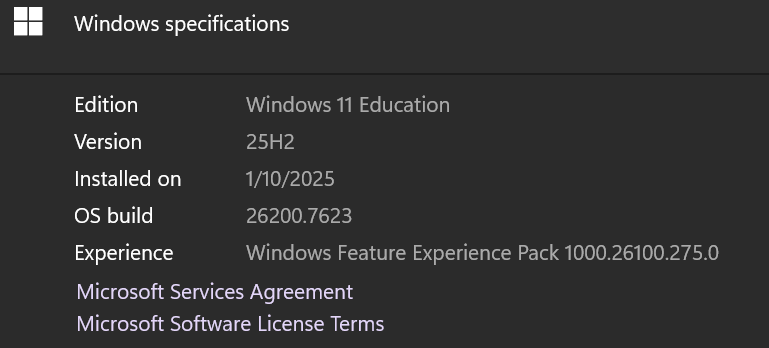
Windows 11 Education
https://i.imgur.com/tigjkQj.png
Debug message
n/a
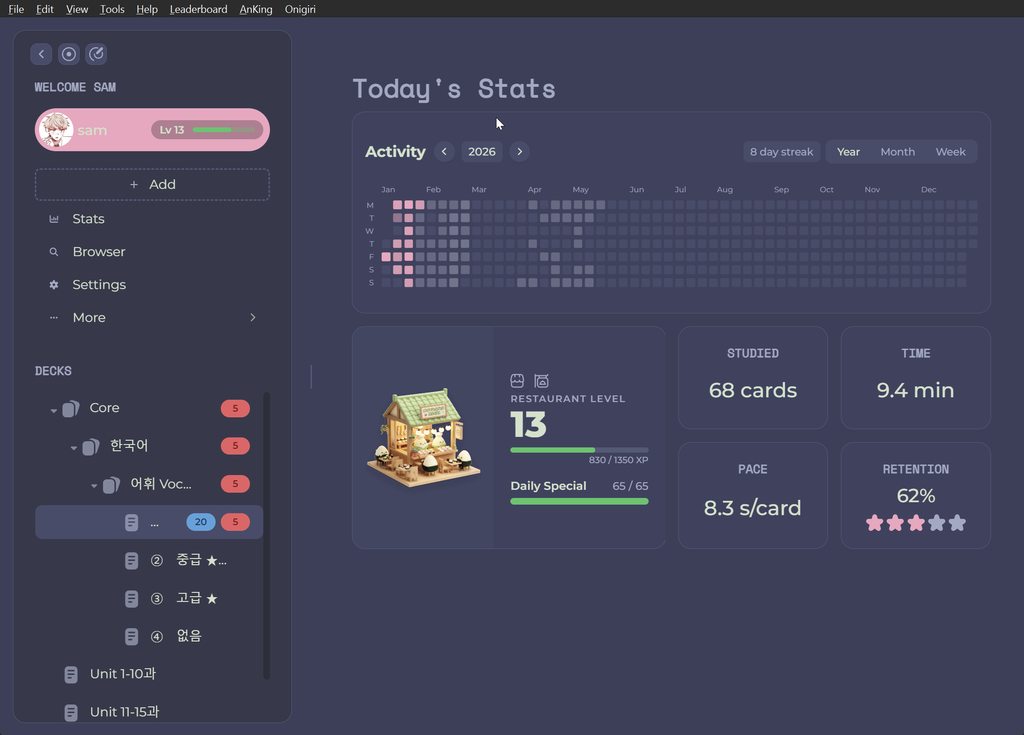
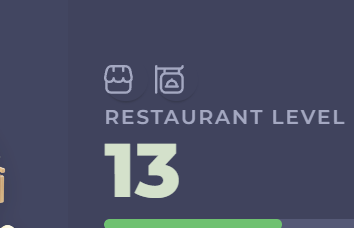
P.S. the buttons + icons on my restaurant widget have always been slightly misaligned; not sure it if was my fault but just wanted to mention that too!
https://i.imgur.com/8CBRpx5.png
thank you so much!!!  please let me know if i can give more information- i do use other add-ons but this is the only one that had updated recently!
 forest mesa
Hi there @hardy prism , I’m afraid that’s intentional, at least for now.
Let me tell you, when I was fixing another bug that caused the scrollbar to show up at all times, and after fixing that part, the scrollbar didn’t follow the background image, and it was super annoying. So I decided to leave the scrollbar out for this update 
So, something that you can do is downgrade in update until I fix the scrollbar issue. To do that, open the link below and download the .ankiaddon file. It will override the current version, and when I update solving your issue you’ll receive the update normally 

Onigiri v.1.0.8-beta
This is the second biggest update on Onigiri, with the following changes:
New mixed widget system, allowing the user to customize the number of rows of widgets, aside from ...
hardy prism
forest mesa
https://github.com/thepeacemonk/Onigiri/releases/tag/v.1.0.8-beta
OMG!!!!!! thank you so much! you're the absolute best perfect. THANK YOU!! i thought i was crazy for a second... not a worry or problem at all-
i'm just super glad to know it was intentional and that this is all i need to do...! i was ready to uninstall all my add-ons 
in the meantime, i figured i could use the arrow keys to scroll, but having the scroll bar back is the best! thank you so much!!! 
 please take your time!!
hardy prism
forest mesa
https://github.com/thepeacemonk/Onigiri/releases/tag/v.1.0.8-beta
welp... i just reinstalled it, and the scroll bar never came back  i'm afraid that it might be caused by this update actually...? i might try to roll back to an older version real quick... it's possible, since i might have skipped this update as i've been using ankidroid 🫠
okay yeah! the scroll bar came back when i downloaded 1.0.7.1 beta- thank you so much for your time!!
forest mesa
hardy prism
OMG!!!!!! thank you so much! you're the absolute best perfect. THANK YOU!! i tho...
I pinky promise I'll work on that on the next update!! 
forest mesa
Hihi @hardy prism, I'm working on fixing the issue, I'm planning on releasing a mini update today to fix that
hardy prism
forest mesa
I pinky promise I'll work on that on the next update!! <:cat_sparkle:14280273445...
aaaack thank you!! 😭
hardy prism
forest mesa
YESS it's back! no issues at all thank you for all your hard work!!!! 
forest mesa
hardy prism
YESS it's back! no issues at all <:sob_pray:1429127293468676157> thank you for a...
YAYYYY, super glad to hear that! It was challenging somehow, I wanted it to look as modern as possible, glad it worked 
 hardy prism
forest mesa
YAYYYY, super glad to hear that! It was challenging somehow, I wanted it to look...
hardy prism
forest mesa
YAYYYY, super glad to hear that! It was challenging somehow, I wanted it to look...
omg you're right. i just double-checked to make sure and the scroll bar actually looks even more aesthetic now...!! this is such a great update for me thank you for responding so fast btw!
forest mesa
hardy prism
omg you're right. i just double-checked to make sure and the scroll bar actually...
Awww I'm so happy you enjoyed it, sam, let me know if you need anything else, I'm always happy to help. Just from Feb on, I'll start making less frequent updates due to my studies, but I'm always here to listen and take notes on your feedbacks
and thank you for being a part of the community, you're a cutie and I appreciate your kindness and detail on the bug report
hardy prism
forest mesa
and thank you for being a part of the community, you're a cutie and I appreciate...
of course!! i genuinely respect all the knowledge you have about anki and the work you put in this add-on for free, i find it all so difficult personally and can't imagine how  best of luck on your studies!! onigiri is already so great in my opinion, but if anything that impedes the function for me comes up, i'll mention it ASAP and thank you!!! i appreciate you too of course!!!
