
141 messages · Page 1 of 1 (latest)
 mystic briar
Is anyone here available to help me troubleshoot joining a modded PZ B41 server. Issue is a infinite black screen issue on one server, and a failure to load map error on the second.
DNS manually set to cloudflare IP. I've wiped my C:/users/zomboid folder, wiped the mod folder, wiped the install, and in short, have repeatedly done clean installs and verified my file integrity
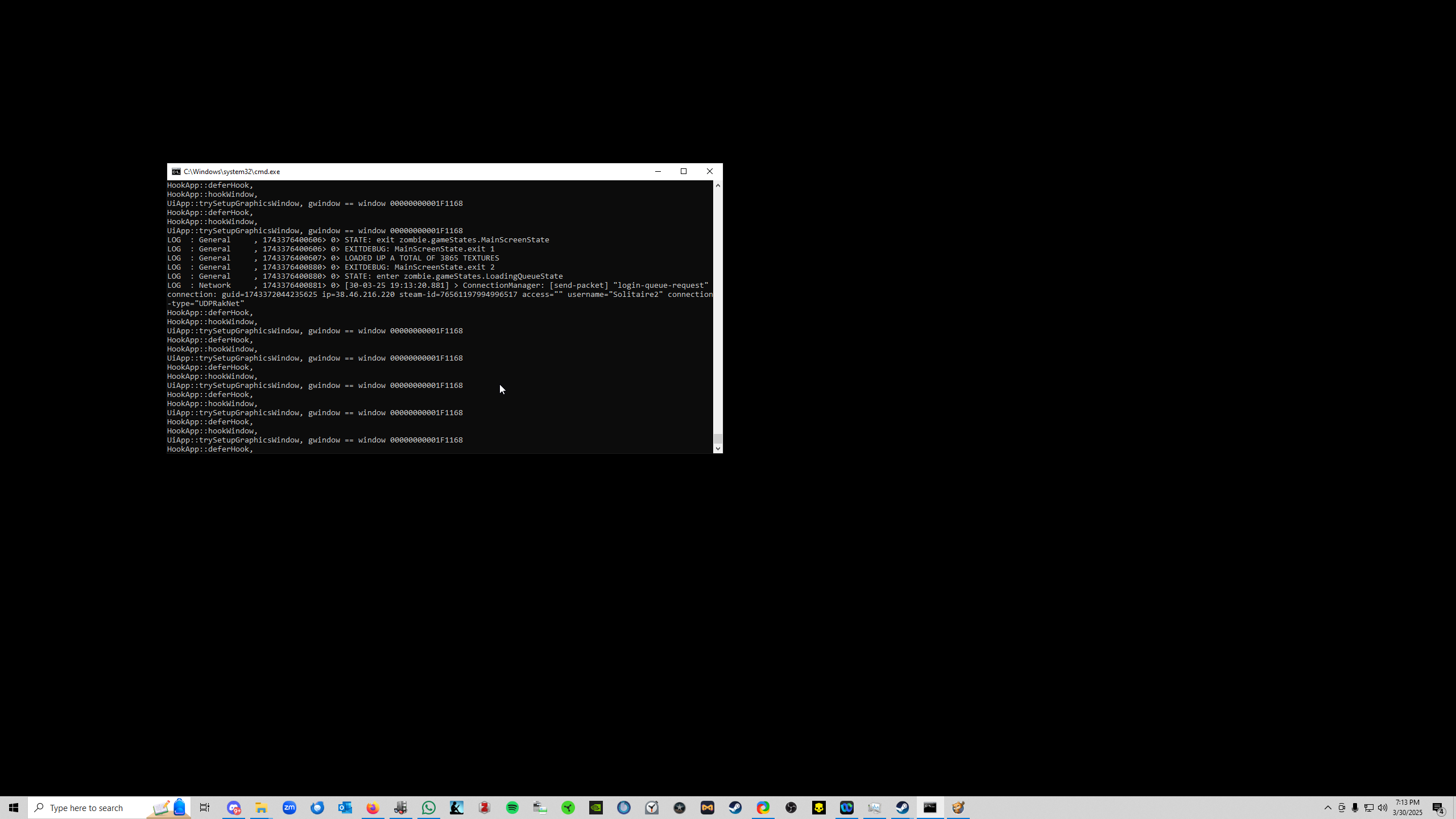
https://i.imgur.com/ICEUqj7.png (first server, infinite black screen)
https://i.imgur.com/pWzBsPt.jpeg (second server, fail to map load error)
have been trying to troubleshoot this all day. Could really use help
in the event one is able to successfully make a character on the server, should you reconnect and rejoin, you are forced to go through character gen again. And then you get to the infinite black screen
speccy link to folllow, attempting to find out how to provide logs
At this time I have DELETED C:\Users\User\Zomboid directory in its entirety. I have UNINSTALLED Project Zomboid and verified its directory in steamapps no longer exists. I have also UNSUBSCRIBED from all mods and verified that the mod folder in the workshop folder is gone. To the best of my ability, I have removed all trace of zomboid for a clean install.
DNS is currently manually set to Cloudflare according to some FAQ on a MP server vis a vis the failure to load map error
At this time: reinstalling Zomboid. Will attempt to connect to server 1 (Green Hell Community). Subbed to their mod list: https://steamcommunity.com/sharedfiles/filedetails/?id=3444070855

Steam Workshop: Project Zomboid.
Have looked at the firewall (Windows Defender) with the help of an admin from server 1. Firewall settings seemed find according to admin.
mystic briar
no signs of game loading
going to try with windows defender turned off
next test after validation: returnign to default DNS. Will try to connect with windows defender on, then off.
latest bug test was with firewall off
firewall back on
mystic briar
i give up
mystic briar
Hope yall figure out what to do with this
Right now default auto DNS, I’ve done pretty much everything one should do to troubleshoot this
This is incredibly strange
No other game I’ve played in 34 years of life has ever had an issue like this. I think it’s a testament to the quality of the work the devs do that this is even possible.
Miraculous.
Nevertheless hope to get it online.
@vocal cedar
mystic briar
mystic briar
At this time: reinstalling Zomboid. Will attempt to connect to server 1 (Green H...
Basically all efforts are focused on getting an account on the GHC server sorted.
I’m able to connect to the server, go through chargen. Once or twice, on a completely new account, I was able to load the map and go and play. But only the spawn point part of the map.
Black walls prevented me from continuing play and I never saw them load.
It’s just weird
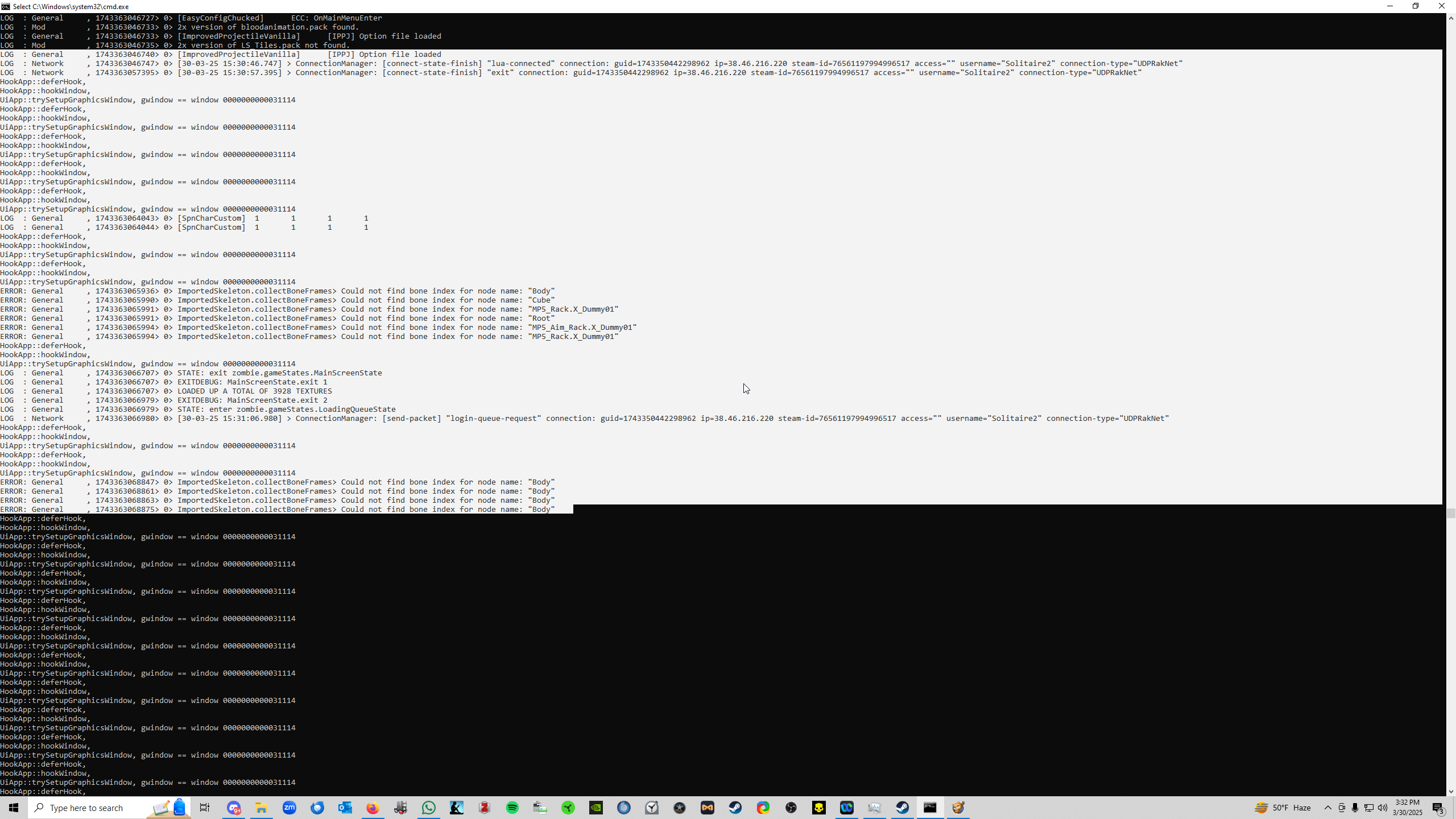
[30-03-25 22:13:48.769] ERROR: General     , 1743387228769> 0> ImportedSkeleton.collectBoneFrames> Could not find bone index for node name: "Body".
[30-03-25 22:13:48.823] ERROR: General     , 1743387228823> 0> ImportedSkeleton.collectBoneFrames> Could not find bone index for node name: "Cube".
[30-03-25 22:13:48.823] ERROR: General     , 1743387228823> 0> ImportedSkeleton.collectBoneFrames> Could not find bone index for node name: "MP5_Rack.X_Dummy01".
[30-03-25 22:13:48.823] ERROR: General     , 1743387228823> 0> ImportedSkeleton.collectBoneFrames> Could not find bone index for node name: "Root".
[30-03-25 22:13:48.824] ERROR: General     , 1743387228824> 0> ImportedSkeleton.collectBoneFrames> Could not find bone index for node name: "MP5_Aim_Rack.X_Dummy01".
[30-03-25 22:13:48.824] ERROR: General     , 1743387228824> 0> ImportedSkeleton.collectBoneFrames> Could not find bone index for node name: "MP5_Rack.X_Dummy01".
[30-03-25 22:13:51.863] ERROR: General     , 1743387231863> 0> ImportedSkeleton.collectBoneFrames> Could not find bone index for node name: "Body".
[30-03-25 22:13:51.864] ERROR: General     , 1743387231864> 0> ImportedSkeleton.collectBoneFrames> Could not find bone index for node name: "Body".
[30-03-25 22:13:51.869] ERROR: General     , 1743387231869> 0> ImportedSkeleton.collectBoneFrames> Could not find bone index for node name: "Body".
[30-03-25 22:13:51.884] ERROR: General , 1743387231884> 0> ImportedSkeleton.collectBoneFrames> Could not find bone index for node name: "Body".```This popped up and keeps popping up g up in the debug logs at the end.
When I do chargen, then hit play, the game black screens, albeit with a cursor you can move around
GPU and Memory gets steady use, GPU usage fluctuates. But nothing else is produced in the debug logs until I close the game
That’s it, that’s the current recap. Appreciate ya
 vocal cedar
Ok so I am on the correct page as you:
1- You have NO mods and Vanilla solo game plays just fine?
2- 100% make SURE you are B41. B42 will NOT work. Confirm you are on B41 please
mystic briar
This is a B41 issue correct. Modded server. Mods are in play. However when I tested solo play, it worked just fine. Could load in.
I exclusively play modded B41 MP servers
I don’t think it’s a random mod conflict; it would have affected other players. Somewhere there is a speccy link earlier in the thread that has my computer specs
vocal cedar
Chill. I got you. Already spotted one issue:
https://steamcommunity.com/sharedfiles/filedetails/?id=566115016
mystic briar
Gotcha
vocal cedar
This mod is broken. Don't use it. It should NOT be in this mod pack
So subbing to the mod pack is the first mistake. The WHOLE pack is broken. It took me 4 seconds to pinpoint one cause.
There are others
mystic briar
Oh wow
mystic briar
join
https://discord.com/channels/136501320340209664/1353185433374429264 this one in particular
vocal cedar
Ok. So verify your solo game is working.
Do NOT sub to any mods. Then log into the server.
You SHOULD get a pop up screen that shows all the mods on the server prompting you to download them.
Screenshot that for me
mystic briar
understood
vocal cedar
it's a supported server so odds are high they have updated the mods, but not the mod pack yet
mystic briar
gonna start a random solo game
vocal cedar
If you can play solo then the game itself is fine.
When you log into a server for the first time, it will prompt you to sub to all the mods on that server.
mystic briar
solo worked fine, smoothly, no hangup at all
gonna cap the entire mod list as requested
vocal cedar
They also listed the server as wiped last week and they have a Discord.
But put in the IP and password and log in.
vocal cedar
Ok, I don't see any that are missing. Wait the 10 minutes or however long it takes to download them all.
Then fully exit your game to the desktop and relaunch. This helps to make sure all the mods "take hold"
mystic briar
Understood
mystic briar
ok restarting game after exiting
I’m gonna take a shower and decompress but it’s probably gonna infinite black screen. Because it started at the black screen after I hit play
But let’s see what happens. Will post logs after
vocal cedar
Hop in the owners discord. Likely one of the mods is causing the issue
mystic briar
i am, orlo was unable to help me thus far
we've been trying to fix it
Here's the problem, everyone else in the server is playing with teh mod list and able to connect except me. Something else is going on @vocal cedar
And we can tackle taht another day. Thank you for your help
mystic briar
Currently running a chkdsk to find errors on the primary SSD
complete, trying to join
latest log
mystic briar
this was on a different SSD
mystic briar
Ok so I’m at this point going to try all of this again after having a full wipe of windows 10
mystic briar
Windows 11, fresh install
Ok so at this point, i have been UNABLE to join two different zomboid MP servers, modded B41
despite multiple clean installs and doing a CLEAN INSTALL OF WINDOWS 11 on my primary C drive, an SSD
and installing Zomboid on a different SSD
I ran a /chkdsk /f /r on the C drive
i do not know what I can do. I need help desperately here
<@&756556556488933526> see thread, need you guys big time. All possible troubleshooting steps I can think of have been exhausted
this is an unprecedented issue
And to be clear, no one else on these servers are affected. It makes no sense
 fathom plaza
mystic briar
<@&756556556488933526> see thread, need you guys big time. All possible trouble...
fathom plaza
mystic briar
<@&756556556488933526> see thread, need you guys big time. All possible trouble...
Are you able to reproduce the issues without mods? Because I only provide tech support to non-modded games, due to the nature of the mods breaking the game
If the issue does not happen in vanilla, I would suggest asking in #mod_support
mystic briar
fathom plaza
If the issue does not happen in vanilla, I would suggest asking in <#91960975716...
Have done so. Thank you for letting me know the scope of your duties.
Update from logs
[29-03-25 20:13:12.966] ERROR: General     , 1743293592961> 0> ImportedSkeleton.collectBoneFrames> Could not find bone index for node name: "MP5_Aim_Rack.X_Dummy01".
[29-03-25 20:13:12.968] ERROR: General     , 1743293592961> 0> ImportedSkeleton.collectBoneFrames> Could not find bone index for node name: "Cube".
[29-03-25 20:13:12.970] ERROR: General     , 1743293592970> 0> ImportedSkeleton.collectBoneFrames> Could not find bone index for node name: "MP5_Rack.X_Dummy01".
[29-03-25 20:13:12.970] ERROR: General     , 1743293592970> 0> ImportedSkeleton.collectBoneFrames> Could not find bone index for node name: "MP5_Rack.X_Dummy01".
[29-03-25 20:13:12.970] ERROR: General     , 1743293592970> 0> ImportedSkeleton.collectBoneFrames> Could not find bone index for node name: "Root".
[29-03-25 20:13:31.165] ERROR: General     , 1743293611159> 0> ImportedSkeleton.collectBoneFrames> Could not find bone index for node name: "Body".
[29-03-25 20:13:31.167] ERROR: General     , 1743293611166> 0> ImportedSkeleton.collectBoneFrames> Could not find bone index for node name: "Body".
[29-03-25 20:13:31.168] ERROR: General     , 1743293611164> 0> ImportedSkeleton.collectBoneFrames> Could not find bone index for node name: "Body".
[29-03-25 20:13:31.214] ERROR: General     , 1743293611214> 0> ImportedSkeleton.collectBoneFrames> Could not find bone index for node name: "Body".
I have the same thing
Irishspy — 2:29 PM
biggest thing I see is this
[01-04-25 13:48:34.655] LOG  : Mod         , 1743529714654> 0> refusing to list examplemod.
[01-04-25 13:48:34.692] LOG  : Mod         , 1743529714692> 0> 2x version of key_cutting_machine.pack found..
[01-04-25 13:48:34.798] LOG  : Mod         , 1743529714798> 0> 2x version of packsleepingbags.pack not found..
[01-04-25 13:48:34.835] LOG  : Mod         , 1743529714835> 0> 2x version of tsarcraft_music.pack found..
[01-04-25 13:48:34.843] LOG  : Mod         , 1743529714843> 0> 2x version of LS_Tiles.pack not found..
[01-04-25 13:48:34.868] LOG  : Mod         , 1743529714868> 0> 2x version of building_menu.pack not found..
[01-04-25 13:48:34.887] LOG  : Mod         , 1743529714887> 0> 2x version of Quarters.pack not found..
[01-04-25 13:48:34.947] LOG  : Mod         , 1743529714947> 0> 2x version of bloodanimation.pack found..
[01-04-25 13:48:34.952] LOG  : Mod         , 1743529714952> 0> 2x version of bloodanimation.pack found..
[01-04-25 13:48:34.953] LOG  : Mod         , 1743529714953> 0> 2x version of bloodanimation.pack found..
[01-04-25 13:48:34.958] LOG  : Mod         , 1743529714958> 0> 2x version of mutantshroom.pack found..
[01-04-25 13:48:34.960] LOG  : Mod         , 1743529714960> 0> 2x version of spear_traps_01.pack not found..
[01-04-25 13:48:35.005] LOG  : Mod         , 1743529715005> 0> 2x version of ki5_economy_tileset.pack not found..
[01-04-25 13:48:35.006] LOG  : Mod         , 1743529715006> 0> 2x version of ki5_economy_tileset_2.pack not found..
[01-04-25 13:48:35.012] LOG  : Mod         , 1743529715012> 0> 2x version of ki5_pod_tileset.pack not found..
[01-04-25 13:48:35.028] LOG  : Mod         , 1743529715028> 0> 2x version of Redstonepak.pack not found..
[01-04-25 13:48:35.029] LOG  : Mod         , 1743529715029> 0> 2x version of tilesnpc.pack not found..
[01-04-25 13:48:35.030] LOG  : Mod         , 1743529715030> 0> 2x version of fearstiles.pack not found..
[01-04-25 13:48:35.032] LOG  : Mod         , 1743529715032> 0> 2x version of Erikas_Tiles.pack not found..
nowhere in any of my log files do I have the term 2x version```any of this relevant?
got this from a singleplayer game with all mods loaded
 mystic briar
@fathom plaza sorry to bother you. After getting help in #mod-support I can confirm this issue would not affect vanilla. It is some weird shit going on with those servers.
Thank you for your time. Take care and be well.
vocal cedar
@mystic briar sorry to chime in, but yes, this is beyond the scope of what we can help you with here.
You need to reach out on the Discord run by the people who run that server you’re trying to join
The logs are posting here are showing that mods are missing. Which means either they are not being downloaded correctly, maybe it’s a build 402 MOD being down, loaded incorrectly, or other issues that have to be sorted out with the guys who run the server.
I know at least one of the mods in their server mod pack has been updated for build 42, and is completely incompatible with build 41.
So I have to re-enter a reach out to the server administrator on their discord. It’s directly related to the mod list and they are the ones who control the mod list
I could help you myself later tonight, but you need to hop into my discord chat where I help people with mods, so we don’t clutter up this thread Or I can screen share for live assistance
mystic briar
Roger
Ok so what I’m doing right now is reinstalling windows 11 again (after having deleted all partitions on all drives).
@vocal cedar I’m willing to come to your discord. However this troubleshooting convo occurred partially in #mod_support and partially on VC with @amber surge
#mod_support message
This is what I propose. Click the above link, scroll down. If you can, get an update from Sadge Panda.
The “bug” is a million dollar one
I am able to join properly configured, modded mp servers. I joined one of his successfully.
Yet even shoddily configured. The GHC server was able to be joined by sadge panda himself and everyone else in that player base
It’s the strangest thing and my only guess is it was probably some not quite doing a clean windows 11 install. As in I forgot to delete partitions
 amber surge
@vocal cedar I went through every bug fix in my repo to assist @mystic briar in #mod_support
We tried everything I could think of and even some spitballed ideas too
I was able to join the GHC server just fine like solitaire mentioned
mystic briar
That I’m sorting out now and hopefully maybe that changes the game
Otherwise just gonna have to play zomboid elsewhere or wait for b42 MP.
I have one suggestion I’m not sure panned out: is it possible that the ssds have an issue?
Like bad sectors?
Otherwise yeah, this might be a bust and I might have to take the loss
Affirm
vocal cedar
amber surge
<@699546865875550239> I went through every bug fix in my repo to assist <@122650...
Yeah other players can too.
Server seems fine. So it’s on Solitaires end.
Just need to rein in some of the stuff a bit so we don’t wipe PC’s, re-verify, etc. and just get frustrated.
I’ve got a checklist of things to do to get them into the server
mystic briar
Roger. Let’s begin running it down. Please share the first step.
Currently decompressing rn. Downloading the mods ingame, not via workshop
Have set up a second steam account and added it to my steam family just incase it’s a steamID issue. That seems like a reach but we’ll see.
That’s was the suggestion I was given
mystic briar
Ok let me get back on it
@vocal cedar ok whatever it is on my end has to be strangely unique
anyway ready to work the steps when you are
mystic briar
fathom plaza
Are you able to reproduce the issues without mods? Because I only provide tech s...
@fathom plaza I remember what you said yesterday. Apologize if I came across as curt, because I was incredibly stressed irl, and frustrated with how…bizarre this troubleshooting process has been.
The server admin, orlo, mentioned you by name as a potential resource who could help.
While I recognize this isn’t your lane and I have no expectation you’ll accede to my request. Uhh…the guys who have expertise and do cover this. Well they are stumped. Would you be willing to unofficially help when you have spare time?
Something else, niche, has to be going on. I’ve wiped my PC outright, the installs have been as clean as could possibly be. Mr. Clean couldn’t have made it cleaner from a troubleshooting standpoint.
Anything you could do or anyone you could refer me to would be appreciated.
Sadge Panda is the best person to consult on what’s been done so far, should you choose to help. If you can’t, I understand completely.
mystic briar
latest speccy btw: http://speccy.piriform.com/results/hTfCp2edgUIYjk3fa07qV10
https://i.imgur.com/L6SIVR4.png i turned on steam relay
and set my region to france
i made in game, died
was able to make a new character
resetting download region to US New YOrk
@vocal cedar @amber surge i fixed it
i think
Steam relay checkbox on
i also switche download region to france (paris), with steam relay on. loaded in, played
died, logged off, switched back to NYC
same deal, it worked
turning steam relay off causes the issue to repeat
 silent flower
Man I told you to mess with steam relay yesterday
silent flower
Your fine man, things happen
vocal cedar
mystic briar
https://i.imgur.com/L6SIVR4.png i turned on steam relay
Just heed that red warning. Steam relay can potentially cause performance issues like crashes, lag spikes and teleporting around due to desync.
But if you can manage that, then yer good
mystic briar
Yeah I’m not sure what to do about it. I can ask orlo to deal with it but im not sure what I can do as the player except pray
Thus far my ping seems fine though
vocal cedar
Well I can, with under a 5% margin of error, confirm why steam connect is working and you get black screen without it.
Port forwarding and UPnP issues on your gateway.
UPnP may not be configured correctly, firewall may be blocking it, your router / gateway may be blocking, or windows is not configured correctly.
That’s the sole reason why a black screen in MP does not work via normal internet connections but DOES work via steam connect
So keep using steam connect and dont fret it