#pzwiki_editing
1 messages · Page 72 of 1
 urban wave
The melee weapons tables have been updated but only the existing weapons in them. I'm gonna check for new weapons in 41.49 and see if I can add them.
Also added a Repair/Replace guide in Vehicles Guide
 tulip kiln
Good job, always good to have more contributors.
I'm active from time to time, currently trying to do the clothing pages although it's very time consuming since I'm trying to put as much detail as I can[which I'm not that good at]
urban wave
That's awesome. Could you help me with exporting new pictures? The wiki doesn't have the newest item sprites uploaded.
tulip kiln
I'm a fucking idiot, you mean you need help with uploading a picture?
left side of the site page, under tools. Click upload file.
urban wave
Nah, I got uploading down, I need help getting them out of the game
Like the icon for the M16
tulip kiln
Ehhh, right I'll have to figure out if I have the icons for weapons, I might just have them for the clothing.
urban wave
Alright. I'll be available for a bit before I start packaging the gifts for the famiry.
urban wave
Ah sick
tulip kiln
https://pzwiki.net/wiki/Special:NewFiles This page is a great help, use it.
It shows all the recently uploaded pngs.
Not all of the icons are there, but there's quite a bit.
urban wave
Wicked
tulip kiln
Yeah, from a quick glance, it looks like all of the weapon icons for b41 have already been uploaded? Unless there's been some new shit that I've forgotten.
urban wave
I can't find the M14
Can you link me to the whole gallery?
Maybe it's not considered "new" anymore?
tulip kiln
All you have to do is use the from and to date options at the top of the page.
That way you can see stuff from specific dates.
Most of these icons are from late 2019- early 2020ish.
urban wave
Alright got it thank you 🙂
 steel inlet
hello can the wiki update about heat source
tulip kiln
I believe Faalgorn was doing pages like that, you'd have to consult him about it, you could also become a pzwiki contributor and update it instead.
 lethal lotus
https://theindiestone.com/forums/index.php?/topic/3511-pz-unpacker/
Here's the link to the unpacker, which runs on java. I've used this to unpack the stuff in media/texturepacks/UI2.pak which contains most of the beta build's icon
The Indie Stone Forums
I wrote a tiny tool, for Un/Packing .pack files. .pack FormatThe .pack files contain all used textures in PZ.The structure is the following: Features:1. Unpack: .pack files into seperated .png files (extra info is saved in a .xml file)2. Pack: .pack file is (re)pack with the .xml file and all .pn...
And for my troubles of that spam filter, I just had to replace every "support" to its Synonyms. Hope this information can help others.
tulip kiln
That's sick. I'm hoping Vail can get me more of those 3D clothing item preview thingys so I can make my pages look even cooler.
urban wave
Wicked
 prisma steppe
 spring heart
Can somebody add more info about skill levels and their benefits, like the info you can get from a plant with each level of farming
urban wave
Will take a look tmrw after study
 dark geyser
can someone please tell me how to find myself on the map? I can't find where I am, I have 3 maps but none seem to match up to my location
 cobalt nebula
dark geyser
can someone please tell me how to find myself on the map? I can't find where I a...
cobalt nebula
dark geyser
can someone please tell me how to find myself on the map? I can't find where I a...
Get the Eris map mod to help you, it’s a mini map added to your screen which you can fully see where you are
dark geyser
thanks, I figured it out in the end, this game is really fun once you get a few days into it
 compact cosmos
👍
If you let me know I'll update the spreadsheet I'm working on. I'm working on a new challenge mode
 frail fossil
compact cosmos
If you let me know I'll update the spreadsheet I'm working on. I'm working on a ...
frail fossil
compact cosmos
If you let me know I'll update the spreadsheet I'm working on. I'm working on a ...
Alright, so the actual bonuses are:
Faster movement through forests and woodland
+2 Axe
+1 Strength
Axe man trait (better tree chopping, faster axe swing)
compact cosmos
frail fossil
Alright, so the actual bonuses are:
Faster movement through forests and woodland...
Thanks muchly
frail fossil
I opened the game
Those were the results
And why would a lumberjack have a level in first aid
You could say the same with any other profession
Chefs can get cuts, police officers can get shot, carpenters can hurt their hands with a hammer
Yet none of them have first aid
Yes, the same goes for any other profession
 vale aspen
your right
frail fossil
Alright but don't delete responses so this doesn't get taken out of context please
We all make mistakes, that's fine
vale aspen
ok
 crimson cave
hey everyone
so the game is called project zomboid
the name sounds very top secret
frail fossil
If it's not about editing the wiki, #pz_b42_chat
crimson cave
perhaps in the game, the us government actually discovered a zombie virus and they decided to release it in kentucky and quarantine the town
what if it was an experiment all along
to learn how to make zombie soldiers
vale aspen
well that would be an idae
vale aspen
hehehe funny
 buoyant swift
im guessing people didnt learn how to run from a zombie and died lol
 weak cape
it's obvious that lumberjack was just someone typing nurse's skills again
dark geyser
what is the wooden picket used for? it just looks like a post in the ground with some rope tied around it
frail fossil
dark geyser
what is the wooden picket used for? it just looks like a post in the ground with...
Probably meant to have future functionality or fencing or something idk
dark geyser
yeah probably
 loud zodiac
Pickets are usually used in conjunction with fences
 bright yarrow
God... beta 41 looks amazing but it crashes so much...
bright yarrow
I will upload my logs later
 timber sorrel
Muldraugh I'd suggest making the sarrounding area of Cortman medical your base, house itself included
timber sorrel
It's a bit more populated at least in my experience, most of them come from the fenced off houses above the gas station
frail fossil
Why do people not read the channel's description
 verbal canopy
 loud kayak
ill just leave that here..
 languid kayak
I'm slowly getting back to adding missing Furniture (Tables and missing containers for now), but before that I'm clearning some thing up and out of curiosity, @digital helm, are the flavor texts for electrical appliances you posted is something you came up with or are these found somewhere in game? E.g. Wide refrigerated shelves found in grocery stores. for Generic Racked Shelves or What was once used in everyday life is now left unused, only to gather dust. for Cash Register.
The Furniture page is getting large, so it feels heavy while editing, nothing that can't be solved with templates similar to Items page, probably something that needs to be done sooner or later, but I'm currently just leaving it her for posterity 😛
languid kayak
Anyone got official mention of upcoming vehicle interiors too? I need a reference for planned features article
nvm, found it 🙂 https://projectzomboid.com/blog/news/2019/08/twisted/
Hello everyone! Another ‘just getting on with things’ Thursdoid update. As we work on the last remaining tasks required before IWBUMS, we’ll do a little run through what everyone’s been up to this week! There is some really cool progress to show! Rotational Work Zac, as we’ve said over the past few Thursdoids, has been […]
Sources need cleaning up, but that page got a major update: https://pzwiki.net/wiki/Planned_Features – I'd also move it to "Planned features" to get align with naming scheme. A task for https://pzwiki.net/wiki/User:VaileasysBot ?
languid kayak
I'm thinking about whether there's a reason to keep "(Non-functional)" for furniture
Originally that was mainly for electrical items and while I get the point, I'd rather list the items that do serve some function (or at least are supposed to, based on what was announced) – else we can't judge what function they are supposed to get. Also technically every item that is container or blocks zombie path is already serving some purpose anyway 😉
maybe I'm overthinking it, but I'm puzzled at which one should have these in description and which ones should not 😛
I was thinking about adding info about functions of each section about items, e.g. that cash registers or vending machines work without electricity or that all of the misc. electronical and medical items don't have any extra functions currently.
languid kayak
I instead added more (Non-functional) tags, but feel free to take a look at point out/correct stuff here: https://pzwiki.net/wiki/Furniture
languid kayak
I think other than splitting furniture could use some templates for checkboxes and maybe tools as well, as there's a pattern at which tools are used
 vapid narwhal
I have picked up an antique oven, placed it in my trailer, but now I can not place it down anywhere. Is there a specific way to placing these things?
vapid narwhal
I see, you need Carpentry level 3 to place it down.
 late moth
i think that items should also have a list of the crafting recipes they are part of
 dry hamlet
Hey so when will zombies have the ability to tip and flip cars?
Like when there's roughly 50 or 100 or more pushing against the car and once they flip it they can crawl under the hood.
Or bust through the cars windows and enter it to get to the other side?
 brave copper
they can climb under cars now
vapid narwhal
I got carpentry level 3 now, but still can't place the antique oven. Wiki says you need level 3 and a hammer to pick it up, but how do i put it down?
you need to have it in your inventory, not in your hand, dumbass
 rotund jungle
is there a mod or a setting that i don't know about to change the inventory back to how it was in build 40
vapid narwhal
What gas changed then?
languid kayak
I thought that's something's wrong with tiles, but it's actually the same in-game:
languid kayak
Tables are now done, I'm just optimizing images: https://pzwiki.net/wiki/Furniture#Tables – next are containers, will be a big one for me
If you spot any error or find some table I missed, let me know!
languid kayak
btw, someone with admin rights ( @digital helm @vital raptor ) – you can bump https://pzwiki.net/w/index.php?title=Template:Current_version&action=edit to 41.50 as it will probably stay like that for a while 🙂
(unless we include hotfixes as a date)
languid kayak
💚
steel inlet
pls update on the water containers/bottles
frail fossil
You can edit it yourself, it's what the channel is about
Reminder for myself to provide updated pictures on the effects of pipe bombs
languid kayak
👌
languid kayak
All table images are now uploaded: https://pzwiki.net/wiki/Furniture#Tables
languid kayak
@digital helm Who's the two extra contributors on Build 41? They aren't listed in the page. Also, who are the contributors in Locations and Maps and Template Documenters (the categories aren't created)
languid kayak
I've been checking for uploaded furniture images and found this: https://pzwiki.net/wiki/File:Craftrippedsheet.png – empty file, probably up for removal
 azure geyser
vapid narwhal
I have picked up an antique oven, placed it in my trailer, but now I can not pla...
azure geyser
vapid narwhal
I have picked up an antique oven, placed it in my trailer, but now I can not pla...
I had the same issue with level 7 Carpentry. I had to to straight strip myself of weight to be able to place it on a floor tile (sorry if Im not supposed to post it here)
vapid narwhal
Having to much to carry is not a big deal if you're just in your safe-house.
languid kayak
There's one green pixel there mash (or whoever did that tile) probably forgot about when drawing 2x tiles 😛
Not sure if I should keep it as it or remove it
Even funnier is that I can't find them anywhere on the map 😄
That's Pizza Whirled tileset, but all pizza whirled have only regular ones
 echo thistle
Is it an oversight? like that toilet in the living room?
 scarlet yew
if there is a toilet in the living room you move it with some skill and tools back into the bathroom in game.
frail fossil
So for hunting how do your raise it up I find it difficult and how the trapping works I never catch anything
 dim rock
How can I translate {{RecipeLookup|XXXX}} into other language?
Like this,I want to translate into chinese.
 silver birch
Well, what ever you did, there are now multiple english artikles only showing up as chinese... Seems like 'fuel' is still chinese and 'farming' is showing up as chinese in articels referencing it
dim rock
silver birch
Well, what ever you did, there are now multiple english artikles only showing up...
I did it... made a big mistake. Already mail the admin try to restore it.
languid kayak
Birchwood Floating Counter
Fancy Counter
Fancy Floating Counter
These are tiles that I couldn't fond anywhere on vanilla map
Other than that and images, https://pzwiki.net/wiki/Furniture#Counters is done
feel free to let me know if you spot any errors or anything missing, though keep in mind that some counters are in tables (they have no storage) and the glass ones I moved to "display" (commented for now)
languid kayak
I'm gonna go for an hour or so now, but leaving it here for when I go back, if someone is curious, testing how webp images fare on Wiki since they are supported for regular images and animations: https://pzwiki.net/wiki/User:Faalagorn/.webp_test
languid kayak
Anyone know why can't I add newly created template https://pzwiki.net/wiki/Template:User_discord to my user page https://pzwiki.net/wiki/User:Faalagorn ? I currently have it commented there, but it won't allow me to remove the comments to make it visible, when I click "Submit", it reloads but nothing happens – no error message etc. – Is it some antispam that's catching it?
 worthy igloo
Nobody knows about this feature FYI https://steamcommunity.com/app/108600/discussions/2/3113644379502326957/
languid kayak
I didn't knew about it as well, but just checked and it indeed works 😛 I'm gonna add a note to https://pzwiki.net/wiki/Furniture since that's what I'm editing ATM
 proven dome
Looks like whoever was editing https://pzwiki.net/wiki/Fuel copied Chinese over to English page?
 digital helm
languid kayak
<@!109658126805905408> Who's the two extra contributors on Build 41? They aren't...
digital helm
languid kayak
<@!109658126805905408> Who's the two extra contributors on Build 41? They aren't...
iirc the contributors value is calculated by the number of unique users that edited an article within that category within the last x days.
Or something along those lines.
digital helm
dim rock
I did it... made a big mistake. Already mail the admin try to restore it.
Thanks for your contributions.
Since the wiki has been around since 2011, support for translation hasn't really had any real support.
I've tried to get something working, as you would've seen in the language policy. Unfortunately, implementing proper support for quicker and easier translations has become a major task, which would require a lot of time, that unfortunately I don't have :/
tulip kiln
Welcome back
I made a decent amount of progress in the past weeks for the clothing pages but there's still lots left.
A lot of work went into re-designing/re-structuring some of the existing pages too.
digital helm
Awesome! I'll take a look at the changes
tulip kiln
It's mostly just including a bit more detail in the info, more detail on how to obtain the item[I don't know how to find distributions so this was just gathered through my gameplay], if the clothing can be reinforced with tailoring or turned to sheet rope etc.
I still have to edit some of the hat weight too since last patch changed a bunch of them.
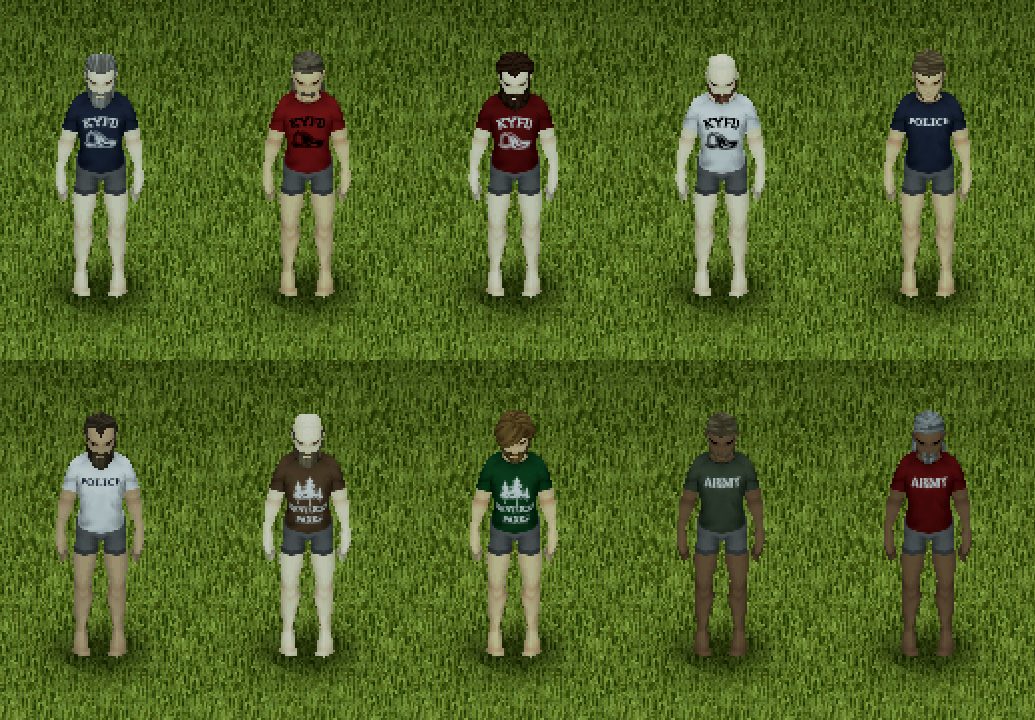
https://pzwiki.net/wiki/Ranger_Jacket As you can see with this page, for the "see also" category, I've been including links to pages that are related to that clothing item. Such as it linking ranger clothing, etc. That way it's easier to navigate.
tulip kiln
Oh yeah, forgot to say. A lot of them still don't have galleries yet, I'm trying to get a lot of these pages done first before I start implementing galleries since they can be a bit time consuming. The pages are better than they used to be but they aren't good yet.
languid kayak
Vai, if you're around, take a look at https://pzwiki.net/wiki/Template:User_discord – I couldn't use it on my talk page for whatever reason, may be something that requires administrative account to look at. Also some minor stuff with images, but nothing to be bothered with right now
digital helm
languid kayak
Vai, if you're around, take a look at https://pzwiki.net/wiki/Template:User_disc...
Looks like you missed the second curly bracket at the start of the template.
I've fixed it for you https://pzwiki.net/w/index.php?title=User%3AFaalagorn&type=revision&diff=49507&oldid=49505
digital helm
@languid kayak you've been doing an incredible job on the Furniture page 👍
digital helm
tulip kiln
https://pzwiki.net/wiki/Ranger_Jacket As you can see with this page, for the "se...
I've really got to get around to getting more images of the models. I don't particularly remember how to do, since it's been so long.
Looking good though.
languid kayak
digital helm
Looks like you missed the second curly bracket at the start of the template.
I'...
I knew about the bracket, but it wouldn't let me save it – it does work now so thanks, but keep an eye as some antispam filter might be the cause if someone ever will want to use it 😛
languid kayak
digital helm
<@!270429416155250690> you've been doing an incredible job on the Furniture page...
Thanks! I have yet to add missing containers and then signs and tiles plus some other stuff, but I have some questions about some missing/unknown names. I will probably have to set up a custom map or add the properties based off TileZed for some tiles that aren't found in game but can be spawned – I tried finding a mod that can spawn movables but it's not easy or I'm blind :/
Right now I'm focusing on adding missing content, but there's also a lot on my mind for this page such as:
- templates
- adding animations (also take a look at my https://pzwiki.net/wiki/User:Faalagorn/.webp_test - but sadly webp animations don't currently work)
- listing more properties and different angles for tiles
- probably more
languid kayak
Fun fact: when I cut white borders or stich tiles together for wiki, I do see a lot of flaws at glance; e.g. this one:
languid kayak
Some items may be moved around later, but for now https://pzwiki.net/wiki/Furniture#Displays is done (sans images)
languid kayak
After I'll be done with furniture (which will take a while), guess the next step would be https://pzwiki.net/wiki/Containers - I forgot it had images for some containers, but it could use some update as well (it's a nice page)
There are some issues with alpha transparency, some are not visible that's why GIMP don't cut these, here's an example of visible one:
Not sure what tool Mash used, but there seems to be the cause; leaving some barely visible alpha transparency 😛
languid kayak
These can't be picked; are there anywhere else?
frail fossil
PZ wiki has nothing said about m16
languid kayak
You should be able to make one if you want: here's the boilerplate (template) for weapons that's in accordance with b41 IWBUMS https://pzwiki.net/wiki/Help:Boilerplate_weapons and the redlink for M16 can be found here: https://pzwiki.net/wiki/Weapons - after clicking it and copying the boilerplate and filling the respective data you can add it this way, similar to other missing b41 additions 🙂
languid kayak
on this site, I had to write <code>sup''port''</code> to avoid spam protection, which is odd, maybe something to take a look? https://pzwiki.net/wiki/User:Faalagorn/.webp_test
 lyric tide
this cracked me up when looking some info on mod making
Modify the base files of Project Zomboid to include malicious code or other naughtiness.
languid kayak
I think I found Small Yellow Plant – sadly, it's no longer with us 🕯️
at x1 tiles nothing appears there (both are debug)
Actually lquestion marks no longer appear in 2x too
languid kayak
Can anyone point me to location of https://pzwiki.net/wiki/File:FancyWardrobe.png on map?
nvm found it https://map.projectzomboid.com/#11627x6818
languid kayak
Okay, now just https://pzwiki.net/wiki/Furniture#Crates + nature, composter and mannequins and I'm done with storage. The sad part is that there's still tons of items left – curtains, signs, decorations and tiles/carpets/rugs, windows etc. For breakdown, see https://pzwiki.net/wiki/User:Faalagorn
digital helm
languid kayak
on this site, I had to write <code>sup''port''</code> to avoid spam protection, ...
To get around that one you can use the special character "o" - Special Characters>Cyrillic>lowercase O
That way it'll still be recognised as "support" if you search for the word, but won't be picked up by the anti-spam... Unfortunately it's needed to stop some of the bot spam we've had in the past.
digital helm
languid kayak
on this site, I had to write <code>sup''port''</code> to avoid spam protection, ...
After taking a look into .webp - looks like an extension needs to be added for it to display on pages. It's technically a permitted file type to upload, but won't function properly without https://www.mediawiki.org/wiki/Extension:WebP
I'm just not sure it would be worth the trouble (you don't want to see Kirrus trying to update the wiki)
If we were to install an extension, one that has similar functionality is https://www.mediawiki.org/wiki/Extension:JavascriptSlideshow
This creates a "slideshow" of images. This functionality is something I've wanted for a while for infboxes, e.g. https://minecraft.gamepedia.com/Concrete
The WebP extension creates .webp versions of already uploaded images and displays them, if the requesting browser supports WebP images.
This extension requires imagick and libwebp to be installed on the server.
The JavascriptSlideshow extension creates a slideshow which can:
Create a "rotating" slideshow (i.e. one that changes from one picture to another)
Create stop-action animation from multiple images or multiple pieces of text
 languid kayak
Yeah, may not be worth a trouble, but weird it's permitted extension while svg is not 😛 Although apng animations win over by size for animations
frail fossil
👌
languid kayak
I'm almost done with containers now, just gotta add Composter, the nature of the containers that were removed from the map (wheat, corn) and berries as well as finish mannequins (they are 3D now, but I think I'll add an old tile that's still found in-game for now). There's still a lot to do in-general such as adding more info (for now I only added container type as comments, so it's only visible in code and not filled for all containers), but let me know if you spot something off while I'll slowly finish fiddling with minor stuff and move on to adding signs next I guess.
@digital helm about our previous discussion though, another plugin that the wiki could use with tiles and especially with 3D items but would be a 3D-esque viewer similar to https://wiki.teamfortress.com/wiki/Scattergun – it's not a 3D per se, as it assembled it from tiles, here's example for scattergun, it's just a clever JPG https://wiki.teamfortress.com/w/images/b/bd/Scattergun_3D.jpg

 digital helm
Looks like it's using javascript. Something like that would be awesome to have, but getting it set up looks like a bit of a nightmare... I've never used javascript
That would definitely be the ideal end goal
languid kayak
There'd still be some edge cases that TF2 don't have, e.g. how to deal with weapon attachments on 3D models (which I think they are visible) and other item attachments if they ever do so and furniture overlay (filled/empty containers as well as newer mash's overlays for fridges, armchairs etc.) as well as states such as lit campfire – currently they are represented as gifs, could be APNGs to avoid color losses, but if you'd want to combine it with rotation (for different angles), the resulting pngs would be really big
 edgy kestrel
i must know if one of you folks or all of you might work hard on creating Louisville, Kentucky
tulip kiln
None of us are map designers, the only one here part of the team is Vail and he's a mod.
We're just random people from the community.
languid kayak
Doh I'm stupid – I just realized I can use chunk debugger to show tile names (and properties) in-game:
languid kayak
fun fact: there's 51 different artworks for trash currently plus there's 3 empty spots with the indexes 13, 14 and 15 (not sure if they were ever used or planned to be used)
languid kayak
fun fuct #2 - all 51 can be found scattered in and around the mall's parking lot 🙂 Trash's done, the images will come soon: https://pzwiki.net/wiki/Furniture#Trash
I always ignored trash laying around, but actually most of them are highly detailed and nicely done. It would be good if they could have any use, such as making bigger piles at least containers, salvaging them for use or simply picking them for (highly not ecological) fuel.
languid kayak
@digital helm since you took care of planned features capitalization, what do you think about https://pzwiki.net/wiki/Version_history/Development_Versions ? The page technically doesn't follow the style guide, but I think it could somehow be merged with the existing Version history, even as a new paragraph. It's not really liked much too https://pzwiki.net/wiki/Special:WhatLinksHere/Version_history/Development_Versions
Also, do you think it's worth adding content of the recent non-public MP version patchlogs that got posted with two last thursdoids to wiki? If so, where? On https://pzwiki.net/wiki/Build_41 or https://pzwiki.net/wiki/Upcoming_versions ? Here's the logs: https://pastebin.com/yMTZLAuH and https://pastebin.com/Xkae3NBp
Pastebin
Pastebin.com is the number one paste tool since 2002. Pastebin is a website where you can store text online for a set period of time.
Pastebin
Pastebin.com is the number one paste tool since 2002. Pastebin is a website where you can store text online for a set period of time.
languid kayak
@digital helm Could you look at https://pzwiki.net/wiki/Pencil when you'll have time, too? It seems that you removed one duplicate file some time ago and it caused some errors on a few pages
digital helm
languid kayak
Also, do you think it's worth adding content of the recent non-public MP version...
Maybe? But maybe not... I'm sure an official changelog will be released once they're added to the public build.
Essentially, that changelog is an internal changelog that Will prepares every week, whether or not the details are disclosed.
It wouldn't hurt to include on the build 41 page. Just may end up being overwritten with a more official changelog in the future
BTW, the moveables changes I imagine will be incredible useful for what you're doing. There's no obvious way to"spawn" in furniture. Unless you mod in a new moveable, defining the sprite name.
For the rest of it... I'll take a look once I'm off work.
digital helm
languid kayak
<@!109658126805905408> since you took care of planned features capitalization, w...
That is a very old page... That's essentially where the IWBUMS changelogs would go, before they were called IWBUMS. Must've been used for at least one changelog.
Version history page format used be like this, before it was changed end of 2019 https://pzwiki.net/w/index.php?title=Version_history&oldid=33763
Should probably just be deleted/archived. It's not needed anymore, since each page has changelogs on their own dedicated page.
digital helm
languid kayak
<@!109658126805905408> Could you look at https://pzwiki.net/wiki/Pencil when you...
That's fixed.
If you find any issues with recipes in the future, let me know. The current template is a little broken, since there's so many recipes now.
I tried making a new system for it but never finished it. Or managed to come up with a way to make it both neat and easy to use.
A couple of examples using this template: https://pzwiki.net/wiki/Template:Crafting/core
https://pzwiki.net/wiki/Template:Crafting_cooking
https://pzwiki.net/wiki/Template:Crafting_carpentry
I don't have the time these days to focus on it
languid kayak
btw, what kind of sorcery is happening with redirects on PZWiki? E.g. https://pzwiki.net/wiki/Crate automatically redirects to https://pzwiki.net/wiki/Wooden_Crate and I can't access the "crate" page at all, that's unlike other wikis
Actually, I can by clicking the link it redirected from though it said "wooden crate" too. https://pzwiki.net/w/index.php?title=Crate&redirect=no
digital helm
Since the wiki's version of mediawiki was updated, an internal wikilink that links to a page with a redirect, will display the text of the page it's redirected to. So for example, if you have an article with just: "crafting a [[crate]] will provide some carpentry experience" - will display as "crafting a wooden crate will provide some carpentry experience". So you have to use [[crate|crate]] or [[wooden crate|crate]], if you want it to display as "crate"
As you mentioned, it can make things really. Confusing when you want to go to the page with the redirect.
It broke quite a few pages, even the main page, when it was first updated.
languid kayak
I know there's a lot to add yet (signs, flags, mirrors, paintings, corkboards, carpets, tiles)… but so far all the images and todos are up for https://pzwiki.net/wiki/Furniture
just not sure about the Generic Racked Shelves - I found there's an item named as such in movable names, but I only found Generic Cooled Shelves
languid kayak
hey 😄 You can check https://pzwiki.net/wiki/User:Faalagorn/Unused_tiles – I didn't manage to find Pizza Whirled Corner Counter and Dark Wall Shelves (and dark version of bank counters, but I believe they are not anywhere)
@frail fossil
 hollow dove
Oh I don't know why I didn't see that channel I'm so confused now I was i the modding channel yesterday... Tiredness I guess.
Anyways! I created this page (stub) yesterday: https://pzwiki.net/wiki/Hand_Fork
tulip kiln
hollow dove
Oh I don't know why I didn't see that channel I'm so confused now I was i the mo...
Cool stuff.
@digital helm I love the 3D gun models you added to the m9 and m36 page, you got any more lying around?
hollow dove
Oh yeah by the way I know how to extract the tile (with a tool making it easy) but I don't know how it works for 3D models so I can't render item images in 3D for the wiki.
hollow dove
Another thing now: Since I don't mod on the game I don't know how to retrieve the values and I wonder if the weapon page is up to date.
The hand fork has 0.5 weight (unequipped) in the game while the wiki says 1.0 . There is something wrong or maybe it changed very recently.
I wonder if the other values such as range and damage that I can't verify myself are up to date even though the version of the article is 41.49
tulip kiln
I'd imagine a typo.
hollow dove
That's possible but the thing is: If I want to add values to the item page on the wiki it MUST be accurate. So long as I can't make sure all the values are correct I can't edit it.
tulip kiln
You know how to check the weapon's code yeah?
hollow dove
What is happening with me...🤦♂️ Yes of course I'll do it now! xD
I think it'll be time for a little pause but I'm almost done with the bread knife page. It's different from the butter knife but it's the same picture used in the inventory GUI.
tulip kiln
Sorry, didn't mean it sarcastically if you thought it was, just wanted to know.
hollow dove
Oh don't worry I just need a pause at that point I've been here for almost 2 hours already and trying to improve the basic template that I'll use for all the short blade weapons.
I think it could be used as a boilerplate template if it's satisfying enough.
hollow dove
Bread knife page created (I'll add crafting recipes later when I find out how to do it) : https://pzwiki.net/wiki/Bread_Knife
hollow dove
Is there a way to find all the recipe lookups easily in the wiki? There are only numbers like that:
{{RecipeLookup|2016}}
and I don't know how to change the recipe lookups as well.
Alright I'll teak break and look into it later thanks! 🙂
digital helm
hollow dove
Is there a way to find all the recipe lookups easily in the wiki? There are only...
There is. It's a little broken currently, since we've reached the template limit on the page that's suppose to display all the recipes. You can still see them here:
https://pzwiki.net/wiki/Template:RecipeLookup/doc
If you want to add new recipes, add them here, following the guide from the above link:
https://pzwiki.net/wiki/Template:RecipeLookup
 narrow vine
do the devs have any plans for terrain?
languid kayak
Just leaving it here in case it'd be useful: https://docs.google.com/spreadsheets/d/1qQwsx7aAhMUhxIvi-GPaN9bph0sOqCNPAztMXnYo6fI/edit?usp=sharing - based on example from https://www.reddit.com/r/projectzomboid/comments/8cv1lw/found_farming_code_heres_exactly_how_it_works/ (the grid misses 1 plant)

Google Docs
L pattern
p,p,p
p,p
p,p
p,p
p,p
p,p,p
p,p
3,11,27%,2,10,20%,2,9,22%,2,8,25%,2,7,29%,2,6,33%,1,5
5,22,23%,4,20,20%,4,18,22%,3,16,19%,3,14,21%,3,12,25%,2,10
7,33,21%,6,30,20%,6,27,22%,5,24,21%,5,21,24%,4,18,22%,3,15
9,44,20%,8,40,20%,7,36,19%,6,32,19%,6,28,21%,5,24,21%,4,20
11,55,20%,10,50,20%,9,4...

reddit
106 votes and 23 comments so far on Reddit
basically, unless you only have one line, it shows the effectiveness of planting plants 2 tiles apart vs 2 tiles manhattan distance
hollow dove
hollow dove
digital helm
There is. It's a little broken currently, since we've reached the template limit...
Alright when I said I'll take a look at it later I didn't THAT late, things have gone crazy IRL but here I am again!
So I have quite some good news:
I have optimized the size of the images and recompressed it into a .zip archive as you did with the same name, I'll provide it bellow.
- Items archive size went down from 44.3 MB to 4.8 MB.
- Vehicles archive size went down from 21.1 MB to 4.8 MB.
If you want to reduce file size for the server by the way you can use File Optimizer (and if you don't want to download what I did but I took like 6 hours with my CPU to do it just so you know since they were a ton to process) :
https://sourceforge.net/projects/nikkhokkho/files/FileOptimizer/14.60.2600/
I tweaked the optimization level to the max.
Here are your files with an optimized size but now you know how to do it by yourself. I use it all the time for servers to gain some loading speed, especially on big pictures or just to reduce file size for my games or simply for my hard drive's space.
Side note: If like me you're on Linux you can use Flint for duplicate files (not only images) that are exactly the same.
Javier Gutiérrez Chamorro (Guti) Open source projects
I'll look into the recipe lookup now.
 minor belfry
There are very little informations about erosion
I don't know how it works or what it looks like
hollow dove
@minor belfry Are you trying to edit this page? https://pzwiki.net/wiki/Erosion
You can launch a game in Sanbox mode and changed the number of months after the apocalypse so that you can see how it looks like and maybe upload some screenshots on the page.
After a certain period of time vines start to grow on the walls and you can remove it with an axe. (and maybe some other tools now in the current Build 41.50)
Cracks also start to appear on the walls. I think you need to use some plaster to fix/prevent it IIRC I didn't verify it though.
Vegetation starts to grow so trees become bigger/taller and grow all over the place just like bushes and grass.
I don't know if it does affect structures resistance (player made or not) but the thing is, it can grow IN your garden and it can be on your plants. (I don't know if trees can do that)
Having trees close to your base can also be dangerous since zombies can hide behind it or inside of it. On the other hand you can use it to lure them.
It's up to you if you want to let erosion take over your base, but it requires some maintenance which means you can't fight it on a too large distance, you have to accept it at some point.
The more the time after the apocalypse started (when you play OR when you set it in the sandbox options) the more all of things explained above are common and visible. (bigger cracks, taller trees...)
Alright so there is a problem and I don't know if it's due to the same limitation problem with the template:
I'm trying to add more tools to the recipe since it has changed in build 41:
The code is still there in the page if I click edit again after I submited the changes but it only displays what was there before:
digital helm
hollow dove
The code is still there in the page if I click edit again after I submited the c...
It's changed now for me. Cache may have just needed a purge, or given time to update
hollow dove
Oh indeed it took quite some time. Well, that's a good thing because I really thought it'd be dead-dead to do that lol sorry I didn't think about just waiting since I thought it was the template's fault, my bad.
Today I'll work on adding more items and updating some things with crafting.
digital helm
There can be a bit of delay sometimes. Particularly when uploading a new version of an image. Usually up to an hour.
hollow dove
Since I can't preview the recipe lookup page when editing it I guess it's heavy and that's why the server took some time to update it.
What do you mean by a version of a new image? When I uploaded an image it was fast to update it, almost instantly.
hollow dove
@minor belfry https://pzwiki.net/wiki/Help:Editing_for_beginners
digital helm
minor belfry
<@!298503707891466250> how can I edit it?
You'll need to login/create account, then go to the page and click edit
digital helm
hollow dove
Since I can't preview the recipe lookup page when editing it I guess it's heavy ...
Sometimes it's instant. I've had it take a long time before
hollow dove
I see. It's funny because I use a quite slow VPN. But I optimize my images before uploading them to the server.
minor belfry
I edited the erosion page
But the image is out of the box
Nevermind
I improved the Erosion page a bit, still requires work
hollow dove
@minor belfry Did you also edit the page in the other language?
I wonder if editing for build 41.50 (IWMBUS) is a better idea than the stable version.
Things will change over time since it's a beta build but I think most of the build 40 content will be deprecated.
Added Newspaper hat recipe and updated crafting section for newspaper item: https://pzwiki.net/wiki/Newspaper
It's been a while I was making some smoke bombs yet it was in the wiki until now. I hope some people will discover something haha! ^^
Where should I report my progress about what I'm doing? I don't know if it's the best idea to do it here.
languid kayak
hollow dove
Alright when I said I'll take a look at it later I didn't THAT late, things have...
for PNGs I use zopfli (a modified fork to allow multithreaded and other optimizations), you can take a look at https://pzwiki.net/wiki/User:Faalagorn/.webp_test for options I use, but on my CPI (4-core 4GHz) it takes sometimes a few hours for some tiles (and they are small), take a look at https://pzwiki.net/wiki/Furniture
languid kayak
hollow dove
<@!687747440580755554> Did you also edit the page in the other language?
I wond...
That's what I've been thinking too, and briefly even talked about here I think, and it's what I did for https://pzwiki.net/wiki/Furniture - I just wouldn't want to keep both version afloat for just a small subset of people who'll stick to 40 after MP comes (basically just those with very old PCs, but that's the same with pre-vehicle build)
languid kayak
hollow dove
Where should I report my progress about what I'm doing? I don't know if it's the...
I use my user page for that https://pzwiki.net/wiki/User:Faalagorn
hollow dove
@languid kayak I don't know which on is the best between Zopfli and FileOptimizer, maybe I'll test it later. (if the license is good to me)
I think the wiki should be kept up to date for the last version but the "problem" to me was: Things can change a lot more in beta builds.
languid kayak
FileOptimizer is a GUI tool while zopfli is compression algorithm 😛
hollow dove
I don't know if many people are going the see the user page and I can't create mine due to lack of permissions.
Oh so you can run zopfli in CLI? Do you use it with Linux or Windows?
languid kayak
When it comes to PNGs, they use DEFLATE algorithm but there are 3 major compressions there: gzip, LZMA (7-zip) and zopfli (Google's) - zopfli is few hundred times slower but yielf extra few percent, not sure what FileOptimizer uses, but I'll take al look
Linux, but it should work on Windows too. Here's the fork I use: https://encode.su/threads/2176-Zopfli-amp-ZopfliPNG-KrzYmod https://github.com/MrKrzYch00/zopfli/
Zopfli & ZopfliPNG KrzYmod v20.2.5/6 + KrzYdefC converter (ZIP/GZ/ZLIB/PNG).
- highly improved and extended by Mr_KrzYch00 and other contributors as Mr_KrzYch00's Modyfications under the acronym of KrzYmod
Various modes for advanced users (--h to see help), ZIP support, filename in GZIP support, timestamps support, disk stored ZopfliDB c...

GitHub
Advanced Zopfli fork: ZIP support, multi-threading, compression cache (zopfliDB), auto/manual block split, compression and speed control with thread affinity locking and more, experimental switches...
hollow dove
Due to the question about build 40 vs build 41 I don't know if I should update this page: https://pzwiki.net/wiki/Skills
That means I'd have to delete some categories and merge others.
languid kayak
There's also https://css-ig.net/pingo for Windows, but it doesn't strive strictly for size, so images may optimize a little worse (but is designed to be magnitude faster)
pingo is a fast command-line tool (or GUI) to optimize, transform and reduce filesize of PNG, JPG or WebP image for web. do recursive and multithreaded processing
hollow dove
I don't really like Google so gain it depends on the license, and for the compression options you can go even more hardcore with some file extensions used on linux. But .zip is the best for portability.
FileOptimizer regroups several softwares in itself IIRC.
Working on Windows? Not necessarily with Wine! ^^
languid kayak
for JPG I used to use guetzli, but since it's lossy, YMMV.
hollow dove
I prefer quality over speed, lossy compression is problematic.
languid kayak
I think zopfli is MIT?
sorry, it's Apache 2.0
Zopfli is data compression software that encodes data into DEFLATE, gzip and zlib formats.
It achieves higher compression than other DEFLATE/zlib implementations, but takes much longer to perform the compression.
It was first released in February 2013 by Google as a free software programming library under the Apache License, Version 2.0.
The nam...

GitHub
Zopfli Compression Algorithm is a compression library programmed in C to perform very good, but slow, deflate or zlib compression. - google/zopfli
Yeah, I'm also a lossless type of guy 😄
hollow dove
I don't know about Guetzli but it makes me think it's cool FileOptimizer supports a ton of file formats. And not only images by the way: videos, sound, pdf, doc, and much more...
languid kayak
I used to use pngout before zopfli was even a thing, but that's closed source
Yeah, FileOptimizer by the looks of it is a frontend to various CLI tools, I just prefer to use CLI, as it gives me control but it's more tedious 😛
hollow dove
I'll have to read about apache license. It also requires tests to see which one is the best.
languid kayak
apache is FOSS license, but it's permissive, not copyleft

The Apache License is a permissive free software license written by the Apache Software Foundation (ASF). It allows users to use the software for any purpose, to distribute it, to modify it, and to distribute modified versions of the software under the terms of the license, without concern for royalties. The ASF and its projects release their so...
hollow dove
Closed source is a no-no I'm a Linux user after all! 🐧
CLI is great for many reasons but I prefer gui sometimes for more productivity.
languid kayak
I don't mind closed source (we are on Discord playing PZ after all :D), but yeah, I prefer open source for various reasons too. I don't really care if the license is permissive or copyleft, I even lean towards permissive but we know how it is and it's good Linux was kept GPL (cf. to BSD) but that's a bit offtopic 😛
hollow dove
That's where you are "wrong" ! 😛 I'm using Lightcord instead of Discord. It's not much of a difference in terms of performances VS Discord but it has more customization and it removes the trackers. It's not very known to this day but I saw people having tremendous performance boost on Windows.
I don't mind licenses permissive too! ^^
languid kayak
oh, that's nice. I'm actually logged through browser, but was wondering how you made your currently playing working 😛
hollow dove
Since I can't create my profile page on the wiki and I'm not sure it'll be read from time to time here is what I did today:
PROGRESS:
[b]Recipes added:[/b]
- Cake slice
- Tin foil hat
- Stone knife
[b]Recipes updated:[/b]
- Bread slices
- Cake slices
- Fish fillet
- Frog meat
- Ham slice
- Pie slices
- Watermelon slices
[b]Pages created:[/b]
https://pzwiki.net/wiki/Stone_Knife
[b]Pages modified:[/b]
https://pzwiki.net/wiki/Aluminum
hollow dove
languid kayak
oh, that's nice. I'm actually logged through browser, but was wondering how you ...
My currently playing working, what do you mean? 🤔
languid kayak
btw, I can't find the source for FileOptimizer, just the binaries in the place you linked – is it hosted somewhere? I was curious what it uses under the hood 😛
Discord's Rich Presense that is 😉
hollow dove
I don't remember where it is and maybe things have changed since I started to use it TBH. I linked something above on source forge.
Ah this, yeah it all works correctly with Lightcord then haha! ^^
languid kayak
yeah, but unless I'm blind I just found binaries xD to be frank, I prefer github over sourceforge nowadays
(or gitlab, but I don't mind github really :P)
hollow dove
Me too, I might consider changing the programs I use for file optimization and RE check the licenses.
I like Github but I'd prefer using a Git server for proprietary projects for more security 🐱
Oh and FileOptimizer is for Windows so it runs on Wine. One more reason to reconsider all of that.
languid kayak
Didn't look for the code too much but https://nikkhokkho.sourceforge.io/static.php?page=FileOptimizer states the programs it uses and claims it's open source, but yeah
for PNGs there's plethora of tools used, they sometimes are nice in combination, but I tried them and it gave me no advantage vs the settings I use for zopfli – you can also see my discussion on https://github.com/MrKrzYch00/zopfli/issues/21
GitHub
Since discussions aren't available here yet, I'm opening it as an issue – sorry about that! Anyway, I've been reading discussions on https://encode.su/threads/2176-Zopfli-am...
But yeah, the source code is distributed in archive on the page I linked, and it's AGPL but tools included have different licenses, some not open either 😛
hollow dove
PNGWolf is used in FO and this one takes some time to run. However I don't know how efficient it is.
Oh so I see you use Arch Linux? I am on Manjaro ^^
The license part is the least fun but I guess I'll have to read it lol!
languid kayak
FO uses pngwolf-zopfli, that's why it's slow. I think pngwolf uses only 1 thread though, that's a main speed sacrifice there.
Manjaro have its own packages, but otherwise they are the same, but in the end all Linuxes only differ in packaged files in repos 😛 You don't necessarily need to read all the licenses for most software since they commonly share the licenses (GPLs, MIT, Apache, CC etc...) – still better than EULAs anyway :D?
hollow dove
1 thread? Oh I get it now lol!
Its own packages are you sure? It uses the AUR too.
I just like to be as safe as possible with what I do with softwares, that's why I read it! ^^
And yes I'm the kind of guy trying to read EULA sometimes but I simplify it by: open source. 😄
languid kayak
Manjaro adds its own repo, at least last time I chckeded, take a look at /etc/pacman.conf but we're going a bit offtopic now 😛
hollow dove
Yes I guess we're offtopic haha! I'll share the progress I'll make and I reiterate my request about editing the skill page .
languid kayak
I'm mostly adding Furniture, so we won't collide but currently I'm lazy to start a new section 😛
hollow dove
There is a conflit in the recipe lookup list.
Sturdy stick only appears in the general crafting menu. (at least in the IWMBUS 41.50 version)
Conflicting IDs:
1009
4006
Should I remove 4006? Is it only linked to the saw, the plank and the carpentry page?
digital helm
hollow dove
I don't know if many people are going the see the user page and I can't create m...
You hadn't edited enough unique pages. I've adjusted it now, so you should be okay to edit your user page.
I think the wiki should be kept up to date for the last version but the "problem" to me was: Things can change a lot more in beta builds.
This is the reason why we never completely went to build 41 at the start of the update. Everything was subject to change. I feel like less will change now... but things are still going to change
hollow dove
Alright thanks! 🙂
Does creating count too? I'm curious.
I've been adding/updating crafting recipes a lot so since it is all contained on one page the amount of work is the same but not four the counter I guess.
I've been trying to be more accurate on the first pages I've been working on (editing and creating new ones) so that I have something sturdy enough to have kind of a template for new pages to come so the quantity isn't there, but that's for quality. For now it's far from being complete but a lot of ground work is done.
digital helm
Right. You've made 50-100 edits. But edited very few pages.
New pages 'should' count...
hollow dove
So what do we do now with build 41?
I am updating weapon pages since there are a lot added in the weapons category page, I think it'll be used.
I'm more concerned about core game mechanics like the skills, I didn't touch it because I'm not sure how it'd evolve but something tells me it's going to be kinda the way it is now and not come back to what it was in build 40.
Oh yeah I do small changes often since I remember some little things and I add it right away... Or if I messed up even though I use the preview. I've had trouble on the recipe lookup page since there is no preview available.
I thought it would count on per page basis.
digital helm
We've been adding {{Testing|build=[[Build 41]]}} to the start of build 41 specific content. This adds it to the Testing branch category: https://pzwiki.net/wiki/Category:Testing_branch
I've had trouble on the recipe lookup page since there is no preview available.
I've planned on recreating the RecipeLookup page was such a long time now...
Or splitting it into multiple pages, like https://pzwiki.net/wiki/Items
hollow dove
I wasn't aware of that page for build 41 specifically. Is there a page listing all of the build 41 additions and not just the weapons?
For now what I can do is just adding /Build_41 to the URL for other types of items.
I don't really understand though why there are weapons from B41 in the regular weapons page AND in the B41 weapons page.
For the recipe lookup how is it going to handle for removed crafting recipes and duplicates?
- As I said before I have found a conflict between IDs 1009 and 4006.
- If an item is removed then this ID should be claimed later so maybe putting some instructions to take vacant spots would be a good idea.
- If pages are split how would it be handled then?
- How are the recipes going to be updated without being dropped? With a program?
tulip kiln
hollow dove
I wasn't aware of that page for build 41 specifically. Is there a page listing a...
https://pzwiki.net/wiki/PZwiki:Project_Build_41_Update Scroll down to clothing and weapons and that lists them.
 river epoch
guys, question, do you guys need photos of some items ? where should i put them ? or should i just straight up put them into the wiki ?
like, how they look on floor, in menu, equiped
languid kayak
@hollow dove if you are adding missing b41 weapons, keep in mind that some names changed since they were added, I wanted to correct them on wiki as well, but never went to it. Most were mine so you can see them https://github.com/TheIndieStone/ProjectZomboidTranslations/pulls?q=author%3AFaalagorn+ but not all so you'd have to take a look at https://github.com/TheIndieStone/ProjectZomboidTranslations/commits/master

GitHub
Translation files for Project Zomboid. Contribute to TheIndieStone/ProjectZomboidTranslations development by creating an account on GitHub.
GitHub
Translation files for Project Zomboid. Contribute to TheIndieStone/ProjectZomboidTranslations development by creating an account on GitHub.
IceHockey Stick • LaCrosse Stick • PickAxe • Canoe Paddle Double Fishing Rod Without line Golfclub PickAxe Handle • Spiked PickAxe Handle DumbBell - those were changed, maybe more
digital helm
river epoch
guys, question, do you guys need photos of some items ? where should i put them ...
Photos are always needed on the wiki. Best to just add them yourself, then include them on the page.
Look through this page for how to do that https://pzwiki.net/wiki/Help:Images
You will need to create a user account to edit the wiki.
You will generally want to add it to the gallery section of a page. If there isn't one, then you can add it with the below.
<gallery>
Chevalier_D6_Fire.png|Fire Dept. variant
</gallery>```
`Chevalier_D6_Fire.png` This is your file name
`Fire Dept. variant` This is the caption and will display below the image.

See https://pzwiki.net/wiki/Chevalier_D6#Gallery for an exampleI don't really understand though why there are weapons from B41 in the regular weapons page AND in the B41 weapons page.
They may have different values? Or so when build 41 is pushed to stable, it's as simple as deleting the old table, instead of having to incorporate the old table with the new.
languid kayak
@digital helm Can you change the sidebar's Bug tracker to bug reports? Since the public tracker is long gone 😛
 languid kayak
Replying to a (really) old reply, but do you have spawnpoints.lua for the tutorial? I can't get the game to load and I get errors like java.lancan't create player at x,y,z=483,418,0 because the square is null
nvm, I figured it out 🙂
digital helm
languid kayak
<@!109658126805905408> Can you change the sidebar's Bug tracker to bug reports? ...
done 🙂
frail fossil
Thanks for being silently rad
languid kayak
I found two new plants in tutorial though @frail fossil 🙂
Bonsai Tree and Violet Flowers
oddly it's called Voilet but I sent PR here: https://github.com/TheIndieStone/ProjectZomboidTranslations/pull/455
now, I'm pretty sure it'd be Cactus but is it to be found anywhere?

Also, what is this? Is it to be found anywhere?
 frail fossil
I don't recognise any of them
I might have seen the cactus before but that's a complete guess

SHOTGUN
 tawdry vortex
👁️
digital helm
@languid kayak I've created a template for the furniture nav buttons, like on the items page. If you'd like to make any changes, feel free to edit, or let me know what you want to change and I'll do it. https://pzwiki.net/wiki/Template:Furniture_nav
May also be worth combining the Furniture/Storage page with the Containers page?
 quick ginkgo
Map?
languid kayak
@digital helm thanks for creating the template! It's good idea to keep these pages in line, and make Furniture page more wieldy at the same time, I'll take a look, maybe today 🙂
I also agree about the need to somewhat combine Containers and Furniture (which kinda grew to "Tiles" by now, especially if I ever get to adding stuff I have in my TODO) – the only container that doesn't fit to the rest are corpses, gotta decide what to do with them.
I have a question, however: Items page is split into sections, but some are subpages of Items and some are just the pages in the main namespace – and which one is preferred, e.g. Storage or Furniture/Storage.
There are some discrepancies in Item pages currently, maybe one style could be decided and remaining pages moved/combined (that would require some administrative work)?
Currently, on items:
- https://pzwiki.net/wiki/Items/Clothing simply redirects to https://pzwiki.net/wiki/Clothing for now
- https://pzwiki.net/wiki/Items/Equipment exist while https://pzwiki.net/wiki/Special:WhatLinksHere/Equipment have a redlink in Clothing
- https://pzwiki.net/wiki/Items/Food and https://pzwiki.net/wiki/Food coexist together
- https://pzwiki.net/wiki/Items/Literature also simply redirects to https://pzwiki.net/wiki/Literature for now
- https://pzwiki.net/wiki/Items/Medicine exist while https://pzwiki.net/wiki/Medicine is a redlink
- https://pzwiki.net/wiki/Items/Materials exist and https://pzwiki.net/wiki/Materials is a redlink
- https://pzwiki.net/wiki/Items/Miscellaneous exist while https://pzwiki.net/wiki/Miscellaneous is a redlink that wouldn't make sense by itself
- https://pzwiki.net/wiki/Items/Vehicle exists while https://pzwiki.net/wiki/Vehicle redirect to https://pzwiki.net/wiki/Vehicles – a totalļy different page
- https://pzwiki.net/wiki/Items/Weapon and https://pzwiki.net/wiki/Weapon (which redirects to https://pzwiki.net/wiki/Weapons) coexist together
- https://pzwiki.net/wiki/Items/Unimplemented exists while https://pzwiki.net/wiki/Unimplemented is a redlink that wouldn't make sense by itself
I think the Items/… and Furniture/… would be a better fit that standalone pages since the names might not be unique, but it's hard to say. On other wikis (PCGW, wikipedia) these pages are called List of …
I'm also not 100% sure the Furniture name is the more appropriate now or maybe it should be Tiles?
digital helm
languid kayak
I'm also not 100% sure the Furniture name is the more appropriate now or maybe i...
I was thinking that when looking through the page earlier. Tiles would probably be best once the pages are split. It'd make more sense to include trees, bushes and even floor tiles eventually.
digital helm
languid kayak
<@!109658126805905408> thanks for creating the template! It's good idea to keep ...
Items/NAME would probably be preferred. The original idea of the items page was for it focus on just being a list, with basic info like weight. But having to update 2 pages that are basically identical becomes too cumbersome. So I ended up moving/merging Clothing, etc.
I'll probably have to do any moving, etc. since it may require deleting some pages.
languid kayak
sure, go on. It needs admin rights anyway :). Wanna shuffle around Furniture to Tiles while at it or should I just continue editing it as is? I'm thinking of adding some things to it along with the template you created today
@digital helm are you sure it's 41.43 you wanted to add? https://pzwiki.net/w/index.php?title=Items/Vehicle&curid=11545&diff=50839&oldid=44377 https://pzwiki.net/w/index.php?title=Clothing&curid=11539&diff=50841&oldid=50813 ? It's either 40.43 for latest stable or 41.50 for latest iwbums
digital helm
Yeah, I had some edits archived that I'd forgotten to add. Those were from 41.43, October 2020?. Can't confirm later than that.
digital helm
languid kayak
sure, go on. It needs admin rights anyway :). Wanna shuffle around Furniture to ...
Changed furniture to tiles. https://pzwiki.net/wiki/Template:Tiles_nav
Anything else you want me to do before I head off?
Midnight here
digital helm
Completely forgot about this page and the subpages created in May 2019 https://pzwiki.net/wiki/Crafting
languid kayak
oh, sorry, if you're still there you can move https://pzwiki.net/wiki/Furniture to https://pzwiki.net/wiki/Tiles and update main page accordinglly @digital helm
2 PM here, so I'll be for a while 😛
But it might be a little more work: https://pzwiki.net/wiki/Category:Furniture as well as adjusting all the images, links etc. Can be done without administrative rights, but it's best job for a bot
Thanks 🙂
digital helm
All good
I'll look at all the category stuff tomorrow. It'll be fine for now. Still redirects to tiles.
languid kayak
Sure, I'll be using new names since then and update few references till then 🙂
languid kayak
I just started editing starting with the current Tiles (old Furniture) page, but https://pzwiki.net/wiki/Category:Tiles and https://pzwiki.net/wiki/Category:Furniture will need to be merged eventually too. We can have "Movables" category, as that's the subclass of these items in-game. There's also "Disassemblable" (in b40 sometimes called "Scrappable" previously) and "Rotateable", names can be a little weird but that's how they are referenced ;P

 digital helm
We can have "Movables" category, as that's the subclass of these items in-game.
I'm trying to get my head around these categories. It's near impossible to keep it in a hierarchy.
I was looking at overhauling the category index in 2018. https://pzwiki.net/wiki/User:Vaileasys/Sandbox
languid kayak
I know the pain; but thanks to how wiki works, it doesn't have to be done in one sitting, as long as you keep it in mind and don't totally ignore it and keep pushing it into right direction, it will come out mostly fine by itself :). I think there's a way to generate category hierarchy, but I'm not sure if it require plugin or not
btw, I did split https://pzwiki.net/wiki/Tiles yesterday – I also modified https://pzwiki.net/wiki/Items slightly in case you didn't see it yet, basically had to move some <noinclude>'s to not include empty lines else it created empty paragraphs with <br>s in it since two free lines in wiki does so 🙂
languid kayak
btw @digital helm when you'll be around, could you verify if Generic Racked Shelves from https://pzwiki.net/wiki/Tiles/Appliances#Refrigerators is a separate item or was it just renamed? The only difference is skills to pick up and the name, though they both appear in Moveables_EN.txt file: https://github.com/TheIndieStone/ProjectZomboidTranslations/blob/master/EN/Moveables_EN.txt#L234
GitHub
Translation files for Project Zomboid. Contribute to TheIndieStone/ProjectZomboidTranslations development by creating an account on GitHub.
I scoured the vanilla map looking for them and all (including some 2-tilers in Riverside) were simply called "Generic Cooled Shelves".
I also changed renamed some items in Weapons ad hoc, but that might require more thourhg since they are included in navbox and other places, e.g. https://pzwiki.net/wiki/Special:WhatLinksHere/Canoe_Paddle_Double
digital helm
languid kayak
btw <@!109658126805905408> when you'll be around, could you verify if *Generic R...
Seems it was renamed in build 41. They're called Generic Racked Shelves in build 40.
languid kayak
oh, okay
Must have been some oldie, as I don't remember when it was exactly, thanks for checking 🙂
digital helm
no problem
languid kayak
I'm trying to get my head over hanging stuff now – curtains, mirrors, signs, posters/paintings/drawins and other decorations (maps, flags, notices, corkboards, trophies) – do you think it's better to put them in one section or rather group them by function? After all, there are some signs that are standing (road signs, mall map, billboards, spiffo, crated signs…) and some hanging items already have been put in different sections (Air Blower – actually a paper dispenser, Air Conditioner, Wall Clock, Coat Rack, Antique Bar Tap, Wall Vault, Morgue Cold Storage, Medical Mirror, Wall Bin and floating containers).
If the latter (i.e. no "hanging" section, should I just create the Curtains and Mirrors as separate sections and put other stuff to Miscellaneous? (I'm leaning toward it anyway, despite having two extra sections), there'd be more needed anyway for windows, doors (these two might be grouped as entrances), walls (incl. fences I guess), ground tiles (floors, carpets, rugs, nature, crops), maybe stairs and railings too)
digital helm
languid kayak
I'm trying to get my head over hanging stuff now – curtains, mirrors, signs, pos...
Maybe have "Wall Decor" and "Curtains". Include mirrors, posters, drawings, flags, etc. ? Or are there free standing mirrors?
You kind of want to keep mirrors together, since they have a function now.
Ideally, we'd keep all functions together. I.e. Fridges, Curtains, Beds (including sleepable surfaces).
Everything else is really just decoration, if it has no function, right?
languid kayak
There are no standing mirrors I'm aware yet, though Mirrors serve one purpose since Build 41 – they can be used to apply makeup
So they are no longer purely decorational per se
languid kayak
digital helm
You kind of want to keep mirrors together, since they have a function now.
Nvm, I didn't see that 😛
But you, mainly it's just the Curtains (and wood/metal barricades) and Mirrors that serve purpose now, though some signs emit light, I put two big ones (Diner and Pharmabug) and small Neon Sign into lighting (same as wall sconces)
Air Blower, Air Conditioner, Satellite Dish, Wall Clock, Coat Rack, Antique Bar Tap, Wall Vault, Morgue Cold Storage, Medical Mirror and Wall Bin serve no function yet, but they are split into categories now and it's not unlikely they will get some function eventually
digital helm
Air Blower, Air Conditioner, Wall Clock <-- these give electrical skill when disassembled iirc
Being the reason for adding them to electrical
languid kayak
Indeed, except Air Blower which is Metalworking
I've been thinking into putting torn noticed into "Trash", too. Ideally we'd have more properties later (they can be extracted from TileZed or seen in debug mode) about tiles that needs to be attached to wall, it'd potentially useful info for modders as well.
languid kayak
I'll put the deer trophy into Misc for now, I'll see about posters, paintings, drawings, flags and cork/black/drawing boards etc. when I'll be adding them, at worst they can always be split from misc and other stuff 🙂
One question though, should I continue adding images to Category:Furniture (Images)? I guess it shouldn't hurt, as they will most likely be mass-changed by bot eventually anyway if we decide to rename it
digital helm
languid kayak
One question though, should I continue adding images to Category:Furniture (Imag...
Yeah, keep adding them there. I'll move them some time during the week.
languid kayak
btw, is iwbums naming gonna be deprecated indeed? https://pzwiki.net/w/index.php?title=Template:Infobox_version&curid=11913&diff=50979&oldid=46577
I also like the push toward build 41 in recipes; about time to get them ready for the hopefully upcoming mp tests 😛
digital helm
languid kayak
btw, is iwbums naming gonna be deprecated indeed? https://pzwiki.net/w/index.php...
It is from what I remember. I recall Nasko saying it somewhere. Being the reason there is "Build 41" and "IWBUMS" when picking betas. They're both the same build.
digital helm
languid kayak
I also like the push toward build 41 in recipes; about time to get them ready fo...
it needs to happen. I also want to push towards using these templates that I completely forgot I made
languid kayak
I remember that the naming was to make finding it easier and to appear cleaner in streamer's names, I think iwbums name will remain afterwards but we'll see how it goes after 41 I guess 😛
languid kayak
I am puzzled where to put Sandbags and Cubicles, they are technically fences (can be jumped through), though I already put Tennis nets and Concrete barricade into respective sections in https://pzwiki.net/wiki/Tiles/Miscellaneous (I added comments for them today)
languid kayak
okay, I think I got hang of it – I added Curtains, Mirrors and Signs (which is the catch-all name for all signs, posters, paintings, flags etc.) and will need 5 more = one line to cover everyry tile (last 5 points on my add to tiles TODO https://pzwiki.net/wiki/User:Faalagorn#TODO) – I'll be going now, but maybe start adding them later today, if not in the coming week or weekend after hopefully
languid kayak
Was these tiles ever used? It's the same tileset as traps, but currently you can only lit or extinguish candle and equip it in hand, though it's not shown as of build 41


Would be nice to have ability to place candles though, nice alternative to flashlight when electricity goes off
languid kayak
These are nice too, but I believe not used anywhere 😛


and this

These tiles are not used too – one is for Flame Trap and second one is for placed Smoke Bomb, but despite having 4 angles, it's always placed backwards

 languid kayak
I reported it on the forums: https://theindiestone.com/forums/index.php?/topic/34045-flame-trap-placed-on-ground-does-not-use-its-own-texture-and-smoke-bomb-is-always-rotated/
The Indie Stone Forums
Currently, Flame Trap does not use its own tile: when placed on ground, it instead uses Pipe Bomb tile. Similarly, Smoke Bomb is always facing one side, despite having 4 different angles in tile files, which makes the tile unnecessary bland as its now showing the detail: .
languid kayak
These I have no idea where to find, I had one tile on https://pzwiki.net/wiki/User:Faalagorn/Unused_tiles though


(sorry for spam, I didn't cut them :P)
not sure if they assemble

compare to this one

Actually, found the missing tiles for the rotated tile, so it's just 6-tiler with two sides

When assembled, It'd be something like this:
 languid kayak
oh, I actually found it: https://map.projectzomboid.com/#10074x9560
Funnily, even if they look half-tile, they are treated as a full fense so you can climb them 😛 You can't interact with back ones (EDIT: you can, but floor must be behind it, which is odd actually) at all and there's no tile on the right
 languid kayak
I corrected the scaffolding, the light tiles were supposed to be in front btw 😛
 hot crow
frail fossil
hot crow
frail fossil
"Many people believe something in the Spiffo's meat is the cause of the outbreak; the next evolutionary step for Mad Cow disease.
"I've been warning people for years. It's in the meat. We've been feeding our cows on their own kind. Misfolded prions. Brain matter fed back into the food chain. These prions have been building up in countless generations of cattle. This is quite clearly a neurological disorder." - Professor Peter Endsleigh"
uh oh
languid kayak
@hot crow 😉 go go go 🙂
 dry hamlet
man I just want multiplayer
and official servers
play with the boys n random people
frail fossil
dry hamlet
man I just want multiplayer
we all do mate,and specially each mod to work there
we all doo..
languid kayak
dry hamlet
man I just want multiplayer
in the meantime, you can add 41.50 content to wiki so everyone benefits from a better experience when mp drops 😛
 frigid basalt
im sorry if this is not the right place to ask this, but have indie stone ever mentioned adding any special zombies to the game? those that have unique mechanics and work a little different from normal zombies? will they ever be added or are they a nono?
tulip kiln
frigid basalt
im sorry if this is not the right place to ask this, but have indie stone ever m...
Nope, confirmed there won't be special/mutated zombies, no zombie animals either. Closest you'll get to unique mechanics in vanilla would be sprinters.
languid kayak
tulip kiln
Nope, confirmed there won't be special/mutated zombies, no zombie animals either...
or Players 😛
(and NPCs/ non-zombie animals when they are added)
frail fossil
Greetings, what do you guys think about cutting limbs feature? Why? For example zombie bitten you and only the way to survive is cutting this limb
 carmine lily
I think that's cool because it adds a new layer of desperation. It can either prolong the inevitable, or bring it right to you.
frail fossil
frail fossil
Greetings, what do you guys think about cutting limbs feature? Why? For example ...
This channel is for discussing things about editing the wiki
languid kayak
@digital helm minor nitpick: https://pzwiki.net/w/index.php?title=Build_41&curid=11250&diff=51129&oldid=48359
Along with the new animation system, the update will also include new player models, [[weapons]] and tools (models), [[skills]], [[clothing]], a new/updated combat system, [[Controls#Controller|gamepad/controller]] improvements, two new challenge maps, reflective and animated [[water]], dynamic puddles, a new fitness mechanic, more in-depth player temperature, improved fog and tailoring.
Isn't tailoring additions already covered by skills? Though I guess it's the whole mechanic so can stay the way it is I guess.
Thanks for fixing some of the weapon names though! 🙂
digital helm
Yeah, tailoring is a whole new mechanic, with a corresponding skill.
The skills were initially referring to the combat skills.
steel inlet
how the AXEMAN trait works ? only +speed for axe on trees only or also on zombies?
languid kayak
Should be both, but I always take it anyways so I have no comparison 😛
 halcyon breach
Weak Stomach Trait - is it possible to eat food which does not have title (fresh, but also not has spoiled)?
languid kayak
yes. It's actually possible to eat rotten and poisonous food in small doses, it won't kill you if done sparsely.
 buoyant forge
Eating lemon grass after would make you prone to anything @halcyon breach
digital helm
Should jewellery be its own page or part of clothing? https://pzwiki.net/wiki/Items/Clothing/Build_41#Jewellery
tulip kiln
Hard to say since it would really clutter up the navbox
languid kayak
digital helm
Should jewellery be its own page or part of clothing? https://pzwiki.net/wiki/It...
Part of the clothing, I'd say, including watches IMO
digital helm
Thanks, I'll probably add them tomorrow. I've created a separate navbox for Jewellery https://pzwiki.net/wiki/Template:Navbox_jewellery
languid kayak
Cool! Keep in mind that "Dog tags" will be updated to "Dog Tags" probably at the MP build: https://github.com/TheIndieStone/ProjectZomboidTranslations/blob/2bed666afba833f907dc39263abc75cae122387d/EN/ItemName_EN.txt#L804
GitHub
Translation files for Project Zomboid. Contribute to TheIndieStone/ProjectZomboidTranslations development by creating an account on GitHub.
Respective change here: https://github.com/TheIndieStone/ProjectZomboidTranslations/commit/569c865bd212233013c19ce08a5c925beb47032f#diff-2620535e202cbacb2643cef2532f902fa57785afa8d56c4075300332cb447d57R804
GitHub
Merging local with master. Includes several PRs, along with the initial addition of an ENUK translation.
Also includes translations submitted via Discord.
 untold ginkgo
Hey dev, why don't you release multiplay for small group such as 3 or 4
I want to play 41. with my friends right now
frail fossil
untold ginkgo
Hey dev, why don't you release multiplay for small group such as 3 or 4
First, the channel is for editing the wiki, and second, you have steam remote play
 golden ledge
frail fossil
First, the channel is for editing the wiki, and second, you have steam remote pl...
golden ledge
frail fossil
First, the channel is for editing the wiki, and second, you have steam remote pl...
Remote play is tired,I want a normal multiplayer.
 humble flame
you all are acting like two year olds, give the devs their time and wait, they do weekly updates (which is pretty lovely from em as most dev studios just release a roadmap ._.) and just asking on a unrelated channel is just autism
timber sorrel
@digital helm Sorry for pinging you Vail. I was just wondering how do you update an already uploaded image with a new one. Every time I try to it says it's a duplicate implying that I am uploading the same file twice?
digital helm
timber sorrel
<@!109658126805905408> Sorry for pinging you Vail. I was just wondering how do y...
Go to the image page and click "Upload a new version of this file", under the File history.

Feel free to ping me any time. Especially if it's wiki related.
Is it because the file name you've chosen already exists, or is it a duplicate image?
File name already exists warning

Duplicate image warning
 digital helm
I've finally added a better temporary fix for the RecipeLookup template. Documentation template is causing a template exceeded error. I've just removed the template and made it transclude RecipeLookup/doc without it.
This is currently in the process of being deprecated, so using the below templates is preferred:
https://pzwiki.net/wiki/Template:Crafting_general
https://pzwiki.net/wiki/Template:Crafting_carpentry
https://pzwiki.net/wiki/Template:Crafting_survivalist
https://pzwiki.net/wiki/Template:Crafting_farming
https://pzwiki.net/wiki/Template:Crafting_cooking
https://pzwiki.net/wiki/Template:Crafting_health
https://pzwiki.net/wiki/Template:Crafting_hunting
https://pzwiki.net/wiki/Template:Crafting_electrical
https://pzwiki.net/wiki/Template:Crafting_metalworking
https://pzwiki.net/wiki/Template:Crafting_fishing
These recipes are also displayed on the Crafting page and subpages
https://pzwiki.net/wiki/Crafting
See below for how to use.
https://pzwiki.net/wiki/Template:Crafting_header
These will of course be easier to find and referred, with more documentation in the future
edgy kestrel
i was wondering if in a future update, all of the car parts when dismantled can be turned into 3d car parts
frail fossil
May I suggest changing the channel name to "pzwiki_editing" to avoid further confusion
buoyant swift
^
 wheat jacinth
Added some additional landmarks to the Louisville page based on the business signs available in the existing pack file. Mainly kept to the signs that had the word 'Louisville' in them or assumed big gov locations. Im also drawing an assumption that the bowling and roller rink will be showcase structures in Louisville
@digital helm
digital helm
Awesome, looks pretty accurate/likely
I don't see any of those locations as not being a thing.
wheat jacinth
i was tempted to add more, but cant assume they will be in louisville or nearby towns. plus there are some new signs for existing towns as well not ingame
i gather the whole map will be getting a makeover in b42
languid kayak
I've yet to add signs to Tiles page (and plethora of other stuff that's on my talk page), but signs are the most interesting one 🙂
 stiff granite
I don't know how to fix this myself, but the Forage section of the Items article has the Base ID column offset to the left, taking the place of "time to burn"

Wait, actually, looking at it now, the problem is that either the hunger or thirst column is missing and being replaced by the next one over
languid kayak
That's how wiki does when the column is missing yeah. I might take a look later, but no promises unless @digital helm makes it fasters 😄
buoyant swift
maybe black sage should get a pain moodle icon
languid kayak
stiff granite
I don't know how to fix this myself, but the Forage section of the Items article...
It seems that one column was accidentially not filled; data isn't there, so it needs to be added https://pzwiki.net/w/index.php?title=Items/Food&action=edit§ion=T-13
I removed effect column as it was the one offsetting stuff
the effects needs to be filled though it seems, that's why I commented it isntead of straight removing it: https://pzwiki.net/wiki/Items/Food#Forage https://pzwiki.net/w/index.php?title=Items/Food&diff=51689&oldid=51505
digital helm
Oops...
Looks like I forgot to remove the thirst column. None of them provide any thirst, so that was suppose to be removed and the effect column added.
I've fixed it now
Thanks @languid kayak @stiff granite 🙂
also added Pain moodle icon to black sage
languid kayak
oh, so it was thirst, my bad xD Thanks for figuring out @digital helm
digital helm
well... I'm the one that broke it 😰
wheat jacinth
seems the wiki lost my changes to the louisville page 😦
languid kayak
if you are talking about these changes: https://pzwiki.net/w/index.php?title=Louisville,_KY&diff=51639&oldid=51633, they are still there
 carmine glacier
can the wiki embed youtube videos?
 keen gorge
is this right?
 buoyant forge
Iirc it's 50
 alpine kraken
Should be 64 or 65. The wall lockers are also this IIRC.
Unless I have a mod that's doing something.
languid kayak
Organized affects it; can't check in the game right now but might have been copypaste. If anyone sends me a screenshot I can fix it from here, else someone else here or I do it later if I won't forget 😛
There's both naturally placed ones and metalwork ones, but they should be the same physical tiles
languid kayak
carmine glacier
can the wiki embed youtube videos?
I think not, but @digital helm can you confirm?
 thorny pike
languid kayak
Organized affects it; can't check in the game right now but might have been copy...
thorny pike
languid kayak
Organized affects it; can't check in the game right now but might have been copy...
ill go in a game and check the capacity without organised 😄
digital helm
languid kayak
I think not, but <@!109658126805905408> can you confirm?
That's a no

 languid kayak
should be fixed now, thanks @keen gorge for spotting and @thorny pike for veryfing!
 vital raptor
If embedded videos are a thing that people would make plenty use of, it's something we could add.
If not, its negatives of an additional plugin for it outweigh just having the option.
languid kayak
Not sure if I'm up for doing it now, but while I understand why someone added XP gains here: https://pzwiki.net/wiki/Traits it's probably worth noting that every skill point you start changes how fast you level up
e.g. this edit: https://pzwiki.net/w/index.php?title=Traits&diff=51991&oldid=51945 (the rests are fine)
languid kayak
@digital helm I made some minor additions from past Thursdoids to https://pzwiki.net/wiki/Upcoming_versions - I'm gonna add modding tools update from one of the latest ones to the b41, but are you sure all the controller updates from https://theindiestone.com/forums/index.php?/topic/24800-improved-gamepad-control-test-build-free-pz-steam-codes-for-active-participants/ I guess are going to make it to b41 or some are planned for later?
Also, I've been thinking of making a new section, "Unspecified update" or something like that, as I'm not sure it was said directly that stuff like Noiseworks, UI overhaul, more farming improvements (some minor ones are scheduled to b41 tho), and now tattoos are added to be spcifically after 1.0
The Indie Stone Forums
Improved Controllers Build: First Bout of Public Testing! We currently have General Arcade’s Stas working on a new controllers build, and we’re now at a point at which we need to hear feedback from PZ survivors who like to play with a pad, and/or in split-screen, about how its playing. The joypad...
languid kayak
Also @digital helm could you remove the page and update links to https://pzwiki.net/wiki/Special:WhatLinksHere/Version_history/Development_Versions since I moved the content to https://pzwiki.net/wiki/Experimental_Combat_Build (we had discussion about the page some time ago, I think It was best for it to be included as a version in https://pzwiki.net/wiki/Version_history which I did 🙂
Thinking through now I could have moved it though to keep edit history from https://pzwiki.net/w/index.php?title=Version_history/Development_Versions&action=history, so alternatively you can remove my page, move it and then add my changes by hand
languid kayak
I've been also thinking about combining https://pzwiki.net/wiki/Upcoming_versions and https://pzwiki.net/wiki/Planned_features#Vehicles, as they basically both serve the sam purpose
languid kayak
languid kayak
<@!109658126805905408> I made some minor additions from past Thursdoids to https...
i.e. is this https://projectzomboid.com/blog/content/uploads/2018/07/gamepad-bindings.jpg planned for b41 or later or is it scrapped? It's form https://projectzomboid.com/blog/news/2018/07/zombies-in-the-mist/


Hey all, here’s the latest. WEATHER BETA Overall we’ve been getting some great feedback from the weather beta, with a few favourable mentions of it feeling a bit Silent Hill which is nice, and we’re looking forward to getting it properly into IWBUMS testing. In the mean-time though Turbo has just updated the public test […]
languid kayak
Also, about Wilderness 2.0, are we sure it's still to come @digital helm? We got large trees since and sloped terrain while not totally ruled out proved to be complicated
We also got lakes and rivers scattered around the map
languid kayak
Actually, when you come back, please remove https://pzwiki.net/wiki/Experimental_Combat_Build page and move https://pzwiki.net/wiki/Version_history/Development_Versions there instead. I want to keep the history; should've done that in the beginning ^^; @digital helm
digital helm
languid kayak
Actually, when you come back, please remove https://pzwiki.net/wiki/Experimental...
I'll take a look and do that later "today". So in 10 hours or so
languid kayak
Thanks <3. You can read through my previous posts as well, as I probably won't do anything today (almost midnight), but I'm thinking of taking closer look at those pages and probably merging the planned features if no one minds?
digital helm
languid kayak
Also, about Wilderness 2.0, are we sure it's still to come <@!109658126805905408...
There's no confirmation for this at this point. Might've just been "this is what we'd like to do... one day".
digital helm
languid kayak
i.e. is this https://projectzomboid.com/blog/content/uploads/2018/07/gamepad-bin...
I think this may have been added in for the next build with MP. I don't recall where, but I remember seeing it mentioned somewhere. It was pushed back to build 42 much earlier in development of build 41.
digital helm
languid kayak
Thanks <3. You can read through my previous posts as well, as I probably won't d...
That page is moved now. https://pzwiki.net/wiki/Experimental_Combat_Build
digital helm
languid kayak
I've been also thinking about combining https://pzwiki.net/wiki/Upcoming_version...
"Planned features" and "Upcoming versions" can be very similar. They were really different prior to having the 5 step roadmap, since we had no idea about future versions, other than: "Here's the next version", "Here's everything we need to add prior to Version 1.0" and "Here's stuff we'd like to add..."
I guess they could be merged, but I'm hesitant to do so, since there's a lot of features we have no idea when it's coming. For example: armour-plating for vehicles. That could come out during any one of build 43, 44 or 45, or even after 1.0.
tulip kiln
digital helm
"Planned features" and "Upcoming versions" can be very similar. They were really...
Regarding upcoming versions, you think I should change Louisville and Fort Knox to the B42 section?
Cause Lemmy did mention on reddit a few weeks prior that it seems likely that Louisville and Fort Knox could be coming in b42.
languid kayak
digital helm
There's no confirmation for this at this point. Might've just been "this is what...
Thanks, that's why I think it's best to add one more section for items that were planned/announced but not yet assigned to a patch and merge the content of the planned features, as the line between "announced" and "planned" is blured; e.g. we got the teaser of various electrical systems that will surely get reworked if/when added as we got animations since, so e.g. there won't be a character shovin a machine I guess 🙂 (speaking about this video: https://www.youtube.com/watch?v=z4wknM0z8oE)
 languid kayak
digital helm
"Planned features" and "Upcoming versions" can be very similar. They were really...
languid kayak
digital helm
"Planned features" and "Upcoming versions" can be very similar. They were really...
That's also why I suggested adding the new header for "Unknown" or something along the lines :). Not sure if I'll take a look today when I get home or later this week, but hopefully I will.
Thanks for merging the page though!
tulip kiln
Oh fuck, forgot to put the link in. Here's a link to the comment section where Lemmy pointed out that Louisville might be in B42. https://www.reddit.com/r/projectzomboid/comments/m2y64i/emergenzy_stop/

The top comment section.
steel inlet
would yall make some update for https://pzwiki.net/wiki/Skills
 open tulip
Trying to learn something about skill mechanics with losing obese and xp %, and during testing found that Stats decrease doesn't directly increase/decrease weight change. Same character with fast and slow took the same time on average to lose a point of weight the only noticeable change was number of zombies killed/rooms entered while looking for a clock - the fast stat decrease character was also starving by the time they lost a point - not the slow stat change.
https://pzwiki.net/w/index.php?title=Custom_Sandbox
'''Stats Decrease:''' How fast character's [[hunger]], [[thirst]] and [[fatigue]] will decrease.
Proposed:
'''Stats Decrease:''' How fast character's [[hunger]], [[thirst]] and [[fatigue]] will decrease. Affects weight loss indirectly by impacting consumption.
Thoughts?
languid kayak
I think heavy eater only affects hunger as well, so you can more easily stuff more food, too
Didn't test that though
 halcyon cape
hello, is there a list of weapons that has their durability listed?
 tawny zenith
 fallen wren
maybe tomorrow, if i have the time, I'll edit and maybe add some new pages for the wiki, as i noticed there are so much that is still missings like links for example
edgy kestrel
hmph, i was wondering if you folks can work hard on an animation about when a survivos wants to get in and get out of a vehicle, for example; a Van
frail fossil
This channel is about editing the wiki
And from the looks of it this is not the first time you do this
 languid kayak
@digital helm Since someone finally created the page (thanks!), I added a skeleton to https://pzwiki.net/wiki/House_In_The_Woods_(Challenge) based on https://pzwiki.net/wiki/A_Really_CD_DA_(Challenge) – it's stub, but I think you can uncomment it in the main page here? https://pzwiki.net/w/index.php?title=Template:MainPage_Box2&action=edit
Challenges page could use some rework still, I'm not sure if the (Challenge) notation is needed for each page, and we have some relinks here and there, some could be stubbed or renamed appropriately and pages could use some style unification or templates
e.g. a "Challenges" page is not existing and it's linked in the template: https://pzwiki.net/wiki/Template:Navbox_locations
Beside there's some discrepancy about the challenges "maps" and actual challenges, e.g. some challenges use new maps (hence their presence in the nabvox) while some such as CDDA don't. There's also Tutorial map that's not in the navbox.
Also things such as Kingsmouth already being in the game 🙂
languid kayak
I'm not up for task now, but if anyone want to, these two could use some template love, too, as they already have descriptions written 🙂
https://pzwiki.net/wiki/Empty_Tin_Can
https://pzwiki.net/wiki/Bleach_Bottle_with_Water
languid kayak
Hi @elder estuary – great job on updating the items with latest data from 41.50 on wiki! 🙂
 elder estuary
Thanks! Joining this will probably help me find stuff to keep doing 😛
languid kayak
If you will want, you can take a look at those two pages I linked above – just adding the template and leaving the description would make them much easier to look at, isn't too hard but I just never got to this; I gotta finish more stuff for Tiles pages, including the missing stuff from https://pzwiki.net/wiki/User:Faalagorn/Unused_tiles
I have a clue about Foot Bench, but gotta verify it on custom map
but it seems to be this: https://pzwiki.net/wiki/File:Low_Medical_Table.png
 junior trout
The Contact Us link on Meet the team page is not directing to the correct website:
https://projectzomboid.com/blog/about-us/#contactus

The Indie Stone TIS began as four people working out of the UK and Canada to create their vision of the ideal zombie survival game. During the hair-raising rollercoaster ride of Zomboid’s development the core initial team gained a raft of contributors, zed enthusiasts, technical support boffins and close friends who were similarly dedicated to [...
I apologize for posting here, but I didn't know where else to
tulip kiln
junior trout
The **Contact Us** link on **Meet the team** page is not directing to the correc...
Best to mention it on the Indie Stone forums or something since we can't do anything to help you since that's the official PZ site not pzwiki.
junior trout
I am just reporting the problem here, I don't need help with navigating the website
tulip kiln
Yeah, just informing that we here cannot help since pzwiki is community-run. It's best to just mention it on the indie stone forums since devs are more active there.
junior trout
tulip kiln
Yeah, just informing that we here cannot help since pzwiki is community-run. It'...
Thanks, I've submitted a bug report:
https://theindiestone.com/forums/index.php?/topic/37259-invalid-link-on-project-zomboid-website/
The Indie Stone Forums
The Contact Us link on Meet the team page is not directing to the correct website: https://projectzomboid.com/blog/about-us/#contactus I am assuming it is intended to lead to the following location: https://projectzomboid.com/blog/contact-us/
elder estuary
Hey all, I've just created the following pages:
https://pzwiki.net/wiki/Holster
https://pzwiki.net/wiki/Double_Holster
... buuuut I really haven't played that much with Build 41 yet. Can anyone that actually knows about these add a bit more info? Thanks!
frail fossil
They can be used to holster handguns only, and they can be found on zombie cops too
 wild salmon


 elder estuary
Cool, I see that they have a value for slots provided, so maybe I'll put that in text in there as well and remove the stub
A question though, does anyone know what the fields condition or neck_protection refer to for the clothing infobox? https://pzwiki.net/wiki/Template:Infobox_clothing
I've looked through a few different clothing files and I can't find a value that relates to either of them, unfortunately
 quasi quest
Just letting you guys know, there are a ton of items without pages here
elder estuary
quasi quest
Just letting you guys know, there are a ton of items without pages here
https:/...
Yeah, they're slowly getting done. For anyone wanting to help out, I've created an open source tool to create the infoboxes and format the code sections properly: https://github.com/KBheid/PZ_RadioData_Converter/tree/main/CodeToInfobox
languid kayak
When adding items, keep in mind some had names changed/fixed recently by my edits https://github.com/TheIndieStone/ProjectZomboidTranslations/issues?q=author%3AFaalagorn
GitHub
Translation files for Project Zomboid. Contribute to TheIndieStone/ProjectZomboidTranslations development by creating an account on GitHub.
elder estuary
What do people think about changing the Distribution section to Obtaining with potentially a Distribution subsection? Not all items can be found by world distribution - some must be crafted or given in other ways such as an empty tin can.
I know it would be a lot of changing things over, just curious to hear opinions on it. If it's worth it is another question.
https://pzwiki.net/wiki/Empty_Tin_Can
digital helm
languid kayak
<@!109658126805905408> Since someone finally created the page (thanks!), I added...
Done. Sorry for the absence.
languid kayak
digital helm
Done. Sorry for the absence.
np 🙂 Can you also take care of https://pzwiki.net/wiki/Hunting_rifle ? I'd say placing #redirect in front would be the best option, but I can't do this, because of blanking protection – see the discussion there: https://pzwiki.net/wiki/Talk:Hunting_rifle
languid kayak
Okay, I finally got myself to make a custom map with tiles; due to various issues it took a while to set up but it paid out!

Gonna update properties for some of the otherwise unavailable tiles
languid kayak
added a bunch of stuff not available in the base game that way: https://pzwiki.net/w/index.php?title=User%3AFaalagorn%2FUnused_tiles&type=revision&diff=52851&oldid=51081
languid kayak
I also found some untranslated strings while at it, could you take a look @vital raptor ? I also have some moveable strings queued for PR in the repo here: https://github.com/TheIndieStone/ProjectZomboidTranslations/pull/461 (there are other missing strings I added too that weren't included yet)

GitHub
569c865#diff-2683c14dc40cc5abf3e6de3202f21a9048bac02c67f23acd0af7abf6cf03ec47R699
 prisma dune
@languid kayak Hey do you think the electrical page needs to be trimmed down?
I was thinking about doing it since it feels like a guide for no reason
languid kayak
prisma dune
I was thinking about doing it since it feels like a guide for no reason
I think it's the remnant of the previous pages de facto being a guide that was renamed; I wouldn't mind tripping it as long as content is not lost, though @digital helm and @elder estuary might know more, as they are part of the Project Electricals and Transmission https://pzwiki.net/wiki/PZwiki:Project_Electricals_and_Transmission
elder estuary
I've never been much of a fan of the guides in general, save for the more 'guidable' skills. I have noticed that a lot of information about items (especially their usage) can only be found in the guides though... Feel free to trim it down as you see fit, in my opinion. I'll review what changes you make just to ensure that the info stays available!
digital helm
I have to agree.
They've only been that way, as their was never an alternative.
See the first iteration of the Carpentry page in 2013: https://pzwiki.net/w/index.php?title=Carpentry&oldid=11521
If you can remove the guide format without losing information, then feel free. All the skill pages ideally wouldn't be a guide... Maybe have a guide as a single section?
digital helm
languid kayak
np 🙂 Can you also take care of https://pzwiki.net/wiki/Hunting_rifle ? I'd say ...
Also fixed that.
You should be able to add #Redirect at the top of pages without blanking the page. Should still work the same?
languid kayak
digital helm
You should be able to add ``#Redirect`` at the top of pages without blanking the...
Yup, but the blanking prevention disallowed me to do so 🙂
thanks anyway!
nvm, I'm stupid, just understood what you wrote, good idea for the future!
elder estuary
Hey guys, I made a sandbox for Infobox weapons where I tried out showing tree/door damage within the infobox itself instead of putting it under the Usage section, as can be seen here: https://pzwiki.net/wiki/Axe#Usage and https://pzwiki.net/wiki/Plank#Weapon.
The sandbox can be found here: https://pzwiki.net/wiki/User:Thing_II/sandbox/Template:Infobox_weapon
Under the docs, I've replaced using the regular Infobox weapon with the modified version, so we can see what it would look like for relevant weapons (pistol, baseball bat, kitchen knife)
languid kayak
elder estuary
Hey guys, I made a sandbox for Infobox weapons where I tried out showing tree/do...
I replied on the wiki, but while I didn't test it extensively, I think it's a good addition – unless soemone oposes or it intrudces some bugs (which I think it doesn't), I don't see a reason why not implement that info in such manner. Te more info we have the merries and infobox is a good place for it
elder estuary
I'll push that change later today then!
languid kayak
btw, do we know whether the bed quality affec rest mechanic? Also, how resting and sitting (via right click -> sit on ground) works, do the benefits sum? I guess it can be tested in debug, I might do that unles ssomeone find appropriate code
elder estuary
languid kayak
btw, do we know whether the bed quality affec rest mechanic? Also, how resting a...
The only thing I've (maybe, I play with mods half of the time) noticed about bed quality is having neck pain. I play with sleep events on though, so maybe that as well.
languid kayak
the sleep mechanics was explained in this post, it should still be up to date. That info is in lua file, forgot which one, prior to the game showing the quality, I used a mod to show it
The Indie Stone Forums
NEW - Updated with new controller icons on gameplay screen when playing with pad - The inventory and loot windows are collapsed right away when the player begins aiming, unless they are pinned. - Interrupt zombies climbing through windows if the player is closing the window. This applies if a zom...
elder estuary
Hey does anyone know if spears can be used for fishing? Apparently they used to be able to, but I cannot find anything in the LUA files for it. Further, the old ID was WoodenLance, but the new one in Build 41 is SpearCrafted.
This leads me to believe that they can no longer be used to do so. Also the WoodenLance is not obtainable through crafting or looting it seems.
prisma dune
Yes you are right
SpearCrafted can be used to fish
And WoodenLance is unobtainable
languid kayak
elder estuary
Hey does anyone know if spears can be used for fishing? Apparently they used to ...
They should be, you can always test that with -debug 🙂
That's what I do at least, but I'm at work now 😛
elder estuary
languid kayak
That's what I do at least, but I'm at work now 😛
Honestly, I hardly have time to launch the game and test things lol. Most of the stuff I find comes from the lua files using findstr to see where item IDs appear in the PZ directory lol. That's extra unfortunate, since, for example, no proper campfire definitions appear for burn times in the lua files that I could find. The ones in media/lua/server/Camping/camping_fuel.lua are just wrong. I just tested them on my own when I actually had time to.
https://pzwiki.net/wiki/Campfire
I might start work on the Exercise page. The button in game is called Fitness, but that can be ambiguous with the passive skill Fitness - I figure people would be likely to search for Exercise when Fitness doesn't get them there? Perhaps also a disambiguation under the Fitness passive.
I don't know a ton about the system - like if proteins affect the rate of skill gain, for example. But I can see the base gain rate under the fitness definitions.
languid kayak
I think the fitness is confusing too, maybe I will submit a PR to change it in English strings for maybe @vital raptor to pull in GitHub 😛
elder estuary
That sounds like a great idea.
Here's an early start on the exercise page if anyone wants to add to it: https://pzwiki.net/wiki/Exercise
languid kayak
elder estuary
That sounds like a great idea.
Here's an early start on the exercise page if an...
I made a PR here: https://github.com/TheIndieStone/ProjectZomboidTranslations/pull/528 @vital raptor
GitHub
It was discussed on Discord #pz_wiki_editing channel, following the page here https://pzwiki.net/wiki/Exercise as the fitness menu was confusing with the fitness stat.
thorny pike
hi, we are missing the biceps curls exercise in the wiki, but i have no idea how to make those photos for Stiffness Location: https://pzwiki.net/wiki/Exercise
languid kayak
thorny pike
hi, we are missing the biceps curls exercise in the wiki, but i have no idea how...
I noticed that as well; you can add them without images, it can be added later 🙂
if you know which areas they cover, you can write that somewhere in text in the meantime
elder estuary
thorny pike
hi, we are missing the biceps curls exercise in the wiki, but i have no idea how...
I've added it to the Exercise page, it still needs a bit of work but I'm not sure how to better organize the information.
Also, if anyone wants to check out the classic wrist watch page, I'm unsure of if this is the best way to display the code sections for many items fit into a single page. Some feedback would be nice - it's a tad ugly for editors, but looks decent for the casual viewer.
https://pzwiki.net/wiki/Classic_Wrist_Watch
digital helm
I think that looks fine. That'd be how I'd do it.
languid kayak
good idea with the tooltip! While ideally the value for organized would be filled automatically, it's a good start to have it. I imagine other uses for it, such as displaying how much items (most notably weapons) weight when held in hands
languid kayak
I don't think it's possible without plugins sadly :/
It's a known issue, it is like that for all pages. It was discussed before, not sure if I find the place now, let me see
I think it's up for the update, but some admin have to do it, @digital helm might know more
digital helm
Should be able to do some simple maths using the #expr funciton. The ParserFunctions extension is installed https://www.mediawiki.org/wiki/Help:Extension:ParserFunctions##expr
The ParserFunctions extension provides eleven additional parser functions to supplement the "magic words ", which are already present in MediaWiki.
(It may be configured to provide additional parser functions for string handling; these string functions are documented elsewhere .)
All the parser functions provided by this extension take the form...
I have an issue with the tooltip template. Likes like it does the same function as the "abbr" template
https://pzwiki.net/wiki/Template:Abbr
Examples are used on the controls page https://pzwiki.net/wiki/Controls#General
My question is when would you use one over the other? They both seem to complete the same function.
languid kayak
The last addition was cruise control, not sure when it was added
languid kayak
yeah, mp is the last stand of 40.x :P. I'd love all the wiki to be updated to 41, but people still play multiplayer and we'll have to wait till the end of the year before it happens 🙂
I still think it would be nice to have wiki up to date when it happens though, see https://pzwiki.net/wiki/PZwiki:Project_Build_41_Update
prisma dune
Well how are pictures even taken for the wiki?
I know ui and icons are in the files
But what about weapon models?
languid kayak
I think it's from the official modding tools, but @digital helm might know more @prisma dune
digital helm
Models are stored as X files. You'll need to import the file into a program of your choosing then render an image. I use blender now, but have used 3ds max for them in the past.
Note the textures and models are packaged separately. So import the model, then add the texture.
I have some I've already done, but never added them to the wiki. https://drive.google.com/drive/folders/19VPiV6kMn-6OpVr2zeow4I9Pap_K6X5y?usp=sharing
prisma dune
For some reason, the wiki adds any number from days_fresh onto days_rotten for every food item
Yeah I looked at the pages of a couple of food items and it seems most of them might be wrong
 dusk finch
I was wondering how you would link to a specific point on a page, for example i want to link to the 'heavy load' segment on the moodles page but if i just link to moodles it doesn't really make sense, anyone know?
(or is it just not possible)
dusk finch
just tried that and it worked, thanks!
yeah was confused cause someone did it with [[T|Occupations#Park Ranger]] and didn't understand why the T was needed, I've just been learning from reading other peoples edits and testing how to get them working with what I want to do
yeah defo done a bit of that but also a lot of jamming together and trying and retrying new things 😆
dusk finch
if youre playing on the old version not sure, for example I started the broken glass page but that's only in newer versions
will have a look and a think and let you know
languid kayak
@quartz bear take a look at https://pzwiki.net/wiki/PZwiki:Community_projects
dusk finch
how do you create a sandox??
its a lower case c, thank you though! is it just that you go to the web page then make it a page? as if it was already linked to but doesn't exist yet?
got it working, thanks!
pretty fun that its a simple as making a link and just going to it and creating the page
dusk finch
just wanna clarify cause i cant play, havent tried myself and theres conflicting info on the wiki, can you stack metal crates or not? I thought you couldnt but sometimes it says you can and others you cant
dusk finch
are you sure? Sorry don't mean to be rude just wanna know for sure
alright, if anyone knows any different please let me know cause imma change it to make sure that info is the same everywhere
what did you want to change about the infoboxes?
yeah havent even tried that, think itd be impossible 😆
elder estuary
If someone's looking for a page to work on: https://pzwiki.net/wiki/Combination_Padlock
It basically has no information 😦
?
https://pzwiki.net/wiki/Template:Infobox_furniture
Don't forget to also update https://pzwiki.net/wiki/Template:Infobox_furniture/doc with your changes.
That infobox doc seems to be lacking anyways - if you wanted to, you could also make it a bit better 😛
@quartz bear For reference:
Changes to infobox weapon that I did:
https://pzwiki.net/w/index.php?title=Template:Infobox_weapon&diff=prev&oldid=53015
Changes to its doc:
https://pzwiki.net/w/index.php?title=Template:Infobox_weapon/doc&diff=prev&oldid=53017
dusk finch
elder estuary
If someone's looking for a page to work on: https://pzwiki.net/wiki/Combination_...
see this is my issue, im currently in isolation so can't test things out and info im finding out from yt videos etc but when im back will try and get some more info
(at gf's house without all my stuff, playing project zomboid on a trackpad seems like a 1 way trip to an aneurysm)
but will also have a general look
elder estuary
dusk finch
see this is my issue, im currently in isolation so can't test things out and inf...
Okay - if I end up with a bit of free time, I'll test it out
languid kayak
dusk finch
(at gf's house without all my stuff, playing project zomboid on a trackpad seems...
That's why I always have a cheap mouse stashed somewhere 😛
dusk finch
languid kayak
That's why I always have a cheap mouse stashed somewhere 😛
definitely a good shout honestly 🤦♂️
languid kayak
dusk finch
definitely a good shout honestly 🤦♂️
I once ordered a cheapest mouse online to a friend who didn't had any, for the same reason
dusk finch
languid kayak
I once ordered a cheapest mouse online to a friend who didn't had any, for the s...
the real hero
elder estuary
The item code exists, not sure if it spawns or anything though - never seen one but I probably have the fewest play hours of any contributor lol.
It spawns in electronic stores
Not in a place to update anything, but heres the spawn rates, if you wanted to
 dusk finch
elder estuary
Not in a place to update anything, but heres the spawn rates, if you wanted to
dusk finch
elder estuary
Not in a place to update anything, but heres the spawn rates, if you wanted to
how do you access the code like this? I havent got much knowledge in code and what I know is extremely basic, self taught C++
elder estuary
dusk finch
how do you access the code like this? I havent got much knowledge in code and wh...
So that's an application that I wrote that does it automatically, but you can find them in your steam library folder under Project Zomboid/media. Lua can be found under media/lua and item definitions are under media/scripts.
dusk finch
elder estuary
So that's an application that I wrote that does it automatically, but you can fi...
didnt know i was in the presence of greatness  cheers for the tip ❤️
dusk finch
added some info and headers to katana btw
dusk finch
 tame thicket
I heard trackpad and PZ ? It's pure hell
tame thicket
I heard trackpad and PZ ? It's pure hell
yeah havent acc given it a try but i think i might get a stroke if i do
tame thicket
dusk finch
yeah havent acc given it a try but i think i might get a stroke if i do
"The Trackpad difficulty" is like a hellish version of PZ, even for a beginner like me, thank god I have a mouse/keyboard
elder estuary
dusk finch
added some info and headers to katana btw
I updated the weapon infobox so that you can put in tree damage and door damage for the weapons as to not clutter the page, btw
dusk finch
elder estuary
I updated the weapon infobox so that you can put in tree damage and door damage ...
cheers for the heads up
dusk finch
elder estuary
I updated the weapon infobox so that you can put in tree damage and door damage ...
looking at most pages they have the door and tree damage on them written already so is that not the form?
or do you put it in the infobox as well as write it down
elder estuary
dusk finch
or do you put it in the infobox as well as write it down
I think it looks a lot better just in the infobox unless it's exceptional at either of them. Like Axes I'd definitely put it under uses and infobox but butter knife I'd just put it under infobox
elder estuary
dusk finch
or do you put it in the infobox as well as write it down
I made a talk page about it on the wiki, I think @languid kayak was in agreement, though I could be wrong.
dusk finch
i agree with the idea completely but almost every weapons page has that same format, if thats the case will change them accordingly
dusk finch
elder estuary
I made a talk page about it on the wiki, I think <@270429416155250690> was in ag...
As I’ve said before literally nothing to do cause of isolation so can do it
languid kayak
elder estuary
I made a talk page about it on the wiki, I think <@270429416155250690> was in ag...
I prefer things in infobox, I don't mind it being repeated, but it seems like extra work? If we need more "body" to the page, best if it could be somehow automatically generated as PCGW does 🤔 e.g. https://www.pcgamingwiki.com/wiki/Cataclysm:_Dark_Days_Ahead (the header)
dusk finch
languid kayak
I prefer things in infobox, I don't mind it being repeated, but it seems like ex...
so should i go about changing all the weapons to put that info in the infobox or leave it?
languid kayak
I'm at work and will take a closer look when I get home or during the weekend, as I usually patrol the changes, but you mean the tree and door damage? I'd put that in infobox, yea
we had a discussion somewhere on the wiki with @elder estuary indeed 🙂
Not sure what @digital helm thinks, but all the changes are reversable at worst case, but better to get agreemeend indeed 😛
dusk finch
languid kayak
I'm at work and will take a closer look when I get home or during the weekend, a...
ok will start going through weapons and changing those to be in infobox instead of written out, wish me luck!
just having a quick look now, I can't actually find any weapons that have the tree and door damage in the infobox
elder estuary
@dusk finch Btw, I think repairing anything has that effect, not just spiked bats. I could be wrong though.
Also, would anyone use a tool for finding item distributions? I've been working to include vehicle and procedural distribution files in it as well.
If anyone is interested, I will work on it a bit harder and have a workable version by tonight. If not, I'll continue at this pace 😛
elder estuary
Yeah, the tool I'd make would also format it for pasting right into the wiki
Well, it already does - just not as well as I'd like
digital helm
dusk finch
ok will start going through weapons and changing those to be in infobox instead ...
Makes sense to me. It was only included in the body for fill.
As you said, tools like an axe, it makes sense to put it in the "Usage" section.
digital helm
elder estuary
Also, would anyone use a tool for finding item distributions? I've been working ...
At one point I started including the item distribution with their specific values, but it was far too time consuming. I also noticed the distribution values were constantly being changed, making it a nightmare to keep updated.
A tool would certainly fix the issue of being time consuming, but I'm concerned about it being continuously updated. Thus why I started being very general in the distribution section. See below for how it was being done... for about 2 days.
https://pzwiki.net/w/index.php?title=Schoolbag&oldid=39240#Distribution
elder estuary
digital helm
A tool would certainly fix the issue of being time consuming, but I'm concerned ...
That's almost exactly what my application outputs, except it uses the rooms IDs and would need a map to convert them to proper names. Theres also the issue that some items can spawn in many, many places which would make the distribution section crazy huge. Could do a dropdown with the tables and use the Template:Retrieved to show the version and also have a general one above it that isnt collapsed. But that's a lot of work on the wiki contributors.
dusk finch
elder estuary
<@!179620868593418241> Btw, I think repairing anything has that effect, not just...
think youre probably right, didn't think about it, will do it for some others when ive got time
frail fossil
I doesn't find wiki about 9mm pistol and other
elder estuary
frail fossil
I doesn't find wiki about 9mm pistol and other<:unhappy:721361533636182047>
That being said, the gun pages are pretty dated...
tulip kiln
https://pzwiki.net/wiki/Weapons Just use this page for now regarding this kind of stuff.
It tells you about the stats of the weapon.
elder estuary
I guess I can work on those tomorrow - get some model captures and make some skeleton pages
There's a lot of gun pages missing for build 41
tulip kiln
Sounds sick
I was working on the clothing pzwiki pages[still tons to go], I gotta get back into doing it again.
elder estuary
Luckily the models dont render properly for clothing, so that takes half of the time out of it 😛 Then again, there's about 100x more clothing items than weapons...
tulip kiln
Most of the pages I've done don't really have pics yet.
Just so I can get the pages done way quicker.
elder estuary
I'd add infoboxes at least and just use Image.png (I haven't seen what you've been doing)
tulip kiln
They have the icons, just not the ingame pics yet.
elder estuary
Oh gotcha, like gallery stuff
tulip kiln
I'd say I do a decent job with the descriptions of most of them though.
elder estuary
For sure - and even if it wasn't, literally anything is better than nothing
But I'm sure it's sufficient 🙂
tulip kiln
Aye, it's good enough. Main issue is that there's so much to do even without the clothing and weapon pages.
Wiki is very outdated.
elder estuary
One page at a time 
elder estuary
https://pzwiki.net/wiki/M625_Revolver
https://pzwiki.net/wiki/Magnum
Couple skeleton pages
elder estuary
One more, more fun skeleton page: https://pzwiki.net/wiki/Saxophone
elder estuary
@digital helm What do you think of my changes for pages like https://pzwiki.net/wiki/Classic_Wrist_Watch#Code, with the collapsed code sections? Does the code for each of these need to be here in the first place? Is it better to remove or to leave it as I have it?
I haven't heard from anyone about those 😛 They're also on the throwable bomb pages
languid kayak
I'm not sure, but I think padlocks can be put on keyrings: https://pzwiki.net/wiki/Key_Ring – I can check that later but if someone checks it first, feel free to update
elder estuary
elder estuary
languid kayak
I'm not sure, but I think padlocks can be put on keyrings: https://pzwiki.net/wi...
I feel like they're separate, personally. The key ring is just for holding keys, padlocks are like an object in the game. Even though it has keys, I feel like the information for how to use it is best on its own page.
languid kayak
Let me check on debug, as I don't remember now
They do @elder estuary

While patrolling the changes, I noticed this: https://pzwiki.net/w/index.php?title=Vehicles&curid=10651&diff=53685&oldid=52163 It's a nice addition but the page still says 40.43; maybe it should be updated to 41.50? I think no new cars were added, but the values ashould be verified
elder estuary
languid kayak
They do <@!250391034280804352>
I see what you're saying - they should be put on the keyring page, not have their page deleted. I agree.
languid kayak
I just updated the key ring to say that packlocks are (currently) able to be put there 🙂
elder estuary
languid kayak
I just updated the key ring to say that packlocks are (currently) able to be put...
Perfect! I thought you were saying to move the info from the padlock page to the key ring page originally.
languid kayak
Nah, just had to check that before updating the page 🙂
BTW, out of curiosity, the oldest pages is Cooking from Build 30 https://pzwiki.net/wiki/Category:Version_30
elder estuary
languid kayak
BTW, out of curiosity, the oldest pages is Cooking from Build 30 https://pzwiki....
Fortunately, I think that not much has changed
The page could definitely use some work though - like any sections mentioning 'prior to build 30' can almost certainly be removed
languid kayak
Guess the version could be bumped eventually, but it requires some rework, same with translation, as I think the next oldest pages are 37?
34 actually: https://pzwiki.net/wiki/Category:Version_34
Don't have or don't want to? As the 41.50, the one most recent on wiki is available on both Steam and GOG 🤔 It requires ≈700 or so MB download on Steam though, and a new save, on GOG might require redownloading
Ah. You should buy it someday when you get a chance, ideally on 4-pack when it's on sale, depending on region might not be that costly 🙂
If you have Steam and some games with inventory or cards you can also get some pocket money through Steam market, that's a good way to buy it yourself as well 😛
Especially as b41 is a huge upgrade over 40 😛
elder estuary
@quartz bear When I get some cash from work, I'll drop you a copy
Nah, I'd rather the devs get the money for the game for one, and for two, you help the community
definitely worth it imo
I'll keep you posted 
languid kayak
elder estuary
I'll keep you posted <:spiffo:232169419617337345>
I think it's best to wait for a sale at least, I'm not sure if it wasn't one just recently, but we'll see
@elder estuary I just updated https://pzwiki.net/wiki/Pot_of_Soup with 41.50 on the header and some cleanup, it still needs an infobox though
elder estuary
cool, I have the infobox done
in a game tho 😛
It does, it's under media/lua/Server/recipecode.lua I believe
So a while ago there was a conversation about rotten days being added to fresh days in the infobox food template? Is that an issue? Like if something is fresh for 1 day and has rotten at 3, does it rot at 3 or 4?
languid kayak
4
at least it should be like that
there was one recipe that had issues in game files, but I think it was fixed
elder estuary
elder estuary
elder estuary
https://pzwiki.net/wiki/Pot_of_Stew
Sorry for the no context - but what do people think about the proposed merge? I think the name Recipe Ingredients doesn't really make a ton of sense.
languid kayak
The whole cooking needs to be somewhat cleaned up I guess, I used to use wiki for evolved cooking ingredients lookup, then I got to make spreadsheets myself – first using regexes to make a google spreadsheet, then using python scripts we talked about on GitHub
prisma dune
If you brave souls want to update the cooking pages, I wont stop you
The whole page looks like it needs to be scrapped
prisma dune
So is anyone allowed to edit templates or are they untouchable by anyone other than the author
elder estuary
I'd say it's recommended to sandbox them first before making any changes
prisma dune
Sandbox?
elder estuary
link me to your wiki account
Here's an example: https://pzwiki.net/wiki/User:Thing_II/sandbox/
prisma dune
Dont have a page for my account
elder estuary
Do you have an account?
prisma dune
Yeah
elder estuary
if your account name is Dary4, you should put your sandbox at https://pzwiki.net/wiki/User:Dary4/sandbox
just click that link and create the page
elder estuary
prisma dune
Alright I understand it now
If you make any changes to an item infobox, let me know so I can update my script!
https://github.com/KBheid/PZ_RadioData_Converter/tree/main/CodeToInfobox
prisma dune
I only changed the icon for fatigue under the drainable infobox
languid kayak
Is this still obtainable through farming? https://pzwiki.net/wiki/Seeding_Broccoli
digital helm
elder estuary
<@!109658126805905408> What do you think of my changes for pages like https://pz...
It's good. Not entirely necessary in this case, since the only difference is the name and icon. But it's definitely better to have them collapsible. Especially with items like this that have 8 variants.
The code section is another one that is constantly changing - weapons and clothing in particular.
digital helm
prisma dune
So is anyone allowed to edit templates or are they untouchable by anyone other t...
Anyone can edit templates. For a template that is widely used, such as an infobox, it's best to discuss the changes here. And test it in a sandbox first.
Unless of course, it's fixing something.
If the access is abused, we would have to lock editing them. Which hasn't been an issue yet.
They're in the scripts folder. Not in lua. "recipes.txt" for most items
recipecode.lua is referenced in there when needed. E.g. OnGiveXP
elder estuary
Yeah, I gave you the wrong file, like Vaileasys said. Sorry!
One cool thing that isnt in the wiki - spears increase in durability when crafted based on the player's carpentry skill it seems.
dusk finch
nah havent done it yet, can use that one just thought there might be a placeholder one or something I could just fill in the info
slight issue, i dont know how to do the images or the code so i might have to leave those sections blank
dusk finch
digital helm
https://pzwiki.net/wiki/Schoolbag#Build_41
thank you though!
digital helm
dusk finch
nah havent done it yet, can use that one just thought there might be a placehold...
Oh, there is
https://pzwiki.net/wiki/Template:Infobox_container
dusk finch
digital helm
Oh, there is
https://pzwiki.net/wiki/Template:Infobox_container
brilliant, cheers!
digital helm
There's a category with all the infoboxes. All the ones we currently use should at the very least, have the blank template
https://pzwiki.net/wiki/Category:Infobox
dusk finch
digital helm
There's a category with all the infoboxes. All the ones we currently use should ...
awesome, thanks for the heads up
been doing a lot of work on the survival guide, just linking everything cause i reckon if youre a new player youre gonna be interested in all the different things *mentioned
dusk finch
so tried to create a page for satchel and its got most of the relevant info but i have no idea how to access model images etc and no one has uploaded one so is there a way I could find out how to do this? or is it extensive?
prisma dune
digital helm
I have some I've already done, but never added them to the wiki. https://drive.g...
@dusk finch
elder estuary
dusk finch
so tried to create a page for satchel and its got most of the relevant info but ...
I can probably give it a shot tonight. If you haven't done it already, just Image.png for a placeholder
elder estuary
 dusk finch
elder estuary
dusk finch
elder estuary
thank you!
dusk finch
How do you access these images? cause i was hoping to get the smaller one (for the backpack disambiguation page) but no clue how to get the images
digital helm
dusk finch
How do you access these images? cause i was hoping to get the smaller one (for t...
You'll need a 3D modelling programme to render the images. There should already be some images in the link Dary4 provided. Here's the backpacks: https://drive.google.com/drive/folders/1qYE0hrm1Q31LTXYGNhnGbFhKgCDKvu3n?usp=sharing
dusk finch
digital helm
You'll need a 3D modelling programme to render the images. There should already ...
sorry, didnt spot the drive, thank you!
digital helm
The whole process of getting the 3D models from the game and rendering an image can be extensive. Ping me if you ever have issues, I'll try to help.
dusk finch
digital helm
The whole process of getting the 3D models from the game and rendering an image ...
is there any point to me doing it? I'd like to be able to but if its gonna be a massive hassle im alright just leaving it
digital helm
Only if you're after one that's not already in that drive.
Here's the top-level folder in case it's needed. https://drive.google.com/drive/folders/1nnzJKloWHilYlZs8GiMuh6I1ppiLTjGX?usp=sharing
dusk finch
digital helm
Only if you're after one that's not already in that drive.
if im trying to get the inventory icons do i still need a modelling programme*
ahh perfect, thank you!
digital helm
nope
dusk finch
I was trying to get this icon, I felt if i used the normal model it would look out of place, should i just do it or is there a way to find this inventory icon?
 digital helm
I use PZ Unpacker https://theindiestone.com/forums/index.php?/topic/3511-pz-unpacker/
The file you'd need to select is in ProjectZomboid\media\texturepacks
Most icons are in UI.pack or UI2.pack
The Indie Stone Forums
I wrote a tiny tool, for Un/Packing .pack files. .pack FormatThe .pack files contain all used textures in PZ.The structure is the following: Features:1. Unpack: .pack files into seperated .png files (extra info is saved in a .xml file)2. Pack: .pack file is (re)pack with the .xml file and all .pn...
dusk finch
amazing, thanks so much for teaching me all this, means a lot ❤️
digital helm
The icon would be any of these 3: Satchel_Leather, Satchel_Green, Satchel_Khaki
We try to name icons what they are in the game files, to avoid icons that have multiple variants. You'll find them in the code section under Icons or IconsForTexture https://pzwiki.net/wiki/Satchel#Code
i.e. File:Satchel_Leather.png
steel inlet
is there a page for exercise ?
languid kayak
steel inlet
is there a page for exercise ?
Could probably use a hatnote in Fitness page though 🤔
steel inlet
languid kayak
https://pzwiki.net/wiki/Exercise
would be nice to see how many xp can we get per 60min
steel inlet
pls do detail the exercise
digital helm
elder estuary
That's almost exactly what my application outputs, except it uses the rooms IDs ...
Not sure if you're up with the latest, but this will probably break your app for distribution https://theindiestone.com/forums/index.php?/topic/38165-quick-guide-how-to-mod-the-loot-distribution-system-distributionslua-proceduraldistributionslua/
The Indie Stone Forums
This is a visual guide for mappers and modders who need to add or modify PZs loot entries using the new ProceduralDistributions.lua approach. Whilst the ProceduralDistributions.lua file has been in the game for quite a while (i.e. the Gigamart shelves having distinct loot types), TIS will be even...
languid kayak
@dusk finch I think I get what you mean here https://pzwiki.net/w/index.php?title=Sheet_Rope&curid=2262&diff=53783&oldid=53307 that is that closing the window alone won't destroy the rope, but when I first read it, since you added a note about zombies breaking the rope as well, that closing the window makes the rope invurnelabrle from zombies (I assume it don't). Maybe it's worth claryfing? 🤔
Unless it does make it invulnerable 😛
@digital helm spam: https://pzwiki.net/wiki/Logozila

The user was just created for that, so it's probably best to ban🔨
There's also image to remove they uploaded
digital helm
languid kayak
<@!109658126805905408> spam: https://pzwiki.net/wiki/Logozila
Thank you. Dealt with 🔨
tulip kiln
Fuck, I better get back to the clothing pages soon.
languid kayak
@digital helm remove this as well: https://pzwiki.net/wiki/File:Logo-making-tools.png

 tulip kiln
Wow, what an asshole.
tulip kiln
@digital helm Regarding the weapon pages, should I change it up and add advantage and disadvantage sections for them?
Seems like it'd be important for weapons.
digital helm
tulip kiln
<@!109658126805905408> Regarding the weapon pages, should I change it up and add...
You could. I just wonder if you'd be doubling up on information. If you make an example and we'll see if it's something we want to continue for every weapon page
It'd be the same for clothing
tulip kiln
Nah, I feel like going for a brief description at the start just mentioning what the weapon is and whatever then having the advantages/disadvantages then the distributions.
I'll try and drum up an example.
It could also work for clothing too.
digital helm
that'd probably be fine. Just having a dedicated section for Pros/Cons might be wasteful.
I suspect a lot of people would want a quick rundown of the pros/cons though... Maybe briefly in the description would be fine
tulip kiln
It could be. I'm just thinking that it'd be better to list all this stuff out with dot-points rather than just cram it in all into paragraphs.
It'd also be a quick rundown, yeah.
digital helm
@tulip kiln what browser do you use? There's an issue with the main page on Chrome. Thinking it may need a redesign... again.
https://pzwiki.net/wiki/Main_Page
tulip kiln

I use chrome
Also that's just a preview of what I thought up, still need to think of more if you like it. I could restructure it too if u want.
I like it since it's straight to the point but I understand that it kinda bloats up the page a bit.
digital helm
That's good. Might be best under a single section? Maybe in a table? Would be easy to make a template for it
digital helm
!Pros
!Cons
|-
| <!-- add pros below -->
*Pros go here
*Pro 2
| <!-- add cons below -->
*Cons go here
*Con 2
|}```Try that
digital helm
tulip kiln
What about the main page needs a redesign too?
Do you get this big gap beneath the screenshot?

It's caused by the news section
digital helm
yeah...
Might need to have it in its own "box" like this https://www.mediawiki.org/wiki/Template:Main_page#News
tulip kiln
@digital helm I'm liking it, how do ya feel about it?

I think I still gotta think up more pros and cons for it though.
digital helm
I like it. Needs to be in a section though... Best in a "Usage" section?
tulip kiln
Yep, looks way better.
But yeah, definitely feeling like this could be added to the clothing and weapon pages. Makes it feel kinda more accessible?
digital helm
I'll make a template. Any suggestions for a template name? i.e. Pros-cons,
tulip kiln
I can't think of any names.
The only issues I'd find with it is for some clothing that seem like they're mostly for cosmetic purposes.
As in hardly any pros or cons to mention.
Definitely not needed for stuff like jewelry though.
digital helm
It's not something that has to be added to every page. Just where it's useful
tulip kiln
https://pzwiki.net/wiki/M36_Revolver Here we are
languid kayak
Does table have any advantage over the list? Maybe we could make it in columns just like Wikipedia does
tulip kiln
I feel like the table doesn't bloat the page as much as the list concept thingy I did.
languid kayak
Some quick find (not sure we have something similar on PZwiki?) https://en.wikipedia.org/wiki/Template:Columns-list
tulip kiln
tbh, I prefer the look of these tables instead.
languid kayak
Maybe I'm overthinking it then. Just one thing I'd do is to align the text to the top
Or dunno; that's how it'd look, you decide 🤔
 digital helm
languid kayak
Maybe I'm overthinking it then. Just one thing I'd do is to align the text to th...
digital helm
languid kayak
Maybe I'm overthinking it then. Just one thing I'd do is to align the text to th...
definitely. Would probably also need to be 50% width for each column.
I'm just not too familiar with unordered lists
Found this in case you want to experiment
http://jsfiddle.net/HP85j/19/
Test your JavaScript, CSS, HTML or CoffeeScript online with JSFiddle code editor.
languid kayak
I found this https://www.w3schools.com/css/css3_multiple_columns.asp but not sure if I experiment much now 😛
tulip kiln
Fucking hell, I have nearly nothing good to say about this gun.

This page is definitely going to make people not want to use the DE.
I'd like to say more pros about it but there's like nothing else good to say about it.
https://pzwiki.net/wiki/D-E_Pistol Here's the finished product since I couldn't think of any more.
tulip kiln
Now that I think about it. Should I even include "requires magazines" and "capable of jamming" as cons for these weapons? Considering that a decent amount of the weapons use magazines and most weapons can jam. Although it could be good to include it so people can easily know which ones jam and which ones don't.
digital helm
Every weapons that needs a magazine can jam?
could add "requires magazine (chance of jamming)"
tulip kiln
That could work. I believe that every gun except the revolvers can jam.
digital helm
which don't use magazines
tulip kiln
Yeah but don't forget that shotguns and hunting rifles can jam and they don't use magazines.
digital helm
right. Forgot about those
digital helm
@tulip kiln Made a template https://pzwiki.net/wiki/Template:Pros-cons#Example
Use that instead of the table
Let me know if you have any issues
steel inlet
can yall update the cleaver n scythe
 tulip kiln
We'll get there but we have so much pages to create and update.
digital helm
steel inlet
can yall update the cleaver n scythe
The point of a wiki is to be easily edited by anyone. If there's something you want added/changed, feel free to do it.
https://pzwiki.net/wiki/Help:Editing_for_beginners#Creating_a_new_page
The current recipes on the Cooking page are outdated. Don't use the RecipeLookup anymore. Use one of the Crafting templates now https://pzwiki.net/wiki/Crafting
It's currently very messy... but I'm working on it...
elder estuary
digital helm
Not sure if you're up with the latest, but this will probably break your app for...
Nooooo, they're solely using Procedural and that's the one that I haven't parsed yet >:( Thanks for the info!
digital helm
Use any of these instead
https://pzwiki.net/wiki/Template:Crafting_header#Crafting_templates
Ah, awesome
I know it hasn't been easy to find :/
It used to make sense. Until build 41 added 3 or 4 different types of pipes
languid kayak
digital helm
could add "requires magazine (chance of jamming)"
There's more drawbacks to magazine, you have to find it, not lose it and load it with ammo. The indirect drawback are usually that the magazines carry more ammo and are quicker to replace if you have multiple but technically a quick loading revolver wins with slow-loading magazine-fed gun. Also magazine-fed pistols can have +1 round in chamber vs revolvers
languid kayak
tulip kiln
Yeah but don't forget that shotguns and hunting rifles can jam and they don't us...
They technically have internal magazines, but yeah
languid kayak
tulip kiln
We'll get there but we have so much pages to create and update.
I think those two didn't change, but take a look at the newest names from https://github.com/TheIndieStone/ProjectZomboidTranslations/blob/master/EN/ItemName_EN.txt as there were some renames recently (courtesy of me :P)

GitHub
Translation files for Project Zomboid. Contribute to TheIndieStone/ProjectZomboidTranslations development by creating an account on GitHub.
digital helm
New main page proposal. Feedback appreciated.
https://pzwiki.net/wiki/Main_Page/sandbox
Changed to fix a rowspan issue on Chrome.
Not the type of feedback we're after...
the main page sandbox has been there since literally 2011
tulip kiln
Page looks good to me.
languid kayak
No issues as well (Firefox)
languid kayak
Just realized PZWiki isn't included here: https://en.wikipedia.org/wiki/List_of_wikis (Fandom/Wikia incl. Gamepedia are all under one entry but things such as WoWwiki are separate)
This article contains a list of notable websites that use a wiki model. These websites will sometimes use different software in order to provide the best content management system for their users' needs, but they all share the same basic editing and viewing website model.
digital helm
The new Crafting/Recipe template to replace Template:RecipeLookup has finally been finished along with documentation/guides.
Going forward, please use the new system, which uses Template:Crafting/core. The "recipe lookup" has been split into several different pages, organised by categories, as they appear in-game. This is to avoid the issue we encountered with the previous RecipeLookup. All the pages can be found here: https://pzwiki.net/wiki/Category:Crafting_templates
For an example of the usage of each, please see the crafting pages: https://pzwiki.net/wiki/Crafting
There is also a guide on each of the lookup pages, e.g.: https://pzwiki.net/wiki/Template:Crafting_general
To clarify, please DON'T use Template:RecipeLookup anymore. Use one of the below instead:
Template:Crafting general : https://pzwiki.net/wiki/Template:Crafting_general
Template:Crafting survivalist : https://pzwiki.net/wiki/Template:Crafting_survivalist
Template:Crafting farming : https://pzwiki.net/wiki/Template:Crafting_farming
Template:Crafting cooking : https://pzwiki.net/wiki/Template:Crafting_cooking
Template:Crafting carpentry : https://pzwiki.net/wiki/Template:Crafting_carpentry
Template:Crafting health : https://pzwiki.net/wiki/Template:Crafting_health
Template:Crafting hunting : https://pzwiki.net/wiki/Template:Crafting_hunting
Template:Crafting electrical : https://pzwiki.net/wiki/Template:Crafting_electrical
Template:Crafting metalworking : https://pzwiki.net/wiki/Template:Crafting_metalworking
Template:Crafting fishing : https://pzwiki.net/wiki/Template:Crafting_fishing
Use the below for the table header/styling:
Template:Crafting header : https://pzwiki.net/wiki/Template:Crafting_header
If you're having any issues, please ping me. I'll try to help/fix.
digital helm
digital helm
The new Crafting/Recipe template to replace `Template:RecipeLookup` has finally ...
3 years in the making... on-and-off obviously. Will probably take another 3 years to replace Template:RecipeLookup on every page.
languid kayak
There's not that so many of them actually: https://pzwiki.net/w/index.php?title=Special:WhatLinksHere/Template:RecipeLookup&limit=500
digital helm
Ah yeah. Only 400
digital helm
@languid kayak Thanks for all the work on the wiki over the years. This is best suited for you. Even if you're not actively working on it.
 languid kayak
digital helm
<@!270429416155250690> Thanks for all the work on the wiki over the years. This ...
languid kayak
digital helm
<@!270429416155250690> Thanks for all the work on the wiki over the years. This ...
Thanks 🙂 I've been thinking of going back to adding more into it, but I'm busy with other pet projects of my (currently translating Cataclysm: DDA into Polish, it has tons of text), but I'm keeping eye on it
digital helm
I know. We can't always be around. I mean I've taken a 6-12+ month break from the wiki
languid kayak
I'm kinda waiting for 41.51 to hit so appropriate pages could be updated as well, be it furniture or not, there are some interesting additions as indicated in patchlogs. Also I'm glad build 41 items are being worked on, there were some renames stated for 41.51 as well
digital helm
Me too. Without the updates, it's been harder to stay motived, personally.
languid kayak
Well, since MP is delayed, 41.51 will be quite big content-wise 😛
digital helm
If you have a list of renamed items in 41.51 when it comes out. Let me know and I'll move them around
languid kayak
I can make one, though it can be achieved easily by comparing https://github.com/TheIndieStone/ProjectZomboidTranslations/tree/master/EN with the content of 41.50 since strings in GitHub are up to date with 41.51
GitHub
Translation files for Project Zomboid. Contribute to TheIndieStone/ProjectZomboidTranslations development by creating an account on GitHub.
tulip kiln
Congrats my dude
languid kayak
languid kayak
I can make one, though it can be achieved easily by comparing https://github.com...
These files mostly:
GitHub
Translation files for Project Zomboid. Contribute to TheIndieStone/ProjectZomboidTranslations development by creating an account on GitHub.
GitHub
Translation files for Project Zomboid. Contribute to TheIndieStone/ProjectZomboidTranslations development by creating an account on GitHub.
GitHub
Translation files for Project Zomboid. Contribute to TheIndieStone/ProjectZomboidTranslations development by creating an account on GitHub.
Most notable are bullets → rounds, but there are still some bourbons let and some minor fixes like Bonnie Hat or Credit Card etc. Let me take a look in a sec actually
There are some queued, but none pulled too: https://github.com/TheIndieStone/ProjectZomboidTranslations/pulls/Faalagorn
GitHub
Translation files for Project Zomboid. Contribute to TheIndieStone/ProjectZomboidTranslations development by creating an account on GitHub.
languid kayak
tulip kiln
Congrats my dude
It should probably motivate me to finish things from my TODO: https://pzwiki.net/wiki/User:Faalagorn#TODO 😛
digital helm
tulip kiln
My todos are clothing, weapons and after all that, the businesses lore.
You had to pick 3 of the largest categories
tulip kiln
Those are the only things I've ever really done on the wiki.
The businesses one is going to be a bitch to do. I gotta manually count all of the mall parking spaces again cause I forgot where I wrote the number down.
digital helm
The "Paper-towel Dispenser" will make much less sense with the electronics you get from it
digital helm
tulip kiln
The businesses one is going to be a bitch to do. I gotta manually count all of t...
Don't stress too much with it. Number of parking spaces is not all that important. Saying "a lot" would do. We know there's heaps
tulip kiln
Guess I'd say dozens or some shit.
Although I ain't going to be doing businesses for ages.
Clothing and weapons are way more of a priority.
digital helm
Nah, I'd only focus on notable buildings/businesses anyway. E.g. Twiggy's and Cortman's
I'm still hesitant to get into adding a lot of the values, I'm worried they'll just change again in a few updates.
tulip kiln
Aye, it can be quite an issue with those businesses that you only see like once and have no info about em.
digital helm
for clothing and weapons that is
tulip kiln
Yeah, there's still the issue that I'll have to go back to all of my finished pages and add galleries, distribution info and account for updates nerfing/buffing.
I feel like it's best I try and avoid galleries for a bit to get more pages done since they slow down the process quite a bit.
digital helm
Agreed. Gallery is the lesser important section of a page
tulip kiln
I still gotta figure out how to get the distribution info since I'm stupid but even then it's probably going to be re-balanced in future 41 updates.
digital helm
Also, don't worry about adding the history to pages. There's far too few people updating the wiki to keep a record of all the history.