#mod_development
1 messages · Page 415 of 1
 leaden moon
 nimble spoke
Think about a date.... not there yet.... no, later
leaden moon
Hello guys
 tawdry siren
How add own recipe(make mod)? Any tutorials?
nimble spoke
@tawdry siren Recipes are contained in simple txt files, check any mod that adds a recipe, or zomboids own recipes.txt
tawdry siren
@nimble spoke Yea, I try do something about it
I have plan to new mod
@nimble spoke "lua" folder is need?
nimble spoke
@drifting ore It really depends on what you want to do, you can start modding with notepad if you want to edit or create items and recipes. And in case you also want to create the icon, then you need an image editor that saves in png format and then learn a little bit of lua to load your texture
@tawdry siren You don't need any lua file to create a recipe
nimble spoke
Weapons are a little more complex as they need a 3D model, unless you are ok with using an existing model. Starting with food is a good idea
Yes, Blender does the trick, there are import and export scripts for it
tawdry siren
but when new update game release all models will change
What's diffrent between RearWindow 1,2,3?
@nimble spoke
I search name items from http://undeniable.info/pz/wiki/itemlist.php?pn=1&wherein=0&type=0&SEARCH=0&cat=vehiclesitems
nimble spoke
@drifting ore You can edit lua with any text editor
 spark crystal
There's no dedicated ide.
Vscode is a popular choice, or notepad++ or sublime.
I prefer Vscode
nimble spoke
@tawdry siren 1,2 and 3 in vehicle parts refer to the car type they belong to, standard, heavy-duty and performance/sports models
tawdry siren
@nimble spoke Ok, Thanks. I need identify numbers
spark crystal
Vs code is very similar, it's a light weight test editor just the same as n++- but I find it works better for editing multiple files as a part of the same project. It's fast, looks nice and modern, and has plenty of plugins
But, thats all semantics and preference. Any will do the job just fine
 quasi geode
wow...ironic list of questions in here today....new guide is meant to cover all this but not quite ready yet 😐
tawdry siren
@nimble spoke I have a problem with recipes. When I use same category as hydrocraft(glassworking) my mod remove all recipes from there and add only my recipes
How add own recipes don't remove other recipes in same category?
tawdry siren
@drifting ore Put mod here: C:\Users"Name user"\Zomboid\mods
 placid delta
you might just need to restart your steam
nimble spoke
@tawdry siren Glassworking isn't a defined category in the vanilla game, so test what happens if you start with hydrocraft enabled. And try one of the original game categories
tawdry siren
@nimble spoke Hydrocraft is enabled and same problem
nimble spoke
@drifting ore To make your icon appear, you need a lua function that loads it. Check any mod that adds icons and you will find a lua file with that function, most of them use a very similar function to do it
tawdry siren
Look like my mod remove all recipes from glasswork and add own
nimble spoke
Ok, try using the Cooking category and see what happens
Well, if the mod adds a new icon it will have the code to load it somewhere
quasi geode
i've never needed to load a icon via lua before....name your file Item_myname.png and use Icon = myname in the script
without the Item_ or .png extension
nimble spoke
Lol..... that's.... something @quasi geode
quasi geode
how orgm does it. only the 3d models loaded by lua
tawdry siren
@drifting ore Your mod finished?
nimble spoke
Ohhhh they grow so fast......
tawdry siren
Now you can make car windows 
 drifting ore
Hi my frends. Please help me with one simple thing. Where can i find the tool manual Tile Properties?
I told about this
I I understand some points, but I don’t know which must be chosen for certain items, and I don’t understand the general meaning of some
For example...I have a png file with a door. I made a pac file out of it, and now I have to make its definition in tilpropertis.
1 door direction
2 is selected if it is a doorway (frame) and not a door
3 is selected if the door is transparent (glass)
4 is selected if the door is double or larger (gate)
But there is no point responsible for the sprite - the open door
as in the settings window.
And I did not quite understand how the strength of the door is adjusted, or what falls out of it when parsing
drifting ore
@drifting ore Well, not sure if I get what you're looking to do, but you want to have a working door definition for a custom door tile you've made? If so, use the tile definitions editor in tilezed, the one you've screenshotted here. Then open the .newtilesdefinitions that should be located in the tiles folder. When you have the .newtiledefinitions open, you can copy the definition of a door with the brush on the bottom.
After you've copied the definitions of the brush, open your own definitions file, still using the same window in tilezed, then simply paste the definition onto your custom tile. Make sure to get the right angle from .newtilesdefinitions so it opens in the right direction.
It's a lot easier to simply copy then paste an existing definition onto your own custom tile of said type, rather than trying to recreate each option from scratch to make it match the existing definitions. If you want to make some custom changes to the definitions, I'd recommend doing that AFTER you've copied the definition onto your custom tile.
Oh ... if I understood correctly, when working with the editor, when installing the door, he sets all the standard parameters to it (temporarily), and I can copy these parameters without closing the editor by opening temporary files. So? thank
@drifting ore
All the problems are because of the fact that if I open the tiles of the game files, they have a huge amount of NUL. and I never found a way to fix it
drifting ore
Yeah you can copy paste between different tiledefinition files and contents with no problems at all. I do that for all the tiles I've done, because the .newtilesdefinitions holds tilesheets and definitions of all styles. That way, regardless of what you make, you can make sure to get it to a working state, then after you know it's working, edits and changes to definitions will have a good foundation for it.
By NUL you mean, they have no definitions and are all just blank slates?'
 quaint nightBOT
A new Mod has been Published!
Make Vehicle Windows
https://steamcommunity.com/sharedfiles/filedetails/?id=1801660269
A new Mod has been Published!
Marijuana mod: Cultivate it yourself! Fixed for MP
https://steamcommunity.com/sharedfiles/filedetails/?id=1799624941
tawdry siren
Can I change ModID name when my mod released?
drifting ore
IT'S SHISHAGA!!!
@drifting ore not really. Half of the code is NUl. My textures are not displayed in the game, because I do not know how to make the game see the tile and pack file
quaint nightBOT
A new Mod has been Published!
CLH - More Traits Lang Plugin 1.0
https://steamcommunity.com/sharedfiles/filedetails/?id=1803878992
drifting ore
Now Lenin will admire the death of the CAPITALISTS!!!
 young moat
Modding tools: exist
Russians: It's free real estate.
drifting ore
Lenin: born
capitalists: fear
Lenin: died
capitalists: do what they want
Lenin: lies as alive
capitalists: they do what they want but they are very afraid
young moat
W h a t
 steady flume
^
quaint nightBOT
A new Mod has been Published!
FR Used Cars Patch
https://steamcommunity.com/sharedfiles/filedetails/?id=1804295844
quaint nightBOT
No, youre lame!
 stone tapir
@quaint night At least I'm not like a day late to every new dev blog.
spark crystal
Is anyone else using my Simple Logistics mod - and able to replicate the issue being talked about in the comments?
Recycling a pallet seems to be giving the user 25 nails instead of the 5 that it should be
quasi geode
hrm whats the recipe?
spark crystal
That's the thing - the nails don't actually come back from a recipe, but a script that runs when the recipe is completed (?)
I don't have the file on me now (Didn't put this project into github yet)
Which is why I think there may be some validity to the report - that event firing more often than it should be, etc.
quasi geode
well ironically, this maybe one of the exact examples covered in the guide
spark crystal
I've checked the code where it adds the nails, it definitely only adds 5, but there's maybe some chance it's firing more than once, causing the issue he's describing.
quasi geode
Result:Nails=20, is obviously the output item, =20 is the number of this item to give the player. Note this number is multiplied by the resulting item's count = property in its item block definition. Nails have count = 5, so our end result is 20 * 5 = 100 Nails
well there you go
quasi geode
😄
spark crystal
That's super interesting.
Thanks Fenris
I'm calling the inventory:addItem('base.nails') 5 times, to try and add 5 nails, so would make sense that it's actually adding 25, with this issue.
Very ironic that it's even the same as the item in your example.
quasi geode
lol ya
spark crystal
What's the purpose of the item count property, in the def?
You can create/find nails in stacks less than 5
quasi geode
ya..i been meaning to track that curiousity down
not something i've really looked into. only realised the recipe/item count issue when the 'convert to orgm ammo' output didnt match when doing boxes lol
placid delta
i think its basically to make the item spawning work better, certain things like nails or ammo, you don't usually just find 1 here and there, they would be found in bunches
that count thing was added to combat that, so it seems
thats why do never find less than 5 nails in a place where it was naturally spawned
if there was no count of 5 on nails. and devs just instead took loot spawn chance for nails and multiplied it by 5. you would pretty much find at least 1 nail in every container that would have a chance to show nails.
and it would be a lot more tedious trying to collect all the random small bits of nails here and there
nimble spoke
And raising the chances just to be sure there are nails hurts the chance of finding other items
I had to consider this at some point, for example with tea bags, it is weird to find one by one. I could add a count or create a box. In this case I thought a box would be interesting
quasi geode
honestly its a horrible system not very intuative when it comes to its effects with recipies
recipe Open Box of Nails
{
    NailsBox,

    Result:Nails=20,
    Sound:PutItemInBag,
    Time:5.0,
}
recipe Place Nails in Box
{
    Nails=100,

    Result:NailsBox,
    Sound:PutItemInBag,
    Time:5.0,
}
🤔
when used as a ingredient the count property is not taken into effect. 100 nails = 1 box , but when used as a result it does have the effect....1 box = 20*5 nails
personally for spawning, i wouldnt "raise the chances by 5", but make it a random amount that spawns between 1 and count and not use count at all in the recipes or the :AddItem() methods
nimble spoke
yeah, something like that would be better
placid delta
ya i bet pretty much every modder had a wtf!? kind of moment with regards to this at one point or another
quasi geode
lol its the same when you run the additem command as a server admin. multiplies the result by the count property. very unexpected for admins sometimes
co-admin on my server once tried to give himself 500 cigarettes so he'd have a stockpile
quasi geode
cigarettes are x20...so he ended up with a stack of 10k lol
placid delta
its pz item script lanauge, one of a kind
quasi geode
its not really in any specific language
 prime hinge
Oh, it has its own API?
quasi geode
for the item/recipe script files ya its a unique parser
placid delta
its not a lanauge, just a format for read/write item/receipies
quasi geode
java mainly with the moddable components in lua
prime hinge
I've almost never worked with java.
quasi geode
Dont really work with it much in pz modding either, other then calling java functions from lua.
 eternal yew
Hello, can i ask for help with a problem i have, with supposedly, the pushcart from Hydrocraft and the infinite weight cheat from the cheat mod?
nimble spoke
What is the problem?
quaint nightBOT
A new Mod has been Published!
Dessert Storm Shitty Katana
https://steamcommunity.com/sharedfiles/filedetails/?id=1807359352
spark crystal
You swing it, and it throws cupcakes.
 jolly fulcrum
Lol, I was thinking similar when I read it
spark crystal
It makes you bleed custard and syrup.
I poke fun, but..
Throwback to when I was 12, 13, something like that.
I was right into RuneScape.
I made a clan called Desert Raiders - and to join, you had to go out in the desert and find these particular robes, as part of an initiation trial (you could dehydrate and die, if you weren't prepared)
I thought it was top shit.
Until one of my mates pointed out that I'd spelt Desert wrong, and it was Dessert Raiders.
Was the but of many jokes from that, especially considering I was a little fatty through school.
🤔 was? 🤔
jolly fulcrum
RuneScape's fabled Dessert Raiders... Bandits of the kitchen.
Did you all have to wear chef hats?
spark crystal
If I had the same wit then as I do now - I would've made that happen 😛
 indigo hound
@everyone Mod authors "More Trait" and "Spray Paint"! Respond me!)
 clever shadow
Hello, guys. I need help, how i can make mod, i know that .lua files connect with game, but i can't find scripts in game folder ?
 tired charm
it's in media
media/scripts and all the other files you need to add an item
@clever shadow
nimble spoke
Lua files go inside media/lua/ usually media/lua/client or media/lua/server
spark crystal
Simple Rope has been updated
- Now includes ability to create 1x Sheet from 7x Ripped Sheets
https://steamcommunity.com/sharedfiles/filedetails/?id=1456646886
 crude birch
Hey, i'm new here and don't know where to ask, are there any mods that make the game harder zombie wise or in any other way?
 late gate
You're probably better off asking this in #pz_b42_chat
I believe this channel is for people discussing how to mod
crude birch
thank you
quaint nightBOT
A new Mod has been Published!
Dessert Storm Shitty Katana
https://steamcommunity.com/sharedfiles/filedetails/?id=1807359352
A new Mod has been Published!
huhuhuh
https://steamcommunity.com/sharedfiles/filedetails/?id=1814433025
A new Mod has been Published!
Vacation Islands - Tropical Map Mod (pre-Alpha 1) by Thuztor
https://steamcommunity.com/sharedfiles/filedetails/?id=1808920790
nimble spoke
WTF is going on with spiffobot?
quaint nightBOT
A new Mod has been Published!
Marijuana v2
https://steamcommunity.com/sharedfiles/filedetails/?id=1817485581
drifting ore
marijuana v2
Not the synthetic shit, please no.
 cursive bramble
been a fair while since i started this idea. decided today to pick it up again. Please dont judge my paint skillz
nimble spoke
Ok, I won't but those context menus..... save me spiffo
cursive bramble
Debug debug! Ive yet to learn how to do custon gui menu stuff... thats next!
cursive bramble
Anyone have advice or guidance on cuatom gui stuff?
 frank elbow
I couldn't find any tutorials on that sort of thing (didn't look very hard, they very well could exist), but looking at the lua in media/lua helps see how it works
cursive bramble
Yeah ive been reverse understanding Hydrocrafts code (seemed likely to have alot of examples) and PZ source. Using jdgui to inspect the java code.
frank elbow
Maybe you can be the one to put together a tutorial 😉
I'm doing the same thing & trying to contribute to the wiki, I want more info on modding to be easily accessible so people don't have to dig through code to figure out how to do smth
quasi geode
working on it, but not through the wiki 😉

GitHub
Guide to modding various aspects of Project Zomboid - FWolfe/Zomboid-Modding-Guide
frank elbow
Well there ya go
quasi geode
still very much a work in progress....no specific tutorials atm, lots of sections still need filling out, UI design not really covered yet
frank elbow
Should add it here https://pzwiki.net/wiki/Modding when it's done
A link to it, I mean
quasi geode
ya @jolly fulcrum was going to add it there. honestly i'd like to take most of the good tutorials linked to on that page, clean them up and modernize them and add them to the guide
frank elbow
If you need any help w anything I'd be down to contribute, like I said earlier I'm still going through the code to get a deeper understanding, but I've experience w Lua and programming in general
quasi geode
Contributions to this guide are more then welcome. why its on github 😄
quasi geode
easier for people to add on to, or sumbit corrections. why i want to convert all those old good tutorials. easier to fix when they go out of date 😄
frank elbow
Wouldn't a wiki setup be easy to add/correct too though ?
quasi geode
better on github imo.. since its just a text file you can edit with w/e instead of having to use browser to edit a page. also has the advantage you can download it, and the ability to include full example mods
cursive bramble
Will peak at the tutorials amd such myself soon. Though to be honest half of my work is trial and error guesswork my only proud achievement in my mod is the high performance(i hope) cascading update approach to my objects.
My concerns for my mod idea are thus :
- How hard is it to trick a single building into having electricity?
- Can i know how many things in a building are uaing electricity and how much each "draws" (prolly will need modding intervention here to add actual consumption rates)
- Is there a way to make elevators?
- Wild dream here but how far can i go in terms of generating new squares outside the world edge?is it possible? If so then itl really add to my final BIG end goal..
frank elbow
@quasi geode see your point, but I think a single text file will be ridiculously large if too much info is packed into it. Your thing, your rules, but I'd say at least split it up a bit
For 1 & 2 you can probably find answers wherever the code for the generator is @cursive bramble
spark crystal
On point 4 - that is actually the preferred way to make map mods - when it doesn't overwrite any tiles.
Generally, you just need to take care to get roads to line up in your new tiles.
quasi geode
@frank elbow its not ment to be a single large file, that would be nuts. Currently it is, but as i said still a work-in-progress and much easier to manage and organize atm then multiple smaller files. Once it grows it will be split up as needed
spark crystal
Also much easier to version control and see who has contributed what
I think github is a much better solution, particularly when the examples exist - naturally they belong on github.
frank elbow
Okeydoke, cool. & ya, git version control is nice BUT wiki has versions and you can see contributions too !!! Idk why I'm arguing on the behalf of wikis so much
Just my preferred location for info, but I def agree that it makes sense to put examples on github
quasi geode
because a wiki is usually the first place people look for such info. but it really is less then ideal...atm the wiki just links to tutorials elsewhere, which is what i'm trying to avoid. If I wanted to do a tutorial on the wiki I've got no lua syntax highlighting, would have to contain a tutorial on a single page and provide a link to a zip with the example mod, which may fall out of date.
using github and markdown theres sytax highlighting for making it easier to read, and can not only provide the example mods right there, but can url link directly to specific files and lines in those files inside the tutorial
jolly fulcrum
@quasi geode @frank elbow I'm adding it to the wiki now. Hadn't gotten around to it yet
@quasi geode add a description to that pin if you'd like
cursive bramble
I read the git-wiki project and liked some of the advice etc. It did help some.
Tonight ill tackle either generator code or world edit code. Ive a BIG crazy idea for pulling off my "mining" ehehehehe
I want to know how far can i go with world edit.
These are my questions i want to ask :
0. I know now i can generate new squares thanks to above answers.
- How far can i go in coordinates with these squares? (I want to match 1:1 the existing non-mod squares...)
- Can i define custom square "types"
- Can i do this dynamically so as to be high oerformance (ie. Only create and load when near. So as to not bog down map load/gen)
For people keen. My intention is to duplicate the exact squares of the existing map but as a new set of tiles isolated from the existing map.
Ie. If i have a map of 10x10 squares then around coordinates 12,0 (0,0 being square ) my mod generates a new empty set of squares also 10x10. There should be no physical normal way to cross from the old squares to the new squares. They must have a void between them (and even then a void large enough to prevent LOS)
Next i want to have a special object that connects two squares. One from the old 10x10 and one from the new 10x10 (so a special means of travel between them)
And finally to reveal my grand plan. Im going to make the new 10x10 full of custom full square blocking objects called "Rock" hehehehe
Ill stop spamming. I need to do my office work now.
Ill share results of my attemots here later today or tomorrow if people are keen.
I gave up on this idea due to time constraints but now i can return.
jolly fulcrum
@cursive bramble the questions regarding WorldEd/TileZed tools might get a better response in #mapping RingoD (creator) often looks in that channel, so you're more likely to get help there 🙂
it'd be cool to see progress though
quasi geode
not sure thats a WorldEd problem, as it would mean recreating the full map with a offset. if TIS released the original files used to generate the maps then that would be a option. but since they dont that be a lot of labour, and a pain to update, and not support custom maps...it would need to generate them dynamically
oh actually nvm if the plan is to flood fill them with rock anyways
would have been simplier to just say you wanted to implement a underground level by teleporting the player to areas off the map 😜
either way its totally do-able, custom tiles sure, guessing your plan is have the rock mineable/removeable for digging
cursive bramble
Yep. I want a underground layer for mining. I want users to mine multiple layers if possible. If anyone has experience in Wurm Online itl be like that
I dont know if the tile/world edit will help . Maybe to understand the squares properties. But im looking to dynamically generate. And based on the maps exoating config. Ie custom map support aswell (shift or start custom squares offset from the top left most coordinate of a square bounding box of the whole existing map?)
frank elbow
Good point w the syntax highlighting, I actually hadn't considered that. There are plugins for that sort of thing, but that'd be unnecessary work
I concede, github good
cursive bramble
Sofar. Nothing gained in making new squares. Understanding the code is a pain since jumping between two windows of vscode and a window of jdgui i get lost following the flow of things. I cant even teleport my player for some reason. Though Cheat Menu can do It so tomorrow ill reverse from there for some help.
Trying to call IsoGridSquare:new() seems to error without any message. So idk.
nimble spoke
Why don't you make a new 'map' where you want the squares to be?
cursive bramble
I tried understanding the map code but its all over the place. I specifically want to understand the loading and initialisation of the world.
I also would want to avoid making an map and loading it - if i can i want the mod to support any map. Even custom maps. By reading the exiating map amd copying its layout elsewhere in the world.
Though if this is too big to ask for ill have to rethink and make a more uninvolved GUI "mining" object (sounds so lame haha)
Ill attempt tomorrow again. This time as you say making a new map. My understanding is minimal.
cursive bramble
Argh. For some reason i am getting bad argument types for IsoGridSquare:new
I see ot needs a cell, SliceY and 3 ints
The ints are position.
The sliceY is what gets me. And SliceY:new() is hard to understand what its for and doing. I do attempt to spoof an sliceY and i get same bad argument type error.
Is it perhaps due to floats and integers? I dont know.
 winged raptor
Hello, guys! What you think about this design of Park Ranger car?
frank elbow
I'm unsure what you're asking, but if you mean how does it look then I like
I'd drive it
winged raptor
@frank elbow Yea, thank you)
What do you think? Leave the lightbar as in the screenshot or make it a red and blue beacon? In reality, it has a blue-blue beacon, but it looks a little boring.
frank elbow
I like the blue blue, but idk either would be alright I think
 lusty dagger
that looks like a 2000's era ford crown cop car
winged raptor
It’s, just a example of park ranger car from Kentucky state.
They all use a blue-blue lightbars
State police (KSP) too
 scenic moss
@cursive bramble Do you make a mod with electricity?
cursive bramble
Im attempting such. Its gonna uae mechanical energy first.
If youve lever dabbled in RotaryCraft by Reika for minecraft - something akin to that
 cerulean oasis
Just getting back into the game and saw the Super Survivor mod mentioned some place.
Does it still work with the current version or is it pointless to install?
 alpine spear
still works
cerulean oasis
Thanks!
winged raptor
cursive bramble
It never occured to me till now. Do these survivors ever brush their teeth? No. And as someone who has had excruciating teeth pain before. I think cavaties shoupd be a thing to fear lol.
 unique basalt
In the more traits mod, there's actually a flaw you can take called bad teeth, it gives you pain when you eat.
nimble spoke
that's..... interesting
spark crystal
There's also one to take for being sun-sensitive - where you experience minor pain when outside during sunny weather
 pallid matrix
lookin good
winged raptor
jolly fulcrum
awesome stuff!
winged raptor
@jolly fulcrum thank you!)
stone tapir
Can't wait to see what these vehicles look like when driving.
winged raptor
You can it already: https://steamcommunity.com/sharedfiles/filedetails/?id=1373265262
stone tapir
Oh I forgot this was WIP. Nice ill check it out soon.
stone tapir
Looks great so far. I hope when anims come out you make the vehicles smaller though so they can fit in garages.
winged raptor
yes, of course it will be reduced in accordance with the update from the developers of the game
 radiant ginkgo
@winged raptor Не слишком много деталей? 😃
winged raptor
@radiant ginkgo знаю - много. Что-то походу работы будем упрощать. Это Серёжа немного увлёкся 🤣
radiant ginkgo
@winged raptor Просто у меня не доходило до 6к, а у тебя 12к :)\
И меня один мой друг критиковал из-за многополигональности 😃
 sour arrow
@winged raptor Ты молодец)
pallid matrix
oh shit that model looks sick
 grand walrus
Hi guys, i'm new to PZ modding and i'm currently working on my first mod. Can somebody consult me about creating custom items?
nimble spoke
What do you want to know?
grand walrus
I'm trying to create a proper stone flint. I've created the item itself, added it's recipe, but now i'm confused about implementing actual functionality to it and adding my custom icon. I presume litting actual fire is added via TimedActions but the game scripts (ISLightFromPetrol, ISLightFromLiterature etc.) are a bit confusing.
nimble spoke
Lighting actions are called in other lua files, and for campfires in a quite huge file that contains all the campfire and tent menus
You might want to read the tutorial about adding sub options to a context menu
grand walrus
Can you at least give me a direction where to dig?
nimble spoke
I'll summon @quasi geode he probably knows where to find the tutorial
grand walrus
Thanks!
quasi geode
huh crap...thanks @nimble spoke somehow i had this channel on mute 🤔
nimble spoke
How dare you?
quasi geode
uh i think there was some non-related chat going on causing excessive popup notifications so i temp muted it but must have forgot to turn in on 😄
context menu tutorial...i'm pretty sure i've seen one, but cant remember. (damnit i really need to finish the guide haha)
grand walrus
Huh
I guess it's time to visit dead guides from 2014...
@nimble spoke Also is it possible to add custom furniture like objects?
quasi geode
yep
grand walrus
No guide for that, i guess?
quasi geode
lol doubt it on that one. eventually there will be 😄
grand walrus
Modding this game is quite troubling: no guides, no dev tools. I wonder, how PZ would've looked now, if devs actually created some.
quasi geode
its really more of a map making thing though so some of the mappers might know of a guide for that part
theres some dev tools but really there arent needed except for mapping
90% of the modding is editting text files, either the scripts/*.txt files (i believe ItemZed works for this, but I never use it), or lua files, which you'd have to use a proper text editor or lua IDE anyways
some of the guides are still pretty much valid, robomat's tutorials etc....currently working on a complete updated guide for all aspects but its not finished
grand walrus
robomat's tutorial is missing screenshots
quasi geode
but honestly, modding any game thats still in devopment in troublesome. info quickly becomes outdated, methods change..things break etc
grand walrus
Yeah, it's natural, but i guess the main thing that is missing is some basic guide like "if you want to add a context option, try to modify this file, if you want to add a 3d model, try that thing"
i mean lua is not hard at all, it's difficult to understand all the dependencies i need to establish
quasi geode
ya well the new guide is ment to cover that stuff haha...it lists where things are for vanilla files. but if you want to add a context menu, you dont modify a file. make a new one
grand walrus
see? that's exactly what is NOT covered
grand walrus
Do i have to specify my item's name for each language or should it work without it?
grand walrus
Well, it does not work. Can you guys tell me where i screwed?
https://www.mediafire.com/file/6vp16u58nzlsbbk/StoneFlint.zip/file
grand walrus
nvm i got this
grand walrus
Do you guys know where is the .lua connected to the fridges system?
nimble spoke
What do you mean by fridge system?
grand walrus
i mean where is the file where the whole "cooling-type container" stuff is described? I didn't find one for generators mechanics either.
coul it be that it's packed into .class files and i'm unable to mod them?
nimble spoke
Yeah, most of the fridge functions are in java files
grand walrus
so i can not mod them?
nimble spoke
You can't modify them directly, but you'd have to check them to know what exactly you can or can't do
I know it is possible to give a container certain fridge properties, such as slower food rotting, and you can manually set a container's temperature, but the game tends t override it over time so you need to re-apply the values
grand walrus
damn, so much troble... i wonder how Hydrocraft managed to cover all those additional objects.
spark crystal
You could pull apart the Hydrocraft files and try find out?
cursive bramble
I use jdgui to pull apart the .class java source code. It works if you just keep peeking and sifting. Not to mention using the search function to hunt specific things down. You could search for anything that affects temperature or decay etc. I also believe i pulled apart another mod to learn how some containers are done - i havent needed to affect the temperature code though.
For re-applying overwrites to temperature id use a method on the new fridge oncePerDay or such to set the temperature. Unless the game resets sooner than that.
 wet sphinx
hi ! i m playing with a friend on a nitrado serveur and we don t find how to put mod on the serveur, can someone help me plz ?
 river plinth
@wet sphinx been a while since I had a look at the webconfig from nitrado, but you should be able to alter the server.ini itself to add the mods
wet sphinx
ok thx, but idk how to do it
river plinth
there should be two lines in there, one is named Mods and the other is called WorkshopItems
so for example you want to add this mod: https://steamcommunity.com/sharedfiles/filedetails/?id=791361423
in there you find a Mod ID and a Workshop ID
now you take the Mod ID (in the example the CoxisUtil) and add it to the Mods= line in the server-config
the Workshop ID (here 791361423) is added to the WorkshopItems=
during a restart the server should then download the mod
wet sphinx
ok thank you ^^
 spiral plover
So, how does one make A: Vegetation that changes with the seasons, and B: containers with custom sprites for them containing items. I want to make some Hop plants for a brewery and but it would look rather weird if they stayed bright green. I also have some wine racks I want to fill up with bottles and such. I've looked through the tile definitions but I can't seem to find any good references, I'd also love to know how to make stuff have a smashed sprite like the stop signs and such. If anyone knows anything about those all, do please share!
 shadow walrus
I think vegetation already changes with seasons
spiral plover
Already in-game vegetation yes, but custom made vegetation like if I made my own plants needs some way or format to decide what sprite to use for which season
shadow walrus
Working on a personal mod to make certain places (example, the giga) walled off quaratined zones
spark crystal
@shadow walrus how exactly are you doing that, given that you need to recreate and replace entire cells to make map additions?
shadow walrus
Recreating
spark crystal
😮 you're actually going through the painstaking task of recreating each building and tile 😱
Hats off to you 😛
shadow walrus
I don't know if I'll entirely go through with it, because It's already draining
lol
stone tapir
I wish there was a mod that added more area to the giga mart. Like a small bakery maybe.
spiral plover
I need some help updating my tile properties in tileZed
I've seemingly correctly added the new properties in the correct file
the TileProperties.txt
but it won't seem to update or load any of the new ones in
spiral plover
this is really frustrating
I have it right where it's supposed to be
I've edited it accordingly
and nothing
it just doesn't work
it is seemingly loading the tile properties from somewhere else
spiral plover
I’ve looked for options for file paths, nothing, I straight up deleted the file, still nothing
It’s just operated the same the entire time
spiral plover
I found it, there was a separate install/config folder it was being read from on a different drive
tawdry siren
Guys! Do you know mod to allow forage with click one button?
 tribal sparrow
i might have asked this a long time ago, but i dont remember anymore
the stomping attack, how much damage does it do and where in the files can i find it
 willow estuary
So I made this mod: https://steamcommunity.com/sharedfiles/filedetails/?id=1833104574
Which builds upon the Helicopter Fast Travel in Hydrocraft.
I was wondering if anyone knew how to trigger a copter event upon the player that uses the fast travel, so they have a helicopter following them after they arrive?
quasi geode
the heli is entirely in the java, most of it isnt really exposed enough to the lua to give any real control..you can trigger the copter but not on a specific player
last time i looked anyways (build 39 i t hink)
willow estuary
Ugh, that's just heartbreaking!
quasi geode
ya its a shame i had big plans for that heli at one point. shooting at it to drive it away, adding different behaviours (helpful vs harmful etc). but ya...not enough of it exposed. cant set a specific target, cant force state changes (hovering, searching, leaving etc). Only real way is to reimplement the entire heli code in lua..not overly difficult really but was more then i wanted to do 😐
willow estuary
Well, maybe when I'm in a more masochistic mood I'll take a crack at the java to eyeball stuff and see about getting some loud, zombie attracting helicopter sounds to really make this helicopter travel mod a treat.
It's kinda a shame that you can't set the Chopper event to follow a specific player though; that could have a lot of utility for server events.
 slate jetty
Hi, where can I see the list of all player lua events?
like as for example player:getStats()
I was reading the code of a mod on notepad and decided to make one too. Is there some library or some tool?
player:getXp():AddXP(Perks.Fitness, 10);
if instead of adding 10 I multiply 10 by Fitness level (not xp), how would it be?
player:getXp():AddXP(Perks.Fitness, (10*Perks.Fitness.Value)); ?
I want to make a small adjustment to a mod it's difficult without knowing the properties of the object
slate jetty
Lastly, how do I decompile Zomboids code? That would solve my problem (sorry for the wall of text)
jolly fulcrum
@slate jetty can't answer the first part, but as for your last question, you can use any java decompiler such as jdgui
 alpine widget
Can anyone help. or tell my why this is throwing so many exception errors?
module FlukeyServerFixes
{
imports
{
Base,
Hydrocraft,
}
fixing Fix HCKatana
{
    Require : HCKatana,

    GlobalItem : BlowTorch=3,
    ConditionModifier : 0.55,
    Fixer : SheetMetal=2; MetalWelding=2,
    Fixer : DuctTape=2;,
}

fixing Fix Bronze Bastard Sword
{
    Require : HCBastardswordbronze,

    GlobalItem : BlowTorch=3,
    ConditionModifier : 0.55,
    Fixer : SheetMetal=2; MetalWelding=2,
    Fixer : DuctTape=2;,
}
}
Much appreciate it!
tawdry siren
@alpine widget
Fixer : SheetMetal=2; MetalWelding=2;,
Fixer : DuctTape=2;,
to
Fixer : SheetMetal=2; MetalWelding=2,
Fixer : DuctTape=2,
should be look like:
fixing Fix Sledgehammer
{
Require : Sledgehammer,
   Fixer : Woodglue=2; Woodwork=2,
   Fixer : DuctTape=2,
   Fixer : Glue=3,
   Fixer : Scotchtape=4,
}
example
alpine widget
I took them out, still get exception errors.
tawdry siren
any examples error?
alpine widget
Yep i been trying to think of way to post it.. dont want to get anyone mad
1565738786130 -----------------------------------------
1565738786131 STACK TRACE
1565738786131 -----------------------------------------
1565738786131 Callframe at: IsRecipeValid
1565738786132 function: populateRecipesList -- file: ISCraftingUI.lua line # 864
1565738786132 function: refresh -- file: ISCraftingUI.lua line # 60
1565738786132 function: createChildren -- file: ISCraftingUI.lua line # 836
1565738786133 function: instantiate -- file: ISUIElement.lua line # 635
1565738786133 function: addToUIManager -- file: ISUIElement.lua line # 966
1565738786133 function: createInventoryInterface -- file: ISPlayerDataObject.lua line # 140
1565738786134 function: createPlayerData -- file: ISPlayerData.lua line # 178
java.lang.reflect.InvocationTargetException
at sun.reflect.GeneratedMethodAccessor207.invoke(Unknown Source)
........
at zombie.GameWindow.maina(GameWindow.java:1091)
at zombie.gameStates.MainScreenState.main(MainScreenState.java:184)
Caused by: java.lang.ArrayIndexOutOfBoundsException
i get a wack of these as soon as i right click
but i can still do the repair.. the menu shows up
cant release a mod with a billion errors tho
i updated my OP with the updated code to show the changes
tawdry siren
🤔 dunno why
tawdry siren
imports
{
Base
}
Try maybe only base import
without hydrocraft
I imported only base for my mod and works
alpine widget
if i do that i have to modify the the weapon to Hydrocraft.HCKatana
tawdry siren
and also used items from hydrocraft
alpine widget
i'll keep playing around
alpine widget
could it be load order?
tawdry siren
what you mean?
alpine widget
the order the mods are loaded
tawdry siren
try load only hydrocraft and your mod
alpine widget
yep thats what i been doing lol, cutting off mods see if conflict
yeah all i got on now is necroforge, hydrocraft and my mod above. same thing..
just dont know
tracking down the files it accessed, its simply looks like building the menu/ui based on my inventory
So anyway here is my mod.. It allows you to fix the Hydrocraft Katana.. taking your suggestion @tawdry siren i just used base and nothing else. It throws 21 errors exactly like above.
module Base
{
fixing Fix HCKatana
{
    Require : HCKatana,

    GlobalItem : BlowTorch=3,
    ConditionModifier : 1.0,
    Fixer : SheetMetal=2; MetalWelding=2,

}
}
Love it if someone could tell me why
The only mods loaded are Hydrocraft, Necroforge, Fort Redstone (because otherwise i have to start anew) and the simple mod above.
I should say the Repair Katana option does show up and works. But why the 21 errors?
alpine widget
The reason I believe it was happening is because I was overburdened. I started a fresh solo game again.. only these mods and no errors.
willow estuary
Made a Mod for ORGM and Hydrocraft for crafting ammunition:https://steamcommunity.com/sharedfiles/filedetails/?id=1834093446
tawdry siren
I subscribe this ammo mod
willow estuary
Thanks! Lemme know how it works out for you?
quaint nightBOT
A new Mod has been Published!
More Trait
https://steamcommunity.com/sharedfiles/filedetails/?id=1835431203
quaint nightBOT
A new Mod has been Published!
Radiz MOD
https://steamcommunity.com/sharedfiles/filedetails/?id=1835167354
 feral lion
Somebody can write a mod like a lite TTT(Terrorist in trouble Town) ? One person is the killer others are innocent but nobody can see any difference and dont know who is the killer
Killer needs to kill all of the other people
Other people needs to reveal the killer and kill it
it would be perfect for a small group server
drifting ore
@feral lion thats a fun idea! 🙂
feral lion
thanks it would be a very simple script
i dont find any secret name picker on the internet
i want to do a server like that today.
Play One Night Ultimate Werewolf without the board. All you need are your friends and your phones. Find the Werewolves hiding amongst you, but you only have one night.
i found online script for the game
shadow walrus
surely this is already a thing, right?
 tribal kayak
you can add them to a stir fry
 scenic comet
What about a raw cracked egg?
tribal kayak
no i dont think you can
shadow walrus
ive made eggs and bacon before, dunno if it's hydrocraft
quaint nightBOT
A new Mod has been Published!
More Trait
https://steamcommunity.com/sharedfiles/filedetails/?id=1837122865
 red matrix
Is there a way of adding/removing names to SurvivorFactory without directly editing MainCreationMethods.lua? I've got three preformatted blocks here of 500 surnames and M/F forenames that work dandy when thrown directly into the thing but it replaces the original name pool as well
If anyone needs a bunch of names: https://pastebin.com/HtbcW5p1

Source is US 1990 Census, top 500 common names/surnames
Could theoretically do 2000+ if I had a macro that worked :/
quaint nightBOT
A new Mod has been Published!
RadizMod2
https://steamcommunity.com/sharedfiles/filedetails/?id=1838275903
slate jetty
Hi, someone knows the lua command to add generic XP to the player?
Or any way to add generic XP
placid delta
whachya mean by "generic"?
PlayerObj:getXp():AddXP(PerkFactory.Perks type, float amount)
for example:
getPlayer():getXp():AddXP(Aiming,100)
will add 100 experience to Aiming
placid delta
aaaaaaahh that one
....it would seem that. a players "generic xp" is just a total of all perk xp. therefore, there is no way to just add "generic xp"?
if i had access to java side code without getting decompile errors i could say for sure or not, but it looks that way
slate jetty
I tought that was the case, since you only gain generic xp when you raise a skill. What I was trying to do was adding this generic xp when raising Strenght or Athletic as well
I'm already adding Strength (player:getXp():AddXP(Perks.Strength, 800);) but that didn't reflect on the generic xp
So I guess there's no way to do it
Thanks for the help, Nolan 
quasi geode
IsoGameCharacter.class public void addGlobalXP(float param1Float)
playerObj:getXp():addGlobalXP(value)
lol ya
placid delta
hey no fair, that doesnt even exist on https://projectzomboid.com/modding/zombie/characters/IsoGameCharacter.XP.html site
quasi geode
lol
placid delta
you and your fancy decompilers
quasi geode
well i didnt goto the decompiler at first...i hit the lua. the admin panel for editting characters has a button for adding global xp. but the call i found there was
ISPlayerStatsUI.instance.char:getXp():AddXP(perk:getType(), amount, false, addGlobalXP, false, true);
which got me curious..so i popped open the decompiler. that addGlobalXP is a bool flag. when true AddXP() calls addGlobalXP() at the end
and those html docs are pretty useless 😄
<!-- Generated by javadoc (1.8.0_45) on Mon Jul 13 17:47:36 ADT 2015 -->
lol
placid delta
they used to be fairly reliable. biut recently we have long internal testing / iiwbums builds and obviously they dont uipdate that site for those
the java decompiler i use has also become less and less reliable, all big fifles just say "internal error"
quasi geode
theres another set hosting on the main indiestone.com domain as well, 2017 date
willow estuary
Post-Apocalyptic Server Props I'm making for personal use.
quasi geode
those bulldozers need fixing. just heartbreaking seeing them like that when theres a zombie apocalypse going on
willow estuary
Haha.
I have wrecked helicopters as well. As I have that helicopter travel mod for my server, I'm thinking about making a 3 part recipe for wrecked helicopters, using mechanics, electrical, and metalworking, to make functioning Hydrocraft Helicopters out of them.
Shit, there's no reason I couldn't make recipes to spawn working vehicles from these wrecks, in the same fashion, is there? Except that only makes sense for super rare and desireable vehicles, otherwise it would just be less work finding real cars.
shadow walrus
You took inspiration from fallout I assume? I get a big feel from it
willow estuary
They're sprites from Fallout 1,2 and tactics, so your feel was spot on!
shadow walrus
I KNEW IT!
quaint nightBOT
A new Mod has been Published!
mhsp
https://steamcommunity.com/sharedfiles/filedetails/?id=1839287027
winged raptor
 scenic comet
3D vehicles in PZ?
 hexed anchor
it always been a thing tho
scenic comet
Lol, they've always seemed kinda 2D to me... Just like how you animate a 2D drawing
But now that I think about it they are 3D
Its just, that jeep has a lot more detail than most PZ vehicles I've seen yet
hexed anchor
it's just the way they render it
red matrix
Does anyone know how to add sound emission to IsoObjects in lua? I'm messing around with changing container types, specifically the white display case in groceries whose overlay has meat in it: I've turned it into a fridge and want it to sound like one too
Also if anyone has insight into whether or not those container type changes will actually stick I'd appreciate it
That little side table in certain living rooms currently has the wardrobe type and IMO would fit better as sidetable
slate jetty
Anyone knows how to access the calories counter in lua?
red matrix
ISCharacterScreen and ISInventoryPane both have references to calories and nutrition
They're in client\ISUI
slate jetty
Thanks Baph
slate jetty
class IsoGameCharacter has getWeightMod() but does not have setWeightMod... damn, I was so close!
I'm messing with the Exercise mod trying to make the player lose weight after a workout
red matrix
Is there any way of modifying the capacity of an itemContainer that doesn't have an associated inventoryContainer? One's got a setCapacity method and the other doesn't :/
slate jetty
I sucessfully managed to adjust to the Exercise mod, making the player lose weight at each pushup/cardio action, and also changing the pushups/cardio count according to the players strenght/fitness
I asked permission to the author to upload, but he's not responding. Do you guys think it's okay for me to upload before I get a response? The author was last time online on Steam 28 days ago
 cursive roost
we default to "ask permission" for mod licenses IIRC
author's not responding is of course a grey area
I'd say give it another two weeks, then if you heard nothing, I'd upload my version with clear, hyperlinked attribution, mentioning non-responsiveness as well
slate jetty
You're right, I will do as you said
Yesterday I felt so proud of myself when I managed to adjust the mod to burn calories 😁
People been asking this to the mod author since last year
I managed to learn and make the adjustment in one week lol
spark crystal
@slate jetty may I make a suggestion?
Becoming underweight is a problem in PZ, more often than overweight is.
You could make it so that I'd the player is below 75kg (example?) push ups from that mod will actually make you gain weight
75 may be too high
slate jetty
hmmmm interesting! I could make so pushups gain weight and cardio lose weight
right now both burns calories
what I found great is that I'm not changing the weight directly, isntead I'm changing the calories count
so the player can enter in a caloric deficit
but making the player gain weight doing pushups it's a great idea, this way I can solve both problems, weight gain and weight loss
I will implement this tonight @spark crystal , thanks for the suggestion! 😁
I can't wait to play with my mod
just seems a bit weird to make the player gain calories when doing pushups, don't you agree? But I think it have to be this way to players be able to see the arrow next to the weight changing according to their exercises
better than changing weight directly while still on caloric deficit
and I think I will not take the player's weight in consideration Ben (I mean, doing pushups will gain calories no matter what weight you have)
so players have the consequence of gaining weight when training Strength
spark crystal
I would keep the weight in consideration to be honest. Treating it as more of a way to maintain a healthy weight, and not indefinitely gain weight.
Sure, caloric is the method, but the player doesn't know or need to know that. It might not make much sense when you look at what the method is, but game play wise, it makes enough sense
I agree it feels a bit weird, but that's only if you're aware of how the weight in PZ is calculated and modified
I think the weight limit is important, because it means you still need to eat with nutrition in mind to support your body and level your strength (and increase weight)
I'd even suggest, perhaps weight above that weight limit, push ups will lose weight the same as cardio
Under the weight limit - cardio loses weight, but push ups gain
slate jetty
It is really a good idea, but I rather mantain things simple you know? It would be hard to explain all this on the mods descrption
In comparison to "Pushups increases weight, cardio decreases"
but it's not a thing that players can only rely on this to mantain weight, because it takes time to do the exercises and also makes your character really thirsty and hungry
besides exerted of course
so you need lots of food and water to be able to exercise constantly
I don't want to make it like a "cheat" mechanic
quaint nightBOT
A new Mod has been Published!
Monghell Server Props
https://steamcommunity.com/sharedfiles/filedetails/?id=1839287027
A new Mod has been Published!
RadizMod2
https://steamcommunity.com/sharedfiles/filedetails/?id=1838275903
slate jetty
How can I block a ContextMenu that was added to OnFillWorldObjectContextMenu from being clicked (red text)?
red matrix
ISWorldObjectContextMenu and ISInventoryPaneContextMenu should have everything you need. I'm taking a look at it right now
Most of the time the conditions aren't met for the submenu to appear
quasi geode
2 potential solutions, depending on the needs.
Q 1) do you have access to the event callback? (ie is the function that was inserted into the OnFillWorldObjectContextMenu local or global?
if its not local you can just remove it from the event
GitHub
Guide to modding various aspects of Project Zomboid - FWolfe/Zomboid-Modding-Guide
red matrix
Oh snap. Here's a guy who knows his shit
quasi geode
theres a part in that section on removing events registered by mods
another alternative if you just need to swap the function that gets called when the menu is clicked on
the OnFillWorldObjectContextMenu event there goes through all the items that have already been added to the menu
red matrix
Do you know if there's a way to change the capacity of the ItemContainer attached to an IsoObject? I only see setCapacity() for InventoryContainers()
quasi geode
cant say i've really played with containers much
red matrix
No problem I'm basically just poking around in debug at the moment messing with whatever I can get my hands on
I'm actually looking to remove the secondary container from a given IsoObject (freezer in a fridge, for example) and then take the original container and 'give' it the extra space
quasi geode
oh well IsoObject has a getItemContainer() method
red matrix
First part's no problem
I can use getContainerByType("freezer") for that, remove it etc etc
quasi geode
object:getItemContainer():setCapacity(value)?
red matrix
Second issue's harder since it looks like getItemContainer and getInventoryContainer are two separate things
First is IsoObjects, second is WorldInventoryItem
Curiously they've both got a weigh reduction value but only one applies to things that can actually be worn?
Second's got the setCapacity function I need, but not the first lol
At least, not from what debug's telling me
object:getItemContainer():setCapacity(value) was the first thing I tried yeah, hence my poking around wondering where the error was coming from
quasi geode
its valid, getItemContainer returns a ItemContainer object, which has a setCapacity method so shouldnt error there
red matrix
Well then I must be thick headed. I'll try again. I'm surprised how often that works.
Goddamn gnomes.
quasi geode
no wait. your not. i am apparently haha
scratch that its not there, apparently i cant read.
red matrix
No worries I assume I've messed up by default usually
Sometimes things work right from the start and I'm delighted
And puzzled.
Was going to show a quick example but forgot to include the line in question.
You know those glass-fronted display cabinets in gigamarts that look like meat coolers? I've transformed them into fridges but at 50 capacity I feel they're too big considering the glass-fronted bakery display bin only holds 20
Idea I'm working on at the moment is a one-shot catch all thing that looks at an IsoBuilding with included rooms and builds a list of objects sorted by type, for example counters, sinks, TVs, chairs, etc..
Then uses that information to build a profile for a building that fills the containers intelligently based on where the containers are and how many there are in a room
In addition to a bunch of little things that check the contents of buildings and their neighbors in order to place relevant items in the vicinity, for example remote controls that spawn under couches near TV sets in living rooms, or in the sidetable. Gasoline in garages that have cars waiting just outside the door, or generators in them, etc..
quasi geode
not a bad idea
red matrix
It'll need an accompanying item overhaul but that's something that can be done piecemeal
I can use assets from other mods as placeholders, for example Hydrocraft
Not distributing anything until I'm satisfied it works nicely enough, which probably means never
lol
I need knockoff names for brand name items. Red Crown Cola, Dixie Cola, etc.. Looking forward to that. National Topographic magazine
Hell I've been reading about the cuisine of Kentucky to see what they eat. Lots of meat that's for sure.
quasi geode
lol
slate jetty
Sorry I was afk and just saw your reply now
Wow, your guide looks exactly what I needed! How I didn't see this before!
Actually I don't want to remove the option from the context menu
I have a custom context menu and I want to set a condition to being able to click
For example, if player is in panic, the action would be blocked and the show would display in red with the tooltip explaining why just the way it is for vanilla actions
quasi geode
look at that pastebin one then
it shows a example of going through the context menu and finding a option, then enables it (was in disabled state)
and replaces the callback function
slate jetty
it's overriding the Events.OnFillWorldObjectContextMenu.Add() method?
quasi geode
no, its adding a new function to into the OnFillWorldObjectContextMenu event queue
when it gets triggered it searches through the other options in the menu
slate jetty
I see, so I can use this to make to enable/disable the context menu depending on the condition I set on the bypassClaimChecks?
quasi geode
events.OnFillWorldObjectContextMenu.Add(function(player, context, worldobjects, test)
    local option = nil
    for _, opt in pairs(context.options) do
        -- find the option by the menu text
        if opt.name == getText("ContextMenu_SafehouseClaim") then
            option = opt
            break
        end
    end
    if not option then return end -- didnt find it
    option.notAvailable = false -- enable the option, set to true to disable the menu item
    option.toolTip = "This is a new tooltip"
    option.onSelect = myNewCallback -- function to call on click
end)
if you want to disable it set option.notAvailable = true
slate jetty
yeah I understand that by reading the code, I didn't understand very much what the bypassClaimCheck is doing lol
it's addinc a safehouse when clicking the context menu
adding*
if you want to disable it set option.notAvailable = true -- that is programming 101 xD
I don't know much about Lua but I'm a professional C# developer, so it's easy to read the events, what is confusing for me is how they interact with each other
I would have to search for the context menu using another property instead of the tooltip, since the mod is creating the context menu like this:
local ExerciseSubMenu = context:addOption("Exercise", worldobjects, nil);
local subMenu = ISContextMenu:getNew(context);
context:addSubMenu(ExerciseSubMenu, subMenu);
and since it's enable will not have a tooltip anyway
quasi geode
it doesnt search by tooltip, it searches by menu text
if opt.name == "Exercise" then
slate jetty
I didn't mean to sound rude with the programming 101 joke, like I know everything, it's the opposite I don't know nothing about modding (yet!) and thanks to you things are getting much clearer! I was just trying to say that was kinda obvious xD (changing the notAvailable to true). Also it's a little hard for me to express myself in another language
I didn't think it was the opt.name property because it's comparing to "ContextMenu_SafehouseClaim", and that doesn't look like the name it would be displayed on the menu
it would be "Claim Safehouse"
no?
quasi geode
oh no it was totally 101 haha, was just easier to comment then potentially have to explain. plus i have no doubt others are reading anyways who may not have passed 101 😄
slate jetty
because in my case Exercise is exactly what it is displaying when I rmb click
spark crystal
(just kidding, I am also professional C# dev)
slate jetty
hahahaha I see
hey nice to know Ben! When I get stucked at work again I'll give you a call
lol
quasi geode
getText("ContextMenu_SafehouseClaim") is the translation of "Claim Safehouse"
so it works in multiple langs
slate jetty
ohh, it's searching by the string it will be used to translate
so I can use Exercise that it will work
quasi geode
ya
slate jetty
about the translation, I will probably need to upload two versions, one in english and one in portuguese. Is that the common way or I can check what language the user is using to set different values for the strings?
than I would need to upload just one time lol I don't know what's easier, but I would do it just for fun
Anyway, almost 1am here, I have to go to sleep!
Just one more question Fenris
you know that the calories count goes from -2200 (IIRC) up to 4000
but why when I set "local caloriesAfterAction = caloriesCount - 5;" decreases almost 200?
local player = getPlayer();
local caloriesCount = player:getNutrition():getCalories();
local caloriesAfterAction = caloriesCount - 0.07;
I made the character say the values so I could check at every update() call, and it was decreasing almost 180 or something like that. so I changed to 0.07
it works the way I want, I just found it weird, since getCalories() returns an int
spark crystal
You upload just one mod, which has a file per translation, and the user prefences will dictate which language to use.
I'm not 100%von how/where to do this as I haven't looked yet, but I know I need to.
jolly fulcrum
As Ben said, the different translations would go in lua>Translate>[language code]
spark crystal
doing a little digging/reconstruction..
there's a folder (EN,ES,PT eg) placed in the directory media\lua\shared\Translate\ folder
^what Vail said 😛
spark crystal
Inside that language folder, is a bunch of text files, such as this one.
I'm assuming ContextMenu_Scavengewithshovel maps directly to some key (maybe without the ContextMenu_ part?) that is set somewhere
quasi geode
getText("ContextMenu_Scavengewithshovel")
spark crystal
How would one translate items or recipe names?
quasi geode
take a look in the items translation files
its done automatically for you though, no need to call getText()
DisplayName_MyItem = "My Custom Item",
thats it
assuming your item in the scripts .txt is DisplayName = MyItem,
spark crystal
Ahhh I see
so in this example..
It's not that it's DisplayName_FishingBox = "Fishing Box but translated",
(It's not the 'key' to the recipe or the item - it's another parameter that's set in the items declaration
I would have expected it to use the key
Thanks Fenris
quasi geode
side note.
ContextMenu_Hello = "hello %s",
getText("ContextMenu_Hello", "world")
i really miss "string %s" % "formatting" in lua 😦
spark crystal
I can appreciate that being useful, somehow, but I'm struggling to think of a situation where that example is necessary
quasi geode
really? orgm uses it a lot
spark crystal
For parts of a string you don't want translated? (or there is no translation?)
Like... getText("ContextMenu_EjectMagazine", "M1911") --> ContextMenu_EjectMagazine= "Eject Magazine from %s",
quasi geode
    -- partial strings, the first half
    ContextMenu_ORGM_Switch = "Switch to %1",
    ContextMenu_ORGM_Open = "Open %1",
    ContextMenu_ORGM_Close = "Close %1",

    -- the second half
    ContextMenu_ORGM_PartSlide = "Slide",
    ContextMenu_ORGM_PartBolt = "Bolt",
    ContextMenu_ORGM_PartBarrel = "Barrel",
    ContextMenu_ORGM_Cylinder = "Cylinder",

    ContextMenu_ORGM_FullAuto = "Full-Auto",
    ContextMenu_ORGM_Auto = "Semi-Auto",
    ContextMenu_ORGM_Bolt = "Bolt Action",
    ContextMenu_ORGM_Lever = "Lever Action",
    ContextMenu_ORGM_Pump = "Pump Action",
    ContextMenu_ORGM_Break = "Break Barrel",
    ContextMenu_ORGM_Rotary = "Rotary Cylinder",
sorry, it uses %1 %2 etc not %s
spark crystal
Ahh yeah, so I suppose you can string the translations together
spark crystal
Ah yeah, that's much more manageable than having a separate string for Reload M1911 Reload M9 Reload Uzi etc
no doubt you're referencing the word "reload" hundreds of times, and the name of the weapon 10s of times, too.
quasi geode
before last mod update, when i was using the java hardcoded tooltips, the tooltip translations wouldnt accept that %1 syntax since it was auto translated basically...so for "Loaded ammo:" I had to include a entry for every single ammo type
now that the mods new tooltips work with %1, I can just use "Loaded Ammo: %1" and the ammo's display name
spark crystal
That's awesome
quasi geode
its used a crapload in the inspection window as well
    IGUI_Firearm_DetailMode = "It is currently set to %1 mode. <LINE> ",
    IGUI_Firearm_DetailBarrelLength = "It has a %1 inch barrel. <LINE> ",
    IGUI_Firearm_DetailAttach1 = "A %1 is attached to the barrel. <LINE> ",
    IGUI_Firearm_DetailAttach2 = "It has a %1 under the barrel. <LINE> ",
ya...without that feature i'd be screwed 😄
slate jetty
I'm very familiar with the translate files in media\lua\shared\Translate, because I'm doing the translation to portuguese 😛
I just didn't know that we can do the same thing for mods
I will start to study your guide tonight, Fenris. Lots of useful information there.
alpine widget
Is there a tutorial on how to check if the tile you are on has power and how it ties into recipes? Eg. Making a record player that will work if the tile has power.
slate jetty
You could check the vanilla generator's code
alpine widget
too complicated.. hoping for a cut down example.
alpine widget
best example I found, but unsure how to implement... given i have a object that requires electricity..
if not vehicle:isEngineRunning() and vehicle:getSquare() and vehicle:**getSquare():haveElectricity()** then
Electricity's a global value, check out actions involving light switches and ovens
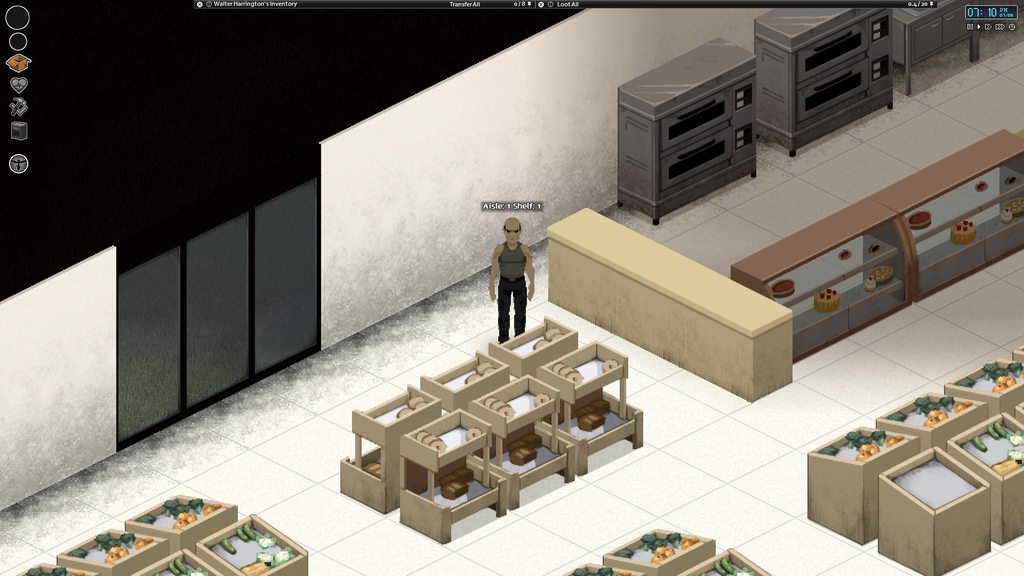
Got it working!
Album shows the count working for various shelves. Player is listing off modData values that are assigned via function. Scoops up all containers in a room, makes a list of type-sorted containers like shelves and grocerstand, then starts combing through them for the right coords. Starts at min X/min Y, then goes from direction based on what's next to it. If it's in a corner, it searches the next one over
This will be applied to store containers that are laid down in aisles in order to let the distrib system know exactly what's going where. A similar system will be in place for counters and other stuff. Example: Closet in a house is filled based on how many occupants in the house, how big it is, general level of affluence based on number of objects and floor space, etc..
alpine widget
Ya thanks @red matrix no I'm scrapping the idea, I already looked at all that. Too confusing and based on lack of mods out there (doing this), clearly not many others know how to do it either...Look at HC, not a single thing in HC checks for electricity. Pretty much sums it up to me... Be a great mod idea but i don't feel like trial/error loading and reloading the game until i figure it out, but thanks. Be nice if there was just a simple example mod.
red matrix
You can pull haveElectricity() directly from an IsoGridSquare
(SandboxVars.ElecShutModifier > -1 and GameTime:getInstance():getNightsSurvived() < SandboxVars.ElecShutModifier)) if you don't want to check a square
X:getSquare():haveElectricity() == true should be the conditional you're looking for
Events.OnFillWorldObjectContextMenu.Add(yourThing), get the square from _worldObjects, check the square for electricity. If true, add context option. Then add your function that points to the timedAction if you want it to have one
jukeBox = {}
function jukeBox.init(_player, _context, _worldObjects)
local playerObj = getSpecificPlayer(_player)
local square = jukebox.getSquare(_worldObjects)
local thisObject = jukeBox.getSquareObject(square)
if thisObject and square:haveElectricity() == true then
local functionMenu = _context:addOption("Use Record Player", _worldobjects, jukeBox.moreStuff)
end
end
function jukeBox.getSquareObject(square)
for i=0,square:getObjects():size()-1 do
local obj = square:getObjects():get(i)
local spriteName = obj:getSprite():getName()
if jukeBoxSprites[spriteName] then
return obj
end
end
end
function jukeBox.getSquare(_worldObjects)
for k,v in ipairs(_worldObjects) do
if v:getSquare() then
return v:getSquare()
end
end
end
jukeBoxSprites = {
["spriteName1Here"] = true,
["spriteName2Here"] = true
}
Events.OnFillWorldObjectContextMenu.Add(jukeBox.init)
That should point you in the right direction. This was jotted down super quick and is basically a napkin drawing
moreStuff would be where you get your meat and potatoes going
alpine widget
Wow many thanks for that! That will help thank you!
slate jetty
Hi, how can I upload a simple mod to the steam workshop?
slate jetty
but the mod has to be inside the mods folder first right?
slate jetty
ok, there's the ModTemplate folder there
the name of the folder will be the name of the mod?
radiant ginkgo
Yeah, you can edit it now. 🙂
slate jetty
I just make a copy of that template, rename it and put my mod inside right
Oh ok, I have to edit the workshop.txt 😛
Thanks for your help Danny boy!
slate jetty
Just one thing is a little confusing
inside the ModTemplate folder
there's other modTemplate folder
Zomboid\Workshop\ModTemplate\Contents\mods\ModTemplate
🤔
slate jetty
the mod I based my mod (with the author's permission) has this structure
mods\Exercise\media\lua\client (with the lua file located inside this folder)
radiant ginkgo
Then there's another button in the PZ menu
slate jetty
and the modtemplate folder is ModTemplate\Contents\mods\ModTemplate\media\maps\ModTemplateWorld1
I jsut have to delete the folders i don't need?
Which menu?
I found this guide, will give it a try

This will teach you how to upload your map mod onto the Workshop for others to subsribe to and use....
radiant ginkgo
The first folder in your future mod need for the steam workshop, it contains a description of the mod, name, etc. This file is available only to the author of the original mod, and you actually do not need it. That's why the first 3 folders are deleted
Then you have to choose this button, but I never used it :Р
slate jetty
No no, I will upload as a separate mod, and not update the author's mod
So if anyone doesn't like my changes they can still use the original
radiant ginkgo
Ah
I don't know
Just put your new mod files in the media folder
On folders, as in original mod
And upload as a separate mod, but with the condition of installing the original mod
Ask someone, because I don't know much about it 😃
And I'm not Danny boy! 
willow estuary
Oh man, you gotta be careful with modifying people's mods. That can get your mod taken down.
You're better off learning how to properly patch mods than just modifying them.
The info on overiding mods, ie patching them, is towards the botom of this page:https://theindiestone.com/forums/index.php?/topic/2011-how-to-use-the-modloader/
The Indie Stone Forums
Howdy, Heres a description of how to add your mod in PZ. First, the folder tree :zomboidFolder |-- mods |-- MyMod/ |-- poster.png |-- mod.info |-- media/ |-- lua/ |-- lua1.lua |-- UI/ |-- myUI.lua |-- sounds/ |-- myCustomSound.ogg |-- textures/ |-- Item_customItem.png |-- Pro...
radiant ginkgo
👍🏼
slate jetty
I already got the author's permission Blair
and I did just a few ajudstments
I'm not trying to "fix" the mod
So I don't consider a patch, but really another version of that mod, an improvement let's say
I will give him the credit of course
willow estuary
Ah gotcha!
willow estuary
Been experimenting with making custom faction skins for vehicles:
Been experimenting with making custom faction skins for vehicles:
scenic comet
Looks really cool
willow estuary
Thanks!
willow estuary
Thanks! But, ah, it's just a reskin of a Filibuster car as a feasibility study for making custom faction vehicles, not a finished product.
Plus there's no point in releasing vehicle mods until after the Animations Update anyways.
slate jetty
Wow, awesome work! Are you going to put this in PZ?
Also, someone knows why this little if block throws error? I think the syntax might be wrong but I don't know how it should be
if myVariable = 0 then
myVariable = 1;
end
oh.... it uses double equal sign to compare right?
I'm so dumb, I forgot that one equal sign is an attribution.
slate jetty
hey @quasi geode , I have a contribution to your guide
in the Required Tools (software) - Custom Mapping: part you can explain that the TileZed tool is downloaded trought Steam > Tools
The "Mod structure" part leaves me in doubt. The structure described isn't the structure of downloaded mods from the workshop? Because when you create mods, you need workshop.txt and not mod.info
also the contents of the mod needs to be placed inside a Content folder, right?
quasi geode
you're thinking of workshop item structure, not the same as mod structure. workshop items contain mods but are not the same thing
slate jetty
Ohhhh I see! That's why I found it so confusing
So for me to upload a mod to the workshop, I need: One main directory with the name of the mod (ie "MyMod), inside will have workshop.txt, preview.png and Contents folder. Inside the contents folder must have a "mods" folder, and inside it must have, again, a folder with the mods name (MyMod)
And finally inside the second MyMod folder, must contains poster.png, mod.info, and media folder
Did I get it right?
quasi geode
i cant verify the steam upload process, i've never done it
quasi geode
all my workshop mods were uploaded by other people 😄
slate jetty
if I manage to upload my mod tonight, can I make a small tutorial "how to upload mods to the workshop" for you to put on your guide?
I think it's a valuable information, and it's very hard to find a tutorial for this
I found one but it's for map mods, mine is just a lua file
quasi geode
map or lua wouldnt make a difference the process should be the same
slate jetty
but I'm using it as a base since there's only a small difference between folder structures
yeah
This will teach you how to upload your map mod onto the Workshop for others to subsribe to and use....
it's just a little confusing since I don't need 80% of what the guide says
for example this part doesn't apply in my case
- In the same folder as these files create a new folder called "media", and in that folder, another folder called "maps", inside this folder create one last folder with the same name as the first folder you created (e.g. BedfordFalls), inside this folder is where you will place all of your lotheader, lotpack and chunkdata files, along with a thumbnail of your mod named "thumb.png", your "objects.lua" file for your map, your "spawnpoints.lua" file for your map and your "map.info" file containing:
instead of creating "maps" folder I think I just need a "lua" folder inside "media" right
the tutorial would be "How to upload mods to the workshop" and then we can split into categories, map mods and simple lua mods, item mods, etc
quasi geode
Honeslty it doesnt need categories. step 3 in that guide above is completely dependant on mod structure, which is basically ment to covered in the main github guide. The other steps dont change between different mod types....steps 1,2 and 4 could probably be explained in 4 sentances alone, so not sure a actual tutorial is warranted
That said, I do not consider that github guide to be my guide. That was never the intent. The goal is a community guide collected in one place. The whole mapping section and process will probably (hopefully) be written by a experienced mapper instead of me....so far i've just been outlining what areas the guide should cover and trying to fill out the parts that arent in other tutorials or guides first.
Anyone with stuff to contribute can make a pull request on the github page with their additions, changes or corrections..thats the whole point of hosting on github instead of just dumping it on a webpage somewhere
i'd prefer any tutorial additions go in a seperate file though instead of the main guide, was going to make a tutorial folder and another for complete mod examples/templates
slate jetty
"steps 1,2 and 4 could probably be explained in 4 sentances alone, so not sure a actual tutorial is warranted" -- That is the case for people who already has at little some experience, but for a COMPLETE newbie like me who never uploaded or made a mod before, it really needs to be described in the most detailed way possible
I know that it's not "your" guide, I just referenced that way so you could know which guide I was talking about lol
And also I think that upload mods to the workshop is a must have step in the guide itself, not as a separate tutorial
because usually when someone creates a mod, there's huge chances that they will upload to the workshop, and if you look on google you will see that it's hard to find this kind of info
I could make a pull request, but I was asking you first what you thought of the idea before I decided to make any changes, I don't want to make a pull request before discussing with you
in my vision we really need to break things piece by piece, so anyone can understand
quasi geode
one thing i've learned explaining things to complete newbies...unnecessary or excessive detail often just confuses. Short and to the point is best. I'll confess most of the current stuff in there is not directed at newbies, other then the first initial overview stuff.
But what I mean with the tutorials, if something is large enough to warrant actually needing a tutorial, then it should be seperate from the main page...ie: in a seperate tutorial page and folders. Otherwise the main body of the guide becomes nothing but tutorials with bits of useful tips inbetween them lol
That main page structure also isn't final its probably going to be broken down into seperate pages anyways once it grows large enough
tutorials on seperate pages in a folder be much better format, and will easier to browse
slate jetty
If the title of the each tutorial appears in the index, I agree with you
So people can see the index and know before hand what they can find there
so below the "Translations
The Maps
The Models" items we can have "Tutorials" and inside it "Upload mods to the workshop"
Also I agree that unnecessary detail leads to confusion and being direct to the point is the best, you are right
But we need at least give different examples to different kind of mods (on the Upload mods to the workshop guide)
so a newbie like me doesn't get confused if they just want to upload a lua file and the guide says to create a "map" folder with lotheader, lotpack and chunkdata files
for example
quasi geode
see thats going into too much detail for the uploading process...you shouldnt be talking about lua or lotheader files at all. that has nothing to do with uploading....and leads to that confusion
slate jetty
oh, so you think a person who is creating their first map mod will know that these lotheader, lotpach and chunkdata files should be in there even without reading this anywhere?
quasi geode
its easier to just say "put the mod you created in this folder"....all that lua and lotheader crap is in tutorials on actually making mods...be it the map mod tutorials etc
slate jetty
hmmm I see
quasi geode
you have to read the tutorials on map making before you can upload your mod to the workshop...you should already know whats in your mod folder by the time your ready for the upload process
slate jetty
yeah, you're totally right
so after I manage to upload my mod, I will create a very succint and simple tutorial of the workshop upload process
I will paste it here before making a pull request
😁
I will try to help to expand the guide when possible
Just curious, what does the "SI" role means?
you managed to convince me lol
 viscid kelp
Super Interesting, i guess.
quasi geode
Suspicious Individual 😐
viscid kelp
Senior Investor, maybe?
slate jetty
Hahahahahahahha
This reminds me the episode of The big bang theory I saw yesterday, when Sheldon gives everyone a I ❤ NY T-shirt
"I know that there's an old rocker by the name of Neil Young"
quaint nightBOT
A new Mod has been Published!
Tiny house in the forest
https://steamcommunity.com/sharedfiles/filedetails/?id=1843248433
slate jetty
events.OnFillWorldObjectContextMenu.Add(function(player, context, worldobjects, test)
local option = nil
for _, opt in pairs(context.options) do
-- find the option by the menu text
if opt.name == getText("ContextMenu_SafehouseClaim") then
option = opt
break
end
end
if not option then return end -- didnt find it
option.notAvailable = false -- enable the option, set to true to disable the menu item
option.toolTip = "This is a new tooltip"
option.onSelect = myNewCallback -- function to call on click
end)
I tried to use this and didn't work, and then made me realize that I'm adding the Exercise menu on myNewCallback
if opt.name == getText("Exercise") then
option = opt
break
end
end
if not option then return end -- didnt find it
option.notAvailable = true -- enable the option, set to true to disable the menu item
option.toolTip = "This is a new tooltip"
option.onSelect = ExerciseContextMenu.createContextMenu
ExerciseContextMenu.createContextMenu = function(player, context, worldobjects)
local ExerciseSubMenu = context:addOption("Exercise", worldobjects, nil);
and option.notAvailable = true disables or hides the context menu?
quaint nightBOT
A new Mod has been Published!
Monghell Server Patches
https://steamcommunity.com/sharedfiles/filedetails/?id=1843760665
 obtuse osprey
Hi.
I am trying to override a function and call the original implementation in it. I found what was supposed to help me in this https://github.com/FWolfe/Zomboid-Modding-Guide#overwriting-vanilla-code. But I didn't succeed. Here is an example from there
local original_render = ISToolTipInv.render
function ISToolTipInv:render()
    if not CONDITION then
        original_render(self)
    end
    -- ... some custom code ...
end
If you do it exactly the same, then everything works. But I need to redefine a function that has its own parameters and I do not understand what needs to be written instead original_render(self).
local originalOnChangeTitle = ISSafehouseUI.onChangeTitle;

local function customOnChangeTitle(button)
    local player = getSpecificPlayer(0);
    player:Say("I Think I'm Paranoid");
end

function ISSafehouseUI:onChangeTitle(button)
    --originalOnChangeTitle(self); -- not working
    --originalOnChangeTitle(button); -- not working
    --originalOnChangeTitle(self, button); -- not working
    --originalOnChangeTitle(button, self); -- not working
    customOnChangeTitle(button);
end
original function is
function ISSafehouseUI:onChangeTitle(button)
    if button.internal == "OK" then
        button.parent.safehouse:setTitle(button.parent.entry:getText());
        button.parent.safehouse:syncSafehouse();
    end
end
I am new in Lua and have already spent a lot of time searching in google, but could not find an answer. Thanks for any help.
quasi geode
@obtuse osprey
originalOnChangeTitle(self, button)
@slate jetty and option.notAvailable = true disables or hides the context menu? << why i included the 101 comments in that line 😄
option.notAvailable = true -- enable the option, set to true to disable the menu item
enable/disable, not hidden/visible
obtuse osprey
@quasi geode I did it and it didn’t work. Perhaps the error was related to something else. Knowing how to do it, I will try again. Thanks for the answer.
quasi geode
everything in that sample looks correct, originalOnChangeTitle(self, button) should call the original
quaint nightBOT
A new Mod has been Published!
Exercise V2 - Burn Calories & Grow Muscles
https://steamcommunity.com/sharedfiles/filedetails/?id=1844075722
slate jetty
Haha, just in time! That's my mod 😃
ISTimedActionQueue.add(ExerciseSession:new(getPlayer(), function() ExerciseContextMenu.finishTrainingAction(true, false) end, "Hora de fazer flexões, vamos lá!", pushupsCount, pushupsTime));
how do I make the letters "ã" and "á" to show in game?
it shows only "flexes" and "vamos l!"
different charsets?
quaint nightBOT
A new Mod has been Published!
Exercise V2 PTBR
https://steamcommunity.com/sharedfiles/filedetails/?id=1844167942
winged raptor
pallid matrix
lookin good
obtuse osprey
Very good!
quaint nightBOT
A new Mod has been Published!
Log Extender
https://steamcommunity.com/sharedfiles/filedetails/?id=1844524972
quaint nightBOT
A new Mod has been Published!
dxServerPack
https://steamcommunity.com/sharedfiles/filedetails/?id=1844734267
winged raptor
Are there guys here who served in the US Army?
quaint nightBOT
A new Mod has been Published!
Random Spawn [40.43]
https://steamcommunity.com/sharedfiles/filedetails/?id=1844945859
 pseudo topaz
How do I edit modded textures I’m have I got trouble finding the files in my file explorer
pseudo topaz
i want to add a custom texture to the hummer from used cars how do i do this i tried videos and tried to search on the website but keep hitting a road block
quaint nightBOT
A new Mod has been Published!
MoreTraits[??????????]
https://steamcommunity.com/sharedfiles/filedetails/?id=1845804365
shadow walrus
It's as if SpiffoBot isn't sure if it's more traits
quaint nightBOT
A new Mod has been Published!
100Points
https://steamcommunity.com/sharedfiles/filedetails/?id=1846182419
quaint nightBOT
A new Mod has been Published!
RadizItems
https://steamcommunity.com/sharedfiles/filedetails/?id=1846205379
quaint nightBOT
A new Mod has been Published!
100Points
https://steamcommunity.com/sharedfiles/filedetails/?id=1846182419
quaint nightBOT
A new Mod has been Published!
RadizItems
https://steamcommunity.com/sharedfiles/filedetails/?id=1846205379
quaint nightBOT
A new Mod has been Published!
Corn Farm No Corn Edition
https://steamcommunity.com/sharedfiles/filedetails/?id=1847185829
willow estuary
Anyone know of a means of making the players' z level a condition of a recipe?
 feral eagle
Alrighty! Genuine question! Where can I mod loottables for a single save / server?
quasi geode
@feral eagle the media/lua/server/Items/Distributions.lua holds loot tables, usually accessed via the SuburbsDistributions table
@willow estuary you may need to trick it using a OnTest callback in your recipe... I maybe wrong, but pretty sure it runs the callback for every item in the recipe to test validity. (returns true/false).. Might have to test your main ingredent and just return false if the players z doesnt match up. Havent actually played with it myself, looks like the callback gets passed 2 arguments, the item in question, and the recipe itself.
feral eagle
Thank you! 👌
willow estuary
Thanks @quasi geode !
willow estuary
Sorry for the follow up question, for items like sledgehammers, for example, is there a way to spicify the "condition" of such items in recipes?
quasi geode
not directly i dont think, other then the OnTest callback. looks like the recipe blocks support a NoBrokenItems bool parameter though (never tested that one)
quaint nightBOT
A new Mod has been Published!
btRead
https://steamcommunity.com/sharedfiles/filedetails/?id=1849219815
 terse oyster
Can someone give me some tips in how to make a light source for my base?
I'm trying to make a lamp that has the same battery properties as a flashlight but same lighting properties, or slightly smaller lighting than a normal table lamp
Just like a battery powered lamp
or like a candle I can use in a jar
willow estuary
Look at the light post item in carpentry; my guess it that your best bet is to clone and modify that @terse oyster ?
terse oyster
This is the first time I've ever tried to mod a game myself
I've downloaded ItemZed and have pretty much gotten down how to mess with that
I'm looking though how to mess with world objects
red matrix
That's a whole different animal sadly. I think ItemZed only touches Distributions.lua and its associated stuff. Messing with world objects involves lua fuckery
Events.OnFillWorldObjectContextMenu.Add() is your startpoint. _player, _context, _worldObjects are what it gives you to work with. _worldObjects is everything under your mouse
If you wanna get the square the mouse is on in order to do your own stuff, use
for k,v in ipairs(_worldObjects) do
if v:getSquare() then
return v:getSquare()
end
end
That'd be for like...
local mySquare = function.fetchMeASquare(_worldObjects)
There's more than enough in the game's .lua files to get everything you need in terms of functions/methods etc.. If ISWorldObjectContextMenu.lua doesn't have what you need check anything involving lights
ISLightActions.lua might also have what you're looking for-- unsure on my end I've never messed with lights
Those are under ISUI/ and TimedActions/ respectively
terse oyster
If you or someone could walk me through I wanna figure out where I can find the already written code for the lamps in the game and I can just tweak that
willow estuary
If you want to mod you gotta learn how to navigate the media directory. Well, actually, first you have to learn how to find the zomboid and workshop directories.
winged raptor
spark crystal
Chunky boi
feral eagle
Nice details. 👌
 silver sparrow
i love it
quaint nightBOT
A new Mod has been Published!
Monghell Vehicle Patches
https://steamcommunity.com/sharedfiles/filedetails/?id=1851130389
 graceful zealot
anyone know of a way to create a chest like trading system? or can point in a direction to mod this.
willow estuary
Has anyone every looked into modding to nerf using vehicles to mow down zombie en masse?
willow estuary
Yeah, want to nerf it.
Already have gas consumption at 4x standard 😃
I'd assume otherwise, but does horsepower only affect mowing down zombies @quasi geode ? Cuz then that would be a really easy fix.
quasi geode
it would actually effect a lot more, acceleration i'd imagine, and the ability to move weight. honestly i wouldnt go that route (yes i know i suggested it!)...better might be overwrite Vehicles.Update.Engine (server/Vehicles/Vehicles.lua), increase the engine wear for driving with a busted hood
you might beable detect the collisions with Z's with events (never checked if thats valid) but thats probably less ideal, you'd be stuck checking collision angles for proper extra damage and crap like that
willow estuary
Maybe I could reduce the Horsepower and the vehicle Mass, thereby possibly having the same ratios for acceleration while increasing the effect of zeds?
What I would like is an exponential increase on the effect of multiple zombies on a vehicles ability to move vs what I presume is currently a linear one?
quasi geode
couldnt say. all i know is big enough hordes stop my 2500hp truck. but as long as i hold the gas, those bastards on the sides get sucked under the wheels. eventually the horde loses 😄
willow estuary
Maybe there's some way to increase gas consumption when mowing down zeds?
Sorry, just spitballing here. Trying to make my server super-hardcore mode and make zombies a threat, but vehicles always win vs them.
quasi geode
well besides the headlights and windshield, hood is the first thing to go. hooking that update function for the engine, you could make it lower condition faster, engine parts are a finite resource. or if you wanted more perm damage, lower the engine quality thus causing stalls, failure to starts and excess fuel consumption, but theres no fixing that
either way, eventually the all vehicles become useless wrecks, remaining ones people will be sure to keep in good shape 😄
willow estuary
That works for me in theory! Thanks @quasi geode
I have a HUGE world on the server, so you just gotta put in the miles to get more parts for the time being.
I can't believe what the players on my server put up with the shit I'm doing to make the game harder.
quasi geode
its backwards. vehicles on my server get extra mowing power...well some of them anyways lol
willow estuary
Mind if I DM you again with a question about the code? Looking at the code right now and I can't find the part that degrades the engine quality.
quasi geode
oh sure...there is no part line in there for lowering quality though would have to add it
willow estuary
Ah, sorry, condition.
slate jetty
What's your server @quasi geode and how can I play in it?
I've been wanting to try a multiplayer server for a while
quasi geode
Tekagi's Treasure, its not a steam server runs the GoG version. Its on the public list, pretty easy to find theres usually only half a dozen on the list and all but 2 are transient lol
steam clients need to launch with the -nosteam argument and download the mods manually (no steam = no workshop)
 rocky yarrow
Is there somewhat a way to make HTTP requests ?
quaint nightBOT
A new Mod has been Published!
Zomboid Plus
https://steamcommunity.com/sharedfiles/filedetails/?id=1854599527
A new Mod has been Published!
Monghell Vehicle Patches
https://steamcommunity.com/sharedfiles/filedetails/?id=1851130389
willow estuary
I think I saw a server that had a mod where hitting F1 provided more information regarding the server in-game? Does anyone know what I'm talking about?
 devout orbit
somehow this mod shows its not existing https://discordapp.com/channels/136501320340209664/232196827577974784/619184222934007808
jolly fulcrum
It's possible the author made it private or deleted it
quaint nightBOT
A new Mod has been Published!
Instant Reading 2k19
https://steamcommunity.com/sharedfiles/filedetails/?id=1855306586
quaint nightBOT
A new Mod has been Published!
Monghell Vehicle Patches
https://steamcommunity.com/sharedfiles/filedetails/?id=1851130389
quaint nightBOT
A new Mod has been Published!
ORGM_KO
https://steamcommunity.com/sharedfiles/filedetails/?id=1855996954
quaint nightBOT
A new Mod has been Published!
Instant Reading 2k19
https://steamcommunity.com/sharedfiles/filedetails/?id=1856146353
quasi geode
wth. idiot uploaded a full copy of orgm just so he could include extra translation files 😐
feral eagle
Lol. 😄
 hearty crest
hey guys
not sure if this is the spot or not
i have an idea for a mod(?) for generator
someone may be able to make this
level 2 metal working
welding tank set up
gas tank + steel pipe+ generator
or gas tank + rubber hose + funnel + generator
gives us days of unattended generator time
for those who cant build the solor genny
quaint nightBOT
A new Mod has been Published!
NPC
https://steamcommunity.com/sharedfiles/filedetails/?id=1857162610
feral eagle
🤔
 late bolt
Just the one NPC?
quaint nightBOT
A new Mod has been Published!
io_oi
https://steamcommunity.com/sharedfiles/filedetails/?id=1857697448
hearty crest
so did anyone mod the gas tank?
red matrix
Generators are tough to mod. Sounds you're talking about a hydrocraft item anyway. Sort of curious as to how the generator would be kept track of once it's been despawned due to player distance-- and how a drip feeder system would be kept loaded. GridSquares? Something like what's done with farming right now? A list of squares/objects kept loaded as globals?
Worth investigating anyway. Personally I'd love an 'unplug' option for electrical objects so they're not thrown into the electricObjects count. Or, in dreamland: Variable drain based on exactly what appliance you're dealing with, where commercial salamander ovens and industrial fridges have much higher drain but get their respective jobs done quicker.
hearty crest
oh well i guess it cant be done
 undone echo
Hi, I'm sorry if it has been asked before, I joined very recently, but I was wondering if a mod to show your location on the maps exist? Sort of like "you are here" when you open the maps? (The one found or dropped ofc, idk if there is a mod for a mini-map, but it's not necessarily what I mean) 🙂 thank you in advance to anyone who answers 😄
cursive roost
I think there was a mod that shows your X/Y coordinates in-game
You can then cross-reference that with the online map
undone echo
I see, thank you! I guess I'll just try to keep guessing then 😄 I assumed it was far fetch as it would be really hard to code I think 🙂
cursive roost
The coding itself isn't hard, I tried. Getting it visualized and not cheaty is the tricky part
At the time, I was running out of JVM memory after about 30 minutes :)
Also, balancing. Is the player character a local who knows the city? Or a stranger? A local would know just by looking at a map, a stranger would need to find prominent POIs to check where they are.
undone echo
Hmm that's true, from a character point of view it might not make sense, but sadly they aren't sentient yet 😄
I'm really bad at programming in general, I just can't seem to understand it. I mean, I understand how something "works" but I wouldn't be able to code it myself if that makes sense 😄
quaint nightBOT
A new Mod has been Published!
All-In-One DragonMod
https://steamcommunity.com/sharedfiles/filedetails/?id=1859694240
quaint nightBOT
A new Mod has been Published!
io_oi
https://steamcommunity.com/sharedfiles/filedetails/?id=1857697448
 fervent bay
can someone create a mod where there are many collectibles to find but each only spawn ONCE per game? is it possible?
willow estuary
I think it would need to interact with an external ini file in the lua that has the spawn info?
Get learning how to mod!
fervent bay
my brain is not modding-compatible
cerebral palsy
i wish i could
i'd need literal step-by-step instructions to the point where the person telling me what to do might as well create it, themselves
willow estuary
In that case, the easiest way to implement it, for multiplayer, is to have the objects in a scripts, but there being no spawn information. Then an admin just manually spawns the objects.
red matrix
Does anybody know the name for these three sprites? I've unpacked the sprite bank but am having zero luck deciphering the damn X/Y coords. I've been using a context-based tool to grab sprites and their names directly from the game world but finding an open, interior-facing garage door that runs on the N/S axis is taking forever
I've got an idea for a horribly clunky mechanism that'll open/close garage doors and it runs on sprites because that's the quickest/most direct way to do it. Lists of sprites that cover the start/middle/end portions of garage doors. Once it finds a 'piece' of door the, square it's on is marked with modData. That data opens up a context option to either swap out those object's sprites, or remove the objects and spawn new ones in their place (IsoSpecialObjects, which work for metal window shutters, maybe these too?)-- whichever actually works.
I'd imagine the devs have something more elegant set up when it comes to their own garage door opening thing
The designator works well at any rate: both sides of the doors are detected. Thankfully interior-facing garage doors only have one style/color. Exteriors are like... three colors? Probably more.
radiant ginkgo
Devs have already done it. Now we just have to wait
red matrix
Yeah but I want to do it myself. Personal challenge.
jolly fulcrum
@red matrix they're walls_garage_02_8, walls_garage_02_9, walls_garage_02_10. Left to right.
red matrix
Wonderful! Thank you!
 lucid sand
willow estuary
lucid sand
willow estuary
@red matrix if you clone sprites with Necroforge it'll show you the sprite name.
 spare cloud
A question. Are durabilities still saved as double?
quaint nightBOT
A new Mod has been Published!
Occupational Items On Spawn
https://steamcommunity.com/sharedfiles/filedetails/?id=1861868892
radiant ginkgo
WIP
 static zenith
is there a way to make a music mod for project zomboid easy, fast and free????
what do you say @quaint night
drifting ore
@radiant ginkgo looks great. As always 😛
radiant ginkgo
@drifting ore He-he, thanks! 🙂
drifting ore
Also, did you make a list of vehicle ID's? I had a tough time spawning the bttf Delorean @radiant ginkgo 😏
radiant ginkgo
All cars?
radiant ginkgo
Where put it if I make it? Easier to write me in the comments I think
ID - deloreanbttf
drifting ore
Maybe put it in the description of the specific mod? 🤔
quaint nightBOT
A new Mod has been Published!
Gateways Profession mod
https://steamcommunity.com/sharedfiles/filedetails/?id=1864309943
drifting ore
any idea how to turn a car into a boat? i dont suppose collision is ruled by vehicles, but is there a way to bypass this?
radiant ginkgo
@drifting ore RJ said to look in tileproperties, but it's not accurate
drifting ore
what rj said is not accurate or the method?
radiant ginkgo
And boat is too huge
drifting ore
small boat 😄
radiant ginkgo
He said it might not be tileproperties
I don't know what that means
Possible in map settings
 light magnet
Having a bit of trouble with:
zombie:setFemale(true);
It doesn't change the appearence of the zombie, it only changes the voice. So you'll have male zombies playing the female zombie soundclips. 🤔
light magnet
lol. 😅
But I'm wondering how I can get it to set the zombie fully. 🤔
Added:
zombie:resetModel();
But still the same result...
Are the zombie bodyparts "clothing"?
light magnet
Still having no luck. 
Tried:
zombie:setHeadSprite("Kate");
And such, but to no avail.
Does anyone know how to handle bFemale?
The male zombies are dropping female loot (other than the male clothes) and making female sounds, so it's just their model that's wrong, I think.
light magnet
WOO!
Okay, I worked around it by checking if the zombie was female, and if not, then simply removing it from the game and spawning another at the same spot. Now all the zombies in Muldraugh are female, while they spawn normally beyond the city, and my first step towards a realistic demographics mod is made! 😆
I guess I could also use this for "Special Zeds"... 🤔
light magnet
But now I'm stuck on skin palette. 😅
Anyone willing to help at all?
light magnet
Welp, I'm hitting the hay. If anyone is interested in helping out with the code, throw me a DM. Night!
quaint nightBOT
A new Mod has been Published!
Permanent Effects Drinks
https://steamcommunity.com/sharedfiles/filedetails/?id=1866992334
light magnet
Can anyone see where there may be an error in syntax or such here:
zombie:setSkinpal("Skin_02");
It keeps throwing out the error:
java.lang.RuntimeException: Object tried to call nil in RealDemographics
Using getSkinpal() returns: Skinn_00, Skin_01, Skin_02 and so on... So why wouldn't it work in reverse?
I've also tried:
zombie:setDescriptor():setSkinpal("Skin_02");
But that doesn't work either and slows the game to a crawl.
willow estuary
Hacked together a way for admins to define anywhere as a safehouse, so as to allow player-build buildings to be made safehouses, but the right-hand-click "view safehouse" doesn't work in non-map-buildings so I implemented a safehouse button in the user panel. Could also be useful for safehouse owners to add or remove players, or transfer or release a saefhouse, w/o having to be at it.
willow estuary
Thanks for the thumbs up @quasi geode , you know I'm gonna be hitting you up for your mystic wisdom anytime now, albeit I'm pretty happy I figured this out w/o asking you, Baph Class, etc for any insights.
willow estuary
Anyone know where I can find the OnEat function? My two brains cells are failing at digging it up.
obtuse osprey
ISInventoryPaneContextMenu.onEatItems
willow estuary
Thanks @obtuse osprey !
obtuse osprey
@willow estuary You're welcome
static zenith
Hey anyone have a link for super survivors nosteam for a brother?
jolly fulcrum
@static zenith not sure if there's a non-steam version. You can however, download it yourself from steam. The mod will be found in C:\Program Files (x86)\Steam\steamapps\workshop\content\108600\1331826879\mods by default. Then send/give the files to him. He'll have to put it in his mods folder, which if I'm not mistaken, would be in C:\Users\USERNAME\Zomboid\mods
static zenith
thing is i dont have steam really hahah but okay if you can just download it from there
cheers man thanks!
quasi geode
check the survivors forum thread on theindiestone forums. theres a download link there
undone echo

 static zenith
yeah i checked and the link is expired
placid delta
acutally, im going through a grueling server migration right now, so pretty much all my sites, dl links and such are broken at the moment. hope to be up "soon"
light magnet
Is there any way to modify the variables in the public field?
quasi geode
not in any sane method nope. i suspect it can be done from lua when pz is launched in debug mode (I havent actually tested to confirm), but not normally
light magnet
Thanks for the reply!
Yeah, it doesn't seem like one can... 😕
There are a lot of juicy variables in there that I need for a lot of my mod ideas. It feels like they're just out of reach.
quasi geode
been there 😄
light magnet
Working on a "Special Zeds" experiment right now...
I hope that the next build opens up the zombie textures and tinting for modification.
Just colour coding their outfits for now. 😂
placid delta
I thought about doing a mod like that but all my ideas were kind of realism breakers...
what special powers would they have?
levitation? explosions on attack?