#Trying to make a simple animation tree, not working

1 messages · Page 1 of 1 (latest)

atomic merlin
#

I've got a turn based game where I need to call animations manually. So, when a unit's turn starts, it goes into its Idle animation, when its HP is low, it goes into its low hp animation, when its moving, when its attacking, etc. I've watched tutorials but nearly everything ive found is for blendspaces or blendtrees, and I dont see how that can work for me.

A specific situation im stuck in is i have a unit that has an ability that makes it move (via a tween setting its global position), then attack. I cant figure out how to make it go idle -> move() and play move animation until arrived at destination -> once arrived, play attack animation and after finishing the animation, damage enemy -> return to idle.

Any help would be greatly appreciated

atomic merlin
#

@mighty phoenix

atomic merlin
#

@mighty phoenix hey im working on my project whenever youre available to lend a hand, thanks again. also posting your response from yesterday in here for my sake so i have the info in one place

as mentioned, you can have a buffer. but given what you said i would call it an action buffer.
a simple Array is enough.
add a signal action_ended to each unit that can do actions
put the buffer in the class that handles the turns.
each time a turn starts add the units that need/can do an action to the buffer and subscribe to its signal
when the signal is emitted remove the unit from the array
when the array is empty finish the turn

#

Also to describe my architecture in some more detail:

a unit inherits from UnitBase, where all the logic is handled. It calls upon a cardHolder or actionHolder scene depending on if its an ally or enemy respectively. Graphical elements are managed by a visualHandler scene on each unit, which i believe is where id like animations to be referenced. A cardHolder/actionHolder references an array of cards/actions which hold their own logic, and have their own visualHandler. The way Id like to structure it is something like this;

The animations a Unit has are: Idle, Ready, Walking, Melee, Ranged, Special. They should be in Idle when it isnt their turn, and Idle when it is. Cards/Actions will store the information on whether to use the Melee/Ranged/Special animation. Some cards/actions have both movement AND an attack, so the attack animation will need to wait until the movement animation is done (which can take a variable amount of time depending on how far the unit is moving), and then play and damage the enemy. Cards/Actions will also have their own animations, so as an example card that incorporates all of these elements, lets say theres a "Retreating Fire Ball" that makes the unit move back 1 space, then the Unit plays its Ranged animatino, and the card plays a fireball animation that travels from the caster to the target.

supple mason
#

What does your animationtree look like in the GUI?

atomic merlin
#

i figure this is probably entirely wrong but im trying to learn how to do it properly

#

ive been calling them like this

#

basically what i want is someway to specify "play this animation, and when you finish your tween/the animation finishes, play this next animation/do this next thing"

mighty phoenix
#

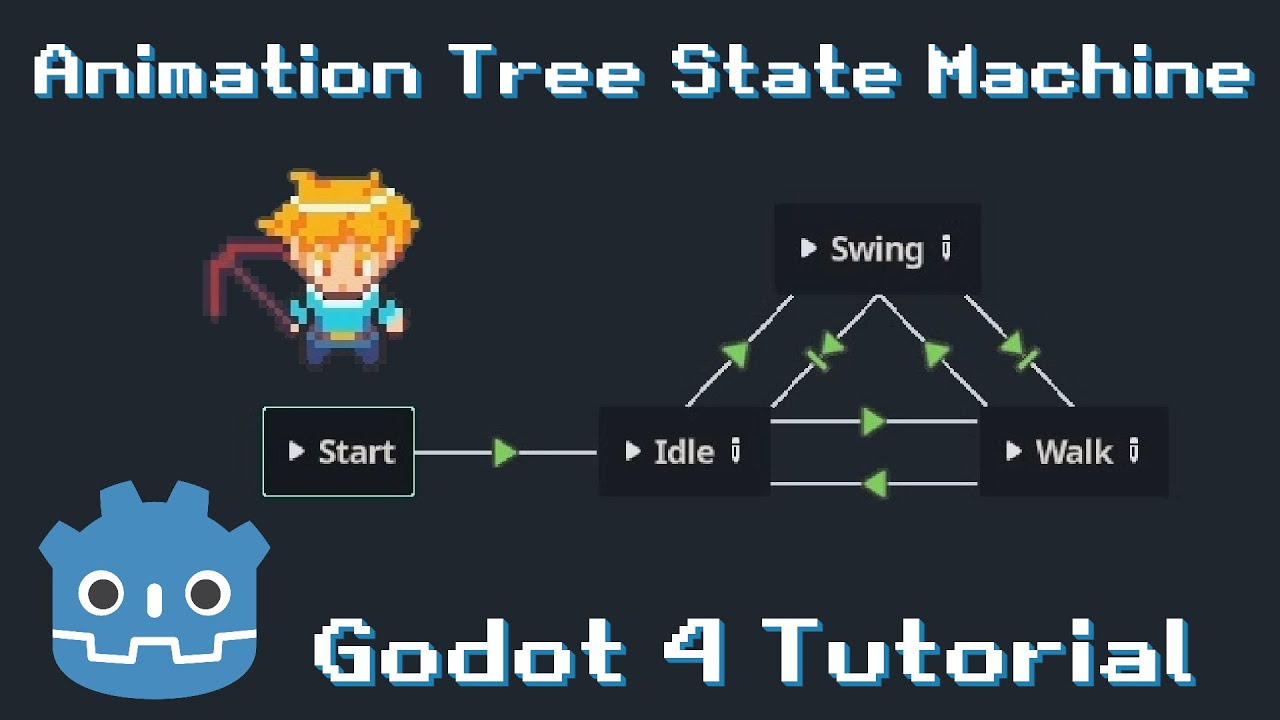
hmm, you basically want a state machine. i am not familiar with animations but that graph above seems like a state machine. however in a state machine you use something like state.next iirc

#

oh wait, is that .travel?

#

that travel should be doing the waiting

atomic merlin
#

Yeah im beginning to think this was the wrong way to go about it. Im reading that maybe signals are what I want? Have animations call a signal something like in the apex of an attack animation, call "card animation here"

#

hm let me put the step by step of what happens, becaues it isnt waiting

mighty phoenix
#

can you show me how you defined activeTurn?

atomic merlin
#

active turn is just a little bobbing animation

mighty phoenix
#

hmm, so the node is animation tree? let me check that for a bit

atomic merlin
#

i reworded activeTurn to active, and stop to inactive for clarity

#

yes

mighty phoenix
atomic merlin
#
  1. Unit wants to move
  2. It calls AiMovement class which navigates pathing for a unit to a destination/distance, by checking tiles for being walkable and not occupied
  3. it calls unit.move_to() on each tile that is clean to move to, move to basically just sets a units position to the target tile
  4. at the end of AiMovement, it tells the unit to revert to its active/inactive animation

Now, move_to has a tween for moving the unit to the new tile and an await tween.finished, my understanding was that this should pause all logic until the tween is finished? But during an ability that has a unit move and then attack, the attack animation starts playing almost immediately while the unit is moving. It should be:

AiMovement called, set animation to moving
move_to() (wait for tween to finish)
on arrival, set animation to idle
then play attack animation
end turn

atomic merlin
#

not that i think that is the correct approach or anything, its just what i have right now

atomic merlin
# atomic merlin

sorry i didnt clarify that unit.arrived() plays the idle animation (active or inactive, depending)

mighty phoenix
#

hmm, so did you do some configurations on the states inside the tree when you were creating them?

atomic merlin
#

those arent states, just animations from the animation player

mighty phoenix
#

states

atomic merlin
#

sorry I meant states, but yes those are just animations

#

I dont have a statemachine for units

mighty phoenix
#

it is an animation visually, but in the state machine it is a state

#

as in

#

attack = attacking state

atomic merlin
#

ah i see

mighty phoenix
#

so when you are creating those, you can actually select some parts to configure them without doing so in the code

atomic merlin
#

theres no configurations since I call everything with playback.travel

mighty phoenix
#

ah

atomic merlin
#

when being set to active, inactive, or move, it loops them until i tell it to stop, when it plays either attack animation, they play once and then return to what they were

mighty phoenix
#

documentation for the animation tree is very barren, have to go to tutorial to check how it works...

atomic merlin
#

i can share my screen if youd like

mighty phoenix
#

don't worry, just trying to see what are the basics of the node

atomic merlin
#

Gotcha

#

its probably barren because animation trees are meant to be a sort of manager for other animators

#

in my case, animationPlayer

mighty phoenix
#

hmm, if you are only playing animations and not using the inherent features of the tree, why not simply use the animation node?

#

it's much simpler

atomic merlin
#

yeah thats what i was sorta figuring out from what i was reading earlier, i originally wanted to have it so that like if the unit went from moving -> idle, then it should wait for the current loop of moving to finish before switching back to idle, but i saw some complex answers on how to do that but i saw that animation trees make that easier, but it looks like that might just not be worth it now

#

let me rework my setAnim method to just call the animations from animation player, but i think i will still have the same issues, one sec

mighty phoenix
#

wait

#

i found a tutorial on animation trees that might help. please just watch it and check if it helps, if not then we can talk about changing the node
https://www.youtube.com/watch?v=WrMORzl3g1U

Learn how to set up an animation tree with an animation tree state machine as it's root node. To travel between nodes in this setup, I setup conditions which are set through the player's script and the animation state machine switches animations and blend trees based on those conditions. To achieve 4 directional animations, BlendTree2Ds are help...

▶ Play video
#

because so far i think you have been using the animationtree wrong

atomic merlin
#

I did watch that video before haha, it doesnt exactly work with my usecase because this is for a real time game where animations should play immediately, not wait until the right point in logic

mighty phoenix
#

that is configurable as far as i understand

atomic merlin
#

He uses blendspaces and wants idle/walk to start immediately as needed, separate from waiting for swing to finish because swing will always play onceand then return to idle or walk, but for me I want an animation to keep looping until logic tells it to stop, which again i think animationPlayer is the more correct node

#

Yes its configurable, but thats the trouble 😂 how do i configure it ebcaues my current design doesnt work

mighty phoenix
#

also, you could use

await animation_tree.animation_finished
``` to wait for the animation
atomic merlin
#

that also doesnt seem to work for me because that works when an animation finishes its current loop, but walk should be set to keep going and i need to tell it to stop, it doesnt know when to stop

#

if i call that after moving, it will just loopthrough the moving animation one time and the play attack, but i need it to keep looping the moving animation until the tween finishes

mighty phoenix
#

yes, seems animation is simpler to use

#

ok, so after looking at the code your showed, it seems you were doing the animation a bit weird

#

you have an AI system

#

that is the controller

#

it should have all the logic for everything, including the animations

#

now, it doesn't need to control the animations directly

#

i would say that the move_to should be setting the animation idle => walk before launching the tween, then walk -> idle after the tween finishes

#

similar for other actions like attack

#

since they have the logic for how long the action will be executing

#

or

#

add a signal that those actions can emit so your controller knows when to change the animations

#

do you see what i am trying to say?

atomic merlin
#

ahhh that wouldnt quite work with what i have. the AiMovement class is just used for pathfinding/organizing movement behavior (such as "march forward in a straight line", "take a step either left or right", "retreat to the back most tile" etc), the name is maybe poor but its basically just a library for movement patterns. Move_to() is also just used to say "set my position to that target tile" so you could use it to teleport across the field, but AiMovement calls it on each tile one by one that you try to move through, so it should be tweening to each single tile and waiting each time but thats also not working (this is separate from the animations, but also part of the problem)

#

ive got this so far, im just fixing it a little

#

this is now using an animationPlayer instead of an animationTree

mighty phoenix
#

very similar

atomic merlin
#

yes but its currently not working because when they start with active or inactive, they dont stop

mighty phoenix
#

that is what the animator does

#

it simply changes the animation

atomic merlin
#

i know im just trying to find the right way to tell it to stop the looping animation and play the next one. Currently, when they unit spawns, the animator sets it to inactive, but then i cant change it

mighty phoenix
#

that is why i think you should control this with something outside

atomic merlin
#

presumably its because its a looping animation that never calls a finished signal to start the next animation when called?

mighty phoenix
#

also, i think you can set the animation to be looping or one shot

atomic merlin
#

yes active inactive and move are looping

#

only attack is a one shot

mighty phoenix
#

in that case you need something outside to say when to stop the loop

#

i suggest the actions

atomic merlin
#

actions?

mighty phoenix
#

well, in your game, anything a unit can do is an action. so move_to is an action

#

i said actions because i think you have more than one in your game

#

at least 2 in fact : move and attack

#

not sure how much in total you have though

atomic merlin
#

Oh i understand yes

#

yeah the actions do call the animations

mighty phoenix
#

those actions are the only ones that know when an action starts and ends, so it would be nice that they control the animations too

atomic merlin
#

Yes thats the desired behavior

mighty phoenix
#

so for example

#

near the start you posted an image of move_to, but i don't see any code controlling the animation.
it has an await tween.finished
so before creating the tween, set the animation to walk
after the await set the animation to idle

#

and voila, no timer needed

atomic merlin
#

at the start of the func, it sets the move animation, and at the end, when its reached its destination, it sets it back to idle

#

unit.arrived() plays the correct idle animation

mighty phoenix
#

that didn't work before?

atomic merlin
#

nope

#

its not working now either

mighty phoenix
#

what is it doing?

atomic merlin
#

just.. nothing. Units start with animation set to inactive, but dont change when called

mighty phoenix
#

o.o

#

that is weird

atomic merlin
#

okay wait mild success

#

so, i have a card for units called "strike" that tells it, move forward 1 space, and then do the attack animation

#

so again, AiMovement calls move_to along the tiles, each move_to has a tween that should be awaiting to finish

#

but whats happening is that it just plays the attack animation immediately while moving

mighty phoenix
#

yes, that is normal

#

you start the animation at the start of the method

atomic merlin
#

shouldnt the await tween finish calls pause logic?

mighty phoenix
#

no

atomic merlin
#

then what does await tween.finish do

mighty phoenix
#

await only pauses the current method

#

not the rest

#

when you call setAnim. that is an external method

atomic merlin
#

mmmm well the move_to method gets called within another method (aiMovement)

mighty phoenix
#

not affected

#

yes, because that method waits for move_to to finish

#

it's implicit

atomic merlin
#

okay so how do i tell it to keep playing the walk animation until it gets to its destination

mighty phoenix
#

that is why i think you should move the setAnim inside the action methods

atomic merlin
#

Hm okay

#

let me try that

mighty phoenix
#

if you want to be sure what executes when

#

add a few prints

#

like print before move_to, after it too

#

print at the start of move_to

#

at the end

#

and see what prints when

atomic merlin
#

like this?

mighty phoenix
#

try with prints

#

much faster

#

something like print("before move")

#

and so on

atomic merlin
#

hmmm okay so it works with move, but not with strike

mighty phoenix
#

to be honest even i am not sure what awaits when

atomic merlin
#

lol

mighty phoenix
#

asynchronicity is complex

atomic merlin
#

that is the biggest confusion

#

yeah

mighty phoenix
#

in any case, the way i see it

#

your unit actions should contain logic for everything concerning said action, including the animation

#

this way you only have to call the action

atomic merlin
#

this is strike

#

i changed it so move_to calls idle at the end

#

so it should be move animation is started by strike action,
ai movement calls some Move_to which at the end calls idle
then attack is called

mighty phoenix
#

hmm, i think that code should look simpler:

AiMovement.marchF(whatever)
AiMovement.attack(some params)
atomic merlin
#

AiMovement is only for moving

mighty phoenix
#

there is no reason you should be managing animation in there

atomic merlin
#

but you said that the action should dictate the animation

mighty phoenix
#

i mean...Ai is not limited to movement usually

#

but yeah, instead of Ai,

ownerUnit.attack(target, some other params)
atomic merlin
#

i know but with the way i have it, this is the most logical way to do it. There are many different types of attacks (its a card game), but moving is always the same, just a different pattern

#

there will be hundreds of attacks

mighty phoenix
#

sorry, completely missed the CombatManager

#

then, how about this

#
CombatManager.handle_attack(attacker, target, some other params)
atomic merlin
#

thats almost how its already happening haha

mighty phoenix
#

i am suggesting this because you might want some statistics and other stuff and it is important to know who attacks and who receives damage

atomic merlin
#

when you click a card that needs you to select a target, the combatManager listens for the next click if it is a valid target and triggers effects on the target by referncing the card

mighty phoenix
#

wait, so it's the cards that do the attacking?

atomic merlin
#

yes the cards are like spells

mighty phoenix
#

so it's something like magic the gathering?

atomic merlin
#

like, fireball, cleave attack, block ,etc

#

sort of

#

think like slay the spire, but you control 3 units that have decks, and they move on a grid

mighty phoenix
#

oh i see, so the units are not the ones attacking

#

ah

#

so the card owners are the units

atomic merlin
#

yes

#

each unit has its OWN deck

#

so the card tell the unit how to move/animate

mighty phoenix
#

ok, so the only action a unit can do is move or use a card?

atomic merlin
#

for now yes

#

there is also a move card

mighty phoenix
#

o.o

#

why?

atomic merlin
#

behaves the same as the button on screen, that move button is sort of temporary, sort of a possible mechanic of having universal actions as part of your party's loadout

#

instead of a universal, always available move, maybe it can be a universal, always available heal

#

you can choose to have no move cards and no move universal actions lol. if the player can win without moving, its their choice

#

but for the time being, its there so i can alays be able to move a unit for testing purposes

mighty phoenix
#

"no move challenge"

atomic merlin
#

someone will do it XD

mighty phoenix
#

oh i see

#

ok, so back to animation. does it do what you want currently? i think you said partial success

atomic merlin
#

yes partial sucess, let me take a video to show what i mean

#

ignore the tiles staying highlighted, thats a bug

#

but, when i use the move card, it plays the move animation (that wobbling side to side)
when I use strike, it plays attack immediately, and then gets stuck

#

again strike is supposed to make it move forward 1space, then attack

mighty phoenix
#

so it doesn't play the attack animation, or is it not doing any damage?

atomic merlin
#

it plays the attack animation immediately, and gets stuck in it, but its supposed to play the walk animation and move forward 1 tile, then play the attack animation, then go back to idle

mighty phoenix
#

oh, can you show the code for the attack?

#

also

#

i noticed the enemy takes damage immediately

atomic merlin
#

yes i think ill be able to fix that easily by creating a signal in the attack animation that says like "attack at this frame"

mighty phoenix
#

ok, then it is easy

#

it is not awaiting the tween

atomic merlin
#

right

mighty phoenix
#

the unit takes damage immediately means it executed the 4th line immediately

#

so not waiting for tween

#

not waiting for the move

atomic merlin
#

right thats the issue

#

the tween is inside move_to , which is inside AiMovement.marchF

mighty phoenix
#

ok, so

#

you need to add a signal

#

for move_to

#

to signal animation has finished

#

and await in moveF

#

and that should have a signal too

#

wait

#

try to use await on the methods themselves

atomic merlin
#

wait i have an idea.. what if Aimovement returned an array of tiles and then moveTo takes that array and moves through eachtile, tweening inbetween each one instead of AiMovement calling move_to and moving the unit itself each space

mighty phoenix
#

like await move_to

atomic merlin
mighty phoenix
#

same for moveF

#

i read await in godot is a bit special

atomic merlin
#

nope : ( no change

mighty phoenix
#

you put await on both?

atomic merlin
#

yeah

mighty phoenix
#

hmm, so need signals

atomic merlin
#

even just tried await before the AiMovement call i nstrike

atomic merlin
#

that way im not calling a method that tweens itself, instead i pass information into a method that it can tween over byitself

mighty phoenix
#

well, you can try, but the problem is the awaiting, not the moving

atomic merlin
#

hm yeah i guess i would end up with a similar problem

mighty phoenix
#

just add a signal on each level and await that

atomic merlin
#

let me try it real quick, i think i can implement it quick

mighty phoenix
#

ok

atomic merlin
#

wait

#

wait

#

WAIT

#

OMG

#

it worked

#

oh my god

#

i needed to put await on everything

#

inside move_to for the tween, on EACH move_to inside AiMovement, AND on the AiMovement call inside the card

#

oh my god that fixes everything

mighty phoenix
#

umm, that is what i said to do?

#

you said you did it

atomic merlin
#

yes but i dont konw whtat i did wrong the first time

mighty phoenix
#

oh, well gg

atomic merlin
#

i just double checked it and amde sure i awaited everything , and that was it

mighty phoenix
#

so await IS special

atomic merlin
#

yes

mighty phoenix
#

nice, no need for countless signals

atomic merlin
#

so it basically creates a coroutine of that func

mighty phoenix
#

yes, i remeber that, that is why i thought of that

atomic merlin
#

amazing

#

perfect it was so simple xD

#

you saved me

mighty phoenix
#

well, now you can continue on

#

🙂

atomic merlin
#

thank you very much

#

best of luck with everything

#

im gonna close the post