#coding issue
1 messages · Page 1 of 1 (latest)
 sudden kraken
(it says: when you hit f3, capture the mouse if it wasn't; otherwise let it go freeee). It doesn't do mouselook at all ofc, just capture the mouse.
I'd probably do it in an _input method using its event param instead of what that looks like, probably you put that in a _process method
But that shouldn't matter much
 warm oriole
So update, I switched it out for a different code block, yet haven’t gotten it look where mouse is pointing or well turn anywhere
Code coming now:
var show_mouse = false
if Input.is_action_just_pressed("toggle_mouse"):
    show_mouse = !show_mouse

match show_mouse:
    true:
        Input.mouse_mode = Input.MOUSE_MODE_VISIBLE
    false:
        Input.mouse_mode = Input.MOUSE_MODE_CAPTURED
match show_mouse: true: -- this is just an if, so prefer using that, it's a lot more legible.
I said before -- and still think! -- that you're not doing anything to move a camera to look at the mouse. All this is doing is showing or hiding the pointer.
You still need to add code to move a camera3d (which?) to look in the direction that the mouse has moved from frame to frame.
sudden kraken
what's this script? Is it attached to a camera3d?
warm oriole
it sits right inside the capsule
sudden kraken
what's this code block? is it in the _process method?
warm oriole
in func and its attached to the player
sudden kraken
func is a keyword that declares a func
you cannot put a code block inside a method named func (because it's a reserved word), so I don't think that can be true
you said you were following a tutorial -- maybe check it again? It should keep going from what you've got so far, and cover some of this stuff
(right now this is only doing one part of what you'd have to do. You do have to do what you're doing here! But you also have to do more, as you pointed out)
warm oriole
I mostly took the part regarding the mouse look but due to a random happenance
sudden kraken
maybe let's call what you have "mouse hide"
you don't have mouse look yet -- but the tutorial you're following probably does have it!
warm oriole
My lower code just vanished and I can’t get back so I’m gonna have to return back to this after I recover it
sudden kraken
okeydokey! Good luck! LMK if I can help!
warm oriole
extends CharacterBody3D
const SPEED = 5.0
const JUMP_VELOCITY = 4.5
var gravity = ProjectSettings.get_setting("physics/3d/default_gravity")
func _physics_process(delta):
if not is_on_floor():
    velocity.y -= gravity * delta

if Input.is_action_just_pressed("ui_accept") and is_on_floor():
    velocity.y = JUMP_VELOCITY

if Input.is_action_pressed("crouch"):
    scale.y =0.5
else:
    scale.y =1.047


var input_dir = Input.get_vector("ui_left", "ui_right", "ui_up", "ui_down")
var direction = (transform.basis * Vector3(input_dir.x, 0, input_dir.y)).normalized()
if direction:
    velocity.x = direction.x * SPEED
    velocity.z = direction.z * SPEED
else:
    velocity.x = move_toward(velocity.x, 0, SPEED)
    velocity.z = move_toward(velocity.z, 0, SPEED)

move_and_slide()
this is the script in entirety
sudden kraken
ok! You were in _physics_process -- great
actually hang on, I don't see anything here using toggle_mouse
is this the same script?
warm oriole
wait a minute, shouldnt crouch have ctrl instead?
yes, i just didnt readd it back in
sudden kraken
Maybe link me to the tutorial you're following? I think it probably covers how to do this, and I think it might be helpful to go back over it! 🙂
warm oriole
it was under func _physics
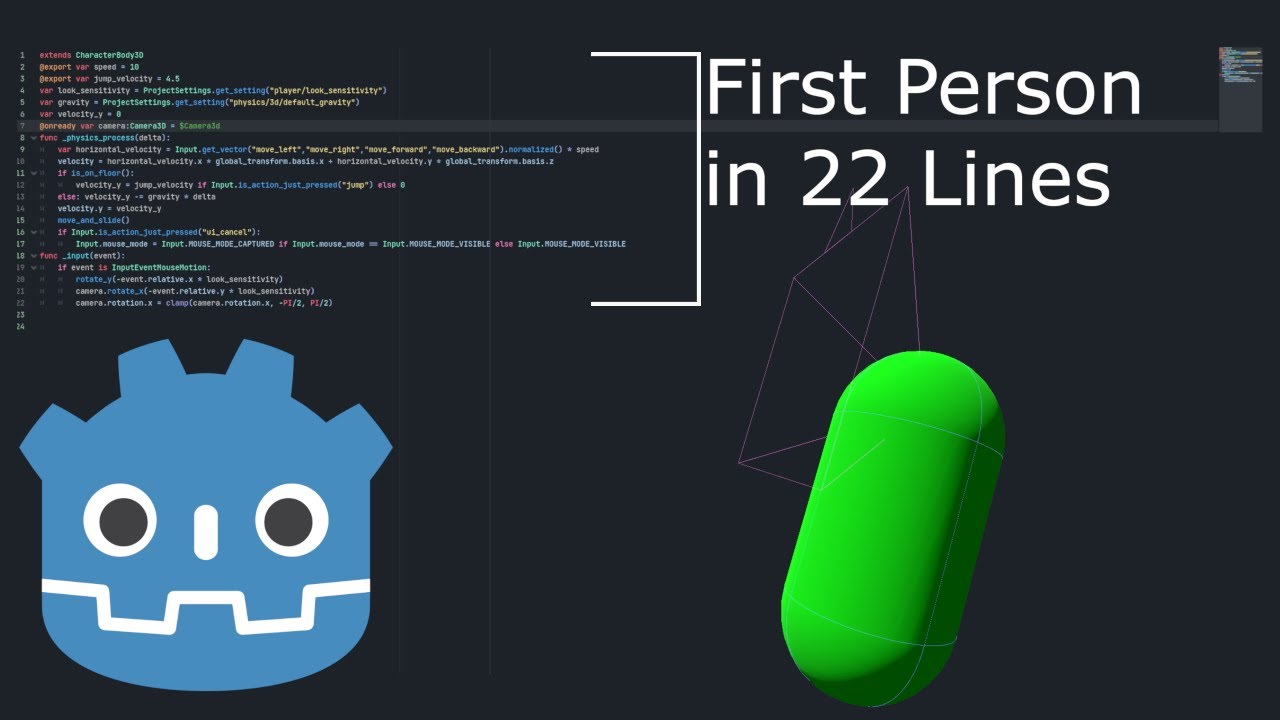
A quick video on how to make a basic first-person character controller with horizontal movement,
mouse look, and jumping.
CODE:
extends CharacterBody3D
@export var speed = 10
@export var jump_velocity = 4.5
var look_sensitivity = ProjectSettings.get_setting("player/look_sensitivity")
var gravity = ProjectSettings.get_setting("physics/3d/defau...
I mostly took the part regarding the mouse lock but it gave me a spazzing mouse that wouldn’t move and forced me to restart
sudden kraken
take a look starting at 4:14
lmk if you have questions, it seems to be going in the right direction!
(interestingly I don't think I'd do it the same way; I'd put line 19 into the event handler. But whatever, different strokes for different folks -- I think you should try following the tutorial for now, and tear it apart after you get something working 😁)
(if you didn't make it to 5:51 before you went off on your own, take a look there; the steps that get added by the end might fix your sensitivity problems!)
warm oriole
I just wanna get this guy able to move, then give him the ability to pick up physic objects and hold them
And throw em
sudden kraken
let's focus on mouselook for now
nothing wrong with the other stuff, but it is a different problem
warm oriole
Thankfully I gotten a piece of code that now makes it turn correctly
But now it turns and the cursor goes outside the box
sudden kraken
ok, great job!
now: https://docs.godotengine.org/en/stable/classes/class_input.html#enum-input-mousemode has some different modes
Godot Engine documentation
Inherits: Object A singleton for handling inputs. Description: The Input singleton handles key presses, mouse buttons and movement, gamepads, and input actions. Actions and their events can be set ...
it sounds like you want to have something different happen
but there are a lot of different things that could happen
most games with mouselook leave the mouse captured the whole time
(and draw a target at the center of the screen)
but it sounds like you want to let it toggle so that sometimes it's visible (, and then it can escape the window)
which is fine, but requires a bit more thought on your part!
warm oriole
Yes so a player could switch out to click on a thing in another menu
Next update, it now does a bit better, I can continually turn
Mouse stays within bounds of screen
F3 however does not respond as should
Or desired, for releasing the mouse
line 9-19 is this bit of code: func _ready():
Input.mouse_mode = Input.MOUSE_MODE_CAPTURED
if Input.is_action_pressed("ui_cancel"):
Input.mouse_mode = Input.MOUSE_MODE_VISIBLE
func _unhandled_input(event):
if event is InputEventMouseMotion:

    rotate_y(deg_to_rad(-(event as InputEventMouseMotion).relative.round().x * 0.5))
i think something isnt letting me escape thr program once started
sudden kraken
IMO it doesn't make a lot of sense to check is_action_pressed in the _ready method -- do you know why?
warm oriole
I do not
sudden kraken
when does _ready run? When do you want is_action_pressed to run?
(it won't do what you want, because ready only runs once, when the node is first created)
(but you want pressing esc to give you back the mouse whenever you push it iiuc, not just at the instant this object is created)
warm oriole
So where does it go?
sudden kraken
maybe take a look at https://www.youtube.com/watch?v=LOhfqjmasi0 (this is just the first hit, I can't speak to its quality -- but a lot of people like Brackeys!) to discover some of the different methods Node has available to run code
► Check out Zenva's free Godot course: https://academy.zenva.com/product/godot-101-game-engine-foundations/?utm_source=youtube&utm_medium=partner&utm_campaign=partner-youtube-brackeys-2024&utm_content=partner-youtube-brackeys-202401
► Get 20% off your first year (on top of any existing site-wide discounts!) with this link (first 50 people): ...
to answer your direct question, I'd put it in _input (or your _unhandled_input -- which is also fine, but different from the tutorial you said you were following!)
but I think there will be a lot of other questions behind that if you don't get some of the fundamentals down!
warm oriole
I fixed it
Now responds as it should
Now I just need to get it to stop turning after it’s unlocked 😅
sudden kraken
age old problem!
warm oriole
And being able to toggle the esq back to locking the mouse
func _process(delta):
if Input.is_action_just_pressed("ui_cancel"):
Input.mouse_mode = Input.MOUSE_MODE_VISIBLE
else:
Input.MOUSE_MODE_CAPTURED
sudden kraken
that looks like it'll only affect things for one frame
warm oriole
how do i get this to loop so i could press it again and renable it
sudden kraken
can you describe what you want in normal language? When you press escape it captures the mouse, when you press escape again it lets it free?
warm oriole
no it starts captured, then you hit escape it releases it and pressing it again restores it back into the lock
sudden kraken
you said "no", but that sounds a lot like "yes" to me
ok!
So let's try that with the word if. When you press escape... if the mouse is captured, what? if the mouse isn't captured, what?
warm oriole
coding be a mess with a highly informational machine
sudden kraken
truer words never spoken!
warm oriole
And i tried to look at a example of someone uh thing, couldn’t figure out how to make it work
Without it canceling itself out and getting nothing done
Could we like slap a if statement or would it be dumb to put after the first statement?
sudden kraken
do you know about else?
sudden kraken
it feels like that might be relevant here. if the mouse is captured: ???. ELSE: ???
and in more code:
if the user just pressed "esc":
  if the mouse is captured:
    ???  set it freee
  else:
    ???  back in the cage, mousey
I think you know how to do the first line there
and the second line there
warm oriole
If input.mouse_mode == input.MOUSE_MODE_CAPTURED:
Input.mouse_mode = Input.MOUSE_MODE_VISIBLE
Else:
Input.mouse_mode = Input.MOUSE_MODE_CAPTURED
Would this be the nail?
sudden kraken
those = should be == -- it's a programming quirk
er, the one inside the if should be a ==
= means assign, == means "check if equal"
anyway, that look like it -- I definitely read that as "if mouse is captured, set it free"
then you just have to handle the other part "else (, if the mouse isn't captured), ???"
warm oriole
Wait is there a way for telling the computer to say no? Or pass
warm oriole
Like to ignore the rest of the thing or the bit of code??
sudden kraken
you can always return from a method to stop executing that method
but
the code you've shown me doesn't look right yet
"if the mouse is captured, set it free. Else: set it free"
I don't think that's what you want.
warm oriole
So would it just end up saying that if it’s visible, capture it then?
sudden kraken
I think that's what you want, yeah.
(if the mouse isn't already a captive, make it a captive -- a subtle distinction! You've already checked if it's a captive witht the if condition, so it's just the else clause; you don't need to actually write out the full set of logic. It's just anything that didn't match the if's condition, you know?)
warm oriole
I changed visible to captive
sudden kraken
yaay
warm oriole
Shall I implement the change?
sudden kraken
it's your game, I'm just trying to help you move forward!
warm oriole
I added it. Now a new issue
Pressing escape makes the cursor appear for a second then poof away
That’s not ideal
sudden kraken
if the user just pressed "esc": <-- how did you end up implementing this? In which method?
(because: it sounds like however you did it, it's probably running too often, since it's definitely doing something!)
warm oriole
func _process(delta):
if Input.is_action_just_pressed("ui_cancel"):
if Input.mouse_mode == Input.MOUSE_MODE_CAPTURED:
Input.mouse_mode = Input.MOUSE_MODE_VISIBLE
else:
Input.mouse_mode = Input.MOUSE_MODE_CAPTURED
like that
sudden kraken
that doesn't say what we agreed (check the indentation of the else)
warm oriole
i dont understand
sudden kraken
you wrote:
if user pressed escape:
  _maybe_set_mouse_free_if_captured()
else:
  _capture_it()
but that isn't what you said you wanted, and that explains why you only get ~ 1 frame of mouse freedom.
warm oriole
this thing ain’t being graceful at its job the script isn’t doing what it’s being told right
Trying to change indents say there is a issue about a expected indentation
sudden kraken
the script is a simple creature; it demands precision of the craftsperson 😁
warm oriole
I just want it to do the thing I need so I can fix the thing of looking up and down as well
It’s still under process, I moved the else back one tab
As well if
And the rest is two tabs
sudden kraken
did my example of what you said you wrote make sense?
(do you see how the code you showed me was equivalent to my pseudo-code)
and do you know how to fix it so that it's more in line to what we described the code should do?
I think maybe not, would it be helpful if I talked about what the indentation of the program means?
warm oriole
I know it means pressing tab to somewhat label their heirarchy
Okay
I fixed the error it was given, no reds
sudden kraken
you're right that pressing tab switches the depth of the indent & that it's about hierarchy, yeah
warm oriole
But still got the one frame issue
sudden kraken
probably you're still writing code that means
if user pressed escape:
  _maybe_set_mouse_free_if_captured()
else:
  _capture_it()
and should fix it to say something different, since the poor script is trying its hardest!
because you don't want to _capture_it() when the user is not pressing escape
you want to capture it when the user is pressing escape and the mouse is free
so whatever you do should be inside theif user is pressing escape
is it?
warm oriole
So not within else?
sudden kraken
well, which else? You have two if -- if user is pressing button, if mouse is captive
it's really important that your else capture the mouse only happen if user is pressing button
warm oriole
The only else inside the process area
And I only have a if the button is pressed and the second if the mouse is captured, it’ll be freed
sudden kraken
so! You have to change something about the else's hierarchy to make it correct
and it sounds like you know where to put it -- so that it's inside the if the button is pressed
warm oriole
I have restarted my godot about 20 times by now due to the coding making it hard to get out of debug mode
sudden kraken
the block of code the if guards is all indented:
# outside
func foo():
  # inside func
  if bar:
    # inside the if bar
    if baz:
      # inside if baz
    else: # meaning: if not baz
      # inside the else
    # still inside the `if bar...` we're back baybee
  else:
    # inside the else, same as `if !bar:`
  # back in the func foo()!
# Back outside the func foo
my example uses two elses. Your code might be easier to read for you if you use two elses too
the compiler will complain to you about the else (what should it do inside of the else you don't want it to do anything during?!)
you can write else: pass to tell it to not freak out about that
which is the same as
  else:
    pass
(but ofc you can't put anything else before or after the pass inside the same block)
warm oriole
This is giving me a headache
I just want a idea where to put this cause this code making me wanna toss out my iPad
func _process(delta):
if Input.is_action_just_pressed("ui_cancel"):
if Input.mouse_mode == Input.MOUSE_MODE_CAPTURED:
Input.mouse_mode = Input.MOUSE_MODE_VISIBLE
if Input.mouse_mode == Input.MOUSE_MODE_VISIBLE:
Input.mouse_mode = Input.MOUSE_MODE_CAPTURED
else:
Input.mouse_mode == Input.MOUSE_MODE_VISIBLE
recent one
sudden kraken
MUCH closer! so if you had to describe that that else is doing for you, how would you describe it?
(if the user is pressing cancel, then you do the thing with captured/visible/visible/captured, I get that)
(but then... else... ???)
warm oriole
i dont know.
sudden kraken
cool! Drop it.
warm oriole
i genuinly have no idea what else to put in else
sudden kraken
haha. Like we said back in
https://discordapp.com/channels/1235157165589794909/1365014704090779748/1365047453002498049 -- you could use that instead of if Input.mouse_mode == Input.MOUSE_MODE_VISIBLE
but this is so close to working for you that you shouldn't change it
just drop the else entirely, because you don't need it! if the user isn't pressing escape... nothing. There's nothing to do.
sudden kraken
oh lol, I'm sorry
I see why; the problem is that what you did was kind of:
if val == 1:
  val = 2
if val == 2:
  val = 1
that is, it's basically right, but it sets the value and then immediately after unsets it
func _process(delta):
    if Input.is_action_just_pressed("ui_cancel"):
        if Input.mouse_mode == Input.MOUSE_MODE_CAPTURED:
            Input.mouse_mode = Input.MOUSE_MODE_VISIBLE
        else:
            Input.mouse_mode = Input.MOUSE_MODE_CAPTURED
congrats! I think you got the mouse swiveling around the player & going captive and escaping? That's huge progress!
warm oriole
I implemented your change
Gonna launch it again and seee if it changed
It lets my mouse be released
Now I’m back to square one again
Missing keeping inside the window and to lock back in
sudden kraken
I think we're ready to examine https://discordapp.com/channels/1235157165589794909/1365014704090779748/1365035036042330142
does that make sense? It sounds like you don't want mouse visible, you want one of the other mouse modes
warm oriole
I am confused by the bunch of it and can’t find the exact thing I’m first to be looking for
sudden kraken
I think you want
MouseMode MOUSE_MODE_CONFINED = 3

Confines the mouse cursor to the game window, and make it visible.
that sounds the most like "... keeping inside the window and to lock back in" to me
warm oriole
No
One press, forever out of its “cage”
And where do I implement mouse mode confined at?
sudden kraken
you'd use it instead of Input.MOUSE_MODE_VISIBLE -- but to warn you, it means what it says
you won't be able to let the mouse leave the game
which it sounds like was annoying you (because you had to keep quitting the game with the task manager)
this will mean you'll have to keep doing that, because you won't be able to let the mouse leave the game
(I think you can just alt-tab out of it actually, but that's not really your point iiuc)
warm oriole
I’m trying to replicate a feature from a game that has the f3 to unlock the mouse from being center screen and I plan to incorporate menus that will require you to select something not directly infront of you but would possibly disable your person during the unlock moment with the option to lock back in
I’ve also not to the point of a menu to officially quit and leave unfortunately
sudden kraken
Meanwhile, I don't know how to explain what you're seeing with "while the mouse is free, putting it back in the box doesn't work"
I just tested, and in my game it does work
Maybe your game window has lost focus? the game window has to have mouse focus (like, from the operating system -- you have to click back into it if you clicked away or whatever)
for the captive mouse mode to hide the cursor
warm oriole
When I press escape, it still turns within the screen but OFF the debug window screen
sudden kraken
otherwise might be a Godot bug on your OS
warm oriole
Which isn’t the effect I want
sudden kraken
ok. Is it recapturing the mouse when you press escape, making the cursor disappear?
warm oriole
Not recapturing, forever free
sudden kraken
ok, sorry -- sounds like an OS bug 😕
warm oriole
Like I said, it releases it forever so I have to reload the whole thing
sudden kraken
can you show me your latest code?
warm oriole
And I’m trying to get the ground work so I can get physic objects to get going somewhere
extends CharacterBody3D
const SPEED = 5.0
const JUMP_VELOCITY = 4.5
var gravity = ProjectSettings.get_setting("physics/3d/default_gravity")
func _process(delta):
if Input.is_action_just_pressed("ui_cancel"):
if Input.mouse_mode == Input.MOUSE_MODE_CAPTURED:
Input.mouse_mode = Input.MOUSE_MODE_VISIBLE
else:
Input.mouse_mode == Input.MOUSE_MODE_CAPTURED
func _ready():
Input.mouse_mode = Input.MOUSE_MODE_CAPTURED
func _unhandled_input(event):
if event is InputEventMouseMotion:

    rotate_y(deg_to_rad(-(event as InputEventMouseMotion).relative.round().x * 0.5))
func _physics_process(delta):
if not is_on_floor():
    velocity.y -= gravity * delta

if Input.is_action_just_pressed("ui_accept") and is_on_floor():
    velocity.y = JUMP_VELOCITY

if Input.is_action_pressed("crouch"):
    scale.y =0.5
else:
    scale.y =1.047


var input_dir = Input.get_vector("ui_left", "ui_right", "ui_up", "ui_down")
var direction = (transform.basis * Vector3(input_dir.x, 0, input_dir.y)).normalized()
if direction:
    velocity.x = direction.x * SPEED
    velocity.z = direction.z * SPEED
else:
    velocity.x = move_toward(velocity.x, 0, SPEED)
    velocity.z = move_toward(velocity.z, 0, SPEED)

move_and_slide()
There
I only have a capsule player, ground and a cube that’s meant to be a rigid body, however my capsule does not interact with it
sudden kraken
you wrote
 else:
            Input.mouse_mode == Input.MOUSE_MODE_CAPTURED
but that's wrong
(and isn't what I gave you either :-> )
sudden kraken
do you remember what I said about = vs == ?
that's == which does not mean assign
(and probably you have a warning about it in the editor)
sudden kraken
 warm oriole
The most sensitive child is a computer
It’s the delta process part
It was delta and not _delta
IT WORKS NOW
Now what about that confining the mouse to the screen or is that any bit possible?
sudden kraken
yesbut, I think you'll hate it 😄
warm oriole
It stays within the screen anyway, I’m talking about after it gets unstuck
Maybe I should worry about that after a get a menu
okay, I guess moving on to the next idea, my looking part
I can turn just fine but not up or down
sudden kraken
OK! let's make it happen.
What do you want to have happen? the whole capsule leans back?
or the capsule stays up and down, and the camera looks up and down
(and then I think I'm gonna have to go, but hopefully some of this helped!)
warm oriole
No, I wish for the head to be the only part to turn mainly
Since the capsule is the soon to be body of a player
sudden kraken
okeydokey. So the script is on a playerbody thing, right? So the camera is a child of that?
warm oriole
Yes
sudden kraken
Do you have it as a unique node already in the inspector so it's got a little % next to its name?
warm oriole
Unique node?
sudden kraken
yeah, if you right click in the inspector you can give a node a unique name in parent
warm oriole
Oh I named it head
sudden kraken
"Access as Unique Name"
you can leave your name, that's a good name
but let's click that too
that means in your script you can access it as %head
warm oriole
did it
sudden kraken
so you take the code you already have for rotating the body (which is
func _unhandled_input(event):
    if event is InputEventMouseMotion:
        rotate_y(deg_to_rad(-(event as InputEventMouseMotion).relative.round().x * 0.5))
and you want it to also rotate this other bodypart -- which godot is nice, and makes a little more accessable than that:
func _unhandled_input(event):
    if event is InputEventMouseMotion:
        rotate_y(deg_to_rad(-(event as InputEventMouseMotion).relative.round().x * 0.5))
        %head.rotate_x(deg_to_rad(-(event as InputEventMouseMotion).relative.round().y * 0.5))
as a warning, this will let you do a somersault -- you can look around your back so far you wind up at your front upside down, etc
so you might want to use clampf on it to make sure you don't go all the way around
up to you!
warm oriole
Clampf where at?
sudden kraken
give it a try, see if you can figure it out! at least this one won't lock up your app & require force quitting 😄
sudden kraken
(oh, and this is also a good place to maybe take into account the only-want-to-mouselook-while-you-want-to-let-them-mouselook thing)
like, if you get a mouse event while mouselook is turned off, maybe don't rotate anything!
warm oriole
how do I clamp them from looking with summersaulys?
sudden kraken
haha 🙂
so, you have %head.rotation.x after you've called %head.rotate_x
%head.rotation.x == 0.0 would be looking straight ahead
warm oriole
I have what you gave me
sudden kraken
%head.rotation.x > PI/2 would be looking straight up, < -PI/2 would be looking straight down
so you want to make sure that they can't look any further up than straight up -- maybe not even that far! -- or any further down that straight down, and maybe not even that far
does that help?
warm oriole
Yeah I want the limit being up or down
But not behind
But also forward as well yaknow
sudden kraken
so you want to limit %head.rotation.x to be between min -PI/2 & max PI/2 -- maybe a little bit tighter than that just to avoid it being weird?
warm oriole
How do I edit what you gave me to implement that?
sudden kraken
you know how to assign things, you know where to put the call, and you know you might want to use clampf, and you know what the minimums and maximums are -- what part can I help explain further?
warm oriole
I’m kinda lost a bit actually, I took what you gave me but I’m not sure how to put those specific parts into the part that is handling looking up and down
sudden kraken
func _unhandled_input(event):
if event is InputEventMouseMotion:
rotate_y(deg_to_rad(-(event as InputEventMouseMotion).relative.round().x * 0.5))
%head.rotate_x(deg_to_rad(-(event as InputEventMouseMotion).relative.round().y * 0.5))
# Here! after rotating, if they would be starting a somersault, put them back into a good position
warm oriole
._. I did have another person helping me but they are out and I just need to get the looking thing and crouching thing to be finished
sudden kraken
where I put the comment is where we'll want to make a change. I think you've got the parts to the change, let's take a stab at it!
warm oriole
func _unhandled_input(event):
if event is InputEventMouseMotion:
rotate_y(deg_to_rad(-(event as InputEventMouseMotion).relative.round().x * 0.5))
%head.rotate_x(deg_to_rad(-(event as InputEventMouseMotion).relative.round().y * 0.5))
And okay I’m stuck
tried to piece together what was first to come next, it ain’t getting for me
sudden kraken
we're going to make an assignment statement, something like: THING_WE_WANT_TO_LIMIT = LIMITATION(THING_WE_WANT_TO_LIMIT) (all those caps are not the real thing you should write)
do you know what THING_WE_WANT_TO_LIMIT is?
(I have already told you tbf, but there's been a lot going on!)
warm oriole
Somersualting?
sudden kraken
haha, true! which means "rotating too far up or down and looking behind ourselves"
we started doing that when we added %head.rotate_x(...)
so the thing we want to limit is: ...?
sudden kraken
well, rotate_x(...) changes the rotation
we do want to change the rotation, but only sometimes (when it's too far up or down), so I don't think you should use it.
sudden kraken
right. So you would want to look at what the rotation is now to see whether it should change (which we won't have to write out all of because clampf can do it for us)
if %head.rotate_x(...) lets us change the rotation of head, do you know what method or property or whatever we'd want to look at to get the current value? (here's the docs)
sudden kraken
warm oriole
Right, up and down?
oh sorry, I didn't understand what you were saying
ridiculously and unfairly, there's nothing vector.y related here at all. When we talk about rotations, we talk about rotations around an axis, and the x axis is the one we rotate around to look up and down
warm oriole
The up and down turning is meant to only go up and down and forward max, not behind the person
sudden kraken
so the x is the right thing to look at here, though I acknowledge that's pretty confusing
warm oriole
Oh then I should kept it on x
sudden kraken
yeah, definitely
warm oriole
How to limit it to up down and forward but not behind?
sudden kraken
I asked first:
if %head.rotate_x(...) lets us change the rotation of head, do you know what method or property or whatever we'd want to look at to get the current value? (here's the docs)
warm oriole
Is it above cause I can’t click on it
sudden kraken
Godot Engine documentation
Inherits: Node< Object Inherited By: AudioListener3D, AudioStreamPlayer3D, BoneAttachment3D, Camera3D, CollisionObject3D, CollisionPolygon3D, CollisionShape3D, GridMap, ImporterMeshInstance3D, Join...
sudden kraken
if %head.rotate_x(...) lets us change the rotation of head, do you know what method or property or whatever we'd want to look at to get the current value? (here's the docs)
the answer to your question: which method/property/whatever lets you determine the current value you want to clamp, given that your problem is caused byrotate_xsending things "too far" in pitch up or down
rotate_x is on this page, are there other fields that seem like they might be relevant? Which one(s) seems like they're the most relevant?
warm oriole
Rotationedit mode?
sudden kraken
You could try it! I think that you might get frustrated though, probably we should stay to editing euler angles (what you're doing for mouselook right now)
(which is where we talk about "a rotation around x" -- to look up and down -- and "a rotation around y" -- which is what you're doing to the body to look around left and right in a circle)
warm oriole
So how do we clamp a Euler angle to a point
sudden kraken
nice question. Well, first we'd have to get the euler angle. Any ideas from that reference which field(s) might give us that?
warm oriole
Uh editing Euler angels?
sudden kraken
that doesn't sound like a field. So you're right, but you're going to have to figure out how to spell it into a script
warm oriole
Euler order
sudden kraken
that's closer! That does something kind of cool, we can talk about it, but it's the wrong "shape" for what you're looking for -- it only has 6 possible values, but the rotations we're looking for are continuous values that make up a circle (really, the surface of a sphere + roll, so probably a float or a vector3)
warm oriole
I don’t know then cause none of it seem like what it first to be
Oh I thought vector was way off
sudden kraken
well, we were rotate_x and rotate_y in the code
so there's definitely something vector-shaped haunting this code 🙂
warm oriole
I don’t know what
Side note I’m facing random issues with crouch input not being found then being suggested the same one
And the one error that also pops up is a nonexistent function X found in base vector3
sudden kraken
sorry, gotta go. Good luck!