
1 messages · Page 1 of 1 (latest)
 rare spruce
Heya, i'm trying to migrate from R3F to Godot for my 3D "game". Previously, I'm already achieve this kind of toon shading. But, I'm having some trouble with that on Godot. I'm understand that shaders on Godot behaves differently with one on R3F. Unlike R3F, in Godot, I should put shader on each node. I also already watch this video https://www.youtube.com/watch?v=io2y8RgF39A ,but still, i don't really get know how to put the shader on. So, maybe anyone can help me with that? Thanks!
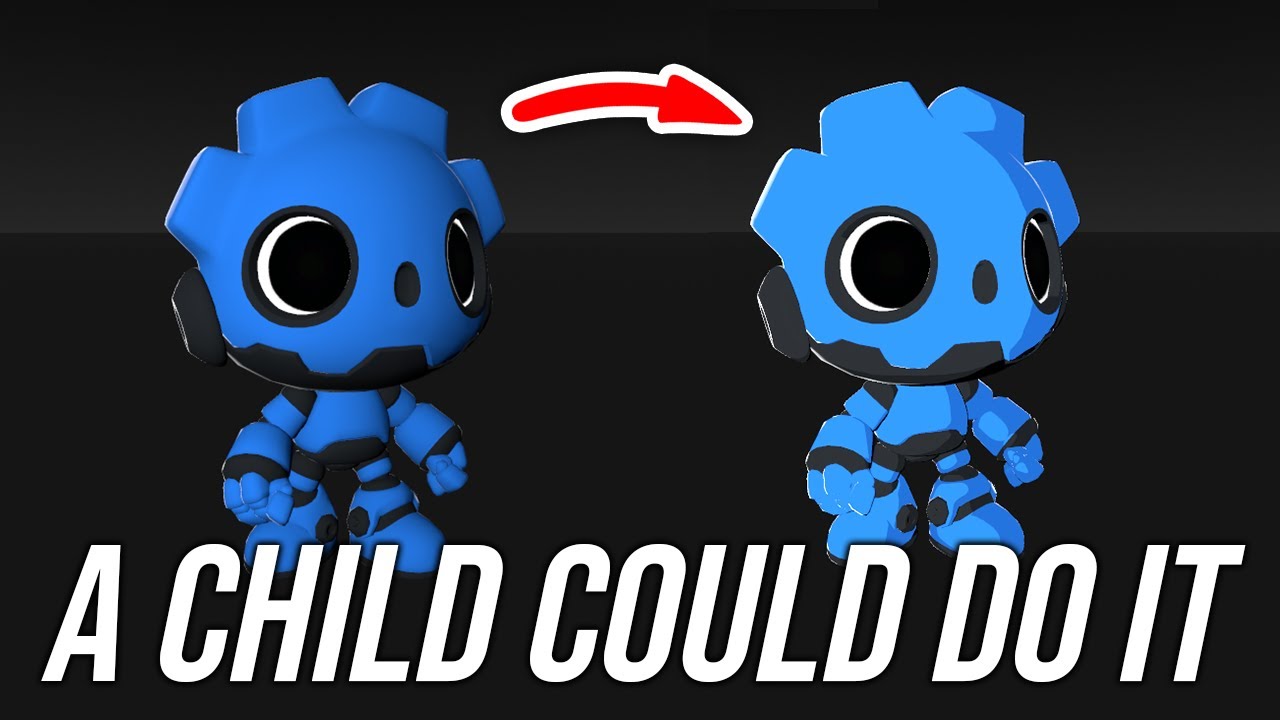
Learn how to add cel-shading do your 3D asset in the Godot Engine in less than 5 minutes.
🔥 GET THE SOURCE FILES ►► https://www.patreon.com/StayAtHomeDev_
GDQuest Godot Characters ►► https://github.com/gdquest-demos/godot-4-3D-Characters/tree/main
...
 fading talon
rare spruce
Heya, i'm trying to migrate from R3F to Godot for my 3D "game". Previously, I'm ...
fading talon
rare spruce
Heya, i'm trying to migrate from R3F to Godot for my 3D "game". Previously, I'm ...
You put the shader in a ShaderMaterial, which you can then assign to one or more meshes or meshinstances.
Also keep in mind that the StandardMaterial3D already supports toon shading and lighting, in case you don't need anything more advanced like this shader.
rare spruce
fading talon
You put the shader in a ShaderMaterial, which you can then assign to one or more...
Thanks for responding! Can you provide more information about using StandardMaterial3D for toon shading? I can find any resource on that topic.
fading talon
Just set diffuse and specular to "toon". Nothing fancy, but might be good enough
 rare spruce
Owh! Miss that!
rare spruce
fading talon
Just set diffuse and specular to "toon". Nothing fancy, but might be good enough
But the material turn my whole object into white, are there parameters that should I change, so I can persist the old material while doing the shader?
fading talon
What is the old material?
I mean, how are you currently colouring/texturing your meshes?
rare spruce
fading talon
I mean, how are you currently colouring/texturing your meshes?
The old material is inhereted from model (GLTF) that I import
Something like this

Ahhh
I'm so stupid
Just remembered that I can make unique copy of the material, and modify it there
fading talon
Yea.. if each coloured area is its own material in the imported model, you'd have replace them individually afaik. If you have a lot of materials it might be possible to write code which goes through all of them, copies them, and reassigns the modified copy to the mesh.
rare spruce
fading talon
Yea.. if each coloured area is its own material in the imported model, you'd hav...
Yeah, pretty sure to make that automatic. But, overall the issue is solved! Thank you!
fading talon
No problem 🙂
rare spruce
Cel/Toon/Flat Shading (Reopened)
After successfully add more advance toon shader (https://godotengine.org/asset-library/asset/1900) via converted StandardMaterial to ShaderMaterial, I'm wondering how can I make the shade result real smooth? Here's the comparisons:
Expected

Result
 fading talon
You mean the vertical banding?
Or that the shader produces kind of stepped zones with different lightness?
 rare spruce
fading talon
You mean the vertical banding?
rare spruce
fading talon
You mean the vertical banding?
What i mean is the horizontal stripes
The previous renders has none of it