#Nothing seems to work, but it says everything is fine
1 messages · Page 1 of 1 (latest)
 novel nebula
<@&1304550334839918672> assemble
 idle pollen
oh snap, here we go!
This is very exciting, I was messaging anyone I could find for like 30 mins before someone told me there's a proper procedure.
novel nebula
Morning morning, still early here in the US and most of us are just getting going/working. I’ll do what I can, but can’t be super responsive right now
Haha
idle pollen
No sweat, I'm just happy that there are humans who can help. I'm notoriously awful with the configs and firmware stuff
novel nebula
Lemme take a look at the configs and see if I see anything glaring there
1 CAN device, this must be your toolhead. What toolhead board are you using?
idle pollen
AFC-Lite I think? Whatever came in the LDO kit. It's configured via USB. When I start up, i hear the fan, and some motors turning. then that's it
novel nebula
Yeah, I see the AFC-Lite installed as USB/Serial, you also have a single CAN ID on top of that. Do you have like a BTT EBB36 or similar board in the toolhead?
Hopefully I’m not being too difficult on this, just trying to get a better grasp on what we’re working with
idle pollen
MKS-THR
you kiddin' me? Difficult? you're helping me, friend. You know what they say about gift horses.
sorry didn't have notifications enabled
novel nebula
All good. Scrolling through the debug link you provided everything looks fine, nothing in particular is sticking out other than it doesn’t look like you have a buffer installed
It’s not necessary to get it going, but it is needed long term as it allows the two extruders to be close but not perfectly synced
Okay, on to the next thing though, can you take a video of the behavior you’re observing?
idle pollen
sorry back, still not getting notifs
i do have a buffer installed. what else is werid, i don't see an LED config section in the AFC_Hardware
happy to do a video, but the behavior is basically no LEDs lighting up. let me try to actually put filament in and see what happens, if anything
 eternal stag
They should be red if no filament is present
idle pollen

View, organize, and share photos and videos with iCloud Photos on the web. Changes will sync across your devices with iCloud.
LEDs don't light up at all, there's nothing in the confg about them though, so that's probably why
novel nebula
AFC_led AFC_Indicator is defined
eternal stag
It’s in turtle_1 double check you got the right port as only one is setup by default
novel nebula
It’s near the bottom of your Turtle_1 config
idle pollen
sorry where's that...
 novel nebula
AFC_Turtle_1.cfg I believe
 novel nebula
There were some config changes, maybe that was missed and needs updated
idle pollen
any idea for the LDO kit what the order should be?
novel nebula
GRBW is right for LDO kits afaik
eternal stag
It’s all correct for LDO kit I changed nothing but tool head parameters
idle pollen
pretty confident i have it in the right place, too
eternal stag
Well also xy locations
novel nebula
Should be the bottom most LED port, can you take a pic of your wiring?
 novel nebula
Yeah, that looks right
We can try moving it to another port and changing the config to match
eternal stag
I don’t have diagrams in front of me but is your buck/usb switch on buck?
novel nebula
Nice catch, it’s not
idle pollen
FUUUU
novel nebula
Power everything off, flip the switch on the AFC-Lite to the opposite position
Haha, gotta love simple things though!
LEDs should come to life as well with that
They’re powered by the buck converter
novel nebula

idle pollen
yeah.... rebooting. hope i didn't fry something
welcome to how the sausage gets made here at TNL
there's usually at least 1 finger in there
when it boots up, some motors somehwere make noise, i think steppers
it's booted up, with it at BUCK
LEDS WORK! Maybe the switch wasn't ALLLLLL the way over
novel nebula
Haha
idle pollen
none of the loaders work, though. same as in video
novel nebula
You should hear a bunch of motors move now
idle pollen
something is spinning but it's not turning the roll or pulling the filament. Do I need to push in deep to get it to pull the filament...?
novel nebula
Yes
idle pollen
that explains it. FILAMENT LOADED YOU BEAUTIFUL BASTARDS (OR BASTARDETTES)
so, now I need to tell it where the cutter pin is + how long from the box turtle to the toolhead, yes? I have 2 toolhead filament sensors, not sure where to config that
novel nebula
Pin_tool_end in AFC_Turtle_1.cfg for the lower sensor
And AFC_Calibrate for automatic Bowden length calibration :)
Load all 4 lanes with filament, run that for measurements between turtle extruders and hub, then run it with 1 lane chosen for Bowden between turtle hub and toolhead
idle pollen
so i remover the lower sensor from the config elsewhere, i presume
novel nebula
If you have it defined elsewhere, yes
eternal stag
It’s supposed. To be in hardware cfg
novel nebula
It is… these config file changes got me all messed up
novel nebula
I’m still running hacked together configs from 4 months ago lol
idle pollen
let me now connect a bowden toob to the toolhead and see what this thing can do
my USB port is sticking out of the bottom, hopefully the legs are long enough to accommodate that...
novel nebula
The calibration will be slow
They should be
We’d recommend a 90 degree USB in most cases just in case
idle pollen
ah ok, i got one 🙂
novel nebula
idle pollen
 novel nebula
AFC_CALIBRATION
Sorry, I’m pulling a lot from memory and things don’t always get remember correctly lol
idle pollen
no worries
you've been super helpful
i'll go get a camera and record this bit
hmm spool didn't rewind it just yeeted the filament back
i didn't assemble the roller things myself so i'm worried they're no good
and do i do this calibration for each lane then?
and you guys mentioned doing something to tell it there's a buffer...
novel nebula
Sorry, was half awake. Looking again buffer is defined correctly
So you’re good there. You want to do the hub calibration on each lane, the entire Bowden length is only needed from 1 lane
You can test the spoolers with TEST LANE=LANEx command
They should spin pretty freely though
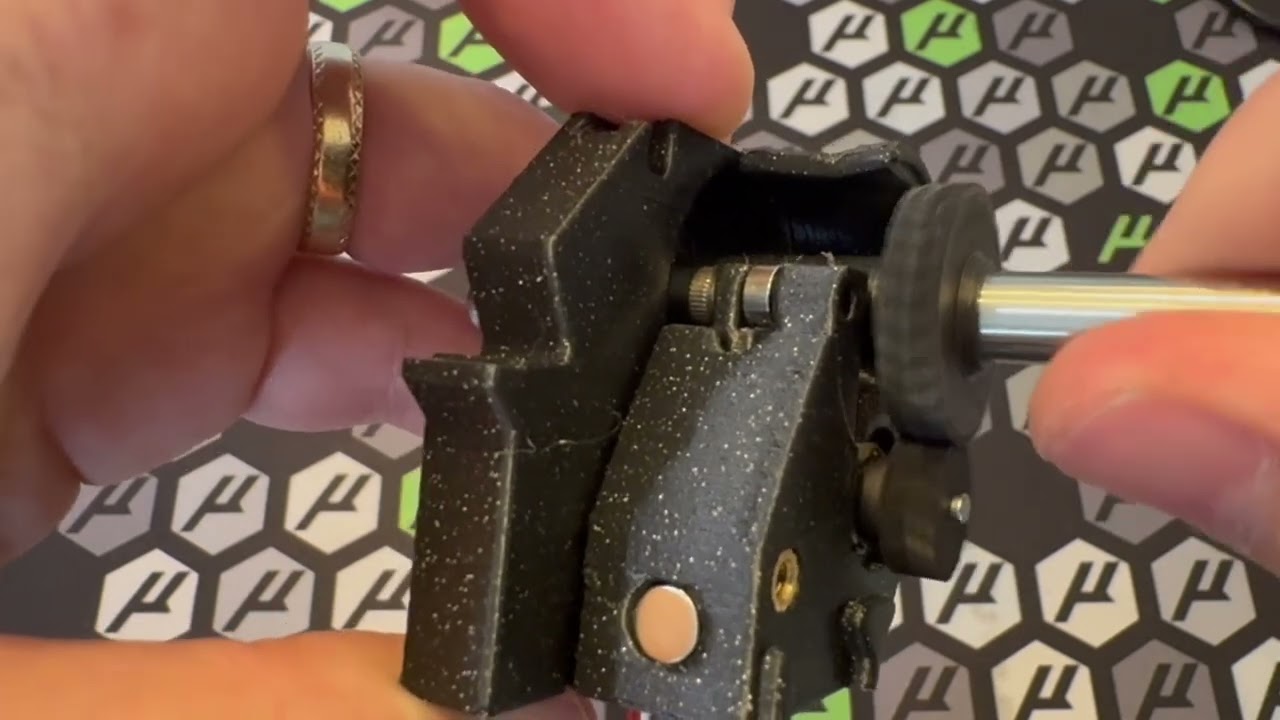
Quick walk through of how to build the spooler for BoxTurtle AFC.
Like what we do and want to support future development of uncommon, common sense projects? Support us here:
/ armored_turtle
Jois the discord! / discord
Reach me @ [email protected]
idle pollen
they just buzz when i do that, i guess that's fine
novel nebula
Nope, they should move if no filament is on them
novel nebula
Unplug it
idle pollen
yeah?
novel nebula
The fan is optional really
idle pollen
can't control in soft?
novel nebula
Nope, that’s an always on 5v header
idle pollen
annoying. yeah i'll ditch that lol
novel nebula
And the fan that’s included is like a 12k fan or something silly
idle pollen
ok i think we're good... so like... do i print something now? Or should I finish the assembly
oh, wait, i gotta config the cutter
novel nebula
You should figure out the spoolers, then do all the macro locations
idle pollen
meaning, remove filament, test again
novel nebula
Yeah, see what it does
idle pollen
k... uh... why won't it let me pull out the filament?
novel nebula
If they don’t spin real quick, remove the spoolers and check gear mesh
Eject it
BT_LANE_EJECT LANE=laneX
The BT extruders are always engaged
idle pollen
oh boy. the motors don't spin
none of em'
which makes me think it's not just hardware
nevermind, at least one spins... lol
novel nebula
If you hear noise but they don’t move, it’s entirely hardware
novel nebula
It’s likely the gears aren’t meshed quite right
idle pollen
yeah they didn't line up nicely
novel nebula
You can take them out and mess with the sides a bit to get them nice
idle pollen
rebuilt the two of them, still not working properly. and 3 and 4 aren't exactly moving smoothly either
almost feels like i need more juice to the motors
idle pollen
Is this the right place to get help on those? Or should I reach out to LDO
 dapper skiff
idle pollen
Is this the right place to get help on those? Or should I reach out to LDO
dapper skiff
idle pollen
Is this the right place to get help on those? Or should I reach out to LDO
Did you assemble the respoolers with printed gears or the ones LDO sent?
dapper skiff
@river vault
 river vault
Thank you
river vault
idle pollen
boy, that fan in the back sure is annoying
This one is my fault for speccing a random 5v fan in the BOM. #blamethunderkeys
idle pollen
hi friends. I'm available to go to the studio today, if someone is arround. I used the LDO gears (MJF)