

1 messages · Page 1 of 1 (latest)
 small quarry
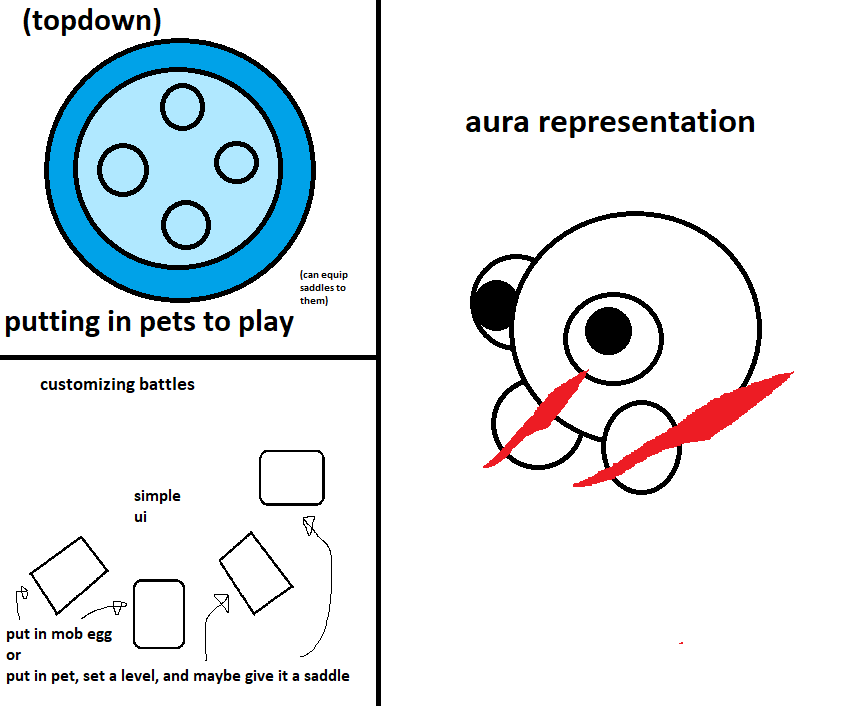
The first part is simple, make it so saddles can be equipped onto pets in the pet arena like in the image below (where an alien pet looks like 50% forme zygarde), however this poses a problem, a custom saddle (which is what this feature is meant for) can hide the typing of a pet giving the custom saddle user an unfair advantage, which is why when ANY saddle is present a "Hide Saddles" button should appear, when pressed, it will, for 3 seconds, hide the saddles, letting you see the pet under the saddle, making the game fair again
the next part is too complicated for one message so it will be put in the thread, it's a long one
the Pet Campaign block is a simple yet creative block, probably the most complex in history, first you'll the block on the creative side then in play mode. When placing the Pet Campaign block it will ask for a dungeon name, then you're thrown into the editor

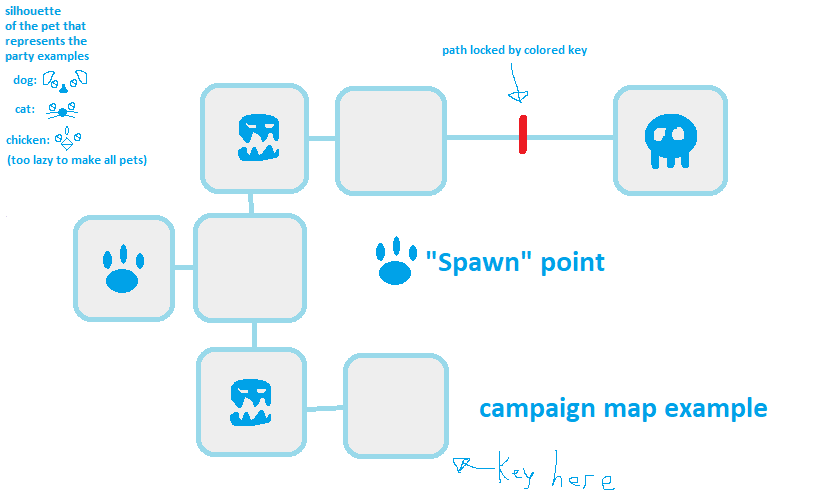
when entering the editor there will be a simple rounded square marked with a paw, this is the spawn point of the pets that enter the dungeon. On all sides of the square there will be a "+" that will pop up a menu to add a new room, there will also be an "edit" button to edit the square (the spawn cannot be edited)
the way the pets move in by tapping corresponding squares. When they go over a square the action of the square will play

the rooms are the following:
Enemy room: going into this square will throw them into a fight with mobs/enemy pets, the way these mobs/enemy pets are added is by either placing the egg of a mob into the fight slot or a pet (that pet can have a set custom level and even a custom saddle)
Path: this simply links 2 or more squares together over a long distance
Key room: going into this square grants the pets a colored key that can be used on a locked path to pass
Locked Path: is a normal path that needs to have a corresponding key used on it
Enemy and key room: an enemy room where after winning you receive a colored key to use on a locked path
also the locked path and key colors are chosen by painting the campaign while editing the key or path lock
Finish room: going into this room wins the game
Boss Room: entering this room throws the pets into a fight, where either all enemies have to be defeated to win the campaign or one enemy has to be defeated, the enemies that have to be defeated have a red aura like glow, these "bosses" can also be pets with custom saddles with custom levels to add more creativity
as a lil bonus here's how the pets will enter the arena, represented on the top left (if one pet is put in the block starts a 10 second timer, when time is up, the game starts, if all slots are filled then the game starts immediately and up to 4 pets (thus up to 4 players) can be in the campaign)
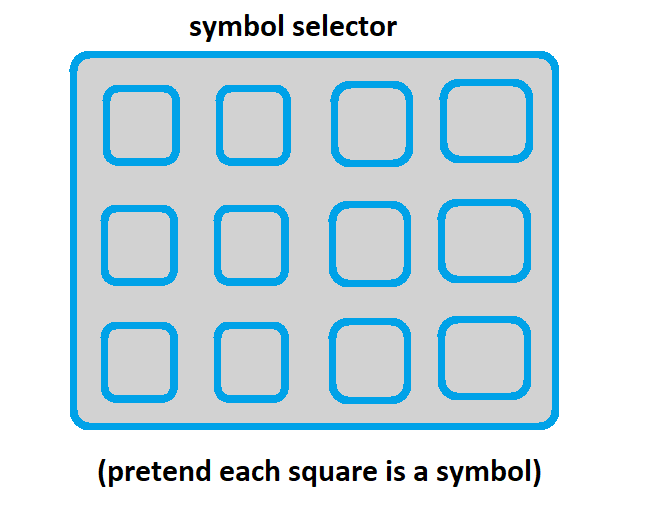
last for creative, each room (except the finish/boss room) normally has nothing to represent what it contains, however while editing a square you can select one of however many symbols there will hopefully be to mark that room (these should be the symbols on signs on the cw tech web)
overall here's a basic example of a map, also the pet that represents the party is the first pet that is put in the block
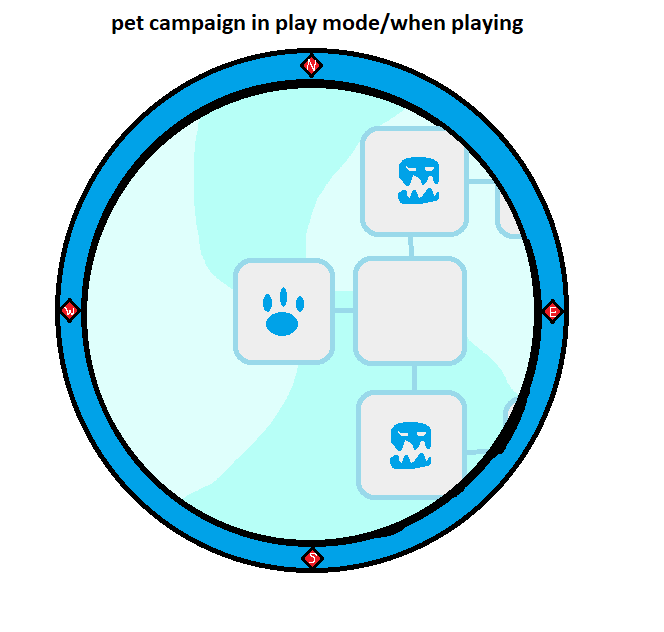
in play mode you move by tapping the squares (in multiplayer (2-4 players) the player with the pet that represents the party chooses where to move) and have access to the N,E,S,W (north east south west) buttons due to the map being big, and battles look like a normal pet arena
this block can lead to a few funny things happening like Slay the Spire in yeeps, pokemon elite 4 in yeeps and many more
 small quarry
Bump
 pulsar mason
I think this should've just been 2 suggestions, this seems a bit interesting
small quarry
pulsar mason
I think this should've just been 2 suggestions, this seems a bit interesting
the ideas mix with the fact that the enemies can be pets with custom saddles
small quarry
bump