#flow-tips-n-tricks・✏️
1 messages · Page 5 of 1
 keen sphinx
 austere iris
keen sphinx
id the fps is whats holding it back the most personallyu
austere iris
keen sphinx
id the fps is whats holding it back the most personallyu
So if it's a cartoon, then it won't be voiced here?
keen sphinx
austere iris
So if it's a cartoon, then it won't be voiced here?
which model did u use
if u used veo 2 or veo 2 fast
then there wont be
also sometimes putting quotation marks isnt enough
austere iris
keen sphinx
then there wont be
I used the Veo 3 - Fast model. What else can be improved?
I didn't do the voice acting here either 😥

 mellow stump
@dreadeyeknight You have to make it clear to veo that it is not a child, as soon as children are in the game there is no sound
 glass sand
Create a cozy kitchen video. A woman prepares a colorful smoothie bowl with blueberries, banana, chia seeds, and nuts. She takes a bite while smiling gently at the camera. Lighting is bright, food looks fresh and colorful, her skin glows.
🎙️ Voiceover (natural and warm, starts at 0:02):
“Tip four: Try eating more skin-friendly foods like berries, healthy fats, and leafy greens. It actually helps.”
🎵 Music: Bright, soft indie beat
🔊 Sound FX:
Spoon clinking
Knife chopping
Bite/crunch
 maiden marsh
reminder we cannot create videos in the discord server :D
 cobalt warren
creation in https://youtu.be/VNs_w5Sb1_w
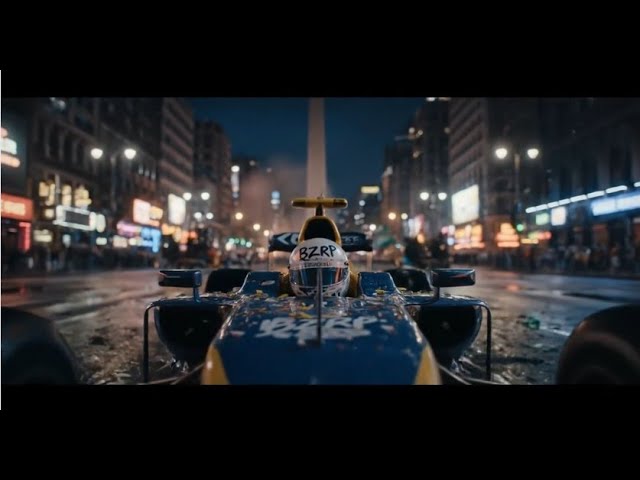
¡No vas a creer dónde terminó este Fórmula 1! 🇦🇷 De la adrenalina en las calles de Buenos Aires, pasando por el mítico Obelisco y entrando a LA BOMBONERA, ¡hasta un final INESPERADO en la majestuosidad del Glaciar Perito Moreno! 🤯
Acompaña este viaje INCREÍBLE lleno de acción, velocidad y paisajes IMPRESIONANTES de Argentina. ...
 potent mortar
Hey all, hopefully, someone can help me. Im trying to show just the flashes of light as if it was shining in through a window without showing the lighting, but nothing is working. Any ideas
 trim thistle
Hi Flow team! 👋
I’ve been exploring Flow and created a complete short-form project using a real Smart Rooms office background (a Brazilian coworking company with multiple premium units). The prompt is ready, image uploaded — I’m really excited to generate and test it!
However, I ran into the credit limitation and would love to request a few test credits to render and showcase this video for our team and audience.
Thanks in advance — this tool is incredible! 🙏💛
 desert herald
 shell escarp
This community has been so helpful! Thanks!
 zinc spear
i settled with a pre sliced cake. I'm unable to fit in 8 seconds cutting the cake twice to get a slice. haha
 craggy dome
Could someone create the following character for me?
A young woman with light to medium brown, wavy hair that falls past her shoulders, parted bangs framing her face, bright blue eyes, and an innocent, slightly happy expression. Her fair skin tone is visible. She wears a white collared blouse with puffed sleeves and gold accents or straps on the bodice, and a tightly tied black bow tie. She sits in a simple black wheelchair. The style is Fairy Tail anime. The background is a blurry, dark, ornate interior with touches of purple and gold, suggesting a room with rich details. The focus is on the princess in the wheelchair, her expression and attire clearly visible.
 minor marten
craggy dome
Could someone create the following character for me?
A young woman with light t...
minor marten
craggy dome
Could someone create the following character for me?
A young woman with light t...
Hope this character will be ideal for you.
 craggy dome
minor marten
Hope this character will be ideal for you.
craggy dome
minor marten
Hope this character will be ideal for you.
That's awesome! I really loved it, thank you so much.
🩷🩷🩷
minor marten
thank you
 dawn latch
Subject: Numemon: Numemon is a squat, amorphous Digimon resembling a sickly green slug. Its skin is slimy and mottled with irregular, indigo-blue spots scattered across its back. Two thick eyestalks protrude from the top of its head, each supporting a large, blood-red eye. A gaping maw reveals rows of small, sharp teeth and a thick, pink tongue that occasionally lolls out. Its arms, usually retracted, are short and stubby, with small, claw-like hands. The overall impression is one of sluggishness and decay, with a perpetual expression of vacant disinterest on its face. Veemon: Veemon is a small, bipedal dragon Digimon with bright blue scales covering his body. He has large, expressive golden eyes and a V-shaped marking on his forehead. Two small, white gloves cover his hands, and he sports a yellow underbelly that extends from his chest to his tail. Veemon has a short, stubby tail ending in a rounded tip. His overall appearance is soft and rounded, giving him a huggable quality. He typically stands with a wide, cheerful grin, often tilting his head slightly. His posture is energetic and bouncy, always ready for adventure. He is small and stout, appearing youthful and vibrant. Action: Veemon, standing on a small rock, wrinkles his snout in disgust and dramatically gestures with his white-gloved hand towards Numemon. Numemon, oblivious, continues to ooze slightly, his slimy green body glistening in the light. . Style: A medium shot of the two Digimon, filmed at eye-level with a static tripod, lit by warm, golden hour sunlight creating a joyful and celebratory atmosphere, 16:9 aspect ratio. Dialogue: (Disgusted, annoyed) Veemon: Ugh, Numemon, you smell terrible. Sounds: The squelching sound of Numemon's slimy body as he moves, combined with the sharp, exasperated tone of Veemon's voice. A low, digital hum permeates the environment. Technical (Negative Prompt): subtitles, captions, watermark, text, words on screen, logo, branding
 leaden summit
8 seconds | 16:9 | cinematic
A close-up of a person sitting alone in a dimly lit room, holding their phone, thumb hovering over an unsent message. Their face is partially lit by the screen’s glow. A single tear forms and slides down their cheek. The screen of the phone shows “Typing…” but nothing is sent. Background is blurred, evoking emotional isolation. Slow camera movement or gentle zoom-in on their eyes. Lighting soft and moody, capturing vulnerability. No text or logo. Cinematic realism with shallow depth of field.
@simple mural Hey I am new here trying to figure how to create a video please?
 summer swift
Prompt for zooming out earth video with my image
 patent stratus
hey flow people how u doin. Got a stupid newbie question🤣 generations are just fine but I have a problem with this scene - anime , girl sits in cockpit and the robot she is in takes a hit. everything is good i just get this annoying animated smash effect in scene while i want just a hit that shakes the scene, like robot she controls got a hit . any ideas ? tried many prompts even negatives

 dim gull
patent stratus
hey flow people how u doin. Got a stupid newbie question🤣 generations are just...
dim gull
patent stratus
hey flow people how u doin. Got a stupid newbie question🤣 generations are just...
Can you give an example of a prompt you've been using?
patent stratus
dim gull
Can you give an example of a prompt you've been using?
thanks for your time 🙏 prompt for this one was "Anime style, young girl inside of cockpit , moves control sticks , furious , screams , suddenly a hard crash shakes the whole cockpit, screens start flashing red and girl clench her teeth". tried to vary the crash/impact... tried to state negative prompt like "no aninated effect of impact ." and similiar but it was always present no matter what
patent stratus
dim gull
Can you give an example of a prompt you've been using?
also i even tried to exclude the whole impact out of prompt and leave just the shake of the scene but no success, sometimes it just changes the style and location of these pops or what should i call that thing. but never disappear.
maiden marsh
reminder you cannot create videos here in the discord thank you!
potent mortar
Good afternoon group. Posting again since there were no replies. I am trying to create an atmosphere where the flash from lightning from outside lights up the room, or beams of light from lightning, but I dont want to see the actual lightning. I have tried everything, but no matter what I do, the lightning still shows up.
 uncut ruin
potent mortar
Good afternoon group. Posting again since there were no replies. I am trying ...
uncut ruin
potent mortar
Good afternoon group. Posting again since there were no replies. I am trying ...
Forget about the lightning and think about the end result. Do you want to see a momentary flash of light? Describe what you expect to see not the natural phenomenon. The AI is rendering everything you tell it.
 fossil stream
Hope this helps out 🙂 !
https://github.com/snubroot/Veo-3-Prompting-Guide

GitHub
Contribute to snubroot/Veo-3-Prompting-Guide development by creating an account on GitHub.
 simple socket
What is best ai to generate promts?
zinc spear
simple socket
What is best ai to generate promts?
google ai studio can generate prompt
 pale island
whats best way to make a change in the camera point of view using FLOW and keeping coherence , I am trying different approches but it kind of doesnt really change angle any suggestions ?
 desert cedar
Hey all, is there any way to specify the script in a different language other than english? Currently I am just describing the script in english and then i say "Language should be X"
 maiden frigate
 winter sapphire
desert herald
winter sapphire
desert herald
what is the prompt to genrate this type of video
 frigid kestrel
that looks very real^
 remote dagger
First try of VEO 3
 unreal iris
frigid kestrel
that looks very real^
unreal iris
frigid kestrel
that looks very real^
from photo to video
fossil stream
A prompt that will create a workflow where it generates perfect prompts for brand advertising / promotion
(Edit: How to use -> copy whole adsmeta.md (the raw text) and paste it into a model like gemini or CHATGPT
enjoy, dm feedback or suggestions or post it here
https://github.com/snubroot/Veo-3-Workflows/blob/main/AdsMeta.md
 graceful python
Has anyone had more success while writing Veo 3 prompts, to make sure certain specific things happen in a complex prompt? Such as writing key terms for Veo to make sure that happens? Or something like that?
Like: "critical" make sure the transition through the doorway happens before you pan right. Or such?
 thorn escarp
I'm having trouble with my text to video. The mouth's don't sync with the words. I'm not sure if I am writing too complex of a prompt.
dim gull
graceful python
Like: "critical" make sure the transition through the doorway happens before you...
It depends on the complexity of the prompt, you only have 8 seconds so everything needs to be able to fit in that timeframe. If you're adding too many details it's more likely that some of it will be lost even with prompt specificity. I've found that prompting with a rubric helps, but can only get you so far. You'll always need to iterate and change your prompts if you're not seeing the results you want.
dim gull
thorn escarp
I'm having trouble with my text to video. The mouth's don't sync with the words....
You'd have to show an example of the video and the prompt to sort of see what's going on, but I typically add (lips synced) before the dialogue especially if it's something that normally does not talk like animals/objects.
 queen sierra
Is possible to make music videos with flow? Is tgere any way to make the character lip sync with the song??
thorn escarp
dim gull
You'd have to show an example of the video and the prompt to sort of see what's ...
do I add the video here?
the audio is way off.
character 1 is 85 years old (5’2″; ~20 lbs overweight; salt-and-pepper fine thinning bob; chest/shoulder freckles; wearing a black blazer adorned with pinkish-orange leaf motifs over a matching pinkish-orange one-piece jumpsuit; bright soprano Texan accent with a slight squeak; slow, playful pace) and character 2 is 78 years old (5’8″; ~30 lbs overweight; silvery-white fine bob; small double chin; fair cool-undertone skin with signature age spots; always in a black crew-neck T-shirt; deep, gravely smoker’s rasp; dry, sardonic wit at a normal pace; strong Texas drawl) sit relaxed side by side on battered barstools at a grungy dive bar, sticky ashtrays and dusty liquor bottles strewn across a scarred wooden counter. Use an 8.0 s medium eye-level two-shot on a slow handheld dolly that subtly pushes in as a flickering orange tungsten bulb overhead casts deep shadows, contrasted by a sickly green neon glow from a cracked sign outside. A low, muted blues-guitar riff plays under ambient clinks and distant voices. At 1 s, character 1 leans forward, eyebrows raised, and asks in her squeaky drawl, “Have you ever smelled moth balls?” At 2.5 s, character 2 crosses her arms, narrows her icy-blue eyes, and deadpans, “Yes, they made me noxious.” At 4 s, character 1 cocks her head, beats a brief pause, then quips with faux innocence, “Really? …How do you get their little legs apart?” From 6–8 s, hold on their contrasting reactions—Character 1 wide-eyed grin and Christine’s exasperated glare—as the camera completes its push-in, punctuating the off-kilter comedic beat.
dim gull
thorn escarp
character 1 is 85 years old (5’2″; ~20 lbs overweight; salt-and-pepper fine thin...
thorn escarp
dim gull
Prompt: https://promptalchemist.com/share/2m6pJ2XAbssxXQy4l5Nv
do I need them to be short and to the point or describe in great length?
dim gull
thorn escarp
do I need them to be short and to the point or describe in great length?
What do you mean?
thorn escarp
Character #1 "Bee" – Full Appearance & Wardrobe
Bee 5’2″ 85 year old,
Face & Expression: Almond-shaped light hazel-green eyes rimmed by subtle crow’s-feet, medium-width nose with a softly rounded tip, and medium-full rose-peach lips framed by gentle laugh lines. She carries a warm, closed-lip smile, with a perpetual, welcoming head-tilt and a playful lift to her left eyebrow.
Hair: Salt-and-pepper bob (just below the ears), with very fine, slightly thinning strands and a soft side part. A few delicate flyaways at the crown hint at her light touch.
Skin: Warm beige with golden undertones, smooth but marked by age-character lines. Tiny freckles pepper her décolletage and shoulders—now a signature trait.
Build & Posture: At 5’2″ and carrying about 20 lbs extra, she’s gently curvy with a relaxed, squared-shoulder selfie stance (slight forward lean).
Wardrobe: Black blazer with pinkish orange leaves on it and pinkish orange one piece jumpsuit
Demeanor: Cheerful, playful, and immediately approachable—think “sunny greeting from your favorite neighbor.” ; bright soprano Texan accent with a slight squeak, slow playful pace.
or character 1 is 85 years old (5’2″; ~20 lbs overweight; salt-and-pepper fine thinning bob; chest/shoulder freckles; wearing a black blazer adorned with pinkish-orange leaf motifs over a matching pinkish-orange one-piece jumpsuit; bright soprano Texan accent with a slight squeak; slow, playful pace)
dim gull
thorn escarp
or character 1 i...
The more details you add, the more you can expect some aspects to be off, so make sure the key descriptions you want are in there at the forefront, especially if you're dealing with two subjects.
This is what was used for the vid I posted.
Dorene: An 85-year-old woman, 5’2″, ~20 lbs overweight, with a salt-and-pepper fine thinning bob, chest/shoulder freckles, wearing a black blazer adorned with pinkish-orange leaf motifs over a matching pinkish-orange one-piece jumpsuit, bright soprano Texan accent with a slight squeak, slow, playful pace.
Charlotte: A 78-year-old woman, 5’8″, ~30 lbs overweight, with a silvery-white fine bob, small double chin, fair cool-undertone skin with signature age spots, always in a black crew-neck T-shirt, deep, gravely smoker’s rasp, dry, sardonic wit at a normal pace, strong Texas drawl.
thorn escarp
dim gull
The more details you add, the more you can expect some aspects to be off, so mak...
ok so I just need to do cliff notes. Not write the whole novel. I hope this helps me, I have wasted a lot of credits.
graceful python
dim gull
It depends on the complexity of the prompt, you only have 8 seconds so everythin...
What kind of Rubric do you mean? I've been trying what someone posted called the MAPS style, and that sometimes helps. But still, controlling the camera even with less complex prompts still it doesn't sometimes follow it. Usually this is specifically related to 1st frame videos I'm using with Veo3 quality
dim gull
graceful python
What kind of Rubric do you mean? I've been trying what someone posted called the...
The method that works pretty well for me is breaking the prompt into categories. Subject, Action, Scene, Style, Dialogue, Sounds, and Negative Prompts.
I've found that Frame to Video prompts really need to align well with the image you're using, since Veo didn't generate the image it has less control. I use Text to Video for most shots if I can.
graceful python
Interesting, I haven't tried much negative prompts. Maybe that'll help
 dark nacelle
Negative prompts is fantastic if there's something going on you don't want.
desert herald
winter sapphire
what is the prompt to genrate this type of video
It was very random, and the prompt word I initially entered was fairy tale.
desert herald
fossil stream
paste this guide into gemini and ask it for a meta prompt for the type of content you generate , share results 🙂 , enjoy 
https://github.com/snubroot/Veo-3-Meta-Framework/tree/main
(nowhere am I promoting myself in here I am sharing knowledge not offering any thing but help)
GitHub
Contribute to snubroot/Veo-3-Meta-Framework development by creating an account on GitHub.
 random nacelle
"Realistic video of an 8-second techno commercial from the late 2000s. The first 6 seconds of the video features a blue futuristic car from the 2050s spinning around with the word 'HUMORIZER' pulsing to the beat of a song that keeps saying the name of the product 'HUMORIZER' with a hip-hop beat. The letters are green, 3D, and has a purpleish outline and is big and on the top of the video screen. The background is 3D with disco lighting, and square lights from a dance floor. At the end of the video (around 6 seconds in), the screen goes static, everything disappears and suspense music plays, with a man voice saying 'THIS PRODUCT IS NOT REAL.' Video contains sound."
Model: Veo 3
Hopefully I can see a video from this prompt! (generation request since NO MONEY) 😄
 hard kettle
#flow-tips-n-tricks・✏️ A person reading a book made of water
 rich hound
Hello everyone 🙂 Happy to join you  What can I add to make my balloons fly up into the sky instead of falling back down? Are there any tried and tested solutions for this?
 vivid thorn
rich hound
Hello everyone 🙂 Happy to join you <:google_labs:1252323491504721960> What can...
vivid thorn
rich hound
Hello everyone 🙂 Happy to join you <:google_labs:1252323491504721960> What can...
What was the prompt used for this?
 manic widget
I think everyone might need this 🥰
manic widget
manic widget
I think everyone might need this 🥰
please everyone, what do i need to do... i need to stop getting this subtitles in it... it ruins my creation 😢 ... i think if we need one, we all know where to get it to sync into our projects
 solid oracle
#flow-tips-n-tricks・✏️ Create a vibrant animated video featuring a brown toy poodle performing an energetic rap on stage at a hip-hop festival. The poodle is stylish, wearing sunglasses and a gold chain, confidently delivering rhymes into a microphone. The stage is lit with colorful lights, and the background shows a lively crowd of diverse animated characters cheering, dancing, and waving their hands in excitement. Capture the festival's electric atmosphere with dynamic camera angles, close-ups of the poodle's performance, and shots of the enthusiastic audience going wild.
 warm steppe
I need the character to remain completely silent with no mouth movement, but the mouth keeps moving no matter what. Is there a solid method to stop this?
 mellow lake
A beautiful 27-year-old TV presenter named Chamila is hosting a live show. She is standing near a busy road as people walk by. A 20-year-old young woman named Chamudi approaches her and stops to speak.
All dialoge translate sinhala language
Chamila says:
"PickMe has now launched in Mawanella. What do you think about it?"
Chamudi replies:
"I just want to say — to travel at a lower cost, download PickMe now!"
 brittle salmon
I have created a 1st scene in flow, it looks great, now I want same cartoon character to follow on in numerous other scenes how can I do that? Please help if you can
 simple turret
You get some good clips , if it were more consistent on the character bodies and facial features it would be amazing
 grand lotus
i got 10 video in a row not generating audio in all mods. is something wrong with veo3 currently?
 ocean coral
grand lotus
i got 10 video in a row not generating audio in all mods. is something wrong wit...
ocean coral
grand lotus
i got 10 video in a row not generating audio in all mods. is something wrong wit...
same, i got 4 ones without audio
 past sonnet
Brilliant, thanks will give this a try at work next week. What kind of guidance does it have? Is there a document somewhere?
past sonnet
Does anyone use JSON or Yaml for structure of promots. Lot of stuff popping up about it
desert herald
 random viper
veo
graceful python
past sonnet
Brilliant, thanks will give this a try at work next week. What kind of guidance ...
It's nothing too elaborate yet. I basically uploaded the Vertex AI for Veo 3 documentation and some youtube transcripts summarizations focused on helping make the best prompts. The system prompt has the main info with just helping make sure you use the right elements in your prompt for Veo3.
Please let me know your feedback on using it. I'll be improving it as I learn 🙂
graceful python
past sonnet
Does anyone use JSON or Yaml for structure of promots. Lot of stuff popping up ...
I've been using the MAPS format to fairly good success so far. I haven't tried JSON OR YAML yet. Let me know how that goes 🙂
Here's my slightly altered MAPS format. Just use it in reference with a GPT like o3 or 4.5 or whatever and fir your creative prompts into it. It seems to help keep specific timings line up a bit more accurately.
 worn cedar
The only provided text prompt was : « steady camera, comically music ».
Veo analyzed the image and also followed the doodled instructions 👌

based on this tweet : https://x.com/googlelabs/status/1948477692715700718?s=46&t=VkOnA1-RakOprRuqlbCtMg
We just discovered the 🔥 COOLEST 🔥 trick in Flow that we have to share:
Instead of wordsmithing the perfect prompt, you can just... draw it. Take the image of your scene, doodle what you'd like on it (through any editing app), and then briefly describe what needs to happen

 X
·
past sonnet
graceful python
Here's my slightly altered MAPS format. Just use it in reference with a GPT like...
X
·
past sonnet
graceful python
Here's my slightly altered MAPS format. Just use it in reference with a GPT like...
Thanks. Do I import this into chat gpt? Then put my prompt in?
graceful python
past sonnet
Thanks. Do I import this into chat gpt? Then put my prompt in?
Basically yeah, and just tell it to fit the propmt into that format
 ionic hatch
Ahh got this error 🫣

 fallen tapir
Where to ask API questions?
fallen tapir
ionic hatch
Ahh got this error 🫣
You're in the UK right?
UK laws ban any photo realistic Ai
 willow otter
why no filipino language in flow already 2 days whats happening
 hollow basalt
I want to create this kind of videos in the sense of how real they look, consistency of characters, etc.
I am a TOTAL newby to AI.
Is this possible with Flow? If so, how? I haven't created my first video yet.
Thank you!
This is the video I am talking about. That account has many similar ones.
https://www.instagram.com/reel/DLmkIahOQYn/

 fallen trail
Hi, Is there a way to ensure continuity of characters between shots. I am getting weird outputs
 lethal hinge
@fallen trail i was just about to ask the same question
I’m just getting started and really excited to dive in. Can anyone point me toward some solid tutorials or resources to help me get up to speed quickly. Thanks in advance! 🙏🎬
 urban wedge
Try telling the ai to make a characters DNA Prompt
dim gull
fallen trail
Hi, Is there a way to ensure continuity of characters between shots. I am gettin...
@fallen trail
Here's an example of my method for achieving consistent characters using Veo 3 - Fast (Text to Video).
The prompts:
1: https://promptalchemist.com/share/qGXuZCpk7CpccFAhjNeL
2: https://promptalchemist.com/share/wmEvCwlEfi8G9EZijnYJ
3: https://promptalchemist.com/share/rVoIjAeUH31GVbGMGM4N
dim gull
dim gull
<@1398394549503791124>
Here's an example of my method for achieving consistent...
@lethal hinge
lethal hinge
dim gull
<@610607913291218944>
thanks
dim gull
 mellow cove
How often do you use quality?
mellow cove
How often do you use quality?
Basically never, unless I have an exceptionally solid prompt and really need the marginal increase in quality.
mellow cove
Yep! That’s what I thought. I do the same thing💯
fallen trail
dim gull
<@1398394549503791124>
Here's an example of my method for achieving consistent...
Thank you so much..Let me try the tool
 west tundra
Is there a way to prompt to make completely static shot with Veo 3? Everytime I try to make a video with a static shot and fixed camera it always make some movement (usually a slow zoom), Veo 2 is a lot more reliable on this instance.
thorn escarp
brittle salmon
I have created a 1st scene in flow, it looks great, now I want same cartoon char...
Can you extend the scene?
 untold garnet
fallen trail
Hi, Is there a way to ensure continuity of characters between shots. I am gettin...
untold garnet
fallen trail
Hi, Is there a way to ensure continuity of characters between shots. I am gettin...
What I did was create a pallet of 4 different images of the same character via ComfyUI (Flux). I used this pallet in a cloud service to train a LoRa. After, I used the LoRa to create all sorts of different images of the same character in different settings.
 pearl roost
Guys can someone help me master prompts please
 median saddle
HOW CAN I GET 2K OR 4K RESOLUTION IN VEO 3
unreal iris
can you please share with me the prompt when the police were chasing them
 nova linden
fallen trail
Hi, Is there a way to ensure continuity of characters between shots. I am gettin...
nova linden
fallen trail
Hi, Is there a way to ensure continuity of characters between shots. I am gettin...
At this point not really, the best you can do is use the same character description in every prompt. I use whisk to help me with that. Just plug in a screen shot of the character and for the most part it does a good job. The character won't be exactly the same in every shoot but it comes close. If you look at the characters in my video they are almost consistent with some variation.
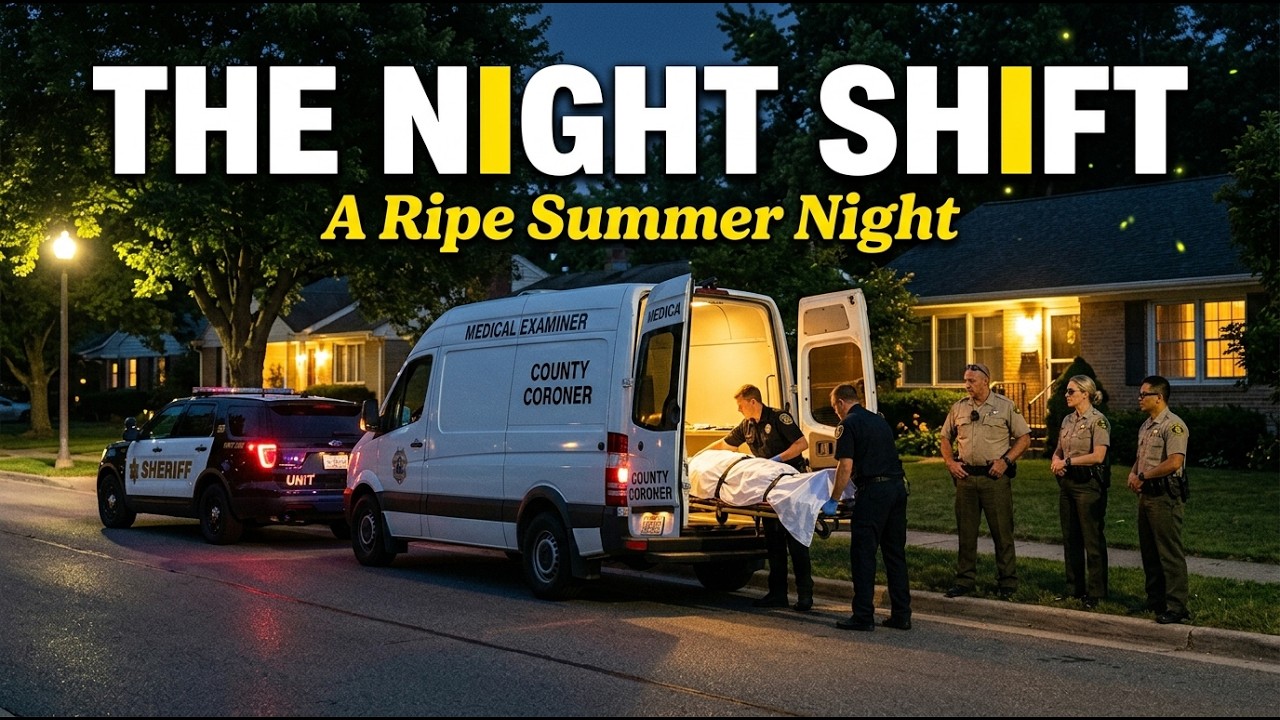
For those of you who have responded to those summer decomps. If you've had a gnarly one, drop your story in the comments.
Video created with Veo3.
#ai #flow #police #lawenforcement #sheriffdeputy #deathinvestigation #gemini #veo3 #aishorts
nova linden
pearl roost
Guys can someone help me master prompts please
After a little over a month of figuring things out, I found this is the template works for me. Using this template I was able to make this video. Scene Description is where youre going to have a tough time because you have to be descriptive and careful how you phrase the actions you want your characters to do, and then adjust it in a why AI will understand.
Style:
Character Description:
Scene Description:
Camera Directions:
Soundtrack (Optional):
Lighting:
Tone & Mood:
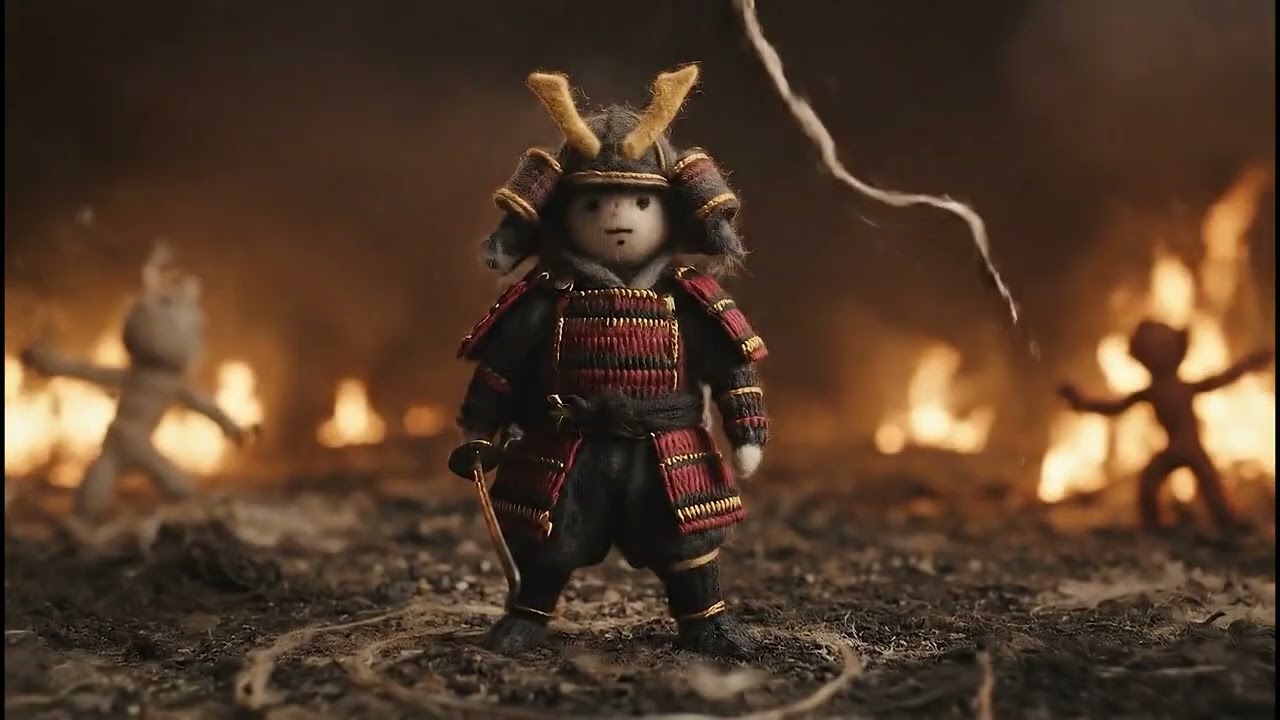
This short came from experimenting with the other video; one of the AI generations gave it a surreal visual, and I just started building from there, resulting in this. I would never have thought of this if I hadn't brainstormed with my kids.
#samurai #dragon #stopmotion #aishorts #yarn #veo3 #epicbattle
nova linden
brittle salmon
I have created a 1st scene in flow, it looks great, now I want same cartoon char...
Use the same character description you had in your first scene. Copy and paste. Its not going to come out exactly the same, there will be variants, but it will be close. If you have access to wisk, take a screen shot of your characters and have whisk run a more detailed description for you use.
nova linden
manic widget
please everyone, what do i need to do... i need to stop getting this subtitles i...
At the end of your prompt put no sub titles. You might have to put it in quotes, sometimes you dont have to.
nova linden
 mental coyote
Hello as a reminder we cannot create videos in the discord server
mental coyote
Hello as a reminder we cannot create videos in the discord server
What are you trying to get the doll to do?
 safe geyser
Any tips on how to get a first person POV in Veo3? Example

Keeps wanting to revert to showing the character running.

Scene through the character's eyes.
safe geyser
manic widget
please everyone, what do i need to do... i need to stop getting this subtitles i...
Don't put " " quotes around the dialogue
zinc spear
I'm trying to make a lipstick ad (just playing with the tool) and this output gave a surprise 🤣 someone is behind. hahahaha I also have issues in this prompt.
- her thumb should smudge her lips. (but lipstick should stay intack)
- her lips should touch the board. (revealing transfer proof lipstick)
I tried 6 revisions from the original. I'm having progress but still won't give me the result I want.
zinc spear
safe geyser
Any tips on how to get a first person POV in Veo3? Example
include the keyword "first person perpective POV" in your prompt.
 proud hollow
#flow-tips-n-tricks・✏️ Funny Video Script: Pitching "PetRock 2.0" with Google Flow
Scene 1: The Grand Introduction
(Upbeat music plays, Flow zooms in with colorful text animations: "WORLD’S GREATEST IDEA!" explodes on screen.)
Narrator (excited, slightly over-the-top):"Welcome, visionaries, dreamers, and people who accidentally clicked this video! Buckle up, because I’m about to unveil… PetRock 2.0! The revolutionary comeback of the 1970s classic, now with Wi-Fi and emotions! Let’s Flow through this pitch like nobody’s business!"
(Flow transitions: sparkles, a spinning pet rock graphic, and a dramatic sound effect: BOOM!)
Scene 2: The Problem
(Screen shows a sad, lonely person staring at a plain rock. Flow adds a tear effect for extra drama.)
Narrator (mock serious, with a quivering voice):"Picture this: you’re home alone, your goldfish ghosted you, and your plants are judging your life choices. You need a friend who’s low-maintenance, high-vibe, and… literally a rock. But regular rocks? Boring! They don’t text back, they don’t vibe, and they definitely don’t update their status on X!"
(Flow animation: a rock with a frowny face fades into a question mark spinning wildly.)
Scene 3: The Solution – PetRock 2.0!
(Epic music swells. Flow showcases a shiny, animated PetRock 2.0 with glowing LED eyes and a tiny antenna.)
Narrator (pumped, with exaggerated enthusiasm):"Introducing PetRock 2.0! This ain’t your grandma’s paperweight! It’s a smart rock with Wi-Fi, a built-in mood ring, and an AI personality that roasts you better than your best friend! Watch it connect to your smart home, glow when it’s happy, and sulk when you forget to ‘feed’ it… virtual gravel!"
(Flow effect: PetRock 2.0 pulses with colors, text bubbles pop up saying “Yo, water me!” and “I’m rocking this vibe!”)
 pseudo summit
dim gull
<@1398394549503791124>
Here's an example of my method for achieving consistent...
pseudo summit
dim gull
<@1398394549503791124>
Here's an example of my method for achieving consistent...
Hello , I see your video is 36 seconds, how do you achieve that ? the maximum video length i am getting with flow is 8 seconds.
 gentle swallow
pseudo summit
Hello , I see your video is 36 seconds, how do you achieve that ? the maximum vi...
gentle swallow
pseudo summit
Hello , I see your video is 36 seconds, how do you achieve that ? the maximum vi...
4 scenes blend together in to one video
 pearl raft
pseudo summit
Hello , I see your video is 36 seconds, how do you achieve that ? the maximum vi...
pearl raft
pseudo summit
Hello , I see your video is 36 seconds, how do you achieve that ? the maximum vi...
You can extend scenes in flow. So technically only the first scene needs a big prompt. You can literally draw notes on the final frames of the remaining scenes to extend them. Veo3 will understand the notes and animate the changes without any prompting necessary besides "add the changes written on screen"
pseudo summit
pearl raft
You can extend scenes in flow. So technically only the first scene needs a big p...
So I use the last frame of the first scene generated? Or shoukd I continue writing in the same prompt space & mention to continue from last scene of previous prompt and flow will remember the previous prompt and build on it?
 small berry
hey guys i am trying to put several scenes together in flow to have a one minute long video . I got the first scene working perfectly but after trying to create the next scene it always goes up to 99% and after a couple of minutes it cancels the rendering and stops the process . I have tried it 2 times again with no success . Are the servers the problem ? its my first project with flow looking for some help
 sly mist
Hi guys, still pretty new to VEO3 and flow. What do you find are the main differences between fast and quality generation in veo3? is the credit cost difference worth the difference in quality?
 dim fractal
small berry
hey guys i am trying to put several scenes together in flow to have a one minute...
dim fractal
small berry
hey guys i am trying to put several scenes together in flow to have a one minute...
Yeap. have this problem over 24 hours
small berry
dim fractal
Yeap. have this problem over 24 hours
I kinda found the solution by accident . It said it couldn’t finish the rendering so after several times no success I wanted to try tomorrow again . But on the thing where the date of today is ( don’t know how it’s named ) I saw all the clips that in the Projekt itsself were not loading
dim fractal
small berry
I kinda found the solution by accident . It said it couldn’t finish the renderin...
It generates them, you just need to reload the page after 99 percent.
But this takes extra time + downloading 1080 is almost always without sound.
I need to do about 150-200 promts)
With glitches like this it will take forever)
 hallow crystal
when I run out credits and I can't prompt anymore when do I get more credits?
 desert sluice
hi! guys! I made this two shots with veo3. Action is preety good, but I still can´t make it POV shot. Any thoughts? tips? Thanks . PROMPT USED : True Point of view perspective from a newborn greyhound puppy. The camera is low and wobbly, pushing and nuzzling its way through a soft pile of its wriggling siblings. The view is a chaotic but gentle blur of dark fur and tiny paws. After a short, clumsy struggle, the camera finds the warm, soft belly of the mother dog. It pushes forward, latches onto a teat, and the motion settles into the rhythmic, comforting act of nursing. The lighting is warm and dim, shallow depth of field, hyper-realistic textures, intimate and safe atmosphere. Probe Lens macro ultra wide angle
zinc spear
desert sluice
hi! guys! I made this two shots with veo3. Action is preety good, but I still c...
try to use this keyword "first person perspective POV of a greyhound puppy"
zinc spear
hallow crystal
when I run out credits and I can't prompt anymore when do I get more credits?
Either you buy additional or wait for next month
 dusk ore
I am struggling to create videos in german. Specially when I try to extend my video in VEO 3 with jump to, it throws an error saying "only english prompt supported this time". Has anyone had this kind of problem and solved it ?
 reef sorrel
proud hollow
<#1337164214631927872> Funny Video Script: Pitching "PetRock 2.0" with Google F...
reef sorrel
reef sorrel
reef sorrel
proud hollow
<#1337164214631927872> Funny Video Script: Pitching "PetRock 2.0" with Google F...
reef sorrel
reef sorrel
 tulip harbor
@dim gull
 coral badge
Hey all, i need the video to have the same camera angle, fixed. but no matter how i explain it or word it, it is never fixed. any ideas?
desert sluice
tripod keyword?
coral badge
desert sluice
tripod keyword?
wait, cuz i havent actually tried that. brb thanks
 dawn ledge
reef sorrel
dawn ledge
reef sorrel
@reef sorrel awesome!🎉
pearl raft
pseudo summit
So I use the last frame of the first scene generated? Or shoukd I continue writi...
Just seeing this but first add the scene to the "Scenebuilder". Then save the last frame of that scene as an asset. Click on that asset as the first frame in "Frames-to-Video" without leaving the Scenebuilder. Then write the new prompt. Flow does not have an "internal memory" for your custom story so you have to rename people if you want it to know who you are talking about.
 desert spoke
anyone been playing with equirectangular prompts and 360 video?
reef sorrel
desert spoke
anyone been playing with equirectangular prompts and 360 video?
Yeah, a good number of people here have experimented with 360 video-style prompting
dim gull
<@&1366831844502274180>
 coral forge
On it
small berry
guys i need help iv tried like 5 times and the old grandpa keeps singing insteeadd of talking , what is wrong with this prompt i tried saying not to sing and all that stuff but nothing works : Cinematic, cozy old London street at dusk during a soft drizzle.
Camera positioned intimately close in front of an elderly man walking toward it, framing his full body and the charming cobblestone street around him.
The camera slowly dollies backward, maintaining a close and personal distance, capturing warm yellow street lamps and softly glowing storefront windows of old cafés, bakeries, and shops.
The damp pavement reflects the warm lights, enhancing the nostalgic and peaceful atmosphere.
The overcast sky shows a subtle bluish hue, contrasting with the street’s warm glow.
The elderly man wears a wool coat, a scarf, and a flat cap, embodying a reflective mood.
This is the start of a gentle, emotional life story.
Voice-over (soft, reflective tone): "If I could go back... There’s one thing I’d change. I once loved someone — truly."
No singing or lip-sync animation. Static or natural mouth movement only — no musical lip syncing.
Style tags: #cinematic #cozy #emotional #nostalgic #warm-lighting #storytelling #rainy-evening #moody
Format: vertical 9:16 (TikTok)
with this prompt everything works but i wanted to change what the person says but the old guy is always singing but not in this clip :Cinematic, cozy old London street at dusk. Camera slowly dollying backwards in front of an elderly man walking toward it. Show full body and surrounding street – cobblestone road, warm yellow street lamps and storefront lights glowing softly. The scene is rainy or slightly damp, with refle
ctions on the pavement. Charming old cafés, bakeries and shops line the street. The atmosphere is nostalgic, gentle, and peaceful. Sky is overcast with a bluish hue, but the street is warmly lit. The man is wearing a wool coat, scarf, and a flat cap. This is the beginning of a reflective life story. Voiceover (include in clip): “You know... there’s something I’ve carried for decades now...” Style & mood tags (optional if Flow accepts them directly): #cinematic #cozy #emotional #nostalgic #warm-lighting #storytelling #rainy-evening #moody
dim gull
small berry
with this prompt everything works but i wanted to change what the person says bu...
small berry
dim gull
Try this.
https://promptalchemist.com/share/dZGPMiUOsO23oryZinl5
hey man thanks worked out very good . but what is this programm that it has the optimized prompt and what do i need to write that it removes the musci , because if i create another clip , the music wont be the same . and how can i make sure that the voice sounds the same
 upbeat terrace
oops wrong channel
past sonnet
graceful python
It's nothing too elaborate yet. I basically uploaded the Vertex AI for Veo 3 doc...
This works great. Have been using it today. Good results. Have you taken link off here?
 craggy cloud
guys how can I create videos with the same person for every video. I have tried veo 3 fast in gemini and with the same prompt the person in the video is always different
 fierce sapphire
Same here issues bro
craggy cloud
fierce sapphire
Same here issues bro
how did you do it in those 2 videos ?
fierce sapphire
Same here issues bro
 floral cairn
Anyone have experience with character and scene consistency doing an animated graphic-novel style sequence?
 thin idol
anyone have expereince with animation stuff
like this
want some help to get better at prompting it
 fast bobcat
craggy cloud
guys how can I create videos with the same person for every video. I have tried ...
fast bobcat
craggy cloud
guys how can I create videos with the same person for every video. I have tried ...
I think you need to have the Ultra plan and use the Ingredients mode
If you drop a pic of your reference subjects in ingredients it should create some consistency
https://support.google.com/labs/answer/16353334?hl=en&ref_topic=16355608&sjid=15809196360959896852-NC 1:24 into this video
Creating in Flow | How to use Google’s new AI Filmmaking Tool Learn how to use Flow to generate videos and turn individual clips into a compelling narrative. Generate
 chrome sinew

I have problem making videos
I wanna this snowmobile to fall
But i wanna ice to crash
I can someone make script and promp for that?
 neon palm
zinc spear
Either you buy additional or wait for next month
neon palm
zinc spear
Either you buy additional or wait for next month
How do i buy additional credits?
zinc spear
chrome sinew
I wanna this snowmobile to fall
With the update on veo you can now draw or write instructions in an image and google will follow that to make your video. Use image frame to video with flow
zinc spear
neon palm
How do i buy additional credits?
Hmm I'm not sure on how. Try to check with flow manage account or settings i guess. I just stop using flow when I'm out of credits. Sorry can't help much.
neon palm
zinc spear
Hmm I'm not sure on how. Try to check with flow manage account or settings i gue...
thank you
 light needle
chrome sinew
light needle
chrome sinew
you can always ask ChatGPT to give u a prompt for that, if you show gpt the picture and write exacly what you want
 cyan raft
what's the best prompt i you want the camera to orbit around? veo 3 sometimes doent get it
 next rock
Hello guys. Just new here. Help me out pls. I just want to know if anyone have experience generating a GTA VI style video on flow? Just like this video. https://www.instagram.com/p/DL0L23TOwS8/
 patent axle
small berry
guys i need help iv tried like 5 times and the old grandpa keeps singing instee...
patent axle
small berry
guys i need help iv tried like 5 times and the old grandpa keeps singing instee...
i think the reason for the singing might be because you say "voiceover"
Try this format instead "the elderly man says: bla bla bla"
Dont put quotation mark
patent axle
craggy cloud
guys how can I create videos with the same person for every video. I have tried ...
ur best luck is to write a very detailled (but not too long) character prompt and use the exact verbatim prompt each time, generate at least 2-3 and keep the best one
If they are in the same scene, you can just frame to video and it will be the exact same character at the beginning of the scene, but this method sometimes lower the overall details/quality
 tight viper
A hyper-realistic cinematic video showing a close-up of a superhero inspired by Iron Man, from shoulders to head, wearing his iconic red and gold helmet. The hero is standing still in a dark, futuristic environment with soft urban fog and reflections. The camera begins a slow, dramatic zoom toward his face. A large, reflective knife moves horizontally above his head and slices through the helmet down the middle in slow motion. As the cut happens, ASMR-style sounds are heard: metallic slicing, subtle electrical sparks, and low ambient hums. Instead of gore, from inside the split armor emerge glowing energy cores, arc reactor fragments, tech wires, and holographic schematics — all floating and pulsating with blue and red light. The entire atmosphere is symbolic, with cinematic lighting, tension, and immersive audio.
 dusty pewter
can how can I make it go upwards towards the spaceship, spent like 300 credits so far on this scene
nvm got it lmao
 sage cipher
craggy cloud
guys how can I create videos with the same person for every video. I have tried ...
sage cipher
craggy cloud
guys how can I create videos with the same person for every video. I have tried ...
try using the same person image as first frame using Frames to video (Create the person´s image before)
 solid horizon
I'm managing to maintain character consistency in tests so far by using frames to video generation, using some of the tips here (thank you to everyone). But how do I maintain voice quality/tone/accent consistency between different scenes? I have someone using a slight British accent, but then in the next generation it's changed to an American accent, and the tone is a bit lower. Any suggestions on how to maintain consistency?
dim gull
solid horizon
I'm managing to maintain character consistency in tests so far by using frames t...
That's one of the biggest problems with relying on frame to video for consistency. You need to accompany it with an extremely solid text prompt for the subjects and their dialogue to help maintain voice.
solid horizon
dim gull
That's one of the biggest problems with relying on frame to video for consistenc...
I read elsewhere that some people clone the voice into Elevenlabs and then sync up the results with the video after. Wonder if that works.
dim gull
solid horizon
I read elsewhere that some people clone the voice into Elevenlabs and then sync ...
Yeah, it's all a balance with how much you want to do in post. Obviously getting the best initial generation should be the goal.
 strong bridge
I'm using flow trying to get the physics to work on break dancing is absolutely driving me nuts
 deft ivy
dim gull
<@1398394549503791124>
Here's an example of my method for achieving consistent...
deft ivy
dim gull
<@1398394549503791124>
Here's an example of my method for achieving consistent...
Thanks for sharing, I was able to get mostly consistent characters
 frozen citrus
Hi, I'm having trouble. I'm creating an image to video. I give the prompt in English and the instruction to speak the speech in Spanish. I give it the entire speech in Spanish, but it doesn't accept it. I already gave it everything in English, and it doesn't follow the instruction to speak in Spanish. And it doesn't say exactly what I put in the dialogue in the speech.
 deep sinew
Hi Veo team and community,
I'm working on a video concept and would love some advice on the best way to prompt it, as I'm consistently running into a few issues.
The Core Idea:
My goal is to create a split-screen video with two different backgrounds (e.g., gray on the left, orange on the right) where the divider between them is perfectly invisible.
A great example of what I'm trying to achieve is this: A single character (a woman in a business suit) walks from the left side of the frame. When she reaches the invisible center line, she steps onto a moving airport travelator (walkalator) that only exists on the right side.
As she moves onto the travelator, the left side she came from becomes empty. She then stands still on the travelator as it carries her smoothly off the right side of the screen. The goal is to show one seamless, uninterrupted journey from one environment to the next.
The Problem:
No matter how I phrase the prompt, I consistently get results with one of the following issues:
A hard visible line (either black or white) appears in the center.
The character is duplicated, appearing on both sides of the screen at the same time.
The AI interprets it as two separate static scenes rather than one continuous motion.
What I've Tried:
I have used very detailed, descriptive prompts with strong keywords like "perfectly invisible divider," "single continuous take," "seamless journey," and "the left side becomes empty." I've also used a very extensive list of negative prompts to forbid lines, borders, duplication, two scenes, and multiple characters.
My Question:
Does the team have any advice or specific prompting strategies to achieve this effect? Is there a better way to phrase the concept of a single character stepping into a different zone with a moving element like a walkalator?
Any examples or keyword suggestions would be incredibly helpful.
Thank you!
this is an example
 worthy ether
I have a dialog between 2 people in the frame. veo mixes up who says which line every time. using json does not help. Has anyone cracked this puzzle yet?
dim gull
worthy ether
I have a dialog between 2 people in the frame. veo mixes up who says which line ...
This is an example of how I manage to get the subjects to speak dialogue in concert. Sometimes still run into issues, but this formatting definitely helps me.
worthy ether
{
"scene": {
"description": "A sunny afternoon in a quiet suburban neighborhood. A Mediterranean-style house with red tile roof, beige stucco walls, and palm trees is centered in the background. The shot is wide and static, showing the house in full. Two women stand in the foreground, both clearly visible, facing each other.",
"camera": {
"movement": "static",
"angle": "wide",
"cuts": false
},
"audio": {
"background_music": false,
"ambient_sounds": [
"light breeze",
"dialogue",
"clicking and clattering of plastic LEGO bricks during collapse"
]
}
},
"characters": [
{
"role": "Client",
"description": "Black woman with natural curly hair wearing a yellow dress. She stands on the right side of the frame, arms crossed, with a skeptical expression. She tilts her head slightly as she speaks.",
"line": "How do I know this house is not a prompt?"
},
{
"role": "Realtor",
"description": "White woman with red hair, wearing a white dress. She stands on the left side of the frame. She glances nervously at the house, then leans slightly forward and whispers.",
"line": "It… is not."
}
],
"timing": {
"cue_after_line": "Realtor",
"event": "house_lego_collapse"
},
"events": [
{
"name": "house_lego_collapse",
"type": "visual",
"description": "Immediately after the Realtor finishes whispering, the house begins to collapse entirely as if made from LEGO-style bricks.",
"details": [
"Collapse starts from the top and affects the entire 3D structure — roof, walls, back and sides — not just the front.",
"The roof tiles, walls, windows, and palm trees break apart into hard plastic interlocking blocks.",
"Each block detaches cleanly and falls with realistic physics, making loud clicking and clattering sounds as they hit the ground.",
"The entire house transforms into a flattened pile of LEGO-like pieces on the ground."
],
"visual_fidelity": {
"material_behavior": "Hard plastic bricks, similar to LEGO. Each piece should behave with proper collisions and weight.",
"color_consistency": true,
"retain_original_colors": true,
"note": "Red roof turns into red blocks, beige walls become beige bricks, clear windows become translucent LEGO-style parts. No bright mismatched toy colors."
},
"audio_details": {
"collapse_sounds": "Sharp plastic clicks, clatters, and snapping as bricks fall and bounce. No crumbling or soft material sounds."
},
"duration": "5-6 seconds"
}
],
"reactions": [
{
"character": "Client",
"action": "turns her head slowly toward the collapsing house, expression shifting from skeptical to surprised"
},
{
"character": "Realtor",
"action": "sighs, looks down slightly and mutters dryly",
"line": "Not again.",
"tone": "flat, disappointed"
}
]
}

and here is what it made
5 attempts still mixes up who says what. I am using image to video veo 3 fast
I thought maybe it makes the person on the left say the first line, flipped horizontally and it makes realtor in white dress say the first line every time. maybe because on the image she has her mouth open?
dim gull
worthy ether
5 attempts still mixes up who says what. I am using image to video veo 3 fast
Image to video makes it even more difficult to get consistent dialogue. Try text to video.
worthy ether
yeah, text to video has other stupid side effects
i typically get more luck with image to video but with this particular image no luck for some reason
dim gull
Pick your poison brother.. gotta work with the what the models giving. Gl!
worthy ether
i am just trying to understand what makes it pick girl in white dress to say the first line and disregard instructions and cleared structure in assigned dialog
 forest hazel
dim gull
forest hazel
dim gull
<@&1366831844502274180> here as well.. smh
worthy ether
I filed a bug before, looks like they create a bug ticket for it since they were able to reproduce it
 young meteor
Do you guys have any super strong promts i have to try?
 unique knot
Does anyone know when the jump to and extend to features will be available for veo 3?
 craggy edge
Just paid for the ULTRA subscription expecting amaizng results, turns out VEO 3 still doesn't accept image ingredients. I hope they release them soon because the monthly cost for ULTRA is high
 dim gull
worthy ether
dim gull
worthy ether
You're expecting a hell of a lot out of it with this one. Id be interested to see your accompanying prompt.
worthy ether
the prompt just says "execute", that's how others were able to get it working for their scenes
dim gull
worthy ether
the prompt just says "execute", that's how others were able to get it working fo...
Oof. Yeah nooo... Try making the text prompt do the heavy lifting, and only use the image to add specific notes for camera movement or additions that may be difficult to convey through text.
worthy ether
i mean you can see it tried to do it all, it just has problems tossing a hat even through text prompt and getting particular cab to pull over with an alligator as a driver, I tried many prompts by themselves, but even notes did not help it see which cab should pull up
dim gull
I'm leaving the hat because my mis-typing made this even funnier xD
 hollow mason
Hi
 robust lintel
/create
 late prawn
dim gull
I'm leaving the hat because my mis-typing made this even funnier xD
late prawn
dim gull
I'm leaving the hat because my mis-typing made this even funnier xD
please advise the correct formula to generate a video like this using a prompt , thanks
/create old man giving a surmon

 halcyon copper
/create a man
 undone lake
is it possible to make prompt through gemini
 little imp
 polar geyser
solid horizon
I read elsewhere that some people clone the voice into Elevenlabs and then sync ...
polar geyser
solid horizon
I read elsewhere that some people clone the voice into Elevenlabs and then sync ...
Oh snap that's so smart
 barren eagle
polar geyser
Oh snap that's so smart
barren eagle
polar geyser
Oh snap that's so smart
Create me a video in first person of a homeless man walking into a car which has a bad pc in it and really bad audio and bad loud sounds outside a kfc which has wifi and say I hope to win this pc my name is deano on discord and I thank halal stocks for this opportunity and end the video by some security people coming to remove him from the premises and take away the phone he is using to record
@undone lake please can u use my prompt
barren eagle
Create me a video in first person of a homeless man walking into a car which has a bad pc in it and really bad audio and bad loud sounds outside a kfc which has wifi and say I hope to win this pc my name is deano on discord and I thank halal stocks for this opportunity and end the video by some security people coming to remove him from the premises and take away the phone he is using to record
solid horizon
polar geyser
Oh snap that's so smart
I tried it and it works, but as Prompt notes it's extra work. And also I haven't figured out if Elevenlabs voices will replace accents or not when you use the replacement function, so you have to hope the accents in your Flow videos are consistent.
undone lake
barren eagle
<@315918312099807232> please can u use my prompt
why bro
undone lake
solid horizon
I tried it and it works, but as Prompt notes it's extra work. And also I haven't...
Yeah elevenlabs kinda works
Sometimes you have to generate it manually
because when u replace it, it sounds weird sometimes
 tardy hinge
Has any one had any success creating a short intro of 3D metalic text being disolved by a sand tornado as it washes over the text?
tardy hinge
tardy hinge
Has any one had any success creating a short intro of 3D metalic text being diso...
I can't get the text to disolve, i can either get it to explode or do noting at all.
tardy hinge
tardy hinge
I can't get the text to disolve, i can either get it to explode or do noting at ...
Best I could get VEO3 to do is this after over 15 tries
 distant valve
I’ve started using Alchemist for character consistency which seems to work but can’t help #flow-tips-n-tricks・✏️ the output from Flow.
 dim gull
distant valve
I’ve started using Alchemist for character consistency which seems to work but c...
dim gull
distant valve
I’ve started using Alchemist for character consistency which seems to work but c...
To download in Flow's scene builder, hover over the video preview and then the button is in the bottom right.
distant valve
@dim gull Thanks sorry I meant that the car in the scene has two steering wheels 🙂
dim gull
distant valve
<@170922162641829898> Thanks sorry I meant that the car in the scene has two ste...
Gotcha, yeah veo is silly like that. I've had my character in the passenger seat and and the car driving itself before too.
 pearl sage
Does someone know how to make text on clothing accurate ?
 rain timber
solid horizon
I'm managing to maintain character consistency in tests so far by using frames t...
rain timber
solid horizon
I'm managing to maintain character consistency in tests so far by using frames t...
I'm curious whether Project Opal could help? If it's all part of the same workflow? https://opal.withgoogle.com/?mode=canvas
simple turret
Is it okay if i post marvel / DCU themed Videos i make ? some have gore , but flow allows it
 slow zealot
GTA cat's
a wild cat and a marsupial in Australia
a wild cat and a marsupial in Australia
a wild cat and a marsupial in Australia clip musical
 hidden crow
why the video is faling espcially in dialogu i try 10x
 flint oyster
rain timber
I'm curious whether Project Opal could help? If it's all part of the same workfl...
flint oyster
rain timber
I'm curious whether Project Opal could help? If it's all part of the same workfl...
The app doesn't work in some countries..
Why??.
rain timber
I wish I knew, sorry
flint oyster
rain timber
I wish I knew, sorry
But do you have any other recommendation??.
rain timber
Use a VPN?
 young trout
A tiny snail walking slowly on a flower petal in the rain, cinematic close-up shot, soft focus, raindrops falling around, magical feeling --ar 16:9
mellow lake
In a quiet Sri Lankan town, a 25-year-old young man named Kasun falls deeply in love with a 20-year-old girl named Nipunie. Their bond grows strong over time, filled with laughter, late-night conversations, and silent promises. But as their love blossoms, life begins to pull them in different directions.
Nipunie’s family pressures her to accept a marriage proposal from a wealthy suitor abroad. Torn between love and duty, she makes the painful decision to leave Kasun and move overseas — a choice she believes will secure her family's future.
On the morning of her departure, rain pours from a gray sky as Kasun waits by the roadside in his worn-out three-wheeler. Soaked but unwavering, he watches as Nipunie approaches in her travel attire, a heavy sadness in her eyes.
Kasun softly says,
"I’m still in love with you. I won’t pretend to be okay with you leaving... but I truly wish you a life full of happiness."
Nipunie, holding back tears, looks at him one last time.
As she steps into the vehicle, she turns back —
and sees Kasun standing still beside his tuk-tuk, alone in the rain, with heartbreak written all over his face.
worn cedar
solid horizon
I read elsewhere that some people clone the voice into Elevenlabs and then sync ...
its what I had too for Red Planet 3, since there was no success in obtaining english with a touch of russian accent.
Designing the voice in Eleven Labs was much better. I did text 2 voice and sync the results that kind of matched the Veo 3 videos.
solid horizon
rain timber
I'm curious whether Project Opal could help? If it's all part of the same workfl...
Hmm, didn't know about this. Much of this is still beyond my ability, but will look at it.
rain timber
This only debuted days ago. There is a channel for it in this discord.
solid horizon
Thanks for the heads up!
solid horizon
worn cedar
its what I had too for Red Planet 3, since there was no success in obtaining eng...
When I tested it, I did voice to voice replacement so that the sync would be exact. But I only played with it a little.
worn cedar
Yes, this works fine too. But in my case, v2v could not produce the accent.
 still olive
 sly token
how do i create videos with my product and logo?
simple turret
Hope you guys enjoy these , took a lot of prompt changing to get most of the parts right
 drowsy sluice
craggy dome
Could someone create the following character for me?
A young woman with light t...
drowsy sluice
craggy dome
Could someone create the following character for me?
A young woman with light t...
 long jackal
{
"style": "",
"composition": "",
"camera_motion": "",
"lighting_mood": "",
"film_grain": "",
"subject": {
"description": {
"age": "",
"ethnicity": "",
"skin_tone": "",
"attire": "",
"expression": ""
},
"action": ""
},
"audio": {
"text": "",
"voice": {
"tone": "",
"accent": "",
"nationality": "",
"gender": "",
"speed": 1.0,
"style_tags": [],
"pitch": ""
}
},
"negative_prompt": ""
}
so this is the base of the json prompt i created for UCG style videos - can you suggest a better prompts to replace "negative prompts"
 lusty forge
A fictional African leader standing on a podium at a press conference, wearing elegant agbada and cap attire and eye glass . He faces a crowd of reporters holding various microphones, branded with "Nwaeze tv". The scene is set outside a government building with flags with the colour green white and green waving in the background. TV cameras flash, journalists ask questions, and the leader answers confidently. "Yes, Men should stop cheating on their wives with the excuse of, men are polygamous in nature... women are also polygamous in nature" Cinematic lighting, depth of field, 4K resolution, professional news atmosphere, distant close-up shot."
Can I generate video here with a prompt?
 pine swan
Create a panda eating mango
 soft valley
A video of a news reporter going up to a baby in the hospital just been bored and the news reporter says what do u wanna be when ur older and the baby says, well my parents run a company to import the good stuff and they said im the next in line to run the business so i have to sniff and transfer good stuff to junkies in London and then he goes back to sleep and video ends setting is a hospital
 golden marlin
Man, Flow/Veo 3 is an amazing tool but for us narrative story tellers the content filter is insanely awful, but I am guessing most people here know that. It very much stiffles creativity in the most negative possible way. No sexual or explicit content at all but constantly interpreting it as such, yet, I can have cussing dialogue with no problem. Trying to refine the JSON prompter I built to help with this issue. I get the celeb and explicit content filtes being there to protect everyone but it is SO over the top. Still love the tool.
pale island
why cannot use faces done with AI on flow it says violets then also any kind of scene i create it says violets .. seems like it censors everything .. same with you ?
pale island
golden marlin
Man, Flow/Veo 3 is an amazing tool but for us narrative story tellers the conten...
why cannot use faces done with AI on flow it says violets then also any kind of scene i create it says violets .. seems like it censors everything .. same with you ?
golden marlin
Not everything but way oversensitive.
maiden marsh
reminder! videos in #flow-videos・📹 and here is for sharing just the prompts!
also we cannot generate videos in the discord! thanks!
 misty topaz
why is the same prompt working in flow and not working in gemini video (veo 3),sometimes. Both are without characters using languages. It outputs , "cannot generate "error. And both are with uploading a picture to starts with. Im a beginner for this amazing technology.
 plucky kindle
An ASMR video, which is a relaxing category of video with soothing sounds and visuals. This video is of someone wearing gloves cutting open a glass strawberry with a knife, cutting it into slices and then dicing them into cubes and spreading them on toast, like a jam. This videos background consists of a professional kitchen backdrop with the camera focused onto a cutting board where the scene happens.
 green lava
como se genera vide desde foto porfa me indican gracias
green lava
"The camera follows a dachshund running through a living room and out of an open front door and onto a porch. It stands on the top stair overlooking the neighborhood as an ice cream truck drives by." -
 bronze wigeon
guys how you tried to make something very fast in veo? it always is very slow motion even if i ask for really fast movment. maybe json will help me but i don’t tried it anymore
 split juniper
/prompt create boy
 buoyant crane
has anyone tried giving veo 3 prompts in JSON format? i've been having amazing success
Example:
{
"description": "A masked intruder dressed in matte-black tactical gear crouches beside a cabin's side wall. The camera glides toward him through the bushes as he pulls out a compact lockpick tool. With deliberate precision, he unlocks a narrow side window and pushes it open, letting in a breeze that sways sheer white curtains. He slides inside, landing silently on wooden floorboards. Inside, the cabin is bathed in dim amber light from a fireplace and hallway bulb. The camera moves behind him as he glides across the hardwood floor, silenced pistol raised, scanning the room with calculating eyes. A photograph of a man and a dog sits on a nearby table. The silence is tense. Suddenly, a distant floorboard creaks upstairs. The intruder freezes mid-step, body tightens, and his weapon rises instantly toward the ceiling.",
"style": "hyper-realistic cinematic stealth, grounded action-thriller aesthetic with rich textures and ambient realism",
"camera": "begins with a smooth dolly-in through foliage at crouch level, shifts to a close-up of the lockpick working, then transitions inside to a slow, low handheld-style tracking shot behind the intruder",
"lighting": "warm and low; interior lit by flickering fireplace glow, dim hallway bulb casts soft shadows; exterior lit faintly by moonlight through mist, creating contrasting warmth inside vs cold out",
"environment": "secluded modern cabin in dense pine forest; interior features open-plan design with dark wood paneling, stone fireplace, scattered furniture, tactical gear bag near the door",
"elements": [
"masked intruder in matte-black tactical gear with silenced pistol",
"lockpick set in use on small cabin window",
"soft white curtain swaying in breeze",
"fireplace casting flickering light onto dark floor",
"table with framed photo of man and dog",
"minimalist interior: leather couch, wooden floor, stairs in the background"
],
"motion": "intruder picks the window lock, slowly pushes it open, enters silently, crouches and rises, scans room with pistol raised; camera glides behind him as he moves forward—pauses sharply when he hears noise above",
"ending": "intruder stands still with gun pointed upward, eye fixed toward the ceiling, tension frozen mid-air as the camera tightens on his face",
"text": "none",
"keywords": [
"16:9",
"John Wick realism",
"tactical stealth",
"photorealistic low light",
"fireplace shadows",
"tense breach",
"tracking camera",
"hardwood interior"
]
}
 main hedge
simple turret
main hedge
simple turret
whats the prompt bud?
 vernal perch
{
 formal lily
@buoyant crane Id love to see the result too.
Ive been experimenting with JSON but it seems that very complicated JSON prompts are too much for the model to handle and it loses context / relevance, and, sometimes, makes things up entirely.
I'd love to have a working session on best practices with JSON.
My goal is to establish a JSON framework that I can use to create generative ads, and, up to this point, I have been unable to create an ad worth publishing
simple turret
main hedge
whats the prompt bud?
message me exactly which one bro and i will find and send you it , they do take a few tries until it gets done nright
tulip harbor
simple turret
Hope you guys enjoy these , took a lot of prompt changing to get most of the par...
Wonderful 😘 Can you share the prompts,
simple turret
tulip harbor
Wonderful 😘 Can you share the prompts,
kryptonite
simple turret
tulip harbor
Wonderful 😘 Can you share the prompts,
venom trasnsform
tulip harbor
@simple turret @simple turret thanks
simple turret
tulip harbor
<@708186582825304094> <@708186582825304094> thanks
show us results when made bro
tulip harbor
Yes definitely
 mortal ermine
mortal ermine
mortal ermine
mortal ermine
mortal ermine
{
"scene": "A retro cartoon living room in the style of 1940s Tom and Jerry shorts, with vintage furniture, warm pastel colors, and a soft grainy texture",
"characters": [
{
"name": "Tom",
"type": "anthropomorphic cartoon cat",
"appearance": "classic Tom design with blue-grey fur, white paws, big yellow eyes",
"action": "wearing the Citizen Tsuyosa NJ0151-88M wristwatch on his left wrist, showing it off dramatically with exaggerated cartoon gestures"
},
{
"name": "Jerry",
"type": "small anthropomorphic cartoon mouse",
"appearance": "classic Jerry design with brown fur, big ears, and mischievous smile",
"action": "pointing excitedly at Tom’s wristwatch, jumping up and down comically"
}
],
"watch": {
"brand": "Citizen",
"model": "Tsuyosa NJ0151-88M",
"dial_color": "turquoise blue",
"dial_markers": "silver hour indices and silver hands",
"date_window": "magnified date window at 3 o'clock showing number 7",
"case": "brushed stainless steel with integrated bracelet",
"bracelet": "polished and brushed steel links",
"style": "photorealistic but integrated in cartoon style to match the environment"
},
"animation": {
"sequence": [
{
"description": "Jerry sneaks behind Tom, peeks at his wrist, then gasps dramatically"
},
{
"description": "Tom smirks, extends his arm towards the camera, and the watch sparkles cartoonishly"
},
{
"description": "camera zooms in on the Citizen watch in classic cartoon close-up style, with comedic 'bling' sound effect and animated stars"
}
]
},
"style": "classic 1940s hand-drawn animation look, exaggerated facial expressions, vintage color palette, soft film grain overlay"
 glacial meteor
Nepali vloger
#flow-tips-n-tricks・✏️ ultra-fast-paced, cinematic 4k video with quick cuts.
Shot 1 (2 seconds): A frustrated student slams their hand lightly on their desk, sighing at their laptop.
Shot 2 (3 seconds): INSTANT TRANSFORMATION. The room is now a magical jungle temple. A wise "Bandar Guru" wearing spectacles winks and points a single finger forward. As he points, a glowing, ethereal 'A-Z Sort' button materializes in the air and emits a bright, satisfying pulse of light.
Shot 3 (3 seconds): INSTANT CUT back to the student, who now looks up with a wide-eyed, amazed expression of relief. The "MayaLok" channel logo animates subtly in the bottom corner of the screen.
 stray laurel
Make a Veo 3 flow video
 delicate tulip
#flow-tips-n-tricks・✏️ ultra-fast-paced, cinematic 4k video with quick cuts.
Shot 1 (2 seconds): A frustrated student slams their hand lightly on their desk, sighing at their laptop.
Shot 2 (3 seconds): INSTANT TRANSFORMATION. The room is now a magical jungle temple. A wise "Bandar Guru" wearing spectacles winks and points a single finger forward. As he points, a glowing, ethereal 'A-Z Sort' button materializes in the air and emits a bright, satisfying pulse of light.
Shot 3 (3 seconds): INSTANT CUT back to the student, who now looks up with a wide-eyed, amazed expression of relief. The "MayaLok" channel logo animates subtly in the bottom corner of the screen.
 south maple
buoyant crane
],
"motion": "intruder picks the window lock, slowly pushes it open, enters si...
south maple
buoyant crane
],
"motion": "intruder picks the window lock, slowly pushes it open, enters si...
Interesting. Thanks! 👍
zinc spear
How do you get prompt in json format?
 loud moss
{
"title": "Luvinti – Coffee Anywhere",
"style": "Minimal, Cinematic",
"duration": "15s",
"aspect_ratio": "9:16",
"brand": "Luvinti",
"scenes": [
{
"scene_id": 1,
"description": "Close-up of espresso pouring from Luvinti coffee maker into glass cup. Logo visible. Slow motion, warm lighting.",
"effects": "Text: 'Barista Quality. On the Go.'"
},
{
"scene_id": 2,
"description": "Top view of device packed into travel case. Clean white background.",
"effects": "Text: 'Compact. Powerful.'"
},
{
"scene_id": 3,
"description": "Traveler drinks espresso at sunrise on mountain. Luvinti device beside.",
"effects": "Text: 'Anywhere. Anytime.'"
},
{
"scene_id": 4,
"description": "Product shot on dark background with glowing power button.",
"effects": "Text: 'Now at Luvinti.com'"
}
]
}
generate {
"title": "Luvinti – Coffee Anywhere",
"style": "Minimal, Cinematic",
"duration": "15s",
"aspect_ratio": "9:16",
"brand": "Luvinti",
"scenes": [
{
"scene_id": 1,
"description": "Close-up of espresso pouring from Luvinti coffee maker into glass cup. Logo visible. Slow motion, warm lighting.",
"effects": "Text: 'Barista Quality. On the Go.'"
},
{
"scene_id": 2,
"description": "Top view of device packed into travel case. Clean white background.",
"effects": "Text: 'Compact. Powerful.'"
},
{
"scene_id": 3,
"description": "Traveler drinks espresso at sunrise on mountain. Luvinti device beside.",
"effects": "Text: 'Anywhere. Anytime.'"
},
{
"scene_id": 4,
"description": "Product shot on dark background with glowing power button.",
"effects": "Text: 'Now at Luvinti.com'"
}
]
}
Pikabot
sage cipher
zinc spear
How do you get prompt in json format?
If you create it on gpt just ask gpt to give you the result in that format
zinc spear
sage cipher
If you create it on gpt just ask gpt to give you the result in that format
Ohhh thanks! I was thinking there's another app / site for that
sage cipher
{ "prompt": "Wide-angle aerial establishing shot—realistic flock of seagulls soaring over a shiny black luxury sport car parked on a sunlit beachside sidewalk. As seagulls pass, dozens of white droppings bombard the car in slow motion, turning its sleek surface speckled white. Camera cuts to a low side angle—car door bursts open, and the frantic owner that was inside the car in the driver's seat (mid-30s, well-dressed man) sprints out in horror, yelling 'Nooo! Not again!' while flailing arms, slipping slightly on the sidewalk. Beach sounds audible—waves crashing, distant seagull cries, and sudden chaotic jazz music swelling. Cinematic lens flare, warm afternoon sunlight glinting off metal, poop dripping down windshield in ultra detail. Ends with a dolly zoom of the man running off while seagulls circle overhead. Absurd, ironic, slightly tragic comedy." }
 visual flint
can we use cinematic "Pixar Studios" style?
 green arrow
Need help to refine the prompt, I tried using the gemini and chat gpt to help but it doen't meet my expectation yet: and I don't know why this show up to me.
Here's the idea.
I want to explain to people how Thailand's political system works. I want a picture of a big pyramid of monarchy, it looks like a pyramid of the capitalist system, but the king is at the top. At the top we see the king sitting on the gold chair; we see a couple of concubines around him. Under the king's layer, we see nobles, lords, and some generals carrying the circular plate that holds the king's level by holding it above their heads.
Under the nobles and lords layer, we see the gentry and elite carrying the upper levels above their heads.
Under the gentry layer, we see the middling sort layer, most of them wearing yellow shirts, holding the upper layer above their heads.
Under the middling sort layers, we see private soldiers, police, Thai government officers, and Thais wearing yellow shirts holding the whole pyramid above their heads.
On the ground, there are a lot of people who are not wearing yellow shirts and didn't hold the pyramid walk around.
I want the camera to start from the extremely wide shot to see the whole picture, we see a Southeast Asia map in monochrome and highlight Thailand by having green color and small trees, then we see a lots of people on it, and the pyramid is at the center of thailand, make it at bangkok. the camera move from the border see a lots of people and dolly in to the base of the pyramid, seeing peolpe down there holding the pyramid with exhaustion. then the camera move slowy to the top, the higher the level is, the happier people will be.

 next sentinel
is there a secret to getting subjects to 'appear' in the shot?
zinc spear
next sentinel
is there a secret to getting subjects to 'appear' in the shot?
do you mean the subject will pop out or something like magically pop out in a certain spot?
next sentinel
zinc spear
do you mean the subject will pop out or something like magically pop out in a ce...
I mean like appear from thin air, like magic. To go from invisible to visible.
zinc spear
next sentinel
I mean like appear from thin air, like magic. To go from invisible to visible.
oohhhh i see. I was trying that command awhile ago through frame to video. 😂 Try to describe it as "[subject] pops up dramatically in a magical poof effect. The [subject] teleports into view in the center of the screen."
next sentinel
zinc spear
oohhhh i see. I was trying that command awhile ago through frame to video. 😂 T...
thanks for the help. It took a few rolls, but here's the result & prompt. I used start & end frames, Veo2 Fast. static shot, cinematic horror, an infinity mirror room. the shot is a view of the wall of the infinity room. in the background we see a mirrored wall. One by one, each mirror panel on the wall flares with a blinding, overexposed white light. As the light instantly vanishes, a woman is left standing in each mirror. This happens for each mirror panel as Each woman appears magically in a magical poof effect.
zinc spear
next sentinel
thanks for the help. It took a few rolls, but here's the result & prompt. I us...
the "magical poof effect" did the thing with my video too ☺️ awesome video you got here.
 woven rapids
Hi everyone! I’m currently working on a shortfilm made in flow, I’m just wondering if there is any tips to get more benefits out of the extend tool, there are two connecting shots where my subject moves out of frame and comes back in but no matter how hard I try with starting frame, start+endframe, extend, it doesn’t seem to get it right
 broken kindle
Is not possible to make a video using Veo more than 8 sec ?
 long bone
woven rapids
Hi everyone! I’m currently working on a shortfilm made in flow, I’m just wonderi...
long bone
woven rapids
Hi everyone! I’m currently working on a shortfilm made in flow, I’m just wonderi...
Hey Millie! I've been using veo for about a month now.
Try adding "single continuous unbroken shot"
Similar to scene changes in the popular Netflix series adolescent...while i thought the show was popular the public may think differently lol
broken kindle
After using Gemini and flow, which is the best, and for the prompting what is the best one
 tough dock
Both are using same VEO3
 astral raptor
Hi to all, someone try generate a video with a json promt?
zinc spear
broken kindle
Is not possible to make a video using Veo more than 8 sec ?
use flow to extend your video.
broken kindle
Guys, what do you using to generate prompts that gives better result from Veo 3
dim gull
broken kindle
Guys, what do you using to generate prompts that gives better result from Veo 3
Hey, I created a free prompting tool that a fair number of people use. The link is in my bio.
If you have any questions about prompting you can always shoot me a message. The biggest thing is to be detailed. Have fun creating!
 wicked junco
Thnx
woven rapids
long bone
Hey Millie! I've been using veo for about a month now.
Try adding "single cont...
Yes exactly like that! do you usually do it with the extend feature or utilize last frame and render in veo 3? it's a quite tricky shot but I want it to work, thank you for responding in advance!
long bone
Indeed tricky. I found more success with using frames to video. Somewhere in the failed renders should be a good starting frame to add and a good ending frame to add. (Can only add frames with scenes inside of scene builde)
Once you have the frames loaded try using the frames to vid or Ingredients to video and see what you get. Ask Chatgpt or Gemini to tweak the prompt and make it a continuous shot
woven rapids
thank you so much, i've been wrestling with the video model to either get the shot right or the quality, for some reason start and end frame renders don't produce quality shots. It's probably because my starting images aren't great in the first place
long bone
No problem !
 brittle lantern
yo quick question—i’ve been noticing some videos on instagram with babies talking and stuff, but every time i try to do it on veo 3 the audio’s muted. anyone know if there’s another way people are doing this? or any workarounds to get audio when it’s a baby or child in the prompt?
 bronze river
Hello, is extend feature only available with Veo 2 (and no sound?) or the Ultra plan already gives the possibility to extend with sound and Veo3?
 queen ravine
my first Veo3/sonovid.ai "movie", 1 min 10 sec long: https://www.youtube.com/watch?v=u5ZxME4tJRo My dream was to create my own movie based on my book, but it's a dream- waaaay beyond my capabilities. Then I came across Veo3. I tried to reimagine scene from my book and... sadly, my book is heavy dialogue based- Veo3 at the moment could not handle that. So, I had to create completely new story/world/universe to play with Veo3. That's how I created Eye-hole Clan story-line. I know- Veo3 is not perfect. But... it's amazing how well I can reflect my vision with it. Hollywood execs look at it and they must feel scared- Im sure of that... In few years, people like me will create whole movies with tools like Veo3, or maybe Veo5 😉

Eyehole Clan is a clan of dwarves who keep up with the times. Instead of gold, they collect likes, shares, and subscribers. Eyehole Clan will take on any mission—from clearing castles of dragons, to slaying zombies, or making your mother-in-law disappear from the face of the earth. Got a need? Eyehole Clan can handle it!
zinc spear
dim gull
Hey, I created a free prompting tool that a fair number of people use. The link ...
I enjoyed your site that I used it on my tutorial. ☺️
https://youtube.com/shorts/FHFGrC_LM8E?feature=share - shorts version but the complete guide is on long form
Learn how to create a soothing experience using AI. This tutorial shows you how simple it is to generate satisfying video with AI tools. The creator highlights the step-by-step process to generate ASMR with ai.
Full video:
https://youtu.be/GHCUN0oRcV8
Part 1:
https://youtube.com/shorts/R9PmCU3nyFg?feature=share
Goo...
 left yew
hi there! I tried to use veo 3 in mode photo to video and it's not avaiable, someone knows if it's gointo oto be avaible?
mellow lake
A 25-year-old young woman named Nethmi stands near the Eiffel Tower in Italy, visibly emotional, and exclaims:
"Don't mess up something so rare to find in Italy, idiot! Howsad, mind your own damn business, man!"
"All dialogue must be translated into Sinhala Language"
Create video A 25-year-old young woman named Nethmi stands near the Eiffel Tower in Italy, visibly emotional, and exclaims:
"Don't mess up something so rare to find in Italy, idiot! Howsad, mind your own damn business, man!"
"All dialogue must be translated into Sinhala Language"
zinc spear
left yew
hi there! I tried to use veo 3 in mode photo to video and it's not avaiable, som...
I'm having issue today with image to video too. 🙁
oh nevermind. It's working now 😄
 unborn shoal
astral raptor
Hi to all, someone try generate a video with a json promt?
unborn shoal
astral raptor
Hi to all, someone try generate a video with a json promt?
Works really well.
{
"model": "Veo 3 Fast",
"duration_seconds": 2,
"constraints": { "no_text": true, "no_logos": true },
"scene": "Abstract branded end card: center icon-shape resolves, unlabeled button shape pulses once; high-contrast background.",
"style": { "color_usage": "brand accent only" },
"audio": { "sfx": ["clean confirmation tap"] }
}
 sacred seal
Can I generate video here in discord?
 tight burrow
 hollow zodiac
No Audio generating !!!
 torpid kite
how do yall get the video in 9:16 aspect ratio. Google doesnt listen to that command
 rich dove
tight burrow
rich dove
tight burrow
is this how u actually inport the prompt or r u just telling us key details i just bought flow lol
tight burrow
rich dove
is this how u actually inport the prompt or r u just telling us key details i ju...
its a Json prompt , just copy all and paste to flow
 wind skiff
How would you display this kind of view (POV, 自分視点) for flow video generation? Tried both but neither worked. I was trying to recreate some mecha cockpit pilot view in Veo

1st person view also doesn't work well
zinc spear
wind skiff
How would you display this kind of view (POV, 自分視点) for flow video generation? T...
"First person perspective POV of a man looking down at the floor" try this keyword
wind skiff
zinc spear
"First person perspective POV of a man looking down at the floor" try this keywo...
This works, but if I specify what body part can be seen in the prompt, it went back to 3rd person POV of the mech
Prompt
Animated scene, over-the-shoulder view of an anime girl with teal hair in a purple pilot suit inside a biomechanical sci-fi cockpit. The girl actively operates the controls — right hand gripping a joystick, left hand pressing glowing keys — as the cockpit subtly shakes. The curved panoramic screen ahead shows first person perspective POV of a mecha looking down at the floor, with forearms, abdomen and legs seen in the display. Back to the cockpit, Blue holographic warnings flash at the side. The girl is sitting on a cool mecha chair, speaking to the microphone: "So this is how it feels?"
The console in front of the girl has two control sticks located on both side, and a microphone in the middle.
The camera pans smoothly from the front of the cockpit, starting with the girl's hands on the controls — right hand gripping the joystick and left hand pressing glowing bioluminescent keys. Then, it moves backward, following the girl's posture and capturing the panoramic cockpit screen from behind. At last, it pans slowly across the cockpit, showing the subtle organic movement of the walls, levers shifting, and the girl’s face reflecting in the cockpit glow.
zinc spear
wind skiff
Prompt
> Animated scene, over-the-shoulder view of an anime girl with teal hair...
Do you really need to describe the girl's hair if this shouldn't be shown?
 sharp palm
how to prompt?
wind skiff
zinc spear
Do you really need to describe the girl's hair if this shouldn't be shown?
Obviously the girl is referencing to Rei Ayanami from Evangelion 🙂
zinc spear
wind skiff
Obviously the girl is referencing to Rei Ayanami from Evangelion 🙂
I think veo is confused, if you want a pov of a girl using the controls then you don't need to describe the face of the pilot. I'll try your prompt.
 languid wasp
I would prompt like this
Shot: Extreme Wide Shot with a slow Crane Down movement.
Description: The scene opens on a vast, cloud-dappled sky, then slowly cranes down to reveal a sprawling, windswept valley. Using a wide-angle lens and deep focus, every detail is sharp, from the rolling green hills in the foreground to the ancient, dark forest on the horizon. The composition uses the Rule of Thirds, with the small, thatched-roof town nestled at a lower intersection point, making it feel both small and significant. A river acts as a leading line, guiding the viewer's eye through the landscape to the town. The style is pure Studio Ghibli: lush, watercolor-textured backgrounds, vibrant greens, and soft, golden light that evokes a sense of peace and nostalgia.
I have more prompts if anyone wants to try them
 peak prism
Hi, How to change the orientation of video in Veo Flow
zinc spear
peak prism
Hi, How to change the orientation of video in Veo Flow
do you mean you want a 9:16 output?
peak prism
I know the VEO FLow will not give in 9:16 result. But I want the camera and scene to be made in 90 degree rotated. So that we will get it rotated after results
zinc spear
peak prism
I know the VEO FLow will not give in 9:16 result. But I want the camera and scen...
I made a YT content to get a 9:16 output. You can try it if you want. Not 100% smooth but works most of the time. The content is on my yt channel. Link is on my profile.
tight burrow
zinc spear
I made a YT content to get a 9:16 output. You can try it if you want. Not 100% s...
ahh thanks , now i can make tiktok video on flow
peak prism
Thank you.
peak prism
zinc spear
I made a YT content to get a 9:16 output. You can try it if you want. Not 100% s...
Thank you, I got something. But I am looking for much better result.
 idle hearth
Hello guys, I have a problem with generating Georgian texts. 2 days ago, there was no problem at all while working in Google VEO3. I even was able to generate Georgian text from Higgsfield via VEO3 model. What seems to be the problem?
zinc spear
wind skiff
Obviously the girl is referencing to Rei Ayanami from Evangelion 🙂
This is the best I could do. I think this can still be improved. Sorry I misunderstood at first. I thought you want a POV of the pilot. Now I get it, you want a POV of the mecha itself. haha

Also the mecha hands are moving in this scene.
zinc spear
tight burrow
ahh thanks , now i can make tiktok video on flow
I tried it on flow and it works in there as well. What I did is in every extension I mention the keywords to give it a consistent frame.
tight burrow
zinc spear
I tried it on flow and it works in there as well. What I did is in every extensi...
got it , thank for the tips
zinc spear
tight burrow
got it , thank for the tips
you're welcome ☺️
 mortal plover
How can i create longer videos than 8 sec ? I want to create tiktok shorts
zinc spear
mortal plover
How can i create longer videos than 8 sec ? I want to create tiktok shorts
use flow or generate multiple clips and combine it using editing tool like capcut
 lavish idol
Are there any courses or content I should read and watch to understand the basics of gen AI prompts? (to understand veo work and how to use)
zinc spear
lavish idol
Are there any courses or content I should read and watch to understand the basic...
I think someone shared a link here of the basics of veo prompting
 warm finch
Please share again
lavish idol
yes please
 ionic fern
Hope this works, read 12 - use styles from 11.
Estructure would be something like:
[Mood] + [Style] + [Shot Type] + [Subject] + [Subject Details] + [Action] + [Environment].
[Camera Motion + Camera Angle] + [Environment Detail].
[Dialogue]
On 11.pdf you got each variables.
Little example that i was just doing
A dark, expressionist-inspired Plaza de Mayo at night, with distorted Casa Rosada architecture leaning unnaturally, casting long angular shadows across the square. Politicians in old suits with elongated limbs wear unsettling theatrical masks—half joy, half despair—tilted slightly as if mocking the viewer. Harsh streetlights create flickering pools of light, while protest banners flap violently in the wind. The camera uses exaggerated low angles and slow tracking shots to make the figures tower menacingly against the night sky, the Obelisco visible in the distance.
You can use the shot types early, if you know json i seen some really good stuff.
Start with little stuff, camera angles, different camera changes, colours.
 floral stirrup
Anyone have a hood roofing marketing video u could edit to my own
zinc spear
warm finch
Please share again

Medium
Master video generation with expert-level prompting techniques using Google’s Veo 3
 gritty mesa
some kind soul please help me out here with a google flow prompt. I am trying to generate a video with this scene, in which the woman is not walking but remains standing in the same spot, turning her head to look around here, while the camera moves and orbits to capture her more in the center of the frame. But for some reason, no matter how much i insist on not making the woman walk, google flow makes her walk and dissapear from the frame.
 vernal perch
Thread
wind skiff
zinc spear
This is the best I could do. I think this can still be improved. Sorry I misunde...
I wonder if you could persistently recreate such kind of scene by adjusting the prompt? Sometimes it works but sometimes it doesn't
zinc spear
wind skiff
I wonder if you could persistently recreate such kind of scene by adjusting the ...
I changed your prompt for that output. That's the first video. On the second attempt using the same prompt it gave me a different display. Yeah, sometimes it works and sometimes it doesn't. I can give you the prompt I used if you still need it.
wind skiff
zinc spear
I changed your prompt for that output. That's the first video. On the second att...
Yeah, please!
zinc spear
wind skiff
Yeah, please!
alright I'll dm it to you
 crimson grove
The Tempting Button
Pixar-style 4K cinematic animation of a cartoon light gray cat with emerald-green eyes, fluffy tail, small pink nose, and expressive eyebrows creeping low across a cozy living room carpet toward a glowing red button sticking out from under the rug. The cat’s movements are slow and exaggerated, whiskers twitching, eyes narrowing with curiosity. Behind it, a plump white chicken with bright red comb, round yellow beak, and clumsy stance peeks into frame, tilting its head in comical slow confusion. Camera dolly-in, then dramatic zoom on the shimmering button with magical light pulsing. Sound: playful pizzicato strings, faint hum from the button, soft carpet paw steps, and a quiet chicken “cluck.”
vernal perch
Are there any courses or content I
pale island
who tried to use sketches for better movement controls ?
vernal perch
who tried to use sketches for better
 idle ferry
#imagefx・📷 "A lush, magical forest in soft morning sunlight, colorful wildflowers, tall trees with glowing leaves, a small yellow duckling with bright eyes holding a shiny golden ball, Pixar-style, ultra-detailed, warm lighting"
vernal perch
what do you mean by dev
sage cipher
lavish idol
Are there any courses or content I should read and watch to understand the basic...
You can also use GPT to create some prompts and try them to see how the structure of the prompts work.
 ionic berry
lavish idol
Are there any courses or content I should read and watch to understand the basic...
ionic berry
lavish idol
Are there any courses or content I should read and watch to understand the basic...
I run the Instagram account call TheYetisVlog got about 151k Followers. But my business partner and i can help you create prompts that we have trained GPT to create for us. We just give it the idea and it creates everything else that we then copy and paste it into Veo 3
 wispy basalt
yo
 unborn kraken
@mossy merlin cool idea (rent a Dad) 😂
zinc spear
this is a phishing link. can someone delete this? @uneven mica
ahahahahahahahahahahahahaha this is funny and witty 🤣 I almost want to rent one 😂
 fading zephyr
Hi I am trying to make video in Flow ai but not able to make with Hindi language kindly suggest me the solution
 flat jasper
VEO is english only supported. Sorry.
sage cipher
flat jasper
VEO is english only supported. Sorry.
I have created videos in Spanish and Portuguese. What needs to be in English is the prompt.
fading zephyr
sage cipher
I have created videos in Spanish and Portuguese. What needs to be in English is ...
can you plz help me out to create in Hindi also😀
sage cipher
fading zephyr
can you plz help me out to create in Hindi also😀
I think you have just to say that you want the characters to speak in Hindi in the prompt.
If you send me the prompt you have I can try to generate one for you and then send you the correct prompt
fading zephyr
plz check the prompt
maiden marsh
please keep all messages in English! thank youu
sage cipher
fading zephyr
plz check the prompt
Where?
sage cipher
gritty mesa
some kind soul please help me out here with a google flow prompt. I am trying to...
Did you solve it? (That is la Previsora in Caracas)
gritty mesa
sage cipher
Did you solve it? (That is la Previsora in Caracas)
Correct! La previsora in Caracas. Yes, i ended up with a passable solution by switching from veo2-fast to veo3-fast
sage cipher
gritty mesa
Correct! La previsora in Caracas. Yes, i ended up with a passable solution by sw...
Cool!
gritty mesa
Did it pronounce the dialog in hindi? I though veo only supported english
sage cipher
Check the video ☝🏼
The thing is that I used GPT and told it in English what I want the character to say and specified that had to be in Hindi
By the way this is what she is saying
"Hello friends, today we are going on a new adventurous journey!”
The Prompt absolutely has to be written in English but even if you request GPT in other languaje what you need, you simply say at the end of your request "please write the prompt in English" and it understands that you want the prompt in English but what the characters say in any other language. (I have tried Spanish, Portuguese, Polish and now Hindi)
sage cipher
oh they removed the video, sorry guys
I´m all in favor for logic rules, but if a user of the system HAS to generate a video in other language, does that user has the right to get answers here and to be shown how to do things or not? I carefully share the prompt and had pasted the translation of what the woman said, and the video was removed anyway. Is your forum, but I really find this very bad for people that NEEDS to create content in different languages.
also the prompt that was in English was removed.
I used credits from my paid Ultra plan to generate the video to help a fellow user that I don´t know. Is not that the idea of this communities?
sage cipher
fading zephyr
Hi I am trying to make video in Flow ai but not able to make with Hindi language...
I sent you a message with the prompt and the video result
 tight ibex
I have to make a long video but I can't seem to keep the characters consistent so I can join these short videos I have a small story like thing that I'll be adding to ppt while I'm talking so I just need consistent characters doing the acts.
The story is about Engineers doing real devices testing for connectivity etc with WiFi devices.
zinc spear
tight ibex
I have to make a long video but I can't seem to keep the characters consistent s...
For consistent character, you need to describe it in full details in every clip
tight ibex
zinc spear
For consistent character, you need to describe it in full details in every clip
I'm exploring the ingredients option and will see what it does.
600 credits burned already without knowing lol
zinc spear
tight ibex
I'm exploring the ingredients option and will see what it does.
oh.. i haven't tried that. I think ingredients option is available for ultra plan which isn't my subscription 🤣 so my option to get a consistent character is to describe it in full details. haha
tight ibex
Oh I just have a pro plan for pixel 9. This is the last month of its years worth of subscription and it's pretty much underutilized.
zinc spear
tight ibex
Oh I just have a pro plan for pixel 9. This is the last month of its years worth...
i didn't know ingredients option is available to pro plan. haha silly me
tight ibex
zinc spear
i didn't know ingredients option is available to pro plan. haha silly me
Silly me wasted 11 months of credits and now exploring options on its last breath.
 heavy totem
for context, https://www.youtube.com/watch?v=DmIzS6IV9HU i made the first 30 secs of this before the last update, then I got some drift, ok I updated my prompt, not perfect but still usable and today, using the same exact character prompts...Im getting what Is above

and I made a 13 min movie prior to this, exact same approach, yes some drift but it wasnt narrative breaking https://youtu.be/PoSIC2m4vVQ
The thrilling conclusion, find out what happens to Dr. Lyle, Lena and Maris.
This film is very much inspired by the HP Lovecraft stories I grew up reading and then, reading to my children. I wanted to challenge myself by telling a story that didn't rely on exposition or character VO to drive the narrative, this is very much a story driven by ch...
woven rapids
any prompt tips to have the camera completely still? (static shot, locked shot, non-moving shot, wallpaper, NO MOVEMENT, locked tripod, etc...) all don't work
 rocky aspen
animate the character move running

 gentle cobalt
Ultra-realistic 4K macro footage, close-up angle, of a hand holding a butter knife, rapidly pressing and spreading a squishy jelly Minecraft glass block across a golden-brown toasted slice of bread. The toast fills the frame with a shallow depth of field. The cube is perfectly shaped with transparent light-blue pixel textures, shiny and semi-transparent like gummy candy, centered on the toast and measuring exactly half the toast’s width. From the first frame, the knife presses into the block’s top surface, flattening it completely and spreading its glowing pixel patterns in smooth strokes across the entire surface of the toast until fully covered. The inside of the block is also jelly, with shimmering blue pixel-like patterns. The action is continuous, fluid, and fast-paced. The sound is ASMR style.
 gritty vigil
So it is definitive that JSON prompting is not superior to a "text" prompt? I'm trying both and I don't see a difference, despite people saying that JSON is better, but maybe it's just me not being good at prompting
gritty vigil
Also, I see around and even proposed by ChatGPT and Gemini to have a JSON prompt with multiple scenes in it (as an array), but still only the first one is created. Are they giving bad suggestions or am I missing anything?
 golden hill
ultra realistic video of Extreme Close-Up – Eyes Jerk Open of a woman in 30s
• Lens: 85mm or 100mm macro
• Framing: Extreme close-up on one eye
• Sound: Abrupt horn, alarm, or loudspeaker bleeds into silence
• Note: The pupil reacts before the body moves — emphasizes involuntary reaction to noise.
 flat dust
sage cipher
I´m all in favor for logic rules, but if a user of the system HAS to generate a ...
flat dust
sage cipher
I´m all in favor for logic rules, but if a user of the system HAS to generate a ...
You give the command to p gpt. Write the prompt in English, but the character's speech will be in the language, for example: Brazilian Portuguese. This always works.
flat dust
fading zephyr
Hi I am trying to make video in Flow ai but not able to make with Hindi language...
You give the command to p gpt. Write the prompt in English, but the character's speech will be in the language, for example: Brazilian Portuguese. This always works.
flat dust
queen ravine
my first Veo3/sonovid.ai "movie", 1 min 10 sec long: https://www.youtube.com/wat...
How did you achieve consistency?
 kindred lynx
What can you say other than clarify that you want characters to be kept consistent to do so? Anytime I generate the characters don't stay the same at all. I tried using Gemini to make me a flow prompt but unfortunately that made my output much worse.
 potent sorrel
How do I get a dilaog like this? In German
heavy totem
kindred lynx
What can you say other than clarify that you want characters to be kept consiste...
It’s broken right now it even morphed my image to video reference from one race to another
kindred lynx
heavy totem
It’s broken right now it even morphed my image to video reference from one race ...
How will we know when this is fixed?
heavy totem
I have no idea , it’s only gotten worse every update, people insist it’s the prompt, it’s not , the API is working better I’ve got access to that too A/B testing between both
Same prompt blah blah
sage cipher
potent sorrel
How do I get a dilaog like this? In German
Write your prompt in English but tell Veo3 that you want the characters to speak in german indicating in German the parts when they talk even if all the prompt is in English (Mandatory for now)
sage cipher
flat dust
You give the command to p gpt. Write the prompt in English, but the character's ...
I know 🙂 I was explaining to another person how to do it and I posted a sample prompt for that person that produced a video in Hindi, and was deleted, that´s why I made that coment
potent sorrel
sage cipher
Write your prompt in English but tell Veo3 that you want the characters to speak...
Thanks for your answer. Sometimes I have the problem that a character speaks both parts. How can I change that?
languid wasp
I usually fix it post edit. Like voiceover or replace the scene
sage cipher
potent sorrel
Thanks for your answer. Sometimes I have the problem that a character speaks bot...
I sent you a message
 clear sky
hii, does anyone know if there is a way to train flow to create videos with consistent characters and if it is possible to show it what it looks like exactly so it can make something similar?
vernal perch
A 200 FPS cinematic shot starting from below and arcing up and over the burger while slowly rotating around it of a cheeseburger assembling mid-air. beef patty, melted cheese, wet fresh lettuce, and tomato slice fall into place, forming a perfect burger. The full burger is always in frame. The setting is a warm, rustic country kitchen at golden hour, with soft evening sunset lighting that shifts as the camera moves. The shot ends with a soft lens flare. Photographed as if with a Phantom Flex camera on a 35mm lens, with rich depth of field and crisp details. make sure there are only two burgers
Im trying to do more complicated camera moves on this type of burger assembly and struggling to find the right approach... any ideas?
 thin mantle
Is there prompt guide for flow? I've used chatgpt to help me optomize prompts. I consistently get guideline violations.
vernal perch
thin mantle
Is there prompt guide for flow? I've used chatgpt to help me optomize prompts. I...
share one of the prompts, ill take a look
thin mantle
vernal perch
share one of the prompts, ill take a look
Back in the boy’s bedroom, same warm golden light streaming through the window as in Scene 1. The same 10-year-old boy from the opening — short brown hair, casual t-shirt and jeans — sits on his bed. His mom from Scene 3 — mid-30s, shoulder-length brown hair, warm and approachable — enters from the left, walks over, and sits beside him. She wraps an arm gently around his shoulders. The boy leans into her, his posture relaxing. Camera captures them in a soft side profile, with the tablet slightly visible in his lap, showing faint hints of the Project M interface styled with deep blue (#00274C) and golden yellow (#FFCB05) accents. Background is softly blurred to keep focus on their faces. The mom gives a small, reassuring smile; the boy nods slightly, his expression easing. The atmosphere is safe, calm, and full of quiet understanding. Music swells slightly with warm strings or layered piano as she sits beside him, fading ambient sounds subtly under the score.
vernal perch
thin mantle
Back in the boy’s bedroom, same warm golden light streaming through the window a...
my guess is adults and children touching is a problem for reasons we best not discuss... so get create around it... gimme a sec to think of something
change arm around his shoulders, to The mom comforts her son
 gusty jasper
solo es en ingles?
vernal perch
gusty jasper
solo es en ingles?
Yessir
vernal perch
gusty jasper
solo es en ingles?
Guidelines: English-only conversations (for now).
Please keep conversations in English. This helps us moderate our community as we continue to grow.
thin mantle
vernal perch
change arm around his shoulders, to The mom comforts her son
well, that allowed me to generate. But it had her hugging another woman in bed LOL
Luckily I am running 2 gens at once and the 2nd one worked.
Any pointers are keeping consitency between characters? Mom gained 20 lbs walking down the hall and son got 4 years younger.
vernal perch
thin mantle
Luckily I am running 2 gens at once and the 2nd one worked.
Any pointers are k...
Im starting to play with https://promptalchemist.com/app but cant recommend yet, but seems promising for character consistency
drowsy sluice
golden hill
ultra realistic video of Extreme Close-Up – Eyes Jerk Open of a woman in 30s
...
queen ravine
flat dust
How did you achieve consistency?
I generated pictures in MJ using omnireference. Then I used best pictures as starting frame
drowsy sluice
 kindred wasp
anybody have tips on how to accurately make correct dialogue sequence via Frame-to-video? I keep getting the wrong character speaking the wrong dialogues with the wrong accent eventhough I specified clearly in many different ways. even tried the instructions with drawing on the image ...
tight burrow
kindred wasp
anybody have tips on how to accurately make correct dialogue sequence via Frame-...
create character voice profile .. make it as details as possible using chatgpt
 royal onyx
Prompte Royal
vernal perch
yo any boss level prompters on here can take a look at something for me?
simple turret
Hit some good ones today
rich dove
heavy totem
Nice camera move
 pliant tartan
Gjvuv
Scene: Busy Moroccan street in daytime, full of life. A funny futuristic AI reporter robot with a big microphone is interviewing random people in the street. People are laughing, joking, and some are making exaggerated facial expressions.
Camera: Fast-paced cuts between close-ups of people laughing and the robot asking silly questions, ending with a wide shot revealing a holographic 3D neon sign "Salhedine 4 IA" floating in the sky.
Lighting: Bright sunny Moroccan day with a touch of neon holograms.
Style: Semi-realistic CGI with cartoon-style reactions, 4K, 60fps.
Effects: Floating laughing emojis, quick pop-up comic speech bubbles with funny Darija phrases.
Dialogue (examples during quick cuts):
Robot: "واش كتضحك على الزمان ولا الزمان كيدحك عليك؟"
Passerby laughing: "الزمان معايا دار صحابو!"
Audio: Mixed street ambiance + bursts of laughter + short upbeat funky music.
Mood: Energetic, comedic, spontaneous street interview vibe with AI twist.
Duration: 8 seconds.
 grizzled rivet
unborn shoal
Works really well.
{
"model": "Veo 3 Fast",
"duration_seconds": 2,
"cons...
grizzled rivet
unborn shoal
Works really well.
{
"model": "Veo 3 Fast",
"duration_seconds": 2,
"cons...
So Json vs text, how big of a difference does it make? I tried both and mixed results. Accomplished same quality but curious what are the key possible outcome difference
 sand pilot
 hoary girder
Is there a good way of prompting with product image on flow?
 random plinth
im new to this and have a very noob question sorry if its been asked. can i make the same video multiple time with slighty different characteristics? i want to make a video of the same animal but with fire / ice / lightning powers. is this possible and how?
sage cipher
random plinth
im new to this and have a very noob question sorry if its been asked. can i make...
If you want the animal to be the same, try starting with the same animal image as first frame in each video and use the images to video option instead of text to video.
So generate a neutral static image (jpg or png) of the animal and then tell Veo3 to convert it to the variations.
 austere yoke
hi
 jaunty goblet
A rainy day in London
 zealous ruin
jaunty goblet
A rainy day in London
zealous ruin
jaunty goblet
A rainy day in London
prompt?
jaunty goblet
zealous ruin
prompt?
"ASMR video of a person walking in a busy London street during torrential rain, holding a black umbrella, close-up of raindrops hitting the umbrella, reflections on wet pavement, blurred city lights, people with raincoats and umbrellas passing by, soft ambient street sounds, cinematic slow-motion, immersive first-person perspective, realistic rain textures, muted color palette, focus on water splashes and wet surfaces, gentle camera movement following footsteps"
 mystic island
Make more bro 😉
mystic island
mystic island
Make more bro 😉
Yesss
jaunty goblet
My last bit of credits gone 🙁
"ASMR video inside a cozy London café, rainy street outside the window, raindrops sliding down glass, warm lighting, steaming cup of coffee on the table, jazz music playing softly, gentle clinking of cups, soft ambient chatter, focus on window reflections, cinematic slow-motion, immersive first-person perspective, muted color palette, cozy and calming atmosphere"
mystic island
Hot 🥵 coffee ☕
 steady island
steady island
steady island
steady island
steady island
Hi guys I need this guy pacing to and fro in his room looking confused and stressed I don't seem to get it right can anyone help with that I need it for a personal assignment
I don't get 😭
 native axle
steady island
I don't get 😭
native axle
steady island
I don't get 😭
Some people seem to think that they can post their prompt here and then receive the video for that prompt. But I don't think that's how this channel is supposed to work. 😄
steady island
native axle
Some people seem to think that they can post their prompt here and then receive ...
Oh 😳
steady island
steady island
Hi guys I need this guy pacing to and fro in his room looking confused and stres...
@native axle Can you help with this
native axle
steady island
<@570621102028488737> Can you help with this
I'm sorry, can't help you with that particular task. Your question seems to be very basic. Have you tried watching several VEO tutorials on YouTube, for example?
steady island
native axle
I'm sorry, can't help you with that particular task. Your question seems to be v...
Yes I have
But I would do that again
 modest cloak
@steady island Veo 3 - Quality / Frames to Video/ Try this prompt: Modify existing video so the man paces from the left to the right of the room repeatedly, displaying clear signs of stress and confusion. He runs his hand through his hair, furrows his brow, stops mid-step to look anxious, and exhales sharply. Make his body language restless and facial expressions tense. Maintain the current room layout and lighting, but enhance mood with dim, moody film-like lighting and soft shadows across the walls. Use realistic natural movement continuity, slight tracking to follow his pacing, cinematic style, and emotional intensity.
This is what I got on first attempt with those settings and that exact prompt.
steady island
modest cloak
<@1320206199223746622> Veo 3 - Quality / Frames to Video/ Try this prompt: Mo...
Thanks man 😊
flat dust
Has anyone found a way to create a video at 9:16? lol?
 dull garden
https://youtu.be/1uyrbx9TKpc?si=dREo9UX3PH7ttdIv - the prompts were very hard this episode after the latest update
Using Google's Veo 3 and Flow, I am attempting to create a Star Wars short series, this is episode 5. #google #flow #ai @StarWars #veo3
 verbal terrace
hey hi guys this is my first post in discort and in this community.
i am passionate abt fimlmaking exploring flow in that perticular direction.
i have promptedd a scene from my thoughts it didnt achive what i intened/imagined.
scenery 100% correct; man good; wrong direction and different type of entry (than my imagagination).
please correct me; critc me; be a part in my learning;
Ask me any qns you have?
prompt:
a pleasent early morning, sun's golden rays falling on a empty road an indian man in early 20's jogging facing sun. his body is sweatting a intence look in his face,a happy one(completed his jog goal). says "modhalupedama" in telugu
camera starts from empty road then charecter enters from left then we follow him to closeup
gen ai prompts to vedio. i feel it doing too many tasks at once . as in film maker veo is best (i feel). the problem is communication b/w us and veo.
prompts cant be the right way.
pls tell me your veiws
 polar pike
kindred wasp
anybody have tips on how to accurately make correct dialogue sequence via Frame-...
polar pike
kindred wasp
anybody have tips on how to accurately make correct dialogue sequence via Frame-...
did you ever get or find an answer?
Can anyone recommend how to have actions and dialogue happen in a specific order?
It seems like at best I can have the dialogue happen in order, and the actions happen in order, but any sort of dependencies between actions and dialogue, or even pauses between actions or dialogue, is hard to produce
potent sorrel
When i use gemini, why the dialogue is in englisch and sometimes in German?
 balmy abyss
Really?
bcz they're not fully working on the captions, they're working on the realism, voice etc
potent sorrel
Sometimes it gives the right result, sometimes not?
balmy abyss
yuh
like sometimes if u put "." Instead of ", " they'll speak the sentence before "." And end the ai generated video
 plain reef
Hi Guys, cheers to all!! My first post here!
Can anyone help, me?
I'm tryíng to do this children dancing and rotating in flow, but they didn´t do anything like this.
I´m using prompts like
the kids are rotating, in the circle, dancing, playing and cheering
the girl in the center is dancing and the kids are dancing, playing and rotating in a circle,
but it didn´t work.
Any tips?
 plain reef
Hi Guys, cheers to all!! My first post here!
Can anyone help, me?
I'm tryíng t...
plain reef
plain reef
Hi Guys, cheers to all!! My first post here!
Can anyone help, me?
I'm tryíng t...
here´s what I´m getting.
 north sparrow
not sure if this is the right channel to ask this but what's the best way to extend a VEO 3 scene to have it transition longer into the next scene? is it simply using the last frame of the 1st scene and using that as the first frame of the next scene? that's what i've been doing (with mixed results on quality and fidelity) but was just curious if that's the best practice. one thing i'm realizing is that i need to then ensure audio doesn't stop abruptly at the end of the first 8s then.
reef sorrel
 remote totem
plain reef
Hi Guys, cheers to all!! My first post here!
Can anyone help, me?
I'm tryíng t...
remote totem
plain reef
Hi Guys, cheers to all!! My first post here!
Can anyone help, me?
I'm tryíng t...
is this closer to what you were hoping for?
 true pilot
how would this in doing looping? for example the lighthouse light spinning.... so you can play it back to back.... without transitions.
 modern thunder
north sparrow
not sure if this is the right channel to ask this but what's the best way to ext...
modern thunder
north sparrow
not sure if this is the right channel to ask this but what's the best way to ext...
Try using Veo3 via Vertex on cloud.google.com 🙂 that feature is built in. Both works only with something you just generated. Won't work if you upload the video.
 analog grail
jaunty goblet
A rainy day in London
analog grail
jaunty goblet
A rainy day in London
is that an umpa lumpa walking?
true pilot
The girl in the center needs an exorcism... or she has a broken neck.
polar pike
Anyone have a technique for controlling the characters' voices? "The man has a deep voice: <dialogue>" doesn't cut it. Nor does adding "Negative prompt: nasal voice"
reef sorrel
plain reef
Hi Guys, cheers to all!! My first post here!
Can anyone help, me?
I'm tryíng t...
is this what you were hoping for?
the prompt that i used :
A dynamic, high-angle drone shot captures a diverse group of six animated children, gracefully dancing rotating circle
reef sorrel
reef sorrel
is this what you were hoping for?
the prompt that i used :
```A dynamic, high-a...
also it was one out of four generated video , the rest were ,, weird generation ( a new character suddenly appeared , the camera orbiting around them instead etc..)
 limber escarp
hi, can you make a video longer than 10 seconds? thanks
plain reef
reef sorrel
is this what you were hoping for?
the prompt that i used :
```A dynamic, high-a...
Exactly!! tks man!!
limber escarp
yes thank you I tried that but they were not all in the same style on the same prompt.
limber escarp
okay thank you
 broken hill
modern thunder
Try using Veo3 via Vertex on cloud.google.com 🙂 that feature is built in. Both ...
broken hill
modern thunder
Try using Veo3 via Vertex on cloud.google.com 🙂 that feature is built in. Both ...
last time i checked it looked like the api was more expensive than flow, do you know if that’s true?
broken hill
Is the alternative an independent contract, or batch mode, or something else?
Makes sense, thanks
 river breach
It's veo 3 create with just detail prompt it create greate result what your view on it
 frigid birch
Hey there, My question is: if I want VEO3 to generate a video that incorporates a specified logo into the video, how should I do it? I haven’t found any option to upload a logo file in Flow
 chilly ermine
Workflow I’ve come to:
Is to generate the video without the logo at first > take a still image from that video that is clear and without any motion blur > use photoshop to add the logo into whatever part of the shot makes sense to you > Upload the new still into VEO 3 with the image to video feature and prompt as you see fit.
This is purely for getting a logo into your piece in space thats dynamic or constantly moving
If you need a logo placed in that’s merely a watermark or tucked into the corner somewhere and static I would just use adobe premiere and pop it in
frigid birch
Sounds like a good workflow. Thanks very much.
My requirement is to integrate the logo into an abstract environment. such as, in a neural network, at the intersection point, there is a floating luminous body, and this luminous body is generated using the shape of the logo.
Same workflow as @chilly ermine said. gotcha, Let me try it.
polar pike
I'm doing the trick where you take the last frame of a clip as an asset using Scenebuilder, and then create an independent Veo 3 clip starting with that frame, and it's working pretty well, except that with each iteration, the colors seem to get more oversaturated. e.g. in the first clip, the characters had normal skin, but by the end it's very bright and glowy. Any ideas about this?
reef sorrel
polar pike
I'm doing the trick where you take the last frame of a clip as an asset using Sc...
was it veo 3 quality or fast? i also had that problem too and i was using veo 3 fast model
polar pike
Ok, makes sense. Do you know why it happens?
polar pike
reef sorrel
was it veo 3 quality or fast? i also had that problem too and i was using veo 3...
I've been using veo 3 fast
reef sorrel
ah ok
polar pike
because 💸
reef sorrel
hmm is that why they disabled jump to on veo 3 fast mode..
polar pike
reef sorrel
hmm is that why they disabled jump to on veo 3 fast mode..
ha, maybe
reef sorrel
last time i used jump to using veo 3 fast mode, the color/video was loooking very fried gradually everytime i do jump to
polar pike
Does anyone know of any tool, AI or not, that might remaster the whole final video to correct saturation and maybe upsample etc?
reef sorrel
polar pike
Does anyone know of any tool, AI or not, that might remaster the whole final vid...
capcut i guess,
 wheat rover
river breach
wheat rover
river breach
How did you generate 9:16 aspect ratio?
river breach
wheat rover
How did you generate 9:16 aspect ratio?
Two to you can do it
- upload you image in 9:16 ration download it then zoom it on any social media app like instagram or TikTok and upload it.
- First generate a image in 9:16 ration then rotated it in 16:9 ration then upload on veo 3 and download and again rotated video on your device
I hope it will helpful for you
polar pike
Anyone have a tip for forcing my characters to use an american accent instead of an australian accent?
I've imagined some success with "u.s. accent", but it isn't working now.
u.s. accent
USA accent
american accent
Negative Prompt: australian, aussie, accent
none of these seem effective
Oh, I guess I could just proceed with arbitrary accents and then voiceover with elevenlabs or something?
vernal perch
say Brooklyn Accent, or Boston Accent, or California accent
interesting though, does it auto add australian accents to your work? and are you in australia?
 trim kayak
any one have a type for line stealing ... when i make a prompt with 2 people they steel each others line s
vernal perch
lets see the prompt
 pseudo cloak
polar pike
Anyone have a tip for forcing my characters to use an american accent instead of...
pseudo cloak
polar pike
Anyone have a tip for forcing my characters to use an american accent instead of...
eleven labs would definitely work and would give you the most control over the voice, but maybe try regional accent descriptions first like @vernal perch suggested
 echo storm
polar pike
Anyone have a tip for forcing my characters to use an american accent instead of...
echo storm
polar pike
Anyone have a tip for forcing my characters to use an american accent instead of...
My generations always come out with US accents as standard. I have to prompt them to get a UK accent.
Something like:
“character”: “Man A”
{
“nationality”: “UK, British”
“accent”: “UK, British”
}
(or however JSON is structured)
polar pike
echo storm
My generations always come out with US accents as standard. I have to prompt the...
thsnks for the tip; i'd been going back and forth between plain text and json, but ending up on plain text most of the time. maybe i should give json another try
echo storm
I use JSON now and once you get your head around how to build a scene it’s great. The way it’s structured means you can get pretty good consistency between generations.
 misty trail
When extending scenes, it randomly changes the characters' appearance. Do you have any ideas or thoughts on this?
 sour root
please help me. I need 2 things, killing my credits: how can I get vertical video sideways? it only works like 1/3 of the time
also, how do I make sure never ever horrible text subtitles that kill the entire video?
native axle
sour root
also, how do I make sure never ever horrible text subtitles that kill the entire...
I always put “No subtitles.” at the end of my prompts. Works pretty reliably.
 frigid knot
how to get this orientation selection?
 frigid knot
native axle
I always put “No subtitles.” at the end of my prompts. Works pretty reliably.
frigid knot
native axle
I always put “No subtitles.” at the end of my prompts. Works pretty reliably.
You just got lucky. In reality it doesn’t work. Especially when using a negative phrasing. “No” is often ignored. Even if you try to make a negative prompt with “avoid”, it still doesn’t guarantee the absence of subtitles.
 fast roost
sour root
also, how do I make sure never ever horrible text subtitles that kill the entire...
fast roost
sour root
also, how do I make sure never ever horrible text subtitles that kill the entire...
You can also remove the subtitles with the “Remove” option using CapCut’s AI brush, it works pretty well!
sour root
how can I make sure it never shows me dark bars on top and bottom and fills the video?
 fading zodiac
I would love tighter integration to ElevenLabs, or to not need it anymore. That and record a performance to drive the generation would probably be the only thing I need at this point.
sour root
portrait is vertical. I just want it to fill the normal youtube video, it can't reliably do either, funny because there's some "other" services on the internet i won't name that have no problem solving this problem you are trying to convince me is impossible
so i can't reliably get the standard youtube widescreen aspect ratio, so the solution then is I have to manually stretch those videos each one in my video editing software, ok google geniuses
 novel sonnet
does veo 3 fast default to not generating audio? I've tried so many things and can't get it consistently generating audio
 haughty plover
Hi everyone! I have a question about using ingredients: why is it that when I add a character, the face looks quite accurate up close, but when it’s shown from a distance or smaller, it looks much less similar? Is there any tip or workaround for this?
native axle
frigid knot
You just got lucky. In reality it doesn’t work. Especially when using a negative...
I can only say that it works reliably for me. Maybe there is something else in your prompts that triggers subtitles?
 fossil lake
Hello, is there a prompt library to make high definition cosmetic products ads or reels with image references? How many videos like this can I get with Veo 3 monthly?
sour root
here's my "tip n tricks": when veo3 tells me it can't generate the prompt because "maybe I violated a policy" there is a 100% if I just run the prompt again it works, confirming it's actually google veo's falt trying to place the blame on me
 meager hollow
Hello, need some help on creating video prompt about isekai anime. I'm new on veo
meager hollow
can you teach me how
meager hollow
my problem is the prompt sometimes it does not do what i want
meager hollow
is there a good reference to learn how to prompt
 median cairn
https://www.tiktok.com/t/ZP8BU3wkB/
Hello, who can help me get this prompt script please?
polar pike
Any suggestions for how to achieve a super speed effect? I was trying to have someone fly in or run into the scene at super speed, but this is the fastest we've managed to run so far, and flying is even worse. 😅 🏃♂️➡️
 pastel flax
sour root
here's my "tip n tricks": when veo3 tells me it can't generate the prompt becau...
pastel flax
sour root
here's my "tip n tricks": when veo3 tells me it can't generate the prompt becau...
I notice this has been happening to me a ton lately. Also if I have my character speak more than a line of Spanish I get the message "Flow can only generate prompts in English", even though the rest of my prompt is English
 austere scroll
polar pike
Any suggestions for how to achieve a super speed effect? I was trying to have so...
austere scroll
polar pike
Any suggestions for how to achieve a super speed effect? I was trying to have so...
What if you try a static shot and you speed it up on a 3rd party software?
or just running a prompt of it to speed it up %500 😂
polar pike
austere scroll
What if you try a static shot and you speed it up on a 3rd party software?
Ha maybe.
As long as there's no other motion in the clip that matters
austere scroll
yep, just try adding Static Shot to it, so nothing else moves other than the subject
polar pike
Interesting, thanks for the tip
austere scroll
you may even try to add something like "focus on a man running" that way rest it's kind of blurry
simple turret
polar pike
Any suggestions for how to achieve a super speed effect? I was trying to have so...
Only this worked for me and it took looooooads of credits with the same prompt
polar pike
simple turret
Only this worked for me and it took looooooads of credits with the same prompt
Oh that's different from what I was wanting, but it turned out really nice!
simple turret
polar pike
Oh that's different from what I was wanting, but it turned out really nice!
tell it mess with the background FPS but not your character , to give a feel of speed , what did you want exactly ?
dull garden
I'm having trouble getting my Charater Darth Cronus to walk into the frame with the jedi.. Any idea's on how to prompt it better? The Darth Cronus character just wont do it lol


- Character Positioning: Both Frey and Darth Cronus must be present in the scene. Frey is in the clearing. Cronus descends from his ship and steps onto the ground near him.
- Visuals: Focus on the "camera pan up" effect on Cronus and the visual impact of the lightsaber's red light on the environment and on Frey's face.
- Frey's Reaction: His reaction to Cronus's presence is a key part of the scene. Show his terror and the realization of the danger.
- Tone: Ominous, terrifying, and tense. The presence of Cronus should be palpable.
- Pacing: Slow, deliberate, and suspenseful.
thats my prompt\
 red mango
mental coyote
Fwd'd prompt created by <@481471183494053888>
red mango
mental coyote
Fwd'd prompt created by <@481471183494053888>
Thank you so much for this, I’m really happy!
Sorry for the spam, my apologies for sending the same videos across multiple channels.
 sacred hawk
any tips on how i can get Veo3 flow to use an exact image in a scene? As an example, if i want this table in a scene, I'm currently modifying and refining prompts from Whisk (image -> text) into gemini, or Claude Opus, and then refinining further as needed.
Trying to focus currently on a template for scene like: camera & shot / lighting / core subject / action / environment / negative prompts
too much?
Even if i could replicate this exact table in just any minimalist background with no action, and a camera shot, it'd be a huge win.

This is as close as I've gotten
 lapis pollen
I have a live action scene with an animated character in it. Im using ingredients to video. However whenever it generates a scene the 3D character is always human size and its supposed to be smaller. much much smaller. Is there any way to correct this from happening? Ive tried various descriptions like, the character is 6 inches tall, miniature size, etc, nothing works!
native axle
sacred hawk
any tips on how i can get Veo3 flow to use an exact image in a scene? As an exam...
In cases like that, I prefer to use a third party tool. I got excellent results with the “image to image” feature of Flux Kontext (e.g. via fal.ai). You can upload the image of your table to Flux Kontext, then ask it for an image that shows your table in whatever context you want. When you're satisfied with that image, you can upload it to Flow and use “frame to video” with Veo 3.
sacred hawk
native axle
In cases like that, I prefer to use a third party tool. I got excellent results ...
Does veo3 support frame to video? I thought only veo2 does?
native axle
sacred hawk
Does veo3 support frame to video? I thought only veo2 does?
Yes, it does, I use it all the time. Only the “ingredients to video” feature does not support Veo 3 currently.
 green shard
Hey guys, I have a scene there's a man struggling to lift a barbell then a baby steps in and says "Let me give it a try" Then, the body builder says "You cant." Then, the baby steps in and lifts the barbell and says "piece of cake". my prompt was giving me what i wanted for the visuals and audio but the characters are not following the script. The baby is saying what the body builder is supposed to say instead. How or where can I get the characters to strictly follow the dialogue?
 languid needle
Veo 3 character, environment and props callouts
languid needle
sacred hawk
Does veo3 support frame to video? I thought only veo2 does?
It is but first frame only. You can't use last frame or first and last with Veo 3.
 static crow
Am I the only one who doesn’t understand left and right in VEO3 prompts? When I tell my character to grab something with the right hand, it grabs it with the left hand. But when I give a very simple action, like “Raise your right arm,” it does raise the correct arm. I don’t understand why VEO behaves like this.
How can I make it understand what’s left and right?
For the camera, it seems to work fine left is from the spectator’s point of view. But for the character, is left and right defined from the character’s own perspective, or from the spectator’s perspective?
dark nacelle
I tend to keep directions to the frame borders. Top, right, bottom, and left
static crow
dark nacelle
I tend to keep directions to the frame borders. Top, right, bottom, and left
and it works 100%??
dark nacelle
Pretty much yeah. I treat Veo as if I were a director
static crow
dark nacelle
Pretty much yeah. I treat Veo as if I were a director
Seriously! So while I've got you, is my prompt good? Here's my scene.
dark nacelle

static crow
thx for your help :3
 loud kindle
fading zodiac
I would love tighter integration to ElevenLabs, or to not need it anymore. That ...
loud kindle
fading zodiac
I would love tighter integration to ElevenLabs, or to not need it anymore. That ...
I think what you want is already possible according to the official website, https://deepmind.google/models/veo/
Scroll down to the section that says Character Controls

Google DeepMind
Introducing our state of the art video generation model Veo 3, and new capabilities for Veo 2.
 magic vector
Any tips for getting natural generation with flow?
polar pike
magic vector
Any tips for getting natural generation with flow?
natural?
'evening everyone
magic vector
polar pike
natural?
Like more realistic
 summer escarp
with purchasing the plan, how many credits do you get / how many videos can you generate?
 polar pike
I'm back at trying to script a conversation between two characters in Veo 3, and their attribution is 100% backwards, swapped. And even when I manually swap the speakers in the prompt so that they are backwards compared to the original prompt, the output is now accurate to the inverted prompt, and still swapped compared to the original desired script. 🫠
Does anyone have tips again or a guide for properly attributing dialogue among multiple characters?
languid needle
summer escarp
with purchasing the plan, how many credits do you get / how many videos can you ...
It was about 12,600 but just got bumped up to 25,000.
 lean geyser
Not sure if it's the right place to pose this question... has anyone had any luck on a surefire way to keep VO 3 from letterboxing videos? Frankly, I think this should be an entirely user controlled feature, rather than it arbitrarily reducing the size of our image. Is there any particular phrase to include or avoid including for 100%success?
 blissful heath
did you added some kind of ratio on your prompt? i had that result whrn i did that
lean geyser
I have gotten this result when I explicitly state 16: 9 as well as when I make no reference to aspect ratio at all. Additionally terms like cinematic, film, epic increase the odds of triggering it, but basically if the shot is cinematic in nature there's at least a 50 50 chance of it getting triggered whether I use those words or not.
 signal marten
I heard you can upload one json file that tells veo how to make each 8 second clip so that you can make longer videos and everything flows
 flat zealot
If I were to make an AI video with me as a character, what tips and tricks for character consistency?
 mortal nova
my recommendation is sticking to frame to video and don’t touch jump too however the jump to aspect could just be me personally
mortal nova
flat zealot
If I were to make an AI video with me as a character, what tips and tricks for c...
Wrong reply this is who I meant to reply to
 white anvil
I can't for the life of me get veo 2 to make a character walking away from the camera. Any ideas what prompts would be successful here?
static crow
Has anyone found a way to bypass Flow’s security in Europe regarding “photorealistic characters”? Or otherwise, does anyone have Flow’s contact? I’d like to propose signing a waiver so that they could authorize me to create without this restriction.
 neat niche
Does anyone know of any AI that works best for this besides chatgpt? I am telling an AI my idea for Google veo 3 and making the AI write me a prompt for Google veo 3 that is correctly speaking its language and describing the video correctly beyond what I can do. I've taught chatgpt a few things like keeping it simple. Seperate. And short for it but besides that idk any other ais that can write prompts better than it.
Also here is one of my best veo 3 commercials for my moving company Last Minute Movers LLC in TN where our chimpanzie logo/characters are animated but the scene is a real photo from off of our job sites
 keen isle
Try Gemini
loud kindle
Hi does anyone know if it's possible to include videos that were already created in my library into scene builder for a particular project?
loud kindle
white anvil
I can't for the life of me get veo 2 to make a character walking away from the c...
I just came across this on flow tv, it looks like it should solve your issue
https://labs.google/flow/tv/channel/follow-me/0jvHtyl1tSTB7RfStSnz?random=true

Explore Flow TV.
white anvil
loud kindle
I just came across this on flow tv, it looks like it should solve your issue
ht...
Thanks! This actually worked and I was able to modify the prompt to get what I wanted. I'm still not exactly clear what the difference is, but I'm going to keep experimenting. The part at the beginning about the shot setup and lens seem to be important for which way the character is facing, which I don't understand yet.
 crystal sandal
anyone know the best site for generating a prompt to give veo 3? im trying to make some advert videos, but either the scene changes or the voice changes, i want to make videos that look cleaner and more like a one you would see on tiktok
Heres what i got so far, What do you think i could improve on in order to fine tune my prompt?
crystal sandal
simple turret
Hit some good ones today
Please DM me, I think you could assist with my issues if possible.
 storm flint
Has anyone found a way to bypass Flow’s
polar pike
languid needle
It was about 12,600 but just got bumped up to 25,000.
allegedly
Trimming — thank you. I feel like I keep going at this like using a hammer (Veo 3 prompt interpretation) to solve every problem. You keep giving me very sensible advice that feels very obvious in retrospect. I hope you keep doing it.
polar pike
polar pike
Trimming — thank you. I feel like I keep going at this like using a hammer (Veo...
Oh. This was a reply to someone else not to me; but it was near a reply to me, and still helpful. 😉
simple turret
crystal sandal
Please DM me, I think you could assist with my issues if possible.
Hello of course
polar pike
Sorry, I am just grouchy because I haven't even gotten a confirmation yet that I am eligible for it. (I signed up after the announcement went out, in response to it.) I'm worrying they're going to tell me I sigined up too early to be eligible for August; and I'm through of the 12,500 credits already anyway, so just stalled.
 rare trellis
hi! everyone! I need some help with Veo3. I’m trying to make a video with a top-down shot of a glass with ice, something pretty classic. But whenever I write “overhead shot,” or Top-down it doesn’t understand and generates the shot from the front of the glass instead. Has anyone managed to do this already? Do you have the right camera prompt for it? Thanks!
 proud seal
How can I fix character in veo 3 project?
 final olive
neat niche
Also here is one of my best veo 3 commercials for my moving company Last Minute ...
final olive
neat niche
Also here is one of my best veo 3 commercials for my moving company Last Minute ...
I like the scene at the :32 mark. Im pretty new to this but try using Gemini and have it create a JSON script for your scene and baseline the difference as it compares to Text to Video prompt.
zinc spear
proud seal
How can I fix character in veo 3 project?
are you looking for character consistency? if it is then i think flow's ingredients can do that. you add the images of the character for consistency.
 hearty forge
Anyone know how to ensure the spelling on the images is always correct? Is there a prompt for this?
hearty forge
Thank you
fossil stream
Paste the whole text into your LLM of choice wether it is Gemini , Claude , GPT, and then you have to ask it to make a meta prompt that generates Veo 3 prompts for whatever subject or domain you are looking for
Reply to this message if you have any problems or issues. Hope this is able to help out those who are still learning ❤️
 pulsar musk

 azure rampart
Hey folks, very naive question perhaps, but anybody knows how to refine/edit a video already created by veo in flow.
After many tries, i got the output that i want with some minor inaccuracies but i am not able to do anything about it.
I tried editing my prompt but it ends up creating a whole different video. Whisk has this feature for image, but can't find anything like it for flow
native axle
azure rampart
Hey folks, very naive question perhaps, but anybody knows how to refine/edit a v...
I'm afraid there's currently no way to edit just details in an existing video with AI. All you can do is to create a completely new video based on “ingredients” from another video.
 viral portal
Hello everyone, I would like to create a loop for an in-game loading screen. I want a medieval brigantine to sail leisurely through the turquoise blue Caribbean waves. Based on a Midjourney image. So far, I haven't been able to get the loop to look good without it jumping.
potent sorrel
Can I have videos created automatically? From promts from a table, for example?
 ripe verge
Hi, I have a problem. I'm trying to generate my video but it says generation failed. Is this normal?
native axle
viral portal
Hello everyone, I would like to create a loop for an in-game loading screen. I w...
I haven't tried this myself yet, but it should work by selecting “frames to video” and using the same image for both start and end frame. This currently works only with Veo 2, though, so you won't get audio.
If you only need ambient sound (like the sound of waves), but no speech or similar, you can use Veo 3 with just the start frame to create a video with audio, then use a generic video editing tool to merge that audio track with the video track from Veo 2.
 delicate zinc
any tips for keeping the voiceover voice consistent in different generations ?
native axle
delicate zinc
any tips for keeping the voiceover voice consistent in different generations ?
Describe the voice as detailed as possible. The more verbose, the better. Use the exact same description for all prompts. Also, Veo 3 tends to give characters the same (or very similar) voice when they look the same. So, if you get your visual character consistency right, then it will also help for voice consistency.
delicate zinc
thanks, this is what I have been doing
delicate zinc
native axle
Describe the voice as detailed as possible. The more verbose, the better. Use th...
sent you a dm
ripe verge
Hi, I have a problem. I'm trying to generate my video but it says generation failed. Is this normal?
 cinder harness
Any tips on how to upload images for a first frame without it getting rejected as prominent? I am creating ai images that do not resemble anyone that are constantly rejected. Yet sometimes the ones that are celebrity look a likes are okay.
 serene lily
Hello, there! I'm new to the server and have two questions:
Is there any way to output the flow in 4k? I've read on Google that the Veo3/Flow resolution is between 720p and 4k, but so far I've only seen 720p.
Is there a place to get tips on prompts for camera movements? I'm trying to achieve a handheld / documentary / found footage style camera movement, but I can't get anything like it.
 coarse vapor
How do you get animals to speak? Every time I try, they just meow, or purr, despite the prompt containing dialogue. One time, I got a voiceover, but never a lip-synced style dialogue.
potent sorrel
coarse vapor
How do you get animals to speak? Every time I try, they just meow, or purr, desp...
Maybe Try: talk like a human?
 mellow saffron
Anyone found a fast way to download all our flow videos ?
native axle
coarse vapor
How do you get animals to speak? Every time I try, they just meow, or purr, desp...
It usually helps to describe the animals as anthropomorphic.
 sharp mason
ripe verge
Hi, I have a problem. I'm trying to generate my video but it says generation fai...
sharp mason
ripe verge
Hi, I have a problem. I'm trying to generate my video but it says generation fai...
Do you send twice the same?
viral portal
native axle
I haven't tried this myself yet, but it should work by selecting “frames to vide...
It nearly worked. There is a minimal bump at the loop.
native axle
viral portal
It nearly worked. There is a minimal bump at the loop.
You might be able to fix it with a generic video editor. Maybe it's just a duplicate frame that you need to cut off.
sacred hawk
has anyone figured out how to make running look more fluid, less "space walk" and at a normal pace?
 still ice
Anyone know how to generate videos in 9:16 ratio or is that a thing with Flow?
 fringe chasm
still ice
Anyone know how to generate videos in 9:16 ratio or is that a thing with Flow?
fringe chasm
still ice
Anyone know how to generate videos in 9:16 ratio or is that a thing with Flow?
I don't believe it's currently possible in any way, either Flow or via the API unfortunately 🙁 I would definitely love to be wrong on that though.
 umbral ingot
 idle wave
am I tripping or were you able to previously create veo3 videos with an image to start and not just a prompt?
potent sorrel
idle wave
am I tripping or were you able to previously create veo3 videos with an image to...
Frame to video?
past sonnet
serene lily
Is there a place to get tips on prompts for camera movements? I'm trying to achi...
Take a look at topaz Astra. It works really well
 unborn inlet
Looking for tips for the following...Im talking about Frames to Video- I haven't used the other ways to create films yet (so may still be relevant to those).
- How do you get a character/actor to leave frame entirely? VEO tends to want to keep the subject in frame for the whole shot, even when the prompt says to leave.
- VEO seems to want to fill all 8 seconds with action, even if you ask it to pause after a requested action (say if the action takes 2 seconds, VEO wants to fill the remaining 6 seconds with random action)
Also adding Requests...(is there a better place to put these?)
- It would be good to have a 'style frame' option as well as first or last frame. The image I upload is generally a 'style frame' rather than a first frame. The style frame would be for VEO to work with, while adapting certain things in your prompt to improve the action (for example if you have a character with a mouth open as your first frame, it will start the video with the mouth open, whereas you might want the video to start with the mouth closed)
- On the specific project page, it would be good to see the entire prompt, and some visual way to see which one you downloaded/chose, So it's quicker to come back to the correct take later. This would speed up revisiting good takes.
- There should be a rating system, so you can give VEO feedback, as well as a system that takes written feedback to improve an 'almost correct' take, which allows a take to be used to be worked into it/improve
idle wave
past sonnet
Take a look at topaz Astra. It works really well
yeah, I thought previously I was using it in flow with veo3, but i've tried it recently and it says its only available with veo2
past sonnet
idle wave
yeah, I thought previously I was using it in flow with veo3, but i've tried it ...
Sorry, not sure what you mean. Once you download your mp4 Astra will then convert it
 desert stone
Also veo3 doesn’t seem to generate anything good for Russian accent. Is that on purpose?
fringe chasm
desert stone
Also veo3 doesn’t seem to generate anything good for Russian accent. Is that on ...
I doubt it's on purpose but more to do with the video model more than likely having been trained on mostly English speaking video.
 midnight rampart
Anyone know how to create such a video like this 🙏 ?

I used googles veo 3 to turn various historical events into video games, enjoy! #ai #artificialintelligence #veo3 #chatgpt
fringe chasm
Historical Events as Video Games (A.I. V...
 stuck saddle
Do you have any advice on how to get a more accurate/fidelity-based recreation of the original video?
I’m using Gemini, which can now analyze videos (to describe each scene, setting, etc. in detail), and then I use “image to video” to try and recreate the exact same scene using Gemini’s prompt.
But the result looks completely different from the original video.
sacred hawk
Hey guys whats the best way to input negative prompts into Flow? Sometimes i feel like it's picking up on the negative prompts and actually using them in the video,
 heady moon
stuck saddle
Do you have any advice on how to get a more accurate/fidelity-based recreation o...
heady moon
stuck saddle
Do you have any advice on how to get a more accurate/fidelity-based recreation o...
It works better if you use Flow's 'Frames to Video'. It will often change voices or accents, if there is dialogue, but not always. Depends on how many components are in your original frame.
sacred hawk
Extreme close-up on her face, revealing flawless skin, a sharp jawline, and piercing dark eyes beneath perfectly arched brows. She slowly removes her thick-framed, black designer glasses, her eyes looking directly past the camera with focused intensity. A subtle, knowing smirk plays on her lips as she says, in a low, impressed, seductive tone: "Now that's furniture..."
can someone give me a hand with this? I'm getting a lot of robotic voiceovers instead of the person saying it

 quasi rock
Hey.. Any suggestions to make video 9:16 for instagram
potent sorrel
quasi rock
Hey.. Any suggestions to make video 9:16 for instagram
I think not possible
desert stone
sacred hawk
can someone give me a hand with this? I'm getting a lot of robotic voiceovers in...
What if u give her a name and explicitly maker her say it? Like Natalie says :” now, that’s …” with. Her lips bla bla bla
 shy oriole
This is gonna be Kinda Weird, but What Prompt Do I use to Make them all Look at the Camera, Like this for Example
 shy oriole
why is no one answering this 💀
potent sorrel
What you tried
potent sorrel
shy oriole
why is no one answering this 💀
.
 restive gorge
native axle
I'm afraid there's currently no way to edit just details in an existing video wi...
restive gorge
native axle
I'm afraid there's currently no way to edit just details in an existing video wi...
Anyone good options out there to do video editing with AI?
E.g. if I want to remove one item or person or replace an object
runwayml?
 thin schooner
Can someone help me with prompting ketchup sounds? You know how you squeeze a nearly empty bottle and it makes sputtery fart like noises? I keep getting raspberry sounds or human fart sounds, not fart sounds coming from the bottle when squeezed. Also it keeps making wide squirts instead of shorter narrow squirts. It would be appreciated. Trying to make a funny video out of this and Veo 3 is being Veo 3.
Here are the following prompts I have tried:
Close-up sound of ketchup being squeezed from a bottle, with thick liquid squirts and trapped air releasing in sputtery farty bursts.
Audio of a plastic ketchup bottle being squeezed, producing wet squelchy fart squirts and bubbly air sputters as thick sauce struggles out.
Realistic sound of a ketchup bottle squelching and sputtering as it is squeezed, with liquid squirts and air bubbles escaping.
A female squeezing ketchup with comical Wet squelchy fart noises with air bubbles escaping from a empty bottle
A female squeezing ketchup with Wet squelchy squirting noises with air bubbles escaping from a empty bottle
Ketchup fart sounds from the bottle
A female squeezing a almost empty ketchup bottle with wet ketchup fart sounds
A female squeezing a almost empty ketchup bottle, the bottle makes farts when it is squirting, the longer the squirt, the more it farts
I don't know if it's prompted incorrectly or not but its kind of frustrating.
Yes, im 32 years old and still think this is funny. I'm autistic and immature
native axle
thin schooner
*Yes, im 32 years old and still think this is funny. I'm autistic and immature*
Don't worry, I also think it's funny. 😄
thin schooner
Ngl, I was scared showing this prompt because I was gonna get judged or something
thin schooner
thin schooner
Here are the following prompts I have tried:
Close-up sound of ketchup being sq...
Anyhow, this is an example on how it's supposed to sound like.
I don't know if its actually called ketchup farts or if its supposed to be prompted with different wordings.
fringe chasm
thin schooner
Can someone help me with prompting ketchup sounds? *You know how you squeeze a n...
I think that's funnier the way it is personally but if it's not quite the right sound effects can you not just replace them in an editing app?
thin schooner
true
native axle
I wish people stopped spamming all channels with the same message …
 quasi gorge
Veo never does what you ask of it, always has bugs, it's tiring
even with precise prompts it never does what you ask it to do
Ok so where can I learn ? Im so tired
I use sirius technique
I did 20 tests for a simple video of a dog helping himself to the fridge at night, I asked him to be realistic and the dog came out of the fridge... lol
Thanks for ur help
quasi gorge
Yes, I have reached the limits of my patience for today, and of credits as well.
 open void
I think I figured something out with audio, but I also have a question about it. If anyone else has faced this, please help.
I'm making a video of a woman talking about something, and then I cut away to some b-roll and she voiceovers something over it. Then it's back to her back and forth a few times. The thing that I figured out is that I can make this character have the same voice In every clip she appears in if I do a "Frames to video" for each time I want to give her a new thing to say. That was kind of an interesting finding.
The thing I can't figure out though is when I'm doing the cutaway shots and I'm still having her do the voiceover, Veo changes her voice. It doesn't appear what I prompt it can't replicate the voice from a previous clip. Anyone stumble upon a way to make the voice consistent through generating multiple clips that you're then compositing in Flow?
shy oriole
potent sorrel
What you tried
I tried 2 Prompts "Looking Directly at the Camera" and "Looking Right at the Camera" and It worked well a Few Times but with an Image like this, It kinda Struggles to Understand

 sudden aurora
I am trying to create crash scenarios for a Drivers' Understanding survey, somehow I can never get the outcome right, even when I fix the prompts, for eg, if I want a T intersection, it'll give me anything but a T intersection, and if I want both the cars to travel in the same direction, almost next to each other, in left and right lane, it'll put them in opposite direction facing each other. It is frustrating as I have not been able to create even a single video in the past week.
sudden aurora
Thanks, I'll give it a try!
 smoky oracle
#flow-general・🌊 crie o vídeo de uma mulher usando óculos
 edgy cedar
Hi how can I use human photos with flow ai ?
I received a warning all the time 'real human face issue'
 molten parcel
{ "scene_description": "A long, narrow glass jar of strawberry jam labeled 'Tema' with a green lid marked 'Tema Foods' flies gracefully through a sunlit kitchen. The lid pops open as strawberries and jam spill out in a cinematic display, surrounded by floating toast with jam and pancakes drizzled with jam.", "visual_style": "Soft cinematic realism with luxurious food photography aesthetics.", "camera_movement": "Slow-motion tracking shot circling around the jar, combined with close-up shots of strawberries and jam mid-air, ending with a wide shot of the kitchen bathed in sunlight.", "main_subject": "The branded strawberry jam jar flying open, releasing jam and strawberries.", "background_setting": "A bright kitchen with sunlight streaming through a window, wooden table surfaces, and a cozy homely atmosphere.", "lighting_mood": "Warm golden sunlight with soft flares and highlights, enhancing the freshness of the jam and strawberries.", "audio_cue": "Gentle cinematic orchestration with subtle natural sounds of fruit and glass, giving a light and uplifting tone.", "color_palette": ["#FF2400", "#FFFFFF", "#228B22"], "dialog": "", "subtitles": "OFF" }
{ "scene_description": "A long, narrow glass jar of strawberry jam labeled 'Tema' with a green lid marked 'Tema Foods' flies gracefully through a sunlit kitchen. The lid pops open as strawberries and jam spill out in a cinematic display, surrounded by floating toast with jam and pancakes drizzled with jam.", "visual_style": "Soft cinematic realism with luxurious food photography aesthetics.", "camera_movement": "Slow-motion tracking shot circling around the jar, combined with close-up shots of strawberries and jam mid-air, ending with a wide shot of the kitchen bathed in sunlight.", "main_subject": "The branded strawberry jam jar flying open, releasing jam and strawberries.", "background_setting": "A bright kitchen with sunlight streaming through a window, wooden table surfaces, and a cozy homely atmosphere.", "lighting_mood": "Warm golden sunlight with soft flares and highlights, enhancing the freshness of the jam and strawberries.", "audio_cue": "Gentle cinematic orchestration with subtle natural sounds of fruit and glass, giving a light and uplifting tone.", "color_palette": ["#FF2400", "#FFFFFF", "#228B22"], "dialog": "", "subtitles": "OFF" }
open void
What is a good workflow for having a talking head matched to audio? Is it make some clips of the person talking with Veo, then go to ElevenLabs with that video and have it create a audio track to match the lips, then bring together the video clips and audio track in an iMovie like thing?
 hollow gale
shut up please
 plush crypt
I upload my videos to eleven labs and use the voicechanger tool. then we have consistent voices.
 drowsy blaze
Hi everyone, could someone help me? When I use frames to video in Flow, every new 8 seconds or phrase makes the video look less real and more AI-like. At the beginning the girl looks very natural, but by the end of the video she doesn’t look as realistic. Does anyone know why this happens or how to fix it?
 obsidian trail
Hello, everyone.
Does anyone have a universal approach for “image in video” to get a non-oversharpened video with minimal distortion? It's more important that it's not oversharpened. I'm trying to find the right image resolution for the “reference image,” but I haven't found the right one yet. I think its processing, “sharpness” or “denoise,” is important... Visually, I take a clear, cool source, but the video, especially 9x16, still suffers from a loss in quality...


 minor otter
drowsy blaze
Hi everyone, could someone help me? When I use frames to video in Flow, every ne...
minor otter
drowsy blaze
Hi everyone, could someone help me? When I use frames to video in Flow, every ne...
Hi, if it's a 45-second ad and you have a CTA, why not change the location or scenes in between to make it more interesting? It might help make it more relatable, for character consistency depends on the camera angles ( you are just showing a close-up and an Extreme close-up, I'm suggesting you to play with it as it will be more engaging IMHO)
obsidian trail
Is the Upscaler VEO-3 from 720 to 1080 so bad that it's better not to use it? I'm shocked.


Now I understand the real reason - the upscaler. I'd rather tweak the sharpness in the editor than use 720 to 1080 in Flow(((((
As an option... It just improved the sharpness and brought it to 1080p, I don't even need to go into “Color Page-Sharpen.”
It's just that I've been using a different AI platform for a long time, and there was no such problem at all with 720p to 1080p.

 misty turtle
How do you guys deal with Veo 3 frame to video being absolutely horrible quality? I need a 9:16 Video of my character talking a specific sentence in a specify setting so i am bound to use a startframe. I have to create the startframe in 16:9 using veo and it ususally gives me a pretty bad quality video even when using the quality Model. It always shifts on the first frame to a very plastic like video like typical ai. Download in 720p and then crop the middle part to 9:16 makes it loose even more quality...
My videos have a mix of Seedance scenes with Voiceover and Veo scenes with lipsync and the difference in quality is too noticable.
open void
drowsy blaze
Hi everyone, could someone help me? When I use frames to video in Flow, every ne...
I worked around this by having the person talk for 8 seconds, then doing a cutaway of some b-roll for a few seconds, then used frame-to-video to bring them back. It works well..with a big if...when the person is on the screen with this method the voice is the same, but during the cutaways the voice changes. You can usually prompt it with a few tries to get it the same-ish but it's a bit off. This technique also avoids the jump cuts you've got in this clip if that bothers you (but introduces a different problem of voice same-ness.).
 carmine linden
hey guys, how can you make videos that are longer than 8 seconds? do you go to sora, make first frames for the beginning of each clip or do you take last frame of an 8 second video and use it for the beginning of the next? Or is there another way
 visual vault
carmine linden
hey guys, how can you make videos that are longer than 8 seconds? do you go to s...
visual vault
carmine linden
hey guys, how can you make videos that are longer than 8 seconds? do you go to s...
Clips are always generated in 8 second intervals, but I am assuming making a project that can be longer than the 8 second clip, right?
visual vault
carmine linden
hey guys, how can you make videos that are longer than 8 seconds? do you go to s...
You are correct that you can have last frame to create another 8 second clip and repeat
visual vault
carmine linden
hey guys, how can you make videos that are longer than 8 seconds? do you go to s...
Also to mention, you can "Extend" the video but only in VEO 2 Fast format.
 shell thunder
visual vault
You are correct that you can have last frame to create another 8 second clip and...
shell thunder
visual vault
You are correct that you can have last frame to create another 8 second clip and...
If I keep extending the clips with the last frame, my videos become increasingly blurry. Is there a trick to get around this so my subjects stay sharp?
Unfortunately, I can't find a workaround for this problem.
It would be great if someone has a tip.☺️
 lunar vigil
Hi, I make short films with Ai. Is there some trick to make a character in a scene speak the dialogue naturally? because most of the time, the characters are singing.
 solid willow
Subject: (Marie Antoinette, early 30s, French aristocratic woman; porcelain fair skin, heart-shaped face, almond blue eyes, pink powdered cheeks, small rose-tinted lips, delicate aquiline nose; elaborate high powdered wig with pearls + tiara; pastel-pink silk gown with gold embroidery, wide pannier skirt, lace cuffs, jeweled necklace; upright playful posture, expressive hand gestures, flirty smirk; voice: light French accent, playful. Action:) She tilts the selfie camera downward to reveal the mob far below in wide cobblestone street , then pulls back to her face and takes an exaggerated bite of cake, smirking with mouth full. Scene (spatial anchors): Versailles palace balcony at dusk. Ornate golden columns and a carved balustrade foreground frame her. In the wide cobblestone street three stories below the balcony (street level, plaza), a restless mob of peasants in rags moves chaotically, shouting upward and waving empty bowls. From her selfie perspective, they appear small and distant, clearly beneath the balcony rail, visible past the balustrade under her chin/shoulders. No one stands beside her on the balcony. Style / Camera: Handheld selfie; downward tilt to street then back to close-up on her (thats where the camera is). Dialogue: Marie Antoinette (smirking, mouth full): “…but honestly, just tell them to eat cake!” Sounds: Record-scratch interrupts harpsichord → louder upward gasp from below. Technical (HARD negatives): no subtitles/captions/overlays/watermarks; no figures at balcony height, no extras behind her shoulders; crowd remains street-level only; behavior chaotic, not static posing.
why she eating the cake like that
when i wrote she eating the cake with the hand she already hold the cake that just teleport the cake to her mouth is anything ican do to avoid things like that or just hope i get the results that i am wanting
 distant pebble
Hey! Could somebody help me out with voice consistency? I found it difficult to get “consistent accents” for the dialogue in this video - https://www.instagram.com/reel/DOLYsuIjCDw/?igsh=MXV6ZHZla3p4M2cwNw==

ANDROIDS IN EDINBURGH - Episode Three: Last Cocktail
A great cocktail bar owner hires great mixologists, and giving mixologists creative freedom is how they get the very best cocktails.
But what if the mixologist is a robot? …what does “creative freedom” mean then, especially when it comes to cocktails? Well in this episode of Androids ...
 Instagram
 light stirrup
Anyone has a solution for this "We do not allow uploads of photorealistic people in your country or territory at this time".
 thorny pecan
Hey foxes i got an issues with flow and veo3. My renders don't comes out in 16:9 i've tried to get that corrected with Chat GPT even with a specific veo 3 prompt maker plug in but.. no good results.
Yeah i know i'm about to get some lessons with a friend of mine haha. so take a quick look then
Yeah but this is like phone and social medias content i want it in yt content but, if it's not possible yet at least now i know it thx a lot 🙂
coarse vapor
I am trying to upload this image to create a frame to video. But Google says I'm not allowed to upload real people. This is an AI "painting" I made. But I see people creating animations from real famous paintings all the time. What am I missing?

Specifically: "We do not allow uploads of photorealistic people in your country or territory at this time. Please try a different image or send feedback."
How then, do I see people creating animations with, for example, the Girl With The Pearl Earring?
Do you mean to say it is not precise in determining what you may or may not upload?
Meh. Okay. I'm running a VPN through the states, but maybe it bases it off my account creation country or somthing.
 haughty obsidian
drowsy blaze
Hi everyone, could someone help me? When I use frames to video in Flow, every ne...
haughty obsidian
drowsy blaze
Hi everyone, could someone help me? When I use frames to video in Flow, every ne...
Cool stuff DJ dtime. How did you go about the sound?
 fossil quail
Does anyone seem to have an issue extending a scene with text prompts? I go to hit the enter button and it doesn't do anything.
fringe chasm
I'm seeing ridiculous EU laws thrown around again and I've asked before for you to point out the law in the UK that prevents anyone from uploading any image of anyone that they have the rights to upload as that certainly does NOT exist.
We do have laws much like most other countries where if you upload an image of someone you don't have permission to use and you make something with it and post it then they can come down on you like a ton of bricks which is absolutely right and fair but there are absolutely no laws that prevent us from uploading images of people otherwise none of us would be using FaceBook or any social media at all!!
You keep on spouting this out but unless you can show some actual knowledge of laws then that's all it is, spouting!
 indigo karma
Does anyone know how to get static no camera movement shot in Veo3? tried many times with veo3 fast/quality.no luck. PROMPT Tripod-locked static camera shot from inside the corner of a dimly lit 1950s-style jazz club, looking outward through two large windows. The camera is mounted on a fixed tripod and must remain completely still at all times—no zoom, no pan, no tilt, no dolly, no push, no pull, no drift, no slow movement of any kind. The frame is 100% locked off and does not move under any circumstance. This must resemble raw documentary or surveillance-style footage, with a fixed, neutral perspective. No virtual cinematography, no artistic interpretation, and no cinematic moves are allowed. The only visible movement in the entire shot must come from what is seen through the two windows. Nothing should appear inside the club except the stage, instruments, and interior details already present. Absolutely no pedestrians, cars, or exterior elements should ever appear inside the club or on the wall space between the two windows. All exterior activity must remain strictly outside and visible only through the windows. Outside, heavy rain falls steadily in the night, glistening on the wide sidewalk and wet asphalt. The café’s outdoor tables are tucked right up against the windows, each with a small candle that flickers naturally in the wind and rain. Pedestrians in authentic 1950s attire walk naturally from right to left along the far side of the wide sidewalk, always passing behind the café tables and never stepping into the street. On the wet road, vintage 1950s cars drive in both directions—some on the near side closest to the café, others on the far side of the road—with additional cars traveling along the intersecting cross street. Their headlights and taillights cast elongated, shimmering reflections across the slick pavement. The atmosphere is moody, cinematic, rain-soaked, and very windy, with coats, umbrellas, and signage visibly shifting in the gusts.
 reef sorrel
fringe chasm
I'm seeing ridiculous EU laws thrown around again and I've asked before for you ...
reef sorrel
fringe chasm
I'm seeing ridiculous EU laws thrown around again and I've asked before for you ...
Check the announcement
fringe chasm
reef sorrel
Check the announcement
Yep have seen it. I highly doubt all the users that were spouting off at the mouth that we have prohibitive laws here in the UK (and elsewhere) won't apologise for spouting out nonsense though! There have never been any laws here in the UK that prevent you from uploading images you own the rights to otherwise we wouldn't be able to post to Facebook, X and so on!
I'll bet those who were saying it was our laws and the UK is behind the rest of the world and we have no idea what we're doing will be oddly quiet now!
Google will still be getting a formal complaint from me though as they still misrepresented their product and even if that wasn't going to get me anywhere with them I'm sure the fact that I tried to put in a valid complaint and was told that the entire company of Google doesn't have any complaints policy, that I could file a feature request (my complaint was never about whether the feature existed or not but they still kept bringing that up!, I could use a product feedback form, post in their forums which may or may not get a reply and then finally to tell me the only way to complain TO Google (note I said TO and not ABOUT there as this is precisely what I was told by a Google supervisor 4 times!) is to go to my local police station I'm fairly positive there must be someone at Google who actually cares about what their staff are saying to people!
That's got to be malice and gross misconduct right there! Telling me to go to my local police station? Really? I can see the looks on their face if I went in to put my complaint TO Google at the local police station! I'd get locked up in a white padded room!! 😄
fringe chasm
reef sorrel
Are you okay
I saw your message before you changed it and I really don't know why so many people are so rude in these forums. If people don't have anything nice to say then perhaps they shouldn't say anything!
 reef sorrel
fringe chasm
I saw your message before you changed it and I really don't know why so many peo...
reef sorrel
fringe chasm
I saw your message before you changed it and I really don't know why so many peo...
No one is being rude to you, it’s you who suddenly being aggressive lol
Moving on 👍. Take care mark
fringe chasm
This yahoo has to be living under a rock
haughty obsidian
fringe chasm
Yep have seen it. I highly doubt all the users that were spouting off at the mou...
Hi everyone,
I've been following this discussion about Google's AI image generation limitations and wanted to share some research that might help us move forward more productively.
The Legal Reality:
After looking into current UK and EU regulations, it appears the customer was correct - there aren't specific prohibitive laws preventing users from uploading images they own to AI services. The UK is currently in a consultation phase (running until February 25, 2025) focusing on copyright issues for AI training data, not user uploads. The EU AI Act, while now in effect, primarily addresses how AI companies develop and deploy their systems rather than restricting individual user uploads of owned content.
Regarding Likeness Generation:
There are legitimate legal considerations around generating images of people's likenesses without consent. The UK currently has no specific personality rights law - instead, individuals must rely on "passing off" laws to prevent unauthorized commercial use of their likeness. Image rights allow individuals to prevent publication of their likeness without consent, provided they are recognizable, regardless of the medium used. However, these laws typically apply to generating images of identifiable third parties without permission, not to users creating content with their own images or with proper consent. AI-generated digital replicas and deepfakes are presenting new challenges for personality rights, which may be driving companies to implement overly cautious restrictions.
What This Means:
If Google is limiting the feature, it's likely due to their own internal policies, technical limitations, or overly cautious interpretation of potential liability rather than actual legal requirements. This is actually good news - it suggests the issue could potentially be resolved through the right channels.
A More Productive Path Forward:
Rather than getting stuck on whether to call it "feedback" or "complaints," I'd suggest we work together on this. I also need this feature and would be happy to join in a coordinated follow-up effort. Here's what might work:
- Use whatever submission system Google has available
- Clearly document the specific limitations and how they impact legitimate use cases (especially for users uploading their own images)
- Reference the actual legal landscape to counter any misunderstandings about regulatory requirements
- Distinguish between legitimate liability concerns (unauthorized third-party likenesses) and overly broad restrictions that prevent lawful use
- Follow up systematically as a group rather than individually
The Google staff are likely following scripts designed to avoid any potential legal issues, but persistent, well-documented feedback from multiple users citing specific legal and technical facts has a better chance of reaching decision-makers who can actually implement more nuanced policies.
Would you be open to collaborating on this approach? I think we'd have much better odds of getting the feature working properly for legitimate use cases if we pool our efforts rather than fighting separate battles.
Best regards
 hard surge
thorny pecan
Yeah i know i'm about to get some lessons with a friend of mine haha. so take a ...
hard surge
thorny pecan
Yeah i know i'm about to get some lessons with a friend of mine haha. so take a ...
Nice work....
 inner zealot
hey not sure where to ask this but i keep getting this error message

 fresh yarrow
inner zealot
hey not sure where to ask this but i keep getting this error message
fresh yarrow
inner zealot
hey not sure where to ask this but i keep getting this error message
Sometimes I have the same issue, if I made a lot of videos before. I just keep doing generating videos or I will wait...
inner zealot
Oh okay I only made 4 I thought maybe the prompt was too detailed
inner zealot
fresh yarrow
Sometimes I have the same issue, if I made a lot of videos before. I just keep d...
I will try tomorrow again thanx
drowsy blaze
minor otter
Hi, if it's a 45-second ad and you have a CTA, why not change the location or sc...
Good point, thanks! I was focusing only on extending the same shot, but maybe switching locations and angles could make it look more engaging and natural. I’ll try that for my promo video.
minor otter
drowsy blaze
Good point, thanks! I was focusing only on extending the same shot, but maybe s...
It’s for promoting your playlist ?
drowsy blaze
open void
I worked around this by having the person talk for 8 seconds, then doing a cutaw...
That’s a smart workaround, thanks for sharing! , I didn’t think about adding b-roll between the cuts. I’ll give it a try even if the voice changes a bit, it might still look more natural for my promo videos. One strange thing I also noticed: if I give the character a name like “Hi, I’m Nya Stellar,” the accent actually changes first 8s it sounds more British, then in the next 8s it switches to American English. Really weird 😅.
drowsy blaze
haughty obsidian
Cool stuff DJ dtime. How did you go about the sound?
Thanks tekbak! 🙌 In Flow I always make sure to set the prompt with no sound or effects (since it doesn’t always work well). Then I add the background music myself later in post editing.
haughty obsidian
drowsy blaze
Thanks tekbak! 🙌 In Flow I always make sure to set the prompt with no sound or ...
Ahhhhh....
How about the lip sync? It seems to strike the sounds pretty closely
drowsy blaze
minor otter
It’s for promoting your playlist ?
Yes, exactly it’s more about presenting the tracks. I’m experimenting with short intros as a hook so people click the link to the track. I’ve been trying it on YouTube, FB, and TikTok, and so far the results are very mixed. Sometimes I also make full videos with an intro, other times just the hook. I haven’t tried it yet with a playlist, but you just gave me an idea 😅. Here’s the video so you can see the concept let me know what you think! Full Video intro en music video https://www.youtube.com/watch?v=B-J2wNGmaRQ , this one hook https://www.youtube.com/shorts/1eREjd8b7tY

Rise with the Beat is a French Tech House anthem driven by tribal percussive grooves, funky filtered disco basslines, sidechained analog chords, driving toms. Sultry vocoder female vocals breaks build tension, while the Carl Cox-inspired progression makes it a peak-time club weapon.
🔥 Download My Hottest Tracks for FREE!
Only for a limited ...
🔥 Download My Hottest Tracks for FREE!
Only for a limited time, Don’t miss it. 🎧 https://djdtime.com/mp3
Follow the DJDTime Official 🎧 | Guidance Records channel on WhatsApp: https://whatsapp.com/channel/0029Vb5wI7AIt5s5BKTKxJ0d
Exclusive drops, previews & behind-the-scenes. Let the music guide you 🎵
📹 Discover More Vibes:
...
haughty obsidian
She looks like Georgia
drowsy blaze
haughty obsidian
She looks like Georgia
Could be, I hadn’t thought about that 😅. Now that you mention it, I can actually see the resemblance to Giorgia Meloni.
minor otter
drowsy blaze
Yes, exactly it’s more about presenting the tracks. I’m experimenting with short...
It’s not for my taste really , feel like too much of an ad and not about music or being creative or the type of music you are creating ( feel too much scripted ) , I’ll try to create something in the upcoming week.
It would be great if you send me few of your songs with some of the time stamps of the beats drops , with that I would be able to create and edit for you something cool 😎
drowsy blaze
Thanks for the honest review about the video . You’re right, it still feels a bit too much like an ad and scripted I’m just experimenting with short intros and hooks to see what works best. Got it! I’ll send you my DJ pack the same one I send to radios, full 320 kbps, so you’ll have the full tracks to work with. And no pressure at all I really appreciate that you offered to do this, but even if you don’t get the chance, I’m still super thankful 😎.
 boreal dew
I am not familiar with “chunking”. Will look into it further.
drowsy blaze
Quick update on my tests: For Flow, I tried two things first, following @minor otter advice, I made every scene a new one with a change in angle, and that really helped. Second, I described the character as detailed as possible in the prompt so each new scene would stay consistent and that also worked pretty well 😎.
On the audio side, I used 11Labs (thanks to @shell thunder for the recommendation) and it came out great! The voice stayed consistent across the whole clip, which made it feel much more natural.
Still some limitations with Flow when trying to extend too long, but with these tricks the results are way better. Just wanted to share in case it helps others too 🚀.*
heady moon
Hey guys! I've gotten a LOT of 'failed audio generations' lately with Veo3 Fast. Any tips or tricks you've found that can minimize that (aside from simplifying the prompt and elements)?
drowsy blaze
heady moon
Hey guys! I've gotten a LOT of 'failed audio generations' lately with Veo3 Fast....
I’ve been running into similar issues too 😅. What helped me a lot was generating the audio separately with 11Labs and then syncing it in post that way Flow doesn’t have to handle everything at once. Might be worth a try. The only downside is I’m already drowning in all these subscription services, I’m going broke lol 😂.
 narrow tartan
question: does anyone here have any tips for making handheld style videos with VEO3? It always ends up adding in smooth panning etc and i want handheld natural shaking etc. Is there any way to make this happen or do I need to stick with Kling for that kind of movement for now?
rich hound
drowsy blaze
I’ve been running into similar issues too 😅. What helped me a lot was generatin...
But @drowsy blaze I do Not Understand, How did you make the Lyp Sync if you generate it Separately. 11labs do not allow to give vidéo on input to make the Lyp Sync
golden marlin
I used to be able to import 9x16 into Frames to Video in Flow / Veo 3. Now it wants to crop them all to 16x9. How do I fix that?
 half pendant
How to make asmr
minor otter
Try adding it to the prompt
fringe chasm
But @DJDTIME I do Not Understand, How
 haughty raft

 teal agate
golden marlin
I used to be able to import 9x16 into Frames to Video in Flow / Veo 3. Now it wa...
teal agate
golden marlin
I used to be able to import 9x16 into Frames to Video in Flow / Veo 3. Now it wa...
Anybody figure this out?
 strong wedge
Why do I get a generation failure error message even though I have credits?
 shadow sapphire
What’s the best way to generate good prompts for TikTok asmr? Is there a content creator or website that publishes theirs? Mine are very inconsistent and I find myself having to generate multiple clips to get it right but in the end it doesn’t meet my expectations, please help me!!🙏🙏 if it works good I’m willing to PayPal
solid horizon
Having this same issue, so will try these suggestions. Most of the time, it seems to behave, but every now and then, there's a shot it just wants to zoom or pan every time despite explicit prompting.
Yes, simpler works better for a lot of things, and better way to learn too by starting simple.
 tender nest
If you do have lots of gen credits or ultra I recommend uploading your ouputs to Gemini. Gemini can analyze them and make prompt engineering suggestions for you. Can't trust its prompts all of the time, but definitely worth trying when you're stuck.
solid horizon
I'm realizing now that for some of my characters shots, the camera is zooming in, even slightly, because it wants to make the shot tighter, which is actually not a bad idea. So cropping the shot to begin with to tighten it up seems to help reduce or prevent camera moves.
 fathom rose
I have a question. I’m trying to create a first frame for flow but when I try to put my elements together in Nano banana it keeps messing up the scale. Do anyone know how to fix it or should I manually composite for the accurate results I’m going for?
 tender nest
fathom rose
I have a question. I’m trying to create a first frame for flow but when I try to...
tender nest
fathom rose
I have a question. I’m trying to create a first frame for flow but when I try to...
Providing it masked areas works wonders when you want something a specific size. Basically just make what's called in visual effects a garbage matte, or a loose solid colored area, where you want it to work in, and prompt it to fill, for example, pure white area or lime-green like a green screen, some color not super prevalent in the image so it doesn't get confused, and tell it to fill that with your reference image or whatever you'd like via text.
Also, it may sound silly, but if you're doing it in Gemini you can ask gemini for tips on how to get it to do what you want. Funny enough it can usually tell that its own outputs aren't correct and give you advice on how to ask it properly.
fathom rose
Oh bet appreciate you my g I only been messing around with for a couple months now
tender nest
I've only been at this a couple weeks, but I have over 10 years experience in the industry it's quickly replacing, so I get it pretty well.
 wind vale
Hi,how can l use this platform in the best way possible?
 radiant adder
Help me: How to create 9:16 aspect ratio photo in whisk?
 exotic pollen
Does anyone know how I can generate a video with an aerial camera view? I'm using Flow (VEO3).
exotic pollen
Thanks a lot. I will try!
minor otter
Any way to make the dog pick up the sunglasses better ?
 deep flax
Want to make this logo glow in saffron neon light all places in image with traditional Marathi tutari music background.
duration 8 sec
 shadow sapphire
Wheres the best place to find prompts for tiktok asmr ai videos?
 uncut hull
minor otter
Any way to make the dog pick up the sunglasses better ?
uncut hull
minor otter
Any way to make the dog pick up the sunglasses better ?
Why can the videos you generate be so long, while mine can only be 8 seconds?
minor otter
uncut hull
Why can the videos you generate be so long, while mine can only be 8 seconds?
I make 1 with veo3 quality and then extend it with veo2 ( the only good option in flow right now ) after that I download them and edit it in external editing software
You don’t need to be a hardcore editor to do it.
Start from basic softwares like caput or anything else really
uncut hull
Okay, got it.
minor otter
uncut hull
Okay, got it.
imo only, and people here can and probably have different opinions, but my experience so far is way better in frame to video than text to video ( sometimes it's working really well, but I do have to spend a lot of credits just to hit the right 8-second video from text )
 supple robin
Hey there!
I'm trying to create authentic UGC footage. I'm looking to create a video as if it was shot on an Iphone, inside an apartment, non proffesional footage. as if a normal person took the video. no matter what i tried, the result Veo gives me is too polished...
anyone experienced with creating UGC content like this?
 odd birch
 icy gorge
supple robin
Hey there!
I'm trying to create authentic UGC footage. I'm looking to create a v...
icy gorge
supple robin
Hey there!
I'm trying to create authentic UGC footage. I'm looking to create a v...
Start by creating an image on other source that is capable of better controling the camera and lens definition. Then, use it as the first frame for your video. Usually veo3 is keeping the same style
 floral wadi
Has anyone been able to generate better background reactions? Not sure what to do. This is the prompt for the shot I generated:
Paari delivers his outburst in furious, grief-soaked Nigerian English, his Kalabari intonation thick and cutting. He waves his arms, voice shaking with rage, each word rising like a slap. He spits out [How could he leave it all to these girls?! The house, the money. even the farm I built with my sweat?!] in a tone that mixes wounded pride with bitter entitlement. In the background, Kalabari family members murmur in disbelief — some shaking their heads, others whispering under their breath, their wrappers and plain shirts contrasting Paari’s bold gestures. The crowd noise undercuts his authority, a low ripple of disapproval behind his explosive anger.
floral wadi
golden marlin
I used to be able to import 9x16 into Frames to Video in Flow / Veo 3. Now it wa...
What were you using to create the 9x16 frames?
They've fixed this bug, but the image generation apps (Sora and Nano Banana) create 2x3 frames and that means VEO3 is cropping the videos now. Is this an issue you're also dealing with?
 vale trench
Guys, I'm a DJ and I made some art to put in the background of the set that I'm going to post on YouTube. I generated a video the way I wanted but I just wanted to loop it for 1 hour to put it in the background of the video. Does anyone know the best way to do this?
 shrewd furnace
hey guys i want my video to design the character like the first video but this style keeps happening how do i fix?

 gritty mesa
Hello. I have a problem with a flow scene i am trying to create. In my scene, a person picks up three coins from the table (i ching), jingles them in her hand, and tosses them. I cannot for the life of me get flow to stop materializing more coins out of nowhere. Can anyone help?
Thanks. Hang on...
The scene is a wooden table with a book on it and flickering candle light. There are two people face to face, with their hands on the table. The person on the right, whose hands are initially empty and not holding any coins in her hands, then picks up the three coins from the table, one by one, jingles those three coins in her hand, and then tosses the three coins on the table. IMPORTANT- There are only three (3) coins. DO NOT MATERIALIZE MORE COINS OUT OF NOWHERE. THERE ARE ONLY 3 COINS AT ALL TIMES.
A venezuelan woman's voice, about 50 years old, corresponding to the woman dressed in the green suit on the left, says in an off voice, in Venezuelan Spanish, in a calm, serene sensual voice characteristic of a mature woman:
"En la actualidad, muchas personas lo consultan para obtener sabiduría. Aqui te mostraremos como consultar el I Ching"
Photorealistic video with NO MUSIC OR SUBTITLES. Serene and spiritual mood.

 obtuse onyx
minor otter
Any way to make the dog pick up the sunglasses better ?
obtuse onyx
minor otter
Any way to make the dog pick up the sunglasses better ?
What is your original prompt?
gritty mesa
No. All i care about is there not being more than three coins
trimmed it down to this:
The scene is a wooden table with a book on it and flickering candle light. The person on the right, whose hands are initially empty, then picks up the first coin from the table, then the second coin, and then the third coin. There are now three coins inside the woman's cupped hands. She then shakes the coins inside her cupped hands
Photorealistic video with NO MUSIC OR SUBTITLES. Serene and spiritual mood.
But still get more coins appearing out of nowehere. I wish money appeared like that in my life!
I had the same problem just generating the start image on whisk. It would generate more coins than requested and i had to manually edit out the unwanted coins
 severe aspen
adding timestamps can help craft your outputs - thanks for sharing this tip, Wrigley! ⏲️
 onyx sluice
gritty mesa
trimmed it down to this:
The scene is a wooden table with a book on it and flic...
onyx sluice
gritty mesa
trimmed it down to this:
The scene is a wooden table with a book on it and flic...
It might be getting confused at the "inside her cupped hands" and not understand the relationship between her picking up the coins and having them in her hands. Just jumping from "hands are initially empty --> inside her cupped hands"
Might be better to break this into multiple shots, and do a separate close up shot from a different angle of her with the coins in her hands. But even so, veo may not understand the physical movement of "shake" so you ultimately might have to change the scene to create the look you're going for without the shake.
hmm is it running out of time for that action and just squeezing in something else instead?
i wonder if it's a numbers issue or if it isn't recognizing all the coins as coins?
onyx sluice
I tried this technique - too bad it kinda overlaped the video though
shadow sapphire
Can someone help me get introduced and learn Jason prompts for TikTok ai asmr generation?
onyx sluice
i tried a few - this was my first iteration, and subsequent ones changed the number of coins, strangely
gritty mesa
Thats pretty good.what prompt did u use?
I think i get it. Maybe it has to do with not recognizing the chinese coins (with a hole in the middle) as coins. Ill try again when i get home
heavy totem
severe aspen
lol
How can I get a job at google been doing this for months and months
light stirrup
minor otter
Any way to make the dog pick up the sunglasses better ?
thats very cool! Is that your dog?
minor otter
obtuse onyx
What is your original prompt?
I’ll send it later when on the laptop
minor otter
light stirrup
thats very cool! Is that your dog?
I wish , it’s my friends dog
light stirrup
.@rough wing , yesterday I received an email from Google that they released the limitations to use input images with realistic human faces. yes!!!!
light stirrup
minor otter
I wish , it’s my friends dog
i see, still an awesome dog. He looks healthy too.
minor otter
light stirrup
i see, still an awesome dog. He looks healthy too.
Yeah I have a lot of of pics and videos of him and people attend to like my edits with him 😂😂😂
minor otter
light stirrup
.<@1294209154881290312> , yesterday I received an email from Google that they re...
Didn’t see it
light stirrup
minor otter
Yeah I have a lot of of pics and videos of him and people attend to like my edit...
yeah i like your vid too
light stirrup
minor otter
Didn’t see it
yesterday i watched on ig a video of a red cat headbanging, it was hilarious.
minor otter
Hmm that’s the thing it doesn’t …. Not much difference from US laws but I might don’t know every little part of the law so I’ll just wait for the update
 ocean tree
Hello, my friends. I have the ultra plan and need to generate 60 scenes for my videos.
The process of upscaling to 1080p and waiting to increase the resolution until I can finally download it takes a long time. Do you all work this way, or is there a faster way for those of us who need a lot of scenes?
floral wadi
onyx sluice
I tried this technique - too bad it kinda overlaped the video though
What technique is this? How were you able to draw on it + get veo to recognize the drawings as directions?
onyx sluice
floral wadi
What technique is this? How were you able to draw on it + get veo to recognize t...
yes it's a technique where you draw with arrows, text, etc, the directions, and sometimes it understands it. but the downside is that the first few frames have the directions on it like this. I've found that it's hit or miss
 dusky anvil
Hey all would love your input on this, I'm looking to create high fantasy based videos which implement modern trends, how can i improve warping when i extend the videos, do i need to include negative prompts?
 tepid sequoia
ocean tree
Hello, my friends. I have the ultra plan and need to generate 60 scenes for my v...
tepid sequoia
ocean tree
Hello, my friends. I have the ultra plan and need to generate 60 scenes for my v...
Hi, how many videos do you need approximately ?
tepid sequoia
dusky anvil
Hey all would love your input on this, I'm looking to create high fantasy based ...
nice idea
tepid sequoia
severe aspen
Wow! That was really helpful. Thank you!
tepid sequoia
shrewd furnace
hey guys i want my video to design the character like the first video but this s...
Can you please share the details? Thanks!
 lament horizon
Hello, I am newish of this community. Please guide me how can i make video.
 stark sphinx
Ai studio gives you 10 Veo 3 generations per day?
ocean tree
tepid sequoia
Hi, how many videos do you need approximately ?
Hi! 60 scenes with 4 generations each.
tepid sequoia
ocean tree
Hi! 60 scenes with 4 generations each.
Would it be okay if i do it for you though api? We can try a sample if you are okay with it...
 uncut robin
I can't seem to get any speed with Veo3, like with a waverunner on the water it's always almost in slow motion, now I'm trying a snowboarding, and its just slow. How do I prompt for speed? Thank you
uncut robin
I've dabbled in that, going to double down on speed language. Thanks!
simple turret
severe aspen
This needs to be pinned somewhere ! amazing !
 tacit compass
Hi. I need help with creating arealistic video with two people having a dialogue. As you see from my attached image, the guy definitely looks like he's AI generated. How can I fix this issue? I've also attached the prompt. I'm a beginner user.


 nocturne lion
tacit compass
Hi. I need help with creating arealistic video with two people having a dialogue...
nocturne lion
tacit compass
Hi. I need help with creating arealistic video with two people having a dialogue...
hey, have you tried putting your prompts into gemini or chatgpt to convert them into a JSON prompt? this will help massively, youll get excellent camera shots too, ive recently went ahead and got Ultra plan, and having unlimited use defiantly helped me learn alot in a short time, here to help if you need it
these are using my JSON formula ive built through gemini and chatgpt, my tiktok has a huge amount of videos to show more, of all genres
tacit compass
nocturne lion
these are using my JSON formula ive built through gemini and chatgpt, my tiktok ...
Thanks so much! I'll look into JSON prompt. I didn't realize that will make a big difference.
 sacred pagoda
Hi everyone — is it worth subscribing to AI Ultra for Veo 3 quality and Flow?
onyx sluice
hi - depends on what you are working on
sacred pagoda
Producing 20–40 second short-form videos for marketing (YouTube Shorts, Instagram Reels, Facebook).
 gentle palm

Can someone help me because he changes his character? I used several promts but it always changes the character (will you have to see something about what I use I use Veo3 on my Pixel 10? It already has it installed)
This is my promt The main character model, preserving exactly the same face, clothing, and body proportions. Cinematic drone shot: from high above, descending smoothly with slight tilt. A blue ornate key falls from the sky, spinning on its axis, glowing softly with an azure aura, leaving faint light particles. Camera tracks the key’s fall, stabilised drone style, with a gentle dolly-in. Lighting: cool daylight, soft rim light on the girl, dynamic shadow of the key on the walkway. Action: the girl looks up (same face, same clothes as reference), eyes widen in surprise, extends her hands to grab the key. Show a slow-motion beat as the key spins just above her palms. Maintain her exact appearance from the reference photo.
reef sorrel
gentle palm
i think the image itself is kinda hard to interpret
reef sorrel
gentle palm
A vibrant, animated drone shot descends, capturing a small, blue-haired male with large, furry orange and brown ears, joyfully leaping upwards in slow motion. He reaches both hands towards a giant, ornate blue key that glows with an ethereal blue light and gently spins as it falls into the frame. The background is a heavenly expanse of soft, fluffy blue and white clouds, with faint, light blue stone pillars forming a celestial pathway. The key continues its slow, majestic descent, casting a dynamic shadow on the walkway below, as the character's eyes widen in surprise and anticipation, his hands reaching to meet it.
 fierce cargo
Hi everyone
 errant isle
Hi guys when I tried to join two videos of one scene there always a glitch, does any one suffer the same ? Any advice
errant isle
Two separate I can’t extend using veo3, I tried to use last frame as resource and glitch. And using premier to export last frame is less glitching but I loose cuality
 sly marsh
Hi guys, please How to maintain human consistency across multiple generations of "text to video" ?
 iron frost
How to make long 9:16 videos if Flow doesnt support portraits in scene builder?
iron frost
sly marsh
Hi guys, please How to maintain human consistency across multiple generations o...
same Q
Frame to Video or Ingredients to video?
 smoky creek
 real elk
Anyone know how to add a command to create a long continuous video or cut it into 8 second segments? Just add it once and then create it continuously in Flow.
 void pasture

 lethal narwhal
Hello, is there a good tip on how to make dialogues don't get mixed up in conversational videos?
 plain stag
I have a video I need to get done very soon, but this prominent person error is persisting and no matter what I do, be it apply subtle gaussian blur or take a screenshot with the UI as some have suggested I still get the error... And this is not a prominent person its an AI generated character. Any other workarounds? Any tips?
shell thunder
Does someone know if i can download the generated pictures inside veo 3? And if yes, how?
I generated some really good ones. But it seems that i cannot download them? (Only screenshot the video).
Thanks 🙂
past sonnet
shell thunder
Does someone know if i can download the generated pictures inside veo 3? And if ...
Same issue here. I don't think you can. Workaround is take a screen shot from the generated video
 dull echo
Hello all, i need help with some prompt, i need make a video about earthquakes , any prompt for get that? i need the camera shake
indigo karma
Anyone know how to keep that camera still in a shot. No matter what I do I still get a very slow drift, zoom, pan: This is one on many examples that does not work "Static locked camera shot, held perfectly still throughout the entire scene. No movement, no zoom. The frame must always remain fixed and centered" Thx
 narrow grotto
I use Json to create most of my videos, they come out pretty well. However Flow and VEO3 are not without mistakes. Anyone know how I can get very detailed video with JSON for a transformation. Say I am trying to get someone to turn into a warewolf. Flow seems to jump steps.
Also why are my images in VEO3 looking so fake. I thought flow was supposed to be the best. Help.
 torn seal
In VEO3 how do I take an existing video of someone dancing and in the middle of the video I make them do a different dance move then what they were doing and then the video continues with the original other half of the video? Pretty much I want part of the original video to be AI that is sandwiched in-between the original video.
pastel flax
torn seal
In VEO3 how do I take an existing video of someone dancing and in the middle of ...
Not sure if there's a different method, but I snip the video on the part I want my generated video to be placed.
I take an image of the last frame before the video is snipped and load that into veo 3, generate a video with that image.
The newly generated video gets placed between the snipped video
torn seal
pastel flax
Not sure if there's a different method, but I snip the video on the part I want ...
Thank You I will give that a try
 woven scroll
Hi everyone. I am simply trying to get this logo to start in 2D, hinge from the bottom up into 3D while the camera follows. I have tried many prompts taken from chatGPT but they are not quite what I am looking for. I don't have many credits left. I have tried using different Veo's as well
next sentinel
Need some advice on how to get Flow to animate a car similar to the car in Back to the Future 2, the wheels fold down, the car flies, etc.
 bitter crater
Does anyone have a hint for me? I really love to use Flow and it works beautifully with text to video. Now I want to use Scene Builder to extend the clips. This leads of course to frames to video for the second clip and so on. The problem is that I run dramatically often into problems with the Content filter even if there is absolutely nothing bad or anything else in the case of not safe for work. should I use the app feedback as recommended or is this a known problem? The limitations in Frame to video are much more strict than in text to video which often makes it difficult to work with it even if everything is created inside flow.
onyx sluice
bitter crater
Does anyone have a hint for me? I really love to use Flow and it works beautiful...
Hi - yes the content filters are very strict, and it's a common problem that completely innocent prompts are flagged for mysterious reasons.
One thing to be aware of is that there are two "gates" for censorship in this regard.
First, veo scans your text input for anything it might deem inappropriate.
Second and less obvious, is that Veo scans the video is creates for you - meaning that if it deems your text input okay, it will produce a video, but not give it to you until it's done its own scan of the produced video. During the second scan, if it sees something that Veo itself produced that violates thier own standards, it will not give you the video and filter it out.
That's why, you might choose "4x" but it only gives you 1 or 2 videos while claiming the others - using the same prompt - violated standards.
 uncut copper
Has anyone found a way to consistently get dialogue pacing? Sometimes my characters go super fast and ignore where I ask for pauses.
 crimson shoal
anyone here interested in making a 2d traditional short with me on veo2?
reef sorrel
next sentinel
Need some advice on how to get Flow to animate a car similar to the car in Back ...
A detailed, eye-level, medium shot shows a silver car, similar to the one in *Back to the Future 2*, driving down a street. The car's wheels fold inward and transform into hover jets. The vehicle then takes off, soaring into the air against a backdrop of a bustling city with tall buildings. The shot is well-lit and the camera follows the car as it ascends and begins to fly away. The setting is bright and takes place during the day.
tight burrow
uncut copper
Has anyone found a way to consistently get dialogue pacing? Sometimes my charac...
cap the word to 18 only
 broken ruin
Guys I'm trying to create a short video using a Book Mock up image. Any ideas for prompt please?
A cinematic slow motion shot of the book cover, "The Heartfulness Way," centered on a wooden desk. A subtle camera pan from the book's title down to the author's name, 'Kamlesh D. Patel.' A gentle breeze from an open window causes the book pages to subtly rustle. The scene is bathed in the warm light of the golden hour. The audio should include the sound of gently rustling pages and a soft, meditative background melody.

2 successful queries
I can't generate that video. Try describing another idea. You can also get tips for how to write prompts and review our video policy guidelines. Learn more
Even i'm not able to do anything in the 'Flow'. Attached message gets displayed
 broken ruin
Even i'm not able to do anything in the 'Flow'. Attached message gets displayed
broken ruin
broken ruin
Even i'm not able to do anything in the 'Flow'. Attached message gets displayed
@cosmic thicket @coral forge Any suggestions please?
 mellow meadow
Hi everyone, could you advise me on the right prompt and steps to generate realistic gym exercise executions, like leg extensions?
uncut copper
tight burrow
cap the word to 18 only
So for the time constraints? Keep it short I guess. Thank you.
 dawn turret
dull echo
Hello all, i need help with some prompt, i need make a video about earthquakes ,...
dawn turret
dull echo
Hello all, i need help with some prompt, i need make a video about earthquakes ,...
did you specify the camera trembling or shaking? like "handheld shaking camera shot "
 elfin flax
Is there a way to make the person in these two videos the same person?
I'm having trouble with character face consistency when creating a story.
elfin flax
maybe jump to ????????
dull echo
dawn turret
did you specify the camera trembling or shaking? like "handheld shaking camera ...
Yes, but the result is trash, can you help me? i was checking
onyx sluice
elfin flax
take a screenshot of the character you want, and use the pic as an ingredient. alternatively, use detailed character descriptions to describe the character you want, and then after a few iterations, Veo's memory will start understanding the character better and you'll get more consistent results