#flow-general・🌊
1 messages · Page 37 of 1
 potent pike
 distant steeple
i have tried ingredient to video, it's not really using the exact image that i have uploaded. any tips on how i can ask AI to use the exact image?
 inland pier
distant steeple
i have tried ingredient to video, it's not really using the exact image that i h...
inland pier
distant steeple
i have tried ingredient to video, it's not really using the exact image that i h...
If you want that image to be your starting frame, use Ingredients to Video
distant steeple
inland pier
If you want that image to be your starting frame, use Ingredients to Video
yes i have used ingredients to video. but then when i asked it to use the image i have uploaded, it will generate its own image. like for example, i uploaded a coca cola image, and i want the girl to drink coca cola, but it is using a different image. looks like coca cola but it's not coca cola
 stuck berry
Hoo
 eternal bronze
Well fellaz...Kling 2.6 is out with native audio
of only half my generations go thru with no issues...
cause here...some days are really impossible to work with
 modest lotus
eternal bronze
Well fellaz...Kling 2.6 is out with native audio
modest lotus
eternal bronze
Well fellaz...Kling 2.6 is out with native audio
were moving on
eternal bronze
modest lotus
were moving on
dont want to thow a referal code here...but if you need one we both get pionts 🙂
modest lotus
eternal bronze
dont want to thow a referal code here...but if you need one we both get pionts �...
i just test it and tbh flow is still better
 tired gate
today flow has prolblems with audio generations
 flat sorrel
When they will add this option for vertical videos?

 thick pawn
hy
inland pier
flat sorrel
When they will add this option for vertical videos?
We do support portrait, but if you already have a landscape video, we do not support mixing aspect ratios in scene builder
eternal bronze
modest lotus
i just test it and tbh flow is still better
yes,,im testing...like fow a lot better...but like everything, each thing will have its best use case
 tribal fjord
Hi All,
in google studio I am trying to use the image generation feature. Iv tried using nano banana, and imagen 4, but i keep getting this error. Tried using Veo as well with no luck
 flat sorrel
inland pier
We do support portrait, but if you already have a landscape video, we do not sup...
flat sorrel
inland pier
We do support portrait, but if you already have a landscape video, we do not sup...
got it, thanks.. I have to start a new project
flat sorrel
inland pier
We do support portrait, but if you already have a landscape video, we do not sup...
what about the size? it's not full portrait size

 unreal viper
please use #1319424187730755636 for feedback and bug reporting!! thanks!
 teal tapir
Made this in flow, first time I created video, give me some tips how to improve
teal tapir
tribal fjord
Hi All,
in google studio I am trying to use the image generation feature. Iv tri...
Same
 proper drum
unreal viper
please use <#1319424187730755636> for feedback and bug reporting!! thanks!
proper drum
unreal viper
please use <#1319424187730755636> for feedback and bug reporting!! thanks!
Why did you delete it? You should have checked that I’ve been submitting feedback and bug reports since day one. As I said in the message you removed, Frames To Video has been malfunctioning and the platform keeps having interruptions, which is affecting a client project at my company. We bought Ultra subscriptions, but the issues with Frames To Video forced us to use Ingredients To Video, which is unpredictable and feels like a lottery, even if the ingredients stay consistent. Frames To Video was the only feature that let us control how each scene looks.
Please don’t delete messages without reviewing them. As a subscriber using an open space to discuss the platform, I should be able to share my experience.
Before deleting messages and telling people to send feedback or bug reports, check if they already have one open and for how long. Mine has been open for a month in the forum and also via DM to a Google staff member, including someone in a senior role who replied the day the switch to V3.1 from 0 to 10 credits was made and users were upset. Features that used to work no longer do, and the service is still constantly interrupted.
 stuck adder
Lmaooo^
 wide ether
regarding the image generation in flow using either nano banana pro or imagen 4, is there a way to use them in precise mode when providing image references like you can in whisk?
I'm currently using whisk for its precise mode in image generation as it tracks closely to image references ... you can't really do that in image generation in flow that I know of
 vital magnet
Hi! Someone has troubles when downloading the videos? It´s like an UHD or HDR effect appears when download.
 weary cairn
Hey guys, I hope you all feel great.
Why i cant generate Nano Banana pro in 1:1 aspect ration?

 chilly mirage
Hi
 zealous laurel
@weary cairn You can’t generate Nano Banana Pro in a true 1:1 aspect ratio because the model doesn’t support that format for this asset.
Nano Banana Pro is locked to specific aspect ratios depending on the version or model preset you’re using. When you force 1:1, the system either rejects it or defaults back to its native ratio.
Fix it this way my bro
Use one of the supported ratios (usually 16:9 or 9:16 depending on the mode). If you absolutely need 1:1, you must generate in a supported ratio, then crop it manually afterwards.
 mild swallow
I’d like to confirm whether Flow currently supports stable space and character recognition from a reference file.
Here’s the use case:
I need to generate the same person performing different actions
inside the exact same environment/space
with no changes at all in character appearance or the environment layout between generations.
After multiple attempts, Flow still produces subtle variations in the character’s face or body, even when using the same prompts and reference.
Is there any existing method, API setting, or workflow that can fully lock both the character and space to maintain perfect consistency across generations?
I urgently need an answer regarding this issue.
Is there any current or upcoming feature in Flow that can strictly lock the character identity and the environment, preventing even the slightest variation across different generations?
This capability is essential for our production workflow, because we must reuse the same character and space in multiple scenes without any changes.
Any workaround, advanced settings, experimental API, or internal roadmap information would be extremely helpful.
zealous laurel
No, Flow does not currently support perfectly locked character identity + perfectly locked environment across multiple generations.
Not with prompts, not with reference files, and not with any API setting at this moment.
 hybrid ledge
DOES ANYONE HELP ME HOW TO GENRATE CLEAN JSON STRUCTURED PROMPT TO GENRATE IMAGES
zealous laurel
not a problem what do you need help with@hybrid ledge
 sick sparrow
(all made with NBP + Flow)
We are involved in a new development project that is currently being built. The target group consists of parents with children between 0 and 7 years old. Convincing the parents about the new house and environment wasn’t the difficult part — involving the children in the story was.
That’s why we created our own claymate series for the children, set in the same neighbourhood they will soon live in. In the series, we talk about how moving can be challenging — leaving friends, school, and everything familiar behind — and transitioning to a new environment. We also show them fun places in their new neighbourhood where they can play and go to school.
The above was the first raw example of what we designed. The series will consist of ten episodes in the same claymate format.
What do you think of the concept?
modest lotus
should i make an English version of this
 twilit matrix
you made that chase with flow ? how is not glitching, every time i make chasing scene its keeps glitching .. and W video btw
 fast barn
I'm on my Ultra AI, try to use Banana to make photos but it kept saying I create tooooo fast, but I didn't
modest lotus
twilit matrix
you made that chase with flow ? how is not glitching, every time i make chasing...
chasing scenes works better with ingredients to video
modest lotus
sick sparrow
(all made with NBP + Flow)
We are involved in a new development project that is...
its very good can't even notice that it made with ai
 wraith hornet
need help
any tips on how to prevent jumping a sudden scene
image to video
 hoary wren
Wow - 22 videos today in a row, not one of them had sound. Not in Quality, Fast or Low Prio mode... Is there an outage atm?
 red zephyr
Can i create videos longer than 8 seconds with flow?
 candid relic
I am so incredubly frustrated today. I thought I had a simple scene, but after 20-30+ different iterations of prompts (and the corresponding tokens) I can not get a cat to fall backwards off a counter. No matter how I (or Gemini) create the prompt the cat jumps forward. So I rotated the camera angle and recorded it from the other side. I finally got something acceptable.. but there is an element I need to remove. When I try to download the generated video from Flow, it tells me that it may "violate our policies". WTH? Anyway.. sorry I just needed to vent. AI may be very smart but in some cases.. not so good at following instructions, even when written in XML or JSON.
candid relic
I am going to channel this into a more appropriate Feedback thread. 🙂
 bitter flare
Hello, as a friendly reminder we cannot generate images or videos in the server! Please do not post your prompts in the channels as it will not generate.
 wicked glen
Can someone please mention the cut off time for submissions for the one billion summit? @inland pier
wicked glen
wicked glen
Can someone please mention the cut off time for submissions for the one billion ...
I know its Dec 5 but whats the cut off time and according to what time zone?
unreal viper
Hello, as a friendly reminder we cannot generate images or videos in the server! Please do not post your prompts in the channels as it will not generate ! Thank you!
hoary wren
They won't generate in Flow either today 😅
Guess everyone is rushing for the deadline
 burnt oriole
weary cairn
Hey guys, I hope you all feel great.
Why i cant generate Nano Banana pro in 1:1 ...
burnt oriole
weary cairn
Hey guys, I hope you all feel great.
Why i cant generate Nano Banana pro in 1:1 ...
I think it's because the nano banana feature within flow is mainly for images to be used for the videos generated by veo. Veo doesn't support images other than the two available aspect ratios so that's why there's no 1:1
 north wigeon
any tips on how to make animations like this? is Veo 3 even the best model for this?https://www.instagram.com/reel/DQav_MMjQ0B/?utm_source=ig_web_copy_link&igsh=MzRlODBiNWFlZA==

Only every second of every day 😌
Follow @pudgypenguins for more!
Likes
149892
 Instagram
stuck adder
weary cairn
Hey guys, I hope you all feel great.
Why i cant generate Nano Banana pro in 1:1 ...
Instagram
stuck adder
weary cairn
Hey guys, I hope you all feel great.
Why i cant generate Nano Banana pro in 1:1 ...
Higgs’s field has it or most api can
But your input image must be 1:1 or else it will stretch
stuck adder
north wigeon
any tips on how to make animations like this? is Veo 3 even the best model for t...
Def not veo
You’re better off generating the frames and lip syncing
proper drum
weary cairn
Hey guys, I hope you all feel great.
Why i cant generate Nano Banana pro in 1:1 ...
Because Flow only have those options (16:9 and 9:16). I recommend you to use Gemini instead output have better quality and you there just including in your prompt the ratio you want it do it in that ratio
north wigeon
stuck adder
You’re better off generating the frames and lip syncing
are you saying like generate the image and use veo 3 to animate the image? What do you think is best approach?
wicked glen
A lot of failed generations in veo right now, within flow .. even in beta mode (ultra sub here)
 analog lava
Hello if you're encountering errors and /or bugs or would like to leave a general feedback about Flow please don't hesitate in utilising the #1319424187730755636 channel with as much context as possible. It helps to keep the team organised and it’s also where all the technical issues are logged.
The Flow team is working hard to address all the issues posted in the bug and feedback channel.They also read and appreciate all the feedback they receive from all their users regarding the products, so we kindly ask for your patience as they work through the requests
Thank you !!
 hard ruin
stuck adder
north wigeon
are you saying like generate the image and use veo 3 to animate the image? What ...
hard ruin
stuck adder
north wigeon
are you saying like generate the image and use veo 3 to animate the image? What ...
no use like act 2 or Kling avator 2.0 they just released today
 smoky saddle
Does anyone keep getting "Audio generation failed. Please try a new generation."?
stuck adder
PS: hailao has free nano banna generations ultimated until dec 31st and it includes 4k aswell
 marsh finch
hmm is there prompt that im not using or messing up? i get there is high demand and has been a pain last week or so, for something this advanced it will happen till they work out the kinks. I'm ok with with that. but have 2 photos of people I2V and every video doesn't even use them just random people. So i guess my question is have prompts changed for what you need to do vs a few weeks ago, back then was easy to get what you want, now im stuggling.
marsh finch
wow seriously is the I2V broken? anyone have recs on new prompts?
smoky saddle
marsh finch
wow seriously is the I2V broken? anyone have recs on new prompts?
I'm not sure what's going on. Lots of my generations are failing, they don't have audio when I use Quality, something really has messed up.
marsh finch
smoky saddle
I'm not sure what's going on. Lots of my generations are failing, they don't hav...
had a long response and got this, as response should not have pulled that up im thinking all my issues are from my internet now.

took 30min to get into Gemini early as kept having warning issues. I do use a dedicated vpn as typically on public wifi, so at this time id think vpn is whats screwing my generation fails up, if its anythign like chat gpt where id you leave the screen on mobile it stop generating
 hazy acorn
I just want to say Nano Banana Pro plus Veo 3.1 in Flow is amazing. That is all. Thank you.
 chrome imp
hazy acorn
I just want to say Nano Banana Pro plus Veo 3.1 in Flow is amazing. That is all....
chrome imp
hazy acorn
I just want to say Nano Banana Pro plus Veo 3.1 in Flow is amazing. That is all....
Just waiting for 4k output and more variations of aspect ratio in image generation and I will be all over flow 🤞✨
wicked glen
hazy acorn
I just want to say Nano Banana Pro plus Veo 3.1 in Flow is amazing. That is all....
100%
Messaging once again: If anyone here can answer or tag a MOD, please do so - need to know the exact cut off time for submissions of films for the one billion summit .. the date is Dec 5, but whats the cut off time and according to which time zone?
Thank you
smoky saddle
Is there anyone I can speak to regarding Veo 3.1 not generating extremely simple prompts? Something is very broken.
 analog lava
smoky saddle
Is there anyone I can speak to regarding Veo 3.1 not generating extremely simple...
analog lava
smoky saddle
Is there anyone I can speak to regarding Veo 3.1 not generating extremely simple...
Hello @smoky saddle we have a #1319424187730755636 channel where you can leave a detailed feedback or bug report on what the issue you are facing is the more detailed the better. We do however as for your patience as the Flow team is working hard and doing their utmost to work through and address the issues posted.
Thank You!!
 crisp basalt
smoky saddle
Is there anyone I can speak to regarding Veo 3.1 not generating extremely simple...
crisp basalt
smoky saddle
Is there anyone I can speak to regarding Veo 3.1 not generating extremely simple...
i tried refining the prompt and couldnt get the audio generated either, thats weird
smoky saddle
crisp basalt
i tried refining the prompt and couldnt get the audio generated either, thats we...
Yeah, it's so strange. I'm not sure what's going on. It isn't even allowing one of my characters I created via Nano Banana to say "Hello there". Something has changed
crisp basalt
This isn’t the first time I’ve seen this issue. Whenever the prompt includes a person’s image, the audio just refuses to generate even if the dialogue is something as simple as “hello.”
first was this

the prompt was nothing complex. it was simple too

i domt wanna start speculating sum' lmao but the pattern is too obvious for me at this point
smoky saddle
I feel like something has changed in the last week or so? Because it seems to be extremely strict or something
crisp basalt
smoky saddle
I feel like something has changed in the last week or so? Because it seems to be...
well that screenshot i sent was in october btw
i flagged this issue in flow for now
but i would love if someones from flow team to take a look at it cuz this is just plain weird.

 gleaming lynx
Hi! can someone please tell me why my generated images are 1365*768px.
I can download high res from gemini but not from flow
 analog radish
The guys are aware that we can't upscale images from flow and working on it
 calm hollow
Hiya
calm hollow
 spiral python
Guys, how many credits per video on Flow?
spiral python
Guys, how many credits per video on Flow?
depends for 3.1 fast its 20 for quality its 100 for both models and veo 2 10
spiral python
calm hollow
depends for 3.1 fast its 20 for quality its 100 for both models and veo 2 10
Is there a watermark? I used it yesterday but there was no watermark, now there is
calm hollow
spiral python
Is there a watermark? I used it yesterday but there was no watermark, now there ...
there is allways watermark but its very hidden
 raw oak
hi. I hadn't logged in for a few days. can we generate 4k images now?
The update screen you get when you log in if you close that window by accident before reading the text... it^s over baby
 barren scaffold
gleaming lynx
I can download high res from gemini but not from flow
barren scaffold
gleaming lynx
I can download high res from gemini but not from flow
Its known, do you want my python upscaler tool i created with gemini?
 tropic seal
down in germany -.-
 near hinge
In Netherlands I'm having issues too
 runic dome
I can't generate any videos right now.
 lilac hearth
Yes today it is terrible. One out of 10 generations might work if you are lucky. I'm from Germany too.
tropic seal
are you running fast or fast low priority @lilac hearth ?
lots of fails today yes ...
really frustrating
lilac hearth
tropic seal
lots of fails today yes ...
the chance with fast is a bit better. And it seems that t2v works better then r2v, but this might be luck. At the moment it is a bit better, maybe rushhour is through.
tropic seal
yeah same here. i do elements to vid.
sad thing that r2v doesnt work in portriat mode. would be nice.
lilac hearth
tropic seal
sad thing that r2v doesnt work in portriat mode. would be nice.
This is exactly my problem 🙂 If this works it would be a great workflow for shorts, but always in need of other tools is a bit frustrating. I would hope this feature will come.
tropic seal
it will for sure. i guess most of us do this for social media.
 edgy holly
tropic seal
it will for sure. i guess most of us do this for social media.
edgy holly
tropic seal
it will for sure. i guess most of us do this for social media.
Social is a chore. I tolerate it to find the right people to connect and learn with.
smoky saddle
Does Google Flow use the same moderation rules as the Vertex AI / Google Cloud Generative AI APIs?
burnt oriole
smoky saddle
Does Google Flow use the same moderation rules as the Vertex AI / Google Cloud G...
Not sure for the videos, but for the image generations, there's another guardrail on top of the api from flow
which prohibits celebrity names and minors to be generated using the model
 junior hazel
Hi, I need to produce 200 videos daily. I use Vidu because credits are cheap, but I'm considering switching to Veo slow mode to save credits. With credits it takes about 2 minutes, How long does video generation take in slow mode, and what are the peak wait times?
 uneven vessel
If I buy ultra package of veo 3, that will give me 45000 credits, for how long,l I mean these credits will last for how long a week, month or more??
smoky saddle
crisp basalt
well that screenshot i sent was in october btw
Ah yeah, I think the issues must've started back then.
 wind saffron
anybody here used Vidu, whats the quality like? and I heard they are in beta with their lip sync anybody tried it?
 lilac mural
https://studio-2570923418-8053e.web.app/
I merged all my AI tools and systems into one collective network that commands all the unique features from the chat interface.
CRITICAL RESTORATION of SwarmAI AGI Interface
 near gate
would anyone be willing to share a google ai pro sub with me?
crisp basalt
near gate
would anyone be willing to share a google ai pro sub with me?
I have one invitation that gives you 4 month pro for free
 near gate
crisp basalt
I have one invitation that gives you 4 month pro for free
near gate
crisp basalt
I have one invitation that gives you 4 month pro for free
could you pass?
 quiet nexus
Is the resolution of images in Flow capped? I know you can use nano banana pro to create 4k stuff in other services
 strong scaffold
When is flow going to properly work? I have ultra tier and get 2, maybe 4 images in a row and then it fails again for the rest of the day..
 main saddle
500 million generations made with Flow 📣 if you'd like a chance to have your Flow gens shared on Labs' socials, please see this post for info! 📍
 dawn marlin
What are the prices in EU dumb... 28? Make it 30 or 25. Ffs
modest lotus
main saddle
is our prompts gets shared here or what
 twilit yew
anyone else having issues with sexual content policy blocks on completely normal images and prompts?
 tough yacht
quiet nexus
Is the resolution of images in Flow capped? I know you can use nano banana pro t...
tough yacht
quiet nexus
Is the resolution of images in Flow capped? I know you can use nano banana pro t...
We're working on this - landing very soon!
 solid mortar
I haven't yet played with Flow/Veo deeply enough to get very good results. Just looking around here, there are some amazing works! I really wish though that Flow/Veo was able to take a video as an input for reference. I thought of the idea of how powerful it could be to capture the whole of a real space just by walking around in it, & then Veo could reproduce things with the understanding of it all as an Ingredient. I also was hoping that it would then be able to mimic my actual voice correctly if I narrate the "tour" of the real world scene. /stray thoughts
 tired forge
A good way to solve this is to take pictures from different angles and upload them as an ingredient. You can make them small and fit 4-6 frames in to the same ingredient/picture, veo still get most of it right, adjust your prompt for it to use that ingredient as reference for the scenery, and you still have 2 more ingredients for characters and whathever you might think off.
For a 8s video, it should be enough with that for most cases
It also works sometimes for a more defined motion, if you want the character to do some specific movement
You can ask nanobanana to generate in a single picture different frames of the action doing that specific motion, edit a little the picture if something is wrong
solid mortar
ty! that's a good idea! i think i am imagining it more like i'm prompting the ENITRE long form video, so i wanna seed it everything, but i shoud instead have a clear vision of EIGHT SECONDS of relevant angles....
tired forge
Yeah,maybe in veo 4
solid mortar
my prompting is usually coding, & my prompts are chaotic AuDHD rambling paragrpahs of a vague idea & a laundry list of loose suggestions. & somehow that works quite well. lol. but with Veo, I need to be thinking in smaller batches.
i have only done 8sec meme things with veo/flow, essentially, but i'd like to learn to do more.
the like... i think it was the very day that Veo 3 came out, i had Gemini write a series of prompts with Canvas that I 1:1 just stuck into Flow & continued the scene. I told Gemini it was the entire author & director of the project & i was merely acting as the API for it. lol
tired forge
My prompts start tidy, but gets messy as I introduce negatives or try to be more specific if veo doesnt understand what i mean
solid mortar
i'll dig that ol' video up & share in #flow-videos・📹 .
solid mortar
tired forge
My prompts start tidy, but gets messy as I introduce negatives or try to be more...
hm, interesting.
thanks for the starting points though!
 full flicker
Hello, we wanted to remind you of our server guidelines, stated in #start-here・📍 : “Currently, our team can support engagement in English; the discussion in this server will largely remain in English for now.” Please keep in mind that non-English discussions and content may be removed. Thank you.
analog lava
Hello @flint folio friendly reminder videos and images are not generated within the server, you'll need to head to https://labs.google/, pick a tool, and generate it there. If you are asking for prompt advice please do so in the appropriate channel. Thank you!
crisp basalt
no
solid mortar
i'm out of invite codes but i bet i can find someone to give you a free 4 months if you've never been a subscriber in the last 12 months.
near gate
solid mortar
i'm out of invite codes but i bet i can find someone to give you a free 4 months...
that would be nice
if you can
 stray ivy
Gunther will make John Cena tap out for the final time.
 civic abyss
 earnest badger
hi everyone
 tardy ridge
oh boy the voice gen doesnt work haha
tardy ridge
what the heck LMAO,
the prompt specs shes quiet thru the entire scene, only the man speaks, no weird animal noises smh
 limpid tapir
Hi all, how can i use Flow if i'm from Austria? I woul dlike to use it but it's blocked
 fresh copper
limpid tapir
Hi all, how can i use Flow if i'm from Austria? I woul dlike to use it but it's ...
fresh copper
limpid tapir
Hi all, how can i use Flow if i'm from Austria? I woul dlike to use it but it's ...
bro i can help you with that just msg me
fresh copper
@limpid tapir
 lapis pine
anyone else feel like flow is way worse than it was a few weeks ago?
inland pier
solid mortar
I haven't yet played with Flow/Veo deeply enough to get very good results. Just ...
Yep these are all good ideas and are currently on the boundary of what is possible. Expect to see more of this capability roll out in 2026.
wicked glen
inland pier
Yep these are all good ideas and are currently on the boundary of what is possib...
In our experience, you can achieve anything with frame to frame control using the combination of VEO (Fast & Quality mode) and the Banana, in terms of generations. Of course, for world class quality you must have high level editing skills and you'll need to other tools for audio etc .. but for video generation, of any kind, any level, VEO and nano banana pro gets it done!
We created a highly cinematic short film using just these two and I think its one of the best short films out there , if not the best.
wicked glen
inland pier
Yep these are all good ideas and are currently on the boundary of what is possib...
There's also a surprise role by 'Gemini' in our short film by the way 🙂
 prime void
I accidentaly deleted by flow project, is there a way to restore ?
solid mortar
that sucks.
hm. i bet not.... but wait for a person more familiar with Flow than me.
prime void
yes, i had 12 Visual graphics created spent all day today, i got bored and created a couple of those silly 8 sec videos, i deleted the whole project thinking that i was deleting just the videos. it really sucks.
inland pier
wicked glen
In our experience, you can achieve anything with frame to frame control using th...
Yes the two models are paired well together to solve most video generation needs
wicked glen
inland pier
Yes the two models are paired well together to solve most video generation needs
Dropped you a DM. Do check when convenient, thanks
 kind bison
The safety filter (which shouldn't even exist - but that's another story) is all messed up again - getting image uploads blocked for having "sexual content" in them. There is zero sexual content in them! Not even remotely sexual!
 topaz thistle
Not able to create a simple invitation when specifying the name of the person. @marble pecan @rich lodge
any workaround other than excluding teh names?
 jagged pier
I’m new to this and I’m trying to make some short style content videos for products but I’m not sure where I should start someone told me VEO 3 and I wanna try it out is there a way I could get it for free to try out?
 harsh ibex
https://youtu.be/aMwtBIIpETk?si=HTKwqaoF2Lgrooes i created world first Ai podcast with messi

Is all about education purpose only.
.
.
Check the instagram
@amigo_global_10
#football #intermiami #messiskills #cristianoronaldo
#firstaipodcast #worldfirstaipodcast
near gate
tardy ridge
what the heck LMAO,
Is that some kind of new age primal mating call?
near gate
The censorship is out of control right now, the camera rotating 180 degrees and dust falling from the ceiling with a picture of a guy in a detective outfit… it’s like come on.
crisp basalt
thanks for describing it for us I guess lol
near gate
crisp basalt
thanks for describing it for us I guess lol
Oh I was being censored for sexual content but nothing about it was sexual
 surreal belfry
I have!
 real field
Hey!!
When I am generating a clip with a big dialogue I am getting jerks between the scenes can anyone tell me how can we overcome that
burnt oriole
<@&1366831844502274180> he is posting this is many channels
 stark hearth
Coul;d anybody tell me when will a new short film be uploaded to flow?
burnt oriole
stark hearth
Coul;d anybody tell me when will a new short film be uploaded to flow?
what do you mean by uploaded?
Flow is used for making short films
if you want to watch videos made by others check out Flow TV
stark hearth
yes but they have their selection of short films on Flow TV,and theres a selection of movies and i wodnered if there is any new ones coming out?
Does anybody know when or if there is a new short film going to be coming out? On Flow TV
burnt oriole
stark hearth
yes but they have their selection of short films on Flow TV,and theres a selecti...
I'm not sure what you're talking about? Are you talking about the scene builder feature? Can you grab a screenshot of what you're talking about?
 stark hearth
haha i just wondered to see if there was nay new films/movies available soon as there are only 3 and i really enjoyed them but ive looked and i expected new ones but if there arent in the making then thats it.
 sudden ferry
burnt oriole
I see I think I never used Flow TV before haha
sudden ferry
burnt oriole
I see I think I never used Flow TV before haha
Me neither.
burnt oriole
stark hearth
haha i just wondered to see if there was nay new films/movies available soon as ...
i just checked and it looks really cool! I loved a short film made there
sudden ferry
stark hearth
haha i just wondered to see if there was nay new films/movies available soon as ...
Make some 😉
burnt oriole
sudden ferry
Me neither.
check it out it's realy cool!
stark hearth
sudden ferry
Make some 😉
I have but i dont want to subscribe and i only get 100 credits each month.
sudden ferry
stark hearth
I have but i dont want to subscribe and i only get 100 credits each month.
Ah. That is definitely a problem.
stark hearth
sudden ferry
Ah. That is definitely a problem.
Yes,Google Labs/Veo/Flow should make atleast 250/300 credits each month.But you get what your given i suppose!
 jaunty peak
jagged pier
I’m new to this and I’m trying to make some short style content videos for produ...
jaunty peak
jagged pier
I’m new to this and I’m trying to make some short style content videos for produ...
send me a DM i can help you with this
 shy trail
hello, new here! can someone direct me to a resource on how i can access flow? i'm subscribed to AI Pro plan; however, it keeps funneling me to AI Ultra susbcription when i try to access it?
 hallow sorrel
veo 4 when
shy trail
shy trail
hello, new here! can someone direct me to a resource on how i can access flow? i...
following the directions here to enable web and app activity for chrome fixed it. https://support.google.com/websearch/answer/54068?hl=en&co=GENIE.Platform%3DDesktop&oco=0
Important: We are currently making updates to Google Play privacy settings. If the settings in this article don't match your current experience, your Play personalization options may have been recentl
 fluid sequoia
wen veo 4
 lavish field
so sick of loosing credits ...i need to rant ..things are going backwards with flow
now no Audio ffs
 hollow warren
Does anybody got any custom made presets they use that work pretty well? Or interesting?
 meager wolf
I still get mad why veo can't make static video or fixed camera properly! The video always make a movement don't necessary
 rugged flame
anyonne else having issues creating image to video with people talking now? I literally can't use any image's as reference to have someone speaking
seems to only be an issue whenn doing it through the gemini create video with image, don't seem to have the issue when using flow
 minor badger
Are you guys suffering from slow gallery loading times in flow?
raw oak
Hi!! Does Nano banana render in 4K yet on flow?
 midnight lagoon
raw oak
Hi!! Does Nano banana render in 4K yet on flow?
midnight lagoon
raw oak
Hi!! Does Nano banana render in 4K yet on flow?
Unfortunately nah :[
Only 720P 💀
I would be very happy if it supported true 1080. Because now the faces in the background look terrible.
raw oak
midnight lagoon
Unfortunately nah :[
That’s a total bummer. I could create some very nice stuff. So do you think the best workflow is on Vertex or Google AI studio?
raw oak
midnight lagoon
I would be very happy if it supported true 1080. Because now the faces in the ba...
So many third parties have integrated their api and we can render 4K. It really needs to
Come to flow for us.
 opaque sand
Does anyone know when they'll finally fix this nonsense about “prohibiting the use of photos with minors”? I can create a photo, but I can't use the same reference. It's completely ridiculous...
 tired forge
meager wolf
I still get mad why veo can't make static video or fixed camera properly! The vi...
tired forge
meager wolf
I still get mad why veo can't make static video or fixed camera properly! The vi...
Have you tried using the "static camera" option in the edit menu?
 zealous tusk
patience is the new rule
 zealous tusk
 tough yacht
midnight lagoon
Unfortunately nah :[
tough yacht
midnight lagoon
Unfortunately nah :[
4K support for Nano Banana images is coming very soon to Flow!
inland pier
meager wolf
I still get mad why veo can't make static video or fixed camera properly! The vi...
We launched a reshoot feature on Ultra that allows you to specify a stationary camera in post. Have you seen that?
inland pier
raw oak
So many third parties have integrated their api and we can render 4K. It really ...
In the works, should be available soon!
raw oak
inland pier
In the works, should be available soon!
Amazing! Thanks
tired forge
tough yacht
4K support for Nano Banana images is coming very soon to Flow!
Any ETA? So I stop checking every few hours? Please 
 calm temple
regarding the new announcement, shouldn't you work on being able to support your existing users before trying to get a flood of new users? On one monitor I see the announcement about wanting to show off the best videos made on their social media and on the other screen I have nothing but failed generations...quite the dichotomy
chrome imp
tired forge
Any ETA? So I stop checking every few hours? Please <:labs_lol:12523237872448348...
As soon as flow drops 4k Nano Pro, i cancel all my subscriptions
tired forge
Hopefully they give us the pro version and not the flash one they are about to release too
 tough otter
chrome imp
As soon as flow drops 4k Nano Pro, i cancel all my subscriptions
tough otter
chrome imp
As soon as flow drops 4k Nano Pro, i cancel all my subscriptions
me too
tired forge
Drag&Drop/Copy&Paste upload system would be nice too, current system is too slow when you need to upload 4+ references
 rustic spoke
Any feedback will be highly appreciated!
solid mortar
Can someone who knows say, doo the Expand commands with Flow use Gemini 3 Fast? Just curious.
lol popp Flow got mushed suddenly!

 regal raptor
Any service you guys recommend to upscale veo videos to 1080P? The upscaling in veo is horrific videos come out grainy and oversharpened with artifacts everywhere
edgy holly
regal raptor
Any service you guys recommend to upscale veo videos to 1080P? The upscaling in ...
Higgsfield has Topaz, but Topaz' API has been down.
analog lava
Hello if you're encountering errors and /or bugs or would like to leave a general feedback about Flow please don't hesitate in utilising the #1319424187730755636 channel with as much detail as possible. It helps to keep the team organised and it’s also where all the technical issues are logged.
The Flow team is working hard to address all the issues posted.They also read and appreciate all the feedback they receive from all their users regarding the products, so we kindly ask for your patience as they work through the requests
Thank you !!
 meager grotto
 noble carbon
anyone encounter images not saving when you upload them into google flow?, theyre there but once i refresh theyre gone. only when i reference, a photo it saves
midnight lagoon
Hello, what other Google workflows are there where I can use Nano Banana to make it work in 2K?
 devout lake
Hello, anyone know when veo3 will have 4k support ? 🙂
 merry idol
it says "each generation uses 0 credits"
(This is on Google Labs Flow; I have Pro by the way)

Can someone confirm if I'm reading that correctly?
I thought there was a limit on how much I can use nana pro
 quick rapids
every single day, 6pm pacific on the dot
Failed. failed. failed. failed. failed
they need to just give us the 25k credits equivalent in api usage (like $3k) and shut this platform down
spiral python
Too many bugs in flow
 lunar canopy
Create a cinematic drone shot for this photo
 covert lantern
hello every one
unreal viper
lunar canopy
Create a cinematic drone shot for this photo
Hello, as a friendly reminder we cannot generate images or videos in the server! Please do not post your prompts in the channels as it will not generate. If asking for advice or tips on your prompts do so in the appropriate channels.
please can all be reminded of our first rule: Be compassionate and treat others with kindness and respect. we have #1319424187730755636 for feedback specific questions/ queries
 pale canopy
merry idol
Can someone confirm if I'm reading that correctly?
pale canopy
merry idol
Can someone confirm if I'm reading that correctly?
Yes. I didn't realize it when I first started using Flow and wasted credits trying to generate content straight through videos.
There is a daily limit to Pro. Something like 50-100 images, maybe? It probably depends on demand. It's a comfortable usage; when I hit the limit it's time to call it quits for the day.
lavish field
how is this a voilation of the policies "Cinematic wide shot of a snowy digital landscape blending FPS and car racing-game vibes. Soft blue neon light glows under the snow. Camera slowly pushes forward. Environment: Two large flags waving gently: Australian flag on the left, New Zealand flag on the right. The glowing letters =[I.C.E]= formed from ice in the centre of the scene. Snowflakes drifting in slow motion, holographic Christmas lights hanging between the flags. A futuristic Christmas tree made from floating pixels and light particles. Characters: A mixed group of men and women standing proudly: Some holding realistic FPS-style rifles (similar to America’s Army: Proving Grounds). Some holding ACC-style racing steering wheels, wearing racing gloves or casual gamer clothing. No one talks — just natural idle animations or subtle movement. Action: The group raises their weapons and steering wheels in a fun, united celebration pose. A frost-wave pulses out from the ice logo. On-screen text: “Merry Christmas =[I.C.E]= Legends!”
you know the amount of credits being taken out dont match what Ive been actively using?
 unreal raft
Is anyone else flow not working I try to generate a video and it says failed generation and then it says you’re spamming too much and I only one video is being generated
 supple pendant
lavish field
how is this a voilation of the policies "Cinematic wide shot of a snowy digital ...
supple pendant
lavish field
how is this a voilation of the policies "Cinematic wide shot of a snowy digital ...
the term "realistic rifles" is probably blocking it.
 grand musk
edgy holly
lavish field
how is this a voilation of the policies "Cinematic wide shot of a snowy digital ...
grand musk
edgy holly
lavish field
how is this a voilation of the policies "Cinematic wide shot of a snowy digital ...
Probably the military stuff.
proper drum
tough yacht
4K support for Nano Banana images is coming very soon to Flow!
And what about corrections and improvements in the features and generations of “Veo”?
lavish field
It worked after I tried it again, just typical flow errors
edgy holly
lavish field
It worked after I tried it again, just typical flow errors
The filters aren't very smart. Things that aren't supposed to generate do sometimes, and the other way around. Things involving guns seem to fail more often than average, but it's not at all clear what the rule is there.
lavish field
Yeah I’ve done plenty of rifles and army war type videos no issues , it’s just sometimes they flag sometimes they don’t … like all quality has slipped of late I’m not getting anywhere near the quality I did at the start as the weeks go bye it’s become more unreliable, I can’t imagine people paying for ultra and being satisfied now
edgy holly
lavish field
Yeah I’ve done plenty of rifles and army war type videos no issues , it’s just s...
Once this spike in server demand dies back down, it'll get back to being as good as before. Goes up and down.
near gate
Dang even first thing in the morning server is slowdown
wind saffron
using AI to depict Admiral Lord Nelson, HMS Victory, and the Battle of Trafalgar is completely legal...why am I getting refused by flow, this is crazy I tried the same prompt on whisk for an image and no issues, is this just a ploy to save more resources...get it sorted
 warped wave
#flow-general・🌊 -general
Hello! I’ve joined the Google Labs Discord server and I don’t see access to the Flow editor. Could you please enable my account for Flow usage? Thank you!
edgy holly
warped wave
Hello! I’ve joined the Google Labs Discord server and I don’t see access to the ...
You need to have an account with them to use it, but the link is: https://labs.google/fx/tools/flow
Flow is an AI filmmaking tool that lets you seamlessly create cinematic clips and scenes using Google DeepMind's most capable generative video model, Veo
It's not a Discord bot. It's a web app.
 white latch
Gm, any way how i can get 4k res images via flow, I got ultra sub, but I only get 280kb images.
 dull rapids
They said high quality images for flow should be releasing soon
white latch
dull rapids
They said high quality images for flow should be releasing soon
Oke so its normal its capped on 280kb images?
edgy holly
white latch
Gm, any way how i can get 4k res images via flow, I got ultra sub, but I only ge...
They're working on the update. It's running the new model, but it's still limited to the previous resolution limit the app had before.
You can get 2K in Gemini
lapis pine
is Nano Banana down?
bitter flare
Hello, as a friendly reminder we cannot generate images or videos in the server! Please do not post your prompts in the channels as it will not generate. If asking for advice or tips on your prompts do so in the appropriate channels.
 thorny flame
hello every video got max 8 seconds , how can i get more minutes?
 tranquil oar
anyone having problems with frames to video?
 tepid drum
Cant download now ? anyone got same problem ?
candid relic
same. cant download. - just confirming
candid relic
thorny flame
hello every video got max 8 seconds , how can i get more minutes?
Put them together. 🙂 I often take a screenshot of the last frame and use it on a Frame to Video. Takes a little practice, but it works.
 fickle drum
do u guys can download videos on highres?
candid relic
Cant download on upscaled
fickle drum
thx, i thought it s only me
 unreal belfry
It's definitely an issue right now. I can't either.
white latch
edgy holly
You can get 2K in Gemini
Thanks, thats sad that i need to go outside of the google environment to produce 4k res images
tranquil oar
anyone having problems with frame to video?
edgy holly
white latch
Thanks, thats sad that i need to go outside of the google environment to produce...
They just haven't updated the Flow app yet.
edgy holly
tranquil oar
anyone having problems with frame to video?
It's "working" for me, but it's not following instructions as well as it normally does.
tranquil oar
Yeah it works, but poorly, and my problem is that it just stopped generating audio completely
edgy holly
tranquil oar
Yeah it works, but poorly, and my problem is that it just stopped generating aud...
I never keep the audio. None of the AI video apps make good audio yet.
Something is super wrong with the prompting, though. This is weird. It's a simple situation.
tranquil oar
Yeah but when it’s a human avatar I use the audio and then use elevenlabs to transform the audio and make it useable, while still keeping it perfectly in sync with the Veo 3 clip. What do you typically do?
edgy holly
tranquil oar
Yeah but when it’s a human avatar I use the audio and then use elevenlabs to tra...
Music in Suno, sound effects from stock in Canva or Google Vids, and lip sync in Higgsfield, using Kling Lipsync.
tranquil oar
edgy holly
Music in Suno, sound effects from stock in Canva or Google Vids, and lip sync in...
So even if it already generated an avatar that was speaking, you just use a lip sync in Higgsfield?
edgy holly
This would normally take me only two quad generations, being a simple set of instructions with a clear frame to start with, but but this time it took me five, so 20 clips to get one that worked okay. Oy. Something is wonky in Denmark today.
edgy holly
tranquil oar
So even if it already generated an avatar that was speaking, you just use a lip ...
I assume that would work, but I normally have them stay silent. The less you have in a prompt, the more likely it's not going to work, so I leave it out unless it needs to happen in that step of the workflow.
tranquil oar
edgy holly
This would normally take me only two quad generations, being a simple set of ins...
Looks awesome. But yeah something is going on. It just randomly started generating no audio despite being the exact same prompt, and no matter what I do, how I change the prompt it does the same thing. It’s very odd
It was working just fine 2 days ago, and was giving me some of the best outputs I’ve seen
edgy holly
tranquil oar
Looks awesome. But yeah something is going on. It just randomly started generati...
The audio has been buggy from the get to, but it seems to get better and worse, usually coinciding with when their servers are getting slammed.
tranquil oar
Yeah that’s what I was thinking it was
But I tried it again at various times and nothing changed so not sure what it could be at this point.
edgy holly
The audio is better than when they first rolled it out, though. Sometimes the background noises aren't bad, and can be used (usually cutting the volume in half)
tranquil oar
Yeah it was surprisingly good a few times for me
I just had to cut it out a few times in some clips but in some it was a nice touch
That’s why I was so confused how it went from best video outputs I’ve seen + decent audio to nothing at all
edgy holly
tranquil oar
But I tried it again at various times and nothing changed so not sure what it co...
Still the same thing. They got more new users in the last few months the the last year. Nano banana is inside of everything, and they just updated that neat Mixboard app that also runs on Nano Banana.
tranquil oar
Yeah that’s true and Nano Banana pro is much more intensive then the original flash model
edgy holly
I bet they'll get lip sync to uploadable voice audio either around 3.5 or Veo 4.
edgy holly
tranquil oar
Yeah that’s true and Nano Banana pro is much more intensive then the original fl...
It's having the same issue as Veo. Last week it was very intuitive. This week sometimes it just gives you the same image you gave it without any changes except the watermark added.
But when it works, it's awesome.
tranquil oar
Yeah I hope they address the failed audio generation and failed generation in general soon too. I have done like 50-100 generations in the past day with all sorts of various prompts, starting frames and no matter what it just generates with no audio
tranquil oar
edgy holly
It's having the same issue as Veo. Last week it was very intuitive. This week so...
Yes that’s very true. I noticed you have to have way more detailed prompts now to get it to do the same thing
/ achieve the same quality of output
edgy holly
Here, I found the chart I was thinking of earlier. That huge spike is new downloads of the Gemini app. Not even Google can handle all those new users in such a short time.
 tranquil oar
Yeah also they are using their own TPUs for the most part which I think slows them down a bit with scaling
edgy holly
tranquil oar
Yeah also they are using their own TPUs for the most part which I think slows th...
It's my understanding that those are a big help, because they buy the same GPUs everyone else does, but their own hardware gives them even more power to work with.
tranquil oar
How I saw it was that since they prioritize using their own chips instead of buying GPUs it’s slowing them down in the short term as they work to scale up production of their own chips
I’ll do some research into it
 valid mulch
The servers are completely cooked rn, right? All my generations are without audio and I can't even upscale a single scene to 1080p. Anyone else with the same issues?
edgy holly
valid mulch
The servers are completely cooked rn, right? All my generations are without audi...
The upscaler isn't good. 720p is better. I'm getting some audio, though.
tranquil oar
valid mulch
The servers are completely cooked rn, right? All my generations are without audi...
Thankfully it’s not only me with the audio
edgy holly
And when I got a generation that was okay, it downloaded fine.
tranquil oar
Hopefully they address it sooner
valid mulch
edgy holly
The upscaler isn't good. 720p is better. I'm getting some audio, though.
First time I heard that about the upscaler. Are you saying that the quality is worse if 'upscaled' to 1080p?
edgy holly
valid mulch
First time I heard that about the upscaler. Are you saying that the quality is w...
It doesn't appear to be an upscaler in a normal sense, like Topaz. It seems to mostly just add pixels and has this really weird extreme edge highlight effect.
tranquil oar
Yeah the native upscale on 16:9 in Veo isn’t very good
valid mulch
edgy holly
It doesn't appear to be an upscaler in a normal sense, like Topaz. It seems to m...
Hm, that's interesting. I never heard that before. I'm gonna compare some generations soon.
tranquil oar
It gives the illusion of upscaling
valid mulch
Thanks for the advice, guys.
tranquil oar
I noticed it when I started generating portrait videos in Veo and there isn’t any upscaling for them and my outputs looked cleaner once all was said and done
valid mulch
Damn, I've been spamming the upscale button for months now.😂
edgy holly
Watch these two. One is 720 and smoother. The other one is "upscaled".
Adds visual noise, usually bright. Sharp.
valid mulch
It's actually true. I tested it myself too. That's really annoying.
tranquil oar
valid mulch
Damn, I've been spamming the upscale button for months now.😂
So was I haha
edgy holly
In the case I just uploaded, has the effect of desaturating, and pixellates the fog.
edgy holly
valid mulch
Damn, I've been spamming the upscale button for months now.😂
On the upside, the 720 videos look a lot nicer.
valid mulch
Flow has a long way to go imo.
But VEO is still the most promising model the way I see it.
edgy holly
Flow is still pretty new. Only came out in May, I think?
But yeah, has a lot of catching up to do compared to apps that have been around longer.
tranquil oar
What are your list of top features you’d want added?
edgy holly
tranquil oar
What are your list of top features you’d want added?
I've got a list of... 22, and a bunch of specific ideas on how to make the image editor in Flow super usefful, that I've been collecting and organizing. I was in the Veo beta tester group, so I'll submit it to them.
Waiting for the update that brings full 2K+ Nano Banana Pro, and the kinks to get worked out, then Ill finish up.
tranquil oar
edgy holly
I've got a list of... 22, and a bunch of specific ideas on how to make the image...
Yeah the image editor in flow definitely needs some work. Hopefully some of, if not all of your ideas get properly tested and potentially adopted
edgy holly
tranquil oar
Yeah the image editor in flow definitely needs some work. Hopefully some of, if ...
I'm sure all, or nearly, of them were already in their internal ideas, but some of mine from a long uber-feedback report I sent them early in the year were implemented.
Really they're just things I see other apps doing. Some are even pulled from other Google apps. Or glitches that have been lingering.
tranquil oar
Yeah that’s true. It just takes time since as you mentioned it’s such a new platform
edgy holly
The issues with the model are irksome, but the Flow app is coming along at a fine pace, I think. Kling has been out almost 3x as long, for instance.
tranquil oar
Exactly. I’m looking forward to the future
Hopefully they work out these audio quirks soon
edgy holly
The audio stuff isn't even on my list. It'll be great when we can upload our own voice audio for lip sync, but until then I'll just replace it. Auto-gen audio just isn't there yet, and character acting is rarely good.
opaque sand
Did I miss something? Has portrait orientation video always been paid?
 unreal belfry
edgy holly
Adds visual noise, usually bright. Sharp.
unreal belfry
edgy holly
Adds visual noise, usually bright. Sharp.
Honestly, I'm not sure what you are seeing with your side by side comparisons. The upscaled version is way more crisp. compare the buildings on the left and the top of the large building she is walking towards.
tepid drum
Still cant download guys ?
edgy holly
unreal belfry
Honestly, I'm not sure what you are seeing with your side by side comparisons. T...
It's not supposed to be crisp. That's not what the image looked like, or what the prompt asked for.
candid relic
Did I miss an announcement that downloads are not working? I finally got a few hours to work on a project and it would be nice to know when this will be restored.
unreal belfry
edgy holly
It's not supposed to be crisp. That's not what the image looked like, or what th...
Interesting
edgy holly
The 720p version is exactly what I wanted. It's just a lower resolution.
unreal belfry
candid relic
Did I miss an announcement that downloads are not working? I finally got a few ...
No announcement. 720 works. I ran a test and rendered my 720 through Davinci Resolve in HD. It wasn't horrible.
edgy holly
^ my go-to workflow
unreal belfry
edgy holly
The 720p version is exactly what I wanted. It's just a lower resolution.
I see. That was an A-B convo lol. I shoulda stayed out of it. I missed that part...Sorry! 🙂
 sharp jolt
It seems everyone is affected by the problem of not being able to download in HD. Has anyone heard of a solution or a timeframe for restoration?
 glossy trail
hello. why can't we use business accounts to get flow? thanks!
 neat crescent
Where can I find an editor that can make AI story type videos?
jaunty peak
neat crescent
Where can I find an editor that can make AI story type videos?
i am here brother
 oak rose
hello any idea why i cant dowload 1080p videos? i click the option but nothing happens
wicked glen
inland pier
In the works, should be available soon!
DMed you mate.
Thanks @inland pier
near gate
Yeah, I can't download 1080p either... 🙁 stalled my whole project
oak rose
near gate
Yeah, I can't download 1080p either... 🙁 stalled my whole project
its working atm
near gate
oak rose
its working atm
Thank you 🙏
 modern zealot
crisp basalt
modern zealot
crisp basalt
We’re getting closer to 4k upscaler release 👀
 fervent blaze
hey i am new to this channel can someone catch me up to whats the trend now?
 long birch
Create a video
sick sparrow
Does someone else notice that when they use frame-to-video, the frame that they used will get a different tone of lightning/color from the first millisecond the video starts playing. I feel that the color either gets way too bright or even a bit greenish. Is it possible for a future release to remain the original lightning and coloring that is showing in the first frame?
 warped wind
sick sparrow
Does someone else notice that when they use frame-to-video, the frame that they ...
warped wind
sick sparrow
Does someone else notice that when they use frame-to-video, the frame that they ...
yep and if you continue to generate from the last frame the quality drops significantly. A work around I use is to cut the first millisecund of the video also I use davinci to improve and correct the colors.
edgy holly
warped wind
yep and if you continue to generate from the last frame the quality drops signif...
This is what the extend function in Scenebuilder is for.
edgy holly
sick sparrow
Does someone else notice that when they use frame-to-video, the frame that they ...
I only notice that sort of thing with that wonky upscale.
edgy holly
crisp basalt
We’re getting closer to 4k upscaler release 👀
Hoping that's why the old wonky upscale has been down. I'd settle for 1080p if it's good and happens soon. Native 1080p would be much better.
crisp basalt
edgy holly
Hoping that's why the old wonky upscale has been down. I'd settle for 1080p if i...
I thought it was wonky too apparently it auto downloads the upscale video
Which is good I guess? Idk as long I don’t have to check the super duper laggy slow page of “my library” page for flow just to look for upscaled video
edgy holly
crisp basalt
Which is good I guess? Idk as long I don’t have to check the super duper laggy s...
I don't think it saves as the "upscaled" version, or at least it didn't at some point in the past.
edgy holly
crisp basalt
I thought it was wonky too apparently it auto downloads the upscale video
Checked. It does auto-download now, but still adds that sharp white noise.
near gate
Make sure to refresh the page if you have been waiting to download the 1080p its working again. I had to refresh my page though before it would start doing it. WOW the new thing where you don't actually have to click to download it after upscaling is so much better.
 fathom pike
who here is actually utilising this software to make videos and get monetised off them on tiktok or yt?
north wigeon
Is veo 3 super slow for everyone else aswell?
 pastel stag
I have a question for you: I'm creating images using Nano Banana Pro in Flow, and when I download them they are in low quality. is there any way to unlock the high quality? I also tried different prompts but I still get low quality images
analog radish
pastel stag
I have a question for you: I'm creating images using Nano Banana Pro in Flow, an...
The team is working on adding the ability to upscale images through Flow. We’re just waiting for the deployment.
pastel stag
analog radish
The team is working on adding the ability to upscale images through Flow. We’re ...
Thank you so much, that's a great news!
@analog radish Do you know any other tool where I can upscale the image while I wait for Flow to implement the feature?
analog radish
Yes, I am not sure I am allowed to post the name here i will DM you
edgy holly
pastel stag
<@1076465656242905128> Do you know any other tool where I can upscale the image ...
Leonardo has a decent upscaler.
tough otter
pastel stag
<@1076465656242905128> Do you know any other tool where I can upscale the image ...
i am using seedvr2 in fal.ai. the model work fine for me, can upscale to 4k,and it cheap.
 uncut epoch
how do I start creating videos?
 sick hare
I can't generate image now. does sombody know why?
 rapid wigeon
When we will have Ingredients on Veo 3.1 Quality ? I struggle to have consistent character with frame... if the previous shot end with my character closing his eyes, on the new shot, even if I describe precisely the eyes color, 100% I will have a new eye feature, destroying consistency...
analog lava
Hello @leaden nymph we wanted to remind you of our server guidelines, as stated in #start-here・📍: “Currently, our team can support engagement in English; the discussion in this server will largely remain in English for now.” Thank you!
analog lava
uncut epoch
how do I start creating videos?
Hi @uncut epoch and welcome to the Google Labs server in order to start creating videos or images you'll need to head to https://labs.google/ pick a tool you’d like to work with and go from there. If you need help with finetuning your prompts you can post it in #flow-tips-n-tricks・✏️ and the awesome creators would be more than happy to help.☺️
 late hawk
What is flow and is it like video creator or image creator?
edgy holly
late hawk
What is flow and is it like video creator or image creator?
A web app, and that's what it does in a nutshell, yes.
 true raft
Hi! Quick question is there a better channel for Vertex AI / Veo API questions? I'm working with the Python SDK directly (not Flow) and running into some undocumented model behavior.
Specifically trying to understand the difference between veo-3.1-generate-preview and veo-3.1-generate-001 the preview model supports reference images but the GA model doesn't, and I can't find this documented anywhere.
If this isn't the right place, any pointers to where API devs hang out would be super helpful!
near gate
Is there anywhere you guys post your videos to get shared with people who might actually enjoy them?
A lot of AI kickback in my circle
 hidden latch
late hawk
What is flow and is it like video creator or image creator?
hidden latch
late hawk
What is flow and is it like video creator or image creator?
Google flow veo3 is everything you need. It's better than sliced bread.
hidden latch
near gate
Is there anywhere you guys post your videos to get shared with people who might ...
Youtube
We are facing an AI brick wall currently, but in less than 3 years, it goes away.. the wall that is
quick rapids
imagine if openai let sora 2 jsut completely stop working between ~5-6pm and 9am pacific every single day. its not even conceivable. yet here we are on flow, and right on time, 5:22pm.. "oops. something went wrong" "flow is experiencing high demand" failed failed failed failed
defo my last month with ultra
might just chargeback since its kinda services not rendered lol
midnight lagoon
When will they add 2/4K to the Nano Banana Pro? :]
 prisma yacht
soon man
quick rapids
what does it even matter when you'll get failed generations til tomorrow morning cuz they can't meet a 15 man devops team's SLA
 pearl agate
Hi everyone, anyone know how I can control in the color, lightning and character during generate the video in flow, because i tried many times to make sure thoes not changes but the AI start hallucinating ? or what it's the best wasy to generate 1 min video for persone waking and speaking about a company achievements?
these a sample between the first scene and the fifth scene, and there is another things the fist scene every things was good specially the audio but the second and third..., the audio change become with echo and not clear


 true pumice
analog radish
Yes, I am not sure I am allowed to post the name here i will DM you
true pumice
analog radish
Yes, I am not sure I am allowed to post the name here i will DM you
Could I get the names as well?
analog radish
true pumice
Could I get the names as well?
Sure I will DM you
proper drum
any suggestions for selfie shots?
analog radish
proper drum
any suggestions for selfie shots?
You have to work with the prompt or search in google this is a well covered technique
 drifting solstice
Hi, everyone!
I have an account with Google AI pro sub. I try to create videos in Gemini, but it fails every time with the error that it has too many requests right now.
When I try to use flow, it says that I am not suitable for that. There are two factors - age and country. I live in Germany so the country is fine.
And I have my date of birth set, which is correct and I am above 18 years old. But it still does not allow me to create videos.
What could be wrong?
fathom pike
i think everyone has this issue rn im getting the same error just keep retrying
 tall sail
drifting solstice
Hi, everyone!
I have an account with Google AI pro sub. I try to create videos i...
tall sail
drifting solstice
Hi, everyone!
I have an account with Google AI pro sub. I try to create videos i...
same here. google support can't help at the moment
 tender yoke
hi, ive created to short video frames and i want to combine them and make a smooth transition between them but i cant figure out how to do it, my friest time using ai tools like that, thx for any help
edgy holly
tender yoke
hi, ive created to short video frames and i want to combine them and make a smo...
Precisely define what you mean by "make a smooth transition between them".
north wigeon
when will veo 3 be back to the quality of video it was making a few weeks ago. Anyone notice a sharp decline in quality of video creation that has not improved for a few weeks now?
proper drum
anyone know where i can receive assist with issues in my ai access with my ultra plan?
tender yoke
edgy holly
Precisely define what you mean by "make a smooth transition between them".
at the first scene ive created a boot up bar that loads up to 100 % . at the 2nd scene ive created a black hole with yellow and blue guidelines that centers to a break point. i want to connect between them.
 vagrant vector

Visual:
Slow-motion sunrise over a modern city. A BMW M4 sits on an empty rooftop, glowing in the morning light.
Voiceover:
“In a world that never stops…”
edgy holly
north wigeon
when will veo 3 be back to the quality of video it was making a few weeks ago. A...
Yeah, everyone is noticing the same issue. Its happened before, usually coonciding with a huge spike in server demand.
north wigeon
edgy holly
Yeah, everyone is noticing the same issue. Its happened before, usually cooncidi...
is there any work around or steps we can take to improve quality? Seems almost un usable when its like this.
edgy holly
tender yoke
at the first scene ive created a boot up bar that loads up to 100 % . at the 2nd...
So just a simple cut. Any video editing app can attach two clips together.
tender yoke
oh, its not somthing i can do on flow?
edgy holly
north wigeon
is there any work around or steps we can take to improve quality? Seems almost u...
My issue has been it just doesnt listen to commands like it normally does. Had to run five quad generations to get a character walking down the street to turn off into an alley.
edgy holly
tender yoke
oh, its not somthing i can do on flow?
You can justa add them to the Scenebuilder and export them together if you dont want to make any edits or transition effects.
tender yoke
ok ty, btw, any guides to see on yt recommended for begginers?
north wigeon
edgy holly
My issue has been it just doesnt listen to commands like it normally does. Had t...
yea that's a huge part of it. Im always doing 5 quad gens now to hopefully get 1 usable gen. Plus with the new cost of 10 credits to make veo fast it feels like a double whammy. Need to make more videos to get proper quality plus videos are now draining credits.
tender yoke
and one more thing, at the first scene he keeps putting numbers and symbols in the video which i dont want, any help in how to remove them?
edgy holly
tender yoke
ok ty, btw, any guides to see on yt recommended for begginers?
I assume so. I just larned by doing it.
edgy holly
tender yoke
and one more thing, at the first scene he keeps putting numbers and symbols in t...
I'd have to see specifically what you mean, but starting with a keyframe image of specifically what you want it to look like moght help.
edgy holly
north wigeon
yea that's a huge part of it. Im always doing 5 quad gens now to hopefully get 1...
The credits are more than fair IMO. I wouldn't do free generations if i were them. The prompt adherence issue is a problem, though. Nano Banana Pro is having similar issues in Gemini. Whatever system they use to interpret prompts just really fell off a cliff.
north wigeon
edgy holly
The credits are more than fair IMO. I wouldn't do free generations if i were the...
i would have zero problem with the credits if the quality did not drop off so aggresively.
edgy holly
Also that new camera angle thing they added gave some truly bizarre results. I only tried it a few times, but I swear it was better before.
north wigeon
ive actually never tried the new camera angel stuff. have you recieved any good results from it?
edgy holly
north wigeon
ive actually never tried the new camera angel stuff. have you recieved any good ...
I did before. Need to play with it more. At the moment it doesnr seem to mesh well with a shot with any movement. Doesnt keep the camera pointed at the subject, and causes some wonky glitches.
tender yoke
edgy holly
I'd have to see specifically what you mean, but starting with a keyframe image o...
ive tryed entering edit and try to remove but it keeps getting stuck on the first frame so i cant move the video to the point where it shows the text
sick sparrow
i always generate 4 videos per prompt, from my last 10 generations, 20 had bad audio like stuttering...
analog radish
sick sparrow
i always generate 4 videos per prompt, from my last 10 generations, 20 had bad a...
Same for me, I think it is connected with the server load, since it is happening when Europe and US are both online
 fathom quartz
Why i am getting "unable to export" error in Google flow when exporting video from scenebuilder i am using google ultra account. any solution?
analog radish
fathom quartz
Why i am getting "unable to export" error in Google flow when exporting video fr...
How many runnig exports do you have, I got this error when try to export more than 4 files one after another
fathom quartz
analog radish
How many runnig exports do you have, I got this error when try to export more th...
Only one at this time or in one project means scenebuilder i think 50 to 60 8, 8 seconds clip
 outer rain
k
 rotund iron
Hi, when I generate videos with Flow, the AI always adds background music or sound effects even when I clearly say in the prompt that I don’t want that. The problem is that these sounds cover the voice of my character who speaks in the videos, so who can help me?
 reef mural
any one now if nanobana pro is out order in flow?
crisp basalt
rotund iron
Hi, when I generate videos with Flow, the AI always adds background music or sou...
"Music : None"
if it still stubborn to follow, try this 😅
rotund iron
thanks i'll try this
edgy holly
reef mural
any one now if nanobana pro is out order in flow?
It's working.
edgy holly
crisp basalt
WOW, haha
 exotic shell
is there anything broken with the video generations today? stuttery videos / audio?
Must be. like 60% are stuttery - especially the audio. The other ones are alright.
lapis pine
any advive for Nano Banana? I want to change nothing in my image except the background to be in the same setting but just look a little different
 lament galleon
Cant' upscale nothing at the moment
tired forge
If you just want different background but similar (like if the characer moved around the same area), literally just explain it like that to gemini. Like "Same exact character, but he is in a different area of that same neightborhood/building/etc"
 sudden gale
Hello everyone, good to meet you all.
I have a big problem in my hands right now, it's been more than 3 hours that i keep receiving the same error (translated from portuguese-br) "It was not possible to generate the video. Try again later" and everytime i try to generate the video to see if it is working now, it spends my credits, leaving me with barely nothing now.
Is there any way to fix this error other than send a feedback? Can i get my credits back?
Thanks in advance for any help.
 fluid mica
Can anyone help with suggestions about how to ensure on screen text is spelled and displayed correctly?
 mellow radish
Veo 4 when ?
 lucid coral
sudden gale
Hello everyone, good to meet you all.
I have a big problem in my hands right now...
lucid coral
sudden gale
Hello everyone, good to meet you all.
I have a big problem in my hands right now...
Probably because your trying to create a video with nudity, celebrities, etc. i had a problem with having a person sticking their tongue out untill I added “in a non sexual way” 🤣
You should get your credits back.
I’d also suggest getting the gemini ultra subscription. Then you have limitless 3.1 fast generations
edgy holly
lapis pine
any advive for Nano Banana? I want to change nothing in my image except the back...
Share the prompt you used that got the least bad result, and the before and after image.
sudden gale
lucid coral
Probably because your trying to create a video with nudity, celebrities, etc. i...
no it's a normal video with a guy in a suit talking about cloud technology
dull rapids
<@&1366831844502274180> ^ Is this legit?
Didn't seem like it xD
Thanks whoever deleted that
sudden gale
is there a limit of scenes we can make one after the other?
hidden latch
rotund iron
Hi, when I generate videos with Flow, the AI always adds background music or sou...
You can edit out the background noise, music ect and just get the voices in any editor. I'm using filmora which isn't top shelf, but works beautifully nonetheless
Basically, once you get your clip that's phase 1, phase 2 is editing, phase 3 is running your clip through Gemini, and checking results. Then editing more.
Rinse and repeat until your short is complete
 compact cloak
if i accidentally deleted a video by flow, can I recover it?
 haughty summit
for image gen nano banana pro is there no way to change the image quality? no resolution?

 shadow warren
Finally unsubbed my ultra. no betterment in sight
stuck adder
mellow radish
Veo 4 when ?
This is the million dollar question now
Because man Veo 3 really sucks right now
mellow radish
haughty summit
for image gen nano banana pro is there no way to change the image quality? no re...
I wish they would charge more credit for nano banana 4k or 2k ... but at least give us the option
analog radish
haughty summit
for image gen nano banana pro is there no way to change the image quality? no re...
Not yet, we are waiting.
 wraith palm
anyone have problem with flow at labs for creating videos ? my mostly request canceled for no reason
i try to make videos last 4 hours and dosent work 5 attempts and only 1 video i take

 drifting island
 restive needle
Where can I get a refund?
restive needle
Where can I get a refund?
Refund of what??
restive needle
I'm fed up with making films when 9 out of 10 of them are failures.
drifting island
restive needle
I'm fed up with making films when 9 out of 10 of them are failures.
I get how frustrating that feels. But remember — every creator goes through that phase where most projects flop before one breakthrough changes everything. Don’t quit now. You’re building skill, resilience, and momentum even when it doesn’t show yet
restive needle
Previously, I could produce over 20 videos in an hour, but now I can't even complete one. Your servers are getting worse and worse!
Get lost! I don't need you to message me privately, you damn scammer!
sick sparrow
hey guys, do any of you have tips on how to change the voice? I feel like every man/woman of the same age category uses the same voice.
drifting island
sick sparrow
hey guys, do any of you have tips on how to change the voice? I feel like every ...
Yeah, you can switch things up by using AI voice tools outside of TikTok/Reels. Tools like ElevenLabs, Revoicer, or even CapCut’s advanced voices give you way more variety. You can also mix pacing, tone, and emphasis to make the same voice sound different. It’s all about tweaking the style, not just the voice
sick sparrow
drifting island
Yeah, you can switch things up by using AI voice tools outside of TikTok/Reels. ...
In capcut, do you mean like the voice filters? Or how do you go about this?
drifting island
sick sparrow
In capcut, do you mean like the voice filters? Or how do you go about this?
Exactly — CapCut has basic voice filters, but for more variety, I’d suggest using the AI voice options in the ‘Text-to-Speech’ feature. You can pick different accents, tones, and even adjust speed and pitch. For more professional variation, external AI tools like ElevenLabs or Revoicer let you generate completely unique voices and then import them back into CapCut
sick sparrow
thanks mate, i'll try it
drifting island
sick sparrow
thanks mate, i'll try it
Alright let me know the results
north wigeon
how the generations looking today fellas? any better?
 sullen mountain
And a concurrent challenger just release a new model finally available in our accounts !
 versed ermine
hello who may help me replce one element by another in het video i just want to get the appropriate prompt
i want to replace this and by another robot and generate a video who can help and i pay for that ?!!

 jagged marsh
Hey folks! Any particular reason why I'm getting "Couldn't generate image. Try again later." when trying to create images via Flow? I have a feeling it's just on my end, while others around the world are currently able to generate images 😤
drifting island
jagged marsh
Hey folks! Any particular reason why I'm getting "Couldn't generate image. Try a...
That usually happens when there’s a temporary server hiccup or your account hits a usage limit. First, try logging out and back in, or clearing cache. If it keeps happening, it might be worth reaching out to Flow support—they can check if there’s an account-specific issue.
jagged marsh
drifting island
That usually happens when there’s a temporary server hiccup or your account hits...
thank you! I'll try this, and report back in a sec
drifting island
jagged marsh
thank you! I'll try this, and report back in a sec
Alright
jagged marsh
drifting island
Alright
just logged out, and logged back in. Still having same issue 😢
tech can be such a pain sometimes lol
drifting island
jagged marsh
just logged out, and logged back in. Still having same issue 😢
Do you have a flow expert that can help you out
jagged marsh
drifting island
Do you have a flow expert that can help you out
No I dont
I just cleared cache, but still can't generate images. I am, however, able to create veo 3 videos within Flow, using the same references image ingredients as the "Create Image" tool. So it's weird how I'm allowed to create a resource intensive video but not a simple photo lol
Edit: my video generation just failed 😨
drifting island
jagged marsh
I just cleared cache, but still can't generate images. I am, however, able to cr...
Get a flow expert to help you
 silk path
Video
north wigeon
is anyone else getting low FPS generations on veo 3? never seen this issue before.
jagged marsh
north wigeon
is anyone else getting low FPS generations on veo 3? never seen this issue befor...
i'm getting zero generations on veo 3 lmao, at least you can create videos 😢
jagged marsh
drifting island
Get a flow expert to help you
That'd be the dream, eh? Haha
drifting island
jagged marsh
That'd be the dream, eh? Haha
How
north wigeon
jagged marsh
i'm getting zero generations on veo 3 lmao, at least you can create videos 😢
you can get any videos at all really?
are you using veo 3.1 fast ? or lower prio?
 broken mirage
now we don't have buttons for controlling camera? I can't find it
jagged marsh
north wigeon
you can get any videos at all really?
nope, it says "I can't generate that video. Try describing another idea. You can also get tips for how to write prompts and review our video policy guidelines".
My prompt was literally "a cat jumping on a bench" 😂
jagged marsh
north wigeon
are you using veo 3.1 fast ? or lower prio?
tried fast, and lower prio
i'll experiment later today, maybe it's just a server issue, or overload
north wigeon
jagged marsh
i'll experiment later today, maybe it's just a server issue, or overload
i think its exactly this. I notice MASSIVE drops in quality and ability to even generate when there is high server load.
lapis pine
any tips for getting a delayed entry into a frame by a character? I am using first and last frame where I want a character to appear into the shot after a few seconds, not immediately. But no matter how I write, VEO makes the character walk into the frame after like 0,5 sec and then the camera moves weirdly forward and backwards instead of just finding a consistent slow zoom in to match the last frame.
crisp basalt
haughty summit
for image gen nano banana pro is there no way to change the image quality? no re...
soon tm
 edgy holly
jagged marsh
nope, it says "I can't generate that video. Try describing another idea. You can...
edgy holly
jagged marsh
nope, it says "I can't generate that video. Try describing another idea. You can...
It really has been all over the place.
edgy holly
lapis pine
any tips for getting a delayed entry into a frame by a character? I am using fir...
Describe something that happens before, and try using bracketed time stamps.
modest lotus
crisp basalt
soon tm
no way
 thick oriole
Hi friends, sorry I haven't made it into Discord this week, many things to try and get fixed and shipped before the holidays. I'm here for an hour or so though, AMA (and no I won't be revealing a bunch of secret Google plans 😆 )
(and for those that don't know me, I'm an engineering lead on Flow and some of our other Labs products)
thick oriole
north wigeon
i think its exactly this. I notice MASSIVE drops in quality and ability to even ...
I don't believe there's any reason you'd see a drop in quality when there's high server load. We always call the exact model you specify and it behaves in the same way. Of course, ability to generate is a problem, if we're under high server load and can't satisfy your request. We're continuing to work on that (it's a lot better than it was a couple of weeks back!)
thick oriole
edgy holly
Describe something that happens before, and try using bracketed time stamps.
Yeah I've found this really hard too @lapis pine . I think this suggestion is the best one: explicitly tell the model what happens in the first couple of seconds, vs letting it infer. And, lean towards positive prompts ("this happens") vs negative ones ("don't introduce the character too early"). Nothing scientific or secret, just what I'm seeing work slightly better for me and others.
thick oriole
jagged marsh
i'm getting zero generations on veo 3 lmao, at least you can create videos 😢
Please file a bug over at #1319424187730755636 if literally nothing is working for you. Ideally give us information on what exact model you're using, and what exact error message you're seeing.
thick oriole
broken mirage
now we don't have buttons for controlling camera? I can't find it
If you're on Ultra and you're looking for the "Camera adjustments" feature (which I'll repost of the description of below) then it's the pencil icon when you hover over a video).
We’re excited to introduce a new experimental feature for Ultra users: adjusting the camera position or motion in a previously generated video. Tap the pencil icon on a video and select the corresponding feature in the drop down menu. Please note that:
This is an experimental feature - as such you should expect artifacts or throw-away results.
It currently performs best on videos where the original shot was stationary.
 summer rapids
thick oriole
Hi friends, sorry I haven't made it into Discord this week, many things to try a...
summer rapids
thick oriole
Hi friends, sorry I haven't made it into Discord this week, many things to try a...
Hi, Ian, did you had the time to look at the problem about using nano banana with frame with children from Flow
thick oriole
summer rapids
Hi, Ian, did you had the time to look at the problem about using nano banana wit...
https://discord.com/channels/1172568727942860810/1441473089790545920 ? Let me follow up in that thread
edgy holly
thick oriole
I don't believe there's any reason you'd see a drop in quality when there's high...
"We always call the exact model you specify and it behaves in the same way."
It really doesn't. This is all over social media and Discord. There has been a huge drop in prompt adherence.
north wigeon
edgy holly
"We always call the exact model you specify and it behaves in the same way."
It...
I agree. It is very noticeable. If you are generating alot of videos you definetely notice a difference day by day.
edgy holly
north wigeon
I agree. It is very noticeable. If you are generating alot of videos you definet...
Big difference, mainly in how Nano Banana and Veo are interpreting prompts. Both took a big step backward at some point in the last week or two. One week, for instance, Nano Banana could be very simply prompted to make an image with an art style look photorealistic, and then it just stopped working. Now it requires a convoluted long prompt to even approach the same result.
In Veo, simple things like 'The character is walking down the street, then turns into an alley", with a clear keyframe made in NB Pro, used to nail half the time, now takes ~20 gens to get one right. Something changed. It's not anywhere near "behaves in the same way".
chrome imp
crisp basalt
soon tm
That would be a great Christmas present.
edgy holly


Join in all the reindeer games this holiday season.
Made with Nano Banana Pro and Veo 3.
 X
·
unreal viper
X
·
unreal viper
Hello, we wanted to remind you of our server guidelines, stated in #start-here: “Currently, our team can support engagement in English; the discussion in this server will largely remain in English for now.” Please keep in mind that non-English discussions and content may be removed.
chrome imp
My daily comment waiting for 4k Nano Pro on Flow and more variety of aspect ratios for image generations 🤞✨
jagged marsh
Does Flow have a daily use limit, if you have Google Gemini Pro paid plan? I was able to start creating images again in Flow (after this morning's "could not generate images, please try again later" fiasco), but after an hour of making some = it's giving me that same error message again.
quick rapids
jagged marsh
Does Flow have a daily use limit, if you have Google Gemini Pro paid plan? I was...
flow craps out at NA primetime and starts working again after you're back at work the next day, every single day. that's the limit. "when you want to use it" that's when you can't
pro, ultra, low priority, credits, it dont matter. this service died when gemini 3 launched
they've literally been lying to us for weeks acting like these are bugs when the simple fact is they're overprescribed.
google rep literally said in a bug thread asking for unlimited
"We have unlimited generations, and there is no queueing system."
translation: there is no backpressure mechanism. requests either succeed or fall off a cliff. they KNOW why 75% of gens fail. requests are colliding at peak and the scheduler drops work arbitrarily. failures are not bugs. and claiming otherwise is just lying to us
 abstract verge
hi
edgy holly
jagged marsh
Does Flow have a daily use limit, if you have Google Gemini Pro paid plan? I was...
Pro gets 1000 credits per month in Flow.
supple pendant
Hey all - anyone else experiencing this error tonight? I've had it happen a few times, but it's really bad right now.


 thick carbon
supple pendant
Hey all - anyone else experiencing this error tonight? I've had it happen a few ...
thick carbon
supple pendant
Hey all - anyone else experiencing this error tonight? I've had it happen a few ...
This has nothing to do with flow, but I’m noticing that mix board is giving errors too… I think this is bigger than either of them.
I think the Google servers are just being overloaded
supple pendant
hmm wonder why - could it be because of the Jules announcement?
in the past, when stuff like this happened, it was cause they either JUST launched something, or were about to launch something. I've had a feeling Veo 4 is gonna come out soon but just my gut
thick carbon
But they’re separate things, right?
I mean, both of them are under Google’s thing, but like… you know?
I’m very confused.
supple pendant
if they're using the same servers then i'd think they were connected in that way
thick carbon
Oh, I don’t doubt that.
What’s weird is that I seem to be the only one who’s reporting this, which makes me a little bit nervous that I might be the only one affect
Could you do me a favor and go to mixboard and try to do the “sinilar image” button on like a random image?
If it works, then it might just be me, but if it doesn’t, then your theory might be right
thick carbon
Oh… huh.
supple pendant
but i wouldn't take that as evidence that something's not happening, since these tools have had a history of being unstable for some users but stable for others
thick carbon
I get that, I just hope it gets more stable, because from what little I was able to do, it’s honestly really nice.
supple pendant
i will say that none of the pics it gave me resembled the OG images at all lol i'm not sure if that's how it normally works...
thick carbon
To be frank, that kind of happened with me too.
supple pendant
like...

also - did you notice that "slow down mode" is enabled? i've never seen that before. maybe it's completely unrelated
feels anticipatory
supple pendant
like here on discord - maybe it's just me? bottom right corner
well, on desktop. i'm on my computer/browser not the app
supple pendant
yeah here
 clear cipher
I went back

This flow takes an image and creates a prompt for you to use with your own image.


 vernal remnant
clear cipher
I went back
vernal remnant
clear cipher
I went back
would love to test it out, would you share the link ?
clear cipher
vernal remnant
would love to test it out, would you share the link ?
Could you test it and give me feedback?
vernal remnant
clear cipher
Could you test it and give me feedback?
sure thing bro, is it in opal ?
clear cipher
vernal remnant
sure thing bro, is it in opal ?
How does it work?
You choose a reference image.
Any image you want, with the style you want to replicate.
You upload this image to the workflow.
The workflow generates a final prompt.
You use this prompt in NanoBanana to generate an image with your own image.
You send the generated prompt together with your image.
Example

 vernal remnant
I'm trying
clear cipher
ok
It has a specific agent for faces.
It detects human faces.
It adjusts the prompt to avoid unnatural results.

 vernal remnant
Fantastic Agent! I love it 
I just tested it out on a few images, very good results!
@clear cipher
clear cipher
vernal remnant
Fantastic Agent! I love it <:labs_heart:1252324111363870720>
I just tested it o...
Man, I am grateful. Thank you for the feedback.
You can use it any way you want. Improve it. Make changes.
Thank you for the feedback.
clear cipher
vernal remnant
Fantastic Agent! I love it <:labs_heart:1252324111363870720>
I just tested it o...
I also have Sora 2.
There is no Sora 2 option where it creates videos with your features, where you make videos using your own image?
I also have a prompt to create videos with Sora 2.
 vernal remnant
The colors and lighting is so perfect , it feels like, its optimized for social media ! No need to post process
near gate
Man that is so cool, there are so many ways to do this. Your workflow thing is super cool
clear cipher
vernal remnant
The colors and lighting is so perfect , it feels like, its optimized for social ...
Yes, there are two agents in the flow that do this.
They are agents specific to social media. Do you understand?
So, in this flow, there are also two agents that handle this work.
vernal remnant
clear cipher
Yes, there are two agents in the flow that do this.
They are agents specific to ...
Fantastic! you have no idea, how much work you saved for me, thank you bro!
clear cipher
vernal remnant
Fantastic! you have no idea, how much work you saved for me, thank you bro!
This flow was built to create studios and photo shoots.
It was built to adapt to social media.
All the agents in it were designed for this.
I also have a flow for Sora 2.
In the Sora 2 option to create videos using your own image, I built a flow that generates prompts as well.
 near gate
did you teach yourself how to do all that? its truly game changing from my workflow.
clear cipher
Could I send you a video demo on Sora 2?
clear cipher
near gate
did you teach yourself how to do all that? its truly game changing from my workf...
Yes, I learned to do everything on my own.
Since the Opal launch, I got obsessed with building flows.
I can build flows for almost anything I want.
Image generation. Video generation. I can do whatever I want.
 primal quiver
Hey friends, I need some help.
When producing videos in flow veo3.1, areas that are out of focus (blurred) develop a grid pattern when downloaded after upscaling. How can this issue be resolved?
Is there a way to produce videos at 1080p from the start, or to make out-of-focus areas appear natural during upscaling?
If you have any good tips for upscaling videos, please recommend them. (web, comfy ui, etc.) As a student, expensive solutions are difficult to use.
clear cipher
clear cipher
https://opal.google/?flow=drive:/1N9mAf5XToKoOGB9aYIrzsjIS7_04ntEG&shared&mode=a...
If anyone uses the flow and wants to give me feedback or suggest improvements, I would appreciate it a lot.
And since I like challenges, leave tips, suggestions, or challenges here that you want to see me build on Google Opal.
clear cipher
clear cipher
I also have a flow for Sora 2.
In the Sora 2 option to create videos using your ...
 ember fable
 jagged marsh
clear cipher
How does it work?
You choose a reference image.
Any image you want, with the st...
jagged marsh
clear cipher
How does it work?
You choose a reference image.
Any image you want, with the st...
What’s your take on one uploading their facial biometrics to the ai companies? I hear people are either totally against it, or they don’t mind
north wigeon
veo 3 check... hows the generations looking for everyone today?
jagged marsh
north wigeon
veo 3 check... hows the generations looking for everyone today?
It stopped working for me last night, apparently Pro users get up to 1000 creations a day….but I only generated like 241 images before it cut me off 😂
clear cipher
jagged marsh
What’s your take on one uploading their facial biometrics to the ai companies? I...
Like this, do not be so strict.
You know they already had this data long before we even knew what artificial intelligence was.
jagged marsh
I knew all those full body scans at the airport had to account for something 😂
Every time we go into a public place with cameras = facial scans (mall, airport, anywhere really)
clear cipher
jagged marsh
I knew all those full body scans at the airport had to account for something 😂
Exactly. There is no way to avoid it. You know?
This issue of sharing data or not does not matter. They already have it.
Every time you pass in front of a camera or a scanner, the data is there.
Do you want a course on image generation using Whisk?
jagged marsh
Sure!
clear cipher
Give me ideas of flow.
This flow analyzes a reference video to deeply understand what is happening in the scene, including action, motion, pacing, camera behavior, atmosphere, objects, and physical realism, and generates ONE single, cinematic, production-ready prompt.
The generated prompt is designed to be reused later with the user’s own face or photo, ensuring compatibility with real images while avoiding any identity transfer from the original video.

 tranquil sequoia
are you guys having trouble generating a clip using Frame to Video inside Flow?
clear cipher


This flow receives a black and white image as input.
The image contains grayscale information only.
The system analyzes the visual structure of the image.
It identifies shapes, contrast, depth, light, and shadow.
Based on this analysis, the flow builds a coherent color pool.
The color pool follows visual harmony and scene context.
Colors are defined before any visual application.
In the final step, the color pool is applied to the original image.
Contrast and details remain intact.
The output is a fully colorized image.
 young robin
 young robin
https://colab.research.google.com/github/arcosoph/nanowakeword/blob/main/noteboo...
young robin
young robin
https://colab.research.google.com/github/arcosoph/nanowakeword/blob/main/noteboo...
How can this notebook be made better?
Can someone check this and help me out?
 simple jasper
can opal workflow used in antigravity code
clear cipher
simple jasper
can opal workflow used in antigravity code
Unfortunately not☹️
simple jasper
Oh no
young robin
young robin
https://colab.research.google.com/github/arcosoph/nanowakeword/blob/main/noteboo...
How can this notebook be made better?
clear cipher
young robin
https://colab.research.google.com/github/arcosoph/nanowakeword/blob/main/noteboo...
What does he do?
young robin
clear cipher
What does he do?
This notebook is for training custom wake word models.
clear cipher
young robin
This notebook is for training custom wake word models.
Ah, okay, now I understand. I think I'll take a look.
clear cipher
young robin
This notebook is for training custom wake word models.
You know the config.yaml file. Make it easier to use. Feature_manifest paths adjust automatically. No manual typing. Add clear explanations for every parameter. Explain what each number does. Explain what changes when you modify it. Use Colab Forms for the values people change most, like model name and sample count. Move a slider. Done.
The install and download step needs improvement. Make it clear if the setup uses the latest GitHub version or the stable PyPI release. Offer both options. During data downloads, show a progress bar so users see activity. If an error appears, be direct. Say what failed. Say why it failed. Avoid vague messages.
Right after training ends, show results. Display learning curves and performance over time. Let users see if the model improves or stalls. No file hunting. Everything appears directly in Colab. Visual feedback matters a lot.
Training is finished. What comes next. Show a real example. Load the generated .onnx file. Run it on a test audio clip. Detect the target word. If possible, record audio from the microphone. Users see the model working in real time.
Errors should help, not frustrate. Replace generic failures with specific messages. Say which file is missing. Say why git failed. Clear errors lead to clear fixes.
Summarize these ideas and apply them. The goal is a notebook that works well and feels easy. Simple to follow. Intuitive to use. Clear for anyone who opens it
Based on the point I made and tested, I would improve it.
young robin
clear cipher
You know the config.yaml file. Make it easier to use. Feature_manifest paths adj...
Very good, I want to say one more thing, almost all the configurations are set automatically, we just showed some things.
clear cipher
YES
young robin
pypi virson 1.3.3...but its old...
clear cipher
I managed to create a workflow where it analyzes video and provides a prompt from the video for me to use as a photo of myself in any other AI.
 clear cipher
young robin
pypi virson 1.3.3...but its old...
clear cipher
young robin
pypi virson 1.3.3...but its old...
But I think this version is more stable.
young robin
clear cipher
YES
To do this, config_generator is used which actively loads your data and sets the configuration.
clear cipher
young robin
To do this, config_generator is used which actively loads your data and sets the...
Ah, okay. Mostly, I didn't understand.
young robin
clear cipher
But I think this version is more stable.
no
clear cipher
Sorry, I didn't understand.
young robin
young robin
Very good, I want to say one more thing, almost all the configurations are set a...
To do this, config_generator is used which actively loads your data and sets the configuration.
now do u understand
young robin
clear cipher
I managed to create a workflow where it analyzes video and provides a prompt fro...
Do you do these?
clear cipher
yes
young robin
so ML ?
 jaunty cloak
#flow-general・🌊 dance
 clear cipher
young robin
so ML ?
clear cipher
young robin
so ML ?
using opal
young robin
what is opal ?
clear cipher
young robin
what is opal ?
this here
 young robin
ok now i understand
Do you want to join my server?
???
@clear cipher You seem to have disappeared.
clear cipher
young robin
Do you want to join my server?
And about what?
young robin
clear cipher
And about what?
wake word model or ML
young robin
So what happened?
near gate
clear cipher
Could I send you a video demo on Sora 2?
If that question was for me than I would definitely accept that.
clear cipher
I didn't understand
near gate
I took it as you have a tutorial on how to do the sora 2 stuff, my apologies if I mis-read it.
clear cipher
near gate
I took it as you have a tutorial on how to do the sora 2 stuff, my apologies if ...
near gate
clear cipher
yes I have
https://opal.google/?flow=drive:/10fXhHlZQBgyZKlUo69nmXOfiR1o3GoIC&sh...
Thank you very much
clear cipher
near gate
Thank you very much
It works like this. You enter your idea and your nickname. In Sora 2, you can use your own traits when you use the app. The username part is the username you create in Sora 2 to make videos with your image. If you do not have one, you only need to enter your initial idea and it works fine.
clear cipher
near gate
Thank you very much
When you test it and want to give me feedback here, I will be very grateful.
 lusty oracle
any smart prompting to make a character say dialog in Englinh, and single words like place names in another language? Like "I am from" in English, and "Paris" pronounced in proper French?
crisp basalt
lusty oracle
any smart prompting to make a character say dialog in Englinh, and single words ...
i am struggling too lmao
the rest were "audio failed to generate" for no reason
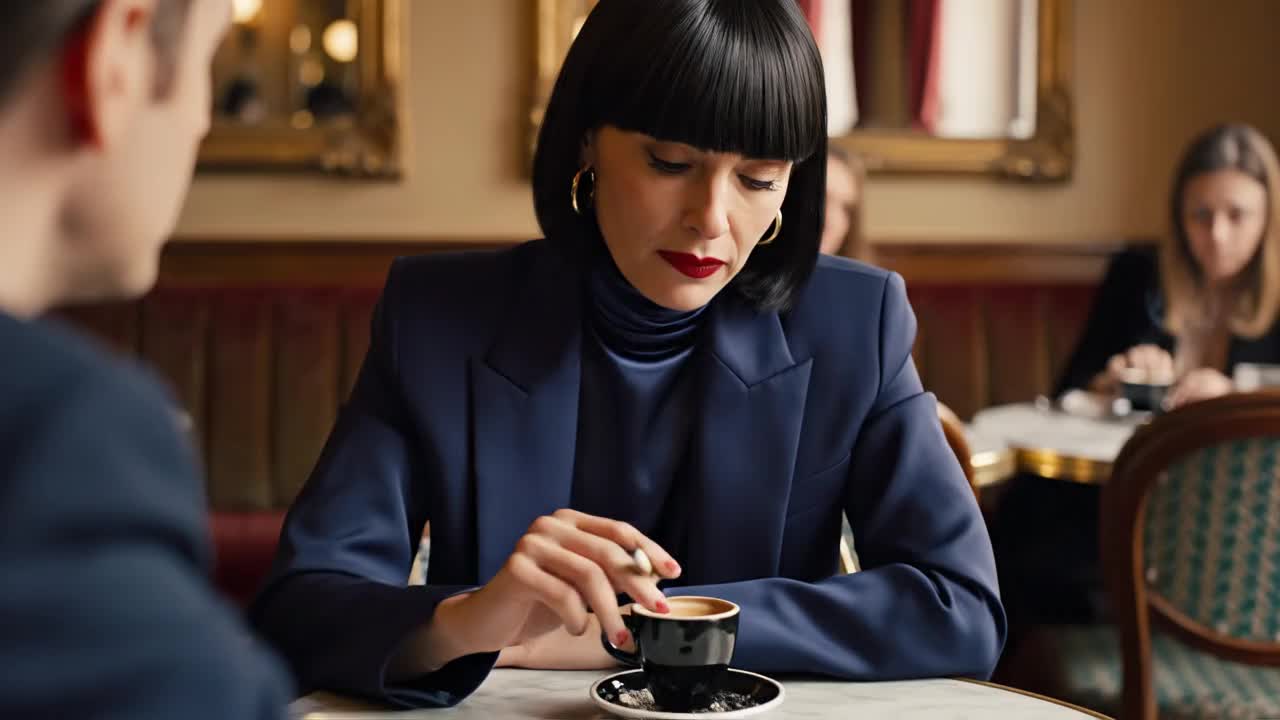 crisp basalt
https://labs.google/fx/tools/flow/video/3h1utgld50000
crisp basalt
crisp basalt
https://labs.google/fx/tools/flow/video/3h1utgld50000
you can try this prompt, but no promises it’ll work 100% especially the audio part
my crckhead theory is tht veo 3.1 always refuses to generate audio when the character’s dialogue is too short or too concise 🙂
the model always has this tendency to kinda fill in non-dialogue moments. if i remember correctly, “gibberish audio” is actually part of the audio safety filter, so that might explain it. even in the two videos i sent above, you can hear the model trying to fill the silent gaps with those almost-gibberish sounds in between
lusty oracle
crisp basalt
the model always has this tendency to kinda *fill in* non-dialogue moments. if i...
have you noticed any audio generation difference between Fast and Quality models?
 minor estuary
yo, hows it going guys? How do I access flow if i have google ai pro?
burnt oriole
minor estuary
yo, hows it going guys? How do I access flow if i have google ai pro?
you can just go to flow.google and use it
minor estuary
burnt oriole
you can just go to flow.google and use it
thank you
burnt oriole
minor estuary
thank you
you're welcome 🙂
 lime thicket
hello everyone!
crisp basalt
lusty oracle
have you noticed any audio generation difference between Fast and Quality models...
Mmmm not really
crisp basalt
lusty oracle
any smart prompting to make a character say dialog in Englinh, and single words ...
Well, I tried generating using the same prompt in Gemini Veo and it’s flawless
 glass flower
Hello. Where. On this discord am I able to create videos
It’s really confusing as there are many option
crisp basalt
glass flower
Hello. Where. On this discord am I able to create videos
No you can’t make videos on discord , discord is a chatting app.
https://labs.google/fx/tools/flow here’s the link if you want to generate video
Flow is an AI filmmaking tool that lets you seamlessly create cinematic clips and scenes using Google DeepMind's most capable generative video model, Veo
glass flower
Ahh discord has channels that make video generation possible using /imagine prompt haha maybe not here
crisp basalt
Yes you have to pay if you want to generate more videos
crisp basalt
glass flower
Ahh discord has channels that make video generation possible using /imagine prom...
Those are mid journey ,
glass flower
How many credits are needed to create one 10 second video
I currently only have subscription to google pro
candid relic
Are we sharing fun hallucinations? Keep your eye on the magic coffee mug.
 gentle stratus
Guys, does Veo have unlimited AI generations?
crisp basalt
glass flower
How many credits are needed to create one 10 second video
theres faq page you can check for yourself
glass flower
lol how inaccurate is the cutting
glass flower
I expect better when I give 1500 word prompt bozo,lol
But the audio and image quality is unbelievable
 shrewd fox
why?

 forest frigate
Honestly, Sora is better in terms of physics; I'm having a blast making my short films with it. Since I can't use images with real people, I'm relying heavily on very precise physical descriptions, and it's working. It takes more time for me, but it's great.
 slate olive
Is Nano Banana Pro working on Flow it says couldn't generate image. Try again later. Anyone else having this issue?
tough otter
crisp basalt
soon tm
can we use the 2k or 4k quality img to generate a video?
north wigeon
crisp basalt
Well, I tried generating using the same prompt in Gemini Veo and it’s flawless
Wait.... so you made a video in Gemini and it was better then veo 3.1 fast?
 latent cypress
how do i claim back my credits if flow ai generates faulty video?
glass flower
You can’t sadly
tough otter
inland pier
If you want that image to be your starting frame, use Ingredients to Video
Hi,is there any date of nbp 2k quality realase ?
stuck adder
Veo needs a update fast
jagged marsh
slate olive
Is Nano Banana Pro working on Flow it says couldn't generate image. Try again la...
Ironically I'm also running into this again as of a few mins ago. I swear its like everybody else in the world is able to generate up to 1000 photos/generations a day, but the second I do like 50 generations, it tells me "could not generate image, plese try again later"
slate olive
jagged marsh
Ironically I'm also running into this again as of a few mins ago. I swear its li...
The crazy thing is I havent been able to generate anything at all today 😵💫
jagged marsh
You can upgrade to a Google AI plan for expanded access to features and models in Gemini Apps. Gemini Apps upgrades are part of select Google One paid plans for personal accounts. Important: This art

This answers my questionm, now it makes sense haha
100 images a day limit for Pro, 1000 for Ultra
edgy holly
tough otter
can we use the 2k or 4k quality img to generate a video?
Yes, but it gets downgraded to 720p in the video.
edgy holly
north wigeon
Wait.... so you made a video in Gemini and it was better then veo 3.1 fast?
For some reason, the video generation in Gemini is listening to prompts a LOT better the last week or two.
 viscid mica
Is there a bug going on? Just starting my day and already ran into "Couldn't generate image. Try again later" when i tried to generate with banana pro in flow.
 stone spruce
 true pumice
Is there going to be another update to flow?
 quaint olive
lusty oracle
have you noticed any audio generation difference between Fast and Quality models...
quaint olive
lusty oracle
have you noticed any audio generation difference between Fast and Quality models...
I have for sure... seems less tinny
wide ether
PLEASE!!! Can you add the ability to download all favorited videos in a project in one click? I hate that I have to scroll through and download each and every video! It shouldn't be a big deal to add that function. Why isn't that available like it is in whisk?
 quiet gale
Hallo
 limber lotus
YOOO
please I wanna ask bout scenebuilder feature when I am using extend the quality of the image is decreasing
is there any tip trick to add in prompt to keep the same quality?
lilac mural
Wanted to share this app i made so now if you click the SYSTEM INITIALIZATION text it will bypass the need to pay or login in any way os.swarmgen.net
So please try out the features now that it's free for awhile
, the EXPORT button starts q chat with a pretty op agent that takes the export forming seriously 😄
I'll go add it the features to make, zipx code like how the html is made

Zipx meaning that type of code seen in the pic
Builder agent got the directive. This will be available in the app in like 5mins
 analog lava
Hello @analog prawn and @rapid hill , as a friendly reminder videos and images are not generated within the server, you'll need to head to https://labs.google/, pick a tool, and generate it there. If you are asking for prompt advice please do so in the appropriate channel. Thank you!
 restive marsh
Does anyone here use lovable?
analog lava
Hello @misty geode , as a friendly reminder videos and images are not generated within the server, you'll need to head to https://labs.google/, pick a tool, and generate it there. If you are asking for prompt advice please do so in the appropriate channel. Thank you!

Labs.Google is Google’s home for the latest AI tools, technology and discourse.
 weak dock
Any plan out there that will give you unlimited credits for flow?
analog radish
weak dock
Any plan out there that will give you unlimited credits for flow?
Ultra gives you a model with 0 credits generations
weak dock
analog radish
Ultra gives you a model with 0 credits generations
is that model any good?
analog radish
weak dock
is that model any good?
Yep the model is again veo3.1 but it is {Low Priority} which means it will fail a lot in busy hours
weak dock
gotcha, do you have any video examples of what it could look like? and it doesnt have a watermark right?
analog radish
weak dock
gotcha, do you have any video examples of what it could look like? and it doesnt...
Ultra is without watermark. And the quality is the same as veo3.1 fast (not sure about the "veo3.1-quality" model but I can`t see the difference)
weak dock
Got it, thank you so much!
 cobalt nebula
how many images can i create per day as a pro member?
 eternal fulcrum
It really depends on how the prompt is written, structured and could get potentially interpreted by a given model.
The majority of docs I read tended to recommend, clear and concise prompts and to take care to not include words/sentences that introduce high likely hood regarding ambiguity when a model tries to interpret it.
Regarding image prompts, there are resources recommending approaches for how to structure and what+how to describe certain elements that shall make up the image at the end in it's composition as a whole, e.g. [style], [lightning], [motive] and so on.
-# I quickly check for the rules on the server and might link a short resource if such link is allowed I have in mind
-# oh. i didnt looked at the time of the message i typed that response for. Smart me.
eternal fulcrum
glass flower
I expect better when I give 1500 word prompt bozo,lol
^the above message was also meant as a response to you as well.
Continuing on the image-gen + prompt length/design related matter:
#### Prompting Tips:
* No need to use complete sentences. Firefly works great with simple phrases.

* Try using emotion and style words like “cozy” or “mysterious” to evoke mood.

* Longer isn’t always better. Adobe\[this is not a 'flow' doc] recommends text prompts of 175 words or less.

* Try not to use command phrases like “create an image of…” or “make me a…” These extra words are unnecessary, and they might add unwanted elements  to your generated images.  Commas and semicolons are great ways to keep text prompts organized  and legible.

* Add asterisks around descriptions you want Firefly to concentrate on.  (example: a *yellow* flower)

* Remember: the prompt bar is not a chat box. Firefly\[not 'flow' specifically- I(ducky) can't test flow to adapt the doc accordingly as of today] will not remember any  of your previous prompts.
I'll leave at down to those 2 quotes/cites for now- the doc is freely available on their website(I double checked in logged off state to make sure I can find and open the source-doc without session data), maybe worth as a complementary input regarding the matter of prompting for image gen.
I don't include a direct url for now though - to not pipe you fast-paced around the net and since I'd prefer to provide it quoted in backticks ` `, but not without an actual further request or clear allowance- I read the rules, and the doc is free, but the website obviously holds commercial products, so I prefer to hesitate on that.
 north wigeon
what time of day does the credits for ultra users refresh ? like after a month. i have credits i want to use up before my account gets refreshed
 upper sandal
Hey
 sterile harness
Hi . how can i have always one voice sound in my videos to created with veo ? i want always have one voice for my videos create
 humble verge
Please do not advertise yourself here.
eternal fulcrum
Regarding veo/flow guide/tips question, you might find more resources on it directly on google's websites as well:
https://deepmind.google/models/veo/prompt-guide/
https://deepmind.google/models/veo/prompt-guide/
https://support.google.com/labs/answer/16353334?hl=en
https://support.google.com/labs/answer/16353334?hl=en
-# e: added urls in backticks to view/copy as plain-text if in doubt about clickable url markup
as stated before though, I don't have access to test how exactly certain tips and prompting formats do influence veo/flow outputs.
But that above should be able to enable you grapple through some official docs for that matter.
edgy holly
Looks like there is an update to Flow coming that Wonder Studios has, but hadn't released yet. Frames to Video only has a start and end frame. This shows three input images.

^ is from an interview on Google's main YouTube channel, for a new (very happy to see, though Veo/Flow should get it's own channel IMO) series they're calling 'In the Flow'. This is at 3:23
edgy holly
 turbid lintel
i assume they add middle frame
turbid lintel
i assume they add middle frame
Hope so. That's a good idea, especially if clips stay ~10 seconds, so we can get more granular control, and along with Extend and Jump to it takes us another step deeper.
edgy holly
turbid lintel
share the link

Filmmaker Justin Hackney of Wonder Studio sits down with Dr. Arathi Sethumadhavan, Google Research Scientist, to break down the making of Lewis Capaldi’s “Something in the Heavens (Re-Imagined).” The conversation covers a lot of ground, including Justin’s take on how AI actually raises the ceiling for creativity and why he thinks filmmak...
sick sparrow
Any ways in prompting to prevent over articulation? I feel like my model his mouth is opening too much. Do you experience this as well? How did you fix it or workaround?
edgy holly
sick sparrow
Any ways in prompting to prevent over articulation? I feel like my model his mou...
Yeah, over-acting is an issue. Can just try to work terms that are more subdued into the prompt. A thesaurus really is the best prompting aide at times.
 jade vortex
Hi, Suddenly all video downloaded from flow is distort, how to fix this?
 terse maple
wsg
 opaque crater
jade vortex
Hi, Suddenly all video downloaded from flow is distort, how to fix this?
opaque crater
jade vortex
Hi, Suddenly all video downloaded from flow is distort, how to fix this?
That usually happens because of a codec or download issue. Try clearing the app cache, re-downloading the video, and make sure you’re using the latest version of Flow. Also check if the video plays fine on another device @jade vortex
jade vortex
opaque crater
That usually happens because of a codec or download issue. Try clearing the app ...
Thanks, I use it on the web site though, what should I do?
 storm haven
It's amazing what you can do with this tech. Here's a very short idea I've put together, consisting of 3 clips.
hidden latch
storm haven
It's amazing what you can do with this tech. Here's a very short idea I've put t...
I looked at it but didn't see anything amazing, not to belittle it, but I'm guessing your some what new?
storm haven
I mean in the sense that you can do this sort of things. Of course I'm aware that there are limitation but if I wanted to shoot this I would've not be able to do it, at least at the moment. So in that sense it is amazing, because I think it opens the door for people who don't have the posibility to have their ideas come to life 😁
hidden latch
I've created last frames for ist about 30 times to see where it would go with only 2 word prompt, move forward
storm haven
Haha, if you get anything interesting please do share 😁
storm haven
@hidden latch I have a longer one if you are curious to see it I can share it in here, where I've used both Grok and Flow 😁
(it's a different idea though)
hidden latch
storm haven
<@1066364130937810965> I have a longer one if you are curious to see it I can sh...
Yes please do
storm haven
Here it is 😁
hidden latch
storm haven
Here it is 😁
Well done, only thing I saw out of place when she steps out of the car walking, the background changed from evergreen trees to Autumn with yellow golden colors, but other than that very 👍
storm haven
I am aware there are continuity issues after she exits the car 😁
hidden latch
The problem happens to me all the time, we got so pumped up we ourselves fail to see all the details
Until it's uploaded on YT then ohhh crap
😆
storm haven
hidden latch
Well done, only thing I saw out of place when she steps out of the car walking, ...
Yup, I sort of combined 2 different ideas into one. After she exits the car it's like a different film altogher, which also has continuity issues with the cuts between her and her father (like you mentioned the parc and colors are different.
The second girl was beautiful so I sort of got carried away by her beauty and failed to realise she's a different character altogether; well I did realise it but I was too enamored with the second girl 😅
hidden latch
Hahaha yeah I can relate 😆
I'm working on a compound short now.. using veo3 for perimeter of screen, maybe Christmas gals smiling, have the inside greenscreen and use a Hedra for a singing Christmas song by a beautiful girl. Compound video is next level. I think I'm making it up but standing ground
Lol
I'm more of an explorer type, see where I can go
Ever hear of Hedra? It can do up to 5 minute at a time..
storm haven
I haven't.
storm haven
I guess tech may get better and cheaper in a few years 😁
hidden latch
Yes definately
But then anyone can do it.. so the time is now to push on. Make a mark
storm haven
With a budget it might be possible to put something together, given enough time.
hidden latch
Oh yeah
If you can greenscreen in an editor, think about compound videos even multi
One video composed of multiples, but it works well? New thing?
I just thought of the idea last night, trying to hone in on a concept
storm haven
There are some continuity issues though which I wonder if anyone has found solutions for, for example:
You have a character A which is standing outside a home, knocking at the door. Character B needs to open the door. The whole scene would last about 30 seconds, and the shot is from sideview, that would mean roughly 6 different clips put together.
How can you have both characters look like they're supposed to during this whole scene ? Character B is not even in the shot when Character A knocks at the door, she needs to be inside her home.
hidden latch
Put them both in one clip and have one walk away. Use a frame that works in the clip
Then start the clip with another frame from that clip
storm haven
Oh yes, that might be possible with Flow since it has a last frame feature which can be very useful for these sort of scenarios.
hidden latch
Have A and B inside the house. Have A walk out the door and then turn around and walk back. Use that frame to start
It's amazing this stuff
If there's a will, there's a way
storm haven
It would also be nice if there was something like an image attachment option dedicated to "characters introduction"
This way you could prompt it something like "the character in the character reference image is inside home and needs to open the door after character A knocks.
hidden latch
Yes it would
storm haven
What about scene memory ? Does Flow remember how an enviroment looked like if it was generated previously ? Let's say previously you have a character go inside a home which had a blue room with a TV on the right and some photos on the wall, would it still remember that if you had a chracter enter that room again ?
hidden latch
Yes, sometimes it pops in my youtube logo it's wild it remembers, so it's important to start a new scene or project everytime
But not just pops on the logo, bit animates it as well
storm haven
Wow, so it remembers your logo ? That's awesome.
hidden latch
Yeah I liked what it did and left it in haha
But then again, I'm not needing that or asking for it
It's hallucinating
But I'm impressed nonetheless
hidden latch
storm haven
Wow, so it remembers your logo ? That's awesome.
Here's the hallucination.. logo on bottom right I never put there and then it dissappears https://youtube.com/shorts/IRt4y-aQtOQ?si=eoKvWjvklQXZhJcO
 storm haven
That was funny 😄
hidden latch
That's my logo on that channel. It nailed it
I never put it there!
But I liked it and kept it in. Why not
glass flower
What how did you create 18 second long video
I am only able to create 8 second videos
hidden latch
You join them
 dense oxide


 oak girder
dense oxide
oak girder
dense oxide
Hanuman
edgy holly
glass flower
I am only able to create 8 second videos
You extend clips in scenebuilder.
dense oxide
@hidden latch
raw oak
Hi everybody. I have been away for the past week. Have they added 4k nano banana yet to flow?
 fast fern
raw oak
Hi everybody. I have been away for the past week. Have they added 4k nano banana...
fast fern
raw oak
Hi everybody. I have been away for the past week. Have they added 4k nano banana...
Use AI STUDIO: https://aistudio.google.com/ to generate image 4K. But 4K quality generation does not support via Flow.


The fastest path from prompt to production with Gemini
raw oak
fast fern
Use AI STUDIO: https://aistudio.google.com/ to generate image 4K. But 4K quality...
thanks! I will give it a shot, I guess it's all included for ultra users.
fast fern
raw oak
thanks! I will give it a shot, I guess it's all included for ultra users.
I don't hear about that
raw oak
fast fern
I don't hear about that
Ok. will look. I wish they would add it in flow. Images are such a baseline in generative video - thanks for your help
 frigid pier
Is it true that Veo now supports the advanced extend feature from today?
analog radish
raw oak
thanks! I will give it a shot, I guess it's all included for ultra users.
I don`t think the ultra users can use it since it is asking for cloud billing account
raw oak
analog radish
I don`t think the ultra users can use it since it is asking for cloud billing ac...
Yeah. Google must of decided to monetize it that way. Flow creators get a very downgraded experience. I wish they would throw us a bone once in awhile
analog radish
raw oak
Yeah. Google must of decided to monetize it that way. Flow creators get a very d...
Well I believe they will, what is working for me at this point is the unlimited generations when model is working 😄
raw oak
analog radish
Well I believe they will, what is working for me at this point is the unlimited ...
That's nice. I love that. I am ok with them doing for free then not free then somewhat free.
Secret is Build the commnity. They will be your best ambasadors. That's worth it's weight in gold. There are other platfroms that are just awful. Google is not part of that lot. I would say on strategic tools like Nano Banana Pro they should give us some 4k stuff. Even if it's limited. Just bring us into the fold at the same time as third party platforms. In the end we create for them not the third party platforms.
turbid lintel
frigid pier
Is it true that Veo now supports the advanced extend feature from today?
what the difference between normal extend and advanced ?
chrome imp
raw oak
Hi everybody. I have been away for the past week. Have they added 4k nano banana...
Waiting for it 🤞✨
broken mirage
why the "extend" always doesn't match the last frame of previous video...
 hazy pilot
hey guys, why does every time i extend, or try a new video with "first and last frame" it keeps getting yellower?


 dark schooner
hey
 round sundial
Креатив «На съемках любимого фильма»
🎬Делаем эффектные переходы, будто персонаж переходит из одного фильма в другой.
✔️Заходим в @syntxaibot → Дизайн с ИИ → Nano Banana Pro
Загружаем свое фото и пишем Промт (адаптируем под себя):
Реалистичное POV-селфи, снятое с вытянутой руки, в той же одежде, что на фото. Крупный план. Молодая девушка с референса позирует рядом с главным актером {Шурик}. Локация: съёмочная площадка фильма {Операция Ы и другие приключения Шурика}. Фотореализм, высокое качество 8K.
Генерируем 5–6 фото твоего персонажа с разными актерами из разных фильмов.
Создаем видео: заходим в @syntxaibot → Видео будущего → Kling 2.5 (режим - Профессиональный)
Загружаем фото №1 как начальное, фото №2 — как конечное и пишем Промт:
Девушка снимает селфи, быстро бежит и переходит в другое место, где идёт съёмка другого фильма и снова делает селфи.
✨Повторяем для всех пар фото и собираем короткие видео с переходами в любом редакторе, например, CapCut.
❤️Удачных вам генераций, делитесь своими шедеврами в комментариях.
Сотрудничество: @Angie_angiel✉️
thick oriole
hazy pilot
hey guys, why does every time i extend, or try a new video with "first and last ...
Feeling a model's outputs back to itself can cause some degradation over time. That's fairly hard to mitigate (it's a model-level problem). You can try various tricks to work around it, like resetting to the same 'start image' as a frame, perhaps with cuts inbetween so it's less obvious to a viewer of an extended clip.
thick oriole
raw oak
Ok. will look. I wish they would add it in flow. Images are such a baseline in g...
working on it 🙂
thick oriole
raw oak
Yeah. Google must of decided to monetize it that way. Flow creators get a very d...
Yeah Google has different billing structures & access for developers vs consumers. AI Studio is for the developers, and goes via Vertex. Flow is for the consumers. I can understand that's less-than-desirable.
The real fix here is that Flow should always offer the latest & most premium set of stuff, so a Flow user has no reason to go to AI Studio. We were a little late with the high-res images (coming soon), mostly because we're trying to balance all our capacity issues and didn't want that to turn into another period of time where it was really hard to generate anything on Flow during peak hours. Sorry for the brief delay!
 spare gale
Any way I can increase the size of the prompt box in Flow? its so hard to handle the text in it
cobalt nebula
how many images can i create as a pro member using flow nanno banana pro?
summer rapids
Is there a workaround to help with the lipsync for talking babies? Under one year old, it's a pain to make them move the mouth while talking. Need maybe 50 or more generation to get a acceptable one. With all the other limitation on creating images from flow frame with children, it's really hard to get a efficient workflow
It may took 3 hours to make a 1 min video that could be done in maybe 15 min
main saddle
thick oriole
summer rapids
Is there a workaround to help with the lipsync for talking babies? Under one yea...
I'm not aware of one. I haven't seen anyone working on this kind of problem before. Let us know what you find!
thick oriole
spare gale
Any way I can increase the size of the prompt box in Flow? its so hard to handle...
Not in the app UI but we're working on general site improvements which will include a better experience here. Probably early next year. I guess you could mess around with the browser HTML for now? Not great though I agree.
 safe ingot
hi!!!! I just started playing with Google Flow. Is there an API to use? I would like to pass a scene then automation continue the scene from the last frame. I know in the UI can can scroll over and keep iterating. Would love to build a json structure and keep sending it along after generation.
cobalt nebula
whats the limit on using nanno banana pro on creating images with flow?
thick oriole
safe ingot
hi!!!! I just started playing with Google Flow. Is there an API to use? I would ...
No, there is no API. Users are making up their own JSON-like schemas which the model seems to respond well to, but there's nothing formal there, just the quirks of how GenAI models respond to different inputs.
 rough halo
Will the refund on failed Audio be automatic? And is it only for videos with no audio at all? Or does it count when it messes up who says what?
Appreciate the update
thick oriole
rough halo
Will the refund on failed Audio be automatic? And is it only for videos with no ...
It's replacing the cases where the videos would come back with no audio at all. Now you just won't get the video, and you'll get a refund. Where the model doesn't do what you want (wrong accent, wrong person speaking, etc) you'll still get back a video with audio and be charged.
safe ingot
thick oriole
No, there is no API. Users are making up their own JSON-like schemas which the m...
is there a trick to keep passing the next "scene" and iterating to continue on or is it just manual via the UI
thick oriole
cobalt nebula
whats the limit on using nanno banana pro on creating images with flow?
I forget the specifics and I don't think we have them published, as we might need to vary them over time. But it's something like a couple of hundred a day, I think (don't hold me to that). We're working to improve that as we deal with our various capacity/demand tradeoffs.
cobalt nebula
thick oriole
I forget the specifics and I don't think we have them published, as we might nee...
would that be for pro users couple of hundred a day?
thick oriole
safe ingot
is there a trick to keep passing the next "scene" and iterating to continue on o...
You just need to keep clicking 'extend', if I understand your question correctly. Note that the outputs can degrade over time if you're doing that tens of times, so you might want to have cut-shots or re-start from an original frame sometime to work around that. It's a limitation with the model taking its own outputs as inputs.
thick oriole
cobalt nebula
would that be for pro users couple of hundred a day?
I think so yeah
rough halo
cobalt nebula
would that be for pro users couple of hundred a day?
Don’t think there is a limit. At least not for ultra.
cobalt nebula
ok
thick oriole
Let me just find the right answer on image generation limits and let you know, give me a minute
safe ingot
thick oriole
You just need to keep clicking 'extend', if I understand your question correctly...
soooo I should or shouldn't use an anti-gravity agent in the browser that will scroll the UI and iterate my JSON to the next scene?
 rough halo
Anyone notice how nano banana ruins the colors of a photo with each generation getting worse? At times my subjects end up orange from all the “developing”
thick oriole
It's not meant to be super-secret, it's just hard for us to publish it and then need to keep changing it if capacity/demand changes.
cobalt nebula
thick oriole
Let me just find the right answer on image generation limits and let you know, g...
ok that would be great thanks
thick oriole
safe ingot
soooo I should or shouldn't use an anti-gravity agent in the browser that will s...
Using GenAI to make GenAI? This is how Skynet gets started.
But more seriously, we'll work on better workflows to save you manual effort while still making sure you're the one driving the creative side of things. No specific timeline on that but we're definitely looking to remove the 'boring chores' and keep you more in the creative flow.
cobalt nebula
thick oriole
It's not meant to be super-secret, it's just hard for us to publish it and then ...
i used sora to create images for print on demand but been loving nano banana pro but using it with Gemini there is a watermark but with flow there isnt so if i can find a way to leave sora for this nano banana pro would be happy.
thick oriole
Yeah, my memory was correct: couple of hundred for Pro, more for Ultra, and very subject to change.
spare gale
Thanks Ian! I know you guys are always improving it behind the scenes!
cobalt nebula
thick oriole
Yeah, my memory was correct: couple of hundred for Pro, more for Ultra, and very...
ok thanks

 slim bluff
@main saddle hi how are you?
 limber mesa
I found I can not get photos of some movie star such as Angelina Jolie. why?
edgy holly
raw oak
thanks! I will give it a shot, I guess it's all included for ultra users.
Nope. NB Pro still generating at 768p in Flow.
thick oriole
limber mesa
I found I can not get photos of some movie star such as Angelina Jolie. why?
Flow has restrictions on generating prominent people.
edgy holly
 thick oriole
edgy holly
Nope. NB Pro still generating at 768p in Flow.
thick oriole
edgy holly
Nope. NB Pro still generating at 768p in Flow.
Correct, working on bringing upscaling to Flow soon.
Very soon 🙂
edgy holly
rough halo
Anyone notice how nano banana ruins the colors of a photo with each generation g...
All the AI image models add an element of randomness to each generation. Helps to start over with a fresh input from time to time.
edgy holly
summer rapids
Is there a workaround to help with the lipsync for talking babies? Under one yea...
None of the models that generate both video and audio at the same time are very good at this. You'd save time and generations by just getting the video right, then using a specific lip sync model just to alter the lip movements.
summer rapids
edgy holly
None of the models that generate both video and audio at the same time are very ...
That's what I'm thinking of but didn't find a good one yet or one that isn't extremely expensive
edgy holly
cobalt nebula
i used sora to create images for print on demand but been loving nano banana pro...
There's no watermark in the Flow app, but they haven't updated to 2/4K generation yet there.
Erasing the watermark is pretty easy, though, in Google Photos (free, and super useful), using the magic eraser. Lots of apps have watermark eraser tools.
edgy holly
summer rapids
That's what I'm thinking of but didn't find a good one yet or one that isn't ext...
I have a pile of credits in Higgsfield, and I've found the Kling Lipsync there to be decent, and doesn't use too many credits.
edgy holly
cobalt nebula
i used sora to create images for print on demand but been loving nano banana pro...
PS - Alternatively, generate with NB Pro at 768p in Flow, then upscale using one of the million apps that do that. (Leonardo has a good one)
The AI toolbox available to us is DEEP. If your standards are high, using each for one thing they're great at, and not trying to make one model to several things, is usually the best way to go.
edgy holly
thick oriole
Correct, working on bringing upscaling to Flow soon.
Excellent. I found workarounds, but this will save me time, and I can finish the long feedback report I've been working on.
thick oriole
edgy holly
PS - Alternatively, generate with NB Pro at 768p in Flow, then upscale using one...
Just keep an eye on our Discord announcements & changelog today
 cobalt nebula
edgy holly
There's no watermark in the Flow app, but they haven't updated to 2/4K generatio...
cobalt nebula
edgy holly
There's no watermark in the Flow app, but they haven't updated to 2/4K generatio...
thanks for this
cobalt nebula
edgy holly
The AI toolbox available to us is DEEP. If your standards are high, using each f...
what do you mean by DEEP?
also i wish there was more aspect ratio option in flow like 1:1 would be nice to have
glass flower
Can anyone please give me some credits pleaseeee
In FLOW so I can create some videos
Please guys ,I think there is an option to gift
 gray otter
guys I have the student account for veo, I wanted to know why I still have watermarks 😶
midnight lagoon
thick oriole
Very soon 🙂
I hope so. On the 20th of last month, you wrote that it would take a couple of weeks. But more than two weeks have passed already. 💀
 oak helm
Is there a way in image to videos to control the length of the clip so that if I want to choreograph a fight, I can have the first and last frame which could for example be one strike connecting otherwise I guess have to hope for a good first strike and cut it there and then use it as a first frame again to say what happens next but that is kind of tideous and painstaking process. I don't see any good tutorials on this.
 ashen palm
In this video I will show you Fivem Villa with beautiful interior.
Make sure to clear the Cache before re start the server.😇
[This Mlo Buy Link Fivem Custom Mansion]
https://dilawer-bhai-shop.tebex.io/package/6164003
[Also Visit My Coffee shop get all Mlos Open Resorce file ]
https://buymeacoffee.com/dilawerfojo/e/486906
Also visit my teb...
edgy holly
cobalt nebula
what do you mean by DEEP?
There are hundreds of tools.
 warm orbit
hey everyone, is anybody having troubles with the quality of the videos in veo? each generation is extremely pixelated and it was never like that before
safe ingot
What's the best workflow to bring a nano banana generated image into the starting point of a flow video?
edgy holly
safe ingot
What's the best workflow to bring a nano banana generated image into the startin...
If you generate it inside Flow, there's a button right there (see image).
If you generate it in Gemini, then just download it and upload it normally.

 upbeat sierra
thick oriole
Just keep an eye on our Discord announcements & changelog today
upbeat sierra
thick oriole
Just keep an eye on our Discord announcements & changelog today
👀 👀 👀
main saddle
thick oriole
Just keep an eye on our Discord announcements & changelog today
speaking of...
main saddle
upbeat sierra
👀 👀 👀
also, y'all, welcome ummerr from Flow crew. like Summer, but not.
vernal remnant
Does anyone see the upscale option in flow for nanano banana pro images yet ? I dont have it, I'm on ultra
chrome imp
vernal remnant
Does anyone see the upscale option in flow for nanano banana pro images yet ? I ...
I dont, im on ultra too
vernal remnant
chrome imp
I dont, im on ultra too
Ahh, thank you! I thought they left me alone 😭
midnight lagoon
main saddle
YAAAYYY, Thank u so much
 viscid mesa
vernal remnant
Does anyone see the upscale option in flow for nanano banana pro images yet ? I ...
viscid mesa
vernal remnant
Does anyone see the upscale option in flow for nanano banana pro images yet ? I ...
heads up that it's only available on images generated with Nano Banana Pro after Dec 13
vernal remnant
viscid mesa
heads up that it's only available on images generated with Nano Banana Pro after...
I just generated an image right now, I do not have the option to upscale. Is it somehow aspect ratio specific ?
edgy holly
upbeat sierra
👀 👀 👀
That was fast 🙂
chrome imp
vernal remnant
I just generated an image right now, I do not have the option to upscale. Is it ...
Maybe is rolling out? i dont have it, yet
viscid mesa
vernal remnant
I just generated an image right now, I do not have the option to upscale. Is it ...
no, it shouldn't be! are you looking at the download button on hover? it's notably not available in the image editor itself
 violet folio
how many seconds is the max duration of a rendeer frames to vid?
vernal remnant
viscid mesa
no, it shouldn't be! are you looking at the download button on hover? it's notab...
Let me try again, i'm going to generate a cat in the bag.
chrome imp
viscid mesa
no, it shouldn't be! are you looking at the download button on hover? it's notab...
i tried it right now but it doesnt show the "4k" option. Im on Ultra.
 vernal remnant
viscid mesa
no, it shouldn't be! are you looking at the download button on hover? it's notab...
vernal remnant
viscid mesa
no, it shouldn't be! are you looking at the download button on hover? it's notab...


It is not there
edgy holly
violet folio
how many seconds is the max duration of a rendeer frames to vid?
All clips are 8 seconds. You use the Scenebuilder tool to extend them to longer multi-clip videos.
violet folio
edgy holly
All clips are 8 seconds. You use the Scenebuilder tool to extend them to longer ...
thx
viscid mesa
vernal remnant
looking into this!
vernal remnant
viscid mesa
looking into this!
Yes please, Thank you!
edgy holly
chrome imp
Maybe is rolling out? i dont have it, yet
Takes a bit to roll out sometimes.
 vernal remnant
edgy holly
Takes a bit to roll out sometimes.
vernal remnant
edgy holly
Takes a bit to roll out sometimes.
Maybe it hits different countries at different times, perhaps?
summer rapids
Will there be a way to generate images directly in 2k / 4k at some point (like in the API) ? Not tested yet but I assume that making a 9 images sheet at 1k and upscaling later will lose a lot of character precise coherence detail than working directly in 2k/4k
viscid mesa
vernal remnant
Maybe it hits different countries at different times, perhaps?
have you hard refreshed?
edgy holly
vernal remnant
Maybe it hits different countries at different times, perhaps?
Not sure. Sometimes I've been late to get new stuff, and this time I'm early. (US)
vernal remnant
viscid mesa
have you hard refreshed?
Let me log out and log in. And restart the browser too.
vernal remnant
edgy holly
Not sure. Sometimes I've been late to get new stuff, and this time I'm early. (U...
Gotcha.
edgy holly
If possible, use a plain Chrome browser. I have a browser I use just for this stuff.
Since Chrome is the most popular browser, the default test environment for web apps is pretty much a fresh Chrome install, with default settings.
vernal remnant
viscid mesa
have you hard refreshed?
I did that, it is still not there, could it be a browser issue, as in, I'm on firefox.
 hollow trellis
main saddle
hollow trellis
main saddle
is it available in France, especially in flow?
viscid mesa
hollow trellis
is it available in France, especially in flow?
yup should be available there!
edgy holly
summer rapids
Will there be a way to generate images directly in 2k / 4k at some point (like i...
I don't know for sure this applies to Nano Banana Pro, but I do know that most apps that generate at higher resolutions are actually just hiding that it was originally generated smaller, then upscaled before it's displayed to the user.
 digital yoke
viscid mesa
no, it shouldn't be! are you looking at the download button on hover? it's notab...
digital yoke
viscid mesa
no, it shouldn't be! are you looking at the download button on hover? it's notab...
Any fix for Swedish language planned?
chrome imp
edgy holly
I don't know for sure this applies to Nano Banana Pro, but I do know that most a...
Yeah I don't think is true 4k, but upscale, it looks good though.
vernal remnant
chrome imp
Yeah I don't think is true 4k, but upscale, it looks good though.
Do you have the upscale option now ?
viscid mesa
I did that, it is still not there, could
chrome imp
vernal remnant
Do you have the upscale option now ?
Yes haha
 tender sleet
I got it too. When will it be possible to get images in 1:1 aspect ratio or other ratios?
vernal remnant
I got the upscale option 🥳🥳
near gate
Is this available on mobile? I do not see the upscale option on mobile
 kind mantle
near gate
kind mantle
near gate
Yes
 rustic temple
Flow is just so much better than sora2...
 digital spire
Would I get better results if I upscale the nano banana image before sending it to veo? or is the same?
rustic temple
digital spire
Would I get better results if I upscale the nano banana image before sending it ...
Flow will automatically generate 720 and then you would need to upscale after, so it's kind of redundant.
digital spire
oh ok, thanks
edgy holly
Upscaling is good. Has a de-aging effect, though. Having to up-age my character to get them looking right in 4K.
 oblique dock
I appreciate the movement but rendering at 1K and upscaling to 2K/4K is not the same thing as rendering at 4K. The creative space of a 1K render is a fraction of 4K. I can’t rely on nano banana pro in Flow for client work when it’s flagrantly handicapping the creative output of the model.
rustic temple
oblique dock
I appreciate the movement but rendering at 1K and upscaling to 2K/4K is not the...

 oblique dock
rustic temple
https://tenor.com/view/soon-cat-peeking-gif-13051037
oblique dock
rustic temple
https://tenor.com/view/soon-cat-peeking-gif-13051037
For sure, “soon.” Either way, it’s unusable and borderline laughable that upscaling is being promoted in a tool you can’t use without a watermark for less than $250/month.
 near gate
Flow is constant but sora is the go to place for action scenes. Flow action scenes is horrible, Flow can not do fast pace things.
Flow needs a better action ai
rustic temple
near gate
Flow is constant but sora is the go to place for action scenes. Flow action scen...
Sora pricing is trash though, and unfortunately 90% of the prompts I try get rejected. It's been a minute since I tried it consistantly but given the amount of people complaining about it in the sora discord, I don't even try anymore.
near gate
Pricing is trash but when it does generate, its better for action scenes. Flow is better for longer scene since Flow is consistent.
rustic temple
would be nice if they lifted the guardrails and allowed unlimited generations for pro users
near gate
Flow has horrible action ai, whenever I use Flow for fast pace action movement, the models stutter or just looks unnatural
rustic temple
true