#Pathfinding Lag Fix | Pathfinding Lib | Smart Enemy Pathfinding
5850 messages · Page 6 of 6 (latest)
 fast crowBOT
 crimson jolt
just curious... how confident are you that this new version is totally stable?
ever since v73 i've been getting a bunch of (seemingly random) inconsistent crashes when landing the ship, and while the crash log is different every time, it seems to have something to do with pathfindinglib/loadstone/dungen
 keen ruin
not very tbh, I haven't played since the update, only quick tests over the weekend
however, Lunxara has said she hasn't had crashes with it I believe?
someone else has also mentioned crashes like that though, also using PathfindingLib
could be worth testing with only PathfindingLib disabled, I definitely want to know if that goes away from disabling it
 tardy pivot
i have a feeling that if it was PathfindingLib you would get hard crashes w/o logs🤔
crimson jolt
keen ruin
could be worth testing with only PathfindingLib disabled, I definitely want to k...
it is super annoying
it is a hard crash, unity crash reporer opens, game closes, etc.
but it is not at all consistent, it is only like a 25-30% reproduction rate for me at this point and the crash logs never have the same stack trace
when the update first released i was crashing constantly (and that was after updating pathfindinglib)
keen ruin
tardy pivot
i have a feeling that if it was PathfindingLib you would get hard crashes w/o lo...
nah memory corruption has still caused stack traces to print in the past at least
keen ruin
crimson jolt
it is super annoying
I'm sure
I'd love confirmation that it's related to PathfindingLib, but it honestly wouldn't surprise me, I'll have to open Ghidra soon to make sure all my release offsets match up still
crimson jolt
all i can say is that it's definitely happening at the same point each time
it's always after landing the ship before the doors open
in my case it seems like it only ever occurs on dine
but i think lunx was getting crashes that were not specifically related to dine
all of the crash logs have stuff related to loadstone, dungen, and pathfindinglib in the immediate proximity, so they are my strongest contenders for what's going wrong
i no longer use loadstone in multiplayer but i had it on my solo testing profile, havent crashed at all since disabling it but there's no telling if that's just unreliable repro rate
tardy pivot
could be a new source of navmesh edits that we still have to hook with a lock
that's the only thing that comes to my mind related to pathfindingLib and the opening sequence
tardy pivot
keen ruin
nah memory corruption has still caused stack traces to print in the past at leas...
True but in that case the exceptions were not related at all to PathfindingLib 😂 😅
keen ruin
crimson jolt
i no longer use loadstone in multiplayer but i had it on my solo testing profile...
gotcha, please keep me posted
the other person encountering that type of crash was using Loadstone, so that would track
crimson jolt
yeah
loadstone causes desync on our multiplayer profile and basically makes the game unplayable at a certain point so we dont tend to use it
so if it turns out it is some sort of incompatibility with loadstone it's not really skin off my nose
but obviously it's unideal if that's causing "fairly reliable" crashes, so i'd hope it could be narrowed down definitively and fixed if necessary
 vivid dock
crimson jolt
loadstone causes desync on our multiplayer profile and basically makes the game ...
vivid dock
crimson jolt
loadstone causes desync on our multiplayer profile and basically makes the game ...
the only option I disabled was DunGenOptimizations and it never caused desyncs again
keen ruin
might be interesting to see some player logs from those crashes actually
it may be a transpiler (or multiple) breaking something, if it's Loadstone that's the problem
 ashen harbor
@keen ruin There's a crash.dmp file included as well that might help say what it is
keen ruin
hmm, interesting, Loadstone is in the stack trace, but it involves navmesh as well
I'll have to try spamming navmesh rebuilds and see if it does anything bad
 keen ruin
dunno honestly
the stack trace doesn't make it sound async, I forget what that method is called
crimson jolt
i have a laundry list of crash.dmp if you want more data
keen ruin
player.log is gonna be more helpful if you have those too
 keen ruin
idk if that's necessarily guaranteed
crimson jolt
keen ruin
player.log is gonna be more helpful if you have those too
i've still got both
keen ruin
PathfindingLib has patches to make sure that navmesh modification doesn't happen while async pathfinding is running
crimson jolt
i think like, the most recent 3 crash logs all have slightly different stack traces, but they will probably be most helpful
keen ruin
yeah sounds good
ashen harbor
 crimson jolt
ok give me a second
here is every single crash i got while i was updating mods to v73
so... 13 total. there were a couple that stood out to me in particular, im gonna see which ones they were
"Crash_2025-10-08_032837303" has some dungen specific functions in the stack trace, related to generating GlobalProps
keen ruin
hmm, some involve my ApplyCarveResults patch
also were all of these happening on landing?
crimson jolt
a couple of these appear to just be startup crashes, sorry about that - those are probably my bad and not related to the issue
crimson jolt
keen ruin
also were all of these happening on landing?
every single crash (at least, the ones that warrant investigation) would happen:
- after the ship's lever was pulled
- before the ship doors opened
in my case, specifically on Dine, but i think lunx was experiencing it in general
im gonna try to get a fresh crash log, adi just posted a version with some additional logging
crimson jolt
crimson jolt
here is every single crash i got while i was updating mods to v73
hopefully that will be more helpful than just digging through all of these
keen ruin
I wonder if unlocking a door may also cause this?
because that would track with something being wrong with the carving patch
I'll have to run my old tests again though
I'm trying to debug RuntimeIcons rn, something really weird is going on with the compute shader
crimson jolt
keen ruin
@crimson jolt we can takl more about it here instead of taking over Loadstone lol
unfortunately I'm kinda running out of steam tonight, had a busy day today, so I think I'm gonna stop for now
I went through a bunch of offsets that I hadn't explicitly checked before, everything looks okay
so I'm really not sure what the deal is
if you keep at it, hopefully you can glean some information about what a fairly small pack to repro is 
adi may be right about needing to throttle it though, so I might try setting processor affinity next if you don't find something first
crimson jolt
i gave it like 30 tries with various settings and kind of burnt myself out
i'll get back to it "soon"
i think im gonna try to replicate it with a slightly large pack first and then try to remove some stuff from there
the PLF + imperium + loadstone theory would be nice to confirm
you're right about the processor affinity, might have some luck there
keen ruin
damn this bug is a tricky one
ashen harbor
keen ruin
damn this bug is a tricky one
the last time it caused a crash I noticed the console popped up an out of memory error
ashen harbor
keen ruin
assuming it's not data corruption again
Did you or @crimson jolt get any luck on figuring out the crashing problem yet?
ashen harbor
Someone reported their game crashes with just Pathfinding Lib and PathfindingLagFix present @keen ruin
keen ruin
I'm aware, I've been busy so I haven't had a chance to look at it properly again
 karmic geode
isnt that because of v73 update?
keen ruin
I'll have to try with single core affinity tomorrow, if it doesn't repro with that then I won't be able to do much probably
ashen harbor
Yeah I'm crashing almost 99.9% of the time when I try to land the ship lol
keen ruin
I still haven't crashed once
ashen harbor
karmic geode
isnt that because of v73 update?
No
keen ruin
and I don't have a small profile to test against still
my only hope at the moment is that running it on a single core makes it more reproducible
ashen harbor
I do wonder what mods were in the profile Buttery had since iirc it was small
keen ruin
karmic geode
isnt that because of v73 update?
PathfindingLib is updated for v73, but something seems to be finicky about it still to where it'll crash occasionally, and I don't know the cause yet (or it would be fixed)
not sure how much Buttery had narrowed it down, I didn't get the impression they'd been able to repro yet on a minimal one
ashen harbor
Hmmm, crashed on a much smaller profile

Gonna see if it repros with just these

AHA

IT DID
I tried to back out to main menu and it crashed
@keen ruin 
ashen harbor
@keen ruin I tested updating BepInEx and PathfindingLib caused another out of memory crash on ship land
 green gust
damn, we were really hinging on bepinex update fixing it all
ashen harbor
green gust
damn, we were really hinging on bepinex update fixing it all
I will say, the updated Bepin build does improve boot times pretty significantly
TS should update it
I imported my profile into R2 to test this so I wouldn't nuke Gale
lmao
keen ruin
hmm, if you have a seed and moon and small profile that might help me repro
it's still strange to me that I haven't been able to get it to happen if it's possible to repro with just PathfindingLagFix
I'm assuming your CPU has a decent number of cores?
 next shard
keen ruin
it's still strange to me that I haven't been able to get it to happen if it's po...
next shard
keen ruin
it's still strange to me that I haven't been able to get it to happen if it's po...
I have not been able to repro it either 
I have a low number of cores (4 💀)
 green gust
i havent been testing that much but i havent had any crashes on my machine yet
ashen harbor
keen ruin
just to confirm, this was the whole profile?
Yeah
next shard
keen ruin
I wonder if it's getting triggered by some code in SmartEnemyPathfinding??
The only thing I can think of is the GlobalRoaming setting, I have it disabled while @ashen harbor has it enabled on da profile I believe
keen ruin
only difference is that I haven't really tested with SmartEnemyPathfinding much at all
 hexed moon
when does this crash happen
ashen harbor
next shard
The only thing I can think of is the `GlobalRoaming` setting, I have it disabled...
Not in the test profile but it is on in my main profile
keen ruin
next shard
The only thing I can think of is the `GlobalRoaming` setting, I have it disabled...
 interesting
oh
next shard
Hmmm
I mean I landed on a bunch of moons with high Masked spawns and skipped forward in the day
ashen harbor
I do wonder why some crashes say Out of memory though
keen ruin
then maybe it's just generally having smart pathfinding be used
next shard
next shard
I mean I landed on a bunch of moons with high Masked spawns and skipped forward ...
So they would all try to path to the ship and stuff
keen ruin
well the ooms are from it trying to allocate what looks to be a size specified by an overflowed integer
 next shard
Whar
green gust
nice template paco
keen ruin
so nothing is really growing out of control, it's just mad that it wanted to allocate 9 quadrillion bytes or something lol
ashen harbor
It throws at the end of every round, perhaps poltergeist lol
green gust
keen ruin
so nothing is really growing out of control, it's just mad that it wanted to all...
i'd be mad too tbh
next shard
keen ruin
so nothing is really growing out of control, it's just mad that it wanted to all...
I'd be mad too to be fair
LMAO
green gust
next shard
I'd be mad too to be fair
 ashen harbor
I wonder what is using this tbh
next shard
LCMPublishingTemplate
next shard
Big mod
hexed moon
ashen harbor
It throws at the end of every round, perhaps poltergeist lol
like going back to orbit or quitting to menu?
ashen harbor
hexed moon
like going back to orbit or quitting to menu?
It happens when you go into orbit
and the round ends
lolol
next shard
I tried both things while there were like 20 Masked present
green gust
lol what i just crashed landing on titan
ashen harbor
green gust
lol what i just crashed landing on titan
It can happen on any moon
tardy pivot
ashen harbor
could you try to reproduce it without AsyncLoggers too?
i Highly doubt it could cause this kind of issues but having a really minimal pack would help a lot zaggy
ashen harbor
I crashed several times landing on Experimentation
ashen harbor
tardy pivot
could you try to reproduce it without AsyncLoggers too?
i Highly doubt it could ...
Funny story
ashen harbor
pacoito has been testing with all the mods I reprod a crash with minus Async Loggers
and he can't repro
XD
next shard
💀
ashen harbor
But tbf I think his processor also has way less cores
tardy pivot
oh ohh 👀
green gust
if it helps i dont use async loggers
next shard
ashen harbor
But tbf I think his processor also has way less cores
Downgrade thy CPU
green gust
but i also gotta grab my crash log
ashen harbor
Yeah I figured it ain't Async Loggers
it was just funny he mentioned to test without it
when pacoito has been
hexed moon
i can make a small profile for testing this
a 12700kf might be more susceptible if core count has anything to do for it
tardy pivot
what would be great is a reproducible context.
aka smallest modpack + seed
that crashes every time
green gust
where was the crash log again
hexed moon
so pathfindinglagfix and smartenemypathfinding right
ashen harbor
green gust
where was the crash log again
Well you can just grab your player.log it will have it too
keen ruin
yea if it happens on high core counts I can't imagine it's related to that, I feel like maybe I need to run smart pathfinding jobs or something to get it to crash
not sure
hexed moon
i could add cullfactory for a single seed and disable the other features
tardy pivot
i mean smart pathfinding only affects masked atm no?
keen ruin
testing the seed that lunxara crashed on is probably worth
I would be looking into it rn myself but I need to sleep soon
next shard
hexed moon
i could add cullfactory for a single seed and disable the other features
Just keep landing over and over until you get the same seed 
hexed moon

keen ruin
I'll try tomorrow after I fix the cullfactory error
ashen harbor
ashen harbor
<@161039146008182784> Why did this throw after a round on Bozo?
I HAVE NO IDEA WHAT MOD IS TOUCHING THIS
LMAO
green gust
green gust
where was the crash log again
next shard
ashen harbor
I HAVE NO IDEA WHAT MOD IS TOUCHING THIS
It's LCMPublishingTemplate it says it right there
ashen harbor
next shard
It's `LCMPublishingTemplate` it says it right there <:greed:1200418319694577754>
Okay stop trolling
lol
next shard
💀
I have no idea
Lmao
Do you have like a test build of some mod still in your profile mayhaps
tardy pivot
someone did not even bother to change the project name when using the template 💀
next shard
Thy player name is fixed
next shard
ashen harbor
Maybe you accidentally uploaded the wrong dll?
No the dll's right, the FixPatches class do just be in the LCMPublishingTemplate.Patches namespace
Or wait you mean wrong dll as in da update
ashen harbor
Nah by wrong dll I mean the Field Exception error
 tiny ledge
It seems that BepInEx.AssemblyPublicizer cannot be used as a replacement for reflection.
💀
ashen harbor
What? I've seen people use that as a replacement for reflection in a lot of things
tiny ledge
Hmm, I did the same thing in version 1.1.0, which has caused an error now...
ashen harbor
tiny ledge
Hmm, I did the same thing in version 1.1.0, which has caused an error now...
Cus the method you're using to reference it is inaccessible
green gust
lunxara the all knowing
green gust
tiny ledge
It seems that BepInEx.AssemblyPublicizer cannot be used as a replacement for ref...
show your csproj
ashen harbor
I mean the error is something I've never seen before lol, but it does sound like a pretty straightforward one
tiny ledge
        [HarmonyPostfix]
        [HarmonyPatch(typeof(StartOfRound), "SetShipReadyToLand")]
        private static void ResetHUDManager()
        {
            HUDManager instance = HUDManager.Instance;
            if (!((Object)(object)instance == (Object)null))
            {
                instance.spectatingPlayerBoxes = new Dictionary<Animator, PlayerControllerB>();
                instance.boxesAdded = 0;
            }
        }
old version
        [HarmonyPostfix]
        [HarmonyPatch(typeof(StartOfRound), "SetShipReadyToLand")]
        private static void ResetHUDManager()
        {
            var hudManager = HUDManager.Instance;
            if (hudManager == null) return;
            AccessTools.DeclaredField(typeof(HUDManager), "spectatingPlayerBoxes")?
                .SetValue(hudManager, new Dictionary<Animator, PlayerControllerB>());
            AccessTools.DeclaredField(typeof(HUDManager), "boxesAdded")?
                .SetValue(hudManager, 0);
        }
da csproj
tiny ledge
green gust
da csproj <:greed:1200418319694577754>
Hmm, I didn't modify the template's csproj, but it actually allows me to access private fields when writing code. I'll add Publicize="true" and try again.
next shard
Oh yeah that'll fix it most likely
Although wait aren't the game assemblies already publicized
The ones on NuGet I mean
Or does the template not use em
tiny ledge
After I manually added BepInEx.AssemblyPublicizer.MSBuild in NuGet and set LethalCompany.GameLibs.Steam to Publicize="true" in the csproj file, it worked normally. It seems that the designer had some issues; when I hadn't installed BepInEx.AssemblyPublicizer.MSBuild, accessing private fields didn't throw an error either...
next shard
Hmm weird
tiny ledge
next shard
Or does the template not use em
ye,template does not have BepInEx.AssemblyPublicizer.MSBuild .
green gust
tiny ledge
ye,template does not have `BepInEx.AssemblyPublicizer.MSBuild` .
no as in, does the template use the NuGet package for lethal company
cuz the stuff inside that are publicised by default
or atleast they should be
tiny ledge

GitHub
The official Lethal Company Modding BepinEx plugin template with built-in support for publishing to the Thunderstore (WIP / Unfinished) - LethalCompanyModding/LCM-Template-TSPublishing
It could also be that something like the cache caused a failure in the designer? After all, in some of my projects, I referenced BepInEx.AssemblyPublicizer.MSBuild
tardy pivot
assembly publicizer adds some special attributes on the mod dll that tell c# to shut up and allow publicized access. if you do not have said attributes and still try to access private fields ( eg through an already publicized reference ) the runtime will block you
tiny ledge
designer didn't report an error, which made me mistakenly think that the template came with an assembly publicizer.

tardy pivot
there is a reason why that template is still WIP 😅
that reminds me i should update my own templates 🙃 i still reference v69
tiny ledge
Robyn thought that the template wasn't useful, so gave it up.
However, for me, using templates is better than creating projects manually.
❤️
next shard
 ashen harbor
I input the seed that crashed into the CullFactory config for ya
@tardy pivot If you're available you could maybe look into it potentially
ashen harbor
ashen harbor
I input the seed that crashed into the CullFactory config for ya
If it doesn't repro I would just clear the config and try a few lands considering it crashed so quickly
crimson jolt
keen ruin
I wonder if it's getting triggered by some code in SmartEnemyPathfinding??
just to get the information out there, i dont use smartenemypathfinding
it might be "one way of several" to trigger a problem but the profile i was replicating the crash on only uses pathfindinglib and pathfindinglagfix
- the other 31 mods
next shard
I have a few clues but I'm just confirming it do be this
crimson jolt
i dont think any other mods im using implement pathfindinglib off the top of my head
i can try the cpu affinity thing, i've got some time to burn
next shard
Ye
crimson jolt
wow this game loads terribly with single core affinity
crimson jolt
nono i've got a gajillion of those
but ideally we are looking for the smallest subset of conditions to reproduce the issue
we still have no idea how to make the crash happen consistently
or what mods are required
if we could get a seed that crashes every time with just pathfindinglib (or maybe pathfindinglagfix) it would help a ton but i dont think we've found that yet
hey hey hey!
i got this to crash running LC on only CPU 0 (technically single logical processor rather than single core, but still)
 next shard
crimson jolt
i got this to crash running LC on only CPU 0 (technically single logical process...
next shard
crimson jolt
i got this to crash running LC on only CPU 0 (technically single logical process...
Here's the thing uhhh
Try disabling patchOffMeshConnectionStutterStepping in PathfindingLib's config and see if you can get it to happen
crimson jolt
first im gonna try disabling pathfindinglagfix to see if it's essential
next shard
I'm guessing I never saw it in my testing profile because I had instant landing/takeoff enabled in Imperium
next shard
next shard
I'm guessing I never saw it in my testing profile because I had instant landing/...
I've only had it start happening when letting the ship do its full animation
crimson jolt
next shard
I'm guessing I never saw it in my testing profile because I had instant landing/...
idk i use both of these with imperium and it would replicate for me
crimson jolt
it might be worth looking more into that though
zaggy thought it had to do with carving at first but couldnt get that to replicate a crash in testing
not sure if he checked offmeshlinks stuff
next shard
next shard
I've only had it start happening when letting the ship do its full animation
Though I've been trying to get it to happen again but haven't been able to, hmmm
crimson jolt
crimson jolt
i got this to crash running LC on only CPU 0 (technically single logical process...
next shard
ashen harbor
```0199d2a4-9194-3f49-6093-42e7b0582d1c```
I got a really quick crash after landing twice with this profile here
But played a whole quota with that one setting disabled
next shard
next shard
I got a really quick crash after landing twice with this profile here
Although trying with it enabled again and I can't get it to crash, hmmmmm
This be weird
keen ruin
I didn't check off-mesh links in depth yet no
I'm up now so I can look into it after I patch CullFactory
shouldn't take long if I'm able to repro that issue
green gust
I spawned 50 jimothys and never crashed on titan btw so good luck
Didn't test anything with doors etc though
keen ruin
yeah that doesn't surprise me too much I suppose
ashen harbor
Let me see if I also stop getting crashes with it off if I do I'll disable it for today and host a lobby
green gust
keen ruin
yeah that doesn't surprise me too much I suppose
I did also crash on titan on loading but I couldn't find my crash logs so I gave up on finding that
ashen harbor
green gust
I did also crash on titan on loading but I couldn't find my crash logs so I gave...
Appdata > Local > Temp > ZeekerssRBLX > Lethal Company > Crashes
yw
@keen ruin So far so good, 3 lands in a row with that option off and no crash
And this is on my normal profile, I almost always got a crash the second I pulled the lever the first time
Lmao
Yeah, it's not crashing anymore
Let me grab that seed I reprod with before
@keen ruin Yeah that seed isn't reproing the crash
I think we found the culprit
keen ruin
with PathfindingLagFix off?
green gust
ashen harbor
Appdata > Local > Temp > ZeekerssRBLX > Lethal Company > Crashes
Wasn't there, yw given back
ashen harbor
keen ruin
with PathfindingLagFix off?
I never crashed with it off, but turning it back on I also stopped crashing with this option off

So I think it's the off mesh link stuff like pacotio said
ashen harbor
keen ruin
PathfindingLagFix has nothing to do with that setting <:thonk:842761533063036938...
Does SmartEnemyPathfinding make use of it though? I also assume some enemy mods relying on PathfindingLib like Scopophobia make use of it too
ashen harbor
keen ruin
PathfindingLagFix has nothing to do with that setting <:thonk:842761533063036938...
The theory pacoito had btw is that the ship is making use of it btw
And the game does crash after lever pull usually
crimson jolt
i got the game to crash using only pathfindinglib, pathfindinglagfix, bepinex, and that setting enabled
keen ruin
ashen harbor
Does SmartEnemyPathfinding make use of it though? I also assume some enemy mods ...
no, it's just an optimization of the engine, nothing should affect whether it does something
except whether links are moving, which they are when the ship is landing, so that part makes sense to me
so.. time for me to try repro, does setting seed help with this at all? if so, anybody got one?
ashen harbor
keen ruin
so.. time for me to try repro, does setting seed help with this at all? if so, a...
Use that profile I sent ya, it's a small profile with a seed I produced a crash on, if you can't get it to crash just reset it and land a few times on experimentation
keen ruin
hm, did you try more than 2 landings? it may not be 100%
ashen harbor
keen ruin
hm, did you try more than 2 landings? it may not be 100%
I did not, but it did crash on the 2nd landing
keen ruin
but not on the first? I thought you meant it crashed on two separate landings
a one-off isn't very conclusive
I got the crash, but it's not consistent, which makes it difficult to determine whether a fix is sufficient
I'll do my best though
vivid dock
yesterday i had two crashes on gordion
keen ruin
oh, the ship's off-mesh links don't have auto update on, I forgot
hmm
I think I see why the crash is so rare
I'm checking something and silently exiting the update method if it doesn't match
I wonder if I can make it noisy instead...
I gotta downgrade to check
ashen harbor
Yeah, I haven't had a single crash since turning off that option in PathfindingLib
it's a good fix for now, ty @next shard
keen ruin
all right I figured it out I believe
@next shard what does bozoros have in the way of links nowadays? I wanna test and make sure it's stable there before I release
huh, bozoros doesn't wanna finish generating, I wonder if I goofed something in my install
ok it worked after I enabled Loadstone

next shard
Whar
next shard
keen ruin
<@161039146008182784> what does bozoros have in the way of links nowadays? I wan...
OffMeshLinks that enable when the Ferris wheel windows open
keen ruin
I see I see
enabled auto updating on them and no crash yet, so that's good
oop it failed dungeon generation 20 times again with loadstone
keen ruin
uhh not sure, lemme see in a moment
it does kinda look like it, but I've only landed like 4 times
or tried to
next shard
I do some funny Doorway stuff to have multiple Entrance/Exits for the tiles, but I haven't had it fail to generate
 keen ruin
dunno if it tries to generate any other interiors with default configs
next shard
Low chance for regular facility, Mansion/Mineshaft at a weight of 1
keen ruin
gotcha
yeah I haven't seen those try to generate yet
ok it workin time to push update
Version 2.4.1
- Fixed a crash that could occur, usually during ship landing, with
PatchOffMeshConnectionStutterSteppingenabled.
 keen ruin
I've made it so that if it detects an inconsistency it will disable the patch automatically, wish I'd thought to do that before so that it would've informed me about the issue
but if Unity trolls us again I'll know about it this time 
ashen harbor
@keen ruin Just a heads up that on moons with lots of masked Global Roaming is quite resource intensive, it caused my fans on my pc to crank up to max lmao
I was no longer able to repro it after disabling it
I initially thought it was smth with Mirage but then reprod it with Mirage disabled
XD
keen ruin
ah yeah that's not super surprising
I might be able to throttle it based on load but I dunno how much that'll help
global roaming is a very time consuming background task
ashen harbor
Ye I wasn't really surprised by it myself lol
vivid dock
global roaming don't work in modded interiors or is it a problem with offense fire exit?
green gust
It needs to be able to roam
Can't on moons like offense where's there's no nodes and no space to roam
vivid dock
Even with your pathfinding mods, enemies will get stuck in the car from the garage tile.
vivid dock
probably its a problem with how unity generate navmesh
Sometimes the car navmesh is a curve (working)
Sometimes the car navmesh is plane (make enemies getting stucked)
vivid dock
 modern berry
vivid dock
modern berry
vivid dock
that step doesnt have proper navmesh from my testing in the past.. so enemies cant step on/off of it. (assuming thats the march fire exit), same can be said with this #1324682579496144978 message , offense fire exit doesnt have proper navmeshing to other parts of the map, its an independent ledge only accessible from the fire exit itself for enemies.
vivid dock
Its Adamance
modern berry
vivid dock
Its Adamance
adamance has a similar step to march fire exit 3 though, i think?
if you turn on imperium and use its navmesh view and spawn a masked on that step (somehow) you will likely see there is no navmesh... ive never really tested on adamance x.x so cant confirm
you dont need to spawn the masked btw.. just uh yeah.. look at the navmesh in imperium.
vivid dock
Yes, offense and assurance problems is that masked can't go to the giant pipe because there's no navmesh between.
modern berry
yeah, it will be the same on that step (if its like march's step on fire exit 3), i think its that the gap between the step and the other floor, is too high, for the game to consider it to be a connected navmesh.
vivid dock
modern berry
yeah, it will be the same on that step (if its like march's step on fire exit 3)...
For some reason this time the masked was able to use that fire exit
But I'll probably disable global roaming. A lot of masked spawned on Titan and my CPU usage reached 80%.
modern berry
vivid dock
For some reason this time the masked was able to use that fire exit
was it moving inside, to outside?
vivid dock
Yes
modern berry
vivid dock
Yes
the "problem" with fire exit 3 is on the outside, so unless there is a check on both sides of every fire exit (something which i do badly in LI), the entity will not realise it will get stuck outside if it goes through, so will still go through, and i assume then get stuck. in LI i check both sides multiple times in multiple ways so that LI knows whether an exit is "problem free" if it isnt problem free, then i dont use it. im guessing this isnt checked in this case for this because entities generally tend to go "i cant go anywhere" and go back through, but in the case of march fire exit 3, they literally cant move afaik, so maybe they get stuck?
vivid dock
The masked that was able to use the fire exit glitch a little like that one and start to chase me
modern berry
vivid dock
The masked that was able to use the fire exit glitch a little like that one and ...
i guess they recognise that as the nearest point to you that they can reach and run on the spot while trying to reach you, normally if it was a locked door and they could see you, they would run around the shortest possible route, but i assume they dont consider the fire exit to be a route (which certainly, purely vanilla masked dont)
 cold peak
https://www.patreon.com/posts/pest-control-152566021
Looks like performance of the AI will be improved in vanilla too
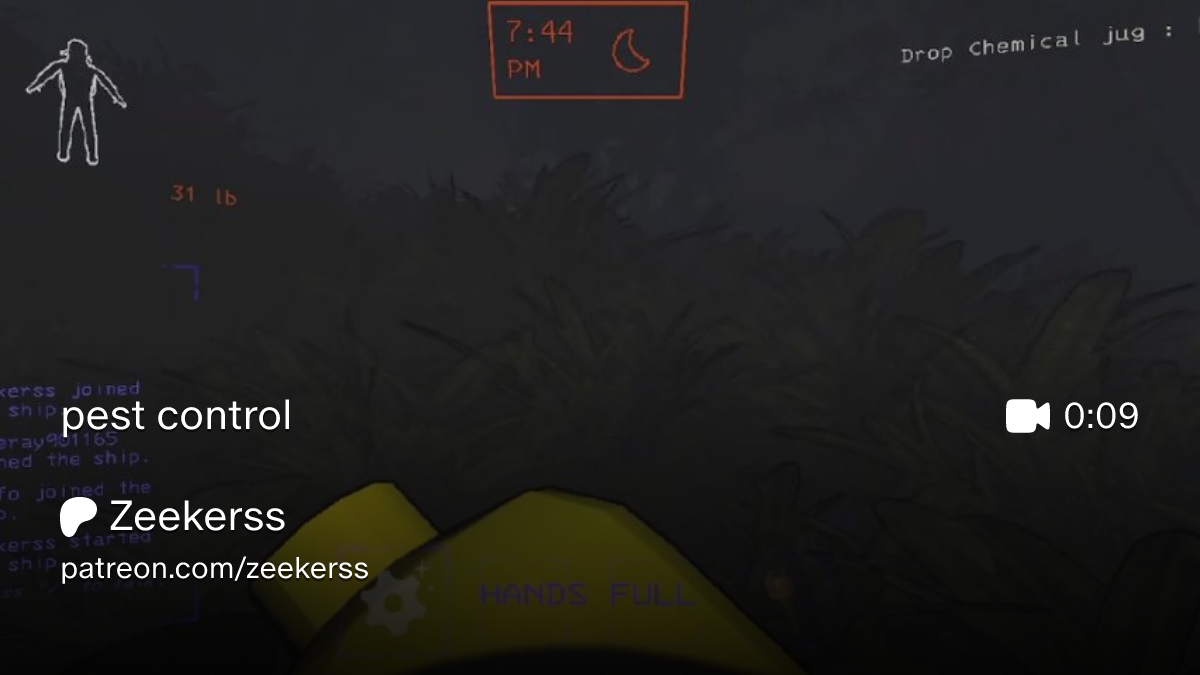 keen ruin
interesting that he only points to allocation as the main focus for the roaming logic from my benchmarks with/without async pathfinding (and supported by profiles), the vast majority of the jank comes from the pathfinding itself, not allocations
but then again, I did avoid allocations in my hooks that replace some of the vanilla logic for that, and I don't think the profiler gives a good enough indication of just how much time is wasted in allocation, so who knows
gonna be a fun time updating my patches though 😅
crimson jolt
???
public void AvoidClosestPlayer()
{
    if (this.farthestNodeFromTargetPlayer == null)
    {
        this.gettingFarthestNodeFromPlayerAsync = true;
        return;
    }
    Transform transform = this.farthestNodeFromTargetPlayer;
    this.farthestNodeFromTargetPlayer = null;
-   if (transform != null && this.mostOptimalDistance > 5f && Physics.Linecast(transform.transform.position, this.targetPlayer.gameplayCamera.transform.position, StartOfRound.Instance.collidersAndRoomMaskAndDefault, QueryTriggerInteraction.Ignore))
+   float num = Vector3.Distance(transform.transform.position, base.transform.position);
+   if (transform != null && num > 5f)
    {
        this.targetNode = transform;
        base.SetDestinationToPosition(this.targetNode.position, false);
        return;
    }
    if (this.carryingPlayerBody)
    {
        this.DropPlayerBody();
        this.DropPlayerBodyServerRpc();
    }
+   if (!Physics.Linecast(transform.transform.position, this.targetPlayer.gameplayCamera.transform.position, StartOfRound.Instance.collidersAndRoomMaskAndDefault, QueryTriggerInteraction.Ignore))
+   {
        this.AddToAngerMeter(this.AIIntervalTime);
+   }
    this.agent.speed = 0f;
+   this.destination = base.transform.position;
}
Vector3.Distance(transform.transform.position, base.transform.position)
(from FlowermanAI())
cold peak
it's probably mistype, but works as it should be
crimson jolt
well i thought in this case mostOptimalDistance was supposed to be replaced with the distance from the node it wants to hide at
oh wait nvm
i see what i was getting tripped up on
outside of the fact im not sure why he's doing .transform on what is already a Transform i just got confused by dnspy's local variable naming
cold peak
bracken was like implemented second (or first) enemy, so probably before player component was used (or gameobject) and now we get double transform thing
keen ruin
is mostOptimalDistance removed? that would be good
waste of memory to avoid a single distance calc
(which also caused bugs due to being used too much)
 brittle scaffold
is this mod still relevant in v81, and does it work fine or is it awaiting an update?
crimson jolt
it's still relevant, and it will not work until it is manually updated
 desert jolt
People are reporting that enemies are going "afk" with pathfindinglagfix so it would need to be updated.
Vanilla has some new performance patches to enemy ai so its not as necessary as before but still would be better
crimson jolt
it's "less relevant" because on the whole vanilla is a lot more performant but the specific improvements from this mod can still be made even with v80+
brittle scaffold
i see, btw @keen ruin i suggest adding a quality of life or bug fixes tag because when filtering for those specific mods category on r2modman your mod isnt there
desert jolt
brittle scaffold
i see, btw <@193574164639121409> i suggest adding a quality of life or bug fixe...
adding to this, theres a Performance tag that pathfindinglagfix should definitely have
brittle scaffold
oh yeah especially that as well
keen ruin
huh, I wonder if those just didn't exist when I created it
I never look at the tags after I create mods 😅
and yeah, I suspect PathfindingLagFix will still improve things on moons with high enemy power, but I haven't even started looking at the improvements Zeekerss made yet, so not sure by how much
crimson jolt
keen ruin
huh, I wonder if those just didn't exist when I created it
quality of life and performance are relatively new
bug fixes is older but still relatively new
none of them existed when i first released BF if i recall
 lone bronze
lag fix is pathfinding
 tribal crescent
pathfindinglagfix breaks the PumaAI's tree climbing ability
to better describe : when the mod is enabled, the Feiopars (and other creatures using PumaAI) will go to a tree and just keep on running at its root attempting to climb and throw errors in the console nonstop
keen ruin
It's not updated yet, so it's a miracle if anything works at all yet
tribal crescent
lol makes sense
tribal crescent
keen ruin
It's not updated yet, so it's a miracle if anything works at all yet
do we know if it's coming soon or still taking time
keen ruin
not sure yet how long it'll take to update, I still haven't gotten to reading the changes to the vanilla pathfinding code
hard to say
vivid dock
Idk if its possible, but in the next update, if you could improve how butlers open doors when they are chasing someone. Since when they are chasing someone, they go in a zigzag; it's difficult for them to open doors.
green gust
Yeah but isn't that intentional?
vivid dock
Idk, but I think Zeekers wanted them to be hard to kill on multiplayer so players will try to stick together instead of trying to kill them.
desert jolt
is pathfindinglagfix making them stuck on doors?
crimson jolt
im not sure if this is the right place to fix it
but
im pretty sure it's a quirk of vanilla
desert jolt
this does sound like a zeekers issue
vivid dock
every vanilla bug is a zeekers issue
brittle scaffold
duh
keen ruin
that sounds like something that isn't really within the scope of the mod
the fixes that I've included in the past have been things that couldn't be fixed by other mods without making separate patches for both vanilla and PathfindingLagFix
which by extension means that they are bugs that have been incidentally or even unintentionally fixed and had to be reintroduced in order to add the options to unfix
karmic geode
Sorry to bother you zagster, not trying to rush, just curious if you have checked what changes will this mod need?
Is it still needed? Im guessing yes hehe
But im guessing quite a bit will have to be changed?
keen ruin
I haven't had the chance, had to fix some things with CullFactory when I had time
I'm honestly not sure when I'll have time, I have friends in town over the weekend and work until then 😅
I'll see what I can do
as far as whether it's needed, I've never said it is and never will, but it will always give a performance benefit to move pathfinding off the main thread
the question is only how much, and you can determine that yourself if you go to a moon with lots of spawns, wait till a lot of enemies have spawned, note your fps, then despawn them and compare the difference
PathfindingLagFix should give you close to that sort of improvement, except when the AI is misbehaving in other ways
karmic geode
Yes, i meant needed as in, its an improvement, so why wouldnt you have it on hahaha
Welp take your time then! Im guessing this one is harder to fix than others so i wish you the best of luck haha
And have a great time with your friends :3
brittle scaffold
[14:44:43.1560685] [Warning:PathfindingLagFix] Method passed to ILMatcher.Call() was null at ./Patches/PatchFlowermanAI.cs#84 (DoAIIntervalTranspiler)
[14:44:43.1560685] [Error :PathfindingLagFix] Failed to find call to ChooseFarthestNodeFromPosition in FlowermanAI.DoAIInterval().
[14:44:43.1748239] [Warning:PathfindingLagFix] Method passed to ILMatcher.Call() was null at ./Patches/PatchDoublewingAI.cs#71 (DoAIIntervalTranspiler)
[14:44:43.1748239] [Error :PathfindingLagFix] Failed to find instructions to choose player evasion node in DoublewingAI.DoAIInterval().
vivid dock
It wasn't updated to v80
brittle scaffold
ah
brittle scaffold
@keen ruin we need you 🙏
 feral horizon
Just play without for now.
karmic geode
patience
 vivid dock
Its not even 2 weeks since the beta
keen ruin
I'm away from my PC until Tuesday
brittle scaffold
keen ruin
I'm away from my PC until Tuesday
its tuesday
green gust
💀
holy patience
he'll update it when he gets the chance to, you don't have to backseat 😭
brittle scaffold
green gust
he'll update it when he gets the chance to, you don't have to backseat 😭
it's just a gentle reminder calm down
 minor python
You've been popping into every single thread and mentioning their authors.
vivid dock
xD
karmic geode
No rest for the wicked
brittle scaffold
minor python
You've been popping into every single thread and mentioning their authors.
not even true
 lean inlet
brittle scaffold
its tuesday
lean inlet
brittle scaffold
its tuesday
it's tuesday already, but somehow there are still zero pull requests inbound, huh
 keen ruin
brittle scaffold
its tuesday
keen ruin
brittle scaffold
its tuesday
believe it or not I was aware when I arrived home what the next day is
I said I'd be back, not that it meant I'd be able to update it the same day
(and while the errors printed may look like it just needs a recompile, it's very likely that it'll actually need some patches rewritten, I don't intend to neuter the functionality to get it running)
keen ruin
starting on it, but there are indeed some patches that need to handle new features which may take some time
first one I've encountered is the doGroundCast parameter for TargetClosestPlayer, and I'm seeing how possible it is to run those raycasts async as well in order to save some extra time there
lean inlet
definitely written by non-human, with no human even being in the loop:
https://github.com/Zaggy1024/LC_PathfindingLagFix/pull/9/changes

GitHub
Description
In v81 there are issues with some enemies' .EnemyAI.PlayerIsTargetable method (I've observed this behavior in Bracken, Coilhead, and Jester). This PR adds a quick hotfix...
 sturdy zealot
Yes yes
 cursive sonnet
Burd
keen ruin
what in the hell..........
that would only address one small issue with v81, and it does it in an unbelievably overengineered way
I already fixed that issue in my working tree, there's a whole lot more that needs work
lean inlet
keen ruin
what in the hell..........
AI slop, that's what
like, even the "author"'s name ends with "Bot"
keen ruin
indeed
the issue is that this is too niche a codebase for any agent to do a good job with it without the driver actually knowing something about it
it would've been trivial to fix if they had prompted it to use ILSpy's command line tools to find out the new signature
(not that that solves the rest of the issues I'm working on)
it could have even just omitted the parameters entirely and just found it by name, but I specifically put the parameters in there so that things break when signatures change, since that is very likely to break patches
vivid dock
Since you looking at the pathfinding code from v80. Do you know if this error is from vanilla?
"IsStopped" can only be called on an active agent that has been placed on a NavMesh.
green gust
It's not possible to say, can be vanilla can be modded
tardy pivot
you can check the stacktrace in AsyncLoggers db, but nothing usefull will be shown if it comes from native land
keen ruin
I haven't seen IsStopped around yet, but I'll keep an eye out
kinda goofy that that doesn't just return true if it's not on the navmesh
unity devs 
 wanton salmon
I use it for spider position fix insted of disabling agent when spider is on the wall.
keen ruin
oh? you're able to move the spider off the navmesh without disabling the agent?
on another note, only a few things needed involved changes after the TargetClosestPosition patch, so the update should be ready to go sometime tonight
updated some things to match vanilla in the latest version, and a few small things became unnecessary, but pretty much every patch is still relevant
vivid dock
Nice
keen ruin
Version 2.3.0
- Updated all patches to support v81. This update will not work with prior versions.
- The new ground raycast option in TargetClosestPlayer runs asynchronously.
- The vanilla optimization to avoid short physics linecasts in the path-LoS intersection code is now included in all patches.
- Fixed some edge case handling for the maneater AI sneaking patch.
- Removed the
AsyncDistancePathfindingMostOptimalDistanceBehavioroption. The bracken stuck bug no longer exists, leaving no other vanilla enemies affected by this bug. The default is now to leave it unset for enemies that use the vanilla sliced pathfinding.
just uploaded, stay tuned in your local mod manager
vivid dock
wanton salmon
I use it for spider position fix insted of disabling agent when spider is on the...
when someone killed the spider start to spam that
wanton salmon
ah
wanton salmon
keen ruin
oh? you're able to move the spider off the navmesh without disabling the agent?
agent and mesh aren't actually connected in spider's case
they move independently of each other
lean inlet
without PathFindingLagFix a snareflea spams a periodic error (at least not every frame), after I jumped into a pit with it on my head.
I wonder if this mod fixes it?
[18:14:08.7323433] [Error : Unity Log] Agent 'Centipede' #8: Agent not on nav mesh when trying to set destination
This just be due to a lack of NavMesh down the pit more so than the pathfinding itself
There do be this but I dunno if it's updated for v80: https://thunderstore.io/c/lethal-company/p/JacobG5/LostEnemyFix

I think I remember someone mentioning it wasn't workin right
vivid dock
yes, centipede was spam logging this and nothing happened
ashen harbor
next shard
There do be this but I dunno if it's updated for v80: https://thunderstore.io/c/...
Yeah this doesn't work on V81 and Jacob said he doesn't plan to update it
ashen harbor
He did just say he doesn't plan to cus it was quite niche lol
 copper cosmos
I would disagree, it was very helpful lol
But I don't have the money to pay him to update it, so
next shard
copper cosmos
ashen harbor
Yeah this doesn't work on V81 and Jacob said he doesn't plan to update it
Jacob is telling me he didn't say that so erm
ashen harbor
copper cosmos
Jacob is telling me he didn't say that so erm
He said it somewhere in here
LOL
Hold on lemme find how he worded it my OSDD might be fucking with me cus Kylie was fronting when he said it
copper cosmos
yeah fair idk
ashen harbor
I did just stop existing for like 2 or 3 weeks
☠️
Ah yes message searching is broken rn
Thanks Discord
Oh okay my bad
He basically said he may not update it cus he was busy not that he wouldn't XD

 ashen harbor
Sorry @swift token Lmao I have no idea how I got such a wrong memory of how you worded that and why Kylie didn't correct me
Kylie: Cus I wasn't paying attention  Woopsie
Kylie: I am just very unobservant when not fronting most of the time so if I'm not paying attention I am not gonna help 🤣
next shard
ashen harbor
Kylie: I am just very unobservant when not fronting most of the time so if I'm n...
But what if laser pointer
ashen harbor
next shard
But what if laser pointer
Kylie: Where?
next shard
ashen harbor
Kylie: I will bonk Lacy for Jacob 
 oak timber
Lostenemyfix has been updated just now, issue is fixed it works again
zeekerss broke it for no reason
 coarse hawk
 oak timber
ik it was being discussed here earlier so figured good to say
oak timber
lean inlet
without PathFindingLagFix a snareflea spams a periodic error (at least not every...
Okay maybe not literally no reason, implementing the error log that started that discussion was what broke it which i guess is cool because it means the log's more descriptive but it still gets spammed in the use case lostenemyfix was made for which is not ideal
keen ruin
I'm curious to see if this is a general issue with all enemies
if so, I might patch it out in PathfindingLagFix, there's no real reason not to since it's purely cosmetic
ashen harbor
keen ruin
if so, I might patch it out in PathfindingLagFix, there's no real reason not to ...
Yeah would be a good idea
lean inlet
yet another day of modding QA o7
lean inlet
oak timber
Lostenemyfix has been updated just now, issue is fixed it works again
thanks!
keen ruin
lean inlet
yet another day of modding QA o7
you mean for you? I likely won't get to this today, it's very much a backburner thing unless someone else confirms that it's coming from the general destination assignment for every EnemyAI
ashen harbor
keen ruin
you mean for you? I likely won't get to this today, it's very much a backburner ...
It is
https://thunderstore.io/c/lethal-company/p/JacobG5/LostEnemyFix/ You can actually look at how LostEnemyFix handles it
 keen ruin
I'm not talking about including that type of fix
I have no intention of changing game behavior
green gust
keen ruin
you mean for you? I likely won't get to this today, it's very much a backburner ...
i think it got put into the setdestinationtoposition function when there's no path or whatever
ashen harbor
Yeah but I mean every enemy do just throw that error I mean
next shard
keen ruin
I have no intention of changing game behavior
It don't necessarily kill them always, teleporting to nearby NavMesh is preferred iirc
green gust
so it's the same issue that's always existed, there's just a proper non unity log for it
ashen harbor
Ye
next shard
But yeah it ain't really somethin that should probably be in PathfindingLagFix probably
green gust
i've never seen it happen for vanilla personally except maybe a few times, and only manticoils
keen ruin
oh, I didn't realize this was a managed log
green gust
unity's log would be a lot more useless
green gust
vivid dock
Since you looking at the pathfinding code from v80. Do you know if this error is...
this would be the unity equivalent actually
nothing that tells you which agent is causing the error
keen ruin
next shard
It don't necessarily kill them always, teleporting to nearby NavMesh is preferre...
that's honestly worse, adding an unstuck that the base game doesn't have
well, worse for being faithful to vanilla
it's something zeekerss could potentially stand to do
green gust
i think it's technically IsResuming that it would say instead of IsStopping, but either way unity's navmesh logging sucks
next shard
Maneater has it technically if you drop it into a pit
keen ruin
indeed
green gust
i thought maneater's pit thing was fixed ages ago
keen ruin
but he could absolutely generalize it if he wanted
green gust
unless it still happens if you also dive bomb into a pit
next shard
Ye
keen ruin
nono paco means the unstuck exists in vanilla for maneater
next shard
Ye it doesn't spam
green gust
ohh
yeah true, but that one's a lil different i think
it goes from navmesh to navmesh
not non navmesh to navmesh, i think?
keen ruin
I think it has two different unstucks, sounds like you're thinking of the grown maneater one
crimson jolt
i dont know how the baby maneater's unstuck works
but the adult just gets warped to the nearest AI node if it's stuck on navmesh with no accessible AI nodes for 10s+
so you can't trap it on valid navmesh where it's unable to path
keen ruin
yee
crimson jolt
keen ruin
I think it has two different unstucks, sounds like you're thinking of the grown ...
i am pretty sure the baby's unstuck works a lot differently though yeah
keen ruin
it has an additional condition that it is "stuck" only if no players are in LoS too, iirc
something like that anyway, and that's why the kill spots work
because I believe it also does those checks on a fixed period, rather than a timer
 knotty leaf
any plans on this?
 ashen harbor
@keen ruin You did say you were gonna fix this right?
keen ruin
SmartEnemyPathfinding update for v81 is processing 
vivid dock
I like global roaming a lot. Unfortunately, it increases the CPU from 30% to 90%.
 drowsy galleon
I was just thinking of this lol, this mod makes my cores scream
hexed moon
Is it really that bad
Ive never noticed my cpu fan going higher than usual with that setting
vivid dock
it needs to spawn a lot of masked
drowsy galleon
hexed moon
Ive never noticed my cpu fan going higher than usual with that setting
spawn one at a time and watch your core usage
hexed moon
Thats probably why I havent seen it
I stopped getting mask spawns some time after I turned it on
I dont think its this mod but something messed up masks
Wait I wonder if this is why rampart was running so badly
Rampart spawns its own masks manually
keen ruin
yeah it's unfortunately costly
maybe I should look at making it limit the concurrent jobs, but it might make them look less responsive
I'd have to see
 fiery salmon
Since V81, On modded planets and modded interiors, it seems like the host eventually freezes after a Masked person spawns. it takes a while and there's not really any logs except for spams of:
[Info : Unity Log] Start coroutine B!!!
Usually freezes close to when the ship is supposed to leave.
I have pinpointed the issue to this Smart Enemy Pathfinding since when I remove it the issue doesnt happen.
My most consistant way to reproduce is with the moon Atlas Abyss and then just hangout in the ship until it crashes (10-15min), but I can reproduce with moons from Moons_of_otherwordly_oddities and interiors from generic_interiors.
ashen harbor
I haven't had this problem but good to know
And we did have a ton of masked spawn once yesterday
lean inlet
fiery salmon
Since V81, On modded planets and modded interiors, it seems like the host eventu...
that's in EnemyAI -> CurrentSearchCoroutine
tardy pivot
keen ruin
SmartEnemyPathfinding update for v81 is processing <a:loading:123365909167983821...
as far as i'm aware SmartEnemyPathfinding has not been updated to v81 yet
knotty leaf
tardy pivot
as far as i'm aware SmartEnemyPathfinding has not been updated to v81 yet
it did lol

 fiery salmon
ashen harbor
And we did have a ton of masked spawn once yesterday
fiery salmon
ashen harbor
And we did have a ton of masked spawn once yesterday
Might be an incompatibility I'm not sure, It might be only on certain moons/interiors
Don't think this happens on base game planets/interiors. I can reproduce fairly consistently tho
fiery salmon
lean inlet
that's in `EnemyAI` -> `CurrentSearchCoroutine`
Yeah that spam happens whether I have the mod or not, there's just no other logs I can point too, there's no error
lone bronze
fiery salmon
Since V81, On modded planets and modded interiors, it seems like the host eventu...
i think i had the same issue but in any moon, also with and without the mod still cant figure it out what causes it since i get no error logs
fiery salmon
lone bronze
i think i had the same issue but in any moon, also with and without the mod stil...
Interesting, I'm fairly sure removing the mod fixed my issue, but I haven't pinpointed the issue, maybe it's something generic.
 swift grove


 copper cosmos
I blame Generic Moons
fiery salmon
I did add generic interiors to my modpack recently 🤭
copper cosmos
fiery salmon
I did add generic interiors to my modpack recently 🤭
@acoustic furnace must be a Liminal Facility issue /j
 acoustic furnace
you will disappear faster than monty
keen ruin
hmmm that's tricky business
theoretically with a full dump of the game when it's frozen like that, I could find the issue, but I'd have to figure out how to get a managed stack trace from a dump again 😅
and the dump would be the size of the memory that the game is using, so tens of gigabytes potentially
fiery salmon
I could maybe get you that
keen ruin
you know how to do that? it's in the right click menu (probably in details if win11) of the process
fiery salmon
Yes I do, but it's been a while since I did that haha. I'll figure it out tomorrow
 steep tartan
Noticed that Forest Giant sometimes stand in the same place looking at nothing for eternity and I think this error might be related
[Error : Unity Log] NullReferenceException: Object reference not set to an instance of an object
Stack trace:
PathfindingLagFix.Patches.PatchEnemyAI.GetPathStatus (EnemyAI enemy, System.Int32 index) (at ./Patches/PatchEnemyAI.cs:54)
(wrapper dynamic-method) EnemyAI+<ChooseNextNodeInSearchRoutine>d__111.DMD<EnemyAI+<ChooseNextNodeInSearchRoutine>d__111::MoveNext>(EnemyAI/<ChooseNextNodeInSearchRoutine>d__111)
UnityEngine.SetupCoroutine.InvokeMoveNext (System.Collections.IEnumerator enumerator, System.IntPtr returnValueAddress) (at <c39a522eee05469b8171a6cfeb646c59>:0)
[16:15:06.3548143] [Error :UnityDebuggerAssistant]
--- Exception Handler ---
Exception Caught: System.NullReferenceException
Assembly: PathfindingLagFix
Plugin Info
GUID: Zaggy1024.PathfindingLagFix
NAME/VER: [email protected]
LOCATION: \plugins\Zaggy1024-PathfindingLagFix\PathfindingLagFix.dll
Message: Object reference not set to an instance of an object
Source: PathfindingLagFix
--- Begin Frames ---
--FRAME 1:
In Assembly: PathfindingLagFix
Source: ./Patches/PatchEnemyAI.cs:54,9
Target Method: PatchEnemyAI.GetPathStatus
--FRAME 2:
In Assembly: UnityEngine.CoreModule
Target Method: SetupCoroutine.InvokeMoveNext
--- End Frames ---
--- End Exception Handler ---
ashen harbor
Weird I've not had this issue 🤔
crimson jolt
Noticed that Forest Giant sometimes stand in the same place looking at nothing for eternity
i feel like ive seen this happen a couple times in vanilla too, since v80
so im not 100% sure PLF is causing it, maybe making it worse? would be good to know if there's a way to consistently replicate it so it can be tried both ways
ashen harbor
Would be for sure
crimson jolt
do you have the seed where this giant spawned and was it flooded weather
steep tartan
crimson jolt
do you have the seed where this giant spawned and was it flooded weather
- No sry
- No
steep tartan
crimson jolt
so im not 100% sure PLF is *causing* it, maybe making it worse? would be good to...
It happened to me multiple times on March while I was testing some things
Idk if I have a consistent way to replicate it, let me try
steep tartan
couldn't find a way to replicate consistenly unfortunately, but I was able to make that happen again on Eclipsed March
keen ruin
fiery salmon
Yes I do, but it's been a while since I did that haha. I'll figure it out tomorr...
saw the DM, sorry I haven't gotten to it yet 😅 got myself into the middle of a refactor for work that requires a lot of attention
keen ruin
steep tartan
Noticed that Forest Giant sometimes stand in the same place looking at nothing f...
that..definitely looks like a vanilla error, it seems like it must be killing the search routine in an incorrect way somewhere
particularly, currentSearch is almost certainly null, and the coroutine shouldn't still be running if that's been nulled out
fiery salmon
keen ruin
saw the DM, sorry I haven't gotten to it yet 😅 got myself into the middle of a ...
Don't worry about it, I don't want to put pressure on you haha. Just glad you got the dump DM, sometimes DMs are ignored cause of spam and stuff haha.
tribal crescent
got this error out of nowhere
[Error : Unity Log] NullReferenceException: Object reference not set to an instance of an object
Stack trace:
PathfindingLagFix.Patches.PatchEnemyAI.GetPathStatus (EnemyAI enemy, System.Int32 index) (at ./Patches/PatchEnemyAI.cs:54)
EnemyAI+<ChooseNextNodeInSearchRoutine>d__111.MoveNext () (at <aca1e98d6f844d3f85cd22b6f7be2f9b>:IL_00CF)
UnityEngine.SetupCoroutine.InvokeMoveNext (System.Collections.IEnumerator enumerator, System.IntPtr returnValueAddress) (at <c39a522eee05469b8171a6cfeb646c59>:IL_0026)
idk what it's related to
tribal crescent
also when launching the game this is said before clicking on online
[Warning:PathfindingLagFix] Method passed to ILMatcher.Callvirt() was null at ./Patches/PatchEnemyAI.cs:432 (TargetClosestPlayerTranspiler)
[Error :PathfindingLagFix] Failed to find the call to check if the enemy can path to a player in EnemyAI.TargetClosestPlayer().
[Warning:PathfindingLagFix] Method passed to ILMatcher.Call() was null at ./Patches/PatchFlowermanAI.cs:84 (DoAIIntervalTranspiler)
[Error :PathfindingLagFix] Failed to find call to ChooseFarthestNodeFromPosition in FlowermanAI.DoAIInterval().
[Warning:PathfindingLagFix] Method passed to ILMatcher.Call() was null at ./Patches/PatchDoublewingAI.cs:71 (DoAIIntervalTranspiler)
[Error :PathfindingLagFix] Failed to find instructions to choose player evasion node in DoublewingAI.DoAIInterval().
keen ruin
huh, was there a lethal update?
crimson jolt
no
 keen ruin
huh
keen ruin
tribal crescent
[Error : Unity Log] NullReferenceException: Object reference not set to an inst...
this is something that someone else had brought up already, did you have a giant as well?
keen ruin
tribal crescent
[Warning:PathfindingLagFix] Method passed to ILMatcher.Callvirt() was null at ./...
but this one... doesn't make a whole lot of sense unless someone else is patching those before PathfindingLagFix
at least given that there was no update past v81 (or assuming that public update is the one I tested against as well)
I guess I better get on my PC and check though
keen ruin
tribal crescent
[Warning:PathfindingLagFix] Method passed to ILMatcher.Callvirt() was null at ./...
yeah no idea what you got going on here unless you're running an old version
neither of the two methods it's failing to find there have changed
tribal crescent
keen ruin
yeah no idea what you got going on here unless you're running an old version
Should i just remove the mod then download it again?
keen ruin
I was thinking more along the lines of an old lethal version, I wanna say you'd see different errors at startup if it was the mod that's out of date
but can't hurt
I'd say just to see what's going on, verify game files and nuke your mod manager of choice's cached copy of the mod and redownload it
(I say the cached copy because Gale at least keeps a download cache that it copies from instead of going straight to Thunderstore for every install)
tribal crescent
keen ruin
I was thinking more along the lines of an old lethal version, I wanna say you'd ...
Oh then i must've had that when i launched in in previous accidentally
keen ruin
that would make sense
but as far as the other error, I believe that's a vanilla bug
behavior with PathfindingLagFix likely shouldn't differ from vanilla with that one
I could obviously silence that error since it's in my code, but that would just mean you'd have no way to know that the search routine broke
 limpid folio
After installing PathfindingLagFix, if two or more slimes are generated at the same time, they will "merge into one".
On the left, PathfindingLagFix is not installed. On the right, PathfindingLagFix is installed.
If two slimes are generated simultaneously and are far apart from each other, their grids will be connected to each other.
keen ruin
hmm, interesting
I wonder if they're getting all the same IDs
oh brother
has this happened in normal gameplay? or only when spawning via debug tools?
it looks like zeekerss did not make sure the enemy indices don't duplicate
I guess it doesn't really matter in vanilla, I'll just have to change how I look up my enemy data tracking 
I'll try to get to fixing this soon™, working on Black Mesa finally atm
fiery salmon
Black Mesa
keen ruin
Finally got around to fixing that
Version 2.3.1
- Fixed an issue where multiple enemies spawned in the same frame could confuse their pathfinding data.
ashen harbor
keen ruin
Finally got around to fixing that
### Version 2.3.1
- Fixed an issue where mult...
Neat yeah we saw some PathfindLagFix errors recently and were gonna report them but saw others had already been mentioning it, is the issue with Smart Enemy Pathfinding also gonna be fixed where it was causing some people's games to freeze from multiple masked existing?
keen ruin
it being the giant?
also, I haven't had a chance to investigate that freeze unfortunately, but hopefully I can take a break from black mesa stuff this weekend and look into it
keen ruin
Version 2.4.0
- Added patches to make some gunkfish pathfinding async to remove stutters on large maps.
 dense falcon
hi, i've been testing and i think PathfindingLagFix is the cause of this issue i've had reported.
i have these bridges you can build by hitting in my moons. they're made from some simple box colliders and navmesh obstacles which are enabled/disabled based on the bridge's hp.
here's without PathfindingLagFix:
and then immediately after a restart with PathfindingLagFix enabled:
ope, yt video playing and audible in the last vid, woops...
but yeah, was just wondering if there's any way i can get around this while still having PathfindingLagFix enabled
i disable both the NavmeshObstacle and the gameobject it's on in events like this, to allow them to walk across:
 keen ruin
hmm, did you also disable PathfindingLib in that test without PathfindingLagFix?
I would hope it's not related to my PatchOffMeshConnectionStutterStepping patch
if it was enabled, though, not sure what the cause of that would be, tbh
I have no idea about how the pathfinding for those lil guys works
does this happen with any vanilla enemies chasing you onto the bridge?
dense falcon
the lib was enabled during those tests
last time i checked, as long as the pikmin can path across, other enemies can too, though i didn't test other enemies with/without this mod yet
it appears i have fallen victim to correlation
i just tested the pikmin again with the fix on, and it works this time
there's some weird inconsistency going on with my bridges somehow, may not be related to this mod it seems
keen ruin
fix on as in PathfindingLib option?
dense falcon
no, i meant i turned PathfindingLagFix back on
i think it just so happened to not work whenever i had it on, it seems like there's some other issue that makes the navmesh inconsistent
keen ruin
huh that's curious
dense falcon
yeah, i think i found the issue. i was disabling the colliders for the bridge with an animation, which was disabling them before the navmesh re-bake when landing, sometimes. if i disable them at round start instead, it seems to fix the issue. you can disregard my stuff here, sorry for buggin' ya with an unrelated issue
keen ruin
ah, I see, hmm
do moons not use renderer baking too?
I forget how their surface generation is set up
green gust
keen ruin
do moons not use renderer baking too?
whats that
keen ruin
navmesh can bake onto colliders or renderers, and I'm 90% sure vanilla moons at least have that set to renderers for the interior navmesh surface
green gust
oh that
you made it sound like some sort of performance thing
i believe we do renderer baking
could be wrong
green gust
i dont car for context, i just read "renderer baking"
keen ruin

dense falcon
mine's set for just physics colliders on default, room, navsurface, and colliders layers
keen ruin
as long as that's not for the interior too, that should be okay
changing it from renderers to physics colliders may break some interiors (including vanilla, not sure)
also turns out the whole gunkfish patch thing was not quite right, and boy did zeekerss question my old code's assumptions with this
I had to rewrite the patch to make it match vanilla's behavior properly after realizing it was screwed up, and that involved some fiddling around with code that has been working fine for every other enemy for a while
but now:
Version 2.4.1
- Reworked the gunkfish patch to behave exactly like vanilla while only using one pathfinding job instead of two.
- Removed the
DistancePathfindingFallbackNodeSelectionoption, vanilla now explicitly uses a very similar criteria toBestPathable.
(and yes, removing that option means that PathfindingLagFix now has zero options except the presets which currently do nothing  )
)
drowsy galleon
Teehee
next shard
keen ruin
(and yes, removing that option means that PathfindingLagFix now has zero options...
The illusion of choice
vivid dock
A forest keeper was near Titan's main entrance, looking at the wall and doing nothing, and one player was able to kill him with a shovel before that happen the giant was chasing him.
And a thumper spawned inside a closed room, and when I opened it, it stayed still near the vent where it spawned and only started to move when I was in its field of view.
No errors
 candid gyro
[Debug :PathfindingLagFix] Player paths from SpringMan(Clone) (SpringManAI, -530768) are 613.0371ms old, which is more than twice 200ms, using synchronous paths.
Question what is this? trying to troubleshoot an issue im having
keen ruin
candid gyro
```[Debug :PathfindingLagFix] Player paths from SpringMan(Clone) (SpringManAI, ...
this is probably normal, it just happens if an enemy doesn't need to check if it can target a player for a while
candid gyro
ok
keen ruin
vivid dock
And a thumper spawned inside a closed room, and when I opened it, it stayed stil...
The giant thing is something that others reported and thought happened in vanilla, but the thumper sounds potentially more suspicious. Got a seed?
When you say the room was closed, do you mean that it was locked? If so, then perhaps the room just didn't have any AI nodes, that's the first thing I'd check for on the seed
keen ruin
if you or anyone else can get me a mod profile, seed and recording for these possible bugs, it'll make it easier to determine if they're something I need to fix or not
particularly a recording starting at the first time you interacted with the enemy in any way, or before it spawned
 broken magnet
i had these exceptions on vow 114362800 when the tulip snake got off my head. he seemingly got stuck in that place which is somewhat visible on the side of the screen.
code is 019e1f48-cd8a-43c7-4804-fd1a13808ff3, it doesn't include the closed beta mod obviously but it doesn't touch enemy ai
 keen ruin
Sorry it's takin me a while to look at that, probably a pretty silly obvious goof but I've been deep in the Black Mesa mines
it is out now so I should be free to look into this and other stuff
vivid dock
vivid dock
And a thumper spawned inside a closed room, and when I opened it, it stayed stil...
35218506 Offense. I found a seed where this happened with a thumper and hydrogere. 019e35c2-6c21-aafc-1531-de59f259bff7
there's two nodes inside the room where they are locked
keen ruin
broken magnet
i had these exceptions on vow `114362800` when the tulip snake got off my head. ...
fixed this locally, was a very minor goof where I forgot to give the fallback node a fallback node
keen ruin
vivid dock
35218506 Offense. I found a seed where this happened with a thumper and hydroge...
thanks, I'll look into this now and see if it's a bug or not
damn the static on the pause menu is kinda bugging my eyes 😅 what mod is that?
crimson jolt
probably mine
keen ruin
@vivid dock is this where you saw the blob trapped? looks reproducible at least
 crimson jolt
film grain was globally removed post-launch, i have some settings in BF to add it back
keen ruin
gotcha
crimson jolt
just set RestoreFilmGrain to None (although you'll have to reboot before it takes effect, i believe)
keen ruin
it's mainly a problem in the free cam but I think it would probably still tire my eyes otherwise tbh 😅
hmm, the blob not moving does appear to be a bug in PathfindingLagFix, what the helly
I wonder if this is a regression or a pre-existing issue
vivid dock
keen ruin
<@393178811094532097> is this where you saw the blob trapped? looks reproducible...
keen ruin
oh interesting, it spawned in a diff spot for me
vivid dock
maybe spawncyclefixes
keen ruin
did the same thing though, the blob was staying still until I switched off async
so definitely something I need to look into
crimson jolt
vivid dock
maybe spawncyclefixes
SCF 100% changes spawns
but also we were running into a problem a couple weeks ago where the challenge moons didn't have consistent spawns
keen ruin
I used your profile code so I think it's just because of player input most likely
keen ruin
I'm pretty sure they aren't
crimson jolt
crimson jolt
but also we were running into a problem a couple weeks ago where the challenge m...
with and without mods
keen ruin
or at least they definitely weren't from what I remember
crimson jolt
well... they are supposed to be
keen ruin
like if you kill an enemy it changes the spawns I'm pretty sure
crimson jolt
and it's been over 2 years now, but im pretty sure they were consistent when v47 first launched because i remember challenge moons used to be consistent
keen ruin
hmm
crimson jolt
maybe time has warped my memory but i really think i remember that
crimson jolt
keen ruin
like if you kill an enemy it changes the spawns I'm pretty sure
he actually tried to fix this in v80
lemme find the patch notes
- Fixed the game's randomness so that creatures will always spawn in the same order on Challenge Moons.
- When creatures die, which would normally open up space for different creatures to spawn early, it now waits until the determined spawn order has been finished to begin spawning extra creatures.
- Also made it so the Old Birds cannot spawn from thin air.
the challenge moons thing is just totally wrong because even in vanilla v81 we were seeing desync
but he has confirmed that spawns are intended to be consistent based on the seed
and he added new power level variables (currentEnemyPowerNoDeaths, currentOutsideEnemyPowerNoDeaths, currentDaytimeEnemyPowerNoDeaths) which do not ever decrease, and this value is used exclusively until it no longer allows for any enemies to spawn (at which point it returns to using the original variables)
anyways i think im starting to derail a little bit but basically i would not be surprised if you encounter issues with testing spawns even with a specific seed
looks like you were able to replicate the bug anyway so maybe it's ok
keen ruin
yee it seems to be fine
hopefully another repro attempt doesn't spawn it differently tho, I don't want to install imperium lol
keen ruin
oh god I was looking at the wrong version decomp while trying to figure out what was going wrong with the search routine

oh jeez
I see the problem, I don't know how I missed this before
ChooseNextNodeInSearchRoutine runs an outer loop now
what a pain
keen ruin
okay after rewriting a good portion of the patch, it seems to be working
just verifying everything and then I will push out an update
keen ruin
Version 2.4.2
- Updated the roaming patch to function properly in v81+.
- Fixed an
IndexOutOfRangeExceptionthrown when an enemy can't find any paths inChooseFarthestNodeFromPosition()orChooseClosestNodeToPosition().
coming soon to mod managers
 boreal brook
Random question. Is it possible to add a moons blacklist to global roaming in SmartEnemyPathfinding? Pareidolia tends to blow up if it's eclipsed and eat people's frames with it on. Which is sad because that's a moon where I would like the mimics tocome out of all the fire escapes the most.
vivid dock
With GlobalRoaming, even if a masked sees a player using the elevator when it reaches the top, the masked has already forgotten the player, and the masked won't call the elevator.
keen ruin
oh, like it steps out, sees the player, the player goes down, it forgets?
that's kinda a vanilla thing more than a SmartEnemyPathfinding thing unfortunately
it has a timeout after it loses line of sight
vivid dock
Goes up
vivid dock
keen ruin
it has a timeout after it loses line of sight
Like the butler?
keen ruin
boreal brook
Random question. Is it possible to add a moons blacklist to global roaming in Sm...
I could try to do that, yeah. Probably a more effective thing would be to set a limit on the number of connections to allow, but even more important would be to see if there are any strategies I can use to avoid as much work for each enemy's path
I feel like our current setup is fairly naive, and I could probably brainstorm some way to eliminate or cache paths to avoid doing so much work
if I can reduce the number of paths tested to O(n log n) instead of O(n^2), that would make an immense difference for the really problematic moons
tardy pivot
isn't global roaming async? why is it affecting frames?
keen ruin
the jobs for them run pretty long, so if there's a lot of enemies, it's easy to saturate all the job threads on a low-end system
one other thing that might be worthwhile is to make a dedicated thread pool in PathfindingLib for this so we never saturate those
keen ruin
you mean serializing all the smart pathfinding jobs?
tardy pivot
instead of immediately starting the jobs. yeet them into a queue and have something dequeue when a job thread becomes available
but there isn't much that can be done if the player system has so few resources that the queue keeps growing
keen ruin
the job system isn't really designed for that, so I think a separate pool would make more sense
that said, I think reducing the work would be much more fruitful sicne the pathfinding is already slow on march
tardy pivot
sure but you'd need to invalidate the cached paths when the navmesh changes. or revalidate them each time you try to use them
vivid dock
One thing I noticed is that, no matter if global roaming is turned on or off, masked don't try to hide inside the ship with smart enemy pathfinding.