#Lethal Elements
1 messages · Page 2 of 1
 small cypress
 summer mist
ic
 fallow ginkgo
does the snow slow ya down?
 autumn isle
@small cypress how does Rend, Dine and Titan get solar flare'd if you cant see the sun 🤔
small cypress
autumn isle
<@398818840269553664> how does Rend, Dine and Titan get solar flare'd if you ca...
wdym? like logically?
small cypress
fallow ginkgo
does the snow slow ya down?
it will, this will be the main mechanic for the snowy weather (blizzard will be more focused on the freezing temps)
fallow ginkgo
small cypress
it will, this will be the main mechanic for the snowy weather (blizzard will be ...
hmm alright
w the whole snow growing thing wouldn't it just be flooded but with snow?
I don't hate the idea at all, I'm just putting in my two cents
small cypress
oh yeah you are right, the difference would be that you can clear a path and you wouldn't be slowed down there, maybe there should be something else...
fallow ginkgo
yeeh I was thinking it'd be cool if the snow were removed when you go thru it or by shoveling it
fallow ginkgo
small cypress
oh yeah you are right, the difference would be that you can clear a path and you...
well the water does freeze over, I think that's cool
small cypress
I wanted to make snowy weather rather calm/serene and the blizzard one with strong gusts of wind and freezing. Maybe I could add freezing to snowy too just make it less drastic
fallow ginkgo
opens up more paths as opposed to closing some off like flooded
fallow ginkgo
small cypress
I wanted to make snowy weather rather calm/serene and the blizzard one with stro...
oh yeh that sounds good
small cypress
fallow ginkgo
yeeh I was thinking it'd be cool if the snow were removed when you go thru it or...
Yup, that's what I meant by "footprints" in the description. I wanna make the snow interactive so everyone could leave a trail/path behind them
I need to remember to add shoveling too 😂
fallow ginkgo
small cypress
Yup, that's what I meant by "footprints" in the description. I wanna make the sn...
yee thats super cool
 blissful charm
small cypress
I need to remember to add shoveling too 😂
blissful charm
small cypress
I need to remember to add shoveling too 😂
Gonna need a plow for the cruiser😂😂
autumn isle
small cypress
wdym? like logically?
yeah
basdically
also why is solar flare like the weather on rend 9/10?
small cypress
autumn isle
also why is solar flare like the weather on rend 9/10?
this is weather registry's doing, not mine, you can change probabilities for weather there
autumn isle
small cypress
this is weather registry's doing, not mine, you can change probabilities for wea...
thanks for the fast response
hopefully I'm not bothering you or anything
 sick ridge
small cypress
this is weather registry's doing, not mine, you can change probabilities for wea...
sick ridge
small cypress
this is weather registry's doing, not mine, you can change probabilities for wea...
Any chance your moons are gonna update soon?
small cypress
autumn isle
basdically
well irl a solar flare is actually stronger at the magnetic poles in antarctica/arctic there's nothing preventing it logic wise to be on rend or dine as it's more of a geomagnetic event rather then strictly solar
autumn isle
fair enough
small cypress
sick ridge
Any chance your moons are gonna update soon?
yeah i've started the process, i just have more work these days so less time for all the mods 😔
sick ridge
All good ^^ I was hoping they would update soon  I wanna see the new stuff on them
small cypress
autumn isle
hopefully I'm not bothering you or anything
dw, no problem
small cypress
sick ridge
All good ^^ I was hoping they would update soon <:lunxara_love_with_tail:1166973...
the general stuff is done, i just need to try improving the textures on derelict (this will probably increase the file size, unfortunately) and fix that damn bug with debris killing en masse 
small cypress
summer mist
You make better mods than me, never make mods ever again
this is the best endorsement i could hope for, thx 😂
summer mist
You're welcome
sick ridge
small cypress
the general stuff is done, i just need to try improving the textures on derelict...
Oh did that bug come back?
small cypress
it was never fixed 
i just couldn't reproduce it locally and then started work on this mod and forgor 💀
sick ridge
lol
 smoky acorn
will there be a chance to have like deepsnow little location where you can suffocate ? 👀
like in minecraft with high amount of snows
small cypress
i mean quicksand is still under the snow on moons where it's present constantly
smoky acorn
so you will implement the quicksand mechanic into snowier zones but just change so it will not sound muddy ?
this idea itself is so funny
small cypress
ah no, it's just quicksand that just gets buried under the snow, i haven't thought about adding sinking or anything like it
 sudden wagon
I can imagine the horror with your snow and s1ckboys snowy seichi and his "quicksnow"
small cypress
this is a cool idea, but it's gonna be complicated to implement if that snow will be removable
due to how triggers work
smoky acorn
quicksnow sounds so fun, just hearing my friends getting snowed is so hilarious
my bestie asked me if there would be a freeze mechanic but it would be heathwave copy since they both work the same about stamina and stuffs
small cypress
there would be one
but it's gonna do damage over time
a very small amount tho
and only in the blizzard during specific "events"
smoky acorn
hmmmm the time when the weather starts to freeze is going to be afternoon ?
i had plenty of little ideas for blizzard but they sounds cheap stuffs to add
small cypress
smoky acorn
hmmmm the time when the weather starts to freeze is going to be afternoon ?
random probably
smoky acorn
noice
small cypress
smoky acorn
i had plenty of little ideas for blizzard but they sounds cheap stuffs to add
np, you can post them here, and if something catches my eye I could implement it, but no promises 🤭
smoky acorn
i'll do it a bit later, i'll let you finish at your rythm i don't want to interfere with the release date because of a potential good idea xD
 modest temple
i've always wanted this, and im currently working on a mod idea with something similar. This is actually stunning
summer mist
Thanks, I called it stunning too
small cypress
let's hope the fps drop won't be as stunning lol
summer mist
It def is I agree
 somber hemlock
@small cypress I added the APIs that I think you need for your solar flare feature here: https://github.com/Zaggy1024/LC_OpenBodyCams/compare/0ae37d74ff97c48494aeb731cc7629df2ff860fc...master
let me know if you think anything's missing or have any questions

GitHub
An open-source mod for Lethal Company to add a body/head camera that is displayed on the bottom right monitor in the ship, with the goal of appearing almost identical to the player's actual...
I'm thinking the way you would want to use it is:
- Hook into
OnBodyCamInstantiatedto know of all the body cams in the world (you can also get a snapshot at any time fromBodyCamComponent.GetAllBodyCams(), so probably call that when you hook in to not miss any body cams) - Hook into all cameras'
OnTargetChanged()functions - If, when that hook is called, the camera is remote, apply the effect, otherwise disable it
 unreal sequoia
yay, solar flare compatibility
small cypress
somber hemlock
<@398818840269553664> I added the APIs that I think you need for your solar flar...
Thank you very much! So this should cover both Two Radar Maps and Open body cams if I implement it?
somber hemlock
yeah, TwoRadarMaps's body cam for the terminal should get sent your way with that instantiation callback
small cypress
somber hemlock
yeah, TwoRadarMaps's body cam for the terminal should get sent your way with tha...
Awesome 😎
I wasn't sure since they don't depend on each other directly
sick ridge
@small cypress 🤔
small cypress
sick ridge
<@398818840269553664> 🤔
This is not me, I assume, because I don't access anything by any index there, i just multiply/divide some weather related numbers:
[HarmonyPatch(typeof(RadarBoosterItem), "EnableRadarBooster")]
        [HarmonyPrefix]
        static void SignalBoosterPrefix(RadarBoosterItem __instance, ref bool enable)
        {
            if (SolarFlareWeather.flareData != null)
            {
                if (enable)
                {
                    // Decrease the distortion intensity
                    SolarFlareWeather.flareData.RadioDistortionIntensity /= 3f;
                    SolarFlareWeather.flareData.ScreenDistortionIntensity /= 3f;
                    SolarFlareWeather.flareData.RadioFrequencyShift /= 4f;
                    SolarFlareWeather.flareData.RadioBreakthroughLength += 0.25f;
                }
                else if (__instance.radarEnabled)
                {
                    // Restore the original values
                    SolarFlareWeather.flareData.RadioDistortionIntensity *= 3f;
                    SolarFlareWeather.flareData.ScreenDistortionIntensity *= 3f;
                    SolarFlareWeather.flareData.RadioFrequencyShift *= 4f;
                    SolarFlareWeather.flareData.RadioBreakthroughLength -= 0.25f;
                }
            }
        }
Might have been cus of CodeRebirth, we found that one in a crate I think
@summer mist
summer mist
I doubt it
sick ridge
summer mist
I doubt it
Btw still getting Multi-Hits with ImmersiveScrap weapons and VoidLeak's crowbar. Legit at a loss as to what could potentially cause it, you're free to check my pack and see if something might be patching something that could cause it but considering it only happens in Multiplayer I'm thinking there's an oversight somewhere
I will say Multi-Hits also happen on enemies too and in a weird way
If I attack a dog Twice with any of those weapons
It dies, but it says it took 2 damage both times
Ik Ik I'm bringing it up in this thread, I've been dissociating pretty badly today and wanted to mention it to you before I forgot
sick ridge
summer mist
Must just be a base game bug
It shouldn't be, unless the game does bad math from the weapons doing 2 hp damage instead of 1 which is possible
 supple schooner
Hmm, the static from the walkie-talkie during Solar Flare can't be heard by the one using the walkie
small cypress
supple schooner
Hmm, the static from the walkie-talkie during Solar Flare can't be heard by the ...
wdym? When your friends talk to you, their voices aren't distorted?
small cypress
ah, that's intended (not the ear rape part though)
supple schooner
lol
everybody hears the white noise, except the one that is talking through the walkie
so they don't realize they're earraping lol
(except for everybody screaming to stop lmao)
small cypress
I tweaked it a lot, but I know from reports the noise is too overbearing, you're actually supposed to hear some voice intermittently, but guess it gets drowned with static. It also depends on the flare strength
supple schooner
ah
small cypress
supple schooner
everybody hears the white noise, except the one that is talking through the walk...
Everybody hears it even without the walkie?
supple schooner
oh nah
small cypress
Or only when they have it on
supple schooner
only people with walkie I think
small cypress
Ah ok, it's just noise being too loud then. I'll try to add a config for this today or tomorrow
supple schooner
thanks!
supple schooner
small cypress
Everybody hears it even without the walkie?
we also have that one mod that lets other people hear walkies when they're nearby
small cypress
Aaah, yeah that will make it worse 🤭
Since the static filter will be constantly generating noise D:
small cypress
I mean I don't know how that mod works, but if it's doing the same things as the game when you're using the walkie, the noise filter will be applied too
supple schooner
hmm okay
oh also, is it possible to tweak the mechanics of the solar flare, so the monitor isn't always fuzzy?
one of my friends is a very heavy terminal user and that weather makes him very sad lol
it would be cool if the interference was intermittent, so the monitor isn't permanently scrambled
(or is that already a thing and we got unlucky with the solar flare strength?)
small cypress
I mean that's the whole point of the weather (limiting the remote tracking/talking gameplay mechanics). You can counteract the effect by placing radar boosters, additionally the strength of distortion depends on the flare strength.
supple schooner
ahhh good to know
we'll test that next session. I'll let them know about that mechanic 
oh also, would it be possible to add settings to configure how fast your stamina decreases in a heatwave?
I tried messing with the "time until stroke" setting, but I'm not sure what that does (it seemed to build up at the same rate as before)
the feedback I got from a lot of people is that they hated heatwave because some of the modded maps we play on have a really long run to the entrance, and heatwave makes it really tedious
(though most seem to like the visuals of heatwave, just not the stamina debuff. I feel like the reduced visibility is already a pretty big debuff on some maps that have fog/dusty horizons anyway)
supple schooner
small cypress
I mean I don't know how that mod works, but if it's doing the same things as the...
Ah, you can't hear your own voice through nearby walkies, so that's why the person using the walkie couldn't hear the static. Would it be possible to add some sort of feedback when using the walkie, so they're aware their voice is distorted?
(I know that's not very realistic, but it would be good for gameplay purposes)
supple schooner
small cypress
I mean that's the whole point of the weather (limiting the remote tracking/talki...
I just tested the radar boosters... wow, that's so cool!
small cypress
supple schooner
I tried messing with the "time until stroke" setting, but I'm not sure what that...
Time until stroke means how many seconds it takes to reach the maximum effect. The rate of increase is 1/time_to_heatstroke.
supple schooner
hmm I had it on 4 minutes before heatstroke and the stamina felt like it was getting reduced really fast still
small cypress
supple schooner
hmm I had it on 4 minutes before heatstroke and the stamina felt like it was get...
There are two values in the config for that, the actual value will be chosen randomly between them each time the weather is chosen.
supple schooner
right, I had min = 240, max = 240
small cypress
It's probably hard to see, also every time you land on the planet with the heatwave it should print the chosen value for that timer in the log.
supple schooner
I'll keep an eye out for that, thanks!
small cypress
Just in case, I would set max to be min+1, not sure how the random number picker works if they are exactly the same and kinda forgot about this case.
supple schooner
that thought crossed my mind, will do
I set min = 240, max = 241. It appears to work correctly
autumn isle
 worthy wharf
Would the water be turned into ice?
worthy wharf
Would the water be turned into ice?
with voxx, anything is basically possible
who knows?
it just might
 wise mirage
What happens if I turn the max heatwave chance to below 60? Will it mess up the Heatwave?
 night widget
wise mirage
What happens if I turn the max heatwave chance to below 60? Will it mess up the ...
night widget
wise mirage
What happens if I turn the max heatwave chance to below 60? Will it mess up the ...
what do you mean max heatwave chance?
wise mirage
I meant, the heat stroke option. There is a min and max but on the max it says to keep it above 60. What happens if it's below 60?
small cypress
wise mirage
What happens if I turn the max heatwave chance to below 60? Will it mess up the ...
Just keep the min smaller then max, no limits otherwise
small cypress
worthy wharf
Would the water be turned into ice?
Yup (but not gradually, it will be frozen on landing)
small cypress
Small update: added configs for the static noise (and reduced defaults, no more bleeding ears, yay!), fixed some small non-critical bugs.
blissful charm
For the volume of the static, am I reading it correctly where 0 is max volume and 1 is nothing?
Ngl this is very confusing 😅
small cypress
blissful charm
For the volume of the static, am I reading it correctly where 0 is max volume an...
no, 0 is nothing
small cypress
blissful charm
Ngl this is very confusing 😅
yeah it's a bit weird cause the volume we can hear is not linear with respect to the signal amplitude, basically to divide the volume by 2, you need to reduce the amplitude by a factor of 10, to divide by 3 : 10^2, etc.
blissful charm
Oh so the default is pretty low already then I guess
 dreamy reef
Why is heatwave disabled on so many moons by default?
sick ridge
dreamy reef
Why is heatwave disabled on so many moons by default?
Because it doesn't work well on the ones it's disabled on
It only works on a certain selection of moons
dreamy reef
That's unfortunate
A lot of moons that it doesn't work with would have made sense to have heatwaves
sick ridge
dreamy reef
A lot of moons that it doesn't work with would have made sense to have heatwaves
Oh wait the filter list it has by default?
That's a Whitelist
 sick ridge
I did take it off of some moons though, like it made no sense on Cambrian
 dreamy reef
Also, shouldn't Fission be Fission-C or does it still work anyway?
sick ridge
It still works but yeah it should likely be changed
night widget
sick ridge
I did take it off of some moons though, like it made no sense on Cambrian
i think it makes a decent amount of sense on cambrian, plus it has a special interaction where water cools you down
 fervent salmon
night widget
i think it makes a decent amount of sense on cambrian, plus it has a special int...
fervent salmon
night widget
i think it makes a decent amount of sense on cambrian, plus it has a special int...
how would you know, its not like you made it lol
small cypress
my idea was that on Cambrian a heatwave creates kind of a sauna environment, lol, but i can see why some people would want to disable it there
fallow ginkgo
have you ran into any roadblocks with the snowy weather or have you just been focusing on other stuff?
 fervent summit
I'm really excited for snowy weather, also is snowy weather gonna be 2 different types because I've heard about "snowy" and "snow storm" which I would imagine would be a more extreme version of normal snowy weather? or are they the same thing with different names?
autumn isle
fallow ginkgo
have you ran into any roadblocks with the snowy weather or have you just been fo...
I can't imagine snowy textures are easy
Its probably just something to do with the terrain being changed
autumn isle
fervent summit
I'm really excited for snowy weather, also is snowy weather gonna be 2 different...
Snow storm might deal damage or something
fallow ginkgo
autumn isle
I can't imagine snowy textures are easy
don't think that's the issue
#1268919667347427390 message
autumn isle
fallow ginkgo
don't think that's the issue
https://discord.com/channels/1168655651455639582/12...
Hmm
Maybe its something else i dunno
fervent summit
autumn isle
Snow storm might deal damage or something
I also presume it would look different
fallow ginkgo
I think one was like, snow that slowed you down would pile up over time, but it'd get deleted when you walk thru it, sort of like you're digging out a path as you walk which would make traversal over an area you've already gone over faster
and then the other one would be less visibility and all bodies of water would become frozen
I think? that's what I remember at least
fallow ginkgo
hope all is good with voxx though it's been a bi- oh wow there he is
small cypress
I'm still working on this, but much slower cause I have some IRL stuff going on (all good, just less time). Unfortunately, I also found a bug in Unity and it's not fixed in the game's version, so there might be complications running this with Unity Terrain objects (I kinda found a workaround, but performance might not be stellar on low end devices). There's a better solution hypothetically, but this will require me making a separate shader for unity terrain that supports instancing and unfortunately there's ZERO documentation about how their terrain is rendered and the default unity terrain shader is a huge mess that's spread over multiple files and full of placeholders and TODOs 💀. So for now I'm not going to do that due to time constraints.
I got snow thickness detection working at least, but not much progress otherwise 😭
So in short: less time to work on this + a pretty huge unity bug that I cannot fix without massive time investment.
That bug is basically the same one that forced Zeekerss to use mesh terrain instead of unity's implementation, everything works fine on vanilla moons and some of the custom ones at least...
night widget
what does the issue do with the snow? does it just break it on custom moons with instanced terrain?
small cypress
night widget
what does the issue do with the snow? does it just break it on custom moons with...
the snow effect is applied via a custom pass and instanced terrain doesn't support it due to a bug, it also doesn't support any shaders that are not written to follow their pipeline (when it is instanced) so replacing the material is also not possible (and adjusting for that is very time consuming cause there is no documentation whatsoever, i will do it later)
night widget
ah
fallow ginkgo
small cypress
I'm still working on this, but much slower cause I have some IRL stuff going on ...
I totally get it!!! thanks for the reply though, I didn't mean to rush you in any way <3
 polar nymph
While playing with the Lethal Elements mod and observing its effects on the player's visor, I had an idea for a mod that could bring even more immersion. What do you think of a mod that adds a breathing mechanic to the character?
The idea would be to link the character's breathing to their performance. For example, when running, stamina would decrease, and as that happens, the character’s breathing would become more labored. This exhaustion would also be reflected on the visor, which would gradually fog up from the condensation of their breath as it intensifies, creating an interesting sense of claustrophobia for the game. By the way, “Claustrophobia” could be a good name for the mod.
Additionally, the mod could include breathing sounds and customizable visual effects on the visor, allowing players to adjust the intensity to their liking. This would add an extra layer of tension and immersion, further enhancing the game experience.
night widget
i feel like that's a bit out of the scope of this
 lime acorn
i just want more funky weathers
fallow ginkgo
polar nymph
While playing with the Lethal Elements mod and observing its effects on the play...
never played w it but there's an "Oxygen" mod, maybe it does something similar to this?
polar nymph
I'm familiar with the Oxygen mod, but it focuses more on adding the oxygen recharge mechanic rather than details like breathing sounds, visor changes, or other immersive elements I mentioned earlier. It was just an idea I had while playing the Lethal Elements mod, which, by the way, is fantastic.
the game currently doesn't have sound effects for stamina, so I think this idea would be useful to fill that gap
small cypress
polar nymph
While playing with the Lethal Elements mod and observing its effects on the play...
Your idea sounds very cool, but unfortunately it wouldn't be about weather anymore. It's possible to connect the two logically, but still seems a bit out of scope for now at least... Sorry 😔
polar nymph
small cypress
Your idea sounds very cool, but unfortunately it wouldn't be about weather anym...
I totally understand, Voxx. The idea came to me after seeing your mod, which looks really amazing! The visuals caught my attention right away. Just leaving the suggestion for a potential future release of a new mod. 😊
small cypress
You mean for the auroras? I'd say 800 and above
small cypress
sure, i'll put it there with the next release C:
small cypress
hey everyone, i'm still slowly working on the mod most of the basic stuff like path tracking is done for the snowfall weather, you can check it out in the video. Currently the snow just slows you down significantly, but you can dig a trail that will stay for quite a while simply by walking. Now I'm starting to implement the blizzard effects.
I have also somewhat improved the aurora visuals and they will no longer clip into each other or into mountains harshly, additionally they will fade out much more smoothly when they get close to the view distance limit.

 blazing kestrel
We are truly braving the new frontier of LC modding
The Diversities, Constellations, this thingamajig
unreal sequoia
The Diversity, The Constellations, The Elements
 acoustic fern
Is there a way to turn off the weather for specific planets? Because I would like to remove the weather on Cosmocos Last Known Position and Asteroid-13
Since they take place in space and not on a moon
small cypress
acoustic fern
Is there a way to turn off the weather for specific planets? Because I would lik...
yes, it is possible via WeatherRegistry's config
acoustic fern
small cypress
yes, it is possible via WeatherRegistry's config
where?

 acoustic fern
Thanks
fallow ginkgo
small cypress
hey everyone, i'm still slowly working on the mod <:greed:1200418319694577754> ...
this is legitimately one of the most beautiful mods out there
do enemies also make paths for themselves? or how do they interact with the snow?
fallow ginkgo
fallow ginkgo
this is legitimately one of the most beautiful mods out there
prolly THE most beautiful one, not gonna lie
aurora is fucking mesmerizing, heatwave is so intense and the snow is sooo pretty

 lament laurel
small cypress
hey everyone, i'm still slowly working on the mod <:greed:1200418319694577754> ...
lament laurel
small cypress
hey everyone, i'm still slowly working on the mod <:greed:1200418319694577754> ...
I absolutely love that
small cypress
fallow ginkgo
do enemies also make paths for themselves? or how do they interact with the snow...
yes they will, also the cruiser! currently items do too, but i'm not sure if i'll keep this. all of those have different "strength" of pressure so to speak, so only the cruiser immediately clears the path, all other entities will have to walk multiple times over the same area to clear it completely. I will probably add a snow clearing function to the shovel too.
fallow ginkgo
small cypress
yes they will, also the cruiser! currently items do too, but i'm not sure if i'l...
hnhhh im peaking out...
just a suggestion, but it'd be funny if the cruiser was ever so slightly slower on snow (that sounds like a pain to implement so pay no mind BUT it'd be funny)
cruiser = snow plow is great, love that
small cypress
fallow ginkgo
just a suggestion, but it'd be funny if the cruiser was ever so slightly slower ...
hehe, sounds cool, although I need to check how it is implemented first
fallow ginkgo
small cypress
hehe, sounds cool, although I need to check how it is implemented first
yeaa
no need to implement it, the fact the cruiser interacts w it at all is super cool
 proven mason
Does the snow builds up slowly after a while too?
fallow ginkgo
seems like it
small cypress
Just to bring down expectations a bit: there are a couple of limitations with how the snow is rendered, so on some moons with very bad mesh you will see triangles poking out in some places. Unfortunately I can't do anything about this rn cause Zeekerss destroyed the topology and normals of the mesh in these exact places so some of the functions I use go crazy... Maybe I could remesh the entire terrain to make the vertex denisty more uniform, but I'm afraid of the performance implications, if anybody knows about this, I'd be glad to have some input.
Also to make it work with terrain, instancing has to be turned off... As many of you know, it causes crashes on some moons, although during my very limited testing it seems to be ok when it's disabled after the dungeon is generated. So as i said a while ago in order to solve this either i need to create a special shader for unity terrain (which for now seems extremely hard since there is zero documentation or examples on the internet) or maybe turn the terrain to mesh at runtime and apply the snow over that copy :S
this is what i'm talking about in the first part
 fallow ginkgo
small cypress
this is what i'm talking about in the first part
fallow ginkgo
small cypress
this is what i'm talking about in the first part
hmmm
proven mason
Cant you look for navmesh instead of topologies?
fallow ginkgo
I'd say that still looks pretty great,unless it causes performance issues i'm 100% fine w that
fallow ginkgo
proven mason
Cant you look for navmesh instead of topologies?
oh yeah, could do that instead right?
small cypress
proven mason
Does the snow builds up slowly after a while too?
yup, the path stays for half a day for players and somewhat less for monsters
small cypress
proven mason
Cant you look for navmesh instead of topologies?
there are a lot of holes in it usually so it's even worse 😔
proven mason
Oof
fallow ginkgo
small cypress
there are a lot of holes in it usually so it's even worse 😔
hmm that makes sense
I mean personally if the feature is good enough it's fine if it only works on a handfull of moons
it is okay for a mechanic to not work universally ❤️
proven mason
I mean its fine to have smol patches where the snow isnt there ig it wont break immersion I feel like
We’ll say someone parked their car there 
small cypress
fallow ginkgo
I mean personally if the feature is good enough it's fine if it only works on a ...
yeah, it's just very frustrating cause the second thing is a bug in Unity that is there since 2021. And there is so much other stuff that I had to find workarounds for that it kills the motivation sometimes
small cypress
proven mason
I mean its fine to have smol patches where the snow isnt there ig it wont break ...
on it works, just looks very "triangly" and sometimes the surface jumps suddenly cause geometric normal has a discontinuity D:
I have some ideas how it could be circumvented but i want to release this in some capacity first, otherwise i will forever be trying to make these tiny improvements xD
night widget
small cypress
Just to bring down expectations a bit: there are a couple of limitations with ho...
turning terrain into a mesh at runtime could maybe be interesting honestly, because that'd make the style shaders apply to it correctly
proven mason
small cypress
there are a lot of holes in it usually so it's even worse 😔
Im curious how would it look like. Im guessing the issue happens on vanilla moons or moons that have terrains turned into meshes. 🤔
fallow ginkgo
apparently you still get the heatwave effect during spectate (poltergeist)
 small cypress
fallow ginkgo
apparently you still get the heatwave effect during spectate (poltergeist)
small cypress
fallow ginkgo
apparently you still get the heatwave effect during spectate (poltergeist)
hmm, I already disable the effect when the player is dead, maybe that mod changes the exact sequence I rely on. I could try moving that part of the code, np tho
small cypress
proven mason
Im curious how would it look like. Im guessing the issue happens on vanilla moon...
Yeah basically on mesh terrain the problem occurs if there is bad topology, on unity terrain with instancing
fallow ginkgo
small cypress
hmm, I already disable the effect when the player is dead, maybe that mod change...
yea poltergeist definitely has incompat with a few mods due to how it does things
it's a shame cuz it's such a game changer
it breaks vile vending machine for clients
proven mason
fallow ginkgo
yea poltergeist definitely has incompat with a few mods due to how it does thing...
Its also throwing errors on it own… its an old mod :c
fallow ginkgo
does it? I don't get errors w it
proven mason
fallow ginkgo
does it? I don't get errors w it
It does about pestering enemies and stuff like that
fallow ginkgo
ahh makes sense
I have pester either disabled or have it set to have a high prize cuz it's pretty op in some situations
smoky acorn
will there be by any chance after blizzard, earthquakes ?
by as event
because the more i played Xiaolan weather mods, the more i realized that natural disaster should be event and not weather type :/
small cypress
smoky acorn
will there be by any chance after blizzard, earthquakes ?
hmm, probably not cause I don't really know what would it do, since most of the objects (and most importantly the ground) are indestructable...
after the blizzard i'll most likely polish the existing effects, implement all of the promised stuff and go into maintanance mode
 hollow forge
hello! I was wondering if in the future there would be the possibility of a config option to completely disable the heatwave screen distortion effect?
I play with a friend with very severe motion sickness and whenever a moon rolls over to heatwave we either have to leave, or she can't really leave the ship due to the effect making her sick. In the event she needs to go into the facility to get stuff (if we all die or something) then she has to close her eyes for a few seconds after entering so she can't see the screen fading back to normal.
understandable if not, but I figured it'd be worth asking.
small cypress
hollow forge
hello! I was wondering if in the future there would be the possibility of a conf...
oh, it is already possible to do this, just set the heatwave particle spawn rate to zero and they will stop appearing, it's client-side so you can still keep them if you want . Or maybe you mean the visual "reddish" overlay that appears after a while? For the second thing there's no config yet, but it's easy to add, I can include it with the next update.
small cypress
it's currently not possible to set such defaults within weather registry's api, afaik
 remote viper
Perhaps you could put a recommended weather to weather config in the readme for users to paste
This is pretty big right now though, because by default your weathers will never be seen
 cold dragon
small cypress
it's currently not possible to set such defaults within weather registry's api, ...
cold dragon
small cypress
it's currently not possible to set such defaults within weather registry's api, ...
👀
you can set the default config entry values for your weather
 compact hollow
Excited for the snow weather
compact hollow
Is there any specific way to type heatwave or solar flare in the config when doing weather to weather weights ? Like do I use a space or no
small cypress
cold dragon
you can set the default config entry values for your weather
Could you please tell how exactly? I didn't know w2w weights were possible too 
Nvm, I checked the source and found it immediately lol
small cypress
compact hollow
Is there any specific way to type heatwave or solar flare in the config when doi...
should be with a space, at least that is how i register it
cold dragon
small cypress
Could you please tell how exactly? I didn't know w2w weights were possible too <...
alrighty 😅
cold dragon
compact hollow
Is there any specific way to type heatwave or solar flare in the config when doi...
both should work
compact hollow
So I can type “Solar Flare@20” correct?
compact hollow
Ok cool thank you
 vital lotus
Any update on when this might be implemented? #1199570032196333648 message
For the Solar Flare weather
small cypress
vital lotus
Any update on when this might be implemented? https://discord.com/channels/11686...
After the snowy stuff, unfortunately
I'm currently working on optimizing the shader and implementing baking, so most of the stuff will be calculated only once. It is taking a bit of time, because apparently most of the terrain meshes were a bit screwed up when Zeek simplified them in Blender, and it took a while to understand how to fix their topology so baking would actually be possible. Result on the pic, only 5% more vertices! I know it's mostly behind the scenes stuff, but I'm still doing something, albeit slowly D:
 modest temple
Oof. doesnt matter the speed of work; take your time
somber hemlock
@small cypress I'm looking into making it so that the cams in OpenBodyCams can show/hide the weather effects before each camera renders so that for example if there is a camera outside and the local player is inside, they can still see the weather effect. (There's not exactly a current use case for this, but it kinda goes along with making the vanilla dust storm visible when viewing a player that's outside the ship.)
I'm thinking that the most reasonable solution (albeit not as reasonable as it could be) is to patch TimeOfDay so that instead of calling SetActive() on effectObject, it disables renderers, pauses audio sources, and disables behaviours, so that I can avoid restarting audio and particle system simulations. I would also have to clone all particle systems on the effectObject so that I can have a separate simulation for each camera to follow its target.
However, I noticed that the solar flare effects use a VisualEffect rather than a ParticleSystem, and that it also uses a component to activate/deactivate those. I'm assuming that would mean I would also have to patch your component to disable the VFX renderer instead of deactivating the entire object?
Feel free to suggest better ways to achieve the same result though, I'm not really happy with any of the ideas I came up with to solve this. I thought about storing two sets of particles and swapping them each frame, but that actually resulted in the rain particles looking wrong, and even sometimes stretching all the way from the sky to the ground 
the hackiest way to do things would be to just make it so that if the local player isn't activating weather effects currently, the weather just moves to the first body cam that is currently active, but that would fall apart if there's multiple body cams or if the local player and target are both in the elements but far from each other
Sorry for the wall of text btw lol this is the first perspective problem I've tried to solve in OpenBodyCams that hasn't had a fairly obvious solution
somber hemlock
now I'm wondering if this is meant to be in assets rather than instantiated, whenever I activate either child of this the game crashes
 small cypress
somber hemlock
<@398818840269553664> I'm looking into making it so that the cams in OpenBodyCam...
small cypress
somber hemlock
<@398818840269553664> I'm looking into making it so that the cams in OpenBodyCam...
Soo, in my case it's pretty simple, there is a vfx manager for each weather and their OnEnable/ OnDisable only toogle effects on or off, nothing more. Also for these specific weathers, effects are visible globally (they do not follow the player) so you do not need to copy anything and can just call their OnEnable/Disable methods, the problem is that they are currently internal... You can set the entire effectObject to active as an alternative, it won't cause any bugs for these two.
The only important thing is to not touch the effectPermanentObject cause there are a lot of things tied to it being activated exactly once per moon.
For vanilla weather effects I assume there is no other way other than copying the particle effects for each camera for them to be visible... You can try enabling instancing in the renderer for the particle system if the material supports it, should help since they are all copies.
small cypress
somber hemlock
now I'm wondering if this is meant to be in assets rather than instantiated, whe...
they are just prefabs (also not instantiated, dunno why it shows up there), so that's probably why. both of the vfx managers instantiate copies of their vfx prefabs and change some of parameters (color, particle density, etc) on moon landing
small cypress
for the snowy weather it's gonna be super tricky and i'm not sure if it would be worth it.
Snow is a VisualEffect that will follow the player (but not via MatchLocalPlayerPosition), it also uses a depth buffer from a separate camera to remove snow under roofs and for particles collision. If you copy the effect, you'll need to rebind the position to follow your camera in the vfx property binder (i am not sure how to do it at runtime, last time i checked docs regatding that sucked tbh)
for the blizzard weather it's kinda similar. i think you can omit the particle collision camera cus it will get very expensive otherwise (to make it visible at least)
night widget
what will the blizzard weather actually do in terms of gameplay?
fallow ginkgo
night widget
what will the blizzard weather actually do in terms of gameplay?
freeze water and slow you down when going thru the snow iirc
basically a much more dynamic flooded? with way cooler visuals
lime acorn
and much more ambitious
compact hollow
And also it’s purdy
small cypress
fallow ginkgo
freeze water and slow you down when going thru the snow iirc
Yup, that's for the snowy weather + frostbite (damage) if you stay in deep snow for too long (you basically have to be there for several minutes, so it's not that bad)
For blizzard it's all of the above + wind pushes you in a specific direction that changes throughout the day + you get frostbite if you stay in the open area where snow actually blows on you + once in a while there's a chill wave going through the entire map and you need to hide behind something to not take damage.
So blizzard will be kinda hard in general
fallow ginkgo
gahdamn blizzards kinda tough
I like it a lot!
also I was wondering, how long does it take for players to get heatstroke in the heatwave weather?
small cypress
I have finished all of the graphical optimisations today, now to deal with terrain to mesh and then fix random bugs 😮💨
fallow ginkgo
I forgot if it did damage to players or if it just killed them outright pfft
somber hemlock
small cypress
Soo, in my case it's pretty simple, there is a vfx manager for each weather and ...
the problem I have is that setting effectObject active/inactive causes audio and particle systems to restart, so I'm looking to make it so that it selectively enables/disables/pauses certain child components of the effectObject
small cypress
fallow ginkgo
I forgot if it did damage to players or if it just killed them outright pfft
It just drains stamina and blurs the vision, no damage
somber hemlock
not only that, but I also need to have clones of the effectObject running their own simulations when they need to be active
somber hemlock
small cypress
they are just prefabs (also not instantiated, dunno why it shows up there), so t...
I'm a little confused about how this is intended to work. Currently, the WeatherEffect references a prefab which gets enabled/disabled based on the WeatherEffect's state. Why not instead instantiate your effects onto the TimeAndWeather object at game loading and then reference that instance so you're not setting a prefab active/inactive? It seems very dangerous to me to do it that way
also, the effects could be children of the same effectObject so that they are turned on/off based on its active state, no? although I suppose it appears you have something that further predicates when those are actually active
fallow ginkgo
small cypress
It just drains stamina and blurs the vision, no damage
Oh I thought you'd eventually succumb to the heat and die, huh
sick ridge
small cypress
I have finished all of the graphical optimisations today, now to deal with terra...
Will there be a performance benefit compared to the current version after you update?
somber hemlock
I'm also confused about when AuroraVFX and CoronaVFX activate, I haven't seen them be active once
oh and I guess even the non-prefab AuroraVFX crashes the game
I guess for now I'll just focus on vanilla, maybe I'll have to make a weather effect whitelist or something
small cypress
sick ridge
Will there be a performance benefit compared to the current version after you up...
Its mostly for the snow (everything else is already pretty much optimal), I needed to make shadows work properly for it and it was a lot.., unfortunately
small cypress
somber hemlock
oh and I guess even the non-prefab AuroraVFX crashes the game
huh? Are you sure there's no weird conflict going on? I played this weekend and no crashes during both weather effects...
small cypress
somber hemlock
I'm a little confused about how this is intended to work. Currently, the Weather...
I don't deactivate the prefab, I just load it and then copy when needed. And only activate the objects. Honestly it's a bit of a mess how it was structured cause I was learning at the same time, I am now packaging everything in one prefab with all the references already setup, but in the live version they are manually assigned.
@somber hemlock heatwave particles are grouped under one container object and are being enabled/ disabled in onenable/ondisable. Same for solar flare VFX. Aurora stays disabled until sun's intensity falls below configured threshold value, after that, the behaviour is the same as in other objects.
somber hemlock
small cypress
huh? Are you sure there's no weird conflict going on? I played this weekend and ...
right, but the AuroraVFX never actually activates under normal circumstances, I meant by activating it myself using UnityExplorer it caused the game to crash
unsure if that means that it's never being set up in the first place properly or what
as far as conflicts, I don't have a whole lot going on in this profile tbh
small cypress
somber hemlock
now I'm wondering if this is meant to be in assets rather than instantiated, whe...
These ones shouldn't be touched, I'm not even sure why do they show up in the explorer since I never instantiate them...
somber hemlock
that's not the ones I was touching in my most recent attempt
let me look again though
I think mrov broke WeatherRegistry lol

that's supposed to be solar flare
small cypress
In the heatwavevfx thingie there's a heatwaveVFXcontainer field that references the object with tons of particles, in the flarevgxmamager there's auroraObject and flareObject fields that reference the instantiated copies
somber hemlock
right, I was enabling the auroraObject that had been instantiated in SampleSceneRelay
small cypress
somber hemlock
I think mrov broke WeatherRegistry lol
It happens when the lobby is reloaded via unusual means
At least that's how it was before
somber hemlock
it was a fresh launch
small cypress
oh...
small cypress
somber hemlock
right, I was enabling the auroraObject that had been instantiated in SampleScene...
do you enable it during the corresponding weather?
somber hemlock
yup
landed at assurance with solar flare and enabled it
I even waited until late in the day and it hadn't activated on its own before I did that
actually I downgraded and it's still doing the bugged weathers, I guess maybe the save is doing it
small cypress
You can set the sun's intensity to 0 or increase the threshold in the configs to a big number so it will activate instantly
somber hemlock
does the general save data store the first day weathers or something??
small cypress
Was there a corona around the sun?
small cypress
somber hemlock
does the general save data store the first day weathers or something??
Yes
somber hemlock
small cypress
You can set the sun's intensity to 0 or increase the threshold in the configs to...
gotcha
yeah there was
small cypress
After the recent update
somber hemlock
small cypress
Yes
oh god
so it broke because I disabled CodeRebirth and now it won't fix itself
(I think, trying on a fresh launch and fresh save now)
ok fresh launch and fresh save is fine it seems
small cypress
somber hemlock
so it broke because I disabled CodeRebirth and now it won't fix itself
hehe
somber hemlock
this is what I see initially
 small cypress
So it seems to work
small cypress
If you need to, I can make some methods or fields public or maybe group objects somehow, just ask
somber hemlock
what makes the sun look that way vs the way it would look without solar flare btw?
because none of the effect objects are enabled afaict, maybe I'm missing something here
small cypress
somber hemlock
what makes the sun look that way vs the way it would look without solar flare bt...
There's a quad behind the sun with a custom shader + some particles
small cypress
somber hemlock
because none of the effect objects are enabled afaict, maybe I'm missing somethi...
The flare object is parented to the sun so they move together, you can find it there
somber hemlock
ah, I see it
as long as that's not also affected by the effectObject then it's no biggie
small cypress
it's affected D:
somber hemlock
I tried raising the auroraSunThreshold to 100000 and it didn't do anything to the effects 
small cypress
but just disabling/enabling
somber hemlock
huh why?
is it visible in the interior otherwise?
(you're not thinking of the permanent object are you?)
small cypress
idk, i can leave it on, just for consistency i guess
somber hemlock
I think it should be fine to leave it on, I'm assuming the sun gets turned off by the vanilla game anyway
the circle that is
lime acorn
8️⃣
small cypress
somber hemlock
I think it should be fine to leave it on, I'm assuming the sun gets turned off b...
ah, idk about a lot of inner stuff in the game so i did it just in case i guess
 small cypress
somber hemlock
is it visible in the interior otherwise?
small cypress
somber hemlock
is it visible in the interior otherwise?
no
small cypress
because these are not the objects
somber hemlock
nvm still hiding behind the building
small cypress
can you open the vfxmanager and check what the fields are referencing?
somber hemlock
oh yeah it is different
that is....somethin
it really feels like this should all be instantiated at game start as a child of TimeAndWeather
that's how vanilla does everything
small cypress
i cannot for some objects like the flare for example
somber hemlock
you mean that quad? that's fine
I mean for things that are hidden when inside
having two clones of the vfx object is just confusing lol
small cypress
again , idk why these show up in the explorer, both of them are loaded prefabs
somber hemlock
why not just instantiate your SolarFlareVFX object once and let Unity take care of cloning its children?
none of the things I have open rn are prefabs
SolarFlareVFX and its child AuroraVFX and CoronaVFX are all in the scene, along with your clones of those clones
small cypress
I literally just do new GameObject("CoronaVFX"), disable it and add a vfxmanager component
D:
somber hemlock
well something is clearly instantiating the SolarFlareVFX
but as it should be really, that should be instantiated at game load and given to the TimeOfDay instance
you don't need to instantiate children of a prefab, when you instantiate the prefab Unity will do a deep clone and then fix up references so that your components point to the instantiated children
so the
    public static GameObject flarePrefab;

    public static GameObject auroraPrefab;
should be able to be deleted
small cypress
i do this as well: coronaVFXObject.transform.SetParent(effectObject.transform); seems like implicitly it makes it show up in the explorer without being insatntiated
somber hemlock
coronaVFXObject is SolarFlareVFX?
small cypress
yes
somber hemlock
yeah setting the parent will move it to the scene that its parent lives in
small cypress
oh oops, didn't know that
somber hemlock
all children of an object have to be in the same scene
but like I said, it would be good if these objects existed always instead of instantiating them while landing imo
that way they can just be children of the TimeOfDay object like all the vanilla weathers
and they just get activated automatically based on which weather is going on
if you set VisualEffect.enabled based on your luminosity condition that should work, instead of controlling the activation yourself
that way it's a combination of two factors that affect whether it's visible rather than you controlling both
hopefully that makes sense
small cypress
yeah, for some reason i assumed it was better to delete the unused stuff and just went along with it
small cypress
somber hemlock
if you set VisualEffect.enabled based on your luminosity condition that should w...
wdym?
somber hemlock
actually idk if it matters in the vanilla case
I'm thinking about the best way to control whether your effects are visible based on the sun's intensity
although wouldn't it make more sense for the effect to fade based on the intensity instead of just toggling?
small cypress
it is fading, but this is coded within the vfx graph
somber hemlock
but it's fading based on time instead of the sun's intensity value I assume
I figured there was a way to set an input parameter that would define the visibility of your VFX
small cypress
when you go inside the facility it disables it, destroying all of the particles instantly, when you come back particles fade in gradually back
no the visibility is based on particles lifetimes
somber hemlock
gotcha
what I'm looking to do would change it so that the effect itself doesn't stop, but the renderer does
small cypress
somber hemlock
but it's fading based on time instead of the sun's intensity value I assume
before the threshold is reached the emitter is not working, so particles don't exist
i think you can pause it
somber hemlock
which seems to make sense in all the cases I know of so far, including that
small cypress
at least in the editor you can
somber hemlock
yeah
should be possible
I may do that for performance
but I unfortunately do have to take control of how the effects are switched on/off
I'm thinking that if the particle systems/vfx are paused while in the interior it should work well enough
small cypress
it will still take up video memory tho );
somber hemlock
yeah I suppose that's true, but if memory needs to be repopulated then wouldn't that also cause a stutter?
small cypress
for the snowy weather there will be visible performance problems i assume, cause there are a lot of particles (thousands), and if those are copied multiple times...
somber hemlock
you mean falling snowflakes?
small cypress
somber hemlock
yeah I suppose that's true, but if memory needs to be repopulated then wouldn't ...
it allocates a compute buffer on the first load and then keeps internally even if the object is disabled, i think
small cypress
somber hemlock
you mean falling snowflakes?
yes
somber hemlock
small cypress
it allocates a compute buffer on the first load and then keeps internally even i...
oh, so the video memory consumption you're talking about is in orbit then? I don't think that is a big deal
somber hemlock
small cypress
yes
could be a problem, but there's only one way to find out lol
I'm gonna have this behind an experimental flag to begin with anyway
it's way too fiddly for me to default it to enabled
small cypress
there were a lot of bugs with the vfx graph, like even if only 1 particle out of 20k is alive it would still count as 20k. i think those were fixed, but idk how the memory is managed there specifically, especially when we take batching into account
somber hemlock
that would make sense to me though, as far as I know it just allocates a buffer for the max number of particles
at least for the default particle system, I don't know about VFX on the GPU
but it seems like that would make sense for both
small cypress
also when you make the visual asset you have to specifically specify the size of particle buffer amd this is fixed for this specific graph, so i assume some stuff is preallocated somewhere
somber hemlock
yeah
exactly
I don't think it's a big deal for that to be allocated in orbit, it's not like it's any different for the existing particle systems
but we don't really know that it even does that when the effect itself is disabled
but instantiating the objects outside of the normal way that vanilla weathers work makes my job near impossible
small cypress
somber hemlock
I don't think it's a big deal for that to be allocated in orbit, it's not like i...
i think i reinstantiate each time just because of that 🤭
small cypress
somber hemlock
but instantiating the objects outside of the normal way that vanilla weathers wo...
so to summarize, what would be more convenient for you? if i put effectObjects and permanent objects under TimeAndWeather?
somber hemlock
yeah, that way I can actually find them
the ones that are just at the root of SampleSceneRelay are impossible for me to account for since there's no SerializedObject at runtime
except through reflection, but that would probablyb e even slower
small cypress
somber hemlock
yeah, that way I can actually find them
oki, will do
somber hemlock
hopefully that'll also reduce your memory usage if indeed deactivated effects still have their allocations, since you have 2x the effects in the scene lol
I'll see if I can get my idea working in vanilla to make sure that this is worth it on my end though
small cypress
I've already changed it by packaging each weather in its own prefab, and removed the static fields, but didn't know about the parenting stuff. Now i just need to parent it to timeandweather basically
somber hemlock
yeah, you can instantiate it onto TimeAndWeather directly actually I believe
it has a parent parameter iirc
I assume WeatherRegistry doesn't do that for you?
or do you register prefabs to it?
small cypress
hmm, actually i start to remeber a problem why is it in the root
somber hemlock
oh?
small cypress
false alarm, i thought after i pass an object to the weather constructor registry instantiates a copy, but i misremembered
somber hemlock
it's actually interesting to me that WeatherRegistry doesn't take in prefabs instead of instantiated objects
really seems like it should
ahhh, it really should because you can't instantiate your prefabs onto TimeAndWeather yourself at registering time
gah
I might have to yell at mrov for this one
you really should be registering a prefab from your assets directly to WeatherRegistry for it to instantiate at game load
but it seems like it's designed to instead take in an object instance that exists independently of the loaded scene, so it would even exist in the menu
small cypress
somber hemlock
but it seems like it's designed to instead take in an object instance that exist...
yes, it does, i even had a problem when some of the effects weren't turned off when you go into the menu. there was heat haze effect over the text, lol
somber hemlock
right lol
that's exactly the footgun I mentioned, glad to know I'm not blowing smoke
mrov seems to be willing to change it which is good, hopefully that will allow us all to be happy
small cypress
phew, at least i know now why it is all over the place (partly), i remember having problems initially but i was just starting back then so just assumed it was due to my lack of knowledge
small cypress
the original one is Xu for sure 🤭
somber hemlock
true true
somber hemlock
Looks like my weather handling in OpenBodyCams thankfully doesn't cause Lethal Elements (heatwave at least) to explode, thankfully
I'm thinking it might be good to have the heatwave VisualEffect directly controlled by the effectObject, if that is possible (once mrov makes the WeatherRegistry changes, obviously), since that would
- Allow the heatwave effects to extend across the map regardless of size (by nature of following the player)
- Allow OpenBodyCams to show the effects on the body cam when a viewer outside the weather effects is viewing someone inside them
but I do see this, I'm curious where the fog in the interior comes from and why it wouldn't be showing up on the body cam? I wasn't able to find any obvious objects associated with the heatwave weather that caused it to disappear when deactivated
 cold dragon
somber hemlock
but I do see this, I'm curious where the fog in the interior comes from and why ...
cold dragon
somber hemlock
but I do see this, I'm curious where the fog in the interior comes from and why ...
isn't interior fog from the halloween patch?
 somber hemlock
oh? not sure actually, I hadn't seen it before
I guess that's another thing I gotta check out so it can be accurate on the body cams if so lol
it matched the color scheme I saw when I was getting affected by the heat wave so I just assumed it was that
cold dragon
😅
 wet seal
small cypress
the original one is Xu for sure 🤭
wet seal
small cypress
the original one is Xu for sure 🤭
not a bug but as of late planets with soler flare have had a pretty big fps fit for me
small cypress
somber hemlock
I'm thinking it might be good to have the heatwave VisualEffect directly control...
What do you mean by "directly controlled"?Instead of being controlled by OnEnable/OnDisable, VFX should be parented to the effect object and thus disable at the same time automatically?
small cypress
somber hemlock
I'm thinking it might be good to have the heatwave VisualEffect directly control...
Also i didn't quite catch the last two points. You want VFX to fill a certain volume aroundd the player and move with them? I tried it this way, but it looked pretty bad. Currently the heatwave particle emitters are placed only in the playable part of a level in a way that they won't appear under roofs, overhangs and such. This also allows players to observe the distortion effect from far away, which wouldn't be possible otherwise. Placed emitters would also need to somehow follow the surface of the ground if they are not stationary and I feel like it's not worth the amount of raycasting that would be required for this.
As for the second point, since the effect is global (particles are actually placed in the level) they should be visible on your cameras as well, given the effectObject is enabled.
small cypress
wet seal
not a bug but as of late planets with soler flare have had a pretty big fps fit ...
hmm, idk, you can try enabling debug logs in bepinex and sending me the log when you're on the planet that is lagging. But since no one else is complaining I feel like it's something else conflicting.
On my side the only possible sources of lag is the ship monitor (and only if you have a mod that for some reason constantly resizes the window) and the walkie talkie (only if you dozens of them activated at the same time)
Also a small update: I figured out how to turn terrain to mesh and copy all of the layer info to a normal material, so snow will work by turning the terrain into mesh first to avoid the instancing issues . Might also make moons a bit more optimized in the process and apply proper shading to the ground like Zeekerss intended.
cold dragon
small cypress
***Also a small update***: I figured out how to turn terrain to mesh and copy al...
yippee 🥹
fervent salmon
small cypress
***Also a small update***: I figured out how to turn terrain to mesh and copy al...
would be sick if you could release that as a standalone mod for anyone just wanting to use it on their moons and then later on down the line have LethalElements depend on it
somber hemlock
small cypress
What do you mean by "directly controlled"?Instead of being controlled by OnEnabl...
yeah, exactly
it will also be made to follow the player's position, as I mentioned, which is how effects like the rolling dust clouds appear to go on forever
somber hemlock
small cypress
Also i didn't quite catch the last two points. You want VFX to fill a certain vo...
wait, they're placed in the level manually?
or do you mean you spawn emitters by raycasting to the floor when the VFX starts?
as far as seeing the heatwave effects from a distance, I'm not sure if it makes sense for them to appear to be localized, but I suppose that's up to you
what happens on really large maps like Pinnacle?
but if you want the effects to stay stationary but still disable and enable based on whether the player is in the interior, you could make a small behavior that sets its position in LateUpdate(), that way it would appear stationary whenever it is visible
that should be fully compatible with my weather hacks
small cypress
somber hemlock
or do you mean you spawn emitters by raycasting to the floor when the VFX starts...
Yes, that.
Well honestly I don't see a reason to make them move with the player (there still would be a problem with making particles emit from the ground, I don't want to fill a volume around the player, it looked pretty bad when I tried this initially), or fighting with the game by resetting the transform every frame.
If the idea is to save memory by having one emitter instead of multiple, the difference would be negligible because I setup this visual effect in a way that they all basically act like one and are rendered in batches. On big maps like Pinnacle the effect will be bounded by area where there are AI nodes, doors and other important level stuff.
I didn't even know that effectObject automatically follows the player in vanilla, is it done via match player position or somehow else?
If you're just activating/deactivating effectObject even in the current state it will work in this case. All cameras will see VFX
somber hemlock
it lerps to the local player's position every frame
I'm not activating/deactivating, because that restarts the particle emitters
if you want it to be a fixed position effect, and you don't want to override its position change, then you should just make this VFX part of the permanent object instead
that way it doesn't move iirc
it'll still be active while within the interior, but it also won't be cloned by OpenBodyCams, which is good as long as the visibility isn't controlled by whether the player is inside
I guess I didn't post a link to the code that I'm using for this functionality in OpenBodyCams here, I can do that if it would help clear up why I suggest these changes
I'd rather things work out of the box than have to patch Lethal Elements
This is the commit that adds the weather cloning to OpenBodyCams:
https://github.com/Zaggy1024/LC_OpenBodyCams/commit/91caa1aeef2f659bb31bdb67ef9dabf33784eb58
This is specifically the code that I wrote to control the cloned weather effects and mimic the behavior of the vanilla non-permanent weather objects in TimeOfDay.SetWeatherEffects():
https://github.com/Zaggy1024/LC_OpenBodyCams/blob/master/OpenBodyCams/Utilities/WeatherEffectComponents.cs#L49-L99
Well honestly I don't see a reason to make them move with the player[...], or fighting with the game by resetting the transform every frame.
The main benefit for all of these possibilities is that your effect object's active state can be directly controlled by the vanilla code, and any mod can see that your VFX object is related to your weather without specific compat code.
There's upsides and downsides to each option:
Making the heatwave VFX be in effectObject and move with the player:
upsides:
- Particles don't have to emit everywhere on the map that has a node, players can wander as far as they want and not stop seeing the heatwave effects (for example, I walked past the mesas on Experimentation and stopped seeing the effects)
- It's not visible when inside the interior, so maybe performance improves slightly? Not sure the impact of those particles, this should be measured
- Particles can emit from anywhere instead of predetermined locations, making things look a little less regular? I think I noticed that they spawned all in the same place a lot, but I may be wrong
downsides: - You have to raycast for each particle spawned (not sure how often those spawn, but judging by what I saw this is probably not a huge deal unless it introduces code complexity)
Making the VFX be in effectObject but using LateUpdate() to fix it to the origin:
upsides:
- Particle origins can be raycasted early, so if the raycasts cost a lot this would be a bit faster
- It's still not visible in the interior. Same performance improvement if that is real
downsides: - Requires a component to set the object back to its origin in LateUpdate(). That component can be incredibly simple though, imo
Making the VFX be in effectPermanentObject:
upsides:
- Probably largely no changes needed, as this will be unaffected by OpenBodyCams
downsides: - Performance suffers when in the interior? again, should be measured if this factors into the decision
it's also worth noting that raycasting upon spawning each particle but having a smaller number of particles might result in a better framerate, so this seems like a good situation to benchmark
 mortal quiver
Bozoros lookin pretty with this
 small cypress
fervent salmon
would be sick if you could release that as a standalone mod for anyone just want...
small cypress
fervent salmon
would be sick if you could release that as a standalone mod for anyone just want...
yeah, i will post it here as a plugin once i fix some small issues. It can copy trees from terrain, but detail objects (grass) currently cannot be. They are placed on terrain randomly using some density function that is not accessible. maybe if there's huge demand i could add it, but the placement will certainly won't be exactly the same
fervent salmon
awesome
small cypress
@somber hemlock thank you for such a detailed response! So here's what I can do for each weather:
I will move all effectobjects and permanent objects under timeandweather (if registry isn't doing that already after the update, haven't checked yet)
Heatwave:
- Heathaze particles will stay global and will remain placed on the level like they are now (I know about issues with borders on experimentation, but for now it'll stay)
- I could make so if your mod is loaded, particles will stop being deactivated (either by moving them to permanent object or with a bool check). As an alternative option i can enable frustum culling for them so the rendering part will be handled by the engine (to negate the problem with them being rendered while in interior) if this setup works for you.
Solar Flare:
- Will fix the duplication issues
- I can stop disabling visual effects when your mod is loaded as above
- Flare vfx will remain glued to the sun as it is, so it could move in sync
- Aurora vfx is also placed on the level right now and it doesn't follow the player (because i wanted to make it possible to look at it from different angles like in irl). If I parent it to the effectObject so it will follow the player, how would it look like when you make copies? It is visible across the sky, so will it double the amount of auroras if there's a player + a body cam in the scene outside? Or you set them to a different render layer to avoid visible overlap?
Snow:
- Snow will follow the player, so it should work just like rain, buuut your cameras will not see any collision with any objects cause it's gonna be hella expensive if there's more than one. Visual effects do not have collision like particle systems, so it is simulated via an additional low-res camera that renders to a depthmap that is used for a z-test to kill "collided' particles.
so in short it seems like just adding compat check from my side (and moving some of the effects to permanent object) is the easiest way. And to minimize the problem with rendering while in the interior i can enable culling, if this doesn't brake anything for you
 gentle willow
small cypress
<@193574164639121409> thank you for such a detailed response! So here's what I c...
gentle willow
small cypress
<@193574164639121409> thank you for such a detailed response! So here's what I c...
At what point in developement Is the snow weather?
somber hemlock
I will move all effectobjects and permanent objects under timeandweather (if registry isn't doing that already after the update, haven't checked yet)
The important thing isn't really that they be under TimeAndWeather, though that's preferred since it keeps them all organized easy to find. What's more important is that the vanillaWeatherEffect.effectObjectfor your weather refers to the root object containing everything that gets turned on and off based on whether your weather is active on the moon. I'm not sure if you making that be the case is really safe, since you'd want to use your effect "prefabs" that are children of the main prefab that you move into the SampleSceneRelay hierarchy. I'd tend to say it would be better to wait for mrov to make his changes, which aren't live yet.
Heatwave:
- Heathaze particles will stay global and will remain placed on the level like they are now (I know about issues with borders on experimentation, but for now it'll stay)
Sounds good, I'm fine either way with regard to that.
- I could make so if your mod is loaded, particles will stop being deactivated (either by moving them to permanent object or with a bool check). As an alternative option i can enable frustum culling for them so the rendering part will be handled by the engine (to negate the problem with them being rendered while in interior) if this setup works for you.
I think it's preferable that you don't need to do any soft compat code based on whether OpenBodyCams is present. Either making them be activated/deactivated directly by the vanillaeffectObjectcode, or making them live in the permanent object, would work for compatibility.I think with regard to performance,Actually, having only one vfx and not cloning it might be better, hard to say. Either way works imo.effectObjectmakes the most sense, and the resetting the position should only take like a 6-line class or something.
1/? gotta break this up since I only have Nitro classic 😅
Solar Flare:
- I can stop disabling visual effects when your mod is loaded as above
Again, just to be clear, I'd say soft compat between our mods should be a last resort. I'd like this to be a general solution to make weathers behave in a manner consistent with vanilla wherever possible.
- Flare vfx will remain glued to the sun as it is, so it could move in sync
As long as those are not controlled by theeffectObject, and especially if it's parented to the sun (which I saw that it was), this should need no changes.
- Aurora vfx is also placed on the level right now and it doesn't follow the player (because i wanted to make it possible to look at it from different angles like in irl). If I parent it to the effectObject so it will follow the player, how would it look like when you make copies? It is visible across the sky, so will it double the amount of auroras if there's a player + a body cam in the scene outside? Or you set them to a different render layer to avoid visible overlap?
The copies are only visible to the body cams they correspond to through the use of camera callbacks, so only one aurora will be visible on a camera at a time.
somber hemlock
small cypress
so in short it seems like just adding compat check from my side (and moving some...
frustum culling would be perfectly fine, yeah
Snow:
- Snow will follow the player, so it should work just like rain, buuut your cameras will not see any collision with any objects cause it's gonna be hella expensive if there's more than one. Visual effects do not have collision like particle systems, so it is simulated via an additional low-res camera that renders to a depthmap that is used for a z-test to kill "collided' particles.
Ah, this sounds like the trickiest one. Is it not possible for this camera to be a child of theeffectObjectwith the VFX on it, so that I can clone it along with the VFX?
And how do you trigger rendering of that camera? I can ensure that any camera that is attached to a snow effect that is not being actively rendered is disabled.
I'd rather have the snow particles work as expected on the body cam and just provide a blacklist if the performance ends up being too terrible.
tl;dr recommendation:
- Wait for @cold dragon's update changing it to spawn your prefabs onto
effectObjectandeffectPermanentObject - Place all effects that shouldn't follow the player within the
effectPermanentObject, including all dependencies of that effect (enable frustum culling in cases where that should help perf) - Place all effects that should follow the player within the
effectObject, including all dependencies again - Ensure that disabling and enabling all the components found under
effectObjecthere every frame won't break anything in your mod if possible, and let me know if that's not possible for some of them so I can figure out how to skip those
vital lotus
small cypress
<@193574164639121409> thank you for such a detailed response! So here's what I c...
Out of curiosity, would these new LethalElements + BodyCam updates facilitate being able to add compatibility between the Solar Flare weather and the BodyCam (As right now its unaffected by it)?
cold dragon
that's the point
vital lotus
cold dragon
that's the point
 night widget
small cypress
yeah, i will post it here as a plugin once i fix some small issues. It can copy ...
night widget
small cypress
yeah, i will post it here as a plugin once i fix some small issues. It can copy ...
any estimate for when you'll post it?
small cypress
somber hemlock
> Snow:
> 1. Snow will follow the player, so it should work just like rain, buuu...
yup, it's possible, but it uses special bindings for visual effect to pass the camera/depth buffer, i hope it will get cloned properly
somber hemlock
gotcha, we'll have to see then
I think it should, but who knows really
I think it should, since there's no reason Unity wouldn't allow you to have the VFX with its camera within a prefab
oops I repeated myself
somber hemlock
vital lotus
Out of curiosity, would these new LethalElements + BodyCam updates facilitate be...
oh with regard to the screen effects, that's a separate thing, but I already have API that voxx needs for it
small cypress
as for the rendering, this specific part is indev, i just used camera.Render, but it seems to have a weird behaviour when interacting with that binding and randomly decides to stop updating info. so can't say how it will be in the final version
somber hemlock
ooh
if you're able to, it would probably be best to let it render in the normal camera loop
although, are you rendering it at a lower framerate than gameplay?
small cypress
i'm a big noob in this regard, if you could give some tips for that I'd appreciate!
I render a small area around a player in low res (128x128 or 256x256) with an orthographic camera. Currently it's set up to render like this for testing purposes, it's a bit hard to make it work in the scene view otherwise, or idk how 😅
small cypress
night widget
any estimate for when you'll post it?
soon ™
night widget
small cypress
soon ™

 fast spear
vital lotus
Out of curiosity, would these new LethalElements + BodyCam updates facilitate be...
fast spear
vital lotus
Out of curiosity, would these new LethalElements + BodyCam updates facilitate be...
i want this too :c
small cypress
night widget
https://tenor.com/view/hammer-wallop-gnome-big-mallet-gif-12542184416097000290
Here's the package for testing purposes. Report bugs if there are any, but please no feature requests. Access the tool under "Tools>Terrain2Mesh"
It has two ways of meshing:
- Uniform: if you don't provide a box collider it will apply a regular grid with a specified step size (1 = exactly the same as original, 2 = resolution will be halved, 3 = resolution/3, etc).
- Variable: If you provide a box collider that intersects with your terrain it will apply non-uniform meshing: within the box it will use min step size, outside the box the step will gradually increase towards the edges (only in multiples of two, so if max step is 32, it will have steps 1, 2, 4, 8, 16, 32).
- Falloff factor regulates how fast the step size changes.
- Use refine mesh option if you see very thin triangles appearing, this can happen if your terrain is rectangular or a very high falloff used with big maximum step, realistically this should be disabled in most cases.
- Copy trees will save trees from your terrain as separate objects
Grass is NOT supported, probably won't be. Holes are NOT supported either.
If you want to keep rendering performance the same, your terrain should have less than 100k vertices, for vanilla sized moons the number is close to 20-30k. It automatically applies a mesh collider so be careful with high polygon counts!
Ideally you need to have a high res terrain for your playable area and low res outer terrain (without collider) to create a feeling of a vast environment.
uniform grid

adaptive grid
 small cypress
here's how you can visualise the mesh triangles
 night widget
what's the red dot on the very right
 fervent perch
Too many pings (in one message)
small cypress
fervent perch
Too many pings (in one message)
yeah i figured D:
fervent perch
What were you trying to tell them about?
I have the list, just unsure what to ping them, and with something like that, you do want to include the what directly in the message 😄
(Was it the Terrain2Mesh?)
small cypress
terrain to mesh tool for their moons
small cypress
small cypress
Here's the package for testing purposes. Report bugs if there are any, but pleas...
this
small cypress
night widget
what's the red dot on the very right
? what dot
small cypress
night widget
what's the red dot on the very right
ah, just an oopsie
fervent perch
To: Moon Creators (@lament laurel @karmic ridge @bright plaza @plucky yarrow @proven mason @boreal swan @scarlet mango @stiff linden)
@small cypress made a Terrain 2 Mesh asset they wanted to bring to your attention. See messages above.
fervent perch
small cypress
ah, just an oopsie
Might have missed a few
night widget
small cypress
? what dot
 small cypress
night widget
small cypress
night widget
they are multiplying D:
 stiff linden
🤔
 tribal viperBOT
small cypress
Here's the package for testing purposes. Report bugs if there are any, but pleas...
night widget
fervent perch
To: Moon Creators (<@481568618220486656> <@102113882083958784> <@638302035560759...
tribal viperBOT
small cypress
Here's the package for testing purposes. Report bugs if there are any, but pleas...
night widget
fervent perch
To: Moon Creators (<@481568618220486656> <@102113882083958784> <@638302035560759...
i think wesley doesn't use mesh terrain for a reason. loss of detail, terrain details (grass) and file size
night widget
small cypress
Here's the package for testing purposes. Report bugs if there are any, but pleas...
it uh. crashed unity instantly
nevermind it didn't do it the second time
night widget
all the cliffs are gone it's turned sierra smooth
for some reason it raised the terrain
 plucky yarrow
interesting
small cypress
night widget
all the cliffs are gone it's turned sierra smooth
On min step size 1? and without the level bounds?
night widget
with level bounds, i was just noting it. it's fine
small cypress
if bounds don't intersect your terrain it will use the maximum
 karmic ridge
fervent perch
To: Moon Creators (<@481568618220486656> <@102113882083958784> <@638302035560759...
karmic ridge
fervent perch
To: Moon Creators (<@481568618220486656> <@102113882083958784> <@638302035560759...
considering how many times i change my moons constantly i think i should leave it terrain
 stiff linden
gonna test this with a moon that has the most egregious looking terrain
small cypress
@karmic ridge yeah, no prob, i just remember people being pissed with the wrong rendering
 small cypress
but dat fog D:
night widget
bit sharp
 night widget
karmic ridge
considering how many times i change my moons constantly i think i should leave i...
night widget
karmic ridge
considering how many times i change my moons constantly i think i should leave i...
it doesn't delete the terrain so you can just keep it as a disabled game object
i don't have to deal with terrain elements disappearing because the button to add terrain elements just doesn't work for me
stiff linden
Without and with the terrain to mesh, looks really good

 night widget
moved up a sizable amount
 small cypress
night widget
bit sharp
small cypress
night widget
bit sharp
i mean, the settings are specifically for that. if you set step size to something other than 1, obviously don't expect smooth transitions
**just in case, from now on post messages related to the tool here: **https://discord.com/channels/1168655651455639582/1303914349533990983
small cypress
night widget
moved up a sizable amount
can you export the terrain as a prefab so i could test it? I never had this happen during my testing
night widget
it's not that big of an issue honestly
small cypress
@night widget I just need it for the snow stuff, because i will be doing meshing during moon loading, and if there's a bug like that, well...
 scarlet mango
small cypress
Here's the package for testing purposes. Report bugs if there are any, but pleas...
scarlet mango
small cypress
Here's the package for testing purposes. Report bugs if there are any, but pleas...
I am very interested in testing at some point. Currently though, could you mention this in the dev-moons channel so anyone not pinged can see it? Also that seems like a good place to get it pinned.
night widget
small cypress
<@542792903991230488> I just need it for the snow stuff, because i will be doin...
ah of course
made cambrian dry 😔 once again raised terrain
 sick ridge
night widget
made cambrian dry 😔 once again raised terrain
sick ridge
night widget
made cambrian dry 😔 once again raised terrain
I really want old Sierra back
😔
night widget
wait until archaic and maybe then you'll be able to use the cruiser
sick ridge
It wasn't even cus you could use the Cruiser I just liked old Sierra a lot more, it had more charm and character to it
New Sierra is so small and heavily cut down
It just doesn't feel the same
night widget
it's for the better considering the gameplay, sierra mostly has metal scrap which is surprisingly cheap
night widget
small cypress
can you export the terrain as a prefab so i could test it? I never had this happ...
how do i export the terrain as a prefab?
small cypress
drag and drop it into any folder, then right click the prefab and press export package
sick ridge
small cypress
drag and drop it into any folder, then right click the prefab and press export p...
Maybe you'll finally get Wesley to update his moons XD
small cypress
i wish, haha D:
night widget
night widget
i think wesley doesn't use mesh terrain for a reason. loss of detail, terrain de...
 hardy root
@sick ridge 4 at a time please
sick ridge
Lmao I tried
sick ridge
hardy root
<@165179734194520073> 4 at a time please
Ye I found out XD
hardy root
goober
somber hemlock
small cypress
i'm a big noob in this regard, if you could give some tips for that I'd apprecia...
do you mean that the camera doesn't want to render in the editor's scene view for your VFX to sample if you have it enabled? that would seem weird to me 
I would assume you're binding the depth texture from that camera into your VFX shader right? (I ask this with zero knowledge about how VFX works lol)
sick ridge
@potent seal Dunno if you might be interested in adding the mesh asset to Pinnacle
small cypress
somber hemlock
I would assume you're binding the depth texture from that camera into your VFX s...
it uses the depth buffer itself, unity somehow binds it under the hood and there's no docs how :S i just pass the camera as an argument
small cypress
somber hemlock
do you mean that the camera doesn't want to render in the editor's scene view fo...
for me it works only if i go to the game view and render the camera view there or if camera has a render texture
sick ridge
@winter mortar You might be interested for Gorg, Vortex I doubt you want snow on XD
@chilly heart for Catalyst and Monarch
small cypress
sick ridge
<@241197868134694912> for WinterLodge
I appreciate the endorsement, but please call them into the dedicated thread D:
https://discord.com/channels/1168655651455639582/1303914349533990983
sick ridge
small cypress
I appreciate the endorsement, but please call them into the dedicated thread D:
...
Ah ty for letting me know
LOL
somber hemlock
small cypress
for me it works only if i go to the game view and render the camera view there o...
hmm, I wonder if the force into render texture option would help
there's also an always refresh option in the scene view I think that might do something
does leaving the camera enabled work when playing at least?
 potent seal
tbh i was messing around with other tools to do this already for some other moons but I'll definitely check this one out
small cypress
somber hemlock
does leaving the camera enabled work when playing at least?
I haven't tested it properly yet, but render texture works perfectly tho. I just hoped there's a better way D:
It's a bit fucked up cause for some of the effects i only need to render the depth buffer only once and to make it work with vfx i add the texture for one frame to let it render and then remove it. This way it reuses the buffer :S
hardy root
Okay so I increased the ping limit from 5 -> 7 cuz we haven't had problems with it for a long time
 chilly heart
sick ridge
<@259711196675047424> for Catalyst and Monarch
chilly heart
sick ridge
<@259711196675047424> for Catalyst and Monarch
Monarch already uses mesh instead of unity's terrain
somber hemlock
small cypress
I haven't tested it properly yet, but render texture works perfectly tho. I just...
ah, if you only need to render the depth buffer once, I suppose that's different, I was thinking it was every frame
I was thinking it would have to be a camera following the player so that it can map to wherever the snow is falling around them
small cypress
somber hemlock
I was thinking it would have to be a camera following the player so that it can ...
There are two cases: for calm snowfall it renders it once, however for blizzard weather wind direction changes occasionally, so I need depth from different perspectives. So for the latter case the camera actually follows the player (otherwise I'd need to constantly update a pretty high res depth map that captures the entire level)
somber hemlock
gotcha, but for the steady snowfall it's a camera that covers what you deem to be the playable area?
for the case where the camera rotates and follows, I kthink it makes sense for the camera to be enabled, as Camera.Render() causes a bit of overhead by invoking the whole render pipeline a second time in a frame
small cypress
somber hemlock
gotcha, but for the steady snowfall it's a camera that covers what you deem to b...
yup
somber hemlock
sounds like you might want to have two cameras, tbh
small cypress
somber hemlock
for the case where the camera rotates and follows, I kthink it makes sense for t...
ah, ok, do I just put the camera in the scene and set the display to something other than 1 and it'll work?
somber hemlock
one in effectPermanentObject, one in effectObject
somber hemlock
small cypress
ah, ok, do I just put the camera in the scene and set the display to something o...
you said you need to have it render to a RenderTexture, right? can you not just leave that assigned and set Camera.enabled based on whether you need to update it?
small cypress
oh, yeah there are two cameras now, actually three because there's another effect as well :S
somber hemlock
oh my
small cypress
somber hemlock
you said you need to have it render to a RenderTexture, right? can you not just ...
not really, i just need it to render in general, so the depth buffer would be filled
render textures kinda force it to render even if it's not the "gameplay" camera
if there is a way to to do without i'd like to know
somber hemlock
every camera renders if it's enabled, I'm not sure I understand what you're saying
small cypress
ah ok
somber hemlock
if it has a target texture, it renders to that, otherwise it renders to the framebuffer
small cypress
it's just in the editor it works only in two cases: camera has a render texture or my current game view uses the camera
somber hemlock
the editor does some weird stuff to avoid rendering when it doesn't need to
I'm assuming you're talking about when the game is not running?
small cypress
if i just run as a character normally, and there's a camera without an assigned render tex it behaves like it's hasn't rendered anything D:
yes
ah ok, didn't know
i need to do actual in game testing i suppose
thanks for the info
somber hemlock
how are you expecting to get the depth buffer when it doesn't have a render texture?
it renders to the HDRP-allocated temporary buffers when you don't have a render texture, and then discards them when it can
small cypress
somber hemlock
how are you expecting to get the depth buffer when it doesn't have a render text...
visual effect graph does it automatically
i'd say how, but there are no docs 😄
somber hemlock
I feel like there's gotta be a way to sample a render texture instead
that sounds very screwy lol
small cypress
there's a node in vfx graph that enables collision with depth buffer
somber hemlock
I guess it might help if I could see how it's set up though
small cypress
it only accepts camera as an argument
somber hemlock
hmm
then I would expect that to update when you run the game
I don't think you should need to manually render it
in fact, it probably can be disabled
it's probably possible to find out exactly how it does that though, I imagine the VFX pipeline is an SRP thing?
small cypress
ok, that would be perfect, admittedly i need to do lots of tests with the current setup to find all the quirks
small cypress
somber hemlock
it's probably possible to find out exactly how it does that though, I imagine th...
it uses compute shaders under the hood
somber hemlock
sure, but it has to render the camera you're using, and I imagine that happens in managed land
so you can use ILSpy to find out
anywho, probably best to just put your VFX into a scene with a few planes and boxes or something and see if the particle depth testing works there
after starting the player, that is
small cypress
somber hemlock
so you can use ILSpy to find out
why do they make it so complicated 😭
somber hemlock
I guess they just forgor to write docs for the entire SRP for years

looking at the CollideWithDepthBuffer node docs, yep, I get your confusion
it is not any clearer to me how that works either lol
it's very possible that it's hardcoded to copy the depth buffer when it's rendered or something
small cypress
i found this:
seems like the depth buffer is accesed with a shader

GitHub
Unity Graphics - Including Scriptable Render Pipeline - Unity-Technologies/Graphics
might look deeper later, didn't find how it's actually passed to the shader
somber hemlock
I'm guessing it's coming from the CameraProperties in inputProperties
if that enumerable property is used to bind the shader's inputs, it would make sense
ah wait no, the parameters one gets the camera inputs from CameraHelper I guess?
that really makes me think that it requires the camera to render every frame that the vfx renders tbh
because if it's grabbing the buffers from the camera that frame, that requires that the camera has used the buffers that frame
small cypress
and it seemed to be the case during my limited tests
somber hemlock
ah, I thought you had had some success with only rendering once
small cypress
i did
somber hemlock
with a RenderTexture?
small cypress
it has to render at least once via a render texture or by becoming the main view camera and then if nothing clears the buffer it works even when the camera is disabled even
somber hemlock
huh
small cypress
it's weird
somber hemlock
but this was always not in play mode, right? you didn't try it running the player?
small cypress
yup, in editor. i did test in game, but tbh i don't remeber the result
somber hemlock
I see
hard to say what it's gonna do really
I wouldn't have expected it to keep those buffers around for disabled cameras in play mode, but maybe the VFX makes a copy
side note, it might be good to make a custom render for your camera to only draw opaque depth, since that would make it significantly faster
small cypress
somber hemlock
I wouldn't have expected it to keep those buffers around for disabled cameras in...
well i guess trial and error it is
somber hemlock
yeahh
small cypress
somber hemlock
side note, it might be good to make a custom render for your camera to only draw...
how can i do it?
sick ridge
Trial and error for Aurora Borealis!!!???
small cypress
somber hemlock
that's a good question
ah i thought there's a toggle somewhere huh D:
small cypress
aaah, ok i'll see to it
somber hemlock
I had one I had been trying to get working for #1295871652168466432, but since we were going for a full HDRP render we had to scrap it because what I was trying only worked for standard shaders
since all you need to do is draw the opaque pass to the depth buffer, I think it should be a lot simpler
hopefully.....
now I gotta try and remember where you even set that up
ah right, it's HDAdditionalCameraData.customRender
there's a few random code snippets searching that on google, but iirc the gist of it is
void CustomRender(ScriptableRenderContext context, Camera camera) {
    if (!camera.TryGetCullingParameters(out var cullingParams))
        return;
    var culling = context.Cull(ref cullingParams);
    var desc = new RendererListDesc(HDShaderPassNames.s_DepthOnlyName, culling, camera);
    var rendererList = context.CreateRendererList(desc);

    var commands = new CommandBuffer();
    commands.DrawRendererList(rendererList);

    context.ExecuteCommandBuffer(commands);
}
(you'll need to add the HDRP runtime dll as a dependency if you don't have that already)
small cypress
thank you very much, I'll try to make use of this
somber hemlock
but this is probably something to do after everything else is working obviously
just a little optimization
small cypress
somber hemlock
(you'll need to add the HDRP runtime dll as a dependency if you don't have that ...
ye, already is for custom passes
sick ridge
small cypress
ye, already is for custom passes
Btw just to put this out there, but do your door malfunctions actually work?
I don't think I've ever seen it do anything besides maybe to the outdoor secure door on pinnacle a couple times where we couldn't open it, interior doors seem to never get messed with
XD
small cypress
sick ridge
Btw just to put this out there, but do your door malfunctions actually work?
it works, but the chance is pretty low by default cause people complained
@somber hemlock found how depth buffer gets bound to vfx in a completely different repo :S
it just directly passes it as a texture, although i'm not familiar with those GetGraphicsBuffer and RequestAccess method from HDAdditionalCameraData

GitHub
[Mirrored from UPM, not affiliated with Unity Technologies.] 📦 The High Definition Render Pipeline (HDRP) is a high-fidelity Scriptable Render Pipeline built by Unity to target modern (Compute Shad...
somber hemlock
ahhh, I see, it uses HDAdditionalCameraData.GetGraphicsBuffer()
afaik those are temporary buffers allocated for the camera when it renders, and unless the camera is set to persistent, it'll get destroyed when it's disabled normally
I think in editor it doesn't because the camera preview is kept around
it calls through to HDCamera.GetOrCreate(camera).GetCurrentFrameRT(int)
those buffers are used all over the render pipeline for each frame render, but they're only cached, not permanently stored
small cypress
somber hemlock
those buffers are used all over the render pipeline for each frame render, but t...
ooh ok, so I might need to create a custom property binder then and just pass a saved texture
somber hemlock
if you can figure out how to do the depth buffer physics on a texture, that should work, yeah
or render it to a render texture and then it should live forever afaik
cameras with render textures render directly to their buffers so it should stay that way I think
small cypress
somber hemlock
if you can figure out how to do the depth buffer physics on a texture, that shou...
I already save it to perform variable shadow mapping for snow, the problem was that that the depth collision node doesn't accept textures D: But now that I found how that binder works I can just pass it through there. 😇
sick ridge
So btw @small cypress Since you're working on the optimizations for Solar Flare, I will say with a regened config I as host was no longer getting lag but clients got lag when getting Solar Flare, so there's something weird with the way the weathers are affecting clients idk if that's a you issue or a @cold dragon issue though
 fiery siren
heatwave isnt showing for some reason
even after i set it real high

the log also says its registered under ID 7
01931782-46f3-c5e3-dc00-0deb409257c1
cold dragon
fiery siren
Weather Heatwave has Include filtering option set up, meaning: the Level filter option is a whitelist
I'm gonna check your code rq
oh, it's on Gordion
fiery siren
cold dragon
oh, it's on Gordion
OHHH
so thats why
i thought it would OPT-OUT any moon
fiery siren
cold dragon
`Weather Heatwave has Include filtering option set up`, meaning: the `Level filt...
there we go fixed
thanks

 grizzled chasm
@somber hemlock
Is it possible to somehow link it to the camera so that it turns it off when the weather is Solar Flare
- productivity for everyone, because the equipment is turned off
somber hemlock
I have API available for Lethal Elements to use to apply effects to the cameras, so unless voxx decides implementing that on their side is too much, I'm not planning on doing any soft compat on my side
 spice axle
is blizzard being worked on?
fallow ginkgo
yes, just taking a bit
 fluid socket
cold dragon
`Weather Heatwave has Include filtering option set up`, meaning: the `Level filt...
fluid socket
cold dragon
`Weather Heatwave has Include filtering option set up`, meaning: the `Level filt...
Yeah, for some reason config for Heatwave defaults to whitelist.
 quasi quartz
very likely intentional
fluid socket
Making it only work on Gordion is intentional?
quasi quartz
Am I thinking of Solar Flare
Oh wait you now what it is, I believe WeatherRegistry did an update that changed inner-workings or whatever and it messed up the intentional defaults for these 2 weathers (They had Scrap Amount and Value multipliers set up as well as having actual moons for the whitelist) and this mod hasn't updated for that WR update
fluid socket
Unfortunate.
fiery siren
i remember having a vision for an acid rain weather once
it would slowly damage you, and "corrode" scrap the longer you were out in the rain
up to 50% value lost
would fit very well for moons like collateral, harloth and other toxic-related moons
wise mirage
fiery siren
i remember having a vision for an acid rain weather once
actually crazy good idea
cold dragon
quasi quartz
Oh wait you now what it is, I believe WeatherRegistry did an update that changed...
that shouldn't mess the defaults, but i'll check
it has always been like that

i'm not sure why it doesn't work correctly tho
fluid socket
So the config for these weathers is overall correct, other than Heatwave having filter set to whitelist?
sick ridge
fluid socket
So the config for these weathers is overall correct, other than Heatwave having ...
Heatwave had a set list of moons before so the Whitelist was intentional
fluid socket
I see.
sick ridge
cold dragon
don't know how that happened yet
transition period stuff
fluid socket
Could I get a help with replicating said list in new config?
fluid socket
cold dragon
it has *always* been like that
I assume that's it?
quasi quartz
Scrap amount multiplier = 1.2
Scrap value multipler = 0.9
Filtering option = true
Level filter = Experimentation;Assurance;Offense;Embrion;Artifice;EGypt;Aquatis;Affliction;Penumbra;EchoReach;Harloth;Celestria;Derelict;Infernis;Etern;Atlantica;Junic;Fission;Mantif;Sierra;Cambrian;Orion;Vertigo;Collateral;Devastation;RelayStation;
sick ridge
quasi quartz
Scrap amount multiplier = 1.2
Scrap value multipler = 0.9
Filtering option = tru...
Guessing you downgraded to 0.2.4 to grab them lol
fluid socket
What about Solar Flare?
quasi quartz
(Solar Flare was Amount = 0.95, Value = 1.25)
sick ridge
I was gonna suggest downgrading to 0.2.4 letting the config generate then update
fluid socket
quasi quartz
(Solar Flare was Amount = 0.95, Value = 1.25)
Rest the same?
quasi quartz
Yup
fluid socket
Appreciated
quasi quartz
better images bc im dumb

 fluid socket
Yep, did what Lunx suggested.
cold dragon
cold dragon
will try to get those fixed in next Registry update
it's me again - if you regenerate the config, it's gonna work as intended in 0.3.0
sorry for that, did an oopsie
spice axle
god i hope this comes out soon, id love to use this for me christmas modpack
fiery siren
wrong thread
fiery siren
all good lol
 fallow canyon
😅
small cypress
spice axle
god i hope this comes out soon, id love to use this for me christmas modpack
I've combined everything together and now in the testing/bugfixing phase. I also wanted to release before christmas, but can't promise anything unfortunately D:
Testing is going great, as you can see :S
fiery siren
mmmm earthquake weather
fiery siren
small cypress
I've combined everything together and now in the testing/bugfixing phase. I also...
you made it so it replaces the ground with a snowy material?
fallow ginkgo
fiery siren
you made it so it replaces the ground with a snowy material?
it places a layer of snow on top of the ground, Im p sure
#1268919667347427390 message
fallow ginkgo
small cypress
hey everyone, i'm still slowly working on the mod <:greed:1200418319694577754> ...
oh yeah not to throw more things on your plate, but maybe deleting bees would be a good idea in this weather since you can't really hear them (not the beehive tho, just the bees once they become buried in the snow)
fiery siren
oh neat
 indigo hollow
small cypress
Testing is going great, as you can see :S
indigo hollow
small cypress
Testing is going great, as you can see :S
My PC’s fans are already running high from the mere sight of this-
Good shit tho
wise mirage
This godray weather says pretty good ngl. I knew I saw it somewhere long ago
small cypress
This is the first look at the blizzard weather. It has deep snow that slows you down, constantly changing frigid wind that pushes you in open areas and may start damaging you if you stay cold for too long. Occasionally, "chilling waves" will appear and sweep throught the entire level, instantly dealing damage and giving frostbite to players that didn't manage to hide behind something. For the wave idea credit goes to @blissful charm
sick ridge
small cypress
This is the first look at the blizzard weather. It has deep snow that slows you ...
I need it, when is it coming? 
small cypress
sick ridge
I need it, when is it coming? <a:LUBBERS:1223752054737211623>
Before christmas, I just need to playtest and fix the last remaining bug (but it's hard to troubleshoot, unfortunately D: )
indigo hollow
small cypress
This is the first look at the blizzard weather. It has deep snow that slows you ...
Average Canadian summer
small cypress
A bit clearer look of the "chilling wave". Sorry for the camera jerk midvideo :S
indigo hollow
small cypress
A bit clearer look of the "chilling wave". Sorry for the camera jerk midvideo :S
@wise mirage
wise mirage
indigo hollow
<@1180916034807550072>
What's up?
indigo hollow
Chilling
wise mirage
small cypress
A bit clearer look of the "chilling wave". Sorry for the camera jerk midvideo :S
🤳🤩🔥
Blizzard? Let's goooo
summer mist
small cypress
Before christmas, I just need to playtest and fix the last remaining bug (but it...
whats da bug
small cypress
summer mist
whats da bug
the one we've discussed yesterday D:
summer mist
ah
yeah that sucks really bad
also my discord lagged just viewing the video you sent 🤣, praying for better results ingame
discord is just bad 
small cypress
summer mist
also my discord lagged just viewing the video you sent 🤣, praying for better re...
I optimised it as mush as I could, but it will definitely have a FPS impact
summer mist
fair enough
small cypress
works on my laptop without proper gpu at least
summer mist
oh that's more than enough really
wise mirage
small cypress
works on my laptop without proper gpu at least
I wish the best of luck to it though. New weather looks awesome!
fallow canyon
So stoked for this!
 slender lintel
SUPER fire ❄️
indigo hollow
I believe it's the opposite, actually
cold dragon
small cypress
This is the first look at the blizzard weather. It has deep snow that slows you ...
cannot wait 💖💖💖
fiery siren
small cypress
A bit clearer look of the "chilling wave". Sorry for the camera jerk midvideo :S
 proven mason
small cypress
This is the first look at the blizzard weather. It has deep snow that slows you ...
proven mason
small cypress
This is the first look at the blizzard weather. It has deep snow that slows you ...
blizzard is coming too 
Im so happy 
mortal quiver
small cypress
A bit clearer look of the "chilling wave". Sorry for the camera jerk midvideo :S
Minor suggestion from one artist to another, how's it look if you add a noise to the snow?
I added a custom Blizz to Bozoros and it took some trial and error with the noise but adding it to the snow pfx there made the winds feel more windy
small cypress
mortal quiver
Minor suggestion from one artist to another, how's it look if you add a noise to...
it does have noise, but when the sun is high in the sky it kinda washes everything out. (it sparkles in the sun too  )
)
mortal quiver
oooooh that's neato
small cypress
also unfortunately due to the way zeekers made his custom pass the snow won't have this "grainy" look that the ground usually has 😖
mortal quiver
yeah it's rough to always be losing some fidelity because of that custom pass
I worked for hours on this beautiful texture, now you're telling me it needs to be compressed and it's going to look even crunchier with the vanilla filter??
mortal quiver
small cypress
it does have noise, but when the sun is high in the sky it kinda washes everythi...
oh btw I was talking about the Snow particles, not the texture on the ground
If you add the scrolling noise to them to get them to wiggle a bit more as they're moving
small cypress
aah, yeah those are super basic right now, i have some actual snowflake textures in store, but I will add them a bit later. and they do wiggle when they move, but with the blizzard it's harder to see cause the amplitude of their turbulence is smaller than the movement caused by the wind.
mortal quiver
its looking fantastic, I'm hyped for it
fluid socket
small cypress
This is the first look at the blizzard weather. It has deep snow that slows you ...
Will we be able to disable the damage?
small cypress
yes
however this is the main thing about frostbite effect, so it will become useless too
fluid socket
Well, the slow/push is still there.
 violet zealot
Looks great. Makes sense that it’s winter time for some moons
I love winter but it rarely snows where I am
I’ll take any snow, even if it’s in LC
night widget
small cypress
A bit clearer look of the "chilling wave". Sorry for the camera jerk midvideo :S
it seems rather laggy (also is the chromatic aberration part of the weather)?
night widget
mortal quiver
*I worked for hours on this beautiful texture, now you're telling me it needs to...
i like the crunchiness of the vanilla filter...maybe you gotta not spend hours on a texture
mortal quiver
violet zealot
I’ll take any snow, even if it’s in LC
snow seems great until it melts a little bit and refreezes again and you slip on the sidewalk and fall on your tailbone
 small cypress
mortal quiver
snow seems great until it melts a little bit and refreezes again and you slip on...
small cypress
mortal quiver
snow seems great until it melts a little bit and refreezes again and you slip on...
skill issue
 green sleet
Weather's banana peel
violet zealot
mortal quiver
snow seems great until it melts a little bit and refreezes again and you slip on...
Yeah we just don’t have that problem
We get snow for about 8-12 hours. Maybe on 2 separate occasions if we’re really lucky
Above all the rest of the country gets snow much more commonly
small cypress
Testing on custom moons


 fiery siren
YEAH! YEAH! YEAH! YEAH! UEAH! Y

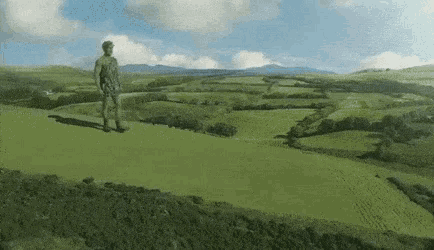 spice axle
Omg derelict would look so sick with blizzard
night widget
small cypress
Testing on custom moons <:plink:1308332227318255696>
the chromatic aberration will be able to be disabled right?
small cypress
night widget
the chromatic aberration will be able to be disabled right?
Oh this just remained from my test it's not gonna be in the final version
 cold dragon
will the ||snowmen|| spawn in blizzard weather? 🤭🤭
 fluid socket
Blizzard should turn players into snowmen. 
slender lintel
I was hoping the patch didn't throw this off course lol, unless someone here saying "I need to rewrite my mod now" was a meme (pretty sure this is the case)
small cypress
Snowy Rockwell 🏔️ 🌨️

 lime acorn
👀
stiff linden
👀
fiery siren
👀
indigo hollow
👁️ 👁️
slender lintel
 small cypress
stiff linden
👀
small cypress
stiff linden
👀
I also found a bug there and not sure if it's on my end or not. Is there anything special about that grass? For some reason it's being drawn behind all transparent objects


Just to clarify, the second "bushy" type of grass is ok (as seen on the street lamp pic above)
stiff linden
Let me take a look in editor, I may have slipped up on something
think you caught a badly configured material I forgot to fix
 sleek jungle
small cypress
Snowy Rockwell <:plink:1308332227318255696> 🏔️ 🌨️
sleek jungle
small cypress
Snowy Rockwell <:plink:1308332227318255696> 🏔️ 🌨️
😍 snowy Rockwell with northern lights
sick ridge
small cypress
I also found a bug there and not sure if it's on my end or not. Is there anythin...
I really need the snowy weather
Please
small cypress
Soon™
modest temple
 fiery siren
am i the only one who feels like the blizzard could darken the sky a little bit?
spice axle
could you add an option to increase the chances for the weathers, id like to have blizarrd on every day for my christmas modpack
small cypress
spice axle
could you add an option to increase the chances for the weathers, id like to hav...
you'd be able to do this via weather registry
spice axle
oh okay thx
small cypress
fiery siren
am i the only one who feels like the blizzard could darken the sky a little bit?
i'm not gonna do any custom stuff here cause it might break lots of visuals on custom moons, i already set the same sky as during the stormy weather, so it's up to the moon makers to configure this (even if their moon doesn't have stormy enabled)
fiery siren
small cypress
i'm not gonna do any custom stuff here cause it might break lots of visuals on c...
yeah thats what i was talking about lol
like how the sky darkens during stormy weather
slender lintel
I'm already blown away that this mod can dynamically add snow to maps (unless it doesn't and I'm actually special)
A blizzard on a bright day could also look pretty cool
spice axle
is the mod still coming before christmas?
fluid socket
The mod is out now.
spice axle
I meant the blizzard yeah
small cypress
Ok, everyone. I've uploaded a **BETA **version of the new update, because unfortunately I don't have lots of time to test everything and there is quite a lot... Please turn on debug logs in BepInEx if you want to report any errors so I could troubleshoot them. Also check the known issues in readme, maybe I already found it and it's just not fixable 😦
DISABLE THE NORMAL VERSION IF YOU WANT TO TRY THIS OUT!!!!1
This update doesn't include compat with OpenCams yet, but it does add some new config options for old stuff that people asked about before.
I'm really interested in your input on the following things:
- Default moons (maybe even their weights) for snowfall/blizzard blacklist/whitelist. Other balancing stuff?
- Your reports on performance, I optimised everything i could and it works relatively fine even on my crappy intel gpu laptop, but I didn't make any fps measurements since my pc is very jumpy even in vanilla
- Does it work for your selection of custom moons? I couldn't test every concievable one, but at least mine, Generic Moons, Weasley's and Moons of Otherworldly Oddity work from my bried testing
Hope it will work and ur computers won't explode
And don't freeze your ass off too much 😛
https://thunderstore.io/c/lethal-company/p/v0xx/LethalElementsBeta/
Also, thank you very much for more than 100k downloads of the mod, this is crazy awesome 🫶
 fiery siren

awesome...
it definetely will conflict with normal lethalelements right?
ill just disable it to make sure
small cypress
fiery siren
it definetely will conflict with normal lethalelements right?
yes, you cannot have both at the same time
fiery siren
small cypress
yes, you cannot have both at the same time
gotcha
now time to wait for r2modman to register this mod lol
proven mason
small cypress
Ok, everyone. I've uploaded a **BETA **version of the new update, because unfort...
Holy shiiiiiit
fallow ginkgo
small cypress
Ok, everyone. I've uploaded a **BETA **version of the new update, because unfort...
THIS IS SO PEAK VOXX YOU'RE THE FUCKING BEST
indigo hollow
Swagilicious
small cypress
fallow ginkgo
THIS IS SO PEAK VOXX YOU'RE THE FUCKING BEST
thank you btw i added that thing your friend wanted (changing heatstroke effect's strength). sorry for the delay... 🥶
fallow ginkgo
small cypress
thank you <:plink:1308332227318255696> btw i added that thing your friend wanted...
oh??
effect as in the vfx?
that's neat!! thanks voxx :O
vital lotus
Its so peak the voices are telling me to put it in the bingo pack last minute and gamble it works on the day LMAO
nah i cant 
but i want to arrghhh
small cypress
fallow ginkgo
effect as in the vfx?
i think it was about the blurring and warping during heatstroke making people dizzy, but vfx is configurable too now 😇
fallow ginkgo
small cypress
i think it was about the blurring and warping during heatstroke making people di...
yea I remember, my buddy joey had headaches cuz of it a while back
that's super cool man, thanks a lot <3
small cypress
For moon makers:
- If you have outdoor buildings on your moon and want to stop my weathers from affecting players inside (like heatstroke or frostbite) you can do this by adding a reverb trigger with "insideLighting" set to true when you enter, and another one with false when the player leaves the building.
- Also if you want my code to find your meshified ground (and apply snow) you need either to have "terrain" in any of those - material name, gameobject name or mesh name OR it needs to be set to Decal level 2 (same as quicksand). And it must be tagged like vanilla terrains - "Snow", 'Grass', "Rock" or "Gravel". If you have a mesh terrain that needs to be blacklisted add "outofbounds" to its name.
- Water is detected like so: the object doesn't have a collider and the material has "water" in its name. This is not ideal, but the water surfaces aren't tagged in any way and neither they are distinct from other objects, so yeah...
- If you want to block snow by invisible walls, put an object with an OPAQUE material on NavigationSurface layer (no collider)
- If you want to reduce snow thickness to zero somewhere, put a black colored object on the vehicle layer just above the desired area
This is just a heads up to have perfect compatibility, but i already have some contingencies implemented just in case.
somber hemlock
wait is insideLighting not set by the EntranceTeleport? that seems strange
wait
I am dumb I misread
side note this is really cool, I gotta check it out
really looking forward to when OpenBodyCams can work properly alongside these weathers  hopefully mrov's work on that is going well
sleek jungle
What happens if u have open body cams? Does it error or not show the weather
small cypress
somber hemlock
really looking forward to when OpenBodyCams can work properly alongside these we...
i implemented some stuff we've talked about to make it compatible with your side, but i still turn off most of vfx when the player is inside
i left it like this for now, cuz performance impact of the snow stuff is non negligable so i can't just render it unconditionally. I'll just add a soft compat and stop the disabling part if your mod is loaded
somber hemlock
yeah I'll have to take another look to see if there's a way to make it work without the perf cost later
most of the cost is in the processing rather than rendering?
like CPU-side work/compute?
small cypress
somber hemlock
most of the cost is in the processing rather than rendering?
i only do heavy processing during landing once, and then everything is moved to the gpu
fps drop comes from rendering a snow overlay on every object + the ground with a tesselation enabled material + all the particles
i profiled the mod and it seems like it really is just from rendering the materials and particles
somber hemlock
gotcha, then I think it should be fine for OpenBodyCams
it would be nice if zeekers disabled renderers instead of deactivating the weather inside but it's workable
small cypress
yeah, it just should be configurable, it might not even be an issue for people with normal computers. i usually only get 40 fps on vanilla T_T, and with this around 33-35
somber hemlock
basically I think you should be able to have your snow that you deactivate on entering the facility as an effectObject (non permanent) so vanilla controls its "visibility", then in OpenBodyCams I just have a copy of that that I can manage the active state for and just hide/show the renderers based on perspective
the key thing is that it is managed by vanilla so it's easy for me to model the behavior in the clone
small cypress
somber hemlock
the key thing is that it is managed by vanilla so it's easy for me to model the ...
Sure, everything vfx related is parented to the effectObject already. The snow meshes are not disabled, since I am using distance based tesselation and it just reverts to basic mesh when the camera is away, basically zero losses here
somber hemlock
wait what happens to the meshes if I clone the effects? doesn't it use a camera's depth buffer for the vertex shader?
 simple fiber
This is looking fantastic. Good job
small cypress
somber hemlock
the key thing is that it is managed by vanilla so it's easy for me to model the ...
there might be particle collision problems tho since they use an additional camera that renders to a depth buffer, it's also parented there and it would get copied, but just keep this in mind.
Also snow tracks use a camera that follow the local player on a step grid, sooo your cameras will not see trenches i suppose
simple fiber
small cypress
**For moon makers:**
- If you have outdoor buildings on your moon and want to s...
you can probably guess-ish water stuff by looking at renderer bounds overlapping the drowning trigger colliders and checking the ratio of the renderer bounds (?)
wet seal
small cypress
Ok, everyone. I've uploaded a **BETA **version of the new update, because unfort...
Nice on getting the beta out, def gonna wait on the full ver as my massive pack wouldnt be the best for finding errors haha
am excited for the full version
somber hemlock
small cypress
there might be particle collision problems tho since they use an additional came...
the snow tracks camera is part of effectObject?
small cypress
somber hemlock
wait what happens to the meshes if I clone the effects? doesn't it use a camera'...
so i just find all the objects that are valid as ground, turn to mesh if unity terrain or postprocess if already mesh, duplicate the ground and assign this "better" mesh to it and the "fluffy" snow material. Then i bake a special texture for each object that determines the snow thickness for it and accumulate them in Texture2DArray. Then i assign this texture array to the material, but every object accesses their specific index in that array (i use materialpropertyblock to override one variable). So this material is shared among every object and is also instanced, so i don't think you need to duplicate anything. It remains as part of the level after this process and i don't touch anything anymore, i just change one float in that material that determines the time flow
small cypress
somber hemlock
the snow tracks camera is part of effectObject?
no, it was like this initially, but because effectObject moves with the player it caused weird fluctuations in the snow as it moved, i am assuming because of aliasing in the render texture. so i had to move it by myself only occasionally when the player is close to the edge of camera's frustum
small cypress
simple fiber
you can probably guess-ish water stuff by looking at renderer bounds overlapping...
i tried something like this, but it's super inconsistent between moons... and the current method actually works surprisingly ok, so unless there are reports of funky stuff I'm gonna leave it
simple fiber
valid
somber hemlock
small cypress
no, it was like this initially, but because effectObject moves with the player i...
oh god I see, that will be a big problem for making anything appear correctly on the body cams then 
maybe we'll have to do some soft compat for that in particular
or wait
 gray junco
Is there a way to make the snow not super white whenever you're buried in it? It feels like I'm getting flash banged (or at least less bright)
small cypress
gray junco
Is there a way to make the snow not super white whenever you're buried in it? It...
there's a thing in config
somber hemlock
I guess you might not be rendering that camera every frame either? I was thinking whether it was possible to position the camera you're using based on each camera being rendered by HDRP, but I'm guessing that it would require multiple cameras, one for each camera that can render the snow
small cypress
somber hemlock
I guess you might not be rendering that camera every frame either? I was thinkin...
no it is rendered every frame, just not moved
gray junco
small cypress
there's a thing in config
where specifically??
small cypress
actually this is a big problem i have because monsters are calculated on the host, so they see the tracks only as far as host's camera reaches 
small cypress
gray junco
where specifically??
snowfall > under snow filter multiplier
somber hemlock
small cypress
actually this is a big problem i have because monsters are calculated on the hos...
wait aren't enemies client-sided enough that that shouldn't be an issue? AI usually runs almost everything on all clients and host
small cypress
no, the movement is done exclusively on the host
somber hemlock
like the agent is disabled?
small cypress
clients just interpolate between points server sends
somber hemlock
that doesn't match my experience
the server sends position updates, but as far as I remember, the agent is enabled on all clients
small cypress
somber hemlock
that doesn't match my experience
i mean in enemyAI DoAiInterval is only executed for the host
 glad sonnet
wet seal
Nice on getting the beta out, def gonna wait on the full ver as my massive pack ...
glad sonnet
wet seal
Nice on getting the beta out, def gonna wait on the full ver as my massive pack ...
same it did not like termial formatter lol
somber hemlock
small cypress
i mean in enemyAI DoAiInterval is only executed for the host
ah I see, so you're relying on that instead of Update()?
small cypress
somber hemlock
the server sends position updates, but as far as I remember, the agent is enable...
if (!this.IsOwner)
      {
        if (this.currentSearch.inProgress)
          this.StopSearch(this.currentSearch);
        this.SetClientCalculatingAI(false);
        if (!this.inSpecialAnimation)
        {
          if (RoundManager.Instance.currentDungeonType == 4 && (double) Vector3.Distance(this.transform.position, RoundManager.Instance.currentMineshaftElevator.elevatorInsidePoint.position) < 1.0)
            this.serverPosition += RoundManager.Instance.currentMineshaftElevator.elevatorInsidePoint.position - RoundManager.Instance.currentMineshaftElevator.previousElevatorPosition;
          this.transform.position = Vector3.SmoothDamp(this.transform.position, this.serverPosition, ref this.tempVelocity, this.syncMovementSpeed);
          this.transform.eulerAngles = new Vector3(this.transform.eulerAngles.x, Mathf.LerpAngle(this.transform.eulerAngles.y, this.targetYRotation, 15f * Time.deltaTime), this.transform.eulerAngles.z);
        }
        this.timeSinceSpawn += Time.deltaTime;
      }
See the SmoothDamp part (this is exempt from EnemyAI update method)
small cypress
somber hemlock
ah I see, so you're relying on that instead of Update()?
yeah, it also reduces the amount of calculations needed
small cypress
glad sonnet
same it did not like termial formatter lol
? it shouldn't have problems with it, i don't even touch anything terminal related
quasi quartz
issue im having is actually generating the weathers
as in it doesn't appear in weatherregistry

 small cypress
glad sonnet
its probably something else then
small cypress
glad sonnet
its probably something else then
ah yeah, that is me 😛
i'll fix it, but everything should still work (except enemies slowing down)
the second part *
the first error is strange
glad sonnet
bet bet ill update if i encounter something strange
quasi quartz
Based on TerminalFormatter not working