#Teaisnts Player Model Mods [Persona, Madoka, Umamusume]
971 messages · Page 1 of 1 (latest)
 open obsidianBOT
 grave yacht
?modder 280131476677459982
 proper etherBOT
 Added role
 Modder to teaisnt
Yay! @crystal lava you've been assigned the modder role. Head to #role-picker to select which type of modding you're interested and active in.
 crystal lava
Ty 🙏

 crystal lava
also working on a fix for igors bad materials
turns out in my silliness i set the textures as sprite instead of just default, he will look like this in the update

instead of this
 crystal lava
im also planning on reworking all the suits on the rack so they dont look as ugly and similar to each other but thatll be for another day
she seems to work!

setting up for upload now
crystal lava
uploads done

Thunderstore
A mod containing all of my Persona suits. For more info, refer to the attached Thunderstore page.

both should be ready soon, from what i remember it takes a bit to upload
crystal lava
implementing nanako right now
made a proper rack suit for this one
not pretty, but it does the job
 crystal lava
look at her go! 🔥
 crystal lava
Nanako is out now!

Thunderstore
A mod containing all of my Persona suits. For more info, refer to the attached Thunderstore page.

Thunderstore
Nanako Dojima player model suit; refer to PersonaPlayerModels also by me for all of the suits.
crystal lava
adding naoto right now
crystal lava
update out now!

Thunderstore
A mod containing all of my Persona suits. For more info, refer to the attached Thunderstore page.

Thunderstore
A suit of Naoto Shirogane from Persona 4; refer to PersonaPlayerModels also by me for all of the suits.
 crystal lava
Going to polish up the thunderstore pages for all the individual suit mods and update the suit rack texture so they don't all look the same (mostly, some will still look similar due to the characters just looking similar outfit-wise)
crystal lava
might as well look into the funky lighting on kanji while i do this
currently redoing him from scratch cuz i couldnt find anything out of the ordinary
actually its owrking as intended... i think..?
the fact hes so tall does "affect" lighting a bit since hsi head is like almost right where the light is emitting on the ship but technically its working as intended
as far as i can tell

 crystal lava
actually no maybe i did fix it?
im comparing to the original model on another profile and i THINK its better?
crystal lava
alr me eepy so i go sleepy but i will (hopefully) have this big update out tonight
im reimporting all the older models that i had a different (shitty) method of setting them up, and adding new suit rack textures, and making their website page thingies look pretty
and getting dance gifs for each... ok yeah i def need some time for this
crystal lava
update releasing soon, contains significantly improved suit rack textures, which also means the first person view of your hands will also finally look accurate/nicer

etc


will upload soon
crystal lava
oh yea forgot to post, update is out i think i set it up all right

Thunderstore
A mod containing all of my Persona suits. For more info, refer to the attached Thunderstore page.
Re-implemented Kanji and Chie, reworked suit rack textures for Kanji, Chie, Igor, Jack Frost, Kotone, Fuuka, and Shinjiro.
crystal lava
w.i.p

 hearty cove
i got the UI thing that lethalboykisser got if u wanted to know how i did it btw
this thing on the top left
 crystal lava
wait wait wait
no way
is that what i think it is
oh wait but does it move or is it just an image
crystal lava
ah damn
crystal lava
nah i got no idea
hearty cove
oh lol
crystal lava
damn tho i was hoping itd swap out the model
crystal lava
i think its model replacement api but when i play that image is a model that moves
it represents your player and whatever its doing
crystal lava
kk np, still cool
crystal lava
aigis should be out either today or tomorrow
additionally, going forward i am changing the suti rack naming scheme slightly, by adding the console which the model is from to help both give more info and also eliminate any conflicts with other persona suit mods
example:
Kanji Tatsumi PS2
Kotone Shiomi PSP
this change will be present in the next update of PersonaPlayerModels and all future individual mod uploads, but the old individual ones i wont get to quite yet
crystal lava

soonTM
(the suit rack texture is ugly af atm, i really dont feel like changing it rn tho will likely be a future polish thing)
crystal lava
soonTM
 crystal lava
starting to look like wheres waldo

all updates should now be out!
https://thunderstore.io/c/lethal-company/p/Teaisnt/AigisPlayerModel/
https://thunderstore.io/c/lethal-company/p/Teaisnt/MariePlayerModel/
https://thunderstore.io/c/lethal-company/p/Teaisnt/PersonaPlayerModels/

Thunderstore
Aigis player model suit; refer to PersonaPlayerModels also by me for all of the suits.

Thunderstore
A suit of Marie from Persona 4; refer to PersonaPlayerModels also by me for all of the suits.

Thunderstore
A mod containing all of my Persona suits. For more info, refer to the attached Thunderstore page.
 vague olive
Marie peak
crystal lava
 crystal lava
soonTM
 crystal lava
https://thunderstore.io/c/lethal-company/p/Teaisnt/MitsuruKirijoPlayerModel/
https://thunderstore.io/c/lethal-company/p/Teaisnt/PersonaPlayerModels/

Thunderstore
A suit of Mitsuru Kirijo from Persona 3; refer to PersonaPlayerModels also by me for all of the suits.

Thunderstore
A mod containing all of my Persona suits. For more info, refer to the attached Thunderstore page.
out now!
if there are any issues lmk i didnt do much testing
crystal lava
found several issues with v1.2.1, pushing a fix soon
fix is uploaded
did i test to make sure i actually fixed it? no
but does it work? probably

crystal lava
early w.i.p

requires a lot of mesh, rig, and texture editing
(highly modifying Persona Q2 models for persona 5 cast to match the PS2/PSP model style for use in lethal company)
as for how long this will take... i dunno, im on a bit of a break but thought id mess around a bit with this
 crystal lava
This mod is currently going through a major update, I will post sneak peaks/info as I go along
All I'll say for now is you'll be getting a custom in-game menu of some kind 👀
crystal lava
BREAKING NEWS i finally found the issue thats been plaguing my patching troubles for so long
DX12!!
running unity with DX11 makes the patcher run without issue, so ill finally be able to make some progress on both this mod, and my old interior mod as well! yippee!
crystal lava
thank you so much for 10k downloads! 

ive been off of progress for this mod for quite a while, partially because im now working on my interior again! #1311033576141361182 heres the channel if youre interested.
 floral coral
 crystal lava
hes coming
 crystal lava
this is becoming impossible to look at

update is out now! please let me know if there are any issues
Teddie (Persona 4)
Ryotaro Dojima (Persona 4)
Yu Narukami (Persona 4)
Yukari Takeba (Persona 3)
Rise Kujikawa (Persona 4)
Yukiko Amagi (Persona 4)
6 new suits ^
these are not standalone, only included in the main mod
im not sure if ill continue doing standalones as i just dont really have the time
crystal lava
updated again
just realized i didnt add the new 6 to the image but honestly its so crowded i might rework it lmao
might do an in-project render for the image containing all the models
actually yknow what
fuck it
we doing this PQ style
bunch of people just in a room
like these


it begins...

 crystal lava
gonna try and fit as much personality and as many references as i can

due to the insane amount of effort this will need, ill make it both an icon and a banner
crystal lava
the cookage is off the charts
 crystal lava
its a party!

 crystal lava
1.4.0
-Added Ren Amamiya ("PS2" model variant), Ryuji Sakamoto, Ann Takamaki, Haru Okumura, Futaba Sakura, Makoto Niijima, Yusuke Kitagawa, Kasumi Yoshizawa.
-Fixed some very minor issues with some other models/suit textures.
 crystal lava
 vague turtle
when goro akechi? my friend wants to know
vague turtle
when goro akechi? my friend wants to know
Best boy is planned, I just need to get to it
I'm prob gonna get tartarus updated first
The new models may have some issues, I'll try and fix em up at a later date
vague turtle
crystal lava
I'm prob gonna get tartarus updated first
he wanted me to tell you thats absolutely cash money
 crystal lava
Teaisnts Player Model Mods [Persona, Madoka, Umamusume]
reworking this to match all player models mods as id rather not use 3 threads when it can just be 1
A mod containing all of my Madoka Magica player models! Recommended for use with my Madoka themed interior Charlotte's Labyrinth https://thunderstore.io/c/lethal-company/p/Teaisnt/MadokaMagicaPlayerModels/

Thunderstore
A mod containing all 5 of my Madoka Magica suits. For more info, refer to the attached Thunderstore page.
 lilac bayBOT
crystal lava
A mod containing all of my Madoka Magica player models! Recommended for use with...
crystal lava
lilac bayBOT
crystal lava
A mod containing all of my Madoka Magica player models! Recommended for use with...
crystal lava
incoming

oh shit oops i deleted the original message accidentally somehow
😭
A mod containing all of my Persona suits. Recommended for use with my Persona themed interior Tartarus https://thunderstore.io/c/lethal-company/p/Teaisnt/PersonaPlayerModels/

Thunderstore
A mod containing all 32 of my Persona suits. For more info, refer to the attached Thunderstore page.
lilac bayBOT
crystal lava
A mod containing all of my Persona suits. Recommended for use with my Persona th...
crystal lava
anyways yeah umamusume incoming

idk how soon, i plan to put some high effort into the rigs for these
crystal lava
added bones for ears/tail for jiggle physics, gonna try and do this for all the suits i add
annoyingly doing mesh compression on these models even on low just obliterates them so the filesize is gonna be a bit bigger than preferred
likely around 1mb per model if not a bit under (suzuka is 800kb)
id say this works
vague turtle
whats up with the hair
crystal lava
vague turtle
whats up with the hair
hair is kinda a hard point because you either rig it onto the body so it doesnt clip through the body when the head moves or keep it rigged to the head so when they look up it goes right through the body
i prefer the former even if it still looks funky
its just kinda a pain either way though
cuz something that drives me nuts about a lot of my suit mods is characters with long hair the hair just clips through the body
like this

which is common in a LOT of suit mods, it occurs with skirts as well
cuz usually the hair and skirt will have its own bones that are controlled by an animator separately within the game theyre made for
crystal lava
i havent but that wouldnt affect the collision would it? unless theres a workaround to make it consider that?
vague turtle
you can just make them less rigid and more affected by gravity
crystal lava
oh?
vague turtle
Then they stay hanging down
crystal lava
interesting
ill give that a shot tomorrow 👍 (my dumbass stayed up way too late to work on this)
vague turtle
You add your jiggle physics through mrapi sdk right
 vague turtle
The jiggle settings objects should have some sliders you can mess with
crystal lava
yeye they do
vague turtle
Then go in play mode in editor to see how it looks
crystal lava
just didnt think itd affect it like that
vague turtle
The defaults make things pretty rigid so id turn that down and turn gravity up to see if it looks better
crystal lava
vague turtle
The defaults make things pretty rigid so id turn that down and turn gravity up t...
what parameters am i supposed to adjust? it still clips through the same way but just jiggles while doing it
i turned gravity to max but didnt seem to do anything

 vague turtle
Uuuh I have to check my settings
actually @crystal lava does it still look like that when you press play
crystal lava
vague turtle
actually <@280131476677459982> does it still look like that when you press play
that is in play
 crystal lava
yeah same result
i dont see those advanced settings tho
oh wait i found it
theres diff assets for some reason
anyways yeah still doesnt work
are you sure your model doesnt just have colliders on it or smth?
oh wait
with some diff settings i think i got it
ehh not really
vague turtle
i never added colliders to my models
your first video looked like you put the weight painting for the hair on the body
vague turtle
im trying to see from your other pics whats going on
crystal lava
unless the hair bones are not meant to be parented to the head? but i dont see why they wouldnt
but yea the only weights on the hair is on the bones which i have the jiggle settings on, but ofc if the head turns those bones will follow
i cant picture a way in which what you described is possible
outside of like
colliders
but thatd probably just look really funky
but i also havent really worked that much with super complex rigs and stuff like this so im welcome to just be fully wrong
crystal lava
oh?
vague turtle
i tried rotating the head on mine and got the same thing u have
crystal lava
okay
im really confused
all the bones i set the jiggle settings on no longer have jiggle physics whatsoever
the rest of the bones have jiggle physics just not the ones with this different physics asset that has the advanced settings
just gonna restart the editor cuz cant even build anymore
okay now its working
but it still clips through
vague turtle
does it have jigglebones at least
vague turtle
is the hair moving like it should (minus clipping)
crystal lava
yes
vague turtle
ok
crystal lava
it does jiggle
vague turtle
jigglebones is cus i'm old and thats what they're called in source engine
crystal lava
the editor just decided to shit itself but once i restarted it it worked properly
vague turtle
atp its trial and error with different gravity weights and such
crystal lava
nvm high gravity is way worse
vague turtle
reducing angle elasticity might help
since it wont be trying as hard to return to its original position
crystal lava
nope now just phases through the whole body if you move slightly
or wait
that might be from length elasticity i adjusted that too
okay i think im getting close
my dumbass had air drag on 1
kk im too tired and it still looks horrid so imma just try this another time
crystal lava
BIG NEWS

got my hands on the original models properly, so rigging is no longer a pain in my side
due to the complex rig this is a higher filesize model, so the mod is not gonna be super small filesize-wise
BUT
it still somehow doesnt compare to any of the other umamusume player model mods that will be somehow like 30-100x the size
😭
crystal lava
nvm i lied
its actually lower filesize than before
since i was able to apply mesh compression to them this time
on average it looks like it should be 325kb per suit
(it still amazes me how some of these suits mods are 100-500+mb)
crystal lava
gonna add animators to the tail and ears so they animate
actually
maybe not for now
cuz theyd keep going if the player dies
or wait, would they?
vague turtle
u can probably add code in an OnDeath override to stop the animator
crystal lava
thats what i was thinking yeah just cant be bothered to code stuff for this yet
ill probably try adding some fun stuff like that later on
crystal lava
making the suit rack textures is genuinely hell so with this mod im gonna make them all red track suits with indicators that help you figure out whos who
if the characters wear gloves or have a different skin tone itll reflect in that suit still but yeah i just... hate making them 😭
making good looking ones often takes atleast an hour PER SUIT TEXTURE
just dont have the time
 crystal lava

good enough
actually
ill just recolor the suit to match the character its for
thatd prob be best

 crystal lava
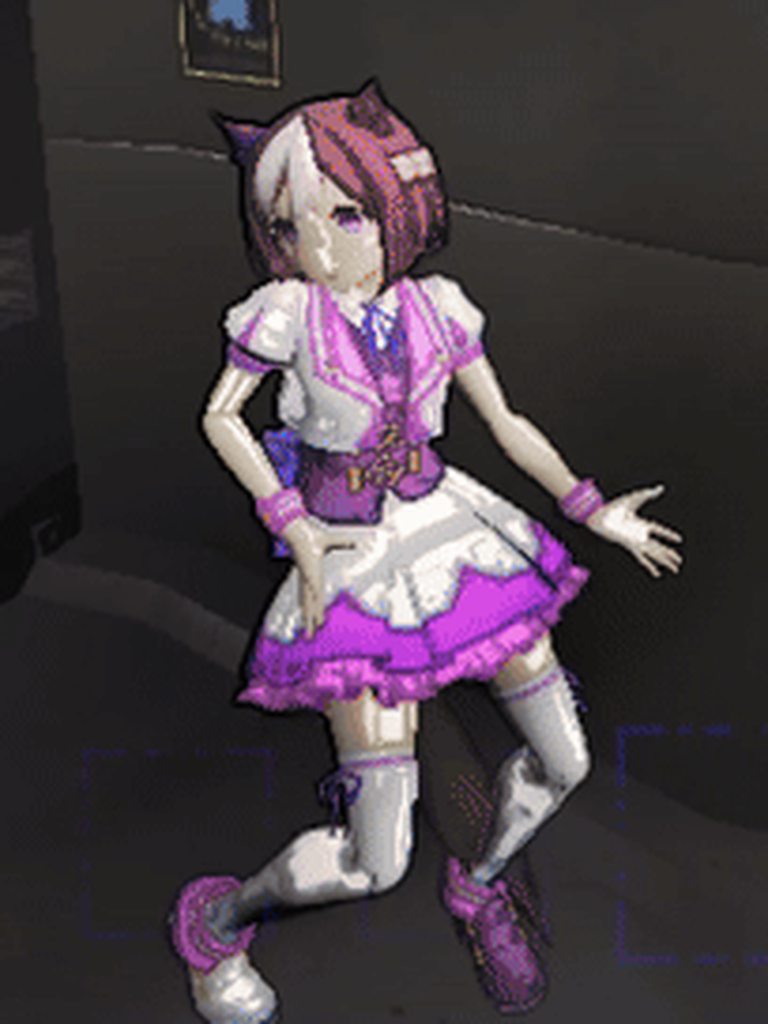
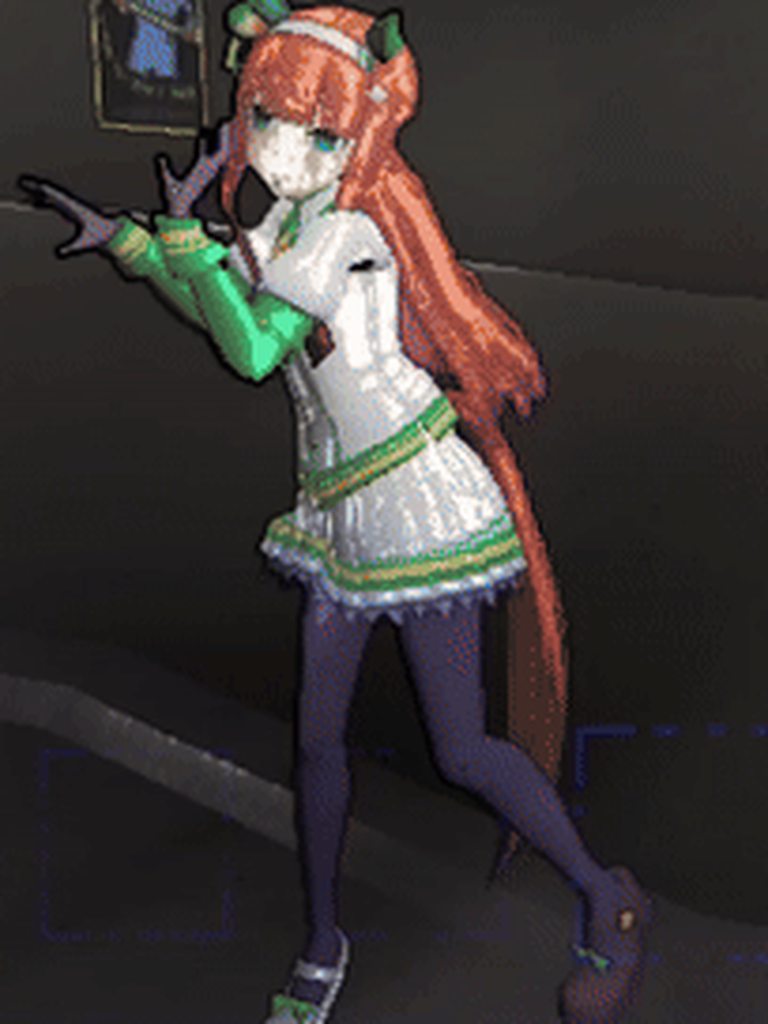
ready for initial upload
as usual, will take some time to be fully up on thunderstore
A mod containing all of my Umamusume suits. https://thunderstore.io/c/lethal-company/p/Teaisnt/UmamusumePlayerModels/

Thunderstore
A mod containing all of my Umamusume suits. For more info, refer to the attached Thunderstore page.
lilac bayBOT
crystal lava
A mod containing all of my Umamusume suits. https://thunderstore.io/c/lethal-com...
crystal lava
gonna add a lot more just releasing the mod for now then adding gradually
at the very minimum oguri cap, mayano top gun, tamamo cross, and gold ship are planned
partly because we need them and partly because i like them
crystal lava
test
okay works ingame, now need some custom logic to stop playing the animation on death
vague turtle
crystal lava
okay works ingame, now need some custom logic to stop playing the animation on d...
Are you using animators for these
because if you are, you can probably just set anim speed to 0 in OnDeath()
crystal lava
i am yes
im trying to use harmony patch but im strugglign to figure out how to reference the script..?
vague turtle
don't bother with harmony
 vague turtle
in your BodyReplacementBase class define a private Animator (name)
crystal lava
in each one?
 vague turtle
only ones that have animations
vague turtle
assuming the animator was called Anim
protected override void Start() {
  base.Start();
  Anim = GetComponent<Animator>();
  Anim.speed = 1f;
}```then
protected override void OnDeath() {
  base.OnDeath();
  Anim.speed = 0f;
}```oh sick
vague turtle
not sure if i need to add more for GetComponent for it to work, so if that doesn't work lmk
wait do you have different animators on the specific body parts
crystal lava
ill give it a shot, thanks! just need to move the anim data onto one animator on the root of the model
crystal lava
vague turtle
wait do you have different animators on the specific body parts
i do yes
but i can contain all that in the root
i just need to make sure the path on every model is named the same
vague turtle
you'll have to define separate Animator vars for each one
crystal lava
vague turtle
you'll have to define separate Animator vars for each one
itd have to be on the root anyways tho no?
since its just GetComponent<Animator>();
on the root
vague turtle
it will, but that might cause an error
i would probably do
GameObject gameObject1 = ((Component)base.replacementModel.transform.Find("bodypart name")).gameObject;
and then
Anim = gameObject1.GetComponent<Animator>();
a bit messy, but i had to do this to find the specific bodypart i wanted to edit on my own model
hmmmm actually
i might have it entirely wrong
try this code, replace the quote with the heirarchy path to the body part (keep "), and see if it works
crystal lava
so like the hierarchy from the root to the part name?

OguriCap/pfb_bdy1006_00/Position, etc
?
vague turtle
yea prob
vague turtle
on one of mine it looks like this
 vague turtle
if the armature is your root, include it
crystal lava
i assume its whichever has the ModelReplacementProperties script
vague turtle
no no i remember
start at armature
tje code above didn't work because i had the beginning at the root, and it didnt find it because it was already looking inside the root
crystal lava
kk
vague turtle
u prob start at pfb_bdy1006_00
crystal lava
going to kms

suddenly cant get it to even load the model
removed the animators and all the code and still doesnt like me
unless "OguriCap" does not match "OguriCap" now
gonna reimplement the model again
actually
restarting project then building again usually works
unsurprisingly that did infact fix it
now to see if the code works
hmmm
gonna do some more testing, i wanted to try setting a diff animation instead as just setting speed to 0 would pause the animation, which means it could be stuck in the middle of a keyframe
by doing a SetTrigger instead
vague turtle
try Anim.Play("anim name");
instead of Anim.speed
wait nvm
what does your animator tab look like
crystal lava
 vague turtle
so from what limited animator information i know, you can do this with a bool instead of a trigger
crystal lava
i could but if this doesnt work that wouldnt work either, there must be something else going wrong
its weird tho cuz i put some debug.logs and the animators are referenced fine
and on the right object
vague turtle
is OnDeath the actual death animation you want to use
crystal lava
yeah
vague turtle
ok
crystal lava
its set to the right clip
vague turtle
so is it not playing the right clips or something
crystal lava
when SetTrigger is called nothing seems to happen
i could try a bool ig but there definitely would be no difference
vague turtle
i'm wondering if perhaps you need to find animator specifically on replacementDeadBody instead of just adding a state to the existing one
crystal lava
thats what i was thinking
is it just triggering the animator on the original player body and not the ragdoll
vague turtle
which the player body gets hidden when you die so no change
crystal lava
yeah
vague turtle
oh yeah i did getcomponent for replacementDeadBody in OnDeath()
well i guess that simplifies it since you don't need to do transitions
crystal lava
yeah that works fine
i just dont want the tail in the middle of the animation like stuck to the left or smth

so just this?
vague turtle
that should do it
vague turtle
you might need to add component instead of get on the dead body
vague turtle
it might not carry over the animator component to the dead body
so you might need to add it in code
i'd just check that it does move on the body first though
vague turtle
ok
vague turtle
were you doing set trigger on the one referencing replacementModel
crystal lava
ye
vague turtle
switching to the one referencing replacementDeadBody might work then
in all honestly i didn't mess with animators at all when doing my modelswaps
so i'm not too confident in my assumptions
crystal lava
ruh roh

maybe i get component in OnDeath?
instead of in start
cuz maybe the dead body doesnt exist yet or smth
vague turtle
yeah getcomponent after base.OnDeath();
crystal lava
if this works i can also do blinking
it already seems to sync it for me which is nice
crystal lava
dont need code i can just animate it
vague turtle
do your models have those
vague turtle
you access them through skinnedmeshrenderer, they're modifiers for the mesh shape
crystal lava
only had to murder a horse in the process to confirm
 vague turtle
like you can change body shape, eyes blinking, mouth open, through sliders
but they usually make filesize a lot bigger
crystal lava
hm i dont see it, where would this be listed usually?
vague turtle
it's on the mesh's skinnedmeshrenderer, in a dropdown
crystal lava
yeah i dont see that so ima assume there arent any
crystal lava
there mightve been originally but the rip might notve yoinked em, not sure
or when i merged the meshes thats probably it lol
since they came separated i had to piece each model together
vague turtle
straight model rips in my experience either decimate the blendshapes or just dont have them
crystal lava
makes sense
anyways thats fine i can just animate it myself
(eventually)
(cant be assed rn)
oh my god im doomed
i just realized
characters with gloves often have mismatching colors
so i need to.... go through the texture.. and separate the glove colors....
FUCKKKKKKKKKKKKKKK

for those not aware zeekerss thought itd be smart to make the uvs for the hands like 15 separate little spots on the uv map
so basically this will suck major ass (for only the next like 10 minutes but still)
nevermind its worse than i thought
15 was an understatement
crystal lava
okay done
that sucked
anyways tokai teio and oguri cap are now fully ready
im gonna add a few more then update tomorrow
crystal lava
think this might be a good enough loop
crystal lava
also finally realized why the eyes looked so dead inside, i was missing the eye highlight texture thing
comparison

 crystal lava
whipping out the ruler for more accurate height scaling

im scaling assuming the default player is 180cm
(i know people have tested and "technically" the player is around like 4 foot or some shit based off the height of the robot enemy but like lets be real the player LOOKS taller than that and i dont want to make every suit a giant)
unless there is a common consensus for how tall the player is in the community? idk if you happen to know or have an estimate @vague turtle
crystal lava
for whatever reason mayano top gun is gonna have to be uncompressed because if i attempt to compress her model even on low it obliterates the textures

this happens 😭
vague turtle
crystal lava
unless there is a common consensus for how tall the player is in the community? ...
I don't have an exact measurement, but i know xu posted a model rip of the employee that you could import as a comparison
crystal lava
vague turtle
I don't have an exact measurement, but i know xu posted a model rip of the emplo...
i was more just looking for a number, i already have access to the rip and model replacement api can display a render of the player for reference
i just wasnt sure how tall/short i should make my models in comparison
ive settled on assuming the employee is like average ish height 173cm ish
and just scaling relative to that
vague turtle
Someone on reddit did a rough calculation a bit ago and concluded with 133cm
Because the only real height statistic in game is that the old bird is 19ft tall, so they compared next to the old bird
crystal lava
vague turtle
Because the only real height statistic in game is that the old bird is 19ft tall...
i saw that yeah but making every model replacement so big they barely fit in the ship didnt seem like the best solution
vague turtle
yeah most people just scale it according to the player preview
crystal lava
vague turtle
yeah most people just scale it according to the player preview
yeah i just wasnt sure how short/tall to make them in comparison which is why i asked, but i think im overthinking it lol not a big deal
anyways update out now 👍 3 new suits and animations for ears/tail
 crystal lava
 mint sierra
horse girl ✅
doesnt eat my whole disk ✅
what a legend
mint sierra
horse girl ✅
doesnt eat my whole disk ✅
what a legend
happy to be of assistance!

it blew my mind looking at some of the other uma suit mods, i have no idea how they managed to get the size that big
crystal lava
If I included every mod I've ever made over 10 times in just this mod it would still be smaller than some of them
vague turtle
crystal lava
it blew my mind looking at some of the other uma suit mods, i have no idea how t...
straight game rips
the ff14 moons have this problem too, they are just ripped game assets so they have way too much detail and their filesize is massive
crystal lava
vague turtle
the ff14 moons have this problem too, they are just ripped game assets so they h...
So is mine though? So idk
They're all the exact original models with original textures and rigs
vague turtle
you didn't decimate or downsize textures at all?
crystal lava
vague turtle
you didn't decimate or downsize textures at all?
I did for the build on thunderstore but base models and textures are not much bigger
The mod would maybe be about 15-20mb or so if I didn't
All I did was apply mesh compression in unity to the models and downscale the textures to 512x512
Even if I didn't do that it'd be NOWHERE NEAR 750mb
Which is why I'm so confused
The models aren't especially high poly and the textures aren't that crazy either, they're just both well designed to make a pretty result with fairly reasonable filesize, I don't know where the massive filesize in some of these mods came from
vague turtle
yeah thats weird
crystal lava
Maybe really poor asset conversion..? But I can't picture that
vague turtle
i'd assume they left the blendshapes on but even blendshapes dont add that much size
vague turtle
oh wait
i bet they forgot to clear out the AssetsToBuild folder
and it put all the other stuff they worked on into the assetbundle as well
crystal lava
Unless all those mods aren't the original models and they're super high poly recreations off some jp site
Maybe? The game struggles a lot when you equip suits from their mods
Idk if thatd tie in
Like there's a noticable 2-3 second huge lagspike
vague turtle
dang
 tepid geyser
Yooo can't believe you also made Umamusume models
Will there be a moon/interior to go along with them ? 🤣
crystal lava
tepid geyser
Yooo can't believe you also made Umamusume models
Will there be a moon/interior ...
 while that would be funny I have no plans for it
mint sierra
just adding more uma seems like the way to go 
crystal lava
Gonna add some more in the following days
If anyone has any particular Uma requests I can work on those first assuming they're already in the game
mint sierra
global version i assume?
can i have some biwa and curren
crystal lava
Il see what I can do!  curren I'll have to check
crystal lava
Actually I did see mayano top gun wedding so maybe I do have JP stuff I'll have to do a proper search
crystal lava
Also since I'll be adding biwa I'm legally required to add winning ticket and Narita at the same time
That's just how it is
crystal lava

 mint sierra

 crystal lava
added some logs incase i miss the animator on the tail/head for animations

aka incase im a dumbass you can use this to accuse me of being a dumbass

the body replacements script is now 282 lines long

crystal lava
holy shit its winning ticket no way

 crystal lava
another down
 crystal lava
gonna do some tests ingame to make sure everythings all good before uploading
mint sierra
 mint sierra

im being blackmailed they gonna steal my french fries if i dont request for daiwa scarlet and rice shower

mint sierra
 crystal lava
mint sierra
im being blackmailed they gonna steal my french fries if i dont request for daiw...
crystal lava
mint sierra
im being blackmailed they gonna steal my french fries if i dont request for daiw...
Can do! (I'm also legally obligated to add vodka if I add scarlet so expect the 3 of them today or tomorrow)
It feels surreal seeing a group use my mod ngl 😭 reminds me this isn't just some silly thing I made for my own personal use
Is it all working well?
 crystal lava
Awesome!
crystal lava
vodka.png

and for those wondering, yes the glowy effects are there

scarlet.png

due to the proportions (of her hair) theres not much i can do about clipping
mint sierra
its finee
*looking at miku
crystal lava
rice.png
 mint sierra
 crystal lava
uploading update rn
actually
i wanna try smth
a good chunk of the filesize is those stupid suit rack textures
i wanna see what happens if i reduce the resolution on them
(to be specific, about 1/3 of the entire mod size is those textures)
wait wtf how is turning it from 2048x2048 to 512x512 almost the same size

actually
what if i remove all the details that arent used technically
that helped
that helped a ton actually
chopped filesize in half


youll only ever see those other colored details if the mod somehow breaks so it doesnt matter what it looks like
so just making it the same color as the background to reduce detail helps the filesize
filesize reduction will be included in next update
if anyone wants it heres the png i place over each suit to cover all the "unused" stuff
 mint sierra
what kinda magick is this
crystal lava
so basically the suit texture when used for model replacements is largely redundant as most of the texture will not be seen by the player (helmet, straps, etc)
so as a hack i essentially "removed" that part of the texture to save space
players will only ever see their arms, and the parts of the texture that display on the rack
mint sierra
that makes sense
crystal lava
tysm for 5k downloads! 💚

make sure to train your umas well and donate shoes! i mean reach quota!
mint sierra
'local horse died from being stabbed by fellow horse tail'
not sure if this is the modelreplacement curse or the jigglephysic curse
 crystal lava
mint sierra
'local horse died from being stabbed by fellow horse tail'
not sure if this is t...
crystal lava
mint sierra
'local horse died from being stabbed by fellow horse tail'
not sure if this is t...
thats.... interesting 😭 is this a recurring issue with taishin specifically?
okay just checked
yes it is
lemme check what i mightve done wrong there
oh whoops i see what happened lol
mint sierra
did u put tail stretch training in the training schedule 
 crystal lava
Gonna have some time in the next few days so taking requests for who to prioritize
They don't have to be a released unit either, unless they just entirely don't exist yet but if it's someone who does exist in-game just not as a unit (seiun sky, etc) then I can do it
crystal lava

 vivid lily
tachyon please!!!!!!!!!!!!!!!!!!!!!!!!!!!!!!!
mint sierra
 crystal lava
Can do will add those 3 later today
mint sierra
got squished by spike trap
 crystal lava
Oh shit I'm hoping that means I forgot to give rice shower an ear animator and not a bigger problem
Thanks for the report! I'll look into that tonight as well
crystal lava
(insert pun here)


 crystal lava
 crystal lava
the creature

uploading soon just need to make the suit rack textures
uploading now, enjoy!
im also considering making a plushie mod out of the uma chibis
if anyones interested in that
crystal lava
hmmm
 mint sierra
crystal lava
hmmm
mint sierra
crystal lava
hmmm
the light and rough edge makes it ominous lmao (is that a cue for uma plushies mod)
it is....
actually there is an old uma scrap too but they so old and still using LethalExpansion
think of it as revival
crystal lava
the mouth has been bugging me but ill hold my thoughts till i see how it looks ingame
mint sierra
*and even better !
crystal lava
mint sierra
actually there is an old uma scrap too but they so old and still using LethalExp...
theyre also all T-Posed iirc lmao it looks strange
mint sierra
yeah idk why they let it T pose lol
crystal lava
crystal lava
the mouth has been bugging me but ill hold my thoughts till i see how it looks i...
its strange and kinda hard to explain but the mouth mesh has essentially 2 layers, the texture is on the inner layer

im not really sure why exactly
 mint sierra

crystal lava
hm weird cant get it to load ingame
assuming this is why

just loses the scripts for some reason
hm yeah thats really weird
crystal lava
okay today i learned UmaViewer is a thing
if im understanding this tool this will make this process significantly easier
had no idea this existed

hmm no i dont think this will work though
although... it does have the blendshapes
which is tempting
but each model will be like 8x the filesize due to mesh compression not working on these
i think what ill do is import one model with blendshapes and basically use it as a reference to recreate the animations manually
vivid lily
how did you manage to get the install through dmm for umaviewer? I could not figure that part out
crystal lava
vivid lily
how did you manage to get the install through dmm for umaviewer? I could not fig...
Install through dmm? What's that
vivid lily
oh idk that's what it said on the umaviewer github. I have uma on my phone is why but maybe it just works with any pc installation files
crystal lava
I don't think you need the files as it's giving me access to the JP models
vivid lily
oh weird, I'll have to try and play with it again
crystal lava
Or atleast I think it was from what I remember I didn't look that thoroughly as it won't work for my use case
crystal lava
I didn't really expect it to tbh I'm going for small filesize while still getting quality assets
These models are fully assembled game ready with all the bits and bobs
Ironically though even with THESE models with no compression it still isn't anywhere near the size of the other Uma player model mods (I will never understand)
vivid lily
here's a bunch of horse girls walking inside and immediately getting blown up by a landmine
crystal lava

It feels so surreal seeing my own mod in actual gameplay
If anyone has any requests for next umas to be added I'm taking suggestions still
crystal lava
tysm for 10k downloads!  ❤️
❤️
 mint sierra
 mint sierra
crystal lava
If anyone has any requests for next umas to be added I'm taking suggestions stil...
mint sierra
crystal lava
If anyone has any requests for next umas to be added I'm taking suggestions stil...
bourbon and brian ty
crystal lava
maybe i should do a poll actually do yall prefer :
1️⃣ umas with long hair having their hair rigged to their back so it doesnt clip through
OR
2️⃣ keep original weights so it follows their head but clips through their body
OR
3️⃣i dont really care do whatever
ill post side by side example of both 1 sec
1️⃣

2️⃣

the difference is 1️⃣ makes most of the hair not really follow the hair and it just sits on the back to prevent clipping, whereas 2️⃣ it directly follows the head movement
both have their upsides and downsides
the best solution would to add some form of physics to the hair to make it not clip through even if its turning to try and clip but i dont really know how to do that
and even if i DID that would probably cause other problems
the above is more than likely what uma itself actually does but who knows what particular plugin they use, whether its built into unity or their own thing
crystal lava
bourbon brian and bakushin are set up just gotta test ingame
nice


and yes bourbon glows
crystal lava
uploading update rn
also bumping this:
maybe i should do a poll actually do yall prefer :
1️⃣ umas with long hair near their back having their lower hair rigged to their back so it doesnt clip through (but also doesnt follow the head at all)
OR
2️⃣ keep original weights so it follows their head but clips through their body
OR
3️⃣i dont really care do whatever
crystal lava
gonna try and work on that uma scrap mod a bit
LMAOOOOO OKAY UH
GOOD NEWS AND BAD NEWS
😭
GOOD NEWS IS IT WORKS
BAD NEWS IS OGURI FATTY (affectionate) IS WAY TOO BIG

😭
crystal lava
im going to be sizing these like the large cuties btw
hmmm
gonna apply a filter to the sfx
better
mb you can barely hear it over the music 
wait nvm you can hear it fine
mint sierra
crystal lava
hmmm
you prob want this to drop facing u instead
crystal lava
Yeah I was trying to get that working but setting that axis didn't seem to affect the rotation at all
The other axis's worked properly but something seems to be overriding that axis
crystal lava
secret rare plush based off funny


oh wait i forgot an important part
good enough
 crystal lava
waow
mint sierra
 crystal lava
updating persona player models and phantom thieves player models mods with a new model from BonQ
as well as reducing filesize for both mods
personaplayermodels 10.1mb -> 7.7mb
7.7mb for 32 model replacments is pretty solid ngl
also gonna finally fix that rig issue with madokas skirt
and reduce the filesize for that mod as well
crystal lava
my dumbass fr was using colladas for the madoka models
😭
(its not a big deal with models of this size, not very noticable difference)
anyways, mod is now 1.2mb
over half of the modsize is the suit rack textures even after reducing them
all updates are uploaded
gonna take a break then work some more on the cuties
maybe ill get enough in it to upload it as a mod soon
which cuties do yall want most? all thats in rn is oguri cap
 mint sierra
good work out there 
crystal lava

 tardy ginkgo
I just want to say your soundpack "TeaisntsSillySounds" is incredibly based. Scooby-Doo and the Spooky Swamp has one of the most underrated soundtracks in videogame history.
crystal lava
tardy ginkgo
I just want to say your soundpack "TeaisntsSillySounds" is incredibly based. Sco...
Woah did not expect to wake up to see this today but TRUE the soundtrack is incredible!
Even the game is really solid
mint sierra
crystal lava
https://tenor.com/view/umazing-uma-musume-haru-urara-uma-gif-8811229770082296989
shes smiling there looking at us from above
tardy ginkgo
crystal lava
Even the game is really solid
I agree with that too!
 verbal elk
Wanted to thanks you for the Uma models, getting torn apart by the facilities traps and entity was never as fun than with the umamusume models
I'm sure you're busy but could you point me in the direction in which you found the models ? Backread a bit is it through the uma viewer thingy? I'd really like to add my oshi (Seiun Sky) to the list but I have no idea where you got the models from.
crystal lava
verbal elk
Wanted to thanks you for the Uma models, getting torn apart by the facilities tr...
Thank you! very happy to hear people are enjoying the mod! Id be glad to take any Uma addition requests
As for the models well... Umaviewer I tried but I didn't like it and found the exported models to be unnecessarily high file size so I used a very personalized and extensive method of ripping and then assembling the models all individually (they came in pieces) in blender before importing to unity
I don't really recommend my method as its really specific and unintuitive (I have a notepad with like 13 steps for what to do whenever I do it this way) but the result is excellent
I've actually been meaning to get back to this and add more umas so if anyone has suggestions let me know!
verbal elk
oh rip I dabble a bit in modding but blender is another beast entirely, well I'd like to see Seiun added ofc and are you still working on the fatty oguri scrap thingy ?
crystal lava
Yeah no worries I can add sky with the next batch! As for the cuties that's planned to be a full scale mod sometime in the future, I plan to add a little more to it though before I consider releasing
It'll likely be a little while before its out though
verbal elk
Great to hear, take your time to cook something great 
crystal lava
crystal lava
I don't really recommend my method as its really specific and unintuitive (I hav...
Process for merging Umamusume models
- Find Body, Hair, and Tail models and import them.
- Apply Hair (y 0.0563, z 1.3115) and Tail offsets, then apply transform to all 3.
- Join Armatures (From bottom to top in Scene Collection tab not with CTRL+A)
- Delete unused meshes (Tear, Cheek, Line)
- Go to Edit mode and select the eye faces, then Mesh -> Separate -> Selection.
- On the separated eye mesh, apply a new material and set to the eye texture.
- Join Meshes.
- Find duplicate Head/Neck bones left over from the original body armature and delete them.
- Parent new Neck bone from Hair model to Chest bone from Body model.
- Parent Tail_Ctrl to Hip bone from Body model.
- Paint weight onto the very start of the tail on vertex Sp_Hi_Tail0_B_00.
- Delete leftover bones from added armatures.
- Rename the new bones added from the other armatures to original name without the 001, etc.
(IF APPLICABLE)
14. Parent skirt bones (very top ones) to thigh bones so skirt follows the legs.
its actually 14 steps lmao
this is only for while the model is in blender
😭
because this part is hard to remember, blender is so finnicky
crystal lava

 verbal elk
crystal lava
Process for merging Umamusume models
1. Find Body, Hair, and Tail models and imp...
verbal elk
crystal lava
Process for merging Umamusume models
1. Find Body, Hair, and Tail models and imp...
Dear lord that's quite the involved process
crystal lava
okay so minor problem that i cant exactly discuss in this server but i may need to switch methods for the newer models that werent in the collection im using currently
is all ill really say on that topic
im going to see if i can get umaviewer method working and how the filesize comparisons are
okay turns out it actually works fine as long as you can apply mesh compression, and disable the blendshape import
its bigger filesize but still usable
though i still need to do some stuff in blender to avoid the legs just clipping through the skirt
crystal lava
err well thats a problem ive never encountered


oh strange, for some reason the model had two materials for the body but for some reason this 2nd material was used in specifically the game view..? or something?
regardless, point is we're good now
 crystal lava
mambo mambo
 verbal elk
omatsuri mambo
crystal lava
thank you so much for 30k downloads!!  new update coming soon!

reworking the ear anims to be more accurate to each umas distinct ear rotation (current anim kinda overrides where the ears hang off the head)
and adding a few more umas (i lied its a lot of umas)
if anyone has any uma request before i finish up the update let me know here and i will add them

 crystal lava
uploading now
5mb update because i added 10 new umas
- Seiun Sky
- Mejiro Ryan
- TM Opera O
- Kitasan Black
- Matikanetannhauser
- Meisho Doto
- Agnes Digital
- Tamamo Cross
- Satono Diamond
- Gold City
crystal lava
hmmm
mint sierra
finally another gambling machine
crystal lava
note to self: agnes digital missing jiggle physics on tail i think
ears too i think
 oak echo
I know I'm new here, but I've messed with your mod for awhile so if you're still taking uma musume requests, Maruzensky and Ayabe would be amazing to have 👉 👈
crystal lava
oak echo
I know I'm new here, but I've messed with your mod for awhile so if you're still...
 I am still taking requests but I'm a bit busy around the holidays so it may take some time for me to get back to it, I will note them down for my next update!
oak echo
I figured you wouldn't be working at around this time anyways
on this, it's not urgent :3
crystal lava
Will be continuing work on this tonight, and adding some umas from JP! Once again, if anyone has any requests let me know! (Now including JP)
crystal lava
heres your sneak peak lol
 mint sierra

 torn wedge
hi teaisnt, first of all thank for the uma mod it was umazing with friend, but can i ask if u still taking requests for aston machan
 lime pendant
 torn wedge
 crystal lava
torn wedge
hi teaisnt, first of all thank for the uma mod it was umazing with friend, but c...
crystal lava
torn wedge
hi teaisnt, first of all thank for the uma mod it was umazing with friend, but c...
I am still taking requests! I can add her 
I'll be releasing this update sometime today but I can still take requests afterward too for anyone wondering
crystal lava
update should be out now!
1.1.0
⦁ Adjusted materials on many Umas.
⦁ Improved ears animation.
⦁ Added Admire Vega, Maruzensky, Nakayama Festa, Orfevre, Stay Gold, Calstone Light O, Dream Journey, Fenomeno, Gentildonna, Tanino Gimlet, Symboli Kris S, Grass Wonder, El Condor Pasa, Nice Nature, Twin Turbo, Manhattan Cafe, Aston Machan.

 edgy trout
crystal lava
1.1.0
⦁ Adjusted materials on many Umas.
⦁ Improved ears animation.
⦁ A...
edgy trout
crystal lava
1.1.0
⦁ Adjusted materials on many Umas.
⦁ Improved ears animation.
⦁ A...
Hello! Thanks for your mod! Do you think you can add Hokko Tarumae? :3
crystal lava
edgy trout
Hello! Thanks for your mod! Do you think you can add Hokko Tarumae? :3
i can add her sure!
 edgy trout
crystal lava
i can add her sure!
edgy trout
crystal lava
i can add her sure!
 crystal lava
i wonder if i should change how i list all the umas for the mod... a bulletpoint list makes sense technically speaking but theres just SO MANY now you need to really scroll
like this is just getting out of hand... 😭

oh wait i can do an expand arrow duh
ill just do that
like this

 high remnant
Hey !! Me and my friends really enjoy your umamusume mod :D Could you maybe add Transcend pretty please ?
crystal lava
high remnant
Hey !! Me and my friends really enjoy your umamusume mod :D Could you maybe add ...
Glad yall enjoy it! I can add her in the next update sure!
lime pendant
high remnant
Hey !! Me and my friends really enjoy your umamusume mod :D Could you maybe add ...
 crystal lava
1.1.3
-Added Espoir City, Forever Young, Loves Only You, Marche Lorraine, Red Desire, No Reason, and Transcend.
 oak echo
I feel greedy for asking, but me and my friends would love to see Tosen Jordan, Air Groove, & Rulership we LOVE using your mod still, it's one of our most used to this day 😄
crystal lava
oak echo
I feel greedy for asking, but me and my friends would love to see Tosen Jordan, ...
I can add them to the list sure! No guarantees when exactly they'll be added
oak echo
That's more than fine!
 spring frost
If I may suggest if you can add Gran Alegria and Rhein Kraft to the list unless they are already on it I would love to see them in the game
crystal lava
spring frost
If I may suggest if you can add Gran Alegria and Rhein Kraft to the list unless ...
sure!
spring frost
Tyty
 agile swift
Hi hi! I really wanted to let you know that my friends and I have been really enjoying playing with your Umamusume mod! It's been really great when playing with a large group, and I can definitely see the effort and love that went into it. I feel a little guilty asking, but some of my group's favorite Umas are missing, and I know it'd make them really happy. So is there a chance we could see Fuji Kiseki, Hishi Amazon, and Taiki Shuttle in a future update? Again, thank you for all the effort you've put into this already, and all the effort you continue to put in! 💖
crystal lava
agile swift
Hi hi! I really wanted to let you know that my friends and I have been really en...
glad to hear yall enjoyed it! i can absolutely add those 3 in the next update 
as with the previous request tho no guarantees on how soon, could be a few days maybe a week not sure yet as im currently running around with a couple mods rn
agile swift
Thank you!!
crystal lava
1.1.4
- Added Durandal, Air Groove, Gran Alegria, Rhein Kraft, Rulership, Tosen Jordan, Daitaku Helios, Sweep Tosho, Taiki Shuttle, Fuji Kiseki, Hishi Amazon, Mejiro Ardan, Cheval Grand.
crystal lava
 fierce lark
Sweep Tosho, Taiki Shuttle, Fuji Kiseki, Hishi Amazon are missing or just me ?
fierce lark
Sweep Tosho, Taiki Shuttle, Fuji Kiseki, Hishi Amazon are missing or just me ?
Uh oh wait did I forget the suit pngs in the update lemme check
The mod folder is separate for the spot I upload from and my testing profile so sometimes I forget to copy things over
yep i did... uploading now! apologies for that 🙇
fierce lark

 strange turtle
thank u for making this mod, i really enjoy having it in our games. ik this is alot to ask bc u just got done with an update but my friends and i would love it if we could get mejiro ramonu, mejiro palmer, verxina, lucky lilac, and/or still in love.
crystal lava
strange turtle
thank u for making this mod, i really enjoy having it in our games. ik this is a...
Glad to hear it! I can note them down for the next update, but no guarantees when it'll be exactly 
 quiet harbor
got a slightly long list, but me & my friends love playing the uma mod and doing silly shenanigans with them in-game !! feel bad asking for so many at once, but obviously there's no rush or anything <3 & figured i'd just send the ones me and my friends compiled to see about possibly getting 
blast one piece, cesario, logotype, king halo, fine motion, manhattan cafe's willow green skin, air shakur, yaeno muteki, buena vista, speed symboli, rose kingdom, victoria pisa, mr cb & agnes tachyon lunatic lab & experiment skins ( if possible, could her eyes glow red in the dark for funny- )
- again apologies for having so many, and thank u again for making this mod !! it's super fun
crystal lava
quiet harbor
got a slightly long list, but me & my friends love playing the uma mod and doing...
Woah that is many as of right now alt skins aren't planned as its a bit out of scope but the rest I can add!
If I do start making exceptions for alt skins I'd have to start adding a LOT more
quiet harbor
crystal lava
Woah that is many <:kaedewoah:585582314835148821> as of right now alt skins aren...
all good !! figured i'd ask cuz i love cafe ^^ but can't wait to see the others down the line, was a group effort gathering ones we'd wanna see lol, i do apologize for such
crystal lava
No worries! I'm always happy to see people interested in the mod
quiet harbor
 much love, can't wait to see what's to come !
crystal lava
im currently working on a new feature that automatically adjusts the camera to match the umamusumes height
with that i have a big question i want people to vote on, should this be enabled by default?
|
Should the camera height matching feature be enabled by default?
(There are a few known issues that can come with this, such as possibly not being able to reach things if youre shorter, and some animation based things being a little funky due to trying to match your movement with where the object is)
spring frost
I know doing that will make it so if you use a smaller uma you won't be able to see all of the terminal at least it did for me
mint sierra
terminal not for small uma poster 
vague turtle
The code should include functions to go back to normal height when using terminal
Idk if tea changed that but it was in the code I gave them
So small suits shouldn't be affected that badly
The smaller suits might actually make it easier to get through small spaces like the water holes in caves
crystal lava
I do have code for adjusting height at terminal yes but it's a little jank im struggling to get it to work correctly
I need to find the right formula to automatically adjust the camera up or down just right to land perfectly aligned with the terminal
crystal lava
vague turtle
The code should include functions to go back to normal height when using termina...
To my understanding the code you had was just adding height when using the terminal, not dynamic adjustments based on how tall the model is
ill try the code there again tho
yeah heres what i see with the code you sent

okay i reworked your code since the harmony patch wasnt working and its working as intended now
but yeah like i said your code basically just is a linear single height adjustment for one model which is too tall
so this is currently what it does when used as a very short model

the general structure is correct for when to apply and what to adjust the problem is finding the correct formula to automatically adjust it based on how tall the model is
my current formula is this but if the model is too tall it starts to be off

to my understanding adjusting the height for this isnt linear... it needs heavier adjustments for shorter models than taller
or the inverse, i dunno im not exactly a pro at math
heres the terminal with sweep tosho, as far as i recall the shortest umamusume in the mod at 139cm

a little off, but very usable
this is taiki shuttle whos 172cm

so the tallest and shortest in the pack seem to be fine enough with this formula, but if you use a model a decent bit taller than the default player model it starts to get too tall
unless it just bugged idk, it needs more testing
OH WAIT LOL
okay im dumb i had code that wouldnve worked all along i just hadnt tried it since i fixed the harmony patch
in the code i sent i used a formula to calculate how much to offset the camera itself but i can just set the camera scale and hud position to default values and that works perfectly...

gonna polish up the code and make a final test
looking good!
the HUD is still slightly off with shorter models as you can probably notice but this can always be tweaked later
spring frost
Nice
crystal lava
oh yea also might finally release this

keep forgetting to finalize it
(its just a random collection of models of characters i personally vibe with)
crystal lava
threw an icon together

this will hopefully release sometime in the next few days, still a few tweaks i need to make before its out
 fallow python
crystal lava
threw an icon together
fallow python
crystal lava
threw an icon together
Teaisnt my goat, please, please, PLEASE add Duramente to the umamusume player models mod, take as long as you need, do it whenever you feel like, but PLEASE I BEG YOU add Duramente 😭
crystal lava
fallow python
Teaisnt my goat, please, please, PLEASE add Duramente to the umamusume player mo...
Sure I can add her to the list!
I'm surprised at how much traction this has been gaining recently lmao
Not a bad thing! Just surprised
fallow python
crystal lava
I'm surprised at how much traction this has been gaining recently lmao
I mean its the greatest mod in lethal company history so im not surprised, your mod got me playing the game again, my goats are gentildonna and duramente but i never see duramente ANYWHERE 😭
crystal lava
fallow python
I mean its the greatest mod in lethal company history so im not surprised, your ...
I'm glad to hear it! It's funny how this started as just a way to play as a few umas I like and turned into this lmao
oak echo
it is really funny 😭
spring frost
After seeing the Helios model we gotta add Vivlos to the party as well 
crystal lava
spring frost
After seeing the Helios model we gotta add Vivlos to the party as well <:abPray:...
already planned!
spring frost
Nice
 real drift
I am begging you to add speed symboli to the uma pack at some point, you'll save my life
(idk if her model is even released or datamined)
crystal lava
real drift
I am begging you to add speed symboli to the uma pack at some point, you'll save...
If she has a model in-game it should be no problem, I'll look into it!
real drift
if you're using umaviewer with a JP data download she's in there
if not I can send you the data if needed
crystal lava
real drift
if you're using umaviewer with a JP data download she's in there
Okay perfect all is good then
crystal lava
WOAH thank you all so much for all the downloads!!  i had no idea the mod would ever get this far..

 quiet harbor
crystal lava
WOAH thank you all so much for all the downloads!! <:DotoCry:868957542963900486>...
quiet harbor
crystal lava
WOAH thank you all so much for all the downloads!! <:DotoCry:868957542963900486>...
it's rlly fun, much love for making the mod !
mint sierra
100010 lightyear running achieved 🔥
crystal lava
oh yeah im also realizing im gonna need to bypass or suggest changing the max suits to those who have this mod downloaded since the default is 100

not sure if i can add a config that bypasses it somehow

crystal lava
update should be just about ready
just adding one tweak to the camera feature, i noticed when you swap suits in the terminal using a mod that does that it messes up your camera in the terminal so im just fixing that
crystal lava
this update will officially bring the mod to 100 total umas

 quiet harbor
crystal lava
quiet harbor
crystal lava
the height difference sometimes is hilarious
crystal lava

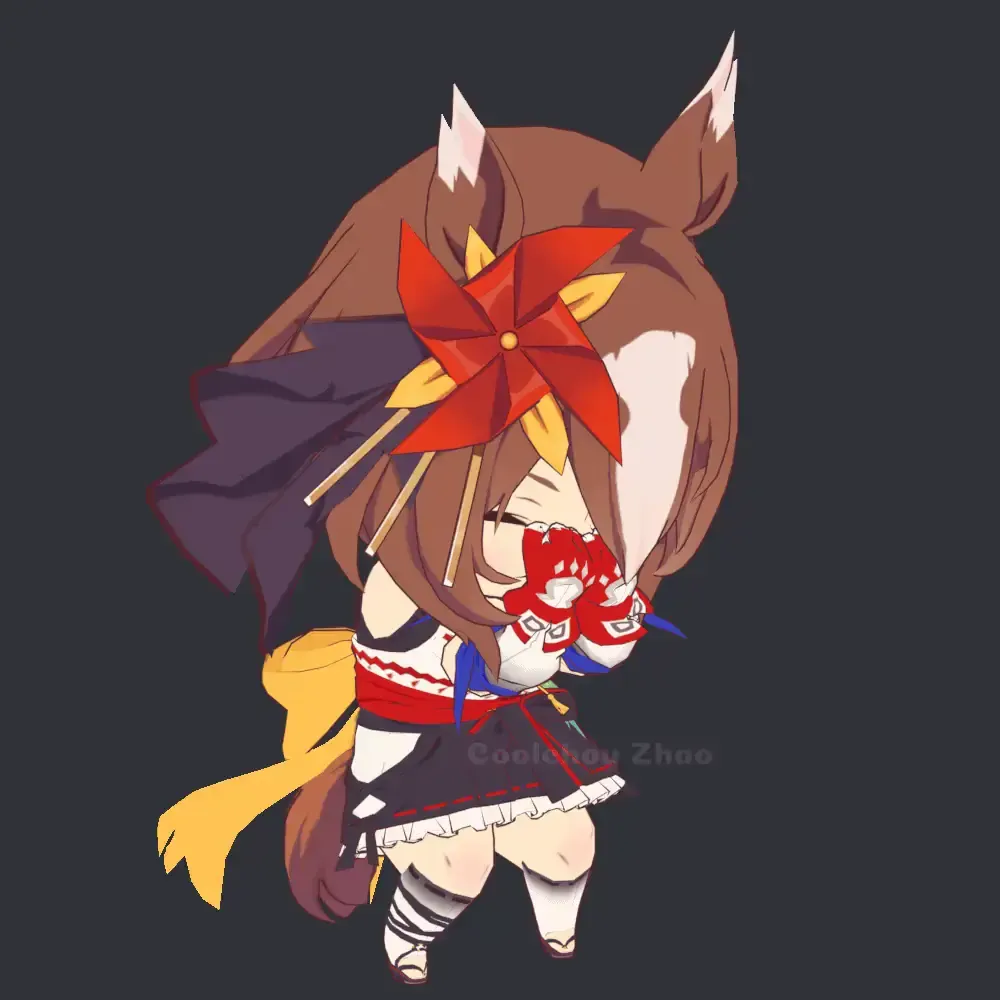
1.1.6
-Added Verxina, Victoire Pisa, Speed Symboli, Yaeno Muteki, Vivlos, Still in Love, Rose Kingdom, Mr. C.B., Mejiro Ramonu, Mejiro Palmer, Lucky Lilac, Logotype, King Halo, Fine Motion, Duramente, Cesario, Buena Vista, Blast Onepiece, Air Shakur.
-Reworked the tail animation used for newer Umas.
-New feature that matches your camera to the models height.
oh right also nishino flower and hishi akebono forgot to add that to the changelog
i threw them in last second
lime pendant
crystal lava
1.1.6
-Added Verxina, Victoire Pisa, Speed Symboli, Yaeno Muteki, Vivlos, Still ...
 crystal lava
2 important details:
-Camera adjustments are disabled by default
-If not all the suits are appearing, make sure to increase the max suits in moresuits

if i cant figure out a better way than to just tell people to do it then ill add this suggestion in the readme next update
quiet harbor
crystal lava
1.1.6
-Added Verxina, Victoire Pisa, Speed Symboli, Yaeno Muteki, Vivlos, Still ...

can't wait to try it out!
crystal lava
Oh yeah I also haven't tested the camera adjustments in multiplayer
Because
Well honestly I don't know
But it should work probably
quiet harbor
if not i'm sure someone will lyk !! but i'm sure it'll go fine :D
crystal lava
I noticed it got confused with multiple players in lan but I'm not sure if anyone's actually used lan in the history of ever
quiet harbor
i don't think my group does
spring frost
I was gonna say I'm surprised Nishino Flower wasn't in the mod earlier
crystal lava
 mint sierra
im not sure but seems like something is borking the model from being looked at with toomanyemotes 3rd person
 crystal lava
mint sierra
im not sure but seems like something is borking the model from being looked at w...
crystal lava
mint sierra
im not sure but seems like something is borking the model from being looked at w...
to my understanding this is a known model replacement api issue
im testing rn
looks like it works fine if you disable viewmodels in mrapi config

actually looks like it works fine for me even with it enabled
so im a little confused
 mint sierra
yeah its something conflicting with some new mods/version i just havent found which one yet
crystal lava
maybe some mod that affects rendering with the player model like a mirror or something?
im not really too sure myself
spring frost
I had no issues and I play with a 3rd person mod
mint sierra
yeah the problem was using mrapi v80 fork
somehow it borked lol
using updated OG mrapi worked
crystal lava
oh i see
fallow python
crystal lava
<:kaedewoah:585582314835148821> I'm glad to hear it! It's funny how this started...
oh my god you added duramente
you are the fucking goat
crystal lava
It is true I did do that 
fallow python
tysm
crystal lava
 stark copper
I'd like to have El Condor Pasa without her hawk
stark copper
I'd like to have El Condor Pasa without her hawk
Hmm I may be able to make it a config but I'll have to check if I merged the mesh or not
If I merged it this won't be possible without redoing her from scratch or manually separated it
stark copper
Understandable

 bold summit
out of curiosity,any chance at a belno light model? id imagine not since she doesent have an official model to my knowledge but thought it was worth to ask
crystal lava
bold summit
out of curiosity,any chance at a belno light model? id imagine not since she doe...
unfortunately if they do not have an official model itd be up to fan works, as far as i can tell im not finding any but if any high quality ones do exist with permission for use in a mod like this i would be glad to add it
real drift
thanks so much for the update and thanks for adding speed symboli, I forgot to mention 1 other request before but for the next update could you please also add Curren Bouquetd'or?
finally with verxina we can go past 5k quota, more skins = more scrap
crystal lava
real drift
thanks so much for the update and thanks for adding speed symboli, I forgot to m...
Sure I can add her for the next update!
crystal lava
finally got around to releasing this:
https://thunderstore.io/c/lethal-company/p/Teaisnt/TeaisntsSillySuits/

Thunderstore
A mod containing a bunch of random suits that were too few in count to upload as their own mod.
just a random collection of models
vague turtle
W Sam & Max representation
crystal lava

 dawn ridge
crystal lava
Oh yeah I also haven't tested the camera adjustments in multiplayer
dawn ridge
crystal lava
Oh yeah I also haven't tested the camera adjustments in multiplayer
hey i actually poked my head in here to mention the camera adjustments in online multiplayer do work but it changes everyone's height instead of just the person who switched suits, like i changed to Stay Gold and everybody else's camera switched to her height as well + my friend switches to Agnes Digital and everyone's switches to her height etc, sorry to bother 😭 lmk if you need logs or anything
crystal lava
dawn ridge
hey i actually poked my head in here to mention the camera adjustments in online...
Oh shit that's not good, I'll do some digging tomorrow or the day after, thank you for letting me know 
dawn ridge
no problem!! 
 mild garnet
 crystal lava
mild garnet
https://tenor.com/view/ononoki-yotsugi-yotsugi-ononoki-bakemonogatari-monogatari...
crystal lava
mild garnet
https://tenor.com/view/ononoki-yotsugi-yotsugi-ononoki-bakemonogatari-monogatari...


 mild garnet
ONONOKI NOO
 tropic grove
hello! i want to ask something regarding your mod, i myself have a mod and i have a few very tall models, and i had to sink them in unity to avoid them from floating in game (and viceversa for smaller models), but if the height's disabled then the model will sink into the ground/float for the player
i've been wondering how you did it or if you also had to make some characters "float"/"sink" in unity in order for them to appear correctly in game
(sorry in advance if this isn't the right place to ask this)
crystal lava
tropic grove
hello! i want to ask something regarding your mod, i myself have a mod and i hav...
This is a perfectly fine place to ask, I don't mind! I've encountered this annoying issue as well with both tall and short models not aligning with the ground right, the answer is annoying but pretty simple as you said, you can just move them up or down after setting the scale and aligning to offset them. Personally I haven't found a better method
tropic grove
i've tried to scale them normally and in bodyreplacement make their height smaller/taller but i don't think i had satisfactory results so i resorted to how i'm currently doing it
so if the player disable the height, there's no way for the models to appear normally for them too?
i've been scratching my head for a way to make it work for both but seems like i don't have a choice
but thank you for answering! was not expecting a reponse so fast but it confirmed what i was thinking
crystal lava
tropic grove
i've tried to scale them normally and in bodyreplacement make their height small...
What do you mean by height exactly?
tropic grove
by height i'm talking about the value in bodyreplacement (the one you divide in the vector3)
like basically, in unity make the model 173f tall (based on the ruler), and in bodyreplacement put it at like 130f
crystal lava
Oh I see my funny methods, yeah adjusting the values in code just adjusts how big your collider is/where the camera is rather than the actual mesh
tropic grove
ah yeah that makes sense
crystal lava
finally got around to fixing the camera adjustments bug for multiplayer with some help 
 zealous breach
hi! this is sorta random but i figured i'd ask here,
i really appreciate your umamusume mod, but i play with a friend's custom modpack, and very few of the people who often join actually care about umamusume, so having the full mod ended up cutting away some of their skin mods. i could tell my friend to just increase the amount of max slots, but i dont like taking up like thrice as many slots, some that i won't even use, just for myself. id probably rather not have it at all at that point, especially for the sake of the modpack's size
that is to say, i tried reuploading a version of your mod with only about 20 of them in it. obviously it got rejected, which i expected, but i see there's some mods with single models of yours, so i was wondering if maybe with permission it would be possible to have it reinstated...? sorry for bothering 🙏 thanks for your work
crystal lava
zealous breach
hi! this is sorta random but i figured i'd ask here,
i really appreciate your um...
hello! it may be a bit tedious but what i would suggest is adding the suits in the Diasbled suits config in moresuits, on the topic of that actually i can see if i can provide a list of the whole mod for use in the config, then you can just remove the suits you want to keep from it
unfortunately this is the best solution i can really think of
zealous breach
that would work!  thanks for responding
while im at it, i beg you to add marvelous sunday and wonder acute in the next update  i see bouquetd'or has already been requested too which im happy about
crystal lava
zealous breach
while im at it, i beg you to add marvelous sunday and wonder acute in the next u...
sure thing i can add them in the next update!
crystal lava
zealous breach
hi! this is sorta random but i figured i'd ask here,
i really appreciate your um...
List of suit .png:
Nishino Flower.png,Hishi Akebono.png,Buena Vista.png,Blast Onepiece.png,Yaeno Muteki.png,Vivlos.png,Victoire Pisa.png,Logotype.png,King Halo.png,Fine Motion.png,Duramente.png,Cesario.png,Verxina.png ,Still in Love.png,Speed Symboli.png,Rose Kingdom.png,Mr. C.B..png ,Mejiro Ramonu.png,Mejiro Palmer.png,Lucky Lilac.png,Air Shakur.png,Cheval Grand.png,Mejiro Ardan.png,Sweep Tosho.png,Taiki Shuttle.png,Fuji Kiseki.png,Hishi Amazon.png,Daitaku Helios.png,Tosen Jordan.png,Rulership.png,Rhein Kraft.png,Gran Alegria.png,Air Groove.png,Durandal.png,Forever Young.png,Marche Lorraine.png,Loves Only You.png,Espoir City.png,Red Desire.png,No Reason.png,Transcend.png,Ines Fujin.png,Matikanefukukitaru.png,Hokko Tarumae.png,Sirius Symboli.png,Narita Top Road.png,Kawakami Princess.png,Katsuragi Ace.png,Jungle Pocket.png,Dantsu Flame.png,Almond Eye.png,Super Creek.png,Eishin Flash.png,Twin Turbo.png,Tanino Gimlet.png,Symboli Kris S.png,Stay Gold.png,Orfevre.png,Nice Nature.png,Nakayama Festa.png,Maruzensky.png,Manhattan Cafe.png,Grass Wonder.png,Gentildonna.png,Fenomeno.png,El Condor Pasa.png,Dream Journey.png,Calstone Light O.png,Admire Vega.png,Aston Machan.png,T.M. Opera O.png,Seiun Sky.png,Mejiro Ryan.png,Kitasan Black.png,Matikanetannhauser.png,Satono Diamond.png,Meisho Doto.png,Tamamo Cross.png,Gold City.png,Agnes Digital.png,Narita Brian.png,Mihono Bourbon.png,Sakura Bakushin O.png,Symboli Rudolf.png,Mejiro McQueen.png,Agnes Tachyon.png,Winning Ticket.png,Vodka.png,Tokai Teio.png,Special Week.png,Silence Suzuka.png,Rice Shower.png,Oguri Cap.png,Narita Taishin.png,Mayano Top Gun.png,Haru Urara.png,Gold Ship.png,Daiwa Scarlet.png,Curren Chan.png,Biwa Hayahide.png
here is a list of all uma suits in the mod separated by commas
you can add this to your Disabled suit list in More_Suits.cfg to remove all the suits, then just remove from this list the suits you want to keep!
im unsure why though but mr cb and verxina didnt seem to be excluded when i did this, im really unsure why but either way this should help
lilac bayBOT
crystal lava
**__List of suit .png:__**
Nishino Flower.png,Hishi Akebono.png,Buena Vista.png...
crystal lava
zealous breach
will defo be passing this on to my friend, i appreciate it <:Ricerice:1468999853...
no problem!
if youre using gale you should also have edit as list as an option

which is much easier to read to find the umas you want
 zealous breach

 prisma steppe
hi i saw someone else request a model be added to the umamusume mod so i thought i would ask, obey your master is the goat and i would love to see her added in the future
though im not sure a model exists for her which might make it impossible
crystal lava
prisma steppe
though im not sure a model exists for her which might make it impossible
Unfortunately there isn't one so not much I can do, sorry 
dawn ridge
in regards to requests i would love to see sounds of earth and/or neo universe ... also tysm for the cam fix !!! i love being able to look up towards my friends when im stego sized, very funny