#[v81] Half Life Black Mesa Moon + Interior
1 messages · Page 4 of 1
 upbeat haven
 winged wasp
I only realized that last time I played and i felt so stupid for taking so long to put it together
 uneven stream
Yeah there are only so many doors within black mesa T.T
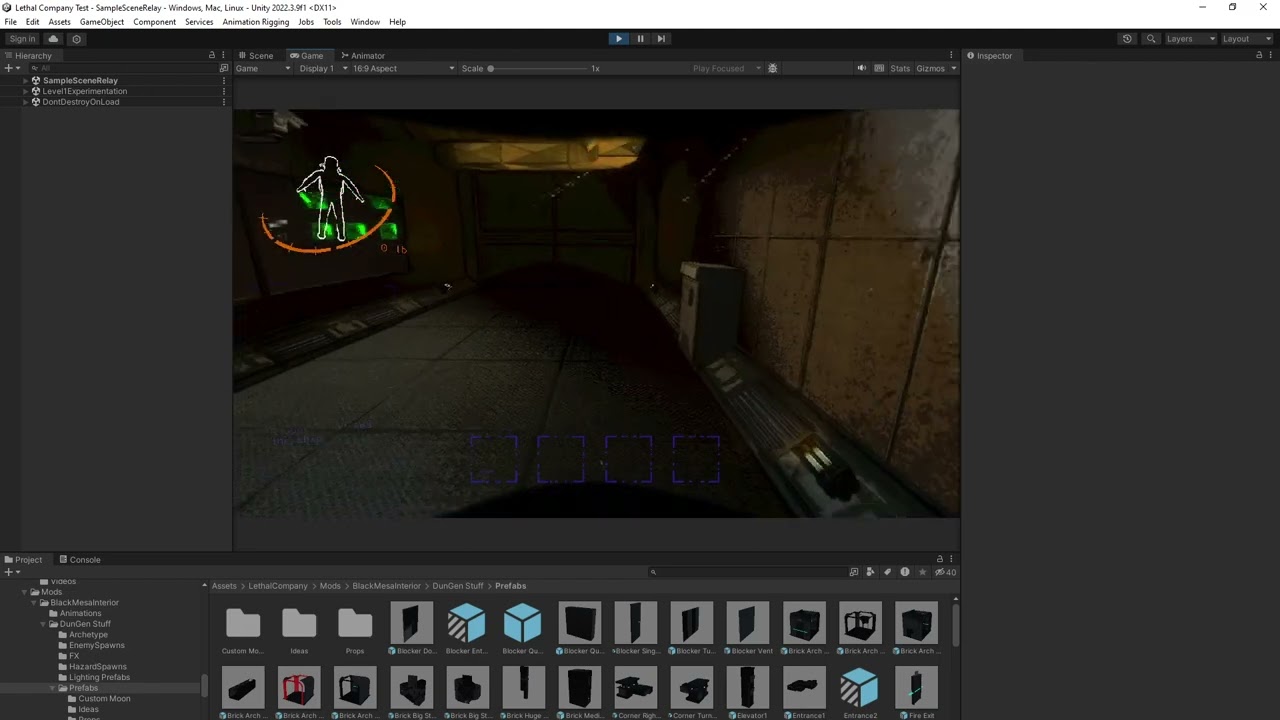
Eventually I'd like a better way to show it, but so far red is not openable and green is openable
 civic canopy
uneven stream
Eventually I'd like a better way to show it, but so far red is not openable and ...
civic canopy
uneven stream
Eventually I'd like a better way to show it, but so far red is not openable and ...
Honestly I have not had a problem with this. I really like how red > locked and green > unlocked
Makes exploring the massive facility a lot easier knowing what doors you cant open from far away
uneven stream
I was hoping for that initially yeah
to be able to see what paths are not viable at a glance
rather than wasting time going up to each of them
same with the big elevator shaft tile that spawns green lights where there is a room connection
so you don't have to check each floor you can just look up or down to see what floors have connections
uneven stream
yeah I agree with the baboon hawks too haha, I will be trying to tweak their amounts next update and also including tulip snakes
Adding 20 or so more tiles to the next update too
Quarantine Tents will make it in as well as some more grungy bricky tiles
 rose blaze
uneven stream
yeah I agree with the baboon hawks too haha, I will be trying to tweak their amo...
rose blaze
uneven stream
yeah I agree with the baboon hawks too haha, I will be trying to tweak their amo...
LESGOOOOOOOOOOOO FLAPPY FRIENDS
uneven stream
 winged wasp
uneven stream
Adding 20 or so more tiles to the next update too
winged wasp
uneven stream
Adding 20 or so more tiles to the next update too
Casually adding more tiles in an update than most interiors have as a whole
rose blaze
@uneven stream not sure if me fucked up somewhere but this got no value when I found it in mesa. weird

what in the actual fuck have i found
oh I think Shrimpy is bugged pff
uneven stream
winged wasp
Casually adding more tiles in an update than most interiors have as a whole

These new ones are gonna be bangers
uneven stream
rose blaze
<@365611267374841856> not sure if me fucked up somewhere but this got no value w...
ah yeah those are spawned manually and I forgor to give them values haha
rose blaze
whats the scrap loot like compared to the interior size? (I know im a solo runner atm bc no friends but is definitely hard for me to find loot sometimes)
im not that great at exploring it yet tho (soon)
uneven stream
rose blaze
whats the scrap loot like compared to the interior size? (I know im a solo runne...
I have it set to where it tries to spawn form 35 - 40 scrap and the size is supposed to be somewhat similar to Titan. Due to how it determines scrap placements sometimes things can spawn inside of desks and stuff too which might also make some be missed so I am trying to make them not be dumb like that T.T
rose blaze
Ah
I thought the interior was like HUGE because I swear I can go quite a bit finding only like a single scrap item
I run into rooms that LOOK like scrap rooms/would hold scrap but mostly just hold nothing :o
its really cool on the scale its at :o (though I do think some walls are lack collision for enemies)
uneven stream
rose blaze
its really cool on the scale its at :o (though I do think some walls are lack co...
ah yeah I did notice that which is so odd! There must be nav mesh behind the wall they think they can walk through so it is part of something I need to figure out to also solve the inverse teleporter bugs that can happen too


some pics of one of the new tiles
rose blaze
uneven stream
im totally gonna fall to my death :D
uneven stream
Wouldn't be a fun lethal tile without the chance of breaking legs!
rose blaze
uneven stream
Wouldn't be a fun lethal tile without the chance of breaking legs!
be cruel and put in spike traps, have it so it can spawn directly above it xD
now you can break your legs or be flattened as you get up
actually there is an idea. Isn't there laser walls in black mesa?
uneven stream
Oh good point, I still need to add spike traps to the tiles!
I'll try to do that for the next update too
rose blaze
:O
 rose blaze
inb4 just add the entirety of HL1 OG to the terminal to play
rose blaze
oh thats cooooooooool :O
uneven stream
Should be much more interesting than the vanilla floor mine!


 past valve
YOOOO
winged wasp
uneven stream

done using ElevenLabs AI
 north thorn
uneven stream
north thorn
uneven stream
did your tilted editor camera make it into the v50 project? lol
 brazen forge
yo I havent checked latest versions but, is the entrance still powerpoint presentation when looking at the cameras?
 sacred quiver
brazen forge
yo I havent checked latest versions but, is the entrance still powerpoint presen...
sacred quiver
brazen forge
yo I havent checked latest versions but, is the entrance still powerpoint presen...
There have been major performance increases, you now only have performance loss when looking at the security monitors. Just check the patch notes 😛
north thorn
(also what improvements you'll see depends on the version you last tested, so we can't really answer that question for certain)
brazen forge
sacred quiver
There have been major performance increases, you now only have performance loss ...
yea thats kinda what I meant
uneven stream
north thorn
did your tilted editor camera make it into the v50 project? lol
it sure did haha
uneven stream
brazen forge
yea thats kinda what I meant
if you have anything over a 20 series GPU you shouldn't be having huge performance issues if you are using Cullfactory and don't have other mods that tank performance
should be very smooth 🙂
brazen forge
2070 non-super and it went down to like 30-40 fps from 90-110
last time I tried that is
uneven stream
 bold musk
Any plans on adding a config to shut off the security cameras
bold musk
Any plans on adding a config to shut off the security cameras
I guess we could, but thing is the cameras do not render at all and actually already turn off if you are not looking at the screens on the terminal
so config would be pretty redundant
uneven stream
brazen forge
2070 non-super and it went down to like 30-40 fps from 90-110
that is weird cause my friend has a 2070 and he gets around 60 and he even plays in VR 🤔
I'm sure it is some sort of other mod that might affect performance too that is adding to it
I know the ultrawide mod can cause issues
and the 4k lethal company mod too
brazen forge
uneven stream
that is weird cause my friend has a 2070 and he gets around 60 and he even plays...
nah I wanna say my 2070 is gigabyte brand
so dont expect anything close to an actual 2070's performance
brazen forge
shits 82-83 celsius at 100% load
brazen forge
last time I played with 5 people, and me as the host was the only one having performance loss anyway so
p sure its mainly a problem on my side
uneven stream
gotta be something going on that is so odd
hopefully it can be fixed T.T
there is one more thing I will try to do to optimize
but it has to be done after I am done adding tiles
brazen forge
ill give this another try now tho, ill let you know if its better
uneven stream
so I am almost done with tile additions once next update comes out I am adding more so I will be closer to where I can do that last optimization test
brazen forge
yea I mean

+10 fps
so not the end of the world but ig its an improvement from 30
gonna be honest, this still runs better than mental hospital lmao
I get more fps the further I am from main entrance
uneven stream
brazen forge
I get more fps the further I am from main entrance
do you have Cullfactory enabled as well? I imagine you do
brazen forge
I do ye
 bold musk
uneven stream
I guess we could, but thing is the cameras do not render at all and actually alr...
bold musk
uneven stream
I guess we could, but thing is the cameras do not render at all and actually alr...
Oh ok maybe some other mod conflict is affecting the performance for me
 split palm
any way you could make the door lights stand out a bit more
I'm color blind and it's hard to tell without being up close
uneven stream
split palm
I'm color blind and it's hard to tell without being up close
Oh yeah I would love to support color blind folks better. Is red/green an issue and is there better colors you think would be better? I also would like to add more distinct lights as well
split palm
uneven stream
Oh yeah I would love to support color blind folks better. Is red/green an issue ...
Personally, I only have minor red/green color blindness. For me, all you would have to do to fix it is make both the red and green more vibrant/distinct shades. However, that would still cause issues for people who have it worse than I do, so I'd also recommend adding another visual indicator that doesn't rely on color. Maybe you could make the red into a dark gray and make the green emit a small yet noticeable light.
If you want a more direct indicator, you could implement the Combine Locks from HL2. They would be out of place in an interior based on HL1, but not too far off from being on theme.
 uneven stream
split palm
Personally, I only have minor red/green color blindness. For me, all you would h...
uneven stream
split palm
Personally, I only have minor red/green color blindness. For me, all you would h...
I might do away with the red light on doors and try to find a way to show them as broken instead 
Those locks are a good idea too!
 earnest marsh
Very minor issue but in this room the vent seems to trim through the ground, haven't seen it happen anywhere else in the interior
sacred quiver
earnest marsh
Very minor issue but in this room the vent seems to trim through the ground, hav...
He is well aware of it😂😂
I think I've brought it up multiple times😂
uneven stream
Yeah haha it needs to be tweaked 😅
 white stump
putting another +1 vote to please start considering some optimization, at least on paper 😛
on my rig it runs worse than BG3 3rd act and Dragon's Dogma 2 in 4K, and tanks in the monitor room 😄
(yup, I'm playing on a non 4080 laptop 😉 )
EDIT: apologies, I've just noticed you're already doing that.
uneven stream
Never hurts for more reminders haha
rose blaze
oh
I havent mentioned but
I found a camera walkie on a different moon in an interior randomly
I'm not sure if it was due to Remnants but I almost certainely didnt make it a config possibility anywhere xD
I assume it's the Black Mesa camera walkie
rose blaze
(nevermind it likely is remnants)
 jolly spire
Does anyone have any idea why monsters don't spawn when I go to this interior?
uneven stream
jolly spire
Does anyone have any idea why monsters don't spawn when I go to this interior?
Idk they should spawn fine 🤔 might be a mod conflict with something weird
 untold knot

Thunderstore
[v50 supported!] This mod includes a custom Moon from the Half-Life universe.
Just saw this pop up. A bit backwards (go to xen and end up at black mesa instead of vice versa) but a potentially good moon for this interior.
uneven stream
untold knot
Just saw this pop up. A bit backwards (go to xen and end up at black mesa instea...
yeah saw this! They did an amazing job with the Xen assets!
 worldly escarp
Yeah looks like I have another Black Mesa Moon. 😛
civic canopy
untold knot
https://thunderstore.io/c/lethal-company/p/cl1ck/Xen_Moon/ 😮
This would honestly fit certain tiles that headcrab used for BM
the tube ones where they did research in xen I forget what theyre called
brazen forge
yo @uneven stream if I want to make this dungeon's gen smaller, what would I need to change?
im still a bit confused about LLL parameters xD
uneven stream
brazen forge
yo <@365611267374841856> if I want to make this dungeon's gen smaller, what woul...
I think there would be a thing within Lethal Config? 🤔
I've never actually done it myself lol
 sudden geode
Curious if you have any plans for adding in things like head crabs or headcrab zombies to go with the interior? Would be neat to have half life creatures to avoid within the facility
uneven stream
sudden geode
Curious if you have any plans for adding in things like head crabs or headcrab z...
Yeah I would like to do headcrabs, zombies, vortigaunts, and barnacles at some point
Currently got dragged into another project for my team I am on, but want to come back to add in custom enemies
sudden geode
Hella hope yer project goes well o7
 crude acorn
uneven stream
Yeah I would like to do headcrabs, zombies, vortigaunts, and barnacles at some p...
crude acorn
uneven stream
Yeah I would like to do headcrabs, zombies, vortigaunts, and barnacles at some p...
If these enemies were to be added, would they replace the current enemy list for the Black Mesa Moon? I do enjoy the current selection of enemies, especially the Thumpers oddly enough, I think they work very well with the interior imo.
sacred quiver
crude acorn
If these enemies were to be added, would they replace the current enemy list for...
The idea is to have a config for that. Something very similar to how Ooblterra's next update will implement it
crude acorn
Awesome 👀
uneven stream
crude acorn
If these enemies were to be added, would they replace the current enemy list for...
I would like for them to be added, not replace anything already in the interior monster-wise 🙂
 random hatch
does the moon setting "All" work now?
 uneven stream
Hoping to have a decent update for this tomorrow
20+ new tiles
Light changes
Butler can spawn inside and tulip snakes outside
Clipboard fixes
New fire exit door models
And some other stuff
sudden geode
ooo
past valve
oooo nice!
winged wasp
Ooooooooooo
 torn gazelle
For some reason I can’t get the interior to spawn
In the config it even has it on 9999 or whatever for the black mesa moon, but I still don’t get the interior
sacred quiver
torn gazelle
In the config it even has it on 9999 or whatever for the black mesa moon, but I ...
Send a pic of the config
uneven stream
Half Life Black Mesa Interior + Moon version 1.1.0
https://thunderstore.io/c/lethal-company/p/Plastered_Crab/Black_Mesa_Half_Life_Moon_Interior/
Finally pushed an update out for this!
Changes:
- Added Butler and Tulip Snakes to Interior and Exterior respectively
- Added 26 new tiles for room generation (Now there are over 120+ room variations)
- Added new emergency lights for when power gets pulled
- Added new Fire Exit model
- Fixed generation so two handed items aren't stopped from being brought back to front entrance
- Fixed main entrance syncing
- Fixed clipboard from spawning on other moons
- Fixed some doorways
- Tweaked some lighting
Some of the new tiles (attached as photos)


Thunderstore
[v50 supported!] This mod includes a custom Moon based off of Black Mesa Research Facility as well as a custom Interior that has over 120+ tiles for room generation.
 nova stag
uneven stream
# Half Life Black Mesa Interior + Moon version 1.1.0
https://thunderstore.io/c/l...
nova stag
uneven stream
# Half Life Black Mesa Interior + Moon version 1.1.0
https://thunderstore.io/c/l...
ik its not in the changelog but any performance improvments?
uneven stream
nova stag
ik its not in the changelog but any performance improvments?
I heard from some there are improvements, but idk if it was placebo lol
I didn't do anything else, since there really isn't anymore I can do to optimize except one more thing but have to do it at the very end when I am never adding tiles anymore and even then it likely won't make a huge difference
it is likely going to stay as a moon to require a decent PC to run well
I did hear too that if you use this interior on vanilla moons that it runs better
nova stag
uneven stream
I heard from some there are improvements, but idk if it was placebo lol
ah, I need a hardware upgrade anyways lol(not bad but kinda mid)
uneven stream
so the issue may lie with the moon itself
so try out my interior on a vanilla moon using configs and see if that is better 🙂
nova stag
uneven stream
so the issue may lie with the moon itself
about how decent of a pc XD
uneven stream
nova stag
about how decent of a pc XD
my friend has 1080 ti and he got 60 - 70 when playing it on a vanilla moon
I have a 3060 and I always get 60 - 90 fps when I play without hundreds of mods
mods to avoid as well is ultrawide mods or 4k mods etc
as I heard those can make you lose 10-20 fps
nova stag
uneven stream
my friend has 1080 ti and he got 60 - 70 when playing it on a vanilla moon
nice, I think I have a radeon 6700 xt
I think the rest of my hardware may be the issue
cause its decent for most things
uneven stream
but yeaj try it out on a vanilla moon you will likely have a much better experience 🙂
nova stag
uneven stream
but yeaj try it out on a vanilla moon you will likely have a much better experie...
honeslty I think dont have a good enough RAM or a good enough cpu(I heard LC is very cpu intensive)
uneven stream
my cpu is pretty mid I think
it has a hard time playing Minecraft sometimes
granted on big render distances lol
nova stag
I only got 16g ram
nova stag
uneven stream
but still
my cpu is straight dodo and probably busted a bit
 nova stag
uneven stream
nova stag
uneven stream
nice, hope once I save up and upgrade my pack will run consistantly
185 mods is hard to optimize lol
uneven stream
lucky for you PC prices are going down every day!
nova stag
uneven stream
lucky for you PC prices are going down every day!
thats nice
uneven stream
Each day is a better day than last to get one haha
nova stag
uneven stream
Each day is a better day than last to get one haha
also had to remove the interior from cosmocos because it spazzed out XD
uneven stream
oh no haha
nova stag
uneven stream
oh no haha
like a million of those tenticles that spawn in
prob because the interior is so big
nova stag
uneven stream
I haven't tested it yet haha
may wanna try it lol
 untold pewter
whatever update you just pushed @uneven stream it broke my game in several ways. First, I had Imperium enabled for debugging my modpack, and upon loading into my ship, I could not move. I could jump but couldn't move my mouse and my camera wouldn't follow the player, and I also couldn't quit. Hitting escape and clicking quit worked but hitting Confirm to actually disconnect back to the main menu literally didn't do anything, the Confirm button was non-functional. I disabled Imperium and then got control of my character again at least, but upon trying to land on a custom moon, it now hung at the Random Seed screen. My HDLethalCompany that removes the pixel-y gritty filter from the game view also was non-functional and was giving me the vanilla gritty view again as though I'd disabled it when I hadn't.
Since I was positive the only change that occurred was your update, I disabled black mesa and sure enough all these problems vanished and everything went back to normal.
uneven stream
it is probably another mod you have
untold pewter
here's the profile if you wanna take a looksy and try to nail down whatever sudden bizarre mod conflicts are now occuring with the new build you pushed (as that's all I can possibly think of that would cause such a multitude of bizarre unrelated issues)
018fb362-c089-aae2-eebf-aefa6cebe546
nova stag
untold pewter
whatever update you just pushed <@365611267374841856> it broke my game in severa...
DO NOT use hd company, It breaks a TON of mods
uneven stream
I didn't change much at all besides some lights and added some more rooms and whatnot
untold pewter
nova stag
DO NOT use hd company, It breaks a TON of mods
what should I use instead to get the clearer game view?
nova stag
untold pewter
what should I use instead to get the clearer game view?
best was one called not filer or something along with lc widescreen
there is no perfect solution rn
apparently one might be WIP
untold pewter
alrighty, I guess I'll disable it and turn black mesa back on, see if that's the conflict that suddenly happens with the new version but didn't with the old
uneven stream
Yeah I hear from others in the modding vc that HD Lethal breaks so many things
untold pewter
fascinating, looks like that was it
how tf could hdlethalcompany break SO much shit? isn't it just a mod to remove a few on-screen blur-filters and tweak some particle effects settings?
uneven stream
nah it dips its fingers into so many things
doesnt use harmony to patch things
which is what tons of mods use
untold pewter
oops
so I'm doing some troubleshooting for the monster spawns in my modpack right now
and disabling hdlethalcompany
has now fixed the buggy monster spawning behavior I was getting...
how the FUCK could it be touching SPAWNING behavior? wth is this thing basically malware? lol
uneven stream
nah just made carelessly
untold pewter
I'm no modder but that is baffling it touches so many things that have nothing to do with graphics or visuals, I wouldn't have guessed in a trillion years the simple-looking graphics-improver mod could break spawning and movement controls and custom moon content load-ins
thanks for telling me!
winged wasp
LCUltrawide is the recommended solution for resolution changing
untold pewter
oh wait sorry, scratch that, hdlethalcompany was not causing bizarre monster spawning behavior, that was apparently Imperium. How sad, my debugging tool causes bugs lol
winged wasp
Imperium likes to remove walking sounds for me
I just wish there was a stable option for changing LOD
nova stag
untold pewter
oh wait sorry, scratch that, hdlethalcompany was not causing bizarre monster spa...
do you have sentinal mod?
winged wasp
the games low lod distance can be pretty noticeable on some modded moons
untold pewter
nova stag
do you have sentinal mod?
no I do not, and apparently I was wrong, still odd monster spawning behavior on this specific moon
I think it may just be the moon itself somehow, though I can't imagine how or why
nova stag
untold pewter
no I do not, and apparently I was wrong, still odd monster spawning behavior on ...
just a warning if you ever decide to add it it breaks imperium
its prob the dumb custom api it uses
uneven stream
winged wasp
LCUltrawide is the recommended solution for resolution changing
Also sadly LCUltrawide causes fps drops on interiors, so I also don't recommend using it with black mesa if you get bad fps with it 😅
winged wasp
uneven stream
Also sadly LCUltrawide causes fps drops on interiors, so I also don't recommend ...
It does??
uneven stream
Yeah haha
I have had people say it eats 10+ fps for them
And when they remove it it's much smoother on Black Mesa
winged wasp
By default it shouldn’t even do anything but change your resolution to the equivalent of vanilla for your aspect ratio
uneven stream
I think most of the times you don't notice it since vanilla maps run like butter anyways
And most interiors haha
Since they aren't so ridiculously detailed like black mesa 😂
winged wasp
Weird
uneven stream
Modding is an enigma
Either way I hope everyone likes the update!
I added new emergency lights for when the apparatus gets pulled 😛
 vocal nova
Feature request: Ability to change the amount of walkie-talkies in the security room via config.
uneven stream
vocal nova
Feature request: Ability to change the amount of walkie-talkies in the security ...
Could, but each one goes to a certain screen so there should ever only be 5 at maximum
sacred quiver
vocal nova
Feature request: Ability to change the amount of walkie-talkies in the security ...
Plus, unless they are on they don't have any performance impact. Even if they are on, you have to be in/near the security room to have any sort of performance impact
untold pewter
@uneven stream
oh by the way, the Polaroid camera mod called LethalSnap causes a little quirk with the security camera views tied to the tv walkies. It puts the view at an angle when being viewed but only for a viewer of the screen who is not holding that tv walkie in their hand. I know it's LethalSnap that causes it because when you hold the Polaroid camera, the view is at that exact angle as well and it only stabilizes if you press Z to raise the camera to your face and take a perfectly level and steady snapshot.
Not sure if there's even anything you could do about this as I suspect it's just both mods using the same dynamic camera view systems Unity provides, but at least you can toss it in a known issues section about mod conflicts
uneven stream
Good to know!
north thorn
pressing that same key evens out the camera for the handheld cameras?
I'll have to look at the decomp for that sometime, that is very weird
would've hoped that would be part of the item's logic so it won't affect others
 boreal bear
There's a bug that won't let you leave this specific moon. It just says "[Waiting for ship to land]" after leaving the planet and the game gets soft locked. Maybe it's a mod conflict? This is the modpack used: 018fbab5-4969-4635-04c2-a71dcda0ab2b
@uneven stream
 uneven stream
boreal bear
There's a bug that won't let you leave this specific moon. It just says "[Waitin...
uneven stream
boreal bear
There's a bug that won't let you leave this specific moon. It just says "[Waitin...
Yeah def a mod conflict cause I've never heard of that from anyone yet 😅
boreal bear
uneven stream
Yeah def a mod conflict cause I've never heard of that from anyone yet 😅
It didn't happen initially, only after visiting your moon. Maybe a coincidence?
boreal bear
uneven stream
Yeah def a mod conflict cause I've never heard of that from anyone yet 😅
Seems like the bug was caused by another mod
 misty aspen
hey there, I was testing Black Mesa for an extended period of time this morning and it's a lot of fun. While testing, I think I found a major bug. Unfortunately, nothing was thrown in the logs so I don't have anything to share on that end, apologies. ||I'm going to try to find some time to work on repro in the next few days, and I'll update you with anything substantive||
After taking a ZagCam into the ship and taking off, it appeared to self-destruct as expected. Unfortunately, after this happened, the game started slowing down massively, dropping from stable 60fps to something likely in the 10-20fps range.
As far as I can tell, the broken ZagCam was stuck in limbo in the save file, still rendering? Quitting the lobby and reloading the lobby didn't fix the lag (even when going to other moons/interiors). It required starting a new save file to return performance back to normal.
 pastel magnet
if it didnt destroy properly it should've said something in logs, that's weird
uneven stream
misty aspen
hey there, I was testing Black Mesa for an extended period of time this morning ...
oh weird! I did know that the ZagCams had a sync issue as of the switch to v50 which we were going to look at soon once Zaggy's machine wasn't misbehaving haha
north thorn
that's very bizarre, I can't think of a reason why it would slow down like that after the interior is unloaded
most of the item logic is actually controlled by a component in the interior, so it shouldn't be doing much of anything once you leave
if you find a way to repro (or if it just happens consistently for you) let us know
 rich vector
have you ever been so scared that you
uneven stream
Lmao bro was waiting in that vent
 true gate
rich vector
have you ever been so scared that you
true gate
rich vector
have you ever been so scared that you
LMAOOO
bro was so scared he started dancing 😭
 slim mango
One problem I ran into while playing the Interior solo was there was a room with damaged flooring, and I fell to the bottom of, and it wasn't far enough to kill me, and I couldn't seem to find my way out either. Not sure if I just didn't see it or failed at parkour, but with no other way out, I had to Quit because I was stuck. Sorry, didn't think to take any pictures.
 cloud mango
rich vector
have you ever been so scared that you
cloud mango
rich vector
have you ever been so scared that you
HAHAHAHAHAHA
uneven stream
slim mango
One problem I ran into while playing the Interior solo was there was a room with...
if you find it again I would be interested to know which floot it was!
uneven stream
@indigo mirage I don't know if you still do videos on Lethal Company mods, but this is fully released now 😄 https://www.youtube.com/watch?v=ANPPGNS_uNc&t=1s

After nearly 500 hours in the oven The Black Mesa mod for Lethal Company is out of beta now and is fully released! Go find it on the Thunderstore: https://thunderstore.io/c/lethal-company/p/Plastered_Crab/Black_Mesa_Half_Life_Moon_Interior/
Thank you so much to Sherlock Jake for making this trailer and helping me get into making the mod in the ...
AND now there is an Aperture based moon and interior too from Portal: https://discord.com/channels/1168655651455639582/1245264812338839586
Almost an Orange Box (if only someone makes a Team Fortress interior and moon)
slim mango
uneven stream
if you find it again I would be interested to know which floot it was!
Well, egg on my face. After finding it again and comparing the pictures, I realize that I warned the wrong mod maker. 😮 /feels very stupid Very sorry for the confusion.
uneven stream
slim mango
Well, egg on my face. After finding it again and comparing the pictures, I real...
Haha no worries it happens!
 undone owl
Had to disable this mod from my modpack due to it sending out some errors and it also wouldn't let us land the ship anywhere, just endless seed loading no matter the moon.
north thorn
logs?
uneven stream
undone owl
Had to disable this mod from my modpack due to it sending out some errors and it...
Are you using HD Lethal Company mod?
uneven stream
I'm going to guess that's what it was
That's the only thing I hear that has that issue
Common HD Lethal jank
undone owl
uneven stream
Are you using HD Lethal Company mod?
I am actually, didn't know it would mess with it, thanks.
uneven stream
undone owl
I am actually, didn't know it would mess with it, thanks.
yeah HD Lethal is a really intrusive mod that messes with a lot of other mods
undone owl
I see, had no idea, good to know, probably gonna remove it from the pack then lol
uneven stream
undone owl
I see, had no idea, good to know, probably gonna remove it from the pack then lo...
yeah that is usually what people do 😅
 uneven stream
I can try to trim some of that out, but none of that has collision and it also has no nav mesh so it was pretty inconsequential from my testing 🤔
 celest quest
You know how wesly made infernis have the stalagmite drop for everyone and asteroid the lights turn on for everyone now. why cant the walkies blow everyone up on the ship lol is desync
uneven stream
celest quest
You know how wesly made infernis have the stalagmite drop for everyone and aster...
Yeah it's definitely desync haha
It was working before the switch to v50 and its going to get looked at 🙂
 jovial river
I enjoy this, but does anyone know what conflict might be breaking (that I know of) Immersive Visor, HDLethalCompany, and my ability to walk, when updating to 1.1.1?
 rigid fog
jovial river
I enjoy this, but does anyone know what conflict might be breaking (that I know ...
rigid fog
jovial river
I enjoy this, but does anyone know what conflict might be breaking (that I know ...
HDLethalCompany is almost certainly the cause of your problems
I removed it from my pack for the exact same reason that it broke all movement
jovial river
Ok, but how is Black Mesa conflicting with the graphics, and why is the graphics thing messing with anything else not graphics related like movement?
Also any recommended replacements?
rigid fog
jovial river
Ok, but how is Black Mesa conflicting with the graphics, and why is the graphics...
I'm not sure why but i've read in the past that HDlethal causes conflicts with different mods because of how it was written back when it was released
i replaced it with LCUltrawide and forced that to render in 1080p in the config so things aren't super blurry
uneven stream
jovial river
Ok, but how is Black Mesa conflicting with the graphics, and why is the graphics...
HDLethal breaks tons of mods
it does what it does very lazily and with disregard for the vanilla systems in place which messes with other mods
as above LCUltrawide is made a bit better for what you want HDLethal for
 foggy shale
Hey! Just a weird question, is there any way how I could disable the Black Mesa moon from the terminal?
I tried it and it's lovely really! But I have a mod pack with only new interiors and no moons hence why I am asking
sacred quiver
foggy shale
Hey! Just a weird question, is there any way how I could disable the Black Mesa ...
You can just hide and lock it in the LLL config
foggy shale
Oh I see, didn't know it was possible. But yeah both the moon and the interior are amazing so thank youu, we need more good interiors like that
 deft mulch
Yo! Was wondering one thing. Was planning on editing the price for the moon, but i wonder i spawn rates of items will be affected?
Also i have the default setting right now, but in lll it says some different values compared to what i already have. Haven't changed anything

Is default for enemy settings 23 and 10 or 20 & 20?
uneven stream
deft mulch
Yo! Was wondering one thing. Was planning on editing the price for the moon, but...
I believe I wanted it to be based off of Titan but harder and larger
so Titan has enemy power level at 18
and scrap at like 750 I think
deft mulch
Alright, but what are the default settings now?
I want it as it is but just changing it's price haha
Or will it be wack if i mess with the lll settings?
uneven stream
deft mulch
Or will it be wack if i mess with the lll settings?
I am not sure since I never messed with them before but couldnt hurt to try!
torn gazelle
any plans on lowering the asset bundle size? more optimizing to the moon and interior maybe?
uneven stream
torn gazelle
any plans on lowering the asset bundle size? more optimizing to the moon and int...
already optimized it the best I can besides one thing
and can't lower the size of the bundle
the mod is huge because it is the biggest interior mod with 120+ room variations to generate with
most interior mods usually have 40 at most
cant lower the size without removing rooms from the mod
untold knot
So I've been trying to consolidate a lot of moon/interior configuration into the LethalLevelLoader.cfg, but even when Custom Content Configuration is enabled there, your config still overwrites it unlike most other interiors. Is there any chance it could be set up to use LLL's config instead?
sacred quiver
untold knot
So I've been trying to consolidate a lot of moon/interior configuration into the...
Set the rarity to 0, Interior Moons to all, and leave the list blank. That will allow LLL configuration to work. We're trying to make it use LLL's config instead but we're running into issues with the unity editor :/
untold knot
sacred quiver
Set the rarity to 0, Interior Moons to all, and leave the list blank. That will ...
I'll try that ty ❤️
 uneven stream
pastel magnet
https://clips.twitch.tv/SmoothGrotesqueGarageYouDontSay-8giYg9I2CO9b-eUf <@36561...
uneven stream
pastel magnet
https://clips.twitch.tv/SmoothGrotesqueGarageYouDontSay-8giYg9I2CO9b-eUf <@36561...
lmaoooo
I need to give the ceiling collision apparentlty
pastel magnet
mhm
 old fiber
Any plans to add more additions to the mod
uneven stream
old fiber
Any plans to add more additions to the mod
Yeah 🙂 Taking a small break while v56 is being done for LLL and doing some important stuff for Cobblemon at the moment
planning on making a "Lite" version
where the exterior has way less going on
hopefully for weaker PCs or people with big modpacks
cause the issues people have with performance is likely due to the exterior never being removed from rendering
and I wanted to add some new rooms that have some parkour elements
pastel magnet
uneven stream
cause the issues people have with performance is likely due to the exterior neve...
yeah, terrain in unity is hella expensive from what i heard
uneven stream
pastel magnet
*yeah, terrain in unity is hella expensive from what i heard*
and a lot of people's machines are broke and dont like that expense 😛
prolly gonna remove the side areas of the Lite version entirely lol
pastel magnet
yeah, def not talking about the endless terrain around black mesa's outside thats unused along with some random assets lol
sacred quiver
Yeah I'd try removing all the unused stuff first before cutting a bunch of the playable area
uneven stream
pastel magnet
yeah, def not talking about the endless terrain around black mesa's outside that...
ill try to remove that stuff too first, but even then I think poopoo computers might still struggle lol
and I am not sure what the toxic sludge particle FX do to performance
pastel magnet
uneven stream
and I am not sure what the toxic sludge particle FX do to performance
how many particles are there?
like, when u highlight all particle systems
uneven stream
I am actually not sure
pastel magnet
if its less than like 2k then it's fine for the most part
meteor shower can get laggy and it maintains 10k i think
i need to switch to VFX
which uses gpu
uneven stream
I will have to check when I get back to it lmao
but it was my first test and it stayed in lol
uneven stream
sacred quiver
Yeah I'd try removing all the unused stuff first before cutting a bunch of the p...
definitely haha
 runic pike
Bro
FacilityMeltdown and Black Mesa work hand in hand
The Sirens work so well with FacilityMeltdown's like chaotic atmosphere
Oh Xu
wanna know something funny?
In my most recent Ultra Modded Lethal Company video I heard a Redwood Giant in Black Mesa
bro somehow fit 
 plush lantern
uneven stream
hopefully for weaker PCs or people with big modpacks
plush lantern
uneven stream
hopefully for weaker PCs or people with big modpacks
I think your mod has an assetbundle twice as big as any other assetbundle and I’m using all of tolians moons and Wesley’s moons and every available interior 😂😂 using Bepinex Faster Load mod eliminates most ram issues if the players have at least 16GB installed and close their background tasks though
I just generate the cache folder on my end and share it with our friend group
It would be really nice if that mod put the cache folder somewhere in r2modman that could be shared via code tho
uneven stream
runic pike
The Sirens work so well with FacilityMeltdown's like chaotic atmosphere
I had that mod in mind when I was working on it 😄
runic pike
NO WAAAAY
YOU ABSOLUTE LEGEND
Also
can you tell me how you did the custom announcement thing when arriving on the moon? "now arriving at, sector C test labs and control facility
uneven stream
plush lantern
I think your mod has an assetbundle twice as big as any other assetbundle and I’...
The reason why my asset bundle is bigger than any other mod is because my mod is the largest interior mod 🙂
runic pike
I made a mod idea ||#1261469185020661810|| and I may or may not wanna make it a reality
uneven stream
No other interior mod has over 120+ room variations
plush lantern
uneven stream
The reason why my asset bundle is bigger than any other mod is because my mod is...
Hey that’s what’s up
uneven stream
runic pike
can you tell me how you did the custom announcement thing when arriving on the m...
I believe it was a trigger sound volume or something ( I forget the specific name) but I have it playing as a 3d sound that I created to have a 7 second to delay in the audio file itself since I timed the entry to be around that time
plush lantern
Surely there will be a better way to include decompressed assetbundles within thunderstore downloading at some point
uneven stream
Possibly haha
plush lantern
But I understand it would be a lot more strain on servers
uneven stream
Who knows what they will do 😅
plush lantern
But the way it works now works for me, but it’s not feasible for releasing a modpack and trying to get ppl to use it if they have to download and drag/drop the Cache folder if they only have 16GB
runic pike
uneven stream
I believe it was a trigger sound volume or something ( I forget the specific nam...
Oooooo
plush lantern
I been workin real hard on this modpack n it has ur mod and several others but the only thing to do is prune the biggest mods atm to get it to be able to run on 16GB or less
uneven stream
plush lantern
I been workin real hard on this modpack n it has ur mod and several others but t...
Also be sure the mod pack doesn't have HD lethal company in it
plush lantern
uneven stream
Also be sure the mod pack doesn't have HD lethal company in it
yea sadly got rid of that awhile ago
uneven stream
Ah okay good
That mod breaks lots of mods
It was not made with other mods in mind
 limber osprey
Im currently trying to work on my own interior, did you use any scripts for tile connection when making the Black Mesa interior?
Also I'm curious how you went about making the camera system used in BM
sacred quiver
limber osprey
Im currently trying to work on my own interior, did you use any scripts for tile...
I can answer some of these questions till plastered sees it. The tile connections don't use any custom scripts or anything. The camera system is using custom scripts based off of the ship cameras. I don't recommend making a camera system unless you know what you're doing, it can have a huge performance impact. Took a lot of tweaking to get it where it is, and it still isn't good performance when you're actually in the security room
limber osprey
I see, Im making a fnaf-themed interior and I was playing around with the idea of having like 6 cameras in the interior, which you could see the feeds of in the office, but that was a stretch.
sacred quiver
limber osprey
I see, Im making a fnaf-themed interior and I was playing around with the idea o...
Yeah the cameras are a bit of a pain. We also don't have them generating in the interior itself only the starting tile. Adding them to the generation is a whole can of worms itself
limber osprey
I imagine so
sacred quiver
When plastered is on he can give a proper explanation for how the cameras work. @north thorn can also explain a bit, he did a lot of the coding work on the cameras
north thorn
the main thing is that there's a script that controls which cameras are rendering based on what screens are visible
old fiber
limber osprey
I see, Im making a fnaf-themed interior and I was playing around with the idea o...
it uses dungen
I would reccomend majors video to get started
north thorn
That's implemented by creating bounding boxes for each screen on the monitoring terminal and using GeometryUtility to test which boxes are within any rendered cameras' frustums, excluding all cameras on the screens. If any of the screens are not visible via that or Renderer.isVisible, the cameras that render to them are disabled to avoid the overhead of rendering the world 10 times when not looking at the screens.
It also checks the distance to the terminal, but that's mainly done because the tiles are huge, so even with CullFactory, the screens can remain visible for longer than you might expect
(IIRC, we assigned the bounding boxes using box colliders to visualize the bounds in the editor, then assigned those to an editor-accessible list)
plush lantern
sacred quiver
When plastered is on he can give a proper explanation for how the cameras work. ...
Which one of you was more involved for ripping the assets from half life?
north thorn
that was all Plastered
The author of the Portal interior also has quite a lot of separate experience with that
experience with ripping from Source, that is
plush lantern
Cuz Cry of Fear uses the same engine and I desperately want this mod idea to come to fruition:
https://discord.com/channels/1168655651455639582/1259521522410721280
Aw frick
Half life 1 is the same engine
Not half life 2
north thorn
oh yeah, GoldSrc
I wouldn't imagine it's drastically different
but I'm not sure if the tools would be the same
plush lantern
I’m pretty sure Source is just a heavily revamped GoldSrc and GoldSrc is just a heavily revamped Quake
But im not a dev
north thorn
indeed
uneven stream
plush lantern
Which one of you was more involved for ripping the assets from half life?
I am not sure if the tools would work with cry of fear, but it's mostly Crowbar and some other tools to get the importing working into blender
And yeah the camera stuff was all Zaggy for making them work lol
Without Zaggy my way of doing it was so so so unoptimized and lag city
plush lantern
uneven stream
I am not sure if the tools would work with cry of fear, but it's mostly Crowbar ...
when you got the files from half life were they .smd files?
The models are actually available to download right off the net someone already ripped them and uploaded them
but i am not really sure where to start
uneven stream
plush lantern
when you got the files from half life were they .smd files?
I believe that was one of the formats yeah
Lemme see if I have the video I made for the tools I used
uneven stream
plush lantern
but i am not really sure where to start
From what I remember you need these
Which are used in dumping the files from the game and then another to convert them into a useable format
And then plumber is a blender tool made for importing Source files like models and textures
plush lantern
uneven stream
And then plumber is a blender tool made for importing Source files like models a...
Yesssss thank you
 tacit vapor
is this moon still supposed to cost 0?
 short pollen
runic pike
FacilityMeltdown and Black Mesa work hand in hand
short pollen
runic pike
FacilityMeltdown and Black Mesa work hand in hand
from what mod is that deer?
plush lantern
short pollen
from what mod is that deer?
Seichi
short pollen
thanks
 stray kelp
short pollen
from what mod is that deer?
stray kelp
short pollen
from what mod is that deer?
lets not talk about its skipping and walking anims  i will get back to them later but they are goofy enough for lethal company to stay for now
short pollen
stray kelp
lets not talk about its skipping and walking anims <:pikaSip:1264536758033580072...
No issues!
what interior would be good for your moon?
stray kelp
short pollen
No issues!
what interior would be good for your moon?
toystore is good and i've seen people use scarlet there also
short pollen
short pollen
No issues!
what interior would be good for your moon?
This moons looks like one of the special moons that I'd add on my modpack, but idk what interior would be good in it
hmm, Toystore is already being used a lot on other places :,]
stray kelp
i'll make my own interior later on for it ^^
short pollen
and the thing on these special moons is that they have something special in it
short pollen
stray kelp
i'll make my own interior later on for it ^^
I'll be waiting gladly for it
stray kelp
im going to push an update soon for the moon and i'll probably begin my work on the interior next week (made some models already but i'll need so much more 😅 )
plush lantern
stray kelp
lets not talk about its skipping and walking anims <:pikaSip:1264536758033580072...
looks fine to me
sometimes they get their necks stuck together though
i took a screenshot n forgot to send it
jovial river
I have recently discovered that having this enabled in my modpack was causing LC's memory usage to go from 7.5 to 10.5gb. So that's a fun thing. I think just maybe there is too much detail somewhere in this interior or moon... I know it is a lot of tiles, but still. It also may be loadstone or something causing it to be larger than standard, I haven't tested that, all I know is this mod is huge.
To clarify my modpack is bloated, and 3.5gb on disc. So using 7.5 is not the standard.
plush lantern
Half Black Life Mesa
plush lantern
jovial river
I have recently discovered that having this enabled in my modpack was causing LC...
yes it is big
are you using BFLAP
jovial river
plush lantern
are you using BFLAP
Yes, is that what's making it take more RAM?
Doesnt matter for me, but one friend with 16gbs in his computer? yikes.
plush lantern
jovial river
Yes, is that what's making it take more RAM?
Noo it will make it use less
Yeah 10.5gb allocation at runtime is about the most you can have for a 16GB system
uneven stream
jovial river
I have recently discovered that having this enabled in my modpack was causing LC...
it is the biggest interior mod in all of Lethal Company and it is all game ripped level geo so it is definitely more intensive than other mods, but afaik it should only be using those resources when the interior is actually loaded in and you are playing on it
I only have 16 gigs of RAM on my machine and I get solid 70+ fps on the interior/moon and my RAM doesn't peak above 10 gigs🤔
plush lantern
uneven stream
it is the biggest interior mod in all of Lethal Company and it is all game rippe...
Fairly certain all mods occupy RAM to the max extent upon joining a lobby or hosting a lobby
That’s where I’ve monitored peak allocation
my pack peaks around 10.5gb with all these

Including black Mesa
But I have it in my interiors section
And oneshotmoons
29 modded interiors total
uneven stream
I'll have to check my RAM next time I play cause I don't get that much I'm pretty sure 🤔
sacred quiver
uneven stream
I'll have to check my RAM next time I play cause I don't get that much I'm prett...
I noticed this with my pack when someone asked about it. All moons and interiors are loaded into ram during gameplay. My pack uses about 19gb. Your mod probably just contributes a bit more than others lol
uneven stream
if so then it makes sense since my interior is around 2-4 times more room variations than other interiors 😅
didn't know that was a thing tho very interesting!
sacred quiver
uneven stream
if so then it makes sense since my interior is around 2-4 times more room variat...
Yeah XD
sacred quiver
uneven stream
didn't know that was a thing tho very interesting!
I didn't till about a week ago LOL
I never paid much attention to ram usage when I played
Tho the ram usage is a bit weird, because most of the people I play with only have 16gb of ram and they don't have any issues so the game will just use more ram if you have it available
sacred quiver
uneven stream
yeah I only have 16 ever and I never have issues haha
Well when I run my pack I never dip below 19gb, I guess I need to ask the people I play with how much they use when they run the pack. Since they only have 16gb
plush lantern
sacred quiver
I noticed this with my pack when someone asked about it. All moons and interiors...
i believe DiffoZ recently caught onto how to possibly tackle this
dunno tho
sacred quiver
I just feel bad when someone asks me if I can reduce the ram usage of my pack. I don't know how besides removing a bunch of moons and interiors😭
plush lantern
sacred quiver
Well when I run my pack I never dip below 19gb, I guess I need to ask the people...
i have noticed anomalys where sometimes after going back to the main menu after playing for awhile all the sudden im at like 3.5gb even if i start another save
plush lantern
sacred quiver
I just feel bad when someone asks me if I can reduce the ram usage of my pack. I...
you're using BFLAP/
?
sacred quiver
plush lantern
i have noticed anomalys where sometimes after going back to the main menu after ...
I really need to play with task manager open on another screen XD
sacred quiver
plush lantern
you're using BFLAP/
Of course! I got almost 200 mods in my pack lol
uneven stream
sacred quiver
I just feel bad when someone asks me if I can reduce the ram usage of my pack. I...
there is only so much you can do to accomodate for people with weaker gaming rigs
at that point you need to make a "Lite" version of the modpack
like I am considering doing with Black Mesa
plush lantern
RAM allocation for this game in particular is atrocious though
sacred quiver
uneven stream
there is only so much you can do to accomodate for people with weaker gaming rig...
Yeah I'm not cutting anything for because it uses too much ram LOL
uneven stream
where the exterior is stupid simple to be lightweight having it rendered at all times
uneven stream
plush lantern
RAM allocation for this game in particular is atrocious though
yeah not very optimized haha
plush lantern
i think it will be optimized by Diffoz or batby sooner than later
uneven stream
uneven stream
where the exterior is stupid simple to be lightweight having it rendered at all ...
and also redo-ing my current exterior for the main mod to have the extra terrain removed too
sacred quiver
uneven stream
and also redo-ing my current exterior for the main mod to have the extra terrain...
I'm very curious how much of a difference this makes, you also lowering the particle count on the acid?
uneven stream
sacred quiver
I'm very curious how much of a difference this makes, you also lowering the part...
yeah gonna try doing that too
Just have been really busy lately :/
I also wanna fix the ZagCam sync issue
sacred quiver
uneven stream
yeah gonna try doing that too
I really wonder what's causing the big performance loss. It's not like the moon is that big
uneven stream
but I need the Zag meister for that one
uneven stream
sacred quiver
I really wonder what's causing the big performance loss. It's not like the moon ...
yeah exactly haha
it must be the poly count outside
sacred quiver
uneven stream
it must be the poly count outside
Watch something stupid like the railings are made of 10000 polys
uneven stream
since the size itself is the same as vanilla moons, but the poly counts are likely way higher than vanilla out there
I wouldnt be surprised lmao
plush lantern
i still havent attempted to get the Cry of Fear enemies into unity yet
maybe will do today
uneven stream
I really wanted to get to doing AI at some point, but I am just far too busy at work and other projects idk if I can devote more time to it
someone else might just need to make the Half Life enemies as a different mod
 south shard
plush lantern
29 modded interiors total
south shard
plush lantern
29 modded interiors total
do you ever start to think that might be a bit much
sacred quiver
I have 30 in my pack😅
plush lantern
south shard
do you ever start to think that might be a bit much
not at all honestly
but idc about theme or aesthetic
i just want variety
sacred quiver
sacred quiver
I have 30 in my pack😅
I guess 28, I was counting the two vanilla ones
south shard
i only have 9 and i already feel like its too much lol
sacred quiver
south shard
i only have 9 and i already feel like its too much lol
I also have like 75 moons lol
plush lantern
its like a 2.3% chance per interior with the weight at 300 for all
plush lantern
sacred quiver
I also have like 75 moons lol
yerr im at 73
which was an amazing number for the difficulty scaling / pricing / scrap value-amt overhaul i did
south shard
do you have an equal chance for every interior on every moon
plush lantern
south shard
do you have an equal chance for every interior on every moon
yes
sacred quiver
south shard
do you have an equal chance for every interior on every moon
Hell no XD
Some moons fit some interiors much better
plush lantern
ChaosCompany™
sacred quiver
I have a few wildcard moons tho (all equal weights)
south shard
i manually do all the weights for the moons in our pack so thats probably why it feels like a lot to me
plush lantern
i also have the same rarity for all enabled enemies on every moon
the only difference is power level
goes from like 4 to 40
sacred quiver
south shard
i manually do all the weights for the moons in our pack so thats probably why it...
A nice spreadsheet helps with that
plush lantern
i used chatgpt and sticky notes
south shard
sacred quiver
A nice spreadsheet helps with that
i agree
 plush lantern
hey what i noticed tho after relating the balance of scrap/power level to price and then scaling the moons linearly based on price ascending using equal increments,
was that the numbers i entered into CC for the moons lined up a lot for moons that are generally regarded as being well balanced
like they were close to the defaults
plush lantern
south shard
i agree
is ur modpack on thunderstore?
south shard
no its just a personal thing i manage for our group
plush lantern
same for now
once i finish scaling and balancing interior dungeon size per moon i will be uploading it tho
just in time for v60 to break everything🔥
sacred quiver
I recommend uploading it, you never know how much people might enjoy it till you try 🙂
plush lantern
sacred quiver
I recommend uploading it, you never know how much people might enjoy it till you...

fair point
south shard
sacred quiver
I recommend uploading it, you never know how much people might enjoy it till you...
i've thought about it, but i don't really see the appeal tbh. i recommend people just look at the mod catalog or check out some modpack lists and add stuff they like. the only reason i would ever do it is just for my friends, but friend packs flooding the section is kinda already a rampant issue on thunderstore to the point where i just dont look at the modpack section at all
sacred quiver
plush lantern
Huh? That's not my mod👀 my pack is LethalCosmos
plush lantern
sacred quiver
Huh? That's not my mod👀 my pack is LethalCosmos
Just playin
I use nestfixes
sacred quiver
I was very confused😂😂
old fiber
stray kelp
i'll make my own interior later on for it ^^
Have u started making it?
stray kelp
old fiber
Have u started making it?
sort of but not reeaaally
i'll start working on it next week
old fiber
Alr bet
old fiber
uneven stream
planning on making a "Lite" version
lowkey a moon that is just a cube would be fine
or literally nothing, but the ship and main
uneven stream
old fiber
lowkey a moon that is just a cube would be fine
lmaoo
that would be an ultra lite moon
at that point I might just release only the interior
with no moon
old fiber
uneven stream
with no moon
yea but you need a moon dont you?
uneven stream
nah but most interior mods just have their interior
and then LLL adds it to possible interiors
plush lantern
uneven stream
at that point I might just release only the interior
You should
I kinda hate when moons bundle the interior in with the moons
It’s like being forcefed the moons
This mod in particular has such a good moon and interior it never bothered me to complain though
but no offense to the oneshotmoons guy
But the moons kinda suck
the interiors are cool though
uneven stream
haha yeah I always just wanted to not maintain two mods so I opted to keeping it together, but if the exterior is casusing lag then I don't want to force it
plush lantern
uneven stream
haha yeah I always just wanted to not maintain two mods so I opted to keeping it...
For like readme work and stuff?
uneven stream
yeah lol
plush lantern
Fair 🤣
uneven stream
I do so many other projects for other games I wanted to reduce my workload haha
plush lantern
I’m surprised there’s not a way to just completely disable the moon or interior thru cfg when they’re bundled together
sacred quiver
plush lantern
I’m surprised there’s not a way to just completely disable the moon or interior ...
You can disable the moon with LLL
plush lantern
sacred quiver
You can disable the moon with LLL
Doesn’t it still load as a bundle tho?
I thought you can only hide and lock it
sacred quiver
Yeah I think you're right. On an older version of LLL you could just disable moons outright I think
old fiber
plush lantern
But the moons kinda suck
rather rude
plush lantern
old fiber
rather rude
Are those yours?
old fiber
plush lantern
Are those yours?
no
plush lantern
well
old fiber
and there actually pretty cool too so /:
plush lantern
Barrens has no kill zone if you fall off the side youre just stuck outside the map with no way to get back up
Which is easy to do when you’re tryna avoid a giant on the straight shot back to the ship
old fiber
probably cuz the creator is maintaing 7 interiors and 3 moons, its pretty hard to fix every issue, especially if you dont get him feedback lol
plush lantern
old fiber
probably cuz the creator is maintaing 7 interiors and 3 moons, its pretty hard t...
7 interiors ?
Oh he does Unreal as well right
old fiber
yep
plush lantern
That’s dope, I like all the interiors
I kind of figured the getting stuck on barren was left intentionally to make it a grueling punishment
But after running around the map 3 times trying to find a way to climb back up the moon pack became my enemy
old fiber
but I do agree making seperate interiors from moons would be nice, but its def kinda annoying on the dev part
torn gazelle
plush lantern
But after running around the map 3 times trying to find a way to climb back up t...
could u check dms
plush lantern
old fiber
but I do agree making seperate interiors from moons would be nice, but its def k...
I get it
sudden geode
I didnt realize how much RAM moons can take up until I observed my RAM usage spike up by a gig when the game laoded black mesa lmao
pastel magnet
sudden geode
I didnt realize how much RAM moons can take up until I observed my RAM usage spi...
Yeah that's moons for ya
Working on something that moon devs can hopefully follow so their moons aren't fuckall heavy
sudden geode
Id have ot imagien theres got to be soem way that moons dont always have to be laoded in memory but i guess itd make it harder to load and generate if they werent but wild
pastel magnet
Nah not too possible
sudden geode
Damn
plush lantern
pastel magnet
Nah not too possible
I mean BepInEx_Faster_Load_AssetBundles_Patcher
It doesn’t completely get rid of the load on your RAM though @sudden geode but it helps a lot
sudden geode
Yeah last time I used it it would break assetbundles and not load half of them properly so i kinda avoided using it fer awhile but i have to imagine that issues fixed by now
plush lantern
sudden geode
Yeah last time I used it it would break assetbundles and not load half of them p...
Yea let the game just sit at the main menu for like 10 mins to generate the bundles too then restart the game

Thunderstore
An updated collection of the latest performance improving mods. Can be combined with an existing modpack
All these should help with RAM consumption a bit
pastel magnet
plush lantern
I mean BepInEx_Faster_Load_AssetBundles_Patcher
This mod is just for starting up the game
plush lantern
pastel magnet
This mod is just for starting up the game
It reduces overall ram consumption a ton
For every time you join or host a lobby after launching
pastel magnet
Idk the readme primarily says it helps load asset bundles faster
plush lantern
pastel magnet
Idk the readme primarily says it helps load asset bundles faster
Yea cuz they don’t get put into RAM to be decompressed anymore
I say this with 100% surety hehe
pastel magnet
Lol
Anyway that's besides the point
Batby has a proof of concept moon that's like 10mb~ in size
Maybe even less
sudden geode
It did reduce my ram usage a little bit while playing but also seems to make it so lethal company doesnt say the actual amount of ram its using lmao
Ohh
pastel magnet
So moons can 100% be reduced by a helluva lot more than they currently are
I might release my moon early just so I can actually give a proper tutorial for the stuff lol
plush lantern
Yea for sure but it’s a viable option for rn it brings my pack from like 18gb peak to 10gb peak
 prime compass
Does reducing the moon size by this much also make it load faster?
plush lantern
prime compass
Does reducing the moon size by this much also make it load faster?
When landing ?
prime compass
No when starting up the game
plush lantern
Not with BepInEx_Faster_Load_AssetBundles_Patcher
prime compass
I used to use that mod but my friends don't like the extra gbs so I don't use it anymore 😭
plush lantern
prime compass
I used to use that mod but my friends don't like the extra gbs so I don't use it...
They’d rather wait like 8 extra minutes every launch?
Tell them “sorry I don’t speak 256GB hard drive brokie”
sudden geode
prime compass
Does reducing the moon size by this much also make it load faster?
Yes it would
uneven stream
weird seeing people hit 18 gigs of RAM usage when my PC has 16 gigs of RAM and it all runs fine and smooth at around 8-10gigs 😅
Must be using huuuuuge modpacks
sudden geode
Mine peaks at 8ish gigs
plush lantern
uneven stream
weird seeing people hit 18 gigs of RAM usage when my PC has 16 gigs of RAM and i...
Only without BepInEx_Faster_Load_AssetBundles_Patcher

These + every interior including yours and oneshotmoons
old fiber
pastel magnet
I might release my moon early just so I can actually give a proper tutorial for ...
In the bigger the file size of a moon is the more ram it takes?
old fiber
plush lantern
All of Wesley’s and all of Rollins is like 30 moons isn’t it?
pastel magnet
old fiber
In the bigger the file size of a moon is the more ram it takes?
P much
old fiber
pastel magnet
P much
Guess I really gotta lower the file size of my moon
 vapid pendant
old fiber
In the bigger the file size of a moon is the more ram it takes?
vapid pendant
old fiber
In the bigger the file size of a moon is the more ram it takes?
the scene file is loaded into memory at all times
old fiber
vapid pendant
the scene file is loaded into memory at all times
Oh Alr thx
tacit vapor

Thunderstore
[v50 supported!] This mod includes a custom Moon based off of Black Mesa Research Facility as well as a custom Interior that has over 120+ tiles for room generation (patched so it can be configured via LLL).
whats this?
plush lantern
tacit vapor
https://thunderstore.io/c/lethal-company/p/okhdxrlmsxfxprdliu/blackmesainteriorp...
this is very confusing because the dependancy list calls for LLL 1.2.4
is this u? @uneven stream
pastel magnet
looks like a reupload to me
tacit vapor
its says in description "(patched so it can be configured via LLL)." but i thought that was possible already
plush lantern
tacit vapor
its says in description "(patched so it can be configured via LLL)." but i thoug...
i have not had issues configuring the interior with LLL
so
yea idk
uneven stream
tacit vapor
https://thunderstore.io/c/lethal-company/p/okhdxrlmsxfxprdliu/blackmesainteriorp...
That is definitely not me
Def a reupload
@hexed shadow someone re-uploaded my mod can that be taken down?
Why are people like this
uneven stream
or maybe @summer parrot would know what to do about this?
This hasn't happened to me before so I am not sure what to do about it
 summer parrot
uneven stream
<@156515680353517568> someone re-uploaded my mod can that be taken down?
summer parrot
uneven stream
<@156515680353517568> someone re-uploaded my mod can that be taken down?
Probably. Was it a blatant re-upload w/o any actual change?
uneven stream
yeah it seems to be
uneven stream
tacit vapor
its says in description "(patched so it can be configured via LLL)." but i thoug...
this is all that was added
summer parrot
I mean, does the original Black Mesa present LLL configuration or work in v50?
summer parrot
Yeah, then that's a straight repack, report to #thunderstore-moderation
Any janitor can remove it from there.
uneven stream
okay ty
summer parrot
ywyw -- when it comes to reuploads the Thunderstore policy is https://lethalcompanymodding.github.io/Thunderstore/Thunderstore-Guidelines.html#forking-an-existing-mod
plush lantern
summer parrot
ywyw -- when it comes to reuploads the Thunderstore policy is https://lethalcomp...
Kinda unrelated but if a mod is confirmed to be completely broken is there no process to submit for it to be hidden or something?
Like how are ppl still even downloading LC_API
summer parrot
plush lantern
Kinda unrelated but if a mod is confirmed to be completely broken is there no pr...
Totally, DM me some mods, I'll send them to staff.
summer parrot
plush lantern
Like how are ppl still even downloading LC_API
v56 LC_API is still maintained -- by a different author -- we didn't remove that on purpose.
plush lantern
and skinwalkers is mega bork
plush lantern
summer parrot
v56 LC_API is still maintained -- by a different author -- we didn't remove that...
Interesting
sudden geode
uneven stream
this is all that was added
Yeah there was code changes that seems primarialy just changing IDs and removing all the internal code for the moons spawning config with references to LLL being made whixh all seems unnecessary. They also changed tge interior/moon name to mesa ibstead of black mesa
uneven stream
yeah they should have just messaged me or waited until my next update instead of reuploading it
 hexed shadow
plush lantern
sudden geode
Yeah there was code changes that seems primarialy just changing IDs and removing...
hexed shadow
plush lantern
sudden geode
Yeah there was code changes that seems primarialy just changing IDs and removing...
Doesn’t LLL override the settings anyway?
sudden geode
If you tell LLL too override it will override, my best guess is the person didnt realize its a toggle to have it override a mods config
plush lantern
sudden geode
If you tell LLL too override it will override, my best guess is the person didnt...
bro is playing modpack creator on Hell mode
vapid pendant


Technically higher because I ran out of time to actually implement some of the changes needed to make it that low but also theoretically lower because I didn't get to try out everything
I think it could get under 100mb.
 undone fulcrum
holy hell you're insane
vapid pendant
vapid pendant
@pastel magnet ill write up on this hopefullyyyy tomorrow btw 👁️
pastel magnet
vapid pendant
<@514120543046336516> ill write up on this hopefullyyyy tomorrow btw 👁️
Is that the moon or interior?
vapid pendant
both
pastel magnet
Cuz I saw the scene was like 90mb too lmao
Ic
Really? I thought the whole package was 500+mb?
vapid pendant
uncompressed it is yes
pastel magnet
Ah ic

 pastel magnet
vapid pendant
public
pastel magnet
vapid pendant
public
Lol those numbers matched what I saw in thunderstore yesterday except the interior one 
Weird
But thats quite the heavy change, can't wait to see what you've done
uneven stream
vapid pendant
Holy canoli lmaoo
I'm excited to see what can be done to do this myself 😄
sudden geode
Insane
 carmine tusk
Is this gonna be in the next update? Cuz this is a game changer!
Finally people in my lobby can stop having 20fps
uneven stream
I'll be sure to make the changes before I push the next update 🙂
carmine tusk
Great!
runic pike
Heya there!
so Plastered
im a major Half-Life fan
been using ur mod for a while now
fantastic job on it
I just gotta report one thing
its not like
a big thing
just a small lil thing
the HEV chargers don't work
sacred quiver
runic pike
the HEV chargers don't work
Do they not work at all? They should only charge an item once per person
winged wasp
runic pike
so Plastered
For a second I forgot the devs name was Plastered and thought you were saying you were just very drunk
runic pike
sacred quiver
Do they not work at all? They should only charge an item once per person
I play singleplayer
It doesn't charge at all
and I haven't even used any of them I encounter
uneven stream
runic pike
the HEV chargers don't work
they should work this is the first time I have seen this reported
runic pike
Yeah
I press
E
like ur supposed to
and uh yeah
nothing
I'll record it this time
uneven stream
do your vanilla charging stations work?
runic pike
In the ship?
uneven stream
runic pike
In the ship?
yeah as it should just use the same code
uneven stream
runic pike
<@365611267374841856>
odd that the stations don't work in your build
def check if the one in your ship works
runic pike
Yeah at the beginning
I did
it worked just fine
but not the one I saw in Black Mesa
uneven stream
oh I must have missed it 😮
I am going to be redoing parts of this mod anyways to optimize it more (thanks to Batby) and I will be sure to take a look at that 🙂
will have more free time once one of my other projects finishes up 🙂
 opal night
how's the performance by now with the interior?
I think the last time I played LC was about 4 months ago, I love this interior but it wasnt really playable due to lags. Did its performance improve over time?
 jaunty pike
i was testing it like 1 hr ago and my fps was dropping like crazy in the ship in the new update and the console is being spammed with
[Error : Unity Log] NullReferenceException: Object reference not set to an instance of an object
Stack trace:
(wrapper dynamic-method) ItemDropship.DMDItemDropship::Update(ItemDropship)
only getting this error on that map btw
even with cull factory my fps is god awful prob because of the new update
and i have high end hardware
yeah this error is happening without any other mods i just tested
70 fps in the ship with no other mods
sometimes 90 that console spam is a big problem
@uneven stream sorry for the ping but i think the mod broke in v60-v61 update there is a consle spam error
also cull factory is not the culprit
opal night
when I tried it there were no log spams (it was v49 or v50 I think) but it was already lagging pretty bad even with cullfactory
opal night
okay
jaunty pike
the console spam is most likely the culprit which i think is related to the new update
opal night
ugh why do updates always seem to break everything
jaunty pike
wonder if the issue could be lethal level loader but its not happening on any other moons ive noticed yet i will try all the moons i have and see
opal night
🤷♂️
prime compass
jaunty pike
i was testing it like 1 hr ago and my fps was dropping like crazy in the ship in...
This isn't related to the moon itself, but I think every modded moon as a whole
Use this mod to fix the logspam
 jaunty pike
thank you though
prime compass
Np
jaunty pike
running over 100 fps on black mesa now
uneven stream
prime compass
Damn I wish I ran that good
When I get to optimizing it with the stuff Batby helped with you might also see those speeds hopefully
sacred quiver
In CC try turning off the overhauled dungeon generation, that seems to be throwing the error
 reef seal
That’s not black mesa
reef seal
I’m making the failsafe safer and am going to put more emphasis on the likely to generate sizes
 molten dew
is there currently an issue with the interior not spawning? because it hasnt been updated?
 light phoenix
Anyone else have an issue with the apparatus (Xen Crystal) disappearing upon leaving the moon?
This is also happening with the Liminal Pool Rooms interior's apparatus
light phoenix
Okay so from what I'm seeing, it seems like any mods that add a custom apparatus model, causes it to disappear upon leaving the moon
Not sure if this is a conflict with FacilityMeltdown or something
light phoenix
light phoenix
Okay so from what I'm seeing, it seems like any mods that add a custom apparatus...
@dim vortex Hey, would you happen to know what might be causing this?
(Modpack code just in-case: 01918702-a66f-bee7-25ca-f1089c4da816 )
opal night
does the interior work with v62?
 dim vortex
light phoenix
<@400532488289648651> Hey, would you happen to know what might be causing this?
dim vortex
light phoenix
<@400532488289648651> Hey, would you happen to know what might be causing this?
nope, facility meltdown barely even touches the apparatus lmao
 burnt flame
molten dew
is there currently an issue with the interior not spawning? because it hasnt bee...
burnt flame
molten dew
is there currently an issue with the interior not spawning? because it hasnt bee...
I have the same issue
the "simulate moon name" command tells us that black mesa is not even on the list of possible interiors to be generated
burnt flame
opal night
does the interior work with v62?
I can't get the interior to generate. The game doesn't acknowledge the dungeon being in the files
opal night
damn its a shame this doesnt work, best interior by far imo
light phoenix
That's unfortunate
One of my favorite moons
@uneven stream The interior is broken in v62
burnt flame
opal night
damn its a shame this doesnt work, best interior by far imo
Yeah it sucks. I just saw it on youtube and it looked fantastic. Too bad I missed my chance to play it on a live version.
uneven stream
light phoenix
<@365611267374841856> The interior is broken in v62
Yeah I haven't done work on it since a few versions ago, but was caught in other projects at the time. I am almost done with said projects and will be back to getting this fixed up and optimized and even more fun stuff I have planned 🙂
light phoenix
:D
sacred quiver
For anyone saying the interior doesn't work, use LLL to set the weights for moons and leave the Black Mesa config like this:

Then it should spawn, doesn't fix the chargers in the interior not working unfortunately
But the interior works
@opal night @light phoenix @burnt flame ^^^
light phoenix
It worked! Also, lmao, I was so confused because I'd never seen this tile type before
 short pollen
light phoenix
It worked! Also, lmao, I was so confused because I'd never seen this tile type b...
short pollen
light phoenix
It worked! Also, lmao, I was so confused because I'd never seen this tile type b...
that's not Xen interior?
light phoenix
This is a part of Black Mesa apparently
Fire exit was Black Mesa's model, traveling far enough I found the rest of the Black Mesa facility along with the Xen crystal room
north thorn
yeah that's a section of the Black Mesa interior
opal night
sacred quiver
<@272432343804018690> <@173813978475134977> <@266290159517958145> ^^^
Thanks!!!
opal night
picking up a phone and activating it spams a nullreference exception for some reason
burnt flame
sacred quiver
<@272432343804018690> <@173813978475134977> <@266290159517958145> ^^^
thanks ill try it out
opal night
when I landed on a moon, the console spammed this error:
Stack trace:
AudioReverbTrigger.ChangeAudioReverbForPlayer (GameNetcodeStuff.PlayerControllerB pScript)
AudioReverbTrigger.OnTriggerStay (UnityEngine.Collider other)``` how do I fix this?okaay
 vital arrow
uneven stream
When I get to optimizing it with the stuff Batby helped with you might also see ...
vital arrow
uneven stream
When I get to optimizing it with the stuff Batby helped with you might also see ...
Just asking if you can add a config to have vanilla Fire exit
sacred quiver
vital arrow
Just asking if you can add a config to have vanilla Fire exit
If you're asking for that for mimic support, it's a lot more than just adding vanilla fire exit doors
uneven stream
short pollen
that's not Xen interior?
No that is part of mine, but I cleared out the random props so I can get around to adding randomized prop placements for generation 🙂
Both his and my interiors use assets from the same game 🙂
Good news! I finished my other projects (finally) so development on this will be starting back up!

I will be starting with the Optimization steps recommended by the great Batby
Then I will be working on adding in actual random props to each of the 120+ random tiles
that way they will feel even more random
and ofc add the new monsters from the new update
btw @vapid pendant were you ever able to figure out what might be wrong with my innability to add the new LLL into my Unity Project?
vapid pendant
uneven stream
btw <@97329742172151808> were you ever able to figure out what might be wrong wi...
no clue
uneven stream
vapid pendant
no clue
I'll keep trying random things then 
vital arrow
sacred quiver
If you're asking for that for mimic support, it's a lot more than just adding va...
No it's only because i prefer the original Fire exit
uneven stream
I almost have this updated for v62
Gonna push out an update to get it up to date, and then do another update to do what Batby suggested to get the filesize actually down
vital arrow
vital arrow
Just asking if you can add a config to have vanilla Fire exit
@uneven stream any possibility that you could do that? Like they did in Scarlett Devil mansion
uneven stream
vital arrow
<@365611267374841856> any possibility that you could do that? Like they did in S...
maybe when I get to adding other configs
I tweaked the current fire exit so it isnt so dark now though
vital arrow
uneven stream
maybe when I get to adding other configs
Thanks : )
uneven stream
So far from testing fps seems to have jumped a LOT and that's just from removing the canyon area and the toxic gas particles in the exterior
stray kelp
uuuh i like that!
 timid dagger
btw is the bottom of the pit in black mesa gonna have a killbox
there's been a couple times where me and my friends get softlocked when we fall in and end up surviving
uneven stream
timid dagger
btw is the bottom of the pit in black mesa gonna have a killbox
Yes! Coming in the next update 🙂
I thought the fall would be enough to kill but found that some people still survive haha. It's in the build I have now and will be coming!
uneven stream
Glad to hear it! Excited to add some fun new stuff like random parkour elements, randomized props layouts for each room, and some new things I have cooking 😄
And most exciting, performance boosts
 fading blaze

getting this error on Black Mesa, not sure if it is the culprit though
might be that TV walkie talkie thing?
uneven stream
fading blaze
Yeah this will be fixed in the next version 🙂
It's due to something that changed when the cave interior was added
Already fixed on our end so it'll be included in the next push 🙂
 umbral heron
i also was getting NREs from the handheld tv from black mesa, but forgot to take pictures of the logs
good to hear its being addressed
opal night
fading blaze
yeah thats when you activate the walkie talkies/m,onitors
I think the rest works fine though, I didnt encounter any other issues
fading blaze
opal night
I think the rest works fine though, I didnt encounter any other issues
i was having some serious lag on this map
started out perfect, but as things started spawning, i got massive lag spikes every 5 seconds
also lagged lots when spawning/despawning stuff with imperium
idk, is it intentional for this moon+interior to spawn a crap ton of enemies?
(btw, GREAT job with this, its awesome - easily best map there is at the moment imo👍🏻)
uneven stream
fading blaze
also lagged lots when spawning/despawning stuff with imperium
I noticed that too when using Imperium, but I found a good deal of that lag comes from all the logs it generates for all the spawns too or at least that is what @sacred quiver said
And thank you! The next update will have better performance too so I'm excited to see how everyone can run it 😄
fading blaze
can't wait! my mates will be mind-blown
 velvet vault
 uneven stream
It's almost ready for a v62 update
And thanks to Batby I did some brief optimizing passes and the file size is around 360 Mb now instead of 700 Mb
I'll be taking more time to do it slowly and more methodically to get the size down even more, but for now I want to get out sometime that is ready to play and then back it up and then go further
Fps increase is pretty crazy too
uneven stream
Black Mesa Half Life Moon + Interior Update (Now v62 compatible!)
https://thunderstore.io/c/lethal-company/p/Plastered_Crab/Black_Mesa_Half_Life_Moon_Interior/
Changelog:
Added Barber and Maneater to Interior
Cut filesize in half (from around 750Mb down to 320 Mb) but there is still more I want to trim in later updates
Optimized the moon and interior more so FPS should be much better (still more to do in later updates) - thank you Batby for the help
Fixed ZagCams not exploding when leaving the moon - thank you Zaggy for the help
Fixed Fire Exits being too dark
Fixed Charging Stations not charging, but made them infinitely charge for now
Added new catwalk on moon to allow for two handed scrap to get brought up to the ship
Tweaked the Toxic Pool on the moon to look better and be more optimized
Added more lighting to the Moon
Fixed some textures on the Moon
Fixed various bugs that PureZac found and reported to me


Thunderstore
[v50 supported!] This mod includes a custom Moon based off of Black Mesa Research Facility as well as a custom Interior that has over 120+ tiles for room generation.
runic pike
uneven stream
Black Mesa Half Life Moon + Interior Update (Now v62 compatible!)
https://thunde...
Oh yeah
the charging stations fixed?
Oh I see it
nvm
even then
plastered you fucking cooked
vapid pendant
Love to see it
uneven stream
runic pike
the charging stations fixed?
turns out Zeekers changed something which broke them, so for now they work again, but are infnite use like a normal charge station. I will be making my own custom scripts for it later so I have more control and eventually want to do the healing stations too 🙂
vapid pendant
Did the texture merge script work nicely?
uneven stream
vapid pendant
Love to see it
Batby I cannot stress how important your help has been, thank you for all that you do
I plan on diving more into the more tedious parts of the trimming of size, but cutting it down to half was so nice already right off the bat
It did yes! Only one issue I had was a texture got used for my door blockers that was wrong, but that took like 5 seconds to fix lol
vapid pendant
Ah nice
To be honest there's probably room for optimisation on the models in the same way
Don't recall if I looked too deeply into it
uneven stream
I might pick your brain later too about how to best get to ensuring multi references don't happen for the Bundler as I do see what you mean by that a lot lmao
But I got some other stuff I gotta do before I do all that 
vapid pendant
Forsure
Not to overscope you but kinda crazy how the office/management esque rooms in black mesa are almost strong enough to have a non hl themed interior based around them
very similar to the prototype dungeon zeekerss made forthe game
uneven stream
Oh absolutely
I thought about doing a mini-mod with just the office pieces I have
Half Life Blue Shift and HECU remasters are coming out for the same engine soon, so I will be looking for what level geo those will have to add even more variety too
runic pike
uneven stream
turns out Zeekers changed something which broke them, so for now they work again...
HEALING STATIONS???
AIN'T NO WAY
vapid pendant
It's only black mesa assets you can legally play with right? HL2 is off limits?
runic pike
runic pike
vapid pendant
It's only black mesa assets you can legally play with right? HL2 is off limits?
How tf-
Theres a mod that uses half-life 2 assets
the fuckin
HL2 Scrap mod
vapid pendant
Doesn't mean they can 😄
vapid pendant
Nintendo is honestly not that bad, It's more about what the Thunderstore will care about
runic pike
You're saying that about Nintendo
the mfs that are known for taking down tons and tons of copyright, going out of there way to make things miserable or something like that
vapid pendant
Only thing that really rubs me the wrong way was with Yuzu
vapid pendant
runic pike
the mfs that are known for taking down tons and tons of copyright, going out of ...
People exaggerate this a lil' bit
runic pike
DMCA stuffs
runic pike
vapid pendant
People exaggerate this a lil' bit
I dunno man
So what its what Thunderstore'll take down
and not valve?
vapid pendant
ye
vapid pendant
It's using stolen assets, Thunderstore has a host does have to care about that
vapid pendant
nah they have permission
runic pike
from the creators of black mesa?
vapid pendant
ye
runic pike
Oh shit wait really!?
vapid pendant
ye they based as hell
vapid pendant
All assets in Black Mesa that are IN THE MOD VERSION (this most noticeably excludes ST:U and Xen models when Xen comes out) are technically under the Creative Commons license. This means that you are free to use them in whatever way you want (pretty much), as long as you give credits to the Crowbar Collective.
runic pike
shit man
I wonder
does Bendy and the Ink Machine use the "Creative Commons license"?
uneven stream
vapid pendant
It's only black mesa assets you can legally play with right? HL2 is off limits?
HL2 is by valve technically so unsure of proper legallity
Black Mesa is by Crowbar Collective, who at one point did Black Mesa as a mod of HL2
But then Valve saw it and contacted Crowbar and told them they can license it
Cause Valve is built different and actively helps modders who do things with their IPs sometimes
which is craaaazy
Major props to them
runic pike
so wait that would mean they're okay with the use of the props?
Im confused as all hell now
nova stag
uneven stream
Black Mesa Half Life Moon + Interior Update (Now v62 compatible!)
https://thunde...
yooo the new update runs soo much better
uneven stream
nova stag
yooo the new update runs soo much better
Glad to hear it! Big thanks to Batby 😄
uneven stream
runic pike
so wait that would mean they're okay with the use of the props?
no clue about Valve and HL2 officially personally
I plan on doing a Halo CE Pillar of Autumn mod at some point, but that is only because I run a Halo model ripping server with 343 developers there who interact and help locate lost models/assets and are usually very chill with it
umbral heron
uneven stream
Black Mesa Half Life Moon + Interior Update (Now v62 compatible!)
https://thunde...
what does it mean by ZagCams exploding when leaving the moon? i'm not too smart on unity coding yet lol
uneven stream
umbral heron
what does it mean by ZagCams exploding when leaving the moon? i'm not too smart ...
since the HandheldTVs are free walkies with built in broadcast elements hand-made for this Interior I don't want people to bring them off planet
so they are designed to self destruct when you enter orbit with them 🙂
which the Clipboard talks about in the fine print
but I hope most won't read it and get surprised with it
umbral heron
i suppose that's evident from the name
uneven stream
Hey @vapid pendant Zac brought it to my attention that the configs are not working so that people can put my interior onto other moons
Like for Liminal Pools
 vapid pendant
did you tick the bool there
 vapid pendant
 uneven stream
@sacred quiver took that pic of the Liminal Pools
I'm not sure I have that page for mine 🤔
sacred quiver
He doesn't, it says it's disabled
uneven stream
I'm always playing without configs so I never noticed lol, but Zac does so he realized
sacred quiver
uneven stream
<@257364122776240139> took that pic of the Liminal Pools
That's not me bud😂 😂
sacred quiver
uneven stream
I have my Extended Level like this
Post your Extended Dungeon Flow
Or is it the LMP? whichever one has the checkbox for generating the config
uneven stream

Is there a different place that it should be toggled on so that people can config it like usual?
🤔

 vapid pendant
incase i fucked up try ticking the obsolete value too
sacred quiver
vapid pendant
incase i fucked up try ticking the obsolete value too
That was what we tried the very first time I believe, @uneven stream will try when he has time tomorrow. He went to bed
vapid pendant
Apologies for the inconvience