#More Suits v1.5.2
1 messages · Page 2 of 1
 fast dew
 peak drift
some people would prefer not having to do anything
so true
also, it wouldn't work. One mod can't install files in the folder of another, through r2mm/tmm
fast dew
wait so does r2modman not work with modpacks ?
 dire falcon
peak drift
also, it wouldn't work. One mod can't install files in the folder of another, th...
dire falcon
peak drift
also, it wouldn't work. One mod can't install files in the folder of another, th...
More Suits actually checks through the plugins folder for folders named moresuits, specifically so people can make their own packages and depend on it to load them
peak drift
oh nice. nvm then lol. retracted
fast dew
i missunderstood but it has been working for me so i was confused
peak drift
you want a package with shrek skin, I was saying another mod can't add skins to the moreskins directory, but modmaker says you can have multiple moreskins dirs and it'll find them
so, you can totally package it and upload and it'll work(with maker's permission)
fast dew
ah
 marsh light
Seems to be fine for me, using the camera is pretty much how I'd percieve the skins on other players
 low ibex
yo graelyth is a G
he used to do some nutters shit in VRChat so yeah he's got experience
 light spruce
anyone can explain to me how i make my own suit and see it in front of me ?
 tawdry rose
light spruce
anyone can explain to me how i make my own suit and see it in front of me ?
tawdry rose
light spruce
anyone can explain to me how i make my own suit and see it in front of me ?
I assumed it would be a case of creating/editing a png of the suit you'd like and adding a JSON file to the advanced folder, but I can't see the suit in-game when I launch modded.
dire falcon
tawdry rose
I assumed it would be a case of creating/editing a png of the suit you'd like an...
It should be that easy.
Create a folder called moresuits in BepInEx/plugins and put a .png file in it and you'll have a suit
tawdry rose
dire falcon
Create a folder called moresuits in BepInEx/plugins and put a .png file in it an...
This is pretty much what I did, but the only suits on the rack are those in the MoreSuits folder (Skeleton, Slayer, Kirby, Luigi etc)
The CMD window does show an error when launching however:
C:/Users/Shia/AppData/Roaming/Thunderstore Mod Manager/DataFolder/LethalCompany/profiles/Default/BepInEx/plugins/x753-More_Suits/moresuits/!more-suits.txt
[Error  : Unity Log] Failed to read data for the AssetBundle 'C:\Users\Shia\AppData\Roaming\Thunderstore Mod Manager\DataFolder\LethalCompany\profiles\Default\BepInEx\plugins\x753-More_Suits\moresuits\!more-suits.txt'.
[Error : LC_API] Failed to load an assetbundle! Path: C:\Users\Shia\AppData\Roaming\Thunderstore Mod Manager\DataFolder\LethalCompany\profiles\Default\BepInEx\plugins\x753-More_Suits\moresuits\!more-suits.txt```that error can be safely ignored I believe
tawdry rose
I thought so thx
dire falcon
can I see a screenshot of your moresuits folder?
tawdry rose
Can I DM? Can't post screenies here
dire falcon
@flint falcon I am requesting users to be able to post screenshots in #1169056298856362105
@tawdry rose your problem is that you're putting your files in the cache

the cache is not actually where your mods are
 dire falcon
back out of the cache and go to your profile
 flint falcon
I've switched on attachments for regular users
tawdry rose
light spruce
anyone can explain to me how i make my own suit and see it in front of me ?
I can help now.
Navigate to \Thunderstore Mod Manager\DataFolder\LethalCompany\profiles\Default\BepInEx\plugins\x753-More_Suits\moresuits, you should find all the suits the mod currently adds, including the Default suit.
I used the default.png as a base to create my own design. Use any image editing software (Photoshop, DaVinci, Paint) and edit it how you want.
Once done, save the completed PNG to the same folder above with whatever name you want to appear in-game.
The pinned message has more info on how to use Blender for more precision and to see the texture on an actual model.
https://youtu.be/pmsdI-xs8Pc

Hope that's accurate and helps
light spruce
thank you i'll save what you told me rn for later but the thing is with editing the png in paint i dont know which part is which its pretty confusing
tawdry rose
That video should help with that, seeing a 3D should be easier than painting blind onto a PNG file
light spruce
tawdry rose
I can help now.
Navigate to \Thunderstore Mod Manager\DataFolder\LethalCompany\...
its kinda unclear where he got the 3d model from to put it on blender
tawdry rose
light spruce
its kinda unclear where he got the 3d model from to put it on blender
The download links are on the pinned message of this channel
There should be an original model and an enhanced UV model. Both FBX files ready to import into Blender
light spruce
oh alright yeah i saw them rn thanks
 bleak sinew
OH My GOD THEY KILLED KENNY


i plan on making changes n stuff but i finally got it to show in game
light spruce
brother i'm struggling
tawdry rose
light spruce
brother i'm struggling
I've used Blender three times in my life, can't offer much help sorry
light spruce
yeah this is my first time using blender or anything 3d related
bleak sinew
light spruce
yeah this is my first time using blender or anything 3d related
i used blender for the first time yesterday , took me about 2-3 hours
im not good at drawing either so it didnt help
 bleak sinew
light spruce
bleak sinew
light spruce
👏
light spruce
bleak sinew
👏
ty
light spruce
 bleak sinew
light spruce
bleak sinew
light spruce
the colors are so clean
light spruce
bleak sinew
the colors are so clean
thanks but how can i put a logo on the torso
bleak sinew
howd you color it without messing up?? any tips?
bleak sinew
light spruce
thanks but how can i put a logo on the torso
that im not sure of
light spruce
i colored the uv
bleak sinew
light spruce
i colored the uv
ohhh the png on the side?
light spruce
yeah
light spruce
yeah i tried that in the begining and it looked like ass lmfao
marsh light
light spruce
thanks but how can i put a logo on the torso
You can create a stencil as a brush, upload the texture/image you want, then just position and paint over it. This video explains it pretty well imo: https://youtu.be/urUdMbO4E2c?si=-OD6SIT-nvsZ7a67&t=667
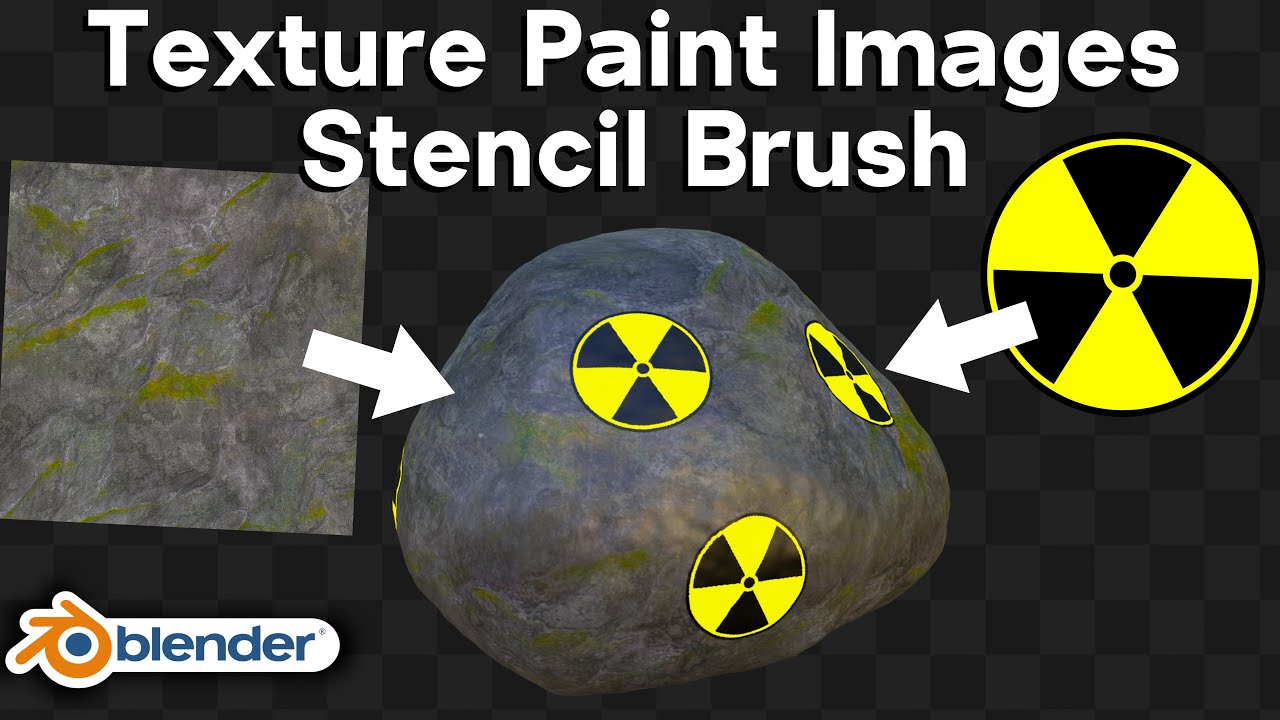
Check out Blendergrid: (Affiliated Link) ➡️ https://blendergrid.com/start/ryankingart
In this Blender tutorial I will show you how to texture paint using images with the stencil brush in Blender. I will also show you how to paint icons or stickers onto your object.
● Amazon Tablet Links:
As an Amazon Associate I earn from qualifying purchases.
...
light spruce
alright thank you, but when im done with making the suit and all how do i export it to be part of the mod so i can use it in game
marsh light
You bake it, then there's an option to export the baked UV
If you follow the guide in the pinned messages here you should be sorted
light spruce
 light spruce
marsh light
If you follow the guide in the pinned messages here you should be sorted
light spruce
marsh light
If you follow the guide in the pinned messages here you should be sorted
it doesnt say in the pinned message how to export and use it in the mod itself
marsh light
light spruce
it doesnt say in the pinned message how to export and use it in the mod itself
Have you baked it? It shows up as a finished UV map in the bottom left if you followed the steps correctly. From there you can click a button to export it and move it to the moresuits directory of the mod
light spruce
yeah im trying but its messing up the uv so im trying to fix it else i have to redo everything
light spruce
marsh light
Have you baked it? It shows up as a finished UV map in the bottom left if you fo...
what file should i export it as
like what's the name

idk why its looking like that
 plucky mason
before
light spruce
how can i undo baking lol
plucky mason
You just have to bake it again under a new image
plucky mason
light spruce
where is that
also it's under baking --> selected to Active
light spruce
didnt work
plucky mason
You might have to play around with the value
Else you have to "extrude along normals" with the new model
@light spruce If your still having issues pass the new uv map
See if I can do anything about it
light spruce
plucky mason
<@576010721788297231> If your still having issues pass the new uv map
See if I c...
alright how ccan i send you the uv i made
plucky mason
light spruce
alright how ccan i send you the uv i made
You got to save it and then send the image here on discord

I see your doing a different way for new uv maps
I use substance painter for that


 hardy shale
Thats exactly what you want so it maps properly to the ingame model.
light spruce
so its supposed to do that?
plucky mason
Yeah
 hardy shale
is it having colors bleed into other parts?
plucky mason
This is what I got
light spruce
its not supposed to have that many colors onto each others
hardy shale
hmmm

try separating the mesh (the airtanks and straps) in edit mode before baking
select a vert, ctrl+L , then P ,then hide the part
 glacial turret
does anyone know if theres a download for the kirby suit that was posted a while back?
light spruce
glacial turret
does anyone know if theres a download for the kirby suit that was posted a while...
yeah the more suits mod
light spruce
hardy shale
try separating the mesh (the airtanks and straps) in edit mode before baking
sel...
I think that's too advanced for me
But I don't need a JSON file for my uv file right
Because the other suits has it
hardy shale
no the json file is just there to edit/remove the normal & emissive texture.
the default normal texture is the wrinkley suit look so most people hide or make their own.

 plucky mason
 plucky mason
hardy shale
no the json file is just there to edit/remove the normal & emissive texture.
plucky mason
hardy shale
no the json file is just there to edit/remove the normal & emissive texture.
Speaking of that. How do I remove the normal in the json again?
I think that's the reason why bong bong face is mess up
hardy shale
hmmm
here 1 sec

ok so this should use the emissive & normal texture, which is blank
hmm
your right

looks like there is another detail/normal texture
wait the face?
my b i miss read.
hardy shale
plucky mason
Speaking of that. How do I remove the normal in the json again?
I think that's ...
the face is misaligned because the game renders a low LOD (level of detail)model so the textures displace a little.

 plucky mason
O
bleak sinew
glacial turret
does anyone know if theres a download for the kirby suit that was posted a while...
yes its in the more suits mod along with i think 7 other suits? im not sure about the exact number
plucky mason
hardy shale
How do I stop it from displacing the texture
hardy shale
one solution would be to bake the texture on the games low level of detail model. but thats a little redundant.
another solution is for 753 to have the mod change image textures based on lod but .... augh
do we ever see the high detail model consistently ingame?
dire falcon
I was thinking LOD doesn't actually have any measurable performance impact and we could just get rid of it
someone would have to profile the game with / without LOD first to see if that's true though


 bleak sinew

plucky mason
I guess their isn't a fix to this then 
Probably have to add the face image on the OG model instead of the remake model idk..
hardy shale
Time to dig into the dlls to see why the Lod kicks in so early.
dire falcon
You probably won't find that in any DLLs, use Unity Explorer instead
hardy shale
ty.
light spruce
bleak sinew
<:roc_mindblown:1017015587995668541>
did your suit ended up working ?
dire falcon
@fast dew change !more-suits.txt to !less-suits, and update your readme (you don't need to move things into folders, my mod will load them as long as there's a folder named moresuits in your mod)
and !less-suits.txt signals to the original mod to not load the suits in the original folder
fast dew
oh okay ty
fast dew
dire falcon
<@254368226782347264> change !more-suits.txt to !less-suits, and update your rea...
do you mean rename !more-suits.txt to !less-suits.txt ?
a little confused
dire falcon
fast dew
do you mean rename !more-suits.txt to !less-suits.txt ?
yes
fast dew
ok i see now !less-suits.txt on the bottom of your message lol
bleak sinew
light spruce
did your suit ended up working ?
?
light spruce
bleak sinew
?
you said your suit was kinda janky and was asking about how to color it correctly
so im asking if it worked out with you
bleak sinew
light spruce
you said your suit was kinda janky and was asking about how to color it correctl...
oh yea i forgot abt that suit lol i started a new one and its way easier to do it the way you said
just need to the face and im done w it
light spruce
that's good to hear, show me the progress of it if u can
bleak sinew
alr
fast dew
i mean the mod i created update it on the website with the fixes (figured it out)
bleak sinew
light spruce
that's good to hear, show me the progress of it if u can
its supposed to be a angry bird for my friend which is why its basically one color lol
 light spruce
fast dew
i mean the mod i created update it on the website with the fixes (figured it out...
light spruce
fast dew
i mean the mod i created update it on the website with the fixes (figured it out...
oh that idk
light spruce
bleak sinew
its supposed to be a angry bird for my friend which is why its basically one col...
nice its coming along
why dont you add like a different color belly just like the angry bird has
bleak sinew
light spruce
why dont you add like a different color belly just like the angry bird has
was thinking abt that, thats what the 2 circles are supposed to be on his mask but its not that good
light spruce
bleak sinew
was thinking abt that, thats what the 2 circles are supposed to be on his mask b...
yeah its not showing that much
maybe color them same color as the beak
bleak sinew
will do 👍
 marsh light
Hey @dire falcon, I'm aware you have the option available to remove all suits from the original mod, but have you considered the possibility of being able to toggle which base skins are available? For instance, people playing my modpack use the Mario and Luigi skins often, but rarely use Smile, so an option to disable individual base skins to free up room for custom skins would be a welcome inclusion.
marsh light
Are you fine with them being uploaded as standalones? That way it allows people to pick and choose what is available as a skin in the mod dependent on what they've included
dire falcon
yeah as long as it's dependent on More Skins that's fine
marsh light
Sound, I'll sort that out at some point in that case
Should I extend that out to every skin in the base mod with your permission?
dire falcon
Yup any of those should be fine
 lucid night
Where I find the 3d models?
plucky mason
In pins
lucid night
thx
dire falcon
marsh light
Hey <@197411762058952704>, I'm aware you have the option available to remove all...
okay that ended up looking a bit spammier than what I thought you were going to do lol
you should probably make each of their icons a picture of the actual suit at least
marsh light
dire falcon
okay that ended up looking a bit spammier than what I thought you were going to ...
Yeah sorry if that wasn't clear. I can't think of another way that would allow users to disable individual skins without making a standalone for each one.
marsh light
dire falcon
you should probably make each of their icons a picture of the actual suit at lea...
And will do, this is just temporary so that the functionality is just out there. I'll use the renders of the suits other users have made most likely to keep it clear.
dire falcon
Generally this sort of thing would normally be done with a config file (if the mod supported it), which could be shared using R2modman's profile codes
marsh light
Another thing, I tried creating a standalone that includes !less-suits.txt on it's own in the moresuits folder but that doesn't seem to work. Does it have to be in the base directory of the actual mod?
Okay, it does work, but then ceases to work when you reintroduce another custom skin that doesn't have !less-suits.txt in it's directory
So with this setup, I'd only expect the two rightmost suits to appear, but that is not the case as SCP Foundation Suit doesn't contain !less-suits.txt. Weird.


Gonna deprecate all of those packages for now since they won't function as intended.
dire falcon
That's strange, I'll look into that.
I see my issue, there was a typo
I'm going to fix it but @marsh light keep the standalone suits deprecated. I'm going to add a config for disabling individual suits.
marsh light
dire falcon
I'm going to fix it but <@188207664826679296> keep the standalone suits deprecat...
Sounds good
dire falcon
Alright I've updated More Suits to v1.3.2, fixing a bug with !less-suits.txt and adding a config file to disable suits by name.

let's say you want several individual skins you found on Thunderstore, as well as Mario and Luigi from the original mod to be the only suits on your suit rack. You would go into the config and add the names of each suit besides Mario and Luigi from the original mod, then export your profile as a code.

Your friends can then import that code, and they'll have the same mods as you with the same config settings, meaning the suits you disabled are disabled for them as well.
 peak marsh
Does only the host need to config the mods
dire falcon
Everyone in the lobby needs the same config.
 agile valve
Uh how tf do I get the Glow suit working? Only method I've found to work is just renaming it to another suit.
Like how do I add it separately?
hardy shale
agile valve
Like how do I add it separately?
it has a price in the json file,
either buy it in the store when it shows up or
remove the price so it appears on the rack by default.
agile valve
aight cool thx
marsh light
dire falcon
Alright I've updated More Suits to v1.3.2, fixing a bug with !less-suits.txt and...
Great feature, works perfectly
light spruce
dire falcon
let's say you want several individual skins you found on Thunderstore, as well a...
if i want to remove for example the minion suit and let's say skeleton how do i do that
do i just remove the png from the file ?
 little lark
Does this work on a cracked ver of the game?
marsh light
light spruce
if i want to remove for example the minion suit and let's say skeleton how do i ...
You add Minion.png and Skeleton.png to the config file, separated by commas
light spruce
marsh light
You add Minion.png and Skeleton.png to the config file, separated by commas
which one to be exact
 tawdry rose
little lark
Does this work on a cracked ver of the game?
tawdry rose
little lark
Does this work on a cracked ver of the game?
No. Support the developer.
plucky mason
Hmm very odd copy and paste
https://thunderstore.io/c/lethal-company/p/trin/More_Suits/
 dire falcon
Yeah I took it down since they didn't bother to modify the readme or anything
 still bloom
i have tried extensively to make the mod work, i have bepinex 5.4.21
but the log states a warning that it's targeting version 5.4.22, despite evry single line of code saying it's 5.4.21 lol...
plucky mason
Don't use it @still bloom . It makes your model have low LOD
still bloom
plucky mason
Don't use it <@456226577798135808> . It makes your model have low LOD
do we have any other third person camera mod?
i am doing this for my girlfriend (she has motion sickness) 😭 i am actually gonna learn the library and code it ahah
(sorry for being offtopic))
peak drift
oof good jorb


all these peeps requiring something that isn't available through the manager are just pain
still bloom
yeah cringe
plucky mason
still bloom
do we have any other third person camera mod?
You either have to make more than one instance of the game or have a friend test it with you
dire falcon
peak drift
all these peeps requiring something that isn't available through the manager are...
The version shouldn't matter, it's just a recommendation based on what the mod was built with
lucid night
can someone turn this texture into the game's normal texture?

When I try it glitches
plucky mason
lucid night
can someone turn this texture into the game's normal texture?
You need to convert the new uv map to the og one
https://www.youtube.com/watch?v=pmsdI-xs8Pc
 hardy shale
lucid night
can someone turn this texture into the game's normal texture?
hardy shale
lucid night
can someone turn this texture into the game's normal texture?

cage is gud too.
lucid night
tks

 plucky mason
Looks fine to me
bleak sinew
Well it’s the official hexcode they use but it just looks bad
Maybe it’ll look better after it’s baked
bleak sinew
why does it look like this 


i baked it like usual but half the face is on the back of the head
plucky mason
@bleak sinew That's because of the camera mod. It lowers the model LOD.
bleak sinew
Ohhh so it’s fine right?
plucky mason
Should be
fast dew
did someone make a good gojo skin ?
plucky mason
fast dew
did someone make a good gojo skin ?
Only slightly scuffed gojo skin
#1174822763186364486 message
fast dew
unlucky we need a good one
light spruce
bleak sinew
why does it look like this <:Sad:1139448992644743210>
Did it end up working with you?
 frank sky
fast dew
unlucky we need a good one
frank sky
fast dew
unlucky we need a good one
its not possible
 hot frigate
hardy shale
cage is gud too.
hot frigate
hardy shale
cage is gud too.
👍
bleak sinew
light spruce
Did it end up working with you?
Yea 
light spruce
bleak sinew
Yea <a:wiggly:867102350387707964>
nice
 karmic mesa
not checking this channel for 4 days will be my doom

 glass blaze
how many damn suits do you have
karmic mesa
is for this
glass blaze

bleak sinew
karmic mesa
not checking this channel for 4 days will be my doom
You can take out the Kenny one it isn’t that good
I plan on redoing it today
karmic mesa
alright
bleak sinew
It’s just very sloppy cause I didn’t really know what I was doing lol
light spruce
karmic mesa
not checking this channel for 4 days will be my doom
what's that for
glass blaze
is for this
fast dew
frank sky
its not possible
i mean to some degree it is correctly looking clothes and his face propperly placed in the helmet
karmic mesa
I will not be able to update the suits for a while
My gpu fried the power supply cable
 exotic halo
Don't ya have a phone lad? just use that simple as
light spruce
glass blaze
is for this
so he's going to update it with more suits?
also someone should make the red pyro from tf2 lol
karmic mesa
exotic halo
Don't ya have a phone lad? just use that simple as
how should i do blender + photoshop on my phone lmao wdym
anyway plugged in the old gtx 650 maybe 50\50 runs photoshop well enough for me to get new suits into the doc
 zealous saddle
yo guys, can someone explain how I can draw only on belts or only on air tanks in Blender? the texture map sucks, and I can't understand where the belts are on it. also when I use a brush to paint, the color spills onto other parts of the model (sorry if question is dumb, i've never retextured the models before)
 light spruce
zealous saddle
yo guys, can someone explain how I can draw only on belts or only on air tanks i...
light spruce
zealous saddle
yo guys, can someone explain how I can draw only on belts or only on air tanks i...
you can color it through the uv
light spruce
karmic mesa
how should i do blender + photoshop on my phone lmao wdym
it should because im running a shitty ass lenovo
zealous saddle
light spruce
you can color it through the uv
can you please clarify how can i do that?
 turbid canopy
zealous saddle
can you please clarify how can i do that?
turbid canopy
zealous saddle
can you please clarify how can i do that?
select belt object with L
then go into texture paitn and click this button

then you'll only be able to paint on selected faces
zealous saddle
turbid canopy
then you'll only be able to paint on selected faces
Thank you so much bro
 light spruce
zealous saddle
can you please clarify how can i do that?
light spruce
zealous saddle
can you please clarify how can i do that?
When u go to texture painting
On the left you'd have the uv of each part of the body u color it there
marsh light
Death Korps of Krieg suit from WH40K for all you shovel enthusiasts: https://thunderstore.io/c/lethal-company/p/TeamClark/Death_Korps_Of_Krieg_Suit/


Thunderstore
Adds a Krieger suit from Warhammer 40k to the game for all you shovel melee enthusiasts. Requires the More Suits mod to appear.
plucky mason
Great skin
 carmine estuary
made an amazon employee uniform


 bleak sinew
It’s just very sloppy cause I didn’t really know what I was doing lol
bleak sinew
bleak sinew
It’s just very sloppy cause I didn’t really know what I was doing lol
redoing kenny rn should hopefully be done in abt 40 mins
lucid night
karmic mesa
not checking this channel for 4 days will be my doom
I corrected it

it's my school uniform
bleak sinew
bleak sinew
redoing kenny rn should hopefully be done in abt 40 mins
the eyes look very weird to me idk

the rest of the suit is done ive been spending like 10 mins on the eye size smh
 vagrant patrol
that ModSync mod would honestly be great if it worked with the suits folder to sync up the pngs, would be nice since security was a worry for him, so pngs being relatively safe should be a plus
 worthy dock
a suit CDN system 👀
such an idea would need a lot of moderation
re: the pinned post, can someone explain why exactly there's two separate models? Why is one model being used for painting and the other for the UV? is that only for some particular scenario? can I just paint on the OG model?
vagrant patrol
eh, if you host your own stuff it shouldn't be that bad
bleak sinew
worthy dock
re: the pinned post, can someone explain why exactly there's two separate models...
probably ask the person who pinned it
plucky mason
worthy dock
re: the pinned post, can someone explain why exactly there's two separate models...
You can paint on the OG model but people who like painting on the UV map have a easier time with the remade model
Plus I can easier place a image on the visor rather than on the OG UV map
worthy dock
Interesting, okay. So something about the other model's wrap makes it easier than the OG model
plucky mason
basically yeah
worthy dock
I appreciate the info, helps clarify my confusion
 opaque oak
worthy dock
Interesting, okay. So something about the other model's wrap makes it easier tha...
opaque oak
worthy dock
Interesting, okay. So something about the other model's wrap makes it easier tha...
Yeah, the OG models UV is horrific
 visual totem
is there a limit on how many suit mods you can use ?
exotic halo
Suit rack just keeps growing
marsh light
visual totem
is there a limit on how many suit mods you can use ?
Not really, but functionally it's until the suits begin to cover the item charger
visual totem
ah so the racks expand itself
marsh light
The actual rack doesn't change, the suits just start floating in line with the others once the limit has been exceeded
light spruce
bleak sinew
the eyes look very weird to me idk
They look fine to me
marsh light
Reupload of your mod? https://thunderstore.io/c/lethal-company/p/SapphosMods/More_Suits/ @dire falcon
 dire falcon
Took it down
bleak sinew
light spruce
They look fine to me
yea i messed w them for like 30 mins ill bake it now 
light spruce
bleak sinew
yea i messed w them for like 30 mins ill bake it now <a:dance_spongebob:11392437...
nice
bleak sinew
the og model supposed to look like this?
 plucky mason
Yeah no
 elfin jetty
how do i use blender to make a suti? i was just painting my own texture on paint originally lol
marsh light
elfin jetty
how do i use blender to make a suti? i was just painting my own texture on paint...
Check the pinned message: #1174822763186364486 message
worthy dock
@marsh light you seem to have experience with adding other images onto the suit, are you doing that in Blender or purely externally? My issue for instance is wanting to place an image onto the back of the tanks, and the way they unwrapped makes it a bit difficult. Wasn't sure if there was some way to place an image onto the model in 3D space and have it automatically project onto the UV.
marsh light
worthy dock
<@188207664826679296> you seem to have experience with adding other images onto ...
The best way of doing it is to create a stencil brush with your image imported, and scale and position it either on the UV or the model itself, then paint it in using white
The tanks on the back in particular are weird, they aren't incredibly high quality on one half since there's less polygons I believe, so you may get an image that's half blurry depending on where you position it
this is on the skin I'm currently working on, I just stenciled these on
 worthy dock
Nice, thanks, that might be the way to go then.
marsh light
worthy dock
Nice, thanks, that might be the way to go then.
Found this video a while ago if you want the specifics on setting up and positioning a stencil: https://www.youtube.com/watch?v=urUdMbO4E2c&t=667s
Check out Blendergrid: (Affiliated Link) ➡️ https://blendergrid.com/start/ryankingart
In this Blender tutorial I will show you how to texture paint using images with the stencil brush in Blender. I will also show you how to paint icons or stickers onto your object.
● Amazon Tablet Links:
As an Amazon Associate I earn from qualifying purchases.
...
plucky mason
I just use substance painter to add my images
worthy dock
marsh light
Found this video a while ago if you want the specifics on setting up and positio...
I was just looking at that, having a hard time replicating exactly how he used the nuclear symbol, but I'm sure I'll figure it out
marsh light
ODST suit from Halo: https://thunderstore.io/c/lethal-company/p/TeamClark/ODST_Suit/


Thunderstore
Adds an ODST suit from Halo to the game. Requires the More Suits mod to appear.
dire falcon
Might look good with a normal map if you can make one
marsh light
dire falcon
Might look good with a normal map if you can make one
Not really familiar with them
dire falcon
You could try this out
https://cpetry.github.io/NormalMap-Online/
Online NormalMap Generator FREE! Create a Normalmap directly inside your browser! No Uploads required, completely client-based
Just take a black texture and paint white where you want all your grooves to be
worthy dock
Having this issue when baking

Would this be a model alignment problem?
I loaded in the two FBX files and left them in place
plucky mason
worthy dock
Having this issue when baking
Try 3m "extrude along normals" on the new model
worthy dock
Thanks
marsh light
@dire falcon Another reupload, this time packaged as a modpack: https://thunderstore.io/c/lethal-company/p/TeamFunni/More_Suits/
 worthy dock
So weird...
zealous saddle
worthy dock
Having this issue when baking
i don't really understand why we need a new model and baking, I just painted on OGModel and it works perfectly fine in game
plucky mason
zealous saddle
i don't really understand why we need a new model and baking, I just painted on ...
It's mainly for people who prefer to paint on the UV map.
Plus it's easy to upload images on the model.
still bloom
i suck at anything artistic- and wanting to make a skin anyone wanting to help me out? I'll pay or something? ;n; just want it for when i stream the game
peak marsh
still bloom
i suck at anything artistic- and wanting to make a skin anyone wanting to help m...
Just make it one color and slap ur logo on it or smth
still bloom
peak marsh
Just make it one color and slap ur logo on it or smth
i was gonna get something a little harder then that tbh i dont really have a logo xD
marsh light
still bloom
i suck at anything artistic- and wanting to make a skin anyone wanting to help m...
What're you looking to make?
still bloom
marsh light
What're you looking to make?
Just something to represent my character i use for my twitch
marsh light
Do you have any references or anything? That's typically a good starting point
still bloom
i have pics of him ye and the idea of what i want on it
plucky mason
Is it complex, or simple?
still bloom
it maybe a little complex for the wings on the tanks
marsh light
still bloom
i have pics of him ye and the idea of what i want on it
If it's paid I wouldn't mind making it for you, you can dm me
 keen geode
Can someone help me put the suits in the actual game? I put the png files and json files but it's not working
 mortal cloudBOT
Please head to #help-and-troubleshooting for any help with modding your game. Please be patient as the employees are only human.
dire falcon
Go away bot
keen geode
stupid bot
dire falcon
Any .png's need to be in a folder called moresuits
optional json files go in the advanced folder inside moresuits
keen geode
Yeah thats what I did
Wait
Do they have to be Png's?
or they can be a different image such as JPG?
dire falcon
They must be .png files.
dire falcon
And remember that just changing the file extension doesn't make them .png files, they need to be saved as .png files in a program that can save .png files.
 sturdy smelt
I think i may have broken something, i installed MoreSuits then i installed the "1000 Quota Stare" suit and now i don't see any suits on the rack even after uninstalling the extra suit.
dire falcon
sturdy smelt
I think i may have broken something, i installed MoreSuits then i installed the ...
I'm not sure why that would be, any errors in the log?
sturdy smelt
let me check my log real quick
Heres the only reference to it in the log, doesn't seem to show any issues. "[Info :More Suits] Plugin More Suits is loaded!"
actually i found another that may be causing the issue
"[Warning: BepInEx] Plugin [More Suits 1.3.2] targets a wrong version of BepInEx (5.4.22.0) and might not work until you update"
Im running the BepInExPack v5.4.2100 from Thunderstore but r2modman isnt seeing any updates for BepInEx
 jaunty glade
has anyone textured a suit in substance painter?
im tryna make one rn but its pretty hard
jaunty glade
im trying to use the polygon fill but it goes through to the oiither side
 hard lava
So does anyone know what happens yet when you fill the rack? can you only have a certain numnber of suits at a time
also buying suits, are they always in the store and how do you get them once you pay for them, I assume theyre added to the rack right
dire falcon
They rotate per quota, and they go right to the rack on purchase
jaunty glade
im trying to texture the thing and the uv is so bad
i saw the yt video on how to use the updated uv but it confused me more
im texturing in substance painter
elfin jetty
how do i save this from blender?
 plucky mason
jaunty glade
im trying to use the polygon fill but it goes through to the oiither side
plucky mason
jaunty glade
im trying to use the polygon fill but it goes through to the oiither side
Use UV alignment to paint the UV without it going to other islands
plucky mason
elfin jetty
how do i save this from blender?

 vestal sand
So how would I go about getting the one on the left as a template? Tried to scroll up and ones similar to it are only 1024x1024, not the 2048x2048. I don't trust myself to use blender itself to edit like I could on something like Adobe or GIMP.
 marsh light
vestal sand
So how would I go about getting the one on the left as a template? Tried to scro...
marsh light
vestal sand
So how would I go about getting the one on the left as a template? Tried to scro...
Could use any of the .png files found in the MoreSuits directory, for example using Default.png as a starting point
Unless you wanted that specific template in a solid colour, in which case paint the model a colour that isn't default and export the UV using the Image button on the left pane
vestal sand
marsh light
Could use any of the .png files found in the MoreSuits directory, for example us...
I could, but then getting rid of the black background is hard with other darker colors and the fact the suit I have in mind also users dark colors
marsh light
vestal sand
I could, but then getting rid of the black background is hard with other darker ...
If you want, say a white background, I'd suggest painting the entire UV white, then painting the model black. There is an easy way to just change the colour of everything contained within the wireframe but I can't remember off the top of my head
vestal sand
marsh light
If you want, say a white background, I'd suggest painting the entire UV white, t...
How do I do it for coloring the BG in UV Editing? Sort of new on this blender thing.
marsh light
You can just pick a colour and paint the UV
vestal sand
marsh light
You can just pick a colour and paint the UV
Just having trouble filling in all the space to get that wireframe to show up. Filling it with bucket doesn't help as it would make strange other dots/lines appear
 wispy sun
hey lois im in lethal company, hehehehe


 mystic lava
Does the texture have to be 2048x2048 or could it be larger
dire falcon
I've never tested it but I don't see why larger wouldn't work
 austere gyro
Alright so Im looking for a template to use for my custom skins. Does anyone have a good reference they are using for all of those, the really small bits included? Cause I would get substance painter to do it, but spending $150 just to make some skins is wild lol
plucky mason
austere gyro
Alright so Im looking for a template to use for my custom skins. Does anyone hav...
The basic model?
It's in pins
austere gyro
plucky mason
The basic model?
It's in pins
No not the model, I dont have any reliable programs for painting on a 3d model. So I am looking for a reference for the flat image. Because as of right now what Im doing. I am filling in random spots with random colors on the “glow” file and putting the emission in the JSON file to the highest so I can see where that one part is on the model, I join a public lobby and look at someone wearing the skin, take note of where it was, and I leave.
plucky mason
Oh so you need the UV map
#1174822763186364486 message
#1174822763186364486 message

 austere gyro
Yeah pretty much, my problem is I dont know where everything on the map is going without going into a game and being a creep and just observing another player 😂. So I guess Ill ask this with the UV Map on the right, is everything in certain sections? Cause with what Ive seen everything is pretty spread out.
And Im sorry for the not too thought out responses and questions. Im at work right now and I work in an area that has Vice Presidents walking around observing constantly
plucky mason
Yeah it's okay lol
The new UV map is group ish together, and the links lead to a colored legend of what part of the UV islands is what
I tend to do the New UV map first then bake it to the OG map
Since you know it's easier to paint on
austere gyro
Ok sick. So next question, because I am not a 3D modeler in any sort… What program/process would be needed to “bake” the new map to the OG? Because you are right that looks way easier
plucky mason
You would have to download blender. Blender is free tho.
Their a video tutorial in the pins on how to bake from New to Old UV map
austere gyro
Ok sweet! Thank you very much for your help, I cant express how appreciative I am right now. If I do run into any road blocks when working on it, could I message you privately?
plucky mason
I guess, but you can always contact 753. He's the creator of More Suits.
austere gyro
Alright sweet! Thanks again! You probably just saved me loads of future headache
austere gyro
Alright new topic, new question, not about model texturing lol. Is there any way to make it so that some suits dont show up on the clothes rack, but you still get the texture for it when other people wear it?
dire falcon
not sure what you mean by that
glass blaze
think he means completely remove said suit so that it doesnt show up even if someone wears it
i believe you'd just have to delete the suit from the files no?
austere gyro
Sorry what I mean, is I want to remove the suit from MY rack, so that it doesnt take up a space. Though I would still like to have it in the file so I CAN see other people wearing it. Again sorry for the badly worded questions.
glass blaze
ah, i see
i believe theres a text file, you can add the suits name there and it will remove it from your rack
but you will still see it
just follow the 3 default suits added on the cfg file and remember to add the .png at the end of the name
make sure if it has a capital letter at the start of its name to also add it
so, lets say i wanted to remove the glow suit from my rack, i would type in Glow.png,
@austere gyro
should be in the config folder
unless you use r2modman, then you can easily go to 753's More Suits in the config tab and add it there
 pliant rock
I have more suits downloaded and sent the same exact files over to a friend but he hosted and i cant see them...im kinda stumped on why i cant see them in the other lobby
austere gyro
Ok I think I get what youre putting down. I will have to look at it once I get off work. And yeah I am using r2. So I will look at that when I get home. Again, thank you everyone, yall are awesome
glass blaze
dire falcon
Alright I've updated More Suits to v1.3.2, fixing a bug with !less-suits.txt and...
heres a small guide 753 left in here
pliant rock
we have the same config tho (we didnt do the code through thr thunderstorm i just loaded them in the local files) they match up perfect as I sent what I had. But do we need to use thunderstorm ?
wispy sun
is there a way to change the material for part of the texture? i.e. make the visor have a glossy material in game
hot frigate
wispy sun
is there a way to change the material for part of the texture? i.e. make the vis...
look at my PBR textures, you'll need pretty good understanding of image editing and channel packing.
#1174822763186364486 message
I'm not very good at unity systems and these are weird implementations lol
hot frigate
austere gyro
Ok sweet! Thank you very much for your help, I cant express how appreciative I a...
I'm the creator of the better UV model, I can help you with literally anything in blender texture related.
austere gyro
hot frigate
I'm the creator of the better UV model, I can help you with literally anything i...
Gotchu! Thank you so much!
 wet mica
@dire falcon Is it possible to create a UI or a terminal menu to disable and enable suits that can be changed into?
dire falcon
It likely is but I don't think I'll be doing that in my mod
wet mica
I figured, just it sucks changing all the clothing to suit the group of players you play with.
jaunty glade
For texturing suits in adobe substance painter, how do I get rid of the lighting adobe adds to it? I tried just exporting the base color but its too dark
 timber pasture
hi! this is going to sound stupid but I don't have any idea what i'm doing! Is anyone able to help walk me through this visually, or written baby steps lol? like written steps of how to do this through thunderstore? I made my own suits for myself and my friend group, I want to upload those specific suits on their own to thunderstore so my friends can just easily download the mod for the suits I made to use them instead of having to download all of the extra suits too, that we wont use. and ive never done anything like this so the written instructions confuse me
 wet mica
Somewhere above, I think there are youtube tutorials
timber pasture
okay i'll dig, thank you!
timber pasture
I scrolled and might've missed something but didn't see any tutorials on uploading our own suits as a mod onto thunderstore, so for the time being i'll just do it manually
bleak sinew
timber pasture
I scrolled and might've missed something but didn't see any tutorials on uploadi...
the way i did it was by going to the thunderstore settings on your profile and click this

once you click it, itll take you to some folders click bepinex, then plugins,then more suits and then more suits again
after just drag the png where the others are and it should work
timber pasture
Yeah that’s how I’ve done it and had my friends do it but it’s tedious for every single one of us to have the same files that way, and I believe there is a way to upload just the skins I’ve made for us to thunderstore as a mod for them to download instead of manually moving files
marsh light
timber pasture
hi! this is going to sound stupid but I don't have any idea what i'm doing! Is a...
If you want to put it on Thunderstore for easy downloads, you have to make a zipped package that includes a manifest, icon, readme, and your own files for the package. Go here and skip to the manual creation section for info: https://h3vr-modding.github.io/wiki/creating/thunderstore/uploading.html
Your own files in there would be in the file path /BepInEx/moresuits/, throw all of your suit .pngs in here
timber pasture
marsh light
If you want to put it on Thunderstore for easy downloads, you have to make a zip...
thank you!
worthy dock
I'll be fixing up my Darnell Skin set, it's real busted but I've put in a lot of effort today to fix it
Just rushed too fast
Probably not skins relevant to anyone in here, but it has 200 downloads for some reason despite being entirely broken
opaque oak
mystic lava
Does the texture have to be 2048x2048 or could it be larger
Why would it need to be larger?
worthy dock
Higher detail
mystic lava
yeah like that
worthy dock
Is there a good solution for skin preview? 3rd person camera shows me transparent
opaque oak
But 2k is already so much detail
worthy dock
nah not on this piss poor UV
opaque oak
Or well, yeah
opaque oak
Still though bigger textures eat up more space and power, so just something to keep in mind
Part of why the fancier looking games are getting so bloated with like dozens of 2k-4k textures for one material
Seriously though, the texture files are nearly 2/3rd of Bladurs Gate 3's 125gb install size
mystic lava
yeah i just wanted to put a really hd face of my friend on one of the suits
worthy dock
I've learned from some people posting in here, so I am giving back with my own learnings in a 5 minute video that explains how to use blender to open the original model FBX and get painting, as well as explaining stenciling and how the select tool works a wee bit. Hopefully this helps others out as well to make more content.
light spruce
worthy dock
I've learned from some people posting in here, so I am giving back with my own l...
That's actually really helpful and someone should pin this video for other people to see and use as a guide
But I have a question
In the video that is on yt with blender for making the suit and coloring it the guy used two models old and new and he painted on the new one but baked on the old one
And I see here you painted on the old one and didn't use the new one at all
bleak sinew
worthy dock
I've learned from some people posting in here, so I am giving back with my own l...

 calm plinth
the suits dont work 😵💫
I think it's because the images are in the wrong folder
since the json got moved to the advanced folder
worthy dock
light spruce
That's actually really helpful and someone should pin this video for other peopl...
What's your actual question?
worthy dock
I'll assume you're asking why I didn't use both. The reason they used both is to allow you to use a better uv wrap to edit, making it easier to edit in tools like Photoshop. I chose to instead just paint the original model directly and stencils to insert what I want versus in Photoshop
frank sky

 plucky mason
@worthy dock I'm having an error trying to fill paint the hand via mask.
Plus massive lag. Probably relating to the amount of faces the hand has.

Is their something I'm missing?
worthy dock
uh no clue on that striping, that's super strange
I am a super noob with Blender, literally only used it for this lol
marsh light
plucky mason
<@98652358573064192> I'm having an error trying to fill paint the hand via mask....
The UV for the enhanced model has some overlay with the other hand which causes them to affect each other when you paint, I noticed this when I tried doing some individual patterns for each hand on a model, it's not possible

 cloud ember
With the more suits mod, can it work with bigger lobby mod?
 balmy swan
yes it work perfectly, even with 20+ players
light spruce
worthy dock
I'll assume you're asking why I didn't use both. The reason they used both is to...
yeah that's what i was asking for cz when i did the other way i had some issues with the uv and baking
thanks for answering
worthy dock
no problem
I had way too many issues with baking, which is why I decided to just try it another way
light spruce
how can one copy a color in the texture painting phase
plucky mason
light spruce
how can one copy a color in the texture painting phase
Eyedropper tool right where the color picker is
 plucky mason
np
 austere gyro
Hey does anyone have tips for aligning the og model and enhanced model together perfectly in blender to bake the texture? I dont know the best way to line up the models, my first attempt got very skewed and out of place textures and i thought it was pretty close to aligned
plucky mason
austere gyro
Hey does anyone have tips for aligning the og model and enhanced model together ...
Leave the models positions alone and change the new model "extrude along normals" by 3m
austere gyro
plucky mason
Leave the models positions alone and change the new model "extrude along normals...
Oh ok cool thanks!
timber pasture
hey, this is going to sound stupid but I dont know what im doing, I uploaded my moresuits mod with my suits I made for my friends to be able to easily download, and this is how I submitted it as a mod. but when I install it through thunderstore and use it, it doesnt work because theres no moresuits folder, its just all together in one folder. I can fix it manually after downloading it and it works in game, but how do I get the moresuits (+advanced) folder to already exist when I submit the mod?

when I install it, it just becomes this lol all mashed together (all the names are my suits)
 dire falcon
put the moresuits folder in a folder named plugins
and put that folder in a folder named BepInEx
and then zip all that
timber pasture
dire falcon
and then zip all that
like this? & then upload the BepInEx.zip as a mod to thunderstore?
 dire falcon
no, icon manifest and readme should be outside the BepInEx folder
timber pasture
got it! thank you so so much!

 gleaming spade
my suits aren't loading anymore and idk why, they were fine before I updated
oh I think I got it, it's because the folder name isn't more suits
light spruce
What do i have to do step by step from the beginning to have what Megan did so i dont have to send my friends the png manually for them the download it and put it in their files?
dire falcon
I should make a quick sample package for people to upload
light spruce
dire falcon
I should make a quick sample package for people to upload
that'd be most preferable, or like a short video of how to do the whole process
dire falcon
Here's an example package on how to upload your own custom suits using my mod as a dependency. Simply add your .png files to the moresuits folder, change the manifest.json file to name the mod, and update the icon.png to a 256x256 picture of your suit(s). If you want to upload your mod again, just upload it with the same name but change the version number in the manifest.json
@flint falcon pin please
flint falcon
dire falcon
Here's an example package on how to upload your own custom suits using my mod as...
jaunty glade
dire falcon
Here's an example package on how to upload your own custom suits using my mod as...
I am unable to open the manifest and README files as it says its not a supported file type
dire falcon
use a different program like notepad
jaunty glade
for some reason it doesnt show the option "open with", hm
light spruce
jaunty glade
for some reason it doesnt show the option "open with", hm
when it tells you that there are no apps to run the file theres a button underneath that says more options
jaunty glade
light spruce
when it tells you that there are no apps to run the file theres a button underne...
usually

this is all i see for whatever reason
exotic halo
notepad++ got you covered
jaunty glade
how can i get it open
light spruce
jaunty glade
how can i get it open
what does it say when you right click on the file
take an ss
jaunty glade
open cut copy paste properties
light spruce
do you have notepad++ on your pc
exotic halo
exotic halo
notepad++ got you covered
 jaunty glade
mine show up as adobe files
maybe cause its a zip file
it works for the other files in the plugin just not the mycustomsuits
exotic halo
yeah you gotta unzip it
jaunty glade
ahh ok
can anyone help me with another issue regarding lighting/shading on the suit texture i made?
For texturing suits in adobe substance painter, how do I get rid of the lighting adobe adds to it? I tried just exporting the base color but its too dark
light spruce
jaunty glade
For texturing suits in adobe substance painter, how do I get rid of the lighting...
tbh i have no experience in that program, i barely started using blender a week ago else i wouldve gladly helped
jaunty glade
like i imported it to blender and its got all the insane amount of white lighting thats baked into the texture

texturing on blender is doodoo lol
light spruce
you have to take into consideration regarding the lighting you put on the suit that the game has its own sort of texture style that might mess with it or not interpretate what you're trying to do
jaunty glade
yea i dont want this harsh lighting
light spruce
Are u using the old model new model method?
jaunty glade
light spruce
Are u using the old model new model method?
new
light spruce
jaunty glade
like i imported it to blender and its got all the insane amount of white lightin...
Also cool concept btw
light spruce
True
You might be able to but it'd be tough
light spruce
jaunty glade
new
I meant the method that's pinned in this channel
Where you grab both the old and new model
jaunty glade
light spruce
Where you grab both the old and new model
yea
jaunty glade
the shine is in the texture map
light spruce
I see
jaunty glade
but if i turn it to base color mode it looks way too dark like this
 light spruce
jaunty glade
but if i turn it to base color mode it looks way too dark like this
light spruce
jaunty glade
but if i turn it to base color mode it looks way too dark like this
Yeah looks kinda scuffed
 opal cairn
Has anyone gotten normal map textures to actually work ingame?
jaunty glade
opal cairn
Has anyone gotten normal map textures to actually work ingame?
do u use substance painter
opal cairn
i have someone else making the textures for me (yes they do)
light spruce
jaunty glade
like i imported it to blender and its got all the insane amount of white lightin...
Maybe try using it in game see if it would still have that
jaunty glade
can u ask them how to export my textures properly for the game
cause this mod only uses single pngs
jaunty glade
jaunty glade
like i imported it to blender and its got all the insane amount of white lightin...
and this is my issue
light spruce
jaunty glade
can u ask them how to export my textures properly for the game
You need to bake both models then export the uv image
light spruce
nvm
Thought you were asking that
opal cairn
ive seen other suit mods try to use normal maps but they dont actually load https://thunderstore.io/c/lethal-company/p/TangoTeds/Escapade_Suits/
 jaunty glade
opal cairn
ive seen other suit mods try to use normal maps but they dont actually load http...
jaunty glade
opal cairn
ive seen other suit mods try to use normal maps but they dont actually load http...
can u show ur texturer this and ask them what i should do? this is the base color exported because the material export has too much shine
 opal cairn
ill see what he says but hes currently offline
jaunty glade
kk ty
ok so i baked the dark base color texture to the old suit model and now the lighting is perfectly fine
not theres some random faces that are messed up
light spruce
jaunty glade
ok so i baked the dark base color texture to the old suit model and now the ligh...
Nice
That's what I was saying lol
How does it look like now
jaunty glade
made no sense but thank u
light spruce
Np
 light spruce
Hide the old model and see
light spruce
Damn
jaunty glade
 light spruce
Maybe try to use something like 3d paint and use a brush to smudge it up a bit see if that works
or like a spray brush to add the blood again
jaunty glade
i just wish the 3d model and uv original version were usable lol
light spruce
yeah alot of problems with it tbh
That's why I chose to make basic suits for it lmao
jaunty glade
stamp tools working tysm,
light spruce
jaunty glade
stamp tools working tysm,
Nice
Well I'm off to sleep
Gl with it and show us how it looks in game when it works out
worthy dock
use stencil brush 😄
opal cairn
Would be cool to have the ability to disable keywords
hot frigate
opal cairn
Has anyone gotten normal map textures to actually work ingame?
I've done it
hot frigate
opal cairn
turns out on mine normals dont work with emissive
this may be a real issue, but I did this in mine:

also @dire falcon
price broke my json?
 dire falcon
Did it?
dire falcon
The store rotates, it won't always show up
opal cairn
setting smoothness to 1 is soo goofy lmao
hot frigate
dire falcon
The store rotates, it won't always show up
possibly, it has to be higher up on list? I'll check real quick just incase that's the issue
it seems like a similar issue occurs with normal and emissive maps
opal cairn
has anyone tried removing parts of the model using transparency
dire falcon
hot frigate
yeah I know, i checked 8 deadlines
Did you check 8 deadlines, or did you start 8 saves? The shop rotation is always the same if you do it that way.
opal cairn
yea something is weird
i made normalscale 8 so it was more obvious which one is working


left vs right onyl difference is emissive
hot frigate
dire falcon
Did you check 8 deadlines, or did you start 8 saves? The shop rotation is always...
played the game normally and checked the shop for my items (and romantic table) every deadline
dire falcon
opal cairn
i made normalscale 8 so it was more obvious which one is working
I've had issues making emission work with normal maps
dire falcon
hot frigate
played the game normally and checked the shop for my items (and romantic table) ...
And I can't think of anything that would cause this, any exceptions in your log?
 hot frigate
dire falcon
And I can't think of anything that would cause this, any exceptions in your log?
hot frigate
dire falcon
And I can't think of anything that would cause this, any exceptions in your log?
I'll check quickly
opal cairn
hot frigate
i'm just applying source logic to this lol
i noticed this before posting the screen shot and retested to make sure it was still the same case
hot frigate
opal cairn
i noticed this before posting the screen shot and retested to make sure it was s...
alright gotcha
gonna check something really quick
maybe I have an idea
opal cairn
could it possibly be a texture size issue?
emissive is 4267x4267 and normal is 1024 for some odd reason hmm
hot frigate
opal cairn
emissive is 4267x4267 and normal is 1024 for some odd reason hmm
try 4096x4096
opal cairn
yea i just thought it could be a power of 2 thing
hot frigate
opal cairn
yea i just thought it could be a power of 2 thing
yep
2048x2048 is the native resolution of the skin/original texture
and anything above that is basically redundant because of the game's shading and its render resolution
opal cairn
same situation
i resized all images to 1024
still breaks normals when adding emissive
hot frigate
hmmm
opal cairn
idk if you might wana try this or something (change images ofc) { "_NormalMap": "DrippyN.png", "_NormalScale": 3.0, "_Smoothness": 0.75, "_EmissiveColorMap": "DrippyE.png", "_UseEmissiveIntensity": 1.0, "_EmissiveIntensity": 10.0, "_EmissiveColor": "1.0, 1.0, 1.0, 1.0", "_EMISSIVE_COLOR_MAP": "KEYWORD" }
hot frigate
dire falcon
And I can't think of anything that would cause this, any exceptions in your log?
alright so, sorry for wasting precious seconds, there was literally nothing in the log for the mod, and it turns out, when migrating all mods + files/settings to newest versions i forgot your mod by accident.
I'll be smarter next time i promise lol
hot frigate
hot frigate
alright so, sorry for wasting precious seconds, there was literally nothing in t...
yeah I had everything but the DLL and i dont know how I did that
 little iris
is there any tutorials on how to make your own suits?
dire falcon
pins
little iris
dire falcon
pins
oh sorry, and thank you lol
fast dew
frank sky
its not possible
wait why is it not posible i know you are good at making skins?
also what about naruto skin or Kakashi
light spruce
its not letting me upload the suits i made as a pack on the website
wispy sun
you zipped the folder, you need to zip all the files in that folder instead
wispy sun
light spruce
this should work
light spruce
wispy sun
this should work
oh yeah thanks
but i meant to send it for someone to see if i did the whole process of creating my own mod so i can upload it on the website
but the thing is whenever i drag and drop the folder to upload it so ppl can use it it just sits there and doesnt tell me anything if its downloading it or not
i need to upload the zip file and not the file itself?
cz now i see it working and there's a bar indicating the upload
wispy sun
it looks good to me, i believe it should work
light spruce
keeps telling me invalid icon dimensions must be 256x256
even tho i made the icon.png 256x256
wispy sun
try with this
 light spruce
alright works thanks
but when i download it on the mod manager it also downloads the original moresuits mod which is logical but how can i prevent the suits from it appear in game and onlu mine appear
the whole idea of making a standalone mod is to prevent other suits from appearing
 fallen fulcrum
light spruce
but when i download it on the mod manager it also downloads the original moresui...
fallen fulcrum
light spruce
but when i download it on the mod manager it also downloads the original moresui...
If you don't want the suits that originally come with my mod, add a file called
!less-suits.txtto your moresuits folder in your mod
light spruce
fallen fulcrum
> If you don't want the suits that originally come with my mod, add a file calle...
yeah i already did that but its showing the suits from the original mod along side mine
fallen fulcrum
weird, i did the exact same thing with my skin pack and it didn't show the default suits from the mod
light spruce
thing is when you download your own mod it installs the original more suits mod
and you cant disable it cz your own mod needs it
fallen fulcrum
¯_(ツ)_/¯
fallen fulcrum
fallen fulcrum
weird, i did the exact same thing with my skin pack and it didn't show the defau...
 light spruce
can you show me the mods you have installed
fallen fulcrum
wispy sun
this should work
@light spruce you're uploading this right?
light spruce
yeah its already on the website
fallen fulcrum
i think you're missing a folder
im comparing mine with yours and i think you're missing plugins folder
 fallen fulcrum
light spruce
yeah its already on the website
fallen fulcrum
light spruce
yeah its already on the website
i tried downloading it, something definitely broke
 frank sky
fast dew
wait why is it not posible i know you are good at making skins?
frank sky
fast dew
wait why is it not posible i know you are good at making skins?
I mean its kinda possible but not the way you'd want
It'd come out scuffed
Coz of the helmet
light spruce
fallen fulcrum
i tried downloading it, something definitely broke
weird
dire falcon
light spruce
yeah its already on the website
You need to have the same folder setup as the example
that means folders BepInEx/plugins inside the .zip
and the moresuits folder goes in that
No
Get rid of MoreSuits.dll, that file shouldn't be in there
dire falcon
Looks good to me, go ahead and delete PlayerSuitTex2b.png in the advanced folder since you're not using it anywhere though
light spruce
dire falcon
Looks good to me, go ahead and delete PlayerSuitTex2b.png in the advanced folder...
alright done now i only need to know how can i completely delete the old upload i made on the website
dire falcon
You don't
You change the version in manifest.json and upload your mod again with the same name
and it'll overwrite it
light spruce
so it was 1.0.0 i make it 1.0.1 then upload?
and should i change the website url in the manifest?
its working now
jaunty glade
I'm sure someone else already asked this but is there a way to have more suits than the rack allows? If not, how do I make them rotate and how often can they rotate? I don't want some of the suits because I want to use my own but my friends have all the default suits enabled
wet mica
jaunty glade
I'm sure someone else already asked this but is there a way to have more suits t...
It isn't limited.
jaunty glade
Does it just go passed the rack?
wet mica
Also, you have to have a custom folder for the custom suits.
wet mica
jaunty glade
Does it just go passed the rack?
Yes
wet mica
13 is what the rack can fit.
jaunty glade
I haven't figured that out yet
wet mica
Well, technically, if your just using the base mod, you can just use the config file. (It isn't really recommended cause the custom suits will be deleted when an update comes out).
jaunty glade
So how does having my own file protect it from being deleted
wet mica
...
jaunty glade
I plan on making a mod for my suits to make it easier for my friends to enable and disable I just haven't gotten around to it yet
wet mica
It won't completely replace the folder with the updated stuff.
jaunty glade
ok
dire falcon
just make a folder called moresuits in the plugins folder and move all your suits to it
jaunty glade
sorry i know nothing about modding im dumb lol
okie
tysm
I am going to use your mycustomsuits file example and just change the names and delete ur white suit and then upload it as a mod if i can
Ok so if I'm understanding right.
- Take My Custom Suits zip file you provided
- Put it into BepInEx/plugins
- In the manifest, change the name to "Julies_Suits"
dire falcon
basically, yup
just remember that if you zip it up again the folders need to be just like the folders in my .zip
meaning you need moresuits in BepInEx/plugins in the .zip
jaunty glade
does this work?
nothing else is zipped, is that just for uploading it to thunderstore?
I am trying to find how to upload the mod
dire falcon
why did you make a folder called manifest...?
ohhh it's the zip
yes rename it to your mod name although it doesn't really matter iirc
is that Windows 11? Those folder icons look so much worse
jaunty glade
yea windows 11
jaunty glade
i uploaded it, thank u so much! :D https://thunderstore.io/c/lethal-company/p/Irenic/Julies_Suits/
 still bloom
ive got the moresuits in my BepIn Ex folder but nothing is showing up in game can anyone help
jaunty glade
the enhanced model is missing two screws on the back right side of the helmet
hot frigate
jaunty glade
the enhanced model is missing two screws on the back right side of the helmet
auuuugh, auuuuuugh
i wish i used a google drive link
shit has been annoying me for so long 💀
jaunty glade
huh
hot frigate
jaunty glade
huh
i cant fix it because I didn't use google drive originally, and discord seems to have no options for switching files out without links
jaunty glade
just make a whole new thing
hot frigate
yeah, issue with that is it's just annoying to do, I'l also like to fix some issues with the back tanks though, so @dire falcon if you want me to fix 2 minor issues with the enhanced model I'll do it, but I'll need to re-make the message with google drive links instead of simple discord ones.
jaunty glade
like put a new message with a new file
ah
i mean it doesnt bother me cause i can just repaint the tiny bit
hot frigate
jaunty glade
i mean it doesnt bother me cause i can just repaint the tiny bit
it'll likely cause some large changes to the UV too
the back tanks are connected with vertices
and will need to be re-mapped
light spruce
i have a question, i made a new suit and i added it to the file i made and went in game but i dont see it in game
do i have to re-upload it to the website then it'll work?
jaunty glade
i think u only need to reupload for others to see it
hot frigate
hot frigate
yeah, issue with that is it's just annoying to do, I'l also like to fix some iss...
I'd also like to include a small tutorial for texture painting so you get less people harassing this channel (and how to use the enhanced model)
jaunty glade
cause the more suits base mod i just stuck my pngs in there and it was fine
jaunty glade
hot frigate
I'd also like to include a small tutorial for texture painting so you get less p...
i recorded 2.5 hours of me texture painting my bloody suit in adobe substance but i dont think a lot of people use that here
but blender texture painting is garbage
dire falcon
hot frigate
yeah, issue with that is it's just annoying to do, I'l also like to fix some iss...
yeah feel free
hot frigate
jaunty glade
but blender texture painting is garbage
yeah, i'm a procedural guy.
painting directly onto UV is fine though
jaunty glade
its not even that its blender doesnt have like any tools
atleast nothing useful to me
light spruce
jaunty glade
i think u only need to reupload for others to see it
yeah but i wont reupload yet till i can see that the suit is in game and functional which isnt
jaunty glade
yea
light spruce
so i was asking like why is it not working atm
jaunty glade
i wanna see my suit in game besides in the 3rd person pov from behind but my friends havent been playing recently lol. but 125 people downloaded it already so maybe ill get feedback
maybe test the suit in the 753 mod
hot frigate
jaunty glade
its not even that its blender doesnt have like any tools
i have paint, i have paint material, i have paint image, i have custom brushes, i really dont need more lol
only i dont use any of these because I just make procedural materials really easily lol; and if I do use these it's for a nice model for companies/dev teams
 hot frigate

 fickle fog
bro i have no idea how to install it is there a video?
hot frigate
ENHANCED MODELS VERSION 1.0.2:
New stuff:
- Better Shoe UVs. (Change by: -Mne)
- Better Hazmat Tank UVs. (Change by: -Mne)
- Points-Of-Interest UVs. (Change by: -Mne)
- Better Geometry. (Change by: -Mne)
- Better UVs. (Change by: -Mne)
- Baking fix attempt #1. (Change by: -Mne)
- Perfect alignment. (Change by: -Mne)
- Template material. (Change by: -Mne)
- Better naming scheme. (Change by: -Mne)
- Custom Split Normals Data.

-- Community Fixes/Tweaks! --
- Fixed bolts on right side of helmet. (Courtesy of: -Julie)
- Fixed hand UVs, (overlap); (Courtesy of: -Liam)
QOL Changes
- Better naming for OG model. (Change by: -Mne)
- Template material for OG model (Change by: -Mne)
- Cleaner file naming. (Change by: -Mne)
- Better alignment. (Change by: -Mne)
Heavily recommended instead of using base game model! ^^^
DISCLAIMER: UVS ARE DIFFERENT, FINISH YOUR CURRENT SKINS AND THEN SWITCH TO THIS VERSION.
DOWNLOAD FOR MODELS.
https://drive.google.com/file/d/18ShPqaV6U3FufVZLcnEv3DEd8xXEtfL4/view?usp=sharing
DOWNLOAD ^^^^^^^^^^^^^
TUTORIALS: (More Coming.)
Extra Information_00 (Edit 00)
Credit not required.Usage requires some previous knowledge.Requires baking
plucky mason
Thank you!
worthy dock
Does this bake easier/better?
If so I can make another video with baking similar to the prior video I uploaded in this channel, with some actual voice over and better explanations 😄
light spruce
worthy dock
If so I can make another video with baking similar to the prior video I uploaded...
judging from what i read i think it should have better baking and such
hot frigate
worthy dock
If so I can make another video with baking similar to the prior video I uploaded...
baking process should be easier for people that havent done it before and the models (should) have template materials. so if you wanna replace the admittedly shitty video I made go ahead!
worthy dock
I started working on testing it a few minutes ago, once I feel familiar enough, I’ll make a video. I just want to make sure everything is working how I’m expecting first.
I did upload one video in here already that shows how to use stencils with the original bottle, maybe I’ll make one video that covers both concepts
 deep gyro
@hot frigate thank you for the models and tutorial! I was able to make a suit for a friend and it gave me a chance to learn how to bake textures :3 Here is how he turned out!

 light spruce
deep gyro
<@505174864752017419> thank you for the models and tutorial! I was able to make ...
light spruce
deep gyro
<@505174864752017419> thank you for the models and tutorial! I was able to make ...
The unintentional flip off 😂
worthy dock
There's a mod that adds that animation so probably intentional 😛
glass blaze
probably 
 short jasper
https://thunderstore.io/c/lethal-company/p/ST6/More_Suits/
looks like a reupload/ripoff

 harsh whale
short jasper
https://thunderstore.io/c/lethal-company/p/ST6/More_Suits/
looks like a reupload...
harsh whale
short jasper
https://thunderstore.io/c/lethal-company/p/ST6/More_Suits/
looks like a reupload...
wasnt that the RAT mod someone uploaded?
dire falcon
harsh whale
wasnt that the RAT mod someone uploaded?
Probably not? People reupload the mod all the time because they think they need to to get their suits in.
wet mica
Looks a lot like they just copied the whole folder without changing anything and then uploading it lol
light spruce
how can i put a change log on the website for my mod
light spruce
alright thanks
dire falcon
you can also add a file named CHANGELOG.md
austere gyro
Alright everyone I have a couple questions, hopefully they havent been asked already so you are not restating info.
-
What is the max Emission level you can have for “Glow”
-
In the JSON file what exaxtly does the NormalScale Tag change? Is there a use for changing its value.
-
What different tags can I add to the Suits Object in the JSON file to add more style/functionality? I do know about the PRICE for the store and the Glow map, just looking for other things thag could possibly be used to spice up the suits a bit more
Other note: if the person who made the Santa Suit mod is in this server, your mod messes with the other mods, so something isnt coded right. Just so you know, no hate, just a critique
Thanks!
dire falcon
austere gyro
Alright everyone I have a couple questions, hopefully they havent been asked alr...
there's a link to the documentation in the readme
exotic halo
thats too many word in that article, could you explain mister numbers
 blazing crag
Completely new to Blender, is there a better video showing newbies how to bake/use texture painting? I really just want the UV map for the new model and I could use my own software to paint what I want then there might be a way to upload that as the texture map? And does baking this new model make the texture I make on the new model stretch/remap to fit the og one?
I am lost. lol
I tried following the pinned tutorial for baking/texturing this but it goes way too fast and my workspace did not look the same when he got to the creating texture layer part. Using Blender 4.0.2
All want to do is crop art of my eyes onto the visor part of the suit really. When I used the OG texture map I noticed for Mario's face (I used as an example to help guide me) the sides of his head were cut and flipped/stretched.
light spruce
dire falcon
you can also add a file named CHANGELOG.md
oh alright, thanks for the info
light spruce
blazing crag
All want to do is crop art of my eyes onto the visor part of the suit really. W...
i havent tried to do anything with the improved new and og model but for the visor idea what you can do is use the eyes art as a stencil and stick it onto the visor
use this as a refrence https://youtu.be/urUdMbO4E2c?si=rjMhEM7MFbw39UhY
Check out Blendergrid: (Affiliated Link) ➡️ https://blendergrid.com/start/ryankingart
In this Blender tutorial I will show you how to texture paint using images with the stencil brush in Blender. I will also show you how to paint icons or stickers onto your object.
● Amazon Tablet Links:
As an Amazon Associate I earn from qualifying purchases.
...
hot frigate
blazing crag
All want to do is crop art of my eyes onto the visor part of the suit really. W...
for something like this, using the OG model is fine, really you only need to use the new model if you wanna do a re-texture that is very different than the OG, like different colors, materials. stuff like that; I recommend just using stencils and painting the eyes on. ^
- my video's not really a "first thing to do with blender" video
contact me directly if you need help with blender at all, i can help you easier there.
 blazing aspen
anyone here able to make some suits for me?
jaunty glade
when I bake the new to the OG, usually only a few faces move around. but a lot of them did this time now that i used ur revised uv. how do i avoidthis


@hot frigate
plucky mason
@hot frigate Do you have the color ID to fill certain sections?
hot frigate
jaunty glade
when I bake the new to the OG, usually only a few faces move around. but a lot o...
looks a lot like extrusion issues,
 hot frigate
plucky mason
<@505174864752017419> Do you have the color ID to fill certain sections?
hot frigate
plucky mason
<@505174864752017419> Do you have the color ID to fill certain sections?
used to, it shouldnt be too hard to make your own, but maybe I'll add one just for those people that dont know how/want to
plucky mason
Yeah it isn't too bad to make
Also progress!
 hot frigate
plucky mason
Yeah it isn't too bad to make
Also progress!
hot frigate
plucky mason
Yeah it isn't too bad to make
Also progress!
those are some nice textures!
wispy sun
hot frigate
# ENHANCED MODELS VERSION 1.0.2:
## New stuff:
```
- Better Shoe UVs. (Change b...
ive noticed a uv mapping error while trying to use this, both the right hand and left hand are mapped on top of each other and this isnt the case on the in game model which makes it difficult to do any thing with different hand textures. hope you can fix this in the next version, thank you for all your work :]
hot frigate
wispy sun
ive noticed a uv mapping error while trying to use this, both the right hand and...
?
one moment
i'm pretty sure they are seperate
but i'll check rq
wispy sun
this is how it looks for me if it helps

the blue is from the left hand
and the brown and copper is from my work on the right hand
hot frigate
wispy sun
this is how it looks for me if it helps
yeah yhhh

that's stupid, idk how i didn't notice that, ill fix it
hot frigate
wispy sun
this is how it looks for me if it helps
alright new zip contains new model, some of the UVs were moved around to compensate for my dumb-assery so be careful, most UVs are untouched though.
wispy sun
glad i could help out a little with this awesome stuff your making
dire falcon
@marsh light I've updated More Suits to v1.3.3, which has a config option for ignoring !less-suits.txt
plucky mason
hot frigate
alright new zip contains new model, some of the UVs were moved around to compens...
Rip  . I have to start from scratch again.
 sly hill
I'll just leave it here


 hot frigate
plucky mason
Rip <:4euro:988404840910716959> . I have to start from scratch again.
hot frigate
plucky mason
Rip <:4euro:988404840910716959> . I have to start from scratch again.
shouldnt have to unless you wanted to do something cool with the gloves
you could finish your skin and then switch because the only issue with the 1.0 was that the uvs with the hands were overlapping lol
plucky mason
If it's only the gloves then it's fine ish.
 elder prawn
Hello. I still have the same problem as yesterday. Everytime i get my Suits mod from Thunderstore Mod Manager it removes my moresuits folder.
Can someone help me 😄
mortal cloudBOT
Please head to for any help with modding your game. Please be patient as the employees are only human.
dire falcon
elder prawn
Hello. I still have the same problem as yesterday. Everytime i get my Suits mod ...
You likely used the wrong folder setup.
Make sure your package looks like that
elder prawn
Oh lord. U the best. Looking for this since before yesterday. Thank you
marsh light
dire falcon
<@188207664826679296> I've updated More Suits to v1.3.3, which has a config opti...
Cheers for that, that's ideal.
elder prawn
worthy dock
I've learned from some people posting in here, so I am giving back with my own l...
Where do i find the original model FBX
plucky mason
elder prawn
Where do i find the original model FBX
#1174822763186364486 message
hot frigate
wispy sun
glad i could help out a little with this awesome stuff your making
btw big thanks for actually reporting it, this was an issue with the previous version and nobody told me. :D
wispy sun
no prob, glad to help
worthy dock
Anyone know what strings are needed to disable the default skins?
Assuming they can go into the Disabled Suit List string
We hit an issue where the amount of skins we had exceeded to the point of being unable to charge anything (without bugging out or dying)
Oh, you know I just found too many suits
I'll just install that.
wet mica
There is a configuration file too
 serene venture
who's got this suit and can it be a stand alone mod 🐥
 worthy dock
@dire falcon reupload found https://thunderstore.io/c/lethal-company/p/Yoder/More_Suits/

maybe a whole channel for handling reports about stolen/reuploaded/ potential scams would help
Also while I'm here, what could I have possible done wrong with my skin mod that it would do this

 sweet pasture
I assume it wouldn't even look good in game, but I thought it would be silly to make a PBR version of the minion suit. I am stuck at the point of integrating those textures into the JSON file. What would the JSON setup look like for a normal map, metallic map, and smoothness map?
 tropic mist
worthy dock
Also while I'm here, what could I have possible done wrong with my skin mod that...
tropic mist
worthy dock
Also while I'm here, what could I have possible done wrong with my skin mod that...
That's just LC_API being stupid as usual
hot frigate
sweet pasture
I assume it wouldn't even look good in game, but I thought it would be silly to ...
maskmap, it looks kinda like this
 hot frigate
hot frigate
hot frigate
it does look pretty decent, just be careful with it, it's really annoying to deal with sometimes.
sweet pasture
hot frigate
it does look pretty decent, just be careful with it, it's really annoying to dea...
Gotcha, do you have a picture of what your suit looks like? Just curious about it
hot frigate
sweet pasture
Gotcha, do you have a picture of what your suit looks like? Just curious about i...
i have these ones, they look a little different in game, because of annoying stuff with maskmap. but these are the only pictures i have currently
 sweet pasture
yeah, very cool man! you use substance painter?
sweet pasture
hot frigate
i also didnt even think about it until just now, does the shader in game support metallic? or do i have to convert my stuff to specular
hot frigate
sweet pasture
i also didnt even think about it until just now, does the shader in game support...
it supports metallic maps, the textures are all put in a channel pack btw.
sweet pasture
mask map has metallic, yeah
hot frigate
yeah yeah
sweet pasture
im slow, never worked with them before
hot frigate
did CPack system with another dude in godot, I don't like how unity has their materials set up
just personal preference but i still think they are annoying
sweet pasture
i've only ever messed with unity and i think it's probably the most annoying program i've used
i admittedly never used it for much else other than uploading vrchat avatars, but can't say i ever enjoyed the process
jaunty glade
@hot frigate Hey so I fixed the extrusion and it worked. However, is there a way to bake and not have to fix the texture after? because i'm having issues with colors bleeding into random islands and random bits texture just being completley messed up
frank sky
Ended up releasing my friend's suits as a thing in the thunderstore so people don't have to download it manually if u guys want it
it includes jogo, saitama, frieza, intruder and adds a lil glow to the combine elite suit

everytime he makes a new suit i'll add it in
hot frigate
jaunty glade
<@505174864752017419> Hey so I fixed the extrusion and it worked. However, is th...
example?
jaunty glade
yea ill bake it again and record it
flint falcon
frank sky
Ended up releasing my friend's suits as a thing in the thunderstore so people do...

 silver bramble
can anyone explain how to make the custom skins? put it in smooth brain terms.
plucky mason
silver bramble
can anyone explain how to make the custom skins? put it in smooth brain terms.
Their multiple ways on texturing skins.
Try this method (you'll only need blender for this one)
#1174822763186364486 message
fast dew
suprised there isnt a luffy skin either i guess op is just mid 
 wheat laurel
Hi, I found an error when you add the price to the clothes. You cannot exit the terminal, press Esc/Tab

The price of the clothes comes out but the terminal has an error
dire falcon
I do need to revisit the terminal stuff but I don't know if it's my mod causing that error
wheat laurel
maybe because i add newterminal?. idk because when i add price the terminal get bugged
 forest radish
is there a way to edit a skin in a 3d area rather than have to use the net thingy? or a fully labelled map so i can see what im doing?
dire falcon
All my mods work on the new version :)
wet mica
wheat laurel
The price of the clothes comes out but the terminal has an error
It worked for me, it must be something else breaking it
wheat laurel
wet mica
It worked for me, it must be something else breaking it
yeah maybe, because i add NewTerminal :/
 timber stump
Can someone please help me understand the part of the video where they set baking parameters? This is my first time using blender so it's quite a struggle but I am working my way through it slowly.
This one
I am trying way too hard to learn blender just for this.
Okay I figured out that part but now I am really confused how I go about making my painting the actual texture file I've already made? I see it makes a UV map as I paint with the texture paint tool but I don't know how to make that tied to the image texture I already made in the previous instruction's steps.
worthy dock
#1174822763186364486 message maybe this video helps? I don't use the baking process, so it's a bit easier, and I gave actual voice instructions lol
I've been meaning to make another, better video but I'm working on a mod instead.
 past sable
Hey yall! I have been working on getting even MORE polished UVs for the player model and I think I got it laid out pretty well! ill send a screenshot for it here but let me know what you guys think

 marsh light
past sable
Hey yall! I have been working on getting even MORE polished UVs for the player m...
marsh light
past sable
Hey yall! I have been working on getting even MORE polished UVs for the player m...
Looks really good, massive improvement on what the base game has lmao
past sable
marsh light
Looks really good, massive improvement on what the base game has lmao
Thanks! I tried to make the parts that are most likely to be edited like the face, chest, and tank labels the largest so they can be edited easier and more clearly
Although the real challenge for me would be to somehow integrate replacing the player model with this one while still having customizable skins but with the new model. especially considering i don't know how to make a mod in the first place 🧍♂️
dire falcon
While I could probably load in a second set of UVs, I'm not really sure what the best way to choose which set of UVs to use would be. Would the file need to have a certain name if it's using different UVs? Maybe an item in the JSON?
but then we'll definitely be getting tons of people who see others using the different UVs and try to use them themselves without whatever necessary flag, then not understand why it isn't working
past sable
well I was thinking since there are other mods that replace the character model like the amogus mod and other things like that, I would do the same thing, and then combining that with the exisitng more suits mod, and just applying it to the new character model (now replacing the old one)
worthy dock
Looks fantastic
dire falcon
past sable
well I was thinking since there are other mods that replace the character model ...
I'm pretty sure you could just replace the UVs alone instead of going through all that messy stuff.
past sable
dire falcon
I'm pretty sure you could just replace the UVs alone instead of going through al...
Unfortunately, I am pretty sure a model's UVs are tied to it, with no real way to separate UVs from the model itself once it is in a project. If there is tho that would be great, but I don't know of one
dire falcon
Mesh.uv should be transferrable
past sable
dire falcon
Mesh.uv should be transferrable
how would I get the mesh.uv file from my model in blender? My only options are to export as a png, svg, or eps file
dire falcon
You could probably export an fbx with just the UVs and non of the vertex data and pack it into an assetbundle in unity
past sable
dire falcon
You could probably export an fbx with just the UVs and non of the vertex data an...
The UVs are transferrable, but they still have to be tied to some kind of mesh. I could transfer them to something simple like a cube but the cubes vertex data would still have to be there. I may be misunderstanding you tho
dire falcon
Ask ChatGPT if you can export an FBX with only UV data and not mesh data in Blender.
past sable
i guess lol worth a shot
 shrewd bronze
Is there an easy way to inject an image into the visor?
 past sable
dire falcon
Ask ChatGPT if you can export an FBX with only UV data and not mesh data in Blen...
past sable
dire falcon
Ask ChatGPT if you can export an FBX with only UV data and not mesh data in Blen...
says there is no way with FBX unless you use some sort of third party script to do so, but OBJs do store UV mapping information independently, so that could be an option if the original playermodel is on obj as well
although all ive seen are fbxs
dire falcon
Just open the model in blender and save just the UVs as an obj then that should be fine
worthy dock
shrewd bronze
Is there an easy way to inject an image into the visor?
check out my video tutorial on using a stencil brush
#1174822763186364486 message
I used it for that a few times, worked out great.
shrewd bronze
worthy dock
check out my video tutorial on using a stencil brush
This is exactly what i needed, thank you!
 burnt vigil
I rejoined into a match and the suits bugged out
 worthy dock
finally some variety
dire falcon
burnt vigil
I rejoined into a match and the suits bugged out
That's odd. Any errors in the logs?
and are you sure you saw the suits before, and nobody changed files since?
burnt vigil
dire falcon
and are you sure you saw the suits before, and nobody changed files since?
yes, it's my modpack
there's no red log
dire falcon
I'm not too sure what could be causing that then
are you using a mod that lets you rejoin without restarting the match?
burnt vigil
yes, but no one joined post start
but if that's the case, i'll delete it
it's ShipLobby btw
past sable
dire falcon
Just open the model in blender and save just the UVs as an obj then that should ...
alright after consulting chatgpt about doing this I cannot export the obj file with just the UVs and no mesh data. It suggested putting the data on a dummy object like a cube but after trying it out, it did not work as it was intended to
dire falcon
burnt vigil
it's ShipLobby btw
Could be another mod, either way I can't recreate this problem.
burnt vigil
We finished the match, if it happens again, i'll check the log
past sable
dire falcon
Just open the model in blender and save just the UVs as an obj then that should ...
okay chatgpt was able to give me a script that sxported the uv data as text and another script in C# to input the data in unity
exotic halo
burnt vigil
We finished the match, if it happens again, i'll check the log
Is it a old save?

 tame nexus
I'm using the models and bakin showed in pin, but i suck at blender so idk how to add pictures in the model
also when i make and bake the texture, do i just export it as png and it'll work ?
and do i need to add the pic in texture before the bakin ?
jaunty glade
worthy dock
I've learned from some people posting in here, so I am giving back with my own l...
Omg your amazing thank u
jaunty glade
worthy dock
I've learned from some people posting in here, so I am giving back with my own l...
Can u post this on YouTube so I can save it
tame nexus
This vid is actually super helpful, should be pinned
 haughty bough
worthy dock
I've learned from some people posting in here, so I am giving back with my own l...
haughty bough
worthy dock
I've learned from some people posting in here, so I am giving back with my own l...
did you say check the pinned post for the original model? i cant find it. could you help?
tame nexus
haughty bough
did you say check the pinned post for the original model? i cant find it. could ...
#1174822763186364486 message
haughty bough
how do i save it as a suit and get it to my lethal company folder
lol i dont even know what folder.
plugins...
tropic mist
dire falcon
Ask ChatGPT if you can export an FBX with only UV data and not mesh data in Blen...
Even if you had just the UV you'd have to make sure they were in the correct order to be applied to the original player model, It would probably just be easier to swap out the entire mesh instead of trying to doing just UVs. But if you do want to support alternate UVs or entire models, a json entry like modeltype in the suit would probably be good
 noble swift
once you have a custom suit skin how do you package it to test it/publish it?
past sable
dire falcon
Just open the model in blender and save just the UVs as an obj then that should ...
After much research, the best I can do is export the UV layout as a .txt file containing coordinates. I was able to successfully apply this layout with a python script to the default model, overwriting its UVs in blender, but I have had no such luck in Unity or C#. I can send you the UV layout text file and the python scripts from blender if youd like. I am not experienced in Unity or C#, so you may have more luck than me in applying the UVs
past sable
past sable
After much research, the best I can do is export the UV layout as a .txt file co...
I do still think the simplest way would just be to replace the playermodel with the one I have with different UVs and go from there, but if you can make the txt file work thatd also be nice
worthy dock
noble swift
once you have a custom suit skin how do you package it to test it/publish it?

Lethal Company
Get up and running with modifications to Lethal Company to enhance your experience.
dire falcon
package it like this
noble swift
Thanks, appreciate it
past sable
past sable
After much research, the best I can do is export the UV layout as a .txt file co...
@dire falcon
jaunty glade
is there a way to order the suits in a specific order in my mod with my suits?
opaque oak
dire falcon
I'm pretty sure you could just replace the UVs alone instead of going through al...
No no, you should def go through with that so we can have "more suits" for custom models too 
hot frigate
@dire falcon V2 using original model so it's possible to copy the UVs
 opaque oak
Also models can have more than one UV via the UVMaps
As for how you'd get code to interact with that, I haven't a clue
hot frigate
opaque oak
As for how you'd get code to interact with that, I haven't a clue
yeah, uhhh, me neither, but it very much sounds possible
i remember an accomplice doing it in Godot not too far back
opaque oak
I know game engines use it for like light bake maps, aswell as some fancy shaders for like overlaying detail on models and what not
past sable
hot frigate
<@197411762058952704> V2 using original model so it's possible to copy the UVs
would you mind sending me the model you have with the updated uvs as an fbx? I have been doing my own testing with the same model and my own UVs but am seeing a strange difference when imported into unity. I want to see if yours has the same difference or if I somehow messed my model up during the uv editing process
hot frigate
past sable
would you mind sending me the model you have with the updated uvs as an fbx? I h...
(for everybody else dont use this yet, it's gonna be released with information and a new tutorial)
opal cairn
@hot frigate @dire falcon maybe this can help you
uvs from the model mne posted
blender script used ```import bpy
def getUVS():
uvs = []
me = bpy.context.object.data
me.calc_loop_triangles()
uv_layer = me.uv_layers.active.data
for tri in me.loop_triangles:
for loop_index in (tri.loops):
uvs.append([uv_layer[loop_index].uv.x, uv_layer[loop_index].uv.x])
return uvs
print(getUVS())```
 uneven hornet
@x753 so do you have any ideas how to implement this mod with... that one part of the new update?
dire falcon
I'm still playing the new update, I'll see soon
 undone wing

 dire falcon
everyone needs the mod