#✅Luma: Unreal Engine
1 messages · Page 4 of 1
 azure hedge
I see were I put the addon in SK folders
no pb there
but where do I put the rest ?
Does it work if I put the rest in game folder ?
let's see...
he...
I'm not even getting any reshade addons
 rancid mango
Good luck getting it to work, I can't say I've tried with luma specifically, but I've never been able to get the depth buffer working in reshade when using it as a special k a plugin (which luma also needs), I'd love if it was possible as SK's frame limiter is awesome
 topaz belfry
just use DC
rancid mango
topaz belfry
just use DC
DC?
rancid mango
This looks interesting, I'd not heard of it. Will have to have a play, thank you.
 toxic harness
Hi
topaz belfry
hello
 inner mantle
hello

 solar mountain
are those settings correct to disable luma HDR part? gotta use reno for hdr, so was wonndering if just turning off luma hdr is enough, or i need to change something else?

 solar mountain
@topaz belfry @azure hedge Please, is this correct?
 rapid saffron
You unchecked it, you're good. Just use Reno now alongside.
azure hedge
Yes that's it. Just got to restart to apply
 red heath
and don't think too hard next time 🤣
solar mountain
azure hedge
Yes that's it. Just got to restart to apply
hmmmmm, im sort of getting crash, when i open reshade ui, and change settings on the reshade, seems not crashing on reno menu, strange behaviour
solar mountain
red heath
and don't think too hard next time 🤣
i have to, this games is so sensible with luma. on ff7 remake works pretty much without a flaw, not a single problem, just straight up works.
topaz belfry
solar mountain
hmmmmm, im sort of getting crash, when i open reshade ui, and change settings on...
just silent crash?
solar mountain
topaz belfry
just silent crash?
This One, game crash with fatal error
topaz belfry
just fatal error, nothing else?
azure hedge
TOA ? I don't have this pb. Are you running DC ?
solar mountain
topaz belfry
just fatal error, nothing else?
yep, strange never happened. also ff7 remake just doesnt cloose properly, and i have to stop from steam game page, but i think it was always like that.
solar mountain
azure hedge
TOA ? I don't have this pb. Are you running DC ?
nope, waiting for pmnox to get a stable release
just luma + renodx hdr on tales of arise, TAA only with your settings, which look pretty nice
topaz belfry
solar mountain
yep, strange never happened. also ff7 remake just doesnt cloose properly, and i ...
yeah I don't know why that happens at all
solar mountain
topaz belfry
yeah I don't know why that happens at all
i think since im testing a few things, at some point, i really believe my stupid nvidia driver just get corruption. last time, everygame was just crashing with reshade if set on DXGI hook method. lets see, i will try reclean my drivers again and see what happens. btw, now also rebirth was getting stuck and had to stop on steam game page lmao. and i just have reno dx on rebirth...
solar mountain
topaz belfry
yeah I don't know why that happens at all
somehow rebirth fixed, idk how, just reinstalled last build. Luma now seems to work, but i think it crash when i try changing nits on reshade overlay, or sort of. instead, ff7 remake doesnt kil it's process, and have to press stop on steam game page still. tryed both nexus build and latest build hmmm
is there something luma or reshade itself save somewhere on %localapp% or registry, idk. maybe its something left from past usage, that conflict
topaz belfry
there shouldn't be anything except the reshade.ini
solar mountain
topaz belfry
there shouldn't be anything except the reshade.ini
not a big issue anyway. and Prolly on arise also i need to reinstall to clear that bug. i might just send log on reshade discord, and see what came out
solar mountain
@topaz belfry idk if it can help, already posted on reshade discord, waiting for an answer. but i found a difference.
ff7 rebirth using reno, exist like this:
04:48:29:489 [ 5756] | INFO | Redirecting IDXGISwapChain::SetFullscreenState(this = 000001829A950920, Fullscreen = FALSE, pTarget = 0000000000000000) ...
04:48:29:500 [ 5756] | INFO | Destroyed runtime environment on runtime 000001829E9A1790 ('C:\Program Files (x86)\Steam\steamapps\common\FINAL FANTASY VII REBIRTH\End\Binaries\Win64\ReShade.ini').
04:48:29:500 [ 5756] | WARN | Reference count for IDXGISwapChain4 object 000001829A950920 (00000182F7D79AC0) is inconsistent (1).
04:48:30:942 [25268] | INFO | Unregistered add-on "RenoDX".
04:48:30:949 [25268] | INFO | Exiting ...
04:48:30:949 [25268] | INFO | Uninstalling 56 hook(s) ...
04:48:31:979 [25268] | INFO | Finished exiting.
Meanwhile ff7 remake with luma:
04:56:56:586 [16388] | INFO | Redirecting IDXGISwapChain::SetFullscreenState(this = 0000023E81BAD080, Fullscreen = FALSE, pTarget = 0000000000000000) ...
04:56:56:586 [16388] | INFO | Destroyed runtime environment on runtime 0000023E8CCFAF70 ('C:\Program Files (x86)\Steam\steamapps\common\FINAL FANTASY VII REMAKE\End\Binaries\Win64\ReShade.ini').
it miss the whole exit sequence
solar mountain
@topaz belfry clean reinstall fixeds everything, now im not getting the crash changing hdr overall setting on reshade, so idk.
Everything seems working, just FF7 Remake on dx11 using Luma, doesn't stop correctly.
Tryed with just reshade, and it close correct. Just luma make the game process hang on close, as it doesn't unhook reshade


for comparison
Tale of arise Luma+Renodx
FF7 remake Luma
12:43:25:363 [23644] | INFO | Redirecting IDXGISwapChain::SetFullscreenState(this = 000001B2D47054A0, Fullscreen = FALSE, pTarget = 0000000000000000) ...
12:43:25:364 [23644] | INFO | Destroyed runtime environment on runtime 000001B2D4EBC450 ('C:\Program Files (x86)\Steam\steamapps\common\FINAL FANTASY VII REMAKE\End\Binaries\Win64\ReShade.ini').
azure hedge
If Tales of Arise is still crashing the only thing I can tell you is to maybe make sure you've not got anything overriding your windowed/fullscreen mode. The game doesn't like it much and it will crash when combined with renodx. Be sure you haven't got anything of the sort in Nvidia driver profile or AriseSDK/engine.ini. Make sure AriseSDK has "resolutionfix" set to false and you don't have something like "screenresolution=2560×1440f" in your engine.ini.
solar mountain
azure hedge
If Tales of Arise is still crashing the only thing I can tell you is to maybe ma...
actually im using it again, if you mean
; EnableResolutionFix: whether or not this should prevent game from switching to fullscreen 720p on startup
It does a crazy startup stuff whitout idk what exactly, but setting r.SetRes=3840x2160wf does make it work. i tried both in the past, i think with the fix it's more straightforward.
also atm arise should be good, and i told reshade about that bug, noone still answered me.
but, today i couldnt reproduce it again, so idk lol
Luma on ff7 remake process hanging after closing still an issue tho. atm everything working apart that
topaz belfry
solar mountain
Luma on ff7 remake process hanging after closing still an issue tho. atm everyth...
I have had other people report this issue. But I am not sure what causes it.
solar mountain
topaz belfry
I have had other people report this issue. But I am not sure what causes it.
Ok. i posted the logs on reshade #help, specifically saiyng reshade+luma, but also saying arise unreal luma, is not affected tho.
Dunno how many luma mods are affected, but FF7 remake one is. let's see if i can get a response or help possibly. The fact i'm not the only one, narrow down the compatibility of like, my setup, my graphic card or simple nvidia driver. If its happening to more ppl, is it only ff7 remake or other luma plugins, might be reshade related. some sort of compatibility with what luma does in that type of game, or games. if you could strenght my post asking info, maybe they could give some insight, since i'm pretty newbie on their discord 😂
topaz belfry
I have been a bit busy lately, so can't check atm
don't think it is an issue to be brought up to reshade unless it happens without luma loaded as well
solar mountain
topaz belfry
I have been a bit busy lately, so can't check atm
oh i see, check this one
can it be that? that error of effects
 solar mountain
k
topaz belfry
likely to do with code and me not cleaning up some resource correctly
solar mountain
topaz belfry
likely to do with code and me not cleaning up some resource correctly
oki, sorry for the trouble ❤️
rancid mango
Out of interest, did you get Tales of Arise working with DLSS at any resolution other than native/DLAA? not a big issue of course, it's still WHAY better than the native TAA, but I find either using the in-game resolution option or using r.ScreenPercentage= anything other than 100 in the Engine.ini reverts DLAA back to the UE4 TAA
topaz belfry
rancid mango
Out of interest, did you get Tales of Arise working with DLSS at any resolution ...
this is not trivial to do unfortunately
rancid mango
topaz belfry
this is not trivial to do unfortunately
Not a problem at all ! The fact you manage DLSS injection into non-supported titles as it is already wizardry that mere mortals like I can but admire from afar
 calm pivot
Hey guys. Can Luma be used alongside Optiscaler?
topaz belfry
yeah it can
 quasi geode
Hey does anyone know how to get rid of the statistic overlay stuff at the bottom left corner?
 topaz belfry
quasi geode
Hey does anyone know how to get rid of the statistic overlay stuff at the bottom...
topaz belfry
quasi geode
Hey does anyone know how to get rid of the statistic overlay stuff at the bottom...
you must have used some tool to enable it. if you have dlss swapper you can disable this in the options
quasi geode
Awesome that worked flawlessly, thanks man.
I also have another question is there a way to up the resolution with the in game scaler? When I attempt to do that it now makes the game blow up and scales incorrectly.
 inner island
Maybe try DLDSR if you want downscaling
quasi geode
I wouldn't be able to upscale to 5120 x 2880 for instances in DLAA?
I'm sorry I probably don't understand exactly what you're saying 😓
topaz belfry
quasi geode
I also have another question is there a way to up the resolution with the in gam...
not supported currently
requires resolution to be the same as monitor
 void hull
Doesn't that mean things like DLDSR might work?
void hull
That's what I meant so yes you'll have to do that
 hallow tusk
something strange happens when I use Luma with Guilty Gear Strive, if I use DLSS upscale the image is zoomed it, but only during matches, its fine in the menus. 😞
 eager crypt
Hey guys,is Luma HDR ready?
red heath
eager crypt
Hey guys,is Luma HDR ready?
no
topaz belfry
eager crypt
Hey guys,is Luma HDR ready?
WIP on that front
topaz belfry
hallow tusk
something strange happens when I use Luma with Guilty Gear Strive, if I use DLSS...
Upscale is not supported by Luma. Is Strive unreal engine?
 pastel frigate
Any luck for the mod working with trek to yomi and days gone?
I know days gone taa is different but trek to yomi uses standard ue4 taa i guess
hallow tusk
topaz belfry
Upscale is not supported by Luma. Is Strive unreal engine?
yes, strive is unreal engine 4
topaz belfry
hallow tusk
yes, strive is unreal engine 4
and it has a resolution scale setting in game?
hallow tusk
topaz belfry
and it has a resolution scale setting in game?
yes
topaz belfry
would be a decent game to test upscaling, but don't own it
hallow tusk
with super resolution set to none its works fine but using dlss or fsr3 it zooms in the image during matches. Also HDR works but has a lot of issues like characters not showing during character select etc.
topaz belfry
hallow tusk
with super resolution set to none its works fine but using dlss or fsr3 it zooms...
try setting to autohdr only?
but likely a resource upgrade issue
red heath
pls update the wiki if you try a new game, whether it works or not:
https://github.com/Filoppi/Luma-Framework/wiki/Mods-List#unreal-engine
thx!
GitHub
Luma is DX11 games modding framework based on the ReShade Addon system. Multiple mods are currently included, the biggest one being Prey (2017), which refactors its post processing rendering phase ...
 stuck ivy
does anybody know how to make bl3 dlss work? it shows dlss but enabling does nothing playing on steam
red heath
stuck ivy
does anybody know how to make bl3 dlss work? it shows dlss but enabling does not...
check wiki above.
stuck ivy
tried everything but it wont work for me 
topaz belfry
stuck ivy
does anybody know how to make bl3 dlss work? it shows dlss but enabling does not...
Huh really? Bl3 was one of the games I tested most. I can check again
red heath
topaz belfry
Huh really? Bl3 was one of the games I tested most. I can check again
wiki says it don't work
topaz belfry
red heath
wiki says it don't work
Must have been some regression at some point, I'll check
stuck ivy
thxx
 prisma fulcrum
topaz belfry
Huh really? Bl3 was one of the games I tested most. I can check again
prisma fulcrum
topaz belfry
Huh really? Bl3 was one of the games I tested most. I can check again
Are you talking about Borderlands 3? I know that egs and steam version have slightly different configs, some mods aren't work cause of this. Maybe thats the case here.
prisma fulcrum
red heath
pls update the wiki if you try a new game, whether it works or not:
https://gith...
Anyone allowed to do this? I tested Ancestors: The Humankind Odyssey today, it works perfect without any additional tweaks.
red heath
prisma fulcrum
Anyone allowed to do this? I tested Ancestors: The Humankind Odyssey today, it w...
Yes
prisma fulcrum
Also made config for it

 topaz belfry
prisma fulcrum
Also made config for it
topaz belfry
prisma fulcrum
Also made config for it
Not sure if there is space for the entire config. But looks pretty good
prisma fulcrum
I also checked What Remains of Edith Finch and added it to the list. This is currently the oldest version of UE4 with working DLSS on the list. I'm surprised it works; your work is excellent. I knew TAA could be replaced with DLSS, but I couldn't imagine it could be so unified.

 topaz belfry
few games shipped with UE4 versions older than 4.9
so most games are supproted as long as they use unmodified UE4
I can add support for the rest but have been lazy
prisma fulcrum
topaz belfry
I can add support for the rest but have been lazy
You mean DX12 or modified UE4 like Days Gone?
topaz belfry
prisma fulcrum
You mean DX12 or modified UE4 like Days Gone?
I meant for games that use UE4 versions older than 4.9 or so
I think Street Fighter 4 might be one, but not sure if it's vanilla UE4
Days Gone is custom
prisma fulcrum
Do you happen to know if it's possible to fix the animation rate in UE games? It looks suspiciously generic in lots of games, skeletal meshes just go 5 fps at certain distance from camera. So i suspect it may be UE default URO preset or sth. But i never see it being fixed outside two cases - Atomic Heart have custom cvar for it and Satisfactory devs actually change default behavior and implement in game settings. The saddest thing is that the Satisfactory example shows that the CPU performance gain from the default approach is simply laughable.
topaz belfry
have you asked the people in U+ they know about all the weird engine variables
maybe @red heath also knows, he read all the UE code
prisma fulcrum
topaz belfry
have you asked the people in U+ they know about all the weird engine variables
I didn't ask, but i think its worth trying to find out
 marsh quail
URO is most likely a console optimization where specs are more constrained
PC can blast through it easily
pastel frigate
in trek to yomi dlss is greyed out
 topaz belfry
pastel frigate
in trek to yomi dlss is greyed out
topaz belfry
pastel frigate
in trek to yomi dlss is greyed out
did you copy the nvngx_dlss.dll to the right place?
pastel frigate
topaz belfry
did you copy the nvngx_dlss.dll to the right place?
yes
pastel frigate
fsr3 works but gives me jaggies
topaz belfry
send me log?
pastel frigate
prisma fulcrum
pastel frigate
fsr3 works but gives me jaggies
If fsr works you can swap it to dlss using optiscaler 😂
pastel frigate
fsr shows to be working but does not
topaz belfry
Gotta add more logs to the test version for things like this
But it seems to find the correct TAA shader
Not sure why it's breaking
Did you disable HDR by any chance?
pastel frigate
topaz belfry
Did you disable HDR by any chance?
no
its also pretty strange because am sure the game is using default ue4 taa as all cvars seem to work as intended
topaz belfry
pastel frigate
no
try disabling it in luma
pastel frigate
topaz belfry
try disabling it in luma
my bad
i already had it disabled
dlss still greyed out
topaz belfry
will check it out in a bit, I think I own the game
pastel frigate
topaz belfry
will check it out in a bit, I think I own the game
Can you also check out days gone
It hooks and everything but no output
I tried fixing the shaders myself but I realized fixing whole pipelines is way harder than simple shader edits i do with 3dmigoto 😅
topaz belfry
days gone is a custom UE4 engine
this mod won't work
gotta do a custom mod for it
also I don't own the game
prisma fulcrum
pastel frigate
in trek to yomi dlss is greyed out
Weird but it worked for me, i have steam version.

 pastel frigate
prisma fulcrum
Weird but it worked for me, i have steam version.
pastel frigate
prisma fulcrum
Weird but it worked for me, i have steam version.
Thats odd
prisma fulcrum
pastel frigate
Thats odd
I see that the game isn't in black and white in your screenshot. Is this a mod or does this happen as you progress through the game? I haven't completed it myself, just launch for test. Perhaps switching from black and white to color uses some variables that interfere with DLAA?
pastel frigate
reinstalling the game fixed it for me!

 jaunty sphinx
Been using the plugin with Redout 2 in dx11 mode, dlaa works fine, dlss I don't think so
at least I go from 132 fps of preset M dlaa to fixed 180fps at 90% scaling from the menu with way worse image quality, very similar to what TAA used to be
(I'd like to use dlss at like 60/70% so I can avoid all drops below 180)
is this the expected behaviour?
prisma fulcrum
jaunty sphinx
is this the expected behaviour?
Yes, Luma adds DLAA, i don't think its possible to add DLSS globally like this. In ue lots of effects based on resolution scaling. Probably devs could tell you more.
topaz belfry
prisma fulcrum
Yes, Luma adds DLAA, i don't think its possible to add DLSS globally like this. ...
This is correct. Any post process effect after TAA would have to be fixed
 hybrid hazel
Luma DLSS for AC:Origins/Odyssey? any plans? I will pay for that
topaz belfry
Long baglog of games and things to do. Feel free to donate, but no promises
pastel frigate
Tbh the taa in ac origins and odyssey is honestly pretty good on own
 gloomy whale
I posted in support but I think it fits more here.
I started to replay Star Wars: Fallen Order. I'm using Luma. I was wondering if it is doing DLAA on this specific game. I noticed there are a few presets for DLSS and the debugger shows it is doing preset K. Does Luma's presets override the one being shown. There are noticeable differences when swapping between K and M/L so I was not sure.
Another question in regards to dithering. I am not familiar with it but is it the random pixels I am seeing over the screen sparkling. There is a beta fix in Luma for it but I was not sure what it actually does. However, when I do enable it and restart the option is unchecked each time.
I assume Fallen Order is still a WIP. I seem to keep crashing with Luma running. Without the addon enabled I do not seem to crash with this error.

I noticed the error seems to be the same as when I recently used Luma for Spyro Reignited Trilogy. I ended up having to remove luma for the rest of my playthrough sadly 🙁
topaz belfry
gloomy whale
I posted in support but I think it fits more here.
I started to replay Star War...
the dithering fix likely does nothing for fallen order, I only tested it in one game.
crash is probably related to HDR
disable HDR and it should be good
use renodx: unreal engine instead for now
gloomy whale
Ah ok. So I can still use reno while benefiting from Luma DLAA as long as HDR is off? The HDR from in-game and Luma have to be off or something else.
gloomy whale
I'll have to check in a sec. To see if it does or not.
Seems it has to be off but the Renodx UE has no effect with any sliders other than UE. The shaders on it aren't working either. I'll just have to use native HDR or test RTX HDR 🤮
 pseudo harbor
Use ingame HDR and DisplayCommander for borderless. Luma DLSS can be used, I found only preset M was worth using but it comes with a large performance penalty for not a lot of gain
FSR 3 was pretty good also but has disocclusion artifacts. The other DLSS presets blurred the game more than native or tonemapped details
gloomy whale
My presets change but the debugger still shows K for some reason. That is sorta why I asked since I was not too sure.
I am not sure if it is really changing because I am on a 30 series and K vs M has no FPS change.
Maybe I have to keep the original luma DLSS version installed. I updated it with the latest 310.6.0
topaz belfry
pseudo harbor
FSR 3 was pretty good also but has disocclusion artifacts. The other DLSS preset...
I will revisit the UE mod again in some time seems like there are some issues. there is no way that the terrible UE TAA is less blurry than DLSS preset F
gloomy whale
Just saw the tool tip for the unchecked "Enable Luma HDR" it says "Require rester to apply." Is that intentional of the right word or was it meant to be restart 👀
topaz belfry
gloomy whale
Just saw the tool tip for the unchecked "Enable Luma HDR" it says "Require reste...
typo
I should force that to off and fix that typo
gloomy whale
 I thought so.
Theres the performance hit I was looking for. Seems I manually had to do M through the NVPI. 120 down to 62 is a nope for me. I'll stick to K.
pseudo harbor
topaz belfry
I will revisit the UE mod again in some time seems like there are some issues. t...
I think it might have been preset K that blurred the whole screen. Preset F looked good but tonemapped HDR details
or maybe it was the other way around idk
gloomy whale
I'll stick with K / native hdr for now. I think the game needs BFF. I never really know when a game needs it or not.
topaz belfry
gloomy whale
Theres the performance hit I was looking for. Seems I manually had to do M throu...
the luma override wasn't working?
pseudo harbor
gloomy whale
I'll stick with K / native hdr for now. I think the game needs BFF. I never real...
GitHub
(Originally posted on 4/10/25) Technical Info: Unreal Engine 4.21.2 HDR only available in exclusive fullscreen ⛔ Peak Brightness capped to 1000 nits with no way to adjust it ⛔ Gamma mismatch ⛔ To f...
gloomy whale
Not for me at least with the debugger. When I change it with luma I see minor AA changes but my FPS remains the same.
gloomy whale
pseudo harbor
it does https://github.com/KoKlusz/HDR-Gaming-Database/discussions/76
I have never quite understood how these picture work. I'm pretty dumb when it comes to the technical understanding of HDR.
topaz belfry
you probably find a dark place that should have near 0 black floor and if it doesn't then you know it's a problem
or something like that
gloomy whale
Interesting, I usually just toss it on stuff if it has a gross grey filter. It isn't necessary but it makes games look nice for me.
 rigid glacier
How do I change DLSS to quality or performance on Luma?
topaz belfry
rigid glacier
How do I change DLSS to quality or performance on Luma?
Can't, only DLAA
rigid glacier
topaz belfry
Can't, only DLAA
I lose more than 30 fps in Borderlands 3, when using DLAA, is that normal?
prisma fulcrum
rigid glacier
I lose more than 30 fps in Borderlands 3, when using DLAA, is that normal?
Depends on your hardware and chosen preset, try cnn presets, they cost less performance.
 plain tulip
rigid glacier
I lose more than 30 fps in Borderlands 3, when using DLAA, is that normal?
plain tulip
rigid glacier
I lose more than 30 fps in Borderlands 3, when using DLAA, is that normal?
depends on what fps you're starting with
60 fps -> 30 fps is very different from 300 fps -> 270 fps
rigid glacier
plain tulip
depends on what fps you're starting with
60 fps -> 30 fps is very different from...
like around 120 to 85
rtx 4080
plain tulip
that seems about right depending on which preset you're using
rigid glacier
I was using M
plain tulip
np
topaz belfry
rigid glacier
I lose more than 30 fps in Borderlands 3, when using DLAA, is that normal?
What preset?
Yeah with M you can expect that kind of performance hit
Specially at high resolutions
M scales poorly with input resolution compared to the others
prisma fulcrum
Idk if its unpopular opinion but 99% of the time i prefer preset C with output scale more than 100% or F for DLAA on 4k screen. Only using M in BF2042 but transformers seems only presets there that remove sharp, its usually opposite.
rigid glacier
topaz belfry
Yeah with M you can expect that kind of performance hit
did not know that
I changed to K and got a huge difference in fps
more than 20 fps back
now it seems right
rigid glacier
topaz belfry
M scales poorly with input resolution compared to the others
resolution is 4k
topaz belfry
prisma fulcrum
Idk if its unpopular opinion but 99% of the time i prefer preset C with output s...
I usually use E even for DLAA but they have removed those presets from latest dlls
I use E with RCAS or some other sharpness
rigid glacier
Only problem now, is that I can't get 100% gpu usage in Borderlands 3, when using dx11, only when I use dx12, which Luma doesn't support
topaz belfry
rigid glacier
Only problem now, is that I can't get 100% gpu usage in Borderlands 3, when usin...
we will eventually add support
prisma fulcrum
rigid glacier
Only problem now, is that I can't get 100% gpu usage in Borderlands 3, when usin...
Borderlands 3 kinda better in dx11 still, yeah you have less cpu performance but it isn't stutter as badly as in dx12.
rigid glacier
prisma fulcrum
Borderlands 3 kinda better in dx11 still, yeah you have less cpu performance but...
Yes, it stutters a lot in dx12, I guess I will stick with dx11
prisma fulcrum
Hmm, ECHO game is listed as supported but i can't get it to work. The menu works but none of the upscaling works. I have gog version. Here is a log.
For some reason it works only on new save file.
topaz belfry
no taa detected
not much I can do, I don't own the game
I will add more diagnostic options on the test build to maybe help me with this
UE4 TAA Shader detection for shader 0X6B10DAA4 failed with confidence: 0.00%
very odd stuff here
how was it a candidate for TAA with 0%
prisma fulcrum
Seems it same there, but it now works on new save file. And if i go back to old save file it won't still.
prisma fulcrum
I figured out what was going on: after the first level, DLAA stopped working. That's why my old save files weren't working. Also there are issues even in first level, with AutoExposure On light sources are strobing, with AutoExposure Off anti aliasing became much worse. I think i should change description of ECHO in mods list then.
topaz belfry
prisma fulcrum
I figured out what was going on: after the first level, DLAA stopped working. Th...
please do
sad that it doesn't work
prisma fulcrum
topaz belfry
sad that it doesn't work
Yeah, this game is beautiful, it would benefit from dlaa.
red heath
Could somebody test the HDR in a few games again?
i can't reproduce the crashes anymore
might be fixed
@obsidian gale
 obsidian gale
i haven't faced crashes on luma
so idk
i played project wingman dlc recently no crashes whatsoever
@rapid saffron maybe ?
red heath
obsidian gale
i played project wingman dlc recently no crashes whatsoever
but originally it crashed?
obsidian gale
nope
rapid saffron
If I get time Fallen Order was very easy before to crash.
topaz belfry
I can test. It crashed pretty consistently on Scarlet Nexus
 fathom frost
Stray still shows progressive corruption until it crashes with device lost.
rapid saffron
Oh, I actually have that still installed even. (Scarlet Nexus)
red heath
fathom frost
Stray still shows progressive corruption until it crashes with device lost.
visual corruption?
how long does it take?
(only with HDR enabled?)
fathom frost
Seems to only happen with HDR enabled
Pretty quickly, usually it's enough to pan the camera around for the screen to flash black and afterwards something new is broken
e.g. SSR flickering, broken textures etc
crash is more likely to occur on scene change like going back to the main menu
red heath
fathom frost
Pretty quickly, usually it's enough to pan the camera around for the screen to f...
any idea if the debug layer spits out any warnings?
fathom frost
example of the corruption i guess the light probe got corrupted or the wrong texture bound

 inner mantle
topaz belfry
doens't work
inner mantle
topaz belfry
doens't work
@topaz belfry is that the scarlet game? bamco game?
it should be the same pipeline as arise
prolly legacy/mobile tm
and has unsafe functions everywhere
topaz belfry
inner mantle
<@161300056123637760> is that the scarlet game? bamco game?
it is
inner mantle
I watched the anime
I heard the game is better
but its the worst 25 episodes of my life
I finished it out of cope
it was just bad
 inner mantle
can you see if it uses the legacy tm
topaz belfry
the game is kind of mid ngl
inner mantle
even though its not as high contrast as filmic
inner mantle
topaz belfry
the game is kind of mid ngl
people gassed it up
topaz belfry
Tales of Arise is better but also mid
 mint shell
topaz belfry
mint shell
topaz belfry
I remember playing this, the aliasing is quite bad
inner mantle
tales of arise I enjoyed
I got over 100h
only thing stopping me from plat is fishing
did all the super bosses
and the final superboss side quest
I enjoyed arise
its not the best game ever, but its the good type of mid that makes you want to keep playing imo
the dlc was kinda meh, but its worth playing if you beat the og game
red heath
topaz belfry
i will re-enalbe the HDR flag by default if it works
and make an announcment
we shall gather a few HDR+DLSS vs SDR+TAA comparisons
red heath
ah then probably not
not my lucky day
@inner mantle time for your first luma task
carry over all the game specific UE generic renodx mod shaders that remove a "saturate()" at the end
🙂
inner mantle
red heath
carry over all the game specific UE generic renodx mod shaders that remove a "sa...
I already sent some
for arise
red heath
inner mantle
I already sent some
copy and paste all?
inner mantle
I dont know any saturates or max(0's -- but I know a bunch like SMT5 where its another whole grading curve
and you want to create a new sdr color, and then upgradetonemap
or ideally tonemap in that shader
inner mantle
red heath
copy and paste all?
I'll look through the list, but idk which ones are quick fixs and which are more complex
I think most things in the src/games/unrealengine/games/ folder is simple
@cursive reef prolly knows more than me
most of the fixs in unrealengine/games/ are
-> remove max(0 or saturate
-> maybe make a safe function safe
but I am looking forward to this working in DX12/DXC -- so I can ditch ue extended and just use this
with framegen and all that
 gleaming wing
CTD w/ Stray on Steam
topaz belfry
 red heath
gleaming wing
CTD w/ Stray on Steam
red heath
gleaming wing
CTD w/ Stray on Steam
use this, it will print debug information in the output
dx log
topaz belfry
no visible error in the logs for me
gleaming wing
cant find any dx log
topaz belfry
debug layer seems to not make it crash, the image just break progressively more.
no relevant errors in the log
gleaming wing
works fine w/ Styx 2 on EGS
red heath
topaz belfry
debug layer seems to not make it crash, the image just break progressively more.
can u check if the gpu vram goes too high
and crashes due to out of memroy
topaz belfry
red heath
can u check if the gpu vram goes too high
I'll check tomorrow, but in my case the game never crashes just device gets lost and the main thread freezes.
red heath
topaz belfry
no visible error in the logs for me
then it's probably luma accessing some stale resource
topaz belfry
red heath
then it's probably luma accessing some stale resource
In the logs from @gleaming wing there was a fail to create swapchain
I thought it was going to be compilation issues on patched shaders, but no errors there.
gleaming wing
gleaming wing
CTD w/ Stray on Steam
works fine when disable Luma HDR and using RenoDX
red heath
I could take a key for Stray if somebody wants to send it over.
 cursive reef
red heath
copy and paste all?
cursive reef
red heath
copy and paste all?
most of them should be simple saturates like Marat said, I think only rain code and scarlet nexus have more complex shaders that need fixing
for dx11. if you want to add dx12 down the road, there are a ton more games that have some kind of post process that clamp
red heath
cursive reef
for dx11. if you want to add dx12 down the road, there are a ton more games that...
we are adding 9 to 12
cursive reef
nice, I'm planning on playing a bunch of games once the crashing is fixed
dumb question, does this code run for the lutbuilder generated luts https://github.com/Filoppi/Luma-Framework/blob/main/Shaders/Unreal Engine/Luma_UpgradeTonemapLUT.hlsl
red heath
cursive reef
dumb question, does this code run for the lutbuilder generated luts https://gith...
yeah that makes assumptions on how UE build luts
and fixes them in "post"
it's not the definitive version though
what I willd do is re-write the code from every single version of UE
detect the engine version the game uses
and compile a version of the lut builder that matches what the game had, from our code
so we can do antyhing we want
inner mantle
why are you guys dumping all the game shaders in the shaders/unreal engine/ folder
vs.
/shaders/unreal engine/games/talesofarise/
also I never understood seperating the game shaders and cpp files, making users dig through directories
but its not my project, I just look around for code to yoink
@topaz belfry maybe you can englighten me
topaz belfry
I actually want this feature also want to be able to load shaders from sub folders so that not all shaders have to be prefixed with game name and live on the unreal engine top level folder.
inner mantle
unironically renodx has a good folder structure
everything related to the game lives in its own folder
/src/games/MyFavoriteFutaGirlfriend
from addon.cpp to lutbuilder.hlsl
and then we have /src/shaders/ for generic stuff like colorspace conversions, etc
red heath
topaz belfry
I actually want this feature also want to be able to load shaders from sub folde...
the Unity mod does
      std::filesystem::path file_path = System::GetModulePath(hModule);
      std::string file_name = file_path.stem().string();
      // Retrieve the dll name and use it as the addon name, so we can re-use this template mod for all games by simply renaming the executable (as long as the mod just involves replacing shaders).
      bool use_custom_game_name = false;
      if (file_name.starts_with(std::string(Globals::MOD_NAME) + "-"))
      {
         file_name.erase(0, std::string(Globals::MOD_NAME).length() + 1);
         if (file_name.starts_with('_'))
            file_name.erase(0, 1);
         if (file_name != "Generic" && file_name != "Generic Mod" && file_name != "GenericMod")
            use_custom_game_name = true;
      }

      const char* project_name = PROJECT_NAME;
      const char* cleared_project_name = (project_name[0] == '_') ? (project_name + 1) : project_name; // Remove the potential "_" at the beginning

      const char* game_name = use_custom_game_name ? file_name.c_str() : cleared_project_name; // Can include spaces!
      std::string mod_description = "Generic Luma mod";
      if (use_custom_game_name)
      {
         sub_game_shaders_appendix = file_name;
         mod_description += " for " + file_name;
      }
      else
      {
         sub_game_shaders_appendix = System::GetProcessExecutableName();
      }
generic mod will dump in the game exe name subfolder.
sub_game_shaders_appendix = System::GetProcessExecutableName();
can just add this to UE mod
topaz belfry
Should do that yeah
red heath
inner mantle
unironically renodx has a good folder structure
we do not dump shaders for the UE mod.
it's all live patched.
red heath
inner mantle
everything related to the game lives in its own folder
it's done like that in reno because shaders are precompiled in the c++ binary
we ship shaders as hlsl
inner mantle
red heath
we do not dump shaders for the UE mod.
I know
inner mantle
red heath
we ship shaders as hlsl
I mean I'm no project setup pro; but cant you still do that with 1 folder
unless your pipeline is different
on how it builds
just feels comfy to live in 1 folder idk
wait I'm stupid
if you ship hlsl, you need to ship dice and all color hlsl
so yea makes sense
sorry
red heath
inner mantle
I mean I'm no project setup pro; but cant you still do that with 1 folder
i don't like it personally
in every application i used, c++ and shaders are in different folders
inner mantle
red heath
i don't like it personally
thats good enough of a reason for me
red heath
and it works great
inner mantle
its your project, you set it up how you like it
inner mantle
red heath
in every application i used, c++ and shaders are in different folders
makes sense
real games are big projects
and shaders are a "small" part of it
vs. a game mod that is just "1 folder"
red heath
i'd need overly complicated scripts to package files with the addon too
red heath
inner mantle
real games are big projects
luma mods can be huge
Prey replaces 200 shaders
inner mantle
I was talking about
red heath
some even 1000 or 2000
inner mantle
like a real full unreal project
being 500000 files
and 50 terabytes
not saying luma mods are smol
was just saying it makes sense why "real projects" that you worked on seperated hlsl
topaz belfry
I think I am getting close to understanding the issue with FFXV somehow the rtvs are not being set properly? it finds the correct resource in the pool but the OMSetRenderTarget seems to be failing silently sometimes for some reason
red heath
topaz belfry
I think I am getting close to understanding the issue with FFXV somehow the rtvs...
use the debug laeyr
could be resources get unbound
because they were bound as SRV somewhere else
topaz belfry
will try that next, been adding a million logs to test and been using local llm to parse trough them
red heath
topaz belfry
will try that next, been adding a million logs to test and been using local llm ...
should have been first thing
should often check it when modding
topaz belfry
always a pain to modify reshade to enable it but yeah
should keep it on a git stash somewhere
topaz belfry
huh nothing in the debug layer
Just realized I'm doing this in the unreal engine thread
red heath
topaz belfry
huh nothing in the debug layer
u sure?
topaz belfry
yeah I used the dxgi you shared above for testing UE HDR
topaz belfry
red heath
u sure?
I figured it out, game had a DSV bound that was of a difference size causing it to fail.
I will debug the other issues tomorrow
cursive reef
red heath
and fixes them in "post"
I see. already looks really great.
out of curiosity I ported it to reno (or well, a clanker did lol) and added it in a bunch of koei tecmo games. they have baked color grading + tonemapping luts, and it looks way better than before. could I add this to my mods?
with credit ofc
red heath
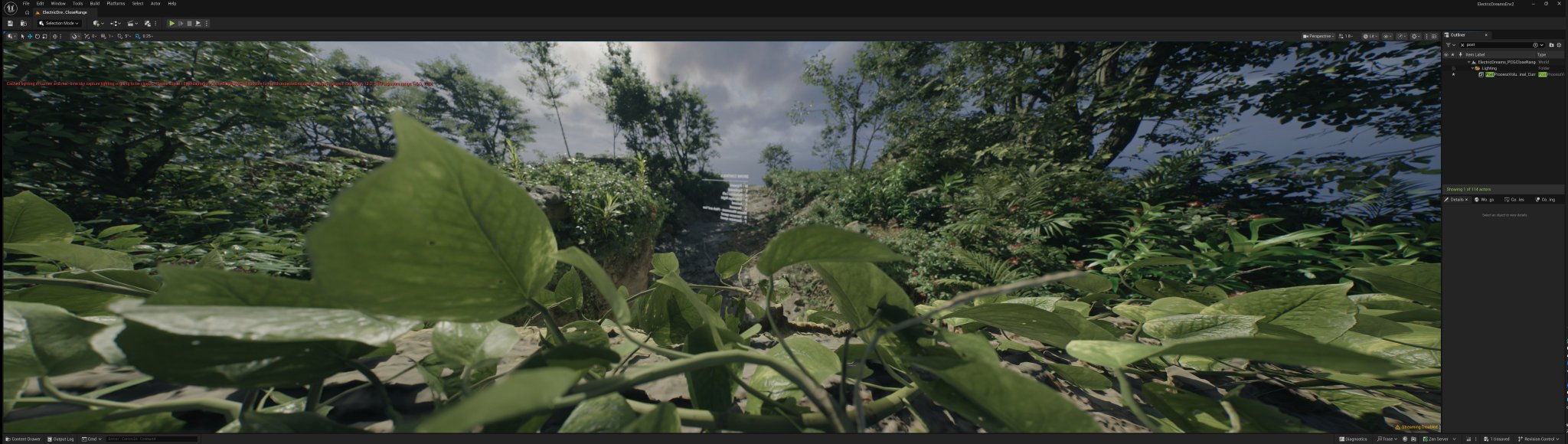
32:9 vs 16:9 vs 3:4. The wider the viewport, the weaker the DoF.
It doesn't matter how DoF would scale in a real camera if its film changed aspect, all that matter is the aspect ratio artists authored the DoF params with, any extra side should preserve the same blur, with the
 X
·
red heath
cursive reef
I see. already looks really great.
out of curiosity I ported it to reno (or we...
X
·
red heath
cursive reef
I see. already looks really great.
out of curiosity I ported it to reno (or we...
post some screenshots
are they DX12?
did they have multiple grading passes or just one bundled with more LUTs?
cursive reef
red heath
are they DX12?
some are dx11, some dx12
cursive reef
red heath
did they have multiple grading passes or just one bundled with more LUTs?
just one grading shader at a time, and they sample an hdr lut, 2 dramatic hdr luts with masks, and an sdr lut
SDR | Luma UE Upgrade Tonemap


looked like this previously with reno's upgradetonemap and some less than stellar solutions to get a bit more highlight sat back
SDR | Luma UE Upgrade Tonemap

 red heath
If u have the specific shaders, u could do even better though!
cursive reef
red heath
If u have the specific shaders, u could do even better though!
how would I do that? there's no lutbuilder here, and I only added this method to handle the baked g_tHdrLut for now
red heath
cursive reef
how would I do that? there's no lutbuilder here, and I only added this method to...
Can you explain more? Not sure I understand yet.
cursive reef
red heath
Can you explain more? Not sure I understand yet.
Koei games don't use UE. They usually load color grading and tonemap LUTs from disk, so I was using reno's upgrade tonemap before. I tried out your UE code and it's way better
cursive reef
red heath
If u have the specific shaders, u could do even better though!
I thought you meant that there's even something better I should be using instead ^^
red heath
cursive reef
Koei games don't use UE. They usually load color grading and tonemap LUTs from d...
yes i mean
my code is made for unreal
so it decodes LUTs with log encoding
the way UE makes them
also if u have access to native source code of the shaders
for game specific patches
it makes little sense to use my generic upgrade code
IMO 😛
cursive reef
red heath
so it decodes LUTs with log encoding
Ya, I changed that to their arri encode and decode
Would probably look really borked otherwise lol
cursive reef
red heath
also if u have access to native source code of the shaders
I'm not exactly sure what this means
UE is kinda open source, but not the Katana engine
red heath
cursive reef
UE is kinda open source, but not the Katana engine
i mean, u have the whole shader source decompiled
so u can write code specifci to the game
my mod was generic
red heath
just a suggestion
inner mantle
cursive reef
how would I do that? there's no lutbuilder here, and I only added this method to...
yea those games dont give you lutbuilders when the game is in sdr
and only the new ones give you a lutbuilder when the game is in native hdr
I mean their tonemappers are some shitty filmic tm at home, just like ue filmic
so it might look fine
inner mantle
cursive reef
SDR | Luma UE Upgrade Tonemap
@cursive reef the red skin on his foot is a bit rough though
but yea sadly in these games, the luts are black-boxs
the best we can do is like max channel upgradetonemap or some sort of invert setup where we try to retain as much info as possible
cursive reef
inner mantle
<@208960001807613952> the red skin on his foot is a bit rough though
maybe a bit, yea. I used Pumbo's defaults, so 0.66 hue correction and 0.33 chrominance iirc so you could tweak that
red heath
cursive reef
maybe a bit, yea. I used Pumbo's defaults, so 0.66 hue correction and 0.33 chrom...
i don't know if there's a bug now, maybe some xxy xyz accident
cuz i noticed skin turning red too
everything else looks ok
maybe ask AI to find bugs
cursive reef
red heath
i don't know if there's a bug now, maybe some xxy xyz accident
Just in my screenshots? Or also in your mod
If it's the former I probably messed up
cursive reef
red heath
maybe ask AI to find bugs
Will do, thx
red heath
cursive reef
Just in my screenshots? Or also in your mod
In my mod.
topaz belfry
is hue correction / chrominance in LMS?
cursive reef
topaz belfry
is hue correction / chrominance in LMS?
I used oklab for my RestoreHueAndChrominance reno substitute for now, since I'd assumed that's what Luma used. But it uses JzAzBz I think, so that changes things
I briefly tried macleod boynton (CorrectHueAndPurityMBBT709WithBT2020()) but saw some artifacts for some reason
topaz belfry
cursive reef
I briefly tried macleod boynton (`CorrectHueAndPurityMBBT709WithBT2020()`) but s...
maybe negative numbers from fp errors?
cursive reef
topaz belfry
maybe negative numbers from fp errors?
maybe, not sure. they just show up with bright highly saturated colors. if you use hue correction with oklab or something and put that to 100% you get similar artifacts, but with macleod they show up even with low hue correction strength
must be doing something wrong, you didn't have such issues in granblue right
topaz belfry
no I didn't
 limpid loom
Symbiote spyro
 inner mantle
cursive reef
I used oklab for my RestoreHueAndChrominance reno substitute for now, since I'd ...
inner mantle
cursive reef
I used oklab for my RestoreHueAndChrominance reno substitute for now, since I'd ...
@cursive reef any benefit to jazzbazz vs. oklab
I use HueAndChromaOKLAB()
because oklab is basically ole reliable
cursive reef
inner mantle
<@208960001807613952> any benefit to jazzbazz vs. oklab
Only tested it a bit, and it looked similar to ictcp. Both are probably better or have fewer quirks than oklab
red heath
cursive reef
Only tested it a bit, and it looked similar to ictcp. Both are probably better o...
Unsure.
They are all OK.
Only one is lab

 cursive reef
red heath
They are all OK.
cursive reef
red heath
They are all OK.
One of em is extremely OK.