#✅Luma: Final Fantasy VII Remake
1 messages · Page 3 of 1
 frigid fjord
 austere quiver
It does, but it seems to use the diet Switch 2 model like SW Outlaws
frigid fjord
maybe for rebirth they may need to use dynamic res and dlss
 left folio
austere quiver
It does, but it seems to use the diet Switch 2 model like SW Outlaws
left folio
austere quiver
It does, but it seems to use the diet Switch 2 model like SW Outlaws
Yeah I see
Much much better that the shitty TAA on PC tho
frigid fjord
yeah that TAA is so blurry
 spice gust
hey there im using the mod for ff7 remake and when using the hdr video option it makes the fmvs have pretty bad black crush
is there any fix?
 sleek imp
I tried to edit the Engine.ini to increase shadow resolution
The only cvar that works is r.shadowminresolution “I dunno if typed correctly lol”
But the shadows flicker with GTAO enabled
frigid fjord
so if you use that cvar shadows flicker?
frigid fjord
spice gust
hey there im using the mod for ff7 remake and when using the hdr video option it...
on the latest version still has the black crush issue?
I will have a look
sleek imp
frigid fjord
so if you use that cvar shadows flicker?
Yeah
And strangely enough the regular cvar with maxresolution doesn’t have any effect
frigid fjord
sleek imp
Yeah
And strangely enough the regular cvar with maxresolution doesn’t have any e...
does it have effect with luma off?
sleek imp
frigid fjord
does it have effect with luma off?
You mean maxresolution? No from my testing
frigid fjord
ok yeah I see the issue with the videos. must have fucked it up at some point
spice gust
nice
btw what is the performance cost of dlss transformer vs the other dlss vs native?
austere quiver
spice gust
btw what is the performance cost of dlss transformer vs the other dlss vs native...
depends on the GPU you have
spice gust
i have a 3070 running 4k
austere quiver
spice gust
i have a 3070 running 4k
Transformer is around 20% slower than CNN on the 30 series IIRC
spice gust
what about native?
austere quiver
spice gust
what about native?
Are we talking about Native Vs DLAA?
frigid fjord
there is a lot of artifacting and banding and deep fried look in bright scenes with autohdr
austere quiver
frigid fjord
there is a lot of artifacting and banding and deep fried look in bright scenes w...
AutoHDR in the Rebirth mod looked fine IIRC
frigid fjord
austere quiver
AutoHDR in the Rebirth mod looked fine IIRC
I copied Musa's code from rebirth
 wispy zinc
spice gust
btw what is the performance cost of dlss transformer vs the other dlss vs native...
wispy zinc
spice gust
btw what is the performance cost of dlss transformer vs the other dlss vs native...
 frigid fjord
austere quiver
frigid fjord
austere quiver
will try this
@lusty coral any idea how to fix this awful banding making this brighter just makes it worse ngl. don't think the issue is with autohdr


 lusty coral
frigid fjord
<@232584079986524160> any idea how to fix this awful banding making this brighte...
lusty coral
frigid fjord
<@232584079986524160> any idea how to fix this awful banding making this brighte...
yes, u need to add blooming with a huge radius
frigid fjord
lusty coral
yes, u need to add blooming with a huge radius
won't that ruin the image, might look fine when it's in the sky but it happens a lot in these videos and makes everything look crunchy
lusty coral
frigid fjord
won't that ruin the image, might look fine when it's in the sky but it happens a...
no
faint bloom
it's gonna add some color
but it's not gonna feel like much
other than fixing banding
frigid fjord
do we have a function to add that in luma?
frigid fjord
lusty coral
other than fixing banding
should I copy from the generic bloom shader that was implemented for bioshock and should I do it before or after autohdr?
frigid fjord
GTAO vs SSAO think I will just reduce the radius a little and it should be good.


GTAO vs SSAO vs None


 lusty coral
frigid fjord
GTAO vs SSAO think I will just reduce the radius a little and it should be good.
lusty coral
frigid fjord
GTAO vs SSAO think I will just reduce the radius a little and it should be good.
Did u fix the matrix problem?
frigid fjord
lusty coral
Did u fix the matrix problem?
Not really, couldn't figure out any issue
lusty coral
frigid fjord
Not really, couldn't figure out any issue
Ok. So the darkening is stable when rotating the camera?
frigid fjord
lusty coral
Ok. So the darkening is stable when rotating the camera?
well. there is still that one roof tile that changes, just never figured it out.
spice gust
were you able to fix the problem with fmvs?
frigid fjord
spice gust
were you able to fix the problem with fmvs?
Yes pushing the build now
frigid fjord
spice gust
were you able to fix the problem with fmvs?
GitHub
Luma is a ReShade Addon based DX11 games modding framework. Multiple mods are currently included, the biggest one being Prey (2017), which refactors its post processing rendering phase (e.g. adding...
it's up in my branch, I have to head out. will update main branch and nexus when I get back
spice gust
awesome ty
frigid fjord
spice gust
awesome ty
Did you try it?
 frigid fjord
spice gust
frigid fjord
spice gust
Remake
spice gust
aight the fix is good
spice gust
@frigid fjord i have this bug with chapter 3 where all the indoor locations are bright af LOL
 frigid fjord
spice gust
frigid fjord
spice gust
Huh. I'll check it out, thanks.
sleek imp
I had something similar when I used cvars to increase shadows resolutions if I set r.Shadow.MaxResolution to 8k and r.Shadow.MinResolution to 4k I get no shadow flicker but some parts of the game looks like the screen, while If I use r.Shadow.MinResolution only I get shadow flickering with GTAO
 frigid fjord
spice gust
<@161300056123637760> i have this bug with chapter 3 where all the indoor locati...
frigid fjord
spice gust
<@161300056123637760> i have this bug with chapter 3 where all the indoor locati...
I am going to need more info, I am not getting that issue
sleek imp
Game looks absolutely incredible, especially HDR thank y'all for hard work

 spice gust
frigid fjord
I am going to need more info, I am not getting that issue
spice gust
frigid fjord
I am going to need more info, I am not getting that issue
what info do you need?
i can record it in a bit
frigid fjord
spice gust
what info do you need?
any other settings, what specific place it happens.
frigid fjord
sure let me try that
spice gust

FINAL FANTASY VII REMAKE INTERGRADE PC Stutter Fix Tutorial Step by Step Guide!
FINAL FANTASY VII REMAKE INTERGRADE includes a visually enhanced edition of the critically acclaimed and award-winning FINAL FANTASY VII REMAKE. The game also features FF7R EPISODE INTERmission featuring Yuffie as the main character, introducing an exhilarating new ...
im using the dx11 engine.ini from the description of this
frigid fjord
let me test this
maybe it is the shadow settings in the egine.ini file, just like @sleek imp was saying. try commenting those out.
spice gust
oh ok lemme see
spice gust
frigid fjord
maybe it is the shadow settings in the egine.ini file, just like <@4702619599005...
deleting those lines didnt fix it for me
here is a vid of the issue
frigid fjord
spice gust
can you do a recording. not too sure from here but this just seems like the game local exposure
frigid fjord
spice gust
can you try without the engine.ini and deleting the reshade.ini as well?
frigid fjord
try adding the engine.ini back and delete reshade.ini as well and see if the issue appears again
spice gust
i just deleted all the shadows and lighting stuffs in the ini and its fine again
thanks for the help man
oh btw i saw you posted on nexus that your gonna drop a version with vanilla hdr thats less demanding? @frigid fjord
this version doesnt run bad or anything im just a framerate enjoyer
frigid fjord
I should test if it's really less demanding. Shouldn't be hard I forgot about that.
spice gust
ight awesome thanks for the great work again 🙏
 tidal tartan
i forgot does rebirth have gtao ?
frigid fjord
I actually don't know. May be able to force it on with engine variables if it's UE 4.25
 jolly crane
@frigid fjord Hello! Just downloaded the new Luma update (2.4) and really enjoying the option to switch between DLSS presets, but it seems much more stuttery (practically unplayable) than the previous one (2.3).
Just went in and deleted all old .ini files from the past updates to see if that was the culprit and still getting the same issue.
After a little bit more testing on my 5080 this only happens when Super Resolution is set to 'DLSS' (irregardless of preset). If set to 'None' or 'FSR 3' it works as normal.
jolly crane
This is also my Engine.ini for reference.
frigid fjord
Does changing the dlss preset work?
frigid fjord
jolly crane
<@161300056123637760> Hello! Just downloaded the new Luma update (2.4) and reall...
Testing now
Ah is the weird memory leak that only ever happens when it gets compiled by git.
I really don't understand the cause of this issue
frigid fjord
jolly crane
<@161300056123637760> Hello! Just downloaded the new Luma update (2.4) and reall...
try new version on nexus
 spare breach
How do i enable DLSS perfomance? ive put r.DynamicRes.OperationMode=1
r.DynamicRes.MinScreenPercentage=50
r.DynamicRes.MaxScreenPercentage=50 in the engine.ini
frigid fjord
Yes
spare breach
not working with that in the engine for me fsr 3 is working just not dlss
frigid fjord
can you try 51 instead of 50?
spare breach
no change just goes to DLAA i think when i enable dlss
spare breach
when i set to none my fps is like 160 then when i enable dlss it goes to 70-80
frigid fjord
try preset F
spare breach
chaged my engine.ini to [SystemSettings]
t.MaxFPS=0
r.DynamicRes.OperationMode=1 // Turn Dynamic Resolution off (Forces DLAA) or on
Set the minimum and maximum resolution for Dynamic Resolution
r.DynamicRes.MinScreenPercentage=50 // Default 50
r.DynamicRes.MaxScreenPercentage=50 // Default 100
and it worked for some reason
the vram usage goes from 10gb to over 15gb whil,e playing through
frigid fjord
t.MaxFPS=0 made it work?
spare breach
[SystemSettings]
Resolution, Framerate, etc.
r.SecondaryScreenPercentage lets you adjust r.ScreenPercentage while mainting the UI resolution set by r.SetRes
Disables dynamic resolution (DRS is not for PC)
====================================================
t.MaxFPS=0
r.DynamicRes.MinScreenPercentage=66.7
r.DynamicRes.MaxScreenPercentage=66.7
r.vsync=0
This is what im using now it was capped to 120 for some reason with the old one and using loads of vram this one is only using 8.8gb at 4k in the slums
frigid fjord
I gotta test all of this, want to make a minimal engine.ini with recommended settings
left folio
frigid fjord
I gotta test all of this, want to make a minimal engine.ini with recommended set...
Would be amazing 
spare breach
Great work with this btw never seen this game look so sharp
jolly crane
frigid fjord
try new version on nexus
Just tested it and everything works great! Thanks for the speedy fix and amazing project!
frigid fjord
jolly crane
Just tested it and everything works great! Thanks for the speedy fix and amazing...
More fixes coming
frigid fjord
spare breach
[SystemSettings]
# Resolution, Framerate, etc.
# r.SecondaryScreenPercentage let...
should be stable now, test settings again with latest version if you don't mind
spare breach
yeah this one is working nicely
spare breach
only nitpick i have is the shadows on the face flicker more than vanilla
frigid fjord
Yeah shadows are just softer in vanilla. Because of taa blur and dithering
jolly crane
frigid fjord
More fixes coming
Firstly, tried the newest update and somehow you made the performance even better! I genuinely appreciate all your hard work on this mod!
Just a quick question about the sharpness slider while having DLSS enabled. It says the Vanilla setting is 0 and the default is 50, so is the slider in relation to the sharpness that DLSS adds with its upscaler or is it’s own Reshade/Luma sharpness filter?
I ask this because 0 is incredibly soft while 50 looks like more in line with the sharpness I would expect from a DLSS upscaled image.
frigid fjord
Honestly I should change that default I made it with dlss cnn in mind. Which is significantly softer.
0 is no sharpness
frigid fjord
jolly crane
I ask this because 0 is incredibly soft while 50 looks like more in line with th...
50 or 30 is good depending on what resolution and what preset you are using
lusty coral
frigid fjord
50 or 30 is good depending on what resolution and what preset you are using
i guess now the DX11 version with DLSS can perform better than DX12 cuz you can get ~native looking 4k
at 1080p rendering?
frigid fjord
lusty coral
i guess now the DX11 version with DLSS can perform better than DX12 cuz you can ...
Yeah, looks so much better than native with the dithering fix too specially at lower resolutions
jolly crane
frigid fjord
50 or 30 is good depending on what resolution and what preset you are using
Wait so to clarify, is the sharpness slider to control how much DLSS sharpens your image or a Reshade external sharpening filter.
Essentially, would 0 (Vanilla) be:
An image with 0 sharpening AT ALL done by DLSS, ONLY upscaled
OR
An upscaled image with the default DLSS amount of sharpening (so that if you were to increase the sharpness slider, you would be getting additional sharpening ON TOP of what DLSS already does)
Sorry if my question is confusing I’m trying to convey it properly.
frigid fjord
jolly crane
Wait so to clarify, is the sharpness slider to control how much DLSS sharpens yo...
It's a custom sharpening filter I apply myself after dlss already drew
0 is vanilla
jolly crane
Gotchu that’s exactly what I wanted to know 🫡 I appreciate the help
frigid fjord
anyone with in here with linux and this game that can test something?
jolly crane
If no-one helps before I get back home, I dual boot it and have a steam deck so I could you help you out when I get back in like an hour
jolly crane
frigid fjord
anyone with in here with linux and this game that can test something?
Ok back home! lmk what you need
frigid fjord
jolly crane
Ok back home! lmk what you need
just try running the game with luma and see if it crashes
if it does then try using proton tricks to install these msvcrt40 and vcrun2022
jolly crane
does it matter between these two ?
 frigid fjord
first one
jolly crane
gotchu, testing rn
Ok, got both of these errors and then lastly a "Fatal Error" and the game never opened.

 jolly crane
frigid fjord
if it does then try using proton tricks to install these msvcrt40 and vcrun2022
jolly crane
frigid fjord
if it does then try using proton tricks to install these msvcrt40 and vcrun2022
Gonna try to download the dependiecies now to see if that fixes it
frigid fjord
jolly crane
Ok, got both of these errors and then lastly a "Fatal Error" and the game never ...
Did you run it with -dx11
jolly crane
No, completely forgot about it 😭 Just added it though and still getting a "Fatal Error" and game closed
 jolly crane
Forgot about that too, just to make sure it should look like this right?

Ok, looks like i got it up and running! It seems that you need msvcrt40 and vcrun2022 to make it work otherwise you'll get a "Fatal Error"
 jolly crane
No problem! After all you've done it's the least I could do
I was also even able to get Display Commander to work so I could inject reflex as well
 frigid fjord
oh wow, it used to have issues with DC before, I gotta test it on windows.
jolly crane
Oh yeah, I meant to update from a while back when I was having problems with it too that it works flawlessly now on Windows with the new releases
frigid fjord
so for this game only thing that remains is to find better constant for GTAO. maybe try to figure out how to fix traversal stutters if that's even possible.
jolly crane
frigid fjord
so for this game only thing that remains is to find better constant for GTAO. ma...
Yea GTAO has been pretty hit or miss for me so I just keep it off currently and I’ve just learned to live with the traversal stutters atp 😭
frigid fjord
jolly crane
Yea GTAO has been pretty hit or miss for me so I just keep it off currently and ...
If you know of particular problematic scenes for GTAO let me know
jolly crane
frigid fjord
If you know of particular problematic scenes for GTAO let me know
I gotchu I’ll turn it on and let you know of any weirdness I encounter
Another question is, would it ever be possible to implement FSR4 (specifically the INT8 model) like you’ve implemented FSR3?
I have another AMD handheld and while FSR3 does the job it still has some minor problems (boiling, ghosting) that I think FSR4 would clean-up
frigid fjord
jolly crane
Another question is, would it ever be possible to implement FSR4 (specifically t...
When we do dx12 support
frigid fjord
jolly crane
I have another AMD handheld and while FSR3 does the job it still has some minor ...
You can use optiscaler with interop for now to replace dlss 4 with fsr4
jolly crane
frigid fjord
When we do dx12 support
Gotchu looking forward to it
frigid fjord
jolly crane
Gotchu looking forward to it
did FF7 looked like it was in the wrong color space or wrong gamma when you tried?
jolly crane
frigid fjord
did FF7 looked like it was in the wrong color space or wrong gamma when you trie...
Are you asking about when I tried GTAO or FSR4?
frigid fjord
jolly crane
Are you asking about when I tried GTAO or FSR4?
just in general some people were complaining about image being dim in linux
jolly crane
Oh, no personally I didn’t notice any issues but I didn’t test for long as my main way to play is Windows
frigid fjord
did you test in HDR by any chance? I think it might be an SDR only issue
jolly crane
Yeah, I only tested through HDR on Linux and it looked the same as Windows
When I get time later I’ll try SDR and let you know if I have any issues
 split isle

This is how it looks like on steam deck lcd
With ingame dynamic range set to hdr
Sorry I meant, set to sdr not hdr
frigid fjord
do you have a custom resolution?
I mean a resolution higher than the screen resolution
split isle
frigid fjord
I mean a resolution higher than the screen resolution
Hello, using 720p resolution on deck. I just tried 1080p resolution and that fixed the colors.
split isle
Seems to be the case but can't play at 1080p resolution on deck's 800p resolution. Bad performance and stretched look
frigid fjord
does 720p on both settings work?
split isle
I just changed the resolution from the ingame settings, no 800p resolution available. I'll try to force it via steam os properties, will let you know if anything works.
frigid fjord
split isle
I just changed the resolution from the ingame settings, no 800p resolution avail...
If you want 800p you have to use lyalls fix
split isle
frigid fjord
If you want 800p you have to use lyalls fix
Thanks, I'll try that 👍
frigid fjord
I have to fix the issue with downscaling from a higher resolution
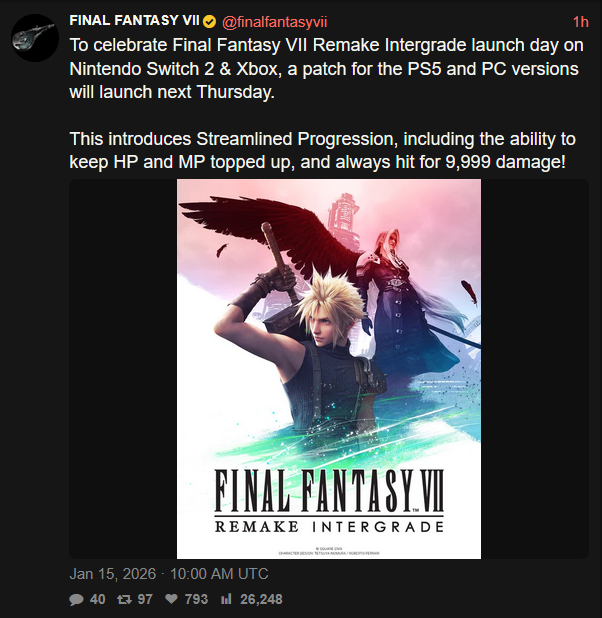 lusty coral
frigid fjord
Hopefully the output shaders don't change
lusty coral
frigid fjord
Hopefully the output shaders don't change
they might have added DLSS
rip
and it's gonna be bad
frigid fjord
If they add it, I'll just do the dithering fix and HDR.
sleek imp
frigid fjord
If they add it, I'll just do the dithering fix and HDR.
Are you planning to add your dithering fix to Rebirth?
frigid fjord
sleek imp
Are you planning to add your dithering fix to Rebirth?
Not possible right now, rebirth is dx12
spice gust
damn your dlss implementation is actually hella nice lol i get good performance and theres no problems with the texts and menus like other mods
frigid fjord
thank you
 nimble tapir
austere quiver
https://i.ibb.co/wNK3PxLN/image.png
nimble tapir
austere quiver
https://i.ibb.co/wNK3PxLN/image.png
I doubt they’re going to add DLSS to this
frigid fjord
feel like it would have been part of the marketing
nimble tapir
frigid fjord
feel like it would have been part of the marketing
Ya
lusty coral
frigid fjord
feel like it would have been part of the marketing
If they are sharing progression, they might have upgraded engine version, and dlss
 lapis oar
Some people here are hoping they add DLSS so might be an option to promote this Luma mod here
https://reddit.com/r/digitalfoundry/comments/1qivcvd/final_fantasy_7_remake_intergrade_switch_2_review/
Reddit
Explore this post and more from the digitalfoundry community
austere quiver
I assume the video doesn't mention it?
Booo
wispy zinc
negative
he says the texture dither doesn't look too bad, but any time it's onscreen i want to gouge my eyes out
austere quiver

Well I've tried
Seems like everyone except John is allergic to mentioning Luma or RenoDX
wispy zinc
mods are evil
alex did mention he wants to cover reno at some point but >schedules and all that
austere quiver
Unless they have ultra grapix Ray Tracing in the name
Like the one for Bloodborne they covered recently
wispy zinc
yeah if the mod doesn't cast 2 billion more lights and have accurate shadows it's useless
nimble tapir
wispy zinc
alex did mention he wants to cover reno at some point but >schedules and all tha...
That’s kind of bs because they covered in record pace that dlc checker monster hunter wilds shit
I’m not saying there isn’t schedule conflicts
But clearly it is not a priority for them at all
austere quiver
HDR is pretty niche overall, so I'm not surprised that will guarantee more clicks
It is a business overall
But gamers are horny for DLSS and they love their upscaler comparisons, I thought that it would be a slam dunk for them
tidal tartan
doesn't matter if it gets click
the point is that it reaches out to more devs
since a lot watch their content
austere quiver
JP devs give zero fucks about DF
wispy zinc
nimble tapir
That’s kind of bs because they covered in record pace that dlc checker monster h...
i think alex probably wants to do a big video about it (and that's how it sounded like when he mentions the tech in Directs)
going really deep into what hdr is etc
tidal tartan
who cares about jp
lol
ya
man i've been dming some people on x/sky but i just get ignored
only my goat alex has answered

frigid fjord
wispy zinc
he says the texture dither doesn't look too bad, but any time it's onscreen i wa...
It looks terrible on shadows and reflection at any resolution and looks awful in everything else not at 4k
nimble tapir
frigid fjord
It looks terrible on shadows and reflection at any resolution and looks awful in...
It looks realllly bad
I tried the demo out on switch 2 and holy shit
I said it here before but it’s bad
frigid fjord
I am surprised byt the amount of artifacts some people are willing to put up with
austere quiver
Mah sharpness tho
I've been raging about the new DLSS but everyone else on the internet is creaming themself because now every pixel is so sharp you can shave with it
Actual aliasing to be damned
frigid fjord
it's the same fight that we had with preset K
nobody seemed to care that it broke all transparent effects
nimble tapir
austere quiver
Mah sharpness tho
Besides motion stability i have no issues with the new presets
The sharpness I really don’t notice
 true spire
frigid fjord
nobody seemed to care that it broke all transparent effects
true spire
frigid fjord
nobody seemed to care that it broke all transparent effects
Is this why rebirth has broken trees?
frigid fjord
true spire
Is this why rebirth has broken trees?
With dlss shadows, trees and probably other stuff yeah
Should look fine with TAA tho
true spire
frigid fjord
Should look fine with TAA tho
Yeah preset f is pretty ok too. k and m both breaks trees transparency
Also M is very oversharpened they should have a sharpening slider in the overrides
frigid fjord
true spire
Yeah preset f is pretty ok too. k and m both breaks trees transparency
ah K has issues with transparency in every game more or less
spice gust
frigid fjord
it's the same fight that we had with preset K
preset k has terrible hair on rebirth
i rolled back to cnn models just to make it go away lol
 proud dome
Today's update is seemingly a very minor one, no native DLSS implementation at all, but of course it broke Emoose's FF7Hook
nimble tapir
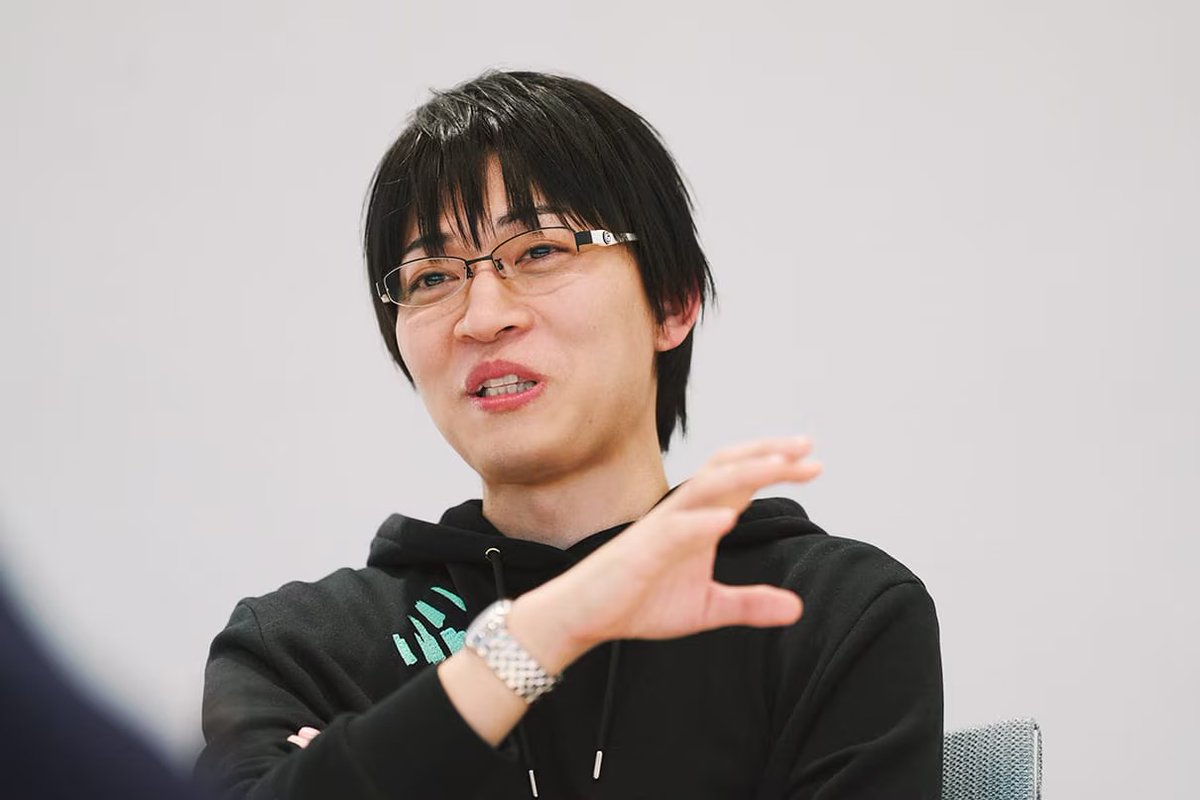
Naoki Hamaguchi says FF VII Rebirth & Part 3 are being developed for Switch 2 right now. The gameplay experience will be exactly the same as other platforms:
"There's not a huge amount of information I can share in terms of future games, but I can reassure players that we’re
 X
·
X
·

frigid fjord
That's good. It'll sell very well
frigid fjord
proud dome
Today's update is seemingly a very minor one, no native DLSS implementation at a...
Did it break Luma?
proud dome
No idea, only looked at the Steamdb file list and checked NexusMods
Doubt it would have broken anything else though
 broken ore
frigid fjord
so for this game only thing that remains is to find better constant for GTAO. ma...
broken ore
frigid fjord
so for this game only thing that remains is to find better constant for GTAO. ma...
I was testing out remake earlier, and was noticing the huge frame time spike that was reproducible in the slums, does it happen in other areas of the game?
frigid fjord
broken ore
I was testing out remake earlier, and was noticing the huge frame time spike tha...
worst area is the wall market
can you check without the mod as well?
broken ore
Yeah, I'll take a look, I don't think the luma is causing the traversal stutter tho
frigid fjord
broken ore
Yeah, I'll take a look, I don't think the luma is causing the traversal stutter ...
not it's there in the game unmodded, might be a bit worse in dx11 although no shader compilation stutter in dx11
broken ore
Yeah I'll take a look at dx12, I was messing around with NPC pop-in + fps cap in the slums to fix it because there is one spot that produces a massive spike
30fps cap actually "improves" it but the spike happens a second later in the same spot
frigid fjord
there are some setting people use to improve it using custom engine variables. but ymmv and currently engine mods are broken due to update
broken ore
frigid fjord
can you check without the mod as well?
looks to be the same dx11 unmodded/modded, and dx12
frigid fjord
broken ore
looks to be the same dx11 unmodded/modded, and dx12
yeah it has to do with asset streaming, some test show dx12 is better. But even then the problem is always present.
broken ore
Im testing dx12 rn
a 30fps is good
but I can reproduce a frame time spike
with shadows + textures high
that I dont get with both low
broken ore
frigid fjord
try using dxvk and see if that helps
cant seem to get dxvk to be working
actually nvm
needed to add d3d11 as well
yeah dxvk is the same
oh wait wth dxvk is actually better
frigid fjord
yeah the holy grail
I have been meaning to ask some of the devs what optimizations could possibly cause this, so I can add it to luma
broken ore
yeah I'm running 120fps and I still can't produce the stutter in the same spot from dx11/dx12 at 30/60
lose HDR/DLSS tho, and you still get initial cache stutters using dxvk
frigid fjord
you can get HDR back with SK/Reshade/Liliums dxvk fork
but you do lose dlss for sure
sleek imp
One of the things that helped in my case, particularly with f80h’s 4k texture pack (which I think is mandatory for this game) is using some cvars to optimize texture streaming
The game still stutters regardless but it’s much worse with the texture pack
You can find them here
https://github.com/marcValdz/FF7-Rebirth-Optimized-Clarity
it’s for rebirth but you can use them in remake aswell
GitHub
Final Fantasy 7 Rebirth Mod. Contribute to marcValdz/FF7-Rebirth-Optimized-Clarity development by creating an account on GitHub.
And I believe there’s someone on nexus who used similar cvars and claims it reduces stutter
frigid fjord
cant use any of that at the moment, update broke ff7hooks
sleek imp
It’s called Stutter-Free Seamless Gameplay on Nexus
sleek imp
frigid fjord
cant use any of that at the moment, update broke ff7hooks
That’s sad, hopefully emoose updates it asap
I finished the game couple of weeks ago


 frigid fjord
this game looks really bad in general with TAA
sleek imp
I know, before your Luma release I had to downsample from 5K DLDSR to 4K just to have some good IQ but it was still bad too and performance intensive
Some shots I had, with DLAA Model K and Ultra GTAO (plus f80h texture pack)


 jolly crane
Unfortunately it seems this update has broken compatibility with Display Commander (DC) 😭
I just get a fatal error every time I try to use DC's addon but Luma on it's own still works
frigid fjord
Maybe the reshade version upgrade?
Idk I changed nothing regarding the rendering pipeline, not sure why it would break now compared to before
jolly crane
Oh no sorry I didn't mean the Luma update but the new FFVII hook
I think thats the culprit because Luma still works by itself and if I revert to Luma 2.4.2 DC still doesnt work
frigid fjord
Oh yeah people mentioned that some cvars don't seem to work either
jolly crane
Yeah I’ve noticed that as well because I had a CVAR that disabled AO and that’s being completely ignored now I think
but my Dynamic Res cvar still works
 vale dew
@frigid fjordwhat did you do to the hdr to improve it in 2.5?
frigid fjord
vale dew
<@161300056123637760>what did you do to the hdr to improve it in 2.5?
I changed the tonemapper, it's more in line with what Musa does on hsi newer mods.
test build also has a bunch of sliders
hasn't been merged to main repo, but yeah
vale dew
just using the defaul in 2.5 nexus and it looks really incredible
ff7re looking really good in preset L, clouds hair has never looked so good
 frigid fjord
Preset L works really well in this game. M has some issues with fine details like fences
vale dew
 vale dew
frigid fjord
Preset L works really well in this game. M has some issues with fine details lik...
vale dew
frigid fjord
Preset L works really well in this game. M has some issues with fine details lik...
i agree, L has been the most stable
i wish we could force cutscene models during gameplay

look at that incredible hair


https://cdn.discordapp.com/attachments/778887485400154132/1464814385896886353/SKIV_Snip.png?ex=6976d634&is=697584b4&hm=612e41da10589fd41b1ccf8c056eecfe72b243536c06eb010b27bf77ab097679&
https://cdn.discordapp.com/attachments/778887485400154132/1464814387066966118/SKIV_Snip.png?ex=6976d634&is=697584b4&hm=e4a9b935171efb95a15867b4eec7291e6c23414d533c2201a4ad9ba0540da64a&


K vs L, dramatic improvement to his hair and eyelashes and skin texture
vale dew
true spire
Are these rebirth models

Nexus Mods :: Final Fantasy VII Remake
Handcrafted 8K texture remaster of Cloud's standard outfit.
i dont have any mod on for the others in these scenes
theres one for tifa too from same person
and i have the general texture pack
and the mods were before rebirth actually :P
true spire
Ahh thanks
vale dew

Nexus Mods :: Final Fantasy VII Remake
The mod is upscales for the game across the board. Skybox, textures and 3D objects.
true spire
vale dew
https://www.nexusmods.com/finalfantasy7remake/mods/1685
Yeah I have this one
vale dew
thers an ever bigger one recently apparently

Nexus Mods :: Final Fantasy VII Remake
HD 4K/8k Textures collection. A total of 169 GB of upscaled by x2, regenerated and some replaced with 3d scans, normal and color textures
havent tried it
thats a lot of space
sleek imp
vale dew
https://www.nexusmods.com/finalfantasy7remake/mods/1977
I have finished the game using this collection except the one that changes the eyes and hair of the characters
vale dew
what did you think
sleek imp
you need to use cvars to optimize texture streaming otherwise the game will stutter more
but I don't think you can do that till emoose update his mod
sleek imp
vale dew
what did you think
I think it's a must, the game has PS2-era textures especially the environment
but as you said it's alot of space, the game with all the texture pack is 300gb+ lol
vale dew
sleek imp
but I don't think you can do that till emoose update his mod
he did today :)
vale dew
sleek imp
but as you said it's alot of space, the game with all the texture pack is 300gb+...
thats insanity, ive got the other texture pack installed and 4k60 fmvs, and my installs at 144 GB
doubleing that again is insane
sleek imp
ikr lmao but honestly this game deserves to experience it the best it can be
I don't know, M has better hair than L and that's all that matters to me lol

 sleek imp
You can find them here
https://github.com/marcValdz/FF7-Rebirth-Optimized-Clar...
sleek imp
sleek imp
You can find them here
https://github.com/marcValdz/FF7-Rebirth-Optimized-Clar...
@vale dew you can use the textures cvars here to improve texture streaming if you download the pack
sleek imp
sleek imp
I don't know, M has better hair than L and that's all that matters to me lol
L is more stable but less detailed than M, also M has more pop?
vale dew
sleek imp
I don't know, M has better hair than L and that's all that matters to me lol
yeah youre right yuffies hairs much better there
i swear none of this is ever cut or dry lol
 paper rover
I noticed that K had better hair in some cases than both M and L.
Here's an example with Yuffie's hair. Sorry for washed out screenshot.
https://imgsli.com/NDQyNTU0/1/2
 sleek imp
Here's another one, you can tell which is which

 paper rover
is the one on the right L?
sleek imp
vale dew
i swear none of this is ever cut or dry lol
yeah there's no one solution that fits all, maybe with preset Z lol
sleek imp
paper rover
is the one on the right L?
correct, it missing some hair strands
vale dew
sleek imp
Here's another one, you can tell which is which
looks like M left and L right
vale dew
paper rover
I noticed that K had better hair in some cases than both M and L.
Here's an exa...
particles in the back are better with M though
paper rover
Yeah, I would generally say I prefer L in most scenes but the missing hair strands is an issue.
And then there's the issue of L and M being really heavy at 4K DLAA compared to K. But then K has issues with fog and volumetrics....
🙃 no clear cut winner.
Still all much better than the TAA though. I had to use DLDSR before Izueh showed up
sleek imp
Here's another comparison K>L>M, M is the best most pop and most hair strands plus the particles in motion flickers with L


K>L>M (spoiler tagged just in case, don't click if you didn't finish the DLC)


I kinda wish I hadn’t finished the game last month lol
austere quiver
paper rover
I noticed that K had better hair in some cases than both M and L.
Here's an exa...
Something funky happening with shadows on the building in the background with L
@frigid fjord Galaxy brain idea: add gaussian blur slider/toggle to take the edge off from the new models
frigid fjord
austere quiver
<@161300056123637760> Galaxy brain idea: add gaussian blur slider/toggle to take...
Interesting, but if you add it to the entire screen it wouldn't look good I think
paper rover
austere quiver
Something funky happening with shadows on the building in the background with L
You mean through the chain link fence? Yeah, that did stick out to me when changing back and forth, though both looked pretty stable.
The sparks coming off the exposed wire on the power pole also seem to be brighter, or at least have visible bloom, with L & M compared to K.
logartmq's screenshots above make the difference in the particles really clear.
austere quiver
frigid fjord
Interesting, but if you add it to the entire screen it wouldn't look good I thin...
A bit of blur to bring it in line with the CNN models would be enough imo
austere quiver
paper rover
You mean through the chain link fence? Yeah, that did stick out to me when chang...
K is basically clamping the bright/high frequency detail hard to avoid aliasing, new models don't but aliasing is back
frigid fjord
We had sharpness sliders before for the older models now a blur for the new ones
Does lilium have a hdr aware blur 😂
austere quiver
@quiet vigil we need reverse CAS
sleek imp
just started playing Rebirth, why character models look like they have eczema? aside from the dithering I'm surprised that it's much smoother than Remake
frigid fjord
yeah they were forced to optimize better for open world for sure
frigid fjord
Was it not loading properly?
spice gust
frigid fjord
Was it not loading properly?
i had an older version of reshade
then i went to the nexusmods page and the tutorial didnt have reshade so im like oh shit they removed it? LOL
 fiery hound
Is there anyway to get dynamic res to actually work? Seems like no matter what my resolution is always pegged at the value from r.DynamicRes.MaxScreenPercentage
frigid fjord
Gotta report this in the ff7 hook mod
paper rover
fiery hound
Is there anyway to get dynamic res to actually work? Seems like no matter what m...
I was having similar issues. I eventually settled on this which was fairly responsive without having too many obvious drops in resolution on my system targeting 120fps at 4K with DLSS (model K or M/L).
The values are largely based on FFVII Rebirth's default values (taken from emoose's cvar dump for Rebirth) with a little bit of testing in game + trial and error tweaking by me. I don't know how well these values will work on other systems with different specs, but you can tweak as needed (https://dev.epicgames.com/documentation/en-us/unreal-engine/dynamic-resolution?application_version=4.27). As far as I could tell, most of these commands are recognised by Remake too:
r.DynamicRes.CPUBoundScreenPercentage=100.000000
r.DynamicRes.CPUTimeHeadRoom=1.000000
r.DynamicRes.ChangePercentageThreshold=2.000000
r.DynamicRes.FrameTimeBudget=9.0
r.DynamicRes.FrameWeightExponent=0.900000
r.DynamicRes.GPUTimingMeasureMethod=0
r.DynamicRes.HistorySize=16
r.DynamicRes.IncreaseAmortizationBlendFactor=0.900000
r.DynamicRes.MaxConsecutiveOverbudgetGPUFrameCount=2
r.DynamicRes.MaxScreenPercentage=100.000000
r.DynamicRes.MinResolutionChangePeriod=8
r.DynamicRes.MinScreenPercentage=50
r.DynamicRes.OperationMode=2
r.DynamicRes.OutlierThreshold=0.000000
r.DynamicRes.PausingDenied=0
r.DynamicRes.TargetedGPUHeadRoomPercentage=5
Just a reminder that you will need to have FFVII Hook updated to the latest version following the recent patch.

Epic Games Developer
An overview of the Dynamic Resolution system used in Unreal Engine 4.
frigid fjord
paper rover
I was having similar issues. I eventually settled on this which was fairly respo...
nice, thanks for sharing. will pin this information
oh I guess I can't @lusty coral would you be so kind?
lusty coral
frigid fjord
oh I guess I can't <@232584079986524160> would you be so kind?
Todowhat
frigid fjord
pin the comment above with the dynamic res tweaks
frigid fjord
lusty coral
Todowhat
just for future reference
lusty coral
paper rover
I was having similar issues. I eventually settled on this which was fairly respo...
paper rover
frigid fjord
nice, thanks for sharing. will pin this information
No problem. Hopefully it works well for others too. I only tested it on one system so I imagine people running with less GPU headroom might just have it sit at the 50% min res I specified. But I suppose that's easy enough to tweak.
fiery hound
paper rover
I was having similar issues. I eventually settled on this which was fairly respo...
Wow really appreciate your reply mate. So this just targets whatever fps is set in the game menu? Is there a command for setting whatever fps target you want (specifically for rebirth, remake I can do 120fps problem)
paper rover
No, this is set to specifically target 120fps since I'm trying to override the game's default behaviour (I think a very early patch back when the game first came out turned off dynamic res for any target frame rates above 60, so setting to 90 or 120 via the in game menu means no dynamic res).
If you wanted to set a different target, you would have to change the "r.DynamicRes.FrameTimeBudget=9.0" command. In this case, I have it set for 9ms. Normally you would set it to the frametime you are targeting. For example, I wanted 120fps so I would be looking at a target of 8.33ms. But for whatever reason I didn't get good results with r.DynamicRes.FrameTimeBudget=8.33, but I found bumping it up to 9ms was perfect. Fortunately, you can change it in real time while the game is running, so dialling it in only takes a few min of running around and testing.
There are a couple other values to tweak, but starting with r.DynamicRes.FrameTimeBudget is probably your best bet.
Is there a particular target you want to set?
fiery hound
paper rover
Is there a particular target you want to set?
Yeah I was thinking 70 when I get back into rebirth, I find the jump between 60 and 70 pretty big subjectively
paper rover
It's the same command for both rebirth and remake, so if looking for a 70fps target, I would start with a value of r.DynamicRes.FrameTimeBudget=14.3 and slowly increase it using the in game console. If you have FFVII Hook installed, you can open it by pressing the ~ key on your keyboard. Basically, just try 14.4, 14.5, 14.6 etc until you can see the resolution changing in accordance with what's happening on screen and the frame rate you are getting.
I would recommend having the DLSS indicator on screen as that will give you an exact read out of your internal resolution and will help you know when it's working or if you have too aggressive of a value. Besides that, the only other value you would probably want to tweak is r.DynamicRes.TargetedGPUHeadRoomPercentage=5. You can read the link in my earlier message if you want to know what exactly these commands do and the propepr way of tuning them.
fiery hound
Fantastic thank you. Appreciate you taking the time to share your findings
paper rover
No worries, hopefully it actually works 🙃
fiery hound
paper rover
I was having similar issues. I eventually settled on this which was fairly respo...
This is giving me mad stutter in Remake unfortunately
simple scenes like this should be totally smooth normally
but seems to be stutters coincide with the dynamic res changes

Don't have this issue with the vanilla dynamic res in Rebirth
paper rover
Hmm, sorry to hear that. I haven't noticed any crazy stutter that I could attribute to resolution changes personally, I even went back in with RTSS to check a similar scene. There are going to be some slight blips in the frame time graph due to the changing frame rate, but what I see in your screenshot is much worse than I would expect.
Are you capping the frame rate in a particular way? Vsync on/off?

The overlay you have seems to suggest you have plenty of VRAM free, so I don't think that is an issue.
paper rover
Do you have any other things going on in your Engine.ini file? Any high res texture mods?
I'm hesitant to suggest you a bunch of dynamic res cvars to tweak as I don't want to waste your time, but you can alter the duration over which the resolution changes as well as how long the frame rate needs to have dropped before the resolution change kicks in.
paper rover
fiery hound
Don't have this issue with the vanilla dynamic res in Rebirth
Just FYI, in case you want to match the vanilla values from Rebirth exactly, here are the default cvar values taken from Rebirth. No guarantee that it will work properly in Remake (different game and all), but you can still try.
fiery hound
paper rover
Do you have any other things going on in your Engine.ini file? Any high res text...
Nope I tried it with otherwise blank engine.in and same thing.
Just got Vsync on locked to 120 and game will go into VRR when it dips under.
fiery hound
paper rover
Just FYI, in case you want to match the vanilla values from Rebirth exactly, her...
Ok yeah I'll try this but probs not going to mess with it any further
Vrr always gives me weird judder in this game for some reason. Edit: ok vrr is actually fine with display commander fps cap I think I just had some weird shit in my ini
frigid fjord
Very quirky game
paper rover
fiery hound
Vrr always gives me weird judder in this game for some reason. Edit: ok vrr is a...
No, I don't think you forcing Vsync is the problem here. I also have to use driver level vsync in this game under DX11 and it's working just fine for me.
Sorry, no clue as to why it's stuttering so bad. My engine.ini is otherwise blank too, apart from the dynamic res stuff above. You could tweak the cvars and min/max res till it sits just right, but you're probably just better off sticking to a static resolution and letting VRR do its thing. Too much hassle.
left folio
Hi everyone!
Can someone send me his Engine.ini file with dynamic resolution enabled please ? I couldn’t get it work, I’m stuck in DLAA no matter what I try
frigid fjord
left folio
Hi everyone!
Can someone send me his Engine.ini file with dynamic resolution ena...
Remove the
r.DynamicRes.OperationMode=1
Seems the behavior changed after the latest update
left folio
Thx!
paper rover
Looks like the game just got updated, exe is now at 1.0.0.7. No patch notes yet, but it seems that some bonus consumable items were added in game. Luma still seems to work fine, but FF7 Hook will need to be updated again...
of all the things they could have patched... some free MP heals and revives
frigid fjord
isntead of porting back some of the switch optimizations
paper rover
 spice gust
is this gonna break mods 😭
true spire
Reflections in shinra building have been broken since Intergrade came out on ps5. but no we will add useless free items as update that everyone forgets to claim.
 strange shard
How can I force a DLSS quality setting without using DRS? It's buggy as hell
I just wanna use performance@4k, also using DRS does all sorts of weird shit like unplugging my Bluetooth devices
fiery hound
Just set min and Max ini values to 1920x1080
strange shard
Yeah I followed the instructions on Nexus but I was getting this BT disconnecting issue that seems to be related to DRS for some reason, so I was wondering if there was any workaround
frigid fjord
strange shard
Yeah I followed the instructions on Nexus but I was getting this BT disconnectin...
bluetooth disconnects when DRS is on? does it happen even when you don't overwrite the default values
game has DRS on by default
strange shard
I haven't been able to test the game much, I had my mouse disconnecting and reconnecting like crazy only after launching FF7R and a quick search on Google brought me to someone reporting that it was caused by DRS. Since the last time I played I didn't have this issue and I disabled DRS I wanted to test it without it (but with DLSS on since I'm on a higher res display now)
Been playing a bit today and it seemed like it was working fine but I might need to test it during a longer session
I still think it makes no sense that DRS is causing that but it only happens when I launch the game, I'm not even using it, I'm on controller
frigid fjord
unfortunately the only way to allow upscaling is to use the engine dynamic resolution feature
strange shard
Yeah I figured as much  I'll see if I can find the cause of this
 tired kraken
Hey guys, I have a question: is the HDR in this mod the same as the HDR from ShortFuse on RenoDX GitHub, or are they two separate things ?
tidal tartan
tired kraken
Hey guys, I have a question: is the HDR in this mod the same as the HDR from Sho...
it incorporates renodx hdr fixes yeah
so this is better by virtue of having dlss and other features
tired kraken
tidal tartan
so this is better by virtue of having dlss and other features
Ah I see, thank you. DLSS is truly amazing to me, it makes games look more beautiful, much sharper.
 broken night
my god this mod is fantastic
hefty performance hit when playing at 5160x2160 with DLDSR but worth it honestly
doesnt break pre rendered cutscenes when using with Lyalls ultrawide mod unlike the normal RenoDX
great job
 lilac lynx
can anyone share their cvars for the 4k texture mods? I'm a bit dum
 last prism
It's all snake oil, more or less none of them improved anything
frigid fjord
I think you can try the P40L0X engine stuff maybe, only person who actually seems to test the stuff he puts out. no idea how it all interacts with luma
fiery hound
P40L0X is the most snake oil of all lol
lilac lynx
I just followed the link posted earlier in this thread and everything seems to be running great, of course I have no benchmarks from before so it very well could be snake oil, thx for input
tired kraken
Has anyone encountered this issue? Sometimes I run into this situation where my game suddenly goes to a black screen.
I’m only using the Luma mod with HDR and DLSS K enabled. The screenshots I took show the screen gradually turning black, I just experienced this.
All images were captured using ReShade.


 frigid fjord
Are you using the nexusmod version?
tired kraken
Yes, I am
I’ve finished the main part of FF7 Remake. The black screen issue did happen, but only once. But I just started playing Yuffie’s part and I’ve already run into it twice LOL.
So, if I may ask, do you mean that the mod on Nexus isn’t the final version, right?
frigid fjord
tired kraken
So, if I may ask, do you mean that the mod on Nexus isn’t the final version, rig...
It is the most stable version. I gotta check this issue
It's probably some missing post processing shader
Very weird issue, does it go away if you restart?
tired kraken
My apologies for late reply
tired kraken
frigid fjord
Very weird issue, does it go away if you restart?
Yes, it does
Since I started playing the Yuffie arc, the first time this happened to me and the second time were about two hours apart. Maybe I'm just unlucky; I'm currently playing the game, and if it happens again, I'll let you know.
It happened again haha, and I'd only been playing the game for about 20 minutes. So I guess it seems to happen pretty often LOL

Luckily, I was still able to access the menu to save the game before restarting
 sleek imp
Finished the game recently including Yuffie DLC, never encountered any issue
Maybe something related to Engine.ini
tired kraken
Yeah I dont know
Anyway that's not very common, I just played for another two hours and didn't have any problems, it seems like it's hit or miss.
And it seems that the problem only occurs on my side LOL.
Its ok I dont mind too much because this mod is really cool, so I'll trade it off haha.
At first, I was worried my graphics card was about to die because it looked quite similar to those artifacts in the VRAM failure case
 robust thistle
hey guys, the mod is working well, do you think using the HD project mod alongside luma would be of any use ? since DLSS already upscales textures
frigid fjord
No issue
Works well with it since you can run the game at lower resolution tos Ave some vram
robust thistle
also I have a color issue with HDR compared to SDR, SDR have more vibrant are "bluish" dark colors, HDR looks a bit grey in comparison, any idea why ?
SDR/HDR

 austere quiver
That's you screen
The colors between SDR and HDR in this game are virtually identical as they use the same LUTs
IIRC
frigid fjord
I plan to revisit the HDR at some point, but I thought it was pretty faithful to SDR
robust thistle
austere quiver
The colors between SDR and HDR in this game are virtually identical as they use ...
I don't have this issue with the stock HDR of the game without luma
robust thistle
frigid fjord
I plan to revisit the HDR at some point, but I thought it was pretty faithful to...
is there any way to use luma only for dlss and keep stock HDR ?
austere quiver
robust thistle
I don't have this issue with the stock HDR of the game without luma
My bad
frigid fjord
I think I was adding that at some point but I think latest git build is broken atm
robust thistle
okay I downloaded your test version to have access to sliders, adding a bit of saturation seems to be enough, I'll just try to get the SDR colors back by eyes 👍
robust thistle
GitHub
The current version of all Luma mods (based on latest commit).
Installation instructions:
Extract all the files directly in the game main executable folder (replace the previous ones if you are up...
frigid fjord
nice surprise to me, I did a bunch of changes and didn't test them
robust thistle
hmm well I just restarted the game and all settings were changed randomly so I guess it's not really working
frigid fjord
the settings reset?
robust thistle
frigid fjord
the settings reset?
changed to random numbers
before/after a restart
not a huge deal I can just reset everything and bump saturation back to 60 but no idea why it changes to random values

 frigid fjord
I will make sure to test it and fix that at some point, want to make some changes to the HDR as well. but trying to finish FFXV first
robust thistle
ah I think it's just cause it tried to read the older reshade.ini from the stable build which I had not deleted, sorry I'm not used to these kind of mods
also I get some errors when launching the game but it still launches anyway and everything works, all good I guess
frigid fjord
yeah those are probably just warnings for testing purpose, not always an issue
robust thistle
frigid fjord
I will make sure to test it and fix that at some point, want to make some change...
thank for the mod it's already insane, the HDR saturation was just cherrypicking :) may I just ask what you think is the most stable "test" version so I can have the saturation slider and play the game without too much trouble ?
frigid fjord
robust thistle
thank for the mod it's already insane, the HDR saturation was just cherrypicking...
I think the nexus build may allow to set some of them manually trough the ini. but it has been a while so I don't remember which build was most stable it is usually the nexusmods one
robust thistle
frigid fjord
I think the nexus build may allow to set some of them manually trough the ini. b...
I added ColorGradeSaturation=60 to the ini and it seems to work, thank you !!
tired kraken
Hi guys, I found the afternoon sky in this scene to be a bit strange. When I tried it with RenodX’s native HDR, the sky looked normal.
I had to take this picture with my phone because screenshots taken with ReShade don’t clearly show what I’m trying to point out. I also have the exact save file if anyone wants to test it directly.
 tired kraken
Another one, shadow look weird, artifacts. Restarting the game didn't fix it either. Happened on both nexus version and github version
 frigid fjord
Why do the screen shots not show the issue?
frigid fjord
tired kraken
Another one, shadow look weird, artifacts. Restarting the game didn't fix it eit...
This is there without reno/Luma from my testing
frigid fjord
tired kraken
Hi guys, I found the afternoon sky in this scene to be a bit strange. When I tri...
The gradient is fucked up?
Like a weird rainbow?
tired kraken
frigid fjord
Why do the screen shots not show the issue?
When I pressed the PrintScr button, a flash of light appeared, illuminating the entire sky and obscuring what I wanted to say.
Man sorry for my english >.<
tired kraken
My peak is 800, and paper white default 250
tired kraken
frigid fjord
This is there without reno/Luma from my testing
Ah I see
tired kraken
frigid fjord
The gradient is fucked up?
When I use the github version, I can fixed that by lower the LUT Strength. I have save file at that scene, do u want it ?
LUT Strength Slider*
frigid fjord
Yeah lut strength 0 makes it so that the game lut is not applied at all
In vanilla hdr the sky is fully covered which is lut strength slider 100
But I guess in some sky boxes that breaks
tired kraken

Here mate, I think I got it ^^
I have to disable Snipping Tool Print key shortcut on windows
tired kraken
frigid fjord
In vanilla hdr the sky is fully covered which is lut strength slider 100
But I g...
It seems so, it looks like suddenly two or three patches of morning sky have been inserted into the evening sky scene.
frigid fjord
I tried to do a compromise and set it to 92 so the sky boxes would be visible. But I think it's better to cover them fully
austere quiver
Ye, I've looked into this yesterday
Lowering LUT strength also raises black levels at least in some areas
frigid fjord
I plan to revisit the toenmapper in this game at some point, but I guess setting lut scaling to 100 for now should be good enough
robust thistle
what's the command in reshade.ini to change lut strength ?
frigid fjord
[Luma]
CustomLUTStrength=100
 noble condor
InvSSTS is gonna be merged into the repo
so you can inverse aces
expensive though
lusty coral
but u can't really
invert aces if it's bundled with grading
well if grading was b4 ACES, in the code that built the lut, then maybe
then you get the raw color correction
and can re-apply a diff tonemapper
lusty coral
noble condor
InvSSTS is gonna be merged into the repo
what for?
noble condor
lusty coral
what for?
It’s needed for exp shift
For games that use aces with a midgray other than 4.8
 tiny remnant
idk why, but I needed r.DynamicRes.OperationMode=2 in order for drs to work
frigid fjord
I don't know either, don't know how ff7hooks handles that stuff
tiny remnant
I saw pumbo recommend using 8 jitters for native res
Does that mean I should leave r.TemporalAASamples at 8 instead of 16?
or am I misunderstanding something
tiny remnant
note to self
do not ever try to launch the game with special k
it just spams fatal errors at me now
tiny remnant
so for some reason optiscaler was killing g-sync
and if you try to have ff7hook with luma it just crashes unless if you use an asi loader(the one bundled with ff7rfix works just fine)
austere quiver
Never had this issue
austere quiver
I only have FF7hook and luma from the injector mods
So it's either optiscaler or SK messing something up
My bet is the latter, as I had nothing but problems with SK in this game
frigid fjord
did SK update the addresses for their patches? the game got updated at some point and it broke ff7hook
not sure if Kal did the same
proud dome
SK used to work fine for me up until latest patch, I doubt Kal will update it as he used to own the game on Steam but doesn't have it anymore
tiny remnant
austere quiver
I only have FF7hook and luma from the injector mods
So it's either optiscaler or...
I don't remember why I tried using sk
I was trying to check something
tiny remnant
note to whoever wants to use drs
it does work, but you need to use unreal's limiter
and for whatever reason on my fixed refresh laptop alt tabbing causes it to get stuck on the minimum resolution
tiny remnant
paper rover
and you missed one cvar
r.DynamicRes.PausingDenied = 0
tiny remnant
tiny remnant
it does work, but you need to use unreal's limiter
also it kinda ends up being a little stupid if you're cpu bound
frigid fjord
gotta change the frametime budget settings as well
tidal tartan
@frigid fjord


wth fsr4 int 8
looks a bit oversharpened ?
woops nvm
user error
lolol
forgot there is a sharpen slider
frigid fjord
oh nice nice
gotta do some fixes for ff7, but still caught up with the patcher
someone found a bug with the dithering fix breaking some volumetric lights
 cyan lantern
Does luma require generic depth and runtime sync to be enabled?
tiny remnant
nope
cyan lantern
Ok cool. Also is there something about this way of injecting dlss that is more intensive than normal? Because performance mode is hammering my gpu nearly as hard as dlaa
fiery hound
IIRC you need to set your internal resolution through the unreal engine ini.
Or if you're already doing that then could by CPU limited in towns
cyan lantern
Yeah I set it to 50% in the ini and checked that it was working with the dlss indicator.
Even though I'm undervolted it's almost maxing out the gpu wattage 😆
 twin turtle
@frigid fjord have you considered adding the functionality into the addon to write to the engine.ini to setup/fix DRS?
you could add a framerate cap into the mod too that it works with
r.DynamicRes.OperationMode=2
r.DynamicRes.FrameTimeBudget=frametime budget
r.DynamicRes.MinScreenPercentage=50.000000
r.DynamicRes.MaxScreenPercentage=100.000000```was working for me with engine.ini adjustments
austere quiver
Haven't tried the frametime cvar tbf (not with remake at least)
But I can already run the game comfortably at a flat 4k
frigid fjord
twin turtle
<@161300056123637760> have you considered adding the functionality into the addo...
now that I know some actual reverse engineering I could do it yeah.
twin turtle
shortfuse already has some code like that for oblivion remastered
frigid fjord
shouldn't be too hard to find the address and set those variables. Special K has code for it too.
twin turtle
austere quiver
Haven't tried the frametime cvar tbf (not with remake at least)
But I can alread...
it's pretty nice to lock to 120 fps for me
frigid fjord
but SK code is outdated, doesn't work on newer game versions
austere quiver
twin turtle
it's pretty nice to lock to 120 fps for me
fair
twin turtle
SK writes these cvars to the engine.ini and it seems to work
frigid fjord
I thought SK changed the frame_time budget live base on its own frame counter
but not sure
cyan lantern
Any other mods recommended? I got the fov one because the default might be the worst I've ever seen
frigid fjord
texture one
cyan lantern
Hmm I saw that one but not sure my 12 gb vram is enough
twin turtle
frigid fjord
texture one
Is there a new one or are you talking about that old delisted one?
frigid fjord
The HD project one
Is it de listed?
Nexus Mods :: Final Fantasy VII Remake
The mod is upscales for the game across the board. Skybox, textures and 3D objects.
twin turtle
Ah I guess it got reuploaded