#RenoDX: Wuthering Waves
1 messages · Page 6 of 1

 subtle warren
They keep messing up my beloved reno bruh


 peak geyser
Gacha animations are fuckered too
peak geyser
We were already dx12 though....
They changed to SM6 in 2.5 if that is what you are asking.
 subtle warren
At least I get better perf, mostly with x3d's
 echo jackal
anyone try dx11
peak geyser
I don't know code. Will prayers help?
echo jackal

peak geyser
 echo jackal
they really messed up optimization, cpu performance is way worse now
 frank heart

I'll dump what I can later, still busy with moving
also not even gigabit speeds at my new place 💀
 subtle warren
echo jackal
they really messed up optimization, cpu performance is way worse now
subtle warren
echo jackal
they really messed up optimization, cpu performance is way worse now
U on dx11?
How long do you think it will take?🙏
frank heart
what's the hashes do you have currently
echo jackal
subtle warren
U on dx11?
Dx12 testing to see if I still crash with Ray tracing
frank heart
man I really wish we could just run the devkit thru special k
lmao
i guess I'll grab the lutbuilders first
peak geyser
What % complete is this? Seemed like it would be a big deal to fix.
frank heart
peak geyser
What % complete is this? Seemed like it would be a big deal to fix.
every shader is now sm6
peak geyser
frank heart
every shader is now sm6
🙀
frank heart
doesn't seem to be
auto dumping
as much
lut builders as before
You getting anything other than these 3?

lutbuilder wise ofc
peak geyser
Definately not all of the shaders are fixed yet. But good start.
 frank heart
i dont know why you're getting those colors
even if broken it should just clamp at most
like this
peak geyser
Also a bunch of the sliders for saturation and stuff are broken atm.

 peak geyser
 peak geyser
A lot of them are blue so it's probably 1 thing that broke them. (100% guess)
frank heart
unpatched lutbuilder
whatever's causing the weird colors
is just probably your settings
peak geyser
I'll stop spamming and let you guys work. I have to go to bed.
frank heart
but it should be fixed anyways
peak geyser
Most of the settings do nothing atm.
frank heart
once its unclamped and shit
why does it show the bcc output shader
as unpatched though
619?
are we getting something different

when you mentioned bcc I thought you meant this one
oh
ok yeah prob a new one then
what area
were you at
when u got the 619 output shader
another one
frank heart
frank heart
i seem to be getting this everywhere
frank heart
frank heart
another one
this is only for the arena boss
this is on AMD gpu but that might not matter
that should be it, I'll get the character specfic ones once the main shaders r patchef
 tough ember
frank heart
another one
tough ember
frank heart
another one
where'd you get this one from?
it's a weird one. it looks kinda familiar though
frank heart
tough ember
where'd you get this one from?
septimont 40 energy boss
tough ember
frank heart
septimont 40 energy boss
thanks, i'm gonna get to that 0xbff one soon. can you test this version to see if you find any oddities? i added all the rest that you've sent now, i believe.
tough ember
wat
frank heart
in between the clamping I see the impact frames hitting 800 nits
tough ember
how...
frank heart
so that one's prooooobably safe (except for fleur which is still broken for me)
tough ember
see if you can snapshot during the impact frames, i'm curious what's going on there
frank heart
this laptop is too laggy for doing that
frank heart
I thought we were safe until 3.0
i wonder why they moved to SM6
also quick test
DX11 really has a separate set of shaderes
same patch is clamping in dx11
sm5/6 divide moment
tough ember
what are the hashes for their dx11 shaders?
like what's the typical output shader, is it still 0x271?
frank heart
i'll check later when i boot to dx11 again'
dx12 seems to be working fine
other than the typical
clamping when doing
certain moves
those need new patches
one second
tough ember
if we can get than sanhua/camellya one that'd be good
i think that one appears a lot
that jiyan one too
frank heart
15fps gaming
I really need how to figure out to use optiscaler without SK to dump shaders
tough ember
disable that option in the devkit that automatically expands all the nodes
that helped me a lot when i was looking at the tree view
frank heart
ok opti works for this
 inner path
When I used my fourth normal attack, HDR seemed to be ineffective. What's going on?
frank heart
inner path
When I used my fourth normal attack, HDR seemed to be ineffective. What's going ...
brother its a new patch
be patient
tough ember
inner path
When I used my fourth normal attack, HDR seemed to be ineffective. What's going ...
resource upgrades -> R8G8B8A8_TYPELESS -> Output size maybe?
 astral night
peak geyser
They changed to SM6 in 2.5 if that is what you are asking.
astral night
peak geyser
They changed to SM6 in 2.5 if that is what you are asking.
That means nothing unless the shaders are actually sm6 (that's a dev setting for compiling the shaders unless the game is open source now)
frank heart
tough ember
resource upgrades -> `R8G8B8A8_TYPELESS` -> `Output size` maybe?
its the same shader being used for different characters
special effects
dumping rn
tough ember
oh i thought it was just like the radial blur n stuff bc that samples r8g8b8a8
inner path
frank heart
brother its a new patch
So this isn't a problem I'm experiencing alone, right?
tough ember
inner path
So this isn't a problem I'm experiencing alone, right?
no, we're trying to put out a big fire rn
inner path
Is this bug still unfixable?
frank heart
inner path
So this isn't a problem I'm experiencing alone, right?
don't expect everything to work after a new patch
frank heart
inner path
Is this bug still unfixable?
what do you mean still unfixable
this is a new issue
inner path
Okay, understood. Thank you.
tough ember
@inner path but do you have that resource upgrade set?
you will need it regardless of the new patch
you will need to restart your game after setting it
inner path
I'll give it a try
tough ember
if hdr seems to turn off when you dash as well, then it's definitely the resource upgrade.
inner path
Like this?
 tough ember
oh dang, i forgot it's already upgraded by default
frank heart
tough ember
inner path
Like this?
yeah don't worry about it, i think it was already turned on. it's probably something to do with the patch then. when you dash, does the same effect happen?
tough ember
frank heart
what's this one?
inner path
tough ember
yeah don't worry about it, i think it was already turned on. it's probably somet...
No problem
I just tried it again and there's still a bug
frank heart
tough ember
what's this one?
basically a whole bunch of stuff
cartethyia's 4th basic from vid above
SK basic
changli E
et cetera
tough ember
frank heart
basically a whole bunch of stuff
cartethyia's 4th basic from vid above
SK basic
...
ok awesome, thank you
frank heart
new camellya shader
inner path
Cartethyia's ultimate will also have the same bug
frank heart
@tough ember sanhua's ultimate has 2 part
1 part is shared with camellya shader
the other part I can't capture yet
frank heart
nah it always had 2
tough ember
oh ok
frank heart
the part after the camellya shader
it would like normal clamping
but very very brief
let me record a vid
wtf
did my name get changed
tough ember
LMAO what do you mean
frank heart
oh discord automatically changes your name when you're in streaming mode
which happened when i turned on obs i guess
anyways u can see the clamping
tough ember
oh yeah that's the black and white inverting part
frank heart
oh
tough ember
it's not like the usual black and white though lol
it's in the output shader itself
also it flips
frank heart
Cantarella's ultimate
Changli's attack after E
ok that is actually everything
Actually i lied

this boss right here
now that should actually be pretty much everything in dx12
frank heart
Phrolova gacha animation
tough ember
it's so good
frank heart
tough ember
it's so good
I think your radial stuff remains unbroken also
lupa intro doesn;t clamp in the beginning
tough ember
very nice 😎
damn with your help i think we'll be in pretty good shape when i finish these
for dx12
tough ember
@frank heart when you can test
thank you
either i did something wrong with the port to sm6 or we're missing a shader because sanhua and fleur ults are clamping
i'll check that part tomorrow
If we’re not missing a shader than I think I know what I did
inner path
Enabling smooth motion and renodx simultaneously causes screen flickering. Is there a way to fix this?
only in ww
 stoic vortex
Thank you both for such quick work
 autumn jetty
echo jackal
Dx12 testing to see if I still crash with Ray tracing
autumn jetty
echo jackal
Dx12 testing to see if I still crash with Ray tracing
fingers crossed 🤞
inner path
I just tested it, and the few bugs I encountered have been fixed
tough ember
inner path
Enabling smooth motion and renodx simultaneously causes screen flickering. Is th...
Sorry, I’m not sure as I don’t use smooth motion. Have you tried using the built-in frame generation? It should work fine as long as you use v3.8.1.
inner path
tough ember
Sorry, I’m not sure as I don’t use smooth motion. Have you tried using the built...
Built-in frame generation is fine, and version 310 that I'm using is also fine, but WW doesn't support DLSS FG very well
tough ember
inner path
Built-in frame generation is fine, and version 310 that I'm using is also fine, ...
310 will have flickering.
*when using RenoDX
inner path
tough ember
310 will have flickering.
When I adjust the UI brightness to be close to the screen brightness, it doesn't happen
And that bug only causes flickering in highlighted areas, while smooth motion causes the entire screen to flicker
tough ember
Yeah, the highlight flickering is because RenoDX can’t use the frames that DLSS 4 (310) FG creates
I don’t know about smooth motion though, probably a similar reason
DLSS 3 FG like 3.8.1 won’t have any highlight flickering at all
inner path
But the flickering with smooth motion is like this
The highlight flicker in version 310 can be resolved by adjusting the UI brightness
tough ember
inner path
But the flickering with smooth motion is like this
Yeah that is awful. I don’t know why that happens
tough ember
inner path
The highlight flicker in version 310 can be resolved by adjusting the UI brightn...
Because the unmodded frames scale with UI brightness
@inner path #1383049193186136216 message
You could try this
 cosmic hearth
inner path
But the flickering with smooth motion is like this
cosmic hearth
inner path
But the flickering with smooth motion is like this
Reshade updates to the latest version
tough ember

GitHub
A generic post-processing injector for games and video software. - Pass empty D3D12 root signatures to add-ons (#363) · crosire/reshade@e0986de
inner path
tough ember
You could try this
This one?
 cosmic hearth
This channel has it, you can flip through it
inner path
cosmic hearth
Reshade updates to the latest version
I'll try, thank you
tough ember
or https://github.com/crosire/reshade/actions/runs/16246427071/artifacts/3520733990 if you prefer the installer
inner path
tough ember
no, reshade
okay
tough ember
you may need to be signed in to github to download from those links
inner path
tough ember
you may need to be signed in to github to download from those links
I have a GitHub account, I'll try it now
cosmic hearth
#🧩renodx-dev message
tough ember
i don't use the installer - you can just download the zip file, extract its dll to your wuwa folder, and rename it d3d12.dll
cosmic hearth
This is the link, you click on it, it's Reshade
cosmic hearth
Can allow you to run RenoDX and smooth motion together
inner path
It's fine now
subtle warren
Does anyone know why?
tough ember
can you screenshot your game folder's files?
@astral night did something change about the devkit's ability to accurately show your dlss resolution on resources? because despite using dlss the entire time i've been modding, i'm only now seeing my expected dlss resolution there. i'm wondering if it might have something to do with the transition to sm6 as well.
subtle warren
tough ember
can you screenshot your game folder's files?
 tough ember
okay, if you delete or add some random extension to the end of that reshade dll you upgraded, reshade doesn't load at all right?
subtle warren
no it wont
tough ember
yeah okay, have you tried moving your reshade dll to the game's directory and launching the game directly to see if it happens without specialk?
subtle warren
i moved the reshade dll and named it d3d12 dll but it will say dx12 not supported
subtle warren
I use dx12
subtle warren
tough ember
the game says that?
Dx12 not supported, add -dx12 as command line
But I have it as command line on steam already
tough ember
make a shortcut of your Wuthering Waves\Client\Binaries\Win64\Client-Win64-Shipping.exe binary > right-click shortcut > Properties > try adding -dx12 at the end of the Target field like "Wuthering Waves\Client\Binaries\Win64\Client-Win64-Shipping.exe" -dx12 > OK > run using shortcut
steam might not be passing the argument correctly
i use -SkipSplash and run mine through a shortcut like that
frank heart
Dont use sk just use the d3d12 method
frank heart
tough ember
<@221530925849116672> when you can test
Will go thru all the test cases soon
tough ember
frank heart
Will go thru all the test cases soon
cool, i just patched the contrast effect shader but i know the one that happens with sanhua/jiyan is still clamping. only new issues i'm aware of.
@frank heart when you would use the devkit prior to 2.5, would you see your real resolution or dlss resolution on resources?
 harsh cloak
Anyone got same problem after the update ? just appears on the chara menu
 tough ember
harsh cloak
Anyone got same problem after the update ? just appears on the chara menu
tough ember
harsh cloak
Anyone got same problem after the update ? just appears on the chara menu
is that using #1383049193186136216 message?
newest update reversed all the work the mod had done, so any versions prior to the ones i put out last night are cooked.
harsh cloak
tough ember
is that using https://discord.com/channels/1161035767917850784/13830491931861362...
Nah i used the lasted UE version from github. I'll try it now
tough ember
harsh cloak
Nah i used the lasted UE version from github. I'll try it now
oh yeah that's my fault for not getting the mod on github yet 💀
frank heart
tough ember
<@221530925849116672> when you would use the devkit prior to 2.5, would you see ...
I never noticed
harsh cloak
tough ember
oh yeah that's my fault for not getting the mod on github yet 💀
Fixed! thx a lot for your contribution!
tough ember
frank heart
I never noticed
ok np, i'm just wondering if that has any implications for resource upgrades
tough ember
harsh cloak
Fixed! thx a lot for your contribution!
no problem! happy to help
astral night
tough ember
<@115289688037785602> did something change about the devkit's ability to accurat...
Dx12 uses descriptor tables. You have to enable Descriptor table tracking in the devkit settings
tough ember
astral night
Dx12 uses descriptor tables. You have to enable Descriptor table tracking in the...
sorry, i mean the devkit is working as expected. i'm just wondering if something about them using sm6 is allowing the devkit to accurately show dlss resolutions now.
astral night
Resolutions, no. But filtering resources maybe
DevKit reads the pixel/compute shader to know which resources as in use for the draw
tough ember
interesting. because i swear i'm only now seeing my dlss resolution whereas i used to see native.
tough ember
astral night
DevKit reads the pixel/compute shader to know which resources as in use for the ...
cool, i'm also seeing names that i assume come from UE in the aliases now as well.
astral night
Sm6 shaders have function names
 raven wedge
HDR stops working when I do outro of Phoebe and at the same time ulti of Carty
At brief moment
tough ember
raven wedge
HDR stops working when I do outro of Phoebe and at the same time ulti of Carty
i'm aware of the carty ult in isolation at least, i'm about to send a fix with it.
frank heart
everything works
well
other than fleur's impact frames still being broken if you dont have the default settings
tough ember
it's a feature true to vanilla 🤌
frank heart
I'll try again with SK + DX12
and then DX11
though im pretty sure dx11 is probably broken cause diff shaders
tough ember
yeah i'm wondering what they did there
frank heart
do we have a new reshade to upgrade to btw
tough ember
i'm still on 6.5.1
tough ember
if we can figure out the old and new hashes, i can (maybe) just rename the shaders to their new dx11 equivalents
frank heart
I can dump them but do you know which one to match to?
frank heart
I could list them as I find them
tough ember
Whatever works
frank heart
Login screen, overworld (septimont, rinascita, etc.)
Lioness of Glory (Septimont's 40 energy boss) (match for 0x58BA5B18)
Changli's E, SK's basic 4, Carth basic (Match with 0xCB3D001F)
Camellya shader (match w 0x1EBE7483)
I think the others should be easier for me to dump once I can see what's clamping and what's not
tough ember
Thanks a lot for the matches. I’ll check those out.
cosmic hearth
Good evening
autumn jetty
@echo jackal Did the new update fix the DXGI hang error which happens when you enable RT?
echo jackal
I left the game open for a few hours yesterday night with RT on and it did not crash on driver 576.80, but can't say definitively until I've had more time with it
autumn jetty
hmm
echo jackal
it does seem more promising though
before the patch sometimes it would crash within 5 mins
echo jackal
still no luck with mfg flickering though, dunno how shortfuse got that working on his system
autumn jetty
not sure, I can't test mfg
echo jackal
basically anything newer than DLSS fg 3.8.1 flickers even with 2x fg
frank heart
@tough ember forgot, that shader that triggers during main story quest
have u looked at iiiiiiit yet
yeap this should be the last last last shader on dx12

tough ember
frank heart
<@1178534432915869807> forgot, that shader that triggers during main story quest
Oh, nope. Not on DX12.
I’ll do that first
 fallen tiger
does this one work for dx11?
tough ember
it does not
fallen tiger
cause rn im using an old one doesnt seem like there are any issues
mabye im just blind
tough ember
does the ui brightness change your game brightness?
fallen tiger
no
tough ember
are you sure you're using dx11?
fallen tiger
yes i have mod
fallen tiger
i just checked those one dont work but bright ness does
tone mapping is working perfecly
tough ember
game brightness affects your game but the color grading sliders don't change anything?
fallen tiger
yep
i didnt even notice a difference
i think the setting are saved but like i cant change anything anymore'
tough ember
okay, that's an interesting situation
i think i know what's going on but i don't know why the update would do that
fallen tiger
do u want the version i have
tough ember
no it's fine, i don't use dx11
fallen tiger
ok👍
tough ember
i'm gonna fix dx11 today or tomorrow though
so you can lmk if the color sliders work then
fallen tiger
ok well do
 solar path
I know this coming out of nowhere, but I wanted to tell you this : the drive and swiftness you guys are ironing out those problems with are inspiring. You truly are life savers to HDR loving gamers ! Thanks a lot !
fallen tiger
fr the speed the insane comparing to other addons
solar path
I am enjoying the hell out of it ! It's awesome. As is often the case with RenoDX mods ! I mean I just spent half my day downloading the patch, only to find out it was all fucked 20 minutes ago... And then, like, 30 sec later, I find out you already un-fucked most of it ! Even with my highly biased timeframe, you guys have been at it for only 18 hours or so ! That seems pretty darn efficient to me ! Not even mentioning that looking at todays messages, it kinda looks like you guys have been going at it 18 hours IN A ROW 😅 ! Sleep is important for your health guys😱 !
tough ember
solar path
I am enjoying the hell out of it ! It's awesome. As is often the case with RenoD...
oh yeah it was pretty bad last night lol, it was a little scary to realized they changed literally everything. but don't worry 😭 it was only a couple hours last night actually and then a brief fix today, spiwar was crazy quick with getting me everything i needed to change :)
tough ember
frank heart
<@1178534432915869807> forgot, that shader that triggers during main story quest
i think this one should be fine, this is just the radial blur shader. are you sure this one specifically is doing something weird, or is it maybe occurring at the same time as some other shader that's actually the culprit?
frank heart
tough ember
i think this one should be fine, this is just the radial blur shader. are you su...
this is the one doing the clamping
in that scene specifically there's two output shaders being used
the main one (which u already patched)
and this one
whenever it switches to that output shader then everything is clamped
🙂
 tough ember
can you do a dash or air dodge or something and try to take a quick snapshot mid-air and tell me if it's the same shader?
can you get an ss of the resource format?
bc in the previous update, i remember thinking the radial blur shader was a problem, but then i realized it was the same one that clamps during dashes until you do that r8g8b8 resource upgrade.
so i would think it's the same situation here, that shader should just be doing like seven averages of an hdr scene and adding them, which shouldn't clamp on its own 🤔
frank heart
it's definitely not the air dash one
tough ember
this is that shader decompiled, by the way:
  float4 SV_Target;
  float _9 = cb0_003z * TEXCOORD.x;
  float _10 = cb0_003w * TEXCOORD.y;
  float _18 = min(cb0_002z, 1.0f) * 0.1428571492433548f;
  float _19 = _18 * (cb0_002x - _9);
  float _20 = _18 * (cb0_002y - _10);
  float _27 = cb0_002x - _9;
  float _28 = cb0_002y - _10;
  float _40 = saturate((sqrt((_27 * _27) + (_28 * _28)) - cb0_000x) / max(9.999999747378752e-06f, (1.0f - cb0_000y)));
  float _41 = cb0_003x * _9;
  float _42 = cb0_003y * _10;
  float4 _52 = t0.Sample(s0, float2(min(max(_41, cb0_001x), cb0_001z), min(max(_42, cb0_001y), cb0_001w)));
  float4 _66 = t0.Sample(s0, float2(min(max((((cb0_003x * _19) * _40) + _41), cb0_001x), cb0_001z), min(max((((cb0_003y * _20) * _40) + _42), cb0_001y), cb0_001w)));
  float4 _85 = t0.Sample(s0, float2(min(max((((cb0_003x * (_19 * 2.0f)) * _40) + _41), cb0_001x), cb0_001z), min(max((((cb0_003y * (_20 * 2.0f)) * _40) + _42), cb0_001y), cb0_001w)));
  float4 _104 = t0.Sample(s0, float2(min(max((((cb0_003x * (_19 * 3.0f)) * _40) + _41), cb0_001x), cb0_001z), min(max((((cb0_003y * (_20 * 3.0f)) * _40) + _42), cb0_001y), cb0_001w)));
  float4 _123 = t0.Sample(s0, float2(min(max((((cb0_003x * (_19 * 4.0f)) * _40) + _41), cb0_001x), cb0_001z), min(max((((cb0_003y * (_20 * 4.0f)) * _40) + _42), cb0_001y), cb0_001w)));
  float4 _142 = t0.Sample(s0, float2(min(max((((cb0_003x * (_19 * 5.0f)) * _40) + _41), cb0_001x), cb0_001z), min(max((((cb0_003y * (_20 * 5.0f)) * _40) + _42), cb0_001y), cb0_001w)));
  float4 _161 = t0.Sample(s0, float2(min(max((((cb0_003x * (_19 * 6.0f)) * _40) + _41), cb0_001x), cb0_001z), min(max((((cb0_003y * (_20 * 6.0f)) * _40) + _42), cb0_001y), cb0_001w)));
  SV_Target.x = (((((((_66.x + _52.x) + _85.x) + _104.x) + _123.x) + _142.x) + _161.x) * 0.1428571492433548f);
  SV_Target.y = (((((((_66.y + _52.y) + _85.y) + _104.y) + _123.y) + _142.y) + _161.y) * 0.1428571492433548f);
  SV_Target.z = (((((((_66.z + _52.z) + _85.z) + _104.z) + _123.z) + _142.z) + _161.z) * 0.1428571492433548f);
  SV_Target.w = 1.0f;
  return SV_Target;
 tough ember
i know it's a lot of bull, but those last lines are it basically taking an average of seven samples.
 tough ember
can you enable descriptor tables in the devkit and then get another screenshot?
frank heart
disabling either it or the one already patched make the screen black
tough ember
i just wanna make sure it's sampling the output shader
frank heart
ok
tough ember
i don't know why they would constantly use that as the output shader during scenes like those, it's so weird
i mean i know you're right and they are using it
but i don't know why they do


 tough ember
if you click on T0, it highlights the output shader's RTV0 right?
frank heart
yep
 tough ember
mmk
yeah that's all expected
that cape highlight exceeds what i assume is your game brightness
frank heart
it only starts clamping during the cutscene
tough ember
alksjdaklsjdfklsjkfas
can you get a similar resource screenshot there? i'm trying to figure out if they're sneaking something else in there or changing the resource format or something
frank heart
so get the capture again during when it's clamping?
tough ember
yeah, like screenshot that resource chain you sent before
tough ember
snapshot during the cutscene and screenshot the 0x2A7 resource and also whatever comes before and after it
and i guess make sure it's sampling the same patched output shader
and there's nothing after it that's sampling it
i'm thinking it has to be either something they're doing with the resource format that we're not upgrading, a new output shader that's clamping and feeding to that shader, or that shader feeding to something else that's clamping
bc i don't think there's anything in that shader's code alone that should clamp

 tough ember
what is snapshot 426 and 425 there
frank heart
426 is the patched output shader
tough ember
are 0xb24 and 0xb6a both ui?
tough ember
right
but wouldn't that mean it's not upgrading the resource if it's not matching your output size?
tough ember
could you try repeating with that resource upgraded to any size?
frank heart
or I could just
switch the cutscene mode
to fullscreen mode
that would make it 3840x2160
peak geyser
But most people will probably be using letterbox since it's the default
frank heart
in that case output ratio would probably work
tough ember
it's an ultrawide output ratio though right
your output ratio i think would want to match 16:9
tough ember
yay!
frank heart
I'll retry with letterbox + anysize
frank heart
yea
frank heart
so do we change defaults to any size?
assuming that doesn't cause any additional issues
tough ember
contemplating that rn
i'm imagining vram usage increase, i can't imagine it should be too severe though?
frank heart
any size confirmed working with letterbox
tough ember
@astral night what might the concern be to set r8g8b8a8_typeless to upgrade at any size?
ok i think i know what i can do
i think i can add that aspect ratio as an upgrade target
tough ember
and not force ppl to change that slider
frank heart
oh
hmm its not an exact 21:9 though
2.38~
kuro pays attention to details i guess
movie r either 1920x810 or 3840x1620
tough ember
i can just put the actual resolution that you have as the aspect ratio
idk how ... exact it needs to be
but we can try that for now
frank heart
aighty
tough ember
you're upgrading r8g8b8a8_typeless to any size for that to work right?
just making sure
tough ember
sure, if it does then i don't know why it would tbh
tough ember
ok cool
set it back to output size for me and then try this
if that doesn't work there are some other parameters i can give to the resource upgrade to try
frank heart
it works
 frank heart
did u just specify a 3840:1620 ratio
I can try with other resolutions just to check if it breaks
tough ember
sure, and yes i did. that's just a 21:9 ratio
can you try 2560x1440
for 1440p peeps
and then i guess 1080p
tysm 😭
tough ember
sure thing
frank heart
1080 already divides cleanly to 1920:810
tough ember
yeah i mean worst case i just add a few common 16:9 resolutions there for slight differences
tough ember
damn wtf
frank heart
whatever math mathed out
tough ember
alright we're good then
thank you very much as usual for giving me all that data
can you do a sanity check and download the version from that message and just make sure it's the same
tough ember
#1383049193186136216 message to be exact
yeah you know what
i used to play on 21:9
i'm pretty sure that's why i never saw the clamping you did lmao
frank heart
lol
tough ember
that explains a lot. my output size was already the cutscene size
frank heart
on dx11 now
tough ember
cool, i patched those ones you sent in that version
stoic vortex
Wait do 21:9 need to so smth different?
stoic vortex
I thought the cutscene clamp was just cuz prerendered
tough ember
you play on 21:9 and were having cutscene clamp?
stoic vortex
I think so? Although ig it depends on what we mean by cutscene
frank heart
Changli's E follow up, Cartethyia's E (Match with 0x138FB7D5)
tough ember
stoic vortex
I think so? Although ig it depends on what we mean by cutscene
yeah we don't mean prerendered, we mean like in-game camera panning around and ppl talking and stuff in a letterbox. but if you're on 21:9, you didn't need to worry about the letterboxing.
stoic vortex
Ah then all good
tough ember
i was spooked for a sec
stoic vortex
Thanks for the work once again
tough ember
but no, you're good. 16:9 ppl should be good too now. and no problem!
frank heart
black and white invert (also from sanhua's ult) (match with 0xBC7B2BC5)
tough ember
btw do the color grading sliders work in dx11?
like with a patched output shader is everything working as expected
frank heart
Cantarella's ult (match with 0x20238240)
tough ember
thanks, getting all these
frank heart
tough ember
like with a patched output shader is everything working as expected
yeah everything works same as dx12 once the output shaders r patched
unlesss im missing anything that should be it for dx11
 devout iris
Please post the mod in #📢dev-feed once it works properly!
tough ember
frank heart
unlesss im missing anything that should be it for dx11
awesome, thank you. i wonder if i'm safe to clean up the old shaders then.
and good to know they work the same.
tough ember
devout iris
Please post the mod in <#1248995443581517865> once it works properly!
will do 😨 thank you!
i'm gonna patch the rest of the dx11 later today probably
brain is mush
tough ember
dx12?
frank heart
yeap
tough ember
what output shader right then?
 tough ember
phew
frank heart
to my area for collecting lutbuilders then
Septimont's echo farming area
ah shit
getting a lutbuilder but i dont know where its coming from
nvm
got it
Character gacha intros
tough ember
frank heart
Character gacha intros
thanks! just got both of these if you wanna double-check
tough ember
i was thinking something had to be the same for dx11 bc someone earlier was saying their sliders weren't working but they weren't scaling with ui
which means patched lut builder but non-patched output shader
 tough ember
okay neat
frank heart
oh
tough ember
just unchanged
so they nuked all the dx12 shaders and only nuked the dx11 output shaders
frank heart
guess I'll do a run with DX12 with dump lut shaders on
fallen tiger
wait you already fixed dx 11?
tough ember
fallen tiger
wait you already fixed dx 11?
not everything, four (i think) output shaders that spiwar got for me
three more that he found are unpatched
fallen tiger
ok let me try it
frank heart
there's prooobably one more but I'll let you patch those first
tough ember
yeah if you wanna dump it i can get to it when i get those others
frank heart
actually I can probably get it now
tough ember
even if you're not sure it's a problem i can look
tough ember
@frank heart you tested those dx11 shaders right?
fallen tiger
but the rest doesnt work
frank heart
tough ember
<@221530925849116672> you tested those dx11 shaders right?
yeah they are working
tough ember
frank heart
Sanhua's E after the ice explodes (match with 0xCBCCC56C)
noted
tough ember
frank heart
yeah they are working
ok cool
tough ember
fallen tiger
but the rest doesnt work
you might somehow be using an output shader i haven't gotten to yet
but the most common ones should be patched
@fallen tiger #1383049193186136216 message did you get this one?
fallen tiger
i sued this one
fallen tiger
like my in game map?
frank heart
yes

 fallen tiger


 tough ember
thanks for helping debug
fallen tiger
im using d3d12 method
frank heart
d3d12.dll in game folder?
fallen tiger
yes
frank heart
is that latest reshade?
fallen tiger
yes
frank heart
do you have lilium's HDR shaders
can you see if the current framebuffer is hdr10 or sdr
 frank heart
can you try with only the renoDX addon
looks like you're using other stuff there
🙂
 wet hollow
I love how the game look, nice colors
except for Phoebe hair, went from light blonde to yellow piss 😭

 wet hollow
This new version looks less saturated than earlier version, I chose DCI-P3 and a slight saturation boost and it looks more like vanilla
But yeah Phoebe hair is the only thing that looks weird; blonde is not yellow 😔
tough ember
How much earlier of a version were you using?
wet hollow
the "generic UE" from Github version on 2.4 I mean
versus the one shared above on 2.5
tough ember
Official version?
Sorry, of what?
Ahhh
Yeah the generic UE version did things a bit differently. This mod should be closer to SDR though. But SDR may just be weird.
wet hollow
With a bit of color grading this version looks way better, it's nice
I haven't played the game in SDR since I got my HDR monitor 😅
tough ember
DCI-P3 is not a bad idea if you have a good display, you might not be clipping colors as good displays will have very good coverage
Other than for getting references, same
fallen tiger
frank heart
can you try with only the renoDX addon
wait i just realize i though u wanted me to download to default renodx which worked but the modify version for wuwa doesnt
wet hollow
idk if I should use DCI-P3 with 55 saturation and 52 highlight saturation, or BT.2020 with 50 saturation
BT.2020 looks really saturated, DCI-P3 looks more natural
tough ember
No display today has anything close to full BT2020 coverage, but there’s a good chance that at 50 saturation on DCI-P3, you’ll use your display’s full gamut without clipping too much
Yeah BT2020 is there just for the hell of it
tough ember
fallen tiger
wait i just realize i though u wanted me to download to default renodx which wor...
No he meant removing all addons except for RenoDX
fallen tiger
let me try again
tough ember
wet hollow
idk if I should use DCI-P3 with 55 saturation and 52 highlight saturation, or BT...
If you know your display model I can tell you your dci-p3 coverage
wet hollow
AW3225QF
tough ember
Nice yeah you’ve got 98.8%
fallen tiger
it didnt work ill just wait for the final version
tough ember
So yeah if you wanna avoid clipping colors, DCI-P3 near 50 saturation will be safe
tough ember
fallen tiger
it didnt work ill just wait for the final version
Sorry, I’m really not sure why when it works for spiwar on DX11
wet hollow
smh can't upload the dci-p3
fallen tiger
tough ember
Sorry, I’m really not sure why when it works for spiwar on DX11
is fine ill just wait for the final patch no idea how the normal one works though
tough ember
Yeah I mean bt2020 makes some interesting colors but it’s absolutely going to clip
DCI-p3 at 50 is just stretching the game’s normal colors over a dci-p3 space, so the game’s normally fully saturated red should instead be your display’s fully saturated red (assuming 100% coverage)
wet hollow
DCI-P3 with 50 saturation is still a bit too dull for me 😅
55 looks nice, how can I know if I'm clipping colors ?
tough ember
GitHub
ReShade shaders focused on HDR analysis, (post) processing and (inverse) tone mapping. - EndlesslyFlowering/ReShade_HDR_shaders
wet hollow
thanks for the infos btw 😁
tough ember
Get these, they’ll analyze what the game is trying to output
tough ember
fallen tiger
is fine ill just wait for the final patch no idea how the normal one works thoug...
Me neither tbh
tough ember
wet hollow
thanks for the infos btw 😁
No problem!
Use those shaders, one will be an HDR analysis shader
wet hollow
I am clipping a bit outside DCI-P3 ?
 tough ember
Yes exactly
So see that really big triangle
That is BT2020
The second biggest is DCI-P3
wet hollow
first is srgb, then dci-p3, and third is bt.2020 ?
wet hollow
hmm, it's a tiny bit 🤷♂️
probably just a few VFX
frank heart
wet hollow
idk if I should use DCI-P3 with 55 saturation and 52 highlight saturation, or BT...
Or use BT709
tough ember
Yeah I mean it’s not the end of the world. I prefer the game’s default BT709 color space
But if you like your full gamut then what you have will be fine
wet hollow
frank heart
Or use BT709
BT.709 looks more gray than vanilla..
wet hollow
BT.709 with significant saturation boost is better than DCI-P3 with slight saturation boost?
your 65 on BT709 vs my 55 on dci-p3
frank heart
Should be more accurate
tough ember
Yeah they’re different means to similar ends I guess
But BT709 is the game’s mastered color space
So turning saturation up from there is increasing from the most accurate place
wet hollow
wet hollow
BT.709 with significant saturation boost is better than DCI-P3 with slight satur...
yeah looks insanely similar in general
also a tiny bit of clipping (probably because I have 52 contrast)
I see a bit less green tint in fog, a bit more blue, looks a bit better in that scene
guess I'll use that then, thanks
Having a tiny bit of clipping on flame VFX is not that dumb, I mean in real life our eyes can clip lol
at least for highlights, try to look at the sun 😆
tough ember
He means colors clipping against monitor gamut I believe
wet hollow
yeah
tough ember
But yeah, don’t fret about colors clipping. Your monitor has a good color space.
wet hollow
loosing a bit of color details on a few pixels on literal emissive flames make sense
it's just a tiny bit, and the overall image looks great
 wet hollow
The subtitles are quite dark yeah lol
the rest is still pretty bright
white clip at 1 makes upper highlight brighter/more white 🤔
really subtle anyway
tough ember
I don’t even remember the math for white clip
That wasn’t my implementation
You can leave it at 65 unless you like the effect of changing it
wet hollow
Will the addon from here be published on the github soon ?
tough ember
Yeah :p
wet hollow
Yeah the more I understand about these, the more I get it's subjective at the end of the day
tough ember
I’m just trying to not blow up pull requests constantly
 plush narwhal
tough ember
Yeah :p
plush narwhal
tough ember
Yeah :p

tough ember
This mod has a lot of updates
tough ember
wet hollow
Yeah the more I understand about these, the more I get it's subjective at the en...
Yep, absolutely. I try to maintain original artistic vision, like a “vanilla+” idea
wet hollow
my monitor in 400nits with 400 nits in RenoDX : no ABL
my monitor in 1000 nits with 400 nits in RenoDX : still has some ABL kicking in 🤔 sure not as bad as in 1000nits in renodx but still
 tough ember
wet hollow
my monitor in 400nits with 400 nits in RenoDX : no ABL
my monitor in 1000 nits w...
tough ember
wet hollow
my monitor in 400nits with 400 nits in RenoDX : no ABL
my monitor in 1000 nits w...
ABL is a rabbit hole

RTINGS.com
The Dell AW3225QF is a premium 4k 240Hz QD-OLED gaming monitor. It competes with a number of other 32-inch QD-OLEDs, such as the MSI MPG 322URX QD-OLED, the Giga...
Check out their hdr brightness section if you’re curious
wet hollow
I glossed over a few dialogue lines and I don't barely understand anything in 2.4 storyline 
Too painful to switch back & forth between 400 true black and 1000 nits, so I stay in 1000 lol
tough ember
I need to catch up still 🤪 I just finished the Carnevale lol
Yeah I had a similar monitor to yours and used 1000 forever
wet hollow
tough ember
I need to catch up still 🤪 I just finished the Carnevale lol
They made the story more straightforward in 2.0 and 2.1, so it's more direct and impactful
I feel like 2.4 they went back to their technobabble obscure stuff that just makes things more vague and less impactful...
I haven't done all of it so we'll see
tough ember
I kinda like the technobabble but I also like death stranding so
wet hollow
I like all the soundwave imagery of Wuwa, it's just that at this point it's just text and you don't really see it and it impacting the world directly, it's just vague
Show don't tell 
tough ember
Yeah the idea of everything being frequencies is very neat, but like you said, you don’t really see it I guess
wet hollow
I know you aren't supposed to be able to predict a story, but here I just have no idea what will happen in every next cinematic lol
Will have to wait and see the end of fractsidus plans and all...
tough ember
:) indeed
frank heart
SDR/RenoDRT

 wet hollow
nice
 wet hollow
I have basically the same but with 100% strength for scene grading
100% makes the skin a bit too white like a zombie lol
frank heart

 wet hollow
Some interior lights looks less orange than vanilla for me (even with your settings)
Do you still have the r.kurotonemapping=0 btw ?
tough ember
If I’ve done things right then that shouldn’t make a difference
tough ember
wet hollow
Some interior lights looks less orange than vanilla for me (even with your setti...
You can try blowout restoration
wet hollow
like candles lights on a big interior wall
the rest is pretty much the same as sdr
frank heart
@tough ember found a case where I can get the aspect ratio upgrade to fail
2880x1620
wet hollow
UI brightness impact CGI cinematics 😔
But no fixes possible I guess
frank heart
wet hollow
UI brightness impact CGI cinematics 😔
But no fixes possible I guess
of course it does
pre rendered cutscenes are videos
just use a higher UI brightness
ok yeah 2880/2.3707070707 is 1215
and 2880x1215 isn't a valid resolution
so the system probably chose 1214 or 1216 and that didn't match the calculated ratio
it was 1216
 wet hollow
https://youtu.be/DaCxuzwM5lQ?si=yBoPNuvpH2SuBwT4&t=28
Damn I need to find the male singer
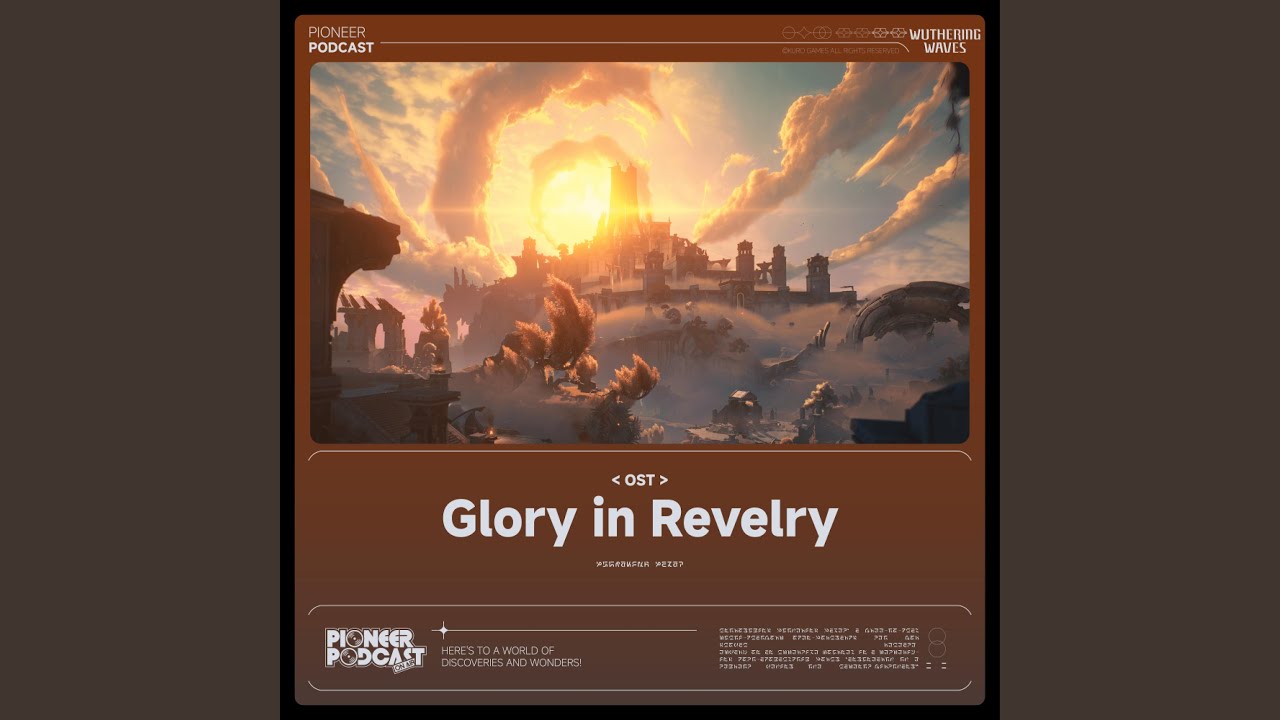
Provided to YouTube by KURO GAMES
The Ballad of Septimont · Wuthering Waves · win7mus · jixwang
Glory in Revelry (Original Game Soundtrack)
℗ 2025 KURO GAMES
Released on: 2025-06-14
Composer: Win Mus
Composer: Jix Wang
Lyricist: Per Fredrik Aasly
Arranger: win7mus
Mixing Engineer: 立石 佑太
Mastering Engineer: jixwang
Vocal Solo: W...
 tough ember
frank heart
it was 1216
tough ember
frank heart
it was 1216
Thanks, I’ll add that edge case
stoic vortex
Latest version is this one right?
tough ember
Yep!
 stiff oak
The color space restrictions seem to be failing? Colors are extending far beyond the chromaticity diagram
frank heart
There is no restrictions
If you use too unreasonable settings then it will stretch the colors
stiff oak
After progressing through a story segment and returning here, it unexpectedly returned to normal
Retracting my previous statement—this issue only occurs in specific scenes
It functions normally most of the time
tough ember
stoic vortex
something in the new nightmare tacet field keeps clamping
Very likely, they like doing that
tough ember
stiff oak
The color space restrictions seem to be failing? Colors are extending far beyond...
try reducing blowout restoration a little when you see that again. i keep mine pretty moderate
stoic vortex
not sure if caused by the mod or not but

it's happening between the slideshow transitions
then fades away
solar path
Ladies and gentlemen, is it just me, or does anyone else feel like a stutter fest made its way to the new patch ?
solar path
stoic vortex
not sure if caused by the mod or not but
How urban of you to share abstract paintings ! 😅 😂
stoic vortex
💀
 umbral granite
'Man, DLSS is totally like native'
The DLSS in question
peak geyser
stoic vortex
not sure if caused by the mod or not but
Sick CRT antenna filter. ^^
astral night
Is this... film grain? 
peak geyser
astral night
Is this... film grain? <:PikaShocked:558389933161709608>
Looks like it, doesn't it.
Grain filter might be glitching out with DLSS on the transition effect or something of the sort?
astral night
it was a joke. seems more like wrong texture format
but could be a broken overlayed texture, so could technically be broken grain
peak geyser
I know there was some mention of it earlier. (I think)
But is there a chance that the WuWa specific addon will get put on the GitHub page? It's a bit tough to find the latest build and keep up to date as things improve with builds just being posted in chat.
stoic vortex
suppoosedly i have grain off so idk
frank heart
@tough ember DX12 lutbuilder - inside certain domains and stages (phrolova boss,...)
Phrolova's ultimate
Also from Phrolova's ultimate
tough ember
peak geyser
I know there was some mention of it earlier. (I think)
But is there a chance tha...
yes, it will
tough ember
stoic vortex
not sure if caused by the mod or not but
uh, that is weird. i don't think that's caused by the mod unless there's some unique interaction there that hasn't come up before?
tough ember
stoic vortex
suppoosedly i have grain off so idk
idk what they use the grain for, they have it in every shader but i guess i'd be surprised if it was always present but they only activate it for specific transitions like that.
@frank heart thanks!
tough ember
peak geyser
I know there was some mention of it earlier. (I think)
But is there a chance tha...
i change the "latest build" in the pinned post every time i post a new build here, by the way
but i do plan on making a PR soon. but i still don't think the main renodx repo will always be the most up-to-date unless i'm bugging SF with pull requests like every other day
Sorry I know not everyone uses GitHub - when I say PR I mean pull request, it’s basically me asking SF to bring my submitted code into the main repository
peak geyser
Does he do the updates for all of the individual game mods on the github? Because there are a lot of them on there.
stoic vortex
tough ember
uh, that is weird. i don't think that's caused by the mod unless there's some un...
Well it's weird because it didn't happen in every transition of that slideshow
But most
frank heart
peak geyser
Does he do the updates for all of the individual game mods on the github? Becaus...
The process is somewhat automatic iirc
So i dont think you need 2 be worried abt thT
tough ember
stoic vortex
Well it's weird because it didn't happen in every transition of that slideshow
what quest does it happen during? when i get to it i can alt-f4 and test there maybe
tough ember
peak geyser
Does he do the updates for all of the individual game mods on the github? Becaus...
he is the sole approver of PRs, yeah. and @frank heart there are automated build checks but he still ultimately decides what gets in the repo
but still - not opposed. just describing drawbacks
GitHub
I followed the infos on the wiki (added the r.Kurotonemapping=0 line and also made sure I never used the ingame tonemap setting) Yet there's still clipping in some areas. It was way worse witho...
another reason to get it on github
stoic vortex
tough ember
what quest does it happen during? when i get to it i can alt-f4 and test there m...
well I believe it's the carlotta coompanion quest
i dont think there's a replay function so i cant record what happens
 tidal leaf
tough ember
i change the "latest build" in the pinned post every time i post a new build her...
tidal leaf
tough ember
i change the "latest build" in the pinned post every time i post a new build her...
many of us link the addons built by our fork to the Mods wiki.
astral night
tough ember
he is the sole approver of PRs, yeah. and <@221530925849116672> there are automa...
I generally don't care unless you're breaking other mods (basically other people's work)
The PR is mostly a security check
Eventually PRs will be auto accepted if it builds and don't have cpp code
tough ember
astral night
I generally don't care unless you're breaking other mods (basically other people...
sounds good, https://github.com/clshortfuse/renodx/pull/326 is out then
 astral night
Why disable stuff on unreal?
tough ember
that's just what i did when i made the addon standalone - you mean removing the wuthering waves defaults right?
        {
            "Wuthering Waves",
            {
                {"Upgrade_R8G8B8A8_TYPELESS", UPGRADE_TYPE_OUTPUT_SIZE},
                {"Upgrade_R10G10B10A2_UNORM", UPGRADE_TYPE_OUTPUT_SIZE},
            },
        },
this?
tough ember
unless you mean moving the lutbuilders/shaders out - i can not do that, i just assumed they weren't reused by any other unreal games so i figured i'd clean up what wuwa left
astral night
tough ember
```
{
"Wuthering Waves",
{
{"Upg...
Yeah, that'd break the unreal mod
tough ember
astral night
Yeah, that'd break the unreal mod
got it - do you want me to update the pr, or do you want to make a maintainer edit?
peak geyser
Thought the WuWa version was a fork of the UE build now.
tough ember
peak geyser
Thought the WuWa version was a fork of the UE build now.
if by fork you mean it was created from it, yes
tough ember
astral night
Yeah, that'd break the unreal mod
updated pr, i don't touch the unreal mod anymore
astral night
Intentionally outputting the wrong color space is weird, fyi. You won't look back on this fondly as time goes on
People are going to think there's a legitimate reason to mismatch color space
tough ember
astral night
People are going to think there's a legitimate reason to mismatch color space
fair - i tried to put a disclaimer and have it as an option just in case some people might want to stretch the gamut without touching saturation
maybe i'll make it extra clear that a better result would come from leaving it at the mastered color space and just increasing saturation
astral night
I generally put an HDR Look button for that reason. People expect contrast and saturation with "HDR" but a full color space mismatch is probably going to invite unwanted criticism
tough ember
that's a good idea and works with what i've been planning on doing for a bit anyway. i know spiwar has a good "vanilla+" preset, maybe i could bug him to make me one that "looks hdr" too :p
tidal leaf
tough ember
fair - i tried to put a disclaimer and have it as an option just in case some pe...
for curiousity, how did you stretch the gamut?
tough ember
tidal leaf
for curiousity, how did you stretch the gamut?
giving bt709 colors to a bt2020 backbuffer stretches bt709 primaries to bt2020. so to output in dci-p3 i converted bt709 using a dci-p3 -> bt2020 transform
tough ember
src/games/wutheringwaves/swapchainproxy/swap_chain_proxy_pixel_shader.ps_5_x.hlsl
tidal leaf
on proxy shader?
tough ember
yeah it's in my custom swapchainpass
tidal leaf
so its BT709 mul DCIP3_to_BT2020_MAT
tough ember
yeah, that does "work". it was more of an experiment when i realized what would happen if i didn't convert bt709 at all when returning it from the swap chain proxy.
tidal leaf
I tend to agree with ShortFuse here, even though I understand that sometimes this is a trick for saturation
Pumbo has that kind of function
and Square Enix
tough ember
it actually produces a different result than saturation, but yeah i do agree with him. i left it in there bc i figured most people wouldn't touch it, or if they did then they'd be aware of the warning i included with it.
tidal leaf
you can look at Adrian's saturation restoration and per channel upgrade in Atlas
using them in the lutbuilder can make things more saturated
one of the trick is to tonemap and lerp in AP1 and back to BT709
tough ember
oh, no i don't actually want to make anything more saturated by default - it defaults to bt709
i might try some kind of saturation restoration in the future, but for now i'm trying to touch vanilla as little as possible. i do appreciate the suggestion, though.
peak geyser
Anyone here use RCAS? Should I have it on Gamma, Linear or Original?
Gamma sounds like it would be the best. But I don't like that it brightens the image.
tough ember
I use Lilium’s for a very minor effect on its luminance setting
peak geyser
Yeah. That's the one I'm using atm
tough ember
Oh, I don’t remember a gamma setting
I might be thinking about the settings it has in SDR because that’s what I’m using in another game atm 😶
peak geyser


Seems like the gamma setting might just be brightening the UI for w/e reason though. I don't think it is affecting game brightness itself. But not 100%
tough ember

GitHub
ReShade shaders focused on HDR analysis, (post) processing and (inverse) tone mapping. - EndlesslyFlowering/ReShade_HDR_shaders
I think you have an old version, looking at this
You could try luminance here and see if it has the same side effects
peak geyser
That's not the HDR one you linked
GitHub
ReShade shaders focused on HDR analysis, (post) processing and (inverse) tone mapping. - EndlesslyFlowering/ReShade_HDR_shaders
tough ember
The HDR one uses what I linked for its settings
peak geyser
Hmmm... ok. I'll try updating them tomorrow and see if anything changes. Thanks. ^^
tough ember
No problem. I had mine pretty low (maybe .25) but didn’t notice any brightening myself at least.
peak geyser
Is just happening on the UI assets I think.
tough ember
Supposedly spiwar uses Optiscaler to apply RCAS which can avoid that? You can potentially try that as another option
peak geyser
True. Maybe if it bothers me enough. XD
Already have SK set up how I want. Don't really want to go through all the work of setting up Opti. lol
tough ember
Yeah same. I’m trying to keep it to ReShade only myself.
 peak geyser
stiff oak
I've tested it: the brightness settings do not affect UI resources.
peak geyser
stiff oak
I've tested it: the brightness settings do not affect UI resources.
That must be a new version? Because mine doesn't look like that. lol
stiff oak
yes
 frank heart
peak geyser
True. Maybe if it bothers me enough. XD
Already have SK set up how I want. Don'...
frank heart
peak geyser
True. Maybe if it bothers me enough. XD
Already have SK set up how I want. Don'...
opti works withh sk
trivially easy
tough ember
raven wedge
For addon listing
Listing what addons?
raven wedge
tough ember
Listing what addons?
Yup, it's kind of uncomfortable to scroll this enitire thread for addon
tough ember
raven wedge
Yup, it's kind of uncomfortable to scroll this enitire thread for addon
I always update the pinned message’s link
raven wedge
Just put them all into dedicated subthread and use versioning
 raven wedge
tough ember
But also, it will be on GitHub now
raven wedge
tough ember
But also, it will be on GitHub now
linky?
tough ember
raven wedge
linky?
Waiting for PR
raven wedge
Ok
tough ember
But yes, prior to it being on GitHub I was hoping people knew I updated that pinned post. I’d pin myself but I can’t
Since I also wouldn’t want to scroll a channel for a new version
 tough ember
@frank heart those are beautiful
tough ember
umbral granite
https://discord.com/channels/1161035767917850784/1178770990411559032/13984857509...
i wish i knew how to make that happen
umbral granite
UE engine.ini HDR 
No swapchain required
bypass all grading
then regrade it from scratch
 stoic vortex
insane screenshots
tough ember
@supple prairie i saw https://github.com/clshortfuse/renodx/issues/325: #1383049193186136216 message (this is also building on github right now)
GitHub
Renovation Engine for DirectX Games. Contribute to clshortfuse/renodx development by creating an account on GitHub.
 supple prairie
tough ember
<@1303776640047779911> i saw https://github.com/clshortfuse/renodx/issues/325: h...
supple prairie
tough ember
<@1303776640047779911> i saw https://github.com/clshortfuse/renodx/issues/325: h...
fantastic, ty for tagging me and letting me know 🙂
tough ember
supple prairie
fantastic, ty for tagging me and letting me know 🙂
No problem, I just randomly checked to see if someone with that username was in here
peak geyser
btw. Figured I'd mention that updating my RCAS version and setting it to luminance fixed by UI brightness like people thought. ^^
raven wedge
umbral granite
UE engine.ini HDR <:soyjakGrin:1309186302058692638>
No swapchain required
?
raven wedge
Damn
 umbral granite
raven wedge
?
umbral granite
raven wedge
?
UE4/5 has internal HDR that can be activated via .ini
Reno doesnt have to do the whole swapchain upgrade which is what breaks Trans FG + MFG. UE internal HDR completely bypass all UE SDR grading though thats why Reno is used
raven wedge
umbral granite
UE4/5 has internal HDR that can be activated via .ini
Reno doesnt have to do th...
Can you show your engine.ini file?
[SystemSettings]
r.AllowHDR=1
r.HDR.EnableHDROutput=1
r.HDR.Display.OutputDevice=5
r.HDR.Display.ColorGamut=2
r.HDR.UI.CompositeMode=1
r.HDR.UI.Level=1.0
I did this, but it broke HDR
raven wedge
capped at 203
umbral granite
in some games UE internal HDR does strange stuff
🤷♂️ Wuwu does custom stuff
probably why
with other UE titles you can get away with using the .ini
albiet you'll lose the original grade
which for some games I prefer
but the point of reno is to maintain intent
tough ember
raven wedge
[SystemSettings]
r.AllowHDR=1
r.HDR.EnableHDROutput=1
r.HDR.Display....
i would not use reno if you do this
stiff oak
@tough ember in version 7/25 compared to 7/24
UI brightness must be set higher than game brightness
otherwise fleur ult gets corrupted
Did you make any changes?
tough ember
stiff oak
<@1178534432915869807> in version 7/25 compared to 7/24
UI brightness must be se...
It is possible that I didn’t patch the DX12 version of the shader correctly, but otherwise no, I didn’t change anything on purpose.
raven wedge
Damn, why devs can't make proper HDR, is it this hard?
solar path
Well, in this case, they didn't do HDR at all so... it would seem that a lack of interest is definitely part of the equation here...😭
tough ember
It sucks, but from their POV the effort to reward ratio is completely skewed because someone needs to give a damn enough to know how to do it, but the reward is so much smaller than proper SDR
Probably also has something to do with people playing on phones, and phones especially aren’t going to benefit
 nocturne lava
Phones could benefit, but they probably don't want to burn in people's screens 
Or burn battery that much faster
tough ember
nocturne lava
Phones could benefit, but they probably don't want to burn in people's screens <...
Yea that’s true, maybe I haven’t played enough phone games for one to have HDR
nocturne lava
I haven't seen any that support it
But I have used moonlight to play on my phone and it is glorious if you have a good phone lol
casual 1000 nit 100% windows with 2000 nit highlights on mine  some phone screens are insane
nocturne lava
tough ember
I do have a good phone 👀
which phone do you have?
tough ember
nocturne lava
which phone do you have?
16 pro max
raven wedge
poco x7 pro here, I'd like to have hdr in wuwa
I paid for 1k nit display
And I want to use it
frank heart
nocturne lava
That phone should be able to do 2000 nit peaks
Keep in mind it might not be actual 2K peaks
Phones/tablet is a hit and miss in terms of tonemapping
It can clip at 2.2k in windows pattern but only go up to 400 nits actual max
nocturne lava
True, although it should still get noticeably really bright
nocturne lava
now I'm curious, I'll have to measure my phone
nocturne lava
frank heart
🙂
not bad for a 20% window

the correction file I have for an oled monitor probably isn't accurate for a phone but ah well for a quick experiment can confirm it is bright
frank heart
youtube hdr processing
is really slow
2 days
for a 6 minute HDR video
and its still not HDR yet
tough ember
oh my god
stoic vortex
You using chrome to check?
frank heart
Ye
tough ember
@peak geyser my "oh my god" was reacting to the processing time lol
 stark topaz
can some one help me on how to install this mod on WuWa?
stoic vortex
stark topaz
can some one help me on how to install this mod on WuWa?
check pins for the tutorial written by spiwar and the latest version of the addon by wino
should be straightforward
stark topaz
stoic vortex
check pins for the tutorial written by spiwar and the latest version of the addo...
Ok thanks
Reshade doesn’t see WuWa 64addon file
I’m using SK for Reshade
Maybe i need to restart
Yeah i needed to restart the game XD
tough ember
Glad you got it working!
stark topaz
so i got an issue, I;m i the only one that gets a shadow like flicker all over the map ? I thought it was my monitor, but it trulty looks like a huge shadow flickering one time really fast
stoic vortex
Flickering, maybe frame gen?
stark topaz
I do not use it since the mod doesn’t work with it, so told spiwar
stoic vortex
Can you record?
stark topaz
Yeah i can
subtle warren
Smooth motion?
stark topaz
T^T so it doesn’t happen, i have a feeling it ONLY happens when I’m in a dialog
 narrow pewter
Are you all using Reshade with a private Server or something? I would be scared using it because of the Anti-cheat