#✅RenoDX: Clair Obscur - Expedition 33
1 messages · Page 7 of 1
 visual flower
 timber umbra
Yeah it does, it's worth it because you have equal chance of losing 5k, or doing 10k more, if base damage is 10k obv
So in the long run it's always worth it
timber umbra
Honestly
It's really simple, super basic math
I prolly learned that at 14 years old or something
 limber goblet
It's wortht it ofc. Seeing a 5 hit combo triggering the 200% damage bonus 5 times in a row is 🤌
 ancient siren
No, because in raw numbers there's a smaller gap between 50-100% than there is between 100%-200%.
e.g. if your hits usually do 100 damage, when you get unlucky they'll do 50 damage. That's -50. Bit if you get lucky, they do 200 damage, that's +100 (and not +50)
visual flower
yeah makes sense for sure
timber umbra
It will be same damage in the long terms of it had 50% chance to do no damage
Or if the 50% damage part had more than 66.66666% chance of happening
(not quite sure about the last statement, I didn't give it much thought, just winged it)
Might be 75%, too tired to think
 compact totem
timber umbra
Or if the 50% damage part had more than 66.66666% chance of happening
compact totem
timber umbra
Or if the 50% damage part had more than 66.66666% chance of happening
Should be this
not more I can't read
but 2/3rds 1/3rds split should be it
timber umbra
Yaaaay, my tired brain is still braining
compact totem
You can love the game but still hate the French 
 gaunt hearth
 pseudo mist
How far into the story did y'all get to?
pseudo mist
How far into the story did y'all get to?
I was lucky that the game released 24th, which I took off and 25th was holiday here. Got immediately hooked on the game so I literally just spent an unhealthy amount of time into it
26 and 27th were weekends so I just did fuck all and played the game
pseudo mist
haha same
 hasty loom
pseudo mist
How far into the story did y'all get to?
hasty loom
pseudo mist
How far into the story did y'all get to?
Completed the download
 slow forum
First achievement unlocked then ? 
limber goblet
pseudo mist
How far into the story did y'all get to?
4 hours into ACT2
pseudo mist
hasty loom
Completed the download
Noice
pseudo mist
limber goblet
4 hours into ACT2
Gl!
 sterile monolith
thats not how math works
if your hit was 100 damage normally, double is +100 dmg, and half is -50
100 > 50
avg dmg is (200 (Double) + 50 (half) ) / 2
125 dmg
 winged dune
Is it just me, or is Ultra+ adding few seconds to battle transition black screen?
 summer folio
winged dune
Is it just me, or is Ultra+ adding few seconds to battle transition black screen...
summer folio
winged dune
Is it just me, or is Ultra+ adding few seconds to battle transition black screen...
yeah it does, first thing i noticed using it
longer load times as well by a bit
limber goblet
winged dune
Is it just me, or is Ultra+ adding few seconds to battle transition black screen...
hmm I did not notice it tbh
visual flower
so have you guys been playing with u+ mostly?
any good comparisons yet?
I'm staying away from it to not lose perf but I assume you can use it with sorta same performance but improvements, but idk if it's stable/good that way
 merry ermine
visual flower
I'm staying away from it to not lose perf but I assume you can use it with sorta...
merry ermine
visual flower
I'm staying away from it to not lose perf but I assume you can use it with sorta...
u+ with high preset just makes sense imo
winged dune
I've tried it and simple dropping DLSS down to Performance was enough to alleviate the hit, the game did look better for sure, but battles starting few seconds longer are off putting me a bit.
visual flower
merry ermine
u+ with high preset just makes sense imo
you mean in-game high preset or .ini high preset?
limber goblet
visual flower
so have you guys been playing with u+ mostly?
yea it's kinda required if you want to fix foliage and stuff
it has performance friendly mode for battles too
it lowers some of the options by 1 during battles
visual flower
so do you tweak it in any way
or you just install it and then change settings in-game and play or?
limber goblet
visual flower
so do you tweak it in any way
I use 80% bloom/fog and I changed the in-game settings
visual flower
what settings do you use in-game?
limber goblet
4080 - 3840x1600 - DLSS balanced - Preset K - High/Medium/High/Medium/Epic/Epic/Epic/Epic/High
it's locked 60 everywhere so far
visual flower
weirdly enough I don't see much of a performance loss even tho mod and hotkeys are definitely working
but I also don't know the difference without comparing it 1-1
battles are definitely loading longer tho like someone mentioned
also it feels like some hair and miscelanious stuff like chains are more shaky with it but maybe I'm wrong
but otherwise seem to look nice
gaunt hearth
I don't think I'm gonna try that. My GPU too old for that
limber goblet
visual flower
also it feels like some hair and miscelanious stuff like chains are more shaky w...
hair should look better not worse hmm
visual flower
maybe it's just some hair
but yea I definitely see the performance hit now outdoors
although my settings are a mix of high and epic, mostly epic
limber goblet
epic shadows/foliage is really heavy with U+
visual flower
yea I got shadows on high
 split void
It seams that custom DLSS resolution (99% in my case) did the trick. 7 hours without crash as so far 🙂
 hybrid wind
limber goblet
epic shadows/foliage is really heavy with U+
hybrid wind
limber goblet
epic shadows/foliage is really heavy with U+
It’s using that much higher settings than the base game, tbh
The base game is using weirdly low values even on High/Epic for multiple settings, apparently
limber goblet
yes plus the foliage is broken
hybrid wind
Medium/High with U+ basically looks and run better than Vanilla’s Epic lol
winged dune
Dropping Shading and Global Illumination from Epic to High on Vanilla is the play for massive performance boost at almost no quality loss though.
SO if performance is a concern its best to compare to that at least.
slow forum
It already is
timber umbra
Open your eyes 
 fiery orchid
from the very based Ultra Plus Mod Manager software available on nexus 
slow forum
Or from their discord
That's the cool thing about U+ mods, don't need a nexus account
And you can still get them event more conveniently than using vortex (eww)
 trim anchor
slow forum
And you can still get them event more conveniently than using vortex (eww)
trim anchor
slow forum
And you can still get them event more conveniently than using vortex (eww)
dw sewer56 is making an alternative
slow forum
I don't like mod managers tho
I only use a handful for specific games requiring them like hitman 3 for the community patch, fluffy for some uncharted 4 ones and U+'s manager for the mods' settings but everything else is manual
 haughty dirge
This is me to a T basically. This game wasn't even on my radar bc I struggle to think of a single turn based game I've enjoyed, so colour me surprised how much I'm enjoying the combat in this and not just living with it to enjoy other parts of the game. Somehow the way you can set up these loooong chains of character abilities stacking onto each other feels so satisfying when it all comes together to deal insane DMG, and the little QTE parts and dodge/party mean I can't actually put the controller down during fights which makes it more engaging too haha
Either way my enjoyment has been a complete shock, I'm defs not the usual target audience for smthn like this 🤷
hybrid wind
It is lol?

Nexus Mods :: Clair Obscur: Expedition 33
Jump into Lumiere with numerous graphical issues fixed, better visuals, and better performance in the definitive engine overhaul mod for E33! Please note, U+ is highly configurable- settings ultimatel
 left yacht

 viscid fulcrum
split void
It seams that custom DLSS resolution (99% in my case) did the trick. 7 hours wit...
viscid fulcrum
split void
It seams that custom DLSS resolution (99% in my case) did the trick. 7 hours wit...
more than 88% is unnoticeable..
i drop it 67%, then gave gpu buget to U+
limber goblet
U+ 1.2.0 fixes the issues with shadows/fog!
 marble plover
How much of a performance hit is U+? I feel the game just manages to maintain 60fps on all Epic settings with DLSS Preset K on Quality with an RTX 5080 at 3440x1440
 warped ginkgo
marble plover
How much of a performance hit is U+? I feel the game just manages to maintain 60...
warped ginkgo
marble plover
How much of a performance hit is U+? I feel the game just manages to maintain 60...
unless you crank shit up
it doesnt seem that crazy
I had a locked 70 fps before u+
and it stayed locked 70 with u+
and thats with me enabling the sdf reflections or w/e its called
5090, all settings on cinamatic, dlss balanced
hybrid wind
marble plover
How much of a performance hit is U+? I feel the game just manages to maintain 60...
With U+, go down to High, it will perform and look better than Epic on vanilla settings
 wraith atlas
Some settings like Reflections I put on low. Which is similar to High in Vanilla game.
wraith atlas
Clair Fix got nuked
 marble plover
Wonder why, surprising
 grim hinge
marble plover
Wonder why, surprising
grim hinge
marble plover
Wonder why, surprising
entire github got nuked
maybe some angry game dev
didn't like someone else fixing their game
haughty dirge
afaik lyall has lost access to his whole account on github, not just this repo
and hasnt heard anything from github support yet
oh, you literally mentioned that in your first msg line
apologies for my (lack of ) reading comprehension
 haughty dirge
replace might with agility and it me
warped ginkgo
maybe if somebody gets an A scaling weapon, it might be worth
I can respec and dump all points into agility
B scaling seems to be a significant chunk less attack power than might
and since I die in 1 hit anyway, the defensive stats do nothing
I'm on hard too
 steady elm
grim hinge
entire github got nuked
steady elm
grim hinge
entire github got nuked
This also happens when someone spreads malware
winged dune
I like not dying from 1 missed parry with some Vitality and Defense without relying on pictos substitutes too much.
Damage, on the other hand, is kinda easy to get going.
Eh, never used them, can't relate 🙂
I don't like edging so hard normaly.

Near the end my Lune got crazy and started giving everyone 9 AP every turn.
grim hinge
steady elm
This also happens when someone spreads malware
did lyall spread malware?
slow forum
No, never once has his stuff ever been flagged
slow forum
Optiscaler's Git was temporarily nuked recently due to Github freaking out over some PR merging or something with the merger's account nuked as well, support got back to him not too slowly but might be a problem on the Github side of thing

 limber goblet
 cobalt crown
Don't let Marat catch you saying that <:snig:1372315229505196162>
cobalt crown
Don't let Marat catch you saying that <:snig:1372315229505196162>
Or Musa 😅
hybrid wind
cobalt crown
Don't let Marat catch you saying that <:snig:1372315229505196162>
It's Marat, it should be considered a compliment almost, when it comes from the gooner king
steady elm
@warped ginkgo did you insult this game? 
grim hinge
 stiff forge
grim hinge
stiff forge
grim hinge

 neon spire
finally got time to paly again, what U+ settings do yall recommend?
warped ginkgo
neon spire
finally got time to paly again, what U+ settings do yall recommend?
I just set the first thing to on
and leave the rest at default, game settings at cinamatic
this
; game/off/on; improves quality of SDFs in reflections especially through translucent objects for a high VRAM cost (>1GB) and a few FPS
BetterReflectionSDFs=on
Sounds like doing that would crush my 3080 Ti. XD
wraith atlas
I wasn't the one originally asking. But if you're offering advice. ^^
slow forum
Same as Marat's but set the game preset to medium is quite nice for 3080
hybrid wind
See if with OOTB settings from U+, you can handle the High preset ingame first, and adjust from there
Multiple settings on Medium are already going to look better than Epic without the mod
And not necessarily run worse, or that worse

 hybrid wind
Motion Blur off, smh
wraith atlas
hybrid wind
Motion Blur off, smh
Most games don't use per-object blur. So I just turn it off by default.
hybrid wind
They... definitely do 😄
summer folio
As a fellow motion blur hater I support you
wraith atlas
Still don't really see the need for it. Moving objects naturally blur imo. It's more an excessive style that obfuscates things.
visual flower
isn't motion blur and other ppe's are just preference
people would die on a hill of turning off motion blur/film grain/abberation while they can make the game look nice in some ways
hybrid wind
visual flower
isn't motion blur and other ppe's are just preference
Well, sure, just like you can disable shadows... because why not
visual flower
not really the same thing but I don't really care
hybrid wind
But it's often a core part of the aesthetic of the game, and it's really really the case for Clair Obscur
wraith atlas
hybrid wind
Well, sure, just like you can disable shadows... because why not
That might be a bit hyperbolic. XD
hybrid wind
It looks so off without it
visual flower
I like motion blur in clair too
summer folio
visual flower
people would die on a hill of turning off motion blur/film grain/abberation whil...
I like film grain, ca is acceptable only if it's light and the game has otherwise perfect image quality, motion blur off unless it's a racing game or DOOM where I want to feel like a race car
visual flower
I really gotta play some racing games sometimes
visual flower
hybrid wind
But it's often a core part of the aesthetic of the game, and it's really really ...
isn't motion blur mostly not very good in a lot of games?
if you can get good fps already for the picture to be smooth and such
hybrid wind
It's great in the majority of games these days, tbh
Some better than others, like Doom TGA being excellent and UE5's too if set up properly
As for when it comes how much frames is needed before it's "enough", that'd be a lot, and you better have a hell of an astounding panel to come with it too
And by lots, probably 400/500+ at the least before you cannot distinguish a difference anymore
And we're not going to have that in any remotely recent games anyway, so it's a bit of a moot point as far as I am concerned, unless the sensitivity of your eyes would be low enough to not see a difference between with and without MB at 120~ frames already
Then it's not really something anyone can do anything about 😄
wraith atlas
I'll try it out next time I play.
Didn't really have strong feeling about it. Just standard practice from years of it being shit.
hybrid wind
It's especially downright mandatory as far as I am concerned during the cinematics
Many of them have such movie-like qualities, and disabling it is your instant reminder that, well, you are playing a game 😄
wraith atlas
I like my game images sharp and clear. I don't need it to look like a movie with grain and stuff. XD
hybrid wind
Ew, abnormally sharp images 
neon spire
that's clearly what he meant of course...
wraith atlas
Not sharp to the point of aliasing, but yeah. lol
A lot of games also just use grain to cover up colour banding.
So I remove the grain and use ReShade to fix the banding.
 fiery orchid
wraith atlas
Not sharp to the point of aliasing, but yeah. lol
A lot of games also just use g...
fiery orchid
wraith atlas
Not sharp to the point of aliasing, but yeah. lol
A lot of games also just use g...
well, grain is usually the way to go to fix banding
games doing this makes sense
hybrid wind
👆
wraith atlas
I mean, it's a far less intensive way to deal with it. But you can actually fix it if you have like 2% GPU overhead with ReShade. (or as much as an end user can "fix" it that is)
hybrid wind
Film grain or just adding some form of white-ish noise has been a common way to lower the impact of banding for a long time
The ReShade tax can be too much for some people on recent games tho hehe
visual flower
I like film grain sometimes as it makes the apperance more film-like too
wraith atlas
hybrid wind
The ReShade tax can be too much for some people on recent games tho hehe
I understand. And you're not wrong.
A developer might be able to do it with less overhead. Doing it with ReShade is probably the most expensive way of dealing with it.
wraith atlas
visual flower
I like film grain sometimes as it makes the apperance more film-like too
Only game I really liked it in was Mass Effect. Really added to the 80's sci-fi vibe.
visual flower
I liked it in jedi survivor too, felt more like a mix of movie and a game
wraith atlas
visual flower
I liked it in jedi survivor too, felt more like a mix of movie and a game
Haven't played that one yet. But I could see that. ^^
warped ginkgo
summer folio
I like film grain, ca is acceptable only if it's light and the game has otherwis...
I always leave all post processing on by default
and then start turning it off
if the implementation is bad
or it looks a bit "??"
wraith atlas
I don't like how many options some games pack into "post processing"
Like, just let me turn off DoF or w/e it is specifically I don't want. But nope, have to set PP to Low and hope it doesn't nuke other settings too.
visual flower
yeah true that
especially with some very questionable stuff like lens distortion in mh wilds
warped ginkgo
DoF off looks uncanny at times
like you might have a scene where you see a lot
but the focus is on the character
DoF blurs the shit thats not the focus of the scene
but DoF off you just see everything in "full detail"
so the important speach on feet vs. armpits the character might be giving
will be like "washed away"
there are games with horrible DoF implementations dont get me wrong; but that goes for literally any tech
framegen is great, some games shit the bed
etc.
 wraith atlas
That's all fair and 100% true.
Personally I have no issue with it for cutscenes because it's all artistically controlled for that specific moment. But in gameplay I have no real use for it.
Many games have the depth set FAR too close to the camera and just makes things look like when I'm not wearing my glasses irl. XD
This is probably due to the more limited LoD that games tend to have on consoles so it makes more sense there. But on PC with my OLED monitor detail it just looks wrong.
hybrid wind
Well, it is abnormal to have everything fully clear at any distance at any time, it's very uncanny
It's like when you are changing for a better prescription for your glasses and for a few hours or even days, it can feel like you see everything too clearly 😄
warped ginkgo
one example for motion blur I like to give
is something you can replicate irl
if a car zooms by you, you dfont see a car in full detail
hybrid wind
(Even had the optician telling me if I wanted to keep my old glasses on me as I left the shop recently lol)
warped ginkgo
take your hand, put it infront of your face like jonhn cena with your fingers spread out
and wave it fast
the hand becomes blurry
and you cant make our individual fingers anymore
hybrid wind
It's less than DoF is badly implemented (although it can be one of the harder post process to mix in the stack, sometimes), but often either overdone (rare these days, tbh) or just... way too tame
wraith atlas
hybrid wind
It's less than DoF is badly implemented (although it can be one of the harder po...
I just find that most have the "wall" of blur too close to the camera where it's blurring relevent data to gameplay. Wuthering Waves has this really bad.
hybrid wind
I do have hope that, as fully PT games will appear in the future, we'll see especially great camera lens implementations, i.e. the key to a great DoF
hybrid wind
wraith atlas
I just find that most have the "wall" of blur too close to the camera where it's...
Unless I am remembering wrong, WW has it far, no?
wraith atlas
warped ginkgo
take your hand, put it infront of your face like jonhn cena with your fingers sp...
Right. But when something flies past your screen its not like you're seeing it in perfect detail either.
hybrid wind
Like most gacha games tbh
slow forum
warped ginkgo
one example for motion blur I like to give
Problem with all of this is it all depends where you're actually looking on screen.. motion blur, depth of field and all should ideally all be dependent on your eyes position vis-à-vis the screen.. Eye tracking + dynamic processing = real efficient use of such effects. Otherwise it's cinematics or imposing something that doesn't exist irl
wraith atlas
hybrid wind
Unless I am remembering wrong, WW has it far, no?
Far? Not really. I find the game unplayable if I don't turn it off because it's so aggressive.
hybrid wind
Okay I have to run it just to be sure now lol
warped ginkgo
wraith atlas
Far? Not really. I find the game unplayable if I don't turn it off because it's ...
DoF is extremely aggressive in this game
like in the overworld
pretty much everything exept your party/mount is blurred
I remember one horrible example of DoF
Star Ocean 6
when there was a cutscene and a char was talking
they'd have like a 10 pixel band around them
and it was extermely obnoxious
I wish I still had pics, but I lost them on pc reinstall
let me see if I can find an example on yt
hybrid wind

Like... that's okay?
That's deeeefinitely not fitting my definition of a DoF being super strong a few meters in front of me, that's for sure
wraith atlas
hybrid wind
That's deeeefinitely not fitting my definition of a DoF being super strong a few...
I agree. Feel like they probably tuned it. They're constantly changing stuff in this game and I haven't played it with DoF on since 1.0. XD

 hybrid wind
The hell with all these stippling artifacts on your screenshots 😄
wraith atlas
You can see DoF a bit on the cherry trees (as you should)
But before, those NPCs details would have been crushed too.
wraith atlas
hybrid wind
The hell with all these stippling artifacts on your screenshots 😄
It's on DLSS Balanced. Normally I play with DLDSR on. But I didn't use it for these screens.
hybrid wind
Weird, I have it on Quality (from 4K though) and I don't see any of it
But yeah, the DoF is super light here, barely a difference
 hybrid wind
Much better 
warped ginkgo
wraith atlas
DoF Off
bad pic, diff scene
are you using any mods for like ray reconstruction
I think UE RR breaks DoF
wraith atlas
warped ginkgo
are you using any mods for like ray reconstruction
Not in those screens. In the latest screen, yes.
Last screen is DLDSR + DLSS Bal Preset K/w RenoDX & Black Floor fix. And a little of Old Nvidia sharpen.
wraith atlas
warped ginkgo
I think UE RR breaks DoF
I don't use any RTX in this game. GPU can't handle it.
hybrid wind
Holy DoF


 wraith atlas
It's legit for cinematics. Can't argue. XD
hybrid wind
It's why it's usually a lot more subtle during gameplay, as you can hardly control/predict where the player will look (and for how long), and why it's usually applied quite far in the distance too
summer folio
DOF in this game looks great overall I just wish it didn't interact badly with hair in a lot of shots, i think FF16 with DLAA has the best DOF I've seen in a game, super high quality and completely artifact free (at least in the major cutscenes)
wraith atlas
If I could just turn it on for cinematics like FF14 that would be ideal for me.
hybrid wind
summer folio
DOF in this game looks great overall I just wish it didn't interact badly with h...
Card-based hair will do that
summer folio
wraith atlas
If I could just turn it on for cinematics like FF14 that would be ideal for me.
assuming you just want to lose the overworld DOF, r.DOF.Recombine.Quality=0 will disable that and fix most of the hair artifacts, you lose subtle DOF in some shots though and IMO there is too much pop-in to disable the overworld dof even if you wanted to
hybrid wind
The sooner we switch to strand-based everywhere for these things , the better
slow forum
It's quite heavy tho
Squirrel with a gun is a funny one to try the perf hit just in its main menu: strand-based fur is tanking fps like crazy
hybrid wind
 warped ginkgo
summer folio
assuming you just want to lose the overworld DOF, r.DOF.Recombine.Quality=0 will...
warped ginkgo
summer folio
assuming you just want to lose the overworld DOF, r.DOF.Recombine.Quality=0 will...
what dlss preset are you using
I'm still on E [4k balanced]
K is rip
didnt try j though
summer folio
warped ginkgo
didnt try j though
using quality ray reconstruction preset e, if i wasn't using the fg mod though i'd probably use normal dlss balanced preset j
K does have a lot of ghosting especially in fog, J is better and u+ also improves the ghosting so the combo of u+ and J might be pretty nice in that aspect
warped ginkgo
yea K was crazy ghosting, thats why I ditched it
but yea I'm using U+ now so I'll try J
slow forum
summer folio
using quality ray reconstruction preset e, if i wasn't using the fg mod though i...
Is it PD's or Opti you're using ?
summer folio
slow forum
Is it PD's or Opti you're using ?
using PD, I only tried optiscaler FG once and it looked worse than LS imo but maybe i just configured it badly or something
slow forum
So it's real dlssg 😊 how does it deal with hud ?
summer folio
no issues with hud, only issues I've seen are some cutscene transitions show the wrong frame briefly though that's likely because PD FG uses reshade for depth when using ray reconstruction, it should be fine without
slow forum
But does it interpolate it all or is it still base fps under hud alphas ?
summer folio
looks like a native implementation, if you're asking if the areas around hud elements run at the base framerate then I haven't seen anything like that
slow forum
Amazing then how good dlssg can be with these without hudless
 latent pumice
God, aliasing from hair self-shadowing on characters' faces is driving me CRAZY
warped ginkgo
slow forum
So it's real dlssg 😊 how does it deal with hud ?
nvidia automagically deals with hud elements
when you use framegen
summer folio
latent pumice
God, aliasing from hair self-shadowing on characters' faces is driving me CRAZY
try
r.SSS.Quality=1
r.SSS.HalfRes=0
or use Ultra+
slow forum
Cause Nukem's will glitch the hud unfortunately, only Opti with hudfix (finding hudless resource) can avoid it for fsr fg
latent pumice
It's a modest improvement...I can't remember ever finding hair and hair shadowing so immersion breaking
hybrid wind
slow forum
It's quite heavy tho
It was fine in Dragon Age Veilguard tbh
If there’s one thing I can give to that game, it was that their hair rendering was pristine lol
slow forum
Likely better tuned to scale
latent pumice
ergh. 1440p balanced with high shadows
slow forum
Squirrel is an indie but not that optimized
hybrid wind
(Spoiler warning tbh)
summer folio
latent pumice
ergh. 1440p balanced with high shadows
that just looks broken, don't remember seeing anything that bad in a 60h playthrough. do epic shadows look better?
hybrid wind
At 4K without FG? With a 6090, maybe
That's... weirdly low
GPU?
Yeah that's weird, even if the 5950X is not a gaming beast
With U+, all on Low, DLSS 4 Ultra Perf from 4K, on a 5070 Ti/9800X3D

So, possible I guess 😄
And it's probably the heaviest area of the game on the GPU side for now
Same previously lowest possible settings (still using U+) VS All on High except GI and Textures on Epic, with DLSS 4 on Balanced, i.e. how I play


The image quality for Ultra Perf is still really great given how it's internally rendering at 720p
trim anchor
hybrid wind
Same previously lowest possible settings (still using U+) VS All on High except ...
looks better than switch 2 cyberpunk
hybrid wind
🤨
hybrid wind
 wraith atlas
trim anchor
wraith atlas
trim anchor
What does this do??
trim anchor
makes your rtss ui not blind you
hybrid wind
Likely not make the OSD look cooked when using HDR
wraith atlas
trim anchor
makes your rtss ui not blind you
Does it just put it back to SDR colours?
haughty dirge
warped ginkgo
didnt try j though
i like J with RR on E 👍 for this game. i feel like i constantly gotta remind myself that we only got CNN model E like, right at the end of its lifecycle, when nvidia put all of its learnings into a "optimal everything" preset. before that whether to use C, D, F could change significantly between games. i have to actively remind myself that this is the part of the process we're currently in with the transformer model - its still WIP - so K is not necessarily better than J just bc its newer. im defs finding myself using K more often than J, but depending on the game's style/effects, how competently they implemented DLSS, which artefacts are bothering you more, etc. there are definitely cases where J is clearly superior to K - which imho is the case in COE33 - tho i have not gone back and tried K now that the game has a good version of U+ (over on the U+ discord a few peeps have noted that K's ghosting is significantly reduced with everything Lazorr fixed in U+)
haughty dirge
summer folio
try
r.SSS.Quality=1
r.SSS.HalfRes=0
or use Ultra+
i really would highly recommend the last option - U+ - i fked around with so many combos of SSS settings but long story short there was like, a linear relationship between eliminating face artefacts and annihilating the detail of characters' faces, ie I could easily achieve basically zero artefacts if i was willing to live with character faces that looked like plastic dolls. U+ isn't perfect in resolving face artefacts, but it improves it a lot while not destroying the image quality (improving it id say)
haughty dirge
hybrid wind
If there’s one thing I can give to that game, it was that their hair rendering w...
tbh that game probs sold me on the fact that i want strand-based hair in every game i now play. was so stoked to see that ass creed shadows had it. even with a hefty perf penalty i reckon (which i did not expect) that i would be willing to reduce other settings by quite a bit to keep strand hair. it left such a massive impression on me in veilguard that i probs regard the game higher than i would have otherwise solely bc of that graphical feature 🤣
haughty dirge
summer folio
that just looks broken, don't remember seeing anything that bad in a 60h playthr...
@latent pumice agreed with @summer folio - that defs doesn't look right. would highly recommend trying the Ultra Plus mod for this game
hybrid wind
👆
haughty dirge
hybrid wind
👆
lmao sorry mate i have a bad habit of catching up on threads im interesting in while being in a very diff time zone to most peeps and usually end up with a whole block of replies - not sure which statement you're agreeing with but im sure all my points were brilliant so ill just assume its the lot xD
hybrid wind
The one just above 😛
summer folio
haughty dirge
i really would highly recommend the last option - U+ - i fked around with so man...
the first SSS setting sets it to max quality, the second one makes it run at native res, it's the SSS.scale that was being tossed around which makes faces look more doll-like, the default is 1 and everyone was recommending 6+ so basically 6x stronger subsurface scattering
obviously U+ is the all around best option though, sets those 2 variables by default plus the other skin improvements
haughty dirge
summer folio
the first SSS setting sets it to max quality, the second one makes it run at nat...
ty for taking the time to clarify - legit really appreciate it - a really nice benefit of joining this server and a few others like U+, SK, etc has been that even tho I have zero plans to turn into a coder myself, I get to learn so much about what things actually do; how they actually work; why that does or doesnt cause issues in games
just in general a community here that's pretty gracious with their time and expertise so not even just directed at you - but in this particular instance defs including you haha
ancient siren
I can't get the "press F12 to load latest settings" working with U+. It's irritating me more than it should
In fact I'm not even sure changing settings via the mod manager is working even if I restart the game. I'll try with the ini itself
 ionic notch
hybrid wind
Holy DoF <:pepeToast:1309186285243469824>
ionic notch
hybrid wind
Holy DoF <:pepeToast:1309186285243469824>
Playing with a frame graph on 
limber goblet
warped ginkgo
but yea I'm using U+ now so I'll try J
you can try K too, it looks normal with U+
I can't really notice the ghosting issue anymore
limber goblet
wraith atlas
Not in those screens. In the latest screen, yes.
Last screen is DLDSR + DLSS Bal...
Preset K causes all kind of ghosting/motion artifacts in Wuwa
wraith atlas
limber goblet
Preset K causes all kind of ghosting/motion artifacts in Wuwa
I haven't really noticed any. At least not compared to Preset C which is what I was using with DLSS 3.
limber goblet
wraith atlas
I haven't really noticed any. At least not compared to Preset C which is what I ...
Preset E works fine imo, but if you can't use Quality DLSS then J/K is better probably. I did not test J yet, but the animation smearing on K was very distracting, maybe it's more noticeable with RT enabled
wraith atlas
I might give it a try. Its easy enough to play with.
I like the clarity of J and K though over the old model.
My eyes also might not be sensitive enough to notice the slight ghosting of the modern models.
latent pumice
I hope Epic eventually finds a way to get their motion blur shader working alongside DLSS in beautiful symbiosis. Coming to E33 from TLOU II, which has exceptional motion blur, is quite a stark comparison
latent pumice
haughty dirge
<@1256854005863288883> agreed with <@1055577886909804715> - that defs doesn't lo...
I do have U+ with default settings. - I upped the resolution to 4K (not feasible on my 4060) and the extreme aliasing was mitigated, but that's just how 1440p and DLSS4 looks in this game.
wraith atlas
latent pumice
I do have U+ with default settings. - I upped the resolution to 4K (not feasible...
You using DLSS/DLAA?
latent pumice
Yes, 3.10.2 Preset J
wraith atlas
latent pumice
Yes, 3.10.2 Preset J
And it still looks aliased? Interesting.
Mine only does that if I'm running at 1440p /w DLSS Balanced.
latent pumice
imo I think transformer model falls apart below 4K and it's def not exclusive to just E33 - Seems like a general problem with most UE5 games.
 sand willow
prob just UE for sure; playing GoW and at 1440p I can take it down to performance w/dlss4 and it looks just fine
certain games hold up better than others on UE though
I think Fallen Order looks fine at 1440p
wukong doesn't look all that great, but it's also a ue5 title now after starting on 4
 thin pike
I game at 5120x1440 and in general transformer has been transformative especially for FPS.
 viral dagger
Does anyone know how rebuild the game shaders? I deleted them but when I launch the game it doesnt trigger a rebuild.
sand willow
You mean like deleting the shader cache?
Could try reverifying the files and next launch it should trigger it is what I’m used to
viral dagger
sand willow
Could try reverifying the files and next launch it should trigger it is what I’m...
I just reinstalled the whole game and it still doesnt trigger.
I'm so puzzled.
sand willow
Try deleting the shader cache again or making sure it’s empty
viral dagger
sand willow
Try deleting the shader cache again or making sure it’s empty
Tried that as well, completely deleted %localdata% for sandfall, did clean nvidia driver install, etc.
Tried everything, its so weird man. Nothing is triggering shaders to recompile on start.
latent pumice
viral dagger
Tried that as well, completely deleted %localdata% for sandfall, did clean nvidi...
gamepass or steam?
viral dagger
latent pumice
gamepass or steam?
Steam.
wraith atlas
Trying to use RenoDX by injecting it with SpecialK and it's messed up.
What did I do wrong?

SpecialK comes out messed up looking if you do that. No?
wraith atlas
Should I just leave these stock?

 sonic scarab
I learned two french words while at work on saturday.
Putain = Damn
Merde = Shit
I always knew one of those two words was shit lol
I basically just started act 3 and need to finish this game but uh kinda taking a break lol.
Odd though ppl having crash issues. I use SK / RenoDX / Ultra+ combined with no crashes.
True. I do local reshade just how Marat stated to do with reshade regular addons turned off. using the reshade here for it too. Don't run RenoDX thru sk right now since it seems to block it from doing anything lol.
When I tried using RenoDX thru SK in Obivion and This game it blocks it from working. Sliders didn't do anything.
You don't need to launch UMM to make it work 🙂
You use that to change settings on the fly if you want.
Once its setup just run game like you would. 🙂
Its basically pak file and uses UE4SS method of injection with unique tweaks that can't be done in simple engine.ini file.
winged dune
Is U+ upscaled cutscenes mod pretty much the same thing as the Nexus mod? Any reason to use one over the other?
 west smelt
I need an enemy scaling mod. The game is not balanced well.
In act 1, I grinded the arena for 30 minutes. It over levelled the party so much that the rest of the game until after Monoco Station became a 1-turn 1-shot joke. After monoco station, there is an optional area, went there, faced some challenge and then party came out like 40 levels ahead. The rest of the game till end game including tower and Simon became a 1-turn 1-shot joke. Started NG+, same thing.
So I started a new play through beelining story missions. Same thing. In act 2, there is no challenge despite being under levelled.
visual flower
there are some issues in terms of where to go/what level you gotta be and overall difficulty variance in the game for sure, but you can also nerf yourself if you want to see more animations and such
that's what I ended up doing in act2
west smelt
visual flower
there are some issues in terms of where to go/what level you gotta be and overal...
I dont like to play that way; artificially nerfing yourself to create a challenge. A lot of games would introduce disablers as part of NG+ to enforce those limits automatically. I find that to be a better way.
limber goblet
winged dune
Is U+ upscaled cutscenes mod pretty much the same thing as the Nexus mod? Any re...
The U+ mod is much higher quality and it’s 4K. It’s not even comparable imo, the other nexus mod is full of upscaling/oversharpening artifacts
visual flower
west smelt
I dont like to play that way; artificially nerfing yourself to create a challeng...
I agree with you but that's probably what we can do ourselves to enjoy the game while there's no mod/patch etc.
it seems like it would require a very complex solution without changing the rules of the exploration too much
like an automatic scaling of sorts
limber goblet
I made the same mistake, I over leveled my party in the early game solo arena 😅
 minor fern
I just finished the underwater level and everything looked really nice. But now in the overworld everything looks really overexposed and overly contrasted. Is there a good middle ground for settings to use? Or I'm curious what settings you guys use
visual flower
I think some places just look a bit like that
can you show screenshots under spoiler?
minor fern
@visual flower sure here you go


I'm still tweaking the settings. Sometimes I like more saturation and contrast, but idk.
visual flower
this does look way oversaturated
what's your settings?
I think it definitely looks like some sliders are way higher than normal
minor fern
@visual flower In the dark areas of the underwater it looked good, although maybe a bit too contrasty. But in other areas it just looks bad.
 visual flower
yea I think those are bound to make your picture look extremely overexposed and saturated
these are Mpaul's settings, you can give them a try

just keep in mind that the picture will look hella washed to you after your usual settings until you get used to it
since you probably got used to your settings
but it also depends on your monitor
so maybe there's some merit
minor fern
visual flower
but it also depends on your monitor
yeah I noticed this especially in the game brightness setting. with my aoc q27g3xmn (1100 peak brightness according to win hdr calibration) in most games I usually can crank up the game brightness to max and it looks best. this is the first game I struggle to find good settings for.
thanks for the settings though I will try them out later
also, does it matter if I grab the pinned file or use the one from https://github.com/clshortfuse/renodx/releases
visual flower
no clue but I'd go with pinned
you can still use your 1100 peak brightness btw, just make sure to not raise game and UI brightness to 500 as it would also probably affect how the game looks, leaving it at around 200 should be ok but you can tweak however you like really
minor fern
I tested it a bit and indeed it takes some getting used to (looks washed), but the highlights arent blown out like they used to and tweaking using above settings as baseline helped
limber goblet
minor fern
<@191608222061166601> sure here you go
💀 That saturation and contrast level 💀
This is what I use with U+'s skin enhancement feature
 limber goblet
minor fern
<@191608222061166601> In the dark areas of the underwater it looked good, althou...
limber goblet
minor fern
<@191608222061166601> In the dark areas of the underwater it looked good, althou...
you are crushing blacks into oblivion with those settings
30 shadows / 60 contrast 💀
and the 500 paper white and UI brightness settings are way too high 😄
hybrid wind
limber goblet
and the 500 paper white and UI brightness settings are way too high 😄
I was about to say 😄
Wut
limber goblet
minor fern
I tested it a bit and indeed it takes some getting used to (looks washed), but t...
Yea, a lot of the areas in the game are very dark. Rising contrast too high is not really recommended
haughty dirge
winged dune
Is U+ upscaled cutscenes mod pretty much the same thing as the Nexus mod? Any re...
U+ is far superior - its 4K whereas the other one is 1080p - the image quality/processing/compression is just better as well - its a much more naturally clean image
wraith atlas
How were the 4k vids acquired anyways?
AI upscaled or ripped from console version?
fiery orchid
upscaled
wraith atlas
Figured. Just wasn't sure. ^^
neon spire
any way to lower dof only in world map
2 steps in front of me and it's all a blur already
making me dizzy
warped ginkgo
neon spire
2 steps in front of me and it's all a blur already
yea a few friends complained about the world map DOF
where everything except the party is blurred
its a bit on the strong side 
summer folio
neon spire
any way to lower dof only in world map
r.dof.recombine.quality=0 will do that
Disables rather than lowering though
minor fern
limber goblet
and the 500 paper white and UI brightness settings are way too high 😄
I'm getting used to new settings and the game looks better for sure. Although I do feel that some recommended settings here aren't bright and don't pop. maybe it's because of different monitors? I don't have OLED
Also trying the U+ mod. Looks good. Anyone know why I can't get the U+ notifications to display as overlay in-game, they only start appearing after I left the game? win focus isn't on.
minor fern
explain
1100 peak -> this is just the number I got after win11 hdr calibration. what's wrong with it?
the 500 paper is something I learned to change after yesterday lol
 buoyant falcon
if your paper white is too high, your highlights will get clipped
and increasing it also brightens the shadows
minor fern
ok so that last part I guess is why I cranked contrast up to get more shadow feel
buoyant falcon
dont recommend go over 300
and 300 is only recommended if you are in a very bright room
neon spire
summer folio
r.dof.recombine.quality=0 will do that
Is this global disable? Or just world map?
sonic scarab
Yeah I prefer to have dof only on cutscenes and not on world map.
sonic scarab
limber goblet
This is what I use with U+'s skin enhancement feature
Question is this for OLED type tv / monitor? I have a AOC Miniled monitor.
summer folio
neon spire
Is this global disable? Or just world map?
Disables one aspect of the dof which is responsible for world map blur and most of the dof hair artifacts, if you don't want the world dof I'd say the only negative aspect is some shots with only subtle background dof will lose it but most of it will be kept intact
sonic scarab
summer folio
Disables one aspect of the dof which is responsible for world map blur and most ...
I mentioned this to Lazorr, he said he might add this in dof settings of Ultra+
B/c it does in fact fix a lot of hair issues in dof.
limber goblet
sonic scarab
Question is this for OLED type tv / monitor? I have a AOC Miniled monitor.
Yes I use an OLED display
visual flower
did U+ ever update the issue with loading times?
limber goblet
visual flower
did U+ ever update the issue with loading times?
the + 2 sec battle loading time?
no, it's not really an issue
sonic scarab
@summer folio Btw new Ultra+ setting for DOF. He added that line you mentioned. That takes care of dof in overworld map and helps hair in cutscenes. 🙂
hybrid wind
No
 sand merlin
If it's not renodx or lillium it almost certainly is not worth using
sand merlin
I was also thinking of those but couldn't remember the name
warped ginkgo
GitHub
Reshade HDR-Compatible shaders that focus on eye-candy effects and basic adjustments - MaxG2D/ReshadeSimpleHDRShaders
idk how much of it is useful ina reno mod with build in saturation shaders
but yea it exists
there is a shader that lets you use sdr effects in an hdr game
it has some downsides like clamping gamut
it:
encodes color
runs effect
decodes color
 halcyon geyser
Are there any guides or recommended settings for RenoDX in this game? I’m referring to sliders like contrast and saturation, or is it just a matter of personal preference? I only want HDR to work without altering anything else to preserve the developers' artistic vision. This is my first time using this mod.
warped ginkgo
keep it at default
and just change peak/game nits/ui nits to personal preferance/dispay capabilities
halcyon geyser
Thanks, I will do that
buoyant falcon
sand merlin
If it's not renodx or lillium it almost certainly is not worth using
pumbo
merry ermine
halcyon geyser
Are there any guides or recommended settings for RenoDX in this game? I’m referr...
Yeah default probably best. For every scene that benefits from some tweaks, there’s another scene that will hate you for it. Mess with settings if you’re down to constantly mess with settings 🫠
 safe jackal
halcyon geyser
Are there any guides or recommended settings for RenoDX in this game? I’m referr...
safe jackal
halcyon geyser
Are there any guides or recommended settings for RenoDX in this game? I’m referr...
You might want to try setting blowout to 1 if you like some white inside your fire
I agree with the other suggestions, this game changes how scenes look very heavily, even between platforms sometimes
limber goblet
Increasing highlights to 53-55, and blowout to at least 1 is recommended even if you keep everything else at the default values
haughty dirge
safe jackal
You might want to try setting blowout to 1 if you like some white inside your fi...
@halcyon geyser I've left everything at default except my display's peak nits (as everyone else has mentioned) and blowout to 10 (I wouldn't go crazy with it and the "right" value probs is both display and personal pref dependent, but blowout 10 gave me enough of that white hot flame look at the core of fire for example that it looked most "right" to me - im sure many - Richard is a good example are v happy with a lower value than 10 but I probs wouldn't leave blowout at 0 - at least on my screen it left what should be the hottest part of flames so colourful and saturated that you really didn't get that hot and bright centre you'd see IRL)
 storm pagoda
does anyone have a save at the end of act 2 or beginning of 3.....
I dont want to talk about it
warped ginkgo
@storm pagoda I got to ||after you find the fat guy's best friend friend, the gestral||
in act 2
idk if thats far enough for you
but I can send you my save
storm pagoda
warped ginkgo
<@162283147277369344> I got to ||after you find the fat guy's best friend friend...
I appreciate it, i got hooked up with a save and a save editor! Thank you though
storm pagoda
is pretty close, ain't gonna be exact to what I've done but hey I'll take it!
is what i get for turning off steam cloud so I could debug peoples issues
warped ginkgo
storm pagoda
is what i get for turning off steam cloud so I could debug peoples issues
the steam cloud is one of the only reasons
I buy games
 frigid cove
what's a good DLSS preset for hair in the game? im using preset k transformer model, and the hair quality is very distracting
warped ginkgo
K is straight up rip
in this game
I've used E for like all of it
gotta try J though
haughty dirge
frigid cove
what's a good DLSS preset for hair in the game? im using preset k transformer mo...
For vanilla game, J is superior to K. If using Ultra Plus mod (which I'd highly recommend), and using it to add ray reconstruction, K actually ends up looking great - the mod significantly addresses most of the things that make K look bad in this
frigid cove
warped ginkgo
I've used E for like all of it
If i lower it to E using nv profile inspector? Will that mean im not using the transformer model anymore?
Not that i mind not using the transformer model if it gives me better image quality
I just have nvpi to use the latest dll and have the preset k selected
warped ginkgo
frigid cove
If i lower it to E using nv profile inspector? Will that mean im not using the t...
e is the default the game ships with
and yea its not transformer
frigid cove
So i just revert back the nvpi settings for the game? And it should use what ever shipped with the game?
warped ginkgo
its worth a try
or try J
I've been happy with E; its not perfect but
its not a smear-fest
limber goblet
The game with Ultra+ and preset J or K looks good imo
No smearing issues
But if you are struggling with performance and/or you don't want to use U+ then preset E + RenoDX RCAS is a good alternative
 faint spade
K/transformer runs better though despite the hair, no?
visual flower
after playing around with U+ for a while
and switching back
idk
there is something good about U+ but I feel like it kills too much
and I can't even explain what exactly
but the vanilla game looks better besides a couple of places imo
maybe if you play on 5090 and can have great fps while cranking the settings it could be better, but vanilla epic looks so good
hybrid wind
It literally improves on everything compared to the Vanilla settings though 🤔
Even U+ High (and some settings even on Medium) is already better than Vanilla Epic
limber goblet
I guess vanilla epic is more blurry
and that gives the game a more oil painting look? idk I think everything looks a lot better with U+ even on high settings
limber goblet
faint spade
K/transformer runs better though despite the hair, no?
than preset E? No
preset E is like 10-15% faster
the usual CNN vs Transformer model performance difference
faint spade
limber goblet
than preset E? No
Than j
But I guess I meant of equivalent appearance not preset
warped ginkgo
limber goblet
The game with Ultra+ and preset J or K looks good imo
I dont see how U+ can fix that; but its worth a shot
the current issue from "forcing" transformer is volumetrics and stuff
I think games with native DLSS4 like doom cope ages
do something special
summer folio
warped ginkgo
I dont see how U+ can fix that; but its worth a shot
a lot of the ghosting is caused/exacerbated by lumen's temporal component, ultra+ uses completely different settings to lessen it, also generally J has fewer problems with volumetrics but more problems with foliage than K
 limber goblet
ClairObscurFix causes screen flashing issues at times
not sure how to fix it
switching back to version 0.9 fixes it
 supple pasture
I've noticed it, too. But it only happens when I alt-tab.
haughty dirge
hybrid wind
Even U+ High (and some settings even on Medium) is already better than Vanilla E...
a fair number of the LOW settings when using U+ are above vanilla epic. some stuff in this game is so borked that the epic values are wayyyy worse looking than the minimum values the epic dev docs suggest for the lowest possible setting 🤦♂️
 pure tapir
I’ve seen lots of talk about preset K having issues with volumetrics. How do those actually show in practice? Like what’s wrong with volumetrics if preset K is used?
limber goblet
pure tapir
I’ve seen lots of talk about preset K having issues with volumetrics. How do tho...
It causes object smearing/ghosting
 supple pasture
So these Ultra+ mods are a legit thing? I know there was someone posting some kind of "ultra" settings for various games and it was mostly doing nothing (and they tried to paywall it behind their PayPal, too).
fiery orchid
yeah they are legit
 regal pivot
yea the Ultra+ modders actually test the stuff they change and make sure it looks better than vanilla, unlike the usual engine.ini meme mods that just copy paste from somewhere else
faint spade
Do you use renodx with ultra+?
supple pasture
Yeah, I do now.
thin pike
limber goblet
ClairObscurFix causes screen flashing issues at times
This was the reason I went back to 0.9 and didn't bother going to the "newest". Was getting a number of weird 32:9 issues on it. But 0.9 does everything right.
faint spade
it's a sudden change in FOV i think in 0.0.10, not sure what causes it
thin pike
Yes, that's what seemed to be happening to me unexpectedly, almost a rapid camera slam of some type.
 grim hinge
warped ginkgo
she should be happy its not armpits
grim hinge
warped ginkgo
she should be happy its not armpits
What was the anime about the guys in prison with the part about being an ass man
 warped ginkgo
grim hinge
What was the anime about the guys in prison with the part about being an ass man
warped ginkgo
grim hinge
What was the anime about the guys in prison with the part about being an ass man
prison highschool or something

MyAnimeList.net
Located on the outskirts of Tokyo, Hachimitsu Private Academy is a prestigious all-girls boarding school, famous for its high-quality education and disciplined students. However, this is all about to change due to the revision of the school's most iconic policy, as boys are now able to enroll as well. At the start of the first semester under thi...
grim hinge
Ya
warped ginkgo
anybody awake
I need help in ch2
I'm lost, and dont want to run around for an hour
 ornate pilot
Your next stop is Old Lumiere
ornate pilot
Its the opposite of ice area
warped ginkgo
yea
I talked to the npc
and he told me where to go
LOL
btw here are my findings
ornate pilot
yeah, there is NPC at the exit to point you lol
warped ginkgo
Display: 4k, 32 inch
Mods: Renodx-UnrealEngine and Ultra+
Settings: All cinamatic graphics, as high as they go, DLSS Balanced
U+ Settings: All default, except BetterReflectionSDFs=on
It seems DLSS Preset J is much better than E and K -- I don't know if it's because of U+. When I tried K some time ago, it smeared like crazy.
ornate pilot
I think E is better for hair coverage. At least with DLSS balanced compare to J/K with DLSS performanced.
I don't test DLSS balanced with J/K because I cannot maintain 60FPS
warped ginkgo
hair is one of the thigns I tested
main reason I stopped using K
J with U+ seems better
I'm doing the second gestral jump quest
got greedy and fell twice
the game built in fucking
getting over it by bennet whatever
what am I doing with my life
nice a red thong
sadly for the wrong party member
I worked hard for that thong
so guess he'll be wearing it from now on
ornate pilot
lol
 visual flower
warped ginkgo
sadly for the wrong party member
visual flower
warped ginkgo
sadly for the wrong party member
I was so mad 😸
safe jackal
Went back to Sacred River, remembering that it looked very cool and mystical
Ultra+ (high settings) removed too much of the fog and the place felt like a regular blue-looking area
I went back to Vanilla Epic
 glass vapor
Finally got around to trying this mod. Works great by the way, thanks
Seems to work fine with RR alone and it, but I had some issues getting DLSS frame gen/motion smoothing to work with both. I saw the thread on GitHub about DLSS frame gen in Oblivion
visual flower
safe jackal
Went back to Sacred River, remembering that it looked very cool and mystical
Ult...
I feel you on that, it definitely improves some aspects but just kills some of the mood in different places
I wish there were more comparisons and settings suggestions instead of everyone just saying it's good lol
frigid cove
does the mod have crashing issues when using with the gamepass version?
 cobalt crown
 He's a public hater / secret lover
 grizzled jackal
smh my head
cobalt crown
contrarian
 hybrid mulch
Hello,why after instaling mod,i can only have like 500-550 peak maximum brightness?
Even when its set to 1500,the cap is like around 550
 viral cave
Is U+ the "definitive" E33 experience? I'm assuming it's the mod on Nexus Mods uploaded by Lazorr (not sure whether linking is allowed)? I'm running Lyall's fix, Perfect Clarity, and RenoDX - any known conflicts?
latent pumice
viral cave
Is U+ the "definitive" E33 experience? I'm assuming it's the mod on Nexus Mods u...
U+ changes the default graphical settings, boosting many of the High/Epic levels to incorporate "Cinematic" levels of detail, as well as being very customizable. If you have a decent GPU then it's certainly worth checking out.
Perfect Clarity's Engine.ini can be removed as U+ already has those changes, based on the options you toggle in the .ini
warped ginkgo
grizzled jackal
i thought you dont like the game
its mid
I want to finish it
so I play it little by little
limber goblet
grizzled jackal
i thought you dont like the game
he heard about Simon
warped ginkgo
viral cave
Is U+ the "definitive" E33 experience? I'm assuming it's the mod on Nexus Mods u...
you can link them
idk what perfect clairt is
but
I'm very happy with U+ and RenoDRT
grizzled jackal
warped ginkgo
its mid
 marble plover
safe jackal
Went back to Sacred River, remembering that it looked very cool and mystical
Ult...
marble plover
safe jackal
Went back to Sacred River, remembering that it looked very cool and mystical
Ult...
Yeah, I had a similar experience tbh, the only real adjustment over vanilla epic that I’d want is a little less bloom so things in the distance are more visible as opposed to being blown out by bloom. The fog could be turned down a little too tbh
safe jackal
Ultra+ (ini file: defaults, in-game: Epic) / Unmodded (in-game: Epic)
Scene is Sacred Rivers entrance, not really spoiler but tagging just in case


4k, DLSS Balanced, Preset K
warped ginkgo
btw I was messing around with J, and noticed issues with hair
but it wasnt anywhere as bad as K
idk if I want to use E or J -- both have their ups and downs
safe jackal
Ultra+/vanilla

 warped ginkgo
omg that suit is so cool
for the transforming dude
where do you get it, if you can share no spoilers
I know a gestral in the Act 1 area
had a few things to sell
where you bought gustav's suit
he had more stuff for sale
safe jackal
I'll check where it is and see if it's not spoiler
safe jackal
it's on endgame optional area that you can't reach yet
safe jackal
on one of those floating islands, not really spoiler to say this because you saw several of them
Ultra+ / vanilla
clouds pass by and cast a shadow on things

 warped ginkgo
lets go, cloud shadows for +400 watts of power
(jk I love U+)
(and would give up all the FPS to make games look nicer)
what u+ settings are you using
I only changed one
warped ginkgo
warped ginkgo
**Display**: 4k, 32 inch
**Mods:** Renodx-UnrealEngine and Ultra+
**Settings:...
...
U+ Settings: All default, except BetterReflectionSDFs=on
safe jackal
warped ginkgo
what u+ settings are you using
just dropped the mod as is to confirm if I wasn't seeing things
safe jackal
safe jackal
Ultra+ (ini file: defaults, in-game: Epic) / Unmodded (in-game: Epic)
Scene is S...
this scene
safe jackal
does it only affect reflections?
haughty dirge
safe jackal
Went back to Sacred River, remembering that it looked very cool and mystical
Ult...
@visual flower there is an option in the U+ mod config that changes how much or how little fog you want - all the way from vanilla game to none - or are you referring to something different that's unrelated to that setting? just curious/would like to keep an eye out for it, im not that far into the game yet (at least dont recognise the place name you mentioned) and so far have not noticed anything I would consider a stylistic change to the game's visuals - purely bug fixes/removal of artefacts, etc so defs wanna be aware/keep an eye out if there are areas where it actually changes the visual style 🙏
haughty dirge
warped ginkgo
**Display**: 4k, 32 inch
**Mods:** Renodx-UnrealEngine and Ultra+
**Settings:...
Lazorr did change a whole bunch of parameters that affect things like the hair fizzle, volumetric fog artefacts, etc. so Preset K does look a lot better with U+ than the vanilla game. That having been said, I'm with you - I preferred J to K in the vanilla game and I still prefer J with all the U+ fixes 👍
haughty dirge
latent pumice
U+ changes the default graphical settings, boosting many of the High/Epic levels...
@viral cave just wanted to add/clarify that even if you have a low end GPU I would still recommend U+ 💯 - the mod on its lowest settings will have similar performance to vanilla game on lowest settings but still have noticeable visual improvements in many areas 🙂
haughty dirge
safe jackal
does it only affect reflections?
iirc it'll affect anything that uses the SDF data which is more than jsut the reflections in games that use software lumen (like this one) - im sick as hell atm tho and feeling pretty groggy so apologies if im misremembering 😬 🙏
haughty dirge
safe jackal
Ultra+ / vanilla
clouds pass by and cast a shadow on things
not sure if you are on the U+ Discord or not - if you are (or if you aren't and you're OK for me to share your screen grabs there?) it would be worth showing Lazorr as I would assume removing shadows from clouds or whatever is happening in that area of the shot is not intentional behaviour
safe jackal
haughty dirge
not sure if you are on the U+ Discord or not - if you are (or if you aren't and ...
the 2 world map scenes I shared were pretty bad samples because they look kinda the same. The scene I'm mostly complaining about is the night forest one
safe jackal
safe jackal
Ultra+ (ini file: defaults, in-game: Epic) / Unmodded (in-game: Epic)
Scene is S...
the Ultra+ side looks more neutral and lacking depth.
The trees occlusion seems better on the vanilla
the grass on the ground that's close to the character also looks better occluded
safe jackal
Ultra+ epic / Unmodded epic
this example shows some trade offs happening


this is a terrible sdr snipe but wanted to show how Ultra+ on the left has flatter presentation of the rocks at the back, while the vanilla has more depth thanks to occlusion

But over here, these assets have better occlusion on Ultra+ on the left.
I'll try playing with the Ultra+ settings to get the rocks at the back to look better while retaining this improvement
 latent pumice
safe jackal
Ultra+ epic / Unmodded epic
this example shows some trade offs happening
latent pumice
safe jackal
Ultra+ epic / Unmodded epic
this example shows some trade offs happening
Huh, looks like U+ may be inadvertently clipping some foliage. Have you tried adding on the Default Scalability mod available on the U+ page to see if that problem remains?
safe jackal
right, I didn't notice the missing folliage
i'll try the scalability mod
i'm not sure if it's a "problem", because it feels that this is a side effect of "more accurate GI" or something like that
latent pumice
Are you still in that area in your game? Mind zipping your save and posting it here?
There is no foliage in the area I'm currently at.
safe jackal
it's the first dungeon, second flag
latent pumice
high and epic settings are using scientific notation on minimum screen size. I didn't even know that's a thing
 safe jackal
\AppData\Local\Packages\KeplerInteractive.Expedition33_ymj30pw7xe604\SystemAppData\wgs
that's the folder you need right?
(I'm on gamepass)
latent pumice
Ahh, I don't think our saves are cross compatible. Thanks for checking tho
default epic foliage:
grass.DensityScale=1.0```

U+ epic foliage:
```foliage.DensityScale=0.9
grass.DensityScale=0.9```

Why are the U+ values lowered?In all its totality, these are the epic scalability settings that U+ changes.
r.Lumen.ScreenProbeGather.DownsampleFactor=16
r.LumenScene.Radiosity.ProbeSpacing=8
r.LumenScene.Radiosity.HemisphereProbeResolution=4
r.Lumen.TraceMeshSDFs.Allow=1
r.Lumen.ScreenProbeGather.RadianceCache.ProbeResolution=32
r.Lumen.ScreenProbeGather.IrradianceFormat=0
r.Lumen.ScreenProbeGather.StochasticInterpolation=1
r.Lumen.ScreenProbeGather.FullResolutionJitterWidth=1
r.Lumen.ScreenProbeGather.TwoSidedFoliageBackfaceDiffuse=1
r.Lumen.ScreenProbeGather.ScreenTraces.HZBTraversal.FullResDepth=1
r.Lumen.TranslucencyVolume.TraceFromVolume=1
r.Lumen.TranslucencyVolume.TracingOctahedronResolution=4

# Shadows
r.Shadow.Virtual.ResolutionLodBiasDirectionalMoving=0
r.Shadow.Virtual.ResolutionLodBiasLocal=0
r.VolumetricFog.UpsampleJitterMultiplier=0.5
r.VolumetricFog.GridSizeZ=96
r.VolumetricFog.UpsampleJitterMultiplier=0.5
r.VolumetricFog.HistoryMissSupersampleCount=8
r.Shadow.Virtual.SMRT.TexelDitherScaleDirectional=2
r.Shadow.Virtual.SMRT.TexelDitherScaleLocal=6

# Reflections
r.Lumen.Reflections.MaxRoughnessToTraceClamp=0.4
r.Lumen.Reflections.MaxRoughnessToTraceForFoliage=0.36
r.Lumen.Reflections.TraceMeshSDFs=1
r.Lumen.TranslucencyReflections.FrontLayer.Enable=1
r.Lumen.Reflections.RoughnessFadeLength=0.25

# Shading
r.HairStrands.RenderStrands=1
r.HairStrands.MinLOD=0

# View Distance
r.SkeletalMeshLODBias=-1
r.ViewDistanceScale=2.0

# Foliage
foliage.DensityScale=0.9
grass.DensityScale=0.9

# Textures
r.VT.PoolSizeScale=2.0
r.VT.MaxAnisotropy=8
r.MaxAnisotropy=16
checked a few more scenes (using default scalability) but they had no perceivable differences with Vanilla
i'll try asking on their discord later
sonic scarab
warped ginkgo
what u+ settings are you using

Mine
At 1440p I get decent fps with my 4080 until I go into a forsest b/c this game uses nanite for foilage and will drop 50 fps alone. With U+ foilage fix active that is another 10 to 15 fps drop.
So in certain areas that I been to its like 25 fps lol
If you want to share your settings from Umm app this is the way to do it.
 limber goblet
sonic scarab
So in certain areas that I been to its like 25 fps lol
limber goblet
sonic scarab
So in certain areas that I been to its like 25 fps lol
im locked to 60 everywhere with a 4080, U+ high/epic, 3840x1600 dlss quality
even in that most demanding forest area
neon spire
I am 4k performance on a 4080 usually 70+ fps doesn't drop bellow 60
sonic scarab
limber goblet
im locked to 60 everywhere with a 4080, U+ high/epic, 3840x1600 dlss quality
huh. screenshot settings? using FG mod?
And have you guys been to red forest or such?
b/c a place with foilage can kill fps.
thin pike
Does seem kind of weak, I don't play on Ultras but I've managed nearly flawless 60 at 3840x1080 with a 3070 so, something's going on.
limber goblet
sonic scarab
huh. screenshot settings? using FG mod?
no FG, and yea I can take screenshots, there was one area in the game where the fps tanked near the boss I think it was that forest area
I even sent my save to Lazorr to investigate
it's the foliage fix that's causing the fps drop
it should run well enough without the fix
I use the fix tho
sonic scarab
well yeah but even without foilage fix it still drops heavily.
I noticed I am down in 30s or 40s
limber goblet
red forest? I will test in in a sec
sonic scarab
one of those locations.
I am in NG+ and not reached that far yet.
Its one of those forests areas.
limber goblet
I'm still in normal NG I can go there
sonic scarab
Could've been clairfix 0.10 too though.
but every where else I am basically locked at almost 60 fps lol.
Was why I was asking for your Settings of Ultra+ Mine were almost maxed out.
sonic scarab
lol
limber goblet
default settings ini
sonic scarab
yeah I figured thats why I asked for settings b/c my settings are heavy. Especially reflections one.
o.O
oh yeah that definitely explains it 🙂
limber goblet
it looks a lot better than vanilla and thats enough imo
sonic scarab
I basically tweaked every setting above default.
pretty good fps for what I was using. Until I hit a forest area lol. Apparently Lazorr said that Reflections do affect foilage as well.
limber goblet
yea I was using higher setting then I hit the forest are with the boss
fps dropped to sub 30
sonic scarab
same 25 I think.
limber goblet
turning down shadows to medium and foilage to high
gave back like 35 fps
or more
sonic scarab
Reflections going from ultra to high was big bump too in fps.
limber goblet
yea I don't use epic reflections either, it's kinda pointless too imo
high looks good enough, it fixes the weird vanilla reflection issues
no need to use RR anymore
sonic scarab
Is ingame Settings all epic?
limber goblet
 sonic scarab
Hmm I might drop RR now.
limber goblet
ofc not
sonic scarab
o.O
limber goblet
oh lol you are using RR?
sonic scarab
I have all that at Epic and almost every setting at maxed in Ultra+ and still maintained almost 60 fps
limber goblet
sonic scarab
I have all that at Epic and almost every setting at maxed in Ultra+ and still ma...
why?
even a 5090 struggles with everything at epic at times lol
sonic scarab
I don't mind fps dropping lower than 60.
limber goblet
ok at 4k
limber goblet
I would lock it to 40 tbh and max everything out if I were you
sonic scarab
So no VRR Flicker
hmm. Might be good idea.
I can't max out Reflections though.
I did notice that LodBias setting on stuff high made hair really uh weird. Especially white hair.
limber goblet
that's fine
white hair looks bad no matter what unfortunately
I mean not bad just not as good as darker hair
sonic scarab
lol I am starting to realize that. After noticing issue I can't unsee them.
sonic scarab
I think the bloom / glare off hair is making those things really noticeable.
I use On + Better hair.
so not entirely off.
I did do that though for NG+
I used On for my first playthru.
limber goblet
sonic scarab
I use On + Better hair.
I use normal on, I don't want to loose foreground DoF
limber goblet
sonic scarab
I used On for my first playthru.
ah ye
I'm thinking about turning it to On+Better hair for my new game + walkthrough
latent pumice
Epic will eventually figure out how to make DOF work with temporal AA in beautiful symbiosis. They've only had fifteen years to figure it out.
viral cave
Currently trying to work through a solution to the RenoDX crashes in the renodx-support forum but figured I'd post a note here as well in case anyone else had experienced this and found a solution. Running a 4090 and an Intel 13700k and the crashes I get are the fatal errors a lot of people have noted on the RenoDX Nexus Mods page. Anybody else dealing with this? Marat mentioned that he ultimatlely decided to use another solution for HDR but I'd like to stick with RenoDX if possible because I've been so happy with the results (outside of the crashing obviously)
grim hinge
viral cave
Currently trying to work through a solution to the RenoDX crashes in the renodx-...
marat is using the generic unreal renodx mod
the sliders won't apply in real time
so you have to go into the settings menu for them to apply
warped ginkgo
grim hinge
so you have to go into the settings menu for them to apply
press start twice
techinacly once
also both unreal engine and ritsus mod are the same thing more or less
the only reason I use the UE mod is because its what I have in my folder + want to find any potential missed lutbuilders
since lutbuilders benefit both mods
the one suggestion I have is
get rid of all reshade fx and addons; get the installer in #🧩renodx-dev
@viral cave
when you open the game, make sure you see this


if that doesnt help fix your crashes, you can always try the Unreal Engine mod -- https://clshortfuse.github.io/renodx/renodx-unrealengine.addon64
but if that doesn't help you; the unreal engine mod will probably crash too so idk
viral cave
Alright I'll give this a shot. Thanks!
viral cave
Last time I'm going to bug you @warped ginkgo I promise! Installed U+, based on what you said in a previous post you turned on BetterReflectionsSDFs and generally just left all the other settings on 'game' (my settings in game are all set to Epic). Also using J setting for super resolution. Am I missing anything? Do I need to go through each setting in the Ultra+ Mod Manager and set them to their max settings or just keep them on 'game' and I'm good to go?
warped ginkgo
I didnt touch any of the othe rini settings
only set the reflections thing to true
idk anything about the mod manager
I just extract the zip from nexus
viral cave
Okay gotcha. Thank you man
 patent lintel
There is a way to fix the absolutely awful pixelated shadows on the faces of the characters?
latent pumice
Are you using any mods? What's your resolution and DLSS setting?
ornate pilot
patent lintel
There is a way to fix the absolutely awful pixelated shadows on the faces of the...
Vanilla game is just like that, try U+ it can mitigate that issue.
patent lintel
latent pumice
Are you using any mods? What's your resolution and DLSS setting?
Sorry for the late answer, i'm using Reno, lyall fix and optimized tweaks and playing at 4k with dlss 4 prof. J performance, it could be one of those things? The game looks really good but those shadows... It's only those on characters
 somber pebble
warped ginkgo
when you open the game, make sure you see this
somber pebble
warped ginkgo
when you open the game, make sure you see this
on the second screenshot. There's no need for those 2 to be running? As they're always on by default IIRC
winged dune
Some shaders might rely on them, but no, you don't need them going with just Reno.
safe jackal
patent lintel
There is a way to fix the absolutely awful pixelated shadows on the faces of the...
strange issue, can you share a screenshot?
I beat the game with Reno and Lyall and characters always looked fine. Idk what "optimized tweaks" is, the recommended engine mod that people is using widely is Ultra+
patent lintel
safe jackal
strange issue, can you share a screenshot?
I beat the game with Reno and Lyall ...
It looks like this, at the start of the game is really bad, in other scenes its less visible, i've also removed that optimized tweaks, it was a mod on nexus but didn't to anything like those others ini files...
winged dune
Probably either broken DLAA instead of Quality DLSS, or lack of Lyall fix with sharpening at 0.
warped ginkgo
dlaa is busted
at 4k
if you want to use dlaa
use dlss quality, and override res to like 99%
or 98%
haughty dirge
patent lintel
It looks like this, at the start of the game is really bad, in other scenes its ...
get rid of any of the snake oil engine.inis - they often mostly do nothing but there's always a chance it could be screwing something up - nuke/delete the game's shader cache, depending on what you want/need install Ultra Plus (more or less the only worthwhile ones of the visual optimisation type mods), Lyall's ClairObscurFix v0.9 (if you need ultra wide fixes, cutscene FPS unlock, getting rid of forced sharpening - fwiw the 0.10 version is borked for many but 0.9 seems to be fine), and RenoDX (if you want proper HDR), and lastly like marat mentioned either don't use DLAA in this game bc its fked (just use DLSS Quality unless your native res is so low that even that doesn't work?). otherwise if you're really set on having DLSS above Quality level, you'll have to override the DLSS scaling factor as per marat's suggestion
after all of that, any bothersome visual artefacts that remain, are unlikely to be resolvable by the user
latent pumice
patent lintel
It looks like this, at the start of the game is really bad, in other scenes its ...
I had the same problem with Preset J 4kPerf/1440pBalanced. Reverting to Preset E and keeping Ray Reconstruction disabled somewhat mitigated the issue
safe jackal
patent lintel
It looks like this, at the start of the game is really bad, in other scenes its ...
Loaded a new game and my game doesn't look that bad but managed to notice where those artifacts come from
Self-casted shadows (gustave's hair on his face) look fine.
Soft shadows on characters from world objects (GI) also looks good as long as they remain static. When they move, there's some sort of ray casting-related dithering going on.
I managed to make the game as bad as in your sample when I set DLSS to Ultra Perf (33%), any other setting the defussion artifacts are still there but they are not as distracting.
latent pumice
And yeah, like the others have said, just ditch those other Engine.ini tweak mods. They cause more problems than they solve.
sonic scarab
warped ginkgo
if you want to use dlaa
use Ultra+ for that fix. I think it has one for this game for DLAA.
Btw ClairFix got update yesterday. 0.11
Version 0.0.11

    Added setting to control timer resolution changes.
    Added setting to control fix for DLAA bug.
    Fixed FOV snapping when letterboxing is disabled.
 jagged portal
V2.2.1
- Add missing shader (Courtesy of Adrian)
visual flower
any idea on where that shader was missing in terms of act/area?
regal pivot
visual flower
any idea on where that shader was missing in terms of act/area?
some attacks with chromatic aberration during a boss battle in late act 2 were clamped before
 topaz yew
sonic scarab
Btw ClairFix got update yesterday. 0.11
```
Version 0.0.11
Added setting to...
topaz yew
sonic scarab
Btw ClairFix got update yesterday. 0.11
```
Version 0.0.11
Added setting to...
got some unreal engine crashes after trying this, went back to 0.9 seems more stable
faint spade
Which dlss preset is best again for vanilla + renodx?
E? Or j? I know k has some smearing issues
latent pumice
faint spade
E? Or j? I know k has some smearing issues
It's really down to personal preference. Preset J causes some post-processing related artifacts & has a performance penalty, but will generally look sharper, especially below 4k, whereas Preset E is more reliable, albeit duller looking. I use Preset E because I generally think that DLSS 4 currently has too many issues with Unreal Engine 5 games.
faint spade
I'm at 1440p ultrawide, I'll see how j and e look
I had been using k but I just got to a point where it's distracting
latent pumice
Playtest a cutscene with both of them.
There's also been some anecdotal claims that the Ultra Plus mod improves the issues that Preset K has with volumetrics.
faint spade
I didn't like how ultra plus looks to be honest, sadly
It's a bit hard for me to compare playing cutscenes, going to see if anyone recorded videos
haughty dirge
faint spade
E? Or j? I know k has some smearing issues
ive settled on J and happy with it - whether the J or K artefacts bother me more or less is very game dependent on what the game's visuals heavily rely on; usually K tends to be the better compromise but in COE33 I'm defs preferring J
haughty dirge
latent pumice
There's also been some anecdotal claims that the Ultra Plus mod improves the iss...
I don't think (with my v limited technical understanding at least) that any improvements are specific to preset K, even just using TAA whatever U+ does helps with fizzle, stability of volumetrics, etc. as a side effect that seems to make K more of a legit option bc it no longer struggles w/ the volumetrics artefacts as much
that having been said, U+ or no U+, I think J looks pretty good in this game
patent lintel
patent lintel
It looks like this, at the start of the game is really bad, in other scenes its ...
So i managed to somewhat improve this problem with the shadows, thank you for all the answers. It's a bit better with dlss preset e balanced instead of j, this was with performance at 4k, i don't know why my game looks so bad compared to others. I also removed all the ini tweaks mods except for the ssr lines i found here on this discord, now atleast is bareable albeit still bad
 vague frost
anything you guys recommend to alleviate pop-in? It's quite distracting at times
patent lintel
vague frost
anything you guys recommend to alleviate pop-in? It's quite distracting at times
Try these in engine.ini:
r.DFDistanceScale=2
r.ViewDistanceScale=2
foliage.LODDistanceScale=2
vague frost
didn't do anything for me :(
vague frost
bumped all the distance scales to 5 and added:
r.SkeletalMeshLODBias=-2
r.StaticMeshLODDistanceScale=0.25
visible improvement on my end now, just in case anyone else has the same issue
faint spade
Any downsides?
vague frost
some performance for sure, i assume it will also depend on the area. I had some headroom since I'm playing with FG but we'll see how it goes
I just hate pop-in in general, way too distracting
 zenith igloo
hi guys i just started playing Clair yesterday, i downloaded renodx for it and the game looks much better, what settings are you guys using on renodx hdr and is there any mods to get better performance? i am playing at 4k using a 4080 and have to put the game on dlss balanced to get 60fps
cobalt crown
There's Puredark or Huutaiii for FG
Probably can squeeze something out of Ultra+
I locked the game to 60 and used MFG 4X
cobalt crown
I finished the game using UE forced HDR
Memery true, but I only did it because Reno wasn't compatible with PureDarks FG
At the time
I also had some combat freezes using Reno but I'm guessing those have now been fixed
zenith igloo
Oh!
faint spade
zenith igloo
hi guys i just started playing Clair yesterday, i downloaded renodx for it and t...
https://www.nexusmods.com/clairobscurexpedition33/mods/144?tab=description this mod is OK but in general most of the performance tweaks don't work that well IMO besides Ultra+, but Ultra+ messes a bit with the look of the game in my opinion so i just used nothing but renodx

Nexus Mods :: Clair Obscur: Expedition 33
Improves performance. Boosts FPS. Reduces input latency. Reduces stutter. Reduces visual artifacts & ghosting. Improves the quality of all upscaling/anti-aliasing methods.
optimax gave me a slight performance boost but i'm on a 5080 at UW 1440p so YMMV
zenith igloo
I'll do that, just renodx
faint spade
have fun!
neon spire
zenith igloo
hi guys i just started playing Clair yesterday, i downloaded renodx for it and t...
have a 4080 as well running dlss balanced at 4k as well with U+
some really heavy cutscenes the fps drops
zenith igloo
What's u+?
limber goblet
U+ is the real deal if you want to fix the visual artifacts
and/or if you want a better looking game
Nexus Mods :: Clair Obscur: Expedition 33
Jump into Lumiere with numerous graphical issues fixed, better visuals, and better performance in the definitive engine overhaul mod for E33! Please note, U+ is highly configurable- settings ultimatel
topaz yew
ultra+ fixes all lod issues for me as well
faint spade
had my first ever display driver crash on any game (had to reset the computer, no display signal but audio kept playing) after updating renodx and clairobscurfix yesterday. anyone else experience this?
neon spire
I get crashes after long play sessions
I did recently install a better map mod. Will try without it.
limber goblet
RenoDX / SK / U+ / clairobscurfix 0.9 here, no other mods, and not a single crash in ~50-60 hours
faint spade
I'm going to roll back to .9 just in case, I used that for 25 hours without issues
Not sure what .11 does tbh
limber goblet
no reason to upgrade yea
faint spade
It might have been a coincidence, but I don't think I've ever had a driver crash that couldn't be recovered without a system power cycle
haughty dirge
topaz yew
ultra+ fixes all lod issues for me as well
just echoing this - by far the most effective of the LOD fixes, just bc some of the LOD issues are due to elements that aren't affected by the common LOD cvars peeps are sharing - U+ is a bit more comprehensive in that regard
haughty dirge
faint spade
I'm going to roll back to .9 just in case, I used that for 25 hours without issu...
i cant recall seeing anyone have a single issue with .9, which i'm continuing to run, whereas issues with .10 and now .11 seem quite common
west smelt
With Reshade 6.5 release, do we still need to use the unofficial reshade for COE33 renodx addon?
Or the changes to unofficial reshade patched into 6.5?
topaz yew
Getting some black artifacts using ritsu's v2.2.1 renodx mod at end of act 2 area || monolith peak||. Turned off renodx and it looks normal. Anyone else run into the same issue?

 obtuse schooner
Hi, thanks for creating a great mod! I haven't been able to follow the discussion closely lately so this might already have been asked, tried searching and didn't find anything, so here goes:
When entering a battle while using RenoDX, there is a small "battle swirl" effect missing. A very small thing, and not really important, but I wonder if it's possible to fix it, for completeness sake. See this video for an example: https://youtu.be/Jw5SkDHdQrw
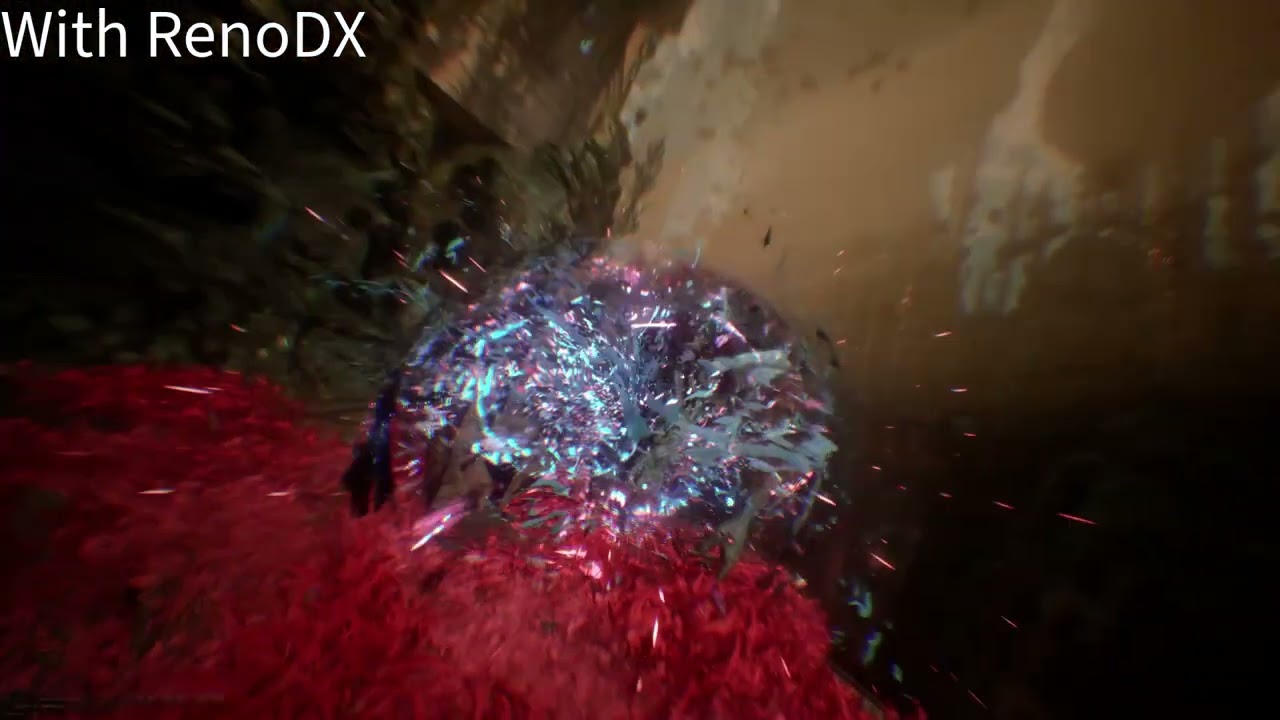
There seems to be a small "swirl" effect missing when entering a battle with RenoDX activated
 surreal thorn
obtuse schooner
Hi, thanks for creating a great mod! I haven't been able to follow the discussio...
surreal thorn
obtuse schooner
Hi, thanks for creating a great mod! I haven't been able to follow the discussio...
#1365094340355035167 message
are you using 2.2.1, if not try that, if still broke, turn on dump luts and share the files
surreal thorn
jagged portal
V2.2.1
- Add missing shader (Courtesy of Adrian)
pin this please
surreal thorn
well 2.2.0 is also pinned so that makes it confusing
obtuse schooner
surreal thorn
are you using 2.2.1, if not try that, if still broke, turn on dump luts and shar...
Using 2.2.1, yeah. I'll dump luts as soon as I'm able, thank you.
sonic scarab
topaz yew
Getting some black artifacts using ritsu's v2.2.1 renodx mod at end of act 2 are...
That is interesting.
grizzled jackal
obtuse schooner
Hi, thanks for creating a great mod! I haven't been able to follow the discussio...
LOL i never noticed that because ive been playing day 1 with reno
i thought that blackscreen transition was intentional
xd
hasty loom
obtuse schooner
Hi, thanks for creating a great mod! I haven't been able to follow the discussio...
missing a copy probably. it's like a screenbuffer effect
obtuse schooner
I installed the Unreal mod and turned on dump luts, but no lutbuilders got written to the game directory. Had a look in the reshade.log, and I'm seeing the following warning written every time I start a battle, which sounds like what you are referring to @hasty loom :
19:32:59:040 [ 1716] | DEBUG | [RenoDX] mods::swapchain::OnInitResource(Marking resource for cloning: 0x000001824545d350)
19:33:05:052 [ 1716] | DEBUG | [RenoDX] mods::swapchain::OnInitResource(counting target, format: b8g8r8a8_typeless, usage: 1cc4, index: -1, counted: 7) [0/7]
19:33:05:059 [ 1716] | DEBUG | [RenoDX] mods::swapchain::OnInitResource(Marking resource for cloning: 0x000001824546f230)
19:33:05:066 [ 5220] | WARN  | [RenoDX] mods::swapchain::OnCopyBufferToTexture(Unexpected source clone: 0x000001824546f230)
19:33:06:068 [ 1716] | DEBUG | [RenoDX] mods::swapchain::OnInitResource(counting target, format: r10g10b10a2_unorm, usage: 1cc4, index: -1, counted: 76) [2/7]
derp
  if (source_clone.handle == 0u) {
    std::stringstream s;
    s << "mods::swapchain::OnCopyBufferToTexture(Unexpected source clone: ";
    s << PRINT_PTR(dest.handle);
    s << ")";
    reshade::log::message(reshade::log::level::warning, s.str().c_str());
    return true;
  }
it's printing the destination
but something is trying to copy to a cloned resource (destination). just the log isn't helpful saying what the source is.
@warped ginkgo yet another candidate for auto upgrades in OnCopyBufferToTexture
warped ginkgo
hasty loom
<@664732951724032001> yet another candidate for auto upgrades in `OnCopyBufferTo...
I have to read up on these auto upgrades
btw I added the "bare minimum" upgrades to Unreal Engine
if you look at ritsu's mod; he has like 10x more aspect ratios for UW, super UW, etc
hasty loom
oof, actually not sure i can fix this
since, you know, it's a buffer
needs a custom shader to handle buffer => texture
sounds like a CPU effect 
warped ginkgo
the only issue I have with clair + game was
no reshade fx
if you have reshade fx
when they compile, even if they're not active
they rip the game
you have to have the effects folder point to an empty directory
ersh and others had the same issue
really weird ue5 shit
and I can replicate that behavior in a ton of ue5 games
here is a log from hours of bug-free gameplay
hasty loom
i need to let it draw to the original destination, then do a custom shader to blit to the rgba16f texture.
vulkan has a one-liner to blit texture => texture if they're not the same format. DX does not
real pain since i have to track the state blah blah blah
hasty loom
warped ginkgo
here is a log from hours of bug-free gameplay
you have this bug, for sure: #1365094340355035167 message
warped ginkgo
hasty loom
you have this bug, for sure: https://discord.com/channels/1161035767917850784/13...
I just watched
I didnt even know that effect was a thing
LMAO
hasty loom
you don't have the warning though, so maybe it's because you don't have the same resource clone
warped ginkgo
wait am I blind
it looks about the same
just reno takes a second to load
ohh I see
the flowers draw on a black screen with reno
vs drawing on a
opaque thing
let me record
hasty loom
🫠
warped ginkgo
spoiler tag ebcause I'm in ACT 2, torwards the end
yep 15:35:45:608 [55344] | WARN | [RenoDX] mods::swapchain::OnCopyBufferToTexture(Unexpected source clone: 0x00000241c39584b0)
hasty loom
warped ginkgo
spoiler tag ebcause I'm in ACT 2, torwards the end
using what?
warped ginkgo
hasty loom
using what?
default unreal mod
which is just
bgr8 unorn/typeless + rgb10unorm output size
and the 3 custom upgrades in addon.cpp
16:9, 4k, dlss balanced
hasty loom
i'd imagine ue hdr ini would have the same issue
or just clamped to sdr
it's an sdr texture effect
 modest cipher
Hi guys, how do u fix cutscene stutters,
https://www.nexusmods.com/clairobscurexpedition33/mods/36?tab=files
Will this mod resolve it? Will the predownloaded video still be with hdr effect?

Nexus Mods :: Clair Obscur: Expedition 33
Improves the visual quality and smoothness of pre-rendered cutscenes
 silver perch
modest cipher
Hi guys, how do u fix cutscene stutters,
https://www.nexusmods.com/clairobscure...
silver perch
modest cipher
Hi guys, how do u fix cutscene stutters,
https://www.nexusmods.com/clairobscure...
I dont know if the original had an 'hdr effect' but I don't remember any highlights popping and I had that mod
did the original have hdr in those cutscenes?
limber goblet
modest cipher
Hi guys, how do u fix cutscene stutters,
https://www.nexusmods.com/clairobscure...
these are video files, use the U+ version if you want better quality FMVs, it shouldn't stutter tho
slow forum
FMV playback stutters are solely dependent on background world FPS, this is one of the lamest FMV playback implementation ever tbh
30 fps FMVs need stable 30fps or above perf, 60 fps FMVs need stable 60fps or above real perf... sux but that's how it is
limber goblet
I don't think that the GPU/CPU usage was high during FMV cutscenes
merry ermine
video playback in unreal is ass and has always been ass
and in general it usually looks wrong in games unless you're at 60hz vsync
limber goblet
depends on the settings you use, but no, it should be the same or faster on vanilla like settings
while looking better
medium/high = epic vanilla
you can tune it to be just as fast as the vanilla game, but U+ is not a performance optimization mod
It fixes many of the issues with the vanilla game, I highly recommend it
 weak shore
to be honest, I find it hard to use, I'm always afraid I'll get less than vanilla, that's why I uninstalled it... I tell myself I'm playing vanilla between high/medium, with ultra+ I have to put it on low, which isn't great. 
limber goblet
you can use the vanilla scaling addon if you don't want to change the scaling tho
latent pumice
Absolute default Ultra+ is a ~15-17% FPS penalty for my mobile 4070, down to 8-10% with the vanilla scalability values intact.
haughty dirge
weak shore
to be honest, I find it hard to use, I'm always afraid I'll get less than vanill...
If you can get passed the naming - which is a long standing problem with settings in PC games haha - U+ will get you better quality at same performance or same quality at better performance. Some of the low settings in U+ are higher than vanilla epic, but not across the board
I would rly think of it as, you can dial things up beyond vanilla epic if you have the horsepower, or you can just benefit from the game running and looking better - just get past the preset names haha, the Nexus Mods page has a really good summary of how U+ settings map to the vanilla ones
 fleet storm
Hello ! Someone with a LG C1-4 with a good RenoDX Preset ?
silver perch
fleet storm
Hello ! Someone with a LG C1-4 with a good RenoDX Preset ?
Any problems visually? Or are you just looking for a custom preset to make it look more 'hdr'?
patent lintel
fleet storm
Hello ! Someone with a LG C1-4 with a good RenoDX Preset ?
I have a cx and i used these settings i found on the nexus page, i think it looks better than the standard settings:
ColorGradeContrast=50
ColorGradeExposure=1.1
ColorGradeFlare=0
ColorGradeHighlights=55
ColorGradeHighlightSaturation=55
ColorGradeSaturation=55
ColorGradeShadows=50
FxPostProcessGrain=1
FxSharpness=0
ToneMapGameNits=270
ToneMapPeakNits=1200
ToneMapType=1
ToneMapUINits=220```are you sure thats fine? because the peak nits are almost 400 over what the display can do
patent lintel
silver perch
are you sure thats fine? because the peak nits are almost 400 over what the disp...
Yes ofc you have to adapt that setting for the nits of your display
silver perch
patent lintel
Yes ofc you have to adapt that setting for the nits of your display
I mean your lg cx
or did you change it from what you pasted here?
patent lintel
silver perch
or did you change it from what you pasted here?
I changed it, it's 800 for my cx, this was pasted from the nexus page
fleet storm
Thanks, i will try this !
 agile light
Does the yellow harvest area just look....not great to anyone else? Like washed out and overly bright? Likely unrelated to RenoDX but wow, this area is brutal visually
warped ginkgo
patent lintel
I have a cx and i used these settings i found on the nexus page, i think it look...
55 contrast/sautration is always a safe bet with renodx mods on oleds
ToneMapGameNits=270 is crazy high though
203 is already bright
at the end of the day play how you want
but I never go over 203, if anything I drop game nits down
haughty dirge
Anyone using RenoDX together with Ultra Plus with the Skin and Light enhancements turned on? I don't want to turn that option off bc it does make a decent facial quality difference but it also causes U+ to interact with RenoDX more
Like without that option, RenoDX on defaults, 800 max nits, 10 blowout looks great to me
With it on, it still looks great to me, but something that I can't put my finger on is different
Just wondering if anyone else is running the same combo on OLED and has any suggestions? 🙏
Ty in advance
(as always I tried to search but Discord search hates me...)
(or I'm very incompetent at using it :/)
latent pumice
haughty dirge
Anyone using RenoDX together with Ultra Plus with the Skin and Light enhancement...
You could try disabling transmission on directional lights, but that might defeat the purpose of the mod.
 haughty dirge
latent pumice
You could try disabling transmission on directional lights, but that might defea...
haughty dirge
latent pumice
You could try disabling transmission on directional lights, but that might defea...
yeah thats kinda my issue, i have a feeling that'll undo the reason i like leaving that option enabled to begin with
and like i said, its not like renoDX's defaults look awful with this U+ enabled or anything
but it defs looks different, so im hoping/am curious if another renoDX user has modified some of their settings & how to account for the difference
either way - ty mate 🙂
limber goblet
I have it enabled and it looks fine imo
As long as you don’t touch the saturation slider haha
but I get what you mean
it looks different but not worse imo
skin can still look weird on the character select screen but it looks good in-game and during cutscenes imo
haughty dirge
limber goblet
it looks different but not worse imo
yeah thats pretty much what i meant - tho you put it better haha - as long as im using reno defaults (which ive not had any reason to tinker with beyond blowout tbh) it doesnt rly look bad or like you said not even worse, just different
so was curious if someone had made some minor tweaks just... bc i can never leave good enough alone lmao (great enough, even)