#✅RenoDX: Clair Obscur - Expedition 33
1 messages · Page 3 of 1
 empty mist
 haughty dirge
empty mist
yea it wasnt using any hardware RT, it was just improved software lumen
haughty dirge
empty mist
yea it wasnt using any hardware RT, it was just improved software lumen
💯 , imho whatever it actually is doing is having enough of an impact on lumen noise, reflection quality, and perhaps most importantly bc it was driving me nuts almost completely eliminating the disocclusion fizzle on character hair that im willing to run it even tho neither the creator nor i obvi understand what we're actually doing 😂
like i said, im under no illusion of how suboptimal my current engine.ini probably is, but the combo of LOD tweaks + this RT stuff at least is making a visual difference i can appreciate vs all the usuall all in one engine.inis on nexus that are pointless snake oil
agreed that these are a no-brainer/probably the only thing everyone would universally benefit from chucking into their engine.ini atm
 sterile monolith
are you a dirty chromatic aberration lover
 merry ermine
Wouldn’t say I’m a lover of it, but I do try to give it a chance if it’s what the devs chose
sterile monolith
theres some level of irony to wanting to stick to "creators intent" in a modding discord
merry ermine
It’s true lol
sterile monolith
especially when its just the default horse shit that every dev throws in their game
 grizzled jackal
ah btw wanted to get back at this.. yeah i feel you, i wish we could enable better quality motion blur settings like on oblivion with ultra+
the commands dont seem to work


sterile monolith
photography and film industry spend countless dollars and efforts to avoid chromatic aberration, every UE game just slathers it in
merry ermine
I think it looks alright here so far, I feel like it fits. If I could disable it for gameplay and keep it for cutscenes I think I would.
haughty dirge
same here, i usually tend to leave all the fake old camera emulation post process crap on by default if its what the devs wanted (unless its full screen and not per object motion blur 🤮 ) but in the case of this game, chromatic abberation, vignette, and film grain somehow combine into making the image SOOOO super soft that i immediately tried turning them off and yeah... this is defs a turn them off game for me
haughty dirge
merry ermine
I think it looks alright here so far, I feel like it fits. If I could disable it...
if that was possible i think id do the same bc i agree it fits the art style, but in combination the various post process lens stuff just has an unusually highly detrimental impact on impact clarity in this game during gameplay
sterile monolith
fun fact, with it disabled, the chromatic aberration effect still functions at the end of battle screen where it makes sense, everywhere else is just blurryvision with a side of astigmatism
 slow forum
sterile monolith
fun fact, with it disabled, the chromatic aberration effect still functions at t...
slow forum
sterile monolith
fun fact, with it disabled, the chromatic aberration effect still functions at t...
Yeah only disabling it via ini works for end battle
 hasty loom
gta does chromatic aberattion only via the red channel. i don't understand it
 acoustic elbow
Is it okay to play WuWa with Reshade + addon support? I thought that would be an instant ban 
haughty dirge
hasty loom
gta does chromatic aberattion only via the red channel. i don't understand it
lmao this might be the funniest instance ive ever heard about re an effect that already doesnt make sense in most games
ty for sharing that
xD
 ionic notch
 merry ermine
sterile monolith
photography and film industry spend countless dollars and efforts to avoid chrom...
merry ermine
sterile monolith
photography and film industry spend countless dollars and efforts to avoid chrom...
you got me thinking about it and as it turns out I guess I usually don't mind it in UE games haha
hasty loom
i'm going to try it tomorrow
acoustic elbow
merry ermine
instantly obvious it's a pretty special game
Yes, I thought the same thing after playing only a few hours
Praying that this is gonna be GOTY
Its really something else. Makes me miss turn based Final Fantasy
merry ermine
I wouldn't say this game is like Nier, but the storytelling reminds me of it. Very confident in its ideas and themes, and when it wants to hit an emotional beat it hits it with everything its got. Haven't played much but it'll probably end up my GOTY I'd guess.
also, making a turn based game with timing windows that aren't straight up QTE prompts is great. Fights are always interesting because you always have to pay attention to what you're fighting and learn the moves.
 ornate pilot
merry ermine
also, making a turn based game with timing windows that *aren't* straight up QTE...
ornate pilot
merry ermine
also, making a turn based game with timing windows that *aren't* straight up QTE...
Agree, I like this playstyle since legend of dragoon on PS1.
And combine it with realtime parry/dodge is perfect I think.
merry ermine
also enjoyed legend of dragoon
I'm not a big turn based RPG guy in general, mostly because I'm easily bored with them. I'm very sensitive to pacing in these games I guess. Really like the systems here, there's not a ton of downtime.
ornate pilot
Yeah, and some skill can damage you if you fail the QTE 😅
grizzled jackal
merry ermine
instantly obvious it's a pretty special game
this is defo my game of the year so far, will be very hard to beat that for me
grizzled jackal
hasty loom
i'm going to try it tomorrow
defo go in completely blind, the prologue hits so different when you dont know what happens and the trailers etc spoil that sadly
(source: i went in fully blind and i was crying in the prologue which i dont think ever happened in a game for me)
 neon spire
merry ermine
I wouldn't say this game is like Nier, but the storytelling reminds me of it. Ve...
neon spire
merry ermine
I wouldn't say this game is like Nier, but the storytelling reminds me of it. Ve...
Same, didn't think anything will get past MHWilds but this just might.
grizzled jackal
did some more adjusting with my reno settings (preset 1 is "default" preset 2 is my adjusted)
haughty dirge
grizzled jackal
(source: i went in fully blind and i was crying in the prologue which i dont thi...
dude ive barely cried twice in my entire life
the prologue had me sobbing - so glad i knew NOTHING about this game
 warped ginkgo
honestly so far the game is mid for me
the combat in some shit like Infinite Wealth unironically feels more fun
atm on hard mode I have two options:
- nuke them with a parry
- use the ezpz op dodge, and fight normally
I'm not too into the story yet; I found onion knight in act 1 -- so I'm not that far in; we'll see if it gets better
but my friends who got further in on hard say it stays as parry spam
@clear turtle no sdr lut; ap1 hue shifts
nvm this doesnt look too bad
but if an area uses an sdr lut in the lutbuilder; which many areas do based on the shaders -- they will look off when using ini hdr
 visual flower
merry ermine
I wouldn't say this game is like Nier, but the storytelling reminds me of it. Ve...
visual flower
merry ermine
I wouldn't say this game is like Nier, but the storytelling reminds me of it. Ve...
it reminded me of nier A LOT at some point, so you got a keen eye
 cobalt crown
grizzled jackal
cobalt crown
grizzled jackal
Remove '='
 fiery orchid
console doesn't accept =
it's only valid in INIs
grizzled jackal

 warped ginkgo

grizzled jackal
ok doesnt fix the kind of "glitches" around the character sadly
maybe theres other motion blur stuff id have to look that up
cobalt crown
What's the matter? Don't like sizzling on the edges of characters every time the camera moves
UE5 special sauce
Still GOTY for me so far and an incredible debut game from a new studio
Are they using baked lighting?
The GI looks very good in some areas
Though I see typical lumen noise so might be hybrid?
 balmy bloom
grizzled jackal
ok doesnt fix the kind of "glitches" around the character sadly
balmy bloom
grizzled jackal
ok doesnt fix the kind of "glitches" around the character sadly
probably an upscaler issue
grizzled jackal
cobalt crown
Though I see typical lumen noise so might be hybrid?
I would say hybrid yeah
grizzled jackal
cobalt crown
What's the matter? Don't like sizzling on the edges of characters every time the...
yeah, i think u+ in oblivion made it a bit better
 plucky finch
grizzled jackal
ok doesnt fix the kind of "glitches" around the character sadly
plucky finch
grizzled jackal
ok doesnt fix the kind of "glitches" around the character sadly
Try r.MotionBlurSeparable 1 and r.MotionBlur.TargetFPS 0
and r.MotionBlur.Max 5
the last one might be a default though
grizzled jackal
seperable is default
target fps was -1
for target fps not sure what you should actually set that to as i dont understand that variable
plucky finch
grizzled jackal
target fps was -1
-1 uses engine default, which is 30fps
grizzled jackal
i set it to 60 for now as thats my fps cap but no clue if that makes sense
plucky finch
grizzled jackal
for target fps not sure what you should actually set that to as i dont understan...
0 auto changes the motion blur shutter speed based on the frame rate
This is physically accurate to how the cameras work irl
Essentially, the higher the frame rate, the less MB applied
grizzled jackal
ah
big brain
so since my cap is 60
its basically the same if i set 0 or 60

plucky finch
ya
grizzled jackal
looks really good, you wouldnt think this is 60 fps xd
 buoyant falcon
plucky finch
Try `r.MotionBlurSeparable 1` and `r.MotionBlur.TargetFPS 0`
buoyant falcon
plucky finch
Try `r.MotionBlurSeparable 1` and `r.MotionBlur.TargetFPS 0`
what does the first one do
buoyant falcon
grizzled jackal
looks really good, you wouldnt think this is 60 fps xd
ya i cant play games at 60 fps without mb now
😩
 digital venture
plucky finch
Try `r.MotionBlurSeparable 1` and `r.MotionBlur.TargetFPS 0`
digital venture
plucky finch
Try `r.MotionBlurSeparable 1` and `r.MotionBlur.TargetFPS 0`
If I want to use this setting, shouldn't I put a " = " before the number in engine.ini ?
visual flower
please make sure to put under spoiler any screenshots or videos after earliest stages of the game
🙏
 sand willow
Did it ever clean up the noise or just live with it? Later areas don’t seem to suffer like the beginning from what I’ve seen so far
grizzled jackal
visual flower
please make sure to put under spoiler any screenshots or videos after earliest s...
ah yeah i usually do, forgor
plucky finch
buoyant falcon
what does the first one do
Adds the second MB pass to smooth out the resolve
 old wing
Does anyone know why the RT mod was removed from Nexusmods?
slow forum
Oh it was ? Likely because Nexus freaked out about the author shipping dlss & streamline DLLs
fiery orchid
old wing
Pitty, I really like it, to me it seems it replaced some of the SSR with RT (even if just software), SSR should be eradicated, it annoys me so much now that RT exists
slow forum
Oh, message indicates the author pulled it himself
old wing
Not sure, maybe they messaged him about the DLSS stuff and he then took it down
slow forum
Possible but the reason in the message wouldn't make sense if it was that
old wing
just so anyone who still wants it can get it, the DLSS RR dlls can probably be obtained elsewhere
slow forum
https://github.com/NVIDIA-RTX/Streamline/tree/main/bin/x64
They're all there

GitHub
Streamline Integration Framework. Contribute to NVIDIA-RTX/Streamline development by creating an account on GitHub.
 bold minnow
old wing
just so anyone who still wants it can get it, the DLSS RR dlls can probably be o...
bold minnow
old wing
just so anyone who still wants it can get it, the DLSS RR dlls can probably be o...
a lot of the stuff he has in here doesn't do anything because it's the wrong UE5 version
I noticed it in his original version of the engine.ini
a lot of commands are unknown or already have the value he tries to override
It seems he just copied something from another game or so
empty mist
He just uploaded a new one
Called just RT Enhanced, no High no medium no Ultra
just this
seems like a lot of lines are gone
bold minnow
oh yea that's much cleaner
bold minnow
still interesting, he left the temporal denoiser for the reflections on but also enbales RR
enables*
should be one or the other
I don't know if RR overwrites temporal denoiser for reflections
I don't think it does much tbh
most noticable thing is ray reconstruction
and downsample factor will create clearer reflections
neon spire
what's the performance hit on this one?
bold minnow
probably around 20% with RR on
other than the denoiser change performance cost should be negligible
 near mulch
Hi there! When I use renodx, do we agree that nvidia rtx hdr should be disabled?
bold minnow
again, I don't think this ini does too much
bold minnow
near mulch
Hi there! When I use renodx, do we agree that nvidia rtx hdr should be disabled?
yea
near mulch
And do I have to change any settings in reshade or can I leave it as is?
empty mist
near mulch
Hi there! When I use renodx, do we agree that nvidia rtx hdr should be disabled?
yes disable it and just use reno, hdr enabled in windows obviously
empty mist
near mulch
And do I have to change any settings in reshade or can I leave it as is?
just put your Peak brightness to your monitor, and rest is your own preference. If you like default use it or try moving the sliders to your liking. Or scroll up in this channel and copy someone else's sliders and see if you like them :)
near mulch
empty mist
just put your Peak brightness to your monitor, and rest is your own preference. ...
Thanks !!
digital venture
What do you think of this ? https://www.nexusmods.com/clairobscurexpedition33/mods/71

Nexus Mods :: Clair Obscur: Expedition 33
Includes the r.Lumen.TraceMeshSDFs parameter, which helps to achieve more accurate lighting and reflections calculations.Performance loss: 2-4fps
near mulch
Is it possible to combine renodx and reshade?
 surreal thorn
uh... you know reno is a reshade addon right
hasty loom
we've reached that point
grizzled jackal
 marble plover
grizzled jackal
marble plover
grizzled jackal
How did you enable autoexposure for DLSS Preset K btw?
merry ermine
near mulch
Is it possible to combine renodx and reshade?
assuming you mean reshade presets, yes, though a lot of reshade shaders don't behave properly in HDR.
near mulch
merry ermine
assuming you mean reshade presets, yes, though a lot of reshade shaders don't be...
Yes, sorry, I meant combine renodx and preset reshade. Thanks in any case!
visual flower
digital venture
What do you think of this ? https://www.nexusmods.com/clairobscurexpedition33/mo...
looks worse than vanilla on screenshots imo
btw Jon I tried your preset (and other presets people suggested here) and I still think the default is the best probably, at least for me personally 👀
merry ermine
default game looks good
visual flower
some things just don't look quite right with any preset, which leads me to believe it's just engine's thing
in terms of the game not being designed for hdr initially
merry ermine
the more I play the more my preset shifts closer to default tbh
visual flower
makes sense
I'm in a quite dark area and even with default it is pretty dark
but with presets it crushes details quite a lot
merry ermine
what I'm using now lol


 silver perch
merry ermine
what I'm using now lol
silver perch
merry ermine
what I'm using now lol
way way way too much saturation for my tastes
merry ermine
visual flower
but with presets it crushes details quite a lot
default game "crushes" detail too. It plays with contrast a good bit. I'm not focused on making everything visible all the time, I just care if it looks good and keeps things visible that need to be. The game likes to juxtaposition the silhouette of objects in the foreground with brightly lit objects in the background.
merry ermine
silver perch
way way way too much saturation for my tastes
did you set blowout as well?
silver perch
yes
visual flower
merry ermine
default game "crushes" detail too. It plays with contrast a good bit. I'm not fo...
yeah in terms of visibility and everything "pop" it's def very good
I usually love that too
the less "foggy" picture in hdr
merry ermine
silver perch
yes
I see. It's functionally not that much more saturation than default lol
but I get it
merry ermine
it might end up being a good bit more sat in that dark red area, I haven't gotten there
silver perch
testing it in camp rn
I like to turn down saturation and instead make the highlight saturation higher
visual flower
there are some scenes in default that are outliers in terms of visual representation where it just looks wrong but I'm not sure if presets can fix that
it's usually in overly bright scenarios where you expect the light to look differently
merry ermine
but it's really not that much more lol

 visual flower
but it looks kinda like a bit washed out exposure I want to say
silver perch
merry ermine
but it's really not that much more lol
thats how it looks like to me too
visual flower
this looks like so much more to me honeslty but not in a bad way
silver perch
so I might just be more senstitive to it
visual flower
I think your colors look right and beautiful
merry ermine
technically 80/80 sat/blowout would be a rough match for ACES in HDR, which is what the game uses in SDR. So in that sense you could argue it's "intended". Who knows if they'd actually make that choice with HDR though 🤷


 visual flower
ggs
silver perch
so that it shows
merry ermine
upload hdr pngs, reshade takes them
merry ermine
those are JXRs, PNGs will embed
silver perch
ah
merry ermine
I'm more sensitive to highlight saturation lol
silver perch
its a lot stronger
so I need to turn it down comparatively
like, 80 sat vs 80 highlight, the highlights will look way stronger
so I might need to use like 60 highlight sat to match the intensity
is there something like icat (image slider) online? something that supports hdr images
visual flower
silver perch
this is mine
looks pretty good on a first glance
it's just a little less bland than the default
which is pretty nice
silver perch
my goal was to try and keep the default style but make it look a bit more "hdr"
had to put blowout to 5 or otherwise some lamps look overexposed
visual flower
I like it so far, thanks for sharing
empty mist
im testing these values rn and it looks pretty good for a minimal fps hit
r.Lumen.TraceMeshSDFs=1
r.Lumen.TraceMeshSDFs.Allow=1
r.Lumen.TraceMeshSDFs.TraceDistance=300
silver perch
digital venture
What do you think of this ? https://www.nexusmods.com/clairobscurexpedition33/mo...
thats this one right?
empty mist
yes
the lumen enhacner
def better than the RT Enhanced mod
that one cost me like 20-30 fps for a small visual upgrade (except Reflections)
with these 3 lines
reflections for sure not perfect
 silver perch
you think it is better than vanilla? Is it possible to turn it on and off in game to quickly see the difference?
like with a console
empty mist
hm let me try
i do have it in engine.ini
so im not sure if it will actually override those values or not
visual flower
silver perch
my goal was to try and keep the default style but make it look a bit more "hdr"
I think I'll still stick to default thought, it's kinda funny I go back and forth and somehow still end up liking the foggy atmosphere more
empty mist
1st image is with those 3 commands, 2nd with off

 silver perch
I disabled film grain in the settings and renodx and added my own global film grain on very sublte settings to give me back a bit of texture and foggy-ness
empty mist
i assume its working since fps goes up by like 3 fps as soon as i turn it off
silver perch
did you disable it in console?
empty mist
ye
i can see it changing somewhat
when i change the values
to my eyes
it just adds a slight depth
not to reflections but like the AO
im not honestly sure lmao
silver perch
depending on the scene I like it more but in some I also like it less. I might just turn it off. Rather keep my tweaks simple unless I really like them
silver perch
looks like it mostly makes things darker. Though idk if it looks better or worse
empty mist
here its somewhat visible


atleast i think it is
it does get slightly darker
but its really minimal
silver perch
because it is less bright it looks like contrast is a bit higher. Looks as if it has a higher gamma curve. But idk if thats for the best for me. Because if we compare two images then the one with higher gamma will most likely look better
but I also dont want to just turn up all the sliders
empty mist
here it makes stuff shine slightly more tho

 merry ermine
RT can be subtle like that, but it should mean that all sides of objects look more correct. I find that RT improvements are more noticeable in person as you navigate the world than they are in any one screenshot really
hard to say what's best for this game though, they use color in very specific ways
empty mist
merry ermine
RT can be subtle like that, but it should mean that all sides of objects look mo...
yea to me it makes some objects look slightly better
silver perch
empty mist
yea to me it makes some objects look slightly better
Do you know if it might make very dark places a bit worse clarity wise?
Like extremely dark caves
empty mist
@silver perch first is with it ON, second with it OFF


its really minimal
not near a cave rn so icant say
but this is a dark spot i found
here look at the rocks near the light on the floor


thats kinda the biggest difference i spotted
 inner pagoda
merry ermine
what I'm using now lol
inner pagoda
merry ermine
what I'm using now lol
Have you tried this in act 2 yet? I feel like that saturation value might be a tad bit too much in act 2.
Noob question, what does the blowout slider do? I see it desaturates when I drag it, when are you supposed to use it
silver perch
inner pagoda
Have you tried this in act 2 yet? I feel like that saturation value might be a t...
If you notice any highlights like lamps or other bright lights to completely lose all detail and become monochromatic bright blobs I think
For my settings everything was fine at 0 blowout except for like a single lamp in the manor I think
So it’s hard to notice how much you really need
inner pagoda
Yeah, it looks fine to me at 0 but I might not have looked at the lamps lol
Thanks, appreciate it!
silver perch
It was a chandelier in the manor I think. Looked like uniform orange blobs of light to me
(It was fixed at a blowout of 3 for me but I think I settled on 5 at the end. Was probably caused by highlights being above 50 I reckon)
merry ermine
inner pagoda
Have you tried this in act 2 yet? I feel like that saturation value might be a t...
Not in act 2, no.
Blowout desaturates as luminance increases. Using a high saturation value with high blowout (that matches or nearly matches) adds deep rich colors in darker regions and rolls them off towards white as luminance increases.
inner pagoda
That’s helpful, thanks! Will play around with it later!
silver perch
I like the bw scenes the most
inner pagoda
Yep, game is incredible
But the parry timing is way tighter than I expected lol
Feels great though
merry ermine
Game would be a cakewalk if it wasn’t haha
silver perch
I played through act1 in the hard difficulty but I might set it to normal. Some fights took me like an hour
Because I’m too stubborn to leave to camp, level up, return
neon spire
party comp matters a lot in this game but they spend so little time explaining things
glad they at least give you easy respecs
 compact totem
visual flower
this game is so good
compact totem
visual flower
this game is so good
 compact totem
silver perch
Because I’m too stubborn to leave to camp, level up, return
compact totem
silver perch
Because I’m too stubborn to leave to camp, level up, return
Just hit all the parries 🔥
empty mist
neon spire
glad they at least give you easy respecs
havent used a single one yet, not sure what i would do different xd
empty mist
the one for the Skills tree or the one for upgrade levels?
empty mist
ahhh okay
silver perch
I used one to try and put all points into a single stat and that’s it
empty mist
i have mine kinda spread out
visual flower
inner pagoda
But the parry timing is way tighter than I expected lol
it is, I was surprised too, but it kinda what makes it really fun and rewarding
also the system itself that you can use dodges until you're comfortable is so smart too
empty mist
some characters i have more in 1 attribute and other in a different one, but i try to level them up all at the same time somewhat
compact totem
visual flower
also the system itself that you can use dodges until you're comfortable is so sm...
Already posted this in the hdr content gaming forum one but https://fixupx.com/expedition33/status/1917653210212270542
OKAY, we were wrong, we get it.
︀︀
︀︀The true strategy is dying over and over until you land a counter.
︀︀
︀︀This is the second option.
Quoting Clair Obscur: Expedition 33 (@expedition33)
︀
Remember, you can always practice your parries by dodging first, and learning the enemy moves.
︀︀
︀︀Dodging is a little easier, which allows you the time to start memorising patterns.
︀︀
︀︀Practice is everything!

 FixupX
·
merry ermine
visual flower
also the system itself that you can use dodges until you're comfortable is so sm...
FixupX
·
merry ermine
visual flower
also the system itself that you can use dodges until you're comfortable is so sm...
My problem is that I will choose to fail until I can hit the parries well enough.
Feels too good to hit the parries and get the action points or whatever they’re called
visual flower
yeah true
silver perch
I have turned off film grain in renodx and the game settings and enabled this filter. I think I like it. I made it extremely extremely subtle and almost unnoticeable. It only gives the image a little bit of "thickness" and texture that might be lacking with it off in the game.
 compact totem
merry ermine
My problem is that I will choose to fail until I can hit the parries well enough...
compact totem
merry ermine
My problem is that I will choose to fail until I can hit the parries well enough...
Let's be real this is the only valid way to play the game 
 errant jackal
silver perch
I have turned off film grain in renodx and the game settings and enabled this fi...
errant jackal
silver perch
I have turned off film grain in renodx and the game settings and enabled this fi...
If you install liliums shaders, there is HDR filmgrain shader which is good stuff
silver perch
will look into it
what does it do different?
I like the one above because of the signal-to-noise function that makes it less intense for bright objects
hasty loom
silver perch
I like the one above because of the signal-to-noise function that makes it less ...
that's how the RenoDX grain works

Desmos
visual flower
is there a way to check which options of Lyall's fix are enabled? like a hotkey that pops console?
 jagged portal
V2.1.0
- Add missing shaders (Courtesy of Adrian)
silver perch
visual flower
is there a way to check which options of Lyall's fix are enabled? like a hotkey ...
idk what fix that is but if its the one on github then there is a .ini
merry ermine
I'm so glad you guys are working on this 😭
slow forum
jagged portal
V2.1.0
- Add missing shaders (Courtesy of Adrian)
Newer Reshade ?
6.4.1.25 (older one was 6.4.1.21)
jagged portal
Yeah, nothing major
silver perch
visual flower
I think I'll still stick to default thought, it's kinda funny I go back and fort...
actually now that I am in act 2 I had to change them to something even less agressive cuz the light in the clouds behind the paintress was too yellow

so maybe over time my preset will also converge to default
 pearl wagon
plucky finch
Try `r.MotionBlurSeparable 1` and `r.MotionBlur.TargetFPS 0`
pearl wagon
plucky finch
Try `r.MotionBlurSeparable 1` and `r.MotionBlur.TargetFPS 0`
Do I want to use any of these commands if I DO have motion blur enabled? I use motion blur and film grain
empty mist
i only tried and use the second command and motion blur looks great to me
 copper rock
jagged portal
V2.1.0
- Add missing shaders (Courtesy of Adrian)
copper rock
jagged portal
V2.1.0
- Add missing shaders (Courtesy of Adrian)
Do we need to force a shader recompilation when we upgrade the mod?
merry ermine
pearl wagon
Do I want to use any of these commands if I DO have motion blur enabled? I use ...
yeah, you'd pretty much always want games to use targetfps 0. It makes motion blur strength scale with framerate.
 wraith atlas
DLAA still broken?
 grizzled pulsar
should I use the in-game film grain if I already have renodx's film grain enabled
wraith atlas
wraith atlas
DLAA still broken?
Yup, just crashed. RIP
warped ginkgo
just set dlss quality to like 90%
with transformer unless you're on 1080p; no need for dlaa
hell I use dlss balanced [@ 4k, 32 inch] even if I dont need it
because transformer gud
grizzled pulsar
there are some rare moments where you can see ghosting on particles. But yeah transformer looks really good. I'm using DLSS Quality at 1440p
warped ginkgo

sand willow
grizzled pulsar
there are some rare moments where you can see ghosting on particles. But yeah tr...
yea it's like on flower petals floating around etc. but even then not on all of them
 median swift
warped ginkgo
just set dlss quality to like 90%
median swift
warped ginkgo
just set dlss quality to like 90%
are we able to do that in game?
warped ginkgo
median swift
are we able to do that in game?
nvidia app
haughty dirge
slow forum
Oh it was ? Likely because Nexus freaked out about the author shipping dlss & st...
I imagine it was this as mods that contain DLSS and/or Streamline files get removed from Nexus all the time for this reason. Authors usually tend to link to the Streamline Github or TechPowerUp for the DLSS dlls and include instructions on how to download and where to place them
haughty dirge
bold minnow
I don't think it does much tbh
Fwiw I haven't tried the newest version yet, but in the absence of an Ultra Plus mod for this game for now, and even knowing that what the author originally claimed wasn't possible (enabling hardware RT), the mod has a significant impact on the quality of lumen reflections and completely eliminates the fizzle and occlusion artefacts around character hair, both of which were driving me nuts. Agree that I don't love having an ini full of stuff where I don't know what it does/a lot of it might do nothing, but at least vs most engine.ini type mods on Nexus there's a major* visual impact so I'm willing to bear with it for the moment 😅
- To be super clear, when I say "major" visual impact, that's a very subjective assessment as the two things the mod does affect significantly (lumen noise and hair fizzle & disocclusion) are things that really stand out to me so I'm willing to pay a hefty performance penalty to eliminate them. I'm sure many, if not most, people would not share my view as the effect it has on the overall image quality besides those factors is much smaller
warped ginkgo
does the game use profile E by default?
haughty dirge
marble plover
How did you enable autoexposure for DLSS Preset K btw?
Sorry, not the OP you replied to, I use Special K to force DLSS presets and turn auto exposure on/off
warped ginkgo
it ships with 3.7
lets see what replacing it with 3.8 does (iirc 3.8 doesnt support profiles outside of E and F)
https://i.imgur.com/NsjCk7Q.png
yep profile E out of box
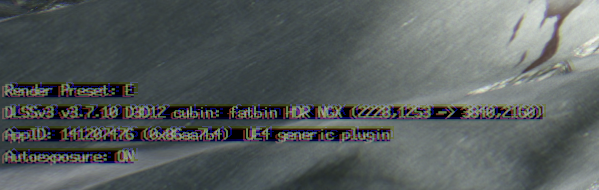
btw in this game transformer seems a bit off; esp around volumentrics (K)
but use what you think looks best
haughty dirge
warped ginkgo
btw in this game transformer seems a bit off; esp around volumentrics (K)
yeah it has the same-ish/similar issues with volumetrics as in other UE5 games. J is better in that regard but worse on foliage. atm imho im willing to live with the issues as the trade off is the performance i can recover by running DLSS in performance mode - if it has frame gen I would probs stick with E
neon spire
same issue in MH wilds
 teal willow
idk if theres been any more discussion on this, but is it just not possible to run RenoDX on clair obscur without stutters [particularly in cutscenes?] usually happens on camera cuts, but it can happen in game and just in general too
when i removed renodx, and ive been playing for a a few days since then all the stutters were gone or significantly lessened
neon spire
teal willow
idk if theres been any more discussion on this, but is it just not possible to r...
there are some cutscenes that are terrible but most are fine, stuters are ther no matter what reno does make them worse for sure
lyall's fix helps if you cap fps at 60 and unlock cutscene frame rate
 slate ingot
warped ginkgo
btw in this game transformer seems a bit off; esp around volumentrics (K)
slate ingot
warped ginkgo
btw in this game transformer seems a bit off; esp around volumentrics (K)
I usually use preset J (transformer as well) in games with volumetrics issues
sand willow
is there just normal flicker on objects in this game or is that a draw distance issue?
sand willow
 safe jackal
sand willow
safe jackal
sand willow
what's annoying from your clip is the ghosting from the petals, are you using dlss or something else?
I'm not seeing much flickering, but I'm giving this game a lot of margin for its imperfections/visual artifacts because it isn't really a huge AAA project
slow forum
haughty dirge
I imagine it was this as mods that contain DLSS and/or Streamline files get remo...
Nah it's back online as a single variant still shipping with the DLLs, guess the author did have an issue not knowing how to solve and then had a lightbulb moment
 somber pebble
slate ingot
I usually use preset J (transformer as well) in games with volumetrics issues
somber pebble
slate ingot
I usually use preset J (transformer as well) in games with volumetrics issues
You feel J works better with volumetrics than K?
At this pace nvidia isnt releasing a better model anytime soon lol
slate ingot
somber pebble
You feel J works better with volumetrics than K?
At this pace nvidia isnt releas...
Yes it’s better with volumetrics in most games i’ve tried so far. But say ACShadows is shit with both
haughty dirge
somber pebble
You feel J works better with volumetrics than K?
At this pace nvidia isnt releas...
especially given its beta status, imo it makes more sense to think of transformer DLSS and its presets like we used to think of CNN DLSS before preset E came out in like, 3.7? or whenever it was
like depending on the game, the engine, the implementation, the art style, etc etc sometimes C, D, or F would be superior
it wasnt until they "maxxed out" the CNN model that we got preset E as the, best of all worlds kinda preset
i think they will get their quicker with the new transformer model just bc they have more experience at this stage, but i think it makes sense to think of the transformer presets like we used to think of CNN presets
if shimmering and ghosting is a big issue, K tends to be better than J
if volumetrics are the big issue, J tends to be better than K
and then theres just games (like AC Shadows) where E continues to look better than either of the beta presets so might as well use that - not like theyre taking away the old presets any time soon 🙂
plucky finch
pearl wagon
Do I want to use any of these commands if I DO have motion blur enabled? I use ...
Yes
visual flower
slate ingot
I usually use preset J (transformer as well) in games with volumetrics issues
does it affect anything negatively in return compared to K?
slate ingot
visual flower
does it affect anything negatively in return compared to K?
Image less sharp/refined in the distance
 eternal python
merry ermine
yeah, you'd pretty much always want games to use targetfps 0. It makes motion bl...
eternal python
merry ermine
yeah, you'd pretty much always want games to use targetfps 0. It makes motion bl...
How do you enable the console?
eternal python
grizzled pulsar
should I use the in-game film grain if I already have renodx's film grain enable...
Good question
 ebon python
eternal python
How do you enable the console?
ebon python
eternal python
How do you enable the console?
If you're using lyalls fix you can set enable console to true in the config it comes with
eternal python
ebon python
If you're using lyalls fix you can set enable console to true in the config it c...
I'm not, is it recommended to use?
ebon python
I would recommend it. It disables 30 fps cutscene lock among other things
GitHub
An ASI plugin for Clair Obscur: Expedition 33 that removes the 30fps cap in cutscenes, fixes ultrawide issues and more. - Lyall/ClairObscurFix
eternal python
Will try it out! Thanks
What does this mean tho? "Disable letterboxing/pillarboxing in cutscenes."
Removes black bars?
errant jackal
Yes
eternal python
Oh I definetly don't want that
 west smelt
eternal python
Oh I definetly don't want that
west smelt
eternal python
Oh I definetly don't want that
It’s configurable in the ini. You can disable it if you don’t want it.
plucky finch
eternal python
Oh I definetly don't want that
It's optional
Everything about the mod is
 elder void
buoyant falcon
why not
elder void
buoyant falcon
why not
Those never bothered me neither. Guess they composed the cutscenes with letterboxing in mind.
digital venture
it's more for widescreen as there is also black bars right and left, so it's like you have a small screen
eternal python
elder void
Those never bothered me neither. Guess they composed the cutscenes with letterbo...
Exactly
eternal python
digital venture
it's more for widescreen as there is also black bars right and left, so it's lik...
Yeah in this case it makes sense
merry ermine
eternal python
How do you enable the console?
I do that in Engine.ini
Needs to bd created, edited, and then set read only otherwise the game deletes the file.
eternal python
I installed the fix above
Do i need to enter whichever command I want every time I launch the game?
merry ermine
yes, or add them to engine.ini so it automatically applies them
eternal python
merry ermine
yes, or add them to engine.ini so it automatically applies them
Ohhh, I will add it to the ini then
How do you go about setting that ini up tho?
merry ermine
eternal python
How do you go about setting that ini up tho?
steam: %LOCALAPPDATA%\Sandfall\Saved\Config\Windows
xbox: %LOCALAPPDATA%\Sandfall\Saved\Config\WinGDK\
create Engine.ini
add
r.MotionBlur.TargetFPS=0```
save, close
right click, properties, set read onlyThanks! Your`re the goat <3<3
This makes the motion blur behave accordingly with no issues, right?
merry ermine
yeah, I've been using it the whole time
eternal python
Nice
visual flower
Jon did you do any more adjustments to your preset? starting to like it more and more
 eternal python
What does the blowout setting do?
merry ermine
reduces saturation as luminance increases. Increasing it adjusts the curve that it applies on, so the higher the setting the more bright colors get shifted towards white.
merry ermine
different kind of shadow slider, not really sure how to describe how it differs
different kind of curve, personally I think it looks a lot better than dropping shadows
jagged portal
Shadows affect all of the lower range, flare is basically black crush
eternal python
Ohhhh black crush, gotcha
I'm still probably going to leave it at default for more accuracy tho
 thin pike
digital venture
it's more for widescreen as there is also black bars right and left, so it's lik...
thin pike
digital venture
it's more for widescreen as there is also black bars right and left, so it's lik...
Sorry for late reply but, playing this game in 32:9 with black bars is certainly not as engrossing. 😂
empty mist
Is there any way to make Reno remember the preset I used before closing the game? I currently use Preset #3 and it always switches to Preset #1 after I close game and start it again
slow forum
No, it's RenoDX biggest caveat imo
bold minnow
 bold minnow
empty mist
Is there any way to make Reno remember the preset I used before closing the game...
bold minnow
empty mist
Is there any way to make Reno remember the preset I used before closing the game...
fastest way would be to just swap presets by changing number here
I guess
in the reshade.ini
maybe there is a hidden setting we could set for default preset?
empty mist
okay good to know will try that
somber pebble
DLAA isn't doable in this game with reno right?
slow forum
Should be, there was even a dedicated DLAA fix update to Ritsu's build recently
empty mist
somber pebble
DLAA isn't doable in this game with reno right?
works for me i tried it again today and it ran just fine for me
old wing
got this crash and it's consistent, I removed any other mods and tweaks, I don't want to spoil where I am, since it's about 20 hours into the game

Using DLSS quality
Just saw that I'm not on the latest build, will try 2.1
somber pebble
I dont know why but was expecting it to run a bit better at 4K epic DLAA with a 4090 😄 opening playable section already quite a bit of stuttering lmao
old wing
Nope still crashes
Anyone else got the game crashing later on? I can't continue the game
It crashes consistently at the same part right after my safe
eternal python
somber pebble
I dont know why but was expecting it to run a bit better at 4K epic DLAA with a ...
Epic settings are insane in this game. Try all high and textures and post process epic
eternal python
old wing
It crashes consistently at the same part right after my safe
Try to remove Reno and check
eternal python
If it's reno maybe remove, play a bit and then try adding it back?
empty mist
somber pebble
I dont know why but was expecting it to run a bit better at 4K epic DLAA with a ...
I play all epic on dlss quality with a 4090 just fine, but im on 3440x1440 so not as high as 4k :D
somber pebble
empty mist
I play all epic on dlss quality with a 4090 just fine, but im on 3440x1440 so no...
Well, I am using the enhanced lumen mod as well. But yeah, after the first cutscene, balcony. 4K, Epic, DLSS Quality Preset K, rotating the camera = 63-74 FPS.
Also using reno of course. Beta reshade version from here, also using the dxgi that was in the reno download
empty mist
somber pebble
Well, I am using the enhanced lumen mod as well. But yeah, after the first cutsc...
to sort of assure you, the worst location where i had the worst fps in the game was that prologue area. there i was sitting at around 70-90 fps with all Epic, after that in later areas of the game i'm mostly sitting above 100-120 most of the time
the lumen mod only made me lose about 2-3 fps so its not a big hit tbh
eternal python
Is it really noticeable the lumen mod?
bold minnow
old wing
got this crash and it's consistent, I removed any other mods and tweaks, I don't...
interestingly I had this error happen a lot with reno but it stopped happening since I disabled all Post Processing effects via engine.ini
unfortunately that disables DoF too which looks quite good on this game
here's my engine.ini in case anyone's interested
I've got some personal lumen tweaks to reduce some artifacts and weird lighting
old wing
Thx, but I'll stick with RTX HDR for a moment, way uglier than renodx though, didn't know the difference was that huge
bold minnow
old wing
Thx, but I'll stick with RTX HDR for a moment, way uglier than renodx though, di...
you could also just enable native hdr through engine.ini instead
should look much better than rtx hdr
still not as good as reno
old wing
bold minnow
you could also just enable native hdr through engine.ini instead
I did already try that, but imo rtx hdr looks better, renodx is way ahead though
and my engine.ini is an abomination trying to make the game look best, it's a mix of all the lumen/rt/lod mods and I get 35 fps in camp with a watercooled 5090 and am very happy with it xD
old wing
old wing
and my engine.ini is an abomination trying to make the game look best, it's a mi...
dlss quality btw not dlaa
bold minnow
old wing
and my engine.ini is an abomination trying to make the game look best, it's a mi...
bruh hahah
somber pebble
old wing
and my engine.ini is an abomination trying to make the game look best, it's a mi...
looool holy crap 😄
It's weird though. I don't go below 60 but rotating the camera on a controller nonstop doesn't feel like 60 fps, it's like there's some odd framepacing stuff going on.... no idea what's going on or if it's just how the game is...
Regardless, the game doesn't look THAT amazing. Wasn't expecting to see some shadows on the floor literally being occluded/"de-occluded" literally 10 cm from my character on Epic and with the enhanced lumen engine.ini loool.
Everyone was praising this game so hard and how good it looks/runs I legitimately thought it was going to run much better than this
eternal python
It has the typical ue5 shortcomings but it can look really good at times
somber pebble
Even in the "ball" or whatever is going on after the paintress wakes up, I was expecting mirrors there to have RT reflections 😄 Gustave isn't even reflected in those weird
old wing
bold minnow
bruh hahah
if you want to give it a go, though just noticed I activated DLAA by accident, with DLSS Quality I still get around 60 FPS
somber pebble
https://www.youtube.com/watch?v=j4Go424PV38
this is my exact setup so I'm experiencing the exact same thing as in this video, so nothing wrong on my end at least 😄 Hopefully these framespikes and weird tiny stutters are just in the prologue
somber pebble
Also, DLAA is broken right? Cause dlss indicator showed it was rendering at an odd resolution, not 3840x2160
 summer folio
somber pebble
Also, DLAA is broken right? Cause dlss indicator showed it was rendering at an o...
summer folio
somber pebble
Also, DLAA is broken right? Cause dlss indicator showed it was rendering at an o...
Yeah it's capped at like 80% scaling even if you force like 99% or something via dlsstweaks, only way to render at native internally is to use dldsr+dlss, but that's very expensive at 4k
bold minnow
somber pebble
https://www.youtube.com/watch?v=j4Go424PV38
this is my exact setup so I'm exper...
it's weird for me personally this game has a completely flat framtime graph
oblivion on the other hand has massive stutters
I've seen guys experience the exact opposite
summer folio
Same and same, oblivion frametimes are a mess
somber pebble
summer folio
Yeah it's capped at like 80% scaling even if you force like 99% or something via...
Looks like it's something they should fix in a patch then. I guess I'm just gonna play at High DLSS Q, hopefully DLAA when they fix that
somber pebble
bold minnow
it's weird for me personally this game has a completely flat framtime graph
https://youtu.be/BAoG90UZW5U?si=yEYTwOiC_pSbAvDD&t=512
I've timestamped but here even with a 5090 + 9800x3d, same deal
bold minnow
somber pebble
https://youtu.be/BAoG90UZW5U?si=yEYTwOiC_pSbAvDD&t=512
I've timestamped but her...
yup I saw his vid on release too
I was already nervous when I saw it's UE5
but luckily I have zero issues veeeeeery rarely do I have a minor stutter
 bold minnow
https://youtu.be/x_lkXQrHUJE
bold minnow
bold minnow
https://youtu.be/x_lkXQrHUJE
I didn't engage any enemies or anything on purpose to not spoil anything
but this is how it runs for me
as soon as youtube has processed it
eternal python
The difference from native (1st image) to reno (2nd) is INSANE
Its in spoiler because theres a non starting character in the shot. You can only see the back tho, nothing major at all (still in act 1)

 empty mist
does anyone else have this issue where i cant put another window on top of E33 itself?
its like the "always on top" in task manager, anything i wanna view just goes behind the game :D
bold minnow
reboot your pc
had this problem with other games as well
sometimes it's just windows
bold minnow
yea it's still probably just windows
I know exactly what you mean
you could start using a second desktop for this kind of stuff
windows key + tab
if you're on win11
empty mist
good idea tbh
never in my life have i used that option
maybe best time to start lol
 bold minnow
 ember solstice
hi vik, we have the same name lmao
are you using any lumen tweaks in your engine.ini?
ember solstice
hey there! I am
bold minnow
yea most likely one of those is causing this, probably has something to do with screentracing or something like that
eternal python
ember solstice
hey there! I am
Then it obviously is that lol
These tweaks always introduce some sort of issues at some point
bold minnow
yea it's best if you keep your engine.ini tweaks very simple and clean
ember solstice
bold minnow
yea most likely one of those is causing this, probably has something to do with ...
Oh. that makes sense. I thought you were going to say that. lol
eternal python
Yup, the devs are not dumb (usually). If they didnt use those tweaks its probably for a reason 😛
ember solstice
Its not a massive deal breaker but I think they do make the game look a bit better
merry ermine
empty mist
does anyone else have this issue where i cant put another window on top of E33 i...
Just the way the game is. You can control window behavior like this with SK
ember solstice
I have not noticed any issues besides this.
merry ermine
ember solstice
I had this issue even without tweaks tbf
I still have it after tweaks too lol
eternal python
merry ermine
I had this issue even without tweaks tbf
Oh really? haven't had it myself
Weird
bold minnow
yea haven't seen that one either
bold minnow
man I freakin' love this game
eternal python
I played on gamepass and today I transitioned to steam cause I wanted to support the studio. No issues in either
bold minnow
it's soooo good
merry ermine
Huh, yeah idk then
eternal python
bold minnow
it's soooo good
Hell yeah, I expected it to be good. But not THIS good
ember solstice
merry ermine
I had this issue even without tweaks tbf
lol. I don't remember. I was playing as gustav at the start without the tweaks so didn't look at his face much but he comes on my screen quite often now with that cyberpunk beard. lol
merry ermine
Well, technically I’ve been using a motion blur tweak this whole time…surely that wouldn’t cause this though
eternal python
merry ermine
Well, technically I’ve been using a motion blur tweak this whole time…surely tha...
Im also using it and nah
ember solstice
merry ermine
Well, technically I’ve been using a motion blur tweak this whole time…surely tha...
what is this motion blur tweak?
eternal python
Fixes the motion blur to update at the correct framerate instead of the default 30fps
bold minnow
r.MotionBlur.TargetFPS=0 <- makes motion blur adjust to the actual fps of the game instead of having a fixed value
merry ermine
merry ermine
steam: %LOCALAPPDATA%\Sandfall\Saved\Config\Windows
xbox: %LOCALAPPDATA%\Sandfal...
This
ember solstice
bold minnow
r.MotionBlur.TargetFPS=0 <- makes motion blur adjust to the actual fps of the ga...
oh thank you. thats nice. how does it behave natively though?
eternal python
I think with that, Reno and Lyalls fix the game is perfect
eternal python
ember solstice
oh thank you. thats nice. how does it behave natively though?
30 fps
empty mist
weird, i never had any issues with the beard on the character the whole time of my playthrough
ember solstice
got it. I'll throw that in the mix then. I can say that its not this tweak cxausing the issue though because I didn't add it
merry ermine
ember solstice
oh thank you. thats nice. how does it behave natively though?
Basically the tweak lower the amount of motion blur
empty mist
merry ermine
Just the way the game is. You can control window behavior like this with SK
dude thanks for mentioning this
fucking love sk xD
merry ermine
Sk framerate limiter works perfectly in this too, rare that I can actually do all the things I want to do to a game lol
 dawn juniper
Posting this here as everytime i load my save my game crashes. I am using the nexusmods mod https://www.nexusmods.com/clairobscurexpedition33/mods/6?tab=description

Nexus Mods :: Clair Obscur: Expedition 33
Rewrite of the grading pipeline to add HDR and controls for tonemapping, paper white, UI brightness, and color grading.
ember solstice
merry ermine
Basically the tweak lower the amount of motion blur
awesome. thank you. its added. Any way to disable the DOF completely?
bold minnow
ember solstice
awesome. thank you. its added. Any way to disable the DOF completely?
r.DepthOfFieldQuality=0
eternal python
Poor DoF :((
bold minnow
although I think the DoF in this game really makes it cinematic
I wouldn't remove it personally
dawn juniper
dawn juniper
Posting this here as everytime i load my save my game crashes. I am using the ne...
If i remove the renodx mod from the game files the save loads fine again. So it's for sure the renodx stuff messing it up
empty mist
bold minnow
although I think the DoF in this game really makes it cinematic
yea i agree. although it blurs a lot of stuff, it looks really nice
ember solstice
bold minnow
although I think the DoF in this game really makes it cinematic
I understand some people like it. i just personally don't like it in any game.
thank you though
bold minnow
ember solstice
I understand some people like it. i just personally don't like it in any game.
yea absolutely I understand wanting to have an absolute crisp picture
I would love an option to only enable it in cinematics
ember solstice
bold minnow
I would love an option to only enable it in cinematics
Oh I understand where you're coming from. I guess its fine in cinematics
but I don't think I've seen any any game do that. If its disabled its disabled completely
dawn juniper
Noone else in here who has crashes when using the renodx mod? or do any of you remember reading of someone who had same issue?
silver perch
I had crashes but they disappeared after disabling weird mods. Like the anti stutter mods and stuff
dawn juniper
Hmmmm odd, i only have the renodx mod
bold minnow
dawn juniper
Noone else in here who has crashes when using the renodx mod? or do any of you r...
I had crashes until I completely disabled all Post Processing lol
could be unrelated though
hasty loom
Crashes are almost always related to resource upgrades. Very rarely it's related to shaders (oblivion is more stable with allow multiple push constants disabled in the code).
dawn juniper
hasty loom
Crashes are almost always related to resource upgrades. Very rarely it's related...
resource upgrades? what does that mean?
hasty loom
Internal workings. There's more upgrades here than the generic UE mod since it targets more support, specifically the DLAA resolutions
I think Ritsu tested DLAA on 4K which could have a different resolution on other setups
More graphic features, more resources, more crash probability
dawn juniper
Im also on 4k, but i'm not using DLAA. I have DLSS balanced currently. But not sure if it did something, but i put Post process from ultra to low in the game settings, and now it randomly worked. after 15 or so crashes in a row
hasty loom
It might be more stable if https://github.com/MohannedElfatih/renodx/blob/874c6fdeedc524e70a28dc790d422e363b7c2d58/src/games/clairobscur_expedition33/addon.cpp#L208 this is removed, if it's crashing from shaders
The reshade.log entries before the crash can help narrow down why it's crashing
warped ginkgo
I'm using the UE generic mod; and its pretty solid
only issue is DLAA doesnt work; but since DLAA creates a much lower res RT -- its not worth using anyway
(Plus I need DLSS Perf for FPS anyway kek)
hasty loom
Ritsu's mod also has r11g11b10f upgrades default on NV. So UE mod lets you opt in to more unstable upgrades
eternal python
What is this UE mod you're talking about?
hasty loom
#1321685184852135967
warped ginkgo
the only difference between this and UE is UE doesnt have real time sliders
and you have to manually enable the upgrades yourself
eternal python
How does this differ from the Expedition specific mod?
eternal python
warped ginkgo
the only difference between this and UE is UE doesnt have real time sliders
Oh I see, just this?
warped ginkgo
in theory it might look better; but idk how big of a differece it is
probably not that big since ritsu messed with the lutbuilders
eternal python
I think ill stick with ritsu version since I haven't had any issues yet and looks amazing, hard to beat honestly
I guess what the UE one does is a more native implementation or something?
bold minnow
eternal python
I guess what the UE one does is a more native implementation or something?
I think it's just more tweakable
allows more upgrades and has more sliders
warped ginkgo
both mods have the same sliders
the unreal engine mod just requirs a scene change for the sliders to apply
hasty loom
warped ginkgo
both mods have the same sliders
UE has scene grading
bold minnow
warped ginkgo
both mods have the same sliders
UE one has more I believe?
hasty loom
Like 5 IIRC
eternal python
bold minnow
allows more upgrades and has more sliders
Ohhh gotcha. Well im only changing peak brightness for the highlights to not change colors compared from SDR
hasty loom
Though the scene grading sliders need a scene refresh. In oblivion it's pause and unpause.
warped ginkgo
clair obscur its:
- load a save
- exit to main menu + continue
- enter/exit combat
- enter char inventory and exit
eternal python
warped ginkgo
clair obscur its:
- load a save
- exit to main menu + continue
- enter/exit comb...
Wtf, all that to see changes to the shader?
hasty loom
I got output shaders down to 3 lines now. A bit more complicated if the game has grain and you want to disable that
warped ginkgo
but yea I also just changed peak and dont touch the sliders
warped ginkgo
hasty loom
I got output shaders down to 3 lines now. A bit more complicated if the game has...
I feel like less shaders replacing in dx12
= more stable
but thats just a theory
hasty loom
Less pipeline layouts yes, but that's not controlled by shader replacement count
warped ginkgo
the UE mod might replace the lutbuilder once your entire game session
which also has some perf benefits
all renodx code runs in on 32x32x32 lut drawn once per scene vs. output shader running every pixel
both mods are solid though; me using UE is just because its what I have on hand and dont want to keep up with updates
UE will just work as long as the mod has a lutbuilder
eternal python
Oh and the Expedition one will break with updates?
empty mist
i think he means updating Renodx, like the versions of Renodx.expedition33.addon64 everytime there is a new update by Ritsu
eternal python
Ohh gotcha
west smelt
For anyone using Lyal's fix, do this please! I dont know if its placebo but I think it allows RenoDX to apply shaders correctly.
https://github.com/Lyall/ClairObscurFix/issues/11#issuecomment-2843485844
GitHub
Version Number v0.0.3 Describe the Issue with Skip Intro Logos on true i see a flash of the epilepsy warning and then the screen with the petals floating by and nothing happens, just the petals loo...
empty mist
I dont think renodx should really break with game updates, atleast i never had that issue
empty mist
west smelt
For anyone using Lyal's fix, do this please! I dont know if its placebo but I th...
is this for people who use skip intro movies only?
eternal python
west smelt
For anyone using Lyal's fix, do this please! I dont know if its placebo but I th...
Wdym, how is it not applying them correctly without it?
west smelt
I believe it fixes the shader cache.
eternal python
How is it broken now? I'm not having any noticeable issues
If you dont skip intros this is not needed?
west smelt
I didnt word it properly. Ever since this fix, I feel the colors are correct. Game isn't washed out anymore. It may be because I've moved to another area but I just feel that, overall, the game loooks much better since I did this. No change to Reno as such, just makes me feel that the HDR looks much better since I did this.
eternal python
But in that link people is talking about shader cache of the game itself, not reno
And they talk about taking a long time to get to the main menu
empty mist
hm
if you could, try letting the game do its own shader comp, like the normal file, take a screenshot, then do the trick or whatever, and take another screenshot in the same place
kinda hard to compare when restarting game
empty mist
i think my game only did it once when i first launched it, ever since then nothing
eternal python
Yeah, that´s the normal thing
empty mist
not even like a full shader comp i think it was just ultra quick or during gameplay really quick, not sure tbh
eternal python
Yeah i dont think its a full one either
empty mist
oblivion on the other hand, 10 mins shader comp, shader comp during gameplay sometimes and still runs worse than Expedition 33 lmao
eternal python
But game´s relatively smooth, specially since its unreal so I guess its working
eternal python
empty mist
oblivion on the other hand, 10 mins shader comp, shader comp during gameplay som...
Hahahahaha yeah
empty mist
yea this is the first ue5 title i actually enjoy playing
eternal python
Kinda same! But mostly cause I avoided all others lol
Except Avowed, that one runs REALLY good
Even better than Expedition
empty mist
black myth wukong was okay but i cant compare since i had my old rig back then and i hated how it ran. Stalker2 was horrendous in terms of looks and its performance tbh
eternal python
I wanted to play SH2 Remake but I saw the stutter issues and I haven't bought it yet lol
And I think they never fixed them unfortunately
empty mist
one of the best looking and best running game i ever played was def RDR2
eternal python
That´s the absolute goat of graphics yeah, wont be topped till GTA 6 lol. The crunch at Rockstar pays dividends xD
empty mist
i think what i like about this game tho is that its really unique mostly in terms of visuals for being in ue5, like artistically very well done. most ue5 games i played atleast were visually very similar to me
eternal python
empty mist
i think what i like about this game tho is that its really unique mostly in term...
Yeah... This one still definetly has that look, but since it's not going for photorealism like most other UE5 games but instead a more stylized look it stands out
jagged portal
dawn juniper
Posting this here as everytime i load my save my game crashes. I am using the ne...
Try this, also lemme know what your monitor's res is
If above doesn't work, then test this too
 midnight estuary
Using ClairObscurFix, through the command line how can I enable HDR?
silver perch
west smelt
I didnt word it properly. Ever since this fix, I feel the colors are correct. Ga...
I tried it and now the colors look washed out
so yeah idk why
fixed itself after another restart
haughty dirge
eternal python
Yeah... This one still definetly has that look, but since it's not going for pho...
yeah - agreed - its defs the combo of having a very strong and cohesive art style and making competent use of the UE5 feature set (far from perfect, but better than most imho). dunno about you but for me the UE5 equivalent of "everything in UE3 looks the same bc of specular erything and piss filter" are mostly the post process effects (for lack of a better term, maybe what im referring to is technically broader than that). its usually things like the style/look of depth of field, bloom, certain particle effects, etc. that just immediately jump out as looking identical, even if the underlying art direction is v different
so many games on PC only supporting software lumen defs doesnt help either as the lumen artefacts have such a consistent appearance across UE5 titles. imho that would be alleviated greatly by more UE5 games offering the hardware lumen option as that just looks like realistic ray traced lighting as opposed to having these super apparent and readily visible shortcomings :/
edit: need to learn how too spel
sand willow
safe jackal
I'm not seeing much flickering, but I'm giving this game a lot of margin for its...
The quality of the video probably isn’t great, but on the roof in the back it keeps going dark and light; on faces too.
DLSS transformer is being used; trying to switch between K and J presets
sand willow
somber pebble
It's weird though. I don't go below 60 but rotating the camera on a controller n...
It’s definitely the art direction that’s the W. I agree that the visual issues are noteworthy. It’s a snare on an actually fun game; just wish it was as fun to look at in certain areas
sand willow
merry ermine
Game pass version of the game is outdated, maybe it matters
Wait it has an update?
 winged dune
For me, the visuals and style are top notch, only hair noise and lumen trails are standing out a bit. And staying at 60 with everything maxed at 4K with DLSS Quality with very little stutter is good for UE5.
Meanwhile in SE slop Rebirth - runs like shit on PS5, full of gamebreaking bugs, ghosting, ridiculously low internal resolution, stamped assets etc.
And shitty textures like this if you dare to turn camera:
 summer folio
winged dune
Meanwhile in SE slop Rebirth - runs like shit on PS5, full of gamebreaking bugs,...
summer folio
winged dune
Meanwhile in SE slop Rebirth - runs like shit on PS5, full of gamebreaking bugs,...
Rebirth looks (other than some occasional shitty lighting) and runs fairly well on PC after a bunch of ini tweaking + Lyall fix + upscaled textures, game badly needed frame generation though
elder void
west smelt
For anyone using Lyal's fix, do this please! I dont know if its placebo but I th...
What do you mean? What was wrong before?
winged dune
summer folio
Rebirth looks (other than some occasional shitty lighting) and runs fairly well ...
Probably, I can only speak for base PS5, and the game was a massive stepdown from PS4 Pro Remake on all fronts.
I'm not going through that torture again on PC, couldn't bring myself to platinum it after getting stuck due to sidequest softlocking bug on three Gold Saucer chapter replays...
somber pebble
empty mist
i think my game only did it once when i first launched it, ever since then nothi...
Mine never did lol oO
somber pebble
winged dune
For me, the visuals and style are top notch, only hair noise and lumen trails ar...
Im also always above 60, but it doesnt feel good. It feels omega stuttery/jittery, it doesnt feel like 60-70 at all… I havent tested without Reno but I dont think that would impact this much (though I did see some comments on nexus IIRC).
But yeah, I posted a few vids of youtubers showing the same thing. Running around with all the people standing there before the main event, doesnt feel smooth at all even though framerate isnt going below 60
somber pebble
west smelt
For anyone using Lyal's fix, do this please! I dont know if its placebo but I th...
Im not using the skip logo option, but wdym? Are you saying that reno isn’t being applied without doing that?
I did notice it didnt “pop” like with GTA5 with reno for example but thought that’s just how the game looks
winged dune
I did try making it empty and read-only, but when i deleted it for game to make a new one and compare it just didn't get created again. No idea whether something changed, probably not.
old wing
jagged portal
Try this, also lemme know what your monitor's res is
I too had a consistent crash yesterday, about 20 hours into the game. #1365094340355035167 message (screenshot of the error with trace). Had to remove renodx, will try the new files you just posted. My resolution would be 4096x2160 according to the game menu, though I think it renders correctly at 3840x2160
somber pebble
old wing
I too had a consistent crash yesterday, about 20 hours into the game. https://di...
Huh, why didnt you pick the correct res? You should remove that res with CRU
old wing
somber pebble
Huh, why didnt you pick the correct res? You should remove that res with CRU
I can't when being in borderless
 unborn locust
borderless should default to native resolution, thats why the option is greyed out/not interactable when borderless is selected
old wing
unborn locust
borderless should default to native resolution, thats why the option is greyed o...
my resolution is 3840, pretty sure it's just shown wrong in the menu, nothing is stretched or anything
unborn locust
yes, because you have borderless set, the resolution option is doing nothing
old wing
old wing
I too had a consistent crash yesterday, about 20 hours into the game. https://di...
had no crashes anymore btw with the latest file from @jagged portal , though I'm also further now in the story
surreal thorn
old wing
I can't when being in borderless
then set it to fullscreen, save, change to 3840, save, change to borderless, save
maybe reboot game after for good measure
somber pebble
old wing
I can't when being in borderless
Use CRU
somber pebble
bold minnow
https://youtu.be/x_lkXQrHUJE
I was talking about the beginning, with all the people at the city harbor
bold minnow
somber pebble
I was talking about the beginning, with all the people at the city harbor
hmm yea as far as I remember it was very smooth everywhere but I would have to test in the starting zone to verify
at least for me from the moment I started playing I was immediately impressed by how well it runs but then again
I'm on the most powerful build
oblivion is still a nightmare
dawn juniper
jagged portal
Try this, also lemme know what your monitor's res is
It worked on first launch with this one it seems. Thanks a lot!
And im running 4k res btw, with DLSS set to "Balanced"
old wing
somber pebble
Use CRU
Just checked, the resolution is not showing up in CRU, but I'm certain it's not running in 4096, it's just a quirk with running in borderless on 4k TVs
somber pebble
old wing
Just checked, the resolution is not showing up in CRU, but I'm certain it's not ...
Did you check in the right places? Theres no way that resolution will show up if its not in the EDID which is CRU exposes and edits
old wing
somber pebble
Did you check in the right places? Theres no way that resolution will show up if...
don't know cru to well
 ebon python
Click on the CTA-861, click edit, go to TV resolutions, and delete every 4096 resolution from in there
eternal python
Oh, maybe I should do this too
 hollow zinc
 shrewd galleon
merry ermine
Sk framerate limiter works perfectly in this too, rare that I can actually do al...
shrewd galleon
merry ermine
Sk framerate limiter works perfectly in this too, rare that I can actually do al...
Still unsure how I should be using renodx with special K? I’ve seen your guides on resetera for mh wilds etc. Is there a best way to do it if I’m using the Special K launcher and not local install?
 formal forum
i just spent the longest time thinking my game was bugged as one of my characters colours were all messed up in battle
forgot that i had an inverted pictos equipped on them
🤦♂️
somber pebble
bold minnow
hmm yea as far as I remember it was very smooth everywhere but I would have to t...
are you using any engine.ini tweaks or mods? And what res is that btw?
bold minnow
somber pebble
are you using any engine.ini tweaks or mods? And what res is that btw?
I am disabling all postprocessing due to crashes with renodx
its 5120 x 1440
so close to 4k pixels
somber pebble
bold minnow
I am disabling all postprocessing due to crashes with renodx
hmm I havent played much but it didnt crash for me so far at all. I'm only using the "enhanced lumen" ini mod.
DLSS Quality? (which preset?) You do have a 5090 tho 😄 I'm on a 4090
bold minnow
yea dlss quality and preset J I think
 latent pumice
shrewd galleon
Still unsure how I should be using renodx with special K? I’ve seen your guides ...
latent pumice
shrewd galleon
Still unsure how I should be using renodx with special K? I’ve seen your guides ...
Save the dxgi.dll file from the mod download into %LOCALAPPDATA%\Programs\Special K\PlugIns\ThirdParty\ReShade and rename it as ReShade64.dll
errant jackal
formal forum
i just spent the longest time thinking my game was bugged as one of my character...
lmao same
 rugged lotus
bold minnow
oblivion is still a nightmare
rugged lotus
bold minnow
oblivion is still a nightmare
use ultra plus
runs bad regardless but its better
errant jackal
😦
 merry ermine
shrewd galleon
Still unsure how I should be using renodx with special K? I’ve seen your guides ...
merry ermine
shrewd galleon
Still unsure how I should be using renodx with special K? I’ve seen your guides ...
With this game, I had to use a local reshade install like normal, so just dxgi.dll. It did not like being loaded as a plugin.
jagged portal
errant jackal
😦
Does this fix it? #1365094340355035167 message
visual flower
god this game is so good
errant jackal
jagged portal
Does this fix it? https://discord.com/channels/1161035767917850784/1365094340355...
the latter went longer but still the same crash 😦
1440p dlaa
warped ginkgo
if you guys want to try Unreal Engine; both mods should look the same; the only settings you should need to change are B8G8R8A8_UNORM, B8G8R8A8_TYPELESS, and R10G10B10A2_UNORM to output size
- DLAA doesnt work, use dlss quality or below
- In-game cutscenes need clair obscur fix -- or else they're clamped
-- I've been lazy and didnt implement this fix into the UE addon - Sliders dont change in real time
(Remember to restart the game after moving the upgrade sliders)

visuaully both mods are solid, but in theory Unreal Engine might have better perf and more stable (since its almost never replacing shaders)
slow forum
Sounds like a bother and a downgrade barring the perf difference tho
What about SK compatibility ?
jagged portal
errant jackal
the latter went longer but still the same crash 😦
1440p dlaa
Game's DLAA is bugged, it results in weird resolutions
warped ginkgo
@errant jackal would you be able to test this for fun; something I built a bit earlier; it has all the defaults for clair setup + custom resource upgrades for stuff like DLAA
(delete or move all other addosn out of the game folder)
if 1440p dlaa is busted, you might have to get out the devkit and take a snapshot and see what the output res is
I cant use the devkit myself to test that issue; because of how nvidia handles the dell monitor + DSC + dlss res
 edgy oriole
1440p DLAA works perfectly fine

I had to remove RenoDX unfortunately, it crashes randomly in battle and doesn't even give me a crash log 😦
For crashes caused by SK, I get a nice stack dump with symbols and everything, but whatever's going on with RenoDX the game just aborts.
empty mist
my renodx just randomly stopped working lmao
edgy oriole
                  nvwgf2umx.dll >                                                                                     OpenAdapter12
                  D3D12Core.dll >                                                                                 D3D12GetInterface
                  ReShade64.dll >                                                              D3D12SerializeVersionedRootSignature
 SandFallEos-Win64-Shipping.exe >                                                             FD3D12CommandContext::RHIClearMRTImpl  <            C:\p4ws\Engine\Source\Runtime\D3D12RHI\Private\D3D12Commands.cpp:1865>
 SandFallEos-Win64-Shipping.exe >                                                    FD3D12CommandContext::SetRenderTargetsAndClear  <            C:\p4ws\Engine\Source\Runtime\D3D12RHI\Private\D3D12Commands.cpp:1400>
 SandFallEos-Win64-Shipping.exe >                                                          FD3D12CommandContext::RHIBeginRenderPass  <        C:\p4ws\Engine\Source\Runtime\D3D12RHI\Private\D3D12CommandContext.h:655>
 SandFallEos-Win64-Shipping.exe >  FRHICommand<FRHICommandBeginRenderPass,FRHICommandBeginRenderPassString1630>::ExecuteAndDestruct  <                   C:\p4ws\Engine\Source\Runtime\RHI\Public\RHICommandList.h:1296>
 SandFallEos-Win64-Shipping.exe >                                                                      FRHICommandListBase::Execute  <                C:\p4ws\Engine\Source\Runtime\RHI\Private\RHICommandList.cpp:472>
I don't have debug symbols for the custom version of ReShade this thing needs.
empty mist
when i launch the game, SK says Renodx loaded succesfully but when i press home it's non existent wtf
edgy oriole
That's because it's loaded too late.
Has to be placed in Profiles\Game\ReShade\AddOns\
hasty loom
Begin Render Pass in dx12? That's a first
I have some code to mess with beginrenderpass in vulkan, but it's not committed because I haven't seen a game use it. There's no beginrenderpass hooks in RenoDX outside of DevKit
empty mist
edgy oriole
Has to be placed in Profiles\Game\ReShade\AddOns\
well that worked lol, thanks :D
edgy oriole
That's Unreal Engine code 🙂
The game ships with debug symbols.
What I don't have are debug symbols for the version of ReShade I was told is required to make this work.
So, best I can surmise is D3D12SerializeVersionedRootSignature
Which is probably inaccurate.
hasty loom
My guess is what I mentioned before about root signatures/pipeline layouts that can't be reconstructed
edgy oriole
So... purge the game's PSO cache?
hasty loom
Nah, #1365094340355035167 message
slow forum
edgy oriole
That's Unreal Engine code 🙂
The game ships with debug symbols.
What I don't hav...
Shipped* (they removed them in first or second update)
hasty loom
@edgy oriole Basically I rely on Reshade to reconstruct a root signature. It doesn't rebuild right. It crashes. It's a dumb hack to just build less root signatures. Worked in oblivion
But I don't know about beginrenderpass. I'll have to see if I'm missing key functionality
edgy oriole
slow forum
Shipped* (they removed them in first or second update)
Then I never recieved that update, because the symbols are still valid.
 slow forum
Maybe I'm missing something about technical names, all I meant was they removed the .pdb files (can check on SteamDB) but I assume they'd still be working with the game
edgy oriole
Oh
warped ginkgo
I deleted my symbols day 1
warped ginkgo
edgy oriole
1440p DLAA works perfectly fine
@edgy oriole are you able to check the resolution of an RTV?
4k dlaa outputs rtvs with 3044 x 1712
and outside of renodx; apparently other people started to pick up on DLAA being busted
not stability busted; but like lower quality
you might get a better image forcing dlss quality to 100% res
edgy oriole
3440x1440
warped ginkgo
weirdge
 warped ginkgo
I dont have dpi scaling
one sec
unless by they you mean the game devs?
no mods; just the devkit + game.exe

3044x1712
everything drawn to swapchain will be 3840x2160
but the rtvs will be griefed
causing image quality to get griefed
and then you get half res effects that SHOULD be 1080p

but they're 1522x856
if I enable DLSS Quality, the RTVs are 3840x2160 as expected --

since regardless of dlss level, srv/rtv always seem to be output res for the shaders torwards the end
edgy oriole
No, the users.
warped ginkgo
warped ginkgo
no mods; just the devkit + game.exe
I mean this is me testing rn
no dpi scaling, nothing
its been like this since day 1
edgy oriole
Probably just a Steam problem then, because neither the Epic nor Microsoft Store versions do that.
warped ginkgo
edgy oriole
Probably just a Steam problem then, because neither the Epic nor Microsoft Store...
could very well be the case
I'm not arguing
warped ginkgo
edgy oriole
Oh, that only affects 4K resolution.
that could be the case too
not th efirst UE game I've seen
that has memes when set to 4k
edgy oriole

 warped ginkgo
does that resolution remind you of anything
ultra quality is 77%
that would be 2956x
3041/3840 = 0.7919......
so lets round up to 80%
btw idk how it it is with DLAA but
I've tried preset k, and in "realistic" games
it seems to mess up the volumentrics
and smear
preset E seems to be the way for now
and F for DLAA
 warped ginkgo
edgy oriole
Took some work, and now I don't have proper flip, but whatever 😛
warped ginkgo
edgy oriole
Took some work, and now I don't have proper flip, but whatever 😛
I loose flip/vrr when using sk for w/e reason
with clair obscur + reno (unreal engine)

 edgy oriole
~35 FPS
warped ginkgo
edgy oriole
~35 FPS
I get a solid 70 fps lock
I dont think 4090 vs 5090 or
14900k vs. whatever you have
makes that big of a difference
edgy oriole
Or, it's just the fact that DLAA's actually working for me 🙂
warped ginkgo
oh
sure I guess
unironically framegen would've been great here
but idk why they didnt add it
its UE, just add the streamline plugin
slow forum
Especially when they ship XeFG's DLL 😅
warped ginkgo
slow forum
Especially when they ship XeFG's DLL 😅
yea I noticed that day1 when reading gameoutput.log
wondering why my game refuses to start
edgy oriole
Not really playable like this, I can see why they deliberately broke DLAA @ 4K.
 warped ginkgo
on release night they made it so if you had steam overlay off
the game would just crash
and even now there are memes where
if you launch the game's exe
 zenith prism
Has anyone tried OptiFG?
warped ginkgo
like sandgame/bin/win32/sandgame-win32.exe
it crashes
you can only launch via the steam icon

 warped ginkgo
slow forum
Legit build only <:kek:789857232896000010>
warped ginkgo
slow forum
Legit build only <:kek:789857232896000010>
I own the game 
but until somebody posted on steamforums
"game crashes if steamoverlay is off"
I was trying everything
getting it to work
LMAO
slow forum
Didn't say you didn't. I implied high seas builds don't crash 😜
warped ginkgo
unironically those where fine
but you still cant launch game.exe
which is a bit annoying because I was working on something earlier
slow forum
Yes you can
warped ginkgo
and kept launching the game.exe; and it would crash
only the steam link worked
this .exe

atleast on steam will crash
slow forum
slow forum
The irony...
Ik, hence my comment
warped ginkgo
but the steam icon (steam://launch/appid) works
warped ginkgo
slow forum
Ik, hence my comment
yea lol
buy the game: grief
pirate it: "it just works"
atleast they fixed it within a few hours
I went to bed a t5am
woke up at like 11am to bio
and it was patched
warped ginkgo
zenith prism
I think 4K DLSS Balanced is the way
E or J/K?
I'm 4k dlss ballanced
K was a bit too smeary
so I went back to E
and E is great so far
zenith prism
I was on K gonna try E
slow forum
The most frustrating part about vendor specific techs not being implemented is Reflex/XeLL/AL2 (if they had added FSR) since the game is very latency sensitive
eternal python
I'm having 0 crashes with Reno (act 1). I assume they will come later?
Cause I've seen a lot of y'all talking about this
warped ginkgo
I've also had almost no crashes (I'm using the Unreal Engine mod)
so idk what its from or
if its unstable systems
or the game being griefed
so just enjoy lol
zenith prism
This game has crazy auto exposure/eye adaption
eternal python
warped ginkgo
I've also had almost no crashes (I'm using the Unreal Engine mod)
I'm using the Expedition specific one but yeah. As long as it doesn't crash I'll just enjoy hahaha
warped ginkgo
if anybody has issues with Ritsu's mod; this is my current dev build of the UE addon
it has all the upgrades pre-applied; the only thing to look out for is sliders dont work in real time; you need to enter/exit combat or load save
visually they should be about the same
it might perform better too; since its only replacing one 32x32x32 lut every like hour
vs. running code in a shader that draws every pixel
eternal python
Nice! It would just be a matter of replacing the one from this channel with yours and setting the peak brightness to our TV nits right?
warped ginkgo
eternal python
Nice! It would just be a matter of replacing the one from this channel with your...
yes
delete old addon
put that in
change peak nits to display
enjoy
eternal python
Awesome, thanks for the file <3<3
errant jackal
ritsu mod has been fine since i disbaled dlaa
but sub 1080p rendering on a 5090 lmao
eternal python
errant jackal
but sub 1080p rendering on a 5090 lmao
Sub 1080p? How?
I'm running 4k dlss quality with a 4080
warped ginkgo
eternal python
Sub 1080p? How?
bugged dlaa
errant jackal
1440p display atm
warped ginkgo
ohh
errant jackal
so DLSS Q is 960p
eternal python
Ohhh gotcha
warped ginkgo
I'm on dlss balanced E
errant jackal
feelsbad
errant jackal
You cant override the % scaling Nvidia Inspector can you
eternal python
Dlss at 4k looks good always except ultra performance imo, specially with transformer
errant jackal
have to use DLSS Tweak
pearl wagon
I'm on a 4090 but using a custom DLSS resolution (0.443 or 960P) so that I can maintain 60 => 120fps Lossless Scaling frame gen for everything except cutscenes (toggle off)
yea sure 960P is low but with the transformer model its a nice sweet spot if you want more performance
warped ginkgo
errant jackal
You cant override the % scaling Nvidia Inspector can you
you can now I think
but set it to like 95%-99%
I think if you set it to 100%, it triggers "dlaa"
which has the same grief
 balmy bloom
i don't know for nvidia but for amd optiscaler, i could override the ratio with ue screenpercentage console command
errant jackal
says (needs forced quality to custom) and then selecting custom says pre 571 driver only
compact totem
Not reno but still modding I guess, anybody got any tips for stutters when using optiscaler for FSR 4 on this game?
warped ginkgo
lmao the profile inspecotr already comes with
0.99 "for games that break with dlaa"
warped ginkgo
errant jackal
says (needs forced quality to custom) and then selecting custom says pre 571 dri...
yea its fairly new
with the nv app override stuff
probably 5000 series release drivers
jagged portal
V2.1.1
- Minor stability improvement
warped ginkgo
jagged portal
V2.1.1
- Minor stability improvement
what changed
jagged portal
Just removed allow_multiple_push_constants
warped ginkgo
ah
you might be able to upgrade less forcing render target only
but the game uses uavs that need upgrading 
 quaint knot
do you guys clamp your monitors color gamut to srgb or use native mode using renodx? I guess reno does not extend gamut of the game and its srgb but in HDR?
eternal python
I dont change anything personally
But this is my first time using a reno mod so I don't know much about setup
hasty loom
quaint knot
do you guys clamp your monitors color gamut to srgb or use native mode using ren...
All UE games have grading in AP1 which is wider than both bt709 (sRGB) and BT2020. Clamping is going to give you clipped gradients
merry ermine
errant jackal
have to use DLSS Tweak
Can also use SK to do it, if you were already using it
haughty dirge
somber pebble
Im not using the skip logo option, but wdym? Are you saying that reno isn’t bein...
i just ended up keeping the logos on - without them, i couldnt get reshade to inject reliably - like whatever part of the game launching process it uses to hook into went by too fast without the startup logos or smthn and reshade would miss its chance to inject 🤷♂️
haughty dirge
shrewd galleon
Still unsure how I should be using renodx with special K? I’ve seen your guides ...
that is the right way to do it - global SK injection by launching thru SKIF, with local reshade+addon install (so literally just what the mod instructions say to do; drop dxgi.dll and the renodx.addon next to the game exe). sometimes using special k's add-on system also works, which is great for convenience, but overall my success rate for getting the two tools to play nice has been highest with local reshade+addon and global SK
haughty dirge
slow forum
What about SK compatibility ?
no issue with SK compat in this title - use global SK and local reshade install as per the renodx mod's instruction and both work great
haughty dirge
eternal python
I'm having 0 crashes with Reno (act 1). I assume they will come later?
im quite a bit further in now and zero crashes (game pass version)
warped ginkgo
haughty dirge
im quite a bit further in now and zero crashes (game pass version)
can you do me a favor
can you go to the gamepass versions bin folder
is the name of the .exe different
steam/epic have SandFall-Win64-Shipping.exe
but I think gamepass/ms store versions of games are like
sandfall-gdk or something
haughty dirge
warped ginkgo
but I think gamepass/ms store versions of games are like
\Xbox\Clair Obscur- Expedition 33\Content\Sandfall\Binaries\WinGDK\SandFall-WinGDK-Shipping.exe
warped ginkgo
kek ty
digital venture
I have a friend that always get a fatal error crash after 15-30 min ingame ( no mods or reno ) i saw that game crash when steam overlay off for some ? or it's just with reno ?
warped ginkgo
digital venture
I have a friend that always get a fatal error crash after 15-30 min ingame ( no ...
the steam overlay crash was only on the launch night version
was patched a few hours later
also it wasnt a "crash"
the game just turned itself off safely
no popup, no 'fatal error'
so if he's getting fatal error with no mods, something else is griefing him
game bug, ue5 bug, unstable system, unstable OC
500 variables with pc gaming
digital venture
Yeah i make him tried a lot of thing but still happening lets hope for him there will be an update for that
somber pebble
jagged portal
V2.1.1
- Minor stability improvement
can we just drop it in and replace the old one and it should be good to go?
visual flower
yeah
 proven snow
Using latest snapshot, loading game saves result in fatal error if I use Nvidia app to change DLSS to Latest (DLSS4)
Seems I need to force Nvidia App to use Balanced tier instead of in-game settings.
Only then can I load the save
proven snow
That is what I am using yes
surreal thorn
Oh no idea then
 winter merlin
anyone using optiscaler with reno? Does it work?
winter merlin
seems to kinda work? it does frame gen but i get weird artifacts on the left side of my screen
that was with dlss fg, fsr sorta works
 limber goblet
PC gaming is sooo annyoing
you have to spend hours fixing stuff which worked a day ago
Reno and SK stoped working
like nothing was changed
but the ReShade is throwing errors now
surreal thorn
at least you can fix stuff
can't fix shit on a console
limber goblet
true
haha
still I don't always have time to fix stuff
I just wanted to play for a few hours
but ofc I cant
visual flower
limber goblet
PC gaming is sooo annyoing
very true
but also we have such an amazing opportunity to play with preset K and good fps
and reno
limber goblet
ofc reno is game changer
preset K is not really good in this game though
😄
it's working now, not sure why or how
I hooked reshade through SK as a plugin
that stoped working for some reason
using dxgi.dll seems to work if I set SK's HDR to scRGB native
it does not work with SK HDR disabled
it looks really good

 wraith ore
limber goblet
using dxgi.dll seems to work if I set SK's HDR to scRGB native
wraith ore
limber goblet
using dxgi.dll seems to work if I set SK's HDR to scRGB native
I think I'm having this issue too, I have reshade setup as a plugin to SK and the Reno menu shows up, but none of the sliders work and it just seems like it's tonemapping to SDR inside an HDR container. Everything worked before I decided to update Special K....
limber goblet
wraith ore
I think I'm having this issue too, I have reshade setup as a plugin to SK and th...
I load reshade normally now, and I switched SK’s HDR to scRGB, and it works now
I dont think that I updated SK though
I will test it with the latest nightly build
wraith ore
limber goblet
I load reshade normally now, and I switched SK’s HDR to scRGB, and it works now
You mean you have the dxgi.dll in the game directory?
limber goblet
wraith ore
You mean you have the dxgi.dll in the game directory?
yes
I still load the fix asi as a SK plugin tho
that one works fine
wraith ore
limber goblet
I still load the fix asi as a SK plugin tho
Maybe that's why I'm having issues, that's not a plugin currently. If I may ask, what folder under Special K do you put it in, and do you have to rename it?
limber goblet
just delete the dinput8.dll and add the ClairObscureFix.asi through the SK UI
“Add Plug-In” and set it to “Lazy”
and press Load DLL/Plugin
wraith ore
aight, that seemed to work. Now to move the dxgi.dll back to the game directory. Also, when you say you switched SK's HDR To scRGB is that under HDR config-> scRGB preset that makes it a raw framebuffer?
and thanks
visual flower
btw just FYI disabling letterboxing with Lyall's fix kinda removes some of the intentional letterboxing
so it removes some of the intended experience, it's not a huge deal but thought I'd mention it
fiery orchid
limber goblet
“Add Plug-In” and set it to “Lazy”
you don't even need to do that
just drag the ASI next to the exe and change SK's ini AutoLoadASIFiles to true (same effect as adding it through the plugin section but still)
wraith ore
annnnd now it crashes lol. Just fuck my shit up.
wraith ore
problem solved, just had to delete the sk.ini
 ancient siren
limber goblet
but the ReShade is throwing errors now
ancient siren
limber goblet
but the ReShade is throwing errors now
Don't suppose you have lyall's skip intros on? That can cause problems with SK and Reno missing their chance to inject. If so, disable it and just live with the intros, improves reliability
limber goblet
ancient siren
Don't suppose you have lyall's skip intros on? That can cause problems with SK a...
intros are enabled and intro skip is disabled
limber goblet
visual flower
btw just FYI disabling letterboxing with Lyall's fix kinda removes some of the i...
I play the game in 21:9 aspect ratio 😄
I had to lower saturation, 67 with 62 blowout was way too high
62/62 seems to be fine
bold minnow
I almost always use 80/80 on unreal engine games