#✅RenoDX: Clair Obscur - Expedition 33
1 messages · Page 2 of 1
 safe jackal
 jagged portal
I couldn't replicate it
 clear turtle
 inner pagoda
Like DLAA looking weird or is it a different thing
inner pagoda
Like DLAA looking weird or is it a different thing
DLAA is lower res than DLSS quality if i remember right, plus other possible bugs
inner pagoda
yeah, I set it balanced on 4k
 compact totem
Had another driver crash it seems, removed the mod for now to see if that might have been the issue
 tiny scaffold
clear turtle
DLAA is lower res than DLSS quality if i remember right, plus other possible bug...
tiny scaffold
clear turtle
DLAA is lower res than DLSS quality if i remember right, plus other possible bug...
No.. DLAA is native resolution without downscaling where DLSS Quality is 67% of the resolution and then upscaled to your native resolution
 queen latch
Hi, does PureDark's Framegen mod work with RenoDX? I tried it, the game loads but the screen is compeltely black, although it does respond to commands
 solar lichen
Can't see any changes with the presets or sliders with this mod...I installed it to the Win64 folder and turned on vignette too and have DLSS quality...any ideas?
 slate ingot
queen latch
Hi, does PureDark's Framegen mod work with RenoDX? I tried it, the game loads bu...
slate ingot
queen latch
Hi, does PureDark's Framegen mod work with RenoDX? I tried it, the game loads bu...
not atm unfortanetelly. puredark said he needs to update something on his side but no eta so far.
personally as i needed smoothness in this game first and foremost i chose to play with puredarks mod and sdr->hdr method for now (you can choose from autohdr, rtx hdr or special k). but yeah they obviosuly not as good as native hdr with reno
clear turtle
tiny scaffold
No.. DLAA is native resolution without downscaling where DLSS Quality is 67% of ...
No DLAA in this game is bugged so it's not like that
clear turtle
solar lichen
Can't see any changes with the presets or sliders with this mod...I installed it...
did you replace the .dll?
solar lichen
clear turtle
did you replace the .dll?
Like the dxgi.dll that the mod comes with over what was already in the Win64 folder? If so yes
Ended up installing regular reshade with add on support then used this mod to replace the dxgi.dll and things work now sorry I thought you didn't have to install reshade with add on and then install this mod my bad!
safe jackal
reinstalled Nvidia App to because the profile wouldn't load
Tried the preset K override and the model has the same artifacts as MH Wilds on volumetrics
EDIT: not that many on your face volumentrics as MH Wilds, presset K makes the image very clear even with ingame AA set to Low (4k Balanced)
 median swift
lastest version of PureDark FG mod just released and works with Ritsus's renodx HDR
 slow forum
What ReShade build does pd use ?
Afaik, he often (if not always) ships a custom build of his for his mods
median swift
not sure, but only his build works with renodx

 lapis elk
 grizzled jackal
does that fix the black and white videos being in color?
grizzled jackal
does that fix the black and white videos being in color?
Nope, it's cause by per-channel correction. Seems like there's a build on the way?
 warped ginkgo
if anybody is able to replicate
grizzled jackal
ah ok
warped ginkgo
the black-white cutscene
can you please test if the UE addon has the same issue?
or send me a save file
warped ginkgo
rip
warped ginkgo
there are backup files
in the folder
if you go to the save folder
ther eis a "backups" folder
with more save files
grizzled jackal
do you have the path for that at hand
lapis elk
I'll check my save files and see
I just had one of them
Very much spoiler territory. Not sure how far in you are
grizzled jackal
yeah for sure spoiler
warped ginkgo
Unreal addon: https://clshortfuse.github.io/renodx/renodx-unrealengine.addon64
instructions: enable b8g8r8a8_unorm + b8g8r8a8_typeless +r10g10b10a2_unorm upgrades
notes: settings/sliders dont apply in real time; configure your settings and either load save or enter/exit combat
warped ginkgo
grizzled jackal
do you have the path for that at hand
1s
%localappdata%\Sandfall\Saved\SaveGames
then you'll have your steam id
grizzled jackal
oh in appadat i see
lapis elk
I have save file for the transition between act 1 and 2 which has one of these cutscenes. I can check myself with the UE addon in case you don't wanna be spoiled
grizzled jackal
lapis elk
I have save file for the transition between act 1 and 2 which has one of these c...

based
since it saves every few mins i dont have one that had a cutscene im pretty sure the last was longer than that ago
 lapis elk
warped ginkgo
Unreal addon: <https://clshortfuse.github.io/renodx/renodx-unrealengine.addon64>...
lapis elk
warped ginkgo
Unreal addon: <https://clshortfuse.github.io/renodx/renodx-unrealengine.addon64>...
does game need to be restarted for b8g8r8a8_unorm + b8g8r8a8_typeless +r10g10b10a2_unorm upgrades to take effect?
or is loading save etc enough
warped ginkgo
lapis elk
does game need to be restarted for b8g8r8a8_unorm + b8g8r8a8_typeless +r10g10b10...
yes
but its something you do once
warped ginkgo
if its still broken set hue correction 0, saturation correction 0, blowout restoration 0
lapis elk
@warped ginkgo alright so this cutscene is slightly different than the others. Some of it is greyscale, other "accents" are not, compared to the other ones that are fully colour. I am not entirely sure if this cutscene in particular is supposed to be like this, but I'm gonna choose to believe that is not the case cause it looks odd
either way, it happens with the UE mod as well
I checked the cutscene on youtube and it looks the same as it does for me. Apparently this one is supposed to be like this. I don't have a cutscene to check then sadly
warped ginkgo
thanks for testing
lapis elk
no worries. I'll test again if I encounter another one
warped ginkgo
lapis elk
I checked the cutscene on youtube and it looks the same as it does for me. Appar...
what do you mean "supposed to be like this" -- like the UE mod looks right?
or both are griefed
lapis elk
I crosschecked the particular cutscene with it on youtube, and it's not broken
warped ginkgo
not broken in both mods?
lapis elk
it's the same without the mods is what I'm getting at. I just assumed it was another broken cutscene since it looked odd
lapis elk
warped ginkgo
not broken in both mods?
yes this one in particular. I cannot check the earlier ones that were full colour since they are too far back
warped ginkgo
ohh ok
 ember solstice
Hi! So just to make sure. I installed this https://www.nexusmods.com/clairobscurexpedition33/mods/6 Do I need to install Unreal addon: https://clshortfuse.github.io/renodx/renodx-unrealengine.addon64 as well?

Nexus Mods :: Clair Obscur: Expedition 33
Rewrite of the grading pipeline to add HDR and controls for tonemapping, paper white, UI brightness, and color grading.
warped ginkgo
ember solstice
Hi! So just to make sure. I installed this https://www.nexusmods.com/clairobscur...
no
just the clair mod
ember solstice
warped ginkgo
no
ok. thank you. Btw how do you enable b8g8r8a8_unorm + b8g8r8a8_typeless +r10g10b10a2_unorm upgrades?
warped ginkgo
ember solstice
ok. thank you. Btw how do you enable b8g8r8a8_unorm + b8g8r8a8_typeless +r10g10b...
thats only for the UE mod; dont worry about any of that
for the clair mod just drop it in and enjoy
ember solstice
warped ginkgo
thats only for the UE mod; dont worry about any of that
i'm asking because I wanted to add HDR to a UE game that doesn't have its own reno mod
warped ginkgo
ember solstice
i'm asking because I wanted to add HDR to a UE game that doesn't have its own re...
oh move over to #1321685184852135967
so we dont confuse people
ember solstice
its called remnant 2 and another one is banishers gosts of new eden
ember solstice
warped ginkgo
remnant 2 works
got it
 steady elm
Is RenoDX stable for this game or some people have (more) crashes? 😊
(I know at least one person without crashes so good start)
warped ginkgo
idk didnt start playing; just added lutbuilders to the unreal engine universal mod
lapis elk
steady elm
Is RenoDX stable for this game or some people have (more) crashes? 😊
I've had exactly zero crashes with renodx on the steam version
Not sure if the people experiencing crashes are using the gamepass version or have a certain gpu etc
ember solstice
warped ginkgo
idk didnt start playing; just added lutbuilders to the unreal engine universal m...
Is there a way I can make the reno mod work with sk because both use a dxgi file. Can I sideload them somehow or rename one of them to something else?
warped ginkgo
I dont know
I just install reshade normally
and just turn the game on normally
no idea about sk compat sorry
safe jackal
steady elm
Is RenoDX stable for this game or some people have (more) crashes? 😊
Only crash I had was before using reno while using Special K and scRGB. Getting into a battle would crash the game
ember solstice
safe jackal
Only crash I had was before using reno while using Special K and scRGB. Getting ...
so using it without sk is better for now then?
warped ginkgo
unless the mod requires SK for a specific reason, using it without SK will probably always be the best way to play
SK may or maynot play well with reshade/reno -- and if you want to playtest thats up to you
like for some reason you loose a chunk of fps when using renodx + SK in berserker the first khazan
safe jackal
sk was cashing so I stopped using SK and lowered the game's gamma to 0.9, then played on SDR for a few hours (using only the 60fps cutscene asi patch)
I started using reno today, as it is on the nexus zip and had no problems.
 ornate pilot
If you are using SK, you need to use 25.4.24 version or newer.
this mod work fine for me with SK
safe jackal
If anyone wants to try SK hdr, try using hdr10. The discord nightly release has fixes for this game.
ember solstice
safe jackal
sk was cashing so I stopped using SK and lowered the game's gamma to 0.9, then p...
thats not surprising. I usually do a local install instead of using skif because I get some weird issue every now and then but thanks for that insight. I think I'll avoid using them together
 haughty dirge
fwiw in the vast majority of games (that ive tried at least), SK and Reno work fine together if you use global SK thru SKIF and local reshade+reno, ie literally just following the instructions for dropping the two files in this Reno mod into the right place
im currently using reno and SK together with gamepass clair obscur with no issues
the compatibility issues tend to come up when you try to double up on the local install (ie both SK and reshade local) or use reno thru SK's otherwise awesome global add-on system
afaik the only game where i could never get SK and Reno to work together at all so far is Avowed, but that issue is bigger than any incompatibility between the tools as renodx on its own causes avowed to crash 100% of the time for quite a few peeps (myself included)
 west smelt
lapis elk
I've had exactly zero crashes with renodx on the steam version
west smelt
lapis elk
I've had exactly zero crashes with renodx on the steam version
I have had zero crashes on the gamepass version. lol.
I'm using SK (Global) + Lyall's fix (SK ASI Plugin) + Reno (in game folder, not via SK). Works smoothly.
It only crashes when I close the game. lol. As in, on quit game, there is SK's crash sound (from metal gear solid).
 royal plover
which version are you using?
i just downloaded the latest one on nexus and it crashes on launch
west smelt
1.5, latest
royal plover

west smelt
royal plover
which version are you using?
Actually, let me come back. I downloaded 1.5 but started playing MHW. My last COE33 session was last night with version 1.3.
royal plover
ah thanks
haughty dirge
west smelt
I'm using SK (Global) + Lyall's fix (SK ASI Plugin) + Reno (in game folder, not ...
exact same setup for me - zero issues except the (irrelevant i guess) crash on quit
west smelt
royal plover
ah thanks
Launched with 1.5. No CTDs. I'm in game.
 neon spire
let me try using SK, might cap FPS see if that reduces stutter
royal plover


 pearl wagon
mine is injecting in the game (global) but i can't get the menu to appear. i see the special k cursor when i hover over where it ought to be
west smelt
I had that when I tried global injection. SK overlay wont appear.
So I just do in-game folder dxgi (local install, not via SK) now. Then within SK, under HDR setup, change tonemap to Raw buffer.
neon spire
west smelt
no vrr?
west smelt
No.
neon spire
don't you get a lot of tearing?
west smelt
None at all.
pearl wagon
west smelt
I had that when I tried global injection. SK overlay wont appear.
So I just do i...
cool. i don't really need special k tho if i'm just using the steam version right.
renodx and transformer model working fine
neon spire
west smelt
None at all.
do you disable it for latency reasons?
west smelt
pearl wagon
cool. i don't really need special k tho if i'm just using the steam version righ...
Dont think you need SK for either versions. Its a personal choice. I use SK for DLSS upgrade and Latent Sync.
west smelt
neon spire
do you disable it for latency reasons?
Not really. I just feel windows 11 and vrr was causing issues in general wth my monitor.
Its a 240 Hz monitor. I run most games at ~100 fps. So dont really see the benefit of VRR.
 naive holly
Anybody tried smooth motion on RTX 50 series? Its flickery on me
 winged dune
SK global, Lyall fix as ASI plugin and Reshade both loaded as SK plugins from its folders, and RenoDX - no issues whatsoever. But switched to SK HDR when talk of lost greyscale started, still waiting for another greyscale cutscene to go back to Reno and confirm its working.
west smelt
winged dune
SK global, Lyall fix as ASI plugin and Reshade both loaded as SK plugins from it...
I saw that. I had a greyscale cutscene yesterday and it was in greyscale. This is with Reno.
royal plover
ok so i used nvidia app to set a dlss resolution and somehow that fixed the crash
royal plover
oh maybe it's DLAA issue
 acoustic elbow
I suggest setting Blowout to at least 10 (Blowout 0 vs Blowout 10):


Its very noticeable in fire. I will look for other scenarios to test if 10 is enough
neon spire
any other suggestions?
acoustic elbow
neon spire
any other suggestions?
No, not yet. Other default values are looking fine
winged dune
west smelt
I saw that. I had a greyscale cutscene yesterday and it was in greyscale. This i...
Ok, i just got to that cutscene, and yeah, its colored with RenoDX, but greyscale with SK HDR.
Was so creepy that i figured that was the one, and yeah, it is.
 elder void
Oh my... Some people not crashing at all, others with constant CTD. Some people seeing the grayscale other full color. What's going on?! Hahaha.
steady elm
winged dune
Ok, i just got to that cutscene, and yeah, its colored with RenoDX, but greyscal...
And greyscale is correct?
winged dune
Yeah, should be.
steady elm
In that case I’d imagine that RenoDX accidentally killed the grey scale shader
elder void
To be fair, my game only crashes if I bring up the ResShade UI or the HDR analysis overlay.
winged dune
Disabled SK injection and put dxgi and reno dlls as is next to game just to be sure its not some SK issue, still no greysccale. Deleted without returning SK injection, so pretty much clean install - greyscale.
 gaunt hearth
do you guys know if RenoX/reshade works with DLSS Enabler (https://www.nexusmods.com/site/mods/757) ? I'm using it to have FSR 3, noticed that TSR has a lot of shimmering in the distance and XeSS completely destroys the hair

Nexus Mods :: Modding Tools
Simulate DLSS Upscaler and DLSS-G Frame Generation features on any DirectX 12 compatible GPU in any DirectX 12 game that supports DLSS2 and DLSS3 natively.
 pure tapir
Hey hey, I am about to buy the game and have not been following progress closely. The current state is no DLAA, no black and white shader for cutscene(s), and vignette & film grain have to be enabled and disabled together?
other than that, it's install and good to go?
grizzled jackal
that sounds correct
 buoyant falcon
gaunt hearth
do you guys know if RenoX/reshade works with DLSS Enabler (https://www.nexusmods...
buoyant falcon
gaunt hearth
do you guys know if RenoX/reshade works with DLSS Enabler (https://www.nexusmods...
wtf
another copy paste of optiscaler

GitHub
OptiScaler bridges upscaling/frame gen across GPUs. Supports DLSS2+/XeSS/FSR2+ inputs, replaces native upscalers, enables FSR3 FG on non-FG titles. Supports Nukem mod for DLSSG-to-FSR3 FG. - cdozdi...
naive holly
OH YEA


 worn bolt
Does fg make parrying more difficult?
 bold minnow
worn bolt
Does fg make parrying more difficult?
bold minnow
worn bolt
Does fg make parrying more difficult?
not in my experience
at least as long as base framerate is high enough
worn bolt
60+ as base enough?
bold minnow
at least I have no issues with it
yea definitely
if you really struggle with parry timing there is actually a mod already lol

Nexus Mods :: Clair Obscur: Expedition 33
Makes dodge and parry easier or harder. Optionally restores Expert difficulty Dodge and Parry.
worn bolt
Nah I love a challenge, but I do want low latency. Which fg mod works?
slow forum
bold minnow
https://www.nexusmods.com/clairobscurexpedition33/mods/28
Thanks modders ❤️
bold minnow
worn bolt
Nah I love a challenge, but I do want low latency. Which fg mod works?
I'm using puredarks mod
works flawlessly so far
even with reno now as long as you use his reshade dll
slow forum
With SK as well loading the whole ?
worn bolt
Ah damn puredark is paid
slow forum
Or not 😜
bold minnow
slow forum
With SK as well loading the whole ?
haven't tried SK
 visual flower
game looks so gorgeous in HDR 🙏
 steady kayak
yep I agree big thanks to all the modders for being so fast on this one
compact totem
compact totem
Had another driver crash it seems, removed the mod for now to see if that might ...
Happened again just now without Reshade and the addon
only other thing I have installed is the Lyall fix, so it's either related to that or just game/driver issue I assume?
gaunt hearth
buoyant falcon
another copy paste of optiscaler
I don't think so. even on the optiscaler page there is a section dedicated for dlss enabler
 visual flower
btw there are sometimes these bright white particles floating around
are they caused by reno or it's in base game as well as an aesthetic thing?
happens even indoors
haughty dirge
visual flower
btw there are sometimes these bright white particles floating around
good question - i hadnt actually thought about Reno, I was wondering whether it was due to transformer model DLSS (not really/maybe ish. the particles look different using model E - slightly bigger and more defined - whereas with K in some scenes they are so tiny i get the sense DLSS thinks they're noise that needs to be minimised). but im probs exaggerating the effect, they are present either way. guess ill report back if reno affects them, i have a feeling im about to get to the "greyscale cutscene" bit so will switch from reno to SK HDR for now anyway
also, jfc, on the one hand i wish id known anything about this game beyond it reviewed well and was "free" on game pass bc not sure i would have started it - ive literally teared up less than a handful of times in my life and was practically sobbing after the opening hours lmao
tho on the flipside that makes me kinda glad i didnt know anything about it going in bc its been a v long time since a game has hit me with that kinda emotional wallop - and the gameplay is shockingly fun for someone who usually hates turn based combat - im into it
 wild bone
I've just installed Optiscaler to get framegen working on my 3080ti https://github.com/cdozdil/OptiScaler/releases
Framegen works absolutely fine when I disable RenoDX. But using both together -they both work, but the game is a stutter fest. Any ideas? I'd like framegen and the HDR, at the moment I can only have one or the other :/ thx

GitHub
OptiScaler bridges upscaling/frame gen across GPUs. Supports DLSS2+/XeSS/FSR2+ inputs, replaces native upscalers, enables FSR3 FG on non-FG titles. Supports Nukem mod for DLSSG-to-FSR3 FG. - cdozdi...
jagged portal
V1.6.0
- Adjust tonemapping
- Fix b&w scenes
visual flower
haughty dirge
also, jfc, on the one hand i wish id known anything about this game beyond it re...
I feel you, the game has been non stop rollercoaster of all kinds of fun
feels like I'm gaming for the first time in years
wild bone
wild bone
I've just installed Optiscaler to get framegen working on my 3080ti https://gith...
Anyone interested in this, I disabled FG Hud Fix in the Optiscaler menu and this seemed to fix the stuttering, now RenoDX and Optiscaler are working together fine so far.
There are occasional HUGE stutters though, not sure why that is.
worn bolt
jagged portal
V1.6.0
- Adjust tonemapping
- Fix b&w scenes
verified it works 😄 just got another greyscale cutscene and it works now, thanks!

 hollow zinc
does anyone else get some type of visual artifacts in the menus or is my gpu dying?...
 still hatch
hi, do you think it can work with this mod? https://www.nexusmods.com/clairobscurexpedition33/mods/36

Nexus Mods :: Clair Obscur: Expedition 33
Improves the visual quality and smoothness of pre-rendered cutscenes
slow forum
Apparently modder downsampled them back to og res & kept the same format so it should be ok for both RenoDX & Lyall's fix
neon spire
Oh I will download that. The banding and extreme artifacting in the cutscenes was driving me crazy
slow forum
Thanks for linking it btw 😊
elder void
If someone could share that mod to a faster to download place... :)) haha.
 old wing
still hatch
hi, do you think it can work with this mod? https://www.nexusmods.com/clairobscu...
old wing
still hatch
hi, do you think it can work with this mod? https://www.nexusmods.com/clairobscu...
I'm not one of the modders, but I don't see why not, it only replaces the video files containing the cutscenes
 lime karma
Hi all, so are we actually supposed to have Windows HDR set to 'on' for this? Because with Windows HDR set to 'off' this game looks gorgeous, colours are popping, and I still hit my monitor's peak brightness. Liliums HDR Analysis shows that a source HDR10 colourspace is detected (??) If I set Windows HDR to 'on' the colours don't look so good, and I'm pretty sure I'm not hitting peak brightness, even if the HDR tool reads that I am.
 grim hinge
You might have extremely cursed SDR settings
lime karma
I am aware, and no it isn't 🙂
grim hinge
Lots of monitors oversaturate in sdr
 surreal thorn
lime karma
I am aware, and no it isn't 🙂
surreal thorn
lime karma
I am aware, and no it isn't 🙂
make and model
also resist urge to think brighter = better cause that's what monke brain want
lime karma
it's just jarring that it looks so much better in SDR after going through so much trouble with RenoDX
grim hinge
The default settings in renodx are supposed to accurately display how the game would look on a 2.2 gamma display at 203 nits diffuse white but also with hdr highlights
 hasty loom
RenoDX default is accurate SDR appearance, but uncapped
grim hinge
There are sliders to adjust to your liking in renodx but your frame of reference might be a monitor that deep fries in sdr
hasty loom
Take a screenshot in SDR, change to HDR. If it looks different your calibration is broken
(other than 2.2/srgb)
lime karma
surreal thorn
make and model
LG 45GS
grim hinge
I would just tune the sliders to your liking
 hasty loom
I was looking for srgb mode because that should match Windows HDR 1:1
grim hinge
SRGB mode on most monitors targets 2.2 I think and is just a gamut clamp
hasty loom
sRGB mode should be srgb, not 2.2 but it's never default
It looks more washed out so people would complain
lime karma
Ok, so maybe I'm used to a greater saturation in games even with HDR on, which makes my monitor's SDR representation of E33 (albeit wrong/cooked/oversaturated) more attractive.
So why would the HDR tool be detecting HDR if I have it turned off?
lime karma
hasty loom
Wtf is "wide gamut with srgb mode"
Yeah, oddly put. Probably just means >99 SRGB coverage on one of the monitor profiles (i.e. srgb mode)
 sterile monolith
Excited to get home and play this finally
compact totem
Have fun!
 empty mist
i do have to admit the music is great in this game
 digital venture
Everything is great, it's goty level
steady elm
Split Fiction will be GOTY tho 🤣
 plush sundial
I have the same error
 charred horizon
jagged portal
V1.6.0
- Adjust tonemapping
- Fix b&w scenes
charred horizon
jagged portal
V1.6.0
- Adjust tonemapping
- Fix b&w scenes
Tried this, but just crashes the game right away. Steam version.
pure tapir
using DLAA? that crashes the game still
 balmy bloom
when i use dlaa, it doesn't render at native resolution
but at 1711p instead of 2160p (checked on optiscaler)
 grizzled pulsar
plush sundial
I have the same error
grizzled pulsar
plush sundial
I have the same error
try using DLSS Quality if you can. That fixed it for me.
plush sundial
grizzled pulsar
try using DLSS Quality if you can. That fixed it for me.
Game wont even boot
grizzled pulsar
plush sundial
Game wont even boot
delete renodx mod file, launch the game, change in options to dlss quality, paste the mod file and try again
plush sundial
Thanks will try
empty mist
has anyone tried the "Force DLAA" button in SK in this game with RenoDX? would that work?
charred horizon
pure tapir
using DLAA? that crashes the game still
yup that was it, thanks. Thought I saw somewhere saying DLAA would work, but must’ve confused it with another thing.
 proven snow
Hmm somehow my game is crashing now after loading save, but I was playing just fine a few hours ago
Took out the RenoDX addon file from the folder, launched the save again, quit to desktop, returned the RenoDX addon file back to the game folder, now the save works again. Bruh
 frigid cove
anyone else experiencing the resolution on 4k being locked to this when in borderless windowed mode?
 slow forum
😅 they went for the true 4K
frigid cove
yeah this may perhaps be a tv thing rather than the game
pure tapir
is it actually rendering at that resolution or does the game just default to showing the max reported res by the display?
grizzled jackal
frigid cove
anyone else experiencing the resolution on 4k being locked to this when in borde...
this an LG OLED?
i would recommend deleting the DCI 4k resolutions in CRU
clear turtle
frigid cove
anyone else experiencing the resolution on 4k being locked to this when in borde...
it's fine it appears to do proper native regardless
frigid cove
clear turtle
it's fine it appears to do proper native regardless
But performance will be heavier than 3840 x 2160, wouldn’t it?
frigid cove
grizzled jackal
this an LG OLED?
It is, yes
clear turtle
frigid cove
But performance will be heavier than 3840 x 2160, wouldn’t it?
it should still be 3840x2160 even if it says otherwise.
frigid cove
Oh really? Thats interesting
clear turtle
I think it's just doing full screen and only displaying whatever the max resolution is
clear turtle
if it's doing the other resolution things will look a bit oval
warped ginkgo
hasty loom
Wtf is "wide gamut with srgb mode"
@hasty loom
all qd oleds go into p3 range when in sdr mode
(outside of rec709)
if you want a rec709 clamp; you have to apply one manually
windows offers their own now too I guess
 limber goblet
or well how do I pasue/upause this game?
hasty loom
warped ginkgo
if you want a rec709 clamp; you have to apply one manually
Sounds horrible
warped ginkgo
I just dont use sdr mode
so its fine
sdr in hdr is way more accurate than sdr mode itself
hasty loom
Problem is people think SDR is the accurate one and HDR is desaturated
warped ginkgo
hasty loom
Problem is people think SDR is the accurate one and HDR is desaturated
especially when sdr has names like "Creator mode"
imo 2 things are responsible for hdr having a bad wrap
-
shitty 400 nit lcds that arnt even capable of outputting hdr; but still get a hdr on/off slider because of marketting
-- lots of people's first HDR experiance is with one of those, because they got it and saw HDR is supported, saw everything looks like shit; and never used it agin -
sRGB -- the gamma missmatch in video games, the srgb encoding windows does -- nobody likes sRGB
limber goblet
@jagged portal How can I pause/unpause the game to apply the renodx changes? Nothing seems to work 😦
warped ginkgo
limber goblet
<@125339581204660224> How can I pause/unpause the game to apply the renodx chang...
pause unpause doesnt work
in clair obscur
limber goblet
I have to restart the game?
empty mist
someone said reload save
warped ginkgo
you have to either:
- load save
- exit to menu, continue
- enter/exit combat
limber goblet
oh okay thanks
warped ginkgo
thats only for the Unreal Engine mod; ritsus mod should apply sliders on the fly
buoyant falcon
warped ginkgo
pause unpause doesnt work
work you need to access to the equipment menu not the pause menu
warped ginkgo
buoyant falcon
work you need to access to the equipment menu not the pause menu
ohh good to know; I didnt get that far
buoyant falcon
ritsus mod has real time sliders
limber goblet
hmm still nothing changes, I guess its not working at all for some reason
buoyant falcon
are you playing the gamepass version
limber goblet
no
limber goblet
tone mapping settings seem to work, mostly
except game brightness
do I need to enable UE HDR?
frigid cove
Is there a difference between ritsus mod and the one jdsp made a video about?
warped ginkgo
frigid cove
Is there a difference between ritsus mod and the one jdsp made a video about?
real time sliders
thats about it
on paper the only difference between the Unreal Engine universal mod and the mod ritsu made should be just the sliders
visually they should be about the same
buoyant falcon
limber goblet
do I need to enable UE HDR?
no
limber goblet
no idea then
frigid cove
limber goblet
no idea then
The sliders dont do anything on the main menu too? For the peak brightness?
buoyant falcon
are you using the included dxgi
 finite nexus
Hello guys, how can I use the reno mod and optiscaler at the same time? I tried what wiki says but it crashes all the time (Gamepass version). When I use only reno mod it works flawless
limber goblet
The game looks really good with reno, but the sun need more bloom
haughty dirge
visual flower
feels like I'm gaming for the first time in years
That's a great way to describe it actually. Not entirely the same emotion but it reminds me of playing Mass Effect for the first time in the way it grabbed me beyond "the gameplay is fun." It's like a reminder of how new this art form still is and how few of its products actually attempt to make the most of the medium
 late ridge
the most impressive part of the game tbh is how little space it takes up lmao
42gb is insane
 lost egret
Having some weird bug where the renodx mod adds weird flicker and some dark lines across my screen, never seen anything like it before
actually it seems rtx hdr and smooth motion enabled itself at some point without any indication in the settings and only after i rebooted it was showing as "on", so my bad
hasty loom
@jagged portal fyi, the grayscale is because of the position of setuntonemapped. Doing it before the linear color grading means applying correction will delta between pure render
 zenith prism
Has anyone got smooth motion to work? I'm getting black lines
naive holly
zenith prism
Has anyone got smooth motion to work? I'm getting black lines
its flickery on mine. I ended up using puredark's mod
neon spire
Anyone else with nvidia having stutters during cutscenes with renodx?
 compact canyon
neon spire
Anyone else with nvidia having stutters during cutscenes with renodx?
compact canyon
neon spire
Anyone else with nvidia having stutters during cutscenes with renodx?
Me too. Severe stutters in cut scenes with renodx.
Especially bad in second cutscene in the game. Drops to ~15 fps at the start of cutscene
I have isolated the problem to "tonemaper" in the reshade settings
with "vanilla" stutters are gone
obviously advantages of proper HDR are gone too 😦
 trim anchor
weird
compact canyon
The strange thing that these stutters feel like assets loading or shader compilation issues. If I don't run the game without the mod first I probably had blamed UE
neon spire
Yeah I felt that way too
compact canyon
But nope, first cutscene on vanilla plays perfectly
neon spire
Was trying to delete shader cache somehow too
compact canyon
perfectly = 30 fps 🙂
I seldom play on PC. We suppose to have "enable HDR" on windows setting turned on?
Because otherwise I didn't have HDR popup on TV even with mod installed.
trim anchor
compact canyon
I seldom play on PC. We suppose to have "enable HDR" on windows setting turned o...
yes
compact canyon
Thanks. That was the only option I wasn't sure about. It leaves renodx as the only possible cause of stuttering
The worst thing that the game doesn't have load game menu (or I am stupid)
 formal forum
Has anyone tried this
https://www.nexusmods.com/clairobscurexpedition33/mods/42?tab=description

Nexus Mods :: Clair Obscur: Expedition 33
Expedition 33’s hybrid rendering path is upgraded with extensive ray tracing and DLSS Ray Reconstruction support.
compact canyon
so I have to restart the game to check cutscene again 😦
trim anchor
formal forum
Has anyone tried this
https://www.nexusmods.com/clairobscurexpedition33/mods/42?...
didn't the pcgw say its only using soft lumen
I suppose it supports it in the final build
they just never exposed the option
assuming that mod is real
formal forum
I'll test it now
formal forum
with and without rt/rr mod


looks to be doing something with light on the rocks and grass
but is it enough to justify 20% fps loss, hmmm
formal forum
grizzled jackal
atleast not based on that example nor the images on the nexus page imo
here is another with/without
i'm hard pressed to tell the difference


easy pass for me
ornate pilot
From the screenshoot on nexus pages, the reflection looks really nice with mod.
grizzled jackal
formal forum
here is another with/without
i'm hard pressed to tell the difference
yeah they might have built the prebaked lighting from the RT or sumn
ornate pilot
https://staticdelivery.nexusmods.com/mods/7635/images/42/42-1745799780-505489329.png
https://staticdelivery.nexusmods.com/mods/7635/images/42/42-1745799835-937751438.png

 grizzled jackal
since there isnt really any time of day change in the areas
grizzled jackal
ornate pilot
https://staticdelivery.nexusmods.com/mods/7635/images/42/42-1745799780-505489329...
yeah but like
this shit isnt worth 20% fps
lmao
more than happy with the default the game has to offer
ornate pilot
Maybe check the cvar from that mod, and only using the reflection one
I'm not at home atm
grizzled jackal
that might be an idea yeah
formal forum
normally i'm all over stuff like this but areas like the screen shot are rare from the 20 hours i've played
ornate pilot
The reflection will shine when you are at the mansion area (when you first meet maelle), this area looks really bad with vanilla reflection
formal forum
ornate pilot
The reflection will shine when you are at the mansion area (when you first meet ...
that's true but you only spend 2 minutes there every couple of hours and really not worth the hit everywhere else
pearl wagon
is just using the ray reconstruction worth it. potential performance benefit?
formal forum
pearl wagon
is just using the ray reconstruction worth it. potential performance benefit?
RR always takes performance from me tbh
CP2077 being the exception
pearl wagon
oh i see. cp2077 is also my only real use of it
formal forum
might be worth trying just the RR variables though, I have to take the kids to school now so won't be able to try myself for a few hours to report
bold minnow
RR is usually not worth it in my opinion unless the game uses full RT/path tracing
or the game has exceptionally noisy reflections
using RR in PT titles will have the benefit of replacing cost intensive denoisers while looking better so it's basically a win win
in games where you have some RT reflections only, RR is a bit overkill for the performance it costs imo
I don't think this game needs it really
elder void
ornate pilot
https://staticdelivery.nexusmods.com/mods/7635/images/42/42-1745799780-505489329...
Reflections in here seem like a big upgrade. It'd be great to see what's at work. The mod page says it can have some visual glitches though.
Although is a .pak, I have no idea checking how those work.
bold minnow
just turn on hardware lumen and remove some of the denoisers
reflections will look good
ornate pilot
elder void
Reflections in here seem like a big upgrade. It'd be great to see what's at work...
I will check it when I'm at home.
I too want to try to upgrade the reflection only
bold minnow
elder void
Although is a .pak, I have no idea checking how those work.
it's not a .pak actually
it's just a engine.ini + the DLLs needed for RR to work
elder void
Wow true.
lime karma
finite nexus
Hello guys, how can I use the reno mod and optiscaler at the same time? I tried ...
You have to rename the reshade dll to Reshade64.dll and then enable the reshade plugin in the optiscaler.ini config file. Make sure the optiscaler dll is renamed to dxgi.dll
haughty dirge
elder void
Reflections in here seem like a big upgrade. It'd be great to see what's at work...
yeah pretty willing to try it based on that alone, its not a huge issue in the naturalistic environments but the mansion/house for example the reflective marble or wtv the floor material is looks genuinely awful
elder void
Checked the .ini, lots of stuff in there. Haha. I'd say the guy really knows what he's doing.
 pseudo mist
I got to use optiscaler with this game probs 😭 cos no fsr
bold minnow
elder void
Checked the .ini, lots of stuff in there. Haha. I'd say the guy really knows wha...
I tried them, if you have a beefy PC I'd say they are worth it haha
hair, fog and reflections are much clearer
it improves the image quality in general
empty mist
formal forum
Has anyone tried this
https://www.nexusmods.com/clairobscurexpedition33/mods/42?...
i tried this out and i went from approx 125-130 FPS to about 88-90 FPS in the same spot. I tried the Ultra preset. question is, is it really worth that much performace for slight visual upgrade?
grizzled pulsar
@jagged portal maybe it's worth adding a prerequisite on the nexus page and/or in the main message on discord (with the mod file) stating that it's required to use upscaling like DLSS for this mod to work? I see a lot of posts on Nexus where people have similar error messages like I had. Or at least it could be added to the FAQ?
unless it's not always required and the mod can work with DLAA/native resolution on some configurations, but I'd still say it's worth adding a warning for people who might encounter this
jagged portal
@surreal hound I don't see any errors in the log, maybe try removing other mods/reshade effects
V1.7.0
- Adjust B&W fix
neon spire
Does this help with cutscene stutter?
clear turtle
formal forum
Has anyone tried this
https://www.nexusmods.com/clairobscurexpedition33/mods/42?...
ooo
clear turtle
ornate pilot
https://staticdelivery.nexusmods.com/mods/7635/images/42/42-1745799780-505489329...
i'm pretty sure characters are SSR in this game
ornate pilot
RR is expensive for my GPU (3080ti) 😦
I'm using only reflection tweak and enable RR
 nocturne cypress
formal forum
Has anyone tried this
https://www.nexusmods.com/clairobscurexpedition33/mods/42?...
nocturne cypress
formal forum
Has anyone tried this
https://www.nexusmods.com/clairobscurexpedition33/mods/42?...
whatever hair fixes he did here. fixed almost all the occlusion artifacts
pretty good tbh since those really took away from the cutscenes
neon spire
nocturne cypress
whatever hair fixes he did here. fixed almost all the occlusion artifacts
did you try the hair fix only does it work without all the RT stuff?
winged dune
Here we go again.

Ultra preset of that RR mod with DLSS Performance seems manageable in 4K. Did anyone try to compare High etc?
 silver perch
naive holly
its flickery on mine. I ended up using puredark's mod
silver perch
naive holly
its flickery on mine. I ended up using puredark's mod
Does it work well? Any issues with it?
neon spire
winged dune
Ultra preset of that RR mod with DLSS Performance seems manageable in 4K. Did an...
only tried ultra, but had some artifacting and reverted
 tacit knoll
neon spire
did you try the hair fix only does it work without all the RT stuff?
tacit knoll
neon spire
did you try the hair fix only does it work without all the RT stuff?
The hair fix I think is just engine.ini fixes (and labelled well) - I just ported those in, and seemed to work fine.
neon spire
good to know, still holding out on playing the game for a bit. Unplayable without renodx but I get massive stutters in cutscenes with it. Not Idea what to do.
empty mist
neon spire
good to know, still holding out on playing the game for a bit. Unplayable withou...
and it 100% doesn’t happen without the mod? i haven’t had any issues like that with Reno
winged dune
I wanna try manor before reverting RR or trying with just hair, wonder if it's still a ghostfest.
Yeah, it still is. Looks alot better though. Oh well, default lightning is good and going lumen not worth it, and reflective surfaces are very few and far between.
inner pagoda
jagged portal
V1.7.0
- Adjust B&W fix
Thanks! What needed fixing from the last one? 1.6.0 working great on my end so far
lapis elk
neon spire
good to know, still holding out on playing the game for a bit. Unplayable withou...
Wait is it reno that's causing those cutscene stutters? I'm also having them. Thought it was GPU memory getting full or something
visual flower
inner pagoda
Thanks! What needed fixing from the last one? 1.6.0 working great on my end so f...
I think they discussed some technicalities of how shaders are applied so I assume they changed that so it's as close to default as possible
without too many minor changes
inner pagoda
visual flower
I think they discussed some technicalities of how shaders are applied so I assum...
Thanks, will update to this then!
naive holly
silver perch
Does it work well? Any issues with it?
Works well for me. No issues so far
neon spire
empty mist
and it 100% doesn’t happen without the mod? i haven’t had any issues like that w...
it's reno for me
neon spire
lapis elk
Wait is it reno that's causing those cutscene stutters? I'm also having them. Th...
try without
nocturne cypress
neon spire
did you try the hair fix only does it work without all the RT stuff?
i have everything enabled, it makes the image look cleaner overall, so im not sure if its just the hair fixes
neon spire
high or ultra?
elder void
neon spire
only tried ultra, but had some artifacting and reverted
I tried ultra as well and the reflections look sharper, but the base is so bad that brings all the artifacts up and make them look like triangles... Although... How did you reverted?
neon spire
deleted engine.ini file
frigid cove
anyone having an issue where the sprint button on a controller (pc) will all of a sudden stop working? it just appears to not register properly
not that i mind walking around in this game lol but its annoying that RT button does not work consistently for running
 steel hornet
ornate pilot
RR is expensive for my GPU (3080ti) 😦
I'm using only reflection tweak and enabl...
steel hornet
ornate pilot
RR is expensive for my GPU (3080ti) 😦
I'm using only reflection tweak and enabl...
tbh these devs really baked the lighting well, really no need for RT mods
elder void
neon spire
deleted engine.ini file
What about the other files you change? I'm using PireDark's FG so I replaced back those with PD's mod and deleted RR dll just in case.
visual flower
frigid cove
anyone having an issue where the sprint button on a controller (pc) will all of ...
didn't have that but sprint requires your stick to be fully angled it seems so maybe that's something related to dead angles or just how you use your stick
neon spire
elder void
What about the other files you change? I'm using PireDark's FG so I replaced bac...
Didn't remove them but I am not using any other mod.
 solemn gazelle
is it normal that moving the sliders has literally no effect?
 jagged portal
solemn gazelle
is it normal that moving the sliders has literally no effect?
jagged portal
solemn gazelle
is it normal that moving the sliders has literally no effect?
Means the mod isn't working
Other mods might mess up with it
 tribal agate
solemn gazelle
could that be the reason?
tribal agate
solemn gazelle
could that be the reason?
Nah pretty much works out of the box
But make sure if you enable Film grain to also enable vignette or disable both
Otherwise it won’t work
 thin pike
Probably not using the supplied dll, using Reshades.
That's what happens with Reno when I forget and just try to use the addon file in other games.
solemn gazelle
i followed the install intructions
basically compied the two files into the game main folder
but the this is that i had reshade installed before doing this step, that what i meant by asking if its the reshade thats the cause
thin pike
Reno requires Reshade, I would just try to copy the dxgi.dll again and make sure it overwrites.
steel hornet
currently running optiscaler + reno, works like a charm
solemn gazelle
thin pike
Reno requires Reshade, I would just try to copy the dxgi.dll again and make sure...
just did all over from scratch, i feel like its working, its just that the sliders dont make a dif
 steady elm
TIL: Suicide Bomber is a valid strat in Clair Obscur: Expedition 33 👌
haughty dirge
elder void
Checked the .ini, lots of stuff in there. Haha. I'd say the guy really knows wha...
fwiw i tried it out and its definitely worth it imho - im sure it will differ based on people's FPS preferences and hardware/level of performance hit. for me it dragged the 1% lows from about 80 to 60, and avg FPS from like mid 90s to 80ish. but the qualitative visual difference for reflections and character hair in particular make it easily worth it for me - given im not hitting close to my screen's 120hz anyway, locking to 60 fps instead of 80 for that consistent smoothness and latency feel is totes worth it
neon spire
are you using ultra version?
haughty dirge
i only tried the "ultra" version of the RT mod, so no idea what it scales like if using high or medium instead
haughty dirge
nocturne cypress
whatever hair fixes he did here. fixed almost all the occlusion artifacts
yeah i really appreciate the improved reflections but the impact on the hair rendering is probs what most makes it worth it to me - i found the visual artefacts rly bothersome before, which i know is gonna be a subjective issue so yah the perf hit might not be worth it for everyone but defs is for me
haughty dirge
winged dune
Ultra preset of that RR mod with DLSS Performance seems manageable in 4K. Did an...
agree - thats how im running it (performance DLSS on preset k) - i did not compare ultra to any of the other variations to see what the performance and visual deltas are like
neon spire
will try high as soon as I figure out how to not get stutters in cutscenes
 copper orbit
i'm having cutscene stutters as well. is that shader compilation related? really would like to keep the HDR.
neon spire
for me it just happens with renodx on
I tried deleting shader cache but not sure if I deleted the right thing
copper orbit
yeah, it started after i installed RenoDX
 woeful cradle
newest update issue: there is a box around subtitles in cutscenes now. Tried posting a photo but the picture was all fucked up for some reason
neon spire
there has always been a transparent blurred box around subs
haughty dirge
fwiw regarding the cutscene stutters - have not directly compared if they are worse with Reno but in saying that have no reason to doubt you guys - but i have noticed that cutscenes in general are FAR heavier than the gameplay sections, to the point that theres a major and noticeable performance drop even when playing the vanilla game without anything else
so i assume that would make any stutter - whether preexisting or introduced by reno - more noticeable as well
neon spire
haughty dirge
fwiw regarding the cutscene stutters - have not directly compared if they are wo...
they are definitely heavier I lose fps even without reno, but I checked with SK and I get 1% lows of 10fps with reno on and massive stutters. Will try recording next time I get to a cutscene
elder void
neon spire
they are definitely heavier I lose fps even without reno, but I checked with SK ...
Are you using any mod to have them unlocked beyond 30 FPS?
neon spire
I tried removing Lyall still had stutter, will try again later
nocturne cypress
haughty dirge
yeah i really appreciate the improved reflections but the impact on the hair ren...
Same, altho i recommend trying preset J, it has MUCH less ghosting on volumetrics, and looks about the same on everything else.
haughty dirge
nocturne cypress
Same, altho i recommend trying preset J, it has MUCH less ghosting on volumetric...
🙏 Ty mate, will try that 👍
wild bone
lime karma
You have to rename the reshade dll to Reshade64.dll and then enable the reshade ...
I can get the two mods working togehter like this, however enabling the 'FG HUD Fix' option in Optiscaler, to fix UI ghosting, halves the framerate. Turning that off, and the frame gen works with Reno.
Uninstalling Reno, and the Framegen with the HUD Fix also works fine.
But can't get them all working together. Anyone found a solution to this? Thx.
lime karma
I stuck with reno sans the hud fix, as hud distortion in this game isn't too distracting. Turn on async in opti if you havent, nets you a few more frames
wild bone
Thanks. I'm kind of a perfectionist with this stuff especially with games that I really want to get the most out of like this one.
I've held off playing until the first patch, maybe it's patched with native HDR or something, then I can get opti working fully.
 fiery orchid
i'd rather have them patch in FG so we can use renodx without opti/puredark
wild bone
true, although I'm on a 3080ti so generally have to patch in FG anyway unless they include FSR
gaunt hearth
Having an older GPU (6900 XT) I'm using my AMD adrenaline driver frame gen toggle. In some games it's completely broken but was surprised that it works well enough here TBH
so basically my setup in this game is ATM: DLSS Enabler for adding FSR to the game, RenoDX for HDR and the Adrenaline Frame gen to get framegen. Wonky but it works
wild bone
Adrenaline is exclusive to AMD cards right? For me on a 3080 I need Optiscaler I think
gaunt hearth
wild bone
Adrenaline is exclusive to AMD cards right? For me on a 3080 I need Optiscaler I...
yeah, adrenaline is like the NVidia App (I think that's how it's called now?)
visual flower
someone mentioned reducing shading from epic to normal fixed the stutter issues when moving camera, maybe this can help you guys fix it for cutscenes too?
I did not experience it myself yet at all so idk what exactly it looks like
and I'm using reno, lyall, cutscene mod and another mod for optimisation from nexus
haughty dirge
visual flower
someone mentioned reducing shading from epic to normal fixed the stutter issues ...
yeah ill have to pay more attention during the cutscenes to see what its like on my end - turning down shading by one (iirc mine's on high rather than epic now) reduced stutter during gameplay quite a bit and as is the case with a lot of UE5 settings ive not really noticed a visual difference between either setting
 true sage
https://www.nexusmods.com/clairobscurexpedition33/mods/42?tab=description
anyone got really bad ghosting/artifacts with this mod? fast camera rotation makes it the hair look horrible for example
Nexus Mods :: Clair Obscur: Expedition 33
Expedition 33’s hybrid rendering path is upgraded with ray tracing and DLSS Ray Reconstruction support.
using renodx & puredark
surreal thorn
thats probably framegen not the mod
 dry sundial
What settings are u guys using woth reno?
buoyant falcon
completely personal preference
visual flower
I'm just using default as it looks very good already, some scenes seem a bit overly foggy but I'm honestly scared of tweaking settings to kinda lose the artistic intent/colors/shadows/highlights or any other details
my friend uses highlight at 80 but I think it changes the color scheme quite a lot
true sage
surreal thorn
thats probably framegen not the mod
nah works perfect without the mod, frame gen everything looks normal
surreal thorn
Shrug
You’re asking about problems that aren’t likely to be related to Reno so who knows
empty mist
dry sundial
Is there anyway to preset j or k when using RR?
when i was testing that mod, i just used SK to force preset J/K
dry sundial
Does it work well with the FG mod, the RT / RR mod, and reno?
empty mist
if it actually does that is another question, SK reported the correct Preset, i wasnt using the Nvidia thing to show
no clue i don't need FG so i dont use it
but Reno + RT/RR worked for me just fine
dry sundial
Yeah The FG mod allows you to force k or j but when using RR dlss indicators says it's stuck on D
empty mist
try it for yourself, maybe you can get it to work :D
i decided to not use FG in this game as i already get 120+ frames on almost all epic settings
without the RT mod ofcoure, with it i had like 70-90 depending on area and in terms of looks i didn't see a big difference except reflections, so its def not worth for me
compact totem
visual flower
I'm just using default as it looks very good already, some scenes seem a bit ove...
I put contrast and sat up a tiny bit
dry sundial
This game seems to have shitload of texture pop ins when running
gaunt hearth
dry sundial
This game seems to have shitload of texture pop ins when running
create an engine.ini file to put into AppData\Local\Sandfall\Saved\Config\Windows and put this into the files
[SystemSettings]
r.DFDistanceScale=2
r.ViewDistanceScale=2
foliage.LODDistanceScale=2
you'll lose like 4 or 5 fps but the popin is almost gone while running around the areas
worthy tradeoff IMO
jagged portal
V2.0.0
- DLAA fix
Can anyone that had crashes with DLAA test and lemme know if it works? @errant jackal
neon spire
visual flower
someone mentioned reducing shading from epic to normal fixed the stutter issues ...
I have it on high, will try medium
 errant jackal
Won't be able to test today so it's on someone else, only takes 3 seconds to try
 steel niche
jagged portal
Can anyone that had crashes with DLAA test and lemme know if it works? <@1470626...
steel niche
jagged portal
Can anyone that had crashes with DLAA test and lemme know if it works? <@1470626...
I had tested it and it works!!
neon spire
so did some testing and what I found is:
- stutter is there but less perceivable without reno
- stutter is much worse with reno
- unlocked fps makes it more noticeable as fps drops considerably when the camera cuts
- some cutscenes stutter worse than others
1% and 0.1% lows get pretty much halved in that simple cutscene just by having renodx
 quaint knot
this looks really bad. I have reno but game is really smooth
visual flower
same, maybe that's related to your gpu driver/installation of the game and mods
the game worked perfectly for me so far with reno
speaking of, Ritsu, I hope you had time to enjoy the game too besides just working on the renodx
🙏
it's been such a pleasure
hasty loom
stutter should mostly be CPU related, i don't think the mod has that many resource upgrades.
neon spire
time to DDU I guess
visual flower
try it out, 99% of my issues went away after ddu
in most games
I never used ddu before but now I'm an embassador of that shit
neon spire
CPU utilization is so low and I have a 9800x3D I even undid my undervolt because I thought it might be the issue
neon spire
visual flower
same, maybe that's related to your gpu driver/installation of the game and mods
which driver version are you running?
hasty loom
stutter from shader replacement shouldn't be a thing in renodx. but stuff related to resources can be
visual flower
yea that reminds me, the game has no shader compilation right?
seems almost absurd it doesn't stutter like crazy
in ue5
neon spire
it compiles at the start really fast
visual flower
btw I'm also using that mod https://www.nexusmods.com/clairobscurexpedition33/mods/4?tab=files

Nexus Mods :: Clair Obscur: Expedition 33
A proper solution to resolve stuttering and performance issues. It optimizes CPU and GPU efficiency, reduces latency, and improves streaming and memory management - all without sacrificing the game's
if you have not tried it maybe it could help too?
quaint knot
visual flower
572.83
I have 576.02, and you could try these in windows settings, idk I've seen people say this settings causes stutter
 visual flower
I don't even know the difference I did not measure it I just installed everything I wanted and playing
yea that one I have turned off too^
if you have something like x3d Turbo in your bios I'd suggest trying turning it off
neon spire
Nah only change I made in bios was enable xmp
visual flower
that should be fine
also I assume you tried installing Lyall's fix too
noticed you have borders in the cutscenes
visual flower
I hope it works out for you
btw just in case, what I did before everything was perfect is DDU + custom driver installation, but I also removed AMD GPU drivers with DDU and I think I reverted to the chipset driver that was last available in the mobo driver section, not the AMD website
surreal thorn
visual flower
btw I'm also using that mod https://www.nexusmods.com/clairobscurexpedition33/mo...
slop
visual flower
also since you're running the 9800 maybe you can look into updating the bios if that is possible
some mobos improved compatibility somewhat recently
visual flower
surreal thorn
slop
what do you mean?
neon spire
visual flower
btw just in case, what I did before everything was perfect is DDU + custom drive...
Will try igpu drivers next if no luck
surreal thorn
visual flower
what do you mean?
useless mod
 main elm
neon spire
so did some testing and what I found is:
- stutter is there but less perceivable...
main elm
neon spire
so did some testing and what I found is:
- stutter is there but less perceivable...
have you tried without sk
 merry ermine
lumen is apparently broken on PC 😦

guess I'll be waiting to play this a little longer
neon spire
only for 50 series before hotfix drivers
empty mist
merry ermine
lumen is apparently broken on PC 😦
only 50 series
merry ermine
oh, good to know
empty mist
check the other clair obscur channel they talked about it there
neon spire
nvidia and their shitty drivers recently
elder void
merry ermine
lumen is apparently broken on PC 😦
Yes. You could tell right away once you get to that mansion that was pitch black.
empty mist
mansion looked good for me just the reflections looked sort of ugly but i guess that’s software lumen lol
elder void
empty mist
mansion looked good for me just the reflections looked sort of ugly but i guess ...
Mansion looked good on 5000 series without the hotfix?
winged dune
Between switching to preset J for less ghosting in fog/around manor (haven't gotten back to it yet to see if it really helps) and the like, using only hair related bits from that RR mod Engine.ini, and adding some Lilium's CAS and filmgrain on top of Lyall's fix with disabled sharpness i think i've settled down.
empty mist
elder void
Mansion looked good on 5000 series without the hotfix?
oh no i have a 4090 not a 50 series card
i assume you could try testing one of the hot fix drivers and see for yourself in the mansion

here it says .15 and .26 are unaffected
 ebon python
winged dune
Between switching to preset J for less ghosting in fog/around manor (haven't got...
ebon python
winged dune
Between switching to preset J for less ghosting in fog/around manor (haven't got...
Which bits of it are related to the hair? I was looking through it and wasn't sure
winged dune
I left these ones, and Nanite stuff, the last one probably doesn't work without other RR stuff but isn't breaking anything either way.
 empty mist
winged dune
I left these ones, and Nanite stuff, the last one probably doesn't work without ...
empty mist
winged dune
I left these ones, and Nanite stuff, the last one probably doesn't work without ...
what’s the performance hit with this compared to the full RT mod?
winged dune
I haven't really compared, but i doubt its much, Certainly not as much as the full package.
ebon python
Clearly I was looking at the wrong mod or the wrong version of it lol. I was looking at the ultra version of RT Enhancement and it doesn't have any of that
winged dune
Eh? Weird, i'm pretty sure its the one.
ebon python
I swore I saw it before as well and maybe it was a different version. I just downloaded 0.4.1 which was uploaded pretty recently
Regardless, thanks for sharing the settings! I'll just copy over what's in your screenshot
winged dune
Maybe the new one doesn't have it anymore. Maybe its just a placebo 🙂 But i think the noise around hair was alot worse before.
[SystemSettings]
; ===== Hair Tweaks =====
r.HairStrands.DeepShadow.DensityScale=1.0
r.HairStrands.Visibility.ShadowBias=0.2
r.HairStrands.Visibility.SoftTransition=3
r.HairStrands.Rasterization.ShadowDensity=0.45
r.HairStrands.SkyLighting=0
r.HairStrands.Visibility.PPLL.SamplePerPixel=64
r.HairStrands.DeepShadow.DepthBiasScale=0.01
r.HairStrands.DeepShadow.MinResolution=256
r.HairStrands.DeepShadow.SuperSampling=1
r.HairStrands.Visibility.Compute.SamplePerPixel=16
r.HairStrands.SkyLighting.SampleCount=16
r.HairStrands.SkyLighting.ConeAngle=1.2
; ===== Nanite Tweaks =====
r.Nanite.DicingRate=1.0
r.Nanite.MaxPixelsPerEdge=0.5
; ===== RayTracing Tweaks =====
r.RayTracing.Shadows.EnableHairVoxel=1
winged dune
I'm not sure its due to Reno and it is a minor issue, but just before screen fades to black during cutscenes the colors on everything suddenly shift for a brief last moment.
jagged portal
winged dune
I'm not sure its due to Reno and it is a minor issue, but just before screen fad...
Probably reno
winged dune
Yeah, found an easier way to replicate - by falling down somewhere. Happens pretty often with Reno, but didn't happen in a dozen times without.
compact totem
Saw there was an update on steam, anything broken?
quaint knot
as renodx outputs srgb(because game is in srgb color space, so I guess reno does not touch that?) should we use native wide gamut or clamp srgb?
charred horizon
jagged portal
V2.0.0
- DLAA fix
Was crashing before on startup with it with DLAA, and now seems all good.
neon spire
people say these things are placebo but something in the million lines of probably useless configurations in this mod fixed my stutter completely
https://www.nexusmods.com/clairobscurexpedition33/mods/1?tab=files

Nexus Mods :: Clair Obscur: Expedition 33
Definitive Unreal 'Engine.ini' changes with the goal to remove most stutters, improve performance and stability, decrease input latency, improve picture clarity. All with no visual loss.
I just wish I knew which ones
surreal thorn
fixed via placebo
neon spire
yeah frametime graphs are placebo and not measurable at all
surreal thorn
show data
 patent lintel
Anyone with a lg cx/c1/c2 wants to share his settings for renodx in this game? I'm not really able to know how a game's hdr should really look lol
steady elm
surreal thorn
show data
My frametime graph in vanilla (i.e. only SK, no mods, no RenoDX etc.)


neon spire
surreal thorn
show data
nvm you are right I had reno disabled from a previous run, was unable to replicate
neon spire
steady elm
My frametime graph in vanilla (i.e. only SK, no mods, no RenoDX etc.)
my frametime is perfect in gameplay btw, I am only having issues during cutscenes
surreal thorn
neon spire
nvm you are right I had reno disabled from a previous run, was unable to replica...
the only stutter mod i trust to have some modicom of impact would be Ultra+
if it's not by them, it's probably useless
 plucky finch
neon spire
my frametime is perfect in gameplay btw, I am only having issues during cutscene...
plucky finch
neon spire
my frametime is perfect in gameplay btw, I am only having issues during cutscene...
Did you tried the beta reshade pinned in the main channel
#🧩renodx-dev message?
Did you try disabling the generic add-ons in reshade?
plucky finch
neon spire
people say these things are placebo but something in the million lines of probab...
You can use UUU to see which commands do anything
merry ermine
neon spire
people say these things are placebo but something in the million lines of probab...
it's not even that it's placebo necessarily, it's that it could be placebo cause there's no validation that goes into them. It's throwing the kitchen sink at the problem when most of the issues can't even be solved that way. And it's bound to cause additional problems cause its changing a billion different things off vibes.
neon spire
just gotta put up with it, hopefully I can sort of just forget about it
winged dune
Got back to manor, yeah, preset J doesn't help 😂
 raven dune
Is there a way to disable sharpening without lyall's fix?
plucky finch
winged dune
Got back to manor, yeah, preset J doesn't help 😂
Help with what?
plucky finch
raven dune
Is there a way to disable sharpening without lyall's fix?
Nope
nocturne cypress
winged dune
Got back to manor, yeah, preset J doesn't help 😂
nothing helps for the lightning ghosting
preset J is just way better than K for volumetrics
still worse than CNN presets tho
plucky finch
Oh you guys mean Lumen lag?
merry ermine
if the game doesn't use DLSS autoexposure, try forcing that on
winged dune
Already enabled by default, disabling it makes a smooth ghost trail into trail of multiple ghosts.
winged dune
Well, at least its just one place that you visit rarely. Very few places with reflective surfaces otherwise.
neon spire
nocturne cypress
preset J is just way better than K for volumetrics
is this also true for games that come native with dlss4?
neon spire
wow, no way how is it that people don't mention this?
like I have watched fsr4 vs dlss4 videos and nobody seems to bring this up as some downside
nocturne cypress
neon spire
like I have watched fsr4 vs dlss4 videos and nobody seems to bring this up as so...
yea im very surprised as well, maybe people are not as sensitive to it
merry ermine
J is so significantly worse for image stability on foliage that most people won't use it
nocturne cypress
merry ermine
J is so significantly worse for image stability on foliage that most people won'...
I havent noticed this tbh
might try k again to compare
merry ermine
diferent people have different sensitivites I guess. J is the worst at handling foliage of every DLSS model
nocturne cypress
yea fair enough
neon spire
I thought it was due to replacing dll, but if games that ship with dlss4 also have issues then it's pretty bad
 hexed seal
Hi! Latest update dos't crash with DLAA anymore, however the scene is brighter in DLAA than in DLSS Quality for some reason. After disabling RenoDX it looks the same in DLAA / DLSS Quality. Can anyone else confirm it'


 merry ermine
these issues come from bad motion information mostly afaik. So it's mostly a comparison of what each model does when shit hits the fan
I guess it's more nuanced than that but w/e
some of the fog issues are definitely AI shenanigans I feel
nocturne cypress
yea idk
in TLOU 2 the ghosting on preset K was so bad in dark areas on the flashlight
unbearable
so i swapped to J and didn't look back
so maybe the foliage didnt bother me or i didnt pay attention, but thats kinda weird since TLOU2 has loads of it
merry ermine
it's mostly if the foliage was struggling normally with TAA solutions
like in black myth wukong, foliage on preset J looked like the native internal res without AA basically
would have rather used FSR2 even
but that's an extreme example
visual flower
I'm hopefull we'll see another preset someday soon
that will fix more issues
preset K clarity is so amazing to me
I'd trade it to almost anything
visual flower
I remember just launching wukong
and INSTANTLY noticing difference on the main screen on the char armor
it's like suddenly you're playing at 4k
yeah
I'm still not sure what they meant by dlaa being in beta for these presets
neon spire
maybe optiscaler people can make fsr4 available for nvidia gpus someday
visual flower
I never used optiscaler is it really useful?
winged dune
With DLSS no, unless you're craving for fake frames in games without framegen like here.
neon spire
not really, mostly used to replace dlss with fsr for dlss only games
visual flower
I see
yea if I REALLY want framegen I usually just go with lossless scaling
don't really wanna go for it in clair since I already get 90 fps and the game is pretty strict with parry windows
visual flower
yeah it's pretty fun to use for videos too
fiery orchid
visual flower
I never used optiscaler is it really useful?
it can change DLSS presets on the fly so it's kinda nice for comparison purposes
visual flower
I see
is reno working post the latest patch normally?
it feels like something changed
but I can't really explain it
maybe it's just the location I'm in rn though
winged dune
Didn't see any problems, sliders worked.
visual flower
yeah maybe it's just the camp at night looking a bit too cloudy/dim
 sand willow
If I just use the renodx-clairobscur_expedition33 files how do I go about adding lilium's hdr tool to measure the nits on screen?
winged dune
Can just drop shaders and textures folder next to it, or specify its location in reshade GUI.
Or install reshade like normal with all you need and replace dxgi.dll with the one bundled with Reno.
sand willow
jagged portal
Can anyone that had crashes with DLAA test and lemme know if it works? <@1470626...
Mine crashed as soon as I applied DLAA

after reloading, it does seem to be running like normal though
sand willow
winged dune
Can just drop shaders and textures folder next to it, or specify its location in...
appreciate you
old wing
For me DLAA works fine now with the latest version, but had to switch to DLSS Quality anyway now, because of dodging and using the RT mod
empty mist
surreal thorn
the only stutter mod i trust to have some modicom of impact would be Ultra+
meh i found Ultra+ in Cyberpunk totally dogshit. Lost FPS, made PT look worse and just overall more artifacts. Might be just in that one game but i tried it a few times over the span of few months and it always made my experience in Cyberpunk worse
empty mist
jagged portal
V2.0.0
- DLAA fix
works fine for me. Tho i didn't try it for a long time, ran around for 5 minutes with DLAA and RenoDX and no problems
haughty dirge
neon spire
time to DDU I guess
ive often found that when im messing around with mods like reno, turning things on or off a few times, the existing shader cache ends up being a hindrance rather than a help. clearing it out and then launching with all settings + reno running - the state youre gonna play in basically - often then resolves it for me
the annoying part is that depending on the game there can be like 2-4 diff shader cache (or pipeline cache or other stuff) locations
theres the directx shader cache that windows disk cleanup can nuke, as well as the nvidia driver cache, and for lots of games they have their own additional cache somewhere within %localappdata%, so if you've tried or are trying to start with a fresh shader cache just make sure you get "all" of them
haughty dirge
quaint knot
I have 576.02, and you could try these in windows settings, idk I've seen people...
fwiw ive heard this lots of times too but have never found a significant performance difference in any game when actually testing it myself. thats not to say its impossible, as theres obvi far more games out there than ive ever tried, but every time/everything ive tested this with its turned out to be one of those internet windows gaming optimisation trueisms that lots of peeps repeat but ive not seen evidence for
 ionic notch
empty mist
meh i found Ultra+ in Cyberpunk totally dogshit. Lost FPS, made PT look worse an...
ionic notch
empty mist
meh i found Ultra+ in Cyberpunk totally dogshit. Lost FPS, made PT look worse an...
How would it make PT look worse if you can configure it to have more bounced lighting lol
Unless you mean the noise
haughty dirge
nocturne cypress
yea im very surprised as well, maybe people are not as sensitive to it
yeah J and K are definitely like a, C vs F situation before the CNN model got E (iirc, the actual model letters mightve been different). i checked it out after you mentioned it to me yday and J and K (i guess it makes sense its in beta) defs have tradeoffs that make them more or less suitable for specific games. we defs cant equate K to E in the sense that that CNN preset was basically "best of all worlds for everything"
haughty dirge
empty mist
meh i found Ultra+ in Cyberpunk totally dogshit. Lost FPS, made PT look worse an...
fwiw even though the Cyberpunk U+ is like the "original" one and the one that team has put the most work into, I think it's also the one where they're deviating furthest from what the devs figured were good setting - id agree that I usually prefer not to use it in Cyberpunk for actual gaming but it's an interesting experiment in the sense that they are able to unlock new methods/techniques of doing things that CDPR just didnt go with. So it's fascinating from a technical perspective. Any of the U+ mods that apply to UE5 games I find to be basically a complete no-brainer in terms of improving performance and visual quality - it's an engine where they have way less scope to change stuff than in Cyberpunk, but the issues tend to be similar between different UE5 titles and they seem to have a very solid grasp by now of what to fix and how
sand willow
old wing
For me DLAA works fine now with the latest version, but had to switch to DLSS Qu...
Nexus Mods :: Clair Obscur: Expedition 33
Expedition 33’s hybrid rendering path is upgraded with ray tracing and DLSS Ray Reconstruction support.
grizzled jackal
the character models look really good in this game 
 empty mist
ionic notch
How would it make PT look worse if you can configure it to have more bounced lig...
empty mist
ionic notch
How would it make PT look worse if you can configure it to have more bounced lig...
idk it felt like it looked better but only while standing still, as soon as i did any sort of movement it looked so noisy and horrible (with Ultra+) and also lost like 10-15 fps using that mod
empty mist
haughty dirge
fwiw even though the Cyberpunk U+ is like the "original" one and the one that te...
yea in Cyberpunk I personally feel like Vanilla PT + Transformer model DLSS looks the best. I remember trying Ultra+ in Hogwarts Legacy back when the game came out but havent tried that in a long time. Tho from what I heard the devs updated the RT in Hogwarts so it runs like ass without FG, so i wonder how U+ actually helps or not
tiny scaffold
Can someone pin the post with the latest version? Now I have to scroll all the way back to find it
ornate pilot
You don't need to scroll, just 1 click
 gaunt hearth
ornate pilot
You don't need to scroll, just 1 click
gaunt hearth
ornate pilot
You don't need to scroll, just 1 click
that version is like 5 versions older than the latest one.
gaunt hearth
tiny scaffold
Can someone pin the post with the latest version? Now I have to scroll all the w...
#1365094340355035167 message here you go
ornate pilot
No, it is the latest version
Ritsu update the first post when he is posting the newer one
gaunt hearth
ornate pilot
Ritsu update the first post when he is posting the newer one
Oh my bad, didn't see the latest build link. I just saw the 1.0.0 build
 somber pebble
empty mist
idk it felt like it looked better but only while standing still, as soon as i di...
somber pebble
empty mist
idk it felt like it looked better but only while standing still, as soon as i di...
with what lightning option? pt next 2?
empty mist
yea ofc
that was the only reason i downloaded it :D
sure it looks good standing still
but during movement i hated it
def not worth losing fps and image clarity just to have nicer PT while standing still
Vanilla PT is currently the best for me looks wise and stability wise
with the "no fake light with PT" mod, everything looks great
somber pebble
empty mist
with the "no fake light with PT" mod, everything looks great
yeah I was looking at that. U+ does vanilla PT though right? With, supposedly, other improvements
Anyway, this is offtopic. I'll discuss that on its own thread if need be 😄
merry ermine
<@&1179197777616568400> It would be very helpful to get the first message pinned in here 🙏
fiery orchid
it's "unfortunate" you green people don't have pin perms
 twin ore
merry ermine
<@&1179197777616568400> It would be very helpful to get the first message pinned...
twin ore
merry ermine
<@&1179197777616568400> It would be very helpful to get the first message pinned...
top right
 merry ermine
ah, true, guess it's just threads where that doesn't exist for some reason
sorry for ping 😅

 errant jackal
party people i havent played game since Thurs
what is new
is there anything new
Any mods should install, does FG mod exist?
steady elm
hasty loom
RenoDX faster than engine.ini? In theory that doesn’t sound right 
hasty loom
steady elm
RenoDX faster than engine.ini? In theory that doesn’t sound right <:thinkies:101...
rgba16f faster on GPU's than r11g11b10 nonsense?
something something 16bit native gpus...
steady elm
engine.ini was always native FPS for me, so this is crazy, need to see a test with vanilla FPS as comparison
Now I’m wondering how much FPS engine.ini can cost 🤣
hasty loom
i usually have - 5-10fps / - 5-10fps in WuWa which is 240fps, based on shader/swapchain, but that's vs SDR, not engine ini
maybe rgba16f is faster but eats more vram
 cobalt crown
errant jackal
Any mods should install, does FG mod exist?
cobalt crown
errant jackal
Any mods should install, does FG mod exist?
A couple RT tweaks mods came out, PureDark has FG that I have been using for about 45hrs now without issue
fiery orchid
Ultra Plus people said they'll take a look at E33 after finishing Oblivion 🙏
slow forum
Considering Oblivion's state, that might take a while 
merry ermine
finally starting this out, god reno can make this game shine
 hasty loom
merry ermine
finally starting this out, god reno can make this game shine
hasty loom
merry ermine
finally starting this out, god reno can make this game shine
hue corrected red, i presume
 hasty loom
#define CUSTOM_COLOR_GRADE_BLOWOUT_RESTORATION   0.75f
#define CUSTOM_COLOR_GRADE_HUE_CORRECTION        1.f
#define CUSTOM_COLOR_GRADE_SATURATION_CORRECTION 1.f
#define CUSTOM_COLOR_GRADE_HUE_SHIFT             0.f
0 hue shift is hmm
merry ermine
that opening is weird cause the game it kinda washed out if you use sdr/defaults, but then the prerendered cutscene is more vibrant, actually a lot closer to my tweaked settings it felt like
hasty loom
flames are pink in oblivion if not at least 30%
there's a dumb balance between playable and looking good
neon spire
merry ermine
that opening is weird cause the game it kinda washed out if you use sdr/defaults...
share settings once you are done playing with them
hasty loom
per channel nonsense in action


ah, didn't capture
at 20 seconds
all that blue smear
red smear: renodx / rtx / engine.ini


also means RTX is all-in with per-channel, oof
quaint knot
is noise on lamps normal? its more obvious in game than ss. dlaa makes it better. it looks like when denoiser settings are messed up
 empty mist
quaint knot
is noise on lamps normal? its more obvious in game than ss. dlaa makes it better...
empty mist
quaint knot
is noise on lamps normal? its more obvious in game than ss. dlaa makes it better...
what noise do you mean here? the glow?
i only have have slight ghosting when enemies move around/with lamps but that's for sure just dlss and its magic
visual flower
merry ermine
finally starting this out, god reno can make this game shine
enjoy, it's so good 🙏
quaint knot
empty mist
what noise do you mean here? the glow?
the noise around highlights on some lamps. lower dlss scaling makes it worse
video is not in hdr but good enough to see the issue
merry ermine
surely that's just lumen
empty mist
oh yeah i see what you mean
never noticed that personally but ill look when im ingame
but yeah most likely lumen
merry ermine
@jagged portal have you tried adding autohdr to video yet?
empty mist
quaint knot
video is not in hdr but good enough to see the issue
hm for me i actually dont have this issue
tho im looking at a smaller light at the Camp not a huge one like yours
but i looked ultra close with my eyes and i dont actually see that much shimmering
like this light right here is fully stable for me

no shimmer at all
but its hard to compare since its a completely different light than the one you showed
btw off topic question, is there a way to view these HDR png screenshots on pc with actual HDR? on my phone it actually shows up as normal HDR with the colors and everything but on my desktop discord its just washed out
hasty loom
chrome
slow forum
SKIV if you need a viewer app
merry ermine
you can copy paste into skiv
slow forum
If u have SK installed you already have it
slow forum
merry ermine
you can copy paste into skiv
And SKIF as well, it'll open SKIV
empty mist
merry ermine
you can copy paste into skiv
oh i didnt know this
this is great then ill def use this more
raven dune
Would recommended disabling sharpening with lyall's fix cause that stuff is nasty
empty mist
@quaint knot i actually found a light like yours and yeah i have similar slight shimmer. lumen stuff i guess
merry ermine
I may stick with my settings I've got now, they seems to hold up well enough


 merry ermine
neon spire
share settings once you are done playing with them
merry ermine
neon spire
share settings once you are done playing with them
since you asked
 neon spire
merry ermine
surely that's just lumen
neon spire
merry ermine
surely that's just lumen
Bless the great unreal engine, may we forever get poor image quality and stutters
visual flower
merry ermine
since you asked
some scenes look a bit off to me, so gonna try it out too 🙏
balmy bloom
neon spire
Bless the great unreal engine, may we forever get poor image quality and stutter...
stutter engine
lumen, nanite are gpu and cpu killer
visual flower
it does look very nice tho when used right
merry ermine
visual flower
some scenes look a bit off to me, so gonna try it out too 🙏
keep in mind I'm at the start of act 1, so it's possible these are not good broadly lol
merry ermine
game is very pretty. I do think it's a bit washed, but that's mostly the style of bloom they're using.
raven dune
"Developer intent" doesn't really mean anything for hdr games but I do think the intent is to have somewhat of an old french film look
visual flower
so it kinda fits
I see, I mean I like the vibes the game has if you even use just default
since there are different colors depending on the scene
like something it could be very warm and cozy
other times pretty depressing
which all are neat
raven dune
Yup I've just been using default reno settings, might bump contrast/sat just a bit, but haven't really noticed it being washed out per se, more just foggy like you said
Been too busy playing and loving it to notice lol
visual flower
yeah and I really want to see what they wanted to show in a sense
merry ermine
 visual flower
merry ermine
visual flower
merry ermine
yeah like there in the background it does still look a bit washed right?
due to their bloom/fog
visual flower
raven dune
Yup I've just been using default reno settings, might bump contrast/sat just a b...
also I think when the game wants it looks very clear and good in terms of contrast at default too
like I found myself just looking at stuff a lot of the times
and some enemies are just gorgeous to look at
limber goblet
limber goblet
merry ermine
<@&1179197777616568400> It would be very helpful to get the first message pinned...
I pinned it
merry ermine
hm, touching the highlights slider might be a mistake
at least with contrast increases anyway. Forces you into some noticeable highlight compression (which isn't necessarily bad I guess, it's the look the game wants).
neon spire
yeah in the world map the bloom is crazy when you look at the sky if you touch highlights
hasty loom
white clip is better. i haven't even looked at highlights in a while
merry ermine
settings I posted earlier vs highlights brought down to 46


some situations have pretty noticeable detail loss without it 😦


I liked what the slight bump to highlights did for skin 😩
oh well, so it goes
limber goblet
merry ermine
settings I posted earlier vs highlights brought down to 46
I used the first prologue area to test my preset and I ended up using 1.25 exp and 45 highlights for now, but I will probably keep testing scenes for 10 more hours before leaving the prologue lol
everything else at the default settings
the sun looks very bad, it needs bloom lots of bloom lol
eye adaptation strikes again tho, rising contrast crushes details until the "eye is adapted"
rising contrast + shadows helps like rising both to 60
grizzled jackal
merry ermine
since you asked
i dont really like that, character skin looks like donald trump almost
my adaption of your settings
 limber goblet
saturation at 80 is too much yea
grizzled jackal

grizzled jackal
limber goblet
saturation at 80 is too much yea
depends on the blowout
limber goblet
true
grizzled jackal
tho i guess skin isnt affected by blowout too much
unless you set it equal to sat
merry ermine
hm, can't say I'm seeing anything that dramatic yet
merry ermine
still in act 1
grizzled jackal
ok then i cant show
merry ermine
 limber goblet
I did not want to raise the saturation at all but 65 with 60-65 blowout looks good
merry ermine
merry ermine
and this was with a very warm light on the characters
grizzled jackal
this should be fine to show
switching between the setting ive used so far and new more saturated setting
merry ermine
I mean yeah I can get what you mean there haha. Seems like it's just light bounce from the very red area, doesn't seem bad to me considering. But preferences and all that
grizzled jackal
i think this is fine mostly like you said red bounce lighting
but that is at 70 sat xd
80 gets a bit unpleasant
merry ermine
ah, didn't realize, yeah I can see that. I ended up doing the same thing on oblivion when I got to the oblivion gates...
limber goblet
I can't really decide between 65 and 70 sat
70 is def more realistic when it comes to skin tones
merry ermine
I'll drop it down a bit more
limber goblet
grizzled jackal
this should be fine to show
70 is a bit too much here
55 is too low
limber goblet
yup this one looks good
grizzled jackal
limber goblet
i would rise shadows to 55-60 tho
the higher contrast is needed, but it has a youtube enbseries filter look to it haha
grizzled jackal
your right
i think 53 shadows is enough already tho, atleast right, will have to check in darker areas
limber goblet
that peak brightness tho haha, the G5 is a beast

 simple spruce
is it worth downloading that lumen mod
grizzled jackal
i dont have it, from what ive seen in the comparisons n stuff.. no
not worth the fps hit
the game is gorgeous
grizzled jackal
just need the fix from lyall really
simple spruce
i cant imagine it being difficult to force with something since it has DLSS already
im not downloading puredark and idk if uh
this would work with puredark anyway
simple spruce
aah okay, well that's good
empty mist
simple spruce
is it worth downloading that lumen mod
it got hidden by the author lol
but tbh not really worth it, makes it look just slightly nicer, the reflections do look nice but thats about it
and losing 30 if not more fps for that, meh not worth it
simple spruce
oh did it lmao why
 merry ermine
if you're raising shadows and decreasing highlights, you probalby just want less contrast lol
empty mist
simple spruce
oh did it lmao why
well idk exactly why
but i noticed people pointed out in the comments of the mod that the mod wasnt actually using Hardware RT or whatever as the author was saying it does
it just enhanced the software RT that's already ingame aka the software lumen or whatever
clear turtle
merry ermine
default settings console enabled hdr for comparison
https://cdn.discordapp.com/attachments/1364916085954183168/1365074727688994836/SPOILER_SKIV_Clipboard.png?ex=6813e568&is=681293e8&hm=74418c4a5577899a21423ca07dbc0be14a4436f3597458bf2edd0b92666bcde7&
 empty mist
grizzled jackal
after some more testing
empty mist
grizzled jackal
after some more testing
will def try later looks similar to what i use
merry ermine
clear turtle
default settings console enabled hdr for comparison
https://cdn.discordapp.com/a...
funny lol
ember solstice
What is the best program to take png hdr screenshots on windows?
I mean these screenshots look good. Mine are in jxr and I can't share them on discord
clear turtle
merry ermine
funny lol
i didn't notice the black level issues initially lol
empty mist
ember solstice
What is the best program to take png hdr screenshots on windows?
i just use SK
clear turtle
SKIV also works
i use that to convert steam AVIF atm
copy from SKIV to discord
SKIV is included in special k
just check root directory
ember solstice
can it convert jxr as well. I have so many in jxr but they are pretty much useless besides windows
clear turtle
yup
 clear turtle
ugh must resist 😩
grizzled jackal
its not really a spoiler
ember solstice
clear turtle
yup
oh thank you. I'll check it out
clear turtle
I haven't really played much, trying to finish this months goals
clear turtle
grizzled jackal
its not really a spoiler
ah heh
grizzled jackal
merry ermine
clear turtle
i didn't notice the black level issues initially lol
I think the little bit of crush looks better personally.
limber goblet
merry ermine
if you're raising shadows and decreasing highlights, you probalby just want less...
yea these two settings are exactly the same:

 clear turtle
merry ermine
I think the little bit of crush looks better personally.
clear turtle
merry ermine
I think the little bit of crush looks better personally.
agree things pop more
simple spruce
empty mist
but i noticed people pointed out in the comments of the mod that the mod wasnt a...
aah okay. misadvertisement, then. that might be work for ultra+ someday
i keep hoing they'll go over rebirth
hoping, even
clear turtle
the default looks a bit faded so i was gonna adjust it when i came back to it
empty mist
simple spruce
aah okay. misadvertisement, then. that might be work for ultra+ someday
i think from what i read is that its not really possible to force Hardware RT unless the dev does it or something like that
grizzled jackal
limber goblet
yea these two settings are exactly the same:

empty mist
if thats true tho no clue but some people said that
 limber goblet
grizzled jackal
lol youre right legit identical
limber goblet
grizzled jackal
lol youre right legit identical
yea haha, contrast is just stretching highlights and shadows
merry ermine
a lot of these sliders feed into each other. Multiple ways to get the same thing
 grizzled jackal
yeah makes sense
ive never really played around to achieve the same look with diff settings
simple spruce
empty mist
i think from what i read is that its not really possible to force Hardware RT un...
that tracks
neon spire
grizzled jackal
this should be fine to show
game looks crisp, what in-game settings are you using?
grizzled jackal
1 sec
limber goblet
Ok I'm happy with these for now:
 grizzled jackal
neon spire
game looks crisp, what in-game settings are you using?
grizzled jackal
neon spire
game looks crisp, what in-game settings are you using?
disregard the DLAA i have 77% forced in the driver rn
aditionally im using lyalls fix


 sand hamlet
I am for sure crashing with DLAA enabled. Pretty quickly once loading in and trying to run around too.
grizzled jackal
i have not had a single crash in my 25 or so hours in this game
except when i first wanted to launch the game where dlaa was enabled by default and it was still broken causing insta CTD with reno
limber goblet
grizzled jackal
using preset K? no issues?
sand hamlet
I was crashing once a night for the last few nights, without renodx
limber goblet
like with ambient lighting/fog
grizzled jackal
limber goblet
using preset K? no issues?
i have some slight ghosting with fog or dark scenes sometimes but its rare enough that i can deal with it and appreciate the general image quality uplift
jagged portal
merry ermine
<@125339581204660224> have you tried adding autohdr to video yet?
Nah they're low quality and rely on clipping, it won't look good
 limber goblet
grizzled jackal
disregard the DLAA i have 77% forced in the driver rn
aditionally im using lyal...
limber goblet
grizzled jackal
disregard the DLAA i have 77% forced in the driver rn
aditionally im using lyal...
you have motion blur enabled 😮, I hate the artifacting it causes with DLSS 😢
grizzled jackal
game runs very well as well im very happy with this compared to oblivion


(60fps cap)
empty mist
grizzled jackal
(60fps cap)
why 60 fps cap :D
haughty dirge
visual flower
I'm really enjoying the default settings too, game's just beautiful
someone else earlier in the thread mentioned defaults but bumping blowout from 0 to 10, that's looking great to me so far
grizzled jackal
empty mist
why 60 fps cap :D
because i prefer to have fully stable frametimes 99.9% of the time
60 dead flat feels better to me than 60-90 varying
limber goblet
empty mist
why 60 fps cap :D
it feels good in this game, and we can rise the picture quality higher
empty mist
ahh okay good thinking
i mean im kinda happy with All epic settings but dlss quality at about 100-120 fps
 limber goblet
empty mist
i mean im kinda happy with All epic settings but dlss quality at about 100-120 f...
limber goblet
empty mist
i mean im kinda happy with All epic settings but dlss quality at about 100-120 f...
what resolution?
grizzled jackal
ingame it doesnt matter what i set itll always say 77%
empty mist
limber goblet
what resolution?
3440x1440
grizzled jackal
empty mist
grizzled jackal
okay good to know, ill give it a try now
grizzled jackal
limber goblet
aka oblivion
that shit is unfixable
atleast for us
hope virtous can improve this


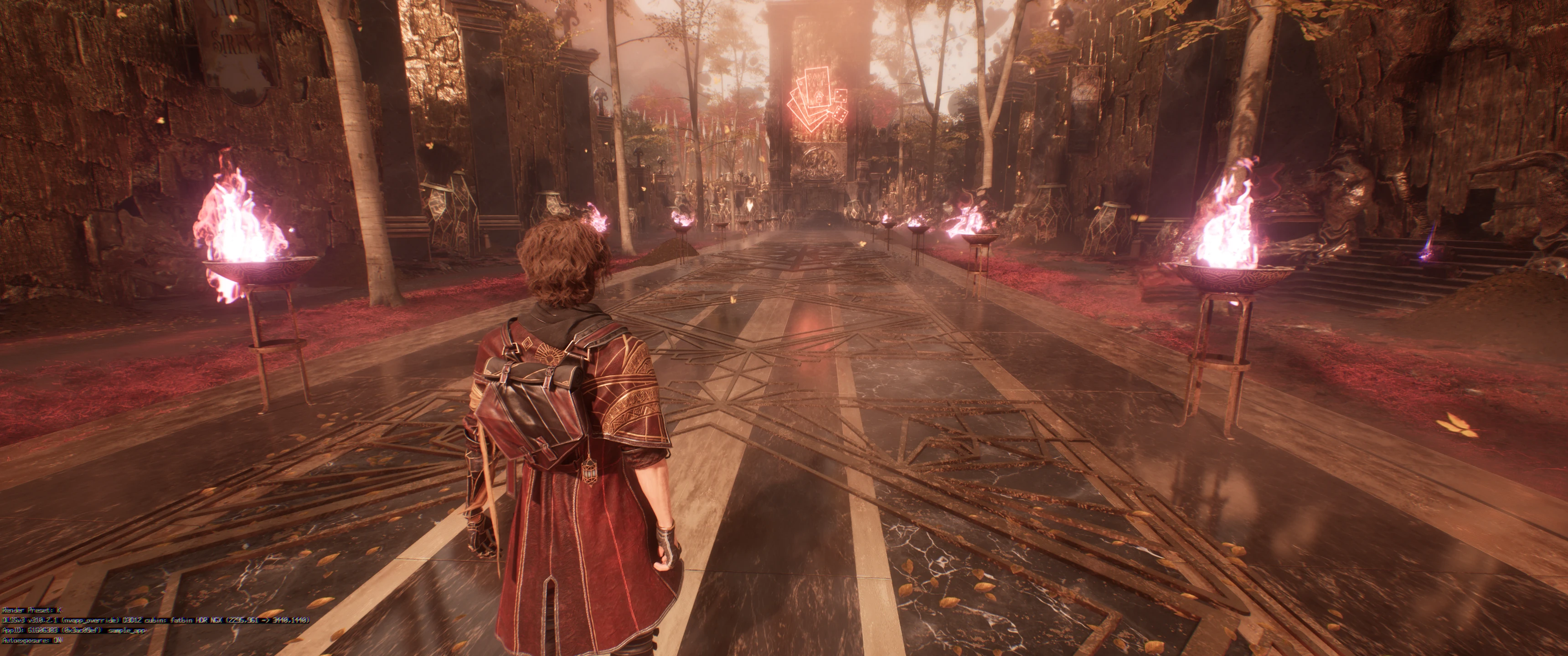
 empty mist
only issue i have with oblivion is the shader compilation sometimes happens when u launch the game again
so during gameplay
after that the frametime settles somewhat but its def not as good as it could be
haughty dirge
grizzled jackal
because i prefer to have fully stable frametimes 99.9% of the time
yeah im able to run the RT enhanced mod at a basically locked 60 (60fps being the 1% lows in that case) so have settled on the same - i understand its not actually enabling hardware lumen, but whatever it is doing to the quality of software lumen/the bvh structure/reflections and hair rendering in particular is eliminating enough of the lumen artefacts that usually bother me that the mod at a solid 60 is worth it to me vs 80 without it. tho very much looking fwd to when the U+ team gets a chance to turn their attention towards this game 🤞
neon spire
performance hit is just too high, dips bellow 60 too often
grizzled jackal
I don’t use the RT thing either
haughty dirge
neon spire
performance hit is just too high, dips bellow 60 too often
so far im not really seeing it, though i have to disregard the frame rate completely collapsing for a frame or two on cuts or scene changes bc that drags the avg and 1% low stats down significantly otherwise. tho i am also not super far into the game - perhaps later areas get heavier? trying to play like 4 games simultaneously atm and dont even rly have time for one, so my hope is high that by the time my full focus returns to this game U+ will be avail
grizzled jackal
If U+ team would take a look at it I would try that
empty mist
i think the best and only engine.ini things needed are mostly the LOD ones
haughty dirge
grizzled jackal
If U+ team would take a look at it I would try that
im under no illusion that the current RT enhaced mod isnt doing what it claims (ie hardware lumen), which by logical extension throws into question whether the creator understands any of the variables they are messing with ofc, so imho theres a large chance the performance hit is probably greater than it needs to be for what it accomplishes. would love U+ bc i have a greater level of trust that they understand what they're doing
the only reason im running with the current RT mod regardless is that the visual differences i can tell by eye are worth it to me personally and i can live with a locked 60