#✅RenoDX: MH Wilds
1 messages · Page 14 of 1
 fading cape
 cerulean marsh
The Balahara thing I get but I feel like the monster would have been severely limited if it could only make holes in specific areas and would almost never play a part in the Monster's gameplay.
 amber blade
The teleporting to another area that makes no sense part of the gameplay is not a loss
they could have it as it is now and designed it so that the teleporting to the area below happens if there is an area below
same as World
cerulean marsh
The fact that Monster Hunter World's newcomers managed to become iconic is like... a miracle that I mostly attribute to world being a complete shake up for the series in general. Its monsters are carried by the experience of World as a whole and not their appearance.
Wilds' monster design is a step above World, at least base world.
 royal marsh
The only monster that i like from everhthing new
Is rey dau, i can't even remember arkvel theme
I know duna just because it was hell killing it at unatable 20 fps
cerulean marsh
The environments in Wilds start out VERY strong with environments that are kind of bland on paper but in execution are quite the spectacle where later on areas with great conceptual ideas are hurt by less than stellar execution (Wyveria and the cliffs' weather having next to no impact on the environment at all)
Weapon and armor design are so much better than World and animation quality is an absolutely massive step up.
amber blade
anyways back to point. The bland stuff looking bland? They fallow screenshots, its kinda the point
here's a plenty one
 royal marsh
That you only see if you wait an hour or force it with a mission
cerulean marsh
royal marsh
That you only see if you wait an hour or force it with a mission
I'm gonna be honest I have no idea what people are doing that makes them be in fallow or inclemency most of the time that just hasn't been my experience.
royal marsh
I want for capcom to patch a "fast weather" for quest, give us the demo wilds weather where it passes from fallow to special to plenty just before killing the monster
cerulean marsh
I actually fuck with the weather in the first 3 maps heavy. Everyone dogs on the plains for being plain during its weather events. But like... Everything is covered in sand.... What is it supposed to look like? Couple that with the blinding lightning strikes I love it.
I don't think the game looks bad at all during fallow or inclemency I think that people just wish that the game looked like the plenty all the time.
royal marsh
cerulean marsh
I'm gonna be honest I have no idea what people are doing that makes them be in f...
A lot of missions force fallow, and becuse monsters die fast, we disconnet from multi and exit
Next time we enter the game with fallow as the background
cerulean marsh
The storms are supposed to be drab and void of life. Its literally the point
I do wish that the weather was a bit more consistent about how it handled transitioning from loaded in quest to after the quest is over
royal marsh
Since i bought the game
I don't remember once spawning with the storm in the dunes, always fallow or the foece plenty because of story
cerulean marsh
The only quests that force inclemency are apex quests. I do think that the weather spread on quests could have been done better but I also think that its kind of a non-issue that's in direct contrast with the action you are taking.
If you're loading into optional and event quests, those are quests that are supposed to have set parameters classic monster hunter style.
With that being said I do think they could have, and should have bridged the gap better.
I spend a lot of time just free hunting so my perception of the weather system in Wilds is different than most people that are just loading into quests for farming purposes.
amber blade
one other thing while I remember - while it currently doesn't save the setting so you have to apply it manually each boot, RDX does accept values over 100 for its sliders and some are worth putting over 100
cerulean marsh
My biggest complaint is that weather just doesn't matter after the basin
amber blade
120 Local Exposure Highlights fixes a lot of the issues with how things look in the distance for example
especially when moving between zones where the sky can completely white out
cerulean marsh
amber blade
120 Local Exposure Highlights fixes a lot of the issues with how things look in ...
This is interesting. Does it actually reset the value back to 100 or does it just assume that the value is 100 because that's the usual maximum?
amber blade
it'll reset back to 100
royal marsh
spawned and 3 of 5 maps are dead, not that matters because im going online and omega is going force the weather anyway
 amber blade
but until you close the game it'll work with values above 100
it's something @merry tartan could add if he wanted, at least the ability for the values over 100 to be saved
being able to set it via the slider would just confuse noobs
cerulean marsh
royal marsh
spawned and 3 of 5 maps are dead, not that matters because im going online and o...
Fair criticism. I almost never play online and I don't really think about the weather when I'm playing event or optional quests because I expect them to be whats on the tin when I load in the quest


 cerulean marsh
I think 100 is fine, bright areas should be brighter when you are in a (comparitively) dark scene. The overbright also hides some loading trickery transitioning between zones so it feels a little necessary
its a bit like a window on a really sunny day, it can look extremely bright with the light pouring into your house but once you're looking directly out the window, or have gone outside, what was previously extremely bright doesn't seem that way anymore.
 merry tartan
amber blade
it's something <@82555599505588224> could add if he wanted, at least the ability...
merry tartan
amber blade
it's something <@82555599505588224> could add if he wanted, at least the ability...
The way it’s calculated it technically shouldn’t go above 100. It’s an interpolation between two values (100 being the default engine value and 0 being the neutral value), so it’s just gonna overshoot in some way I’m not too sure about.
cerulean marsh
Local exposure highlights are supposed to be pretty bright imo. Especially in HDR
amber blade
merry tartan
The way it’s calculated it technically shouldn’t go above 100. It’s an interpola...
The values above 100 and below 0 on the things I tried are scaling as I expected them to.
cerulean marsh
As long as it ain't way over exposed we chillin basically
 magic nexus
the bad weather makes the good weather stand out more in contrast, especially when it suddenly shifts
it feels a bit immature to me i guess that something intentionally looking dour to signify the changing weather is met with so much negativity
that 4u screenshot is grossly oversaturated because its overcompensating for the crappy 3ds screen
youve got saturation sliders at your fingertips if you really want that
royal marsh
Give me this desert, at least i can see
 royal marsh
fading cape
particularly in grand hub
royal marsh
fading cape
particularly in grand hub
No
fading cape
amber blade
anyways comparison time. 0 vs 120.
where is this?
scarlet forest right? i can't find where specifically
oh nvm i found it
idk how you got it so over exposed
can't wait to try this denoiser thing johien is cooking
scarelt forest looks like ass
 sonic thicket
Would it also help with the sunlight behind the trees? That flickers like crazy.
fading cape
fading cape
anyones shadows bugging out?
fading cape
sonic thicket
Would it also help with the sunlight behind the trees? That flickers like crazy.
doubt it but maybe
magic nexus
fading cape
are they not at their highest?
fading cape
they are
magic nexus
weird
merry tartan
amber blade
The values above 100 and below 0 on the things I tried are scaling as I expected...
basically this is the math, where t = slider value * 0.01, v0 = neutral value, v1 = engine setting
(1 - t) * v0 + t * v1
hopefully I didn't mix up the v0/v1 here...
I did not lol
cerulean marsh
magic nexus
it feels a bit immature to me i guess that something intentionally looking dour ...
I am totally with you on this. The entire point of the changing weather was literally supposed to be to highlight how dangerous and desolate the intense weather can be
Which, while not actually making the environments all that more dangerous. It does a great job of portraying it visually
Makes the plenty feel that much more lifelike to me
clarity is SUPPOSED to be bad in the desert. That's what sandstorms do
Or really any storm for that matter. Most storms kinda fuck with visibility in general. I do not understand wanting to have dynamic, visually impactful weather that doesn't also doesn't change or otherwise the visual representation and color palette of the game.
I see people complain about the weather stages in the first 3 areas but in the same breath also complain that the cliffs and Wyveria's weather periods don't do anything.
I actually want it to be even harder to see during the sand tide tbh, make it part of Rey Dau's kit that he intentionally dips out of your visual range and you have to keep track of the lightning to avoid his rush in.
I wish the Scarlet Forest's torrential water ocassionally pushed you around to either mess with positioning and mobility so you're fighting the environment AND the monsters
merry tartan
I have unique reasons for hating the weather system in this game, which is that it made making this mod a fucking pain in the ass
cerulean marsh
Well yeah that's a totally different perspective though
My biggest issue is that it doesn't impact gameplay enough imo
merry tartan
I was just making a funny
I also think the weather system is neat, but it loses a lot of the impact it could have had with the bad grading choices. Fallow looks particular bad with the unmodded game and it didn’t have to be that way. They just tuned the visuals to look completely divorced from the physical properties of the materials and lighting.
When the game is bright af all the time, the only weather state that looks good is the one that’s actually supposed to be bright af
fading cape
"I see people complain about the weather stages in the first 3 areas but in the same breath also complain that the cliffs and Wyveria's weather periods don't do anything."
This is really weird though if the whole point is for immersion or whatever having places that don't do it defeats the whole purpose idk why it's so inconsistent
im honestly not a big fan of the weather i get why it's a thing it just doesn't really add much to the game
merry tartan
I think it’s a weird choice to front load the ugly visuals of the game that’s for sure. Leaves a weird first impression.
magic nexus
thats definitely fair
magic nexus
cerulean marsh
My biggest issue is that it doesn't impact gameplay enough imo
im guessing it will more in MR
fading cape
i wonder what they could even do to make it have more of a purpose
thought about it a few times but i can never think of anything
something that's actually fun
sonic thicket
I think having varying inclemency intensity would be nice, like having stronger storms that spawn the arch tempereds
Or having different plants/resources spawn. But the game kinda steers away from resource collecting in the map now
I think you can catch different small life in the weather, lack of a player home makes it feel kinda pointless though
cerulean marsh
sonic thicket
Or having different plants/resources spawn. But the game kinda steers away from ...
We do have this actually
Endemic life and available resources both change during different weather periods
magic nexus
early on people were resetting to collect a flower that you could trade with for a lot of stuff
cerulean marsh
I do wish for more significant impact with weather
And visually. At least that part can be mostly fixed. I think that all weather periods look pretty damn good when the lighting isn't totally borked
Love when a big blue flash of lightning cuts through the sandstorm and the deep red water during the fallow in the forest
magic nexus
i think it can be harder to track the weather in other maps too when theyre working alongside day night cycles
The impacts of each weather cycle I mean
 tender frost
Is there a mod to disable LOD? I hate it after the latest update... If you have reframework engine path (or a screenshot in reframework object explorer) for it that is also fine, I can create a lua script for it for myself 😄
tender frost
cerulean marsh
clarity is SUPPOSED to be bad in the desert. That's what sandstorms do
tbh, not every damn game has to have a desert... And we have this boring map in Wilds for which monsters again? Oh yeah, Doshaguma and Balahara (Story related) my top 2 most hated (personal opinion) monsters in the whole roaster...
I mean some other good monsters are fitting there like Seregios and Rey Dau but they could also fit in a bigger more leveled side forest area. Only cool areas in the desert in my opinion is Rey Dau's nest (it could be still part of a different map other than a desert tbh...), central area just outside of base camp during plenty (again most green and packed area with river/puddles and some trees) and maybe the cliff for cool environmental interaction which only shows my hate for bland poor piss yellow dunes. Only unique experience in the dunes is how they fucks up monster hitboxes and your attacks because you do unintentional slide attacks constantly with dual blades...
In general I don't like the maps in Wilds in the sense of purpose. For example in World every zone in every map had some sort of fighting area which was designed specifically and monsters would engage fighting those areas. In Wilds some zones still have those but there are also a lot off meaningless, poorly designed zones in between where you occasionally engage with fights that infinitely sucks (certain corridors comes to mind where you stuck with Gore Magala or the sections in Scarlet Forest where Mizutsune would fight you during zone transitions corridors) . You might say it is more realistic, sure but it still sucks in my opinion.
tender frost
cerulean marsh
Or really any storm for that matter. Most storms kinda fuck with visibility in g...
I don't agree with this argument, fighting in the storms, rain or tornado etc. is not a unique idea or it is not like this has been implemented in this game first. A lot of games in the past executed this idea far and wide(and people do not always complain about how shitty they look)... It does not have to be visually awful. Would it make it more realistic sure again, but this is a video game with a lot of fantasy like elements (no pun intended) involved in. Might as well had better visuals and push aside real world problems to the side like most other games where they cover "fight in a disastrous environment" theme.
 pine cedar
it says missing fog shaders for me, i only have disable post processing mod installed
 tender frost
pine cedar
it says missing fog shaders for me, i only have disable post processing mod inst...
tender frost
pine cedar
it says missing fog shaders for me, i only have disable post processing mod inst...
make sure ray tracing is on
pine cedar
tender frost
make sure ray tracing is on
that worked, thanks
tender frost
it does not detect fog shaders without ray tracing... If other sliders are working don't worry about it though
cerulean marsh
tender frost
I don't agree with this argument, fighting in the storms, rain or tornado etc. i...
All fair criticisms. Though its not necessarily to do with realism. I just want it to be actually important. Whether monster hunter needs it or not
Its in the game, I want it to matter. Deserts are getting boring. I just also like how most of the areas look. That's really it. Like a lot of Wilds' criticism it to me feels like negative opinions on lots of aspects of the game are a lot stronger than they would be if the game was just functional on launch
Seems like its either fine or the worst thing ever and there's little room left for discussion. That's been most of my experience around even talking about this game.
tender frost
cerulean marsh
Its in the game, I want it to matter. Deserts are getting boring. I just also li...
that, I can relate, but then people would not complain about it that much in the first place... So it is kind of paradoxical 😄
tender frost
cerulean marsh
Seems like its either fine or the worst thing ever and there's little room left ...
Yes, if I was asked to describe Wilds in a single word; my choice would be: "Inconsistency"
Inconsistency in quality specifically.
cerulean marsh
I feel like, very similarly to World. It sets up a lot of ideas that feel very half baked right now
Wilds is the first of gen 6 so they did a lot to bring in a bunch of new mechanics like every game that's first in its generation. Those ideas will go on to be refined for subsequent games and the following generation
I think that they tried to do a little too much at once. Though its hard for me to fault them on that front with the numbers World pulled changing everything about the franchise
amber blade
fading cape
Happens everywhere after a certain distance for me also. Could be denoiser related or maybe the distant shadows option in this game being borked.
Even forcing shadow quality to far above what the game allows it'll still happen.
The small climbable ledge to the left of the grand hub entrance next to DLC cat and the forge has vine shadows that trigger this consistently. Maybe @uneven arch could run some tests?
fading cape
I think maybe my shadow quality was being lowered by the graphics settings mod
amber blade
it isn't the cause, it happens regardless.
as I mentioned you can set it much much higher than what the game allows and it'll still happen.
btw @merry tartan next rdx update please add saving values above/under the norms. I been testing it more and I'm getting very good results from it.

 uneven arch
tender frost
Is there a mod to disable LOD? I hate it after the latest update... If you have ...
uneven arch
tender frost
Is there a mod to disable LOD? I hate it after the latest update... If you have ...
If I remember correctly, there's already a mod that give you LOD option on nexus. I remember using it to increase the draw distance of the grass. Let me find it
@tender frost here it is https://www.nexusmods.com/monsterhunterwilds/mods/816?tab=description

Nexus Mods :: Monster Hunter Wilds
An REFramework script that allows you to adjust a variety of graphics options, including environmental detail.Made to increase performance! (or make the game look like a potato if you want)
uneven arch
amber blade
The small climbable ledge to the left of the grand hub entrance next to DLC cat ...
Sure, I'll check it out
uneven arch
This shadow flickering/crawling?
only way to alleviate that is by increasing the shadow quality.
amber blade
I found that upping the shadow quality does nothing to fix it other than eat fps
but if you stand right next to it its fine regardless of quality setting
amber blade
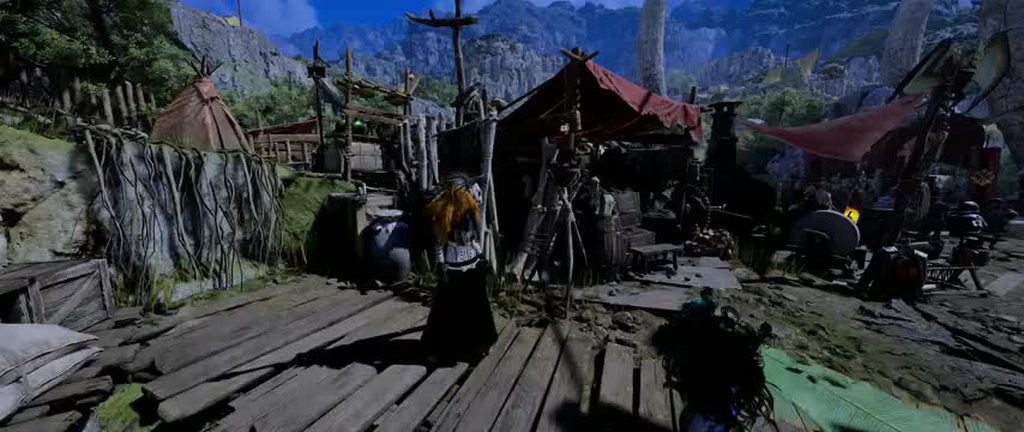 sonic thicket
Welcome back rise shadow draw distance 🥹
amber blade
upping shadows to 4096 does fix it but it is silly that is the solution since can't do that without modding
sonic thicket
Is there a way to figure out the distance resolution scaling factor? Might not be necessary to have 4k shadows if that can be changed instead.
Also what was the default shadow resolution that give you this problem?
magic nexus
tender frost
tbh, not every damn game has to have a desert... And we have this boring map in ...
Rey Dau is pretty inseparable from the plains, they're made for him. I think you're kinda ignoring that a third of the area is like a canyon of fulgurite. The dunes are even broken up by an oasis in the center. I also just generally prefer that each fighting area isnt a series of circles connected to each other.
magic nexus
cerulean marsh
I feel like, very similarly to World. It sets up a lot of ideas that feel very h...
I think it's just a base game thing since we largely repeat this cycle with each new iteration. Base game is setting the groundwork for the expansion. I don't think it's too hard to see what their intention is when you look at something like guiding lands.
They're not gonna go full hog with systems in the base game because they're going to be replaced or built upon in MR
cerulean marsh
With how genuinely incredible the post launch content has been I am fairly comfortable in assuming that a large contributor to Wilds' issues is the result of meeting industry deadlines and expectations
Seems like once the game is released Capcom eases up on the reigns a bit and the devs are a little bit more free to cook
magic nexus
Personally I don't really think that's as much of a factor as people make it out to be
It was all planned out from the start anyways
cerulean marsh
I'm firmly on the opposite end of that argument. I feel like most people severely underestimate how much influence the higher ups actually have over what is produced
They don't really influence the creative process or development approach of the game but they do have a lot of pull over what does, and does not get funding. Which unfortunately means that the developers, regardless of what they want. Do have to change a lot about their game to cater to out of touch suits who have no idea what gamers actually want
The game development industry is pretty much unanimously a hellscape for most people working underneath a large publisher. I don't think I've ever met or seen a developer speak positively about their money holders
magic nexus
Well it kinda seems like you're starting in reverse and coming from a conclusion that the higher ups are the issue, then working backwards to make it fit. Of course there's monetary pressure but it too often boils down to "if design choice was good it was the devs, if design choice was bad it was the suits"
cerulean marsh
And like yeah. A majority of it is planned out at the start but those plans are largely concepts and how those concepts actually manifest in the final product are shaped through the development process.
magic nexus
They were concepts several years ago but any of the TU content has been in development since before the game released
cerulean marsh
magic nexus
Well it kinda seems like you're starting in reverse and coming from a conclusion...
Its not exactly black and white. Developers are definitely capable of making bad decisions and sometimes suits do have good ideas. But I do feel that a majority of choices made in the process that are in direct opposition of what we as players want are the result of pressure from the suits.
The devs have made it quite evident that they do pay very close attention to the things that we are asking for.
This argument is mostly for monetary choices, the price of games and integration of mtx
Monster Hunter has historically and still to this day includes a massive amount of additional free content post launch. It has been a series constant but extensive monetization by way of cosmetics didn't start until after World was already showing promising numbers
magic nexus
Yeah they more simply didn't really have the means to monetize it before
cerulean marsh
Nintendo E shop even during the 3DS era was more than capable of allowing for that kind of thing
They could have started charging for cosmetics at any time but all DLC during that era was always free
magic nexus
Sorta, not really
cerulean marsh
Excluding the ultimate versions of games.
All additional DLC for monster hunter until world has been free. At least for as long as I've been playing
But of course no one else was in the room where it happened so we can really only infer based on anecdotal evidence
But I do wholeheartedly believe that the monster hunter devs would happily give every cosmetic away for free if they didn't have a quota to meet
Especially with how dirt cheap both the games and cosmetics end up after being out for awhile
Wilds is already going on sale for nearly 50% off
The landscapes and approach the developers have takes a really sharp turn after the money is already made, at least that's how it appears to me
amber blade
btw since not asked yet, eta on releasing what you got in relation to RT/denoise removal @uneven arch ?
uneven arch
amber blade
btw since not asked yet, eta on releasing what you got in relation to RT/denoise...
No ETA yet. Still gotta figure out why MHWilds reset setting after sometime and I still gotta finish my other side project. Also, limited free time with a full time job and being a new parent lol
amber blade
uneven arch
No ETA yet. Still gotta figure out why MHWilds reset setting after sometime and ...
The solution more graphics options uses for that is to reapply the changes on a timer. Here's the last LUA version of it if you want to look at the code. https://www.nexusmods.com/Core/Libs/Common/Widgets/ModRequirementsPopUp?id=15172&game_id=6993
Nexus Mods :: Monster Hunter Wilds
An REFramework script that allows you to adjust a variety of graphics options, including environmental detail.Made to increase performance! (or make the game look like a potato if you want)
tender frost
amber blade
The solution more graphics options uses for that is to reapply the changes on a ...
Yeah I tried that before and it was doing something while I was stationary but while moving around LOD of the objects keep changing
amber blade
It would be ideal if whatever changes the settings back could be stopped but it feels like its something that would have been found by now if it was possible.
royal marsh
https://www.nexusmods.com/monsterhunterwilds/mods/4022?tab=description
So this and the volumetric fog at 1 cm of the camera was the culprit all along ?

Nexus Mods :: Monster Hunter Wilds
Removes the awful camera light (bring back character shadows!)
fading cape
@uneven arch lemme know if you need a mod tester lol
sonic thicket
Maybe someone in the mh modding discord would know how to get the effect to apply consistently
fading cape
 rustic bridge
guys do you still decompress textures?
my last AT arkveld hunt was quite laggy in that area

frame times were fluctuating alot
magic nexus
Doesn't seem like there's a reason to
cerulean marsh
Recompile shaders
Despite all the fixes it seems like the shader compilation process still isn't perfect
amber blade
This works 🥳
 royal marsh
Looking suave
magic nexus
Feel like I'm looking at two different seasons in one picture
uneven arch
amber blade
The solution more graphics options uses for that is to reapply the changes on a ...
Sorry for the late reply but I'll work on it after I finish RE4R Graphics mods
amber blade
uneven arch
Sorry for the late reply but I'll work on it after I finish RE4R Graphics mods
NP. If you can crack the code and figure out and prevent what is changing the settings back that'll be huge.
uneven arch
I was able to enable RTGI but it seems broken for this game. I just hope capcom can update it once they release their next expansion
amber blade
It would be nice, the ray tracing for this game is very barebones atm
Though I am also interested in being able to change all them RT settings the game doesn't let you atm in order to attempt to fix this sorta thing - #1347155473266114580 message
I do not like my glitterball walls
uneven arch
Hmm, how can I replicate that? It never happened to me
amber blade
It only happens at a certain time of day
and only in certain areas
The Oilwell camp is the one that is most consistent. IIRC its around daytime during the plenty you can cause this to happen in the distance
uneven arch
I'll check it out later
amber blade
and always on that wall
 amber blade
That don't look too great
uneven arch
Yeah lol
amber blade
I look at this game looking like this and running like arse and then I see the preview footage of Crimson Desert looking nuts running 4K60 on last gen cards and I'm like...what even is this engine
uneven arch
I love this engine. I just wonder why RT don't work well here compared to DD2 lol
amber blade
or compared to any other RE game
It is strange that they made two open world RE engine games and didn't use the first to build upon for the second.
Lets have two different teams do the same thing and fuck it up in different ways. 🙄
cerulean marsh
amber blade
Though I am also interested in being able to change all them RT settings the gam...
Glitterballing seems to only effect certain DLSS presets. This issue completely vanished for me when I switched to an AMD card.
Though it doesn't make much sense why
amber blade
Nothing todo with DLSS, it happens if you disable DLSS entirely in that spot at that time of day
so it will also happen for you on AMD
magic nexus
amber blade
or compared to any other RE game
Massively different scopes. RE Requiem looks great but also a majority of the game is in small interiors, static time of day/weather
And yeah you can turn the glitterballing off entirely with a mod but it then makes most metals look too dark
amber blade
magic nexus
And yeah you can turn the glitterballing off entirely with a mod but it then mak...
This is not that
magic nexus
Oh followed the replies up, never seen that.
fading cape
uneven arch
Sorry for the late reply but I'll work on it after I finish RE4R Graphics mods
edgin us with that mod lmao
can't you just have the setting re-apply every time you start the game
or make the user set read-only to whatever you're editing
uneven arch
fading cape
edgin us with that mod lmao
My bad. I was working on a lot of other project and I think it's best to work on one at a time. I did learned a lot while working on RE4R that I could apply to MHWilds.
amber blade
fading cape
or make the user set read-only to whatever you're editing
The game is constantly resetting the values to whatever it defaults to and re-applying them. It is not something that has been solved yet and it's why many people have dismissed the settings as "don't work".
If Jo solves it, its big.
Though I don't think the denoiser falls under that and that alone is worth releasing hint hint.
tender frost
I don't know if we are talking about the same "settings", I am talking about LOD and texture quality settings in more graphics options mod
my experience is that even if you re-apply settings after the game is launched, it will still reset during gameplay...
It is not a per game launch problem.
amber blade
You literally replied to me explaining why more graphics options has a timer reapplying the settings because the game is constantly resetting them....
tender frost
I was not sure if we were talking about same RE engine changes. Because you guys were also talking about removing denoiser stuff previously. I even tried to give a context in the first sentence, as disclaimer of I might have missed the context -.-
Plus, I was more of replying to Adap...
Particularly for of his this quote: "can't you just have the setting re-apply every time you start the game"
Re-applying settings on a timer does not really solve the issue btw, because setting resets are not based on time, meaning you will still see LOD changes from time to time (but if you re-apply too frequently then you might cause performance regressions), which is the whole point I am trying prevent, but it is still better than nothing, that I acknowledge
 amber blade
Messing with it. There is a toggle to disable/enable all lights and that interacts with the ray tracing. Maybe useful to you @uneven arch when you get round to it.
Noticing some signifcant improvements with monster shadows

Hard todo a direct comparison, I don't think the mod is toggling on/off properly
uneven arch
amber blade
Sure, I'll take a look.
uneven arch
Wow, this mod is awesome
amber blade
uneven arch
Wow, this mod is awesome
Yup. Bet it can be imrpoved upon too if the limits being worked in could be expanded
btw while you are in there, see what you can do with the Streamingtextureresolution settings. As part of the "fix" for TU4 they nerfed the streaming budget down to 3gig
Would be nice if that could be undone to reduce pop-in
bonus unrelated screenshot
 fading cape
or just the denoise mod lol
uneven arch
fading cape
or just the denoise mod lol
Sure, I'll work on it after I release a patch for RE4. I do gotta say MHWilds graphics settings makes no sense. Was debugging and that GI Noise was part of reflection?

This is when I check GI. Nothing
 fading cape
Yeah that was an issue when I was looking for the denoiser
Thought you’d found one specifically for the reflections?
uneven arch
I did but I was trying to fine ways to improve raytracing other than water reflection.
fading cape
i mean isn't that the only way the reflections are used lol
i was shocked their rt had such little performance hit when the game came out
turns out that's because it basically does nothing
fading cape
fading cape
i mean isn't that the only way the reflections are used lol
it atleast the only thing i care about that the rt does
really wanna do that at uth duna fight again with proper rt reflections
amber blade
uneven arch
I did but I was trying to fine ways to improve raytracing other than water refle...
Enabling it would be the main improvement. Maybe Dragons Dogma 2 could help with that since RT actually works in that one.
fading cape
if you want to add additional stuff you can always do that later
just update the mod
amber blade
And I thought I was impatient 
fading cape
why would it need to be a complete overhaul
the whole reason this started was because the denoise
amber blade
 amber blade
I don't remember RT reflections on the monkey being a thing, if so, that lightning mod continues to impress.
 sonic thicket
Does it require much configuration is it just kinda set and forget?
 viscid yoke
sonic thicket
Does it require much configuration is it just kinda set and forget?
viscid yoke
sonic thicket
Does it require much configuration is it just kinda set and forget?
set and forget
if you have the camera light remover mod from the same creator, they recommend disabling the "shadow tweaks" option in that mod's settings while using light shadows overhaul
 alpine tree
amber blade
I don't remember RT reflections on the monkey being a thing, if so, that lightni...
alpine tree
amber blade
I don't remember RT reflections on the monkey being a thing, if so, that lightni...
Hey Void, just wanted to ask since I followed your guide, did you also get a heap allocation error game crash from time to time? It sometimes just freezes and gives me that error
amber blade
alpine tree
Hey Void, just wanted to ask since I followed your guide, did you also get a hea...
I have 0 errors
amber blade
I not checked recently but turns out with how I got things setup now, Lava looks spot on.
 amber blade
@uneven arch another request, think you can take a look at the games dithering effect? There are mods that exist to enable/disable it but a better solution would be to make it not ugly as sin

would make far more sense to just have the whole thing vanish
uneven arch
I thought that was capcom special lol.
Okay, so you guys just want the denoiser off mods for now right? I'll put RE4R on hold and try to get this done this week
fading cape
uneven arch
Okay, so you guys just want the denoiser off mods for now right? I'll put RE4R o...

fading cape
amber blade
<@114708185704693766> another request, think you can take a look at the games di...
there was a dithering mod but it doesn't work very well
Nexus Mods :: Monster Hunter Wilds
Removes all transparency fade. Keeps characters and NPCs fully visible. No dithering. No ghosting.
uneven arch
Adult content 
amber blade
fading cape
there was a dithering mod but it doesn't work very well
It works very well but doesn't solve the problem
the game likes to randomly dither the rocks on the floor making it look like the texture corrupted or some shit
turning the dithering off outside of combat solves that but it still results in some ugly incombat moments
amber blade
so are we
but a lot of people gave up on modding the game because of its poor performance
and other issues
otherwise we'd prob see more things like that recent lighting mod
uneven arch
True, gotta endorsed that mod. I do see more noise at the base camp of scarlet forest with the light shadows overhaul
amber blade
That's likely because of it adding shadows that previously were not there
which by extension only increases the demand for you 
uneven arch
Yeah, sorry to keep yall waiting.
merry tartan
amber blade
the game likes to randomly dither the rocks on the floor making it look like the...
it serves two purposes: one is gameplay visibility, and the other is that a alpha texture taking up the entire screen causes a sudden burst of memory bandwidth usage, so it's an optimization.
amber blade
merry tartan
it serves two purposes: one is gameplay visibility, and the other is that a alph...
not on about pillars or big rocks that can get in the way of the camera, on about small rocks on the floor that have no reason to be dithered
and for such things the better optimization would be to unload it rather than hide it.
though ideally just have it not dither at all. It's the floor.
fading cape
uneven arch
Im surprised no one worked on turning off the denoiser yet
i think i mentioned it to the graphics options guy when i first heard about the dlss 4.5 thingy but nothing happend
idk why either
i mean there's some doing lighting mods and stuff too manually scene by scene this seems easy in comparison
or less work atleast idk about easier
but i couldn't figure it out so maybe it's a lot harder than it seems. not that me not being able to figure something out is a high bar or anything lol
uneven arch
You guys know any other location with the noise? I know scarlet forest is one of them
Trying to get some screenshot
fading cape
uneven arch
You guys know any other location with the noise? I know scarlet forest is one of...
the oasis in the desert maybe?
this place?

probably other spots in the oil basin too
this place in the scarlet forest was particularly bad

can't really think of reflections not in water
maybe some ice somewhere in the cliffs?
amber blade
uneven arch
You guys know any other location with the noise? I know scarlet forest is one of...
Remember that issue I mentioned with the distant walls during the plenty daytime in oilwell? If that is noise related then that would be a major example.
Though Oilwell in general is a noise hellscape during the Firespring
fading cape
amber blade
Remember that issue I mentioned with the distant walls during the plenty daytime...
wouldn't that be a gi issue?
amber blade
If it was a GI issue wouldn't it be happening all the time in many areas?
Also another major noise generator is Udra when it sets itself on fire
The fire effects on it are noisy AF
fading cape
amber blade
If it was a GI issue wouldn't it be happening all the time in many areas?
not really
the gi issue in the camp for scarlet forest is really only during specific times
amber blade
its the same for oilwell, it only happens during the plenty
fading cape
yeah
amber blade
I'll ask the light shadows guy to look into it
fading cape
tried that mod i was kinda disappointed wasn't worth more of a performance hit than renodx
was a cool mod though
idk why it was such a hit
even moving shadow quality on the graphics mod from low to maxed out hardly changed the performance
amber blade
I'm not getting any performance hit from using it
I think some areas I lose couple fps but its hard to attribute it to this mod
Vastly improves how monsters look though
fading cape
i was averaging around 73 fps before and after i added it i was getting like 65
amber blade
I'm locked at 60 and still locked at 60 most of the time.
if the shadows are CPU heavy that could likely be the reason, I have a ton of CPU headroom
fading cape

he just disables lights in camp areas and caves and such
there shouldn't be a difference outside of it
amber blade
There is a difference because of how he handles the light culling
recent version even added that to the debug so you can see the lights in realtime
fading cape
oh that's cool
amber blade

when you have monsters that emit light (such as monsters that set themselves on fire) it is immediately noticeable
fading cape
ah yeah makes since
maybe cause i got my shadows on max is why it's worse performance for me
amber blade
I could go record a Monkey fight in oilwell and confuse the fuck out of reddit
uneven arch
I should learned how people add light sources. Seems interesting. I wanna do it for Resident Evil
amber blade
fading cape
maybe cause i got my shadows on max is why it's worse performance for me
well mine are on double max (2048 instead of 1024 via more graphics options) and its fine for me
though I did set distant shadow res to low
and I do lose a big chunk of FPS when I set shadows to 4096
fading cape
amber blade
well mine are on double max (2048 instead of 1024 via more graphics options) and...
yeah that's what i was reffering to
kept flickering in the grandhub when they weren't maxed
amber blade
4096 shadows costs me 10fps or so without the mod and likely more with
2048 stops the flickering almost entirely
amber blade
you can manually override any setting in a mod with custom values by holding CTRL
fading cape
ah
amber blade
I accidentally set the shadows to 40096 once
 amber blade
instant crash
I also have all the LOD sliders set to -2
they can go up to -10
after that, crash
amber blade

Playing without the UI is hard.
Thinking of turning down the lut scaling in reno after watching this back
uneven arch
amber blade
Remember that issue I mentioned with the distant walls during the plenty daytime...
Talking about this? I have the denoiser off and I still see it. Might be a draw distance thing
 uneven arch
I'll release the denoiser mods tomorrow
amber blade
uneven arch
Talking about this? I have the denoiser off and I still see it. Might be a draw ...
Yeah that. Only happens at certain times of day and its real ugly when it does
uneven arch
Im actually having a hard time finding another location with bad noise other than water lol
nvm, found one
uneven arch
Here it is. Sorry to keep yall waiting https://www.nexusmods.com/monsterhunterwilds/mods/4119

Nexus Mods :: Monster Hunter Wilds
A single-script REFramework mod for Monster Hunter Wilds that exposes hidden denoiser settings.
@merry tartan @amber blade @fading cape
merry tartan
very nice, and no need to apologize :p
uneven arch
If anyone who is good at modding texture, please let me know.
sonic thicket
For what purpose? There’s probably a good number of people in the mh modding discord who do that.
sonic thicket
fading cape
https://discord.gg/gJwMdhK
I would try Gathering Hub or Wilds Modding Questions
uneven arch
Oh, it's for my RE4R mods. I got RTGI to work but a few area the dirt become a black blob. Just need to find a way to redo the texture/mesh to react to the GI or exclude it.

Got it to work on MHWilds too but the game seems to have more issue with it on
sonic thicket
Theres also a channel specific to texture modding as well, its all RE engine so they can still probably help.
amber blade
uneven arch
Here it is. Sorry to keep yall waiting https://www.nexusmods.com/monsterhunterwi...
good stuff. By default both 2022 and 2022v2 are enabled. Is this not a conflicting setting?
So here's a funny thing. The denoiser exposes the problem with distant GI on things in more areas now since it isn't blurred to fuck

so maybe easier to hunt that problem down now
uneven arch
amber blade
good stuff. By default both 2022 and 2022v2 are enabled. Is this not a conflicti...
I questioned that too. By default Capcom enabled 3 denoiser.
amber blade
wut
no wonder shit so fucked
so I'm guessing the settings we want to use are everything unticked?
royal marsh
No wonder presets from very low to highest is just 20 fps delta until i hit the vram
fading cape
This is insane great work @uneven arch
What is even going on with the noise I thought it was just a toggle to turn off default denoising for the dlss 4.5 denoising but it works on older presets too
amber blade
This is why we were impatient
its even better in oilwell
the oil no longer looks wierd
 fading cape
What is even going on with the noise I thought it was just a toggle to turn off ...
fading cape
fading cape
What is even going on with the noise I thought it was just a toggle to turn off ...
also can you explain what these denoisers are doing @uneven arch ?
you can see it in my first video too
also the NewDenoiser (idk what this is either) is fucked lol
amber blade
That is some siezure shit
so it was the denoiser making all the tree leaves white AF
thats a nice bonus
fading cape
makes some fish disappear in the water
seems to be adding shadows back like that mod did
im so confused what being changed this is not just a denoiser being turned off
amber blade
The upscaler was likley filtering it out before
Water ripples are a lot more pronouced with the denoisers off for example
amber blade
another example - can actually see through the water now

whatever is being turned off, please turn off more of it
 tranquil dawn
i noticed that disabling all denoisers seems to make some things way darker
for example the chest on the base desert camp on daytime
the metal on it turns black
and if i enable the v2 denoiser the metal looks fine again
tranquil dawn
fading cape
also the NewDenoiser (idk what this is either) is fucked lol
yeah, the mod says to use it together with other denoiser option enabled, so that's probably why, by itself it's really fucked
magic nexus
Turning off the v2 denoiser looks like it kills something in the nexusmod pics too
amber blade
The transparency one is the main difference
sonic thicket
Any performance differences?
amber blade
all off what I'm doing atm
I'll turn them on when I notice something wierd to see the cause
amber blade
So the issues with the meshes pulsing between different LOD's doesn't happen when mesh quality is set to medium but will on other settings
uneven arch
fading cape
also the NewDenoiser (idk what this is either) is fucked lol
My guess is NewDenoiser = OldDenoiser. I believe is capcom first iteration denoiser for RT. I seen it in RE2,3,4,7,8.
uneven arch
 thin fjord
so keep v2 on and disable all others? what's the verdict?
thin fjord
so keep v2 on and disable all others? what's the verdict?
Yeah, disable transparent is worth it. Water don't look low res anymore
amber blade
uneven arch
My guess is NewDenoiser = OldDenoiser. I believe is capcom first iteration denoi...
I currently have it turned on for testing with the rest off and not noticing any negatives yet
uneven arch
Anyone figure out how to uncap vram budget yet? The old method don't seem to work anymore
fading cape
uneven arch
My guess is NewDenoiser = OldDenoiser. I believe is capcom first iteration denoi...
that was the least important thing i said when i pinged you lol
amber blade
uneven arch
Anyone figure out how to uncap vram budget yet? The old method don't seem to wor...
well you know your next job
Was silly how they put a 3 gig cap in the last update. If the ram exists the game should use it.
not getting the issues with newdenoiser @fading cape is getting myself so far. Resolution related maybe?
uneven arch
fading cape
that was the least important thing i said when i pinged you lol
Oh, when the denoiser is on, it's using RTSpecularRoughnessThresholdQuality — Controls which surfaces receive RT reflections based on their roughness value. I think it's on standard quality but I'll need to double check
uneven arch
amber blade
Was silly how they put a 3 gig cap in the last update. If the ram exists the gam...
I miss when it used to load everything into vram.

now it has this weird stutter when I hit 13gb of vram usage.
amber blade
uneven arch
now it has this weird stutter when I hit 13gb of vram usage.
yeah doesn't seem to ever go past 13.2gig used for me since the last title update.
its got another 2.5 it could be using but doesn't
magic nexus
the transparency denoiser being disabled is a great benefit, thanks for your work there


left with transparency enabled, right disabled
shame you have to trade the lighting noise we see in the forest base camp for there just being any light at all on some surfaces
amber blade
The light shadows overhaul mod got an update that fixes the flickering shadows that we been upping the shadow res to try and avoid 🥳
 silk blaze
I haven't kept up with any of the denoiser talk. I am not familiar with it but I downloaded the mod. The main 3 options were checked (unsure if it means enabled or disabled) by default. Am I suppose to keep all 3 off or is there a mix matching.
In some ways the v2 looks good and in others having everything off looks better.
silk blaze
This is just this area I tested because water and lighting. All these are on Ultra performance L
First 3 checked / 3 off / v2 on only / transparency on only


I personally like the transparency of the water off. It looks more reflective but idk.
I am not sure why the water looked pixelated in my screenshots. At the start and last picture. The water did reload so that might be why.
amber blade
silk blaze
I haven't kept up with any of the denoiser talk. I am not familiar with it but I...
game uses multiple denoisers for different things, thats why they are different options. DLSS doesn't like them so we mostly want them off unless having it off breaks something to make things look worse.
The mods default settings are the settings the game is using without the mod.
silk blaze
Alright, that makes sense. I guess the mod page needs some sort of explanation about the DLSS part. I ended up just turning all them off after my pictures. I rarely noticed the stuff since it never bothered me 😛
amber blade
Its an upscaler in general thing but DLSS 4.5 works a lot better without denoisers
silk blaze
Is there a way to get autoexposure enabled for wilds without optiscaler. It turns on only when using 4.5 on M/L. I was going to go back to K performance to test stuff.
silk blaze
Yeah, I always see people here talking about specialk giving issues with this game.
I just prefer the extra color to HDR 4.5 gives 🙁 I run 4.5 L ultra perf because it gives me the most frames while looking good on a 30 series. However, there are the occasional shimmer and flickers on wilds with it. So I wanted to try K perf again. Quality is out of the question for me with my gpu.
amber blade
IIRC the DLSS switcher thing whatever its called has the option also
silk blaze
I do not think I saw it on DLSS Swapper unless there are other ones out there for it. I'll have to look around later. For now I will stick to 4.5
thin fjord
amber blade
The light shadows overhaul mod got an update that fixes the flickering shadows t...
Nice so I can stick to medium shadows now
royal marsh
Forgot to ask, but is the "eye shadow" a part of the game? I thought it was the vignette but even with that disabled, i can still see an "eye" covering like 40% of the screen with darkness
Its really obvious in the intro
amber blade
Light shadow guy figured out why the lights/shadows at a distance look borked soemtimes.
Additionally I figured out why it causes those square lights. Near the player, the game uses shadow maps for the sky light, but outside of the shadow map radius it starts to switch to a different method (SDF shadows). The squares are a blending method between those two to avoid abrupt pop-in, and without it it's very noticeable. You can disable that blending but it doesn't look very good.
royal marsh
So the game looks bad if you don't disable things
And it also looks bad if you disable the things

 tranquil night
sucks
amber blade
gets worse

from my understanding seems like it wouldn't be happening if the TAA is fully disabled, so looks like there is another flag related to TAA that disable post processing effects has missed.
uneven arch
I may have to look into this in the future. Idk how to reproduce it consistently though
Also, idk if the user xinq from nexus is in this discord but your submitted images is kind of spicy lol.
amber blade
uneven arch
Also, idk if the user xinq from nexus is in this discord but your submitted imag...
where they submit them?
amber blade
 uneven arch
amber blade
where they submit them?
uneven arch
amber blade
where they submit them?
On nexus.

 royal marsh
I remember my friends having trouble
Until the performance patch dropped and i could finally play
I noticed that you can charge the compact antiwyvern gun
Their jaws dropped
rustic bridge
safijiva and kulve taroth from wolrd remains my favorites. the fight, the build up were so epic.
viscid yoke
Safi is just pure aura
uneven arch
I still haven't got the chance to farm omega or gogmazio
sonic thicket
This is wild especially since the game basically relies on FG for normal performance
 uneven arch
Is it from the shadow overhaul author?
sonic thicket
I think xinq
amber blade
btw jo random idea I had, think it'd be possible to force the game to apply its photomode filters during gameplay?
amber blade
I like how the game looks with my settings with the cool filter applied
 royal marsh
This is how it looks on my pc 
 amber blade
it looks like 240p?
 uneven arch
amber blade
I like how the game looks with my settings with the cool filter applied
uneven arch
amber blade
I like how the game looks with my settings with the cool filter applied
Not sure, but I can look into it at some point
sonic thicket

Riders, a heads-up regarding HDR in Monster Hunter Stories 3: Twisted Reflection. Since this title does not support HDR output, your screen may appear washed out or overly bright if you have the HDR setting to "Always On."
We recommend changing this setting to "On for supported
 X
·
X
·
i guess this is somehow better than the base hdr in wilds lol
capcom needs to get some oleds for their devs...
amber blade
@merry tartan is there a way to set which is the default profile in reno or does it always load profile 1?
merry tartan
Always profile 1
amber blade
could you update that in the next release to remember which one was last used?
it's a little annoying
merry tartan
it's baked into how renodx works so I can't
amber blade
Could you add more profiles and a button to set current profile settings to profile 1?
merry tartan
I'd have to edit the core renodx framework which is a pain
you could just copy paste the profiles around in the ini file
amber blade
where is the ini file?
merry tartan
reshade.ini, game directory
amber blade
did some more tweaking
 thin fjord
amber blade
gets worse
thin fjord
amber blade
gets worse
if they mean FF7 it's 100% dithering there
amber blade
Ok, I took a punt at something and it paid off
GIQuality=HIGHEST in the config doesn't reset and seems to actually do something
sonic thicket
sonic thicket
This is wild especially since the game basically relies on FG for normal perform...
Are you talking about this problem?
 amber blade
this issue unrelated to FG
but from my tests with changing the ray tracing settings provided you never touch the games ingame options any manual changes to valid options persist
It seems any setting in the config.ini in caps will not be reset by the game if changed to another valid value the game accepts. Some seem to be the same as whatever the game lets you do anyway but there maybe more to this.
sonic thicket
I see, maybe I can test it out with FG in a couple days
@merry tartan do you know if anyone is making a Reno mod for mh stories 3 yet?
amber blade
I seem to have sorta fixed the problem with the ground meshes going crazy and toggling between two Lods rapidly sometimes
MeshCullingSetting=LOW is what seems to be the solution
Edit - so this is the render distance setting. Interesting. Why does highest glitch out sometimes? 🤔
merry tartan
sonic thicket
<@82555599505588224> do you know if anyone is making a Reno mod for mh stories 3...
Doesn’t seem like any modder has any interest in it
amber blade
All interest is likely going to be on Crimson Desert in a few days
magic nexus
stories seems like it wouldnt get much benefit
didnt realize rtx hdr was so heavy too
lost like 10fps from it, heavier than reno
amber blade
whenever you get around to it @uneven arch found a good spot to test out the ray tracing, Area 5 of Oilwell. The ray tracing is kinda fucked with the crystals during plenty
 uneven arch
with denoiser off or on?
 limpid hamlet
Hi guys, i have a question.
When i disable HDR and play in SDR, the image looks almost identical to HDR, sometimes even slightly better.
Is this normal or could I be configuring something wrong ?
My monitor is Asus ROG Strix XG27AQDMG 27" WOLED 2K 240Hz HDR10
Preset im using: Regrade (preset 3)
Mod status: Good
amber blade
uneven arch
with denoiser off or on?
both
unless something I have is conflicting with your mod preventing it from working proper which is something I have suspected since only turning off the transparency denoiser seems to make a difference for me.
amber blade
just tested with everything except your mod to confirm.
merry tartan
limpid hamlet
Is this normal or could I be configuring something wrong ?
My monitor is Asus R...
HDR should look better. It's probably differences in your display settings
the SDR mode I implemented is literally identical (if using gamma 2.2) just with more compressed highlights
limpid hamlet
merry tartan
the SDR mode I implemented is literally identical (if using gamma 2.2) just with...
I pretty much left all the display settings at the manufacturer’s defaults. I only adjusted the brightness and contrast to 80, and you’re right, gamma 2.2 is its default setting.
merry tartan
limpid hamlet
I pretty much left all the display settings at the manufacturer’s defaults. I o...
normally I'd link a rtings page for a monitor to show the settings you should be using be we can't have nice things anymore 😭
anyway, most oled monitors by default have an unclamped color gamut giving you super oversaturated colors in SDR
in what way does SDR look better?
limpid hamlet
merry tartan
normally I'd link a rtings page for a monitor to show the settings you should be...
Ah, I know that RTINGS has now put their content behind a paywall. I actually bought this monitor based on their review, pretty unfortunate 😢
limpid hamlet
merry tartan
in what way does SDR look better?
From what I can tell, it’s only slightly brighter, just a little bit in overall brightness. As for highlight pop and things like that, it looks pretty much identical to HDR. Personally, I actually prefer SDR a bit more because HDR feels a little too dark to me, even though both are using the Regrade preset.
merry tartan
you might just prefer a higher game brightness setting
if you use SDR at high brightness then yeah HDR by comparison will look more dim on average
limpid hamlet
Yeah, it might just come down to personal preference. When I was choosing between the Vanilla preset and the Regrade preset, I was torn, Vanilla has better overall brightness, while Regrade has better highlight pop. In the end, I went with Regrade because the lightning effects in fights against Rey Dau and Anjanath look SOOO amazing with it ( Very appreciated for your work )
limpid hamlet
merry tartan
anyway, most oled monitors by default have an unclamped color gamut giving you s...
So most OLED monitors only have issues with SDR, right? And for HDR, they’re already properly tuned?
Also, I didn’t know people actually use RTINGS to calibrate their settings, i’ve only been using it to check how they rank OLED monitors lol.
merry tartan
they'll usually give you "best" settings for SDR and HDR
and yeah SDR is usually bad unless you put it into the sRGB mode
for HDR it's hard to say, but as long as you pick either the true black or hdr1000 or w/e profile, you'll be good
standard/game or w/e might be cursed
I'm not sure how LG names their monitor settings though
oh you have asus
oh well, I'm not sure how they do it either
limpid hamlet
Here are some of my ASUS monitor settings, you can take a look. And this is my NVIDIA setting
 merry tartan
limpid hamlet
merry tartan
limpid hamlet
well it shows an srgb cal mode which would almost certainly be what you want in SDR
well, what's accurate, maybe not what you want
limpid hamlet
merry tartan
well, what's accurate, maybe not what you want
Ye, you’re right, i switched to sRGB and it actually looks a bit weird lol. I’ve been viewing SDR in wide gamut for too long. It’s fine though, I was just wondering if something was wrong with HDR since I mostly play games in HDR.
Thanks for clearing things up for me Jon. I really appreciate it.
merry tartan
Np
amber blade
@merry tartan The new tonemapper gets funky at LUT scaling at 0.

I wonder if that was the issue I had the other day with RT in the basin
Just checked, it wasn't
uneven arch
Just messing around not creating the mod yet but I think I finally figure out how to get RTGI and RTAO to work properly.
RTGI OFF

RTGI ON
 uneven arch
Another one. RTGI OFF left and RTGI ON right

 amber blade
how much does it cost performance wise?
uneven arch
I didn't check lol
amber blade
thats kinda important
uneven arch
I did go to that area you mentioned earlier. I didnt see the rock issue. RTGI off left and RTGI On right

 amber blade
during plenty at daytime?
uneven arch
Hmm, I think it was daytime but I could be wrong. I'll double check later
amber blade
It only happens at daytime during plenty, the game seems to use ray tracing for the skylight during that
disabling the games lighting or ray tracing it doesn't occur
uneven arch
Hmm, it does? I saw the GI point cloud was off by default
amber blade
its the same for that issue with distant GI, also daytime during plenty
other times of day/season it doesn't happen
Quick Comparison


and here is another with lights still enabled but RT off

I figured out the cause, its the volumetric fog
if I disable it entirely the issue does not occur

though if I set fog amount to 0 through Renodx to disable the fog it still does occur even though there is no fog
I'll reinstall and mess around with the volumetric fog mod to see if I can fix it
uneven arch
I don't see it. It's on daytime and plenty
 amber blade
very odd
uneven arch
yeah.
I am looking forward to working on the graphics mod for this game after I finish up the RE titles
I see a lot of potential on the graphics option
amber blade
if I override the fade distance of the fog using the fog mod the problem fixes itself

also jo are you using DLSS and if so which model?
uneven arch
Yes, so my display resolution is 3440x1440 using DLSS quality preset L
amber blade
ok I'm also using L at 41% at 5120x2160
only other thing I can think of is that time I randomly changed a bunch of stuff in the config ini that assumed did nothing / didn't work, something did and that is what is causing this
uneven arch
That's possible.
amber blade
I'll quickly test that
nope, happens regardless
guess it could be related to updated dll's I'm using but otherwise I've no idea
amber blade
ok figured out the exact cause, the fog slider in reno.
Values under 50>0 makes them turn white, values 51>100 makes everything else white but them green
so need to keep that close to 50 or some areas get messed up
amber blade
I adjusted my current settings around this and I think the end result has turned out pretty good
 merry tartan
amber blade
ok figured out the exact cause, the fog slider in reno.
Values under 50>0 makes...
merry tartan
amber blade
ok figured out the exact cause, the fog slider in reno.
Values under 50>0 makes...
Yeah it seems like some things use the original fog color regardless
thin fjord
merry tartan
Doesn’t seem like any modder has any interest in it
I would do it once I get the game to play it
but not in any rush
sonic thicket
Yeah, im gonna wait anyways until it gets a couple updates
Apparently a crashing issue and no postgame yet
Capcom is kinda fumbling the mh releases since rise
thin fjord
since?
sonic thicket
Rise didn’t even have the final boss on launch irrc
sonic thicket
It was Covid but it seems they took the wrong lesson from that
thin fjord
crashes and network disconnects were rampant
uneven arch
I remember world if you alt tab too many times, it will disconnect you from the session
Left no RTGI and right with RTGI. Was testing it out a little bit more today. It definitely brighten up the grand hub

 fading cape
i don't think the thing this game needs is more brightness lol
amber blade
uneven arch
Left no RTGI and right with RTGI. Was testing it out a little bit more today. It...
really needs RT Shadows to complete the look.
 merry tartan
uneven arch
Left no RTGI and right with RTGI. Was testing it out a little bit more today. It...
merry tartan
uneven arch
Left no RTGI and right with RTGI. Was testing it out a little bit more today. It...
looks pretty great here
amber blade
 amber blade
So I got a solution to fixing the overly dark shadows without fucking everything else up

😅
 tranquil night
amber blade
So I got a solution to fixing the overly dark shadows without fucking everything...
tranquil night
amber blade
So I got a solution to fixing the overly dark shadows without fucking everything...
any other options you've gone over 100 with?
amber blade
For testing a few but they mostly just break something, though that is useful for determining what is being effected by it.
Since it won't load custom values atm it is a pain to manually set them on each game load (the correct value is saved in the config)
uneven arch
Happy April's Fool day. Going to take a break from modding Resident Evil games and focus on MHWilds Graphics Enhancement. Feel free to give me some ideas to look into
amber blade
Draw distance for large monster reflections, RT shadows, increasing the RAM limit to pre TU4.
uneven arch
I think RT Shadows may not work sadly. Only game so far works is RE9 PT
uneven arch
@amber blade Would you consider this Large Monster reflection?
 uneven arch
Okay, I'll check Oilwell
Hmm, automod block whatever I was going to post
I wonder if it's a limitation with RT

I increase the transparent multiplier
 amber blade
Another issue worth looking into is LODs sometimes fucking up and constantly be shifting between two states when the camera is at a certain angle, mostly with terrain.
Happens mostly with the ground LODs
uneven arch
I think I took care of that by disabling LOD
amber blade
won't that cause performance issues?
big factor of games prior performance problems was LODS not existing.
uneven arch
I could try mesh from standard to highest but require testing to see if that make a difference
 knotty cypress
Automod blocking this for some reason and doesn’t let me just allow it


Nexus Mods :: Resident Evil Requiem
This mod’s main focus is its denoiser, which removes a lot of the noise you’d normally see when ray tracing is enabled. However, it also offers several other options to enhance ray tracing visuals
 scenic carbon
Any reno support for crimson desert?
knotty cypress
scenic carbon
Any reno support for crimson desert?
uneven arch
Ty musa
This is an example. There's more like UI and color style etc

Also, he release it as 1.1 but on the file it said version 4.4. That means his AI hallucinate the version
silk blaze
Done, I included the image and the coding portion of the screenshot. I am assuming you already reported as the "creator."
fading cape
knotty cypress
Automod blocking this for some reason and doesn’t let me just allow it
@uneven arch what mods the content he stole from
gimme the links
uneven arch
https://www.nexusmods.com/residentevil42023/mods/5841 my mod
https://www.nexusmods.com/residentevilrequiem/mods/163
Artificial disable light
And stuff from lazorr in ultra + discord.

Nexus Mods :: Resident Evil 4 (2023)
Pushes RE4 Remake's visuals further than the base game allows. Unlocks Ray Traced Global Illumination, Ray-Traced Ambient Occlusion (RTAO), cranks shadow resolution to their max, enables proper contac

Nexus Mods :: Resident Evil Requiem
Disables artificial light sources that illuminate player model and immediate surroundings.
Not on my computer to show the comparison but I can in the morning.
silk blaze
 I guess I reported with the wrong source mod. I linked your MHW mod, since it was mentioned in here rather than a Resident Evil section.
uneven arch
Oh, lol. You're fine
uneven arch
I appreciate you all though. Time to get back on mhwilds and see what I can improve
sonic thicket

Nexus Mods :: Monster Hunter Wilds
A REFramework script that unlocks graphics options for any GPU, allowing you to set Texture Quality to High and Mesh Quality to Highest free from VRAM limitations.
Is this the same VRAM limit you guys were talking about? This mod implies its card specific.
uneven arch
Oh yeah, I found texture and mesh and set them to highest. I believe I found the vrambudget though. Maybe once I release the mod, you guys can test it out and report back to me if it works or no
I'm jumping with joy! I believe I found a solution for RTGI dark spot issue. Wish that setting was in RE4R though
Before and after


So in a way, I wonder why Capcom didn't give the user the option to enable RTGI lol
sonic thicket
Is that before and after for the dark spot fix or for vanilla and rtgi?
How much more demanding is it?
uneven arch
Rtgi is enabled on both screenshot
amber blade
uneven arch
So in a way, I wonder why Capcom didn't give the user the option to enable RTGI ...
Guessing they knew it would harm the performance hard in the games release state
and the right looks a lot better
uneven arch
amber blade
Guessing they knew it would harm the performance hard in the games release state
True, performance was pretty bad during launch date
uneven arch
sonic thicket
Is that before and after for the dark spot fix or for vanilla and rtgi?
Hard to say since I'm messing with a lot of setting. We'll find out once I put everything together
tranquil dawn
is there really much difference visually between all the rt presets?
i'm looking to win a bit of performance but i don't want the rt looking bad
uneven arch
What do you mean Felix?
royal marsh
Turn down the shadow once
uneven arch
Question for you guys. So I was able to enable RTAO. So the thing is it seems I can enable both the default XeGTAO and RTAO. Would you disable the vanilla AO if you enable RTAO or keep them both on? Also, there's a way to increase the vanilla AO quality
I'm just brainstorming ideas if user enable RTAO, it'll automatically disable the vanilla AO or give them a choice to toggle on or off
sonic thicket
I would probably use the toggle. I'd want to save as much performance if using RT.
Could you post some comparison images if you have time?
uneven arch
sonic thicket
Could you post some comparison images if you have time?
Sure, I'll ping you if I post a screenshot
Right now I'm stuck on trying to organize the list so it's not clutter
amber blade
uneven arch
Question for you guys. So I was able to enable RTAO. So the thing is it seems I ...
The ability to toggle between Vanilla AO and RTAO is useful but don't see the point in both, they'll just ruin each other.
uneven arch
amber blade
The ability to toggle between Vanilla AO and RTAO is useful but don't see the po...
Yeah, I thought the same.
uneven arch
@amber blade I think I found the setting that causes the terrain LOD issue that you were complaining about. The culprit seems to be streamingmeshletminimumLOD. Screenshot on the left default was set to 2 and screenshot on the right is when I set it to 0.

 uneven arch
@sonic thicket Okay, here's a screenshot of AO. First pic is No AO, Second RTAO Only, Third is vanilla XeGTAO Only, Last is both AO enabled.


 amber blade
uneven arch
<@164528984091131914> I think I found the setting that causes the terrain LOD is...
amber blade
uneven arch
<@164528984091131914> I think I found the setting that causes the terrain LOD is...
that looks to be it
best way to test is the rathalos nest in the forest, it really impacts that area
uneven arch
amber blade
best way to test is the rathalos nest in the forest, it really impacts that area
Okay, do you remember the area number top of your head?
nvm, it's area 11
@amber blade It looks good, no pop in. Not even using disableLOD
amber blade
uneven arch
<@164528984091131914> It looks good, no pop in. Not even using disableLOD
if you stand on the log and move the camera it should fuck it up
uneven arch
amber blade
if you stand on the log and move the camera it should fuck it up
let me test
Ground mesh texture still looks fine. Some LOD pop in from small bush and those hanging vines. Those can be taken care of with disableLOD
So much settings to look into.
uneven arch
Yep, I keep having mental block. This one is a bigger project compared to RE4R since it's on a updated engine. I'm sure RE9 going to be big too.
tranquil dawn
uneven arch
What do you mean Felix?
i meant if there was a noticeable difference between the game's rt options (low, med, high)
without making it look really bad
 robust phoenix
hey guys sorry for the bother, what is the most recent build?
 violet kindle
GitHub? https://github.com/clshortfuse/renodx/releases
I remember @merry tartan said he pushed the new version to GitHub.
GitHub
Renovation Engine for DirectX Games. Contribute to clshortfuse/renodx development by creating an account on GitHub.
amber blade
uneven arch
Ground mesh texture still looks fine. Some LOD pop in from small bush and those ...
Standing on this spot where the roots on the floor twist and moving the camera around is the place it always goes nutty btw. Rest of the area is fine, you ran past the spot
 uneven arch
amber blade
Standing on this spot where the roots on the floor twist and moving the camera a...
uneven arch
amber blade
Standing on this spot where the roots on the floor twist and moving the camera a...
I can try again when I got some free time but it did look fine in the video?
amber blade
looked fine to me but it was only ever that specific spot in that area that would always glitch out and look horrid
uneven arch
btw, on your config ini file, what is the streamingvramsidestandard set for you?

I found out when I switch texture quality from standard to highest while modding, it was cap at 10gb. I looked in here and highest was set to 10,737,418,240 = 10gb.
merry tartan
violet kindle
GitHub? https://github.com/clshortfuse/renodx/releases
I remember <@825555995055...
Snapshot in the renodx mods page would be good (it’s not up to date in shortfuse’s repository yet
amber blade
uneven arch
btw, on your config ini file, what is the streamingvramsidestandard set for you?
StreamingVRAMSizeHigh=10737418240
StreamingVRAMSizeHighest=10737418240
StreamingVRAMSizeLow=10737418240
StreamingVRAMSizeLowest=10737418240
StreamingVRAMSizeStandard=3221225472
I think I changed the values in the past and the game keeps resetting Standard but not the others
that normally means the games ignoring it
uneven arch
Right, standard is what the game set to. I didnt see anything change when I set to highest other than the default cap.
amber blade
but you are able to change it and it works?
uneven arch
Yeah. I guess I'll put a description to explain if people really wanted to set to highest, they will need to edit the config file and set to read only.
amber blade
uneven arch
Yeah. I guess I'll put a description to explain if people really wanted to set t...
does that actually work?
from my experience setting the config to read only after changing it hasn't done a thing
uneven arch
I can double check later to make sure it's not placebo. That's how I used to uncapped vram budget backthen. Highest used to go to 27gb
amber blade
TU4 broke all things related to that
 glad ridge
https://www.nexusmods.com/monsterhunterwilds/mods/3214
I am using this mod after tu4 and it helped a lot and I did a lot of config.ini changes as described in the mod page

Nexus Mods :: Monster Hunter Wilds
This mod is an alternative to the games official High Resolution Texture Pack, It is considerably smaller in size while providing substantially better visuals. Even better when compared to the new 'Hi
[Graphics]
BreadthFirstShortcutResolution=StreamingTextureResolution_4096 (from 512)
MinimumStreamingTextureResolution=MinimumStreamingTextureResoltuion_4096 (from 512)
OutOfViewTextureStreamingResolution=MPMROOVTextureResolution_4096 (from 512)
StreamingBudgetSizeMB=16384 (Set this to your VRAM in MB - At least 12GB minimum is mandatory).
VramBudgetLimitResolution=StreamingTextureResolution_4096 (from 512)
[RenderConfig]
MinimumStreamingTextureResolution=MinimumStreamingTextureResoltuion_4096 (from 512)
Save the file and flag it as read only.
Open the game and stonks.
As stated by hjs4543, these options in the config.ini file are also worth ajusting:StreamingVRAMSizeHigh=10737418240 StreamingVRAMSizeHighest=10737418240That options seems to limit streaming VRAM, and that numbers means 10GB.Limit those to your VRAM amount with some safety margin just in case.ResourceOption=HIGHESTMany systems are changed this options to STANDARD after patches.[Graphic]StreamingMeshMinimumLOD=0[RenderConfig]StreamingMeshMinimumLOD=0It might be associated with LOD quality.[Graphic]StreamingTextureLoadLevelBias=0[RenderConfig]StreamingTextureLoadLevelBias=0The default value is 1, but when it is 0, it seems that the texture pop-in is greatly improved.
amber blade
glad ridge
https://www.nexusmods.com/monsterhunterwilds/mods/3214
I am using this mod afte...
and it is placebo. As we saying, they do nothing.
glad ridge
Have you tried? I tried and the texture quality is definitely better
uneven arch
Oh, you mean the texture pack lite mods? Not yet.
glad ridge
Sorry I was replying to the guy who said it's placebo
If he tried and saw no diff prob he didn't do it correctly. If he didn't try then I guess he's just guessing so no need to for more discussion
uneven arch
I'll see. Let me lower the highest texture vram to 5gb and give it a test
amber blade
glad ridge
Sorry I was replying to the guy who said it's placebo
the pack works, changing settings and read only does nothing
 desert cosmos
Yes I found the VRAM usage is still around 10GB after .ini change, before TU4 it can go up to ~17GB. The game is still capping streaming size.
violet kindle
https://www.nexusmods.com/monsterhunterwilds/mods/4222
This new version of the MOD fixes the issue where AO is forced to low when frame generation is on.
Nexus Mods :: Monster Hunter Wilds
A REFramework script that unlocks graphics options for any GPU, allowing you to set Texture Quality to High and Mesh Quality to Highest free from VRAM limitations.
royal marsh
Whats with that profile
rustic bridge
is it me or the forest doesn't lag anymore? oO
i've just made 2 run through. It didn't laggy much as it used to be
fading cape
i mean the whole game doesn't lag as much as it used to
uneven arch
violet kindle
https://www.nexusmods.com/monsterhunterwilds/mods/4222
This new version of the ...
I can check out the mod but I already found the AO setting. The game set AO to half resolution by default, including sample quality at standard and filter at low quality with upscaling filter on
rustic bridge
traversing to these waterfalls used to be very laggy with constant frame drops. My last run was 1-2 months ago
 fading cape
have you not heard about the 3 performance updates that happend or something
rustic bridge
The game didn't change, i'm still on the same update
either reno is laggy or my drivers were
or my shader cache was messy
at some point i don't want to know and just want to play so i'll stay in SDR
rustic bridge
more important than fps, frametimes and input lag
using reno hdr looks glorious for sure but in my case it feels less responsive
fading cape
based on what
 fading cape
you just said you didn't know what is cuasing it
now you're just saying it's because of reno for no reason
rustic bridge
I'm suspecting reno yes but to figure it out, i have to reeanble it, clearing cache, redoing runs etc
now my game is stable and smooth, i honestly don't mind sdr
uneven arch
I have to turn off Reno until I'm done modding before turning it back on. Cant wait for the final result
uneven arch
glad ridge
https://www.nexusmods.com/monsterhunterwilds/mods/3214
I am using this mod afte...
I guess I will install this to see if I can fill up more vram. Highest usages I seen it can go to 16gb but that's it
uneven arch
@amber blade I think I found a way to increase texture streaming. I am using the HD texture pack lite. I see a setting called OutofViewTextureStreamingResolution and change it from 512 to 8192 in game and vram massively jump from 14gb to 18gb. I'm thinking of having a tab just for texturestreaming
 amber blade
uneven arch
<@164528984091131914> I think I found a way to increase texture streaming. I am ...
amber blade
uneven arch
<@164528984091131914> I think I found a way to increase texture streaming. I am ...
Well thats good
though I'll have to settle for 4096
also you managed to get special k working while using custom paks? That shit wouldn't work proper for me, would keep triggering the anti-tamper
uneven arch
Yeah, I was choice 8k because I was trying to figure out which setting actually make the difference
amber blade
so your logic is if you change something to a too high value and it just crashes then you at least know that setting does something.
uneven arch
Sk works for me as long I'm using REFramework
amber blade
maybe recent update to sk fixed issue I had then
as I was using sk / reshade / reframework combo and the anti-tamper kicked in
uneven arch
is your reshade dll in reframework/plugins folder?
amber blade
no
uneven arch
Ah, that's where I put mine at
amber blade
and that works?
uneven arch
Yep
amber blade
I shall test
uneven arch
Okay, if it doesn't work for you, I can take a screenshot on how my folder looks
amber blade
It worked
I'll test it with SK when I next get around to playing wilds
which will likely be whenever you have something to share
uneven arch
Awesome, glad you got it going.
uneven arch
gathering stuff for non-RT now. Left is default SSR and right increase it to full res SSR

 amber blade
so thats why it was so smudgy before
uneven arch
amber blade
so thats why it was so smudgy before
Yep, now I see why people were complaining about it
uneven arch
Should I include RTShadow as a option to toggle or nah? I checked DD2 and that game have it enable by default even though RT shadow doesn't work
cerulean marsh
If RT shadows work then a toggle would be nice
amber blade
If it works a toggle option is useful for people to see the difference.
uneven arch
I don't think it works but i'll include it anyway. Maybe I didnt do enough testing lol
amber blade
The simple way to test is to disable normal shadows and seeing if shadows still exist.
uneven arch
Hmm, I forget how to disable all the shadows
I did learned about RE Engine Meshlet Rendering Pipeline after watching the Dev presentation. We need more dev presentation so I can learn more lol
 violet kindle
I remember that in RE9, with RT enabled (not PT), there are no RT shadows, just Contact + Shadow Maps. Does ReEngine not support RT shadows?
uneven arch
I'm thinking only PT. I can take a look at RE9(next game to mod) tomorrow. I remember seeing rt shadows enabled but didn't test enough
uneven arch
thin fjord
is your mod complete now?
Not yet. I'll let you know when I'm done
amber blade
uneven arch
Hmm, I forget how to disable all the shadows
The more graphics options mod has that functionality if you want to look at it
just download the prior version that isn't a dll
uneven arch
amber blade
just download the prior version that isn't a dll
Okay, I'll try that in a bit
uneven arch
Okay, so I tested on RE9 RTShadows and disabling it, I don't see the difference. There must be a reason why they have it enabled it though
uneven arch
Don't want to give ETA yet but I'm about 60% complete.
 uneven arch
I create 3 profile where you can save and load to. Don't have to use it but incase people wants to have different graphics settings for this mod.
amber blade
just make sure it remembers the last profile used instead of loading profile 1.
uneven arch
No worries, I'm still keeping the regular json that remember whatever toggle you select on the next boot up session.
magic nexus
Wonder how this interacts with Reno
https://www.nexusmods.com/monsterhunterwilds/mods/4246?tab=description

Nexus Mods :: Monster Hunter Wilds
This mod allows you to internally change many color parameters. No REShade or external tools required, everything runs internally.
More interesting aspect is it letting you change per area
amber blade
I wouldn't be surprised if its very similar but this hooks into more of the game
could also be less intensive too
also just noticed this exists now too. https://www.nexusmods.com/monsterhunterwilds/mods/4222
Nexus Mods :: Monster Hunter Wilds
A REFramework script that unlocks graphics options for any GPU, allowing you to set Texture Quality to High and Mesh Quality to Highest free from VRAM limitations.
uneven arch
Welp, found out Raytracing Quality Max actually does something and not a placebo. I thought highest was as far as it can go. I may have to go back check all my previous work at some point.
thin fjord
magic nexus
Wonder how this interacts with Reno
https://www.nexusmods.com/monsterhunterwilds...
just uses the internal color grading. probably works fine with reno. someone I know made that
amber blade
uneven arch
Welp, found out Raytracing Quality Max actually does something and not a placebo...
So highest is not highest? How intuitive
 uneven arch
using hd texture pack lite?
Found some more setting I can add but I'll hold off for the next update lol.
amber blade
yeah texture pack lite
silk blaze
amber blade
also just noticed this exists now too. https://www.nexusmods.com/monsterhunterwi...
I wonder if this would stroke out my 10GB 3080 The other lite says 12GB recommended in conjunction with this mod. Right now I am just using the DLC texture pack.
uneven arch
silk blaze
I wonder if this would stroke out my 10GB 3080 <:doomerWojak:1309186255669432412...
Oh nice, I guess 10 gb can run official hd texture now. Yeah, hd pack lite can go up to 16gb and more. I don't recommend it
silk blaze
 I figured as much.
With the official one I usually stay around 8-9Gb. Since the optimization stuff the game started to use on average 1Gb less.
amber blade
uneven arch
Oh nice, I guess 10 gb can run official hd texture now. Yeah, hd pack lite can g...
it takes up less if you decompress it first
uneven arch
amber blade
it takes up less if you decompress it first
Oh true, I forgot about that
uneven arch
Anyone good at making comparison video?
amber blade
I could record footage and edit it
Though provided everything toggles on/off correctly comparison screenshots and a video of it working would be enough
uneven arch
Oh oops, I didn't see this message until now. I'll try to get the mod out tomorrow. If not, early next week.
sonic thicket
I think the nvdia subreddit mods removed the post
uneven arch
All good. I heard they can be picky. Im surprised they kept my re4 video though.
sonic thicket
Can you show the oil well basin during fire season in the showcase? That might interesting.
uneven arch
I can try tomorrow to gather some screenshot
sonic thicket
Also a part of the cliffs with lots of snow
amber blade
figured out how to get the vivid wilds mod to play nice with reno
 uneven arch
Very nice
amber blade
now its your turn
 amber blade
RTAO?
amber blade
does it being off entirely make it much worse?
oh .15. So you can't disable it so you making it as minimal as possible
uneven arch
Hmm, hard to say. I think for Resident Evil game, capcom mixed SSAO and RTAO
You can disable it if you want
I disabled DFAO because RTAO does a better job
uneven arch
yeah, default SSAO set it to like 1.50 which is a lot.
uneven arch
Hmm I could but the shadowhaul guy already took care of that right?
amber blade
different mod but it exists
just asking in advance to not have conflicts when you are done
uneven arch
Usually i dont want to work on things that is already out there. One exception is disable lens distortion because that stuff keeps enabling when Im changing in game setting
amber blade
yeah I got a mod just to disable that also
Poor console players no choice in the matter
Looking at her neck in the before/after really highlights how bad the base AO is
uneven arch
True, they can always get a pc version at some point lol
amber blade
its like she gain tan lines by sticking her head in a microwave
though its still not great either way. Looks like female npc share a body and they swapped the head
how is the performance hit btw?
uneven arch
Uhh I didnt look into it but can be big if you just max everything. One thing I do know rtx 3060 can enable RTGI and AO and lose like 2 fps. Not bad
I can look at the performance once I finish taking all the screenshot I need
uneven arch
amber blade
Looking at her neck in the before/after really highlights how bad the base AO is
Reason why AO is pretty bad because the AO is half resolution using low filter quality
 amber blade
uneven arch
Reason why AO is pretty bad because the AO is half resolution using low filter q...
amber blade
uneven arch
Reason why AO is pretty bad because the AO is half resolution using low filter q...
why even have it at all at that point, geeze
its almost as if they did everything they could to sabotarge this game
none of the games settings make any sense
uneven arch
yeah, definitely doesnt make sense. That's why it took me awhile to get RTGI to work compared to RE4R lol
@sonic thicket which cliff did you want me to take a screenshot?
nvm, I think this is pretty good too. RTLighting is putting in the work

 amber blade
Jumping up above the tent area 3 of the plains that I always use is a good spot also
uneven arch
Wow, nexusmod staff actually took action and remove plagiarist mod. Pretty cool, thought they weren't going to do anything. Thanks guys for reporting
merry tartan
@amber blade since I remember you wanting this really bad lol
(also have not tested in this game)
uneven arch
merry tartan
Sweet!
btw dont think I stole your idea lol

i been working on it for awhile
merry tartan
lol
amber blade
merry tartan
<@164528984091131914> since I remember you wanting this really bad lol
That I did!
now just need psycho 17
tested, works
sonic thicket
uneven arch
<@285945201976147968> which cliff did you want me to take a screenshot?
I meant any area with alot of snow and sunlight. Since IRL snow is very reflective.
uneven arch
ohh
uneven arch
@amber blade it seems we do need to put read only for config ini. I was getting a massive mesh pop in, and got confused. Found out config ini reset highestvramstreaming to 1gb
amber blade
uneven arch
<@164528984091131914> it seems we do need to put read only for config ini. I was...
couldn't you change it back with a script? How often does the game change the value back?
uneven arch
Not sure but I can look into it in the future. Kinda weird that I save config couple days ago and it stayed 32gb for a good while but it decided to rewrite itself today.
I started debugging my mods thinking I did something wrong but nope, config ini lol

 sonic thicket
I would it expect it to be mostly diffuse so that makes sense.
Just curious how it behaves with rtgi
Btw is the comparison video using Reno?
uneven arch
Nope
just this mod lol (I don't want to mislead anyone)
Gotta stay true to vanilla except I disable lens distortion.
With reno it can look even better
sonic thicket
Ok, I just noticed a lot of people said they couldn’t really see a difference. Maybe the vanilla color grading is why.
Maybe a second video using Reno would be good
uneven arch
Alright, mod should be release tomorrow. Wife and baby keep pulling me away from my computer lol
uneven arch
Okay, putting RenoDX back in makes the game look incredible lol.
https://www.nexusmods.com/monsterhunterwilds/mods/4269 Thank you everyone for being patience. Enjoy the mod and provide feedback if you encounter any bugs

Nexus Mods :: Monster Hunter Wilds
Monster Hunter Wilds graphics mod that unlocks RTGI, RTAO, and advanced graphics settings beyond what the base game offers. Includes shadow quality, texture streaming, RT Control, SSR, SSAO, LOD contr
@amber blade @thin fjord @merry tartan @fading cape @sonic thicket
uneven arch
Ty ty
My final setting for AO is SSAO full res, AOradius 1.0, DFAO OFF, Filter Quality Standard, Sample Quality High, upscaling filter off. Have to use RTGI to use RTAO
amber blade
uneven arch
https://www.nexusmods.com/monsterhunterwilds/mods/4269 Thank you everyone for be...
guessing you baked in your denoiser mod into this so no longer need that?
uneven arch
amber blade
guessing you baked in your denoiser mod into this so no longer need that?
Yes, old mod is not needed anymore
violet kindle
May I use it together with the Real Graphics Options mod to solve the texture quality issue?
uneven arch
amber blade
guessing you baked in your denoiser mod into this so no longer need that?
If you create a comparison video, I'll make sure to use that instead my quick dirty compressed video lol
violet kindle
Nexus Mods :: Monster Hunter Wilds
A REFramework script that unlocks graphics options for any GPU, allowing you to set Texture Quality to High and Mesh Quality to Highest free from VRAM limitations.
uneven arch
Ah, I wonder if our method is different with the texture and mesh quality
violet kindle
Um, I don't know much about programming.
uneven arch
My way when it comes to high,highest texture. "To use High or Highest texture quality, you must edit config.ini and adjust StreamingVRAMSizeHigh and StreamingVRAMSizeHighest to match your available VRAM and then save. Formula: GB × 1,073,741,824 = bytes. Example for 16GB: 16 × 1,073,741,824 = 17,179,869,184"

i have 32gb so 32 × 1,073,741,824 = 34,359,738,368

 amber blade
I hope they don't conflict as atm using both 😅
btw jo, how does your mod interact with Reframeworks built in RayTracing Tweaks if at all?
 uneven arch
Hmm, I haven't tried it. If you are using REF RT Tweaks, make sure ASVGF is selected or RT option wont be working
uneven arch
amber blade
I hope they don't conflict as atm using both 😅
idk about Real Graphics Option, but ShadowOverhaul should work fine
amber blade
uneven arch
Hmm, I haven't tried it. If you are using REF RT Tweaks, make sure ASVGF is sele...
well I had it on screen space photon mapping


Before and After
uneven arch
take a screenshot of your ref rt tweaks?
amber blade
For right screenshot. Left is same but screenspace
 uneven arch
Ah okay, good.
amber blade

I turned on all the things and made numbers big
Not sure if thats the best result but I no idea what I'm doing
violet kindle
uneven arch
you can also try this and report back to me if it works or not.
It's useful. Before using the mod, the blue stones on the ground in the Grand Hub were flat, but now each one has a different shape

Is my VRAM too small? These stones keep switching between different mesh quality levels
uneven arch
Oh, you don't have use 8k resolution lol. Look into LOD section and lower meshletstreamingLOD to 0
uneven arch
amber blade
Not sure if thats the best result but I no idea what I'm doing <:coxMurkeh:81462...
It's okay. A lot of setting to mess with. You'll find the right setting soon.
 uneven arch
Flat as good or bad?
violet kindle
bad
uneven arch
Take a screenshot and I'll check it out after my meeting
uneven arch
amber blade
Btw, just keep denoiser2022v2 enable and you can disable the rest.
amber blade
uneven arch
Btw, just keep denoiser2022v2 enable and you can disable the rest.
already did. btw whats up with this?

I don't know what setting be causing it
violet kindle
This is meshlet streaming LOD set to 0.

This is meshlet streaming LOD set to 2.
 uneven arch
amber blade
already did. btw whats up with this?
uneven arch
amber blade
already did. btw whats up with this?
The lines? Not sure, what's the weather condition and which area?
uneven arch
violet kindle
Hmm, I thought 0 was to prevent low poly meshlet/rock formation
amber blade
uneven arch
The lines? Not sure, what's the weather condition and which area?
basin, inclimency area 8
uneven arch
@violet kindle for example, scarlet forest base camp, Left is streameshletminLOD 2 and right is when I set to 0.


hmm, no one having issue like this person right? Never encountered this
 royal marsh
Something like that to me like montha ago with just managing reframework and reshade, never got why a restar fixed it even when i put all vanilla and was still crashing
Never checked, but i think it has to be with wilds taking ages to close and/or their crashhandler exe thats inside the game's folder never closed or something
uneven arch
Ah okay, thanks for the info. Not sure why this person assume the mod was the caused.
violet kindle
true, 0 is better than 2

 rustic bridge
oh MH going mobilehttps://youtu.be/ey6Qll1t4Rs?si=f6wty2UX8xJAQ39Z

Ready for a new adventure with Monster Hunter Outlanders?
Sign up for the 2nd Closed Beta Test today: https://bit.ly/3NTz3QE
Monster Hunter Outlanders, an exploration action RPG on mobile, developed by TiMi Studio Group and under license by Capcom.
Assemble your team, master your weapons, and embark on an Adventurer's journey in a vast and im...
i have a lot of MH World vibes watching it
thin fjord
looks like a legit interesting game, but mobile not doing it for me
uneven arch
I'll probably give it a shot but won't commit to it
amber blade
So what settings would the "best" RT be? You got a lot of options but little indication to which ones are better off/on
silk blaze
I take it the new mod no longer requires MHWilds Denoiser Toggle
 silk blaze
Alright, I'll have to take a look then. I haven't played in a while since no content right now.
uneven arch
amber blade
So what settings would the "best" RT be? You got a lot of options but little ind...
Sure, I can go over a few things with you. I was trying to get the mod out but I forgot come up with a optimize or best quality setting lol
uneven arch
silk blaze
I take it the new mod no longer requires MHWilds Denoiser Toggle
Nope, graphics enhancement mods comes with it
uneven arch
amber blade
I didnt have time to check out the area with the line you saw earlier
amber blade

trying to get all the mods being used to play nice is a pain but I think I got it down now
silk blaze
Everything that is enabled by default through the mod is the best possible stuff I assume. Or is it currently to the games normal defaults.
amber blade
 uneven arch
silk blaze
Everything that is enabled by default through the mod is the best possible stuff...
uneven arch
silk blaze
Everything that is enabled by default through the mod is the best possible stuff...
once you instead the mod, hit the default setting. It's read the current game value
@amber blade If you want the max RT setting, you can try this.
 silk blaze
I'm not familiar with these type of settings so I will have to toggle on and off to check what they do exactly. 
uneven arch
DiffuseRayLength is the distance the GI can travel and SpecularRayLength is for reflection distance, like how much reflection in the distance before the cut off.
amber blade
 amber blade
uneven arch
<@164528984091131914> If you want the max RT setting, you can try this.
amber blade
uneven arch
<@164528984091131914> If you want the max RT setting, you can try this.
give me a sec
silk blaze
On your note it says to edit the values for high/highest in the config. Where exactly is that? I was looking at the .lua but I saw no where to really edit.
uneven arch
silk blaze
I'm not familiar with these type of settings so I will have to toggle on and off...
Oh, mhwilds config.ini will be in the same folder as the exe
silk blaze
Ok thanks. I thought it was something within the mod itself.
uneven arch
Maybe I should create a video and explain what each setting does or rework the tooltips
 silk blaze
I am reading the nexus page. I didn't really look at the tooltip. I do think you probably should indicate the location of the config.ini though as clarification.
uneven arch
Thanks for the feedback
uneven arch
amber blade
The dark shadows is from renodx right?
uneven arch
@silk blaze here's some pointer on what setting to change and then the rest you can adjust accordingly.
General - Disable Lens Distortion if you're not using disable post processing mods
Level of Details - Streaming Meshlet Minimum LOD set to 0
SSAO/DFAO - AORadius - 1.0, disable DFAO, enable Full Res, Filter Quality - Standard, Sample Quality - High, Disable upscaling filter
RT Manager - You can keep RT quality & RT SpecularRoughness on standard for now. Enable RTGI, RTAO, Translucent, Surfel, Alpha Test, RTlightTarget - All
Denoiser- Keep version2022v2 on only
GI Diffuse - DiffuseRayLength - 300


 uneven arch
Yeah, tent always look the best lol
amber blade
going to have to play with settings some more to account for the RT
but I think what I have is a good starting point
uneven arch
amber blade
but I think what I have is a good starting point
That's good to see. Next update I can probably add preset setting. Problem is I dont have multiple spec to test it on
amber blade
The performance is something you can get feedback on, what people need is reference profiles of different performance costs
then they can see for themselves which one is good for their hardware
right now you have so many options that are hard to understand what changed when toggled and raw values where the numbers you could/should use are not obvious
Making things sliders would help here
uneven arch
True, you're right. I didn't think about this lol. I guess since my other mods didn't have this much option so it wasn't a problem
silk blaze
uneven arch
<@462508632592875521> here's some pointer on what setting to change and then the...
Alright I set those. I think I adjusted the rest as I needed. I enabled most of the stuff on the photo above for the RT.
May my game not stroke out with my 10GB 3080 I still have about the same performance though.
Setting the RT quality & RT SpecularRoughness to 6 was about the only tank by about 6 frames. I'll keep on standard for now.
I am not sure why I lose 20 frames or so from from shadow quality High (3) to Standard. Seems to use 500MB more vram. Same with shadow resolution too.
uneven arch
Odd, I'll check it out in the morning.
magic nexus
whats the rtao perf hit like?
magic nexus
well one way to find out
magic nexus
basically nothing, huh
i didnt do the texture config.ini tweaks it mentioned so maybe thats why it looks a little screwy on the rocks, it defaulted to highest which i also dont have installed. Not sure how viable the lite texture pack is for 12gb gpu's.


no idea whats going on with the waterfall in that first pic, that seems new
magic nexus
seems like there's a circular usage with the lite texture pack and the Real Graphics Options mod, if you use the latter are those config changes necessary?
violet kindle
texture pack is barely okay for a 12GB GPU. Combat areas are fine, but in the Grand Hub, shared VRAM usage increases
uneven arch
magic nexus
basically nothing, huh
Yeah, RTGI and RTAO can be used almost on all configuration. Had 2 IRL friend tested on their lower-mid spec and it runs fine
uneven arch
silk blaze
I am not sure why I lose 20 frames or so from from shadow quality High (3) to St...
Oh okay, I see what's going on. I wonder why MHWilds don't like when shadow quality and shadow resolution to be set independently. I think next update I may just have to combine shadow quality and resolution.
silk blaze
uneven arch
Oh okay, I see what's going on. I wonder why MHWilds don't like when shadow qual...
That's interesting. I'll have to check the other stuff again later. I did run into random spots where my frames drop to sub 10 fps out in the hub. Weird part is my vram still showed around 9.6/10Gb.
uneven arch
Okay, that's pretty cool with the reflection on shatterseal greatsword. Now I want to farm for it lol
 sonic thicket
uneven arch
Yeah, RTGI and RTAO can be used almost on all configuration. Had 2 IRL friend te...
sonic thicket
uneven arch
Yeah, RTGI and RTAO can be used almost on all configuration. Had 2 IRL friend te...
Wonder why capcom didn’t implement it from day 1 then.
uneven arch
Could be the performance issue at launch date. Hope the expansion officially release it
magic nexus
Especially when it's basically free
I was having an issue last night when in the forest. With RTGI enabled and either of the first 2 denoisers active basically all of the lighting disappears. If I disable the denoisers it comes back. I have to play more with the other settings to see if they resolve it.