
#✅RenoDX: MH Wilds
1 messages · Page 13 of 1
 magic nexus
though I don't think it would work as well for other games because Wilds has native steam input support, so it maps a bit differently than normal
the steam input menus arent the best since theyre largely assuming steam deck is the controller youre using
 fading cape
i see thank you for the help
 amber blade
I did some testing myself for the FPS differences of the tonemapper as previously (pre-4.0) I didn't notice them, things were similar
magic nexus
fading cape
i see thank you for the help
I can walk you through more of it later if you have questions (maybe not in this thread since it's off-topic). It took a bit to figure out since most examples are also Steam Deck oriented.
amber blade
Off - 100fps
On Vanilla - 97-99fps
On newtwo - 89-93fps
It's quite the hit
magic nexus
i never even thought to look at the tonemapper performance hit
fading cape
odd im not noticing any change
magic nexus
I'll do mine too
magic nexus
Off - 70fps
Vanilla - 67fps
Neutwo - 64fps
fading cape
81 neutwo - 84 vanilla - 85 off
obs recording drops frames by 4-5 thats the initial drop at the start of the recording
magic nexus
Lowered my resolution so I could get a higher framerate
Off - 109
Vanilla - 104
Neutwo - 102
amber blade
Ingame its a bit more impactful than on the titlescreen, can get a 10-20fps variance in areas
magic nexus
Yeah I was just doing title screen
amber blade
Switching it to Vanilla and turning off colour correction game still looks like this

but this is about 15fps higher
fading cape
I forgot I had obs tonemap on. I went in to photomode and paused the game so that any fps drop would be purely cause of renodx.
ignore avg btw that's just cause i have background fps limited
amber blade
This is same shot but my prior reno settings
 fading cape
I forgot I had obs tonemap on. I went in to photomode and paused the game so tha...
fading cape
fading cape
I forgot I had obs tonemap on. I went in to photomode and paused the game so tha...
83 neutwo - 85 vanilla - 87 off
amber blade
but I can also just enable local exposure for the vanilla settings and get this
 magic nexus
In game in the hub I wasnt super high to begin with but I go 64-65 off, 63-64 vanilla, 61-62 neutwo
fading cape
renodx has slightly more performance impact than obs tonemapping my recording so I'd say that performance seems pretty good
 fading cape
83 neutwo - 85 vanilla - 87 off
fading cape
fading cape
83 neutwo - 85 vanilla - 87 off
2.35% change from vanilla to neutwo, 2.30% change from off to vanilla, 4.60% off to neutwo
amber blade
Compared to upping brightness and Colour Correction off, the performance hit atm isn't worth it for me.
 magic nexus
To me it's just the clarity of particles and effects in different weather
amber blade
random unreleated stupid bug - turning on framegen at all, even if you turn it off again costs FPS until game restart
and for me it's about 30fps which is beyond stupid.
 merry tartan
if you use vanilla tonemapping in HDR, you're better off uninstalling the mod tbh. Using reframework mods for the other things
you don't get any tonemapping with preset off
vanilla in HDR is basically just mostly vanilla, but we have to remove the tonemapping from the lutbuilder. If we add it and make it dynamic, you'd have to go into the hdr calibration screen every time you change the tonemapper
I suppose I could actually add it in a way that makes it work dynamically, except it'll run worse lol
 late marten
I turned on RT and the warning turned into good, ty
fading cape
@magic nexus how'd you do the action set layer things there's no prtsrn button to map to and my action sets are greyed out
 amber blade
merry tartan
if you use vanilla tonemapping in HDR, you're better off uninstalling the mod tb...
amber blade
merry tartan
if you use vanilla tonemapping in HDR, you're better off uninstalling the mod tb...
This is still the best/only option for changing the colourspace / fog.
magic nexus
fading cape
<@313226525581508610> how'd you do the action set layer things there's no prtsrn...
go to Action Sets, click the gear on the one basic one there (mine says Controls)

Add Layer

then on the button set it to Hold Action Set Layer

Then you can tab over to the layer you created

and edit things within there as you please. I think most inputs should be inherited from the top action set. Go to Joysticks and you can set a stick to a virtual menu (it'll say create radial menu inside)
 fading cape
what the hell
i thought the action layers would just given me acces to these commands why is this so complicated
why would the joystick have the open radial menu bind
good lord
wouldn't that override the joystick and make it useless
oh wait it's kinda like pressing fn the joystick bind only activates while holding the action layer button
how does create radial menu even open photo mode

it's so frustrating it seems like steam input has every button but prtscrn too
merry tartan
pretty sure it has print screen
I'm surprised the 8bitdo software doesn't let you map keyboard buttons to the paddles...
fading cape
merry tartan
I'm surprised the 8bitdo software doesn't let you map keyboard buttons to the pa...
yeah it's stupid what's even the point of dinput
i mean ig it allows for this but i don't think they were planning that
fading cape
merry tartan
pretty sure it has print screen
idk i can't find it
merry tartan
either way you could just change the binding in reshade
fading cape
yeah... im already struggling to remember all the different shortcut i have though lol
it's weird to have it different for one game
WAIT WTF
there's a dedicated photo mode button
there's no way im this stupid and just missed it
It's just the END key
wait it's not quite photo mode it's quick photo mode and it automatically pauses the game but it's something
merry tartan
yeah but it doesn't work online
fading cape
merry tartan
yeah but it doesn't work online
 fading cape
I think it's only bluetooth for pro 3
merry tartan
bluetooth latency is one of the major issues with this one yeah
also bluetooth in windows just sucks and is always inconsistent for me
fading cape
i wanna make use of these extra buttons on the back
i always use the paddles but the back ones are too difficult to press so they're only good for shit like this
also 8bitdo profile override steam input so it's useless unless you turn off the profile button
oh wait Right Ctrl opens photo mode
no wonder i never found that out i don't have a right control
merry tartan
I never would have found that
fading cape
i think i'd rather have one of my button toggle the hdr analysis so ima give up on screenshit
screenshot*
magic nexus
fading cape
it's so frustrating it seems like steam input has every button but prtscrn too
it should be in the numpad menu
fading cape
 magic nexus
fading cape
wouldn't that override the joystick and make it useless
magic nexus
fading cape
wouldn't that override the joystick and make it useless
you make it so the right stick is selecting things in the radial menu
and it only lasts for as long as youre pressing the button youve set to hold the layer
you're just saying "as long as im holding down this button i will use an alternate button mapping scheme"
by default everything is inherited from the normal control scheme, so whatever you don't make explicitly different is the same as normal
maybe this'd be something useful to write up on reddit or something as some longer guide, idk
when you get into the radial menu settings this is also the only option that works for Radial Menu Button Type, since all of the language and functionality is pretty underwhelming for a regular controller and its assuming youre using the steam deck pads

the radial menu is also supery laggy in game unless you turn hardware acceleration off in steam, which makes other things laggy instead
no winning here
 rustic bridge
i've just noticed the new slider "local exposure detail"
so it's basically an extra sharpening filter based on local contrast
0 vs 100


I'm already using RCAS from FSR so it's kind of pointless to add another sharpen pass
for nvidia users, i would recommend it though. it's really light overhead
late marten
My peak brightness is 1130 on my Aoc q27g3xmn, what should i set the game brightness to ? Because Regrade is too dark for me
vanilla plus

regrade, kinda dark

lmao
rustic bridge
late marten
regrade, kinda dark
you can try tweaking
local exposure shadows, shadows, contrast
game brightness as last
amber blade
There is also the ray tracing. I went into the config and set a bunch of things from off to on and then combined that with Reframework to change the ray type to screen space photon mapping.
 merry tartan
late marten
regrade, kinda dark
merry tartan
late marten
regrade, kinda dark
This is mostly just a gathering hub issue
amber blade
Surprisingly no performance loss for enabling all the disabled ray tracing flags.


 magic nexus
Do they actually change anything?
amber blade
yes
You can see it working in this screenshot as it didn't denoise properly

There are a bunch of settings that change how the raytracing works, but I don't know what the valid values are outside of the obvious changing of false to true.
My guess is its settings the game only enables for cutscenes
It looks really nice in combination with the regrade profile
 amber blade
 late marten
merry tartan
This is mostly just a gathering hub issue
late marten
merry tartan
This is mostly just a gathering hub issue
This is true
magic nexus
amber blade
You can see it working in this screenshot as it didn't denoise properly
Oh yeah it's definitely screwed up there
Do the raytracing tweaks in ref work?
I know DD2 had path tracing hidden
 cerulean marsh
I can't really tell the difference between the RT features being turned off and on.
I'll give it to Voidinsanity the game does look good
But so far in my own testing the only thing it did was create a weird image in the reflection of the water at night in the plains
fading cape
so uhhh I decided to tried out some new mods...
the things you can do in this game...
 amber blade
magic nexus
Do the raytracing tweaks in ref work?
amber blade
magic nexus
Do the raytracing tweaks in ref work?
They are all don't function properly except for screen space photon mapping which I am using as it stops the fog being a whitewall.
cerulean marsh
Yeah the rest do crazy stuff to your picture
amber blade
Path Space filter sometimes works but breaks at random and things turn into a mess
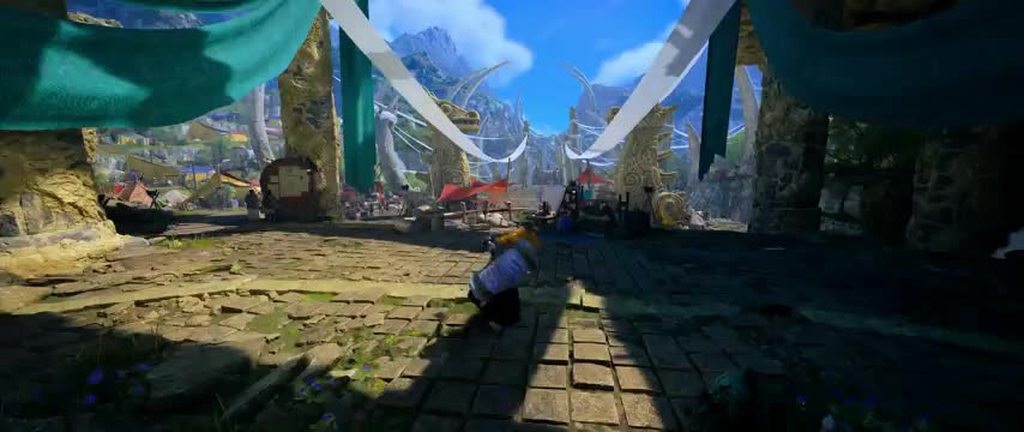
I took some footage, looks better in motion. https://imgur.com/a/ray-tracing-test-hYFlXk7
 merry tartan
fading cape
https://cdn.discordapp.com/attachments/1283602046573875294/1365740038389895278/t...
merry tartan
fading cape
https://cdn.discordapp.com/attachments/1283602046573875294/1365740038389895278/t...
Now I gotta know
fading cape
merry tartan
Now I gotta know
i don't think i can even show it even though there's no nudity lol
but then again creepy be going crazy with those cyberpunk screenshots
merry tartan
I get the idea now lol
fading cape
the screenshot is majestic in a way though lmao
amber blade
Some 4K footage https://gofile.io/d/h8mskG
125.9 MB
cerulean marsh
Saw your reddit post Void, pretty good guide tbh
A little while back I made a similar post with a comment on instructions for how to get everything working right
Though I think if you use the tex decompressor for the high resolution texture pack you may need to do the hard link stuff like before though I'm not entirely positive
High res lite mod
fading cape
I switch my preset to K and this is a huge difference
Even ultra performance is kinda usuable with preset k
idk why dlss 4.5 is so ass in this game it's not a RT issue
 thin fjord
it is? preset L looks ok to me
fading cape
Probably even noticeable in screenshots even though it's way easier to tell in motion
preset K ultra / preset K perf / preset M perf / preset L ultra


dlss 4.5
preset k
@thin fjord
thin fjord
ah yeah so the denoiser issue
going to work on porting a mod from dragon's dogma 2 to disable it
fading cape
It's not even that the issue is still there with RT Off
thin fjord
also rt is only reflections in this game iirc
so either forced rtgi or forced ssgi which probably uses the same denoiser
cerulean marsh
According to the config there is some forced RT in some scenarios that do affect lighting elements outside of reflections
Yeah there is some level of Raytraced AO, but it just says "custom" So I imagine it only applies in some scenarios
magic nexus
The config likely lists things that aren't actually implemented
magic nexus
fading cape
Probably even noticeable in screenshots even though it's way easier to tell in m...
4 has some better stability for denoising (shading in vegetation as well) but 4.5 is a lot better for volumetric ghosting, disocclusion artifacts, and specular/particle detail. It isnt a 100% total win but I do think it's better with M than K overall
fading cape
nah that shit looks awful idc what artifacts it fixes it's unusable for me
preset m is def better than l (obviously) but preset k is much more stable with rt on
also better peformance too if using the same quality
magic nexus
The ghosting is way worse than a little bit of sizzling but to each their own
fading cape
hardly noticed the ghosting
and if that's a little bit of sizzling idk what a lot would be
did you even look at the video of dlss 4.5
oh right ur talking about m specifically i mean ig
it was a lot easier to tell actually in game than that video now that im looking
i haven't noticed any ghosting in wilds tbh
 marsh bone
use j instead of k in this game
fading cape
yall really think the ghosting is that bad in this game?
I've never really noticed ghosting before tbh
marsh bone
the volumetrics in certain areas absolutely are
it's all over the place in like windward plains inclemency, moving around throughout iceshard cliffs and the ruins of wyveria, and very noticeable in the transitions in gog's fight
j gives you pretty much all the benefits of k and helps a lot with masking that effect
personally i just use m because my system cannot handle ray tracing with acceptable framerates
tbh i almost think nvidia should have kept j as the default and used k as a fallback if you noticed jitter not settling properly (flicker)
fading cape
j performance mode is probably more stable and has better performance then m
because of the rt issue
marsh bone
e falls apart rapidly at lower render scales
it does have less edge case fuckups though
thin fjord
it is a lighter model
so I can run it at 4k balanced when K forces me to performance mdoe
marsh bone
oh youve also got a much better system than i do i reckon
thin fjord
maybe I got a 4080
marsh bone
oh i am on a 4070ti but at 3440x1440
i ended up liking preset m performance even though some shit is pretty ugly at 720p render scale like a lot of transparency they try to render
fading cape
you should be able to run wilds very well with that what are you talking about
do you expect like 120 fps or soemthing
marsh bone
yeah lmao
i could definitely turn off fg and cap to 60 and crank some settings back up but i value the visual smoothness too much
 marsh bone
it varies but most of the time i do
i dont ever dip below 100 after the recent updates which is nice
fading cape
on fg??
marsh bone
yup
fading cape
damn wtf
marsh bone
high graphics preset for the most part
marsh bone
renodx itself has a sizeable hit which hurts but it's worth it
13600k
less renodx actually and more just having reshade injected
d3d12 bullshit
fading cape
marsh bone
13600k
ah that explains things
you need a new cpu man
i can't imagine how awful the game ran before the last update lol
marsh bone
it's not actually the limiting factor thanks to fg
camps were shit but any actual gameplay was fine
fading cape
wait i thought you said 12600k that's not as bad
stilll probably a bottleneck
i mean i was nearly maxing out my cpu before the update with a 7800x3d
 magic nexus
fading cape
did you even look at the video of dlss 4.5
magic nexus
fading cape
did you even look at the video of dlss 4.5
I've used 4 and 4.5 in game
magic nexus
fading cape
yall really think the ghosting is that bad in this game?
There is a ton of it. I thought it was just the game itself until 4.5 came out.
Head to the spot in the plains where seregios and gypceros snooze
 dense knot
thin fjord
ah yeah so the denoiser issue
dense knot
thin fjord
ah yeah so the denoiser issue
Are denoisers normal shaders?
thin fjord
dense knot
Are denoisers normal shaders?
Yeah, unless is some external dll like dlss it's just a shader.
dense knot
@merry tartan Interested?
merry tartan
Yeah kinda
thin fjord
https://www.nexusmods.com/dragonsdogma2/mods/180 I'm going to look at this DD2 mod and see if I can accomplish it trough ref scripting. But not sure how lucky I'll get. Maybe Jon can do it faster.

Nexus Mods :: Dragon's Dogma 2
Improves the ray tracing quality and reduces smearing.
Back to my origins Reframework
merry tartan
Though their rt is really low res even at the highest setting
Idk that the result will be good
merry tartan
thin fjord
https://www.nexusmods.com/dragonsdogma2/mods/180 I'm going to look at this DD2 m...
This might be necessary if you can increase the res too
thin fjord
The denoiser runs with rt off too
So they must be forcing rtgi or have some ssgi with a poor de noiser as well
merry tartan
Could we be so lucky that it can be found by just toggling draws in the devkit?
I can try to look tomorrow maybe, but I’ve got things to do
thin fjord
merry tartan
Could we be so lucky that it can be found by just toggling draws in the devkit?
If you know what the inputs look like maybe
Like for AO it's usually the last pass of AO
It probably has motion vectors, since it should be spatio temporal. At least I would hope
dense knot
I have pix captures of the game, I can look for it
Not sure what I'm looking for though
magic nexus
merry tartan
Though their rt is really low res even at the highest setting
wonder if this res ratio setting in the config does anything

Not sure if this is relevant but could be helpful to look at https://www.nexusmods.com/monsterhunterwilds/mods/2368?tab=description

Nexus Mods :: Monster Hunter Wilds
Disables shimmering 'disco-ball' reflections sometimes seen on ground and metallic armor/weapons.
though its a pretty simple mod
 fading cape
thin fjord
going to work on porting a mod from dragon's dogma 2 to disable it
fading cape
thin fjord
going to work on porting a mod from dragon's dogma 2 to disable it
what mod were you reffering to here?
thin fjord
fading cape
what mod were you reffering to here?
#1347155473266114580 message
 thin fjord
fading cape
Anyone make any progress trying to remove the denoiser for wilds?
thin fjord
fading cape
Anyone make any progress trying to remove the denoiser for wilds?
looking at the dd2 script might be able to get away with using that for wilds
can't test atm
thin fjord
what's the best place to test?
cerulean marsh
Scarlet forest during plenty, denoiser causes lots of artifacting there
Especially in the base camp
iirc
fading cape
That place in my screenshot I’ve seen is the worse
Pretty obvious on the floor in cliffs
And yeah scarlet forest camp right in front of the dlc cat
My screenshot might just be taa issue with motion vectors though ngl
Hopefully it’s rt noise though
Would make since why it’s worse on 4.5
Lemme know if you need a tester lol
thin fjord
fading cape
Lemme know if you need a tester lol
not sure I notice a difference disabling the denoiser, but not sure if the effect is being applied correctly either. feels like it resets back to on somehow, gotta figure it out.
fading cape
yeah i'd imagine they'd do anything to make their game look like shit considering how hard the renodx mod was to get right
probably got like 5 backup denoisers just to fuck with you
late marten
looks nice, very dark at night tho

 wanton belfry
 merry tartan
Guess it’s easier to tell people to do that than change settings on their TV or the hdr calibration on the system
merry tartan
thin fjord
why do they have an hdr output option if it doesn't support HDR??
The switch 2 by default puts Sdr content in an hdr container
thin fjord
oh switch 2 issue
merry tartan
Afaik it does it correctly so as long as you have a good hdr screen it’s really not much of an issue
magic nexus
Ps5 has those settings too
late marten
Can i turn off depth buffer and sync stuff ? Would that affect RenoDX ?
dense knot
late marten
Can i turn off depth buffer and sync stuff ? Would that affect RenoDX ?
Yes you can, won't affect reno
merry tartan
in fact, you should disable it
magic nexus

► Visit the Digital Foundry website: https://www.digitalfoundry.net
► Watch the FULL Video Here: https://youtu.be/Lv8tJoiApd8?si=EyCy_jMf8Tf5Ura5
► Support us on Patreon! https://bit.ly/3jEGjvx
► Digital Foundry YouTube: https://youtube.com/digitalfoundry
► Digital Foundry Merch: https://store.digitalfoundry.net
► Follow on Twitter: ...
Tldw, try turning off in game denoising and let dlss handle it
fading cape
magic nexus
Tldw, try turning off in game denoising and let dlss handle it
gotta be quicker next time we've been talking about this for like 3-4 days lol
magic nexus
I know, this is a new video corroborating it
fading cape
This is just a clip from the video that were were talking about
magic nexus
K
fading cape

 errant topaz
magic nexus
https://youtu.be/hm8_mrB5Jh8
errant topaz
magic nexus
https://youtu.be/hm8_mrB5Jh8
how can it be turned off in mh ?
magic nexus
errant topaz
how can it be turned off in mh ?
We don't know yet
errant topaz
magic nexus
We don't know yet
i see, thanks :)
late marten
Why do most of my friends ignore RenoDX completely and settle with simple presets ? They don't tell me why
RenoDX looks waaaay better than any preset could ever achieve
 fresh lake
Good question considering presets and Reno are pretty much two different things even.
merry tartan
late marten
Why do most of my friends ignore RenoDX completely and settle with simple preset...
honestly a lot of the most popular presets put way more effort into marketing themselves
most of us make the mods and then go "oh yeah I guess I should share this out of the discord..." and we shit out a nexus page that will predominantely appeal to people in the know.
reshade presets sell you a vibe, an aesthetic, and renodx is like "code fixed"
magic nexus
Some of them do end up using reno anyways
late marten
I dunno.....i mean to me ? I'd take an HDR fix of the actual game than a fan made recoloring of the game, i never liked reshade cuz most of the made presets change games soo much but for some ugly looking games like dead by daylight i sadly don't have an option, wish dead by daylight had RenoDX
merry tartan
I think the issue is that Reno kinda inherently needs to be described in terms that people do not fully understand or don’t fully trust. What makes it worth using over a reshade preset is what makes it hard to sell, because without trust that someone is actually capable of fixing something or that something was broken in the first place, the technical argument won’t land. We see this often with the instances where Reno gets criticized. But it’s also why we have this community here where people in the know can’t go back.
With a reshade preset, you’re inherently advertising to people that just wanna make shit look different. Renodx often doesn’t look as different as a reshade preset will, and if people don’t get it then they’ll just go with the thing with the “best” screenshots.
 green jackal
I feel part of the reason is also that HDR in PC is niche to begin with, since prices for good HDR experiences are relatively high
Even on TVs people get cheaper "HDR Ready" displays than saving some more and get a proper one
 tender frost
I mean... Some folks still convinced themselves human eyes cannot differentiate anything over 60 fps (some idiots even claim 30 fps)
What are we even arguing at this point. Some people are simply too blind to see subtle dynamic range fixes/changes renodx provides over an oversaturated reshade preset... That is probably why they go for those 🙃
wanton belfry
tender frost
I mean... Some folks still convinced themselves human eyes cannot differentiate ...
Pretty sure research showed that humans can notice a difference up to 1600-1800hz on scenes with two sides alternating.
Although motion blur disappears somewhere around 500 hz.
(perceived)
 proven nymph
I think the 30hz was just a meme fact made from when ubisoft said "cinematic 30 fps" or whoever said that
 trim tangle
wanton belfry
Pretty sure research showed that humans can notice a difference up to 1600-1800h...
trim tangle
wanton belfry
Pretty sure research showed that humans can notice a difference up to 1600-1800h...
Yeah, there's a massive difference between perceiving different frequencies versus being able to react to them physically. We can perceive stuff nearly-instantly, but have abysmal reaction times comparatively.
cerulean marsh
trim tangle
Yeah, there's a massive difference between perceiving different frequencies vers...
Yes but vision is a sliding scale. We don't see in FPS, the only limitation for how many "frames" we can perceive is the speed that visual info can be received and processed by the brain
So using digital measurements like FPS or hz is inherently flawed. Though hz works a little better in context. Given the right tools and training I think a person could reliably identify the difference between like 480hz and 540hz even though at that speed the difference is essentially negligible
trim tangle
cerulean marsh
Yes but vision is a sliding scale. We don't see in FPS, the only limitation for ...
Indeed ~ it is continuous, not discrete. But there does seem to be an eventual limit to the frequency we can perceive, or rather, how fast something can be before we stop perceiving it.
cerulean marsh
Yeah but that frequency and speed of sight is significantly faster than 60fps
I myself am able to tell the difference between my 240hz monitor, my 180hz monitor and my 360hz monitor
Like the smoothness doesn't feel life changing after like 240hz but there's still a perceptible difference
magic nexus
most of its just going to be fighting display technologies rather than just how fast you can see
working against you in both directions
 indigo stratus
Yeah the Gsync Pulsar Monitors are a good example that Hz is not everything, some say the motion clarity is better then on oleds but I just cannot throw away HDR
magic nexus
theyll get that working on oled eventually
indigo stratus
magic nexus
theyll get that working on oled eventually
Sadly at the moment it's inpossible since oled has no Backlight
magic nexus
it just has to be made to work with individual pixels, no reason it cant
indigo stratus
Well I think brightness and voltage Stress might come in in the way, but I will pray anyways
 violet helm
DF made it sound like Nvidia has an idea for how to get it working on OLED so I’d be more surprised if it doesn’t happen
indigo stratus
Can you link me the video? I would love for that to happen
cerulean marsh
I think if you're trying to find motion clarity better than OLED you're fighting an uphill battle that you're losing.
Losing visual quality in favour of motion clarity is a wild trade off imo, especially when its already near perfect on high end monitors that look way better
thin fjord
cerulean marsh
I think if you're trying to find motion clarity better than OLED you're fighting...
tied to frame rate in regular monitors tho.
fading cape
isn't motion clarity like perfect on oled what would even be the point
pulsar was just a tech to try to make it more competitve with oled
violet helm
indigo stratus
Can you link me the video? I would love for that to happen
I can’t seem to find it but I believe it was a video on CES
I may have also misremembered what they said in it idk
violet helm
fading cape
isn't motion clarity like perfect on oled what would even be the point
I believe its more about removing the persistence blur so that something like 300hz for example comes across as 1000hz
I barely know what I’m talking about entirely so don’t quote me..
But if you’ve ever used BFI then its sort of similar to that, albeit in an advanced way
merry tartan
fading cape
isn't motion clarity like perfect on oled what would even be the point
sample and hold displays (all modern displays) create an afterimage effect in our eyes unless the refresh rate is really high, like 500-1000hz. By strobing the image, you drastically increase the clarity at lower refresh rates. Pulsar is basically a fancy version of that that can work with variable refresh rate.
you can try black frame insertion on an oled. It'll cut brightness down a lot, you have to be at a fixed refresh rate, and it'll cut your max refresh in half, but it's cool to see
merry tartan
merry tartan
sample and hold displays (all modern displays) create an afterimage effect in ou...
this is a component of why I like motion blur btw....
violet helm
BFI is really cool with something like the RetroTink where you can push the nits on an HDR display to overcome the brightness loss, but a lot of retro games have variable framerates so it completely breaks in those moments
Pulsar will be game-changing if it becomes a standardized display technology rather than something like GSync Ultimate lol
thin fjord
fading cape
isn't motion clarity like perfect on oled what would even be the point
It isn't, it depends on content frame rate pulsar is somewhat independent of that. That's the point.
magic nexus
There's this one that you can use in retroarch
https://blurbusters.com/crt-simulation-in-a-gpu-shader-looks-better-than-bfi/

Who Is this for? CRT Enthusiasts, software & hardware developers, emulator authors, all of who wish to reduce display motion blur of 60 years of legacy 60fps 60Hz content with softer flicker than BFI. UPDATE 2025/11/18: New CRT Simulator Demo on TestUFO 3.0. UPDATE 2024/12/24: CRT Simulator was added to Retroarch emulator the same day we
thin fjord
magic nexus
There's this one that you can use in retroarch
https://blurbusters.com/crt-simu...
Yeah it's very finicky
thin fjord
Yeah it's both really good and breaks easily. This is mostly what pulsar does, but it's hardware level.
So it should be amazing. Specially for old fixed frame rate games.
magic nexus
I haven't actually tried their CRT simulation thing, 120Hz doesn't quite cut it for that
merry tartan
It still works decently at 120 tbh
I’ve used it at 120hz for some stuff in retroarch
magic nexus
worth giving a shot i suppose
there's this too https://github.com/mausimus/ShaderBeam

GitHub
Overlay for running BFI/CRT Beam Simulation shaders on Windows desktop - mausimus/ShaderBeam
violet helm
ShaderBeam (and ShaderGlass) are awesome programs. Unfortunately, I don’t think there’s a way around the brightness hit with ShaderBeam as opposed to something like RetroArch where shaders can be setup with HDR
Perhaps that functionality will come to ShaderBeam though
amber blade
thin fjord
https://www.nexusmods.com/dragonsdogma2/mods/180 I'm going to look at this DD2 m...
So any luck?
magic nexus
whats the damage
 golden robin
seems to be broken?
 dull osprey
Yeah shaders broken ig
magic nexus
Sounds right
cerulean marsh
Usually happens in updates
fading cape
#1451965513671508110 message
cerulean marsh
damn
rustic bridge
holy moly that frametime
https://youtu.be/b6VinHzFGlE?si=6044DoD_zO7mM1me&t=239

Monster Hunter Wilds patch 1.041 tested on PC vs previous patches. Did they finally optimize Monster Hunter Wilds on PC?
Sources:
https://www.youtube.com/watch?v=4wECGhHP9BI
https://info.monsterhunter.com/wilds/update/en-asia/Ver.1.041.00.00.html
What equipment do I use to make my videos?
Camera: Sony a6100 https://amzn.to/3wmDtR9
Camera Lens:...
game is faster, smoother?
cerulean marsh
My average fps has gone up by about 20-ish frames if you include frame gen
1% lows have gone up drastically
fading cape
damn bro pumped that video out
tender frost
fading cape
damn bro pumped that video out
Bro asks the question, if there was so much performance on the table, why did they not do it earlier?
There was no Nintendo switch 2 port plan was on the table at first I bet.
Now they have to optimize the hell of it to make it even run on that shitty nintendo hardware
merry tartan
merry tartan
tender frost
Bro asks the question, if there was so much performance on the table, why did th...
I mean the answer is that optimization isn’t always trivial. If a system is bad then optimizing it means throwing it out for something new, which can have all sorts of knock on effects depending on what it is and how everything else is designed. It can take a lot of time for even small gains sometimes. In that sense it might make sense that this wasn’t happening until a switch 2 port, which would make the business case for it, or alternatively it actually just took this long.
tender frost
merry tartan
I mean the answer is that optimization isn’t always trivial. If a system is bad ...
That might be true however:
I think they went with this "optimization roadmap" approach and actually committed this amount purely because business need i.e. Switch 2 port. Timeline is terribly overlapping to suggest otherwise.
I have just lost all faith in me towards these AAA game devs in terms of goodwill nowadays.
But I am happy they are improving the performance of course... Regardless of the root cause 😄
amber blade
I was able to up DLSS to performance, render distance to highest and I could go out into the main plains area without taking a 20fps drop
before on render medium even ultra performance would eat the shit
I should test with special K while pak loading is broken (since SK doesn't work with that)
tender frost
yeah but I think in higher settings they overdid this LOD rendering. It is a bit annoying now seeing too much LOD changes even with highest draw distance.
amber blade
Oh I saw some trees in the forrest constantly changing lods
but that could have been due to my prior LOD bias settings being negative 5
tender frost
does driver settings impact it actually?
amber blade
not rite now but thats the name of it on the nexus / you can refer to the guide I wrote previously
tender frost
ok I will search myself
amber blade
Reddit
Explore this post and more from the MonsterHunter community
everything I use is in there, some of its needs updating for new patch
the custom texture pak namely
tender frost
I might just extract part of the lua code which changes LOD bias and fiddle with it I guess
amber blade
high negative values could disable it entirely
5 or higher makes everything the lowest lods, so the beta's PS1 meme mode
not tested if its still working
amber blade
you on about post process effects? I'm not on about that one
and you can still use the old LUA one for that too
tender frost
yeah, I will check older version with lua script to get some "inspirations" later then maybe write my own lua script
not sure if negative values even take any effect
 random cape
dull osprey
Yeah shaders broken ig
random cape
dull osprey
Yeah shaders broken ig
did you fix it? I downloaded the latest .addon64 file and updated reshade, but it's saying missing pp shaders and fog
tender frost
tender frost
not sure if negative values even take any effect
need to debug in reframework if negative values does anything or how those numbers translate into reframework objects then maybe I can start from there... If I feel like it. I am playing Nioh 3 rn, probably won't play Wilds at all until I finish it first
I was just curious about performance update but it came with an annoying cost (to me) this time around
thin fjord
tender frost
Bro asks the question, if there was so much performance on the table, why did th...
yeah they fucked up, they prioritized the content update instead of the optimizations for some reason. they should have apologized and delay the content a bit and fix the game.
thin fjord
amber blade
https://old.reddit.com/r/MonsterHunter/comments/1qwbe71/guide_pc_make_game_look_...
does the photon mapping make a difference?
amber blade
yes
It's easy enough to toggle on/off ingame to see but doing that sometimes breaks it. Same for the other types that kinda work
cerulean marsh
thin fjord
yeah they fucked up, they prioritized the content update instead of the optimiza...
optimization/bug fixing are an entirely separate team from content updates, unfortunately each update has to get approval which is why developers aren't able to just push a hotfix for little bugs whenever they want.
The only people prioritizing content are the suits
amber blade
Photon mapping is the most performative and least buggy
thin fjord
cerulean marsh
optimization/bug fixing are an entirely separate team from content updates, unfo...
if it was a separate team why did they take 1 year instead of work in parallel?
makes no sense
cerulean marsh
I mean fair enough
thin fjord
like for example the LOD requires some work on the meshes. is that done by artists?
amber blade
There are two teams for Monster Hunter, one works on the expansion while the other makes content. They likely delayed the expansion to have the expansion team fix performance issues
cerulean marsh
But both things do happen in parallel. We have been getting performance patches and reduction in resources every single update. None of them have been anywhere close to as impactful as the last three
thin fjord
amber blade
There are two teams for Monster Hunter, one works on the expansion while the oth...
I am sure they probably did have to pull people from the expansion yeah. But I feel like they should have done this earlier.
cerulean marsh
And I imagine the bigger updates like the texture rework, adding LODs and stuff like that do require more communication from the art and programming team so that could definitely play into it
thin fjord
all I am saying
cerulean marsh
Performance should have been focused on from the start
amber blade
thin fjord
I am sure they probably did have to pull people from the expansion yeah. But I f...
It sold 10m or so straight away, gives a bad impression that its fine
its only when the sales tanked beyond norms that they woke up
cerulean marsh
But with that being said we got some absolutely stellar post launch content so I'm not too upset by it tbh
thin fjord
amber blade
It sold 10m or so straight away, gives a bad impression that its fine
yeah, that's probably it.
amber blade
its very much it. That's why there was a lot of cosmetic DLC that suddenly dried up for awhile
the initial burst was made under the impression it was going to sell
but that backfired hard
cerulean marsh
Right now I'm actually pretty comfortable recommending Wilds as a game
I loved it from day one. And I fully anticipate performance getting a pretty big hit for the expansion (Happened with World and Iceborne)
But base game Wilds is one of the most complete endgames we've had in a base game in a long time
And I really hope equipment reward event quests are just always going to be permanent going forward
magic nexus
I feel like my performance has been acceptable since like TU2 but additional gains are good
rustic bridge
that was a big update 15GB
time to play vanilla again with zero injectors
vanilla sdr looks awful 😛
 tender frost
cerulean marsh
I loved it from day one. And I fully anticipate performance getting a pretty big...
tender frost
cerulean marsh
I loved it from day one. And I fully anticipate performance getting a pretty big...
Yeah, I am a sucker for MonHun franchise (there is nothing like it) and I like the actual gameplay and mechanics in Wilds. Content is also good (except the monster roaster, I want my elders back, most new monsters in this game were lackluster)
Difficulty was a big problem at the beginning but I modded the game to make it difficult and did not use the palico.. They also addressed difficulty stuff later on with new content...
I am just sad that they had to go and make performance this bad. Also the visuals and most systems they put it in the game which does nothing to gameplay loop but makes it more demanding just because...
 crisp steppe
oh seems they finally fixed the problem i had since release, now HDR works with Freesync enabled (on AMD)
cerulean marsh
tender frost
Yeah, I am a sucker for MonHun franchise (there is nothing like it) and I like t...
Wilds' new monsters being underwhelming is a pretty hot take tbh. Arkveld, Rey Dau, Nu Udra, Zoh Shia are all some incredible new monsters.
This is one of the most diverse casts of monsters we've had in a long time and every design is very visually striking imo
tender frost
cerulean marsh
Wilds' new monsters being underwhelming is a pretty hot take tbh. Arkveld, Rey D...
yeah exactly, those are great... the rest are in the opposite side
cerulean marsh
Quematrice and rompopolo are also the most unique brute Wyverns in a hot minute
I never hunt rompopolo but his design is grotesque and ugly and we need more of that in monster hunter
tender frost
cerulean marsh
Quematrice and rompopolo are also the most unique brute Wyverns in a hot minute
yeah anything besides the ones you counted are pretty insignificant and did not hunt them again...
there is no tobi level quality mid tier monster in this game
cerulean marsh
I like all the new monsters. I always make sure to go out of my way to hunt every monster even well into the end game because they all got something going for them
tender frost
all the mid tier monsters that I loved in this game were the ones that came from other games
but it is highly subjective of course
cerulean marsh
Honestly I think the hardest thing carrying World monsters is that they were introduced in World which was a huge turning point for the franchise.
And Wilds' mid tier monsters are severely hindered by the early game difficulty
I love anjanath and Tobi as much as the next guy but I think if they were brought in from any other game they wouldn't be anywhere close to as popular
tender frost
I wish the roaster was bigger, that is the thing. Maybe I am spoiled after Rise roaster 😄
But the content is good, totally acceptable as a base game if had to be honest
cerulean marsh
Wilds' roster size is fine. One less monster than World and way more varied
World had a ton of fanged Wyverns and brute wyverns
It's hard to remember how empty World and Rise felt in the end game on launch. Especially Rise
Because we've had Iceborne and Sunbreak for long enough that it's permanently altered the perspective of its respective games
tender frost
cerulean marsh
It's hard to remember how empty World and Rise felt in the end game on launch. E...
yeah I jumped in Rise after the expansion maybe that is why my perception is skewed
But comparing to World base game it is indeed totally acceptable
I just hope they go full throattle with Elders again in the expansion 😄
I don't need ecologically fitting setting or whatever gimme my bois 😄
cerulean marsh
I love Wilds' monsters. An insect looking air bag brute wyvern, another brute wyvern that also looks COMPLETELY different from the other one and has a ton of fancy plumage that it scrapes on the ground to light fires? That's cool as hell. I love that it just isn't breathing fire. So cool
I love Chatacabra as weaksauce as he is the buff frog using its saliva to harden its arms? Very cool. Nowhere near as distinct as like... Whatever the frog from Rise was (I don't remember its name) But I love the amphibian monsters. All the Apexes are sick as hell
Oof Tuna is probably the weakest design of the apexes but the ARMOR
Great armor from a fashion perspective
Nu Udra is hard carried by being a new monster Skeleton though I think that Xu Wu is visually a lot cooler than Nu Udra is out of the octopus monsters
tender frost
I mean the ideas and variations are good not arguing back but the actual fights felt lackluster in a great proportion compared to apexes and other mid tier monsters that came from other titles
cerulean marsh
I think that has more to do with the actual gameplay of Wilds. It was very easy to almost completely shut down monsters in the early game
So it was hard to appreciate fights since monsters barely could fight back
tender frost
might be, I was having 3 mins hunts with underlevel gear 😄
cerulean marsh
But I definitely sense a big shift come master rank if the 10 star versions of the monsters are anything to go by
AT Arkveld was INCREDIBLE. I can't wait to do the other 10 star hunts
And a pretty big chunk of the mid tier cast getting 9 star variants is great to break up the monotony of late game grinding
fresh lake
cerulean marsh
I think that has more to do with the actual gameplay of Wilds. It was very easy ...
That's cause after 20 years of Veterans telling Capcom LR is a tutorial, they finally agreed. lol
cerulean marsh
Unfortunately that doesn't matter because the playerbase doesn't give a shit about anything that doesn't change the meta or contribute to the meta grind
I always use the lowest tier monster as a punching bag for testing damage post build adjustment
tender frost
fresh lake
That's cause after 20 years of Veterans telling Capcom LR is a tutorial, they fi...
Even new players complained it was too easy in early game progress though
fresh lake
Yup, agreed, that's why it was a definite miss-step.
cerulean marsh
I do feel like from a new player perspective difficulty was a lot more subjective. I think if you have prior experience with other action games it might have been definitely a step too far.
But my spouse who very much isn't an action RPG player still has a pretty hard time without my help
fresh lake
They just wanted to make sure people could still kill monsters at 30FPS with 8FPS lows.
tender frost
This was the only game ever I modded the game make harder while also gimping myself by not engaging armor crafting and upgrading at the same time during my initial play through lmao
cerulean marsh
After World I've never felt grinding for sets and stuff was ever that important in the early game. Even going back and playing GU, yeah it's harder but it's more to do with me just being way more used to new gen combat
fresh lake
I never felt grinding for sets in World was even slightly comparable to 3U/4U.
cerulean marsh
But once I got accustomed to it I made it to high rank upgrading my weapons enough that I wasn't bouncing and didn't bother with much else
Mid high rank and late game? Oh yeah it for sure matters
tender frost
fresh lake
I never felt grinding for sets in World was even slightly comparable to 3U/4U.
yeah me too, grinding is done in newer generations
fresh lake
I've got enough hours in World, don't worry I know it matters, lol.
tender frost
but grinding part I accept, it was too much sometimes in older games
cerulean marsh
fresh lake
I've got enough hours in World, don't worry I know it matters, lol.
I was talking about pre-world.
GU early game builds don't make much a difference either.
I haven't played 4U in a long time but I feel like I would have a much harder time there
fresh lake
Early game builds don't matter in almost any MonHun.
Since probably Tri I would bum-rush HR in as little as I could.
cerulean marsh
Because I love me some gimmicky movesets like adept and valour style in GU all of Rise
tender frost
this time we also have access full health from very start that is also so much important
same goes with most consumables
fresh lake
Making a newer weapon is usually the most beneficial thing to get through LR with, but considering how Wilds is, I'm sure this is what LR is from now.
tender frost
in older games you had to unlock ingridients and shit to access full health bar
cerulean marsh
And it's probably why I like wilds' so much too, they just gave us instant block and dodge and the parries I like in Rise baked directly into the moveset

 cerulean marsh
Which I know a lot of people don't like on the account of it making weapons too similar but I think being able to have a perfect guard on weapons capable of guarding doesn't even remotely make them the same. Nothing hits as hard as great sword. You aren't face tanking everything the same way you can with power guard with lance.
Every weapon has its own flavour of meeting the same goal
cerulean marsh
rustic bridge
i'm using high res textures but it doesn't look so
High res textures got nerfed in TU4
rustic bridge
after one hunt, my impression is very positive. Native is smooth with some traversal stuttering. Easily above 60fps.
scarlet forest is still laggy as hell
cerulean marsh
Scarlet forest lags less than the plains for me
rustic bridge
plains are super smooth for me
cerulean marsh
Even though I get pretty decently over 60 at native with no frame gen I still flick it on just to smooth out the frame drops I get during particularly intense scenarios
but my core I7-12700F is starting to show its age a bit in more games than just Wilds
Not being able to get more than 240 frames in For Honor, which is a 10 year old game is kindaaaaa
My CPU just can't do it
rustic bridge
it's more about optimisation honestly
in nioh 3 i can't lock 120
and the katana engine has nothing crazy expensive to be that hungry on gpu
it's just code optimisation
cerulean marsh
Well yeah optimization is the biggest thing but the common thread in any game where I have frame dips or framerate doesn't get substantial increases from adjusting settings is my CPU being way hella maxed out
rustic bridge
I knew wilds had room for improvements because RE engine is really good
at least it was in RE remakes
cerulean marsh
Not a bad CPU but its definitely the bottle neck in my system atm
tender frost
"optimization" it is a relic in the past. Now there is AI upscaling 😄
cerulean marsh
9070 and 32gigs of DDR5 6000 ram
rustic bridge
now it's showing in monster hunter wilds
RE engine can be good for tight corridor games and open world games
as long as devs put efforts to make it work
tender frost
tender frost
"optimization" it is a relic in the past. Now there is AI upscaling 😄
that is why we see more and more CPU bottlenecks, devs still did not catch up with the fact that AI upscaling does only help for GPU side of their slop 😄
cerulean marsh
I think that there's definitely still going to be further tweaks for Wilds. I don't think it's anywhere close to as good as it could be
rustic bridge
ofc, as long as scarlet forest lags, i won't stop complaining 😛
there's no reason plains is smooth and forest lags
there's something wrong in their pipeline
cerulean marsh
As far as I know if REX engine (The alleged upgrade to the current RE Enginge) Actually comes out, I don't think it would be too hard to "port" the game into the new engine
tender frost
rustic bridge
there's no reason plains is smooth and forest lags
oh there is plenty of reasons 😄 visually speaking
cerulean marsh
Denser more complex foliage, water simulation
rustic bridge
for 10 extra bugs?
cerulean marsh
If you have Raytracing on the Forest SHOULD be way more intensive
rustic bridge
nah, scarlet is wasting resources for no reason
cerulean marsh

I'm not saying you're wrong but comparing the two visually I think its pretty obvious why the Forest is, or at least should be more resource intensive than the plains
The plains is like half barren desert
tender frost
rustic bridge
nah, scarlet is wasting resources for no reason
you asked reasons we gave you 😄
you might argue it should not detriment it to that extent but ignoring it completely seems a bit...
cerulean marsh
Plains got more bugs and endemic life in general, and fluid simulation is likely more intense than the dust effects in the plains
The foliage rendering is also going to be more intense
Lots of transparent textures that make it so culling and anything of that sort in general would be less effective. More surfaces effected by screen space reflections or Raytracing if you have it enabled
rustic bridge
i just need to leave the base camp to have lags
 cerulean marsh
The only place I get drops in the plains is in the grassy area during the plenty
at all times its the smoothest area in the game for me other than the wounded hollow (for obvious reasons)
tender frost
cerulean marsh
at all times its the smoothest area in the game for me other than the wounded ho...
both visually and frame time graphically 😄
cerulean marsh
If you put in REF it might smooth out those stutters in the forest
I don't think texture decompression is really necessary anymore
I get next to no texture pop in
tender frost
new textrues are not decompressable with the mod
it needs to be updated
Capcom used a new .pak archive revision which is not supported by the tool
rustic bridge
this place is the most laggy part of the forest to me

mountains on one side
waterfalls on the other
add hunting uth duna or mizu and it's a lag fest
cerulean marsh
Oh yeah the forest monsters also be doing things that hurt your CPU
tender frost
it is not lagging for me but weapon hits with dual blade has weird low fps animations while hitting to monsters. Only happens in scarlet forest but my frame rate is still fine while it happens. It started doing it after TU2
before it was fine
rustic bridge
AT arkveld is ridicously strong
magic nexus
tender frost
there is no tobi level quality mid tier monster in this game
Xu Wu?
rustic bridge
half hp gone on a hit with divine blessing PROCd
magic nexus
cerulean marsh
I never hunt rompopolo but his design is grotesque and ugly and we need more of ...
Hes such a weirdo, love that guy
tender frost
magic nexus
Xu Wu?
I already said it is highly subjective but I don't like Cephalopod monsters in this game. But it is pretty cool that they introduced a new skeleton to the franchise.
They look cool and some of the moves are cool but somehow they feel imbalanced with the current weapons' movesets, hard to explain
all of the new monsters are conceptially cool, but hunting experience was poor for me for the low/mid tier monsters they added in this game, compared to existed low/mid tier monsters
magic nexus
I have a hard time not seeing it as one of the best HR rosters in the series
cerulean marsh
There's going to be more elder's in the expansion
magic nexus
Master Rank should give the low and mid tier guys enough new tricks and meat to have some more fight in them
cerulean marsh
Master rank historically has always been the Elder Dragon rank
magic nexus
Tbh I love the lack of elders
cerulean marsh
Iceborne had an absolute disproportionate level of elder dragon's because that was the crux of the whole story
magic nexus
Yeah world added more ED's than any prior game iirc
cerulean marsh
It was giving GU a run for its elder dragon money with how many that game had (I'm exaggerating)
But I think GU and World back to back could be the biggest issue for Wilds on a Monster Roster perspective
magic nexus
If you look at it in a game with expansion vs game without expansion sorta way definitely
cerulean marsh
We went from a game with 90+ monsters to one with less than half of that. Which World did see complaints about for some ungodly reason. At least initially but people mellowed out about it as usual. Iceborne nearly doubled the monster count of World and Now because Iceborne and World are almost always cheaper to just buy together It kind of prevents the two from being looked at as separate entities
I can count on one finger how many people only have World and not Iceborne
tender frost
magic nexus
Master Rank should give the low and mid tier guys enough new tricks and meat to ...
honestly this. That is my problem. Move sets and how they punish (or not punish specifically) hunters
they need to add as much as tricks to monsters as they evolve hunters over time
cerulean marsh
I always view the base game or low rank as the testing ground for the game's gimmick. A lot of the low tier monsters have huge obvious weakpoints during attacks that make them easily exploitable and wounds also build on them very fast
tender frost
I could see some "new" moves for the older monsters so I felt better, but there were no reference for the new monsters and they were so easy I had this lacking hunting experience
cerulean marsh
I think Offsets, power clashes, and attacks being able to be stopped by attacking a specific weakpoint are objectively the coolest shit Monster Hunter has seen in a long time. It makes me feel like I know the monster I'm hunting personally and calling out its actions and punishing a monster directly for repetitive behavior
magic nexus
Yeah I'm anticipating a boatload of "capcom listened and fixed the game" sort of responses to the expansion that are basically just the conclusion of things they already had in the pipeline. You can't fully realize your endgame systems when you have a large final expansion on the horizon. You can see in World how it's endgame was refined from HR to MR, Rise for the most part just started over (removed rampages).
cerulean marsh
Devil Jho had the predecessor of Offset attacks in one of its attacks in World because hitting it in the face would knock it over during that attack and that was always so cool to do.
So I love that they made it into a whole ass mechanic. I feel like its extremely Monster hunter coded to get into a power struggle with something 100 times your size and win
and you can definitely see how they're figuring out how to better incorporate focus mode into monster designs in the later game hunts
Monsters still have weakpoints during or after certain attacks but they're a bit more focused, don't last as long and require some prediction and spacing to actually be able to capitalize off of, and Wounds in general feel very earned when you manage to open one
Which is how it should always be
don't give me extra reward for just wailing on a monster indiscriminately, reward me for very specifically targetting the head because I'm a hunting horn main
While also giving me the option to attack other parts of the body if need be without significantly reducing my effectiveness because sometimes going for the head is just out of the question.
AT Arkveld actually does an INCREDIBLE job of integrating nicely with focus mode as a whole
Doing that hunt with SNS I found myself having to reorient which way I'm blocking to be able to block effectively and if I wanted to take advantage of its weakpoints after its big attacks I really had to make sure I was outright avoiding the attack or at the very least already standing in a favourable position to actually be able to hit them which cannot really be said about base arkveld
All these lategame hunts are stellar imo
And dare I say the most fun I've had in monster hunter
Its tense, keeps me on edge but also doesn't make me feel incompetent or way too bloated like Fatalis kinda did in World at first
I'm still a master hunter but holy the monsters are keeping up. And that's a good feeling
tender frost
Fatalis is the most balanced monster fight ever. Movement speed, move set, tracking, doing follow up attacks that make sense...
It was overtuned for its damage output for not so veteran hunters but it was something else how that fight was designed with the weapons and systems in the game at the time
cerulean marsh
The hunt was great
It just made me feel bad at monster hunter the first couple attempts at it
magic nexus
cerulean marsh
Devil Jho had the predecessor of Offset attacks in one of its attacks in World b...
Yeah even harkening back to the monster hunter 2 trailer with the GS hunter blocking the blangonga, so they recreated the guard clash in wilds
cerulean marsh
Honestly WIlds does a lot to incorporate a lot of the things we've seen happen in CGI trailers into the actual gameplay
Even if focus mode as a whole doesn't come back in the next game I can see offesets and power clashes becoming a staple
tender frost
Now we need weapon arts again 😄
magic nexus
Yeah they feel and look really cool, they seem less like one game gimmicks and more like them adding mechanics like mounting
cerulean marsh
This idea that Monster Hunter Has to be clunky and overly weighty and restrictive is a regressive ideology imo because the CGI videos of Monster Hunter have quite literally never pushed that narrative which to me reads like the Monster Hunter team has always wanted to make a fluid and dynamic combat system that, while being definitely more grounded and heavy than other games. Not restrictive in the ways it was in the old games.
They aren't swinging weapons around like they weigh nothing in the videos but they can move around fairly easily and freely
magic nexus
The leads are also largely the same people now as then, not like it's a new development team changing things up.
tender frost
magic nexus
The leads are also largely the same people now as then, not like it's a new deve...
but people change 😄
cerulean marsh
Haters just don't wanna see the franchise become what the team has always wanted it to be
I cannot ignore that a lot of the changes the series has made are very very likely the result of shareholder influence.
Especially now more than ever since Monster Hunter is one of capcom's biggest money makers
tender frost
cerulean marsh
Haters just don't wanna see the franchise become what the team has always wanted...
Haters don't wanna see anything, period. They want old games with new graphics a.k.a remasters more than anything it seems
cerulean marsh
But the developers definitely still show a pretty heavy sense of pride and doesn't really read as sanitized corporate mandated content pushing in the way other triple A developers do
magic nexus
tender frost
but people change 😄
That's true, sometimes they also want to shake things up. They did their last hoorah for old gen stuff with GU and now they're experimenting a lot between games in 5th gen and beyond
cerulean marsh
They're still happy to show off concept art, talk about their development process. Show the actual work. I love the monster hunter team
I just wish they weren't working under what is, unfortunately a pretty shitty company
Capcom has insanely talented developers underneath them
tender frost
I mean I don't like overall direction of the franchise going (in terms of difficulty, skill expression and lack of need for preparations for the hunts) but I like new systems and weapon changes most of the time
just because the fact I don't like some aspects does not hold me back enjoying new stuff
magic nexus
I'm lucky in that I prefer the direction they're taking now
I dropped off after 2nd gen and World got me back
cerulean marsh
All I know is that there was a lot of people who despised tracking in World and gaming in general and while a lot of us veterans love how much emphasis on preparation. This does not reflect the cultural zeitgeist of today
That sentence made no sense
The Monster Hunter playerbase has grown exponentially since the old titles
The preparation is absolutely a core part of what makes monster hunter what it is, and the fact that we still on a purely technical level have basically everything we could ask for from a preparation perspective. But it is largely not necessary to me reads like its something the team wants to desperately keep in the game for the people that want it.
But because of how popular monster hunter is now, they are unfortunately being forced to take steps to make the game more accessible to people who are less inclined toward the preparation front.
They haven't taken prep away from us, it has just been streamlined to hell and back to make the game fun for people who just want to kill shit. In other words they just devalued it. But you can also see it still being extremely important in the challenge quests if you want to beat the times since you really have to exploit items and the environment to get those A ranks.
tender frost
I like a nice learning curve and meaningful challenges along the way and using the systems/tools game provide to overcome those. They add too many new tools to hunter but mostly forget about enemy design(not visual) in terms of moveset, weakness and strong suits, use of different tool/gear to counter shit..
Monsters don't make much any tremor, earplug levels are stupid, wind pressure is non existent.. we have all of those, sure but they are made so trivial, nobody cares
Now that need is slowly but surely disappearing. That is just me. I am not saying we should have those old long meaningless grinds and stupid side quests back but we could still had a better uses or special rewards/incentives to interact with the consumables and such.
Some items are just meaningless now, paint ball and farcaster are examples
If there is not tremor/wind pressure to make any inconvenience there is no need to use armor skills to counter those. In the past, some monster attacks would cause you stun in a single attack (certain diablos attack comes to mind) that you would want stun resistance
Some monsters could paralyze you in a single certain attack (kirin) you would want to have thunderproof mantle
Now everybody just needs raw DPS for every monster because as long as you are not one shotted it does not matter (even then it does not matter with Lords Soul)
That kind of preperation I meant, not preparing demon drugs, demon dusts and max potions 😄
Also they need to make monster tracking better IMO, you can just run without sprinting and attacks would not track and land on you but now you have much more access to movement as hunter, you can move while doing basic combos now, you can also aim direction while doing so. If I am not greedily committing my combos, I can just do basic combos around monsters while moving and attacks will miss me unless its some AoE
cerulean marsh
I honestly love the little micro adjustments during attacks you can do
tender frost
I want those kind of challenges not just bigger sponge and hitting harder monster. But those are getting less relevant. They course corrected a bit on that regard, I hope master rank will be better
cerulean marsh
Narrowly avoiding attacks with the movement of my own is always satisfying
tender frost
cerulean marsh
Narrowly avoiding attacks with the movement of my own is always satisfying
I mean you can still have it, it does not have to be a sure-hit attack from the monster. but lets say increase tracking to the extent of monster would still hit you if you are running but not sprinting..
cerulean marsh
I think monsters having more tracking would only serve to further incentivise perfect guards and evades and would devalue micro movement and positioning even more
And I do not want that
tender frost
I don't know rise had better tracking. it was a bit extreme at first they laxed it a bit to make it balanced
reverse could be done here
cerulean marsh
I think there needs to be some balance
Some attacks should track but its also quite challenging to make something that tracks enough to hit running but not sprinting because those two things really aren't that different in speed and might make trying to dodge roll too annoying
tender frost
but my idea of challenge is around monsters and them making preparation stuff meaningful, I am not talking about them being present just for the sake of it
cerulean marsh
Honestly they just gotta make monsters hard target you if you open your map and suddenly Farcasters would be important again
The second you open your map in combat you just get obliterated
cerulean marsh
I do wish that the more specific items had more use
amber blade
Ok Everything seems to be in order now
 amber blade
732.1 MB
I'll prob be messing with the settings more now that I have near constant smooth 60 with room to spare
 royal marsh
so, is this happening to anyone else?

 silk blaze
royal marsh
so, is this happening to anyone else?
silk blaze
royal marsh
so, is this happening to anyone else?
Not for me. My guess would be some sort of driver issue. I remember seeing this a while back on Battlefield 2042 until Nvidia fixed it lol. The issue would happen when looking at bright lights.
 umbral vale
amber blade
I'll prob be messing with the settings more now that I have near constant smooth...
umbral vale
amber blade
I'll prob be messing with the settings more now that I have near constant smooth...
looks good. interesting camera angle and fov, which mod is that?
trim tangle
thin fjord
yeah they fucked up, they prioritized the content update instead of the optimiza...
Imagine if they had an extra 6 months before launch proper... :/
 remote bone
amber blade
Ok Everything seems to be in order now
remote bone
amber blade
Ok Everything seems to be in order now
what version is this running? im having trouble making it work right now. it doesnt break/make noise, it just appears to silently have no effect anymore. it was great pre latest MHWilds patch
cerulean marsh
There is a new version of renodx out for the latest patch
random cape
I have the same problem even with the quick fix. shaders are broken for me, I'll wait for the proper next version
remote bone
cerulean marsh
There is a new version of renodx out for the latest patch
Link?
Fwiw i did get it looking pretty good just by doing a full reinstall and reconfigure
silk blaze
remote bone
Link?
Below
royal marsh
i forgot about the nuke 

 topaz grail
i tried deleting shader cache and nvidia GLcache and the rest of the graphics mods and still the same four errors show up

idk what im doing wrong
amber blade
late marten
Anyone else experiencing ALOT OF STUTTERS ? using RenoDX
 granite mirage
MH Wilds
the mod seems to be working. i could see the difference between vanilla+, regrade, and off. however, i get a warning about missing fog shaders. is there an area in the game i could go to to check?
 random cape
it says still missing fog shaders for non RT, so yeah, this needs to be fixed first, then the warning will go away
granite mirage
random cape
it says still missing fog shaders for non RT, so yeah, this needs to be fixed fi...
oh i missed the rt info. i will just turn it on. thanks!
random cape
now Im getting missing post processing shaders again...
everyday something new
nvm ingame it says GOOD now, everything is fine
merry tartan
random cape
now Im getting missing post processing shaders again...
That’s unexpected with the build I posted above. Have you already updated to that?
granite mirage
Is it recommended to reduce the max nits to what my tv can handle? 1000 for example.
random cape
merry tartan
That’s unexpected with the build I posted above. Have you already updated to tha...
I had it only in the main menu, it is fine ingame
merry tartan
granite mirage
Is it recommended to reduce the max nits to what my tv can handle? 1000 for exam...
Yes
 late stone
topaz grail
idk what im doing wrong
late stone
topaz grail
idk what im doing wrong
you might be using vignette options in in reframework go to "camera" and uncheck them
 supple stump
I was using the more graphics option mod to set the LODs to a negative value (in addition of increasing the shadows quality and decreasing the culling ratio) but was getting frequent "Heap allocation failed" crashes... Removing the mod fixed it but I do want to use the mod in some way. Is there a setting I shouldn't have touched or something? Anyone else encountering this problem?
amber blade
 amber blade
Certain settings below 50 really fuck up how the game renders shit at a distance unfortunately
 alpine tree
amber blade
Certain settings below 50 really fuck up how the game renders shit at a distance...
alpine tree
amber blade
Certain settings below 50 really fuck up how the game renders shit at a distance...
Which settings in particular? Because I just recently been trying to follow your guide you made recently
amber blade
alpine tree
Which settings in particular? Because I just recently been trying to follow your...
lowering local exposure highlights below 50 will fuck up clouds
current settings are

looks like this

still experimenting though
alpine tree
amber blade
lowering local exposure highlights below 50 will fuck up clouds
Ah I see good to know
amber blade
upped exposure to 1.0, went back to JPN CRT
 merry tartan
random cape
merry tartan
random cape
legend, thank you!
fading cape
The game has inconsistency of brightness and contrast in each locales. With the same brightness setting from the game you can…
 Reddit
who this
surely they're in this server
👀
silk blaze
Seems interesting and still suprising how many people think this is another reshade user filter.
merry tartan
oh I guess that's why there's an influx of endorsements on nexus lol
silk blaze
These comments ont his thread hurt to read.
 viscid yoke
fading cape
surely they're in this server
viscid yoke
fading cape
surely they're in this server
they probably just recently discovered it considering their other posts are mostly just monhun and splatoon
silk blaze
 viscid yoke
but very cool the overall reception on the post is positive
alpine tree
merry tartan
Dumb question but just making sure do I need it at all as an HDR user?
merry tartan
nah
alpine tree
Aight thanks 👍🏻
silk blaze
This thread is full of downvote comments 
alpine tree
amber blade
upped exposure to 1.0, went back to JPN CRT
Anything new you discovered or experimented on?
amber blade
alpine tree
Anything new you discovered or experimented on?
AVSGF works as a ray tracing option but breaks if you change it while ingame. So set in reframework > restart.
Testing it atm as an alternative to the photon mapping.
since due to it being borky it's hard to directly compare how changing this effects things ingame.
silk blaze
merry tartan
oh I guess that's why there's an influx of endorsements on nexus lol
I always forget to click the bottom for mods
Tracking is about the only thing I remember to click.
amber blade
viscid yoke
they probably just recently discovered it considering their other posts are most...
They also not very good at it based on the settings they are using
silk blaze
going to cry now. Someone downvoted me for commenting about a person having eyes adjusted to washed out tonemapping.
alpine tree
amber blade
AVSGF works as a ray tracing option but breaks if you change it while ingame. So...
Does the photon mapping have any downsides then compared to the alternative you're experimenting with currently?
amber blade
alpine tree
Does the photon mapping have any downsides then compared to the alternative you'...
Photon mapping is almost the same as what the game does by default as far as I can tell, just makes it apply to more things.
I'll do comparison shots when I find a good area for it
alpine tree
amber blade
Photon mapping is almost the same as what the game does by default as far as I c...
For the photon mapping do I only have to choose ray trace type in reframe work or do I got to set it to all the other clone type under it?
amber blade
all that config shit I did before was placebo and what I was seeing what things breaking / being different due to changing the ray trace type back and forth
anything you can change that isn't an ingame option the game changes back instantly
The options likely do something but would need to be changed ingame through a script to see what
like what more graphics options / disable post processing effects does
alpine tree
Huh good to know thanks :))
merry tartan
amber blade
alpine tree
Huh good to know thanks :))
from testing so far photon mapping seems better overall. They very similar though but I notice reflective surfaces being better with photon mapping.

compare the swords in the above and this. Notice how in the first it is reflecting the colour of the sand and in the second its just shadow.

It's subtle shit but messing with this setting does stuff
magic nexus
small difference with the fulgurite on the left side
which one is which? first one photon and the second is default?
royal marsh
It is the "same" in movement? With photon in the name i think of the temporal stuff because is expensive right now
magic nexus
just to sanity check too, can you make an identical comparison with RT off?
it is still reflecting the color in the second picture but its just darker
merry tartan
granite mirage
MH Wilds
the mod seems to be working. i could see the difference between vanilla...
oh whoops, didn't mean to ignore this. Right now it only works with RT enabled.
oh RIP you did get an answer already
royal marsh
is this banding normal? engine limitation?
 amber blade
magic nexus
which one is which? first one photon and the second is default?
amber blade
magic nexus
which one is which? first one photon and the second is default?
neither is default. First is photon mapping, second ASVGF
default things would look a lot whiter as it doesn't interact with fog
merry tartan
royal marsh
is this banding normal? engine limitation?
unfortunately yes
engine thing, it's there without renodx as well
royal marsh
So changing the srgb in the config.ini does nothing
merry tartan
the lower contrast look of the game doesn't make it as apparent though
royal marsh
If I move the camera in the sky is like the colors doing a cascade after stopping
 sonic thicket
I wonder if the ray tracing tweaks could also be used to turn off the denoiser, like when using dlss 4.5
random cape
merry tartan
that update broke the SDR non RT shaders again it seems, I had to enable RT again for the app to say "GOOD"
merry tartan
Fog shaders are expected to be missing without rt
amber blade
I think I'm done
 alpine tree
amber blade
I think I'm done
alpine tree
amber blade
I think I'm done
Found something you're satisfied with?
amber blade
for now. I adjust things around how fallow weather looks
the mistake I see alot of people trying to make the game look good make is using plenty as a baseline
amber blade
 alpine tree
amber blade
alpine tree
amber blade
Would you mind sharing your settings again? I'm interested in replicating to see how it looks on my monitor if it is not a problem to you ofc
amber blade
I'll grab them next time I boot the game up which will prob be when the new events go live
 uneven arch
thin fjord
not sure I notice a difference disabling the denoiser, but not sure if the effec...
uneven arch
thin fjord
not sure I notice a difference disabling the denoiser, but not sure if the effec...
I know it's a couple weeks back but did you ever figured it out?
amber blade
alpine tree
Would you mind sharing your settings again? I'm interested in replicating to see...
 thin fjord
uneven arch
I know it's a couple weeks back but did you ever figured it out?
thin fjord
uneven arch
I know it's a couple weeks back but did you ever figured it out?
no I would probably have to find the GI shader and denoiser pass and disable it. But I don't feel like it, maybe Jon wants to sink the time in.
uneven arch
thin fjord
no I would probably have to find the GI shader and denoiser pass and disable it....
Hmm, I think the game have like 4 denoiser. One for water, other 2 for armor and environment, and last one is left disable
amber blade
thin fjord
no I would probably have to find the GI shader and denoiser pass and disable it....

That denoiser is really getting on my nerves
uneven arch
amber blade
https://klipy.com/gifs/cat-please-33
can you show me some example?
amber blade
I'd have to go looking for and film it / I am assuming the denoiser is the cause based on what I seen in DF videos
Shit at certain angles just looks garbled
I think I can force it
fading cape
thin fjord
no I would probably have to find the GI shader and denoiser pass and disable it....
you think it'd be possible to find from draws?
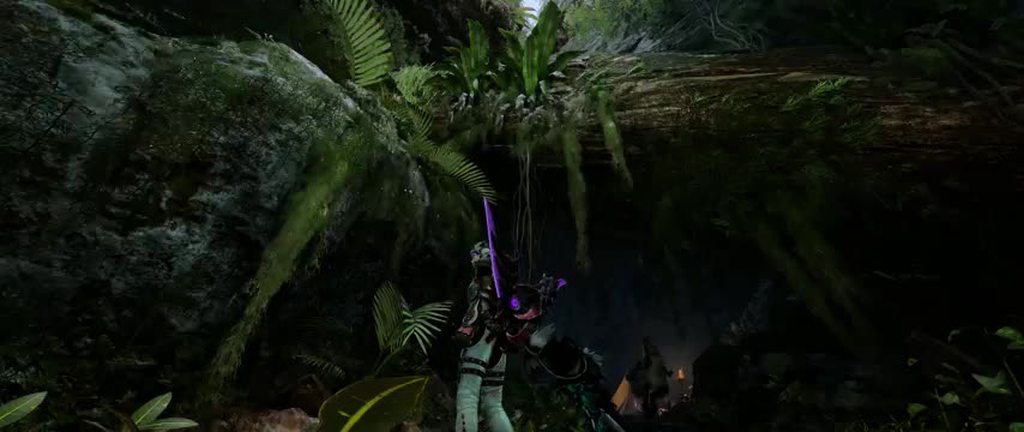 thin fjord
fading cape
you think it'd be possible to find from draws?
thin fjord
fading cape
you think it'd be possible to find from draws?
I would think so
royal marsh
 pretty lights
amber blade
shame they are leaves
uneven arch
okay, let me check that location
fading cape
I don't even think it's the denoiser i think it's just an issue with taa but who knows
amber blade
its right outside main base camp of the forrest
royal marsh
People said in tu4, that you needed to disable TAA even if you use the upscalers
fading cape
thin fjord
I would think so
what like if you undrawed it, it would just turn off the desnoiser?
amber blade
many areas are fucked like that one with DLSS 4.5, but I forget where they are exactly
but the forrest has tons of fucked up places
nearly all of the big leaves are borked like this
royal marsh
I remember the config.ini saying rt 1/8 resolution or something like that
amber blade
that setting changes based on the ingame RT setting
thin fjord
fading cape
what like if you undrawed it, it would just turn off the desnoiser?
just make skip the draw and output the noisy texture
then hope dlss cleans it up better
amber blade
Apparently that is what DLSS 4.5 wants
per DF's test in games where they could force the denoiser off
also turning the GI off will prob allow the other RT options you can set within Reframework to function correctly
uneven arch
This noise right?
 royal marsh
Isn't this supposed to be white? I though it was looked like oil because i have an intel arc card
 uneven arch
not sure but that's the default color palette for that armor
royal marsh
Its the same as Nata's and the mole people
thin fjord
amber blade
https://klipy.com/gifs/cat-please-33
I don't know how to use reno that well.
alpine tree
amber blade
Ayyyy thank you
amber blade
uneven arch
This noise right?
if its going all fuzzy disco like my gif then yes
I can't easily tell from an image
merry tartan
thin fjord
no I would probably have to find the GI shader and denoiser pass and disable it....
I'll look rn and see if it's potentially simple
magic nexus
amber blade
if its going all fuzzy disco like my gif then yes
in the meantime take this mod and edit the value inside to like 0.2
https://www.nexusmods.com/monsterhunterwilds/mods/2368
Nexus Mods :: Monster Hunter Wilds
Disables shimmering 'disco-ball' reflections sometimes seen on ground and metallic armor/weapons.
turning it completely off makes things too dark, but you can set it between 0 (off) - 1.0 (normal)
magic nexus
weird
merry tartan
I'm talking about disabling denoising
magic nexus
oh gotcha. Are you using dlss too?
merry tartan
yeah, preset M
weirdly xess did the best with it
but in any case, drastically worse than keeping denoising
could be other passes that need to be messed with, but it really seems like the issue is just that it's severely undersampled
thin fjord
yeah I thought it might help, but only so much you can do with 1/8 resolution or whatever it is they do
fading cape
apparently the gi isn't even RT
isn't the dlss 4.5 desnoiser thingy only for RT?
I've only seen it used in RT examples
uneven arch
If I find out how to disable the denoiser, can you guys create a Lua script? I notice for MHWilds setting will reset if you fast travel or go into camp.
fading cape
uneven arch
If I find out how to disable the denoiser, can you guys create a Lua script? I n...
jon already found it unless there's a seperate denoiser for rt
wanton belfry
Yeah dlss transformer models works better without game denoisers in rt
amber blade
merry tartan
could be missing something, but doesn't appear to be worthwhile
There are other Ray Tracing settings in the games ini that it resets if you change them. If changed through a script ingame they likely do something that could fix this.
would also be interested in getting the games base lighting disabled to see if that fixes the problems with the other Ray Tracing types that currently Solarflare everything.
RayTracingShadowEnable, RayTracingSpecularRoughnessThresholdQuality, RayTracingGIEnable and several others.
amber blade
One of the ray tracing settings within the ini is bound to fix this from happening
 royal marsh
that part on the center (blue sky) looks really bad 
 thin fjord
fading cape
isn't the dlss 4.5 desnoiser thingy only for RT?
thin fjord
fading cape
isn't the dlss 4.5 desnoiser thingy only for RT?
same principle
rtgi or ssgi should work
this game only has rt reflections
amber blade
thin fjord
this game only has rt reflections
only has them enabled. Like the LOD settings that can't be changed in the config ini but can be through a script, I suspect the same is true for all the ray tracing settings in the config ini also.
random cape
can anyone tell me what the RT tweaks in REframework do?
merry tartan
royal marsh
that part on the center (blue sky) looks really bad <:thonk:1361919913320517753>
I've spent a good bit of time trying to find the source of this banding without much luck. Game doesn't take resource upgrades for reasons that elude me as well.
 pine cedar
do you guys use disable post processing to disable the lens distortion in addition to using renodx?
uneven arch
I disable two denoiser and enable other RT features
So there's transparent denoiser. I was able to disable that
merry tartan
oh nice, is this with reframework?
uneven arch
Yes
merry tartan
wow that's a massive improvement there
I'm glad it was solveable, guess there were just more denoising steps I had to find
doing it in reframework is far more sustainable though
if I'm gonna keep working on this game I should probably learn more about what can be done in reframework.
would also benefit me when I inevitably do dragons dogma 2
if you don't mind, ping me when you post the mod 🙏
amber blade
Same - I need this shit yesterday
magic nexus
uneven arch
Did that extend the RT cutoff distance?
Or did something else do that?
You run farther and the poles stay in the water reflection the whole time
uneven arch
I disable RT camera culling
magic nexus
Ah okay you did mention other RT features
sonic thicket
Is there a significant performance hit?
uneven arch
Wish there was a way to enable RT shadow but it does nothing
magic nexus
That's too bad
uneven arch
Probably in scarlet forest. Also the latest update capcom lower the vram budget. So it stutter way more if you go over
I miss when it used to stream in 20gb of vram
cerulean marsh
Sad that RT shadows don't do anything
Wilds would look great with full raytracing (Not path traced)
I think the in game shadow quality is already stellar though so I don't think it would be worth the performance hit running RT shadows in conjunction with the reflections. Though I do wish the RT reflections applied more broadly. There are some surfaces in the game that I feel should be way more reflective than they are
I kind of hate how most of the water in the game looks. Its a little better with RT on but most of the bodies of water and small puddles just look bad. Low transparency, reflections on still water don't seem to reflect the entire worldspace in the way they should.
cerulean marsh
pine cedar
do you guys use disable post processing to disable the lens distortion in additi...
RenoDX has its own lens distortion toggle. You shouldn't need the separate script for it anymore
cerulean marsh
uneven arch
No noise except the vine
Would we get similar results with other upscalers?
I'd happy to test FSR3.1/4 for this. Its hard to quantify how much of an impact these things have when I'm not looking directly at the problem
Though I'm not sure how necessary it is for us FSR/XESS folks. I certainly do not get disco artifacts the way DLSS homies are
uneven arch
https://imgsli.com/NDUxODgx I did lose like 17 fps
 merry tartan
cerulean marsh
RenoDX has its own lens distortion toggle. You shouldn't need the separate scrip...
merry tartan
cerulean marsh
RenoDX has its own lens distortion toggle. You shouldn't need the separate scrip...
I got rid of it
cerulean marsh
Maybe its better that I don't though. FSR seems to really struggle with even slightly misaligned motion vectors
merry tartan
it works correctly with reframework mods
cerulean marsh
I'll have to try it again then
merry tartan
would have been a whole thing to properly support it in renodx and it's just not worth it
cerulean marsh
It would be nice if the mirror greatsword actually had mirror-like reflections
amber blade
uneven arch
https://imgsli.com/NDUxODgx I did lose like 17 fps
what card?
uneven arch
rtx 5090
cerulean marsh
Okay yeah. FSR doesn't seem to have anywhere close to the same issue with the denoisers that DLSS4.5 has
I ain't got none of the funny shimmering
amber blade
thats a big hit though proof that its working
which part of your changes caused the hit? I'm guessing it wasn't disabling the denoiser
uneven arch
maybe disable LOD also reduce performance
amber blade
that would reduce performance massively. Lack of proper LOD until recent TU was a cause of performance issues
I would lose 15-20fps whenever I went to the middle of the forrest or the main plains area.
cerulean marsh
Is there anywhere I can access the Reframework config to change the hotkey? It seems like Reframework reset my hotkey but also kept the setting to maintain previous visibility state so it doesn't display when I open the game so I can't change it
uneven arch
cerulean marsh
Is there anywhere I can access the Reframework config to change the hotkey? It s...
like REF menu hotkey?
cerulean marsh
Yuh
I have a 96 keyboard so I have to remap stuff since I have a home button but no end key which is normally the key I would use lol
Both are mapped to home by default
uneven arch
Should be re2_fw_config txt under REFrameworkConfig_MenuKey_V2
cerulean marsh
You're a legend
I'm blind as hell so I totally missed CONFIG cause it's not an ini
Haha wait that's not the issue, Reframework just isn't working right
amber blade
btw jo, any luck disabling the games lighting? Wondering if that would enable the other ray tracing modes like path tracing to work properly.
As they function through reframework atm but stack ontop of the existing lighting turning everything into a glowing mess.
uneven arch
I can take a look later when Im free again.
problem with PT is that a lot of texture is a black blob
cerulean marsh
Yeah I have a feeling trying to enable path tracing in a game that was not intended to have it may have some issues that may or may not be fixable
fading cape
uneven arch
https://imgsli.com/NDUxODgx I did lose like 17 fps
why are you losing fps from disabling something?
wouldn't it help fps
uneven arch
disable LOD means it will always load the highest quality objects, vegetation, and etc
fading cape
oh you disabled lod too i missed that oops
how'd you find the denoiser anyway? was it with the reno devkit?
I found a shader that seemingly causing reflection boiling but i'm not sure what it's affecting yet
the boiling was only noticable when paused and on ultra peformance though
uneven arch
fading cape
how'd you find the denoiser anyway? was it with the reno devkit?
with REFramework
fading cape
oh i didn't know you could use it like that
thought it was just like a codebase or something that other mods need to use

sonic thicket
Is there a noticeable gain in performance when only disabling the denoisers?
amber blade
disabling the denoisers is not about performance, its about image quality
DLSS does not like them
merry tartan
it would help performance though
amber blade
well thats a nice bonus
btw jon your new tonemapper doesn't fuck up the clouds with low local exposure values, big improvement
 merry tartan
nice
I'll be switching over everything to that new system shortfuse is working on when it's finished, right now it's just a beta for the display mapper
has good results, though I wouldn't call it transformative compared to what is already there lol
feelings are a bit mixed on how it looks in SDR though
amber blade
You seen me post many shots here by now so you should be able to see the difference
I do tend to use the same areas
I could post the hdr version of the screenshot but discord doesn't display them anyway
but here it is if you are curious https://gofile.io/d/IFipLF
fading cape
amber blade
but here it is if you are curious https://gofile.io/d/IFipLF
why do you use this weird website lol
also you know reshade has a built in hdr screenshot tool right?
uses pngs which embed on discord
amber blade
fading cape
why do you use this weird website lol
because its free, fast and works with anything.
also PNG supporting HDR is news to me
 amber blade
looks fine to me
 amber blade
Remember how DLSS doesn't like the denoiser? That is prob what you are seeing
amber blade
its 5K
them pictures taken through reshade though, my other ones were taken natively
fading cape
oh wait yeah it is 2160p nvm
amber blade
 fading cape
can you send screenshot with default regade preset?

 fading cape
there's also a screenshot-to-clipboard addon for reshade btw
amber blade
it'll take me more clicks to install that addon than the two keyboard presses required
fading cape
amber blade
yeah it's something with ur renodx settings that makes it looks like before odd
fading cape
amber blade
it'll take me more clicks to install that addon than the two keyboard presses re...
fair enough just thought you might be interested lol
amber blade
Still grainy?
 amber blade
that'll be the RCAS sharpness being off
cerulean marsh
For me whenever I open the image its at about the 10th of the resolution it should be lol
Except that last one
fading cape
amber blade
that'll be the RCAS sharpness being off
ah yeah that makes since
cerulean marsh
Yeah to me it looks like sharpening artifacts
royal marsh
I think the last update broke the film grain from the disable processing mod for reframework
Disabling it does nothing
amber blade
I don't like the regrade preset for many areas as the colours look all wrong
namely in the desert
fading cape
yeah i mainly use default vanilla+ preset (with game ui turned to 80)
amber blade
bright orange sand is oof
cerulean marsh
Sometimes things can get a little messy using an upscaler and another sharpening algorithm on top that makes it look a little odd.
though its not very easy to notice without looking closely
fading cape
i like the saturation and contrast but it's honestly a bit dark for me in certain areas
grand hub mainly
amber blade
I balance what I do to try and get it looking good in all areas at all times
I mostly use fallow night as a baseline and work my way up
fading cape
hard to look at colors in the night time
amber blade
thats the exact reason to use night
cerulean marsh
I've taken a lot of similar steps as far as image adjustment goes as Void has but we definitely have different taste for end product.
amber blade
 amber blade
 cerulean marsh
amber blade
thats the exact reason to use night
cerulean marsh
amber blade
thats the exact reason to use night
The primary issue with making adjustments during times with the least contrast and visibility is that those things may become overblown in brighter and higher contrast settings. Ideally when you're making image adjustments it should be in scenarios with the most variation. or flipping between the two to ensure that the adjustments you make are nicely averaged between the two
amber blade
I do flip between areas on rotation
I just start with the least lit and work upwards
royal marsh
This game art direction is ass
Because everytime you load in, its the bad weather
because 90% of quest force them
fading cape
a lot easier to raise blacks than to "calibrate" what what you want the color to look like
amber blade
oh the world itself compared to the last two games is dull, that I agree with
World's level design craps over Wilds
cerulean marsh
Honestly I really don't agree with that sentiment. I think the post processing guy did everything in his power to make an otherwise gorgeous environment and game look like hot ass
royal marsh
I miss this
 amber blade
Compare the World's desert design to Wilds and its not even close
Also Diablos in world when it drags you down doesn't teleport you randomly to another area like the Balahara in wilds do
he is actually under you
cerulean marsh
I love World but in terms of artstyle its my least favourite in the series. Wilds maintains a lot of Monster Hunter's more whimsical elements that World doesn't. The way it handles lighting is hot ass just in a completely different flavour than Wilds' lighting issues
fading cape
i get what you mean but art direction also includes things like the environmental and monster design and such which if you say that is ass i disagree