#✅RenoDX: MH Wilds
1 messages · Page 12 of 1
 indigo stratus
 glacial plank
interesting
indigo stratus
Yeah the higher the series the lower the impact, which makes sense, what i read so far, its quite unusable for 20 Series users
glacial plank
that's amazing
forced preset M for now, will try it in games
would be amazing to see full bencchmark comparisons soon on YT
hoping that the infamous K fog issue is gone
tried looking at hellblade 2 on new preset but the game already looked amazing so it's hard to see the differences xD
without switching back and forth, but that doesn't sound like something cconvenient to do
indigo stratus
glacial plank
hoping that the infamous K fog issue is gone
Well mh wilds was notorious for the fog problem and it is almost completely gone
In also interested in the actuall difference between the L letter and how it scales with higher quality levels
Also one more thing would be older games like the Witcher III
glacial plank
either way that's kinda unexpected by them to release it without any caveat, like only being available for 5xxx
indigo stratus
glacial plank
either way that's kinda unexpected by them to release it without any caveat, lik...
You know I'm not an Nvidia shill, just a guy who likes tech but even back in the day when people complained that 30 Series does not get Frame gen and now 40 Series does not get Multi Frame Gen, I actually believe them that it's just not worth it cause the RT Cores are just not up to par or the performance is too bad
glacial plank
maybe, or input delay would be too bad so it would create bad rep
seeing 4x FG performing quite well makes me want a 50xx gpu more but I think waiting for 6 or 7 series is smarter
indigo stratus
I was never interested in multi frame Gen until they mentioned that you can set a fps cap (monitor refresh rate) and it just auto adjusts it, this is a dream come true, but the upgrade to a 5090 is so not worth so I am gonna wait for the next Series
My 5800x3d is also still going strong
glacial plank
this was already possible with Lossless Scaling tho, they are basically copying that functionality in their architecture
which is pretty smart since their FG will likely perform a lot better in comparison as it's native
indigo stratus
Yeah LS is a godsend for many things
glacial plank
btw one thing I'm still curious about, they said something about G-sync improvements too
does it affect oled monitors at all with adaptive sync tho?
seems like no
indigo stratus
Where did you see that? I just saw the "Pulsar" stuff, but it's not for Oleds
 cerulean marsh
Could just be general improvements but likely would not apply to monitors that are not G-sync certified
glacial plank
ye it seems more like a thing for IPS
indigo stratus
cerulean marsh
Could just be general improvements but likely would not apply to monitors that a...
Are those still a thing? With the actual hardware module?
cerulean marsh
Yes I believe so, G-sync compatible isn't as good as G-sync certified
 rustic bridge
4.5 looks impressive
I hope amd will step up their game and improve their FS4 model
 thin fjord
FSR4 didn't have the awful issue with transparent effects, I was jealous of it for a bit
rustic bridge
have you tried dlss 4.5 in mhw?
rustic bridge
I'm searching videos on youtube but people showcase different games
 light crest
Do you guys also get flickering shadows on trees? Can't tell if it's new DLSS or I just didn't notice before
 mossy swallow
It is intended for Preset M to be used on any DLSS mode. The image is leaning towards SHARP
mossy swallow
light crest
Do you guys also get flickering shadows on trees? Can't tell if it's new DLSS or...
shadows flicker a lot due to SSAO weirdness in my experiencie, it's not related to DLSS because I would disable upscaling and still see the shadow instability
there's a lot of weirdness that's there on native. Like when I was testing this morning, traveled to the stormy night in the desert and noticed blurry as hell grass/branches.
Disabled DLSS and it was less blurry, but still pretty bad looking
light crest
Yeah seems like this is just a Wilds thing
cerulean marsh
FSR had some transparency issues with Wilds too, weird fuzzy blurry looking grass
Will probably be fixed in the full release of 4.5
 magic nexus
More severe on RTX 20/30 series cards, not very noticeable on 40/50 series cards. DLSS 4.5 models use FP8 which the older gens don't support, so the performance impact is exacerbated there.
A new driver was released with a specific mention of DLSS 4.5 support
glacial plank
light crest
Do you guys also get flickering shadows on trees? Can't tell if it's new DLSS or...
pretty sure you just haven't noticed it, I noticed it one time too and thought something is wrong with my driver lol
the game is really a disaster
light crest
Yeah, seems to be more noticeable at lower resolutions
thin fjord
light crest
Do you guys also get flickering shadows on trees? Can't tell if it's new DLSS or...
been there forever, not sure if more noticeable now.
but it's pretty jarring, it gets better on highest shadow settings
 pine cedar
yea i also have flickering shadows in trees even with no upscaling or with fsr4

very noticeable during Plenty/Daytime in scarlet forest 🥀
cerulean marsh
This is why I just don't look up at the canopy 
 cerulean marsh
just did some testing. The artifacting never seemed that bad before this most recent update
pine cedar
yeah those artifacts are what I see when I was still on 1080p. now its the same with 1440p xd
thin fjord
Probably something they change to gain performance
 fading cape
"performance"
thin fjord
right
fading cape
oh yeah no i've noticed that flickering for a while now
nothing new
much easier to see with their default fog settings
they gotta cover up their mess
pine cedar
this is what i hate the most
 thin fjord
Ah yeah it's worst in the basin
 silk blaze
pine cedar
this is what i hate the most
silk blaze
pine cedar
this is what i hate the most
I thought it was just me but in the oil basin area I noticed the shimmering floor there. This happened after the TU4 update.
thin fjord
The oil has this screen space noise
pine cedar
thin fjord
Ah yeah it's worst in the basin
yup the whole floor there is like that
its so bad
thin fjord
Have no idea what is supposed to be
pine cedar
theres a mod that disables those, but the game looks flat

Nexus Mods :: Monster Hunter Wilds
Disables shimmering 'disco-ball' reflections sometimes seen on ground and metallic armor/weapons.
silk blaze
I do get flickering occasionally in certain angles at the hub area. I am not sure about the sky since I never look up and my setting is set low for it 
pine cedar
do you guys use raytracing? i find the raytraced water reflections bad
silk blaze
I use high or what ever the highest ray trace is. I did recently turn on water ripples. I usually had it off because it looked bad.
 spark plaza
pine cedar
do you guys use raytracing? i find the raytraced water reflections bad
spark plaza
pine cedar
do you guys use raytracing? i find the raytraced water reflections bad
look worse than raster
pine cedar
also the water in wilds has this weird pixelation
checkerboard pattern
idk if its visible on 4k but im at 1440p
silk blaze
I would need to check out later if ray trace or the ripple has to do with it. I thought it was just the streamline being slow.
I did notice it was worse when adjusting lower dlss upscaling.
I play on performance but ultra made it worse. DLAA it was slightly there but not too bad.


 merry tartan
There’s missing geometry that’s pretty important in the forest, yeah. But re engines SSR is genuinely some of the worst so there’s no winning. I just keep RT on
silk blaze
RT on wilds is one of the few generous ones I've played. I think I lose about 10 frames or so compared to other games.
It isn't the best looking but it is just another graphic option at that point.
pine cedar
yep rt in wilds mostly only affects reflections
 zinc sapphire
pine cedar
this is what i hate the most
zinc sapphire
pine cedar
this is what i hate the most
you tried it with RT on?
pine cedar
zinc sapphire
you tried it with RT on?
yeah still there. weird though is before tu4 or some update, enabling RT removes these GI artifacts
pine cedar
pine cedar
https://www.nexusmods.com/monsterhunterwilds/mods/2368?tab=files
i just installed this mod and it somehow looks better imo
some objects have no lighting anymore tho but for me it looks better
magic nexus
pine cedar
some objects have no lighting anymore tho but for me it looks better
Couple days late but if you open up this mods script you can change this value to something between 0.0 and 1.0. I wouldn't turn it completely off because of that, but you can reduce it and still have objects get light while also having less noticeable circular reflections
 indigo stratus
Reddit
Explore this post and more from the MHWilds community
silk blaze
indigo stratus
https://www.reddit.com/r/MHWilds/comments/1qd8570/truly_wild_if_true/?utm_source...
Just trying to get all the non Renodx MHW chatter in that channel.
All the reno talk should be at https://discord.com/channels/1408098019194310818/1410855640112566375/threads/1451965513671508110/1451965513671508110 tbh
indigo stratus
silk blaze
https://discord.com/channels/1161035767917850784/1300713599978700841 🤔
I honestly did not know someone posted it already, I barley look into the other channel since this one is the more "technical" one
rustic bridge
indigo stratus
https://www.reddit.com/r/MHWilds/comments/1qd8570/truly_wild_if_true/?utm_source...
lol
that's wilds if dlc checker is the faulty one
i was expecting bloated texture streaming
 sonic thicket
probably both
rustic bridge
a lot of worker jobs thrown to the cpu
they could easily optimize their pipeline and boost our fps

 late marten
How are ppl usinf Filmic ? Its sooo dark
Are there any perfect settings for the RenoDX menu ? Ive been using vanilla+ but changed my peak to 1130 matching my monitor and changed saturation from 50 to 56
I don't wanna use no reshade presets, just RenoDX

 spark plaza
late marten
filmic is just tooo dark
spark plaza
late marten
filmic is just tooo dark
wasnt looking like that for me
late marten
Well thats filmic
Not using any reshade presets, i don't like fan made presets, i just want the game hdr to be fixed with RenoDX but the only options are both bad
spark plaza
the filmic preset shouldn't look like that
late marten
And im not an expert on how to set it up, in resident evil games i just install it and it enchants the hdr, in wilds i dont know whats going on
thin fjord
filmic looks great for me and both look better than native SDR or HDR.
what is your peak brightness and game brightness set to here?
merry tartan
Yeah neither of those screenshots look right. Are you using any other mods?
Maybe vanilla looks normal I’m not sure, on phone, but filmic is never crushed like that, or shouldn’t be.
fading cape
Those images aren't even in hdr are they
late marten
fading cape
Those images aren't even in hdr are they
They are
thin fjord
late marten
They are
do you see the peak brightness and brightness setting in the renodx options?
late marten
merry tartan
Yeah neither of those screenshots look right. Are you using any other mods?
Im using alot of mods, none has anything to do with RenoDX, just armor replacements
merry tartan
late marten
Im using alot of mods, none has anything to do with RenoDX, just armor replaceme...
are you using the post processing removal mod?
or anything that modifies anything the engine is doing
late marten
No, modder says its no longer needed
late marten
merry tartan
or anything that modifies anything the engine is doing
Just armor mods
fading cape
late marten
They are
the images are sdr jpgs are you not using reshades screenshot tool
late marten
fading cape
the images are sdr jpgs are you not using reshades screenshot tool
How do i do that ?
"Take a screenshot using reshade tool"
fading cape
the settings tab at the top of the reshade menu should have something that looks like this
 late marten
fading cape
the settings tab at the top of the reshade menu should have something that looks...
late marten
fading cape
the settings tab at the top of the reshade menu should have something that looks...
Oh!!!
fading cape
it shows you what key you have to press to take a screenshot and where it'll be placed
late marten
I used F12
FROM STEAM
gonna use this as soon as im on pc tomorrow and will share here
fading cape
Yeah i was wondering hardly any screenshot programs take jpg as default
silk blaze
Idk for me the exposure type/exposure strength/lut exposure reverse all stopped working about 3 weeks ago. With the latest version of reno. I tried doing a clean reshade install with no luck.
late marten


vanilla is very bright and kinda washed ? filmic is very dark espically at night
My monitor is an AOC Q27G3XMN and my HDR is not set to game its set to DisplayHDR
Only using disable lens as a visual mod
My peak brightness is set to 1130 matching my monitor calibrated settings
Auto HDR is off
Generic depth runtime sync are both off
Anything im doing wrong ? Because i really like filmic smooth look and colors but its tooo dark
high preset changed upscaling to (performance) for the 4.5 new feature, used dlss swapper to swap to preset M
I did not touch anything here


 late marten
this was the problem........it was 203 by default and i maxed it to 500

 dense knot
@merry tartan Did you merge the latest mh wilds changes?
thin fjord
late marten
this was the problem........it was 203 by default and i maxed it to 500
Ah nice, you found the issue
merry tartan
dense knot
<@82555599505588224> Did you merge the latest mh wilds changes?
Not to shortfuses yet
It’s in my main branch though
 distant oar
late marten
this was the problem........it was 203 by default and i maxed it to 500
distant oar
late marten
this was the problem........it was 203 by default and i maxed it to 500
I dont think thats the main issue. it should look fairly bright at 203nits.
Game Brightness should be set according to this table:

 barren grotto
Hi! Um How would I set up RenoDX to make stuff visible at night?
 late marten
barren grotto
Hi! Um How would I set up RenoDX to make stuff visible at night?
late marten
barren grotto
Hi! Um How would I set up RenoDX to make stuff visible at night?
If you're using Filmic i suggest pumping game brightness from 203 to 500 personally it helped me
thin fjord
there has to be another issue here, seems like a lot of people getting overly darkened image
late marten
distant oar
I dont think thats the main issue. it should look fairly bright at 203nits.
Gam...
I'll show you a before n after, somehow thats why my game was too dim
 barren grotto
Hi! Um How would I set up RenoDX to make stuff visible at night?
barren grotto
barren grotto
Hi! Um How would I set up RenoDX to make stuff visible at night?
Using filmic preset atm, sadly even with 500 brightness the 'dark' stuff stay crushed.
Only by changing Contrast to an absurd low like 30 + changing to Vanilla exposure type w/100 Strength allows me to see some more detail.
(Could be relevant) Visual mods I'm using:
- No Weapon Glow
- Beauty Light (reduced to 10% intensity)
- Fake Player Light Remover
- Disable Post Processing Effects (Settings appended)
- Disable GI Reflections (edited to 0.3)
- Disable lens distortion


 thin fjord
barren grotto
Using filmic preset atm, sadly even with 500 brightness the 'dark' stuff stay cr...
thin fjord
barren grotto
Using filmic preset atm, sadly even with 500 brightness the 'dark' stuff stay cr...
try removing one by one and testing start with disable post processing, also try enabling film grain in disable post-processing#1347155473266114580 message
barren grotto
Sadly that didn't work 😢
I've gone through them one by one until I disabled all of them, including just disabling "disable post processing" completely.
Would you think one of my .config variables could be causing this? I'm using like a performance config, and it probably disables film grain there.
distant oar
late marten
I'll show you a before n after, somehow thats why my game was too dim
Yes it makes the game brighter but the main problem is not solved this way. You would not need to turn it up all the way if your RenoDx was working correctly. It seems like an issue with another mod
distant oar
barren grotto
Sadly that didn't work 😢
I've gone through them one by one until I disabled all...
Have you tried restarting the game after disableing all mods?
barren grotto
Yes, I tend to close the game first before modifying my game.
Let me try restarting the PC maybe?
distant oar
I remember that some people had problems when using the Disable Post Processing mod with RenoDx a few months ago. Other mods that affect similar things could also cause problems
thin fjord
also just to be sure, are you guys on AMD or nvidia
I remember there were some AMD specific bugs at some point
distant oar
I would probably backup all mods and then remove them from the game (Also REframework scripts and other stuff that was modified). After that RenoDx should work and you can try to add mods 1 by 1 to identify the one that causes the problem
barren grotto
Nvidia~~
Alright lemme try that.
I'm also using Tex Decompressor so let me check if restoring the default one fixes it.
Edit: It wasn't Tex Decompressor.
Let me try installing all my mods in a batch of 5 (not just visual mods), hopefully it's a mod issue.
late marten
distant oar
Yes it makes the game brighter but the main problem is not solved this way. You ...
Removed all mods, nothing changed, filmic on 203 game brightness is soooo dim like a phone screen that is about to sleep
thin fjord
barren grotto
Nvidia~~
Alright lemme try that.
I'm also using Tex Decompressor so let me chec...
I also use text decompress, so shouldn't be that
thin fjord
late marten
Removed all mods, nothing changed, filmic on 203 game brightness is soooo dim li...
how much dimmer compared to the image I sent? My image is at 150 nits
late marten
What image ?
 knotty cypress
distant oar
I dont think thats the main issue. it should look fairly bright at 203nits.
Gam...
knotty cypress
distant oar
I dont think thats the main issue. it should look fairly bright at 203nits.
Gam...
table is nonsense and should be ignored
well not nonsense but should be though of as a minimum ratio
thin fjord
late marten
What image ?
#1347155473266114580 message
knotty cypress
like if you have 1000 peak, setting paper white above 203 is reducing dynamic range to less than ideal
silk blaze
barren grotto
Hi! Um How would I set up RenoDX to make stuff visible at night?
That looks more like some mod is conflicting or the shaders did not compile right. The things are literally just black rather than being too dark tbh.
Have you tried deleting your shader.cache2 file in the main directory.
barren grotto
Yes, it only looks like this at night/dark locations.
If I do change the color grading values, it allows me to see the details, but in consequence it makes everything look super washed out due to the crazy values.
Atm trying to check if any of the mods I'm using are the cause.
silk blaze
Simplest way would just to disable all of them except reshade and reframework.
barren grotto
It seems to be Tweak Volumetric Fog (?), I'm not completely sure.
It might have something to do with how Volumetric Fog adds a kind of white overlay almost to the game due to it being on top of the screen, which somehow adds some detail to textures by elevating the blacks.
I don't have anymore time atm, but I'll try changing the settings of it tomorrow and testing . I also haven't tried disabling catlib so it could still be that, but so far Tweak Volumetric Fog is the only one that has had a quantifiable difference.
thin fjord
I can share my tweak volumetric fog settings I also use that mod
fading cape
Filmic / Vanilla / Vanilla Pre Grade Exposure


mines hella dark too lol
Filmic / Vanilla


also jesus christ
i do have mods on so maybe it's that but i doubt it
lmao

updated reframework and disabled all mods bedides it and same thing nvm some mods stayed for some reason after disbling on mod manager
thin fjord
fading cape
~~updated reframework and disabled all mods bedides it and same thing~~ nvm some...
delete the storage folder every time you change your mods
fading cape
why
i just forgot to install some mods via mod manager so when i turned it off it just stayed
thin fjord
sometimes reframework restore stuff from the storage folder
thin fjord
does it look not super dark anymore?
 fading cape
filmic / vanilla / vanilla pre-grade fixed exposure / vanilla pre grade


it seems to be fixed exposure that is crushing the blacks i forgot to get a pic with vanilla exposure
filmic / vanilla / vanilla pre-grade fixed exposure / vanilla pre grade


turning off mods did seem to help the clipping but blacks are still being crushed
with fixed exposure on
vanilla preset still jank like always though
im not waiting another hour to get pics with vanilla exposure on your just gonna have to take my word for it lol maybe later
thin fjord
does raising the shadows in renodx help?
fading cape
thin fjord
does raising the shadows in renodx help?
that's the reason i set it to vanilla before adding the pregrade and fixed exposure
so that it resets it back to default
vanilla doesn't crush blacks but change one setting (fixed exposure on) and it starts crushing them
The post-grade setting seems to worsen clipping while the fixed exposure setting worsens black crush
tldr
wait
no fixed exposure does both i think
idk i have to look at it again
ima try to get better screenshots with everything
ill send in the actual renodx server i forgot about that lol
distant oar
knotty cypress
table is nonsense and should be ignored
I'm sorry, I did not want to spread false information. I always thought that PW set according to this table gives the best balance between average brightness and dynamic range.
knotty cypress
IMO just find an average brightness you think looks good
distant oar
knotty cypress
like if you have 1000 peak, setting paper white above 203 is reducing dynamic ra...
So this makes sense because you trade increased average brightness for more dynamic range which should result in a better HDR experience if you are happy with the PW nits right?
Just asking for my own understanding 
late marten
default 203

max 500

looks alot better, i dont see any visual loss personally but im no expert
203 brightness

500

default value looks like my phone when its on low battery
late marten
distant oar
I dont think thats the main issue. it should look fairly bright at 203nits.
Gam...
my monitor supports up to 1000 i used 203 but its too dim, 500 pushes my monitor to its limit which looks really good day and night
fading cape
might as well just put it on sdr mode and turn ur monitor brightnes up it's the same thing
but it's still reno ig so you get better colors
highlights lose their punch when everything is blinding
merry tartan
thin fjord
this is me on filmic ~150 nits
this is what the game looks like for me too 🤷
maybe there's some new in-game setting dependency
fading cape
well it wasn't bloom cause i already tried that
merry tartan
could be any of the post processing options really
fading cape
you saying the setting could be causing the crushing?
merry tartan
yeah idk I just went through and tried every post processing option and there was no change
fading cape
i can try to look at that area to see if maybe it was just the grand hub i was having issues with
it also does depend on time of day a bit
in this case it might just be caused by the player light remover mod they had on
fading cape
it's always looked like ass imo ngl
merry tartan
it's not ideal
game is just so cooked visually
I just don't know what's goin on with this sky
we really gotta redo this mod. We could definitely do better now
fading cape
before dlc atleast lol
merry tartan
okay I'm now in the gathering hub at night, it's just cooked
let me see if I fucked something up in whatever shader loads here
fading cape
I can't really get it to look as cooked as that image

not great but i think that pitch balck thing was just the player light remover mod or one of the other various visual mods
lol didn't even realize i got alma waving to me in the screenshot
barren grotto
Started testing again, in my case, it really is only the Tweak Volumetric Fog that has any effect.
Disabling "Player Light & Beauty Light Remover" doesn't help with the crushed blacks.
I might have to just disable Tweak Volumetric Fog completely or adjust it to cover near the camera as well.
fading cape
damn
my favorite mod
oh yeah immediatly my game looks awful in opening cutscene in opening game with tweaks mod
This isn't even in filmic it doesn't change much

not as cooked though
honestly it might just make it easier to see it
idek
merry tartan
keep in mind very little testing has gone into this
but this should broadly be more reasonable
also this build adds dithering but it doesn't do much of anything about the source of the worst banding
HDR now looks more in line with the SDR mode I tweaked
damn nights are still fucking cooked on filmic
possibly worse
vanilla looks better though
fading cape
Filmic / Vanilla / Vanilla Pre Grade / Vanilla Pre Grade & Fixed Exposure / Vanilla Fixed Exposure


old build with mods on
testing black crush outside grand hub possibly cause by fog tweaks
merry tartan
that build may or may not be a net win 🤷
this has successfully annoyed me seeing how bad the hub area is, so I'll try redoing things tomorrow
fading cape
im not convinced fog tweaks is affecting it all
silk blaze
fading cape
im not convinced fog tweaks is affecting it all
I don't think so. I never had the mod installed up until a maybe a week ago. What I see now on my end is the same before the mod.
barren grotto
Yeah, it might not be the thing too hmmm.
But although It's quite subtle, it's substantial enough for me that I could actually differentiate stuff on Gore.
Pic 1: Tweak Volumetric Fog (On) [Mostly removed near fog]
- It's literally just black except for highlights and direcly lit up parts.
Pic 2: Tweak Volumetric Fog (Off) [Default Volumetric Fog]
- Even without highlights and direct lighting, I can make out the details, especially on his batman cape.

 silk blaze
Old build but random sections  Looks the same but a bit darker than it used to be before TU4.


But for you all to have almost black monsters something has to be up.
late marten


cant see nothing


its def def the game brightness
203 is unplayable to me
ok these are the best settings so far

for me
 rustic bridge
late marten
rustic bridge
late marten
that's kaine cosplay 😄
late marten
rustic bridge
that's kaine cosplay 😄

Turns out filmic is already perfect and all i needed to do was switch exposure type from fixed to vanilla

Man why didn't nobody tell me
cerulean marsh
birb. That's all
 cerulean marsh
There is a 9 star version now
thin fjord
it was a fun hunt the 9 star version
only attack I really hate is the one were it drags it faces trough the entire floor
cerulean marsh
Yeah its just feels wayyy too slow and has so much tracking
merry tartan
filmic preset hasn't been redone or anything, it's just not here anymore. I might make something new for it, unsure
the sliders are still there though, so people can do similar things
thin fjord
need @distant oar to play around with the settings maybe
distant oar
thin fjord
need <@247136587161403393> to play around with the settings maybe
I will take a look at it. This sounds exciting
merry tartan
this game with the devkit loaded makes 32 GB of RAM fucking cry 😭
and that makes me cry
why RAM so expensive
(rhetorical)
thin fjord
merry tartan
contrast 80 too high, otherwise looks good. will test it with fixed exposure. waiting for the hub to get dark
merry tartan
Fixed exposure still has a lot of clipping issues
Just to put that out there
Their grading pipeline is a mess. We may try doing something more custom in the future
distant oar
merry tartan
How long did it take to rewrite it?
And was there a big reason that caused the rewrite or did you simply decide that it can be further improved?
thin fjord
he updated the tonemapper to Hermite Spline, so I am guessing he reworked stuff around that
merry tartan
A good couple few hours, me and ritsu both worked on it. Almost everything was redone. The old mod was a lot of magic numbers and this is a bit more grounded in what the game is doing.
I suppose I can write a proper changelog for it
distant oar
Ok thanks, that sounds like a nice improvement. This way it should probably also be easier to make further improvements in the future.
Thanks for putting all this work into this 
merry tartan
feel like I should probably put another preset in the mod before posting to nexus...
always weird when someone updates something and it seems like there's "less"
distant oar
merry tartan
always weird when someone updates something and it seems like there's "less"
Yeah, especially with the people on nexus. I remember a lot of people that claimed the newer version were worse
This is my first attempt at a new preset. Still needs some work, there are probably some things that need adjustment. Just trying to get a good starting point.


Maybe Highlight saturation is better at 60
distant oar
distant oar
This is my first attempt at a new preset. Still needs some work, there are proba...
One of the screenshots looks a bit crushed. I compared my game to the screenshot opened in SKIV and seems to only look this way in the screenshot. My ReShade Screenshots look a bit darker and I dont know why
But there could be other problems I still need to test other scenes
magic nexus
That's for SDR? like a fake HDR?
knotty cypress
magic nexus
That's for SDR? like a fake HDR?
its for hdr, its just a boosted contrasted/saturation preset
to fit peoples conception of what hdr should be
distant oar
merry tartan
Goodbye ReFramework scripts. Finally. 
New HDR Look preset is also looking good
I also just noticed the fixed exposure clipping in my preset 
thin fjord
distant oar
I also just noticed the fixed exposure clipping in my preset <:doomerWojak:13091...
thinking just keeping vanilla exposure but using pre-grade might be the way to go
fading cape
yeah fixed exposure still broke
this is comparing the preset i had before to new hdr look
idk which i like more
saturation was a bit much so i lowered it a bit


 merry tartan
knotty cypress
its for hdr, its just a boosted contrasted/saturation preset
merry tartan
knotty cypress
its for hdr, its just a boosted contrasted/saturation preset
in this case it's also changing how their grading gets applied and we also change their tonemap params. The game needs help...
though the grading is subjective
I just think the game is ugly
fading cape


yeah i think hdr look just clips a bit more than mine so im stick with mine lol
sorry im just using discord as a easy way to compare images at this point
merry tartan
hdr look does not hold up with lava
this is why I'm holding off on nexus for a bit lol
merry tartan
magic nexus
sweet ill try that now
merry tartan
realizing I should probably not name the preset hdr look when it works in SDR too
filmic is a silly name though
rustic bridge
new reno 😮
i forgot to decompress the textures on the last update
it's faster, smoother now
i'm on high textures but somehow the game still uses the dlc pak
 thin fjord
you gotta uninstall the dlc in steam
rustic bridge
thin fjord
you gotta uninstall the dlc in steam
yup done, I can't believe how unoptimized the engine is. It was streaming the dlc pak for absolutely nothing!
 rustic bridge
merry tartan
rustic bridge
merry tartan
I tried this and the cpu usage skyrocketed. in the grand hub
old reno: 40% cpu, stable fps
new reno: 70-80% cpu + stutters, less fps, unstable fps
thin fjord
rustic bridge
I tried this and the cpu usage skyrocketed. in the grand hub
old reno: 40% cpu,...
force clear shader cache
rustic bridge
thin fjord
force clear shader cache
i did, that's the metrics with fresh shader cache
merry tartan
rustic bridge
I tried this and the cpu usage skyrocketed. in the grand hub
old reno: 40% cpu,...
The game compiles shaders in the background now. New Reno would force that to happen again
fading cape
merry tartan
filmic is a silly name though
If you ask me hdr look is the silly one lol
filmic makes more since
not if you actually thing about films though lmao
merry tartan
hdr look is consistent with other renodx mods at least 😩
new preset is kinda cooked in low light 
fading cape
merry tartan
new preset is kinda cooked in low light <:wojakdead:859193038454915093>
try mine
merry tartan
gonna have to update the preset again to drop sat and blowout. I wish the highlight sat slider behaved differently
maybe I should customize it. At least for this game, I want it to rolloff at the brightest highlights
as is it's basically unuseable if you pick pregrade, other than lowering it (which is aggressive)
merry tartan
eh, fixed exposure is super compromised regardless
it's a shame cause when it looks good it looks really good lol
fading cape
a rolloff would be nice though
it was acting like it wasn't even tonemapped when changing highlights and contrast
I want to look at the new addon but i gotta take care of some shit first
merry tartan
fixed exposure still gets tonemapped, it's just too bright to reasonably compress
rustic bridge
merry tartan
The game compiles shaders in the background now. New Reno would force that to ha...
The precompiled shaders are done on boot though. I waited for minutes on my poor 8c/16t cpu.
the new reno produced a 200MB cache
 merry tartan
rustic bridge
The precompiled shaders are done on boot though. I waited for minutes on my poor...
merry tartan
rustic bridge
The precompiled shaders are done on boot though. I waited for minutes on my poor...
they shortened the process at boot by doing the rest of it in the background while playing
rustic bridge
so my game was just cooking shaders?
rustic bridge
i'll let it cook longer then
merry tartan
it can take quite a while
fading cape
you can edit the config.ini and change ecoshadercache=true to false to turn off background compilation
that's what i did
it goes way to slow when in the background also it's hard to till when it's done
fading cape
@merry tartan what was wrong with the firespring anyway i didn't check
merry tartan
bright red was deep fried and homogenous
fading cape
this?

idk looks fine to me so im not sure where you were talking about
the color lut strength does need to be lowered because of this area
merry tartan
nah when you go down into the hunt areas
cerulean marsh
I wonder if this rewrite will fix Lilium's shaders actually detecting HDR
I have tried reinstalling everything, updating/downgrading drivers
And for some reason it just won't detect an HDR colorspace
fading cape
cerulean marsh
I wonder if this rewrite will fix Lilium's shaders actually detecting HDR
Is the hdr not on for windows and the game?
cerulean marsh
Hdr is on for both, trying enabling and disabling both
merry tartan
this is probably the real 4.0 release
I cooked if I do say so myself. The local exposure controls are nice
thin fjord
is it like a multiplier on the exposure?
merry tartan
pretty much yeah. It's kinda like tonemapping in and of itself
fixed exposure before was a hack to bypass it basically
basically this is what I'm doing
float LocalExposureCalc(float4 color, LocalExposureInputs inputs) {
  float _971;
  float4 _956 = color;
  if (!(inputs.useAutoExposure == 0)) {
    int4 _967 = asint(inputs.WhitePtSrv[16 / 4]);
    _971 = asfloat(_967.x);
  } else {
    _971 = 1.0f;
  }
  float _972 = _971 * inputs.exposureAdjustment;
  float _983 = log2(dot(float3(((_972 * _956.x) * inputs.rangeDecompress), ((_972 * _956.y) * inputs.rangeDecompress), ((_972 * _956.z) * inputs.rangeDecompress)), float3(0.25f, 0.5f, 0.25f)) + 9.999999747378752e-06f);
  float2 _993 = inputs.BilateralLuminanceSRV.SampleLevel(inputs.BilinearClamp, float3(inputs.texcoord.x, inputs.texcoord.y, ((((inputs.LEBilateralGridScale * _983) + inputs.LEBilateralGridBias) * 0.984375f) + 0.0078125f)), 0.0f);
  float _998 = inputs.BlurredLogLumSRV.SampleLevel(inputs.BilinearClamp, float2(inputs.texcoord.x, inputs.texcoord.y), 0.0f);
  float _1001 = select((_993.y < 0.0010000000474974513f), _998.x, (_993.x / _993.y));
  float _1007 = (inputs.LEPreExposureLog + _1001) + ((_998.x - _1001) * 0.6000000238418579f);
  float _1008 = inputs.LEPreExposureLog + _983;
  float _1011 = _1007 - inputs.LEMiddleGreyLog;
  float _1023 = exp2((((select((_1011 > 0.0f), inputs.LEHighlightContrast, inputs.LEShadowContrast) * _1011) - _1008) + inputs.LEMiddleGreyLog) + (inputs.LEDetailStrength * (_1008 - _1007)));
  return _1023;
}

float LocalExposureCalcRare(float4 color, LocalExposureInputs inputs) {
  float _45;
  float4 _25 = color;
  float _31 = inputs.rangeDecompress * _25.x;
  float _32 = inputs.rangeDecompress * _25.y;
  float _33 = inputs.rangeDecompress * _25.z;
  if (!((uint)(inputs.useAutoExposure) == 0)) {
    int4 _41 = asint(inputs.WhitePtSrv[16 / 4]);
    _45 = asfloat(_41.x);
  } else {
    _45 = 1.0f;
  }
  float _46 = _45 * inputs.exposureAdjustment;
  float _52 = log2(dot(float3((_46 * _31), (_46 * _32), (_46 * _33)), float3(0.25f, 0.5f, 0.25f)) + 9.999999747378752e-06f);
  float _58 = inputs.screenInverseSize.x * (inputs.texcoord.x + 0.5f);
  float _59 = inputs.screenInverseSize.y * (inputs.texcoord.y + 0.5f);
  float2 _69 = inputs.BilateralLuminanceSRV.SampleLevel(inputs.BilinearClamp, float3(_58, _59, ((((inputs.LEBilateralGridScale * _52) + inputs.LEBilateralGridBias) * 0.984375f) + 0.0078125f)), 0.0f);
  float _74 = inputs.BlurredLogLumSRV.SampleLevel(inputs.BilinearClamp, float2(_58, _59), 0.0f);
  float _77 = select(((_69.y) < 0.0010000000474974513f), _74.x, ((_69.x) / (_69.y)));
  float _83 = (inputs.LEPreExposureLog + _77) + ((_74.x - _77) * 0.6000000238418579f);
  float _84 = inputs.LEPreExposureLog + _52;
  float _87 = _83 - inputs.LEMiddleGreyLog;
  float _99 = exp2((((select((_87 > 0.0f), inputs.LEHighlightContrast, inputs.LEShadowContrast) * _87) - _84) + inputs.LEMiddleGreyLog) + (inputs.LEDetailStrength * (_84 - _83)));
  return _99;
}

float LocalExposure(float4 color, LocalExposureInputs inputs, bool rare = false) {

  inputs.LEHighlightContrast = lerp(1.0f, inputs.LEHighlightContrast, CUSTOM_LOCAL_EXPOSURE_HIGHLIGHTS);
  inputs.LEShadowContrast = lerp(1.0f, inputs.LEShadowContrast, CUSTOM_LOCAL_EXPOSURE_SHADOWS);
  inputs.LEMiddleGreyLog = lerp(log2(0.18f), inputs.LEMiddleGreyLog, CUSTOM_LOCAL_EXPOSURE_MID_GREY);
  inputs.LEDetailStrength = lerp(1.0f, inputs.LEDetailStrength, CUSTOM_LOCAL_EXPOSURE_DETAIL);
  if (!rare) return LocalExposureCalc(color, inputs);
  return LocalExposureCalcRare(color, inputs);
}```this was a pain in the ass honestly, not even because of this code, but because of how many times it's called and different permutations use different slots for textures and cbuffers
I had basically refactored the whole mod to make this easier before realizing that was a problem, then had to do it again lol
realized I forgot to test if gliding worked correctly. I guess people will have to let me know if the flashing issue rears its head again.
thin fjord
ah yeah, I have that issue with the output shaders in ff7. I have been meaning to refactor that mess and add support for downsampling since some handheld users been requesting support.
but I have 6 HDR + 6 SDR output shaders and have to then add the downsample version for each of those 😭
distant oar
merry tartan
 🔥
🔥
cerulean marsh
Everything appears to function for me
Though Monster Hunter Wilds doesn't detect the latest amd driver lol
merry tartan
glacial plank
Jon is overworking like crazy 🔥 ❤️
merry tartan
It’s definitely a hyperfixation right now
 dawn harness
Us moment.
merry tartan
My tonemapper adjustments have problems. Need to figure out the math and that’s not my strength lol.
magic nexus
Da goat
merry tartan
merry tartan
thin fjord
just non stop peak coming from Jon
merry tartan
the peak is at different values every time even
unless I have more ideas for improving this, I might actually be done with this for a while lol
magic nexus
i dont have the fancy HDR analyzing tools but I can say I'm pretty happy with the way the game looks now. Might do some more tweaking later.


 fading cape
thin fjord
just non stop peak coming from Jon
fading cape
thin fjord
just non stop peak coming from Jon
that's what he's the goat
 queen girder
Are these settings in DPPE still correct for the new RenoDX if I want to use both?

 amber blade
Most/all of the sliders in 4.0 (one here / nexus) not working for me. I read that "may not work without resetting settings" so I have reset all the things I can think of - config.ini, testing without any other mods active, resetting within RenoDX itself by hitting Vanilla+ on everything and turning it on/off within reshade itself. Still nothing.
Should it be working or is there something else that needs resetting?
merry tartan
amber blade
Most/all of the sliders in 4.0 (one here / nexus) not working for me. I read tha...
I threw up a troubleshooting section in the description of the nexus page
amber blade
ok fixed. It was the camera setting of Reframework
though it still works after I toggle it back on
ah its this specific setting

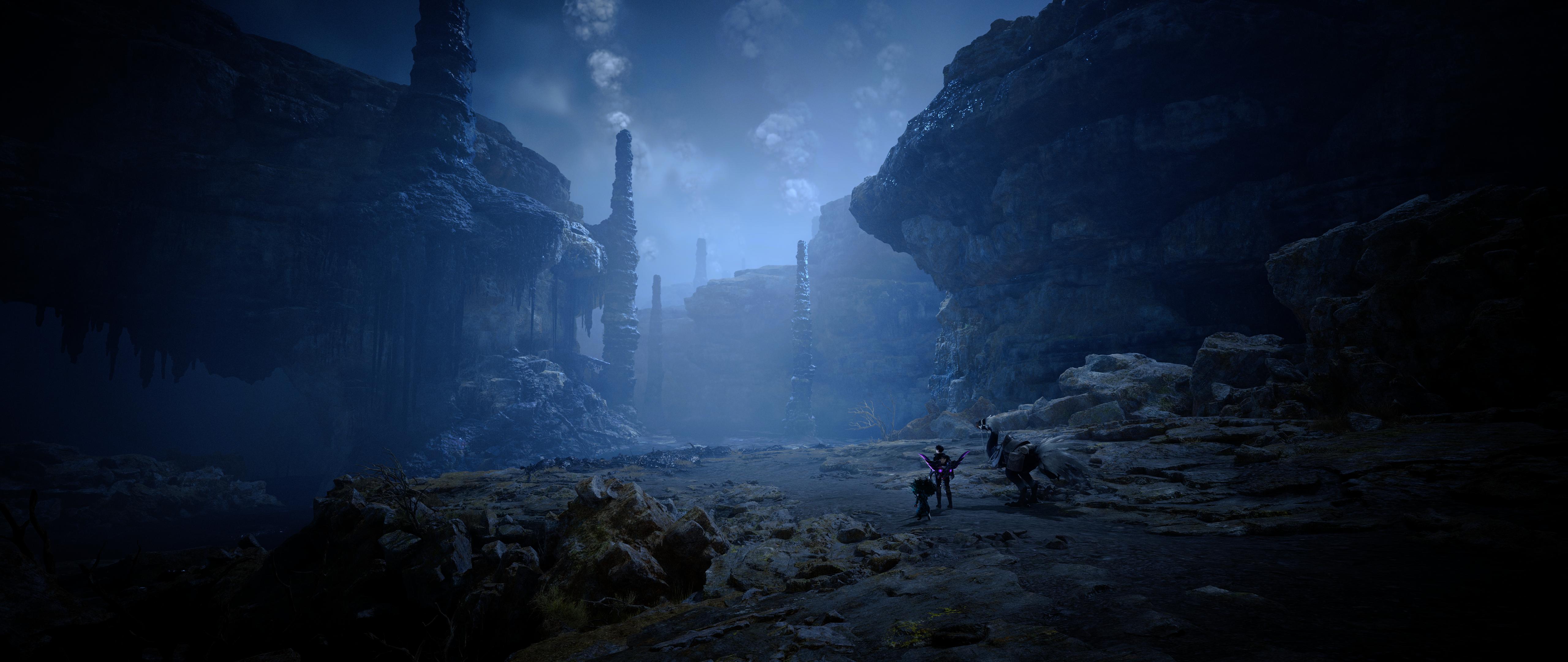 merry tartan
I have a feeling a lot of people were doing this and breaking the old mod too, just in not as obvious ways (color grading sliders would have worked before)
amber blade
I only enabled that option recently myself with the previous version as it seemed to make it work better
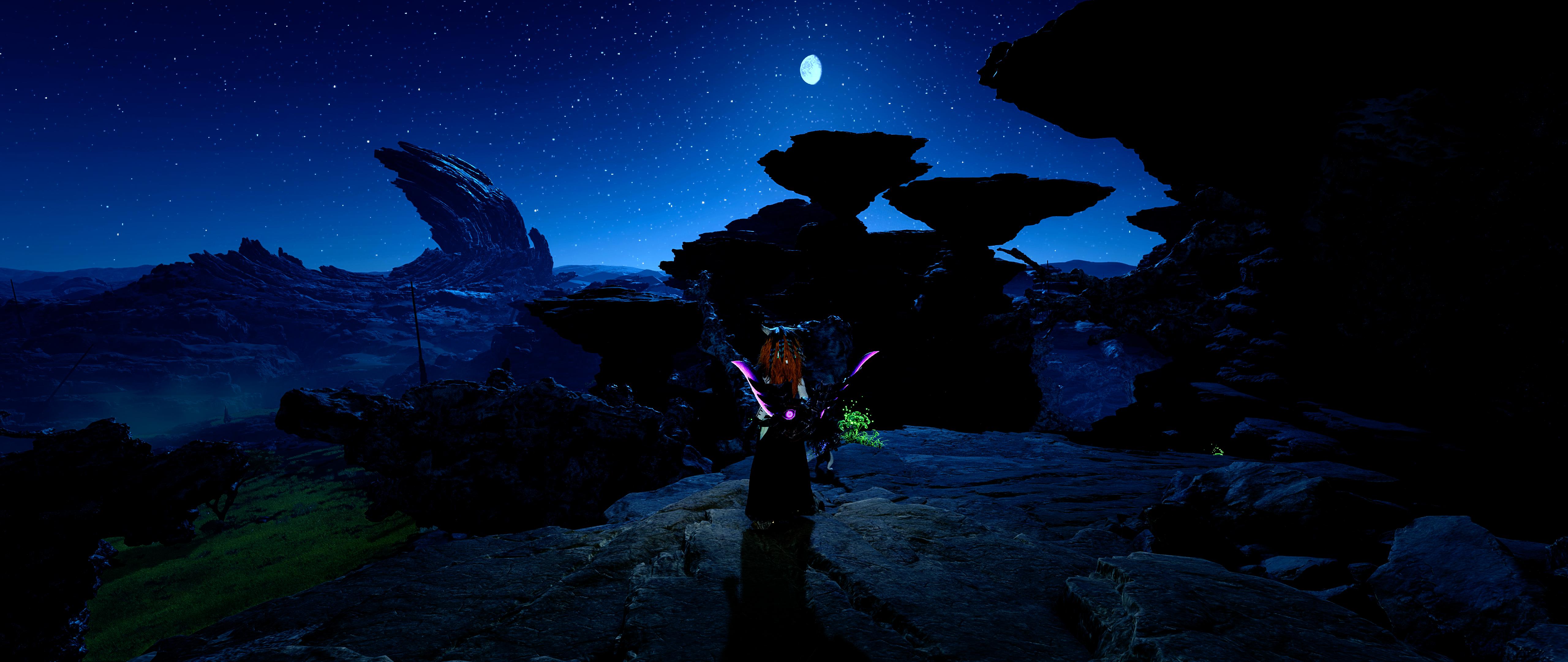
I did a bunch of tweaking over the past month with such things, here is what I ended up with.
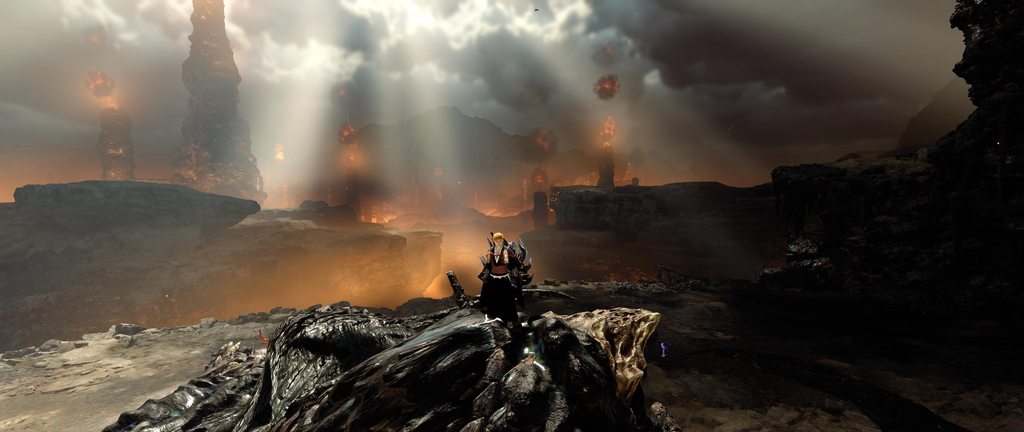
now todo it all over again 
 merry tartan
unless I have more ideas for improving this, I might actually be done with this ...
merry tartan
merry tartan
unless I have more ideas for improving this, I might actually be done with this ...
I am a liar
thin fjord
Some of this fixes are from the re mods. Right?
 amber blade
apply color grading to lut exposure reverse pregrade color when generated so that it looks good just by flipping the setting
This has fixed the issue I had with it and why I used the Vanilla setting. Previously it would make the game look like it was under a white filter, doesn't anymore.
though there is barely a difference between the two settings now
Vanilla also looks better on first impression also. I'll need to do some more testing but seems regardless of setting distant areas are not whiting out now.
merry tartan
amber blade
though there is barely a difference between the two settings now
It’s extremely scene dependent
Overall it should look a little more natural?
At least I think so
amber blade
That I can confirm, especially for pre-grade. That looked very gamey before
main reason I didn't use it
merry tartan
It required thoroughly regrading the image. Now I’m just manipulating it so it works a little better with the rest of the pipeline, which does a lot of the work for you.
amber blade
not messed with it much yet but what I noticed atm is pre-grade makes light scenes a little darker and dark scenes lighter
amber blade
On test version Vignette slider does nothing.
could be all the effects sliders are broke but vignette 100% is
merry tartan
Is vignette enabled in game?
amber blade
It was not though that didn't matter on prior version
works now
also the effect is far more subtle, even when maxed out.
merry tartan
amber blade
not noticing the lut scaling doing anything under pre-grade
seems better under vanilla though
merry tartan
Pre grade won’t see much benefit. You can see a little bit of movement with analysis but it’s functionally irrelevant due to how it works.
Might just disable the lut scaling slider when it’s selected.
merry tartan
 woeful silo
your HDR mod with the dlss 4.5 is a blessing to the eyes thanks a lot
thin fjord
woeful silo
your HDR mod with the dlss 4.5 is a blessing to the eyes thanks a lot <:pepeToas...
which preset are you using M?
merry tartan
Has anybody else seen this? I can’t reproduce it. https://www.nexusmods.com/monsterhunterwilds/mods/202?tab=bugs

Nexus Mods :: Monster Hunter Wilds
Rewrite of the grading pipeline to fix SDR/HDR and add controls for tonemapping, paper white, UI brightness, and color grading.
The kill screen one
 woeful valve
I am experiencing the same issue. This behavior can be reproduced by switching the tone mapper to Hermite spline. However, the display returns to normal when using the Vanilla tone mapper. I've just confirmed that this also occurs in version 4.1.0. Interestingly, RenoDRT (the tone mapper used in version 3.9.1) does not exhibit this problem.
silk blaze
woeful valve
I am experiencing the same issue. This behavior can be reproduced by switching t...
Is the issue with any fight on the kill? I personally have the mod that auto skips the kill cam. I can do a quick hunt to see if I get the same thing with the mod on.
woeful valve
silk blaze
Is the issue with any fight on the kill? I personally have the mod that auto ski...
This issue occurs specifically during the Kill Cam screen at the quest results. It doesn't appear during active gameplay (while hunting monsters); instead, the colors become completely washed out when the game captures a screenshot upon quest completion or return and displays it in the results window. The issue can be reproduced by simply returning from a quest.
silk blaze
Hmm I just did one kill with no issue. I'll turn off my mod and see if it does it now after killing a monster.
This is what it looks like at the end screen without the mod but everything else seemed fine. I honestly do not know what the screen should look like. I been using this mod since I started the game.

When the monster is dead and you can walk around the color looked fine to me.
I'll try 4.0.0 and retest but 4.1.0 had no issues.
woeful valve
This is my Quest Results screen with the tone mapper set to Hermite spline.

And this is my screen with the Vanilla tone mapper settings.
 merry tartan
silk blaze
This is what it looks like at the end screen without the mod but everything else...
merry tartan
silk blaze
This is what it looks like at the end screen without the mod but everything else...
mine consistently looks like this, I did a hunt with the mod and then did another hunt with preset off
I didn't even think to just cancel a hunt though, that will make it easier to compare
the power of suggestion, bug report called it the kill screen so I had to kill the monster lmao
woeful valve
And finally, this is the screen with the RenoDRT tone mapper settings.(3.9.1 ver)
 silk blaze
I am not sure, did was another hunt with 4.0.0 and I guess this is the screen cancelling.


I am going to have to try an even earlier version. I cannot remember the menu screen on the mission what it should look like.
merry tartan


honestly feel like this kinda tracks with the general brightness reduction of the mod
silk blaze
As long as you see it, you're the one that has to fix it 
merry tartan
it's possible there's a special shader that pops up just for this screen capture and then disappears again. Tracking that down will be a pain in the ass
one more test, gonna grab a capture with brightness cranked

I think that's all it is
woeful valve
merry tartan
Oh, is it simply a matter of turning up the UI brightness...?
merry tartan
probably game brightness
before the capture is taken
uncertain
nah I guess it is UI brightness entirely
hm, I guess that would indicate that there is something to fix
silk blaze
I usually had it at 350 but been keeping it at 203 lately.
merry tartan
knowing that game brightness doesn't impact it might point me in the right direction. Time to search my shader dump
guess I need to check if SDR is broken too
after this recent update, if it's what I'm thinking it might be far more broken than HDR
SDR looks as expected actually
silk blaze
🤷♂️ we are expecting a patch soon and then more optimization too.
merry tartan
eh, hard part is identifying general design patterns in the decompiled code, not editing the shaders once they're solved. Not a waste of time to do it now even if the shader permutations change (the logic stays the same generally)


 merry tartan
eh, nvm. I'm still not entirely sure if there's a problem or not
magic nexus
The kill screen looked dark for me too, I figured it was just a consequence of other settings getting tweaked. Wilds kill screens always look washed out
thin fjord
merry tartan
it's possible there's a special shader that pops up just for this screen capture...
maybe contact this personhttps://www.nexusmods.com/monsterhunterwilds/mods/1653?tab=files

Nexus Mods :: Monster Hunter Wilds
Improve quest result background/kill screen, with less blur and artifacts
they got the shader it seems it's a reshade addon
merry tartan
oh nice
thin fjord
might be worth testing if this itself fixes the issue
merry tartan
true yeah
looks like he does a combo of an reframework script and a reshade addon
HDR isn't really supported, he has a jank version that supports it
using reshade to capture a screenshot and feeding that into the game lol
that creates a pretty substantial stutter in HDR in reshade, I'd guess it stalls the game too
thin fjord
he at least must know what shader to give the image to, so good chance he has it
merry tartan
he has the source code available
thin fjord
oh is it useful in any way?
merry tartan
no shaders in it
thin fjord
sad
merry tartan
if they aren't aware of this project, would they even have access to a ps 6.0+ decompiler?
thin fjord
fair point
knotty cypress
bin2hlsl
merry tartan
I guess what that mod tells me is that it's probably game code capturing the screenshot and feeding it into the shaders. So they're doing it with reshade, tonemapping with a separate process entirely (they have a dependency for HDR screenshot tonemapping), and feeding it into the game with reframework
didn't pick apart the code enough to say for sure though
but idk if there's anything I'll be able to do about this. It's just crusty ass screenshots getting tonemapped by something
merry tartan
knotty cypress
bin2hlsl
ah true
merry tartan
woeful silo
thin fjord
which preset are you using M?
I'm using the latest one on Performance with a 4k display, should I try the other preset?
thin fjord
woeful silo
I'm using the latest one on Performance with a 4k display, should I try the othe...
No I was just curious I want to try latest preset as well, so I wanted to know
rustic bridge
merry tartan
i'm curious, did you disable the game vignette to force yours?
merry tartan
no, it was just a control for the game's vignette
amber blade
I liked the vignette slider in 4.0 and in 4.1 though it was different and more subtle 0-100, I did mess around with values over the vanilla default of 100.
I do normally just have it off though
merry tartan
Vignette was the exact same, though it runs before tonemapping and would be affected by tonemapping changes
I’ll just put the slider back for the next real update
amber blade
Something functionally changed with it between 4.0>4.1. The results produced were very different. The old 100 was about the same as upping it to 400-500.
though the latter was better. It previously was just a flat black circle blocking out the screen.
cerulean marsh
merry tartan
Based fix.
Frame gen was looking so bad these past couple updates which is wild cause modern FSR frame gen is actually pretty based
When you have base 60fps anyway
merry tartan
yeah, I didn't want to hunt down any variety of shaders that adjust based on that lens distortion setting when there are perfectly good reframework mods that do it. Ritsu talked sense into me lol
cerulean marsh
All good Jon, you're already doing the lords work
amber blade
speaking of fix's, update broke it.
I don't know what it broke though, but there is an error.

 hallow plank
They definitely made some major changes... my 1% lows are up 20% minimum and almost 50% in some places. Much smoother.
thin fjord
yeah textures work
hallow plank
4.1 Reno most settings definitely not working, 3.9.1 seems to be mostly if not fully working though.
amber blade
The main plains area still a rig killer regardless of what settings you use but my fps in the hub went up by about 10
magic nexus
Compared to vanilla or modded with the dlc check remover?
amber blade
the latter
magic nexus
Very nice
amber blade
I have 90 FPS in the training area without Framegen at 5K using DLSS 4.5 Ultra pref L
IIRC thats about 20FPS more than before
cerulean marsh
amber blade
I don't know what it broke though, but there is an error.
With the kind of kick Jon is on it should be fixed relatively quickly
thin fjord
yeah performance is definitely better and no stutter with highest res texture
amber blade
only about 10 gig more in size uncompressed
merry tartan
amber blade
yup that fixed it
 oak sapphire
i havent checked yet, is reframework working alright with this update?
merry tartan
seems to work fine yeah
indigo stratus
Does that mean that high res textures load properly now?
merry tartan
they're working well for me now so far
cerulean marsh
Anecdotal evidence from myself suggests that the high res textures do appear to be slightly lower quality than before but I don't know if that's the result of an actual degredation in the texture quality or if the full uncompressed textures just look better and that's what I'm used too.
Well now that I put RenoDx back and stuff the texture detail seems more related to Wilds handling FSR's sharpness algorithm pretty poorly
woeful valve
Hi! Is anyone else having issues with the fog amount slider?
I noticed that the fog amount slider stops working whenever I turn off Ray Tracing in version 4.2.0. It works fine when RT is on High, but the status changes to WARNING and the slider becomes unresponsive when I turn it off.
I’ve tried regenerating shaders and I don’t have any fog-related mods installed. Is this a known bug, or am I the only one experiencing this? (Please excuse the Korean in my screenshots!)


 errant topaz
i updated and graphics looks "worse" like blurry, why is that?
 wanton belfry
errant topaz
i updated and graphics looks "worse" like blurry, why is that?
wanton belfry
errant topaz
i updated and graphics looks "worse" like blurry, why is that?
Same, way less sharp. Dont know if it was because I updated renodx from like september last year or it is the game. Using DLSS preset L
errant topaz
wanton belfry
Same, way less sharp. Dont know if it was because I updated renodx from like sep...
exactly, less sharp, i updated too but since december
using DLAA
like there is some kind of distortion effect on textures
wanton belfry
I dont know, have you changed anything with sharpness since december @merry tartan
merry tartan
Kinda? Blurred luminance isn’t being skipped anymore since I figured out how it was being used to generate those ringing artifacts. Not skipping it generally looks a little sharper though.
The local exposure detail slider before would have been maxed in old mods but with blurred luminance skipped. I think it’s safe now to disable it in the disable post processing mod now, if someone wanted to.
I thought it looked better the way I did it
errant topaz
merry tartan
The local exposure detail slider before would have been maxed in old mods but wi...
I see, thank you for the details
merry tartan
Now that I’m saying it, I’m not sure if I did a proper a/b comparison of skipping it with detail slider maxed vs not skipping it with detail at 0.
amber blade
I too felt something was off with the look of the game since the update, I thought it was todo with the Hi Res Texture back getting a downgrade
errant topaz
merry tartan
Now that I’m saying it, I’m not sure if I did a proper a/b comparison of skippin...
do you suggest anything to retain the look as the december patch?
merry tartan
Pregrade with all local exposure controls at 0 will be close to filmic. May need to drop contrast some too though.
For vanilla, not sure. We were throwing shit against a wall and seeing what stuck
errant topaz
thanks :)
amber blade
 merry tartan
For vanilla, not sure. We were throwing shit against a wall and seeing what stuc...
merry tartan
merry tartan
For vanilla, not sure. We were throwing shit against a wall and seeing what stuc...
Same was true for both presets to be clear, but the sliders I mentioned were the characteristics of filmic
amber blade
That's what my game looks like atm
errant topaz
amber blade
That's what my game looks like atm
which settings are you using?
 cerulean marsh
Bump up RCAS sharpness to about 30
In my own independent eyeballing initially I had felt that the high res texture pack got a downgrade but the vanilla hdr and colorgrading makes everything look so blurry compared to when its all fixed
It looks just as good as previous updates after I got all me settings fixed again.
Although. Its interesting. I don't get brightness adjustment settings on mine
merry tartan
That means you’re in SDR
merry tartan
Hdr on in windows, enabled in game
cerulean marsh
Yup
merry tartan
Game must be failing to switch over then
cerulean marsh
Though maybe its being weird because I only have it on my main monitor or auto hdr or something
cerulean marsh
I've been having this problem since TU4
merry tartan
I’d DDU if you haven’t already
cerulean marsh
Honestly, excellent point
I don't think I've done a clean driver install in a hot minute
amber blade
speaking of post processing, very important to not disable fog in that now. It fucks it up
disabling fog in post processing tweaks results in it actually being forced on / reno settings being ignored

 tender frost
Volumetric fog needs to be set highest in game to be recognized by RenoDX other qualities gives a missing shader warning btw
merry tartan
oh, weird, I switched the option around and didn't see that, but maybe that was a main menu thing. let me try again
amber blade
I still have no idea what RCAS is meant todo
merry tartan
there may be other permutations just in general
tender frost
but I had to set it to highest first
amber blade
Volumetric fog works for me in reno on all the settings
tender frost
only then it was picked up
merry tartan
hmmm
amber blade
but if I disable fog or volumetric fog via post processing effects, everything fucks up
tender frost
I disabled all post processing mods
and also did a shader compile as always
anyways it works now
@merry tartan also debanding options adds additional film grain even if I set film grain to 0
Is debanding internally relies on film grain or smth?
thin fjord
It's dithering, but shouldn't be visible technically.
Similar concept
Using noise to blend the colors
merry tartan
it's very slightly visible if you really look for it
tbh the only reason the option is there is because I released a build and forgot to remove it. It doesn't solve much
tender frost
I can legit tell 50cm away if I set it to 8+2
cerulean marsh
Yeah I did a DDU, even downgraded my drivers to the recommended version to see if that would change anything
Windows HDR enabled, HDR enabled in game. Just doesn't act like it
cerulean marsh
Gonna try disabling freesync color accuracy and see if that's doing something
merry tartan
would even be kinda ITM friendly if you wanted to go that route lol
cerulean marsh
The SDR settings look great. I'm not necessarily unhappy with the way it looks
I just want it to not be broken
merry tartan
yeah understandable lol
that would be driving me insane
are you on up to date windows? just curious
 merry tartan
RenoDX blurred luminance fix vs disabled blurred luminance

 tender frost
merry tartan
tbh the only reason the option is there is because I released a build and forgot...
tender frost
merry tartan
tbh the only reason the option is there is because I released a build and forgot...
But the latest version is really nice in general I can achieve close visuals to the old RDT tonemapper when using vanilla lut exposure, the black levels are much more adjustable again. Thanks a lot!
merry tartan
disabling blurred luminance is really bad for highlights btw, clips them out even in HDR
merry tartan
tender frost
But the latest version is really nice in general I can achieve close visuals to ...
I'm very happy with it. There have been some people lamenting the loss of filmic and saying they can't get it to look the same, but all the tools are still there, and even better now, so I trust people will find their settings.
literally just doing like, pregrade, 40 contrast, some extra blowout, and all local exposure sliders down is basically filmic from before.
I just don't care to support that preset anymore
tender frost
merry tartan
I'm very happy with it. There have been some people lamenting the loss of filmic...
Yeah in the version I complained, the issue was specific the black levels. I could not solve the crushing no matter what. In this version I can tackle it
merry tartan
yeah gamma correction was a bad fit with the adjusting tonemapping
which makes sense, emulating that sdr gamma mismatch is just bad math, but it's how most games are made. You stop needing it once you decide you're redoing things lol
tender frost
merry tartan
which makes sense, emulating that sdr gamma mismatch is just bad math, but it's ...
a.k.a over-engineering syndrome 😄
cerulean marsh
I thought I found a fix. But my monitor's max refresh rate is higher than this software supports so I can't actually set any custom ranges
Seems to be an issue with Freesync premium from what I've found though. Just don't know why it only started being a problem AFTER TU4
merry tartan
I swear the only time I ever hear anything about freesync premium is exclusively how it breaks things and offers nothing in return
cerulean marsh
Truth be told I just have it on anyway because it says its supposed to do something
But I haven't played games enough without it on to know if it actually fixes screen tearing
Fun little quirk though. If I try to disable it from adrenaline it just reboots my PC and does nothing
So I have to turn it off from my monitor instead
Crazy. Turning off Freesync premium pro fixed it not detecting HDR
Even though Free sync premium pro is literally meant to be for HDR support
silk blaze
amber blade
I still have no idea what RCAS is meant todo
RCAS is a sharpening slider that is taken from Lilium's Reshade filters.
cerulean marsh
one of the best sharpeners I've seen too
silk blaze
merry tartan
I swear the only time I ever hear anything about freesync premium is exclusively...
I've never had issues with it on my Alienware. I think a lot of people have gsync enabled too. Having it on can cause issues to a freesync premium monitor. Having it on gave bad flickering.
cerulean marsh
variable refresh rate is really handy, When it works anyway
tender frost
lowkey HDR is a much less reliable feature than VRR. I only had VRR problem once with my AW3423DWF and it was because somehow a driver update disabled it from nvidia control panel -.-
HDR problems however... Oh I had those too many times
cerulean marsh
I don't have any issues with either. I do have issues trying to use both at the same time
fading cape
fading cape
errant topaz
like there is some kind of distortion effect on textures
this?
dlss L is unusable because of ts
cerulean marsh
That's pretty whacky looking.
I don't get anything that looks like that unless I crank film grain
I'll get some ingame screenshots for my set up and settings when I'm not working cause I've been playing with Renodx for a million billion years and I am very proud of the results, but all me settings dead because I did a clean install of wilds pre update to make sure I had no weird issues with mods
And now that I actually have my brightness sliders back its sure to be better
thin fjord
It's there if you look, it's some really weird low quality screen space effect, maybe reflections. Makes certain surfaces look like they are boiling or moving when they shouldn't be.
Never seen it look that bad tho
tender frost
thin fjord
It's there if you look, it's some really weird low quality screen space effect, ...
Does it also happen with profile M?
fading cape
Yeah it’s extra bad here I first noticed it on the floor in ice cliffs
fading cape
tender frost
Does it also happen with profile M?
Yes
fading cape
thin fjord
tender frost
Does it also happen with profile M?
Happens even at native
Maybe the effect just gets more pronounced depending on the quirks of the dlss preset
tender frost
so an engine issue
errant topaz
fading cape
This is what <@140816629092188160> was saying about it
is it fixable?
fading cape
I mean it’s less noticeable on higher presets
tender frost
if it is still happening even at native res. I guess not without some involved mod
fading cape
I haven’t tested without taa
tender frost
does not TAA become disabled with DLSS ?
fading cape
Yeah
errant topaz
i love modern videogames........
fading cape
I’d imagine it’s just awful like that all the time without taa
Since it has no motion vectors
It might just be side effect of dlss by itself though
Performance mode seems usable though if you aren’t paying attention too hard from my limited testing
thin fjord
errant topaz
is it fixable?
Since praydog and ref guys haven't fixed in general I would assume it's very hard to do.
errant topaz
i see, thanks guys
tender frost
errant topaz
i love modern videogames........
I miss the old days when fidelity would improve every generation without trade-offs or sacrifices. Now that Moore's Law is dead; there is not much computational power increase going into upper generations so it boils down silly software solutions such as upscaling, frame generation or shitty temporal filters to hide obvious quality drop if they had to render it at the same quality as older games but in higher resolution...
It all became a trade-off hellscape... And worst of all; due to these upscaling and framegen tech actual generational game engine improvements went out of window, it is even on the decline nowadays. It is so depressing
tender frost
fading cape
This is what <@140816629092188160> was saying about it
Btw reading back the conversation, @rare meadow mentions about that to explain why ray racing sucks in RE engine. Does that mean if you disable Ray tracing that defect disappear?
errant topaz
tender frost
I miss the old days when fidelity would improve every generation without trade-o...
100% agree, so sad
errant topaz
tender frost
Btw reading back the conversation, <@140816629092188160> mentions about that to ...
mh.. nice idea
cerulean marsh
I have raytracing on because the screeenspace reflections are so much worse
But I guess there is some low level raytraced GI in this game that's forced on iirc
thin fjord
It might happen with their ssgi too
tender frost
cerulean marsh
I have raytracing on because the screeenspace reflections are so much worse
I use quality mode on 1440p anyways so I don't see it happening even if does to some miniscule degree..
It only becomes that visible if used with ultra-performance on 4k (probably base resolution matters)
It was an idea to test it out, but at the same time there are no surfaces that would activate RT in the video @fading cape shared on a hindsight
amber blade
silk blaze
RCAS is a sharpening slider that is taken from Lilium's Reshade filters.
Yeah for me the slider does nothing.
cerulean marsh
Something gotta be installed wrong if it doesn't do anything for you
On max whack the sharpening is very aggressive
fading cape
tender frost
Btw reading back the conversation, <@140816629092188160> mentions about that to ...
nope
fading cape
fading cape
i try it in this video
 languid gyro
i installed the new version and my game looked a lot worse at first until i swapped to pre-grade and fixed my game brightness
im assuming thats what the previous version defaulted to?
strangely my game brightness defaulted to 112 nits even though most oleds are 255+
thin fjord
Game brightness is computed from the peak it detects from windows calibration.
I like pregrade better too.
merry tartan
game brightness is computed based on peak. If you have an HDR400 screen where the peak is in that 400-500 ballpark, 112 would be right.
merry tartan
languid gyro
i installed the new version and my game looked a lot worse at first until i swap...
no, pregrade is what the filmic preset used
old mod's default was some random stuff to give the game more contrast and whatnot
languid gyro
merry tartan
game brightness is computed based on peak. If you have an HDR400 screen where th...
oh okay, i was using TB400 mode so that seems to track
do you still have the old settings used for the contrast & stuff? i think got pretty hooked on that after seeing the vanilla HDR
merry tartan
it's not so simple to replicate, you'd just have to mess with color grading sliders until you have a look you want
languid gyro
it was still using the vanilla preset though right?
not the preset
lut exposure reverse i mean
merry tartan
yes it was lut exposure reverse set to vanilla
languid gyro
did this version lower the brightness too? or am i seeing things
thats what initially got me to check my game brightness
raised it to 203 & turned on pregrade and it seemed to replicate the old version's look pretty closely to my eyes
merry tartan
I can’t remember exactly where it was pre-4.0 but probably
amber blade
What would cause the RCAS from not working?
cerulean marsh
Can you send a screenshot with it cranked all the way up and one all the way down?
As far as sharpening algorithms go Lilium's Rcas is Pretty subtle so its effects might just not be all too apparent on some resolutions or with heavy upscaling.
Its a post processing shader that uses edges and contrast to sharpen and is applied at the very end of the rendering pipeline.
So if the base resolution is fairly low and doesn't have much in the way of clear edges it might just be struggling.
amber blade
It's performance DLSS at 5120x2160 so the base res is 2560x1080
but I also saw no diff with DLSS off
Off

On
 thin fjord
could be that the sharpness shader is different for ultra wide and it break?
amber blade
I could try and test that
merry tartan
What does the compatibility tester say? RCAS is implemented in the same place as * a lot* of other code in the mod.

 merry tartan
RCAS will work if color grading sliders work
amber blade
all the colour grade sliders have always worked for me once you fixed them
RCAS never has
if it is working, I'm not seeing it
merry tartan
On my phone so someone else will have to confirm
amber blade
side note fixed the image problem I was having. When I was resetting things to try to get 4.0 to work I turned TAA Jitter back on which massively F's up DLSS in this game
Image no longer a fuzzy mess at range
cerulean marsh
Disable post processing might be having some issues with RenoDX
Even if it says its compatible that doesn't necessarily mean its being weird
not being weird
I do think its working though.
That image looks very smeary
But one looks somewhat sharper than the other.
amber blade
both look the same to me
cerulean marsh
They aren't
That back pillar rib is the easiest way to tell, the difference is extremely minimal.
But for some reason your screenshots look like they were generated by ai
amber blade
eh?
cerulean marsh
Like its all smeary
amber blade
oh that
cerulean marsh
Not blurry but all jumbled
amber blade
when I was trying to make 4.0 work before and went around resestting everything I turned back on TAA Jitter and that messed up image quality MASSIVELY and I only figured out that was the problem after taking them screenshots trying to get this to work
It was also driving me a little mad 😅
but fixed now
cerulean marsh
Can you do the test again?
amber blade
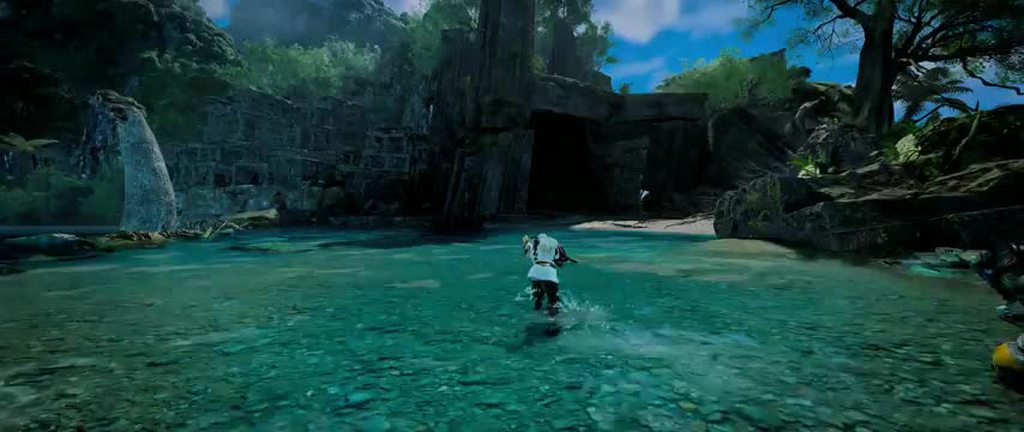 cerulean marsh
One picture with RCAS at 0 and another at 100
amber blade
next time I boot the game up sure
without the post processing to disable the TAA jitter image quality takes a massive nosedive, its horrendus
merry tartan
merry tartan
What does the compatibility tester say? RCAS is implemented in the same place as...
was able to look, it's definitely working, though it looks like something else is horribly wrong in these shots lol
merry tartan
amber blade
side note fixed the image problem I was having. When I was resetting things to t...
guessing this lol


 cerulean marsh
Yeah sure enough. They don't seem to be working
I just don't use disable post processing anymore. I use disable lens distortion and that's it
Especially since RenoDX lets you edit fog now
amber blade
lens distortion is and lens flare are the only two things I have disabled in post processing effects (and ofc the TAA jitter)
rustic bridge
oh the big patch from yesterday seems to fix high res texture
Major Additions and Changes
Improved CPU/GPU processing specific to the Steam version.
Reduced shader warming processes performed outside the shader compilation screen to lower CPU load.
Adjusted texture streaming to improve visual quality while reducing VRAM usage.
Adjusted the High Resolution Texture Pack to reduce VRAM usage and overall package size.
i'll give it a try "again" tonight
tender frost
this time it legit works, for the first time since the game released, high texture pack works acceptable without stutters for me with a 4090 btw (yes, it was still stuttering even with a 24gb card)
woeful silo
I saw a Reddit post saying that they removed a lot of the environment textures for it to work now
but I don't really care the monsters are looking incredibly detailed now
magic nexus
Pretty reasonable way to get it to work
I can use it without hitting my vram limit on a 12GB card too which seems unexpected
 green jackal
thin fjord
are the textures fixed tho?
green jackal
thin fjord
are the textures fixed tho?
they seem to have cut quality of textures for enviromental stuff when upclose and keep the character stuff intact from what I saw yesterday on Steam Forums
merry tartan
merry tartan
cerulean marsh
amber blade
lens distortion is and lens flare are the only two things I have disabled in pos...
Could still run into issues. I stopped using it because I had some visual bugs
amber blade
cerulean marsh
Could still run into issues. I stopped using it because I had some visual bugs
I have same issue if I disable the mod entirely.
amber blade

 static birch
is this the right place to ask for tips? just downloaded this mod for wilds and trying to get it configured. Does it matter what dlss preset I use?
thin fjord
static birch
is this the right place to ask for tips? just downloaded this mod for wilds and ...
dlss preset doesn't matter for this. use the one that you prefer.
 silk blaze
static birch
is this the right place to ask for tips? just downloaded this mod for wilds and ...
silk blaze
static birch
is this the right place to ask for tips? just downloaded this mod for wilds and ...
Upscaler doesn't matter. If you are using renodx with mods like disable post processing, you will need to make sure certain options are enabled/disbled.
You can probably scroll up and see settings people include with their overaly. For the most part it is all preference how you want your game to look.
Some people like dark colors or people like me like highlights and saturation.
 static birch
thanks, I'll mess around. I definitely like the colors popping
amber blade
Gotta hand it to ya @merry tartan, the Regrade presset is pretty nice.
 woeful silo
amber blade
Gotta hand it to ya <@82555599505588224>, the Regrade presset is pretty nice.
woeful silo
amber blade
Gotta hand it to ya <@82555599505588224>, the Regrade presset is pretty nice.
nice GS 🤝
late marten
I don't understand RenoDX works but its giving me (WARNING)
It used to be good
But after swapping to the latest dlss 310.5.3 it now never changes from (warning)
fading cape
late marten
I don't understand RenoDX works but its giving me (WARNING)
send a screenshot of the full warning

 rustic bridge
holy shit, the hub is so smooth with new update
sitting at 90fps

they finally debloated their pipeline by fixing spagetti code haha
fsr4 native AA: 55fps
fsr4 quality: 75fps
finally the performance gain we would expect by droping the resolution
merry tartan
late marten
Idk if there’s truth to it but some people on nexus have mentioned that RT on is needed. I’ll have to check and add new shaders if true
late marten
merry tartan
Idk if there’s truth to it but some people on nexus have mentioned that RT on is...
Probably true cuz i have RT off
tender frost
did we find about the reason why quest complete background colors are morphed weirdly and low brightness when using RenoDX?
I don't see any other weirdness and I am ok to live with it but I remember somebody wrote about at some point
silk blaze
late marten
Probably true cuz i have RT off
I turned off my RT to test and it still showed good for me. I have visual mods as well.
amber blade
merry tartan
Idk if there’s truth to it but some people on nexus have mentioned that RT on is...
I can confirm everything looks a ton worse with RT off.
no idea if it breaks anything but the difference is more than when I toggle it on/off with Reno disabled.
merry tartan
silk blaze
I turned off my RT to test and it still showed good for me. I have visual mods a...
It will continue to say good if it sees fog shaders ever (until you restart)
So it doesn’t throw warnings if there’s are scenes without fog
It’s imperfect, there’s no way to make the detection flawless.
fading cape
man idk how yall use so little vram my game uses 15gb without dlc textures
okay well obs was using a gb for replay buffer but im still at 13.9gb
in grand hub
maybe rivatuner is lying to me task manager is saying otherwise
merry tartan
Ultimately measuring vram usage is imperfect and the game may just commit whatever it sees available and stream accordingly (the ideal really). RTSS and SK can also take an educated guess at “real” vram usage, but I’ve still observed issues even when those numbers should indicate I wouldn’t. Imo, the only good way to determine if vram is a problem is if it’s actually stuttering or textures aren’t loading (I was getting vram problems on 16 gb with it all maxed out with framegen on unfortunately, predominantly in oilwell basin hunts, and disabling framegen gave me enough overhead).
fading cape
oh wait i forgot wilds shows vram usage in settings is that what yall were using?
fading cape
merry tartan
Ultimately measuring vram usage is imperfect and the game may just commit whatev...
yeah nothing seems to agree lol ig ill just test it to see
amber blade
I'm not entirely sure what I did but, game looks like this now
 fading cape
amber blade
I'm not entirely sure what I did but, game looks like this now
fading cape
amber blade
I'm not entirely sure what I did but, game looks like this now
what's wrong?
silk blaze
What is going on with the pixelation on the shadows?
fading cape
dithering is my guess
silk blaze
I am not familiar with how that works but the pixelation looks bad 🙁
fading cape
probably a mod to fix it lol
some mod is breaking my game after updating my reframework

amber blade
Shadow Resolution prob too low, I can fix that

 amber blade
 silk blaze
merry tartan
It will continue to say good if it sees fog shaders ever (until you restart)
silk blaze
merry tartan
It will continue to say good if it sees fog shaders ever (until you restart)
You are right. I restarted and it is showing a warning now. So must be something with the RT.
fading cape
amber blade
still there but much better
silk blaze
It is your game how you like it. More shadows is going to drop the performance so keep it how you want it.
amber blade
to get rid of the fuss entirely on still image I need to up the shadow quality so high I get 10fps 😅
big dip from a locked 60
though now I'm not mid mount attack animation, doesn't look fussy on the setting I had tbh
fading cape
fading cape
some mod is breaking my game after updating my reframework
it was the fakeplayerlight remover mod if anyone else gets issues with the game not launching and just showing a black screen
on the latest reframework specifically for some reason
amber blade
btw the crispness of monsters/everything else.
I set the LOD bias in more graphics options of everything to -5
No idea how much it's impacting performance
from my testing it doesn't


 amber blade
I see Alma is Forklift Certified
silk blaze
Stop being a bully to the monster for screen shots 🙁
fading cape
silk blaze
Stop being a bully to the monster for screen shots 🙁
the fucker had it coming
amber blade
The one in my screenshot is still alive
merry tartan
I need to setup a screenshot binding on my controller so I can get some good action shots lol
Keep having moments in fights that are wowing me and wishing I was grabbing screens
knotty cypress
merry tartan
I need to setup a screenshot binding on my controller so I can get some good act...
set home button to prtscrn
merry tartan
Gonna map a paddle lol
 umbral vale
time to get back into mh:wilds, been forever, but here we go
amber blade
I just quickly pause things then disable the UI / use freecam
Hotkey combo to pause quicker would be smarter though, I should do that
amber blade
Ok recent changes to Reno have made Ray Tracing Tweaks within Reframework less janky
Well worth turning it on and setting the ray trace type to screen space photon mapping.

 fading cape
merry tartan
Gonna map a paddle lol
fading cape
merry tartan
Gonna map a paddle lol
on ur pro 3 how?
magic nexus
fading cape
on ur pro 3 how?
8bitdo's more recent controllers have full steam input support with dinput
magic nexus
so you can map the extra buttons arbitrarily and it shows up accurately in steam

I have mine set so that holding L4 brings up a radial menu

not sure what other good things i could put there so its just ref's hide ui option and the reshade screenshot
I did have R5 as its own radial menu for music controls but I just put that on the dpad instead
 merry tartan
rustic bridge
it's quite heavy vs vanilla
merry tartan
rustic bridge
it's quite heavy vs vanilla
What kind of framerate difference are you seeing? The whole code path with the tonemapper selected would be heavier regardless of which tonemap is used but it shouldn’t be that significant.
rustic bridge
merry tartan
What kind of framerate difference are you seeing? The whole code path with the t...
on character selection screen
preset
off: 109fps
vanilla+: 106.5fps
regrade: 100.5fps
 violet kindle
merry tartan
Ultimately measuring vram usage is imperfect and the game may just commit whatev...
violet kindle
merry tartan
Ultimately measuring vram usage is imperfect and the game may just commit whatev...
I think it's a good idea to monitor the GPU shared memory usage. If that isn't increasing, then there's no concern about overall VRAM usage
rustic bridge
I'm very statisfied of the current state of the game. I can now play with high res textures with "only" 16GB VRAM without stuttering and has headroom for mods like reno to lock 60+fps.
 dawn harness
rustic bridge
I'm very statisfied of the current state of the game. I can now play with high r...
dawn harness
rustic bridge
I'm very statisfied of the current state of the game. I can now play with high r...
Very nice. They've been doing QoL patches for performance?
merry tartan
rustic bridge
on character selection screen
preset
off: 109fps
vanilla+: 106.5fps
regrade: 100...
Huh, that’s very strange and doesn’t make much sense
I’ll see if I see the same kinda hit when I get a chance
merry tartan
To be clear, the off vs vanilla+ one makes sense to me. I have no clue why regrade would be doing that though, it’s not running much more code at all.
rustic bridge
dawn harness
Very nice. They've been doing QoL patches for performance?
They fixed the performance issue of their RE engine. The fps gain is tremendous. It's a night and day difference. They even fixed the high res textures loading with better vram budget management. It should have been that wayin the first place.
rustic bridge
merry tartan
To be clear, the off vs vanilla+ one makes sense to me. I have no clue why regra...
oh yes, the tonemapper doesn't change when you select a preset. You have to actually select vanilla vs neutwo.
merry tartan
Wait if you pick vanllla tonemapping and click vanilla+, it's not switching to neutwo?
That's definitely not intended 😅
rustic bridge
not on the versioni'm using
i picked the last one on nexus though
30 jan
by ritsu
rustic bridge
it's no big deal, it's just a delta of performance i've noticed
i'm using vanilla tonemapper
because i kind of like how conservative the tonemapper is
merry tartan
vanilla tonemapper or vanlla parameters?
rustic bridge
it preserves the volumetric fog and has more brightness to scene
merry tartan
the vanilla tonemapper is just the unmodded game basically
rustic bridge
vanilla+ preset & vanilla tonemapper
merry tartan
arguably worse actually cause it isn't doing any display mapping at all
it functions in SDR though
rustic bridge
I don't know, it looks good to me. I have access to LUT sliders
merry tartan
yeah you can still edit some things with it
we could replicate full vanilla functionality but it would complicate the mod on the user side, you'd have to trigger the lutbuilder to rerun
rustic bridge
I've also checked if your last sliders are actually off and they are 🙂
filmgrain/vignette/rcas etc
merry tartan
yeah they don't run with vanilla
rustic bridge
you can bet I would be screaming here haha
merry tartan
oh I lied they do
merry tartan
normal with RT off until I find the shaders
dawn harness
rustic bridge
They fixed the performance issue of their RE engine. The fps gain is tremendous....
Wow
fading cape
magic nexus
so you can map the extra buttons arbitrarily and it shows up accurately in steam
does this show extra buttons on the controller?
idk how to even change that surely it's not the per game controller layout
yeah looking at the og review for it i saw it seems they updated it

never used dinput mode bluetooth probably be adding way too much latency too
magic nexus
fading cape
does this show extra buttons on the controller?
im not sure it does in the graphic (you couldnt see them from there anyways) but it shows L4 and R4 on either side
I'm using dinput over the 2.4 dongle attached via the charging dock
only real annoying thing is that my controller doesn't have the toggle on the back to change to dinput so instead I'll have to occassionally turn it off and back on by holding the power button and B
seems like it should look like this for yours
 fading cape
where do you see that
magic nexus
just from a google search https://old.reddit.com/r/8bitdo/comments/1nb7la6/pro_3_controller_works_in_steam_but_not_in_game/#bottom-comments
 magic nexus
oh I thought you meant that graphic. Connect your controller and in steam on the games page you should see this
 fading cape
can you not change settings for every game?
magic nexus
thats what it shows for wilds, and in this case its dinput so it says "your controller" otherwise it says "your xbox controller" when its xinput