#✅RenoDX: MH Wilds
1 messages · Page 11 of 1
 merry tartan
 cerulean marsh
Is there any way to fix the black levels for wilds?
I can't seem to use Lilium's HDR black level fix (Unsupported API)
 ebon tide
cerulean marsh
Is there any way to fix the black levels for wilds?
ebon tide
cerulean marsh
Is there any way to fix the black levels for wilds?
Why don't you use renodx sliders
?
cerulean marsh
Can't seem to get the black floor all the way down to zero
could be something on my monitor set wrong
ebon tide
cerulean marsh
Can't seem to get the black floor all the way down to zero
Renodx fixes gamma mismatch
Anything else is game intended grading
Probly you can't get 0 because it shouldn't be 0
You can just adjust contrast or shadow slider
It's the same as lilium shader
cerulean marsh
I must be doing something wrong then because Renodx still looks somewhat poor without some serious tweaking
might be a monitor setting I dunno
I have an OLED so I wanna hit those perfect blacks but games just aren't really cut out for it a lot of the time
Guess I can just focus on enjoying the vibrant colors more
Either way I think I might be doing something wrong with Renodx it doesn't really look any better than vanilla HDR
cerulean marsh
I will have to look at them again
ebon tide
Haven't playex wild yet
But if you don't see sliders doing anything might be missing something
cerulean marsh
I mean it does something I just can't seem to get it to a good brightness while maintaining decent blacks
ebon tide
Did you try hdr look and filmic preset ?
cerulean marsh
hdr look?
cerulean marsh
Vanilla plus?
ebon tide
Ya that
cerulean marsh
Reno disables the ingame settings right so they don't really matter at all?
ebon tide
Yeah
cerulean marsh
I mean filmic does look pretty decent but for some reason it makes certain areas of the game like
way toooooo dark
in the tent


Though I think I might be able to fix that by turning the in game brightness up to a normal level
My theory is that for some reason Renodx fixes aren't being applied to the tent so since I have the in game brightness as low as it can go it does that. I'll see if that works. If not I might try reinstalling Renodx
Or
Perchance
The game's in game HDR was not on
cerulean marsh
Game looks fine now. Still couldn't figure out why its so dark in the tent
 glacial plank
do you guys have HDR still working in the game?
It doesn't work for me for some reason now after the latest update
glacial plank
nvm had to update reshade
cerulean marsh
That's probably my own issue is that I just need to update reshade and it will probably fix my too dark in the tent issue
Oh nevermind I have the latest
I'm on the latest version of Renodx for wilds too
glacial plank
iirc it might be related to some other mods maybe
merry tartan
cerulean marsh
The game's in game HDR was not on
in-game HDR needs to be on
cerulean marsh
Yeah I turned it back on but I was still having issues in the tent. I turned of the tex decompressor to see if that was somehow affecting it
cerulean marsh
Its a problem with post-grade HDR
for some reason lighting is handled totally different in certain areas so using post grade works fine in most areas but there are a couple places that aren't chill with it
 shut violet
cerulean marsh
My theory is that for some reason Renodx fixes aren't being applied to the tent ...
shut violet
cerulean marsh
My theory is that for some reason Renodx fixes aren't being applied to the tent ...
There are fixed exposure locations in the game, the tent is one of them
cerulean marsh
makes sense
really annoying that you can't totally disabled fixed exposure or the other way around
Cause filmic preset looks MILES better than vanilla but can't do much about the tent just being too dark
shut violet
it's not really an issue if you "tune" the rest of the game with vanilla exposure
but yea if you want to use the filmic preset which is just fixed exposure everywhere then the tent is going to be dark
cerulean marsh
I'm just having a hard time tuning it, with vanilla exposure the game always seems to look a little blown out even if I turn everything that could cause blow out down
And just kinda too bright
So I turn exposure down and then its too dark to see any detail in dark areas
shut violet
if you want the game to look "correct" then you really have to use vanilla, but I agree that fixed can be a lot more realistic
shut violet
why? RenoDX with vanilla exposure is a "Capcom style" fixed HDR
cerulean marsh
Cause its annoying that I have to run a mod to get decent hdr
shut violet
if you use the filmic preset then you also switched to pre grade which changes the "artistic vision" of the game
post grade is the "intended" look
cerulean marsh
Yeah
shut violet
post grade with vanilla exposure can look decent
cerulean marsh
I'll figure out something that I'm happy with eventually
shut violet
this is probably as good as it gets if you want to keep the vanilla look:
#1347155473266114580 message
this looks correct everywhere, in the tent/during cutscenes too
but ofc it not as raw/realistic looking as pre grade with fixed exposure
ebon tide
cerulean marsh
Cause its annoying that I have to run a mod to get decent hdr
You better accept it especially with how easy it's to install
The industry won't shift to proper hdr until reno/luma become framework used by devs

cerulean marsh
Are Reno and Luma two sides of the same coin or are they different to some capacity?
learning more about HDR is a double edged sword and will probably make me hate HDR implementation in video games more but would also help me understand how to tune HDR better in my games
ebon tide
cerulean marsh
Are Reno and Luma two sides of the same coin or are they different to some capac...
They are different but can achieve the same things hdr wise
Luma can do a lot more

A Modern day classic, PREY by Arkane has been brought into 2024.
Thanks to the talented developers Pumbo (Graphics) and Ersh (Reverse Engineering) HDR, DLSS, 240 FPS, Better Ultrawide Support and improved Graphics have been brought to Prey via one simple mod
Download here: https://www.nexusmods.com/prey2017/mods/149
HDR Den Discord: https://di...
All you need are these videos : https://youtu.be/jDxpz_G98d8
Covers 99% of stuff.
For all non hdr games -> rtx hdr
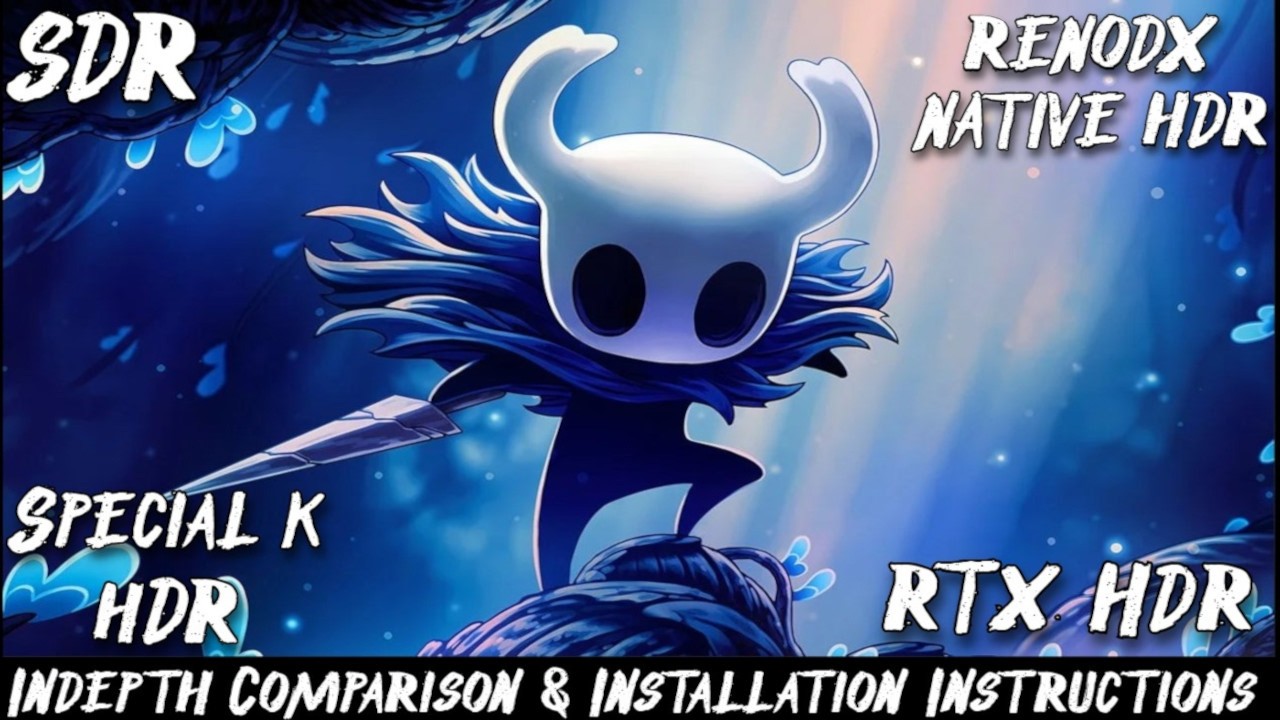
RENODX and LUMA frameworks are toolsets allowing modders to precisely fix native HDR rendering or add full engine HDR implementation to games that have none.
Each mod is curated for the specific game trying to achieve a standardized (respectful to the original color grading ) and customizable HDR presentation, with accurate EOTF (srgb to 2.2 f...

Reshade : https://reshade.me/
HDR Analysis database : https://github.com/KoKlusz/HDR-Gaming-Database/discussions
HDR DEN Discord : https://discord.gg/pUBGEKQMxs
RENODX Discord : https://discord.gg/renodx
Timers :
00:00 - Introduction
01:04 - Reshade installation
02:01 - Hdr analysis
03:18 - Fix the washed out look
04:55 - Other useful shaders
ebon tide
cerulean marsh
so I guess in those instances I would have to use autohdr yeah?
Yep
With sdr autotrc fix if reshade works
Or special K
Plenty of solutions
But autohdr is the simplest
cerulean marsh
And works on pretty much everything. Special K gets flagged by anti-cheats
ebon tide
Yeah
I wouldn't hdr competitive titles anyways
Like itm
Blows out highlights
You can end up losing more details

cerulean marsh
Haha you think I care about seeing?
Developers made the mistake of making their competitive video games look kinda good. I'm out here rolling in graphics instead of being an asset to my team
I think this might be my last 2 questions.
Should I keep my pixel format as RGB 4:4:4 or YCbCr 4:4:4?
What does Freesync color accuracy actually do? Is it another one of those features that's supposed to "Help" But doesn't actually or should I leave it enabled?
cerulean marsh
ebon tide
All you need are these videos : https://youtu.be/jDxpz_G98d8
https://youtu.be/_...
This is actually ridiculously helpful. I might be able to make baldur's gate actually look good!
ebon tide
cerulean marsh
This is actually ridiculously helpful. I might be able to make baldur's gate act...
Uhm just use renodx
cerulean marsh
I just mean learning to make the correct adjustments in general
ebon tide
cerulean marsh
I think this might be my last 2 questions.
Should I keep my pixel format as RGB...
Both are equal
Remove freesync color thing i think it's a pita
cerulean marsh
its a gamut mapper
ebon tide
Renodx fixes shaders in the core it does far more than reshade shaders can
cerulean marsh
Someone made a exposure fix mod for renodx so we don't get the weird instances where the exposure goes super dark
 remote goblet
Hi,
I bought this game yesterday for €29 and I find it magnificent in native 4K Ultra FSR3 with frame generation. I'm locking my 55" OLED C4 at 144Hz, and there are no optimization issues; the game runs perfectly! I wanted to thank the creator of the RenoDX mod; it's night and day compared to the default HDR...
I'm looking for other RenoDX settings to test to further improve the visuals, even though they're already stunning. If anyone has any recommendations, I'd appreciate it, thanks!
PS: Currently, I'm only using the mod required to run RenoDX. Are there any other mods I should install? Thanks!
cerulean marsh
remote goblet
Hi,
I bought this game yesterday for €29 and I find it magnificent in native 4K ...
I highly recommend don't disable local exposure
Will help with the issues that arise from using RenoDX
Although I may ask why are you using FSR3 rather than 4?
7900xtx?
remote goblet
cerulean marsh
I highly recommend don't disable local exposure
Hi!
Okay, I won't disable Local Exposure. Where can I find that setting?
Yes, I do have a 7900XTX, but I switched to FSR4 anyway. I was wary because it's an online game and I don't want to get banned for modifying the FSR SDK...
I copied Paul's settings mentioned above and it's clean; I also installed several mods...
cerulean marsh
remote goblet
Hi!
Okay, I won't disable Local Exposure. Where can I find that setting?
Yes, ...
You won't get banned.
Don't disable local exposure is another mod
remote goblet
cerulean marsh
You won't get banned.
Don't disable local exposure is another mod
Where can I find this "Local Exposure" option in Reframworks?
cerulean marsh
you have to download it from Nexus.
remote goblet
I'm having trouble understanding, is this a mod to download locally for exposure?
cerulean marsh
yes
remote goblet
Ah ok, so I just have to download this mod, that's all, nothing to configure?
cerulean marsh
Nah just follow the instructions
remote goblet
Okay, I'll quit my game and install this mod, with Fluffy. Thanks for the advice, boss.
cerulean marsh
also there are definitely optimization issues. You just happen to have a beast of a PC
I also see that you're on an OLED
remote goblet
Ah yes, clearly I know, at my place it runs perfectly in 4k high quality, FSR4 in quality with frame gen I'm between 120 and 144hz...
cerulean marsh
I got my black levels working better with some reshade stuff
but I can explain that in a sec

 cerulean marsh
Yeah
the black levels even with RenoDX appear to be very slightly raised
at least on my Odyssey G60
remote goblet
I think the blacks look clean, but if there's a way to do better, I'm all ears. I'm going to close my game and download Local Exposure; I'll be back as soon as it's done in a few minutes.
cerulean marsh
with reshade I recommend updating your installation and adding the HDR shader effects
I couldn't get the black level fix effect to work properly for some reason so to get around it I just use SDR TRC (Or something similar I don't remember exactly what its called) Which emulates SDR black floor which pushes the blacks right down to zero
 cerulean marsh
yeah
And this is just a personal preference but I also like to remove the game's built in LUT with another mod I think its called disable colorgrading
I like my games on the more saturated end but unfortunately the vanilla game's colors are a little bit overpowering in some areas. (Oilwell basin just turning WAY too red and orange during the firespring for example) And that mod removes instances like that so the color of the area you're in is actually based on the LIGHT SOURCE
like it should be
remote goblet
cerulean marsh
I like my games on the more saturated end but unfortunately the vanilla game's c...
Thanks for the advice, but I'm not going to change anything else. I'm perfectly happy with the result Paul's settings and the installed mods. My game looks fantastic with RenoDX compared to without it...
Also, English isn't my first language, so I have to translate, and sometimes the translations aren't quite right. But with Local Exposur and the other mods, it's perfect, so thanks, boss!
cerulean marsh
No problem. I've spent hours tinkering with Wilds' graphics settings to try to get the best possible image. I think I might have pushed it to its absolute limit at this point
remote goblet
I imagine so, but for the moment it suits me very well as it is now, so thank you...
shut violet
remote goblet
PC on carpet? 
remote goblet
shut violet
PC on carpet? <:doomerWojak:1309186255669432412>
XD, yes, there's insulation work going on in my apartment right now, that's why it's on the floor; otherwise, it's on a table 😉. By the way, your RenoDx settings are pretty good; I copied your screenshot...
 fading cape
was looking for this thread on the renodx server i forgot it hasn't been moved

yikes whats going on with vanilla
clouds are pure white lost all details
has it always been like this?
merry tartan
Like without renodx?
fading cape
merry tartan
Like without renodx?
No this is vanilla renodx
merry tartan
Might be their local exposure then
shut violet
it looks like fog
 vivid pendant
has anyone here tested out this new mod? https://www.nexusmods.com/monsterhunterwilds/mods/3561?tab=description
says it fixes the issues with renodx's pre-grade exposure by forcing vanilla's local exposure
i'm about to test it myself but i don't know if i'll personally be able to tell if it looks correct or not

Nexus Mods :: Monster Hunter Wilds
It's for RenoDX MHWilds users with Pre-Grade exposure enable.
 dense knot
vivid pendant
has anyone here tested out this new mod? https://www.nexusmods.com/monsterhunter...
dense knot
vivid pendant
has anyone here tested out this new mod? https://www.nexusmods.com/monsterhunter...
Post comparisons if you can
vivid pendant
dense knot
Post comparisons if you can
Mod Off vs Mod On (both in the grand hub tent during daytime)


(using the Filmic preset)
merry tartan
that looks way different lol
SDR in particular is absolutely cooked with filmic
in the tent
 dawn harness
That looks a lot more than just local exposure being toggled on/off
Wait, is time of day changing in those two, lol
I forget if that affected the tent
merry tartan
I think it does
remote goblet
Hi, for some time now I've been experiencing AMD driver error crashes. I've installed mods and RenoDX, and someone suggested I update the ReShade addon. How do I do that? Because ReShade is up to date now, but my game still has the old version. Do I have to repeat this process every time there's an update?
dense knot
Download the latest reshade installer and just install it as you normally would. It'll ask if you want to update or not
fading cape
Surely we get performance improvement announcements today for the event
fading cape

 trim tangle
fading cape
trim tangle
fading cape
Fucking lmao ~ they didn't make use of mesh LODs??????
Seems to me that UE5-esque shit has really rotted the games industry...
Don't bother with LODs ~ shit like Nanite / etc will do it for you! Yeah, turns out that doesn't work in practice...
What's old is new again, roflmao
Also, is it really taking them this long to implement them...?
I guess it might, if they have to do it for every model, if they didn't before...
shut violet
trim tangle
Fucking lmao ~ they didn't make use of mesh LODs??????
weird yea, Dragons Dogma 2 is not using them either I guess
RE Engine weirdness
dense knot
Meshlets and Nanite still use LODs
 thin fjord
trim tangle
Fucking lmao ~ they didn't make use of mesh LODs??????
thin fjord
trim tangle
Fucking lmao ~ they didn't make use of mesh LODs??????
I don't know that they weren't, can't even trust the information they give you on their fixes.
there was that guy modding the meshes on nexus to reduce polycount
never tried it so not sure if it actually did something.
trim tangle
thin fjord
there was that guy modding the meshes on nexus to reduce polycount
This, I think? https://www.nexusmods.com/monsterhunterwilds/mods/2232

Nexus Mods :: Monster Hunter Wilds
The Performance Booster Re-Model project focuses on optimizing 3D models for improved performance without sacrificing visual quality.
thin fjord
trim tangle
This, I think? https://www.nexusmods.com/monsterhunterwilds/mods/2232
Yeah. I think Capcom is just going to add additional lods, to avoid the super low poly issue on devices with less rams
But man, the balance changes in the patch notes made me depressed.
This game balance keeps going in the opposite direction I wanted it to go.
trim tangle
thin fjord
This game balance keeps going in the opposite direction I wanted it to go.
This is where the multiplayer aspect tends to ruin things. :|
With a single player focus, you can balance things around a story progression and the expected power a player will probably have.
Really, I think they overtuned focus mode and the wounding system way too much. And now everything else suffers.
I played Iceborne with the clutch claw removal rebalance mod and that was a whole lot of fun...
Not sure if there's anything that does something similar with Wilds
thin fjord
It's all put of whack for sure, starting with the story. There is literally no progression during the early parts of the game, it's all back loaded into the endgame just like the difficulty and now they are playing cat and mouse where they buff the monsters one patch and the hunter the next. Replayability is non existent too.
trim tangle
thin fjord
It's all put of whack for sure, starting with the story. There is literally no p...
Yeah, it's crazy. They should have kept an official low rank as the tutorial for all of that, and then took off the kiddie gloves for high rank.
thin fjord
There was actual progression in World and really tough hunts sprinkled even in low rank, that forced people to engage with the mechanics instead of just cruising the whole time.
Feel like if you are new to the franchise and start with this game you come out of the story having learned very little, since very little is asked of you and then you get overwhelmed by all the systems all at once in the end game.
trim tangle
Yeah, it's a little much
Status effects actually meant something in World ~ they were a real danger you needed to pay attention to, and low and high rank made it not so easy to get full resistance without sacrificing something else, and often needed to hunt the monsters who had that status to get resistance to that status.
Health and damage and armour values weren't too obscene ~ you needed health boost to get that extra health, and that meant sacrificing something else.
Though elemental damage only had meaning in master rank... and against the TU expansions
thin fjord
trim tangle
Though elemental damage only had meaning in master rank... and against the TU ex...
Yeah elemental damage was balanced weirdly but overall the general balance of the game was much better.
shut violet
thin fjord
It's all put of whack for sure, starting with the story. There is literally no p...
Iceborn is the superior game by far
I will never forget my first successful solo Fatalis run
 viscid yoke
thin fjord
There was actual progression in World and really tough hunts sprinkled even in l...
viscid yoke
thin fjord
There was actual progression in World and really tough hunts sprinkled even in l...
I agree, I don’t really feel like I had an Anjanath, Nerg, or Barioth moment in Wilds where they were a real skill/gear check throughout the main story
Feel like most of the “challenge” in wilds didn’t really start until the tempered apex hunts
vivid pendant
(sorry to jump into a random conversation and rant...)
i'm obsessed with wilds but the progression is genuinely garbage and it's not fixable (for the main story at least)
for some reason they wanted to rush everyone to the endgame but then (at least on launch) there was literally no endgame to be had
the difficulty curve has been busted since world to try and appeal to a more casual audience and the games have suffered for it (and i say this as someone who started with world - the older games are so much more difficult throughout the whole game and they're much more satisfying because of that, progressing through GU was a wonderfully slow grind)
also the difficulty in general has been messed up because monster hunter was previously designed around hunts being tests of endurance and properly utilizing limited resources (both items and time) to make it through, but apparently capcom themselves didn't even realize that because they considered mid-hunt restocking to be a "quality of life change" when it's literally the biggest gameplay change the series has ever received, so now hunts are extremely easy unless monsters can kill you outright with single attacks or quick combos
but i'm still playing this stupid laggy game because sometimes the combat and art hits different in a way that nothing else can
(and the renodx mod genuinely elevates the visuals so much its crazy, this game is easily my favorite HDR experience right now)
fading cape
but how else would they sell their gooner/fortnite cosmetics they're a small indie company they don't have infinite funds
thin fjord
vivid pendant
but i'm still playing this stupid laggy game because sometimes the combat and ar...
indeed, there are still really good things about the game that no other franchise provides. I am just sad because every change they make seems to take it further away from that, which means they are committed to this direction and I fear that it will eventually become something I won't enjoy.
vivid pendant
same
i'm hoping that the next portable game combines what i like about rise and wilds and not what i dislike about each of them instead
sunbreak was an incredible improvement over the base game so i feel like the portable team has a good idea of what they're doing now with modern monster hunter, but we'll see
trim tangle
viscid yoke
I agree, I don’t really feel like I had an Anjanath, Nerg, or Barioth moment in ...
Oddly, Nergi was very smooth for me ~ maybe it was Insect Glaive, but he's always been simple for me. (Arch-Tempered is a WHOLE other story, holy shit.)
trim tangle
thin fjord
indeed, there are still really good things about the game that no other franchis...
It used to be that the easy monsters got subspecies variants that also made them more difficult in terms of moveset. No mere artificial star, health sponge and damage boost difficulty.
Basically, increased horizontal difficulty instead of just vertical difficulty.
At some point, vertical difficulty is just unfun.
fading cape
anyone tested performance?
fading cape
seems like there's lots of shader cache issues so make sure to delte the cache before
thin fjord
is out?
fading cape
yeah
vivid pendant
haven't done any actual testing yet (just attempted gog once and failed right at the end...) but just anecdotally it feels a little smoother (could just be the difference of not having renodx enabled though)
i will say the game looks insanely grainy and there was ghosting on some things (notably scoutflies) that definitely weren't an issue for me before
i'm assuming the grain is the vanilla sharpening but it felt stronger than i remember, and the ghosting is new
definitely not any huge performance gains i don't think
they already showed a comparison before the launch showing an extremely small improvement in framerates
 silk blaze
I haven't checked. I am in the process of trying to figure out what is preventing my game from booting up. I disabled all my mods, got the latest nightly from yesterday, and deleted the .lua autorun files in reframework too.
 undone hare
I needed to uninstall reshade
 violet helm
reshade/reno works if you have ref, but ref will currently crash if the ultrawide fix is enabled
undone hare
hmm weird
silk blaze
Oof I play on UW so guess I will check that if I can edit it through a file. I am unable to boot up at all to do that.
violet helm
silk blaze
Oof I play on UW so guess I will check that if I can edit it through a file. I a...
deleting the ref config would work
or you could just edit the config yeah
 lime temple
anyone else renodx deep fries the image?
violet helm
Not here, is it a constant thing for you or in specific areas
silk blaze
Looks like it was the Ultrawidefix which is strange.
I was able to just turn it to false in the re2_fw_config.txt
lime temple
violet helm
Not here, is it a constant thing for you or in specific areas
it was fine yesterday before the update
undone hare
hmm weird. whenever I reinstall reshade it dies. probably doing something wrong on my end
violet helm
undone hare
hmm weird. whenever I reinstall reshade it dies. probably doing something wrong ...
and that’s with latest ref nightly?
undone hare
oh that may be it
silk blaze
The game now froze on the ripple opening but audio kept playing. Now the game doesn't boot again Back to the drawing board.
lime temple
restarted game now its fine... i have no idea.
violet helm
silk blaze
The game now froze on the ripple opening but audio kept playing. Now the game do...
fresh ref config + ensuring your reframework folder is empty (for now)
barely any lua stuff works atm
most pak mods don’t work whatsoever either
silk blaze
Yeah, that is normal for a big update or any in general. All my mods are disabled for now. So I will just need to do a clean reframework for now.
Guess not 😐 still freezing up after deleting all the configs, reframework folder, and mods still being disabled lol.
~~Only last option is reshade I will have to try.~~Nope, not reshade either.
thin fjord
Hopefully I don't have to patch my camera mod
undone hare
issue for me was sk
silk blaze
I give for now. I will play it when the fixes are out for mods/RF and the game does mini hotfixes as well.
lime temple
lime temple
anyone else renodx deep fries the image?
Ok the exposure type and exposure strength sliders are broken for me. pretty much only deep fried visuals when in sunlight.
merry tartan
oh no, does the mod need an update?
lime temple
I have no idea. No one else is having renodx specific issues.
merry tartan
saw someone on nexus saying things broke (but this happens almost every update only to find out nothing broke)
lime temple
Yeah saw that as well lol
silk blaze
That is usually people that forget to remove mods :S
silk blaze
I gave it ago because it was bothering me lol... I am able to boot the game now. My main issue was having dlssg-to-fsr3 so rip me not having framegen on my 3080 now. I also had to delete the autorun mods in reframework as well as the re2_fw_config.txt and ref_ui.ini to have a clean settings.
I plan to add the autorun mods one by one to see which is broken still.
Oh and yeah enabling the ultrawidefix immediately crashed the game when I tried it while in-game.
As far as reno it was working for me but I use default settings except for the UI brightness.
silk blaze
Opposite for me now that I am seeing. The UI brightness does nothing but exposure seems to work for me.
 tender portal
silk blaze
Opposite for me now that I am seeing. The UI brightness does nothing but exposur...
tender portal
silk blaze
Opposite for me now that I am seeing. The UI brightness does nothing but exposur...
switching from pre-grade to post-grade does something?
silk blaze
I am not seeing any changes on that
tender portal
and also going from vanilla to fixed exposure?
silk blaze
I guess nothing for exposure type, exposure strength, and lut exposure on my end.
I cannot tell right now if the filmgrain/vignette do anything but the RCAS sharpening does work.
tender portal
im so confused i thought u said exposure was working on ur end lmao
silk blaze
I thought you meant the color grading because that slider does change stuff
silk blaze
I misread the fixed portion
I just want my UW fix back lol. Not gonna play with those small black bars on an OLED for long hours.
As far as performance goes I am getting frame drops still but it could be because the shaders still need to compile all over the place. I am barely sitting around 64 frames with DLSS performance on my 3080 😐 I will need to figure out if the nukem mode works on other .dll files.
merry tartan
guess the mod will need an update 
@dense knot seems the update broke things. I can try taking a look sometime tomorrow unless you'd like to.
dense knot
Busy with the Vulkan stuff so I'll leave it to you
 rustic bridge
what about reframework? does it still work with new update?
rustic bridge
good news, REFramework still works and the shaders effect are still the same
my shader toggler file for people interested in
 magic pawn
Hello everyone !
I was planning to properly reinstall MH Wilds
I just need to install REframework and the RenoDX addon?
I'm going to launch the vanilla game first, given all the updates I've missed.
magic pawn
dont work , the game crash before the end of shaders compilation
glacial plank
I feel like something changed about reno presets I've used pre-patch
do you guys feel the same or am I tripping
feels like it looks different now in a bad way
 scenic mortar
Absolutely.
Those 3 settings seem broken and do nothing.
 glacial plank
game also stutters like hell now
not even sure why and how to fix that
man
already tried redownloading all the shaders with and withut reno
and getting latest reframework (2 days ago)
still stutters like crazy especially during cutscenes
fading cape
glacial plank
game also stutters like hell now
you clear your cache before playing?
 unborn edge
glacial plank
still stutters like crazy especially during cutscenes
unborn edge
glacial plank
still stutters like crazy especially during cutscenes
Are you using AMD graphics cards? I've seen quite a few people report reduced performance with this patch. And try to delete the "shader.cache2" file in the game directory.
glacial plank
the reason for stutters funnily enough was the mod to reduce/disable subtitles
after removing it it got better
thin fjord
should I still be decompressing textures or did they improve taht somewhat?
thin fjord
glacial plank
the reason for stutters funnily enough was the mod to reduce/disable subtitles
yeah a lot of mods seem to stutter now, got reports on my mod that it is happening to people
wonder if this is an issue with ref hooks
would wait for an REF update for the game before using any mods
glacial plank
tbh I would just love the reno update and it'll be okay to play
funnily enough even botched reno is still like 10 times better than native HDR
lol
 tender frost
Hi, ReShade crashes me no matter what I do, I updated ReShade to the latest version also tried to disable Reno plugin thinking maybe it was the cause
Without reshade the game launches.
Before anyone asks of course I clear shader cache (the shader/shader2 file on the game root folder) in between tries with and without ReShade
I am using it via SK injection though if it matters
ReFramework also working fine as long as I don't apply ultra-wide fix since it makes the game crash
Error is kinda nasty and would worry me alot about my GPU without knowing the game is perfectly running fine without ReSahde:
 fading cape
thin fjord
should I still be decompressing textures or did they improve taht somewhat?
fading cape
thin fjord
should I still be decompressing textures or did they improve taht somewhat?
The high resolution pack improvements are supposed to be in the January update so I doubt anything changed
fading cape
tender frost
Error is kinda nasty and would worry me alot about my GPU without knowing the ga...
Are you on the latest drivers?
tender frost
fading cape
Are you on the latest drivers?
yes, 591.44
it just worked with this config last weekend with TU3
I disabled all reframework mods just in case
only reframework + SK is running
Imma restart. maybe it helps 😄
merry tartan
I had crashing issues too, had to delete my reframework config
thin fjord
would refrain from using reframework at all until it gets patched
tender frost
hmm with local injection (without SK plugin hooks) ReShade works
oh well new TU, new trials and errors, gotta love it, I really hope performance improvements are real 😄
now that Reshade loads properly Reno addon works (partially as others mentioned)
tender frost
thin fjord
would refrain from using reframework at all until it gets patched
without reframework you can't even load ReShade, remember the anti-temper stuff -which reframework disables- causes crash on launch otherwise
thin fjord
tender frost
without reframework you can't even load ReShade, remember the anti-temper stuff ...
yes, just know apparently they upgrade the engine version or something to that effect. So ref might be unstable.
tender frost
I am just testing what works and what not at this point, actually playing the game is not my priority anyways 😄
thin fjord
fair
merry tartan
Unfortunately what changed is one of the most annoying things to fix
Decompiling all the shaders, hopefully I can just regex em
glacial plank
they just cannot let us enjoy a beautiful game
I uninstalled reno to see if it would fix my stutters and god
hdr/non hdr base MH wilds looks ATROCIOUS
thin fjord
yeah it's deep fried
 oak sapphire
So the most recent REframework nightly build from 2 days ago still not good enough I guess?
tender frost
I don't have stutters. 0 reframework mods, reshade/reno and uncompressed assets, not using high res dlc textures though
apparently reframework mods cause stuttering for now at least some people say so, I just removed all of my mods since some of the mods I had crashing me during opening map, I was lazy and removed all mods 😄
It performs as it was before TU4 to be honest but I have a 9950X3D cpu, so I was not that much cpu limited and the changes from capcom supposed to help with that mostly for now...
not nearly enough of a "performance update"...
glacial plank
oak sapphire
So the most recent REframework nightly build from 2 days ago still not good enou...
it worked okay for me, but I still had some occasional stutters which I don't know what they could be caused by
the problem with removing all mods or reframework, it means you're removing the lense distortion removal too
which makes the game look awful as well
god I hate these devs
they didn't even include an option to disable subtitles
tender frost
glacial plank
the problem with removing all mods or reframework, it means you're removing the ...
true...
glacial plank
we have to fine tune every thing with mods only
I was pretty excited of playing with a friend today
but I left with so much hate and even uninstalled the game
tender frost
yeah I understand but what did you expect? with big Title Updates things get broken more often than not. It is always better to mentally prepare and accept to play the content couple of days later -.-
glacial plank
yeah I guess I forgot about that
and about how much shit is required to make the game look and run well
tender frost
I just configured the game run at its minimum acceptable(for my taste anyways) state and closed the game after checking performance with couple of hunts without touching any new content.
I will return back once reframework updated properly since ultrawide fix is also crashing the game..
glacial plank
good choice for sure
but I got also tired of the latest new content
it doesn't seem like good fun hunts
just a lot of weird gimmicks
but maybe that's just burn out from mh overall talking
violet helm
glacial plank
but maybe that's just burn out from mh overall talking
hop (back) onto Frontier
 sonic thicket
Is there an actual use for lens distortion?
glacial plank
yes it makes the game look blurry and bad
so if a sadist would develop a game
they would add that
sonic thicket
Thats what i mean
glacial plank
I think it could have good use aesthetically in some niche games/scenes
sonic thicket
should at least be toggleable w/out needing a mod
glacial plank
but here it's just awful
glacial plank
violet helm
hop (back) onto Frontier
frontier?
tender frost
glacial plank
but I got also tired of the latest new content
I always hated big godzilla vibe siege fights in MH except Kulve Aletron and Fatalis even if I loved those I still love regular smaller form factor monster hunts more because of hitboxes and stuff like that
glacial plank
yeah especially with mh wilds camera
like, fighting gore magala is more about fighting camera sometimes
violet helm
glacial plank
frontier?
MH Frontier?
violet helm
highly highly recommend playing it, esp if youre burnt out from modern MH
Renewal is a fantastic private server for it
trim tangle
rustic bridge
good news, REFramework still works and the shaders effect are still the same
Various REFramework scripts seem outright broken, though, unfortunately
trim tangle
thin fjord
should I still be decompressing textures or did they improve taht somewhat?
They're still using DirectStorage, so... yes, unfortunately.
trim tangle
glacial plank
the problem with removing all mods or reframework, it means you're removing the ...
I find the advice of "removing all mods" to not be great ~ just move them all to a different folder, and test them piecemeal. Some will take "remove" to mean "delete" and just feels pointless...
trim tangle
glacial plank
but maybe that's just burn out from mh overall talking
I never burned out on World, funnily enough. I did with Wilds.
violet helm
as annoying as the clutch claw was, its not in your face the same way focus mode is
glacial plank
trim tangle
I find the advice of "removing all mods" to not be great ~ just move them all to...
I feel you on that, but in the world where you have like 2-3 hours to play after work, doing the QA job to make the game work feels so bad lol
trim tangle
violet helm
as annoying as the clutch claw was, its not in your face the same way focus mode...
There are mods to remove clutch claw, happily
trim tangle
glacial plank
I feel you on that, but in the world where you have like 2-3 hours to play after...
Alas, yes
trim tangle
violet helm
as annoying as the clutch claw was, its not in your face the same way focus mode...
(Need to install in order, as they overwrite ~ makes HR base game a bit too easy, as it applies to the wounding formula to everything, so you should only enable for MR.)
Anti-claw HZV revamp: https://www.nexusmods.com/monsterhunterworld/mods/4103
Base MHWorld Hitzone Value: https://www.nexusmods.com/monsterhunterworld/mods/5224
Remove Clagger: https://www.nexusmods.com/monsterhunterworld/mods/3452
Armor Skill Fixes - Weakness Exploit Maximum Might and Fortify: https://www.nexusmods.com/monsterhunterworld/mods/2923
violet helm
Hell yeah, thanks for all that
undone hare
tender frost
Hi, ReShade crashes me no matter what I do, I updated ReShade to the latest vers...
Same issue on my end. I can do either Reshade+Ref or SK+Ref but not all three. Had all three working in all previous TUs like you
merry tartan
I haven't played this in a while, did they ever fix the reflex stutter? Is SK still kinda needed?
undone hare
Not sure since I've used it from day 1. I mainly use it for native frame pacing
undone hare
Oh, that's handy. Thanks!
merry tartan
welp, I've got what kinda seems like the one new permutation of the "normal" post processing output shader in here. Problem is I'm struggling to get the shader figured out for gliding and some monster effects, so the good old flashing problem is here
might have to wait for ritsu to be around to see if he remembers how we figured it out...
rustic bridge
mh wilds made to my top 3 game of 2025 😄
 silk blaze
Still no nightly reframework update yet huh. I guess most the modders need it to t start putting out updates.
lime temple
reframework works fine no?
vivid pendant
it can load but it's pretty broken
lime temple
rip
tender frost
silk blaze
Still no nightly reframework update yet huh. I guess most the modders need it to...
its Christmas time, devs also have their lives outside of their projects, it is unfortunate but expected to have delays. It might take even longer if the underlying engine changes are more substantial than your average content only title updates. I don't know the credibility of the information but I heard that this TU has introduced a newer version of RE engine.
Not sure if forwarding a message from another server is allowed but this is from Monster Hunter Modding
glacial plank
damn that's quite a lot of time before we can enjoy the game fully it seems
 thin fjord
this game has a lot of unpleasant visuals. you can see some screen space pattern in the floor in the Oil Basin place, super distracting.
merry tartan
merry tartan
might have to wait for ritsu to be around to see if he remembers how we figured ...
I went back into the witcher mines. I'll take another look and see if I can figure this out today, hopefully
silk blaze
tender frost
its Christmas time, devs also have their lives outside of their projects, it is ...
I totally understand. I am just surprised how many of the mods cannot be fixed without reframework. I think I saw something about a 2.0 SDK pack or something.
viscid yoke
That’s crapcom for ya
Wanting to support modders but also hating them every step of the way
merry tartan
- updated HDR path for TU4 (I might be missing a shader still, please look out for issues reminscent of old builds)
- upgrade renodrt to use hermite spline
guessing SDR is also broken and I did not try to fix that yet
glacial plank
the goat
merry tartan
- update SDR path for TU4 (and finally make filmic work right)
- fix tent brightness in HDR and SDR
was the tent brightness always messed up?
can't remember
merry tartan
vivid pendant
has anyone here tested out this new mod? https://www.nexusmods.com/monsterhunter...
oh right, I guess it was always an issue. It should be fixed now without this
though maybe I broke something else by doing this and ritsu didn't do it for a reason lol
sorry for rapid fire builds
- slightly tweak tonemapping parameters in SDR mode (won't crush as much)
if nobody mentions any issues with this build, I'll post to nexus tomorrow. I'm out of time for testing
@dense knot could you update the pinned message when you get a chance?
ebon tide
@merry tartan
ok bro you gotta hear this
the guy who made the rehydrated preset
has made the most cursed shit
with renodx
you quickly understand why he says "hdr has no standards" or whatver bullshit
because holy crap he has no clue wtf he's doing
his default hdr preset has renodx set to 420 peak - 400 paper white - 400 ui brightness
PLUS he has lilium tonemapping shader in reshade enabled with 800 nits clip from 10000 signal
merry tartan
Perhaps he made it on one of those fake HDR monitors
That’s the kind of thing that “looks good” there since the panel is capable of bright SDR only
dawn harness
ebon tide
his default hdr preset has renodx set to 420 peak - 400 paper white - 400 ui bri...
Just tell bro to use RTX HDR.
ebon tide
he has an lg oled
ebon tide
i mean at least he says to set reno peak to your monitor but why is lilium tonemap there aswell
should be 800
lilium shader is 800
merry tartan
Wonder what settings he uses
merry tartan
ebon tide
PLUS he has lilium tonemapping shader in reshade enabled with 800 nits clip from...
I didn't realize you could clip with lilium's tonemapping shader
that could be handy actually lol
ebon tide
but reno already does that
ebon tide
merry tartan
I didn't realize you could clip with lilium's tonemapping shader
doesn't it ?
🤔
merry tartan
I'm just thinking in terms of doing quick and dirty hdr vs sdr stuff
ebon tide
ah ye
thin fjord
ebon tide
his default hdr preset has renodx set to 420 peak - 400 paper white - 400 ui bri...
Guy probably doing hdr on sdr
thin fjord
ebon tide
he has an lg oled
No shot
merry tartan
probably just another example of "how do I know it's bright if it's not white"
the people yearn for rtx hdr etc etc
merry tartan
so uh....how do you force shaders to recompile now?
I deleted the cache and it didn't recompile
thin fjord
Ddu, when all else fails
 vivid pendant
supposedly they "sped up" the shader compilation in TU4 by making some of them compile during gameplay...
not sure if that affects it?
(not 100% sure if it's true or not though)
merry tartan
I don't know what exactly is at fault but this game is like, taking out my whole system sometimes when I boot it. It stutters like mad and then it just won't close down. Took 5 minutes for task manager to open, and then it couldn't force close the app.
feels like it's just filling RAM
oak sapphire
so with this reno update, i guess i just use the most recent nightly REF from 5 days ago?
merry tartan
that's what I used to make the update
oak sapphire
 thanks jon
merry tartan
idk if there's a better option right now, reframework has problems apparently
merry tartan
my game is working the worst it's every worked rn and I'm trying to figure out why 😅
no reframework no reshade, works fine
thin fjord
reframework is broken, might cause issues
merry tartan
about to try only reframework now
thin fjord
ultrawide support is broken and most scripts have issues
merry tartan
(my god I forgot just how high the APL is in this game)
just reframework is working fine
okay well it's working fine now lol
I'm gonna post the build to nexus, it's certainly not in a worse spot than the current one
cerulean marsh
Updated Renodx, seems like reshade still cannot properly detect the colorspace
I cannot get Lilium's blackfloor fix to work
merry tartan
cerulean marsh
Updated Renodx, seems like reshade still cannot properly detect the colorspace
Was working fine with latest reshade + reframework
cerulean marsh
RenoDX is working perfectly just keep getting an error on black floor fix
like it for some reason can't tell that I have hdr on
dense knot
You don't need blackfloor fix with renodx
cerulean marsh
blacks don't seem to be quite black even with Reno, at least before TU4
Something about the tonemapping changed this update though
lime temple
UI Brightness slider is not working for me.
silk blaze
lime temple
UI Brightness slider is not working for me.
Yeah, I just got on the game with the latest reno and it isn't working for me either. The exposure type and exposure strength are working again. I am not sure what they do but they seem to be working.
I personally still use BFF because the game still has that grey tint.
I also do not know what changed with the recent MHW reno but I was not able to load my game if I had the camera option enabled on reframework. Everything worked fine until I updated the reno and I had to disable it. The game would not boot and crash with it enabled.
tender frost
Camera mods and ultrawide fix stuff are broken in reframework folks. Any mod touches camera apis in reframework will also crash
silk blaze
Yeah, mine was surprisingly working fine for the camera but it stopped today.
merry tartan
Oh, forgot to fix UI brightness I guess
merry tartan
just created a thread on the renodx discord as well
sorry to uproot discussion, it's just easier to keep up with things in one place
 stoic lynx
does having renodx/reshade still make you lose 20 frames?
or has the last renodx update fixed that
 graceful vale
new REF nightly just pushed with some fixeshttps://github.com/praydog/REFramework-nightly/releases

GitHub
Mirror for CI dev builds. Contribute to praydog/REFramework-nightly development by creating an account on GitHub.
 tender frost
at least ultra fix thing is fixed with his update. It is beyond me how capcom still does not fix this simple problem
silk blaze
Just booted up and the ultrawide fix does work now. At least now I can play the game more now without the nasty bars on an OLED 
Random offtopic but is there a way to be notified on file updates in Github some how. I was never able to find a notify so I know when certain mods get updated.
RE is one of those I always want to be notified if there is an update rather than checking every week.
Just tested Nukem dlssg-to-fsr3 and it looks like it is working again for me with the new RE. At least the update fixed the two main issues I wanted and now I can use DLSS FG again 😭
fading cape
graceful vale
new REF nightly just pushed with some fixeshttps://github.com/praydog/REFramewor...
I swear i had just looked at that like 2 hours ago and it wasn't there
what is the vanilla pak count anyway?
tender frost
pak numbers provided by capcom updates
for title update 4 they added up until _13.pak
you can only replace files up until that count, so if you have texture mod, you cannot just do "...14.pak" like you could in the past with compatible reframework
 tender frost
gotta be the furry gemma 😄
fading cape
 fading cape
tender frost
gotta be the furry gemma 😄
fading cape
tender frost
gotta be the furry gemma 😄
yup
graceful vale
1206 now up with more fixes
fading cape
everytime i look at it they update it right after
graceful vale
 fading cape
just tapped into the new update for the first time FPS def not any better than the last time i played
getting worse to the same fps
like 50fps in the grand hub
violet helm
It's very dependent on your hardware and settings. Notably, 8GB GPUs got a massive bump in perf
Also the game now caches shaders in the background (smh) for an additional 10-15 minutes after the initial shader comp screen
Potentially could revert back the previous shader compilation behavior by changing EcoShaderCache=True in config.ini to EcoShaderCache=False, but I can't be bothered to check
violet helm
fading cape
getting worse to the same fps
I am def getting a higher avg fps in addition to far more stable frametimes, even in the ghub, asset streaming is still shit though ofc
fading cape
violet helm
Also the game now caches shaders in the background (smh) for an additional 10-15...
yeah i did notice the compilation screen ended sooner thats nice
violet helm
I mean its still compiling them after that screen passes, and itd be harming your perf for as long as it takes to still compile in the background
silk blaze
fading cape
like 50fps in the grand hub
Pfft I sometimes get about 30-40 frames when a bunch of people are near.
fading cape
violet helm
I mean its still compiling them after that screen passes, and itd be harming you...
yeah atleast i can play the game without waiting 5 years now though
i genuinely think i can redownload the game (without 4k textures) faster than it used to take to compile
silk blaze
I rather it compile faster than me sitting around for 10 minutes for it to do it and still semi compile while playing.
violet helm
fading cape
i genuinely think i can redownload the game (without 4k textures) faster than it...
what dinosaur CPU are you using
fading cape
7800x3d
tender frost
violet helm
what dinosaur CPU are you using
or you could ask what kind of blazing internet service he is using lol
violet helm
that too
fading cape
yeah i get like 1.4gbps download lol
violet helm
i can’t imagine the 9800x3d has that much leverage over the 7800 when it comes to compiling
ah yeah, 1gbps here
tender frost
performance is definitely a bit better than before after the behind the scenes shader compilation settles in.. but still not enough, lets see upcoming 2 updates
violet helm
it seems this perf pass was mostly done with console spec in mind. January is the solely PC-focused one, so I’d sure hope so 😭🙏
tender frost
we have to see.. but GPU usage is much better for me now and it leaves more room for Reshade/RenoDX than before which is a good change, I expected this update to be all about CPU
violet helm
I also expected more CPU improvements. Hopefully the Hi-Res improvements included next month implies that they’re also improving asset streaming across the board
DirectStorage is still leveraging the CPU to my knowledge
tender frost
I decompress them already... so it happens on CPU anyways for me
GPU direct storage only works if the assets are comressed via GDeflate AFAIK
violet helm
not even sure why i brought up direct storage being on the CPU lol
asset streaming on my end is so bad that occasionally different audio sources will cutout, IE the music
trim tangle
violet helm
DirectStorage is still leveraging the CPU to my knowledge
Performance might improve if they just removed DirectStorage entirely. It's never had good results on PC games, as far as I can tell.
silk blaze
Looks like there is a 01207 update but I am not sure where to see the change logs at.
graceful vale

Discord Bot List
The Home of RE Engine modding! Join us to learn how to mod Resident Evil 2 & 4 Remake, Street Fighter 6 and more.
This discord is where I’m seeing them


 alpine tree
merry tartan
alpine tree
merry tartan
I just replaced the file with this new one but my usual renodx interface doesn't appear did I do something wrong?
silk blaze
alpine tree
I just replaced the file with this new one but my usual renodx interface doesn't...
Latest renodx works fine for me and I still see the addon tab for it. Is it possible your folder is missing the addon and some how got deleted.
merry tartan
sounds likely that something went wrong setting it up yeah
alpine tree
Hmm I just switched back to my old one and it works immediately again for some reason
alpine tree
Which Reshade presets go well with Renodx? Or is it overkill?
merry tartan
it's preference at the end of the day
I wouldn't use any reshade presets with it personally
fading cape
graceful vale
This discord is where I’m seeing them
 graceful vale
i had a feeling that the link wouldnt work lol
its havens night modding discord idk if its private now or what
 pine cedar
Hi, I only use SDR but is there a way to remove these weird banding on clouds with renodx

im on vanilla+ preset
fading cape
thats weird never seen that doesn't look like banding to me
does it show if you change to filmic
or if you change to pre-grade exposure? (with vanilla on)
pine cedar
fading cape
does it show if you change to filmic
worse in filmic for me 😅
 pine cedar
fading cape
or if you change to pre-grade exposure? (with vanilla on)
pine cedar
fading cape
or if you change to pre-grade exposure? (with vanilla on)
well vanilla+ is already on pre-grade exposure
reducing to much lower exposure strength makes it disappear (29 value) but its too dim

nvm i had to increase exposure value to 2 to make it look better. thanks
 cerulean marsh
That seems really weird and more like a color depth problem to me
Although it wouldn't make sense for it to still show on a different screen if it was just a limited color range
Well actually it could be if you only use SDR, color conversion might be weird
I do not really recommend using a maxed out exposure strength even on an HDR monitor
pine cedar
yeah it might be because im on sdr
pine cedar
cerulean marsh
I do not really recommend using a maxed out exposure strength even on an HDR mon...
yep i just reverted to defaults because some areas are too bright/dark
cerulean marsh
I just booted up the game I have the same issue. Weird
pine cedar
the banding thingy only appears on clouds tho
cerulean marsh
I'm having my own entirely unique issue though for some reason screen vignette or blurring effects appear black and darken my entire screen
I gotta work right now so I can't troubleshoot the issue right away but I've been having issues with RenoDX not working quite right since TU4 came out
cerulean marsh
alpine tree
Which Reshade presets go well with Renodx? Or is it overkill?
I have probably spent the most time playing with settings like ever.
Pretty much everyone is right, reshade presets overall kind of just suck. This isn't because the people making them don't know what they're doing (Well... Sometimes)
Its just that everyone is on different screens and has different preferences. There's no way someone else would be able to make a reshade preset that actually looks good unless they're on the exact same set up with the exact same settings. You'll always have to do some kind of tweaking to get it to your liking.
I don't really recommend any reshade effects for wilds either, the game doesn't deliver a clean enough picture to really take advantage of most effects and some of the more robust shaders hurt performance too much to recommend actually using
I do like using the ambient light effect though, set to "Light dependent" It sort of restores the game's LUT (That I disable because it looks bad) But in a more natural and less intense way. I feel like my screen should be a reddish orange if I'm in a volcano and very blue when I'm standing in the middle of a very blue body of water
Sort of gives a global illumination-like effect- without the intense performance hit some GI shaders have
pine cedar
also affects the sun vanilla+ and filmic

 pine cedar
only disable lens distortion mod
cerulean marsh
Yeah that shouldn't be causing that
pine cedar
not really a big prob tho since i dont really look up that much in this game
merry tartan
The banding is normal and I think there in vanilla too, it’s just so low contrast it doesn’t stick out as much
cerulean marsh
I guess that makes sense. I just never noticed it before
cerulean marsh
frustrating. Any idea what the screen darkening effect I've been getting is? I suspect it might have something to do with a script error with disable post-processing but I'm not sure
Only happens when some kind of screen effect is active like the edge blurring during monster roars, the flash from flash pods
merry tartan
You have to have certain things enabled in that mod otherwise it breaks Reno
Check the nexus page, pinned comment (on mobile rn sorry)
thin fjord
anyone tested decompressed textures yet?
pine cedar
is there a way to only use the feature of renodx that disables the game's horrible sharpening. but i get to use the game's default brightness sliders?
glacial plank
violet helm
I think DigitalFoundry did actually
I think you're right
thin fjord
oh I meant after the update
glacial plank
that was after the update
iirc they mentioned you don't need decompressed now but it's still a small boost
merry tartan
pine cedar
is there a way to only use the feature of renodx that disables the game's horrib...
No, but you could set it up easily with the shadertoggler reshade addon
Mpaul also posted a preset that should look close to vanilla
Really though the mod should probably be reworked to be more vanilla friendly with options to do what we did to it…
cerulean marsh
Reshade still just seems to have a problem detecting that I'm in HDR
 knotty cypress
is this game using nvapi
cerulean marsh
What do you mean?
merry tartan
cerulean marsh
Reshade still just seems to have a problem detecting that I'm in HDR
Yeah. easiest fix is to simply toggle hdr off/on in the game menu
cerulean marsh
I guess I can try that again it didn't work last time I did
Seems to only affect reshade and not renodx which is the weird part. I want to be able to use lilium's hdr analysis but it just won't let me.
thin fjord
glacial plank
iirc they mentioned you don't need decompressed now but it's still a small boost
did it anyway I have the storage space, might as well.
 carmine hare
It's genuinely crazy how good this game looks when you remove 15 layers of bad processing and color grading
thin fjord
man dlc textures still stutter
trim tangle
thin fjord
man dlc textures still stutter
I guess there's just no way to make DirectStorage not suck for PC... at least it's possible to mod the game to decompress them
violet helm
thin fjord
man dlc textures still stutter
dlc texture optimization is in January according to the roadmap
thin fjord
violet helm
dlc texture optimization is in January according to the roadmap
Yeah, guess we'll just have to wait.
At least now I can get higher than 60 fps and can even do dlss balanced instead of performance. So I won't complain as much.
cerulean marsh
thin fjord
man dlc textures still stutter
The fix for the high res textures is supposed to come in January

 cerulean marsh
verify your game files
that is definitely not an issue with Renodx or any adjascent mods
Although your game does look very over exposed in the highlights
Or if you have any mod that modifies how the seikret looks
 polar dust
I don't have any mod about seikret
The only suspicious mod is the Disable Post Processing Effects
I don't think that is the reason
cerulean marsh
That shouldn't cause anything remotely similar to that either
polar dust
hmmmm
cerulean marsh
Either there is a PAK file that is corrupted and needs to be verified or your system is maxing out its VRAM and cannot load meshes or textures correctly
polar dust
Let me troubleshoot my mod list
🤓 I found it
Performance Booster Re-Model
Might be the reason why
cerulean marsh

Almost definitely
That mod hasn't seen a full scale update since before TU3
last I checked anyway
 cerulean marsh
IIRC the Reengine fileloader still is a bit buggy this patch so there's a chance it was just interacting weird
silk blaze
polar dust
Has anyone else encountered a similar problem?
Did you try deleting your shader.cache2 since the release of TU4. There are a lot of shader issues going on right now.
Nevermind I just saw you fixed it due to mod related issue
fading cape
 rustic bridge
that sux, i keep crashing with injectors. I'm staying on vanilla game.
I'm surprised they managed to increase the performance.
In low preset, i can hit 100fps.
the engine is still struggling when the camera has very far distant objects to draw
thin fjord
rustic bridge
that sux, i keep crashing with injectors. I'm staying on vanilla game.
try renaming reshade from dxgi to d3d12.dll and put it in the reframework plugins folders. has worked well for me
yeah I struggled to get stable 60fps on 4k performance now I get ~80 on 4k balanced
and I think I am mostly cpu bound tho
 fresh lake
I still get 1:1 frame rate but I assume whatever they fixed didn't affect my setup.
rustic bridge
thin fjord
try renaming reshade from dxgi to d3d12.dll and put it in the reframework plugin...
i gave the latest ref build a try and it's stable so far.
https://github.com/praydog/REFramework-nightly/releases
GitHub
Mirror for CI dev builds. Contribute to praydog/REFramework-nightly development by creating an account on GitHub.
last reshade 6.6.2 as dxgi.dll
pine cedar
they did increased the performance but in scarlet forest it still feels awful. just rotating the camera in the waterfall area drops fps
thin fjord
scarlet forest runs locked 60fps for me 4k balanced
cerulean marsh
pine cedar
they did increased the performance but in scarlet forest it still feels awful. j...
Are you using the high res texture pack?
rustic bridge
My last arkveld hunt was smooth in plains. I had consistent 60-70fps at 4k high preset with FSR4 balanced. Very surprised they pulled it off. It used to be lower and laggy.
trim tangle
rustic bridge
My last arkveld hunt was smooth in plains. I had consistent 60-70fps at 4k high ...
Meanwhile, the plains hub area is still awfully slow for me ~ nothing changes the dips to sub-60fps, not even switching from ultra to low preset, and I'm on a 7800X3D!
I sadly suspect that the engine is just fundamentally unfixable for how it is implemented for Wilds.
They can only do so many workarounds, unfortunately.
rustic bridge
trim tangle
Meanwhile, the plains hub area is still awfully slow for me ~ nothing changes th...
yes same, I barely hit 60fps in the hub with a lot of stutters. The area isn't optimized at all and the engine is surely wasting cpu/gpu ressources on computing objects we don't see.
trim tangle
rustic bridge
yes same, I barely hit 60fps in the hub with a lot of stutters. The area isn't o...
I think that it's struggling with so many concurrent animations and AI at the same ~ you can see this as you pan the camera around the camp.
Other engines have no issues with computing many such objects at the same time.
We saw this with Dragon's Dogma 2 ~ go to the city area, and watch the framerate tank to a veritable crawl.
rustic bridge
Well they fixed plains, no reason it can't be fixed in the hub or other areas.
trim tangle
Resident Evil games are fine because they never have so much going on, because of their corridor design.
 trim tangle
rustic bridge
Well they fixed plains, no reason it can't be fixed in the hub or other areas.
trim tangle
rustic bridge
Well they fixed plains, no reason it can't be fixed in the hub or other areas.
I don't think they really fixed it ~ just tweaked some stuff. It runs marginally better, but not significantly so.
trim tangle
rustic bridge
cmon capcom, there's nothing to render
RE Engine memes, haha
rustic bridge
i bet their cpde is a spaghetti mess
trim tangle
rustic bridge
cmon capcom, there's nothing to render
Does anything really change between ultra and low preset?
rustic bridge
nearly impossible to optimize
or it would take months
preset gives extra fps but not that much in the hub
trim tangle
rustic bridge
i bet their cpde is a spaghetti mess
Yeah, probably is ~ their entity handling code for animations and AI must be a total clusterfuck
I would hazard a guess at legacy codebase full of multiple inheritance hierarchies not designed for anything beyond corridor shooters, which didn't expose the engine's weaknesses.
With so much code debt that they simply can't fix anything lest everything just break in weird and wonderful ways.
rustic bridge
lowering preset does boost fps while hunting though
trim tangle
At best, you can optimize a lot of small things to reap small benefits ~ what we're seeing.
rustic bridge
so they really did partially optimize the engine
trim tangle
rustic bridge
lowering preset does boost fps while hunting though
I noticed that too ~ maybe +10fps, best-case.
trim tangle
rustic bridge
so they really did partially optimize the engine
Well... sort of, but not really. Hunting doesn't involve too much in the way of concurrent animations and AI.
glacial plank
seems like there's still an issue with the black screen during screams
so that's gone after the update
even tho it's still infinitely better than native hdr
trim tangle
glacial plank
seems like there's still an issue with the black screen during screams
Shader cache nuked, then redone?
glacial plank
yeah
also this seems to look way overcooked on vanilla+ so maybe something's wrong

using the latest reshade too, but don't think it would've caused problems
rustic bridge
glacial plank
slightly overexposed, you can tune it with the exposure slider
also raise the shadows to fix the black crush
tune it according to your taste but you want to keep a balanced image
 spark plaza
glacial plank
spark plaza
glacial plank
use the filmic preset
glacial plank
filmic is better in that sense but still doesn't quite looks right
looks a bit too desaturated
glacial plank
kinda tired of tryign to fix this game tbh
trim tangle
glacial plank
kinda tired of tryign to fix this game tbh
It's why I stopped playing for the time being ~ it became exhausting... maybe the MR DLC will breathe new life into it for me :/
I still look back on World / Iceborne fondly, in comparison
glacial plank
It was kinda fun for me once everything got set up and worked
renodx worked nicely, guys posted great presets for it and such
mods worked nicely too, removing obnoxious stuff like lens distortion and glow from buffs
but now it's back to setting everything up and it's such a bother, especially considering it's not as active anymore
so a lot of things stay out of date
and the base game is just hideous imo
fading cape
glacial plank
use vanilla+ with pre grade exposure
the color grading loses a lot of details for some reason
glacial plank
only the one that removes the lens distortion, don't think it disables anything else by default
I still got no clue why they even used lense distortion
it doesn't look good, immersive, filmic, nothing
it just makes the screen blurry lol
thin fjord
rustic bridge
My last arkveld hunt was smooth in plains. I had consistent 60-70fps at 4k high ...
Same I get up to 80fps but I just cap it at 60 for consistency 4k balanced.
thin fjord
rustic bridge
cmon capcom, there's nothing to render
Wow I get 60fps here too, is it cpu limited?
thin fjord
trim tangle
I don't think they really fixed it ~ just tweaked some stuff. It runs marginally...
Depends on hardware specs runs significantly better for me. I struggled to maintain 60fps 4k performance before.
merry tartan
is vanilla+ being this cooked a new problem after the update?
if so I probably screwed something up
thin fjord
Never noticed, always use filmic
rustic bridge
with the performance boost, i can finally use renodx
sdr vs vanilla hdr vs renodx vanilla+ tweaked


@merry tartan @dense knot you disabled the fog shader right? because my ref mod doesn't work anymore
dense knot
Nothing is disabled from renodx side
rustic bridge
nvm, the fog looks different with reno hdr
i must retweak it
tweaked fog

once again, ty @dense knot for the mod, it makes the game much more enjoyable
thin fjord
What did you do to the fog?
dense knot
Jon is solely handling it rn, thank him
rustic bridge
thin fjord
What did you do to the fog?
i tweaked the Fade "hardness" to make the drawing distance less "in your face"
thin fjord
You leave the other settings as is?
rustic bridge
yup
fade hardness at 0.030
good value to retain the fog but less aggressive on the foreground
merry tartan
rustic bridge
sdr vs vanilla hdr vs renodx vanilla+ tweaked
for some reason I thought I remembered the native hdr being a lot closer to SDR than it is here.
thin fjord
rustic bridge
good value to retain the fog but less aggressive on the foreground
mind sharing your full settings?
rustic bridge
merry tartan
for some reason I thought I remembered the native hdr being a lot closer to SDR ...
the color shifting on reds looks awful
that's why i played sdr
merry tartan
really need to rework the mod to be SDR faithful with options to make the game not look so low contrast instead of what we currently do. I just don't care enough about the game right now to do all that. Maybe when the expansion gets revealed
rustic bridge
well if want to nitpick, a stronger film grain would be nice 😛
i like adding noise for extra "sharpness"
because of taa upscaling
 merry tartan
would just be changing the multiplier on the slider, or you could ctrl + click the slider and type in a bigger number
rustic bridge
nice tip lol
merry tartan
I'd rather not change the multiplier just for the sake of consistency across addons lol
silk blaze
I never touched or tried the filmic option so I just tried it. I think the exposure type is not working as well as exposure strength for me even alone. I haven't changed anything that would effect the update. The only thing is maybe reframework from the 1205 to 1208 at the time.
Also are we supposed to be talking in here or on the other discord thread made. Most the talking is happening in here unfortuantely.
fading cape
i try to use the reno server this is mainly just for general discussion now
idk its a mess
silk blaze
I tried talking in https://discord.com/channels/1161035767917850784/1300713599978700841 which is more appropriate for talking about MHW but seems dead based on the dates of previous post.
Not sure if locking this thread with the the new renodx specific location as the last post would solve it sorta.
silk blaze
I figured for the reno yeah.
fading cape
but yeah this is where most of the talking happened when the game launched so most people only have this thread opened
merry tartan
Yeah let’s just move renodx discussion over here https://discord.com/channels/1408098019194310818/1410855640112566375/threads/1451965513671508110/1451965513671508110
trim tangle
thin fjord
Depends on hardware specs runs significantly better for me. I struggled to maint...
What hardware do you have?
thin fjord
trim tangle
What hardware do you have?
9800x3d, 4080
trim tangle
thin fjord
9800x3d, 4080
9800X3D is basically able to bruteforce the engine regarding the problem areas (hub, village) for GPU wait metrics, according to Daniel Owen's release testing. 7800X3D doesn't quite get there. 4080 is also a few notches stronger than my 7900XTX, so can probably handle 4K 60fps fine in field scenarios.
thin fjord
trim tangle
9800X3D is basically able to bruteforce the engine regarding the problem areas (...
might be the CPU then, can you do 4k performance?
trim tangle
thin fjord
might be the CPU then, can you do 4k performance?
My (vague) equivalent of 1440p quality does get 60fps, yeah, but it tanks in hub areas below 60fps, struggling at get above it. Field areas usually do stay above 60fps.
Grand Hub can easily go to ~50fps and below often enough ~ frametimes are rather unstable. If I go to the higher areas, it jumps easily above 60fps.
thin fjord
do you max settings?
trim tangle
thin fjord
do you max settings?
Ultra vs low seems to make no difference in hub areas ~ haha CPU bottleneck go brrrr
Field areas are a rather different experience ~ seems to be more GPU-limited, much like Dragon's Dogma 2...
80 to 90fps is not uncommon in field areas.
thin fjord
got it. at least gameplay is smooth
trim tangle
thin fjord
got it. at least gameplay is smooth
Indeed. :)
fading cape
i'd get like max 60fps performance
4080s 7000x3d
and i still get that
grand hub is the main place i looked at it
pine cedar
cerulean marsh
Are you using the high res texture pack?
no just vanilla High textures
my 5700x3d cant keep up sometimes
80-90% gpu usage for my rx 9070 in cpu heavy areas. feels awfull
and its already on 1440p native fsr
thin fjord
pine cedar
and its already on 1440p native fsr
I upscale from ~1440p with my 4080 + 9800x3d
But you are probably more cpu limited
cerulean marsh
pine cedar
no just vanilla High textures
Yeah it just seems like the decompression can't quite keep up since its done CPU end despite the game using direct storage. Using the texture decompressor should fix or at least reduce your issue. I don't know if the tool has been updated for TU4 yet
pine cedar
cerulean marsh
Yeah it just seems like the decompression can't quite keep up since its done CPU...
yeah that mod helped me before tu4 update. i havent tested it yet now if it still works
cerulean marsh
There is another texture streaming fix this month but its focused primarily on the high res texture pack so it might not have a huge impact on cpu limited situations that still cause stuttering even on normal texture levels.
But we are also getting additional graphics options for further reducing cpu load that could help.
On top of the usual reduction in gpu/cpu usage
pine cedar
they should add an option to turn off extra environmental elements that doesnt affect gameplay imo
like the small animals n stuff in forest region
rustic bridge
There are room for improvements. If they really put effort on optimizations, we can easily gain 5 fps which are more than welcome to people at 60fps borderline. In the grand hub, my fps tanks to 40fps.
dawn harness
Yeah, even minor gains can be monumental for those in that situation, where they're at 60fps borderline and such.
cerulean marsh
pine cedar
they should add an option to turn off extra environmental elements that doesnt a...
As far as I know these are part of the january update
sonic thicket
pine cedar
they should add an option to turn off extra environmental elements that doesnt a...
And turn off lens distortion w/out needing a mod 🙏
rustic bridge
Rey Dau is one of my favourite monster of Wilds. Gorgeous design, nice fight, nice music.

 silk blaze
rustic bridge
Rey Dau is one of my favourite monster of Wilds. Gorgeous design, nice fight, ni...
silk blaze
rustic bridge
Rey Dau is one of my favourite monster of Wilds. Gorgeous design, nice fight, ni...
That looks so clean, is that DLAA and what looks like volumetric fog completely off.
rustic bridge
silk blaze
That looks so clean, is that DLAA and what looks like volumetric fog completely ...
FSR4 balanced
volumetric is lowered with ref mod
pine cedar
i cant even maintain 60fps minimum on camp areas especially on grand hub. it was not like this pre-tu4 idk what broke in my end
thin fjord
I think they moved some of the load to the CPU, so if you were CPU limited in some areas performance might be worse.
cerulean marsh
pine cedar
i cant even maintain 60fps minimum on camp areas especially on grand hub. it was...
Shader compilation is still being done during gameplay where it wasn't before.
Sometimes you just have to sit for a hot minute while shaders compile
But it could be related to RE Framework since it's still got issues in TU4
silk blaze
rustic bridge
FSR4 balanced
volumetric is lowered with ref mod
Ah, because it looks like no blur and as if all the effects were striped away. I play with my camera more out so I also do not see too close to the monster like the images.
rustic bridge
silk blaze
Ah, because it looks like no blur and as if all the effects were striped away. I...
Because I'm doing things right.
- the forced sharpening is disabled (with renodx, can be done with shader toggler). The sharpening is too aggressive and ugly with a lot of haloing.
- I'm using fancy upscaler FSR4 in balanced mode (1440p -> 4k)
- I'm using driver RCAS, ingame settings at 0.90 strength. RCAS is one of the best sharpening, it's low overhead with nearly no ringing artifacts. AMD improved and tweaked it over time in their drivers. You can also use it in reshade from lilium's implementation. Ritsu also integrated it in reno. Optiscaler did it too.
- I'm using film grain for extra sharpness. It's a visual trick making the image sharper by adding noise. The HDR nerds here use it for dithering, I'm using it for sharpness 😛
rustic bridge
Here are some screenshots for comparison
FSR4 balanced, 1440p->4k, high preset, high textures
shader sharpening off, no post sharpening

shader sharpening off, RCAS 0.90 strength

shader sharpening off, RCAS 0.90 + filmgrain
 silk blaze
Second one looks good. The filmgrain noise though 
I have Nvidia but I suppose mine looks sharp too but I wished I could use DLAA on Wilds. I have DLSS performance/Reno RCAS maxed/NPI driver level of sharpening ignore film grain 0.17 and sharpening value 0.50 I am still trying to find a good balance of the highlight because the desert area can be too yellow on lighting. I have it set to 70 or 75 I forgot.


Chata butt for tax.
rustic bridge
silk blaze
Second one looks good. The filmgrain noise though <:FeelsCringeManW:755100048999...
Your screenshots look ok to me. rcas is clearly saving the blurry mess. You could increase the shadows to avoid black crush on your character.
pine cedar
rustic bridge
Because I'm doing things right.
- the forced sharpening is disabled (with renod...
how to use driver RCAS? is it the image sharpening in adrenalin?
rustic bridge
pine cedar
how to use driver RCAS? is it the image sharpening in adrenalin?
If you have an amd card, it's simply the slider in the game settings when using FSR upscaling (3 or 4).
They also added an extra sharpening filter called Radeon Image Sharpening 2 which can be done on desktop. It is based on RCAS I believe.
 pine cedar
yup I just enabled RIS2 on wilds while using shader toggler to disable the horrible sharpening
looks so much better

 pine cedar
yeah RIS2 doesnt get captured on screenshots i think
rustic bridge
RIS2 is done before sending the signal to the monitor
not injected in a pipeline, if that makes sense
which is clever, no risk to trigger anticheat 😄
it's basically an extra free RCAS which can work anytime in any game
glacial plank
silk blaze
Second one looks good. The filmgrain noise though <:FeelsCringeManW:755100048999...
looks clean enough, not sure what you're looking for, but if you haven't yet disabled lens distortion (I assume you did) that's the last step I would do
ebon tide
You can push more sharpening by using lilium rcas shader strong variant rather than rely on nvidia poor sharpening
silk blaze
glacial plank
looks clean enough, not sure what you're looking for, but if you haven't yet dis...
Lens is disabled. I'm not looking for anything in particular. I was just going on how clean the image looked like.
cerulean marsh
The game CAN look phenomenal but it certainly takes hella tweaks

Sounds like I'm going to have to look into disabling the ingame sharpening if I want my game to look even better than it already does with all the changes I've made
merry tartan
Renodx disables sharpening already
 magic nexus
the visuals can really pop with a light touch
 pine cedar
kinda off topic but, do you guys also get vrr flicker with mh wilds? happens alot to me if i enable fg
 errant topaz
hi guys, surely it get asked a lot hahah but can you get banned or are there some user reporting bans for reshade? can you use it for multiplayer mode?
rustic bridge
errant topaz
hi guys, surely it get asked a lot hahah but can you get banned or are there som...
Technically yes, modding is against TOS. In reality reshade is tolerated for cosmetics. The same as many games.
errant topaz
rustic bridge
Technically yes, modding is against TOS. In reality reshade is tolerated for cos...
I see, probably because reshade it's only client side so in reality nothing should happen
thanks
of course it's on me if something happens
i want to install reshade because the native HDR is horrible, like the colours in the SDR mode of this game
glacial plank
I don't think we've heard reports about people getting banned for using reshade+reno
and the native HDR is so bad it's basically better to get banned but play with a good HDR for a while even if that somehow happens lol
errant topaz
hahaha thanks i agree
 indigo stratus
The ghosting is so horrible with dlss, i can get pretty screenshots but movement is still an issue
magic nexus
so what settings do people recommend to use? Is there a preference for pre-grade? Vanilla+ or Filmic?
thin fjord
I just use filmic
cerulean marsh
indigo stratus
The ghosting is so horrible with dlss, i can get pretty screenshots but movement...
are you using dlss 3 or 4? Cause the ghosting really isn't too bad on FSR4
indigo stratus
cerulean marsh
are you using dlss 3 or 4? Cause the ghosting really isn't too bad on FSR4
it should be dlss 4 standard

The banding is also quite something
thin fjord
I froce preset E hate preset K, unusable anywhere there are transparent effects
glacial plank
is there a texture clarity comparison between E and K?
I assume both are dlss4, but I don't remember at this point
indigo stratus
pretty sure E is Dlss 3
indigo stratus
thin fjord
I froce preset E hate preset K, unusable anywhere there are transparent effects
im going to try that
thin fjord
glacial plank
is there a texture clarity comparison between E and K?
Yes k is sharper
glacial plank
aw
yea I feel the same issues with fog specifically on K but I cannot forfeit the texture clarity
thin fjord
Just add sharpening with reno
glacial plank
it's like playing in 4k after 720p
glacial plank
27"
thin fjord
I have a 4k 27" already find 4k performance to be blurry even with preset K
indigo stratus
thin fjord
I have a 4k 27" already find 4k performance to be blurry even with preset K
performance for sure
im trying it out right now
glacial plank
in motion performance will be somewhat blurry for sure
indigo stratus
Does Dlaa care about preset?
thin fjord
indigo stratus
Does Dlaa care about preset?
Yes
Preset F is the equivalent to preset E for dlaa. The default non transformer version.
thin fjord
glacial plank
yea I feel the same issues with fog specifically on K but I cannot forfeit the t...
Some sharpening can go a long way.
Hopefully they fix the higher resolution texture for good in the next patch
indigo stratus
thin fjord
Hopefully they fix the higher resolution texture for good in the next patch
Im so curious about that, ultra textures look really good
indigo stratus
thin fjord
Preset F is the equivalent to preset E for dlaa. The default non transformer ver...
does look really crisp but 45 fps is not enough lol
thin fjord
indigo stratus
Im so curious about that, ultra textures look really good
Yeah but game struggles a lot to stream the textures and stutters as a result.
thin fjord
indigo stratus
does look really crisp but 45 fps is not enough lol
Yeah 4k native is already hard to run dlaa even more
indigo stratus
Yeah thats the sole reason i do not use it, i heard you can make it work with decompressed textures but it sounds complicated since you need to do something different with the dlc textures
funny enough 4k native looks so bad except dlss
glacial plank
the issue is textures are overall a blend of low and high
so regardless of installation of very high texture pack
it still looks messy
indigo stratus
It was still a + if it was not for the streaming stutters
and im gonna stay with preset E, i cranked the sharpness to the max and it looks fine
pine cedar
dlss4 has bad artifacts for me on fog etc
i moved to amd and now use fsr4 its less artifacts but less sharp/quality
also with dlss4 if i use flashbang on dark area i can see blocky artifacts lmao
indigo stratus
Yeah fsr4 did catch up quite good to dlss3, yeah now that I played with preset E for some time I will not go back to k anytime soon, looks way cleaner now
vivid pendant
errant topaz
hi guys, surely it get asked a lot hahah but can you get banned or are there som...
as far as i know a ban/anticheat system only exists for hacking quests online
i don't even think there's any kind of anticheat actually running locally?
i would assume you can get banned for hacking in microtransactions online as well but that should be it
heck, you can even use a mod to remake your character without needing to buy vouchers (i would go offline temporarily while you have it installed though!)
thin fjord
indigo stratus
Yeah thats the sole reason i do not use it, i heard you can make it work with de...
Newer version of the mod is jsut double click and it works.
thin fjord
indigo stratus
funny enough 4k native looks so bad except dlss
Yeah their taa probably the same from monster hunter world it sucks.
indigo stratus
thin fjord
Newer version of the mod is jsut double click and it works.
Pretty sure this is still required, I guess my English is not good enough to completely understand it
 thin fjord
Last time I did it, it asked me if I wanted to include dlc. Didn't test it because I don't use it. But I think it's automated now.
indigo stratus
Well I'm going to try then, my poor storage
errant topaz
vivid pendant
as far as i know a ban/anticheat system only exists for hacking quests online
i ...
i see, thank you for the detailed answer :)
indigo stratus
thin fjord
Last time I did it, it asked me if I wanted to include dlc. Didn't test it becau...
You are right it does work!
 late marten
Do you guys recommend installing Reshade effects over RenoDX like the Rehydrated mod ? Or is it more pretty with just a perfectly calibrated RenoDX ?
errant topaz
i installed renoDX but the game (even from the title screen) looks so dark
why is that?
errant topaz
and i cant even see the peak brightness settings :\
cerulean marsh
indigo stratus
Yeah thats the sole reason i do not use it, i heard you can make it work with de...
It does involve some extra steps but the most annoying part was getting the tools needed, the actual process isn't too challenging
cerulean marsh
late marten
Do you guys recommend installing Reshade effects over RenoDX like the Rehydrated...
1000% personal preference. Renodx can already look great on its own. I personally would never use someone else's reshade preset though but I do use some other effects on top
cerulean marsh
errant topaz
why is that?
Did you follow the instructions to a T? Sounds like you might not have downloaded reshade with full addon support
cerulean marsh
indigo stratus
You are right it does work!
It decompresses the textures but it does not know how to properly link them in order for them to load properly (As of pre-TU4 anyway, I haven't seen any updates to the loader since)
So in order for them to load properly you may still need to do some extra steps
cerulean marsh
Yeah, just tested myself
indigo stratus
cerulean marsh
It decompresses the textures but it does not know how to properly link them in o...
Well I'm not sure if it works correctly to be honest, I can see some textures being high res, but some are still low res
cerulean marsh
it works perfect for high but does not for high res texture pack
And given that there are about 8 or 9 new pak files since TU3 it might not be working totally right at all
indigo stratus
Let's hope the update comes soon and actually fixes it
cerulean marsh
testing it right now though with the proper steps
Yeah doesn't appear to be working quite right. I hope they update it soon
the upcoming update is supposed to fix texture streaming for the high res pack so hopefully we won't need it anymore anyway and that might be why the author of the tool hasn't bothered
errant topaz
cerulean marsh
Did you follow the instructions to a T? Sounds like you might not have downloade...
yes full addon but i found a solution now
it appears that with the title update and/or latest drivers wilds doesnt recognize hdr capability if you have an AMD GPU with freesync ON
i don't know if this happens only to me because of drivers (i have 25.9.1) or something else
i found another solution here, instead of disabling freesync globally you can tweak it for monster hunter only
https://www.reddit.com/r/MonsterHunter/comments/1oca0n2/another_solution_for_the_issue_of_hdr_not_being/
Reddit
Explore this post and more from the MonsterHunter community
cerulean marsh
WAIT
You might have fixed my issue
nothing was too dark but I haven't been able to get Reshade to recognize HDR in Wilds for proper tweaking
nevermind
Did not fix it :(
cerulean marsh
Its really frustrating. I've tried reinstalling the game, reinstalling reshade
Lilium's shaders just can't seem to find the correct colorspace
can't even convert colorspace either
errant topaz
i don't know if this helps you but in my case i installed reshade 6.6.2 + the latest nightly build of reframework (https://github.com/praydog/REFramework-nightly/releases) + the renodx on nexusmods, the latest from github gave me darkness issues

GitHub
Mirror for CI dev builds. Contribute to praydog/REFramework-nightly development by creating an account on GitHub.
and this works on my amd build maybe it can help you too
cerulean marsh
And you're able to use Lilium's HDR analysis tool?
I can use the tool but it's only using the SDR version
 distant oar
Hey guys, Im planning to get back into MH Wilds to play the updated content and test the HDR capabilities of my new Monitor. Do you have any recommendations for modding besides RenoDX? Last time I played I used reframework, updated DirectStorage and SpecialK to inject everything and some additional tweaks. Is this still the way to go?
thin fjord
I just set preset E in dlss, use camera mod to zoom out and renodx
distant oar
Oh my god... I just had to see the default HDR again... Its SO bad
thin fjord
distant oar
Oh my god... I just had to see the default HDR again... Its SO bad
oh yeah I also use display commander for frame limiter
distant oar
thin fjord
oh yeah I also use display commander for frame limiter
Is it better than RTSS? And do you know if there is a way to limit your base frame rate (FPS Before Framegen) without special K?
viscid yoke
distant oar
Is it better than RTSS? And do you know if there is a way to limit your base fra...
you can do that with display commander actually
distant oar
viscid yoke
you can do that with display commander actually
Nice! installing rn
errant topaz
cerulean marsh
And you're able to use Lilium's HDR analysis tool?
I can use the tool but it's ...
i didn't use it so i don't really know :(
magic nexus
NVIDIA
Upgrade coming to a massive library of over 250 titles with DLSS Multi Frame Generation, and over 400 titles with DLSS Super Resolution.
Might want to consider this for Wilds, out now apparently
Available Now: With today’s NVIDIA app beta update, all GeForce RTX users can experience the new DLSS 4.5 Super Resolution model in over 400 titles. Simply select “DLSS Override feature - Model Presets” in the Graphics tab, and choose “Latest”. This sets our new Model M across all modes. You can also try out Model L under “Custom”, which is optimized for Ultra Performance Mode at 4K. Ultimately, you decide which balance of image quality and performance is right for your PC.
magic nexus
You'll want to try it out yourself but this seems to fix most instances of ghosting in the sky that I saw
and it looks quite stable during sandtide
postgrade vs pregrade


postgrade vs pregrade


I think the pregrade does seem to look better most of the time but its a shame it seems to clobber the color during sandtide
But I think Rey does look better in the pre-grade/filmic option
fading cape
"Model L under “Custom”, which is optimized for Ultra Performance Mode at 4K"
that sounds very interesting
can't wait to see the hardware unboxed video
they really just shadow dropped this shit
magic nexus
yeah lol
i didnt do a before and after for K vs M but this is me fully spinning my camera and taking a screenshot

looks pretty damn clean considering that
dlss4 on left, dlss4.5 on right. It's unsheathed so it's spinning

not the most controlled test but still
indigo stratus
Downloading it right now!
indigo stratus
its not gone but its much better

cannot see any issues with the sun rays like previously
 indigo stratus
Im actually not sure if some of those issues is the game itself lol
 indigo stratus
magic nexus
The lightning bolts?
indigo stratus
magic nexus
The lightning bolts?
Yeah but its not really good to see on the picture, looks a little weird with movement
If we could now only fix the color banding issue i would be 100% happy with the game right now lol
magic nexus
Huh I didn't go back to iceshard but I didn't see anything like that elsewhere
indigo stratus
its just when the lighting adjusts so not a permanent thing
magic nexus
magic nexus
postgrade vs pregrade
You can see those lightning trails here too
Ah that makes sense
indigo stratus
thats like the worst it gets with this preset, its a little hard to see (snowflakes)

In my mind iceshard was probably the worst one with preset K
 light crest
How's the performance hit? Wilds is a heavy game
 mossy swallow
First impressions at 4k (Not using latest reno yet)
On first launch the game decided it needed to recompile a few shaders and the game was broken. Boiling textures, oversharpenned look.
On relaunch it worked as expected somewhat.
No more broken fog effects so far
But that was fixed a long time ago when they implemented DLSS4
indigo stratus
A few percent on my part, 60/120fps with frame gen On and Preset M with Quality, with this new one I get a few dips but it's well worth it
mossy swallow
It doesn't feels I'm gaining that much FPS with DLSS, like when switching presets from Quality to Performance for instance
indigo stratus
Might also be because of CPU Limit
mossy swallow
got it fixed, the old problem of needing to relaunch after playing with settings is still there
noticed kinda unstable 1pixel wide black lines on fog gradients, not sure what was causing it
will test more later
pine cedar
i hope crapcom doesnt disappoint with this next patch..

i just want to use higher res texture pack while not breaking the game
mossy swallow
~~There's been a regression with how "Latest" override setting works on the nvidia app
It forces a Preset for all DLSS modes. Can result in over sharpened image
~~
(When overriding DLSS to Latest, you get the new Preset M. This is intended)
https://www.reddit.com/r/nvidia/s/iHzL1j69M4
 glacial plank
did you guys check the performance diff for dlss versions?
especially if you're on 40xx
indigo stratus
mossy swallow
~~There's been a regression with how "Latest" override setting works on the nvid...
Best not to use the nvidia app altogether
indigo stratus
glacial plank
did you guys check the performance diff for dlss versions?
3%-4% on my 4090 in mh wilds, but idk how that translates in different games and on different gpus