#✅RenoDX: MH Wilds
1 messages · Page 2 of 1
 rustic bridge
 shut violet
The difference between fixed exp 0 color lut and vanilla is "drastic" haha


i don't think that we can recommend using 0 color lut for the fist playthrough tho
 glacial plank
I think LUT 0 looks like
x10 times better
original color design is awful
I don't think it can be defended by artistic intent
it's just garbage
 open prawn
Took a bit of a break from the game this past week, but I'm hyped to see how nice the new renodx looks
glacial plank
btw MPaul is highlight saturation at 0 a mistake in your preset? it seems like such an odd choice, wouldn't it just kill colors of all highlights?
shut violet
glacial plank
btw MPaul is highlight saturation at 0 a mistake in your preset? it seems like s...
it's not a mistake
it's very very oversaturated by default
shut violet
glacial plank
it's just garbage
this is a a special scene tho with a "reminiscence" filter
glacial plank
I tried it a little bit, felt like some colors got changed drastically with it
yeah I agree about this scene, it might look off putting but at the same time I don't think it'll change much
shut violet
"hot" highlights turn orange/red with highlight saturation at 50, but it's 15 not 0 in the latest preset
#1347155473266114580 message
I'm not happy with cutscenes tho, fixed exposure is a hit or miss kind of feature
 indigo stratus
Hello, im using special K the RenoDX file is in C:\Program Files\Special K\Profiles\Monster Hunter Wilds\ReShade\AddOns and the reshade itself is in C:\Program Files\Special K\PlugIns\ThirdParty\ReShade, the addon seems to be working since i notice a color change, but i cant see any settings
 shut violet
disable the reshade plugin in SK and copy everything next to the game exe
Copy the ReShade64.dll (renamed from dxgi.dll), REFramework.dll (renamed from dinput8.dll) and the RenoDX addon file next to the game exe
it should be faster and more stable this way
 sturdy marten
v3.5 has all settings (except blowout) at 50/middle position, is that correct? Just making sure that I did not accidentally delete the correct preset
 distant oar
I went to a concert yesterday so I had no time to make a new preset yet. I will post one today if I accomplish anything 
rustic bridge
is it me or the new version has less sliders?
indigo stratus
shut violet
disable the reshade plugin in SK and copy everything next to the game exe
Hey im really sorry but im not that familiar with reshade or special K, so basically the two reshade files ReShade32.dll and ReShade64.dll i move to the monster Hunter Wilds directory and also the renodx-mhwilds.addon64? REFramework is already working
shut violet
indigo stratus
Hey im really sorry but im not that familiar with reshade or special K, so basic...
no need to copy both reshade dlls just ReShade64, and it’s recommended to load REFramework through SK too.
But don’t forget to disable the reshade plugin in SK, if it’s enabled
indigo stratus
shut violet
But don’t forget to disable the reshade plugin in SK, if it’s enabled
î did disable it thank you, okay just the 64 file, loading REFramework through SK i will have to look at that
shut violet
rename dinput8.dll to REFramework.dll
indigo stratus
shut violet
rename dinput8.dll to REFramework.dll
Oh wow it just works! many thanks! are there any Settings i should adjust? i have QDoled Monitor
shut violet
The default settings are good imo
I use these settings: #1347155473266114580 message
The vanilla one
indigo stratus
oh so this will be the same as i have then, if i understood correctly, the settings i choose ingame regarding brightness are overwritten anway so i do not have to change anything?
shut violet
oh yea no need to change anything
indigo stratus
shut violet
oh yea no need to change anything
Perfect, thank you again!
shut violet
no
do we know what causes these bright artifacts in darker areas?

only visible when you move your character
it's not DLSS, it's there without upscaling too
 glacial plank
shut violet
it's not DLSS, it's there without upscaling too
glacial plank
shut violet
it's not DLSS, it's there without upscaling too
ray tracing perhaps? I've seen it glitch some stuff so I turned it off
shut violet
yea I suspected RT too but it's turned off
rustic bridge
the new reno
 shut violet
setting ambient lighting quality to low fixes the issue hmm
rustic bridge
 glacial plank
shut violet
setting ambient lighting quality to low fixes the issue hmm
glacial plank
shut violet
setting ambient lighting quality to low fixes the issue hmm
interesting
I don't remember if this is the option or it was another one that was absolutely crucial for having lightning look good
so that's something to test in the desert just in case
otherwise it looks like a blue png line lol
shut violet
yea the game looks strange with ambient lighting quality on low
rustic bridge
i need more tuning

 ancient ibex
what's the preferred way to take hdr screenshots? steam capture? i know SK has a hdr png thing, but i'm not using it atm
and is there a good way that is not exr/jxr?
glacial plank
reshade has hdr capture
ancient ibex
oh, default options?
glacial plank
I'm not entirely sure, I just bump some settings to 16 and call it a day
but they seem to look good
rustic bridge
ancient ibex
and is there a good way that is not exr/jxr?
i use reshade
steam can capture in hdr avif but it freezes few seconds
distant oar
shut violet
If I remeber correctly the game uses some weird half res ray lighting system that causes these artifacts
rustic bridge
some arkveld hunt


 dense knot
V3.6.0 (Thanks to Jon for all the help)
Changelog:
- Adjust tonemapper
- Add back advanced sliders (Exposure stuff and LUT Strength)
- Add SDR compatibility (Fix SDR tonemapping)
- Fix Vanilla and preset off
 merry tartan
@vital falcon ^
 vital falcon
merry tartan
vital falcon
merry tartan
needless to say, get rid of the reshade preset if you use it lol
rustic bridge
dense knot
V3.6.0 (Thanks to Jon for all the help)
Changelog:
- Adjust tonemapper
- Add ba...
lol i've been using the 3.5 for an hour
dense knot
@glacial plank @rustic bridge @zinc sapphire is it alright if I post the pics you sent on nexusmods?
rustic bridge
if they look good to you, sure
glacial plank
dense knot
<@191608222061166601> <@246287578859438081> <@185122188280463363> is it alright ...
yeah feel free to use both pics and preset settings if you'd like, so people have options to try out ❤️
are sliders any different in the new version or old presets should work the same way? I assume if tonemapper was adjusted, things will change, right?
asking since the old pics might be outdated because of that, right?
glacial plank
it's crazy new version got uploaded before prince made a preset, rules of universe are in shambles
gotta try the new version today 🙏
 lunar ibex

Nexus Mods :: Monster Hunter Wilds
A REFramework script that lets you disable different post processing effects such as TAA, local exposure, lens distortion, film grain, color correction, blur, etc.
would you recommend using this mod alongside renodx
dense knot
It might conflict with reno
dense knot


 crisp steppe
lunar ibex
https://www.nexusmods.com/monsterhunterwilds/mods/221?tab=files
crisp steppe
lunar ibex
https://www.nexusmods.com/monsterhunterwilds/mods/221?tab=files
it does conflict, the last version of that mod has HDR options and doesn't work well with renodx from what ive tested
 zinc sapphire
dense knot
<@191608222061166601> <@246287578859438081> <@185122188280463363> is it alright ...
zinc sapphire
dense knot
<@191608222061166601> <@246287578859438081> <@185122188280463363> is it alright ...
of course
new release 
lunar ibex
crisp steppe
it does conflict, the last version of that mod has HDR options and doesn't work ...
thats unfortunate. i wonder if the reddit post i saw about it was right about it improving performance greatly
OK latest config file will require shader compilations
crisp steppe
lunar ibex
thats unfortunate. i wonder if the reddit post i saw about it was right about it...
well you are removing post processing effects so it increases performance
lunar ibex
it might help on a 3060 but im using a 4070 which handles the game quite well, im more bottlenecked by the game's capabilities than my system
im sure ive spent more time tinkering with this game than playing it 
dense knot
lunar ibex
im sure ive spent more time tinkering with this game than playing it <:howHigh:8...

I'm HR 4 😂
 verbal turret
renodx is the game
lunar ibex
dense knot
a full time job
glacial plank
lunar ibex
https://www.nexusmods.com/monsterhunterwilds/mods/221?tab=files
I'd suggest just using lens distortion removal and that's it
lunar ibex
i do find it funny how the advanced slider only adds the color lut strength
lunar ibex
glacial plank
I'd suggest just using lens distortion removal and that's it
already got that one 😎
im tempted by the removing taa simply so i can see if mxaa looks any better without the taa
glacial plank
I haven't tried that, but I think DLSS already uses something else instead of taa, I could be wrong though
or maybe that's DLAA only
 fallen karma
Nexus really hates this mod
glacial plank
does it flag it because it's dll?
lunar ibex
lunar ibex
i do find it funny how the advanced slider only adds the color lut strength
nevermind they all came back when the game loaded 
glacial plank
oh wait it's not even dll
 timid quail
is there a way to hide the UI for a screenshot quickly?
lunar ibex
windoOOOOOOOWS
verbal turret
you can use disable postprocessing to toggle blurred luminance assuming you don't use frame generation or renodx
i think renodx also removes the built-in sharpening though
glacial plank
timid quail
is there a way to hide the UI for a screenshot quickly?
if you're using last option when booting the game (offline multiplayer?) you can press "end" on keyboard to pause the game
lunar ibex
oh btw how many of you play in dark rooms?
i just realised the reason the reno preset looks so dark is probably because it's being set up in a dark room
whereas im in a room that is disturbingly bright for a hdr gamer
fallen karma
Well some OLED panels require dark rooms to have the best picture
lunar ibex
exactly whereas i tend to play in a well lit room
 thin fjord
shut violet
setting ambient lighting quality to low fixes the issue hmm
thin fjord
shut violet
setting ambient lighting quality to low fixes the issue hmm
oh, wonder if that has other issues.
fallen karma
It doesn't really look dark when i have it installed
glacial plank
I'm using oled and playing mostly in dark rooms
lunar ibex
im used to my steamdeck oled being bright as the sun so i was quite surprised when i realised my oled monitor can sometimes be darker than the lcd monitor
glacial plank
it also depends on which mode you use I think
HDR true black (400 peak) seems brighter than peak 1000 I think
glacial plank
I haven't tried 400, but I only use 1000 in all games
distant oar
dense knot
V3.6.0 (Thanks to Jon for all the help)
Changelog:
- Adjust tonemapper
- Add ba...
Does 3.6.0 use vanilla exposure or fixed ?
glacial plank
I feel like 400 is just more brightness and contrast while 1000 gives so much detail to everything
distant oar
Trying this now 🔥
fallen karma
Anyone know which things Reno conflicts with in the "Remove Postprocessing" mod?
lunar ibex
ive tried 400 for minecraft autohdr
timid quail
default is vanilla
lunar ibex
fallen karma
Anyone know which things Reno conflicts with in the "Remove Postprocessing" mod?
the hdr settings
fallen karma
ok i don't touch those so that's fine
lunar ibex
and vignette and ui stuff
give it a shot worst case scenario youll have to get rid ofone of the mods
lunar ibex
glacial plank
I feel like 400 is just more brightness and contrast while 1000 gives so much de...
400 is better to make those brighter areas pop like the desert and the ice area
1000 is better for small effects like the weapons
but yeah this is the new reno default:

whereas this is what my preset was:
 distant oar
@dense knot How does RenoDx determine the peak brightness value? It always got set to peak brightness 1499 when clicking reset all in previous versions despite my 800 nit peak brightness color profile. Is there some way to limit it to 800?
 lunar ibex
distant oar
<@125339581204660224> How does RenoDx determine the peak brightness value? It al...
lunar ibex
distant oar
<@125339581204660224> How does RenoDx determine the peak brightness value? It al...
are you sure your colour profile is still set to 800
timid quail
3.6 looking fire


 lunar ibex
the mod determines peak brightness value based on your windows colour profile
mine was going to 460 and i was like
dense knot
distant oar
<@125339581204660224> How does RenoDx determine the peak brightness value? It al...
Gets it from EDID, windows is buggy tho
lunar ibex
why is it doing that???
it's because a windows update deleted the colour profile
so it was automatically deferring to the 400 profile
fallen karma
The mod is a bit dark after i installed the most recent version. What is causing this
 lunar ibex
fallen karma
The mod is a bit dark after i installed the most recent version. What is causing...
lunar ibex
fallen karma
The mod is a bit dark after i installed the most recent version. What is causing...
check your peak brightness is correct
timid quail
lots of banding in the ice map, only anomaly i've seen so far
 distant oar
dense knot
Gets it from EDID, windows is buggy tho
distant oar
dense knot
Gets it from EDID, windows is buggy tho
Ok thanks. I will try to make another color profile, maybe it will help
distant oar
lunar ibex
check your peak brightness is correct
Didnt the peak brightness slider get removed?
lunar ibex
distant oar
Didnt the peak brightness slider get removed?
no?
it cant be removed or the mod would be useless
peak brightness determines the nits of your monitor
some people use hdr 400 and some 1000 and some 1500
distant oar
dense knot
Gets it from EDID, windows is buggy tho
Ohhh im sorry. I just restarted my PC after making a new color profile and now I have more sliders in RenoDx lol. I thought you removed the peak brightness slider, thats why I asked that haha
Wait. After the title screens they are gone again

Am I missing something?
lunar ibex
distant oar
Wait. After the title screens they are gone again
how odd. is your monitor in hdr mode?
 distant oar
lunar ibex
how odd. is your monitor in hdr mode?
distant oar
lunar ibex
how odd. is your monitor in hdr mode?
Yes. I havent changed anything except the color profile
The sliders only went away after the title screens
lunar ibex
whats funny is the sliders only APPEARED for me after the title screens
is your monster hunter not in hdr mode
disable hdr in mh and turn it back on
distant oar
Wait, im gonna remove the renoDx stuff from my reshade.ini first
distant oar
lunar ibex
disable hdr in mh and turn it back on
That helped, thanks. Never happend to me before lol
lunar ibex
no worries it happens to me whenever i fuck around with hdr 400 to 1000
distant oar
And I thought: "why would they remove all those sliders??" 
distant oar
distant oar
Does 3.6.0 use vanilla exposure or fixed ?
Sry for the dumb question. Most of my sliders were gone 💀
shut violet
distant oar
Sry for the dumb question. Most of my sliders were gone 💀
it should be vanilla
distant oar
shut violet
it should be vanilla
On default, yes. But my exposure sliders were bugged and gone, so I thought they removed them and wondered if vanilla or fixed is being used as new default
lunar ibex
the RenoDRT tone mapper is much darker than vanilla
shut violet
distant oar
On default, yes. But my exposure sliders were bugged and gone, so I thought they...
the new default is vanilla

 shut violet
vanilla = off?
lunar ibex


just that one tone mapping slider
you can also see the difference in these two images
ancient ibex
is 3.6 on nexus the same build as 3.5 rc0? it's quarantined again on nexus
dense knot
distant oar
Wait. After the title screens they are gone again
Probably a bug, wait
distant oar
dense knot
Probably a bug, wait
Turning HDR off and on again fixed it
lunar ibex
it's an issue with the game's hdr detection, not renodx
shut violet
new fixed exp, 0 color lut experimental preset:

it looks a lot better in cutscenes now, the contrast is still weird but it's better
Fixed exp with 0 color lut vs vanilla

 timid quail
i dig this look
distant oar
@dense knot Sorry if this is a dumb question but is the color LUT Setting reversed when using PreGrade? .Default RenoDx vs RenoDx PreGrade Color Lut 0 vs RenoDx PreGrade Color Lut 100 vs Default RenoDx PostGrade Color Lut 0. To me it looks like the color lut is only being applied in pregrade when its set to 0


 shut violet
0 is off with pregade too
distant oar
It should be, but it doesnt look like it 
shut violet
pregrade fixed exp 100 color lut vs 0

 distant oar
shut violet
check my pic above
distant oar
shut violet
check my pic above
You said "Fixed exp with 0 color lut vs vanilla". Did you use postGrade for vanilla?
shut violet
vanilla should be pre grade
I mean post
that's the vanilla base preset
with some saturation adjustment
aka post grade 100 color lut
distant oar
shut violet
check my pic above
Check the 4 screenshots I just posted.
rustic bridge
i'm confused, what tone mapper did the 3.5 use?
shut violet
distant oar
Check the 4 screenshots I just posted.
I cant figure out which is which
lol
rustic bridge
vinalla or renodrt?
shut violet
rustic bridge
vinalla or renodrt?
reno
distant oar
shut violet
I cant figure out which is which
Default RenoDx vs RenoDx PreGrade Color Lut 0 vs RenoDx PreGrade Color Lut 100 vs Default RenoDx PostGrade Color Lut 0
rustic bridge
@dense knot I think sliders are bugged while using the vanilla tone mapper
i try to adjust the contrast for instance and nothing happens
distant oar
All Default (PostGrade Color LUT 100) / PreGrade Color Lut 100 / PreGrade Color Lut 0 (Exposure 100 on PreGrade Screenshots)


 shut violet
distant oar
All Default (PostGrade Color LUT 100) / PreGrade Color Lut 100 / ...
shut violet
distant oar
All Default (PostGrade Color LUT 100) / PreGrade Color Lut 100 / ...
that looks accurate
default is very oversaturated for some reason
distant oar
Yeah but the more saturated on (The third Screenshot) is with Color Lut 0
The Colors on the third screenshot look more like the colors on the first screenshot with PostGrade Lut 100
shut violet
yea color lut 0 turns the yellow highlight on the hot metal thing to orange
shut violet
distant oar
The Colors on the third screenshot look more like the colors on the first screen...
focus on the hot iron the first and second picture is similar
the first is just very oversaturated
distant oar
shut violet
yea color lut 0 turns the yellow highlight on the hot metal thing to orange
Yeah, the highlights match with vanilla, but the colors seem weird to me
shut violet
I mean the highlights
what if you lower highlight saturation?
to something like 0-10
distant oar
There was also a output lut that controls contrast etc. Maybe they megered output lut with color lut slider but only color lut is reversed? Because the highlights seem to match on color lut 100 but the colors look off
shut violet
the new default preset is also crushing blacks btw
distant oar
Im really not sure whats going on. This could also be completly normal and only look different because of PreGrade vs PostGrade
shut violet
fixed exp + pregrade used to be broken with color lut
distant oar
Fixed Exposure + PreGrade + 100 exposure: Color Lut 0 vs Color Lut 100


Looks weird to me. But maybe im dumb
distant oar
Yea 
shut violet
i'm not sure that I can reproduce this in my game tho
distant oar
This black and white only happens on very strong highlights
 white wyvern
dense knot
V3.6.0 (Thanks to Jon for all the help)
Changelog:
- Adjust tonemapper
- Add ba...
white wyvern
dense knot
V3.6.0 (Thanks to Jon for all the help)
Changelog:
- Adjust tonemapper
- Add ba...
Just tried it. This looks phenomenal. The best iteration yet for my taste. Thank you!
shut violet
Adjusted vanilla vs fixed exp 0 color lut


fixed definitely looks better in cutscenes now
distant oar
I like the first one more. Looks more cinematic for cutscenes at least
But Gameplay is better in fixed exposure for sure
 rustic bridge
random screenshot
 shut violet
it was crushing blacks on the analyzer graph
lunar ibex
yeah even maxing out game brightness
shut violet
experimental vanilla preset:
 lunar ibex
why 798 peak brightness
rustic bridge
chatacabra hunt


 lunar ibex
odd number 😛
shut violet
adjust it to yours
shut violet
lunar ibex
odd number 😛
lg C1 clips at 790
dense knot
distant oar
<@125339581204660224> Sorry if this is a dumb question but is the color LUT Sett...
Exposure post grade: Up pregrade luminance to match postgrade
Exposure pre grade: Lower postgrade luminance to match pregrade
Luminance changes affect color, but the slider is correct (100.f is postgrade color, 0.f is pregrade color)


 cloud vessel
Latest build doesn't link to 3.6
dense knot
rustic bridge
<@125339581204660224> I think sliders are bugged while using the vanilla tone ma...
Vanilla is only there to compare, sliders won't work
distant oar
dense knot
Exposure post grade: Up pregrade luminance to match postgrade
Exposure pre grade...
Thanks for the explanation. I was almost certain that I was not understanding something about these settings 🙏
dense knot
Their LUTs sometimes saturate and sometimes desaturate
dense knot
rustic bridge
weather cycling
Postgrade?


 glacial plank
I haven't had the time to play yet, but is the LUT slider broken atm, or if you used 0 before it's fine?
distant oar
Ritsu said its working correctly
rustic bridge
for red lovers, lala barina


i'm on fsr balanced so it's undersampled and pixelated
my settings, still tuning them
 shut violet
@dense knot Is it normal that the "Off/Real Vanilla" colors are very different compared to the base preset?
Base preset vs Off/Vanilla


one is greenish the other is orangish
skin looks better with the vanila lut/color
glacial plank
@distant oar I'm booting that one dream preset with the old version, wish me luck 😸
rustic bridge
ajakaran hunt


 distant oar
New Fixed Exposure Preset. Its nothing too special but it does have a more modern look and should work nicely in every area of the game


 glacial plank
I don't think I've used anything like that when we tried it, but I do think we had similar results in the recent presets, lemme show some pics
also would like to know which gamma are we using in the newest renodx versions, maybe @dense knot can confirm it's just 2.2 always, while before we had the BT.1886 version, which does seem to make things look a little more "clear" in a sense
like, man, there IS something magical about this preset, but I can't really pinpoint what. The last 2 screenshots are Gamma BT.1886 and Gamma 2.2


 distant oar
glacial plank
I don't think I've used anything like that when we tried it, but I do think we h...
distant oar
glacial plank
I don't think I've used anything like that when we tried it, but I do think we h...
Is that the first preset I posted? Looks very oversaturated witout the PP removal mod
glacial plank
I'm not sure if it's first, I think it was the one after LUT thingie was added, but I'm pretty sure that's the one preset I really liked. It does seem a bit oversaturated now after all the other presets yeah haha
shut violet
distant oar
New Fixed Exposure Preset. Its nothing too special but it does have a more moder...
Looks nice, but the desert area looks soo weird, the colors on the 5th picture are wrong 😦
distant oar
Probably because I made these with the post processing removal mod. Because that also removes the lut
glacial plank
distant oar
New Fixed Exposure Preset. Its nothing too special but it does have a more moder...
holy shit that 4th screenshot looks GORGEOUS, I have to try this
shut violet
this is the price of fixed exp/low lut str
glacial plank
distant oar
Probably because I made these with the post processing removal mod. Because that...
what did you adjust in it, and do you still use it?
distant oar
glacial plank
what did you adjust in it, and do you still use it?
Im not using it anymore. But the first presets I posted here some time ago used it. Back then there was only an option to turn all post processing off so thats what I used
shut violet
I think I can finally start my playthrough with this vanilla like preset:
[renodx-preset3]
ColorGradeBlowout=0
ColorGradeContrast=50
colorGradeContrast=55
ColorGradeExposure=1.4
colorGradeExposure=1
ColorGradeFlare=50
ColorGradeHighlights=40
colorGradeHighlights=57
ColorGradeHighlightSaturation=30
ColorGradeLUTColorStrength=100
ColorGradeLUTOutputStrength=100
colorGradeSaturation=50
ColorGradeSaturation=47
ColorGradeSDRTonemapper=3
ColorGradeShadows=54
colorGradeShadows=62
CustomToneMapMethod=1
FxExposure=50
FxExposureStrength=50
FxExposureType=0
FxFilmGrain=30
FxLUTExposureReverse=0
FxOutput=0
FxSharpness=50
FxVignette=50
GammaCorrection=2
SwapChainCustomColorSpace=0
toneMapGameNits=203
ToneMapGameNits=170
ToneMapHueCorrection=100
ToneMapHueProcessor=0
ToneMapHueShift=50
ToneMapPeakNits=790
toneMapPeakNits=790
ToneMapScaling=0
ToneMapType=1
ToneMapUINits=203
toneMapUINits=203
glacial plank
now I'm pretty sure that the magical difference lies in the gamma setting, I wish we could adjust it again, I love the look of these deeper shadows

 distant oar
New Fixed Exposure Preset. Its nothing too special but it does have a more moder...
distant oar
distant oar
New Fixed Exposure Preset. Its nothing too special but it does have a more moder...
@dense knot Feel free to use any of my screenshots if you still need some for the nexus page
dense knot
shut violet
<@125339581204660224> Is it normal that the "Off/Real Vanilla" colors are very d...
Yeah.
dense knot
glacial plank
also would like to know which gamma are we using in the newest renodx versions, ...
Always 2.2, anything else is wrong
Higher gammas are just extra contrast
glacial plank
so basically I can achieve the same look as BT.1886 if I up contrast, right?
dense knot
V3.6.1
Changelog:
- Adjust tonemapper
- Add back advanced sliders (Exposure stuff and LUT Strength)
- Add SDR compatibility (Fix SDR tonemapping)
- Fix Vanilla and preset off
- (New) Up the midtones a bit
glacial plank
the prince preset legacy forcing a new version still prevails
dense knot
glacial plank
so basically I can achieve the same look as BT.1886 if I up contrast, right?
Yes
distant oar
distant oar
New Fixed Exposure Preset. Its nothing too special but it does have a more moder...
Some Arkveld Screenshots in RenoDx V3.6.1 with this preset


 indigo stratus
Sorry for the stupid question but will it be a visual upgrade going from 3.5 to 3.6.1 if i do not want to tweak any settings besides Luminance? i have a QD Oled Display
rustic bridge
distant oar
Some Arkveld Screenshots in RenoDx V3.6.1 with this preset
that's nice red
for a moment i thought i was watching a ff16 screenshot
merry tartan
very quickly put together, don't have a ton of time to test (never do on weekends funny enough lol). In case anybody wants to try it and give feedback.
 shut violet
merry tartan
*very* quickly put together, don't have a ton of time to test (never do on weeke...
shut violet
merry tartan
*very* quickly put together, don't have a ton of time to test (never do on weeke...
My fixed/pregrade/0 color LUT str preset - Your preset - Off/Vanilla - Default preset


the default preset LUT/color is definitely wrong
highlights are weird
distant oar
merry tartan
*very* quickly put together, don't have a ton of time to test (never do on weeke...
Looks good! The only thing I would change is the color lut as it seems to blow out colors in highlights really quick in pregrade at 100
merry tartan
I was in a rush and didn’t end up messing with it, I’ll probably end up setting to 60 though (been a fan of that value)
distant oar
Yea anything close to 50 looks really nice with pregrade 💯
merry tartan
Agreed
merry tartan
shut violet
My fixed/pregrade/0 color LUT str preset - Your preset - Off/Vanilla - Default p...
Thanks!
distant oar
rustic bridge
that's nice red
The colors probably blow out a bit too late in this preset. Setting color lut from 35 to 40-50 should fix this
shut violet
Vanilla exposure/Pregrade/100 Color LUT str 🤔
 distant oar
Using cutscenes is probably not the best Idea because the game is doing some stuff differently compared to normal gameplay
shut violet
I want a preset that looks good in both cutscenes and in-game
glacial plank
distant oar
Some Arkveld Screenshots in RenoDx V3.6.1 with this preset
this looks fantastic, what in-game settings do you use and do you use any other mods at all?
 simple cipher
Thx for the 3.5 preset, it looks amazing. Just one question. I deleted the post-processing mod because Reno DX already has most of its settings. But using a mod that turns off lens distortion is ok, there's no option to turn it off in Reno, right?
rustic bridge
distant oar
The colors probably blow out a bit too late in this preset. Setting color lut fr...
I see, i was remembering of this cover of ff16 when i played it on ps5 at releasehttps://down-id.img.susercontent.com/file/id-11134207-7qul1-ljh62mudowte6b

and ingame there are a lot of fire scenes of course 🙂
distant oar
glacial plank
this looks fantastic, what in-game settings do you use and do you use any other ...
Thanks! I just use these RenoDx Settings #1347155473266114580 message + the ShaderToggler Addon to remove the sharpening shader that Jon shared a while ago. No other Mods
distant oar
rustic bridge
I see, i was remembering of this cover of ff16 when i played it on ps5 at releas...
Oh yea, youre right. I get what you mean now
distant oar
glacial plank
this looks fantastic, what in-game settings do you use and do you use any other ...
I have everything on max Except: Clouds: Medium, Shadows: Medium, Far Shadows: Low, Shadow Distance: Medium, AO: Medium,
glacial plank
distant oar
Thanks! I just use these RenoDx Settings https://discord.com/channels/1161035767...
oh, I never tried that one, I gotta try it out. Do you still use the lilium cas?
distant oar
glacial plank
oh, I never tried that one, I gotta try it out. Do you still use the lilium cas?
Oh yeah, sorry I forgot to list that one.
glacial plank
what value do you prefer in it?
white wyvern
I just remembered this conversation.
And after playing for 100 hours, I think I know which ones are the rarest decos.
Its not crit boost, not tenderizer or artillery.
2 rarest in my opinion are: pierce and spread. 😄
shut violet
I think I'm finally happy with this fixed exp/pre grade preset
 shut violet
distant oar
Thanks! I just use these RenoDx Settings https://discord.com/channels/1161035767...
shut violet
distant oar
Thanks! I just use these RenoDx Settings https://discord.com/channels/1161035767...
that shadertoggler addon no longer works I think, it does nothing when I press tab, can you test it?
glacial plank
I wish there was a mod to upgrade sky textures
that stuff looks straight up from 3ds era
😸
distant oar
glacial plank
what value do you prefer in it?
I use 0.1700. But that is probably subjective to resolution
glacial plank
that's funny, I use 1600 so I guess we like the similar look of it
in some versions I dropped it lower because it felt like sharpening was higher for some reason
shut violet
I use 0.12 😄
glacial plank
also I think I found a decent way to bring the things I liked about that primordial preset by tweaking your latest a little bit


it's pretty minor but I like the slightly contrasty look
distant oar
shut violet
that shadertoggler addon no longer works I think, it does nothing when I press t...
Tab?
I think it only loads when starting the game
Do you mean that you use a hotkey to enable it?
glacial plank
it says you can capslock to toggle, but I also did not notice any difference (perhaps because I disabled sharpening in the game's .ini?)
shut violet
distant oar
Do you mean that you use a hotkey to enable it?
the default hotkey is tab if you press it you can enable/disable it
I don't think that the addon works as of ver 3.6
distant oar
Yeah, the toggle is not working
shut violet
the "sharpening" might be disabled by default now
oh nvm it does work
but it does nothing on fixed exp
haha
the "sharpening" is "disabled" by default with fixed exposure
 scarlet fossil
uhhh is contrast 80 for preset #1 in latest renodx intended?
glacial plank
it's probably your old settings
scarlet fossil
hmm
glacial plank
default reno is now 50 across the board I believe and in vanilla grading
press reset to see it
scarlet fossil
yea i pressed reset, everything went to 50 but its all super dark now
glacial plank
#1347155473266114580 message
you can try this preset
it looks great
not sure about evrything being super dark though, amybe that's a separate issue
scarlet fossil
yea it was user error oh my god
accidently preset my hdr toggle twice and it went back to SDR rofl

cloud vessel
It might also be darker cuz 3.5 onwards uses a calculation for paper white
So it might end up lower than the old default
timid quail
distant oar
Thanks! I just use these RenoDx Settings https://discord.com/channels/1161035767...
Do I have to do anything to the shader toggle to make it work? When I load it there are no groups pre selected
shut violet
timid quail
Do I have to do anything to the shader toggle to make it work? When I load it th...
the shader toggler is only required for vanilla exposure
timid quail
I’m still playing around with vanilla exp some, 10-4. I’m going to keep it around just in case
Because I hate that damn sharpening
 robust phoenix
glacial plank
<@247136587161403393> I'm booting that one dream preset with the old version, wi...
robust phoenix
glacial plank
<@247136587161403393> I'm booting that one dream preset with the old version, wi...
WHICH ONE
 brave lantern
I hope these come through as HDR. If not let me know I used ReShade SS hotkey. V3.6.1 and the settings I'm using on OLED 1000nits. Looks great. Thanks again for the continued hard work going on around this.


 glacial plank
robust phoenix
WHICH ONE
glacial plank
robust phoenix
WHICH ONE
it was a VERY old one (version 1.x or something), don't worry about it xd
glacial plank
brave lantern
I hope these come through as HDR. If not let me know I used ReShade SS hotkey. V...
looks great! gonna try your settings when I boot the game too
brave lantern
As always i'm a sliders noob, so if it looks bad to you let me know what you end up tweaking.
glacial plank
https://www.reddit.com/r/MHWilds/s/W7B9MWiW81 this makes me wish romance was added to the game 😆
Reddit
Explore this post and more from the MHWilds community
open prawn
distant oar
New Fixed Exposure Preset. Its nothing too special but it does have a more moder...
Preset is awesome as usual, thanks again for your service
robust phoenix
distant oar
New Fixed Exposure Preset. Its nothing too special but it does have a more moder...
You`re using an older version right? Mine doesnt have most of those options
glacial plank
should be this version #1347155473266114580 message
distant oar
robust phoenix
You`re using an older version right? Mine doesnt have most of those options
Its the version Xaeji just linked you. Try turning off hdr in wilds and turning it back on if there are soliders missing
You also need to set the settings slider to advanced
robust phoenix
distant oar
Its the version Xaeji just linked you. Try turning off hdr in wilds and turning ...
weird, yeah my version doesnt have a few of those sliders
i'll do as you say, thank you
no surprise, it worked
i'll try the setings you guys are playign with!
 modest ravine
@dense knot did you see that the square around the player affecting water texture stops moving when you turn off water effects? Hoping you might know what is causing this on AMD.
 rich finch
Is there a way to donate? Really appreciate developer's effort on this, makes the game playable!
glacial plank
rich finch
Is there a way to donate? Really appreciate developer's effort on this, makes th...
definitely, check out #❣️support-us pinned message
rich finch
glacial plank
definitely, check out <#1221140360961589268> pinned message
Thanks, Is that going to be distributed to Ritsu/Jon/Short fuse who worked for Reno for wild specifically?
glacial plank
that I don't really know, probably gotta get the details from them 😅
 night dirge
rich finch
Thanks, Is that going to be distributed to Ritsu/Jon/Short fuse who worked for R...
night dirge
rich finch
Thanks, Is that going to be distributed to Ritsu/Jon/Short fuse who worked for R...
HDR den ko-fi donos are shared between the admins and our mod.
Ritsu has their own ko-fi.
No idea about Jon.
I want to talk to the other admins about giving Ritsu a share of our current amassed pool.
I didn't follow this channel much because there are constantly new messages, so I don't know much about Jon's involvement other than that they did the presets.
merry tartan
Helped a lot along the way but it was ultimately Ritsu’s mod, wouldn’t wanna get anything from it considering.
merry tartan
distant oar
New Fixed Exposure Preset. Its nothing too special but it does have a more moder...
was curious to see how the presets compared and this is fucking fascinating to me lmao. These are the waveforms of both of our presets (at the same paper white/peak)


oh, also if I set my fixed exposure to the same value. Mine was dimmer.
now mine at the paper white and exposure I was using and yours at the paper white and exposure you were using


crazy to me that we eyeballed almost the exact same thing
merry tartan
with that discovery out of the way, I changed my sliders around to minimize their use and tweaked a couple things. Pretty happy with this now, just wish the cutscene experience with fixed exposure could be better.
 distant oar
merry tartan
crazy to me that we eyeballed almost the exact same thing
distant oar
merry tartan
crazy to me that we eyeballed almost the exact same thing
Wait what lol. I guess, great minds think alike . Thanks for taking your time to compare them.
We really did have the same idea on how fixed exposure should look 
dense knot
modest ravine
<@125339581204660224> did you see that the square around the player affecting wa...
I have an idea of the issue, just tedious to fix 😅
dense knot
modest ravine
<@125339581204660224> did you see that the square around the player affecting wa...
Try these
 south furnace
merry tartan
with that discovery out of the way, I changed my sliders around to minimize thei...
south furnace
merry tartan
with that discovery out of the way, I changed my sliders around to minimize thei...
just a few ive gotten with this preset with brightness settings adjusted to my monitor, probably wont look anything too spectacular as its in true black 400 mode, thanks aggressive ABL 😆


 dense knot
@modest ravine This one too
shut violet
merry tartan
with that discovery out of the way, I changed my sliders around to minimize thei...
I wanted to create a preset that works for both gameplay and cutscenes, with fixed exp, but it’s not really possible atm :/
verbal turret
this is going to be a stupid question but i'm guessing the game does different colour grading for different scenes, but this information isn't available to addons like renodx?
dense knot
verbal turret
this is going to be a stupid question but i'm guessing the game does different c...
It does, but the info is available to renodx
distant oar
verbal turret
this is going to be a stupid question but i'm guessing the game does different c...
Thats what the Color Lut slider in renoDx controls
verbal turret
oo that's neat
 left void
Sorry if this is a dumb question, but are sliders supposed to work for vanilla tone mapping?
merry tartan
No
left void
Got it, thanks
 midnight vortex
dense knot
V3.6.1
Changelog:
- Adjust tonemapper
- Add back advanced sliders (Exposure stu...
midnight vortex
dense knot
V3.6.1
Changelog:
- Adjust tonemapper
- Add back advanced sliders (Exposure stu...
great! even better with ui brightness brought back🙏
 foggy tide
Why old version? And what are you using it to remove? I thought renodx already fixed stuff like exposure and over-sharpening from dlss
distant oar
foggy tide
Why old version? And what are you using it to remove? I thought renodx already f...
I dont use the Post Processing removal mod anymore. The preset I posted under that message also doesnt use it. The message you are reffering to was a seperate answer to a message from Xaeji #1347155473266114580 message where I got told that he/she wants to try out my old preset where I used that mod
Im gonna delete that message because it seems to confuse people lol
 frosty osprey
dense knot
V3.6.1
Changelog:
- Adjust tonemapper
- Add back advanced sliders (Exposure stu...
frosty osprey
dense knot
V3.6.1
Changelog:
- Adjust tonemapper
- Add back advanced sliders (Exposure stu...
1st load seems fine, then I quit and save the game. Try to boot-up the game again and somehow some sliders dissappear ? anyone experiencing this too ?


 south furnace
frosty osprey
1st load seems fine, then I quit and save the game. Try to boot-up the game agai...
south furnace
frosty osprey
1st load seems fine, then I quit and save the game. Try to boot-up the game agai...
i found it disappears before the game fully loads, then for some reason comes back
frosty osprey
south furnace
i found it disappears before the game fully loads, then for some reason comes ba...
@dense knot somehow the mod detected the game as SDR , once I turn in-game setting HDR output OFF then back to ON again, the complete renoDX setting cameback with all the sliders
south furnace
that would explain it, my game seems to be in sdr till it gets past a certain load point
midnight vortex
frosty osprey
<@125339581204660224> somehow the mod detected the game as SDR , once I turn in-...
exactly, but hdr function well, seems to be a ui bug ?
no such case before v3.6
in fact, reshade config is loaded correctly (which is saved before v3.6)
such as ui / game / peak brightness
dense knot
midnight vortex
no such case before v3.6
We added SDR compatibility in 3.6
HDR sliders are hidden in SDR
frosty osprey
dense knot
HDR sliders are hidden in SDR
yes , but mine supposed to be HDR but it detected as SDR.
once I changed the in-game setting HDR output off then ON again then all the HDR sliders shows up
frosty osprey
frosty osprey
once I changed the in-game setting HDR output off then ON again then all the HDR...
so everytime I restart the game , i have to do this
dense knot
That's weird, doesn't happen with me
Check if hdrMode is set to true in the game's config.ini,
 frosty osprey
dense knot
Check if hdrMode is set to true in the game's config.ini,
frosty osprey
dense knot
Check if hdrMode is set to true in the game's config.ini,
yeap , mine is set to 'True'
 alpine tree
hmm I really like how 2.2 looked will updating to the newest version change that look a lot?
dense knot
alpine tree
hmm I really like how 2.2 looked will updating to the newest version change that...
Yes
Create a backup of your Reshade preset and give it a try
You can always go back
midnight vortex
frosty osprey
so everytime I restart the game , i have to do this
btw r u also using sk ?
alpine tree
dense knot
Yes
hmm since I am pretty new to this, do you think the newest version is a better hdr experience compared to 2.2?
 sonic mesa
Hello and thanks for the work again ! If i was pleased with the stock RenoDX 2.2 did i need to keep it or there is some preset somewhere for 3.6.1 that look better ? (sorry i know reshade but RenoDX it's the first time)
dense knot
alpine tree
hmm since I am pretty new to this, do you think the newest version is a better h...
Yes
midnight vortex
on ur case, beside w/o sliders, is it output correct hdr pic ? @frosty osprey
dense knot
sonic mesa
Hello and thanks for the work again ! If i was pleased with the stock RenoDX 2.2...
Just backup your reshade preset and test it out
sonic mesa
hummm. there is nothing in my preset beside CAS.fx, when i say renodx stock i mean really stock. I will learn by trying! Thank for the help 😉
midnight vortex
alpine tree
hmm since I am pretty new to this, do you think the newest version is a better h...
omo, it's way more impt & challenging to appreciate creator's orig intent than just focusing on the aesthetic, so im positive towards the new ver🤔
merry tartan
sonic mesa
hummm. there is nothing in my preset beside CAS.fx, when i say renodx stock i me...
the renodx presets are stored in reshade.ini
so backup your reshade.ini if you aren't sure about whether you want the new version or not
sonic mesa
merry tartan
the renodx presets are stored in reshade.ini
Thank! finded 🙂
alpine tree
Which preset do you guys recommend with the newest version?
distant oar
alpine tree
Which preset do you guys recommend with the newest version?
I made one for the new version: #1347155473266114580 message . But I can also recommend Jon's new Preset: #1347155473266114580 message
alpine tree
I thank you prince
merry tartan
they've very similar, prince's is a little more saturated with less bias towards original grading.
alpine tree
I see thank you for your input
white wyvern
distant oar
New Fixed Exposure Preset. Its nothing too special but it does have a more moder...
Loving this preset!
distant oar
white wyvern
Loving this preset!
Thanks!!! 🙏
white wyvern
And I disabled RT for the first time. Is it just me or the game looks better without RT? lol.
 dawn meadow
loving this for sdr, thanks a ton
the banding is a bit of a shame though
eagerly waiting to see the fix come 
alpine tree
Hmm I tried both presets I just have the issues that anything thats somehow dark is too dark lmao, which brightness level did you guys play with?
shut violet
 humble crag
my obligatory comparison screenshots
humble crag
my obligatory comparison screenshots
hmm contrast and saturation are too high imo
thin fjord
alpine tree
Hmm I tried both presets I just have the issues that anything thats somehow dark...
what monitor do you have? mine crushes black so I always raise shadows or otherwise it looks too dark
humble crag
shut violet
hmm contrast and saturation are too high imo

that said im realizing it looks diff to everyone else because I use flux over everything lol
without flux on i fully agree
alpine tree
thin fjord
what monitor do you have? mine crushes black so I always raise shadows or otherw...
I use the ROG PG279QM
thin fjord
alpine tree
I use the ROG PG279QM
no FALD? I wouldn't use HDR with that monitor
alpine tree
thin fjord
no FALD? I wouldn't use HDR with that monitor
Oh really?
thin fjord
personally
alpine tree
thin fjord
personally
I did raise the shadows and it solved it for me so thank you for that tip
rustic bridge
any new version today?
 wheat dragon
distant oar
Some Arkveld Screenshots in RenoDx V3.6.1 with this preset
wheat dragon
distant oar
Some Arkveld Screenshots in RenoDx V3.6.1 with this preset
are these images HDR? or SDR? cause i try to take images from MH Wilds in HDR, but when it converts to SDR, it looks really bad
thin fjord
use reshade screenshot or configure special k to save as hdr png
those are hdr images
frosty osprey
midnight vortex
on ur case, beside w/o sliders, is it output correct hdr pic ? <@271887838570610...
yes I am using SK . And also w/o the sliders, the output still correct even during early boot-up game. So it is just UI bug for me.
modest ravine
dense knot
<@209546195440369664> This one too
Test14 doesn't fix it. L7 and L10 prevent the game from launching.
 lunar ibex
midnight vortex
great! even better with `ui brightness` brought back🙏
lunar ibex
midnight vortex
great! even better with `ui brightness` brought back🙏
Ui brightness shouldce always been there unless you weren't in hdr mode?
It has only disappeared for people who got kicked out of hdr mode
If your peak brightness and ui brightness sliders disappear, disable and reenable hdr ingame
ancient ibex
loving Jon's preset #1347155473266114580 message
 rain sigil
ancient ibex
loving Jon's preset https://discord.com/channels/1161035767917850784/13471554732...
rain sigil
ancient ibex
loving Jon's preset https://discord.com/channels/1161035767917850784/13471554732...
what’s your monitor?
ancient ibex
aw3423dwf was in peak 1000 mode but just switched to true black 400 to try that. i also have a neo g7 i've tried using the default preset with, but i like the oled more, even though it's not as bright
i was watching a video earlier comparing a different oled monitor to the neo g8, and at 7:32 you can see the difference in blacks and contrast under the bridge... the mini led crushes the blacks. whole video is good https://youtu.be/JBz5lHiqNJ0?si=Wia7iFVbFSTJElBP&t=452
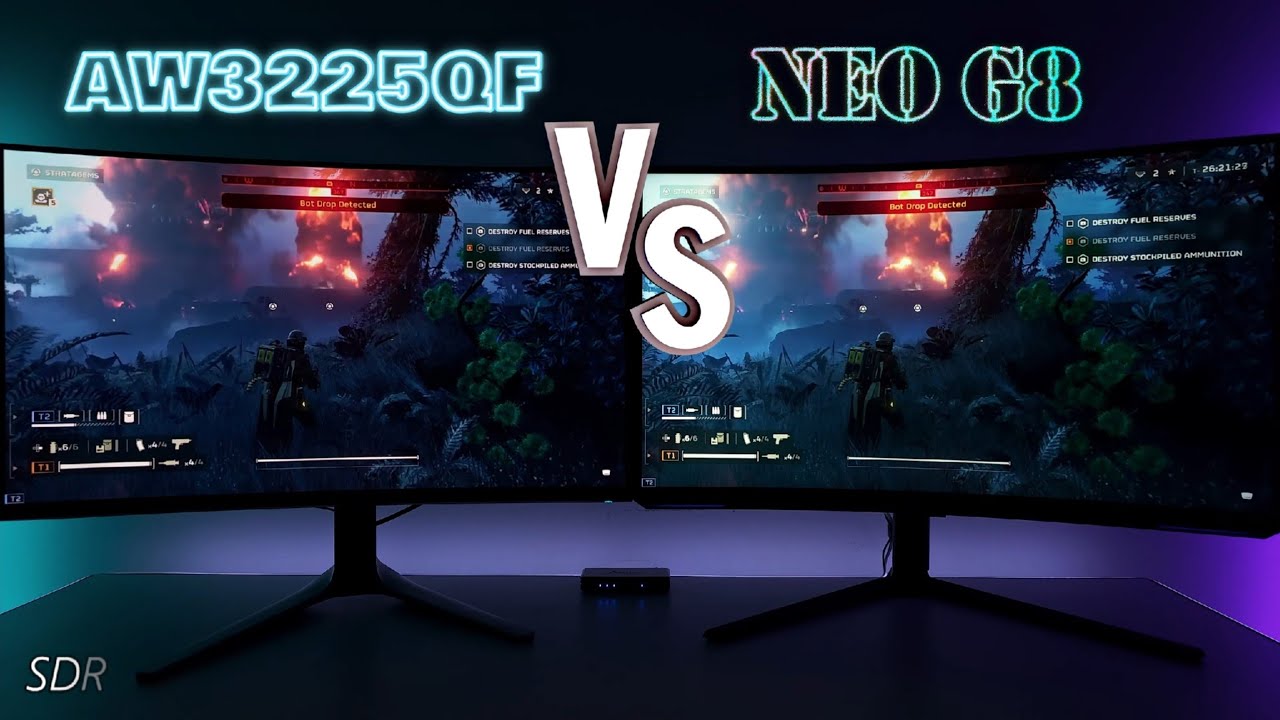
Alienware AW3225QF vs Odyssey Neo G8
QD OLED GEN3 VS MINI LED 1,196 Zones
Today I have a Gaming monitor Vs video between the Alienware AW3225QF 32" 4k 240hz QD OLED GEN 3 panel vs the Samsung Odyssey Neo G8 Mini LED 1,196 zoned VA 4k 240hz monitor.
Helldivers 2, Alan Wake & Need for Speed Unbound side by side gameplay to various HDR Images I s...
also the aw3225qf or 2725df/ 2725Q are the monitors i wish i had instead, i don't like dealing with ultrawide
 knotty cypress
also ultrawides are only 1440p
unless you get that one Samsung LCD
with terrible pq tracking
ancient ibex
the 2725df is 16:9 1440p too... i'd be fine with that. higher fps at least. but yeah, I would prefer a flat 27" 4k qd-oled like the aw2725Q (or different brand)
ancient ibex
south furnace
just a few ive gotten with this preset with brightness settings adjusted to my m...
even with the ABL, might be worth it to try peak 1000... for this at least I think it looks better.
I don't have my HR60 save anymore so I don't have access to areas except forest and plains right now...
preset 1 is default and preset 2 is jon's


don't know why the dots are there... maybe because it's saving two screenshots at the same time? one with overlay and one without
especially with Jon's preset the extra peak brightness helps a lot
took those with Tb400 and peak 1000
south furnace
ancient ibex
even with the ABL, might be worth it to try peak 1000... for this at least I th...
I'll give it a go what monitor do you have?
south furnace
I have one calibrated for each I'll try it again when I get home
It may be that the true black looks better during the daytime irl for me but I might find the 1000 peak good in the evening
ancient ibex
ancient ibex
don't know why the dots are there... maybe because it's saving two screenshots ...
nevermind. the dots are terrain going transparent due to camera angle. not as much of an issue if i lower ultrawide fov multiplier in re framework some
distant oar
wheat dragon
are these images HDR? or SDR? cause i try to take images from MH Wilds in HDR, ...
These are HDR images. Why do you want to convert them to SDR? You can take HDR Screenshots with Reshade or SpecialK
 waxen rose
ancient ibex
aw3423DWF
waxen rose
ancient ibex
aw3423DWF
Does your monitor’s EDID also report less than 1000nits peak? Mine does at 994 and I have the same monitor
south furnace
ancient ibex
took those with Tb400 and peak 1000
i tweaked a few monitor settings and my peak1000 looks better, my issue wasnt so much the dimming but the colours would appear more dull when it did, but it seems to be better, seems our monitors get similar peaks with full screen so i decided to dig into why mine felt off, thankyou 😄
 frail nest
hello, new here, wanted to try this renodx, do i need to enable hdr on my pc or this works with sdr too?
ancient ibex
waxen rose
Does your monitor’s EDID also report less than 1000nits peak? Mine does at 994 a...
where do you see that? i used the hdr calibration app and it clips at 1000
between 990 and 1000 i guess
close enough
waxen rose
Can see it in Reno or win11 system settings under advanced monitor
ancient ibex
for me reno goes to whatever the hdr calibration app profile is set to
waxen rose
Ah yeah, this is without the calibration profile
white wyvern
Got the platinum! And got it in HDR.
Thanks RenoTeam! 😄
 zinc sapphire
ancient ibex
even with the ABL, might be worth it to try peak 1000... for this at least I th...
zinc sapphire
ancient ibex
even with the ABL, might be worth it to try peak 1000... for this at least I th...
when I started using RenoDX I used TrueBlack 400 mode, but switched to Peak1000 mode pretty soon after, I think I like the later for the darker levels for sure, but in the "last" area ||wyvernsomething|| which is very bright because of the "middle" part you can tell how the ABL is hitting hard, so maybe I should try TB400 again 🐸
(I have a different monitor fwiw)
dense knot
modest ravine
Test14 doesn't fix it. L7 and L10 prevent the game from launching.
Try this
zinc sapphire
@dense knot again 
 dense knot
Did it get approved for a bit then quarantined again?!
zinc sapphire
looks like it 🐸
 zinc pagoda
I tried the lens distorsion off mod only but it doesn't seem to work, even when I deactivate/activate in reframwork there is no difference
Renodx is compatible ?
 ornate otter
is there anything i should do if it keep stuttering?
if i delete and rebuild the shader today, it'll be stuttering again tomorrow and i need to build it again which took 30min+ T_T
glacial plank
zinc pagoda
Renodx is compatible ?
it is compatible, you need to change your settings after switching it on and off too so keep that in mind (any graphic settings works I think)
zinc pagoda
glacial plank
it is compatible, you need to change your settings after switching it on and off...
I tried but still nothing has changed
glacial plank
try a different version of lens distortion removal maybe, not sure what could be the issue for you
 rare stream
@trim tangle I hope it's alright that I just mention you out of the blue but from what I've gathered so far, it appears to be working for you under Linux?
I'm using Nobara KDE and everything appears to be working up to the point where I change settings in the renoDX ReShade addon, where it makes no difference what I do. In-game HDR settings still work.
I saw at least two people with the same problem in this thread and tried applying your suggestions:
- ReShade is installed correctly and working fine with effect presets (if that is the word), with addon support (I can see the renoDX ReShade window ingame and move the sliders but nothing happens) - done using
reshade-linux - ReFramework is also installed correctly and working (I like modding), along with ReFramework-d2d. I also disabled all mods but nothing changed.
- d3dcompiler_42, _43, _46 and _47 are installed via ProtonTricks (double-checked)
- same for vcrun2022 (also double-checked)
- HDR is enabled and working, usually using gamescope launch option (when using vanilla HDR settings, I can see changes so I'm pretty sure HDR is working, vanilla ist just much less pronounced than renoDX would be? I'll see if I can be 100% sure Edit: gamescope reports
HDR ON) - I managed to get Steam running entirely via gamescope after a bit of back-and-forth, and ran Wilds that way - only to end up in the same place 😦 terminal reads
server hdr output enabled: truehdr formats exposed to client: true - I'm not using
SpecialKbut I am runninggamemoderunin tandem withgamescope - I have multiple
WINEDLLOVERRIDESset but for different dlls and it is working (directstorage update, ReShade)
Any idea what else I could try? Which parameters/flags are you running your gamescope -- steam with? Maybe I'm missing an environment variable or something along those lines.
@vague otter did you manage to get it working?
 vague otter
rare stream
<@272246631930396673> I hope it's alright that I just mention you out of the blu...
vague otter
rare stream
<@272246631930396673> I hope it's alright that I just mention you out of the blu...
I didn't get it working in MH Wilds, but i tried in other games and my setup worked fine there, so not sure what the issue is tbh
Some people mentioned the game using different shaders for AMD cards, so that might also be the issue
rare stream
vague otter
I didn't get it working in MH Wilds, but i tried in other games and my setup wor...
interesting, thank you! I'll see if I can get it working for a different game as well.
rare stream
vague otter
I didn't get it working in MH Wilds, but i tried in other games and my setup wor...
Yup, it is working in a different game (Tactical Breach Wizards in my case). Thank you for the idea 🙂
zinc sapphire
zinc pagoda
I tried the lens distorsion off mod only but it doesn't seem to work, even when ...
you can try this: #1347155473266114580 message
works fine
unless something changed
robust phoenix
fellas, how do i disable special K to go on automatically for every opened game?
 magic pawn
what is the last version ?
 jade halo
robust phoenix
fellas, how do i disable special K to go on automatically for every opened game?
jade halo
robust phoenix
fellas, how do i disable special K to go on automatically for every opened game?
There's a disable button on SK window
you can also right click the SK icon in task bar and choose to stop service
or just close down SK? the options are endless lol
robust phoenix
i see, but is there not a way to make it never inject by default, and only inject on selected games?
even when on
ancient ibex
does it still do that? i know skif did, does the discord build do that? hasn't for me
nevermind. look for the global injection setting
merry tartan
robust phoenix
i see, but is there not a way to make it never inject by default, and only injec...
just don't use the global injection service. Launch for a specific game through the launcher and it should disable itself.
Alternatively, you can add SKIF %COMMAND% to launch options for steam games and it will automatically inject for just that game.
ancient ibex
either at bottom right of special k or right click the system tray icon
 white wyvern
If you wanna do pro strats then start using PlayNite.
- It consolidates all your libraries (Steam, GOG, EGS, etc) into one view
- Has a plug-in for SK that you can use to control when to inject SK on a per game basis.
- Has several other great features like free game alerts etc.
- Can also use to detect/manage if a game supports HDR natively and can switch to HDR r that game (SK does that too).
white wyvern
It’s free. Just look it up on Google.

Video game library manager with one simple goal: To provide a unified interface for all of your games.
ancient ibex
if you use the isthereanydeal plugins just be aware that if you also use the gamepass plugin it might add game pass games to your owned games on isthereanydeal
robust phoenix
thanks friend, i'll give it a shot.
thin fjord
Playnite is pretty good I use that a lot with Apollo/Sunshine to stream to my steam deck
merry tartan
I had no clue there was an sk extension for playnite, huh.
I should give playnite a better shot
ancient ibex
one thing i like about it is you can use pcgamingwiki as a metadata source, then use feature tags to search for games that support ultrawide or hdr, or both if you click the match all filters button
 merry tartan
my biggest issue was not liking the UI much but I see it has themes...
thin fjord
yeah the ui in desktop mode is still not that amazing even with themes for me
but in big picture it is nice
merry tartan
need somebody to make an XMB theme
ancient ibex
maybe this for fullscreen mode? https://playnite.link/addons.html#DashX_saVantCZ
Video game library manager with one simple goal: To provide a unified interface for all of your games.
 outer lodge
Playnite is great
white wyvern
merry tartan
I had no clue there was an sk extension for playnite, huh.
yessir. It allows you to disable global injection altogether. Or (the way I use it), manage which games should launch with SK and which shouldn’t. You can maintain it on a per game basis and change it whenever you want.
 meager tendon
Vanilla exposure at 50 lut and 45 exposure strength is honestly really nice
maybe even lower on the exposure strength but need to bring up the shadows
 trim tangle
rare stream
<@272246631930396673> I hope it's alright that I just mention you out of the blu...
trim tangle
rare stream
<@272246631930396673> I hope it's alright that I just mention you out of the blu...
Using Arch Linux here. 7900XTX with latest kernel and Mesa Git.
Using either Proton Experimental or latest proton-ge-custom.
I installed Reshade, using the Windows version, with Protontricks. Same with the other stuff.
Ran Steam in Gamescope via
gamescope --output-width 2560 --output-height 1440 --nested-width 2560 --nested-height 1440 --nested-refresh 120 --rt --immediate-flips --hdr-enabled --hdr-itm-enable --sdr-gamut-wideness 1 --hdr-sdr-content-nits 450 --hdr-itm-sdr-nits 450 --steam -- steam -steamos -gamepadui -pipewire-dmabuf
Set DXVK_HDR=1 environment variable in game's custom command, to enable HDR.
And that's about it.
 languid gyro
.0
modest ravine
dense knot
Try this
i think we are on oppisite timezones or sleep schedules haha. this is a .pdb file type?
 stoic oak
how do I get more sliders in my options? is it just based on what monitor I'm using? This is mine right now
 stoic oak
no luck :/
rain sigil
zinc pagoda
I tried the lens distorsion off mod only but it doesn't seem to work, even when ...
same to me
 cerulean acorn
So which is the right place to set your monitors peak brightness?
robust phoenix
fellas, the disable post processing mod alwayts makes my screen go dark on roars and IBs with renodx
is it just here?
distant oar
robust phoenix
fellas, the disable post processing mod alwayts makes my screen go dark on roars...
Keep the checkbox checked that disabled vanilla exposure in the mod and use renoDx fixed exposure
rich finch
Hey guys, just sharing some of the new vanila +vs fixed exposure pre grade, really enjoy the visual! Vanila+ is alwys at left


 rich finch
robust phoenix
fellas, the disable post processing mod alwayts makes my screen go dark on roars...
rich finch
robust phoenix
fellas, the disable post processing mod alwayts makes my screen go dark on roars...
try the pp strudel shared b4, it just turns off lens distortion, no any conflict for me#1347155473266114580 message


only problem of fixed exposure is it cannot fit in all scenarios, always some over/under exposure
but sometimes it looks better
rich finch
distant oar
Keep the checkbox checked that disabled vanilla exposure in the mod and use reno...
btw is the pre grade disable the second lut in previous reno?
Off vs Vanila+ vs Fixed


 distant oar
rich finch
btw is the pre grade disable the second lut in previous reno?
distant oar
rich finch
btw is the pre grade disable the second lut in previous reno?
Sry, what do you mean?


 distant oar
rich finch
distant oar
rich finch
Nice Screenshots! But keep in mind that you should add some contrast when using fixed exposure + preGrade (For best results)
rich finch
distant oar
Sry, what do you mean?
I feel pre grade removes some lut, do you know what's that adjusting?
rich finch
distant oar
Nice Screenshots! But keep in mind that you should add some contrast when using ...
thanks! I am okay with current contrast, but will have a try
distant oar
rich finch
I feel pre grade removes some lut, do you know what's that adjusting?
PreGrade will cause RenoDx to lower postgrade luminance to match pregrade. And Luminance affects color. #1347155473266114580 message
rich finch
distant oar
PreGrade will cause RenoDx to lower postgrade luminance to match pregrade. And L...
umm, so pre-grade remove all the colour correction/lut and also lower the final luminance? That's why Ritsu recommend increase the exposure ?
distant oar
rich finch
umm, so pre-grade remove all the colour correction/lut and also lower the final ...
No. PreGrade just affects colors. The LUT is not removed
rich finch
I see, but I do feel local exposure is sharper than fixed exposure, I guess local exposure has a sharperning built in function as well?
distant oar
Someone mentioned that the ShaderToggler Sharpness disable thing doesnt have any effect in fixed exposure so it could be possible that it is affected
But if I remember correctly, the sharpness thing was added back into Reno so im not 100% sure
rich finch
I didn't see such in the 3.6
distant oar
I recommend using the shaderToggler
distant oar
rich finch
I didn't see such in the 3.6
It was mentioned but there is no slider for it
rich finch
cool, thanks mate, I will try, vanila+is too sharp for me now
rich finch
distant oar
It was mentioned but there is no slider for it
https://github.com/FransBouma/ShaderToggler is this the shade toggler?

GitHub
Reshade 5+ addin to toggle shaders on/off in groups based on a key press. It allows you to configure these groups from within the addin as well. - FransBouma/ShaderToggler
distant oar
Yes
distant oar
rich finch
https://github.com/FransBouma/ShaderToggler is this the shade toggler?
#1347155473266114580 message
Place the .ini in your Game folder
robust phoenix
rich finch
try the pp strudel shared b4, it just turns off lens distortion, no any conflict...
i wanna turn off the sharpneing the game has ;/
robust phoenix
distant oar
Keep the checkbox checked that disabled vanilla exposure in the mod and use reno...
thank you!
distant oar
distant oar
New Fixed Exposure Preset. Its nothing too special but it does have a more moder...
Some more screenshots from this preset. I love how it looks at night and in dark areas.


 rich finch
distant oar
Some more screenshots from this preset. I love how it looks at night and in dark...
rich finch
distant oar
Some more screenshots from this preset. I love how it looks at night and in dark...
Yeah the dusk looks so good
stoic oak
stoic oak
how do I get more sliders in my options? is it just based on what monitor I'm u...
amd freesync issue. resolved with this if anyone else gets this https://www.reddit.com/r/MonsterHunter/comments/1izx1oa/fix_for_monster_hunter_wilds_hdr/
Reddit
Explore this post and more from the MonsterHunter community
distant oar
robust phoenix
i wanna turn off the sharpneing the game has ;/
Try this: #1347155473266114580 message
 tawdry horizon
In a nutshell, how do you use the shaderToggler? I installed it earlier today, but didn't really understand what to do with it.
rich finch
I guess we just need to add this to be used in the toggle ini after saved wild's shaders fromthe shader toggler addon
robust phoenix
distant oar
Try this: https://discord.com/channels/1161035767917850784/1347155473266114580/1...
what would this do exactly?
distant oar
rich finch
I guess we just need to add this to be used in the toggle ini after saved wild's...
@tawdry horizon Just drop the .ini file in your game directory. The addon file goes in the same folder as renoDx
distant oar
robust phoenix
what would this do exactly?
Removes the sharpening effect
Someone tested it a few days ago and came to the conclusion that it only affects vanilla exposure #1347155473266114580 message
Sharpening for fixed exposure seems to always be disabled
But I havent tested it myself
rich finch
distant oar
But I havent tested it myself
yeah it is just confirmed
It works well! Thanks for picking out the shader
Don't know how you can find out, so many shaders
It looks better know by replacing with lilium sharpener
I have a lot of freezing screen this week when changing equipments, probably need to check my mods...
tawdry horizon
distant oar
<@441705494202023936> Just drop the .ini file in your game directory. The addon ...
Thanks! Thought I had to mess around with the settings.
dense knot
modest ravine
i think we are on oppisite timezones or sleep schedules haha. this is a .pdb fil...
Ah I sent the wrong file mb
 gritty ingot
anyone have a good settings for sdr?
 dense dew
Where can I download the latest files?
crisp steppe
dense dew
Where can I download the latest files?
check pins
crisp steppe
dense knot
V3.6.1
Changelog:
- Adjust tonemapper
- Add back advanced sliders (Exposure stu...
.
glacial plank
so, which Tonemapper are we using in 3.6.1, since there's no choice, I assume only one is present at the moment, is that right?
dense knot
I assume you mean the old SDR tonemapper?
Technically Reinhard, but current code is different so it's incomparable
glacial plank
I see, so heji was removed completely? was it bad in some way?
asking since I noticed someone mention on nexus that they like 2.2 version the most on OLED so I went back to try it out again. No concrete thoughts yet since I didn't have much time to play, but was wondering why it was removed
dense knot
Heji achieves it's look by crushing blacks, it was just a coincidence that looked good in MH
glacial plank
interesting, I guess it kinda makes sense that it'd work well in MH since it already has some very funky black levels
ancient ibex
glacial plank
so, which Tonemapper are we using in 3.6.1, since there's no choice, I assume on...
For a little bit I was using Jon's fixed exposure preset (with peak 1000 mode), but for now I went back to using the default settings (reset all button)/ local exposure in true black 400 mode. I think Jon's fixed exposure settings are too dark with true black 400, looks good with peak 1000.
Jon's preset: #1347155473266114580 message
PrinceOfBelAir made this one: #1347155473266114580 message
oh, tonemapper not preset
glacial plank
dense knot
Heji achieves it's look by crushing blacks, it was just a coincidence that looke...
would it be possible to add it back in case you'll make new versions? Just so we can experiment with it more if we like it? I feel like MHW black levels are so broken in a sense that if you want all the black colors to be present, you'll have to alleviate the whole picture a lot and it will automatically cause the less contrasty look in a sense. So, in some ways, crushing some blacks seems "intended" to get the better looking picture specifically in MH in terms of contrast. Or at least that's my assumption, I'm not specifically savvy in the whole HDR department as you guys are.
dense knot
I don't intend to add tonemappers now that they're not needed
Hejl won't look good with the new method anyways
You can get Reinhard to behave the same if you set flare to 78
alpine tree
What does flare actually do if you don't mind my asking?
alpine tree
Aah I see, thank you
 languid sparrow
I've been using the RenoDX mod and Post Processing mod from Nexus. Do I have to mess with the settings for RenoDX at all or just plug and play? Also if I read correctly above I should use the Disable Lens Distortion mod over the PP mod to fix the screen darkening on roars right?
alpine tree
The game in general without lens distortion looks a whole lot better honestly but thats from my experience
languid sparrow
It does look incredibly better.
The Post Processing mod is what I use to disable Lens Distortion and Volumetric Fog to make the picture better. RenoDX for the HDR implementation but I just left RenoDX on all default just wanted to make sure that's the right thing to do.
alpine tree
Hmmm there is two presets I know of you can try one is by jon and one by prince maybe I still have the screenshots


Try out one of these and see which one is better
languid sparrow
alpine tree
Hmmm there is two presets I know of you can try one is by jon and one by prince ...
Thank you I will give it a try when I get home today. I'll try switching to the Disable Lens Distortion mod too, to see if that fixes the monster roars darkening the screen.
alpine tree
languid sparrow
Thank you I will give it a try when I get home today. I'll try switching to the ...
You're very welcome otherwise if you have monitor that crushes blacks quite easily play around with the settings shadows and flare
languid sparrow
I have a AW3225QF. Its pretty good imo. I don't notice any crushed blacks.
 wooden merlin
languid sparrow
Thank you I will give it a try when I get home today. I'll try switching to the ...
wooden merlin
languid sparrow
Thank you I will give it a try when I get home today. I'll try switching to the ...
monster roars darkening the screen might be the post processing effects, at least it was for me.
disabling local exposure fixed this
languid sparrow
wooden merlin
disabling local exposure fixed this
Awesome I'll give that a try thank you.
tawdry horizon
Where is the option to choose between True Black 400 and Peak 1000 mode?
I see people talking about it here but don't know where it is.
dense dew
tawdry horizon
Where is the option to choose between True Black 400 and Peak 1000 mode?
I also want to know.
My monitor is MO27Q2.
languid sparrow
tawdry horizon
Where is the option to choose between True Black 400 and Peak 1000 mode?
Should be in your monitor OSD settings.
At least mine is.
tawdry horizon
languid sparrow
At least mine is.
Hmm. I have a Corsair Xeneon Flex 45WQHD240. I don't see it in my OSD settings at all
 ebon tide
it's not on all monitors
tawdry horizon
ebon tide
it's not on all monitors
I see. Thanks! And thank you to @languid sparrow as well for pointing me in the right direction.
distant oar
languid sparrow
The Post Processing mod is what I use to disable Lens Distortion and Volumetric ...
I would not recommend to disable volumetric fog entirely. There are a lot of areas that will look worse without it
languid sparrow
tawdry horizon
Hmm. I have a Corsair Xeneon Flex 45WQHD240. I don't see it in my OSD settings a...
I see I thought you had same monitor as me.
languid sparrow
distant oar
I would not recommend to disable volumetric fog entirely. There are a lot of are...
Oh really? Alright I'll make sure to turn it back on.
alpine tree
languid sparrow
Oh really? Alright I'll make sure to turn it back on.
Yeah I agree with prince, without volumetric fog it makes the game look weird in certain areas where its usually supposed to be so it looks unappealing
wooden merlin
languid sparrow
Awesome I'll give that a try thank you.
sorry realized my answer was confusing. You should enable local exposure in the post processing mod since the current presets all used fixed exposure.
Disabling local exposure is what makes my screen go dark when the monsters roar
languid sparrow
wooden merlin
sorry realized my answer was confusing. You should *enable* local exposure in th...
Thank you for clarifying. I will try it out along with the presets ryujin posted. Hopefully that works and makes the HDR look good with a cleaner picture than default/stock settings. It already looks way better just with the default RenoDX settings and Post Processing mods.
meager tendon
Trying to understand the sliders a little better and was wondering what differences are made between exposure vs exposure strength
dense knot
meager tendon
Trying to understand the sliders a little better and was wondering what differen...
Similar functionality
Exposure strength is more for pregrade exposure
meager tendon
ah good to know
dense dew
Why do my screenshots have such strange colors?
 dense dew
distant oar
Some more screenshots from this preset. I love how it looks at night and in dark...
dense dew
distant oar
Some more screenshots from this preset. I love how it looks at night and in dark...
I use this set
dense knot
V3.7.0
Changelog:
- Minor tonemapper adjustments
- Add RCAS sharpness slider (Courtesy of Lilium & Musa)
- Add Filmic preset
dense dew
But my game doesn’t look like this, why?
dense knot
dense dew
But my game doesn’t look like this, why?
You're taking SDR screenshots
Use latest reshade for HDR screenshots
dense dew
dense knot
Use latest reshade for HDR screenshots
how to HDR screenshots?thanks!
dense knot
Use latest reshade (6.4.1) and take a screenshot with it (I believe the bind is PrtScreen)
dense dew
Do I need to enable Windows 11 HDR at the same time?
Or does it not affect anything?
dense dew
alpine tree
And is it set up like this here?!
 dense knot
dense dew
Do I need to enable Windows 11 HDR at the same time?
Or does it not affect anyth...
dense knot
dense dew
Do I need to enable Windows 11 HDR at the same time?
Or does it not affect anyth...
Yes
dense knot
dense dew
And is it set up like this here?!
Once you enable HDR in windows and the game, SK will switch to passthrough mode
I assume you're using renodx
dense dew
I am using renodx
dense dew
dense knot
V3.7.0
Changelog:
- Minor tonemapper adjustments
- Add RCAS sharpness slider (C...
this ,right?
dense knot
Yes
dense dew
distant oar
New Fixed Exposure Preset. Its nothing too special but it does have a more moder...
I am using this parameter, but it doesn’t look the same for me...
distant oar
dense dew
And is it set up like this here?!
You need to switch to HDR10 Native (top right corner of screenshot) and change tonemap mode to raw framebuffer (or passthrough mode)
Enable HDR in Windows and restart the game
wooden merlin
with 3.6.1 and post processing disable mod my game looks super dark in cutscenes, only way to fix this for me is by enabling color correction post processing. Any idea what's causing this? I use prince's settings with fixed exposure.
distant oar
Also enable HDR in the game and leave the HDR settings at default
distant oar
wooden merlin
with 3.6.1 and post processing disable mod my game looks super dark in cutscenes...
Do not use the postProcessing mod color correction or exposure settings with RenoDx
distant oar
wooden merlin
with 3.6.1 and post processing disable mod my game looks super dark in cutscenes...
Just leave the color correction and exposure stuff enabled in the postProcessing mod. renoDx handles this on its own
dense dew
distant oar
You need to switch to HDR10 Native (top right corner of screenshot) and change t...
Are you saying it like this?
 distant oar
dense dew
Are you saying it like this?
distant oar
dense dew
Are you saying it like this?
Yes. If there is still something wrong try raw framebuffer
dense dew
distant oar
Yes. If there is still something wrong try raw framebuffer
where is raw framebuffer,sorry my english is bad😭
distant oar
In tonemap mode
wooden merlin
distant oar
Just leave the color correction and exposure stuff enabled in the postProcessing...
i see thanks. Colors look more washed out with color correction on though, but just a tad. guess i'll increase saturation
distant oar
dense dew
where is raw framebuffer,sorry my english is bad😭
Dont worry, passthrough should also work
distant oar
wooden merlin
i see thanks. Colors look more washed out with color correction on though, but j...
You can disable the color correction by setting the Color lut slider to 0 in renoDx
dense dew
is that same!?
 distant oar
I cant tell by only seeing one screenshot. Try to compare your game with my screenshots while being in the same areas in the game
If you enabled HDR in the Game and in windows + adjusted renoDx settings it should work
dense dew
distant oar
If you enabled HDR in the Game and in windows + adjusted renoDx settings it shou...
I think my game looks much brighter than your screenshot. My monitor is MO27Q2, and the mode I have enabled is HDR Peak 1000.
 dense elbow
Do i need to rebuild shaders cache when updating the mod?
dense dew
dense dew
I think my game looks much brighter than your screenshot. My monitor is MO27Q2, ...
that's monitor's model
dense elbow

dense dew
dense dew
I think my game looks much brighter than your screenshot. My monitor is MO27Q2, ...
When I change my monitor mode to HDR Game, the screenshot looks like this.

 shut compass
thin fjord
yes
shut compass
thin fjord
yes
Is he the one who has to delete? Pleas
 glacial plank
dense knot
V3.7.0
Changelog:
- Minor tonemapper adjustments
- Add RCAS sharpness slider (C...
glacial plank
dense knot
V3.7.0
Changelog:
- Minor tonemapper adjustments
- Add RCAS sharpness slider (C...
just rebuit my shaders and now this drops 😅
just out of curiousity, what changed about the tonemapper? :o
distant oar
shut compass
Is he the one who has to delete? Pleas
Yes
glacial plank
also, what values does the RCAS filter represent between 0 and 100? is it just 0 - 1000 in the original filter?
Prince, when's the new preset dropping 😸
shut compass
distant oar
Yes
thx 🙂
distant oar
dense dew
When I change my monitor mode to HDR Game, the screenshot looks like this.
Your monitor settings will not have any effect on the screenshot
dense dew
distant oar
Your monitor settings will not have any effect on the screenshot
So I did it right,I think
Thanks alot my friend
knotty cypress
@dense knot the rcas slider in alien isolation didn’t go from 0-1. Check addon.cpp to see how it’s parsed
distant oar
glacial plank
Prince, when's the new preset dropping 😸
There probably wont be any need to change the settings in my preset for the new verison. It should still look like the screenshots. But I will post a new one if I find new settings that look better
shut compass
distant oar
There probably wont be any need to change the settings in my preset for the new ...
quick question your game is vanilla do you just use renoDX?
distant oar
shut compass
quick question your game is vanilla do you just use renoDX?
For visuals: I only use RenoDx + Liliums HDR CAS (+ shaderToggler to disable the sharpening but that doesnt seem to be needed anymore)
I also use SpecialK but that is not effecting HDR
- Lens Distortion Removal Mod
shut compass
distant oar
For visuals: I only use RenoDx + Liliums HDR CAS (+ shaderToggler to disable the...
Oh okay! I have to check out Liliums, thanks!!
distant oar
shut compass
Oh okay! I have to check out Liliums, thanks!!
Liliums RCAS just got implemented in the new RenoDx Version. Its probably better to use that, I just didnt have any time to try it out yet
rustic bridge
dense knot
V3.7.0
Changelog:
- Minor tonemapper adjustments
- Add RCAS sharpness slider (C...
lol i've just downloaded 3.6.1 today
shut compass
distant oar
Liliums RCAS just got implemented in the new RenoDx Version. Its probably better...
Okay, I normally have the latest version since I installed it today or not 🥲
3.7.0 I hadn't seen x)
distant oar
shut compass
Okay, I normally have the latest version since I installed it today or not 🥲
This is the latest version: #1347155473266114580 message
dense knot
V3.7.0 hotfix
Changelog:
- Minor tonemapper adjustments
- Add RCAS sharpness slider (Courtesy of Lilium & Musa) <-- Fixed slider
- Add Filmic preset
shut compass
I'll try it then ^^ thanks
distant oar
Nvm
rustic bridge
dense knot
V3.7.0 hotfix
Changelog:
- Minor tonemapper adjustments
- Add RCAS sharpness sl...
i can't use it, it crashes
dense knot
Does the old 3.7.0 crash for you?
dense knot
What's your GPU?
rustic bridge
17:30:23:344 [ 5744] | ERROR | [RenoDX MH Wilds] utils::shader::PipelineShaderDetails(Failed to replace pipeline)
9070
dense knot
I think you would've noticed if it was
rustic bridge
hdr is off
shut compass
😅
rustic bridge
17:30:23:025 [ 3148] | WARN | [RenoDX MH Wilds] GetPeakNits(Not HDR)
crossing fingers
nah still crashing 😢
dense knot
Can you send another log
rustic bridge
dense knot
@rustic bridge
shut compass
dense knot
<@246287578859438081>
is this a fix only for Amu?
dense knot
For AMD GPUs
shut compass
dense knot
For AMD GPUs
okay thx !
rustic bridge
dense knot
<@246287578859438081>
ty trying it
unfortunately the the game is stuck, tried 3 times in a row
it doesn't crash, it's just stuck at launch
dense knot
rustic bridge
Try these pls
shut compass
distant oar
Nvm <a:emoji:1309186257238360135>
Nice with your preset, I have to see in the other bioms :p
 dense knot
If they don't work, I'll just revert the AMD water fix
dense knot
V3.7.0 hotfix
Changelog:
- Minor tonemapper adjustments
- Add RCAS sharpness slider (Courtesy of Lilium & Musa) <-- Fixed slider
- Add Filmic preset
rustic bridge
if that can help you
dense knot
Here ya go, this should work
rustic bridge
fingers crossed
rustic bridge
dense knot
Here ya go, this should work
it's working ty
ancient ibex
new hotfix is compiling shaders much faster, other 3.7.0 version was taking a long time. rtx 4090
dense knot
Probably cause I started uploading Release builds (Used to be debug)
glacial plank
dusk is so cool looking, I wish the sky had better textures lol
 ancient ibex
loving the sharpness slider. slider 0:

slider 30

really helps detail in~~ armor~~ shield, tent texture, flag, wood post at the tent, etc
ancient ibex
 merry tartan
rustic bridge
now i can replace the ingame cas
merry tartan
rustic bridge
now i can replace the ingame cas
if rcas is similar to regular cas, a value of 0 is still sharpening the game, so if using FSR it might be better to not use the slider in reno and instead use the slider in-game
 coral notch
fixed exposure auto disables it, correct?
rustic bridge
merry tartan
if rcas is similar to regular cas, a value of 0 is still sharpening the game, so...
some people said the lilium implementation is hdr compliant
rustic bridge
coral notch
fixed exposure auto disables it, correct?
yes i can confirm, my toggle does nothing with fixed exposure
merry tartan
rustic bridge
some people said the lilium implementation is hdr compliant
it is, but stacking sharpening shaders is generally a bad idea
but...I guess I should see if rcas works the same
merry tartan
idk how we'd test this. And I checked the code for the rcas implementation for renodx here and it does in fact fully disable when set to 0
which probably means that's how it works in lilium's reshade shader
so idk what the test would be 🤔
 merry tartan
probably doesn't go as high then
merry tartan
to be clear, the rcas in reno is lilium's rcas
rustic bridge
yes i'm trying to help
merry tartan
oh I see ritsu already said that, nvm lmao
merry tartan
idk what mode it's working in here
dense knot
Reno RCAS is applied pre tonemapping which might cause issues
merry tartan
I think a decimal might be missing 😅
rustic bridge
0.150*
merry tartan
lol
glacial plank
since Reno has RCAS now, does this mean we can disable some reshade addons like effect runtime sync and generic depth, or they are still needed? just saw somewhere that disabling them can give some performance too, although I can't imagine it's more than like 1% lol
merry tartan
you could yeah, but it shouldn't make much difference
so...the shader toggler thing still works for you guys?
glacial plank
I think people mentioned that it works in vanilla but doesn't work in fixed
 rustic bridge
reshade rcas vs reno rcas

both lilium and maxed out
the reshade is somehow cleaner

with the checkbox on
night dirge
@dense knot did you enable the noise removal?
 stiff sundial
rustic bridge
stiff sundial
rustic bridge
I am still confused with this, how do i know dlss sharpening is disabled when using this or how do i know if its working even
rustic bridge
press the dot key if you use azerty
merry tartan
night dirge
<@125339581204660224> did you enable the noise removal?
looked at the code, it's disabled
night dirge
rustic bridge
is it in gamma mode?
It's in a new mode that I didn't release yet
waxen rose
The reshade log is using this goes up to gigabytes after extended play, any way to disable this?
dense knot
night dirge
<@125339581204660224> did you enable the noise removal?
I thought that was for film grain and such
night dirge
dense knot
I thought that was for film grain and such
it's basically good to always enable it
dense knot
Btw I'm applying it on untonemapped image, would that cause issues?
night dirge
helps with frequency detail
night dirge
dense knot
Btw I'm applying it on untonemapped image, would that cause issues?
normalising to 10000 nits is probably enough
dense knot
#define SHARPENING_NORMALIZATION_POINT 10000 ?
night dirge
what does Musa set it too?
dense knot
125
dense knot
It's untonemapped so linear bt709
night dirge
anyways I just realized an improvement for rcas
night dirge
dense knot
It's untonemapped so linear bt709
What white point or w/e do you use to encode to PQ?
night dirge
So 100 should be OK
dense knot
V3.7.1
Changelog:
- Enable RCAS noise removal
meager tendon
No reason to delete the shader cache for this right
dense knot
🤷♀️
night dirge
@dense knot I hope your using the encoding for the sharpen amount parameter:
Sharpness = exp2(-(1.f - SHARPEN_AMOUNT));
shut violet
ancient ibex
new hotfix is compiling shaders much faster, other 3.7.0 version was taking a lo...
it's working from cache
night dirge
this scales an input of 0-1 to 0.5-1
dense knot
night dirge
<@125339581204660224> I hope your using the encoding for the sharpen amount para...
Yes, Musa told me
night dirge
ok
rustic bridge
dense knot
V3.7.1
Changelog:
- Enable RCAS noise removal
new version already 😮
i can't keep up
lunar ibex
omg Lilium Reshade is here
 lucid ermine
I just wanna say thank you everyone involved in this. My games finally looking pleasing to the eye. It was almost looking like a vomit in default HDR. 
 night dirge
lunar ibex
omg Lilium Reshade is here
night dirge
lunar ibex
omg Lilium Reshade is here
who would have thought 🙂
||I'm everywhere 👀||
lunar ibex
could i enquire to someone how the new sharpening tool works
do i need another mod to disable ingame sharpening...?
merry tartan
hm, base tonemapping changes have made the filmic preset darker than it's supposed to be, not sure I'd recommend it right now.
stiff sundial
lunar ibex
do i need another mod to disable ingame sharpening...?
same question
glacial plank
pretty sure you can just disable it in the config.ini by tweaking setting like this one

 wintry shell
that doesn't do anything
the sharpening is part of local exposure and can't be disabled on the vanilla game
i think the renodx mod already disables sharpening however.
glacial plank
hm, interesting
 toxic tendon
#1347155473266114580 message supposedly
glacial plank
the fixed exposure does from what people discussed earlier it seems yeah, while vanilla still has it
merry tartan
has to do with them sampling bloom exposure or something
I posted a shadertoggler config that bypasses that, but for me anyway, it's broken
seems to work for others though
wintry shell
The shadertoggler disables a local exposure shader, i'd be surprised if it doesn't cause issues.
merry tartan
yeah probably
 tender frost
Soo, if I want to use vanilla exposure then what? should I use 0 sharpen in RenoDX in order not to stack 2 different sharpeners?
I am using new reno tonemapper with vanilla exposure type, no postprocessing disabled right now
merry tartan
with vanilla exposure I'd say the game is plenty sharp
tender frost
too sharp even 😄
merry tartan
it's preference though
tender frost
fixed exposure tends to be too dark for me.. If I bump up exposure levels to compensate, then it will become too bright in highly illuminated areas...
I am just tired to tune it for each scene/area all the time
vanilla tracks better for me...
glacial plank
try some of the settings people proposed for fixed
maybe you'll like it more
fixed looks 900 times better imo
merry tartan
I think settings need to be reworked a bit with the new build 😩
idk I need to do a proper comparison
glacial plank
they seemed mostly fine but maybe some minor exposure/contrast changes are good?
merry tartan
okay I'm not insane

my settings on previous build https://cdn.discordapp.com/attachments/867322545812406291/1352006874110890185/Monster_Hunter_Wilds_2025-03-19_155227.png?ex=67dc7205&is=67db2085&hm=6628d6a61d6191e5d2b28f66bbc2401dc13c90e004f4d829ee40a697496dc7a6&

@dense knot Look at those. Let me see if I can tune it to look like it's supposed to again.
idk why I took these without the analysis shader 
glacial plank
would you put me on a tribunal if I said latest build on that screenshot looks better even if settings are messed up 😸
merry tartan
lol, in some scenes it might, in other scenes it's way too dark
merry tartan
some of the shading looks really weird here in general...
...
When updating to the latest build again the problem is gone
I guess it's a false alarm and something simply broke on my end
meager tendon
Idk what changed but the new update significantly improved my vanilla preset
toxic tendon
mine is also really dark on the fixed exposure with the update, esp. in the oilwell basin at base camp during firespring
tender frost
glad to hear consistency of your experience 🤣
merry tartan
I'd like to encourage people to delete their reshade.ini file if they see weirdness 😅 (or to delete all renodx related settings from it)
though that problem may be unique to me using test builds
tender frost
Personally I click the preset buttons again in the UI to reset everything first after I install a new version and dial in my settings on top of it
meager tendon
Trying to put together screenshots with my preset and keep having to go back and redo them cause I end up making tiny adjustments 😭
 wide moon
For me there is an luminance difference between the v3.7.1 Filmic Preset and PrineOfBelAir's setting which I configured with v3.6.0, but all sliders are identical in the GUI.
In the .ini file I can see one difference:
ColorGradeLUTOutputStrength=50 in the filmic preset configured in v3.7.1 and ColorGradeLUTOutputStrength=100 with the configuration from v3.6.0.
Could you add that as an slider to the GUI?

 meager tendon
Isnt that just the Color LUT Strength slider?
Make sure you're on advanced settings mode
wide moon
That's a new option appeared after 3.7.0, the color slider key is ColorGradeLUTColorStrength
meager tendon
I see
glacial plank
seeing how original MHW looks on youtube videos
makes me want to cry
Idk what devs were cooking
but it definitely came out both raw and overcooked at the same time somehow
dense knot
wide moon
That's a new option appeared after 3.7.0, the color slider key is `ColorGradeLUT...
No, that's the Color LUT Strength slider
Ah wait mb
ColorGradeLUTOutputStrength isn't used anymore
 dense knot
Copy it as PNG from skiv
 orchid drum
meager tendon
my god this area looks so good in fixed exposure
orchid drum
meager tendon
my god this area looks so good in fixed exposure
What's your preset ? Looks great indeed
meager tendon
 meager tendon
orchid drum
What's your preset ? Looks great indeed
meager tendon
orchid drum
What's your preset ? Looks great indeed
This is actually just the filmic preset
Ive been working on a vanilla exposure preset but areas like this make me reconsider my choices
orchid drum
Filmic preset indeed looks the best for every area except for the desert in plenty
glacial plank
to be fair desert in plenty is probably THE ONLY area that looks good in vanilla 😅
wide moon
dense knot
ColorGradeLUTOutputStrength isn't used anymore
Then I have no clue why the luminance is slighty different between the 2 presets that have identical values otherwise :/
glacial plank
tbh when we had that option before I preferred the 100 there anyway, so that'a a W for me if it works in the ini now
wide moon
Ooooh, I totally missed that ToneMapScaling is different too...
Might be worth exposing it as a setting or at least forcing it to a fixed value instead of keeping it in the config. It’s kinda weird that an old preset ends up looking different in the new version, compared to a second preset when using the exact same values in the GUI. That really shouldn’t be happening.
alpine tree
dense knot
ColorGradeLUTOutputStrength isn't used anymore
Oh, did something replace it or is it just gone?
dense knot
wide moon
Then I have no clue why the luminance is slighty different between the 2 presets...
Which presets? 1 and 2?
Just gone
wide moon
No, 2 & 3. Preset 2 is the Filmic Preset and Preset 3 is my old config from 3.6.0, but matches the new Filmic preset for the GUI sliders as it was just PrineOfBelAir config.
alpine tree
dense knot
Just gone
So with it gone, will it change visuals a lot? Like I had my slider at 50
wide moon
wide moon
No, 2 & 3. Preset 2 is the Filmic Preset and Preset 3 is my old config from 3.6....
The main issue I have with the difference is that you get different visuals wheter you pressed "reset all" on a config or not, even with the exact same sliders and is definitely not obvious to users
dense knot
wide moon
No, 2 & 3. Preset 2 is the Filmic Preset and Preset 3 is my old config from 3.6....
Only hidden setting is FxLUTScaling, everything else is unused or exposed
dense knot
alpine tree
So with it gone, will it change visuals a lot? Like I had my slider at 50
Not sure what you mean
It's been removed since 3.0 release, I think
alpine tree
dense knot
It's been removed since 3.0 release, I think
Oh so you don't mean color LUT strength slider right under exposure strength
dense knot
No
alpine tree
Ah my bad then sorry
zinc sapphire
merry tartan
I'd like to encourage people to delete their reshade.ini file if they see weirdn...
that's what I do every time as well
meager tendon
My slightly tuned vanilla exposure preset with vanilla+ and Filmic comparisons


Tried to find a good middle ground between the things I liked with the vanilla+ and filmic/fixed exposure presets
tawdry horizon
meager tendon
My slightly tuned vanilla exposure preset with vanilla+ and Filmic comparisons
Is the last shot in the set of 3 filmic? I like that one.
tawdry horizon
meager tendon
mhm
Would you mind sharing what your sliders look like? I've been messing around with them for over an hour now and can't figure out what I like
meager tendon
If you're asking for the filmic one thats just the default filmic preset
otherwise here's the preset not much is changed really the new update made it a lot easier for me to tune
 glacial plank
your vanilla is really good 👍


 distant oar
Im gonna try out the new version now. I wonder how big the difference will be
distant oar
dense knot
Only hidden setting is FxLUTScaling, everything else is unused or exposed
What does FxLUTScaling do?
orchid drum
meager tendon
otherwise here's the preset not much is changed really the new update made it a ...
peak brightness should be at your monitor max nits output by default
Or isn't it ?
orchid drum
Wyveria looks really great with your preset! (2) I still like the desaturated look of the filmic one tho (1)

 modest ravine
dense knot
Ah I sent the wrong file mb
modest ravine
dense knot
Ah I sent the wrong file mb
failed to launch, ill try the new versions youved shared today also.
orchid drum
orchid drum
Wyveria looks really great with your preset! (2) I still like the desaturated lo...
(1) and (2)

 distant oar
New Preset for the newest RenoDx Version. This one has more of a cinemtaic look and blowout should also be improved.


(Adjust RCAS to preference. I used lilium HDR Cas for these screenshots because Im still figuring out what RCAS value to use )
brave lantern
dense knot
V3.7.1
Changelog:
- Enable RCAS noise removal
Many adjustments needed when updating from V3.6.1? Or did the colors mostly stay the same just more options for tweaking?