
#✅RenoDX: Black Myth Wukong
1 messages · Page 1 of 1 (latest)
 obsidian stag
 muted cedar
fanks
 fiery cape
🙌
 opaque mist
Deeply appreciate all the effort that went into this mod 
Really made the game a ton better. Death to SDR.


 hasty hawk
opaque mist
hasty hawk
opaque mist
Ah, crap, now I want the game even though I couldn't run it at decent settings lol
muted cedar
Video being recorded 🙂
Intro is so banger don't need to record anything else
Going for HDR look v native
But has to be 30FPS as I can't vsync 60 😦
obsidian stag
muted cedar
Video being recorded 🙂
ooo thanks!
obsidian stag
muted cedar
Going for HDR look v native
I hope you like the preset
feel free to tweak it
muted cedar
Video done, I cant do the lil voice over for it as I am ill, but looks fantastic
 bronze plinth
dope


 terse quest
obsidian stag
Available at: https://www.nexusmods.com/blackmythwukong/mods/1155
Requires some...
terse quest
obsidian stag
Available at: https://www.nexusmods.com/blackmythwukong/mods/1155
Requires some...
HOLYYYY


 fallow jungle
as much as it saddens me, probably the right call to ditch the LUT stretching. Pretty much impossible to tune it to look good everywhere
muted cedar
I found a bug
There is a lighting boss in the snow area
that turns the screen dark
and the light effects go back to normal
seems like a bug, but I havent disabled it all to tell becuase doesn't happen every time
obsidian stag
hmm sounds odd, can I maybe get your save?
obsidian stag
muted cedar
that turns the screen dark
like full-on dark or does the game just look like dimmer sdr with black crush? the latter would be just a missing lutbuilder shader
muted cedar
oh i killed the boss :S
lemme see how its meant to be on sdr via youtube
oh uhh its not a bug sorry
the game just goes dim af for some reason
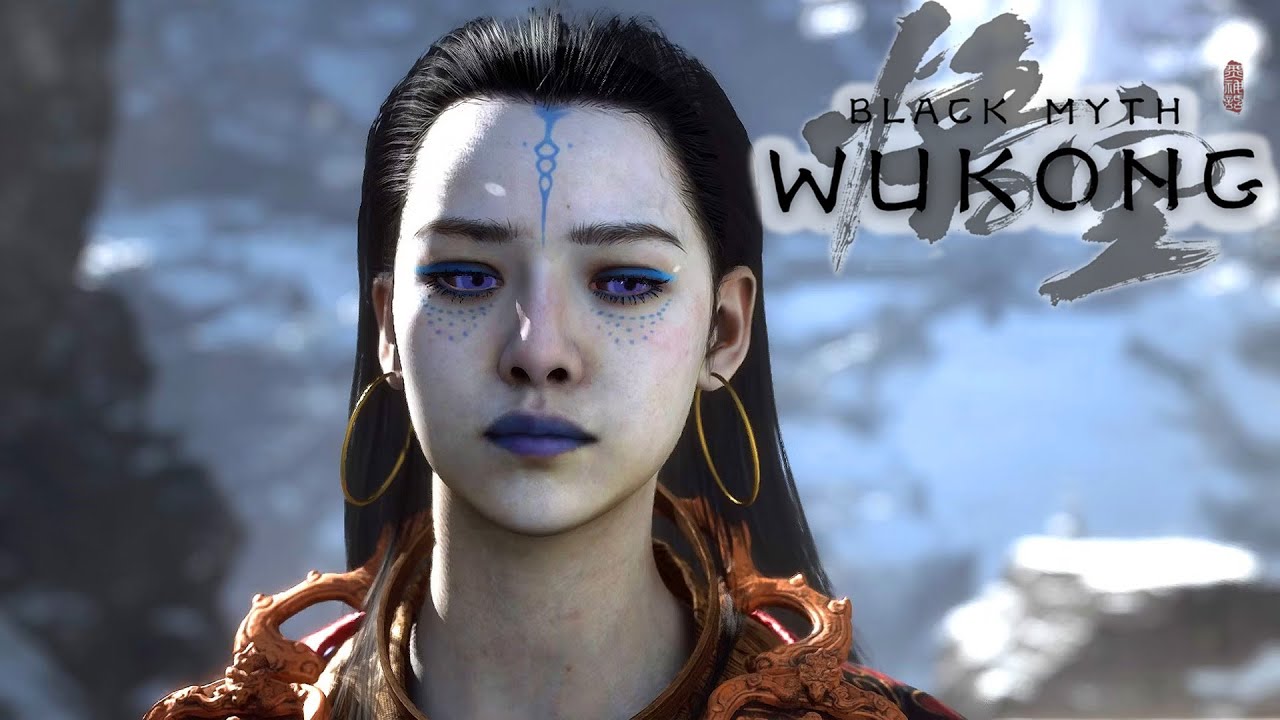
This is the Kang Jin-Star boss fight in Black Myth Wukong! A dragon in human form, and the first girl demon in the game lol.
Join this channel to get access to perks:
https://www.youtube.com/channel/UCnCF4pd2aw6UQMhIxxW3KWQ/join
Remember to subscribe! https://bit.ly/2XZN6H0
Become a channel member! https://bit.ly/3ii7Jqg
obsidian stag
oh nice, np
I haven't actually played the game yet, so I didn't know what boss you were talking about xD
have only been making the mod
muted cedar
can you mod the stutters away 🙂
It looks fantastic in HDR, I was meant to upload the video but my voice is so bad
obsidian stag
I unfortunately can't, but the people over at the Ultra+ discord might 😛
muted cedar
I joke, Epic games cant fix it and they make the engine
obsidian stag
the game stutters so bad, like I have to lock it to 60 and can't use fg
obsidian stag
muted cedar
I joke, Epic games cant fix it and they make the engine
thats true, if you look at fortnite for example
do you also get small stutters whenever you kill an enemy?
muted cedar

SDR: 203 Nits in HDR Container with corrected Gamma
HDR: 1000 Nits Peak, 203 Nits Paper white, HDR Look
Download Mod here: https://www.nexusmods.com/blackmythwukong/mods/1155
HDR Den Discord: https://discord.gg/R2Bt3uptw6
Donate: https://ko-fi.com/hdrden
Just a lil video
 crimson marsh
time to see if that one annoying guy comments on this one too
obsidian stag
muted cedar
https://youtu.be/WrF3WvpiE1o
thank you so much! ^^ gonna add this to nexus, awesome showcase
obsidian stag
V1.1
- Update for ReShade 6.5.0
- The mod now automatically makes the required Engine.ini changes, WukongTweak is no longer essential; changes need an additional game restart to apply
- Tonemapper adjustments (switch from RenoDRT Danielle to Reinhard, add blowout slider)
 dusty ridge
Codeberg.org
An ASI plugin for Black Myth: Wukong that features expanded ultrawide support and graphical tweaks.
 pure spade
how do you trigger full shader cache recompilation again @obsidian stag
I delete the file in appdata but it does a smoll recompilation of a few seconds
pure spade
nvm fixed it
obsidian stag
pure spade
nvm fixed it
I thought you really only had to delete that one shader file in appdata 😅 how did you fix it
pure spade
It was just reshade tripping the game
Had to side load from sk in early
But i didn't manage too full reset shader cache
My game wouldn't launch at all
obsidian stag
Hmm.. Apparently if that happens you can rename the reshade dxgi dll to d3d12.dll and that should hopefully work
obsidian stag
pure spade
But i didn't manage too full reset shader cache
I think for a full shader cache reset you'd need to remove all files starting with d3d in appdata/b1/saved
pure spade
Ya i removed them all
obsidian stag
pure spade
Ya i removed them all
But that didn't trigger a full recomp?
 daring venture
pure spade
Nope
daring venture
pure spade
Nope
did you fix it ? i got the same probleme i rename to d3d12 and delete the shaders cache but nothing game won't start
pure spade
daring venture
did you fix it ? i got the same probleme i rename to d3d12 and delete the shader...
game was starting for me i just couldn't trigger the full shader recomp but the game still worked fine
daring venture
maybe it'a lyall ulrawide fix but weird mod work fin on mhw thx for the response
daring venture
you installe the reshade on b1 or the win 64 ?

i do on win64
ok i got the solution the mods linimap for wukong juste dont work with reshade and hdr
 pure spade
win64
daring venture
i delete the dll and game start
daring venture
the minimap show the chest xD i want it for all the item
pure spade
ic
 primal night
daring venture
the minimap show the chest xD i want it for all the item
primal night
daring venture
the minimap show the chest xD i want it for all the item
There is another mod called simple map, it shows floating intractable items. You can filter what you want to see. Ignore the map and disable the compass if you don’t like too nic info on the HUD.
 crystal jackal
Ty so much for this mod. Makes game playable. (tolerable)
This is one of the worst looking games I ever saw though xD
RenoDX helps a lot but i have some problems.
Entire game looks like its using matte filter.
Raised blacks all over the desert area, but also extremely low visibility at low light.
Honestly never saw anything like it 😄 kinda forcing myself to play this one, coz I buyed it a year ago and it was uplayable then... now its tad better at least with reno.
edit-- so... the matte look of the game was cause by me incorrectly setup the TV, full range vs limited mismatch.
Still, game does not look especially stellar, but its way better now.
 tulip plaza
My keyboard doesn’t have the home button for reshade what to do now?
Got it with Chatgpt 💔
 carmine turret
Hi guys, I just installed the mod following the official instructions however whenever I quit and launch the game the shadow compilation kick in...
is this normal?
carmine turret
My game looks so dull with RenoDX activated. What am I doing wrong? I put it on HDR look and tried to make some minor adjustments with no success.
Picture 1 (RENODX on):

Picture 2 (base game without RENODX):

I'll appreciate any help
obsidian stag
carmine turret
Hi guys, I just installed the mod following the official instructions however wh...
yea that can happen after installing mods for the game. you need to remove all the shader files that start with D3D... here: %LOCALAPPDATA%\b1\Saved\
that will retrigger a full shader compilation once, and subsequent launches shouldn't have any shader comp anymore
obsidian stag
carmine turret
My game looks so dull with RenoDX activated. What am I doing wrong? I put it on ...
have you restarted the game with the mod at least once?
carmine turret
obsidian stag
yea that can happen after installing mods for the game. you need to remove all t...
Thank you Adrian. I just read your post in the Nexusmod forum 🙂
carmine turret
obsidian stag
have you restarted the game with the mod at least once?
Yes sir, I followed the instructions. I also checked at the bottom of the engine file the HDR activation (number 1) but after a couple of resets (desperate lol) I double checked the engine file and that part was suddenly missing.
I ended reinstalling the game after removing all related folders. I went back to stock but I'm quite sad it didn't work for me.
How should the game looks? What am I doing wrong?
Just FYI: In reshade installation I checked the HDR shades by Lilium (following a YouTube video) but it not of the HDR tools didn't work for me, just the SDR o es.
obsidian stag
the game shouldn't look washed out with the mod. it needs these changes at the bottom of your Engine.ini, you can add them manually if you want:
r.HDR.EnableHDROutput=1```

you can find the Engine.ini here: `%LOCALAPPDATA%\b1\Saved\Config\Windows`An also I selected b1.exe rather than win64-shipping.exe.
I can Confirm that the tool was working because I could see the changes in real time but maybe not as intended
obsidian stag
ReShade needs to be installed for the Win64 Shipping exe, in the subfolders. But since you have reshade open in-game it still seems to work
carmine turret
obsidian stag
the game shouldn't look washed out with the mod. it needs these changes at the b...
Yes, as I told you I checked that and it was there. Could be my monitor? It is the recently launched Samsung OLED G81SF 27" inch..
carmine turret
obsidian stag
ReShade needs to be installed for the Win64 Shipping exe, in the subfolders. But...
Yes indeed. Even though I selected the wrong one, the ReShade files were in the Win 64 Shipping subfolders ( I didn't do anything)
Do I have have to activate HDR on windows? (not AutoHDR) I tested both ways with not good results.
I think I'm missing something 😦
pure spade
carmine turret
Do I have have to activate HDR on windows? (not AutoHDR) I tested both ways with...
Yes windows hdr should be enabled
carmine turret
pure spade
Yes windows hdr should be enabled
Thanks. I tried both ways...
pure spade
yeah I think it's a glitch with the game
did you try restarting your computer ?
could be a driver glitch
carmine turret
Not really...I didn't
Do you have a picture in game for comparison?
I want to know how should the game looks...
obsidian stag
@carmine turret I think the engine.ini cvars are not working for you, that's also why you see the sdr versions of Lilium's shaders
you can try forcing them with Lyall's WukongTweak
Codeberg.org
An ASI plugin for Black Myth: Wukong that features expanded ultrawide support and graphical tweaks.
put this next to the Win64-Shipping.exe
and add r.HDR.EnableHDROutput=1 under the "Custom CVars" section in the WukongTweak.ini
pure spade
carmine turret
I want to know how should the game looks...
I don't think i have screenshots
obsidian stag
carmine turret
I want to know how should the game looks...
SDR | HDR | HDR Look


only have these from the section where you're at


old screenshots from when I was setting up nexus
carmine turret
obsidian stag
<@305508001144373261> I think the engine.ini cvars are not working for you, that...
got it. Did I do it right? I mean, uninstalling the game on steam and removing the BlackMythWukong subfolder in the "common" steam folder
carmine turret
obsidian stag
Oh my lord. I'd wish my game looked that good even in SDR...
obsidian stag
carmine turret
got it. Did I do it right? I mean, uninstalling the game on steam and removing t...
wait what 😄 did you give up
fallow jungle
are you using special k?
carmine turret
obsidian stag
wait what 😄 did you give up
Lol yes, until yesterday. I lost hope as I am quite noob on this and I couldn't fin any solution until you guys answered
My hope is back 😂
I'm going to try again from scratch...but just wondering if is this normal?
carmine turret
fallow jungle
are you using special k?
No sir
pure spade
your game shouldn't be washed out because of renodx no
carmine turret
I'll try again and report back
carmine turret
Reporting back. Did I make it?

Looks way way better....
And lilium shaders are working now (I think). I don't understand anything lol. Can someone explain mas like I'm 5.

very yellowish though. Is normal for this section?
carmine turret
HDR Look
fallow jungle
what is your peak and game brightness set to?
carmine turret
HDR Look / Default / Vanilla
fallow jungle
peak and game brightness won't be changed with presets
carmine turret


 fallow jungle
Oh, those are just SDR screenshots lmao
yeah that probably looks correct, just not in the screenshots
carmine turret
26 game brightness
carmine turret
fallow jungle
Oh, those are just SDR screenshots lmao
I took them with the snipping tool becasue if use the Nvdia screenshot in-built tool i can't share them...
fallow jungle
reshade takes hdr pngs
carmine turret
how?
fallow jungle
works automatically, press print screen, should get saved in the game folder
carmine turret
ok let me check
carmine turret
fallow jungle
works automatically, press print screen, should get saved in the game folder
is it ok this way? I don't see them anywhere...


Is it right?
 jagged sleet
obsidian stag
SDR | HDR | HDR Look
jagged sleet
obsidian stag
SDR | HDR | HDR Look
what is the model of your monitor?
obsidian stag
yea the desert sections can look a bit too yellow with the hdr look preset 😅
obsidian stag
carmine turret
Maybe I will reduce the saturation
I think if you just pull highlight saturation down to 50 that should also help things
obsidian stag
jagged sleet
what is the model of your monitor?
just an LG C2 42"
made these screenshots with 4k peak so the graph goes brr
and its easily visible what the difference is between the mod and sdr
jagged sleet
obsidian stag
and its easily visible what the difference is between the mod and sdr
yeah I don't remember the mod looking like that
but maybe I need to revisit it
but the again Black Myth Wukong is one of those games where I felt HDR always felt off even with RenoDX
but I thought it was more the game's content than the fault of the technical implementation of the HDR.. if that makes any sense
specifically one of the areas that looked dull and filtered is the snowy area I think in chapter 3
obsidian stag
jagged sleet
yeah I don't remember the mod looking like that
but maybe I need to revisit it ...
sounds like you ran into the same issue as redllowfenix where the Engine.ini changes didn't work for some reason - then the mod will make the game look washed out, and it'll be in sdr still
jagged sleet
obsidian stag
sounds like you ran into the same issue as redllowfenix where the Engine.ini cha...
nah I'm pretty sure it was working yeah I had that issue but I fixed it
the default HDR had the same problem for me too
obsidian stag
the snowy area has a ton of fog so yea, it can look a little dull, but ig that's intended
jagged sleet
the game also has very bad image clarity so I guess that contributed to my impression of it
obsidian stag
jagged sleet
the default HDR had the same problem for me too
in most other UE games, if you force the HDR cvars in Engine.ini it'll "just" skip the intended color grading, but still be proper HDR
wukong is different, where you're getting sdr in an hdr container with just the HDR cvars
crystal jackal
yea that is horrible.
every time i hear sdr in hdr container, i get srgb PTSD
carmine turret
obsidian stag
I think if you just pull highlight saturation down to 50 that should also help t...
Exactly what I Did. Looks better!
carmine turret
obsidian stag
just an LG C2 42"
Adrian, I have a LG C4 55". Do I just need to plug-in a hdmi 2.1 from the pc to the TV to make it work?
obsidian stag
Yea? ^^
Remember to use Filmmaker HDR mode on your TV
With dtm off and the professional sliders set to 100 for HGIG
So you get color boost, way higher color luminance than the normal game optimizer mode
 empty juniper
obsidian stag
in most other UE games, if you force the HDR cvars in Engine.ini it'll "just" sk...
empty juniper
obsidian stag
in most other UE games, if you force the HDR cvars in Engine.ini it'll "just" sk...
Is than an Nvidia UE5 branch thing or just coincidence?
obsidian stag
empty juniper
Is than an Nvidia UE5 branch thing or just coincidence?
honestly, not sure. might be some weird changes from the nvidia branch, or they just messed with the code themselves
probably the latter, there were some unused hdr cvars in the game
empty juniper
So I guess they might have tried getting HDR to work and just given up then
obsidian stag
yea maybe
 real fjord
@obsidian stag Is the Reno mod the only thing you recommend for this game, or are there other shader add-ons I should add?
obsidian stag
real fjord
<@208960001807613952> Is the Reno mod the only thing you recommend for this game...
Lyall's WukongTweak is pretty much essential for this game
Disables the forced sharpening
fallow jungle
I don't think it's forced anymore
obsidian stag
Oh right they added a slider
 restive meteor
✅RenoDX: Black Myth Wukong
 ivory dust
hasty hawk
New patch dropping today
ivory dust
hasty hawk
New patch dropping today
is renodx mod working for you after the patch? mine crashes on start, when i remove the renodx add-on from the game files, the game opens normally with Reshade.
could it be the patch or im messing something up, cus the game used to work normally for me with renodx mod 2 months ago but not anymore..
fallow jungle
hasty hawk
"Improved the quality of motion blur to mitigate the aliasing issues that occur when the camera pans."
holy shit
first unreal dev to do something about this
that's using one of the cursed builds of unreal anyway
hasty hawk
ivory dust
could it be the patch or im messing something up, cus the game used to work norm...
Update hasn't dropped yet on PC anyway
pure spade
@obsidian stag might wanna check :3
ivory dust
hasty hawk
Update hasn't dropped yet on PC anyway
Oh really !? Then im wondering why the mod crash on start.. the only thing i did was format my pc weeks ago
And all games are working normally and as i said even wukong runs perfectly fine and only crash when i add renodx mod 

obsidian stag
pure spade
<@208960001807613952> might wanna check :3
I'm praying the update doesn't break the mod lol
obsidian stag
ivory dust
And all games are working normally and as i said even wukong runs perfectly fine...
You can try the latest repo build from here instead of the nexus build https://clshortfuse.github.io/renodx/renodx-bmw.addon64
hasty hawk
obsidian stag
I'm praying the update doesn't break the mod lol
Adding FSR4 likely means new shaders
At least that I guess
ivory dust
obsidian stag
You can try the latest repo build from here instead of the nexus build https://c...
Holy shit thank you so much that actually fixed my issue 
 fading plaza
obsidian stag
I'm praying the update doesn't break the mod lol
fading plaza
obsidian stag
I'm praying the update doesn't break the mod lol
Seems to work fine after the update. Black levels are a bit raised, but I guess it was like that before.
 frozen oar
fading plaza
Seems to work fine after the update. Black levels are a bit raised, but I guess ...
frozen oar
fading plaza
Seems to work fine after the update. Black levels are a bit raised, but I guess ...
Yeah it doesn't look great with the raised blacks, I don't remember it having them prior to this patch 😕
But I haven't played in like a year
 elfin trellis

Reddit
Posted by drillitloveit - 2 votes and 0 comments
Someone is having issues with the Black Myth Wukong mod. I sent them a link to this thread as well 🙃
obsidian stag
elfin trellis
Someone is having issues with the Black Myth Wukong mod. I sent them a link to ...
thanks for helping them
I've always had issues with auto switching
so I'm basically always using windows hdr
didn't know this would cause issues
elfin trellis
I just read through their original post, didn't realize they had Windows HDR disabled
obsidian stag
V1.2
- Improve UI blending
- Adjust tonemapper
- Updated for ReShade 6.6.2 (Full RT should work again)

Nexus Mods :: Black Myth: Wukong
Rewrite of the grading pipeline to add HDR and controls for tonemapping, paper white, UI brightness, and color grading.
 ocean olive
I had to turn this off for ch 6, was causing the game to crash
ocean olive
Hm actually it might be wukongtweaks
Game ran great until ch 6 now it's crashing all the time
Hard system crash
Gonna have to just disable everything if I wanna finish this
It's not RenoDX though, cuz I just crashed without it
Wonder if it's DLSS
something about cloud physics is making it crash
 cunning jetty
man i want to enjoy this game
but it runs like hot garbage and looks incredibly bad imho
it has its places where it looks pretty good.
But for the most part its not very crisp looking, the lighting is usually so awful in some places where it makes things look pixelated and some objects get overly bright (like sunlight on vegetation) makes the vegetation just overblown
this issue appears in both the sdr and hdr version of the game
its a pretty wild take though considering some ppl think this is one of the best looking games out there
I must've downloaded the wish version of something 
cunning jetty
wait i think game looks better without RT for me
ocean olive
I have rt off but game looks great
cunning jetty
ye dont think its worth it in this game
frame time looks much worse with RT on as well
finally maybe get to enjoy the game
for some reason i think the environment looks better too without RT
ocean olive
Alright it was DLSSSwapper, I swapped to DLSS ver 310 but it kept crashing the game
cunning jetty
Alright ive finished game now, great game glad my opinion changed
 storm basin
Renodx mod doesn't work when used with dlss fg to fsr fg mod
Is there any workaround to make it compatible
hasty hawk
It absolutely does
 burnt sapphire
I have an interesting comparison here for you. I couldn't find anything regarding forcing Ray Reconstruction instead of the default denoiser in Wukong.
So I tried and succeeded. Have a look.
I think model L looks too sharp and bright. With RR the brightness of the grass to the left and the reflections in the water look more coherent to me.
How much of that difference is defined between DLSS 4 and 4.5 I didnt test.
My settings are 55% (balanced) DLSS, Full Ray Tracing and Wukong-Tweaks for less sharpness

 burnt sapphire
DLSS 4.5 L and RR M are way more similar than I expected. Model K looks completely different here and is missing skylight reflections on water plants for example.

 prime sedge
Both are with the default denoiser disabled?
burnt sapphire
no I didnt touch the default full path tracing denoiser for those screenshots.
I set r.NGX.DLSS.denoisermode=1 in "AppData\Local\b1\Saved\Config\Windows\Engine.ini" and copied the necessary nv dlssd streamline files.
I tried turning the UE5 lumen reflections default denoiser off for Model L just now but reflections looked like much worse resolution.
RR looks nice but not with hair, wukongs hair gets pretty noisy. And snow shows a lot of ghosting.
 wise lark
burnt sapphire
DLSS 4.5 L and RR M are way more similar than I expected. Model K looks complete...
wise lark
burnt sapphire
DLSS 4.5 L and RR M are way more similar than I expected. Model K looks complete...
RR M isn't a thing though? Apologies for the necro but yeah I was looking around regarding using Preset M/L in Wukong which is pretty much unplayable for me since it causes insane global illumination pulsing in a LOT of areas. Like rave levels of pulsating.
RR preset E and D are the same. Only Preset K is fully stable in that regard. Seems like RR and newer SR models can't cope with this game's garbage eye adaptation.
cunning jetty
i just played this game without RT
burnt sapphire
 full parcel
sooo what is UE HDR cvars?
full parcel
sooo what is UE HDR cvars?
That means setting hdr=true in engine.ini.
r.AllowHDR 1
r.HDR.EnableHDROutput 1
Cvars are engine console variables. You could have googled or chatgpted that info too.
full parcel
burnt sapphire
That means setting hdr=true in engine.ini.
r.AllowHDR 1
r.HDR.EnableHDROutput 1...
yeah in the end i did that XD
got some command lines and add that to the engine.ini and it works
burnt sapphire
Yes thats how you mod any ue5 game, means about 99% of games released today
obsidian stag
full parcel
got some command lines and add that to the engine.ini and it works
My mod should also automatically add them to the Engine.ini
But you're better off using UE extended instead nowadays
Looks much better
full parcel
obsidian stag
My mod should also automatically add them to the Engine.ini
ah, so i was wandering that might be the case with the allow HDR thingy, but since i got no clue how that whole thing worked i add the lines that was given to me

ofc i changed max luminance to my monitor value
obsidian stag
Most of those values get overridden by reno like peak, game and UI brightness
With the engine ini tweaks you basically fool the game to activate its hdr path, which then gets modded by reno
full parcel
good to know that claude didn’t give me crap XD
obsidian stag
We do that so frame gen works properly
full parcel
obsidian stag
We do that so frame gen works properly
oh good to know, i was running without it any way since i like how this game looks in DLAA, no RT unfortunately but the foliage and everything looks soo crisp
obsidian stag
full parcel
oh good to know, i was running without it any way since i like how this game loo...
UE HDR path is also slightly more performant, since reno just needs to replace shaders
Not upgrade intermediate textures or swapchain
burnt sapphire
obsidian stag
But you're better off using UE extended instead nowadays
how to use it with wukong? I get a black screen on startup
obsidian stag
burnt sapphire
how to use it with wukong? I get a black screen on startup
You need to upgrade R10G10B10A2_UNORM to output size iirc
And if you use the hdr engine ini you also need to set upgrade path at the bottom to 'off'
With ue extended
burnt sapphire
obsidian stag
And if you use the hdr engine ini you also need to set upgrade path at the botto...
Ah yes thank you it took me a while to fix it! The slow performance on start due to the invisible shader compilation confused me and I couldnt do much at 1fps every few seconds... Also I didn't know the upgrade path was still set to SDR and thats causing more issues.
Additionally once I fixed those issues after restarting the game 10 times, windows decided to break all HDR so I had to restart windows in order to fix the greyed out game..
Are there any Wukong recommended settings with ue-extended available?
obsidian stag
burnt sapphire
Ah yes thank you it took me a while to fix it! The slow performance on start due...
Oof. I think the defaults are fine, just adjust peak and game brightness to your liking. But make sure to put blend factor to 0, it helps with their auto exposure
burnt sapphire
obsidian stag
Oof. I think the defaults are fine, just adjust peak and game brightness to your...
Blend factor, ok nice 👍
burnt sapphire
obsidian stag
Oof. I think the defaults are fine, just adjust peak and game brightness to your...
no blend factor here 🙁
obsidian stag
burnt sapphire
no blend factor here 🙁
do you have your first slider (settings mode) set to advanced?
burnt sapphire
obsidian stag
do you have your first slider (settings mode) set to advanced?
Yes, also the game freezes when going to desktop, as soon an I hit windows key ☹️
obsidian stag
burnt sapphire
no blend factor here 🙁
blend factor should be here in the menu

maybe you have an older version of ue extended
obsidian stag
burnt sapphire
Yes, also the game freezes when going to desktop, as soon an I hit windows key ☹...
doesn't happen for me :/
burnt sapphire
obsidian stag
maybe you have an older version of ue extended
Its missing lol, can you link me latest version please? 😃
It says build "2026-04-29..." hmm
Maybe some weird ue extended build
burnt sapphire
Works nicely. Thanks! Continueing the game now. Seeing some issues with ue5 in chapter 4, the game is barely using any path tracing in the beginning with the hollows and in a spot with an optional boss there were insane FPS drops.. I hope it picks up momentum again. That map layout was not great in that cave.
 normal meteor
Game stutters a lot doesn’t it
burnt sapphire
normal meteor
Game stutters a lot doesn’t it
When you perfect dodge or traverse the environment, yes you have a few UE stutters. Its not too bad with 9800x3d