#✅RenoDX: Zenless Zone Zero
1 messages · Page 6 of 1
 cedar flume
 opal cove
ok since you're not familiar with this
i'll just quickly patch ACD5
and VR training
so you can see when something is clamping
cedar flume
okay
this should be different right
would it be better if i just zip the file instead of the folder?
opal cove
cedar flume
this should be different right
no bro
what do you mean different
the unecessary files are not there anymore
opal cove
if thats what you meant then sure
cedar flume
its a different cso file
opal cove
wdym
cedar flume
inside the dump rar
cedar flume
yes im in vr
cedar flume
5077
cedar flume
sorry
opal cove
just send me once you have a bunch of them
opal cove
cedar flume
so you should already have acd5, 54F2E,B5077 and AE5827
by the way
54F2E is wrong
opal cove
probably a blit
so for VR training room
you should probably dump the one
right before 54F2E
try to show/unshow
cedar flume
okay
opal cove
cedar flume
okay
so there should be
TAA shader
Uberpost <- what you want
54F2E
cedar flume
i cant find f2e
it gives me 5827 now
nvm found it
rn i have
E403 TAA
5827 should be uber
E7D1 does nothing
54F2E same as 5827
opal cove
then 5827
you can look at the other tab

5827 should have RTV0 has your screen resolution / 1.4
if you're using DLSS
cedar flume
yep
opal cove
thats one more hint
@feral gulch did you have to redo the uberposts
only
or did they change the lutbuilders and the VReffects
cedar flume
opal cove
note which hash triggered where
 cedar flume
you mean where the hash triggered?
opal cove
opal cove
i'll just quickly patch ACD5
^
oh i didn't tell you to wait
it was implied
anyways
cedar flume
oh okay
opal cove
- Initial DX12 shaders patched
beacuse everything is clamping you dont know at what point to snapshot
now with the game partially unclamped you can see the moment where it's clamping
and follow the list I sent please, i have the conditions to trigger them written down
@cedar flume also download this and put this in your zzz game folder

should give you a pattern to work with
the uberpost is usually a frag after a bunch of gaussian blur
opal cove
remember to note here how you triggered each uber
cedar flume
char screen is still clamped
same shader, B5077
the char animation when you start vr training is also clamped
combat seems to be working fine
theres a shader in trigger ult animation thats clamped, right as she fires
yi xuan first part of ult is also clamped
all of second ult is also clamped
 feral gulch
opal cove
<@122128769245773826> did you have to redo the uberposts
feral gulch
opal cove
<@122128769245773826> did you have to redo the uberposts
ubers, new vr effects (1 for combat intro and 2 for shunguang transformation)
https://github.com/clshortfuse/renodx/commit/eef8055d07b722c7d45b36cbf5d409d53de921dd
 cedar flume
trigger switch to sniper stance is also clamped
last shot before quick assist is also clamped
feral gulch
if you check the files in that commit you can see where I found all the new ones, they’re all commented
cedar flume
seed ui when ulting is clamped
okay the rest seems to be working, i'll start dumping
cedar flume
cedar flume
the char animation when you start vr training is also clamped
this doesnt happen in other locations, only vr
opal cove
cedar flume
trigger switch to sniper stance is also clamped
Yes brother its what you have to dump
I wrote it all in the list....
cedar flume
uh
opal cove
Mods pls pin
You can clone that and make your own checklist (with the names removed, those are old binary names)
Trigger charged shot should be shared with wipeout shader
So you dont need to do both
But you will have to do it three times
Once in vr
Once in normal stages
Once in some specific shiyu stages
The list will save you time because you dont have to waste time capturing things that might be using the same shaders
cedar flume
got it
opal cove
Things that i dont note 3 locations only happens once
opal cove
which one is which
cedar flume
wait
0xFED841EC.ps_6_0 is the intro
0x67DE31C8.ps_6_0 is yixuan sprint and second part of alt. ultimate
0xF8AEDCEA.ps_6_0 is yixuan first part of normal and alt. ultimate
0xEF2ABF77.ps_6_0 is trigger charged shot (quick assist)
0x33AA18FF.ps_6_0 is when trigger enters sniper stance
0xA1649372.ps_6_0 is aftershock (FIRE text)
i cant dump seed as i dont have her
opal cove
cedar flume
0x33AA18FF.ps_6_0 is when trigger enters sniper stance
you probably have this one incorrectly
cedar flume
strange, it freezes exactly when she fires the first shot
its the only part it clamps
cedar flume
okay

 opal cove
you're doing all of this in VR training right
cedar flume
yes only vr
opal cove
nothing I see on the shader would indicate that its clamping
you should move on probably
opal cove
leave it for now
cedar flume
ok
i'll try to get the shaders for shiyu defense
i already saw some of them clamped
did you already get the one from the char screen?
opal cove
no
thats for you
i only turned on the game long enough to show u how to do it
been playing arknights
cedar flume
yea i just wanted to get this one out before getting all the shiyu ones
opal cove
patched additional DX12 shaders
actually one second
my clanker made a mistake
use this and send me when you have a bunch more
cedar flume
almost done
0x87729C8F.ps_6_0 YE SHUNGUANG AFTER ULTIMATE/LUCIA SKILL
0xC958F954.ps_6_0 ZHAO SPRINT
0xE11ABA60.ps_6_0 TRIGGER QUICK ASSIST
0xB9E3D211.ps_6_0 TRIGGER AFTERSHOCK(FIRE TEXT)
this is for shiyu
ok char screen works (mine is blown out bcs of 21:9 but whatever)
some things in vr are still clamped
i forgot 1 before
trigger ultimate
found the shader
does the aspect ratio make things blown out in gameplay too?
cedar flume
okay
opal cove
opal cove
send me when ur literally sure there's nothing left
cedar flume
everything seems ok apart the blown out stuff

 opal cove
anyways send me a zip of everything you have right now
cedar flume
opal cove
ok yixuan fixed
trigger has same problem as yixuan before
looks blown out in sniper stance and quick assist
opal cove
yeah cause last time i told u that u got the wrong one
opal cove
are you using dlss
cedar flume
yes
opal cove
turn it off
cedar flume
let me try
sniper stance is clamped
quick assist looks fine
also vr intro is clamped
so its just sniper stance/ultimate which i sent you before and vr intro
opal cove
cedar flume
so its just sniper stance/ultimate which i sent you before and vr intro
sniper stance is not clamped...
did you check hdr analysis
opal cove
 cedar flume
before this i mean
at the start of the animation
with dlss off

same with dlss on
sometimes its 274?
wth
now its locked at 268
if i restart the training it goes back to 202
opal cove
lol
@karmic atlas can't trust the fucking clankers these days
blud can copy renderintermediatepass but conveniently forgot the upgradetonemap inside 
 karmic atlas
opal cove
<@377729668448780288> can't trust the fucking clankers these days
karmic atlas
opal cove
<@377729668448780288> can't trust the fucking clankers these days
AIslopper forgor?
opal cove
karmic atlas
AIslopper forgor?
memory worse than a kid with tiktok syndrome
Patched additional DX12 shaders
karmic atlas
Me when I tell Grok to do something but get hit with an
'error failed to parse your previous message'

opal cove
gemini 3 takes forever to do something i gave clear instructions for
claude 4.5 forgot my instructions in the next command
karmic atlas
GPT 5.1 max codex max ultra giga remains undefeated
opal cove
opal cove
Patched additional DX12 shaders
@cedar flume
karmic atlas
Avg ZZZ experience
 opal cove
karmic atlas
GPT 5.1 max codex max ultra giga remains undefeated
opal cove
karmic atlas
GPT 5.1 max codex max ultra giga remains undefeated
5.1 kinda suck balls for creative tasks
karmic atlas
Umm that's why you exist
You're the creative tasks
Grok is there to blow unoptimised code that werksTM
karmic atlas
Me acting like I know wtf code is
I only started properly looking at shaders in October
🤷♂️
I am 3 brain cells and a hammer
Still better HDR than 99.9999% of Devs
opal cove
real
tbh Gemini 3 is like max for creative + multimodal
sucks ball at being an agent
GPT5.1 the opposite
the claude sits in the middle
 opal cove
feral gulch
opal cove
https://cdn.discordapp.com/attachments/1177605054203695206/1455738569015427197/2...
opal cove
feral gulch
opal cove
https://cdn.discordapp.com/attachments/1177605054203695206/1455738569015427197/2...
there’s an uber that draws and clamps for a few frames during her second ult (around :12 mark in the video) 
opal cove
feral gulch
there’s an uber that draws and clamps for a few frames during her second ult (ar...
i already fixed that

also added FSR 1.0 upscaling if not using DLSS
adding autoHDR for pre rendered videos now
what boredom does to a mf
feral gulch
really farming those vscode hours
opal cove
its all DX12 only since im patching the DX12 shader but its simple enough to copy to DX11 if u can identify the shader
 fleet furnace
DX11 looking good


 opal cove
DX12 only
- fully unclamped YSG ult
- added FSR1.0 + lilium's RCAS (RCAS can be used separately without FSR1.0, DLSS must be disabled)
- added AutoHDR for videos
gotta fix the sliders up

but it's working
eks dee
opal cove
DX12
- menus reordering lmao
feral gulch
 mighty moss
<@122128769245773826> these tree bushes in failume heights are glowing red
mighty moss
<@122128769245773826> these tree bushes in failume heights are glowing red
that's weird; i'm not seeing it on my end 

 opal cove
3dmigoto slash skin mods issue maybe
mighty moss
feral gulch
that's weird; i'm not seeing it on my end <:hands:1154197592381595698>
I figured out whats causing it, it happens when i have rabbitfx installed
opal cove
classic
mighty moss
Yeah seems to be an issue of the latest rabbitfx update specifically
I replaced it with the previous version and that doesnt have that issue
Altho having the latest rabbitfx installed without reno doesnt have that issue
Some conflict between the latest rabbitfx and reno ig
opal cove
cedar flume
nice
bro u gonna leave all the other shader cases unpatched lol

 solemn pasture
opal cove
DX12
- menus reordering lmao
solemn pasture
opal cove
DX12
- menus reordering lmao
It's crashing on enabled DLSS for some reason
opal cove
likely a you issue. Works fine here
solemn pasture
opal cove
likely a you issue. Works fine here
 solemn pasture
opal cove
likely a you issue. Works fine here
solemn pasture
opal cove
likely a you issue. Works fine here
Probably because of specialk
solemn pasture
solemn pasture
Why there is no HDR present?
mighty moss
Yeah dont bother with special k, its unnecessary with renodx anyways
And u can just use display commander instead for most of special k's features
solemn pasture
oh btw, without specialk game crashes and then dxgi.dll is renamed to dxgi.dll.randomnumbers
mighty moss
solemn pasture
oh btw, without specialk game crashes and then dxgi.dll is renamed to dxgi.dll.r...
If you use dx12 mode you can just rename reshade dll to d3d12.dll
That should work
solemn pasture
mighty moss
That should work
Thanks! It worked
solemn pasture
opal cove
likely a you issue. Works fine here
Which gpu are you using?
Even without specialk it's crashing
 spark agate
lm u crash too witch using dx12
spark agate
solemn pasture
Even without specialk it's crashing
are u enable raytracing?
spark agate
solemn pasture
It was crashin because of DLSS
yep,me too. enable dlss was cash
cedar flume
opal cove
bro u gonna leave all the other shader cases unpatched lol
what's left
btw happy new year
opal cove
cedar flume
what's left
Bunch of shiyu and hollow zero variants
The thing u sent me was the main open world variant not the shiyu variant
Its ok tho

 cedar flume
opal cove
Bunch of shiyu and hollow zero variants
cedar flume
opal cove
Bunch of shiyu and hollow zero variants
i did shiyu tho
opal cove
Read what i said right after that
The variant is shared with hollow zero, u can see what yu missed by just going into the hollow zero area
Everything should be clamping there
Character wallpapers r still also clamped
opal cove
in any case
Final DX12 patch
Summary of changes over the past few days:
- Added 99.67% of DX12 shaders now, probably missing shit like seed ult shaders which i dont have the char for and can't bother
- Added FSR 1.0 and RCAS
- Added AutoHDR for video
- Character menus should be unclamped even for ultrawide users
happy new year
cedar flume
thank you for ultrawide fix

 prime igloo
I know this is not exactly the place I guess but holy moly the writing is so atrocious lol
I don't think a game has ever made me this mad before
at least I know if ysg is speaking I can freely spam skip 90% of the dialogue
 orchid coyote
opal cove
Final DX12 patch
Summary of changes over the past few days:
- Added 99.67% of D...
orchid coyote
opal cove
Final DX12 patch
Summary of changes over the past few days:
- Added 99.67% of D...
is this the DX11 from before + your changes or do we have two addons now for DX11 and DX12?
opal cove
Two addons
Download the dx11 one if u play in dicks 11
Once maple merges the pr it should be 1
opal cove
@feral gulch its all you from now on bud

 feral gulch
got autoHDR videos working on DX11


 potent nimbus
feral gulch
got autoHDR videos working on DX11
potent nimbus
feral gulch
got autoHDR videos working on DX11
Eyo nice
orchid coyote
from my testing DX12 is still the same as in 2.3 too
So quite bad/random
Ray Tracing Low has barely any advantages over stock and a -30% drop in performance
This game is so ass even on a 9800X3D
 leaden sparrow
orchid coyote
This game is so ass even on a 9800X3D
leaden sparrow
orchid coyote
This game is so ass even on a 9800X3D
It's alright on DX11
Much better than the 13900k
mighty moss
leaden sparrow
It's alright on DX11
Still have minor cpu bottleneck at times on 9800x3d unless i play at native 4k max settings
Lol
leaden sparrow
I get to like 200 fps in lumina square
on 13900k it was like 120-130
In actual combat getting 300 fps is pretty easy
mighty moss
Yeah ofc ur still gonna get way less cpu bottleneck on that than any other cpu but theres still room for improvement with a future x3d chip
leaden sparrow
For sure but really it's the game's fault
new chips will just be brute forcing bad code
You should see what ZZZ runs like on the PS5 zen 2 CPU
mighty moss
leaden sparrow
In actual combat getting 300 fps is pretty easy
Yeah combat is more gpu and less cpu bottlenecked than overworld
leaden sparrow
The game is way too single threaded
Next x3d chip is going to be a big upgrade. It will be 12 cores and around 6.5 ghz
mighty moss
leaden sparrow
You should see what ZZZ runs like on the PS5 zen 2 CPU
Yeah its kinda tragic there
Lumina square runs below 50fps lol, cpu bottleneck is real
leaden sparrow
PS5 cpu can hit 60 fps in other games with cities because they are properly coded
Idk maybe it's just how unity is
 marsh lotus
Anyone know how to make Optiscaler + RenoDX work on DX11?
dxgi.dll keeps being renamed and crashes the game
orchid coyote
marsh lotus
Anyone know how to make Optiscaler + RenoDX work on DX11?
dxgi.dll keeps being r...
But Why
Optiscaler won't work without an upscaler in-game
It's only a translation layer
Just use Reshade
DX12 has DLSS but it's broken, doesn't work properly
you don't want to use it
orchid coyote
marsh lotus
Anyone know how to make Optiscaler + RenoDX work on DX11?
dxgi.dll keeps being r...
Also, the game renames all DLLs in DX11
inject using inject64.exe
marsh lotus
orchid coyote
inject using inject64.exe
Okay, got it.
orchid coyote
marsh lotus
Okay, got it.

I tested the DX12 mode finally
The benchmarks being the average of 4 test runs around Failume Heights beginning and ending in Suibian Temple

DC is Display Commander, it suprisingly makes a big difference in frametimes
 marsh lotus
orchid coyote
https://tenor.com/view/mine-phonecall-hello-haro-ok-got-it-gif-21143788
marsh lotus
orchid coyote
https://tenor.com/view/mine-phonecall-hello-haro-ok-got-it-gif-21143788
Yeah, it's working great.
btw, should I keep "Generic Depth" and "Effect Runtime Sync" enabled?
I'm also using Display Commander.
feral gulch
marsh lotus
btw, should I keep "Generic Depth" and "Effect Runtime Sync" enabled?
I'm also ...
You can turn both of those add ons off
They’re only useful if you’re using depth-based ReShade shaders or VR respectively
 fair stratus
What do you guys use to load Reshade in DX12 mode? I used to use SpecialK before but looks now with DX12 it just makes the game crash.
feral gulch
fair stratus
What do you guys use to load Reshade in DX12 mode? I used to use SpecialK before...
load reshade as d3d12.dll or load it with optiscaler if you're using dlss, it's more stable that way for some reason from my experience
fair stratus
feral gulch
load reshade as d3d12.dll or load it with optiscaler if you're using dlss, it's ...
Trying to use Optiscaler selecting d3d12.dll during install, game straight up crash at startup for me. Any specific version you are using?
feral gulch
the newest one w/ load reshade enabled in the config. i haven't played much dx12 this version so idk if there's anything new to change
fair stratus
ty worked after grabbing latest from their discord
 prisma dome
So, on the latest version that was added on the first, the UI brightness slider affects overall brightness instead of just the UI, while the game brightness slider seems to do nothing.
fair stratus
orchid coyote
DC is Display Commander, it suprisingly makes a big difference in frametimes
Did you have any issue setting up DC? Whole world is a black screen when I try to use it, UI appears, menus are fine (the character wallpaper even shows up correctly in pause menu)
fair stratus
ah works with latest build from discord
mighty moss
Rabbitfx got another update and it seems to fix the trees glowing red issue with renodx
😌
potent nimbus
mighty moss
Rabbitfx got another update and it seems to fix the trees glowing red issue with...
are you having any issues with a green bright outline sometimes showing up when engaging dialogue with npcs? I've noticed it happening in the area where the joint investigation event is located. I'm also using xxmi and rabbitfx etc, but not sure if it's due to that
mighty moss
potent nimbus
are you having any issues with a green bright outline sometimes showing up when ...
Yeah i did notice that at times, idk if its a rabbitfx issue tho
potent nimbus
alright, so far I only noticed it in said area
mighty moss
@feral gulch this character selection screen in the co op event is clamped

Prolly doesnt matter much since its a limited time event anyways but just wanted to let u know
feral gulch
i'll fix it sometime this week
mighty moss
@feral gulch just tried the new github build on dx11 and it seems like neither the autohdr video nor the fsr/cas stuff does anything in dx11 for now
Only works in dx12
And even then the fsr/cas stuff only takes effect at 0.8 render scale
feral gulch
i haven’t gotten around to implementing them in dx11 yet, will do it soonTM
mighty moss
Ah ok
orchid coyote
Oh are the changes merged finally?
But tbh I don't think they should release DX12
It's objectively a worse experience
 bright thunder
@feral gulch renodx + DLSS insta-crashes (even with FSR and RCAS disabled)
DLSS seems to work fine without renodx though. Any idea what may be the case?
orchid coyote
bright thunder
<@122128769245773826> renodx + DLSS insta-crashes (even with FSR and RCAS disabl...
Don't use DX12
bright thunder
orchid coyote
Don't use DX12
Lol it works fine without DLSS
orchid coyote
bright thunder
<@122128769245773826> renodx + DLSS insta-crashes (even with FSR and RCAS disabl...
Also DLSS is broken
It doesn't work anyway
They messed up the implementation
bright thunder
Works without crashing when not using renodx at least

Only reason to use it is with RT though tbh
bright thunder
orchid coyote
It doesn't work anyway
But yeah it's a wip for a reason I guess
orchid coyote
bright thunder
Only reason to use it is with RT though tbh
If 50% performance loss is something you can deal with then go with it tbh
I think it was even more with RT High?
It's like ~35% with RT Low compared to DX11
bright thunder
orchid coyote
If 50% performance loss is something you can deal with then go with it tbh
I can hit 4K60 with RT High and no DLSS but I'd rather have at least 120 lol
orchid coyote
bright thunder
I can hit 4K60 with RT High and no DLSS but I'd rather have at least 120 lol
Yeah you won't hit it with RT High no way
bright thunder
orchid coyote
Yeah you won't hit it with RT High no way
Could at least hit 100 with DLSS eZ
orchid coyote
huh
what CPU/GPU do you have?
bright thunder
I'm on a 4090
- 7800X3D
Could maybe squeeze out a solid 3 more fps if I upgraded to a 9800/9850X3D

orchid coyote
Oh yeah then you're definitely getting GPU Limited
IIRC DLSS worked with Optiscaler
you injected Reshade via Optiscaler and it worked then
But still the implementation is broken, it's locked at 0.66 and you cannot change the profile
feral gulch
yeah only potential advice I’d give is load reshade with optiscaler or go back to dx11 lol
feral gulch
mighty moss
<@122128769245773826> this character selection screen in the co op event is clam...
weirdge doesn't seem to be clamped for me
 feral gulch
DX11 + DX12
DX11 changes:
add autoHDR for videos
add FSR 1.0 upscaling (currently doesn't work properly, so don't use it)
add RCAS sharpening (thanks Lilium)
fixes:
corrected video encoding/decoding with autoHDR videos off
mighty moss
feral gulch
weirdge doesn't seem to be clamped for me
Yeah youre right ig it got fixed somehow with a newer build since then
 feral gulch
DX11 + DX12
DX11 changes:
added uberpost for Shiyu Defense wipeout screen
 plain oriole
Hi, probably been asked a million times but reading up and down I can only see one reference to it. When loading Reno through Reshade dx11 I get "the client component is running abnormally" after a few mins followed by crash to desktop. DX12 works, but performance is wonky on that mode even on a 9800X3D/5090 4k setup. I can see DX11 updates right above this post, is there some trick to getting Reno to load for DX11 without being booted out after a couple of minutes? 🙂 Thanks!
feral gulch
plain oriole
Hi, probably been asked a million times but reading up and down I can only see o...
load ReShade with something like inject64 or Special K
orchid coyote
plain oriole
Hi, probably been asked a million times but reading up and down I can only see o...
The best way is to use inject64, Special K can be wonky with ReShade
But yeah DX12 is broken as hell, it shouldn't have lower performance than DX11 lol
mighty moss
There's a reason why dx12 is still a hidden mode not the default one ig
plain oriole
orchid coyote
But yeah DX12 is broken as hell, it shouldn't have lower performance than DX11 l...
I would guess it’s just shader compilation, but it never really goes away!
orchid coyote
plain oriole
I would guess it’s just shader compilation, but it never really goes away!
Yeah, the point is, DX12 compiles shaders at the start
So it can not be shader stutter
I have like -10% FPS
potent nimbus
I think it mainly comes down to not being a fully implemented feature yet, thus not being fully optimised
plain oriole
orchid coyote
Yeah, the point is, DX12 compiles shaders at the start
Thanks for the tips all, gonna try inject 64.
Mine doesn’t compile shaders after a GPU driver update. But I can tell it’s shader compilation stutter as it happens the first time it renders anything after a driver update. Eventually it settles down as the cache builds, but it’s always present with new assets and areas. I wish I could force a shader compile, that’d be lovely.
Performance isn’t toooooo bad in dx12 as I’m brute forcing it with a 5090, smooth motion on, with DLSS off. DLSS seems completely broken, characters are rendered at a very low resolution while it’s on regardless of config. I did try overriding with the new models but same result. Would be nice if they fixed it up one day
marsh lotus
orchid coyote
So it can not be shader stutter
Then why does it stutter every time something new pops up for the first time (and then doesn't stutter again) on DX12?
plain oriole
I would guess it's supposed to compile shaders, but for whatever reason it's not. Try it next time you update your drivers - no shader compilation. At least on mine that's the case. So most of the stutter is good old fashioned shader comp which gets a bit better in time
Until the next driver update 🙂
 leaden root
Hello gamers, sorry if it was asked before, do I do anything special to load the linked addon on DX12 with both (unfinished) DLSS and (lackluster) RT?
feral gulch
leaden root
Hello gamers, sorry if it was asked before, do I do anything special to load the...
Optiscaler as d3d12.dll, reshade as reshade64.dll, and “load reshade = enabled” in the optiscaler ini
leaden root
just to make sure, it's reshade with addons, right?
feral gulch
Yes
leaden root
perfect, thank you
leaden root
Hmm, anyone else tried forcing DLSS preset M? It has some HDR improvements apparently. Anyways turning it on changes the HDR output rather significantly. And (at least on my 600 nits OLED monitor) affects RenoDX's Peak Brightness setting - there is a visible change when going from 250 to 0 peak brightness as expected (the image "darkens") but anything above 250 not produce expected brightness clipping, instead it seems to stay the same, no matter if its 4k nits or 300. It also affects some colors it seems. Dunno. Anyway just an observation, I guess preset M is too new to work well RenoDX
orchid coyote
leaden root
Hmm, anyone else tried forcing DLSS preset M? It has some HDR improvements appar...
DLSS doesn't work properly here
The implementation is broken
leaden root
It actually does kinda work, surprisingly. The characters are less blurry compared to TAA, the GPU usage is lowered and you can see preset/internal resolution of DLSS. It's impossible to change quality setting and the image (especially environment) starts kinda wobbling in motion (first time seeing it with DLSS) plus in-game screenshots have visible aliasing... but honestly the downsides are acceptable for less blurriness IMO
RT kinda sucks though, looks like straight port from console so not many rays and (I assume) software, not hardware implementation. It kills my CPU in Lumina while GPU stays at 40%. Works well in less CPU-heavy areas such as combat arenas
Anyway those new 4.5 presets, M & L are weird with HDR so better to stay away for now
 glossy cape
DLSS works somehow. Preset M actually does better than K with less ghosting artifacts on transparent objects.
Preset L actually does a bit worse than M, but still better than K.
leaden root
That's some sick ghosting improvement. Btw did you find any HDR color weirdness when switching to M like I had? For example the sky in Port Elpis afternoon
That's how it looks for me. Also just noticed that aliasing seems worse on M
leaden root
Also a noob question I guess but where should I get latest renodx addons? I can see nick's here but also Maple releases new version on their git. Are those different? And which one is recommended? Thank you
feral gulch
latest builds here have stuff that hasn’t been pulled into Maple’s GitHub yet
leaden root
I see, thanks!
 tacit berry
glossy cape
https://cdn.discordapp.com/attachments/1133480106078248980/1458324232336310292/P...
tacit berry
glossy cape
https://cdn.discordapp.com/attachments/1133480106078248980/1458324232336310292/P...
sup mashu
mighty moss
@feral gulch in simulated battle trial specifically, dialyn's ult seems to consistently trigger a crash
Even tho dialyn's ult seems to not have any issues anywhere else
mighty moss
mighty moss
<@122128769245773826> in simulated battle trial specifically, dialyn's ult seems...
Same with shunguang ult when its triggered through dialyn's chain attacks
mighty moss
mighty moss
<@122128769245773826> in simulated battle trial specifically, dialyn's ult seems...
Now im getting it with shunguang on another floor
This shits cursed 😭
Ok may have narrowed it down somewhat, most of the crashes happen if u use the ults too early
Very weird
Weirder still is i havent faced any of these issues in the time limited version of battle trial, just the standard permanent one
mighty moss
mighty moss
Ok may have narrowed it down somewhat, most of the crashes happen if u use the u...
Altho this doesnt seem to happen with zhao ults
mighty moss
Nvm it still does, just less likely than dialyn or shunguang
orchid coyote
mighty moss
<@122128769245773826> in simulated battle trial specifically, dialyn's ult seems...
Are you using Display Commander?
Maybe
mighty moss
orchid coyote
Are you using Display Commander?
Yeah
orchid coyote
mighty moss
Yeah
Disable it
Game crashes on these ults for me too, but doesn't without Display Commander
It's weird
mighty moss
Hmm sounds weird but ig ill try that later
mighty moss
orchid coyote
It's weird
Yeah i think ur right, disabled display commander and i no longer seem to be getting crashes on those ults anymore
Ty
 misty pike
Someone managed to install this on Linux? Im on CachyOS using sleepy launcher
misty pike
After like 1 hour of trying to find methods to use inject64, i ended using DX12+Optiscaler+latest proton cachyOS and the mod doesn't work, shows up in reshade but does nothing on HDR10
If i swap it to sCRGB it looks...deep fried
 waxen sorrel
feral gulch
DX11 + DX12
DX11 changes:
added uberpost for Shiyu Defense wipeout screen
waxen sorrel
feral gulch
DX11 + DX12
DX11 changes:
added uberpost for Shiyu Defense wipeout screen
Does this addon have any UI? 
Reshade doesn't seem to bring any UI menus for the addon unlike other renodx mods
Using optiscaler + dx12
waxen sorrel
Nvm I'm dump. Didn't see the Renoxdx tab grouped with the others
mighty moss
glossy cape
Looks like Hoyo removed DX12 mode in ZZZ again.
Why do they keep doing that lol
 feral gulch
Less work for me
mighty moss
Maintenance is finished
Just booted in and surprisingly didnt see anything broken so far
 mighty spear
Did MHY somehow acknowledge that they're working on DX12 or maybe they forget to patch it out of the game from version to version?
leaden root
Nah, they never said anything. Almost seemed like a mistake on their part to add it randomly but then they did it again the previous patch
And now they removed it again? No idea what they're thinking
fair stratus
They have to be working on it since the settings actually have options for the dx12 features (DLSS and RT). But the flip flopping from version to version and the time they're taking with it is just weird. It's been like more than 6 months since it first appeared iirc.
 austere void
mighty moss
Why do they keep doing that lol
austere void
mighty moss
Why do they keep doing that lol
cuz it was not officialy out ? so they are working on it XD
austere void
mighty spear
Did MHY somehow acknowledge that they're working on DX12 or maybe they forget to...
aren;t you guys accesing DX12 through unofficial means ? so they don't bother to compleatly remove it
mighty moss
I mean atp it seems like its rng whether dx12 mode is available in a particular patch or not
Lol
mighty moss
austere void
aren;t you guys accesing DX12 through unofficial means ? so they don't bother to...
Its accessible through a launch flag
austere void
mighty moss
Its accessible through a launch flag
yeha, unofficialy
:3
the moment you can see on the launcher that you can switch to Dx11 that will mean it's official DX12 supported XD so for now your working with what they test
feral gulch
maybe the patches are coming from different working branches (idk anything about game dev so just a guess)
leaden root
uh so after DX12 got removed again I got some problems trying to run reno on DX11, any help? I was trying to inject through SpecialK but it was behaving weird/crashing so ideally not using it
leaden root
anyways trying to find some older advice can be quite confusing 😭
 prime igloo
I've been using inject64 for like a year now and I have never had any issues at any point
cedar flume
either use inject64 or optiscaler
leaden root
I tried to use optiscaler but the game crashes soon after loading in :T
cedar flume
?
rename optiscaler dll to dbghelp.dll, enable reshade in optiscaler.ini
put reshade64.dll to game folder
done
leaden root
hm, I've been renaming it to something else, per a previous advice here
alright, I'll try your method next, thanks
feral gulch
I use SK without any issues tbh
mighty moss
@feral gulch found only 1 issue so far in the new patch
Wipeout screen in vr training room is clamped
feral gulch
i’ll fix it probably tomorrow
feral gulch
DX11
- added rg11b10_float upgrade (didn't seem to break anything and some shaders use it)
- added reset all button
- added automatic peak reset
- added vignette slider (now applies after tone mapping, before grain)
- added perceptual film grain
- removed RCAS toggle; 0 on the RCAS slider now disables it
- removed FSR1 (couldn't get it to look good with sm4 workarounds)
feral gulch
mighty moss
Wipeout screen in vr training room is clamped
i didn't see any clamping btw, which vr area did you see it in?
feral gulch
try with the above version and lmk if it still clamps or send a screenshot if you can
potent nimbus
@feral gulch during the Primordial Nightmare fight in DA when she does the big "parry" attack at the start the whole scene blows out completely. Might be related to the resource upgrade from latest version?
also Yixuan has the same blowout effect on many of her skills during the Wandering Hunter DA encounter. Might be in other areas too, but this is the only place I've tested
 feral gulch
Yeah probably that. I’ll disable it and post a new build tomorrow
potent nimbus
does not happen in shiyu defence
potent nimbus
potent nimbus
does not happen in shiyu defence
scratch that, it does
mighty moss
feral gulch
try with the above version and lmk if it still clamps or send a screenshot if yo...
Hmm yeah seems to work fine with the new build now 😌
fair stratus
Also happened on latest story boss when she does her control skill (the parry chain without flashes)
For reference, I fought her this weekend in HZ while I was on the old build, didn't have an issue then. Did story today with most recent build and was flashbanged.
feral gulch
yeah i'll take a look at it later today, unlucky most of the combat areas i tested didn't have any issues
feral gulch
DX11
- fixed typos in vignette code for some shaders
@potent nimbus @fair stratus should be fixed
fair stratus
ty!
potent nimbus
Thank you!
feral gulch
<@&1179197777616568400> may I have modder role?
mighty spear
Any place I can learn how to install this? Never used Reno on a MHY game.
mighty spear
The game launched with ReShade, but crashed and now it's not launching loading ReShade anymore.
mighty spear
I did some searching and I'm trying the HoYoShade route trough here. https://github.com/DuolaD/HoYoShade
is this safe though? Win defender says it's not.
Somehow I got it working.
feral gulch
mighty spear
Any place I can learn how to install this? Never used Reno on a MHY game.
Inject64 or Special K to load ReShade are the common recommended ways. But if you got it working then 👍
mighty spear
Now I have to run this thing everytime I want ReShade.

And Windows Defender did not like it so... What is the Inject64 method?
feral gulch
https://reshade.me/downloads/inject64.exe
#1330764788711555166 message
mighty spear
feral gulch
https://reshade.me/downloads/inject64.exe
https://discord.com/channels/11610357...
Awesome. If you could point me as well to the SK method it'd be great. :))
feral gulch
SK is really simple. Have ReShade64.dll and RenoDX in the game folder, then start the game with SKIF elevated service
mighty spear
ReShade64.dll would be the dxgi.dll renamed right?
feral gulch
Yeah
mighty spear
And I have to add ZZZ manually to SK I guess.
 mighty spear
Working now. Amazing at default settings and highlights 65. RCAS is such a nice addition too.
mighty spear
Even in SDR this game is kind of hazy or it's just me paying more attention now that I try HDR?
feral gulch
Yeah the vanilla color grading is intentionally hazy and washed out
I like 60 contrast 60 saturation 20 blowout to lessen the haziness a bit
orchid coyote
mighty spear
Even in SDR this game is kind of hazy or it's just me paying more attention now ...
It's you paying more attention kinda, but also the game is just very bland in sRGB
mighty spear
Damn it stopped working with SK. Not it looks al wrong and ReShade is not popping up. Looks like HDR is SK's but in a wrong format.
It was working perfectly a couple hours ago.
I'm reintalling everything from sratch. That HoyoShade thing messed things up I think.
cedar flume
cant you use optiscaler to inject reshade
mighty spear
It's all working now. We'll see for how long it holds haha.
mighty spear
cedar flume
cant you use optiscaler to inject reshade
Oh I thought optiscaler ran on ReShade.
Are you guys using opti to enable DLSS in this one or that was just a DX12 thing?
cedar flume
theres no dx12 on this patch
mighty spear
Yeah I saw. Haha. So no DX12 no DLSS I guess?
Even with optiscaler?
Not very familiar with opti though.
marsh lotus
mighty spear
Damn it stopped working with SK. Not it looks al wrong and ReShade is not poppin...
Use inject64
Make a .bat of sorts.
For example:
start /d "I:\HoYoPlay\games\ZenlessZoneZero Game" ZenlessZoneZero.exe```Make sure Reshade dll is named "ReShade64.dll" and also make sure inject64.exe properties has it set to run as admin.
misty pike
cedar flume
.
Are you supposed to do this on dx11? This doesn't work for me on Linux, fck am i doing something wrong? Dll gets deleted, please hoyo return dx12
Even tried the xxmi reshade thingy and turns out it crashes on Linux and doesn't work 
 fair stratus
I use optiscaler just to inject. Never liked inject64 it always felt janky to me.
mighty spear
marsh lotus
Use inject64
Thanks a lot. Will try later.
mighty spear
Working. Although had to use this ChatGPT suggested.
cd /d "C:\Program Files\HoYoPlay\games\ZenlessZoneZero Game"
start "" inject64.exe ZenlessZoneZero.exe
start "" ZenlessZoneZero.exe
cedar flume
misty pike
Are you supposed to do this on dx11? This doesn't work for me on Linux, fck am i...
sorry i have no idea about linux
misty pike
cedar flume
sorry i have no idea about linux
Yeah, i think i'll just wait until DX12 is back. If it doesn't i'll just give up
mighty spear
Do you guys know if there is an archive or a way to extract all this amazing frames from the game?
 feral gulch
I think there are some sites or twitter accounts that data mine and post them for every patch, surely there’s an archive of them floating around somewhere
marsh lotus
mighty spear
Do you guys know if there is an archive or a way to extract all this amazing fra...
There are some in the Zenless Zone Zero fandom wiki. Just look through the story pages and you'll find them.
https://zenless-zone-zero.fandom.com/wiki/A_Different_Path
 mighty spear
marsh lotus
There are some in the Zenless Zone Zero fandom wiki. Just look through the story...
mighty spear
marsh lotus
There are some in the Zenless Zone Zero fandom wiki. Just look through the story...
Nice! Thay're all there and with no dialogue as I wanted. Not very high resolution, but it's a good starting point knowking people hoard those.
marsh lotus
Yeah, they're at best 1080p resolution max. Such are many gacha games.
marsh lotus
mighty spear
Nice! Thay're all there and with no dialogue as I wanted. Not very high resoluti...
Gotta work with what ya got.
mighty moss
opal cove
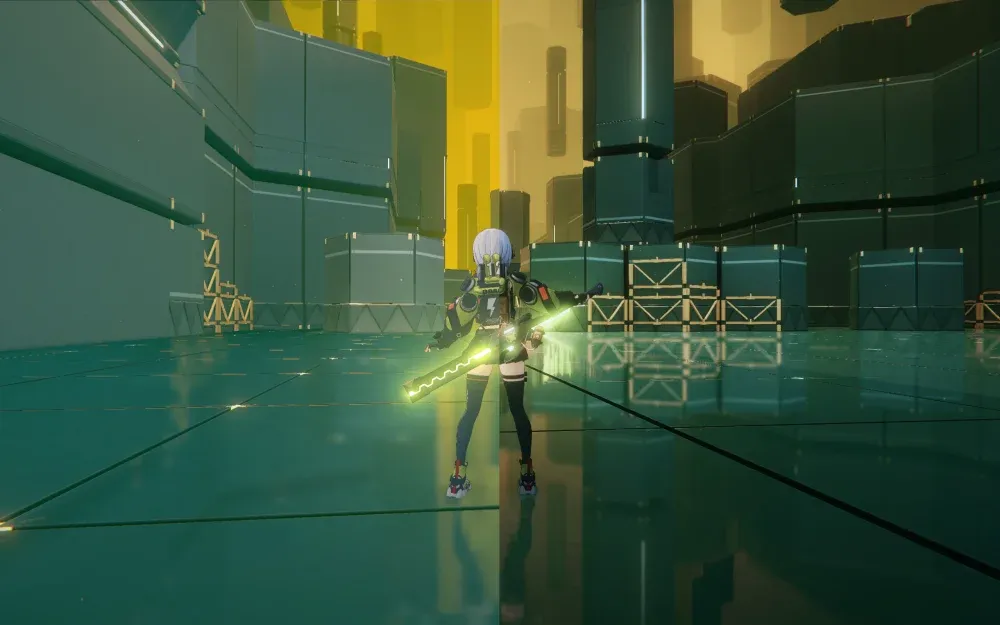
hello gamers how do we use this with ZZMI
GameBanana
A Zenless Zone Zero (ZZZ) Modding Tool in the Other/Misc category, submitted by caverabbit
This is what i use daily
Works pretty well for me
opal cove
yeah this is what i was avoiding
the instructions looked ass
i sent it to my buddy
he couldn't get it working anyways
mighty moss
opal cove
the instructions looked ass
Easy enough to follow imo
Just make sure to replace the included reshade dll with the latest version as it mentions
 night wind
i use SK but dunno if that will be any easier
[Import.ReShade64]
Mode=Normal
Architecture=x64
Role=ThirdParty
When=Lazy
Filename=K:\Games\ZenlessZoneZero Game\ReShade64.dll

[Import.d3d11]
Architecture=x64
Role=ThirdParty
When=Lazy
Filename=K:\Games\ZZMI\d3d11.dll
Mode=
SK works too but well yeah not exactly the preferred method
You dont really need SK for renodx at all so you're just adding additional performance overhead for nothing, and any features you do need from it you can mostly get from display commander (reshade addon)
night wind
using zzmi already shits on performance anyway
mighty moss
Yeah it does but less than using both zzmi and sk
opal cove
mighty moss
Easy enough to follow imo
🤷♂️
night wind
sk is negligible performance impact
opal cove
i dont want to bother downloading this game again just to help my bud
it is what it is
i guess
opal cove
night wind
sk is negligible performance impact
its not negligible (a solid 150 -> 135 last i checked)
but ur on a 5090 so not like that matters
night wind
well and any performance you would have lost from SK is overshadowed by zzmi
does a solid 150-> 80 in chinatown
opal cove
then you wouldn't any extra overhead
which sk causes
i dont think zzmi even hits that hard
night wind
depends on what mods
mighty moss
It depends on how many zzmi mods you use i think
night wind
but ya when i tested it was the same fps with or without sk using mods
night wind
only time i saw a diff was with no mods running at 200+ fps where sk would lose 5-10 fps over vanilla
mighty spear
Do you guys touch the ingame Color Filter Strength slider? Default is 10, right?
night wind
turn it to 0 unless you prefer a more washed out image
mighty spear
I'm an "intended" look simp haha... So if 10 is default, guess this game is meant to be uglyish haha.
opal cove
mighty spear
I'm an "intended" look simp haha... So if 10 is default, guess this game is mean...
turn to 10
and then use my preset
mighty spear
opal cove
and then use my preset
Where is your preset? Oh the HDR look one?
Yeah I remember doing some comparisons back then. Setting to 8 or 9. 10 is fine too. But was not sure if it affected Reno now that I'm enjoing HDR in this game.
 steep timber
feral gulch
DX11
- fixed typos in vignette code for some shaders
steep timber
feral gulch
DX11
- fixed typos in vignette code for some shaders
Finally I found this! 😄
 steep timber
Turning off bloom in settings solves it, but then i lose the bloom effect.
Using the bloom slider doesn't help.
is that just a ysg bug?
 cedar flume
burger
opal cove
I could really go for a burger rn
cedar flume
 feral gulch
steep timber
i may have a glow problem
feral gulch
steep timber
i may have a glow problem
What area is this in?
steep timber
feral gulch
What area is this in?
aerospace city
lemme check at other combat areas
i think it's a general issue
Yeah. VR or qingming realm, all the same. Only with ysg. Evelyn or lucia sig effects look amazing and sharp
feral gulch
Can you send a picture of your in-game settings
And are you playing with any other mods
steep timber
I though it might be xxmi, so I removed it from the chain and it didn't help.


turning off bloom solves the issue.
bloom intensity slider doesn't help (or it does nothing)
austere void
feral gulch
DX11
- fixed typos in vignette code for some shaders
Nice, i hadn't bother with Reno for ZZZ in some time :3
also you can pin the new versions ? so that people don't have to scroll up :3
feral gulch
I don’t have pin permissions unfortunately
austere void
feral gulch
I don’t have pin permissions unfortunately

austere void
HELP

after i restarted zzz i got this shit
and SK and Reshade won't show ingame
only at the beginning
can't open them ingame anymore
got SK to open ingame after restart
austere void
Ok, i got it fixed :3 it was some weirdo combo of SK HDR and ReShade chosing SK as a addon too XD
now that i got it sorted out it works
feral gulch
mighty spear
Do you guys know if there is an archive or a way to extract all this amazing fra...
This site seems to have a good amount, if not all of them
Download Zenless Zone Zero (ZZZ) story quest comic images captioned with your own text boxes. Combine multiple images to create your own comic!
mighty spear
feral gulch
This site seems to have a good amount, if not all of them
https://zenless.tools...
Oh I saw this, but it looks a bit too compressed at times. Doesn't it? Works perfectly fine though, this and the wiki source, since I mostly wanted them to use as background on my phone haha.
But! Thanks a lot for bothering though^^
night wind
@feral gulch dumped a clamping shader in event area, also getting crashes there
feral gulch
night wind
<@122128769245773826> dumped a clamping shader in event area, also getting crash...
Does doing something specific cause the crashes?
I haven’t checked out the event yet at all (I do most of my daily gameplay on mobile )
night wind
seemed to be random, but I managed to get through that part and haven't ran into any other crashes aside from that
austere void
@feral gulch i use SK with Reno, it does work, but in the HDR settings in SK i see the HDR10 activated like this
is it supposed to do that? cuz i do not wanna SK hdr to affect Reno HDR
in the picture the HDR10 Native is selected 0.0
 feral gulch
austere void
<@122128769245773826> i use SK with Reno, it does work, but in the HDR settings ...
feral gulch
austere void
<@122128769245773826> i use SK with Reno, it does work, but in the HDR settings ...
it's fine just don't change any of the SK HDR settings
austere void
Ok thanks :3 i was ready to ditch SK and use Optiscaler to inject Reno XD
cuz i read here that is the other method to use Reno in ZZZ
austere void
yeap, i use that too, what did you use on Reflex? low latency or LL + Boost?
also do you know why out of now where i can’t use VRR ? I’m on Nvidia, granted in wuwa it’s the same, no VRR
 feral gulch
night wind
<@122128769245773826> dumped a clamping shader in event area, also getting crash...
feral gulch
night wind
<@122128769245773826> dumped a clamping shader in event area, also getting crash...
hmm haven't seen a shader that looks like this before in the mod. is the clamping portion of the event easy to get to?
feral gulch
austere void
also do you know why out of now where i can’t use VRR ? I’m on Nvidia, granted i...
i use boost but there's not that big of a difference tbh. and for vrr unsupported try restarting your display drivers or updating/reinstalling them
austere void
feral gulch
i use boost but there's not that big of a difference tbh. and for vrr unsupporte...
Thanks will try that
night wind
feral gulch
hmm haven't seen a shader that looks like this before in the mod. is the clampin...
its a story area in the latter half of the event
feral gulch
night wind
its a story area in the latter half of the event
I’ll try to check it out this week 
mighty moss
@feral gulch some areas of the 2 old hollow zero modes are clamped


 steep timber
guys,
How do i make this work with optiscaler and without xxmi? Optiscaler doesn't seem to work without injecting it with xxmi.
disabling log files and renaming the dll to winmm worked! no it didn't
zzz catches winmm, but ignores d3d12
I cant make opti work without xxmi
marsh lotus
steep timber
I cant make opti work without xxmi
What do you need optiscaler for? The current patch doesn't have DX12, so you can't even use DLSS.
 sudden drift
why my game is so grey
effect is lighting but other things like monster and background are so dark and grey,not coordinate
HELP me thk guys!!
steep timber
marsh lotus
What do you need optiscaler for? The current patch doesn't have DX12, so you can...
to inject reshade and renodx
steep timber
sudden drift
HELP me thk guys!!
turn off color correction and volumetric fog
crank up contrast and saturation
mine
 steep timber
Tried making it work with inject64, to leave out xxmi. Failed again. The .bat works, it says it's injecting, but no reshade when the game runs.
marsh lotus
steep timber
Tried making it work with inject64, to leave out xxmi. Failed again. The .bat wo...
You need to have inject64 run as admin. From my experience with it, it may take 1-2 tries to inject properly.
 clear ice
Hi! First of all, thank you for this amazing addon. I’ve tried many presets for ZZZ, but your RenoDX implementation is by far my favorite.
I’m using it in SDR mode, and I’ve encountered an issue with extreme overexposure (clipping) on glowing effects during combat. As seen in the screenshot, the sword glow, hair accessories, and signature weapon effects become "nuclear" white. I haven't noticed this in the city/roaming mode.
Being new to RenoDX, I’ve tried adjusting various sliders but couldn't fix these specific highlights. Could you advise which parameters I should look into to reduce this emissive intensity for SDR? Thanks!

 feral gulch
clear ice
Hi! First of all, thank you for this amazing addon. I’ve tried many presets for ...
feral gulch
clear ice
Hi! First of all, thank you for this amazing addon. I’ve tried many presets for ...
Mess around with the bloom slider. There was another report of YSG’s bloom effects being radioactive like that from another user that I haven’t had time to test and reproduce (though my short daily sessions don’t seem to have this issue)
If you’re playing in SDR your peak slider should also be 80
steep timber
clear ice
Hi! First of all, thank you for this amazing addon. I’ve tried many presets for ...
I'm the one having this issue (in hdr). Bloom slidfer did nothing, I just turned off bloom altogether ingame.
I didn't know it works in sdr as well, interesting. ZZZ kinda needs it to not look washed out.
clear ice
Thanks for the quick responses! Disabling the "Bloom" effect in the in-game settings actually did the trick. The overexposure is gone, and the game looks great now.
I’m happy with how it looks, so I’ll stick with these settings for now. Thanks again for the help!
 steep timber
clear ice
Thanks for the quick responses! Disabling the "Bloom" effect in the in-game sett...
steep timber
clear ice
Thanks for the quick responses! Disabling the "Bloom" effect in the in-game sett...
what does the shadows slider do?
I set contrast and saturation to 65, blowout to 20 and that's it basically.
clear ice
steep timber
what does the shadows slider do?
I set contrast and saturation to 65, blowout to...
The shadow slider definitely does something, a clearer separation of shadows in dark places, I don’t even know how to describe it... apparently some sliders don’t work or I don’t notice the changes... now on my monitor I like how the game looks with these settings.
 feral gulch
clear ice
The shadow slider definitely does something, a clearer separation of shadows in ...
feral gulch
clear ice
The shadow slider definitely does something, a clearer separation of shadows in ...
You’re on an older version of the mod btw
feral gulch
feral gulch
DX11
- fixed typos in vignette code for some shaders
I haven’t PRed any changes to maple’s GitHub yet so it doesn’t have the latest stuff from here
 tawdry python
I would have played this game on pc but for some reason I keep getting logged out and have to retype my password every few days so I gave up and just play on console with that cursed HDR as it is.
Did anyone else run into this problem, any ideas? I asked around before and nobody knew
feral gulch
tawdry python
I would have played this game on pc but for some reason I keep getting logged ou...
happened to me too. i managed to fix(?) it by signing into a friend's account, saving it, then switching to my own account and saving that too
mighty moss
tawdry python
I would have played this game on pc but for some reason I keep getting logged ou...
I have no idea i cant remember the last time I got logged out of the game
tawdry python
To me it just keeps happening all the time and I use the pc like a console so ussually no keyboard at hand, can imagine how annoying that is
orchid coyote
tawdry python
To me it just keeps happening all the time and I use the pc like a console so u...
Happens to me only when I don't log in a few days
mighty moss
orchid coyote
Happens to me only when I don't log in a few days
Yeah i guess thats why i dont have that issue
I log on every day lol
marsh lotus
No DX12 again in the latest patch, I think.
mighty moss
marsh lotus
No DX12 again in the latest patch, I think.
Yep just checked myself, dx12 flag doesnt work
marsh lotus
Wonder if they're saving it for 3.0 patch since it is a major one.
night wind
renodx didn't survive the update, everything is clamped now
mighty moss
night wind
renodx didn't survive the update, everything is clamped now
Pause menu wallpapers and agents screen still works fine but yeah everything else is clamped
Interestingly enough it works for a split second on the combat intro animation then goes back to being clamped lol
mighty moss
Actually works fine in vr training room as well weirdly enough
night wind
ya that somehow survived
mighty spear
So for now SDR and launching the game through the launcher should not interfere with any old Reno install right?
leaden root
no DX12, no HDR, clamped reno and new characters leaked. Man, people with eyes keep losing || ||
||
orchid coyote
@feral gulch are you going to keep maintaining the addon or are we out of luck?
feral gulch
orchid coyote
<@122128769245773826> are you going to keep maintaining the addon or are we out ...
I’ve been really busy with life recently but will try to have an update for the addon this week
orchid coyote
feral gulch
I’ve been really busy with life recently but will try to have an update for the ...
Thanks!
Looking forward to it
 steep timber
endfield renodx is already abandoned, so we are lucky to have nick! ❤️
prisma dome
steep timber
endfield renodx is already abandoned, so we are lucky to have nick! ❤️
Why was it abandoned?
fair stratus
Devs went way overboard with a ton of features (which were nice tbh) beyond just working HDR, all of which were broken by the first patch. 
HDR still works at least, but no maintainer anymore.
mighty moss
prisma dome
Why was it abandoned?
All maintainers have quit the game and nobody's left to replace them
 uncut pendant
fair stratus
HDR still works at least, but no maintainer anymore.
uncut pendant
fair stratus
HDR still works at least, but no maintainer anymore.
1.1 patch has broken environment rendering in HDR
Still works for a lot of things but yeah, it's just slowly losing features lol
Hoping someone does pick the project back up, cause Endfield looks really nice with RenoDX when it was working
orchid coyote
prisma dome
Why was it abandoned?
Endfield was just training ground for some new RenoDX features
An experiment
But everyone dropped the game due to it being pretty rough compared to the other gachas and games on the market
feral gulch
Latest build:
#1330764788711555166 message
new ubers, lutbuilder and bloom shader permutations which I think I got mostly covered; still haven't been able to figure out why shungguang is radioactive in some areas unfortunately. if there's any spots that i missed, lmk
fair stratus
Just as i was gonna sit down to continue the patch story, you're the goat. Thanks for taking time for this.
mighty spear
Nice! But vignette default 0 mean no vignette? What would be the value if I want the game's original vignette?
feral gulch
mighty spear
Nice! But vignette default 0 mean no vignette? What would be the value if I want...
50 would be vanilla, should be in the tooltip when you hover over the slider
just from my preference it doesn't add a lot in most cases and darkens the whole screen a bit too much; i'll probably just add my settings as a preset in the future and return the default to vanilla
mighty spear
Sounds like a good approach. I like when Reno defaults to SDR and then modders add a toggle for those who want the extra mile like "match SDR", "HDR looks" or something like "modder settings".
 muted dock
orchid coyote
Endfield was just training ground for some new RenoDX features
muted dock
orchid coyote
Endfield was just training ground for some new RenoDX features
too bad tho... the game itself is great imo... just the gacha system is predatory AF...
muted dock
feral gulch
Latest build:
https://ptb.discord.com/channels/1161035767917850784/13307647887...
i dont know if i am doing something wrong or it is intended but i can´t use any reshade shaders together with renoDX.. i mainly use turboGI and filmicTonemap but as soon i activate them the image gets pretty dull with HDR... any workaround for that? also not all options seem to work.. i move the sliders around but don´t see any difference or the changes affect only the reflections of the game´s world xD
all the settings in color grading change only the look of the reflections but not of the main image itself... really weird.
i use xxMI to hook reshade into the game with mods together
orchid coyote
muted dock
i dont know if i am doing something wrong or it is intended but i can´t use any ...
most reshade shaders don't work with HDR
you need to find specific ones that explicitly state they are HDR compatible
muted dock
okay that would solve the one problem.. but not the other one where i cant change anything in color grading ^^
orchid coyote
muted dock
okay that would solve the one problem.. but not the other one where i cant chang...
did you make sure to change the scene?
muted dock
wym?
steep timber
muted dock
okay that would solve the one problem.. but not the other one where i cant chang...
I usually fast travel to see the changes get applied.
most of the sliders doesn't work on the fly and you need to reload the scene
feral gulch
Some of the agent backgrounds in the pause menu apply changes in real time. I like to use Vivian’s when testing
muted dock
ah thank you 🙂
thats an odd behaviour ^^
uncut pendant
muted dock
too bad tho... the game itself is great imo... just the gacha system is predator...
It's got the worst gacha of any gacha game I've ever played. And I have unfortunately played a lot of them. But the fact it's got compelling gameplay and no real endgame where I NEED a top notch team yet means it's offset just enough for me to enjoy it. And damn when renodx was working completely for it, beautiful game.
steep timber
uncut pendant
It's got the worst gacha of any gacha game I've ever played. And I have unfortun...
"It's got the worst gacha of any gacha game I've ever played."
In some sense yes (no limited pity carryover, only 6* pity carryover. No 50/50 guarantee. etc)
But in other cases it's pretty good. 6* rate is pretty high and you can lose to 2 previous chars. 120 is the guarantee, but you don't have to spend currency on weapons.
On gilberta banner I had to go to 120, but on Tangtang banner I got 2 tangtangs and 2 gilbertas in 120 pulls.
But yeah, no need to pull for chars, no incentive, it's just an option to have more variety or novelty.
The sanity system sucks ass tho. ZZZ is way better in that sense.
muted dock
uncut pendant
It's got the worst gacha of any gacha game I've ever played. And I have unfortun...
yeah thats what i was mentioning. i also play WuWa and ZZZ every day and spent also some money .. but on arknight i refuse.. the only thing i get is the monthly pass... i really dont like the pity system, the non existent carry over of pulls, the expiering pulls, the free not counting pulls towards pitty... the expiering sanity flasks etc.. fomo everywhere... but as i stated the game gameplay wise and story wise is great.. so much live and detail went into it that it almost feels like a regular singleplayer game. i hope they change some of the bad aspects of their gacha soon... the playerbase is shrinking...
mighty moss
@feral gulch wipeout screen in tower mode is clamped
 uncut pendant
steep timber
"It's got the worst gacha of any gacha game I've ever played."
In some sense ye...
uncut pendant
steep timber
"It's got the worst gacha of any gacha game I've ever played."
In some sense ye...
The weapon pulling is directly dependent on your gacha luck, so I'm not really sure what you mean by "don't have to spend currency on weapons"
You have to spend currency to pull on characters in order to pull on weapons, and how much weapon pull currency you get is directly proportional to your character pull luck
It's ass
steep timber
mighty moss
<@122128769245773826> wipeout screen in tower mode is clamped
I saw some green outline glitches in tower and when starting or ending conversations with NPCs at H.A.N.D.
@feral gulch
muted dock
uncut pendant
It's ass
exactly.. if you "get lucky" with a character and get him early, you don´t get enough pull material for the weapon.. so you are forced to pull on the character banner if you want the weapon... or you cash in
just a quick question... is there any difference in RenoDX and SpecialK HDR? both do basically the same isn´t it?
marsh lotus
muted dock
just a quick question... is there any difference in RenoDX and SpecialK HDR? bot...
The RenoDX mod does way more than SK HDR can do.
muted dock
explain? what does it more?
marsh lotus
muted dock
explain? what does it more?
I'm not an expert, but in my basic (and probably not correct) understanding, RenoDX modders can check and do proper modifications for games to present a better and more accurate HDR experience.
SK HDR has some features, but they aren't as deepdive heavy as RenoDX can be.
uncut pendant
muted dock
exactly.. if you "get lucky" with a character and get him early, you don´t get ...
Or catch 22, have shit luck with pulling and barely have any weapon currency period. Someone gets a pull with 2 characters that are 6*? weapon pulls for days
Hit hard pity on 4*s mostly and a handful of 5s? Fucked as fuck
mighty moss
muted dock
explain? what does it more?
SK HDR isnt a native HDR implementation unlike RenoDX, its basically just inverse tonemapping a SDR image into a HDR appearance (kind of like Windows auto HDR but more customizable), but ofc this wont look as good as native HDR and also doesnt adjust UI brightness accordingly
Youll always want to take renodx over special k hdr if the option is available
Also renodx for this game has some game specific options available like being able to adjust the amount of vignette or bloom, and rcas sharpening filter for taa
muted dock
i would like to use it but it is kinda buggy for me , vignette applies only to the left side of the screen and also in dark areas i get purple shadows instead of black... anyone knows what could cause it?
tawdry python
Sorry for bad phone picture but this is from console I hope it gets the message across
This is supposed to be native HDR, calibrated in-game.
Look at that shitty clipping on the poster. It's horrible (even worse in person) there's no way to "fix" it.
Can anyone check how does this look like on pc with the Reno mod? Is it any better?

I find there's lots of instances like this in-game native hdr where it looks ITMed or just clipped to hell + washed out etc, but this one was the worst one yet. I'm curious how it looks with the mod
uncut pendant
tawdry python
Sorry for bad phone picture but this is from console I hope it gets the message ...
where exactly is the poster in-game?
steep timber
uncut pendant
where exactly is the poster in-game?
Probably fantasy resort.
I'm there rn, looks fine, but I have no idea what the "shitty clipping" means, lol
it means blown-out whites?
idk

Tbh the best things about zzz hdr are the Sig effects for me.
steep timber
steep timber
I saw some green outline glitches in tower and when starting or ending conversat...
*The green outline at HAND seems like only was a thing with Qiqi, it doesn't appear with the current event npc. @feral gulch
tawdry python
steep timber
idk
Yes this looks completely clean. You can't resolve any of the detail on her bra on my end, it's all a glowing yellow blob and her face is blown out too on my end (looks even worse, the camera settings I used scaled it down) it looks like a 100 nit source ITMed to 1000, it really stands out how bad it is
Goddamn your picture looks so much better
I'm tempted to reinstall zzz on pc just for this but it's such a hassle to run it over console version (it asks me to reenter my login manually every few days and takes longer to load)
steep timber
tawdry python
I'm tempted to reinstall zzz on pc just for this but it's such a hassle to run i...
even if you log in every day?
steep timber
tawdry python
Yes this looks completely clean. You can't resolve any of the detail on her bra ...
oh, so it looks that bad, lol
it's strange how developers have no idea how to implement hdr
mighty moss
tawdry python
Sorry for bad phone picture but this is from console I hope it gets the message ...
Looks fine to me i guess?
 feral gulch
tawdry python
I'm tempted to reinstall zzz on pc just for this but it's such a hassle to run i...
feral gulch
tawdry python
I'm tempted to reinstall zzz on pc just for this but it's such a hassle to run i...
I feel like the few seconds of inconvenience to log in is much more worth it over dealing with the console HDR shitshow altogether
tawdry python
mighty moss
Looks fine to me i guess?
It's waaaaaay better. It looks like absolute slop on native. I might try to record a clip and hope YouTube decides to process its HDR it's the only way I can show how bad this really is
tawdry python
feral gulch
I feel like the few seconds of inconvenience to log in is much more worth it ove...
When most of the time you just want to quickly login to do the dailies it's way too much inconvenience for me, on those days I don't really care how the game looks I just want to get it done you know how it is last thing you want is a login screen stopping you (I don't have a keyboard nearby when its my gaming time)
Yes don't ask I have a sofa setup 😅 there is a wireless keyboard I can use but just gets in the way its got no place there
The login issue is really bugging me
feral gulch
That’s fair; I do my dailies on my phone most days. I only really play the game on PC for story content, endgame and working on the mod
tawdry python
Oh I would do if my phone could run it. I tried on steamdeck but that's a pain to setup too
And even if I want to stream it to my steamdeck from my pc - there's that login screen again
It just completely ruins it for me. And it doesn't seem normal it keeps asking me to do it almost every time
uncut pendant
I have literally never had to re-enter my password on PC version
mighty moss
Yeah i dont have that problem either but i login the game every day
uncut pendant
Same. But also I have the game on my nvme drive so it loads way faster than even on PS5
So it's honestly just more convenient to launch it on PC for me rather than anything else, but I am also at my PC a lot
fair stratus
Yeah PC only asks me to log back in if I ever go like 1+ week without using the PC client
I do my dailies on mobile all the time, only launch the PC client on the weekend to do weeklies/events and I don't get logged out.
tawdry python
uncut pendant
I have literally never had to re-enter my password on PC version
That is crazy I don't understand why it's asking me so often
tawdry python
uncut pendant
Same. But also I have the game on my nvme drive so it loads way faster than even...
I wouldn't be so sure about that. PS5 games are literally optimised for nvme only loading, while most pc games make compromises. Saying that however, zzz loads slow AF for a ps5 game it doesn't benefit from it at all it seems to be mobile optimised first
So in that I think they're the same as pc. But compared to other (real) ps5 games that literally have no loading (1 sec black screen) it is a very long loading time - which matters more when you just want to do dailies and looking at loading screens is like half of your time if not even more!
tawdry python
fair stratus
Yeah PC only asks me to log back in if I ever go like 1+ week without using the ...
That would make sense but I just came up with another theory
Since I mostly use the console client even when I had the pc version installed, maybe logging onto console logged me out of pc? But wouldnt logging into mobile do the same then?
steep timber
tawdry python
Yes don't ask I have a sofa setup 😅 there is a wireless keyboard I can use but ...
I don't even know my pw, i always copy paste it from the pw manager.
Have you tried logging into another acc and saving the login stuff then logging in into yours again with saving login info?
uncut pendant
tawdry python
I wouldn't be so sure about that. PS5 games are literally optimised for nvme onl...
I have a PS5. I've done side-by-side loading of several games, PC almost always loads faster.
orchid coyote
tawdry python
Sorry for bad phone picture but this is from console I hope it gets the message ...
What are your settings?
Maybe try to lower contrast a bit
And make sure you don't have RTX HDR or Windows AutoHDR turned on
It seems like it's double tonemapped
tawdry python
Nah, their native hdr is just slop. This is native HDR on console 
It's why we have this mod
I was showing example of how bad it is
orchid coyote
tawdry python
Nah, their native hdr is just slop. This is native HDR on console <:plasmaGuyHdr...
Oh
I thought it's Reno
tacit berry
tawdry python
Nah, their native hdr is just slop. This is native HDR on console <:plasmaGuyHdr...
I don't think it was terrible, but a lot of stuff is clipped
when it shouldn't be
 fossil geyser
When I have both the Honkai and ZZZ RenoDX addons installed at the same time, the system only ever recognizes the Honkai one in both games, and the other one never shows up. However, in Genshin Impact, both separate RenoDX addons are detected correctly. Why is this happening?
feral gulch
fossil geyser
When I have both the Honkai and ZZZ RenoDX addons installed at the same time, th...
Why are you using both addons at the same time to begin with?
uncut pendant
fossil geyser
When I have both the Honkai and ZZZ RenoDX addons installed at the same time, th...
You need to only have one add-on per game. You don't need both games' add-ons. Why are you doing this?
fossil geyser
uncut pendant
You need to only have one add-on per game. You don't need both games' add-ons. W...
But in Genshin Impact, two injection programs can both be recognized and switched on/off independently
Because both of these plugins are in the same call folder
uncut pendant
fossil geyser
But in Genshin Impact, two injection programs can both be recognized and switche...
There's no reason for it. Each game-specific add-on is designed for that game
There's no reason to use another game's. At all.
mighty moss
Antilag 2 injection (via fakenvapi) with display commander seems to work fine in zzz nowadays without needing dx12 mode (i have antilag 2 enabled as shown with the top left overlay)

For nvidia users i assume nvidia reflex injection will also work the same way as well (without needing fakenvapi), but i dont have nvidia gpu to test that

marsh lotus
Game's easy enough as it is. Don't even need reflex.
mighty moss
orchid coyote
Why would you want reflex in this game tho
Why not
mighty moss
marsh lotus
Game's easy enough as it is. Don't even need reflex.
Easy enough to clear endgame sure, but chasing high scores like i tend to do is another matter
marsh lotus
🤷
mighty spear
I don't even have thet Deadly Assault mode unlocked haha.
uncut pendant
Reflex isn't going to get you higher scores lol
Hitting the rotations right, not popping ults before boss invuln stages, and grinding substats is literally all you need to do.
You're not going to squeeze out enough extra DPS just from using reflex to matter pretty much at all unless you're like... in the top .1 percent of the community for damage
mighty moss
uncut pendant
Reflex isn't going to get you higher scores lol
It could potentially tbh, ive had instances of misinputs due to input lag moments
mighty moss
uncut pendant
You're not going to squeeze out enough extra DPS just from using reflex to matte...
Yeah im like regularly within top 1-4% ranking endgame on an account with like almost no mindscapes on any limited units
So im prolly pretty high level when it comes to my endgame competitiveness
Yuh
 steep timber
Looked at zenless without hdr. Damn, does it look flat and the blacks are way too gray.
this mod was meh in sdr, but looks like vantablack in hdr 😄
Edit: Ohh, it's basically just the contrast 😄
 uncut pendant
mighty moss
So im prolly pretty high level when it comes to my endgame competitiveness
uncut pendant
mighty moss
So im prolly pretty high level when it comes to my endgame competitiveness
Yeah, that'll do it
feral gulch
Latest build: #1330764788711555166 message
<@&1179197777616568400> can this be pinned? ^
 rose reef
Just wanna ask, it seems like reno is only effecting the look of the agent menu, but when I walk around the world it doesn't look like anything has changed. Idk if I'm crazy or not

This is happening too
feral gulch
rose reef
Just wanna ask, it seems like reno is only effecting the look of the agent menu,...
Can you post a full screenshot taken with ReShade?
rose reef


Unless I'm crazy, it doesn't seem like it's affecting anything outside of the game menu
The ui does get affected
And the brightness but thats it
And then this happens with a mod and nangongs w engine effect

Same settings, just more brightness, but nothing else
 feral gulch
rose reef
And then this happens with a mod and nangongs w engine effect
feral gulch
rose reef
And then this happens with a mod and nangongs w engine effect
Does the bloom slider affect this at all? And does disabling bloom through the game settings make it go away?
rose reef
No bloom is at 10, and moving the slider doesn't change anything
Slider only changes the scene when I'm in the agent select menu lmao
feral gulch
I’ll see if the radioactive glowing is resource upgrade-related when I’m home later. Currently I’m looking at the pictures on mobile
rose reef
Yeah no worries, thanks for getting back!
Blowout slider does effect the overworld
But only for the ground
feral gulch
Can you send screenshots?

 feral gulch
Most of the sliders require scene changes in the overworld to apply
It looks mostly the same to me on mobile
Some of the pause menu backgrounds are real time if you can try and see if the sliders work there
rose reef
Yeah, I've changed scenes and everything but doesn't seem to do anything. Even if I wasn't, with how my current settings are effecting the game when I'm in the main menu it would have eventually applied, but it doesn't.
Anyways I can't do much more right now cause I gotta get back to working
feral gulch
I wonder if it’s because you’re on ultrawide. I don’t know if there are other UW users here or if they have had similar issues
rose reef
Ahhh I guess that could be a factor
feral gulch
I’ll take a look when I’m home
rose reef
Appreciate ya
 sonic cipher
feral gulch
Latest build:
https://ptb.discord.com/channels/1161035767917850784/13307647887...
feral gulch
rose reef
Appreciate ya
sonic cipher
feral gulch
Latest build:
https://ptb.discord.com/channels/1161035767917850784/13307647887...
feral gulch
rose reef
Appreciate ya
Can you send a pic of your RenoDX settings and see if the sliders work anywhere else? I.e. failume heights?
rose reef
I'll do that in a bit sure
Ok so, Might have to nevermind because after boothing the game again, it seems like the effects are working now in the outer world. Although to random degrees. If I turn saturation all the way to 0 it doesn't go to black and white. Idk if it's supposed to though

These are my settings
I will say despite the small changes, it still looks washed out in the overworld compared to in the menu

Updated settings

The menu for hollow zero also isn't affected much at all
Seems to be only the agent menu and the main menu so far thats actually affected by the settings
rcacs sharpening doesn't change anything
 feral gulch
rose reef
Updated settings
feral gulch
rose reef
Updated settings
You’re on an old build which is probably why the sliders aren’t entirely working
rose reef
Oh
feral gulch
The pinned build I posted is updated for the latest patch
rose reef
Silly me
I tried installing that one first but it didn't work so I went to the github and then that one worked
I'll try the updated one again
Yeah it says there is a problem with the addon
feral gulch
Whats the problem?
rose reef

I think it's because this is 6.6.2 reshade but I don't know how tto update reshade with the injector I have on so I can play with XXMI
feral gulch
Yeah it’s not loading bc your ReShade is out of date I’m assuming
I think @mighty moss does use xxmi without any issues though
rose reef
Yeah Imma try to get it going again
Thanks for the help though! I'll let you know if I get things working
Ok I think I got it working
Yup that did it. Thanks for helping me out!
Oh wait
now zzmi isn't working despite launching the game with it lmao
ok nvm think we good now
Beauty thank you!
I will say, I have noticed that the hollow zero menu remains unaffected

 feral gulch
Looks right
feral gulch
It’s all UI so it shouldn’t be affected by any color grading
rose reef
hmmm
Is there any other way to affect bloom even after setting it to zero? or do w engines just emit no matter how much you go?
feral gulch
You can turn it off in the in-game settings
rose reef
ohhh
mighty moss
feral gulch
I think <@422835772106866689> does use xxmi without any issues though
Yep I use it with this
https://gamebanana.com/tools/18082
GameBanana
A Zenless Zone Zero (ZZZ) Modding Tool in the Other/Misc category, submitted by caverabbit
mighty moss
rose reef
I think it's because this is 6.6.2 reshade but I don't know how tto update resha...
Download latest reshade addon exe
Extract reshade64.dll from it and replace your existing reshade64.dll that your injector uses
rose reef
mighty moss
Download latest reshade addon exe
Extract reshade64.dll from it and replace your...
I'll remember to do this with future updates! Thanks for the help
mighty moss
rose reef
I'll remember to do this with future updates! Thanks for the help
You can also try reshade hdr installer as well to automate the reshade updating process in the future
rose reef
I did starluxe and luckily that worked this time
mighty moss
rose reef
I did starluxe and luckily that worked this time
Yeah i guess that works too
But it does mean you have to launch the game through starluxe launcher so i dont like that method personally
mighty moss
mighty moss
Yep I use it with this
https://gamebanana.com/tools/18082
This one doesnt have that requirement, it will work as long as zzmi is loaded no matter how you launch that (i dont even launch through xxmi launcher, i use starward instead (third party hoyo launcher))
rose reef
mighty moss
But it does mean you have to launch the game through starluxe launcher so i dont...
You actually don't, once you connect it to xxmi you can just open the game from that
rose reef
mighty moss
This one doesnt have that requirement, it will work as long as zzmi is loaded no...
I tried to use that but it never worked for me properly
Starluxe works the same as far as I'm aware, once its injected to xxmi you just launch however you do