#✅RenoDX: Zenless Zone Zero
1 messages · Page 4 of 1
 mighty moss
 strong tide
actually <@422835772106866689> can you make me a favor and send me your player.l...
strong tide
actually <@422835772106866689> can you make me a favor and send me your player.l...
 opal cove
zamn
 opal cove
What was the issue
strong tide
NvAPI does some fucky things with bindings
that renodx doesn't like
i used fakenvapi to kill nvapi on my system and it worked
strong tide
it seems to yes
it's not using just SER though
it's using more than that because i'm on Ampere that doesn't have SER
and it was broken for me none the less lol
strong tide
mighty moss
was RT enabled when you did this?
but yeah it's as i expected
btw there's hidden dlssg support in the game?

opal cove

mighty moss
strong tide
was RT enabled when you did this?
Yes
strong tide
mighty moss
Yes
interesting, but yeah it's as i feared
the game uses nvapi for RT things on NVIDIA
mighty moss
These are the settings i used ^
strong tide
strong tide
the game uses nvapi for RT things on NVIDIA
which breaks renodx
mighty moss
Ironic considering rt first appeared with this game on consoles running amd gpus
But on pc for now its officially locked to nvidia gpus and seems to be far better optimized for them compared to amd

strong tide
no
this works fine on AMD
game checks if nvapi RT features are supported, if so it uses some nvidia specific shaders, if not it uses generic DXR shaders.
mighty moss
Yeah i mean i dont get the rt flickering on amd (but i still get flickering on the bottom of my screen with reno) but i was talking performance wise
strong tide
i didn't see a huge difference in performance
between RT On without Reno
vs RT on with reno with fakenvapi
i'm on an ampere card though that doesn't have SER
mighty moss
strong tide
i didn't see a huge difference in performance
5070ti basically gets double the fps compared to 9070xt at rt high with the same settings
strong tide
mighty moss
5070ti basically gets double the fps compared to 9070xt at rt high with the same...
that's probably SER doing some magic lol
mighty moss
But in other non path traced rt games both gpus are usually quite close in fps
strong tide
oh yeah one thing
mighty moss
opal cove
Uh how do we do the opti method
#1330764788711555166 message
mighty moss
Install like normal but use dbghelp.dll as the file name
mighty moss
Im loading reshade from opti
Rename reshade dll to reshade64.dll and enable the reshade option in optiscaler.ini
mighty moss
strong tide
kills dlss and you'll have to use FSR/XeSS
Good thing fsr4 int8 is a thing nowadays but yeah
mighty moss
Even on 40/50 series?
On rx 6000/7000 its usually like only slightly heavier than xess
Is it that much worse than that
mighty moss
Oof
strong tide
vs 1.5ms of transformer DLSS, 0.7ms of CNN DLSS and 2ms of XeSS and 1.5ms of FSR3
btw
i don't have that
 mighty moss
Yeah i guess its prolly an amd thing then
But it does only happen when renodx is active, without it i dont have that issue
opal cove
strong tide
5ms on my end
yeah 4~ms
mighty moss
strong tide
that is impossible for me to debug sorry

Guess ill stick with dx11 for now until if that gets fixed somehow
mighty moss
strong tide
Do you see any perf difference with running opti + fakenvapi vs without btw?
For rt
opal cove
already stated up
mighty moss
Oh
mighty moss
opal cove
already stated up
What about on your end
 orchid coyote
So uhh
RT + Reno is broken for now due to NVApi shenanigans?
 tacit berry
strong tide
the game uses nvapi for RT things on NVIDIA
tacit berry
strong tide
the game uses nvapi for RT things on NVIDIA
oh my god
orchid coyote
orchid coyote
So uhh
RT + Reno is broken for now due to NVApi shenanigans?
And you can disable nvapi but then you lose on DLSS
tacit berry
I'd assume just rerun the installer and say you're on amd
opal cove
it says spoof on but im still getting the RT noise
nvm
its working now?
oh i haven't injected reshade yet
lul
opal cove
41fps with no nvapi stuff
 mighty moss
opal cove
41fps with no nvapi stuff
mighty moss
opal cove
41fps with no nvapi stuff
What were you getting before
opal cove
relax
surprisingly
i get the same performance with nvapi
but the stutter is kinda cray cray dog
mighty moss
strong tide
      //Check if we're a raytracing pipeline using NvAPI SER, it follows this layout:
      //[0] | TBL | 1885845696336 | TUAV, array_size: 1, binding: 0, count: 1, register: 0, space: 2, visibility: all
      renodx::mods::shader::on_create_pipeline_layout = [](auto, std::span<reshade::api::pipeline_layout_param> params) {
        if (params.size() != 1)
          return true;

        bool has_tbl = std::ranges::any_of(params, [](auto param) {
          return (param.type == reshade::api::pipeline_layout_param_type::descriptor_table);
        });

        if (has_tbl && params[0].descriptor_table.ranges->type == reshade::api::descriptor_type::texture_unordered_access_view
            && params[0].descriptor_table.ranges->dx_register_index == 0
            && params[0].descriptor_table.ranges->dx_register_space == 2)
          return false;

        return true;
};```i'm skipping the RT pipeline from being touched by RenoDX
opal cove
pog
opal cove
it works
strong tide
i thought this was restrcited to Ada onwards
but the game is checking if my GPU supports SER and it says it does so 🤔
strong tide
NVIDIA: SER is already accelerated on all NVIDIA GeForce RTX™ 40 and 50 Series GPUs. NVIDIA GeForce RTX™ 20 and 30 Series GPUs also support SER; while the reorder step is a no-op on these architectures, there is no performance downside to enabling it. This allows developers to target all NVIDIA raytracing capable hardware with identical SER code. HitObject that comes with SER is useful independent of sorting.
ok i don't support SER but SER has no penalty on my GPU
so the driver just says "sure use it lmao"
strong tide
yeah
opal cove
ok guess I can supermax this shader dump
@strong tide did the reflection indicating which one's an uberpost just gone now

ok um this might be one good news at the end of this shit show
I switched to different stages to dump different variations of the same effect
only to find
they're now using the same shader?
nvm I think my assumptions might be wrong 🙂
strong tide
opal cove
<@176171156213071872> did the reflection indicating which one's an uberpost just...
yes
opal cove
here's what happens, they always come before one of the patched shaders (?)
strong tide
1 sec
opal cove
turning them off get the brightness up
im going by vibes but did i get the right one at least
strong tide
i did a major refactoring of the mod and i moved it to use the ToneMapPass/IntermediatePass/SwapChainPass from renodx::draw, which should make it easier to maintain the mod in the future.
During that move, i also fixed gamma correction and some tonemapping mistakes, which give us some WCG out of the game, and i got rid of the (wrong) midgray and hue correction that assumed this game was using the regular Unity tonemapping (it's not, it's entirely different.).
I also moved the mod to HDR10 by default, this now means you can cope with XeFG on OptiFG, and DLSSG should also work now, if you figure out how to enable it, for those that preferred scRGB, there is now a slider to select the swapchain encoding/colorspace.

shouldn't have broken anything but let me know
 prime igloo
thank you for your work
mighty moss
strong tide
i did a major refactoring of the mod and i moved it to use the ToneMapPass/Inter...
Oh nice this fixes the dx12 flickering artifacts on the bottom of the screen for me
strong tide
Nice lol
mighty moss
Man this game can look great at 4k with reno, rt cranked up and fsr4 (make sure to view these images in an image viewer that supports hdr avif images)


 strong tide
I just set up github releases for this mod, if you want to always find the latest version of the mod, it should be here: https://github.com/MapleHinata/renodx/releases/latest

GitHub
Features
add Zenless Zone Zero (Maple)
zenless-zone-zero: add more uberposts. (Maple)
zenless-zone-zero: use upgradetonemap on problematic luts (Maple)
zenless-zone-zero: get rid of unecessary asp...
 strong tide
can you recognize patterners and copy and paste shit?
opal cove
i guess
strong tide
good
GitHub
Renovation Engine for DirectX Games. Contribute to clshortfuse/renodx development by creating an account on GitHub.
follow the instructions on how to setup the dev enviorment and i'll guide you when i wake up on how to fix this shit
opal cove
yeah im clocking off
 strong tide

 opal cove
mighty moss
Man this game can look great at 4k with reno, rt cranked up and fsr4 (make sure ...
opal cove
mighty moss
Man this game can look great at 4k with reno, rt cranked up and fsr4 (make sure ...
i assume these are avif screenshots
mighty moss
opal cove
i assume these are avif screenshots
Yeah
opal cove
they dont work when posted on discord btw, the colors are fucked
mighty moss
opal cove
they dont work when posted on discord btw, the colors are fucked
What hdr image format does work with discord embeds then
opal cove
HDR PNGs
mighty moss
Im using starward's screenshot function and it seems like none of the options they provide work with discord embeds in the hdr formats
 mighty moss
Oh
prime igloo
there's also an addon to automatically copy it to your clipboard, very handy
 idle rampart
prime igloo
there's also an addon to automatically copy it to your clipboard, very handy
idle rampart
prime igloo
there's also an addon to automatically copy it to your clipboard, very handy
How?
mighty moss
prime igloo
there's also an addon to automatically copy it to your clipboard, very handy
Where do i find that
prime igloo
mighty moss
Ty
mighty moss
Just tested hdr pngs and they also dont work properly with discord embeds for me
Oh it works on mobile but not desktop somehow?
Wth
 karmic atlas
opal cove
how simple is simple
karmic atlas
opal cove
how simple is simple
Time to LEARN and DEW IT
I'm on the Luma pipeline now
mighty moss
mighty moss
Man this game can look great at 4k with reno, rt cranked up and fsr4 (make sure ...
Anyways heres some hdr png screenshots then


 tacit berry
the fact that the game supports ser is crazy
idle rampart
@mighty moss did u have a problem where the fsr4 wont work in lobby ?
 flat ravine
@idle rampart no
idle rampart
flat ravine
<@914126506500947978> no
 flat ravine
idle rampart
<@422835772106866689> did u have a problem where the fsr4 wont work in lobby ?
flat ravine
idle rampart
<@422835772106866689> did u have a problem where the fsr4 wont work in lobby ?
Is your game okay in sixth strret, lumina, failume

idle rampart
flat ravine
Is your game okay in sixth strret, lumina, failume
not really, tons of stutter
flat ravine
idle rampart
not really, tons of stutter
Do u get a spike on frametime graph everytime when moving camera 
idle rampart
flat ravine
Do u get a spike on frametime graph everytime when moving camera <:ianHawke:1427...
yup exactly that
flat ravine
idle rampart
yup exactly that
Good then 
 cedar flume
I cant get renodx to apply, it loads in reshade but I still get an sdr image
orchid coyote
strong tide
i'm skipping the RT pipeline from being touched by RenoDX
Doesn't it hurt the quality of HDR?
opal cove
No
cedar flume
cedar flume
I cant get renodx to apply, it loads in reshade but I still get an sdr image
I can only make it work if I disable compatibility mode in sk, but the game crashes when loading, idk what im doing wrong
orchid coyote
cedar flume
I can only make it work if I disable compatibility mode in sk, but the game cras...
Maybe try Optiscaler + ReShade way?
SK + RenoDX was never working well for me
cedar flume
yeah maybe I should just change method, but it always worked before with sk, so strange
orchid coyote
The benefit of Optiscaler is it allows for proper Framegen
cedar flume
I dont really need framegen, anyway I tried with inject64 and it works, so sk is just being a dick for some reason
I could try optiscaler on my laptop tho, xess would really help
Soooo how do I inject reshade with opti?
opal cove
cedar flume
I can only make it work if I disable compatibility mode in sk, but the game cras...
Change load order
?
cedar flume
I tried, it defaults to lazy because early is incompatible with renodx according to sk
im trying optiscaler now
what dll should I make optiscaler use when installing? Dxgi gets renamed
 feral gulch
cedar flume
what dll should I make optiscaler use when installing? Dxgi gets renamed
feral gulch
cedar flume
what dll should I make optiscaler use when installing? Dxgi gets renamed
d3d12
strong tide
orchid coyote
Doesn't it hurt the quality of HDR?
No, there was no resources to upgrade or shaders to replace on the global descriptor i'm ignoring, that is entirely harmless.
strong tide
flat ravine
Is your game okay in sixth strret, lumina, failume
For the record, mine isn't as well lmao
i do think @opal cove just got extremely lucky or something
opal cove
there mioght be a new issue
opal cove
yep
just a psa for those who are still on DX11 (or use dx12 without RT for some reason):
planar reflections are completely gone with the mod enabled


didn't notice this myself bc i had RT on the whole time

strong tide
what the fuck
was this always broken?
also
have you checked if DX11 is actually broken?
opal cove
right image is booting with the game in DX11
strong tide
because there was a specific shader on DX12 that was clamping the game that i didn't have the time to fix yet
opal cove
with reno
strong tide
strong tide
because there was a specific shader on DX12 that was clamping the game that i di...
so it just does a no-op atm
what the actual fuck
was this always broken and nobody noticed or is it new?
opal cove
this is new
strong tide
i don't touch anything related to reflections though
opal cove
previously planar reflections worked until you ulted
strong tide
so i'm very confused LMAO
opal cove
and then its locked until you restart the stage
ala this one
#1330764788711555166 message
now its just uh, gone
strong tide
kill me please lmao
opal cove
at least we know it happens on both dx11/12
if you turn off RT in DX12 it will fallback to planar and that's also broken with the mod enabled
opal cove
lumina square at night
right in front of HIA
the puddles should just turn into white blobs if planar is broken

Planar/Off

 opal cove
strong tide
follow the instructions on how to setup the dev enviorment and i'll guide you wh...
opal cove
strong tide
follow the instructions on how to setup the dev enviorment and i'll guide you wh...
I think i got it setup what do i do now
mighty moss
idle rampart
<@422835772106866689> did u have a problem where the fsr4 wont work in lobby ?
It works everywhere that aa should apply (basically everywhere apart from pause menu wallpaper, character detail screens, team selection screens and talking head dialogue screens
idle rampart
mighty moss
It works everywhere that aa should apply (basically everywhere apart from pause ...
Idk why mine does that
orchid coyote
So, do the DLSS presets just not work right now?
Everything seems to be Quality
mighty moss
Seems like it
orchid coyote
Can't force DLAA either
orchid coyote
Sad as I get exactly the same performance with DLSS on or off lol
But at least better antialiasing than TAA
mighty moss
I see improved performance with "dlss" (fsr4) enabled compared to native taa
But I play at 4k res too which prolly helps there
orchid coyote
Yeah I play at 1440p
But my performance drop between RT High and Low is not as bad as on AMD
10% for Low
20% for High
mighty moss
orchid coyote
But my performance drop between RT High and Low is not as bad as on AMD
Yeah it's quite brutal on amd
30% for low and 60% for high
And that's on a 9070xt
Prolly even worse for older amd cards
orchid coyote
high seems to have 2x the performance loss of low
But 10% doesn't bother me on Nvidia
orchid coyote
mighty moss
Prolly even worse for older amd cards
Older AMD cards were trash on RT
So it's probably worse
XeFG works though, sadly with UI artifacting on the upper left corner where the objectives are
Oh wait
Enabling OptiFG instead of Streamline fixes the UI issues
Magic
idle rampart
orchid coyote
Enabling OptiFG instead of Streamline fixes the UI issues
can show me ur optiscaler setting?
i only got black screen lol
opal cove
orchid coyote
Sad as I get exactly the same performance with DLSS on or off lol
something wrong then
or bottleneck somewhere else
orchid coyote
idle rampart
can show me ur optiscaler setting?
Yeah you need the new Optiscaler build
idle rampart
orchid coyote
Yeah you need the new Optiscaler build
i did
orchid coyote
opal cove
or bottleneck somewhere else
My CPU is the bottleneck
So it was expected
opal cove
idle rampart
i did
what new build
orchid coyote
 opal cove
inject method
idle rampart
opal cove
inject method
wdym inject method
opal cove
how did you get optiscaler in
idle rampart
opal cove
how did you get optiscaler in
their own setup bat, and i just replace the new dll
opal cove
update zzz mod build yet?
idle rampart
opal cove
update zzz mod build yet?
#1330764788711555166 message
u mean this?
opal cove
yes
idle rampart
opal cove
yes
then yes
idle rampart
opal cove
dlss -> fsr
optifg -> xeg
opal cove
that doesn't work
opal cove
orchid coyote
if you're using xefg why is your framerate method not xell
and just fallback
mighty moss
mighty moss
30% for low and 60% for high

The Bringer did not bring RT with him
Run with RT ON FSR OFF: https://youtu.be/agRrJxGLcxI
- Notes
Adrenalin Drivers 25.9.2
Recorded with OBS NVENC AV1 (Admin)
Overlay using CapFrameX
FSR4 enabled through DLSS with Optiscaler
Enabling DX12: https://www.reddit.com/r/ZenlessZoneZero/comments/1o6xfgm/comment/njk0cdf/?utm_source=share&utm_medium=...
Wait wtf how does this guy also on a 9070xt see much less performance overhead with rt high than i do
Hes on a 9950x3d too while im on a 9800x3d so its not like its the cpu affecting things either


Where is he getting 20% more fps from
???
Ok turning off al2 gave me like 7 fps but still
 mighty moss
Oh yeah also some further insight to the bottom part of the display flickering in dx12 on amd
It only happens when renodx is set to scrgb output
But doesnt happen when its set to hdr10 output
Interesting
flat ravine
opal cove
and just fallback
I was also getting fallback with same settings
strong tide
opal cove
I think i got it setup what do i do now
sorry, i got held up with a bunch of work shit today and i wasn't able to guide you, i'll do it when i wake up later today.
flat ravine
https://youtu.be/bRiRQql6BYU @idle rampart They are not stuttering with DX12 too

Because Lumina is already CPU bottleneck, DLSS cannot do much to help out lol
- Notes
Nvidia Studio Drivers 581.29
Recorded with OBS NVENC AV1 (Admin)
CapFrameX for the info overlay
- Table o...
idle rampart
flat ravine
https://youtu.be/bRiRQql6BYU <@914126506500947978> They are not stuttering with ...
mine has gotten abit better today
just play more i guess
 flat ravine
idle rampart
just play more i guess
flat ravine
idle rampart
just play more i guess
Mine is just constantly stuttering in the 3 areas like move camera-stutter
Its fine everywhere else
Even with dlss/rt off still stuttering
idle rampart
flat ravine
Mine is just constantly stuttering in the 3 areas like move camera-stutter
i still have that too, just less now
flat ravine
Hmm
 pliant falcon
Could anyone help me out with how to make Reshade and renodx work with the DX12 version of the game every time I install version 6.6.1 of reshade it just says the game is running abnormally and shuts down after a minute 😭 I feel so dumb.
orchid coyote
opal cove
if you're using xefg why is your framerate method not xell
That's my question too tbh
I have no idea
orchid coyote
flat ravine
https://youtu.be/bRiRQql6BYU <@914126506500947978> They are not stuttering with ...
I have zero stutter too
On 5700X + 4070Ti
Better than DX11 stutter wise
But I also get ~70fps on RT High with this setup
orchid coyote
orchid coyote
I have no idea
Also XeFG gives me like 180-190fps
From a base of 80-90???
orchid coyote
orchid coyote
Also XeFG gives me like 180-190fps
From a base of 80-90???
RT Low + DLSS gives me 90% lows of 86fps running round on Lumina's Square
Everything else on max
flat ravine
orchid coyote
I have zero stutter too
mighty moss
flat ravine
https://youtu.be/bRiRQql6BYU <@914126506500947978> They are not stuttering with ...
Well yeah i dont get any stutter on dx12 other than first few seconds of loading up a new area but that quickly clears itself up
opal cove
flat ravine
https://youtu.be/bRiRQql6BYU <@914126506500947978> They are not stuttering with ...
Something something not 8gb card
flat ravine
opal cove
Something something not 8gb card
That does seem to be the case its the cards with more than 8gb that arent stuttering 
But like im getting stutters with RT off too which doesnt even use 5gb Vram
@idle rampart has a 12gb card too i think
opal cove
AyyMD
opal cove
strong tide
sorry, i got held up with a bunch of work shit today and i wasn't able to guide ...
Ok
Ill probably get home soon hopefully
 orchid coyote
Optiscaler Framegen + Reshade causes black screen on load
Over
Also I think the DX12 mode wasn't published for a reason
orchid coyote
orchid coyote
Also I think the DX12 mode wasn't published for a reason
DLSS causes lots of shimmering and disabling it just disables AA altogether
And makes the game a generally blurry mess
opal cove
use the built in TAA
and shimmering use CNN preset
oh wait the game might be using CNN as default lul
one sec let me check
yeah looks like its already booting with CNN as default
 mighty spear
opal cove
yeah looks like its already booting with CNN as default
mighty spear
opal cove
yeah looks like its already booting with CNN as default
Still have to check DLSS and RT on ZZZ but NvApp override to profile K would work right?
orchid coyote
mighty spear
Still have to check DLSS and RT on ZZZ but NvApp override to profile K would wor...

overrides dont work properly
the profiles dont change i think
cedar flume
they do, just use dlssglom and nvinspector
mighty spear
Oh I found out it's not officially supported yet. Bummer. Lumina Square runs awfully bad under DX12.
mighty spear
cedar flume
they do, just use dlssglom and nvinspector
DLSSgloom?

Or this just should work. I've been trying to read the DLSS overlay but...
 cedar flume
mighty spear
DLSSgloom?
cedar flume
mighty spear
DLSSgloom?

GitHub
NVIDIA DLSS Global Override Mode version 2.4.10.2 Standalone
Allow you to update DLSS games and apps to use the latest DLSS models.
DLSS Global Override Mode Recommend
NVIDIA GeForce R566.36 or l...
it replaces the .bin files in the drivers with the latest streamline dlls
mighty spear
I'd rather not to mess with global settings. Will try with profile inspector should be easy to figure out. Thx a lot though.
mighty spear
mighty spear
I can kind of read what profile it's using so... Haha.
flat ravine
mighty spear
Can u check if changing dlss mode to balanced/performance there is actually working ingame
cedar flume
mighty spear
I'd rather not to mess with global settings. Will try with profile inspector sho...
it just replaces the files the nvapp uses for the override, nothing more
opal cove
orchid coyote
the profiles dont change i think
It does
orchid coyote
mighty spear
Or this just should work. I've been trying to read the DLSS overlay but...
oh yeah known issue
Optiscaler solved it somehow
mighty spear
The stutter are unbearable though.
mighty spear
flat ravine
Can u check if changing dlss mode to balanced/performance there is actually work...
Hit Atl+F4 quite fast. Haha. Will check next time.
orchid coyote
mighty spear
The stutter are unbearable though.
it's not public for a reason
seems to be lots of weird problems with it
I don't get stutters but get a weirdly blurry image
mighty spear
Did you try Lumina Square?
opal cove
mighty spear
Did you try Lumina Square?
8 or 10gb gpu?
opal cove
orchid coyote
I don't get stutters but get a weirdly blurry image
Use dlss and sharpening
Dont know where the blurry image complaint is coming from when this is way sharper than the previous TAA method
Especially if its dlss with 1.4 scale
mighty moss
I'm using fsr4 through optiscaler and its noticeably sharper than native taa
orchid coyote
opal cove
Dont know where the blurry image complaint is coming from when this is way sharp...
yeah that's why I'm suprised
mighty moss
Even with sharpness set to 0 in optiscaler
opal cove
Yeah even dlss is noticeably sharper even without sharpening
orchid coyote
a friend got the same issue
mighty spear
opal cove
8 or 10gb gpu?
5090/9800X3D. FPS in Lumina drop to the 40s.
opal cove
orchid coyote
yeah that's why I'm suprised
Sounda like ur doing sth wrong
orchid coyote
idk if it's DLSS just not working properly or something
opal cove
mighty spear
5090/9800X3D. FPS in Lumina drop to the 40s.
Turn the game off and on again
Using rt high?
orchid coyote
mighty spear
5090/9800X3D. FPS in Lumina drop to the 40s.
4070Ti/5700X, FPS doesn't drop below 86FPS in RT Low
mighty spear
opal cove
Using rt high?
On, off, hih, low... Thought it was RT to blame, but apparently not.
mighty moss
mighty spear
5090/9800X3D. FPS in Lumina drop to the 40s.
I have same cpu but 9070xt instead, even with 4k rt high I'm still getting higher fps than that in lumina
opal cove
mighty spear
On, off, hih, low... Thought it was RT to blame, but apparently not.
Turn the game off and on again
mighty moss
And rt in this game hits perf quite a lot heavier on non nvidia GPUs it seems
mighty spear
I had the feeling RTSS was making things worse as well. But could be placebo or margin error.
It happens when I walk or move the camera.
Watch the overlay for performance.
It looks so good though cannot go back.
flat ravine
mighty spear
It happens when I walk or move the camera.
🤝
 golden mulch
Only area exhibiting ‘blur’ seems to be in the menus but that’s more DLSS not functioning outside of the game world, lovely 960p  everything else is sharp though
opal cove
golden mulch
Only area exhibiting ‘blur’ seems to be in the menus but that’s more DLSS not fu...
^
anything not in the game world is sub native rendering
shoudl be immediately obvious
character menus, dialogue etc
opal cove
flat ravine
How much Vram usage btw?
12-14gb at 4k dlss
and RT
at one point I ran out of memory to even run LSFG
opal cove
26gb is normal
 mighty spear
opal cove
mighty spear
opal cove
Well maybe I should not expect 120 flat frame pacing as before. But even with no RT it runs the dame. DX11 is 120 flat on that area.
opal cove
i should note
flat ravine
DX12 is broken on some GPUs i guess
opal cove
that the cpu is super dogshit btw
very cpu limited with RT on
cant expect much from a 5800x
mighty spear
That area was killing my 5900X on my old rig, but it was one of the first things I checked when I moved to 9800X3D and it was a huge leap. DX12 though. Not sure they'll be able to optimize much. If they ever decide to release RT anytime soon. Which i doubt.
flat ravine
DX12 is maybe just broken on your system someone else was also getting crazy frametime spikes with a 5090
flat ravine
opal cove
50 series de optimization
40 series mobile gpus too till 4070 dunno abt 4080 and 90 could only confirm till 70
mighty moss
mighty spear
Yeah like i said im not seeing issues like that here
mighty spear
mighty moss
Yeah like i said im not seeing issues like that here
You CPU chugging almost 20 more Watts than mine.
mighty moss
mighty spear
You CPU chugging almost 20 more Watts than mine.
Oh mine isnt running stock
Its at pbo mobo limits with -25 co and +200mhz boost
mighty spear
Mine as well.
-25 PBO +200Mhz so it booest to 5.4 Ghz.
Maybe yours is measuring other kind of power thing.
mighty moss
Its measuring cpu package from capframex so
mighty spear
But always wonder if I did something wrong.
mighty spear
Mine is measuring just "CPU Power" from Afterburner haha.
opal cove
turn dlss off
restart game
turn dlss on
it is something
there was a guy on 5090
only getting
200W usage
until he did something
but i forgot the steps
mighty spear
mighty spear
Yes, might be the GPU, though I was just CPU bound but see how the CPU W go to very low when the FPS decrese.
mighty spear
opal cove
until he did something
Wher edid you see this?
Bet something weird with 5000 series. Only 55% GPU usage while pulling 380W. Thats definetely not 55% usage.
Feels as if DLSS was engaging and disengaging constantly.
Damn it goes from 200 W to 600 W. I never saw this GPU go over 520 W on rare occasions and I have it undervolted so I play at max usage on 400 W.
Will stop before experimenting with DX12 on a gatcha fries it haha.
orchid coyote
DX12 is real broken
Tried it on my Win11 25H2 OS
Sttuters going down to even 40fps
That are just not there when I boot to my gaming drive
Same driver, same settings, everything
weird
DX11 has zero of there issues on the same OS
tacit berry
um just relaunch the game a bunch and pray it fixes itself
dx12 isn't always like that
oh nvm
orchid coyote
tacit berry
um just relaunch the game a bunch and pray it fixes itself
that's the problem, it's extremely unstable
orchid coyote
Hey we heard you like gacha
So we put gacha while launching your gacha
So you can gacha when you gacha
orchid coyote
ray tracing is cool and all but having to pray to the gacha gods for a stable experience is not so much worth it
opal cove
orchid coyote
ray tracing is cool and all but having to pray to the gacha gods for a stable ex...
just works for me now
eks dee
cedar flume
no problems for me too, apart from dlss not working in some scenes
mighty moss
Yeah apart from the heavier rt perf overhead and renodx not playing nice with scrgb on amd (although hdr10 works fine), no problems for me on dx12
tacit berry
I didn't know apple music can show up in your activity history
mighty moss
tacit berry
I didn't know apple music can show up in your activity history
It doesnt
I use music presence to get non supported music players to show up in discord activity
 quiet moth
From 140fps to 90fps with RT high 💀 that's normal?
I tested with dlss "quality" on 4K output with a rtx4080 and 7800x3d
My game crash half the time in DX12, with SpecialK + renodx 😔 (I did reset SK ini)
mighty moss
quiet moth
From 140fps to 90fps with RT high 💀 that's normal?
I tested with dlss "quality"...
Could be worse, on 9800x3d + 9070xt went from 180fps no rt to 70fps with 4k "dlss quality" rt max 💀
quiet moth
This was in the new 2.0 area or whatever
cedar flume
quiet moth
From 140fps to 90fps with RT high 💀 that's normal?
I tested with dlss "quality"...
i get the same fps when using dlss
tacit berry
mighty moss
Could be worse, on 9800x3d + 9070xt went from 180fps no rt to 70fps with 4k "dls...
damn
I thought this game's rt was amd optimized
mighty moss
Yeah ikr considering its amd powered consoles which have had rt in this game first
quiet moth
I get DXGI_ERROR_DEVICE_REMOVED with SpecialK + RenoDX in d3d12
anyone use SK with this ?
Crash when trying to get ingame, after the loading screen
cedar flume
tacit berry
I thought this game's rt was amd optimized
its actually using nvidia tech for rt
tacit berry
I guess just because it runs well on amd console doesn't mean it will run well on pc
tacit berry
cedar flume
its actually using nvidia tech for rt
I saw maple say some stuff about it using ser
cedar flume
yeah
tacit berry
which is kinda crazy? why is it using ser
only like 2 games use that
and they are "full rt" games
cedar flume
dunno maybe the unity build they use have that as default?
tacit berry
urp doesn't have ray tracing
mighty moss
tacit berry
I guess just because it runs well on amd console doesn't mean it will run well o...
Yeah and its also not officially supported on non nvidia gpus on pc atm
quiet moth
They are still based on Unity 2019.4.40f1, and URP yeah!
They could've updated their fork and not update this tbf
mighty moss
Need optiscaler to spoof gpu to nvidia to even get the rt options to show up in the first place
cedar flume
yep
tacit berry
using nvapi for it is a little strange
quiet moth
@strong tide Your renodx mod always crash after the first loading screen (TV screen), if I have DLSS enabled in the game :/
I tried with d3d12.dll in the game, with inject64.exe and even with SpecialK.
Though it works perfectly (HDR working) when I have DLSS disabled in the game
The reshade log (when using d3d12.dll directly) here: #1330764788711555166 message
Thank you
And here's a log from SpecialK (DXGI_ERROR_DEVICE_REMOVED) below
EDIT: It seems to work when using Optiscaler to inject reshade (and reno), I get HDR with DLSS this way, really weird...
But I go from 140fps to 85fps when using Optiscaler 💀
mighty moss
Why do you need to use specialk specifically anyways
quiet moth
reshade you mean ?
mighty moss
Yeah exactly reshade can run without specialk in this game
tacit berry
I think special k is cooked with the latest reshade version
cedar flume
tacit berry
using nvapi for it is a little strange
honestly I have no idea we are talking about the devs of zzz
quiet moth
I prefer not to add dll in the game folder
also it has a great framelimiter and nvidia reflex
I could use display commander addon in reshade I guess..
tacit berry
rtss is an option as well, but its reflex implementation always seemed weird
mighty moss
Rtss reflex mode doesn't work in zzz I think, at least when I tried it with fakenvapi on my amd card to inject al2
But I have had that working in other games so I think it's the game's fault there
tacit berry
mighty moss
Rtss reflex mode doesn't work in zzz I think, at least when I tried it with fake...
I think that's just because of some streamline nonsense
special k detects the game's native reflex
idk if its even on in the first place, but you can use it to override the setting
mighty moss
Yeah I also haven't been able to get the al2 frame limiter working through optiscaler + fakenvapi in this game either
While it works in other games
tacit berry
dang
tacit berry
quiet moth
I prefer not to add dll in the game folder
also it has a great framelimiter and ...
use inject64.exe
mighty moss
Although the rest of the al2 functionality seems fine (al2 overlay shows up and reports a latency reduction having it on vs off)
tacit berry
cedar flume
honestly I have no idea we are talking about the devs of zzz
maybe they are using mega geo 
quiet moth
tacit berry
use inject64.exe
"C:\ReShade\Run_ZZZ.ps1"
Start-Process .\inject64.exe -ArgumentList "E:\ZenlessZoneZero Game\ZenlessZoneZero.exe" -WorkingDirectory "C:\ReShade" -Verb RunAs
Start-Process -Wait "E:\ZenlessZoneZero Game\ZenlessZoneZero.exe" -ArgumentList "-use-d3d12" -Verb open
Do I need to put ReShade64.dll in C:\ReShade ? doesn't work...
or I need to rename it
tacit berry
I'm going to be honest
wait hold up
launch cmd as admin
then use it to launch inject64
open the game and it should inject
quiet moth
I just do run ps1 in right click menu and it ask for UAC twice
nah I want a script lol
tacit berry
fair I've never tried using any scripts with it
quiet moth
Ah it's because the first argument is the exe name, not it's path 😅
Well, I still crash after first loading screen 😔
tacit berry
dang
quiet moth
I launched without reno/reshade, disabled dlss ingame, and now it works lol, weird
And tried to enable dlss afterward and it crashed lol
opal cove
what are you doing
don't use inject64
just rename reshade to d3d12.dll
the game doesn't check for it
or use optiscaler renamed as d3d12 and inject reshade through optiscaler
don't use SK unless you actually use the SK features
since it has its own overhead
mighty moss
Yeah I noticed SK had a good bit of performance overhead compared to without
quiet moth
I prefer to use an injector than a dll in the game folder
Also I bet it will also crash in dlss enabled with d3d12.dll
it works fine without dlss, d3d12 with inject64.exe
quiet moth
I put reshade 6.6.1 as d3d12.dll alongside ZenlessZoneZero.exe, then launch that exe and it doesn't even inject lol
quiet moth
right
It also crashed, after the TV loading screen
only happens when I start with reshade+reno on d3d12, with dlss enabled ingame
not SK or inject64.exe issue
opal cove
then inject through optiscaler then
opti as d3d12
in optiscaler.ini, inject reshade set to true
put reshade as reshade64.dll in game folder
quiet moth
if sk and inject64 and reshade dll all fail specifically with dlss, I doubt this will work lol
Damn, it works with optiscaler, really weird
orchid coyote
cedar flume
i get the same fps when using dlss
Same in my case
tacit berry
what gpu
orchid coyote
RTX 4070Ti
tacit berry
wtf
quiet moth
reno spam this 02:51:26:073 [ 6104] | INFO | [RenoDX] mods::swapchain::OnCreateResourceView(upgrading, found_upgrade: true, expected: true, view type: texture_2d => texture_2d, view format: r8g8b8a8_unorm_srgb => r8g8b8a8_unorm_srgb => r10g10b10a2_unorm, resource: 0x000001ff2de18a40, resource width: 3840, resource height: 2160, resource format: r10g10b10a2_unorm, resource usage: render_target) 🤔
can it reduce fps ?
tacit berry
what resolution
orchid coyote
tacit berry
what resolution
1440p
tacit berry
damn
orchid coyote
quiet moth
reno spam this ``02:51:26:073 [ 6104] | INFO | [RenoDX] mods::swapchain::OnCrea...
I have same stuff spammed over and over
tacit berry
quiet moth
reno spam this ``02:51:26:073 [ 6104] | INFO | [RenoDX] mods::swapchain::OnCrea...
reno already adds some overhead anyway
orchid coyote
orchid coyote
1440p
But I also get 60% load on GPU while gaming on max
And it sometimes randomly jumps to 100%
Then back to 60
This game is cursed
quiet moth
tacit berry
reno already adds some overhead anyway
I have 140fps without Optiscaler+reno, and 85fps with it...
d3d12, dlss quality, NO RT
orchid coyote
tacit berry
under dx11 at least
Yeah, dx12 is a whole nother can of worms
quiet moth
I mean I have 140fps in d3d12, without reno/optiscaler
orchid coyote
quiet moth
I have 140fps without Optiscaler+reno, and 85fps with it...
d3d12, dlss quality,...
DX12 problem
Have the same stuff
orchid coyote
orchid coyote
DX12 problem
Have the same stuff
Optiscaler+DX12 = half FPS
quiet moth
Well the game crash with DLSS, if I have reno/reshade without optiscaler 😩
can I like mostly disable optiscaler and just have its inject reshade stuff?
orchid coyote
I just sent back to DX11 + Special K
Zero issues and the game is buttery smooth
quiet moth
Yeah of course, but I want dlss lol
 tacit berry

orchid coyote

quiet moth
Apparently they don't do LOD bias for dlss ?
quiet moth
orchid coyote
I just sent back to DX11 + Special K
Zero issues and the game is buttery smooth
SpecialK + renoDX + D3D11 = 110fps
renoDX + D3D12 = 130fps (without DLSS ofc)
SK overheard I guess
Oh it's probably nvidia reflex in SK
orchid coyote
quiet moth
SpecialK + renoDX + D3D11 = 110fps
renoDX + D3D12 = 130fps (without DLSS ofc)
What is your setup?
quiet moth
Without reflex I get ~120-125fps
quiet moth
orchid coyote
What is your setup?
7800X3D, RTX4080, 4K display, everything to max ingame
orchid coyote
quiet moth
SpecialK + renoDX + D3D11 = 110fps
renoDX + D3D12 = 130fps (without DLSS ofc)
Damn, what's the area you're getting that for?
quiet moth

I just use a 90fps cap on my gsync display and it's smooth, never dips
with reflex+boost
mighty moss
orchid coyote
Yeah, dx12 is a whole nother can of worms
Both dx11 and dx12 perform pretty much the same for me within margin of error with "dlss" and rt turned off
Also renodx/reshade itself barely has any overhead afaik, a lot less than special k anyways
quiet moth
reflex: off: 120fps
reflex: on: 110fps
reflex: on+boost: 95fps
wut
I thought +boost wouldn't reduce fps 🤔 just increase power draw
quiet moth
mighty moss
Also renodx/reshade itself barely has any overhead afaik, a lot less than specia...
130-135fps with just renodx in D3D11
120fps with SpecialK+renodx in D3D11 (no reflex, so it's more fair)
mighty moss
Special k overhead is still there even without reflex anyways
quiet moth
Yeah, it's not nothing
I wonder if inject64.exe can load a ReShade.ini alongside it, instead of polluting the game folder 🤔
quiet moth
I recommend DisplayCommander instead of SpecialK, less headache and no overhead
(nightly versions in RenoDX server https://discord.com/channels/1408098019194310818/1423918603035476041)
Sure RTSS also work
(Ignore the overblown screenshot lol)
 quiet moth
Normal that increasing game brightness (203 vs 406) make the characters skin pink ?
D3D11 here


Ah it's fixed if I set UI brightness to the same value (so both 406)
seems like a bug, UI brightness impact the whole image when you put it below game brightness
Especially when UI brightness is <50% of game brightness
@strong tide ^, sorry if this was already reported 😅
tacit berry
um idk about that one, but I've seen a different issue reported
relating to the ui brightness not matching game
quiet moth
@strong tide
Another bug, the game reach +1200nits, while I have 1000 nits peak 🤔
And this is just reshade+renodx, no SK and no color grading

Weird bc even with lilium "tone mapping" targetting 1000 nits, it still overshoot similarly
On another note, would be cool to have the ability to disable Lucia shader (the one that remove saturation and adds a dull vibrance or smth)
strong tide
quiet moth
seems like a bug, UI brightness impact the whole image *when you put it below ga...
did you reload the scene after changing the brightness
literally anything you change requires a scene reload
 strong tide
quiet moth
They are still based on ``Unity 2019.4.40f1``, and URP yeah!
They could've updat...
strong tide
quiet moth
They are still based on ``Unity 2019.4.40f1``, and URP yeah!
They could've updat...
it doesn't really matter what this is based on
because it's so far removed from standard Unity URP
that it kinda doesn't matter
quiet moth
strong tide
did you reload the scene after changing the brightness
I opened the character menu, yes
This is enough, right ?
opal cove
strong tide
did you reload the scene after changing the brightness
i was ready to say user error but surprisingly its not this time
something wrong with the final output shader on dx11 specifically
mighty moss
opal cove
something wrong with the final output shader on dx11 specifically
Oh is that why sig wengine effects are brighter on dx11 vs dx12
quiet moth
@strong tide Another weird bug: Yuzuha eyes (and hands?) during her ult, d3d11
I don't think other characters have this
 mighty moss
Yeah i noticed that too, forgot to mention it
strong tide
opal cove
something wrong with the final output shader on dx11 specifically
..they are the same shader though
opal cove
surprisingly no one caught it on dx11


random play sign
left is dx11
exact same settings
opal cove
quiet moth
<@176171156213071872> Another weird bug: Yuzuha eyes (and hands?) during her ult...
you can stop with the ping bud
the person is here
quiet moth
are you maple alt account ?
I think they are old enough to tell me if it bothers them
Meanwhile I only ping for bugs, so they don't get buried into this thread
So they can more easily search these
opal cove
thats very out of left field but no
quiet moth
Do you have a preset for this new version ? (well considering d3d11 and d3d12 look different rn, a bit hard to for now)
I use this for now

(only 140 when I play late and with nearly no ambient light)
quiet moth
yeah what I'm saying
Does the issue about UI brightness < game brightness looking weird, is only on d3d11 ?
or also d3d12 (but looks differently for another reason, like spiwar screenshot 🤔 )
opal cove
its not about UI or game brightness
you can have it be double game brightness
and it will look cooked
ala
quiet moth
Well if you put ui brightness at 50% of game brightness, orange gets pink , weird
skin, some buildings that are relatively bright
I guess, though it's way less noticeable when it's 200%
opal cove
the issue persist no matter what ui brightness or game brightness
double check with dx12
quiet moth
oof, when both are at same value it seems relatively normal though
opal cove
not really no

 quiet moth
203/203 vs 500/500 ?
 prisma dome
strong tide
I just set up github releases for this mod, if you want to always find the lates...
prisma dome
strong tide
I just set up github releases for this mod, if you want to always find the lates...
Hey, if you can, may you be able to pin this?
mighty moss
@quiet moth does reflex fps limiter work for you in display commander in this game?
opal cove
mighty moss
<@1427316292171599975> does reflex fps limiter work for you in display commander...
buddy is gonezo
mighty moss
🥀
strong tide
did he get banned or did he see our messages on Special K and left?
strong tide
opal cove
don't worry he'll be back with a new alt
I mean given how he speaks, we'll figure out eventually if he comes back
mighty moss
Nvm my question was answered in a different way anyways
I asked the display commander dev to add fakenvapi support for the reflex limiter which he did, and somehow dc's reflex limiter actually works for zzz for me unlike optiscaler lol (al2 only works in dx12 not dx11 tho)
The build for that in question for anyone else interested
#1423918603035476041 message
strong tide
Ok i figured out why DX11 is broken
and that is because i'm fucking stupid in a different way
they added a new shader after the uberpost

i ""fixed"" that shader on d3d12
but it breaks d3d11 in a different way
no wait
It's D3D12 the one that is broken LOL
@opal cove so
remember this shit?
they apply the shader from there everywhere now
it was already kinda fixed on d3d11
but d3d12 just does a no-op and doesn't run that shader at all
which is why it looks the same as the previous versions
it looks the same as the previous versions because i nuked the shader mihoyo added 
god i hate this shader i have no idea what it's doing on both dx12 and dx11
opal cove
oh god lol
strong tide
what this shader seems to be doing
is applying fucking scanlines to the screen?
anyway you are correct that it does look kinda clipped
so i'm probably unfucking this shader wrong on both d3d11 and d3d12
karmic atlas
opal cove
buddy is gonezo
User name checked out 
strong tide
you know what this shader is too fucked i'm going to upgradetonemap
mighty moss
strong tide
Yeah seems like sig wengine effects are the same brightness between dx11 and dx12 now


 strong tide
mighty moss
Yeah seems like sig wengine effects are the same brightness between dx11 and dx1...
strong tide
mighty moss
Yeah seems like sig wengine effects are the same brightness between dx11 and dx1...
it sure is glowy
I kinda like how it looks though, even it's a bit strange lol
i'd imagine her sig is self-emitting a lot of light for some reason that just gets clamped to SDR by RGBA8_UNORM
mighty moss
mighty moss
I asked the display commander dev to add fakenvapi support for the reflex limite...
Btw i was mistaken about dx11, al2 isnt active there (and i assume neither is native reflex), its latencyflex instead
strong tide
correct for both
reflex is only on for DX12
fakenvapi can add latencyflex to anything
but it's quite a bit worse
mighty moss
strong tide
but it's quite a bit worse
Yeah true
But i guess its still better than nothing right?
Or amd's driver level og antilag
mighty moss
Nvm the low fps for a couple sec every time theres a large fps fluctation with latencyflex is too annoying for me
opal cove
mighty moss
Btw i was mistaken about dx11, al2 isnt active there (and i assume neither is na...
AL2 works in dx11 just do manual fakenvapi
I was using that for my igpu laptop
mighty moss
opal cove
AL2 works in dx11 just do manual fakenvapi
How
opal cove
i dont want to pull my laptop out but you can use fakenvapi without opti
it should automatically detect AMD
and switch to AL2
and not latencyflex
if you check the logs
just use the correct dll name
orwhatever
nvapi64.dll
or use one of the typical dll names
mighty moss
opal cove
i dont want to pull my laptop out but you can use fakenvapi without opti
Yeah in dx11 i am using it through display commander only but it automatically uses latencyflex
But with neither display commander or opti it does nothing
I enabled logs for fakenvapi and none are being created
I tried with both the dll name as nvapi64.dll and fakenvapi.dll

 opal cove
mighty moss
But with neither display commander or opti it does nothing
opal cove
mighty moss
But with neither display commander or opti it does nothing
🤷♂️
i do have this picture saved on my desktop

anyways if u can find a way to get it working it should work even without opti
orchid coyote
mighty moss
Special k overhead is still there even without reflex anyways
Wtf why would Special K have an overhead
I thought it improves performance?
opal cove
lol

well now you know bud
it doesn't \
it could be neutral or slight perf overhead
which on this game
is a perf overhead
orchid coyote
opal cove
don't worry he'll be back with a new alt
What happened lol
orchid coyote
opal cove
is a perf overhead
So uhh, ReShade+DisplayCommander seems to be the best option for performance then?
opal cove
sure
mighty moss
opal cove
🤷♂️
What does your fakenvapi.ini look like then
opal cove
 opal cove
orchid coyote
So uhh, ReShade+DisplayCommander seems to be the best option for performance the...
opal cove
orchid coyote
So uhh, ReShade+DisplayCommander seems to be the best option for performance the...
if you can replace SK's features that you use with other tools, then its the better option for performance
opal cove
mighty moss
What does your fakenvapi.ini look like then
you could also inject fakenvapi through sk
if you're still using sk
mighty moss
opal cove
Yeah i tried with these exact same values and still fakenvapi doesnt do anything without opti or display controller
mighty moss
opal cove
if you're still using sk
Havent been using sk for a while but ill give it another try ig
orchid coyote
mighty moss
Yeah i tried with these exact same values and still fakenvapi doesnt do anything...
I don't think fakenvapi works without opti
mighty moss
opal cove
you could also inject fakenvapi through sk
Tried injecting fakenvapi through sk and it still uses latencyflex in dx11
Also says al2 dx11 initialization failed in the logs

Is al2 dx11 just specifically borked for rdna4 or smth
😭
opal cove
lol rip i have rdna 3 780m igpu
@strong tide I think whatever that shader was doing, maybe affected the reflections?
planar reflections are back in full swing
 mighty moss
opal cove
lol rip i have rdna 3 780m igpu
mighty moss
opal cove
lol rip i have rdna 3 780m igpu
I uses to have a rdna3 gpu a while back and tried fakenvapi there too in this game but it always used latencyflex no matter what I did, but that was way before the current patch ofc
But well anyways if anyone else on an amd gpu is able to get fakenvapi to activate antilag 2 in dx11 lmk

opal cove
opal cove
planar reflections are back in full swing
um scratch this, celebrated too early
so previously planar reflections are broken in both dx12 and dx11
now its fixed
in DX12
where you can already replace it with RT reflections
and not dx11
strong tide
what the FUCK
why did that fix planar reflections on DX12
but not on DX11
am i getting cucked by 3dmigoto here?
but truth to be told
i have no clue what the fuck this shader is doing
opal cove
i double checked by loading the previous version and planar was not working dx12
strong tide
i can actually kinda believe this shader affecting planar
opal cove
so whatever changed this patch definited fixed it
strong tide
because planar broke on dx11 previously
when i touched this shader to fix the character intros
I feel like 3dmigoto decompilation is owning me
i had 3dmigoto (the DX11 SM5 decompiler) introduce some bizarre issues thanks to broken decompillation
the DX12 SM6 decompiller is a lot beter at not fucking up
opal cove
damn how do we deal with that
strong tide
i'm going to try something
copy and paste the SM6 decompillation on top of the SM5 shader
it's still technically the same shader so it should owrk
orchid coyote
This game is so cursed
strong tide
strong tide
copy and paste the SM6 decompillation on top of the SM5 shader <:KeKw:7138540427...
nvm this won't work
the SM6 shader uses features not present in SM5
alexa play despacito
ok time to test something
i'm going to stop replacing the vreffects shader on dx11
if that restores planar reflections i'm going to kill myself (and get creative)
strong tide
orchid coyote
This game is so cursed
tbh i had 3dmigoto cause the WEIRDEST FUCKING SHIT on HSR
so it breaking ZZZ in some way would be pretty on brand
ok it is not that shader that is breaking planars on DX11
not modifying that shader at all still has broken planars on DX11
orchid coyote
strong tide
tbh i had 3dmigoto cause the WEIRDEST FUCKING SHIT on HSR
Is it the only option for decompilation?
strong tide
not exactly but it's the more comfortable one
ok bad news
planars seems to be killed by resource upgrades on D3D11
i disabled shader injection entirely on ZZZ and it planars are still fucked
the planar reflection is likely a RGBA8 texture that doesn't like being upgraded
ok fine
the shady ass renderdoc fork won
i can't debug this with renodx-devkit
strong tide
strong tide
the shady ass renderdoc fork won
The Chinesium was too strong
 orchid coyote

strong tide
I GOT NSIGHT WORKING GET FUCKED MIHOYO
karmic atlas
strong tide
The Chinesium was too strong
prisma dome
opal cove
dx11/dx12
The one thing that kinda sucks is that DX11 only gets the planar reflections, but nothing in real-time, i.e, when the character stands next to a window etc.
Honestly, if someone made an ultrawide mod, I'd jump ship. The other mods would suck to lose, but they aren't extremely important.
opal cove
planar reflections are real time
prisma dome
Not really. Not like the RT ones anyways, as far as this game is concerned. Model reflections don't seem to show up at all.
Unless there's a setting I need to change.
opal cove
prisma dome
Not really. Not like the RT ones anyways, as far as this game is concerned. Mode...
any surface that uses planar reflections are real time and has game model
whatever you see not showing up
are cubemaps fallback
prisma dome
@strong tide Update is solid, btw. Do the extra settings work for DX11, or just DX12?
opal cove
especially windows
you can check by yourself
turn off mirror reflections
and they still use the same cubemaps
those surface don't use planar
prisma dome
opal cove
turn off mirror reflections
Yeah, my mirror reflections are on high, and they still don't show up.
opal cove
prisma dome
Yeah, my mirror reflections are on high, and they still don't show up.
because those surface do not use planar reflections
do you not understand
one second

mirror reflections high

mirror reflections OFF
this is because this is a surface that doesn't use planar regardless of whether you turn it on or off in the first place
likely for performance reasons
planar in this game is real time and includes pretty much everything
sometimes even more than actual RT
prisma dome
So, what surfaces are they actually supposed to show up on? Because I haven't seen a reflection once in this game & I've been playing for a year now.
opal cove
lmao
prisma dome
Are you gonna answer my question, or just be an asshole?
opal cove
one sec
how have you been playing a year and not notice that

the ground on every VR room
is planar
strong tide
prisma dome
<@176171156213071872> Update is solid, btw. Do the extra settings work for DX11,...
they work everywhere
prisma dome
opal cove
Tbf, that's pretty hard to notice in real time. I only access this room during dailies, so I'm in & out pretty fast. The reflection doesn't exactly stick out either. But, fair enough.
opal cove
this is also a good example of where they fucked up RT btw
the roughness is way different in RT mode

when its supposed to be a very reflective floor
in general, when you turn on RT
- every surface that used planar will switch to RT
- some surface that used only cubemaps before (windows) will start using RT
prisma dome
During the beta leaks for this patch, they showed reflections in one of those windows that apparently use cubemaps, can't remember if it was the one at Random Play or not. So yeah, more reflections like that would be great.
opal cove
thats one improvement since RT can do it without tanking perf
and significantly higher resolution
otherwise planar is already on most surfaces
just way blurrier
prisma dome
opal cove
the roughness is way different in RT mode
Maybe they're using a general setting for surface roughness? I use the RTGI shaders & I have it set to where I can see light reflecting harder on some surfaces without affecting how it looks outdoor pavement & whatnot. Otherwise, I'd have to manually set it for each room.
Granted, that would be a pretty lazy approach for HoYo devs, but they probably ran out of time.
opal cove
🤷♂️
orchid coyote
quiet moth
This issue is weird
DLSS + ReShade as d3d12.dll crashes
So do you all guys just load via Opti?
tacit berry
prisma dome
Honestly, if someone made an ultrawide mod, I'd jump ship. The other mods would ...
I don't understand. This game has like one of the best ultrawide implementations I've seen
prisma dome
For a typical ultrawide, sure.
The game actually natively supports 32:9.
But the game is putting black bars on the UI to hide the sides.
 tawdry python
What stage is this mod in right now? Where can I get latest version and which Reshade version should I use?
mighty moss
tawdry python
What stage is this mod in right now? Where can I get latest version and which Re...
Its mostly working with some minor bugs
Use latest version of reshade with addon support
https://github.com/MapleHinata/renodx/releases/latest
 orchid coyote
tawdry python
What stage is this mod in right now? Where can I get latest version and which Re...
orchid coyote
tawdry python
What stage is this mod in right now? Where can I get latest version and which Re...
- Some reflections don't work on DX11
- DLSS is not working in DX12 if you don't inject ReShade with Optiscaler
Other than that some minor visual glitches
tawdry python
If I don't care about reflections (RT off) but like DLSS means I should just use dx11? Didn't even know it supported dlss
cedar flume
dlss doesnt work on dx11
 potent nimbus
tacit berry
anyway I was shocked to see the fmvs in ultrawide
potent nimbus
tacit berry
anyway I was shocked to see the fmvs in ultrawide
Pretty sure they are cropped to fill the screen, but yeah still nice that they actually fill the screen I guess
strong tide
Hewwo, pretty major update today:
- Planar reflections fixed on D3D11, hopefully this fix won't cause other issues.
- Added 21 D3D12 shaders fixed by @opal cove, with this, D3D12 should have parity or execeed content coverage compared to D3D11.
https://github.com/MapleHinata/renodx/releases/latest
Grab it on Github!

GitHub
Features
silenthillf: adjust defaults, add gamut mapping, disable sliders with vanilla #409 (Musa Haji)
re4remake: use ReinhardPiecewiseExtended #409 (Musa Haji)
re7-2r-3r-village: use ReinhardPie...
strong tide
strong tide
Hewwo, pretty major update today:
- Planar reflections fixed on D3D11, hopefully...
btw i uh, lost track of what currently works and doesn't work
if someone can aggregate the remaining issues for both D3D11 and D3D12, i'd appreciate it
do note that things that were broken prior to 2.3 might no longer be broken
because of the mod reworks required by d3d12 lol
opal cove
strong tide
if someone can aggregate the remaining issues for both D3D11 and D3D12, i'd appr...
for d3d12
- character menu screen still being clamped (that shader that crashes the decomp)#1330764788711555166 message
- insane glow when you use character ult ( u said this is bc of upgrades?) #1330764788711555166 message
mighty moss
opal cove
for d3d12
- character menu screen still being clamped (that shader that crashes ...
Character menu screen is also clamped in dx11
Yeah are yuzuha's eyes supposed to be that bright in her ult?
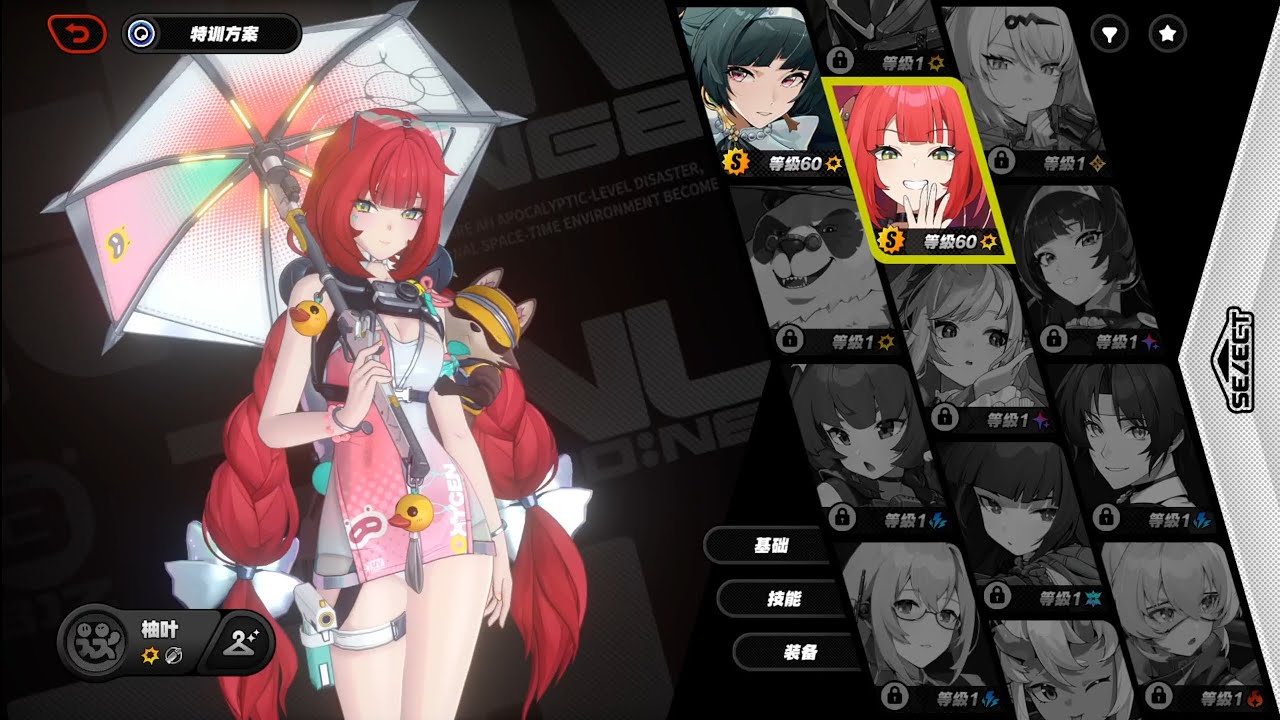
#zzz #zzzero #zzzgameplay #zenlesszonezero
Doesnt seem so
opal cove
mighty moss
Character menu screen is also clamped in dx11
u can compile the list of dx11 issue
mighty moss
opal cove
u can compile the list of dx11 issue
Yeah so far its the same as urs but if i find anything else later i'll share it here
 split path
How do I get the borders back in windowed mode?
 mighty moss
split path
How do I get the borders back in windowed mode?
mighty moss
split path
How do I get the borders back in windowed mode?
Btw you can safely disable those other 2 addons, they're not needed for renodx
mighty spear
prisma dome
During the beta leaks for this patch, they showed reflections in one of those wi...
Oh so is DX12 on beta already? Likely to be launched soon?
prisma dome
mighty spear
Oh so is DX12 on beta already? Likely to be launched soon?
Already a thing. Make a shortcut of the .exe with "use-D3D12" without quotes in the target section, use it to start the game & boom. DX12.
Keep in mind that it will break any XXMI-dependent mods, though.
mighty spear
Oh yes I tested that, but runs kind of awfully bad. Just wanted to know if this could be a thing MHY is actively working and will be seriously implemented or if the final product would me mostly as it is now.
prisma dome
I imagine improvements will come over time, and Nvidia will probably need to release a driver update for it.
 austere void
mighty spear
Oh yes I tested that, but runs kind of awfully bad. Just wanted to know if this ...
austere void
mighty spear
Oh yes I tested that, but runs kind of awfully bad. Just wanted to know if this ...
you aren’t supposed to use dx12 with the curent build of the game, even if you can access it XD and for good reasons, it’s not finished, ofc the final version and official support for dx12 will perform way better that the forced method
orchid coyote
austere void
you aren’t supposed to use dx12 with the curent build of the game, even if you c...
Yeah
It's working
But it's not stable
If it works then good for you, but there are some weird issues with people having lower performance, stutters or straight up crashing
DLSS implementation is also very basic, it's not working properly
orchid coyote
orchid coyote
DLSS implementation is also very basic, it's not working properly
Quality preset is forced on, no matter what you do
austere void
orchid coyote
It's working
But it's not stable
I’m surprised it’s at this stage :3 guess the Nvidia stuff comes with some pre-made stuff? whatever do you call the kit, then the rest is polishing and making sure it works with the game build
orchid coyote
austere void
I’m surprised it’s at this stage :3 guess the Nvidia stuff comes with some pre-m...
Yeah, implementing the SDK is extremely easy if you have access to the game code
Everything else after that is the problem
orchid coyote
orchid coyote
Everything else after that is the problem
Especially when you have an engine that is so modified it's barely Unity anymore
cedar flume
opal cove
for d3d12
- character menu screen still being clamped (that shader that crashes ...
also lucia ult seems clamped, dx12
@opal cove could you share your reno preset? I liked the one you made for wuwa, mine always looks like somethings off
opal cove
cedar flume
<@221530925849116672> could you share your reno preset? I liked the one you made...
According to maple its uhh intentional
Im not sure how to deal with it yet...
opal cove
cedar flume
<@221530925849116672> could you share your reno preset? I liked the one you made...
you can try this

increase contrast to 70 (and additionally highlights 70 for a bit of extra punch)
cedar flume
opal cove
Video?
uh how do I record hdr videos, I only use game bar for screenshots
 cedar flume
thx, downloading now
prisma dome
orchid coyote
Quality preset is forced on, no matter what you do
You should be able to force a different setting, via DLSSSwapper to upgrade the algorithm model & DLSSTweaks to force a specific quality level, all the way up to DLAA.
Granted, that's only a workaround. HoYo should be working with Nvidia to get a driver update specifically for DLSS.
opal cove
prisma dome
You should be able to force a different setting, via DLSSSwapper to upgrade the ...
no
won't work
you're welcome to try.
cedar flume
opal cove
you can try this
thanks, looks better than mine, still weird tho
opal cove
weird in what way
cedar flume
it should match sdr right?
opal cove
mostly
opal cove
screen record
cedar flume
yep
1 sec
this is sdr
this is hdr
am I crazy or is the red flash different
feral gulch
hdr version has some blowout
opal cove
all g bro
opal cove
cedar flume
@strong tide lmao how do you patch a VR effects shader

wait don't answer that yet let me see if I can figure it out just from one of your finished products


 cedar flume
good job it works
opal cove
good
cedar flume
so only thing to fix is character menu
split path
So there's no way to use renodx with bordered windows for zzz?
opal cove
🤷♂️
split path
😔