#✅RenoDX: Zenless Zone Zero
1 messages · Page 2 of 1
 orchid coyote
 karmic atlas
DLSS has made every other AA outside of giga SSAA look bad
Metaphor 
I need to use DLDSR 6K + 200% render scale
But I am not playing a PS3 tech game at 40FPS
Luckily the OST, gameplay and story are 10/10 for me so I can cope with the bad aliasing and shimmerfest
 mighty moss
They coulda added a sharpness slider for taa at the very least...
karmic atlas
Rather they didnt
Especially if it's going to be NIS
CAS good
But all these other sharpeners are bad
orchid coyote
mighty moss
They coulda added a sharpness slider for taa at the very least...
Tbh I prefer SMAA due to the TAA blur
 opal cove
TAA has tons of jaggies as well
SMAA is just terrible
Add your own sharpening
Use RCAS
Actually zzz has a cheat mod that has dlss
:icant:
mighty moss
opal cove
Actually zzz has a cheat mod that has dlss
💀
mighty moss
opal cove
Use RCAS
If only that didnt affect ui too
opal cove
mighty moss
If only that didnt affect ui too
Just use the rcas / cas mod...?
mighty moss
Rcas affects the ui too thats what i was saying
opal cove
Just use the rcas / cas mod...?
mighty moss
Idk what else to say
 opal cove
Did i say cas shader
mighty moss
Isnt that the way to use rcas in a game that doesnt have it
opal cove
But why would you use that when theres already a mod for cas?
mighty moss
Oh there is?
opal cove
google it
mighty moss
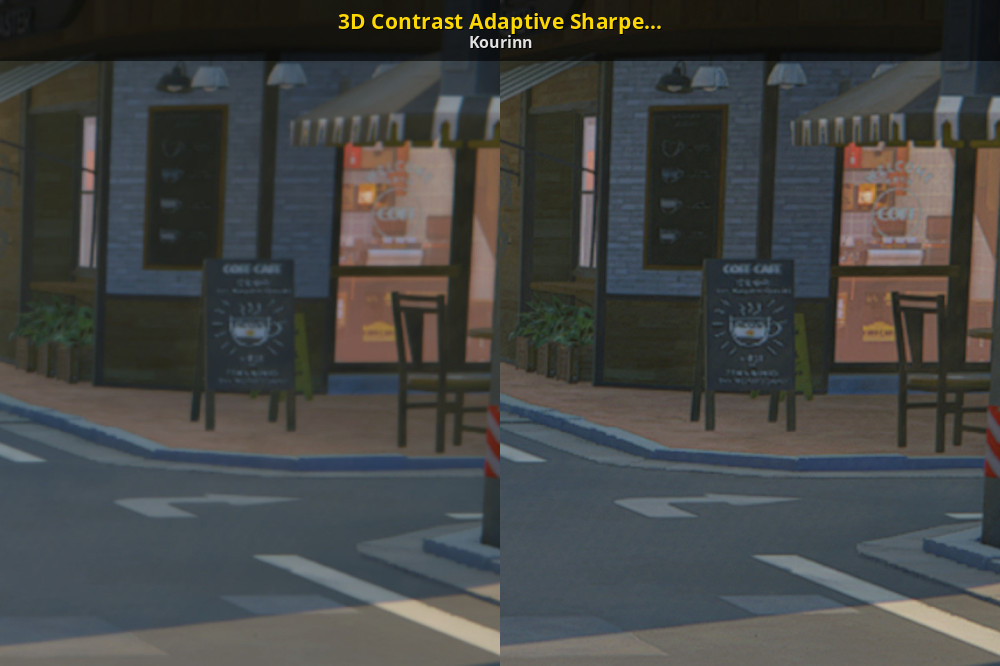
GameBanana
Adds a customizable sharpening filter to 3D space, applied after TAA, but before UI.... Download the 3D Contrast Adaptive Sharpening (CAS) Mod for Zenless Zone Zero. Customize your gameplay with this fan-made ZZZ Mod by Kourinn in the Other/Misc category,
This?
opal cove
yea
opal cove
people say the FSR mod is broken in 2.0 too
:icant:
download it and check for yourself
karmic atlas
opal cove
Actually zzz has a cheat mod that has dlss
Bich wat? Gib
opal cove
karmic atlas
Bich wat? Gib
it's partially broken
karmic atlas
Inb4 FSR1
opal cove
mighty moss
Yea the fsr mod does work actually wtf
yea, don't trust user comments
90% of it is always user error

karmic atlas
Average Nexuoid
mighty moss
Cas mod works too except it breaks renodx hdr 😦
mighty moss
Highlights get clamped to sdr brightness
opal cove
ah yeah then just use FSR then
mighty moss
Yea
Until dlss or whatever is a thing, 0.8 render scale and fsr mod will have to cope ig
opal cove
As long as you don't use the actual cheats
mighty moss
Hmm
orchid coyote
opal cove
people say the FSR mod is broken in 2.0 too
Wait what
There's an FSR mod?
But I guess FSR1?
Can you apply that to 100% scale to just sharpen the image?
orchid coyote
mighty moss
https://gamebanana.com/mods/579753
I need to check it for RTX HDR
Or maybe Apply DLDSR 1.78x with 0.8x render scale?
Does anyone know how to make DLDSR work in this game?
I can't see the additional resolutions
karmic atlas
orchid coyote
SMAA has its jaggies on the borders/edges
Doing zilch for shader / material authored shimmering 
karmic atlas
orchid coyote
Does anyone know how to make DLDSR work in this game?
SK
Then set your res in SK menu to the DLDSR res
 olive moat
does anyone here know by chance how to fix this deepfriedness with reshade loaded via specialk and this renodx mod?
 orchid coyote
olive moat
does anyone here know by chance how to fix this deepfriedness with reshade loade...
orchid coyote
olive moat
does anyone here know by chance how to fix this deepfriedness with reshade loade...
Switch to scRGB
olive moat
 tacit berry
the game just never quite feels smooth
tacit berry
the game just never quite feels smooth
is it on an ssd or hdd? I had this issue on an hdd
orchid coyote
olive moat
is it on an ssd or hdd? I had this issue on an hdd
It's a game issue
Something is broken in engine
It stutters for me on an NVMe SSD even
olive moat
I see
mighty moss
Its cause the game compiles shader cache in the background while youre playing
olive moat
Only issue I have now is hdr mods just not working but that sure isn't a game issue
olive moat
mighty moss
Its cause the game compiles shader cache in the background while youre playing
is it ue5 or what
orchid coyote
olive moat
is it ue5 or what
Unity 2018
mighty moss
Instead of precompiling shader cache before entering game
orchid coyote
Or 2020
orchid coyote
Yeah, HSR or Genshin don't have this issue
But then Genshin also has LQ textures and low render distance/LOD cause PS Exclusivity deal lol
mighty moss
mighty moss
Its cause the game compiles shader cache in the background while youre playing
Its always at its worst right after a game or gpu driver update
orchid coyote
Actually did someone try dxvk here?
opal cove
Game stutters bc u leave the temple running
Jank netcode means everytime you receive shit into your temple it will stutter
Any game mode that updates your char position in real time will also do that
🙂
tacit berry
olive moat
is it on an ssd or hdd? I had this issue on an hdd
ssd
 cedar flume
mighty moss
Its cause the game compiles shader cache in the background while youre playing
cedar flume
mighty moss
Its cause the game compiles shader cache in the background while youre playing
it stutters even if you pass the same area 30 times, this game especially with the new area is super stuttery, probably because its super cpu heavy for some goddamn reason
also yeah precompiling shader before would be nice, but after all these patches I have lost hope
orchid coyote
cedar flume
it stutters even if you pass the same area 30 times, this game especially with t...
I wonder why does it use 90% CPU on the login screen lol
And....then less after the login before the game start
?????
 obsidian vault
Hey guys, I wanted to ask how I should go about getting reshade setup in this game? Should I just go through the reshade installer as usual using direct x 11 api?
orchid coyote
obsidian vault
Hey guys, I wanted to ask how I should go about getting reshade setup in this ga...
Won't work
Setup Special K as usual
Launch via Special K launcher
Add ReShade as add-on
Setup ReShade as "Lazy" / disable Compatibility Mode
Done
olive moat
orchid coyote
Setup ReShade as "Lazy" / disable Compatibility Mode
What exactly does this mean?
orchid coyote
olive moat
What exactly does this mean?
It's in Special K config
In the In-game UI -> Add-ons
Unfortunately the process isn't well documented
You need to add the ReShade as a dll to the Add-ons/ReShade folder in Special K directory iirc
And the RenoDX addon into a folder called "Add-ons" in the game profile folder within the special k folder
obsidian vault
For some reason I can't get special k to load in this game
orchid coyote
obsidian vault
For some reason I can't get special k to load in this game
Oh yeah
obsidian vault
Do I need to edit the ini?
orchid coyote
You need to set it up as Elevated
orchid coyote
orchid coyote
You need to set it up as Elevated
ZZZ is launched with admin rights cause anti-cheat.
So only a process with equal rights can load into it
Right click on ZZZ in the Special K launcher and select elevated
As a special option
obsidian vault
this is what I get when I right click on it in the special K library

I can't find the elevated option
obsidian vault
oh I see it now yeah, in properties tab
Special K still isn't loading unfortunately
olive moat
obsidian vault
Special K still isn't loading unfortunately
I just start specialk entirely as admin
and then it loads
orchid coyote
obsidian vault
Special K still isn't loading unfortunately
Weird
obsidian vault
Oh nice that worked
obsidian vault
Running special K as admin
olive moat
orchid coyote
In the In-game UI -> Add-ons
Oh well doing that hasn't fixed my issue
orchid coyote
olive moat
Oh well doing that hasn't fixed my issue
send a screenshot of the special K settings
 orchid coyote
olive moat
special k is now refusing to let me turn off hdr 🔥
orchid coyote
olive moat
special k is now refusing to let me turn off hdr 🔥
Oh yeah
It's also weird
Click reset on the HDR menu near the profiles
Only way to disable it
olive moat
the game looks deepfried on hdr10 passthrough, washed out on srgb inverse and I cannot select raw framebuffer
orchid coyote
orchid coyote
Click reset on the HDR menu near the profiles
Then you'll be able to select raw framebuffer
olive moat
nope
olive moat
After a restart, after I click the reset button, raw framebuffer is now selected
it looks deepfried
orchid coyote
olive moat
it looks deepfried
yeah
Now you need to enable ReShade
And check what is selected there
olive moat
okay so the home button shows reshade, but ctrl alt shift r does not do anything
orchid coyote
RenoDX should pop up if you put the add-on in the profile folder
olive moat
seems to affect the game though so

renodx shows up
on preset 1
it looks deepfried still
orchid coyote
olive moat
okay so the home button shows reshade, but ctrl alt shift r does not do anything
Uhh, yeah
You found out that Windows HDR isn't the only way to force on HDR
Unfortunately
olive moat
Wdym?
orchid coyote
olive moat
Wdym?
Ctrl+Alt+Shift+R is for HDR enabling I think?
olive moat
no
opal cove
What the hell is goinf on hwre
olive moat
that loads reshade
olive moat
game looks deepfried
olive moat
opal cove
Are you using mods?
this mod
olive moat
opal cove
Are u in HDR mode
yes
opal cove
Did you use special K HDR OR AUTO HDR OR RTX HDR BEFORE
olive moat
I have used rtx hdr before
it is disabled now
I am using this in combination with special k
opal cove
Did you at any point turn on SK HDR
orchid coyote
opal cove
Did you at any point turn on SK HDR
Oh yeah, send the SK HDR menu screenshot
olive moat
opal cove
Did you at any point turn on SK HDR
I was told to before iirc
olive moat
this is truly amazingly documented
orchid coyote
opal cove
Don't EVER touch the SK HDR menu
Shouldn't you enable the conversion to scRGB there?
And use the raw framebuffer
opal cove
orchid coyote
Shouldn't you enable the conversion to scRGB there?
NO
Dont fucking touch it
You dont want SK upgrading the framebuffer
Or even touching iy
olive moat
opal cove
Delete profile
Launch game
delete profile meaning just delete the zzz profile folder or?
opal cove
RenoDX is the one doing the touching 😊
And then SK will detect the game as native HDR
And auto select the proper options
opal cove
olive moat
delete profile meaning just delete the zzz profile folder or?
Special K -> profiles -> delete anything zenless zonr zero related
Yes zzz profile folder
orchid coyote
opal cove
You dont want SK upgrading the framebuffer
So upgrading it is only useful for Pumbo Advanced HDR?
But not for RenoDX as it does it's own thing?
opal cove
Yes...
olive moat
Where the fuck is it detecting renodx

Like
it's not installed on my computer at all
right now
the addon file does not exist
orchid coyote
olive moat
Like
Did you put it in Global folder in Special K?
opal cove
Have you restarted the game...?
olive moat
orchid coyote
Did you put it in Global folder in Special K?
no
olive moat
opal cove
Have you restarted the game...?
yes
olive moat
nope
opal cove
This is not documented bc theres too many variables
If u dont know where 2 look this is gon be a wild goose chase
Why dont you just install reshade like a normal person
And dont go thru SK
olive moat
I was told to go through sk
I restarted the game 3 times
renodx is now gone
I don't know what the fuck is happening
but I'll just readd renodx now
orchid coyote
opal cove
Why dont you just install reshade like a normal person
ZZZ requires an external injector
And Special K seems to be the easiest way
opal cove
Then use inject64
orchid coyote
And you also gain the benefit of Special K stuff
opal cove
orchid coyote
And Special K seems to be the easiest way
Obviously not given how this is going
olive moat
 opal cove
The game looks proper
opal cove
You're seeing this deep fried?
opal cove
olive moat
very sdr
Then tune the fucking settings dude
olive moat
no
The deep frying issue appears to have been casued by me being told to fuck with specialk
orchid coyote
olive moat
very sdr
Exactly
Now you need to tune the 10 sliders to your preferences
opal cove
olive moat
The deep frying issue appears to have been casued by me being told to fuck with ...
yes dont fuck with specialk next time
orchid coyote
orchid coyote
Now you need to tune the 10 sliders to your preferences
Unfortunately
olive moat
opal cove
yes dont fuck with specialk next time
👍
 olive moat
orchid coyote
Shouldn't you enable the conversion to scRGB there?
olive moat
orchid coyote
Shouldn't you enable the conversion to scRGB there?
I don't remember but it sure seems to be common advice here
orchid coyote
orchid coyote
Unfortunately
that's why I'm still using RTX HDR for this game
olive moat
the sliders do not appear to be affecting the game at all
opal cove
olive moat
the sliders do not appear to be affecting the game at all
read
at
the bottom
olive moat
I assumed a scene change was like, loading into another level/part of the open world
olive moat
 olive moat
 olive moat
oh right those settings were reset when I deleted the profile
lazy and no compatibility mode right?
opal cove
yep
olive moat
restart now or?
olive moat
🙏
olive moat
 opal cove
uncheck those two extra plugins
olive moat
windows screenshots are overbrightened now
opal cove
yes your screenshot is overexposed now
olive moat
I assume this a good sign
olive moat
Nice
opal cove
extra plugins
olive moat
another restart then
opal cove
yes
you can trigger a scene change by going into the menu while in any of the hub area
menu in combat won't trigger a scene change
opal cove
dont
orchid coyote
olive moat
I remember a ton of messages saying to put 3 sliders to 80
It creates a more cinematic kind of look.
Some like some don't
 opal cove
olive moat
peak brightness I should just put to my monitors though right?
opal cove
olive moat
peak brightness I should just put to my monitors though right?
yes
peak = your monitor
game/ui = preference
olive moat
dunno the number but I'm pretty sure it's around 400 so

 orchid coyote
olive moat
dunno the number but I'm pretty sure it's around 400 so
orchid coyote
olive moat
dunno the number but I'm pretty sure it's around 400 so
What monitor do you have?
opal cove
this preset for closer to SDR washed out look
 olive moat
your first settings looked a bit off, gonna try those
orchid coyote
olive moat
in custom color mode (basically just hdr400 true black mode)
According to RTings the peak is 457cd
opal cove


 orchid coyote
 opal cove
Vanilla / RenoDRT (light) / RenoDRT (high contrast)
opal cove
orchid coyote
According to RTings the peak is 457cd
what rtings says doesnt matter
what's important is what your monitor actually clips at
olive moat
rtings measures it so
I'd say that's fairly accurate
more accurate than my eye for sure
orchid coyote
opal cove
what's important is what your monitor actually clips at
In my case it actually clips at the same value as RTings provides
opal cove
olive moat
I'd say that's fairly accurate
what rtings measure =/ what the monitor actually clips at
run through the windows HDR calibration
but don't finish it
orchid coyote
olive moat
more accurate than my eye for sure
Calibrate with Windows HDR Calibration
orchid coyote
orchid coyote
In my case it actually clips at the same value as RTings provides
Maybe like ~20nit difference
opal cove
see at what value it actually clips at
orchid coyote
opal cove
again, don't finish it
Huh?
Shouldn't you keep the calibration profile?
olive moat
maximum luminance?
olive moat
orchid coyote
Huh?
Shouldn't you keep the calibration profile?
i already have one
orchid coyote
Or is it only for Windows Auto HDR?
olive moat
just don't know the value
opal cove
orchid coyote
Huh?
Shouldn't you keep the calibration profile?
it doesn't really matter
your monitor already has the EDID info for that
on laptops it can be detrimental even
 opal cove
the windows calibration tool?
olive moat
yes
opal cove
yes its known to be broken
what do you is
wait
let me turn it on
ah yeah
press randomly on the values
and use the left and right button on your keyboard
at some point it will appear again

then u can find whatever value u actually clip at
and put it into the game
olive moat
tf do I know
opal cove
full screen value your entire screen would be white
orchid coyote
olive moat
apparently 270
What
opal cove
in the HDR calibration
olive moat
it's the one with the white square on a black background
olive moat
I do remember it being around 3 - 400
olive moat
🙏 😭
opal cove
Thats pretty sad
Woled should do like 800+?
Mine clips at 800 and its ancient tech at this point
orchid coyote
opal cove
Woled should do like 800+?
I mean yeah it does ~850 but in the Peak 1000 mode
opal cove
orchid coyote
I mean yeah it does ~850 but in the Peak 1000 mode
Is that 850 at 10%
Or 850 at 2%
olive moat
it's 480 now, peak
orchid coyote
opal cove
Is that 850 at 10%
At 10%
olive moat
which matches with rtings
orchid coyote
2% is 1000+ nits
opal cove
orchid coyote
At 10%
Probably worth it to use peak 1k then
Only the 2% stuff is useless
orchid coyote
It generally matches the RTings data for me
 opal cove
olive moat
peak 1k has disgusting abl on my monitor
opal cove
olive moat
peak 1k has disgusting abl on my monitor
Peak 1k on qd is like
Useless
Cuz at 10% it already drops to 450 nits
orchid coyote
orchid coyote
It generally matches the RTings data for me
Peak1000
opal cove
So might as well use peak 400 mode
olive moat
opal cove
Cuz at 10% it already drops to 450 nits
It's really nice in warframe but shit everywhere else
orchid coyote
Peak 400

 olive moat
it was much cheaper than everything else when I bought it so not like I can complain
orchid coyote
My LG is pretty cool, but I'll probably change it when LG releases the Primary RGB model
QD-OLED like colors without raised blacks
opal cove
Using renodx instead of rtx hdr would already be a huge upgrade 🙂
olive moat
I'll be the judge of that
orchid coyote
opal cove
Using renodx instead of rtx hdr would already be a huge upgrade 🙂
I like my colors saturated
And RTX HDR does a good job with that, with a 0-config solution
I may configure RenoDX properly in my free time though
olive moat
opal cove
this preset for closer to SDR washed out look
those settings look very dim, it does not feel like it's the middle of the day
opal cove
olive moat
those settings look very dim, it does not feel like it's the middle of the day
Dont copy my peak/game/ui brightness
olive moat
What should I set as the game and ui brightness?
fullscreen brightness value? whatever looks good?
opal cove
My 120 is optimized for dark room
If ur playing in brighter room
Try anywhere from 150-203
Remember to do a scene change
opal cove
Yes
Less power to ur highlights
Ideally you would play in a darker room
With lower game brightness
olive moat
it's as dark as I can get it
opal cove
orchid coyote
I like my colors saturated
U can have the saturated
With reno
Set up properly
Fresh SK profile
Easy 2 minute install
Copy my punchy preset
Boom
cedar flume
orchid coyote
I wonder why does it use 90% CPU on the login screen lol
dunno that doesn't happen with my pc, but this game is weird
 solemn pasture
Why I have this issue?


 solemn pasture
I can't load reshade with special k
Can somebody compile settings into one post and pin it?
Discord is so frustrating to use
 feral gulch
solemn pasture
Damn
feral gulch
solemn pasture
Damn
use lazy load order for ReShade and disable compatibility mode
 feral gulch
solemn pasture
feral gulch
solemn pasture
update the ReShade files in your Special K install
solemn pasture
feral gulch
update the ReShade files in your Special K install
I use those files in other games too and they d owork
And they work sometimes in zzz too
orchid coyote
solemn pasture
I use those files in other games too and they d owork
update the ReShade files in your Special K install
solemn pasture
orchid coyote
update the ReShade files in your Special K install
There's none, I use files from where the game is installed. Works great for wuthering waves
orchid coyote
solemn pasture
There's none, I use files from where the game is installed. Works great for wuth...
Yeah that's your problem
Special K + Reshade works best as a plugin to Special K
solemn pasture
orchid coyote
Special K + Reshade works best as a plugin to Special K
This is how I use it dummy
I meant shader files, reshade add-ons, textures, etc
If you meant .dll file, then I have 6.5.1 version
feral gulch
solemn pasture
What does the error for the failed to compile say
solemn pasture
A lot
opal cove
Mod still works with the latest update
 golden mulch
I've been encountering this strange issue where I have a random (but high) chance of my whole screen frying itself whenever I pull up some UI element in the menus, the RenoDX addon works perfectly fine otherwise, but I have to force quit the game every time this happens. Any ideas on why?

I've speculated it could be due to my weak 8GB GPU that isn't capable enough at my new monitor resolution but other than that, no clue
 strong tide
golden mulch
I've been encountering this strange issue where I have a random (but high) chanc...
strong tide
golden mulch
I've been encountering this strange issue where I have a random (but high) chanc...
No clue, never saw it happening.
strong tide
golden mulch
I've speculated it could be due to my weak 8GB GPU that isn't capable enough at ...
I have this exact same resolution with a 3070 (so also 8gb of vram)
So it's unlikely to be the case
Though if you are using Special K to inject ReShade (like most of us), you must disable the VRAM cache with ZZZ, it is known to cause issues, even without RenoDX.
golden mulch
Figured out it was due to me using a HideUID mod 😅 Realized it was conflicting with how Reno handles the UI, thanks for making me certain it wasn’t my GPU artifacting
cedar flume
strong tide
Though if you *are* using Special K to inject ReShade (like most of us), you mus...
Whats that? Is that why ZZZ uses so much VRAM for me?
 austere void
Were do i get the addon for RenoDX ? There is nothing in the pins
@opal cove how do i get the ZZZ HDR mod?
opal cove
Keep scrolling up until you find it
austere void
Eeeee, is there something that i need to change for ZZZ ? The settings are a little bit eh
Ok UI brightness is game brightness?
@opal cove sorry to ping you, it does look like i have an issue with the HDR mod
like, this
 feral gulch
austere void
Were do i get the addon for RenoDX ? There is nothing in the pins
feral gulch
austere void
Were do i get the addon for RenoDX ? There is nothing in the pins
#1330764788711555166 message
austere void
feral gulch
https://discord.com/channels/1161035767917850784/1330764788711555166/13808446925...
oh nice :3 thanks
austere void
Did any one figure out way ZZZ now crashes soo many times ?
It’s like so random T^T
austere void
It only happen when i started to use SK and RenoDX
Cuz for me too, i didnt crash like not even 5 times without it
But now
Somehow it doesn’t like this set up
feral gulch
How do you have it set up?
 prime igloo
hi, anyone tried setting up REST so effects don't get applied to the UI? I can't seem to get it to work specifically with renodx
without renodx I can find a shader near the bottom before the UI and it works fine, but with renodx those same shaders seem to preserve the underlying shaders as well, making it impossible to have a good selection. there are other shaders higher up that seem promising, but they are flipped upside down and the "flip render target" option doesn't do anything for me
feral gulch
austere void
Nothing much,
How are you injecting SK and ReShade?
austere void
I chose ReShade as pluging
And add the addon64 reno to ReShade
Should i just use Reshade only ? And add renodx like that ?
prime igloo
sk + reshade + renodx only worked for me in zzz with lazy loading and compatibility mode off
but I gave up on special k because it caused so many issues
austere void
Do you use SK + ReShade as plug + renodx?
 sullen tiger
GitHub
An unofficial ReShade for all miHoYo/HoYoverse games on Windows. - DuolaD/HoYoShade
austere void
And after that how do i use Reno HDR ?
sullen tiger
regular way
uh actually a bit different
HoYoShade\reshade-shaders\Addons
this is where you put the addon file into
austere void
yeah i know
i got to tell it to stop T^T
Wait, so how do i use it? I did clikc HoYoShade Starter.bat
Do i have to start it from there?
Every time?
feral gulch
I use ReShade64 + RenoDX in the game directory and launch the game with SK via SKIF. That setup never gives me any issues
prime igloo
prime igloo
hi, anyone tried setting up REST so effects don't get applied to the UI? I can't...
bump in case anyone has info on this
karmic atlas
You're using SK
Dunno how it is with ZZZ
But in any game I tried using SK + REST it was rip
BG3 just crashes
FF14 either loads but no REST or crashes on launch
prime igloo
I'm not using SK
prime igloo
 mighty moss
karmic atlas
Dunno how it is with ZZZ
mighty moss
karmic atlas
Dunno how it is with ZZZ
SK + this renodx mod works fine in ZZZ but haven't tried with REST as well
Actually I even use SK + reno with xxmi as well no problem (xxmi dll is injected via SK)
karmic atlas
SK + Reno works on my end too
Just when we get to the three way and beyond
Problems start to arise 
 mighty moss
prime igloo
society if games just had hdr
mighty moss
prime igloo
society if games just had hdr
ZZZ has an official native HDR implementation but only on ps5 
Society if hoyo didn't arbitrarily lock specific features in their games to specific platforms
karmic atlas
prime igloo
society if games just had hdr
Unless it's Reno levels of control, I DONT WANT EEETTT
karmic atlas
mighty moss
Society if hoyo didn't arbitrarily lock specific features in their games to spec...
Don't worry, we'll get DLSS/DLAA... Someday
The files are just chilling there
mighty moss
They've been there since 1.0 doing jackshit 😭
sullen tiger
honkai star rail supported dlss one year ago iirc
no idea why zzz still doesnt get dlss support yet
prime igloo
I wonder if they meant to implement it shortly after launch but they got occupied with reworking the main gameplay loop lol
karmic atlas
sullen tiger
no idea why zzz still doesnt get dlss support yet
its available, just need to roll the ultra rare gatcha box to unlock
prime igloo
s rank agent passive ability, lets you enable dlss while the agent is active in the field
feral gulch
karmic atlas
Don't worry, we'll get DLSS/DLAA... Someday
I noticed the DLLs got updated to DLSS 4 with the 2.0 patch as well
opal cove
prime igloo
bump in case anyone has info on this
Why are you using rest
When we already have a UI slider?
prime igloo
for other shaders
sullen tiger
karmic atlas
its available, just need to roll the ultra rare gatcha box to unlock
probably because moble version is their no.1 target
feral gulch
iOS has MetalFX upscaling for zzz and hsr available as a toggle
opal cove
Android has nothing as a toggle
sullen tiger
never play mobile games
opal cove
sullen tiger
never play mobile games
These games r on mobile just for you to log in and do the daily slop
Runs and looks like crap compared to the actual pc version
sullen tiger
im still on iphone11 so pretty sure it will run insanely bad for me
not even gonna try that
feral gulch
opal cove
These games r on mobile just for you to log in and do the daily slop
Exactly
I just get on to do dailies if I’m too lazy to open them on my pc, or to passively do events when work is slow
austere void
guys, can you share your RenoDX settings? i keep changing them cuz i can’t quite get the look I’m after :/
mighty moss
austere void
guys, can you share your RenoDX settings? i keep changing them cuz i can’t quite...
I use these settings that @opal cove originally shared, change peak brightness to whatever nits your display clips at tho (my peak brightness of 800 nits is for the LG CX and probably other LG C series OLEDs), also game/ui brightness depends on ambient lighting conditions and personal preference, but try to keep the ui brightness a bit higher than game brightness
 mighty moss
Also, took these renodx hdr screenshots (view with a hdr display) for a friend originally but i'll share them here too (do be warned i took quite a few of them tho)
Overworld screenshots


Combat screenshots


Ultimate screenshots


Character wallpaper screenshots


 feral gulch
austere void
guys, can you share your RenoDX settings? i keep changing them cuz i can’t quite...
feral gulch
austere void
guys, can you share your RenoDX settings? i keep changing them cuz i can’t quite...
I personally use everything default besides 60 contrast/saturation/blowout
austere void
mighty moss
I use these settings that <@221530925849116672> originally shared, change peak b...
oh wow, thanks for the info and pics :3
mighty moss
Np 
sullen tiger
increasing highlights looks deepfried imo
austere void
sullen tiger
increasing highlights looks deepfried imo
is default ok then? 50
I’m starting to like the idea of Vanilla but with highlight that is just the HDR when needed, and color and everything else to be the same
austere void
feral gulch
I personally use everything default besides 60 contrast/saturation/blowout
interesting idea, i will try :3
austere void
i do not know if reshade saved the picture in HDR, but way do i have the impression there is a white thin film on my screen? making things kinda washed out ?
 karmic atlas
The grading in the game by default is washed
This is why there's the 80/80/80 option
80 Saturation
80 Contrast
80 Blowout
I lowered contrast to 70ish
mighty moss
mighty moss
I use these settings that <@221530925849116672> originally shared, change peak b...
I prefer these settings for giving the game a less washed out grading with some impactful hdr highlights without overdoing it ^
80/80/80 is a bit much for me imo
austere void
mighty moss
I prefer these settings for giving the game a less washed out grading with some ...
Hm, i had the feeling, this wash out white thing, is not in every zone
Is it that possible?
Cuz i used 60/60/60 with not issues
austere void
karmic atlas
I lowered contrast to 70ish
Yeah i did that too :3 70 is good, while i like the color black, the whole darkening of colors(?) was kinda a little too much
Or whatever is happening with colors due to contrast
sullen tiger
karmic atlas
80 Saturation
80 Contrast
80 Blowout
80 contrast looks pretty deepfired sometimes
austere void
Ok so some maps have some misty like fog or something, like scoot outpost has A LOT, but when you are in wifai city it’s clear, my settings were 60/60/60, while the 70/80/80 did help with some of the washout feeling, that is not Compleatly gone cuz the rest looks like it\s the map
I do not remember the Lumien hollow areas to have this fog but it is now there
first pic is 60/60/60 second is 70/80/80


while Alice becomes less washout, the rest of the map still looks ugh
 dusky pagoda
Is inject64 supposed to put reshade files in the game's directory? I'm a bit wary about touching the game files and while specialk works, it makes Lossless Scaling frame generation a stutterfest.
prime igloo
yes, as far as I know you would have to modify the injected dll (reshade64.dll, that one can be anywhere) to put those files somewhere else
I think there is a fork of reshade on GitHub that does that specifically for hoyo games
sullen tiger
sullen tiger
https://github.com/DuolaD/HoYoShade
i generally avoid sk with renodx now
dusky pagoda
prime igloo
yes, as far as I know you would have to modify the injected dll (reshade64.dll, ...
Thank you! I'll take a look at the forks soon
I did try hoyoshade and xxmi, the former works exactly the same as inject64 and the latter gives me an error (-5, failed to inject) when I add reshade's dll to the external libraries option, did that for genshin as well
dusky pagoda
sullen tiger
i generally avoid sk with renodx now
SpecialK is a headache if you're not using any of its functionality, the only reason I was experimenting with it is because it might allow me to use ReShade and OptiScaler simultaneously in Star Rail
mighty moss
I still use SK because it does allow me to use reshade/reno + xxmi at the same time
Also without having to use xxmi launcher to launch the game every time cause you just inject the zzmi .dll instead as a plugin through SK (and ofc reshade is available as a built in plugin for SK)
dusky pagoda
Yeah that makes more sense than the xxmi launcher
mighty moss
Still need to open xxmi launcher every now and then to update zzmi whenever needed but other than that yeah don't need to run xxmi launcher with that setup
dusky pagoda
I'm generally unfamiliar with 3dmigoto stuff but it seems more like the WriteProcessMemory injection method is just unreliable
Unless I'm stupid and SK does that too
opal cove
mighty moss
I still use SK because it does allow me to use reshade/reno + xxmi at the same t...
You can do that without sk
mighty moss
How
dusky pagoda
raw zzmi?
opal cove

Maybe later when i have the patiencr for it
But if you can figure things out on your own:
- inject64 shortcut that detects zzz exe
- put that shortcut as pre launch in zzmi setting
golden mulch
honestly all you need to do is this and also ensure you have a fresh ReShade.ini in the same folder as the dll

injecting the ZZMI dll through SK also gave me a lot of issues that otherwise didn't exist when I ran ZZMI normally
golden mulch
-5 failed to inject? yeah it does that until you give the folder a ReShade.ini to work with
mighty moss
golden mulch
honestly all you need to do is this and also ensure you have a fresh ReShade.ini...
Uhh doesn't putting ur .dll in the game folder like that cause issues
Like when the anti cheat detects .dll files it doesn't recognise it'll automatically corrupt the file iirc
golden mulch
works perfectly for me, much better than using SK to inject
been using this method for well over a month
dusky pagoda
golden mulch
-5 failed to inject? yeah it does that until you give the folder a ReShade.ini t...
I didn't try that but if I'm going to put a dll in the game folder anyways I might as well just use inject64 since I'm not using zzmi
opal cove
mighty moss
Like when the anti cheat detects .dll files it doesn't recognise it'll automatic...
only when the file gets loaded
ReShade64.dll is not a file that gets loaded normally
but with inject64 you dont even have to have the dll in the same folder
I still load my ReShade from the SK plugins folder
just not with SK itself
golden mulch
inject64 would probably be less hassle since you don’t have to ensure there’s already a ReShade.ini to function. You can also point ZZMI to any directory for the ReShade64.dll though; I just have it in my game folder for organization
 cedar tendon
I'm not too familiar with how Renodx and addons work. Is it possible to add another tonemapper to the addon? For example what if I wanted Reinhard tonemapping?
dusky pagoda
prime igloo
I think there is a fork of reshade on GitHub that does that specifically for hoy...
I'm having no luck finding this - are you referring to HoyoShade? Not quite a fork of ReShade, and either I'm misusing it or it still dumps files into the game's folder.
prime igloo
ah ok I misremembered then, sorry. I was referring to HoyoShade
dusky pagoda
no worries it looks like there's a ton of other options
opal cove
dusky pagoda
no worries it looks like there's a ton of other options
just use inject64 with zzmi
like how i mentioned
mighty moss
opal cove
But if you can figure things out on your own:
- inject64 shortcut that detects z...
Well i managed to figure it out thanks to the help of this
https://gamebanana.com/tools/18082
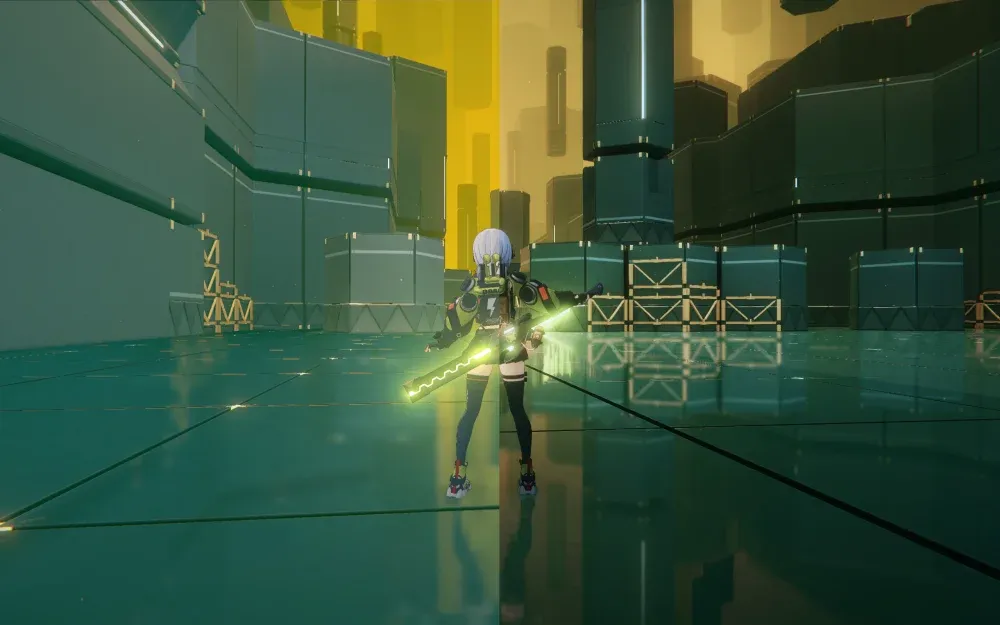
GameBanana
A Zenless Zone Zero (ZZZ) Modding Tool in the Other/Misc category, submitted by caverabbit
And updating the included reshade64.dll to the latest version
Can launch both zzmi and reshade through xxmi launcher now 
opal cove
Whatever works for you
dusky pagoda
mighty moss
Well i managed to figure it out thanks to the help of this
https://gamebanana.c...
If you're using xxmi launcher, it's easier to just add the ReShade64.dll path (can be anywhere) to the inject libraries option. minmay was right that all you need to do is put a ReShade.ini in the game folder and it'll work
You can add
[INSTALL]
Logging=0
to it to not create a ReShade.log
I believe rech is correct that if you want no modifications to your game folder, you have to modify the ReShade.dll from source to make it look at a different path
and make sure to point the effect, texture, and addon search paths to where you want them
dusky pagoda
opal cove
But if you can figure things out on your own:
- inject64 shortcut that detects z...
This is still a far better option than any xxmi bloatware though
golden mulch
mighty moss
Well i managed to figure it out thanks to the help of this
https://gamebanana.c...
i was using this originally and found bizarre performance degradation with it but if it works for you then It Works
austere void
mighty moss
I still use SK because it does allow me to use reshade/reno + xxmi at the same t...
I can’t use SK cuz it keeps crashing T^T
austere void
Wtf I’m having issues with Hoyoshade, it refuses to injecy
dusky pagoda
austere void
Wtf I’m having issues with Hoyoshade, it refuses to injecy
I'd avoid using hoyoshade, it's just an overcomplicated modification of inject64
opal cove
if inject64 is so good what about inject69
dusky pagoda
Just download inject64, put the ReShade64.dll (extract it from the ReShade installer executable) beside it, create a shortcut to inject64 -> properties -> add "ZenlessZoneZero.exe" to the end of the shortcut target and check run as admin
dusky pagoda
opal cove
if inject64 is so good what about inject69
69 bits > 64 obv
austere void
dusky pagoda
Just download inject64, put the ReShade64.dll (extract it from the ReShade insta...
oh nice, gonna try that
orchid coyote
RenoDX injected via Special K spams the logs with stuff like [15888] | WARN | [RenoDX] OnCopyTextureRegion(mismatched: 0x000001eddaa08860[4](clone: 0x000001ef28f61860 (r8g8b8a8_typeless) (clone: r16g16b16a16_float) => 0x000001ef28f44a60[4] (r8g8b8a8_typeless))
Any reason why it happens and how to stop it?
It fills like 2GB within an hour
opal cove
Use inject64
orchid coyote
Does Special K mess things up?
 orchid coyote
Another question - does Special K capture RenoDX HDR on screenshots properly?
I made some comparisons between RenoDX(70 Highlights, 50 Blowout) and Special K SDR-->HDR(default preset 1 no changes) and they are very similar, the only difference is in UI brightness and Special K more aggressively expanding the gamut into DCI-P3
Are they really that close or am I doing something wrong here?
 silver lantern
I’m gonna do a PR when I get home
right now it’s using the hue and chrominance of SDR
austere void
dusky pagoda
Just download inject64, put the ReShade64.dll (extract it from the ReShade insta...
can you link me to inject64?
dusky pagoda
austere void
thanks :3
austere void
dusky pagoda
https://reshade.me/downloads/inject64.exe
i was on ther reshade website and i didnt find anything about inject64 XD granted i didn; go to the forums T^T ah mistake
dusky pagoda
Yeah I only found out about it through this server, I have no clue how you would normally access it
austere void
dusky pagoda
Yeah I only found out about it through this server, I have no clue how you would...
yeah, search engines does't show jack, and on their websites is only Reshade to download T^T
austere void
dusky pagoda
Just download inject64, put the ReShade64.dll (extract it from the ReShade insta...
by the way, do i make a folder some where else and do this ?
or do i do this in the ZZZ exe folder?
dusky pagoda
Only the ReShade.ini has to be in the game folder
Everything else can be anywhere you want it
austere void
dusky pagoda
Only the ReShade.ini has to be in the game folder
that gets created in the folder where i run inject64? so i have to move it to the game folder?
dusky pagoda
I think it'll autogenerate one there, I can't remember because I had one prepared from another game
austere void
ah i will see how it works once i run it one time
dusky pagoda
It creates the ini next to the executable it detects
So when you add the game as a launch argument (can do this by calling .\inject64.exe "ZenlessZoneZero.exe" via cmd or the easier shorcut method) it runs as if the ReShade64.dll was "installed" to the game's root folder
austere void
ooo i see
is there a way that once i run the inject64 shortcut it will also start the ZZZ.exe?
austere void
ok, so for some reason in ZZZ when there is this black screen, the image is dark, but i can see moving in the dark the 3d models !!! you can see in the SS some faint outlines
 dusky pagoda
austere void
is there a way that once i run the inject64 shortcut it will also start the ZZZ....
dusky pagoda
austere void
is there a way that once i run the inject64 shortcut it will also start the ZZZ....
That's when the cmd route is useful, you can make a .bat file to call both but it might be finnicky because both the game and inject64 need admin
austere void
dusky pagoda
That's when the cmd route is useful, you can make a .bat file to call both but i...
well, it’s much more easy to click yes to both of them that to go and click individually :3 now how do i make such a bat file?
dusky pagoda
new file -> rename to anything.bat -> right click, edit with notepad -> put something like
start "" "%~dp0inject64.exe ZenlessZoneZero.exe"
start "" "Path\To\ZenlessZoneZero.exe"
I have no idea if I'm breaking some unspoken rule of batch or if this even functions in the first place, and it will not prompt for admin on its own
You can probably ask chatgpt to make it not completely stupid and get a functional result
 prisma dome
Does anyone else have an issue with the PC version where when you quit the app through the menus or Alt+F4 to quickly close the game, it will still show as open in Windows for like 15 minutes & not allow you to terminate the process through Task Manager?
I'm trying to make sure Reshade is injected via ZZMI, but it takes so long to re-open the game because it thinks there's already an instance open.
tacit berry
I always just closed it from the title screen
prisma dome
So, between ACES & Reno, which is the recommended tonemapping mode?
mighty moss
Reno
mighty moss
prisma dome
Does anyone else have an issue with the PC version where when you quit the app t...
Ive always closed the game through the pause menu and that hasnt given me any issues
prisma dome
Yeah, I figured. ACES seems to have more of the gamuts active, but it comes at the expense of this weird yellow-greenish hue over the screen, and everything looking a bit too fried.
prisma dome
austere void
Ok so some maps have some misty like fog or something, like scoot outpost has A ...
After messing around with some of the settings, you might be able to alleviate this issue by messing with the "Flare" setting in Reno. But only by like a tiny amount.
austere void
prisma dome
After messing around with some of the settings, you might be able to alleviate t...
oh that is interesting :3
solemn pasture
sullen tiger
This is better than sk+reno?
austere void
solemn pasture
This is better than sk+reno?
actualy no
just do the reshade + reno
it stop working for me so i had to just use reshade + reno
solemn pasture
austere void
it stop working for me so i had to just use reshade + reno
With injector?
austere void
solemn pasture
With injector?
yeah, you got to use inject64 for reshade + reno, cuz hoyoshade is doing the same thing, but it stop working for me
solemn pasture
Back then it didn't work
solemn pasture
austere void
yeah, you got to use inject64 for reshade + reno, cuz hoyoshade is doing the sam...
Can you link the most recent addon?
Can't find it
solemn pasture
Mxao give wrong colors, what I can do?
 austere void
solemn pasture
Can you link the most recent addon?
solemn pasture
austere void
austere void
solemn pasture
Can you link the most recent addon?
solemn pasture
austere void
Thanks!
karmic atlas
solemn pasture
Mxao give wrong colors, what I can do?
Can't use it
Marty doesn't support HDR in his shaders
Those artefacts are the consequence
@sturdy hamlet are there anyways to use MXAO?
Smoops shader maybe?
 sturdy hamlet
karmic atlas
<@218522819540156416> are there anyways to use MXAO?
sturdy hamlet
karmic atlas
<@218522819540156416> are there anyways to use MXAO?

How-to guide focused on using ReShade with HDR
yeah that should work
@solemn pasture
solemn pasture
sturdy hamlet
https://www.creepymods.com/HDR-Shader-Order#soops-hdr-converters-additional-info
Thanks, gonna look into it
sturdy hamlet
I use RTGI all the time so MXAO should work as well
 rigid halo
hello I use xxmi and wanted to use lilium's shaders but they're giving me errors 🤨 it's one of the only if not the only shaders that aren't working
tried to install the new update and the error got even worse
prisma dome
sturdy hamlet
I use RTGI all the time so MXAO should work as well
Speaking of RTGI, any idea of how to get rid of the weird blocky artifacts that pop up in some places while it's on?
austere void
so did the mod break??
sullen tiger
no it still works
prime igloo
it looks a bit weird for me during Seed's ult. the explosions are blown tf out
sullen tiger
dont have that character
if you fund maple to pull seed then he can probably fix that
mighty moss
sullen tiger
dont have that character
You can still try her in the character trial while her banner is active
sullen tiger
nah i know that, just joking about the fund staff
austere void
sullen tiger
if you fund maple to pull seed then he can probably fix that
Didn;t maple said he will not update this anymore?
opal cove
sullen tiger
if you fund maple to pull seed then he can probably fix that
they don't play this game anymore
austere void
Sigh
opal cove
also a she fyi
sullen tiger
opal cove
they don't play this game anymore
its just a joke
mighty moss
opal cove
they don't play this game anymore
Oof
We are cooked if a future update breaks this mod ig 🥀
opal cove
sullen tiger
its just a joke
 prime igloo
I tried playing around with REST in ZZZ and that was such a pain in the ass too lol
sturdy hamlet
prisma dome
Speaking of RTGI, any idea of how to get rid of the weird blocky artifacts that ...
can you post a picture?
I've seen blocky artifacts with RTGI but those were NaNs caused by using it with REST
these are the NaNs I'm referring too
 prisma dome
sturdy hamlet
I've seen blocky artifacts with RTGI but those were NaNs caused by using it with...
prisma dome
sturdy hamlet
I've seen blocky artifacts with RTGI but those were NaNs caused by using it with...
I don't know what REST is, but I think I fixed it. I was using the soop shaders to convert the iMMERSE shaders to HDR, but looks like Launchpad has to be on top of everything else, even the converter shaders. Moving that to the top of the effects list got rid of the artifacts.
OH, Reshade Effect Shader Toggler.
Idk if I have that enabled.
But yeah, in ZZZ, when I had RGTI enabled, I would get these weird black & white blocky artifacts around certain asses, like during Miyabi's attacks, or when in the pause menu with Trigger's theme active.
sturdy hamlet
prisma dome
I don't know what REST is, but I think I fixed it. I was using the soop shaders ...
yeah, Launchpad can't be inside of the converter shaders. I've tried it quite a few times and I've never gotten it to work
prime igloo
wait what is soop shaders? you can use sdr shaders in hdr?
austere void
bruh Seed ult is broken T^T
 tacit berry
uh oh
sturdy hamlet
prime igloo
wait what is soop shaders? you can use sdr shaders in hdr?
How-to guide focused on using ReShade with HDR
Sure can 🙂
officially supported, no. Can you do it, yes
(and yes that guide needs updated, I got plans for it 😛 )
mighty moss
Since 2.2 broke previously working hide UID mods, this seems to be the only one atm that hides the UID in the current patch
https://gamebanana.com/mods/553291
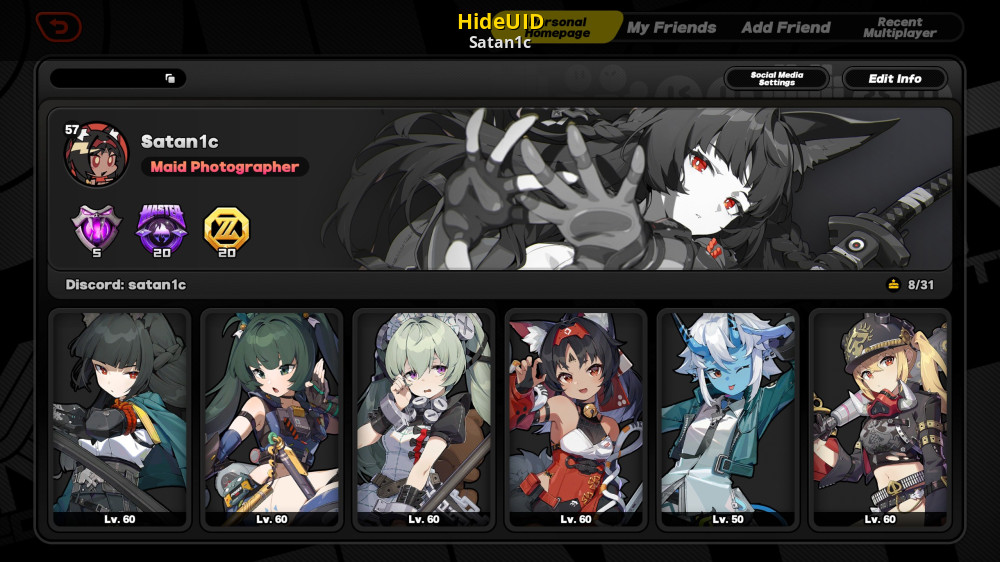
GameBanana
A Zenless Zone Zero (ZZZ) Mod in the UI category, submitted by Satan1c
Problem is, unlike the other hide UID mods this one is using shaders to do that
Which seems to conflict with renodx unfortunately
tacit berry
I don't think it'd be hard to implement that into renodx
mighty moss
In some menus like the suibian temple and fishing stuff, it sometimes just ends up in a flashbang and then your screen is stuck on that image and theres nothing you can do than to just alt+f4 the game
I asked the mod's creator about that but he doesnt seem to be interested in fixing compatibility for renodx
tacit berry
you could probably use REST
mighty moss
tacit berry
you could probably use REST
Im trying to setup REST rn but im having a hard time
Theres like a billion shaders and idk which ones to select lol
tacit berry
mighty moss
Theres like a billion shaders and idk which ones to select lol
start from the end
you should find it pretty quickly since the ui is typically drawn last
prime igloo
if anyone makes that work with REST I would be interested in the settings. I tried myself and failed
karmic atlas
For what parts specifically?
Rendering shaders before UI?
Rendering before volumetrics?
With FF14 there was some fiddling around I had to do
Easiest is to set the debug check on whatever shader you want (if available)
Then cycle through the game shader hashes via REST
That way you'll be able to see what the debug layer is being applied to
prime igloo
yea I did the same in ffxiv, was a cakewalk compared to zzz
austere void
sigh, i wander who will take over the ZZZ reno
prisma dome
Does ZZZ have a selectable buffer? Whenever I set the buffer that actually matches the game when using DisplayBuffer.fx, it glitches out really badly.
orchid coyote
opal cove
Oh, that's why there were no updates
😭
Time to go back to SpecialK HDR
 mighty moss
Since 2.2 broke previously working hide UID mods, this seems to be the only one ...
mighty moss
mighty moss
Since 2.2 broke previously working hide UID mods, this seems to be the only one ...
Theres another hide uid mod now updated for 2.2 and it seems to work fine with renodx without issues
https://gamebanana.com/mods/612899
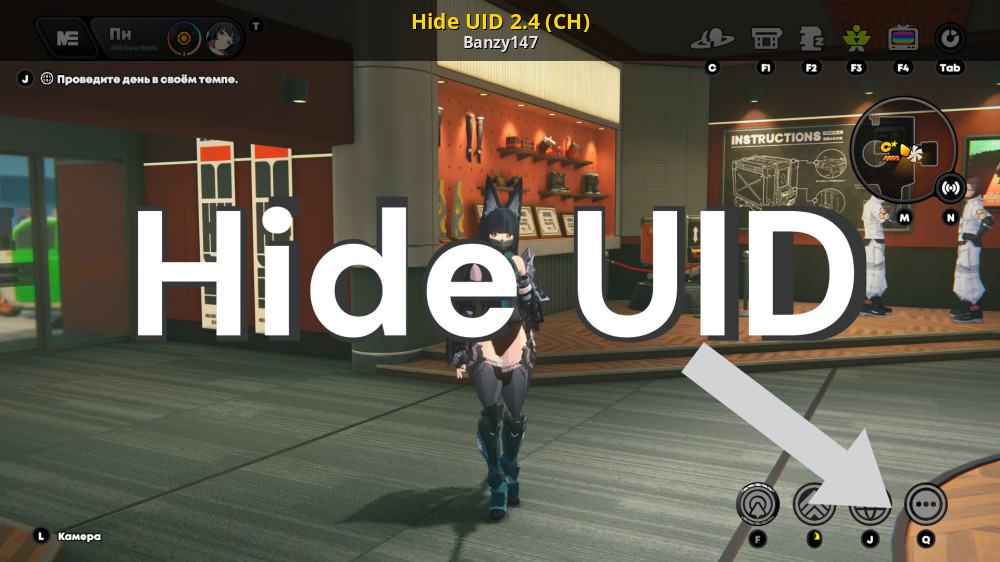
GameBanana
Hide UID 2.2 (Work)... A Zenless Zone Zero (ZZZ) Mod in the UI category, submitted by Banzy147
 rugged portal
sullen tiger
if you fund maple to pull seed then he can probably fix that
rugged portal
sullen tiger
if you fund maple to pull seed then he can probably fix that
probably more accurate to say maple would be inclined to it if you fund their infinity nikki pulls
orchid coyote
opal cove
auto hdr
SpecialK with the pipeline-remastering isn't THAT bad
All the other implementations have huge artifacts though
I was really surprised when going from RTX HDR to Special K HDR and the artifacts just disappeared.
tacit berry
artifacts?
orchid coyote
tacit berry
artifacts?
Idk how it's called exactly
But it shows up using AutoHDR or RTX HDR in the character select menu
the profiles are kinda grainy
tacit berry
banding?
 orchid coyote
Yeah
tacit berry
I see
orchid coyote
tacit berry
banding?
the dithering here shows it
tacit berry
I didn't realize that remastering reduced banding somewhere in this game
orchid coyote
tacit berry
I didn't realize that remastering reduced banding somewhere in this game
It's very noticeable on the character select menu, there is less stuff like this
 opal cove
orchid coyote
SpecialK with the pipeline-remastering isn't THAT bad
opal cove
orchid coyote
SpecialK with the pipeline-remastering isn't THAT bad
In very custom games pipeline remastering doesnt do anything though
So you're just essentially using autohdr
orchid coyote
opal cove
So you're just essentially using autohdr
Why less dithering artifacts then 😭
Every time you think you know how something works here it turns out you don't

opal cove
orchid coyote
Why less dithering artifacts then 😭
🤷♂️
not sure if kal does something with banding for sk
but remasters 8/10/11 is a hit or miss especially with custom games
strong tide
@opal cove hey babe
find me those new shaders that are broken
i'm doing it, i'll fix this mod
opal cove
 opal cove
i'll get em tmrw
austere void
yay
austere void
strong tide
i'm doing it, i'll fix this mod


i had been running the game in SDR for long enough T^T
opal cove
austere void
i had been running the game in SDR for long enough T^T
just use the current version?
austere void
opal cove
just use the current version?
no thanks :3 i will wait for the patch
seed ult is broke
austere void
opal cove
@strong tide 762 is an uberpost but I can't find it listed in the draws


well this is awkward
I updated my devkit but the mod is now crashing with the latest devkit
and I accidentally deleted my old one
opal cove
opal cove
<@176171156213071872> 762 is an uberpost but I can't find it listed in the draws
nevermind, it was listed as 762 in the snapshot menu but it was placed earlier in the actual shader list
weird
opal cove
@strong tide Okay, i might have traced where yixuan's ult is clamping, its earlier than the output shader (?)
some kind of particle shader earlier in the pipeline

draw enable/disable

 opal cove
good thing is trigger charge shot uberpost is shared with wipeout screen
bad thing is that there are
3 variations of wipeouts
opal cove
lmao fuck seed
opal cove

I can't find why seed's ult is having a stroke and i don't feel like figuring it out
toodles
prime igloo
opal cove
in open world or shiyu
yea


 feral gulch
looks like NaNs
prisma dome
Looks like Seed might be Yixuan's long-lost sister & is just as skilled in using auric ink as she is.
austere void
prisma dome
Looks like Seed might be Yixuan's long-lost sister & is just as skilled in using...
prisma dome
What's a nans?
Nevermind.
So not a developer or anything... but I'm guessing that, as far as RenoDX goes, when it's trying to render a specific color within the selected tonemapping method, that color is represented by a value of some sort, telling the shader what color it is? And when that value isn't an actual number, it shows up as black artifacts?
strong tide
prisma dome
So not a developer or anything... but I'm guessing that, as far as RenoDX goes, ...
No, what's happening is bad math inside the game's code lol
strong tide
It is fixable, just annoying.
strong tide
strong tide
No, what's happening is bad math inside the game's code lol
Basically, somewhere inside the game's shader code, it's performing an invalid operation (like dividing by zero) and the result of those invalid operations are those artifacts
prisma dome
Oh. Okay, that makes sense.
strong tide
Very likely a shader was written with the assumption that color values would be under the [0,1] range, which goes out the window in HDR.
(because the way scRGB represents HDR colors is by using negative values and values bigger than 1)
strong tide
opal cove
<@176171156213071872> Okay, i might have traced where yixuan's ult is clamping, ...
Thanks for looking into that lol
I'll start looking into the shaders you sent me.
prisma dome
So, here's something I discovered:
I play on a superultrawide screen (32:9 ratio), and the game only outputs as much as 21:9. Everything else is just black bars.
However, there's a mod that removes the black bars, allowing me to play in fullscreen (I have some screenshots uploading right as I speak).
However... that mod also affects the UI, as all the black backgrounds on a lot of the UI elements are either faded or removed.


We need a free cam mode.


So... I think the black bars aren't there because those portions of the screen aren't actually being rendered... but are actually part of the UI?
Because otherwise, the ultrawide experience is actually perfect. And apparently, ZZZ had superultrawide support during its beta period.
So... why did they not include it in the full version lol?
opal cove
strong tide
I'll start looking into the shaders you sent me.
Kk. Btw, will u investigate why the planar reflections (mirror reflections on high) gets frozen when you use any character's ultimate?
strong tide
opal cove
Kk. Btw, will u investigate why the planar reflections (mirror reflections on hi...
Wait what?
I wasn't even aware this was an issue
opal cove
#1330764788711555166 message
It was probably this one, I wasn't sure how to replicate this before, but now I know it happens when you ult
strong tide
I can't figure out why this is broken lol
prisma dome
 prime igloo
I know there are some issues with the mod rn anyway, but I think it's been like this before 2.2 as well. is it normal for these kinds of dialogues to look "flat" compared to normal gameplay? there just seems to be no highlights at all. tried a lot of settings, if gameplay looks good, this looks flat, if this looks good, gameplay looks overdone

actually the screenshot looks better than what I see in the game...
opal cove
prime igloo
I know there are some issues with the mod rn anyway, but I think it's been like ...
Dialogue is not broken
What are you on
 magic mortar
prisma dome
We need a free cam mode.
magic mortar
prisma dome
We need a free cam mode.
already exists
opal cove
This entire game is also flat if you play without touching any settings
Use the grading sliders
prisma dome
prime igloo
I know there are some issues with the mod rn anyway, but I think it's been like ...
It's basically the same as a green screen with a fake background projected onto the chroma key & softboxes pointed directly at the subject. It's flat because there's nothing dynamic happening in the scene itself that would warrant highlights appearing. It looks just as flat in SDR, just less bright.
prisma dome
magic mortar
already exists
Where? How do I access it?
prisma dome
prisma dome
It's basically the same as a green screen with a fake background projected onto ...
On that note... I wish ZZZ had more actual cutscenes. Especially since these dialogue sections constantly feature fake optional dialogue anyways, so there's no real point in having static sections like this outside of keeping costs low.
prime igloo
opal cove
What are you on
I'm just uninformed
the answers make a lot of sense thank you
strong tide
prisma dome
It's basically the same as a green screen with a fake background projected onto ...
correct.
there is zero color grading on the 3D characters during cutscenes, and they themselves are rendered on an empty scene while being fully lit.
I unclamped those dialog scenes because someone asked me to, but thanks to how the scene works, there's just nothing there to recover in terms of HDR.
Some characters like harumasa have a self-emitting light on their models that would technically show up on dialog but most of the time, it's going to be on SDR range lol
opal cove
strong tide
there is zero color grading on the 3D characters during cutscenes, and they them...
no strong highlights but yea still needs to be recovered cuz the skin still blows out
prime igloo
ty for the explanations, sorry about the assumption that it was wrong 🙏 appreciate all the work being done
magic mortar
prisma dome
Where? How do I access it?
its from a cheat software
I don't use the cheat parts of it just free cam and fov for zzz
prisma dome
magic mortar
its from a cheat software
Found it. Thx. ||It even injects DLSS, the override tool doesn't even do that lol wow.||


 opal cove
Iirc dlss doesnt actually work...
prisma dome
It doesn't, as far as in-game settings. Not even available as an option, despite the dll for it being present in the game files. But the cheat tool that was mentioned actually injects it, and I definitely noticed a difference.
opal cove
prisma dome
It doesn't, as far as in-game settings. Not even available as an option, despite...
yes i mean the cheat tool doesn't actually work
if it does, mind pulling up the dlss debug info screen for me?
magic mortar
yeah the dlss doesn't work in it
prisma dome
I could've swore I seen the AA adjust when turning the setting on.
But the debug overlay won't show up when opening the game, so I guess not.
karmic atlas
Luma time
add DLSS
just as you're about to publish it, hoyo announces official DLSS integration next week
orchid coyote
DLAA in this game would be a blessing
prisma dome
prisma dome
However... that mod also affects the UI, as all the black backgrounds on a lot o...
Seriously, why did they do this?
Turns out that, via Shader Toggler, you can actually remove the black bars without an extra mod just by using Reshade.
But toggling that shader off removes all black-colored elements of the UI.
But, why are they using the UI to hide the sides of the screen in ultrawide resolutions, in the first place? Those sides are still being rendered by the game & affecting the performance of the game, just hidden away by the UI.
And given all the images I posted in here, it's not like the game looks terrible in 32:9 resolutions.
Such a bizarre decision.
prime igloo
that's wild lol, the only thing I could think of is that it's a black layer and the game is masked out to be visible. and that mask is only 21:9 + the ui elements
baffling
strong tide
prisma dome
But, *why are they using the UI to hide the sides of the screen in ultrawide res...
this is actually very common.
because rendering under a smaller resolution but with a different aspect ratio is more work than just rendering at your native res and cutting the sides
they don't pillarbox content for performance, they do it to ensure that the content looks correct.
they probably can't ensure the content will look proper under every possible aspect ratio (ie: there aren't any rendering issues or you being able to see things that you shouldn't, like NPCs waiting for their turn outside of the main camera on a cutscene), so they just block it
even if it looks fine 99% of the time.
prime igloo
I think the confusing part is why use the same shader for a very different purpose as well
prisma dome
prime igloo
I think the confusing part is why use the same shader for a very different purpo...
This.
Like, sure. You wanna make sure the odd case of assets popping in & out on the sides or whatever doesn't show up, or that things don't get stretched out weirdly? Whatever, hide the sides.
Using the exact same UI shaders to do it? Sloppy.
prime igloo
I would even argue against that lol. limiting the aspect ratio like that is incredibly anti consumer. if I paid for a 32:9 monitor I expect things to work with it. we're not babies that need protecting from possible incredibly niche slightly incorrect looking things at the limits of our peripheral vision.
if I mind it, I can set my resolution to 21:9 myself
strong tide
prime igloo
I think the confusing part is why use the same shader for a very different purpo...
it makes sense though?
you don't really need to do a lot of things with an UI shader
so you just reuse it everywhere for any UI element lol
prime igloo
100% makes sense from the dev side yeah, and no other side matters
just weird to run into things like that when you mess with things you're not expected to mess with lol
prisma dome
The mod that reenables 32:9 has broken menus when it's active, as it removes basically all the black backgrounds in the UI. So, the New Eridu City Fund? Dark as hell, but kinda cool looking tbh. Outpost Logistics store? Straight up invisible.
strong tide
you wanting to block the pillarboxes isn't an actual valid usecase for "making a different shader"
prime igloo
of course
strong tide
but there is a lot of things that make sense to be done in a dev side but does make our life annoying
like removing the UID
because that also uses the generic UI shader
strong tide
prime igloo
I would even argue against that lol. limiting the aspect ratio like that is incr...
I do agree with this though
not supporting arbitrary aspect ratios is just lazy
prime igloo
"things may appear broken" in the settings can carry a lot lol
I don't remember what game had that, but I've def seen that
prisma dome
strong tide
you wanting to block the pillarboxes isn't an actual valid usecase for "making a...
Idk. I'm not a game dev, but I would think making a shader that's blocks two thirds of a 32:9 screen wouldn't take very much time or effort.
Also, this is the same developer adding GTA IV ragdoll physics to buttcheeks. They can take the time to either do a separate shader, or just let shit rock & bother to make it look good on all screens.
strong tide
prisma dome
Idk. I'm not a game dev, but I would think making a shader that's blocks two thi...
it wouldn't be much effort but uh, think about this logically.
why write another shader when the regular UI one does what you want already
the fact this makes removing the pillarbox hader/annoying is irrelevant to me as a developer
because i don't want you doing that in the first place
prime igloo
this is just another look into how games that have the backing of trillion (?) dollar companies are not perfect and are made in a hurry by humans, with human ways
they are just tasked with doing something, they just do it. they don't have the time to think of every cascading effect it will have
especially something as niche as this
prisma dome
strong tide
why write another shader when the regular UI one does what you want already
Oh, I get it from a "Eh, who gives a shit?" kind of mindset, where you already have a thing that works, so why bother with the extra effort.
But as you said, it's still a lazy way to go about it.
That said, tho...
strong tide
i think it's lazy to just have the pillarbox to begin with lol
i don't have a problem with them implementing the pillarbox like that
prime igloo
I can imagine whoever implemented this did not make the decision to add it in the first place
prisma dome
strong tide
because *i don't want you doing that in the first place*
Any dev willing to pick a fight with their players over any little thing is fighting a losing battle, tbh.
strong tide
prisma dome
Any dev willing to pick a fight with their players over any little thing is figh...
i mean, it's not exactly picking up a fight, it's more like, this game has anti-cheat, we don't support modding the game
as a developer, the fact i'm making your life harder is officialy not my problem ™
prisma dome
It can become a problem real quick, if enough people care. That's why it's a losing battle. Gamers have revolted over less lol.
prime igloo
lucky for them the players here only care if they can mod even bigger boobas in the game
and they can so everything is fine
prisma dome
Idk if you ever played Smash Melee, but the producer for that game didn't like the fact that his party game grew a sweaty competitive scene.
So, in Brawl, he added a tripping mechanic to stop players from dashdancing.
Not only is that one of the major reasons why the game is hated in a general sense, it's also the reason why Brawl is mostly remembered for all the hacks that basically turned it into Melee.
Hell, that game might be the very reason the modern homebrew community exists lmao.
prime igloo
the only thing I'd say is that if the developers had more freedom and weren't overworked, I'd appreciate if they did think about things like this
it doesn't have to be a mod support type mindset, but just thinking "someone might want to touch this shader on its own" goes a long way, and doesn't require that much effort
strong tide
Yes, i'm familiar with it, and while it's funny Sakurai eventually regretted what happened with Melee and made a lot of changes on Brawl just to spite people, only for people to counter spite him with mods, you are overselling the impact of Smash modding for homebrew.